Building an Effective
  LinkedIn Profile
  Tips that work to improve your return in
             searches and views
 Part 2- Your Active Presence and Catching
                the Big Fish
Understanding how LinkedIn works
   LinkedIn is another tool that allows the WWW to find
    you
   LinkedIn allows you to find and communicate with
    other like minded individuals and companies
   LinkedIn is useful as a research site and allows for you
    to participate in educational and professional groups
   LinkedIn has many ways of finding job and network
    opportunities
   LinkedIn is not a resume but a resume can be a good
    beginning for this tool. Start with this data (it’s out
    there anyway) and build from there.
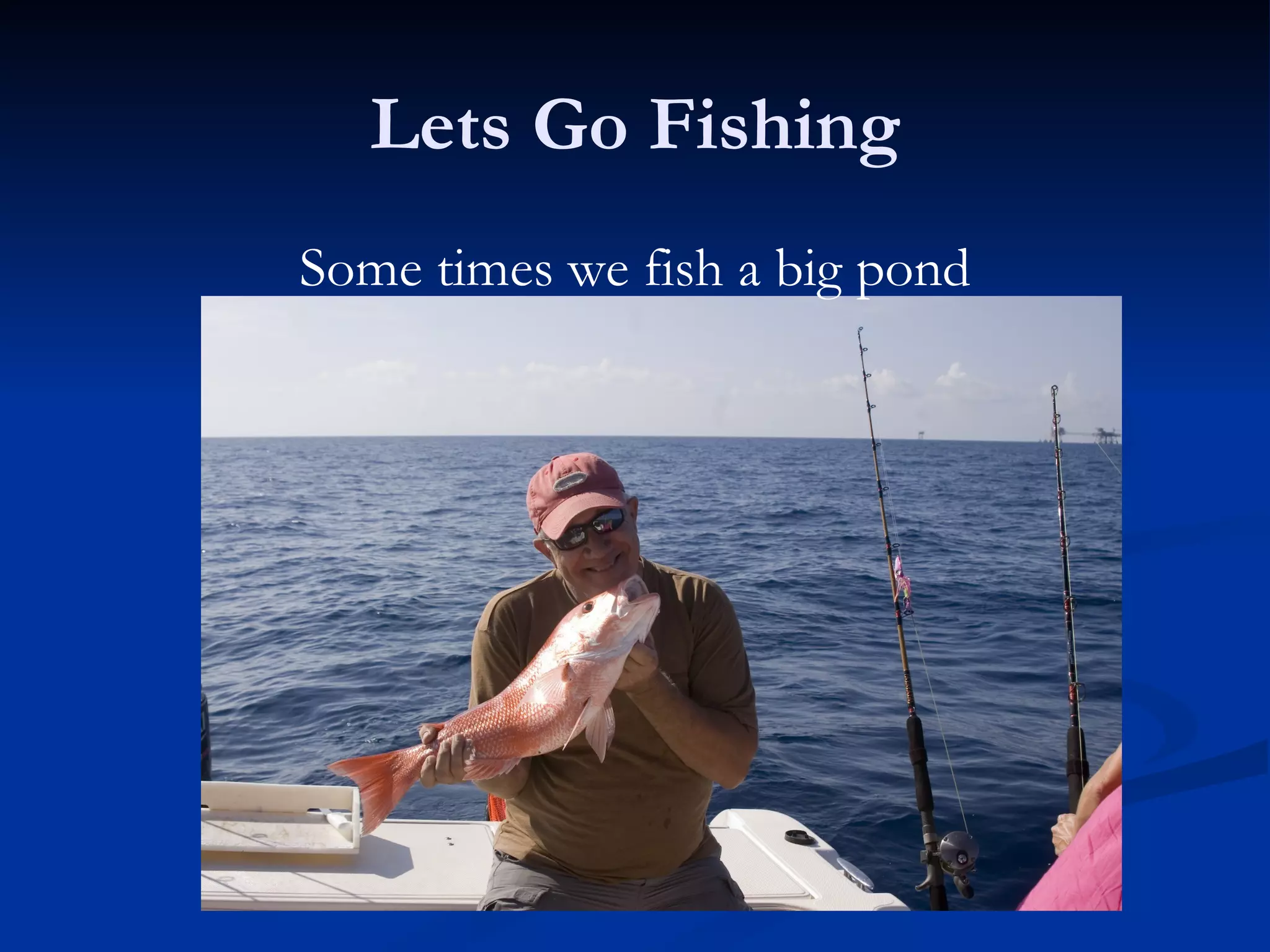
Lets Go Fishing
Some times we fish a big pond
Methods for Active Networking
   Go Fishing for quality connections
       Identify your Barrels, ponds and lakes
       Contacts, Friend, Colleagues,= Barrels (reach in a grab a fish)
       Group activity, Past business associates= Ponds
       All other persons are in the lake and you will need to hone in
        your finder skills
       Views from your trapping activity will point your casts
       Contact activity will place lead to other fishing holes
   What to do with fish on the line?
       Set the hook (use custom invites and thank you responses
       Plenty of fish in the sea (No need to Catch and Release) or
        little fish will someday grow up
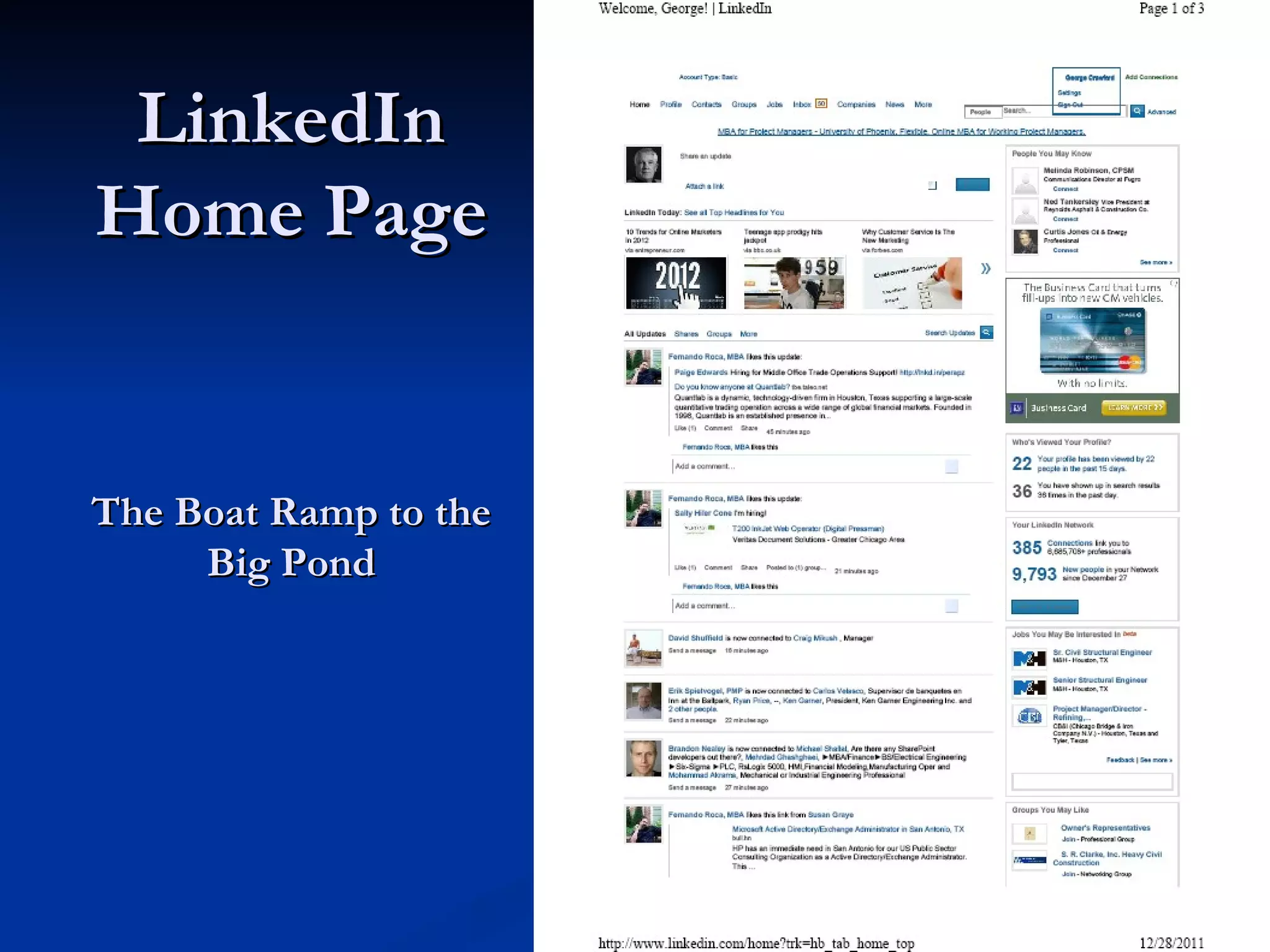
LinkedIn
Home Page


The Boat Ramp to the
     Big Pond
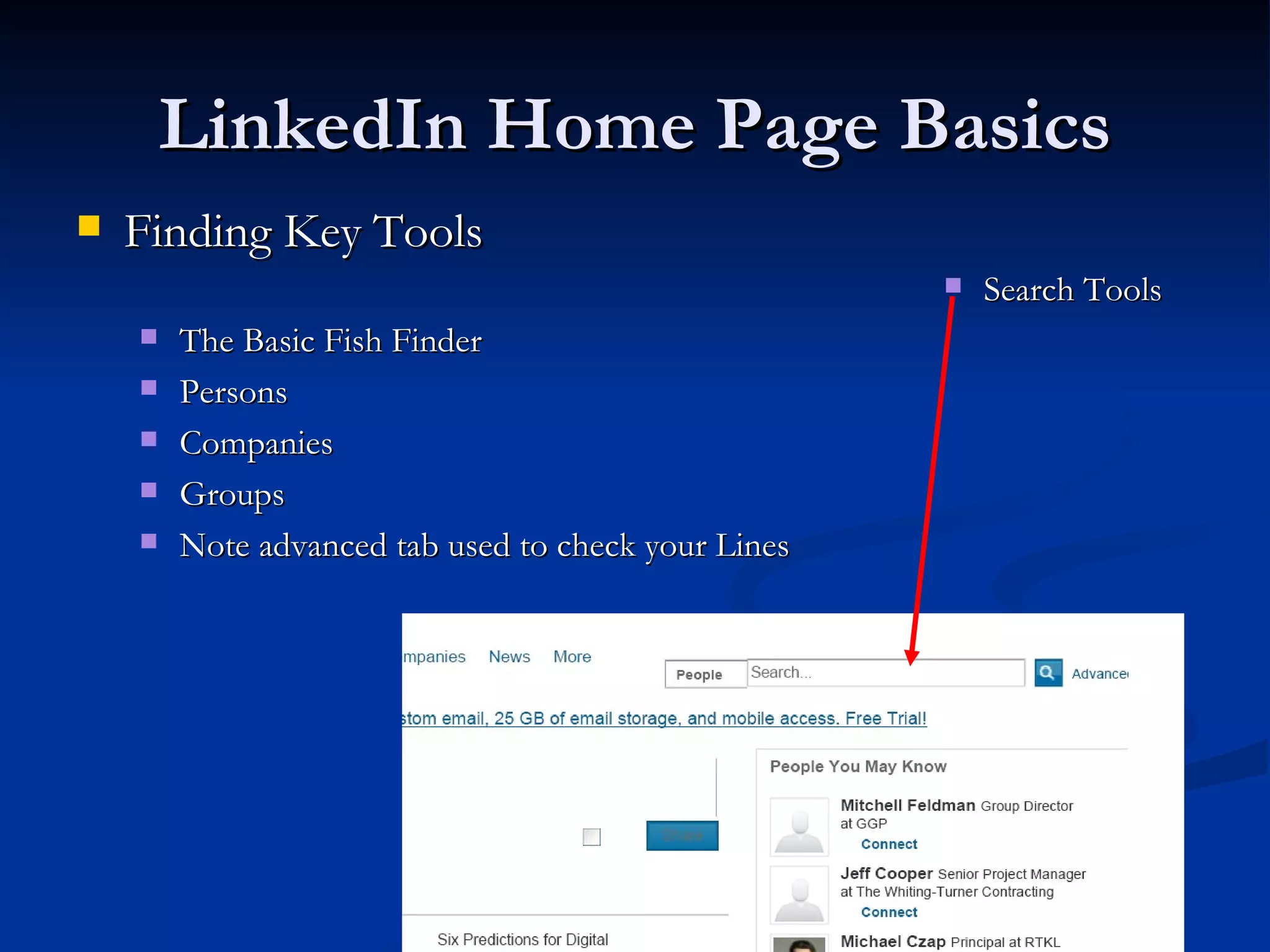
LinkedIn Home Page Basics
   Finding Key Tools
                                                        Search Tools
       The Basic Fish Finder
       Persons
       Companies
       Groups
       Note advanced tab used to check your Lines
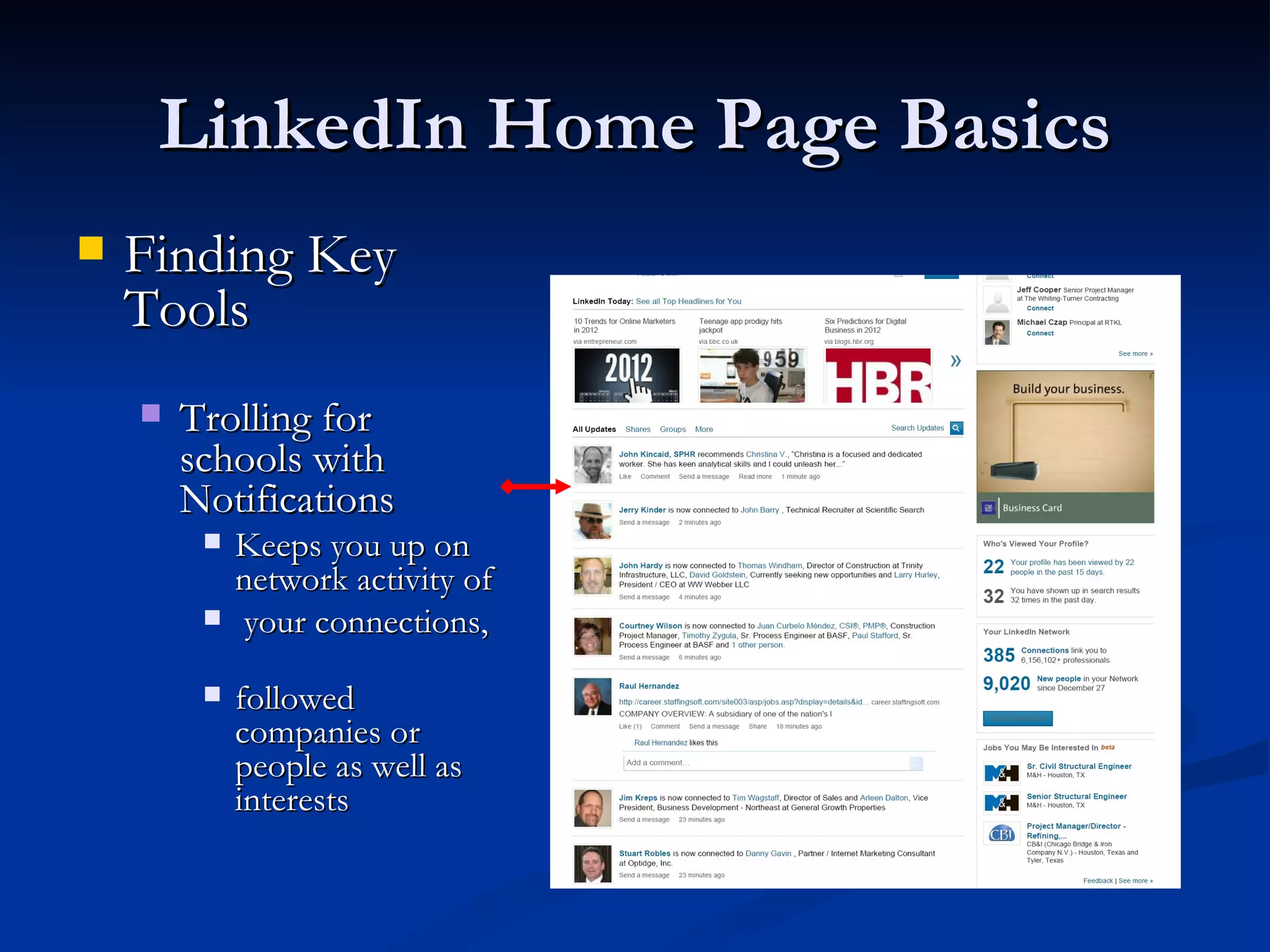
LinkedIn Home Page Basics
   Finding Key
    Tools
       Trolling for
        schools with
        Notifications
            Keeps you up on
             network activity of
            your connections,

            followed
             companies or
             people as well as
             interests
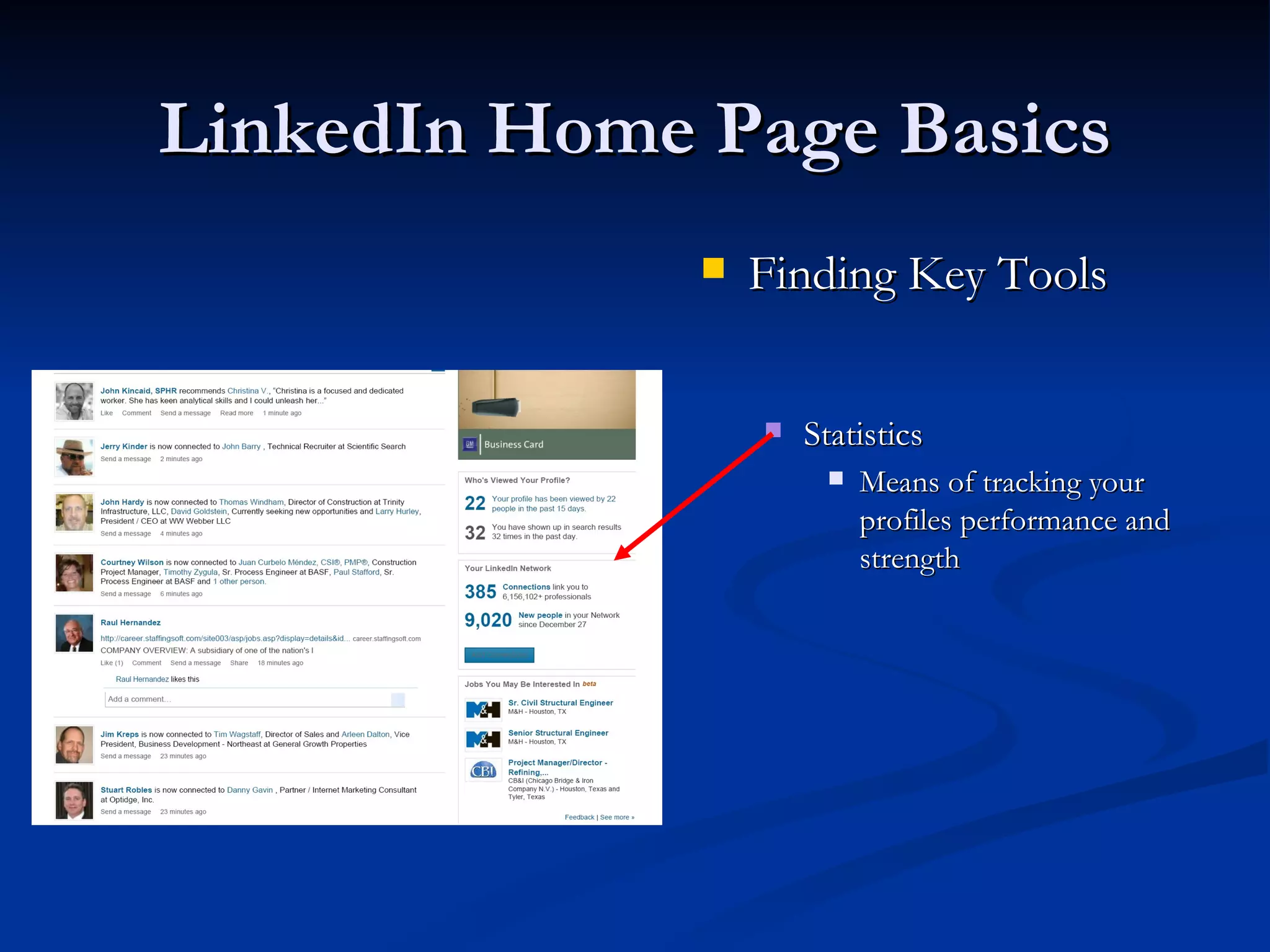
LinkedIn Home Page Basics
                 Finding Key Tools


                     Statistics
                          Means of tracking your
                           profiles performance and
                           strength
LinkedIn Home Page Basics
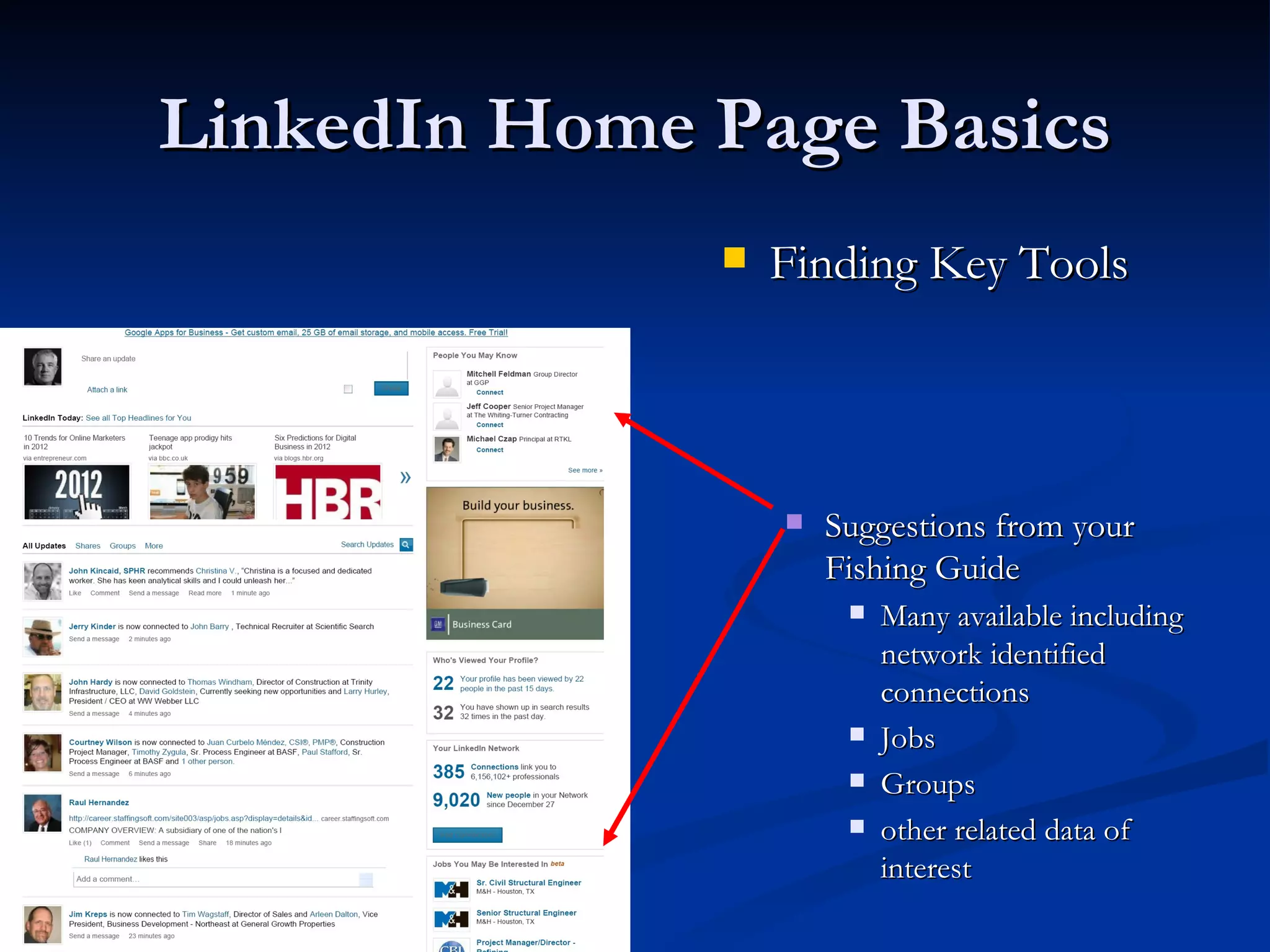
                 Finding Key Tools


                     Suggestions from your
                      Fishing Guide
                          Many available including
                           network identified
                           connections
                          Jobs
                          Groups
                          other related data of
                           interest
Profile Basics
   Your Headline will be the attractor to the
    schools of fish.
   IE This is the bait on your Line (see trapping for
    rules)
     Until you get the fish try different baits
     Suggest that you real off as many variations of
      your proposed job titles as possible in this
      length (make it sweet to your prey)
     Stale Bait gets you nowhere Refresh as needed
Active Use Basics
   Keep in Mind that your fish may be in the another
    ocean (Google or some other Search Engine) and you
    will need to find them.
      Use your Notifications, Suggestions, group Activity
       and other news articles to narrow where you cast
       Observe who is active in accepting connections
       Troll your groups often
       Chum the ocean- Post updates and comments
       Watch for outside events (flees may fall from trees, rain may
        fall)
       Look for those cold fronts (Market activity construction
        starts, consolidations, ETC)
Active Use Basics
   Follow your Fishing Buddies
      Look for job changes

        Where they catch fish may lead to other bites
        Ponds they abandoned may have some activity left
   Follow the Schools
     Look for Promotions
     Check their Job Boards

     Find the big fish (search for connections to Hiring
      Managers)
Methods for Building Presence
   All good Hunting and Fishing starts with finding
    your fish and seeding your pond
     Use network activity for leads and trends
     Use groups to get your name on top

     Follow trails (people and companies)

     Dig for live bait

     LinkedIn like hunting and fishing has sweet times of
      the day. Make a habit of trolling when the catch is
      running
Judging Your Profile Performance
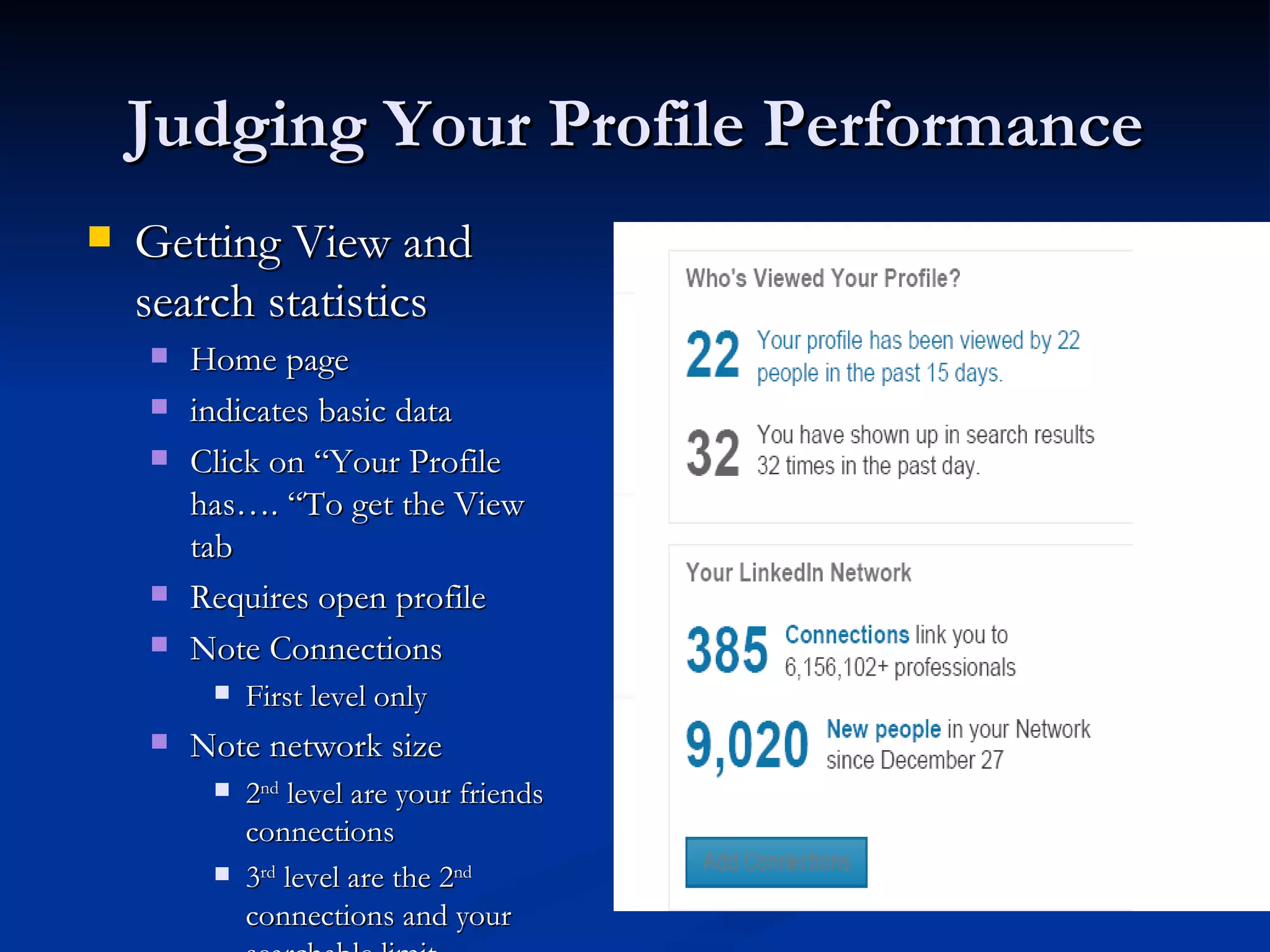
   Getting View and
    search statistics
       Home page
       indicates basic data
       Click on “Your Profile
        has…. “To get the View
        tab
       Requires open profile
       Note Connections
            First level only
       Note network size
            2nd level are your friends
             connections
            3rd level are the 2nd
             connections and your
The Profile View Tab
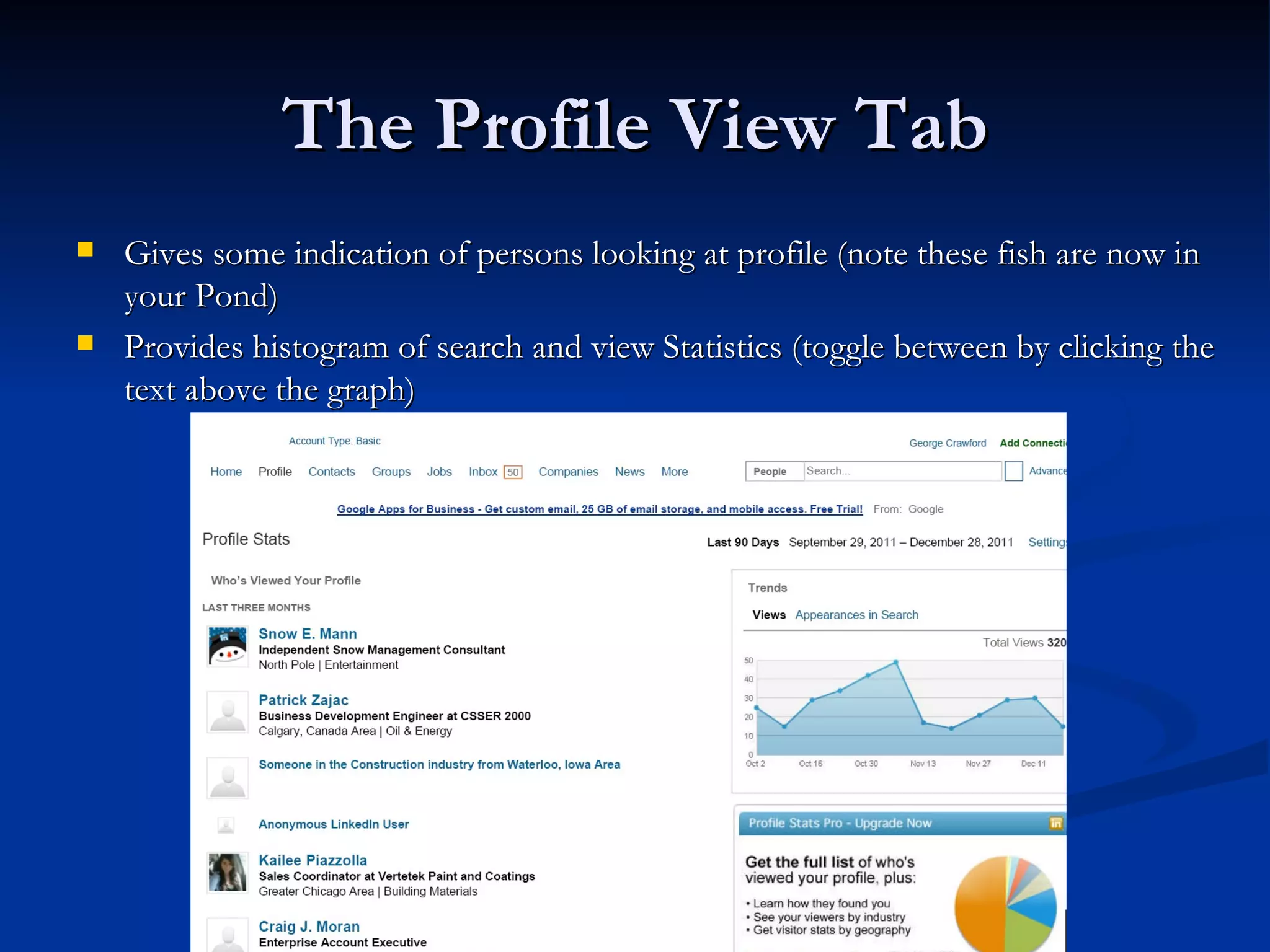
   Gives some indication of persons looking at profile (note these fish are now in
    your Pond)
   Provides histogram of search and view Statistics (toggle between by clicking the
    text above the graph)
Search and View results

   Searches are hits on the keywords in your profile and may be
    from any person in the network looking for you.
   Views are the fruits of your total profile/presence on LinkedIn
    and are the results of your efforts to make connections and the
    quality of the information you have provided the WWW
   Note the Types of Views returned on the prior page
       Specific name and Headline and Location data are from users with open
        profiles and up to 3rd level connections or members of common groups
       Someone in --- are from users who have restricted their display data
       Anonymous users may be those who you do not any connection or
        common group or may have selected the anonymous tab in their profile
        setup
Search and View results continued
   Mine this data and make connections with those who have viewed your
    profile. Determine why they are looking and what you can do to help them.
    This will help you Cast the right Bait towards this Fish
   Actions for named searchers are easy Connect and work your connection
   Action for Someone in /at ____ may vary
        Click on this result and the name of the person who viewed you is listed as one of
         10?
             Do You know them?- if not connected , then connect
             Are you in common groups?- Go to group and see what action may have prompted
              their view
             Is it some one with whom you are already connected?- Call/Send an email and offer to
              help
   Remember the goal is to network to build your presence and find your next
    JOB
Making connections
                           Learning How to Fish
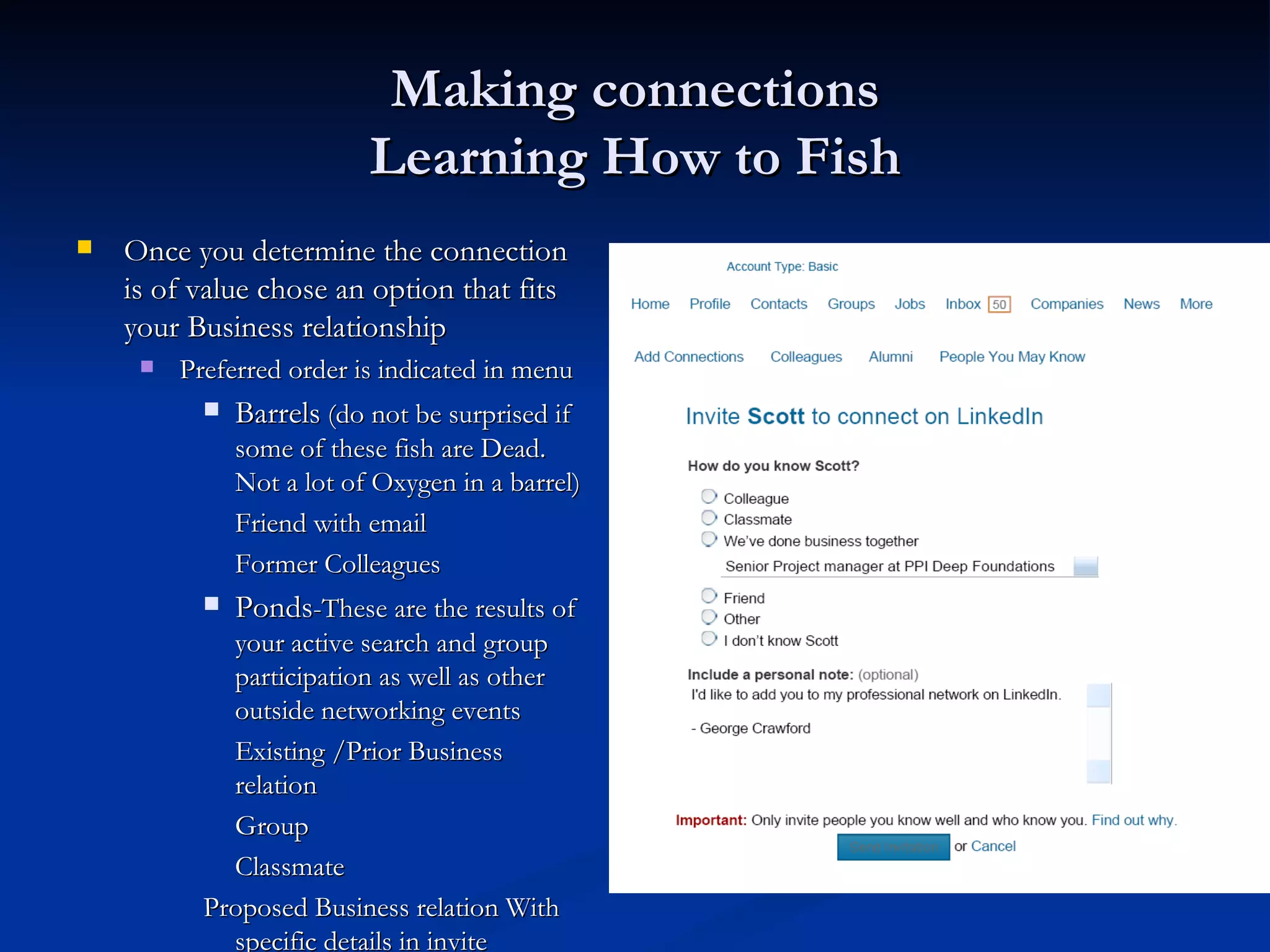
   Once you determine the connection             
    is of value chose an option that fits
    your Business relationship
        Preferred order is indicated in menu
              Barrels (do not be surprised if
               some of these fish are Dead.
               Not a lot of Oxygen in a barrel)
               Friend with email
               Former Colleagues
              Ponds-These are the results of
             your active search and group
             participation as well as other
             outside networking events
             Existing /Prior Business
             relation
             Group
             Classmate
           Proposed Business relation With
             specific details in invite
Making connections
                          Learning How to Fish
   Other fish may look at your line. Learn how to set a hook
        These fish may or may not be in your current network and can include many persons of
         interest. Using the proper bait here can result in some really big catches. Sometimes you just
         need to be ready to fish the big lake.
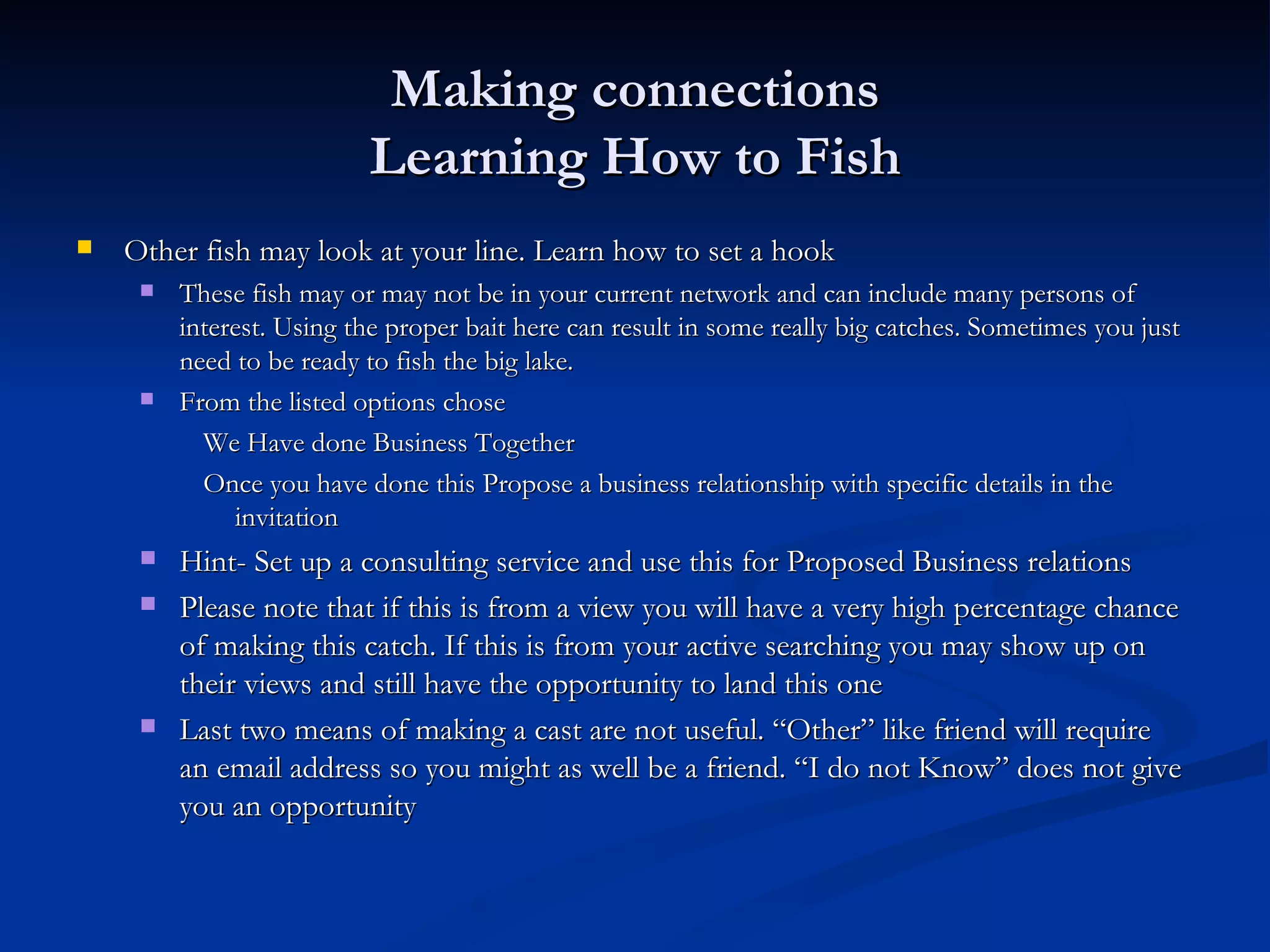
        From the listed options chose
           We Have done Business Together
           Once you have done this Propose a business relationship with specific details in the
              invitation
        Hint- Set up a consulting service and use this for Proposed Business relations
        Please note that if this is from a view you will have a very high percentage chance
         of making this catch. If this is from your active searching you may show up on
         their views and still have the opportunity to land this one
        Last two means of making a cast are not useful. “Other” like friend will require
         an email address so you might as well be a friend. “I do not Know” does not give
         you an opportunity
Customized Invite
                Make your Lure Shine
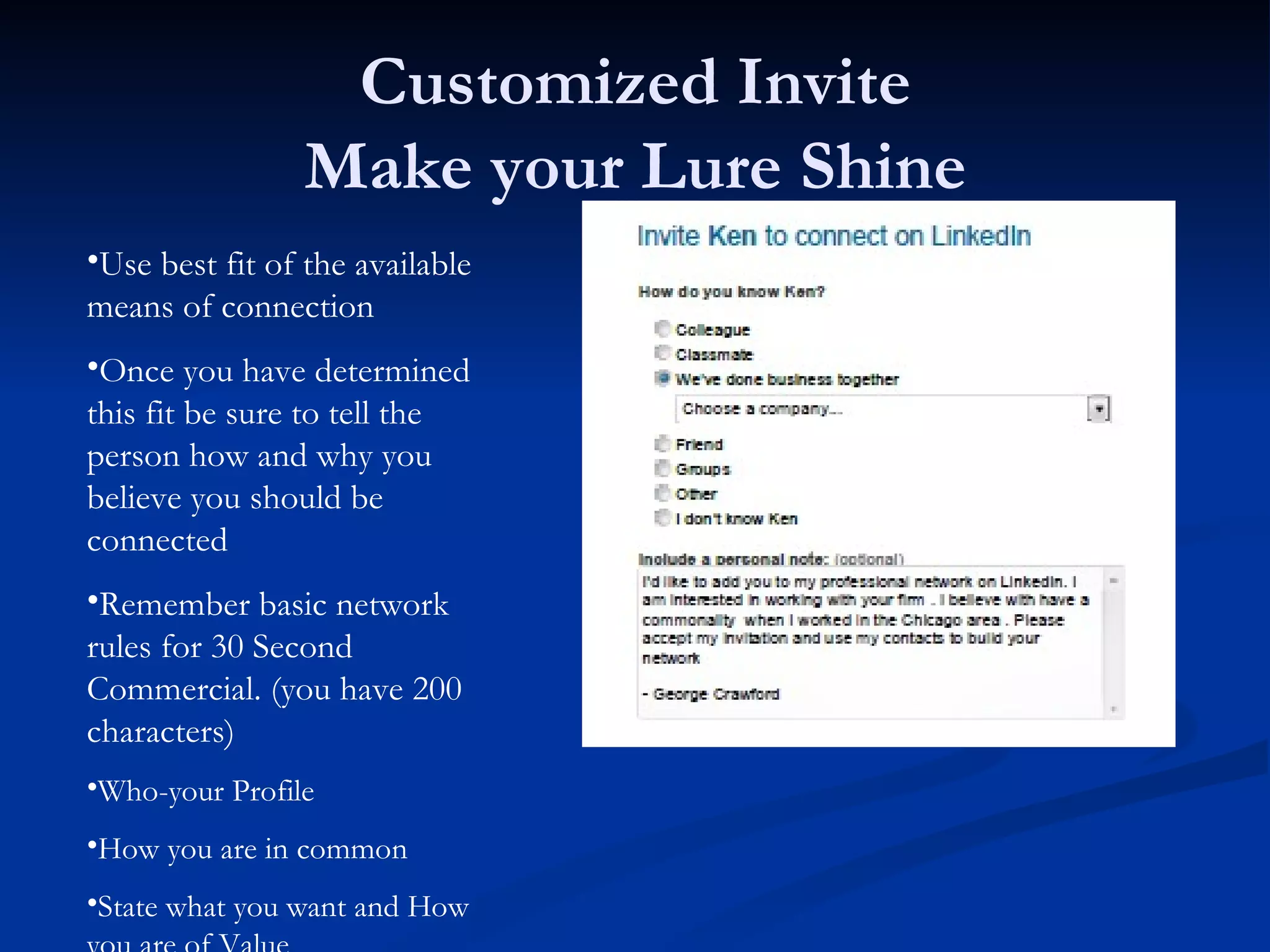
•Use best fit of the available
means of connection
•Once you have determined
this fit be sure to tell the
person how and why you
believe you should be
connected
•Remember basic network
rules for 30 Second
Commercial. (you have 200
characters)
•Who-your Profile
•How you are in common
•State what you want and How
Making Connections

   Remember to customize the invite unless you have talked about
    the connection
   Be polite, be exact, and be positive
   Be sure to state why the connection is of value and how you came about their
    name
   On Connection (Set the Hook/ Real in the Fish) Respond promptly with a
    thank you note and offer to help. If you are a frequent user of this technique
    I suggest that you set up some spell checked scripts for you different types of
    fish.
   Don’t let the connection die. Work their network schools, relationships for
    the goals that you want.
   Give back- let others in need of your groups and connection contacts have
    access
Using Searches to Judge your Profile
                   Performance
    (Honing your Fishing Skills and sharpening the hooks)
   Search for positions you would like, in locations you wish to be.
   If you do not appear in the top 100 returns then you will be
    missed by the free users of the system and in all likelihood by
    those who do not use automated filtering (your in the wrong
    level of the lake)
   If you do not appear in the top 20 locally then your risk of being
    skipped increases
   Study the leading competition- Titles, Headlines, Locations , and
    Profile Data (PS- This is another fishing Hole, Cast a line or two
   Hone your profile to get your best results here
   Stay active to stay on top of system search engines
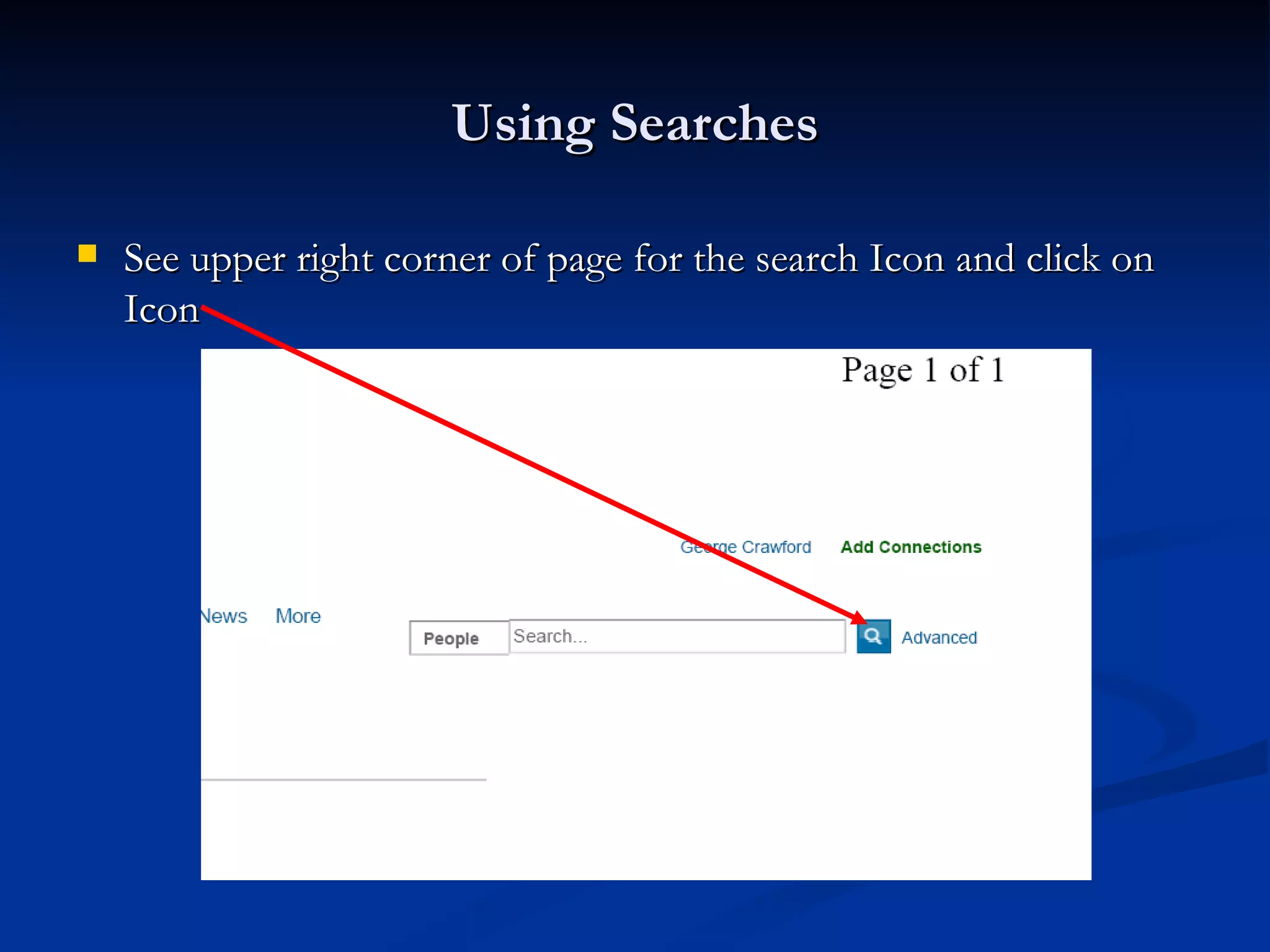
Using Searches

   See upper right corner of page for the search Icon and click on
    Icon
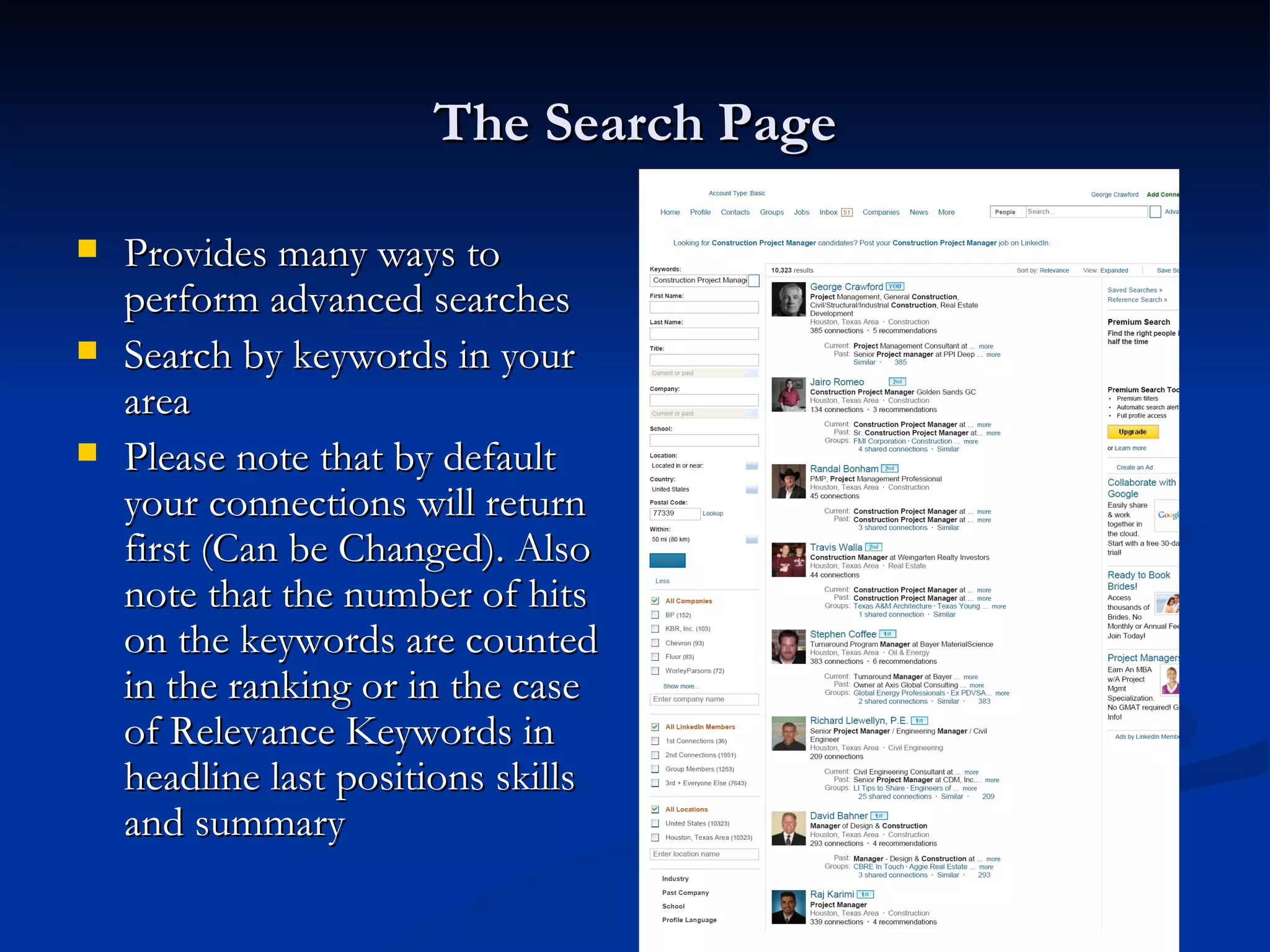
The Search Page

   Provides many ways to
    perform advanced searches
   Search by keywords in your
    area
   Please note that by default
    your connections will return
    first (Can be Changed). Also
    note that the number of hits
    on the keywords are counted
    in the ranking or in the case
    of Relevance Keywords in
    headline last positions skills
    and summary
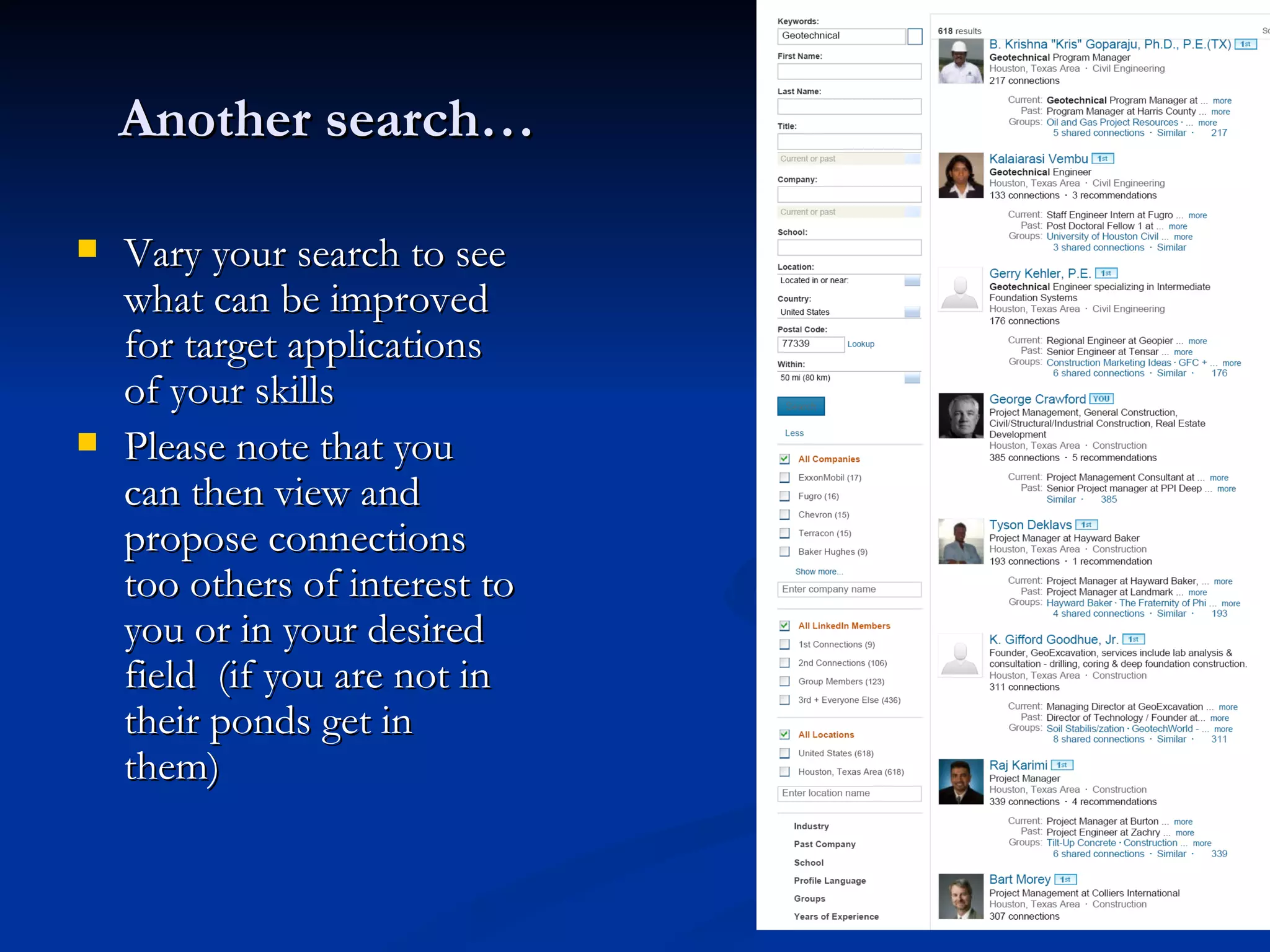
Another search…

   Vary your search to see
    what can be improved
    for target applications
    of your skills
   Please note that you
    can then view and
    propose connections
    too others of interest to
    you or in your desired
    field (if you are not in
    their ponds get in
    them)
Active LinkedIn use

   Move your profile to the top with active use
   Search for target companies and follow their activity
   Join industry groups
       Allowed to have 50 groups with basic membership
       Share information freely and offer assistance to members
       Be polite and respectful
   Make your connections mean something
       Correspond with your connections
       Offer suggestions
       Give recommendations
   Update and Monitor your profile
       Tweak your headline to respond to your market conditions
       Revise Your profile often and monitor your statistics. You may need to tweak words skills
        etc
       Maintain your contacts to allow for future associations
Grow your presence
               to have a successful profile
   LinkedIn as a tool has the potential to place your name in front
    of Millions of users
   Key to getting to these users is to develop quality contacts in
    your target industry and companies
   Don’t be afraid of taking the bull by the horns and aggressively
    seeking connections with decision makers
   Actively Participate in groups and learn from the comments in
    the group, Responding why you like a discussion gives you more
    presence than just tapping the like button. It also allows you to
    prolong a topic to learn more about processes.
   Work this system professionally and expect professional returns
Methods for Keeping Present
   Make LinkedIn a habit
     Check your traps & lines once a day.
     Respond immediately.

     Post updates on your search
            “Attended BJM Sr Managers Meeting and I’m excited!”
       Chumming is good!
          Go to different ponds (groups) and make a comment or
           post a subject (pick 3 to begin)
          Don’t throw stones - add something of interest other than
           clicking the like button.
Methods for Keeping Present
   LinkedIn is more than a job board.
       A place to tell your story
        to like minded professionals
   Showcase your
     Skills & Expertise
     Interests & Activity

     Experience & Value
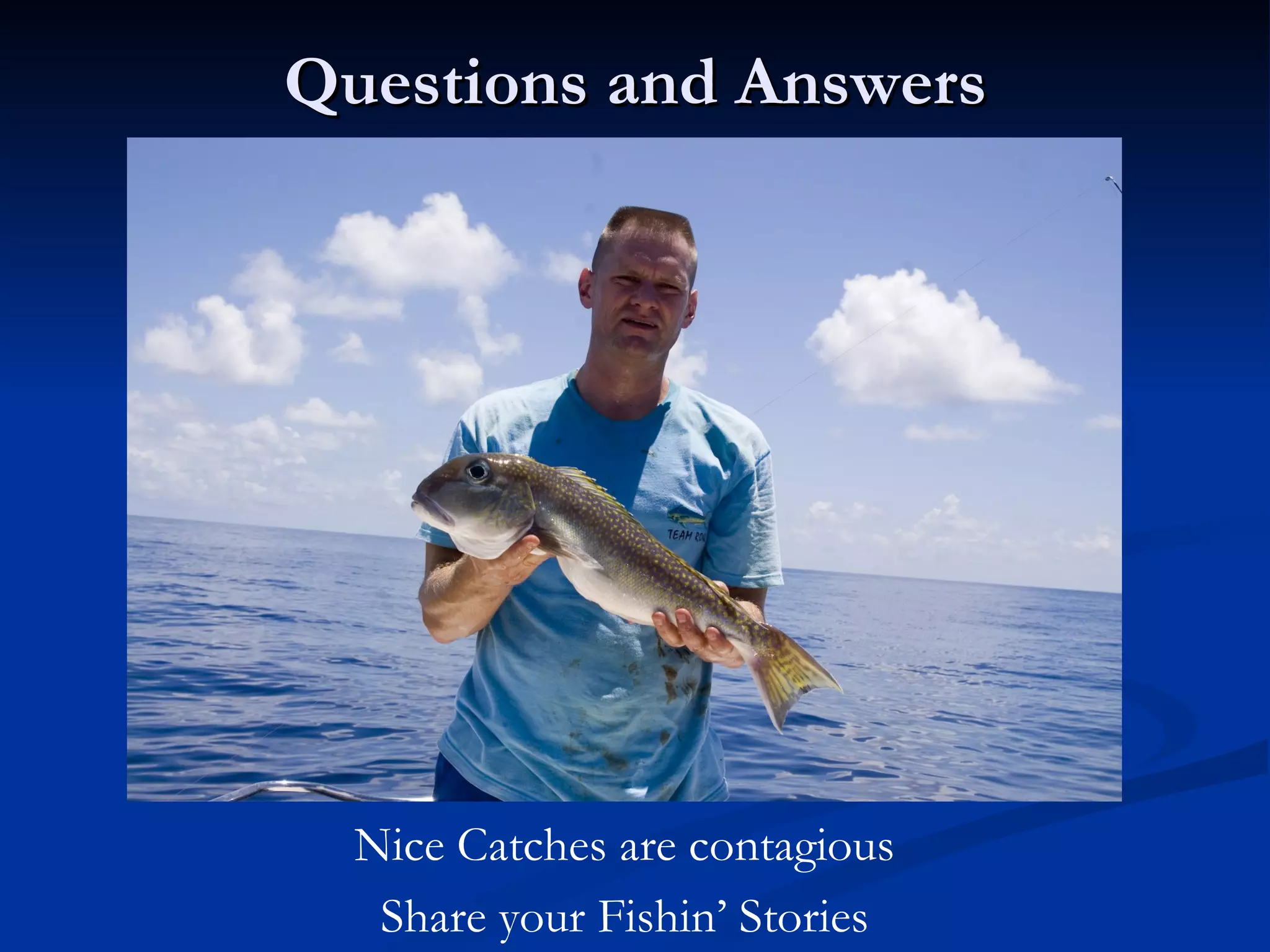
Questions and Answers


  Nice Catches are contagious
   Share your Fishin’ Stories
Other LinkedIn Resources
   Many available to you on LinkedIn
     See the Help Tab on the main Menu
     Search Slide Share for additional resources

     Research BJM library for others presentations (about
      once a month someone will share information)

Building An Effective Linked In Profile part 2 fishing

  • 1.
    Building an Effective LinkedIn Profile Tips that work to improve your return in searches and views Part 2- Your Active Presence and Catching the Big Fish
  • 2.
    Understanding how LinkedInworks  LinkedIn is another tool that allows the WWW to find you  LinkedIn allows you to find and communicate with other like minded individuals and companies  LinkedIn is useful as a research site and allows for you to participate in educational and professional groups  LinkedIn has many ways of finding job and network opportunities  LinkedIn is not a resume but a resume can be a good beginning for this tool. Start with this data (it’s out there anyway) and build from there.
  • 3.
    Lets Go Fishing Sometimes we fish a big pond
  • 4.
    Methods for ActiveNetworking  Go Fishing for quality connections  Identify your Barrels, ponds and lakes  Contacts, Friend, Colleagues,= Barrels (reach in a grab a fish)  Group activity, Past business associates= Ponds  All other persons are in the lake and you will need to hone in your finder skills  Views from your trapping activity will point your casts  Contact activity will place lead to other fishing holes  What to do with fish on the line?  Set the hook (use custom invites and thank you responses  Plenty of fish in the sea (No need to Catch and Release) or little fish will someday grow up
  • 5.
    LinkedIn Home Page The BoatRamp to the Big Pond
  • 6.
    LinkedIn Home PageBasics  Finding Key Tools  Search Tools  The Basic Fish Finder  Persons  Companies  Groups  Note advanced tab used to check your Lines
  • 7.
    LinkedIn Home PageBasics  Finding Key Tools  Trolling for schools with Notifications  Keeps you up on network activity of  your connections,  followed companies or people as well as interests
  • 8.
    LinkedIn Home PageBasics  Finding Key Tools  Statistics  Means of tracking your profiles performance and strength
  • 9.
    LinkedIn Home PageBasics  Finding Key Tools  Suggestions from your Fishing Guide  Many available including network identified connections  Jobs  Groups  other related data of interest
  • 10.
    Profile Basics  Your Headline will be the attractor to the schools of fish.  IE This is the bait on your Line (see trapping for rules)  Until you get the fish try different baits  Suggest that you real off as many variations of your proposed job titles as possible in this length (make it sweet to your prey)  Stale Bait gets you nowhere Refresh as needed
  • 11.
    Active Use Basics  Keep in Mind that your fish may be in the another ocean (Google or some other Search Engine) and you will need to find them.  Use your Notifications, Suggestions, group Activity and other news articles to narrow where you cast  Observe who is active in accepting connections  Troll your groups often  Chum the ocean- Post updates and comments  Watch for outside events (flees may fall from trees, rain may fall)  Look for those cold fronts (Market activity construction starts, consolidations, ETC)
  • 12.
    Active Use Basics  Follow your Fishing Buddies  Look for job changes Where they catch fish may lead to other bites Ponds they abandoned may have some activity left  Follow the Schools  Look for Promotions  Check their Job Boards  Find the big fish (search for connections to Hiring Managers)
  • 13.
    Methods for BuildingPresence  All good Hunting and Fishing starts with finding your fish and seeding your pond  Use network activity for leads and trends  Use groups to get your name on top  Follow trails (people and companies)  Dig for live bait  LinkedIn like hunting and fishing has sweet times of the day. Make a habit of trolling when the catch is running
  • 14.
    Judging Your ProfilePerformance  Getting View and search statistics  Home page  indicates basic data  Click on “Your Profile has…. “To get the View tab  Requires open profile  Note Connections  First level only  Note network size  2nd level are your friends connections  3rd level are the 2nd connections and your
  • 15.
    The Profile ViewTab  Gives some indication of persons looking at profile (note these fish are now in your Pond)  Provides histogram of search and view Statistics (toggle between by clicking the text above the graph)
  • 16.
    Search and Viewresults  Searches are hits on the keywords in your profile and may be from any person in the network looking for you.  Views are the fruits of your total profile/presence on LinkedIn and are the results of your efforts to make connections and the quality of the information you have provided the WWW  Note the Types of Views returned on the prior page  Specific name and Headline and Location data are from users with open profiles and up to 3rd level connections or members of common groups  Someone in --- are from users who have restricted their display data  Anonymous users may be those who you do not any connection or common group or may have selected the anonymous tab in their profile setup
  • 17.
    Search and Viewresults continued  Mine this data and make connections with those who have viewed your profile. Determine why they are looking and what you can do to help them. This will help you Cast the right Bait towards this Fish  Actions for named searchers are easy Connect and work your connection  Action for Someone in /at ____ may vary  Click on this result and the name of the person who viewed you is listed as one of 10?  Do You know them?- if not connected , then connect  Are you in common groups?- Go to group and see what action may have prompted their view  Is it some one with whom you are already connected?- Call/Send an email and offer to help  Remember the goal is to network to build your presence and find your next JOB
  • 18.
    Making connections Learning How to Fish  Once you determine the connection  is of value chose an option that fits your Business relationship  Preferred order is indicated in menu  Barrels (do not be surprised if some of these fish are Dead. Not a lot of Oxygen in a barrel) Friend with email Former Colleagues  Ponds-These are the results of your active search and group participation as well as other outside networking events Existing /Prior Business relation Group Classmate Proposed Business relation With specific details in invite
  • 19.
    Making connections Learning How to Fish  Other fish may look at your line. Learn how to set a hook  These fish may or may not be in your current network and can include many persons of interest. Using the proper bait here can result in some really big catches. Sometimes you just need to be ready to fish the big lake.  From the listed options chose We Have done Business Together Once you have done this Propose a business relationship with specific details in the invitation  Hint- Set up a consulting service and use this for Proposed Business relations  Please note that if this is from a view you will have a very high percentage chance of making this catch. If this is from your active searching you may show up on their views and still have the opportunity to land this one  Last two means of making a cast are not useful. “Other” like friend will require an email address so you might as well be a friend. “I do not Know” does not give you an opportunity
  • 20.
    Customized Invite Make your Lure Shine •Use best fit of the available means of connection •Once you have determined this fit be sure to tell the person how and why you believe you should be connected •Remember basic network rules for 30 Second Commercial. (you have 200 characters) •Who-your Profile •How you are in common •State what you want and How
  • 21.
    Making Connections  Remember to customize the invite unless you have talked about the connection  Be polite, be exact, and be positive  Be sure to state why the connection is of value and how you came about their name  On Connection (Set the Hook/ Real in the Fish) Respond promptly with a thank you note and offer to help. If you are a frequent user of this technique I suggest that you set up some spell checked scripts for you different types of fish.  Don’t let the connection die. Work their network schools, relationships for the goals that you want.  Give back- let others in need of your groups and connection contacts have access
  • 22.
    Using Searches toJudge your Profile Performance (Honing your Fishing Skills and sharpening the hooks)  Search for positions you would like, in locations you wish to be.  If you do not appear in the top 100 returns then you will be missed by the free users of the system and in all likelihood by those who do not use automated filtering (your in the wrong level of the lake)  If you do not appear in the top 20 locally then your risk of being skipped increases  Study the leading competition- Titles, Headlines, Locations , and Profile Data (PS- This is another fishing Hole, Cast a line or two  Hone your profile to get your best results here  Stay active to stay on top of system search engines
  • 23.
    Using Searches  See upper right corner of page for the search Icon and click on Icon
  • 24.
    The Search Page  Provides many ways to perform advanced searches  Search by keywords in your area  Please note that by default your connections will return first (Can be Changed). Also note that the number of hits on the keywords are counted in the ranking or in the case of Relevance Keywords in headline last positions skills and summary
  • 25.
    Another search…  Vary your search to see what can be improved for target applications of your skills  Please note that you can then view and propose connections too others of interest to you or in your desired field (if you are not in their ponds get in them)
  • 26.
    Active LinkedIn use  Move your profile to the top with active use  Search for target companies and follow their activity  Join industry groups  Allowed to have 50 groups with basic membership  Share information freely and offer assistance to members  Be polite and respectful  Make your connections mean something  Correspond with your connections  Offer suggestions  Give recommendations  Update and Monitor your profile  Tweak your headline to respond to your market conditions  Revise Your profile often and monitor your statistics. You may need to tweak words skills etc  Maintain your contacts to allow for future associations
  • 27.
    Grow your presence to have a successful profile  LinkedIn as a tool has the potential to place your name in front of Millions of users  Key to getting to these users is to develop quality contacts in your target industry and companies  Don’t be afraid of taking the bull by the horns and aggressively seeking connections with decision makers  Actively Participate in groups and learn from the comments in the group, Responding why you like a discussion gives you more presence than just tapping the like button. It also allows you to prolong a topic to learn more about processes.  Work this system professionally and expect professional returns
  • 28.
    Methods for KeepingPresent  Make LinkedIn a habit  Check your traps & lines once a day.  Respond immediately.  Post updates on your search  “Attended BJM Sr Managers Meeting and I’m excited!”  Chumming is good!  Go to different ponds (groups) and make a comment or post a subject (pick 3 to begin)  Don’t throw stones - add something of interest other than clicking the like button.
  • 29.
    Methods for KeepingPresent  LinkedIn is more than a job board.  A place to tell your story to like minded professionals  Showcase your  Skills & Expertise  Interests & Activity  Experience & Value
  • 30.
    Questions and Answers Nice Catches are contagious Share your Fishin’ Stories
  • 31.
    Other LinkedIn Resources  Many available to you on LinkedIn  See the Help Tab on the main Menu  Search Slide Share for additional resources  Research BJM library for others presentations (about once a month someone will share information)