Welcome to GDG Bronx
Flutter Study Jam 2
Who am I?
Peter Birdsall
presenting …
Birds all Flutter
Adding a notch to your Flutter tool belt.
Add a notch to your
Flutter Tool Belt.
What we’ll cover.
DartPad - A simple online Dart tool.
String Interpolation
Debug printing
Hot Reload
TimeStamps, Dates, Duration
Passing data to a Screen.
UI Pattern - Refresh, load data
HTTP
DartPad
https://dartpad.dartlang.org/
DartPad is a free, open-source service to help
developers learn about the Dart language and
libraries. Source code entered into DartPad may be
sent to servers running in the Google Cloud Platform
to be analyzed for errors/warnings, compiled to
JavaScript, and returned to the browser.
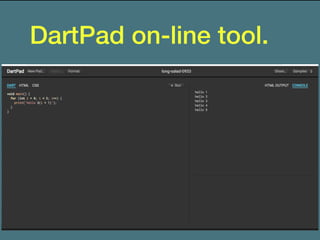
DartPad on-line tool.
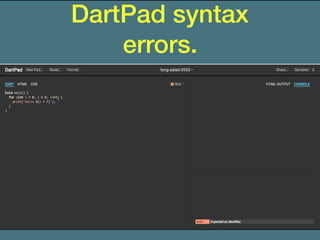
DartPad syntax
errors.
DartPad has limits!
One limitation is that DartPad doesn’t support the
pub manager, so it can’t currently use Dart
packages.
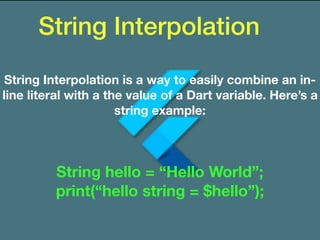
String Interpolation
String Interpolation is a way to easily combine an in-
line literal with a the value of a Dart variable. Here’s a
string example:
String hello = “Hello World”;
print(“hello string = $hello”);
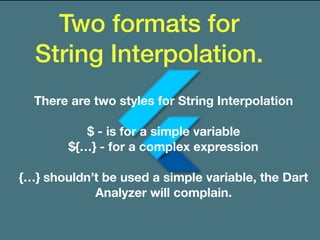
Two formats for
String Interpolation.
There are two styles for String Interpolation
$ - is for a simple variable
${…} - for a complex expression
{…} shouldn’t be used a simple variable, the Dart
Analyzer will complain.
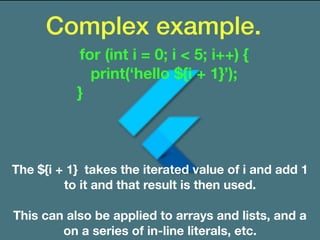
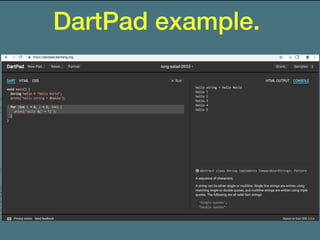
Complex example.
The ${i + 1} takes the iterated value of i and add 1
to it and that result is then used.
This can also be applied to arrays and lists, and a
on a series of in-line literals, etc.
for (int i = 0; i < 5; i++) {
print(‘hello ${i + 1}’);
}
DartPad example.
debugPrint - Yeah it’s
what you think!
Only prints in debug mode, not release mode
There is one gotcha!
debugPrint - Yeah it’s
what you think!
debugPrint is part of the Foundation library, so an
import is required to use it.
Many times that import is already in your code, but if
it’s not you will have to use an import, like one of the
ones below:
import ‘package:flutter/cupertino.dart’;
import ‘package:flutter/material.dart’;
Hot Reload is great,
but …
I wonder if Google is gonna
shun me for the above?
I changed initState, but it’s
not working
? ? ?
A StatefulWidget’s state.
Hot Reload maintains the state of the StatefulWidget
when you reload
The values of the state are maintained
initState is part of the state object class for a
StatefulWidget
You won’t see the changes for initState, most do a
full reload, which can take more time.
How to possibly avoid a Full
Reload for initState changes.
It’s really simple, just navigate away from the current
screen and then back to it.
TimeStamps
What to start looking at for Date, Time and
Durations.
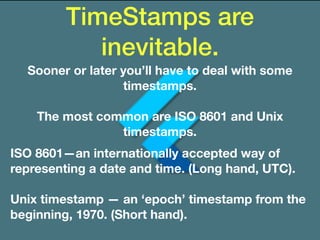
TimeStamps are
inevitable.
Sooner or later you’ll have to deal with some
timestamps.
The most common are ISO 8601 and Unix
timestamps.
ISO 8601—an internationally accepted way of
representing a date and time. (Long hand, UTC).
Unix timestamp — an ‘epoch’ timestamp from the
beginning, 1970. (Short hand).
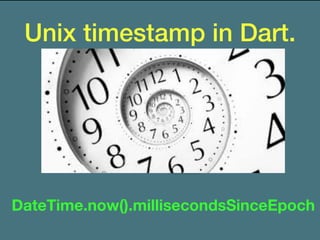
Unix timestamp in Dart.
DateTime.now().millisecondsSinceEpoch
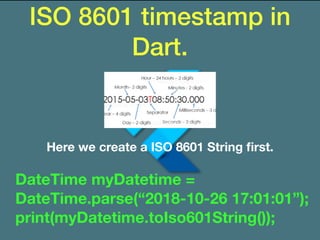
ISO 8601 timestamp in
Dart.
Here we create a ISO 8601 String first.
DateTime myDatetime =
DateTime.parse(“2018-10-26 17:01:01”);
print(myDatetime.toIso601String());
Some useful Date Time
classes and packages.
DateTime class — DateTimes can represent time values
that are at a distance of at most 100,000,000 days from
epoch.
Duration class — A span of time, such as 27 days, 4
hours, 12 minutes, and 3 seconds.
intl package — a common entry point for
internationalization related tasks.
DateFormat class — (intl) for formatting and parsing
dates in a locale-sensitive manner.
A quick word on
Duration.
It’s a very easy way to represent a duration of time.
It can be used in the following:
Duration (seconds: 5)
timers
animations
date time calculations
Keep an eye out for it later when discussing HTTP
timeouts.
An article on DateTime
calculations
https://codeburst.io/top-7-date-methods-
you-should-know-dart-6ce2b5f67090
For a quick read on doing Date Time calculations,
the following is helpful.
Also see flutter.io !!!
Passing data directly to a
screen (Widget)
There are several ways to get data to another screen
or Widget, if you will.
Global variables
Static variable
Shared Preference
A file
A Database
Another way to pass info into a screen/widget that
you will commonly see, as follows:
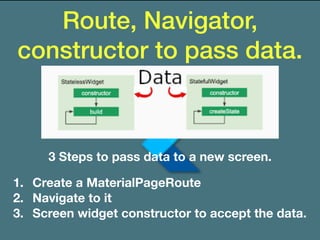
Route, Navigator,
constructor to pass data.
3 Steps to pass data to a new screen.
1. Create a MaterialPageRoute
2. Navigate to it
3. Screen widget constructor to accept the data.
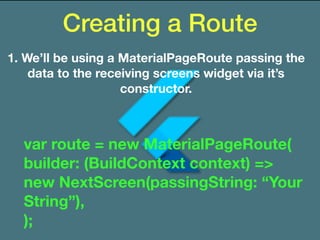
Creating a Route
1. We’ll be using a MaterialPageRoute passing the
data to the receiving screens widget via it’s
constructor.
var route = new MaterialPageRoute(
builder: (BuildContext context) =>
new NextScreen(passingString: “Your
String”),
);
Using a Route
So with a ‘route’ create that calls a widget of
NextScreen, but the route doesn’t actually get you
to the new widget or screen. A Navigator is used, a
stacked object used to keep routes you navigate to
in it’s stack.
So being a stacked object you can obviously push or
pop routes, there are many more options.
We’ll look at the Navigator widget next.
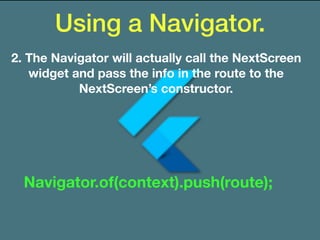
Using a Navigator.
2. The Navigator will actually call the NextScreen
widget and pass the info in the route to the
NextScreen’s constructor.
Navigator.of(context).push(route);
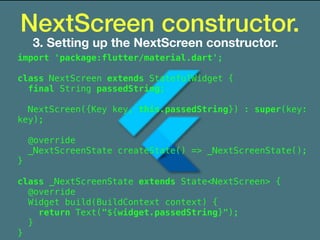
NextScreen constructor.
3. Setting up the NextScreen constructor.
import 'package:flutter/material.dart';
class NextScreen extends StatefulWidget {
final String passedString;
NextScreen({Key key, this.passedString}) : super(key:
key);
@override
_NextScreenState createState() => _NextScreenState();
}
class _NextScreenState extends State<NextScreen> {
@override
Widget build(BuildContext context) {
return Text("${widget.passedString}");
}
}
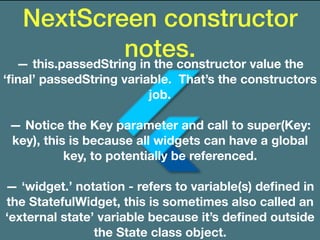
NextScreen constructor
notes.— this.passedString in the constructor value the
‘final’ passedString variable. That’s the constructors
job.
— Notice the Key parameter and call to super(Key:
key), this is because all widgets can have a global
key, to potentially be referenced.
— ‘widget.’ notation - refers to variable(s) defined in
the StatefulWidget, this is sometimes also called an
‘external state’ variable because it’s defined outside
the State class object.
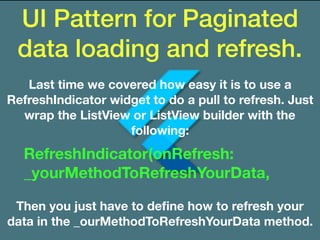
UI Pattern for Paginated
data loading and refresh.
Last time we covered how easy it is to use a
RefreshIndicator widget to do a pull to refresh. Just
wrap the ListView or ListView builder with the
following:
RefreshIndicator(onRefresh:
_yourMethodToRefreshYourData,
Then you just have to define how to refresh your
data in the _ourMethodToRefreshYourData method.
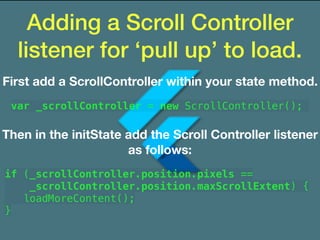
Adding a Scroll Controller
listener for ‘pull up’ to load.
First add a ScrollController within your state method.
var _scrollController = new ScrollController();
Then in the initState add the Scroll Controller listener
as follows:
if (_scrollController.position.pixels ==
_scrollController.position.maxScrollExtent) {
loadMoreContent();
}
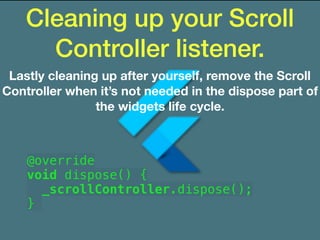
Cleaning up your Scroll
Controller listener.
Lastly cleaning up after yourself, remove the Scroll
Controller when it’s not needed in the dispose part of
the widgets life cycle.
@override
void dispose() {
_scrollController.dispose();
}
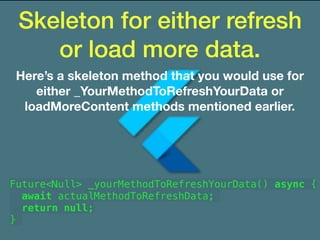
Skeleton for either refresh
or load more data.
Here’s a skeleton method that you would use for
either _YourMethodToRefreshYourData or
loadMoreContent methods mentioned earlier.
Future<Null> _yourMethodToRefreshYourData() async {
await actualMethodToRefreshData;
return null;
}
Skeleton for either refresh
or load more data.
Here’s a skeleton method that you would use for
either _YourMethodToRefreshYourData or
loadMoreContent methods mentioned earlier.
Future<Null> _yourMethodToRefreshYourData() async {
await actualMethodToRefreshData;
return null;
}
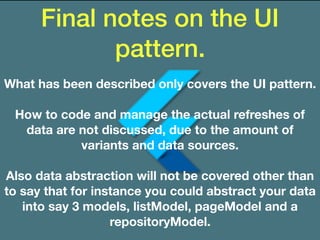
Final notes on the UI
pattern.
What has been described only covers the UI pattern.
How to code and manage the actual refreshes of
data are not discussed, due to the amount of
variants and data sources.
Also data abstraction will not be covered other than
to say that for instance you could abstract your data
into say 3 models, listModel, pageModel and a
repositoryModel.
HTTP tip.
One thing to pay attention to in the following Http
examples is the usage and formats for the Uri
variable, as this is probably the most critical.
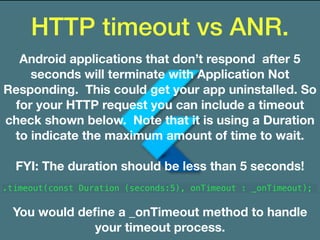
HTTP timeout vs ANR.
Android applications that don’t respond after 5
seconds will terminate with Application Not
Responding. This could get your app uninstalled. So
for your HTTP request you can include a timeout
check shown below. Note that it is using a Duration
to indicate the maximum amount of time to wait.
FYI: The duration should be less than 5 seconds!
.timeout(const Duration (seconds:5), onTimeout : _onTimeout);
You would define a _onTimeout method to handle
your timeout process.
HTTP POSTing fields for
Multipart/Form-Data.
There were many examples for sending a file, but not
for just sending parameters via a POST.
var uri = Uri.parse("https://www.yoursite.com/api/
v1/youendpoint/");
var request = new http.MultipartRequest("POST",
uri);
request.headers['content-type'] = "multipart/form-
data; charset=utf-8";
request.fields['yourfield'] = '$yourfieldvalue';
HTTP PUTting fields for
Multipart/Form-Data.
It shows how to retrieve the http response
immediately from the Future. It uses
the .then callback for a Future, as follows:
var uri = Uri.parse("https://www.yourwebsite.com/api/v1/
yourendpoint/");
var request = new http.MultipartRequest("PUT", uri);
request.headers['content-type'] = "multipart/form-data;
charset=utf-8";
request.fields['field1'] = field1;
request.fields['field2'] = field2;
await request.send().then((response) {
if(response.statusCode == nnn) {
//Do something
}
});
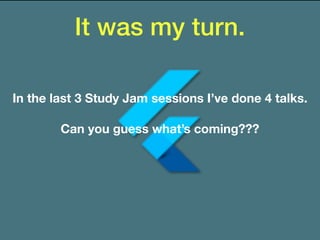
It was my turn.
In the last 3 Study Jam sessions I’ve done 4 talks.
Can you guess what’s coming???
Almost!
A Showcase!!!
Finding out what you have done with Flutter.
Getting it installed.
Doing the Udacity course.
Doing a Google Code Lab.
Modifying one of the above apps.
Creating your own (Kudos).
Lessons learned.
Haven’t installed
Flutter yet!
Ensure your path is setup.

Install Xcode 9.+ so you can use it’s simulator
(Mac or Mac VM only)

Install Android Studio 3.2.1 (No Canary channel)
More details on
medium.com
https://medium.com/flutterpub/add-another-
notch-to-your-flutter-tool-belt-5570ae2d5c1a
Some of what Flutter
supports:
Material Design

iOS Cupertino Widgets

Gestures

Animation

HTTP and JSON

SQL Database

Shared Preferences

File I/O

Firebase

Firebase Cloud Messaging

(native configs required)

Web View (url launcher)
Flutter Resources
flutter.io

dartlang.org

Google IO 2018

Udacity - https://www.udacity.com/course/build-native-mobile-
apps-with-flutter--ud905

GDG Bronx - Flutter Study Jam

New York Flutter Developer Meetup

GDG Meetups

Udemy

On YouTube:

DartConf 2018

FlutterChallenge

Tensor Programming Flutter
Questions?
Thank You
Linkedin: www.linkedin.com/in/peterjbirdsall

eMail: peter.j.birdsall@gmail.com

Peter Birdsall
Slack Channel
Slack: http://gdgbronx.herokuapp.com/

Bronx study jam 2

  • 1.
    Welcome to GDGBronx Flutter Study Jam 2
  • 2.
    Who am I? PeterBirdsall presenting …
  • 3.
    Birds all Flutter Addinga notch to your Flutter tool belt.
  • 4.
    Add a notchto your Flutter Tool Belt.
  • 5.
    What we’ll cover. DartPad- A simple online Dart tool. String Interpolation Debug printing Hot Reload TimeStamps, Dates, Duration Passing data to a Screen. UI Pattern - Refresh, load data HTTP
  • 6.
    DartPad https://dartpad.dartlang.org/ DartPad is afree, open-source service to help developers learn about the Dart language and libraries. Source code entered into DartPad may be sent to servers running in the Google Cloud Platform to be analyzed for errors/warnings, compiled to JavaScript, and returned to the browser.
  • 7.
  • 8.
  • 9.
    DartPad has limits! Onelimitation is that DartPad doesn’t support the pub manager, so it can’t currently use Dart packages.
  • 10.
    String Interpolation String Interpolationis a way to easily combine an in- line literal with a the value of a Dart variable. Here’s a string example: String hello = “Hello World”; print(“hello string = $hello”);
  • 11.
    Two formats for StringInterpolation. There are two styles for String Interpolation $ - is for a simple variable ${…} - for a complex expression {…} shouldn’t be used a simple variable, the Dart Analyzer will complain.
  • 12.
    Complex example. The ${i+ 1} takes the iterated value of i and add 1 to it and that result is then used. This can also be applied to arrays and lists, and a on a series of in-line literals, etc. for (int i = 0; i < 5; i++) { print(‘hello ${i + 1}’); }
  • 13.
  • 14.
    debugPrint - Yeahit’s what you think! Only prints in debug mode, not release mode There is one gotcha!
  • 15.
    debugPrint - Yeahit’s what you think! debugPrint is part of the Foundation library, so an import is required to use it. Many times that import is already in your code, but if it’s not you will have to use an import, like one of the ones below: import ‘package:flutter/cupertino.dart’; import ‘package:flutter/material.dart’;
  • 16.
    Hot Reload isgreat, but … I wonder if Google is gonna shun me for the above?
  • 17.
    I changed initState,but it’s not working ? ? ?
  • 18.
    A StatefulWidget’s state. HotReload maintains the state of the StatefulWidget when you reload The values of the state are maintained initState is part of the state object class for a StatefulWidget You won’t see the changes for initState, most do a full reload, which can take more time.
  • 19.
    How to possiblyavoid a Full Reload for initState changes. It’s really simple, just navigate away from the current screen and then back to it.
  • 20.
    TimeStamps What to startlooking at for Date, Time and Durations.
  • 21.
    TimeStamps are inevitable. Sooner orlater you’ll have to deal with some timestamps. The most common are ISO 8601 and Unix timestamps. ISO 8601—an internationally accepted way of representing a date and time. (Long hand, UTC). Unix timestamp — an ‘epoch’ timestamp from the beginning, 1970. (Short hand).
  • 22.
    Unix timestamp inDart. DateTime.now().millisecondsSinceEpoch
  • 23.
    ISO 8601 timestampin Dart. Here we create a ISO 8601 String first. DateTime myDatetime = DateTime.parse(“2018-10-26 17:01:01”); print(myDatetime.toIso601String());
  • 24.
    Some useful DateTime classes and packages. DateTime class — DateTimes can represent time values that are at a distance of at most 100,000,000 days from epoch. Duration class — A span of time, such as 27 days, 4 hours, 12 minutes, and 3 seconds. intl package — a common entry point for internationalization related tasks. DateFormat class — (intl) for formatting and parsing dates in a locale-sensitive manner.
  • 25.
    A quick wordon Duration. It’s a very easy way to represent a duration of time. It can be used in the following: Duration (seconds: 5) timers animations date time calculations Keep an eye out for it later when discussing HTTP timeouts.
  • 26.
    An article onDateTime calculations https://codeburst.io/top-7-date-methods- you-should-know-dart-6ce2b5f67090 For a quick read on doing Date Time calculations, the following is helpful. Also see flutter.io !!!
  • 27.
    Passing data directlyto a screen (Widget) There are several ways to get data to another screen or Widget, if you will. Global variables Static variable Shared Preference A file A Database Another way to pass info into a screen/widget that you will commonly see, as follows:
  • 28.
    Route, Navigator, constructor topass data. 3 Steps to pass data to a new screen. 1. Create a MaterialPageRoute 2. Navigate to it 3. Screen widget constructor to accept the data.
  • 29.
    Creating a Route 1.We’ll be using a MaterialPageRoute passing the data to the receiving screens widget via it’s constructor. var route = new MaterialPageRoute( builder: (BuildContext context) => new NextScreen(passingString: “Your String”), );
  • 30.
    Using a Route Sowith a ‘route’ create that calls a widget of NextScreen, but the route doesn’t actually get you to the new widget or screen. A Navigator is used, a stacked object used to keep routes you navigate to in it’s stack. So being a stacked object you can obviously push or pop routes, there are many more options. We’ll look at the Navigator widget next.
  • 31.
    Using a Navigator. 2.The Navigator will actually call the NextScreen widget and pass the info in the route to the NextScreen’s constructor. Navigator.of(context).push(route);
  • 32.
    NextScreen constructor. 3. Settingup the NextScreen constructor. import 'package:flutter/material.dart'; class NextScreen extends StatefulWidget { final String passedString; NextScreen({Key key, this.passedString}) : super(key: key); @override _NextScreenState createState() => _NextScreenState(); } class _NextScreenState extends State<NextScreen> { @override Widget build(BuildContext context) { return Text("${widget.passedString}"); } }
  • 33.
    NextScreen constructor notes.— this.passedStringin the constructor value the ‘final’ passedString variable. That’s the constructors job. — Notice the Key parameter and call to super(Key: key), this is because all widgets can have a global key, to potentially be referenced. — ‘widget.’ notation - refers to variable(s) defined in the StatefulWidget, this is sometimes also called an ‘external state’ variable because it’s defined outside the State class object.
  • 34.
    UI Pattern forPaginated data loading and refresh. Last time we covered how easy it is to use a RefreshIndicator widget to do a pull to refresh. Just wrap the ListView or ListView builder with the following: RefreshIndicator(onRefresh: _yourMethodToRefreshYourData, Then you just have to define how to refresh your data in the _ourMethodToRefreshYourData method.
  • 35.
    Adding a ScrollController listener for ‘pull up’ to load. First add a ScrollController within your state method. var _scrollController = new ScrollController(); Then in the initState add the Scroll Controller listener as follows: if (_scrollController.position.pixels == _scrollController.position.maxScrollExtent) { loadMoreContent(); }
  • 36.
    Cleaning up yourScroll Controller listener. Lastly cleaning up after yourself, remove the Scroll Controller when it’s not needed in the dispose part of the widgets life cycle. @override void dispose() { _scrollController.dispose(); }
  • 37.
    Skeleton for eitherrefresh or load more data. Here’s a skeleton method that you would use for either _YourMethodToRefreshYourData or loadMoreContent methods mentioned earlier. Future<Null> _yourMethodToRefreshYourData() async { await actualMethodToRefreshData; return null; }
  • 38.
    Skeleton for eitherrefresh or load more data. Here’s a skeleton method that you would use for either _YourMethodToRefreshYourData or loadMoreContent methods mentioned earlier. Future<Null> _yourMethodToRefreshYourData() async { await actualMethodToRefreshData; return null; }
  • 39.
    Final notes onthe UI pattern. What has been described only covers the UI pattern. How to code and manage the actual refreshes of data are not discussed, due to the amount of variants and data sources. Also data abstraction will not be covered other than to say that for instance you could abstract your data into say 3 models, listModel, pageModel and a repositoryModel.
  • 40.
    HTTP tip. One thingto pay attention to in the following Http examples is the usage and formats for the Uri variable, as this is probably the most critical.
  • 41.
    HTTP timeout vsANR. Android applications that don’t respond after 5 seconds will terminate with Application Not Responding. This could get your app uninstalled. So for your HTTP request you can include a timeout check shown below. Note that it is using a Duration to indicate the maximum amount of time to wait. FYI: The duration should be less than 5 seconds! .timeout(const Duration (seconds:5), onTimeout : _onTimeout); You would define a _onTimeout method to handle your timeout process.
  • 42.
    HTTP POSTing fieldsfor Multipart/Form-Data. There were many examples for sending a file, but not for just sending parameters via a POST. var uri = Uri.parse("https://www.yoursite.com/api/ v1/youendpoint/"); var request = new http.MultipartRequest("POST", uri); request.headers['content-type'] = "multipart/form- data; charset=utf-8"; request.fields['yourfield'] = '$yourfieldvalue';
  • 43.
    HTTP PUTting fieldsfor Multipart/Form-Data. It shows how to retrieve the http response immediately from the Future. It uses the .then callback for a Future, as follows: var uri = Uri.parse("https://www.yourwebsite.com/api/v1/ yourendpoint/"); var request = new http.MultipartRequest("PUT", uri); request.headers['content-type'] = "multipart/form-data; charset=utf-8"; request.fields['field1'] = field1; request.fields['field2'] = field2; await request.send().then((response) { if(response.statusCode == nnn) { //Do something } });
  • 44.
    It was myturn. In the last 3 Study Jam sessions I’ve done 4 talks. Can you guess what’s coming???
  • 45.
  • 46.
    A Showcase!!! Finding outwhat you have done with Flutter. Getting it installed. Doing the Udacity course. Doing a Google Code Lab. Modifying one of the above apps. Creating your own (Kudos). Lessons learned.
  • 47.
    Haven’t installed Flutter yet! Ensureyour path is setup. Install Xcode 9.+ so you can use it’s simulator (Mac or Mac VM only) Install Android Studio 3.2.1 (No Canary channel)
  • 48.
  • 49.
    Some of whatFlutter supports: Material Design iOS Cupertino Widgets Gestures Animation HTTP and JSON SQL Database Shared Preferences File I/O Firebase Firebase Cloud Messaging (native configs required) Web View (url launcher)
  • 50.
    Flutter Resources flutter.io dartlang.org Google IO2018 Udacity - https://www.udacity.com/course/build-native-mobile- apps-with-flutter--ud905 GDG Bronx - Flutter Study Jam New York Flutter Developer Meetup GDG Meetups Udemy On YouTube: DartConf 2018 FlutterChallenge Tensor Programming Flutter
  • 51.
  • 52.
    Thank You Linkedin: www.linkedin.com/in/peterjbirdsall eMail:peter.j.birdsall@gmail.com Peter Birdsall
  • 53.