“If only you could see what I’ve seen with your eyes”
1. A guide to the principles and
roadmap
2. A self-assessment exercise
3. A starting point, including a tool
and demos/links to other systems
to investigate
4. Future planning
“It’s funny it’s only paper that lasted. I mean, we had everything on drives. Everything,
everything. Huh. My mom still cries over the lost baby pictures.”
Defining the roadmap - how to get
there from here
Not just documenting what you have,
but publishing to tell others what
archives you have
Technology agnostic
Australian descriptive traditions
● ‘Series’ system
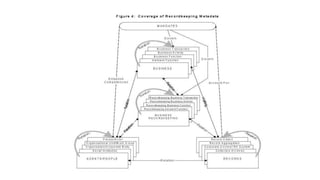
● Essential characteristic is the separation of descriptions of
agencies that generate records from the record description
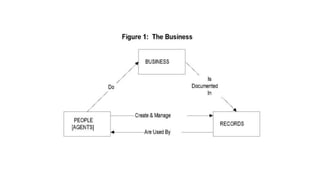
● Context entities
○ persons or organisations that create and manage;
○ business that is happening
● Records entities
● Linked by relationships
Key features
● Separation of the record and contextual description so that
each entity is described separately
● Flexibility
● Scalability
● Reflects and maintains original order
● Enables sharing beyond organisational boundaries
Key features
● Series provenance is documented by linking series to the
records creators
● Series with multiple and complex provenance can be
represented through multiple linkages
● Accessibility through data-based, not document based, finding
aids
● Scalability – simple to complex
● Flexible interpretation of entities and levels of entities
● Custody and location can be managed separately
● Can cover records without regard to age, retention status
Record entities
● Accessions (unserialised collections)
● Series
○ Consignments
● Containers
● Items
○ Sub-items
○ Documents
Series
● Documents arranged in accordance with a filing system or
maintained as a unit because they result from the same
accumulation or filing practice, or the same activity; have a
particular form or because of some other relationship arising
out of their creation, receipt or use
○ ISAD G
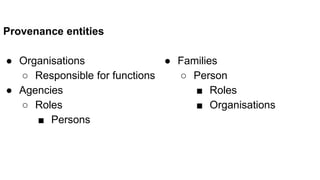
Provenance entities
● Organisations
○ Responsible for functions
● Agencies
○ Roles
■ Persons
● Families
○ Person
■ Roles
■ Organisations
Agency
● A part of an organisation
● At any level in the administrative hierarchy
● Which has, or had, its own independent recordkeeping system
● Its own distinctive and generally consistent basic name or title
○ Peter Scott
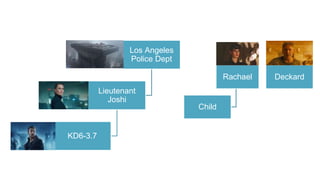
Rachael
Child
Deckard
Los Angeles
Police Dept
Lieutenant
Joshi
KD6-3.7
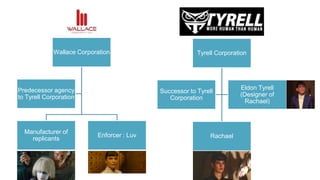
Tyrell Corporation
Rachael
Successor to Tyrell
Corporation
Eldon Tyrell
(Designer of
Rachael)
Wallace Corporation
Manufacturer of
replicants
Enforcer : Luv
Predecessor agency
to Tyrell Corporation
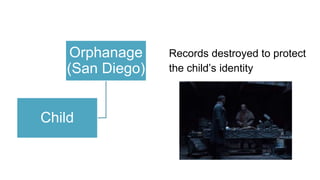
Orphanage
(San Diego)
Child
Records destroyed to protect
the child’s identity
22
“All these moments will be lost in time, like tears in rain. Time to die.”
“I want to ask you some questions.”
“Have you ever tried to take that test yourself?”
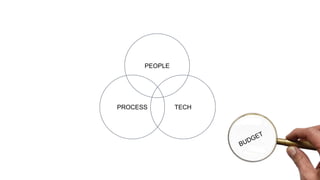
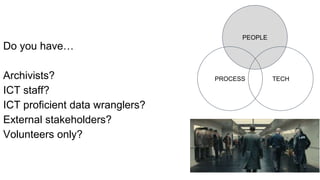
PEOPLE
PROCESS TECH
PEOPLE
PROCESS TECH
Do you have…
Archivists?
ICT staff?
ICT proficient data wranglers?
External stakeholders?
Volunteers only?
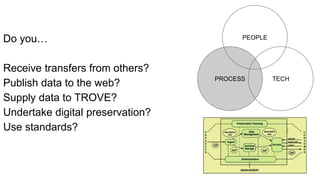
PROCESS
PEOPLE
TECH
Do you…
Receive transfers from others?
Publish data to the web?
Supply data to TROVE?
Undertake digital preservation?
Use standards?
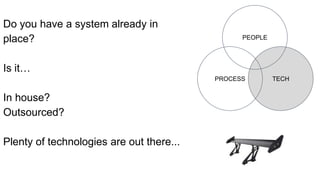
TECH
PEOPLE
PROCESS
Do you have a system already in
place?
Is it…
In house?
Outsourced?
Plenty of technologies are out there...
Do you have a budget?
If yes, is your budget for...
Implementation?
Migration?
Maintenance?
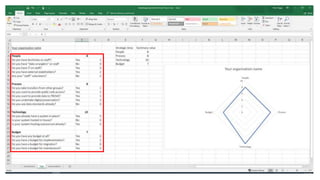
Download the test from https://tinyurl.com/asa2018test
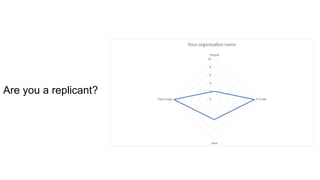
Are you a replicant?
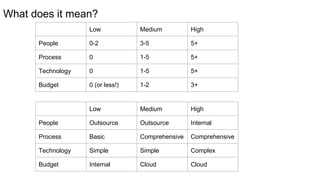
What does it mean?
Low Medium High
People 0-2 3-5 5+
Process 0 1-5 5+
Technology 0 1-5 5+
Budget 0 (or less!) 1-2 3+
Low Medium High
People Outsource Outsource Internal
Process Basic Comprehensive Comprehensive
Technology Simple Simple Complex
Budget Internal Cloud Cloud
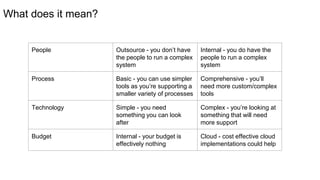
What does it mean?
People Outsource - you don’t have
the people to run a complex
system
Internal - you do have the
people to run a complex
system
Process Basic - you can use simpler
tools as you’re supporting a
smaller variety of processes
Comprehensive - you’ll
need more custom/complex
tools
Technology Simple - you need
something you can look
after
Complex - you’re looking at
something that will need
more support
Budget Internal - your budget is
effectively nothing
Cloud - cost effective cloud
implementations could help
“I want to ask you some questions.”
“You’ve never seen a miracle.”
Three key things have changed the
way that solutions can be provided -
for the better!
● Open Source
● Cloud
● Software As A Service
(outsourcing)
But what do they actually mean?
Open Source
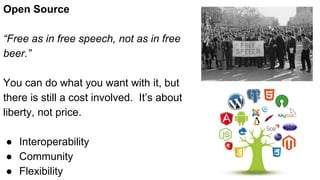
“Free as in free speech, not as in free
beer.”
You can do what you want with it, but
there is still a cost involved. It’s about
liberty, not price.
● Interoperability
● Community
● Flexibility
Cloud
Major providers like Amazon (34%),
Microsoft (13%), IBM (8%), Google (6%) and
Alibaba (4%) have implemented “Cloud”
solutions
“Cloud” basically means large data centers
scattered across the globe
Several providers have local Australian
centers (jurisdiction is important!)
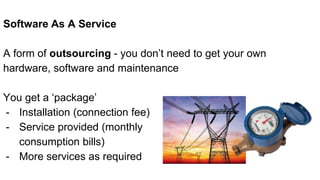
Software As A Service
A form of outsourcing - you don’t need to get your own
hardware, software and maintenance
You get a ‘package’
- Installation (connection fee)
- Service provided (monthly
consumption bills)
- More services as required
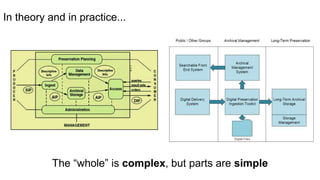
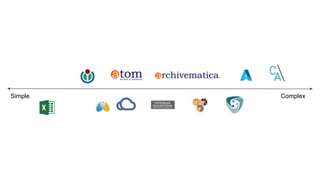
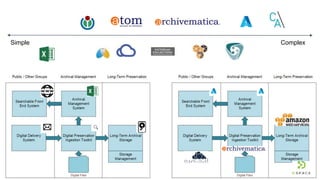
In theory and in practice...
The “whole” is complex, but parts are simple
Simple Complex
Simple Complex
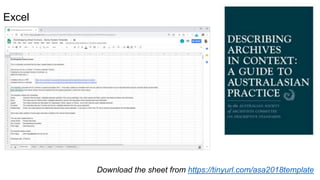
Excel
Download the sheet from https://tinyurl.com/asa2018template
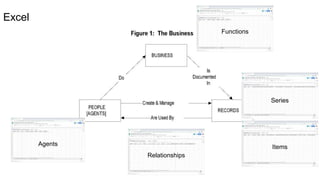
Excel
Functions
Series
Items
Relationships
Agents
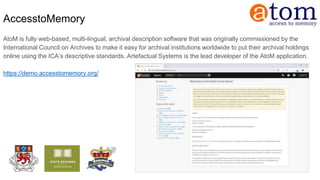
AccesstoMemory
AtoM is fully web-based, multi-lingual, archival description software that was originally commissioned by the
International Council on Archives to make it easy for archival institutions worldwide to put their archival holdings
online using the ICA’s descriptive standards. Artefactual Systems is the lead developer of the AtoM application.
https://demo.accesstomemory.org/
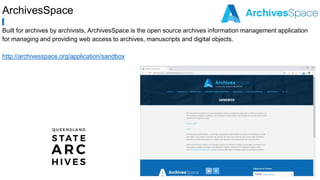
ArchivesSpace
Built for archives by archivists, ArchivesSpace is the open source archives information management application
for managing and providing web access to archives, manuscripts and digital objects.
http://archivesspace.org/application/sandbox
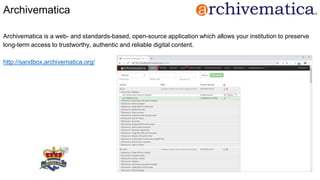
Archivematica
Archivematica is a web- and standards-based, open-source application which allows your institution to preserve
long-term access to trustworthy, authentic and reliable digital content.
http://sandbox.archivematica.org/
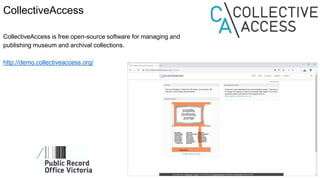
CollectiveAccess
CollectiveAccess is free open-source software for managing and
publishing museum and archival collections.
http://demo.collectiveaccess.org/
“I want to ask you some questions.”
“There’s a little of every artist in their work.”
Future Planning - What’s next?
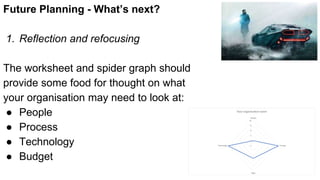
1. Reflection and refocusing
The worksheet and spider graph should
provide some food for thought on what
your organisation may need to look at:
● People
● Process
● Technology
● Budget
Future Planning - What’s next?
2. System familiarity & evaluation
The Excel based spreadsheet is a
starting point for looking at data
The various systems outlined with their
demonstration sites can be visited and
Trialled
Future Planning - What’s next?
3. Ask questions
There are various groups and other
resources out there in Australia.
Or you can contact any of our teams at
Gaia Resources, Hudson Molonglo or
Recordkeeping Innovation.
“I want to ask you some questions.”
1. A guide to the principles and
roadmap
2. A self-assessment exercise
3. A starting point, including a tool
and demos/links to other systems
to investigate
4. Future planning
Bootstrapping Small Archives

Bootstrapping Small Archives

  • 5.
    “If only youcould see what I’ve seen with your eyes”
  • 7.
    1. A guideto the principles and roadmap 2. A self-assessment exercise 3. A starting point, including a tool and demos/links to other systems to investigate 4. Future planning
  • 8.
    “It’s funny it’sonly paper that lasted. I mean, we had everything on drives. Everything, everything. Huh. My mom still cries over the lost baby pictures.”
  • 9.
    Defining the roadmap- how to get there from here Not just documenting what you have, but publishing to tell others what archives you have Technology agnostic
  • 10.
    Australian descriptive traditions ●‘Series’ system ● Essential characteristic is the separation of descriptions of agencies that generate records from the record description ● Context entities ○ persons or organisations that create and manage; ○ business that is happening ● Records entities ● Linked by relationships
  • 11.
    Key features ● Separationof the record and contextual description so that each entity is described separately ● Flexibility ● Scalability ● Reflects and maintains original order ● Enables sharing beyond organisational boundaries
  • 12.
    Key features ● Seriesprovenance is documented by linking series to the records creators ● Series with multiple and complex provenance can be represented through multiple linkages ● Accessibility through data-based, not document based, finding aids ● Scalability – simple to complex ● Flexible interpretation of entities and levels of entities ● Custody and location can be managed separately ● Can cover records without regard to age, retention status
  • 15.
    Record entities ● Accessions(unserialised collections) ● Series ○ Consignments ● Containers ● Items ○ Sub-items ○ Documents
  • 16.
    Series ● Documents arrangedin accordance with a filing system or maintained as a unit because they result from the same accumulation or filing practice, or the same activity; have a particular form or because of some other relationship arising out of their creation, receipt or use ○ ISAD G
  • 17.
    Provenance entities ● Organisations ○Responsible for functions ● Agencies ○ Roles ■ Persons ● Families ○ Person ■ Roles ■ Organisations
  • 18.
    Agency ● A partof an organisation ● At any level in the administrative hierarchy ● Which has, or had, its own independent recordkeeping system ● Its own distinctive and generally consistent basic name or title ○ Peter Scott
  • 19.
  • 20.
    Tyrell Corporation Rachael Successor toTyrell Corporation Eldon Tyrell (Designer of Rachael) Wallace Corporation Manufacturer of replicants Enforcer : Luv Predecessor agency to Tyrell Corporation
  • 21.
    Orphanage (San Diego) Child Records destroyedto protect the child’s identity
  • 22.
    22 “All these momentswill be lost in time, like tears in rain. Time to die.”
  • 23.
    “I want toask you some questions.”
  • 24.
    “Have you evertried to take that test yourself?”
  • 25.
  • 26.
    PEOPLE PROCESS TECH Do youhave… Archivists? ICT staff? ICT proficient data wranglers? External stakeholders? Volunteers only?
  • 27.
    PROCESS PEOPLE TECH Do you… Receive transfersfrom others? Publish data to the web? Supply data to TROVE? Undertake digital preservation? Use standards?
  • 28.
    TECH PEOPLE PROCESS Do you havea system already in place? Is it… In house? Outsourced? Plenty of technologies are out there...
  • 29.
    Do you havea budget? If yes, is your budget for... Implementation? Migration? Maintenance?
  • 30.
    Download the testfrom https://tinyurl.com/asa2018test
  • 31.
    Are you areplicant?
  • 33.
    What does itmean? Low Medium High People 0-2 3-5 5+ Process 0 1-5 5+ Technology 0 1-5 5+ Budget 0 (or less!) 1-2 3+ Low Medium High People Outsource Outsource Internal Process Basic Comprehensive Comprehensive Technology Simple Simple Complex Budget Internal Cloud Cloud
  • 34.
    What does itmean? People Outsource - you don’t have the people to run a complex system Internal - you do have the people to run a complex system Process Basic - you can use simpler tools as you’re supporting a smaller variety of processes Comprehensive - you’ll need more custom/complex tools Technology Simple - you need something you can look after Complex - you’re looking at something that will need more support Budget Internal - your budget is effectively nothing Cloud - cost effective cloud implementations could help
  • 35.
    “I want toask you some questions.”
  • 36.
  • 37.
    Three key thingshave changed the way that solutions can be provided - for the better! ● Open Source ● Cloud ● Software As A Service (outsourcing) But what do they actually mean?
  • 38.
    Open Source “Free asin free speech, not as in free beer.” You can do what you want with it, but there is still a cost involved. It’s about liberty, not price. ● Interoperability ● Community ● Flexibility
  • 39.
    Cloud Major providers likeAmazon (34%), Microsoft (13%), IBM (8%), Google (6%) and Alibaba (4%) have implemented “Cloud” solutions “Cloud” basically means large data centers scattered across the globe Several providers have local Australian centers (jurisdiction is important!)
  • 40.
    Software As AService A form of outsourcing - you don’t need to get your own hardware, software and maintenance You get a ‘package’ - Installation (connection fee) - Service provided (monthly consumption bills) - More services as required
  • 42.
    In theory andin practice... The “whole” is complex, but parts are simple
  • 43.
  • 44.
  • 45.
    Excel Download the sheetfrom https://tinyurl.com/asa2018template
  • 46.
  • 47.
    AccesstoMemory AtoM is fullyweb-based, multi-lingual, archival description software that was originally commissioned by the International Council on Archives to make it easy for archival institutions worldwide to put their archival holdings online using the ICA’s descriptive standards. Artefactual Systems is the lead developer of the AtoM application. https://demo.accesstomemory.org/

  • 48.
    ArchivesSpace Built for archivesby archivists, ArchivesSpace is the open source archives information management application for managing and providing web access to archives, manuscripts and digital objects. http://archivesspace.org/application/sandbox
  • 49.
    Archivematica Archivematica is aweb- and standards-based, open-source application which allows your institution to preserve long-term access to trustworthy, authentic and reliable digital content. http://sandbox.archivematica.org/
  • 50.
    CollectiveAccess CollectiveAccess is freeopen-source software for managing and publishing museum and archival collections. http://demo.collectiveaccess.org/
  • 51.
    “I want toask you some questions.”
  • 52.
    “There’s a littleof every artist in their work.”
  • 53.
    Future Planning -What’s next? 1. Reflection and refocusing The worksheet and spider graph should provide some food for thought on what your organisation may need to look at: ● People ● Process ● Technology ● Budget
  • 54.
    Future Planning -What’s next? 2. System familiarity & evaluation The Excel based spreadsheet is a starting point for looking at data The various systems outlined with their demonstration sites can be visited and Trialled
  • 55.
    Future Planning -What’s next? 3. Ask questions There are various groups and other resources out there in Australia. Or you can contact any of our teams at Gaia Resources, Hudson Molonglo or Recordkeeping Innovation.
  • 56.
    “I want toask you some questions.”
  • 57.
    1. A guideto the principles and roadmap 2. A self-assessment exercise 3. A starting point, including a tool and demos/links to other systems to investigate 4. Future planning