FIRMWARE UPDATE
BLUETOOTH OVER-THE-AIR
SVIOS MEETUP - APRIL 2017 - RAMIN FIROOZYE - RAMIN@GMAIL.COM - @RAMINF
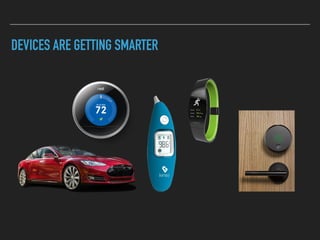
DEVICES ARE GETTING SMARTER
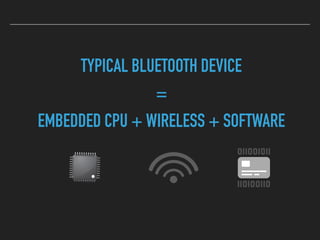
TYPICAL BLUETOOTH DEVICE
=
EMBEDDED CPU + WIRELESS + SOFTWARE
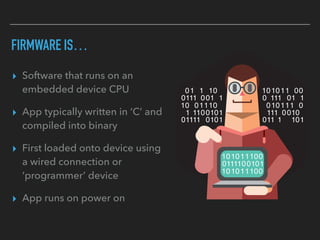
FIRMWARE IS…
▸ Software that runs on an
embedded device CPU
▸ App typically written in ‘C’ and
compiled into binary
▸ First loaded onto device using
a wired connection or
‘programmer’ device
▸ App runs on power on
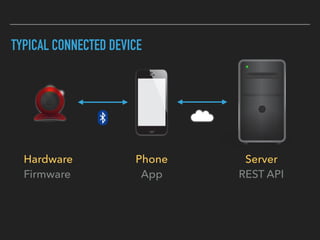
TYPICAL CONNECTED DEVICE
Hardware
Firmware
Phone
App
Server
REST API
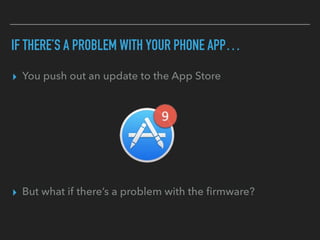
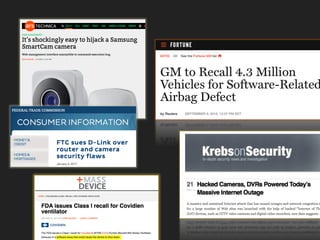
IF THERE’S A PROBLEM WITH YOUR PHONE APP…
▸ You push out an update to the App Store
▸ But what if there’s a problem with the firmware?
IF PROBLEM IS WITH FIRMWARE YOU CAN:
▸ Ignore it. Maybe no one will notice
▸ Ask user to plug into a USB cable and manually update
▸ Factory recall the device then update and send back
▸ Send a new device to every new customer
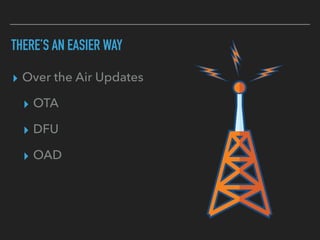
THERE’S AN EASIER WAY
▸ Over the Air Updates
▸ OTA
▸ DFU
▸ OAD
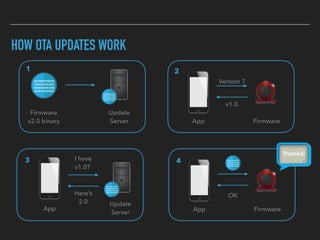
HOW OTA UPDATES WORK
Firmware

v2.0 binary
Update

Server
1
Version ?
v1.0
App Firmware
2
OK
App Firmware
4
Here’s

2.0
I have

v1.0?
3
App
Update

Server
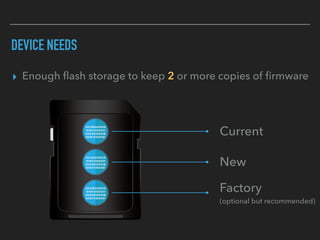
DEVICE NEEDS
▸ Enough flash storage to keep 2 or more copies of firmware
Current
New
Factory 

(optional but recommended)
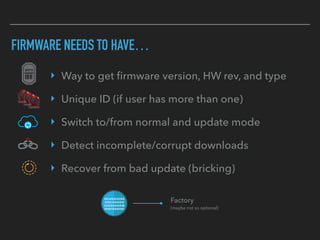
FIRMWARE NEEDS TO HAVE…
‣ Way to get firmware version, HW rev, and type
‣ Unique ID (if user has more than one)
‣ Switch to/from normal and update mode
‣ Detect incomplete/corrupt downloads
‣ Recover from bad update (bricking)
Factory 

(maybe not so optional)
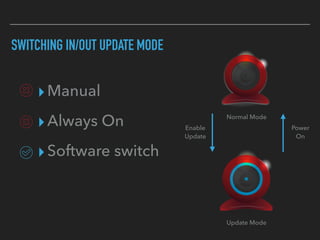
▸Manual
▸Always On
▸Software switch
SWITCHING IN/OUT UPDATE MODE
Normal Mode
Update Mode
Enable

Update
Power

On
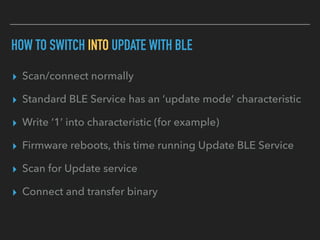
HOW TO SWITCH INTO UPDATE WITH BLE
▸ Scan/connect normally
▸ Standard BLE Service has an ‘update mode’ characteristic
▸ Write ‘1’ into characteristic (for example)
▸ Firmware reboots, this time running Update BLE Service
▸ Scan for Update service
▸ Connect and transfer binary
HOW TO SWITCH OUT OF UPDATE WITH BLE
▸ Wait for download complete
▸ Checksum
▸ If OK, overwrite old firmware
▸ Restart into normal mode with new firmware
▸ If not OK, either request retransmit or go back to normal
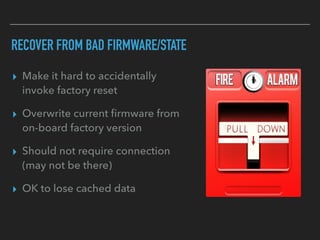
RECOVER FROM BAD FIRMWARE/STATE
▸ Make it hard to accidentally
invoke factory reset
▸ Overwrite current firmware from
on-board factory version
▸ Should not require connection
(may not be there)
▸ OK to lose cached data
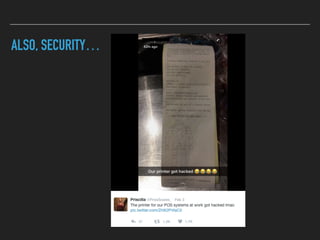
ALSO, SECURITY…
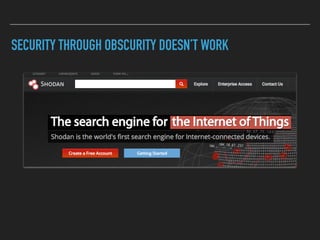
SECURITY THROUGH OBSCURITY DOESN’T WORK
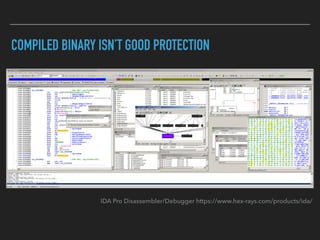
COMPILED BINARY ISN’T GOOD PROTECTION
IDA Pro Disassembler/Debugger https://www.hex-rays.com/products/ida/
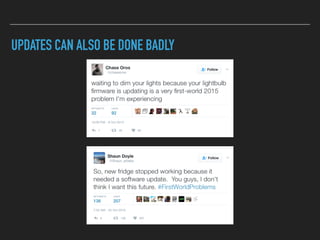
UPDATES CAN ALSO BE DONE BADLY
PRO-TIPS
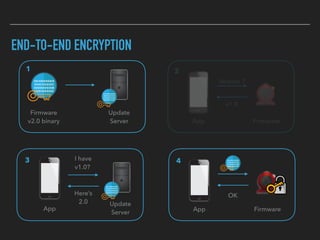
END-TO-END ENCRYPTION
Firmware

v2.0 binary
Update

Server
1
Version ?
v1.0
App Firmware
2
OK
App Firmware
4
Here’s

2.0
I have

v1.0?
3
App
Update

Server
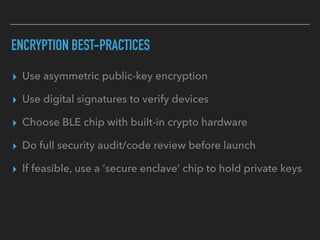
ENCRYPTION BEST-PRACTICES
▸ Use asymmetric public-key encryption
▸ Use digital signatures to verify devices
▸ Choose BLE chip with built-in crypto hardware
▸ Do full security audit/code review before launch
▸ If feasible, use a ‘secure enclave’ chip to hold private keys
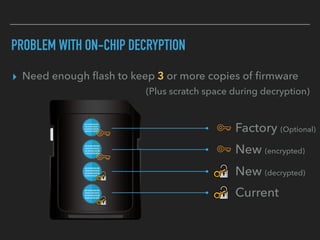
PROBLEM WITH ON-CHIP DECRYPTION
▸ Need enough flash to keep 3 or more copies of firmware
Factory (Optional)
New (encrypted)
Current
New (decrypted)
(Plus scratch space during decryption)
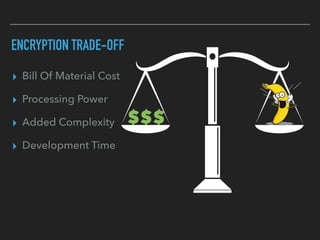
ENCRYPTION TRADE-OFF
▸ Bill Of Material Cost
▸ Processing Power
▸ Added Complexity
▸ Development Time
$$$
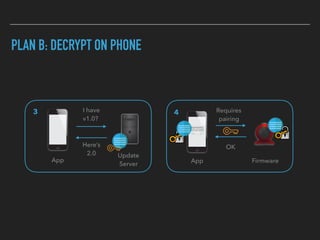
PLAN B: DECRYPT ON PHONE
OK
App Firmware
4
Here’s

2.0
I have

v1.0?
3
App
Update

Server
Requires 

pairing
DECRYPTING ON IPHONE (HOMEWORK)
▸ Don’t decrypt until absolutely necessary
▸ Go watch WWDC 2015 Video: “Security and Your Apps”
▸ https://developer.apple.com/videos/play/wwdc2015/706/
▸ If too lazy check out: SecureEnclaveCrypto library on GitHub
▸ https://github.com/trailofbits/SecureEnclaveCrypto
▸ Set up bonding/pairing between phone and device
▸ https://devzone.nordicsemi.com/question/47091/getting-an-ios-
central-app-to-bond/
BARE MINIMUM FIRMWARE UPDATE SYSTEM
▸ Manual deployment checklist
▸ Web download site with SSL (i.e. Amazon S3)
▸ Firmware metadata (text file)
▸ Simple mobile SDK (REST to server - BLE to device)
▸ Firmware with OTA update + software toggle
▸ BLE hardware with 2x flash
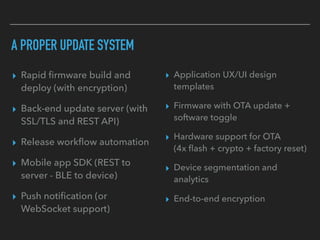
A PROPER UPDATE SYSTEM
▸ Rapid firmware build and
deploy (with encryption)
▸ Back-end update server (with
SSL/TLS and REST API)
▸ Release workflow automation
▸ Mobile app SDK (REST to
server - BLE to device)
▸ Push notification (or
WebSocket support)
▸ Application UX/UI design
templates
▸ Firmware with OTA update +
software toggle
▸ Hardware support for OTA 

(4x flash + crypto + factory reset)
▸ Device segmentation and
analytics
▸ End-to-end encryption
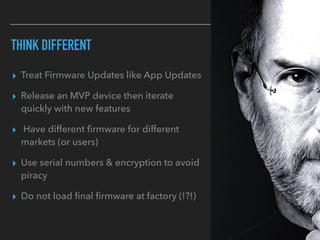
THINK DIFFERENT
▸ Treat Firmware Updates like App Updates
▸ Release an MVP device then iterate
quickly with new features
▸ Have different firmware for different
markets (or users)
▸ Use serial numbers & encryption to avoid
piracy
▸ Do not load final firmware at factory (!?!)
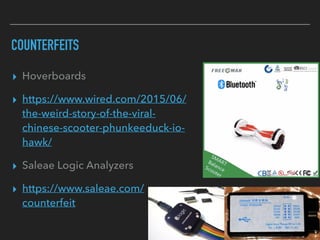
COUNTERFEITS
▸ Hoverboards
▸ https://www.wired.com/2015/06/
the-weird-story-of-the-viral-
chinese-scooter-phunkeeduck-io-
hawk/
▸ Saleae Logic Analyzers
▸ https://www.saleae.com/
counterfeit
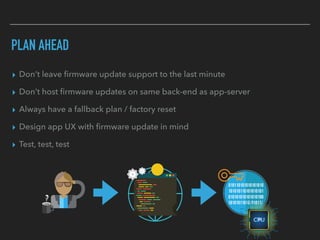
PLAN AHEAD
▸ Don’t leave firmware update support to the last minute
▸ Don’t host firmware updates on same back-end as app-server
▸ Always have a fallback plan / factory reset
▸ Design app UX with firmware update in mind
▸ Test, test, test
▸ If all this seems too daunting…
▸ Get in touch: raminf@gmail.com
Q&A
Thank You

Bluetooth Over-The-Air Firmware Update

  • 1.
    FIRMWARE UPDATE BLUETOOTH OVER-THE-AIR SVIOSMEETUP - APRIL 2017 - RAMIN FIROOZYE - RAMIN@GMAIL.COM - @RAMINF
  • 2.
  • 3.
    TYPICAL BLUETOOTH DEVICE = EMBEDDEDCPU + WIRELESS + SOFTWARE
  • 4.
    FIRMWARE IS… ▸ Softwarethat runs on an embedded device CPU ▸ App typically written in ‘C’ and compiled into binary ▸ First loaded onto device using a wired connection or ‘programmer’ device ▸ App runs on power on
  • 5.
  • 6.
    IF THERE’S APROBLEM WITH YOUR PHONE APP… ▸ You push out an update to the App Store ▸ But what if there’s a problem with the firmware?
  • 7.
    IF PROBLEM ISWITH FIRMWARE YOU CAN: ▸ Ignore it. Maybe no one will notice ▸ Ask user to plug into a USB cable and manually update ▸ Factory recall the device then update and send back ▸ Send a new device to every new customer
  • 10.
    THERE’S AN EASIERWAY ▸ Over the Air Updates ▸ OTA ▸ DFU ▸ OAD
  • 11.
    HOW OTA UPDATESWORK Firmware
 v2.0 binary Update
 Server 1 Version ? v1.0 App Firmware 2 OK App Firmware 4 Here’s
 2.0 I have
 v1.0? 3 App Update
 Server
  • 12.
    DEVICE NEEDS ▸ Enoughflash storage to keep 2 or more copies of firmware Current New Factory 
 (optional but recommended)
  • 13.
    FIRMWARE NEEDS TOHAVE… ‣ Way to get firmware version, HW rev, and type ‣ Unique ID (if user has more than one) ‣ Switch to/from normal and update mode ‣ Detect incomplete/corrupt downloads ‣ Recover from bad update (bricking) Factory 
 (maybe not so optional)
  • 14.
    ▸Manual ▸Always On ▸Software switch SWITCHINGIN/OUT UPDATE MODE Normal Mode Update Mode Enable
 Update Power
 On
  • 15.
    HOW TO SWITCHINTO UPDATE WITH BLE ▸ Scan/connect normally ▸ Standard BLE Service has an ‘update mode’ characteristic ▸ Write ‘1’ into characteristic (for example) ▸ Firmware reboots, this time running Update BLE Service ▸ Scan for Update service ▸ Connect and transfer binary
  • 16.
    HOW TO SWITCHOUT OF UPDATE WITH BLE ▸ Wait for download complete ▸ Checksum ▸ If OK, overwrite old firmware ▸ Restart into normal mode with new firmware ▸ If not OK, either request retransmit or go back to normal
  • 17.
    RECOVER FROM BADFIRMWARE/STATE ▸ Make it hard to accidentally invoke factory reset ▸ Overwrite current firmware from on-board factory version ▸ Should not require connection (may not be there) ▸ OK to lose cached data
  • 18.
  • 19.
  • 20.
    COMPILED BINARY ISN’TGOOD PROTECTION IDA Pro Disassembler/Debugger https://www.hex-rays.com/products/ida/
  • 21.
    UPDATES CAN ALSOBE DONE BADLY
  • 22.
  • 23.
    END-TO-END ENCRYPTION Firmware
 v2.0 binary Update
 Server 1 Version? v1.0 App Firmware 2 OK App Firmware 4 Here’s
 2.0 I have
 v1.0? 3 App Update
 Server
  • 24.
    ENCRYPTION BEST-PRACTICES ▸ Useasymmetric public-key encryption ▸ Use digital signatures to verify devices ▸ Choose BLE chip with built-in crypto hardware ▸ Do full security audit/code review before launch ▸ If feasible, use a ‘secure enclave’ chip to hold private keys
  • 25.
    PROBLEM WITH ON-CHIPDECRYPTION ▸ Need enough flash to keep 3 or more copies of firmware Factory (Optional) New (encrypted) Current New (decrypted) (Plus scratch space during decryption)
  • 26.
    ENCRYPTION TRADE-OFF ▸ BillOf Material Cost ▸ Processing Power ▸ Added Complexity ▸ Development Time $$$
  • 27.
    PLAN B: DECRYPTON PHONE OK App Firmware 4 Here’s
 2.0 I have
 v1.0? 3 App Update
 Server Requires 
 pairing
  • 28.
    DECRYPTING ON IPHONE(HOMEWORK) ▸ Don’t decrypt until absolutely necessary ▸ Go watch WWDC 2015 Video: “Security and Your Apps” ▸ https://developer.apple.com/videos/play/wwdc2015/706/ ▸ If too lazy check out: SecureEnclaveCrypto library on GitHub ▸ https://github.com/trailofbits/SecureEnclaveCrypto ▸ Set up bonding/pairing between phone and device ▸ https://devzone.nordicsemi.com/question/47091/getting-an-ios- central-app-to-bond/
  • 29.
    BARE MINIMUM FIRMWAREUPDATE SYSTEM ▸ Manual deployment checklist ▸ Web download site with SSL (i.e. Amazon S3) ▸ Firmware metadata (text file) ▸ Simple mobile SDK (REST to server - BLE to device) ▸ Firmware with OTA update + software toggle ▸ BLE hardware with 2x flash
  • 30.
    A PROPER UPDATESYSTEM ▸ Rapid firmware build and deploy (with encryption) ▸ Back-end update server (with SSL/TLS and REST API) ▸ Release workflow automation ▸ Mobile app SDK (REST to server - BLE to device) ▸ Push notification (or WebSocket support) ▸ Application UX/UI design templates ▸ Firmware with OTA update + software toggle ▸ Hardware support for OTA 
 (4x flash + crypto + factory reset) ▸ Device segmentation and analytics ▸ End-to-end encryption
  • 31.
    THINK DIFFERENT ▸ TreatFirmware Updates like App Updates ▸ Release an MVP device then iterate quickly with new features ▸ Have different firmware for different markets (or users) ▸ Use serial numbers & encryption to avoid piracy ▸ Do not load final firmware at factory (!?!)
  • 32.
  • 33.
    PLAN AHEAD ▸ Don’tleave firmware update support to the last minute ▸ Don’t host firmware updates on same back-end as app-server ▸ Always have a fallback plan / factory reset ▸ Design app UX with firmware update in mind ▸ Test, test, test
  • 34.
    ▸ If allthis seems too daunting… ▸ Get in touch: raminf@gmail.com Q&A Thank You