Bloomberg Law, Lexis Advance & 
WestlawNext 
1Ls 
Professor Lisa Smith-Butler 
Charleston School of Law 
Sol Blatt Jr. Law Library 
Fall 2014
Introduction 
Using both Bloomberg, Lexis Advance, and 
WestlawNext, today we’ll review: 
 how to locate cases; 
 how to locate statutes; and 
 how to update with citators.
How do I find a case? 
Cases can be located in one of three ways: 
 party name (Harris v. Forklift); 
 citation (477 U.S. 57); or 
 subject/keyword searching. 
This is true regardless as to whether print or 
electronic resources are being used.
Party Name 
If you know the names’ of the parties involved in a 
case, you can: 
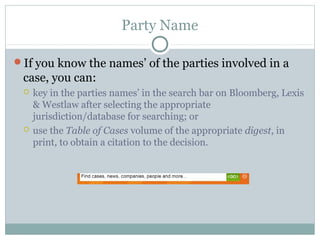
 key in the parties names’ in the search bar on Bloomberg, Lexis 
& Westlaw after selecting the appropriate 
jurisdiction/database for searching; or 
 use the Table of Cases volume of the appropriate digest, in 
print, to obtain a citation to the decision.
Citation 
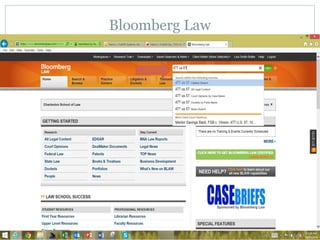
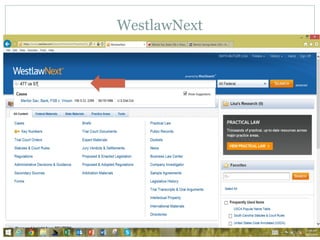
Key the citation into the search bar on Bloomberg, 
Lexis Advance, and WestlawNext. 
Pull the book off the shelf when using print.
Subject or Keyword Searching 
If you lack a party name or a citation, you will need to do a 
subject search either in an electronic database such as 
Bloomberg Law, Lexis Advance or WestlawNext or you will 
need to a consult a print resource such as a case finding 
tool. 
Case finding tools include, but are not limited to, digests, 
legal encyclopedias, American Law Reports, and other 
sources.
What search terms do I use? Where do I look? 
When you receive a research project, you should 
answer three questions before beginning either print 
or electronic research: 
 What is the issue in dispute between the parties? 
 What search terms should be used? 
 What database or book should be selected?
Locating a Case by Party Name
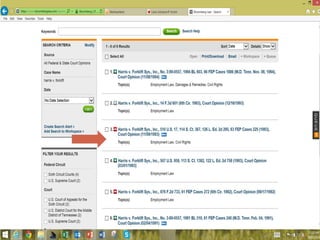
Bloomberg Law
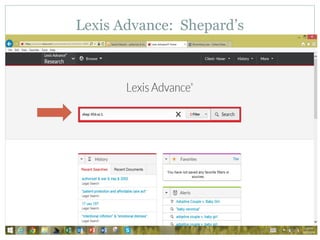
Lexis Advance
WestlawNext
Locating a Case by Citation
Bloomberg Law
Lexis Advance
WestlawNext
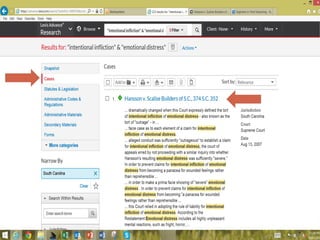
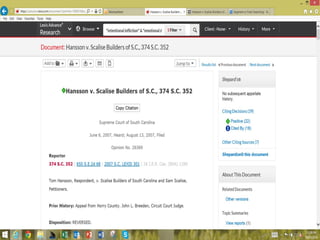
Locating a Case by Subject 
Lacking a citation or party name requires you to 
locate a case by subject.
How do I locate a case by subject? 
Define the issue. 
From this, create your search terms. 
Decide which database or print resource needs to be 
consulted. 
Create your search query, including terms and 
Boolean connectors if appropriate. 
Only after completing the above, should you log onto 
Bloomberg Law, Lexis Advance, or WestlawNext.
Boolean Connectors 
Boolean connectors allow you to either expand or 
limit your search. 
Boolean connectors include: 
 And (contracts search) 
 Or (expands search) 
 Not (excludes items so contracts search) 
 Within (requires items to be located near each other so 
contracts search)
Boolean Connectors 
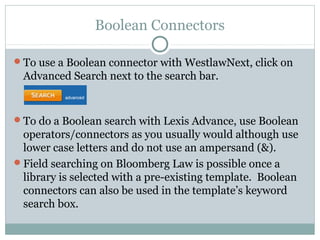
To use a Boolean connector with WestlawNext, click on 
Advanced Search next to the search bar. 
To do a Boolean search with Lexis Advance, use Boolean 
operators/connectors as you usually would although use 
lower case letters and do not use an ampersand (&). 
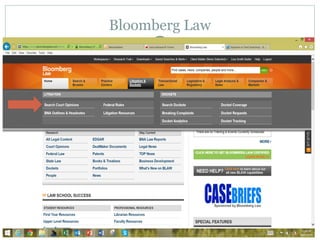
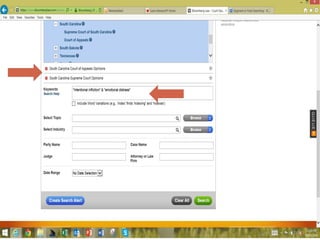
Field searching on Bloomberg Law is possible once a 
library is selected with a pre-existing template. Boolean 
connectors can also be used in the template’s keyword 
search box.
Defining our Query
Bloomberg Law
Lexis Advance
WestlawNext
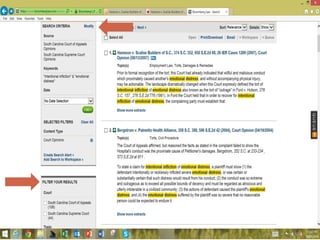
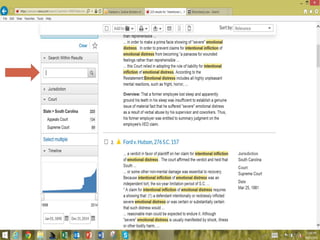
Editing your search terms & limiting your results
How do I get my case? 
You can: 
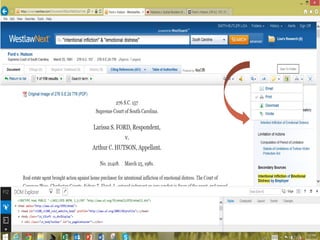
 download the case directly to your hard drive; 
 email it to your email address; 
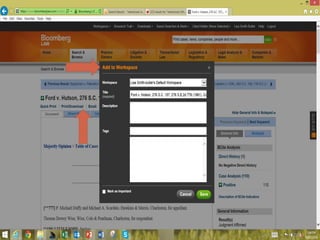
 Place it online in a personal folder, storing it on WestlawNext, 
Bloomberg Law, or Lexis Advance; or 
 print it to the library’s printer room on the Lexis printer.
Statutes 
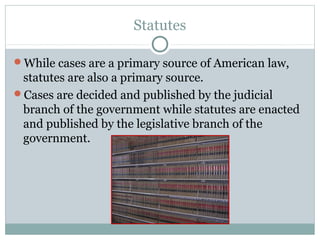
While cases are a primary source of American law, 
statutes are also a primary source. 
Cases are decided and published by the judicial 
branch of the government while statutes are enacted 
and published by the legislative branch of the 
government.
How do I locate applicable statutes? 
As with cases, statutes can be located in three ways. 
They can be located via: 
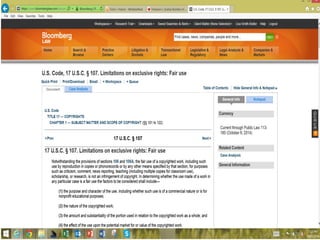
 Citation (17 U.S.C. §107); 
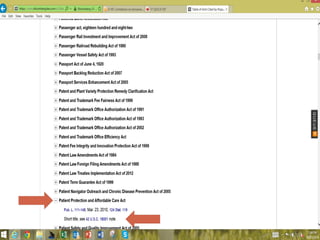
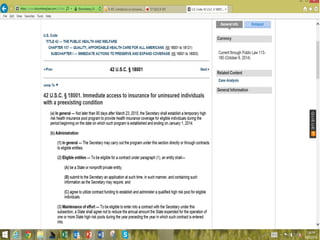
 popular name (Patient Protection & Affordable Care Act); or 
 subject/keyword searching (authorizing war in Iraq in 2002).
Locating statutes by citation
Bloomberg Law
Lexis Advance
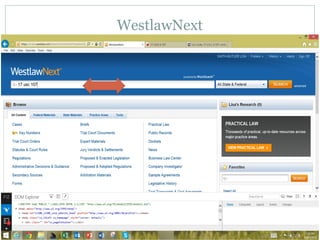
WestlawNext
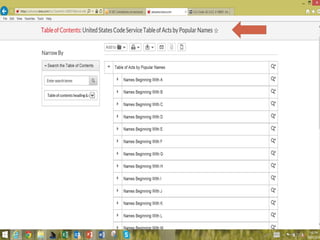
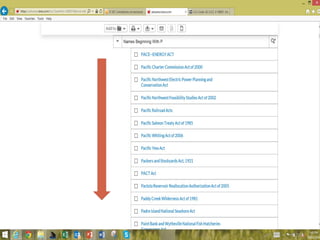
Get a statute by popular name
Bloomberg
Lexis Advance
WestlawNext
Getting a statute by subject/keyword
Bloomberg Law
Lexis Advance
WestlawNext
Updating Your Research 
You should always update your research. 
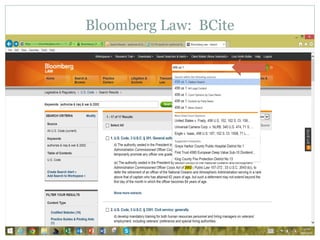
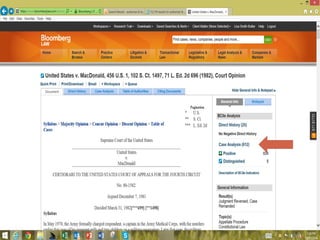
On the Bloomberg Law system, this means that you 
Bcite your cases and statutes. 
On the Lexis Advance system, this means you 
Shepardize your cases and statutes. 
On the WestlawNext system, this means you Keycite 
your cases and statutes.
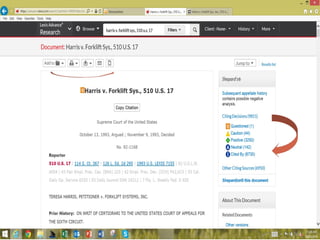
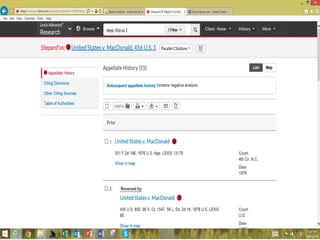
Citing: BCite, Shepard’s or KeyCite 
What information should you be looking for when 
you Shepardize or Keycite your case? 
 You should be checking to see if your case was later reversed or 
overruled. 
 You should be checking to see how later cases have treated 
your case. 
 You should be checking to see if the legislature amended or 
repealed your statute. 
 You should be checking to see if secondary articles are 
available that cite to your case or statute.
Bloomberg Law: BCite
Lexis Advance: Shepard’s
WestlawNext: KeyCite
Help! 
Bloomberg Law tutorial videos are available @ 
http:// 
www.bloomberglaw.com/help/Videos_Overview.htm 
Lexis Advance tutorial videos can be found @ 
https:// 
www.youtube.com/user/LexisNexisLawSchools/videos 
WestlawNext tutorial videos are @ https:// 
www.youtube.com/user/WestlawInsider
Conclusion 
Remember: the best researchers use a mixture of 
sources and formats. 
Questions? Stop by the Sol Blatt Jr. Law Library 
Reference Desk, located in Room 120 on the 1st floor 
of the library.

Bloomberg Law, Lexis Advance & WestlawNext

  • 1.
    Bloomberg Law, LexisAdvance & WestlawNext 1Ls Professor Lisa Smith-Butler Charleston School of Law Sol Blatt Jr. Law Library Fall 2014
  • 2.
    Introduction Using bothBloomberg, Lexis Advance, and WestlawNext, today we’ll review:  how to locate cases;  how to locate statutes; and  how to update with citators.
  • 3.
    How do Ifind a case? Cases can be located in one of three ways:  party name (Harris v. Forklift);  citation (477 U.S. 57); or  subject/keyword searching. This is true regardless as to whether print or electronic resources are being used.
  • 4.
    Party Name Ifyou know the names’ of the parties involved in a case, you can:  key in the parties names’ in the search bar on Bloomberg, Lexis & Westlaw after selecting the appropriate jurisdiction/database for searching; or  use the Table of Cases volume of the appropriate digest, in print, to obtain a citation to the decision.
  • 5.
    Citation Key thecitation into the search bar on Bloomberg, Lexis Advance, and WestlawNext. Pull the book off the shelf when using print.
  • 6.
    Subject or KeywordSearching If you lack a party name or a citation, you will need to do a subject search either in an electronic database such as Bloomberg Law, Lexis Advance or WestlawNext or you will need to a consult a print resource such as a case finding tool. Case finding tools include, but are not limited to, digests, legal encyclopedias, American Law Reports, and other sources.
  • 7.
    What search termsdo I use? Where do I look? When you receive a research project, you should answer three questions before beginning either print or electronic research:  What is the issue in dispute between the parties?  What search terms should be used?  What database or book should be selected?
  • 8.
    Locating a Caseby Party Name
  • 9.
  • 12.
  • 14.
  • 16.
    Locating a Caseby Citation
  • 17.
  • 19.
  • 21.
  • 23.
    Locating a Caseby Subject Lacking a citation or party name requires you to locate a case by subject.
  • 24.
    How do Ilocate a case by subject? Define the issue. From this, create your search terms. Decide which database or print resource needs to be consulted. Create your search query, including terms and Boolean connectors if appropriate. Only after completing the above, should you log onto Bloomberg Law, Lexis Advance, or WestlawNext.
  • 25.
    Boolean Connectors Booleanconnectors allow you to either expand or limit your search. Boolean connectors include:  And (contracts search)  Or (expands search)  Not (excludes items so contracts search)  Within (requires items to be located near each other so contracts search)
  • 26.
    Boolean Connectors Touse a Boolean connector with WestlawNext, click on Advanced Search next to the search bar. To do a Boolean search with Lexis Advance, use Boolean operators/connectors as you usually would although use lower case letters and do not use an ampersand (&). Field searching on Bloomberg Law is possible once a library is selected with a pre-existing template. Boolean connectors can also be used in the template’s keyword search box.
  • 27.
  • 28.
  • 33.
  • 36.
  • 42.
    Editing your searchterms & limiting your results
  • 46.
    How do Iget my case? You can:  download the case directly to your hard drive;  email it to your email address;  Place it online in a personal folder, storing it on WestlawNext, Bloomberg Law, or Lexis Advance; or  print it to the library’s printer room on the Lexis printer.
  • 50.
    Statutes While casesare a primary source of American law, statutes are also a primary source. Cases are decided and published by the judicial branch of the government while statutes are enacted and published by the legislative branch of the government.
  • 51.
    How do Ilocate applicable statutes? As with cases, statutes can be located in three ways. They can be located via:  Citation (17 U.S.C. §107);  popular name (Patient Protection & Affordable Care Act); or  subject/keyword searching (authorizing war in Iraq in 2002).
  • 52.
  • 53.
  • 55.
  • 57.
  • 59.
    Get a statuteby popular name
  • 60.
  • 64.
  • 70.
  • 75.
    Getting a statuteby subject/keyword
  • 76.
  • 78.
  • 80.
  • 82.
    Updating Your Research You should always update your research. On the Bloomberg Law system, this means that you Bcite your cases and statutes. On the Lexis Advance system, this means you Shepardize your cases and statutes. On the WestlawNext system, this means you Keycite your cases and statutes.
  • 83.
    Citing: BCite, Shepard’sor KeyCite What information should you be looking for when you Shepardize or Keycite your case?  You should be checking to see if your case was later reversed or overruled.  You should be checking to see how later cases have treated your case.  You should be checking to see if the legislature amended or repealed your statute.  You should be checking to see if secondary articles are available that cite to your case or statute.
  • 84.
  • 87.
  • 89.
  • 91.
    Help! Bloomberg Lawtutorial videos are available @ http:// www.bloomberglaw.com/help/Videos_Overview.htm Lexis Advance tutorial videos can be found @ https:// www.youtube.com/user/LexisNexisLawSchools/videos WestlawNext tutorial videos are @ https:// www.youtube.com/user/WestlawInsider
  • 92.
    Conclusion Remember: thebest researchers use a mixture of sources and formats. Questions? Stop by the Sol Blatt Jr. Law Library Reference Desk, located in Room 120 on the 1st floor of the library.