Blanket Purchase
Agreements
*Instructions*
For Creating Blanket Purchase Agreements (BPA’s)
Blanket Purchase
Agreements
*Instructions
for Creating Blanket Purchase Agreements
Determine the time frame
covered by the
Blanket Purchase Agreement. (BPA)
Determine the amount spent per month,
and…..
…multiply by the
number of months
covered by the BPA.
Go to QuickBooks and add or select the vendor.
1. Assign a BPA number.
2. QuickBooks will assign a Purchase Order number
3. You can add a character before or after
the PO number to identify it as a Blanket Purchase Agreement
Example: “B113”
4. QuickBooks will save it with the added character.
Enter start date for the BPA in “Date” field…
…and the ending date in the “Due Date” field.
The other information should populate from the Vendor File.
***Be sure to add the NAICS code in the assigned field.
On the 1st line under “Description”, enter:
“Blanket Purchase Agreement” …or…
“Blanket Purchase Order”
On the 2nd line, enter:
The account line number that the item is to be charged to.
On line 3, enter:
~what the BPA is for: (ex: Pest Control, Linen Service, Food Provision, et
~time period the BPA will cover: (ex: 9/1/19 to 6/30/20)
~and, the spending limit of the BPA.*
*For example: If Pest Control average is $340 per month X 6 months,
then the BPA limit would be $2040 for the 6 months the BPA is effective.
On the next line, note that:
“All pricing to be competitive and
comparable to market standard.”
NEXT:
Line list any specifics about the BPA such as:
~Affected Building
~Deliveries per month
~And other special notes
On the NEXT LINE, add: “Purchase Authority”
Reference the following list from Standard #4 from the SOP:
Approval Authority Dollar Limit
Buyer $0 to 3,499
Center F&A Director $3,500 to 4,999
Center Director *(see Note 1) $5,000 to 49,999
HSC Contracts Manager $50,000 to 99,999
HSC President $100,000 and over
*Note 1: Center Director will approve all Blanket Purchase Agreements
With a “Not to Exceed” amount of up to $150,000.
OntheNEXTLINE,addrequirementsforDeliveryTicketssuchas:
Minimum Requirements;
Name of Supplier;
BPA number;
Call number;
Date of Purchase;
Itemization of Purchase;
Quantity;
Unit Price;
Date of Delivery;
Invoices and
Methods of Invoicing for Purchases Received
*Sign and get other required signatu
**Then, forward to the Ven
Save the
Blanket Purchase Agreement
in QuickBooks
Once the BPA is
issued to the Vendor…
…the Vendor will
submit an invoice
for goods or services provided.
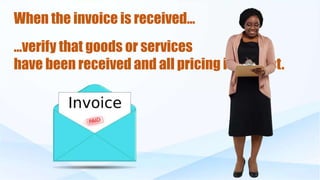
When the invoice is received…
…verify that goods or services
have been received and all pricing is correct.

Blanket Purchase Agreements

  • 1.
    Blanket Purchase Agreements *Instructions* For CreatingBlanket Purchase Agreements (BPA’s) Blanket Purchase Agreements *Instructions for Creating Blanket Purchase Agreements
  • 2.
    Determine the timeframe covered by the Blanket Purchase Agreement. (BPA)
  • 3.
    Determine the amountspent per month, and….. …multiply by the number of months covered by the BPA.
  • 4.
    Go to QuickBooksand add or select the vendor. 1. Assign a BPA number. 2. QuickBooks will assign a Purchase Order number 3. You can add a character before or after the PO number to identify it as a Blanket Purchase Agreement Example: “B113” 4. QuickBooks will save it with the added character.
  • 5.
    Enter start datefor the BPA in “Date” field… …and the ending date in the “Due Date” field. The other information should populate from the Vendor File. ***Be sure to add the NAICS code in the assigned field.
  • 6.
    On the 1stline under “Description”, enter: “Blanket Purchase Agreement” …or… “Blanket Purchase Order” On the 2nd line, enter: The account line number that the item is to be charged to.
  • 7.
    On line 3,enter: ~what the BPA is for: (ex: Pest Control, Linen Service, Food Provision, et ~time period the BPA will cover: (ex: 9/1/19 to 6/30/20) ~and, the spending limit of the BPA.* *For example: If Pest Control average is $340 per month X 6 months, then the BPA limit would be $2040 for the 6 months the BPA is effective.
  • 8.
    On the nextline, note that: “All pricing to be competitive and comparable to market standard.”
  • 9.
    NEXT: Line list anyspecifics about the BPA such as: ~Affected Building ~Deliveries per month ~And other special notes
  • 10.
    On the NEXTLINE, add: “Purchase Authority” Reference the following list from Standard #4 from the SOP: Approval Authority Dollar Limit Buyer $0 to 3,499 Center F&A Director $3,500 to 4,999 Center Director *(see Note 1) $5,000 to 49,999 HSC Contracts Manager $50,000 to 99,999 HSC President $100,000 and over *Note 1: Center Director will approve all Blanket Purchase Agreements With a “Not to Exceed” amount of up to $150,000.
  • 11.
    OntheNEXTLINE,addrequirementsforDeliveryTicketssuchas: Minimum Requirements; Name ofSupplier; BPA number; Call number; Date of Purchase; Itemization of Purchase; Quantity; Unit Price; Date of Delivery; Invoices and Methods of Invoicing for Purchases Received
  • 12.
    *Sign and getother required signatu **Then, forward to the Ven
  • 13.
    Save the Blanket PurchaseAgreement in QuickBooks
  • 14.
    Once the BPAis issued to the Vendor… …the Vendor will submit an invoice for goods or services provided.
  • 15.
    When the invoiceis received… …verify that goods or services have been received and all pricing is correct.