Black Box Consulting
                                   2009 Products & Services Brochure


Authorised Digilent Distributor                           Authorised Training Provider
Authorised Digilent Distributor
                                  2   Authorised Training Provider
Table of Contents


          Table of Contents .................................................................................................................................... 3
          Recruitment Services .............................................................................................................................. 4
          Consulting Services ................................................................................................................................. 5
          Xilinx Training Courses ............................................................................................................................ 6
                 Academy I........................................................................................................................................ 7
                 Academy II....................................................................................................................................... 9
                 Academy III.................................................................................................................................... 11
                 DSP Implementation Techniques using Xilinx FPGAs.................................................................... 14
                 DSP Design Using System Generator ............................................................................................ 15
                 Embedded System Development.................................................................................................. 16
                 Advanced Features & Techniques of Embedded System Development....................................... 17
                 Embedded System Software development .................................................................................. 18
                 Embedded Open-Source Linux Development ............................................................................... 19
                 Designing with Ethernet MAC Controllers .................................................................................... 20
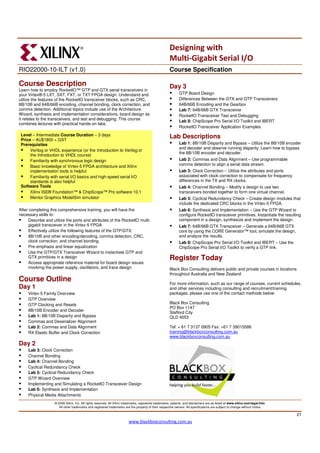
                 Designing with Multi-Gigabit Serial I/O ........................................................................................ 21
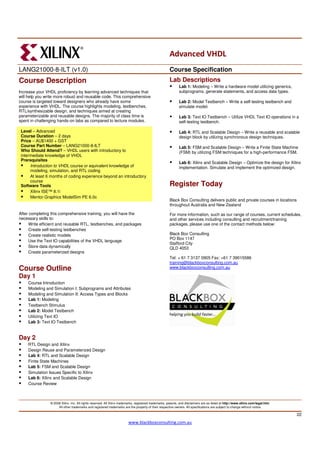
                 Advanced VHDL ............................................................................................................................. 22
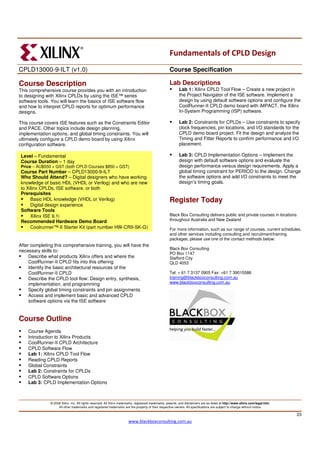
                 Fundamentals of CPLD Design ...................................................................................................... 23
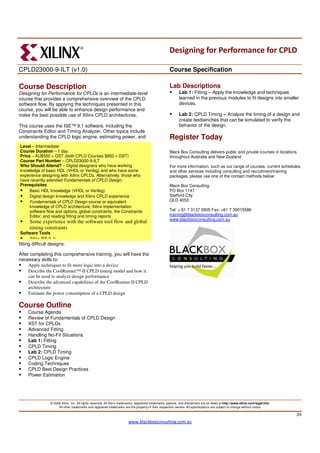
                 Designing For Performance for CPLDs .......................................................................................... 24
                 Designing with Virtex-4 ................................................................................................................. 25
                 Designing with Virtex-5 ................................................................................................................. 26
          Digilent Xilinx Demo Boards .................................................................................................................. 27
          Pricing Guide ......................................................................................................................................... 29
                 Recruitment .................................................................................................................................. 29
                 Training ......................................................................................................................................... 29
                 Consulting ..................................................................................................................................... 29
                 Credit Packages ............................................................................................................................. 30
          Terms & Conditions............................................................................................................................... 31
          Contact Details / About Us.................................................................................................................... 33


Authorised Digilent Distributor
                                                                                                                           3                    Authorised Training Provider
Recruitment Services


          Black Box Consulting can offer you a complete recruitment package which can include training.
          When you recruit with us we can offer you:

              •    A partnership where we will work with you to understand your business
              •    Expertise allowing us to understand the requirements of employees at a technical level
              •    FPGA training to ensure new employees start with the knowledge and skills needed to
                   contribute to your business from day one

          In a technical environment, where knowledge relates to time to market, it’s important to ensure you
          recruit engineers with sound technical ability and promise, as well as the ability to form a team with
          strong morale and work ethic for tangible results. How do you do this?

          At Black Box consulting we:

              •    Take a firm brief of the role and thoroughly understand it
              •    Assist with Job Descriptions, salary expectations, writing and placement of adverts
              •    Provide advice, assist in writing, and conduct technical assessments for further screening
              •    Create a candidate sourcing strategy from local and overseas markets if applicable
              •    Work closely with Universities to source talented and fresh Engineers
              •    Control the entire recruitment process from sourcing, reviewing and filtering applications, to
                   short listing, interviewing and providing reports
              •    Carry out reference checking and optional background and Psychometric testing
              •    Provide you with professional recruitment advice throughout the entire process at a
                   personnel and engineering level
              •    Follow up with new employees during those more difficult first six months, and can act as a
                   neutral entity for employee reviews

          Recruitment can be an underestimated and ongoing concern for many companies. The process can
          take a considerable amount of time and resources through out, let alone if it needs to be repeated.

          Our aim is to reduce the resources and time required from your company and at the same time
          delivery exceptional value and quality candidates from your recruitment campaigns.

          Roles recruited in the past:

               Engineering                 Management                  Sales                   Marketing
           Electronic Engineers          General Manager          Sales Manager           Technical Marketing
           Electrical Engineers           State Managers        Account Managers            Brand Managers
            Project Managers             Product Managers        Sales Engineers          Marketing Analysts

          Our services can also be broken down into modules to integrate into your existing HR practices.


Authorised Digilent Distributor
                                                                                     4             Authorised Training Provider
Consulting Services

          At Xilinx, as a Strategic Applications Engineer, Peter Boxall spent his time supporting his assigned
          customers’ designs. Xilinx also offer a ‘Titanium Support Service’ to assign customers a dedicated
          Engineer for short term assistance for anything from achieving timing closure to troubleshooting
          designs. During his time at Xilinx, this is something Peter did frequently, and was also the first
          Engineer at Xilinx to be assigned to this service in 1999.

          Many customer issues come down to Timing Closure, including properly constraining designs and
          ensuring synchronous design techniques are used to avoid those unexplained and intermittent
          issues. Other times it can simply be to improve design utilisation, frequency or reduce runtimes.

          Black Box Consulting offers consultative services of this manner to help you build faster:

              •    Design Implementation Support
                       o Xilinx interface
                       o Flow support
                       o Troubleshooting errors
                       o Floorplanning/PlanAhead
                       o Run Times

              •    Timing Closure and consistency
                      o Assistance with fully constraining your design and ensuring all paths are covered and
                           not over constrained
                      o Design and implementation techniques and flow support to ensure you’re using the
                           best synthesis and implementation options to get the best performance.
                      o PlanAhead flows to achieve timing and run time needs

          There are lots of tricks and techniques we can use to help get you over the line. We encourage
          knowledge transfer so you also learn along the way.

              •    Troubleshooting
                       o Design not working, or intermittently? Common reasons include asynchronous
                          design or incomplete timing constraints. Let us bring fresh eyes to the table.

              •    Open Days
                      o Common for companies with multiple design groups or large teams. Have us onsite
                         in a meeting room from time to time, where engineers can come and ask questions,
                         fill in knowledge gaps, discuss implementation issues and ask advice.

          We provide consulting services both on and offsite, or a mixture of both.

          At this time, Black Box Consulting specialise their efforts on FPGA design support services and not
          full design house services. However, small design examples, modular assistance, and design
          conversions are within our scope. We do work closely with a small alliance of Design House
          companies in Australia. Please contact us for further details for such recommendations.


Authorised Digilent Distributor
                                                                                      5             Authorised Training Provider
Xilinx Training Courses

          There are a number of ways we can provide Training to you:
              •    Onsite Training. Starting from groups of only 3 people up to 12, arrange private, dedicated
                   and tailored training at your own offices without having to wait for public schedules
              •    Public Training. Low cost training for individual engineers.
              •    Online – Live Instructor Led Training. Attend training from the comfort of your home or
                   office, break a 5 day course into smaller blocks, reduce travel and accommodation costs and
                   still have live training with real time presentations and questions. During labs you can share
                   your PC applications (such as ISE) with the presenter, or even log in to one of our remote
                   Training PCs located right next to the presenter. Using WebEx Training software it’s as good
                   as having a presenter in the room with you.

          Academy I
                   Using the Xilinx Integrated Software Environment (ISE)
                   Fundamentals of FPGA Design
                   Comprehensive Introduction to VHDL

          Academy II
                   FPGA Design Tips & Techniques
                   Designing for Performance

          Academy III
                   Advanced FPGA Design
                   Chipscope Pro Use and Debug Guide
                   Designing with PlanAhead

          DSP courses
                   DSP Implementation Techniques using Xilinx FPGAs
                   DSP Design Using System Generator

          Embedded Courses
                   Embedded System Development
                   Advanced Features & Techniques of Embedded System Development
                   Embedded Systems Software Development
                   Embedded Open-source Linux Development

          Connectivity Courses
                   Designing with Ethernet MAC Controllers
                   Designing with Multi-Gigabit Serial I/O

          Other Courses
                   Advanced VHDL
                   Fundamentals of CPLD Design & Designing for Performance for CPLDs
                   Designing with Virtex-4
                   Designing with Virtex-5


Authorised Digilent Distributor
                                                                                     6             Authorised Training Provider
Xilinx Academy I
Version 10.1i rev2                                                                                      Course Specification
                                                                                                               Create a new project, add source files, synthesize a design, and
Xilinx Academy I Description:                                                                                  use the error navigation feature.
                                                                                                               Lab 2: Synthesis Options – Modify XST synthesis properties,
The Academy I course consists of 3 packaged courses including:                                                 read synthesis reports to compare the synthesis results, and use
                                                                                                               the snapshot utility.
     •    ISE Design Entry (1 Day)
     •    Fundamentals of FPGA Design (1 Day)                                                                  Lab 3: ECS – Perform the basic tasks of the schematic editor,
     •    Comprehensive Introduction to VHDL (3 days)                                                          such as adding symbols, connecting symbols with wires, naming
                                                                                                               wires and buses, adding I/O markers, and using the Xilinx CORE
Promotion: Save $60 per day and receive a free Digilent Nexys2                                                 Generator™ tool with ECS.
Demo Board worth $180. Purchase all 5 days at AU$2700 + GST.
Further discounts are available with our credit packages
                                                                                                               Lab 4: ISE Simulator and the State Diagram Editor – Perform the
                                                                                                               simulation and verification process of the design cycle.
Individual Days are AU $600 + GST
                                                                                                               Demonstrate how these tools are incorporated into the ISE tools.

ISE Design Entry                                                                                        Fundamentals of FPGA Design
In this course you will learn about project structure, process windows,
                                                                                                        Use the ISE® software tools to implement a design and gain a firm
various ISE® software design flows, and Xilinx Synthesis Technology
                                                                                                        understanding of the Xilinx FPGA architecture. Learn the best design
(XST). You will examine XST synthesis and use the XST constraints
                                                                                                        practices and understand the subtleties of the Xilinx design flow.
file in the Project Navigator GUI. You will learn about the Engineering
Capture System (ECS) , the State Diagram Editor and Simulator tools.
                                                                                                        This course covers ISE 10.1 features, such as the Architecture Wizard
Who Should Attend? – Designers who wish to gain a well rounded                                          and the Floorplan Editor. Other topics include design planning,
knowledge of the ISE 10.1 design tools                                                                  implementation options, and global timing constraints.
Recommended
    Basic FPGA Architecture knowledge                                                                      Who Should Attend? – Digital designers who have a working
Software Tools                                                                                             knowledge of HDL (VHDL or Verilog) and who are new to Xilinx
    Xilinx ISE Foundation™ 10.1 Design Tools                                                               FPGAs
                                                                                                           Prerequisites
After completing this comprehensive training, you will have the                                                Basic FPGA Architecture RELs: Slice and I/O Resources,
necessary skills to:                                                                                           Memory and Clocking Resources, Architecture Wizard and
                                                                                                               Floorplan Editor
      Create a new Project Navigator project in the ISE software
                                                                                                               Digital design experience
      List the design flows available in the ISE software
                                                                                                           Recommended
      Access and modify XST synthesis options
                                                                                                               Basic HDL Coding Techniques REL* (parts 1 and 2)
      Create a schematic design by using the ECS schematic entry tool
                                                                                                               Spartan-3 FPGA HDL Coding Techniques REL* (parts 1 and 2)
      Create a symbolic state machine using the State Diagram Editor
                                                                                                               Virtex-5 FPGA HDL Coding Techniques REL* (parts 1 and 2)
      Create testbenches and simulate a design using the TestBench                                         Software Tools
      Wizard and the ISE Simulator
                                                                                                               Xilinx ISE Foundation™ 10.1 software with the ISE Simulator

Course Outline                                                                                          Three recorded E-Learning Modules are available for this course:
                                                                                                        www.xilinx.com/education and click the Recorded e-Learning link.
     Course Agenda
                                                                                                        After completing this comprehensive training, you will have the
     Projects in the Project Navigator                                                                  necessary skills to:
     Lab 1: Projects in the Project Navigator                                                                 Use the Xilinx Project Navigator to implement and simulate an
     HDL Synthesis and XST                                                                                    FPGA design
     Lab 2: XST Synthesis Options                                                                             Read reports and determine whether your design goals were met
     ECS: Engineering Capture System                                                                          Use the Architecture Wizard to create DCM instantiations
     Lab 3: ECS                                                                                               Use the Floorplan Editor and PinAhead to make good pin
     State Diagram Editor                                                                                     assignments
     ISE Simulator                                                                                            Use the Xilinx Constraints Editor to enter global timing constraints
     Lab 4: ISE Simulator and the State Diagram Editor                                                        Locate and modify the implementation options
     Additional Features
     Summary                                                                                            Course Outline
                                                                                                               Course Agenda
Lab Descriptions                                                                                               Xilinx Tool Flow
                                                                                                               Lab 1: Xilinx Tool Flow
     Lab 1: Projects in the Project Navigator – Gain comprehensive                                             Reading Reports
     hands-on experience with the HDL flow in the ISE software.                                                Lab 2: Architecture Wizard and Floorplan Editor/PACE

                 © 2008 Xilinx, Inc. All rights reserved. All Xilinx trademarks, registered trademarks, patents, and disclaimers are as listed at http://www.xilinx.com/legal.htm.
                      All other trademarks and registered trademarks are the property of their respective owners. All specifications are subject to change without notice.

                                                                                                                                                                                     7
                                                                          www.blackboxconsulting.com.au
Xilinx Academy I
Version 10.1i rev2                                                                                      Course Specification
     Lab 3: Pre-Assigning I/O Pins Using PinAhead                                                              Use VHDL scalar and composite data types
     Global Timing Constraints                                                                                 Run a simulation by using VITAL libraries
     Lab 4: Global Timing Constraints                                                                          Use the VHDL textio package during simulation
     Implementation Options                                                                                    Create and manage designs within the ISE design environment
     Lab 5: Implementation Options
     Synchronous Design Techniques                                                                      Course Outline
     Course Summary
                                                                                                        Day 1
Lab Descriptions                                                                                               Course Agenda
     Lab 1: Xilinx Tool Flow – Create a new project in the ISE Project                                         Hardware Modeling Overview
     Navigator and use the Architecture Wizard and the Floorplan
                                                                                                               VHDL Language Concepts
     Editor or PACE in the design process. Implement a design by
     using default software options. The design will be simulated and                                          Lab 1: Building Hierarchy
     downloaded to a Spartan®-3E FPGA 1600 demo board.                                                         Introduction to Testbenches
     Lab 2: Architecture Wizard and Floorplan Editor/PACE – Use the                                            Lab 2: VHDL Simulation and RTL Verification
     Architecture Wizard to customize a DCM and incorporate the                                                Signals and Data Types
     DCM into the design. Use the Floorplan Editor to assign pin                                               VHDL Operators and Expressions
     locations and implement the design.                                                                       Lab 3: Memory
     Lab 3: Pre-Assigning I/O Pins Using PinAhead – This lab
     introduces the basics of making good I/O pin assignments with
                                                                                                        Day 2
     PinAhead. Perform Weighted Average Simultaneously Switching                                               Concurrent and Sequential Statements
     Output (WASSO) analysis to avoid ground bounce and use the                                                Lab 4: Clock Divider and Address Counter
     Design Rule Checker to follow I/O banking rules.                                                          Controlled Operation Statements
     Lab 4: Global Timing Constraints – Enter global timing constraints                                        Lab 5: n-bit Binary Counter and RTL Verification
     with the Xilinx Constraints Editor. Review the Post-Map Static                                            VITAL: VHDL Initiative toward ASIC Libraries
     Timing Report to verify that the timing constraints are realistic.                                        Lab 6: Timing Simulation
     Use the Post-Place & Route Static Timing Report to determine
     the delay of the longest constrained path for timing constraints.                                         Behavioral to RTL Coding
     Lab 5: Implementation Options – Adjust process properties and                                      Day 3
     I/O configuration options to improve the design performance.                                              Finite State Machines
                                                                                                               Lab 7: Finite State Machines
Comprehensive Introduction to VHDL                                                                             Targeting Xilinx FPGAs
                                                                                                               Lab 8: Implement and Download
This comprehensive course is a thorough introduction to the VHDL                                               Functions and Procedures
language. The emphasis is on writing Register Transfer Level (RTL)                                             Advanced Process Statements
and behavioral source code. This class addresses targeting Xilinx                                              Lab 9: Text I/O
devices specifically and FPGA devices in general. The information
gained can be applied to any digital design by using a top-down
synthesis design approach. This course combines insightful lectures                                     Lab Description
with practical lab exercises to reinforce key concepts and advanced
coding techniques that will increase your overall VHDL proficiency                                      The labs for this course provide a practical foundation for creating
                                                                                                        synthesizable RTL code. All aspects of the design flow are covered in
In this three-day course, you will gain valuable hands-on experience.
                                                                                                        the labs. You will write, synthesize, simulate, and implement all the
Incoming students with little or no VHDL knowledge will finish this
                                                                                                        labs. The focus of the labs is to write code that will optimally infer
                                                                                                        reliable and high-performance circuits. The labs culminate in a
Who Should Attend? – Engineers who want to use VHDL                                                     functional calculator that you will verify in simulation.
effectively for modeling, design, and synthesis of digital designs
Prerequisites                                                                                           Register Today
     Basic digital design knowledge
Software Tools                                                                                          Black Box Consulting delivers public and private courses in locations
     Xilinx ISE® Foundation™ software 10.1 with the ISE Simulator                                       throughout Australia and New Zealand.

                                                                                                        For more information, such as our range of courses, current schedules,
course empowered with the ability to write efficient hardware designs                                   and other services including consulting and recruitment/training
and perform high-level HDL simulations.                                                                 packages, please use one of the contact methods below:

After completing this comprehensive training, you will have the                                         Black Box Consulting
necessary skills to:                                                                                    PO Box 1147
      Write RTL VHDL code for synthesis                                                                 Stafford City
      Write VHDL testbenches for simulation                                                             QLD 4053
                                                                                                        Tel: + 61 7 3137 0905
      Create Finite State Machines (FSMs) by using VHDL
                                                                                                        www.blackboxconsulting.com.au
      Target and optimize Xilinx FPGAs by using VHDL
      Create RAM and ROM data structures
                 © 2008 Xilinx, Inc. All rights reserved. All Xilinx trademarks, registered trademarks, patents, and disclaimers are as listed at http://www.xilinx.com/legal.htm.
                      All other trademarks and registered trademarks are the property of their respective owners. All specifications are subject to change without notice.

                                                                                                                                                                                     8
                                                                          www.blackboxconsulting.com.au
Xilinx Academy II
                                                                                                                                          www.xilinx.com
V10.1i Rev1                                                                                             Course Specification

Xilinx Academy II Description:                                                                          Exercises
The Academy II course consists of 2 packaged courses including:                                                    Exploring the Slice
                                                                                                                   LUT Functions
     •    Design Tips & Techniques for Low Cost (2 days)                                                           Logic Levels
     •    Designing For Performance (2 days)                                                                       Dedicated Multiplexers
                                                                                                                   Flip Flop Controls
Promotion: Save $50 per day. Attend the full Academy II at
AU$2200 + GST. Further discounts available with credit packages                                                    Performance by Design
                                                                                                                   Clocks
Individual days are AU $600 + GST.                                                                                 Counters
                                                                                                                   Fractional Number Formats
Design Tips & Techniques                                                                                           Adders
                                                                                                                   Wired Carry Gates
This course appeals to engineers who have an interest in good design                                               Aspect Ratios
techniques, to produce compact design (for lower coast) with additional                                            Replacing Logic with Block RAM
discussion on Logic Levels for Timing. The course and exercises cover                                              Distributed RAM
several different design techniques, which will be interesting and                                                 Essence of FIFO
challenging for any digital designer regardless of the final application.
                                                                                                                   Delay
                                                                                                                   State Machines
Level – Fundamental - Intermediate
Prerequisites                                                                                                      DSP48
                                                                                                               Optional Design Challenges
     An understanding of digital design and the concept of an FPGA
     Basic – Intermediate VHDL skills
Supported Devices
Note: software is only required to run optional exercises
     Spartan™- 3E/A/AN/DSP
     Virtex-4, Virtex-5
                                                                                                        Designing for Performance
                                                                                                        Attending the Designing for Performance class will help you create
After completing this comprehensive training, you will have the                                         more efficient designs. This course can help you fit your design into a
necessary skills to:                                                                                    smaller FPGA or a lower speed grade for reducing system costs. In
      Describe the features of the Spartan-II(E) and Spartan-3 devices                                  addition, by mastering the tools and the design methodologies
      Accurately estimate design size to aid in predicting product costs                                presented in this course, you will be able to create your design faster,
      Apply design techniques that result in low-cost implementations                                   shorten your development time, and lower development costs.
      Explore creative ways to use the FPGA memory resources to                                         Note that one of the prerequisites of Designing for Performance is the
      reduce design costs                                                                               completion of the HDL coding style modules listed below (or attend the
                                                                                                        much more comprehensive Intro to VHDL course).
                                                                                                        Go to www.xilinx.com/education and click the Recorded e-Learning link
Course Outline                                                                                          to view these recorded modules.
     Refresh: What is an FPGA?
     Spartan and Virtex Family
                                                                                                        Level – Intermediate
     CLBs, Slices and BRAM                                                                              Prerequisites
     Multiplexers
                                                                                                            Fundamentals of FPGA Design course or equivalent
     Flip-Flop Controls                                                                                     knowledge of FPGA architecture features; the Xilinx
     Synchronous Timing vs. Asynchronous Timing                                                             implementation software flow and implementation options;
     Digital Clock Managers                                                                                 reading timing reports; basic FPGA design techniques; global
     Number Representation                                                                                  timing constraints and the Constraints Editor
     Dedicated Carry Logic                                                                                  Intermediate HDL knowledge (VHDL or Verilog)
     Counters                                                                                               Solid digital design background
     Wired Carry Gates                                                                                      Basic HDL Coding Techniques REL (parts 1 and 2)
     Block MemoryDistributed RAM                                                                            Spartan-3 FPGA HDL Coding Techniques REL (parts 1 and 2)
     FIFO                                                                                                   Virtex-5 FPGA HDL Coding Techniques REL (parts 1 and 2)
     Dual Port Memory                                                                                   Software Tools
     State Machines                                                                                         ISE Foundation™ software 10.1 with the ISE Simulator
     DSP48 Blocks                                                                                           ChipScope™ Pro software
     Design Challenges


                 © 2008 Xilinx, Inc. All rights reserved. All Xilinx trademarks, registered trademarks, patents, and disclaimers are as listed at http://www.xilinx.com/legal.htm.
                      All other trademarks and registered trademarks are the property of their respective owners. All specifications are subject to change without notice.

                                                                                                                                                                                     9
                                                                              www.blackboxconsulting.com.au
Xilinx Academy II
                                                                                                                                         www.xilinx.com
V10.1i Rev1                                                                                            Course Specification
After completing this comprehensive training, you will have the
necessary skills to:                                                                                          Lab 4: Review of Global Timing Constraints – Use the
      Describe a flow for obtaining timing closure                                                            Constraints Editor to enter global timing constraints.
      Describe architectural features of the Virtex-5 FPGA                                                    Lab 5: Achieving Timing Closure – Review timing reports and
      Describe the features of the Digital Clock Manager (DCM) and                                            enter path-specific timing constraints to meet performance goals.
      Phase-Locked Loop (PLL) and how they can be used to improve                                             Lab 6: Designing for Performance – Improve performance and
      performance                                                                                             maximize results solely with implementation options.
      Increase performance by duplicating registers and pipelining                                            Lab 7: FPGA Editor Demo – Use the FPGA Editor to view a
      Describe different synthesis options and how they can improve                                           design and add a probe to an internal net.
      performance                                                                                             Lab 8: ChipScope Pro Software – Add an internal logic analyzer
      Create and integrate cores into your design flow by using the                                           to a design to perform real-time debugging.
      CORE Generator™ software system
      Run behavioral simulation on an FPGA design that contains cores
      Pinpoint design bottlenecks by using the Timing Analyzer reports
      Apply advanced timing constraints to meet your performance
                                                                                                       Register Today
      goals
                                                                                                       Black Box Consulting delivers public and private courses in locations
      Use advanced implementation options to increase design                                           throughout Australia and New Zealand.
      performance
                                                                                                       For more information, such as our range of courses, current schedules,
Course Outline                                                                                         and other services including consulting and recruitment/training
                                                                                                       packages, please use one of the contact methods below:
Day 1                                                                                                  Black Box Consulting
     Review of Fundamentals of FPGA Design                                                             PO Box 1147
     Designing with Virtex-5 FPGA Resources                                                            Stafford City
     CORE Generator Software System                                                                    QLD 4053
     Lab 1: CORE Generator Software System
                                                                                                       Tel: + 61 7 3137 0905                    Fax: +61 7 39015586
     Designing Clock Resources
     Lab 2: Designing Clock Resources
                                                                                                       www.blackboxconsulting.com.au
     FPGA Design Techniques
     Synthesis Techniques
     Lab 3: Synthesis Techniques

Day 2
     Achieving Timing Closure
     Lab 4: Review of Global Timing Constraints
     Timing Groups and OFFSET Constraints
     Path-Specific Timing Constraints
     Lab 5: Achieving Timing Closure
     Advanced Implementation Options
     Lab 6: Designing for Performance
     Power Estimation (Optional)
     Lab 7: FPGA Editor Demo (Optional)
     ChipScope Pro Software (Optional)
     Lab 8: ChipScope Pro Software (Optional)

Lab Descriptions

     Lab 1: CORE Generator Software System – Create a core,
     instantiate the core into VHDL or Verilog source code, and run
     behavioral simulation.
     Lab 2: Designing Clock Resources – Use the Clocking Wizard to
     configure DCMs and global clock buffer resources.
     Lab 3: Synthesis Techniques – Experiment with different
     synthesis options and view the results. Versions of this lab are
     available for Synplicity Synplify Pro, Precision RTL, and Xilinx
     XST software.


                © 2008 Xilinx, Inc. All rights reserved. All Xilinx trademarks, registered trademarks, patents, and disclaimers are as listed at http://www.xilinx.com/legal.htm.
                     All other trademarks and registered trademarks are the property of their respective owners. All specifications are subject to change without notice.

                                                                                                                                                                                    10
                                                                             www.blackboxconsulting.com.au
Xilinx Academy III
  V10.1i Rev1                                                                                             Course Specification

  Xilinx Academy III Description:                                                                                Advanced I/O Timing
                                                                                                                 Lab 4: Advanced I/O Timing
  The Academy III course consists of 3 packaged courses including:                                               SmartCompile™ Technology Design Preservation Techniques
                                                                                                                 Lab 5: SmartCompile Technology
       •    Advanced FPGA Implementation (2 days)                                                                Floorplanning an Effective Layout
       •    Chipscope Pro Debug & Verification (1 day)                                                           Lab 6: Floorplanning
       •    Designing with PlanAhead ( 2 days)                                                                   FPGA Editor: Viewing and Editing a Routed Design
                                                                                                                 Lab 7: Advanced FPGA Editor
  Promotion: Save $80 per day. Attend this 5 day Academy III at
  AU$2600 + GST. Further discounts available with credit packages
                                                                                                          Lab Descriptions
  Individual days are AU $600 + GST                                                                       Note: Labs will be based on Xilinx ISE 10.1 software.
                                                                                                                 Lab 1: Achieving Timing Closure and Review of Global Timing
                                                                                                                 Constraints – Use the Constraints Editor to enter global timing
  Advanced FPGA Implementation                                                                                   constraints.

  This course tackles the most sophisticated aspects of the ISE® 10.1                                            Lab 2: Tcl Scripting – Write ISE tool control commands in a Tcl
  design suite and Xilinx hardware. Seven labs provide hands-on                                                  script file to implement the design. Then modify program switches
  experience in this two-day course and cover the Xilinx Synthesis                                               to obtain the greatest possible performance from the design.
  Technology (XST) tools. This course requires the Fundamentals of                                               Lab 3: UCF – Write constraints directly into a UCF file to guide
  FPGA Design and Designing for Performance courses as                                                           the performance results of implementation.
  prerequisites. An intermediate knowledge of Verilog or VHDL is                                                 Lab 4: Advanced I/O Timing – Compose timing constraints for an
  strongly recommended as is at least six months of design experience                                            I/O interface. Analyze the timing failures and determine changes
  with Xilinx tools and FPGAs. The lecture material in this course covers                                        to correct the timing issues. Modify the design to fix timing
  the ISE 10.1 tools and the Virtex®-5 and Spartan®-3E FPGAs.                                                    failures.
                                                                                                                 Lab 5: SmartCompile Technology – Utilize SmartGuide
Level – Advanced
                                                                                                                 technology and partitions to preserve the timing results from one
Prerequisites
                                                                                                                 iteration to the next.
    Fundamentals of FPGA Design
                                                                                                                 Lab 6: Floorplanning – Implement a design by using floorplanned
    Designing for Performance
                                                                                                                 constraints to enhance the timing results over a design without
    Intermediate knowledge of Verilog or VHDL is strongly                                                        floorplanning.
    recommended
                                                                                                                 Lab 7: Advanced FPGA Editor – Use the FPGA Editor to view
    At least six months’ design experience with Xilinx tools and
                                                                                                                 and edit a design. Rapidly locate and swap signals of interest for
    FPGAs
Software Tools                                                                                                   ChipScope Pro tool cores.
    Xilinx ISE Foundation™ 10.1 software with the ISE Simulator
    ChipScope™ Pro software                                                                               Chipscope Pro Debug & Verification
                                                                                                          As FPGA designs become increasingly more complex, designers are
  After completing this comprehensive training, you will have the                                         searching to reduce design and debug time. The powerful, yet easy-to-
  necessary skills to:                                                                                    use ChipScope™ Pro tool solution helps minimize the amount of time
                                                                                                          required for debug and verification. This one-day course will show you
       Implement designs via the Tcl command line
                                                                                                          effective ways to debug logic and high-speed designs—thereby
       Create and edit timing constraints in the UCF file                                                 decreasing your overall design development time. This training will
       Identify the I/O timing constraints and design modifications                                       provide hands-on labs that demonstrate how the ChipScope Pro tools
       required for source-synchronous and system-synchronous                                             can address advanced verification and debugging challenges.
       interfaces
       Preserve design results by using SmartGuide™ technology or                                           Level – Intermediate
       partitions                                                                                           Prerequisites
       Use the Floorplan Editor or Pinout and Area Constraints Editor                                           FPGA design experience or completion of the Xilinx
       (PACE) to create area constraints                                                                        Fundamentals of FPGA Design course
       Change signals of interest in the ChipScope™ Pro tool for board-                                         ChipScope Pro Software REL strongly recommended
       level debugging using the FPGA Editor                                                                    (www.xilinx.com/support/training/rel/chipscopepro-rel.htm)
                                                                                                            Software Tools
  Course Outline                                                                                                ISE™ 9.2i software
       Introduction                                                                                             ChipScope Pro 9.2i software
       Lab 1: Achieving Timing Closure and Review of Global Timing                                              ChipScope Pro Serial I/O Toolkit 9.2i*
       Constraints                                                                                              Agilent Logic Analyzer Application Software*
       Tcl Scripting
       Lab 2: Tcl Scripting
       UCF Editing
       Lab 3: UCF Editing

                   © 2008 Xilinx, Inc. All rights reserved. All Xilinx trademarks, registered trademarks, patents, and disclaimers are as listed at http://www.xilinx.com/legal.htm.
                        All other trademarks and registered trademarks are the property of their respective owners. All specifications are subject to change without notice.

                                                                                                                                                                                       11
                                                                            www.blackboxconsulting.com.au
Xilinx Academy III
V10.1i Rev1                                                                                            Course Specification

After completing this comprehensive training, you will have the
necessary skills to:                                                                                          Inserting the Agilent ATC2 Measurement Core and Viewing
      Maximize ChipScope Pro tool core performance                                                            Internal Activity with the FPGA Dynamic Probe* – You will
      Minimize negative timing impacts on a design                                                            leverage external memory resources by using the Agilent ATC2
                                                                                                              Core, FPGA Dynamic Probe, and Virtual Logic Analyzer to
      Use techniques that enhance and extend the capabilities of the
      ChipScope Pro tools                                                                                     address storage demands.
                                                                                                              Performing System-Level Debug with the Agilent FPGA
      Enable and identify the advantages of remote debugging
                                                                                                              Dynamic Probe* – You will see how the Agilent solution is used
      Analyze, set up, and debug high-speed serial I/O designs*                                               to reduce the time required to validate and determine the root
      Use the Agilent solutions to overcome storage issues and perform                                        cause of problems in FPGA-based systems.
      a system-level debug*

Course Outline
     Agenda and Introduction
                                                                                                       Designing With PlanAhead
     Lab: Adding the ILA Core to an Existing Design and/or Adding the
                                                                                                       Learn to increase design performance and achieve repeatable results
     ILA and VIO Cores for Remote Monitoring and Control
                                                                                                       by using the PlanAhead™ software tool. Topics include: a product
     Timing Implications                                                                               overview, synthesis and project tips, design analysis, creating a
     Demo: Minimizing ILA Core Impact with the PlanAhead Software                                      floorplan, improving performance, experimenting with implementation
     Tips and Tricks                                                                                   options, incremental methodology, block-based IP design, and I/O pin
     Lab: Tips and Tricks                                                                              assignment.
     Remote Debug
                                                                                                       Level – Intermediate
     Lab: Enabling Remote Debug*
                                                                                                       Prerequisites
     High-Speed Serial I/O Debug and Verification (Optional*)
                                                                                                           Fundamentals of FPGA Design or equivalent knowledge of the
     Lab: High-Speed Serial I/O Debug and Verification (Optional*)                                         FPGA architecture and the Xilinx ISE® software flow
     Agilent Solutions for Storage Qualification and System-Level                                          Designing for Performance recommended
     Debug (Optional*)                                                                                 Software Tools
     Lab: Inserting the Agilent ATC2 Measurement Core and Viewing                                          Xilinx ISE® Foundation™ 10.1 software
     Internal Activity with the FPGA Dynamic Probe (Optional*)
                                                                                                           PlanAhead software 10.1
     Lab: Performing System-Level Debug with the Agilent FPGA
     Dynamic Probe (Optional*)
                                                                                                       Note: The hands-on labs provided within this course are identical to
                                                                                                       the tutorials that are packaged with the PlanAhead tool. This course is
* Please check with your ATP to confirm whether this content is                                        supplemented with instructor-led presentations and demos.
  included with your specific class.
                                                                                                       After completing this comprehensive training, you will have the
Lab Descriptions                                                                                       necessary skills to:
                                                                                                             List the main features and benefits of the PlanAhead tool
                                                                                                             Import designs into the PlanAhead tool project environment
     Adding the ILA Core to an Existing Design – You will use the
                                                                                                             Assign optimal I/O pin locations
     Core Inserter tool flow for adding the ChipScope Pro tool ILA
     cores into a design to rapidly locate and solve a simple logic                                          Import HDL sources and elaborate and analyze an RTL netlist
     problem.                                                                                                Analyze design statistics, connectivity, timing, and placement
     Adding the ILA and VIO Cores for Remote Monitoring and                                                  results
     Control – You will instantiate ICON, ILA, and VIO cores into a                                          Run the Design Rule Checker (DRC) and Weighted Average
     VHDL or Verilog design and practice monitoring signals of interest                                      Simultaneous Switching Output (WASSO) analysis
     and externally driving select control signals.                                                          Partition and floorplan designs
     Tips and Tricks – This lab demonstrates the flexibility of the                                          Run ExploreAhead to try multiple implementation strategies
     ChipScope Pro tool solution as you explore data qualification,                                          Import and analyze the implementation results to improve the
     cross-clock domain analysis, and oversampling techniques.                                               floorplan
     Enabling Remote Debug* –This lab demonstrates how the                                                   Floorplan to improve performance and consistency
     ChipScope Pro tools can be used across a network. You will                                              Use block-based design and create reusable IP
     connect to another team’s board, download your bitstream, and
     remotely monitor the other team’s board on your machine.
     High-Speed Serial I/O Debug and Verification* – You will use
     the Xilinx ChipScope Pro Serial I/O Toolkit for the RocketIO™
     transceivers in the Virtex™-5 FPGA. You will generate the
     ChipScope Pro tool IBERT design for the Virtex-5 XC5VLX50T
     device and customize it for the ML505 board. You will then
     connect two GTPs on the ML505 board and use the ChipScope
     Pro Analyzer tool to control the GTP parameters and monitor the
     effects.

                © 2008 Xilinx, Inc. All rights reserved. All Xilinx trademarks, registered trademarks, patents, and disclaimers are as listed at http://www.xilinx.com/legal.htm.
                     All other trademarks and registered trademarks are the property of their respective owners. All specifications are subject to change without notice.

                                                                                                                                                                                    12
                                                                         www.blackboxconsulting.com.au
Xilinx Academy III
V10.1i Rev1                                                                                             Course Specification


Course Outline                                                                                          Register Today
Day 1                                                                                                   Black Box Consulting delivers public and private courses in locations
     Course Overview                                                                                    throughout Australia and New Zealand.
     Lab 1: Getting Started with the PlanAhead Tool
                                                                                                        For more information, such as our range of courses, current schedules,
     I/O Pin Planning
                                                                                                        and other services including consulting and recruitment/training
     Lab 2: Assigning I/O Pins                                                                          packages, please use one of the contact methods below:
     Design Analysis and Exploration
     Lab 3: Design Analysis and Exploration                                                             Black Box Consulting
     Design Partitioning and Top-Level Floorplanning                                                    PO Box 1147
     Lab 4: Design Partitioning and Top-Level Floorplanning                                             Stafford City
                                                                                                        QLD 4053

Day 2                                                                                                   Tel: + 61 7 3137 0905                    Fax: +61 7 39015586
     Implementing a Floorplanned Design
     Lab 5: Implementation                                                                              www.blackboxconsulting.com.au
     Floorplanning Techniques
     Lab 6: Floorplanning
     Tuning a Floorplan for Performance
     Lab 7: Floorplan Tuning
     Block-Based Design and IP Reuse
     Lab 8: Block-Based Design and IP Reuse
     Floorplanning Strategies
     Course Summary
Lab Descriptions
Note: All labs within this course are also available as self-guided
tutorials, which are packaged with the PlanAhead tool.
     Lab 1: Getting Started with the PlanAhead Tool – Illustrates the
     steps you take to import a synthesized design into the PlanAhead
     tool so that you can begin floorplanning. Also introduces the
     PlanAhead tool environment and views.
     Lab 2: Assigning I/O Pins – Introduces the PinAhead environment
     for performing I/O pin assignment. You will create a project,
     import and export I/O ports lists, create I/O ports and interfaces,
     and make pin assignments.
     Lab 3: Design Analysis and Exploration – Introduces the analysis
     features of the PlanAhead tool that enable early detection of
     potential design issues, alternate device selection, initial
     floorplanning direction, and post-implementation exploration.
     Lab 4: Design Partitioning – Introduces the concept of
     floorplanning. By using automated partitioning tools, you will
     create a top-level floorplan and experiment with sizing and
     shaping Pblocks based on resources assigned to them.
     Lab 5: Implementation – Introduces the integration of the ISE
     software implementation tools with the PlanAhead tool. Also
     introduces the ExploreAhead tool for queuing multiple ISE
     software runs with varying strategies.
     Lab 6: Floorplanning – Describes how to analyze implementation
     results and to use that information to generate a floorplan aimed
     at increasing design performance.
     Lab 7: Floorplan Tuning – Introduces techniques to help close on
     timing targets consistently.
     Lab 8: Block-Based Design and IP Reuse – Describes the steps
     to implement a block-based methodology that includes the
     creation and reuse of an IP module.


                 © 2008 Xilinx, Inc. All rights reserved. All Xilinx trademarks, registered trademarks, patents, and disclaimers are as listed at http://www.xilinx.com/legal.htm.
                      All other trademarks and registered trademarks are the property of their respective owners. All specifications are subject to change without notice.

                                                                                                                                                                                     13
                                                                          www.blackboxconsulting.com.au
DSP Implementation
                                                                                                        Techniques for Xilinx FPGAs
DSP20000-7-ILT (v1.0)                                                                                   Course Specification

Course Description                                                                                      Day 3
This course shows you how to take advantage of the features available                                          One Filter Does Not Make a System
in the Xilinx FPGA architecture, including the Virtex™-4 FPGA, and                                                 Options to be considered with multiple channels
describes how DSP algorithms can be implemented efficiently. The                                                   Interpolation and decimation
techniques also demonstrate which decisions at the system level have                                               Rate changing and its effect on FIR filter choice
the greatest impact on the implementation process and product costs.                                               Filtering algorithms that exploit device architecture
                                                                                                                   Importance of connectivity versus isolated functions
 Level – Advanced
                                                                                                               Do Not Block the Datapath
 Course Duration – 3 days
 Price – $2000 + GST                                                                                               Numeric controlled oscillators and mixers
 Course Part Number – DSP20000-7-ILT                                                                               Strategies for FFT implementation
 Who Should Attend? – Engineers and designers who have an                                                          Achieving bandwidth requirements of the FFT
 interest in developing products that use digital signal processing                                                Using the FPGA as an efficient co-processor
                                                                                                        3
 Prerequisites                                                                                          Course Exercises
 A fundamental understanding of digital signal processing theory,
 including an understanding of the following principles:                                                       MAC Rates and Memory Requirements
                                                                                                               Constructing a 128-Tap FIR Filter
       Sample rates
                                                                                                               Fractional Number Formats
       Finite Impulse Response (FIR) and Infinite Impulse Response
       (IIR) filters                                                                                           Twos Complement Arithmetic
       Oscillators and mixers                                                                                  Summation by Addition Tree
                                                                                                               Summation by Addition Chain
       Fast Fourier Transform (FFT) algorithm
                                                                                                               Full Adder: How Many Slices?
                                                                                                               Summation Structure Sizes
After completing this comprehensive training, you will have the                                                Serial Summation Structure
necessary skills to:                                                                                           8-Bit by 12-Bit Multiplier
      Describe how DSP algorithms can be implemented efficiently by                                            KCM Multipliers
      using Xilinx FPGA technology
                                                                                                               Distributed RAM for FIFO
      Identify the capabilities and features of the various Xilinx FPGA
      families to implement efficient DSP algorithms                                                           Size Estimates for Delay Structures
                                                                                                               Using the SRL16E as a FIFO
      Establish methods for the accurate estimation of silicon area
      consumption and cost                                                                                     Creating Larger RAM Structures
      Evaluate which algorithms are best suited for FPGA                                                       Selecting a MAC FIR Technique
      implementation and identify which algorithms are less desirable                                          Parallel FIR Filter Size
      Assess how system-level decisions impact hardware                                                        Symmetry, Interpolation, and Phases
      implementation and how hardware implementation can enhance                                               Decimation Filter
      results at the system level                                                                              “fs/4” Mixing and Decimation
                                                                                                               Designing a Numeric Controlled Oscillator (NCO)
Course Outline                                                                                                 FFT: Benchmarks and Transform Time
Day 1                                                                                                          Collection Time = Processing Time
     On the Same Wavelength                                                                                    128-Point FFT in 1.28 µs
     Basic terminology and acronyms used in DSP design
     Sample rates and bit widths used in DSP applications                                               Register Today
     DSP building blocks and processing requirements
     Some Bits About Numbers                                                                            Black Box Consulting delivers public and private courses in locations
                                                                                                        throughout Australia and New Zealand
     Numbering formats, range, and precision
                                                                                                        .
     Mathematical operations using a variety of formats                                                 For more information, such as our range of courses, current schedules,
     Tuning the Receiver                                                                                and other services including consulting and recruitment/training
     Structure and Resources of Xilinx Devices                                                          packages, please use one of the contact methods below:
     Estimating DSP building block sizes
Day 2                                                                                                   Black Box Consulting
     Tuning the Receiver (continued)                                                                    PO Box 1147
                                                                                                        Stafford City
          Implementing the multiplication function
                                                                                                        QLD 4053
          Bit-width impact on system-level decisions
     Memories are Made of This                                                                          Tel: + 61 7 3137 0905 Fax: +61 7 39015586
          Block versus distributed memory                                                               training@blackboxconsulting.com.au
          SRL16E and the delay function                                                                 www.blackboxconsulting.com.au
          Memory aspect ratios and their manipulation
     Selective Filters
          FIR filter specifications and implementation
          Selecting a technique for a given specification
          Effects of halfband and interpolated filters

                 © 2008 Xilinx, Inc. All rights reserved. All Xilinx trademarks, registered trademarks, patents, and disclaimers are as listed at http://www.xilinx.com/legal.htm.
                      All other trademarks and registered trademarks are the property of their respective owners. All specifications are subject to change without notice.

                                                                                                                                                                                     14
                                                                          www.blackboxconsulting.com.au
DSP Design Using System Generator
DSP11000-10-ILT (v1.0)                                                                                   Course Specification
Course Description                                                                                              Lab 8: System Generator, Project Navigator, and Platform Studio
                                                                                                                Integration
This course allows you to explore the System Generator tool and to
gain the expertise you need to develop advanced, low-cost DSP
designs. This intermediate course in implementing DSP functions                                          Lab Descriptions
focuses on learning how to use System Generator for DSP, design
                                                                                                                Lab 1: Using the Simulink Software – Learn how to use the
implementation tools, and hardware co-simulation verification. Through
hands-on exercises, you will implement a design from algorithm                                                  toolbox blocks in the Simulink software and design a system.
concept to hardware verification using the Xilinx FPGA capabilities.                                            Understand the effect sampling rate.
                                                                                                                Lab 2: Getting Started with Xilinx System Generator – Illustrates
                                                                                                                a DSP48-based (ML505 board) design. Perform hardware co-
  Level – Intermediate Course Duration – 2 days                                                                 simulation verification targeting an ML505 board.
  Price – AU$1400 + GST
                                                                                                                Lab 3: Signal Routing – Design padding and unpadding logic by
  Who Should Attend? – System engineers, system designers, logic
                                                                                                                using signal routing blocks.
  designers, and experienced hardware engineers who are
  implementing DSP algorithms using the MathWorks MATLAB® and                                                   Lab 4: Implementing System Control – Design an address
  Simulink® software and want to use Xilinx System Generator for                                                generator circuit by using blocks and Mcode.
  DSP design                                                                                                    Lab 5: Designing a MAC-Based FIR – Using a bottom-up
  Prerequisites                                                                                                 approach, design a MAC-based bandpass FIR filter and verify
       Experience with the MATLAB and Simulink software                                                         through hardware co-simulation by using an ML505 board.
       Basic understanding of sampling theory                                                                   Lab 6: Designing a FIR Filter Using the FIR Compiler Block –
  Software Tools                                                                                                Design a bandpass FIR filter by using the FIR Compiler block to
                                                                                                                demonstrate increased productivity. Verify the design through
       Xilinx ISE® Foundation™ 10.1 software with the ISE Simulator
                                                                                                                hardware co-simulation by using the ML505 board.
       System Generator for DSP 10.1                                                                            Lab 7: System Generator and Project Navigator Integration –
       Platform Studio and Embedded Development Kit (EDK) 10.1                                                  Learn how to embed two System Generator designs into a larger
       MATLAB with Simulink software R2007a or R2007b                                                           design and how VHDL created by System Generator can be
                                                                                                                incorporated into the simulation model of the overall system.
                                                                                                                Lab 8: System Generator, Project Navigator, and Platform Studio
After completing this comprehensive training, you will have the                                                 Integration – Learn how to embed two System Generator designs
necessary skills to:                                                                                            into a larger design and how VHDL created by System Generator
      Describe the System Generator design flow for implementing                                                can be incorporated into the simulation model of the overall
      DSP functions                                                                                             system.
      Identify Xilinx FPGA capabilities and how to implement a design
      from algorithm concept to hardware simulation                                                      Register Today
      List various low-level and high-level functional blocks available in
      System Generator                                                                                   Black Box Consulting delivers public and private courses in locations
      Identify the high-level blocks available for FIR and FFT designs                                   throughout Australia and New Zealand
      Design a multiple-clock-based System Generator system                                              .
      Embed two System Generator designs into a larger design                                            For more information, such as our range of courses, current schedules,
                                                                                                         and other services including consulting and recruitment/training
Course Outline                                                                                           packages, please use one of the contact methods below:
Day 1                                                                                                    Black Box Consulting
     Introduction to System Generator                                                                    PO Box 1147
     Simulink Software Basics                                                                            Stafford City
     Lab 1: Using the Simulink Software                                                                  QLD 4053
     Basic Xilinx Design Capture
                                                                                                         Tel: + 61 7 3137 0905 Fax: +61 7 39015586
     Lab 2: Getting Started with Xilinx System Generator                                                 training@blackboxconsulting.com.au
     Signal Routing                                                                                      www.blackboxconsulting.com.au
     Lab 3: Signal Routing
     Implementing System Control
     Lab 4: Implementing System Control

Day 2
     Multi-Rate Systems
     Lab 5: Designing a MAC-Based FIR
     Filter Design
     Lab 6: Designing a FIR Filter Using the FIR Compiler Block
     Xilinx System Generator, Project Navigator, and Platform Studio
     Integration
     Lab 7: System Generator and Project Navigator Integration


                  © 2008 Xilinx, Inc. All rights reserved. All Xilinx trademarks, registered trademarks, patents, and disclaimers are as listed at http://www.xilinx.com/legal.htm.
                       All other trademarks and registered trademarks are the property of their respective owners. All specifications are subject to change without notice.

                                                                                                                                                                                      15

                                                                           www.blackboxconsulting.com.au
Embedded Systems Development

EMBD21000-7-ILT (v2.0)                                                                                  Course Specification
Course Description                                                                                             Lab 5: Software Debugging
                                                                                                               System Simulation
Xilinx FPGAs provide a new level of system design capabilities through                                         Lab 6: Performing System Simulation
soft MicroBlaze™ processors, hard PowerPC® processors, and
silicon-efficient architectural resources. This course brings experienced                               Lab Descriptions
FPGA designers up to speed on developing embedded systems using                                         Both the MicroBlaze and PowerPC 440 processors are supported in
the Embedded Development Kit (EDK). The features and capabilities                                       the labs. All labs target the ML507 board.
of the Xilinx MicroBlaze soft processor and the PowerPC 440
processor are also included in the lectures and labs. The hands-on                                             Lab 1: Hardware Construction with the Base System Builder –
labs provide experience with the development, debugging, and                                                   Create an XPS project by using the Base System Builder to
simulation of an embedded system.                                                                              develop a basic hardware system and generate a series of
                                                                                                               netlists for the embedded design.
Level / Duration – Intermediate / 2 days                                                                       Lab 2: Software, Implementation, and Download – Complete the
Price – AU$1400 + GST                                                                                          processes begun in Lab 1 by building the software libraries and
Who Should Attend? – Engineers who are interested in developing                                                applications, generating a bitstream file, merging the application
embedded systems with the Xilinx MicroBlaze soft processor or IBM                                              into the bitstream, and downloading to the ML507 board.
PowerPC 440 core using the Embedded Development Kit and a
Xilinx FPGA                                                                                                    Lab 3: Adding IP to a Hardware Design – Learn to add IP from
Prerequisites                                                                                                  the many choices in the IP library. Use the GUI to add a general-
                                                                                                               purpose I/O module and access internal block RAM directly from
      FPGA design experience
                                                                                                               the MHS file.
      Completion of the Fundamentals of FPGA Design course or
      equivalent knowledge of Xilinx ISE® implementation tools                                                 Lab 4: Adding Custom IP to an Embedded System – Add custom
      Basic understanding of C programming                                                                     IP to your design by using the Create and Import Peripheral
      Some HDL modeling experience                                                                             wizard.
Software Tools                                                                                                 Lab 5: Software Debugging – Run the Software Development Kit
      Xilinx ISE® Foundation™ design tools 10.1 with the ISE                                                   (SDK) to produce a debug perspective, set breakpoints, and
      Simulator                                                                                                debug the application.
      Embedded Development Kit 10.1 with the Software
      Development Kit (SDK)                                                                                    Lab 6: Performing System Simulation – Use ISIM to perform
      Mentor Graphics ModelSim                                                                                 behavioral simulation of the completed design.

After completing this comprehensive training, you will have the
necessary skills to:                                                                                    Register Today
      Describe the various tools that encompass the Xilinx Embedded
      Development Kit (EDK)                                                                             Black Box Consulting delivers public and private courses in locations
                                                                                                        throughout Australia and New Zealand
      Rapidly architect an embedded system containing a MicroBlaze                                      .
      or IBM PowerPC processor and Xilinx-supplied CoreConnect bus                                      For more information, such as our range of courses, current schedules,
      architecture IP by using the Base System Builder (BSB)                                            and other services including consulting and recruitment/training
      Utilize the Eclipse-based Software Development Kit (SDK) to                                       packages, please use one of the contact methods below:
      develop software applications and debug software
      Create and integrate your own IP into the EDK environment                                         Black Box Consulting
                                                                                                        PO Box 1147
                                                                                                        Stafford City
Course Outline                                                                                          QLD 4053
Day 1                                                                                                   Tel: + 61 7 3137 0905 Fax: +61 7 39015586
     EDK Overview
     Base System Builder                                                                                training@blackboxconsulting.com.au
     Lab 1: Hardware Construction with the Base System Builder
     Software Development Using SDK
     Lab 2: Software, Implementation, and Download
     System Buses
     Hardware Design
     Hardware Design Using EDK
     Lab 3: Adding IP to a Hardware Design

Day 2
     Adding Your Own IP to the Embedded System
     Lab 4: Adding Custom IP to an Embedded System
     Software Debugging
     Linker Script Generator

                 © 2005 Xilinx, Inc. All rights reserved. All Xilinx trademarks, registered trademarks, patents, and disclaimers are as listed at http://www.xilinx.com/legal.htm.
                      All other trademarks and registered trademarks are the property of their respective owners. All specifications are subject to change without notice.

                                                                                                                                                                                     16
                                                                          www.blackboxconsulting.com.au
Advanced Features and Techniques
                                                                                                        of Embedded Systems Development
EMBD33000-10-ILT (v1.0)                                                                                 Course Specification
Course Description                                                                                      Day 2
Advanced Features and Techniques of Embedded Systems                                                           Interrupts
Development provides embedded systems developers the necessary                                                 Interfacing an Embedded System with FPGA Fabric
skills to develop complex embedded systems and enables them to                                                 Lab 4: Interfacing an Embedded System to the FPGA Fabric
improve their designs by using the tools available in the Embedded                                             PowerPC 440 Processor Crossbar
Development Kit (EDK). This course also helps developers understand
and utilize advanced components of embedded systems design for                                                 Multi-Port Memory Controller
architecting a complex system.                                                                                 Boot Loader
                                                                                                               Lab 5: Boot Loading from Flash Memory
This course builds on the skills gained in the Embedded Systems
Development course. Labs provide hands-on experience with the                                           Lab Descriptions
development, verification, debugging, and simulation of an embedded
                                                                                                               Lab 1: Building a Complete Embedded System – Develop
system. Some labs use the ML507 demo board in which designs are
                                                                                                               hardware that incorporates IP cores to interface to push buttons,
downloaded and verified.
                                                                                                               switches, LEDs, an LCD display, and serial communication.
                                                                                                               Develop an application that interacts with switches, push buttons,
 Level / Duration – Advanced / 2 days                                                                          an LCD display, and serial communication. Generate and
 Price – AU$1400 + GST                                                                                         download a bitstream onto the ML507 demo board.
 Who Should Attend? – FPGA design engineers, system architects,
 and system engineers who are interested in Xilinx embedded                                                    Lab 2: External Memory Controllers and File Systems – Design a
 systems development flow                                                                                      system that includes a DDR2 IP core attached to the memory
 Prerequisites                                                                                                 controller interface port. Develop an application that performs file-
                                                                                                               related tasks on external memory.
      Experience in C programming
      Embedded Systems Development course or experience with                                                   Lab 3: Debugging Using the ChipScope Pro Analyzer – Perform
      embedded systems design and Xilinx EDK tools                                                             simultaneous hardware and software debugging on stack-related
                                                                                                               errors with the ChipScope™ Pro Analyzer, SDK Debug
      Some HDL modeling experience
                                                                                                               perspective, and XMD.
      Basic microprocessor experience and understanding of
      PowerPC®-processor and MicroBlaze™-processor systems                                                     Lab 4: Interfacing an Embedded System to FPGA Fabric – Move
 Software Tools                                                                                                data between an embedded system and FPGA fabric via an FSL
                                                                                                               and a dual-port block RAM. Implement an interrupt controller and
      Xilinx ISE® Foundation™ design tools 10.1 with the ISE
                                                                                                               an interrupt handler.
      Simulator
      Embedded Development Kit 10.1 with the Software                                                          Lab 5: Boot Loading from Flash Memory – Develop an application
      Development Kit (SDK)                                                                                    that is stored in flash memory, load it through a boot loader
                                                                                                               program, and execute the software from external memory.
After completing this comprehensive training, you will have the
necessary skills to:
                                                                                                        Register Today
      Assemble an advanced embedded system
                                                                                                        Black Box Consulting delivers public and private courses in locations
      Identify the steps involved in integrating a memory controller into                               throughout Australia and New Zealand
      an embedded system using the PowerPC® 440 microprocessor                                          .
      Apply advanced debugging techniques including the use of the                                      For more information, such as our range of courses, current schedules,
      ChipScope™ Pro software and Bus Functional Model (BFM)                                            and other services including consulting and recruitment/training
      simulation                                                                                        packages, please use one of the contact methods below:
      Design a flash memory-based system and boot load from an off-
      chip flash memory                                                                                 Black Box Consulting
      Take advantage of the various Virtex®-5 FPGA and PowerPC                                          PO Box 1147
      processor 440 features, including the crossbar and multi-port                                     Stafford City
      memory controller                                                                                 QLD 4053
      Integrate an interrupt controller and interrupt handler into your
      embedded design                                                                                   Tel: + 61 7 3137 0905 Fax: +61 7 39015586

Course Outline                                                                                          training@blackboxconsulting.com.au
                                                                                                        www.blackboxconsulting.com.au
Day 1
     Embedded Systems Development Review
     Lab 1: Building a Complete Embedded System
     External Memory Controllers and File Systems
     Lab 2: External Memory Controllers and File Systems
     Debugging Using the ChipScope Pro Analyzer
     Lab 3: Debugging Using the ChipScope Pro Analyzer
     Bus Functional Model Simulation


                 © 2008 Xilinx, Inc. All rights reserved. All Xilinx trademarks, registered trademarks, patents, and disclaimers are as listed at http://www.xilinx.com/legal.htm.
                      All other trademarks and registered trademarks are the property of their respective owners. All specifications are subject to change without notice.

                                                                                                                                                                                     17
                                                                          www.blackboxconsulting.com.au
Embedded Systems
                                                                                                         Software Development
EMBD23000-10-ILT (v1.0)                                                                                 Course Specification
Course Description                                                                                             Lab 3: Software Interrupts
This two-day course introduces you to software design and                                               Day 2
development for Xilinx embedded processor systems. You will learn
the basic tool use and concepts required for the software phase of the                                         Software Platform Download and Boot
design cycle, after the hardware design is completed.                                                          Application Debugging
                                                                                                               Lab 4: Debugging
                                                                                                               Application Profiling
Topics are comprehensive, covering the design and implementation of
the software platform for resource access and management. Major                                                Lab 5: SDK Profiling
topics include device driver development and user application                                                  Writing a Custom Device Driver
debugging and integration. Practical implementation tips and best                                              Project Management with the Xilinx Design Tools
practices are also provided throughout to enable you to make good                                              Lab 6: Writing a Device Driver
design decisions and keep your design cycles to a minimum. You will
have enough practical information to get started developing the                                         Lab Descriptions
software platform for a Xilinx embedded system based on a                                                      Lab 1: Basic System Implementation – Construct the hardware
PowerPC® 440 or MicroBlaze™ processor.                                                                         and software platforms used for the course labs. Begin with Base
                                                                                                               System Builder to create the hardware design. Specify a basic
  Level / Duration – Basic / 2 days                                                                            software platform and add a software application to the system.
  Price – AU$1400 + GST                                                                                        Lab 2: Application Development – Create a simple software
  Who Should Attend? Software and hardware design engineers
                                                                                                               application project from provided source files for a software loop-
  interested in system design and implementation, platform software                                            based stopwatch. Research hardware & software documentation
  support, and software application development and debugging. This                                            to complete the application; then download it to hardware.
  course is not for the hardware-only embedded designer.
  Prerequisites                                                                                                Lab 3: Software Interrupts – Replace a software timing loop with
        C or C++ programming experience, including general                                                     an interrupt-driven timer. Add the timer software and write an
        debugging techniques                                                                                   interrupt handler for the timer. Configure the FPGA, download,
                                                                                                               and test the application.
        Conceptual understanding of embedded processing systems
        including device drivers, interrupt routines writing / modifying                                       Lab 4: Debugging – Set up the SDK debug perspective and the
        scripts, user applications, and boot loader operation                                                  previous lab’s stopwatch application for debugging, setting
  Software Tools                                                                                               breakpoints, calculating latency, and stepping through the
        Xilinx ISE® Design Suite 10.1                                                                          program’s operation.
        Embedded Development Kit 10.1                                                                          Lab 5: SDK Profiling – Profile a program, interpret profile reports,
                                                                                                               then enable cache and rewrite code for optimal performance.
                                                                                                               Lab 6: Writing a Device Driver – Create the skeleton driver
While this course includes many of the topics presented in the                                                 framework, add an LCD device driver, create the BSP, and verify
Embedded Systems Development & Advanced Features & Techniques                                                  proper device driver operation via a download to hardware test.
of Embedded Systems Development courses, the focus is on software
development concepts & practices rather than hardware development.
Hardware design concepts and procedures are not covered.
                                                                                                        Register Today
After completing this comprehensive training, you will have the                                         Black Box Consulting delivers public and private courses in locations
necessary skills to:                                                                                    throughout Australia and New Zealand
      Implement an effective software design for a Xilinx embedded                                      .
      system using the Xilinx tools                                                                     For more information, such as our range of courses, current schedules,
                                                                                                        and other services including consulting and recruitment/training
      Write a basic user application using the Xilinx Software
      Development Kit (SDK) and run it on the embedded system.                                          packages, please use one of the contact methods below:
      Use Xilinx debugger tools to troubleshoot user applications                                       Black Box Consulting
      Apply software techniques to improve operability                                                  PO Box 1147
      Reduce embedded software development time                                                         Stafford City
                                                                                                        QLD 4053
Course Outline                                                                                          Tel: + 61 7 3137 0905 Fax: +61 7 39015586
Day 1                                                                                                   training@blackboxconsulting.com.au
     Course Agenda                                                                                      www.blackboxconsulting.com.au
     Processors, Peripherals, and Tools
     Software Platform Development
     Software Development Using XPS
     Lab 1: Basic System Implementation
     Writing Code in the Xilinx Environment
     Software Development Using SDK
     Lab 2: Application Development
     Address Management
     Interrupts

                 © 2008 Xilinx, Inc. All rights reserved. All Xilinx trademarks, registered trademarks, patents, and disclaimers are as listed at http://www.xilinx.com/legal.htm.
                      All other trademarks and registered trademarks are the property of their respective owners. All specifications are subject to change without notice.

                                                                                                                                                                                     18

                                                                         www.blackboxconsulting.com.au
Embedded Open-Source Linux
                                                                                                        Development
EMBD22000-10-ILT (v1.0)                                                                                 Course Specification
                                                                                                        Lab Descriptions
Course Description                                                                                             Lab 1: Building the Environment – On a virtual machine
This intermediate-level, two-day course provides embedded systems                                              environment, download and build a Linux development system
developers with experience in creating an embedded open-source                                                 that integrates Xilinx tools and open-source components. Includes
Linux operating system on a Xilinx development board. The course                                               the use of build scripts.
offers students hands-on experience from building the environment to                                           Lab 2: Basic Linux System – Configure the kernel; build the
booting the system using a basic, single-processor System on Chip
                                                                                                               kernel without a root file system; download and start the kernel
(SoC) design with Linux 2.6 from the Xilinx kernel tree.
                                                                                                               with xmd; try basic debugging techniques; build a minimal rootfs;
This course introduces embedded Linux components, use of open-                                                 rebuild Linux with a minimal rootfs; and boot Linux and login.
source components, environment configurations, network components,                                             Lab 3: Boot Loader – Analyze the starting point of the kernel;
and debugging/profiling options for embedded Linux platforms. The                                              analyze the boot messages; add the first-stage boot loader; add
primary focus is on embedded Linux development in conjunction with                                             U-Boot; boot Linux with U-Boot; and boot Linux with an NFS
the Xilinx tool flow.                                                                                          rootfs.
 Level / Duration – Intermediate / 2 days                                                                      Lab 4: Peripherals and Drivers – Program a Hello World kernel
 Price – AU$1400 + GST                                                                                         module; compile external kernel modules; and create a simple
 Who Should Attend? – Embedded software developers interested                                                  gpio driver.
 in customizing an open-source Linux kernel for a Xilinx embedded
 processor system
 Prerequisites
                                                                                                        Register Today
      Experience in C or C++ programming                                                                Black Box Consulting delivers public and private courses in locations
      Basic understanding of VHDL or Verilog design                                                     throughout Australia and New Zealand
      Basic microprocessor design experience and understanding of                                       .
      MicroBlaze™ or PowerPC® processor architecture                                                    For more information, such as our range of courses, current schedules,
      Knowledge of operating system architecture                                                        and other services including consulting and recruitment/training
      Experience using a Linux command-line shell for common file                                       packages, please use one of the contact methods below:
      operations
 Software Tools                                                                                         Black Box Consulting
                                                                                                        PO Box 1147
      Xilinx ISE® Foundation™ design tools 10.1
                                                                                                        Stafford City
      Embedded Development Kit 10.1                                                                     QLD 4053

                                                                                                        Tel: + 61 7 3137 0905 Fax: +61 7 39015586
After completing this basic training, you will have the necessary skills
to:
                                                                                                        training@blackboxconsulting.com.au
      Build a Linux development environment from pretested tool
      components
      Identify the basic concepts of an embedded Linux operating
      system
      Configure a Xilinx FPGA for a Linux operating system
      Determine scheduling requirements for an embedded Linux
      operating system and apply them to the FPGA configuration
      Analyze system requirements for interprocess communication and
      configure the FPGA
      Determine system requirements for memory management
      Develop and add Linux device drivers to the system

Course Outline
Day 1                                                                                                   www.blackboxconsulting.com.au
     Course Agenda and Introduction
     Building the Environment
     Lab 1: Building the Environment
     Basic Linux System
     Lab 2: Basic Linux System

Day 2
     Booting and Debugging
     Lab 3: Boot Loader
     Peripherals and Drivers
     Lab 4: Peripherals and Drivers
     Embedded Linux Memory Manager
     Processes, Scheduling, and Timing

                 © 2008 Xilinx, Inc. All rights reserved. All Xilinx trademarks, registered trademarks, patents, and disclaimers are as listed at http://www.xilinx.com/legal.htm.
                      All other trademarks and registered trademarks are the property of their respective owners. All specifications are subject to change without notice.

                                                                                                                                                                                     19

                                                                          www.blackboxconsulting.com.au
Designing with Ethernet MAC
                                                                                                        Controllers
EMAC23000-82-ILT (v1.0)                                                                                 Course Specification

Course Description                                                                                      Lab Descriptions
Become acquainted with the various solutions that Xilinx offers for                                            Lab 1: Analyzing Ethernet Frames – Understand components of
Ethernet connectivity. Learn the basics of the Ethernet standard,                                              Ethernet frames and how the packets flow. Analyze various
protocol, and OSI model while applying Xilinx solutions via hands-on                                           packets and observe how the core reacts to MAC address
laboratory exercises. Perform simulation to understand fundamental                                             changes.
principles and obtain the knowledge to assess hardware design                                                  Lab 2: VLAN and Jumbo Frames – Modify the configuration
considerations and software development requirements.                                                          register to enable and observe the effects of VLAN and jumbo
                                                                                                               frames. Understand statistics vectors.
 Level – Intermediate                                                                                          Lab 3: Implementation – Use CORE Generator™ software to
 Course Duration – 2 days                                                                                      generate a gigabit Ethernet core and then proceed with the
 Price – AU$1200 + GST
                                                                                                               implementation flow.
 Course Part Number – EMAC23000-82-ILT
                                                                                                               Lab 4: EMAC Peripheral in Loopback Mode – Use the EDK to
 Who Should Attend? – Engineers who would like to come up to
                                                                                                               instantiate and connect the OPB EMAC peripheral to the OPB
 speed on utilizing Xilinx Ethernet connectivity solutions (soft cores
                                                                                                               bus. Develop software to place the core in loopback mode.
 and hard IP)
 Prerequisites                                                                                                 Lab 5: TEMAC in Loopback Mode – Use the EDK to instantiate a
      Fundamentals of FPGA Design course                                                                       hard TEMAC and soft PLB TEMAC wrapper. Configure cores in
                                                                                                               scatter gather DMA mode. Use three programs to test the
      C programming knowledge recommended                                                                      hardware in polled, simple DMA, and scatter/gather DMA modes
      Experience with Xilinx ISE™ and Embedded Development Kit                                                 after placing the hardware in loopback mode.
      (EDK) software tools                                                                                     Lab 6: Analyzing 10GE MAC Frames – Use the ModelSim
 Software Tools                                                                                                simulator to perform functional simulation. Analyze various frames
      Xilinx ISE 8.2i                                                                                          from XGMII and the client interface point of view.
      Mentor Graphics ModelSim PE 6.0
      EDK 8.2
                                                                                                        Register Today
After completing this comprehensive training, you will have the
                                                                                                        Black Box Consulting delivers public and private courses in locations
necessary skills to:
                                                                                                        throughout Australia and New Zealand
      Identify Ethernet basics                                                                          .
      Utilize various Ethernet cores, used either in standalone mode or                                 For more information, such as our range of courses, current schedules,
      as a peripheral in a processor-based design                                                       and other services including consulting and recruitment/training
      Determine the appropriate core to use                                                             packages, please use one of the contact methods below:
      Develop software to drive the core and achieve desired
      functionality                                                                                     Black Box Consulting
      Integrate hard and soft IP into the Embedded Development Kit                                      PO Box 1147
      (EDK)                                                                                             Stafford City
                                                                                                        QLD 4053

Course Outline                                                                                          Tel: + 61 7 3137 0905 Fax: +61 7 39015586
Day 1                                                                                                   training@blackboxconsulting.com.au
                                                                                                        www.blackboxconsulting.com.au
     Ethernet Basics
     Network Protocols, Ethernet Interfaces, and Hardware
     Lab 1: Analyzing Ethernet Frames
     Physical Layer
     LocalLink Interface
     Lab 2: VLAN and Jumbo Frames
     Xilinx EMAC Solutions


Day 2
     Lab 3: Implementation
     EMAC and EMAC Lite
     Lab 4: EMAC Peripheral in Loopback Mode
     GEMAC
     TEMAC
     Lab 5: TEMAC in Loopback Mode
     10GE MAC
     Lab 6: Analyzing 10GE MAC Frames


                 © 2008 Xilinx, Inc. All rights reserved. All Xilinx trademarks, registered trademarks, patents, and disclaimers are as listed at http://www.xilinx.com/legal.htm.
                      All other trademarks and registered trademarks are the property of their respective owners. All specifications are subject to change without notice.

                                                                                                                                                                                     20
                                                                         www.blackboxconsulting.com.au
Designing with
                                                                                                       Multi-Gigabit Serial I/O
RIO22000-10-ILT (v1.0)                                                                                 Course Specification

Course Description                                                                                     Day 3
Learn how to employ RocketIO™ GTP and GTX serial transceivers in
your Virtex®-5 LXT, SXT, FXT, or TXT FPGA design. Understand and                                              GTP Board Design
utilize the features of the RocketIO transceiver blocks, such as CRC,                                         Differences Between the GTX and GTP Transceivers
8B/10B and 64B/66B encoding, channel bonding, clock correction, and                                           64B/66B Encoding and the Gearbox
comma detection. Additional topics include use of the Architecture                                            Lab 7: 64B/66B GTX Transceiver
Wizard, synthesis and implementation considerations, board design as                                          RocketIO Transceiver Test and Debugging
it relates to the transceivers, and test and debugging. This course
                                                                                                              Lab 8: ChipScope Pro Serial I/O Toolkit and IBERT
combines lectures with practical hands-on labs.
                                                                                                              RocketIO Transceiver Application Examples
 Level – Intermediate Course Duration – 3 days                                                         Lab Descriptions
 Price – AU$1800 + GST
 Prerequisites                                                                                                Lab 1: 8B/10B Disparity and Bypass – Utilize the 8B/10B encoder
                                                                                                              and decoder and observe running disparity. Learn how to bypass
      Verilog or VHDL experience (or the Introduction to Verilog or
                                                                                                              the 8B/10B encoder and decoder.
      the Introduction to VHDL course)
      Familiarity with synchronous logic design                                                               Lab 2: Commas and Data Alignment – Use programmable
      Basic knowledge of Virtex-5 FPGA architecture and Xilinx                                                comma detection to align a serial data stream.
      implementation tools is helpful                                                                         Lab 3: Clock Correction – Utilize the attributes and ports
      Familiarity with serial I/O basics and high-speed serial I/O                                            associated with clock correction to compensate for frequency
      standards is also helpful                                                                               differences in the TX and RX clocks.
 Software Tools                                                                                               Lab 4: Channel Bonding – Modify a design to use two
      Xilinx ISE® Foundation™ & ChipScope™ Pro software 10.1                                                  transceivers bonded together to form one virtual channel.
      Mentor Graphics ModelSim simulator                                                                      Lab 5: Cyclical Redundancy Check – Create design modules that
                                                                                                              include the dedicated CRC blocks in the Virtex-5 FPGA.
After completing this comprehensive training, you will have the                                               Lab 6: Synthesis and Implementation – Use the GTP Wizard to
necessary skills to:                                                                                          configure RocketIO transceiver primitives. Instantiate the resulting
      Describe and utilize the ports and attributes of the RocketIO multi-                                    component in a design, synthesize and implement the design.
      gigabit transceiver in the Virtex-5 FPGA                                                                Lab 7: 64B/66B GTX Transceiver – Generate a 64B/66B GTX
      Effectively utilize the following features of the GTP/GTX:                                              core by using the CORE Generator™ tool, simulate the design,
      8B/10B and other encoding/decoding, comma detection, CRC,                                               and analyze the results.
      clock correction, and channel bonding                                                                   Lab 8: ChipScope Pro Serial I/O Toolkit and IBERT – Use the
      Pre-emphasis and linear equalization                                                                    ChipScope Pro Serial I/O Toolkit to verify a GTP link.
      Use the GTP/GTX Transceiver Wizard to instantiate GTP and
      GTX primitives in a design                                                                       Register Today
      Access appropriate reference material for board design issues
      involving the power supply, oscillators, and trace design                                        Black Box Consulting delivers public and private courses in locations
                                                                                                       throughout Australia and New Zealand
Course Outline                                                                                         .
                                                                                                       For more information, such as our range of courses, current schedules,
Day 1                                                                                                  and other services including consulting and recruitment/training
     Virtex-5 Family Overview                                                                          packages, please use one of the contact methods below:
     GTP Overview
     GTP Clocking and Resets                                                                           Black Box Consulting
                                                                                                       PO Box 1147
     8B/10B Encoder and Decoder
                                                                                                       Stafford City
     Lab 1: 8B/10B Disparity and Bypass                                                                QLD 4053
     Commas and Deserializer Alignment
     Lab 2: Commas and Data Alignment                                                                  Tel: + 61 7 3137 0905 Fax: +61 7 39015586
     RX Elastic Buffer and Clock Correction                                                            training@blackboxconsulting.com.au
                                                                                                       www.blackboxconsulting.com.au
Day 2
     Lab 3: Clock Correction
     Channel Bonding
     Lab 4: Channel Bonding
     Cyclical Redundancy Check
     Lab 5: Cyclical Redundancy Check
     GTP Wizard Overview
     Implementing and Simulating a RocketIO Transceiver Design
     Lab 6: Synthesis and Implementation
     Physical Media Attachments
                    © 2009 Xilinx, Inc. All rights reserved. All Xilinx trademarks, registered trademarks, patents, and disclaimers are as listed at www.xilinx.com/legal.htm.
                       All other trademarks and registered trademarks are the property of their respective owners. All specifications are subject to change without notice.

                                                                                                                                                                                 21
                                                                         www.blackboxconsulting.com.au
Advanced VHDL
LANG21000-8-ILT (v1.0)                                                                                 Course Specification
Course Description                                                                                     Lab Descriptions
                                                                                                              Lab 1: Modeling – Write a hardware model utilizing generics,
Increase your VHDL proficiency by learning advanced techniques that                                           subprograms, generate statements, and access data types.
will help you write more robust and reusable code. This comprehensive
course is targeted toward designers who already have some                                                     Lab 2: Model Testbench – Write a self-testing testbench and
experience with VHDL. The course highlights modeling, testbenches,                                            simulate model.
RTL/synthesizable design, and techniques aimed at creating
parameterizable and reusable designs. The majority of class time is                                           Lab 3: Text IO Testbench – Utilize VHDL Text IO operations in a
spent in challenging hands-on labs as compared to lecture modules.                                            self-testing testbench.

 Level – Advanced                                                                                             Lab 4: RTL and Scalable Design – Write a reusable and scalable
 Course Duration – 2 days                                                                                     design block by utilizing synchronous design techniques.
 Price – AU$1400 + GST
 Course Part Number – LANG21000-8-ILT                                                                         Lab 5: FSM and Scalable Design – Write a Finite State Machine
 Who Should Attend? – VHDL users with introductory to                                                         (FSM) by utilizing FSM techniques for a high-performance FSM.
 intermediate knowledge of VHDL
 Prerequisites
                                                                                                              Lab 6: Xilinx and Scalable Design – Optimize the design for Xilinx
      Introduction to VHDL course or equivalent knowledge of                                                  implementation. Simulate and implement the optimized design.
      modeling, simulation, and RTL coding
      At least 6 months of coding experience beyond an introductory
      course
 Software Tools                                                                                        Register Today
      Xilinx ISE™ 8.1i
      Mentor Graphics ModelSim PE 6.0c
                                                                                                       Black Box Consulting delivers public and private courses in locations
                                                                                                       throughout Australia and New Zealand
                                                                                                       .
After completing this comprehensive training, you will have the                                        For more information, such as our range of courses, current schedules,
necessary skills to:                                                                                   and other services including consulting and recruitment/training
      Write efficient and reusable RTL, testbenches, and packages                                      packages, please use one of the contact methods below:
      Create self-testing testbenches
      Create realistic models                                                                          Black Box Consulting
                                                                                                       PO Box 1147
      Use the Text IO capabilities of the VHDL language
                                                                                                       Stafford City
      Store data dynamically                                                                           QLD 4053
      Create parameterized designs
                                                                                                       Tel: + 61 7 3137 0905 Fax: +61 7 39015586
                                                                                                       training@blackboxconsulting.com.au
Course Outline                                                                                         www.blackboxconsulting.com.au

Day 1
    Course Introduction
    Modeling and Simulation I: Subprograms and Attributes
    Modeling and Simulation II: Access Types and Blocks
    Lab 1: Modeling
    Testbench Stimulus
    Lab 2: Model Testbench
    Utilizing Text IO
    Lab 3: Text IO Testbench


Day 2
    RTL Design and Xilinx
    Design Reuse and Parameterized Design
    Lab 4: RTL and Scalable Design
    Finite State Machines
    Lab 5: FSM and Scalable Design
    Simulation Issues Specific to Xilinx
    Lab 6: Xilinx and Scalable Design
    Course Review


                © 2008 Xilinx, Inc. All rights reserved. All Xilinx trademarks, registered trademarks, patents, and disclaimers are as listed at http://www.xilinx.com/legal.htm.
                     All other trademarks and registered trademarks are the property of their respective owners. All specifications are subject to change without notice.

                                                                                                                                                                                    22
                                                                         www.blackboxconsulting.com.au
Fundamentals of CPLD Design
CPLD13000-9-ILT (v1.0)                                                                                Course Specification

Course Description                                                                                    Lab Descriptions
This comprehensive course provides you with an introduction                                                  Lab 1: Xilinx CPLD Tool Flow – Create a new project in
to designing with Xilinx CPLDs by using the ISE™ series                                                      the Project Navigator of the ISE software. Implement a
software tools. You will learn the basics of ISE software flow                                               design by using default software options and configure the
and how to interpret CPLD reports for optimum performance                                                    CoolRunner-II CPLD demo board with iMPACT, the Xilinx
designs.                                                                                                     In-System Programming (ISP) software.

This course covers ISE features such as the Constraints Editor                                               Lab 2: Constraints for CPLDs – Use constraints to specify
and PACE. Other topics include design planning,                                                              clock frequencies, pin locations, and I/O standards for the
implementation options, and global timing constraints. You will                                              CPLD demo board project. Fit the design and analyze the
ultimately configure a CPLD demo board by using Xilinx                                                       Timing and Fitter Reports to confirm performance and I/O
configuration software.                                                                                      placement.

Level – Fundamental                                                                                          Lab 3: CPLD Implementation Options – Implement the
Course Duration – 1 day                                                                                      design with default software options and evaluate the
Price – AU$550 + GST (both CPLD Courses $850 + GST)                                                          design performance versus design requirements. Apply a
Course Part Number – CPLD13000-9-ILT                                                                         global timing constraint for PERIOD to the design. Change
Who Should Attend? – Digital designers who have working                                                      the software options and add I/O constraints to meet the
knowledge of basic HDL (VHDL or Verilog) and who are new                                                     design’s timing goals.
to Xilinx CPLDs, ISE software, or both
Prerequisites
     Basic HDL knowledge (VHDL or Verilog)                                                            Register Today
     Digital design experience
Software Tools
     Xilinx ISE 9.1i                                                                                  Black Box Consulting delivers public and private courses in locations
Recommended Hardware Demo Board                                                                       throughout Australia and New Zealand
                                                                                                      .
     Coolrunner™-II Starter Kit (part number HW-CRII-SK-G)                                            For more information, such as our range of courses, current schedules,
                                                                                                      and other services including consulting and recruitment/training
                                                                                                      packages, please use one of the contact methods below:
After completing this comprehensive training, you will have the
                                                                                                      Black Box Consulting
necessary skills to:
                                                                                                      PO Box 1147
     Describe what products Xilinx offers and where the                                               Stafford City
     CoolRunner-II CPLD fits into this offering                                                       QLD 4053
     Identify the basic architectural resources of the
     CoolRunner-II CPLD                                                                               Tel: + 61 7 3137 0905 Fax: +61 7 39015586
     Describe the CPLD tool flow: Design entry, synthesis,                                            training@blackboxconsulting.com.au
     implementation, and programming                                                                  www.blackboxconsulting.com.au
     Specify global timing constraints and pin assignments
     Access and implement basic and advanced CPLD
     software options via the ISE software


Course Outline
    Course Agenda
    Introduction to Xilinx Products
    CoolRunner-II CPLD Architecture
    CPLD Software Flow
    Lab 1: Xilinx CPLD Tool Flow
    Reading CPLD Reports
    Global Constraints
    Lab 2: Constraints for CPLDs
    CPLD Software Options
    Lab 3: CPLD Implementation Options


               © 2008 Xilinx, Inc. All rights reserved. All Xilinx trademarks, registered trademarks, patents, and disclaimers are as listed at http://www.xilinx.com/legal.htm.
                    All other trademarks and registered trademarks are the property of their respective owners. All specifications are subject to change without notice.

                                                                                                                                                                                   23
                                                                        www.blackboxconsulting.com.au
Designing for Performance for CPLD

CPLD23000-9-ILT (v1.0)                                                                                  Course Specification

Course Description                                                                                      Lab Descriptions
Designing for Performance for CPLDs is an intermediate-level                                                   Lab 1: Fitting – Apply the knowledge and techniques
course that provides a comprehensive overview of the CPLD                                                      learned in the previous modules to fit designs into smaller
software flow. By applying the techniques presented in this                                                    devices.
course, you will be able to enhance design performance and
make the best possible use of Xilinx CPLD architectures.                                                       Lab 2: CPLD Timing – Analyze the timing of a design and
                                                                                                               create testbenches that can be simulated to verify the
This course uses the ISE™ 9.1 software, including the                                                          behavior of the design.
Constraints Editor and Timing Analyzer. Other topics include
understanding the CPLD logic engine, estimating power, and                                              Register Today
Level – Intermediate
Course Duration – 1 day                                                                                 Black Box Consulting delivers public and private courses in locations
Price – AU$550 + GST (both CPLD Courses $850 + GST)                                                     throughout Australia and New Zealand
Course Part Number – CPLD23000-9-ILT                                                                    .
Who Should Attend? – Digital designers who have working                                                 For more information, such as our range of courses, current schedules,
knowledge of basic HDL (VHDL or Verilog) and who have some                                              and other services including consulting and recruitment/training
experience designing with Xilinx CPLDs. Alternatively, those who                                        packages, please use one of the contact methods below:
have recently attended Fundamentals of CPLD Design.
Prerequisites                                                                                           Black Box Consulting
     Basic HDL knowledge (VHDL or Verilog)                                                              PO Box 1147
     Digital design knowledge and Xilinx CPLD experience                                                Stafford City
     Fundamentals of CPLD Design course or equivalent                                                   QLD 4053
     knowledge of CPLD architecture; Xilinx implementation
     software flow and options; global constraints, the Constraints                                     Tel: + 61 7 3137 0905 Fax: +61 7 39015586
     Editor; and reading fitting and timing reports                                                     training@blackboxconsulting.com.au
                                                                                                        www.blackboxconsulting.com.au
      Some experience with the software tool flow and global
      timing constraints
Software Tools
    Xilinx ISE 9.1i
fitting difficult designs.

After completing this comprehensive training, you will have the
necessary skills to:
     Apply techniques to fit more logic into a device
     Describe the CoolRunner™-II CPLD timing model and how it
     can be used to analyze design performance
     Describe the advanced capabilities of the CoolRunner-II CPLD
     architecture
     Estimate the power consumption of a CPLD design

Course Outline
     Course Agenda
     Review of Fundamentals of CPLD Design
     XST for CPLDs
     Advanced Fitting
     Handling No-Fit Situations
     Lab 1: Fitting
     CPLD Timing
     Lab 2: CPLD Timing
     CPLD Logic Engine
     Coding Techniques
     CPLD Best Design Practices
     Power Estimation


                 © 2008 Xilinx, Inc. All rights reserved. All Xilinx trademarks, registered trademarks, patents, and disclaimers are as listed at http://www.xilinx.com/legal.htm.
                      All other trademarks and registered trademarks are the property of their respective owners. All specifications are subject to change without notice.

                                                                                                                                                                                     24
                                                                          www.blackboxconsulting.com.au
Designing with the Virtex-4 Family

V4-23000-8-ILT (v1.0)                                                                                 Course Specification

Course Description                                                                                    Day 2
Interested in learning how to utilize Virtex™-4 FPGA architectural                                           Day Two Overview
resources effectively? This course focuses on understanding and                                              I/O and Source-Synchronous Resources
utilizing several of the new and enhanced resources found in our                                             Lab 3: Utilizing Source-Synchronous I/O Resources
newest device. Topics covered include an overview of the Virtex-4                                            Block RAM Memory Resources
FPGA; the Digital Clock Manager (DCM) and Phase-Matched Clock
Divider (PMCD); global and regional clocking techniques; memory and                                          FIFO16 Memory Resources
FIFO; and source-synchronous resources. A combination of modules                                             Lab 4: Utilizing Block RAM and FIFO16
and labs allow for practical hands-on application of the principles                                          XtremeDSP™ Technology Slice
taught in this course.                                                                                       Lab 5: Utilizing XtremeDSP Technology Resources
                                                                                                             Configuration
Level – Intermediate
Course Duration – 2 days                                                                                     Day Two Review
Price – AU$1000 + GST
Course Part Number – V4-23000-8-ILT
Who Should Attend? – Experienced Xilinx users or those who                                            Lab Descriptions
have taken the Fundamentals of FPGA Design and Designing for                                                 Lab 1: DCM Clocking – Designing a clock management scheme
Performance courses. Students should have a solid understanding                                              with DCMs and PMCDs.
of Virtex-II, Virtex-II Pro, and Virtex-II ProX FPGA architectures, the
ISE™ software, timing constraints, and timing closure techniques.                                            Lab 2: Clocking Resources – Utilizing global and regional clock
Prerequisites                                                                                                networks.
      Fundamentals of FPGA Design course
      Designing for Performance course                                                                       Lab 3: Utilizing Source-Synchronous I/O Resources – Creating a
      Understanding of the Virtex-II, Virtex-II Pro, Virtex-II Pro X                                         source-synchronous design interface for a network application.
      FPGA architecture
      Intermediate knowledge of VHDL or Verilog                                                              Lab 4: Utilizing Block RAM and FIFO16 – Utilizing new block
Software Tools                                                                                               RAM features and FIFO16-dedicated resources.
      Xilinx ISE 8.1i
                                                                                                             Lab 5: Utilizing XtremeDSP Technology Resources – Utilizing the
      Xilinx XST
                                                                                                             DSP48 block.

After completing this comprehensive training, you will have the
necessary skills to:                                                                                  Register Today
      Describe the Digital Clock Manager (DCM) and Phase-Matched
      Clock Divider (PMCD) functionality of the Virtex-4 FPGA                                         Black Box Consulting delivers public and private courses in locations
      Describe the global and regional clock resources of the Virtex-4                                throughout Australia and New Zealand
      FPGA                                                                                            .
      Describe the ILOGIC and OLOGIC blocks                                                           For more information, such as our range of courses, current schedules,
                                                                                                      and other services including consulting and recruitment/training
      Describe the ISERDES and OSERDES blocks                                                         packages, please use one of the contact methods below:
      Describe the block RAM features in the Virtex-4 FPGA
      Describe the new FIFO-dedicated resources                                                       Black Box Consulting
      Specify the features of the DSP48 block                                                         PO Box 1147
      Describe what’s new in the configuration of the Virtex-4 FPGA                                   Stafford City
                                                                                                      QLD 4053

                                                                                                      Tel: + 61 7 3137 0905 Fax: +61 7 39015586
Course Outline                                                                                        training@blackboxconsulting.com.au
                                                                                                      www.blackboxconsulting.com.au
Day 1
     Introduction
     Product Overview
     DCM Clock Management
     PMCD Clock Management
     Lab 1: DCM Clocking
     Clock Networks
     Lab 2: Clocking Resources


                   © 2008 Xilinx, Inc. All rights reserved. All Xilinx trademarks, registered trademarks, patents, and disclaimers are as listed at www.xilinx.com/legal.htm.
                      All other trademarks and registered trademarks are the property of their respective owners. All specifications are subject to change without notice.

                                                                                                                                                                                25
                                                                        www.blackboxconsulting.com.au
Designing with the Virtex-5 Family

V4-23000-8-ILT (v1.0)                                                                                  Course Specification

Course Description                                                                                            Virtex-5 LXT, SXT, and FXT FPGA Overview
                                                                                                              Lab 3: (Optional) DSP48E Resources
Interested in learning how to effectively utilize Virtex®-5 FPGA
architectural resources? Targeted towards experienced Xilinx users
                                                                                                       Lab Descriptions
who have already completed Fundamentals of FPGA Design and                                             The labs will provide practical hands-on application of the principles
Designing for Performance and have a comprehensive knowledge of                                        taught throughout the course.
Virtex-4 FPGAs, this course focuses on understanding as well as
designing into several of the new and enhanced resources found in our                                  Lab 1: Clocking Resources – In this lab, you will use the Architecture
newest device.                                                                                         Wizard to create a PLL core for instantiation in your design. You will
                                                                                                       then simulate and verify the PLL core.

  Level – Intermediate                                                                                 Lab 2: DSP48E Resources – In this lab, you will create a MACC and a
  Course Duration – 1 day                                                                              loadable MACC by using the XtremeDSP™ solution (DSP48E)
  Price – AU$500 + GST                                                                                 resource through the CORE Generator™ software. You will then
  Course Part Number – V5-21000-10-ILT                                                                 compare the OPMODEs chosen by the CORE Generator software with
  Who Should Attend? – For those who have taken the                                                    the expected values.
  Fundamentals of FPGA Design and Designing for Performance                                            Lab 3: DSP48E Resources – The DSP48E resource in the Virtex-5
  courses. A comprehensive knowledge of the Virtex-4 family                                            FPGA can also be utilized to create non-DSP functions in order to save
  architecture is also required. This material should be considered a                                  slice resources. In this optional lab, you will create a multiplexer by
  Virtex-5 FPGA update course from the Virtex-4 FPGA family.                                           using the XtremeDSP solution (DSP48E) resource through primitive
  Prerequisites                                                                                        instantiation. You will then simulate the resources to verify
       Fundamentals of FPGA Design course                                                              functionality.
       Designing for Performance course
       Designing with the Virtex-4 Family course or comprehensive                                      Register Today
       knowledge of the Virtex-4 FPGA
  Software Tool                                                                                        Black Box Consulting delivers public and private courses in locations
       Xilinx ISE® Foundation™ 10.1 software                                                           throughout Australia and New Zealand
                                                                                                       .
                                                                                                       For more information, such as our range of courses, current schedules,
Topics covered include a Virtex-5 FPGA overview, the new CLB, DCM                                      and other services including consulting and recruitment/training
and PLL, global and regional clocking techniques, memory, DSP and                                      packages, please use one of the contact methods below:
arithmetic logic, and source-synchronous resources. The resources
available in the LXT and SXT platforms (EMAC, the PCI Express®                                         Black Box Consulting
architecture, and GTP transceivers) are also discussed. In addition,                                   PO Box 1147
you will learn about the resources included in the FXT platform (GTX                                   Stafford City
transceivers and the PowerPC® processor). A combination of modules                                     QLD 4053
and labs allow for practical hands-on application of the principles
taught.                                                                                                Tel: + 61 7 3137 0905 Fax: +61 7 39015586
                                                                                                       training@blackboxconsulting.com.au
After completing this comprehensive training, you will have the                                        www.blackboxconsulting.com.au
necessary skills to:
      Describe the 6-input LUT of the Virtex-5 FPGA
      Specify the CLB arrangement in the Virtex-5 FPGA
      Define the block RAM resources of the Virtex-5 FPGA
      Differentiate the arithmetic logic resources of the DSP48E slice in
      the Virtex-5 FPGA
      Identify the clocking resources of the Virtex-5 FPGA
      Describe the new features of the Virtex-5 LXT, SXT, and FXT
      FPGA platforms

Course Outline
     Introduction
     Virtex-5 FPGA Overview
     CLB Resources
     Clocking Resources
     Lab 1: Clocking Resources
     I/O Resources
     Memory Resources
     XtremeDSP Solution Resources
     Lab 2: DSP48E Resources

                    © 2008 Xilinx, Inc. All rights reserved. All Xilinx trademarks, registered trademarks, patents, and disclaimers are as listed at www.xilinx.com/legal.htm.
                       All other trademarks and registered trademarks are the property of their respective owners. All specifications are subject to change without notice.

                                                                                                                                                                                 26
                                                                         www.blackboxconsulting.com.au
Digilent Xilinx Demo Boards


          Black Box Consulting distribute Digilent FPGA Demonstration boards throughout Australia and New
          Zealand. What’s more, you can purchase one of the below boards at Academic prices when you
          attend one of our training courses.


                                                           An ideal circuit design platform for anyone
                                                          who wants to learn about FPGAs and digital
                                                            circuit design. It combines the advanced
                                                            features of Xilinx's Spartan-3E FPGA with
                                                         straightforward power supply and I/O circuits,
                                                         making it the perfect platform for introductory
                                                          designs ranging from simple logic circuits to
                                                                     complex digital systems.

                                                           Ships with a USB programming cable which
                                                                       also supplies power.

                                                          Academic = US$59    Commercial = $US79
                                                                + US$15 postage & Handling


                                                             The Nexys-2 is a powerful digital system
                                                          design platform built around a Xilinx Spartan
                                                          3E FPGA. With 16Mbytes of fast SDRAM and
                                                         16Mbytes of Flash ROM, the Nexys-2 is ideally
                                                         suited to embedded processors like Xilinx's 32-
                                                            bit RISC Microblaze™. The on-board high-
                                                         speed USB2 port, together with a collection of
                                                              I/O devices, data ports, and expansion
                                                          connectors, allow a wide range of designs to
                                                             be completed without the need for any
                                                                     additional components.

                                                         Academic = US$99     Commercial = $US129
                                                                + US$15 postage & Handling


Authorised Digilent Distributor                                                27             Authorised Training Provider
Features a 500K gate Spartan 3E FPGA with a
                                                               32 bit RISC processor and DDR interfaces.

                                                                The board also features a Xilinx Platform
                                                               Flash, USB and JTAG parallel programming
                                                             interfaces with numerous FPGA configuration
                                                              options via the onboard Intel StrataFlash and
                                                              ST Microelectronics Serial Flash. Ships with a
                                                               power supply and USB programming cable

                                                              Compatible with the MicroBlaze Embedded
                                                                Development Kit (EDK) and PicoBlaze

                                                             Price = US$145 + US$15 postage & Handling


                                                              OpenSparc T1 open-source microprocessor.
                                                             Based on the Xilinx XUPV5-LX110T, a versatile
                                                                 general purpose development board
                                                             powered by the Virtex®-5 FPGA, this kit brings
                                                               the throughput of OpenSPARC Chip Multi-
                                                                        Threading to an FPGA.

                                                               Kit Includes a XUPV5-LX110T board, 1GB
                                                                Compact Flash card, 256 MB SODIMM
                                                               module, SATA cable, USB programming
                                                             cable, DVI to VGA adapter, 6A power supply

                                                             Commercial = US$1999 Academic = US$750!
                                                                          + US$15 P & H


          For more details on these Digilent boards, other accessories and downloads please visit their website
          at www.digilentinc.com. We are a fully recognised distributor for Australia and New Zealand.


Authorised Digilent Distributor                                                   28             Authorised Training Provider
Pricing Guide

          All pricing unless otherwise stated are in Australian dollars and exclude GST at 10%. Please contact
          us for terms and conditions for our products, services, and pricing.

          Recruitment

          Generic recruitment companies tend to charge 15 – 23%. See where we sit below.... and we throw
          in up to $3000 of free training. Get real industry knowledge at sensible prices.

          Full recruitment/training package including 5 Training Credits (equal to 5 days training)
              •    15% of 1st year’s Salary Package, minimum $7500

          Just Recruitment:
              •    13% of 1st year’s Salary Package, no minimum

          Contract roles:
              •    13% of hourly wage

          We charge $3000 up front as a retainer, with the final instalment due on placement. This covers our
          advertising costs and time involved in the process. Please note if for any reason you had to cancel
          the process before we present a candidate to you, $1500 is refunded to you in Credits.

          Training

          Pricing below is for Pay-As-You-Go training. See our Annual Credit Package section for packages
          which can provide further discounts from $400 per day and for smaller group sizes from 3 people

          For Public and online training, there are no minimum attendance requirements. All computer
          equipment is provided, as are workbooks, and lunch and refreshments for public courses.

          Embedded, DSP and Advanced VHDL courses: $700 per day, per person

          All other courses are $600 per day per person. We further discount attendance of Full Academy
          courses, details of which can be found on the course summary pages.

          Minimum course size for onsite training is 5ppl capital cities except Perth, 6ppl for Perth and NZ for
          our Academy Courses, and 6ppl capital cities except Perth, 7ppl Perth and NZ for other courses.

          Consulting

          Short term consulting is $150 per hour plus travel and accommodation expenses if applicable.

          Please see our Credit packages for discounted fees.

          Onsite consulting have minimum book times depending on location.


Authorised Digilent Distributor                                                     29             Authorised Training Provider
Credit Packages

          Many companies are committed to ongoing training and support for their Engineers. This ultimately
          leads to a higher level of innovation within a company, faster time to market, and of course, higher
          median knowledge and retention rates.

          Black Box Consulting has a discounted and flexible solution via an annual credit scheme to meet
          these needs. You may purchase credit packs annually which can be used in many ways:
              •    Onsite training From as little as 3 Engineers per day depending on location
                       o Consistent training for smaller groups resulting in better learning experience
                       o Training can fit in with project schedules on a group by group basis
                       o Training can be divided over time. Ie Academy can be staggered instead of over a
                           block of 5 days, easing the burden on Engineers work load
                       o No need to achieve large groups. Run three courses for four engineers at the same
                           rate as one course for twelve, but achieve more 1-2-1 presenter time.
              •    Public Training courses in ANZ
                       o For niche courses with or training of 1 or 2 engineers,
              •    Online Training
                       o Less travel and expenses for small groups and faster scheduling times
              •    Consulting
                       o On or Off site Support
                       o Xilinx Champion – Use Black Box consulting to liaise with Xilinx on support questions
          Credit Values are:
             • Onsite, Public, Online Academy Training, per person, per day = 1 credit
             • Consulting = Billed at 0.25 credit/hr offsite, 0.3 credit/hr onsite

          For onsite work, you reimburse our travel and accommodation costs. This allows us to be onsite as
          frequently, for shorter durations and for smaller groups, while keeping public, online, and offsite
          consulting at a cheaper rate. Credits expire 12 months after purchase, but can be extended into a
          new Annual Credit Purchase. See out Terms and Conditions for Further details.

                                               Rack Rate @              New Rate
                                  Credits      $600/Credit      Now      / Credit        Saving
                                    10            6000         5000        500            17%
                                    20            12000        9700        485            19%
                                    25            15000        11875       475            21%
                                    30            18000        13950       465            23%
                                    40            24000        18200       455            24%
                                    50            30000        22250       445            26%
                                    60            36000        26100       435            28%
                                    70            42000        30100       425            29%
                                    80            48000        33600       420            30%
                                    90            54000        37350       415            31%
                                   100            60000        41000       410            32%
                                   125            75000        50625       405            33%
                                   150            90000        60000       400            33%


Authorised Digilent Distributor                                                     30            Authorised Training Provider
Terms & Conditions

          Training & Consulting Credit Packages:

          •   We have a minimum billing requirement when using our services.
                          o    1 hour minimum billing time for offsite consulting
                          o    2 days / 16 hours, minimum billing for onsite consulting
          •   For all onsite Academy courses
                          o    2 days minimum onsite
                          o    1 credit = 1 days training for one engineer
                          o    Minimum of 3 attendees billed per day for onsite training in Sydney, Melbourne, Adelaide, Brisbane, and Canberra
                          o    Minimum of 4 attendees billed per day for onsite training in Perth and New Zealand
          •   For Embedded, DSP and Advanced VHDL courses
                          o    2 days minimum onsite
                          o    $700 per day per person. Credits can be used for payment at a rate determined by your discounted credit rate
                          o    Minimum of 6 attendees billed per day for onsite training in Sydney, Melbourne, Adelaide, Brisbane, and Canberra
                          o    Minimum of 7 attendees billed per day for onsite training in Perth and New Zealand
                          o    You will not be liable for presenter expenses

          •   For Annual Training Packages, you are responsible for paying Travel and Accommodation expenses for any onsite work. We will bill
              you accordingly and give copies of receipts when requested. Credits may be used to pay for expenses. A ‘Fair Play’ policy applies; we
              fly at the cheapest economy rate available as long as it doesn’t leave us waiting for hours in an airport unless it’s the only flight out.
              Accommodation costs maximum $135 is passed on per night unless no other accommodation venues in your area can be found at a
              reasonable rate. For car hire we hire the cheapest vehicle from a reputable hire company. We do not pass on any food or sundry
              expenses, only flight, car and accommodation costs.

          •   With Onsite training you are responsible for providing a suitable venue, Computer and environment and food and refreshments. We
              have up to 5 Training Laptops available for no charge other than freight to and from your premises.

          •   The Credits within our packages expire 12 months after date of invoice. We do allow them to be used for consulting or training
              courses up to 3 months after this date as long as they are assigned within the 12 month period. You may also roll credits across into a
              new package with a new 12 month expiry as long as it accounts for no more than a third of the original or new package. I.e. you
              purchase a 2009 agreement for 100 credits; you can roll 33 of these into a new 2010 package as long as the new package contains 66
              more credits. You now have 100 Credits expiring 12 months after the 2010 invoice.

          •   Credits can only be used to purchase training or consulting services.

          •   All courses we offer direct except our Embedded, DSP and Advanced VHDL courses use a rate of 1 credit per person per day. Credits
              can still be used towards these other courses at a rate determined by your cost per credit. We cannot discount these courses due to
              the additional consultant and set up fee’s required.

          •   Public and online course have no minimum requirements. Laptops are provided, as is lunch and refreshments for public courses.


          Pay As You Go Training & Consulting:

          •   We have a minimum billing requirement when using our consulting services.
                          o    1 hour minimum billing time for offsite consulting
                          o    2 days / 16 hours, minimum billing for onsite consulting
                          o    Customer pays any Travel and Accommodation expenses
          •   For all onsite Academy courses
                          o    You are not responsible for expenses
                          o    Minimum of 5 attendees billed per day for onsite training in Sydney, Melbourne, Adelaide, Brisbane, and Canberra
                          o    Minimum of 6 attendees billed per day for onsite training in Perth and New Zealand
                          o    2 days or 10 Trained Students days minimum


Authorised Digilent Distributor                                                                                31                    Authorised Training Provider
•   For onsite Embedded, DSP and Advanced VHDL courses
                         o     $700 per day per person. Credits
                         o     Minimum of 6 attendees billed per day for onsite training in Sydney, Melbourne, Adelaide, Brisbane, and Canberra
                         o     Minimum of 7 attendees billed per day for onsite training in Perth and New Zealand
                         o     You will not be liable for presenter expenses
          •   With Onsite training you are responsible for providing a suitable venue, computer environment and food and refreshments. We have
              up to 5 Training Laptops available for no charge other than freight to and from your premises
          •   Public and online course have no minimum requirements. Laptops are provided, as is lunch and refreshments for public courses.


          Recruitment

          •   Fees are 15% of 1st year’s Salary Package which includes 5 Credits for Training or consulting use, which are valid for 12 months after
              1st invoice and attract a minimum total campaign fee of $7500. Recruitment with no Training Credits is at 13% of salary package, no
              minimum fee. All prices exclude GST. Fees are payable after successful placement of candidate deemed to be when any contracts are
              signed by both parties or 1 week before any start date given. Salary Package is defined as Base Salary + Super + Car Allowance +
              Guaranteed Bonuses.

          •   Fees do not cover advertising fees beyond the initial online advertising cost in either Australia or New Zealand. Nor do they cover
              costs relating to travel, food and accommodation if the company wishes us to be present for face to face interviews. These will be
              passed on at cost value.

          •   We have a 3 month placement guarantee covering any reason that employment is terminated from either side. This guarantee
              covers our time and efforts in recruiting a replacement and does not cover actual costs such as re-advertisements, travel, food,
              accommodation or other incurred costs. There are no guarantees for contract positions.

          •   Any candidate passed to you from Black Box Consulting remains our candidate and a fee equal to our standard recruitment fee’s will
              be invoiced to you should you employ the candidate within a 12 month period of you receiving their details or pass details on to
              other parties who subsequently employ this person. Any candidate details must be considered confidential and must not be shown
              to 3rd parties other than those within the company appointing the role.

          •   For contractors you, the employer is responsible to cover the contractor for all relevant insurances applicable to their location.

          •   On employing a contractor you agree to pay the hourly rate to Black Box Consulting on an ongoing basis which we bill monthly. If
              applicable, after 12 months of employment our rate drops to 9% and zero after 24 months.

          •   Black Box Consulting will not be held fully or partially responsible for actions taken or any losses to your company which arise from
              the placed candidates or contractors in any way or form.

          General

          •   All invoices are payable within 30 days of invoice date or before commencement of training course, whichever is sooner
          •   All prices, expenses and otherwise quotes excluding GST unless otherwise mentioned
          •   For a positive training experience we limit our public and onsite class size to 12 people; however the average class size is 5 people.
          •   Public and online course have no minimum requirements. Laptops are provided, as is lunch and refreshments for public courses.
          •   We reserve the right to update our terms and conditions at any time. Our current terms and conditions can be found on our website


          Cancelations

          •   For up to 28 days before schedule date a full re-imbursement is made. A full credit is given up to 14 days prior. For less than 14 days
              you are liable for our minimum onsite costs or the invoice amount, whichever is smallest. For onsite work, you will also be charged
              any travel, accommodation, freight, setup, and workbook costs the cancellation may have incurred, regardless of notice.


Authorised Digilent Distributor                                                                               32                   Authorised Training Provider
CONTACT DETAILS / ABOUT


          Contact Address:

          Black Box Consulting
          PO BOX 1147
          Stafford City
          QLD 4053

          Tel: +61 7 3137 0905
          Email: info@blackboxconsulting.com.au
          Web: www.blackboxconsulting.com.au

          Managing Director: Peter Boxall
          Email: peter@blackboxconsulting.com.au

          About:

          Black Box Consulting is a privately owned company by Peter Boxall. Peter was previously employed by Xilinx for 7yrs from
          1997 to 2004 in the UK as a Senior Strategic Applications Engineer and Product Specialist. Peter supported global accounts
          through their entire project cycle from concept to production using Xilinx products which included design and
          implementation support, training, and Xilinx 'Titanium' support both on and off site, as well as supporting Xilinx Sales and
          Marketing teams.

          After moving to Australia in 2004 on a sabbatical break for 18 months, Peter provided technical recruitment services with
          Carroll Consulting Group in the areas of Technical Sales, Marketing, and Engineering. Peter grew a strong client base who
          appreciated how his technical ability assisted in the recruitment process.

          In early 2006, Peter established Black Box Consulting and became the sole Authorised Training Provider for Xilinx education
          courses in Australia and New Zealand, providing expert training courses using the same high-quality training materials
          developed by Xilinx.

          Recognising the need for faster design cycles, as well as offering Xilinx training courses, Black Box Consulting also offer on
          or off site consulting to support Xilinx FPGA projects. Black Box Consulting use technical experts in their field, drawn from
          right across the industry. To us, it’s not only technical know-how which sets us apart, it’s the ability to teach and transfer
          skills in order to best enable a company and its employees to increase their skills base, reduce their design cycle, and
          become cost effective, now, and for the future.

          Black Box Consulting also offers Australia wide recruitment services. With a strong association with Carroll Consulting
          Group, a member of NPA who are a worldwide recruitment association with over 80 recruitment companies in Australia
          alone. With this alliance, we can offer a solution to all your recruitment needs, while using our technical expertise for more
          technical assignments.

          In 2008 Black Box Consulting also became the Authorised distributor for Digilent, a manufacturer of Xilinx Demonstration
          Boards, predominately in the Training and Education sector.

          In 2009 Black Box Consulting was the first Xilinx Authorised Training Provider in the world to offer live, real-time instructor
          led Xilinx training courses online.


Authorised Digilent Distributor                                                                      33                 Authorised Training Provider

Black Box Consulting 2009 Brochure

  • 1.
    Black Box Consulting 2009 Products & Services Brochure Authorised Digilent Distributor Authorised Training Provider
  • 2.
    Authorised Digilent Distributor 2 Authorised Training Provider
  • 3.
    Table of Contents Table of Contents .................................................................................................................................... 3 Recruitment Services .............................................................................................................................. 4 Consulting Services ................................................................................................................................. 5 Xilinx Training Courses ............................................................................................................................ 6 Academy I........................................................................................................................................ 7 Academy II....................................................................................................................................... 9 Academy III.................................................................................................................................... 11 DSP Implementation Techniques using Xilinx FPGAs.................................................................... 14 DSP Design Using System Generator ............................................................................................ 15 Embedded System Development.................................................................................................. 16 Advanced Features & Techniques of Embedded System Development....................................... 17 Embedded System Software development .................................................................................. 18 Embedded Open-Source Linux Development ............................................................................... 19 Designing with Ethernet MAC Controllers .................................................................................... 20 Designing with Multi-Gigabit Serial I/O ........................................................................................ 21 Advanced VHDL ............................................................................................................................. 22 Fundamentals of CPLD Design ...................................................................................................... 23 Designing For Performance for CPLDs .......................................................................................... 24 Designing with Virtex-4 ................................................................................................................. 25 Designing with Virtex-5 ................................................................................................................. 26 Digilent Xilinx Demo Boards .................................................................................................................. 27 Pricing Guide ......................................................................................................................................... 29 Recruitment .................................................................................................................................. 29 Training ......................................................................................................................................... 29 Consulting ..................................................................................................................................... 29 Credit Packages ............................................................................................................................. 30 Terms & Conditions............................................................................................................................... 31 Contact Details / About Us.................................................................................................................... 33 Authorised Digilent Distributor 3 Authorised Training Provider
  • 4.
    Recruitment Services Black Box Consulting can offer you a complete recruitment package which can include training. When you recruit with us we can offer you: • A partnership where we will work with you to understand your business • Expertise allowing us to understand the requirements of employees at a technical level • FPGA training to ensure new employees start with the knowledge and skills needed to contribute to your business from day one In a technical environment, where knowledge relates to time to market, it’s important to ensure you recruit engineers with sound technical ability and promise, as well as the ability to form a team with strong morale and work ethic for tangible results. How do you do this? At Black Box consulting we: • Take a firm brief of the role and thoroughly understand it • Assist with Job Descriptions, salary expectations, writing and placement of adverts • Provide advice, assist in writing, and conduct technical assessments for further screening • Create a candidate sourcing strategy from local and overseas markets if applicable • Work closely with Universities to source talented and fresh Engineers • Control the entire recruitment process from sourcing, reviewing and filtering applications, to short listing, interviewing and providing reports • Carry out reference checking and optional background and Psychometric testing • Provide you with professional recruitment advice throughout the entire process at a personnel and engineering level • Follow up with new employees during those more difficult first six months, and can act as a neutral entity for employee reviews Recruitment can be an underestimated and ongoing concern for many companies. The process can take a considerable amount of time and resources through out, let alone if it needs to be repeated. Our aim is to reduce the resources and time required from your company and at the same time delivery exceptional value and quality candidates from your recruitment campaigns. Roles recruited in the past: Engineering Management Sales Marketing Electronic Engineers General Manager Sales Manager Technical Marketing Electrical Engineers State Managers Account Managers Brand Managers Project Managers Product Managers Sales Engineers Marketing Analysts Our services can also be broken down into modules to integrate into your existing HR practices. Authorised Digilent Distributor 4 Authorised Training Provider
  • 5.
    Consulting Services At Xilinx, as a Strategic Applications Engineer, Peter Boxall spent his time supporting his assigned customers’ designs. Xilinx also offer a ‘Titanium Support Service’ to assign customers a dedicated Engineer for short term assistance for anything from achieving timing closure to troubleshooting designs. During his time at Xilinx, this is something Peter did frequently, and was also the first Engineer at Xilinx to be assigned to this service in 1999. Many customer issues come down to Timing Closure, including properly constraining designs and ensuring synchronous design techniques are used to avoid those unexplained and intermittent issues. Other times it can simply be to improve design utilisation, frequency or reduce runtimes. Black Box Consulting offers consultative services of this manner to help you build faster: • Design Implementation Support o Xilinx interface o Flow support o Troubleshooting errors o Floorplanning/PlanAhead o Run Times • Timing Closure and consistency o Assistance with fully constraining your design and ensuring all paths are covered and not over constrained o Design and implementation techniques and flow support to ensure you’re using the best synthesis and implementation options to get the best performance. o PlanAhead flows to achieve timing and run time needs There are lots of tricks and techniques we can use to help get you over the line. We encourage knowledge transfer so you also learn along the way. • Troubleshooting o Design not working, or intermittently? Common reasons include asynchronous design or incomplete timing constraints. Let us bring fresh eyes to the table. • Open Days o Common for companies with multiple design groups or large teams. Have us onsite in a meeting room from time to time, where engineers can come and ask questions, fill in knowledge gaps, discuss implementation issues and ask advice. We provide consulting services both on and offsite, or a mixture of both. At this time, Black Box Consulting specialise their efforts on FPGA design support services and not full design house services. However, small design examples, modular assistance, and design conversions are within our scope. We do work closely with a small alliance of Design House companies in Australia. Please contact us for further details for such recommendations. Authorised Digilent Distributor 5 Authorised Training Provider
  • 6.
    Xilinx Training Courses There are a number of ways we can provide Training to you: • Onsite Training. Starting from groups of only 3 people up to 12, arrange private, dedicated and tailored training at your own offices without having to wait for public schedules • Public Training. Low cost training for individual engineers. • Online – Live Instructor Led Training. Attend training from the comfort of your home or office, break a 5 day course into smaller blocks, reduce travel and accommodation costs and still have live training with real time presentations and questions. During labs you can share your PC applications (such as ISE) with the presenter, or even log in to one of our remote Training PCs located right next to the presenter. Using WebEx Training software it’s as good as having a presenter in the room with you. Academy I Using the Xilinx Integrated Software Environment (ISE) Fundamentals of FPGA Design Comprehensive Introduction to VHDL Academy II FPGA Design Tips & Techniques Designing for Performance Academy III Advanced FPGA Design Chipscope Pro Use and Debug Guide Designing with PlanAhead DSP courses DSP Implementation Techniques using Xilinx FPGAs DSP Design Using System Generator Embedded Courses Embedded System Development Advanced Features & Techniques of Embedded System Development Embedded Systems Software Development Embedded Open-source Linux Development Connectivity Courses Designing with Ethernet MAC Controllers Designing with Multi-Gigabit Serial I/O Other Courses Advanced VHDL Fundamentals of CPLD Design & Designing for Performance for CPLDs Designing with Virtex-4 Designing with Virtex-5 Authorised Digilent Distributor 6 Authorised Training Provider
  • 7.
    Xilinx Academy I Version10.1i rev2 Course Specification Create a new project, add source files, synthesize a design, and Xilinx Academy I Description: use the error navigation feature. Lab 2: Synthesis Options – Modify XST synthesis properties, The Academy I course consists of 3 packaged courses including: read synthesis reports to compare the synthesis results, and use the snapshot utility. • ISE Design Entry (1 Day) • Fundamentals of FPGA Design (1 Day) Lab 3: ECS – Perform the basic tasks of the schematic editor, • Comprehensive Introduction to VHDL (3 days) such as adding symbols, connecting symbols with wires, naming wires and buses, adding I/O markers, and using the Xilinx CORE Promotion: Save $60 per day and receive a free Digilent Nexys2 Generator™ tool with ECS. Demo Board worth $180. Purchase all 5 days at AU$2700 + GST. Further discounts are available with our credit packages Lab 4: ISE Simulator and the State Diagram Editor – Perform the simulation and verification process of the design cycle. Individual Days are AU $600 + GST Demonstrate how these tools are incorporated into the ISE tools. ISE Design Entry Fundamentals of FPGA Design In this course you will learn about project structure, process windows, Use the ISE® software tools to implement a design and gain a firm various ISE® software design flows, and Xilinx Synthesis Technology understanding of the Xilinx FPGA architecture. Learn the best design (XST). You will examine XST synthesis and use the XST constraints practices and understand the subtleties of the Xilinx design flow. file in the Project Navigator GUI. You will learn about the Engineering Capture System (ECS) , the State Diagram Editor and Simulator tools. This course covers ISE 10.1 features, such as the Architecture Wizard Who Should Attend? – Designers who wish to gain a well rounded and the Floorplan Editor. Other topics include design planning, knowledge of the ISE 10.1 design tools implementation options, and global timing constraints. Recommended Basic FPGA Architecture knowledge Who Should Attend? – Digital designers who have a working Software Tools knowledge of HDL (VHDL or Verilog) and who are new to Xilinx Xilinx ISE Foundation™ 10.1 Design Tools FPGAs Prerequisites After completing this comprehensive training, you will have the Basic FPGA Architecture RELs: Slice and I/O Resources, necessary skills to: Memory and Clocking Resources, Architecture Wizard and Floorplan Editor Create a new Project Navigator project in the ISE software Digital design experience List the design flows available in the ISE software Recommended Access and modify XST synthesis options Basic HDL Coding Techniques REL* (parts 1 and 2) Create a schematic design by using the ECS schematic entry tool Spartan-3 FPGA HDL Coding Techniques REL* (parts 1 and 2) Create a symbolic state machine using the State Diagram Editor Virtex-5 FPGA HDL Coding Techniques REL* (parts 1 and 2) Create testbenches and simulate a design using the TestBench Software Tools Wizard and the ISE Simulator Xilinx ISE Foundation™ 10.1 software with the ISE Simulator Course Outline Three recorded E-Learning Modules are available for this course: www.xilinx.com/education and click the Recorded e-Learning link. Course Agenda After completing this comprehensive training, you will have the Projects in the Project Navigator necessary skills to: Lab 1: Projects in the Project Navigator Use the Xilinx Project Navigator to implement and simulate an HDL Synthesis and XST FPGA design Lab 2: XST Synthesis Options Read reports and determine whether your design goals were met ECS: Engineering Capture System Use the Architecture Wizard to create DCM instantiations Lab 3: ECS Use the Floorplan Editor and PinAhead to make good pin State Diagram Editor assignments ISE Simulator Use the Xilinx Constraints Editor to enter global timing constraints Lab 4: ISE Simulator and the State Diagram Editor Locate and modify the implementation options Additional Features Summary Course Outline Course Agenda Lab Descriptions Xilinx Tool Flow Lab 1: Xilinx Tool Flow Lab 1: Projects in the Project Navigator – Gain comprehensive Reading Reports hands-on experience with the HDL flow in the ISE software. Lab 2: Architecture Wizard and Floorplan Editor/PACE © 2008 Xilinx, Inc. All rights reserved. All Xilinx trademarks, registered trademarks, patents, and disclaimers are as listed at http://www.xilinx.com/legal.htm. All other trademarks and registered trademarks are the property of their respective owners. All specifications are subject to change without notice. 7 www.blackboxconsulting.com.au
  • 8.
    Xilinx Academy I Version10.1i rev2 Course Specification Lab 3: Pre-Assigning I/O Pins Using PinAhead Use VHDL scalar and composite data types Global Timing Constraints Run a simulation by using VITAL libraries Lab 4: Global Timing Constraints Use the VHDL textio package during simulation Implementation Options Create and manage designs within the ISE design environment Lab 5: Implementation Options Synchronous Design Techniques Course Outline Course Summary Day 1 Lab Descriptions Course Agenda Lab 1: Xilinx Tool Flow – Create a new project in the ISE Project Hardware Modeling Overview Navigator and use the Architecture Wizard and the Floorplan VHDL Language Concepts Editor or PACE in the design process. Implement a design by using default software options. The design will be simulated and Lab 1: Building Hierarchy downloaded to a Spartan®-3E FPGA 1600 demo board. Introduction to Testbenches Lab 2: Architecture Wizard and Floorplan Editor/PACE – Use the Lab 2: VHDL Simulation and RTL Verification Architecture Wizard to customize a DCM and incorporate the Signals and Data Types DCM into the design. Use the Floorplan Editor to assign pin VHDL Operators and Expressions locations and implement the design. Lab 3: Memory Lab 3: Pre-Assigning I/O Pins Using PinAhead – This lab introduces the basics of making good I/O pin assignments with Day 2 PinAhead. Perform Weighted Average Simultaneously Switching Concurrent and Sequential Statements Output (WASSO) analysis to avoid ground bounce and use the Lab 4: Clock Divider and Address Counter Design Rule Checker to follow I/O banking rules. Controlled Operation Statements Lab 4: Global Timing Constraints – Enter global timing constraints Lab 5: n-bit Binary Counter and RTL Verification with the Xilinx Constraints Editor. Review the Post-Map Static VITAL: VHDL Initiative toward ASIC Libraries Timing Report to verify that the timing constraints are realistic. Lab 6: Timing Simulation Use the Post-Place & Route Static Timing Report to determine the delay of the longest constrained path for timing constraints. Behavioral to RTL Coding Lab 5: Implementation Options – Adjust process properties and Day 3 I/O configuration options to improve the design performance. Finite State Machines Lab 7: Finite State Machines Comprehensive Introduction to VHDL Targeting Xilinx FPGAs Lab 8: Implement and Download This comprehensive course is a thorough introduction to the VHDL Functions and Procedures language. The emphasis is on writing Register Transfer Level (RTL) Advanced Process Statements and behavioral source code. This class addresses targeting Xilinx Lab 9: Text I/O devices specifically and FPGA devices in general. The information gained can be applied to any digital design by using a top-down synthesis design approach. This course combines insightful lectures Lab Description with practical lab exercises to reinforce key concepts and advanced coding techniques that will increase your overall VHDL proficiency The labs for this course provide a practical foundation for creating synthesizable RTL code. All aspects of the design flow are covered in In this three-day course, you will gain valuable hands-on experience. the labs. You will write, synthesize, simulate, and implement all the Incoming students with little or no VHDL knowledge will finish this labs. The focus of the labs is to write code that will optimally infer reliable and high-performance circuits. The labs culminate in a Who Should Attend? – Engineers who want to use VHDL functional calculator that you will verify in simulation. effectively for modeling, design, and synthesis of digital designs Prerequisites Register Today Basic digital design knowledge Software Tools Black Box Consulting delivers public and private courses in locations Xilinx ISE® Foundation™ software 10.1 with the ISE Simulator throughout Australia and New Zealand. For more information, such as our range of courses, current schedules, course empowered with the ability to write efficient hardware designs and other services including consulting and recruitment/training and perform high-level HDL simulations. packages, please use one of the contact methods below: After completing this comprehensive training, you will have the Black Box Consulting necessary skills to: PO Box 1147 Write RTL VHDL code for synthesis Stafford City Write VHDL testbenches for simulation QLD 4053 Tel: + 61 7 3137 0905 Create Finite State Machines (FSMs) by using VHDL www.blackboxconsulting.com.au Target and optimize Xilinx FPGAs by using VHDL Create RAM and ROM data structures © 2008 Xilinx, Inc. All rights reserved. All Xilinx trademarks, registered trademarks, patents, and disclaimers are as listed at http://www.xilinx.com/legal.htm. All other trademarks and registered trademarks are the property of their respective owners. All specifications are subject to change without notice. 8 www.blackboxconsulting.com.au
  • 9.
    Xilinx Academy II www.xilinx.com V10.1i Rev1 Course Specification Xilinx Academy II Description: Exercises The Academy II course consists of 2 packaged courses including: Exploring the Slice LUT Functions • Design Tips & Techniques for Low Cost (2 days) Logic Levels • Designing For Performance (2 days) Dedicated Multiplexers Flip Flop Controls Promotion: Save $50 per day. Attend the full Academy II at AU$2200 + GST. Further discounts available with credit packages Performance by Design Clocks Individual days are AU $600 + GST. Counters Fractional Number Formats Design Tips & Techniques Adders Wired Carry Gates This course appeals to engineers who have an interest in good design Aspect Ratios techniques, to produce compact design (for lower coast) with additional Replacing Logic with Block RAM discussion on Logic Levels for Timing. The course and exercises cover Distributed RAM several different design techniques, which will be interesting and Essence of FIFO challenging for any digital designer regardless of the final application. Delay State Machines Level – Fundamental - Intermediate Prerequisites DSP48 Optional Design Challenges An understanding of digital design and the concept of an FPGA Basic – Intermediate VHDL skills Supported Devices Note: software is only required to run optional exercises Spartan™- 3E/A/AN/DSP Virtex-4, Virtex-5 Designing for Performance Attending the Designing for Performance class will help you create After completing this comprehensive training, you will have the more efficient designs. This course can help you fit your design into a necessary skills to: smaller FPGA or a lower speed grade for reducing system costs. In Describe the features of the Spartan-II(E) and Spartan-3 devices addition, by mastering the tools and the design methodologies Accurately estimate design size to aid in predicting product costs presented in this course, you will be able to create your design faster, Apply design techniques that result in low-cost implementations shorten your development time, and lower development costs. Explore creative ways to use the FPGA memory resources to Note that one of the prerequisites of Designing for Performance is the reduce design costs completion of the HDL coding style modules listed below (or attend the much more comprehensive Intro to VHDL course). Go to www.xilinx.com/education and click the Recorded e-Learning link Course Outline to view these recorded modules. Refresh: What is an FPGA? Spartan and Virtex Family Level – Intermediate CLBs, Slices and BRAM Prerequisites Multiplexers Fundamentals of FPGA Design course or equivalent Flip-Flop Controls knowledge of FPGA architecture features; the Xilinx Synchronous Timing vs. Asynchronous Timing implementation software flow and implementation options; Digital Clock Managers reading timing reports; basic FPGA design techniques; global Number Representation timing constraints and the Constraints Editor Dedicated Carry Logic Intermediate HDL knowledge (VHDL or Verilog) Counters Solid digital design background Wired Carry Gates Basic HDL Coding Techniques REL (parts 1 and 2) Block MemoryDistributed RAM Spartan-3 FPGA HDL Coding Techniques REL (parts 1 and 2) FIFO Virtex-5 FPGA HDL Coding Techniques REL (parts 1 and 2) Dual Port Memory Software Tools State Machines ISE Foundation™ software 10.1 with the ISE Simulator DSP48 Blocks ChipScope™ Pro software Design Challenges © 2008 Xilinx, Inc. All rights reserved. All Xilinx trademarks, registered trademarks, patents, and disclaimers are as listed at http://www.xilinx.com/legal.htm. All other trademarks and registered trademarks are the property of their respective owners. All specifications are subject to change without notice. 9 www.blackboxconsulting.com.au
  • 10.
    Xilinx Academy II www.xilinx.com V10.1i Rev1 Course Specification After completing this comprehensive training, you will have the necessary skills to: Lab 4: Review of Global Timing Constraints – Use the Describe a flow for obtaining timing closure Constraints Editor to enter global timing constraints. Describe architectural features of the Virtex-5 FPGA Lab 5: Achieving Timing Closure – Review timing reports and Describe the features of the Digital Clock Manager (DCM) and enter path-specific timing constraints to meet performance goals. Phase-Locked Loop (PLL) and how they can be used to improve Lab 6: Designing for Performance – Improve performance and performance maximize results solely with implementation options. Increase performance by duplicating registers and pipelining Lab 7: FPGA Editor Demo – Use the FPGA Editor to view a Describe different synthesis options and how they can improve design and add a probe to an internal net. performance Lab 8: ChipScope Pro Software – Add an internal logic analyzer Create and integrate cores into your design flow by using the to a design to perform real-time debugging. CORE Generator™ software system Run behavioral simulation on an FPGA design that contains cores Pinpoint design bottlenecks by using the Timing Analyzer reports Apply advanced timing constraints to meet your performance Register Today goals Black Box Consulting delivers public and private courses in locations Use advanced implementation options to increase design throughout Australia and New Zealand. performance For more information, such as our range of courses, current schedules, Course Outline and other services including consulting and recruitment/training packages, please use one of the contact methods below: Day 1 Black Box Consulting Review of Fundamentals of FPGA Design PO Box 1147 Designing with Virtex-5 FPGA Resources Stafford City CORE Generator Software System QLD 4053 Lab 1: CORE Generator Software System Tel: + 61 7 3137 0905 Fax: +61 7 39015586 Designing Clock Resources Lab 2: Designing Clock Resources www.blackboxconsulting.com.au FPGA Design Techniques Synthesis Techniques Lab 3: Synthesis Techniques Day 2 Achieving Timing Closure Lab 4: Review of Global Timing Constraints Timing Groups and OFFSET Constraints Path-Specific Timing Constraints Lab 5: Achieving Timing Closure Advanced Implementation Options Lab 6: Designing for Performance Power Estimation (Optional) Lab 7: FPGA Editor Demo (Optional) ChipScope Pro Software (Optional) Lab 8: ChipScope Pro Software (Optional) Lab Descriptions Lab 1: CORE Generator Software System – Create a core, instantiate the core into VHDL or Verilog source code, and run behavioral simulation. Lab 2: Designing Clock Resources – Use the Clocking Wizard to configure DCMs and global clock buffer resources. Lab 3: Synthesis Techniques – Experiment with different synthesis options and view the results. Versions of this lab are available for Synplicity Synplify Pro, Precision RTL, and Xilinx XST software. © 2008 Xilinx, Inc. All rights reserved. All Xilinx trademarks, registered trademarks, patents, and disclaimers are as listed at http://www.xilinx.com/legal.htm. All other trademarks and registered trademarks are the property of their respective owners. All specifications are subject to change without notice. 10 www.blackboxconsulting.com.au
  • 11.
    Xilinx Academy III V10.1i Rev1 Course Specification Xilinx Academy III Description: Advanced I/O Timing Lab 4: Advanced I/O Timing The Academy III course consists of 3 packaged courses including: SmartCompile™ Technology Design Preservation Techniques Lab 5: SmartCompile Technology • Advanced FPGA Implementation (2 days) Floorplanning an Effective Layout • Chipscope Pro Debug & Verification (1 day) Lab 6: Floorplanning • Designing with PlanAhead ( 2 days) FPGA Editor: Viewing and Editing a Routed Design Lab 7: Advanced FPGA Editor Promotion: Save $80 per day. Attend this 5 day Academy III at AU$2600 + GST. Further discounts available with credit packages Lab Descriptions Individual days are AU $600 + GST Note: Labs will be based on Xilinx ISE 10.1 software. Lab 1: Achieving Timing Closure and Review of Global Timing Constraints – Use the Constraints Editor to enter global timing Advanced FPGA Implementation constraints. This course tackles the most sophisticated aspects of the ISE® 10.1 Lab 2: Tcl Scripting – Write ISE tool control commands in a Tcl design suite and Xilinx hardware. Seven labs provide hands-on script file to implement the design. Then modify program switches experience in this two-day course and cover the Xilinx Synthesis to obtain the greatest possible performance from the design. Technology (XST) tools. This course requires the Fundamentals of Lab 3: UCF – Write constraints directly into a UCF file to guide FPGA Design and Designing for Performance courses as the performance results of implementation. prerequisites. An intermediate knowledge of Verilog or VHDL is Lab 4: Advanced I/O Timing – Compose timing constraints for an strongly recommended as is at least six months of design experience I/O interface. Analyze the timing failures and determine changes with Xilinx tools and FPGAs. The lecture material in this course covers to correct the timing issues. Modify the design to fix timing the ISE 10.1 tools and the Virtex®-5 and Spartan®-3E FPGAs. failures. Lab 5: SmartCompile Technology – Utilize SmartGuide Level – Advanced technology and partitions to preserve the timing results from one Prerequisites iteration to the next. Fundamentals of FPGA Design Lab 6: Floorplanning – Implement a design by using floorplanned Designing for Performance constraints to enhance the timing results over a design without Intermediate knowledge of Verilog or VHDL is strongly floorplanning. recommended Lab 7: Advanced FPGA Editor – Use the FPGA Editor to view At least six months’ design experience with Xilinx tools and and edit a design. Rapidly locate and swap signals of interest for FPGAs Software Tools ChipScope Pro tool cores. Xilinx ISE Foundation™ 10.1 software with the ISE Simulator ChipScope™ Pro software Chipscope Pro Debug & Verification As FPGA designs become increasingly more complex, designers are After completing this comprehensive training, you will have the searching to reduce design and debug time. The powerful, yet easy-to- necessary skills to: use ChipScope™ Pro tool solution helps minimize the amount of time required for debug and verification. This one-day course will show you Implement designs via the Tcl command line effective ways to debug logic and high-speed designs—thereby Create and edit timing constraints in the UCF file decreasing your overall design development time. This training will Identify the I/O timing constraints and design modifications provide hands-on labs that demonstrate how the ChipScope Pro tools required for source-synchronous and system-synchronous can address advanced verification and debugging challenges. interfaces Preserve design results by using SmartGuide™ technology or Level – Intermediate partitions Prerequisites Use the Floorplan Editor or Pinout and Area Constraints Editor FPGA design experience or completion of the Xilinx (PACE) to create area constraints Fundamentals of FPGA Design course Change signals of interest in the ChipScope™ Pro tool for board- ChipScope Pro Software REL strongly recommended level debugging using the FPGA Editor (www.xilinx.com/support/training/rel/chipscopepro-rel.htm) Software Tools Course Outline ISE™ 9.2i software Introduction ChipScope Pro 9.2i software Lab 1: Achieving Timing Closure and Review of Global Timing ChipScope Pro Serial I/O Toolkit 9.2i* Constraints Agilent Logic Analyzer Application Software* Tcl Scripting Lab 2: Tcl Scripting UCF Editing Lab 3: UCF Editing © 2008 Xilinx, Inc. All rights reserved. All Xilinx trademarks, registered trademarks, patents, and disclaimers are as listed at http://www.xilinx.com/legal.htm. All other trademarks and registered trademarks are the property of their respective owners. All specifications are subject to change without notice. 11 www.blackboxconsulting.com.au
  • 12.
    Xilinx Academy III V10.1iRev1 Course Specification After completing this comprehensive training, you will have the necessary skills to: Inserting the Agilent ATC2 Measurement Core and Viewing Maximize ChipScope Pro tool core performance Internal Activity with the FPGA Dynamic Probe* – You will Minimize negative timing impacts on a design leverage external memory resources by using the Agilent ATC2 Core, FPGA Dynamic Probe, and Virtual Logic Analyzer to Use techniques that enhance and extend the capabilities of the ChipScope Pro tools address storage demands. Performing System-Level Debug with the Agilent FPGA Enable and identify the advantages of remote debugging Dynamic Probe* – You will see how the Agilent solution is used Analyze, set up, and debug high-speed serial I/O designs* to reduce the time required to validate and determine the root Use the Agilent solutions to overcome storage issues and perform cause of problems in FPGA-based systems. a system-level debug* Course Outline Agenda and Introduction Designing With PlanAhead Lab: Adding the ILA Core to an Existing Design and/or Adding the Learn to increase design performance and achieve repeatable results ILA and VIO Cores for Remote Monitoring and Control by using the PlanAhead™ software tool. Topics include: a product Timing Implications overview, synthesis and project tips, design analysis, creating a Demo: Minimizing ILA Core Impact with the PlanAhead Software floorplan, improving performance, experimenting with implementation Tips and Tricks options, incremental methodology, block-based IP design, and I/O pin Lab: Tips and Tricks assignment. Remote Debug Level – Intermediate Lab: Enabling Remote Debug* Prerequisites High-Speed Serial I/O Debug and Verification (Optional*) Fundamentals of FPGA Design or equivalent knowledge of the Lab: High-Speed Serial I/O Debug and Verification (Optional*) FPGA architecture and the Xilinx ISE® software flow Agilent Solutions for Storage Qualification and System-Level Designing for Performance recommended Debug (Optional*) Software Tools Lab: Inserting the Agilent ATC2 Measurement Core and Viewing Xilinx ISE® Foundation™ 10.1 software Internal Activity with the FPGA Dynamic Probe (Optional*) PlanAhead software 10.1 Lab: Performing System-Level Debug with the Agilent FPGA Dynamic Probe (Optional*) Note: The hands-on labs provided within this course are identical to the tutorials that are packaged with the PlanAhead tool. This course is * Please check with your ATP to confirm whether this content is supplemented with instructor-led presentations and demos. included with your specific class. After completing this comprehensive training, you will have the Lab Descriptions necessary skills to: List the main features and benefits of the PlanAhead tool Import designs into the PlanAhead tool project environment Adding the ILA Core to an Existing Design – You will use the Assign optimal I/O pin locations Core Inserter tool flow for adding the ChipScope Pro tool ILA cores into a design to rapidly locate and solve a simple logic Import HDL sources and elaborate and analyze an RTL netlist problem. Analyze design statistics, connectivity, timing, and placement Adding the ILA and VIO Cores for Remote Monitoring and results Control – You will instantiate ICON, ILA, and VIO cores into a Run the Design Rule Checker (DRC) and Weighted Average VHDL or Verilog design and practice monitoring signals of interest Simultaneous Switching Output (WASSO) analysis and externally driving select control signals. Partition and floorplan designs Tips and Tricks – This lab demonstrates the flexibility of the Run ExploreAhead to try multiple implementation strategies ChipScope Pro tool solution as you explore data qualification, Import and analyze the implementation results to improve the cross-clock domain analysis, and oversampling techniques. floorplan Enabling Remote Debug* –This lab demonstrates how the Floorplan to improve performance and consistency ChipScope Pro tools can be used across a network. You will Use block-based design and create reusable IP connect to another team’s board, download your bitstream, and remotely monitor the other team’s board on your machine. High-Speed Serial I/O Debug and Verification* – You will use the Xilinx ChipScope Pro Serial I/O Toolkit for the RocketIO™ transceivers in the Virtex™-5 FPGA. You will generate the ChipScope Pro tool IBERT design for the Virtex-5 XC5VLX50T device and customize it for the ML505 board. You will then connect two GTPs on the ML505 board and use the ChipScope Pro Analyzer tool to control the GTP parameters and monitor the effects. © 2008 Xilinx, Inc. All rights reserved. All Xilinx trademarks, registered trademarks, patents, and disclaimers are as listed at http://www.xilinx.com/legal.htm. All other trademarks and registered trademarks are the property of their respective owners. All specifications are subject to change without notice. 12 www.blackboxconsulting.com.au
  • 13.
    Xilinx Academy III V10.1iRev1 Course Specification Course Outline Register Today Day 1 Black Box Consulting delivers public and private courses in locations Course Overview throughout Australia and New Zealand. Lab 1: Getting Started with the PlanAhead Tool For more information, such as our range of courses, current schedules, I/O Pin Planning and other services including consulting and recruitment/training Lab 2: Assigning I/O Pins packages, please use one of the contact methods below: Design Analysis and Exploration Lab 3: Design Analysis and Exploration Black Box Consulting Design Partitioning and Top-Level Floorplanning PO Box 1147 Lab 4: Design Partitioning and Top-Level Floorplanning Stafford City QLD 4053 Day 2 Tel: + 61 7 3137 0905 Fax: +61 7 39015586 Implementing a Floorplanned Design Lab 5: Implementation www.blackboxconsulting.com.au Floorplanning Techniques Lab 6: Floorplanning Tuning a Floorplan for Performance Lab 7: Floorplan Tuning Block-Based Design and IP Reuse Lab 8: Block-Based Design and IP Reuse Floorplanning Strategies Course Summary Lab Descriptions Note: All labs within this course are also available as self-guided tutorials, which are packaged with the PlanAhead tool. Lab 1: Getting Started with the PlanAhead Tool – Illustrates the steps you take to import a synthesized design into the PlanAhead tool so that you can begin floorplanning. Also introduces the PlanAhead tool environment and views. Lab 2: Assigning I/O Pins – Introduces the PinAhead environment for performing I/O pin assignment. You will create a project, import and export I/O ports lists, create I/O ports and interfaces, and make pin assignments. Lab 3: Design Analysis and Exploration – Introduces the analysis features of the PlanAhead tool that enable early detection of potential design issues, alternate device selection, initial floorplanning direction, and post-implementation exploration. Lab 4: Design Partitioning – Introduces the concept of floorplanning. By using automated partitioning tools, you will create a top-level floorplan and experiment with sizing and shaping Pblocks based on resources assigned to them. Lab 5: Implementation – Introduces the integration of the ISE software implementation tools with the PlanAhead tool. Also introduces the ExploreAhead tool for queuing multiple ISE software runs with varying strategies. Lab 6: Floorplanning – Describes how to analyze implementation results and to use that information to generate a floorplan aimed at increasing design performance. Lab 7: Floorplan Tuning – Introduces techniques to help close on timing targets consistently. Lab 8: Block-Based Design and IP Reuse – Describes the steps to implement a block-based methodology that includes the creation and reuse of an IP module. © 2008 Xilinx, Inc. All rights reserved. All Xilinx trademarks, registered trademarks, patents, and disclaimers are as listed at http://www.xilinx.com/legal.htm. All other trademarks and registered trademarks are the property of their respective owners. All specifications are subject to change without notice. 13 www.blackboxconsulting.com.au
  • 14.
    DSP Implementation Techniques for Xilinx FPGAs DSP20000-7-ILT (v1.0) Course Specification Course Description Day 3 This course shows you how to take advantage of the features available One Filter Does Not Make a System in the Xilinx FPGA architecture, including the Virtex™-4 FPGA, and Options to be considered with multiple channels describes how DSP algorithms can be implemented efficiently. The Interpolation and decimation techniques also demonstrate which decisions at the system level have Rate changing and its effect on FIR filter choice the greatest impact on the implementation process and product costs. Filtering algorithms that exploit device architecture Importance of connectivity versus isolated functions Level – Advanced Do Not Block the Datapath Course Duration – 3 days Price – $2000 + GST Numeric controlled oscillators and mixers Course Part Number – DSP20000-7-ILT Strategies for FFT implementation Who Should Attend? – Engineers and designers who have an Achieving bandwidth requirements of the FFT interest in developing products that use digital signal processing Using the FPGA as an efficient co-processor 3 Prerequisites Course Exercises A fundamental understanding of digital signal processing theory, including an understanding of the following principles: MAC Rates and Memory Requirements Constructing a 128-Tap FIR Filter Sample rates Fractional Number Formats Finite Impulse Response (FIR) and Infinite Impulse Response (IIR) filters Twos Complement Arithmetic Oscillators and mixers Summation by Addition Tree Summation by Addition Chain Fast Fourier Transform (FFT) algorithm Full Adder: How Many Slices? Summation Structure Sizes After completing this comprehensive training, you will have the Serial Summation Structure necessary skills to: 8-Bit by 12-Bit Multiplier Describe how DSP algorithms can be implemented efficiently by KCM Multipliers using Xilinx FPGA technology Distributed RAM for FIFO Identify the capabilities and features of the various Xilinx FPGA families to implement efficient DSP algorithms Size Estimates for Delay Structures Using the SRL16E as a FIFO Establish methods for the accurate estimation of silicon area consumption and cost Creating Larger RAM Structures Evaluate which algorithms are best suited for FPGA Selecting a MAC FIR Technique implementation and identify which algorithms are less desirable Parallel FIR Filter Size Assess how system-level decisions impact hardware Symmetry, Interpolation, and Phases implementation and how hardware implementation can enhance Decimation Filter results at the system level “fs/4” Mixing and Decimation Designing a Numeric Controlled Oscillator (NCO) Course Outline FFT: Benchmarks and Transform Time Day 1 Collection Time = Processing Time On the Same Wavelength 128-Point FFT in 1.28 µs Basic terminology and acronyms used in DSP design Sample rates and bit widths used in DSP applications Register Today DSP building blocks and processing requirements Some Bits About Numbers Black Box Consulting delivers public and private courses in locations throughout Australia and New Zealand Numbering formats, range, and precision . Mathematical operations using a variety of formats For more information, such as our range of courses, current schedules, Tuning the Receiver and other services including consulting and recruitment/training Structure and Resources of Xilinx Devices packages, please use one of the contact methods below: Estimating DSP building block sizes Day 2 Black Box Consulting Tuning the Receiver (continued) PO Box 1147 Stafford City Implementing the multiplication function QLD 4053 Bit-width impact on system-level decisions Memories are Made of This Tel: + 61 7 3137 0905 Fax: +61 7 39015586 Block versus distributed memory training@blackboxconsulting.com.au SRL16E and the delay function www.blackboxconsulting.com.au Memory aspect ratios and their manipulation Selective Filters FIR filter specifications and implementation Selecting a technique for a given specification Effects of halfband and interpolated filters © 2008 Xilinx, Inc. All rights reserved. All Xilinx trademarks, registered trademarks, patents, and disclaimers are as listed at http://www.xilinx.com/legal.htm. All other trademarks and registered trademarks are the property of their respective owners. All specifications are subject to change without notice. 14 www.blackboxconsulting.com.au
  • 15.
    DSP Design UsingSystem Generator DSP11000-10-ILT (v1.0) Course Specification Course Description Lab 8: System Generator, Project Navigator, and Platform Studio Integration This course allows you to explore the System Generator tool and to gain the expertise you need to develop advanced, low-cost DSP designs. This intermediate course in implementing DSP functions Lab Descriptions focuses on learning how to use System Generator for DSP, design Lab 1: Using the Simulink Software – Learn how to use the implementation tools, and hardware co-simulation verification. Through hands-on exercises, you will implement a design from algorithm toolbox blocks in the Simulink software and design a system. concept to hardware verification using the Xilinx FPGA capabilities. Understand the effect sampling rate. Lab 2: Getting Started with Xilinx System Generator – Illustrates a DSP48-based (ML505 board) design. Perform hardware co- Level – Intermediate Course Duration – 2 days simulation verification targeting an ML505 board. Price – AU$1400 + GST Lab 3: Signal Routing – Design padding and unpadding logic by Who Should Attend? – System engineers, system designers, logic using signal routing blocks. designers, and experienced hardware engineers who are implementing DSP algorithms using the MathWorks MATLAB® and Lab 4: Implementing System Control – Design an address Simulink® software and want to use Xilinx System Generator for generator circuit by using blocks and Mcode. DSP design Lab 5: Designing a MAC-Based FIR – Using a bottom-up Prerequisites approach, design a MAC-based bandpass FIR filter and verify Experience with the MATLAB and Simulink software through hardware co-simulation by using an ML505 board. Basic understanding of sampling theory Lab 6: Designing a FIR Filter Using the FIR Compiler Block – Software Tools Design a bandpass FIR filter by using the FIR Compiler block to demonstrate increased productivity. Verify the design through Xilinx ISE® Foundation™ 10.1 software with the ISE Simulator hardware co-simulation by using the ML505 board. System Generator for DSP 10.1 Lab 7: System Generator and Project Navigator Integration – Platform Studio and Embedded Development Kit (EDK) 10.1 Learn how to embed two System Generator designs into a larger MATLAB with Simulink software R2007a or R2007b design and how VHDL created by System Generator can be incorporated into the simulation model of the overall system. Lab 8: System Generator, Project Navigator, and Platform Studio After completing this comprehensive training, you will have the Integration – Learn how to embed two System Generator designs necessary skills to: into a larger design and how VHDL created by System Generator Describe the System Generator design flow for implementing can be incorporated into the simulation model of the overall DSP functions system. Identify Xilinx FPGA capabilities and how to implement a design from algorithm concept to hardware simulation Register Today List various low-level and high-level functional blocks available in System Generator Black Box Consulting delivers public and private courses in locations Identify the high-level blocks available for FIR and FFT designs throughout Australia and New Zealand Design a multiple-clock-based System Generator system . Embed two System Generator designs into a larger design For more information, such as our range of courses, current schedules, and other services including consulting and recruitment/training Course Outline packages, please use one of the contact methods below: Day 1 Black Box Consulting Introduction to System Generator PO Box 1147 Simulink Software Basics Stafford City Lab 1: Using the Simulink Software QLD 4053 Basic Xilinx Design Capture Tel: + 61 7 3137 0905 Fax: +61 7 39015586 Lab 2: Getting Started with Xilinx System Generator training@blackboxconsulting.com.au Signal Routing www.blackboxconsulting.com.au Lab 3: Signal Routing Implementing System Control Lab 4: Implementing System Control Day 2 Multi-Rate Systems Lab 5: Designing a MAC-Based FIR Filter Design Lab 6: Designing a FIR Filter Using the FIR Compiler Block Xilinx System Generator, Project Navigator, and Platform Studio Integration Lab 7: System Generator and Project Navigator Integration © 2008 Xilinx, Inc. All rights reserved. All Xilinx trademarks, registered trademarks, patents, and disclaimers are as listed at http://www.xilinx.com/legal.htm. All other trademarks and registered trademarks are the property of their respective owners. All specifications are subject to change without notice. 15 www.blackboxconsulting.com.au
  • 16.
    Embedded Systems Development EMBD21000-7-ILT(v2.0) Course Specification Course Description Lab 5: Software Debugging System Simulation Xilinx FPGAs provide a new level of system design capabilities through Lab 6: Performing System Simulation soft MicroBlaze™ processors, hard PowerPC® processors, and silicon-efficient architectural resources. This course brings experienced Lab Descriptions FPGA designers up to speed on developing embedded systems using Both the MicroBlaze and PowerPC 440 processors are supported in the Embedded Development Kit (EDK). The features and capabilities the labs. All labs target the ML507 board. of the Xilinx MicroBlaze soft processor and the PowerPC 440 processor are also included in the lectures and labs. The hands-on Lab 1: Hardware Construction with the Base System Builder – labs provide experience with the development, debugging, and Create an XPS project by using the Base System Builder to simulation of an embedded system. develop a basic hardware system and generate a series of netlists for the embedded design. Level / Duration – Intermediate / 2 days Lab 2: Software, Implementation, and Download – Complete the Price – AU$1400 + GST processes begun in Lab 1 by building the software libraries and Who Should Attend? – Engineers who are interested in developing applications, generating a bitstream file, merging the application embedded systems with the Xilinx MicroBlaze soft processor or IBM into the bitstream, and downloading to the ML507 board. PowerPC 440 core using the Embedded Development Kit and a Xilinx FPGA Lab 3: Adding IP to a Hardware Design – Learn to add IP from Prerequisites the many choices in the IP library. Use the GUI to add a general- purpose I/O module and access internal block RAM directly from FPGA design experience the MHS file. Completion of the Fundamentals of FPGA Design course or equivalent knowledge of Xilinx ISE® implementation tools Lab 4: Adding Custom IP to an Embedded System – Add custom Basic understanding of C programming IP to your design by using the Create and Import Peripheral Some HDL modeling experience wizard. Software Tools Lab 5: Software Debugging – Run the Software Development Kit Xilinx ISE® Foundation™ design tools 10.1 with the ISE (SDK) to produce a debug perspective, set breakpoints, and Simulator debug the application. Embedded Development Kit 10.1 with the Software Development Kit (SDK) Lab 6: Performing System Simulation – Use ISIM to perform Mentor Graphics ModelSim behavioral simulation of the completed design. After completing this comprehensive training, you will have the necessary skills to: Register Today Describe the various tools that encompass the Xilinx Embedded Development Kit (EDK) Black Box Consulting delivers public and private courses in locations throughout Australia and New Zealand Rapidly architect an embedded system containing a MicroBlaze . or IBM PowerPC processor and Xilinx-supplied CoreConnect bus For more information, such as our range of courses, current schedules, architecture IP by using the Base System Builder (BSB) and other services including consulting and recruitment/training Utilize the Eclipse-based Software Development Kit (SDK) to packages, please use one of the contact methods below: develop software applications and debug software Create and integrate your own IP into the EDK environment Black Box Consulting PO Box 1147 Stafford City Course Outline QLD 4053 Day 1 Tel: + 61 7 3137 0905 Fax: +61 7 39015586 EDK Overview Base System Builder training@blackboxconsulting.com.au Lab 1: Hardware Construction with the Base System Builder Software Development Using SDK Lab 2: Software, Implementation, and Download System Buses Hardware Design Hardware Design Using EDK Lab 3: Adding IP to a Hardware Design Day 2 Adding Your Own IP to the Embedded System Lab 4: Adding Custom IP to an Embedded System Software Debugging Linker Script Generator © 2005 Xilinx, Inc. All rights reserved. All Xilinx trademarks, registered trademarks, patents, and disclaimers are as listed at http://www.xilinx.com/legal.htm. All other trademarks and registered trademarks are the property of their respective owners. All specifications are subject to change without notice. 16 www.blackboxconsulting.com.au
  • 17.
    Advanced Features andTechniques of Embedded Systems Development EMBD33000-10-ILT (v1.0) Course Specification Course Description Day 2 Advanced Features and Techniques of Embedded Systems Interrupts Development provides embedded systems developers the necessary Interfacing an Embedded System with FPGA Fabric skills to develop complex embedded systems and enables them to Lab 4: Interfacing an Embedded System to the FPGA Fabric improve their designs by using the tools available in the Embedded PowerPC 440 Processor Crossbar Development Kit (EDK). This course also helps developers understand and utilize advanced components of embedded systems design for Multi-Port Memory Controller architecting a complex system. Boot Loader Lab 5: Boot Loading from Flash Memory This course builds on the skills gained in the Embedded Systems Development course. Labs provide hands-on experience with the Lab Descriptions development, verification, debugging, and simulation of an embedded Lab 1: Building a Complete Embedded System – Develop system. Some labs use the ML507 demo board in which designs are hardware that incorporates IP cores to interface to push buttons, downloaded and verified. switches, LEDs, an LCD display, and serial communication. Develop an application that interacts with switches, push buttons, Level / Duration – Advanced / 2 days an LCD display, and serial communication. Generate and Price – AU$1400 + GST download a bitstream onto the ML507 demo board. Who Should Attend? – FPGA design engineers, system architects, and system engineers who are interested in Xilinx embedded Lab 2: External Memory Controllers and File Systems – Design a systems development flow system that includes a DDR2 IP core attached to the memory Prerequisites controller interface port. Develop an application that performs file- related tasks on external memory. Experience in C programming Embedded Systems Development course or experience with Lab 3: Debugging Using the ChipScope Pro Analyzer – Perform embedded systems design and Xilinx EDK tools simultaneous hardware and software debugging on stack-related errors with the ChipScope™ Pro Analyzer, SDK Debug Some HDL modeling experience perspective, and XMD. Basic microprocessor experience and understanding of PowerPC®-processor and MicroBlaze™-processor systems Lab 4: Interfacing an Embedded System to FPGA Fabric – Move Software Tools data between an embedded system and FPGA fabric via an FSL and a dual-port block RAM. Implement an interrupt controller and Xilinx ISE® Foundation™ design tools 10.1 with the ISE an interrupt handler. Simulator Embedded Development Kit 10.1 with the Software Lab 5: Boot Loading from Flash Memory – Develop an application Development Kit (SDK) that is stored in flash memory, load it through a boot loader program, and execute the software from external memory. After completing this comprehensive training, you will have the necessary skills to: Register Today Assemble an advanced embedded system Black Box Consulting delivers public and private courses in locations Identify the steps involved in integrating a memory controller into throughout Australia and New Zealand an embedded system using the PowerPC® 440 microprocessor . Apply advanced debugging techniques including the use of the For more information, such as our range of courses, current schedules, ChipScope™ Pro software and Bus Functional Model (BFM) and other services including consulting and recruitment/training simulation packages, please use one of the contact methods below: Design a flash memory-based system and boot load from an off- chip flash memory Black Box Consulting Take advantage of the various Virtex®-5 FPGA and PowerPC PO Box 1147 processor 440 features, including the crossbar and multi-port Stafford City memory controller QLD 4053 Integrate an interrupt controller and interrupt handler into your embedded design Tel: + 61 7 3137 0905 Fax: +61 7 39015586 Course Outline training@blackboxconsulting.com.au www.blackboxconsulting.com.au Day 1 Embedded Systems Development Review Lab 1: Building a Complete Embedded System External Memory Controllers and File Systems Lab 2: External Memory Controllers and File Systems Debugging Using the ChipScope Pro Analyzer Lab 3: Debugging Using the ChipScope Pro Analyzer Bus Functional Model Simulation © 2008 Xilinx, Inc. All rights reserved. All Xilinx trademarks, registered trademarks, patents, and disclaimers are as listed at http://www.xilinx.com/legal.htm. All other trademarks and registered trademarks are the property of their respective owners. All specifications are subject to change without notice. 17 www.blackboxconsulting.com.au
  • 18.
    Embedded Systems Software Development EMBD23000-10-ILT (v1.0) Course Specification Course Description Lab 3: Software Interrupts This two-day course introduces you to software design and Day 2 development for Xilinx embedded processor systems. You will learn the basic tool use and concepts required for the software phase of the Software Platform Download and Boot design cycle, after the hardware design is completed. Application Debugging Lab 4: Debugging Application Profiling Topics are comprehensive, covering the design and implementation of the software platform for resource access and management. Major Lab 5: SDK Profiling topics include device driver development and user application Writing a Custom Device Driver debugging and integration. Practical implementation tips and best Project Management with the Xilinx Design Tools practices are also provided throughout to enable you to make good Lab 6: Writing a Device Driver design decisions and keep your design cycles to a minimum. You will have enough practical information to get started developing the Lab Descriptions software platform for a Xilinx embedded system based on a Lab 1: Basic System Implementation – Construct the hardware PowerPC® 440 or MicroBlaze™ processor. and software platforms used for the course labs. Begin with Base System Builder to create the hardware design. Specify a basic Level / Duration – Basic / 2 days software platform and add a software application to the system. Price – AU$1400 + GST Lab 2: Application Development – Create a simple software Who Should Attend? Software and hardware design engineers application project from provided source files for a software loop- interested in system design and implementation, platform software based stopwatch. Research hardware & software documentation support, and software application development and debugging. This to complete the application; then download it to hardware. course is not for the hardware-only embedded designer. Prerequisites Lab 3: Software Interrupts – Replace a software timing loop with C or C++ programming experience, including general an interrupt-driven timer. Add the timer software and write an debugging techniques interrupt handler for the timer. Configure the FPGA, download, and test the application. Conceptual understanding of embedded processing systems including device drivers, interrupt routines writing / modifying Lab 4: Debugging – Set up the SDK debug perspective and the scripts, user applications, and boot loader operation previous lab’s stopwatch application for debugging, setting Software Tools breakpoints, calculating latency, and stepping through the Xilinx ISE® Design Suite 10.1 program’s operation. Embedded Development Kit 10.1 Lab 5: SDK Profiling – Profile a program, interpret profile reports, then enable cache and rewrite code for optimal performance. Lab 6: Writing a Device Driver – Create the skeleton driver While this course includes many of the topics presented in the framework, add an LCD device driver, create the BSP, and verify Embedded Systems Development & Advanced Features & Techniques proper device driver operation via a download to hardware test. of Embedded Systems Development courses, the focus is on software development concepts & practices rather than hardware development. Hardware design concepts and procedures are not covered. Register Today After completing this comprehensive training, you will have the Black Box Consulting delivers public and private courses in locations necessary skills to: throughout Australia and New Zealand Implement an effective software design for a Xilinx embedded . system using the Xilinx tools For more information, such as our range of courses, current schedules, and other services including consulting and recruitment/training Write a basic user application using the Xilinx Software Development Kit (SDK) and run it on the embedded system. packages, please use one of the contact methods below: Use Xilinx debugger tools to troubleshoot user applications Black Box Consulting Apply software techniques to improve operability PO Box 1147 Reduce embedded software development time Stafford City QLD 4053 Course Outline Tel: + 61 7 3137 0905 Fax: +61 7 39015586 Day 1 training@blackboxconsulting.com.au Course Agenda www.blackboxconsulting.com.au Processors, Peripherals, and Tools Software Platform Development Software Development Using XPS Lab 1: Basic System Implementation Writing Code in the Xilinx Environment Software Development Using SDK Lab 2: Application Development Address Management Interrupts © 2008 Xilinx, Inc. All rights reserved. All Xilinx trademarks, registered trademarks, patents, and disclaimers are as listed at http://www.xilinx.com/legal.htm. All other trademarks and registered trademarks are the property of their respective owners. All specifications are subject to change without notice. 18 www.blackboxconsulting.com.au
  • 19.
    Embedded Open-Source Linux Development EMBD22000-10-ILT (v1.0) Course Specification Lab Descriptions Course Description Lab 1: Building the Environment – On a virtual machine This intermediate-level, two-day course provides embedded systems environment, download and build a Linux development system developers with experience in creating an embedded open-source that integrates Xilinx tools and open-source components. Includes Linux operating system on a Xilinx development board. The course the use of build scripts. offers students hands-on experience from building the environment to Lab 2: Basic Linux System – Configure the kernel; build the booting the system using a basic, single-processor System on Chip kernel without a root file system; download and start the kernel (SoC) design with Linux 2.6 from the Xilinx kernel tree. with xmd; try basic debugging techniques; build a minimal rootfs; This course introduces embedded Linux components, use of open- rebuild Linux with a minimal rootfs; and boot Linux and login. source components, environment configurations, network components, Lab 3: Boot Loader – Analyze the starting point of the kernel; and debugging/profiling options for embedded Linux platforms. The analyze the boot messages; add the first-stage boot loader; add primary focus is on embedded Linux development in conjunction with U-Boot; boot Linux with U-Boot; and boot Linux with an NFS the Xilinx tool flow. rootfs. Level / Duration – Intermediate / 2 days Lab 4: Peripherals and Drivers – Program a Hello World kernel Price – AU$1400 + GST module; compile external kernel modules; and create a simple Who Should Attend? – Embedded software developers interested gpio driver. in customizing an open-source Linux kernel for a Xilinx embedded processor system Prerequisites Register Today Experience in C or C++ programming Black Box Consulting delivers public and private courses in locations Basic understanding of VHDL or Verilog design throughout Australia and New Zealand Basic microprocessor design experience and understanding of . MicroBlaze™ or PowerPC® processor architecture For more information, such as our range of courses, current schedules, Knowledge of operating system architecture and other services including consulting and recruitment/training Experience using a Linux command-line shell for common file packages, please use one of the contact methods below: operations Software Tools Black Box Consulting PO Box 1147 Xilinx ISE® Foundation™ design tools 10.1 Stafford City Embedded Development Kit 10.1 QLD 4053 Tel: + 61 7 3137 0905 Fax: +61 7 39015586 After completing this basic training, you will have the necessary skills to: training@blackboxconsulting.com.au Build a Linux development environment from pretested tool components Identify the basic concepts of an embedded Linux operating system Configure a Xilinx FPGA for a Linux operating system Determine scheduling requirements for an embedded Linux operating system and apply them to the FPGA configuration Analyze system requirements for interprocess communication and configure the FPGA Determine system requirements for memory management Develop and add Linux device drivers to the system Course Outline Day 1 www.blackboxconsulting.com.au Course Agenda and Introduction Building the Environment Lab 1: Building the Environment Basic Linux System Lab 2: Basic Linux System Day 2 Booting and Debugging Lab 3: Boot Loader Peripherals and Drivers Lab 4: Peripherals and Drivers Embedded Linux Memory Manager Processes, Scheduling, and Timing © 2008 Xilinx, Inc. All rights reserved. All Xilinx trademarks, registered trademarks, patents, and disclaimers are as listed at http://www.xilinx.com/legal.htm. All other trademarks and registered trademarks are the property of their respective owners. All specifications are subject to change without notice. 19 www.blackboxconsulting.com.au
  • 20.
    Designing with EthernetMAC Controllers EMAC23000-82-ILT (v1.0) Course Specification Course Description Lab Descriptions Become acquainted with the various solutions that Xilinx offers for Lab 1: Analyzing Ethernet Frames – Understand components of Ethernet connectivity. Learn the basics of the Ethernet standard, Ethernet frames and how the packets flow. Analyze various protocol, and OSI model while applying Xilinx solutions via hands-on packets and observe how the core reacts to MAC address laboratory exercises. Perform simulation to understand fundamental changes. principles and obtain the knowledge to assess hardware design Lab 2: VLAN and Jumbo Frames – Modify the configuration considerations and software development requirements. register to enable and observe the effects of VLAN and jumbo frames. Understand statistics vectors. Level – Intermediate Lab 3: Implementation – Use CORE Generator™ software to Course Duration – 2 days generate a gigabit Ethernet core and then proceed with the Price – AU$1200 + GST implementation flow. Course Part Number – EMAC23000-82-ILT Lab 4: EMAC Peripheral in Loopback Mode – Use the EDK to Who Should Attend? – Engineers who would like to come up to instantiate and connect the OPB EMAC peripheral to the OPB speed on utilizing Xilinx Ethernet connectivity solutions (soft cores bus. Develop software to place the core in loopback mode. and hard IP) Prerequisites Lab 5: TEMAC in Loopback Mode – Use the EDK to instantiate a Fundamentals of FPGA Design course hard TEMAC and soft PLB TEMAC wrapper. Configure cores in scatter gather DMA mode. Use three programs to test the C programming knowledge recommended hardware in polled, simple DMA, and scatter/gather DMA modes Experience with Xilinx ISE™ and Embedded Development Kit after placing the hardware in loopback mode. (EDK) software tools Lab 6: Analyzing 10GE MAC Frames – Use the ModelSim Software Tools simulator to perform functional simulation. Analyze various frames Xilinx ISE 8.2i from XGMII and the client interface point of view. Mentor Graphics ModelSim PE 6.0 EDK 8.2 Register Today After completing this comprehensive training, you will have the Black Box Consulting delivers public and private courses in locations necessary skills to: throughout Australia and New Zealand Identify Ethernet basics . Utilize various Ethernet cores, used either in standalone mode or For more information, such as our range of courses, current schedules, as a peripheral in a processor-based design and other services including consulting and recruitment/training Determine the appropriate core to use packages, please use one of the contact methods below: Develop software to drive the core and achieve desired functionality Black Box Consulting Integrate hard and soft IP into the Embedded Development Kit PO Box 1147 (EDK) Stafford City QLD 4053 Course Outline Tel: + 61 7 3137 0905 Fax: +61 7 39015586 Day 1 training@blackboxconsulting.com.au www.blackboxconsulting.com.au Ethernet Basics Network Protocols, Ethernet Interfaces, and Hardware Lab 1: Analyzing Ethernet Frames Physical Layer LocalLink Interface Lab 2: VLAN and Jumbo Frames Xilinx EMAC Solutions Day 2 Lab 3: Implementation EMAC and EMAC Lite Lab 4: EMAC Peripheral in Loopback Mode GEMAC TEMAC Lab 5: TEMAC in Loopback Mode 10GE MAC Lab 6: Analyzing 10GE MAC Frames © 2008 Xilinx, Inc. All rights reserved. All Xilinx trademarks, registered trademarks, patents, and disclaimers are as listed at http://www.xilinx.com/legal.htm. All other trademarks and registered trademarks are the property of their respective owners. All specifications are subject to change without notice. 20 www.blackboxconsulting.com.au
  • 21.
    Designing with Multi-Gigabit Serial I/O RIO22000-10-ILT (v1.0) Course Specification Course Description Day 3 Learn how to employ RocketIO™ GTP and GTX serial transceivers in your Virtex®-5 LXT, SXT, FXT, or TXT FPGA design. Understand and GTP Board Design utilize the features of the RocketIO transceiver blocks, such as CRC, Differences Between the GTX and GTP Transceivers 8B/10B and 64B/66B encoding, channel bonding, clock correction, and 64B/66B Encoding and the Gearbox comma detection. Additional topics include use of the Architecture Lab 7: 64B/66B GTX Transceiver Wizard, synthesis and implementation considerations, board design as RocketIO Transceiver Test and Debugging it relates to the transceivers, and test and debugging. This course Lab 8: ChipScope Pro Serial I/O Toolkit and IBERT combines lectures with practical hands-on labs. RocketIO Transceiver Application Examples Level – Intermediate Course Duration – 3 days Lab Descriptions Price – AU$1800 + GST Prerequisites Lab 1: 8B/10B Disparity and Bypass – Utilize the 8B/10B encoder and decoder and observe running disparity. Learn how to bypass Verilog or VHDL experience (or the Introduction to Verilog or the 8B/10B encoder and decoder. the Introduction to VHDL course) Familiarity with synchronous logic design Lab 2: Commas and Data Alignment – Use programmable Basic knowledge of Virtex-5 FPGA architecture and Xilinx comma detection to align a serial data stream. implementation tools is helpful Lab 3: Clock Correction – Utilize the attributes and ports Familiarity with serial I/O basics and high-speed serial I/O associated with clock correction to compensate for frequency standards is also helpful differences in the TX and RX clocks. Software Tools Lab 4: Channel Bonding – Modify a design to use two Xilinx ISE® Foundation™ & ChipScope™ Pro software 10.1 transceivers bonded together to form one virtual channel. Mentor Graphics ModelSim simulator Lab 5: Cyclical Redundancy Check – Create design modules that include the dedicated CRC blocks in the Virtex-5 FPGA. After completing this comprehensive training, you will have the Lab 6: Synthesis and Implementation – Use the GTP Wizard to necessary skills to: configure RocketIO transceiver primitives. Instantiate the resulting Describe and utilize the ports and attributes of the RocketIO multi- component in a design, synthesize and implement the design. gigabit transceiver in the Virtex-5 FPGA Lab 7: 64B/66B GTX Transceiver – Generate a 64B/66B GTX Effectively utilize the following features of the GTP/GTX: core by using the CORE Generator™ tool, simulate the design, 8B/10B and other encoding/decoding, comma detection, CRC, and analyze the results. clock correction, and channel bonding Lab 8: ChipScope Pro Serial I/O Toolkit and IBERT – Use the Pre-emphasis and linear equalization ChipScope Pro Serial I/O Toolkit to verify a GTP link. Use the GTP/GTX Transceiver Wizard to instantiate GTP and GTX primitives in a design Register Today Access appropriate reference material for board design issues involving the power supply, oscillators, and trace design Black Box Consulting delivers public and private courses in locations throughout Australia and New Zealand Course Outline . For more information, such as our range of courses, current schedules, Day 1 and other services including consulting and recruitment/training Virtex-5 Family Overview packages, please use one of the contact methods below: GTP Overview GTP Clocking and Resets Black Box Consulting PO Box 1147 8B/10B Encoder and Decoder Stafford City Lab 1: 8B/10B Disparity and Bypass QLD 4053 Commas and Deserializer Alignment Lab 2: Commas and Data Alignment Tel: + 61 7 3137 0905 Fax: +61 7 39015586 RX Elastic Buffer and Clock Correction training@blackboxconsulting.com.au www.blackboxconsulting.com.au Day 2 Lab 3: Clock Correction Channel Bonding Lab 4: Channel Bonding Cyclical Redundancy Check Lab 5: Cyclical Redundancy Check GTP Wizard Overview Implementing and Simulating a RocketIO Transceiver Design Lab 6: Synthesis and Implementation Physical Media Attachments © 2009 Xilinx, Inc. All rights reserved. All Xilinx trademarks, registered trademarks, patents, and disclaimers are as listed at www.xilinx.com/legal.htm. All other trademarks and registered trademarks are the property of their respective owners. All specifications are subject to change without notice. 21 www.blackboxconsulting.com.au
  • 22.
    Advanced VHDL LANG21000-8-ILT (v1.0) Course Specification Course Description Lab Descriptions Lab 1: Modeling – Write a hardware model utilizing generics, Increase your VHDL proficiency by learning advanced techniques that subprograms, generate statements, and access data types. will help you write more robust and reusable code. This comprehensive course is targeted toward designers who already have some Lab 2: Model Testbench – Write a self-testing testbench and experience with VHDL. The course highlights modeling, testbenches, simulate model. RTL/synthesizable design, and techniques aimed at creating parameterizable and reusable designs. The majority of class time is Lab 3: Text IO Testbench – Utilize VHDL Text IO operations in a spent in challenging hands-on labs as compared to lecture modules. self-testing testbench. Level – Advanced Lab 4: RTL and Scalable Design – Write a reusable and scalable Course Duration – 2 days design block by utilizing synchronous design techniques. Price – AU$1400 + GST Course Part Number – LANG21000-8-ILT Lab 5: FSM and Scalable Design – Write a Finite State Machine Who Should Attend? – VHDL users with introductory to (FSM) by utilizing FSM techniques for a high-performance FSM. intermediate knowledge of VHDL Prerequisites Lab 6: Xilinx and Scalable Design – Optimize the design for Xilinx Introduction to VHDL course or equivalent knowledge of implementation. Simulate and implement the optimized design. modeling, simulation, and RTL coding At least 6 months of coding experience beyond an introductory course Software Tools Register Today Xilinx ISE™ 8.1i Mentor Graphics ModelSim PE 6.0c Black Box Consulting delivers public and private courses in locations throughout Australia and New Zealand . After completing this comprehensive training, you will have the For more information, such as our range of courses, current schedules, necessary skills to: and other services including consulting and recruitment/training Write efficient and reusable RTL, testbenches, and packages packages, please use one of the contact methods below: Create self-testing testbenches Create realistic models Black Box Consulting PO Box 1147 Use the Text IO capabilities of the VHDL language Stafford City Store data dynamically QLD 4053 Create parameterized designs Tel: + 61 7 3137 0905 Fax: +61 7 39015586 training@blackboxconsulting.com.au Course Outline www.blackboxconsulting.com.au Day 1 Course Introduction Modeling and Simulation I: Subprograms and Attributes Modeling and Simulation II: Access Types and Blocks Lab 1: Modeling Testbench Stimulus Lab 2: Model Testbench Utilizing Text IO Lab 3: Text IO Testbench Day 2 RTL Design and Xilinx Design Reuse and Parameterized Design Lab 4: RTL and Scalable Design Finite State Machines Lab 5: FSM and Scalable Design Simulation Issues Specific to Xilinx Lab 6: Xilinx and Scalable Design Course Review © 2008 Xilinx, Inc. All rights reserved. All Xilinx trademarks, registered trademarks, patents, and disclaimers are as listed at http://www.xilinx.com/legal.htm. All other trademarks and registered trademarks are the property of their respective owners. All specifications are subject to change without notice. 22 www.blackboxconsulting.com.au
  • 23.
    Fundamentals of CPLDDesign CPLD13000-9-ILT (v1.0) Course Specification Course Description Lab Descriptions This comprehensive course provides you with an introduction Lab 1: Xilinx CPLD Tool Flow – Create a new project in to designing with Xilinx CPLDs by using the ISE™ series the Project Navigator of the ISE software. Implement a software tools. You will learn the basics of ISE software flow design by using default software options and configure the and how to interpret CPLD reports for optimum performance CoolRunner-II CPLD demo board with iMPACT, the Xilinx designs. In-System Programming (ISP) software. This course covers ISE features such as the Constraints Editor Lab 2: Constraints for CPLDs – Use constraints to specify and PACE. Other topics include design planning, clock frequencies, pin locations, and I/O standards for the implementation options, and global timing constraints. You will CPLD demo board project. Fit the design and analyze the ultimately configure a CPLD demo board by using Xilinx Timing and Fitter Reports to confirm performance and I/O configuration software. placement. Level – Fundamental Lab 3: CPLD Implementation Options – Implement the Course Duration – 1 day design with default software options and evaluate the Price – AU$550 + GST (both CPLD Courses $850 + GST) design performance versus design requirements. Apply a Course Part Number – CPLD13000-9-ILT global timing constraint for PERIOD to the design. Change Who Should Attend? – Digital designers who have working the software options and add I/O constraints to meet the knowledge of basic HDL (VHDL or Verilog) and who are new design’s timing goals. to Xilinx CPLDs, ISE software, or both Prerequisites Basic HDL knowledge (VHDL or Verilog) Register Today Digital design experience Software Tools Xilinx ISE 9.1i Black Box Consulting delivers public and private courses in locations Recommended Hardware Demo Board throughout Australia and New Zealand . Coolrunner™-II Starter Kit (part number HW-CRII-SK-G) For more information, such as our range of courses, current schedules, and other services including consulting and recruitment/training packages, please use one of the contact methods below: After completing this comprehensive training, you will have the Black Box Consulting necessary skills to: PO Box 1147 Describe what products Xilinx offers and where the Stafford City CoolRunner-II CPLD fits into this offering QLD 4053 Identify the basic architectural resources of the CoolRunner-II CPLD Tel: + 61 7 3137 0905 Fax: +61 7 39015586 Describe the CPLD tool flow: Design entry, synthesis, training@blackboxconsulting.com.au implementation, and programming www.blackboxconsulting.com.au Specify global timing constraints and pin assignments Access and implement basic and advanced CPLD software options via the ISE software Course Outline Course Agenda Introduction to Xilinx Products CoolRunner-II CPLD Architecture CPLD Software Flow Lab 1: Xilinx CPLD Tool Flow Reading CPLD Reports Global Constraints Lab 2: Constraints for CPLDs CPLD Software Options Lab 3: CPLD Implementation Options © 2008 Xilinx, Inc. All rights reserved. All Xilinx trademarks, registered trademarks, patents, and disclaimers are as listed at http://www.xilinx.com/legal.htm. All other trademarks and registered trademarks are the property of their respective owners. All specifications are subject to change without notice. 23 www.blackboxconsulting.com.au
  • 24.
    Designing for Performancefor CPLD CPLD23000-9-ILT (v1.0) Course Specification Course Description Lab Descriptions Designing for Performance for CPLDs is an intermediate-level Lab 1: Fitting – Apply the knowledge and techniques course that provides a comprehensive overview of the CPLD learned in the previous modules to fit designs into smaller software flow. By applying the techniques presented in this devices. course, you will be able to enhance design performance and make the best possible use of Xilinx CPLD architectures. Lab 2: CPLD Timing – Analyze the timing of a design and create testbenches that can be simulated to verify the This course uses the ISE™ 9.1 software, including the behavior of the design. Constraints Editor and Timing Analyzer. Other topics include understanding the CPLD logic engine, estimating power, and Register Today Level – Intermediate Course Duration – 1 day Black Box Consulting delivers public and private courses in locations Price – AU$550 + GST (both CPLD Courses $850 + GST) throughout Australia and New Zealand Course Part Number – CPLD23000-9-ILT . Who Should Attend? – Digital designers who have working For more information, such as our range of courses, current schedules, knowledge of basic HDL (VHDL or Verilog) and who have some and other services including consulting and recruitment/training experience designing with Xilinx CPLDs. Alternatively, those who packages, please use one of the contact methods below: have recently attended Fundamentals of CPLD Design. Prerequisites Black Box Consulting Basic HDL knowledge (VHDL or Verilog) PO Box 1147 Digital design knowledge and Xilinx CPLD experience Stafford City Fundamentals of CPLD Design course or equivalent QLD 4053 knowledge of CPLD architecture; Xilinx implementation software flow and options; global constraints, the Constraints Tel: + 61 7 3137 0905 Fax: +61 7 39015586 Editor; and reading fitting and timing reports training@blackboxconsulting.com.au www.blackboxconsulting.com.au Some experience with the software tool flow and global timing constraints Software Tools Xilinx ISE 9.1i fitting difficult designs. After completing this comprehensive training, you will have the necessary skills to: Apply techniques to fit more logic into a device Describe the CoolRunner™-II CPLD timing model and how it can be used to analyze design performance Describe the advanced capabilities of the CoolRunner-II CPLD architecture Estimate the power consumption of a CPLD design Course Outline Course Agenda Review of Fundamentals of CPLD Design XST for CPLDs Advanced Fitting Handling No-Fit Situations Lab 1: Fitting CPLD Timing Lab 2: CPLD Timing CPLD Logic Engine Coding Techniques CPLD Best Design Practices Power Estimation © 2008 Xilinx, Inc. All rights reserved. All Xilinx trademarks, registered trademarks, patents, and disclaimers are as listed at http://www.xilinx.com/legal.htm. All other trademarks and registered trademarks are the property of their respective owners. All specifications are subject to change without notice. 24 www.blackboxconsulting.com.au
  • 25.
    Designing with theVirtex-4 Family V4-23000-8-ILT (v1.0) Course Specification Course Description Day 2 Interested in learning how to utilize Virtex™-4 FPGA architectural Day Two Overview resources effectively? This course focuses on understanding and I/O and Source-Synchronous Resources utilizing several of the new and enhanced resources found in our Lab 3: Utilizing Source-Synchronous I/O Resources newest device. Topics covered include an overview of the Virtex-4 Block RAM Memory Resources FPGA; the Digital Clock Manager (DCM) and Phase-Matched Clock Divider (PMCD); global and regional clocking techniques; memory and FIFO16 Memory Resources FIFO; and source-synchronous resources. A combination of modules Lab 4: Utilizing Block RAM and FIFO16 and labs allow for practical hands-on application of the principles XtremeDSP™ Technology Slice taught in this course. Lab 5: Utilizing XtremeDSP Technology Resources Configuration Level – Intermediate Course Duration – 2 days Day Two Review Price – AU$1000 + GST Course Part Number – V4-23000-8-ILT Who Should Attend? – Experienced Xilinx users or those who Lab Descriptions have taken the Fundamentals of FPGA Design and Designing for Lab 1: DCM Clocking – Designing a clock management scheme Performance courses. Students should have a solid understanding with DCMs and PMCDs. of Virtex-II, Virtex-II Pro, and Virtex-II ProX FPGA architectures, the ISE™ software, timing constraints, and timing closure techniques. Lab 2: Clocking Resources – Utilizing global and regional clock Prerequisites networks. Fundamentals of FPGA Design course Designing for Performance course Lab 3: Utilizing Source-Synchronous I/O Resources – Creating a Understanding of the Virtex-II, Virtex-II Pro, Virtex-II Pro X source-synchronous design interface for a network application. FPGA architecture Intermediate knowledge of VHDL or Verilog Lab 4: Utilizing Block RAM and FIFO16 – Utilizing new block Software Tools RAM features and FIFO16-dedicated resources. Xilinx ISE 8.1i Lab 5: Utilizing XtremeDSP Technology Resources – Utilizing the Xilinx XST DSP48 block. After completing this comprehensive training, you will have the necessary skills to: Register Today Describe the Digital Clock Manager (DCM) and Phase-Matched Clock Divider (PMCD) functionality of the Virtex-4 FPGA Black Box Consulting delivers public and private courses in locations Describe the global and regional clock resources of the Virtex-4 throughout Australia and New Zealand FPGA . Describe the ILOGIC and OLOGIC blocks For more information, such as our range of courses, current schedules, and other services including consulting and recruitment/training Describe the ISERDES and OSERDES blocks packages, please use one of the contact methods below: Describe the block RAM features in the Virtex-4 FPGA Describe the new FIFO-dedicated resources Black Box Consulting Specify the features of the DSP48 block PO Box 1147 Describe what’s new in the configuration of the Virtex-4 FPGA Stafford City QLD 4053 Tel: + 61 7 3137 0905 Fax: +61 7 39015586 Course Outline training@blackboxconsulting.com.au www.blackboxconsulting.com.au Day 1 Introduction Product Overview DCM Clock Management PMCD Clock Management Lab 1: DCM Clocking Clock Networks Lab 2: Clocking Resources © 2008 Xilinx, Inc. All rights reserved. All Xilinx trademarks, registered trademarks, patents, and disclaimers are as listed at www.xilinx.com/legal.htm. All other trademarks and registered trademarks are the property of their respective owners. All specifications are subject to change without notice. 25 www.blackboxconsulting.com.au
  • 26.
    Designing with theVirtex-5 Family V4-23000-8-ILT (v1.0) Course Specification Course Description Virtex-5 LXT, SXT, and FXT FPGA Overview Lab 3: (Optional) DSP48E Resources Interested in learning how to effectively utilize Virtex®-5 FPGA architectural resources? Targeted towards experienced Xilinx users Lab Descriptions who have already completed Fundamentals of FPGA Design and The labs will provide practical hands-on application of the principles Designing for Performance and have a comprehensive knowledge of taught throughout the course. Virtex-4 FPGAs, this course focuses on understanding as well as designing into several of the new and enhanced resources found in our Lab 1: Clocking Resources – In this lab, you will use the Architecture newest device. Wizard to create a PLL core for instantiation in your design. You will then simulate and verify the PLL core. Level – Intermediate Lab 2: DSP48E Resources – In this lab, you will create a MACC and a Course Duration – 1 day loadable MACC by using the XtremeDSP™ solution (DSP48E) Price – AU$500 + GST resource through the CORE Generator™ software. You will then Course Part Number – V5-21000-10-ILT compare the OPMODEs chosen by the CORE Generator software with Who Should Attend? – For those who have taken the the expected values. Fundamentals of FPGA Design and Designing for Performance Lab 3: DSP48E Resources – The DSP48E resource in the Virtex-5 courses. A comprehensive knowledge of the Virtex-4 family FPGA can also be utilized to create non-DSP functions in order to save architecture is also required. This material should be considered a slice resources. In this optional lab, you will create a multiplexer by Virtex-5 FPGA update course from the Virtex-4 FPGA family. using the XtremeDSP solution (DSP48E) resource through primitive Prerequisites instantiation. You will then simulate the resources to verify Fundamentals of FPGA Design course functionality. Designing for Performance course Designing with the Virtex-4 Family course or comprehensive Register Today knowledge of the Virtex-4 FPGA Software Tool Black Box Consulting delivers public and private courses in locations Xilinx ISE® Foundation™ 10.1 software throughout Australia and New Zealand . For more information, such as our range of courses, current schedules, Topics covered include a Virtex-5 FPGA overview, the new CLB, DCM and other services including consulting and recruitment/training and PLL, global and regional clocking techniques, memory, DSP and packages, please use one of the contact methods below: arithmetic logic, and source-synchronous resources. The resources available in the LXT and SXT platforms (EMAC, the PCI Express® Black Box Consulting architecture, and GTP transceivers) are also discussed. In addition, PO Box 1147 you will learn about the resources included in the FXT platform (GTX Stafford City transceivers and the PowerPC® processor). A combination of modules QLD 4053 and labs allow for practical hands-on application of the principles taught. Tel: + 61 7 3137 0905 Fax: +61 7 39015586 training@blackboxconsulting.com.au After completing this comprehensive training, you will have the www.blackboxconsulting.com.au necessary skills to: Describe the 6-input LUT of the Virtex-5 FPGA Specify the CLB arrangement in the Virtex-5 FPGA Define the block RAM resources of the Virtex-5 FPGA Differentiate the arithmetic logic resources of the DSP48E slice in the Virtex-5 FPGA Identify the clocking resources of the Virtex-5 FPGA Describe the new features of the Virtex-5 LXT, SXT, and FXT FPGA platforms Course Outline Introduction Virtex-5 FPGA Overview CLB Resources Clocking Resources Lab 1: Clocking Resources I/O Resources Memory Resources XtremeDSP Solution Resources Lab 2: DSP48E Resources © 2008 Xilinx, Inc. All rights reserved. All Xilinx trademarks, registered trademarks, patents, and disclaimers are as listed at www.xilinx.com/legal.htm. All other trademarks and registered trademarks are the property of their respective owners. All specifications are subject to change without notice. 26 www.blackboxconsulting.com.au
  • 27.
    Digilent Xilinx DemoBoards Black Box Consulting distribute Digilent FPGA Demonstration boards throughout Australia and New Zealand. What’s more, you can purchase one of the below boards at Academic prices when you attend one of our training courses. An ideal circuit design platform for anyone who wants to learn about FPGAs and digital circuit design. It combines the advanced features of Xilinx's Spartan-3E FPGA with straightforward power supply and I/O circuits, making it the perfect platform for introductory designs ranging from simple logic circuits to complex digital systems. Ships with a USB programming cable which also supplies power. Academic = US$59 Commercial = $US79 + US$15 postage & Handling The Nexys-2 is a powerful digital system design platform built around a Xilinx Spartan 3E FPGA. With 16Mbytes of fast SDRAM and 16Mbytes of Flash ROM, the Nexys-2 is ideally suited to embedded processors like Xilinx's 32- bit RISC Microblaze™. The on-board high- speed USB2 port, together with a collection of I/O devices, data ports, and expansion connectors, allow a wide range of designs to be completed without the need for any additional components. Academic = US$99 Commercial = $US129 + US$15 postage & Handling Authorised Digilent Distributor 27 Authorised Training Provider
  • 28.
    Features a 500Kgate Spartan 3E FPGA with a 32 bit RISC processor and DDR interfaces. The board also features a Xilinx Platform Flash, USB and JTAG parallel programming interfaces with numerous FPGA configuration options via the onboard Intel StrataFlash and ST Microelectronics Serial Flash. Ships with a power supply and USB programming cable Compatible with the MicroBlaze Embedded Development Kit (EDK) and PicoBlaze Price = US$145 + US$15 postage & Handling OpenSparc T1 open-source microprocessor. Based on the Xilinx XUPV5-LX110T, a versatile general purpose development board powered by the Virtex®-5 FPGA, this kit brings the throughput of OpenSPARC Chip Multi- Threading to an FPGA. Kit Includes a XUPV5-LX110T board, 1GB Compact Flash card, 256 MB SODIMM module, SATA cable, USB programming cable, DVI to VGA adapter, 6A power supply Commercial = US$1999 Academic = US$750! + US$15 P & H For more details on these Digilent boards, other accessories and downloads please visit their website at www.digilentinc.com. We are a fully recognised distributor for Australia and New Zealand. Authorised Digilent Distributor 28 Authorised Training Provider
  • 29.
    Pricing Guide All pricing unless otherwise stated are in Australian dollars and exclude GST at 10%. Please contact us for terms and conditions for our products, services, and pricing. Recruitment Generic recruitment companies tend to charge 15 – 23%. See where we sit below.... and we throw in up to $3000 of free training. Get real industry knowledge at sensible prices. Full recruitment/training package including 5 Training Credits (equal to 5 days training) • 15% of 1st year’s Salary Package, minimum $7500 Just Recruitment: • 13% of 1st year’s Salary Package, no minimum Contract roles: • 13% of hourly wage We charge $3000 up front as a retainer, with the final instalment due on placement. This covers our advertising costs and time involved in the process. Please note if for any reason you had to cancel the process before we present a candidate to you, $1500 is refunded to you in Credits. Training Pricing below is for Pay-As-You-Go training. See our Annual Credit Package section for packages which can provide further discounts from $400 per day and for smaller group sizes from 3 people For Public and online training, there are no minimum attendance requirements. All computer equipment is provided, as are workbooks, and lunch and refreshments for public courses. Embedded, DSP and Advanced VHDL courses: $700 per day, per person All other courses are $600 per day per person. We further discount attendance of Full Academy courses, details of which can be found on the course summary pages. Minimum course size for onsite training is 5ppl capital cities except Perth, 6ppl for Perth and NZ for our Academy Courses, and 6ppl capital cities except Perth, 7ppl Perth and NZ for other courses. Consulting Short term consulting is $150 per hour plus travel and accommodation expenses if applicable. Please see our Credit packages for discounted fees. Onsite consulting have minimum book times depending on location. Authorised Digilent Distributor 29 Authorised Training Provider
  • 30.
    Credit Packages Many companies are committed to ongoing training and support for their Engineers. This ultimately leads to a higher level of innovation within a company, faster time to market, and of course, higher median knowledge and retention rates. Black Box Consulting has a discounted and flexible solution via an annual credit scheme to meet these needs. You may purchase credit packs annually which can be used in many ways: • Onsite training From as little as 3 Engineers per day depending on location o Consistent training for smaller groups resulting in better learning experience o Training can fit in with project schedules on a group by group basis o Training can be divided over time. Ie Academy can be staggered instead of over a block of 5 days, easing the burden on Engineers work load o No need to achieve large groups. Run three courses for four engineers at the same rate as one course for twelve, but achieve more 1-2-1 presenter time. • Public Training courses in ANZ o For niche courses with or training of 1 or 2 engineers, • Online Training o Less travel and expenses for small groups and faster scheduling times • Consulting o On or Off site Support o Xilinx Champion – Use Black Box consulting to liaise with Xilinx on support questions Credit Values are: • Onsite, Public, Online Academy Training, per person, per day = 1 credit • Consulting = Billed at 0.25 credit/hr offsite, 0.3 credit/hr onsite For onsite work, you reimburse our travel and accommodation costs. This allows us to be onsite as frequently, for shorter durations and for smaller groups, while keeping public, online, and offsite consulting at a cheaper rate. Credits expire 12 months after purchase, but can be extended into a new Annual Credit Purchase. See out Terms and Conditions for Further details. Rack Rate @ New Rate Credits $600/Credit Now / Credit Saving 10 6000 5000 500 17% 20 12000 9700 485 19% 25 15000 11875 475 21% 30 18000 13950 465 23% 40 24000 18200 455 24% 50 30000 22250 445 26% 60 36000 26100 435 28% 70 42000 30100 425 29% 80 48000 33600 420 30% 90 54000 37350 415 31% 100 60000 41000 410 32% 125 75000 50625 405 33% 150 90000 60000 400 33% Authorised Digilent Distributor 30 Authorised Training Provider
  • 31.
    Terms & Conditions Training & Consulting Credit Packages: • We have a minimum billing requirement when using our services. o 1 hour minimum billing time for offsite consulting o 2 days / 16 hours, minimum billing for onsite consulting • For all onsite Academy courses o 2 days minimum onsite o 1 credit = 1 days training for one engineer o Minimum of 3 attendees billed per day for onsite training in Sydney, Melbourne, Adelaide, Brisbane, and Canberra o Minimum of 4 attendees billed per day for onsite training in Perth and New Zealand • For Embedded, DSP and Advanced VHDL courses o 2 days minimum onsite o $700 per day per person. Credits can be used for payment at a rate determined by your discounted credit rate o Minimum of 6 attendees billed per day for onsite training in Sydney, Melbourne, Adelaide, Brisbane, and Canberra o Minimum of 7 attendees billed per day for onsite training in Perth and New Zealand o You will not be liable for presenter expenses • For Annual Training Packages, you are responsible for paying Travel and Accommodation expenses for any onsite work. We will bill you accordingly and give copies of receipts when requested. Credits may be used to pay for expenses. A ‘Fair Play’ policy applies; we fly at the cheapest economy rate available as long as it doesn’t leave us waiting for hours in an airport unless it’s the only flight out. Accommodation costs maximum $135 is passed on per night unless no other accommodation venues in your area can be found at a reasonable rate. For car hire we hire the cheapest vehicle from a reputable hire company. We do not pass on any food or sundry expenses, only flight, car and accommodation costs. • With Onsite training you are responsible for providing a suitable venue, Computer and environment and food and refreshments. We have up to 5 Training Laptops available for no charge other than freight to and from your premises. • The Credits within our packages expire 12 months after date of invoice. We do allow them to be used for consulting or training courses up to 3 months after this date as long as they are assigned within the 12 month period. You may also roll credits across into a new package with a new 12 month expiry as long as it accounts for no more than a third of the original or new package. I.e. you purchase a 2009 agreement for 100 credits; you can roll 33 of these into a new 2010 package as long as the new package contains 66 more credits. You now have 100 Credits expiring 12 months after the 2010 invoice. • Credits can only be used to purchase training or consulting services. • All courses we offer direct except our Embedded, DSP and Advanced VHDL courses use a rate of 1 credit per person per day. Credits can still be used towards these other courses at a rate determined by your cost per credit. We cannot discount these courses due to the additional consultant and set up fee’s required. • Public and online course have no minimum requirements. Laptops are provided, as is lunch and refreshments for public courses. Pay As You Go Training & Consulting: • We have a minimum billing requirement when using our consulting services. o 1 hour minimum billing time for offsite consulting o 2 days / 16 hours, minimum billing for onsite consulting o Customer pays any Travel and Accommodation expenses • For all onsite Academy courses o You are not responsible for expenses o Minimum of 5 attendees billed per day for onsite training in Sydney, Melbourne, Adelaide, Brisbane, and Canberra o Minimum of 6 attendees billed per day for onsite training in Perth and New Zealand o 2 days or 10 Trained Students days minimum Authorised Digilent Distributor 31 Authorised Training Provider
  • 32.
    For onsite Embedded, DSP and Advanced VHDL courses o $700 per day per person. Credits o Minimum of 6 attendees billed per day for onsite training in Sydney, Melbourne, Adelaide, Brisbane, and Canberra o Minimum of 7 attendees billed per day for onsite training in Perth and New Zealand o You will not be liable for presenter expenses • With Onsite training you are responsible for providing a suitable venue, computer environment and food and refreshments. We have up to 5 Training Laptops available for no charge other than freight to and from your premises • Public and online course have no minimum requirements. Laptops are provided, as is lunch and refreshments for public courses. Recruitment • Fees are 15% of 1st year’s Salary Package which includes 5 Credits for Training or consulting use, which are valid for 12 months after 1st invoice and attract a minimum total campaign fee of $7500. Recruitment with no Training Credits is at 13% of salary package, no minimum fee. All prices exclude GST. Fees are payable after successful placement of candidate deemed to be when any contracts are signed by both parties or 1 week before any start date given. Salary Package is defined as Base Salary + Super + Car Allowance + Guaranteed Bonuses. • Fees do not cover advertising fees beyond the initial online advertising cost in either Australia or New Zealand. Nor do they cover costs relating to travel, food and accommodation if the company wishes us to be present for face to face interviews. These will be passed on at cost value. • We have a 3 month placement guarantee covering any reason that employment is terminated from either side. This guarantee covers our time and efforts in recruiting a replacement and does not cover actual costs such as re-advertisements, travel, food, accommodation or other incurred costs. There are no guarantees for contract positions. • Any candidate passed to you from Black Box Consulting remains our candidate and a fee equal to our standard recruitment fee’s will be invoiced to you should you employ the candidate within a 12 month period of you receiving their details or pass details on to other parties who subsequently employ this person. Any candidate details must be considered confidential and must not be shown to 3rd parties other than those within the company appointing the role. • For contractors you, the employer is responsible to cover the contractor for all relevant insurances applicable to their location. • On employing a contractor you agree to pay the hourly rate to Black Box Consulting on an ongoing basis which we bill monthly. If applicable, after 12 months of employment our rate drops to 9% and zero after 24 months. • Black Box Consulting will not be held fully or partially responsible for actions taken or any losses to your company which arise from the placed candidates or contractors in any way or form. General • All invoices are payable within 30 days of invoice date or before commencement of training course, whichever is sooner • All prices, expenses and otherwise quotes excluding GST unless otherwise mentioned • For a positive training experience we limit our public and onsite class size to 12 people; however the average class size is 5 people. • Public and online course have no minimum requirements. Laptops are provided, as is lunch and refreshments for public courses. • We reserve the right to update our terms and conditions at any time. Our current terms and conditions can be found on our website Cancelations • For up to 28 days before schedule date a full re-imbursement is made. A full credit is given up to 14 days prior. For less than 14 days you are liable for our minimum onsite costs or the invoice amount, whichever is smallest. For onsite work, you will also be charged any travel, accommodation, freight, setup, and workbook costs the cancellation may have incurred, regardless of notice. Authorised Digilent Distributor 32 Authorised Training Provider
  • 33.
    CONTACT DETAILS /ABOUT Contact Address: Black Box Consulting PO BOX 1147 Stafford City QLD 4053 Tel: +61 7 3137 0905 Email: info@blackboxconsulting.com.au Web: www.blackboxconsulting.com.au Managing Director: Peter Boxall Email: peter@blackboxconsulting.com.au About: Black Box Consulting is a privately owned company by Peter Boxall. Peter was previously employed by Xilinx for 7yrs from 1997 to 2004 in the UK as a Senior Strategic Applications Engineer and Product Specialist. Peter supported global accounts through their entire project cycle from concept to production using Xilinx products which included design and implementation support, training, and Xilinx 'Titanium' support both on and off site, as well as supporting Xilinx Sales and Marketing teams. After moving to Australia in 2004 on a sabbatical break for 18 months, Peter provided technical recruitment services with Carroll Consulting Group in the areas of Technical Sales, Marketing, and Engineering. Peter grew a strong client base who appreciated how his technical ability assisted in the recruitment process. In early 2006, Peter established Black Box Consulting and became the sole Authorised Training Provider for Xilinx education courses in Australia and New Zealand, providing expert training courses using the same high-quality training materials developed by Xilinx. Recognising the need for faster design cycles, as well as offering Xilinx training courses, Black Box Consulting also offer on or off site consulting to support Xilinx FPGA projects. Black Box Consulting use technical experts in their field, drawn from right across the industry. To us, it’s not only technical know-how which sets us apart, it’s the ability to teach and transfer skills in order to best enable a company and its employees to increase their skills base, reduce their design cycle, and become cost effective, now, and for the future. Black Box Consulting also offers Australia wide recruitment services. With a strong association with Carroll Consulting Group, a member of NPA who are a worldwide recruitment association with over 80 recruitment companies in Australia alone. With this alliance, we can offer a solution to all your recruitment needs, while using our technical expertise for more technical assignments. In 2008 Black Box Consulting also became the Authorised distributor for Digilent, a manufacturer of Xilinx Demonstration Boards, predominately in the Training and Education sector. In 2009 Black Box Consulting was the first Xilinx Authorised Training Provider in the world to offer live, real-time instructor led Xilinx training courses online. Authorised Digilent Distributor 33 Authorised Training Provider