BIOS, CMOS and POST
BIOS
• BIOS is short for Basic Input/output System
• This small program is used to startup the
computer
• communicate with hardware before an operating
system is loaded
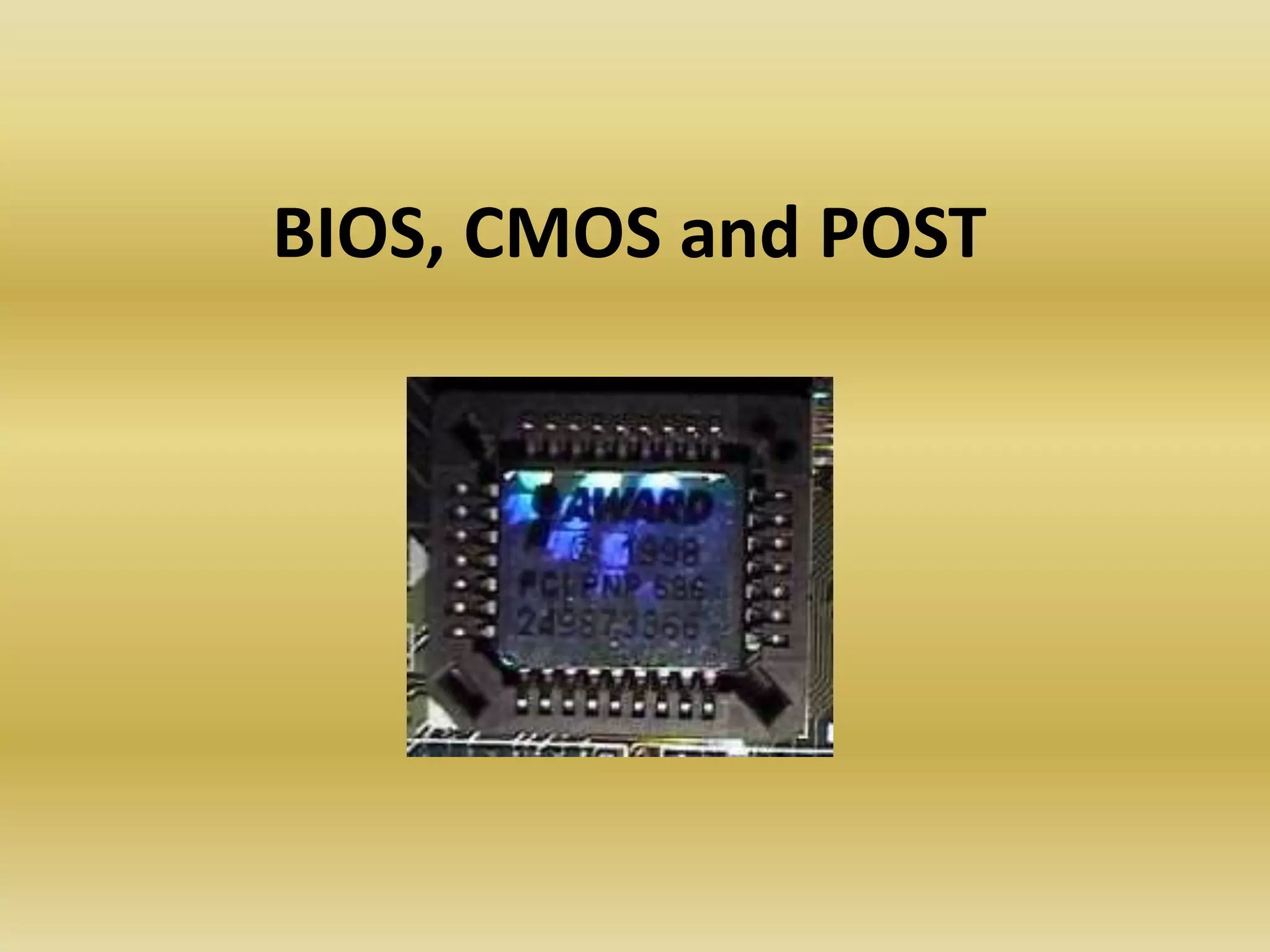
• BIOS is stored in ROM chips on the mainboard
• Some chips contain programs to support basic
hardware such as parallel and serial ports,
keyboard and the speaker
• Stores the CMOS (complementary metal-oxide
semiconductor) chip stores information that is
subject to change settings
• such as time/date, power saving settings, and
video adapter, hard drives and other device
settings
• CMOS settings can be changed in the CMOS
Setup
• BIOS settings are applied at every startup
• CMOS Settings can mostly be entered by pressing
the DEL or F2 key during startup (depends on
manufacturer, other key or key combinations might
apply)
• Most main boards have a "CMOS restore to factory
defaults“
• jumper which allows you to return to the default
CMOS settings configured by the manufacturer.
This is useful when you cannot access the CMOS
Setup because of incorrect CMOS settings or lost
CMOS passwords. Make sure the power is
completely off when you shorten the jumper.
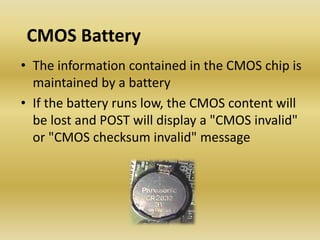
CMOS Battery
• The information contained in the CMOS chip is
maintained by a battery
• If the battery runs low, the CMOS content will
be lost and POST will display a "CMOS invalid"
or "CMOS checksum invalid" message
BIOS Upgrades
• Upgrading the BIOS is called flashing
• Most modern BIOSs are stored on flash
memory, this enables you to upgrade the
BIOS software when needed, in some cases
this is necessary to support new hardware
technologies/devices
• Some main boards allow replacing the BIOS
ROM, although this is not done often
POST
• During startup the BIOS also invokes The POST
(Power On Self Test)
• program that runs multiple self-diagnostic routines
• When the computer does not pass the POST it will
display an error code or message, or generate a
beep code through the speaker when display is not
functioning
• Failing the POST does not always mean the
computer will not be able to boot
• required devices that need to pass the POST are
CPU, RAM, display adapter and boot device
• but if the floppy drive is missing the computer
can still be able to continue the boot process
• The meaning of the beep codes vary
depending of the manufacturer
• Although most BIOS manufacturers started
using error text messages, some use numeric
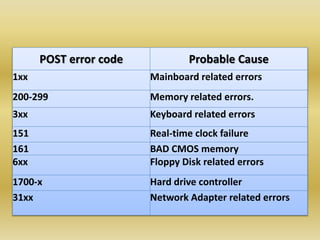
POST error codes. Some of them are listed
below:
POST error code Probable Cause
1xx Mainboard related errors
200-299 Memory related errors.
3xx Keyboard related errors
151 Real-time clock failure
161 BAD CMOS memory
6xx Floppy Disk related errors
1700-x Hard drive controller
31xx Network Adapter related errors
COMMON CMOS SETTINGS
• Floppy drives
• Hard drives
• Boot sequence
– This setting is used to determine in which order
devices (e.g. CD, floppy or hard disks) the computer
should look for a boot sector.
• Date/Time
– The Date and Time is set in the BIOS, stored in CMOS,
maintained by CMOS battery.
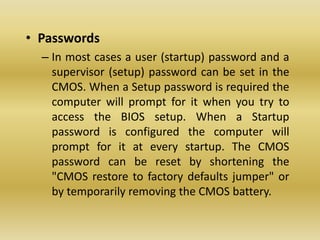
• Passwords
– In most cases a user (startup) password and a
supervisor (setup) password can be set in the
CMOS. When a Setup password is required the
computer will prompt for it when you try to
access the BIOS setup. When a Startup
password is configured the computer will
prompt for it at every startup. The CMOS
password can be reset by shortening the
"CMOS restore to factory defaults jumper" or
by temporarily removing the CMOS battery.

Bios, cmos and post

  • 1.
  • 2.
    BIOS • BIOS isshort for Basic Input/output System • This small program is used to startup the computer • communicate with hardware before an operating system is loaded • BIOS is stored in ROM chips on the mainboard • Some chips contain programs to support basic hardware such as parallel and serial ports, keyboard and the speaker
  • 3.
    • Stores theCMOS (complementary metal-oxide semiconductor) chip stores information that is subject to change settings • such as time/date, power saving settings, and video adapter, hard drives and other device settings • CMOS settings can be changed in the CMOS Setup • BIOS settings are applied at every startup
  • 4.
    • CMOS Settingscan mostly be entered by pressing the DEL or F2 key during startup (depends on manufacturer, other key or key combinations might apply) • Most main boards have a "CMOS restore to factory defaults“ • jumper which allows you to return to the default CMOS settings configured by the manufacturer. This is useful when you cannot access the CMOS Setup because of incorrect CMOS settings or lost CMOS passwords. Make sure the power is completely off when you shorten the jumper.
  • 5.
    CMOS Battery • Theinformation contained in the CMOS chip is maintained by a battery • If the battery runs low, the CMOS content will be lost and POST will display a "CMOS invalid" or "CMOS checksum invalid" message
  • 6.
    BIOS Upgrades • Upgradingthe BIOS is called flashing • Most modern BIOSs are stored on flash memory, this enables you to upgrade the BIOS software when needed, in some cases this is necessary to support new hardware technologies/devices • Some main boards allow replacing the BIOS ROM, although this is not done often
  • 7.
    POST • During startupthe BIOS also invokes The POST (Power On Self Test) • program that runs multiple self-diagnostic routines • When the computer does not pass the POST it will display an error code or message, or generate a beep code through the speaker when display is not functioning • Failing the POST does not always mean the computer will not be able to boot • required devices that need to pass the POST are CPU, RAM, display adapter and boot device
  • 8.
    • but ifthe floppy drive is missing the computer can still be able to continue the boot process • The meaning of the beep codes vary depending of the manufacturer • Although most BIOS manufacturers started using error text messages, some use numeric POST error codes. Some of them are listed below:
  • 9.
    POST error codeProbable Cause 1xx Mainboard related errors 200-299 Memory related errors. 3xx Keyboard related errors 151 Real-time clock failure 161 BAD CMOS memory 6xx Floppy Disk related errors 1700-x Hard drive controller 31xx Network Adapter related errors
  • 10.
    COMMON CMOS SETTINGS •Floppy drives • Hard drives • Boot sequence – This setting is used to determine in which order devices (e.g. CD, floppy or hard disks) the computer should look for a boot sector. • Date/Time – The Date and Time is set in the BIOS, stored in CMOS, maintained by CMOS battery.
  • 11.
    • Passwords – Inmost cases a user (startup) password and a supervisor (setup) password can be set in the CMOS. When a Setup password is required the computer will prompt for it when you try to access the BIOS setup. When a Startup password is configured the computer will prompt for it at every startup. The CMOS password can be reset by shortening the "CMOS restore to factory defaults jumper" or by temporarily removing the CMOS battery.