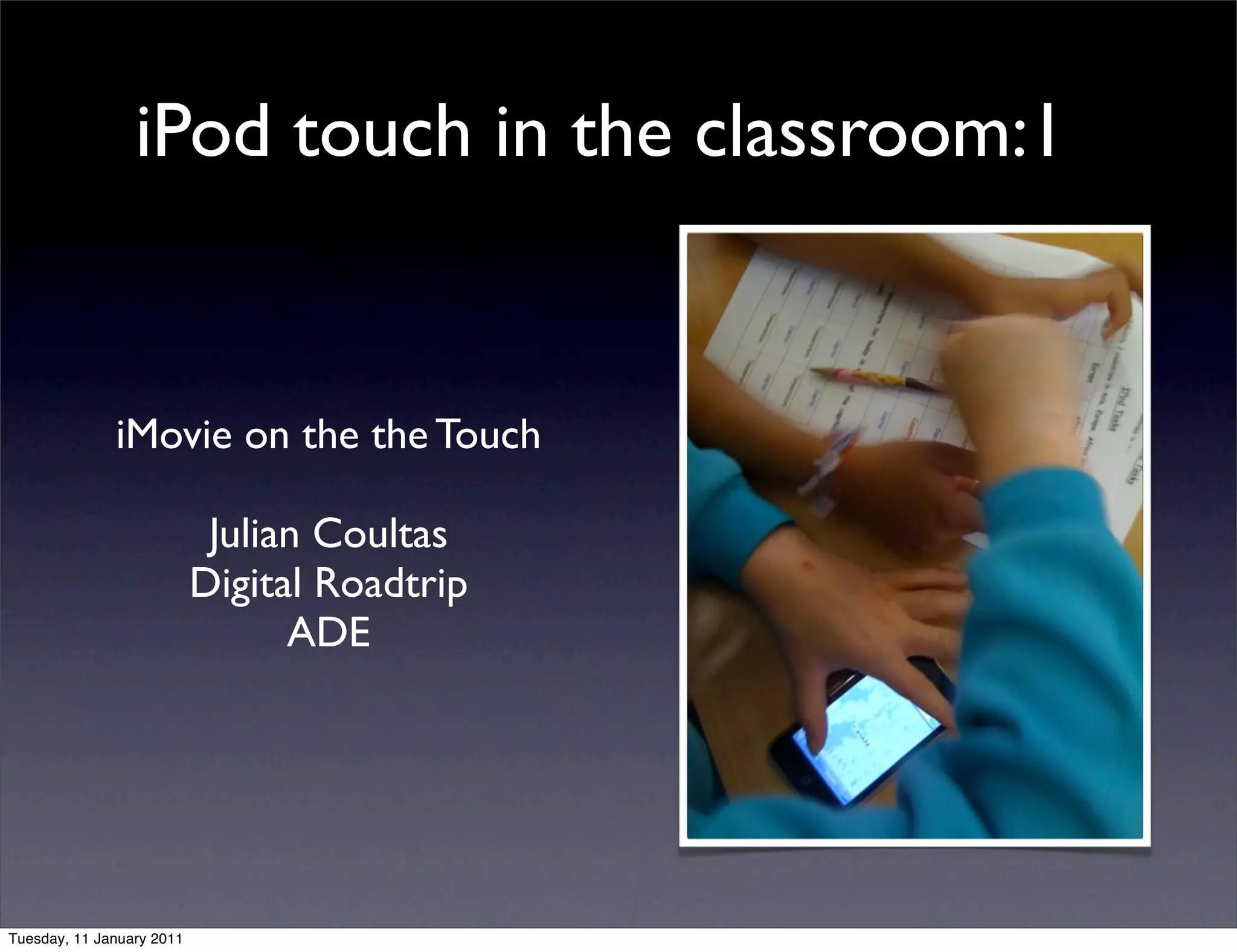
iPod touch in the classroom:1


              iMovie on the the Touch

                            Julian Coultas
                           Digital Roadtrip
                                 ADE


Tuesday, 11 January 2011
Cost of the iPod touch


Tuesday, 11 January 2011
Cost of the iPod touch
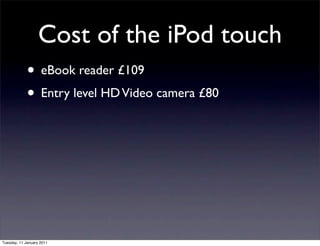
             • eBook reader £109


Tuesday, 11 January 2011
Cost of the iPod touch
             • eBook reader £109
             • Entry level HD Video camera £80


Tuesday, 11 January 2011
Cost of the iPod touch
             • eBook reader £109
             • Entry level HD Video camera £80
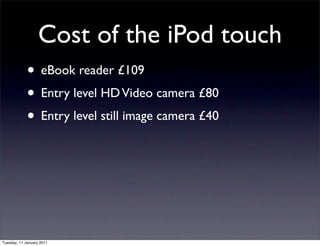
             • Entry level still image camera £40


Tuesday, 11 January 2011
Cost of the iPod touch
             • eBook reader £109
             • Entry level HD Video camera £80
             • Entry level still image camera £40
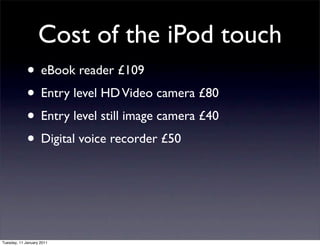
             • Digital voice recorder £50


Tuesday, 11 January 2011
Cost of the iPod touch
             • eBook reader £109
             • Entry level HD Video camera £80
             • Entry level still image camera £40
             • Digital voice recorder £50
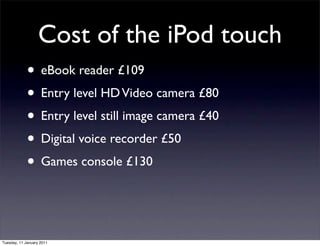
             • Games console £130


Tuesday, 11 January 2011
Cost of the iPod touch
             • eBook reader £109
             • Entry level HD Video camera £80
             • Entry level still image camera £40
             • Digital voice recorder £50
             • Games console £130
             • Possible total £.... a lot more than an iPod touch
Tuesday, 11 January 2011
Cost of the iPod touch
             • eBook reader £109
             • Entry level HD Video camera £80
             • Entry level still image camera £40
             • Digital voice recorder £50
             • Games console £130
             • Possible total £.... a lot more than an iPod touch
             • And one more thing......What about apps?......
Tuesday, 11 January 2011
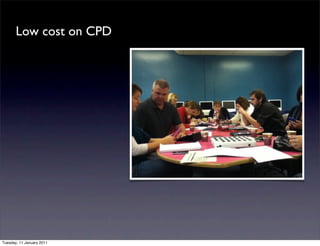
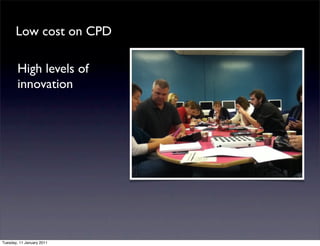
Low cost on CPD


Tuesday, 11 January 2011
Low cost on CPD

        High levels of
        innovation


Tuesday, 11 January 2011
Low cost on CPD

        High levels of
        innovation

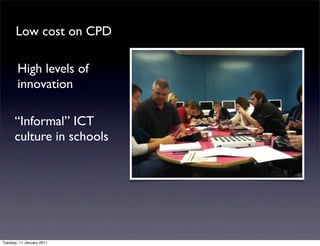
      “Informal” ICT
      culture in schools


Tuesday, 11 January 2011
Low cost on CPD

        High levels of
        innovation

      “Informal” ICT
      culture in schools


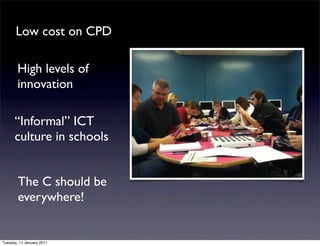
        The C should be
        everywhere!


Tuesday, 11 January 2011
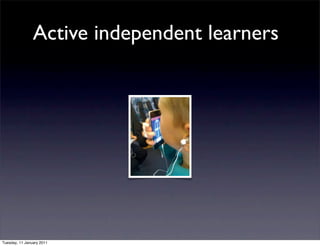
Active independent learners


Tuesday, 11 January 2011
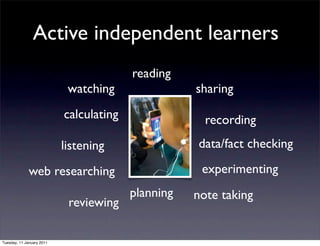
Active independent learners
                                         reading
                            watching                sharing
                           calculating                recording
                           listening                data/fact checking

              web researching                        experimenting
                                         planning   note taking
                            reviewing

Tuesday, 11 January 2011
iPod touch iMovie projects


Tuesday, 11 January 2011
iPod touch iMovie projects

                    • shoot, trim and combine clips


Tuesday, 11 January 2011
iPod touch iMovie projects

                    • shoot, trim and combine clips
                    • add still images


Tuesday, 11 January 2011
iPod touch iMovie projects

                    • shoot, trim and combine clips
                    • add still images
                    • combine music


Tuesday, 11 January 2011
iPod touch iMovie projects

                    • shoot, trim and combine clips
                    • add still images
                    • combine music
                    • add text


Tuesday, 11 January 2011
iPod touch iMovie projects

                    • shoot, trim and combine clips
                    • add still images
                    • combine music
                    • add text
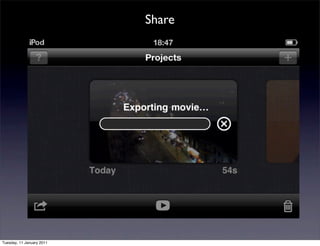
                    • share

Tuesday, 11 January 2011
Demo
                             You’ve returned from a field trip taking
                           pictures exploring the rules of photography

                           Choose 3 pictures and explain “on camera
                                   why you like each image

                                        Mail to teacher
                                               or
                                         sync back via


Tuesday, 11 January 2011
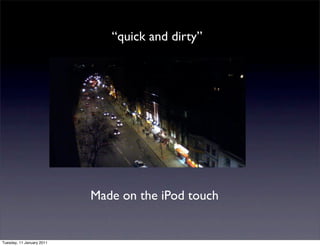
“quick and dirty”


                           Made on the iPod touch


Tuesday, 11 January 2011
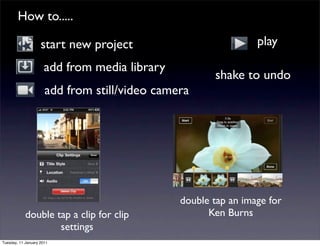
How to.....

                    start new project                           play
                      add from media library
                                                      shake to undo
                      add from still/video camera


                                               double tap an image for
            double tap a clip for clip               Ken Burns
                    settings
Tuesday, 11 January 2011
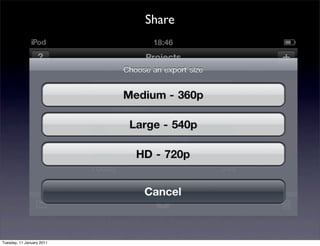
Share


Tuesday, 11 January 2011
Share


Tuesday, 11 January 2011
Share


Tuesday, 11 January 2011
5 iMovie Golden Nuggets on the Touch


Tuesday, 11 January 2011
5 iMovie Golden Nuggets on the Touch


      1. Use export and re-import to put text over stills or
      to include more than one audio track.


Tuesday, 11 January 2011
5 iMovie Golden Nuggets on the Touch


      1. Use export and re-import to put text over stills or
      to include more than one audio track.

      2. Shoot with lens cap “closed” for black slates


Tuesday, 11 January 2011
5 iMovie Golden Nuggets on the Touch


      1. Use export and re-import to put text over stills or
      to include more than one audio track.

      2. Shoot with lens cap “closed” for black slates

     3. Sync a set of sound effects from iTunes as a playlist


Tuesday, 11 January 2011
5 iMovie Golden Nuggets on the Touch


      1. Use export and re-import to put text over stills or
      to include more than one audio track.

      2. Shoot with lens cap “closed” for black slates

     3. Sync a set of sound effects from iTunes as a playlist
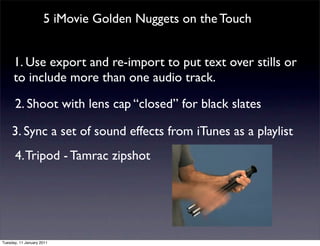
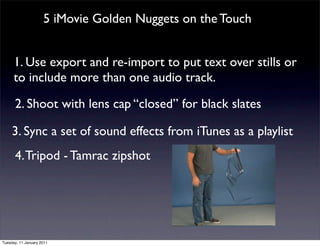
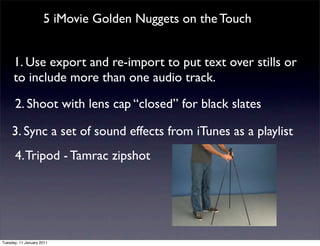
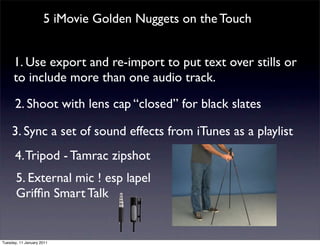
      4. Tripod - Tamrac zipshot


Tuesday, 11 January 2011
5 iMovie Golden Nuggets on the Touch


      1. Use export and re-import to put text over stills or
      to include more than one audio track.

      2. Shoot with lens cap “closed” for black slates

     3. Sync a set of sound effects from iTunes as a playlist
      4. Tripod - Tamrac zipshot


Tuesday, 11 January 2011
5 iMovie Golden Nuggets on the Touch


      1. Use export and re-import to put text over stills or
      to include more than one audio track.

      2. Shoot with lens cap “closed” for black slates

     3. Sync a set of sound effects from iTunes as a playlist
      4. Tripod - Tamrac zipshot


Tuesday, 11 January 2011
5 iMovie Golden Nuggets on the Touch


      1. Use export and re-import to put text over stills or
      to include more than one audio track.

      2. Shoot with lens cap “closed” for black slates

     3. Sync a set of sound effects from iTunes as a playlist
      4. Tripod - Tamrac zipshot


Tuesday, 11 January 2011
5 iMovie Golden Nuggets on the Touch


      1. Use export and re-import to put text over stills or
      to include more than one audio track.

      2. Shoot with lens cap “closed” for black slates

     3. Sync a set of sound effects from iTunes as a playlist
      4. Tripod - Tamrac zipshot
       5. External mic ! esp lapel
       Griffin Smart Talk


Tuesday, 11 January 2011
Content Creation
                      “use the great tools in iLife,
                 innovative apps on the Touch and iPad
                             author in Pages
                     and sync back to iPad/Touch”


Tuesday, 11 January 2011
Summary

                    • iPod touch is the catalyst for innovation
                    • Cost effective tools
                    • Cost effective CPD
                    • iMovie app key part of C21 tool kit

Tuesday, 11 January 2011
Julian’s “on trend app”
                               tip.....

                                         Touch
                               generated content to ePub


                    • http://images.apple.com/support/pages/
                           docs/ePub_Best_Practices_EN.zip


Tuesday, 11 January 2011
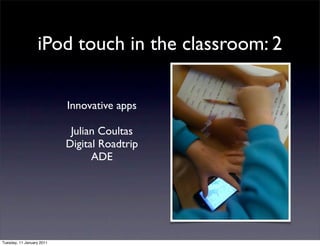
iPod touch in the classroom: 2

                           Innovative apps

                            Julian Coultas
                           Digital Roadtrip
                                 ADE


Tuesday, 11 January 2011
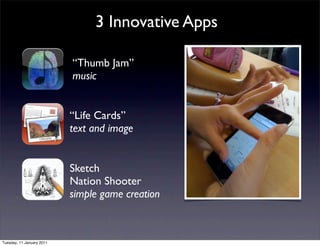
3 Innovative Apps

                           “Thumb Jam”
                           music


                           “Life Cards”
                           text and image


                           Sketch
                           Nation Shooter
                           simple game creation


Tuesday, 11 January 2011
apps = innovation


Tuesday, 11 January 2011
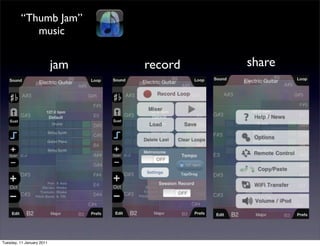
“Thumb Jam”
            music


                           jam   record   share


Tuesday, 11 January 2011
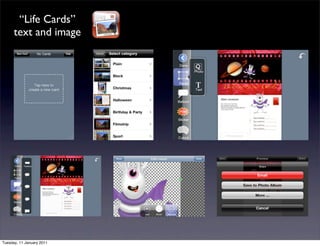
“Life Cards”
      text and image


Tuesday, 11 January 2011
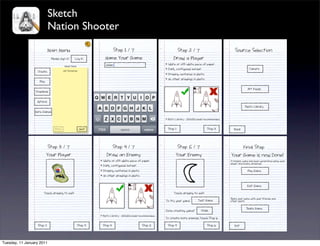
Sketch
                           Nation Shooter


Tuesday, 11 January 2011
Summary

                    • The touch is a great content creation tool
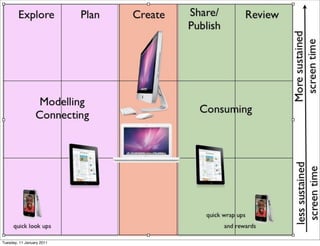
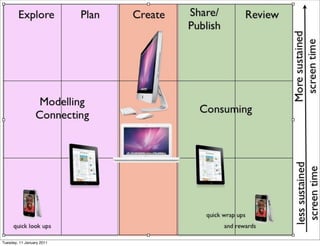
                    • Research, planning, and “wrap ups”
                    • “Capture” video, audio, still image, web, text
                    • The touch opens the door to innovation
                    • Take the pressure of ICT suites - a
                           supplement not a replacement


Tuesday, 11 January 2011
Julian’s “on trend app”
                               tip.....
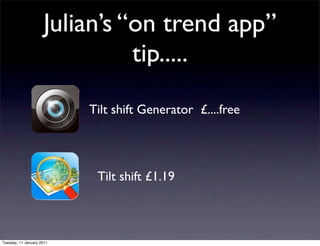
                           Tilt shift Generator £....free


                            Tilt shift £1.19


Tuesday, 11 January 2011
50 Amazing Examples of Tilt-Shift Photography


Tuesday, 11 January 2011
50 Amazing Examples of Tilt-Shift Photography


Tuesday, 11 January 2011
50 Amazing Examples of Tilt-Shift Photography


Tuesday, 11 January 2011
50 Amazing Examples of Tilt-Shift Photography


Tuesday, 11 January 2011
50 Amazing Examples of Tilt-Shift Photography


Tuesday, 11 January 2011
50 Amazing Examples of Tilt-Shift Photography


Tuesday, 11 January 2011
50 Amazing Examples of Tilt-Shift Photography


Tuesday, 11 January 2011
Apple Teacher Institute 2011

           Cheltenham College,
           Gloucestershire
           18 - 21 April 2011

Tuesday, 11 January 2011

Bett 2011 draft vers2

  • 1.
    iPod touch inthe classroom:1 iMovie on the the Touch Julian Coultas Digital Roadtrip ADE Tuesday, 11 January 2011
  • 2.
    Cost of theiPod touch Tuesday, 11 January 2011
  • 3.
    Cost of theiPod touch • eBook reader £109 Tuesday, 11 January 2011
  • 4.
    Cost of theiPod touch • eBook reader £109 • Entry level HD Video camera £80 Tuesday, 11 January 2011
  • 5.
    Cost of theiPod touch • eBook reader £109 • Entry level HD Video camera £80 • Entry level still image camera £40 Tuesday, 11 January 2011
  • 6.
    Cost of theiPod touch • eBook reader £109 • Entry level HD Video camera £80 • Entry level still image camera £40 • Digital voice recorder £50 Tuesday, 11 January 2011
  • 7.
    Cost of theiPod touch • eBook reader £109 • Entry level HD Video camera £80 • Entry level still image camera £40 • Digital voice recorder £50 • Games console £130 Tuesday, 11 January 2011
  • 8.
    Cost of theiPod touch • eBook reader £109 • Entry level HD Video camera £80 • Entry level still image camera £40 • Digital voice recorder £50 • Games console £130 • Possible total £.... a lot more than an iPod touch Tuesday, 11 January 2011
  • 9.
    Cost of theiPod touch • eBook reader £109 • Entry level HD Video camera £80 • Entry level still image camera £40 • Digital voice recorder £50 • Games console £130 • Possible total £.... a lot more than an iPod touch • And one more thing......What about apps?...... Tuesday, 11 January 2011
  • 10.
  • 11.
    Low cost onCPD Tuesday, 11 January 2011
  • 12.
    Low cost onCPD High levels of innovation Tuesday, 11 January 2011
  • 13.
    Low cost onCPD High levels of innovation “Informal” ICT culture in schools Tuesday, 11 January 2011
  • 14.
    Low cost onCPD High levels of innovation “Informal” ICT culture in schools The C should be everywhere! Tuesday, 11 January 2011
  • 15.
  • 16.
    Active independent learners reading watching sharing calculating recording listening data/fact checking web researching experimenting planning note taking reviewing Tuesday, 11 January 2011
  • 17.
  • 18.
    iPod touch iMovieprojects Tuesday, 11 January 2011
  • 19.
    iPod touch iMovieprojects • shoot, trim and combine clips Tuesday, 11 January 2011
  • 20.
    iPod touch iMovieprojects • shoot, trim and combine clips • add still images Tuesday, 11 January 2011
  • 21.
    iPod touch iMovieprojects • shoot, trim and combine clips • add still images • combine music Tuesday, 11 January 2011
  • 22.
    iPod touch iMovieprojects • shoot, trim and combine clips • add still images • combine music • add text Tuesday, 11 January 2011
  • 23.
    iPod touch iMovieprojects • shoot, trim and combine clips • add still images • combine music • add text • share Tuesday, 11 January 2011
  • 24.
    Demo You’ve returned from a field trip taking pictures exploring the rules of photography Choose 3 pictures and explain “on camera why you like each image Mail to teacher or sync back via Tuesday, 11 January 2011
  • 25.
    “quick and dirty” Made on the iPod touch Tuesday, 11 January 2011
  • 26.
    How to..... start new project play add from media library shake to undo add from still/video camera double tap an image for double tap a clip for clip Ken Burns settings Tuesday, 11 January 2011
  • 27.
  • 28.
  • 29.
  • 30.
    5 iMovie GoldenNuggets on the Touch Tuesday, 11 January 2011
  • 31.
    5 iMovie GoldenNuggets on the Touch 1. Use export and re-import to put text over stills or to include more than one audio track. Tuesday, 11 January 2011
  • 32.
    5 iMovie GoldenNuggets on the Touch 1. Use export and re-import to put text over stills or to include more than one audio track. 2. Shoot with lens cap “closed” for black slates Tuesday, 11 January 2011
  • 33.
    5 iMovie GoldenNuggets on the Touch 1. Use export and re-import to put text over stills or to include more than one audio track. 2. Shoot with lens cap “closed” for black slates 3. Sync a set of sound effects from iTunes as a playlist Tuesday, 11 January 2011
  • 34.
    5 iMovie GoldenNuggets on the Touch 1. Use export and re-import to put text over stills or to include more than one audio track. 2. Shoot with lens cap “closed” for black slates 3. Sync a set of sound effects from iTunes as a playlist 4. Tripod - Tamrac zipshot Tuesday, 11 January 2011
  • 35.
    5 iMovie GoldenNuggets on the Touch 1. Use export and re-import to put text over stills or to include more than one audio track. 2. Shoot with lens cap “closed” for black slates 3. Sync a set of sound effects from iTunes as a playlist 4. Tripod - Tamrac zipshot Tuesday, 11 January 2011
  • 36.
    5 iMovie GoldenNuggets on the Touch 1. Use export and re-import to put text over stills or to include more than one audio track. 2. Shoot with lens cap “closed” for black slates 3. Sync a set of sound effects from iTunes as a playlist 4. Tripod - Tamrac zipshot Tuesday, 11 January 2011
  • 37.
    5 iMovie GoldenNuggets on the Touch 1. Use export and re-import to put text over stills or to include more than one audio track. 2. Shoot with lens cap “closed” for black slates 3. Sync a set of sound effects from iTunes as a playlist 4. Tripod - Tamrac zipshot Tuesday, 11 January 2011
  • 38.
    5 iMovie GoldenNuggets on the Touch 1. Use export and re-import to put text over stills or to include more than one audio track. 2. Shoot with lens cap “closed” for black slates 3. Sync a set of sound effects from iTunes as a playlist 4. Tripod - Tamrac zipshot 5. External mic ! esp lapel Griffin Smart Talk Tuesday, 11 January 2011
  • 39.
    Content Creation “use the great tools in iLife, innovative apps on the Touch and iPad author in Pages and sync back to iPad/Touch” Tuesday, 11 January 2011
  • 40.
    Summary • iPod touch is the catalyst for innovation • Cost effective tools • Cost effective CPD • iMovie app key part of C21 tool kit Tuesday, 11 January 2011
  • 41.
    Julian’s “on trendapp” tip..... Touch generated content to ePub • http://images.apple.com/support/pages/ docs/ePub_Best_Practices_EN.zip Tuesday, 11 January 2011
  • 42.
    iPod touch inthe classroom: 2 Innovative apps Julian Coultas Digital Roadtrip ADE Tuesday, 11 January 2011
  • 43.
  • 44.
    3 Innovative Apps “Thumb Jam” music “Life Cards” text and image Sketch Nation Shooter simple game creation Tuesday, 11 January 2011
  • 45.
  • 46.
    “Thumb Jam” music jam record share Tuesday, 11 January 2011
  • 47.
    “Life Cards” text and image Tuesday, 11 January 2011
  • 48.
    Sketch Nation Shooter Tuesday, 11 January 2011
  • 49.
    Summary • The touch is a great content creation tool • Research, planning, and “wrap ups” • “Capture” video, audio, still image, web, text • The touch opens the door to innovation • Take the pressure of ICT suites - a supplement not a replacement Tuesday, 11 January 2011
  • 50.
    Julian’s “on trendapp” tip..... Tilt shift Generator £....free Tilt shift £1.19 Tuesday, 11 January 2011
  • 51.
  • 52.
    50 Amazing Examplesof Tilt-Shift Photography Tuesday, 11 January 2011
  • 53.
    50 Amazing Examplesof Tilt-Shift Photography Tuesday, 11 January 2011
  • 54.
    50 Amazing Examplesof Tilt-Shift Photography Tuesday, 11 January 2011
  • 55.
    50 Amazing Examplesof Tilt-Shift Photography Tuesday, 11 January 2011
  • 56.
    50 Amazing Examplesof Tilt-Shift Photography Tuesday, 11 January 2011
  • 57.
    50 Amazing Examplesof Tilt-Shift Photography Tuesday, 11 January 2011
  • 58.
    50 Amazing Examplesof Tilt-Shift Photography Tuesday, 11 January 2011
  • 59.
    Apple Teacher Institute2011 Cheltenham College, Gloucestershire 18 - 21 April 2011 Tuesday, 11 January 2011