Beginner's Python
Cheat Sheet
Variables and Strings
Variables are used to store values. A string is a series of
characters, surrounded by single or double quotes.
Hello world
print("Hello world!")
Hello world with a variable
msg = "Hello world!"
print(msg)
f-strings (using variables in strings)
first_name = 'albert'
last_name = 'einstein'
full_name = f"{first_name} {last_name}"
print(full_name)
Lists
A list stores a series of items in a particular order. You
access items using an index, or within a loop.
Make a list
bikes = ['trek', 'redline', 'giant']
Get the first item in a list
first_bike = bikes[0]
Get the last item in a list
last_bike = bikes[-1]
Looping through a list
for bike in bikes:
print(bike)
Adding items to a list
bikes = []
bikes.append('trek')
bikes.append('redline')
bikes.append('giant')
Making numerical lists
squares = []
for x in range(1, 11):
squares.append(x**2)
Lists (cont.)
List comprehensions
squares = [x**2 for x in range(1, 11)]
Slicing a list
finishers = ['sam', 'bob', 'ada', 'bea']
first_two = finishers[:2]
Copying a list
copy_of_bikes = bikes[:]
Tuples
Tuples are similar to lists, but the items in a tuple can't be
modified.
Making a tuple
dimensions = (1920, 1080)
If statements
If statements are used to test for particular conditions and
respond appropriately.
Conditional tests
equals x == 42
not equal x != 42
greater than x > 42
or equal to x >= 42
less than x < 42
or equal to x <= 42
Conditional test with lists
'trek' in bikes
'surly' not in bikes
Assigning boolean values
game_active = True
can_edit = False
A simple if test
if age >= 18:
print("You can vote!")
If-elif-else statements
if age < 4:
ticket_price = 0
elif age < 18:
ticket_price = 10
else:
ticket_price = 15
Python Crash Course
A Hands-On, Project-Based
Introduction to Programming
nostarch.com/pythoncrashcourse2e
Dictionaries
Dictionaries store connections between pieces of
information. Each item in a dictionary is a key-value pair.
A simple dictionary
alien = {'color': 'green', 'points': 5}
Accessing a value
print(f"The alien's color is {alien['color']}")
Adding a new key-value pair
alien['x_position'] = 0
Looping through all key-value pairs
fav_numbers = {'eric': 17, 'ever': 4}
for name, number in fav_numbers.items():
print(f"{name} loves {number}")
Looping through all keys
fav_numbers = {'eric': 17, 'ever': 4}
for name in fav_numbers.keys():
print(f"{name} loves a number")
Looping through all the values
fav_numbers = {'eric': 17, 'ever': 4}
for number in fav_numbers.values():
print(f"{number} is a favorite")
User input
Your programs can prompt the user for input. All input is
stored as a string.
Prompting for a value
name = input("What's your name? ")
print(f"Hello, {name}!")
Prompting for numerical input
age = input("How old are you? ")
age = int(age)
pi = input("What's the value of pi? ")
pi = float(pi)
While loops
A while loop repeats a block of code as long as a certain
condition is true.
A simple while loop
current_value = 1
while current_value <= 5:
print(current_value)
current_value += 1
Letting the user choose when to quit
msg = ''
while msg != 'quit':
msg = input("What's your message? ")
print(msg)
Classes
A class defines the behavior of an object and the kind of
information an object can store. The information in a class
is stored in attributes, and functions that belong to a class
are called methods. A child class inherits the attributes and
methods from its parent class.
Creating a dog class
class Dog():
"""Represent a dog."""
def __init__(self, name):
"""Initialize dog object."""
self.name = name
def sit(self):
"""Simulate sitting."""
print(f"{self.name} is sitting.")
my_dog = Dog('Peso')
print(f"{my_dog.name} is a great dog!")
my_dog.sit()
Inheritance
class SARDog(Dog):
"""Represent a search dog."""
def __init__(self, name):
"""Initialize the sardog."""
super().__init__(name)
def search(self):
"""Simulate searching."""
print(f"{self.name} is searching.")
my_dog = SARDog('Willie')
print(f"{my_dog.name} is a search dog.")
my_dog.sit()
my_dog.search()
Working with files
Your programs can read from files and write to files. Files
are opened in read mode ('r') by default, but can also be
opened in write mode ('w') and append mode ('a').
Reading a file and storing its lines
filename = 'siddhartha.txt'
with open(filename) as file_object:
lines = file_object.readlines()
for line in lines:
print(line)
Writing to a file
filename = 'journal.txt'
with open(filename, 'w') as file_object:
file_object.write("I love programming.")
Appending to a file
filename = 'journal.txt'
with open(filename, 'a') as file_object:
file_object.write("nI love making games.")
Exceptions
Exceptions help you respond appropriately to errors that
are likely to occur. You place code that might cause an
error in the try block. Code that should run in response to
an error goes in the except block. Code that should run only
if the try block was successful goes in the else block.
Catching an exception
prompt = "How many tickets do you need? "
num_tickets = input(prompt)
try:
num_tickets = int(num_tickets)
except ValueError:
print("Please try again.")
else:
print("Your tickets are printing.")
Functions
Functions are named blocks of code, designed to do one
specific job. Information passed to a function is called an
argument, and information received by a function is called a
parameter.
A simple function
def greet_user():
"""Display a simple greeting."""
print("Hello!")
greet_user()
Passing an argument
def greet_user(username):
"""Display a personalized greeting."""
print(f"Hello, {username}!")
greet_user('jesse')
Default values for parameters
def make_pizza(topping='bacon'):
"""Make a single-topping pizza."""
print(f"Have a {topping} pizza!")
make_pizza()
make_pizza('pepperoni')
Returning a value
def add_numbers(x, y):
"""Add two numbers and return the sum."""
return x + y
sum = add_numbers(3, 5)
print(sum)
More cheat sheets available at
ehmatthes.github.io/pcc_2e/
Infinite Skills
If you had infinite programming skills, what would you
build?
As you're learning to program, it's helpful to think
about the real-world projects you'd like to create. It's
a good habit to keep an "ideas" notebook that you
can refer to whenever you want to start a new project.
If you haven't done so already, take a few minutes
and describe three projects you'd like to create.
Zen of Python
Simple is better than complex
If you have a choice between a simple and a complex
solution, and both work, use the simple solution. Your
code will be easier to maintain, and it will be easier
for you and others to build on that code later on.
Beginner's Python
Cheat Sheet - Lists
Defining a list
Use square brackets to define a list, and use commas to
separate individual items in the list. Use plural names for
lists, to make your code easier to read.
Making a list
users = ['val', 'bob', 'mia', 'ron', 'ned']
Adding elements
You can add elements to the end of a list, or you can insert
them wherever you like in a list.
Adding an element to the end of the list
users.append('amy')
Starting with an empty list
users = []
users.append('val')
users.append('bob')
users.append('mia')
Inserting elements at a particular position
users.insert(0, 'joe')
users.insert(3, 'bea')
Python Crash Course
A Hands-On, Project-Based
Introduction to Programming
nostarch.com/pythoncrashcourse2e
Sorting a list
The sort() method changes the order of a list
permanently. The sorted() function returns a copy of the
list, leaving the original list unchanged. You can sort the
items in a list in alphabetical order, or reverse alphabetical
order. You can also reverse the original order of the list.
Keep in mind that lowercase and uppercase letters may
affect the sort order.
Sorting a list permanently
users.sort()
Sorting a list permanently in reverse alphabetical
order
users.sort(reverse=True)
Sorting a list temporarily
print(sorted(users))
print(sorted(users, reverse=True))
Reversing the order of a list
users.reverse()
What are lists?
A list stores a series of items in a particular order.
Lists allow you to store sets of information in one
place, whether you have just a few items or millions
of items. Lists are one of Python's most powerful
features readily accessible to new programmers, and
they tie together many important concepts in
programming.
Accessing elements
Individual elements in a list are accessed according to their
position, called the index. The index of the first element is
0, the index of the second element is 1, and so forth.
Negative indices refer to items at the end of the list. To get
a particular element, write the name of the list and then the
index of the element in square brackets.
Getting the first element
first_user = users[0]
Getting the second element
second_user = users[1]
Getting the last element
newest_user = users[-1]
Modifying individual items
Once you've defined a list, you can change individual
elements in the list. You do this by referring to the index of
the item you want to modify.
Changing an element
users[0] = 'valerie'
users[-2] = 'ronald'
Removing elements
You can remove elements by their position in a list, or by
the value of the item. If you remove an item by its value,
Python removes only the first item that has that value.
Deleting an element by its position
del users[-1]
Removing an item by its value
users.remove('mia')
Popping elements
If you want to work with an element that you're removing
from the list, you can "pop" the element. If you think of the
list as a stack of items, pop() takes an item off the top of
the stack. By default pop() returns the last element in the
list, but you can also pop elements from any position in the
list.
Pop the last item from a list
most_recent_user = users.pop()
print(most_recent_user)
Pop the first item in a list
first_user = users.pop(0)
print(first_user)
Looping through a list
Lists can contain millions of items, so Python provides an
efficient way to loop through all the items in a list. When
you set up a loop, Python pulls each item from the list one
at a time and stores it in a temporary variable, which you
provide a name for. This name should be the singular
version of the list name.
The indented block of code makes up the body of the
loop, where you can work with each individual item. Any
lines that are not indented run after the loop is completed.
Printing all items in a list
for user in users:
print(user)
Printing a message for each item, and a separate
message afterwards
for user in users:
print(f"Welcome, {user}!")
print("Welcome, we're glad to see you all!")
List length
The len() function returns the number of items in a list.
Find the length of a list
num_users = len(users)
print(f"We have {num_users} users.")
The range() function
You can use the range() function to work with a set of
numbers efficiently. The range() function starts at 0 by
default, and stops one number below the number passed to
it. You can use the list() function to efficiently generate a
large list of numbers.
Printing the numbers 0 to 1000
for number in range(1001):
print(number)
Printing the numbers 1 to 1000
for number in range(1, 1001):
print(number)
Making a list of numbers from 1 to a million
numbers = list(range(1, 1000001))
Copying a list
To copy a list make a slice that starts at the first item and
ends at the last item. If you try to copy a list without using
this approach, whatever you do to the copied list will affect
the original list as well.
Making a copy of a list
finishers = ['kai', 'abe', 'ada', 'gus', 'zoe']
copy_of_finishers = finishers[:]
More cheat sheets available at
ehmatthes.github.io/pcc_2e/
Styling your code
Readability counts
• Use four spaces per indentation level.
• Keep your lines to 79 characters or fewer.
• Use single blank lines to group parts of your
program visually.
Simple statistics
There are a number of simple statistical operations you can
run on a list containing numerical data.
Finding the minimum value in a list
ages = [93, 99, 66, 17, 85, 1, 35, 82, 2, 77]
youngest = min(ages)
Finding the maximum value
ages = [93, 99, 66, 17, 85, 1, 35, 82, 2, 77]
oldest = max(ages)
Finding the sum of all values
ages = [93, 99, 66, 17, 85, 1, 35, 82, 2, 77]
total_years = sum(ages)
List comprehensions
You can use a loop to generate a list based on a range of
numbers or on another list. This is a common operation, so
Python offers a more efficient way to do it. List
comprehensions may look complicated at first; if so, use the
for loop approach until you're ready to start using
comprehensions.
To write a comprehension, define an expression for the
values you want to store in the list. Then write a for loop to
generate input values needed to make the list.
Using a loop to generate a list of square numbers
squares = []
for x in range(1, 11):
square = x**2
squares.append(square)
Using a comprehension to generate a list of square
numbers
squares = [x**2 for x in range(1, 11)]
Using a loop to convert a list of names to upper case
names = ['kai', 'abe', 'ada', 'gus', 'zoe']
upper_names = []
for name in names:
upper_names.append(name.upper())
Using a comprehension to convert a list of names to
upper case
names = ['kai', 'abe', 'ada', 'gus', 'zoe']
upper_names = [name.upper() for name in names]
Slicing a list
You can work with any set of elements from a list. A portion
of a list is called a slice. To slice a list start with the index of
the first item you want, then add a colon and the index after
the last item you want. Leave off the first index to start at
the beginning of the list, and leave off the last index to slice
through the end of the list.
Getting the first three items
finishers = ['kai', 'abe', 'ada', 'gus', 'zoe']
first_three = finishers[:3]
Getting the middle three items
middle_three = finishers[1:4]
Getting the last three items
last_three = finishers[-3:]
Tuples
A tuple is like a list, except you can't change the values in a
tuple once it's defined. Tuples are good for storing
information that shouldn't be changed throughout the life of
a program. Tuples are usually designated by parentheses.
(You can overwrite an entire tuple, but you can't change the
individual elements in a tuple.)
Defining a tuple
dimensions = (800, 600)
Looping through a tuple
for dimension in dimensions:
print(dimension)
Overwriting a tuple
dimensions = (800, 600)
print(dimensions)
dimensions = (1200, 900)
Visualizing your code
When you're first learning about data structures such as
lists, it helps to visualize how Python is working with the
information in your program. pythontutor.com is a great tool
for seeing how Python keeps track of the information in a
list. Try running the following code on pythontutor.com, and
then run your own code.
Build a list and print the items in the list
dogs = []
dogs.append('willie')
dogs.append('hootz')
dogs.append('peso')
dogs.append('goblin')
for dog in dogs:
print(f"Hello {dog}!")
print("I love these dogs!")
print("nThese were my first two dogs:")
old_dogs = dogs[:2]
for old_dog in old_dogs:
print(old_dog)
del dogs[0]
dogs.remove('peso')
print(dogs)
Beginner's Python
Cheat Sheet –
Dictionaries
Defining a dictionary
Use curly braces to define a dictionary. Use colons to
connect keys and values, and use commas to separate
individual key-value pairs.
Making a dictionary
alien_0 = {'color': 'green', 'points': 5}
Python Crash Course
A Hands-On, Project-Based
Introduction to Programming
nostarch.com/pythoncrashcourse2e
Looping through a dictionary
You can loop through a dictionary in three ways: you can
loop through all the key-value pairs, all the keys, or all the
values.
Dictionaries keep track of the order in which key-value
pairs are added. If you want to process the information in a
different order, you can sort the keys in your loop.
Looping through all key-value pairs
# Store people's favorite languages.
fav_languages = {
'jen': 'python',
'sarah': 'c',
'edward': 'ruby',
'phil': 'python',
}
# Show each person's favorite language.
for name, language in fav_languages.items():
print(f"{name}: {language}")
Looping through all the keys
# Show everyone who's taken the survey.
for name in fav_languages.keys():
print(name)
Looping through all the values
# Show all the languages that have been chosen.
for language in fav_languages.values():
print(language)
Looping through all the keys in reverse order
# Show each person's favorite language,
# in reverse order by the person's name.
for name in sorted(fav_languages.keys(),
reverse=True):
print(f"{name}: language")
What are dictionaries?
Python's dictionaries allow you to connect pieces of
related information. Each piece of information in a
dictionary is stored as a key-value pair. When you
provide a key, Python returns the value associated
with that key. You can loop through all the key-value
pairs, all the keys, or all the values.
Accessing values
To access the value associated with an individual key give
the name of the dictionary and then place the key in a set of
square brackets. If the key you're asking for is not in the
dictionary, an error will occur.
You can also use the get() method, which returns None
instead of an error if the key doesn't exist. You can also
specify a default value to use if the key is not in the
dictionary.
Getting the value associated with a key
alien_0 = {'color': 'green', 'points': 5}
print(alien_0['color'])
print(alien_0['points'])
Getting the value with get()
alien_0 = {'color': 'green'}
alien_color = alien_0.get('color')
alien_points = alien_0.get('points', 0)
print(alien_color)
print(alien_points)
Modifying values
You can modify the value associated with any key in a
dictionary. To do so give the name of the dictionary and
enclose the key in square brackets, then provide the new
value for that key.
Modifying values in a dictionary
alien_0 = {'color': 'green', 'points': 5}
print(alien_0)
# Change the alien's color and point value.
alien_0['color'] = 'yellow'
alien_0['points'] = 10
print(alien_0)
Removing key-value pairs
You can remove any key-value pair you want from a
dictionary. To do so use the del keyword and the dictionary
name, followed by the key in square brackets. This will
delete the key and its associated value.
Deleting a key-value pair
alien_0 = {'color': 'green', 'points': 5}
print(alien_0)
del alien_0['points']
print(alien_0)
Adding new key-value pairs
You can store as many key-value pairs as you want in a
dictionary, until your computer runs out of memory. To add
a new key-value pair to an existing dictionary give the name
of the dictionary and the new key in square brackets, and
set it equal to the new value.
This also allows you to start with an empty dictionary and
add key-value pairs as they become relevant.
Adding a key-value pair
alien_0 = {'color': 'green', 'points': 5}
alien_0['x'] = 0
alien_0['y'] = 25
alien_0['speed'] = 1.5
Adding to an empty dictionary
alien_0 = {}
alien_0['color'] = 'green'
alien_0['points'] = 5
Visualizing dictionaries
Try running some of these examples on pythontutor.com.
Dictionary length
You can find the number of key-value pairs in a dictionary.
Finding a dictionary's length
num_responses = len(fav_languages)
Nesting ‒ A list of dictionaries
It's sometimes useful to store a set of dictionaries in a list;
this is called nesting.
Storing dictionaries in a list
# Start with an empty list.
users = []
# Make a new user, and add them to the list.
new_user = {
'last': 'fermi',
'first': 'enrico',
'username': 'efermi',
}
users.append(new_user)
# Make another new user, and add them as well.
new_user = {
'last': 'curie',
'first': 'marie',
'username': 'mcurie',
}
users.append(new_user)
# Show all information about each user.
for user_dict in users:
for k, v in user_dict.items():
print(f"{k}: {v}")
print("n")
You can also define a list of dictionaries directly,
without using append():
# Define a list of users, where each user
# is represented by a dictionary.
users = [
{
'last': 'fermi',
'first': 'enrico',
'username': 'efermi',
},
{
'last': 'curie',
'first': 'marie',
'username': 'mcurie',
},
]
# Show all information about each user.
for user_dict in users:
for k, v in user_dict.items():
print(f"{k}: {v}")
print("n")
Nesting ‒ Lists in a dictionary
Storing a list inside a dictionary allows you to associate
more than one value with each key.
Storing lists in a dictionary
# Store multiple languages for each person.
fav_languages = {
'jen': ['python', 'ruby'],
'sarah': ['c'],
'edward': ['ruby', 'go'],
'phil': ['python', 'haskell'],
}
# Show all responses for each person.
for name, langs in fav_languages.items():
print(f"{name}: ")
for lang in langs:
print(f"- {lang}")
More cheat sheets available at
ehmatthes.github.io/pcc_2e/
Dictionary Comprehensions
A comprehension is a compact way of generating a
dictionary, similar to a list comprehension.
To make a dictionary comprehension, define an
expression for the key-value pairs you want to make. Then
write a for loop to generate the values that will feed into this
expression.
The zip() function matches each item in one list to each
item in a second list. It can be used to make a dictionary
from two lists.
Using loop to make a dictionary
squares = {}
for x in range(5):
squares[x] = x**2
Using a dictionary comprehension
squares = {x:x**2 for x in range(5)}
Using zip() to make a dictionary
group_1 = ['kai', 'abe', 'ada', 'gus', 'zoe']
group_2 = ['jen', 'eva', 'dan', 'isa', 'meg']
pairings = {name:name_2
for name, name_2 in zip(group_1, group_2)}
Nesting ‒ A dictionary of dictionaries
You can store a dictionary inside another dictionary. In this
case each value associated with a key is itself a dictionary.
Storing dictionaries in a dictionary
users = {
'aeinstein': {
'first': 'albert',
'last': 'einstein',
'location': 'princeton',
},
'mcurie': {
'first': 'marie',
'last': 'curie',
'location': 'paris',
},
}
for username, user_dict in users.items():
print("nUsername: " + username)
full_name = user_dict['first'] + " "
full_name += user_dict['last']
location = user_dict['location']
print(f"tFull name: {full_name.title()}")
print(f"tLocation: {location.title()}")
Levels of nesting
Nesting is extremely useful in certain situations. However,
be aware of making your code overly complex. If you're
nesting items much deeper than what you see here there
are probably simpler ways of managing your data, such as
using classes.
Generating a million dictionaries
You can use a loop to generate a large number of
dictionaries efficiently, if all the dictionaries start out with
similar data.
A million aliens
aliens = []
# Make a million green aliens, worth 5 points
# each. Have them all start in one row.
for alien_num in range(1000000):
new_alien = {}
new_alien['color'] = 'green'
new_alien['points'] = 5
new_alien['x'] = 20 * alien_num
new_alien['y'] = 0
aliens.append(new_alien)
# Prove the list contains a million aliens.
num_aliens = len(aliens)
print("Number of aliens created:")
print(num_aliens)
Beginner's Python
Cheat Sheet –
If Statements
and While Loops
Conditional Tests
A conditional test is an expression that can be evaluated as
True or False. Python uses the values True and False to
decide whether the code in an if statement should be
executed.
Checking for equality
A single equal sign assigns a value to a variable. A double equal
sign (==) checks whether two values are equal.
>>> car = 'bmw'
>>> car == 'bmw'
True
>>> car = 'audi'
>>> car == 'bmw'
False
Ignoring case when making a comparison
>>> car = 'Audi'
>>> car.lower() == 'audi'
True
Checking for inequality
>>> topping = 'mushrooms'
>>> topping != 'anchovies'
True
Numerical comparisons
Testing numerical values is similar to testing string values.
Testing equality and inequality
>>> age = 18
>>> age == 18
True
>>> age != 18
False
Comparison operators
>>> age = 19
>>> age < 21
True
>>> age <= 21
True
>>> age > 21
False
>>> age >= 21
False
Python Crash Course
A Hands-On, Project-Based
Introduction to Programming
nostarch.com/pythoncrashcourse2e
If statements
Several kinds of if statements exist. Your choice of which
to use depends on the number of conditions you need to
test. You can have as many elif blocks as you need, and
the else block is always optional.
Simple if statement
age = 19
if age >= 18:
print("You're old enough to vote!")
If-else statements
age = 17
if age >= 18:
print("You're old enough to vote!")
else:
print("You can't vote yet.")
The if-elif-else chain
age = 12
if age < 4:
price = 0
elif age < 18:
price = 5
else:
price = 10
print(f"Your cost is ${price}.")
What are if statements? What are while loops?
If statements allow you to examine the current state
of a program and respond appropriately to that state.
You can write a simple if statement that checks one
condition, or you can create a complex series of if
statements that identify the exact conditions you're
looking for.
While loops run as long as certain conditions remain
true. You can use while loops to let your programs
run as long as your users want them to.
Checking multiple conditions
You can check multiple conditions at the same time. The
and operator returns True if all the conditions listed are
True. The or operator returns True if any condition is True.
Using and to check multiple conditions
>>> age_0 = 22
>>> age_1 = 18
>>> age_0 >= 21 and age_1 >= 21
False
>>> age_1 = 23
>>> age_0 >= 21 and age_1 >= 21
True
Using or to check multiple conditions
>>> age_0 = 22
>>> age_1 = 18
>>> age_0 >= 21 or age_1 >= 21
True
>>> age_0 = 18
>>> age_0 >= 21 or age_1 >= 21
False
Boolean values
A boolean value is either True or False. Variables with
boolean values are often used to keep track of certain
conditions within a program.
Simple boolean values
game_active = True
can_edit = False
Conditional tests with lists
You can easily test whether a certain value is in a list. You
can also test whether a list is empty before trying to loop
through the list.
Testing if a value is in a list
>>> players = ['al', 'bea', 'cyn', 'dale']
>>> 'al' in players
True
>>> 'eric' in players
False
Conditional tests with lists (cont.)
Testing if a value is not in a list
banned_users = ['ann', 'chad', 'dee']
user = 'erin'
if user not in banned_users:
print("You can play!")
Checking if a list is empty
players = []
if players:
for player in players:
print(f"Player: {player.title()}")
else:
print("We have no players yet!")
While loops (cont.)
Letting the user choose when to quit
prompt = "nTell me something, and I'll "
prompt += "repeat it back to you."
prompt += "nEnter 'quit' to end the program. "
message = ""
while message != 'quit':
message = input(prompt)
if message != 'quit':
print(message)
Using a flag
prompt = "nTell me something, and I'll "
prompt += "repeat it back to you."
prompt += "nEnter 'quit' to end the program. "
active = True
while active:
message = input(prompt)
if message == 'quit':
active = False
else:
print(message)
Using break to exit a loop
prompt = "nWhat cities have you visited?"
prompt += "nEnter 'quit' when you're done. "
while True:
city = input(prompt)
if city == 'quit':
break
else:
print(f"I've been to {city}!")
More cheat sheets available at
ehmatthes.github.io/pcc_2e/
While loops (cont.)
Using continue in a loop
banned_users = ['eve', 'fred', 'gary', 'helen']
prompt = "nAdd a player to your team."
prompt += "nEnter 'quit' when you're done. "
players = []
while True:
player = input(prompt)
if player == 'quit':
break
elif player in banned_users:
print(f"{player} is banned!")
continue
else:
players.append(player)
print("nYour team:")
for player in players:
print(player)
Accepting input
You can allow your users to enter input using the input()
statement. All input is initially stored as a string.
If you want to accept numerical input, you'll need to
convert the input string value to a numerical type.
Simple input
name = input("What's your name? ")
print(f"Hello, {name}.")
Accepting numerical input using int()
age = input("How old are you? ")
age = int(age)
if age >= 18:
print("nYou can vote!")
else:
print("nYou can't vote yet.")
Accepting numerical input using float()
tip = input("How much do you want to tip? ")
tip = float(tip)
While loops
A while loop repeats a block of code as long as a condition
is True.
Counting to 5
current_number = 1
while current_number <= 5:
print(current_number)
current_number += 1
Accepting input with Sublime Text
Sublime Text doesn't run programs that prompt the user for
input. You can use Sublime Text to write programs that
prompt for input, but you'll need to run these programs from
a terminal.
Avoiding infinite loops
Every while loop needs a way to stop running so it won't
continue to run forever. If there's no way for the condition to
become False, the loop will never stop running. You can
usually press Ctrl-C to stop an infinite loop.
An infinite loop
while True:
name = input("nWho are you? ")
print(f"Nice to meet you, {name}!")
Removing all instances of a value from a list
The remove() method removes a specific value from a list,
but it only removes the first instance of the value you
provide. You can use a while loop to remove all instances
of a particular value.
Removing all cats from a list of pets
pets = ['dog', 'cat', 'dog', 'fish', 'cat',
'rabbit', 'cat']
print(pets)
while 'cat' in pets:
pets.remove('cat')
print(pets)
Breaking out of loops
You can use the break statement and the continue
statement with any of Python's loops. For example you can
use break to quit a for loop that's working through a list or a
dictionary. You can use continue to skip over certain items
when looping through a list or dictionary as well.
Beginner's Python
Cheat Sheet –
Functions
Defining a function
The first line of a function is its definition, marked by the
keyword def. The name of the function is followed by a set
of parentheses and a colon. A docstring, in triple quotes,
describes what the function does. The body of a function is
indented one level.
To call a function, give the name of the function followed
by a set of parentheses.
Making a function
def greet_user():
"""Display a simple greeting."""
print("Hello!")
greet_user()
Positional and keyword arguments
The two main kinds of arguments are positional and
keyword arguments. When you use positional arguments
Python matches the first argument in the function call with
the first parameter in the function definition, and so forth.
With keyword arguments, you specify which parameter
each argument should be assigned to in the function call.
When you use keyword arguments, the order of the
arguments doesn't matter.
Using positional arguments
def describe_pet(animal, name):
"""Display information about a pet."""
print(f"nI have a {animal}.")
print(f"Its name is {name}.")
describe_pet('hamster', 'harry')
describe_pet('dog', 'willie')
Using keyword arguments
def describe_pet(animal, name):
"""Display information about a pet."""
print(f"nI have a {animal}.")
print(f"Its name is {name}.")
describe_pet(animal='hamster', name='harry')
describe_pet(name='willie', animal='dog')
Python Crash Course
A Hands-On, Project-Based
Introduction to Programming
nostarch.com/pythoncrashcourse2e
Return values
A function can return a value or a set of values. When a
function returns a value, the calling line should provide a
variable which the return value can be assigned to. A
function stops running when it reaches a return statement.
Returning a single value
def get_full_name(first, last):
"""Return a neatly formatted full name."""
full_name = f"{first} {last}"
return full_name.title()
musician = get_full_name('jimi', 'hendrix')
print(musician)
Returning a dictionary
def build_person(first, last):
"""Return a dictionary of information
about a person.
"""
person = {'first': first, 'last': last}
return person
musician = build_person('jimi', 'hendrix')
print(musician)
Returning a dictionary with optional values
def build_person(first, last, age=None):
"""Return a dictionary of information
about a person.
"""
person = {'first': first, 'last': last}
if age:
person['age'] = age
return person
musician = build_person('jimi', 'hendrix', 27)
print(musician)
musician = build_person('janis', 'joplin')
print(musician)
What are functions?
Functions are named blocks of code designed to do
one specific job. Functions allow you to write code
once that can then be run whenever you need to
accomplish the same task. Functions can take in the
information they need, and return the information they
generate. Using functions effectively makes your
programs easier to write, read, test, and fix.
Default values
You can provide a default value for a parameter. When
function calls omit this argument the default value will be
used. Parameters with default values must be listed after
parameters without default values in the function's definition
so positional arguments can still work correctly.
Using a default value
def describe_pet(name, animal='dog'):
"""Display information about a pet."""
print(f"nI have a {animal}.")
print(f"Its name is {name}.")
describe_pet('harry', 'hamster')
describe_pet('willie')
Using None to make an argument optional
def describe_pet(animal, name=None):
"""Display information about a pet."""
print(f"nI have a {animal}.")
if name:
print(f"Its name is {name}.")
describe_pet('hamster', 'harry')
describe_pet('snake')
Passing information to a function
Information that's passed to a function is called an
argument; information that's received by a function is called
a parameter. Arguments are included in parentheses after
the function's name, and parameters are listed in
parentheses in the function's definition.
Passing a single argument
def greet_user(username):
"""Display a simple greeting."""
print(f"Hello, {username}!")
greet_user('jesse')
greet_user('diana')
greet_user('brandon')
Visualizing functions
Try running some of these examples on pythontutor.com.
Passing a list to a function
You can pass a list as an argument to a function, and the
function can work with the values in the list. Any changes
the function makes to the list will affect the original list. You
can prevent a function from modifying a list by passing a
copy of the list as an argument.
Passing a list as an argument
def greet_users(names):
"""Print a simple greeting to everyone."""
for name in names:
msg = f"Hello, {name}!"
print(msg)
usernames = ['hannah', 'ty', 'margot']
greet_users(usernames)
Allowing a function to modify a list
The following example sends a list of models to a function for
printing. The original list is emptied, and the second list is filled.
def print_models(unprinted, printed):
"""3d print a set of models."""
while unprinted:
current_model = unprinted.pop()
print(f"Printing {current_model}")
printed.append(current_model)
# Store some unprinted designs,
# and print each of them.
unprinted = ['phone case', 'pendant', 'ring']
printed = []
print_models(unprinted, printed)
print(f"nUnprinted: {unprinted}")
print(f"Printed: {printed}")
Preventing a function from modifying a list
The following example is the same as the previous one, except the
original list is unchanged after calling print_models().
def print_models(unprinted, printed):
"""3d print a set of models."""
while unprinted:
current_model = unprinted.pop()
print(f"Printing {current_model}")
printed.append(current_model)
# Store some unprinted designs,
# and print each of them.
original = ['phone case', 'pendant', 'ring']
printed = []
print_models(original[:], printed)
print(f"nOriginal: {original}")
print(f"Printed: {printed}")
Passing an arbitrary number of arguments
Sometimes you won't know how many arguments a
function will need to accept. Python allows you to collect an
arbitrary number of arguments into one parameter using the
* operator. A parameter that accepts an arbitrary number of
arguments must come last in the function definition.
The ** operator allows a parameter to collect an arbitrary
number of keyword arguments. These arguments are
stored as a dictionary with the parameter names as keys,
and the arguments as values.
Collecting an arbitrary number of arguments
def make_pizza(size, *toppings):
"""Make a pizza."""
print(f"nMaking a {size} pizza.")
print("Toppings:")
for topping in toppings:
print(f"- {topping}")
# Make three pizzas with different toppings.
make_pizza('small', 'pepperoni')
make_pizza('large', 'bacon bits', 'pineapple')
make_pizza('medium', 'mushrooms', 'peppers',
'onions', 'extra cheese')
Collecting an arbitrary number of keyword arguments
def build_profile(first, last, **user_info):
"""Build a dictionary for a user."""
user_info['first'] = first
user_info['last'] = last
return user_info
# Create two users with different kinds
# of information.
user_0 = build_profile('albert', 'einstein',
location='princeton')
user_1 = build_profile('marie', 'curie',
location='paris', field='chemistry')
print(user_0)
print(user_1)
More cheat sheets available at
ehmatthes.github.io/pcc_2e/
Modules
You can store your functions in a separate file called a
module, and then import the functions you need into the file
containing your main program. This allows for cleaner
program files. (Make sure your module is stored in the
same directory as your main program.)
Storing a function in a module
File: pizza.py
def make_pizza(size, *toppings):
"""Make a pizza."""
print(f"nMaking a {size} pizza.")
print("Toppings:")
for topping in toppings:
print(f"- {topping}")
Importing an entire module
File: making_pizzas.py
Every function in the module is available in the program file.
import pizza
pizza.make_pizza('medium', 'pepperoni')
pizza.make_pizza('small', 'bacon', 'pineapple')
Importing a specific function
Only the imported functions are available in the program file.
from pizza import make_pizza
make_pizza('medium', 'pepperoni')
make_pizza('small', 'bacon', 'pineapple')
Giving a module an alias
import pizza as p
p.make_pizza('medium', 'pepperoni')
p.make_pizza('small', 'bacon', 'pineapple')
Giving a function an alias
from pizza import make_pizza as mp
mp('medium', 'pepperoni')
mp('small', 'bacon', 'pineapple')
Importing all functions from a module
Don't do this, but recognize it when you see it in others' code. It
can result in naming conflicts, which can cause errors.
from pizza import *
make_pizza('medium', 'pepperoni')
make_pizza('small', 'bacon', 'pineapple')
What's the best way to structure a function?
As you can see there are many ways to write and call a
function. When you're starting out, aim for something that
simply works. As you gain experience you'll develop an
understanding of the more subtle advantages of different
structures such as positional and keyword arguments, and
the various approaches to importing functions. For now if
your functions do what you need them to, you're doing well.
Beginner's Python
Cheat Sheet - Classes
What are classes?
Classes are the foundation of object-oriented
programming. Classes represent real-world things
you want to model in your programs: for example
dogs, cars, and robots. You use a class to make
objects, which are specific instances of dogs, cars,
and robots. A class defines the general behavior that
a whole category of objects can have, and the
information that can be associated with those objects.
Classes can inherit from each other – you can
write a class that extends the functionality of an
existing class. This allows you to code efficiently for a
wide variety of situations.
Creating and using a class (cont.)
Creating an object from a class
my_car = Car('audi', 'a4', 2016)
Accessing attribute values
print(my_car.make)
print(my_car.model)
print(my_car.year)
Calling methods
my_car.fill_tank()
my_car.drive()
Creating multiple objects
my_car = Car('audi', 'a4', 2019)
my_old_car = Car('subaru', 'outback', 2015)
my_truck = Car('toyota', 'tacoma', 2012)
Python Crash Course
A Hands-On, Project-Based
Introduction to Programming
nostarch.com/pythoncrashcourse2e
Creating and using a class
Consider how we might model a car. What information
would we associate with a car, and what behavior would it
have? The information is stored in variables called
attributes, and the behavior is represented by functions.
Functions that are part of a class are called methods.
The Car class
class Car:
"""A simple attempt to model a car."""
def __init__(self, make, model, year):
"""Initialize car attributes."""
self.make = make
self.model = model
self.year = year
# Fuel capacity and level in gallons.
self.fuel_capacity = 15
self.fuel_level = 0
def fill_tank(self):
"""Fill gas tank to capacity."""
self.fuel_level = self.fuel_capacity
print("Fuel tank is full.")
def drive(self):
"""Simulate driving."""
print("The car is moving.")
Modifying attributes
You can modify an attribute's value directly, or you can
write methods that manage updating values more carefully.
Modifying an attribute directly
my_new_car = Car('audi', 'a4', 2019)
my_new_car.fuel_level = 5
Writing a method to update an attribute's value
def update_fuel_level(self, new_level):
"""Update the fuel level."""
if new_level <= self.fuel_capacity:
self.fuel_level = new_level
else:
print("The tank can't hold that much!")
Writing a method to increment an attribute's value
def add_fuel(self, amount):
"""Add fuel to the tank."""
if (self.fuel_level + amount
<= self.fuel_capacity):
self.fuel_level += amount
print("Added fuel.")
else:
print("The tank won't hold that much.")
Class inheritance
If the class you're writing is a specialized version of another
class, you can use inheritance. When one class inherits
from another, it automatically takes on all the attributes and
methods of the parent class. The child class is free to
introduce new attributes and methods, and override
attributes and methods of the parent class.
To inherit from another class include the name of the
parent class in parentheses when defining the new class.
The __init__() method for a child class
class ElectricCar(Car):
"""A simple model of an electric car."""
def __init__(self, make, model, year):
"""Initialize an electric car."""
super().__init__(make, model, year)
# Attributes specific to electric cars.
# Battery capacity in kWh.
self.battery_size = 75
# Charge level in %.
self.charge_level = 0
Adding new methods to the child class
class ElectricCar(Car):
--snip--
def charge(self):
"""Fully charge the vehicle."""
self.charge_level = 100
print("The vehicle is fully charged.")
Using child methods and parent methods
my_ecar = ElectricCar('tesla', 'model s', 2019)
my_ecar.charge()
my_ecar.drive()
Naming conventions
In Python class names are written in CamelCase and object
names are written in lowercase with underscores. Modules
that contain classes should be named in lowercase with
underscores.
Finding your workflow
There are many ways to model real world objects and
situations in code, and sometimes that variety can feel
overwhelming. Pick an approach and try it – if your first
attempt doesn't work, try a different approach.
Class inheritance (cont.)
Overriding parent methods
class ElectricCar(Car):
--snip--
def fill_tank(self):
"""Display an error message."""
print("This car has no fuel tank!")
More cheat sheets available at
ehmatthes.github.io/pcc_2e/
Understanding self
People often ask what the self variable represents. The
self variable is a reference to an object that's been
created from the class.
The self variable provides a way to make other variables
and objects available everywhere in a class. The self
variable is automatically passed to each method that's
called through an object, which is why you see it listed first
in every method definition. Any variable attached to self is
available everywhere in the class.
Storing objects in a list
A list can hold as many items as you want, so you can
make a large number of objects from a class and store
them in a list.
Here's an example showing how to make a fleet of rental
cars, and make sure all the cars are ready to drive.
A fleet of rental cars
from car import Car, ElectricCar
# Make lists to hold a fleet of cars.
gas_fleet = []
electric_fleet = []
# Make 500 gas cars and 250 electric cars.
for _ in range(500):
car = Car('ford', 'escape', 2019)
gas_fleet.append(car)
for _ in range(250):
ecar = ElectricCar('nissan', 'leaf', 2019)
electric_fleet.append(ecar)
# Fill the gas cars, and charge electric cars.
for car in gas_fleet:
car.fill_tank()
for ecar in electric_fleet:
ecar.charge()
print(f"Gas cars: {len(gas_fleet)}")
print(f"Electric cars: {len(electric_fleet)}")
Instances as attributes
A class can have objects as attributes. This allows classes
to work together to model complex situations.
A Battery class
class Battery:
"""A battery for an electric car."""
def __init__(self, size=75):
"""Initialize battery attributes."""
# Capacity in kWh, charge level in %.
self.size = size
self.charge_level = 0
def get_range(self):
"""Return the battery's range."""
if self.size == 75:
return 260
elif self.size == 100:
return 315
Using an instance as an attribute
class ElectricCar(Car):
--snip--
def __init__(self, make, model, year):
"""Initialize an electric car."""
super().__init__(make, model, year)
# Attribute specific to electric cars.
self.battery = Battery()
def charge(self):
"""Fully charge the vehicle."""
self.battery.charge_level = 100
print("The vehicle is fully charged.")
Using the instance
my_ecar = ElectricCar('tesla', 'model x', 2019)
my_ecar.charge()
print(my_ecar.battery.get_range())
my_ecar.drive()
Importing classes
Class files can get long as you add detailed information and
functionality. To help keep your program files uncluttered,
you can store your classes in modules and import the
classes you need into your main program.
Storing classes in a file
car.py
"""Represent gas and electric cars."""
class Car:
"""A simple attempt to model a car."""
--snip—
class Battery:
"""A battery for an electric car."""
--snip--
class ElectricCar(Car):
"""A simple model of an electric car."""
--snip--
Importing individual classes from a module
my_cars.py
from car import Car, ElectricCar
my_beetle = Car('volkswagen', 'beetle', 2016)
my_beetle.fill_tank()
my_beetle.drive()
my_tesla = ElectricCar('tesla', 'model s',
2016)
my_tesla.charge()
my_tesla.drive()
Importing an entire module
import car
my_beetle = car.Car(
'volkswagen', 'beetle', 2019)
my_beetle.fill_tank()
my_beetle.drive()
my_tesla = car.ElectricCar(
'tesla', 'model s', 2019)
my_tesla.charge()
my_tesla.drive()
Importing all classes from a module
(Don’t do this, but recognize it when you see it.)
from car import *
my_beetle = Car('volkswagen', 'beetle', 2016)
Understanding __init__()
The __init__() method is a function that's part of a class,
just like any other method. The only special thing about
__init__() is that it's called automatically every time you
make a new object from a class. If you accidentally misspell
__init__(), the method will not be called and your object
may not be created correctly.
Beginner's Python
Cheat Sheet –
Files and Exceptions
Python Crash Course
A Hands-On, Project-Based
Introduction to Programming
nostarch.com/pythoncrashcourse2e
File paths (cont.)
Opening a file using an absolute path
f_path = "/home/ehmatthes/books/alice.txt"
with open(f_path) as f:
lines = f.readlines()
Opening a file on Windows
Windows will sometimes interpret forward slashes incorrectly. If
you run into this, use backslashes in your file paths.
f_path = "C:Usersehmatthesbooksalice.txt"
with open(f_path) as f:
lines = f.readlines()
What are files? What are exceptions?
Your programs can read information in from files, and
they can write data to files. Reading from files allows
you to work with a wide variety of information; writing
to files allows users to pick up where they left off the
next time they run your program. You can write text to
files, and you can store Python structures such as
lists in data files.
Exceptions are special objects that help your
programs respond to errors in appropriate ways. For
example if your program tries to open a file that
doesn’t exist, you can use exceptions to display an
informative error message instead of having the
program crash.
Reading from a file
To read from a file your program needs to open the file and
then read the contents of the file. You can read the entire
contents of the file at once, or read the file line by line. The
with statement makes sure the file is closed properly when
the program has finished accessing the file.
Reading an entire file at once
filename = 'siddhartha.txt'
with open(filename) as f_obj:
contents = f_obj.read()
print(contents)
Reading line by line
Each line that's read from the file has a newline character at the
end of the line, and the print function adds its own newline
character. The rstrip() method gets rid of the extra blank lines
this would result in when printing to the terminal.
filename = 'siddhartha.txt'
with open(filename) as f_obj:
for line in f_obj:
print(line.rstrip())
Reading from a file (cont.)
Storing the lines in a list
filename = 'siddhartha.txt'
with open(filename) as f_obj:
lines = f_obj.readlines()
for line in lines:
print(line.rstrip())
Writing to a file
Passing the 'w' argument to open() tells Python you want
to write to the file. Be careful; this will erase the contents of
the file if it already exists. Passing the 'a' argument tells
Python you want to append to the end of an existing file.
Writing to an empty file
filename = 'programming.txt'
with open(filename, 'w') as f:
f.write("I love programming!")
Writing multiple lines to an empty file
filename = 'programming.txt'
with open(filename, 'w') as f:
f.write("I love programming!n")
f.write("I love creating new games.n")
Appending to a file
filename = 'programming.txt'
with open(filename, 'a') as f:
f.write("I also love working with data.n")
f.write("I love making apps as well.n")
File paths
When Python runs the open() function, it looks for the file
in the same directory where the program that's being
executed is stored. You can open a file from a subfolder
using a relative path. You can also use an absolute path to
open any file on your system.
Opening a file from a subfolder
f_path = "text_files/alice.txt"
with open(f_path) as f:
lines = f.readlines()
for line in lines:
print(line.rstrip())
The try-except block
When you think an error may occur, you can write a try-
except block to handle the exception that might be raised.
The try block tells Python to try running some code, and
the except block tells Python what to do if the code results
in a particular kind of error.
Handling the ZeroDivisionError exception
try:
print(5/0)
except ZeroDivisionError:
print("You can't divide by zero!")
Handling the FileNotFoundError exception
f_name = 'siddhartha.txt'
try:
with open(f_name) as f:
lines = f.readlines()
except FileNotFoundError:
msg = f"Can’t find file: {f_name}."
print(msg)
Knowing which exception to handle
It can be hard to know what kind of exception to handle
when writing code. Try writing your code without a try
block, and make it generate an error. The traceback will tell
you what kind of exception your program needs to handle.
The else block
The try block should only contain code that may cause an
error. Any code that depends on the try block running
successfully should be placed in the else block.
Using an else block
print("Enter two numbers. I'll divide them.")
x = input("First number: ")
y = input("Second number: ")
try:
result = int(x) / int(y)
except ZeroDivisionError:
print("You can't divide by zero!")
else:
print(result)
Preventing crashes from user input
Without the except block in the following example, the program
would crash if the user tries to divide by zero. As written, it will
handle the error gracefully and keep running.
"""A simple calculator for division only."""
print("Enter two numbers. I'll divide them.")
print("Enter 'q' to quit.")
while True:
x = input("nFirst number: ")
if x == 'q':
break
y = input("Second number: ")
if y == 'q':
break
try:
result = int(x) / int(y)
except ZeroDivisionError:
print("You can't divide by zero!")
else:
print(result)
Failing silently
Sometimes you want your program to just continue running
when it encounters an error, without reporting the error to
the user. Using the pass statement in an else block allows
you to do this.
Using the pass statement in an else block
f_names = ['alice.txt', 'siddhartha.txt',
'moby_dick.txt', 'little_women.txt']
for f_name in f_names:
# Report the length of each file found.
try:
with open(f_name) as f:
lines = f.readlines()
except FileNotFoundError:
# Just move on to the next file.
pass
else:
num_lines = len(lines)
msg = f"{f_name} has {num_lines}"
msg += " lines."
print(msg)
More cheat sheets available at
ehmatthes.github.io/pcc_2e/
Storing data with json
The json module allows you to dump simple Python data
structures into a file, and load the data from that file the
next time the program runs. The JSON data format is not
specific to Python, so you can share this kind of data with
people who work in other languages as well.
Knowing how to manage exceptions is important when
working with stored data. You'll usually want to make sure
the data you're trying to load exists before working with it.
Using json.dump() to store data
"""Store some numbers."""
import json
numbers = [2, 3, 5, 7, 11, 13]
filename = 'numbers.json'
with open(filename, 'w') as f:
json.dump(numbers, f)
Using json.load() to read data
"""Load some previously stored numbers."""
import json
filename = 'numbers.json'
with open(filename) as f:
numbers = json.load(f)
print(numbers)
Making sure the stored data exists
import json
f_name = 'numbers.json'
try:
with open(f_name) as f:
numbers = json.load(f)
except FileNotFoundError:
msg = f"Can’t find file: {f_name}."
print(msg)
else:
print(numbers)
Avoid bare except blocks
Exception-handling code should catch specific exceptions
that you expect to happen during your program's execution.
A bare except block will catch all exceptions, including
keyboard interrupts and system exits you might need when
forcing a program to close.
If you want to use a try block and you're not sure which
exception to catch, use Exception. It will catch most
exceptions, but still allow you to interrupt programs
intentionally.
Don’t use bare except blocks
try:
# Do something
except:
pass
Use Exception instead
try:
# Do something
except Exception:
pass
Printing the exception
try:
# Do something
except Exception as e:
print(e, type(e))
Deciding which errors to report
Well-written, properly tested code is not very prone to
internal errors such as syntax or logical errors. But every
time your program depends on something external such as
user input or the existence of a file, there's a possibility of
an exception being raised.
It's up to you how to communicate errors to your users.
Sometimes users need to know if a file is missing;
sometimes it's better to handle the error silently. A little
experience will help you know how much to report.
Practice with exceptions
Take a program you've already written that prompts for user
input, and add some error-handling code to the program.

beginners_python_cheat_sheet_pcc_all.pdf

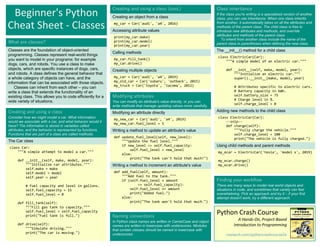
  • 1.
    Beginner's Python Cheat Sheet Variablesand Strings Variables are used to store values. A string is a series of characters, surrounded by single or double quotes. Hello world print("Hello world!") Hello world with a variable msg = "Hello world!" print(msg) f-strings (using variables in strings) first_name = 'albert' last_name = 'einstein' full_name = f"{first_name} {last_name}" print(full_name) Lists A list stores a series of items in a particular order. You access items using an index, or within a loop. Make a list bikes = ['trek', 'redline', 'giant'] Get the first item in a list first_bike = bikes[0] Get the last item in a list last_bike = bikes[-1] Looping through a list for bike in bikes: print(bike) Adding items to a list bikes = [] bikes.append('trek') bikes.append('redline') bikes.append('giant') Making numerical lists squares = [] for x in range(1, 11): squares.append(x**2) Lists (cont.) List comprehensions squares = [x**2 for x in range(1, 11)] Slicing a list finishers = ['sam', 'bob', 'ada', 'bea'] first_two = finishers[:2] Copying a list copy_of_bikes = bikes[:] Tuples Tuples are similar to lists, but the items in a tuple can't be modified. Making a tuple dimensions = (1920, 1080) If statements If statements are used to test for particular conditions and respond appropriately. Conditional tests equals x == 42 not equal x != 42 greater than x > 42 or equal to x >= 42 less than x < 42 or equal to x <= 42 Conditional test with lists 'trek' in bikes 'surly' not in bikes Assigning boolean values game_active = True can_edit = False A simple if test if age >= 18: print("You can vote!") If-elif-else statements if age < 4: ticket_price = 0 elif age < 18: ticket_price = 10 else: ticket_price = 15 Python Crash Course A Hands-On, Project-Based Introduction to Programming nostarch.com/pythoncrashcourse2e Dictionaries Dictionaries store connections between pieces of information. Each item in a dictionary is a key-value pair. A simple dictionary alien = {'color': 'green', 'points': 5} Accessing a value print(f"The alien's color is {alien['color']}") Adding a new key-value pair alien['x_position'] = 0 Looping through all key-value pairs fav_numbers = {'eric': 17, 'ever': 4} for name, number in fav_numbers.items(): print(f"{name} loves {number}") Looping through all keys fav_numbers = {'eric': 17, 'ever': 4} for name in fav_numbers.keys(): print(f"{name} loves a number") Looping through all the values fav_numbers = {'eric': 17, 'ever': 4} for number in fav_numbers.values(): print(f"{number} is a favorite") User input Your programs can prompt the user for input. All input is stored as a string. Prompting for a value name = input("What's your name? ") print(f"Hello, {name}!") Prompting for numerical input age = input("How old are you? ") age = int(age) pi = input("What's the value of pi? ") pi = float(pi)
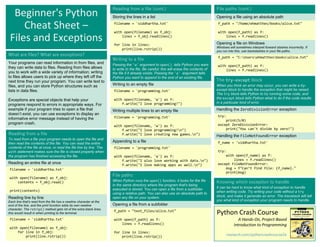
  • 2.
    While loops A whileloop repeats a block of code as long as a certain condition is true. A simple while loop current_value = 1 while current_value <= 5: print(current_value) current_value += 1 Letting the user choose when to quit msg = '' while msg != 'quit': msg = input("What's your message? ") print(msg) Classes A class defines the behavior of an object and the kind of information an object can store. The information in a class is stored in attributes, and functions that belong to a class are called methods. A child class inherits the attributes and methods from its parent class. Creating a dog class class Dog(): """Represent a dog.""" def __init__(self, name): """Initialize dog object.""" self.name = name def sit(self): """Simulate sitting.""" print(f"{self.name} is sitting.") my_dog = Dog('Peso') print(f"{my_dog.name} is a great dog!") my_dog.sit() Inheritance class SARDog(Dog): """Represent a search dog.""" def __init__(self, name): """Initialize the sardog.""" super().__init__(name) def search(self): """Simulate searching.""" print(f"{self.name} is searching.") my_dog = SARDog('Willie') print(f"{my_dog.name} is a search dog.") my_dog.sit() my_dog.search() Working with files Your programs can read from files and write to files. Files are opened in read mode ('r') by default, but can also be opened in write mode ('w') and append mode ('a'). Reading a file and storing its lines filename = 'siddhartha.txt' with open(filename) as file_object: lines = file_object.readlines() for line in lines: print(line) Writing to a file filename = 'journal.txt' with open(filename, 'w') as file_object: file_object.write("I love programming.") Appending to a file filename = 'journal.txt' with open(filename, 'a') as file_object: file_object.write("nI love making games.") Exceptions Exceptions help you respond appropriately to errors that are likely to occur. You place code that might cause an error in the try block. Code that should run in response to an error goes in the except block. Code that should run only if the try block was successful goes in the else block. Catching an exception prompt = "How many tickets do you need? " num_tickets = input(prompt) try: num_tickets = int(num_tickets) except ValueError: print("Please try again.") else: print("Your tickets are printing.") Functions Functions are named blocks of code, designed to do one specific job. Information passed to a function is called an argument, and information received by a function is called a parameter. A simple function def greet_user(): """Display a simple greeting.""" print("Hello!") greet_user() Passing an argument def greet_user(username): """Display a personalized greeting.""" print(f"Hello, {username}!") greet_user('jesse') Default values for parameters def make_pizza(topping='bacon'): """Make a single-topping pizza.""" print(f"Have a {topping} pizza!") make_pizza() make_pizza('pepperoni') Returning a value def add_numbers(x, y): """Add two numbers and return the sum.""" return x + y sum = add_numbers(3, 5) print(sum) More cheat sheets available at ehmatthes.github.io/pcc_2e/ Infinite Skills If you had infinite programming skills, what would you build? As you're learning to program, it's helpful to think about the real-world projects you'd like to create. It's a good habit to keep an "ideas" notebook that you can refer to whenever you want to start a new project. If you haven't done so already, take a few minutes and describe three projects you'd like to create. Zen of Python Simple is better than complex If you have a choice between a simple and a complex solution, and both work, use the simple solution. Your code will be easier to maintain, and it will be easier for you and others to build on that code later on.
  • 3.
    Beginner's Python Cheat Sheet- Lists Defining a list Use square brackets to define a list, and use commas to separate individual items in the list. Use plural names for lists, to make your code easier to read. Making a list users = ['val', 'bob', 'mia', 'ron', 'ned'] Adding elements You can add elements to the end of a list, or you can insert them wherever you like in a list. Adding an element to the end of the list users.append('amy') Starting with an empty list users = [] users.append('val') users.append('bob') users.append('mia') Inserting elements at a particular position users.insert(0, 'joe') users.insert(3, 'bea') Python Crash Course A Hands-On, Project-Based Introduction to Programming nostarch.com/pythoncrashcourse2e Sorting a list The sort() method changes the order of a list permanently. The sorted() function returns a copy of the list, leaving the original list unchanged. You can sort the items in a list in alphabetical order, or reverse alphabetical order. You can also reverse the original order of the list. Keep in mind that lowercase and uppercase letters may affect the sort order. Sorting a list permanently users.sort() Sorting a list permanently in reverse alphabetical order users.sort(reverse=True) Sorting a list temporarily print(sorted(users)) print(sorted(users, reverse=True)) Reversing the order of a list users.reverse() What are lists? A list stores a series of items in a particular order. Lists allow you to store sets of information in one place, whether you have just a few items or millions of items. Lists are one of Python's most powerful features readily accessible to new programmers, and they tie together many important concepts in programming. Accessing elements Individual elements in a list are accessed according to their position, called the index. The index of the first element is 0, the index of the second element is 1, and so forth. Negative indices refer to items at the end of the list. To get a particular element, write the name of the list and then the index of the element in square brackets. Getting the first element first_user = users[0] Getting the second element second_user = users[1] Getting the last element newest_user = users[-1] Modifying individual items Once you've defined a list, you can change individual elements in the list. You do this by referring to the index of the item you want to modify. Changing an element users[0] = 'valerie' users[-2] = 'ronald' Removing elements You can remove elements by their position in a list, or by the value of the item. If you remove an item by its value, Python removes only the first item that has that value. Deleting an element by its position del users[-1] Removing an item by its value users.remove('mia') Popping elements If you want to work with an element that you're removing from the list, you can "pop" the element. If you think of the list as a stack of items, pop() takes an item off the top of the stack. By default pop() returns the last element in the list, but you can also pop elements from any position in the list. Pop the last item from a list most_recent_user = users.pop() print(most_recent_user) Pop the first item in a list first_user = users.pop(0) print(first_user) Looping through a list Lists can contain millions of items, so Python provides an efficient way to loop through all the items in a list. When you set up a loop, Python pulls each item from the list one at a time and stores it in a temporary variable, which you provide a name for. This name should be the singular version of the list name. The indented block of code makes up the body of the loop, where you can work with each individual item. Any lines that are not indented run after the loop is completed. Printing all items in a list for user in users: print(user) Printing a message for each item, and a separate message afterwards for user in users: print(f"Welcome, {user}!") print("Welcome, we're glad to see you all!") List length The len() function returns the number of items in a list. Find the length of a list num_users = len(users) print(f"We have {num_users} users.")
  • 4.
    The range() function Youcan use the range() function to work with a set of numbers efficiently. The range() function starts at 0 by default, and stops one number below the number passed to it. You can use the list() function to efficiently generate a large list of numbers. Printing the numbers 0 to 1000 for number in range(1001): print(number) Printing the numbers 1 to 1000 for number in range(1, 1001): print(number) Making a list of numbers from 1 to a million numbers = list(range(1, 1000001)) Copying a list To copy a list make a slice that starts at the first item and ends at the last item. If you try to copy a list without using this approach, whatever you do to the copied list will affect the original list as well. Making a copy of a list finishers = ['kai', 'abe', 'ada', 'gus', 'zoe'] copy_of_finishers = finishers[:] More cheat sheets available at ehmatthes.github.io/pcc_2e/ Styling your code Readability counts • Use four spaces per indentation level. • Keep your lines to 79 characters or fewer. • Use single blank lines to group parts of your program visually. Simple statistics There are a number of simple statistical operations you can run on a list containing numerical data. Finding the minimum value in a list ages = [93, 99, 66, 17, 85, 1, 35, 82, 2, 77] youngest = min(ages) Finding the maximum value ages = [93, 99, 66, 17, 85, 1, 35, 82, 2, 77] oldest = max(ages) Finding the sum of all values ages = [93, 99, 66, 17, 85, 1, 35, 82, 2, 77] total_years = sum(ages) List comprehensions You can use a loop to generate a list based on a range of numbers or on another list. This is a common operation, so Python offers a more efficient way to do it. List comprehensions may look complicated at first; if so, use the for loop approach until you're ready to start using comprehensions. To write a comprehension, define an expression for the values you want to store in the list. Then write a for loop to generate input values needed to make the list. Using a loop to generate a list of square numbers squares = [] for x in range(1, 11): square = x**2 squares.append(square) Using a comprehension to generate a list of square numbers squares = [x**2 for x in range(1, 11)] Using a loop to convert a list of names to upper case names = ['kai', 'abe', 'ada', 'gus', 'zoe'] upper_names = [] for name in names: upper_names.append(name.upper()) Using a comprehension to convert a list of names to upper case names = ['kai', 'abe', 'ada', 'gus', 'zoe'] upper_names = [name.upper() for name in names] Slicing a list You can work with any set of elements from a list. A portion of a list is called a slice. To slice a list start with the index of the first item you want, then add a colon and the index after the last item you want. Leave off the first index to start at the beginning of the list, and leave off the last index to slice through the end of the list. Getting the first three items finishers = ['kai', 'abe', 'ada', 'gus', 'zoe'] first_three = finishers[:3] Getting the middle three items middle_three = finishers[1:4] Getting the last three items last_three = finishers[-3:] Tuples A tuple is like a list, except you can't change the values in a tuple once it's defined. Tuples are good for storing information that shouldn't be changed throughout the life of a program. Tuples are usually designated by parentheses. (You can overwrite an entire tuple, but you can't change the individual elements in a tuple.) Defining a tuple dimensions = (800, 600) Looping through a tuple for dimension in dimensions: print(dimension) Overwriting a tuple dimensions = (800, 600) print(dimensions) dimensions = (1200, 900) Visualizing your code When you're first learning about data structures such as lists, it helps to visualize how Python is working with the information in your program. pythontutor.com is a great tool for seeing how Python keeps track of the information in a list. Try running the following code on pythontutor.com, and then run your own code. Build a list and print the items in the list dogs = [] dogs.append('willie') dogs.append('hootz') dogs.append('peso') dogs.append('goblin') for dog in dogs: print(f"Hello {dog}!") print("I love these dogs!") print("nThese were my first two dogs:") old_dogs = dogs[:2] for old_dog in old_dogs: print(old_dog) del dogs[0] dogs.remove('peso') print(dogs)
  • 5.
    Beginner's Python Cheat Sheet– Dictionaries Defining a dictionary Use curly braces to define a dictionary. Use colons to connect keys and values, and use commas to separate individual key-value pairs. Making a dictionary alien_0 = {'color': 'green', 'points': 5} Python Crash Course A Hands-On, Project-Based Introduction to Programming nostarch.com/pythoncrashcourse2e Looping through a dictionary You can loop through a dictionary in three ways: you can loop through all the key-value pairs, all the keys, or all the values. Dictionaries keep track of the order in which key-value pairs are added. If you want to process the information in a different order, you can sort the keys in your loop. Looping through all key-value pairs # Store people's favorite languages. fav_languages = { 'jen': 'python', 'sarah': 'c', 'edward': 'ruby', 'phil': 'python', } # Show each person's favorite language. for name, language in fav_languages.items(): print(f"{name}: {language}") Looping through all the keys # Show everyone who's taken the survey. for name in fav_languages.keys(): print(name) Looping through all the values # Show all the languages that have been chosen. for language in fav_languages.values(): print(language) Looping through all the keys in reverse order # Show each person's favorite language, # in reverse order by the person's name. for name in sorted(fav_languages.keys(), reverse=True): print(f"{name}: language") What are dictionaries? Python's dictionaries allow you to connect pieces of related information. Each piece of information in a dictionary is stored as a key-value pair. When you provide a key, Python returns the value associated with that key. You can loop through all the key-value pairs, all the keys, or all the values. Accessing values To access the value associated with an individual key give the name of the dictionary and then place the key in a set of square brackets. If the key you're asking for is not in the dictionary, an error will occur. You can also use the get() method, which returns None instead of an error if the key doesn't exist. You can also specify a default value to use if the key is not in the dictionary. Getting the value associated with a key alien_0 = {'color': 'green', 'points': 5} print(alien_0['color']) print(alien_0['points']) Getting the value with get() alien_0 = {'color': 'green'} alien_color = alien_0.get('color') alien_points = alien_0.get('points', 0) print(alien_color) print(alien_points) Modifying values You can modify the value associated with any key in a dictionary. To do so give the name of the dictionary and enclose the key in square brackets, then provide the new value for that key. Modifying values in a dictionary alien_0 = {'color': 'green', 'points': 5} print(alien_0) # Change the alien's color and point value. alien_0['color'] = 'yellow' alien_0['points'] = 10 print(alien_0) Removing key-value pairs You can remove any key-value pair you want from a dictionary. To do so use the del keyword and the dictionary name, followed by the key in square brackets. This will delete the key and its associated value. Deleting a key-value pair alien_0 = {'color': 'green', 'points': 5} print(alien_0) del alien_0['points'] print(alien_0) Adding new key-value pairs You can store as many key-value pairs as you want in a dictionary, until your computer runs out of memory. To add a new key-value pair to an existing dictionary give the name of the dictionary and the new key in square brackets, and set it equal to the new value. This also allows you to start with an empty dictionary and add key-value pairs as they become relevant. Adding a key-value pair alien_0 = {'color': 'green', 'points': 5} alien_0['x'] = 0 alien_0['y'] = 25 alien_0['speed'] = 1.5 Adding to an empty dictionary alien_0 = {} alien_0['color'] = 'green' alien_0['points'] = 5 Visualizing dictionaries Try running some of these examples on pythontutor.com. Dictionary length You can find the number of key-value pairs in a dictionary. Finding a dictionary's length num_responses = len(fav_languages)
  • 6.
    Nesting ‒ Alist of dictionaries It's sometimes useful to store a set of dictionaries in a list; this is called nesting. Storing dictionaries in a list # Start with an empty list. users = [] # Make a new user, and add them to the list. new_user = { 'last': 'fermi', 'first': 'enrico', 'username': 'efermi', } users.append(new_user) # Make another new user, and add them as well. new_user = { 'last': 'curie', 'first': 'marie', 'username': 'mcurie', } users.append(new_user) # Show all information about each user. for user_dict in users: for k, v in user_dict.items(): print(f"{k}: {v}") print("n") You can also define a list of dictionaries directly, without using append(): # Define a list of users, where each user # is represented by a dictionary. users = [ { 'last': 'fermi', 'first': 'enrico', 'username': 'efermi', }, { 'last': 'curie', 'first': 'marie', 'username': 'mcurie', }, ] # Show all information about each user. for user_dict in users: for k, v in user_dict.items(): print(f"{k}: {v}") print("n") Nesting ‒ Lists in a dictionary Storing a list inside a dictionary allows you to associate more than one value with each key. Storing lists in a dictionary # Store multiple languages for each person. fav_languages = { 'jen': ['python', 'ruby'], 'sarah': ['c'], 'edward': ['ruby', 'go'], 'phil': ['python', 'haskell'], } # Show all responses for each person. for name, langs in fav_languages.items(): print(f"{name}: ") for lang in langs: print(f"- {lang}") More cheat sheets available at ehmatthes.github.io/pcc_2e/ Dictionary Comprehensions A comprehension is a compact way of generating a dictionary, similar to a list comprehension. To make a dictionary comprehension, define an expression for the key-value pairs you want to make. Then write a for loop to generate the values that will feed into this expression. The zip() function matches each item in one list to each item in a second list. It can be used to make a dictionary from two lists. Using loop to make a dictionary squares = {} for x in range(5): squares[x] = x**2 Using a dictionary comprehension squares = {x:x**2 for x in range(5)} Using zip() to make a dictionary group_1 = ['kai', 'abe', 'ada', 'gus', 'zoe'] group_2 = ['jen', 'eva', 'dan', 'isa', 'meg'] pairings = {name:name_2 for name, name_2 in zip(group_1, group_2)} Nesting ‒ A dictionary of dictionaries You can store a dictionary inside another dictionary. In this case each value associated with a key is itself a dictionary. Storing dictionaries in a dictionary users = { 'aeinstein': { 'first': 'albert', 'last': 'einstein', 'location': 'princeton', }, 'mcurie': { 'first': 'marie', 'last': 'curie', 'location': 'paris', }, } for username, user_dict in users.items(): print("nUsername: " + username) full_name = user_dict['first'] + " " full_name += user_dict['last'] location = user_dict['location'] print(f"tFull name: {full_name.title()}") print(f"tLocation: {location.title()}") Levels of nesting Nesting is extremely useful in certain situations. However, be aware of making your code overly complex. If you're nesting items much deeper than what you see here there are probably simpler ways of managing your data, such as using classes. Generating a million dictionaries You can use a loop to generate a large number of dictionaries efficiently, if all the dictionaries start out with similar data. A million aliens aliens = [] # Make a million green aliens, worth 5 points # each. Have them all start in one row. for alien_num in range(1000000): new_alien = {} new_alien['color'] = 'green' new_alien['points'] = 5 new_alien['x'] = 20 * alien_num new_alien['y'] = 0 aliens.append(new_alien) # Prove the list contains a million aliens. num_aliens = len(aliens) print("Number of aliens created:") print(num_aliens)
  • 7.
    Beginner's Python Cheat Sheet– If Statements and While Loops Conditional Tests A conditional test is an expression that can be evaluated as True or False. Python uses the values True and False to decide whether the code in an if statement should be executed. Checking for equality A single equal sign assigns a value to a variable. A double equal sign (==) checks whether two values are equal. >>> car = 'bmw' >>> car == 'bmw' True >>> car = 'audi' >>> car == 'bmw' False Ignoring case when making a comparison >>> car = 'Audi' >>> car.lower() == 'audi' True Checking for inequality >>> topping = 'mushrooms' >>> topping != 'anchovies' True Numerical comparisons Testing numerical values is similar to testing string values. Testing equality and inequality >>> age = 18 >>> age == 18 True >>> age != 18 False Comparison operators >>> age = 19 >>> age < 21 True >>> age <= 21 True >>> age > 21 False >>> age >= 21 False Python Crash Course A Hands-On, Project-Based Introduction to Programming nostarch.com/pythoncrashcourse2e If statements Several kinds of if statements exist. Your choice of which to use depends on the number of conditions you need to test. You can have as many elif blocks as you need, and the else block is always optional. Simple if statement age = 19 if age >= 18: print("You're old enough to vote!") If-else statements age = 17 if age >= 18: print("You're old enough to vote!") else: print("You can't vote yet.") The if-elif-else chain age = 12 if age < 4: price = 0 elif age < 18: price = 5 else: price = 10 print(f"Your cost is ${price}.") What are if statements? What are while loops? If statements allow you to examine the current state of a program and respond appropriately to that state. You can write a simple if statement that checks one condition, or you can create a complex series of if statements that identify the exact conditions you're looking for. While loops run as long as certain conditions remain true. You can use while loops to let your programs run as long as your users want them to. Checking multiple conditions You can check multiple conditions at the same time. The and operator returns True if all the conditions listed are True. The or operator returns True if any condition is True. Using and to check multiple conditions >>> age_0 = 22 >>> age_1 = 18 >>> age_0 >= 21 and age_1 >= 21 False >>> age_1 = 23 >>> age_0 >= 21 and age_1 >= 21 True Using or to check multiple conditions >>> age_0 = 22 >>> age_1 = 18 >>> age_0 >= 21 or age_1 >= 21 True >>> age_0 = 18 >>> age_0 >= 21 or age_1 >= 21 False Boolean values A boolean value is either True or False. Variables with boolean values are often used to keep track of certain conditions within a program. Simple boolean values game_active = True can_edit = False Conditional tests with lists You can easily test whether a certain value is in a list. You can also test whether a list is empty before trying to loop through the list. Testing if a value is in a list >>> players = ['al', 'bea', 'cyn', 'dale'] >>> 'al' in players True >>> 'eric' in players False
  • 8.
    Conditional tests withlists (cont.) Testing if a value is not in a list banned_users = ['ann', 'chad', 'dee'] user = 'erin' if user not in banned_users: print("You can play!") Checking if a list is empty players = [] if players: for player in players: print(f"Player: {player.title()}") else: print("We have no players yet!") While loops (cont.) Letting the user choose when to quit prompt = "nTell me something, and I'll " prompt += "repeat it back to you." prompt += "nEnter 'quit' to end the program. " message = "" while message != 'quit': message = input(prompt) if message != 'quit': print(message) Using a flag prompt = "nTell me something, and I'll " prompt += "repeat it back to you." prompt += "nEnter 'quit' to end the program. " active = True while active: message = input(prompt) if message == 'quit': active = False else: print(message) Using break to exit a loop prompt = "nWhat cities have you visited?" prompt += "nEnter 'quit' when you're done. " while True: city = input(prompt) if city == 'quit': break else: print(f"I've been to {city}!") More cheat sheets available at ehmatthes.github.io/pcc_2e/ While loops (cont.) Using continue in a loop banned_users = ['eve', 'fred', 'gary', 'helen'] prompt = "nAdd a player to your team." prompt += "nEnter 'quit' when you're done. " players = [] while True: player = input(prompt) if player == 'quit': break elif player in banned_users: print(f"{player} is banned!") continue else: players.append(player) print("nYour team:") for player in players: print(player) Accepting input You can allow your users to enter input using the input() statement. All input is initially stored as a string. If you want to accept numerical input, you'll need to convert the input string value to a numerical type. Simple input name = input("What's your name? ") print(f"Hello, {name}.") Accepting numerical input using int() age = input("How old are you? ") age = int(age) if age >= 18: print("nYou can vote!") else: print("nYou can't vote yet.") Accepting numerical input using float() tip = input("How much do you want to tip? ") tip = float(tip) While loops A while loop repeats a block of code as long as a condition is True. Counting to 5 current_number = 1 while current_number <= 5: print(current_number) current_number += 1 Accepting input with Sublime Text Sublime Text doesn't run programs that prompt the user for input. You can use Sublime Text to write programs that prompt for input, but you'll need to run these programs from a terminal. Avoiding infinite loops Every while loop needs a way to stop running so it won't continue to run forever. If there's no way for the condition to become False, the loop will never stop running. You can usually press Ctrl-C to stop an infinite loop. An infinite loop while True: name = input("nWho are you? ") print(f"Nice to meet you, {name}!") Removing all instances of a value from a list The remove() method removes a specific value from a list, but it only removes the first instance of the value you provide. You can use a while loop to remove all instances of a particular value. Removing all cats from a list of pets pets = ['dog', 'cat', 'dog', 'fish', 'cat', 'rabbit', 'cat'] print(pets) while 'cat' in pets: pets.remove('cat') print(pets) Breaking out of loops You can use the break statement and the continue statement with any of Python's loops. For example you can use break to quit a for loop that's working through a list or a dictionary. You can use continue to skip over certain items when looping through a list or dictionary as well.
  • 9.
    Beginner's Python Cheat Sheet– Functions Defining a function The first line of a function is its definition, marked by the keyword def. The name of the function is followed by a set of parentheses and a colon. A docstring, in triple quotes, describes what the function does. The body of a function is indented one level. To call a function, give the name of the function followed by a set of parentheses. Making a function def greet_user(): """Display a simple greeting.""" print("Hello!") greet_user() Positional and keyword arguments The two main kinds of arguments are positional and keyword arguments. When you use positional arguments Python matches the first argument in the function call with the first parameter in the function definition, and so forth. With keyword arguments, you specify which parameter each argument should be assigned to in the function call. When you use keyword arguments, the order of the arguments doesn't matter. Using positional arguments def describe_pet(animal, name): """Display information about a pet.""" print(f"nI have a {animal}.") print(f"Its name is {name}.") describe_pet('hamster', 'harry') describe_pet('dog', 'willie') Using keyword arguments def describe_pet(animal, name): """Display information about a pet.""" print(f"nI have a {animal}.") print(f"Its name is {name}.") describe_pet(animal='hamster', name='harry') describe_pet(name='willie', animal='dog') Python Crash Course A Hands-On, Project-Based Introduction to Programming nostarch.com/pythoncrashcourse2e Return values A function can return a value or a set of values. When a function returns a value, the calling line should provide a variable which the return value can be assigned to. A function stops running when it reaches a return statement. Returning a single value def get_full_name(first, last): """Return a neatly formatted full name.""" full_name = f"{first} {last}" return full_name.title() musician = get_full_name('jimi', 'hendrix') print(musician) Returning a dictionary def build_person(first, last): """Return a dictionary of information about a person. """ person = {'first': first, 'last': last} return person musician = build_person('jimi', 'hendrix') print(musician) Returning a dictionary with optional values def build_person(first, last, age=None): """Return a dictionary of information about a person. """ person = {'first': first, 'last': last} if age: person['age'] = age return person musician = build_person('jimi', 'hendrix', 27) print(musician) musician = build_person('janis', 'joplin') print(musician) What are functions? Functions are named blocks of code designed to do one specific job. Functions allow you to write code once that can then be run whenever you need to accomplish the same task. Functions can take in the information they need, and return the information they generate. Using functions effectively makes your programs easier to write, read, test, and fix. Default values You can provide a default value for a parameter. When function calls omit this argument the default value will be used. Parameters with default values must be listed after parameters without default values in the function's definition so positional arguments can still work correctly. Using a default value def describe_pet(name, animal='dog'): """Display information about a pet.""" print(f"nI have a {animal}.") print(f"Its name is {name}.") describe_pet('harry', 'hamster') describe_pet('willie') Using None to make an argument optional def describe_pet(animal, name=None): """Display information about a pet.""" print(f"nI have a {animal}.") if name: print(f"Its name is {name}.") describe_pet('hamster', 'harry') describe_pet('snake') Passing information to a function Information that's passed to a function is called an argument; information that's received by a function is called a parameter. Arguments are included in parentheses after the function's name, and parameters are listed in parentheses in the function's definition. Passing a single argument def greet_user(username): """Display a simple greeting.""" print(f"Hello, {username}!") greet_user('jesse') greet_user('diana') greet_user('brandon') Visualizing functions Try running some of these examples on pythontutor.com.
  • 10.
    Passing a listto a function You can pass a list as an argument to a function, and the function can work with the values in the list. Any changes the function makes to the list will affect the original list. You can prevent a function from modifying a list by passing a copy of the list as an argument. Passing a list as an argument def greet_users(names): """Print a simple greeting to everyone.""" for name in names: msg = f"Hello, {name}!" print(msg) usernames = ['hannah', 'ty', 'margot'] greet_users(usernames) Allowing a function to modify a list The following example sends a list of models to a function for printing. The original list is emptied, and the second list is filled. def print_models(unprinted, printed): """3d print a set of models.""" while unprinted: current_model = unprinted.pop() print(f"Printing {current_model}") printed.append(current_model) # Store some unprinted designs, # and print each of them. unprinted = ['phone case', 'pendant', 'ring'] printed = [] print_models(unprinted, printed) print(f"nUnprinted: {unprinted}") print(f"Printed: {printed}") Preventing a function from modifying a list The following example is the same as the previous one, except the original list is unchanged after calling print_models(). def print_models(unprinted, printed): """3d print a set of models.""" while unprinted: current_model = unprinted.pop() print(f"Printing {current_model}") printed.append(current_model) # Store some unprinted designs, # and print each of them. original = ['phone case', 'pendant', 'ring'] printed = [] print_models(original[:], printed) print(f"nOriginal: {original}") print(f"Printed: {printed}") Passing an arbitrary number of arguments Sometimes you won't know how many arguments a function will need to accept. Python allows you to collect an arbitrary number of arguments into one parameter using the * operator. A parameter that accepts an arbitrary number of arguments must come last in the function definition. The ** operator allows a parameter to collect an arbitrary number of keyword arguments. These arguments are stored as a dictionary with the parameter names as keys, and the arguments as values. Collecting an arbitrary number of arguments def make_pizza(size, *toppings): """Make a pizza.""" print(f"nMaking a {size} pizza.") print("Toppings:") for topping in toppings: print(f"- {topping}") # Make three pizzas with different toppings. make_pizza('small', 'pepperoni') make_pizza('large', 'bacon bits', 'pineapple') make_pizza('medium', 'mushrooms', 'peppers', 'onions', 'extra cheese') Collecting an arbitrary number of keyword arguments def build_profile(first, last, **user_info): """Build a dictionary for a user.""" user_info['first'] = first user_info['last'] = last return user_info # Create two users with different kinds # of information. user_0 = build_profile('albert', 'einstein', location='princeton') user_1 = build_profile('marie', 'curie', location='paris', field='chemistry') print(user_0) print(user_1) More cheat sheets available at ehmatthes.github.io/pcc_2e/ Modules You can store your functions in a separate file called a module, and then import the functions you need into the file containing your main program. This allows for cleaner program files. (Make sure your module is stored in the same directory as your main program.) Storing a function in a module File: pizza.py def make_pizza(size, *toppings): """Make a pizza.""" print(f"nMaking a {size} pizza.") print("Toppings:") for topping in toppings: print(f"- {topping}") Importing an entire module File: making_pizzas.py Every function in the module is available in the program file. import pizza pizza.make_pizza('medium', 'pepperoni') pizza.make_pizza('small', 'bacon', 'pineapple') Importing a specific function Only the imported functions are available in the program file. from pizza import make_pizza make_pizza('medium', 'pepperoni') make_pizza('small', 'bacon', 'pineapple') Giving a module an alias import pizza as p p.make_pizza('medium', 'pepperoni') p.make_pizza('small', 'bacon', 'pineapple') Giving a function an alias from pizza import make_pizza as mp mp('medium', 'pepperoni') mp('small', 'bacon', 'pineapple') Importing all functions from a module Don't do this, but recognize it when you see it in others' code. It can result in naming conflicts, which can cause errors. from pizza import * make_pizza('medium', 'pepperoni') make_pizza('small', 'bacon', 'pineapple') What's the best way to structure a function? As you can see there are many ways to write and call a function. When you're starting out, aim for something that simply works. As you gain experience you'll develop an understanding of the more subtle advantages of different structures such as positional and keyword arguments, and the various approaches to importing functions. For now if your functions do what you need them to, you're doing well.
  • 11.
    Beginner's Python Cheat Sheet- Classes What are classes? Classes are the foundation of object-oriented programming. Classes represent real-world things you want to model in your programs: for example dogs, cars, and robots. You use a class to make objects, which are specific instances of dogs, cars, and robots. A class defines the general behavior that a whole category of objects can have, and the information that can be associated with those objects. Classes can inherit from each other – you can write a class that extends the functionality of an existing class. This allows you to code efficiently for a wide variety of situations. Creating and using a class (cont.) Creating an object from a class my_car = Car('audi', 'a4', 2016) Accessing attribute values print(my_car.make) print(my_car.model) print(my_car.year) Calling methods my_car.fill_tank() my_car.drive() Creating multiple objects my_car = Car('audi', 'a4', 2019) my_old_car = Car('subaru', 'outback', 2015) my_truck = Car('toyota', 'tacoma', 2012) Python Crash Course A Hands-On, Project-Based Introduction to Programming nostarch.com/pythoncrashcourse2e Creating and using a class Consider how we might model a car. What information would we associate with a car, and what behavior would it have? The information is stored in variables called attributes, and the behavior is represented by functions. Functions that are part of a class are called methods. The Car class class Car: """A simple attempt to model a car.""" def __init__(self, make, model, year): """Initialize car attributes.""" self.make = make self.model = model self.year = year # Fuel capacity and level in gallons. self.fuel_capacity = 15 self.fuel_level = 0 def fill_tank(self): """Fill gas tank to capacity.""" self.fuel_level = self.fuel_capacity print("Fuel tank is full.") def drive(self): """Simulate driving.""" print("The car is moving.") Modifying attributes You can modify an attribute's value directly, or you can write methods that manage updating values more carefully. Modifying an attribute directly my_new_car = Car('audi', 'a4', 2019) my_new_car.fuel_level = 5 Writing a method to update an attribute's value def update_fuel_level(self, new_level): """Update the fuel level.""" if new_level <= self.fuel_capacity: self.fuel_level = new_level else: print("The tank can't hold that much!") Writing a method to increment an attribute's value def add_fuel(self, amount): """Add fuel to the tank.""" if (self.fuel_level + amount <= self.fuel_capacity): self.fuel_level += amount print("Added fuel.") else: print("The tank won't hold that much.") Class inheritance If the class you're writing is a specialized version of another class, you can use inheritance. When one class inherits from another, it automatically takes on all the attributes and methods of the parent class. The child class is free to introduce new attributes and methods, and override attributes and methods of the parent class. To inherit from another class include the name of the parent class in parentheses when defining the new class. The __init__() method for a child class class ElectricCar(Car): """A simple model of an electric car.""" def __init__(self, make, model, year): """Initialize an electric car.""" super().__init__(make, model, year) # Attributes specific to electric cars. # Battery capacity in kWh. self.battery_size = 75 # Charge level in %. self.charge_level = 0 Adding new methods to the child class class ElectricCar(Car): --snip-- def charge(self): """Fully charge the vehicle.""" self.charge_level = 100 print("The vehicle is fully charged.") Using child methods and parent methods my_ecar = ElectricCar('tesla', 'model s', 2019) my_ecar.charge() my_ecar.drive() Naming conventions In Python class names are written in CamelCase and object names are written in lowercase with underscores. Modules that contain classes should be named in lowercase with underscores. Finding your workflow There are many ways to model real world objects and situations in code, and sometimes that variety can feel overwhelming. Pick an approach and try it – if your first attempt doesn't work, try a different approach.
  • 12.
    Class inheritance (cont.) Overridingparent methods class ElectricCar(Car): --snip-- def fill_tank(self): """Display an error message.""" print("This car has no fuel tank!") More cheat sheets available at ehmatthes.github.io/pcc_2e/ Understanding self People often ask what the self variable represents. The self variable is a reference to an object that's been created from the class. The self variable provides a way to make other variables and objects available everywhere in a class. The self variable is automatically passed to each method that's called through an object, which is why you see it listed first in every method definition. Any variable attached to self is available everywhere in the class. Storing objects in a list A list can hold as many items as you want, so you can make a large number of objects from a class and store them in a list. Here's an example showing how to make a fleet of rental cars, and make sure all the cars are ready to drive. A fleet of rental cars from car import Car, ElectricCar # Make lists to hold a fleet of cars. gas_fleet = [] electric_fleet = [] # Make 500 gas cars and 250 electric cars. for _ in range(500): car = Car('ford', 'escape', 2019) gas_fleet.append(car) for _ in range(250): ecar = ElectricCar('nissan', 'leaf', 2019) electric_fleet.append(ecar) # Fill the gas cars, and charge electric cars. for car in gas_fleet: car.fill_tank() for ecar in electric_fleet: ecar.charge() print(f"Gas cars: {len(gas_fleet)}") print(f"Electric cars: {len(electric_fleet)}") Instances as attributes A class can have objects as attributes. This allows classes to work together to model complex situations. A Battery class class Battery: """A battery for an electric car.""" def __init__(self, size=75): """Initialize battery attributes.""" # Capacity in kWh, charge level in %. self.size = size self.charge_level = 0 def get_range(self): """Return the battery's range.""" if self.size == 75: return 260 elif self.size == 100: return 315 Using an instance as an attribute class ElectricCar(Car): --snip-- def __init__(self, make, model, year): """Initialize an electric car.""" super().__init__(make, model, year) # Attribute specific to electric cars. self.battery = Battery() def charge(self): """Fully charge the vehicle.""" self.battery.charge_level = 100 print("The vehicle is fully charged.") Using the instance my_ecar = ElectricCar('tesla', 'model x', 2019) my_ecar.charge() print(my_ecar.battery.get_range()) my_ecar.drive() Importing classes Class files can get long as you add detailed information and functionality. To help keep your program files uncluttered, you can store your classes in modules and import the classes you need into your main program. Storing classes in a file car.py """Represent gas and electric cars.""" class Car: """A simple attempt to model a car.""" --snip— class Battery: """A battery for an electric car.""" --snip-- class ElectricCar(Car): """A simple model of an electric car.""" --snip-- Importing individual classes from a module my_cars.py from car import Car, ElectricCar my_beetle = Car('volkswagen', 'beetle', 2016) my_beetle.fill_tank() my_beetle.drive() my_tesla = ElectricCar('tesla', 'model s', 2016) my_tesla.charge() my_tesla.drive() Importing an entire module import car my_beetle = car.Car( 'volkswagen', 'beetle', 2019) my_beetle.fill_tank() my_beetle.drive() my_tesla = car.ElectricCar( 'tesla', 'model s', 2019) my_tesla.charge() my_tesla.drive() Importing all classes from a module (Don’t do this, but recognize it when you see it.) from car import * my_beetle = Car('volkswagen', 'beetle', 2016) Understanding __init__() The __init__() method is a function that's part of a class, just like any other method. The only special thing about __init__() is that it's called automatically every time you make a new object from a class. If you accidentally misspell __init__(), the method will not be called and your object may not be created correctly.
  • 13.
    Beginner's Python Cheat Sheet– Files and Exceptions Python Crash Course A Hands-On, Project-Based Introduction to Programming nostarch.com/pythoncrashcourse2e File paths (cont.) Opening a file using an absolute path f_path = "/home/ehmatthes/books/alice.txt" with open(f_path) as f: lines = f.readlines() Opening a file on Windows Windows will sometimes interpret forward slashes incorrectly. If you run into this, use backslashes in your file paths. f_path = "C:Usersehmatthesbooksalice.txt" with open(f_path) as f: lines = f.readlines() What are files? What are exceptions? Your programs can read information in from files, and they can write data to files. Reading from files allows you to work with a wide variety of information; writing to files allows users to pick up where they left off the next time they run your program. You can write text to files, and you can store Python structures such as lists in data files. Exceptions are special objects that help your programs respond to errors in appropriate ways. For example if your program tries to open a file that doesn’t exist, you can use exceptions to display an informative error message instead of having the program crash. Reading from a file To read from a file your program needs to open the file and then read the contents of the file. You can read the entire contents of the file at once, or read the file line by line. The with statement makes sure the file is closed properly when the program has finished accessing the file. Reading an entire file at once filename = 'siddhartha.txt' with open(filename) as f_obj: contents = f_obj.read() print(contents) Reading line by line Each line that's read from the file has a newline character at the end of the line, and the print function adds its own newline character. The rstrip() method gets rid of the extra blank lines this would result in when printing to the terminal. filename = 'siddhartha.txt' with open(filename) as f_obj: for line in f_obj: print(line.rstrip()) Reading from a file (cont.) Storing the lines in a list filename = 'siddhartha.txt' with open(filename) as f_obj: lines = f_obj.readlines() for line in lines: print(line.rstrip()) Writing to a file Passing the 'w' argument to open() tells Python you want to write to the file. Be careful; this will erase the contents of the file if it already exists. Passing the 'a' argument tells Python you want to append to the end of an existing file. Writing to an empty file filename = 'programming.txt' with open(filename, 'w') as f: f.write("I love programming!") Writing multiple lines to an empty file filename = 'programming.txt' with open(filename, 'w') as f: f.write("I love programming!n") f.write("I love creating new games.n") Appending to a file filename = 'programming.txt' with open(filename, 'a') as f: f.write("I also love working with data.n") f.write("I love making apps as well.n") File paths When Python runs the open() function, it looks for the file in the same directory where the program that's being executed is stored. You can open a file from a subfolder using a relative path. You can also use an absolute path to open any file on your system. Opening a file from a subfolder f_path = "text_files/alice.txt" with open(f_path) as f: lines = f.readlines() for line in lines: print(line.rstrip()) The try-except block When you think an error may occur, you can write a try- except block to handle the exception that might be raised. The try block tells Python to try running some code, and the except block tells Python what to do if the code results in a particular kind of error. Handling the ZeroDivisionError exception try: print(5/0) except ZeroDivisionError: print("You can't divide by zero!") Handling the FileNotFoundError exception f_name = 'siddhartha.txt' try: with open(f_name) as f: lines = f.readlines() except FileNotFoundError: msg = f"Can’t find file: {f_name}." print(msg) Knowing which exception to handle It can be hard to know what kind of exception to handle when writing code. Try writing your code without a try block, and make it generate an error. The traceback will tell you what kind of exception your program needs to handle.
  • 14.
    The else block Thetry block should only contain code that may cause an error. Any code that depends on the try block running successfully should be placed in the else block. Using an else block print("Enter two numbers. I'll divide them.") x = input("First number: ") y = input("Second number: ") try: result = int(x) / int(y) except ZeroDivisionError: print("You can't divide by zero!") else: print(result) Preventing crashes from user input Without the except block in the following example, the program would crash if the user tries to divide by zero. As written, it will handle the error gracefully and keep running. """A simple calculator for division only.""" print("Enter two numbers. I'll divide them.") print("Enter 'q' to quit.") while True: x = input("nFirst number: ") if x == 'q': break y = input("Second number: ") if y == 'q': break try: result = int(x) / int(y) except ZeroDivisionError: print("You can't divide by zero!") else: print(result) Failing silently Sometimes you want your program to just continue running when it encounters an error, without reporting the error to the user. Using the pass statement in an else block allows you to do this. Using the pass statement in an else block f_names = ['alice.txt', 'siddhartha.txt', 'moby_dick.txt', 'little_women.txt'] for f_name in f_names: # Report the length of each file found. try: with open(f_name) as f: lines = f.readlines() except FileNotFoundError: # Just move on to the next file. pass else: num_lines = len(lines) msg = f"{f_name} has {num_lines}" msg += " lines." print(msg) More cheat sheets available at ehmatthes.github.io/pcc_2e/ Storing data with json The json module allows you to dump simple Python data structures into a file, and load the data from that file the next time the program runs. The JSON data format is not specific to Python, so you can share this kind of data with people who work in other languages as well. Knowing how to manage exceptions is important when working with stored data. You'll usually want to make sure the data you're trying to load exists before working with it. Using json.dump() to store data """Store some numbers.""" import json numbers = [2, 3, 5, 7, 11, 13] filename = 'numbers.json' with open(filename, 'w') as f: json.dump(numbers, f) Using json.load() to read data """Load some previously stored numbers.""" import json filename = 'numbers.json' with open(filename) as f: numbers = json.load(f) print(numbers) Making sure the stored data exists import json f_name = 'numbers.json' try: with open(f_name) as f: numbers = json.load(f) except FileNotFoundError: msg = f"Can’t find file: {f_name}." print(msg) else: print(numbers) Avoid bare except blocks Exception-handling code should catch specific exceptions that you expect to happen during your program's execution. A bare except block will catch all exceptions, including keyboard interrupts and system exits you might need when forcing a program to close. If you want to use a try block and you're not sure which exception to catch, use Exception. It will catch most exceptions, but still allow you to interrupt programs intentionally. Don’t use bare except blocks try: # Do something except: pass Use Exception instead try: # Do something except Exception: pass Printing the exception try: # Do something except Exception as e: print(e, type(e)) Deciding which errors to report Well-written, properly tested code is not very prone to internal errors such as syntax or logical errors. But every time your program depends on something external such as user input or the existence of a file, there's a possibility of an exception being raised. It's up to you how to communicate errors to your users. Sometimes users need to know if a file is missing; sometimes it's better to handle the error silently. A little experience will help you know how much to report. Practice with exceptions Take a program you've already written that prompts for user input, and add some error-handling code to the program.