Browser Hacker's Handbook
Chapter 5
Tutorial on
Browser Exploitation Framework (BeEF)
Laurel Marotta
Laurel.Marotta@IntentionalPrivacy.com
http://intentionalprivacy.com/
2
BeEF
Browser Exploitation Framework
Project: http://beefproject.com/
Wiki: https://github.com/beefproject/beef/wiki
FAQ: https://github.com/beefproject/beef/wiki/FAQ
Blog: http://blog.beefproject.com
YouTube: https://www.youtube.com/user/TheBeefproject
Authors:
Wade Alcorn – creator of BeEF
Christian Frichot – lead developer of BeEF
Michele Orrù – lead core developer of BeEF
3
BeEF
● Written in Ruby and JavaScript
https://github.com/beefproject/beef
4
Installation
● Installed by default on Kali
Directions for installing on other types of systems:
● https://github.com/beefproject/beef/wiki/Installation
● http://resources.infosecinstitute.com/beef-part-1/
[see section 2.1]
5
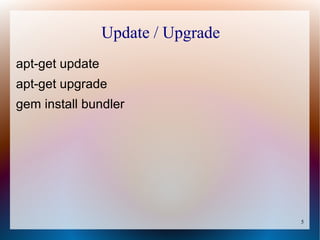
Update / Upgrade
apt-get update
apt-get upgrade
gem install bundler
6
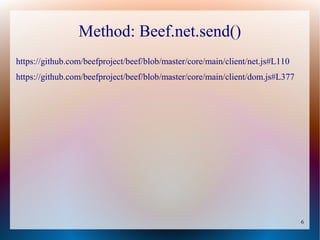
Method: Beef.net.send()
https://github.com/beefproject/beef/blob/master/core/main/client/net.js#L110
https://github.com/beefproject/beef/blob/master/core/main/client/dom.js#L377
7
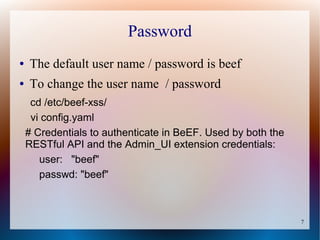
Password
● The default user name / password is beef
● To change the user name / password
cd /etc/beef-xss/
vi config.yaml
# Credentials to authenticate in BeEF. Used by both the
RESTful API and the Admin_UI extension credentials:
user: "beef"
passwd: "beef"
8
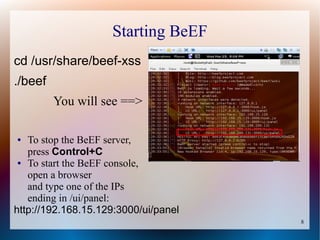
Starting BeEF
cd /usr/share/beef-xss
./beef
You will see ==>
● To stop the BeEF server,
press Control+C
● To start the BeEF console,
open a browser
and type one of the IPs
ending in /ui/panel:
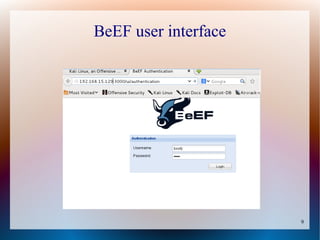
http://192.168.15.129:3000/ui/panel
9
BeEF user interface
10
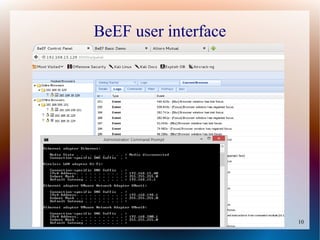
BeEF user interface
11
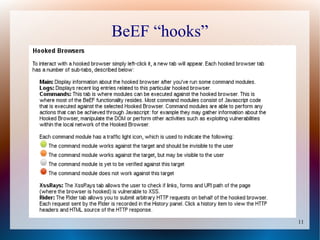
BeEF “hooks”
12
Restful API
https://github.com/beefproject/beef/wiki/BeEF-RESTful-API
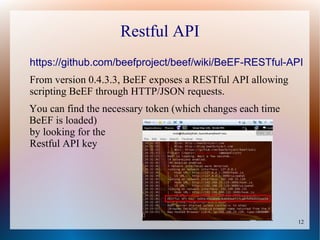
From version 0.4.3.3, BeEF exposes a RESTful API allowing
scripting BeEF through HTTP/JSON requests.
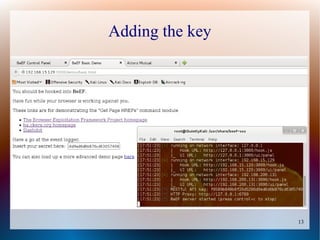
You can find the necessary token (which changes each time
BeEF is loaded)
by looking for the
Restful API key
13
Adding the key
14
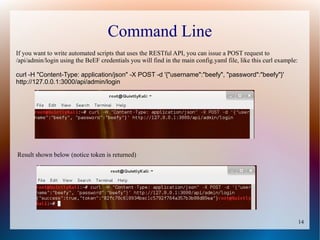
Command Line
If you want to write automated scripts that uses the RESTful API, you can issue a POST request to
/api/admin/login using the BeEF credentials you will find in the main config.yaml file, like this curl example:
curl -H "Content-Type: application/json" -X POST -d '{"username":"beefy", "password":"beefy"}'
http://127.0.0.1:3000/api/admin/login
Result shown below (notice token is returned)
15
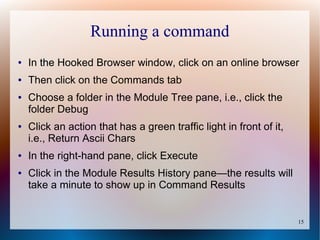
Running a command
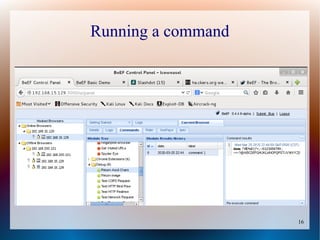
● In the Hooked Browser window, click on an online browser
● Then click on the Commands tab
● Choose a folder in the Module Tree pane, i.e., click the
folder Debug
● Click an action that has a green traffic light in front of it,
i.e., Return Ascii Chars
● In the right-hand pane, click Execute
● Click in the Module Results History pane—the results will
take a minute to show up in Command Results
16
Running a command
17
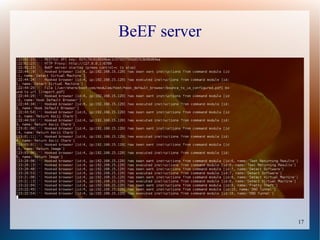
BeEF server
18
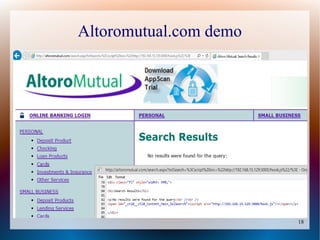
Altoromutual.com demo
19
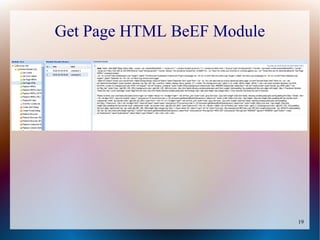
Get Page HTML BeEF Module
20
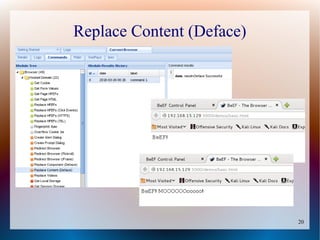
Replace Content (Deface)
21
Chapter 5
Week 2
22
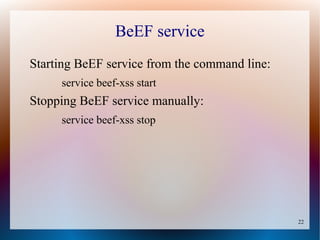
BeEF service
Starting BeEF service from the command line:
service beef-xss start
Stopping BeEF service manually:
service beef-xss stop
23
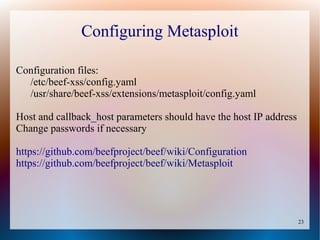
Configuring Metasploit
Configuration files:
/etc/beef-xss/config.yaml
/usr/share/beef-xss/extensions/metasploit/config.yaml
Host and callback_host parameters should have the host IP address
Change passwords if necessary
https://github.com/beefproject/beef/wiki/Configuration
https://github.com/beefproject/beef/wiki/Metasploit
24
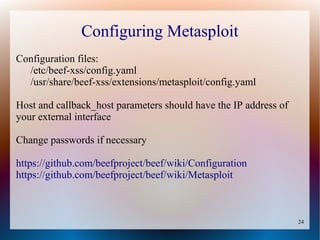
Configuring Metasploit
Configuration files:
/etc/beef-xss/config.yaml
/usr/share/beef-xss/extensions/metasploit/config.yaml
Host and callback_host parameters should have the IP address of
your external interface
Change passwords if necessary
https://github.com/beefproject/beef/wiki/Configuration
https://github.com/beefproject/beef/wiki/Metasploit
25
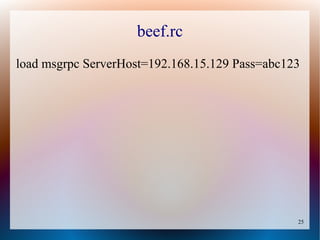
beef.rc
load msgrpc ServerHost=192.168.15.129 Pass=abc123
26
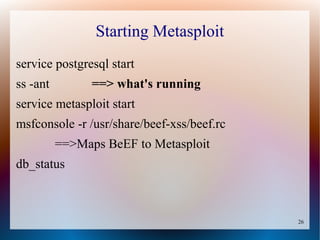
Starting Metasploit
service postgresql start
ss -ant ==> what's running
service metasploit start
msfconsole -r /usr/share/beef-xss/beef.rc
==>Maps BeEF to Metasploit
db_status
27
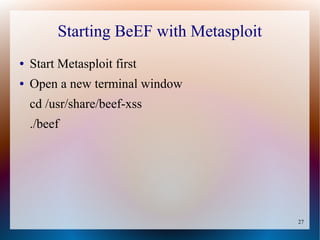
Starting BeEF with Metasploit
● Start Metasploit first
● Open a new terminal window
cd /usr/share/beef-xss
./beef
28
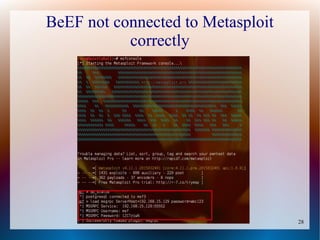
BeEF not connected to Metasploit
correctly
29
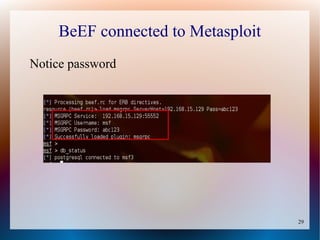
BeEF connected to Metasploit
Notice password
30
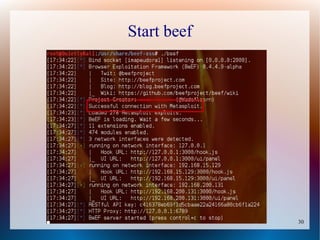
Start beef
31
XssRays
BeEF's approach results in false-positive free findings
for cross-site scripting because BeEF must exploit the
XSS to discover the vulnerability.
32
BeEF exploits
http://resources.infosecinstitute.com/beef-part-2/
Shows some neat exploits
33
Resources
How to Enable Autorun Modules in BeEF
http://www.subliminalhacking.net/2013/01/03/how-to-autorun-modules-in-beef-
browser-exploitation-framework/
https://www.youtube.com/watch?v=qATHn_iKCas
However: not all modules will autorun

Browser Exploitation Framework Tutorial