Business Analysis
Class Project Deliverables
Mini Project:
Online Office-Supplies Case Study
Project Brief: Problem Statement
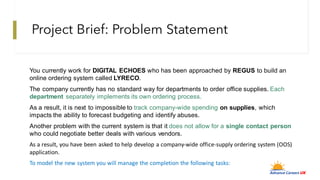
You currently work for DIGITAL ECHOES who has been approached by REGUS to build an
online ordering system called LYRECO.
The company currently has no standard way for departments to order office supplies. Each
department separately implements its own ordering process.
As a result, it is next to impossible to track company-wide spending on supplies, which
impacts the ability to forecast budgeting and identify abuses.
Another problem with the current system is that it does not allow for a single contact person
who could negotiate better deals with various vendors.
As a result, you have been asked to help develop a company-wide office-supply ordering system (OOS)
application.
To model the new system you will manage the completion the following tasks:
Class Deliverables
1. GAP Analysis
2. Create Business Case
3. Create Stakeholder Register
4. Create User Personas
5. Create System Requirements Specification – SRS
6. Create Use Case Diagram
7. Create Process Flow Diagram
1. Activity Diagram (Linear)
2. Swimlane Diagram (Cross-Functional)
3. Data Flow Diagram (Out of Scope)
8. Create Lo-Fidelity UI Design (Mock-up) OUT OF SCOPE
Process Of
Completing
Class
Deliverables
Weekly
Student
Collaboration
Week 1 & 2 (Initiation Phase – Mess Finding)
1. GAP Analysis
2. Create Business Case
3. Create Stakeholder Register
4. Create User Personas
Week 3 (Planning Phase)
Gather Perspective & Document Solution
1. Create System RequirementsSpecification
– SRS
1. Business Requirements
2. User Requirements
3. System Requirements
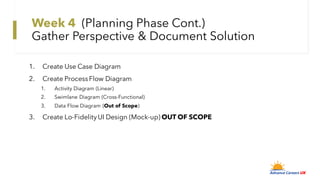
Week 4 (Planning Phase Cont.)
Gather Perspective & Document Solution
1. Create Use Case Diagram
2. Create ProcessFlow Diagram
1. Activity Diagram (Linear)
2. Swimlane Diagram (Cross-Functional)
3. Data Flow Diagram (Out of Scope)
3. Create Lo-FidelityUI Design (Mock-up) OUT OF SCOPE
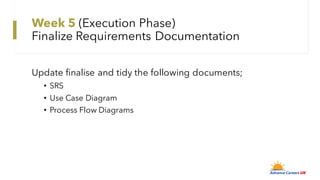
Week 5 (Execution Phase)
Finalize Requirements Documentation
Update finalise and tidy the following documents;
• SRS
• Use Case Diagram
• Process Flow Diagrams
Week 6 (Review)
Tidy up all your deliverable and upload to an assigned Jira
ticket on or before Friday of the week for review.
Week 6 (Review)
Friday 6pm – 8pm
Student presentation (Demo) and deliverable review
How to upload completed task
to Jira
1. Goto Advance Careers UK Jira account
• Url: https://advancecareersuk.atlassian.net/
2. Enter email and password below:
• Email: acuk.user@advancecareersuk.com
• Password: will be texted to you
3. On Jira search for your name at the top search fields
4. Select your Jira ticket from search results
5. Click the attach icon in your Jira ticket
6. Select your files and attach to the Jira ticket
What Next?
Project Onboarding Process Kick-Off The
Following Week.

BA Mini Project - Case Study v1.2.pdf

  • 1.
    Business Analysis Class ProjectDeliverables Mini Project: Online Office-Supplies Case Study
  • 2.
    Project Brief: ProblemStatement You currently work for DIGITAL ECHOES who has been approached by REGUS to build an online ordering system called LYRECO. The company currently has no standard way for departments to order office supplies. Each department separately implements its own ordering process. As a result, it is next to impossible to track company-wide spending on supplies, which impacts the ability to forecast budgeting and identify abuses. Another problem with the current system is that it does not allow for a single contact person who could negotiate better deals with various vendors. As a result, you have been asked to help develop a company-wide office-supply ordering system (OOS) application. To model the new system you will manage the completion the following tasks:
  • 3.
    Class Deliverables 1. GAPAnalysis 2. Create Business Case 3. Create Stakeholder Register 4. Create User Personas 5. Create System Requirements Specification – SRS 6. Create Use Case Diagram 7. Create Process Flow Diagram 1. Activity Diagram (Linear) 2. Swimlane Diagram (Cross-Functional) 3. Data Flow Diagram (Out of Scope) 8. Create Lo-Fidelity UI Design (Mock-up) OUT OF SCOPE
  • 4.
  • 5.
  • 6.
    Week 1 &2 (Initiation Phase – Mess Finding) 1. GAP Analysis 2. Create Business Case 3. Create Stakeholder Register 4. Create User Personas
  • 7.
    Week 3 (PlanningPhase) Gather Perspective & Document Solution 1. Create System RequirementsSpecification – SRS 1. Business Requirements 2. User Requirements 3. System Requirements
  • 8.
    Week 4 (PlanningPhase Cont.) Gather Perspective & Document Solution 1. Create Use Case Diagram 2. Create ProcessFlow Diagram 1. Activity Diagram (Linear) 2. Swimlane Diagram (Cross-Functional) 3. Data Flow Diagram (Out of Scope) 3. Create Lo-FidelityUI Design (Mock-up) OUT OF SCOPE
  • 9.
    Week 5 (ExecutionPhase) Finalize Requirements Documentation Update finalise and tidy the following documents; • SRS • Use Case Diagram • Process Flow Diagrams
  • 10.
    Week 6 (Review) Tidyup all your deliverable and upload to an assigned Jira ticket on or before Friday of the week for review.
  • 11.
    Week 6 (Review) Friday6pm – 8pm Student presentation (Demo) and deliverable review
  • 12.
    How to uploadcompleted task to Jira 1. Goto Advance Careers UK Jira account • Url: https://advancecareersuk.atlassian.net/ 2. Enter email and password below: • Email: acuk.user@advancecareersuk.com • Password: will be texted to you 3. On Jira search for your name at the top search fields 4. Select your Jira ticket from search results 5. Click the attach icon in your Jira ticket 6. Select your files and attach to the Jira ticket
  • 13.
    What Next? Project OnboardingProcess Kick-Off The Following Week.