Business Communication
UNIT- I
• The word communication comes from a
Latin word “Communicare” which means
to ‘share’ or ‘participate’.
• Communication is the imparting or
exchanging of information by speaking,
writing, or using some other medium.
What is Communication
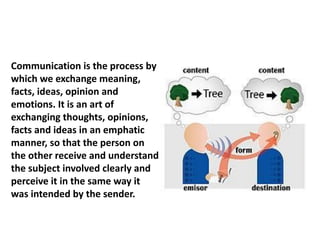
Communication is the process by
which we exchange meaning,
facts, ideas, opinion and
emotions. It is an art of
exchanging thoughts, opinions,
facts and ideas in an emphatic
manner, so that the person on
the other receive and understand
the subject involved clearly and
perceive it in the same way it
was intended by the sender.
• Business Communication is the ability of a group of
individuals to speak the same language internally and
externally towards business promotion. Business
communication is one of the most important tool for
an organization to succeed in a professional manner.
• The Definition. Business communication is the process
of sharing information between people within and
outside a company. Effective business
communication is how employees and management
interact to reach organizational goals. Its purpose is to
improve organizational practices and reduce errors.
What is Business Communication
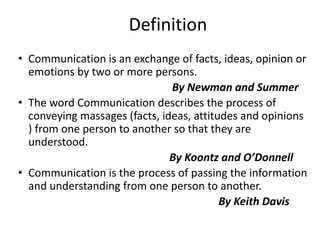
• Communication is an exchange of facts, ideas, opinion or
emotions by two or more persons.
By Newman and Summer
• The word Communication describes the process of
conveying massages (facts, ideas, attitudes and opinions
) from one person to another so that they are
understood.
By Koontz and O’Donnell
• Communication is the process of passing the information
and understanding from one person to another.
By Keith Davis
Definition
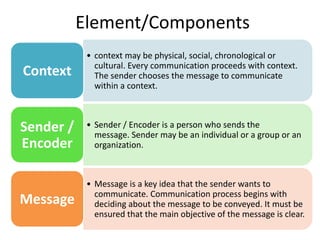
• context may be physical, social, chronological or
cultural. Every communication proceeds with context.
The sender chooses the message to communicate
within a context.
Context
• Sender / Encoder is a person who sends the
message. Sender may be an individual or a group or an
organization.
Sender /
Encoder
• Message is a key idea that the sender wants to
communicate. Communication process begins with
deciding about the message to be conveyed. It must be
ensured that the main objective of the message is clear.
Message
Element/Components
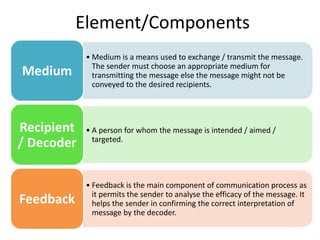
• Medium is a means used to exchange / transmit the message.
The sender must choose an appropriate medium for
transmitting the message else the message might not be
conveyed to the desired recipients.
Medium
• A person for whom the message is intended / aimed /
targeted.
Recipient
/ Decoder
• Feedback is the main component of communication process as
it permits the sender to analyse the efficacy of the message. It
helps the sender in confirming the correct interpretation of
message by the decoder.
Feedback
Element/Components
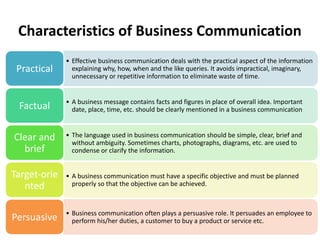
• Effective business communication deals with the practical aspect of the information
explaining why, how, when and the like queries. It avoids impractical, imaginary,
unnecessary or repetitive information to eliminate waste of time.
Practical
• A business message contains facts and figures in place of overall idea. Important
date, place, time, etc. should be clearly mentioned in a business communication
Factual
• The language used in business communication should be simple, clear, brief and
without ambiguity. Sometimes charts, photographs, diagrams, etc. are used to
condense or clarify the information.
Clear and
brief
• A business communication must have a specific objective and must be planned
properly so that the objective can be achieved.
Target-orie
nted
• Business communication often plays a persuasive role. It persuades an employee to
perform his/her duties, a customer to buy a product or service etc.
Persuasive
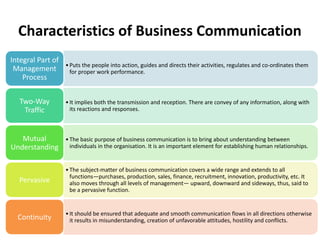
Characteristics of Business Communication
•Puts the people into action, guides and directs their activities, regulates and co-ordinates them
for proper work performance.
Integral Part of
Management
Process
•It implies both the transmission and reception. There are convey of any information, along with
its reactions and responses.
Two-Way
Traffic
•The basic purpose of business communication is to bring about understanding between
individuals in the organisation. It is an important element for establishing human relationships.
Mutual
Understanding
•The subject-matter of business communication covers a wide range and extends to all
functions—purchases, production, sales, finance, recruitment, innovation, productivity, etc. It
also moves through all levels of management— upward, downward and sideways, thus, said to
be a pervasive function.
Pervasive
•It should be ensured that adequate and smooth communication flows in all directions otherwise
it results in misunderstanding, creation of unfavorable attitudes, hostility and conflicts.
Continuity
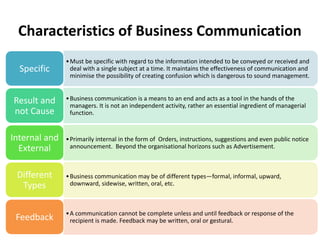
Characteristics of Business Communication
•Must be specific with regard to the information intended to be conveyed or received and
deal with a single subject at a time. It maintains the effectiveness of communication and
minimise the possibility of creating confusion which is dangerous to sound management.
Specific
•Business communication is a means to an end and acts as a tool in the hands of the
managers. It is not an independent activity, rather an essential ingredient of managerial
function.
Result and
not Cause
•Primarily internal in the form of Orders, instructions, suggestions and even public notice
announcement. Beyond the organisational horizons such as Advertisement.
Internal and
External
•Business communication may be of different types—formal, informal, upward,
downward, sidewise, written, oral, etc.
Different
Types
•A communication cannot be complete unless and until feedback or response of the
recipient is made. Feedback may be written, oral or gestural.
Feedback
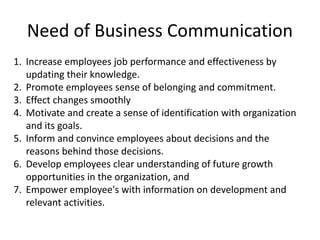
Characteristics of Business Communication
1. Increase employees job performance and effectiveness by
updating their knowledge.
2. Promote employees sense of belonging and commitment.
3. Effect changes smoothly
4. Motivate and create a sense of identification with organization
and its goals.
5. Inform and convince employees about decisions and the
reasons behind those decisions.
6. Develop employees clear understanding of future growth
opportunities in the organization, and
7. Empower employee's with information on development and
relevant activities.
Need of Business Communication
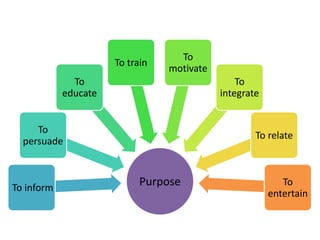
Purpose
To inform
To
persuade
To
educate
To train
To
motivate
To
integrate
To relate
To
entertain
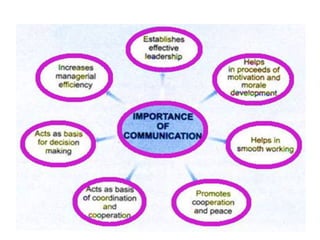
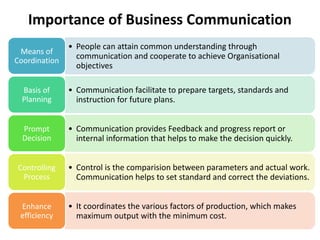
• People can attain common understanding through
communication and cooperate to achieve Organisational
objectives
Means of
Coordination
• Communication facilitate to prepare targets, standards and
instruction for future plans.
Basis of
Planning
• Communication provides Feedback and progress report or
internal information that helps to make the decision quickly.
Prompt
Decision
• Control is the comparision between parameters and actual work.
Communication helps to set standard and correct the deviations.
Controlling
Process
• It coordinates the various factors of production, which makes
maximum output with the minimum cost.
Enhance
efficiency
Importance of Business Communication
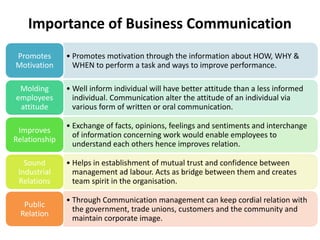
• Promotes motivation through the information about HOW, WHY &
WHEN to perform a task and ways to improve performance.
Promotes
Motivation
• Well inform individual will have better attitude than a less informed
individual. Communication alter the attitude of an individual via
various form of written or oral communication.
Molding
employees
attitude
• Exchange of facts, opinions, feelings and sentiments and interchange
of information concerning work would enable employees to
understand each others hence improves relation.
Improves
Relationship
• Helps in establishment of mutual trust and confidence between
management ad labour. Acts as bridge between them and creates
team spirit in the organisation.
Sound
Industrial
Relations
• Through Communication management can keep cordial relation with
the government, trade unions, customers and the community and
maintain corporate image.
Public
Relation
Importance of Business Communication
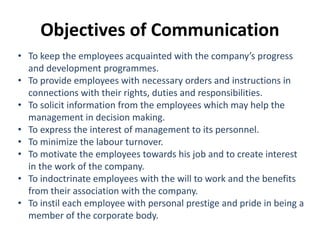
• To keep the employees acquainted with the company’s progress
and development programmes.
• To provide employees with necessary orders and instructions in
connections with their rights, duties and responsibilities.
• To solicit information from the employees which may help the
management in decision making.
• To express the interest of management to its personnel.
• To minimize the labour turnover.
• To motivate the employees towards his job and to create interest
in the work of the company.
• To indoctrinate employees with the will to work and the benefits
from their association with the company.
• To instil each employee with personal prestige and pride in being a
member of the corporate body.
Objectives of Communication
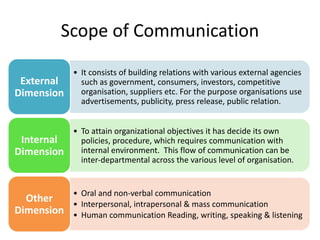
• It consists of building relations with various external agencies
such as government, consumers, investors, competitive
organisation, suppliers etc. For the purpose organisations use
advertisements, publicity, press release, public relation.
External
Dimension
• To attain organizational objectives it has decide its own
policies, procedure, which requires communication with
internal environment. This flow of communication can be
inter-departmental across the various level of organisation.
Internal
Dimension
• Oral and non-verbal communication
• Interpersonal, intrapersonal & mass communication
• Human communication Reading, writing, speaking & listening
Other
Dimension
Scope of Communication
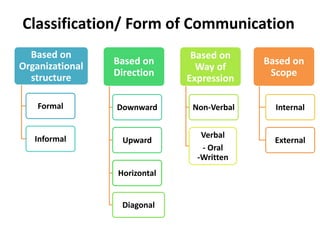
Based on
Organizational
structure
Formal
Informal
Based on
Direction
Downward
Upward
Horizontal
Diagonal
Based on
Way of
Expression
Non-Verbal
Verbal
- Oral
-Written
Based on
Scope
Internal
External
Classification/ Form of Communication
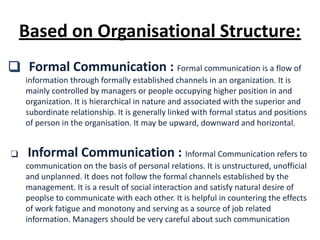
❑ Formal Communication : Formal communication is a flow of
information through formally established channels in an organization. It is
mainly controlled by managers or people occupying higher position in and
organization. It is hierarchical in nature and associated with the superior and
subordinate relationship. It is generally linked with formal status and positions
of person in the organisation. It may be upward, downward and horizontal.
❑ Informal Communication : Informal Communication refers to
communication on the basis of personal relations. It is unstructured, unofficial
and unplanned. It does not follow the formal channels established by the
management. It is a result of social interaction and satisfy natural desire of
peoplse to communicate with each other. It is helpful in countering the effects
of work fatigue and monotony and serving as a source of job related
information. Managers should be very careful about such communication
Based on Organisational Structure:
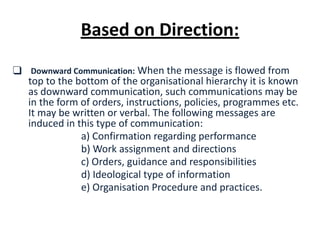
❑ Downward Communication: When the message is flowed from
top to the bottom of the organisational hierarchy it is known
as downward communication, such communications may be
in the form of orders, instructions, policies, programmes etc.
It may be written or verbal. The following messages are
induced in this type of communication:
a) Confirmation regarding performance
b) Work assignment and directions
c) Orders, guidance and responsibilities
d) Ideological type of information
e) Organisation Procedure and practices.
Based on Direction:
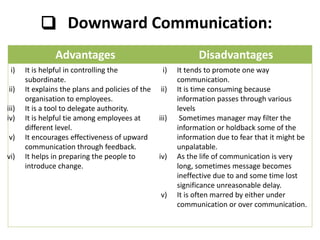
❑ Downward Communication:
Advantages Disadvantages
i) It is helpful in controlling the
subordinate.
ii) It explains the plans and policies of the
organisation to employees.
iii) It is a tool to delegate authority.
iv) It is helpful tie among employees at
different level.
v) It encourages effectiveness of upward
communication through feedback.
vi) It helps in preparing the people to
introduce change.
i) It tends to promote one way
communication.
ii) It is time consuming because
information passes through various
levels
iii) Sometimes manager may filter the
information or holdback some of the
information due to fear that it might be
unpalatable.
iv) As the life of communication is very
long, sometimes message becomes
ineffective due to and some time lost
significance unreasonable delay.
v) It is often marred by either under
communication or over communication.
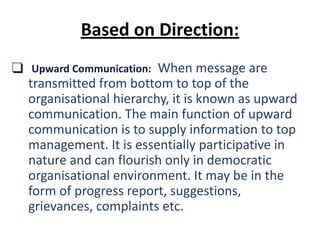
❑ Upward Communication: When message are
transmitted from bottom to top of the
organisational hierarchy, it is known as upward
communication. The main function of upward
communication is to supply information to top
management. It is essentially participative in
nature and can flourish only in democratic
organisational environment. It may be in the
form of progress report, suggestions,
grievances, complaints etc.
Based on Direction:
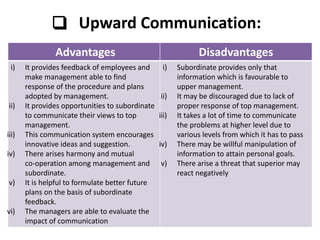
❑ Upward Communication:
Advantages Disadvantages
i) It provides feedback of employees and
make management able to find
response of the procedure and plans
adopted by management.
ii) It provides opportunities to subordinate
to communicate their views to top
management.
iii) This communication system encourages
innovative ideas and suggestion.
iv) There arises harmony and mutual
co-operation among management and
subordinate.
v) It is helpful to formulate better future
plans on the basis of subordinate
feedback.
vi) The managers are able to evaluate the
impact of communication
i) Subordinate provides only that
information which is favourable to
upper management.
ii) It may be discouraged due to lack of
proper response of top management.
iii) It takes a lot of time to communicate
the problems at higher level due to
various levels from which it has to pass
iv) There may be willful manipulation of
information to attain personal goals.
v) There arise a threat that superior may
react negatively
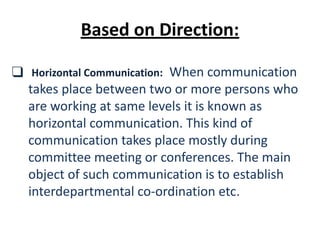
❑ Horizontal Communication: When communication
takes place between two or more persons who
are working at same levels it is known as
horizontal communication. This kind of
communication takes place mostly during
committee meeting or conferences. The main
object of such communication is to establish
interdepartmental co-ordination etc.
Based on Direction:
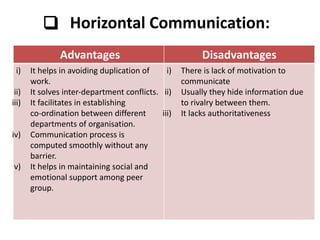
❑ Horizontal Communication:
Advantages Disadvantages
i) It helps in avoiding duplication of
work.
ii) It solves inter-department conflicts.
iii) It facilitates in establishing
co-ordination between different
departments of organisation.
iv) Communication process is
computed smoothly without any
barrier.
v) It helps in maintaining social and
emotional support among peer
group.
i) There is lack of motivation to
communicate
ii) Usually they hide information due
to rivalry between them.
iii) It lacks authoritativeness
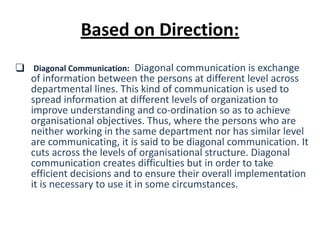
❑ Diagonal Communication: Diagonal communication is exchange
of information between the persons at different level across
departmental lines. This kind of communication is used to
spread information at different levels of organization to
improve understanding and co-ordination so as to achieve
organisational objectives. Thus, where the persons who are
neither working in the same department nor has similar level
are communicating, it is said to be diagonal communication. It
cuts across the levels of organisational structure. Diagonal
communication creates difficulties but in order to take
efficient decisions and to ensure their overall implementation
it is necessary to use it in some circumstances.
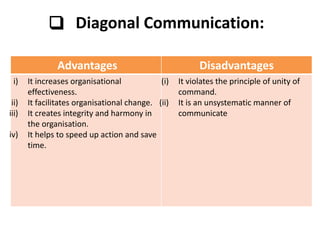
Based on Direction:
❑ Diagonal Communication:
Advantages Disadvantages
i) It increases organisational
effectiveness.
ii) It facilitates organisational change.
iii) It creates integrity and harmony in
the organisation.
iv) It helps to speed up action and save
time.
(i) It violates the principle of unity of
command.
(ii) It is an unsystematic manner of
communicate
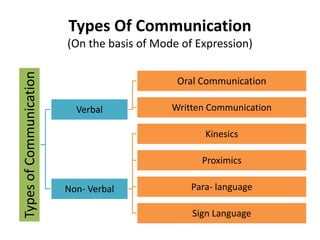
Types Of Communication
(On the basis of Mode of Expression)
Types
of
Communication
Verbal
Oral Communication
Written Communication
Non- Verbal
Kinesics
Proximics
Para- language
Sign Language
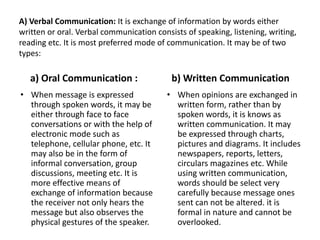
A) Verbal Communication: It is exchange of information by words either
written or oral. Verbal communication consists of speaking, listening, writing,
reading etc. It is most preferred mode of communication. It may be of two
types:
a) Oral Communication :
• When message is expressed
through spoken words, it may be
either through face to face
conversations or with the help of
electronic mode such as
telephone, cellular phone, etc. It
may also be in the form of
informal conversation, group
discussions, meeting etc. It is
more effective means of
exchange of information because
the receiver not only hears the
message but also observes the
physical gestures of the speaker.
b) Written Communication
• When opinions are exchanged in
written form, rather than by
spoken words, it is knows as
written communication. It may
be expressed through charts,
pictures and diagrams. It includes
newspapers, reports, letters,
circulars magazines etc. While
using written communication,
words should be select very
carefully because message ones
sent can not be altered. it is
formal in nature and cannot be
overlooked.
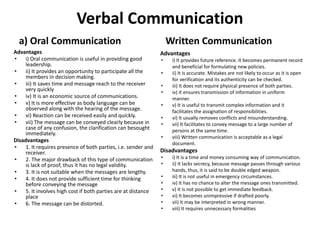
Verbal Communication
a) Oral Communication
Advantages
• i) Oral communication is useful in providing good
leadership.
• ii) It provides an opportunity to participate all the
members in decision making.
• iii) It saves time and message reach to the receiver
very quickly
• iv) It is an economic source of communications.
• v) It is more effective as body language can be
observed along with the hearing of the message.
• vi) Reaction can be received easily and quickly.
• vii) The message can be conveyed clearly because in
case of any confusion, the clarification can besought
immediately.
Disadvantages
• 1. It requires presence of both parties, i.e. sender and
receiver.
• 2. The major drawback of this type of communication
is lack of proof, thus it has no legal validity.
• 3. It is not suitable when the messages are lengthy.
• 4. It does not provide sufficient time for thinking
before conveying the message
• 5. It involves high cost if both parties are at distance
place
• 6. The message can be distorted.
Written Communication
Advantages
• i) It provides future reference. It becomes permanent record
and beneficial for formulating new policies.
• ii) It is accurate. Mistakes are not likely to occur as it is open
for verification and its authenticity can be checked.
• iii) It does not require physical presence of both parties.
• iv) It ensures transmission of information in uniform
manner.
• v) It is useful to transmit complex information and it
facilitates the assignation of responsibilities.
• vi) It usually removes conflicts and misunderstanding.
• vii) It facilitates to convey message to a large number of
persons at the same time.
• viii) Written communication is acceptable as a legal
document.
Disadvantages
• i) It is a time and money consuming way of communication.
• ii) It lacks secrecy, because message passes through various
hands, thus, it is said to be double edged weapon.
• iii) It is not useful in emergency circumstances.
• iv) It has no chance to alter the message ones transmitted.
• v) It is not possible to get immediate feedback.
• vi) It becomes unimpressive if drafted poorly.
• vii) It may be interpreted in wrong manner.
• viii) It requires unnecessary formalities
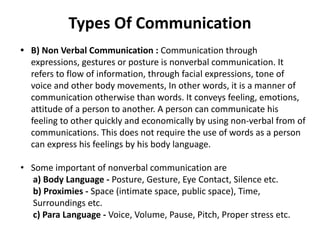
Types Of Communication
• B) Non Verbal Communication : Communication through
expressions, gestures or posture is nonverbal communication. It
refers to flow of information, through facial expressions, tone of
voice and other body movements, In other words, it is a manner of
communication otherwise than words. It conveys feeling, emotions,
attitude of a person to another. A person can communicate his
feeling to other quickly and economically by using non-verbal from of
communications. This does not require the use of words as a person
can express his feelings by his body language.
• Some important of nonverbal communication are
a) Body Language - Posture, Gesture, Eye Contact, Silence etc.
b) Proximies - Space (intimate space, public space), Time,
Surroundings etc.
c) Para Language - Voice, Volume, Pause, Pitch, Proper stress etc.
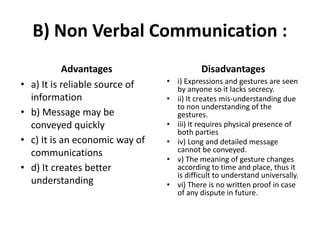
B) Non Verbal Communication :
Advantages
• a) It is reliable source of
information
• b) Message may be
conveyed quickly
• c) It is an economic way of
communications
• d) It creates better
understanding
Disadvantages
• i) Expressions and gestures are seen
by anyone so it lacks secrecy.
• ii) It creates mis-understanding due
to non understanding of the
gestures.
• iii) It requires physical presence of
both parties
• iv) Long and detailed message
cannot be conveyed.
• v) The meaning of gesture changes
according to time and place, thus it
is difficult to understand universally.
• vi) There is no written proof in case
of any dispute in future.
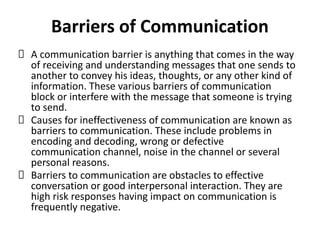
Barriers of Communication
A communication barrier is anything that comes in the way
of receiving and understanding messages that one sends to
another to convey his ideas, thoughts, or any other kind of
information. These various barriers of communication
block or interfere with the message that someone is trying
to send.
Causes for ineffectiveness of communication are known as
barriers to communication. These include problems in
encoding and decoding, wrong or defective
communication channel, noise in the channel or several
personal reasons.
Barriers to communication are obstacles to effective
conversation or good interpersonal interaction. They are
high risk responses having impact on communication is
frequently negative.
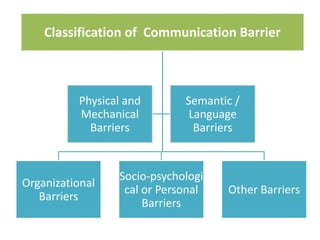
Classification of Communication Barrier
Organizational
Barriers
Socio-psychologi
cal or Personal
Barriers
Other Barriers
Physical and
Mechanical
Barriers
Semantic /
Language
Barriers
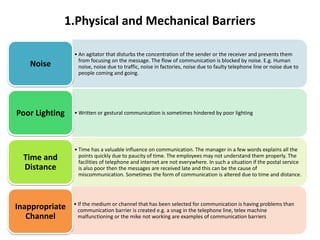
1.Physical and Mechanical Barriers
• An agitator that disturbs the concentration of the sender or the receiver and prevents them
from focusing on the message. The flow of communication is blocked by noise. E.g. Human
noise, noise due to traffic, noise in factories, noise due to faulty telephone line or noise due to
people coming and going.
Noise
• Written or gestural communication is sometimes hindered by poor lighting
Poor Lighting
• Time has a valuable influence on communication. The manager in a few words explains all the
points quickly due to paucity of time. The employees may not understand them properly. The
facilities of telephone and internet are not everywhere. In such a situation if the postal service
is also poor then the messages are received late and this can be the cause of
miscommunication. Sometimes the form of communication is altered due to time and distance.
Time and
Distance
• If the medium or channel that has been selected for communication is having problems than
communication barrier is created e.g. a snag in the telephone line, telex machine
malfunctioning or the mike not working are examples of communication barriers
Inappropriate
Channel
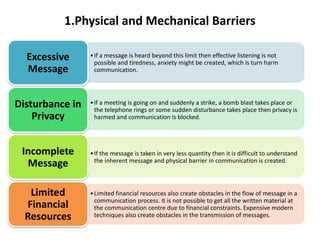
1.Physical and Mechanical Barriers
•If a message is heard beyond this limit then effective listening is not
possible and tiredness, anxiety might be created, which is turn harm
communication.
Excessive
Message
•If a meeting is going on and suddenly a strike, a bomb blast takes place or
the telephone rings or some sudden disturbance takes place then privacy is
harmed and communication is blocked.
Disturbance in
Privacy
•If the message is taken in very less quantity then it is difficult to understand
the inherent message and physical barrier in communication is created.
Incomplete
Message
•Limited financial resources also create obstacles in the flow of message in a
communication process. It is not possible to get all the written material at
the communication centre due to financial constraints. Expensive modern
techniques also create obstacles in the transmission of messages.
Limited
Financial
Resources
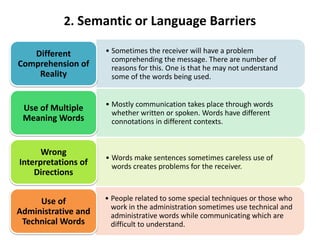
2. Semantic or Language Barriers
• Sometimes the receiver will have a problem
comprehending the message. There are number of
reasons for this. One is that he may not understand
some of the words being used.
Different
Comprehension of
Reality
• Mostly communication takes place through words
whether written or spoken. Words have different
connotations in different contexts.
Use of Multiple
Meaning Words
• Words make sentences sometimes careless use of
words creates problems for the receiver.
Wrong
Interpretations of
Directions
• People related to some special techniques or those who
work in the administration sometimes use technical and
administrative words while communicating which are
difficult to understand.
Use of
Administrative and
Technical Words
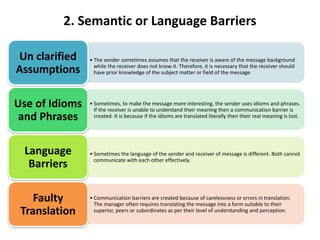
2. Semantic or Language Barriers
• The sender sometimes assumes that the receiver is aware of the message background
while the receiver does not know it. Therefore, it is necessary that the receiver should
have prior knowledge of the subject matter or field of the message.
Un clarified
Assumptions
• Sometimes, to make the message more interesting, the sender uses idioms and phrases.
If the receiver is unable to understand their meaning then a communication barrier is
created. It is because if the idioms are translated literally then their real meaning is lost.
Use of Idioms
and Phrases
• Sometimes the language of the sender and receiver of message is different. Both cannot
communicate with each other effectively.
Language
Barriers
• Communication barriers are created because of carelessness or errors in translation.
The manager often requires translating the message into a form suitable to their
superior, peers or subordinates as per their level of understanding and perception.
Faulty
Translation
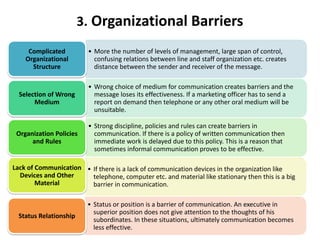
3. Organizational Barriers
• More the number of levels of management, large span of control,
confusing relations between line and staff organization etc. creates
distance between the sender and receiver of the message.
Complicated
Organizational
Structure
• Wrong choice of medium for communication creates barriers and the
message loses its effectiveness. If a marketing officer has to send a
report on demand then telephone or any other oral medium will be
unsuitable.
Selection of Wrong
Medium
• Strong discipline, policies and rules can create barriers in
communication. If there is a policy of written communication then
immediate work is delayed due to this policy. This is a reason that
sometimes informal communication proves to be effective.
Organization Policies
and Rules
• If there is a lack of communication devices in the organization like
telephone, computer etc. and material like stationary then this is a big
barrier in communication.
Lack of Communication
Devices and Other
Material
• Status or position is a barrier of communication. An executive in
superior position does not give attention to the thoughts of his
subordinates. In these situations, ultimately communication becomes
less effective.
Status Relationship
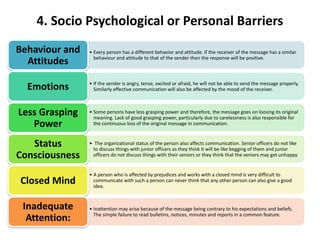
4. Socio Psychological or Personal Barriers
• Every person has a different behavior and attitude. If the receiver of the message has a similar
behaviour and attitude to that of the sender then the response will be positive.
Behaviour and
Attitudes
• If the sender is angry, tense, excited or afraid, he will not be able to send the message properly.
Similarly effective communication will also be affected by the mood of the receiver.
Emotions
• Some persons have less grasping power and therefore, the message goes on loosing its original
meaning. Lack of good grasping power, particularly due to carelessness is also responsible for
the continuous loss of the original message in communication.
Less Grasping
Power
• The organizational status of the person also affects communication. Senior officers do not like
to discuss things with junior officers as they think it will be like begging of them and junior
officers do not discuss things with their seniors or they think that the seniors may get unhappy.
Status
Consciousness
• A person who is affected by prejudices and works with a closed mind is very difficult to
communicate with such a person can never think that any other person can also give a good
idea.
Closed Mind
• Inattention may arise because of the message being contrary to his expectations and beliefs.
The simple failure to read bulletins, notices, minutes and reports in a common feature.
Inadequate
Attention:
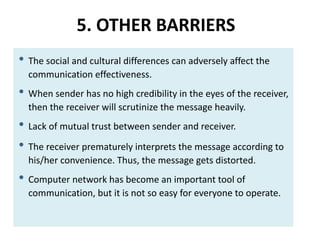
5. OTHER BARRIERS
• The social and cultural differences can adversely affect the
communication effectiveness.
• When sender has no high credibility in the eyes of the receiver,
then the receiver will scrutinize the message heavily.
• Lack of mutual trust between sender and receiver.
• The receiver prematurely interprets the message according to
his/her convenience. Thus, the message gets distorted.
• Computer network has become an important tool of
communication, but it is not so easy for everyone to operate.
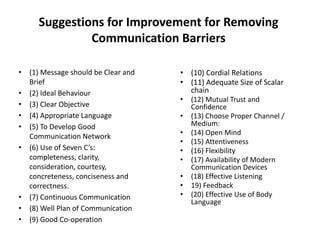
Suggestions for Improvement for Removing
Communication Barriers
• (1) Message should be Clear and
Brief
• (2) Ideal Behaviour
• (3) Clear Objective
• (4) Appropriate Language
• (5) To Develop Good
Communication Network
• (6) Use of Seven C’s:
completeness, clarity,
consideration, courtesy,
concreteness, conciseness and
correctness.
• (7) Continuous Communication
• (8) Well Plan of Communication
• (9) Good Co-operation
• (10) Cordial Relations
• (11) Adequate Size of Scalar
chain
• (12) Mutual Trust and
Confidence
• (13) Choose Proper Channel /
Medium:
• (14) Open Mind
• (15) Attentiveness
• (16) Flexibility
• (17) Availability of Modern
Communication Devices
• (18) Effective Listening
• 19) Feedback
• (20) Effective Use of Body
Language
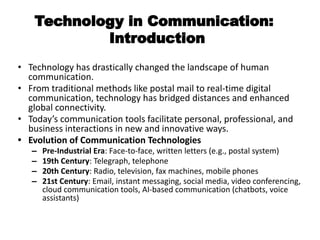
Technology in Communication:
Introduction
• Technology has drastically changed the landscape of human
communication.
• From traditional methods like postal mail to real-time digital
communication, technology has bridged distances and enhanced
global connectivity.
• Today’s communication tools facilitate personal, professional, and
business interactions in new and innovative ways.
• Evolution of Communication Technologies
– Pre-Industrial Era: Face-to-face, written letters (e.g., postal system)
– 19th Century: Telegraph, telephone
– 20th Century: Radio, television, fax machines, mobile phones
– 21st Century: Email, instant messaging, social media, video conferencing,
cloud communication tools, AI-based communication (chatbots, voice
assistants)
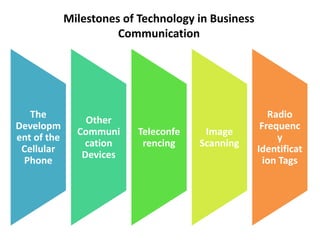
Milestones of Technology in Business
Communication
The
Developm
ent of the
Cellular
Phone
Other
Communi
cation
Devices
Teleconfe
rencing
Image
Scanning
Radio
Frequenc
y
Identificat
ion Tags
Milestones of Technology in Business
Communication
• The Development of the Cellular Phone: One of the biggest advancements in
communication has been the development of the cellular phone. In the past, your only chance
of reaching employees was when they were at their desks, prompting endless games of “phone
tag” as people tried to connect during busy workdays. Now, workers are reachable no matter
where they are, and even during non-work hours. The development of smartphones has also
greatly expanded the types of business activities you can transact when out of the office,
increasing productivity and extending the workday.
• Other Communication Devices: Computers come in a wide variety of configurations these
days, including tablets, small-but-powerful laptops, 2-in-1 devices that serve as either a laptop
or tablet, and other variations. These devices all have built-in wireless capabilities and can also
be configured with mobile communications, making them, in essence, large cell phones.
Whichever device a business person carries, it facilitates verbal, text and image
communications.
• Teleconferencing: High-speed data connections allow for the use of teleconferencing, virtual
meetings held over audio and video links. Teleconferencing can save substantial amounts of
money otherwise spent on travel by connecting important employees in far-flung branches
together to share ideas and information. The use of virtual whiteboards, communal data-sharing
platforms where remote users can interact as if around the same table, further increase the
possibilities of the virtual workplace.
Milestones of Technology in Business Communication
• Image Scanning: Document and image scanners allow workers to convert
paperwork, plans, diagrams and photos into electronic files quickly for storage and
transmission.
• Radio Frequency Identification Tags: The development of radio frequency
identification (RFID) has substantially changed the field of business logistics and,
paired with other business communication advancements, has the potential to
increase a company’s efficiency significantly. RFID tags are small chips that respond to
radio waves with encoded information, allowing companies to tag and track items and
materials. When an employee activates a scanning device, all RFID tags within range
will respond with their coded information, allowing for quick updates of warehouse
inventories and real-time tracking of shipments as they pass through the supply chain.
Being able to access inventory on demand allows companies to take advantage of
“just-in-time” shipping, providing products and material only when needed to reduce
warehousing requirements and reduce the amount of excess stock stored at retail or
office facilities.
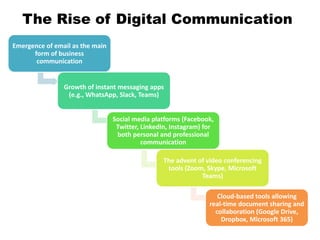
The Rise of Digital Communication
Emergence of email as the main
form of business
communication
Growth of instant messaging apps
(e.g., WhatsApp, Slack, Teams)
Social media platforms (Facebook,
Twitter, LinkedIn, Instagram) for
both personal and professional
communication
The advent of video conferencing
tools (Zoom, Skype, Microsoft
Teams)
Cloud-based tools allowing
real-time document sharing and
collaboration (Google Drive,
Dropbox, Microsoft 365)
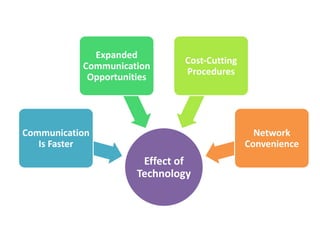
Effect of
Technology
Communication
Is Faster
Expanded
Communication
Opportunities
Cost-Cutting
Procedures
Network
Convenience
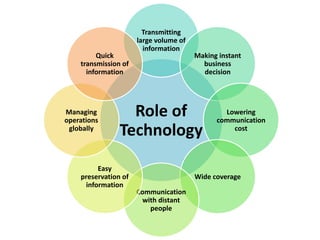
Role of
Technology
Transmitting
large volume of
information
Making instant
business
decision
Lowering
communication
cost
Wide coverage
Communication
with distant
people
Easy
preservation of
information
Managing
operations
globally
Quick
transmission of
information
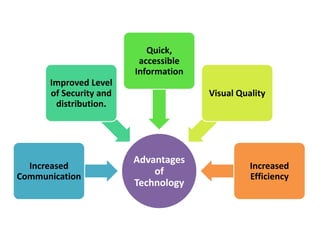
Advantages
of
Technology
Increased
Communication
Improved Level
of Security and
distribution.
Quick,
accessible
Information
Visual Quality
Increased
Efficiency
E-mails
• The abbreviated form of electronic mail is 'email'. Email is a
system used for creating, sending/receiving and storing data
in a digital format over a network of computers.
• Email (electronic mail) is a way to send and receive messages
across the Internet. It's similar to traditional mail, but it also
has some key differences.
• Today's email technology uses the store-and-forward model.
In this model, users send and receive information on their
computer terminals. However, the computer is used only to
connect to the email architecture.
• The creation, transmission and storage of email takes place
only when connection with an email architecture is
established.
• Email is one of the important technological developments
which has greatly influenced the way we communicate with
each other.
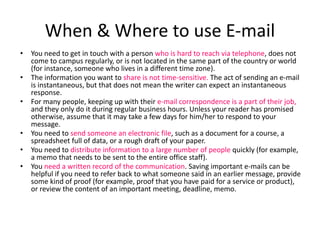
When & Where to use E-mail
• You need to get in touch with a person who is hard to reach via telephone, does not
come to campus regularly, or is not located in the same part of the country or world
(for instance, someone who lives in a different time zone).
• The information you want to share is not time-sensitive. The act of sending an e-mail
is instantaneous, but that does not mean the writer can expect an instantaneous
response.
• For many people, keeping up with their e-mail correspondence is a part of their job,
and they only do it during regular business hours. Unless your reader has promised
otherwise, assume that it may take a few days for him/her to respond to your
message.
• You need to send someone an electronic file, such as a document for a course, a
spreadsheet full of data, or a rough draft of your paper.
• You need to distribute information to a large number of people quickly (for example,
a memo that needs to be sent to the entire office staff).
• You need a written record of the communication. Saving important e-mails can be
helpful if you need to refer back to what someone said in an earlier message, provide
some kind of proof (for example, proof that you have paid for a service or product),
or review the content of an important meeting, deadline, memo.
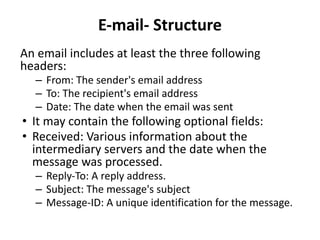
E-mail- Structure
An email includes at least the three following
headers:
– From: The sender's email address
– To: The recipient's email address
– Date: The date when the email was sent
• It may contain the following optional fields:
• Received: Various information about the
intermediary servers and the date when the
message was processed.
– Reply-To: A reply address.
– Subject: The message's subject
– Message-ID: A unique identification for the message.
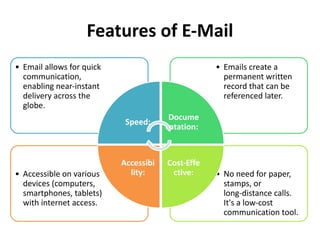
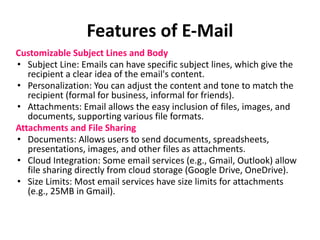
Features of E-Mail
• No need for paper,
stamps, or
long-distance calls.
It's a low-cost
communication tool.
• Accessible on various
devices (computers,
smartphones, tablets)
with internet access.
• Emails create a
permanent written
record that can be
referenced later.
• Email allows for quick
communication,
enabling near-instant
delivery across the
globe.
Speed:
Docume
ntation:
Cost-Effe
ctive:
Accessibi
lity:
Features of E-Mail
Customizable Subject Lines and Body
• Subject Line: Emails can have specific subject lines, which give the
recipient a clear idea of the email's content.
• Personalization: You can adjust the content and tone to match the
recipient (formal for business, informal for friends).
• Attachments: Email allows the easy inclusion of files, images, and
documents, supporting various file formats.
Attachments and File Sharing
• Documents: Allows users to send documents, spreadsheets,
presentations, images, and other files as attachments.
• Cloud Integration: Some email services (e.g., Gmail, Outlook) allow
file sharing directly from cloud storage (Google Drive, OneDrive).
• Size Limits: Most email services have size limits for attachments
(e.g., 25MB in Gmail).
Features of E-Mail
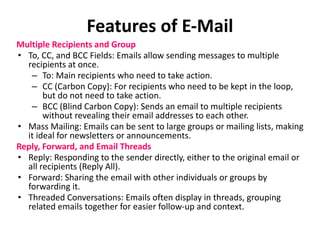
Multiple Recipients and Group
• To, CC, and BCC Fields: Emails allow sending messages to multiple
recipients at once.
– To: Main recipients who need to take action.
– CC (Carbon Copy): For recipients who need to be kept in the loop,
but do not need to take action.
– BCC (Blind Carbon Copy): Sends an email to multiple recipients
without revealing their email addresses to each other.
• Mass Mailing: Emails can be sent to large groups or mailing lists, making
it ideal for newsletters or announcements.
Reply, Forward, and Email Threads
• Reply: Responding to the sender directly, either to the original email or
all recipients (Reply All).
• Forward: Sharing the email with other individuals or groups by
forwarding it.
• Threaded Conversations: Emails often display in threads, grouping
related emails together for easier follow-up and context.
Features of E-Mail
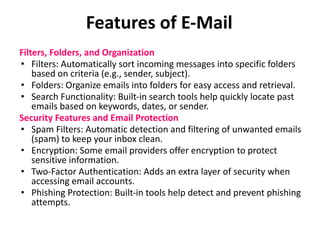
Filters, Folders, and Organization
• Filters: Automatically sort incoming messages into specific folders
based on criteria (e.g., sender, subject).
• Folders: Organize emails into folders for easy access and retrieval.
• Search Functionality: Built-in search tools help quickly locate past
emails based on keywords, dates, or sender.
Security Features and Email Protection
• Spam Filters: Automatic detection and filtering of unwanted emails
(spam) to keep your inbox clean.
• Encryption: Some email providers offer encryption to protect
sensitive information.
• Two-Factor Authentication: Adds an extra layer of security when
accessing email accounts.
• Phishing Protection: Built-in tools help detect and prevent phishing
attempts.
Features of E-Mail
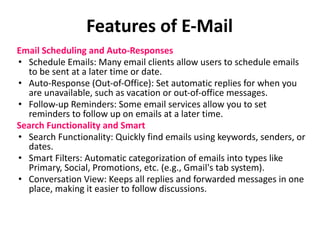
Email Scheduling and Auto-Responses
• Schedule Emails: Many email clients allow users to schedule emails
to be sent at a later time or date.
• Auto-Response (Out-of-Office): Set automatic replies for when you
are unavailable, such as vacation or out-of-office messages.
• Follow-up Reminders: Some email services allow you to set
reminders to follow up on emails at a later time.
Search Functionality and Smart
• Search Functionality: Quickly find emails using keywords, senders, or
dates.
• Smart Filters: Automatic categorization of emails into types like
Primary, Social, Promotions, etc. (e.g., Gmail's tab system).
• Conversation View: Keeps all replies and forwarded messages in one
place, making it easier to follow discussions.
Features of E-Mail
Integration with Other Tools
• Calendar Integration: Email services often
integrate with calendars to easily schedule events
or meetings directly from emails.
• Task Management: Many email platforms connect
with task management tools (e.g., Asana, Trello)
to turn emails into tasks.
• Cloud Storage: Emails can be linked to cloud
storage systems (e.g., Google Drive, OneDrive) for
easy sharing of large files.
Importance of Email in Business
Communication
• Formal Communication Channel: Email is often considered more
formal than instant messaging or texting, which makes it ideal for
business-related communication, particularly when dealing with
clients, stakeholders, or formal documentation.
• Documentation and Record-Keeping: One of the primary benefits
of email is its ability to provide a permanent record of
communications, which is vital for reference, accountability, and
legal purposes.
• Widespread Accessibility: Email is universally accessible and
compatible across different devices, making it a reliable method
for both internal and external communication in business.
• Global Reach: Email allows businesses to communicate seamlessly
across different time zones, regions, and countries, supporting
global operations and remote teams.
Advantages of Email in Business
• Efficiency: Email enables quick exchange of information, especially
for conveying messages that are not urgent but still require formal
acknowledgment or a paper trail. It allows for asynchronous
communication (not needing an immediate response).
• Cost-Effective: Compared to traditional mail, phone calls, or
face-to-face meetings, email is much more cost-effective. It
eliminates the need for physical infrastructure or significant travel
costs.
• Scalability: Email allows businesses to communicate with
individuals or large groups simultaneously. This is especially
helpful for sending updates, announcements, or newsletters.
• Professionalism: Email provides a more professional
communication format compared to text messages or phone calls.
It can be customized and formatted according to the business
context, maintaining a formal tone when required.
Common Uses of Email in Business
Communication
• Internal Communication: Email is often used within companies to communicate
updates, schedule meetings, share reports, or request actions. It's a formal way to
reach colleagues and departments. Example: Sending a weekly report to a manager
or team, sharing company-wide announcements, or coordinating with other
departments.
• External Communication: Email is used for communicating with clients, partners,
suppliers, and customers. This includes everything from transactional
communications (invoices, confirmations) to customer service interactions. Example:
Reaching out to potential clients, sending quotes, handling customer service
inquiries, or negotiating contracts.
• Marketing and Customer Engagement: Email marketing is a powerful tool for
businesses to reach a large audience. Emails can be used for newsletters, product
launches, promotional offers, and personalized communication. Example: Sending a
customer thank-you email after a purchase or promoting a seasonal sale via a
newsletter.
• Recruitment: Email is an essential tool for handling job applications, interview
scheduling, and formal job offers. Example: Sending an invitation for an interview or
confirming a job offer to a candidate.
Best Practices for Writing Effective
Business Emails
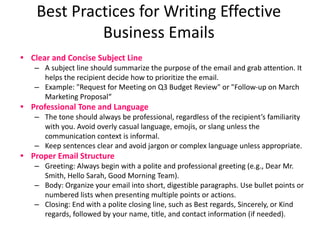
• Clear and Concise Subject Line
– A subject line should summarize the purpose of the email and grab attention. It
helps the recipient decide how to prioritize the email.
– Example: "Request for Meeting on Q3 Budget Review" or "Follow-up on March
Marketing Proposal“
• Professional Tone and Language
– The tone should always be professional, regardless of the recipient’s familiarity
with you. Avoid overly casual language, emojis, or slang unless the
communication context is informal.
– Keep sentences clear and avoid jargon or complex language unless appropriate.
• Proper Email Structure
– Greeting: Always begin with a polite and professional greeting (e.g., Dear Mr.
Smith, Hello Sarah, Good Morning Team).
– Body: Organize your email into short, digestible paragraphs. Use bullet points or
numbered lists when presenting multiple points or actions.
– Closing: End with a polite closing line, such as Best regards, Sincerely, or Kind
regards, followed by your name, title, and contact information (if needed).
Best Practices for Writing Effective
Business Emails
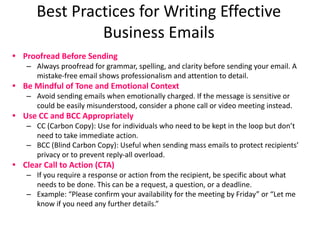
• Proofread Before Sending
– Always proofread for grammar, spelling, and clarity before sending your email. A
mistake-free email shows professionalism and attention to detail.
• Be Mindful of Tone and Emotional Context
– Avoid sending emails when emotionally charged. If the message is sensitive or
could be easily misunderstood, consider a phone call or video meeting instead.
• Use CC and BCC Appropriately
– CC (Carbon Copy): Use for individuals who need to be kept in the loop but don’t
need to take immediate action.
– BCC (Blind Carbon Copy): Useful when sending mass emails to protect recipients’
privacy or to prevent reply-all overload.
• Clear Call to Action (CTA)
– If you require a response or action from the recipient, be specific about what
needs to be done. This can be a request, a question, or a deadline.
– Example: “Please confirm your availability for the meeting by Friday” or “Let me
know if you need any further details.”
Challenges of Email in Business
Communication
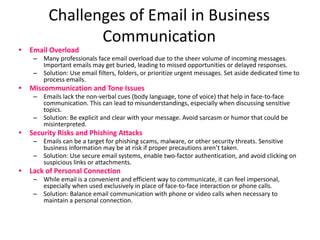
• Email Overload
– Many professionals face email overload due to the sheer volume of incoming messages.
Important emails may get buried, leading to missed opportunities or delayed responses.
– Solution: Use email filters, folders, or prioritize urgent messages. Set aside dedicated time to
process emails.
• Miscommunication and Tone Issues
– Emails lack the non-verbal cues (body language, tone of voice) that help in face-to-face
communication. This can lead to misunderstandings, especially when discussing sensitive
topics.
– Solution: Be explicit and clear with your message. Avoid sarcasm or humor that could be
misinterpreted.
• Security Risks and Phishing Attacks
– Emails can be a target for phishing scams, malware, or other security threats. Sensitive
business information may be at risk if proper precautions aren’t taken.
– Solution: Use secure email systems, enable two-factor authentication, and avoid clicking on
suspicious links or attachments.
• Lack of Personal Connection
– While email is a convenient and efficient way to communicate, it can feel impersonal,
especially when used exclusively in place of face-to-face interaction or phone calls.
– Solution: Balance email communication with phone or video calls when necessary to
maintain a personal connection.
Introduction to Email Etiquette
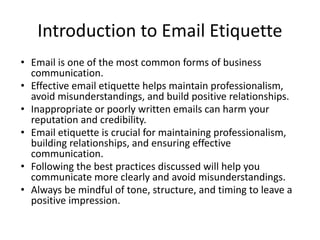
• Email is one of the most common forms of business
communication.
• Effective email etiquette helps maintain professionalism,
avoid misunderstandings, and build positive relationships.
• Inappropriate or poorly written emails can harm your
reputation and credibility.
• Email etiquette is crucial for maintaining professionalism,
building relationships, and ensuring effective
communication.
• Following the best practices discussed will help you
communicate more clearly and avoid misunderstandings.
• Always be mindful of tone, structure, and timing to leave a
positive impression.
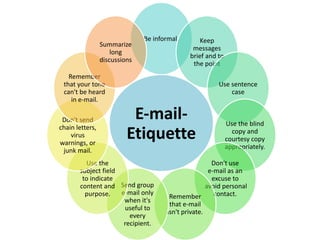
E-mail-
Etiquette
Be informal, Keep
messages
brief and to
the point
Use sentence
case
Use the blind
copy and
courtesy copy
appropriately.
Don't use
e-mail as an
excuse to
avoid personal
contact.
Remember
that e-mail
isn't private.
Send group
e-mail only
when it's
useful to
every
recipient.
Use the
subject field
to indicate
content and
purpose.
Don't send
chain letters,
virus
warnings, or
junk mail.
Remember
that your tone
can't be heard
in e-mail.
Summarize
long
discussions
E-mail- Etiquette
1. Be informal, not sloppy. Your colleagues may use commonly accepted abbreviations in e-mail, but when
communicating with external customers, everyone should follow standard writing protocol. Your e-mail
message reflects you and your company, so traditional spelling, grammar, and punctuation rules apply.
2. Keep messages brief and to the point. Just because your writing is grammatically correct does not mean that
it has to be long. Nothing is more frustrating than wading through an e-mail message that is twice as long as
necessary. Concentrate on one subject per message whenever possible.
3. Use sentence case. USING ALL CAPITAL LETTERS LOOKS AS IF YOU'RE SHOUTING. Using all lowercase letters
looks lazy. For emphasis, use asterisks or bold formatting to emphasize important words. Do not, however,
use a lot of colors or graphics embedded in your message, because not everyone uses an e-mail program
that can display them.
4. Use the blind copy and courtesy copy appropriately. Don't use BCC to keep others from seeing who you
copied; it shows confidence when you directly CC anyone receiving a copy. Do use BCC, however, when
sending to a large distribution list, so recipients won't have to see a huge list of names. Be cautious with your
use of CC; overuse simply clutters inboxes. Copy only people who are directly involved.
5. Don't use e-mail as an excuse to avoid personal contact. Don't forget the value of face-to-face or even
voice-to-voice communication. E-mail communication isn't appropriate when sending confusing or
emotional messages. Think of the times you've heard someone in the office indignantly say, "Well, I sent you
e-mail." If you have a problem with someone, speak with that person directly. Don't use e-mail to avoid an
uncomfortable situation or to cover up a mistake.
6. Remember that e-mail isn't private. I've seen people fired for using e-mail inappropriately. E-mail is
considered company property and can be retrieved, examined, and used in a court of law. Unless you are
using an encryption device (hardware or software), you should assume that e-mail over the Internet is not
secure. Never put in an e-mail message anything that you wouldn't put on a postcard. Remember that e-mail
can be forwarded, so unintended audiences may see what you've written. You might also inadvertently send
something to the wrong party, so always keep the content professional to avoid embarrassment.
E-mail- Etiquette
1. Send group e-mail only when it's useful to every recipient. Use the "reply all" button only when
compiling results requiring collective input and only if you have something to add. Recipients
get quite annoyed to open an e-mail that says only "Me too!“
2. Use the subject field to indicate content and purpose. Don't just say, "Hi!" or "From Laura."
Agree on acronyms to use that quickly identify actions. For example, your team could use <AR>
to mean "Action Required" or <MSR> for the Monthly Status Report. It's also a good practice to
include the word "Long" in the subject field, if necessary, so that the recipient knows that the
message will take time to read.
3. Don't send chain letters, virus warnings, or junk mail. Always check a reputable antivirus Web
site or your IT department before sending out an alarm. If a constant stream of jokes from a
friend annoys you, be honest and ask to be removed from the list. Direct personal e-mail to
your home e-mail account.
4. Remember that your tone can't be heard in e-mail. Have you ever attempted sarcasm in an
e-mail, and the recipient took it the wrong way? E-mail communication can't convey the
nuances of verbal communication. In an attempt to infer tone of voice, some people use
emoticons, but use them sparingly so that you don't appear unprofessional. Also, don't assume
that using a smiley will diffuse a difficult message.
5. Summarize long discussions. Scrolling through pages of replies to understand a discussion is
annoying. Instead of continuing to forward a message string, take a minute to summarize it for
your reader. You could even highlight or quote the relevant passage, then include your
response.
Why Email Etiquette Matters
• Professional Image: Well-crafted emails reflect
positively on you and your organization.
• Clarity and Understanding: Proper etiquette
ensures your message is clear and easy to
understand.
• Respect and Courtesy: Email etiquette
demonstrates respect for the recipient’s time and
communication preferences.
• Avoiding Mistakes: Good etiquette reduces the
risk of miscommunication, mistakes, or conflicts.
Instant Messages & SMS- Introduction
• Whatever digital device you use, written communication in the
form of Short Message Service (SMS), or texting, has been a
convenient and popular way to connect since the 1990s. Instant
messaging (IMing) apps like Snapchat, WhatsApp, and Facebook
Messenger have increased the options people have to send and
respond to brief written messages in real time when talking on the
phone would otherwise be inconvenient. In business, texting and
IMing are especially advantageous for hashing out details precisely
in writing so that they can be referred to later. Texting and IMing
are not useful for long or complicated messages but are great for
connecting while on the go. However, consider your audience and
company by choosing words, terms, or abbreviations that will
deliver your message most effectively using these communication
tools.
Instant Messages & SMS
• Short Message Service (SMS), or text messages, have a place in the digital
business communication toolbox. One useful feature of an SMS network is
the ability to broadcast short bursts of information to mobile devices in
the case of an emergency. There are other applications that fall into the
“do not reply” category, such as one-way text messages that are widely
used. We are now commonly contacted by our mobile phone carrier to be
informed that a bill is due, our bank to let us know that an account is
overdrawn, or a pharmacy sends us a reminder to pick up a prescription.
Also, companies can take advantage of SMS technology for marketing
campaigns in order to engage customers with automated prompts and
responses.
• Instant messaging (IM) is becoming increasingly popular as a business
communication tool, especially for more informal communication. Some
examples of widely used IM services are Google Talk (commonly called
Google Chat), Slack, Jabber, Spark, and many more. The advantages of IM
are that messages are sent and received instantly in real time and
responses are organized in a “conversation” format that supports two-way
communication. Colleagues working on a shared project but separated by
distance can chat just as if they are in the cubicle next door. During
conference calls with a customer, a sales team can pass information
“privately” to one another to comment on what is being said.
IM AND SMS
• Tips for Effective Business Texting:
• Know your recipient; “? % dsct” may be an understandable way to ask a
close associate what the proper discount is to offer a certain customer, but
if you are texting or IMing your boss, it might be wiser to write, “what %
discount does Murray get on $1K order?”
• Anticipate unintentional misinterpretation. Texting often uses symbols and
codes to represent thoughts, ideas, and emotions. Given the complexity of
communication, and the useful but limited tool of texting, be aware of its
limitation and prevent misinterpretation with brief messages.
• Contacting someone too frequently can border on harassment. Texting is a
tool. Use it when appropriate but don’t abuse it.
• Unplug yourself once in awhile. Do you feel constantly connected? Do you
feel lost or “out of it” if you don’t have your cell phone and cannot
connect to people, even for fifteen minutes? Sometimes being unavailable
for a time can be healthy—everything in moderation, including texting.
Instant Message v/s Text
• Text messaging and instant messaging are similar because
they are both used to send text messages. However, text
messaging ("texting") uses the cellular phone service,
whereas instant messaging employs the Internet. Text
messages are typically limited to 160 characters, but instant
messages can be longer.
• After a text message is transmitted, the session is essentially
ended even though the recipient can respond and keep the
back-and-forth going all day. When an instant messaging
session is started, it typically remains connected until ended
by one of the parties. Both text messaging and instant
messaging are often called just plain "messaging." See text
messaging, instant messaging, SMS and chat.
Video conferencing
• Video conferencing describes online meetings
that take place over the internet to connect
video conferencing systems in meeting rooms
with personal devices such as laptops or
mobile devices with embedded webcams.
Utilizing a simple, unified video conferencing
solution with support for screen sharing
empowers your global teams to be more
connected, productive and engaged.
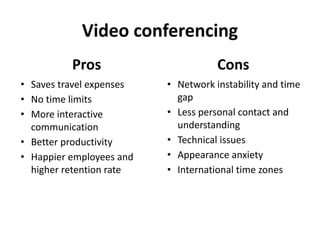
Video conferencing
Pros
• Saves travel expenses
• No time limits
• More interactive
communication
• Better productivity
• Happier employees and
higher retention rate
Cons
• Network instability and time
gap
• Less personal contact and
understanding
• Technical issues
• Appearance anxiety
• International time zones
Video conferencing-Importance in Business
Communication
1. Reach out to several people at the same time.
2. Save time and money on your travels
3. Bind all your workers through one software
4. Increase in productivity
5. A better way to interact and connect with people
6. Aiding telecommunication
7. Other benefits (Chatting and other additional
features.
Strategic Importance of E-Communication
• Electronic communication allows transmission of messages or information using telephones,
computers, smart phones and fax machine etc. People can easily share conversation, picture,
image, sound, graphics, video, maps, and software through wire, electromagnetic energy and
radio systems. Electronic communications lets you combine numerous media – text, graphics
sound, video, etc. – into a single message.
• Communication is required for processing information, decision making, co-ordination and
planning. Worldwide communication has been facilitated by the electronic transmission of data
which connects individuals, regardless of geographic location.
• Electronic communications is interactive. With the Internet you have the ability to transmit and
receive large amounts of information quickly to and from individuals and workgroups around the
world.
• Well-known forms of electronic communication such as telephone, radio, TV and the Internet
increased the ability to share information. Telephone is one of the oldest media of
communication. In most of the cases, it is the easiest and less expensive way of communicating
distance people.
• Electronic communication supports quick transmission
• It provides wide coverage. World has become a global village and communication around the
globe requires a second only.
• Electronic communication saves time and money. For example Text sms is cheaper than traditional
letter.
• Electronic communication allows fast transfer of goods, money and ideas.
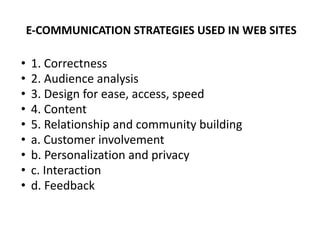
E-COMMUNICATION STRATEGIES USED IN WEB SITES
• 1. Correctness
• 2. Audience analysis
• 3. Design for ease, access, speed
• 4. Content
• 5. Relationship and community building
• a. Customer involvement
• b. Personalization and privacy
• c. Interaction
• d. Feedback
UNIT I
ENDS

B.Com. -Unit I.pptx.pdf..............................
  • 1.
  • 2.
    • The wordcommunication comes from a Latin word “Communicare” which means to ‘share’ or ‘participate’. • Communication is the imparting or exchanging of information by speaking, writing, or using some other medium. What is Communication
  • 3.
    Communication is theprocess by which we exchange meaning, facts, ideas, opinion and emotions. It is an art of exchanging thoughts, opinions, facts and ideas in an emphatic manner, so that the person on the other receive and understand the subject involved clearly and perceive it in the same way it was intended by the sender.
  • 4.
    • Business Communicationis the ability of a group of individuals to speak the same language internally and externally towards business promotion. Business communication is one of the most important tool for an organization to succeed in a professional manner. • The Definition. Business communication is the process of sharing information between people within and outside a company. Effective business communication is how employees and management interact to reach organizational goals. Its purpose is to improve organizational practices and reduce errors. What is Business Communication
  • 5.
    • Communication isan exchange of facts, ideas, opinion or emotions by two or more persons. By Newman and Summer • The word Communication describes the process of conveying massages (facts, ideas, attitudes and opinions ) from one person to another so that they are understood. By Koontz and O’Donnell • Communication is the process of passing the information and understanding from one person to another. By Keith Davis Definition
  • 6.
    • context maybe physical, social, chronological or cultural. Every communication proceeds with context. The sender chooses the message to communicate within a context. Context • Sender / Encoder is a person who sends the message. Sender may be an individual or a group or an organization. Sender / Encoder • Message is a key idea that the sender wants to communicate. Communication process begins with deciding about the message to be conveyed. It must be ensured that the main objective of the message is clear. Message Element/Components
  • 7.
    • Medium isa means used to exchange / transmit the message. The sender must choose an appropriate medium for transmitting the message else the message might not be conveyed to the desired recipients. Medium • A person for whom the message is intended / aimed / targeted. Recipient / Decoder • Feedback is the main component of communication process as it permits the sender to analyse the efficacy of the message. It helps the sender in confirming the correct interpretation of message by the decoder. Feedback Element/Components
  • 8.
    • Effective businesscommunication deals with the practical aspect of the information explaining why, how, when and the like queries. It avoids impractical, imaginary, unnecessary or repetitive information to eliminate waste of time. Practical • A business message contains facts and figures in place of overall idea. Important date, place, time, etc. should be clearly mentioned in a business communication Factual • The language used in business communication should be simple, clear, brief and without ambiguity. Sometimes charts, photographs, diagrams, etc. are used to condense or clarify the information. Clear and brief • A business communication must have a specific objective and must be planned properly so that the objective can be achieved. Target-orie nted • Business communication often plays a persuasive role. It persuades an employee to perform his/her duties, a customer to buy a product or service etc. Persuasive Characteristics of Business Communication
  • 9.
    •Puts the peopleinto action, guides and directs their activities, regulates and co-ordinates them for proper work performance. Integral Part of Management Process •It implies both the transmission and reception. There are convey of any information, along with its reactions and responses. Two-Way Traffic •The basic purpose of business communication is to bring about understanding between individuals in the organisation. It is an important element for establishing human relationships. Mutual Understanding •The subject-matter of business communication covers a wide range and extends to all functions—purchases, production, sales, finance, recruitment, innovation, productivity, etc. It also moves through all levels of management— upward, downward and sideways, thus, said to be a pervasive function. Pervasive •It should be ensured that adequate and smooth communication flows in all directions otherwise it results in misunderstanding, creation of unfavorable attitudes, hostility and conflicts. Continuity Characteristics of Business Communication
  • 10.
    •Must be specificwith regard to the information intended to be conveyed or received and deal with a single subject at a time. It maintains the effectiveness of communication and minimise the possibility of creating confusion which is dangerous to sound management. Specific •Business communication is a means to an end and acts as a tool in the hands of the managers. It is not an independent activity, rather an essential ingredient of managerial function. Result and not Cause •Primarily internal in the form of Orders, instructions, suggestions and even public notice announcement. Beyond the organisational horizons such as Advertisement. Internal and External •Business communication may be of different types—formal, informal, upward, downward, sidewise, written, oral, etc. Different Types •A communication cannot be complete unless and until feedback or response of the recipient is made. Feedback may be written, oral or gestural. Feedback Characteristics of Business Communication
  • 11.
    1. Increase employeesjob performance and effectiveness by updating their knowledge. 2. Promote employees sense of belonging and commitment. 3. Effect changes smoothly 4. Motivate and create a sense of identification with organization and its goals. 5. Inform and convince employees about decisions and the reasons behind those decisions. 6. Develop employees clear understanding of future growth opportunities in the organization, and 7. Empower employee's with information on development and relevant activities. Need of Business Communication
  • 12.
  • 14.
    • People canattain common understanding through communication and cooperate to achieve Organisational objectives Means of Coordination • Communication facilitate to prepare targets, standards and instruction for future plans. Basis of Planning • Communication provides Feedback and progress report or internal information that helps to make the decision quickly. Prompt Decision • Control is the comparision between parameters and actual work. Communication helps to set standard and correct the deviations. Controlling Process • It coordinates the various factors of production, which makes maximum output with the minimum cost. Enhance efficiency Importance of Business Communication
  • 15.
    • Promotes motivationthrough the information about HOW, WHY & WHEN to perform a task and ways to improve performance. Promotes Motivation • Well inform individual will have better attitude than a less informed individual. Communication alter the attitude of an individual via various form of written or oral communication. Molding employees attitude • Exchange of facts, opinions, feelings and sentiments and interchange of information concerning work would enable employees to understand each others hence improves relation. Improves Relationship • Helps in establishment of mutual trust and confidence between management ad labour. Acts as bridge between them and creates team spirit in the organisation. Sound Industrial Relations • Through Communication management can keep cordial relation with the government, trade unions, customers and the community and maintain corporate image. Public Relation Importance of Business Communication
  • 16.
    • To keepthe employees acquainted with the company’s progress and development programmes. • To provide employees with necessary orders and instructions in connections with their rights, duties and responsibilities. • To solicit information from the employees which may help the management in decision making. • To express the interest of management to its personnel. • To minimize the labour turnover. • To motivate the employees towards his job and to create interest in the work of the company. • To indoctrinate employees with the will to work and the benefits from their association with the company. • To instil each employee with personal prestige and pride in being a member of the corporate body. Objectives of Communication
  • 17.
    • It consistsof building relations with various external agencies such as government, consumers, investors, competitive organisation, suppliers etc. For the purpose organisations use advertisements, publicity, press release, public relation. External Dimension • To attain organizational objectives it has decide its own policies, procedure, which requires communication with internal environment. This flow of communication can be inter-departmental across the various level of organisation. Internal Dimension • Oral and non-verbal communication • Interpersonal, intrapersonal & mass communication • Human communication Reading, writing, speaking & listening Other Dimension Scope of Communication
  • 18.
    Based on Organizational structure Formal Informal Based on Direction Downward Upward Horizontal Diagonal Basedon Way of Expression Non-Verbal Verbal - Oral -Written Based on Scope Internal External Classification/ Form of Communication
  • 19.
    ❑ Formal Communication: Formal communication is a flow of information through formally established channels in an organization. It is mainly controlled by managers or people occupying higher position in and organization. It is hierarchical in nature and associated with the superior and subordinate relationship. It is generally linked with formal status and positions of person in the organisation. It may be upward, downward and horizontal. ❑ Informal Communication : Informal Communication refers to communication on the basis of personal relations. It is unstructured, unofficial and unplanned. It does not follow the formal channels established by the management. It is a result of social interaction and satisfy natural desire of peoplse to communicate with each other. It is helpful in countering the effects of work fatigue and monotony and serving as a source of job related information. Managers should be very careful about such communication Based on Organisational Structure:
  • 20.
    ❑ Downward Communication:When the message is flowed from top to the bottom of the organisational hierarchy it is known as downward communication, such communications may be in the form of orders, instructions, policies, programmes etc. It may be written or verbal. The following messages are induced in this type of communication: a) Confirmation regarding performance b) Work assignment and directions c) Orders, guidance and responsibilities d) Ideological type of information e) Organisation Procedure and practices. Based on Direction:
  • 21.
    ❑ Downward Communication: AdvantagesDisadvantages i) It is helpful in controlling the subordinate. ii) It explains the plans and policies of the organisation to employees. iii) It is a tool to delegate authority. iv) It is helpful tie among employees at different level. v) It encourages effectiveness of upward communication through feedback. vi) It helps in preparing the people to introduce change. i) It tends to promote one way communication. ii) It is time consuming because information passes through various levels iii) Sometimes manager may filter the information or holdback some of the information due to fear that it might be unpalatable. iv) As the life of communication is very long, sometimes message becomes ineffective due to and some time lost significance unreasonable delay. v) It is often marred by either under communication or over communication.
  • 22.
    ❑ Upward Communication:When message are transmitted from bottom to top of the organisational hierarchy, it is known as upward communication. The main function of upward communication is to supply information to top management. It is essentially participative in nature and can flourish only in democratic organisational environment. It may be in the form of progress report, suggestions, grievances, complaints etc. Based on Direction:
  • 23.
    ❑ Upward Communication: AdvantagesDisadvantages i) It provides feedback of employees and make management able to find response of the procedure and plans adopted by management. ii) It provides opportunities to subordinate to communicate their views to top management. iii) This communication system encourages innovative ideas and suggestion. iv) There arises harmony and mutual co-operation among management and subordinate. v) It is helpful to formulate better future plans on the basis of subordinate feedback. vi) The managers are able to evaluate the impact of communication i) Subordinate provides only that information which is favourable to upper management. ii) It may be discouraged due to lack of proper response of top management. iii) It takes a lot of time to communicate the problems at higher level due to various levels from which it has to pass iv) There may be willful manipulation of information to attain personal goals. v) There arise a threat that superior may react negatively
  • 24.
    ❑ Horizontal Communication:When communication takes place between two or more persons who are working at same levels it is known as horizontal communication. This kind of communication takes place mostly during committee meeting or conferences. The main object of such communication is to establish interdepartmental co-ordination etc. Based on Direction:
  • 25.
    ❑ Horizontal Communication: AdvantagesDisadvantages i) It helps in avoiding duplication of work. ii) It solves inter-department conflicts. iii) It facilitates in establishing co-ordination between different departments of organisation. iv) Communication process is computed smoothly without any barrier. v) It helps in maintaining social and emotional support among peer group. i) There is lack of motivation to communicate ii) Usually they hide information due to rivalry between them. iii) It lacks authoritativeness
  • 26.
    ❑ Diagonal Communication:Diagonal communication is exchange of information between the persons at different level across departmental lines. This kind of communication is used to spread information at different levels of organization to improve understanding and co-ordination so as to achieve organisational objectives. Thus, where the persons who are neither working in the same department nor has similar level are communicating, it is said to be diagonal communication. It cuts across the levels of organisational structure. Diagonal communication creates difficulties but in order to take efficient decisions and to ensure their overall implementation it is necessary to use it in some circumstances. Based on Direction:
  • 27.
    ❑ Diagonal Communication: AdvantagesDisadvantages i) It increases organisational effectiveness. ii) It facilitates organisational change. iii) It creates integrity and harmony in the organisation. iv) It helps to speed up action and save time. (i) It violates the principle of unity of command. (ii) It is an unsystematic manner of communicate
  • 28.
    Types Of Communication (Onthe basis of Mode of Expression) Types of Communication Verbal Oral Communication Written Communication Non- Verbal Kinesics Proximics Para- language Sign Language
  • 29.
    A) Verbal Communication:It is exchange of information by words either written or oral. Verbal communication consists of speaking, listening, writing, reading etc. It is most preferred mode of communication. It may be of two types: a) Oral Communication : • When message is expressed through spoken words, it may be either through face to face conversations or with the help of electronic mode such as telephone, cellular phone, etc. It may also be in the form of informal conversation, group discussions, meeting etc. It is more effective means of exchange of information because the receiver not only hears the message but also observes the physical gestures of the speaker. b) Written Communication • When opinions are exchanged in written form, rather than by spoken words, it is knows as written communication. It may be expressed through charts, pictures and diagrams. It includes newspapers, reports, letters, circulars magazines etc. While using written communication, words should be select very carefully because message ones sent can not be altered. it is formal in nature and cannot be overlooked.
  • 30.
    Verbal Communication a) OralCommunication Advantages • i) Oral communication is useful in providing good leadership. • ii) It provides an opportunity to participate all the members in decision making. • iii) It saves time and message reach to the receiver very quickly • iv) It is an economic source of communications. • v) It is more effective as body language can be observed along with the hearing of the message. • vi) Reaction can be received easily and quickly. • vii) The message can be conveyed clearly because in case of any confusion, the clarification can besought immediately. Disadvantages • 1. It requires presence of both parties, i.e. sender and receiver. • 2. The major drawback of this type of communication is lack of proof, thus it has no legal validity. • 3. It is not suitable when the messages are lengthy. • 4. It does not provide sufficient time for thinking before conveying the message • 5. It involves high cost if both parties are at distance place • 6. The message can be distorted. Written Communication Advantages • i) It provides future reference. It becomes permanent record and beneficial for formulating new policies. • ii) It is accurate. Mistakes are not likely to occur as it is open for verification and its authenticity can be checked. • iii) It does not require physical presence of both parties. • iv) It ensures transmission of information in uniform manner. • v) It is useful to transmit complex information and it facilitates the assignation of responsibilities. • vi) It usually removes conflicts and misunderstanding. • vii) It facilitates to convey message to a large number of persons at the same time. • viii) Written communication is acceptable as a legal document. Disadvantages • i) It is a time and money consuming way of communication. • ii) It lacks secrecy, because message passes through various hands, thus, it is said to be double edged weapon. • iii) It is not useful in emergency circumstances. • iv) It has no chance to alter the message ones transmitted. • v) It is not possible to get immediate feedback. • vi) It becomes unimpressive if drafted poorly. • vii) It may be interpreted in wrong manner. • viii) It requires unnecessary formalities
  • 31.
    Types Of Communication •B) Non Verbal Communication : Communication through expressions, gestures or posture is nonverbal communication. It refers to flow of information, through facial expressions, tone of voice and other body movements, In other words, it is a manner of communication otherwise than words. It conveys feeling, emotions, attitude of a person to another. A person can communicate his feeling to other quickly and economically by using non-verbal from of communications. This does not require the use of words as a person can express his feelings by his body language. • Some important of nonverbal communication are a) Body Language - Posture, Gesture, Eye Contact, Silence etc. b) Proximies - Space (intimate space, public space), Time, Surroundings etc. c) Para Language - Voice, Volume, Pause, Pitch, Proper stress etc.
  • 32.
    B) Non VerbalCommunication : Advantages • a) It is reliable source of information • b) Message may be conveyed quickly • c) It is an economic way of communications • d) It creates better understanding Disadvantages • i) Expressions and gestures are seen by anyone so it lacks secrecy. • ii) It creates mis-understanding due to non understanding of the gestures. • iii) It requires physical presence of both parties • iv) Long and detailed message cannot be conveyed. • v) The meaning of gesture changes according to time and place, thus it is difficult to understand universally. • vi) There is no written proof in case of any dispute in future.
  • 33.
    Barriers of Communication Acommunication barrier is anything that comes in the way of receiving and understanding messages that one sends to another to convey his ideas, thoughts, or any other kind of information. These various barriers of communication block or interfere with the message that someone is trying to send. Causes for ineffectiveness of communication are known as barriers to communication. These include problems in encoding and decoding, wrong or defective communication channel, noise in the channel or several personal reasons. Barriers to communication are obstacles to effective conversation or good interpersonal interaction. They are high risk responses having impact on communication is frequently negative.
  • 34.
    Classification of CommunicationBarrier Organizational Barriers Socio-psychologi cal or Personal Barriers Other Barriers Physical and Mechanical Barriers Semantic / Language Barriers
  • 35.
    1.Physical and MechanicalBarriers • An agitator that disturbs the concentration of the sender or the receiver and prevents them from focusing on the message. The flow of communication is blocked by noise. E.g. Human noise, noise due to traffic, noise in factories, noise due to faulty telephone line or noise due to people coming and going. Noise • Written or gestural communication is sometimes hindered by poor lighting Poor Lighting • Time has a valuable influence on communication. The manager in a few words explains all the points quickly due to paucity of time. The employees may not understand them properly. The facilities of telephone and internet are not everywhere. In such a situation if the postal service is also poor then the messages are received late and this can be the cause of miscommunication. Sometimes the form of communication is altered due to time and distance. Time and Distance • If the medium or channel that has been selected for communication is having problems than communication barrier is created e.g. a snag in the telephone line, telex machine malfunctioning or the mike not working are examples of communication barriers Inappropriate Channel
  • 36.
    1.Physical and MechanicalBarriers •If a message is heard beyond this limit then effective listening is not possible and tiredness, anxiety might be created, which is turn harm communication. Excessive Message •If a meeting is going on and suddenly a strike, a bomb blast takes place or the telephone rings or some sudden disturbance takes place then privacy is harmed and communication is blocked. Disturbance in Privacy •If the message is taken in very less quantity then it is difficult to understand the inherent message and physical barrier in communication is created. Incomplete Message •Limited financial resources also create obstacles in the flow of message in a communication process. It is not possible to get all the written material at the communication centre due to financial constraints. Expensive modern techniques also create obstacles in the transmission of messages. Limited Financial Resources
  • 37.
    2. Semantic orLanguage Barriers • Sometimes the receiver will have a problem comprehending the message. There are number of reasons for this. One is that he may not understand some of the words being used. Different Comprehension of Reality • Mostly communication takes place through words whether written or spoken. Words have different connotations in different contexts. Use of Multiple Meaning Words • Words make sentences sometimes careless use of words creates problems for the receiver. Wrong Interpretations of Directions • People related to some special techniques or those who work in the administration sometimes use technical and administrative words while communicating which are difficult to understand. Use of Administrative and Technical Words
  • 38.
    2. Semantic orLanguage Barriers • The sender sometimes assumes that the receiver is aware of the message background while the receiver does not know it. Therefore, it is necessary that the receiver should have prior knowledge of the subject matter or field of the message. Un clarified Assumptions • Sometimes, to make the message more interesting, the sender uses idioms and phrases. If the receiver is unable to understand their meaning then a communication barrier is created. It is because if the idioms are translated literally then their real meaning is lost. Use of Idioms and Phrases • Sometimes the language of the sender and receiver of message is different. Both cannot communicate with each other effectively. Language Barriers • Communication barriers are created because of carelessness or errors in translation. The manager often requires translating the message into a form suitable to their superior, peers or subordinates as per their level of understanding and perception. Faulty Translation
  • 39.
    3. Organizational Barriers •More the number of levels of management, large span of control, confusing relations between line and staff organization etc. creates distance between the sender and receiver of the message. Complicated Organizational Structure • Wrong choice of medium for communication creates barriers and the message loses its effectiveness. If a marketing officer has to send a report on demand then telephone or any other oral medium will be unsuitable. Selection of Wrong Medium • Strong discipline, policies and rules can create barriers in communication. If there is a policy of written communication then immediate work is delayed due to this policy. This is a reason that sometimes informal communication proves to be effective. Organization Policies and Rules • If there is a lack of communication devices in the organization like telephone, computer etc. and material like stationary then this is a big barrier in communication. Lack of Communication Devices and Other Material • Status or position is a barrier of communication. An executive in superior position does not give attention to the thoughts of his subordinates. In these situations, ultimately communication becomes less effective. Status Relationship
  • 40.
    4. Socio Psychologicalor Personal Barriers • Every person has a different behavior and attitude. If the receiver of the message has a similar behaviour and attitude to that of the sender then the response will be positive. Behaviour and Attitudes • If the sender is angry, tense, excited or afraid, he will not be able to send the message properly. Similarly effective communication will also be affected by the mood of the receiver. Emotions • Some persons have less grasping power and therefore, the message goes on loosing its original meaning. Lack of good grasping power, particularly due to carelessness is also responsible for the continuous loss of the original message in communication. Less Grasping Power • The organizational status of the person also affects communication. Senior officers do not like to discuss things with junior officers as they think it will be like begging of them and junior officers do not discuss things with their seniors or they think that the seniors may get unhappy. Status Consciousness • A person who is affected by prejudices and works with a closed mind is very difficult to communicate with such a person can never think that any other person can also give a good idea. Closed Mind • Inattention may arise because of the message being contrary to his expectations and beliefs. The simple failure to read bulletins, notices, minutes and reports in a common feature. Inadequate Attention:
  • 41.
    5. OTHER BARRIERS •The social and cultural differences can adversely affect the communication effectiveness. • When sender has no high credibility in the eyes of the receiver, then the receiver will scrutinize the message heavily. • Lack of mutual trust between sender and receiver. • The receiver prematurely interprets the message according to his/her convenience. Thus, the message gets distorted. • Computer network has become an important tool of communication, but it is not so easy for everyone to operate.
  • 42.
    Suggestions for Improvementfor Removing Communication Barriers • (1) Message should be Clear and Brief • (2) Ideal Behaviour • (3) Clear Objective • (4) Appropriate Language • (5) To Develop Good Communication Network • (6) Use of Seven C’s: completeness, clarity, consideration, courtesy, concreteness, conciseness and correctness. • (7) Continuous Communication • (8) Well Plan of Communication • (9) Good Co-operation • (10) Cordial Relations • (11) Adequate Size of Scalar chain • (12) Mutual Trust and Confidence • (13) Choose Proper Channel / Medium: • (14) Open Mind • (15) Attentiveness • (16) Flexibility • (17) Availability of Modern Communication Devices • (18) Effective Listening • 19) Feedback • (20) Effective Use of Body Language
  • 43.
    Technology in Communication: Introduction •Technology has drastically changed the landscape of human communication. • From traditional methods like postal mail to real-time digital communication, technology has bridged distances and enhanced global connectivity. • Today’s communication tools facilitate personal, professional, and business interactions in new and innovative ways. • Evolution of Communication Technologies – Pre-Industrial Era: Face-to-face, written letters (e.g., postal system) – 19th Century: Telegraph, telephone – 20th Century: Radio, television, fax machines, mobile phones – 21st Century: Email, instant messaging, social media, video conferencing, cloud communication tools, AI-based communication (chatbots, voice assistants)
  • 44.
    Milestones of Technologyin Business Communication The Developm ent of the Cellular Phone Other Communi cation Devices Teleconfe rencing Image Scanning Radio Frequenc y Identificat ion Tags
  • 45.
    Milestones of Technologyin Business Communication • The Development of the Cellular Phone: One of the biggest advancements in communication has been the development of the cellular phone. In the past, your only chance of reaching employees was when they were at their desks, prompting endless games of “phone tag” as people tried to connect during busy workdays. Now, workers are reachable no matter where they are, and even during non-work hours. The development of smartphones has also greatly expanded the types of business activities you can transact when out of the office, increasing productivity and extending the workday. • Other Communication Devices: Computers come in a wide variety of configurations these days, including tablets, small-but-powerful laptops, 2-in-1 devices that serve as either a laptop or tablet, and other variations. These devices all have built-in wireless capabilities and can also be configured with mobile communications, making them, in essence, large cell phones. Whichever device a business person carries, it facilitates verbal, text and image communications. • Teleconferencing: High-speed data connections allow for the use of teleconferencing, virtual meetings held over audio and video links. Teleconferencing can save substantial amounts of money otherwise spent on travel by connecting important employees in far-flung branches together to share ideas and information. The use of virtual whiteboards, communal data-sharing platforms where remote users can interact as if around the same table, further increase the possibilities of the virtual workplace.
  • 46.
    Milestones of Technologyin Business Communication • Image Scanning: Document and image scanners allow workers to convert paperwork, plans, diagrams and photos into electronic files quickly for storage and transmission. • Radio Frequency Identification Tags: The development of radio frequency identification (RFID) has substantially changed the field of business logistics and, paired with other business communication advancements, has the potential to increase a company’s efficiency significantly. RFID tags are small chips that respond to radio waves with encoded information, allowing companies to tag and track items and materials. When an employee activates a scanning device, all RFID tags within range will respond with their coded information, allowing for quick updates of warehouse inventories and real-time tracking of shipments as they pass through the supply chain. Being able to access inventory on demand allows companies to take advantage of “just-in-time” shipping, providing products and material only when needed to reduce warehousing requirements and reduce the amount of excess stock stored at retail or office facilities.
  • 47.
    The Rise ofDigital Communication Emergence of email as the main form of business communication Growth of instant messaging apps (e.g., WhatsApp, Slack, Teams) Social media platforms (Facebook, Twitter, LinkedIn, Instagram) for both personal and professional communication The advent of video conferencing tools (Zoom, Skype, Microsoft Teams) Cloud-based tools allowing real-time document sharing and collaboration (Google Drive, Dropbox, Microsoft 365)
  • 48.
  • 49.
    Role of Technology Transmitting large volumeof information Making instant business decision Lowering communication cost Wide coverage Communication with distant people Easy preservation of information Managing operations globally Quick transmission of information
  • 50.
    Advantages of Technology Increased Communication Improved Level of Securityand distribution. Quick, accessible Information Visual Quality Increased Efficiency
  • 51.
    E-mails • The abbreviatedform of electronic mail is 'email'. Email is a system used for creating, sending/receiving and storing data in a digital format over a network of computers. • Email (electronic mail) is a way to send and receive messages across the Internet. It's similar to traditional mail, but it also has some key differences. • Today's email technology uses the store-and-forward model. In this model, users send and receive information on their computer terminals. However, the computer is used only to connect to the email architecture. • The creation, transmission and storage of email takes place only when connection with an email architecture is established. • Email is one of the important technological developments which has greatly influenced the way we communicate with each other.
  • 52.
    When & Whereto use E-mail • You need to get in touch with a person who is hard to reach via telephone, does not come to campus regularly, or is not located in the same part of the country or world (for instance, someone who lives in a different time zone). • The information you want to share is not time-sensitive. The act of sending an e-mail is instantaneous, but that does not mean the writer can expect an instantaneous response. • For many people, keeping up with their e-mail correspondence is a part of their job, and they only do it during regular business hours. Unless your reader has promised otherwise, assume that it may take a few days for him/her to respond to your message. • You need to send someone an electronic file, such as a document for a course, a spreadsheet full of data, or a rough draft of your paper. • You need to distribute information to a large number of people quickly (for example, a memo that needs to be sent to the entire office staff). • You need a written record of the communication. Saving important e-mails can be helpful if you need to refer back to what someone said in an earlier message, provide some kind of proof (for example, proof that you have paid for a service or product), or review the content of an important meeting, deadline, memo.
  • 53.
    E-mail- Structure An emailincludes at least the three following headers: – From: The sender's email address – To: The recipient's email address – Date: The date when the email was sent • It may contain the following optional fields: • Received: Various information about the intermediary servers and the date when the message was processed. – Reply-To: A reply address. – Subject: The message's subject – Message-ID: A unique identification for the message.
  • 54.
    Features of E-Mail •No need for paper, stamps, or long-distance calls. It's a low-cost communication tool. • Accessible on various devices (computers, smartphones, tablets) with internet access. • Emails create a permanent written record that can be referenced later. • Email allows for quick communication, enabling near-instant delivery across the globe. Speed: Docume ntation: Cost-Effe ctive: Accessibi lity:
  • 55.
    Features of E-Mail CustomizableSubject Lines and Body • Subject Line: Emails can have specific subject lines, which give the recipient a clear idea of the email's content. • Personalization: You can adjust the content and tone to match the recipient (formal for business, informal for friends). • Attachments: Email allows the easy inclusion of files, images, and documents, supporting various file formats. Attachments and File Sharing • Documents: Allows users to send documents, spreadsheets, presentations, images, and other files as attachments. • Cloud Integration: Some email services (e.g., Gmail, Outlook) allow file sharing directly from cloud storage (Google Drive, OneDrive). • Size Limits: Most email services have size limits for attachments (e.g., 25MB in Gmail).
  • 56.
    Features of E-Mail MultipleRecipients and Group • To, CC, and BCC Fields: Emails allow sending messages to multiple recipients at once. – To: Main recipients who need to take action. – CC (Carbon Copy): For recipients who need to be kept in the loop, but do not need to take action. – BCC (Blind Carbon Copy): Sends an email to multiple recipients without revealing their email addresses to each other. • Mass Mailing: Emails can be sent to large groups or mailing lists, making it ideal for newsletters or announcements. Reply, Forward, and Email Threads • Reply: Responding to the sender directly, either to the original email or all recipients (Reply All). • Forward: Sharing the email with other individuals or groups by forwarding it. • Threaded Conversations: Emails often display in threads, grouping related emails together for easier follow-up and context.
  • 57.
    Features of E-Mail Filters,Folders, and Organization • Filters: Automatically sort incoming messages into specific folders based on criteria (e.g., sender, subject). • Folders: Organize emails into folders for easy access and retrieval. • Search Functionality: Built-in search tools help quickly locate past emails based on keywords, dates, or sender. Security Features and Email Protection • Spam Filters: Automatic detection and filtering of unwanted emails (spam) to keep your inbox clean. • Encryption: Some email providers offer encryption to protect sensitive information. • Two-Factor Authentication: Adds an extra layer of security when accessing email accounts. • Phishing Protection: Built-in tools help detect and prevent phishing attempts.
  • 58.
    Features of E-Mail EmailScheduling and Auto-Responses • Schedule Emails: Many email clients allow users to schedule emails to be sent at a later time or date. • Auto-Response (Out-of-Office): Set automatic replies for when you are unavailable, such as vacation or out-of-office messages. • Follow-up Reminders: Some email services allow you to set reminders to follow up on emails at a later time. Search Functionality and Smart • Search Functionality: Quickly find emails using keywords, senders, or dates. • Smart Filters: Automatic categorization of emails into types like Primary, Social, Promotions, etc. (e.g., Gmail's tab system). • Conversation View: Keeps all replies and forwarded messages in one place, making it easier to follow discussions.
  • 59.
    Features of E-Mail Integrationwith Other Tools • Calendar Integration: Email services often integrate with calendars to easily schedule events or meetings directly from emails. • Task Management: Many email platforms connect with task management tools (e.g., Asana, Trello) to turn emails into tasks. • Cloud Storage: Emails can be linked to cloud storage systems (e.g., Google Drive, OneDrive) for easy sharing of large files.
  • 60.
    Importance of Emailin Business Communication • Formal Communication Channel: Email is often considered more formal than instant messaging or texting, which makes it ideal for business-related communication, particularly when dealing with clients, stakeholders, or formal documentation. • Documentation and Record-Keeping: One of the primary benefits of email is its ability to provide a permanent record of communications, which is vital for reference, accountability, and legal purposes. • Widespread Accessibility: Email is universally accessible and compatible across different devices, making it a reliable method for both internal and external communication in business. • Global Reach: Email allows businesses to communicate seamlessly across different time zones, regions, and countries, supporting global operations and remote teams.
  • 61.
    Advantages of Emailin Business • Efficiency: Email enables quick exchange of information, especially for conveying messages that are not urgent but still require formal acknowledgment or a paper trail. It allows for asynchronous communication (not needing an immediate response). • Cost-Effective: Compared to traditional mail, phone calls, or face-to-face meetings, email is much more cost-effective. It eliminates the need for physical infrastructure or significant travel costs. • Scalability: Email allows businesses to communicate with individuals or large groups simultaneously. This is especially helpful for sending updates, announcements, or newsletters. • Professionalism: Email provides a more professional communication format compared to text messages or phone calls. It can be customized and formatted according to the business context, maintaining a formal tone when required.
  • 62.
    Common Uses ofEmail in Business Communication • Internal Communication: Email is often used within companies to communicate updates, schedule meetings, share reports, or request actions. It's a formal way to reach colleagues and departments. Example: Sending a weekly report to a manager or team, sharing company-wide announcements, or coordinating with other departments. • External Communication: Email is used for communicating with clients, partners, suppliers, and customers. This includes everything from transactional communications (invoices, confirmations) to customer service interactions. Example: Reaching out to potential clients, sending quotes, handling customer service inquiries, or negotiating contracts. • Marketing and Customer Engagement: Email marketing is a powerful tool for businesses to reach a large audience. Emails can be used for newsletters, product launches, promotional offers, and personalized communication. Example: Sending a customer thank-you email after a purchase or promoting a seasonal sale via a newsletter. • Recruitment: Email is an essential tool for handling job applications, interview scheduling, and formal job offers. Example: Sending an invitation for an interview or confirming a job offer to a candidate.
  • 63.
    Best Practices forWriting Effective Business Emails • Clear and Concise Subject Line – A subject line should summarize the purpose of the email and grab attention. It helps the recipient decide how to prioritize the email. – Example: "Request for Meeting on Q3 Budget Review" or "Follow-up on March Marketing Proposal“ • Professional Tone and Language – The tone should always be professional, regardless of the recipient’s familiarity with you. Avoid overly casual language, emojis, or slang unless the communication context is informal. – Keep sentences clear and avoid jargon or complex language unless appropriate. • Proper Email Structure – Greeting: Always begin with a polite and professional greeting (e.g., Dear Mr. Smith, Hello Sarah, Good Morning Team). – Body: Organize your email into short, digestible paragraphs. Use bullet points or numbered lists when presenting multiple points or actions. – Closing: End with a polite closing line, such as Best regards, Sincerely, or Kind regards, followed by your name, title, and contact information (if needed).
  • 64.
    Best Practices forWriting Effective Business Emails • Proofread Before Sending – Always proofread for grammar, spelling, and clarity before sending your email. A mistake-free email shows professionalism and attention to detail. • Be Mindful of Tone and Emotional Context – Avoid sending emails when emotionally charged. If the message is sensitive or could be easily misunderstood, consider a phone call or video meeting instead. • Use CC and BCC Appropriately – CC (Carbon Copy): Use for individuals who need to be kept in the loop but don’t need to take immediate action. – BCC (Blind Carbon Copy): Useful when sending mass emails to protect recipients’ privacy or to prevent reply-all overload. • Clear Call to Action (CTA) – If you require a response or action from the recipient, be specific about what needs to be done. This can be a request, a question, or a deadline. – Example: “Please confirm your availability for the meeting by Friday” or “Let me know if you need any further details.”
  • 65.
    Challenges of Emailin Business Communication • Email Overload – Many professionals face email overload due to the sheer volume of incoming messages. Important emails may get buried, leading to missed opportunities or delayed responses. – Solution: Use email filters, folders, or prioritize urgent messages. Set aside dedicated time to process emails. • Miscommunication and Tone Issues – Emails lack the non-verbal cues (body language, tone of voice) that help in face-to-face communication. This can lead to misunderstandings, especially when discussing sensitive topics. – Solution: Be explicit and clear with your message. Avoid sarcasm or humor that could be misinterpreted. • Security Risks and Phishing Attacks – Emails can be a target for phishing scams, malware, or other security threats. Sensitive business information may be at risk if proper precautions aren’t taken. – Solution: Use secure email systems, enable two-factor authentication, and avoid clicking on suspicious links or attachments. • Lack of Personal Connection – While email is a convenient and efficient way to communicate, it can feel impersonal, especially when used exclusively in place of face-to-face interaction or phone calls. – Solution: Balance email communication with phone or video calls when necessary to maintain a personal connection.
  • 66.
    Introduction to EmailEtiquette • Email is one of the most common forms of business communication. • Effective email etiquette helps maintain professionalism, avoid misunderstandings, and build positive relationships. • Inappropriate or poorly written emails can harm your reputation and credibility. • Email etiquette is crucial for maintaining professionalism, building relationships, and ensuring effective communication. • Following the best practices discussed will help you communicate more clearly and avoid misunderstandings. • Always be mindful of tone, structure, and timing to leave a positive impression.
  • 67.
    E-mail- Etiquette Be informal, Keep messages briefand to the point Use sentence case Use the blind copy and courtesy copy appropriately. Don't use e-mail as an excuse to avoid personal contact. Remember that e-mail isn't private. Send group e-mail only when it's useful to every recipient. Use the subject field to indicate content and purpose. Don't send chain letters, virus warnings, or junk mail. Remember that your tone can't be heard in e-mail. Summarize long discussions
  • 68.
    E-mail- Etiquette 1. Beinformal, not sloppy. Your colleagues may use commonly accepted abbreviations in e-mail, but when communicating with external customers, everyone should follow standard writing protocol. Your e-mail message reflects you and your company, so traditional spelling, grammar, and punctuation rules apply. 2. Keep messages brief and to the point. Just because your writing is grammatically correct does not mean that it has to be long. Nothing is more frustrating than wading through an e-mail message that is twice as long as necessary. Concentrate on one subject per message whenever possible. 3. Use sentence case. USING ALL CAPITAL LETTERS LOOKS AS IF YOU'RE SHOUTING. Using all lowercase letters looks lazy. For emphasis, use asterisks or bold formatting to emphasize important words. Do not, however, use a lot of colors or graphics embedded in your message, because not everyone uses an e-mail program that can display them. 4. Use the blind copy and courtesy copy appropriately. Don't use BCC to keep others from seeing who you copied; it shows confidence when you directly CC anyone receiving a copy. Do use BCC, however, when sending to a large distribution list, so recipients won't have to see a huge list of names. Be cautious with your use of CC; overuse simply clutters inboxes. Copy only people who are directly involved. 5. Don't use e-mail as an excuse to avoid personal contact. Don't forget the value of face-to-face or even voice-to-voice communication. E-mail communication isn't appropriate when sending confusing or emotional messages. Think of the times you've heard someone in the office indignantly say, "Well, I sent you e-mail." If you have a problem with someone, speak with that person directly. Don't use e-mail to avoid an uncomfortable situation or to cover up a mistake. 6. Remember that e-mail isn't private. I've seen people fired for using e-mail inappropriately. E-mail is considered company property and can be retrieved, examined, and used in a court of law. Unless you are using an encryption device (hardware or software), you should assume that e-mail over the Internet is not secure. Never put in an e-mail message anything that you wouldn't put on a postcard. Remember that e-mail can be forwarded, so unintended audiences may see what you've written. You might also inadvertently send something to the wrong party, so always keep the content professional to avoid embarrassment.
  • 69.
    E-mail- Etiquette 1. Sendgroup e-mail only when it's useful to every recipient. Use the "reply all" button only when compiling results requiring collective input and only if you have something to add. Recipients get quite annoyed to open an e-mail that says only "Me too!“ 2. Use the subject field to indicate content and purpose. Don't just say, "Hi!" or "From Laura." Agree on acronyms to use that quickly identify actions. For example, your team could use <AR> to mean "Action Required" or <MSR> for the Monthly Status Report. It's also a good practice to include the word "Long" in the subject field, if necessary, so that the recipient knows that the message will take time to read. 3. Don't send chain letters, virus warnings, or junk mail. Always check a reputable antivirus Web site or your IT department before sending out an alarm. If a constant stream of jokes from a friend annoys you, be honest and ask to be removed from the list. Direct personal e-mail to your home e-mail account. 4. Remember that your tone can't be heard in e-mail. Have you ever attempted sarcasm in an e-mail, and the recipient took it the wrong way? E-mail communication can't convey the nuances of verbal communication. In an attempt to infer tone of voice, some people use emoticons, but use them sparingly so that you don't appear unprofessional. Also, don't assume that using a smiley will diffuse a difficult message. 5. Summarize long discussions. Scrolling through pages of replies to understand a discussion is annoying. Instead of continuing to forward a message string, take a minute to summarize it for your reader. You could even highlight or quote the relevant passage, then include your response.
  • 70.
    Why Email EtiquetteMatters • Professional Image: Well-crafted emails reflect positively on you and your organization. • Clarity and Understanding: Proper etiquette ensures your message is clear and easy to understand. • Respect and Courtesy: Email etiquette demonstrates respect for the recipient’s time and communication preferences. • Avoiding Mistakes: Good etiquette reduces the risk of miscommunication, mistakes, or conflicts.
  • 71.
    Instant Messages &SMS- Introduction • Whatever digital device you use, written communication in the form of Short Message Service (SMS), or texting, has been a convenient and popular way to connect since the 1990s. Instant messaging (IMing) apps like Snapchat, WhatsApp, and Facebook Messenger have increased the options people have to send and respond to brief written messages in real time when talking on the phone would otherwise be inconvenient. In business, texting and IMing are especially advantageous for hashing out details precisely in writing so that they can be referred to later. Texting and IMing are not useful for long or complicated messages but are great for connecting while on the go. However, consider your audience and company by choosing words, terms, or abbreviations that will deliver your message most effectively using these communication tools.
  • 72.
    Instant Messages &SMS • Short Message Service (SMS), or text messages, have a place in the digital business communication toolbox. One useful feature of an SMS network is the ability to broadcast short bursts of information to mobile devices in the case of an emergency. There are other applications that fall into the “do not reply” category, such as one-way text messages that are widely used. We are now commonly contacted by our mobile phone carrier to be informed that a bill is due, our bank to let us know that an account is overdrawn, or a pharmacy sends us a reminder to pick up a prescription. Also, companies can take advantage of SMS technology for marketing campaigns in order to engage customers with automated prompts and responses. • Instant messaging (IM) is becoming increasingly popular as a business communication tool, especially for more informal communication. Some examples of widely used IM services are Google Talk (commonly called Google Chat), Slack, Jabber, Spark, and many more. The advantages of IM are that messages are sent and received instantly in real time and responses are organized in a “conversation” format that supports two-way communication. Colleagues working on a shared project but separated by distance can chat just as if they are in the cubicle next door. During conference calls with a customer, a sales team can pass information “privately” to one another to comment on what is being said.
  • 73.
    IM AND SMS •Tips for Effective Business Texting: • Know your recipient; “? % dsct” may be an understandable way to ask a close associate what the proper discount is to offer a certain customer, but if you are texting or IMing your boss, it might be wiser to write, “what % discount does Murray get on $1K order?” • Anticipate unintentional misinterpretation. Texting often uses symbols and codes to represent thoughts, ideas, and emotions. Given the complexity of communication, and the useful but limited tool of texting, be aware of its limitation and prevent misinterpretation with brief messages. • Contacting someone too frequently can border on harassment. Texting is a tool. Use it when appropriate but don’t abuse it. • Unplug yourself once in awhile. Do you feel constantly connected? Do you feel lost or “out of it” if you don’t have your cell phone and cannot connect to people, even for fifteen minutes? Sometimes being unavailable for a time can be healthy—everything in moderation, including texting.
  • 74.
    Instant Message v/sText • Text messaging and instant messaging are similar because they are both used to send text messages. However, text messaging ("texting") uses the cellular phone service, whereas instant messaging employs the Internet. Text messages are typically limited to 160 characters, but instant messages can be longer. • After a text message is transmitted, the session is essentially ended even though the recipient can respond and keep the back-and-forth going all day. When an instant messaging session is started, it typically remains connected until ended by one of the parties. Both text messaging and instant messaging are often called just plain "messaging." See text messaging, instant messaging, SMS and chat.
  • 75.
    Video conferencing • Videoconferencing describes online meetings that take place over the internet to connect video conferencing systems in meeting rooms with personal devices such as laptops or mobile devices with embedded webcams. Utilizing a simple, unified video conferencing solution with support for screen sharing empowers your global teams to be more connected, productive and engaged.
  • 76.
    Video conferencing Pros • Savestravel expenses • No time limits • More interactive communication • Better productivity • Happier employees and higher retention rate Cons • Network instability and time gap • Less personal contact and understanding • Technical issues • Appearance anxiety • International time zones
  • 77.
    Video conferencing-Importance inBusiness Communication 1. Reach out to several people at the same time. 2. Save time and money on your travels 3. Bind all your workers through one software 4. Increase in productivity 5. A better way to interact and connect with people 6. Aiding telecommunication 7. Other benefits (Chatting and other additional features.
  • 78.
    Strategic Importance ofE-Communication • Electronic communication allows transmission of messages or information using telephones, computers, smart phones and fax machine etc. People can easily share conversation, picture, image, sound, graphics, video, maps, and software through wire, electromagnetic energy and radio systems. Electronic communications lets you combine numerous media – text, graphics sound, video, etc. – into a single message. • Communication is required for processing information, decision making, co-ordination and planning. Worldwide communication has been facilitated by the electronic transmission of data which connects individuals, regardless of geographic location. • Electronic communications is interactive. With the Internet you have the ability to transmit and receive large amounts of information quickly to and from individuals and workgroups around the world. • Well-known forms of electronic communication such as telephone, radio, TV and the Internet increased the ability to share information. Telephone is one of the oldest media of communication. In most of the cases, it is the easiest and less expensive way of communicating distance people. • Electronic communication supports quick transmission • It provides wide coverage. World has become a global village and communication around the globe requires a second only. • Electronic communication saves time and money. For example Text sms is cheaper than traditional letter. • Electronic communication allows fast transfer of goods, money and ideas.
  • 79.
    E-COMMUNICATION STRATEGIES USEDIN WEB SITES • 1. Correctness • 2. Audience analysis • 3. Design for ease, access, speed • 4. Content • 5. Relationship and community building • a. Customer involvement • b. Personalization and privacy • c. Interaction • d. Feedback
  • 80.