Azure Ninja Tips & Tricks
Todd Whitehead
Cloud Solution Architect
Microsoft
BRISBANE
Sponsors
About Me
Whilst I am employee of Microsoft, the views, opinions, lame jokes and ninja references
that I may or may not express are my own and in no way represent those of Microsoft or in
fact any person or organization based in Seattle.
Disclaimer
http://www.linkedin.com/in/toddwhitehead
Todd Whitehead
Cloud Solution Architect – Application Development
Microsoft
Topics
• Azure Portal
• Command Line
• VS Code
• Free Resources
• Something for Everyone
• More productive in Azure
• Learn at least 5 new things
• See at least 2 new things you will try
Goals
Azure Portal
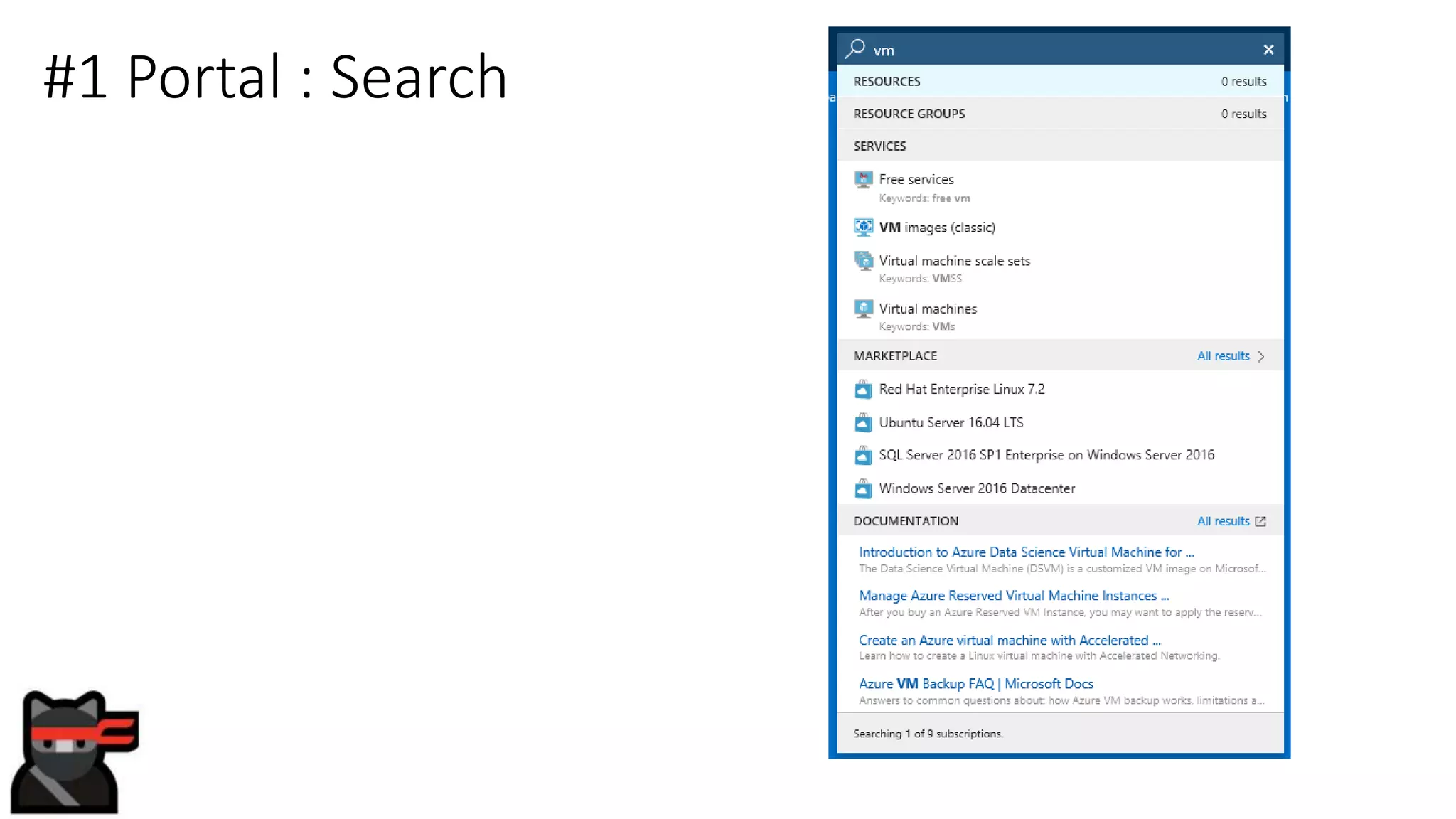
#1 Portal : Search
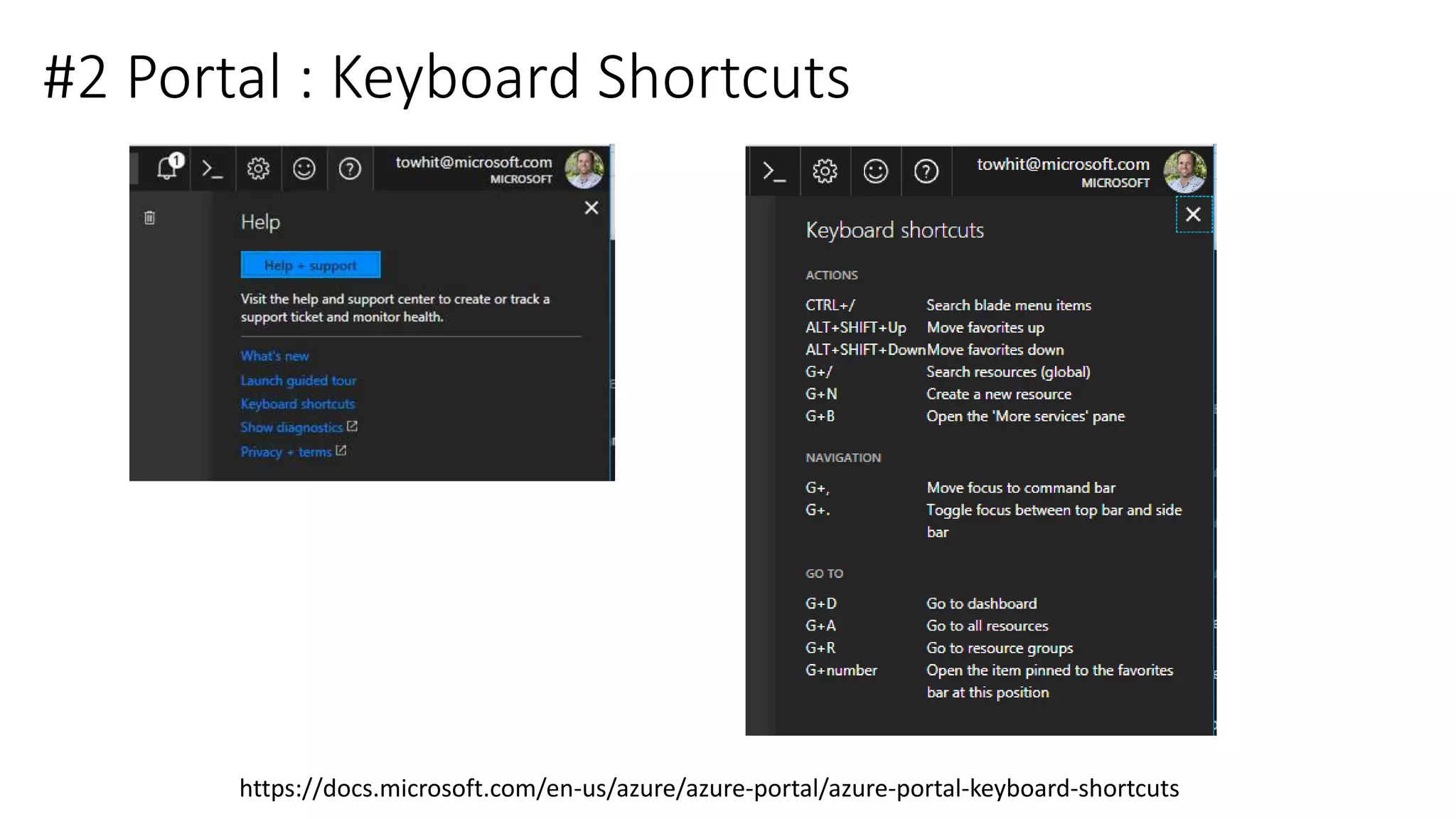
#2 Portal : Keyboard Shortcuts
https://docs.microsoft.com/en-us/azure/azure-portal/azure-portal-keyboard-shortcuts
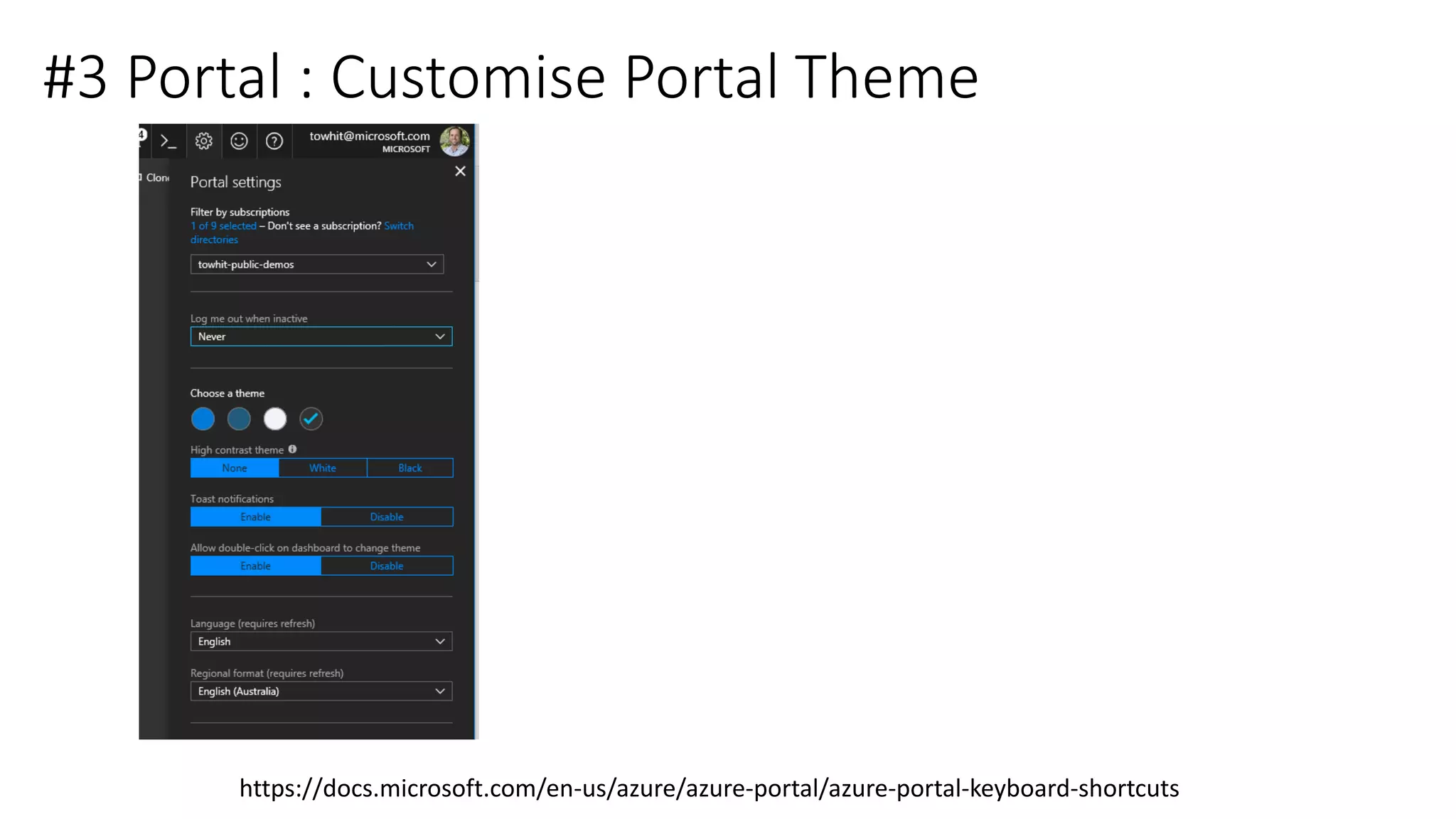
#3 Portal : Customise Portal Theme
https://docs.microsoft.com/en-us/azure/azure-portal/azure-portal-keyboard-shortcuts
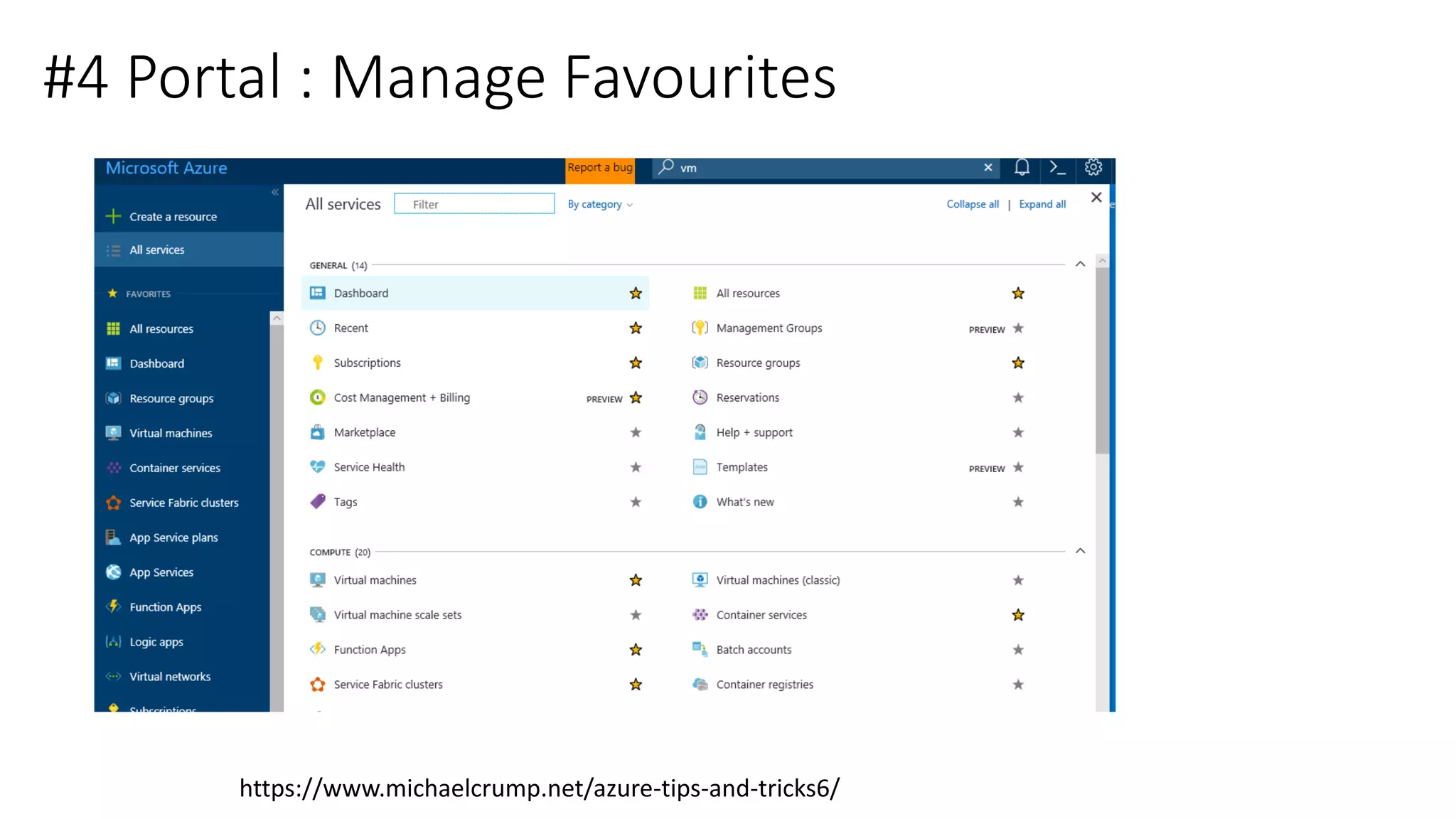
#4 Portal : Manage Favourites
https://www.michaelcrump.net/azure-tips-and-tricks6/
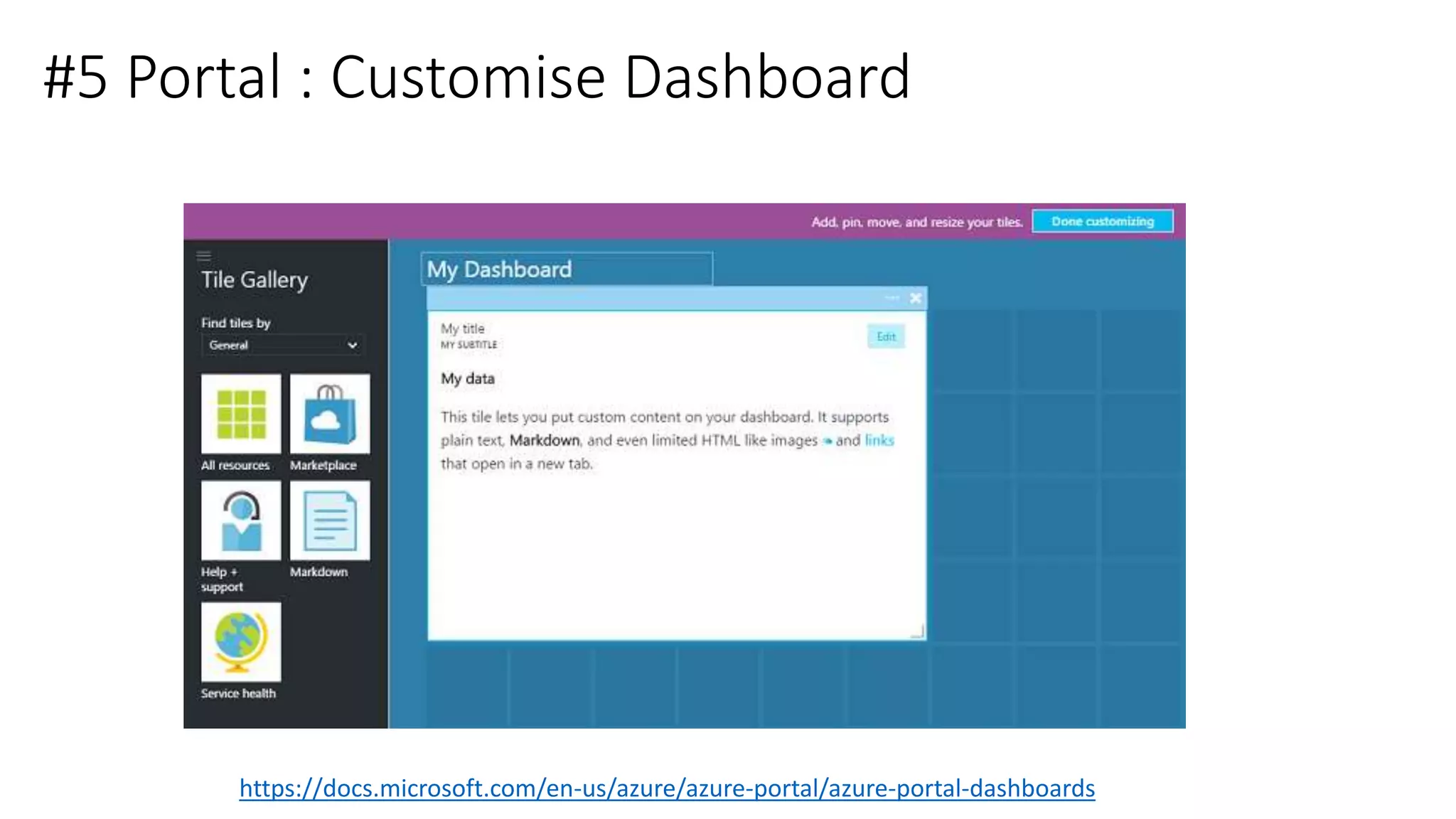
#5 Portal : Customise Dashboard
https://docs.microsoft.com/en-us/azure/azure-portal/azure-portal-dashboards
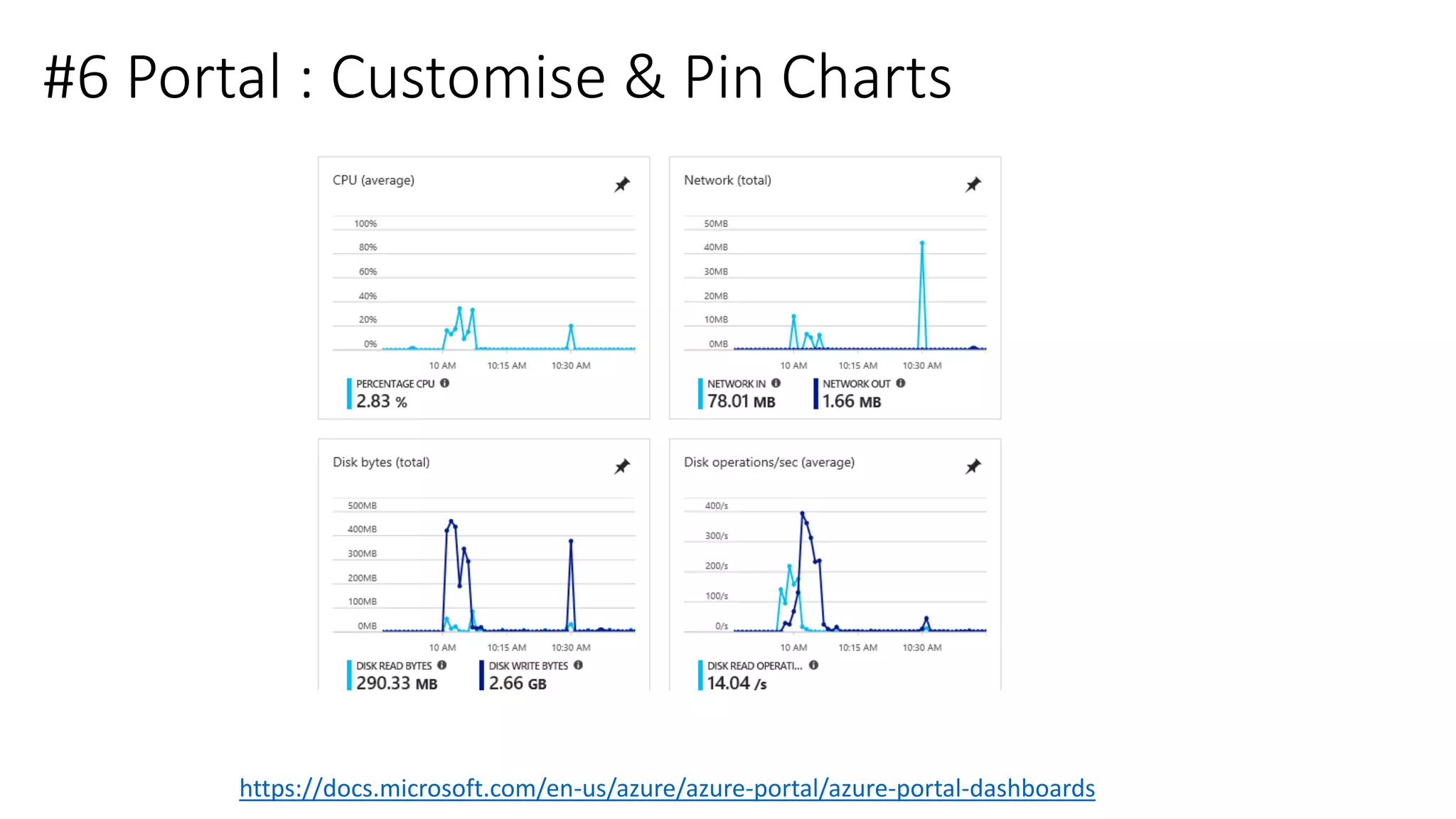
#6 Portal : Customise & Pin Charts
https://docs.microsoft.com/en-us/azure/azure-portal/azure-portal-dashboards
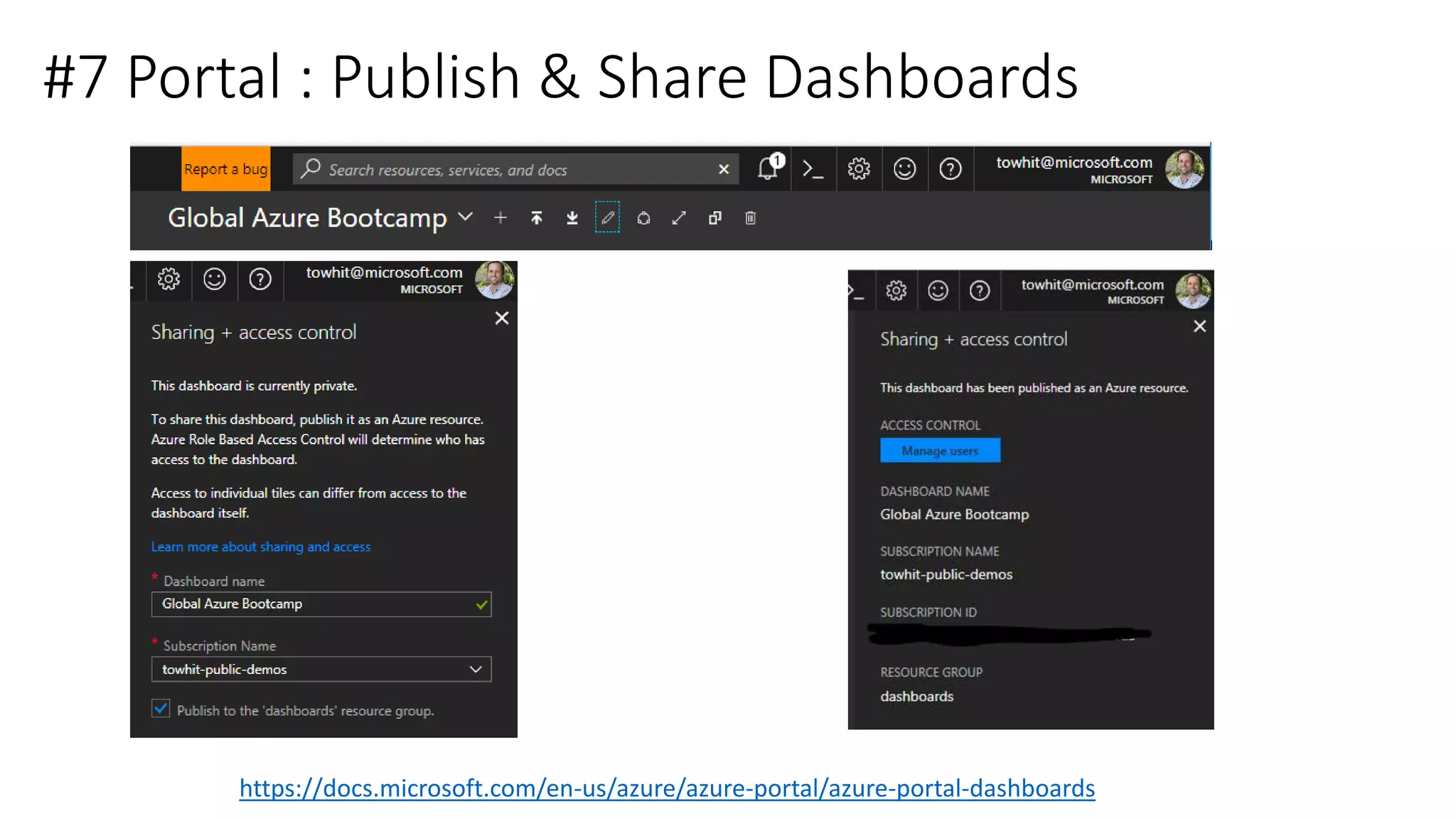
#7 Portal : Publish & Share Dashboards
https://docs.microsoft.com/en-us/azure/azure-portal/azure-portal-dashboards
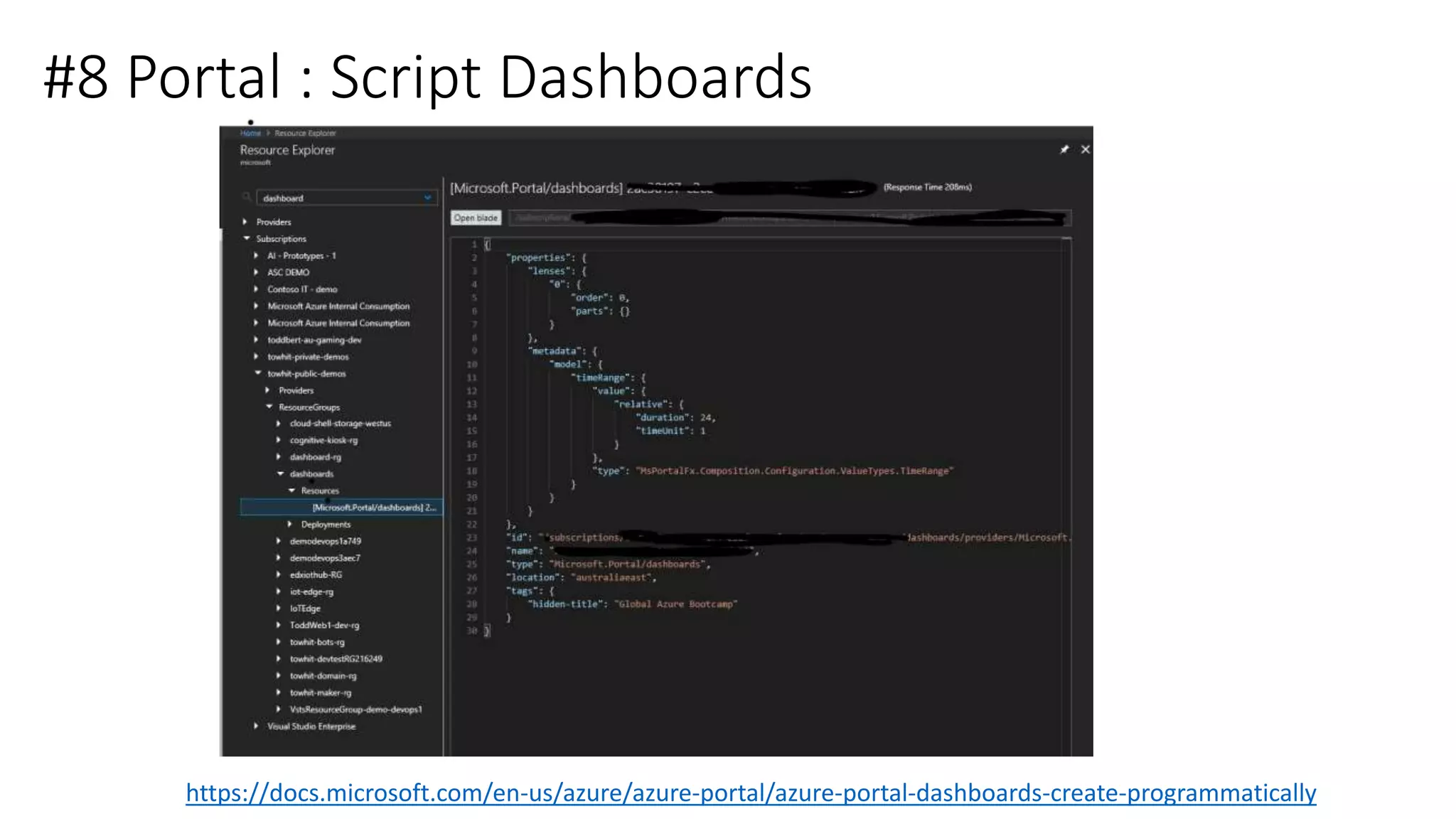
#8 Portal : Script Dashboards
https://docs.microsoft.com/en-us/azure/azure-portal/azure-portal-dashboards-create-programmatically
Command Line
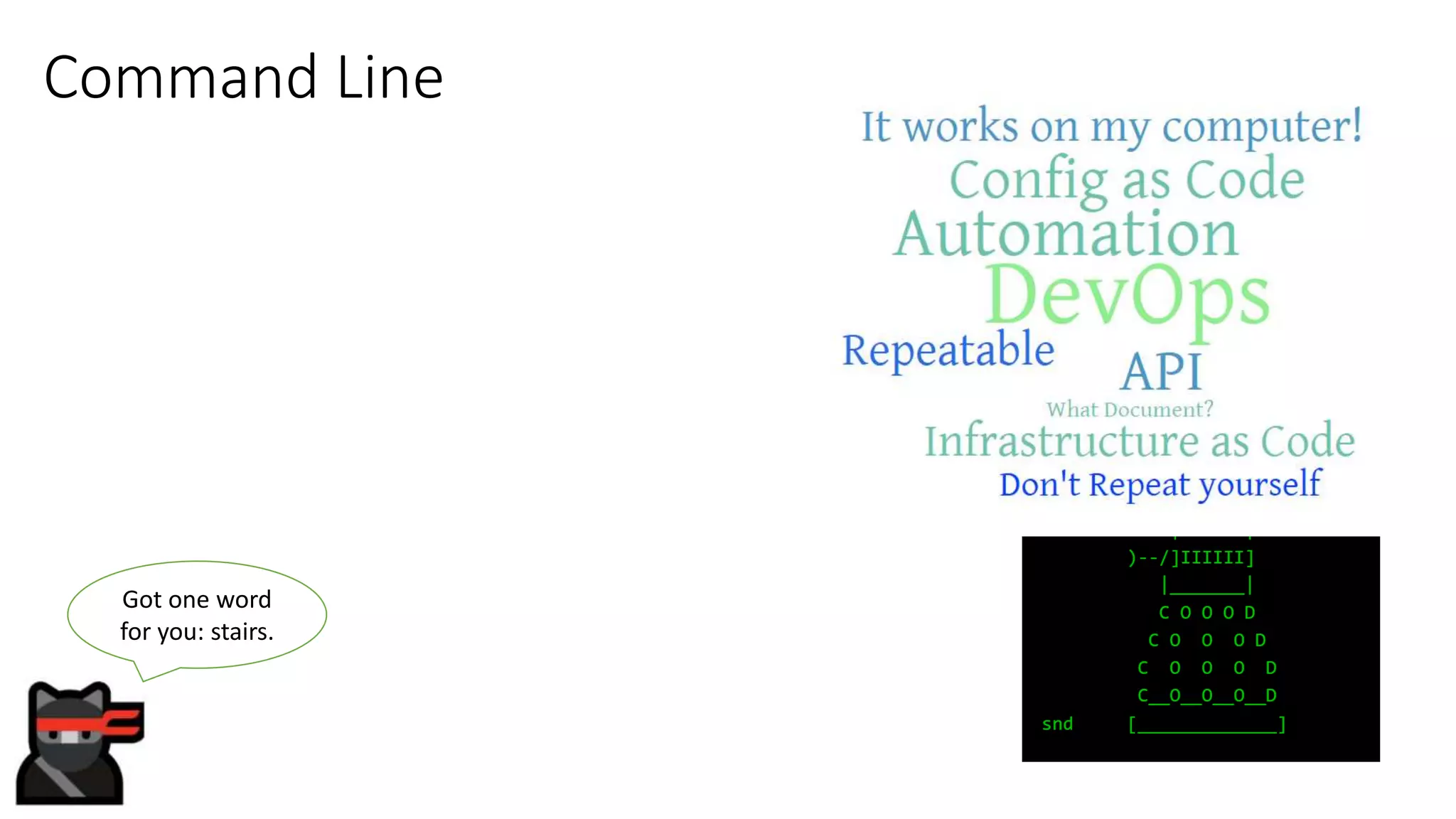
Got one word
for you: stairs.
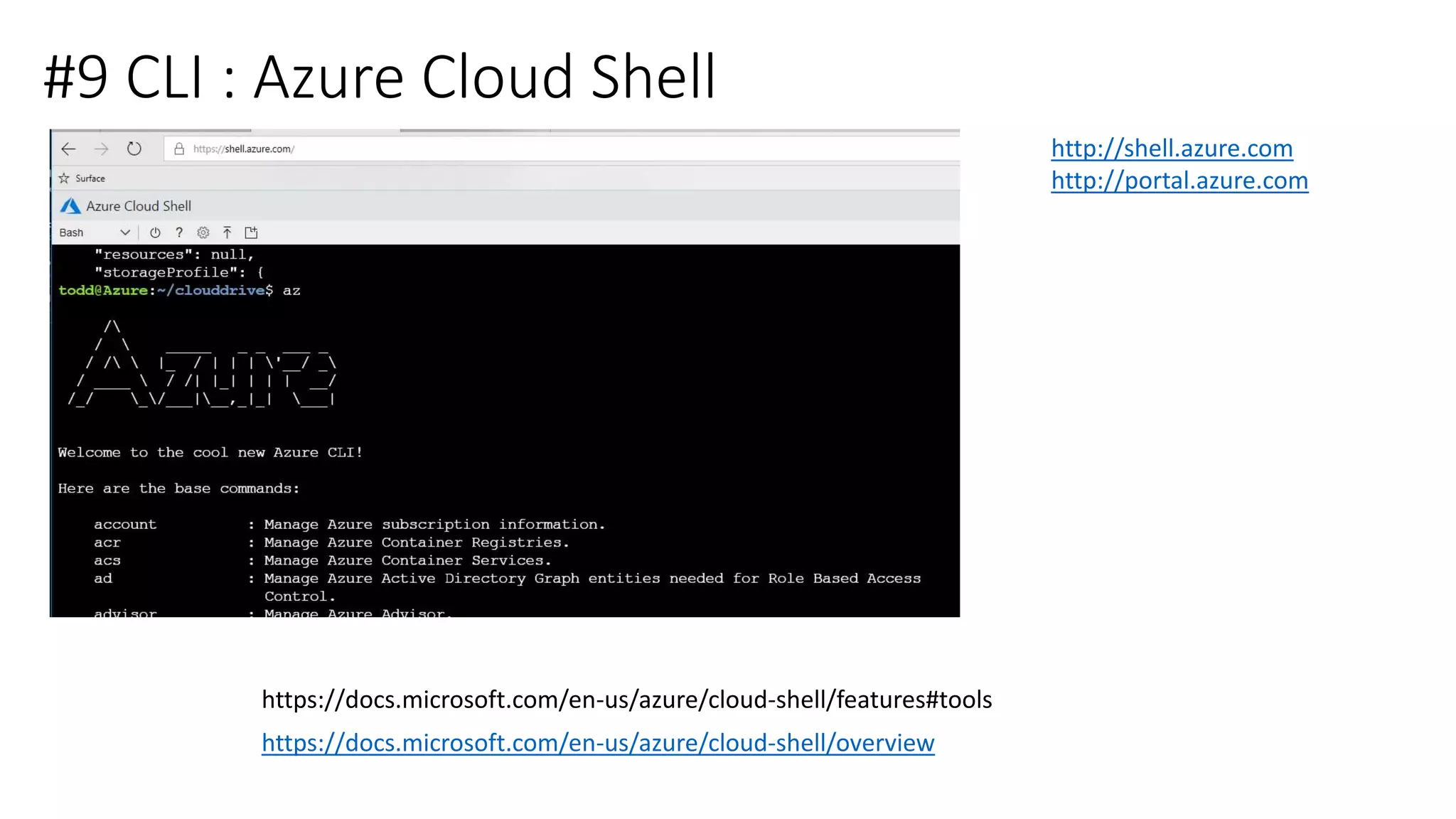
#9 CLI : Azure Cloud Shell
https://docs.microsoft.com/en-us/azure/cloud-shell/overview
http://shell.azure.com
http://portal.azure.com
https://docs.microsoft.com/en-us/azure/cloud-shell/features#tools
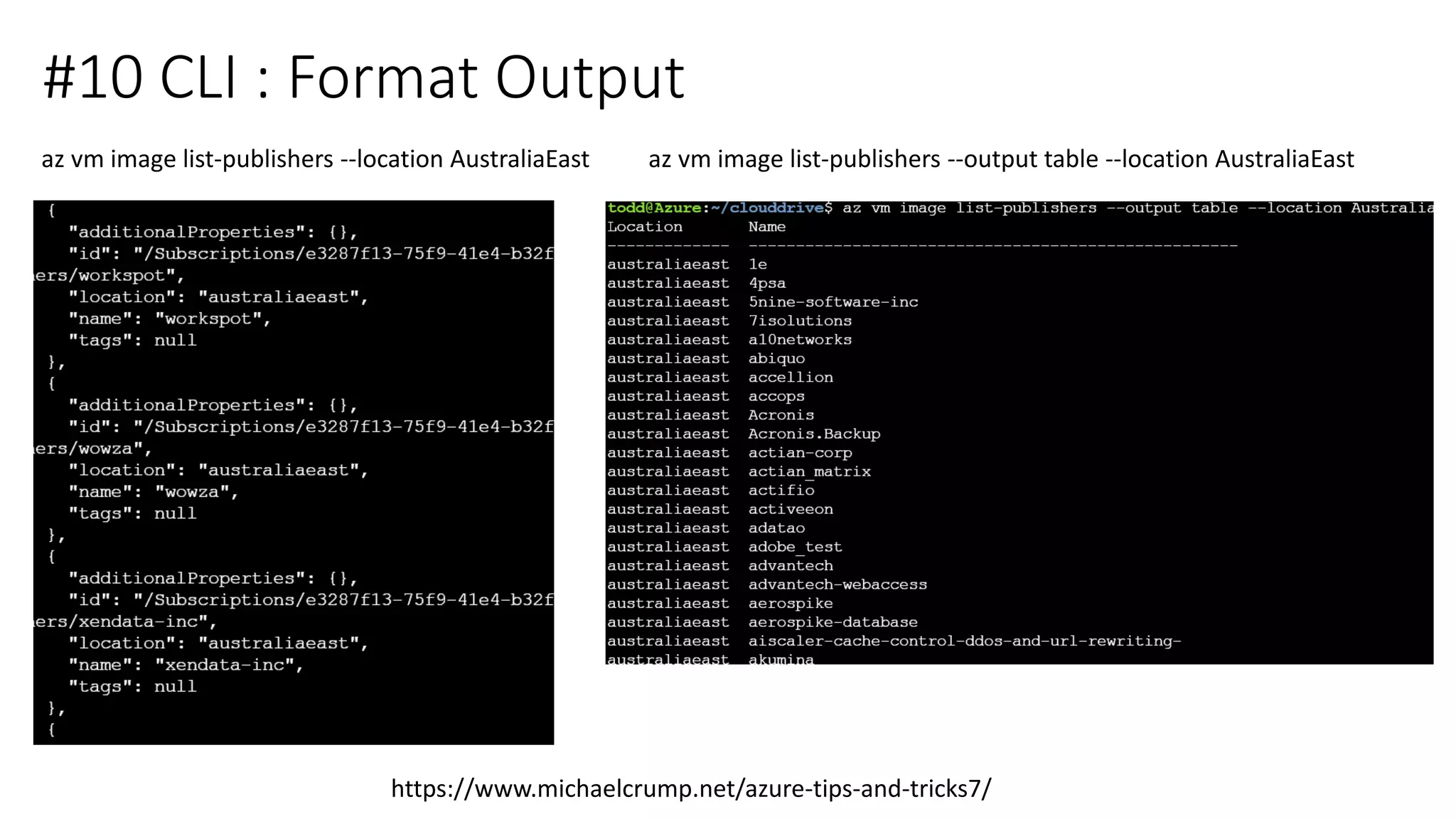
#10 CLI : Format Output
https://www.michaelcrump.net/azure-tips-and-tricks7/
az vm image list-publishers --location AustraliaEast az vm image list-publishers --output table --location AustraliaEast
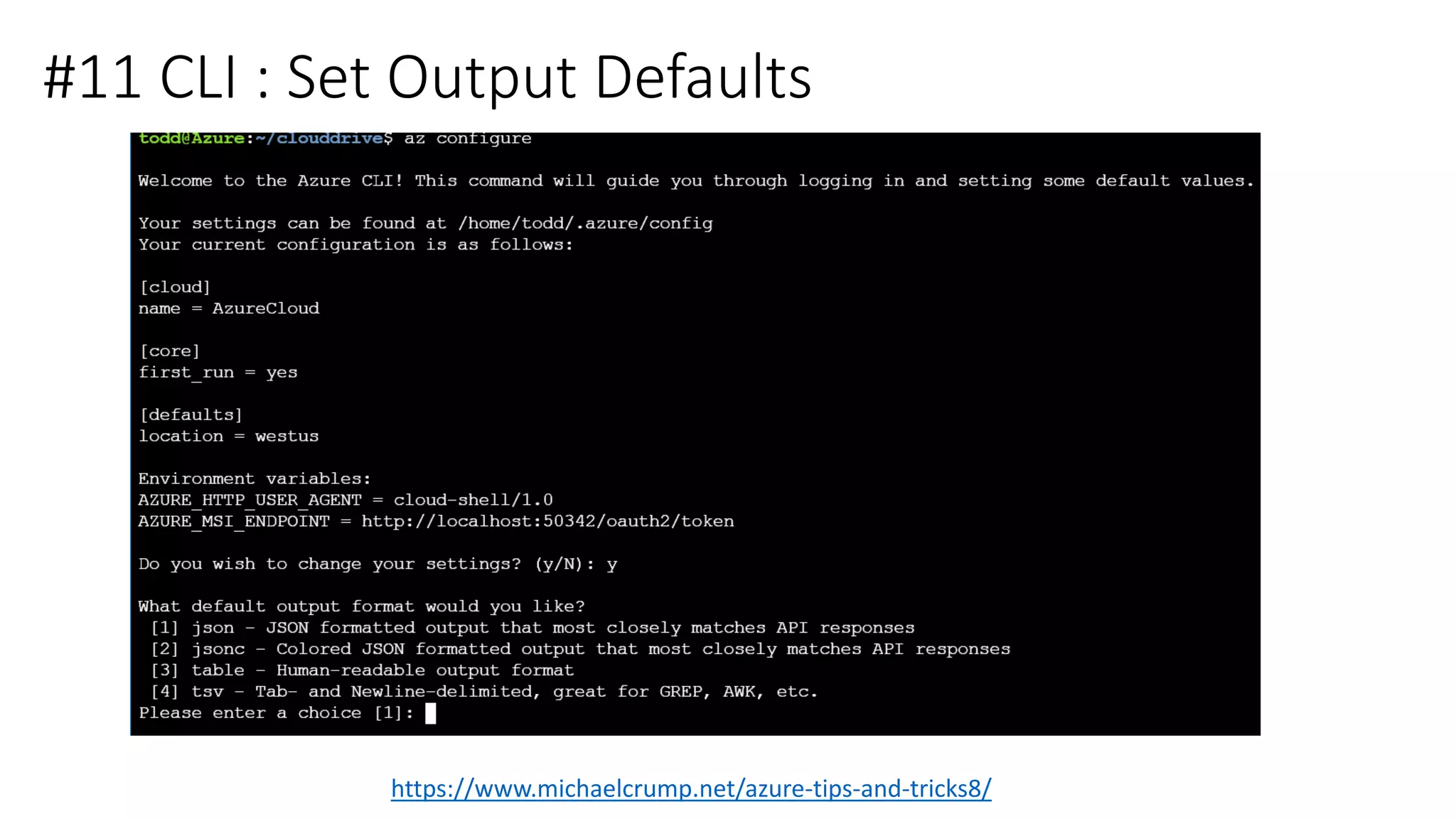
#11 CLI : Set Output Defaults
https://www.michaelcrump.net/azure-tips-and-tricks8/
#12 CLI : Cloud Shell Locations
• https://shell.azure.com
• https://shell.azure.com/powershell
• https://shell.azure.com/bash
• https://docs.microsoft.com/en-au/cli/azure/?view=azure-cli-latest
• Azure Mobile App
• TBA
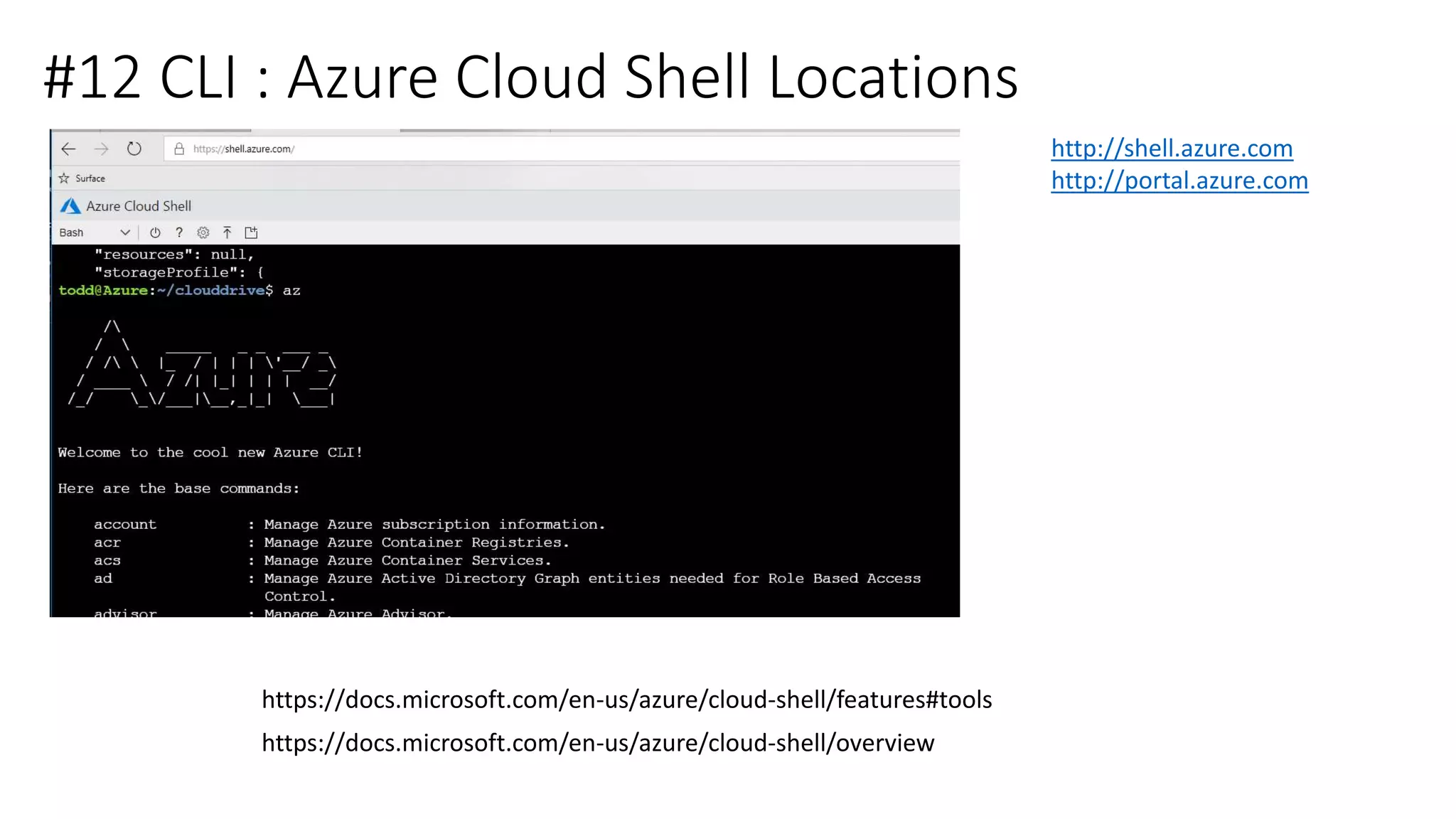
#12 CLI : Azure Cloud Shell Locations
https://docs.microsoft.com/en-us/azure/cloud-shell/overview
http://shell.azure.com
http://portal.azure.com
https://docs.microsoft.com/en-us/azure/cloud-shell/features#tools
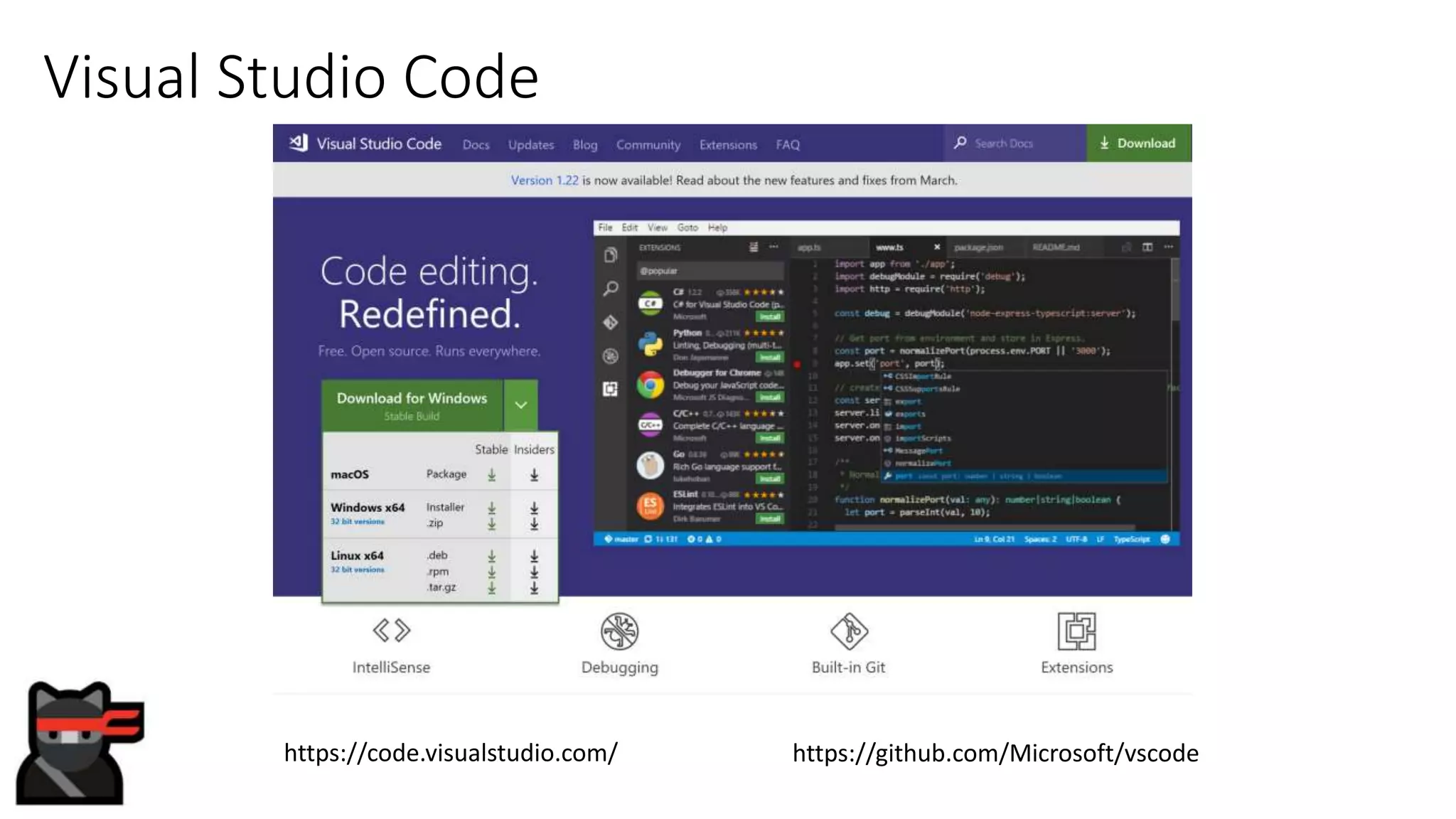
Visual Studio Code
https://github.com/Microsoft/vscodehttps://code.visualstudio.com/
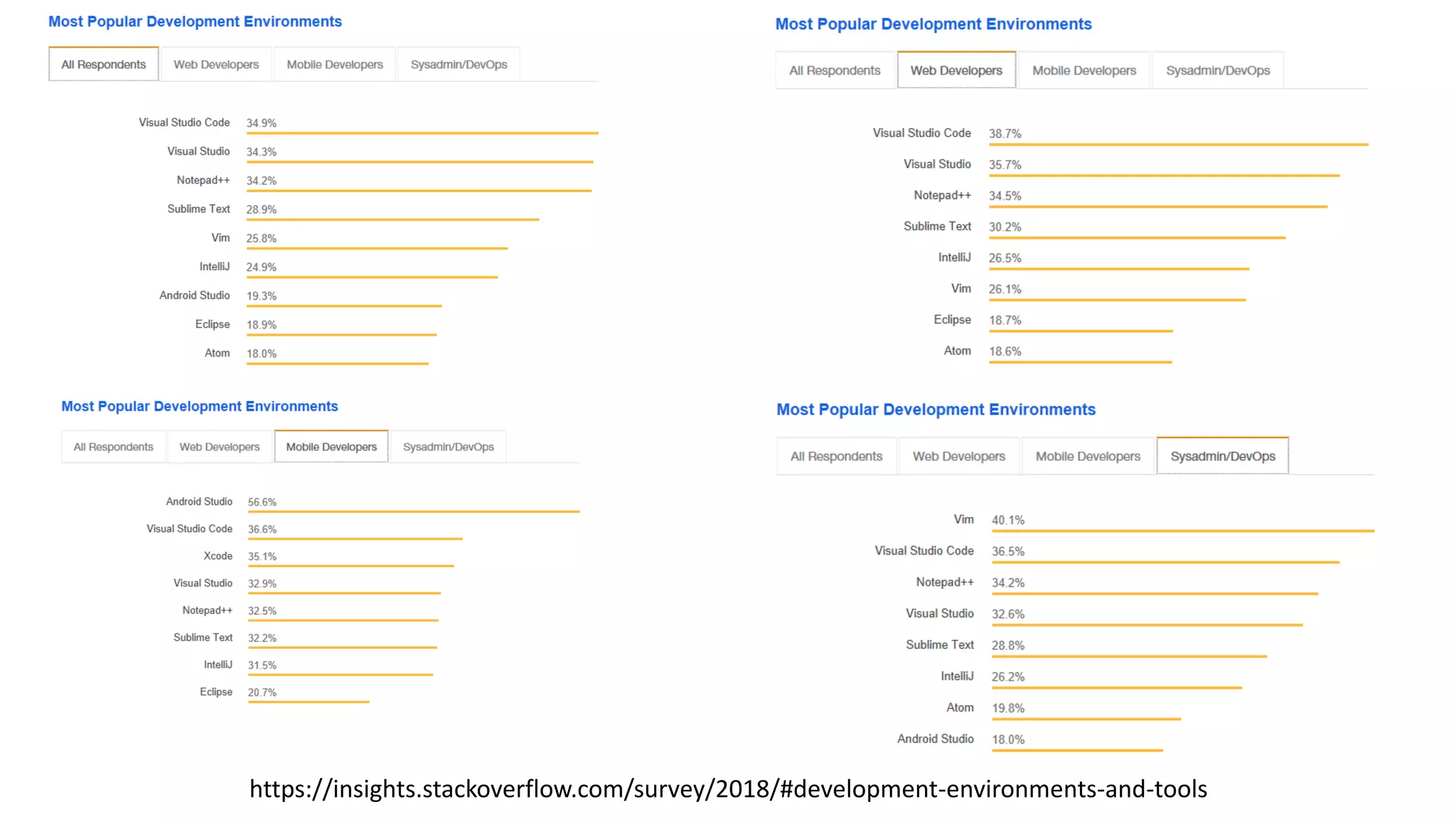
https://insights.stackoverflow.com/survey/2018/#development-environments-and-tools
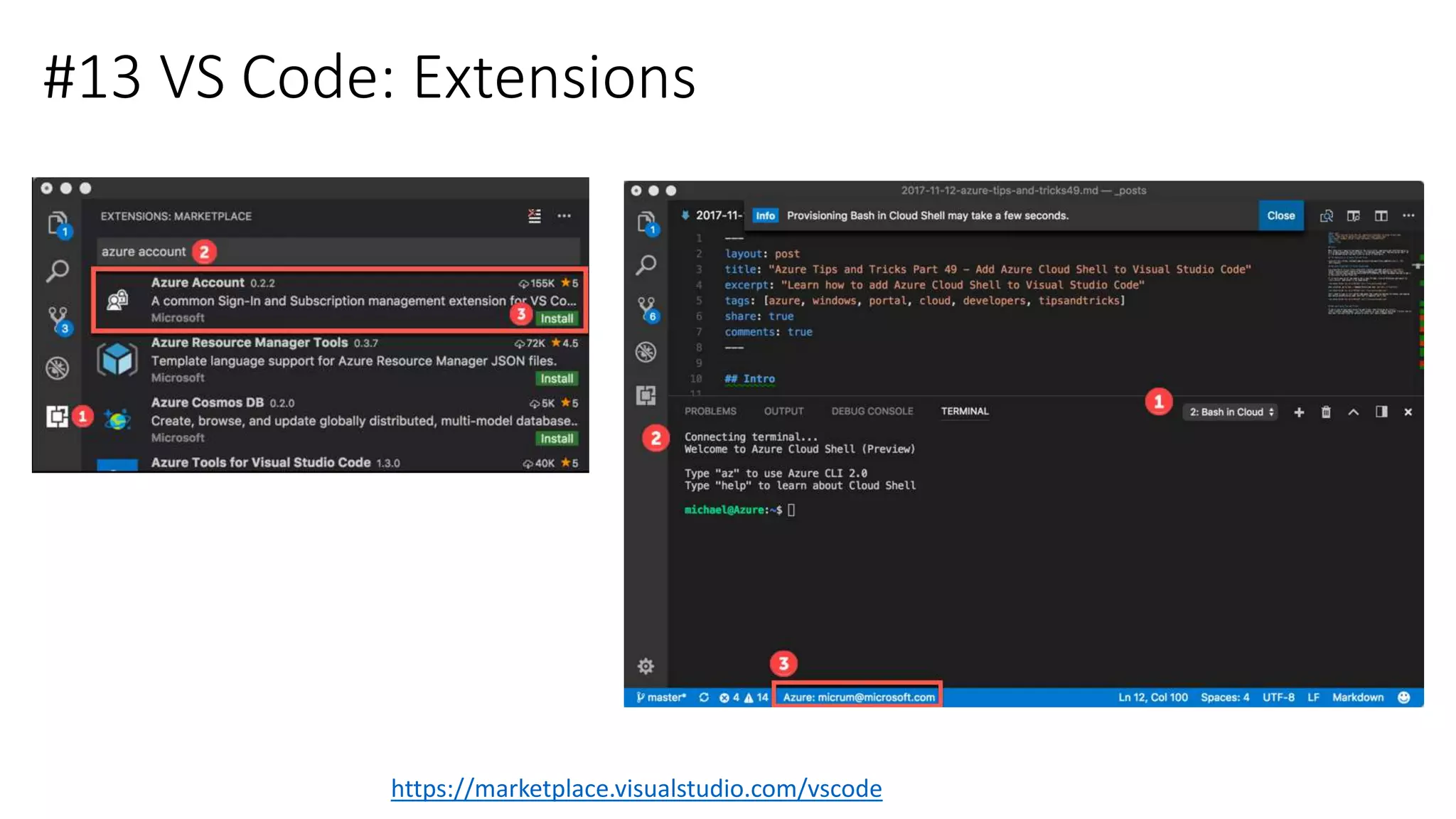
#13 VS Code: Extensions
https://marketplace.visualstudio.com/vscode
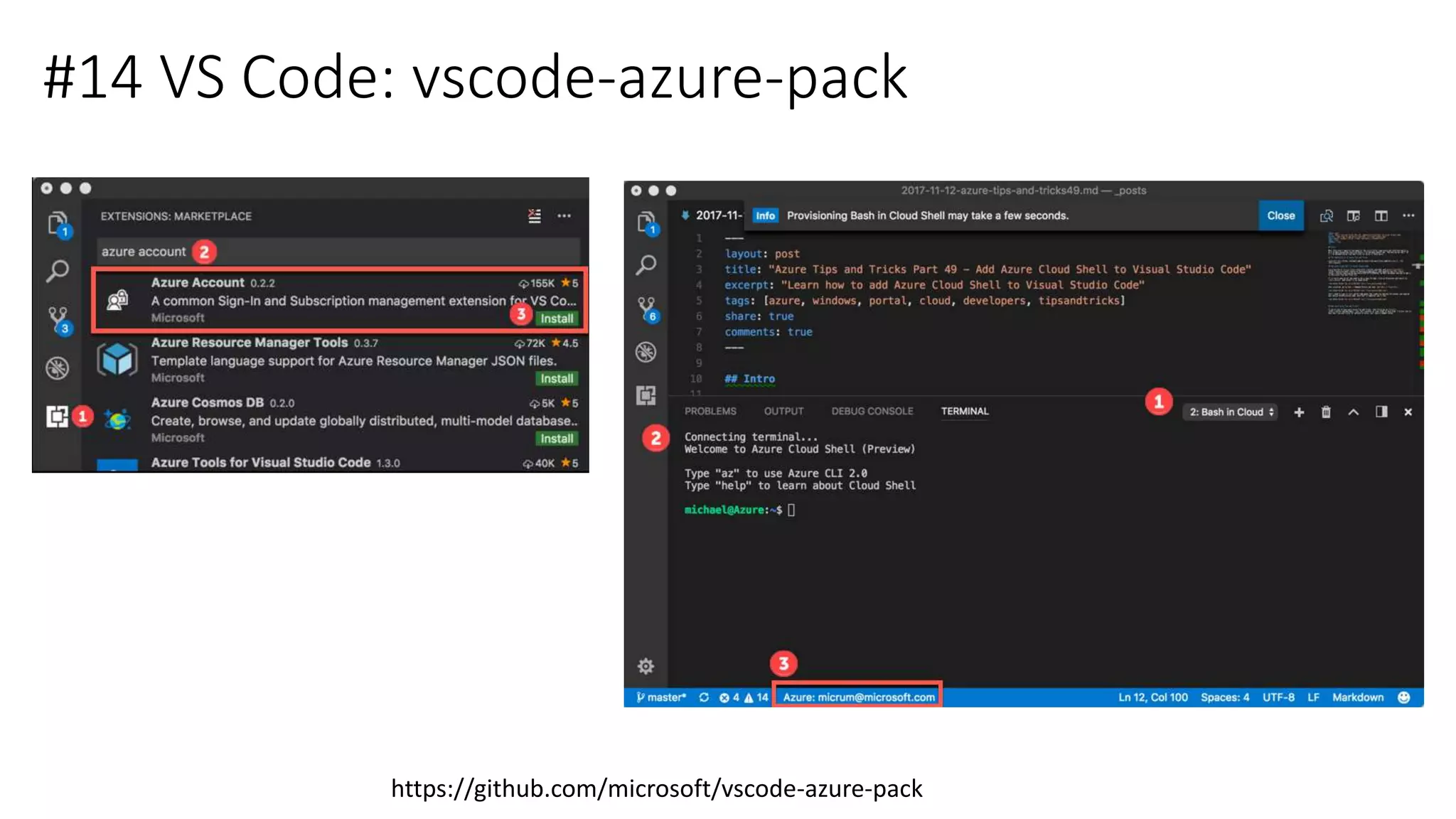
#14 VS Code: vscode-azure-pack
https://github.com/microsoft/vscode-azure-pack
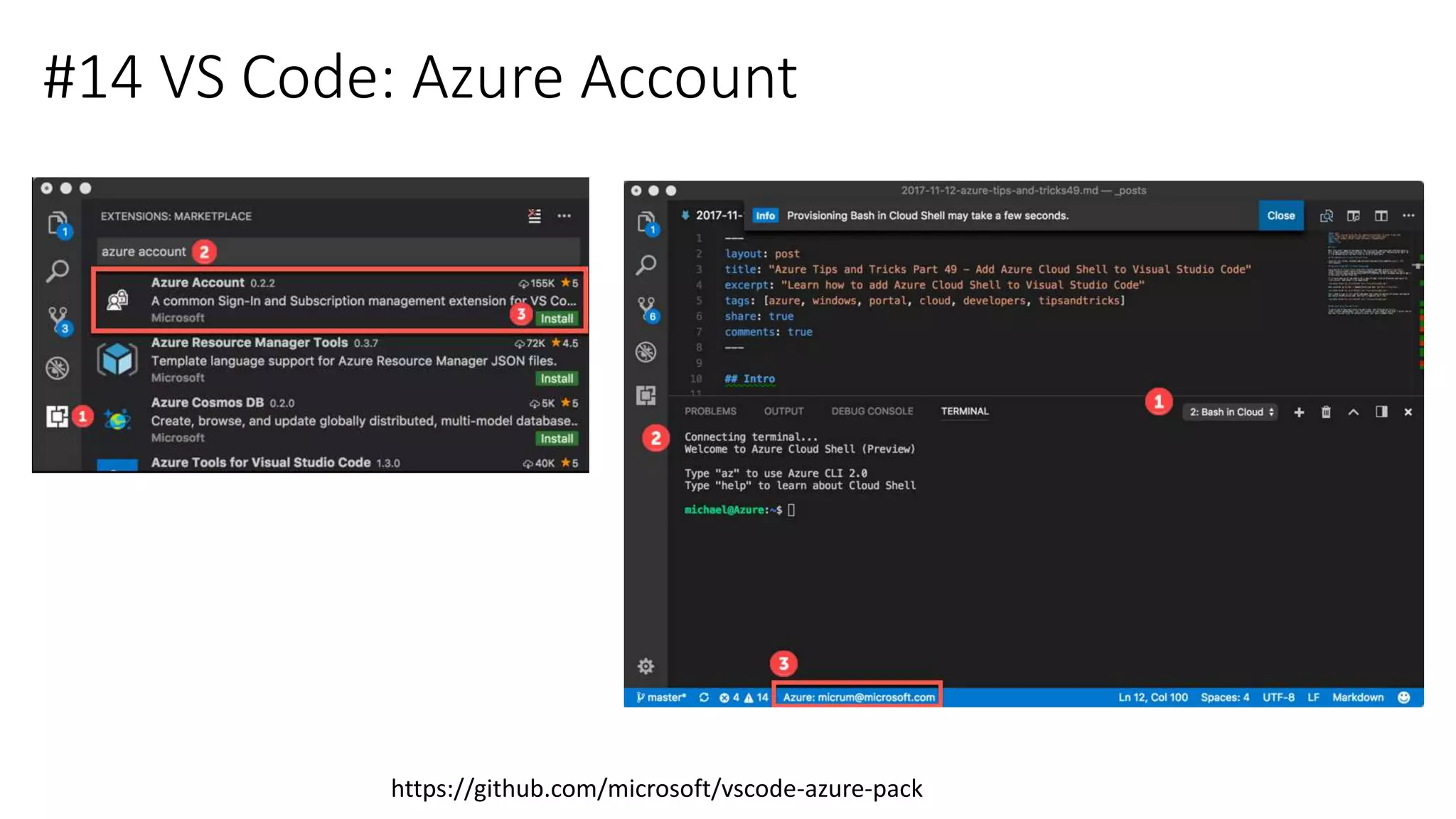
#14 VS Code: Azure Account
https://github.com/microsoft/vscode-azure-pack
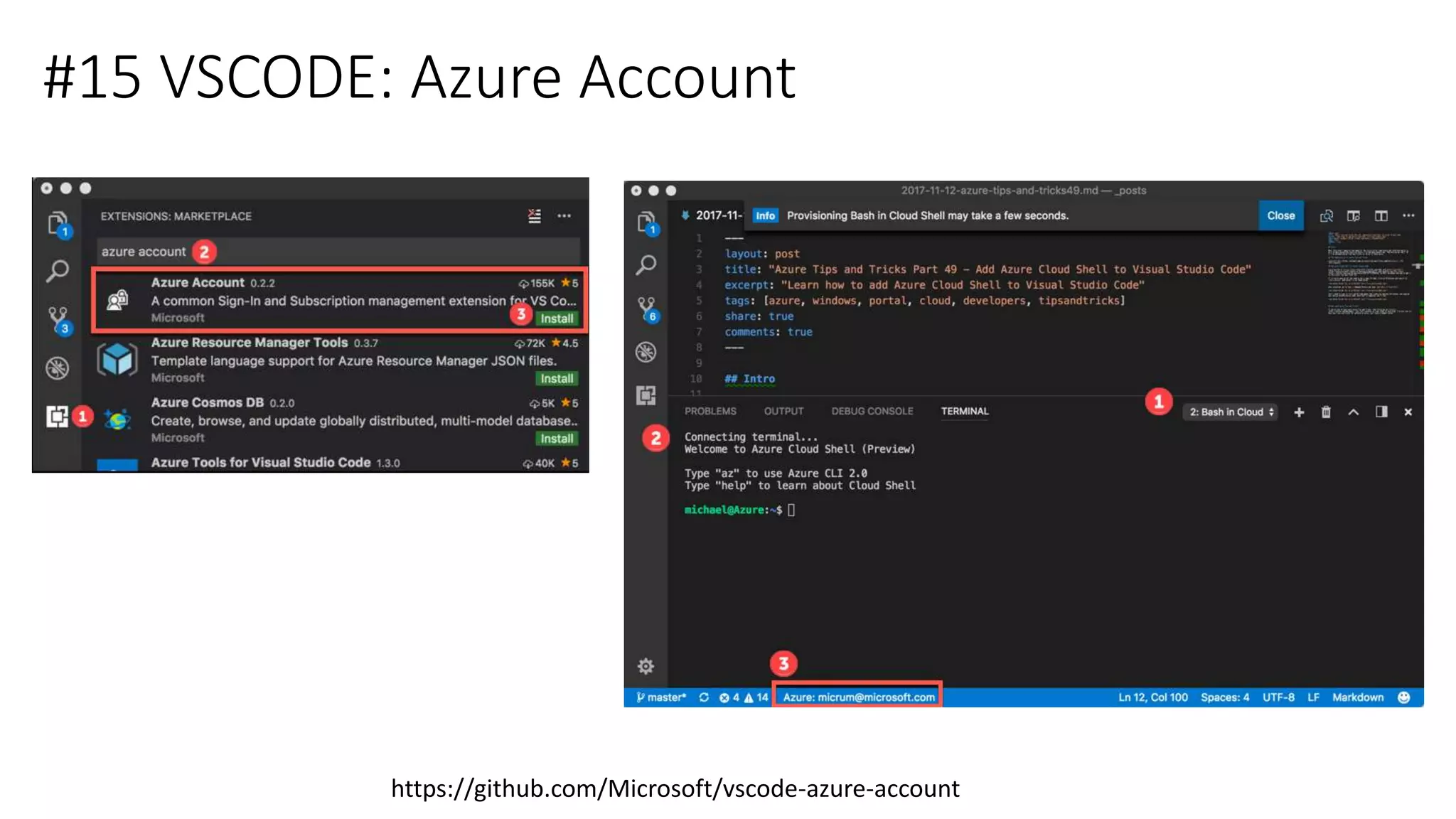
#15 VSCODE: Azure Account
https://github.com/Microsoft/vscode-azure-account
Architecture of Stranger Things-Remot
Raspberry Pi 3 | GrovePi Shield | Grove Sensors
Raspian OS | NodeJS | IoT Devices SDK
Raspberry Pi 3 | Raspbian OS
NodeJS | IoT Edge
TI Sensor Tag
MQTT
MQTT
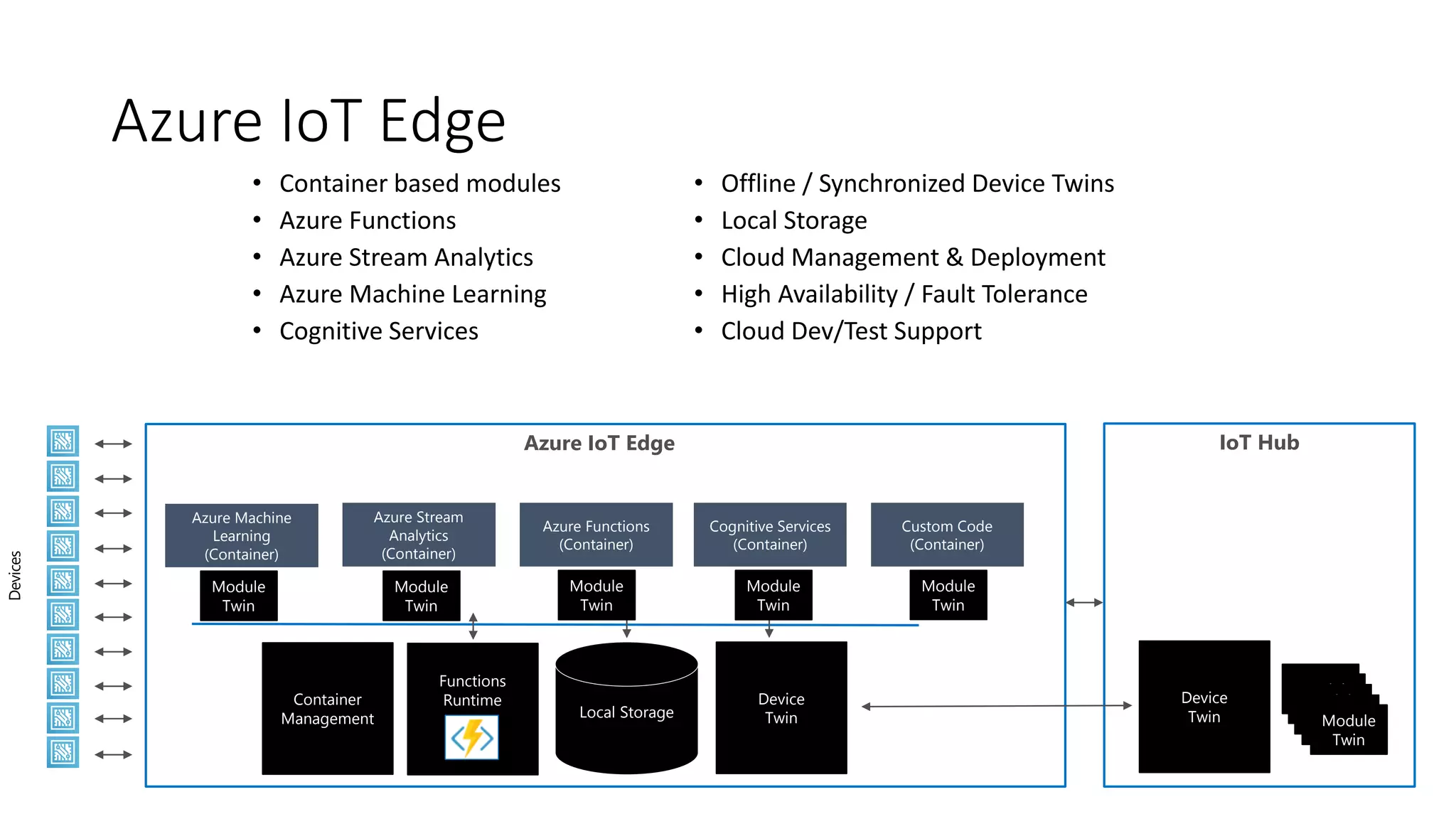
Azure IoT Edge IoT Hub
Devices
Local Storage
Azure Machine
Learning
(Container)
Functions
RuntimeContainer
Management
Azure IoT Edge
• Container based modules
• Azure Functions
• Azure Stream Analytics
• Azure Machine Learning
• Cognitive Services
• Offline / Synchronized Device Twins
• Local Storage
• Cloud Management & Deployment
• High Availability / Fault Tolerance
• Cloud Dev/Test Support
Device
Twin
Device
Twin
Azure Stream
Analytics
(Container)
Azure Functions
(Container)
Cognitive Services
(Container)
Custom Code
(Container)
Module
Twin
Module
Twin
Module
Twin
Module
Twin
Module
Twin
Module
Twin
Module
Twin
Module
Twin
Module
Twin
Module
Twin
Free Resources
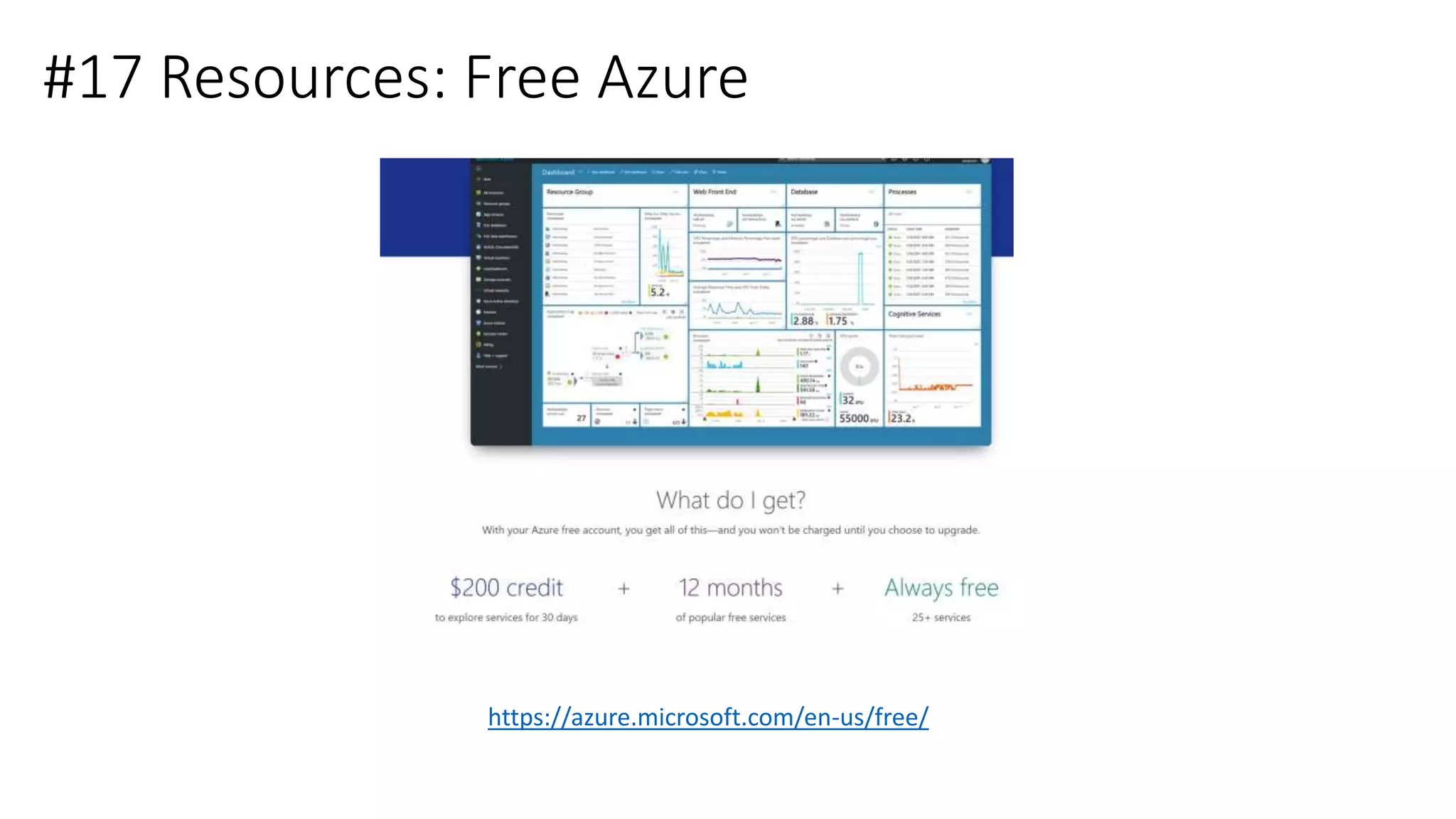
#17 Resources: Free Azure
https://azure.microsoft.com/en-us/free/
#18 Resources: Free DevOps
https://www.visualstudio.com/dev-essentials
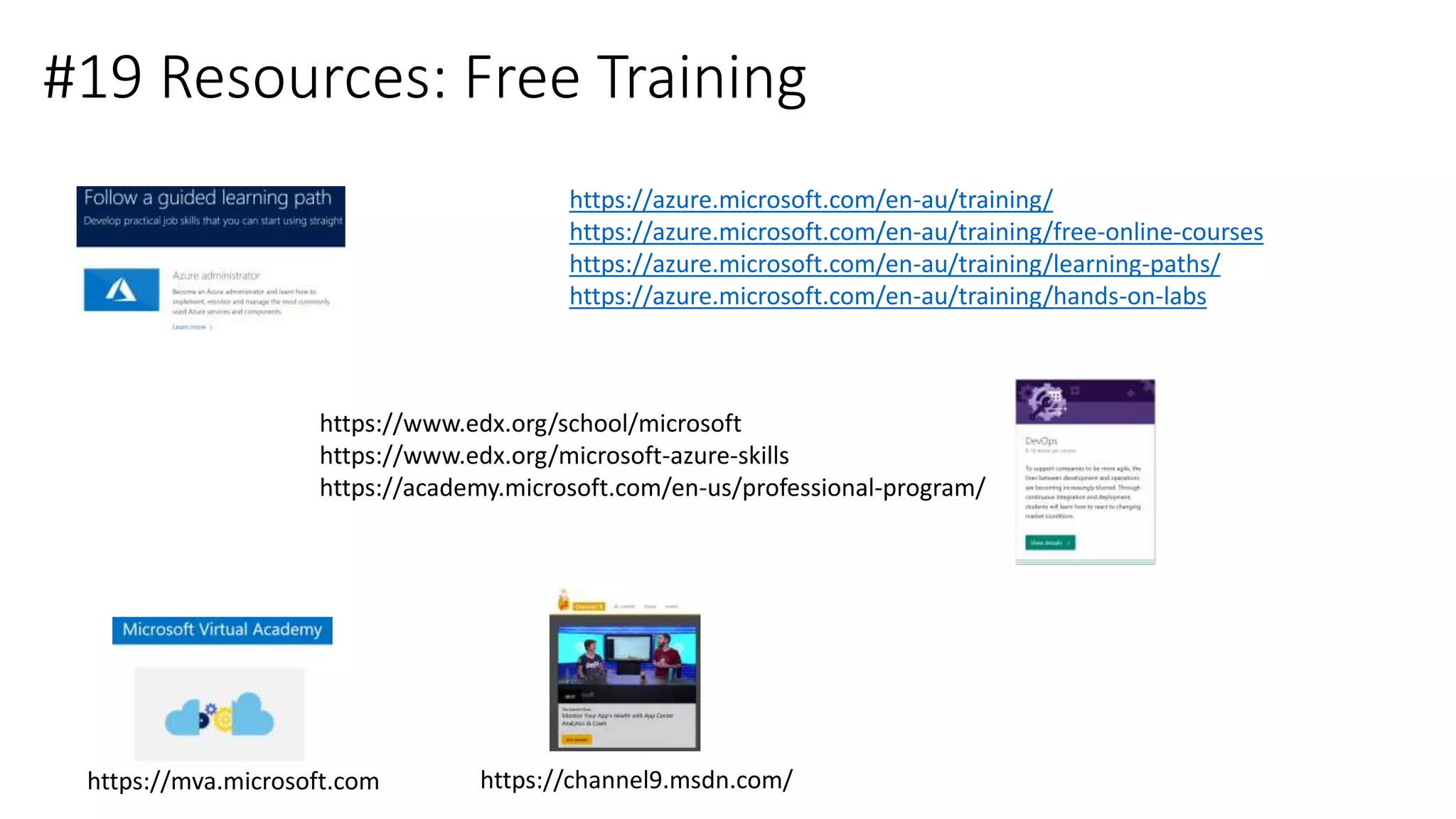
#19 Resources: Free Training
https://azure.microsoft.com/en-au/training/
https://azure.microsoft.com/en-au/training/free-online-courses
https://azure.microsoft.com/en-au/training/learning-paths/
https://azure.microsoft.com/en-au/training/hands-on-labs
https://www.edx.org/school/microsoft
https://www.edx.org/microsoft-azure-skills
https://academy.microsoft.com/en-us/professional-program/
https://mva.microsoft.com https://channel9.msdn.com/
#20 Resources: Keeping Up to Date
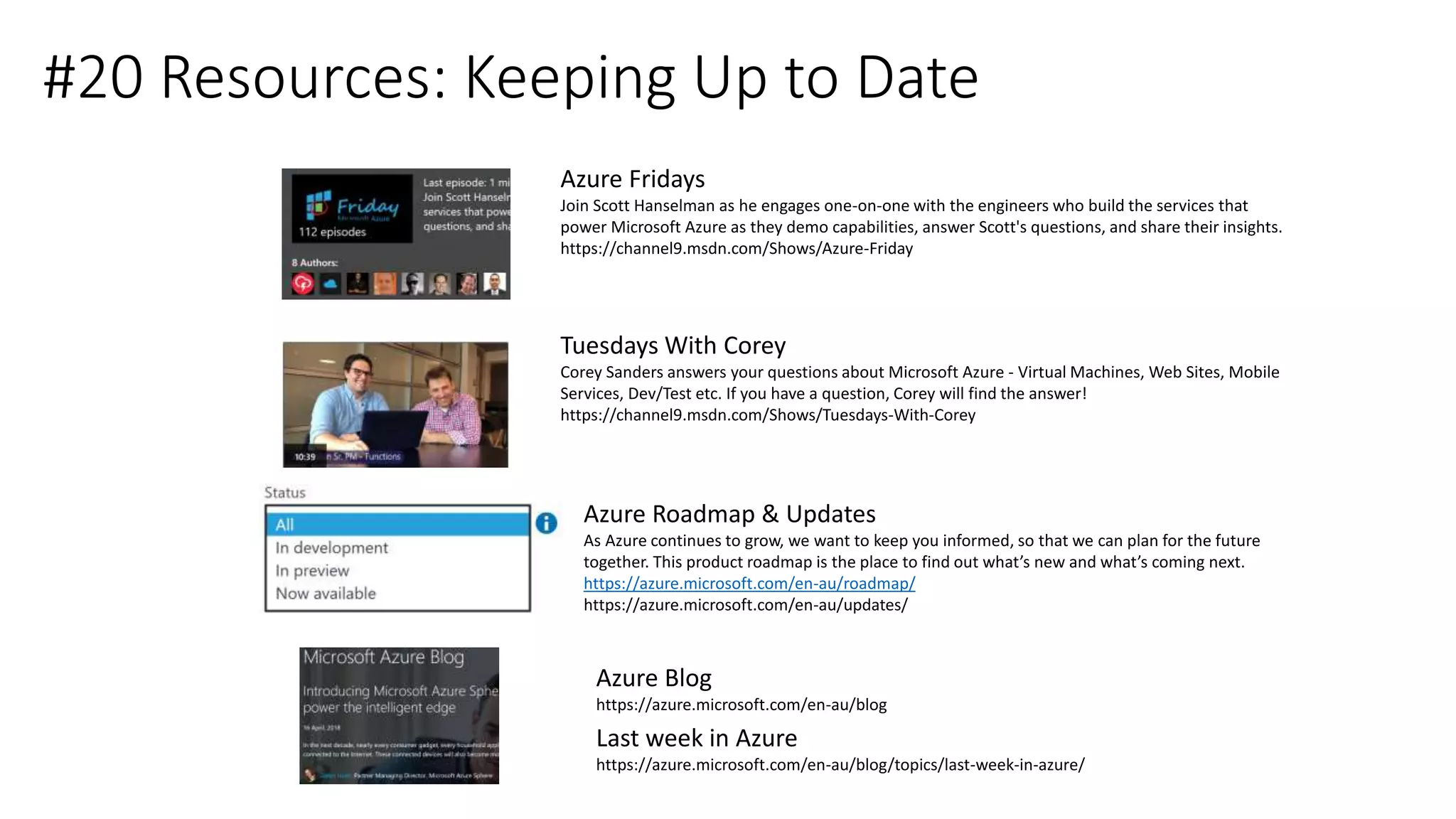
Azure Fridays
Join Scott Hanselman as he engages one-on-one with the engineers who build the services that
power Microsoft Azure as they demo capabilities, answer Scott's questions, and share their insights.
https://channel9.msdn.com/Shows/Azure-Friday
Tuesdays With Corey
Corey Sanders answers your questions about Microsoft Azure - Virtual Machines, Web Sites, Mobile
Services, Dev/Test etc. If you have a question, Corey will find the answer!
https://channel9.msdn.com/Shows/Tuesdays-With-Corey
Last week in Azure
https://azure.microsoft.com/en-au/blog/topics/last-week-in-azure/
Azure Roadmap & Updates
As Azure continues to grow, we want to keep you informed, so that we can plan for the future
together. This product roadmap is the place to find out what’s new and what’s coming next.
https://azure.microsoft.com/en-au/roadmap/
https://azure.microsoft.com/en-au/updates/
Azure Blog
https://azure.microsoft.com/en-au/blog
#21 Resources: Free Ebooks
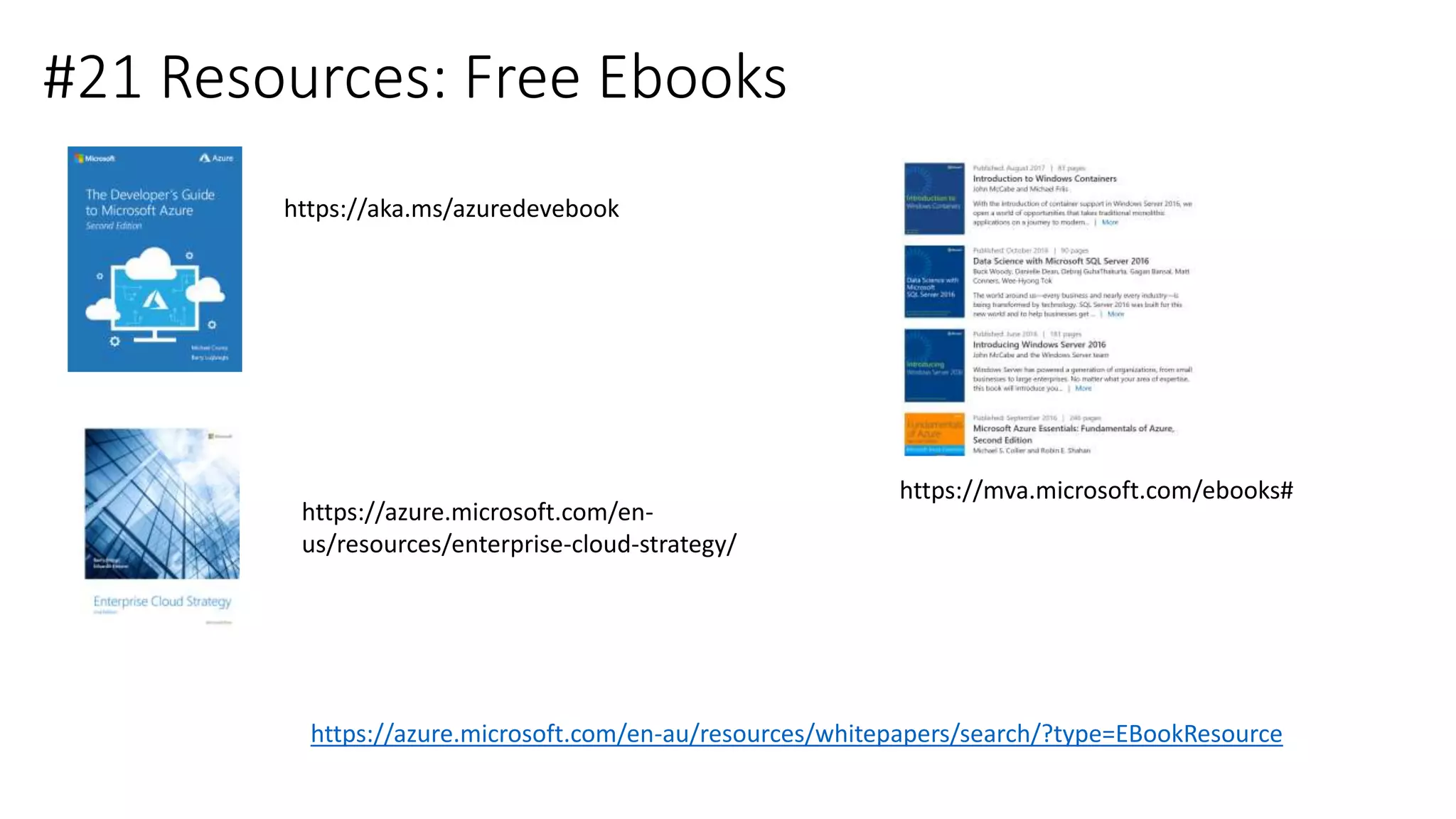
https://aka.ms/azuredevebook
https://mva.microsoft.com/ebooks#
https://azure.microsoft.com/en-
us/resources/enterprise-cloud-strategy/
https://azure.microsoft.com/en-au/resources/whitepapers/search/?type=EBookResource
#22 Brisbane Azure User Group
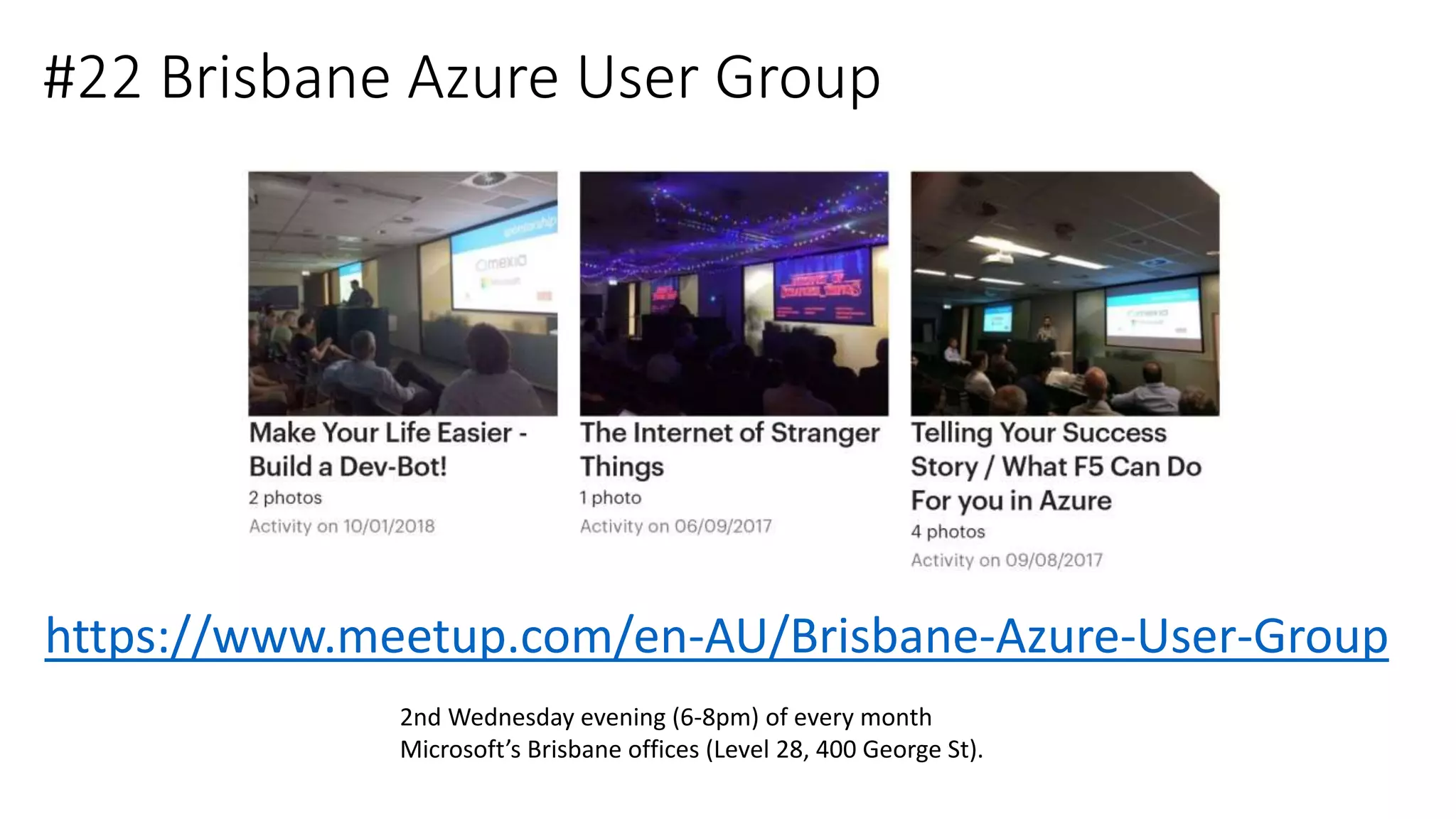
https://www.meetup.com/en-AU/Brisbane-Azure-User-Group
2nd Wednesday evening (6-8pm) of every month
Microsoft’s Brisbane offices (Level 28, 400 George St).
Did you get your 5 and 2?

Azure Ninja Tips and Tricks

  • 1.
    Azure Ninja Tips& Tricks Todd Whitehead Cloud Solution Architect Microsoft BRISBANE Sponsors
  • 2.
    About Me Whilst Iam employee of Microsoft, the views, opinions, lame jokes and ninja references that I may or may not express are my own and in no way represent those of Microsoft or in fact any person or organization based in Seattle. Disclaimer http://www.linkedin.com/in/toddwhitehead Todd Whitehead Cloud Solution Architect – Application Development Microsoft
  • 3.
    Topics • Azure Portal •Command Line • VS Code • Free Resources • Something for Everyone • More productive in Azure • Learn at least 5 new things • See at least 2 new things you will try Goals
  • 4.
  • 5.
  • 6.
    #2 Portal :Keyboard Shortcuts https://docs.microsoft.com/en-us/azure/azure-portal/azure-portal-keyboard-shortcuts
  • 7.
    #3 Portal :Customise Portal Theme https://docs.microsoft.com/en-us/azure/azure-portal/azure-portal-keyboard-shortcuts
  • 8.
    #4 Portal :Manage Favourites https://www.michaelcrump.net/azure-tips-and-tricks6/
  • 9.
    #5 Portal :Customise Dashboard https://docs.microsoft.com/en-us/azure/azure-portal/azure-portal-dashboards
  • 10.
    #6 Portal :Customise & Pin Charts https://docs.microsoft.com/en-us/azure/azure-portal/azure-portal-dashboards
  • 11.
    #7 Portal :Publish & Share Dashboards https://docs.microsoft.com/en-us/azure/azure-portal/azure-portal-dashboards
  • 12.
    #8 Portal :Script Dashboards https://docs.microsoft.com/en-us/azure/azure-portal/azure-portal-dashboards-create-programmatically
  • 13.
    Command Line Got oneword for you: stairs.
  • 14.
    #9 CLI :Azure Cloud Shell https://docs.microsoft.com/en-us/azure/cloud-shell/overview http://shell.azure.com http://portal.azure.com https://docs.microsoft.com/en-us/azure/cloud-shell/features#tools
  • 15.
    #10 CLI :Format Output https://www.michaelcrump.net/azure-tips-and-tricks7/ az vm image list-publishers --location AustraliaEast az vm image list-publishers --output table --location AustraliaEast
  • 16.
    #11 CLI :Set Output Defaults https://www.michaelcrump.net/azure-tips-and-tricks8/
  • 17.
    #12 CLI :Cloud Shell Locations • https://shell.azure.com • https://shell.azure.com/powershell • https://shell.azure.com/bash • https://docs.microsoft.com/en-au/cli/azure/?view=azure-cli-latest • Azure Mobile App • TBA
  • 18.
    #12 CLI :Azure Cloud Shell Locations https://docs.microsoft.com/en-us/azure/cloud-shell/overview http://shell.azure.com http://portal.azure.com https://docs.microsoft.com/en-us/azure/cloud-shell/features#tools
  • 19.
  • 20.
  • 21.
    #13 VS Code:Extensions https://marketplace.visualstudio.com/vscode
  • 22.
    #14 VS Code:vscode-azure-pack https://github.com/microsoft/vscode-azure-pack
  • 23.
    #14 VS Code:Azure Account https://github.com/microsoft/vscode-azure-pack
  • 24.
    #15 VSCODE: AzureAccount https://github.com/Microsoft/vscode-azure-account
  • 25.
    Architecture of StrangerThings-Remot Raspberry Pi 3 | GrovePi Shield | Grove Sensors Raspian OS | NodeJS | IoT Devices SDK Raspberry Pi 3 | Raspbian OS NodeJS | IoT Edge TI Sensor Tag MQTT MQTT
  • 26.
    Azure IoT EdgeIoT Hub Devices Local Storage Azure Machine Learning (Container) Functions RuntimeContainer Management Azure IoT Edge • Container based modules • Azure Functions • Azure Stream Analytics • Azure Machine Learning • Cognitive Services • Offline / Synchronized Device Twins • Local Storage • Cloud Management & Deployment • High Availability / Fault Tolerance • Cloud Dev/Test Support Device Twin Device Twin Azure Stream Analytics (Container) Azure Functions (Container) Cognitive Services (Container) Custom Code (Container) Module Twin Module Twin Module Twin Module Twin Module Twin Module Twin Module Twin Module Twin Module Twin Module Twin
  • 27.
  • 28.
    #17 Resources: FreeAzure https://azure.microsoft.com/en-us/free/
  • 29.
    #18 Resources: FreeDevOps https://www.visualstudio.com/dev-essentials
  • 30.
    #19 Resources: FreeTraining https://azure.microsoft.com/en-au/training/ https://azure.microsoft.com/en-au/training/free-online-courses https://azure.microsoft.com/en-au/training/learning-paths/ https://azure.microsoft.com/en-au/training/hands-on-labs https://www.edx.org/school/microsoft https://www.edx.org/microsoft-azure-skills https://academy.microsoft.com/en-us/professional-program/ https://mva.microsoft.com https://channel9.msdn.com/
  • 31.
    #20 Resources: KeepingUp to Date Azure Fridays Join Scott Hanselman as he engages one-on-one with the engineers who build the services that power Microsoft Azure as they demo capabilities, answer Scott's questions, and share their insights. https://channel9.msdn.com/Shows/Azure-Friday Tuesdays With Corey Corey Sanders answers your questions about Microsoft Azure - Virtual Machines, Web Sites, Mobile Services, Dev/Test etc. If you have a question, Corey will find the answer! https://channel9.msdn.com/Shows/Tuesdays-With-Corey Last week in Azure https://azure.microsoft.com/en-au/blog/topics/last-week-in-azure/ Azure Roadmap & Updates As Azure continues to grow, we want to keep you informed, so that we can plan for the future together. This product roadmap is the place to find out what’s new and what’s coming next. https://azure.microsoft.com/en-au/roadmap/ https://azure.microsoft.com/en-au/updates/ Azure Blog https://azure.microsoft.com/en-au/blog
  • 32.
    #21 Resources: FreeEbooks https://aka.ms/azuredevebook https://mva.microsoft.com/ebooks# https://azure.microsoft.com/en- us/resources/enterprise-cloud-strategy/ https://azure.microsoft.com/en-au/resources/whitepapers/search/?type=EBookResource
  • 33.
    #22 Brisbane AzureUser Group https://www.meetup.com/en-AU/Brisbane-Azure-User-Group 2nd Wednesday evening (6-8pm) of every month Microsoft’s Brisbane offices (Level 28, 400 George St).
  • 34.
    Did you getyour 5 and 2?

Editor's Notes

  • #5 G = / Search
  • #6 G = / Search
  • #7 G + A (All), G = / Search, G + N (new), G + R
  • #8 Double Click Whitespace also works ;)
  • #9 Shift space to fav/unfav
  • #10 Edit Dashboard: Rename, Add Tiles from List, General (Markdown) Pin when browsing or explicitly Resize and re-arrange https://docs.microsoft.com/en-us/azure/azure-portal/azure-portal-dashboards-structure
  • #11 https://www.michaelcrump.net/azure-tips-and-tricks4/
  • #12  Private by Default. Azure resources governed by RBAC Model. Uses RBAC so Users with reader access are able to make local edits to a shared dashboard, but are not able to publish those changes back to the server. As always, individual tiles on the dashboard enforce their own access control rules based on the resources they correspond to https://docs.microsoft.com/en-us/azure/azure-portal/azure-portal-dashboards-structure
  • #13 Azure Resources so can be represented by JSON. Go to Resource Explorer. Templates can be parametrised. See link. https://docs.microsoft.com/en-us/azure/azure-portal/azure-portal-dashboards-structure
  • #14 G = / Search
  • #15 Azure Cloud Shell is an interactive, browser-accessible shell for managing Azure resources. It provides the flexibility of choosing the shell experience that best suits the way you work. Linux users can opt for a Bash experience, while Windows users can opt for PowerShell.
  • #16 By default the Azure CLI 2.0 returns results from a command in JSON. You can easily modify this by adding --output Table. az vm image list-publishers --location AustraliaEast az vm image list-publishers –output jsonc --location AustraliaEast az vm image list-publishers --output table --location AustraliaEast
  • #17 You can also set it as a default amongst other thing. Simply run az configure and
  • #19 Azure Cloud Shell is an interactive, browser-accessible shell for managing Azure resources. It provides the flexibility of choosing the shell experience that best suits the way you work. Linux users can opt for a Bash experience, while Windows users can opt for PowerShell. shell.azure.com/powershell which will launch a PowerShell instance shell.azure.com/bash which will launch a BASH instance
  • #20 G = / Search
  • #22 It is fairly easy as all you need to do is open VS Code, click on Extensions and search for azure account and install it as shown below. go to View -> Command Palette and type Open Bash in Cloud Shell.
  • #23 It is fairly easy as all you need to do is open VS Code, click on Extensions and search for azure account and install it as shown below. go to View -> Command Palette and type Open Bash in Cloud Shell.
  • #24 It is fairly easy as all you need to do is open VS Code, click on Extensions and search for azure account and install it as shown below. go to View -> Command Palette and type Open Bash in Cloud Shell.
  • #25 It is fairly easy as all you need to do is open VS Code, click on Extensions and search for azure account and install it as shown below. go to View -> Command Palette and type Open Bash in Cloud Shell.
  • #28 G = / Search
  • #30 https://www.visualstudio.com/dev-essentials https://www.visualstudio.com/team-services/compare-features/
  • #33 It is fairly easy as all you need to do is open VS Code, click on Extensions and search for azure account and install it as shown below. go to View -> Command Palette and type Open Bash in Cloud Shell.