Azure Marketplace
Udaiappa Ramachandran ( Udai )
LinkedIn://linkedin.com/in/udair
Twitter: @nhcloud
Who am I?
• Udaiappa Ramachandran ( Udai )
• CTO, Akumina, Inc.,
• Consultant
• Focus on Cloud Computing
• Microsoft Azure, Amazon Web Services and Google
• New Hampshire Cloud User Group (http://www.meetup.com/nashuaug )
• http://cloudycode.wordpress.com
• @nhcloud
Agenda
• Introduction to Marketplace
• Publishing Offers
• Portal walk thru
• Creating VM and Solution Template
• References
What is Azure Marketplace?
• Find Solutions you need
• Deploy
• Try for free (Test Drives supported applications)
• Enterprise Integrations
• Consolidated one Pay-as-you-go Hourly billing
Available Offers
• Azure Applications
• Consulting service
• Containers
• Cortana Intelligence
• Dynamics 365 Business Central
• Dynamics 365 for Customer Engagement
• Dynamics 365 for Operations
• Dynamics NAV Managed Service
• SaaS Apps
• Virtual Machine
• Visual Studio Marketplace Extension
Supported types of solution
• Virtual Machine
• Solution Template
Publish a Solution
• Nominate your solution for preapproval
(https://azuremarketplace.microsoft.com/en-us/about)
• Register as a Seller ( http://dev.windows.com/registration?accountprogram=azure )
• Publish your solution (https://docs.microsoft.com/en-us/azure/marketplace-
publishing/marketplace-publishing-getting-started)
• Certification
• Golive
• Merchandising
Demo
• Portal Demo
• Publishing Windows Virtual Machine
• Solution Template
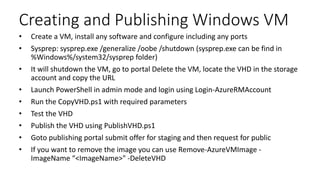
Creating and Publishing Windows VM
• Create a VM, install any software and configure including any ports
• Sysprep: sysprep.exe /generalize /oobe /shutdown (sysprep.exe can be find in
%Windows%/system32/sysprep folder)
• It will shutdown the VM, go to portal Delete the VM, locate the VHD in the storage
account and copy the URL
• Launch PowerShell in admin mode and login using Login-AzureRMAccount
• Run the CopyVHD.ps1 with required parameters
• Test the VHD
• Publish the VHD using PublishVHD.ps1
• Goto publishing portal submit offer for staging and then request for public
• If you want to remove the image you can use Remove-AzureVMImage -
ImageName “<ImageName>" -DeleteVHD
Creating and Publishing Solution Template
• Create UI definition file (createUiDefinition.json)
• Create Main template (mainTemplate.json)
• Create Zip file that contains Ui definition and main template and if any scripts
References
• https://azuremarketplace.microsoft.com/en-us/about
• https://docs.microsoft.com/en-us/azure/marketplace/
• https://docs.microsoft.com/en-us/azure/marketplace-publishing/marketplace-
publishing-getting-started
• https://docs.microsoft.com/en-us/azure/azure-resource-manager/
• https://docs.microsoft.com/en-us/azure/managed-applications/create-uidefinition-
overview
• https://docs.microsoft.com/en-us/azure/azure-resource-manager/resource-group-
authoring-templates
• https://github.com/Azure/azure-quickstart-templates
• https://github.com/Azure/azure-managedapp-samples/tree/master/samples
Thank you for attending
Vermont Code Camp
(@VTCodecamp) 2018

Azure marketplace

  • 1.
    Azure Marketplace Udaiappa Ramachandran( Udai ) LinkedIn://linkedin.com/in/udair Twitter: @nhcloud
  • 2.
    Who am I? •Udaiappa Ramachandran ( Udai ) • CTO, Akumina, Inc., • Consultant • Focus on Cloud Computing • Microsoft Azure, Amazon Web Services and Google • New Hampshire Cloud User Group (http://www.meetup.com/nashuaug ) • http://cloudycode.wordpress.com • @nhcloud
  • 3.
    Agenda • Introduction toMarketplace • Publishing Offers • Portal walk thru • Creating VM and Solution Template • References
  • 4.
    What is AzureMarketplace? • Find Solutions you need • Deploy • Try for free (Test Drives supported applications) • Enterprise Integrations • Consolidated one Pay-as-you-go Hourly billing
  • 5.
    Available Offers • AzureApplications • Consulting service • Containers • Cortana Intelligence • Dynamics 365 Business Central • Dynamics 365 for Customer Engagement • Dynamics 365 for Operations • Dynamics NAV Managed Service • SaaS Apps • Virtual Machine • Visual Studio Marketplace Extension
  • 6.
    Supported types ofsolution • Virtual Machine • Solution Template
  • 7.
    Publish a Solution •Nominate your solution for preapproval (https://azuremarketplace.microsoft.com/en-us/about) • Register as a Seller ( http://dev.windows.com/registration?accountprogram=azure ) • Publish your solution (https://docs.microsoft.com/en-us/azure/marketplace- publishing/marketplace-publishing-getting-started) • Certification • Golive • Merchandising
  • 8.
    Demo • Portal Demo •Publishing Windows Virtual Machine • Solution Template
  • 9.
    Creating and PublishingWindows VM • Create a VM, install any software and configure including any ports • Sysprep: sysprep.exe /generalize /oobe /shutdown (sysprep.exe can be find in %Windows%/system32/sysprep folder) • It will shutdown the VM, go to portal Delete the VM, locate the VHD in the storage account and copy the URL • Launch PowerShell in admin mode and login using Login-AzureRMAccount • Run the CopyVHD.ps1 with required parameters • Test the VHD • Publish the VHD using PublishVHD.ps1 • Goto publishing portal submit offer for staging and then request for public • If you want to remove the image you can use Remove-AzureVMImage - ImageName “<ImageName>" -DeleteVHD
  • 10.
    Creating and PublishingSolution Template • Create UI definition file (createUiDefinition.json) • Create Main template (mainTemplate.json) • Create Zip file that contains Ui definition and main template and if any scripts
  • 11.
    References • https://azuremarketplace.microsoft.com/en-us/about • https://docs.microsoft.com/en-us/azure/marketplace/ •https://docs.microsoft.com/en-us/azure/marketplace-publishing/marketplace- publishing-getting-started • https://docs.microsoft.com/en-us/azure/azure-resource-manager/ • https://docs.microsoft.com/en-us/azure/managed-applications/create-uidefinition- overview • https://docs.microsoft.com/en-us/azure/azure-resource-manager/resource-group- authoring-templates • https://github.com/Azure/azure-quickstart-templates • https://github.com/Azure/azure-managedapp-samples/tree/master/samples
  • 12.
    Thank you forattending Vermont Code Camp (@VTCodecamp) 2018

Editor's Notes

  • #12 https://github.com/Azure/azure-managedapp-samples/tree/master/samples/201-managed-web-app