What We'll Cover
1Introduction & Overview
2 Core Services
3 Agile Planning (Azure Boards)
4 Source Code Management (Azure Repos)
5 CI/CD Automation (Azure Pipelines)
6 Package Management (Azure Artifacts)
7 Setting Up Your First Project
8 Collaboration & Reporting
9 Best Practices
10 Summary & Q&A
3.
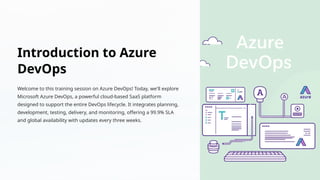
Introduction to Azure
DevOps
Welcometo this training session on Azure DevOps! Today, we'll explore
Microsoft Azure DevOps, a powerful cloud-based SaaS platform
designed to support the entire DevOps lifecycle. It integrates planning,
development, testing, delivery, and monitoring, offering a 99.9% SLA
and global availability with updates every three weeks.
4.
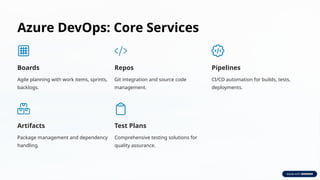
Azure DevOps: CoreServices
Boards
Agile planning with work items, sprints,
backlogs.
Repos
Git integration and source code
management.
Pipelines
CI/CD automation for builds, tests,
deployments.
Artifacts
Package management and dependency
handling.
Test Plans
Comprehensive testing solutions for
quality assurance.
5.
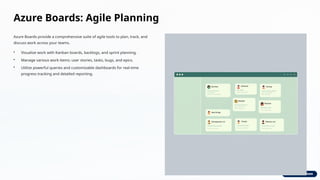
Azure Boards: AgilePlanning
Azure Boards provide a comprehensive suite of agile tools to plan, track, and
discuss work across your teams.
• Visualize work with Kanban boards, backlogs, and sprint planning.
• Manage various work items: user stories, tasks, bugs, and epics.
• Utilize powerful queries and customizable dashboards for real-time
progress tracking and detailed reporting.
6.
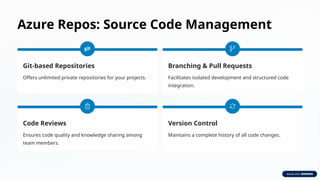
Azure Repos: SourceCode Management
Git-based Repositories
Offers unlimited private repositories for your projects.
Branching & Pull Requests
Facilitates isolated development and structured code
integration.
Code Reviews
Ensures code quality and knowledge sharing among
team members.
Version Control
Maintains a complete history of all code changes.
7.
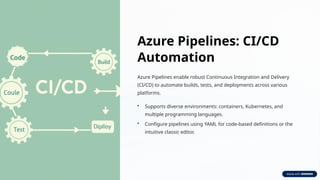
Azure Pipelines: CI/CD
Automation
AzurePipelines enable robust Continuous Integration and Delivery
(CI/CD) to automate builds, tests, and deployments across various
platforms.
• Supports diverse environments: containers, Kubernetes, and
multiple programming languages.
• Configure pipelines using YAML for code-based definitions or the
intuitive classic editor.
8.
Azure Artifacts: PackageManagement
Azure Artifacts provides a universal package management solution, allowing you
to host and share various package types within your team.
• Supports popular package formats: Maven, npm, NuGet, and Python
packages.
• Seamless integration with Azure Pipelines for efficient dependency
management.
• Ensures package immutability and precise version control.
9.
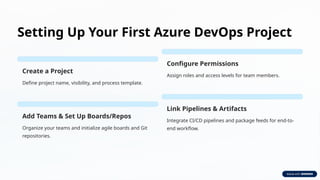
Setting Up YourFirst Azure DevOps Project
Create a Project
Define project name, visibility, and process template.
Configure Permissions
Assign roles and access levels for team members.
Add Teams & Set Up Boards/Repos
Organize your teams and initialize agile boards and Git
repositories.
Link Pipelines & Artifacts
Integrate CI/CD pipelines and package feeds for end-to-
end workflow.
10.
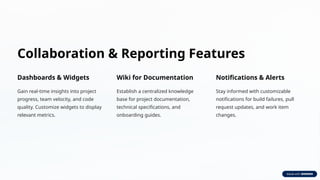
Collaboration & ReportingFeatures
Dashboards & Widgets
Gain real-time insights into project
progress, team velocity, and code
quality. Customize widgets to display
relevant metrics.
Wiki for Documentation
Establish a centralized knowledge
base for project documentation,
technical specifications, and
onboarding guides.
Notifications & Alerts
Stay informed with customizable
notifications for build failures, pull
request updates, and work item
changes.
11.
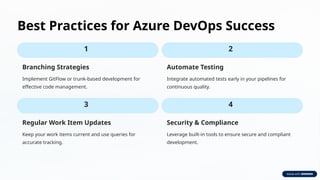
Best Practices forAzure DevOps Success
1
Branching Strategies
Implement GitFlow or trunk-based development for
effective code management.
2
Automate Testing
Integrate automated tests early in your pipelines for
continuous quality.
3
Regular Work Item Updates
Keep your work items current and use queries for
accurate tracking.
4
Security & Compliance
Leverage built-in tools to ensure secure and compliant
development.
12.
Summary & Q&A
•Azure DevOps enables faster, more reliable software delivery through
integrated tools.
• Key services include Boards for planning, Repos for code, Pipelines
for CI/CD, and Artifacts for package management.
• It fosters collaboration, automation, and continuous improvement
across the entire development lifecycle.



![[JAZUG Tohoku Azure DevOps] Azure DevOps](https://cdn.slidesharecdn.com/ss_thumbnails/20181130jazugsendaiazuredevops-181201031328-thumbnail.jpg?width=640&height=640&fit=bounds)


