Ilyas F
Azure Solution Architect @ 8KMiles
Twitter: @ilyas_tweets
Linkedin: https://in.linkedin.com/in/ilyasf
Azure Data Lake Analytics Deep Dive
2016/05/17
Agenda
Origins
• Cosmos
• Futures
Layers & Components
• Storage
• Parallelization
• Job Scheduling
• Query Execution
• Performance
• Demo
Quick Recap
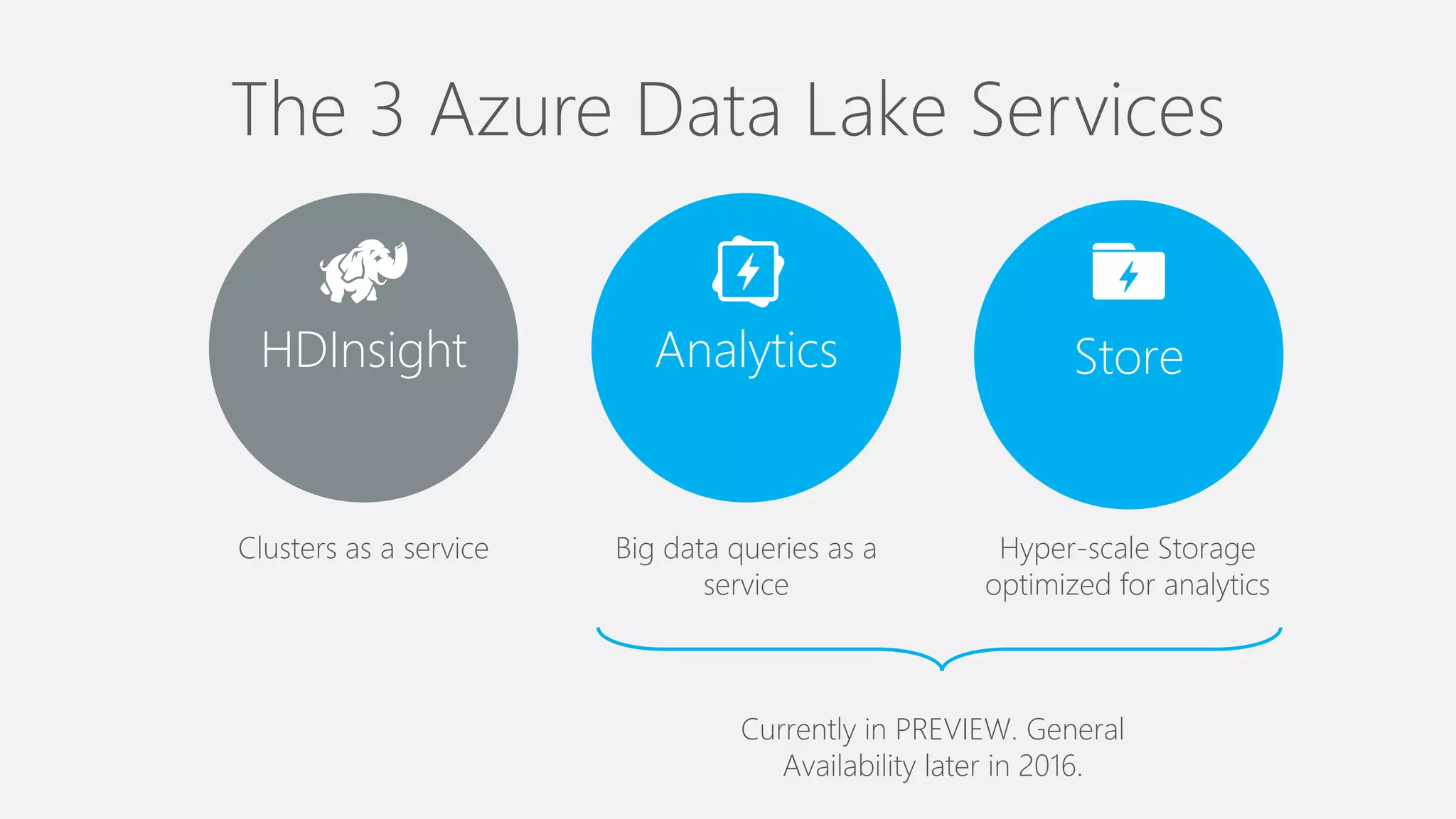
The 3 Azure Data Lake Services
HDInsight Analytics Store
Clusters as a service Big data queries as a
service
Hyper-scale Storage
optimized for analytics
Currently in PREVIEW. General
Availability later in 2016.
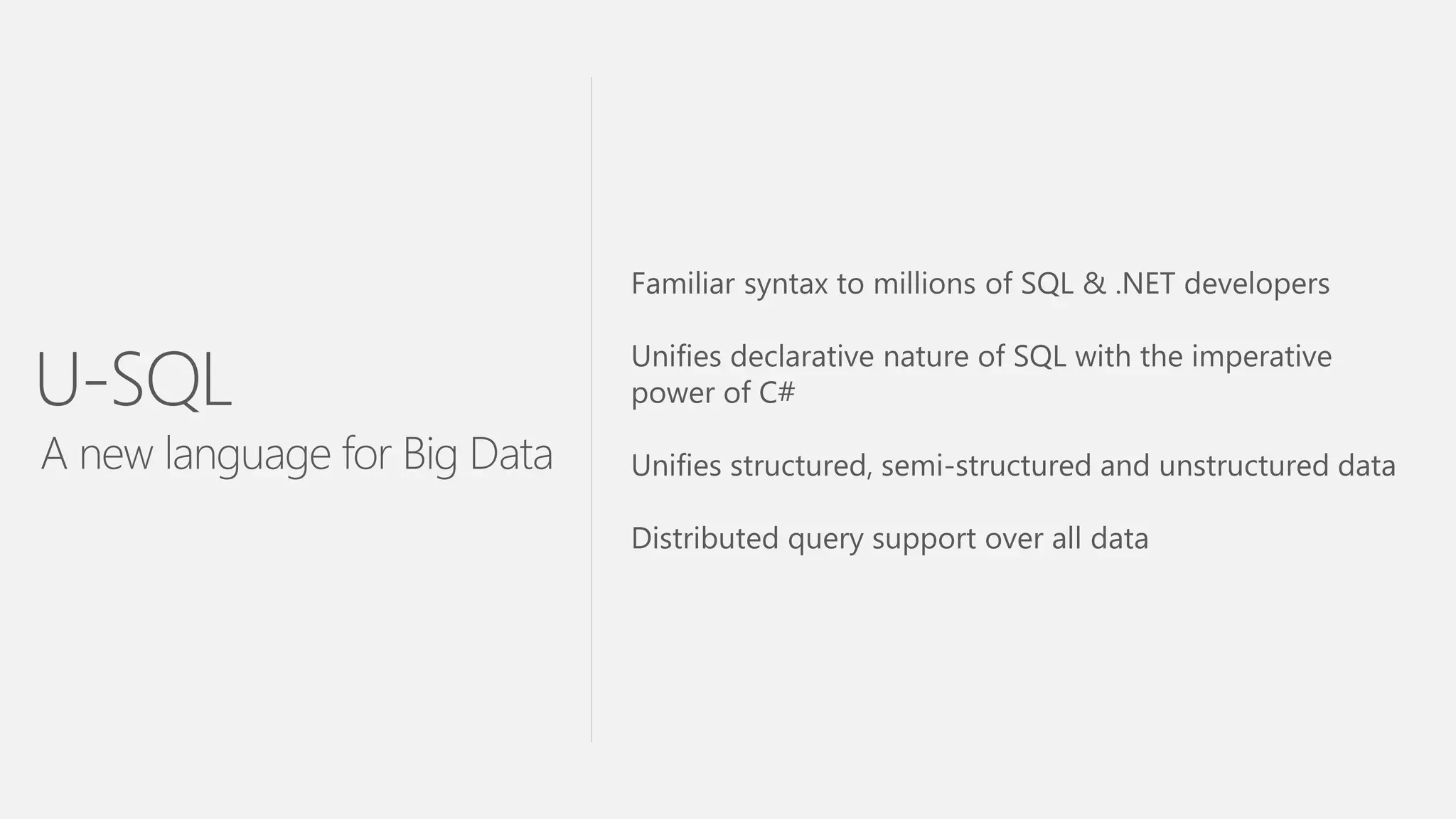
Familiar syntax to millions of SQL & .NET developers
Unifies declarative nature of SQL with the imperative
power of C#
Unifies structured, semi-structured and unstructured data
Distributed query support over all data
U-SQL
A new language for Big Data
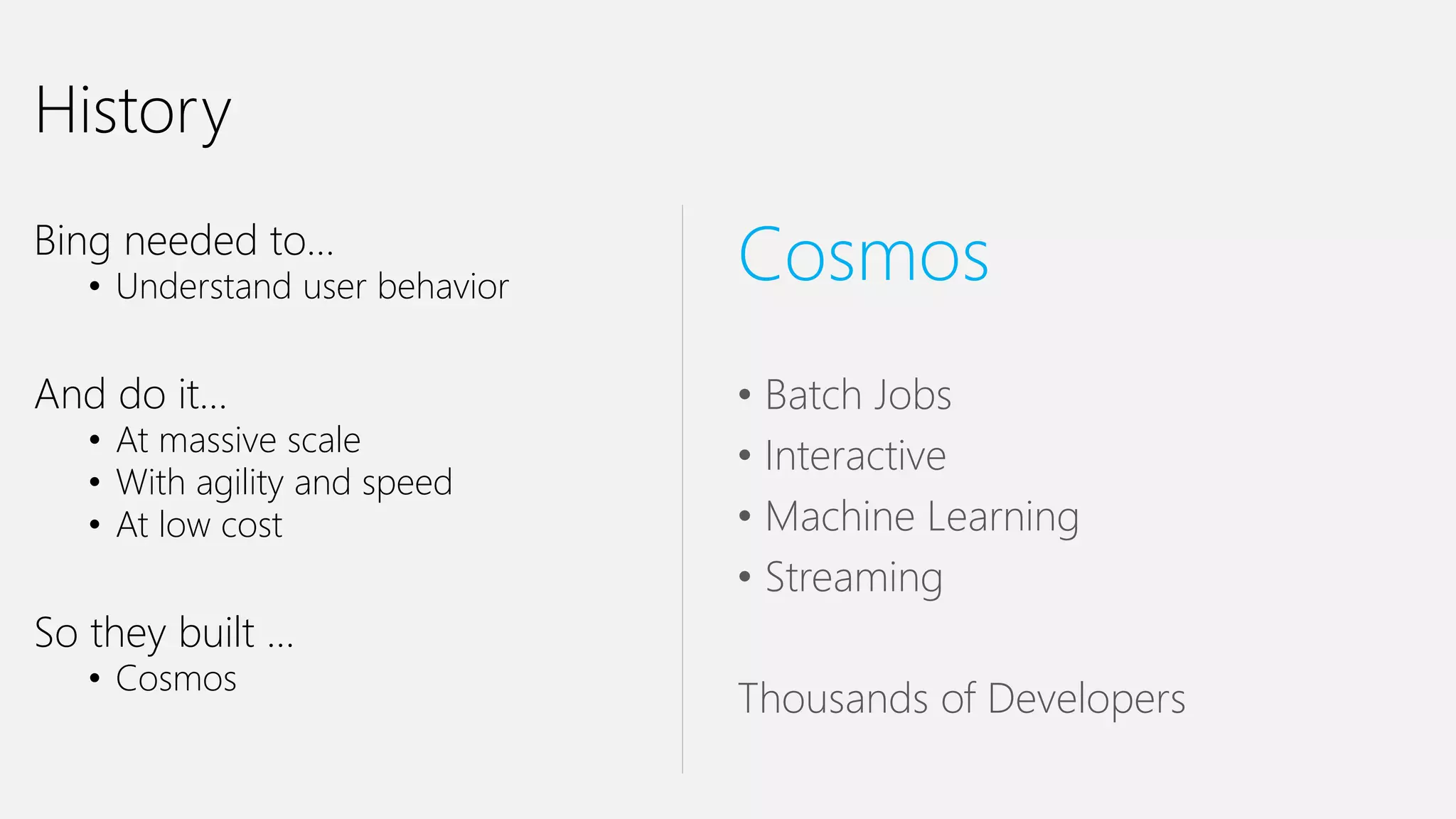
History
History
Bing needed to…
• Understand user behavior
And do it…
• At massive scale
• With agility and speed
• At low cost
So they built …
• Cosmos
Cosmos
• Batch Jobs
• Interactive
• Machine Learning
• Streaming
Thousands of Developers
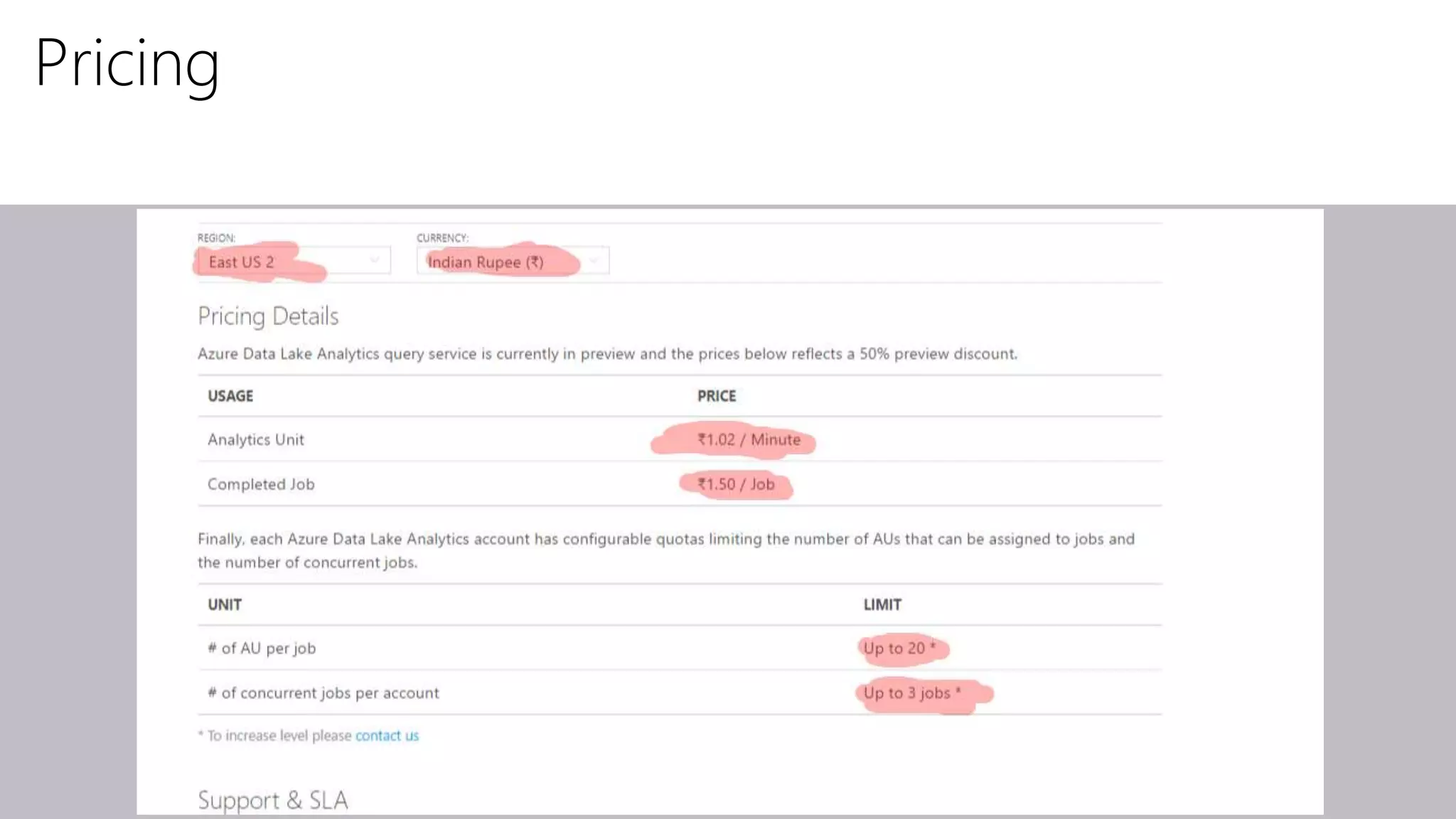
Pricing
Key ADL Analytics Components
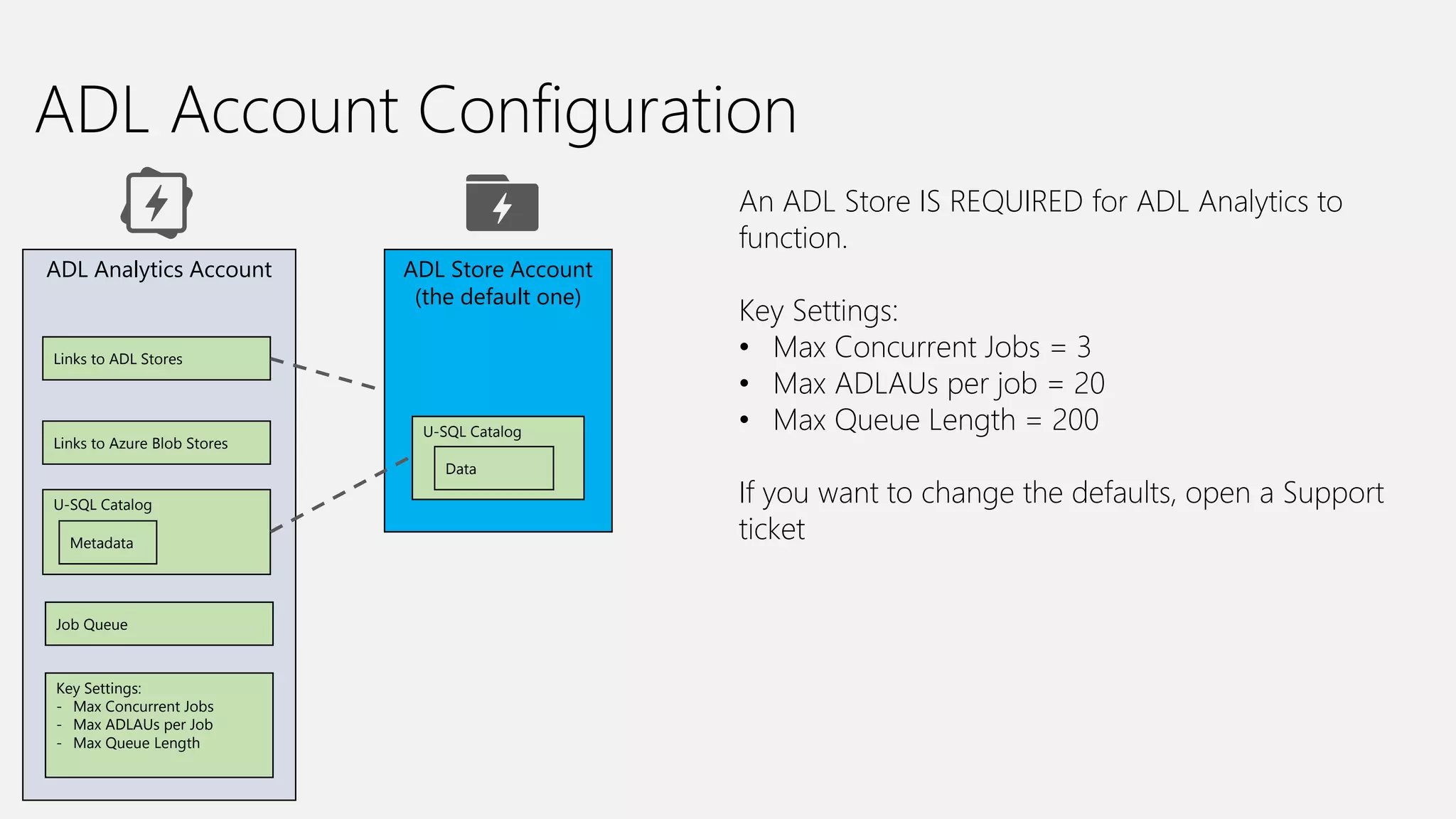
ADL Account Configuration
ADL Analytics Account
Links to ADL Stores
ADL Store Account
(the default one)
Job Queue
Key Settings:
- Max Concurrent Jobs
- Max ADLAUs per Job
- Max Queue Length
An ADL Store IS REQUIRED for ADL Analytics to
function.
Key Settings:
• Max Concurrent Jobs = 3
• Max ADLAUs per job = 20
• Max Queue Length = 200
If you want to change the defaults, open a Support
ticket
Links to Azure Blob Stores
U-SQL Catalog
Metadata
U-SQL Catalog
Data
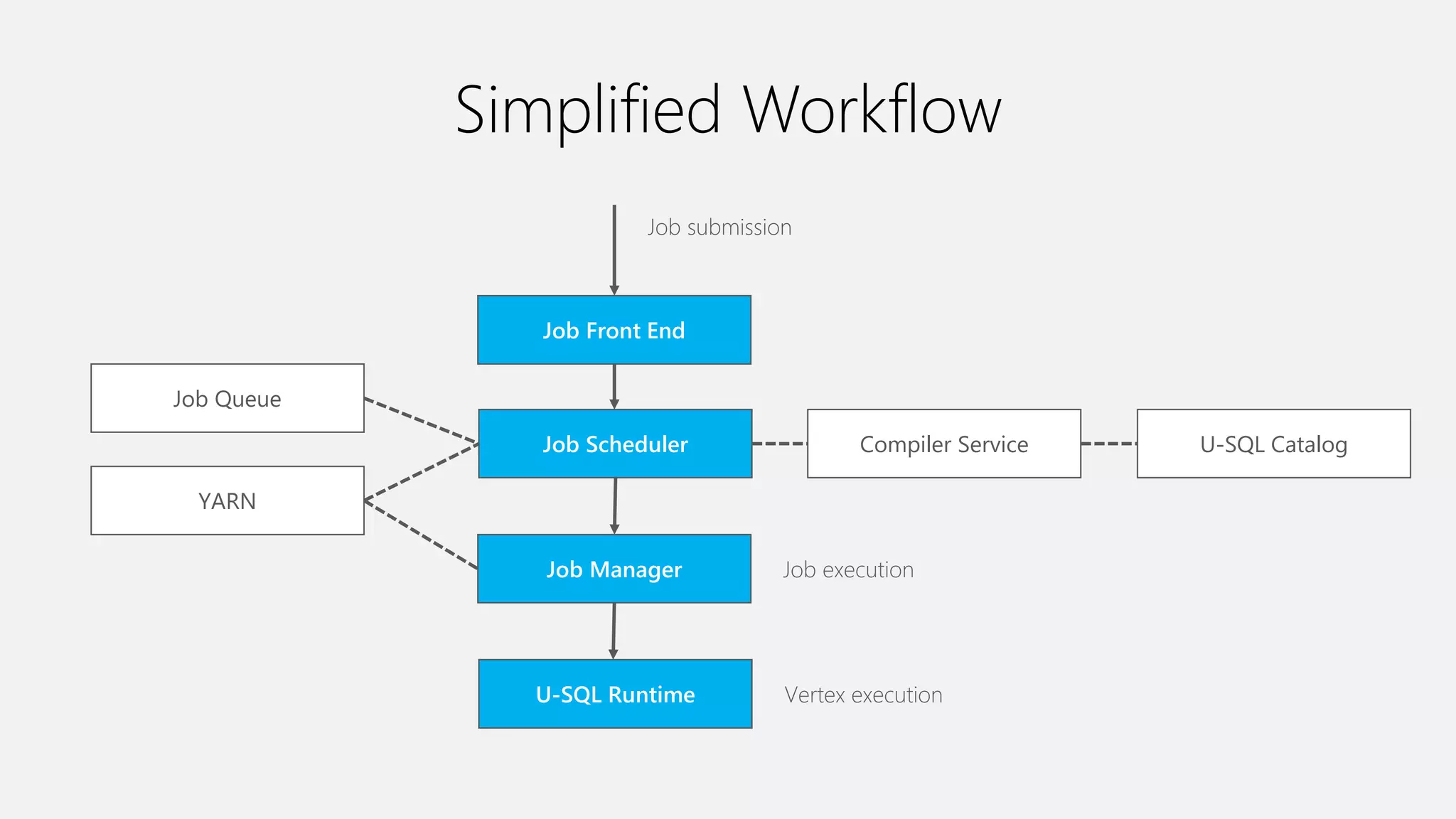
Simplified Workflow
Job Front End
Job Scheduler Compiler Service
Job Queue
Job Manager
U-SQL Catalog
YARN
Job submission
Job execution
U-SQL Runtime Vertex execution
Goal: Understanding a U-SQL
(Batch) Job
Azure Data Lake Analytics
(ADLA) Demo
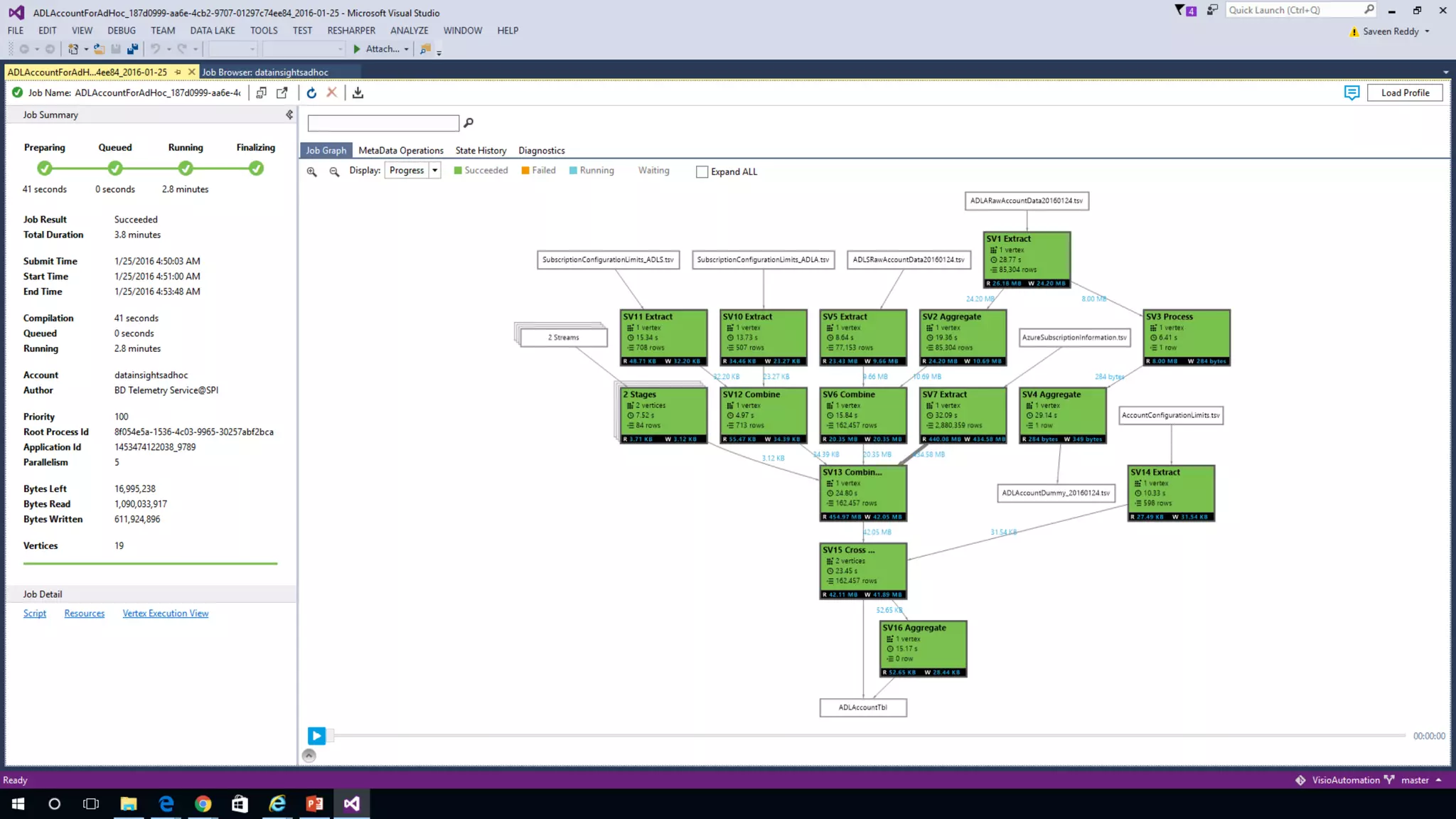
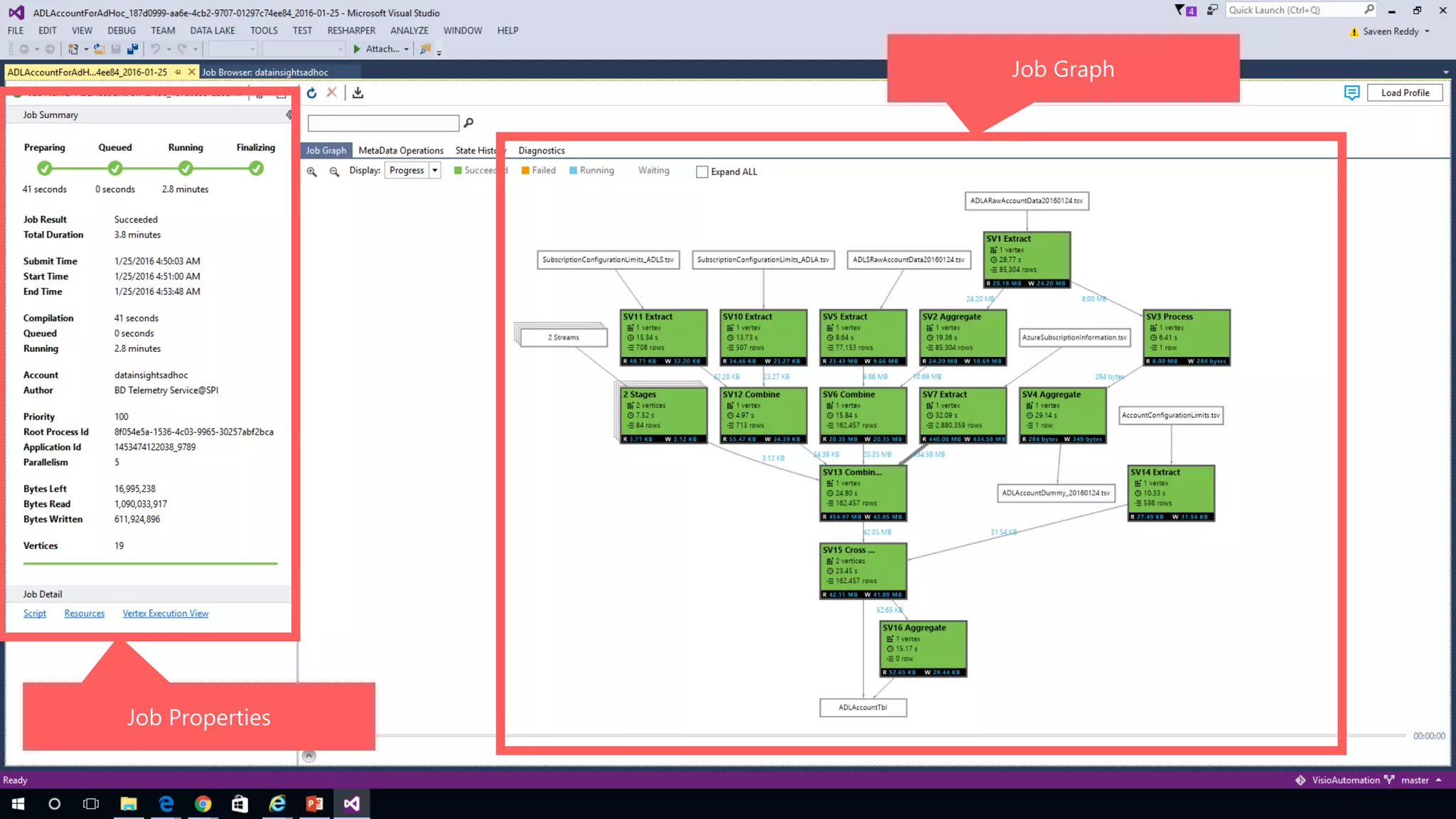
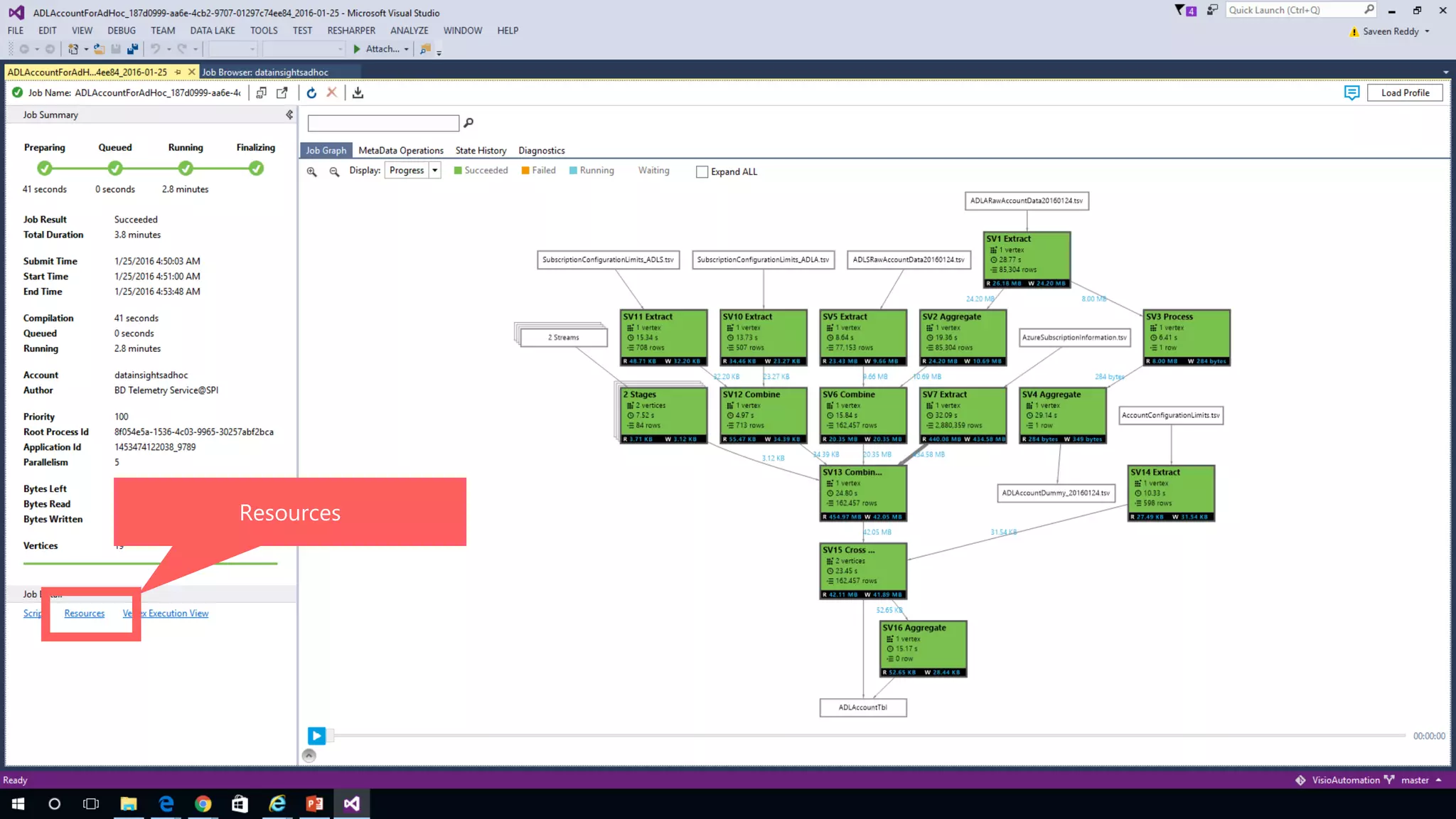
Job Properties
Job Graph
Job Scheduling
States, Queue, Priority
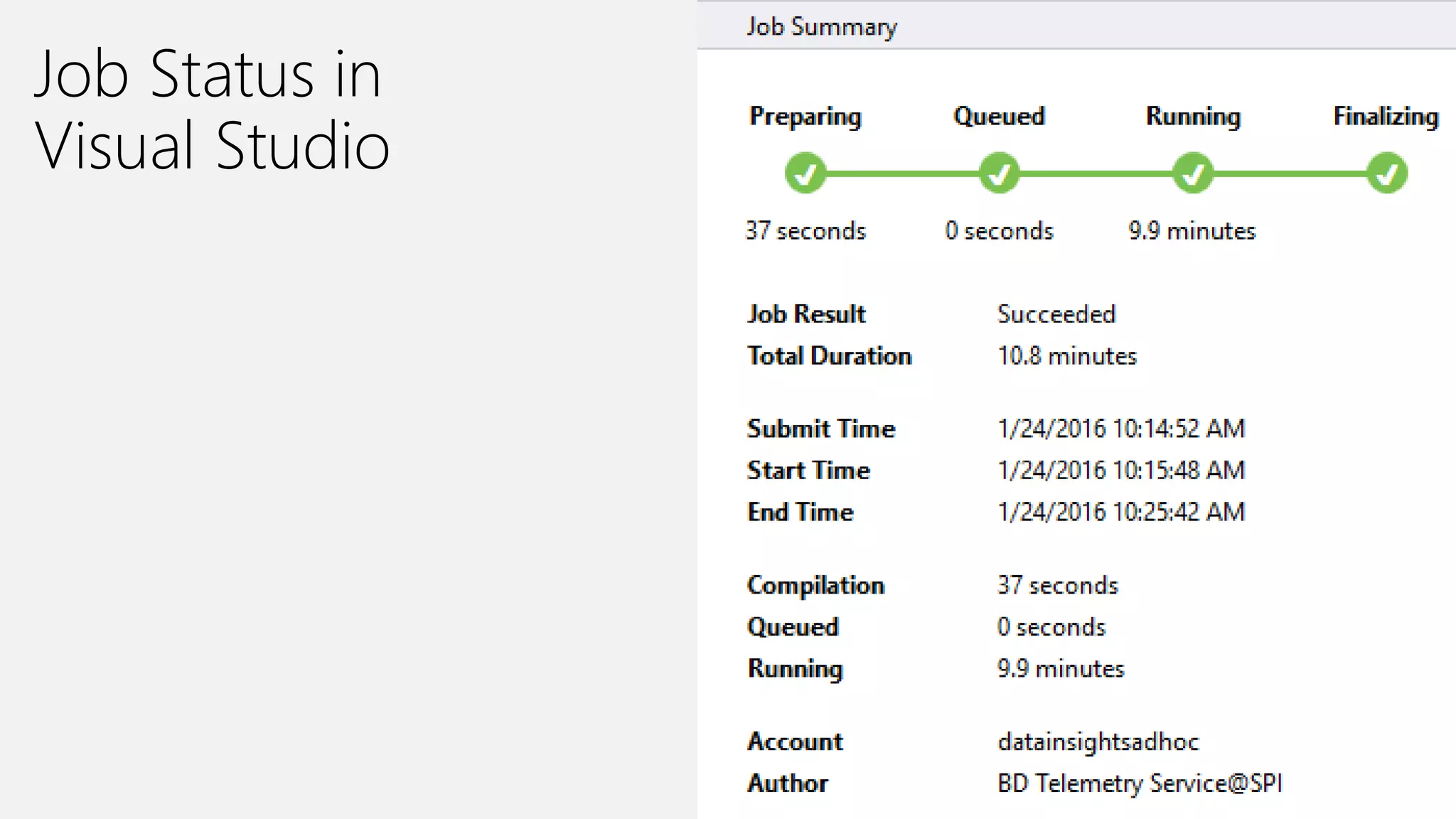
Job Status in
Visual Studio
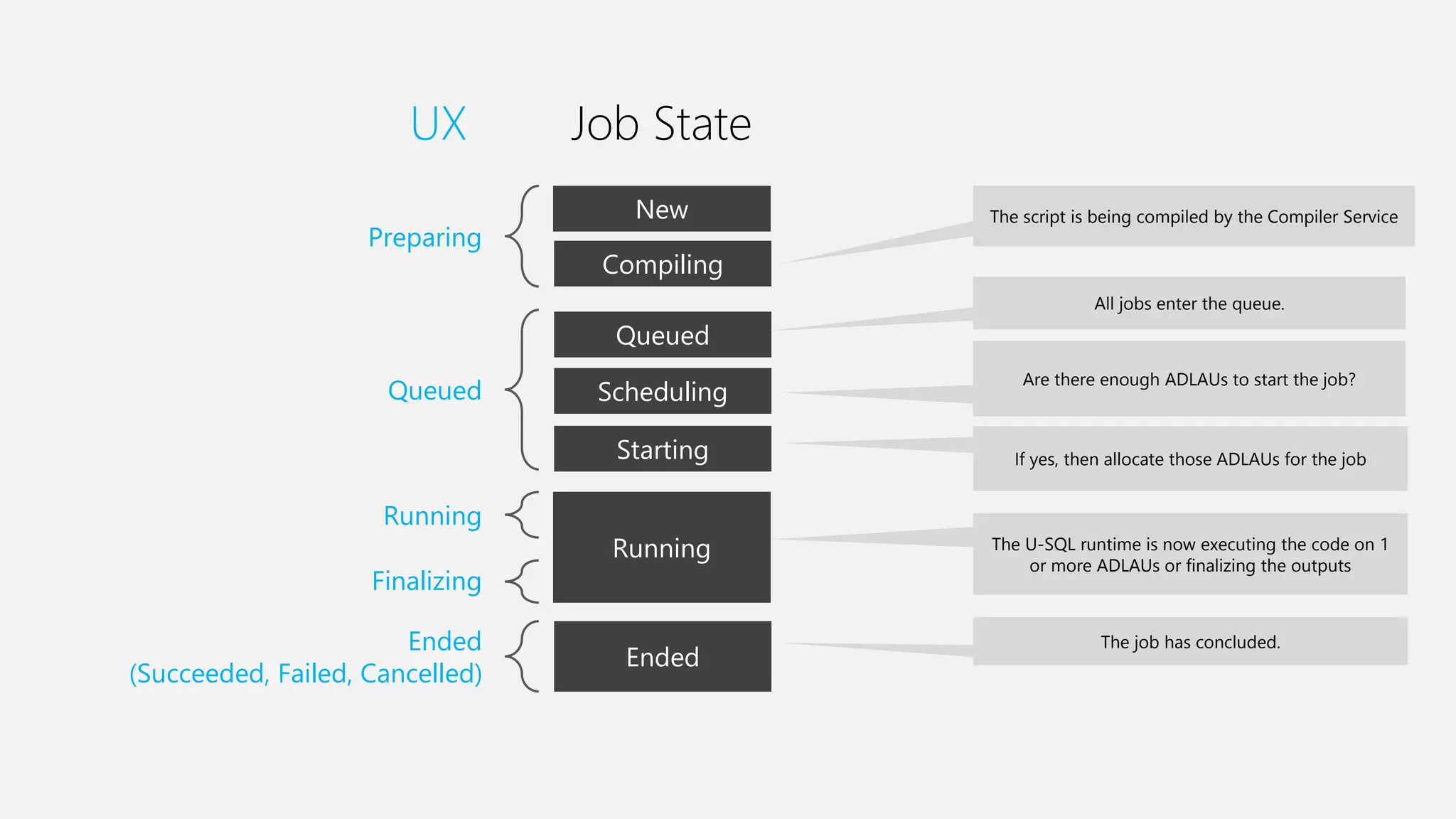
Preparing
Queued
Running
Finalizing
Ended
(Succeeded, Failed, Cancelled)
New
Compiling
Queued
Scheduling
Starting
Running
Ended
UX Job State
The script is being compiled by the Compiler Service
All jobs enter the queue.
Are there enough ADLAUs to start the job?
If yes, then allocate those ADLAUs for the job
The U-SQL runtime is now executing the code on 1
or more ADLAUs or finalizing the outputs
The job has concluded.
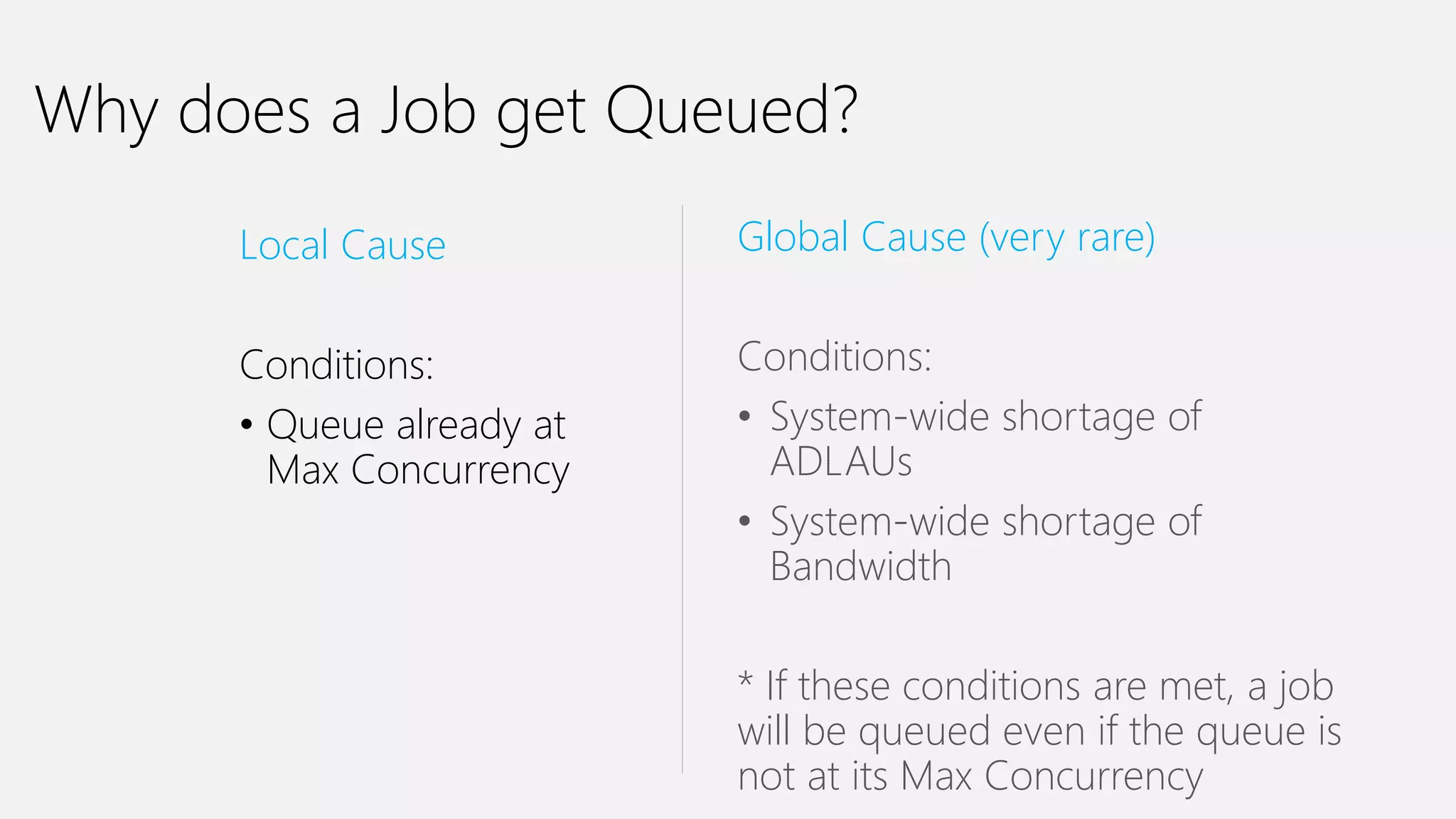
Why does a Job get Queued?
Local Cause
Conditions:
• Queue already at
Max Concurrency
Global Cause (very rare)
Conditions:
• System-wide shortage of
ADLAUs
• System-wide shortage of
Bandwidth
* If these conditions are met, a job
will be queued even if the queue is
not at its Max Concurrency
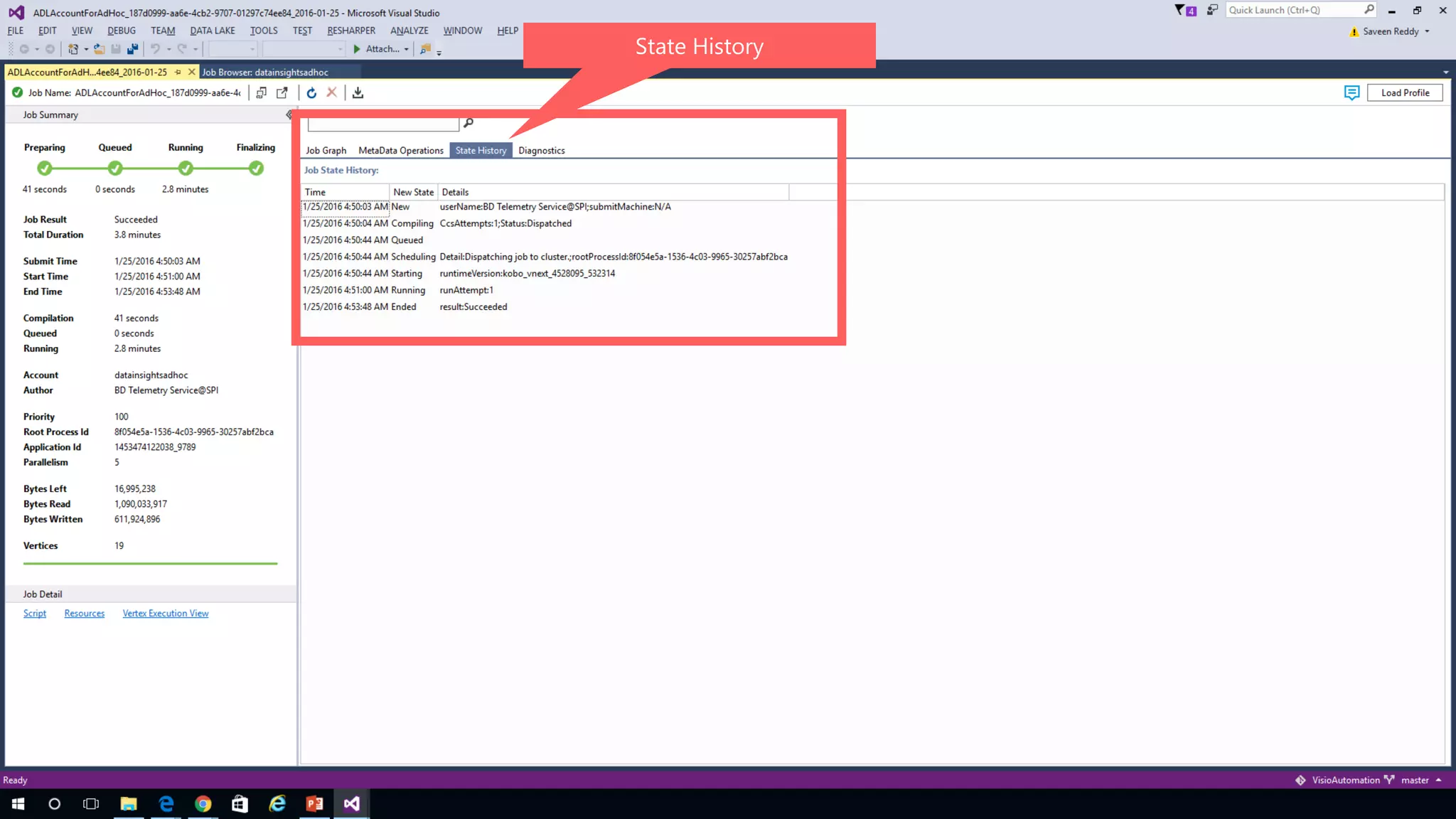
State History
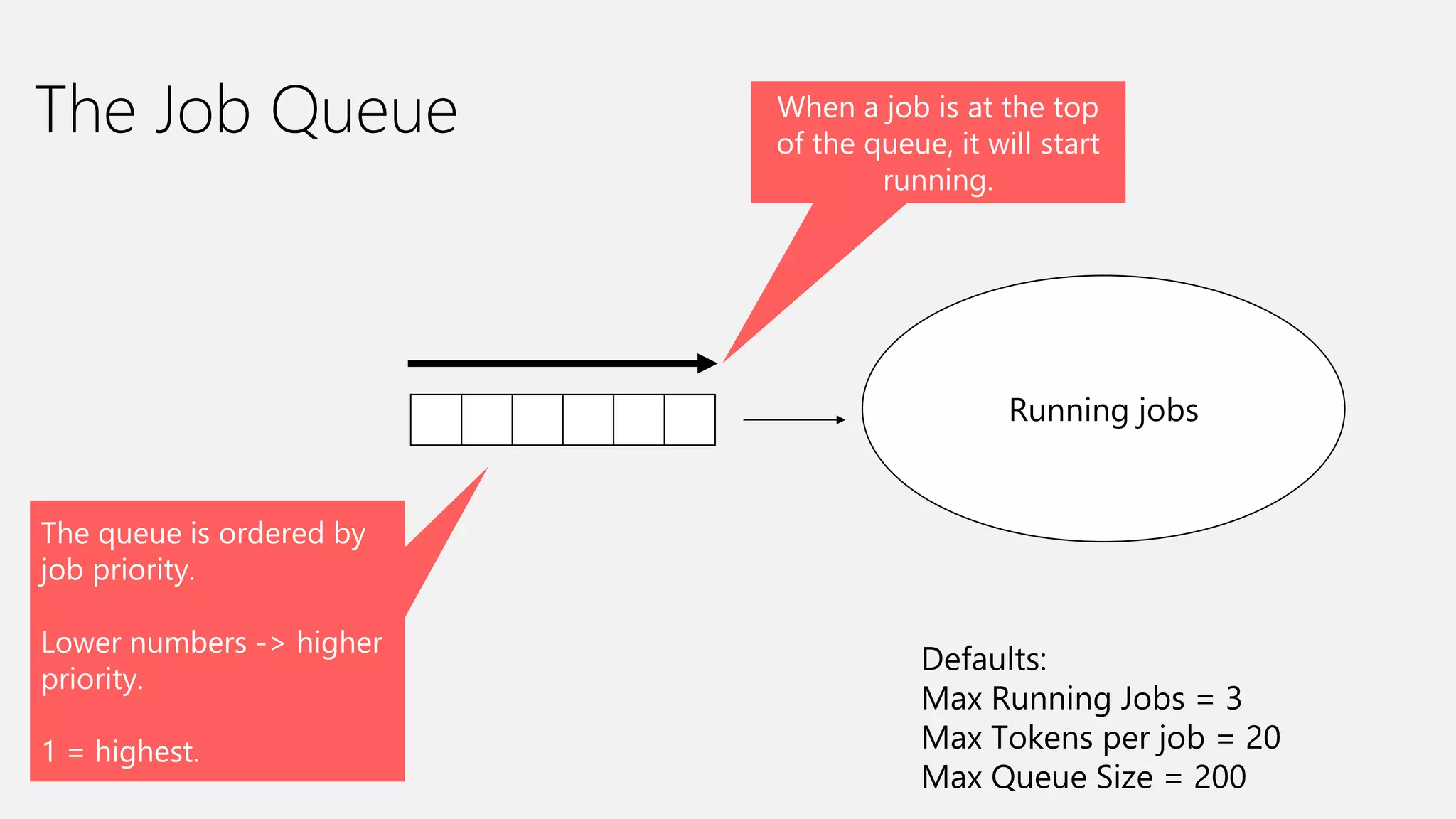
The Job Queue
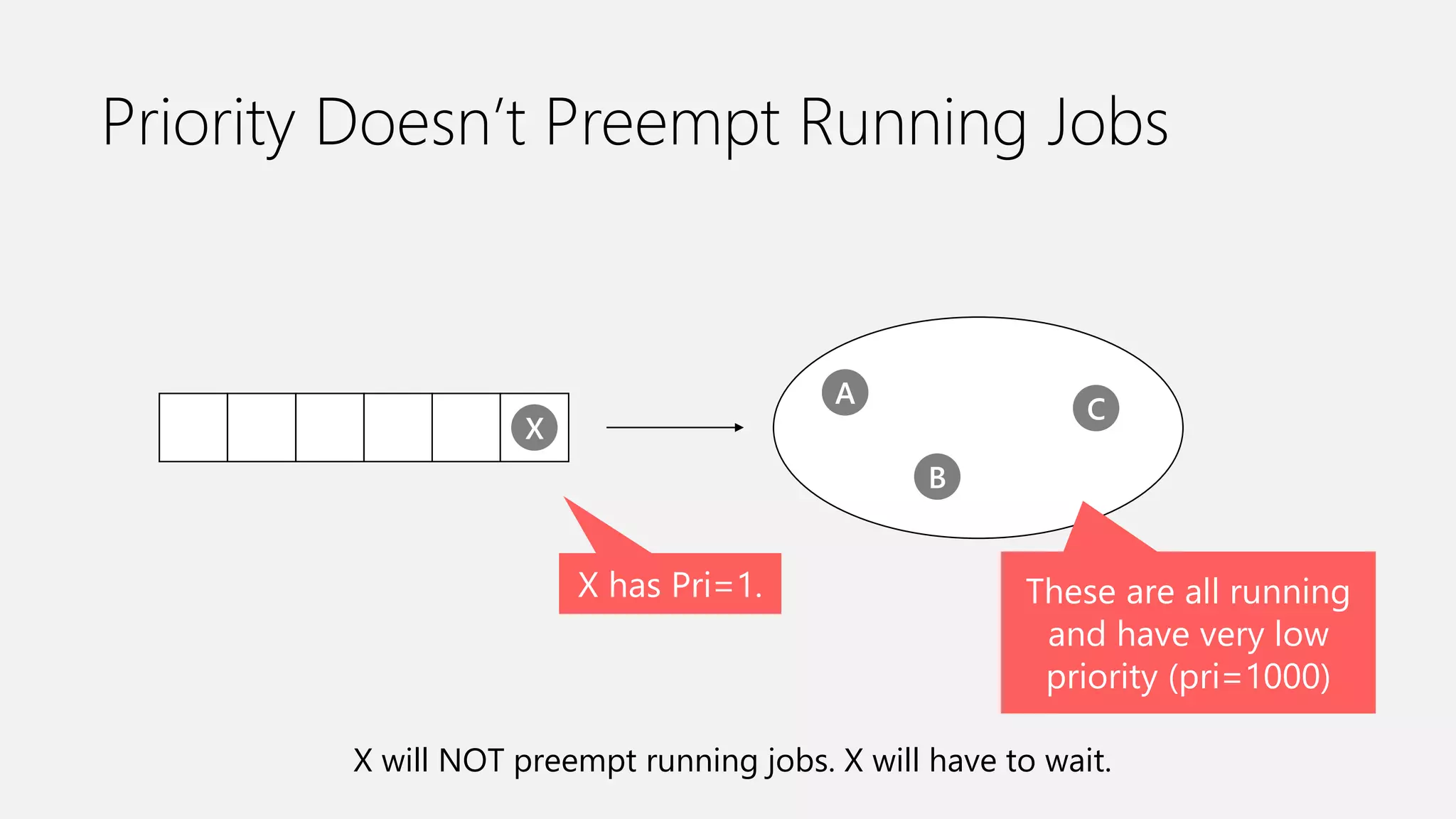
The queue is ordered by
job priority.
Lower numbers -> higher
priority.
1 = highest.
Running jobs
When a job is at the top
of the queue, it will start
running.
Defaults:
Max Running Jobs = 3
Max Tokens per job = 20
Max Queue Size = 200
Priority Doesn’t Preempt Running Jobs
X has Pri=1.
X
A
B
C
X will NOT preempt running jobs. X will have to wait.
These are all running
and have very low
priority (pri=1000)
U-SQL Job Compilation
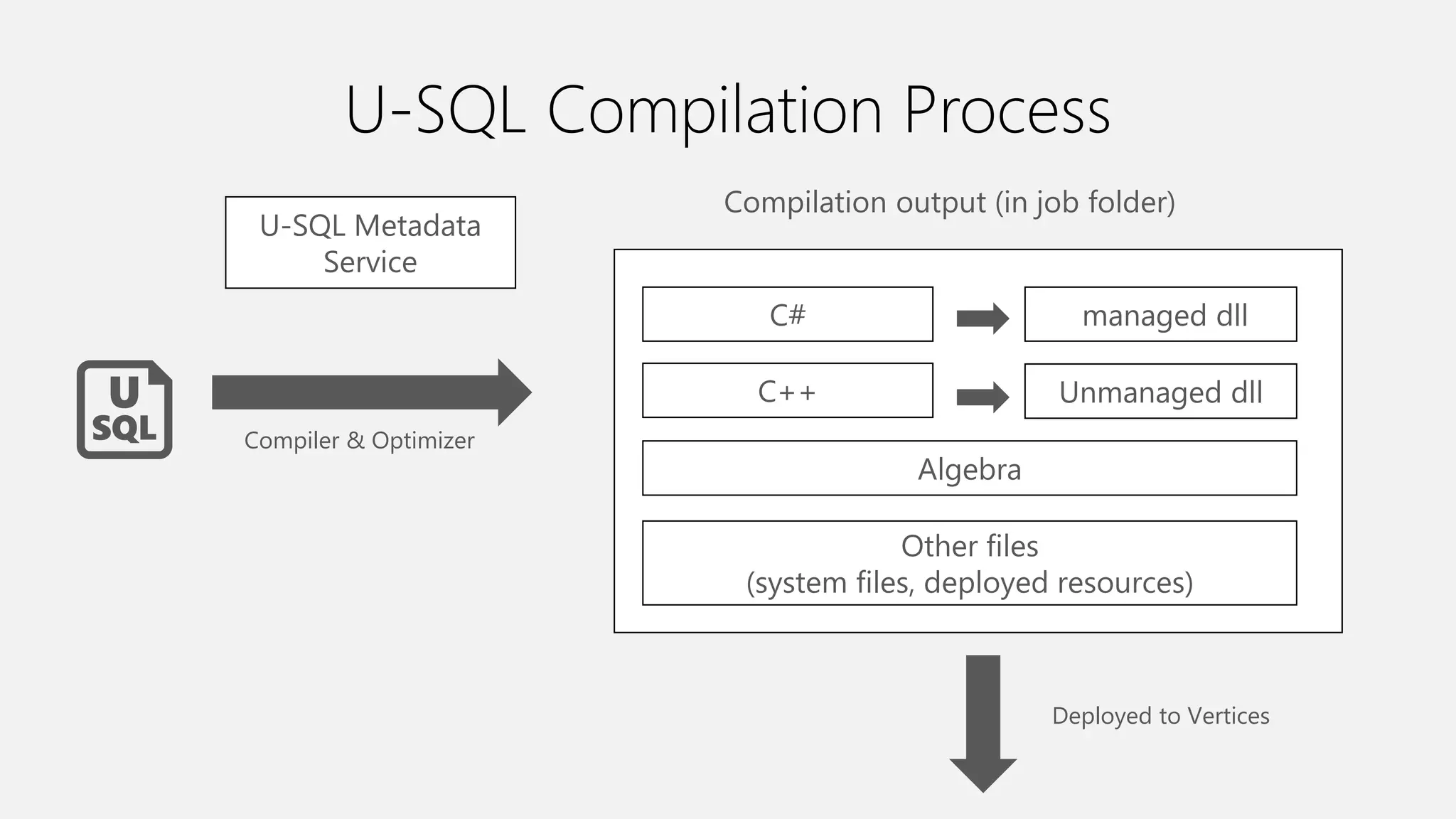
U-SQL Compilation Process
C#
C++
Algebra
Other files
(system files, deployed resources)
managed dll
Unmanaged dll
Compilation output (in job folder)
Compiler & Optimizer
U-SQL Metadata
Service
Deployed to Vertices
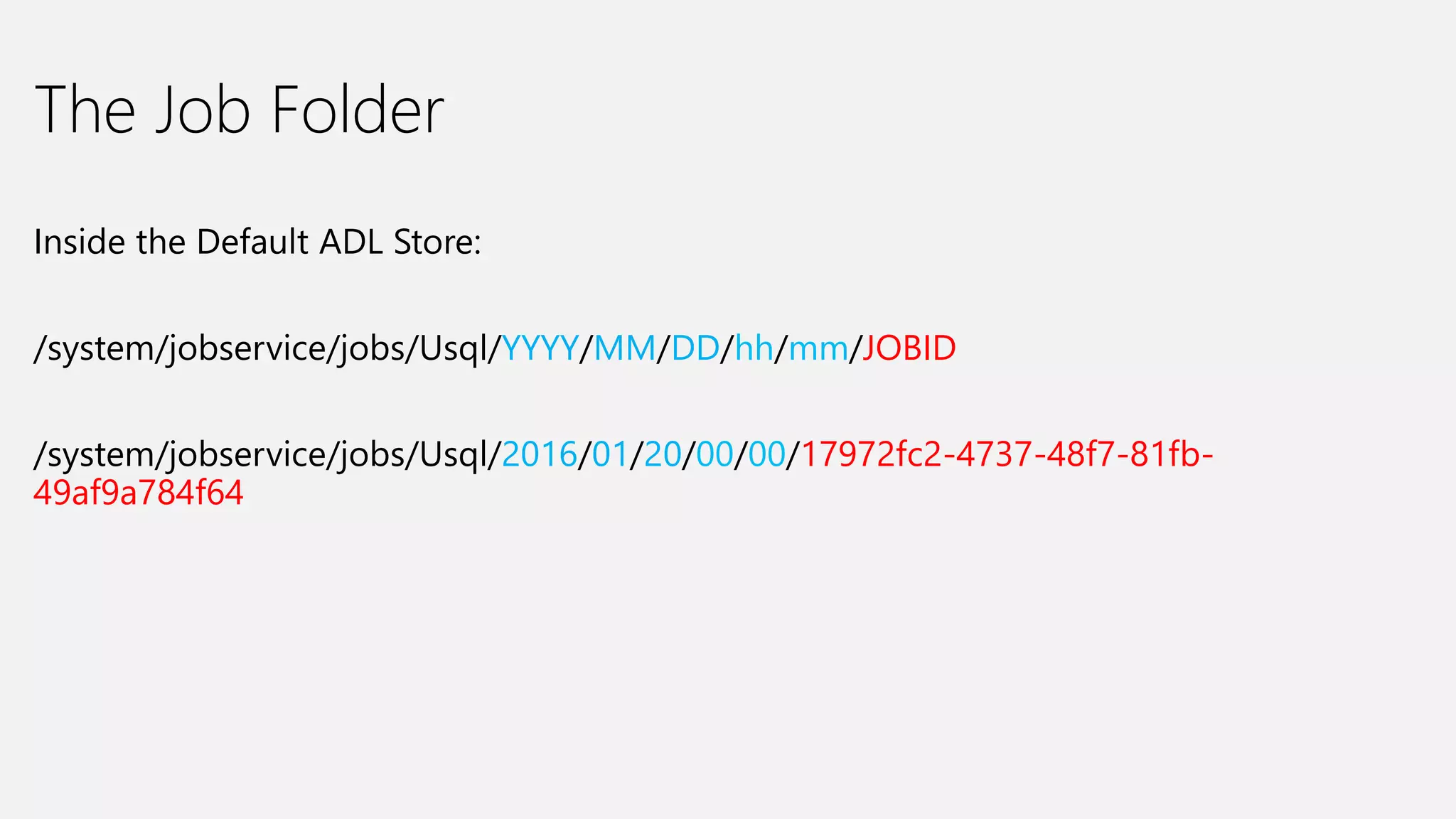
The Job Folder
Inside the Default ADL Store:
/system/jobservice/jobs/Usql/YYYY/MM/DD/hh/mm/JOBID
/system/jobservice/jobs/Usql/2016/01/20/00/00/17972fc2-4737-48f7-81fb-
49af9a784f64
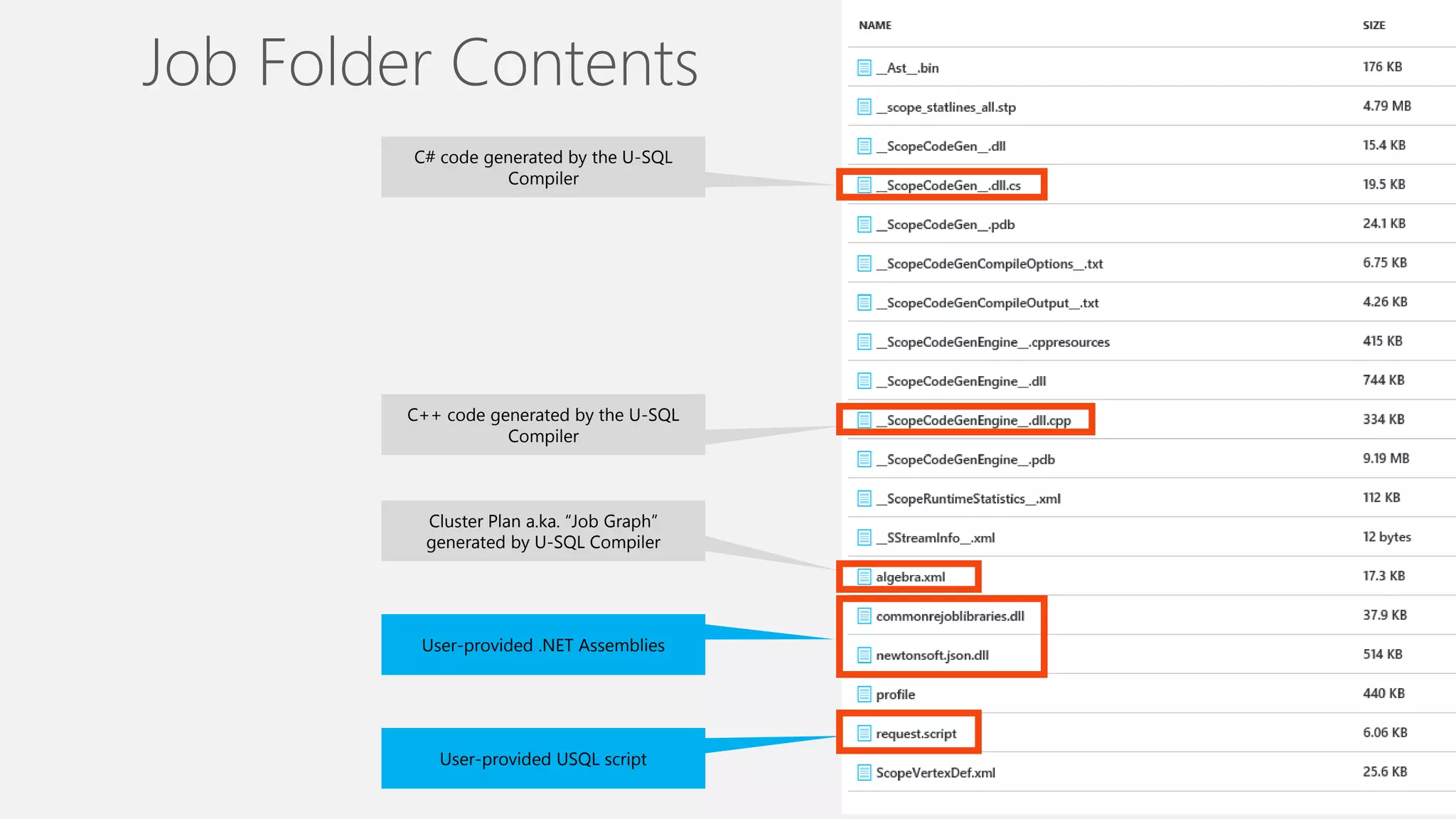
C# code generated by the U-SQL
Compiler
C++ code generated by the U-SQL
Compiler
Cluster Plan a.ka. “Job Graph”
generated by U-SQL Compiler
User-provided .NET Assemblies
User-provided USQL script
Job Folder Contents
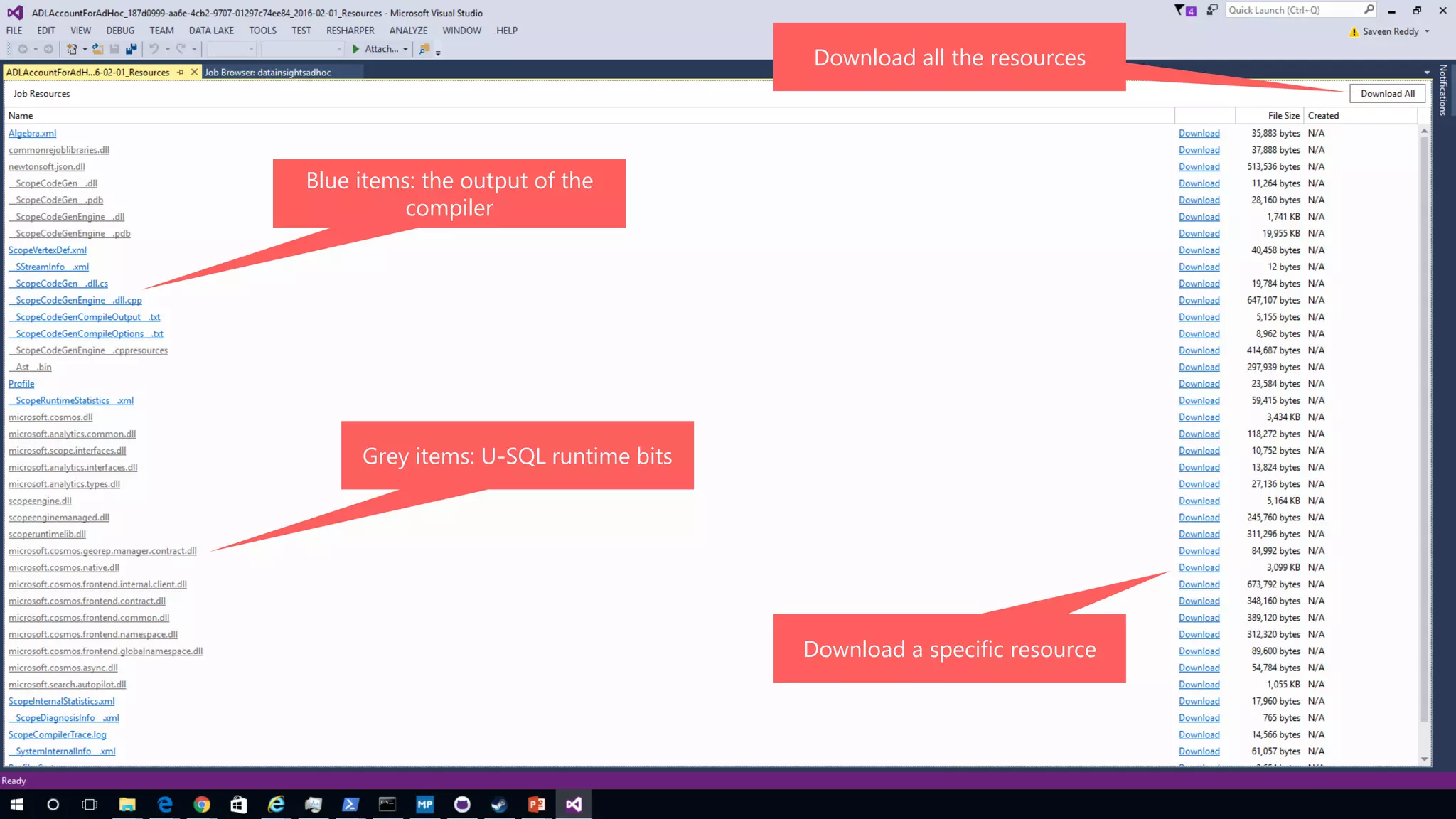
Resources
Blue items: the output of the
compiler
Grey items: U-SQL runtime bits
Download all the resources
Download a specific resource
Query Execution
Plans, Vertices, Stages, Parallelism, ADLAUs
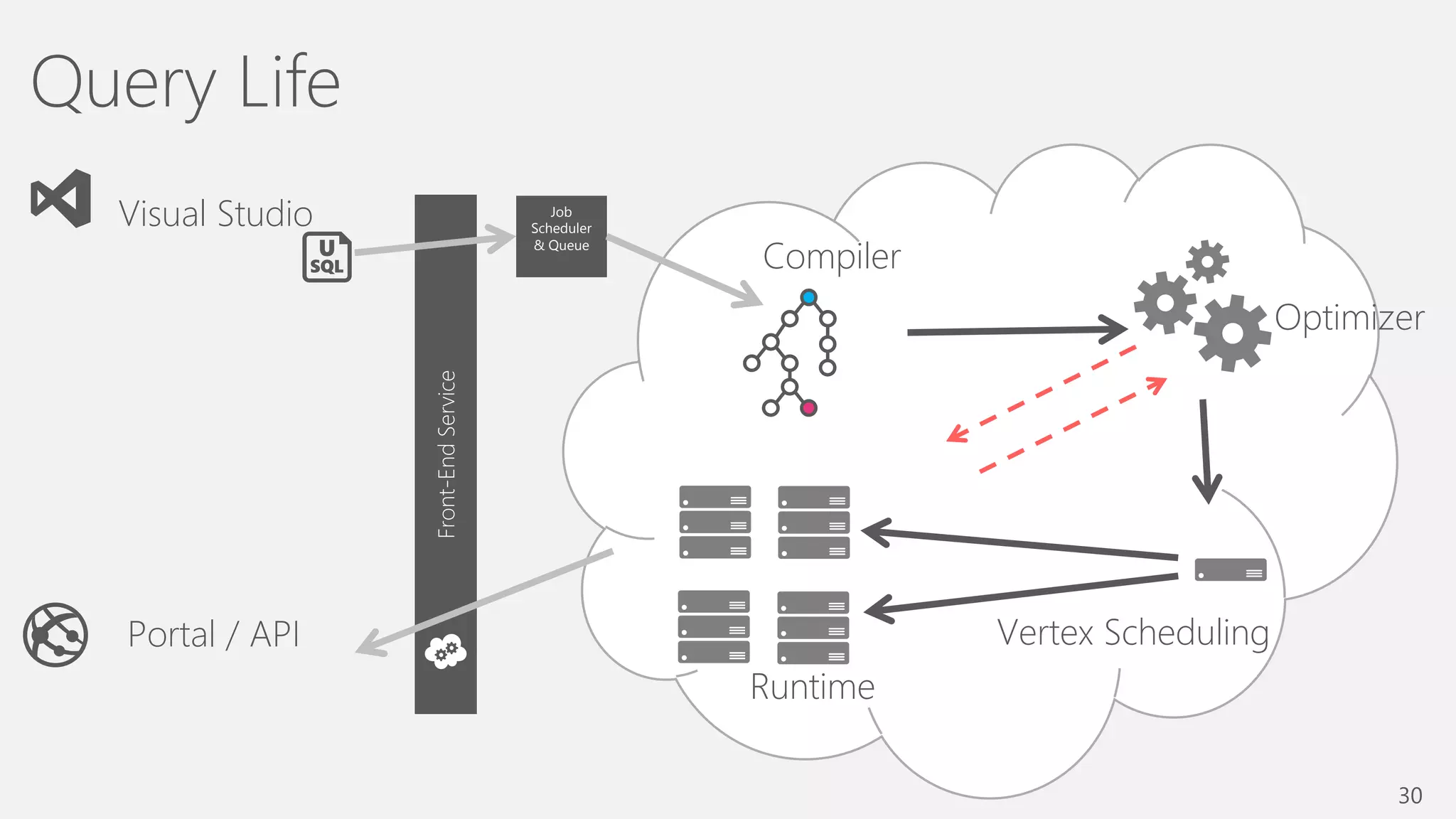
Job
Scheduler
& Queue
Front-EndService
30
Optimizer
Vertex Scheduling
Compiler
Runtime
Visual Studio
Portal / API
Query Life
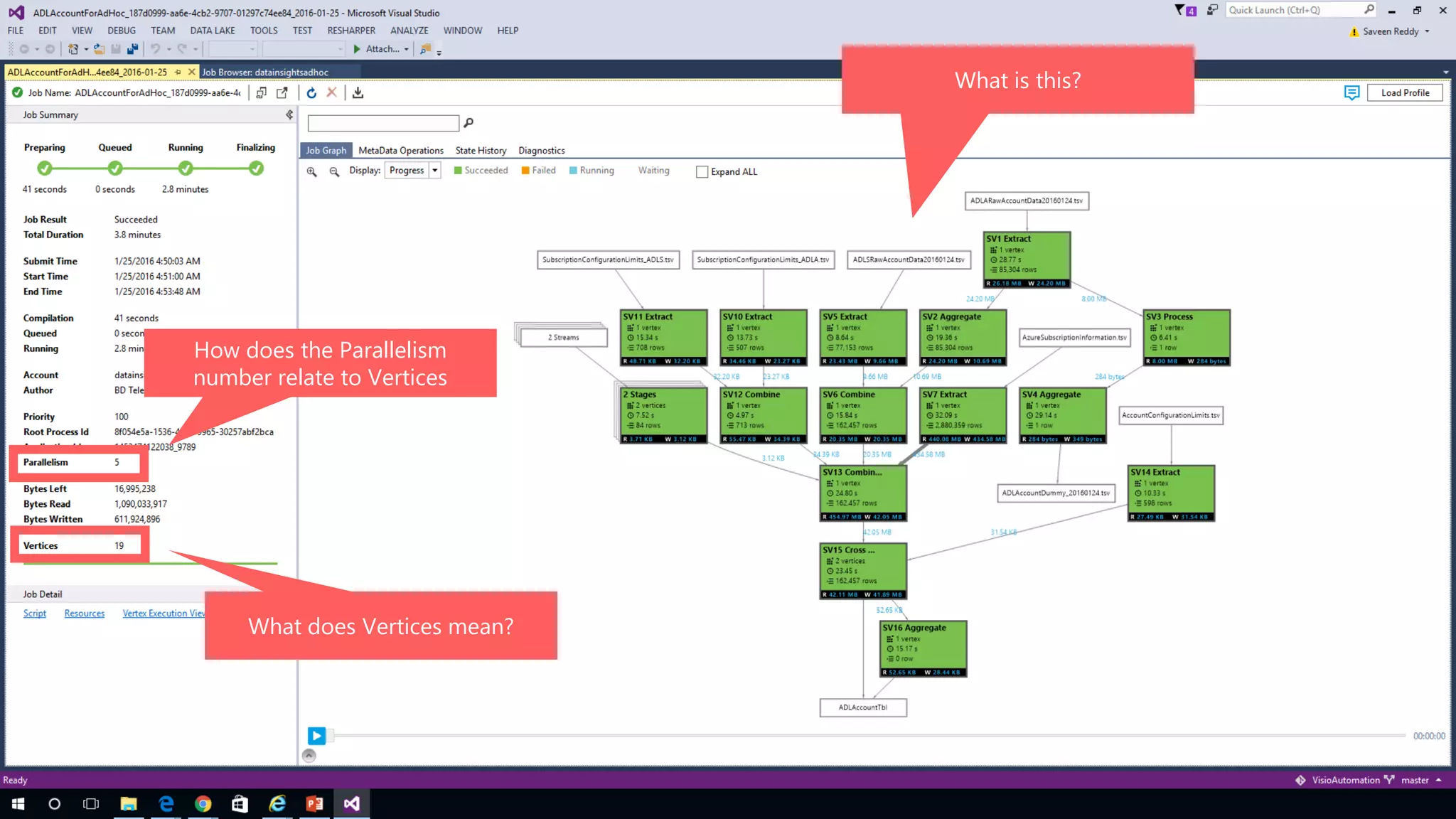
How does the Parallelism
number relate to Vertices
What does Vertices mean?
What is this?
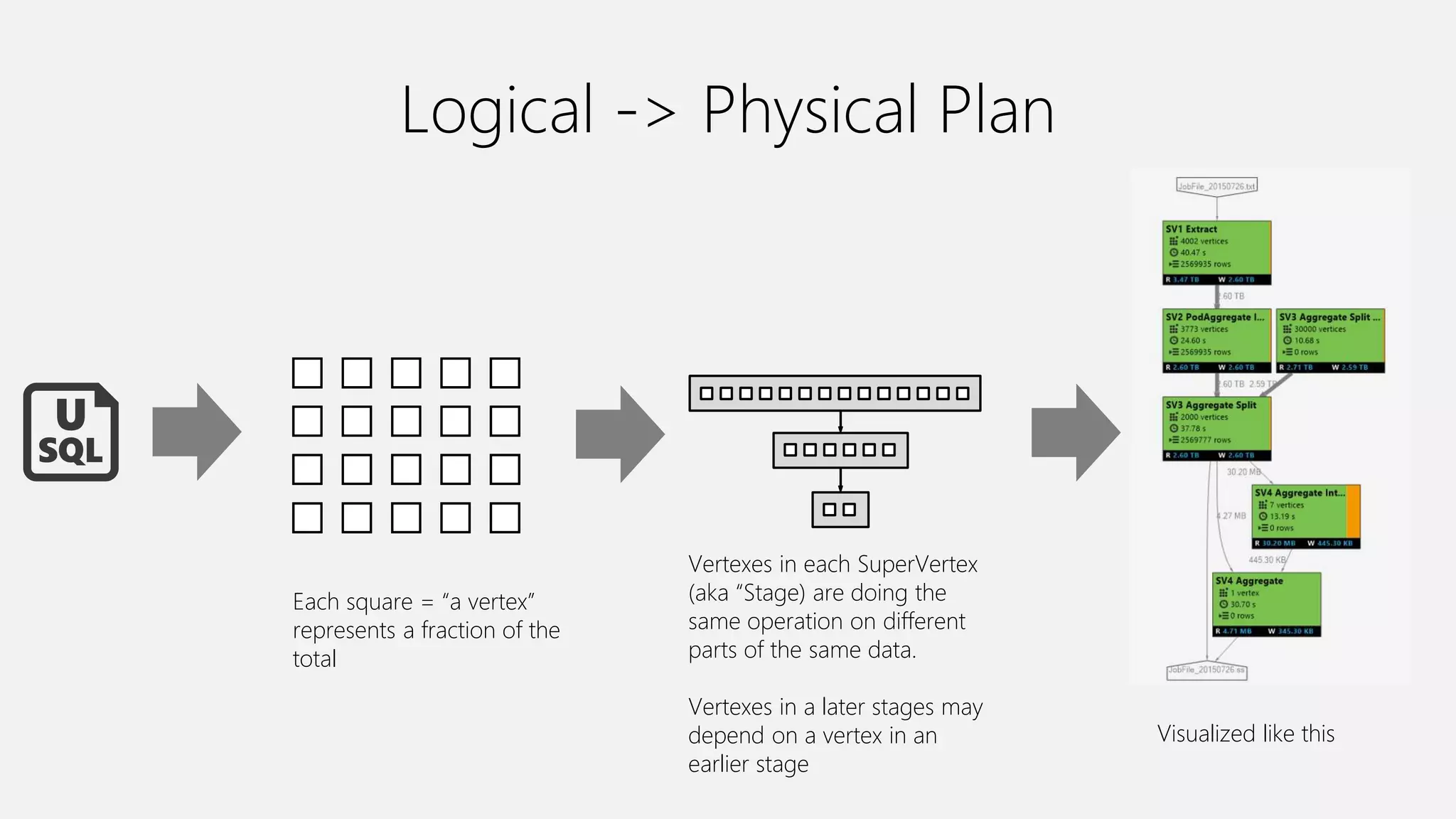
Logical -> Physical Plan
Each square = “a vertex”
represents a fraction of the
total
Vertexes in each SuperVertex
(aka “Stage) are doing the
same operation on different
parts of the same data.
Vertexes in a later stages may
depend on a vertex in an
earlier stage
Visualized like this
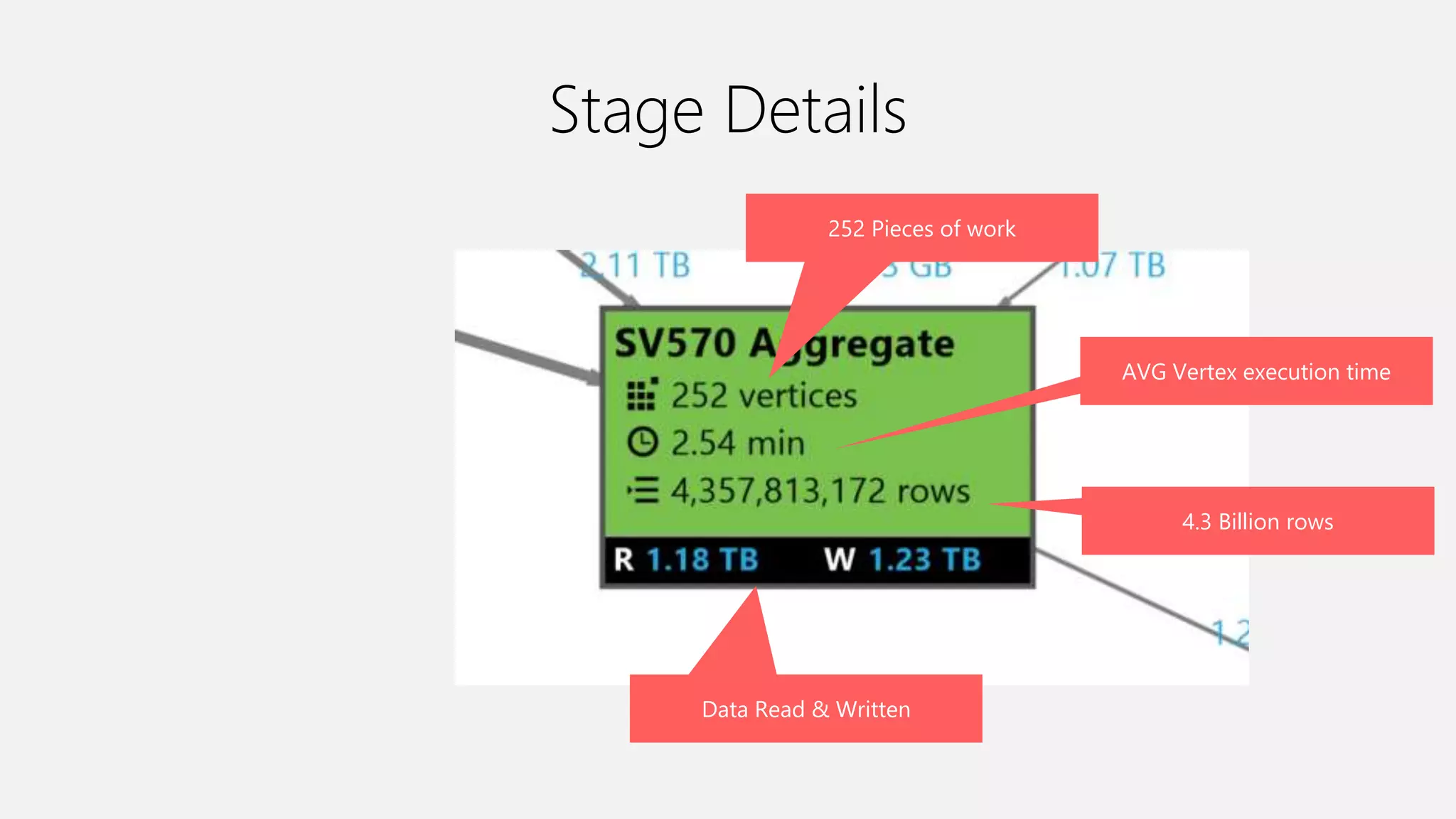
Stage Details
252 Pieces of work
AVG Vertex execution time
4.3 Billion rows
Data Read & Written
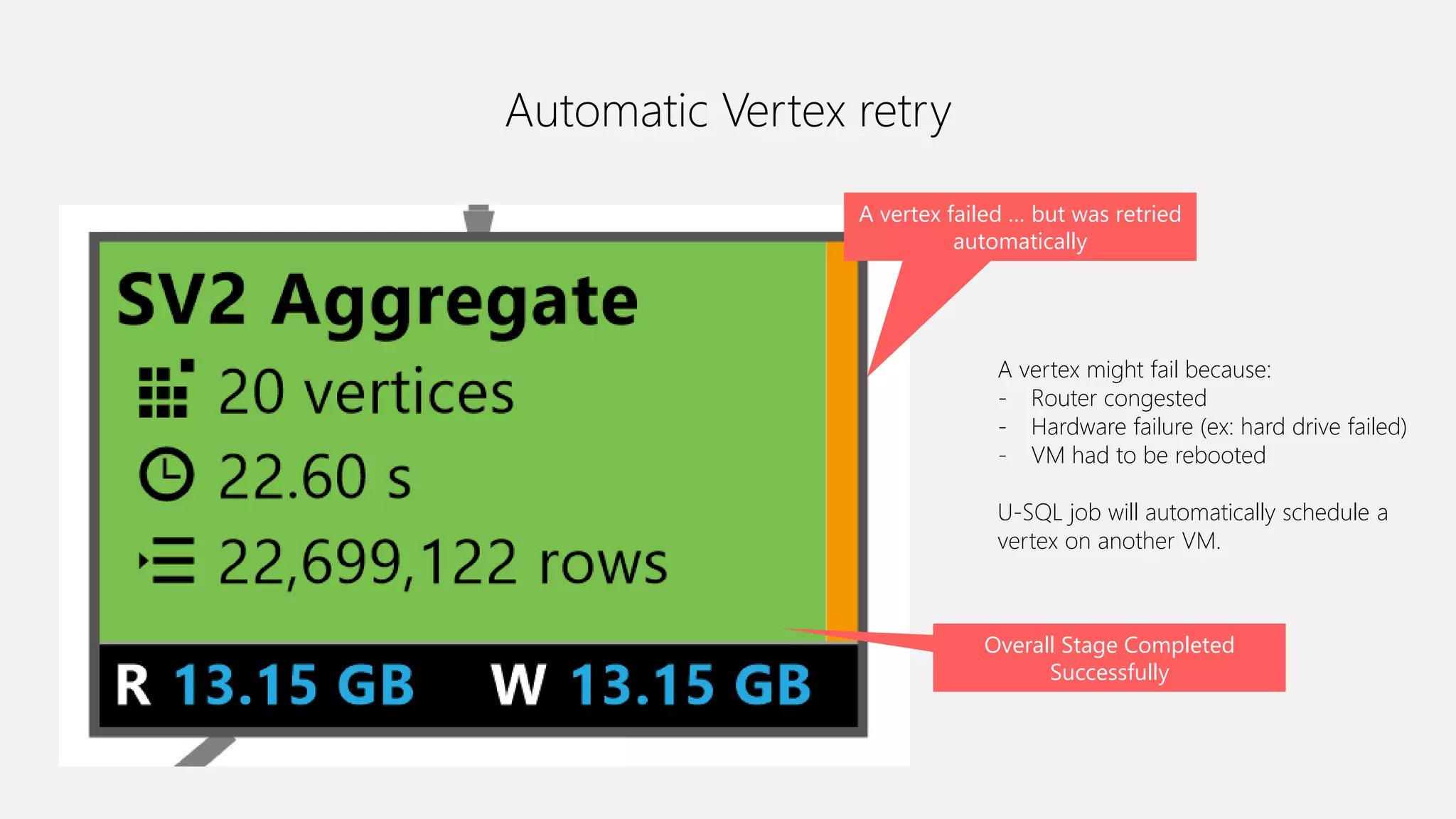
Automatic Vertex retry
A vertex failed … but was retried
automatically
Overall Stage Completed
Successfully
A vertex might fail because:
- Router congested
- Hardware failure (ex: hard drive failed)
- VM had to be rebooted
U-SQL job will automatically schedule a
vertex on another VM.
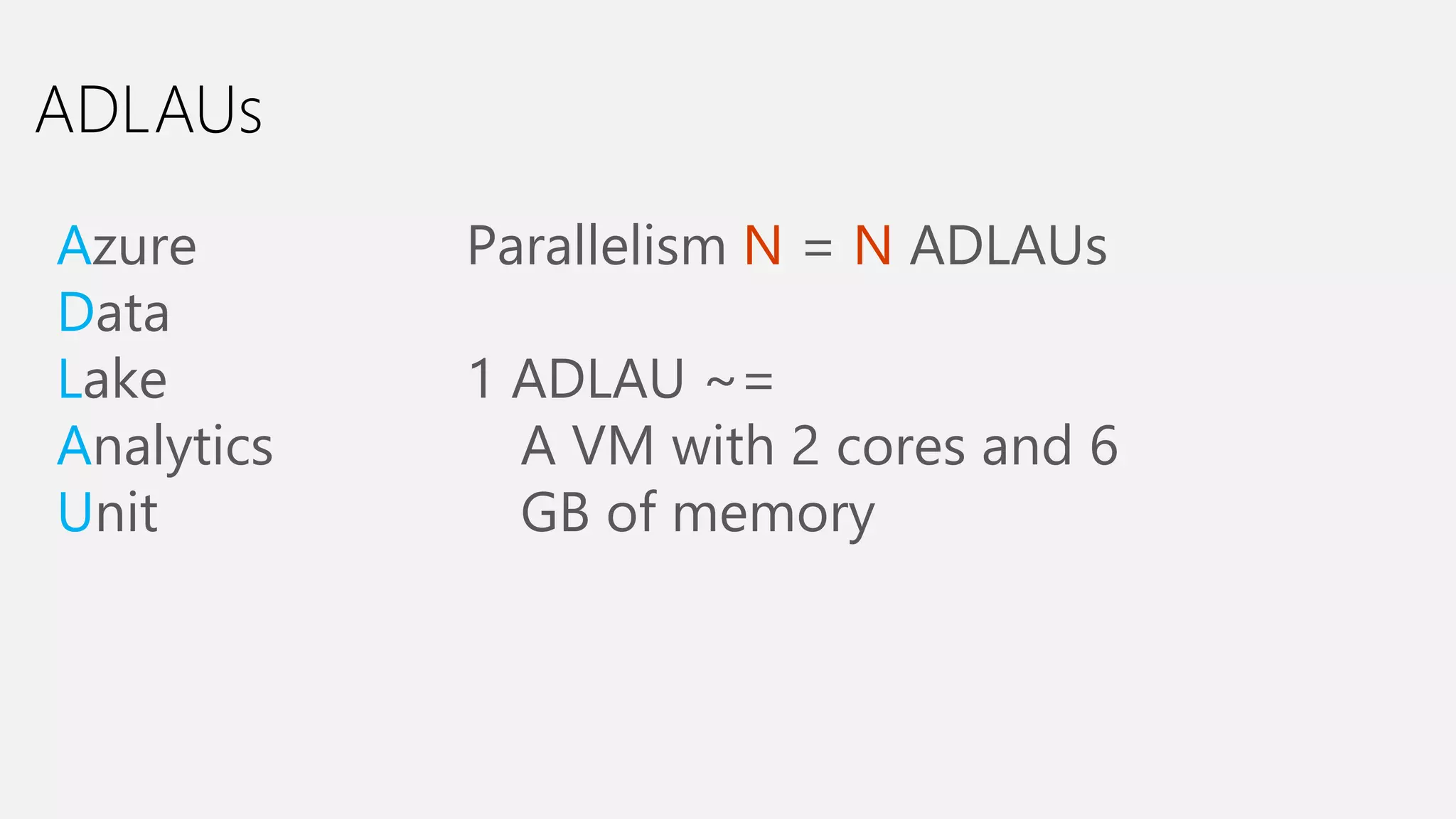
ADLAUs
Azure
Data
Lake
Analytics
Unit
Parallelism N = N ADLAUs
1 ADLAU ~=
A VM with 2 cores and 6
GB of memory
Efficiency
Cost vs Latency
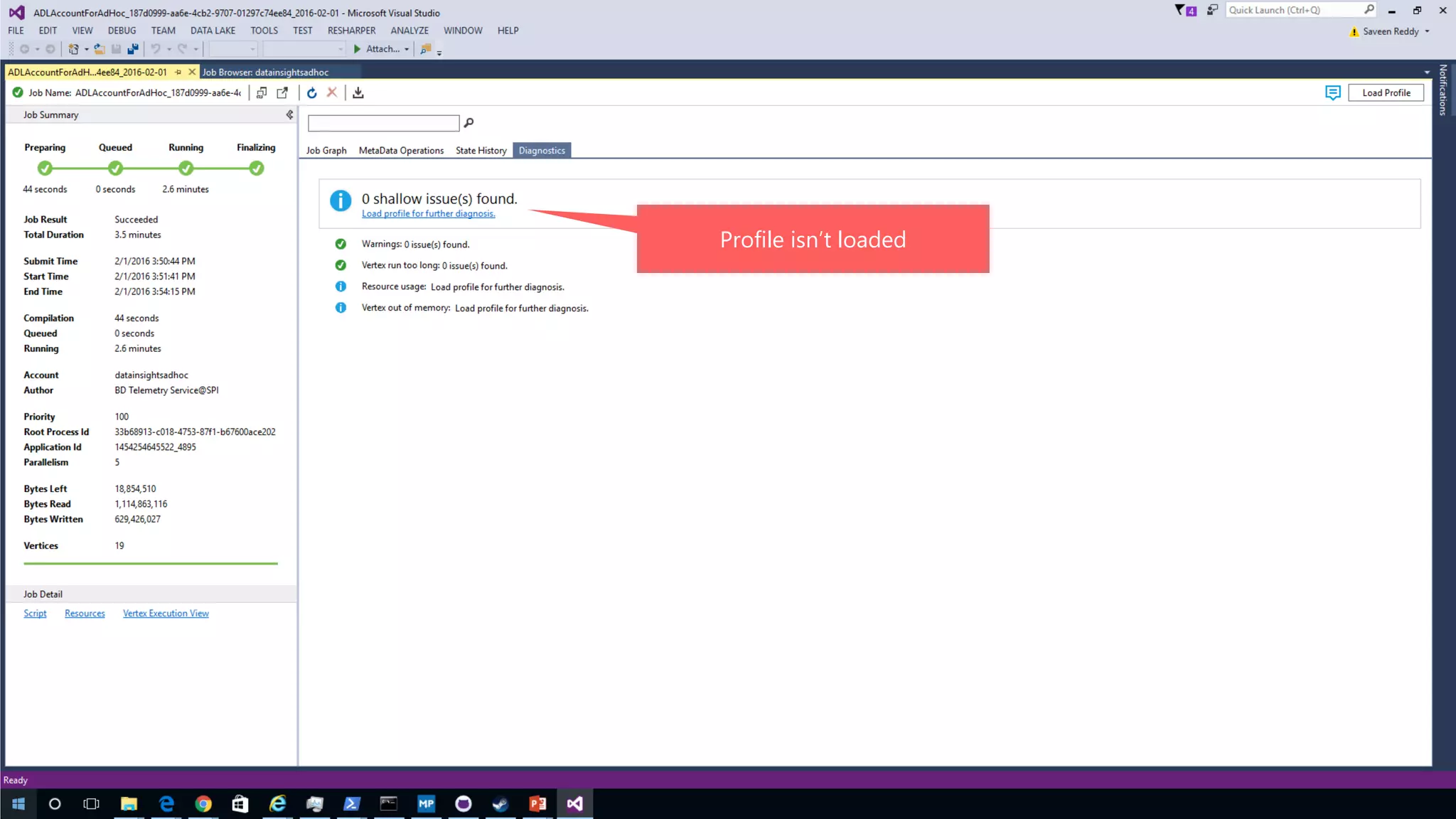
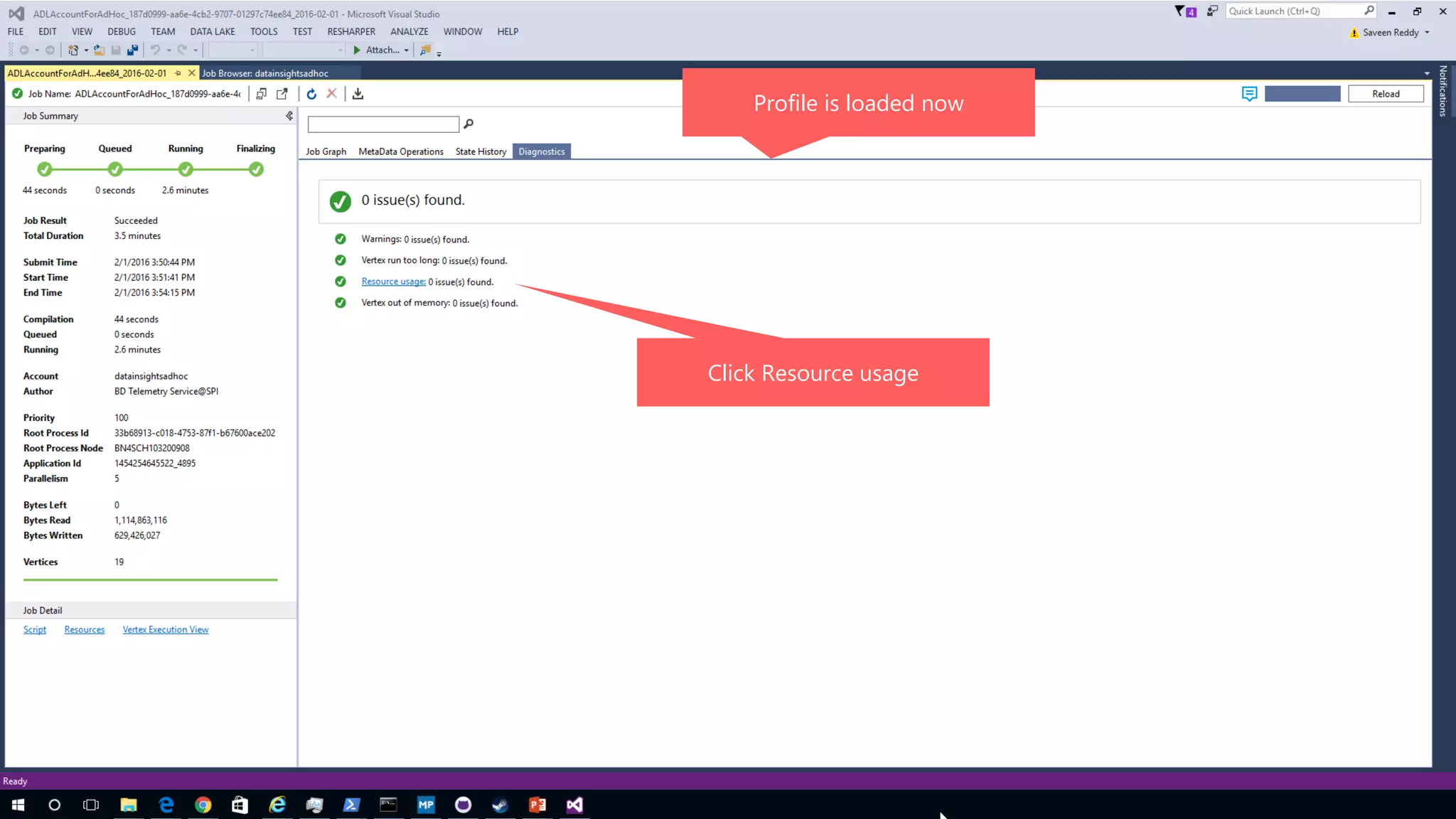
Profile isn’t loaded
Profile is loaded now
Click Resource usage
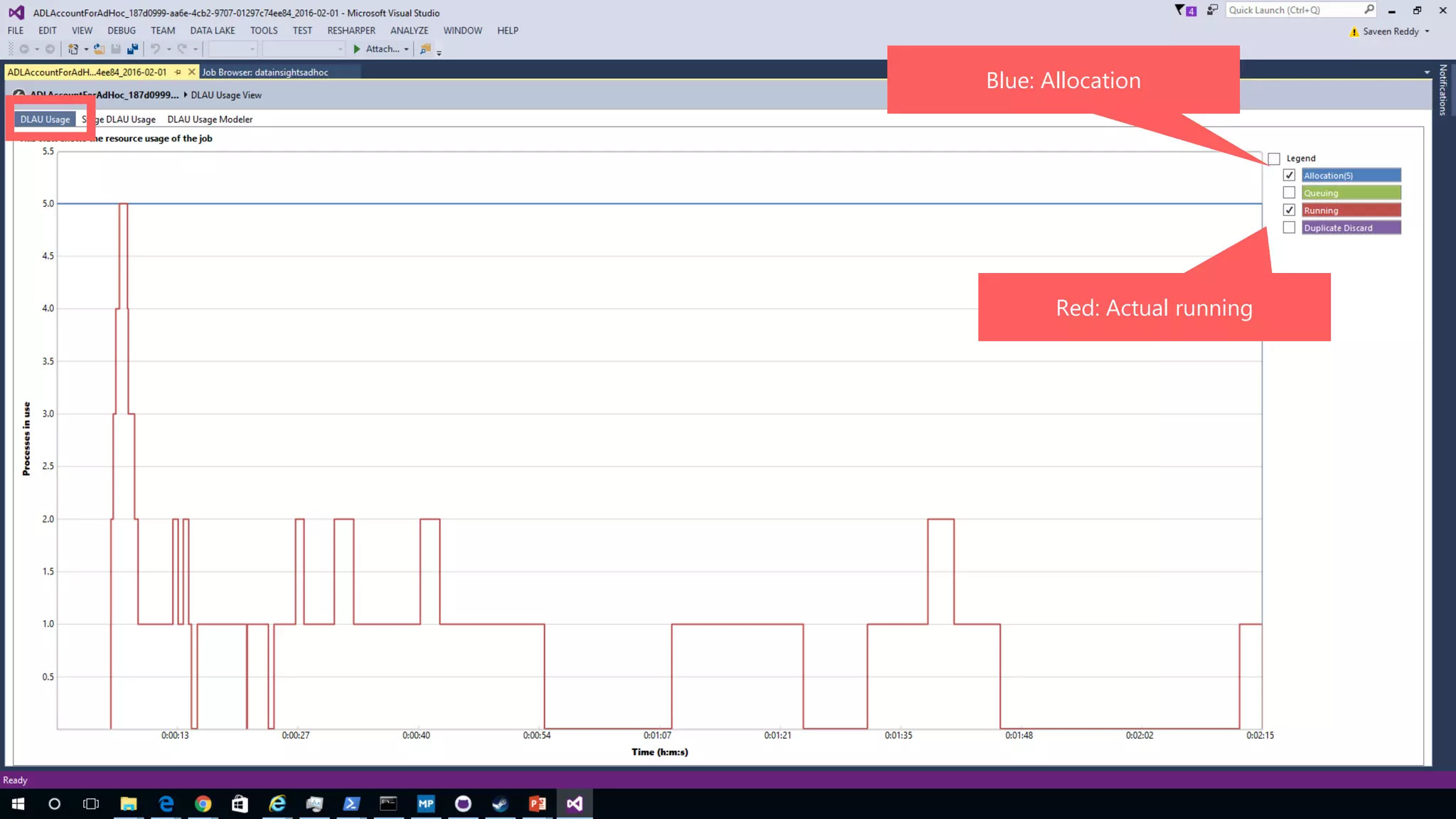
Blue: Allocation
Red: Actual running
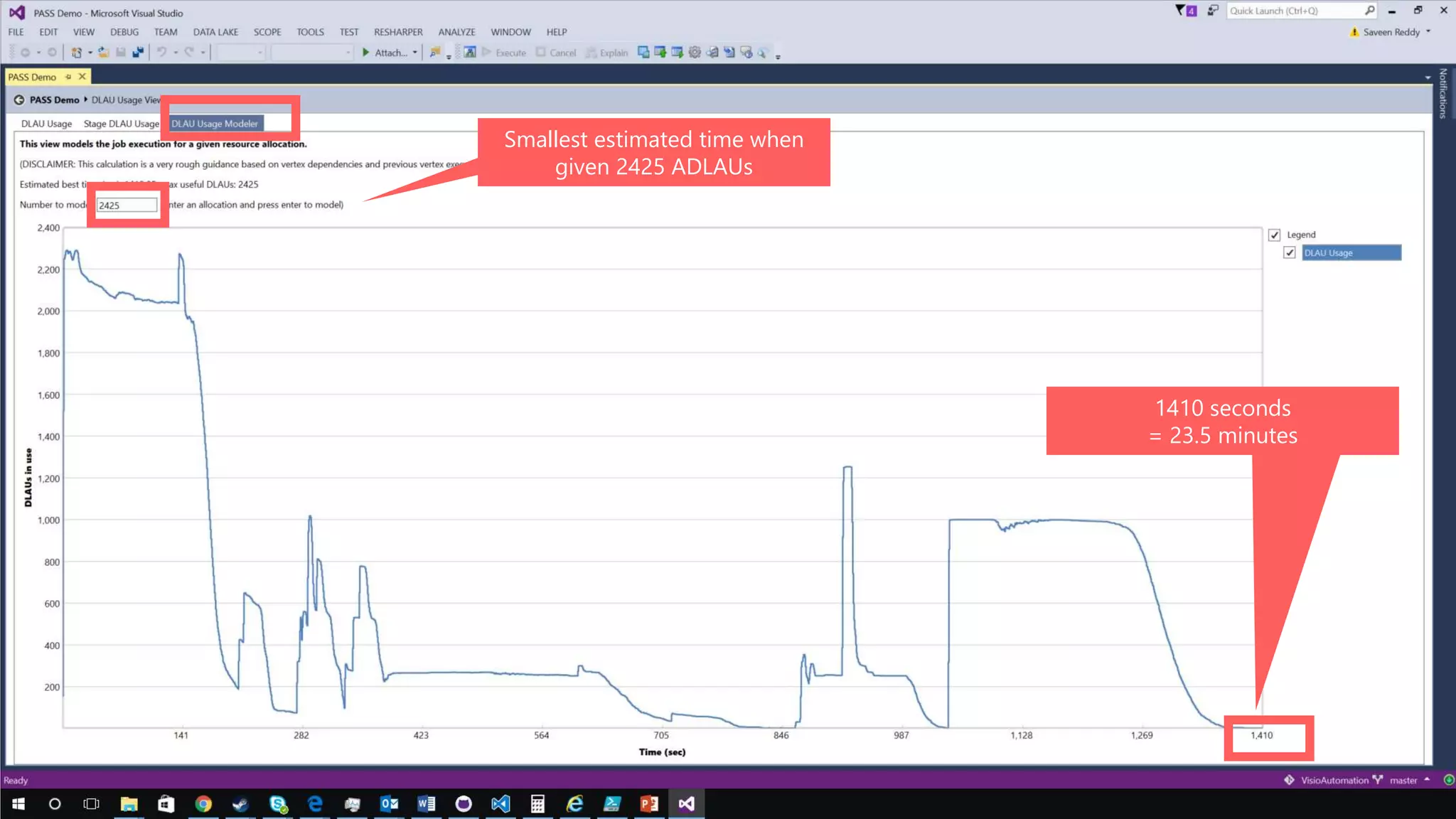
Smallest estimated time when
given 2425 ADLAUs
1410 seconds
= 23.5 minutes
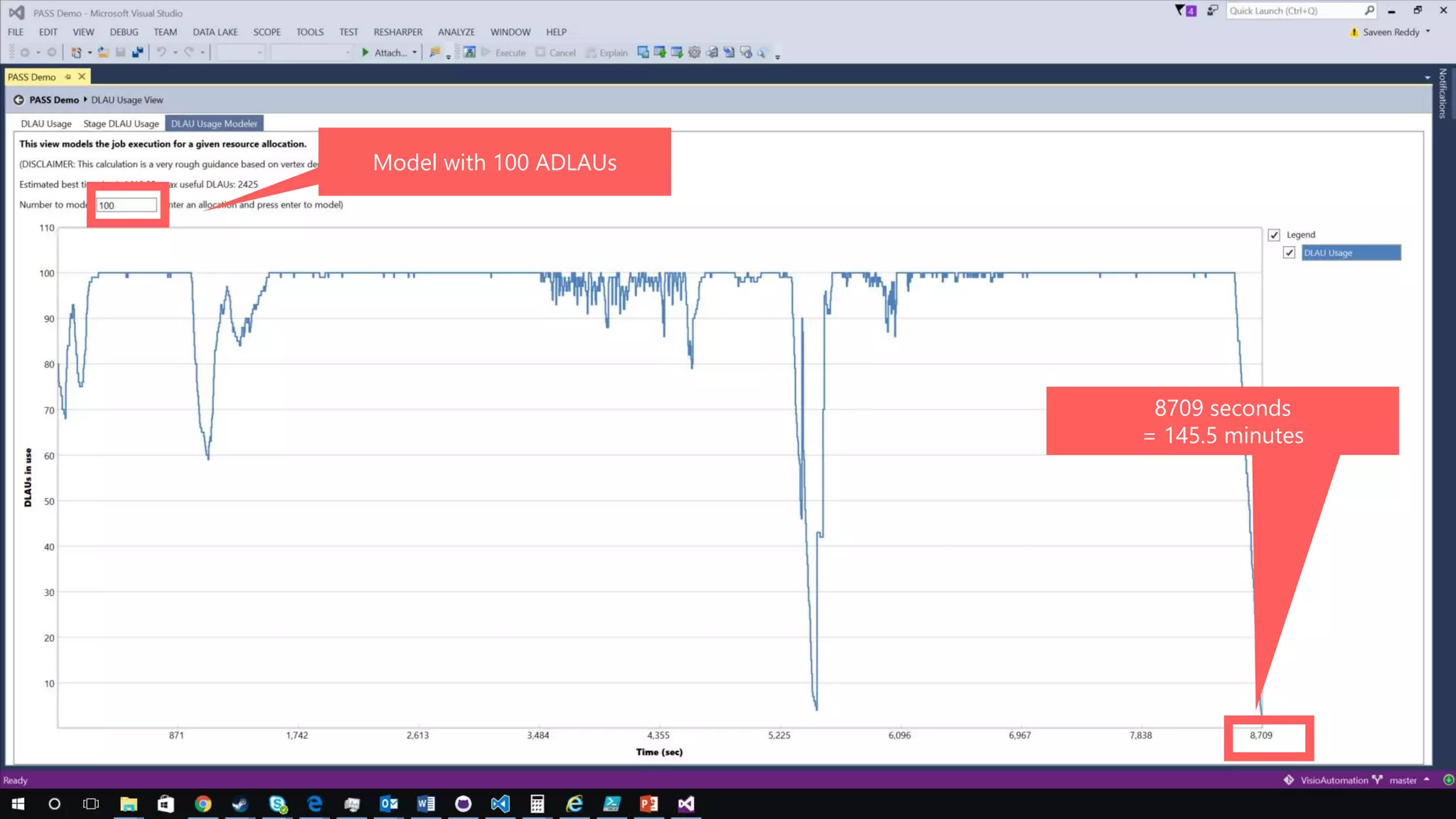
Model with 100 ADLAUs
8709 seconds
= 145.5 minutes
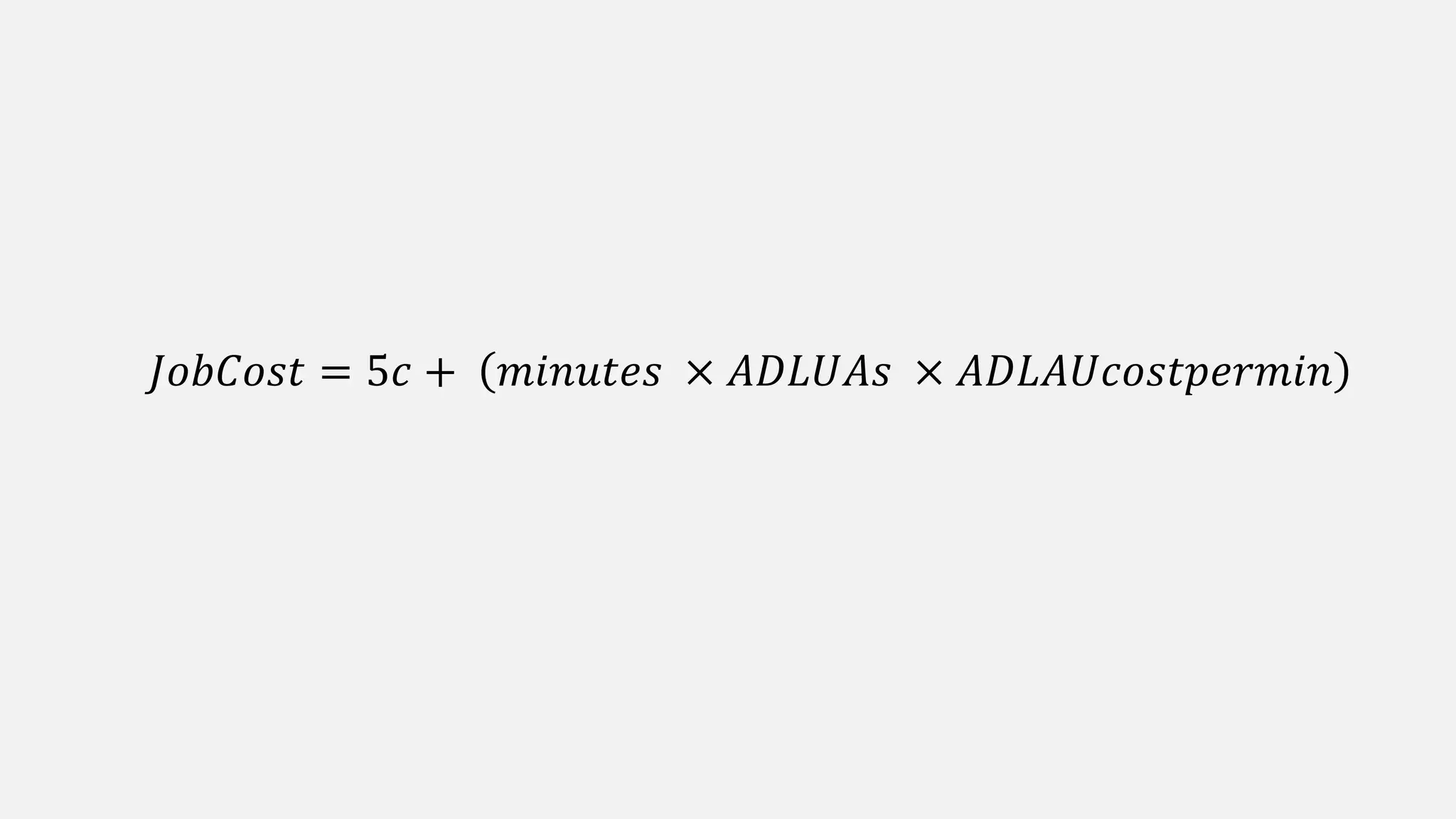
𝐽𝑜𝑏𝐶𝑜𝑠𝑡 = 5𝑐 + 𝑚𝑖𝑛𝑢𝑡𝑒𝑠 × 𝐴𝐷𝐿𝑈𝐴𝑠 × 𝐴𝐷𝐿𝐴𝑈𝑐𝑜𝑠𝑡𝑝𝑒𝑟𝑚𝑖𝑛
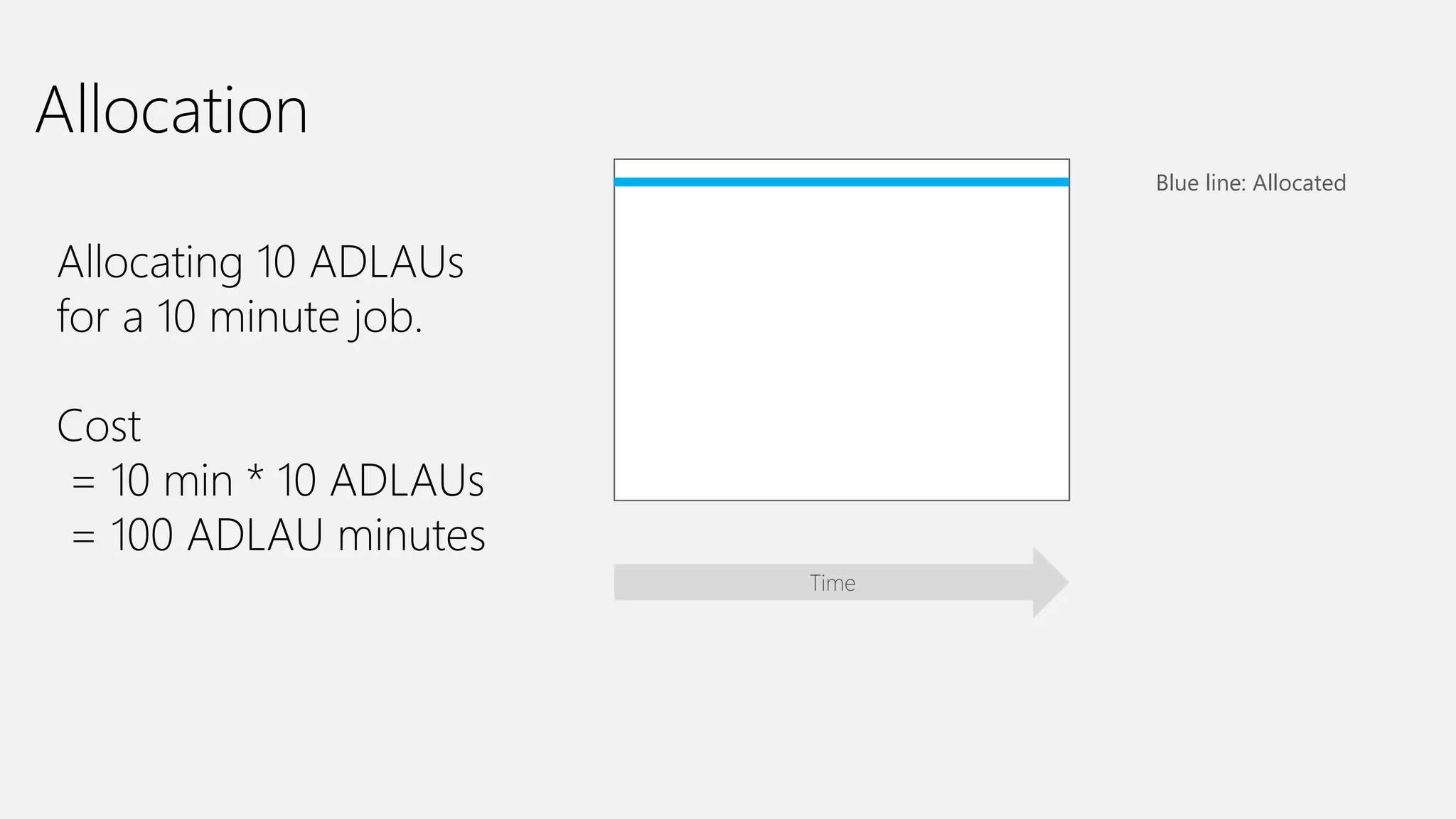
Allocation
Allocating 10 ADLAUs
for a 10 minute job.
Cost
= 10 min * 10 ADLAUs
= 100 ADLAU minutes
Time
Blue line: Allocated
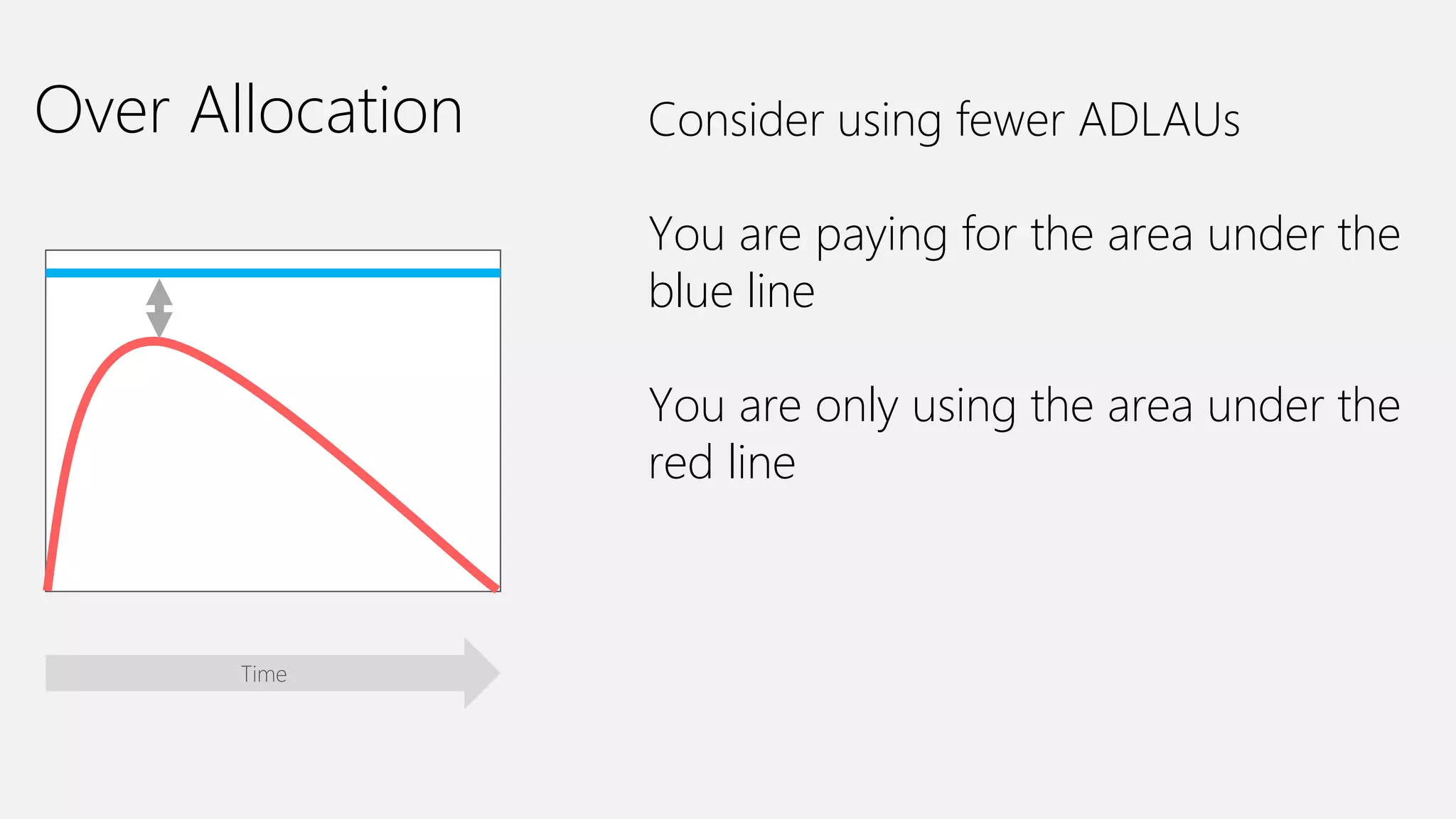
Over Allocation Consider using fewer ADLAUs
You are paying for the area under the
blue line
You are only using the area under the
red line
Time
Vertex Execution
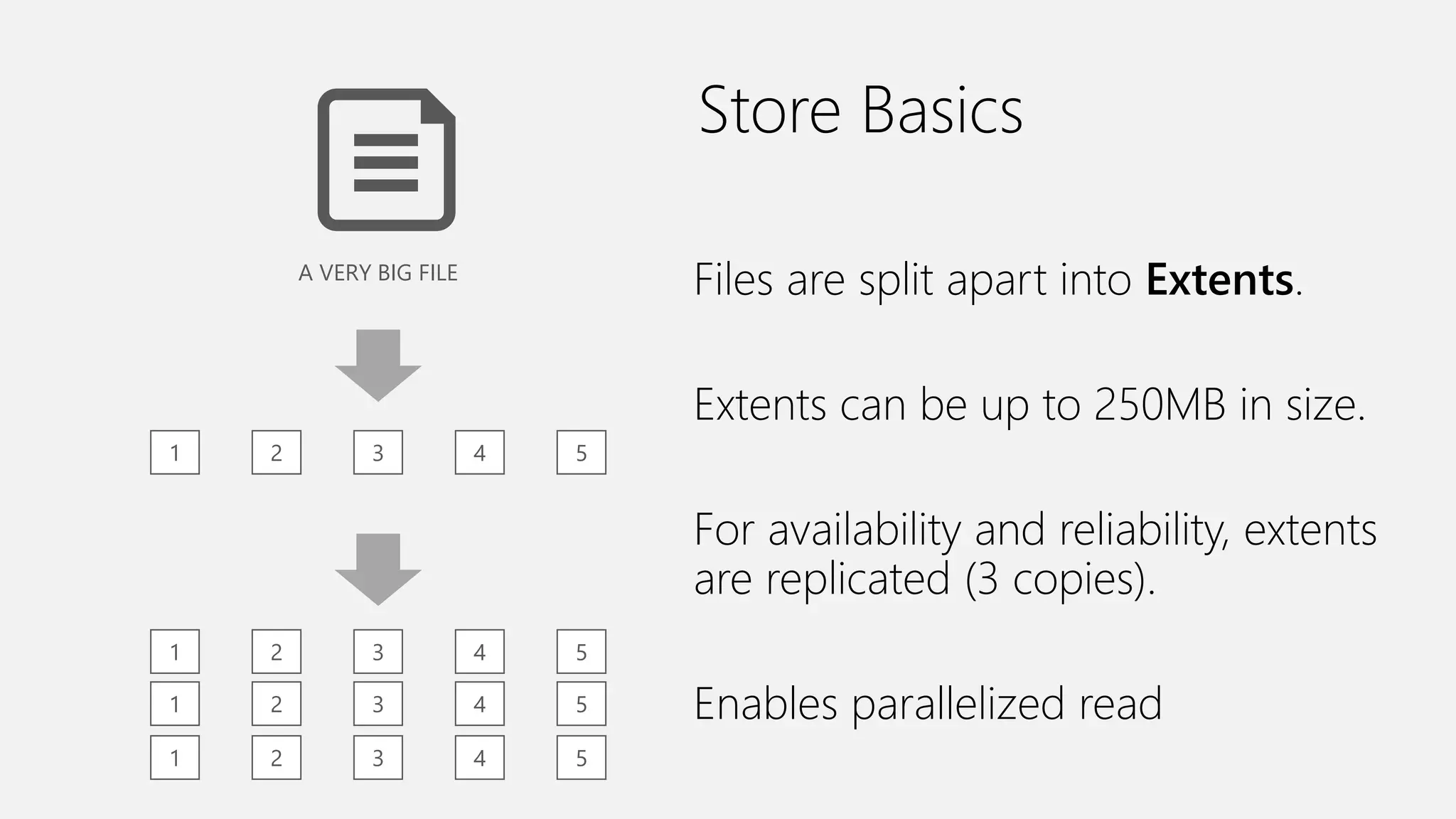
Store Basics
A VERY BIG FILE
1 2 3 4 5
1 2 3 4 5
1 2 3 4 5
1 2 3 4 5
Files are split apart into Extents.
Extents can be up to 250MB in size.
For availability and reliability, extents
are replicated (3 copies).
Enables parallelized read
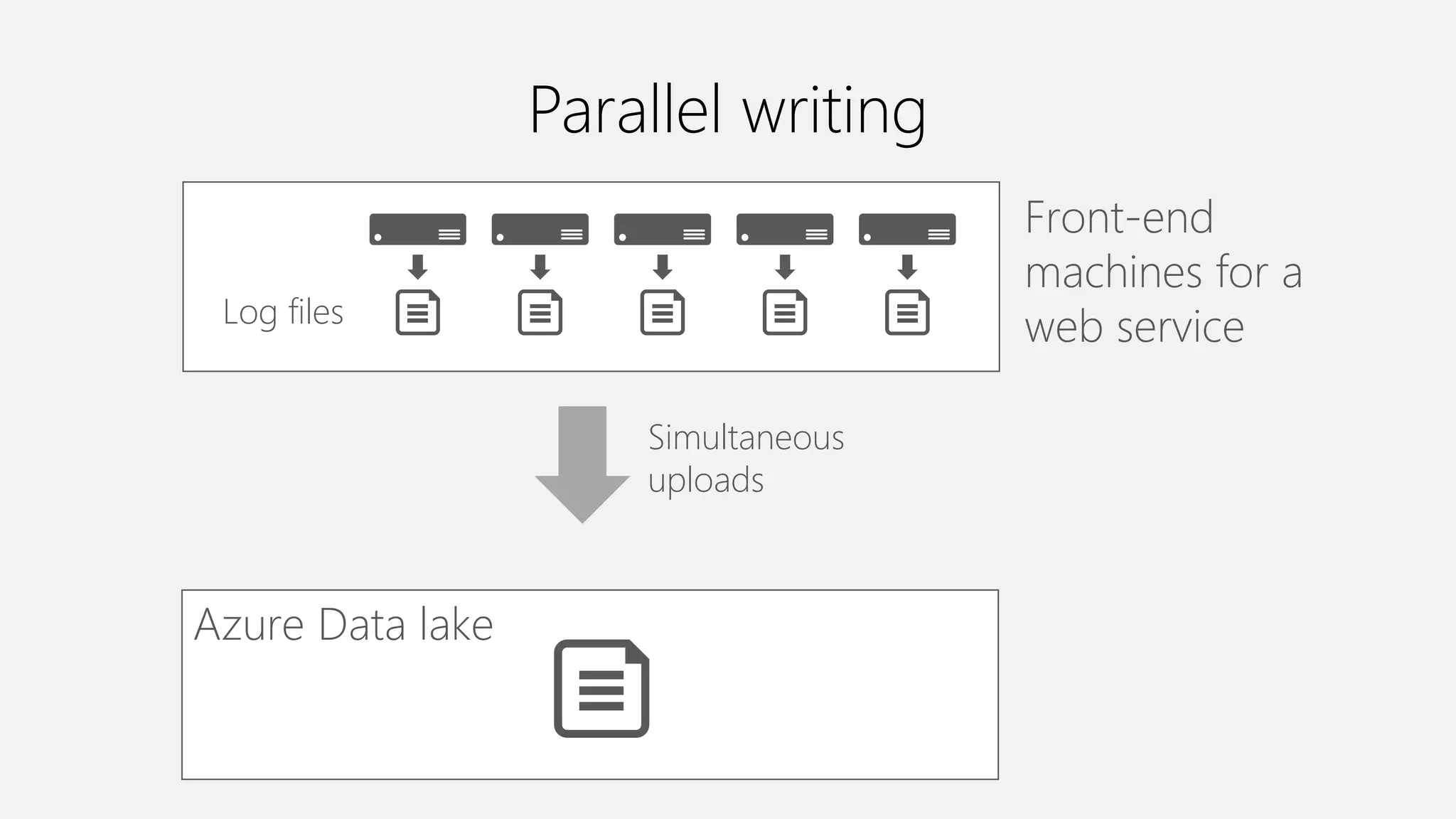
Parallel writing
Front-end
machines for a
web serviceLog files
Simultaneous
uploads
Azure Data lake
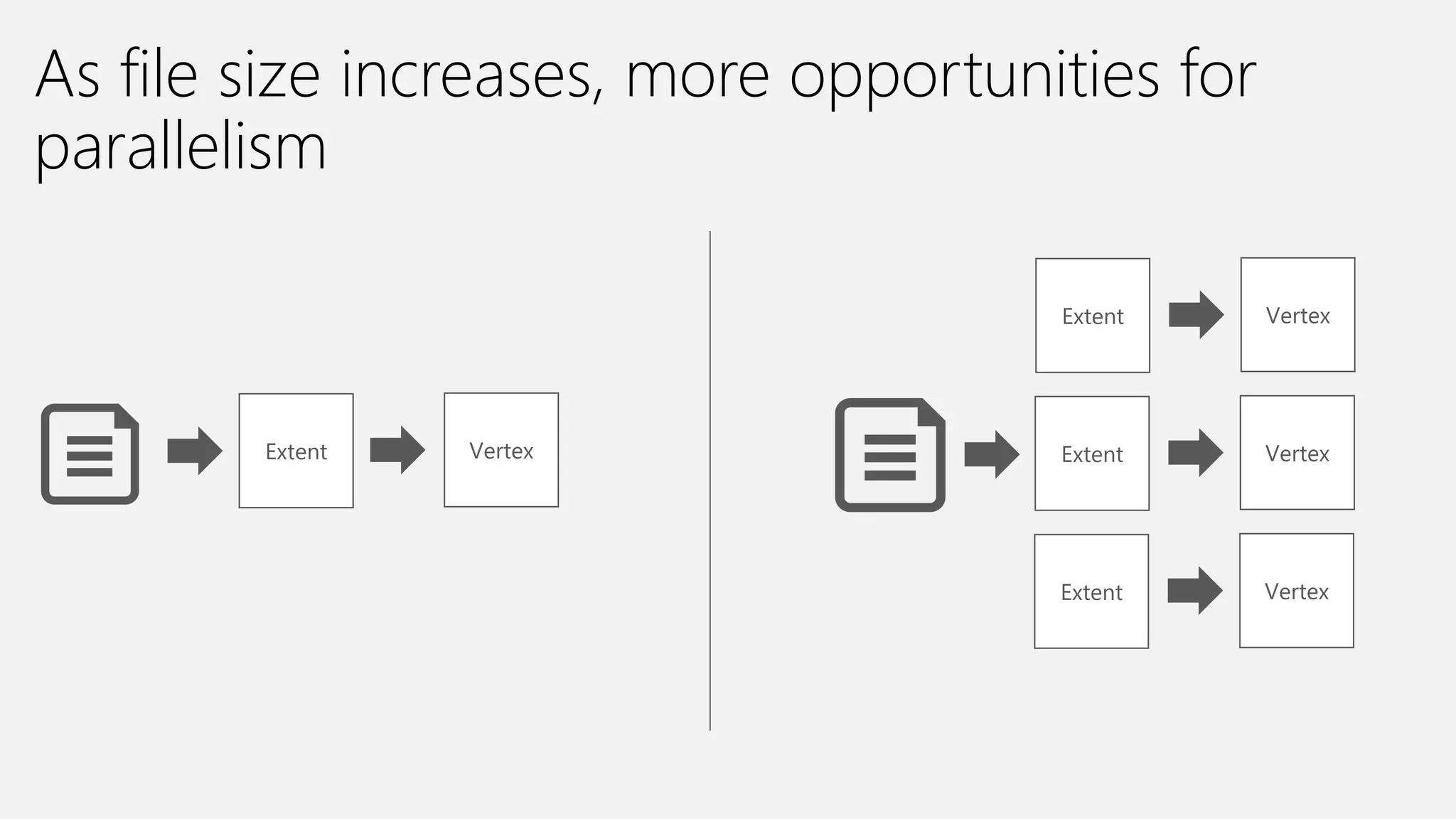
Extent
As file size increases, more opportunities for
parallelism
Vertex
Extent Vertex
Extent Vertex
Extent Vertex
The importance of partitioning
input data
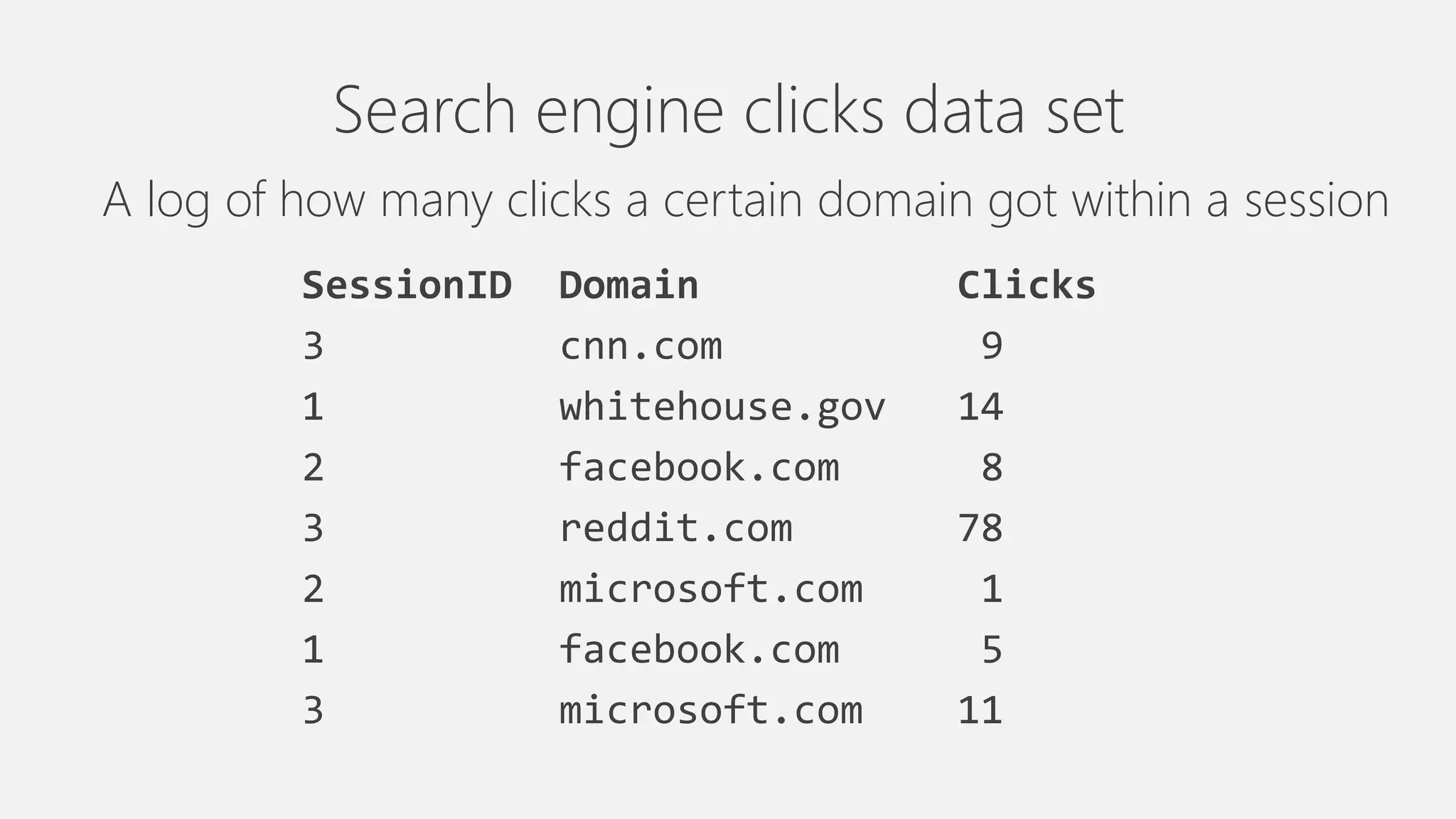
Search engine clicks data set
A log of how many clicks a certain domain got within a session
SessionID Domain Clicks
3 cnn.com 9
1 whitehouse.gov 14
2 facebook.com 8
3 reddit.com 78
2 microsoft.com 1
1 facebook.com 5
3 microsoft.com 11
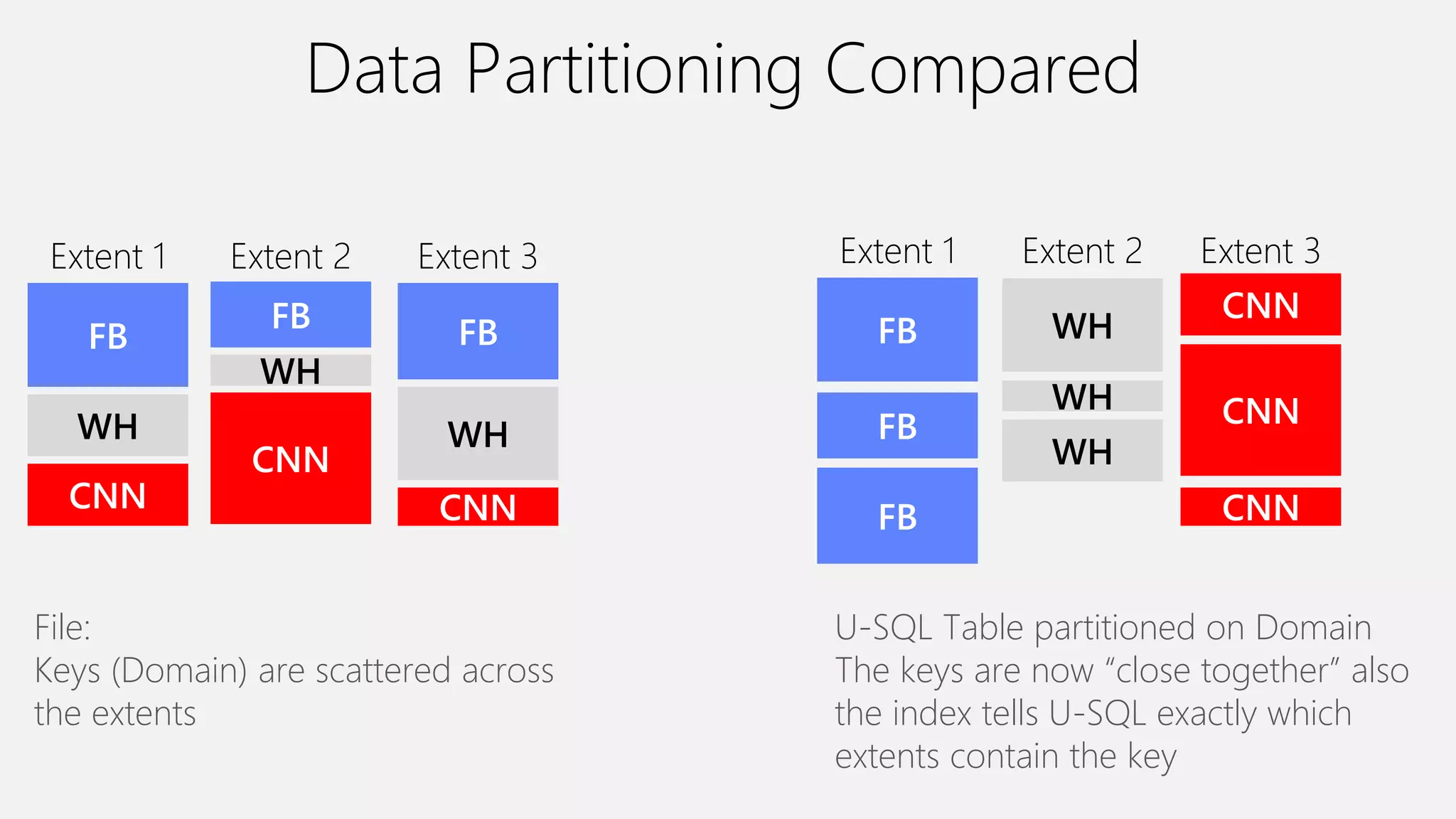
Data Partitioning Compared
FB
WH
CNN
Extent 2
FB
WH
CNN
Extent 3
FB
WH
CNN
Extent 1
File:
Keys (Domain) are scattered across
the extents
WH
WH
WH
Extent 2
CNN
CNN
CNN
Extent 3
FB
FB
FB
Extent 1
U-SQL Table partitioned on Domain
The keys are now “close together” also
the index tells U-SQL exactly which
extents contain the key
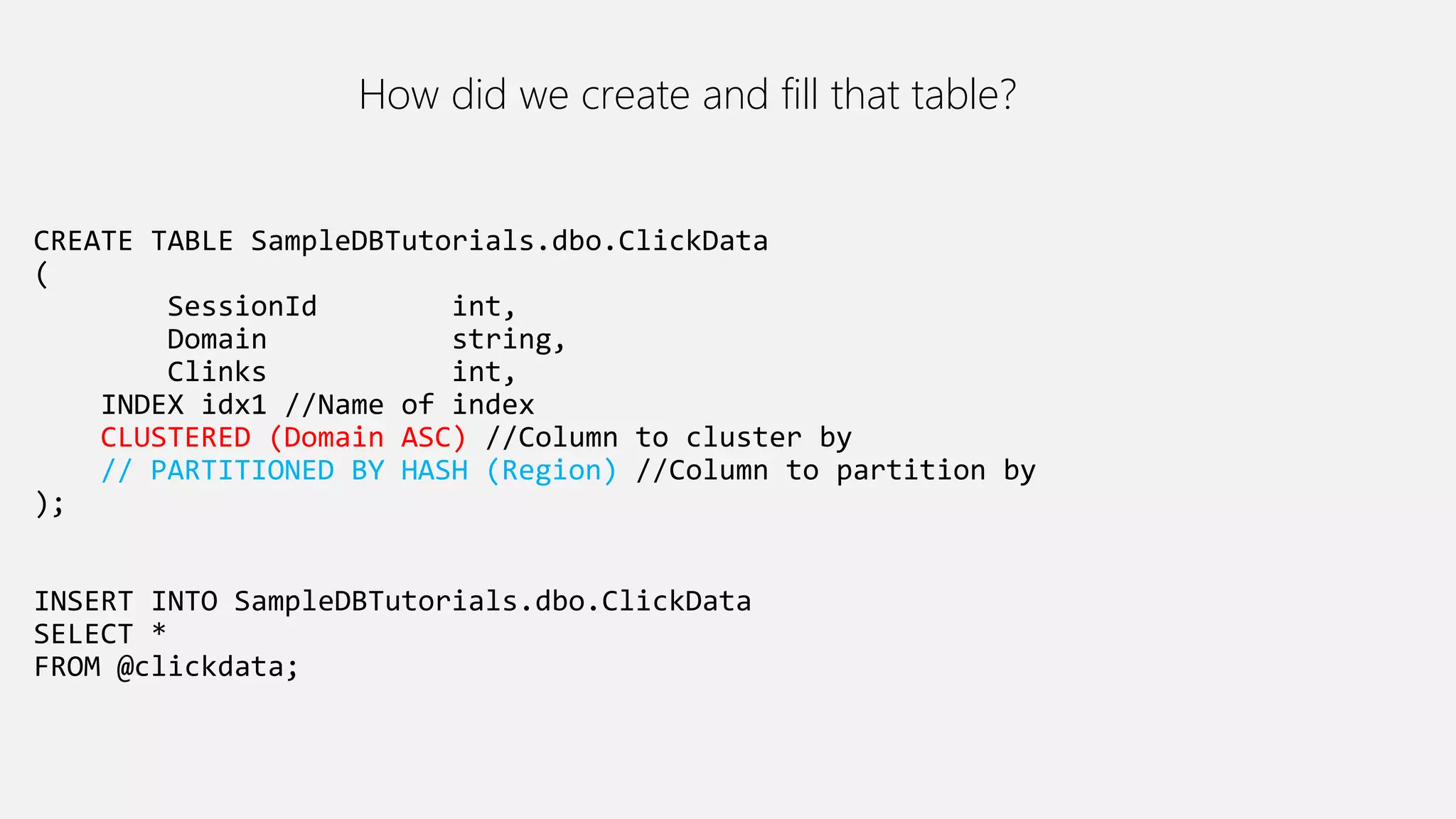
CREATE TABLE SampleDBTutorials.dbo.ClickData
(
SessionId int,
Domain string,
Clinks int,
INDEX idx1 //Name of index
CLUSTERED (Domain ASC) //Column to cluster by
// PARTITIONED BY HASH (Region) //Column to partition by
);
INSERT INTO SampleDBTutorials.dbo.ClickData
SELECT *
FROM @clickdata;
How did we create and fill that table?
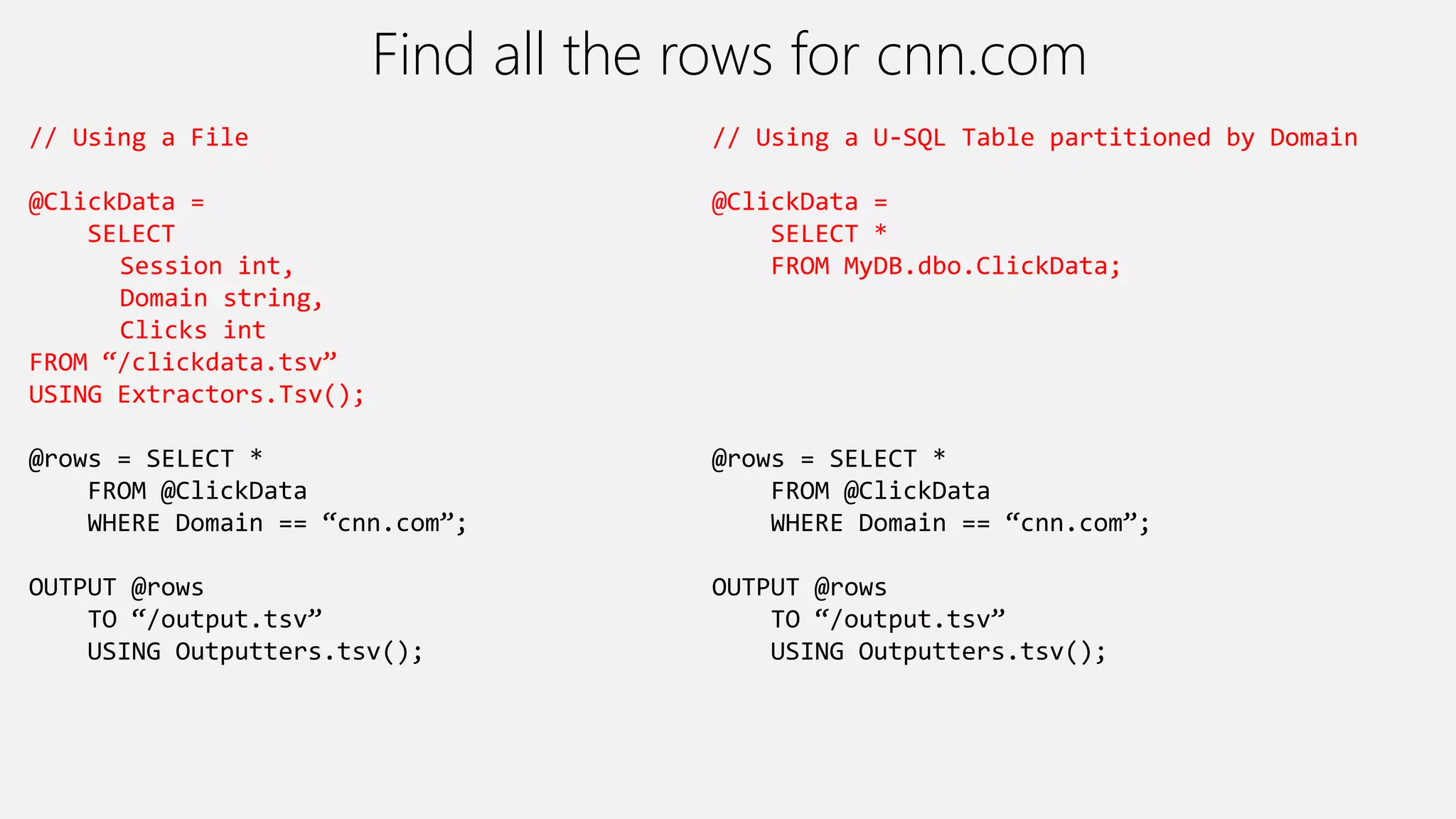
Find all the rows for cnn.com
// Using a File
@ClickData =
SELECT
Session int,
Domain string,
Clicks int
FROM “/clickdata.tsv”
USING Extractors.Tsv();
@rows = SELECT *
FROM @ClickData
WHERE Domain == “cnn.com”;
OUTPUT @rows
TO “/output.tsv”
USING Outputters.tsv();
// Using a U-SQL Table partitioned by Domain
@ClickData =
SELECT *
FROM MyDB.dbo.ClickData;
@rows = SELECT *
FROM @ClickData
WHERE Domain == “cnn.com”;
OUTPUT @rows
TO “/output.tsv”
USING Outputters.tsv();
Read Read
Write Write Write
Read
Filter Filter Filter
CNN,
FB,
WH
EXTENT 1 EXTENT 2 EXTENT 3
CNN,
FB,
WH
CNN,
FB,
WH
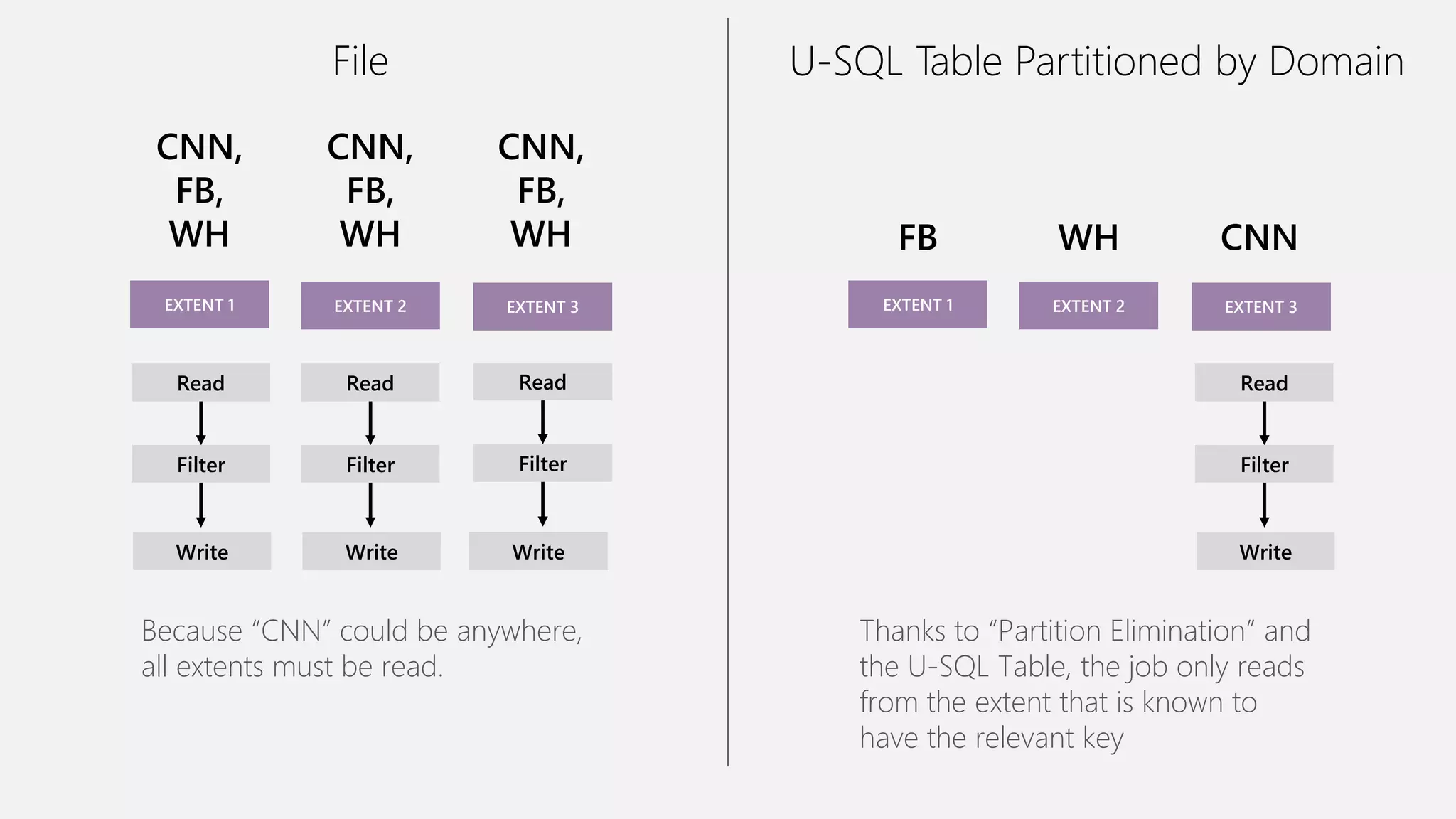
Because “CNN” could be anywhere,
all extents must be read.
Read
Write
Filter
FB
EXTENT 1 EXTENT 2 EXTENT 3
WH CNN
Thanks to “Partition Elimination” and
the U-SQL Table, the job only reads
from the extent that is known to
have the relevant key
File U-SQL Table Partitioned by Domain
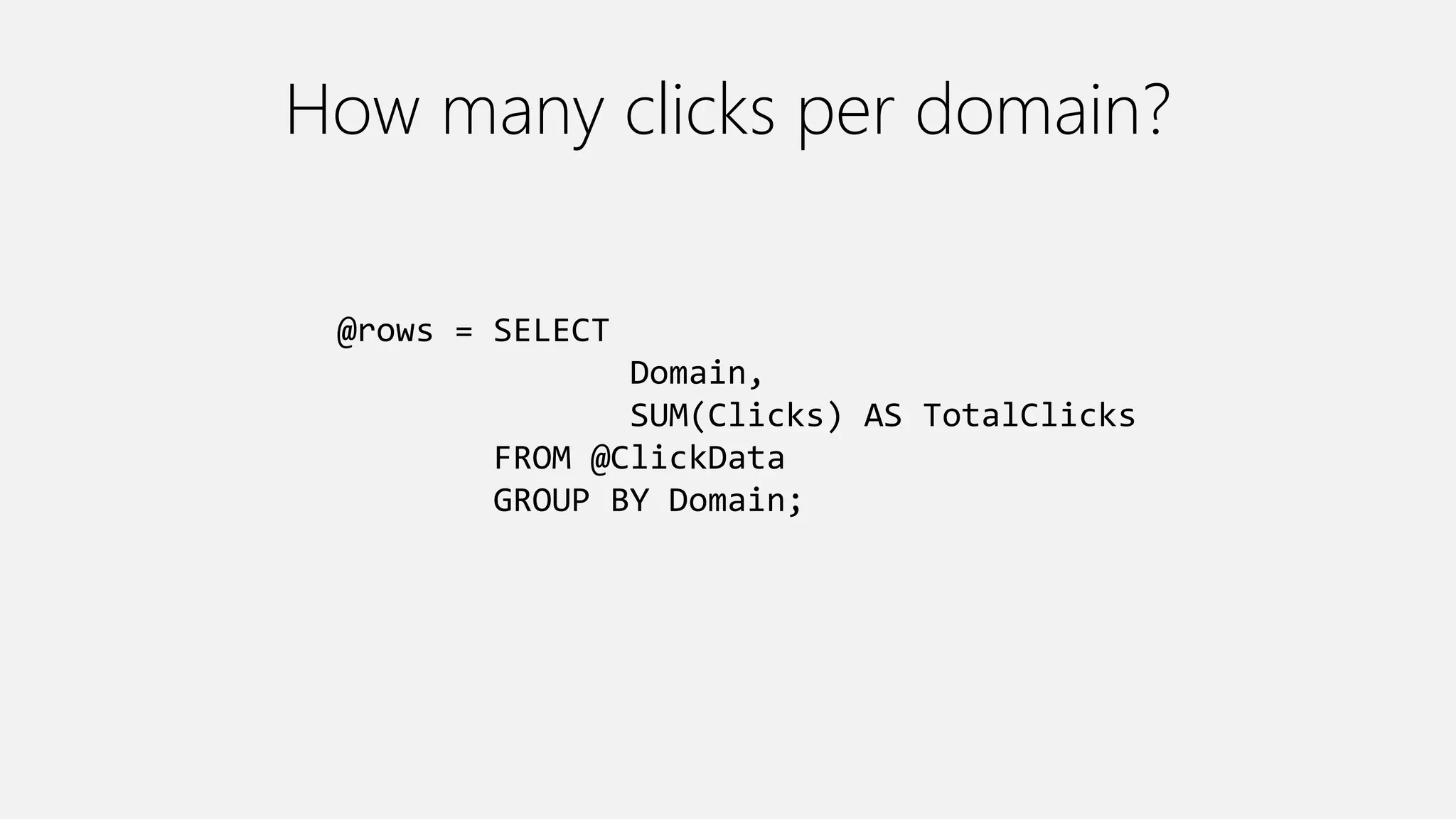
How many clicks per domain?
@rows = SELECT
Domain,
SUM(Clicks) AS TotalClicks
FROM @ClickData
GROUP BY Domain;
File
Read Read
Partition Partition
Full Agg
Write
Full Agg
Write
Full Agg
Write
Read
Partition
Partial Agg Partial Agg Partial Agg
CNN,
FB,
WH
EXTENT 1 EXTENT 2 EXTENT 3
CNN,
FB,
WH
CNN,
FB,
WH
U-SQL Table Partitioned by Domain
Read Read
Full Agg Full Agg
Write Write
Read
Full Agg
Write
FB
EXTENT 1
WH
EXTENT 2
CNN
EXTENT 3
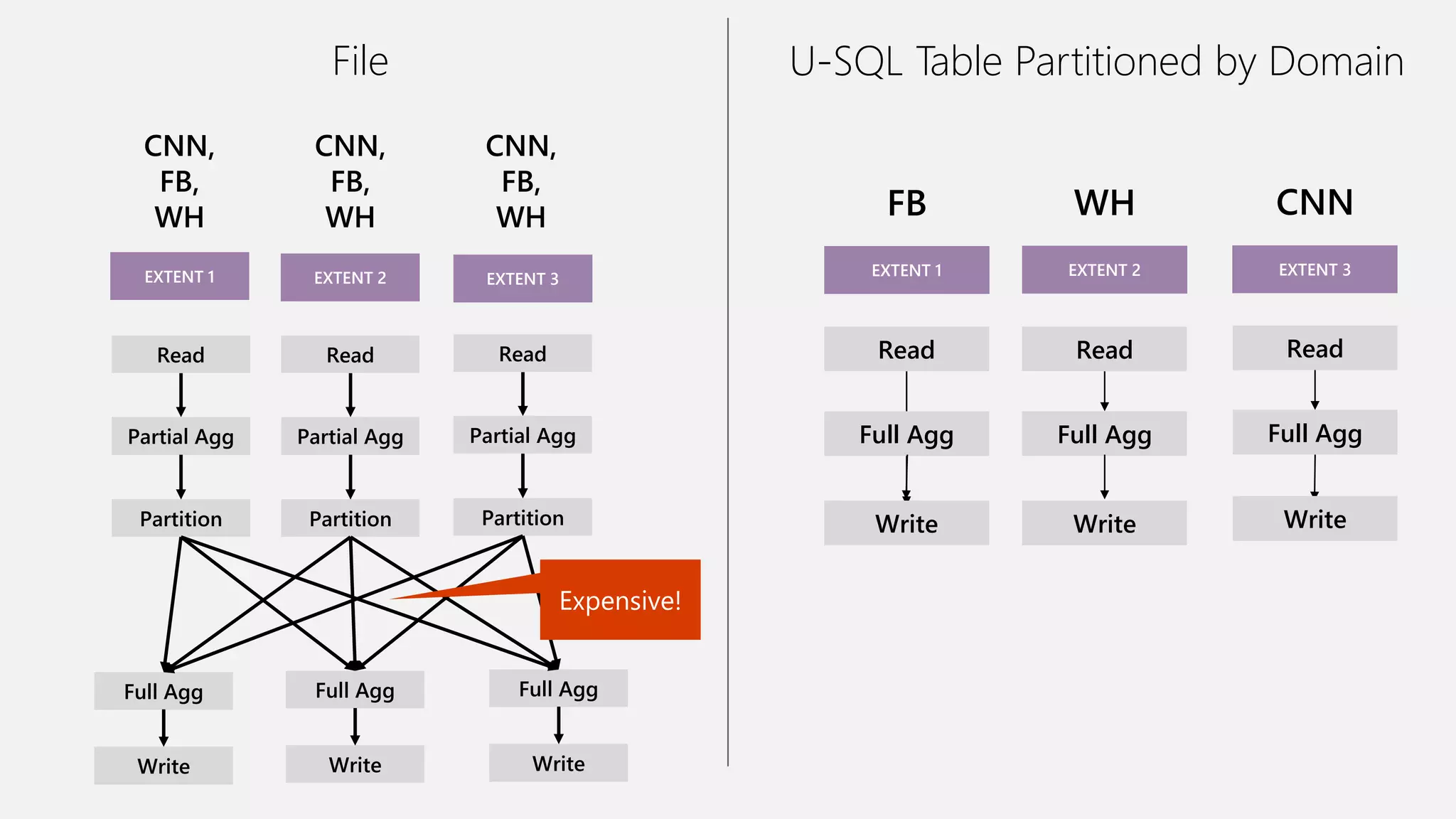
Expensive!
High-Level Performance Advice
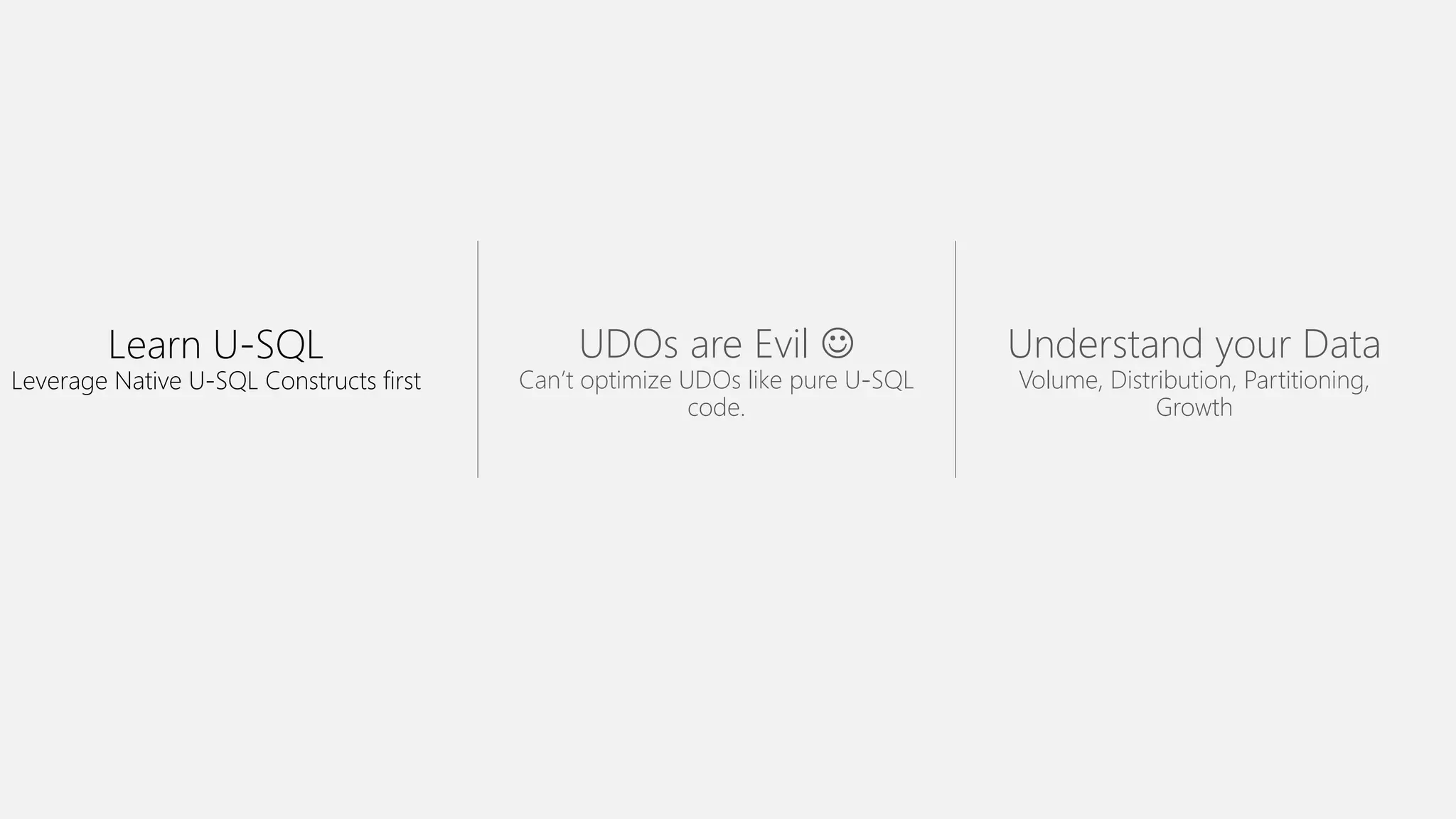
Learn U-SQL
Leverage Native U-SQL Constructs first
UDOs are Evil 
Can’t optimize UDOs like pure U-SQL
code.
Understand your Data
Volume, Distribution, Partitioning,
Growth
Questions?

Azure Data Lake Analytics Deep Dive

  • 1.
    Ilyas F Azure SolutionArchitect @ 8KMiles Twitter: @ilyas_tweets Linkedin: https://in.linkedin.com/in/ilyasf Azure Data Lake Analytics Deep Dive 2016/05/17
  • 2.
    Agenda Origins • Cosmos • Futures Layers& Components • Storage • Parallelization • Job Scheduling • Query Execution • Performance • Demo
  • 3.
  • 4.
    The 3 AzureData Lake Services HDInsight Analytics Store Clusters as a service Big data queries as a service Hyper-scale Storage optimized for analytics Currently in PREVIEW. General Availability later in 2016.
  • 5.
    Familiar syntax tomillions of SQL & .NET developers Unifies declarative nature of SQL with the imperative power of C# Unifies structured, semi-structured and unstructured data Distributed query support over all data U-SQL A new language for Big Data
  • 6.
  • 7.
    History Bing needed to… •Understand user behavior And do it… • At massive scale • With agility and speed • At low cost So they built … • Cosmos Cosmos • Batch Jobs • Interactive • Machine Learning • Streaming Thousands of Developers
  • 8.
  • 9.
  • 10.
    ADL Account Configuration ADLAnalytics Account Links to ADL Stores ADL Store Account (the default one) Job Queue Key Settings: - Max Concurrent Jobs - Max ADLAUs per Job - Max Queue Length An ADL Store IS REQUIRED for ADL Analytics to function. Key Settings: • Max Concurrent Jobs = 3 • Max ADLAUs per job = 20 • Max Queue Length = 200 If you want to change the defaults, open a Support ticket Links to Azure Blob Stores U-SQL Catalog Metadata U-SQL Catalog Data
  • 11.
    Simplified Workflow Job FrontEnd Job Scheduler Compiler Service Job Queue Job Manager U-SQL Catalog YARN Job submission Job execution U-SQL Runtime Vertex execution
  • 12.
    Goal: Understanding aU-SQL (Batch) Job
  • 13.
    Azure Data LakeAnalytics (ADLA) Demo
  • 15.
  • 16.
  • 17.
  • 18.
    Preparing Queued Running Finalizing Ended (Succeeded, Failed, Cancelled) New Compiling Queued Scheduling Starting Running Ended UXJob State The script is being compiled by the Compiler Service All jobs enter the queue. Are there enough ADLAUs to start the job? If yes, then allocate those ADLAUs for the job The U-SQL runtime is now executing the code on 1 or more ADLAUs or finalizing the outputs The job has concluded.
  • 19.
    Why does aJob get Queued? Local Cause Conditions: • Queue already at Max Concurrency Global Cause (very rare) Conditions: • System-wide shortage of ADLAUs • System-wide shortage of Bandwidth * If these conditions are met, a job will be queued even if the queue is not at its Max Concurrency
  • 20.
  • 21.
    The Job Queue Thequeue is ordered by job priority. Lower numbers -> higher priority. 1 = highest. Running jobs When a job is at the top of the queue, it will start running. Defaults: Max Running Jobs = 3 Max Tokens per job = 20 Max Queue Size = 200
  • 22.
    Priority Doesn’t PreemptRunning Jobs X has Pri=1. X A B C X will NOT preempt running jobs. X will have to wait. These are all running and have very low priority (pri=1000)
  • 23.
  • 24.
    U-SQL Compilation Process C# C++ Algebra Otherfiles (system files, deployed resources) managed dll Unmanaged dll Compilation output (in job folder) Compiler & Optimizer U-SQL Metadata Service Deployed to Vertices
  • 25.
    The Job Folder Insidethe Default ADL Store: /system/jobservice/jobs/Usql/YYYY/MM/DD/hh/mm/JOBID /system/jobservice/jobs/Usql/2016/01/20/00/00/17972fc2-4737-48f7-81fb- 49af9a784f64
  • 26.
    C# code generatedby the U-SQL Compiler C++ code generated by the U-SQL Compiler Cluster Plan a.ka. “Job Graph” generated by U-SQL Compiler User-provided .NET Assemblies User-provided USQL script Job Folder Contents
  • 27.
  • 28.
    Blue items: theoutput of the compiler Grey items: U-SQL runtime bits Download all the resources Download a specific resource
  • 29.
    Query Execution Plans, Vertices,Stages, Parallelism, ADLAUs
  • 30.
  • 31.
    How does theParallelism number relate to Vertices What does Vertices mean? What is this?
  • 32.
    Logical -> PhysicalPlan Each square = “a vertex” represents a fraction of the total Vertexes in each SuperVertex (aka “Stage) are doing the same operation on different parts of the same data. Vertexes in a later stages may depend on a vertex in an earlier stage Visualized like this
  • 33.
    Stage Details 252 Piecesof work AVG Vertex execution time 4.3 Billion rows Data Read & Written
  • 34.
    Automatic Vertex retry Avertex failed … but was retried automatically Overall Stage Completed Successfully A vertex might fail because: - Router congested - Hardware failure (ex: hard drive failed) - VM had to be rebooted U-SQL job will automatically schedule a vertex on another VM.
  • 35.
    ADLAUs Azure Data Lake Analytics Unit Parallelism N =N ADLAUs 1 ADLAU ~= A VM with 2 cores and 6 GB of memory
  • 36.
  • 37.
  • 38.
    Profile is loadednow Click Resource usage
  • 39.
  • 40.
    Smallest estimated timewhen given 2425 ADLAUs 1410 seconds = 23.5 minutes
  • 41.
    Model with 100ADLAUs 8709 seconds = 145.5 minutes
  • 42.
    𝐽𝑜𝑏𝐶𝑜𝑠𝑡 = 5𝑐+ 𝑚𝑖𝑛𝑢𝑡𝑒𝑠 × 𝐴𝐷𝐿𝑈𝐴𝑠 × 𝐴𝐷𝐿𝐴𝑈𝑐𝑜𝑠𝑡𝑝𝑒𝑟𝑚𝑖𝑛
  • 43.
    Allocation Allocating 10 ADLAUs fora 10 minute job. Cost = 10 min * 10 ADLAUs = 100 ADLAU minutes Time Blue line: Allocated
  • 44.
    Over Allocation Considerusing fewer ADLAUs You are paying for the area under the blue line You are only using the area under the red line Time
  • 45.
  • 46.
    Store Basics A VERYBIG FILE 1 2 3 4 5 1 2 3 4 5 1 2 3 4 5 1 2 3 4 5 Files are split apart into Extents. Extents can be up to 250MB in size. For availability and reliability, extents are replicated (3 copies). Enables parallelized read
  • 47.
    Parallel writing Front-end machines fora web serviceLog files Simultaneous uploads Azure Data lake
  • 48.
    Extent As file sizeincreases, more opportunities for parallelism Vertex Extent Vertex Extent Vertex Extent Vertex
  • 49.
    The importance ofpartitioning input data
  • 50.
    Search engine clicksdata set A log of how many clicks a certain domain got within a session SessionID Domain Clicks 3 cnn.com 9 1 whitehouse.gov 14 2 facebook.com 8 3 reddit.com 78 2 microsoft.com 1 1 facebook.com 5 3 microsoft.com 11
  • 51.
    Data Partitioning Compared FB WH CNN Extent2 FB WH CNN Extent 3 FB WH CNN Extent 1 File: Keys (Domain) are scattered across the extents WH WH WH Extent 2 CNN CNN CNN Extent 3 FB FB FB Extent 1 U-SQL Table partitioned on Domain The keys are now “close together” also the index tells U-SQL exactly which extents contain the key
  • 52.
    CREATE TABLE SampleDBTutorials.dbo.ClickData ( SessionIdint, Domain string, Clinks int, INDEX idx1 //Name of index CLUSTERED (Domain ASC) //Column to cluster by // PARTITIONED BY HASH (Region) //Column to partition by ); INSERT INTO SampleDBTutorials.dbo.ClickData SELECT * FROM @clickdata; How did we create and fill that table?
  • 53.
    Find all therows for cnn.com // Using a File @ClickData = SELECT Session int, Domain string, Clicks int FROM “/clickdata.tsv” USING Extractors.Tsv(); @rows = SELECT * FROM @ClickData WHERE Domain == “cnn.com”; OUTPUT @rows TO “/output.tsv” USING Outputters.tsv(); // Using a U-SQL Table partitioned by Domain @ClickData = SELECT * FROM MyDB.dbo.ClickData; @rows = SELECT * FROM @ClickData WHERE Domain == “cnn.com”; OUTPUT @rows TO “/output.tsv” USING Outputters.tsv();
  • 54.
    Read Read Write WriteWrite Read Filter Filter Filter CNN, FB, WH EXTENT 1 EXTENT 2 EXTENT 3 CNN, FB, WH CNN, FB, WH Because “CNN” could be anywhere, all extents must be read. Read Write Filter FB EXTENT 1 EXTENT 2 EXTENT 3 WH CNN Thanks to “Partition Elimination” and the U-SQL Table, the job only reads from the extent that is known to have the relevant key File U-SQL Table Partitioned by Domain
  • 55.
    How many clicksper domain? @rows = SELECT Domain, SUM(Clicks) AS TotalClicks FROM @ClickData GROUP BY Domain;
  • 56.
    File Read Read Partition Partition FullAgg Write Full Agg Write Full Agg Write Read Partition Partial Agg Partial Agg Partial Agg CNN, FB, WH EXTENT 1 EXTENT 2 EXTENT 3 CNN, FB, WH CNN, FB, WH U-SQL Table Partitioned by Domain Read Read Full Agg Full Agg Write Write Read Full Agg Write FB EXTENT 1 WH EXTENT 2 CNN EXTENT 3 Expensive!
  • 57.
  • 58.
    Learn U-SQL Leverage NativeU-SQL Constructs first UDOs are Evil  Can’t optimize UDOs like pure U-SQL code. Understand your Data Volume, Distribution, Partitioning, Growth
  • 59.