「 AxureRP 」進階功能
Day 2
大綱
• Widgets & Masters
• Building Interactions
• Dynamic Panels
• Conditions, Values, and Variables
• 練習
Widgets & Masters
Widgets & Masters
• Add, edit, and style a widget. Then,
convert them to a master that you can
manage centrally and reuse throughout
your design.
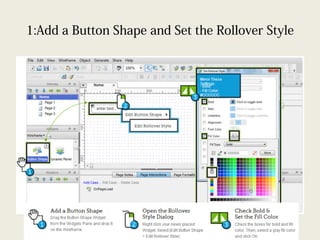
1:Add a Button Shape and Set the Rollover Style
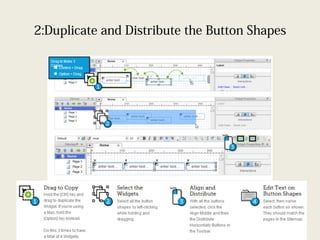
2:Duplicate and Distribute the Button Shapes
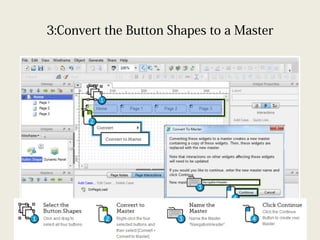
3:Convert the Button Shapes to a Master
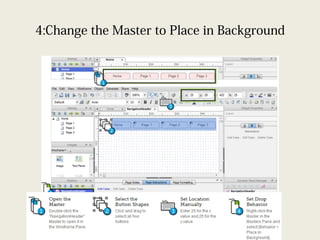
4:Change the Master to Place in Background
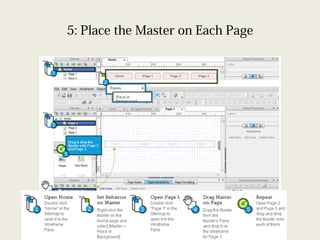
5: Place the Master on Each Page
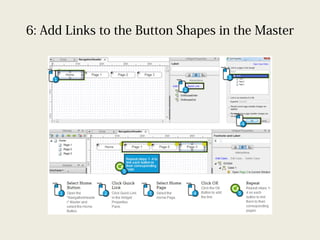
6: Add Links to the Button Shapes in the Master
DEMO
• 招募系統 _ 第一階段 V0.16
Building Interactions
• Make the OnClick Event of a Button
Shape enable and set focus on a Text
Field using the Case Editor. Then, use the
page's OnPageLoad event to put the
cursor in a Text Field when the page is
loaded.
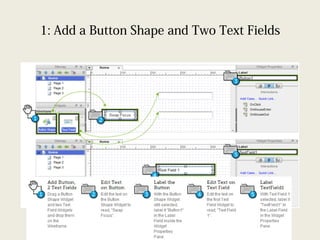
1: Add a Button Shape and Two Text Fields
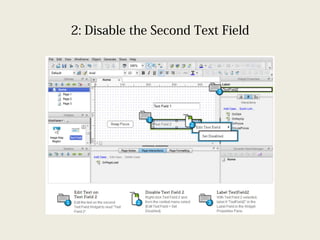
2: Disable the Second Text Field
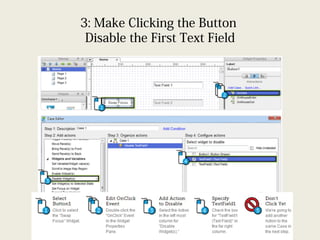
3: Make Clicking the Button
Disable the First Text Field
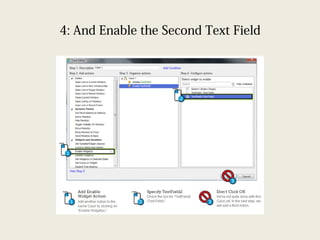
4: And Enable the Second Text Field
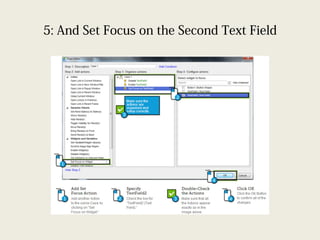
5: And Set Focus on the Second Text Field
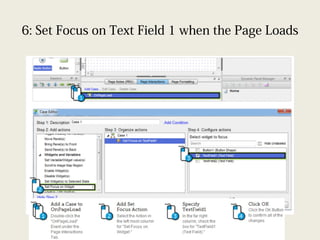
6: Set Focus on Text Field 1 when the Page Loads
DEMO
• 下拉式選單連動
Dynamic Panels
Dynamic Panels
• Create a simple image carousel using the
dynamic panel. Start by placing an Image
Widget on each panel state. Then, add an
interaction to a Button Shape to advance
through the states with animation.
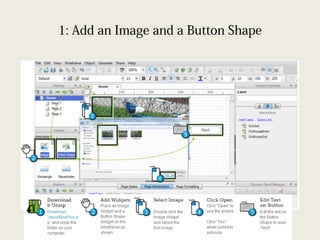
1: Add an Image and a Button Shape
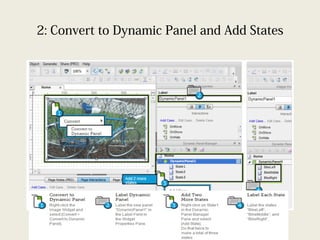
2: Convert to Dynamic Panel and Add States
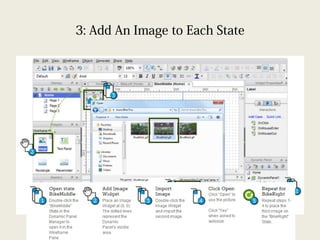
3: Add An Image to Each State
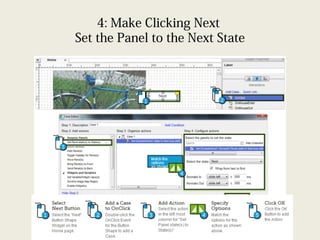
4: Make Clicking Next
Set the Panel to the Next State
DEMO
• Ball Free Fall
Conditions, Values, and Variables
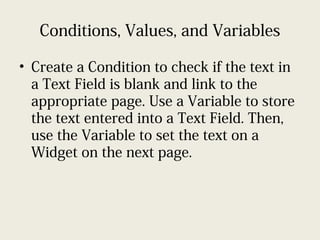
• Create a Condition to check if the text in
a Text Field is blank and link to the
appropriate page. Use a Variable to store
the text entered into a Text Field. Then,
use the Variable to set the text on a
Widget on the next page.
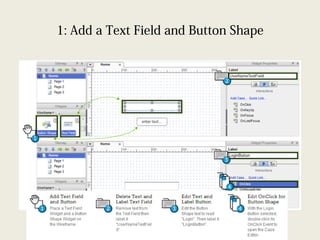
1: Add a Text Field and Button Shape
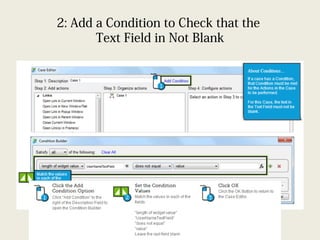
2: Add a Condition to Check that the
Text Field in Not Blank
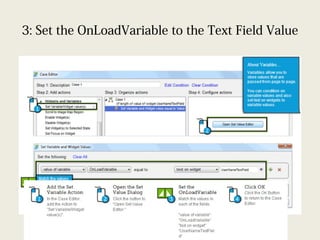
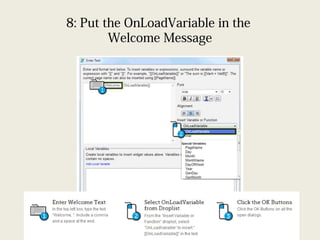
3: Set the OnLoadVariable to the Text Field Value
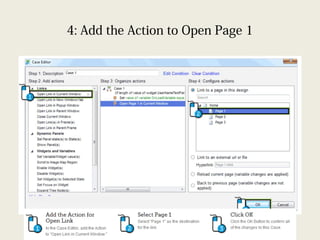
4: Add the Action to Open Page 1
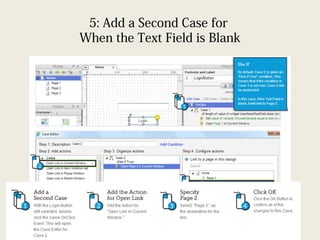
5: Add a Second Case for
When the Text Field is Blank
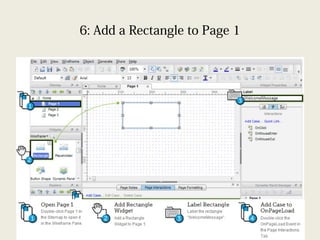
6: Add a Rectangle to Page 1
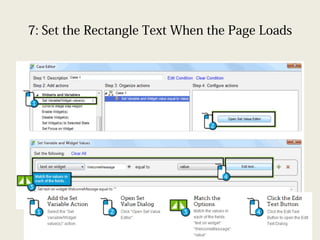
7: Set the Rectangle Text When the Page Loads
8: Put the OnLoadVariable in the
Welcome Message
練習
• 依權限看到不同頁面
• 請使用 AxureRP V6.5 版
Q&A
謝謝

Axure rp 6.5 教育訓練 day2