Avaya Proactive Outreach Manager (Orientation)
2
Avaya – Proprietary. Use pursuant to your signed agreement or Avaya policy.
Overview
3
Avaya – Proprietary. Use pursuant to your signed agreement or Avaya policy.
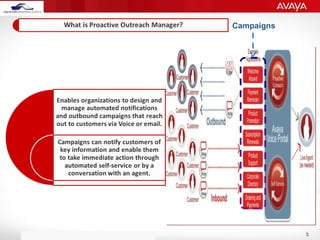
Campaigns
4
Avaya – Proprietary. Use pursuant to your signed agreement or Avaya policy.
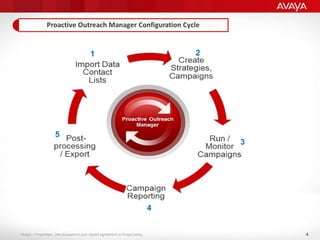
1
3
2
5
4
5
Avaya – Proprietary. Use pursuant to your signed agreement or Avaya policy.
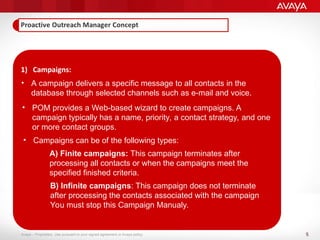
1) Campaigns:
• A campaign delivers a specific message to all contacts in the
database through selected channels such as e-mail and voice.
• POM provides a Web-based wizard to create campaigns. A
campaign typically has a name, priority, a contact strategy, and one
or more contact groups.
• Campaigns can be of the following types:
A) Finite campaigns: This campaign terminates after
processing all contacts or when the campaigns meet the
specified finished criteria.
B) Infinite campaigns: This campaign does not terminate
after processing the contacts associated with the campaign
You must stop this Campaign Manualy.
6
Avaya – Proprietary. Use pursuant to your signed agreement or Avaya policy.
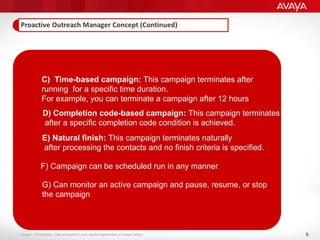
C) Time-based campaign: This campaign terminates after
running for a specific time duration.
For example, you can terminate a campaign after 12 hours
D) Completion code-based campaign: This campaign terminates
after a specific completion code condition is achieved.
E) Natural finish: This campaign terminates naturally
after processing the contacts and no finish criteria is specified.
F) Campaign can be scheduled run in any manner.
G) Can monitor an active campaign and pause, resume, or stop
the campaign
7
Avaya – Proprietary. Use pursuant to your signed agreement or Avaya policy.
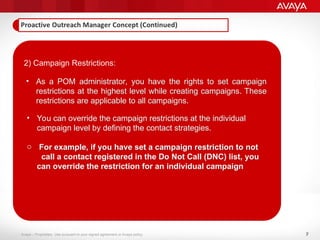
2) Campaign Restrictions:
• As a POM administrator, you have the rights to set campaign
restrictions at the highest level while creating campaigns. These
restrictions are applicable to all campaigns.
• You can override the campaign restrictions at the individual
campaign level by defining the contact strategies.
o For example, if you have set a campaign restriction to not
call a contact registered in the Do Not Call (DNC) list, you
can override the restriction for an individual campaign
8
Avaya – Proprietary. Use pursuant to your signed agreement or Avaya policy.
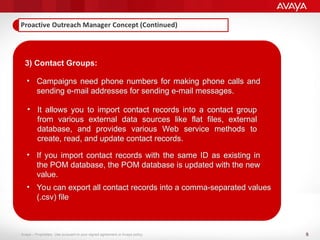
3) Contact Groups:
• Campaigns need phone numbers for making phone calls and
sending e-mail addresses for sending e-mail messages.
• It allows you to import contact records into a contact group
from various external data sources like flat files, external
database, and provides various Web service methods to
create, read, and update contact records.
• If you import contact records with the same ID as existing in
the POM database, the POM database is updated with the new
value.
• You can export all contact records into a comma-separated values
(.csv) file
9
Avaya – Proprietary. Use pursuant to your signed agreement or Avaya policy.
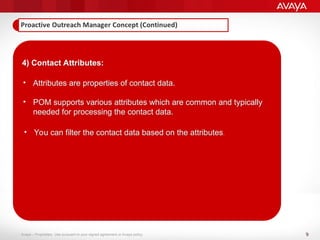
4) Contact Attributes:
• Attributes are properties of contact data.
• POM supports various attributes which are common and typically
needed for processing the contact data.
• You can filter the contact data based on the attributes.
10
Avaya – Proprietary. Use pursuant to your signed agreement or Avaya policy.
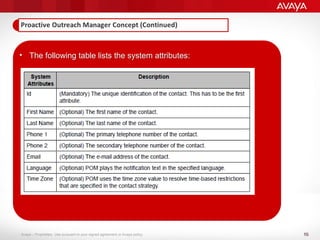
• The following table lists the system attributes:
11
Avaya – Proprietary. Use pursuant to your signed agreement or Avaya policy.
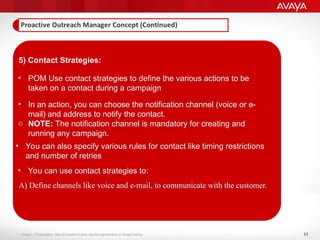
5) Contact Strategies:
• POM Use contact strategies to define the various actions to be
taken on a contact during a campaign
• In an action, you can choose the notification channel (voice or e-
mail) and address to notify the contact.
o NOTE: The notification channel is mandatory for creating and
running any campaign.
• You can also specify various rules for contact like timing restrictions
and number of retries
• You can use contact strategies to:
A) Define channels like voice and e-mail, to communicate with the customer.
12
Avaya – Proprietary. Use pursuant to your signed agreement or Avaya policy.
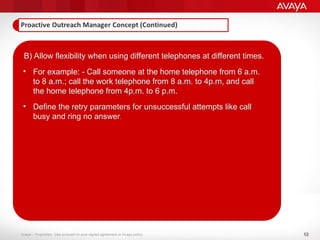
B) Allow flexibility when using different telephones at different times.
• For example: - Call someone at the home telephone from 6 a.m.
to 8 a.m.; call the work telephone from 8 a.m. to 4p.m, and call
the home telephone from 4p.m. to 6 p.m.
• Define the retry parameters for unsuccessful attempts like call
busy and ring no answer.
13
Avaya – Proprietary. Use pursuant to your signed agreement or Avaya policy.
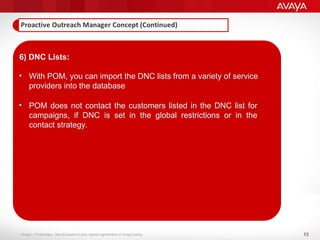
6) DNC Lists:
• With POM, you can import the DNC lists from a variety of service
providers into the database
• POM does not contact the customers listed in the DNC list for
campaigns, if DNC is set in the global restrictions or in the
contact strategy.
14
Avaya – Proprietary. Use pursuant to your signed agreement or Avaya policy.
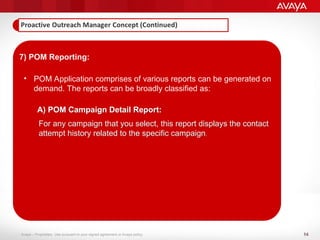
7) POM Reporting:
• POM Application comprises of various reports can be generated on
demand. The reports can be broadly classified as:
A) POM Campaign Detail Report:
For any campaign that you select, this report displays the contact
attempt history related to the specific campaign.
15
Avaya – Proprietary. Use pursuant to your signed agreement or Avaya policy.
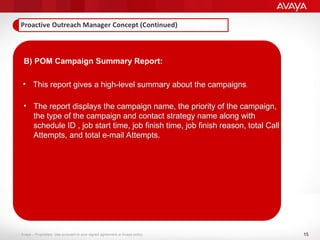
B) POM Campaign Summary Report:
• This report gives a high-level summary about the campaigns.
• The report displays the campaign name, the priority of the campaign,
the type of the campaign and contact strategy name along with
schedule ID , job start time, job finish time, job finish reason, total Call
Attempts, and total e-mail Attempts.
16
Avaya – Proprietary. Use pursuant to your signed agreement or Avaya policy.
C) POM Completion Code Summary report:
• This report gives a high-level summary of the completion codes
used for the campaigns.
17
Avaya – Proprietary. Use pursuant to your signed agreement or Avaya policy.
D) POM Completion Code Trend report:
• This report gives an hourly trend for every completion code, for
each job of the selected campaigns.
18
Avaya – Proprietary. Use pursuant to your signed agreement or Avaya policy.
E) POM Contact List Import Detail Report:
F) POM Contact List Import Summary Report:
19
Avaya – Proprietary. Use pursuant to your signed agreement or Avaya policy.
G) POM DNC Import Details:
H) POM DNC Import Summary:
20
Avaya – Proprietary. Use pursuant to your signed agreement or Avaya policy. 2
0
Thank You!

Avaya Proactive Outreach Manager (POM) Orientation Presentation

  • 1.
    Avaya Proactive OutreachManager (Orientation)
  • 2.
    2 Avaya – Proprietary.Use pursuant to your signed agreement or Avaya policy. Overview
  • 3.
    3 Avaya – Proprietary.Use pursuant to your signed agreement or Avaya policy. Campaigns
  • 4.
    4 Avaya – Proprietary.Use pursuant to your signed agreement or Avaya policy. 1 3 2 5 4
  • 5.
    5 Avaya – Proprietary.Use pursuant to your signed agreement or Avaya policy. 1) Campaigns: • A campaign delivers a specific message to all contacts in the database through selected channels such as e-mail and voice. • POM provides a Web-based wizard to create campaigns. A campaign typically has a name, priority, a contact strategy, and one or more contact groups. • Campaigns can be of the following types: A) Finite campaigns: This campaign terminates after processing all contacts or when the campaigns meet the specified finished criteria. B) Infinite campaigns: This campaign does not terminate after processing the contacts associated with the campaign You must stop this Campaign Manualy.
  • 6.
    6 Avaya – Proprietary.Use pursuant to your signed agreement or Avaya policy. C) Time-based campaign: This campaign terminates after running for a specific time duration. For example, you can terminate a campaign after 12 hours D) Completion code-based campaign: This campaign terminates after a specific completion code condition is achieved. E) Natural finish: This campaign terminates naturally after processing the contacts and no finish criteria is specified. F) Campaign can be scheduled run in any manner. G) Can monitor an active campaign and pause, resume, or stop the campaign
  • 7.
    7 Avaya – Proprietary.Use pursuant to your signed agreement or Avaya policy. 2) Campaign Restrictions: • As a POM administrator, you have the rights to set campaign restrictions at the highest level while creating campaigns. These restrictions are applicable to all campaigns. • You can override the campaign restrictions at the individual campaign level by defining the contact strategies. o For example, if you have set a campaign restriction to not call a contact registered in the Do Not Call (DNC) list, you can override the restriction for an individual campaign
  • 8.
    8 Avaya – Proprietary.Use pursuant to your signed agreement or Avaya policy. 3) Contact Groups: • Campaigns need phone numbers for making phone calls and sending e-mail addresses for sending e-mail messages. • It allows you to import contact records into a contact group from various external data sources like flat files, external database, and provides various Web service methods to create, read, and update contact records. • If you import contact records with the same ID as existing in the POM database, the POM database is updated with the new value. • You can export all contact records into a comma-separated values (.csv) file
  • 9.
    9 Avaya – Proprietary.Use pursuant to your signed agreement or Avaya policy. 4) Contact Attributes: • Attributes are properties of contact data. • POM supports various attributes which are common and typically needed for processing the contact data. • You can filter the contact data based on the attributes.
  • 10.
    10 Avaya – Proprietary.Use pursuant to your signed agreement or Avaya policy. • The following table lists the system attributes:
  • 11.
    11 Avaya – Proprietary.Use pursuant to your signed agreement or Avaya policy. 5) Contact Strategies: • POM Use contact strategies to define the various actions to be taken on a contact during a campaign • In an action, you can choose the notification channel (voice or e- mail) and address to notify the contact. o NOTE: The notification channel is mandatory for creating and running any campaign. • You can also specify various rules for contact like timing restrictions and number of retries • You can use contact strategies to: A) Define channels like voice and e-mail, to communicate with the customer.
  • 12.
    12 Avaya – Proprietary.Use pursuant to your signed agreement or Avaya policy. B) Allow flexibility when using different telephones at different times. • For example: - Call someone at the home telephone from 6 a.m. to 8 a.m.; call the work telephone from 8 a.m. to 4p.m, and call the home telephone from 4p.m. to 6 p.m. • Define the retry parameters for unsuccessful attempts like call busy and ring no answer.
  • 13.
    13 Avaya – Proprietary.Use pursuant to your signed agreement or Avaya policy. 6) DNC Lists: • With POM, you can import the DNC lists from a variety of service providers into the database • POM does not contact the customers listed in the DNC list for campaigns, if DNC is set in the global restrictions or in the contact strategy.
  • 14.
    14 Avaya – Proprietary.Use pursuant to your signed agreement or Avaya policy. 7) POM Reporting: • POM Application comprises of various reports can be generated on demand. The reports can be broadly classified as: A) POM Campaign Detail Report: For any campaign that you select, this report displays the contact attempt history related to the specific campaign.
  • 15.
    15 Avaya – Proprietary.Use pursuant to your signed agreement or Avaya policy. B) POM Campaign Summary Report: • This report gives a high-level summary about the campaigns. • The report displays the campaign name, the priority of the campaign, the type of the campaign and contact strategy name along with schedule ID , job start time, job finish time, job finish reason, total Call Attempts, and total e-mail Attempts.
  • 16.
    16 Avaya – Proprietary.Use pursuant to your signed agreement or Avaya policy. C) POM Completion Code Summary report: • This report gives a high-level summary of the completion codes used for the campaigns.
  • 17.
    17 Avaya – Proprietary.Use pursuant to your signed agreement or Avaya policy. D) POM Completion Code Trend report: • This report gives an hourly trend for every completion code, for each job of the selected campaigns.
  • 18.
    18 Avaya – Proprietary.Use pursuant to your signed agreement or Avaya policy. E) POM Contact List Import Detail Report: F) POM Contact List Import Summary Report:
  • 19.
    19 Avaya – Proprietary.Use pursuant to your signed agreement or Avaya policy. G) POM DNC Import Details: H) POM DNC Import Summary:
  • 20.
    20 Avaya – Proprietary.Use pursuant to your signed agreement or Avaya policy. 2 0 Thank You!