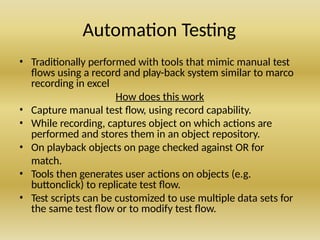
Automation Testing
• Traditionallyperformed with tools that mimic manual test
flows using a record and play-back system similar to marco
recording in excel
How does this work
• Capture manual test flow, using record capability.
• While recording, captures object on which actions are
performed and stores them in an object repository.
• On playback objects on page checked against OR for
match.
• Tools then generates user actions on objects (e.g.
buttonclick) to replicate test flow.
• Test scripts can be customized to use multiple data sets for
the same test flow or to modify test flow.
3.
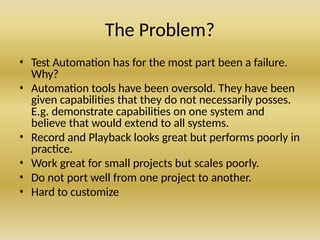
The Problem?
• TestAutomation has for the most part been a failure.
Why?
• Automation tools have been oversold. They have been
given capabilities that they do not necessarily posses.
E.g. demonstrate capabilities on one system and
believe that would extend to all systems.
• Record and Playback looks great but performs poorly in
practice.
• Work great for small projects but scales poorly.
• Do not port well from one project to another.
• Hard to customize
4.
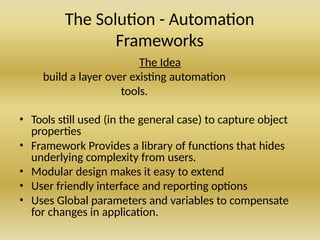
The Solution -Automation
Frameworks
The Idea
build a layer over existing automation
tools.
• Tools still used (in the general case) to capture object
properties
• Framework Provides a library of functions that hides
underlying complexity from users.
• Modular design makes it easy to extend
• User friendly interface and reporting options
• Uses Global parameters and variables to compensate
for changes in application.
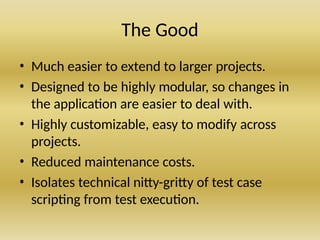
The Good
• Mucheasier to extend to larger projects.
• Designed to be highly modular, so changes in
the application are easier to deal with.
• Highly customizable, easy to modify across
projects.
• Reduced maintenance costs.
• Isolates technical nitty-gritty of test case
scripting from test execution.
7.
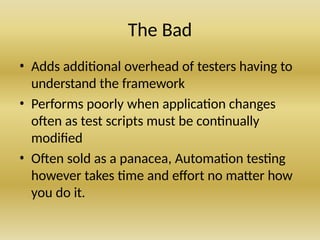
The Bad
• Addsadditional overhead of testers having to
understand the framework
• Performs poorly when application changes
often as test scripts must be continually
modified
• Often sold as a panacea, Automation testing
however takes time and effort no matter how
you do it.
8.
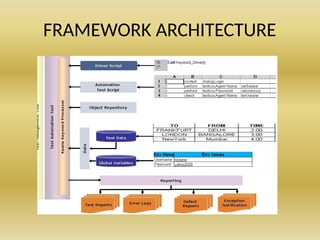
Different Ways toDesign A Framework
• Test Script Modularity Framework
• Data-Driven Automation Frameworks
• Keyword-Driven Automation Framework
• Hybrid Test Automation Framework
9.
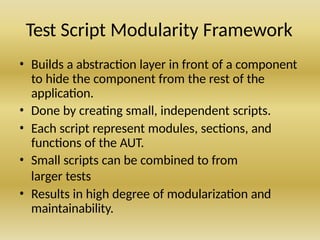
Test Script ModularityFramework
• Builds a abstraction layer in front of a component
to hide the component from the rest of the
application.
• Done by creating small, independent scripts.
• Each script represent modules, sections, and
functions of the AUT.
• Small scripts can be combined to from
larger tests
• Results in high degree of modularization and
maintainability.
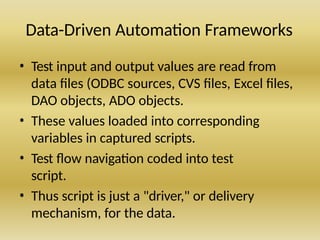
10.
Data-Driven Automation Frameworks
•Test input and output values are read from
data files (ODBC sources, CVS files, Excel files,
DAO objects, ADO objects.
• These values loaded into corresponding
variables in captured scripts.
• Test flow navigation coded into test
script.
• Thus script is just a "driver," or delivery
mechanism, for the data.
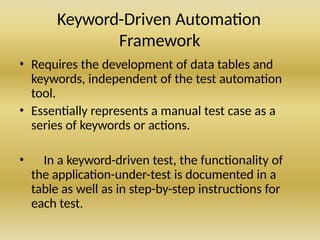
11.
Keyword-Driven Automation
Framework
• Requiresthe development of data tables and
keywords, independent of the test automation
tool.
• Essentially represents a manual test case as a
series of keywords or actions.
• In a keyword-driven test, the functionality of
the application-under-test is documented in a
table as well as in step-by-step instructions for
each test.
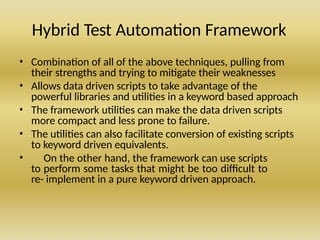
12.
Hybrid Test AutomationFramework
• Combination of all of the above techniques, pulling from
their strengths and trying to mitigate their weaknesses
• Allows data driven scripts to take advantage of the
powerful libraries and utilities in a keyword based approach
• The framework utilities can make the data driven scripts
more compact and less prone to failure.
• The utilities can also facilitate conversion of existing scripts
to keyword driven equivalents.
• On the other hand, the framework can use scripts
to perform some tasks that might be too difficult to
re- implement in a pure keyword driven approach.
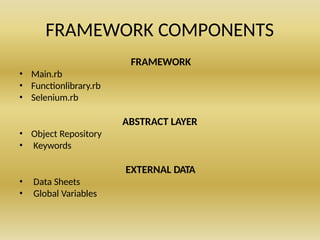
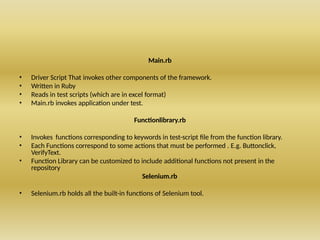
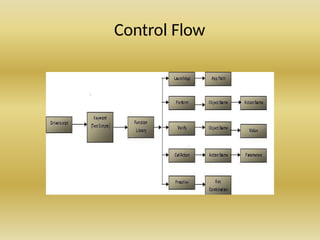
Main.rb
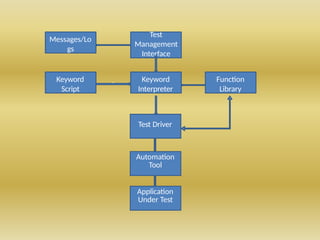
• Driver ScriptThat invokes other components of the framework.
• Written in Ruby
• Reads in test scripts (which are in excel format)
• Main.rb invokes application under test.
Functionlibrary.rb
• Invokes functions corresponding to keywords in test-script file from the function library.
• Each Functions correspond to some actions that must be performed . E.g. Buttonclick,
VerifyText.
• Function Library can be customized to include additional functions not present in the
repository
Selenium.rb
• Selenium.rb holds all the built-in functions of Selenium tool.
17.
Generating The OR
ObjectNameObjectIdentification ObjectType
Username username TextBox
Password <password > TextBox
Login //input[@value='Login'] Button
Manage link=Manage link
Manage Projects link=Manage Projects link
18.
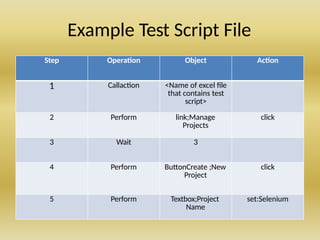
Example Test ScriptFile
Step Operation Object Action
1 Callaction <Name of excel file
that contains test
script>
2 Perform link;Manage
Projects
click
3 Wait 3
4 Perform ButtonCreate ;New
Project
click
5 Perform Textbox;Project
Name
set:Selenium
19.
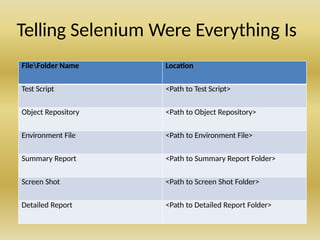
Telling Selenium WereEverything Is
FileFolder Name Location
Test Script <Path to Test Script>
Object Repository <Path to Object Repository>
Environment File <Path to Environment File>
Summary Report <Path to Summary Report Folder>
Screen Shot <Path to Screen Shot Folder>
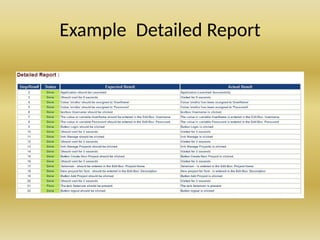
Detailed Report <Path to Detailed Report Folder>
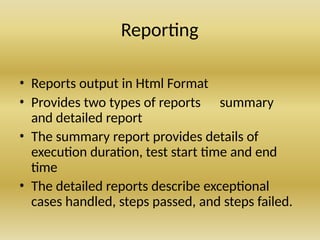
Reporting
• Reports outputin Html Format
• Provides two types of reports summary
and detailed report
• The summary report provides details of
execution duration, test start time and end
time
• The detailed reports describe exceptional
cases handled, steps passed, and steps failed.

![Generating The OR
ObjectName ObjectIdentification ObjectType
Username username TextBox
Password <password > TextBox
Login //input[@value='Login'] Button
Manage link=Manage link
Manage Projects link=Manage Projects link](https://image.slidesharecdn.com/automationtestframeworks-250602064237-6781f935/85/automation_test_framewjdsjhdsjhsdorks-pptx-17-320.jpg)


![[Deck] What's New in Spark-Iceberg Integration via DSV2.pptx](https://cdn.slidesharecdn.com/ss_thumbnails/deckwhatsnewinspark-icebergintegrationviadsv2-260210005337-25955b12-thumbnail.jpg?width=640&height=640&fit=bounds)


