Autolayout Primer
Internal presentation @ iCapps, 2013-12-04
Introduction
Tom Adriaenssen
I love...
‣ ... my wife
‣ ... my 4 kids
‣ ... to code
‣ ... to play a game of squash
‣ ... good beer
I open sourced...
... some code:
‣ IIViewDeckController: “An
implementation of the
sliding functionality found in
the Path 2.0 or Facebook
iOS apps.”
‣ IIDateExtensions
‣ IIPopoverStatusItem
See: http://github.com/inferis
I made...
... some apps:

Butane
http://getbutane.com
Hi, @10to1!

Drash

http://dra.sh
Agenda
Agenda
‣ What is Autolayout?
‣ What is a constraint?
‣ Autolayout in Xcode designer
‣ Autolayout in code
Autolayout
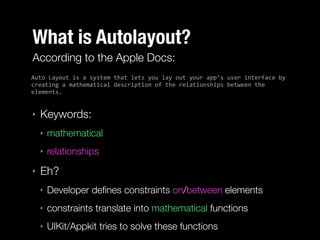
What is Autolayout?
According to the Apple Docs:
Auto%Layout%is%a%system%that%lets%you%lay%out%your%app’s%user%interface%by%
creating%a%mathematical%description%of%the%relationships%between%the%
elements.%%

‣

Keywords:
‣
‣

‣

mathematical
relationships

Eh?
‣

Developer defines constraints on/between elements

‣

constraints translate into mathematical functions

‣

UIKit/Appkit tries to solve these functions
What is Autolayout?
‣

Correctly using autolayout requires you to change thinking
‣

Autolayout works in a different way than what you were
used to

‣

Don't go calculating frames anymore

‣

Define how an element should behave according to it's
peers:
‣

parent

‣

siblings

‣

Don't think in absolute terms, but think in relational terms

‣

Think flexible: it's not because an element has a certain
size at one point, it will have the same size at another point
Constraints
Constraint
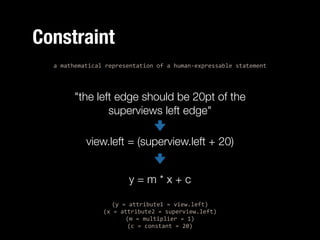
a%mathematical%representation%of%a%human:expressable%statement%

"the left edge should be 20pt of the
superviews left edge"
view.left = (superview.left + 20)
y=m*x+c
(y%=%attribute1%=%view.left)%
(x%=%attribute2%=%superview.left)%
(m%=%multiplier%=%1)%
(c%=%constant%=%20)
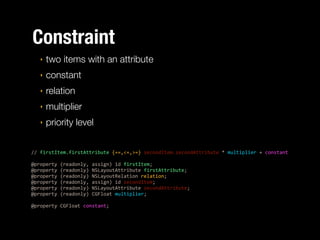
Constraint
‣

two items with an attribute

‣

constant

‣

relation

‣

multiplier

‣

priority level

//%firstItem.firstAttribute%{==,<=,>=}%secondItem.secondAttribute%*%multiplier%+%constant%

!

@property%(readonly,%assign)%id%firstItem;%
@property%(readonly)%NSLayoutAttribute%firstAttribute;%
@property%(readonly)%NSLayoutRelation%relation;%
@property%(readonly,%assign)%id%secondItem;%
@property%(readonly)%NSLayoutAttribute%secondAttribute;%
@property%(readonly)%CGFloat%multiplier;%

!

@property%CGFloat%constant;
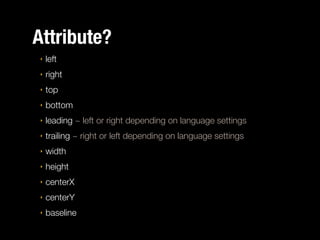
Attribute?
‣

left

‣

right

‣

top

‣

bottom

‣

leading ~ left or right depending on language settings

‣

trailing ~ right or left depending on language settings

‣

width

‣

height

‣

centerX

‣

centerY

‣

baseline
Constant?
‣

physical size or offset
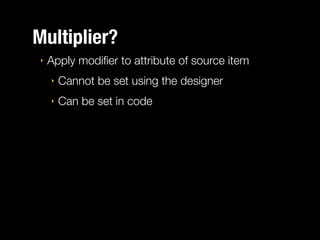
Multiplier?
‣

Apply modifier to attribute of source item
‣

Cannot be set using the designer

‣

Can be set in code
Relation?
‣

equal

‣

less than or equal

‣

greater than or equal
!

‣

if you want just "less than" or "greater than",
adjust the constant
Priority
‣

constraints with higher priority are satisfied before
constraints with lower priority

‣

	Default = UILayoutPriorityRequired (1000)

‣

	Other predefined priorities
‣

	 UILayoutPriorityRequired = 1000

‣

	 UILayoutPriorityDefaultHigh = 750
‣

‣

	 UILayoutPriorityDefaultLow = 250
‣

‣
‣

Default content compression priority

Default content hugging priority

	 UILayoutPriorityFittingSizeLevel = 50

You can use any integer value between 0-1000
Pitfalls
‣

constraints are cumulative

‣

constraints do not override each other
‣

‣
‣

adding a second width constraint does not
remove or override a previous one
remove first one manually

constraints can cross view hierarchy
‣

add constraint from view to superview of
superview

‣

only if scope of view hierarchy uses autolayout!
(no custom framesetting)
Intrisic Content Size
‣

applicable to leaf views (views with no subviews)

‣

view knows what size it wants to be (eg UIButton)

‣

autolayout will size view to its intristic content size if no
constraints control the width/height
:%(CGSize)intrinsicContentSize;
Returns%the%natural%size%for%the%receiving%view,%considering%
only%properties%of%the%view%itself.%

‣

You can override this method in a subclass to change the default
behavior

‣

	return UIViewNoIntrinsicMetric when there's no intristic size defined
for an axis
Compression resistance &
Content hugging
‣

Content Compression resistance?
‣

‣

defines how the view's frame resist
compressing it's content

Content hugging?
‣

defines how the view's frame should hug it's
content
Compression resistance & Content hugging
Say you've got button like this:
%

|[%%%%%%%Click%Me%%%%%%]|%

and you've pinned the edges to a larger superview with priority 500.

!
Then, if hugging priority > 500 it'll look like this:
%

|[Click%Me]%%%%%%%%%%%%%|%

If hugging priority < 500 it'll look like this:
%

|[%%%%%%%Click%Me%%%%%%]|%

!
If the superview now shrinks and if the compression resistance priority > 500,
it'll look like this
%

|[Click%|Me]%

else if compression resistance priority < 500, it could look like this:
%

|[Cli..]|
Autolayout in
Xcode designer
Demo
Autolayout in code
Autolayout in code: 3 options
‣

Write constraints manually
‣

‣

Use visual format
‣

‣

HEAD WILL EXPLODE
HEAD WILL EXPLODE MOAR

Use UIView+AutoLayout Cocoapod
‣

Provides descriptive methods creating
constraints

‣

Still verbose but quite readable

‣

Best of both worlds
Autolayout in code
‣

Important note when creating constraints in code

‣

If you create a view manually, use:
!

view%=%[UIView%new];%
view.translatesAutoresizingMaskIntoConstraints%=%NO;

!
‣

if you don’t, you’ll get a lot of constraint errors!
UIView+AutoLayout
‣

Available as a CocoaPod
‣

Implements a category on UIView.

‣

Easy creation of 1 or more NSLayoutConstraints.

‣

Some methods return 1 constraint, some an NSArray
containing constraints

‣

Does not add constraints, just creates them
‣

	you need to add them yourself
:(void)addConstraint:(NSLayoutConstraint%*)constraint;%
:(void)addConstraints:(NSArray%*)constraints;
UIView+AutoLayout
Creating an autolayouted view
‣

Don't use: translatesAutoresizingMaskIntoConstraints

!
%
%
%

view%=%[UIView%newAutoLayoutView];%
//%or%
view%=%[[UIView%alloc]%initForAutoLayout];
UIView+AutoLayout
Pin to superview edges
:%(NSLayoutConstraint%*)autoPinEdgeToSuperviewEdge:(ALEdge)edge%withInset:
(CGFloat)inset;%
‣

Pins the given edge of the view to the same edge of the superview with an
inset.

!
:%(NSLayoutConstraint%*)autoPinEdgeToSuperviewEdge:(ALEdge)edge%withInset:
(CGFloat)inset%relation:(NSLayoutRelation)relation;%
‣

Pins the given edge of the view to the same edge of the superview with an
inset as a maximum or minimum.

!
:%(NSArray%*)autoPinEdgesToSuperviewEdgesWithInsets:(UIEdgeInsets)insets;%
‣

Pins the edges of the view to the edges of its superview with the given edge
insets.
UIView+AutoLayout
Pin at point in superview
:%(NSLayoutConstraint%*)autoPinEdge:(ALEdge)edge%%
%%%%%%%%%%%%%%toPositionInSuperview:(CGFloat)value;%
‣

Pins the given edge of the view to a fixed position (X or Y value, depending on
edge) in the superview.
UIView+AutoLayout
Centering in superview
:%(NSArray%*)autoCenterInSuperview;%
‣

Centers the view in its superview.

!
:%(NSLayoutConstraint%*)autoCenterInSuperviewAlongAxis:(ALAxis)axis;%
‣

Centers the view along the given axis (horizontal or vertical) within its superview.

!
:%(NSLayoutConstraint%*)autoPinCenterAxis:(ALAxis)axis%
%% %
%
%
%%%toPositionInSuperview:(CGFloat)value;%
‣

Pins the given center axis of the view to a fixed position (X or Y value,
depending on axis) in the superview.
UIView+AutoLayout
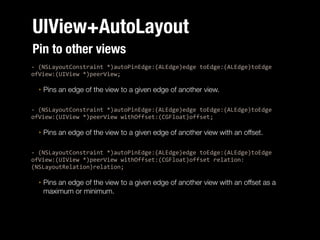
Pin to other views
:%(NSLayoutConstraint%*)autoPinEdge:(ALEdge)edge%toEdge:(ALEdge)toEdge%
ofView:(UIView%*)peerView;%
‣

Pins an edge of the view to a given edge of another view.

!
:%(NSLayoutConstraint%*)autoPinEdge:(ALEdge)edge%toEdge:(ALEdge)toEdge%
ofView:(UIView%*)peerView%withOffset:(CGFloat)offset;%
‣

Pins an edge of the view to a given edge of another view with an offset.

!
:%(NSLayoutConstraint%*)autoPinEdge:(ALEdge)edge%toEdge:(ALEdge)toEdge%
ofView:(UIView%*)peerView%withOffset:(CGFloat)offset%relation:
(NSLayoutRelation)relation;%
‣

Pins an edge of the view to a given edge of another view with an offset as a
maximum or minimum.
UIView+AutoLayout
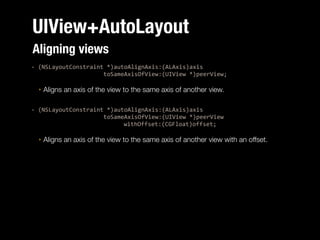
Aligning views
:%(NSLayoutConstraint%*)autoAlignAxis:(ALAxis)axis%%
%%%%%%%%%%%%%%%%%%%%%toSameAxisOfView:(UIView%*)peerView;%
‣

Aligns an axis of the view to the same axis of another view.

!
:%(NSLayoutConstraint%*)autoAlignAxis:(ALAxis)axis%%
%%%%%%%%%%%%%%%%%%%%%toSameAxisOfView:(UIView%*)peerView%%
%% %
%
%
%
%%%%%%withOffset:(CGFloat)offset;%
‣

Aligns an axis of the view to the same axis of another view with an offset.
UIView+AutoLayout
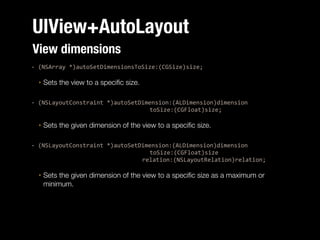
View dimensions
:%(NSArray%*)autoSetDimensionsToSize:(CGSize)size;%
‣

Sets the view to a specific size.

!
:%(NSLayoutConstraint%*)autoSetDimension:(ALDimension)dimension%%
%
%
%
%
%
%
%
%
%toSize:(CGFloat)size;%
‣

Sets the given dimension of the view to a specific size.

!
:%(NSLayoutConstraint%*)autoSetDimension:(ALDimension)dimension%%
%%% %
%
%
%
%
%
%
%toSize:(CGFloat)size%%
%
%
%
%
%
%
%
%%%relation:(NSLayoutRelation)relation;%
‣

Sets the given dimension of the view to a specific size as a maximum or
minimum.
UIView+AutoLayout
View dimension matching
:%(NSLayoutConstraint%*)autoMatchDimension:(ALDimension)dimension%toDimension:
(ALDimension)toDimension%ofView:(UIView%*)peerView;%
‣

Matches a dimension of the view to a given dimension of another view.

:%(NSLayoutConstraint%*)autoMatchDimension:(ALDimension)dimension%toDimension:
(ALDimension)toDimension%ofView:(UIView%*)peerView%withOffset:(CGFloat)offset;%
‣

Matches a dimension of the view to a given dimension of another view with an offset.

:%(NSLayoutConstraint%*)autoMatchDimension:(ALDimension)dimension%toDimension:
(ALDimension)toDimension%ofView:(UIView%*)peerView%withOffset:(CGFloat)offset%relation:
(NSLayoutRelation)relation;%
‣

Matches a dimension of the view to a given dimension of another view with an offset as a
maximum or minimum.

:%(NSLayoutConstraint%*)autoMatchDimension:(ALDimension)dimension%toDimension:
(ALDimension)toDimension%ofView:(UIView%*)peerView%withMultiplier:(CGFloat)multiplier;%
‣

Matches a dimension of the view to a multiple of a given dimension of another view.

:%(NSLayoutConstraint%*)autoMatchDimension:(ALDimension)dimension%toDimension:
(ALDimension)toDimension%ofView:(UIView%*)peerView%withMultiplier:(CGFloat)multiplier%
relation:(NSLayoutRelation)relation;%
‣

Matches a dimension of the view to a multiple of a given dimension of another view as a
maximum or minimum.
UIView+AutoLayout
Priorities
+%(void)autoSetPriority:(UILayoutPriority)priority%%
%%%%%%%%%forConstraints:(ALConstraintsBlock)block;%
‣

Sets the constraint priority to the given value for all constraints created using
the UIView+AutoLayout category API within the given constraints block.

‣

NOTE: This method will have no effect (and will NOT set the priority) on
constraints created or added using the SDK directly within the block!
‣

Use the auto… methods of UIView+AutoLayout
UIView+AutoLayout
Removal of constraints
:%(void)autoRemoveConstraintsAffectingView;%
‣

Removes all explicit constraints that affect the view.

:%(void)autoRemoveConstraintsAffectingViewAndSubviews;%
‣

Recursively removes all explicit constraints that affect the view and its subviews.

Additional%methods%if%you%do%want%to%remove%the%
:%(void)autoRemoveConstraintsAffectingViewIncludingImplicitConstraints:
(BOOL)shouldRemoveImplicitConstraints;%
‣

Removes all constraints that affect the view, optionally including implicit
constraints.

:
(void)autoRemoveConstraintsAffectingViewAndSubviewsIncludingImplicitConstra
ints:(BOOL)shouldRemoveImplicitConstraints;%
‣

Recursively removes all constraints from the view and its subviews, optionally
including implicit constraints.
UIView+AutoLayout
Removal of constraints
‣

A little bit of a warning when removing constraints:
‣

The constraint solving engine is not optimised for
the removal of constraints
‣

‣
‣

Removing a lot of constraints can have serious
impact on performance
Use with care and in small quantities

You can change the priority of a constraint to “disable”
it (but you have to remember the original value to
reenable it)
UIView+AutoLayout
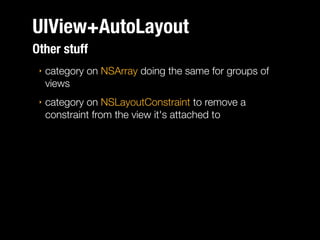
Other stuff
‣

category on NSArray doing the same for groups of
views

‣

category on NSLayoutConstraint to remove a
constraint from the view it's attached to
Protips
‣

Where to add which constraints?
‣

When constraints only apply to 1 view (eg setting
dimensions)
‣
‣

‣

create on view
add to view

When constraints apply to more than 1 view eg pin
one view to another
‣

create on target view

‣

add to common superview of both views (usually the
same)
Protips
‣

Check for autotranslated autoresizing constraints

‣

don’t forget translatesAutoresizingMaskIntoConstraints

‣

Display the view hierarchy from the root to find where
things go wrong
‣

errors don’t provide any context
!

‣

po%[[[[UIApplication%sharedApplication]%windows]%
objectAtIndex:0]%recursiveDescription]

look for address of view giving errors, and then
you’ll get an idea of what context the error is
happing in
Protips
‣

Don’t assume a view has a fixed size
‣

(unless you give it a size constraint)

‣

initWithFrame: not really useful anymore

‣

Don’t use frame/bounds calculations in constraints
‣

‣

exception: in layoutSubViews

Try to minimalise the number of constraints
‣

solving takes time

‣

more constraints, more complex
Protips
‣

animating constraints
‣

set constraints outside animation block

‣

call layoutIfNeeded in animation

‣

Make sure you do this on the correct “top level
view” otherwise nothing will animate!

self.offsetConstraint.constant%=%[self%calculateOffset];%
[UIView%animationWithDuration:0.3%animations:^{%
%
[self.view%layoutIfNeeded];%
}];
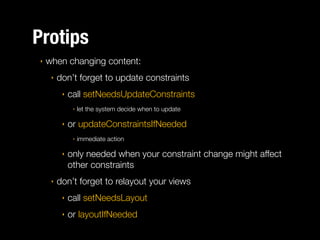
Protips
‣

when changing content:
‣

don’t forget to update constraints
‣

call setNeedsUpdateConstraints
‣

‣

or updateConstraintsIfNeeded
‣

‣

‣

let the system decide when to update

immediate action

only needed when your constraint change might affect
other constraints

don’t forget to relayout your views
‣

call setNeedsLayout

‣

or layoutIfNeeded
Useful References
‣ Apple’s autolayout documentation:
‣ reference: https://developer.apple.com/library/ios/
documentation/userexperience/conceptual/
AutolayoutPG/Introduction/Introduction.html
‣ Martin Pilkington’s iOSDevUK2013 slides on autolayout
solving
‣ http://www.iosdevuk.com/storage/talks2013/
MartinPilkington.pdf
‣ UIView+AutoLayout
‣ https://github.com/smileyborg/UIView-AutoLayout
Thanks for listening.
Questions? Contact me:
Twitter: @inferis
App.Net: @inferis
E-mail: tom@interfaceimplementation.be
vCard: http://inferis.org

Autolayout primer

  • 1.
  • 2.
  • 3.
  • 4.
    I love... ‣ ...my wife ‣ ... my 4 kids ‣ ... to code ‣ ... to play a game of squash ‣ ... good beer
  • 5.
    I open sourced... ...some code: ‣ IIViewDeckController: “An implementation of the sliding functionality found in the Path 2.0 or Facebook iOS apps.” ‣ IIDateExtensions ‣ IIPopoverStatusItem See: http://github.com/inferis
  • 6.
    I made... ... someapps: Butane http://getbutane.com Hi, @10to1! Drash http://dra.sh
  • 7.
  • 8.
    Agenda ‣ What isAutolayout? ‣ What is a constraint? ‣ Autolayout in Xcode designer ‣ Autolayout in code
  • 9.
  • 10.
    What is Autolayout? Accordingto the Apple Docs: Auto%Layout%is%a%system%that%lets%you%lay%out%your%app’s%user%interface%by% creating%a%mathematical%description%of%the%relationships%between%the% elements.%% ‣ Keywords: ‣ ‣ ‣ mathematical relationships Eh? ‣ Developer defines constraints on/between elements ‣ constraints translate into mathematical functions ‣ UIKit/Appkit tries to solve these functions
  • 11.
    What is Autolayout? ‣ Correctlyusing autolayout requires you to change thinking ‣ Autolayout works in a different way than what you were used to ‣ Don't go calculating frames anymore ‣ Define how an element should behave according to it's peers: ‣ parent ‣ siblings ‣ Don't think in absolute terms, but think in relational terms ‣ Think flexible: it's not because an element has a certain size at one point, it will have the same size at another point
  • 12.
  • 13.
    Constraint a%mathematical%representation%of%a%human:expressable%statement% "the left edgeshould be 20pt of the superviews left edge" view.left = (superview.left + 20) y=m*x+c (y%=%attribute1%=%view.left)% (x%=%attribute2%=%superview.left)% (m%=%multiplier%=%1)% (c%=%constant%=%20)
  • 14.
    Constraint ‣ two items withan attribute ‣ constant ‣ relation ‣ multiplier ‣ priority level //%firstItem.firstAttribute%{==,<=,>=}%secondItem.secondAttribute%*%multiplier%+%constant% ! @property%(readonly,%assign)%id%firstItem;% @property%(readonly)%NSLayoutAttribute%firstAttribute;% @property%(readonly)%NSLayoutRelation%relation;% @property%(readonly,%assign)%id%secondItem;% @property%(readonly)%NSLayoutAttribute%secondAttribute;% @property%(readonly)%CGFloat%multiplier;% ! @property%CGFloat%constant;
  • 15.
    Attribute? ‣ left ‣ right ‣ top ‣ bottom ‣ leading ~ leftor right depending on language settings ‣ trailing ~ right or left depending on language settings ‣ width ‣ height ‣ centerX ‣ centerY ‣ baseline
  • 16.
  • 17.
    Multiplier? ‣ Apply modifier toattribute of source item ‣ Cannot be set using the designer ‣ Can be set in code
  • 18.
    Relation? ‣ equal ‣ less than orequal ‣ greater than or equal ! ‣ if you want just "less than" or "greater than", adjust the constant
  • 19.
    Priority ‣ constraints with higherpriority are satisfied before constraints with lower priority ‣ Default = UILayoutPriorityRequired (1000) ‣ Other predefined priorities ‣ UILayoutPriorityRequired = 1000 ‣ UILayoutPriorityDefaultHigh = 750 ‣ ‣ UILayoutPriorityDefaultLow = 250 ‣ ‣ ‣ Default content compression priority Default content hugging priority UILayoutPriorityFittingSizeLevel = 50 You can use any integer value between 0-1000
  • 20.
    Pitfalls ‣ constraints are cumulative ‣ constraintsdo not override each other ‣ ‣ ‣ adding a second width constraint does not remove or override a previous one remove first one manually constraints can cross view hierarchy ‣ add constraint from view to superview of superview ‣ only if scope of view hierarchy uses autolayout! (no custom framesetting)
  • 21.
    Intrisic Content Size ‣ applicableto leaf views (views with no subviews) ‣ view knows what size it wants to be (eg UIButton) ‣ autolayout will size view to its intristic content size if no constraints control the width/height :%(CGSize)intrinsicContentSize; Returns%the%natural%size%for%the%receiving%view,%considering% only%properties%of%the%view%itself.% ‣ You can override this method in a subclass to change the default behavior ‣ return UIViewNoIntrinsicMetric when there's no intristic size defined for an axis
  • 22.
    Compression resistance & Contenthugging ‣ Content Compression resistance? ‣ ‣ defines how the view's frame resist compressing it's content Content hugging? ‣ defines how the view's frame should hug it's content
  • 23.
    Compression resistance &Content hugging Say you've got button like this: % |[%%%%%%%Click%Me%%%%%%]|% and you've pinned the edges to a larger superview with priority 500. ! Then, if hugging priority > 500 it'll look like this: % |[Click%Me]%%%%%%%%%%%%%|% If hugging priority < 500 it'll look like this: % |[%%%%%%%Click%Me%%%%%%]|% ! If the superview now shrinks and if the compression resistance priority > 500, it'll look like this % |[Click%|Me]% else if compression resistance priority < 500, it could look like this: % |[Cli..]|
  • 24.
  • 25.
  • 26.
  • 27.
    Autolayout in code:3 options ‣ Write constraints manually ‣ ‣ Use visual format ‣ ‣ HEAD WILL EXPLODE HEAD WILL EXPLODE MOAR Use UIView+AutoLayout Cocoapod ‣ Provides descriptive methods creating constraints ‣ Still verbose but quite readable ‣ Best of both worlds
  • 28.
    Autolayout in code ‣ Importantnote when creating constraints in code ‣ If you create a view manually, use: ! view%=%[UIView%new];% view.translatesAutoresizingMaskIntoConstraints%=%NO; ! ‣ if you don’t, you’ll get a lot of constraint errors!
  • 29.
    UIView+AutoLayout ‣ Available as aCocoaPod ‣ Implements a category on UIView. ‣ Easy creation of 1 or more NSLayoutConstraints. ‣ Some methods return 1 constraint, some an NSArray containing constraints ‣ Does not add constraints, just creates them ‣ you need to add them yourself :(void)addConstraint:(NSLayoutConstraint%*)constraint;% :(void)addConstraints:(NSArray%*)constraints;
  • 30.
    UIView+AutoLayout Creating an autolayoutedview ‣ Don't use: translatesAutoresizingMaskIntoConstraints ! % % % view%=%[UIView%newAutoLayoutView];% //%or% view%=%[[UIView%alloc]%initForAutoLayout];
  • 31.
    UIView+AutoLayout Pin to superviewedges :%(NSLayoutConstraint%*)autoPinEdgeToSuperviewEdge:(ALEdge)edge%withInset: (CGFloat)inset;% ‣ Pins the given edge of the view to the same edge of the superview with an inset. ! :%(NSLayoutConstraint%*)autoPinEdgeToSuperviewEdge:(ALEdge)edge%withInset: (CGFloat)inset%relation:(NSLayoutRelation)relation;% ‣ Pins the given edge of the view to the same edge of the superview with an inset as a maximum or minimum. ! :%(NSArray%*)autoPinEdgesToSuperviewEdgesWithInsets:(UIEdgeInsets)insets;% ‣ Pins the edges of the view to the edges of its superview with the given edge insets.
  • 32.
    UIView+AutoLayout Pin at pointin superview :%(NSLayoutConstraint%*)autoPinEdge:(ALEdge)edge%% %%%%%%%%%%%%%%toPositionInSuperview:(CGFloat)value;% ‣ Pins the given edge of the view to a fixed position (X or Y value, depending on edge) in the superview.
  • 33.
    UIView+AutoLayout Centering in superview :%(NSArray%*)autoCenterInSuperview;% ‣ Centersthe view in its superview. ! :%(NSLayoutConstraint%*)autoCenterInSuperviewAlongAxis:(ALAxis)axis;% ‣ Centers the view along the given axis (horizontal or vertical) within its superview. ! :%(NSLayoutConstraint%*)autoPinCenterAxis:(ALAxis)axis% %% % % % %%%toPositionInSuperview:(CGFloat)value;% ‣ Pins the given center axis of the view to a fixed position (X or Y value, depending on axis) in the superview.
  • 34.
    UIView+AutoLayout Pin to otherviews :%(NSLayoutConstraint%*)autoPinEdge:(ALEdge)edge%toEdge:(ALEdge)toEdge% ofView:(UIView%*)peerView;% ‣ Pins an edge of the view to a given edge of another view. ! :%(NSLayoutConstraint%*)autoPinEdge:(ALEdge)edge%toEdge:(ALEdge)toEdge% ofView:(UIView%*)peerView%withOffset:(CGFloat)offset;% ‣ Pins an edge of the view to a given edge of another view with an offset. ! :%(NSLayoutConstraint%*)autoPinEdge:(ALEdge)edge%toEdge:(ALEdge)toEdge% ofView:(UIView%*)peerView%withOffset:(CGFloat)offset%relation: (NSLayoutRelation)relation;% ‣ Pins an edge of the view to a given edge of another view with an offset as a maximum or minimum.
  • 35.
    UIView+AutoLayout Aligning views :%(NSLayoutConstraint%*)autoAlignAxis:(ALAxis)axis%% %%%%%%%%%%%%%%%%%%%%%toSameAxisOfView:(UIView%*)peerView;% ‣ Aligns anaxis of the view to the same axis of another view. ! :%(NSLayoutConstraint%*)autoAlignAxis:(ALAxis)axis%% %%%%%%%%%%%%%%%%%%%%%toSameAxisOfView:(UIView%*)peerView%% %% % % % % %%%%%%withOffset:(CGFloat)offset;% ‣ Aligns an axis of the view to the same axis of another view with an offset.
  • 36.
    UIView+AutoLayout View dimensions :%(NSArray%*)autoSetDimensionsToSize:(CGSize)size;% ‣ Sets theview to a specific size. ! :%(NSLayoutConstraint%*)autoSetDimension:(ALDimension)dimension%% % % % % % % % % %toSize:(CGFloat)size;% ‣ Sets the given dimension of the view to a specific size. ! :%(NSLayoutConstraint%*)autoSetDimension:(ALDimension)dimension%% %%% % % % % % % % %toSize:(CGFloat)size%% % % % % % % % %%%relation:(NSLayoutRelation)relation;% ‣ Sets the given dimension of the view to a specific size as a maximum or minimum.
  • 37.
    UIView+AutoLayout View dimension matching :%(NSLayoutConstraint%*)autoMatchDimension:(ALDimension)dimension%toDimension: (ALDimension)toDimension%ofView:(UIView%*)peerView;% ‣ Matchesa dimension of the view to a given dimension of another view. :%(NSLayoutConstraint%*)autoMatchDimension:(ALDimension)dimension%toDimension: (ALDimension)toDimension%ofView:(UIView%*)peerView%withOffset:(CGFloat)offset;% ‣ Matches a dimension of the view to a given dimension of another view with an offset. :%(NSLayoutConstraint%*)autoMatchDimension:(ALDimension)dimension%toDimension: (ALDimension)toDimension%ofView:(UIView%*)peerView%withOffset:(CGFloat)offset%relation: (NSLayoutRelation)relation;% ‣ Matches a dimension of the view to a given dimension of another view with an offset as a maximum or minimum. :%(NSLayoutConstraint%*)autoMatchDimension:(ALDimension)dimension%toDimension: (ALDimension)toDimension%ofView:(UIView%*)peerView%withMultiplier:(CGFloat)multiplier;% ‣ Matches a dimension of the view to a multiple of a given dimension of another view. :%(NSLayoutConstraint%*)autoMatchDimension:(ALDimension)dimension%toDimension: (ALDimension)toDimension%ofView:(UIView%*)peerView%withMultiplier:(CGFloat)multiplier% relation:(NSLayoutRelation)relation;% ‣ Matches a dimension of the view to a multiple of a given dimension of another view as a maximum or minimum.
  • 38.
    UIView+AutoLayout Priorities +%(void)autoSetPriority:(UILayoutPriority)priority%% %%%%%%%%%forConstraints:(ALConstraintsBlock)block;% ‣ Sets the constraintpriority to the given value for all constraints created using the UIView+AutoLayout category API within the given constraints block. ‣ NOTE: This method will have no effect (and will NOT set the priority) on constraints created or added using the SDK directly within the block! ‣ Use the auto… methods of UIView+AutoLayout
  • 39.
    UIView+AutoLayout Removal of constraints :%(void)autoRemoveConstraintsAffectingView;% ‣ Removesall explicit constraints that affect the view. :%(void)autoRemoveConstraintsAffectingViewAndSubviews;% ‣ Recursively removes all explicit constraints that affect the view and its subviews. Additional%methods%if%you%do%want%to%remove%the% :%(void)autoRemoveConstraintsAffectingViewIncludingImplicitConstraints: (BOOL)shouldRemoveImplicitConstraints;% ‣ Removes all constraints that affect the view, optionally including implicit constraints. : (void)autoRemoveConstraintsAffectingViewAndSubviewsIncludingImplicitConstra ints:(BOOL)shouldRemoveImplicitConstraints;% ‣ Recursively removes all constraints from the view and its subviews, optionally including implicit constraints.
  • 40.
    UIView+AutoLayout Removal of constraints ‣ Alittle bit of a warning when removing constraints: ‣ The constraint solving engine is not optimised for the removal of constraints ‣ ‣ ‣ Removing a lot of constraints can have serious impact on performance Use with care and in small quantities You can change the priority of a constraint to “disable” it (but you have to remember the original value to reenable it)
  • 41.
    UIView+AutoLayout Other stuff ‣ category onNSArray doing the same for groups of views ‣ category on NSLayoutConstraint to remove a constraint from the view it's attached to
  • 42.
    Protips ‣ Where to addwhich constraints? ‣ When constraints only apply to 1 view (eg setting dimensions) ‣ ‣ ‣ create on view add to view When constraints apply to more than 1 view eg pin one view to another ‣ create on target view ‣ add to common superview of both views (usually the same)
  • 43.
    Protips ‣ Check for autotranslatedautoresizing constraints ‣ don’t forget translatesAutoresizingMaskIntoConstraints ‣ Display the view hierarchy from the root to find where things go wrong ‣ errors don’t provide any context ! ‣ po%[[[[UIApplication%sharedApplication]%windows]% objectAtIndex:0]%recursiveDescription] look for address of view giving errors, and then you’ll get an idea of what context the error is happing in
  • 44.
    Protips ‣ Don’t assume aview has a fixed size ‣ (unless you give it a size constraint) ‣ initWithFrame: not really useful anymore ‣ Don’t use frame/bounds calculations in constraints ‣ ‣ exception: in layoutSubViews Try to minimalise the number of constraints ‣ solving takes time ‣ more constraints, more complex
  • 45.
    Protips ‣ animating constraints ‣ set constraintsoutside animation block ‣ call layoutIfNeeded in animation ‣ Make sure you do this on the correct “top level view” otherwise nothing will animate! self.offsetConstraint.constant%=%[self%calculateOffset];% [UIView%animationWithDuration:0.3%animations:^{% % [self.view%layoutIfNeeded];% }];
  • 46.
    Protips ‣ when changing content: ‣ don’tforget to update constraints ‣ call setNeedsUpdateConstraints ‣ ‣ or updateConstraintsIfNeeded ‣ ‣ ‣ let the system decide when to update immediate action only needed when your constraint change might affect other constraints don’t forget to relayout your views ‣ call setNeedsLayout ‣ or layoutIfNeeded
  • 47.
    Useful References ‣ Apple’sautolayout documentation: ‣ reference: https://developer.apple.com/library/ios/ documentation/userexperience/conceptual/ AutolayoutPG/Introduction/Introduction.html ‣ Martin Pilkington’s iOSDevUK2013 slides on autolayout solving ‣ http://www.iosdevuk.com/storage/talks2013/ MartinPilkington.pdf ‣ UIView+AutoLayout ‣ https://github.com/smileyborg/UIView-AutoLayout
  • 48.
    Thanks for listening. Questions?Contact me: Twitter: @inferis App.Net: @inferis E-mail: tom@interfaceimplementation.be vCard: http://inferis.org