Assignment:
You will conduct a systems analysis project by performing 3
phases of SDLC (planning, analysis and
design) for a small (real or imaginary) organization. The actual
project implementation is not
required. You need to apply what you have learned in the class
and to participate in the team
project work.
Deliverables
This project should follow the main steps of the first three
phases of the SDLC (phase 1, 2 and 3).
Details description and diagrams should be included in each
phase.
1- Planning:
Should cover the following:
• Project Initiation: How will it lowers costs or increase
revenues?
• Project management: the project manager creates a work plan,
staffs the project, and puts
techniques in place to help the project team control and direct
the project through the
entire SDLC.
2- Analysis
Should cover the following:
• Analysis strategy: This is developed to guide the projects
team’s efforts. This includes an
analysis of the current system.
• Requirements gathering: The analysis of this information leads
to the development of a
concept for a new system. This concept is used to build a set of
analysis models.
• System proposal: The proposal is presented to the project
sponsor and other key
individuals who decide whether the project should continue to
move forward.
3- Design
Should cover the following:
• Design Strategy: This clarifies whether the system will be
developed by the company or
outside the company.
• Architecture Design: This describes the hardware, software,
and network infrastructure that
will be used.
• Database and File Specifications: These documents define
what and where the data will be
stored.
• Program Design: Defines what programs need to be written
and what they will do.
The Course Presentations can be downloaded from here:
https://seu2020.com/wp-content/uploads/2019/09/Slides-IT243-
Seu2020.com_.zip
In addition to the above please include
Points to be covered:
• Project Plan
• Staff Plan
• Cost
• Who will develop it? Self or vendor
• Project Methodology: need to consider the below factors
when choosing a methodology
Clarity of User Requirements, Familiarity with Technology,
System Complexity, System
Reliability, Short Time Schedules and Schedule Visibility
• Project timeline and timeframe.
• Risk Management
• Gantt Chart
• Project Requirements: Functional and Non-Functional
• Activity-Based Costing
• Outcome Analysis
• Technology Analysis
https://seu2020.com/wp-content/uploads/2019/09/Slides-IT243-
Seu2020.com_.zip
• Include use cases
• Include Processing Model
• Data flow diagrams
• Relationship among Levels of DFDs
• Using the ERD to Show Business Rules
Please consider the slides as a reference of what topics to be
covered for this assignment which falls
under the (planning, analysis and design) only.
Special Publication 800-86
Guide to Integrating Forensic
Techniques into Incident
Response
Recommendations of the National Institute
of Standards and Technology
Karen Kent
Suzanne Chevalier
Tim Grance
Hung Dang
NIST Special Publication 800-86
C O M P U T E R S E C U R I T Y
Computer Security Division
Information Technology Laboratory
National Institute of Standards and Technology
Gaithersburg, MD 20899-8930
August 2006
U.S. Department of Commerce
Carlos M. Gutierrez, Secretary
Technology Administration
Robert C. Cresanti, Under Secretary of
Commerce for Technology
National Institute of Standards and Technology
William A. Jeffrey, Director
Guide to Integrating Forensic Techniques
into Incident Response
Recommendations of the National
Institute of Standards and Technology
Karen Kent, Suzanne Chevalier,
Tim Grance, Hung Dang
GUIDE TO INTEGRATING FORENSIC TECHNIQUES INTO
INCIDENT RESPONSE
Reports on Computer Systems Technology
The Information Technology Laboratory (ITL) at the National
Institute of Standards and Technology
(NIST) promotes the U.S. economy and public welfare by
providing technical leadership for the nation�s
measurement and standards infrastructure. ITL develops tests,
test methods, reference data, proof of
concept implementations, and technical analysis to advance the
development and productive use of
information technology. ITL�s responsibilities include the
development of technical, physical,
administrative, and management standards and guidelines for
the cost-effective security and privacy of
sensitive unclassified information in Federal computer systems.
This Special Publication 800-series
reports on ITL�s research, guidance, and outreach efforts in
computer security and its collaborative
activities with industry, government, and academic
organizations.
Certain commercial entities, equipment, or materials may be
identified in this
document in order to describe an experimental procedure or
concept adequately.
Such identification is not intended to imply recommendation or
endorsement by the
National Institute of Standards and Technology, nor is it
intended to imply that the
entities, materials, or equipment are necessarily the best
available for the purpose.
National Institute of Standards and Technology Special
Publication 800-86
Natl. Inst. Stand. Technol. Spec. Publ. 800-86, 121 pages
(August 2006)
ii
GUIDE TO INTEGRATING FORENSIC TECHNIQUES INTO
INCIDENT RESPONSE
Acknowledgments
The authors, Karen Kent and Tim Grance of the National
Institute of Standards and Technology, and
Suzanne Chevalier and Hung Dang of Booz Allen Hamilton,
wish to thank their colleagues who reviewed
drafts of this document and contributed to its technical content.
The authors would particularly like to
acknowledge Rick Ayers, Wayne Jansen, Peter Mell, and
Murugiah Souppaya of NIST, and Adam
Feldman, Mike Noblett, and Joseph Nusbaum of Booz Allen
Hamilton, for their keen and insightful
assistance throughout the development of the document. The
authors would also like to express their
thanks to security experts Susan Ballou (Office of Law
Enforcement Standards), Brian Carrier (Purdue
University), Eoghan Casey (Stroz Friedberg, LLC), Duane
Crider (Microsoft), Kurt Dillard (Microsoft),
Dean Farrington (Wells Fargo Bank), Jessica Reust (Stroz
Friedberg, LLC), Marc Rogers (Purdue
University), and Miles Tracy (U.S. Federal Reserve System), as
well as representatives from the
Department of State, for their particularly valuable comments
and suggestions.
Trademarks
All product names are registered trademarks or trademarks of
their respective companies.
iii
GUIDE TO INTEGRATING FORENSIC TECHNIQUES INTO
INCIDENT RESPONSE
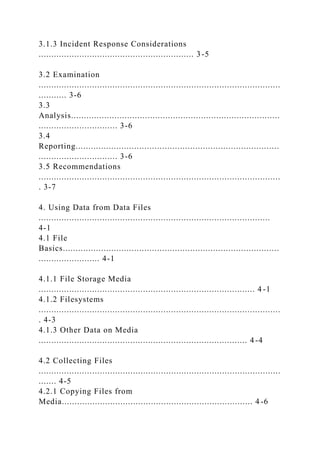
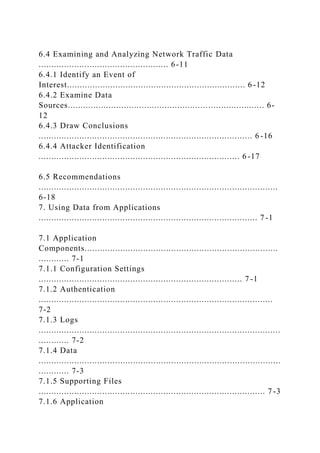
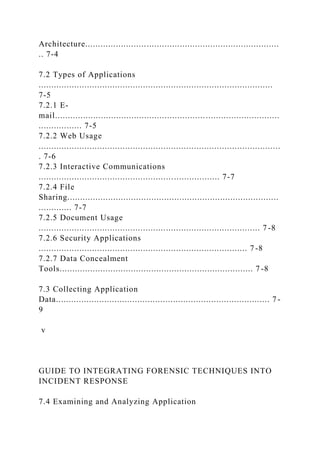
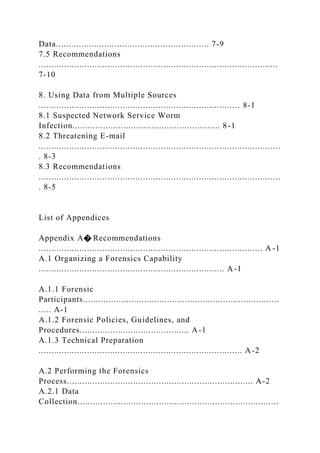
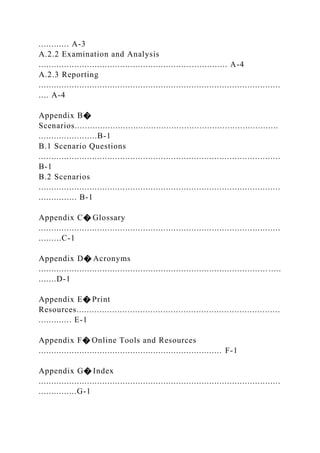
Table of Contents
Executive Summary
...............................................................................................
.............ES-1
1. Introduction
...............................................................................................
.................... 1-1
1.1 Authority
...............................................................................................
................. 1-1
1.2 Purpose and
Scope......................................................................................
......... 1-1
1.3 Audience
...............................................................................................
................ 1-1
1.4 Publication Structure
.............................................................................................
1-2
2. Establishing and Organizing a Forensics
Capability.................................................. 2-1
2.1 The Need for Forensics
......................................................................................... 2 -1
2.2 Forensic Staffing
.................................................................................... ...........
.... 2-3
2.3 Interactions with Other
Teams............................................................................... 2 -4
2.4
Policies...................................................................................
............................... 2-5
2.4.1 Defining Roles and Responsibilities
........................................................... 2-5
2.4.2 Providing Guidance for Forensic Tool Use
................................................. 2-6
2.4.3 Supporting Forensics in the Information System Life
Cycle........................ 2-6
2.5 Guidelines and Procedures
................................................................................... 2 -7
2.6 Recommendations
...............................................................................................
. 2-8
3. Performing the Forensic Process
................................................................................ 3 -1
3.1 Data Collection
...............................................................................................
....... 3-2
3.1.1 Identifying Possible Sources of Data
.......................................................... 3-2
3.1.2 Acquiring the
Data.................................................................................. ....
3-3
3.1.3 Incident Response Considerations
............................................................. 3-5
3.2 Examination
...............................................................................................
........... 3-6
3.3
Analysis..................................................................................
............................... 3-6
3.4
Reporting................................................................................
............................... 3-6
3.5 Recommendations
...............................................................................................
. 3-7
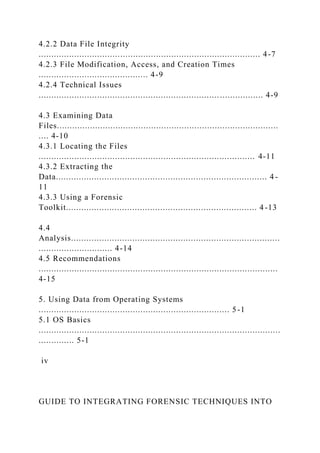
4. Using Data from Data Files
...........................................................................................
4-1
4.1 File
Basics.....................................................................................
........................ 4-1
4.1.1 File Storage Media
..................................................................................... 4 -1
4.1.2 Filesystems
...............................................................................................
. 4-3
4.1.3 Other Data on Media
.................................................................................. 4 -4
4.2 Collecting Files
...............................................................................................
....... 4-5
4.2.1 Copying Files from
Media........................................................................... 4 -6
4.2.2 Data File Integrity
....................................................................................... 4-7
4.2.3 File Modification, Access, and Creation Times
........................................... 4-9
4.2.4 Technical Issues
........................................................................................ 4-9
4.3 Examining Data
Files.......................................................................................
.... 4-10
4.3.1 Locating the Files
..................................................................................... 4-11
4.3.2 Extracting the
Data................................................................................... 4 -
11
4.3.3 Using a Forensic
Toolkit........................................................................... 4 -13
4.4
Analysis..................................................................................
............................. 4-14
4.5 Recommendations
..............................................................................................
4-15
5. Using Data from Operating Systems
........................................................................... 5-1
5.1 OS Basics
...............................................................................................
.............. 5-1
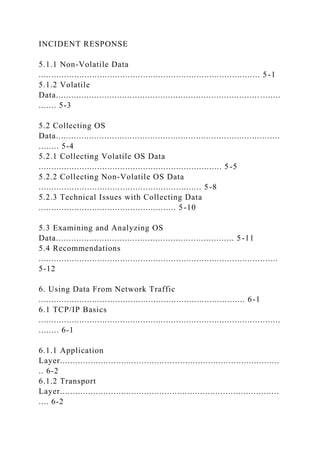
iv
GUIDE TO INTEGRATING FORENSIC TECHNIQUES INTO
INCIDENT RESPONSE
5.1.1 Non-Volatile Data
....................................................................................... 5 -1
5.1.2 Volatile
Data................................................................................ ........
....... 5-3
5.2 Collecting OS
Data........................................................................................
........ 5-4
5.2.1 Collecting Volatile OS Data
........................................................................ 5 -5
5.2.2 Collecting Non-Volatile OS Data
................................................................ 5-8
5.2.3 Technical Issues with Collecting Data
...................................................... 5-10
5.3 Examining and Analyzing OS
Data...................................................................... 5-11
5.4 Recommendations
..............................................................................................
5-12
6. Using Data From Network Traffic
................................................................................. 6-1
6.1 TCP/IP Basics
...............................................................................................
........ 6-1
6.1.1 Application
Layer......................................................................................
.. 6-2
6.1.2 Transport
Layer......................................................................................
.... 6-2
6.1.3 IP Layer
...............................................................................................
...... 6-3
6.1.4 Hardware
Layer......................................................................................
.... 6-4
6.1.5 Layers� Significance in Network Forensics
................................................. 6-4
6.2 Network Traffic Data
Sources................................................................................
6-5
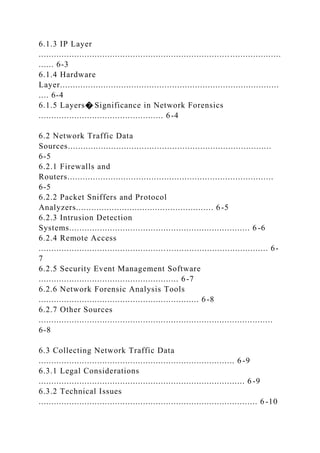
6.2.1 Firewalls and
Routers.................................................................................
6-5
6.2.2 Packet Sniffers and Protocol
Analyzers...................................................... 6-5
6.2.3 Intrusion Detection
Systems....................................................................... 6 -6
6.2.4 Remote Access
.......................................................................................... 6-
7
6.2.5 Security Event Management Software
....................................................... 6-7
6.2.6 Network Forensic Analysis Tools
............................................................... 6-8
6.2.7 Other Sources
............................................................................................
6-8
6.3 Collecting Network Traffic Data
............................................................................. 6 -9
6.3.1 Legal Considerations
................................................................................. 6 -9
6.3.2 Technical Issues
...................................................................................... 6 -10
6.4 Examining and Analyzing Network Traffic Data
................................................... 6-11
6.4.1 Identify an Event of
Interest...................................................................... 6 -12
6.4.2 Examine Data
Sources............................................................................. 6-
12
6.4.3 Draw Conclusions
.................................................................................... 6 -16
6.4.4 Attacker Identification
............................................................................... 6 -17
6.5 Recommendations
..............................................................................................
6-18
7. Using Data from Applications
...................................................................................... 7 -1
7.1 Application
Components............................................................................
............ 7-1
7.1.1 Configuration Settings
................................................................................ 7 -1
7.1.2 Authentication
............................................................................................
7-2
7.1.3 Logs
...............................................................................................
............ 7-2
7.1.4 Data
...............................................................................................
............ 7-3
7.1.5 Supporting Files
......................................................................................... 7 -3
7.1.6 Application
Architecture............................................................................
.. 7-4
7.2 Types of Applications
............................................................................................
7-5
7.2.1 E-
mail........................................................................................
................. 7-5
7.2.2 Web Usage
...............................................................................................
. 7-6
7.2.3 Interactive Communications
....................................................................... 7-7
7.2.4 File
Sharing...................................................................................
............. 7-7
7.2.5 Document Usage
....................................................................................... 7 -8
7.2.6 Security Applications
.................................................................................. 7 -8
7.2.7 Data Concealment
Tools............................................................................ 7 -8
7.3 Collecting Application
Data.................................................................................... 7 -
9
v
GUIDE TO INTEGRATING FORENSIC TECHNIQUES INTO
INCIDENT RESPONSE
7.4 Examining and Analyzing Application
Data............................................................ 7-9
7.5 Recommendations
..............................................................................................
7-10
8. Using Data from Multiple Sources
............................................................................. .. 8-1
8.1 Suspected Network Service Worm
Infection.......................................................... 8-1
8.2 Threatening E-mail
...............................................................................................
. 8-3
8.3 Recommendations
...............................................................................................
. 8-5
List of Appendices
Appendix A� Recommendations
........................................................................................ A -1
A.1 Organizing a Forensics Capability
......................................................................... A-1
A.1.1 Forensic
Participants.............................................................................
..... A-1
A.1.2 Forensic Policies, Guidelines, and
Procedures........................................... A-1
A.1.3 Technical Preparation
................................................................................ A-2
A.2 Performing the Forensics
Process......................................................................... A-2
A.2.1 Data
Collection...............................................................................
............ A-3
A.2.2 Examination and Analysis
.......................................................................... A-4
A.2.3 Reporting
...............................................................................................
.... A-4
Appendix B�
Scenarios................................................................................
.......................B-1
B.1 Scenario Questions
...............................................................................................
B-1
B.2 Scenarios
...............................................................................................
............... B-1
Appendix C� Glossary
...............................................................................................
.........C-1
Appendix D� Acronyms
.......................................................................................... .....
.......D-1
Appendix E� Print
Resources................................................................................
............. E-1
Appendix F� Online Tools and Resources
........................................................................ F-1
Appendix G� Index
...............................................................................................
...............G-1
List of Figures
Figure 3-1. Forensic Process
...............................................................................................
.. 3-1
Figure 4-1. File Header
Information.............................................................................
......... 4-12
Figure 6-1. TCP/IP
Layers.....................................................................................
................. 6-1
Figure 6-2. TCP/IP Encapsulation
.......................................................................................... 6 -
2
List of Tables
Table 4-1. Commonly Used Media Types
.............................................................................. 4-2
vi
GUIDE TO INTEGRATING FORENSIC TECHNIQUES INTO
INCIDENT RESPONSE
Executive Summary
Forensic science is generally defined as the application of
science to the law. Digital forensics, also
known as computer and network forensics, has many
definitions. Generally, it is considered the
application of science to the identification, collection,
examination, and analysis of data while preserving
the integrity of the information and maintaining a strict chain of
custody for the data. Data refers to
distinct pieces of digital information that have been formatted
in a specific way. Organizations have an
ever-increasing amount of data from many sources. For
example, data can be stored or transferred by
standard computer systems, networking equipment, computing
peripherals, personal digital assistants
(PDA), consumer electronic devices, and various types of
media, among other sources.
Because of the variety of data sources, digital forensic
techniques can be used for many purposes, such as
investigating crimes and internal policy violations,
reconstructing computer security incidents,
troubleshooting operational problems, and recovering from
accidental system damage. Practically every
organization needs to have the capability to perform digital
forensics (referred to as forensics throughout
the rest of the guide). Without such a capability, an
organization will have difficulty determining what
events have occurred within its systems and networks, such as
exposures of protected, sensitive data.
This guide provides detailed information on establishing a
forensic capability, including the development
of policies and procedures. Its focus is primarily on using
forensic techniques to assist with computer
security incident response, but much of the material is also
applicable to other situations.
Because different organizations are subject to different laws and
regulations, this publication
should not be used as a guide to executing a digital forensic
investigation, construed as legal advice,
or used as the basis for investigations of criminal activity.1
Instead, organizations should use this
guide as a starting point for developing a forensic capability in
conjunction with extensive guidance
provided by legal advisors, law enforcement officials, and
management.
The process for performing digital forensics comprises the
following basic phases:
! Collection: identifying, labeling, recording, and acquiring data
from the possible sources of
relevant data, while following procedures that preserve the
integrity of the data.
! Examination: forensically processing collected data using a
combination of automated and
manual methods, and assessing and extracting data of particular
interest, while preserving the
integrity of the data.
! Analysis: analyzing the results of the examination, using
legally justifiable methods and
techniques, to derive useful information that addresses the
questions that were the impetus for
performing the collection and examination.
! Reporting: reporting the results of the analysis, which may
include describing the actions used,
explaining how tools and procedures were selected, determining
what other actions need to be
performed (e.g., forensic examination of additional data
sources, securing identified
vulnerabilities, improving existing security controls), and
providing recommendations for
improvement to policies, procedures, tools, and other aspects of
the forensic process.
This guide provides general recommendations for performing
the forensic process. It also provides
detailed information about using the analysis process with four
major categories of data sources: files,
1 For further information regarding computer and network
forensic requirements for law enforcement, see Electronic
Crime
Scene Investigation: A Guide for First Responders and Forensic
Examination of Digital Evidence: A Guide for Law
Enforcement, which are both available at http://www.ncjrs.gov/
by searching on each document�s title.
ES-1
http://www.ncjrs.gov/
GUIDE TO INTEGRATING FORENSIC TECHNIQUES INTO
INCIDENT RESPONSE
operating systems, network traffic, and applications. The guide
focuses on explaining the basic
components and characteristics of data sources within each
category, as well as techniques for the
collection, examination, and analysis of data from each
category. The guide also provides
recommendations for how multiple data sources can be used
together to gain a better understanding of an
event.
Implementing the following recommendations should facilitate
efficient and effective digital forensic
activities for Federal departments and agencies.
Organizations should ensure that their policies contain clear
statements addressing all major
forensic considerations, such as contacting law enforcement,
performing monitoring, and
conducting regular reviews of forensic policies and procedures.
At a high level, policies should allow authorized personnel to
monitor systems and networks and perform
investigations for legitimate reasons under appropriate
circumstances. Organizations may also have a
separate forensic policy for incident handlers and others with
forensic roles; this policy would provide
more detailed rules concerning appropriate behavior. Forensic
policy should clearly define the roles and
responsibilities of all people and external organizations
performing or assisting with the organization�s
forensic activities. The policy should clearly indicate who
should contact which internal teams and
external organizations under different circumstances.
Organizations should create and maintain procedures and
guidelines for performing forensic tasks,
based on the organization�s policies and all applicable laws
and regulations.
Guidelines should focus on general methodologies for
investigating incidents using forensic techniques,
since it is not feasible to develop comprehensive procedures
tailored to every possible situation.
However, organizations should consider developing step-by-step
procedures for performing routine tasks.
The guidelines and procedures should facilitate consistent,
effective, and accurate actions, which is
particularly important for incidents that may lead to prosecution
or internal disciplinary actions; handling
evidence in a forensically sound manner puts decision makers in
a position where they can confidently
take the necessary actions. The guidelines and procedures
should support the admissibility of evidence
into legal proceedings, including information on gathering and
handling evidence properly, preserving the
integrity of tools and equipment, maintaining the chain of
custody, and storing evidence appropriately.
Because electronic logs and other records can be altered or
otherwise manipulated, organizations should
be prepared, through their policies, guidelines, and procedures,
to demonstrate the integrity of such
records. The guidelines and procedures should be reviewed
periodically, as well as when significant
changes are made to the team�s policies and procedures.
Organizations should ensure that their policies and procedures
support the reasonable and
appropriate use of forensic tools.
Organizations� policies and procedures should clearly explain
what forensic actions should and should not
be performed under various circumstances, as well as describing
the necessary safeguards for sensitive
information that might be recorded by forensic tools, such as
passwords, personal data (e.g., Social
Security numbers), and the contents of e-mails. Legal advisors
should carefully review all forensic policy
and high-level procedures.
Organizations should ensure that their IT professionals are
prepared to participate in forensic
activities.
ES-2
GUIDE TO INTEGRATING FORENSIC TECHNIQUES INTO
INCIDENT RESPONSE
IT professionals throughout an organization, especially incident
handlers and other first responders to
incidents, should understand their roles and responsibilities for
forensics, receive training and education
on forensic�related policies and procedures, and be prepared to
cooperate with and assist others when the
technologies that they are responsible for are part of an incident
or other event. IT professionals should
also consult closely with legal counsel both in general
preparation for forensics activities, such as
determining which actions IT professionals should and should
not perform, and also on an as-needed
basis to discuss specific forensics situations. In addition,
management should be responsible for
supporting forensic capabilities, reviewing and approving
forensic policy, and approving certain forensic
actions, such as taking mission-critical systems off-line.
ES-3
GUIDE TO INTEGRATING FORENSIC TECHNIQUES INTO
INCIDENT RESPONSE
This page has been left blank intentionally.
ES-4
GUIDE TO INTEGRATING FORENSIC TECHNIQUES INTO
INCIDENT RESPONSE
1. Introduction
1.1 Authority
The National Institute of Standards and Technology (NIST)
developed this document in furtherance of its
statutory responsibilities under the Federal Information Security
Management Act (FISMA) of 2002,
Public Law 107-347.
NIST is responsible for developing standards and guidelines,
including minimum requirements, for
providing adequate information security for all agency
operations and assets; but such standards and
guidelines shall not apply to national security systems. This
guideline is consistent with the requirements
of the Office of Management and Budget (OMB) Circular A-
130, Section 8b(3), �Securing Agency
Information Systems,� as analyzed in A-130, Appendix IV:
Analysis of Key Sections. Supplemental
information is provided in A-130, Appendix III.
This guideline has been prepared for use by Federal agencies.
It may be used by nongovernmental
organizations on a voluntary basis and is not subject to
copyright, though attribution is desired.
Nothing in this document should be taken to contradict
standards and guidelines made mandatory and
binding on Federal agencies by the Secretary of Commerce
under statutory authority, nor should these
guidelines be interpreted as altering or superseding the existing
authorities of the Secretary of Commerce,
Director of the OMB, or any other Federal official.
This guideline should not be held as binding to law enforcement
personnel relative to the
investigation of criminal activity.
1.2 Purpose and Scope
This publication is intended to help organizations in
investigating computer security incidents and
troubleshooting some information technology (IT) operational
problems by providing practical guidance
on performing computer and network forensics. The guide
presents forensics from an IT view, not a
law enforcement view.2 Specifically, the publication describes
the processes for performing effective
forensics activities and provides advice regarding different data
sources, including files, operating
systems (OS), network traffic, and applications.
The publication is not to be used as an all-inclusive step-by-step
guide for executing a digital forensic
investigation or construed as legal advice. Its purpose is to
inform readers of various technologies and
potential ways of using them in performing incident response or
troubleshooting activities. Readers are
advised to apply the recommended practices only after
consulting with management and legal counsel for
compliance concerning laws and regulations (i.e., local, state,
Federal, and international) that pertain to
their situation.
1.3 Audience
This publication has been created for incident response teams;
forensic analysts; system, network, and
security administrators; and computer security program
managers who are responsible for performing
forensics for investigative, incident response, or
troubleshooting purposes. The practices recommended
2 For further information regarding computer and network
forensic requirements for law enforcement, see Electronic
Crime
Scene Investigation: A Guide for First Responders and Forensic
Examination of Digital Evidence: A Guide for Law
Enforcement, which are both available at http://www.ncjrs.gov/
by searching on each document�s title.
1-1
http://www.ncjrs.gov/
GUIDE TO INTEGRATING FORENSIC TECHNIQUES INTO
INCIDENT RESPONSE
in this guide are designed to highlight key principles associated
with the handling and examination of
electronic evidence. Because of the constantly changing nature
of electronic devices and software, and
forensic procedures and tools, readers are expected to refer to
other resources, including those listed in
this guide, for more current and detailed information than that
presented in this guide.
1.4 Publication Structure
The remainder of this publication is divided into seven major
sections:
! Section 2 discusses the need for computer and network
forensics and provides guidance on
establishing and organizing a forensics capability for an
organization.
! Section 3 explains the basic steps involved in performing
computer and network forensics: data
collection, examination, analysis, and reporting.
! Sections 4 through 7 provide details on collecting, examining,
and analyzing data from various
data sources, based on the framework described in Section 3.
The data source categories
discussed in Sections 4 through 7 are data files, OSs, network
traffic, and applications,
respectively.
! Section 8 presents case studies that illustrate how analysis can
correlate events among several
data sources.
The publication also contains several appendices with
supporting material:
! Appendix A presents the major recommendations made in the
publication.
! Appendix B presents scenarios in which forensics techniques
might be useful and asks the reader
a series of questions regarding each scenario.
! Appendices C and D contain a glossary and acronym list,
respectively.
! Appendix E lists print resources, and Appendix F identifies
online tools and resources, that may
be useful for establishing a forensics capability or
understanding forensics tools and techniques.
! Appendix G contains an index for the publication.
1-2
GUIDE TO INTEGRATING FORENSIC TECHNIQUES INTO
INCIDENT RESPONSE
2. Establishing and Organizing a Forensics Capability
The term data refers to distinct pieces of digital information
that have been formatted in a specific way.
The expansion of computers3 for professional and personal use
and the pervasiveness of networking have
fueled the need for tools that can record and analyze an ever-
increasing amount of data from many
sources. For example, data can be stored or transferred by
standard computer systems (e.g., desktops,
laptops, servers), networking equipment (e.g., firewalls,
routers), computing peripherals (i.e., printers),
personal digital assistants (PDA), CDs, DVDs, removable hard
drives, backup tapes, flash memory,
thumb drives, and jump drives. Many consumer electronic
devices (e.g., cell phones, video game
consoles, digital audio players, digital video recorders) can also
be used to store data. This increasing
variety of data sources has helped spur the development and
refinement of forensics tools and techniques.
This has also been caused by the realization that such tools and
techniques can be used for many
purposes, such as investigating crimes, reconstructing computer
security incidents, troubleshooting
operational problems, and recovering from accidental system
damage.
This section discusses several aspects of organizing a forensics
capability for an organization. It begins
by showing the wide variety of potential uses for forensics, and
then presents a high-level overview of the
forensics process. The next part of the section discusses how
forensics services are typically provided
and provides guidance on building and maintaining the
necessary skills to perform forensics tasks. The
section also explains the need to include various teams from
throughout the organization, such as legal
advisors and physical security staff, in some forensic activities.
The section ends by discussing how
policies, guidelines, and procedures should address forensics
(e.g., defining roles and responsibilities,
providing guidance on the proper usage of tools and techniques,
incorporating forensics into the
information system life cycle).
The techniques and processes presented in this guide are based
on principles of digital forensics.
Forensic science is generally defined as the application of
science to the law. Digital forensics, also
known as computer and network forensics, has many
definitions. Generally, it is considered the
application of science to the identification, collection,
examination, and analysis of data while preserving
the integrity of the information and maintaining a strict chain of
custody for the data. Because different
organizations are subject to different laws and regulations, this
publication should not be used as a
guide for executing a digital forensic investigation, construed as
legal advice, or used as the basis
for investigations of criminal activity. Instead, organizations
should use this guide as a starting
point for developing a forensic capability in conjunction with
extensive guidance provided by legal
advisors, law enforcement officials, and management.
2.1 The Need for Forensics
Over the last decade, the number of crimes that involve
computers has grown, spurring an increase in
companies and products that aim to assist law enforcement in
using computer-based evidence to
determine the who, what, where, when, and how for crimes. As
a result, computer and network forensics
has evolved to assure proper presentation of computer crime
evidentiary data into court. Forensic tools
and techniques are most often thought of in the context of
criminal investigations and computer security
incident handling�used to respond to an event by investigating
suspect systems, gathering and
preserving evidence, reconstructing events, and assessing the
current state of an event. However, forensic
tools and techniques are also useful for many other types of
tasks, such as the following:
! Operational Troubleshooting. Many forensic tools and
techniques can be applied to
troubleshooting operational issues, such as finding the virtual
and physical location of a host with
3 In this publication, the term computer is used to refer to all
computing, storage, and peripheral devices.
2-1
GUIDE TO INTEGRATING FORENSIC TECHNIQUES INTO
INCIDENT RESPONSE
an incorrect network configuration, resolving a functional
problem with an application, and
recording and reviewing the current OS and application
configuration settings for a host.
! Log Monitoring. Various tools and techniques can assist in
log monitoring, such as analyzing
log entries and correlating log entries across multiple systems.
This can assist in incident
handling, identifying policy violations, auditing, and other
efforts.
! Data Recovery. There are dozens of tools that can recover lost
data from systems, including data
that has been accidentally or purposely deleted or otherwise
modified. The amount of data that
can be recovered varies on a case-by-case basis.
! Data Acquisition. Some organizations use forensics tools to
acquire data from hosts that are
being redeployed or retired. For example, when a user leaves
an organization, the data from the
user�s workstation can be acquired and stored in case it is
needed in the future. The workstation�s
media can then be sanitized to remove all of the original user�s
data.
! Due Diligence/Regulatory Compliance. Existing and emerging
regulations require many
organizations to protect sensitive information and maintain
certain records for audit purposes.
Also, when protected information is exposed to other parties,
organizations may be required to
notify other agencies or impacted individuals. Forensics can
help organizations exercise due
diligence and comply with such requirements.
Regardless of the situation, the forensic process comprises the
following basic phases:4
! Collection. The first phase in the process is to identify, label,
record, and acquire data from the
possible sources of relevant data, while following guidelines
and procedures that preserve the
integrity of the data. Collection is typically performed in a
timely manner because of the
likelihood of losing dynamic data such as current network
connections, as well as losing data
from battery-powered devices (e.g., cell phones, PDAs).
! Examination. Examinations involve forensically processing
large amounts of collected data
using a combination of automated and manual methods to assess
and extract data of particular
interest, while preserving the integrity of the data.
! Analysis. The next phase of the process is to analyze the
results of the examination, using legally
justifiable methods and techniques, to derive useful information
that addresses the questions that
were the impetus for performing the collection and examination.
! Reporting. The final phase is reporting the results of the
analysis, which may include describing
the actions used, explaining how tools and procedures were
selected, determining what other
actions need to be performed (e.g., forensic examination of
additional data sources, securing
identified vulnerabilities, improving existing security controls),
and providing recommendations
for improvement to policies, guidelines, procedures, tools, and
other aspects of the forensic
process. The formality of the reporting step varies greatly
depending on the situation.
A more in-depth discussion of the forensic process is presented
in Section 3. Sections 4 through 7
provide additional information on collecting, examining, and
analyzing different types of forensic data.
4 There are many models for the forensic process. Although
the exact phases of the models vary somewhat, the models
reflect
the same basic principles and the same overall methodology.
Models differ primarily in how granular each phase of the
process is and in the terms used for specific phases. The model
presented in this guide offers a simple way of looking at the
phases. Organizations should choose the specific forensic
model that is most appropriate for their needs.
2-2
GUIDE TO INTEGRATING FORENSIC TECHNIQUES INTO
INCIDENT RESPONSE
2.2 Forensic Staffing
Practically every organization needs to have some capability to
perform computer and network forensics.
Without such a capability, an organization will have difficulty
determining what events have occurred
within its systems and networks, such as exposures of protected,
sensitive data. Although the extent of
this need varies, the primary users of forensic tools and
techniques within an organization usually can be
divided into the following three groups:5
! Investigators. Investigators within an organization are most
often from the Office of Inspector
General (OIG), and they are responsible for investigating
allegations of misconduct. For some
organizations, the OIG immediately takes over the investigation
of any event that is suspected to
involve criminal activity. The OIG typically uses many
forensic techniques and tools. Other
investigators within an organization might include legal
advisors and members of the human
resources department. Law enforcement officials and others
outside the organization that might
perform criminal investigations are not considered part of an
organization�s internal group of
investigators.
! IT Professionals. This group includes technical support staff
and system, network, and security
administrators. They use a small number of forensic techniques
and tools specific to their area of
expertise during their routine work (e.g., monitoring,
troubleshooting, data recovery).
! Incident Handlers. This group responds to a variety of
computer security incidents, such as
unauthorized data access, inappropriate system usage, malicious
code infections, and denial of
service attacks. Incident handlers typically use a wide variety
of forensic techniques and tools
during their investigations.
Many organizations rely on a combination of their own staff and
external parties to perform forensic
tasks. For example, some organizations perform standard tasks
themselves and use outside parties only
when specialized assistance is needed. Even organizations that
want to perform all forensic tasks
themselves usually outsource the most demanding ones, such as
sending physically damaged media to a
data recovery firm for reconstruction, or having specially
trained law enforcement personnel or
consultants collect data from an unusual source (e.g., cell
phone). Such tasks typically require the use of
specialized software, equipment, facilities, and technical
expertise that most organizations cannot justify
the high expense of acquiring and maintaining. As described in
Section 3.1.2, organizations should
determine in advance which actions should be performed by law
enforcement officials. Also, when
expert testimony is needed for legal proceedings, organizations
might seek external assistance.
When deciding which internal or external parties should handle
each aspect of forensics, organizations
should keep the following factors in mind:
! Cost. There are many potential costs. Software, hardware,
and equipment used to collect and
examine data may carry significant costs (e.g., purchase price,
software updates and upgrades,
maintenance), and may also require additional physical security
measures to safeguard them from
tampering. Other significant expenses involve staff training and
labor costs, which are
particularly significant for dedicated forensic specialists. In
general, forensic actions that are
needed rarely might be more cost-effectively performed by an
external party, whereas actions that
are needed frequently might be more cost-effectively performed
internally.
5 An individual performing forensic activities needs to
understand forensic principles and practices, and follow the
correct
procedures for each activity, regardless of which group he or
she is a member.
2-3
GUIDE TO INTEGRATING FORENSIC TECHNIQUES INTO
INCIDENT RESPONSE
! Response Time. Personnel located on-site might be able to
initiate computer forensic activity
more quickly than could off-site personnel. For organizations
with geographically dispersed
physical locations, off-site outsourcers located near distant
facilities might be able to respond
more quickly than personnel located at the organization�s
headquarters.
! Data Sensitivity. Because of data sensitivity and privacy
concerns, some organizations might be
reluctant to allow external parties to image hard drives and
perform other actions that provide
access to data. For example, a system that contains traces of an
incident might also contain health
care information, financial records, or other sensitive data; an
organization might prefer to keep
that system under its own control to safeguard the privacy of the
data. On the other hand, if there
is a privacy concern within the team�for example, if an
incident is suspected to involve a
member of the incident handling team�use of an independent
third party to perform forensic
actions would be preferable.
Incident handlers performing forensic tasks need to have a
reasonably comprehensive knowledge of
forensic principles, guidelines, procedures, tools, and
techniques, as well as anti-forensic tools and
techniques that could conceal or destroy data. It is also
beneficial for incident handlers to have expertise
in information security and specific technical subjects, such as
the most commonly used OSs, filesystems,
applications, and network protocols within the organization.
Having this type of knowledge facilitates
faster and more effective responses to incidents. Incident
handlers also need a general, broad
understanding of systems and networks so that they can
determine quickly which teams and individuals
are well-suited to providing technical expertise for particular
forensic efforts, such as examining and
analyzing data for an uncommon application.
Individuals performing forensics might need to perform other
types of tasks as well. For example, if the
results of an investigation are used in a court of law, incident
handlers may be called upon to provide
testimony and corroborate their findings. Incident handlers
might provide training courses in forensics to
technical support staff, system and network administrators, and
other IT professionals. Possible training
topics include an overview of forensics tools and techniques,
advice on using a particular tool, and the
signs of a new type of attack. Incident handlers might also want
to have interactive sessions with groups
of IT professionals to hear their thoughts on forensics tools and
identify potential shortcomings in existing
forensics capabilities.
On an incident handling team, more than one team member
should be able to perform each typical
forensic activity so that the absence of any single team member
will not severely impact the team�s
abilities. Incident handlers can train each other in the use of
forensic tools and other technical and
procedural topics. Hands-on exercises and external IT and
forensic training courses can also be helpful in
building and maintaining skills. In addition, it might be
beneficial to have team members see
demonstrations of new tools and technologies or try out forensic
and anti-forensic tools in a lab. This can
be particularly useful in familiarizing incident handlers with the
collection, examination, and analysis of
data from devices such as cell phones and PDAs. Incident
handlers need to stay current with new
forensic technologies, techniques, and procedures.
2.3 Interactions with Other Teams
It is not feasible for any one person to be well-versed in every
technology (including all software) used
within an organization; therefore, individuals performing
forensic actions should be able to reach out to
other teams and individuals within their organization as needed
for additional assistance. For example, an
incident involving a particular database server might be handled
more efficiently if the database
administrator were available to provide background
information, answer technical questions, and provide
database documentation and other reference material.
Organizations should ensure that IT professionals
throughout the organization, especially incident handlers and
other first responders to incidents,
2-4
GUIDE TO INTEGRATING FORENSIC TECHNIQUES INTO
INCIDENT RESPONSE
understand their roles and responsibilities for forensics, receive
ongoing training and education on
forensic�related policies, guidelines, and procedures, and are
prepared to cooperate with and assist others
when the technologies that they are responsible for are part of
an incident or other event.
In addition to IT professionals and incident handlers, others
within an organization may also need to
participate in forensic activities in a less technical capacity.
Examples include management, legal
advisors, human resources personnel, auditors, and physical
security staff. Management is responsible for
supporting forensic capabilities, reviewing and approving
forensic policy, and approving certain forensic
actions (e.g., taking a mission-critical system off-line for 6
hours to collect data from its hard drives).
Legal advisors should carefully review all forensic policy and
high-level guidelines and procedures, and
they can provide additional guidance when needed to ensure
that forensic actions are performed lawfully.
The human resources department can provide assistance in
dealing with employee relations and the
handling of internal incidents. Auditors can help determine the
economic impact of an incident, including
the cost of forensic activity. Physical security staff can assist
in gaining access to and physically securing
evidence. Although these teams often do not play a prominent
role in the forensic process, the services
that these teams provide can be beneficial.
To facilitate inter-team communications, each team should
designate one or more points of contact.
These individuals are responsible for knowing the expertise of
each team member and directing inquiries
for assistance to the appropriate person. Organizations should
maintain a list of contacts that the
appropriate teams can reference as needed. The list should
include both standard (e.g., office phone) and
emergency (e.g., cell phone) contact methods.
2.4 Policies
Organizations should ensure that their policies contain clear
statements that address all major forensic
considerations, such as contacting law enforcement, performing
monitoring, and conducting regular
reviews of forensic policies, guidelines, and procedures. At a
high level, policies should allow authorized
personnel to monitor systems and networks and perform
investigations for legitimate reasons under
appropriate circumstances. Organizations may also have a
separate policy for incident handlers and
others with forensic roles; this policy would provide more
detailed rules for appropriate behavior. Such
personnel should be familiar with and understand the policy.
Policies may need to be updated frequently,
particularly for organizations that span many jurisdictions,
because of changes to laws and regulations, as
well as new court rulings. In addition, the organization�s
forensic policy should be consistent with the
organization�s other policies, including policies related to
reasonable expectations of privacy. Sections
2.4.1 through 2.4.3 discuss policy-related topics in more detail.
2.4.1 Defining Roles and Responsibilities
Forensic policy should clearly define the roles and
responsibilities of all people performing or assisting
with the organization�s forensic activities. This should include
actions performed during both incident
handling and routine work activities (e.g., system
administration, network troubleshooting). The policy
should include all internal teams that may participate in forensic
efforts, such as those listed in Section
2.3, and external organizations such as law enforcement
agencies, outsourcers, and incident response
organizations. The policy should clearly indicate who should
contact which internal teams and external
organizations under different circumstances. The policy should
also discuss jurisdictional conflicts�a
crime that involves multiple jurisdictions, which could be
investigated by multiple law enforcement
agencies�and explain how to resolve them. As mentioned in
Section 2.2, some organizations have an
Office of Inspector General (OIG) that is responsible for
investigating allegations of misconduct; the OIG
may also be well-suited to resolving jurisdictional conflicts. In
some organizations, if a crime may have
been committed, the OIG immediately takes over the
investigation.
2-5
GUIDE TO INTEGRATING FORENSIC TECHNIQUES INTO
INCIDENT RESPONSE
2.4.2
2.4.3
Providing Guidance for Forensic Tool Use
Incident handlers; IT professionals, such as system and network
administrators; and others within an
organization use forensic tools and techniques for a variety of
reasons. Although the technologies have
many benefits, they can also be misused accidentally or
intentionally to provide unauthorized access to
information, or to alter or destroy information, including
evidence of an incident. In addition, the use of
certain forensic tools may not be warranted in some situations
(for example, a minor incident probably
does not merit hundreds of hours of data collection and
examination efforts).
To ensure that tools are used reasonably and appropriately, the
organization�s policies, guidelines, and
procedures should clearly explain what forensic actions should
and should not be performed under
various circumstances. For example, a network administrator
should be able to monitor network
communications on a regular basis to solve operational
problems, but should not read users� e-mail unless
specifically authorized to do so. A help desk agent might be
permitted to monitor network
communications for a particular user�s workstation to
troubleshoot an application problem but not be
permitted to perform any other network monitoring. Individual
users might be forbidden from
performing any network monitoring under any circumstances.
Policies, guidelines, and procedures
should clearly define the specific actions that are permitted and
forbidden for each applicable role under
normal circumstances (e.g., typical duties) and special
circumstances (e.g., incident handling).
Policies, guidelines, and procedures should also address the use
of anti-forensic tools and techniques.
Described in Sections 4 through 7, anti-forensic software is
designed to conceal or destroy data so that
others cannot access it. There are many positive uses for anti-
forensic software, such as removing data
from computers that are to be donated to charity and removing
data cached by Web browsers to preserve
a user�s privacy. However, like forensic tools, anti-forensic
tools can also be used for malicious reasons.
Therefore, organizations should specify who is permitted to use
such tools and under what circumstances.
Because forensic tools may record sensitive information,
policies, guidelines, and procedures should also
describe the necessary safeguards for the information. There
should also be requirements for handling
inadvertent exposures of sensitive information, such as an
incident handler seeing passwords or patient
medical information.
Supporting Forensics in the Information System Life Cycle
Many incidents can be handled more efficiently and effectively
if forensic considerations have been
incorporated into the information system life cycle. Examples
of such considerations are as follows:
! Performing regular backups of systems and maintaining
previous backups for a specific period of
time
! Enabling auditing on workstations, servers, and network
devices
! Forwarding audit records to secure centralized log servers
! Configuring mission-critical applications to perform auditing,
including recording all
authentication attempts
! Maintaining a database of file hashes for the files of common
OS and application deployments,
and using file integrity checking software on particularly
important assets
! Maintaining records (e.g., baselines) of network and system
configurations
2-6
GUIDE TO INTEGRATING FORENSIC TECHNIQUES INTO
INCIDENT RESPONSE
! Establishing data retention policies that support performing
historical reviews of system and
network activity, complying with requests or requirements to
preserve data relating to ongoing
litigation and investigations, and destroying data that is no
longer needed.
Most of these considerations are extensions of existing
provisions in the organization�s policies and
procedures, so they are typically specified within the relevant
individual documents instead of a
centralized forensics policy.
2.5 Guidelines and Procedures
As mentioned in Section 2.4, an organization should create and
maintain guidelines and procedures for
performing forensic tasks, based on the organization�s policies,
incident response staffing models, and
other teams identified as participants in forensic activities.
Even if the activities are performed by
external parties, the organization�s internal staff will still
interact with them and participate to some extent
in the activities, such as notifying the external party of a need
for assistance, granting physical or logical
access to systems, and securing an incident scene until an
investigator arrives. The internal staff should
work closely with the external parties to ensure that the
organization�s policies, guidelines, and
procedures are understood and followed.
An organization�s forensic guidelines should include general
methodologies for investigating an incident
using forensic techniques, since it is not feasible to develop
comprehensive procedures tailored to every
possible situation. However, organizations also should consider
developing step-by-step procedures for
performing routine tasks, such as imaging a hard disk, capturing
and recording volatile information from
systems, or securing physical evidence (e.g., removable media).
The goal for the guidelines and
procedures is to facilitate consistent, effective, and accurate
forensic actions, which is particularly
important for incidents that may lead to prosecution or internal
disciplinary actions. Because electronic
logs and other records can be altered or otherwise manipulated,
organizations should be prepared, through
their policies, guidelines, and procedures, to demonstrate the
integrity of such records.6
Information is rapidly migrating to a form in which all the
information assets exist in electronic form. In
both the public and private sectors, it is increasingly important
to demonstrate conclusively the
authenticity, credibility, and reliability of electronic records,
such as the performance of a specific action
or decision, or the existence of a certain item of information.
Business records have normally been
treated as equivalent to originals. Increasingly, some in the
legal and forensic communities are concerned
with the ease with which electronic records can be created,
altered, or otherwise manipulated. In addition,
various compliance initiatives in the public and private sectors
are making it increasingly important to
demonstrate the integrity of electronic records. With the
explicit caveat that such issues are matters for
discussion with legal counsel and senior IT officials and well
beyond the scope of this publication, the use
of sound, documented, and reasonably explicable forensic
techniques coupled with other methods (such
as log retention and analysis) is an important resource for
decision makers as well as for incident
handlers.
Forensic guidelines and procedures should be consistent with
the organization�s policies and all
applicable laws. Organizations should include technical experts
and legal advisors in the development of
guidelines and procedures as a quality assurance measure.
Management should also be involved in
guideline and procedure development, particularly in ensuring
that all major decision-making points are
documented and that the proper course of action is defined so
that decisions are made consistently.
6 For more information on preserving the integrity of computer
security logs, see NIST SP 800-92 (DRAFT), Guide to
Computer Security Log Management, which is available at
http://csrc.nist.gov/publications/nistpubs/.
2-7
http://csrc.nist.gov/publications/nistpubs/
GUIDE TO INTEGRATING FORENSIC TECHNIQUES INTO
INCIDENT RESPONSE
The guidelines and procedures should support the admissibility
of evidence into legal proceedings,
including information on gathering and handling evidence
properly, preserving the integrity of tools and
equipment, maintaining the chain of custody, and storing
evidence securely.7 Although it may not be
feasible to record every event or action taken in response to an
incident, having a record of the major
events and actions taken helps ensure that nothing has been
overlooked, and helps explain to others how
the incident was handled. This documentation can be useful for
case management, report writing, and
testifying. Keeping a record of the dates and times that people
worked on an incident, including the time
needed to recover systems, can also help calculate the costs of
damages. Also, handling evidence in a
forensically sound manner puts decision makers in a position
where they can confidently take the
necessary actions.
It is also important to maintain the guidelines and procedures
once they are created so that they remain
accurate. Management should determine how frequently the
guidelines and procedures should be
reviewed (generally, at least annually). Reviews should also be
conducted whenever the team�s policies,
guidelines, and procedures undergo significant changes. When
a guideline or procedure is updated, the
previous version should be archived for possible future use in
legal proceedings. Guideline and procedure
reviews should include the same teams that participate in their
creation. In addition to performing
reviews, organizations might choose to conduct exercises that
help to validate the accuracy of certain
guidelines and procedures.
2.6 Recommendations
The key recommendations on establishing and organizing a
forensic capability are as follows:
! Organizations should have a capability to perform computer
and network forensics.
Forensics is needed for various tasks within an organization,
including investigating crimes and
inappropriate behavior, reconstructing computer security
incidents, troubleshooting operational
problems, supporting due diligence for audit record
maintenance, and recovering from accidental
system damage. Without such a capability, an organization will
have difficulty determining what
events have occurred within its systems and networks, such as
exposures of protected, sensitive
data. Also, handling evidence in a forensically sound manner
puts decision makers in a position
where they can confidently take the necessary actions.
! Organizations should determine which parties should handle
each aspect of forensics. Most
organizations rely on a combination of their own staff and
external parties to perform forensic
tasks. Organizations should decide which parties should take
care of which tasks based on skills
and abilities, cost, response time, and data sensitivity.
! Incident handling teams should have robust forensic
capabilities. More than one team
member should be able to perform each typical forensic
activity. Hands-on exercises and IT and
forensic training courses can be helpful in building and
maintaining skills, as can demonstrations
of new tools and technologies.
! Many teams within an organization should participate in
forensics. Individuals performing
forensic actions should be able to reach out to other teams and
individuals within an organization,
as needed, for additional assistance. Examples of teams that
may provide assistance in these
efforts include IT professionals, management, legal advisors,
human resources personnel,
auditors, and physical security staff. Members of these teams
should understand their roles and
7 This document does not describe the computer and network
forensic requirements placed on law enforcement. For further
information regarding computer and network forensic
requirements for law enforcement, see Electronic Crime Scene
Investigation: A Guide for First Responders and Forensic
Examination of Digital Evidence: A Guide for Law
Enforcement,
which are both available at
http://www.ncjrs.gov/app/topics/topic.aspx?topicid=158.
2-8
http://www.ncjrs.gov/app/topics/topic.aspx?topicid=158
GUIDE TO INTEGRATING FORENSIC TECHNIQUES INTO
INCIDENT RESPONSE
responsibilities in forensics, receive training and education on
forensic�related policies,
guidelines, and procedures, and be prepared to cooperate with
and assist others on forensic
actions.
! Forensic considerations should be clearly addressed in
policies. At a high level, policies
should allow authorized personnel to monitor systems and
networks and perform investigations
for legitimate reasons under appropriate circumstances.
Organizations may also have a separate
forensic policy for incident handlers and others with forensic
roles that provides more detailed
rules for appropriate behavior. Everyone who may be called
upon to assist with any forensic
efforts should be familiar with and understand the forensic
policy. Additional policy
considerations are as follows:
� Forensic policy should clearly define the roles and
responsibilities of all people performing or
assisting with the organization�s forensic activities. The
policy should include all internal
and external parties that may be involved and should clearly
indicate who should contact
which parties under different circumstances.
� The organization�s policies, guidelines, and procedures
should clearly explain what forensic
actions should and should not be performed under normal and
special circumstances and
should address the use of anti-forensic tools and techniques.
Policies, guidelines, and
procedures should also address the handling of inadvertent
exposures of sensitive
information.
� Incorporating forensic considerations into the information
system life cycle can lead to more
efficient and effective handling of many incidents. Examples
include performing auditing on
hosts and establishing data retention policies that support
performing historical reviews of
system and network activity.
! Organizations should create and maintain guidelines and
procedures for performing
forensic tasks. The guidelines should include general
methodologies for investigating an
incident using forensic techniques, and step-by-step procedures
should explain how to perform
routine tasks. The guidelines and procedures should support the
admissibility of evidence into
legal proceedings. Because electronic logs and other records
can be altered or otherwise
manipulated, organizations should be prepared, through their
policies, guidelines, and procedures,
to demonstrate the reliability and integrity of such records. The
guidelines and procedures should
also be reviewed regularly and maintained so that they are
accurate.
2-9
GUIDE TO INTEGRATING FORENSIC TECHNIQUES INTO
INCIDENT RESPONSE
This page has been left blank intentionally.
2-10
GUIDE TO INTEGRATING FORENSIC TECHNIQUES INTO
INCIDENT RESPONSE
3. Performing the Forensic Process
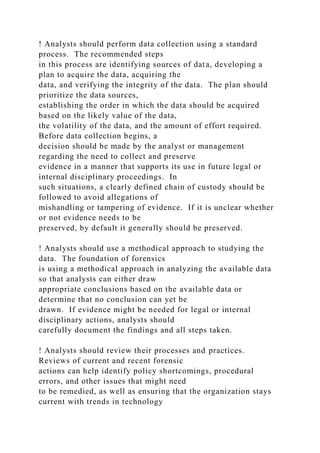
The most common goal of performing forensics is to gain a
better understanding of an event of interest by
finding and analyzing the facts related to that event. As
described in Section 2.1, forensics may be
needed in many different situations, such as evidence collection
for legal proceedings and internal
disciplinary actions, and handling of malware incidents and
unusual operational problems. Regardless of
the need, forensics should be performed using the four-phase
process shown in Figure 3-1. The exact
details of these steps may vary based on the specific need for
forensics; the organization�s policies,
guidelines, and procedures should indicate any variations from
the standard procedure.
This section describes the basic phases of the forensic process:
collection, examination, analysis, and
reporting.8 During collection, data related to a specific event is
identified, labeled, recorded, and
collected, and its integrity is preserved. In the second phase,
examination, forensic tools and techniques
appropriate to the types of data that were collected are executed
to identify and extract the relevant
information from the collected data while protecting its
integrity. Examination may use a combination of
automated tools and manual processes. The next phase,
analysis, involves analyzing the results of the
examination to derive useful information that addresses the
questions that were the impetus for
performing the collection and examination. The final phase
involves reporting the results of the analysis,
which may include describing the actions performed,
determining what other actions need to be
performed, and recommending improvements to policies,
guidelines, procedures, tools, and other aspects
of the forensic process.
Figure 3-1. Forensic Process
As shown at the bottom of Figure 3-1, the forensic process
transforms media into evidence, whether
evidence is needed for law enforcement or for an
organization�s internal usage.9 Specifically, the first
transformation occurs when collected data is examined, which
extracts data from media and transforms it
into a format that can be processed by forensic tools.10
Second, data is transformed into information
8 As explained in Section 2.1, the forensic process model
presented in this document offers a simple way of looking at the
phases of the forensic process. There are many other forensic
process models that reflect the same basic principles and
overall methodology. Forensic models differ primarily in how
granular each phase of the process is and in the terms used
for specific phases. Organizations should choose the specific
forensic model that is most appropriate for their needs.
9 From a legal perspective, the term evidence technically refers
only to those items that are admitted into a court case by a
judge. However, the term evidence is widely used in a much
broader sense, and this publication uses the less restrictive
definition of evidence.
10 In this context, the word media refers to both systems and
networks.
3-1
GUIDE TO INTEGRATING FORENSIC TECHNIQUES INTO
INCIDENT RESPONSE
through analysis. Finally, the information transformation into
evidence is analogous to transferring
knowledge into action�using the information produced by the
analysis in one or more ways during the
reporting phase. For example, it could be used as evidence to
help prosecute a specific individual,
actionable information to help stop or mitigate some activity, or
knowledge in the generation of new leads
for a case.
3.1 Data Collection
The first step in the forensic process is to identify potential
sources of data and acquire data from them.
Section 3.1.1 describes the variety of data sources available and
discusses actions that organizations can
take to support the ongoing collection of data for forensic
purposes. Section 3.1.2 describes the
recommended steps for collecting data, including additional
actions necessary to support legal or internal
disciplinary proceedings. Section 3.1.3 discusses incident
response considerations, emphasizing the need
to weigh the value of collected data against the costs and impact
to the organization of the collection
process.
3.1.1
Identifying Possible Sources of Data
The increasingly widespread use of digital technology for both
professional and personal purposes has led
to an abundance of data sources. The most obvious and
common sources of data are desktop computers,
servers, network storage devices, and laptops. These systems
typically have internal drives that accept
media, such as CDs and DVDs, and also have several types of
ports (e.g., Universal Serial Bus [USB],
Firewire, Personal Computer Memory Card International
Association [PCMCIA]) to which external data
storage media and devices can be attached. Examples of
external storage forms that might be sources of
data are thumb drives, memory and flash cards, optical discs,
and magnetic disks. Standard computer
systems also contain volatile data that is available temporarily
(i.e., until the system is shut down or
rebooted). In addition to computer-related devices, many types
of portable digital devices (e.g., PDAs,
cell phones, digital cameras, digital recorders, audio players)
may also contain data. Analysts should be
able to survey a physical area, such as an office, and recognize
the possible sources of data.11
Analysts should also think of possible data sources located in
other places. For example, as described in
Sections 6 and 7, there are usually many sources of information
within an organization regarding network
activity and application usage. Information may also be
recorded by other organizations, such as logs of
network activity for an Internet service provider (ISP).
Analysts should be mindful of the owner of each
data source and the effect that this might have on collecting
data. For example, getting copies of ISP
records typically requires a court order. Analysts should also
be aware of the organization�s policies, as
well as legal considerations, regarding externally owned
property at the organization�s facilities (for
example, an employee�s personal laptop or a contractor�s
laptop). The situation can become even more
complicated if locations outside the organization�s control are
involved, such as an incident involving a
computer at a telecommuter�s home office. Sometimes it is
simply not feasible to collect data from a
primary data source; therefore, analysts should be aware of
alternate data sources that might contain some
or all of the same data, and should use those sources instead of
the unattainable source.
Organizations can take ongoing proactive measures to collect
data that may be useful for forensic
purposes. For example, as described in Section 5.1.1, most OSs
can be configured to audit and record
certain types of events, such as authentication attempts and
security policy changes, as part of normal
operations. Audit records can provide valuable information,
including the time that an event occurred and
11 Because forensic actions can be performed by people in
various roles within an organization, this document typically
uses
the word �analyst� as a generic term for individuals
performing forensic actions.
3-2
GUIDE TO INTEGRATING FORENSIC TECHNIQUES INTO
INCIDENT RESPONSE
the origin of the event.12 Another helpful action is to
implement centralized logging, which means that
certain systems and applications forward copies of their logs to
secure central log servers. Centralized
logging prevents unauthorized users from tampering with logs
and employing anti-forensic techniques to
impede analysis.13 Performing regular backups of systems
allows analysts to view the contents of the
system as they were at a particular time. In addition, as
described in Sections 6 and 7, security monitoring
controls such as intrusion detection software, antivirus
software, and spyware detection and removal
utilities can generate logs that show when and how an attack or
intrusion took place.
Another proactive data collecting measure is the monitoring of
user behavior, such as keystroke
monitoring, which records the keyboard usage of a particular
system. Although this measure can provide
a valuable record of activity, it can also be a violation of
privacy unless users are advised through
organizational policy and login banners that such monitoring
may be performed. Most organizations do
not employ techniques such as keystroke monitoring except
when gathering additional information on a
suspected incident. Authority for performing such monitoring
should be discussed with legal advisors
and documented clearly in the organization�s policy.
3.1.2
Acquiring the Data
After identifying potential data sources, the analyst needs to
acquire the data from the sources. Data
acquisition should be performed using a three-step process:
developing a plan to acquire the data,
acquiring the data, and verifying the integrity of the acquired
data. Although the following items provide
an overview of these three steps, the specific details behind
steps 2 and 3 vary based on the type of data
being acquired. Sections 4.2, 5.2, 6.3, and 7.3 provide more
detailed explanations of acquiring and
verifying the integrity of data files, OS data, network traffic
data, and application data, respectively.
1. Develop a plan to acquire the data. Developing a plan is an
important first step in most cases
because there are multiple potential data sources. The analyst
should create a plan that prioritizes
the sources, establishing the order in which the data should be
acquired. Important factors for
prioritization include the following:
! Likely Value. Based on the analyst�s understanding of the
situation and previous experience
in similar situations, the analyst should be able to estimate the
relative likely value of each
potential data source.
! Volatility. Volatile data refers to data on a live system that is
lost after a computer is
powered down or due to the passage of time. Volatile data may
also be lost as a result of
other actions performed on the system. In many cases,
acquiring volatile data should be
given priority over non-volatile data. However, non-volatile
data may also be somewhat
dynamic in nature (e.g., log files that are overwritten as new
events occur).
! Amount of Effort Required. The amount of effort required to
acquire different data sources
may vary widely. The effort involves not only the time spent by
analysts and others within
the organization (including legal advisors) but also the cost of
equipment and services (e.g.,
outside experts). For example, acquiring data from a network
router would probably require
much less effort than acquiring data from an ISP.
12 If auditing was not enabled on a system when an event
occurred, incident handlers might enable auditing after the
event is
discovered in an attempt to record evidence of ongoing activity.
Because this could alter evidence of the incident and alert
an attacker to the presence of the incident handlers, the impact
of enabling auditing should be considered, and incident
handlers should document their actions.
13 For more information on centralized logging, see NIST SP
800-92 (DRAFT), Guide to Computer Security Log
Management, which is available at
http://csrc.nist.gov/publications/nistpubs/.
3-3
http://csrc.nist.gov/publications/nistpubs/
GUIDE TO INTEGRATING FORENSIC TECHNIQUES INTO
INCIDENT RESPONSE
By considering these three factors for each potential data
source, analysts can make informed
decisions regarding the prioritization of data source acquisition,
as well as determining which
data sources to acquire. In some cases, there are so many
possible data sources that it is not
practical to acquire them all. Organizations should carefully
consider the complexities of
prioritizing data source acquisition and develop written plans,
guidelines, and procedures that can
help analysts perform prioritization effectively.
2. Acquire the data. If the data has not already been acquired
by security tools, analysis tools, or
other means, the general process for acquiring data involves
using forensic tools to collect
volatile data, duplicating non-volatile data sources to collect
their data, and securing the original
non-volatile data sources. Data acquisition can be performed
either locally or over a network.
Although it is generally preferable to acquire data locally
because there is greater control over the
system and data, local data collection is not always feasible
(e.g., system in locked room, system
in another location). When acquiring data over a network,
decisions should be made regarding
the type of data to be collected and the amount of effort to use.
For instance, it might be
necessary to acquire data from several systems through different
network connections, or it might
be sufficient to copy a logical volume from just one system.
3. Verify the integrity of the data. After the data has been
acquired, its integrity should be
verified. It is particularly important for an analyst to prove that
the data has not been tampered
with if it might be needed for legal reasons. Data integrity
verification typically consists of using
tools to compute the message digest of the original and copied
data, then comparing the digests to
make sure that they are the same.
Before the analyst begins to collect any data, a decision should
be made by the analyst or
management (in accordance with the organization�s policies
and legal advisors) on the need to
collect and preserve evidence in a way that supports its use in
future legal or internal disciplinary
proceedings. In such situations, a clearly defined chain of
custody should be followed to avoid
allegations of mishandling or tampering of evidence. This
involves keeping a log of every person
who had physical custody of the evidence, documenting the
actions that they performed on the
evidence and at what time, storing the evidence in a secure
location when it is not being used,
making a copy of the evidence and performing examination and
analysis using only the copied
evidence, and verifying the integrity of the original and copied
evidence. If it is unclear whether or
not evidence needs to be preserved, by default it generally
should be preserved.
In addition, several other steps should be taken. Throughout the
process, a detailed log should be kept of
every step that was taken to collect the data, including
information about each tool used in the process.
The documentation allows other analysts to repeat the process
later if needed. Additionally, evidence
should be photographed to provide visual reminders of the
computer setup and peripheral devices. In
addition, before actually touching a system, the analyst should
make a note or photograph of any pictures,
documents, running programs, and other relevant information
displayed on the monitor. If a screen saver
is active, that should be documented as well since it may be
password-protected. If possible, one person
on the scene should be designated the evidence custodian, and
given the sole responsibility to photograph,
document, and label every item that is collected, and record
every action that was taken along with who
performed the action, where it was performed, and at what time.
Since the evidence may not be needed
for legal proceedings for an extended time, proper
documentation enables an analyst to remember exactly
what was done to collect data and can be used to refute claims
of mishandling.
To assist the analyst with evidence collection, the necessary
resources, such as forensic workstations,
backup devices, blank media, and evidence handling supplies
(e.g., hard-bound notebooks, chain of
custody forms, evidence storage bags and tags, evidence tape,
digital cameras) should be prepared
3-4
GUIDE TO INTEGRATING FORENSIC TECHNIQUES INTO
INCIDENT RESPONSE
beforehand. In some cases, it may be necessary to ensure that
the scene is physically secured to prevent
unauthorized access and alteration of the evidence. This may be
as simple as having a physical security
staff member guard a room. There also may be situations where
a law enforcement representative should
handle the data collection for legal reasons. This includes, but
is not limited to, obtaining ISP records and
collecting data from external computer systems and unusual
devices and media. Based on guidance from
legal advisors, organizations should determine in advance what
types of data are best collected by law
enforcement officials.
Analysts should take into account what will be done with the
collected data and plan for the potential
ramifications. In some cases, the data may be turned over to a
law enforcement agency or another
external party for examination and analysis. This could result
in the collected hardware being unavailable
for an extended period of time. If the original media needs to
be kept secured for legal proceedings, it
could be unavailable for years. Another concern is that
sensitive information unrelated to the
investigation (e.g., medical records, financial information)
might be inadvertently captured along with the
desired data.
3.1.3 Incident Response Considerations
When performing forensics during incident response, an
important consideration is how and when the
incident should be contained. Isolating the pertinent systems
from external influences may be necessary
to prevent further damage to the system and its data or to
preserve evidence. In many cases, the analyst
should work with the incident response team to make a
containment decision (e.g., disconnecting network
cables, unplugging power, increasing physical security
measures, gracefully shutting down a host). This
decision should be based on existing policies and procedures
regarding incident containment, as well as
the team�s assessment of the risk posed by the incident, so that
the chosen containment strategy or
combination of strategies sufficiently mitigates risk while
maintaining the integrity of potential evidence
whenever possible.
The organization should also consider in advance the impact
that various containment strategies may have
on the ability of the organization to operate effectively. For
example, taking a critical system offline for
several hours to acquire disk images and other data might
adversely affect the ability of the organization
to perform its necessary operations. Significant downtime
could result in substantial monetary losses to
the organization. Therefore, care should be taken to minimize
disruptions to an organization�s operations.
One step often taken to contain an incident is to secure the
perimeter around a computer and limit access
to authorized personnel during the collection process to ensure
that the evidence is not altered. Also, a list
of all users who have access to the computer should be
documented, because these persons may be able to
provide passwords or information on where specific data is
located. If the computer is connected to a
network, disconnecting network cables attached to the computer
can prevent remote users from modifying
the computer�s data. If the computer uses a wireless network
connection, the external network adapter
may be unplugged from the computer or the internal network
adapter may be disabled to sever the
network connection. If neither option is possible, then
powering off the wireless network access point
that the computer is using should achieve the same result;
however, doing so may prevent users outside
the scope of the investigation from performing their daily
routines. In addition, there could be more than
one access point within range of the computer. Some wireless
network adapters automatically attempt to
connect to other access points when the primary access point is
unavailable, so that containing the
incident in this way could involve disconnecting several access
points.
3-5
GUIDE TO INTEGRATING FORENSIC TECHNIQUES INTO
INCIDENT RESPONSE
3.2 Examination
After data has been collected, the next phase is to examine the
data, which involves assessing and
extracting the relevant pieces of information from the collected
data. This phase may also involve
bypassing or mitigating OS or application features that obscure
data and code, such as data compression,
encryption, and access control mechanisms. An acquired hard
drive may contain hundreds of thousands
of data files; identifying the data files that contain information
of interest, including information
concealed through file compression and access control, can be a
daunting task. In addition, data files of
interest may contain extraneous information that should be
filtered. For example, yesterday�s firewall log
might hold millions of records, but only five of the records
might be related to the event of interest.
Fortunately, various tools and techniques can be used to reduce
the amount of data that has to be sifted
through. Text and pattern searches can be used to identify
pertinent data, such as finding documents that
mention a particular subject or person, or identifying e-mail log
entries for a particular e-mail address.
Another helpful technique is to use a tool that can determine the
type of contents of each data file, such as
text, graphics, music, or a compressed file archive. Knowledge
of data file types can be used to identify
files that merit further study, as well as to exclude files that are
of no interest to the examination. There
are also databases containing information about known files,
which can also be used to include or exclude
files from further consideration. Specific information about
examination tools and techniques is
presented in Sections 4.3, 5.3, 6.4, and 7.4.
3.3 Analysis
Once the relevant information has been extracted, the analyst
should study and analyze the data to draw
conclusions from it.14 The foundation of forensics is using a
methodical approach to reach appropriate
conclusions based on the available data or determine that no
conclusion can yet be drawn. The analysis
should include identifying people, places, items, and events,
and determining how these elements are
related so that a conclusion can be reached. Often, this effort
will include correlating data among
multiple sources. For instance, a network intrusion detection
system (IDS) log may link an event to a
host, the host audit logs may link the event to a specific user
account, and the host IDS log may indicate
what actions that user performed. Tools such as centralized
logging and security event management
software can facilitate this process by automatically gathering
and correlating the data. Comparing
system characteristics to known baselines can identify various
types of changes made to the system.
Section 8 describes this analysis process in more detail.
As described in Section 3.1.2, if evidence may be needed for
legal or internal disciplinary actions,
analysts should carefully document the findings and all steps
taken.
3.4 Reporting
The final phase is reporting, which is the process of preparing
and presenting the information resulting
from the analysis phase. Many factors affect reporting,
including the following:
! Alternative Explanations. When the information regarding an
event is incomplete, it may not
be possible to arrive at a definitive explanation of what
happened. When an event has two or
more plausible explanations, each should be given due
consideration in the reporting process.
Analysts should use a methodical approach to attempt to prove
or disprove each possible
explanation that is proposed.
14 Some forensic process methodologies have a separate
analysis phase after the examination phase. For the sake of
simplicity,
this publication presents analysis as part of the examination
phase. Typically, an analyst examines data and performs
analysis of that data, then conducts additional examination and
analysis based on the results of the initial analysis.
3-6
GUIDE TO INTEGRATING FORENSIC TECHNIQUES INTO
INCIDENT RESPONSE
! Audience Consideration. Knowing the audience to which the
data or information will be shown
is important. An incident requiring law enforcement
involvement requires highly detailed reports
of all information gathered, and may also require copies of all
evidentiary data obtained. A
system administrator might want to see network traffic and
related statistics in great detail.
Senior management might simply want a high-level overview of
what happened, such as a
simplified visual representation of how the attack occurred, and
what should be done to prevent
similar incidents.
! Actionable Information. Reporting also includes identifying
actionable information gained
from data that may allow an analyst to collect new sources of
information. For example, a list of
contacts may be developed from the data that might lead to
additional information about an
incident or crime. Also, information might be obtained that
could prevent future events, such as a
backdoor on a system that could be used for future attacks, a
crime that is being planned, a worm
scheduled to start spreading at a certain time, or a vulnerability
that could be exploited.
As part of the reporting process, analysts should identify any
problems that may need to be remedied,
such as policy shortcomings or procedural errors. Many
forensic and incident response teams hold formal
reviews after each major event. Such reviews tend to include
serious consideration of possible
improvements to guidelines and procedures, and typically at
least some minor changes are approved and
implemented after each review. For example, one common
problem is that many organizations find it
resource-intensive to maintain current lists of personnel to
contact regarding each different type of
incident that may occur. Other common issues are what to do
with the gigabytes or terabytes of data
collected during an investigation, and how security controls
(e.g., auditing, logging, intrusion detection)
can be altered to record additional data that would be helpful
for future investigations. Formal reviews
can help identify ways to improve these processes. Once
changes to guidelines and procedures are
implemented, all team members should be informed of the
changes and frequently reminded of the proper
procedures to follow. Teams typically have formal mechanisms
for tracking changes and identifying the
current versions of each process and procedure document. In
addition, many teams have posters or other
highly visible documents mounted on walls or doors that remind
teams of the key steps to take, so that
everyone is constantly reminded of how things are supposed to
be done.
In addition to addressing identified problems, analysts should
take other steps to maintain and grow their
skills. As a matter of maintaining their certification or
accreditation, some forensic examiners must
routinely refresh themselves with the latest tools and techniques
that address the latest technologies
pertaining to computer storage media, data types and formats,
and other relevant issues. Whether
required or not, periodic refreshing of skills through
coursework, on-the-job experience, and academic
sources helps ensure that people performing forensic actions
keep pace with rapidly changing
technologies and job responsibilities. Some organizations
require all members of their forensic teams to
pass annual proficiency examinations. Periodic review of
policies, guidelines, and procedures also helps
ensure that the organization stays current with trends in
technology and changes in law.
3.5 Recommendations
The key recommendations presented in this section for the
forensic process are as follows:
! Organizations should perform forensics using a consistent
process. This guide presents a
four-phase forensic process, with collection, examination,
analysis, and reporting phases. The
exact details of each phase may vary based on the need for
forensics.
! Analysts should be aware of the range of possible data
sources. Analysts should be able to
survey a physical area and recognize possible sources of data.
Analysts should also think of
possible data sources located elsewhere within an organization
and outside the organization.
3-7
GUIDE TO INTEGRATING FORENSIC TECHNIQUES INTO
INCIDENT RESPONSE
Analysts should be prepared to use alternate data sources if it is
not feasible to collect data from a
primary source.
! Organizations should be proactive in collecting useful data.
Configuring auditing on OSs,
implementing centralized logging, performing regular system
backups, and using security
monitoring controls can all generate sources of data for future
forensic efforts.
! Analysts should perform data collection using a standard
process. The recommended steps
in this process are identifying sources of data, developing a
plan to acquire the data, acquiring the
data, and verifying the integrity of the data. The plan should
prioritize the data sources,
establishing the order in which the data should be acquired
based on the likely value of the data,
the volatility of the data, and the amount of effort required.
Before data collection begins, a
decision should be made by the analyst or management
regarding the need to collect and preserve
evidence in a manner that supports its use in future legal or
internal disciplinary proceedings. In
such situations, a clearly defined chain of custody should be
followed to avoid allegations of
mishandling or tampering of evidence. If it is unclear whether
or not evidence needs to be
preserved, by default it generally should be preserved.
! Analysts should use a methodical approach to studying the
data. The foundation of forensics
is using a methodical approach in analyzing the available data
so that analysts can either draw
appropriate conclusions based on the available data or
determine that no conclusion can yet be
drawn. If evidence might be needed for legal or internal
disciplinary actions, analysts should
carefully document the findings and all steps taken.
! Analysts should review their processes and practices.
Reviews of current and recent forensic
actions can help identify policy shortcomings, procedural
errors, and other issues that might need
to be remedied, as well as ensuring that the organization stays
current with trends in technology
and changes in law.
3-8
GUIDE TO INTEGRATING FORENSIC TECHNIQUES INTO
INCIDENT RESPONSE
4. Using Data from Data Files
A data file (also called a file) is a collection of information
logically grouped into a single entity and
referenced by a unique name, such as a filename. A file can be
of many data types, including a document,
an image, a video, or an application. Successful forensic
processing of computer media depends on the
ability to collect, examine, and analyze the files that reside on
the media.
This section provides an overview of the most common media
types and filesystems�methods for
naming, storing, organizing, and accessing files. It then
discusses how files should be collected and how
the integrity of the files should be preserved. The section also
discusses various technical issues related to
file recovery, such as recovering data from deleted files. The
last portion of the section describes the
examination and analysis of files, providing guidance on tools
and techniques that can assist analysts.15
4.1 File Basics
Before attempting to collect or examine files, analysts should
have a reasonably comprehensive
understanding of files and filesystems. First, analysts should be
aware of the variety of media that may
contain files; Section 4.1.1 provides several examples of the
media used in personal computers and other
types of digital devices. Section 4.1.2 then explains how
filesystems are used to organize files and
provides an overview of several common filesystems. Section
4.1.3 discusses how data from deleted files
can still exist within filesystems.
4.1.1
File Storage Media
The widespread use of computers and other digital devices has
resulted in a significant increase in the
number of different media types that are used to store files. In
addition to traditional media types such as
hard drives and floppy disks, files are often stored on consumer
devices such as PDAs and cell phones, as
well as on newer media types, such as flash memory cards,
which were made popular by digital cameras.
Table 4-1 lists media types that are commonly used on
computers and digital devices. This list does not
include every media type available; rather, it is intended to
show the variety of media types that an analyst
might come across.
15 For additional information regarding examination and
analysis, see Examination of Digital Evidence: A Guide for Law
Enforcement, which can be found at
http://www.ncjrs.gov/pdffiles1/nij/199408.pdf.
4-1
http://www.ncjrs.gov/pdffiles1/nij/199408.pdf
GUIDE TO INTEGRATING FORENSIC TECHNIQUES INTO
INCIDENT RESPONSE
Table 4-1. Commonly Used Media Types
Media Type Reader Typical Capacity16 Comments
Primarily Used in Personal Computers
Floppy disk Floppy disk drive 1.44 megabytes
(MB)
3.5-inch disks; decreasing in popularity
CD-ROM CD-ROM drive 650 MB�800 MB Includes write-once
(CD-R) and rewritable (CD-
RW) disks; most commonly used media
DVD-ROM DVD-ROM drive 1.67 gigabytes
(GB)�15.9 GB
Includes write-once (DVD±R) and rewritable
(DVD±RW) single and dual layer disks
Hard drive N/A 20 GB�400 GB Higher capacity drives used in
many file servers
Zip disk Zip drive 100 MB�750 MB Larger than a floppy disk
Jaz disk Jaz drive 1 GB�2 GB Similar to Zip disks; no longer
manufactured
Backup tape Compatible tape
drive
80 MB�320 GB Many resemble audio cassette tapes; fairly
susceptible to corruption from environmental
conditions
Magneto
optical (MO)
disk
Compatible MO drive 600 MB�9.1 GB 5.25-inch disks; less
susceptible to
environmental conditions than backup tapes
Advanced
Technology
Attachment
(ATA) flash
card
PCMCIA slot 8 MB�2 GB PCMCIA flash memory card;
measures 85.6 x 54
x 5 mm
Used by Many Types of Digital Devices
Flash/Jump
drive
USB interface 16 MB�2 GB Also known as thumb drives
because of their
size
CompactFlash
card
PCMCIA adapter or
memory card reader
16 MB�6 GB Type I cards measure 43 x 36 x 3.3 mm; Type II
cards measure 43 x 36 x 5 mm
Microdrive PCMCIA adapter or
memory card reader
340 MB�4 GB Same interface and form factor as CompactFlash
Type II cards
MultiMediaCard
(MMC)
PCMCIA adapter or
memory card reader
16 MB�512 MB Measures 24 x 32 x 1.4 mm
Secure Digital
(SD) Card
PCMCIA adapter or
memory card reader
32 MB�1 GB Compliant with Secure Digital Music Initiative
(SDMI) requirements; provides built-in data
encryption of file contents; similar in form factor
to MMCs
Memory Stick PCMCIA adapter or
memory card reader
16 MB�2 GB Includes Memory Stick (50 x 21.5 x 2.8 mm),
Memory Stick Duo (31 x 20 x 1.6 mm), Memory
Stick PRO, Memory Stick PRO Duo; some are
compliant with SDMI requirements and provide
built-in encryption of file contents
SmartMedia
Card
PCMCIA adapter or
memory card reader
8 MB�128 MB Measures 37 x 45 x 0.76 mm
xD-Picture
Card
PCMCIA adapter or
xD-Picture card
reader
16 MB�512 MB Currently used only in Fujifilm and Olympus
digital cameras; measures 20 x 25 x 1.7 mm
16 The maximum capacity of many media types increases over
time because of advances in technology and reductions in cost.
4-2
GUIDE TO INTEGRATING FORENSIC TECHNIQUES INTO
INCIDENT RESPONSE
4.1.2
Filesystems
Before media can be used to store files, the media must usually
be partitioned and formatted into logical
volumes. Partitioning is the act of logically dividing a media
into portions that function as physically
separate units. A logical volume is a partition or a collection of
partitions acting as a single entity that has
been formatted with a filesystem. Some media types, such as
floppy disks, can contain at most one
partition (and consequently, one logical volume). The format of
the logical volumes is determined by the
selected filesystem.
A filesystem defines the way that files are named, stored,
organized, and accessed on logical volumes.
Many different filesystems exist, each providing unique features
and data structures. However, all
filesystems share some common traits. First, they use the
concepts of directories and files to organize and
store data. Directories are organizational structures that are
used to group files together. In addition to
files, directories may contain other directories called
subdirectories. Second, filesystems use some data
structure to point to the location of files on media. In addition,
they store each data file written to media
in one or more file allocation units. These are referred to as
clusters by some filesystems (e.g., File
Allocation Table [FAT], NT File System [NTFS]) and as blocks
by other filesystems (e.g., UNIX and
Linux). A file allocation unit is simply a group of sectors,
which are the smallest units that can be
accessed on media.
Some commonly used filesystems are as follows:
! FAT12.17 FAT12 is used only on floppy disks and FAT
volumes smaller than 16 MB. FAT12
uses a 12-bit file allocation table entry to address an entry in
the filesystem.
! FAT16. MS-DOS, Windows 95/98/NT/2000/XP, Windows
Server 2003, and some UNIX OSs
support FAT16 natively. FAT16 is also commonly used for
multimedia devices such as digital
cameras and audio players. FAT16 uses a 16-bit file allocation
table entry to address an entry in
the filesystem. FAT16 volumes are limited to a maximum size
of 2 GB in MS-DOS and
Windows 95/98. Windows NT and newer OSs increase the
maximum volume size for FAT16 to
4 GB.
! FAT32.18 Windows 95 Original Equipment Manufacturer
(OEM) Service Release 2 (OSR2),
Windows 98/2000/XP, and Windows Server 2003 support
FAT32 natively, as do some
multimedia devices. FAT32 uses a 32-bit file allocation table
entry to address an entry in the
filesystem. The maximum FAT32 volume size is 2 terabytes
(TB).
! NTFS. Windows NT/2000/XP and Windows Server 2003
support NTFS natively. NTFS is a
recoverable filesystem, which means that it can automatically
restore the consistency of the
filesystem when errors occur. In addition, NTFS supports data
compression and encryption, and
allows user and group-level access permissions to be defined for
data files and directories.19 The
maximum NTFS volume size is 2 TB.
! High-Performance File System (HPFS). HPFS is supported
natively by OS/2 and can be read
by Windows NT 3.1, 3.5, and 3.51. HPFS builds on the
directory organization of FAT by
providing automatic sorting of directories. In addition, HPFS
reduces the amount of lost disk
space by utilizing smaller units of allocation. The maximum
HPFS volume size is 64 GB.
17 More information on FAT12 and FAT16 is available at
http://www.microsoft.com/technet/prodtechnol/winxppro/reskit/
c13621675.mspx.
18 The FAT32 filesystem specification, which provides highly
technical details on FAT32, is available for download from
http://www.microsoft.com/whdc/system/platform/firmware/fatge
n.mspx.
19 Additional NTFS features are described at
http://www.microsoft.com/technet/prodtechnol/winxppro/reskit/
c13621675.mspx.
4-3
http://www.microsoft.com/technet/prodtechnol/winxppro/reskit/
c13621675.mspx
http://www.microsoft.com/whdc/system/platform/firmware/fatge
n.mspx
http://www.microsoft.com/technet/prodtechnol/winxppro/reskit/
c13621675.mspx
GUIDE TO INTEGRATING FORENSIC TECHNIQUES INTO
INCIDENT RESPONSE
! Second Extended Filesystem (ext2fs).20 ext2fs is supported
natively by Linux. It supports
standard UNIX file types and filesystem checks to ensure
filesystem consistency. The maximum
ext2fs volume size is 4 TB.
! Third Extended Filesystem (ext3fs). ext3fs is supported
natively by Linux. It is based on the
ext2fs filesystem and provides journaling capabilities that allow
consistency checks of the
filesystem to be performed quickly on large amounts of data.
The maximum ext3fs volume size
is 4 TB.
! ReiserFS.21 ReiserFS is supported by Linux and is the default
filesystem for several common
versions of Linux. It offers journaling capabilities and is
significantly faster than the ext2fs and
ext3fs filesystems. The maximum volume size is 16 TB.
! Hierarchical File System (HFS).22 HFS is supported natively
by Mac OS. HFS is mainly used
in older versions of Mac OS but is still supported in newer
versions. The maximum HFS volume
size under Mac OS 6 and 7 is 2 GB. The maximum HFS volume
size in Mac OS 7.5 is 4 GB.
Mac OS 7.5.2 and newer Mac OSs increase the maximum HFS
volume size to 2 TB.
! HFS Plus.23 HFS Plus is supported natively by Mac OS 8.1
and later and is a journaling
filesystem under Mac OS X. It is the successor to HFS and
provides numerous enhancements,
such as long filename support and Unicode filename support for
international filenames. The
maximum HFS Plus volume size is 2 TB.
! UNIX File System (UFS).24 UFS is supported natively by
several types of UNIX OSs, including
Solaris, FreeBSD, OpenBSD, and Mac OS X. However, most
OSs have added proprietary
features, so the details of UFS differ among implementations.
! Compact Disk File System (CDFS). As the name indicates,
the CDFS filesystem is used for
CDs.
! International Organization for Standardization (ISO) 9660 and
Joliet. The ISO 9660
filesystem is commonly used on CD-ROMs. Another popular
CD-ROM filesystem, Joliet, is a
variant of ISO 9660. ISO 9660 supports filename lengths of up
to 32 characters, whereas Joliet
supports up to 64 characters. Joliet also supports Unicode
characters within filenames.
! Universal Disk Format (UDF). UDF is the filesystem used for
DVDs and is also used for some
CDs.
4.1.3
Other Data on Media
As described in Section 4.1.2, filesystems are designed to store
files on media. However, filesystems may
also hold data from deleted files or earlier versions of existing
files. This data can provide important
information. (Section 4.2 discusses techniques for collecting
this type of data.) The following items
describe how this data can still exist on various media:
! Deleted Files. When a file is deleted, it is typically not erased
from the media; instead, the
information in the directory�s data structure that points to the
location of the file is marked as
deleted. This means that the file is still stored on the media but
is no longer enumerated by the
20 More information on ext2fs is available at
http://e2fsprogs.sourceforge.net/ext2.html.
21 More information on ReiserFS and its successor, Reiser4, is
available at http://www.namesys.com/.
22 An overview of HFS is available at
http://developer.apple.com/documentation/mac/Files/Files-
17.html.
23 An overview of HFS Plus and technical details on its
implementation are available at
http://developer.apple.com/technotes/tn/tn1150.html.
24 An overview of UFS is available at
http://en.wikipedia.org/wiki/Unix_File_System.
4-4
http://e2fsprogs.sourceforge.net/ext2.html
http://www.namesys.com/
http://developer.apple.com/documentation/mac/Files/Files-
17.html
http://developer.apple.com/technotes/tn/tn1150.html
http://en.wikipedia.org/wiki/Unix_File_System
GUIDE TO INTEGRATING FORENSIC TECHNIQUES INTO
INCIDENT RESPONSE
OS. The operating system considers this to be free space and
can overwrite any portion of or the
entire deleted file at any time.
! Slack Space. As noted previously, filesystems use file
allocation units to store files. Even if a
file requires less space than the file allocation unit size, an
entire file allocation unit is still
reserved for the file. For example, if the file allocation unit
size is 32 kilobytes (KB) and a file is
only 7 KB, the entire 32 KB is still allocated to the file, but
only 7 KB is used, resulting in 25 KB
of unused space. This unused space is referred to as file slack
space, and it may hold residual
data such as portions of deleted files.
! Free Space. Free space is the area on media that is not
allocated to any partition; it includes
unallocated clusters or blocks. This often includes space on the
media where files (and even
entire volumes) may have resided at one point but have since
been deleted. The free space may
still contain pieces of data.
Another way in which data might be hidden is through Alternate
Data Streams (ADS) within NTFS
volumes. NTFS has long supported multiple data streams for
files and directories. Each file in an NTFS
volume consists of an unnamed stream that is used to store the
file's primary data, and optionally one or
more named streams (i.e., file.txt:Stream1, file.txt:Stream2) that
can be used to store auxiliary
information, such as file properties and picture thumbnail
data.25 For instance, if a user right-clicks on a
file in Windows Explorer, views the file�s properties, and then
modifies the information displayed in the
summary tab, the OS stores the summary information for the
file in a named stream.
All data streams within a file share the file�s attributes (e.g.,
timestamps, security attributes). Although
named streams do affect the storage quota of a file, they are
largely concealed from users because
standard Windows file utilities, such as Explorer, only report
the size of a file's unnamed stream. As a
result, a user cannot readily determine whether a file contains
ADS using the standard Windows file
utilities. This allows hidden data to be contained within any
NTFS filesystem. Moving files with ADS to
non-NTFS filesystems effectively strips ADS from the file, so
the ADS can be lost if analysts are not
aware of their presence. Software and processes are available
to identify ADS.26
4.2 Collecting Files
During data collection, the analyst should make multiple copies
of the relevant files or filesystems�
typically a master copy and a working copy.27 The analyst can
then use the working copy without
affecting the original files or the master copy. Section 4.2.1
describes the primary techniques and tools
for copying files and residual file data from media. Section
4.2.2 discusses the importance of maintaining
the integrity of the files and provides guidance on hardware and
software that can assist in preserving and
verifying file integrity. It is often important to collect not only
the files, but also significant timestamps
for the files, such as when the files were last modified or
accessed. Section 4.2.3 describes the
timestamps and explains how they can be preserved. Other
technical issues related to file collection, such
as finding hidden files and copying files from redundant array
of inexpensive disks (RAID)
implementations, are addressed in Section 4.2.4.
25 Directories do not have an unnamed stream but may contain
named streams.
26 Additional information on ADS is available at
http://www.microsoft.com/technet/prodtechnol/winxppro/reskit/
c13621675.mspx,
http://www.infosecwriters.com/texts.php?op=display&id=53,
and within http://www.heysoft.de/Frames/f_faq_ads_en.htm.
27 The purpose of the master copy is to generate additional
working copies if the first working copy can no longer be used
because of alteration or other reasons.
4-5
http://www.microsoft.com/technet/prodtechnol/winxppro/reskit/
c13621675.mspx
http://www.infosecwriters.com/texts.php?op=display&id=53
http://www.heysoft.de/Frames/f_faq_ads_en.htm
GUIDE TO INTEGRATING FORENSIC TECHNIQUES INTO
INCIDENT RESPONSE
4.2.1
Copying Files from Media
Files can be copied from media using two different techniques:
! Logical Backup. A logical backup copies the directories and
files of a logical volume. It does
not capture other data that may be present on the media, such as
deleted files or residual data
stored in slack space.
! Bit Stream Imaging. Also known as disk imaging, bit stream
imaging generates a bit-for-bit
copy of the original media, including free space and slack
space. Bit stream images require more
storage space and take longer to perform than logical backups.
If evidence may be needed for prosecution or disciplinary
actions, the analyst should get a bit stream
image of the original media, label the original media, and store
it securely as evidence. All subsequent
analysis should be performed using the copied media to ensure
that the original media is not modified and
that a copy of the original media can always be recreated if
necessary. All steps that were taken to create
the image copy should be documented. Doing so should allow
any analyst to produce an exact duplicate
of the original media using the same procedures. In addition,
proper documentation can be used to
demonstrate that evidence was not mishandled during the
collection process. Besides the steps that were
taken to record the image, the analyst should document
supplementary information such as the hard drive
model and serial number, media storage capacity, and
information about the imaging software or
hardware that was used (e.g., name, version number, licensing
information). All of these actions support
the maintenance of the chain of custody.
When a bit stream image is executed, either a disk-to-disk or a
disk-to-file copy can be performed. A
disk-to-disk copy, as its name suggests, copies the contents of
the media directly to another media. A
disk-to-file copy copies the contents of the media to a single
logical data file. A disk-to-disk copy is
useful since the copied media can be connected directly to a
computer and its contents readily viewed.
However, a disk-to-disk copy requires a second media similar to
the original media.28 A disk-to-file copy
allows the data file image to be moved and backed up easily.
However, to view the logical contents of an
image file, the analyst has to restore the image to media or open
or read it from an application capable of
displaying the logical contents of bit stream images. The
details of this are OS and forensics tool-
dependent. Section 4.3 discusses this process in more detail.
Numerous hardware and software tools can perform bit stream
imaging and logical backups. Hardware
tools are generally portable, provide bit-by-bit images, connect
directly to the drive or computer to be
imaged, and have built-in hash functions.29 Hardware tools can
acquire data from drives that use common
types of controllers, such as Integrated Drive Electronics (IDE)
and Small Computer System Interface
(SCSI). Software solutions generally consist of a startup
diskette, CD, or installed programs that run on a
workstation to which the media to be imaged is attached.30
Some software solutions create logical copies
28 The destination medium should be forensically clean before
the copy occurs, so that any existing data on the medium is
eliminated. The destination medium should have a larger
storage capacity than the data to be copied.
29 Examples of hardware-based disk imaging tools are Image
MASSter�s SOLO Forensics (http://www.ics-iq.com/) and
Logicube�s Solitaire (http://www.logicube.com/). Additional
products are referenced in Web sites listed in Appendix F,
including The Ultimate Collection of Forensics Software
(TUCOFS)
(http://www.tucofs.com/tucofs/tucofs.asp?mode=filelist&catid=
10&oskey=12). The applications referenced throughout
this publication are by no means a complete list of applications
to use for forensic purposes, nor does this publication
imply any endorsement of certain products.
30 Examples of software-based disk imaging tools are Linux
dd, SafeBack (http://www.forensics-intl.com/safeback.html),
EnCase (http://www.encase.com/), Norton Ghost
(http://www.symantec.com/home_homeoffice/products/overview
.jsp?pcid=br&pvid=ghost10), and ILook
(http://www.ilook-forensics.org/). Additional products are
referenced in Web sites listed in Appendix F.
4-6
http://www.ics-iq.com/
http://www.logicube.com/
http://www.tucofs.com/tucofs/tucofs.asp?mode=filelist&catid=1
0&oskey=12
http://www.forensics-intl.com/safeback.html
http://www.encase.com/
http://www.symantec.com/home_homeoffice/products/overview.
jsp?pcid=br&pvid=ghost10
http://www.ilook-forensics.org/
GUIDE TO INTEGRATING FORENSIC TECHNIQUES INTO
INCIDENT RESPONSE
of files or partitions and may ignore free or unallocated drive
space, whereas others create a bit-by-bit
image copy of the media.
In addition to their primary function, some disk imaging tools
can also perform forensic recordkeeping,
such as automated audit trails and chain of custody. The use of
such tools can support consistency in the
examination process and the accuracy and reproducibility of
results. An increasing number of disk
imaging tools are becoming available. In response to this
proliferation and the lack of a standard for
testing them, NIST�s Computer Forensics Tool Testing (CFTT)
project has developed rigorous testing
procedures for validating the tools� results. Currently, only a
few disk imaging tools have undergone
CFTT testing.31
Generally, tools that perform bit stream imaging should not be
used to acquire bit-by-bit copies of an
entire physical device from a live system�a system currently in
use�because the files and memory on
such a system are changing constantly and therefore cannot be
validated.32 However, a bit-by-bit copy of
the logical areas of a live system can be completed and
validated. When logical backups are being
performed, it is still preferable not to copy files from a live
system; changes might be made to files during
the backup, and files that are held open by a process might not
be easy to copy. Accordingly, analysts
should decide whether copying files from a live system is
feasible based on which files need to be
obtained, how accurate and complete the copying needs to be,
and how important the live system is.33 For
example, it is not necessary to take down a critical server used
by hundreds of people just to collect files
from a single user�s home directory. For logical backups of
live systems, analysts can use standard
system backup software. However, performing a backup could
affect the performance of the system and
consume significant amounts of network bandwidth, depending
on whether the backup is performed
locally or remotely.
Organizations should have policy, guidelines, and procedures
that indicate the circumstances under which
bit stream images and logical backups (including those from
live systems) may be performed for forensic
purposes and which personnel may perform them.34 It is
typically most effective to establish policy,
guidelines, and procedures based on categories of systems (i.e.,
low, moderate, or high impact) and the
nature of the event of interest; some organizations also choose
to create separate policy statements,
guidelines, and procedures for particularly important systems.
The policy, guidelines, or procedures
should identify the individuals or groups with authority to make
decisions regarding backups and images;
these people should be capable of weighing the risks and
making sound decisions. The policy, guidelines,
or procedures should also identify which individuals or groups
have the authority to perform the backup
or imaging for each type of system. Access to some systems
might be restricted because of the sensitivity
of the operations or data in the system.
4.2.2
Data File Integrity
During backups and imaging, the integrity of the original media
should be maintained. To ensure that the
backup or imaging process does not alter data on the original
media, analysts can use a write-blocker
while backing up or imaging the media. A write-blocker is a
hardware or software-based tool that
prevents a computer from writing to computer storage media
connected to it. Hardware write-blockers
are physically connected to the computer and the storage media
being processed to prevent any writes to
31 The test results can be found at
http://www.cftt.nist.gov/disk_imaging.htm.
32 For example, services or processes running on the system
might be writing to a system�s hard drive, even if no person is
currently using the computer.
33 Analysts should also consider the possible need to collect
volatile data from the system. If the system is live, its volatile
data is likely to change more quickly and to be more
challenging to preserve.
34 This recommendation is not intended to restrict users from
performing backups of their own data and local workstations,
but
to prevent people from collecting backups of others� systems
and data without appropriate cause for doing so.
4-7
http://www.cftt.nist.gov/disk_imaging.htm
GUIDE TO INTEGRATING FORENSIC TECHNIQUES INTO
INCIDENT RESPONSE
that media.35 Software write-blockers are installed on the
analyst�s forensic system and currently are
available only for MS-DOS and Windows systems. (Some OSs
[e.g., Mac OS X, Linux] may not require
software write-blockers because they can be set to boot with
secondary devices not mounted. However,
attaching a hardware write-blocking device will ensure that
integrity is maintained.) MS-DOS�based
software write-blockers work by trapping Interrupt 13 and
extended Interrupt 13 disk writes. Windows-
based software write-blockers use filters to sort interrupts sent
to devices to prevent any writes to storage
media.36
In general, when using a hardware write-blocker, the media or
device used to read the media should be
connected directly to the write-blocker, and the write-blocker
should be connected to the computer or
device used to perform the backup or imaging. When using a
software write-blocker, the software should
be loaded onto a computer before the media or device used to
read the media is connected to the
computer. Write-blockers may also allow write-blocking to be
toggled on or off for a particular device.
It is important when write-blocking is used, that it be toggled
on for all connected devices.37 Write-
blockers also should be tested routinely to ensure that they
support newer devices. For example, a new
device might make use of reserved or previously unused
functions or placeholders to implement device-
specific functions that might ultimately write to the device and
alter its contents.
After a backup or imaging is performed, it is important to verify
that the copied data is an exact duplicate
of the original data.38 Computing the message digest of the
copied data can be used to verify and ensure
data integrity.39 A message digest is a hash that uniquely
identifies data and has the property that
changing a single bit in the data will cause a completely
different message digest to be generated. There
are many algorithms for computing the message digest of data,
but the two most commonly used are
MD5 and Secure Hash Algorithm 1 (SHA-1). These algorithms
take as input data of arbitrary length and
produce as output 128-bit message digests. Because SHA-1 is a
Federal Information Processing
Standards (FIPS)�approved algorithm and MD5 is not, Federal
agencies should use SHA-1 instead of
MD5 for message digests.40
When a bit stream image is performed, the message digest of the
original media should be computed and
recorded before the image is performed. After the imaging, the
message digest of the copied media
should be computed and compared with the original message
digest to verify that data integrity has been
preserved. The message digest of the original media should
then be computed again to verify that the
imaging process did not alter the original media, and all results
should be documented. The process
should be used for logical backups, except that message digests
should be computed and compared for
35 Examples of hardware write-blockers are FastBloc
(http://www.guidancesoftware.com/lawenforcement/ef_index.as
p),
NoWrite (http://www.mykeytech.com/nowrite.html), and
SCSIBlock
(http://www.digitalintelligence.com/products/scsiblock/).
Additional tools are referenced in the Web sites listed in
Appendix F.
36 An example of a software write-blocker is PDBlock
(http://www.digitalintelligence.com/software/disoftware/pdbloc
k/).
Additional tools are referenced in the Web sites listed in
Appendix F.
37 These are only general guidelines for using write-blockers.
Analysts should refer to the operating procedures for a specific
write-blocker product for instructions on proper usage.
38 If a backup is performed on a live system, it is likely that
some files will change between the time the backup was
initiated
and the time it is completed and verified.
39 Message digests should be used to ensure the integrity of all
data that is acquired during forensic activity, including log files
and logical backups.
40 Federal agencies must use FIPS-approved encryption
algorithms contained in validated cryptographic modules. The
Cryptographic Module Validation Program (CMVP) at NIST
coordinates FIPS testing; the CMVP Web site is located at
http://csrc.nist.gov/cryptval/. FIPS 180-2, Secure Hash
Standard, is available at
http://csrc.nist.gov/publications/fips/fips180-2/fips180-
2withchangenotice.pdf. NIST has announced that Federal
agencies
should plan to transition from SHA-1 to stronger forms of SHA
(e.g., SHA-224, SHA-256) by 2010. For more information,
see NIST comments from August 2004 posted at
http://csrc.nist.gov/hash_standards_comments.pdf, as well as
http://www.nsrl.nist.gov/collision.html.
4-8
http://www.guidancesoftware.com/lawenforcement/ef_index.asp
http://www.mykeytech.com/nowrite.html
http://www.digitalintelligence.com/products/scsiblock/
http://www.digitalintelligence.com/software/disoftware/pdblock
/
http://csrc.nist.gov/cryptval/
http://csrc.nist.gov/publications/fips/fips180-2/fips180-
2withchangenotice.pdf
http://csrc.nist.gov/hash_standards_comments.pdf
http://www.nsrl.nist.gov/collision.html
GUIDE TO INTEGRATING FORENSIC TECHNIQUES INTO
INCIDENT RESPONSE
each data file. For both bit stream images and logical backups,
the message digests created to ensure data
integrity should be stored on read-only or write-once media or
printed, and then secured in a proper
location.
4.2.3
4.2.4
File Modification, Access, and Creation Times
It is often important to know when a file was created, used, or
manipulated, and most OSs keep track of
certain timestamps related to files. The most commonly used
timestamps are the modification, access,
and creation (MAC) times, as follows:
! Modification Time. This is the last time a file was changed in
any way, including when a file is
written to and when it is changed by another program.
! Access Time. This is the last time any access was performed
on a file (e.g., viewed, opened,
printed).
! Creation Time. This is generally the time and date the file
was created; however, when a file is
copied to a system, the creation time will become the time the
file was copied to the new system.
The modification time will remain intact.
Different types of filesystem may store different types of times.
For example, Windows systems retain
the last modified time, the last access time, and the creation
time of files.41 UNIX systems retain the last
modification, last inode42 change, and last access times;
however, some UNIX systems (including
versions of BSD and SunOS) do not update the last access time
of executable files when they are run.
Some UNIX systems record the time when the metadata for a
file was most recently altered. Metadata is
data about data; for filesystems, metadata is data that provides
information about a file�s contents.
If an analyst needs to establish an accurate timeline of events,
then the file times should be preserved.
Accordingly, analysts should be aware that not all methods for
collecting data files can preserve file
times. Bit stream images can preserve file times because a bit-
for-bit copy is generated; performing a
logical backup using some tools may cause file creation times to
be altered when the data file is copied.
For this reason, whenever file times are essential, bit stream
imaging should be used to collect data.
Analysts should also be aware that file times may not always be
accurate. Among the reasons for such
inaccuracies are the following:
! The computer�s clock does not have the correct time. For
example, the clock may not have been
synchronized regularly with an authoritative time source.
! The time may not be recorded with the expected level of
detail, such omitting the seconds or
minutes.
! An attacker may have altered the recorded file times.
Technical Issues
Several technical issues may arise in collecting data files. As
noted in Section 4.2.1, the primary issue is
the collection of deleted files and remnants of files existing in
free and slack space on media. Individuals
can use a variety of techniques to hinder the collection of such
data. For example, there are many utilities
available that perform wiping�the overwriting of media (or
portions of media, such as particular files)
with random or constant values (e.g., all 0�s). Such utilities
vary in services and reliability, but most are
41 Windows systems using the NTFS filesystem also record the
entry modified time.
42 An inode is a set of data regarding certain characteristics of
a file, such as the privileges set for the file and the file�s
owner.
4-9
GUIDE TO INTEGRATING FORENSIC TECHNIQUES INTO
INCIDENT RESPONSE
effective in preventing easy collection of files, especially if
several wipes are performed. Individuals can
also use physical means to prevent data collection, such as
demagnetizing a hard drive (also known as
degaussing) or physically damaging or destroying media. Both
physical and software-based techniques
can make it very difficult, or even impossible, to recover all of
the data using software. Recovery
attempts in these cases necessitate the use of highly specialized
forensic experts with advanced facilities,
hardware, and techniques, but the cost and effort involved in
making use of such means are prohibitive
for general use.43 In some cases, the data is simply not
recoverable.
Another common issue is the collection of hidden data. Many
OSs permit users to tag certain files,
directories, or even partitions as hidden, which means that by
default they are not displayed in directory
listings.44 Some applications and OSs hide configuration files
to reduce the chance that users will
accidentally modify or delete them. Also, on some OSs,
directories that have been deleted may be
marked as hidden. Hidden data may contain a wealth of
information; for example, a hidden partition
could contain a separate OS and many data files.45 Users may
create hidden partitions by altering the
partition table to disrupt disk management and prevent
applications from seeing that the data area exists.
Hidden data can also be found within ADSs on NTFS volumes,
in the end-of-file slack space and free
space on a medium, and in the Host Protected Area (HPA) on
some hard drives, which is a region of a
drive intended to be used by vendors only. Many collection
tools can recognize some or all of these
methods of hiding data and recover the associated data.
Yet another issue that may arise is collection of data from RAID
arrays that use striping (e.g., RAID-0,
RAID-5).46 In this configuration, a striped volume consists of
equal-sized partitions that reside on
separate disk drives. When data is written to the volume, it is
evenly distributed across the partitions to
improve disk performance. This can cause problems because all
partitions of a striped volume must be
present for the examination of its contents, but in this case the
partitions reside on separate physical disk
drives. To examine a striped volume, each disk drive in the
RAID array needs to be imaged and the
RAID configuration has to be recreated on the examination
system.47 The examination system needs to
be booted using a forensic boot disk that can recognize and use
the RAID array and that prevents writes to
the array. Some imaging tools can acquire striped volumes and
preserve unused data areas of the volume,
such as free space and slack space.48
4.3 Examining Data Files
After a logical backup or bit stream imaging has been
performed, the backup or image may have to be
restored to another media before the data can be examined.
This is dependent on the forensic tools that
will be used to perform the analysis. Some tools can analyze
data directly from an image file, whereas
others require that the backup or image be restored to a medium
first.49 Regardless of whether an image
file or a restored image is used in the examination, the data
should be accessed only as read-only to ensure
43 Companies that specialize in such recovery efforts include
Data Recovery Services, DriveSavers, and Ontrack Data
Recovery.
44 On UNIX systems, files or folders beginning with a �.� are
considered hidden and are not displayed when listing files
unless
the �a flag is used.
45 An example of a freely available tool that can be used to
locate hidden partitions is the FDISK utility built into DOS.
Information about additional tools is available from the Web
sites listed in Appendix F.
46 An overview of RAID is available at
http://www.adaptec.com/worldwide/product/markeditorial.html?
prodkey=quick_explanation_of_raid.
47 Because RAID-5 stores parity information on one disk, it is
possible to examine a RAID-5 volume by imaging all of the
disks but one.
48 For more information regarding RAIDs, visit
http://www.anandtech.com/storage/showdoc.html?i=1491.
49 At one time, when tools had more limited capabilities, it
was often recommended that data files be restored to a system
using the same OS or a related one. Current tools are more
advanced and are designed to be used with many types of data
files, regardless of the underlying OS, so it is no longer
necessary in most cases to restore data files to a particular OS.
4-10
http://www.adaptec.com/worldwide/product/markeditorial.html?
prodkey=quick_explanation_of_raid
http://www.anandtech.com/storage/showdoc.html?i=1491
GUIDE TO INTEGRATING FORENSIC TECHNIQUES INTO
INCIDENT RESPONSE
that the data being examined is not modified and that it will
provide consistent results on successive runs.
As noted in Section 4.2.2, write-blockers can be used during
this process to prevent writes from occurring
to the restored image. After restoring the backup (if needed),
the analyst begins to examine the collected
data and performs an assessment of the relevant files and data
by locating all files, including deleted files,
remnants of files in slack and free space, and hidden files.
Next, the analyst may need to extract the data
from some or all of the files, which may be complicated by such
measures as encryption and password
protection. This section describes the processes involved in
examining files and data, as well as
techniques that can expedite examination.
4.3.1
4.3.2
Locating the Files
The first step in the examination is to locate the files. A disk
image can capture many gigabytes of slack
space and free space, which could contain thousands of files and
file fragments. Manually extracting data
from unused space can be a time-consuming and difficult
process, because it requires knowledge of the
underlying filesystem format. Fortunately, several tools are
available that can automate the process of
extracting data from unused space and saving it to data files, as
well as recovering deleted files and files
within a recycling bin. Analysts can also display the contents
of slack space with hex editors or special
slack recovery tools.
Extracting the Data
The rest of the examination process involves extracting data
from some or all of the files. To make sense
of the contents of a file, an analyst needs to know what type of
data the file contains. The intended
purpose of file extensions is to denote the nature of the file�s
contents; for example, a jpg extension
indicates a graphic file, and an mp3 extension indicates a music
file. However, users can assign any file
extension to any type of file, such as naming a text file
mysong.mp3 or omitting a file extension. In
addition, some file extensions might be hidden or unsupported
on other OSs. Therefore, analysts should
not assume that file extensions are accurate.
Analysts can more accurately identify the type of data stored in
many files by looking at their file headers.
A file header contains identifying information about a file and
possibly metadata that provides
information about the file�s contents. As shown in Figure 4-1,
the file header contains a file signature that
identifies the type of data that particular file contains.50 The
example in Figure 4-1 has a file header of FF
D8, which indicates that this is a JPEG file. A file header could
be located in a file separate from the
actual file data. Another effective technique for identifying the
type of data in a file is a simple histogram
showing the distribution of ASCII values as a percentage of
total characters in a file. For example, a
spike in the �space�, �a�, and �e� lines generally indicates a
text file, while consistency across the
histogram indicates a compressed file. Other patterns are
indicative of files that are encrypted or that
were modified through steganography.
50 File headers can also indicate whether a file is encrypted.
Attackers can alter file headers using a hex editor to conceal the
actual file type, and then alter the file header back to use the
file. In some cases, a file can be used even when its header is
altered.
4-11
GUIDE TO INTEGRATING FORENSIC TECHNIQUES INTO
INCIDENT RESPONSE
Figure 4-1. File Header Information
Encryption often presents challenges for analysts. Users might
encrypt individual files, folders, volumes,
or partitions so that others cannot access their contents without
a decryption key or passphrase.51 The
encryption might be performed by the OS or a third-party
program. Although it is relatively easy to
identify an encrypted file, it is usually not so easy to decrypt it.
The analyst might be able to identify the
encryption method by examining the file header, identifying
encryption programs installed on the system,
or finding encryption keys (which are often stored on other
media). Once the encryption method is
known, the analyst can better determine the feasibility of
decrypting the file. In many cases, it is not
possible to decrypt files because the encryption method is
strong and the authentication (e.g., passphrase)
used to perform decryption is unavailable.
Although an analyst can detect the presence of encrypted data
rather easily, the use of steganography is
more difficult to detect. Steganography, also known as steg, is
the embedding of data within other data.
Digital watermarks and the hiding of words and information
within images are examples of
steganography. Some techniques an analyst can use to locate
stegged data include looking for multiple
versions of the same image, identifying the presence of
grayscale images, searching metadata and
registries, using histograms, and using hash sets to search for
known steganography software. Once
certain that stegged data exists, analysts might be able to
extract the embedded data by determining what
software created the data and then finding the stego key, or by
using brute force and cryptographic attacks
to determine a password.52 However, such efforts are often
unsuccessful and can be extremely time-
consuming, particularly if the analyst does not find the presence
of known steganography software on the
media being reviewed. In addition, some software programs can
analyze files and estimate the
probability that the files were altered with steganography.
Analysts may also need to access non-stegged files that are
protected by passwords. Passwords are often
stored on the same system as the files they protect, but in an
encoded or encrypted format. Various
utilities are available that can crack passwords placed on
individual files, as well as OS passwords.53
Most cracking utilities can attempt to guess passwords, as well
as performing brute force attempts that try
every possible password. The time needed for a brute force
attack on an encoded or encrypted password
can vary greatly, depending on the type of encryption used and
the sophistication of the password itself.
Another approach is to bypass a password. For example, an
analyst could boot a system and disable its
screensaver password, or bypass a Basic Input/Output System
(BIOS) password by pulling the BIOS
51 Although volumes and partitions can be encrypted on some
operating systems, this is not common due to corruption and
other functional problems that may result in a complete loss of
data if only a sector of data is corrupted. Encryption of
individual files and folders is far more common, and is
supported by many newer operating systems.
52 Further discussion regarding steganography is outside the
scope of this document. For more information, see the article
An
Overview of Steganography for the Computer Forensics
Examiner by Gary Kessler, available at
http://www.fbi.gov/hq/lab/fsc/backissu/july2004/research/2004_
03_research01.htm.
53 An example of an open source password cracking utility is
John the Ripper, which supports multiple OSs and file types.
Additional password cracking utilities are listed on several Web
sites listed in Appendix F, including Computer Forensics
Tools (http://www.forensix.org/tools/) and The Ultimate
Collection of Forensic Software (TUCOFS)
(http://www.tucofs.com/tucofs.htm).
4-12
http://www.fbi.gov/hq/lab/fsc/backissu/july2004/research/2004_
03_research01.htm
http://www.forensix.org/tools/
http://www.tucofs.com/tucofs.htm
GUIDE TO INTEGRATING FORENSIC TECHNIQUES INTO
INCIDENT RESPONSE
jumper from the system�s motherboard or using a
manufacturer�s backdoor password.54 Of course,
bypassing a password might mean rebooting the system, which
might be undesirable. Another possibility
is to attempt to capture the password through network or host-
based controls (e.g., packet sniffer,
keystroke logger), with proper management and legal approval.
If a boot-up password has been set on a
hard drive, it might be possible to guess it (i.e., a default
password from a vendor) or to circumvent it with
specialized hardware and software.
4.3.3
Using a Forensic Toolkit
Analysts should have access to various tools that enable them to
perform examinations and analysis of
data, as well as some collection activities. Many forensic
products allow the analyst to perform a wide
range of processes to analyze files and applications, as well as
collecting files, reading disk images, and
extracting data from files. Most analysis products also offer the
ability to generate reports and to log all
errors that occurred during the analysis. Although these
products are invaluable in performing analysis, it
is critical to understand which processes should be run to
answer particular questions about the data. An
analyst may need to provide a quick response or just answer a
simple question about the collected data.
In these cases, a complete forensic evaluation may not be
necessary or even feasible. The forensic toolkit
should contain applications that can accomplish data
examination and analysis in many ways and can be
run quickly and efficiently from floppy disks, CDs, or a
forensic workstation. The following processes
are among those that an analyst should be able to perform with
a variety of tools:
! Using File Viewers. Using viewers instead of the original
source applications to display the
contents of certain types of files is an important technique for
scanning or previewing data, and is
more efficient because the analyst does not need native
applications for viewing each type of file.
Various tools are available for viewing common types of files,
and there are also specialized tools
solely for viewing graphics. If available file viewers do not
support a particular file format, the
original source application should be used; if this is not
available, then it may be necessary to
research the file�s format and manually extract the data from
the file.55
! Uncompressing Files. Compressed files may contain files with
useful information, as well as
other compressed files. Therefore, it is important that the
analyst locate and extract compressed
files. Uncompressing files should be performed early in the
forensic process to ensure that the
contents of compressed files are included in searches and other
actions. However, analysts
should keep in mind that compressed files might contain
malicious content, such as compression
bombs, which are files that have been repeatedly compressed,
typically dozens or hundreds of
times. Compression bombs can cause examination tools to fail
or consume considerable
resources; they might also contain malware and other malicious
payloads. Although there is no
definite way to detect compression bombs before uncompressing
a file, there are ways to
minimize their impact. For instance, the examination system
should use up-to-date antivirus
software and should be standalone to limit the effects to just
that system. In addition, an image of
the examination system should be created so that, if needed, the
system can be restored.
! Graphically Displaying Directory Structures. This practice
makes it easier and faster for
analysts to gather general information about the contents of
media, such as the type of software
installed and the likely technical aptitude of the user(s) who
created the data. Most products can
display Windows, Linux, and UNIX directory structures,
whereas other products are specific to
Macintosh directory structures.
54 See the article How to Bypass BIOS Passwords (available at
http://labmice.techtarget.com/articles/BIOS_hack.htm) for
more information and examples of known BIOS backdoor
passwords.
55 Web sites such as Wotsit�s Format (http://www.wotsit.org/)
contain file format information for hundreds of file types.
4-13
http://labmice.techtarget.com/articles/BIOS_hack.htm
http://www.wotsit.org/
GUIDE TO INTEGRATING FORENSIC TECHNIQUES INTO
INCIDENT RESPONSE
! Identifying Known Files. The benefit of finding files of
interest is obvious, but it is also often
beneficial to eliminate unimportant files, such as known good
OS and application files, from
consideration. Analysts should use validated hash sets, such as
those created by NIST�s National
Software Reference Library (NSRL) project56 or personally
created hash sets57 that have been
validated, as a basis for identifying known benign and malicious
files. Hash sets typically use the
SHA-1 and MD5 algorithms to establish message digest values
for each known file.
! Performing String Searches and Pattern Matches. String
searches aid in perusing large
amounts of data to find key words or strings. Various searching
tools are available that can use
Boolean, fuzzy logic, synonyms and concepts, stemming, and
other search methods. Examples of
common searches include searching for multiple words in a
single file and searching for
misspelled versions of certain words. Developing concise sets
of search terms for common
situations can help the analyst reduce the volume of information
to review. Some considerations
or possible difficulties in performing string searches are as
follows:
� Some proprietary file formats cannot be string searched
without additional tools. In addition,
compressed, encrypted, and password-protected files require
additional pre-processing before
a string search.
� The use of multi-character data sets that include foreign or
Unicode characters can cause
problems with string searches; some searching tools attempt to
overcome this by providing
language translation functions.
� Another possible issue is the inherent limitations of the
search tool or algorithm. For
example, a match might not be found for a search string if part
of the string resided in one
cluster and the rest of the string resided in a nonadjacent
cluster. Similarly, some search tools
might report a false match if part of a search string resided in
one cluster and the remainder of
the string resided in another cluster that was not part of the
same file that contained the first
cluster.
! Accessing File Metadata. File metadata provides details about
any given file. For example,
collecting the metadata on a graphic file might provide the
graphic�s creation date, copyright
information, and description, and the creator�s identity.58
Metadata for graphics generated by a
digital camera might include the make and model of the digital
camera used to take the image, as
well as F-stop, flash, and aperture settings. For word
processing files, metadata could specify the
author, the organization that licensed the software, when and by
whom edits were last performed,
and user-defined comments. Special utilities can extract
metadata from files.
4.4 Analysis
After the examination has been completed, the next step is to
perform analysis of the extracted data. As
mentioned in Section 4.3.3, there are many tools available that
can be helpful in analysis of different types
of data. When using these tools or performing manual reviews
of data, analysts should be aware of the
value of using system times and file times. Knowing when an
incident occurred, a file was created or
modified, or an e-mail was sent can be critical to forensic
analysis. For example, such information can be
used to reconstruct a timeline of activities. Although this may
seem like a simple task, it is often
56 The NSRL home page is located at
http://www.nsrl.nist.gov/.
57 Analysts may also create hashes of system files
periodically; these hash sets are then available when an event
occurs so that
the analyst can quickly eliminate known benign files from
examination. Analysts should rely on standard hash sets such as
those from the NSRL project whenever possible, and create
custom hash sets primarily for organization-specific files.
58 Only certain types of graphics files include metadata; for
example, JPEG-format graphics might have metadata, but
bitmap-
format graphics cannot.
4-14
http://www.nsrl.nist.gov/
GUIDE TO INTEGRATING FORENSIC TECHNIQUES INTO
INCIDENT RESPONSE
complicated by unintentional or intentional discrepancies in
time settings among systems. Knowing the
time, date, and time zone settings for a computer whose data
will be analyzed can greatly assist an
analyst; Section 5 describes this in more detail.
It is usually beneficial to analysts if an organization maintains
its systems with accurate timestamping.
The Network Time Protocol (NTP) synchronizes the time on a
computer with an atomic clock run by
NIST or other organizations. Synchronization helps ensure that
each system maintains a reasonably
accurate measurement of time.
If multiple tools are used to complete an examination and
analysis, the analyst should understand how
each tool extracts, modifies, and displays file modification,
access, and creation (MAC) times. For
instance, some tools modify the last access time of a file or
directory if the filesystem has been mounted
with write permissions by the OS. Write-blockers can be used
to prevent these tools from modifying the
MAC times; however, although write-blockers can prevent these
times from being modified on the media,
they cannot prevent the OS from caching the changes in memory
(i.e., storing the changes in random
access memory [RAM]). The OS might then report the cached
MAC times rather than the actual times,
thereby returning inaccurate results. The analyst should be
aware that the last access time for data files
and directories might change between queries, depending on the
tool used to perform the query. Because
of these issues, analysts should take care in choosing a MAC
viewing method and record the details of
that method.
Analysts can use special tools that can generate forensic
timelines based on event data. Such tools
typically give analysts a graphical interface for viewing and
analyzing sequences of events. A common
feature of these tools is to permit analysts to group related
events into meta-events. This helps analysts to
get a �big picture� view of events.
In many cases, forensic analysis involves not only data from
files, but also data from other sources, such
as the OS state, network traffic, or applications. Section 8
provides examples of how data from files and
data from other sources can be correlated through analysis.
4.5 Recommendations
The key recommendations presented in this section for using
data from data files are as follows.
! Analysts should examine copies of files, not the original files.
During the collection phase, the
analyst should make multiple copies of the desired files or
filesystems, typically a master copy
and a working copy. The analyst can then work with the
working copy of the files without
affecting the original files or the master copy. A bit stream
image should be performed if
evidence may be needed for prosecution or disciplinary actions,
or if preserving file times is
important.
! Analysts should preserve and verify file integrity. Using a
write-blocker during backups and
imaging prevents a computer from writing to its storage media.
The integrity of copied data
should be verified by computing and comparing the message
digests of files. Backups and
images should be accessed as read-only whenever possible;
write-blockers can also be used to
prevent writes to the backup or image file or restored backup or
image.
! Analysts should rely on file headers, not file extensions, to
identify file content types.
Because users can assign any file extension to a file, analysts
should not assume that file
extensions are accurate. Analysts can identify the type of data
stored in many files by looking at
their file headers. Although people can alter file headers to
conceal actual file types, this is much
less common than altering file extensions.
4-15
GUIDE TO INTEGRATING FORENSIC TECHNIQUES INTO
INCIDENT RESPONSE
! Analysts should have a forensic toolkit for data examination
and analysis. The toolkit should
contain various tools that provide the ability to perform quick
reviews of data as well as in-depth
analysis. The toolkit should allow its applications to be run
quickly and efficiently from
removable media (e.g., floppy disk, CD) or a forensic
workstation.
4-16
GUIDE TO INTEGRATING FORENSIC TECHNIQUES INTO
INCIDENT RESPONSE
5. Using Data from Operating Systems
An operating system (OS) is a program that runs on a computer
and provides a software platform on
which other programs can run. In addition, an OS is responsible
for processing input commands from a
user, sending output to a display, interacting with storage
devices to store and retrieve data, and
controlling peripheral devices such as printers and modems.
Some common OSs for workstations or
servers include various versions of Windows, Linux, UNIX, and
Mac OS. Some network devices, such
as routers, have their own proprietary OSs (e.g., Cisco
Internetwork Operating System [IOS]). PDAs
often run specialized OSs, including PalmOS and Windows
CE.59 Many embedded systems, such as
cellular phones, digital cameras, and audio players, also use
OSs.60 This section discusses the
components of an OS that might be relevant to forensics and
provides guidance on collecting, examining,
and analyzing data from common workstation and server OSs.61
5.1 OS Basics
OS data exists in both non-volatile and volatile states. Non-
volatile data refers to data that persists even
after a computer is powered down, such as a filesystem stored
on a hard drive. Volatile data refers to data
on a live system that is lost after a computer is powered down,
such as the current network connections to
and from the system. Many types of non-volatile and volatile
data may be of interest from a forensics
perspective. This section discusses both of these types of OS
data.
5.1.1
Non-Volatile Data
The primary source of non-volatile data within an OS is the
filesystem.62 The filesystem is also usually
the largest and richest source of data within the OS, containing
most of the information recovered during
a typical forensic event. The filesystem provides storage for the
OS on one or more media.63 A
filesystem typically contains many types of files, each of which
may be of value to analysts in different
situations. In addition, as noted in Section 4.1.2, important
residual data can be recovered from unused
filesystem space. Several types of data that are commonly
found within OS filesystems are as follows:
! Configuration Files. The OS may use configuration files to
store OS and application settings.64
For example, configuration files could list the services to be
started automatically after system
boot, and specify the location of log files and temporary files.
Users might also have individual
OS and application configuration files that contain user-specific
information and preferences,
such as hardware-related settings (e.g., screen resolution,
printer settings) and file associations.
Configuration files of particular interest are as follows:
59 For more information on PDA forensics, see NIST SP 800-
72, Guidelines on PDA Forensics, available at
http://csrc.nist.gov/publications/nistpubs/index.html.
60 A discussion of the types of information that can be found
on these types of devices and the methods for collecting,
examining, and analyzing the information is beyond the scope
of this document. Because of the wide variety of devices and
the knowledge and equipment needed in many cases to
forensically process the data they contain, most organizations
will
find it best to secure such a device and transfer it to an
appropriate party that is experienced in collecting, examining,
and
analyzing data from such devices (e.g., a law enforcement
agency).
61 Guidance specific to data from proprietary and specialized
operating systems is beyond the scope of this document;
however, many of the concepts described in this section should
also apply to them.
62 This may not be true for some devices, such as consumer
electronics that do not use standard filesystems.
63 In some cases, the filesystem may be �stored� in dynamic
memory. The term memory filesystems refers to filesystems
that
reside only in a system�s memory. Such filesystems are
considered volatile data. Filesystems, including an entire
bootable
OS implementation, may also reside on removable media such
as flash drives.
64 On Windows systems, many configuration settings reside in
a set of special files known as the registry. For more
information on the registry, see Microsoft Knowledge Base
article 256986, Description of the Microsoft Windows Registry,
available at http://support.microsoft.com/?id=256986.
5-1
http://csrc.nist.gov/publications/nistpubs/index.html
http://support.microsoft.com/?id=256986
GUIDE TO INTEGRATING FORENSIC TECHNIQUES INTO
INCIDENT RESPONSE
� Users and Groups. The OS keeps a record of its user
accounts and groups. Account
information may include group membership, account name and
description, account
permissions, account status (e.g., active, disabled), and the path
to the account�s home
directory.
� Password Files. The OS may store password hashes in data
files. Various password-
cracking utilities may be used to convert a password hash to its
clear text equivalent for
certain OSs.
� Scheduled Jobs. The OS maintains a list of scheduled tasks
that are to be performed
automatically at a certain time (e.g., perform a virus scan every
week). Information that can
be gleaned from this include the task name, the program used to
perform the task, command
line switches and arguments, and the days and times when the
task is to be performed.
! Logs. OS log files contain information about various OS
events, and may also hold application-
specific event information. Depending on the OS, logs may be
stored in text files, proprietary-
format binary files, or databases. Some OSs write log entries to
two or more separate files. The
types of information typically found in OS logs are as follows:
� System Events. System events are operational actions
performed by OS components, such
as shutting down the system or starting a service. Typically,
failed events and the most
significant successful events are logged, but many OSs permit
system administrators to
specify which types of events will be logged. The details
logged for each event also vary
widely. Each event is usually timestamped; other supporting
information could include event
codes, status codes, and username.
� Audit Records. Audit records contain security event
information such as successful and
failed authentication attempts and security policy changes. OSs
typically permit system
administrators to specify which types of events should be
audited. Administrators also can
configure some OSs to log successful, failed, or all attempts to
perform certain actions.
� Application Events. Application events are significant
operational actions performed by
applications, such as application startup and shutdown,
application failures, and major
application configuration changes. Section 7 contains more
information on application event
logging.
� Command History. Some OSs have separate log files
(typically for each user) that contain a
history of the OS commands performed by each user.
� Recently Accessed Files. An OS might log the most recent
file accesses or other usage,
creating a list of the most recently accessed files.
! Application Files. Applications can be composed of many
types of files, including executables,
scripts, documentation, configuration files, log files, history
files, graphics, sounds, and icons.
Section 7 provides an in-depth discussion of application files.
! Data Files. Data files store information for applications.
Examples of common data files are text
files, word processing documents, spreadsheets, databases,
audio files, and graphics files. In
addition, when data is printed, most OSs create one or more
temporary print files that contain the
print-ready version of the data. Sections 4 and 7 discuss
application data files in more depth.
! Swap Files. Most OSs use swap files in conjunction with
RAM to provide temporary storage for
data often used by applications. Swap files essentially extend
the amount of memory available to
5-2
GUIDE TO INTEGRATING FORENSIC TECHNIQUES INTO
INCIDENT RESPONSE
a program by allowing pages (or segments) of data to be
swapped in and out of RAM. Swap files
may contain a broad range of OS and application information,
such as usernames, password
hashes, and contact information. Section 5.1.2 discusses the
contents of memory in more detail.
! Dump Files. Some OSs have the ability to store the contents
of memory automatically during an
error condition to assist in subsequent troubleshooting. The file
that holds the stored memory
contents is known as a dump file.
! Hibernation Files. A hibernation file is created to preserve the
current state of a system
(typically a laptop) by recording memory and open files before
shutting off the system. When the
system is next turned on, the state of the system is restored.
! Temporary Files. During the installation of an OS,
application, or OS or application updates and
upgrades, temporary files are often created. Although such files
are typically deleted at the end of
the installation process, this does not always occur. In addition,
temporary files are created when
many applications are run; again, such files are usually deleted
when the application is
terminated, but this does not always happen. Temporary files
could contain copies of other files
on the system, application data, or other information.
Although filesystems are the primary source of non-volatile
data, another source of interest is the BIOS.
The BIOS contains many types of hardware-related information,
such as the attached devices (e.g., CD-
ROM drives, hard drives), the types of connections and
interrupt request line (IRQ) assignments (e.g.,
serial, USB, network card), motherboard components (e.g.,
processor type and speed, cache size, memory
information), system security settings, and hot keys. The BIOS
also communicates with RAID drivers
and displays the information provided by the drivers. For
example, the BIOS views a hardware RAID as
a single drive and a software RAID as multiple drives. The
BIOS typically permits the user to set
passwords, which restrict access to the BIOS settings and may
prevent the system from booting if the
password is not supplied. The BIOS also holds the system date
and time.
5.1.2 Volatile Data
OSs execute within the RAM of a system. While the OS is
functioning, the contents of RAM are
constantly changing. At any given time, RAM might contain
many types of data and information that
could be of interest. For example, RAM often contains
frequently and recently accessed data, such as
data files, password hashes, and recent commands. In addition,
like filesystems, RAM can contain
residual data in slack and free space, as follows:
! Slack Space. Memory slack space is much less deterministic
than file slack space. For example,
an OS generally manages memory in units known as pages or
blocks, and allocates them to
requesting applications. Sometimes, although an application
might not request an entire unit, it is
given one anyway. Residual data could therefore reside in the
unit of memory allocated to an
application, although it might not be addressable by the
application. For performance and
efficiency, some OSs vary the size of the units they allocate,
which tends to result in smaller
memory slack spaces.
! Free Space. Memory pages are allocated and deallocated
much like file clusters. When they are
not allocated, memory pages are often collected into a common
pool of available pages�a
process often referred to as garbage collection. It is not
uncommon for residual data to reside in
these reusable memory pages, which are analogous to
unallocated file clusters.
Some other significant types of volatile data that might exist
within an OS are as follows:
5-3
GUIDE TO INTEGRATING FORENSIC TECHNIQUES INTO
INCIDENT RESPONSE
! Network Configuration. Although many elements of
networking, such as network interface
card (NIC) drivers and configuration settings, are typically
stored in the filesystem, networking is
dynamic in nature. For example, many hosts are assigned
Internet Protocol (IP) addresses
dynamically by another host, meaning that their IP addresses
are not part of the stored
configuration. Many hosts also have multiple network
interfaces defined, such as wired, wireless,
virtual private network (VPN), and modem; the current network
configuration indicates which
interfaces are currently in use. Users also may be able to alter
network interface configurations
from the defaults, such as manually changing IP addresses.
Accordingly, analysts should use the
current network configuration, not the stored configuration,
whenever possible.
! Network Connections. The OS facilitates connections between
the system and other systems.
Most OSs can provide a list of current incoming and outgoing
network connections, and some
OSs can list recent connections as well. For incoming
connections, the OS typically indicates
which resources are being used, such as file shares and printers.
Most OSs can also provide a list
of the ports and IP addresses at which the system is listening for
connections. Section 6 provides
an in-depth examination of the significance of network
connections.
! Running Processes. Processes are the programs that are
currently executing on a computer.
Processes include services offered by the OS and applications
run by administrators and users.
Most OSs offer ways to view a list of the currently running
processes. This list can be studied to
determine the services that are active on the system, such as a
Web server, and the programs that
individual users are running (e.g., encryption utility, word
processor, e-mail client). Process lists
may also indicate which command options were used, as
described in Section 7. Identifying the
running processes is also helpful for identifying programs that
should be running but have been
disabled or removed, such as antivirus software and firewalls.
! Open Files. OSs may maintain a list of open files, which
typically includes the user or process
that opened each file.
! Login Sessions. OSs typically maintain information about
currently logged-in users (and the
start time and duration of each session), previous successful and
failed logons, privileged usage,
and impersonation.65 However, login session information
might be available only if the computer
has been configured to audit logon attempts. Logon records can
help to determine a user�s
computer usage habits and confirm whether a user account was
active when a given event
occurred.
! Operating System Time. The OS maintains the current time
and stores daylight savings time
and time zone information. This information can be useful
when building a timeline of events or
correlating events among different systems. Analysts should be
aware that the time presented by
the OS might differ from that presented by the BIOS because of
OS-specific settings, such as
time zone.
5.2 Collecting OS Data
As described in Section 5.1, OS data exists in both non-volatile
and volatile states. Non-volatile OS data
such as filesystem data can be collected using the approaches
discussed in Section 4 for performing
logical backups and bit stream imaging. Volatile OS data
should be collected before the computer is
powered down. Sections 5.2.1 and 5.2.2 provide
recommendations for collecting volatile and non-volatile
OS data, respectively. Section 5.2.3 discusses technical issues
that can impede the collection of data.
65 Impersonation can allow a regular system user to have
higher system privileges to accomplish certain tasks. For
example, a
particular program might require administrator access to run.
Through impersonation, a regular user can be given those
permissions to run the application and then be reverted back to
the usual privileges.
5-4
GUIDE TO INTEGRATING FORENSIC TECHNIQUES INTO
INCIDENT RESPONSE
5.2.1 Collecting Volatile OS Data
Volatile OS data involving an event can be collected only from
a live system that has not been rebooted
or shut down since the event occurred. Every action performed
on the system, whether initiated by a
person or by the OS itself, will almost certainly alter the
volatile OS data in some way. Therefore,
analysts should decide as quickly as possible whether the
volatile OS data should be preserved. Ideally,
the criteria for making this decision should have been
documented in advance so that the analyst can
make the best decision immediately. The importance of this
decision cannot be stressed enough, because
powering off the system or even disconnecting it from a
network can eliminate the opportunity to collect
potentially important information. For example, if a user
recently ran encryption tools to secure data, the
computer�s RAM might contain password hashes, which could
be used to determine the passwords.
On the other hand, collecting volatile OS data from a running
computer has inherent risks. For instance,
the possibility always exists that files on the computer might
change and other volatile OS data might be
altered. In addition, a malicious party might have installed
rootkits designed to return false information,
delete files, or perform other malicious acts. In deciding
whether to collect volatile data, the risks
associated with such collection should be weighed against the
potential for recovering important
information. As noted in Section 3.2, if evidence may be
needed, the analyst should fully document what
is seen on the screen before touching the system. If a live
system is in sleep mode or has visible password
protection, analysts should also decide whether to alter the state
of the system by waking it from sleep
mode or attempting to crack or bypass the password protection
so that analysts can attempt to collect
volatile data. If the effort needed to collect the volatile data is
not merited, analysts might instead decide
to perform a shutdown, as described in Section 5.2.2.
Section 5.2.1.1 describes how forensic tools should be compiled
in preparation for collecting volatile OS
data. Next, Section 5.2.1.2 discusses several types of data and
mentions categories of tools or specific OS
tools that are effective in collecting each type of data. Finally,
Section 5.2.1.3 explains the need to
identify the types of volatile OS data that are most likely to be
valuable in a particular situation and then
to prioritize the collection of data based on importance and
relative volatility.
5.2.1.1 Forensic Tool Preparation
When collecting volatile OS data, all forensic tools that might
be needed should be placed on a floppy
disk, CD-ROM, or USB flash drive, from which the tools should
be executed. Doing so enables analysts
to collect OS data with the least amount of disturbance to the
system. In addition, only forensic tools
should be used, since a user might have replaced system
commands with malicious programs, such as one
to format a hard disk or return false information. However, use
of forensic tools is no guarantee that the
data retrieved will be accurate. If a system has been fully
compromised, it is possible that rootkits and
other malicious utilities have been installed that alter the
system�s functionality at the kernel level. This
can cause false data to be returned to user-level tools.
When creating a collection of forensic tools, statically linked
binary files should be used. Such an
executable file contains all of the functions and library
functions that it references, so separate dynamic
link libraries (DLL) and other supporting files are not needed.
This eliminates the need to place the
appropriate versions of DLLs on the tool media and increases
the reliability of the tools. The analyst
should know how each tool affects or alters the system before
collecting the volatile data. The message
digest of each tool should be computed and stored safely to
verify file integrity. Licensing and version
information also should be documented for each forensic tool.
In addition, the exact commands that were
used to run each forensic tool should be documented (i.e.,
command line arguments and switches). It may
be helpful to place a script on the tool media that can be run to
capture which commands were run, at
what time, and with what output.
5-5
GUIDE TO INTEGRATING FORENSIC TECHNIQUES INTO
INCIDENT RESPONSE
The media containing the tools should protect them from
changes. Floppy disks should be write-
protected to ensure that no changes are made to the tools. CD-
ROMs should be write-once CDs (i.e., CD-
R), not rewritable CDs, since the contents of a rewritable CD
could be altered by CD-burning utilities on
the user�s computer. After the tools have been burned to a
write-once CD, the disc should be finalized to
ensure that no additional data can be written to it.66
Because the media containing the tools should be write-
protected, the results produced by the tools cannot
be placed onto the tool media. Analysts often direct tool output
to a floppy disk, but the prevalence of
floppy disk drives on computing devices is decreasing. As a
result, alternative methods of collecting
output have been developed. Specially prepared CDs and USB
flash drives containing a Windows or
Linux-based environment can be used to gather output without
changing the state of the system and
typically direct the output to another USB flash drive, external
hard drive, or other writable media, or to a
remote system.
5.2.1.2 Types of Volatile OS Data
The following list shows several types of volatile OS data and
explains how forensic tools can be used in
collecting each type of data:67
! Contents of Memory. There are several utilities that can copy
the contents of RAM to a data file
and assist in subsequent analysis of the data. On most systems,
it is not possible to avoid
alteration of RAM when running a utility that attempts to make
a copy of RAM. Instead, the goal
is to perform the copying with as small a footprint as possible
to minimize the disruption of
RAM.
! Network Configuration. Most OSs include a utility that
displays the current network
configuration, such as ifconfig on UNIX systems and ipconfig
on Windows systems.
Information that can be provided through network configuration
utilities includes the hostname,
the physical and logical network interfaces, and configuration
information for each interface (e.g.,
IP address, Media Access Control [MAC] address, current
status).
! Network Connections. OSs typically provide a method for
displaying a list of the current
network connections. Both Windows and UNIX-based systems
usually include the netstat
program, which lists network connections by source and
destination IP addresses and ports, and
also lists which ports are open on each interface.68 Third-party
utilities are available that can
display port assignments for each program. Most OSs also can
display a list of remotely mounted
filesystems, which provides more detailed information than a
network connection list. Section
6.2.7 provides additional information about gathering network
connection information.69
66 Finalizing a CD is a typical feature of CD-burning utilities.
Some CD-burning utilities also allow the current session to be
closed. However, closing a session simply indicates to the CD-
burning utility that no additional data will be written to the
disc in the current session; it does not prevent additional data
from being written to the disc in a different session (often
referred to as a multisession disc). Therefore, analysts should
finalize the disc, not close the session, when creating a toolkit
CD.
67 Many resources are available that list the hundreds of tools
available for analysts. Appendix F lists several Web sites that
contain more information on computer forensic tools. For tools
that are included with OSs, analysts should use copies of the
tools that are on read-only media, not tools on the OS of a
system of interest.
68 Another way of identifying the open ports is by running port
scanning software from another system. Port scanning
software sends network traffic to various ports and analyzes the
responses, as well as missing responses, to determine which
ports are open. However, port scanning might produce
inaccurate results due to security controls, such as host-based
firewalls that block the scans; also, the scans could change the
state of the system. Accordingly, port scans are best suited
for informal data acquisition and for information collection
when access to the OS is not available.
69 More information on fport is available at
http://www.foundstone.com/index.htm?subnav=resources/naviga
tion.htm&subcontent=/resources/proddesc/fport.htm.
5-6
http://www.foundstone.com/index.htm?subnav=resources/naviga
tion.htm&subcontent=/resources/proddesc/fport.htm
GUIDE TO INTEGRATING FORENSIC TECHNIQUES INTO
INCIDENT RESPONSE
! Running Processes. All UNIX-based systems offer the ps
command for displaying currently
running processes. Although Windows offers a graphical user
interface (GUI)�based process list
utility, the Task Manager, it is usually preferable to have a text-
based listing. Third-party utilities
can be used to generate a text list of running processes for
Windows systems.
! Open Files. All UNIX-based systems offer the lsof command
for displaying a list of open files.
Third-party utilities can be used to generate text lists of open
files for Windows systems.
! Login Sessions. Some OSs have built-in commands for listing
the currently logged on users,
such as the w command for UNIX systems, which also lists the
source address of each user and
when the user logged onto the system. Third-party utilities are
available that can list currently
connected users on Windows systems.
! Operating System Time. There are several utilities available
for retrieving the current system
time, time zone information, and daylight savings time settings.
On UNIX systems, the date
command can be used to retrieve this information. On Windows
systems, the date, time, and
nlsinfo commands can be used collectively to retrieve this
information.
In addition to the tools in the preceding list, it is often useful to
include some general-purpose tools in the
forensic toolkit, such as the following:
! OS Command Prompt. This utility provides an OS command
prompt through which the other
tools in the toolkit can be executed, such as cmd on Windows
systems.
! SHA-1 Checksum. A utility that can compute the SHA-1
message digest of data files is helpful
in file verification. It may also be useful to include in the
toolkit a list of SHA-1 message digests
for system data files associated with the target OS to assist in
file verification. Utilities are
available for various OSs for this purpose.70
! Directory List. A utility for listing the contents of directories
should be included for navigating
a filesystem and seeing its contents. Practically all OSs include
such a utility; for example, the ls
command is used on UNIX systems, whereas on Windows
systems, the dir command is used.
! String Search. A utility for performing a text string search
can be useful in identifying data files
of interest. UNIX systems offer the grep command for
performing text string searches, and a
third-party grep utility is also available on Windows systems.71
! Text Editor. A simple text editor can be useful for viewing
text files or composing notes.
Numerous text editors are available, such as Notepad on
Windows systems and vi on UNIX
systems.
5.2.1.3 Prioritizing Data Collection
The types of volatile data that should be collected with the
toolkit depend on the specific need. For
instance, if a network intrusion is suspected, it might be useful
to collect network configuration
information, network connections, login sessions, and running
processes to determine how someone
gained access to a system. If an investigation concerns identity
theft, then the contents of RAM, the list
of running processes, the list of open files, network
configuration information, and network connections
might reveal social security and credit card numbers, programs
used to obtain or encrypt data, password
hashes, and methods that might have been used to obtain the
information over a network. When in doubt,
it is usually a good idea to collect as much volatile data as
possible because all opportunities to collect
70 See http://lists.thedatalist.com/pages/Checksum_Tools.htm
for more information on checksum utilities.
71 One Windows version of grep is available at
http://unxutils.sourceforge.net/.
5-7
http://lists.thedatalist.com/pages/Checksum_Tools.htm
http://unxutils.sourceforge.net/
GUIDE TO INTEGRATING FORENSIC TECHNIQUES INTO
INCIDENT RESPONSE
such data will be lost once the computer is powered down.
Later, a determination can be made as to
which collected volatile data should be examined. An
automated script on a toolkit CD can be used for
consistency in collecting volatile data. The script can include
ways to transfer the collected information
to local storage media, such as a thumb drive, and to networked
drive locations.
Because volatile data has a propensity to change over time, the
order and timeliness with which volatile
data is collected is important. In most cases, analysts should
first collect information on network
connections and login sessions, because network connections
may time out or be disconnected and the list
of users connected to a system at any single time may vary.
Volatile data that is less likely to change,
such as network configuration information, should be collected
later. The recommended order in which
volatile data generally should be collected, from first to last, is
as follows:
1. Network connections
2. Login sessions
3. Contents of memory
4. Running processes
5. Open files
6. Network configuration
7. Operating system time.
5.2.2
Collecting Non-Volatile OS Data
After obtaining volatile OS data, analysts often should collect
non-volatile OS data. To do so, the analyst
first should decide whether the system should be shut down.
Shutting down the system not only affects
the ability to perform bit stream imaging and many logical
backups, but can also change which OS data is
preserved. Most systems can be shut down through two
methods:
! Perform a Graceful OS Shutdown. Nearly every OS offers a
shutdown option.72 This causes
the OS to perform cleanup activities, such as closing open files,
deleting temporary files, and
possibly clearing the swap file, before shutting down the
system. A graceful shutdown can also
trigger removal of malicious material; for example, memory-
resident rootkits may disappear, and
Trojan horses may remove evidence of their malicious activity.
The OS is typically shut down
from the account of the administrator or the current user of the
system (if the current user has
sufficient privileges).
! Remove Power from the System. Disconnecting the power
cord from the back of the computer
(and removing the batteries on a laptop or other portable
device) can preserve swap files,
temporary data files, and other information that might be altered
or deleted during a graceful
shutdown.73 Unfortunately, a sudden loss of power can cause
some OSs to corrupt data, such as
72 For example, on Windows systems, analysts could use the
Shut Down feature on the Start menu.
73 Disconnecting a power cord from the electrical wall outlet is
not recommended because the computer�s power cord may be
plugged into an uninterruptible power supply (UPS) unit.
5-8
GUIDE TO INTEGRATING FORENSIC TECHNIQUES INTO
INCIDENT RESPONSE
open files. In addition, for some consumer devices, such as
PDAs and cell phones, removing
battery power can cause a loss of data.74
Some tools are able to perform collection actions on running
systems without any problems, while other
tools are best run on systems that have been shut down. In the
latter case, analysts should be aware of the
characteristics of each OS and choose a shutdown method based
on the typical behavior of the OS and the
types of data that need to be preserved.75 For example, DOS
and Windows 95/98 systems generally do
not corrupt data when power is removed suddenly, so removing
power should preserve data. Other OSs
might corrupt data, such as open files or files that were being
accessed at the time, if there is a loss of
power. In these cases, a graceful shutdown is generally best
unless swap files or temporary data files are
of particular interest or the system might contain rootkits,
Trojan horses, or other malicious programs that
might be triggered by a graceful shutdown. After performing a
shutdown (if needed), the analyst should
acquire filesystem data from the system�s storage media using
the methods discussed in Section 4.
After the computer has been powered off, all components,
storage devices, media, and peripheral devices
connected to the computer should be inventoried and labeled if
they are needed as evidence. Whenever
possible, the inventory should include the model number, serial
number, and description of the item. In
addition, information about how each item is connected to the
outside or inside of the computer (e.g.,
cable connections, jumper settings) should be documented and
photographed. This will help the analyst
to recreate the user�s computer setup. Assuming that the
evidence can be legally seized, each item should
be handled using antistatic bracelets, guarded against
electrostatic discharges that can damage the item,
sealed properly (i.e., a box that is taped shut), and packed
securely for transport. Handlers should wear
antistatic bracelets when handling sensitive media and protect
media with antistatic bags and other special
packing materials.
Once the filesystem data has been collected, tools can be used
to acquire specific types of data from the
filesystem. Acquiring regular files, such as data, application,
and configuration files, is relatively
straightforward and is described in more detail in Section 4.
The following list describes several other
types of non-volatile OS data and explains how tools can be
useful in acquiring each type from the
filesystem:76
! Users and Groups. Operating systems maintain a list of users
and groups that have access to the
system. On UNIX systems, users and groups are listed in
/etc/passwd and /etc/groups,
respectively. In addition, the groups and users commands can
be used to identify users who
have logged onto the system and the groups to which they
belong. On Windows systems, the net
user and net group commands can be used to enumerate the
users and groups on a system.
! Passwords. Most OSs maintain password hashes for users�
passwords on disk. On Windows
systems, third-party utilities can be used to dump password
hashes from the Security Account
Manager (SAM) database. On UNIX systems, password hashes
are usually in the /etc/passwd or
/etc/shadow file. As described in Section 4.3.2, password
cracking programs can be used to
extract passwords from their hashes.
74 Power for such devices often must be maintained on an
ongoing basis. If a device does not have regular power,
typically its
memory will be sustained by battery power only for the short
term (weeks at most, minutes at worst), even if the device is
powered off. For long-term storage of consumer devices that
contain important data, power should be maintained to
preserve the devices� memory.
75 In most cases, analysts can determine which type of OS is in
use by looking at the screen. For example, Windows systems
use taskbars and other graphic elements that do not appear on
other OSs.
76 Some of the tools described in this section can also be used
to collect data from a live system.
5-9
GUIDE TO INTEGRATING FORENSIC TECHNIQUES INTO
INCIDENT RESPONSE
! Network Shares. A system may enable local resources to be
shared across a network. On
Windows systems, the SrvCheck utility can be used to list
network shares.77 Third-party utilities
can provide similar information for other OSs.
! Logs. Logs that are not stored in text files might necessitate
use of log extraction utilities. For
example, specialized utilities can retrieve information about
recent successful and failed logon
attempts on Windows systems, which are stored in binary
format logs. Most log entries on Unix
systems are stored in text files by syslog or in the /var/log
directory, so special utilities are not
needed to acquire information from the logs.78 Searching for
filenames ending in .log should
identify most log files.
Occasionally, analysts may need to collect data from the BIOS,
such as system date and time or processor
type and speed.79 Because the BIOS primarily contains
information related to the system�s hardware
configuration, BIOS data collection is most likely to be needed
when a system administrator is
troubleshooting operational issues. Typically, analysts who
need BIOS data first collect any needed
volatile data and filesystems, then reboot the system and press
the appropriate function key (generally
specified in the initial screen during boot) to display the BIOS
settings. If the BIOS password is set, the
analyst might not be able to gain access to the BIOS settings
easily and might have to attempt to guess
default passwords or circumvent the password protection. A
variety of methods can be used to bypass
BIOS passwords, including finding the appropriate
manufacturer backdoor password, using a password
cracker, moving the appropriate jumper on the motherboard, or
removing the Complementary Metal
Oxide Semiconductor (CMOS) battery (if possible). Systems
vary, so analysts should first research the
particular characteristics of the system they are analyzing, as
described in motherboard documentation, to
avoid harming a system unnecessarily.80
5.2.3
Technical Issues with Collecting Data
Technical issues might also impede collection of OS data.
Section 4 describes several filesystem-related
issues; this section focuses on additional collection issues and
provides guidance on what, if anything, can
be done to mitigate them. The intent of this section is not to
provide an exhaustive discussion of all
possible issues, but to provide some basic information on
common ones.
! OS Access. Collecting volatile data can be difficult because
the analyst might not be able to
readily gain access to the OS. For instance, a user might run a
password-protected screen saver
or have the system locked. In these cases, the analyst will need
to circumvent this protection or
find another way to gain access to volatile OS data.81 If a
password-protected screen saver is
active, restarting the system might allow the analyst to bypass
the screen saver, but would also
cause all volatile OS data to be lost. If a host uses biometric-
based authentication, such as a
fingerprint reader, or another add-on authentication service, this
could cause similar issues in
accessing volatile OS data. There are third-party utilities for
some OSs that claim to crack screen
77 SrvCheck is available from the Windows Server 2003
Resource Kit.
78 More information on the syslog protocol is available in RFC
3164, The BSD Syslog Protocol, available at
http://www.ietf.org/rfc/rfc3164.txt.
79 Hard drive information presented in the BIOS might be
inaccurate for larger hard drives. Many drives now use Logical
Block Addressing, which causes the BIOS to display incorrect
drive geometry information. Analysts should be able to
acquire the correct information by examining the physical label
on the hard drive itself.
80 More information about bypassing BIOS passwords is
available at
http://www.freelabs.com/~whitis/security/backdoor.html
and http://labmice.techtarget.com/articles/BIOS_hack.htm.
81 Several Web sites indicate ways to circumvent specific
screen savers, such as taking advantage of known OS
vulnerabilities.
However, the screen saver bypass methods are of little use if the
OS is unknown or the user has eliminated the
vulnerabilities. General information regarding passwords is
available from the Microsoft Knowledge Base article
�Information About Unlocking a Workstation�
(http://support.microsoft.com/kb/q281250/) and the article titled
�Password
Information in Windows XP� (http://www.kellys-korner-
xp.com/win_xp_passwords.htm).
5-10
http://www.ietf.org/rfc/rfc3164.txt
http://www.freelabs.com/~whitis/security/backdoor.html
http://labmice.techtarget.com/articles/BIOS_hack.htm
http://support.microsoft.com/kb/q281250/
http://www.kellys-korner-xp.com/win_xp_passwords.htm
GUIDE TO INTEGRATING FORENSIC TECHNIQUES INTO
INCIDENT RESPONSE
saver passwords without rebooting the system. These utilities
generally rely on the CD drive�s
autorun feature; the utility automatically runs in the
background, then locates the encrypted
password and attempts to decrypt it.
! Log Modification. The user might try to reduce the usefulness
of logs by disabling log features,
modifying log settings so that there is little storage available for
logs, or writing many spurious
events to the logs. One way of reducing the impact of logging
changes is to configure systems to
archive their log entries on a centralized server.
! Hard Drives with Flash Memory. Occasionally, an analyst
might come across a hard drive that
also contains flash memory. This flash memory could contain a
password that is needed to access
the drive, even when the drive has been removed from the
computer. Typically, the analyst must
then find, guess, or crack the password to gain access to the
drive.
! Key Remapping. On some computers, individual keys or
combinations of keystrokes can be
remapped to perform a different function from their initial
purpose. For example, a person could
map the Ctrl, Alt, and Del keys so that they wipe the
computer�s hard drive instead of the
expected action, rebooting the system. An analyst who uses the
keyboard of a computer of
interest could enter keystrokes that cause unexpected actions to
be performed. The best way to
avoid key remapping problems is by collecting data from the
computer without using its
keyboard. For example, the analyst could attach a forensic
workstation to a computer of interest
using a crossover network cable and run scripts from the
forensic workstation.
5.3 Examining and Analyzing OS Data
Various tools and techniques can be used to support the
examination process. Many of the tools and
techniques discussed in Section 4.3 for examining collected data
files can also be used with collected OS
data. In addition, as described in Section 7, security
applications, such as file integrity checkers and host
IDSs, can be very helpful in identifying malicious activity
against OSs. For instance, file integrity
checkers can be used to compute the message digests of OS files
and compare them against databases of
known message digests to determine whether any files have
been compromised. If intrusion detection
software is installed on the computer, it might contain logs that
indicate the actions performed against the
OS.
Another issue that analysts face is the examination of swap files
and RAM dumps, which are large binary
data files containing unstructured data. Hex editors can be used
to open these files and examine their
contents; however, on large files, manually trying to locate
intelligible data using a hex editor can be a
time-consuming process. Filtering tools automate the process
of examining swap and RAM dump files
by identifying text patterns and numerical values that might
represent phone numbers, names of people, e-
mail addresses, Web addresses, and other types of critical
information.
Analysts often want to gather additional information about a
particular program running on a system, such
as the process�s purpose and manufacturer. After obtaining a
list of the processes currently running on a
system, analysts can look up the process name to obtain such
additional information. However, users
might change the names of programs to conceal their functions,
such as naming a Trojan program
calculator.exe. Therefore, process name lookups should be
performed only after verifying the identity of
the process�s files by computing and comparing their message
digests. Similar lookups can be performed
on library files, such as DLLs on Windows systems, to
determine which libraries are loaded and what
their typical purposes are.
As described in Section 5.2, analysts may collect many different
types of OS data, including multiple
filesystems. Trying to sift through each type of data to find
relevant information can be a time-intensive
5-11
GUIDE TO INTEGRATING FORENSIC TECHNIQUES INTO
INCIDENT RESPONSE
process. Analysts generally find it useful to identify a few data
sources to review initially, then find other
likely sources of important information on the basis of that
review. In addition, in many cases, analysis
can involve data from other types of sources, such as network
traffic or applications. Section 8 provides
examples of how data from OSs and other sources can be
correlated through analysis.
5.4 Recommendations
The key recommendations presented in this section for using
data from OSs are as follows.
! Analysts should act appropriately to preserve volatile OS data.
The criteria for determining
whether volatile OS data must be preserved should be
documented in advance so that analysts can
make informed decisions as quickly as possible. To determine
whether the effort required to
collect volatile OS data is warranted, the risks associated with
such collection should be weighed
against the potential for recovering important information.
! Analysts should use a forensic toolkit for collecting volatile
OS data. Use of a forensic toolkit
enables accurate OS data to be collected while minimizing the
disturbance to the system and
protecting the tools from changes. The analyst should know
how each tool is likely to affect or
alter the system during collection of data.
! Analysts should choose the appropriate shutdown method for
each system. Each method of
shutting down a particular OS can cause different types of data
to be preserved or corrupted;
analysts should be aware of the typical shutdown behavior of
each OS.
5-12
GUIDE TO INTEGRATING FORENSIC TECHNIQUES INTO
INCIDENT RESPONSE
6. Using Data From Network Traffic
Analysts can use data from network traffic to reconstruct and
analyze network-based attacks and
inappropriate network usage, as well as to troubleshoot various
types of operational problems. The
content of communications carried over networks, such as e-
mail messages or audio, might also be
collected in support of an investigation. The term network
traffic refers to computer network
communications that are carried over wired or wireless
networks between hosts.82 This section provides
an introduction to network traffic, including descriptions of
major sources of network traffic data (e.g.,
intrusion detection software, firewalls). In addition, it
discusses techniques for collecting data from these
sources and points out the potential legal and technical issues in
such data collection. The remainder of
the section focuses on the techniques and tools for examining
and analyzing data from network traffic.
The section begins with an overview of Transmission Control
Protocol/Internet Protocol (TCP/IP)�a
basic knowledge of TCP/IP is necessary to understand the data,
tools, and methodologies presented in this
section.
6.1 TCP/IP Basics
TCP/IP is widely used throughout the world to provide network
communications. TCP/IP
communications are composed of four layers that work together.
When a user wants to transfer data
across networks, the data is passed from the highest layer
through intermediate layers to the lowest layer,
with each layer adding additional information. The lowest layer
sends the accumulated data through the
physical network; the data is then passed up through the layers
to its destination. Essentially, the data
produced by a layer is encapsulated in a larger container by the
layer below it. The four TCP/IP layers,
from highest to lowest, are shown in Figure 6-1.
Application Layer. This layer sends and receives data for
particular
applications, such as Domain Name System (DNS), Hypertext
Transfer
Protocol (HTTP), and Simple Mail Transfer Protocol (SMTP).
Transport Layer. This layer provides connection-oriented or
connectionless
services for transporting application layer services between
networks. The
transport layer can optionally ensure the reliability of
communications.
Transmission Control Protocol (TCP) and User Datagram
Protocol (UDP) are
commonly used transport layer protocols.
Internet Protocol Layer (also known as Network Layer). This
layer routes
packets across networks. IP is the fundamental network layer
protocol for
TCP/IP. Other commonly used protocols at the network layer
are Internet
Control Message Protocol (ICMP) and Internet Group
Management Protocol
(IGMP).
Hardware Layer (also known as Data Link Layer). This layer
handles
communications on the physical network components. The best
known data
link layer protocol is Ethernet.
Figure 6-1. TCP/IP Layers
The four TCP/IP layers work together to transfer data between
hosts. As shown in Figure 6-2, each layer
encapsulates the previous layers. Sections 6.1.1 through 6.1.4
describe these layers in greater detail and
82 Because nearly all network traffic of interest to
organizations uses the TCP/IP protocol suite, this section
addresses only
TCP/IP-based communications. However, most of the
principles discussed in this section can be applied to other types
of
network traffic as well.
6-1
GUIDE TO INTEGRATING FORENSIC TECHNIQUES INTO
INCIDENT RESPONSE
indicate the characteristics that are most pertinent to network
forensics. Section 6.1.5 explains how the
layers relate to each other.
Figure 6-2. TCP/IP Encapsulation
6.1.1
6.1.2
Application Layer
The application layer enables applications to transfer data
between an application server and client. An
example of an application layer protocol is Hypertext Transfer
Protocol (HTTP), which transfers data
between a Web server and a Web browser. Other common
application layer protocols include Domain
Name System (DNS), File Transfer Protocol (FTP), Simple Mail
Transfer Protocol (SMTP), and Simple
Network Management Protocol (SNMP). There are hundreds of
unique application layer protocols in
common use, and many more that are not so common.83
Regardless of the protocol in use, application
data is generated and then passed to the transport layer for
further processing. Section 7 focuses on
application-related data collection, examination, and analysis.
Transport Layer
The transport layer is responsible for packaging data so that it
can be transmitted between hosts. After the
transport layer has encapsulated application data, the resulting
logical units are referred to as packets. (A
packet can also be created without application data�for
example, when a connection is first negotiated.)
Each packet contains a header, which is composed of various
fields that specify characteristics of the
transport protocol in use; optionally, packets may also contain a
payload, which holds the application
data.
Most applications that communicate over networks rely on the
transport layer to ensure reliable delivery
of data. Generally, this is accomplished by using the TCP
transport layer protocol, which establishes a
connection between two hosts and then makes a best effort to
ensure the reliable transfer of data over that
connection. Each TCP packet includes a source port and a
destination port. One of the ports is associated
with a server application on one system; the other port is
associated with a corresponding client
application on the other system. Client systems typically select
any available port number for application
use, whereas server systems normally have a static port number
dedicated to each application. Although
many server ports are usually used by particular applications
(e.g., FTP servers at port 21, HTTP servers
83 For this reason, a detailed discussion of individual
application layer protocols is beyond the scope of this
document.
6-2
GUIDE TO INTEGRATING FORENSIC TECHNIQUES INTO
INCIDENT RESPONSE
at port 80), many server applications can be run from any port
number, so it is unwise to assume that
network traffic contains data from a certain application solely
on the basis of server port number.
When loss of some application data is not a concern (e.g.,
streaming audio, video), the User Datagram
Protocol (UDP) is typically used. UDP involves less overhead
and latency than TCP because UDP is
connectionless; one host simply sends data to another host
without any preliminary negotiations. UDP is
also used for applications that are willing to take responsibility
for ensuring reliable delivery of data, such
as DNS, and applications that are intended for use only on local
area networks, such as Dynamic Host
Configuration Protocol (DHCP) and SNMP. As is the case with
TCP, each UDP packet contains a source
port and a destination port. Although UDP and TCP ports are
very similar, they are distinct from each
other and are not interchangeable. Some applications (such as
DNS) can use both TCP and UDP ports;
although such applications typically use the same number for
the TCP port and the UDP port, this is not
required.
6.1.3
IP Layer
The IP layer can also be called the network layer, because it is
responsible for handling the addressing
and routing of data that it receives from the transport layer.
The IP header contains a field called IP
Version, which indicates which version of IP is in use.
Typically this is set to 4 for IPv4; but the use of
IPv6 is increasing, so this field may be set to 6 instead.84
Other significant IP header fields are as follows:
! Source and Destination IP Addresses. These are the �from�
and �to� addresses that are
intended to indicate the endpoints of the communication.85
Examples of IP addresses are
10.3.1.70 (IPv4) and 1000:0:0:2F:8A:400:0427:9BD1 (IPv6).
! IP Protocol Number. This indicates which transport layer
protocol the IP payload contains.86
Commonly used IP numbers include 1 (Internet Control
Message Protocol [ICMP]), 6 (TCP), 17
(UDP), and 50 (Encapsulating Security Payload [ESP]).
The IP layer is also responsible for providing error and status
information involving the addressing and
routing of data; it does this with ICMP. ICMP is a
connectionless protocol that makes no attempt to
guarantee that its error and status messages are delivered.
Because it is designed to transfer limited
information, not application data, ICMP does not have ports;
instead, it has message types, which indicate
the purpose of each ICMP message.87 Some message types also
have message codes, which can be
thought of as subtypes. For example, the ICMP message type
Destination Unreachable has several
possible message codes that indicate what is unreachable (e.g.,
network, host, protocol). Most ICMP
messages are not intended to elicit a response.88
IP addresses are often used through a layer of indirection.
When people need to access a resource on a
network, such as a Web server or e-mail server, they typically
enter the server�s name, such as
www.nist.gov, rather than the server�s IP address. The name,
also known as a domain name, is mapped
84 There are other possible IP version numbers as well,
although none are commonly used. The official list of valid IP
Version
field values is available at
http://www.iana.org/assignments/version-numbers. This
document assumes the use of IPv4, but
the techniques described can easily be adapted for use with IPv6
(assuming that comparable tools are available that support
IPv6).
85 IP addresses are often inaccurate or misleading for
identifying the actual endpoints of communication. Section 6.3
discusses
this topic in more detail.
86 The official list of valid IP Protocol Number values is
available at http://www.iana.org/assignments/protocol-numbers.
87 The current list of valid ICMP types is available at
http://www.iana.org/assignments/icmp-parameters.
88 ICMP is designed to limit responses, particularly to error
messages. If ICMP had not been designed in this way, message
loops could occur. For example, if Host A received an ICMP
error message from Host B and responded with an error
message, and Host B responded to that error message with an
error message, the two hosts could continue sending error
messages regarding the error messages.
6-3
http://www.iana.org/assignments/version-numbers
http://www.iana.org/assignments/protocol-numbers
http://www.iana.org/assignments/icmp-parameters
GUIDE TO INTEGRATING FORENSIC TECHNIQUES INTO
INCIDENT RESPONSE
to the IP address through the DNS application layer protocol.
The primary reason for entering a domain
name instead of an IP address is that the former is generally
easier for people to remember. In addition,
where a domain name is likely to remain the same, a host�s IP
address can change over time; by
referencing a host by domain name, which is then mapped to the
host�s IP address, users can reach the
host no matter what IP address the host is currently using.
6.1.4
6.1.5
Hardware Layer
As the name implies, the hardware layer involves the physical
components of the network, including
cables, routers, switches, and NIC. The hardware layer also
includes various hardware layer protocols;
Ethernet is the most widely used of these protocols. Ethernet
relies on the concept of a MAC address,
which is a unique 6-byte value (such as 00-02-B4-DA-92-2C)
that is permanently assigned to a particular
NIC.89 Each frame contains two MAC addresses, which
indicate the MAC address of the NIC that just
routed the frame and the MAC address of the next NIC to which
the frame is being sent. As a frame
passes through networking equipment (such as routers and
firewalls) on its way between the original
source host and the final destination host, the MAC addresses
are updated to refer to the local source and
destination. Several separate hardware layer transmissions may
be linked together within a single IP layer
transmission.
In addition to the MAC addresses, each frame also contains an
EtherType value, which indicates the
protocol that the frame�s payload contains (typically IP or
Address Resolution Protocol [ARP]).90 When
IP is used, each IP address maps to a particular MAC address.
(Because multiple IP addresses can map to
a single MAC address, a MAC address does not necessarily
uniquely identify an IP address.)
Layers� Significance in Network Forensics
Each of the four layers of the TCP/IP protocol suite contains
important information. The hardware layer
provides information about physical components, while other
layers describe logical aspects. For events
within a network, an analyst can map an IP address (logical
identifier at the IP layer) to the MAC address
of a particular NIC (physical identifier at the physical layer),
thereby identifying a host of interest. The
combination of the IP protocol number (IP layer field) and port
numbers (transport layer fields) can tell an
analyst which application was most likely being used or
targeted. This can be verified by examining the
application layer data.
Network forensic analysis relies on all of the layers. When
analysts begin to examine data, they typically
have limited information�most likely an IP address of interest
and perhaps protocol and port
information. Nevertheless, this is enough information to
support searching common data sources for
more information. In most cases, the application layer contains
the actual activity of interest�most
attacks are against vulnerabilities in applications (including
services), and nearly all misuse involves
misuse of applications. Analysts need IP addresses so that they
can identify the hosts that may have been
involved in the activity. The hosts may also contain additional
data that would be of use in analyzing the
activity. Although some events of interest may not have
relevant application-level data (e.g., a distributed
denial of service attack designed to consume all network
bandwidth), most do; network forensics provides
important support to the analysis of application-layer activities.
89 The first 3 bytes of each MAC address indicate the vendor
of the NIC; a list of mappings is available at
http://standards.ieee.org/regauth/oui/oui.txt. However, various
software utilities are publicly available that allow people to
configure systems to spoof other MAC addresses. There have
also been cases in which manufacturers accidentally created
NICs with duplicate MAC addresses.
90 EtherType value 0x0800 is IP, while 0x0806 is ARP. See
http://www.iana.org/assignments/ethernet-numbers for more
information on EtherType values.
6-4
http://standards.ieee.org/regauth/oui/oui.txt
http://www.iana.org/assignments/ethernet-numbers
GUIDE TO INTEGRATING FORENSIC TECHNIQUES INTO
INCIDENT RESPONSE
6.2 Network Traffic Data Sources
Organizations typically have several types of information
sources concerning network traffic that might
be useful for network forensics. These sources collectively
capture important data from all four TCP/IP
layers. The following subsections highlight the major
categories of network traffic data sources�
firewalls and routers, packet sniffers and protocol analyzers,
IDSs, remote access, security event
management software, and network forensic analysis tools�as
well as several other types of data sources.
The subsections explain the purpose of each source described
and the type of data that is typically
collected and can potentially be collected.
6.2.1
6.2.2
Firewalls and Routers
Network-based devices such as firewalls and routers, and host-
based devices such as personal firewalls,
examine network traffic and permit or deny it based on a set of
rules. Firewalls and routers are usually
configured to log basic information for most or all denied
connection attempts and connectionless
packets; some log every packet.91 Information logged typically
includes the date and time the packet was
processed, the source and destination IP addresses, the transport
layer protocol (e.g., TCP, UDP, ICMP),
and basic protocol information (e.g., TCP or UDP port numbers,
ICMP type and code). The content of
packets is usually not recorded.
Network-based firewalls and routers that perform network
address translation (NAT) may contain
additional valuable data regarding network traffic. NAT is the
process of mapping addresses on one
network to addresses on another network; this is most often
accomplished by mapping private addresses92
from an internal network to one or more public addresses on a
network that is connected to the Internet.
NAT differentiates multiple internal addresses that are mapped
to a single external address by assigning a
different source port number to the external address for each
internal address. The NAT device typically
records each NAT address and port mapping.
Some firewalls also act as proxies. A proxy receives a request
from a client, and then sends a request on
the client�s behalf to the desired destination. When a proxy is
used, each successful connection attempt
actually results in the creation of two separate connections: one
between the client and the proxy server,
and another between the proxy server and the true destination.
Proxy servers may log basic information
about each connection. Many proxies are application-specific,
and some actually perform some analysis
and validation of application protocols, such as HTTP. The
proxy may reject client requests that appear
to be invalid and log information regarding these requests.93
In addition to providing NAT and proxying services, firewalls
and routers may perform such other
functions as intrusion detection and VPN. The intrusion
detection and VPN functions are discussed in
more detail in Sections 6.2.3 and 6.2.4, respectively.
Packet Sniffers and Protocol Analyzers
Packet sniffers are designed to monitor network traffic on wired
or wireless networks and capture packets.
Normally, a NIC accepts only the incoming packets that are
specifically intended for it. But when a NIC
91 Although logging all packets records more information
about recent network activity than does logging information for
connections and connection attempts, space limitations might
permit packets to be kept for a short time only. In addition,
the overhead required to record all packets might cause the
system�s performance to degrade.
92 The proper name for private addresses is RFC 1918
addresses. RFC 1918, Address Allocation for Private Internets,
is
available at http://www.ietf.org/rfc/rfc1918.txt.
93 Some organizations configure their networks and network
security so that all network traffic passing through the network
perimeter for common applications is proxied, preventing
individual users from bypassing the proxies. In such an
environment, the proxy server logs can be particularly valuable
for network forensics.
6-5
http://www.ietf.org/rfc/rfc1918.txt
GUIDE TO INTEGRATING FORENSIC TECHNIQUES INTO
INCIDENT RESPONSE
is placed in promiscuous mode, it accepts all incoming packets
that it sees, regardless of their intended
destinations. Packet sniffers generally work by placing the NIC
in promiscuous mode; the user then
configures the sniffer to capture all packets or only those with
particular characteristics (e.g., certain TCP
ports, certain source or destination IP addresses). Packet
sniffers are commonly used to capture a
particular type of traffic for troubleshooting or investigative
purposes. For example, if IDS alerts indicate
unusual network activity between two hosts, a packet sniffer
could record all of the packets traveling
between the hosts, potentially providing additional information
for analysts.
Most packet sniffers are also protocol analyzers, which means
that they can reassemble streams from
individual packets and decode communications that use any of
hundreds or thousands of different
protocols.94 Protocol analyzers usually can process not only
live network traffic but also packets that
have been recorded previously in capture files by packet
sniffers. Protocol analyzers are extremely
valuable in displaying raw packet data in an understandable
format. Protocol analyzers are discussed in
more depth in Section 6.4 and Section 7.
6.2.3
Intrusion Detection Systems
Network IDSs perform packet sniffing and analyze network
traffic to identify suspicious activity and
record relevant information.95 Host IDSs monitor
characteristics of a particular system and events
occurring within the system, which can include network
traffic.96 Unlike network IDS sensors, which can
monitor all network traffic on a particular network segment,
host IDS software is intended to monitor
network traffic only for the host on which it is installed.97 For
each suspicious event, IDS software
typically records the same basic event characteristics that
firewalls and routers record (e.g., date and time,
source and destination IP addresses, protocol, basic protocol
characteristics), as well as application-
specific information (e.g., username, filename, command, status
code). IDS software also records
information that indicates the possible intent of the activity.
Examples include the type of attack (e.g.,
buffer overflow), the targeted vulnerability, the apparent
success or failure of the attack, and pointers to
more information about the attack.98
Some IDSs can be configured to capture packets related to
suspicious activity. This can range from
recording only the packet that triggered the IDS to label the
activity suspicious, to recording the rest of
the session. Some IDSs even have the ability to store all
sessions for a short period of time so that if
something suspicious is detected, the previous activity in the
same session can be preserved. The packets
94 Examples of open source packet sniffer and protocol
analyzer software for wired networks include Ethereal
(http://www.ethereal.com/), TCPDump
(http://www.tcpdump.org/), and WinDump
(http://www.winpcap.org/windump/).
Open source software is also available for wireless networks,
including Ethereal and Kismet
(http://www.kismetwireless.net/). Additional packet sniffer and
protocol analyzer software products are listed on various
Web sites, including the Talisker Security Wizardry Portal
(http://www.networkintrusion.co.uk/protanalyzers.htm),
Softpedia (http://www.softpedia.com/get/Network-
Tools/Protocol-Analyzers-Sniffers/), Packet Storm
(http://packetstormsecurity.org/defense/sniff/), and other Web
sites listed in Appendix F.
95 Some network IDSs allow administrators to identify misuse
as well as attacks. For example, an administrator (with proper
approval) could configure the IDS with character strings of
interest, such as an acronym or phrase associated with a
sensitive
project. The IDS could then search network traffic for file
transfers, e-mails, and other forms of communication that used
one of those character strings.
96 Examples of open source network IDS products include Bro
(http://www.bro-ids.org/) and Snort (http://www.snort.org/).
For more information about network and host IDS products, see
the Talisker Security Wizardry Portal
(http://www.networkintrusion.co.uk/ids.htm), Honeypots.net
(http://www.honeypots.net/ids/products/), the Common
Vulnerabilities and Exposures Web site
(http://www.cve.mitre.org/compatible/product.html), and other
Web sites listed in
Appendix F.
97 See NIST SP 800-31, Intrusion Detection Systems, for more
information on network and host IDS. It is available at
http://csrc.nist.gov/publications/nistpubs/index.html.
98 Many IDS vendors provide help files that contain detailed
information about each type of activity. IDS vendors also
typically provide pointers to external sources of information,
such as CERT®/CC advisories, Common Vulnerabilities and
Exposures (CVE) numbers, and software vendor vulnerability
announcements.
6-6
http://www.ethereal.com/
http://www.tcpdump.org/
http://www.winpcap.org/windump/
http://www.kismetwireless.net/
http://www.networkintrusion.co.uk/protanalyzers.htm
http://www.softpedia.com/get/Network-Tools/Protocol-
Analyzers-Sniffers/
http://packetstormsecurity.org/defense/sniff/
http://www.bro-ids.org/
http://www.snort.org/
http://www.networkintrusion.co.uk/ids.htm
http://www.honeypots.net/ids/products/
http://www.cve.mitre.org/compatible/product.html
http://csrc.nist.gov/publications/nistpubs/index.html
GUIDE TO INTEGRATING FORENSIC TECHNIQUES INTO
INCIDENT RESPONSE
are captured primarily so that intrusion detection analysts can
review them when validating IDS alerts and
investigating suspicious activity. Some IDSs also have
intrusion prevention capabilities, which means
that they actively attempt to stop attacks in progress. Any use
of intrusion prevention features should be
indicated in the IDS logs.
6.2.4
6.2.5
Remote Access
Remote access servers are devices such as VPN gateways and
modem servers that facilitate connections
between networks. This often involves external systems
connecting to internal systems through the
remote access server but could also include internal systems
connecting to external or internal systems.
Remote access servers typically record the origin of each
connection and might also indicate which user
account was authenticated for each session. If the remote
access server assigns an IP address to the
remote user, this is also likely to be logged. Some remote
access servers also provide packet filtering
functions, which typically perform logging similar to that
provided by firewalls and routers, as described
in Section 6.2.1. Remote access servers typically work at a
network level, supporting the use of many
different applications. Because the servers have no
understanding of the applications� functions, they
usually do not record any application-specific data.
In addition to remote access servers, organizations typically use
multiple applications that are specifically
designed to provide remote access to a particular host�s OS.
Examples include secure shell (SSH), telnet,
terminal servers,99 and remote control software. Such
applications can typically be configured to log
basic information for each connection, including source IP
address and user account. Organizations also
typically use many applications that are accessed remotely, such
as client/server applications. Some of
these applications also log basic information for connections.
Although most remote access�related logging occurs on the
remote access server or the application
server, in some cases the client also logs information related to
the connection.
Security Event Management Software
Security event management (SEM)100 software is capable of
importing security event information from
various network traffic�related security event data sources
(e.g., IDS logs, firewall logs) and correlating
events among the sources.101 It generally works by receiving
copies of logs from various data sources
over secure channels, normalizing the logs into a standard
format, then identifying related events by
matching IP addresses, timestamps, and other characteristics.
SEM products usually do not generate
original event data; instead, they generate meta-events based on
imported event data. Many SEM
products not only can identify malicious activity, such as
attacks and virus infections, but also can detect
misuse and inappropriate usage of systems and networks. SEM
software can be helpful in making many
sources of network traffic information accessible through a
single interface.
Because SEM products can handle nearly any security event
data source, such as OS logs, antivirus
software alerts, and physical security device logs, SEM
products may contain a wide variety of
information regarding events. However, it is typical for only
some data fields to be brought over. For
example, if an IDS records packets, the packets may not be
transferred to the SEM because of bandwidth
and storage limitations. In addition, because most data sources
record information in different formats,
SEM products typically normalize the data�converting each
data field to a standard format and labeling
99 In this context, terminal server refers to products such as
Microsoft Windows Terminal Services and Citrix Metaframe
that
provide graphical remote access to operating systems and
applications.
100 SEM software is listed on several Web sites listed in
Appendix F, including the Common Vulnerabilities and
Exposures
(CVE) Web site
(http://www.cve.mitre.org/compatible/product.html).
101 Another common term for security event management is
security information management (SIM).
6-7
http://www.cve.mitre.org/compatible/product.html
GUIDE TO INTEGRATING FORENSIC TECHNIQUES INTO
INCIDENT RESPONSE
the data consistently. Although this is beneficial for analysis
(as described in Section 6.4), the
normalization process occasionally introduces errors in the data
or causes some data to be lost.
Fortunately, SEM products typically do not alter the original
data sources, so analysts should retain copies
of the original logs and use them to verify the accuracy of the
data if needed.
6.2.6
6.2.7
Network Forensic Analysis Tools
Network forensic analysis tools (NFAT)102 typically provide
the same functionality as packet sniffers,
protocol analyzers, and SEM software in a single product.
Whereas SEM software concentrates on
correlating events among existing data sources (which typically
include multiple network traffic�related
sources), NFAT software focuses primarily on collecting,
examining, and analyzing network traffic.
NFAT software also offers additional features that further
facilitate network forensics, such as the
following:
! Reconstructing events by replaying network traffic within the
tool, ranging from an individual
session (e.g., instant messaging [IM] between two users) to all
sessions during a particular time
period. The speed of the replaying can typically be adjusted as
needed.
! Visualizing the traffic flows and the relationships among
hosts. Some tools can even tie IP
addresses, domain names, or other data to physical locations
and produce a geographic map of the
activity.
! Building profiles of typical activity and identifying significant
deviations.
! Searching application content for keywords (e.g.,
�confidential�, �proprietary�).
Other Sources
Most organizations have other sources of network traffic
information that can be of use for forensics in
some capacity, including the following:
! Dynamic Host Configuration Protocol Servers. The DHCP
service assigns IP addresses to
hosts on a network as needed. Some hosts might have static IP
addresses, which means that they
always receive the same IP address assignment; however, most
hosts typically receive dynamic
assignments. This means that the hosts are required to renew
their IP address assignments
regularly and that there is no guarantee that they will be
assigned the same addresses. DHCP
servers may contain assignment logs that include the MAC
address, the IP address assigned to
that MAC address, and the time the assignment occurred.
! Network Monitoring Software. Network monitoring software
is designed to observe network
traffic and gather statistics about it.103 For example, it may
record high-level information about
traffic flows for a particular network segment, such as the
amount of bandwidth typically
consumed by various protocols. Network monitoring software
may also collect more detailed
information about network activity, such as the payload size and
the source and destination IP
addresses and ports for each packet. Some managed switches
and other network devices offer
basic network monitoring capabilities, such as collecting
statistics concerning bandwidth usage.
102 Listings of NFAT software are available from Web sites
listed in Appendix F, such as the Talisker Security Wizardry
Portal
(http://www.networkintrusion.co.uk/fornettools.htm).
103 Open source network monitoring software includes
EtherApe (http://etherape.sourceforge.net/) and IPaudit
(http://ipaudit.sourceforge.net/). Packet sniffers, protocol
analyzers, and IDS software may also perform basic network
monitoring functions. See the Web sites listed in Appendix F
for additional product names.
6-8
http://www.networkintrusion.co.uk/fornettools.htm
http://etherape.sourceforge.net/
http://ipaudit.sourceforge.net/
GUIDE TO INTEGRATING FORENSIC TECHNIQUES INTO
INCIDENT RESPONSE
! Internet Service Provider Records. ISPs may collect network
traffic-related data as part of
their normal operations and when investigating unusual activity,
such as extremely high volumes
of traffic or an apparent attack. Usual ISP records often might
be kept only for days or hours.
Section 6.3.1 discusses legal considerations involved in
collecting network traffic data from ISPs
and other third parties.
! Client/Server Applications. Some client/server applications
used over networks may record
information regarding successful and failed usage attempts,
which could include connection-
related data such as the client�s IP address and port. The data
fields recorded (if any) vary widely
among applications.
! Hosts� Network Configurations and Connections. Sections
5.1.2 and 5.2.1 describe the types
of network information that can be collected from individual
hosts, including the TCP and UDP
ports at which a host is listening.
6.3 Collecting Network Traffic Data
As described in Section 6.2, organizations typically have
network traffic data recorded in many places
during normal operations. Organizations also use the same data
recording mechanisms to collect
additional data on an as-needed basis when investigating
incidents or troubleshooting problems. For
example, a network administrator or incident handler might
deploy a packet sniffer to examine unusual
packets sent by a host.
Network traffic data is usually recorded to a log or stored in a
packet capture file. In most cases,
collecting the data is as simple as collecting the logs and packet
capture files. Section 4 describes how to
collect files in an appropriate manner for evidentiary purposes.
If data is not stored in a file (e.g., traffic
flow map displayed graphically, data displayed on the console
screen only), screen captures or
photographs of the screen might be needed. Although collecting
network traffic data is typically
straightforward, there are several important legal and technical
issues that can make data collection more
complicated.
6.3.1 Legal Considerations
Collecting network traffic can pose legal issues. Among these
issues is the capture (intentional or
incidental) of information with privacy or security implications,
such as passwords or the contents of e-
mails. This could expose the information to the staff members
who are analyzing the collected data or
administering the recording systems (e.g., IDS sensors).
Organizations should have policies in place
regarding the handling of inadvertent disclosures of sensitive
information. Another problem with
capturing data such as e-mails and text documents is that long-
term storage of such information might
violate an organization�s data retention policy. It is also
important to have policies regarding the
monitoring of networks and to have warning banners on systems
that indicate that activity may be
monitored.
Although most network traffic data collection occurs as part of
regular operations, it can also occur as part
of troubleshooting or incident handling. In the latter case, it is
important to follow consistent processes
and to document all actions performed. For example, recording
all packets sent and received by a
particular user should be initiated only after the successful
completion of a formal request and approval
process. Organizations should have policies that clearly explain
what types of monitoring can and cannot
be performed without approval, and that describe or reference
the procedures that detail the request and
approval process.
6-9
GUIDE TO INTEGRATING FORENSIC TECHNIQUES INTO
INCIDENT RESPONSE
Another potential legal issue is the preservation of original
logs. As described in Section 6.4, many
organizations send copies of network traffic logs to centralized
devices, as well as use tools that interpret
and analyze network traffic. In cases where logs may be needed
as evidence, organizations may wish to
collect copies of the original log files, the centralized log files,
and interpreted log data, in case there are
any questions regarding the fidelity of the copying and
interpretation processes. Section 6.4 contains
more information on this.
As privacy has become a greater concern to organizations, many
have become less willing to share
information with each other, including network forensic data.
For example, most ISPs now require a
court order before providing any information related to
suspicious network activity that might have
passed through their infrastructure. Although this preserves
privacy and reduces the burden on and
liability of the ISPs, it also slows down the investigative
process. This is particularly challenging when
an organization is attempting to trace an ongoing network-based
attack to its source, especially if the
traffic passes through several ISPs.
6.3.2
Technical Issues
Several technical issues might impede the collection of data
about network traffic. This section describes
several of the major issues and provides guidance on what, if
anything, can be done to mitigate each.
! Data Storage. When there is a large volume of network
activity, particularly during adverse
events such as attacks, logs may record many events in a short
time. If insufficient storage is
available, information about recent activity may be overwritten
and lost. Organizations should
estimate typical and peak log usage, determine how many
hours� or days� worth of data should be
retained, and ensure that systems and applications have
sufficient storage available to meet those
goals.104
! Encrypted Traffic. When protocols such as IP Security
(IPsec), SSH, and Secure Sockets Layer
(SSL) are used to encrypt network traffic, devices monitoring
network traffic along the encrypted
path can see only the most basic characteristics of the traffic,
such as source and destination IP
addresses. If VPNs or other tunneling techniques are being
used, the IP addresses might be for
the tunnel itself and not the true source and destination of the
activity. To collect data about the
decrypted traffic, a data source must be positioned where it can
see the decrypted activity. For
example, placing an IDS sensor immediately behind a VPN
gateway can be effective at
identifying anomalous activity in the decrypted
communications. If communications are
encrypted all the way to the internal host (e.g., an SSL-
encrypted Web session), then devices
monitoring network traffic cannot see the decrypted packets.
Organizations should consider
establishing policies that specify the appropriate use of traffic
encryption technologies, so that
security controls such as IDS sensors can monitor the contents
of traffic that does not need to be
or should not be encrypted.
! Services Running on Unexpected Ports. Applications such as
IDSs and protocol analyzers
often rely on port numbers to identify which service is in use
for a given connection.
Unfortunately, as described in Section 6.1.2, most services can
be run on any port number.
Because traffic involving services running on unexpected port
numbers may not be captured,
monitored, or analyzed properly, use of unauthorized services
(e.g., providing Web services on an
104 Organizations should also provide sufficient data storage
to keep logs associated with computer security incidents for a
substantially longer time than other logs, as needed. For
example, General Records Schedule (GRS) 24, Information
Technology Operations and Management Records, specifies that
�computer security incident handling, reporting and
follow-up records� should be destroyed �3 years after all
necessary follow-up actions have been completed.� GRS 24 is
available from the National Archives and Records
Administration at http://www.archives.gov/records-
mgmt/ardor/.
6-10
http://www.archives.gov/records-mgmt/ardor/
GUIDE TO INTEGRATING FORENSIC TECHNIQUES INTO
INCIDENT RESPONSE
atypical port) might not be detected. Another motivation for
using unexpected port numbers is to
slip traffic through perimeter devices that filter based on port
numbers. There are several ways to
attempt to identify unexpected port usage, including the
following:
� Configuring IDS sensors to alert on connections involving
unknown server ports
� Configuring application proxies or IDS sensors that perform
protocol analysis to alert on
connections that use an unexpected protocol (e.g., FTP traffic
using the standard HTTP port)
� Performing traffic flow monitoring and identifying new and
unusual traffic flows
� Configuring a protocol analyzer to analyze a particular
stream as something else.
! Alternate Access Points. Attackers often enter networks from
alternate access points to avoid
detection by security controls that are monitoring major access
points, such as the organization�s
Internet gateway. A classic example of an alternate access
point is a modem in a user�s
workstation. If an attacker can dial into the workstation and
gain access, attacks can be launched
from that workstation against other hosts. In such cases, little
or no information regarding the
network activity might be logged because the activity would not
pass through firewalls, IDS-
monitored network segments, and other common data collection
points. Organizations typically
address this potential problem by limiting alternate access
points, such as modems and wireless
access points, and ensuring that each is monitored and restricted
through firewalls, IDS sensors,
and other controls.
! Monitoring Failures. Inevitably, systems and applications will
occasionally experience failures
or outages for various reasons (e.g., system maintenance,
software failures, attacks). In the case
of dedicated monitoring systems such as IDS sensors, use of
redundant equipment (e.g., two
sensors monitoring the same activity) can lessen the impact of
monitoring failures.105 Another
strategy is to perform multiple levels of monitoring, such as
configuring network-based and host-
based firewalls to log connections.
6.4 Examining and Analyzing Network Traffic Data
When an event of interest has been identified, analysts assess,
extract, and analyze network traffic data
with the goal of determining what has happened and how the
organization�s systems and networks have
been affected. This process might be as simple as reviewing a
few log entries on a single data source and
determining that the event was a false alarm, or as complex as
sequentially examining and analyzing
dozens of sources (most of which might contain no relevant
data), manually correlating data among
several sources, then analyzing the collective data to determine
the probable intent and significance of the
event. However, even the relatively simple case of validating a
few log entries can be surprisingly
involved and time-consuming.
Although current tools (e.g., SEM software, NFAT software)
can be helpful in gathering and presenting
network traffic data, such tools have rather limited analysis
abilities and can be used effectively only by
well-trained, experienced analysts. In addition to understanding
the tools, analysts should also have
reasonably comprehensive knowledge of networking principles,
common network and application
protocols, network and application security products, and
network-based threats and attack methods.106 It
is also very important that analysts have knowledge of the
organization�s environment, such as the
network architecture and the IP addresses used by critical assets
(e.g., firewalls, publicly accessible
105 In most organizations, the cost of redundant monitoring
makes it feasible only for the highest risk areas.
106 Helpful references for analysts include lists of commonly
used protocols and their typical port numbers, and Request for
Comment (RFC) documents that explain the standards for
various network and application protocols.
6-11
GUIDE TO INTEGRATING FORENSIC TECHNIQUES INTO
INCIDENT RESPONSE
servers), as well as knowledge of the information supporting the
applications and OSs used by the
organization. If analysts understand the organization�s normal
computing baseline, such as typical
patterns of usage on systems and networks across the enterprise,
they should be able to perform their
work easier and faster. Analysts should also have a firm
understanding of each of the network traffic data
sources, as well as access to supporting materials, such as
intrusion detection signature documentation.
Analysts should understand the characteristics and relative
value of each data source so that they can
locate the relevant data quickly.
Given the potential complexities of the analysis process and the
extensive knowledge of networking and
information security required for analyzing network traffic data
effectively, a full description of
techniques needed for analyzing data and drawing conclusions
in complex situations is beyond the scope
of this document. Instead, the section focuses on the basic
steps of the examination and analysis
processes and highlights some significant technical issues that
analysts should consider.
6.4.1
6.4.2
Identify an Event of Interest
The first step in the examination process is the identification of
an event of interest. Typically, this
identification is made through one of two methods:
! Someone within the organization (e.g., help desk agent,
system administrator, security
administrator) receives an indication, such as an automated alert
or a user complaint, that there is
a security or operational-related issue. The analyst is asked to
research the corresponding
activity.
! During a review of security event data (e.g., IDS monitoring,
network monitoring, firewall log
review), which is part of the analyst�s regular duties, the
analyst identifies an event of interest and
determines that it should be researched further.
When an event of interest has been identified, the analyst needs
to know some basic information about the
event as a basis for research. In most cases, the event will have
been detected through a network traffic
data source, such as an IDS sensor or a firewall, so the analyst
can simply be pointed to that data source
for more information. However, in some cases, such as a user
complaint, it might not be apparent which
data sources (if any) contain relevant information or which
hosts or networks might be involved.
Therefore, analysts might need to rely on more general
information�for example, reports that several
systems on the fourth floor have been rebooting themselves.
Although data examination is easier if the
event information is specific (e.g., IP addresses of affected
systems), even general information provides
the analyst with a starting point for finding the relevant data
sources.
Examine Data Sources
As described in Section 6.2, organizations may have many
sources of network traffic-related data. A
single event of interest could be noted by many of these data
sources, but it may be inefficient or
impractical to check each source individually. For initial event
data examination, analysts typically rely
on a few primary data sources, such as an IDS console that
displays alerts from all IDS sensors, or SEM
or NFAT software that consolidates many other data sources
and organizes the data. Not only is this an
efficient solution, but also in most cases the event of interest
will be identified by an alert from one of
these primary data sources.
For each data source examined, analysts should consider its
fidelity. In general, analysts should have
more confidence in original data sources than in data sources
that receive normalized (modified) data
from other sources. In addition, analysts should validate data
that is based on interpretation, such as IDS
and SEM alerts. No tool for identifying malicious activity is
completely accurate; they produce both false
6-12
GUIDE TO INTEGRATING FORENSIC TECHNIQUES INTO
INCIDENT RESPONSE
positives (incorrectly reporting benign activity as malicious)
and false negatives (incorrectly classifying
malicious activity as benign).107 Tools such as NFAT and IDS
might also produce inaccurate alerts if
they do not process all packets within a connection.108
Validation should be based on an analysis of
additional data (e.g., raw packets, supporting information
captured by other sources), a review of
available information on alert validity (e.g., vendor comments
on known false positives), and past
experience with the tool in question. In many cases, an
experienced analyst can quickly examine the
supporting data and determine that an alert is a false positive
and does not need further investigation.
Analysts may also need to examine secondary network traffic
data sources, such as host-based firewall
logs and packet captures, and non-network traffic data sources,
such as host OS audit logs and antivirus
software logs. The most common reasons for doing this are as
follows:
! No Data on Primary Sources. In some cases, the typical
primary network traffic data sources
do not contain evidence of the activity. For example, an attack
might have occurred between two
hosts on an internal network segment that is not monitored or
controlled by network security
devices. In these cases, analysts should identify other likely
data sources and examine them for
evidence.
! Insufficient or Unvalidated Data on Primary Sources.
Analysts might need to examine
secondary data sources if primary data sources do not contain
sufficient information or analysts
need to validate the data. After reviewing one or more primary
data sources, analysts should
query the appropriate secondary data sources based on the
pertinent data from the primary data
sources. For example, if IDS records indicate an attack against
the system at IP address
10.20.30.40 with an apparent origin of IP address 10.3.0.1,
querying other data sources using one
or both IP addresses might uncover additional data regarding
the activity. Analysts also use
timestamps,109 protocols, port numbers, and other common data
fields to narrow their search as
necessary.
! Best Source of Data Elsewhere. Occasionally, the best
sources of network traffic data are
located on a particular host, such as host-based firewall and IDS
logs on a system that was
attacked. Although such data sources can be very helpful, their
data may be altered or destroyed
during a successful attack.
If additional data is needed but cannot be located and the
suspicious activity is still occurring, analysts
might need to perform more data collection activities. For
example, an analyst could perform packet
captures at an appropriate point on the network to gather more
information. Other ways to collect more
information include configuring firewalls or routers to log more
information on certain activity, setting an
IDS signature to capture packets for the activity, and writing a
custom IDS signature that alerts when a
specific activity occurs. See Section 6.2 for additional guidance
on tools that can collect data. Collecting
additional data may be helpful if the activity is ongoing or
intermittent; if the activity has ended, there is
no opportunity to collect additional data.
107 From an analyst�s perspective, the concept of false
negatives is important because it means that security devices
sometimes
fail to report attacks that they have observed. Analysts should
not assume that an activity is benign if security devices have
not reported it as malicious.
108 There are several possible causes for not processing all
packets, including security device failure (e.g., outage, software
bug), security device overload (e.g., unusually high volume of
packets to process), and asynchronous routing. In
asynchronous routing, the incoming packets and outgoing
packets for a connection take different routes. If only one of
these
routes is monitored by a device such as an IDS sensor, the
device can see only part of the connection.
109 As mentioned in Section 4.3.3, organizations should use
time synchronization to keep systems� clocks consistent.
Correlating an event among multiple network traffic sources is
easier and more effective if the clocks are in synch. If event
data sources are on separate devices, timestamps can be helpful
in confirming the path that the packets used. (When packets
traverse a network, it takes them some amount of time to get
from one device to the next.)
6-13
GUIDE TO INTEGRATING FORENSIC TECHNIQUES INTO
INCIDENT RESPONSE
6.4.2.1 Data Source Value
As described in Section 6.2, organizations typically have many
different sources of network traffic data.
Because the information collected by these sources varies, the
sources may have different value to the
analyst, both in general and for specific cases. The following
items describe the typical value of the most
common data sources in network forensics:
! IDS Software. IDS data is often the starting point for
examining suspicious activity. Not only
do IDSs typically attempt to identify malicious network traffic
at all TCP/IP layers, but also they
log many data fields (and sometimes raw packets) that can be
useful in validating events and
correlating them with other data sources. Nevertheless, as
noted previously, IDS software does
produce false positives, so IDS alerts should be validated. The
extent to which this can be done
depends on the amount of data recorded related to the alert and
the information available to the
analyst about the signature characteristics or anomaly detection
method that triggered the alert.
! SEM Software. Ideally, SEM can be extremely useful for
forensics because it can automatically
correlate events among several data sources, then extract the
relevant information and present it
to the user. However, because SEM software functions by
bringing in data from many other
sources, the value of SEM depends on which data sources are
fed into it, how reliable each data
source is, and how well the software can normalize the data and
correlate events.
! NFAT Software. NFAT software is designed specifically to
aid in network traffic analysis, so it
is valuable if it has monitored an event of interest. NFAT
software usually offers features that
support analysis, such as traffic reconstruction and
visualization; Section 6.2.6 describes these in
more depth.
! Firewalls, Routers, Proxy Servers, and Remote Access
Servers. By itself, data from these
sources is usually of little value. Analyzing the data over time
can indicate overall trends, such as
an increase in blocked connection attempts. However, because
these sources typically record
little information about each event, the data provides little
insight into the nature of the events.
Also, many events might be logged each day, so the sheer
volume of data can be overwhelming.
The primary value of the data is to correlate events recorded by
other sources. For example, if a
host is compromised and a network IDS sensor detected the
attack, querying the firewall logs for
events involving the apparent attacking IP address might
confirm where the attack entered the
network and might indicate other hosts that the attacker
attempted to compromise. In addition,
address mapping (e.g., NAT) performed by these devices is
important for network forensics
because the apparent IP address of an attacker or a victim might
actually have been used by
hundreds or thousands of hosts. Fortunately, analysts usually
can review the logs to determine
which internal address was in use.
! DHCP Servers. DHCP servers typically can be configured to
log each IP address assignment
and the associated MAC address, along with a timestamp. This
information can be helpful to
analysts in identifying which host performed an activity using a
particular IP address. However,
analysts should be mindful of the possibility that attackers on
an organization�s internal networks
falsified their MAC addresses or IP addresses, a practice known
as spoofing.
! Packet Sniffers. Of all the network traffic data sources,
packet sniffers can collect the most
information on network activity. However, sniffers might
capture huge volumes of benign data
as well�millions or billions of packets�and typically provide
no indication as to which packets
might contain malicious activity. In most cases, packet sniffers
are best used to provide more
data on events that other devices or software has identified as
possibly malicious. Some
organizations record most or all packets for some period of time
so that when an incident occurs,
6-14
GUIDE TO INTEGRATING FORENSIC TECHNIQUES INTO
INCIDENT RESPONSE
the raw network data is available for examination and
analysis.110 Packet sniffer data is best
reviewed with a protocol analyzer, which interprets the data for
the analyst based on knowledge
of protocol standards and common implementations.
! Network Monitoring. Network monitoring software is helpful
in identifying significant
deviations from normal traffic flows, such as those caused by
DDoS attacks, during which,
hundreds or thousands of systems launch simultaneous attacks
against particular hosts or
networks. Network monitoring software can document the
impact of these attacks on network
bandwidth and availability, as well as providing information
about the apparent targets. Traffic
flow data can also be helpful in investigating suspicious activity
identified by other sources. For
example, it might indicate whether a particular communications
pattern has occurred in the
preceding days or weeks.
! ISP Records. Information from an ISP is primarily of value in
tracing an attack back to its
source, particularly when the attack uses spoofed IP addresses.
Section 6.4.4 discusses this
subject in more depth.
6.4.2.2 Examination and Analysis Tools
Because network forensics can be performed for many purposes
with dozens of data source types,
analysts may use several different tools on a regular basis, each
well-suited to certain situations. Analysts
should be aware of the possible approaches to examining and
analyzing network traffic data and should
select the best tools for each case, rather than applying the same
tool to every situation. Analysts should
also be mindful of the shortcomings of tools; for example, a
particular protocol analyzer might not be able
to translate a certain protocol or handle unexpected protocol
data (e.g., illegal data field value). It can be
helpful to have an alternate tool available that might not have
the same deficiency.
Tools are often helpful in filtering data. For example, an
analyst might need to search data without any
concrete information that could narrow the search. This is most
likely to occur when the analyst is
responsible for performing periodic or ongoing reviews of
security event data logs and alerts. If the
volume of log entries and alerts is low, reviewing the data is
relatively easy�but in some cases, there
may be many thousands of events listed per day. When a
manual data review is not possible or practical,
analysts should use an automated solution that filters the events
and presents the analysts with only the
events that are most likely to be of interest. One effective
review technique is to import the logs into a
database and run queries against them, either eliminating types
of activity highly likely to be benign and
reviewing the rest, or focusing on the types of activity most
likely to be malicious. For example, if the
initial suspicion is that the server was compromised through
HTTP activity, then log filtering might start
by eliminating everything except HTTP activity from
consideration. An analyst who is very familiar with
a particular data source can generally perform a blind search on
it relatively quickly, but, on unfamiliar
data sources, blind searches can take an extremely long time,
because there might be little or no basis for
eliminating certain types of activity from consideration.
Another analysis option is to use a visualization tool. These
tools present security event data in a
graphical format. This is most often used to represent network
traffic flows visually, which can be very
helpful in troubleshooting operational issues and identifying
misuse. For example, attackers might use
covert channels�using protocols in unintended ways to secretly
communicate information (e.g., setting
certain values in network protocol headers or application
payloads). The use of covert channels is
generally hard to detect, but one useful method is identifying
deviations in expected network traffic flows.
110 Many NFAT programs, as described in Section 6.2.6,
provide this function, as well as additional capabilities.
6-15
GUIDE TO INTEGRATING FORENSIC TECHNIQUES INTO
INCIDENT RESPONSE
Visualization tools are often included in NFAT software, as
described in Section 6.2.6. Some
visualization tools can perform traffic reconstruction�by using
timestamp and sequential data fields, the
tools can determine the sequence of events and graphically
display how the packets traversed the
organization�s networks. Some visualization tools can also be
used to display other types of security
event data. For example, an analyst could import intrusion
detection records into a visualization tool,
which would then display the data according to several different
characteristics, such as source or
destination IP address or port. An analyst could then suppress
the display of known good activity so that
only unknown events are shown.
Although visualization tools can be very effective for analyzing
certain types of data, analysts typically
experience a steep learning curve with such tools. Importing
data into the tool and displaying it is usually
relatively straightforward, but learning how to use the tool
efficiently to reduce large datasets to a few
events of interest can take considerable effort. Traffic
reconstruction can also be performed by protocol
analyzers. Although these tools generally lack visualization
capabilities, they can turn individual packets
into data streams and provide sequential context for activities.
6.4.3 Draw Conclusions
One of the most challenging aspects of network forensics is that
the available data is typically not
comprehensive. In many cases, if not most, some network
traffic data has not been recorded and
consequently has been lost. Generally, analysts should think of
the analysis process as a methodical
approach that develops conclusions based on the data that is
available and assumptions regarding the
missing data (which should be based on technical knowledge
and expertise). Although analysts should
strive to locate and examine all available data regarding an
event, this is not practical in some cases,
particularly when there are many redundant data sources. The
analyst should eventually locate, validate,
and analyze enough data to be able to reconstruct the event,
understand its significance, and determine its
impact. In many cases, additional data is available from
sources other than network traffic�related
sources (e.g., data files or host OSs). Section 8 provides
examples of how analysis can correlate this other
data with data from network traffic to get a more accurate and
comprehensive view of what occurred.
Generally, analysts should focus on identifying the most
important characteristics of the activity and
assessing the negative impact it has caused or may cause the
organization. Other actions, such as
determining the identity of an external attacker, are typically
time-intensive and difficult to accomplish,
and do not aid the organization in correcting the operational
issues or security weaknesses. Determining
the intent of an attacker is also very difficult; for example, an
unusual connection attempt could be caused
by an attacker, malicious code, misconfigured software, or an
incorrect keystroke, among other causes.
Although understanding intent is important in some cases, the
negative impact of the event should be the
primary concern. Establishing the identity of the attacker might
be important to the organization,
particularly when criminal activity has occurred, but in other
cases it should be weighed against other
important goals to put it into perspective. The focus of the
investigation should be determined at the
onset by the appropriate parties, who should decide if learning
the identity of the attacker is vital. It is
particularly important to seek the advice of legal counsel when
developing policies and procedures related
to making such decisions, as well as when guidance is needed
for a particular situation.
Organizations should be interested not only in analyzing real
events, but also in understanding the causes
of false alarms. For example, analysts are often well-positioned
to identify the root causes of IDS false
positives. As merited, analysts should recommend changes to
security event data sources that improve
detection accuracy.
6-16
GUIDE TO INTEGRATING FORENSIC TECHNIQUES INTO
INCIDENT RESPONSE
6.4.4
Attacker Identification
When analyzing most attacks, identifying the attacker is not an
immediate, primary concern: ensuring that
the attack is stopped and recovering systems and data are the
main interests. If an attack is ongoing, such
as an extended denial of service attack, organizations might
want to identify the IP address used by the
attacker so that the attack can be stopped. Unfortunately, this is
often not as simple as it sounds. The
following items explain potential issues involving the IP
addresses apparently used to conduct an attack:
! Spoofed IP Addresses. Many attacks use spoofed IP
addresses. Spoofing is far more difficult to
perform successfully for attacks that require connections to be
established, so it is most
commonly used in cases where connections are not needed.111
When packets are spoofed, usually
the attacker has no interest in seeing the response. This is not
always true�attackers could spoof
an address from a subnet that they monitor, so that when the
response goes to that system, they
can sniff it from the network. Sometimes spoofing occurs by
accident, such as an attacker
misconfiguring a tool and accidentally using internal NAT
addresses. Sometimes an attacker
spoofs a particular address on purpose�for example, the
spoofed address might be the actual
intended target of the attack, and the organization seeing the
activity might simply be a
middleman.
! Many Source IP Addresses. Some attacks appear to use
hundreds or thousands of different
source IP addresses. Sometimes this appearance reflects
reality�for example, DDoS attacks
typically rely on large numbers of compromised machines
performing a coordinated attack.
Sometimes this appearance is illusory�an attack might not
require the use of real source IP
addresses, so the attacker generates many different fake IP
addresses to add confusion.
Sometimes attackers will use one real IP address and many fake
ones; in that case, it might be
possible to identify the real IP address by looking for other
network activity occurring before or
after the attack that uses any of the same IP addresses. Finding
a match does not confirm that it
was the attacker�s address; the attacker could have
inadvertently or purposely spoofed a
legitimate IP address that happened to be interacting with the
organization.
! Validity of the IP Address. Because IP addresses are often
assigned dynamically, the system
currently at a particular IP address might not be the same
system that was there when the attack
occurred. In addition, many IP addresses do not belong to end-
user systems, but instead to
network infrastructure components that substitute their IP
address for the actual source address,
such as a firewall performing NAT. Some attackers use
anonymizers, which are intermediate
servers that perform activity on a user�s behalf to preserve the
user�s privacy.
Several ways of validating the identity of a suspicious host are
as follows:
! Contact the IP Address Owner. The Regional Internet
Registries, such as the American
Registry for Internet Numbers (ARIN),112 provide WHOIS
query mechanisms on their Web sites
for identifying the organization or person that owns�is
responsible for�a particular IP address.
This information can be helpful in analyzing some attacks, such
as seeing that three different IP
addresses generating suspicious activity are all registered to the
same owner. However, in most
cases, analysts should not contact the owner directly; instead,
they should provide information
about the owner to the management and legal advisors of the
analyst�s organization, who can
initiate contact with the organization or give the analyst
approval to do so if needed. This caution
111 Connectionless protocols such as ICMP and UDP are the
most likely to be spoofed.
112 ARIN�s web site is at http://www.arin.net/. The other
registries are the Asia Pacific Network Information Centre
(APNIC),
located at http://www.apnic.net/; Latin American and Caribbean
IP Address Regional Registry (LACNIC), located at
http://lacnic.net/; and Réseaux IP Européens Network
Coordination Centre (RIPE NCC), located at
http://www.ripe.net/.
6-17
http://www.arin.net/
http://www.apnic.net/
http://lacnic.net/
http://www.ripe.net/
GUIDE TO INTEGRATING FORENSIC TECHNIQUES INTO
INCIDENT RESPONSE
is primarily related to concerns about sharing information with
external organizations; also, the
owner of an IP address could be the person attacking the
organization.
! Send Network Traffic to the IP Address. Organizations should
not send network traffic to an
apparent attacking IP address to validate its identity. Any
response that is generated cannot
conclusively confirm the identity of the attacking host.
Moreover, if the IP address is for the
attacker�s system, the attacker might see the traffic and react
by destroying evidence or attacking
the host sending the traffic. If the IP address is spoofed,
sending unsolicited network traffic to the
system could be interpreted as unauthorized use or an attack.
Under no circumstances should
individuals attempt to gain access to others� systems without
permission.
! Seek ISP Assistance. As mentioned in Section 6.3.1, ISPs
generally require a court order before
providing any information to an organization about suspicious
network activity. Accordingly,
ISP assistance is generally an option during only the most
serious network-based attacks. This
assistance is particularly useful in relation to attacks that
involve IP address spoofing. ISPs have
the ability to trace ongoing attacks back to their source, whether
the IP addresses are spoofed or
not.
! Research the History of the IP Address. Analysts can look for
previous suspicious activity
associated with the same IP address or IP address block. The
organization�s own network traffic
data archives and incident tracking databases might show
previous activity. Possible external
sources include Internet search engines and online incident
databases that allow searches by IP
address.113
! Look for Clues in Application Content. Application data
packets related to an attack might
contain clues to the attacker�s identity. In addition to IP
addresses, valuable information could
include an e-mail address or an Internet relay chat (IRC)
nickname.
In most cases, organizations do not need to positively identify
the IP address used for an attack.
6.5 Recommendations
Key recommendations presented in this section for using data
from network traffic are as follows:
! Organizations should have policies regarding privacy and
sensitive information. The use of
forensic tools and techniques might inadvertently disclose
sensitive information to analysts and
others involved in forensic activities. Also, long-term storage
of sensitive information
inadvertently captured by forensic tools might violate data
retention policies. Policies should also
address the monitoring of networks, as well as requiring
warning banners on systems that indicate
activity may be monitored.
! Organizations should provide adequate storage for network
activity�related logs.
Organizations should estimate typical and peak log usage,
determine how many hours� or days�
worth of data should be retained based on the organization�s
policies, and ensure that systems and
applications have sufficient storage available. Logs related to
computer security incidents might
need to be kept for a substantially longer period of time than
other logs.
! Organizations should configure data sources to improve the
collection of information. Over
time, operational experience should be used to improve the
organization�s forensic analysis
capabilities. Organizations should periodically review and
adjust the configuration settings of
data sources to optimize capture of relevant information.
113 One publicly available incident database is DShield,
located at http://www.dshield.org/.
6-18
http://www.dshield.org/
GUIDE TO INTEGRATING FORENSIC TECHNIQUES INTO
INCIDENT RESPONSE
! Analysts should have reasonably comprehensive technical
knowledge. Because current tools
have rather limited analysis abilities, analysts should be well-
trained, experienced, and
knowledgeable in networking principles, common network and
application protocols, network
and application security products, and network-based threats
and attack methods.
! Analysts should consider the fidelity and value of each data
source. Analysts should have
more confidence in original data sources than in data sources
that receive normalized data from
other sources. The analysts should validate any unusual or
unexpected data that is based on
interpretation of data, such as IDS and SEM alerts.
! Analysts should generally focus on the characteristics and
impact of the event. Determining
the identity of an attacker and other similar actions are typically
time-intensive and difficult to
accomplish, and do not aid the organization in correcting
operational issues or security
weaknesses. Establishing the identity and intent of an attacker
may be important, especially if a
criminal investigation will ensue, but should be weighed against
other important goals, such as
stopping an attack and recovering systems and data.
6-19
GUIDE TO INTEGRATING FORENSIC TECHNIQUES INTO
INCIDENT RESPONSE
This page has been left blank intentionally.
6-20
GUIDE TO INTEGRATING FORENSIC TECHNIQUES INTO
INCIDENT RESPONSE
7. Using Data from Applications
Applications such as e-mail, Web browsers, and word
processors are what make computers valuable to
users. OSs, files, and networks are all needed to support
applications: OSs to run the applications,
networks to send application data between systems, and files to
store application data, configuration
settings, and logs. From a forensic perspective, applications
bring together files, OSs, and networks.
This section describes application architectures�the
components that typically make up applications�
and provides insights into the types of applications that are
most often the focus of forensics. The section
also provides guidance on collecting, examining, and analyzing
application data.
7.1 Application Components
All applications contain code in the form of executable files
(and related files, such as shared code
libraries) or scripts. In addition to code, many applications
have one or more of the following
components: configuration settings, authentication, logs, data,
and supporting files. Sections 7.1.1
through 7.1.5 describe these components in detail, and Section
7.1.6 discusses the major types of
application architectures, which relate to the intended
distribution of the major components.
7.1.1
Configuration Settings
Most applications allow users or administrators to customize
certain aspects of the application�s behavior
by altering configuration settings. From a forensics
perspective, many settings are trivial (e.g., specifying
background colors), but others might be very important, such as
the host and directory where data files
and logs are stored or the default username. Configuration
settings may be temporary�set dynamically
during a particular application session�or permanent. Many
applications have some settings that apply
to all users, and also support some user-specific settings.
Configuration settings may be stored in several
ways, including the following:
! Configuration File. Applications may store settings in a text
file or a file with a proprietary
binary format.114 Some applications require the configuration
file to be on the same host as the
application, whereas other applications allow configuration files
to be located on other hosts. For
example, an application might be installed on a workstation, but
the configuration file for a
particular user could be stored on the user�s home directory on
a file server.
! Runtime Options. Some applications permit certain
configuration settings to be specified at
runtime through the use of command-line options. For example,
the UNIX e-mail client mutt has
options for specifying the location of the mailbox to open and
the location of the configuration
file. Identification of the options being used for an active
session is OS- and application-specific;
possible identification methods include reviewing the list of
active OS processes, examining an
OS history file, and reviewing an application log. Runtime
options can also be specified in icons,
startup files, batch files, and other ways.
! Added to Source Code. Some applications that make source
code available (e.g., open source
applications, scripts) actually place user or administrator-
specified configuration settings directly
into the source code. If the application is then compiled (e.g.,
converted from human-readable
code to a binary, machine-readable format), the configuration
settings may actually be contained
within executable files, potentially making the settings far more
difficult to access than if they
were specified in configuration files or as runtime options. In
some cases, the settings can be
found by searching for text strings within the executable files.
114 For example, on Windows systems, many configuration
settings are stored in the Windows registry, which is essentially
a
set of large configuration files.
7-1
GUIDE TO INTEGRATING FORENSIC TECHNIQUES INTO
INCIDENT RESPONSE
7.1.2
7.1.3
Authentication
Some applications verify the identity of each user attempting to
run the application. Although this is
usually done to prevent unauthorized access to the application,
it may also be done when access is not a
concern so that the application can be customized based on the
user�s identity. Common authentication
methods include the following:
! External Authentication. The application may use an external
authentication service, such as a
directory server. Although the application may contain some
records related to authentication,
the external authentication service is likely to contain more
detailed authentication information.
! Proprietary Authentication. The application may have its own
authentication mechanism, such
as user accounts and passwords that are part of the application,
not the OS.
! Pass-Through Authentication. Pass-through authentication
refers to passing OS credentials
(typically, username and password) unencrypted from the OS to
the application.
! Host/User Environment. Within a controlled environment
(e.g., managed workstations and
servers within an organization), some applications may be able
to rely on previous authentication
performed by the OS. For example, if all hosts using an
application are part of the same
Windows domain and each user has already been authenticated
by the domain, then the
application can extract the OS-authenticated identity from each
workstation�s environment. The
application can then restrict access to the application by
tracking which users are permitted to
have access and comparing the OS-authenticated identity to the
authorized user list. This
technique is effective only if users cannot alter the user identity
in the workstation environment.
Authentication implementations vary widely among
environments and applications. The details of such
implementations are beyond the scope of this document.
However, analysts should be aware that there
are many ways in which users can be authenticated and that,
accordingly, the sources of user
authentication records might vary greatly among applications
and application implementations. Analysts
should also know that some applications use access control
(typically enforced by the OS) to restrict
access to certain types of information or application functions.
This knowledge can be helpful in
determining what a particular application user could have done.
In addition, some applications record
information related to access control, such as failed attempts to
perform sensitive actions or access
restricted data.
Logs
Although some applications (primarily very simple ones) do not
record any information to logs, most
applications perform some type of logging. An application may
record log entries to an OS-specific log
(e.g., syslog on UNIX systems, event logs on Windows
systems), a text file, a database, or a proprietary
file format. Some applications record different types of events
to different logs. Common types of log
entries are as follows:
! Event. Event log entries typically list actions that were
performed, the date and time each action
occurred, and the result of each action. Examples of actions
that might be recorded are
establishing a connection to another system and issuing
administrator-level commands. Event log
entries might also include supporting information, such as what
username was used to perform
each action and what status code was returned (which provides
more information about the result
than a simple successful/failed status).
7-2
GUIDE TO INTEGRATING FORENSIC TECHNIQUES INTO
INCIDENT RESPONSE
! Audit. Audit log entries, also known as security log entries,
contain information pertaining to
audited activities, such as successful and failed logon attempts,
security policy changes, file
access, and process execution.115 Applications may use audit
capabilities built into the OS or may
provide their own auditing capabilities.
! Error. Some applications create error logs, which record
information regarding application
errors, typically with timestamps. Error logs are helpful in
troubleshooting both operational
issues and attacks. Error messages can be helpful in
determining when an event of interest
occurred and in identifying some characteristics of the event.
! Installation. An application may create a separate installation
log file that records information
pertinent to the initial installation and subsequent updates of
that application. Information
recorded in an installation log varies widely but is likely to
include the status of various phases of
the installation. The log may also indicate the source of the
installation files, the locations where
the application components were placed, and options involving
the application�s configuration.
! Debugging. Some applications can be run in a debugging
mode, which means that they log far
more information than usual regarding the operation of the
application. Debugging records are
often very cryptic and may have meaning only to the
software�s creator, who can decipher error
codes and other facets of the records. If an application offers a
debugging capability, typically it
is enabled only if administrators or developers need to resolve a
specific operational problem.
7.1.4
7.1.5
Data
Nearly every application is specifically designed to handle data
in one or more ways, such as creating,
displaying, transmitting, receiving, modifying, deleting,
protecting, and storing data. For example, an e-
mail client allows a user to create an e-mail message and to
send it to someone, as well as to receive,
view, and delete an e-mail message from someone else.
Application data often resides temporarily in
memory, and temporarily or permanently in files. The format of
a file containing application data may be
generic (e.g., text files, bitmap graphics) or proprietary. Data
may also be stored in databases, which are
highly structured collections of files and data specifications.
Some applications create temporary files
during a session, which may contain application data. If an
application fails to shut down gracefully, it
may leave temporary files on media. Most OSs have a directory
designated for temporary files; however,
some applications have their own temporary directory, and other
applications place temporary files in the
same directory where data is stored. Applications may also
contain data file templates and sample data
files (e.g., databases, documents).
Supporting Files
Applications often include one or more types of supporting
files, such as documentation and graphics.
Supporting files tend to be static, but that does not mean that
they are not of value for forensics. Types of
supporting files include the following:
! Documentation. This may include administrator and user
manuals, help files, and licensing
information. Documentation can be helpful to analysts in many
ways, such as explaining what
the application does, how the application works, and what
components the application has.
Documentation also typically contains contact information for
the vendor of the application; the
vendor might be able to answer questions and provide other
assistance in understanding the
application.
115 Some applications record logon attempts to a separate
authentication log. Section 7.1.2 contains additional
information
about authentication.
7-3
GUIDE TO INTEGRATING FORENSIC TECHNIQUES INTO
INCIDENT RESPONSE
! Links. Also known as shortcuts, links are simply pointers to
something else, such as an
executable. Links are most frequently used on Windows
systems; for example, the items listed
on the Start menu are really links to programs. By examining
the properties of a link, an analyst
can determine what program the link runs, where the program
is, and what options (if any) are
set.
! Graphics. These files may include standalone graphics used
by the application, as well as
graphics for icons. Although application graphics are typically
of little interest to an analyst, icon
graphics may be of interest for identifying which executable
was running.
7.1.6 Application Architecture
Every application has an architecture, which refers to the
logical separation of its components and the
communication mechanisms used between components. Most
applications are designed to follow one of
three major application architecture categories, as follows:
! Local. A local application is intended to be contained mainly
within a single system. The code,
configuration settings, logs, and supporting files are located on
the user�s system. Local
applications are unlikely to perform authentication. Application
data may be contained on the
user�s system or another system (e.g., file server) and usually
cannot be modified simultaneously
by multiple users. Examples of local applications are text
editors, graphics editors, and office
productivity suites (e.g., word processor, spreadsheet).
! Client/Server. A client/server application is designed to be
split among multiple systems. A
two-tiered client/server application stores its code,
configuration settings, and supporting files on
each user�s workstation, and its data on one or more central
servers accessed by all users. Logs
are most likely stored on the workstations only. A three-tiered
client/server application separates
the user interface from the rest of the application, and also
separates the data from the other
components. The classic three-tier model places the user
interface code on the client workstation
(along with some supporting files), the rest of the application
code on an application server, and
the data on a database server. Many Web-based applications
use four-tier models: Web browser,
Web server, application server, and database server. Each tier
interacts only with the adjacent
tiers, so in three and four-tier models, the client does not
interact directly with the database
server. Examples of typical client/server applications are
medical records systems, e-commerce
applications, and inventory systems.
! Peer-to-Peer. A peer-to-peer application is designed so that
individual client hosts directly
communicate and share data with each other. Typically, the
clients first communicate with a
centralized server that provides information about other clients;
this information is then used to
establish direct connections that do not need to go through the
centralized server. Examples of
peer-to-peer applications are certain file sharing, chat, and IM
programs. However, some
programs of these types, while popularly referred to as peer-to-
peer, are actually client/server,
because the clients communicate with a centralized server,
instead of communicating directly
with each other.
Most applications are quite flexible in terms of architecture.
For example, many client/server applications
can have multiple tiers installed on a single system. Especially
during application demonstrations or
testing, all tiers might be installed on one system. On the other
hand, some local applications can be split
among systems, with some components on local systems and
some on remote systems. Applications
often make it easy to specify where different components should
be installed and where data and
configuration files should be stored. For many applications,
there can be a great deal of variety among
deployments.
7-4
GUIDE TO INTEGRATING FORENSIC TECHNIQUES INTO
INCIDENT RESPONSE
Applications that are designed to split their code among
multiple hosts typically use application protocols
for communications between hosts.116 Ubiquitous types of
applications, such as e-mail and Web, use
well-known, standardized application protocols to facilitate
interoperability among different components.
For example, nearly every e-mail client program is compatible
with nearly every e-mail server program
because they are based on the same application protocol
standards. However, a program based on a
standard might add proprietary features or violate the standard
in some way, especially if the standard is
not exhaustively detailed. If interoperability with other
applications is not a concern (or not desirable)
and the same party is creating all application components, non-
standard protocols are often used.
As described throughout Section 7.1, applications may have
many different components that operate
together. In addition, an application may be dependent on one
or more other applications. For example,
many e-commerce application clients run within Web browsers.
Many applications also rely on OS
services, such as printing and DNS lookups (to find the IP
addresses of application servers and other
devices). Applications vary widely in complexity, from a
simple utility program such as a calculator to a
large e-commerce application that may involve many thousands
of components and have millions of
users.
7.2 Types of Applications
Applications exist for nearly every purpose imaginable.
Although forensic techniques can be applied to
any application, certain types of applications are more likely to
be the focus of forensic analysis,
including e-mail, Web usage, interactive messaging, file
sharing, document usage, security applications,
and data concealment tools. Nearly every computer has at least
a few applications installed from these
categories. The following sections describe each of these types
of applications in more detail.
7.2.1
E-mail
E-mail has become the predominant means for people to
communicate electronically. Each e-mail
message consists of a header and a body. The body of the e-
mail contains the actual content of the
message, such as a memorandum or a personal letter. The
header of the e-mail includes various pieces of
information regarding the e-mail. By default, most e-mail client
applications display only a few header
fields for each message: the sender�s and recipients� e-mail
addresses, the date and time the message was
sent, and the subject of the message. However, the header
typically includes several other fields,
including the following:117
! Message ID
! Type of e-mail client used to create the message
! Importance of the message, as indicated by the sender (e.g.,
low, normal, high)
! Routing information�which e-mail servers the message passed
through in transit and when each
server received it
! Message content type, which indicates whether the e-mail
content simply consists of a text body
or also has file attachments, embedded graphics, etc.
E-mail client applications are used to receive, store, read,
compose, and send e-mails. Most e-mail clients
also provide an address book that can hold contact information,
such as e-mail addresses, names, and
116 Applications that are designed to keep all code on a single
host typically do not need to use any application protocols.
117 Most e-mail clients have a configuration setting that
specifies whether full or partial e-mail headers should be
displayed.
7-5
GUIDE TO INTEGRATING FORENSIC TECHNIQUES INTO
INCIDENT RESPONSE
phone numbers. Encryption programs are sometimes used in
conjunction with e-mail clients to encrypt
an e-mail�s body and/or attachments.
When a user sends an e-mail, it is transferred from the e-mail
client to the server using SMTP. If the
sender and recipient of the e-mail use different e-mail servers,
the e-mail is then routed using SMTP
through additional e-mail servers until it reaches the
recipient�s server. Typically, the recipient uses an e-
mail client on a separate system to retrieve the e-mail using
Post Office Protocol 3 (POP3) or Internet
Message Access Protocol (IMAP); in some cases, the e-mail
client may be on the destination server (e.g.,
a multi-user UNIX system). The destination server often
performs checks on the e-mails before making
them available for retrieval, such as blocking messages with
inappropriate content (e.g., spam, virus).
From end to end, information regarding a single e-mail message
may be recorded in several places�the
sender�s system, each e-mail server that handles the message,
and the recipient�s system, as well as
antivirus, spam, and content filtering servers.118
7.2.2
Web Usage
Through Web browsers, people access Web servers that contain
nearly every type of data imaginable.
Many applications also offer Web-based interfaces, which are
also accessed through Web browsers.
Because they can be used for so many purposes, Web browsers
are one of the most commonly used
applications. The basic standard for Web communications is
HTTP; however, HTTP can contain many
types of data in a variety of standard and proprietary formats.
HTTP is essentially the mechanism for
transferring data between the Web browsers and the Web
servers.119
Typically, the richest sources of information regarding Web
usage are the hosts running the Web
browsers. Information that may be retrieved from Web
browsers include a list of favorite Web sites, a
history (with timestamps) of Web sites visited, cached Web data
files, and cookies (including their
creation and expiration dates). Another good source of Web
usage information is Web servers, which
typically keep logs of the requests they receive. Data that is
often logged by Web servers for each request
includes a timestamp; the IP address, Web browser version, and
OS of the host making the request; the
type of request (e.g., read data, write data); the resource
requested; and the status code. The response to
each request includes a three-digit status code that indicates the
success or failure of the request. For
successful requests, the status code explains what action was
performed; for failures, the status code
explains why the request failed.
Several other types of devices and software, in addition to Web
browsers and servers, might also log
related information. For example, Web proxy servers and
application proxying firewalls might perform
detailed logging of HTTP activity, with a level of detail similar
to that of Web server logs.120 Routers,
non-proxying firewalls, and other network devices might log the
basic aspects of HTTP network
connections, such as source and destination IP addresses and
ports. Organizations that use Web content
monitoring and filtering services might find useful data in the
services� logs, particularly regarding denied
Web requests.
118 For more information on e-mail services, see NIST SP 800-
45, Guidelines on Electronic Mail Security, available for
download from
http://csrc.nist.gov/publications/nistpubs/index.html.
119 For a detailed description of the current HTTP standard,
see RFC 2616, Hypertext Transfer Protocol�HTTP/1.1,
available
at http://www.ietf.org/rfc/rfc2616.txt. Also, see NIST SP 800-
44, Guidelines on Securing Public Web Servers, for
additional information on Web services; it is available for
download from
http://csrc.nist.gov/publications/nistpubs/index.html.
120 Typically, proxies cannot log the details of SSL or TLS-
protected HTTP requests, because the requests and the
corresponding responses pass through the proxy encrypted,
which conceals their contents.
7-6
http://csrc.nist.gov/publications/nistpubs/index.html
http://www.ietf.org/rfc/rfc2616.txt
http://csrc.nist.gov/publications/nistpubs/index.html
GUIDE TO INTEGRATING FORENSIC TECHNIQUES INTO
INCIDENT RESPONSE
7.2.3
7.2.4
Interactive Communications
Unlike e-mail messages, which typically take minutes to go
from sender to recipient, interactive
communications services provide real-time (or near-real-time)
communications. Types of applications
commonly used for interactive communications include the
following:
! Group Chat. Group chat applications provide virtual meeting
spaces where many users can
share messages at once. Group chat applications typically use a
client/server architecture. The
most popular group chat protocol, Internet Relay Chat (IRC), is
a standard protocol that uses
relatively simple text-based communications.121 IRC also
provides a mechanism for users to send
and receive files.
! Instant Messaging Applications. IM applications are either
peer-to-peer, allowing users to send
text messages and files directly to each other, or client/server,
passing messages and files through
a centralized server. IM application configuration settings may
contain user information, lists of
users that the user has communicated with, file transfer
information, and archived messages or
chat sessions. There are several major Internet-based IM
services, each of which uses its own
proprietary communications protocols. Several companies also
offer enterprise IM products that
are run within an organization. Such products are often
integrated to some extent with the
organization�s e-mail services and can be used only by
authenticated e-mail users.
! Audio and Video. As the capacity of networks continues to
increase, conducting real-time video
and audio communications across computer networks also
becomes more common. Technologies
such as Voice over IP (VoIP) permit people to conduct
telephone conversations over networks
such as the Internet.122 Some audio implementations provide
computer-based service from end to
end, whereas others are only partially computer-based, with an
intermediate server converting the
communications between computer networks and standard
phone networks. Many audio
technologies are primarily peer-to-peer applications. Video
technologies can be used to hold
teleconferences or to have �video phone� communications
between two individuals. Commonly
used protocols for audio and video communications include
H.323 and Session Initiation Protocol
(SIP).123
File Sharing
Users can share files through many different programs. As
described previously in this section, e-mail,
group chat programs, and IM software all offer the ability to
send and receive particular files. However,
these programs generally do not allow a recipient to browse
through files and to choose the files to
transfer. Full-fledged file sharing programs and protocols are
needed for this level of functionality. File
sharing programs can be grouped by architecture, as follows:
! Client/Server. Traditional file sharing services use
client/server architectures, with a central file
server containing a repository of files. Clients can use the
server by initiating connections to it,
authenticating to it (if required), reviewing the list of available
files (if needed), then transferring
files to or from the server. Some commonly used client/server
file sharing services are FTP,
Network File Sharing (NFS), Apple Filing Protocol (AFP), and
Server Message Block (SMB).124
121 The original standard for IRC is documented in RFC 1459,
Internet Relay Chat Protocol, available at
http://www.ietf.org/rfc/rfc1459.txt. RFCs 2810 through 2813
contain additional information that supplements RFC 1459.
122 For more information on VoIP, see NIST SP 800-58,
Security Considerations for Voice Over IP Systems, available at
http://csrc.nist.gov/publications/nistpubs/index.html.
123 The standard for SIP is available as RFC 3261, SIP:
Session Initiation Protocol, located at
http://www.ietf.org/rfc/rfc3261.txt.
124 More information on SMB is available from
http://samba.anu.edu.au/cifs/docs/what-is-smb.html.
7-7
http://www.ietf.org/rfc/rfc1459.txt
http://csrc.nist.gov/publications/nistpubs/index.html
http://www.ietf.org/rfc/rfc3261.txt
http://samba.anu.edu.au/cifs/docs/what-is-smb.html
GUIDE TO INTEGRATING FORENSIC TECHNIQUES INTO
INCIDENT RESPONSE
These are standardized protocols that do not protect the
confidentiality of the data in transit,
including any supplied authentication credentials, such as
passwords. Secure alternatives, such as
Secure FTP (SFTP) and Secure Copy (scp), encrypt their
network communications. Most OSs
have built-in file sharing clients (e.g., FTP, SMB), but users can
also install various third-party
programs that provide similar functionality.
! Peer-to-Peer. Most peer-to-peer file sharing services are
primarily used to trade music, graphics,
or software across the Internet. Unlike client/server file
sharing, in which a single server holds
the file repository, peer-to-peer file sharing is distributed, with
files located on many different
hosts. Peer-to-peer file sharing services typically have a central
server that gives clients
information on where other clients are located, but the server
does not participate in the
transmission of files or file information. Peer-to-peer file
sharing services typically require no
user authentication. All file browsing and transfers occur
directly between the clients (peers).
Users typically can choose from several client programs when
using a particular service.
Although most services allow each user to control which files
are shared on their system, services
known as encrypted peer-to-peer work by storing others� files
on an encrypted portion of each
user�s hard drive, and giving users no control over or
knowledge of what is stored in that area of
their own systems. Anonymous peer-to-peer services send
requested files through multiple
intermediate hosts instead of simply sending them from source
to destination, with the goal of
making it very difficult to identify the true source or destination
of any given file.
7.2.5
7.2.6
7.2.7
Document Usage
Many users spend much of their time working with documents,
such as letters, reports, and charts.
Documents may contain any type of data, so they are often of
interest to analysts. The class of software
used for creating, viewing, and editing such documents is
known as office productivity applications. This
includes word processor, spreadsheet, presentation, and
personal database software. Documents often
have user or system information embedded in them, such as the
name or username of the person who
created or most recently edited the document, or the license
number of the software or the MAC address
of the system used to create the document.125
Security Applications
Hosts often run one or more security applications that attempt
to protect the host from misuse and abuse
occurring through commonly used applications, such as e-mail
clients and Web browsers. Some
commonly used security applications are antivirus software,
spyware detection and removal utilities,
content filtering (e.g., anti-spam measures), and host-based
intrusion detection software. The logs of
security applications may contain detailed records of suspicious
activity and may also indicate whether a
security compromise occurred or was prevented. If the security
application is part of an enterprise
deployment, such as centrally managed and controlled antivirus
software, logs may be available both on
individual hosts and on a centralized application log.
Data Concealment Tools
Some people use tools that conceal data from others. This
might be done for benign purposes, such as
protecting the confidentiality and integrity of data against
access by unauthorized parties, or for malicious
purposes, such as concealing evidence of improper activities.
Examples of data concealment tools
include file encryption utilities, steganographic tools, and
system cleanup tools. System cleanup tools are
125 One example of an office productivity application that
might capture user or system information within a document is
Microsoft Office. More information on this topic is available
from Microsoft Knowledge Base article 834427, located at
http://support.microsoft.com/default.aspx?scid=kb;en-
us;834427.
7-8
http://support.microsoft.com/default.aspx?scid=kb;en-us;834427
GUIDE TO INTEGRATING FORENSIC TECHNIQUES INTO
INCIDENT RESPONSE
special-purpose software that removes data pertaining to
particular applications, such as Web browsers, as
well as data in general locations, such as temporary directories.
The use of most data concealment tools is
unlikely to be captured in logs. Analysts should be aware of the
capabilities of these tools so that they
can identify such tools on a system and recognize the tools�
effects.
7.3 Collecting Application Data
As described in Section 7.1, application-related data may be
located within filesystems, volatile OS data,
and network traffic. Sections 4.2, 5.2, and 6.3 contain specific
information about collecting data from
these respective sources. The types of application data that
these sources may contain are as follows:
! Filesystems. Filesystems may contain many types of files
related to applications, including
executable files and scripts, configuration files, supporting files
(e.g., documentation), logs, and
data files.
! Volatile OS Data. Volatile OS data may contain information
about network connections used by
applications, the application processes running on a system and
the command line arguments used
for each process, and the files held open by applications, as well
as other types of supporting
information.
! Network Traffic. The most relevant network traffic data
involves user connections to a remote
application and communications between application
components on different systems. Other
network traffic records might also provide supporting
information, such as network connections
for remote printing from an application, and DNS lookups by
the application client or other
components to resolve application components� domain names
to IP addresses.
Analysts often face a major challenge in determining which data
should be collected. In many cases, the
analyst must first decide which application is of interest. For
example, it is common to have multiple
Web browsers and e-mail clients installed on a single system.
If analysts are asked to collect data
regarding an individual�s use of the organization�s e-mail
services, they need to be mindful of all the ways
in which the individual could have accessed those services. The
user�s computer could contain three
different e-mail clients, plus two Web browsers that could be
used to access a Web-based e-mail client
provided by the organization. For the user�s computer,
analysts could simply collect all data from the
computer and then determine during the examination process
which clients were actually used for e-mail.
However, there are many potential data sources aside from the
user�s computer, and these sources might
vary based on the client that was used. For example, use of the
Web-based client might have been
recorded in Web server, firewall, IDS, and content monitoring
software logs, as well as in Web browser
history files, Web browser caches, cookies, and personal
firewall logs. In some situations, collecting the
necessary data might involve identifying all components of the
application, deciding which were most
likely to be of interest (based on the details of the situation and
the need), finding the location of each
component, and collecting data from those components. Section
8 contains examples that illustrate the
complexity of identifying components and prioritizing data
collection for applications.
7.4 Examining and Analyzing Application Data
Examining and analyzing application data largely consists of
looking at specific portions of application
data�filesystems, volatile OS data, and network traffic�using
the tools and techniques described in
Sections 4.3 and 4.4, 5.3, and 6.4, respectively. Examination
and analysis might be hindered if the
application were custom, such as a program written by the user;
the analyst is unlikely to have any
knowledge of such an application. Another possible issue in
examination involves use of application-
based security controls, such as data encryption and passwords.
Many applications use such security
controls to thwart unauthorized access to sensitive data by
authorized users.
7-9
GUIDE TO INTEGRATING FORENSIC TECHNIQUES INTO
INCIDENT RESPONSE
In some cases, analysts bring together pertinent application data
from several varied application data
sources; this is largely a manual process. Detailed analysis of
application-related events and event
reconstruction usually require a skilled and knowledgeable
analyst who understands the information
presented by all the sources. The analyst can review the results
of the examination and analysis of
individual application data sources and see how the information
fits together. Tools that may be helpful
to analysts include security event management software
(described in Section 6.2.5), which can correlate
some application-related events among multiple data sources,
and log analysis software (including some
types of host-based intrusion detection software), which can be
run against certain types of logs to
identify suspicious activity. Section 8 shows how data from
multiple types of sources can be correlated
through analysis to reach a more accurate and comprehensive
view of what occurred.
7.5 Recommendations
The key recommendations presented in this section for using
data from applications are as follows:
! Analysts should consider all possible application data sources.
Application events might be
recorded by many different data sources. In addition,
applications might be used through
multiple mechanisms, such as multiple client programs installed
on a system and Web-based
client interfaces. In such situations, analysts should identify all
application components, decide
which are most likely to be of interest, find the location of each
component of interest, and collect
the data.
! Analysts should bring together application data from various
sources. The analyst should
review the results of the examination and analysis of individual
application data sources and
determine how the information fits together, to perform a
detailed analysis of application-related
events and event reconstruction.
7-10
GUIDE TO INTEGRATING FORENSIC TECHNIQUES INTO
INCIDENT RESPONSE
8. Using Data from Multiple Sources
Sections 4 through 6 describe the collection, examination, and
analysis of data from three data source
categories: data files, OSs, and network traffic. The techniques
and processes for collecting, examining,
and analyzing the data in these categories are fundamentally
different. Section 7 describes the collection,
examination, and analysis of application data, which brings
together the three data source categories. For
example, many applications use data files, alter the
configuration of OSs, and generate network traffic.
Many situations, such as computer security incidents, can be
handled most effectively by analyzing
multiple types of data sources and correlating events across
sources.
This section of the guide presents two examples of the use of
multiple data sources during digital
forensics. Each example describes a scenario, indicates a
specific need for forensic analysis, and presents
an explanation of how the forensic process might be performed.
The explanations also illustrate how
complex the process can be. The examples presented in this
section are as follows:
! Determining which worm has infected a system and
identifying the worm�s characteristics
! Reconstructing the sequence of cyber events involving a
threatening e-mail.
8.1 Suspected Network Service Worm Infection
An organization�s help desk receives several calls in a short
time from users complaining about a
particular server providing slow responses. The help desk sends
a trouble ticket to the monitoring group.
That group�s network IDSs have recently reported several
unusual alerts involving the server, and the
analyst who reviewed the alerts believes that they may be
accurate. The data in the alerts indicates that
some suspicious activity was directed at the server, and the
server is now generating identical activity
directed at other systems. The intrusion detection analyst�s
initial hypothesis is that a worm may have
attacked a vulnerable network service and infected the server,
which is now attempting to infect other
systems. The monitoring group contacts the incident handler on
duty to investigate the possible incident
on the server.
For the incident, this particular incident handler�s role is to
determine the type of worm that has infected
the system and to identify the distinguishing characteristics of
the worm. This information is critical to
the incident response team�s ability to effectively perform
containment, eradication, and recovery
activities and to prevent other systems within the organization
from becoming infected. If the incident
handler�s investigation shows that the incident was probably
caused by something other than a worm, the
characteristics the handler identifies should be very helpful in
determining what actually occurred.
Information regarding this incident may be recorded in several
different places. The incident handler
should check the data sources that are most likely to have
relevant information first, based on the
handler�s previous experience with the data sources and the
initial information available regarding the
incident. For example, because network IDS sensors saw the
suspicious activity, other network-based
data sources monitoring the same network segment might also
contain relevant information. If the
organization uses security event management or network
forensic analysis tool software, which bring
together data from many different sources, the incident handler
may be able to gather all necessary
information just by running a few queries from the SEM or
NFAT console. If a centralized source of data
is not available, the handler should check individual potential
sources of attack characteristics, such as the
following:
! Network IDS. Because the initial reports of the incident were
generated by network IDS sensors,
it is very likely that the network IDS data contains information
on the basic characteristics of the
8-1
GUIDE TO INTEGRATING FORENSIC TECHNIQUES INTO
INCIDENT RESPONSE
network activity. At a minimum, the data should indicate which
server was attacked and on what
port number, which indicates which network service was
targeted. Identifying the service is very
important to finding the exploited vulnerability and developing
a mitigation strategy to prevent
similar incidents from occurring on other systems. From an
analysis standpoint, knowing the
targeted service and port number is also important because the
information can be used to identify
other likely data sources and to query them for relevant
information. Some network IDS
deployments may record additional useful information, such as
application data (e.g., Web
requests and responses, e-mail headers and file attachment
names). The application data may
contain words, phrases, or other character sequences that are
associated with a particular worm.
! Network-Based Firewall. Firewalls are typically configured to
log blocked connection attempts,
including the intended destination IP address and port.
Accordingly, firewalls might have records
of worm activity that they blocked. Some worms attempt to
exploit multiple services or service
ports; firewall records might show that a worm has actually
tried to establish connections to at
least four different port numbers, but that the firewall blocked
connections using three of the
ports. This information could be useful in identifying the
worm. If firewalls are configured to
record permitted connections, their logs may show which hosts
within the organization have
received worm traffic or been infected and generated their own
worm traffic. This is particularly
useful for situations in which network IDS sensors do not
monitor all traffic that reaches the
firewall. Other perimeter devices that the worm traffic may
have passed through, such as routers,
VPN gateways, and remote access servers, may record
information similar to that logged by
network-based firewalls.
! Host IDS and Firewall. IDS and firewall products running on
the infected system may contain
more detailed information than network IDS and firewall
products. For example, a host IDS can
identify changes to files or configuration settings on the host
that were performed by a worm.
This information is helpful not only in planning containment,
eradication, and recovery activities
by determining how the worm has affected the host, but also in
identifying which worm infected
the system. However, because many worms disable host-based
security controls and destroy log
entries, data from host IDS and firewall software may be limited
or missing. If the software was
configured to forward copies of its logs to centralized log
servers, then queries to those servers
may provide some information.
! Antivirus Software. Because the threat reached the server and
successfully breached it, it is
unlikely that network or host-based antivirus software contains
any record of the threat. If
antivirus software had detected the worm, it should have
stopped it. However, it is possible that
the antivirus software saw the worm but somehow failed to stop
it, or that the antivirus software
was updated since the infection with new signatures that can
recognize the worm. The incident
handler can also scan the server for worms using a current
version of antivirus software from a
forensic toolkit.
! Application Logs. If the worm used a common application
protocol, such as HTTP or SMTP,
information regarding it might be recorded in several places,
such as application server logs,
proxy servers, and application-specific security controls. Less
common application protocols
probably have information only in the application server logs.
Application logs record extensive
details on the application-specific characteristics of the activity,
and are particularly helpful at
identifying attack characteristics from less common
applications.
The goal in the initial information gathering effort is to identify
enough characteristics for positive
identification of the worm. This can be challenging,
particularly for worms that have dozens of variants;
these variants often have similar characteristics but have
different effects on systems. Analysts can
perform queries on antivirus vendors� malware databases,
searching for identified characteristics such as
8-2
GUIDE TO INTEGRATING FORENSIC TECHNIQUES INTO
INCIDENT RESPONSE
product name, service name or port number, text strings within
the malware, and files or settings modified
on the target.126 Virtually any instance of malware, other than
the latest threats (e.g., released in the past
several hours), is likely to be included in major malware
databases. Each database entry typically
contains extensive information on how the worm spreads, how it
affects systems (e.g., what changes it
makes), and how it can be eradicated, including measures
concerning prevention of infections on other
systems.
If a search of malware databases does not lead to identification
of the worm, then the incident handler
may need to perform additional research and analysis to
discover the information usually provided by
malware database entries. Although the organization can send a
copy of the worm to the organization�s
antivirus vendor for analysis and identification, the organization
should perform its own analysis in the
meantime, since the time frame for the vendor�s response is
unknown. To gather more information, the
analyst can examine the infection through the following
methods:
! Current State of the Host. The analyst can examine the host to
look at several aspects of its
current state. In this case, it is probably most effective to
examine the network connections
listing to identify unusual connections (e.g., large number,
unexpected port number usage,
unexpected hosts) and unexpected listening ports (e.g.,
backdoors created by the worm). Other
steps that may be useful include identifying unknown processes
in the running processes list and
examining the host�s logs to reveal any unusual entries that
may be related to the infection.
! Host�s Network Activity. The analyst can collect worm
traffic being generated by the infected
server through a packet sniffer and protocol analyzer. This may
provide enough additional
information regarding the characteristics of the worm to enable
the analyst to locate it in major
malware databases.
Worm incidents often necessitate as rapid a response as
possible, because an infected system may be
attacking other systems inside and outside the organization. In
addition, worms often install backdoors
and other tools on systems that permit attackers to gain remote
access to infected systems, which can
create additional damage. Accordingly, organizations may
choose to disconnect infected systems from
networks immediately, instead of performing data collection for
the host first. This step may make it
considerably more difficult for analysts to identify a worm and
to determine its effects on systems�for
example, if systems are disconnected from the network, network
activity and certain aspects of the host
state will not be available. In such cases, the analyst may need
to perform a more detailed forensic
analysis of the server, such as collecting its filesystems and
examining them for signs of malicious
activity (e.g., altered system executables) to determine exactly
what happened to the server. The analyst
can also examine non-volatile characteristics of the server�s
OS, such as looking for administrative-level
user accounts and groups that may have been added by the
worm. Ultimately, the analyst should gather
enough information to identify the worm�s behavior in
sufficient detail to enable the incident response
team to act effectively to contain, eradicate, and recover from
the incident.
8.2 Threatening E-mail
An incident handler responds to a request for assistance with an
internal investigation. An employee has
been accused of sending a threatening e-mail to another
employee through the organization�s e-mail
system. The incident handler has been asked to help
investigators find all data sources that may contain
126 Malware databases are maintained by several vendors,
including Computer Associates
(http://www3.ca.com/securityadvisor/virusinfo/default.aspx), F-
Secure (http://www.f-secure.com/virus-info/), Network
Associates (http://vil.nai.com/vil/default.aspx), Sophos
(http://www.sophos.com/virusinfo/analyses/), Symantec
(http://securityresponse.symantec.com/avcenter/vinfodb.html),
and Trend Micro
(http://www.trendmicro.com/vinfo/virusencyclo/).
8-3
http://www3.ca.com/securityadvisor/virusinfo/default.aspx
http://www.f-secure.com/virus-info/
http://vil.nai.com/vil/default.aspx
http://www.sophos.com/virusinfo/analyses/
http://securityresponse.symantec.com/avcenter/vinfodb.html
http://www.trendmicro.com/vinfo/virusencyclo/
GUIDE TO INTEGRATING FORENSIC TECHNIQUES INTO
INCIDENT RESPONSE
records of the e-mail. This information will be helpful to
investigators in determining who sent the e-
mail. Because e-mail can be forged easily, it is important to use
all available data sources to reconstruct
the sequence of events for creating, sending, and receiving the
e-mail. Also, the incident handler needs to
perform all work using forensically sound tools, techniques, and
procedures, and to document all actions
performed.
The threatening e-mail is key to the investigation, and its header
contains the most important information
to the incident handler. It should contain the domain name and
the IP address of the host that sent the e-
mail, the type of e-mail client used to send the e-mail, the e-
mail�s message ID, and the date and time the
e-mail was sent. The e-mail header should also list each e-mail
server (domain name and IP address) that
the message passed through and the date and time each server
processed the e-mail.127 Because the e-mail
was supposedly sent using the organization�s e-mail system,
the e-mail header should only list systems
within the organization. Assuming that this is the case, the
incident handler can check each system on the
list for correlating information.
Because of the importance of the threatening e-mail, the
incident handler should focus first on collecting a
copy of the e-mail, including its header. Depending on the type
of e-mail client used by the recipient and
its configuration, the e-mail may have been downloaded to the
recipient�s workstation, or it may remain
on the e-mail server. It is also possible that the e-mail is still
stored in both locations. The incident
handler should collect copies of the e-mail from multiple
sources, if possible, to confirm that the content
of the e-mail has been unchanged in transit or by the recipient.
After reviewing the header, the incident handler should next
gather more information about the sending of
the e-mail. The header should list the IP address and the e-mail
client used by the sender; the incident
handler should determine which host was using that IP address
at the time the e-mail was sent. There are
three possibilities for the IP address:
! Local E-mail Client. In this case, the incident handler should
be able to use network records,
such as DHCP logs, to identify the desktop, laptop, PDA, or
other device used to send the e-mail.
The incident handler can then create images of the identified
device and examine an image copy
to look for malware and for records related to the e-mail. For
example, the e-mail client might be
configured to keep a copy of each e-mail that it sends, or the
user might have saved drafts of the
e-mail message. If the message cannot be found intact on the
system, collecting data from the
device�s memory and filesystems, including deleted and
temporary files, might lead to the
identification of fragments of the e-mail. In addition, security
controls on the device, such as
spam filtering and antivirus software, might have scanned the
outgoing e-mail and logged a
record of it. It is also possible, but unlikely, that a copy of the
e-mail is stored on an e-mail
server. In addition to looking for records of the e-mail on the
local host, the incident handler
should analyze the authentication records on the host to
determine which user account was in use
when the e-mail was sent.
! Server-Based E-mail Client. If the organization offers a
server-based client, such as a Web-
based e-mail interface, then the IP address may correspond to
that server. Typically, the use of
such a server requires users to authenticate themselves, so there
may be authentication records
that indicate when the alleged sender logged on to the server
and what IP address the user�s
system was using. The incident handler can then determine
which system was assigned that IP
address at the time, perform bit stream imaging for the
identified system, and examine a copy of
127 Within the e-mail header, these records are stored in
reverse order, so the most recent record occurs first and the
least recent
record occurs last. If an e-mail has been forged, the false
records are the least recent, so they should appear last in the
header.
8-4
GUIDE TO INTEGRATING FORENSIC TECHNIQUES INTO
INCIDENT RESPONSE
the image for the malware and the e-mail. For example,
temporary files from the Web browser
may contain a copy of the e-mail�s contents.
! Spoofed. If the IP address was fabricated�for example, if it is
not a valid address within the
organization�s networks�the incident handler should rely on
other data sources to identify the
host that actually sent the e-mail message.
The organization�s e-mail servers are another likely source of
information. Each of the server IP
addresses listed in the e-mail header should contain some record
of the e-mail, including the message ID
value, which should facilitate quick identification of pertinent
records. As mentioned previously, the final
e-mail server in the list may contain a copy of the e-mail.
Backups of that server may contain a copy of
the e-mail, but only if it was held there for delivery for several
hours or more. Other services associated
with e-mail, such as antivirus software and spam filters, may
also contain basic records of e-mail activity,
but are unlikely to contain many details. Another possible
source of information is authentication
records. Although few e-mail servers require users to
authenticate to send e-mail, they typically do
require authentication to deliver e-mail to users. Because users
often send and receive e-mail during a
single session, authentication logs may contain records for
receiving e-mail that can be helpful in
determining who may have sent a particular e-mail.
Another possible source of information is a record of the
network traffic generated by sending or
receiving the e-mail. Packet sniffers or network forensic
analysis tools that were monitoring network
activity might have captured the activity, including the actual IP
addresses of the sending or receiving
hosts, the contents and header of the e-mail, and any associated
authentication activity.
Ultimately, the incident handler should identify the hosts that
were used to send and receive the e-mail, as
well as all intermediate hosts that transferred the e-mail from
sender to receiver. The incident handler
should collect copies of the e-mail and supporting information
from each relevant host and, using the
timestamps in records, should re-create the sequence of events
from a cyber perspective. For example, a
possible sequence might be as follows:
A user logged on to a particular desktop computer at 8:37 a.m.
At 10:02 a.m., the
threatening e-mail was sent from that computer using its built-in
e-mail client. The e-
mail passed through three of the organization�s e-mail servers
and was stored on
Server 4 to await retrieval by the intended recipient. The
recipient user logged onto a
particular laptop computer at 11:20 a.m. and downloaded e-
mail, including the
threatening e-mail, at 11:23 a.m. The contents of the e-mail on
the recipient�s
computer, as well as user-provided header fields (e.g., From,
To, Subject), were
identical to a copy saved in the Sent folder on the first user�s
desktop computer.
This information can be used as a basis for further
investigation; although it documents cyber activities, it
does not tell the whole story. For example, it cannot determine
which person actually sent the e-mail
from the desktop computer, only which user account was in use
at the time. The incident handler could
analyze the desktop computer in question to verify its integrity,
such as comparing its security settings
and controls to the organization�s baseline settings, checking
its clock settings, and checking the system
for signs of compromise and other breaches of security.
8.3 Recommendations
The key recommendations presented in this section for using
data from multiple sources are as follows:
! Analysts can handle many situations most effectively by
analyzing several individual data
sources and then correlating events among them. The
techniques and processes for collecting,
8-5
GUIDE TO INTEGRATING FORENSIC TECHNIQUES INTO
INCIDENT RESPONSE
examining, and analyzing different types of data sources are
fundamentally different. Many
applications have data captured in data files, OSs, and network
traffic.
! Organizations should be aware of the technical and logistical
complexity of analysis. A
single event can generate records on many different data
sources and produce more information
than analysts can feasibly review. Tools such as SEM can assist
analysts by bringing information
from many data sources together in a single place.
8-6
GUIDE TO INTEGRATING FORENSIC TECHNIQUES INTO
INCIDENT RESPONSE
Appendix A�Recommendations
Appendix A restates the major recommendations presented in
Sections 2 through 8 of this publication.
The first group of recommendations applies to organizing a
forensics capability. The remaining
recommendations have been grouped by the phases of the
forensics process: collection, examination,
analysis, and reporting.
A.1
A.1.1
A.1.2
Organizing a Forensics Capability
! Organizations should have a capability to perform computer
and network forensics.
Forensics is needed for various tasks within an organization,
including investigating crimes and
inappropriate behavior, reconstructing computer security
incidents, troubleshooting operational
problems, supporting due diligence for audit record
maintenance, and recovering from accidental
system damage. Without such a capability, an organization will
have difficulty determining what
events have occurred within its systems and networks, such as
exposures of protected, sensitive
data. Also, handling evidence in a forensically sound manner
puts decision makers in a position
where they can confidently take the necessary actions.
Forensic Participants
! Organizations should determine which parties should handle
each aspect of forensics. Most
organizations rely on a combination of their own staff and
external parties to perform forensic
tasks. Organizations should decide which parties should take
care of which tasks based on skills
and abilities, cost, response time, and data sensitivity.
! Analysts should have reasonably comprehensive technical
knowledge. Because current tools
have rather limited analysis abilities, analysts should be well-
trained, experienced, and
knowledgeable in networking principles, common network and
application protocols, network
and application security products, and network-based threats
and attack methods.
! Incident handling teams should have robust forensic
capabilities. More than one team
member should be able to perform each typical forensic
activity. Hands-on exercises and IT and
forensic training courses can be helpful in building and
maintaining skills, as can demonstrations
of new tools and technologies.
! Many teams within an organization should participate in
forensics. Individuals performing
forensic actions should be able to reach out to other teams and
individuals within an organization,
as needed, for additional assistance. Examples of teams that
may provide assistance in these
efforts include IT professionals, management, legal advisors,
human resources personnel,
auditors, and physical security staff. Members of these teams
should understand their roles and
responsibilities in forensics, receive training and education on
forensic�related policies,
guidelines, and procedures, and be prepared to cooperate with
and assist others on forensic
actions.
Forensic Policies, Guidelines, and Procedures
! Forensic considerations should be clearly addressed in
policies. At a high level, policies
should allow authorized personnel to monitor systems and
networks and perform investigations
for legitimate reasons under appropriate circumstances.
Organizations may also have a separate
forensic policy for incident handlers and others with forensic
roles that provides more detailed
rules for appropriate behavior. Everyone who may be called
upon to assist with any forensic
A-1
GUIDE TO INTEGRATING FORENSIC TECHNIQUES INTO
INCIDENT RESPONSE
efforts should be familiar with and understand the forensic
policy. Additional policy
considerations are as follows:
� Forensic policy should clearly define the roles and
responsibilities of all people performing or
assisting with the organization�s forensic activities. The
policy should include all internal
and external parties that may be involved and should clearly
indicate who should contact
which parties under different circumstances.
� The organization�s policies, guidelines, and procedures
should clearly explain what forensic
actions should and should not be performed under normal and
special circumstances and
should address the use of anti-forensic tools and techniques.
Policies, guidelines, and
procedures should also address the handling of inadvertent
exposures of sensitive
information.
� Incorporating forensic considerations into the information
system life cycle can lead to more
efficient and effective handling of many incidents.
� The organization�s policies should address inadvertent
disclosures and long-term storage of
sensitive information captured by forensic tools, and should
ensure that this does not violate
the organization�s privacy or data retention policies.
� The organization�s policies should also address the
monitoring of networks, as well as
requiring warning banners on systems that indicate that activity
might be monitored. The
policies should take into account reasonable expectations of
user privacy.
! Organizations should create and maintain guidelines and
procedures for performing
forensic tasks. The guidelines should include general
methodologies for investigating an
incident using forensic techniques, and step-by-step procedures
should explain how to perform
routine tasks. The guidelines and procedures should support the
admissibility of evidence into
legal proceedings. Because electronic logs and other records
can be altered or otherwise
manipulated, organizations should be prepared, through their
policies, guidelines, and procedures,
to demonstrate the reliability and integrity of such records. The
guidelines and procedures should
also be reviewed regularly and maintained so that they are
accurate.
A.1.3
A.2
Technical Preparation
! Analysts should have a forensic toolkit for data collection,
examination, and analysis. It
should contain various tools that provide the ability to collect
and examine volatile and non-
volatile data and to perform quick reviews of data as well as in-
depth analysis. The toolkit should
allow its applications to be run quickly and efficiently from
removable media (e.g., floppy disk,
CD) or a forensic workstation.
! Organizations should provide adequate storage for network
activity�related logs.
Organizations should estimate typical and peak log usage,
determine how many hours or days�
worth of data should be retained based on the organization�s
policies, and ensure that systems and
applications have sufficient storage available. Logs related to
computer security incidents might
need to be kept for a substantially longer period of time than
other logs.
Performing the Forensics Process
! Organizations should perform forensics using a consistent
process. This guide presents a
four-phase forensics process, with collection, examination,
analysis, and reporting phases. The
exact details of the phases may vary based on the need for
forensics.
A-2
GUIDE TO INTEGRATING FORENSIC TECHNIQUES INTO
INCIDENT RESPONSE
A.2.1 Data Collection
! Organizations should be proactive in collecting useful data.
Configuring auditing on OSs,
implementing centralized logging, performing regular system
backups, and using security
monitoring controls can all generate sources of data for future
forensic efforts.
! Analysts should be aware of the range of possible data
sources. Analysts should be able to
survey a physical area and recognize possible sources of data.
Analysts should also think of
possible data sources located elsewhere within an organization
and outside the organization.
Analysts should be prepared to use alternate data sources if it is
not feasible to collect data from a
primary source.
! Analysts should consider all possible application data sources.
Application events might be
recorded by many different data sources. In addition,
applications might be used through
multiple mechanisms, such as multiple client programs installed
on a system and Web-based
client interfaces. In such situations, analysts should identify all
application components, decide
which are most likely to be of interest, find the location of each
component of interest, and
acquire the data.
! Analysts should perform data collection using a standard
process. The recommended steps
are identifying sources of data, developing a plan to acquire the
data, acquiring the data, and
verifying the integrity of the data. The plan should prioritize
the data sources, establishing the
order in which the data should be acquired, based on the likely
value of the data, the volatility of
the data, and the amount of effort required. Before data
collection begins, a decision should be
made by the analyst or management regarding the need to
collect and preserve evidence in a
manner that supports its use in future legal or internal
disciplinary proceedings. In such
situations, a clearly defined chain of custody should be
followed to avoid allegations of
mishandling or tampering of evidence.
! Analysts should act appropriately to preserve volatile OS data.
The criteria for determining
whether volatile OS data must be preserved should be
documented in advance so that analysts can
make informed decisions as quickly as possible. To determine
whether the effort required to
collect volatile OS data is warranted, the risks associated with
such collection should be weighed
against the potential for recovering important information.
! Analysts should use a forensic toolkit for collecting volatile
OS data. Use of a forensic toolkit
enables accurate OS data to be collected while minimizing
disturbance to the system and
protecting the tools from changes. The analyst should know
how each tool is likely to affect or
alter the system during collection of data.
! Analysts should choose the appropriate shutdown method for
each system. Each way of
shutting down a particular OS can cause different types of data
to be preserved or corrupted;
analysts should be aware of the typical shutdown behavior of
each OS.
! Analysts should preserve and verify file integrity. Using a
write-blocker during backups and
imaging prevents a computer from writing to its storage media.
The integrity of copied data
should be verified by computing and comparing the message
digests of files. Backups and
images should be accessed as read-only whenever possible;
write-blockers can also be used to
prevent writes to the backup or image file or restored backup or
image.
A-3
GUIDE TO INTEGRATING FORENSIC TECHNIQUES INTO
INCIDENT RESPONSE
A.2.2
A.2.3
Examination and Analysis
! Analysts should use a methodical approach to studying the
data. The foundation of forensics
is using a methodical approach in analyzing the available data
so that analysts can either draw
appropriate conclusions based on the available data, or
determine that no conclusion can yet be
drawn. If evidence might be needed for legal or internal
disciplinary actions, analysts should
carefully document the findings and the steps that were taken.
! Analysts should examine copies of files, not the original files.
During the collection phase, the
analyst should make multiple copies of the desired files or
filesystems, typically a master copy
and a working copy. The analyst can then work with the
working copy of the files without
affecting the original files or the master copy. A bit stream
image should be performed if
evidence may be needed for prosecution or disciplinary actions,
or if preserving file times is
important.
! Analysts should consider the fidelity and value of each data
source. Analysts should have
more confidence in original data sources than in data sources
that receive normalized data from
other sources. Analysts should validate any unusual or
unexpected data that is based on
interpreting data, such as IDS and SEM alerts.
! Analysts should rely on file headers, not file extensions, to
identify file content types.
Because users can assign any file extension to a file, analysts
should not assume that file
extensions are accurate. Analysts can identify the type of data
stored in many files by examining
their file headers. Although people can alter file headers to
conceal actual file types, this is much
less common than altering file extensions.
! Analysts should generally focus on the characteristics and
impact of the event. Determining
the identity of an attacker and other similar actions are typically
time-intensive and difficult to
accomplish, and do not aid the organization in correcting
operational issues or security
weaknesses. Establishing the identity and intent of an attacker
may be important, especially if a
criminal investigation will ensue, but it should be weighed
against other important goals.
! Organizations should be aware of the technical and logistical
complexity of analysis. A
single event can generate records on many different data
sources and produce more information
than analysts can feasibly review. Tools such as SEM can assist
analysts by bringing information
from many data sources together in a single place.
! Analysts should bring together data from various sources. The
analyst should review the
results of the examination and analysis of individual data
sources, such as data files, OSs, and
network traffic, and determine how the information fits
together, to perform a detailed analysis of
application-related events and event reconstruction.
Reporting
! Analysts should review their processes and practices.
Reviews of current and recent forensic
actions can help identify policy shortcomings, procedural
errors, and other issues that might need
to be remedied, as well as ensuring that the organization stays
current with trends in technology
and changes in law.
A-4
GUIDE TO INTEGRATING FORENSIC TECHNIQUES INTO
INCIDENT RESPONSE
Appendix B�Scenarios
Tabletop exercises that focus on how forensic tools and
techniques can be used in various scenarios
provide an inexpensive and effective way of building and
maintaining skills and identifying problems
with guidelines, procedures, and policies. The exercise
participants review a brief scenario and are then
asked several questions related to the scenario. The participants
discuss each question and formulate an
answer based on what they would really do in the situation. The
response is then compared with the
organization�s policies, procedures, and guidelines to identify
any discrepancies or deficiencies. For
example, the answer to one question might indicate that forensic
actions would be delayed because a
participant lacked a particular piece of software and a particular
team within the organization did not
provide off-hours support.
Section B.1 contains a list of general questions that could be
applied to almost any scenario. Section B.2
contains several sample scenarios, some of which are followed
by additional scenario-specific questions.
Organizations are encouraged to adapt these questions and
scenarios for use in their own exercises.
B.1
B.2
Scenario Questions
1. What are the potential sources of data?
2. Of the potential sources of data, which are the most likely to
contain helpful information and
why?
3. Which data source would be checked first and why?
4. Which forensic tools and techniques would most likely be
used? Which other tools and
techniques might also be used?
5. Which groups and individuals within the organization would
probably be involved in the forensic
activities?
6. What communications with external parties might occur, if
any?
7. From a forensic standpoint, what would be done differently if
the scenario had occurred on a
different day or at a different time (regular hours versus off-
hours)?
8. From a forensic standpoint, what would be done differently if
the scenario had occurred at a
different physical location (onsite versus offsite)?
Scenarios
Scenario 1: Possible DDoS Attack
On a Saturday afternoon, external users start having problems
accessing the organization�s public Web
sites. Over the next hour, the problem worsens to the point
where nearly every attempt to access any of
the organization�s public Web sites fails. Meanwhile, a
member of the organization�s networking staff
responds to automatically generated alerts from an Internet
border router and determines that much of the
organization�s Internet bandwidth is being consumed by an
unusually large volume of User Datagram
Protocol (UDP) packets to and from both of the organization�s
public Domain Name System (DNS)
servers.
B-1
GUIDE TO INTEGRATING FORENSIC TECHNIQUES INTO
INCIDENT RESPONSE
The following are additional questions for this scenario:
1. How would the forensic activity change if the DDoS attack
appeared to be coming from a
network in a different state? In a different country?
2. How would the forensic activity change if the DDoS attack
appeared to be coming from a
business partner�s network?
Scenario 2: Online Payment Problems
Over the course of a week, the number of phone calls coming
into the organization�s help line for online
bill presentment and payment increases by 400 percent. Most
callers complain of having to resubmit
payment information multiple times, and many cannot complete
their payment.
The following are additional questions for this scenario:
1. The problems could have a non-technical cause, such as a
lack of clear instructions for new users.
How should the technical and non-technical aspects of the
investigation be coordinated and
balanced?
2. How might privacy considerations affect the use of forensic
tools and techniques?
3. How would forensic tools and techniques be used if
application developers were confident that an
operational problem was causing the issues?
Scenario 3: Unknown Wireless Access Point
On a Monday morning, the organization�s help desk receives
calls from five users on the same floor of a
building who state that they are having problems with their
wireless access. A network administrator who
is asked to assist in resolving the problem brings a laptop with
wireless capability to the users� floor. As
he views his wireless networking configuration, he notices that
there is a new wireless access point listed
as available. Based on the insecure configuration settings
transmitted by the access point, the
administrator does not believe that his team deployed it.
The following are additional questions for this scenario:
1. What types of forensic tools might be used to locate the
access point overtly? Covertly?
2. How would the forensic activities change if it was determined
that the access point was deployed
for a legitimate business purpose, such as temporary work at the
office by a contractor?
3. How would the forensic activities change if it was determined
that an unknown individual had
been seen deploying the access point?
Scenario 4: Reinfected Host
During the past 2 weeks, a user has needed to have the same
virus removed from a laptop computer twice,
and the user is now reporting similar symptoms again. The
technical support staff who handled the
previous infections confirmed that the antivirus software on the
computer was enabled and up to date and
were unable to determine how the virus was reinfecting the
computer.
The following are additional questions for this scenario:
B-2
GUIDE TO INTEGRATING FORENSIC TECHNIQUES INTO
INCIDENT RESPONSE
1. What other sources of data might be spotted by visually
surveying the user�s office?
2. What are the most likely possible data sources outside of the
user�s office?
3. What legal considerations should the analysts be aware of if
they want to examine a data source
that the organization does not own?
Scenario 5: Mistaken Identity
Within the past 24 hours, two employees in the organization
have reported fraudulent purchases charged
to their organization-issued credit cards. The organization
frequently buys items from the companies that
sold the items in the questioned transactions. A follow-on
assessment shows that charges to the
organization�s credit cards across the organization have
increased by 30 percent in the past 3 days.
The following are additional questions for this scenario:
1. How could forensic tools and techniques help analysts
determine what has happened (e.g., that
individual employees in the organization are victims of identity
theft, that financial resources
have been corrupted)?
2. What privacy concerns should be considered in investigating
employees� financial transactions?
Scenario 6: Unwanted Screen Saver
The organization�s help desk has just received several calls
from users who complain that a screen saver
depicting pastoral scenery is activating while they are working
at their computers. The screen saver
requires each user to submit his or her password to unlock the
screen saver and continue work. At the
same time, the organization�s network intrusion detection
systems report several unusual alerts involving
a Web server. The data in the alerts indicates that some
suspicious activity was directed at the server, and
the server is now generating similar activity directed at other
systems. The intrusion detection analyst�s
initial hypothesis is that a worm may have attacked a vulnerable
network service on the Web server.
The following are additional questions for this scenario:
1. Given the time-sensitive nature of this scenario, how should
analysts prioritize their actions?
2. How would the use of forensic tools and techniques change if
the worm disrupted network
communications?
3. How would the use of forensic tools and techniques change if
the infected desktop systems were
used to process sensitive information that the organization is
required to safeguard?
Scenario 7: Phishing Attempts
In the past 24 hours, several employees have called the help
desk to question the validity of e-mails from
the organization�s official credit card provider. The e-mails
cite a possible security breach in the financial
institution�s records and ask recipients to follow a link to the
institution�s Web site and create a new
password, after identifying themselves by providing their
existing passwords and account information.
The following are additional questions for this scenario:
1. Given the time-sensitive nature of this scenario, how should
analysts prioritize their actions?
B-3
GUIDE TO INTEGRATING FORENSIC TECHNIQUES INTO
INCIDENT RESPONSE
2. What other organization(s) should be contacted to mitigate
potential cases of identity theft?
Scenario 8: Encrypted Files
An employee leaves an organization unexpectedly, and the
employee�s manager is granted access to the
former employee�s desktop computer to retrieve important
project information that should be stored on it.
The manager finds some filenames that appear to be related to
the project, but the manager cannot access
the contents of the files. A system administrator looks at the
system and concludes that the former
employee probably encrypted the files.
The following are additional questions for this scenario:
1. Who should determine how much effort should be put into
attempting to recover the encrypted
data? How would this be determined?
2. What changes could be made to the organization�s policies,
guidelines, and procedures to reduce
the impact of similar future incidents?
B-4
GUIDE TO INTEGRATING FORENSIC TECHNIQUES INTO
INCIDENT RESPONSE
Appendix C�Glossary
Selected terms used in the Guide to Integrating Forensic
Techniques into Incident Response are defined
below.
Analysis: The third phase of the computer and network forensic
process, which involves using legally
justifiable methods and techniques, to derive useful information
that addresses the questions that were the
impetus for performing the collection and examination.
Anti-Forensic: A technique for concealing or destroying data so
that others cannot access it.
Bit Stream Imaging: A bit-for-bit copy of the original media,
including free space and slack space.
Also known as disk imaging.
Cluster: A group of contiguous sectors.
Collection: The first phase of the computer and network
forensics process, which involves identifying,
labeling, recording, and acquiring data from the possible
sources of relevant data, while following
guidelines and procedures that preserve the integrity of the data.
Data: Distinct pieces of digital information that have been
formatted in a specific way.
Digital Forensics: The application of science to the
identification, collection, examination, and analysis,
of data while preserving the integrity of the information and
maintaining a strict chain of custody for the
data.
Directory: Organizational structures that are used to group files
together.
Disk Imaging: Generating a bit-for-bit copy of the original
media, including free space and slack space.
Also known as a bit stream image.
Disk-to-Disk Copy: Copying the contents of media directly to
another media.
Disk-to-File Copy: Copying the contents of media to a single
logical data file.
Examination: The second phase of the computer and network
forensics process, which involves
forensically processing large amounts of collected data using a
combination of automated and manual
methods to assess and extract data of particular interest, while
preserving the integrity of the data.
False Negative: Incorrectly classifying malicious activity as
benign.
False Positive: Incorrectly classifying benign activity as
malicious.
File: A collection of information logically grouped into a
single entity and referenced by a unique name,
such as a filename.
File Allocation Unit: A group of contiguous sectors, also
known as a cluster.
File Header: Data within a file that contains identifying
information about the file and possibly metadata
with information about the file contents.
C-1
GUIDE TO INTEGRATING FORENSIC TECHNIQUES INTO
INCIDENT RESPONSE
Filename: A unique name used to reference a file.
Filesystem: A method for naming, storing, organizing, and
accessing files on logical volumes.
Forensic Science: The application of science to the law.
Forensically Clean: Digital media that is completely wiped of
all data, including nonessential and
residual data, scanned for malware, and verified before use.
Free Space: An area on media or within memory that is not
allocated.
Logical Backup: A copy of the directories and files of a logical
volume.
Logical Volume: A partition or a collection of partitions acting
as a single entity that has been formatted
with a filesystem.
Message Digest: A hash that uniquely identifies data.
Changing a single bit in the data stream used to
generate the message digest will yield a completely different
message digest.
Metadata: Data about data. For filesystems, metadata is data
that provides information about a file�s
contents.
Network Address Translation: The process of mapping
addresses on one network to addresses on
another network.
Network Intrusion Detection System: Software that performs
packet sniffing and network traffic
analysis to identify suspicious activity and record relevant
information.
Network Traffic: Computer network communications that are
carried over wired or wireless networks
between hosts.
Non-Volatile Data: Data that persists even after a computer is
powered down.
Normalize: The process by which differently formatted data is
converted into a standardized format and
labeled consistently.
Operating System: A program that runs on a computer and
provides a software platform on which other
programs can run.
Packet: The logical unit of network communications produced
by the transport layer.
Packet Sniffer: Software that monitors network traffic on wired
or wireless networks and captures
packets.
Partition: A logical portion of a media that functions as though
it were physically separate from other
logical portions of the media.
Process: An executing program.
Protocol Analyzer: Software that can reassemble streams from
individual packets and decode
communications that use various protocols.
C-2
GUIDE TO INTEGRATING FORENSIC TECHNIQUES INTO
INCIDENT RESPONSE
Proxy: Software that receives a request from a client, then
sends a request on the client�s behalf to the
desired destination.
Remote Access Server: Devices, such as virtual private network
gateways and modem servers, that
facilitate connections between networks.
Reporting: The final phase of the computer and network
forensic process, which involves reporting the
results of the analysis; this may include describing the actions
used, explaining how tools and procedures
were selected, determining what other actions need to be
performed (e.g., forensic examination of
additional data sources, securing identified vulnerabilities,
improving existing security controls), and
providing recommendations for improvement to policies,
guidelines, procedures, tools, and other aspects
of the forensic process. The formality of the reporting step
varies greatly depending on the situation.
Sector: The smallest unit that can be accessed on media.
Security Event Management Software: Software that imports
security event information from multiple
data sources, normalizes the data, and correlates events among
the data sources.
Slack Space: The unused space in a file allocation block or
memory page that may hold residual data.
Steganography: Embedding data within other data to conceal it.
Subdirectory: A directory contained within another directory.
Volatile Data: Data on a live system that is lost after a
computer is powered down.
Wiping: Overwriting media or portions of media with random
or constant values to hinder the collection
of data.
Write-Blocker: A tool that prevents all computer storage media
connected to a computer from being
written to or modified.
C-3
GUIDE TO INTEGRATING FORENSIC TECHNIQUES INTO
INCIDENT RESPONSE
This page has been left blank intentionally.
C-4
GUIDE TO INTEGRATING FORENSIC TECHNIQUES INTO
INCIDENT RESPONSE
Appendix D�Acronyms
Selected acronyms used in the Guide to Integrating Forensic
Techniques into Incident Response are
defined below.
ADS Alternate Data Stream
ARIN American Registry for Internet Numbers
ARP Address Resolution Protocol
ASCII American Standard Code for Information Interchange
ATA Advanced Technology Attachment
BIOS Basic Input/Output System
CCIPS Computer Crime and Intellectual Property Section
CD Compact Disc
CD-R CD-Recordable
CD-ROM CD-Read Only Memory
CD-RW CD-Rewritable
CDFS CD File System
CFI Computer and Financial Investigations
CFRDC Computer Forensics Research and Development Center
CFTT Computer Forensics Tool Testing
CMOS Complementary Metal Oxide Semiconductor
CVE Common Vulnerabilities and Exposures
DDoS Distributed Denial of Service
DHCP Dynamic Host Configuration Protocol
DLL Dynamic Link Library
DNS Domain Name System
DoD Department of Defense
DVD Digital Video Disc or Digital Versatile Disc
DVD-R DVD-Recordable
DVD-ROM DVD�Read Only Memory
DVD-RW DVD-Rewritable
ESP Encapsulating Security Payload
ext2fs Second Extended Filesystem
ext3fs Third Extended Filesystem
FACCI Florida Association of Computer Crime Investigators
FAT File Allocation Table
FBI Federal Bureau of Investigation
FIPS Federal Information Processing Standards
F.I.R.E. Forensic and Incident Response Environment
FISMA Federal Information Security Management Act
FLETC Federal Law Enforcement Training Center
FTP File Transfer Protocol
GB Gigabyte
GUI Graphical User Interface
D-1
GUIDE TO INTEGRATING FORENSIC TECHNIQUES INTO
INCIDENT RESPONSE
HFS Hierarchical File System
HPA Host Protected Area
HPFS High-Performance File System
HTCIA High Technology Crime Investigation Association
HTTP Hypertext Transfer Protocol
IACIS International Association of Computer Investigative
Specialists
ICMP Internet Control Message Protocol
ID Identification
IDE Integrated Drive Electronics
IDS Intrusion Detection System
IGMP Internet Group Management Protocol
IM Instant Messaging
IMAP Internet Message Access Protocol
IOS Internetwork Operating System
IP Internet Protocol
IPsec Internet Protocol Security
IR Interagency Report
IRC Internet Relay Chat
IRQ Interrupt Request Line
ISO International Organization for Standardization
ISP Internet Service Provider
IT Information Technology
ITL Information Technology Laboratory
JPEG Joint Photographic Experts Group
KB Kilobyte
LACNIC Latin American and Caribbean IP Address Regional
Registry
MAC Media Access Control
MAC Modification, Access, and Creation
MB Megabyte
MD Message Digest
MISTI MIS Training Institute
MMC Multimedia Card
MO Magneto Optical
MS-DOS Microsoft Disk Operating System
NAT Network Address Translation
NFAT Network Forensic Analysis Tool
NFS Network File Sharing
NIC Network Interface Card
NIJ National Institute of Justice
NIST National Institute of Standards and Technology
NLECTC-NE National Law Enforcement and Corrections
Technology Center�North East
NSRL National Software Reference Library
NTFS Windows NT File System
NTI New Technologies Inc.
D-2
GUIDE TO INTEGRATING FORENSIC TECHNIQUES INTO
INCIDENT RESPONSE
NTP Network Time Protocol
NW3C National White Collar Crime Center
OEM Original Equipment Manufacturer
OMB Office of Management and Budget
OS Operating System
OSR2 OEM Service Release 2
PCMCIA Personal Computer Memory Card International
Association
PDA Personal Digital Assistant
POP3 Post Office Protocol 3
RAID Redundant Arrays of Inexpensive Disks
RAM Random Access Memory
RCFL Regional Computer Forensics Laboratory
RFC Request for Comment
RIPE NCC Réseaux IP Européens Network Coordination Centre
SAM Security Account Manager
SCSI Small Computer System Interface
SD Secure Digital
SDMI Secure Digital Music Initiative
SEM Security Event Management
SFTP Secure FTP
SHA-1 Secure Hash Algorithm 1
SIP Session Initiation Protocol
SMB Server Message Block
SMTP Simple Mail Transfer Protocol
SNMP Simple Network Management Protocol
SP Special Publication
SSH Secure Shell
SSL Secure Sockets Layer
TB Terabytes
TCP Transmission Control Protocol
TCP/IP Transmission Control Protocol/Internet Protocol
TUCOFS The Ultimate Collection of Forensic Software
UDF Universal Disk Format
UDP User Datagram Protocol
UFS UNIX File System
UPS Uninterruptible Power Supply
URL Uniform Resource Locator
USB Universal Serial Bus
VoIP Voice Over IP
VPN Virtual Private Network
D-3
GUIDE TO INTEGRATING FORENSIC TECHNIQUES INTO
INCIDENT RESPONSE
This page has been left blank intentionally.
D-4
GUIDE TO INTEGRATING FORENSIC TECHNIQUES INTO
INCIDENT RESPONSE
Appendix E�Print Resources
Bejtlich, Richard. The Tao of Network Security Monitoring:
Beyond Intrusion Detection.
Addison-Wesley, 2004.
Carrier, Brian. File System Forensic Analysis. Addison-
Wesley, 2005.
Casey, Eoghan. Digital Evidence and Computer Crime.
Academic Press, 2004.
Casey, Eoghan. Handbook of Computer Crime Investigation:
Forensic Tools & Technology.
Academic Press, 2001.
Davis, Chris, et al. Hacking Exposed: Computer Forensics
Secrets &
Solution
s. McGraw-Hill
Osborne Media, 2004.
Farmer, Dan, and Wietse Venema. Forensic Discovery.
Addison-Wesley, 2004.
Honeynet Project. Know Your Enemy: Learning about Security
Threats, Second Edition.
Addison-Wesley, 2004.
Jones, Keith J., et al. Real Digital Forensics: Computer
Security and Incident Response.
Addison-Wesley, 2005.
Kruse, Warren G., II, and Jay G. Heiser. Computer Forensics:
Incident Response Essentials.
Addison-Wesley, 2001.
Lucas, Julie, and Brian Moeller. The Effective Incident
Response Team. Addison-Wesley, 2004.
Orebaugh, Angela. Ethereal Packet Sniffing. Syngress, 2004.
Oseles, Lisa. �Computer Forensics: The Key to Solving the
Crime.� October 2001.
http://faculty.ed.umuc.edu/~meinkej/inss690/oseles_2.pdf.
Prosise, Chris, et al. Incident Response and Computer
Forensics, Second Edition. McGraw-Hill
Osborne Media, 2003.
Schiffman, Mike, et al. Hacker�s Challenge 2: Test Your
Network Security & Forensic Skills.
McGraw-Hill Osborne Media, 2002.
Schweitzer, Douglas. Incident Response: Computer Forensics
Toolkit. Wiley, 2003.
Zalewski, Michal. Silence on the Wire: A Field Guide to
Passive Reconnaissance and Indirect
Attacks. No Starch, 2005.
E-1
http://faculty.ed.umuc.edu/~meinkej/inss690/oseles_2.pdf
GUIDE TO INTEGRATING FORENSIC TECHNIQUES INTO
INCIDENT RESPONSE
This page has been left blank intentionally.
E-2
GUIDE TO INTEGRATING FORENSIC TECHNIQUES INTO
INCIDENT RESPONSE
Appendix F�Online Tools and Resources
The following lists provide examples of online tools
(particularly free/open source) and resources that
might be helpful in establishing a forensics capability or
performing computer and network forensics.
Organizations Supporting Forensics
Organization URL
Computer Crime and Intellectual Property Section (CCIPS),
U.S.
Department of Justice
http://www.cybercrime.gov/
Federal Bureau of Investigation (FBI) http://www.fbi.gov/
Florida Association of Computer Crime Investigators (FACCI)
http://www.facci.org/
High Technology Crime Investigation Association (HTCIA)
http://www.htcia.org/
International Association of Computer Investigative Specialists
(IACIS) http://www.cops.org/
National Law Enforcement and Corrections Technology
Center�North
East (NLECTC-NE)
http://www.nlectc.org/nlectcne/
National White Collar Crime Center (NW3C)
http://www.nw3c.org/
Regional Computer Forensics Laboratory (RCFL)
http://www.rcfl.gov/
SEARCH: National Consortium for Justice Information and
Statistics http://www.search.org/
Technical Resource Sites
Resource Name URL
Computer Crime Research Center http://www.crime-
research.org/
Computer Forensics Links (compiled by Dave Dittrich)
http://staff.washington.edu/dittrich/
Computer Forensics Links and Whitepapers
http://www.forensics.nl/links/
Computer Forensics Tool Testing (CFTT) Project
http://www.cftt.nist.gov/
Digital Mountain Technical and Legal Resources
http://www.digitalmountain.com/technical_resources
The Electronic Evidence Information Center http://www.e-
evidence.info/
Forensic Focus�Billboard and Links
http://www.forensicfocus.com/
National Institute of Justice (NIJ) Electronic Crime
Program
http://www.ojp.usdoj.gov/nij/topics/ecrime/welcome.html
National Software Reference Library (NSRL)
http://www.nsrl.nist.gov/
Technology Pathways Resource Center
http://www.techpathways.com/DesktopDefault.aspx?tabin
dex=8&tabid=14
Wotsit�s Format http://www.wotsit.org/
F-1
http://www.cybercrime.gov/
http://www.fbi.gov/
http://www.facci.org/
http://www.htcia.org/
http://www.cops.org/
http://www.nlectc.org/nlectcne/
http://www.nw3c.org/
http://www.rcfl.gov/
http://www.search.org/
http://www.crime-research.org/
http://staff.washington.edu/dittrich/
http://www.forensics.nl/links/
http://www.cftt.nist.gov/
http://www.digitalmountain.com/technical_resources
http://www.e-evidence.info/
http://www.forensicfocus.com/
http://www.ojp.usdoj.gov/nij/topics/ecrime/welcome.html
http://www.nsrl.nist.gov/
http://www.techpathways.com/DesktopDefault.aspx?tabindex=8
&tabid=14
http://www.techpathways.com/DesktopDefault.aspx?tabindex=8
&tabid=14
http://www.wotsit.org/
GUIDE TO INTEGRATING FORENSIC TECHNIQUES INTO
INCIDENT RESPONSE
Training Resources
Training Resource Name URL
CompuForensics http://www.compuforensics.com/training.htm
Computer Forensic Services http://www.computer-
forensic.com/training.html
Computer Forensics Training Center
Online
http://www.cftco.com/
Federal Law Enforcement Training
Center (FLETC), Computer & Financial
Investigations (CFI) Division
http://www.fletc.gov/cfi/index.htm
Foundstone http://www.foundstone.com/
IACIS http://www.iacis.info/iacisv2/pages/training.php
InfoSec Institute
http://www.infosecinstitute.com/courses/computer_forensics_tra
ining.html
MIS Training Institute (MISTI) http://www.misti.com/
New Technologies Inc. (NTI) http://www.forensics-
intl.com/training.html
NW3C http://www.nw3c.org/ocr/courses_desc.cfm
SANS Institute http://www.sans.org/
Other Technical Resource Documents
Resource Name URL
Basic Steps in Forensic Analysis of Unix Systems, by
Dave Dittrich
http://staff.washington.edu/dittrich/misc/forensics/
Computer Forensics: Introduction to Incident Response
and Investigation of Windows NT/2000, by Norman
Haase
http://www.sans.org/rr/whitepapers/incident/647.php
Digital Investigation: The International Journal of Digital
Forensics & Incident Response
http://www.compseconline.com/digitalinvestigation/
Electronic Crime Scene Investigation: A Guide for First
Responders
http://www.ncjrs.gov/
Evidence Seizure Methodology for Computer Forensics,
by Thomas Rude
http://www.crazytrain.com/seizure.html
Forensic Analysis of a Live Linux System, by Mariusz
Burdach
http://www.securityfocus.com/infocus/1769 (part one),
http://www.securityfocus.com/infocus/1773 (part two)
How to Bypass BIOS Passwords
http://labmice.techtarget.com/articles/BIOS_hack.htm
International Journal of Digital Evidence
http://www.utica.edu/academic/institutes/ecii/ijde/
NIST Interagency Report (IR) 7100, PDA Forensic Tools:
An Overview and Analysis
http://csrc.nist.gov/publications/nistir/index.html
NIST IR 7250, Cell Phone Forensic Tools: An Overview
and Analysis
http://csrc.nist.gov/publications/nistir/index.html
NIST SP 800-31, Intrusion Detection Systems
http://csrc.nist.gov/publications/nistpubs/index.html
NIST SP 800-44, Guidelines on Securing Public Web
Servers
http://csrc.nist.gov/publications/nistpubs/index.html
NIST SP 800-45, Guidelines on Electronic Mail Security
http://csrc.nist.gov/publications/nistpubs/index.html
NIST SP 800-61, Computer Security Incident Handling
Guide
http://csrc.nist.gov/publications/nistpubs/index.html
NIST SP 800-72, Guidelines on PDA Forensics
http://csrc.nist.gov/publications/nistpubs/index.html
F-2
http://www.compuforensics.com/training.htm
http://www.computer-forensic.com/training.html
http://www.cftco.com/
http://www.fletc.gov/cfi/index.htm
http://www.foundstone.com/
http://www.iacis.info/iacisv2/pages/training.php
http://www.infosecinstitute.com/courses/computer_forensics_tra
ining.html
http://www.misti.com/
http://www.forensics-intl.com/training.html
http://www.nw3c.org/ocr/courses_desc.cfm
http://www.sans.org/
http://staff.washington.edu/dittrich/misc/forensics/
http://www.sans.org/rr/whitepapers/incident/647.php
http://www.compseconline.com/digitalinvestigation/
http://www.ncjrs.gov/
http://www.crazytrain.com/seizure.html
http://www.securityfocus.com/infocus/1769
http://www.securityfocus.com/infocus/1773
http://labmice.techtarget.com/articles/BIOS_hack.htm
http://www.utica.edu/academic/institutes/ecii/ijde/
http://csrc.nist.gov/publications/nistir/index.html
http://csrc.nist.gov/publications/nistpubs/index.html
GUIDE TO INTEGRATING FORENSIC TECHNIQUES INTO
INCIDENT RESPONSE
Resource Name URL
NIST SP 800-83, Guide to Malware Incident Prevention
and Handling
http://csrc.nist.gov/publications/nistpubs/index.html
An Overview of Steganography for the Computer
Forensic Examiner, by Gary Kessler
http://www.fbi.gov/hq/lab/fsc/backissu/july2004/research
/2004_03_research01.htm
RFC 3164: The BSD Syslog Protocol
http://www.ietf.org/rfc/rfc3164.txt
RFC 3227: Guidelines for Evidence Collection and
Archiving
http://www.ietf.org/rfc/rfc3227.txt
Web Sites with Forensic Software Listings128
Software Type Web Site Name URL
Intrusion detection and
prevention systems
Honeypots.net http://www.honeypots.net/ids/products/
Network packet sniffers
and protocol analyzers
Packet Storm http://packetstormsecurity.org/defense/sniff/
Network protocol
analyzers
Softpedia http://www.softpedia.com/get/Network-
Tools/Protocol-
Analyzers-Sniffers/
Forensic and Incident
Response Environment
(F.I.R.E.)
http://fire.dmzs.com/?section=tools
Foundstone
http://www.foundstone.com/index.htm?subnav=resources/
navigation.htm&subcontent=/resources/freetools.htm
Freshmeat
http://freshmeat.net/search/?q=forensic&section=projects
Helix http://www.e-fense.com/helix/
Open Source Digital
Forensics Analysis Tool
Categories
http://www.opensourceforensics.org/tools/categories.html
Penguin Sleuth Kit http://www.linux-
forensics.com/forensics/pensleuth.html
Talisker Security Wizardry
Portal
http://www.networkintrusion.co.uk/
The Sleuth Kit http://www.sleuthkit.org/sleuthkit/tools.php
The Ultimate Collection of
Forensic Software
(TUCOFS)
http://www.tucofs.com/tucofs.htm
Top 75 Security Tools http://www.insecure.org/tools.html
Various computer and
network tools
Trinux http://trinux.sourceforge.net/
Checksum Tools
http://lists.thedatalist.com/pages/Checksum_Tools.htm
Computer Forensics Tools,
Software, Utilities
http://www.forensix.org/tools/
Various computer tools
Funduc Software http://www.funduc.com/
Various network tools Common Vulnerabilities and
Exposures (CVE)
http://www.cve.mitre.org/compatible/product.html
128 The applications referenced in this table are by no means a
complete list of applications to use for forensic purposes, nor
does this publication imply any endorsement of certain
products.
F-3
http://csrc.nist.gov/publications/nistpubs/index.html
http://www.fbi.gov/hq/lab/fsc/backissu/july2004/research/2004_
03_research01.htm
http://www.fbi.gov/hq/lab/fsc/backissu/july2004/research/2004_
03_research01.htm
http://www.ietf.org/rfc/rfc3164.txt
http://www.ietf.org/rfc/rfc3227.txt
http://www.honeypots.net/ids/products/
http://packetstormsecurity.org/defense/sniff/
http://www.softpedia.com/get/Network-Tools/Protocol-
Analyzers-Sniffers/
http://www.softpedia.com/get/Network-Tools/Protocol-
Analyzers-Sniffers/
http://fire.dmzs.com/?section=tools
http://www.foundstone.com/index.htm?subnav=resources/naviga
tion.htm&subcontent=/resources/freetools.htm
http://www.foundstone.com/index.htm?subnav=resources/naviga
tion.htm&subcontent=/resources/freetools.htm
http://freshmeat.net/search/?q=forensic&section=projects
http://www.e-fense.com/helix/
http://www.opensourceforensics.org/tools/categories.html
http://www.linux-forensics.com/forensics/pensleuth.html
http://www.networkintrusion.co.uk/
http://www.sleuthkit.org/sleuthkit/tools.php
http://www.tucofs.com/tucofs.htm
http://www.insecure.org/tools.html
http://trinux.sourceforge.net/
http://lists.thedatalist.com/pages/Checksum_Tools.htm
http://www.forensix.org/tools/
http://www.funduc.com/
http://www.cve.mitre.org/compatible/product.html
GUIDE TO INTEGRATING FORENSIC TECHNIQUES INTO
INCIDENT RESPONSE
This page has been left blank intentionally.
F-4
GUIDE TO INTEGRATING FORENSIC TECHNIQUES INTO
INCIDENT RESPONSE
Appendix G�Index
Data storage, 6-10
Degaussing, 4-10 A Directory, 4-3, 4-13, 5-7, C-1
Disk imaging, C-1 Access control, 3-6
Disk-to-disk copy, 4-6, C-1 Alternate Data Streams, 4-5, 4-10
Disk-to-file copy, 4-6, C-1 Analysis, 1, 2-2, 3-1, 3-6, 4-14, 6-
11, 7-9, C-1
Documentation, 3-4, 4-6, 5-9 Anti-forensic, 2-6, 3-3, C-1
Domain name, 6-3 Application, 7-1
Dynamic Host Configuration Protocol, 6-8, 6-14 Client/server,
7-4
Document, 7-8
E Local, 7-4
Peer-to-peer, 7-4
E-mail, 7-5 Security, 7-8
Header, 7-5 Application architecture, 7-4
Encryption, 3-6, 4-11, 6-10, 7-8, 7-9 Application configuration
setting, 7-1
Evidence, 2, 2-8, 3-1, 3-4, 4-6, 5-5, 6-9, 6-10 Application data,
7-3
Custodian, 3-4 Application supporting files, 7-3
Handling supplies, 3-4 Attacker identification, 6-17
Examination, 1, 2-2, 3-1, 3-6, 4-10, 5-11, 6-11, 7-9, C-1 Audio,
7-7
Exercises, 2-4 Auditing, 2-6, 3-2, 4-7
Auditors, 2-5
Authentication, 5-10, 7-2 F
B False negative, 6-13, C-1
False positive, 6-13, C-1
Backups, 2-6 File, 4-1, C-1
Basic Input/Output System, 5-3, 5-10 Application, 5-2
Bit stream imaging, 4-6, 4-8, 4-9, 4-10, C-1 Capture, 6-6
Block, 4-3 Configuration, 5-1
Data, 5-2
Deleted, 4-4, 4-11 C Dump, 5-3
Hibernation, 5-3 Chain of custody, 2-8, 3-4, 4-7
Hidden, 4-11 Cluster, 4-3, C-1
Open, 5-4, 5-7, 5-8 Code, 7-1
Swap, 5-2, 5-11 Collection, 1, 2-2, 3-1, 3-2, 4-5, 5-4, 6-9, 7-9,
C-1
Temporary, 5-3 Compression, 3-6, 4-13
File allocation unit, 4-3, C-1 Computer Forensics Tool Testing,
4-7
File extension, 4-11 Cost, 2-3
File hash, 2-6, 4-14 Covert channel, 6-15
File header, 4-11, C-1
File integrity, 4-7 D Checker, 5-11
File sharing, 7-7 Data, 1, 2-1, C-1
File type, 3-6, 4-11 Concealment tool. See Tool, Data
concealment
File viewer, 4-13 Hidden, 4-10
Filename, 4-1, C-2 Non-volatile, 3-3, 5-1, 5-4, 5-8, C-2
Filesystem, 4-1, 4-3, 5-1, 5-9, 7-9, C-2 Sensitive, 2-4, 3-5, 6-9
Memory, 5-1 Volatile, 3-3, 5-3, 5-4, 5-8, 7-9, C-3
Recoverable, 4-3 Data acquisition, 2-2
Firewall, 6-5, 6-14 Data fidelity, 6-12
Forensic process, 2-2, 3-1 Data integrity, 3-4
Forensic science, 2-1, C-2 Data recovery, 2-2
Forensics, 1 Data retention, 3-7
Digital, 1, 2-1, C-1 Data source, 2-1, 3-2, 6-12, 8-1
Free space, 4-5, 4-9, 4-11, 5-3, C-2 Identification, 3-2
G-1
GUIDE TO INTEGRATING FORENSIC TECHNIQUES INTO
INCIDENT RESPONSE
G N
Group chat, 7-7 National Software Reference Library, 4-14
Guidelines, 2, 2-7, 3-7, 4-7 Network access, 3-5
Network address translation, 6-5, C-2
Network configuration, 5-4, 5-6, 5-8, 6-9 H Network
connection, 5-4, 5-6, 5-8, 6-9
Network forensic analysis tool, 6-8, 6-11, 6-12, 6-14, 6-16 Hard
drive, 5-11
Network intrusion detection system, 6-6, C-2 Hex editor, 5-11
Network monitoring, 6-8, 6-15 Host intrusion detection system,
5-11, 6-6
Network share, 5-10 Host Protected Area, 4-10
Network Time Protocol, 4-15 Human resources, 2-5
Network traffic, 6-1, 7-9, C-2
Normalize, 6-7, C-2 I
O Incident handling. See Incident response
Incident response, 2-1, 2-3, 2-4, 3-5, 3-7
Office of Inspector General, 2-3, 2-5 Containment, 3-5
Operating system, 5-1, C-2 Exercises, B-1
Outsourcing, 2-3 Information system life cycle, 2-6
Instant messaging, 7-7
P Internet Control Message Protocol, 6-3
Internet Protocol, 6-3
Packet, 6-2, C-2 Internet service provider, 3-2, 6-9, 6-10, 6-15,
6-18
Packet header, 6-2 Intrusion detection system, 6-6, 6-11, 6-12,
6-14
Packet sniffer, 6-5, 6-14, C-2 Investigation, 2-1, 2-3, 2-4
Partition, 4-3, C-2 IT professional, 2-3
Password, 5-9, 7-9
Basic Input/Output System, 4-12, 5-10 J Hard drive, 4-13
Password cracking, 4-12 Jurisdictional conflict, 2-5
Password files, 5-2
Password protection, 4-11, 4-12, 5-10 K Photography, 3-4, 5-9
Physical security, 2-5, 3-5 Key remapping, 5-11
Policy, 2, 2-5, 2-6, 3-3, 3-7, 4-7
Data retention, 2-7, 6-9
L Port number, 6-2, 6-10
Portable digital devices, 3-2, 4-1, 5-1
Law enforcement, 2, 2-8, 3-5, 3-7 Preparation, 2, 3-4
Layer Prioritization, 3-4, 5-7
Application, 6-1 Privacy, 2-5, 6-9, 6-10
Data link, 6-1 Procedures, 2, 2-6, 2-7, 3-7, 4-7
Network, 6-1 Process, 5-4, 5-7, 5-8, 5-11, C-2
Transport, 6-1 Protocol analyzer, 6-6, 6-15, C-2
Legal advisors, 2-5, 3-5 Proxy, 6-5, 6-14, C-3
Log, 5-2, 5-10, 5-11, 6-7, 6-10, 6-15, 7-2
Management, 3-3
R Monitoring, 2-2
Logical backup, 4-6, 4-8, 4-9, 4-10, C-2
Redundant Array of Inexpensive Disks, 4-10 Login session, 5-4,
5-7, 5-8
Remote access server, 6-7, 6-14, C-3
Reporting, 1, 2-2, 3-1, 3-6, C-3
M Roles and responsibilities, 2-5
Router, 6-5, 6-14
Management, 2-5
Media, 3-1, 3-2, 4-1, 4-2, 4-7, 5-1
S Destruction, 4-10
Media Access Control, 6-4
Searching, 3-6, 6-8 Memory, 5-3, 5-6, 5-8, 5-11
Pattern matching, 4-14 Message digest, 3-4, 4-8, 5-7, 5-11, C-2
String, 4-14, 5-7 Metadata, 4-9, 4-14, C-2
Sector, 4-3, C-3 Monitoring, 2, 2-5, 3-3, 6-9, 6-11
G-2
GUIDE TO INTEGRATING FORENSIC TECHNIQUES INTO
INCIDENT RESPONSE
Security event management software, 6-7, 6-11, 6-12, 6-14,
C-3
Service, 6-10
Shutdown methods, 5-8
Skills, B-1
Slack space, 4-5, 4-9, 4-11, 5-3, C-3
Spoofing, 6-14, 6-17
Staffing, 2-3
Steganography, 4-11, 4-12, 7-8, C-3
Subdirectory, 4-3, C-3
T
Text editor, 5-7
Time, 4-14
Entry modified, 4-9
Modification, access, and creation, 4-9, 4-15
Operating system, 5-4, 5-7, 5-8
Preservation, 4-9
Synchronization, 4-15
Tool, 2-6, 3-4, 5-5, 5-11
Anti-forensic, 2-6
Data concealment, 7-8
Examination, 6-15
Toolkit, 4-13, 5-6, 5-7
Training, 2-3, 2-5, 3-7
Transmission Control Protocol, 6-2
Transmission Control Protocol/Internet Protocol, 6-1
Troubleshooting, 2-1
U
User Datagram Protocol, 6-3
V
Video, 7-7
Virtual private network, 6-10
Visualization tool, 6-15
Voice over IP, 7-7
Volume, 4-3
Logical, 4-3, C-2
W
Web, 7-6
Wiping, 4-9, C-3
Write-blocker, 4-7, 4-11, 4-15, C-3
G-3
Executive SummaryIntroductionAuthorityPurpose and
ScopeAudiencePublication StructureEstablishing and
Organizing a Forensics CapabilityThe Need for
ForensicsForensic StaffingInteractions with Other
TeamsPoliciesDefining Roles and ResponsibilitiesProviding
Guidance for Forensic Tool UseSupporting Forensics in the
Information System Life CycleGuidelines and
ProceduresRecommendationsPerforming the Forensic
ProcessData CollectionIdentifying Possible Sources of
DataAcquiring the DataIncident Response
ConsiderationsExaminationAnalysisReportingRecommendations
Using Data from Data FilesFile BasicsFile Storage
MediaFilesystemsOther Data on MediaCollecting FilesCopying
Files from MediaData File IntegrityFile Modification, Access,
and Creation TimesTechnical IssuesExamining Data
FilesLocating the FilesExtracting the DataUsing a Forensic
ToolkitAnalysisRecommendationsUsing Data from Operating
SystemsOS BasicsNon-Volatile DataVolatile DataCollecting OS
DataCollecting Volatile OS DataForensic Tool
PreparationTypes of Volatile OS DataPrioritizing Data
CollectionCollecting Non-Volatile OS DataTechnical Issues
with Collecting DataExamining and Analyzing OS
DataRecommendationsUsing Data From Network TrafficTCP/IP
BasicsApplication LayerTransport LayerIP LayerHardware
LayerLayers’ Significance in Network ForensicsNetwork Traffic
Data SourcesFirewalls and RoutersPacket Sniffers and Protocol
AnalyzersIntrusion Detection SystemsRemote AccessSecurity
Event Management SoftwareNetwork Forensic Analysis
ToolsOther SourcesCollecting Network Traffic DataLegal
ConsiderationsTechnical IssuesExamining and Analyzing
Network Traffic DataIdentify an Event of InterestExamine Data
SourcesData Source ValueExamination and Analysis ToolsDraw
ConclusionsAttacker IdentificationRecommendationsUsing Data
from ApplicationsApplication ComponentsConfiguration
SettingsAuthenticationLogsDataSupporting FilesApplication
ArchitectureTypes of ApplicationsE-mailWeb UsageInteractive
CommunicationsFile SharingDocument UsageSecurity
ApplicationsData Concealment ToolsCollecting Application
DataExamining and Analyzing Application
DataRecommendationsUsing Data from Multiple
SourcesSuspected Network Service Worm InfectionThreatening
E-mailRecommendationsRecommendationsOrganizing a
Forensics CapabilityForensic ParticipantsForensic Policies,
Guidelines, and ProceduresTechnical PreparationPerforming the
Forensics ProcessData CollectionExamination and
AnalysisReportingScenariosScenario
QuestionsScenariosGlossaryAcronymsPrint ResourcesOnline
Tools and ResourcesIndex
Computer Security
Incident Handling Guide
Recommendations of the National Institute
of Standards and Technology
Paul Cichonski
Tom Millar
Tim Grance
Karen Scarfone
Special Publication 800-61
Revision 2
karenw
Typewritten Text
http://dx.doi.org/10.6028/NIST.SP.800-61r2
NIST Special Publication 800-61
Revision 2
Computer Security Incident Handling
Guide
Recommendations of the National
Institute of Standards and Technology
Paul Cichonski
Computer Security Division
Information Technology Laboratory
National Institute of Standards and Technology
Gaithersburg, MD
Tom Millar
United States Computer Emergency Readiness Team
National Cyber Security Division
Department of Homeland Security
Tim Grance
Computer Security Division
Information Technology Laboratory
National Institute of Standards and Technology
Gaithersburg, MD
Karen Scarfone
Scarfone Cybersecurity
C O M P U T E R S E C U R I T Y
August 2012
U.S. Department of Commerce
Rebecca Blank, Acting Secretary
National Institute of Standards and Technology
Patrick D. Gallagher,
Under Secretary of Commerce for Standards and Technology
and Director
karenw
Typewritten Text
http://dx.doi.org/10.6028/NIST.SP.800-61r2
COMPUTER SECURITY INCIDENT HANDLING GUIDE
ii
Reports on Computer Systems Technology
The Information Technology Laboratory (ITL) at the National
Institute of Standards and Technology
(NIST) promotes the U.S. economy and public welfare by
providing technical leadership for the Nation’s
measurement and standards infrastructure. ITL develops tests,
test methods, reference data, proof of
concept implementations, and technical analyses to advance the
development and productive use of
information technology. ITL’s responsibilities include the
development of management, administrative,
technical, and physical standards and guidelines for the cost-
effective security and privacy of other than
national security-related information in Federal information
systems. The Special Publication 800-series
reports on ITL’s research, guidelines, and outreach efforts in
information system security, and its
collaborative activities with industry, government, and
academic organizations.
COMPUTER SECURITY INCIDENT HANDLING GUIDE
iii
Authority
This publication has been developed by NIST to further its
statutory responsibilities under the Federal
Information Security Management Act (FISMA), Public Law
(P.L.) 107-347. NIST is responsible for
developing information security standards and guidelines,
including minimum requirements for Federal
information systems, but such standards and guidelines shall not
apply to national security systems
without the express approval of appropriate Federal officials
exercising policy authority over such
systems. This guideline is consistent with the requirements of
the Office of Management and Budget
(OMB) Circular A-130, Section 8b(3), Securing Agency
Information Systems, as analyzed in Circular A-
130, Appendix IV: Analysis of Key Sections. Supplemental
information is provided in Circular A-130,
Appendix III, Security of Federal Automated Information
Resources.
Nothing in this publication should be taken to contradict the
standards and guidelines made mandatory
and binding on Federal agencies by the Secretary of Commerce
under statutory authority. Nor should
these guidelines be interpreted as altering or superseding the
existing authorities of the Secretary of
Commerce, Director of the OMB, or any other Federal official.
This publication may be used by
nongovernmental organizations on a voluntary basis and is not
subject to copyright in the United States.
Attribution would, however, be appreciated by NIST.
National Institute of Standards and Technology Special
Publication 800-61 Revision 2
Natl. Inst. Stand. Technol. Spec. Publ. 800-61 Revision 2, 79
pages (Aug. 2012)
CODEN: NSPUE2
Comments on this publication may be submitted to:
National Institute of Standards and Technology
Attn: Computer Security Division, Information Technology
Laboratory
100 Bureau Drive (Mail Stop 8930), Gaithersburg, MD 20899-
8930
Certain commercial entities, equipment, or materials may be
identified in this document in order to describe an
experimental procedure or concept adequately. Such
identification is not intended to imply recommendation or
endorsement by NIST, nor is it intended to imply that the
entities, materials, or equipment are necessarily the
best available for the purpose.
There may be references in this publication to other
publications currently under development by NIST in
accordance with its assigned statutory responsibilities. The
information in this publication, including concepts
and methodologies, may be used by Federal agencies even
before the completion of such companion
publications. Thus, until each publication is completed, current
requirements, guidelines, and procedures, where
they exist, remain operative. For planning and transition
purposes, Federal agencies may wish to closely follow
the development of these new publications by NIST.
Organizations are encouraged to review all draft publications
during public comment periods and provide
feedback to NIST. All NIST publications, other than the ones
noted above, are available at
http://csrc.nist.gov/publications.
karenw
Typewritten Text
http://dx.doi.org/10.6028/NIST.SP.800-61r2
COMPUTER SECURITY INCIDENT HANDLING GUIDE
iv
Abstract
Computer security incident response has become an important
component of information technology (IT)
programs. Because performing incident response effectively is a
complex undertaking, establishing a
successful incident response capability requires substantial
planning and resources. This publication
assists organizations in establishing computer security incident
response capabilities and handling
incidents efficiently and effectively. This publication provides
guidelines for incident handling,
particularly for analyzing incident-related data and determining
the appropriate response to each incident.
The guidelines can be followed independently of particular
hardware platforms, operating systems,
protocols, or applications.
Keywords
computer security incident; incident handling; incident
response; information security
COMPUTER SECURITY INCIDENT HANDLING GUIDE
v
Acknowledgments
The authors, Paul Cichonski of the National Institute of
Standards and Technology (NIST), Tom Millar of
the United States Computer Emergency Readiness Team (US-
CERT), Tim Grance of NIST, and Karen
Scarfone of Scarfone Cybersecurity wish to thank their
colleagues who reviewed drafts of this document
and contributed to its technical content, including John
Banghart of NIST; Brian Allen, Mark Austin,
Brian DeWyngaert, Andrew Fuller, Chris Hallenbeck, Sharon
Kim, Mischel Kwon, Lee Rock, Richard
Struse, and Randy Vickers of US-CERT; and Marcos Osorno of
the Johns Hopkins University Applied
Physics Laboratory. A special acknowledgment goes to Brent
Logan of US-CERT for his graphics
assistance. The authors would also like to thank security experts
Simon Burson, Anton Chuvakin
(Gartner), Fred Cohen (Fred Cohen & Associates), Mariano M.
del Rio (SIClabs), Jake Evans (Tripwire),
Walter Houser (SRA), Panos Kampanakis (Cisco), Kathleen
Moriarty (EMC), David Schwalenberg
(National Security Agency), and Wes Young (Research and
Education Networking Information Sharing
and Analysis Center [REN-ISAC]), as well as representatives of
the Blue Glacier Management Group, the
Centers for Disease Control and Prevention, the Department of
Energy, the Department of State, and the
Federal Aviation Administration for their particularly valuable
comments and suggestions.
The authors would also like to acknowledge the individuals that
contributed to the previous versions of
the publication. A special thanks goes to Brian Kim of Booz
Allen Hamilton, who co-authored the
original version; to Kelly Masone of Blue Glacier Management
Group, who co-authored the first revision;
and also to Rick Ayers, Chad Bloomquist, Vincent Hu, Peter
Mell, Scott Rose, Murugiah Souppaya, Gary
Stoneburner, and John Wack of NIST; Don Benack and Mike
Witt of US-CERT; and Debra Banning,
Pete Coleman, Alexis Feringa, Tracee Glass, Kevin Kuhlkin,
Bryan Laird, Chris Manteuffel, Ron
Ritchey, and Marc Stevens of Booz Allen Hamilton for their
keen and insightful assistance throughout the
development of the document, as well as Ron Banerjee and
Gene Schultz for their work on a preliminary
draft of the document. The authors would also like to express
their thanks to security experts Tom Baxter
(NASA), Mark Bruhn (Indiana University), Brian Carrier
(CERIAS, Purdue University), Eoghan Casey,
Johnny Davis, Jr. (Department of Veterans Affairs), Jim Duncan
(BB&T), Dean Farrington (Wells Fargo
Bank), John Hale (University of Tulsa), Georgia Killcrece
(CERT
®
/CC), Barbara Laswell (CERT
®
/CC),
Pascal Meunier (CERIAS, Purdue University), Jeff Murphy
(University of Buffalo), Todd O’Boyle
(MITRE), Marc Rogers (CERIAS, Purdue University), Steve
Romig (Ohio State University), Robin
Ruefle (CERT
®
/CC), Gene Schultz (Lawrence Berkeley National Laboratory),
Michael Smith (US-
CERT), Holt Sorenson, Eugene Spafford (CERIAS, Purdue
University), Ken van Wyk, and Mark Zajicek
(CERT
®
/CC), as well as representatives of the Department of the
Treasury, for their particularly valuable
comments and suggestions.
COMPUTER SECURITY INCIDENT HANDLING GUIDE
vi
Table of Contents
Executive Summary
...............................................................................................
.................. 1
1. Introduction
...............................................................................................
....................... 4
1.1 Authority
...............................................................................................
..................... 4
1.2 Purpose and Scope
...............................................................................................
.... 4
1.3 Audience
...............................................................................................
.................... 4
1.4 Document Structure
...............................................................................................
... 4
2. Organizing a Computer Security Incident Response
Capability ................................... 6
2.1 Events and Incidents
...............................................................................................
.. 6
2.2 Need for Incident Response
...................................................................................... 6
2.3 Incident Response Policy, Plan, and Procedure Creation
.......................................... 7
2.3.1 Policy
Elements.................................................................................
............ 7
2.3.2 Plan Elements
........................................................................................... ....
8
2.3.3 Procedure Elements
...................................................................................... 8
2.3.4 Sharing Information With Outside Parties
...................................................... 9
2.4 Incident Response Team Structure
......................................................................... 13
2.4.1 Team Models
...............................................................................................
13
2.4.2 Team Model
Selection.................................................................................
.14
2.4.3 Incident Response Personnel
.......................................................................16
2.4.4 Dependencies within Organizations
.............................................................17
2.5 Incident Response Team Services
.......................................................................... 18
2.6 Recommendations
...............................................................................................
... 19
3. Handling an Incident
...............................................................................................
........21
3.1 Preparation
...............................................................................................
............... 21
3.1.1 Preparing to Handle Incidents
......................................................................21
3.1.2 Preventing Incidents
.....................................................................................23
3.2 Detection and Analysis
............................................................................................
25
3.2.1 Attack Vectors
..............................................................................................
25
3.2.2 Signs of an Incident
......................................................................................26
3.2.3 Sources of Precursors and Indicators
...........................................................27
3.2.4 Incident Analysis
..........................................................................................28
3.2.5 Incident Documentation
................................................................................30
3.2.6 Incident Prioritization
....................................................................................32
3.2.7 Incident Notification
......................................................................................33
3.3 Containment, Eradication, and
Recovery................................................................. 35
3.3.1 Choosing a Containment Strategy
................................................................35
3.3.2 Evidence Gathering and Handling
................................................................36
3.3.3 Identifying the Attacking Hosts
.....................................................................37
3.3.4 Eradication and Recovery
............................................................................37
3.4 Post-Incident Activity
...............................................................................................
38
3.4.1 Lessons Learned
..........................................................................................38
3.4.2 Using Collected Incident Data
......................................................................39
3.4.3 Evidence Retention
......................................................................................41
3.5 Incident Handling Checklist
..................................................................................... 42
3.6 Recommendations
...............................................................................................
... 42
4. Coordination and Information Sharing
..........................................................................45
COMPUTER SECURITY INCIDENT HANDLING GUIDE
vii
4.1 Coordination
...............................................................................................
............. 45
4.1.1 Coordination Relationships
..........................................................................46
4.1.2 Sharing Agreements and Reporting Requirements
......................................47
4.2 Information Sharing Techniques
.............................................................................. 48
4.2.1 Ad Hoc
...............................................................................................
..........48
4.2.2 Partially Automated
......................................................................................48
4.2.3 Security Considerations
...............................................................................49
4.3 Granular Information Sharing
.................................................................................. 49
4.3.1 Business Impact Information
........................................................................49
4.3.2 Technical Information
...................................................................................50
4.4 Recommendations
...............................................................................................
... 51
List of Appendices
Appendix A— Incident Handling Scenarios
..........................................................................52
A.1 Scenario Questions
...............................................................................................
.. 52
A.2 Scenarios
...............................................................................................
................. 53
Appendix B— Incident-Related Data Elements
.....................................................................58
B.1 Basic Data Elements
...............................................................................................
58
B.2 Incident Handler Data Elements
.............................................................................. 59
Appendix C— Glossary
...............................................................................................
...........60
Appendix D— Acronyms
...............................................................................................
.........61
Appendix E—
Resources................................................................................
........................63
Appendix F— Frequently Asked Questions
..........................................................................65
Appendix G— Crisis Handling Steps
.....................................................................................68
Appendix H— Change Log
...............................................................................................
......69
List of Figures
Figure 2-1. Communications with Outside Parties
.....................................................................10
Figure 3-1. Incident Response Life Cycle
..................................................................................21
Figure 3-2. Incident Response Life Cycle (Detection and
Analysis) ...........................................25
Figure 3-3. Incident Response Life Cycle (Containment,
Eradication, and Recovery) ...............35
Figure 3-4. Incident Response Life Cycle (Post-Incident
Activity) ..............................................38
Figure 4-1. Incident Response Coordination
.............................................................................46
COMPUTER SECURITY INCIDENT HANDLING GUIDE
viii
List of Tables
Table 3-1. Common Sources of Precursors and Indicators
.......................................................27
Table 3-2. Functional Impact Categories
...................................................................................33
Table 3-3. Information Impact Categories
.................................................................................33
Table 3-4. Recoverability Effort Categories
...............................................................................33
Table 3-5. Incident Handling Checklist
......................................................................................42
Table 4-1. Coordination Relationships
......................................................................................47
COMPUTER SECURITY INCIDENT HANDLING GUIDE
1
Executive Summary
Computer security incident response has become an important
component of information technology (IT)
programs. Cybersecurity-related attacks have become not only
more numerous and diverse but also more
damaging and disruptive. New types of security-related
incidents emerge frequently. Preventive activities
based on the results of risk assessments can lower the number of
incidents, but not all incidents can be
prevented. An incident response capability is therefore
necessary for rapidly detecting incidents,
minimizing loss and destruction, mitigating the weaknesses that
were exploited, and restoring IT services.
To that end, this publication provides guidelines for incident
handling, particularly for analyzing incident-
related data and determining the appropriate response to each
incident. The guidelines can be followed
independently of particular hardware platforms, operating
systems, protocols, or applications.
Because performing incident response effectively is a complex
undertaking, establishing a successful
incident response capability requires substantial planning and
resources. Continually monitoring for
attacks is essential. Establishing clear procedures for
prioritizing the handling of incidents is critical, as is
implementing effective methods of collecting, analyzing, and
reporting data. It is also vital to build
relationships and establish suitable means of communication
with other internal groups (e.g., human
resources, legal) and with external groups (e.g., other incident
response teams, law enforcement).
This publication assists organizations in establishing computer
security incident response capabilities and
handling incidents efficiently and effectively. This revision of
the publication, Revision 2, updates
material throughout the publication to reflect the changes in
attacks and incidents. Understanding threats
and identifying modern attacks in their early stages is key to
preventing subsequent compromises, and
proactively sharing information among organizations regarding
the signs of these attacks is an
increasingly effective way to identify them.
Implementing the following requirements and recommendations
should facilitate efficient and effective
incident response for Federal departments and agencies.
Organizations must create, provision, and operate a formal
incident response capability. Federal
law requires Federal agencies to report incidents to the United
States Computer Emergency
Readiness Team (US-CERT) office within the Department of
Homeland Security (DHS).
The Federal Information Security Management Act (FISMA)
requires Federal agencies to establish
incident response capabilities. Each Federal civilian agency
must designate a primary and secondary point
of contact (POC) with US-CERT and report all incidents
consistent with the agency’s incident response
policy. Each agency is responsible for determining how to
fulfill these requirements.
Establishing an incident response capability should include the
following actions:
reporting
s for communicating with outside parties
regarding incidents
between the incident response team and other
groups, both internal (e.g., legal department) and external (e.g.,
law enforcement agencies)
provide
COMPUTER SECURITY INCIDENT HANDLING GUIDE
2
Organizations should reduce the frequency of incidents by
effectively securing networks, systems,
and applications.
Preventing problems is often less costly and more effective than
reacting to them after they occur. Thus,
incident prevention is an important complement to an incident
response capability. If security controls are
insufficient, high volumes of incidents may occur. This could
overwhelm the resources and capacity for
response, which would result in delayed or incomplete recovery
and possibly more extensive damage and
longer periods of service and data unavailability. Incident
handling can be performed more effectively if
organizations complement their incident response capability
with adequate resources to actively maintain
the security of networks, systems, and applications. This
includes training IT staff on complying with the
organization’s security standards and making users aware of
policies and procedures regarding
appropriate use of networks, systems, and applications.
Organizations should document their guidelines for interactions
with other organizations regarding
incidents.
During incident handling, the organization will need to
communicate with outside parties, such as other
incident response teams, law enforcement, the media, vendors,
and victim organizations. Because these
communications often need to occur quickly, organizations
should predetermine communication
guidelines so that only the appropriate information is shared
with the right parties.
Organizations should be generally prepared to handle any
incident but should focus on being
prepared to handle incidents that use common attack vectors.
Incidents can occur in countless ways, so it is infeasible to
develop step-by-step instructions for handling
every incident. This publication defines several types of
incidents, based on common attack vectors; these
categories are not intended to provide definitive classification
for incidents, but rather to be used as a
basis for defining more specific handling procedures. Different
types of incidents merit different response
strategies. The attack vectors are:
removable media (e.g., flash drive, CD) or a
peripheral device.
ce methods to
compromise, degrade, or destroy systems,
networks, or services.
-based
application.
attachment.
from violation of an
organization’s acceptable usage
policies by an authorized user, excluding the above categories.
device or media used by the
organization, such as a laptop or smartphone.
categories.
COMPUTER SECURITY INCIDENT HANDLING GUIDE
3
Organizations should emphasize the importance of incident
detection and analysis throughout the
organization.
In an organization, millions of possible signs of incidents may
occur each day, recorded mainly by
logging and computer security software. Automation is needed
to perform an initial analysis of the data
and select events of interest for human review. Event
correlation software can be of great value in
automating the analysis process. However, the effectiveness of
the process depends on the quality of the
data that goes into it. Organizations should establish logging
standards and procedures to ensure that
adequate information is collected by logs and security software
and that the data is reviewed regularly.
Organizations should create written guidelines for prioritizing
incidents.
Prioritizing the handling of individual incidents is a critical
decision point in the incident response
process. Effective information sharing can help an organization
identify situations that are of greater
severity and demand immediate attention. Incidents should be
prioritized based on the relevant factors,
such as the functional impact of the incident (e.g., current and
likely future negative impact to business
functions), the information impact of the incident (e.g., effect
on the confidentiality, integrity, and
availability of the organization’s information), and the
recoverability from the incident (e.g., the time and
types of resources that must be spent on recovering from the
incident).
Organizations should use the lessons learned process to gain
value from incidents.
After a major incident has been handled, the organization
should hold a lessons learned meeting to review
the effectiveness of the incident handling process and identify
necessary improvements to existing
security controls and practices. Lessons learned meetings can
also be held periodically for lesser incidents
as time and resources permit. The information accumulated
from all lessons learned meetings should be
used to identify and correct systemic weaknesses and
deficiencies in policies and procedures. Follow-up
reports generated for each resolved incident can be important
not only for evidentiary purposes but also
for reference in handling future incidents and in training new
team members.
COMPUTER SECURITY INCIDENT HANDLING GUIDE
4
1. Introduction
1.1 Authority
The National Institute of Standards and Technology (NIST)
developed this document in furtherance of its
statutory responsibilities under the Federal Information Security
Management Act (FISMA) of 2002,
Public Law 107-347.
NIST is responsible for developing standards and guidelines,
including minimum requirements, for
providing adequate information security for all agency
operations and assets, but such standards and
guidelines shall not apply to national security systems. This
guideline is consistent with the requirements
of the Office of Management and Budget (OMB) Circular A-
130, Section 8b(3), “Securing Agency
Information Systems,” as analyzed in A-130, Appendix IV:
Analysis of Key Sections. Supplemental
information is provided in A-130, Appendix III.
This guideline has been prepared for use by Federal agencies. It
may be used by nongovernmental
organizations on a voluntary basis and is not subject to
copyright, though attribution is desired.
Nothing in this document should be taken to contradict
standards and guidelines made mandatory and
binding on Federal agencies by the Secretary of Commerce
under statutory authority, nor should these
guidelines be interpreted as altering or superseding the existing
authorities of the Secretary of Commerce,
Director of the OMB, or any other Federal official.
1.2 Purpose and Scope
This publication seeks to assist organizations in mitigating the
risks from computer security incidents by
providing practical guidelines on responding to incidents
effectively and efficiently. It includes guidelines
on establishing an effective incident response program, but the
primary focus of the document is
detecting, analyzing, prioritizing, and handling incidents.
Organizations are encouraged to tailor the
recommended guidelines and solutions to meet their specific
security and mission requirements.
1.3 Audience
This document has been created for computer security incident
response teams (CSIRTs), system and
network administrators, security staff, technical support staff,
chief information security officers (CISOs),
chief information officers (CIOs), computer security program
managers, and others who are responsible
for preparing for, or responding to, security incidents.
1.4 Document Structure
The remainder of this document is organized into the following
sections and appendices:
possible incident response team
structures, and highlights other groups within an organization
that may participate in incident
handling.
provides advice for performing incident
handling more effectively, particularly incident detection and
analysis.
t response
coordination and information sharing.
COMPUTER SECURITY INCIDENT HANDLING GUIDE
5
questions for use in incident response tabletop
discussions.
sted data fields to collect
for each incident.
respectively.
planning and performing incident response.
y asked questions about incident
response.
computer security incident-related crisis.
since the previous revision.
COMPUTER SECURITY INCIDENT HANDLING GUIDE
6
2. Organizing a Computer Security Incident Response
Capability
Organizing an effective computer security incident response
capability (CSIRC) involves several major
decisions and actions. One of the first considerations should be
to create an organization-specific
definition of the term “incident” so that the scope of the term is
clear. The organization should decide
what services the incident response team should provide,
consider which team structures and models can
provide those services, and select and implement one or more
incident response teams. Incident response
plan, policy, and procedure creation is an important part of
establishing a team, so that incident response
is performed effectively, efficiently, and consistently, and so
that the team is empowered to do what needs
to be done. The plan, policies, and procedures should reflect the
team’s interactions with other teams
within the organization as well as with outside parties, such as
law enforcement, the media, and other
incident response organizations. This section provides not only
guidelines that should be helpful to
organizations that are establishing incident response
capabilities, but also advice on maintaining and
enhancing existing capabilities.
2.1 Events and Incidents
An event is any observable occurrence in a system or network.
Events include a user connecting to a file
share, a server receiving a request for a web page, a user
sending email, and a firewall blocking a
connection attempt. Adverse events are events with a negative
consequence, such as system crashes,
packet floods, unauthorized use of system privileges,
unauthorized access to sensitive data, and execution
of malware that destroys data. This guide addresses only
adverse events that are computer security-
related, not those caused by natural disasters, power failures,
etc.
A computer security incident is a violation or imminent threat
of violation
1
of computer security policies,
acceptable use policies, or standard security practices.
Examples of incidents
2
are:
connection requests to a web server, causing
it to crash.
email that is actually malware; running the
tool has infected their computers and established connections
with an external host.
details will be released publicly if the
organization does not pay a designated sum of money.
through peer-to-peer file sharing services.
2.2 Need for Incident Response
Attacks frequently compromise personal and business data, and
it is critical to respond quickly and
effectively when security breaches occur. The concept of
computer security incident response has become
widely accepted and implemented. One of the benefits of having
an incident response capability is that it
supports responding to incidents systematically (i.e., following
a consistent incident handling
methodology) so that the appropriate actions are taken. Incident
response helps personnel to minimize
loss or theft of information and disruption of services caused by
incidents. Another benefit of incident
response is the ability to use information gained during incident
handling to better prepare for handling
1
An “imminent threat of violation” refers to a situation in
which the organization has a factual basis for believing that a
specific incident is about to occur. For example, the antivirus
software maintainers may receive a bulletin from the software
vendor, warning them of new malware that is rapidly spreading
across the Internet.
2
For the remainder of this document, the terms “incident” and
“computer security incident” are interchangeable.
COMPUTER SECURITY INCIDENT HANDLING GUIDE
7
future incidents and to provide stronger protection for systems
and data. An incident response capability
also helps with dealing properly with legal issues that may arise
during incidents.
Besides the business reasons to establish an incident response
capability, Federal departments and
agencies must comply with law, regulations, and policy
directing a coordinated, effective defense against
information security threats. Chief among these are the
following:
-130, Appendix III,
3
released in 2000, which directs Federal agencies to
“ensure that there is a capability to provide help to users when a
security incident occurs in the system
and to share information concerning common vulnerabilities and
threats. This capability shall share
information with other organizations … and should assist the
agency in pursuing appropriate legal
action, consistent with Department of Justice guidance.”
4
which requires agencies to have “procedures for detecting,
reporting, and
responding to security incidents” and establishes a centralized
Federal information security incident
center, in part to:
– “Provide timely technical assistance to operators of agency
information systems … including
guidance on detecting and handling information security
incidents …
– Compile and analyze information about incidents that threaten
information security …
– Inform operators of agency information systems about current
and potential information security
threats, and vulnerabilities … .”
200,
Minimum Security Requirements for Federal
Information and Information Systems
5
, March 2006, which specifies minimum security requirements
for Federal information and information systems, including
incident response. The specific
requirements are defined in NIST Special Publication (SP) 800-
53, Recommended Security Controls
for Federal Information Systems and Organizations.
-07-16, Safeguarding Against and
Responding to the Breach of Personally
Identifiable Information
6
, May 2007, which provides guidance on reporting security
incidents that
involve PII.
2.3 Incident Response Policy, Plan, and Procedure Creation
This section discusses policies, plans, and procedures related to
incident response, with an emphasis on
interactions with outside parties.
2.3.1 Policy Elements
Policy governing incident response is highly individualized to
the organization. However, most policies
include the same key elements:
objectives of the policy
3
http://www.whitehouse.gov/omb/circulars/a130/a130trans4.html
4
http://csrc.nist.gov/drivers/documents/FISMA-final.pdf
5
http://csrc.nist.gov/publications/PubsFIPS.html
6
http://www.whitehouse.gov/omb/memoranda/fy2007/m07-
16.pdf
http://www.whitehouse.gov/omb/circulars/a130/a130trans4.html
http://csrc.nist.gov/drivers/documents/FISMA-final.pdf
http://csrc.nist.gov/publications/PubsFIPS.html
http://www.whitehouse.gov/omb/memoranda/fy2007/m07-16.pdf
COMPUTER SECURITY INCIDENT HANDLING GUIDE
8
what circumstances)
l structure and definition of roles,
responsibilities, and levels of authority; should
include the authority of the incident response team to confiscate
or disconnect equipment and to
monitor suspicious activity, the requirements for reporting
certain types of incidents, the requirements
and guidelines for external communications and information
sharing (e.g., what can be shared with
whom, when, and over what channels), and the handoff and
escalation points in the incident
management process
ioritization or severity ratings of incidents
2.3.2 Plan Elements
Organizations should have a formal, focused, and coordinated
approach to responding to incidents,
including an incident response plan that provides the roadmap
for implementing the incident response
capability. Each organization needs a plan that meets its unique
requirements, which relates to the
organization’s mission, size, structure, and functions. The plan
should lay out the necessary resources and
management support. The incident response plan should include
the following elements:
t response
rest of the organization and with other
organizations
effectiveness
apability
The organization’s mission, strategies, and goals for incident
response should help in determining the
structure of its incident response capability. The incident
response program structure should also be
discussed within the plan. Section 2.4.1 discusses the types of
structures.
Once an organization develops a plan and gains management
approval, the organization should
implement the plan and review it at least annually to ensure the
organization is following the roadmap for
maturing the capability and fulfilling their goals for incident
response.
2.3.3 Procedure Elements
Procedures should be based on the incident response policy and
plan. Standard operating procedures
(SOPs) are a delineation of the specific technical processes,
techniques, checklists, and forms used by the
incident response team. SOPs should be reasonably
comprehensive and detailed to ensure that the
COMPUTER SECURITY INCIDENT HANDLING GUIDE
9
priorities of the organization are reflected in response
operations. In addition, following standardized
responses should minimize errors, particularly those that might
be caused by stressful incident handling
situations. SOPs should be tested to validate their accuracy and
usefulness, then distributed to all team
members. Training should be provided for SOP users; the SOP
documents can be used as an instructional
tool. Suggested SOP elements are presented throughout Section
3.
2.3.4 Sharing Information With Outside Parties
Organizations often need to communicate with outside parties
regarding an incident, and they should do
so whenever appropriate, such as contacting law enforcement,
fielding media inquiries, and seeking
external expertise. Another example is discussing incidents with
other involved parties, such as Internet
service providers (ISPs), the vendor of vulnerable software, or
other incident response teams.
Organizations may also proactively share relevant incident
indicator information with peers to improve
detection and analysis of incidents. The incident response team
should discuss information sharing with
the organization’s public affairs office, legal department, and
management before an incident occurs to
establish policies and procedures regarding information sharing.
Otherwise, sensitive information
regarding incidents may be provided to unauthorized parties,
potentially leading to additional disruption
and financial loss. The team should document all contacts and
communications with outside parties for
liability and evidentiary purposes.
The following sections provide guidelines on communicating
with several types of outside parties, as
depicted in Figure 2-1. The double-headed arrows indicate that
either party may initiate communications.
See Section 4 for additional information on communicating with
outside parties, and see Section 2.4 for a
discussion of communications involving incident response
outsourcers.
COMPUTER SECURITY INCIDENT HANDLING GUIDE
10
Figure 2-1. Communications with Outside Parties
2.3.4.1 The Media
The incident handling team should establish media
communications procedures that comply with the
organization’s policies on media interaction and information
disclosure.
7
For discussing incidents with the
media, organizations often find it beneficial to designate a
single point of contact (POC) and at least one
backup contact. The following actions are recommended for
preparing these designated contacts and
should also be considered for preparing others who may be
communicating with the media:
regarding incidents, which should include the
importance of not revealing sensitive information, such as
technical details of countermeasures that
could assist other attackers, and the positive aspects of
communicating important information to the
public fully and effectively.
sensitivities regarding a particular
incident before discussing it with the media.
7
For example, an organization may want members of its public
affairs office and legal department to participate in all
incident discussions with the media.
COMPUTER SECURITY INCIDENT HANDLING GUIDE
11
that communications with the media are
consistent and up-to-date.
handling media
inquiries.
handling exercises. The following are
examples of questions to ask the media contact:
– Who attacked you? Why?
– When did it happen? How did it happen? Did this happen
because you have poor security
practices?
– How widespread is this incident? What steps are you taking to
determine what happened and to
prevent future occurrences?
– What is the impact of this incident? Was any personally
identifiable information (PII) exposed?
What is the estimated cost of this incident?
2.3.4.2 Law Enforcement
One reason that many security-related incidents do not result in
convictions is that some organizations do
not properly contact law enforcement. Several levels of law
enforcement are available to investigate
incidents: for example, within the United States, Federal
investigatory agencies (e.g., the Federal Bureau
of Investigation [FBI] and the U.S. Secret Service), district
attorney offices, state law enforcement, and
local (e.g., county) law enforcement. Law enforcement agencies
in other countries may also be involved,
such as for attacks launched from or directed at locations
outside the US. In addition, agencies have an
Office of Inspector General (OIG) for investigation of violation
of the law within each agency. The
incident response team should become acquainted with its
various law enforcement representatives before
an incident occurs to discuss conditions under which incidents
should be reported to them, how the
reporting should be performed, what evidence should be
collected, and how it should be collected.
Law enforcement should be contacted through designated
individuals in a manner consistent with the
requirements of the law and the organization’s procedures.
Many organizations prefer to appoint one
incident response team member as the primary POC with law
enforcement. This person should be familiar
with the reporting procedures for all relevant law enforcement
agencies and well prepared to recommend
which agency, if any, should be contacted. Note that the
organization typically should not contact
multiple agencies because doing so might result in jurisdictional
conflicts. The incident response team
should understand what the potential jurisdictional issues are
(e.g., physical location—an organization
based in one state has a server located in a second state attacked
from a system in a third state, being used
remotely by an attacker in a fourth state).
2.3.4.3 Incident Reporting Organizations
FISMA requires Federal agencies to report incidents to the
United States Computer Emergency Readiness
Team (US-CERT),
8
which is a governmentwide incident response organization that
assists Federal
civilian agencies in their incident handling efforts. US-CERT
does not replace existing agency response
teams; rather, it augments the efforts of Federal civilian
agencies by serving as a focal point for dealing
with incidents. US-CERT analyzes the agency-provided
information to identify trends and indicators of
attacks; these are easier to discern when reviewing data from
many organizations than when reviewing
the data of a single organization.
8
http://www.us-cert.gov/
COMPUTER SECURITY INCIDENT HANDLING GUIDE
12
Each agency must designate a primary and secondary POC with
US-CERT and report all incidents
consistent with the agency’s incident response policy.
Organizations should create a policy that states
who is designated to report incidents and how the incidents
should be reported. Requirements, categories,
and timeframes for reporting incidents to US-CERT are on the
US-CERT website.
9
All Federal agencies
must ensure that their incident response procedures adhere to
US-CERT’s reporting requirements and that
the procedures are followed properly.
All organizations are encouraged to report incidents to their
appropriate CSIRTs. If an organization does
not have its own CSIRT to contact, it can report incidents to
other organizations, including Information
Sharing and Analysis Centers (ISACs). One of the functions of
these industry-specific private sector
groups is to share important computer security-related
information among their members. Several ISACs
have been formed for industry sectors such as Communications,
Electric Sector, Financial Services,
Information Technology, and Research and Education.
10
2.3.4.4 Other Outside Parties
An organization may want to discuss incidents with other
groups, including those listed below. When
reaching out to these external parties, an organization may want
to work through US-CERT or its ISAC,
as a “trusted introducer” to broker the relationship. It is likely
that others are experiencing similar issues,
and the trusted introducer can ensure that any such patterns are
identified and taken into consideration.
from its ISP in blocking a major network-
based attack or tracing its origin.
from an external organization’s IP
address space, incident handlers may want to talk to the
designated security contacts for the
organization to alert them to the activity or to ask them to
collect evidence. It is highly recommended
to coordinate such communications with US-CERT or an ISAC.
software vendor about suspicious
activity. This contact could include questions regarding the
significance of certain log entries or
known false positives for certain intrusion detection signatures,
where minimal information regarding
the incident may need to be revealed. More information may
need to be provided in some cases—for
example, if a server appears to have been compromised through
an unknown software vulnerability.
Software vendors may also provide information on known
threats (e.g., new attacks) to help
organizations understand the current threat environment.
experience an incident that is similar to ones
handled by other teams; proactively sharing information can
facilitate more effective and efficient
incident handling (e.g., providing advance warning, increasing
preparedness, developing situational
awareness). Groups such as the Forum of Incident Response and
Security Teams (FIRST)
11
, the
Government Forum of Incident Response and Security Teams
(GFIRST)
12
, and the Anti-Phishing
Working Group (APWG)
13
are not incident response teams, but they promote information
sharing
among incident response teams.
parties directly—for example, an outside
organization may contact the organization and claim that one of
the organization’s users is attacking
9
http://www.us-cert.gov/federal/reportingRequirements.html
10
See the National Council of ISACs website at
http://www.isaccouncil.org/ for a list of ISACs.
11
http://www.first.org/
12
GFIRST is specifically for Federal departments and agencies.
(http://www.us-cert.gov/federal/gfirst.html)
13
http://www.antiphishing.org/
http://www.us-cert.gov/federal/reportingRequirements.html
http://www.isaccouncil.org/
http://www.first.org/
http://www.us-cert.gov/federal/gfirst.html
http://www.antiphishing.org/
COMPUTER SECURITY INCIDENT HANDLING GUIDE
13
it. Another way in which external parties may be affected is if
an attacker gains access to sensitive
information regarding them, such as credit card information. In
some jurisdictions, organizations are
required to notify all parties that are affected by such an
incident. Regardless of the circumstances, it
is preferable for the organization to notify affected external
parties of an incident before the media or
other external organizations do so. Handlers should be careful
to give out only appropriate
information—the affected parties may request details about
internal investigations that should not be
revealed publicly.
OMB Memorandum M-07-16, Safeguarding Against and
Responding to the Breach of Personally
Identifiable Information, requires Federal agencies to develop
and implement a breach notification
policy for personally identifiable information (PII).
14
Incident handlers should understand how their
incident handling actions should differ when a PII breach is
suspected to have occurred, such as
notifying additional parties or notifying parties within a shorter
timeframe. Specific recommendations
for PII breach notification policies are presented in OMB
Memorandum M-07-16. Also, the National
Conference of State Legislatures has a list of state security
breach notification laws.
15
2.4 Incident Response Team Structure
An incident response team should be available for anyone who
discovers or suspects that an incident
involving the organization has occurred. One or more team
members, depending on the magnitude of the
incident and availability of personnel, will then handle the
incident. The incident handlers analyze the
incident data, determine the impact of the incident, and act
appropriately to limit the damage and restore
normal services. The incident response team’s success depends
on the participation and cooperation of
individuals throughout the organization. This section identifies
such individuals, discusses incident
response team models, and provides advice on selecting an
appropriate model.
2.4.1 Team Models
Possible structures for an incident response team include the
following:
team handles incidents throughout the
organization. This model is effective for small organizations
and for organizations with minimal
geographic diversity in terms of computing resources.
multiple incident response teams, each
responsible for a particular logical or physical segment of the
organization. This model is effective for
large organizations (e.g., one team per division) and for
organizations with major computing
resources at distant locations (e.g., one team per geographic
region, one team per major facility).
However, the teams should be part of a single coordinated entity
so that the incident response process
is consistent across the organization and information is shared
among teams. This is particularly
important because multiple teams may see components of the
same incident or may handle similar
incidents.
advice to other teams without having
authority over those teams—for example, a departmentwide
team may assist individual agencies’
teams. This model can be thought of as a CSIRT for CSIRTs.
Because the focus of this document is
14
http://www.whitehouse.gov/omb/memoranda/fy2007/m07-
16.pdf
15
http://www.ncsl.org/default.aspx?tabid=13489
http://www.whitehouse.gov/omb/memoranda/fy2007/m07-16.pdf
http://www.ncsl.org/default.aspx?tabid=13489
COMPUTER SECURITY INCIDENT HANDLING GUIDE
14
central and distributed CSIRTs, the coordinating team model is
not addressed in detail in this
document.
16
Incident response teams can also use any of three staffing
models:
response work, with limited technical and
administrative support from contractors.
urces portions of
its incident response work.
Section 2.4.2 discusses the major factors that should be
considered with outsourcing. Although
incident response duties can be divided among the organization
and one or more outsourcers in many
ways, a few arrangements have become commonplace:
– The most prevalent arrangement is for the organization to
outsource 24-hours-a-day, 7-days-a-
week (24/7) monitoring of intrusion detection sensors, firewalls,
and other security devices to an
offsite managed security services provider (MSSP). The MSSP
identifies and analyzes suspicious
activity and reports each detected incident to the organization’s
incident response team.
– Some organizations perform basic incident response work in-
house and call on contractors to
assist with handling incidents, particularly those that are more
serious or widespread.
incident response work, typically to
an onsite contractor. This model is most likely to be used when
the organization needs a full-time,
onsite incident response team but does not have enough
available, qualified employees. It is assumed
that the organization will have employees supervising and
overseeing the outsourcer’s work.
2.4.2 Team Model Selection
When selecting appropriate structure and staffing models for an
incident response team, organizations
should consider the following factors:
incident response staff to be available 24/7.
This typically means that incident handlers can be contacted by
phone, but it can also mean that an
onsite presence is required. Real-time availability is the best for
incident response because the longer
an incident lasts, the more potential there is for damage and
loss. Real-time contact is often needed
when working with other organizations—for example, tracing an
attack back to its source.
-Time Versus Part-Time Team Members. Organizations
with limited funding, staffing, or
incident response needs may have only part-time incident
response team members, serving as more of
a virtual incident response team. In this case, the incident
response team can be thought of as a
volunteer fire department. When an emergency occurs, the team
members are contacted rapidly, and
those who can assist do so. An existing group such as the IT
help desk can act as a first POC for
incident reporting. The help desk members can be trained to
perform the initial investigation and data
gathering and then alert the incident response team if it appears
that a serious incident has occurred.
as are the on-call responsibilities of most
team members. This combination makes it easy for incident
response team members to become
overly stressed. Many organizations will also struggle to find
willing, available, experienced, and
properly skilled people to participate, particularly in 24-hour
support. Segregating roles, particularly
16
Information about the Coordinating team model, as well as
extensive information on other team models, is available in a
CERT
®
/CC document titled Organizational Models for Computer
Security Incident Response Teams (CSIRTs)
(http://www.cert.org/archive/pdf/03hb001.pdf).
http://www.cert.org/archive/pdf/03hb001.pdf
COMPUTER SECURITY INCIDENT HANDLING GUIDE
15
reducing the amount of administrative work that team members
are responsible for performing, can
be a significant boost to morale.
required to be onsite 24/7. Organizations
may fail to include incident response-specific costs in budgets,
such as sufficient funding for training
and maintaining skills. Because the incident response team
works with so many facets of IT, its
members need much broader knowledge than most IT staff
members. They must also understand how
to use the tools of incident response, such as digital forensics
software. Other costs that may be
overlooked are physical security for the team’s work areas and
communications mechanisms.
knowledge and experience in several
technical areas; the breadth and depth of knowledge required
varies based on the severity of the
organization’s risks. Outsourcers may possess deeper
knowledge of intrusion detection, forensics,
vulnerabilities, exploits, and other aspects of security than
employees of the organization. Also,
MSSPs may be able to correlate events among customers so that
they can identify new threats more
quickly than any individual customer could. However, technical
staff members within the
organization usually have much better knowledge of the
organization’s environment than an
outsourcer would, which can be beneficial in identifying false
positives associated with organization-
specific behavior and the criticality of targets. Section 2.4.3
contains additional information on
recommended team member skills.
When considering outsourcing, organizations should keep these
issues in mind:
consider not only the current quality
(breadth and depth) of the outsourcer’s work, but also efforts to
ensure the quality of future work—
for example, minimizing turnover and burnout and providing a
solid training program for new
employees. Organizations should think about how they could
objectively assess the quality of the
outsourcer’s work.
unwilling to give an outsourcer authority to
make operational decisions for the environment (e.g.,
disconnecting a web server). It is important to
document the appropriate actions for these decision points. For
example, one partially outsourced
model addresses this issue by having the outsourcer provide
incident data to the organization’s
internal team, along with recommendations for further handling
the incident. The internal team
ultimately makes the operational decisions, with the outsourcer
continuing to provide support as
needed.
incident response responsibilities and
restricting access to sensitive information can limit this. For
example, a contractor may determine
what user ID was used in an incident (e.g., ID 123456) but not
know what person is associated with
the user ID. Employees can then take over the investigation.
Non-disclosure agreements (NDAs) are
one possible option for protecting the disclosure of sensitive
information.
-Specific Knowledge. Accurate analysis
and prioritization of incidents are
dependent on specific knowledge of the organization’s
environment. The organization should provide
the outsourcer regularly updated documents that define what
incidents it is concerned about, which
resources are critical, and what the level of response should be
under various sets of circumstances.
The organization should also report all changes and updates
made to its IT infrastructure, network
configuration, and systems. Otherwise, the contractor has to
make a best guess as to how each
incident should be handled, inevitably leading to mishandled
incidents and frustration on both sides.
Lack of organization-specific knowledge can also be a problem
when incident response is not
outsourced if communications are weak among teams or if the
organization simply does not collect
the necessary information.
COMPUTER SECURITY INCIDENT HANDLING GUIDE
16
is very important. If the intrusion
detection system records an attempted attack against a web
server, but the outsourcer has no access to
the server’s logs, it may be unable to determine whether the
attack was successful. To be efficient, the
outsourcer will require administrative privileges to critical
systems and security device logs remotely
over a secure channel. This will increase administration costs,
introduce additional access entry
points, and increase the risk of unauthorized disclosure of
sensitive information.
response work often requires a
physical presence at the organization’s facilities. If the
outsourcer is offsite, consider where the
outsourcer is located, how quickly it can have an incident
response team at any facility, and how
much this will cost. Consider onsite visits; perhaps there are
certain facilities or areas where the
outsourcer should not be permitted to work.
-House.
Organizations that completely outsource incident
response should strive to maintain basic incident response skills
in-house. Situations may arise in
which the outsourcer is unavailable, so the organization should
be prepared to perform its own
incident handling. The organization’s technical staff must also
be able to understand the significance,
technical implications, and impact of the outsourcer’s
recommendations.
2.4.3 Incident Response Personnel
A single employee, with one or more designated alternates,
should be in charge of incident response. In a
fully outsourced model, this person oversees and evaluates the
outsourcer’s work. All other models
generally have a team manager and one or more deputies who
assumes authority in the absence of the
team manager. The managers typically perform a variety of
tasks, including acting as a liaison with upper
management and other teams and organizations, defusing crisis
situations, and ensuring that the team has
the necessary personnel, resources, and skills. Managers should
be technically adept and have excellent
communication skills, particularly an ability to communicate to
a range of audiences. Managers are
ultimately responsible for ensuring that incident response
activities are performed properly.
In addition to the team manager and deputy, some teams also
have a technical lead—a person with strong
technical skills and incident response experience who assumes
oversight of and final responsibility for the
quality of the team’s technical work. The position of technical
lead should not be confused with the
position of incident lead. Larger teams often assign an incident
lead as the primary POC for handling a
specific incident; the incident lead is held accountable for the
incident’s handling. Depending on the size
of the incident response team and the magnitude of the incident,
the incident lead may not actually
perform any actual incident handling, but rather coordinate the
handlers’ activities, gather information
from the handlers, provide incident updates to other groups, and
ensure that the team’s needs are met.
Members of the incident response team should have excellent
technical skills, such as system
administration, network administration, programming, technical
support, or intrusion detection. Every
team member should have good problem solving skills and
critical thinking abilities. It is not necessary
for every team member to be a technical expert—to a large
degree, practical and funding considerations
will dictate this—but having at least one highly proficient
person in each major area of technology (e.g.,
commonly attacked operating systems and applications) is a
necessity. It may also be helpful to have
some team members specialize in particular technical areas,
such as network intrusion detection, malware
analysis, or forensics. It is also often helpful to temporarily
bring in technical specialists that aren’t
normally part of the team.
It is important to counteract staff burnout by providing
opportunities for learning and growth. Suggestions
for building and maintaining skills are as follows:
COMPUTER SECURITY INCIDENT HANDLING GUIDE
17
Budget enough funding to maintain, enhance, and expand
proficiency in technical areas and security
disciplines, as well as less technical topics such as the legal
aspects of incident response. This should
include sending staff to conferences and encouraging or
otherwise incentivizing participation in
conferences, ensuring the availability of technical references
that promote deeper technical
understanding, and occasionally bringing in outside experts
(e.g., contractors) with deep technical
knowledge in needed areas as funding permits.
such as creating educational materials,
conducting security awareness workshops, and performing
research.
he incident
response team, and participate in
exchanges in which team members temporarily trade places with
others (e.g., network administrators)
to gain new technical skills.
uninterrupted time off work (e.g.,
vacations).
to help less experienced staff learn
incident handling.
members discuss how they would handle
them. Appendix A contains a set of scenarios and a list of
questions to be used during scenario
discussions.
Incident response team members should have other skills in
addition to technical expertise. Teamwork
skills are of fundamental importance because cooperation and
coordination are necessary for successful
incident response. Every team member should also have good
communication skills. Speaking skills are
important because the team will interact with a wide variety of
people, and writing skills are important
when team members are preparing advisories and procedures.
Although not everyone within a team needs
to have strong writing and speaking skills, at least a few people
within every team should possess them so
the team can represent itself well in front of others.
2.4.4 Dependencies within Organizations
It is important to identify other groups within the organization
that may need to participate in incident
handling so that their cooperation can be solicited before it is
needed. Every incident response team relies
on the expertise, judgment, and abilities of others, including:
policy, budget, and staffing. Ultimately,
management is held responsible for coordinating incident
response among various stakeholders,
minimizing damage, and reporting to Congress, OMB, the
General Accounting Office (GAO), and
other parties.
may be needed during certain stages of
incident handling (prevention, containment, eradication, and
recovery)—for example, to alter network
security controls (e.g., firewall rulesets).
administrators) not only have the needed
skills to assist but also usually have the best understanding of
the technology they manage on a daily
basis. This understanding can ensure that the appropriate
actions are taken for the affected system,
such as whether to disconnect an attacked system.
COMPUTER SECURITY INCIDENT HANDLING GUIDE
18
response plans, policies, and procedures to
ensure their compliance with law and Federal guidance,
including the right to privacy. In addition, the
guidance of the general counsel or legal department should be
sought if there is reason to believe that
an incident may have legal ramifications, including evidence
collection, prosecution of a suspect, or a
lawsuit, or if there may be a need for a memorandum of
understanding (MOU) or other binding
agreements involving liability limitations for information
sharing.
and impact of an incident, a need may
exist to inform the media and, by extension, the public.
incident, the human resources
department may be involved—for example, in assisting with
disciplinary proceedings.
re
that incident response policies and
procedures and business continuity processes are in sync.
Computer security incidents undermine the
business resilience of an organization. Business continuity
planning professionals should be made
aware of incidents and their impacts so they can fine-tune
business impact assessments, risk
assessments, and continuity of operations plans. Further,
because business continuity planners have
extensive expertise in minimizing operational disruption during
severe circumstances, they may be
valuable in planning responses to certain situations, such as
denial of service (DoS) conditions.
security incidents occur through
breaches of physical security or involve coordinated logical and
physical attacks. The incident
response team also may need access to facilities during incident
handling—for example, to acquire a
compromised workstation from a locked office.
2.5 Incident Response Team Services
The main focus of an incident response team is performing
incident response, but it is fairly rare for a
team to perform incident response only. The following are
examples of other services a team might offer:
incident response
team often assumes responsibility for
intrusion detection.
17
The team generally benefits because it should be poised to
analyze incidents
more quickly and accurately, based on the knowledge it gains of
intrusion detection technologies.
the organization regarding new
vulnerabilities and threats.
18
Automated methods should be used whenever appropriate to
disseminate
information; for example, the National Vulnerability Database
(NVD) provides information via XML
and RSS feeds when new vulnerabilities are added to it.
19
Advisories are often most necessary when
new threats are emerging, such as a high-profile social or
political event (e.g., celebrity wedding) that
attackers are likely to leverage in their social engineering. Only
one group within the organization
should distribute computer security advisories to avoid
duplicated effort and conflicting information.
ness are
resource multipliers—the more the users
and technical staff know about detecting, reporting, and
responding to incidents, the less drain there
17
See NIST SP 800-94, Guide to Intrusion Detection and
Prevention Systems (IDPS) for more information on IDPS
technologies. It is available at
http://csrc.nist.gov/publications/PubsSPs.html#800-94.
18
Teams should word advisories so that they do not blame any
person or organization for security issues. Teams should meet
with legal advisors to discuss the possible need for a disclaimer
in advisories, stating that the team and organization has no
liability in regard to the accuracy of the advisory. This is most
pertinent when advisories may be sent to contractors,
vendors, and other nonemployees who are users of the
organization’s computing resources.
19
http://nvd.nist.gov/
http://csrc.nist.gov/publications/PubsSPs.html#800-94
http://nvd.nist.gov/
COMPUTER SECURITY INCIDENT HANDLING GUIDE
19
should be on the incident response team. This information can
be communicated through many
means: workshops, websites, newsletters, posters, and even
stickers on monitors and laptops.
en
participate in information sharing groups, such
as ISACs or regional partnerships. Accordingly, incident
response teams often manage the
organization’s incident information sharing efforts, such as
aggregating information related to
incidents and effectively sharing that information with other
organizations, as well as ensuring that
pertinent information is shared within the enterprise.
2.6 Recommendations
The key recommendations presented in this section for
organizing a computer security incident handling
capability are summarized below.
Organizations should be prepared to respond
quickly and effectively when computer security defenses are
breached. FISMA requires Federal
agencies to establish incident response capabilities.
policy is the foundation of the incident
response program. It defines which events are considered
incidents, establishes the organizational
structure for incident response, defines roles and
responsibilities, and lists the requirements for
reporting incidents, among other items.
response policy. The incident response
plan provides a roadmap for implementing an incident response
program based on the organization’s
policy. The plan indicates both short- and long-term goals for
the program, including metrics for
measuring the program. The incident response plan should also
indicate how often incident handlers
should be trained and the requirements for incident handlers.
procedures provide detailed steps for
responding to an incident. The procedures should cover all the
phases of the incident response
process. The procedures should be based on the incident
response policy and plan.
-related
information sharing. The
organization should communicate appropriate incident details
with outside parties, such as the media,
law enforcement agencies, and incident reporting organizations.
The incident response team should
discuss this with the organization’s public affairs office, legal
department, and management to
establish policies and procedures regarding information sharing.
The team should comply with
existing organization policy on interacting with the media and
other outside parties.
organization. Federal civilian
agencies are required to report incidents to US-CERT; other
organizations can contact US-CERT
and/or their ISAC. Reporting is beneficial because US-CERT
and the ISACs use the reported data to
provide information to the reporting parties regarding new
threats and incident trends.
response team model. Organizations
should carefully weigh the advantages and disadvantages of
each possible team structure model and
staffing model in the context of the organization’s needs and
available resources.
team. The credibility and
proficiency of the team depend to a large extent on the technical
skills and critical thinking abilities of
its members. Critical technical skills include system
administration, network administration,
programming, technical support, and intrusion detection.
Teamwork and communications skills are
COMPUTER SECURITY INCIDENT HANDLING GUIDE
20
also needed for effective incident handling. Necessary training
should be provided to all team
members.
to participate in incident handling.
Every incident response team relies on the expertise, judgment,
and abilities of other teams, including
management, information assurance, IT support, legal, public
affairs, and facilities management.
main focus of the team is incident
response, most teams perform additional functions. Examples
include monitoring intrusion detection
sensors, distributing security advisories, and educating users on
security.
COMPUTER SECURITY INCIDENT HANDLING GUIDE
21
3. Handling an Incident
The incident response process has several phases. The initial
phase involves establishing and training an
incident response team, and acquiring the necessary tools and
resources. During preparation, the
organization also attempts to limit the number of incidents that
will occur by selecting and implementing
a set of controls based on the results of risk assessments.
However, residual risk will inevitably persist
after controls are implemented. Detection of security breaches
is thus necessary to alert the organization
whenever incidents occur. In keeping with the severity of the
incident, the organization can mitigate the
impact of the incident by containing it and ultimately
recovering from it. During this phase, activity often
cycles back to detection and analysis—for example, to see if
additional hosts are infected by malware
while eradicating a malware incident. After the incident is
adequately handled, the organization issues a
report that details the cause and cost of the incident and the
steps the organization should take to prevent
future incidents. This section describes the major phases of the
incident response process—preparation,
detection and analysis, containment, eradication and recovery,
and post-incident activity—in detail.
Figure 3-1 illustrates the incident response life cycle.
Figure 3-1. Incident Response Life Cycle
3.1 Preparation
Incident response methodologies typically emphasize
preparation—not only establishing an incident
response capability so that the organization is ready to respond
to incidents, but also preventing incidents
by ensuring that systems, networks, and applications are
sufficiently secure. Although the incident
response team is not typically responsible for incident
prevention, it is fundamental to the success of
incident response programs. This section provides basic advice
on preparing to handle incidents and on
preventing incidents.
3.1.1 Preparing to Handle Incidents
The lists below provide examples of tools and resources
available that may be of value during incident
handling. These lists are intended to be a starting point for
discussions about which tools and resources an
organization’s incident handlers need. For example,
smartphones are one way to have resilient emergency
COMPUTER SECURITY INCIDENT HANDLING GUIDE
22
communication and coordination mechanisms. An organization
should have multiple (separate and
different) communication and coordination mechanisms in case
of failure of one mechanism.
Incident Handler Communications and Facilities:
outside the organization (primary and
backup contacts), such as law enforcement and other incident
response teams; information may
include phone numbers, email addresses, public encryption keys
(in accordance with the encryption
software described below), and instructions for verifying the
contact’s identity
-call information for other teams within the organization,
including escalation information
addresses, online forms, and secure
instant messaging systems that users can use to report suspected
incidents; at least one mechanism
should permit people to report incidents anonymously
status, etc.
-hour
support and onsite communications
team members, within the organization
and with external parties; for Federal agencies, software must
use a FIPS-validated encryption
algorithm
20
permanent war room is not necessary or
practical, the team should create a procedure for procuring a
temporary war room when needed
sensitive materials
Incident Analysis Hardware and Software:
21
and/or backup devices to create disk images, preserve log files,
and
save other relevant incident data
packets, and writing reports
the virtualized equivalents, which
may be used for many purposes, such as restoring backups and
trying out malware
from non-networked systems
apture and analyze
network traffic
used to gather evidence from systems
-bound
notebooks, digital cameras, audio recorders,
chain of custody forms, evidence storage bags and tags, and
evidence tape, to preserve evidence for
possible legal actions
20
FIPS 140-2, Security Requirements for Cryptographic
Modules, http://csrc.nist.gov/publications/PubsFIPS.html.
21
A digital forensic workstation is specially designed to assist
incident handlers in acquiring and analyzing data. These
workstations typically contain a set of removable hard drives
that can be used for evidence storage.
http://csrc.nist.gov/publications/PubsFIPS.html
COMPUTER SECURITY INCIDENT HANDLING GUIDE
23
Incident Analysis Resources:
ports
entation for OSs, applications, protocols, and intrusion
detection and antivirus products
database servers
application activity
hic hashes of critical files
22
to speed incident analysis, verification, and eradication
Incident Mitigation Software:
for restoration and recovery purposes
Many incident response teams create a jump kit, which is a
portable case that contains materials that may
be needed during an investigation. The jump kit should be ready
to go at all times. Jump kits contain
many of the same items listed in the bulleted lists above. For
example, each jump kit typically includes a
laptop, loaded with appropriate software (e.g., packet sniffers,
digital forensics). Other important
materials include backup devices, blank media, and basic
networking equipment and cables. Because the
purpose of having a jump kit is to facilitate faster responses, the
team should avoid borrowing items from
the jump kit.
Each incident handler should have access to at least two
computing devices (e.g., laptops). One, such as
the one from the jump kit, should be used to perform packet
sniffing, malware analysis, and all other
actions that risk contaminating the laptop that performs them.
This laptop should be scrubbed and all
software reinstalled before it is used for another incident. Note
that because this laptop is special purpose,
it is likely to use software other than the standard enterprise
tools and configurations, and whenever
possible the incident handlers should be allowed to specify
basic technical requirements for these special-
purpose investigative laptops. In addition to an investigative
laptop, each incident handler should also
have a standard laptop, smart phone, or other computing device
for writing reports, reading email, and
performing other duties unrelated to the hands-on incident
analysis.
Exercises involving simulated incidents can also be very useful
for preparing staff for incident handling;
see NIST SP 800-84 for more information on exercises
23
and Appendix A for sample exercise scenarios.
3.1.2 Preventing Incidents
Keeping the number of incidents reasonably low is very
important to protect the business processes of the
organization. If security controls are insufficient, higher
volumes of incidents may occur, overwhelming
the incident response team. This can lead to slow and
incomplete responses, which translate to a larger
negative business impact (e.g., more extensive damage, longer
periods of service and data unavailability).
It is outside the scope of this document to provide specific
advice on securing networks, systems, and
applications. Although incident response teams are generally
not responsible for securing resources, they
can be advocates of sound security practices. An incident
response team may be able to identify problems
that the organization is otherwise not aware of; the team can
play a key role in risk assessment and
training by identifying gaps. Other documents already provide
advice on general security concepts and
22
The National Software Reference Library (NSRL) Project
maintains records of hashes of various files, including operating
system, application, and graphic image files. The hashes can be
downloaded from http://www.nsrl.nist.gov/.
23
Guide to Test, Training, and Exercise Programs for IT Plans
and Capabilities,
http://csrc.nist.gov/publications/PubsSPs.html#800-84
http://www.nsrl.nist.gov/
http://csrc.nist.gov/publications/PubsSPs.html#800-84
COMPUTER SECURITY INCIDENT HANDLING GUIDE
24
operating system and application-specific guidelines.
24
The following text, however, provides a brief
overview of some of the main recommended practices for
securing networks, systems, and applications:
and
applications should determine what
risks are posed by combinations of threats and vulnerabilities.
25
This should include understanding the
applicable threats, including organization-specific threats. Each
risk should be prioritized, and the
risks can be mitigated, transferred, or accepted until a
reasonable overall level of risk is reached.
Another benefit of conducting risk assessments regularly is that
critical resources are identified,
allowing staff to emphasize monitoring and response activities
for those resources.
26
using standard configurations. In addition
to keeping each host properly patched, hosts should be
configured to follow the principle of least
privilege—granting users only the privileges necessary for
performing their authorized tasks. Hosts
should have auditing enabled and should log significant
security-related events. The security of hosts
and their configurations should be continuously monitored.
27
Many organizations use Security
Content Automation Protocol (SCAP)
28
expressed operating system and application configuration
checklists to assist in securing hosts consistently and
effectively.
29
be
configured to deny all activity that is not
expressly permitted. This includes securing all connection
points, such as virtual private networks
(VPNs) and dedicated connections to other organizations.
top malware
should be deployed throughout the
organization. Malware protection should be deployed at the host
level (e.g., server and workstation
operating systems), the application server level (e.g., email
server, web proxies), and the application
client level (e.g., email clients, instant messaging clients).
30
policies and procedures regarding
appropriate use of networks, systems, and applications.
Applicable lessons learned from previous
incidents should also be shared with users so they can see how
their actions could affect the
organization. Improving user awareness regarding incidents
should reduce the frequency of incidents.
IT staff should be trained so that they can maintain their
networks, systems, and applications in
accordance with the organization’s security standards.
24
http://csrc.nist.gov/publications/PubsSPs.html provides links
to the NIST Special Publications on computer security, which
include documents on operating system and application security
baselines.
25
Guidelines on risk assessment are available in NIST SP 800-
30, Guide for Conducting Risk Assessments, at
http://csrc.nist.gov/publications/PubsSPs.html#800-30-Rev1.
26
Information on identifying critical resources is discussed in
FIPS 199, Standards for Security Categorization of Federal
Information and Information Systems, at
http://csrc.nist.gov/publications/PubsFIPS.html.
27
For more information on continuous monitoring, see NIST SP
800-137, Information Security Continuous Monitoring for
Federal Information Systems and Organizations
(http://csrc.nist.gov/publications/PubsSPs.html#800-137).
28
More information on SCAP is available from NIST SP 800-117
Revision 1, Guide to Adopting and Using the Security
Content Automation Protocol (SCAP) Version 1.2
(http://csrc.nist.gov/publications/PubsSPs.html#800-117).
29
NIST hosts a security checklists repository at
http://checklists.nist.gov/.
30
More information on malware prevention is available from
NIST SP 800-83, Guide to Malware Incident Prevention and
Handling (http://csrc.nist.gov/publications/PubsSPs.html#800-
83).
http://csrc.nist.gov/publications/PubsSPs.html
http://www.cisecurity.org/
http://csrc.nist.gov/publications/PubsSPs.html#800-30-Rev1
http://csrc.nist.gov/publications/PubsFIPS.html
http://csrc.nist.gov/publications/PubsSPs.html#800-137
http://csrc.nist.gov/publications/PubsSPs.html#800-117
http://checklists.nist.gov/
http://csrc.nist.gov/publications/PubsSPs.html#800-83
COMPUTER SECURITY INCIDENT HANDLING GUIDE
25
3.2 Detection and Analysis
Figure 3-2. Incident Response Life Cycle (Detection and
Analysis)
3.2.1 Attack Vectors
Incidents can occur in countless ways, so it is infeasible to
develop step-by-step instructions for handling
every incident. Organizations should be generally prepared to
handle any incident but should focus on
being prepared to handle incidents that use common attack
vectors. Different types of incidents merit
different response strategies. The attack vectors listed below are
not intended to provide definitive
classification for incidents; rather, they simply list common
methods of attack, which can be used as a
basis for defining more specific handling procedures.
removable media or a peripheral device—for
example, malicious code spreading onto a system from an
infected USB flash drive.
compromise, degrade, or destroy systems,
networks, or services (e.g., a DDoS intended to impair or deny
access to a service or application; a
brute force attack against an authentication mechanism, such as
passwords, CAPTCHAS, or digital
signatures).
-based
application—for example, a cross-site
scripting attack used to steal credentials or a redirect to a site
that exploits a browser vulnerability and
installs malware.
attachment—for example, exploit code disguised
as an attached document or a link to a malicious website in the
body of an email message.
ttack involving replacement of something
benign with something malicious—
for example, spoofing, man in the middle attacks, rogue
wireless access points, and SQL injection
attacks all involve impersonation.
violation of an
organization’s acceptable usage
policies by an authorized user, excluding the above categories;
for example, a user installs file sharing
software, leading to the loss of sensitive data; or a user
performs illegal activities on a system.
COMPUTER SECURITY INCIDENT HANDLING GUIDE
26
device or media used by the
organization, such as a laptop, smartphone, or authentication
token.
nto any of the other
categories.
This section focuses on recommended practices for handling any
type of incident. It is outside the scope
of this publication to give specific advice based on the attack
vectors; such guidelines would be provided
in separate publications addressing other incident handling
topics, such as NIST SP 800-83 on malware
incident prevention and handling.
3.2.2 Signs of an Incident
For many organizations, the most challenging part of the
incident response process is accurately detecting
and assessing possible incidents—determining whether an
incident has occurred and, if so, the type,
extent, and magnitude of the problem. What makes this so
challenging is a combination of three factors:
ough many different means,
with varying levels of detail and fidelity.
Automated detection capabilities include network-based and
host-based IDPSs, antivirus software,
and log analyzers. Incidents may also be detected through
manual means, such as problems reported
by users. Some incidents have overt signs that can be easily
detected, whereas others are almost
impossible to detect.
—
for example, it is not uncommon for an
organization to receive thousands or even millions of intrusion
detection sensor alerts per day. (See
Section 3.2.4 for information on analyzing such alerts.)
experience are necessary for proper and
efficient analysis of incident-related data.
Signs of an incident fall into one of two categories: precursors
and indicators. A precursor is a sign that
an incident may occur in the future. An indicator is a sign that
an incident may have occurred or may be
occurring now.
Most attacks do not have any identifiable or detectable
precursors from the target’s perspective. If
precursors are detected, the organization may have an
opportunity to prevent the incident by altering its
security posture to save a target from attack. At a minimum, the
organization could monitor activity
involving the target more closely. Examples of precursors are:
scanner
ts a vulnerability
of the organization’s mail server
organization.
While precursors are relatively rare, indicators are all too
common. Too many types of indicators exist to
exhaustively list them, but some examples are listed below:
overflow attempt occurs against a database
server.
infected with malware.
m administrator sees a filename with unusual
characters.
COMPUTER SECURITY INCIDENT HANDLING GUIDE
27
unfamiliar remote system.
emails with suspicious content.
typical network traffic flows.
3.2.3 Sources of Precursors and Indicators
Precursors and indicators are identified using many different
sources, with the most common being
computer security software alerts, logs, publicly available
information, and people. Table 3-2 lists
common sources of precursors and indicators for each category.
Table 3-1. Common Sources of Precursors and Indicators
Source Description
Alerts
IDPSs IDPS products identify suspicious events and record
pertinent data regarding them, including the
date and time the attack was detected, the type of attack, the
source and destination IP
addresses, and the username (if applicable and known). Most
IDPS products use attack
signatures to identify malicious activity; the signatures must be
kept up to date so that the
newest attacks can be detected. IDPS software often produces
false positives—alerts that
indicate malicious activity is occurring, when in fact there has
been none. Analysts should
manually validate IDPS alerts either by closely reviewing the
recorded supporting data or by
getting related data from other sources.
31
SIEMs Security Information and Event Management (SIEM)
products are similar to IDPS products, but
they generate alerts based on analysis of log data (see below).
Antivirus and
antispam
software
Antivirus software detects various forms of malware, generates
alerts, and prevents the malware
from infecting hosts. Current antivirus products are effective at
stopping many instances of
malware if their signatures are kept up to date. Antispam
software is used to detect spam and
prevent it from reaching users’ mailboxes. Spam may contain
malware, phishing attacks, and
other malicious content, so alerts from antispam software may
indicate attack attempts.
File integrity
checking
software
File integrity checking software can detect changes made to
important files during incidents. It
uses a hashing algorithm to obtain a cryptographic checksum for
each designated file. If the file
is altered and the checksum is recalculated, an extremely high
probability exists that the new
checksum will not match the old checksum. By regularly
recalculating checksums and comparing
them with previous values, changes to files can be detected.
Third-party
monitoring
services
Third parties offer a variety of subscription-based and free
monitoring services. An example is
fraud detection services that will notify an organization if its IP
addresses, domain names, etc.
are associated with current incident activity involving other
organizations. There are also free
real-time blacklists with similar information. Another example
of a third-party monitoring service
is a CSIRC notification list; these lists are often available only
to other incident response teams.
Logs
Operating
system,
service and
application
logs
Logs from operating systems, services, and applications
(particularly audit-related data) are
frequently of great value when an incident occurs, such as
recording which accounts were
accessed and what actions were performed. Organizations
should require a baseline level of
logging on all systems and a higher baseline level on critical
systems. Logs can be used for
analysis by correlating event information. Depending on the
event information, an alert can be
generated to indicate an incident. Section 3.2.4 discusses the
value of centralized logging.
Network
device logs
Logs from network devices such as firewalls and routers are not
typically a primary source of
precursors or indicators. Although these devices are usually
configured to log blocked
connection attempts, they provide little information about the
nature of the activity. Still, they can
be valuable in identifying network trends and in correlating
events detected by other devices.
31
See NIST SP 800-94, Guide to Intrusion Detection and
Prevention Systems, for additional information on IDPS
products. It
is available at
http://csrc.nist.gov/publications/PubsSPs.html#800-94.
http://csrc.nist.gov/publications/PubsSPs.html#800-94
COMPUTER SECURITY INCIDENT HANDLING GUIDE
28
Source Description
Network flows A network flow is a particular communication
session occurring between hosts. Routers and
other networking devices can provide network flow information,
which can be used to find
anomalous network activity caused by malware, data
exfiltration, and other malicious acts. There
are many standards for flow data formats, including NetFlow,
sFlow, and IPFIX.
Publicly Available Information
Information on
new
vulnerabilities
and exploits
Keeping up with new vulnerabilities and exploits can prevent
some incidents from occurring and
assist in detecting and analyzing new attacks. The National
Vulnerability Database (NVD)
contains information on vulnerabilities.
32
Organizations such as US-CERT
33
and CERT
®
/CC
periodically provide threat update information through
briefings, web postings, and mailing lists.
People
People from
within the
organization
Users, system administrators, network administrators, security
staff, and others from within the
organization may report signs of incidents. It is important to
validate all such reports. One
approach is to ask people who provide such information how
confident they are of the accuracy
of the information. Recording this estimate along with the
information provided can help
considerably during incident analysis, particularly when
conflicting data is discovered.
People from
other
organizations
Reports of incidents that originate externally should be taken
seriously. For example, the
organization might be contacted by a party claiming a system at
the organization is attacking its
systems. External users may also report other indicators, such as
a defaced web page or an
unavailable service. Other incident response teams also may
report incidents. It is important to
have mechanisms in place for external parties to report
indicators and for trained staff to monitor
those mechanisms carefully; this may be as simple as setting up
a phone number and email
address, configured to forward messages to the help desk.
3.2.4 Incident Analysis
Incident detection and analysis would be easy if every precursor
or indicator were guaranteed to be
accurate; unfortunately, this is not the case. For example, user-
provided indicators such as a complaint of
a server being unavailable are often incorrect. Intrusion
detection systems may produce false positives—
incorrect indicators. These examples demonstrate what makes
incident detection and analysis so difficult:
each indicator ideally should be evaluated to determine if it is
legitimate. Making matters worse, the total
number of indicators may be thousands or millions a day.
Finding the real security incidents that occurred
out of all the indicators can be a daunting task.
Even if an indicator is accurate, it does not necessarily mean
that an incident has occurred. Some
indicators, such as a server crash or modification of critical
files, could happen for several reasons other
than a security incident, including human error. Given the
occurrence of indicators, however, it is
reasonable to suspect that an incident might be occurring and to
act accordingly. Determining whether a
particular event is actually an incident is sometimes a matter of
judgment. It may be necessary to
collaborate with other technical and information security
personnel to make a decision. In many instances,
a situation should be handled the same way regardless of
whether it is security related. For example, if an
organization is losing Internet connectivity every 12 hours and
no one knows the cause, the staff would
want to resolve the problem just as quickly and would use the
same resources to diagnose the problem,
regardless of its cause.
Some incidents are easy to detect, such as an obviously defaced
web page. However, many incidents are
not associated with such clear symptoms. Small signs such as
one change in one system configuration file
may be the only indicators that an incident has occurred. In
incident handling, detection may be the most
difficult task. Incident handlers are responsible for analyzing
ambiguous, contradictory, and incomplete
symptoms to determine what has happened. Although technical
solutions exist that can make detection
32
http://nvd.nist.gov/
33
http://www.us-cert.gov/cas/signup.html
http://nvd.nist.gov/
http://www.us-cert.gov/cas/signup.html
COMPUTER SECURITY INCIDENT HANDLING GUIDE
29
easier, the best remedy is to build a team of highly experienced
and proficient staff members who can
analyze the precursors and indicators effectively and efficiently
and take appropriate actions. Without a
well-trained and capable staff, incident detection and analysis
will be conducted inefficiently, and costly
mistakes will be made.
The incident response team should work quickly to analyze and
validate each incident, following a pre-
defined process and documenting each step taken. When the
team believes that an incident has occurred,
the team should rapidly perform an initial analysis to determine
the incident’s scope, such as which
networks, systems, or applications are affected; who or what
originated the incident; and how the incident
is occurring (e.g., what tools or attack methods are being used,
what vulnerabilities are being exploited).
The initial analysis should provide enough information for the
team to prioritize subsequent activities,
such as containment of the incident and deeper analysis of the
effects of the incident.
Performing the initial analysis and validation is challenging.
The following are recommendations for
making incident analysis easier and more effective:
characteristics of expected activity so that
changes to it can be more easily identified. Examples of
profiling are running file integrity checking
software on hosts to derive checksums for critical files and
monitoring network bandwidth usage to
determine what the average and peak usage levels are on various
days and times. In practice, it is
difficult to detect incidents accurately using most profiling
techniques; organizations should use
profiling as one of several detection and analysis techniques.
onse team
members should study networks, systems,
and applications to understand what their normal behavior is so
that abnormal behavior can be
recognized more easily. No incident handler will have a
comprehensive knowledge of all behavior
throughout the environment, but handlers should know which
experts could fill in the gaps. One way
to gain this knowledge is through reviewing log entries and
security alerts. This may be tedious if
filtering is not used to condense the logs to a reasonable size.
As handlers become more familiar with
the logs and alerts, they should be able to focus on unexplained
entries, which are usually more
important to investigate. Conducting frequent log reviews
should keep the knowledge fresh, and the
analyst should be able to notice trends and changes over time.
The reviews also give the analyst an
indication of the reliability of each source.
incident may be recorded in several places,
such as firewall, IDPS, and application logs. Creating and
implementing a log retention policy that
specifies how long log data should be maintained may be
extremely helpful in analysis because older
log entries may show reconnaissance activity or previous
instances of similar attacks. Another reason
for retaining logs is that incidents may not be discovered until
days, weeks, or even months later. The
length of time to maintain log data is dependent on several
factors, including the organization’s data
retention policies and the volume of data. See NIST SP 800-92,
Guide to Computer Security Log
Management for additional recommendations related to logging.
34
captured in several logs that each
contain different types of data—a firewall log may have the
source IP address that was used, whereas
an application log may contain a username. A network IDPS
may detect that an attack was launched
against a particular host, but it may not know if the attack was
successful. The analyst may need to
examine the host’s logs to determine that information.
Correlating events among multiple indicator
sources can be invaluable in validating whether a particular
incident occurred.
34
http://csrc.nist.gov/publications/PubsSPs.html#800-92
COMPUTER SECURITY INCIDENT HANDLING GUIDE
30
Network Time Protocol (NTP)
synchronize clocks among hosts.
35
Event correlation will be more complicated if the devices
reporting
events have inconsistent clock settings. From an evidentiary
standpoint, it is preferable to have
consistent timestamps in logs—for example, to have three logs
that show an attack occurred at
12:07:01 a.m., rather than logs that list the attack as occurring
at 12:07:01, 12:10:35, and 11:07:06.
knowledge base should include
information that handlers need for referencing quickly during
incident analysis. Although it is
possible to build a knowledge base with a complex structure, a
simple approach can be effective. Text
documents, spreadsheets, and relatively simple databases
provide effective, flexible, and searchable
mechanisms for sharing data among team members. The
knowledge base should also contain a
variety of information, including explanations of the
significance and validity of precursors and
indicators, such as IDPS alerts, operating system log entries,
and application error codes.
engines can help analysts find
information on unusual activity. For example, an analyst may
see some unusual connection attempts
targeting TCP port 22912. Performing a search on the terms
“TCP,” “port,” and “22912” may return
some hits that contain logs of similar activity or even an
explanation of the significance of the port
number. Note that separate workstations should be used for
research to minimize the risk to the
organization from conducting these searches.
the indicators do not record enough
detail to permit the handler to understand what is occurring. If
an incident is occurring over a
network, the fastest way to collect the necessary data may be to
have a packet sniffer capture network
traffic. Configuring the sniffer to record traffic that matches
specified criteria should keep the volume
of data manageable and minimize the inadvertent capture of
other information. Because of privacy
concerns, some organizations may require incident handlers to
request and receive permission before
using packet sniffers.
. There is simply not enough time to review
and analyze all the indicators; at
minimum the most suspicious activity should be investigated.
One effective strategy is to filter out
categories of indicators that tend to be insignificant. Another
filtering strategy is to show only the
categories of indicators that are of the highest significance;
however, this approach carries substantial
risk because new malicious activity may not fall into one of the
chosen indicator categories.
om Others. Occasionally, the team will be
unable to determine the full cause and
nature of an incident. If the team lacks sufficient information to
contain and eradicate the incident,
then it should consult with internal resources (e.g., information
security staff) and external resources
(e.g., US-CERT, other CSIRTs, contractors with incident
response expertise). It is important to
accurately determine the cause of each incident so that it can be
fully contained and the exploited
vulnerabilities can be mitigated to prevent similar incidents
from occurring.
3.2.5 Incident Documentation
An incident response team that suspects that an incident has
occurred should immediately start recording
all facts regarding the incident.
36
A logbook is an effective and simple medium for this,
37
but laptops,
35
More information on NTP is available at http://www.ntp.org/.
36
Incident handlers should log only the facts regarding the
incident, not personal opinions or conclusions. Subjective
material
should be presented in incident reports, not recorded as
evidence.
37
If a logbook is used, it is preferable that the logbook is bound
and that the incident handlers number the pages, write in ink,
and leave the logbook intact (i.e., do not rip out any pages).
http://www.ntp.org/
COMPUTER SECURITY INCIDENT HANDLING GUIDE
31
audio recorders, and digital cameras can also serve this purpose.
38
Documenting system events,
conversations, and observed changes in files can lead to a more
efficient, more systematic, and less error-
prone handling of the problem. Every step taken from the time
the incident was detected to its final
resolution should be documented and timestamped. Every
document regarding the incident should be
dated and signed by the incident handler. Information of this
nature can also be used as evidence in a
court of law if legal prosecution is pursued. Whenever possible,
handlers should work in teams of at least
two: one person can record and log events while the other
person performs the technical tasks. Section
3.3.2 presents more information about evidence.
39
The incident response team should maintain records about the
status of incidents, along with other
pertinent information.
40
Using an application or a database, such as an issue tracking
system, helps ensure
that incidents are handled and resolved in a timely manner. The
issue tracking system should contain
information on the following:
current status of the incident (new, in progress,
forwarded for investigation, resolved, etc.)
his incident
owners, system administrators)
n
application).
41
The incident response team should safeguard incident data and
restrict access to it because it often
contains sensitive information—for example, data on exploited
vulnerabilities, recent security breaches,
and users that may have performed inappropriate actions. For
example, only authorized personnel should
have access to the incident database. Incident communications
(e.g., emails) and documents should be
encrypted or otherwise protected so that only authorized
personnel can read them.
38
Consider the admissibility of evidence collected with a device
before using it. For example, any devices that are potential
sources of evidence should not themselves be used to record
other evidence.
39
NIST SP 800-86, Guide to Integrating Forensic Techniques
Into Incident Response, provides detailed information on
establishing a forensic capability, including the development of
policies and procedures.
40
Appendix B contains a suggested list of data elements to
collect when incidents are reported. Also, the CERT
®
/CC
document State of the Practice of Computer Security Incident
Response Teams (CSIRTs) provides several sample incident
reporting forms. The document is available at
http://www.cert.org/archive/pdf/03tr001.pdf.
41
The Trans-European Research and Education Networking
Association (TERENA) has developed RFC 3067, TERENA's
Incident Object Description and Exchange Format Requirements
(http://www.ietf.org/rfc/rfc3067.txt). The document
provides recommendations for what information should be
collected for each incident. The IETF Extended Incident
Handling (inch) Working Group
(http://www.cert.org/ietf/inch/inch.html) created an RFC that
expands on TERENA’s
work—RFC 5070, Incident Object Description Exchange Format
(http://www.ietf.org/rfc/rfc5070.txt).
http://www.cert.org/archive/pdf/03tr001.pdf
http://www.ietf.org/rfc/rfc3067.txt
http://www.cert.org/ietf/inch/inch.html
http://www.ietf.org/rfc/rfc5070.txt
COMPUTER SECURITY INCIDENT HANDLING GUIDE
32
3.2.6 Incident Prioritization
Prioritizing the handling of the incident is perhaps the most
critical decision point in the incident handling
process. Incidents should not be handled on a first-come, first-
served basis as a result of resource
limitations. Instead, handling should be prioritized based on the
relevant factors, such as the following:
Functional Impact of the Incident. Incidents targeting IT
systems typically impact the business
functionality that those systems provide, resulting in some type
of negative impact to the users of
those systems. Incident handlers should consider how the
incident will impact the existing
functionality of the affected systems. Incident handlers should
consider not only the current
functional impact of the incident, but also the likely future
functional impact of the incident if it is not
immediately contained.
confidentiality, integrity, and
availability of the organization’s information. For example, a
malicious agent may exfiltrate sensitive
information. Incident handlers should consider how this
information exfiltration will impact the
organization’s overall mission. An incident that results in the
exfiltration of sensitive information may
also affect other organizations if any of the data pertained to a
partner organization.
the type of resources it affects will
determine the amount of time and resources that must be spent
on recovering from that incident. In
some instances it is not possible to recover from an incident
(e.g., if the confidentiality of sensitive
information has been compromised) and it would not make
sense to spend limited resources on an
elongated incident handling cycle, unless that effort was
directed at ensuring that a similar incident
did not occur in the future. In other cases, an incident may
require far more resources to handle than
what an organization has available. Incident handlers should
consider the effort necessary to actually
recover from an incident and carefully weigh that against the
value the recovery effort will create and
any requirements related to incident handling.
Combining the functional impact to the organization’s systems
and the impact to the organization’s
information determines the business impact of the incident—for
example, a distributed denial of service
attack against a public web server may temporarily reduce the
functionality for users attempting to access
the server, whereas unauthorized root-level access to a public
web server may result in the exfiltration of
personally identifiable information (PII), which could have a
long-lasting impact on the organization’s
reputation.
The recoverability from the incident determines the possible
responses that the team may take when
handling the incident. An incident with a high functional impact
and low effort to recover from is an ideal
candidate for immediate action from the team. However, some
incidents may not have smooth recovery
paths and may need to be queued for a more strategic-level
response—for example, an incident that
results in an attacker exfiltrating and publicly posting gigabytes
of sensitive data has no easy recovery
path since the data is already exposed; in this case the team may
transfer part of the responsibility for
handling the data exfiltration incident to a more strategic-level
team that develops strategy for preventing
future breaches and creates an outreach plan for alerting those
individuals or organizations whose data
was exfiltrated. The team should prioritize the response to each
incident based on its estimate of the
business impact caused by the incident and the estimated efforts
required to recover from the incident.
An organization can best quantify the effect of its own incidents
because of its situational awareness.
Table 3-2 provides examples of functional impact categories
that an organization might use for rating its
own incidents. Rating incidents can be helpful in prioritizing
limited resources.
COMPUTER SECURITY INCIDENT HANDLING GUIDE
33
Table 3-2. Functional Impact Categories
Category Definition
None No effect to the organization’s ability to provide all
services to all users
Low Minimal effect; the organization can still provide all
critical services to all users but has lost
efficiency
Medium Organization has lost the ability to provide a critical
service to a subset of system users
High Organization is no longer able to provide some critical
services to any users
Table 3-3 provides examples of possible information impact
categories that describe the extent of
information compromise that occurred during the incident. In
this table, with the exception of the ‘None’
value, the categories are not mutually exclusive and the
organization could choose more than one.
Table 3-3. Information Impact Categories
Category Definition
None No information was exfiltrated, changed, deleted, or
otherwise compromised
Privacy
Breach
Sensitive personally identifiable information (PII) of taxpayers,
employees, beneficiaries, etc.
was accessed or exfiltrated
Proprietary
Breach
Unclassified proprietary information, such as protected critical
infrastructure information (PCII),
was accessed or exfiltrated
Integrity
Loss
Sensitive or proprietary information was changed or deleted
Table 3-4 shows examples of recoverability effort categories
that reflect the level of and type of resources
required to recover from the incident.
Table 3-4. Recoverability Effort Categories
Category Definition
Regular Time to recovery is predictable with existing resources
Supplemented Time to recovery is predictable with additional
resources
Extended Time to recovery is unpredictable; additional
resources and outside help are needed
Not Recoverable Recovery from the incident is not possible
(e.g., sensitive data exfiltrated and posted
publicly); launch investigation
Organizations should also establish an escalation process for
those instances when the team does not
respond to an incident within the designated time. This can
happen for many reasons: for example, cell
phones may fail or people may have personal emergencies. The
escalation process should state how long
a person should wait for a response and what to do if no
response occurs. Generally, the first step is to
duplicate the initial contact. After waiting for a brief time—
perhaps 15 minutes—the caller should
escalate the incident to a higher level, such as the incident
response team manager. If that person does not
respond within a certain time, then the incident should be
escalated again to a higher level of
management. This process should be repeated until someone
responds.
3.2.7 Incident Notification
When an incident is analyzed and prioritized, the incident
response team needs to notify the appropriate
individuals so that all who need to be involved will play their
roles. Incident response policies should
COMPUTER SECURITY INCIDENT HANDLING GUIDE
34
include provisions concerning incident reporting—at a
minimum, what must be reported to whom and at
what times (e.g., initial notification, regular status updates).
The exact reporting requirements vary among
organizations, but parties that are typically notified include:
rmation security officer
harassment through email)
rs (for incidents that may generate publicity)
ramifications)
-CERT (required for Federal agencies and systems
operated on behalf of the Federal government;
see Section 2.3.4.3)
ement (if appropriate)
During incident handling, the team may need to provide status
updates to certain parties, even in some
cases the entire organization. The team should plan and prepare
several communication methods,
including out-of-band methods (e.g., in person, paper), and
select the methods that are appropriate for a
particular incident. Possible communication methods include:
Voice mailbox greeting (e.g., set up a separate voice mailbox
for incident updates, and update the
greeting message to reflect the current incident status; use the
help desk’s voice mail greeting)
, hand
out notices at all entrance points).
COMPUTER SECURITY INCIDENT HANDLING GUIDE
35
3.3 Containment, Eradication, and Recovery
Figure 3-3. Incident Response Life Cycle (Containment,
Eradication, and Recovery)
3.3.1 Choosing a Containment Strategy
Containment is important before an incident overwhelms
resources or increases damage. Most incidents
require containment, so that is an important consideration early
in the course of handling each incident.
Containment provides time for developing a tailored
remediation strategy. An essential part of
containment is decision-making (e.g., shut down a system,
disconnect it from a network, disable certain
functions). Such decisions are much easier to make if there are
predetermined strategies and procedures
for containing the incident. Organizations should define
acceptable risks in dealing with incidents and
develop strategies accordingly.
Containment strategies vary based on the type of incident. For
example, the strategy for containing an
email-borne malware infection is quite different from that of a
network-based DDoS attack. Organizations
should create separate containment strategies for each major
incident type, with criteria documented
clearly to facilitate decision-making. Criteria for determining
the appropriate strategy include:
provided to external parties)
s needed to implement the strategy
containment)
removed in four hours, temporary
workaround to be removed in two weeks, permanent solution).
In certain cases, some organizations redirect the attacker to a
sandbox (a form of containment) so that
they can monitor the attacker’s activity, usually to gather
additional evidence. The incident response team
should discuss this strategy with its legal department to
determine if it is feasible. Ways of monitoring an
COMPUTER SECURITY INCIDENT HANDLING GUIDE
36
attacker’s activity other than sandboxing should not be used; if
an organization knows that a system has
been compromised and allows the compromise to continue, it
may be liable if the attacker uses the
compromised system to attack other systems. The delayed
containment strategy is dangerous because an
attacker could escalate unauthorized access or compromise
other systems.
Another potential issue regarding containment is that some
attacks may cause additional damage when
they are contained. For example, a compromised host may run a
malicious process that pings another host
periodically. When the incident handler attempts to contain the
incident by disconnecting the
compromised host from the network, the subsequent pings will
fail. As a result of the failure, the
malicious process may overwrite or encrypt all the data on the
host’s hard drive. Handlers should not
assume that just because a host has been disconnected from the
network, further damage to the host has
been prevented.
3.3.2 Evidence Gathering and Handling
Although the primary reason for gathering evidence during an
incident is to resolve the incident, it may
also be needed for legal proceedings.
42
In such cases, it is important to clearly document how all
evidence, including compromised systems, has been preserved.
43
Evidence should be collected according
to procedures that meet all applicable laws and regulations that
have been developed from previous
discussions with legal staff and appropriate law enforcement
agencies so that any evidence can be
admissible in court.
44
In addition, evidence should be accounted for at all times;
whenever evidence is
transferred from person to person, chain of custody forms
should detail the transfer and include each
party’s signature. A detailed log should be kept for all evidence,
including the following:
n (e.g., the location, serial number,
model number, hostname, media access
control (MAC) addresses, and IP addresses of a computer)
collected or handled the evidence during the
investigation
me and date (including time zone) of each occurrence of
evidence handling
Collecting evidence from computing resources presents some
challenges. It is generally desirable to
acquire evidence from a system of interest as soon as one
suspects that an incident may have occurred.
Many incidents cause a dynamic chain of events to occur; an
initial system snapshot may do more good in
identifying the problem and its source than most other actions
that can be taken at this stage. From an
evidentiary standpoint, it is much better to get a snapshot of the
system as-is rather than doing so after
incident handlers, system administrators, and others have
inadvertently altered the state of the machine
during the investigation. Users and system administrators
should be made aware of the steps that they
should take to preserve evidence. See NIST SP 800-86, Guide to
Integrating Forensic Techniques into
Incident Response, for additional information on preserving
evidence.
42
NIST SP 800-86, Guide to Integrating Forensic Techniques
into Incident Response, provides detailed information on
establishing a forensic capability. It focuses on forensic
techniques for PCs, but much of the material is applicable to
other
systems. The document can be found at
http://csrc.nist.gov/publications/PubsSPs.html#800-86.
43
Evidence gathering and handling is not typically performed for
every incident that occurs—for example, most malware
incidents do not merit evidence acquisition. In many
organizations, digital forensics is not needed for most incidents.
44
Searching and Seizing Computers and Obtaining Electronic
Evidence in Criminal Investigations, from the Computer Crime
and Intellectual Property Section (CCIPS) of the Department of
Justice, provides legal guidance on evidence gathering. The
document is available at
http://www.cybercrime.gov/ssmanual/index.html.
http://csrc.nist.gov/publications/PubsSPs.html#800-86
http://www.cybercrime.gov/ssmanual/index.html
COMPUTER SECURITY INCIDENT HANDLING GUIDE
37
3.3.3 Identifying the Attacking Hosts
During incident handling, system owners and others sometimes
want to or need to identify the attacking
host or hosts. Although this information can be important,
incident handlers should generally stay focused
on containment, eradication, and recovery. Identifying an
attacking host can be a time-consuming and
futile process that can prevent a team from achieving its
primary goal—minimizing the business impact.
The following items describe the most commonly performed
activities for attacking host identification:
handlers often focus on the attacking
host’s IP address. The handler may attempt to validate that the
address was not spoofed by verifying
connectivity to it; however, this simply indicates that a host at
that address does or does not respond
to the requests. A failure to respond does not mean the address
is not real—for example, a host may
be configured to ignore pings and traceroutes. Also, the attacker
may have received a dynamic
address that has already been reassigned to someone else.
h Search Engines.
Performing an Internet search using the
apparent source IP address of an attack may lead to more
information on the attack—for example, a
mailing list message regarding a similar attack.
lect and
consolidate incident data from various
organizations into incident databases. This information sharing
may take place in many forms, such
as trackers and real-time blacklists. The organization can also
check its own knowledge base or issue
tracking system for related activity.
Incident handlers can monitor
communication channels that may be used by an attacking host.
For example, many bots use IRC as
their primary means of communication. Also, attackers may
congregate on certain IRC channels to
brag about their compromises and share information. However,
incident handlers should treat any
such information that they acquire only as a potential lead, not
as fact.
3.3.4 Eradication and Recovery
After an incident has been contained, eradication may be
necessary to eliminate components of the
incident, such as deleting malware and disabling breached user
accounts, as well as identifying and
mitigating all vulnerabilities that were exploited. During
eradication, it is important to identify all affected
hosts within the organization so that they can be remediated.
For some incidents, eradication is either not
necessary or is performed during recovery.
In recovery, administrators restore systems to normal operation,
confirm that the systems are functioning
normally, and (if applicable) remediate vulnerabilities to
prevent similar incidents. Recovery may involve
such actions as restoring systems from clean backups,
rebuilding systems from scratch, replacing
compromised files with clean versions, installing patches,
changing passwords, and tightening network
perimeter security (e.g., firewall rulesets, boundary router
access control lists). Higher levels of system
logging or network monitoring are often part of the recovery
process. Once a resource is successfully
attacked, it is often attacked again, or other resources within the
organization are attacked in a similar
manner.
Eradication and recovery should be done in a phased approach
so that remediation steps are prioritized.
For large-scale incidents, recovery may take months; the intent
of the early phases should be to increase
the overall security with relatively quick (days to weeks) high
value changes to prevent future incidents.
The later phases should focus on longer-term changes (e.g.,
infrastructure changes) and ongoing work to
keep the enterprise as secure as possible.
COMPUTER SECURITY INCIDENT HANDLING GUIDE
38
Because eradication and recovery actions are typically OS or
application-specific, detailed
recommendations and advice regarding them are outside the
scope of this document.
3.4 Post-Incident Activity
Figure 3-4. Incident Response Life Cycle (Post-Incident
Activity)
3.4.1 Lessons Learned
One of the most important parts of incident response is also the
most often omitted: learning and
improving. Each incident response team should evolve to reflect
new threats, improved technology, and
lessons learned. Holding a “lessons learned” meeting with all
involved parties after a major incident, and
optionally periodically after lesser incidents as resources
permit, can be extremely helpful in improving
security measures and the incident handling process itself.
Multiple incidents can be covered in a single
lessons learned meeting. This meeting provides a chance to
achieve closure with respect to an incident by
reviewing what occurred, what was done to intervene, and how
well intervention worked. The meeting
should be held within several days of the end of the incident.
Questions to be answered in the meeting
include:
the incident? Were the documented
procedures followed? Were they adequate?
recovery?
time a similar incident occurs?
information sharing with other organizations have
been improved?
future?
future to detect similar incidents?
COMPUTER SECURITY INCIDENT HANDLING GUIDE
39
analyze, and mitigate future incidents?
Small incidents need limited post-incident analysis, with the
exception of incidents performed through
new attack methods that are of widespread concern and interest.
After serious attacks have occurred, it is
usually worthwhile to hold post-mortem meetings that cross
team and organizational boundaries to
provide a mechanism for information sharing. The primary
consideration in holding such meetings is
ensuring that the right people are involved. Not only is it
important to invite people who have been
involved in the incident that is being analyzed, but also it is
wise to consider who should be invited for the
purpose of facilitating future cooperation.
The success of such meetings also depends on the agenda.
Collecting input about expectations and needs
(including suggested topics to cover) from participants before
the meeting increases the likelihood that the
participants’ needs will be met. In addition, establishing rules
of order before or during the start of a
meeting can minimize confusion and discord. Having one or
more moderators who are skilled in group
facilitation can yield a high payoff. Finally, it is also important
to document the major points of
agreement and action items and to communicate them to parties
who could not attend the meeting.
Lessons learned meetings provide other benefits. Reports from
these meetings are good material for
training new team members by showing them how more
experienced team members respond to incidents.
Updating incident response policies and procedures is another
important part of the lessons learned
process. Post-mortem analysis of the way an incident was
handled will often reveal a missing step or an
inaccuracy in a procedure, providing impetus for change.
Because of the changing nature of information
technology and changes in personnel, the incident response
team should review all related documentation
and procedures for handling incidents at designated intervals.
Another important post-incident activity is creating a follow-up
report for each incident, which can be
quite valuable for future use. The report provides a reference
that can be used to assist in handling similar
incidents. Creating a formal chronology of events (including
timestamped information such as log data
from systems) is important for legal reasons, as is creating a
monetary estimate of the amount of damage
the incident caused. This estimate may become the basis for
subsequent prosecution activity by entities
such as the U.S. Attorney General’s office. Follow-up reports
should be kept for a period of time as
specified in record retention policies.
45
3.4.2 Using Collected Incident Data
Lessons learned activities should produce a set of objective and
subjective data regarding each incident.
Over time, the collected incident data should be useful in
several capacities. The data, particularly the
total hours of involvement and the cost, may be used to justify
additional funding of the incident response
team. A study of incident characteristics may indicate systemic
security weaknesses and threats, as well
as changes in incident trends. This data can be put back into the
risk assessment process, ultimately
leading to the selection and implementation of additional
controls. Another good use of the data is
measuring the success of the incident response team. If incident
data is collected and stored properly, it
should provide several measures of the success (or at least the
activities) of the incident response team.
Incident data can also be collected to determine if a change to
incident response capabilities causes a
corresponding change in the team’s performance (e.g.,
improvements in efficiency, reductions in costs).
Furthermore, organizations that are required to report incident
information will need to collect the
45
General Records Schedule (GRS) 24, Information Technology
Operations and Management Records, specifies that
“computer security incident handling, reporting and follow-up
records” should be destroyed “3 years after all necessary
follow-up actions have been completed.” GRS 24 is available
from the National Archives and Records Administration at
http://www.archives.gov/records-mgmt/grs/grs24.html.
http://www.archives.gov/records-mgmt/grs/grs24.html
COMPUTER SECURITY INCIDENT HANDLING GUIDE
40
necessary data to meet their requirements. See Section 4 for
additional information on sharing incident
data with other organizations.
Organizations should focus on collecting data that is actionable,
rather than collecting data simply
because it is available. For example, counting the number of
precursor port scans that occur each week
and producing a chart at the end of the year that shows port
scans increased by eight percent is not very
helpful and may be quite time-consuming. Absolute numbers are
not informative—understanding how
they represent threats to the business processes of the
organization is what matters. Organizations should
decide what incident data to collect based on reporting
requirements and on the expected return on
investment from the data (e.g., identifying a new threat and
mitigating the related vulnerabilities before
they can be exploited.) Possible metrics for incident-related
data include:
46
Handling more incidents is not necessarily better—for example,
the number of incidents handled may decrease because of better
network and host security controls,
not because of negligence by the incident response team. The
number of incidents handled is best
taken as a measure of the relative amount of work that the
incident response team had to perform, not
as a measure of the quality of the team, unless it is considered
in the context of other measures that
collectively give an indication of work quality. It is more
effective to produce separate incident
counts for each incident category. Subcategories also can be
used to provide more information. For
example, a growing number of incidents performed by insiders
could prompt stronger policy
provisions concerning background investigations for personnel
and misuse of computing resources
and stronger security controls on internal networks (e.g.,
deploying intrusion detection software to
more internal networks and hosts).
in several ways:
– Total amount of labor spent working on the incident
– Elapsed time from the beginning of the incident to incident
discovery, to the initial impact
assessment, and to each stage of the incident handling process
(e.g., containment, recovery)
– How long it took the incident response team to respond to the
initial report of the incident
– How long it took to report the incident to management and, if
necessary, appropriate external
entities (e.g., US-CERT).
he response to an
incident that has been resolved can be
analyzed to determine how effective it was. The following are
examples of performing an objective
assessment of an incident:
– Reviewing logs, forms, reports, and other incident
documentation for adherence to established
incident response policies and procedures
– Identifying which precursors and indicators of the incident
were recorded to determine how
effectively the incident was logged and identified
– Determining if the incident caused damage before it was
detected
46
Metrics such as the number of incidents handled are generally
not of value in a comparison of multiple organizations
because each organization is likely to have defined key terms
differently. For example, most organizations define “incident”
in terms of their own policies and practices, and what one
organization considers a single incident may be considered
multiple incidents by others. More specific metrics, such as the
number of port scans, are also of little value in
organizational comparisons. For example, it is highly unlikely
that different security systems, such as network intrusion
detection sensors, would all use the same criteria in labeling
activity as a port scan.
COMPUTER SECURITY INCIDENT HANDLING GUIDE
41
– Determining if the actual cause of the incident was identified,
and identifying the vector of attack,
the vulnerabilities exploited, and the characteristics of the
targeted or victimized systems,
networks, and applications
– Determining if the incident is a recurrence of a previous
incident
– Calculating the estimated monetary damage from the incident
(e.g., information and critical
business processes negatively affected by the incident)
– Measuring the difference between the initial impact
assessment and the final impact assessment
(see Section 3.2.6)
– Identifying which measures, if any, could have prevented the
incident.
dent response
team members may be asked to assess
their own performance, as well as that of other team members
and of the entire team. Another
valuable source of input is the owner of a resource that was
attacked, in order to determine if the
owner thinks the incident was handled efficiently and if the
outcome was satisfactory.
Besides using these metrics to measure the team’s success,
organizations may also find it useful to
periodically audit their incident response programs. Audits will
identify problems and deficiencies that
can then be corrected. At a minimum, an incident response audit
should evaluate the following items
against applicable regulations, policies, and generally accepted
practices:
rocedures
3.4.3 Evidence Retention
Organizations should establish policy for how long evidence
from an incident should be retained. Most
organizations choose to retain all evidence for months or years
after the incident ends. The following
factors should be considered during the policy creation:
ecution. If it is possible that the attacker will be
prosecuted, evidence may need to be retained
until all legal actions have been completed. In some cases, this
may take several years. Furthermore,
evidence that seems insignificant now may become more
important in the future. For example, if an
attacker is able to use knowledge gathered in one attack to
perform a more severe attack later,
evidence from the first attack may be key to explaining how the
second attack was accomplished.
ion. Most organizations have data retention
policies that state how long certain types of
data may be kept. For example, an organization may state that
email messages should be retained for
only 180 days. If a disk image contains thousands of emails, the
organization may not want the image
to be kept for more than 180 days unless it is absolutely
necessary. As discussed in Section 3.4.2,
General Records Schedule (GRS) 24 specifies that incident
handling records should be kept for
three years.
COMPUTER SECURITY INCIDENT HANDLING GUIDE
42
systems) that is stored as evidence, as well
as hard drives and removable media that are used to hold disk
images, are generally individually
inexpensive. However, if an organization stores many such
components for years, the cost can be
substantial. The organization also must retain functional
computers that can use the stored hardware
and media.
3.5 Incident Handling Checklist
The checklist in Table 3-5 provides the major steps to be
performed in the handling of an incident. Note
that the actual steps performed may vary based on the type of
incident and the nature of individual
incidents. For example, if the handler knows exactly what has
happened based on analysis of indicators
(Step 1.1), there may be no need to perform Steps 1.2 or 1.3 to
further research the activity. The checklist
provides guidelines to handlers on the major steps that should
be performed; it does not dictate the exact
sequence of steps that should always be followed.
Table 3-5. Incident Handling Checklist
Action Completed
Detection and Analysis
1. Determine whether an incident has occurred
1.1 Analyze the precursors and indicators
1.2 Look for correlating information
1.3 Perform research (e.g., search engines, knowledge base)
1.4 As soon as the handler believes an incident has occurred,
begin documenting
the investigation and gathering evidence
2. Prioritize handling the incident based on the relevant factors
(functional impact, information
impact, recoverability effort, etc.)
3. Report the incident to the appropriate internal personnel and
external organizations
Containment, Eradication, and Recovery
4. Acquire, preserve, secure, and document evidence
5. Contain the incident
6. Eradicate the incident
6.1 Identify and mitigate all vulnerabilities that were exploited
6.2 Remove malware, inappropriate materials, and other
components
6.3 If more affected hosts are discovered (e.g., new malware
infections), repeat
the Detection and Analysis steps (1.1, 1.2) to identify all other
affected hosts, then
contain (5) and eradicate (6) the incident for them
7. Recover from the incident
7.1 Return affected systems to an operationally ready state
7.2 Confirm that the affected systems are functioning normally
7.3 If necessary, implement additional monitoring to look for
future related activity
Post-Incident Activity
8. Create a follow-up report
9. Hold a lessons learned meeting (mandatory for major
incidents, optional otherwise)
3.6 Recommendations
The key recommendations presented in this section for handling
incidents are summarized below.
COMPUTER SECURITY INCIDENT HANDLING GUIDE
43
resources that may be of value during
incident handling. The team will be
more efficient at handling incidents if various tools and
resources are already available to them.
Examples include contact lists, encryption software, network
diagrams, backup devices, digital
forensic software, and port lists.
systems, and applications are
sufficiently secure. Preventing incidents is beneficial to the
organization and also reduces the
workload of the incident response team. Performing periodic
risk assessments and reducing the
identified risks to an acceptable level are effective in reducing
the number of incidents. Awareness of
security policies and procedures by users, IT staff, and
management is also very important.
several types of security
software. Intrusion detection and prevention systems, antivirus
software, and file integrity checking
software are valuable for detecting signs of incidents. Each type
of software may detect incidents that
the other types of software cannot, so the use of several types of
computer security software is highly
recommended. Third-party monitoring services can also be
helpful.
blish mechanisms for outside parties to report incidents.
Outside parties may want to report
incidents to the organization—for example, they may believe
that one of the organization’s users is
attacking them. Organizations should publish a phone number
and email address that outside parties
can use to report such incidents.
systems, and a higher baseline level on all
critical systems. Logs from operating systems, services, and
applications frequently provide value
during incident analysis, particularly if auditing was enabled.
The logs can provide information such
as which accounts were accessed and what actions were
performed.
characteristics of expected activity levels so
that changes in patterns can be more easily identified. If the
profiling process is automated, deviations
from expected activity levels can be detected and reported to
administrators quickly, leading to faster
detection of incidents and operational issues.
applications. Team members who
understand normal behavior should be able to recognize
abnormal behavior more easily. This
knowledge can best be gained by reviewing log entries and
security alerts; the handlers should
become familiar with the typical data and can investigate the
unusual entries to gain more knowledge.
incident may be recorded in several places.
Creating and implementing a log retention policy that specifies
how long log data should be
maintained may be extremely helpful in analysis because older
log entries may show reconnaissance
activity or previous instances of similar attacks.
captured in several logs. Correlating
events among multiple sources can be invaluable in collecting
all the available information for an
incident and validating whether the incident occurred.
events have inconsistent clock settings,
event correlation will be more complicated. Clock discrepancies
may also cause issues from an
evidentiary standpoint.
and use a knowledge base of information. Handlers
need to reference information
quickly during incident analysis; a centralized knowledge base
provides a consistent, maintainable
source of information. The knowledge base should include
general information, such as data on
precursors and indicators of previous incidents.
COMPUTER SECURITY INCIDENT HANDLING GUIDE
44
that an incident has occurred.
Every step taken, from the time the incident was detected to its
final resolution, should be
documented and timestamped. Information of this nature can
serve as evidence in a court of law if
legal prosecution is pursued. Recording the steps performed can
also lead to a more efficient,
systematic, and less error-prone handling of the problem.
information regarding such things as
vulnerabilities, security breaches, and users that may have
performed inappropriate actions. The team
should ensure that access to incident data is restricted properly,
both logically and physically.
factors. Because of resource limitations,
incidents should not be handled on a first-come, first-served
basis. Instead, organizations should
establish written guidelines that outline how quickly the team
must respond to the incident and what
actions should be performed, based on relevant factors such as
the functional and information impact
of the incident, and the likely recoverability from the incident.
This saves time for the incident
handlers and provides a justification to management and system
owners for their actions.
Organizations should also establish an escalation process for
those instances when the team does not
respond to an incident within the designated time.
organization’s incident response policy.
Organizations should specify which incidents must be reported,
when they must be reported, and to
whom. The parties most commonly notified are the CIO, head of
information security, local
information security officer, other incident response teams
within the organization, and system
owners.
s and procedures for containing incidents.
It is important to contain incidents
quickly and effectively to limit their business impact.
Organizations should define acceptable risks in
containing incidents and develop strategies and procedures
accordingly. Containment strategies
should vary based on the type of incident.
handling. The team should clearly
document how all evidence has been preserved. Evidence should
be accounted for at all times. The
team should meet with legal staff and law enforcement agencies
to discuss evidence handling, then
develop procedures based on those discussions.
lists of network connections,
processes, login sessions, open files, network interface
configurations, and the contents of memory.
Running carefully chosen commands from trusted media can
collect the necessary information
without damaging the system’s evidence.
shots through full forensic disk images,
not file system backups. Disk images
should be made to sanitized write-protectable or write-once
media. This process is superior to a file
system backup for investigatory and evidentiary purposes.
Imaging is also valuable in that it is much
safer to analyze an image than it is to perform analysis on the
original system because the analysis
may inadvertently alter the original.
learned meetings are extremely
helpful in improving security measures and the incident
handling process itself.
COMPUTER SECURITY INCIDENT HANDLING GUIDE
45
4. Coordination and Information Sharing
The nature of contemporary threats and attacks makes it more
important than ever for organizations to
work together during incident response. Organizations should
ensure that they effectively coordinate
portions of their incident response activities with appropriate
partners. The most important aspect of
incident response coordination is information sharing, where
different organizations share threat, attack,
and vulnerability information with each other so that each
organization’s knowledge benefits the other.
Incident information sharing is frequently mutually beneficial
because the same threats and attacks often
affect multiple organizations simultaneously.
As mentioned in Section 2, coordinating and sharing
information with partner organizations can
strengthen the organization’s ability to effectively respond to IT
incidents. For example, if an organization
identifies some behavior on its network that seems suspicious
and sends information about the event to a
set of trusted partners, someone else in that network may have
already seen similar behavior and be able
to respond with additional details about the suspicious activity,
including signatures, other indicators to
look for, or suggested remediation actions. Collaboration with
the trusted partner can enable an
organization to respond to the incident more quickly and
efficiently than an organization operating in
isolation.
This increase in efficiency for standard incident response
techniques is not the only incentive for cross-
organization coordination and information sharing. Another
incentive for information sharing is the
ability to respond to incidents using techniques that may not be
available to a single organization,
especially if that organization is small to medium size. For
example, a small organization that identifies a
particularly complex instance of malware on its network may
not have the in-house resources to fully
analyze the malware and determine its effect on the system. In
this case, the organization may be able to
leverage a trusted information sharing network to effectively
outsource the analysis of this malware to
third party resources that have the adequate technical
capabilities to perform the malware analysis.
This section of the document highlights coordination and
information sharing. Section 4.1 presents an
overview of incident response coordination and focuses on the
need for cross-organization coordination to
supplement organization incident response processes. Section
4.2 discusses techniques for information
sharing across organizations, and Section 4.3 examines how to
restrict what information is shared or not
shared with other organizations.
4.1 Coordination
As discussed in Section 2.3.4, an organization may need to
interact with several types of external
organizations in the course of conducting incident response
activities. Examples of these organizations
include other incident response teams, law enforcement
agencies, Internet service providers, and
constituents and customers. An organization’s incident response
team should plan its incident
coordination with those parties before incidents occur to ensure
that all parties know their roles and that
effective lines of communication are established. Figure 4-1
provides a sample view into an organization
performing coordination at every phase of the incident response
lifecycle, highlighting that coordination
is valuable throughout the lifecycle.
COMPUTER SECURITY INCIDENT HANDLING GUIDE
46
Figure 4-1. Incident Response Coordination
4.1.1 Coordination Relationships
An incident response team within an organization may
participate in different types of coordination
arrangements, depending on the type of organization with which
it is coordinating. For example, the team
members responsible for the technical details of incident
response may coordinate with operational
colleagues at partner organizations to share strategies for
mitigating an attack spanning multiple
organizations. Alternatively, during the same incident, the
incident response team manager may
coordinate with ISACs to satisfy necessary reporting
requirements and seek advice and additional
resources for successfully responding to the incident. Table 4-1
provides some examples of coordination
relationships that may exist when collaborating with outside
organizations.
COMPUTER SECURITY INCIDENT HANDLING GUIDE
47
Table 4-1. Coordination Relationships
Category Definition Information Shared
Team-to-
team
Team-to-team relationships exist whenever
technical incident responders in different
organizations collaborate with their peers
during any phase of the incident handling life
cycle. The organizations participating in this
type of relationship are usually peers without
any authority over each other and choose to
share information, pool resources, and reuse
knowledge to solve problems common to both
teams.
The information most frequently shared in team-to-
team relationships is tactical and technical (e.g.,
technical indicators of compromise, suggested
remediation actions) but may also include other
types of information (plans, procedures, lessons
learned) if conducted as part of the Preparation
phase.
Team-to-
coordinating
team
Team-to-coordinating team relationships exist
between an organizational incident response
team and a separate organization that acts as
a central point for coordinated incident
response and management such as US-
CERT or an ISAC. This type of relationship
may include some degree of required
reporting from the member organizations by
the coordinating body, as well as the
expectation that the coordinating team will
disseminate timely and useful information to
participating member organizations.
Teams and coordinating teams frequently share
tactical, technical information as well as information
regarding threats, vulnerabilities, and risks to the
community served by the coordinating team. The
coordinating team may also need specific impact
information about incidents in order to help make
decisions on where to focus its resources and
attention.
Coordinating
team-to-
coordinating
team
Relationships between multiple coordinating
teams such as US-CERT and the ISACs exist
to share information relating to cross-cutting
incidents which may affect multiple
communities. The coordinating teams act on
behalf of their respective community member
organizations to share information on the
nature and scope of cross-cutting incidents
and reusable mitigation strategies to assist in
inter-community response.
The type of information shared by coordinating
teams with their counterparts often consists of
periodical summaries during “steady state”
operations, punctuated by the exchange of tactical,
technical details, response plans, and impact or risk
assessment information during coordinated incident
response activities.
Organizations may find it challenging to build the relationships
needed for coordination. Good places to
start building a community include the industry sector that the
organization belongs to and the geographic
region where the organization operates. An organization’s
incident response team can try to form
relationships with other teams (at the team-to-team level) within
its own industry sector and region, or
join established bodies within the industry sector that already
facilitate information sharing. Another
consideration for building relationships is that some
relationships are mandatory and others voluntary; for
example, team-to-coordinating team relationships are often
mandatory, while team-to-team relationships
are usually voluntary. Organizations pursue voluntary
relationships because they fulfill mutual self-
interests. Mandatory relationships are usually defined by a
regulatory body within the industry or by
another entity.
4.1.2 Sharing Agreements and Reporting Requirements
Organizations trying to share information with external
organizations should consult with their legal
department before initiating any coordination efforts. There
may be contracts or other agreements that
need to be put into place before discussions occur. An example
is a nondisclosure agreement (NDA) to
protect the confidentiality of the organization’s most sensitive
information. Organizations should also
consider any existing requirements for reporting, such as
sharing incident information with an ISAC or
reporting incidents to a higher-level CIRT.
COMPUTER SECURITY INCIDENT HANDLING GUIDE
48
4.2 Information Sharing Techniques
Information sharing is a key element of enabling coordination
across organizations. Even the smallest
organizations need to be able to share incident information with
peers and partners in order to deal with
many incidents effectively. Organizations should perform such
information sharing throughout the
incident response life cycle and not wait until an incident has
been fully resolved before sharing details of
it with others. Section 4.3 discusses the types of incident
information that organizations may or may not
want to share with others.
This section focuses on techniques for information sharing.
Section 4.2.1 looks at ad hoc methods, while
Section 4.2.2 examines partially automated methods. Finally,
Section 4.2.3 discusses security
considerations related to information sharing.
4.2.1 Ad Hoc
Most incident information sharing has traditionally occurred
through ad hoc methods, such as email,
instant messaging clients, and phone. Ad hoc information
sharing mechanisms normally rely on an
individual employee’s connections with employees in incident
response teams of partner organizations.
The employee uses these connections to manually share
information with peers and coordinate with them
to construct strategies for responding to an incident. Depending
on the size of the organization, these ad
hoc techniques may be the most cost-effective way of sharing
information with partner organizations.
However, due to the informal nature of ad hoc information
sharing, it is not possible to guarantee that the
information sharing processes will always operate. For example,
if a particularly well-connected
employee resigns from an incident response team, that team may
temporarily lose the majority of
information sharing channels it relies on to effectively
coordinate with outside organizations.
Ad hoc information sharing methods are also largely
unstandardized in terms of what information is
communicated and how that communication occurs. Because of
the lack of standardization, they tend to
require manual intervention and to be more resource-intensive
to process than the alternative, partially
automated methods. Whenever possible an organization should
attempt to formalize its information
sharing strategies through formal agreements with partner
organizations and technical mechanisms that
will help to partially automate the sharing of information.
4.2.2 Partially Automated
Organizations should attempt to automate as much of the
information sharing process as possible to make
cross-organizational coordination efficient and cost effective. In
reality, it will not be possible to fully
automate the sharing of all incident information, nor will it be
desirable due to security and trust
considerations. Organizations should attempt to achieve a
balance of automated information sharing
overlaid with human-centric processes for managing the
information flow.
When engineering automated information sharing solutions,
organizations should first consider what
types of information they will communicate with partners. The
organization may want to construct a
formal data dictionary enumerating all entities and relationships
between entities that they will wish to
share. Once the organization understands the types of
information they will share, it is necessary to
construct formal, machine-processable models to capture this
information. Wherever possible, an
organization should use existing data exchange standards for
representing the information they need to
COMPUTER SECURITY INCIDENT HANDLING GUIDE
49
share.
47
The organization should work with its partner organizations
when deciding on the data exchange
models to ensure that the standards selected are compatible with
the partner organization’s incident
response systems. When selecting existing data exchange
models, organizations may prefer to select
multiple models that model different aspects of the incident
response domain and then leverage these
models in a modular fashion, communicating only the
information needed at a specific decision point in
the life cycle. Appendix E provides a non-exhaustive list of
existing standards defining data exchange
models that are applicable to the incident response domain.
In addition to selecting the data exchange models for sharing
incident information, an organization must
also work with its partner organizations to agree on the
technical transport mechanisms for enabling the
information exchange to occur in an automated fashion. These
transport mechanisms include, at a
minimum, the transport protocol for exchanging the
information, the architectural model for
communicating with an information resource, and the applicable
ports and domain names for accessing an
information resource in a particular organization. For example,
a group of partner organizations may
decide to exchange incident information using a
Representational State Transfer (REST) architecture to
exchange IODEF/Real-Time Inter-Network Defense (RID) data
over Hypertext Transfer Protocol Secure
(HTTPS) on port 4590 of a specific domain name within each
organization’s DMZ.
4.2.3 Security Considerations
There are several security considerations that incident response
teams should consider when planning
their information sharing. One is being able to designate who
can see which pieces of incident
information (e.g., protection of sensitive information). It may
also be necessary to perform data
sanitization or scrubbing to remove sensitive pieces of data
from the incident information without
disturbing the information on precursors, indicators, and other
technical information. See Section 4.3 for
more information on granular information sharing. The incident
response team should also ensure that the
necessary measures are taken to protect information shared with
the team by other organizations.
There are also many legal issues to consider regarding data
sharing. See Section 4.1.2 for additional
information.
4.3 Granular Information Sharing
Organizations need to balance the benefits of information
sharing with the drawbacks of sharing sensitive
information, ideally sharing the necessary information and only
the necessary information with the
appropriate parties. Organizations can think of their incident
information as being comprised of two types
of information: business impact and technical. Business impact
information is often shared in the context
of a team-to-coordinating-team relationship as defined in
Section 4.1.1, while technical information is
often shared within all three types of coordination relationships.
This section discusses both types of
information and provides recommendations for performing
granular information sharing.
4.3.1 Business Impact Information
Business impact information involves how the incident is
affecting the organization in terms of mission
impact, financial impact, etc. Such information, at least at a
summary level, is often reported to higher-
level coordinating incident response teams to communicate an
estimate of the damage caused by the
incident. Coordinating response teams may need this impact
information to make decisions regarding the
47
According to the National Technology Transfer and
Advancement Act (NTTAA), “all Federal agencies and
departments
shall use technical standards that are developed or adopted by
voluntary consensus standards bodies”. See
http://standards.gov/nttaa.cfm for more details.
http://standards.gov/nttaa.cfm
COMPUTER SECURITY INCIDENT HANDLING GUIDE
50
degree of assistance to provide to the reporting organization. A
coordinating team may also use this
information to make decisions relative to how a specific
incident will affect other organizations in the
community they represent.
Coordinating teams may require member organizations to report
on some degree of business impact
information. For example, a coordinating team may require a
member organization to report impact
information using the categories defined in Section 3.2.6. In
this case, for a hypothetical incident an
organization would report that it has a functional impact of
medium, an information impact of none, and
will require extended recoverability time. This high-level
information would alert the coordinating team
that the member organization requires some level of additional
resources to recover from the incident.
The coordinating team could then pursue additional
communication with the member organization to
determine how many resources are required as well as the type
of resources based on the technical
information provided about the incident.
Business impact information is only useful for reporting to
organizations that have some interest in
ensuring the mission of the organization experiencing the
incident. In many cases, incident response
teams should avoid sharing business impact information with
outside organizations unless there is a clear
value proposition or formal reporting requirements. When
sharing information with peer and partner
organizations, incident response teams should focus on
exchanging technical information as outlined in
Section 4.3.2.
4.3.2 Technical Information
There are many different types of technical indicators
signifying the occurrence of an incident within an
organization. These indicators originate from the variety of
technical information associated with
incidents, such as the hostnames and IP addresses of attacking
hosts, samples of malware, precursors and
indicators of similar incidents, and types of vulnerabilities
exploited in an incident. Section 3.2.2 provides
an overview of how organizations should collect and utilize
these indicators to help identify an incident
that is in progress. In addition, Section 3.2.3 provides a listing
of common sources of incident indicator
data.
While organizations gain value from collecting their own
internal indicators, they may gain additional
value from analyzing indicators received from partner
organizations and sharing internal indicators for
external analysis and use. If the organization receives external
indicator data pertaining to an incident they
have not seen, they can use that indicator data to identify the
incident as it begins to occur. Similarly, an
organization may use external indicator data to detect an
ongoing incident that it was not aware of due to
the lack of internal resources to capture the specific indicator
data. Organizations may also benefit from
sharing their internal indicator data with external organizations.
For example, if they share technical
information pertaining to an incident they are experiencing, a
partner organization may respond with a
suggested remediation strategy for handling that incident.
Organizations should share as much of this information as
possible; however, there may be both security
and liability reasons why an organization would not want to
reveal the details of an exploited
vulnerability. External indicators, such as the general
characteristics of attacks and the identity of
attacking hosts, are usually safe to share with others.
Organizations should consider which types of
technical information should or should not be shared with
various parties, and then endeavor to share as
much of the appropriate information as possible with other
organizations.
Technical indicator data is useful when it allows an
organization to identify an actual incident. However,
not all indicator data received from external sources will pertain
to the organization receiving it. In some
COMPUTER SECURITY INCIDENT HANDLING GUIDE
51
cases, this external data will generate false positives within the
receiving organization's network and may
cause resources to be spent on nonexistent problems.
Organizations participating in incident information sharing
should have staff skilled in taking technical
indicator information from sharing communities and
disseminating that information throughout the
enterprise, preferably in an automated way. Organizations
should also attempt to ensure that they only
share an indicator for which they have a relatively high level of
confidence that it signifies an actual
incident.
4.4 Recommendations
The key recommendations presented in this section for handling
incidents are summarized below.
ties before
incidents occur. Examples of external
parties include other incident response teams, law enforcement
agencies, Internet service providers,
and constituents and customers. This planning helps ensure that
all parties know their roles and that
effective lines of communication are established.
coordination efforts. There may be
contracts or other agreements that need to be put into place
before discussions occur.
t information sharing throughout the incident
response life cycle. Information
sharing is a key element of enabling coordination across
organizations. Organizations should not wait
until an incident has been fully resolved before sharing details
of it with others.
process as possible. This makes cross-
organizational coordination efficient and cost effective.
Organizations should attempt to achieve a
balance of automated information sharing overlaid with human-
centric processes for managing the
information flow.
drawbacks of sharing sensitive
information. Ideally organizations should share the necessary
information and only the necessary
information with the appropriate parties. Business impact
information is often shared in a team-to-
coordinating team relationship, while technical information is
often shared within all types of
coordination relationships. When sharing information with peer
and partner organizations, incident
response teams should focus on exchanging technical
information.
possible with other organizations.
Organizations should consider which types of technical
information should or should not be shared
with various parties. For example, external indicators, such as
the general characteristics of attacks
and the identity of attacking hosts, are usually safe to share
with others, but there may be both
security and liability reasons why an organization would not
want to reveal the details of an exploited
vulnerability.
COMPUTER SECURITY INCIDENT HANDLING GUIDE
52
Appendix A—Incident Handling Scenarios
Incident handling scenarios provide an inexpensive and
effective way to build incident response skills and
identify potential issues with incident response processes. The
incident response team or team members
are presented with a scenario and a list of related questions. The
team then discusses each question and
determines the most likely answer. The goal is to determine
what the team would really do and to
compare that with policies, procedures, and generally
recommended practices to identify discrepancies or
deficiencies. For example, the answer to one question may
indicate that the response would be delayed
because the team lacks a piece of software or because another
team does not provide off-hours support.
The questions listed below are applicable to almost any
scenario. Each question is followed by a reference
to the related section(s) of the document. After the questions are
scenarios, each of which is followed by
additional incident-specific questions. Organizations are
strongly encouraged to adapt these questions and
scenarios for use in their own incident response exercises.
48
A.1 Scenario Questions
Preparation:
1. Would the organization consider this activity to be an
incident? If so, which of the organization’s
policies does this activity violate? (Section 2.1)
2. What measures are in place to attempt to prevent this type of
incident from occurring or to limit
its impact? (Section 3.1.2)
Detection and Analysis:
1. What precursors of the incident, if any, might the
organization detect? Would any precursors
cause the organization to take action before the incident
occurred? (Sections 3.2.2, 3.2.3)
2. What indicators of the incident might the organization
detect? Which indicators would cause
someone to think that an incident might have occurred?
(Sections 3.2.2, 3.2.3)
3. What additional tools might be needed to detect this
particular incident? (Section 3.2.3)
4. How would the incident response team analyze and validate
this incident? What personnel would
be involved in the analysis and validation process? (Section
3.2.4)
5. To which people and groups within the organization would
the team report the incident? (Section
3.2.7)
6. How would the team prioritize the handling of this incident?
(Section 3.2.6)
Containment, Eradication, and Recovery:
1. What strategy should the organization take to contain the
incident? Why is this strategy preferable
to others? (Section 3.3.1)
2. What could happen if the incident were not contained?
(Section 3.3.1)
3. What additional tools might be needed to respond to this
particular incident? (Sections 3.3.1,
3.3.4)
4. Which personnel would be involved in the containment,
eradication, and/or recovery processes?
(Sections 3.3.1, 3.3.4)
48
For additional information on exercises, see NIST SP 800-84,
Guide to Test, Training, and Exercise Programs for IT Plans
and Capabilities, which is available at
http://csrc.nist.gov/publications/PubsSPs.html#800-84.
http://csrc.nist.gov/publications/PubsSPs.html#800-84
COMPUTER SECURITY INCIDENT HANDLING GUIDE
53
5. What sources of evidence, if any, should the organization
acquire? How would the evidence be
acquired? Where would it be stored? How long should it be
retained? (Sections 3.2.5, 3.3.2, 3.4.3)
Post-Incident Activity:
1. Who would attend the lessons learned meeting regarding this
incident? (Section 3.4.1)
2. What could be done to prevent similar incidents from
occurring in the future? (Section 3.1.2)
3. What could be done to improve detection of similar
incidents? (Section 3.1.2)
General Questions:
1. How many incident response team members would participate
in handling this incident? (Section
2.4.3)
2. Besides the incident response team, what groups within the
organization would be involved in
handling this incident? (Section 2.4.4)
3. To which external parties would the team report the incident?
When would each report occur?
How would each report be made? What information would you
report or not report, and why?
(Section 2.3.2)
4. What other communications with external parties may occur?
(Section 2.3.2)
5. What tools and resources would the team use in handling this
incident? (Section 3.1.1)
6. What aspects of the handling would have been different if the
incident had occurred at a different
day and time (on-hours versus off-hours)? (Section 2.4.2)
7. What aspects of the handling would have been different if the
incident had occurred at a different
physical location (onsite versus offsite)? (Section 2.4.2)
A.2 Scenarios
Scenario 1: Domain Name System (DNS) Server Denial of
Service (DoS)
On a Saturday afternoon, external users start having problems
accessing the organization’s public
websites. Over the next hour, the problem worsens to the point
where nearly every access attempt fails.
Meanwhile, a member of the organization’s networking staff
responds to alerts from an Internet border
router and determines that the organization’s Internet bandwidth
is being consumed by an unusually large
volume of User Datagram Protocol (UDP) packets to and from
both the organization’s public DNS
servers. Analysis of the traffic shows that the DNS servers are
receiving high volumes of requests from a
single external IP address. Also, all the DNS requests from that
address come from the same source port.
The following are additional questions for this scenario:
1. Whom should the organization contact regarding the external
IP address in question?
2. Suppose that after the initial containment measures were put
in place, the network administrators
detected that nine internal hosts were also attempting the same
unusual requests to the DNS
server. How would that affect the handling of this incident?
3. Suppose that two of the nine internal hosts disconnected from
the network before their system
owners were identified. How would the system owners be
identified?
Scenario 2: Worm and Distributed Denial of Service (DDoS)
Agent Infestation
On a Tuesday morning, a new worm is released; it spreads itself
through removable media, and it can
copy itself to open Windows shares. When the worm infects a
host, it installs a DDoS agent. The
COMPUTER SECURITY INCIDENT HANDLING GUIDE
54
organization has already incurred widespread infections before
antivirus signatures become available
several hours after the worm started to spread.
The following are additional questions for this scenario:
1. How would the incident response team identify all infected
hosts?
2. How would the organization attempt to prevent the worm
from entering the organization before
antivirus signatures were released?
3. How would the organization attempt to prevent the worm
from being spread by infected hosts
before antivirus signatures were released?
4. Would the organization attempt to patch all vulnerable
machines? If so, how would this be done?
5. How would the handling of this incident change if infected
hosts that had received the DDoS
agent had been configured to attack another organization’s
website the next morning?
6. How would the handling of this incident change if one or
more of the infected hosts contained
sensitive personally identifiable information regarding the
organization’s employees?
7. How would the incident response team keep the
organization’s users informed about the status of
the incident?
8. What additional measures would the team perform for hosts
that are not currently connected to
the network (e.g., staff members on vacation, offsite employees
who connect occasionally)?
Scenario 3: Stolen Documents
On a Monday morning, the organization’s legal department
receives a call from the Federal Bureau of
Investigation (FBI) regarding some suspicious activity
involving the organization’s systems. Later that
day, an FBI agent meets with members of management and the
legal department to discuss the activity.
The FBI has been investigating activity involving public posting
of sensitive government documents, and
some of the documents reportedly belong to the organization.
The agent asks for the organization’s
assistance, and management asks for the incident response
team’s assistance in acquiring the necessary
evidence to determine if these documents are legitimate or not
and how they might have been leaked.
The following are additional questions for this scenario:
1. From what sources might the incident response team gather
evidence?
2. What would the team do to keep the investigation
confidential?
3. How would the handling of this incident change if the team
identified an internal host responsible
for the leaks?
4. How would the handling of this incident change if the team
found a rootkit installed on the
internal host responsible for the leaks?
Scenario 4: Compromised Database Server
On a Tuesday night, a database administrator performs some
off-hours maintenance on several production
database servers. The administrator notices some unfamiliar and
unusual directory names on one of the
servers. After reviewing the directory listings and viewing some
of the files, the administrator concludes
that the server has been attacked and calls the incident response
team for assistance. The team’s
investigation determines that the attacker successfully gained
root access to the server six weeks ago.
The following are additional questions for this scenario:
1. What sources might the team use to determine when the
compromise had occurred?
COMPUTER SECURITY INCIDENT HANDLING GUIDE
55
2. How would the handling of this incident change if the team
found that the database server had
been running a packet sniffer and capturing passwords from the
network?
3. How would the handling of this incident change if the team
found that the server was running a
process that would copy a database containing sensitive
customer information (including
personally identifiable information) each night and transfer it to
an external address?
4. How would the handling of this incident change if the team
discovered a rootkit on the server?
Scenario 5: Unknown Exfiltration
On a Sunday night, one of the organization’s network intrusion
detection sensors alerts on anomalous
outbound network activity involving large file transfers. The
intrusion analyst reviews the alerts; it
appears that thousands of .RAR files are being copied from an
internal host to an external host, and the
external host is located in another country. The analyst contacts
the incident response team so that it can
investigate the activity further. The team is unable to see what
the .RAR files hold because their contents
are encrypted. Analysis of the internal host containing the .RAR
files shows signs of a bot installation.
The following are additional questions for this scenario:
1. How would the team determine what was most likely inside
the .RAR files? Which other teams
might assist the incident response team?
2. If the incident response team determined that the initial
compromise had been performed through
a wireless network card in the internal host, how would the
team further investigate this activity?
3. If the incident response team determined that the internal
host was being used to stage sensitive
files from other hosts within the enterprise, how would the team
further investigate this activity?
Scenario 6: Unauthorized Access to Payroll Records
On a Wednesday evening, the organization’s physical security
team receives a call from a payroll
administrator who saw an unknown person leave her office, run
down the hallway, and exit the building.
The administrator had left her workstation unlocked and
unattended for only a few minutes. The payroll
program is still logged in and on the main menu, as it was when
she left it, but the administrator notices
that the mouse appears to have been moved. The incident
response team has been asked to acquire
evidence related to the incident and to determine what actions
were performed.
The following are additional questions for this scenario:
1. How would the team determine what actions had been
performed?
2. How would the handling of this incident differ if the payroll
administrator had recognized the
person leaving her office as a former payroll department
employee?
3. How would the handling of this incident differ if the team
had reason to believe that the person
was a current employee?
4. How would the handling of this incident differ if the physical
security team determined that the
person had used social engineering techniques to gain physical
access to the building?
5. How would the handling of this incident differ if logs from
the previous week showed an
unusually large number of failed remote login attempts using
the payroll administrator’s user ID?
6. How would the handling of this incident differ if the incident
response team discovered that a
keystroke logger was installed on the computer two weeks
earlier?
COMPUTER SECURITY INCIDENT HANDLING GUIDE
56
Scenario 7: Disappearing Host
On a Thursday afternoon, a network intrusion detection sensor
records vulnerability scanning activity
directed at internal hosts that is being generated by an internal
IP address. Because the intrusion detection
analyst is unaware of any authorized, scheduled vulnerability
scanning activity, she reports the activity to
the incident response team. When the team begins the analysis,
it discovers that the activity has stopped
and that there is no longer a host using the IP address.
The following are additional questions for this scenario:
1. What data sources might contain information regarding the
identity of the vulnerability scanning
host?
2. How would the team identify who had been performing the
vulnerability scans?
3. How would the handling of this incident differ if the
vulnerability scanning were directed at the
organization’s most critical hosts?
4. How would the handling of this incident differ if the
vulnerability scanning were directed at
external hosts?
5. How would the handling of this incident differ if the internal
IP address was associated with the
organization’s wireless guest network?
6. How would the handling of this incident differ if the physical
security staff discovered that
someone had broken into the facility half an hour before the
vulnerability scanning occurred?
Scenario 8: Telecommuting Compromise
On a Saturday night, network intrusion detection software
records an inbound connection originating
from a watchlist IP address. The intrusion detection analyst
determines that the connection is being made
to the organization’s VPN server and contacts the incident
response team. The team reviews the intrusion
detection, firewall, and VPN server logs and identifies the user
ID that was authenticated for the session
and the name of the user associated with the user ID.
The following are additional questions for this scenario:
1. What should the team’s next step be (e.g., calling the user at
home, disabling the user ID,
disconnecting the VPN session)? Why should this step be
performed first? What step should be
performed second?
2. How would the handling of this incident differ if the external
IP address belonged to an open
proxy?
3. How would the handling of this incident differ if the ID had
been used to initiate VPN
connections from several external IP addresses without the
knowledge of the user?
4. Suppose that the identified user’s computer had become
compromised by a game containing a
Trojan horse that was downloaded by a family member. How
would this affect the team’s
analysis of the incident? How would this affect evidence
gathering and handling? What should
the team do in terms of eradicating the incident from the user’s
computer?
5. Suppose that the user installed antivirus software and
determined that the Trojan horse had
included a keystroke logger. How would this affect the handling
of the incident? How would this
affect the handling of the incident if the user were a system
administrator? How would this affect
the handling of the incident if the user were a high-ranking
executive in the organization?
COMPUTER SECURITY INCIDENT HANDLING GUIDE
57
Scenario 9: Anonymous Threat
On a Thursday afternoon, the organization’s physical security
team receives a call from an IT manager,
reporting that two of her employees just received anonymous
threats against the organization’s systems.
Based on an investigation, the physical security team believes
that the threats should be taken seriously
and notifies the appropriate internal teams, including the
incident response team, of the threats.
The following are additional questions for this scenario:
1. What should the incident response team do differently, if
anything, in response to the notification
of the threats?
2. What impact could heightened physical security controls have
on the team’s responses to
incidents?
Scenario 10: Peer-to-Peer File Sharing
The organization prohibits the use of peer-to-peer file sharing
services. The organization’s network
intrusion detection sensors have signatures enabled that can
detect the usage of several popular peer-to-
peer file sharing services. On a Monday evening, an intrusion
detection analyst notices that several file
sharing alerts have occurred during the past three hours, all
involving the same internal IP address.
1. What factors should be used to prioritize the handling of this
incident (e.g., the apparent content
of the files that are being shared)?
2. What privacy considerations may impact the handling of this
incident?
3. How would the handling of this incident differ if the
computer performing peer-to-peer file
sharing also contains sensitive personally identifiable
information?
Scenario 11: Unknown Wireless Access Point
On a Monday morning, the organization’s help desk receives
calls from three users on the same floor of a
building who state that they are having problems with their
wireless access. A network administrator who
is asked to assist in resolving the problem brings a laptop with
wireless access to the users’ floor. As he
views his wireless networking configuration, he notices that
there is a new access point listed as being
available. He checks with his teammates and determines that
this access point was not deployed by his
team, so that it is most likely a rogue access point that was
established without permission.
1. What should be the first major step in handling this incident
(e.g., physically finding the rogue
access point, logically attaching to the access point)?
2. What is the fastest way to locate the access point? What is
the most covert way to locate the
access point?
3. How would the handling of this incident differ if the access
point had been deployed by an
external party (e.g., contractor) temporarily working at the
organization’s office?
4. How would the handling of this incident differ if an intrusion
detection analyst reported signs of
suspicious activity involving some of the workstations on the
same floor of the building?
5. How would the handling of this incident differ if the access
point had been removed while the
team was still attempting to physically locate it?
COMPUTER SECURITY INCIDENT HANDLING GUIDE
58
Appendix B—Incident-Related Data Elements
Organizations should identify a standard set of incident-related
data elements to be collected for each
incident. This effort will not only facilitate more effective and
consistent incident handling, but also assist
the organization in meeting applicable incident reporting
requirements. The organization should designate
a set of basic elements (e.g., incident reporter’s name, phone
number, and location) to be collected when
the incident is reported and an additional set of elements to be
collected by the incident handlers during
their response. The two sets of elements would be the basis for
the incident reporting database, previously
discussed in Section 3.2.5. The lists below provide suggestions
of what information to collect for
incidents and are not intended to be comprehensive. Each
organization should create its own list of
elements based on several factors, including its incident
response team model and structure and its
definition of the term “incident.”
B.1 Basic Data Elements
– Name
– Role
– Organizational unit (e.g., agency, department, division, team)
and affiliation
– Email address
– Phone number
– Location (e.g., mailing address, office room number)
– Status change date/timestamps (including time zone): when
the incident started, when the
incident was discovered/detected, when the incident was
reported, when the incident was
resolved/ended, etc.
– Physical location of the incident (e.g., city, state)
– Current status of the incident (e.g., ongoing attack)
– Source/cause of the incident (if known), including hostnames
and IP addresses
– Description of the incident (e.g., how it was detected, what
occurred)
– Description of affected resources (e.g., networks, hosts,
applications, data), including systems’
hostnames, IP addresses, and function
– If known, incident category, vectors of attack associated with
the incident, and indicators related
to the incident (traffic patterns, registry keys, etc.)
– Prioritization factors (functional impact, information impact,
recoverability, etc.)
– Mitigating factors (e.g., stolen laptop containing sensitive
data was using full disk encryption)
– Response actions performed (e.g., shut off host, disconnected
host from network)
– Other organizations contacted (e.g., software vendor)
COMPUTER SECURITY INCIDENT HANDLING GUIDE
59
B.2 Incident Handler Data Elements
– Log of actions taken by all handlers
– Contact information for all involved parties
– List of evidence gathered
unpatched host)
49
49
The business impact of the incident could either be a
description of the incident’s effect (e.g., accounting department
unable
to perform tasks for two days) or an impact category based on
the cost (e.g., a “major” incident has a cost of over $100,000).
COMPUTER SECURITY INCIDENT HANDLING GUIDE
60
Appendix C—Glossary
Selected terms used in the publication are defined below.
Baselining: Monitoring resources to determine typical
utilization patterns so that significant deviations
can be detected.
Computer Security Incident: See “incident.”
Computer Security Incident Response Team (CSIRT): A
capability set up for the purpose of assisting
in responding to computer security-related incidents; also called
a Computer Incident Response Team
(CIRT) or a CIRC (Computer Incident Response Center,
Computer Incident Response Capability).
Event: Any observable occurrence in a network or system.
False Positive: An alert that incorrectly indicates that malicious
activity is occurring.
Incident: A violation or imminent threat of violation of
computer security policies, acceptable use
policies, or standard security practices.
Incident Handling: The mitigation of violations of security
policies and recommended practices.
Incident Response: See “incident handling.”
Indicator: A sign that an incident may have occurred or may be
currently occurring.
Intrusion Detection and Prevention System (IDPS): Software
that automates the process of monitoring
the events occurring in a computer system or network and
analyzing them for signs of possible incidents
and attempting to stop detected possible incidents.
Malware: A virus, worm, Trojan horse, or other code-based
malicious entity that successfully infects a
host.
Precursor: A sign that an attacker may be preparing to cause an
incident.
Profiling: Measuring the characteristics of expected activity so
that changes to it can be more easily
identified.
Signature: A recognizable, distinguishing pattern associated
with an attack, such as a binary string in a
virus or a particular set of keystrokes used to gain unauthorized
access to a system.
Social Engineering: An attempt to trick someone into revealing
information (e.g., a password) that can
be used to attack systems or networks.
Threat: The potential source of an adverse event.
Vulnerability: A weakness in a system, application, or network
that is subject to exploitation or misuse.
COMPUTER SECURITY INCIDENT HANDLING GUIDE
61
Appendix D—Acronyms
Selected acronyms used in the publication are defined below.
CCIPS Computer Crime and Intellectual Property Section
CERIAS Center for Education and Research in Information
Assurance and Security
CERT
®
/CC CERT
®
Coordination Center
CIO Chief Information Officer
CIRC Computer Incident Response Capability
CIRC Computer Incident Response Center
CIRT Computer Incident Response Team
CISO Chief Information Security Officer
CSIRC Computer Security Incident Response Capability
CSIRT Computer Security Incident Response Team
DDoS Distributed Denial of Service
DHS Department of Homeland Security
DNS Domain Name System
DoS Denial of Service
FAQ Frequently Asked Questions
FBI Federal Bureau of Investigation
FIPS Federal Information Processing Standards
FIRST Forum of Incident Response and Security Teams
FISMA Federal Information Security Management Act
GAO General Accountability Office
GFIRST Government Forum of Incident Response and Security
Teams
GRS General Records Schedule
HTTP HyperText Transfer Protocol
IANA Internet Assigned Numbers Authority
IDPS Intrusion Detection and Prevention System
IETF Internet Engineering Task Force
IP Internet Protocol
IR Interagency Report
IRC Internet Relay Chat
ISAC Information Sharing and Analysis Center
ISP Internet Service Provider
IT Information Technology
ITL Information Technology Laboratory
MAC Media Access Control
MOU Memorandum of Understanding
MSSP Managed Security Services Provider
NAT Network Address Translation
NDA Non-Disclosure Agreement
NIST National Institute of Standards and Technology
NSRL National Software Reference Library
NTP Network Time Protocol
NVD National Vulnerability Database
OIG Office of Inspector General
OMB Office of Management and Budget
OS Operating System
PII Personally Identifiable Information
PIN Personal Identification Number
COMPUTER SECURITY INCIDENT HANDLING GUIDE
62
POC Point of Contact
REN-ISAC Research and Education Networking Information
Sharing and Analysis Center
RFC Request for Comment
RID Real-Time Inter-Network Defense
SIEM Security Information and Event Management
SLA Service Level Agreement
SOP Standard Operating Procedure
SP Special Publication
TCP Transmission Control Protocol
TCP/IP Transmission Control Protocol/Internet Protocol
TERENA Trans-European Research and Education Networking
Association
UDP User Datagram Protocol
URL Uniform Resource Locator
US-CERT United States Computer Emergency Readiness Team
VPN Virtual Private Network
COMPUTER SECURITY INCIDENT HANDLING GUIDE
63
Appendix E—Resources
The lists below provide examples of resources that may be
helpful in establishing and maintaining an
incident response capability.
Incident Response Organizations
Organization URL
Anti-Phishing Working Group (APWG)
http://www.antiphishing.org/
Computer Crime and Intellectual Property Section (CCIPS),
U.S.
Department of Justice
http://www.cybercrime.gov/
CERT
®
Coordination Center, Carnegie Mellon University (CERT
®
/CC) http://www.cert.org/
European Network and Information Security Agency (ENISA)
http://www.enisa.europa.eu/activities/cert
Forum of Incident Response and Security Teams (FIRST)
http://www.first.org/
Government Forum of Incident Response and Security Teams
(GFIRST)
http://www.us-cert.gov/federal/gfirst.html
High Technology Crime Investigation Association (HTCIA)
http://www.htcia.org/
InfraGard http://www.infragard.net/
Internet Storm Center (ISC) http://isc.sans.edu/
National Council of ISACs http://www.isaccouncil.org/
United States Computer Emergency Response Team (US-CERT)
http://www.us-cert.gov/
NIST Publications
Resource Name URL
NIST SP 800-53 Revision 3, Recommended Security
Controls for Federal Information Systems and
Organizations
http://csrc.nist.gov/publications/PubsSPs.html#800-53
NIST SP 800-83, Guide to Malware Incident Prevention
and Handling
http://csrc.nist.gov/publications/PubsSPs.html#800-83
NIST SP 800-84, Guide to Test, Training, and Exercise
Programs for IT Plans and Capabilities
http://csrc.nist.gov/publications/PubsSPs.html#800-84
NIST SP 800-86, Guide to Integrating Forensic
Techniques into Incident Response
http://csrc.nist.gov/publications/PubsSPs.html#800-86
NIST SP 800-92, Guide to Computer Security Log
Management
http://csrc.nist.gov/publications/PubsSPs.html#800-92
NIST SP 800-94, Guide to Intrusion Detection and
Prevention Systems (IDPS)
http://csrc.nist.gov/publications/PubsSPs.html#800-94
NIST SP 800-115, Technical Guide to Information
Security Testing and Assessment
http://csrc.nist.gov/publications/PubsSPs.html#800-115
NIST SP 800-128, Guide for Security-Focused
Configuration Management of Information Systems
http://csrc.nist.gov/publications/PubsSPs.html#800-128
http://www.antiphishing.org/
http://www.cybercrime.gov/
http://www.cert.org/
http://www.enisa.europa.eu/activities/cert
http://www.first.org/
http://www.us-cert.gov/federal/gfirst.html
http://www.htcia.org/
http://www.infragard.net/
http://isc.sans.edu/
http://www.isaccouncil.org/
http://www.us-cert.gov/
http://csrc.nist.gov/publications/PubsSPs.html#800-53
http://csrc.nist.gov/publications/PubsSPs.html#800-83
http://csrc.nist.gov/publications/PubsSPs.html#800-84
http://csrc.nist.gov/publications/PubsSPs.html#800-86
http://csrc.nist.gov/publications/PubsSPs.html#800-92
http://csrc.nist.gov/publications/PubsSPs.html#800-94
http://csrc.nist.gov/publications/PubsSPs.html#800-115
http://csrc.nist.gov/publications/PubsSPs.html#800-128
COMPUTER SECURITY INCIDENT HANDLING GUIDE
64
Data Exchange Specifications Applicable to Incident Handling
Title Description Additional Information
AI Asset Identification http://csrc.nist.gov/publications/
PubsNISTIRs.html#NIST-
IR-7693
ARF Asset Results Format http://csrc.nist.gov/publications/
PubsNISTIRs.html#NIST-
IR-7694
CAPEC Common Attack Pattern Enumeration
and Classification
http://capec.mitre.org/
CCE Common Configuration Enumeration http://cce.mitre.org/
CEE Common Event Expression http://cee.mitre.org/
CPE Common Platform Enumeration http://cpe.mitre.org/
CVE Common Vulnerabilities and Exposures
http://cve.mitre.org/
CVSS Common Vulnerability Scoring System
http://www.first.org/cvss/cvss-guide
CWE Common Weakness Enumeration http://cwe.mitre.org/
CybOX Cyber Observable eXpression http://cybox.mitre.org/
MAEC Malware Attribute Enumeration and
Characterization
http://maec.mitre.org/
OCIL Open Checklist Interactive Language
http://csrc.nist.gov/publications/ PubsNISTIRs.html#NIST-
IR-7692
OVAL Open Vulnerability Assessment
Language
http://oval.mitre.org/
RFC 4765 Intrusion Detection Message Exchange
Format (IDMEF)
http://www.ietf.org/rfc/rfc4765.txt
RFC 5070 Incident Object Description Exchange
Format (IODEF)
http://www.ietf.org/rfc/rfc5070.txt
RFC 5901 Extensions to the IODEF for Reporting
Phishing
http://www.ietf.org/rfc/rfc5901.txt
RFC 5941 Sharing Transaction Fraud Data
http://www.ietf.org/rfc/rfc5941.txt
RFC 6545 Real-time Inter-network Defense (RID)
http://www.ietf.org/rfc/rfc6545.txt
RFC 6546 Transport of Real-time Inter-network
Defense (RID) Messages over
HTTP/TLS
http://www.ietf.org/rfc/rfc6546.txt
SCAP Security Content Automation Protocol
http://csrc.nist.gov/publications/PubsSPs.html #SP-800-
126-Rev.%202
XCCDF Extensible Configuration Checklist
Description Format
http://csrc.nist.gov/publications/ PubsNISTIRs.html#NIST-
IR-7275-r4
http://csrc.nist.gov/publications/PubsNISTIRs.html%23NIST-
IR-7693
http://csrc.nist.gov/publications/PubsNISTIRs.html%23NIST-
IR-7693
http://csrc.nist.gov/publications/PubsNISTIRs.html%23NIST-
IR-7694
http://csrc.nist.gov/publications/PubsNISTIRs.html%23NIST-
IR-7694
http://capec.mitre.org/
http://cce.mitre.org/
http://cee.mitre.org/
http://cpe.mitre.org/
http://cve.mitre.org/
http://www.first.org/cvss/cvss-guide
http://cwe.mitre.org/
http://cybox.mitre.org/
http://maec.mitre.org/
http://csrc.nist.gov/publications/PubsNISTIRs.html%23NIST-
IR-7692
http://csrc.nist.gov/publications/PubsNISTIRs.html%23NIST-
IR-7692
http://oval.mitre.org/
http://www.ietf.org/rfc/rfc4765.txt
http://www.ietf.org/rfc/rfc5070.txt
http://www.ietf.org/rfc/rfc5901.txt
http://www.ietf.org/rfc/rfc5941.txt
http://www.ietf.org/rfc/rfc6545.txt
http://www.ietf.org/rfc/rfc6546.txt
http://csrc.nist.gov/publications/PubsSPs.html%23SP-800-126-
Rev.%202
http://csrc.nist.gov/publications/PubsSPs.html%23SP-800-126-
Rev.%202
http://csrc.nist.gov/publications/PubsNISTIRs.html%23NIST-
IR-7275-r4
http://csrc.nist.gov/publications/PubsNISTIRs.html%23NIST-
IR-7275-r4
COMPUTER SECURITY INCIDENT HANDLING GUIDE
65
Appendix F—Frequently Asked Questions
Users, system administrators, information security staff
members, and others within organizations may
have questions about incident response. The following are
frequently asked questions (FAQ).
Organizations are encouraged to customize this FAQ and make
it available to their user community.
1. What is an incident?
In general, an incident is a violation of computer security
policies, acceptable use policies, or
standard computer security practices. Examples of incidents are:
high volumes of
connection requests to one of an
organization’s web servers, causing it to crash.
email that is actually malware;
running the tool has infected their computers and established
connections with an external
host.
and threatens to release the details
to the press if the organization does not pay a designated sum of
money.
ftware to others through
peer-to-peer file sharing services.
2. What is incident handling?
Incident handling is the process of detecting and analyzing
incidents and limiting the incident’s
effect. For example, if an attacker breaks into a system through
the Internet, the incident handling
process should detect the security breach. Incident handlers will
then analyze the data and
determine how serious the attack is. The incident will be
prioritized, and the incident handlers
will take action to ensure that the progress of the incident is
halted and that the affected systems
return to normal operation as soon as possible.
3. What is incident response?
The terms “incident handling” and “incident response” are
synonymous in this document.
50
4. What is an incident response team?
An incident response team (also known as a Computer Security
Incident Response Team
[CSIRT]) is responsible for providing incident response services
to part or all of an organization.
The team receives information on possible incidents,
investigates them, and takes action to ensure
that the damage caused by the incidents is minimized.
5. What services does the incident response team provide?
The particular services that incident response teams offer vary
widely among organizations.
Besides performing incident handling, most teams also assume
responsibility for intrusion
detection system monitoring and management. A team may also
distribute advisories regarding
new threats, and educate users and IT staff on their roles in
incident prevention and handling.
6. To whom should incidents be reported?
Organizations should establish clear points of contact (POC) for
reporting incidents internally.
Some organizations will structure their incident response
capability so that all incidents are
reported directly to the incident response team, whereas others
will use existing support
50
Definitions of “incident handling” and “incident response”
vary widely. For example, CERT
®
/CC uses “incident handling”
to refer to the overall process of incident detection, reporting,
analysis, and response, whereas “incident response” refers
specifically to incident containment, recovery, and notification
of others. See http://www.cert.org/csirts/csirt_faq.html for
more information.
http://www.cert.org/csirts/csirt_faq.html
COMPUTER SECURITY INCIDENT HANDLING GUIDE
66
structures, such as the IT help desk, for an initial POC. The
organization should recognize that
external parties, such as other incident response teams, would
report some incidents. Federal
agencies are required under the law to report all incidents to the
United States Computer
Emergency Readiness Team (US-CERT). All organizations are
encouraged to report incidents to
their appropriate Computer Security Incident Response Teams
(CSIRTs). If an organization does
not have its own CSIRT to contact, it can report incidents to
other organizations, including
Information Sharing and Analysis Centers (ISACs).
7. How are incidents reported?
Most organizations have multiple methods for reporting an
incident. Different reporting methods
may be preferable as a result of variations in the skills of the
person reporting the activity, the
urgency of the incident, and the sensitivity of the incident. A
phone number should be established
to report emergencies. An email address may be provided for
informal incident reporting,
whereas a web-based form may be useful in formal incident
reporting. Sensitive information can
be provided to the team by using a public key published by the
team to encrypt the material.
8. What information should be provided when reporting an
incident?
The more precise the information is, the better. For example, if
a workstation appears to have
been infected by malware, the incident report should include as
much of the following data as
practical:
phone number, email address)
on’s location, model number, serial number,
hostname, and IP address
-by-step explanation of what happened, including what
was done to the workstation
after the infection was discovered. This explanation should be
detailed, including the exact
wording of messages, such as those displayed by the malware or
by antivirus software alerts.
9. How quickly does the incident response team respond to an
incident report?
The response time depends on several factors, such as the type
of incident, the criticality of the
resources and data that are affected, the severity of the incident,
existing Service Level
Agreements (SLA) for affected resources, the time and day of
the week, and other incidents that
the team is handling. Generally, the highest priority is handling
incidents that are likely to cause
the most damage to the organization or to other organizations.
10. When should a person involved with an incident contact law
enforcement?
Communications with law enforcement agencies should be
initiated by the incident response team
members, the chief information officer (CIO), or other
designated official—users, system
administrators, system owners, and other involved parties
should not initiate contact.
11. What should someone do who discovers that a system has
been attacked?
The person should immediately stop using the system and
contact the incident response team. The
person may need to assist in the initial handling of the
incident—for instance, physically
monitoring the system until incident handlers arrive to protect
evidence on the system.
12. What should someone do who is contacted by the media
regarding an incident?
A person may answer the media’s questions in accordance with
the organization’s policy
regarding incidents and outside parties. If the person is not
qualified to represent the organization
in terms of discussing the incident, the person should make no
comment regarding the incident,
COMPUTER SECURITY INCIDENT HANDLING GUIDE
67
other than to refer the caller to the organization’s public affairs
office. This will allow the public
affairs office to provide accurate and consistent information to
the media and the public.
COMPUTER SECURITY INCIDENT HANDLING GUIDE
68
Appendix G—Crisis Handling Steps
This is a list of the major steps that should be performed when a
technical professional believes that a
serious incident has occurred and the organization does not have
an incident response capability available.
This serves as a basic reference of what to do for someone who
is faced with a crisis and does not have
time to read through this entire document.
1. Document everything. This effort includes every action that
is performed, every piece of evidence,
and every conversation with users, system owners, and others
regarding the incident.
2. Find a coworker who can provide assistance. Handling the
incident will be much easier if two or
more people work together. For example, one person can
perform actions while the other documents
them.
3. Analyze the evidence to confirm that an incident has
occurred. Perform additional research as
necessary (e.g., Internet search engines, software
documentation) to better understand the evidence.
Reach out to other technical professionals within the
organization for additional help.
4. Notify the appropriate people within the organization. This
should include the chief information
officer (CIO), the head of information security, and the local
security manager. Use discretion when
discussing details of an incident with others; tell only the
people who need to know and use
communication mechanisms that are reasonably secure. (If the
attacker has compromised email
services, do not send emails about the incident.)
5. Notify US-CERT and/or other external organizations for
assistance in dealing with the incident.
6. Stop the incident if it is still in progress. The most common
way to do this is to disconnect affected
systems from the network. In some cases, firewall and router
configurations may need to be modified
to stop network traffic that is part of an incident, such as a
denial of service (DoS) attack.
7. Preserve evidence from the incident. Make backups
(preferably disk image backups, not file system
backups) of affected systems. Make copies of log files that
contain evidence related to the incident.
8. Wipe out all effects of the incident. This effort includes
malware infections, inappropriate materials
(e.g., pirated software), Trojan horse files, and any other
changes made to systems by incidents. If a
system has been fully compromised, rebuild it from scratch or
restore it from a known good backup.
9. Identify and mitigate all vulnerabilities that were exploited.
The incident may have occurred by
taking advantage of vulnerabilities in operating systems or
applications. It is critical to identify such
vulnerabilities and eliminate or otherwise mitigate them so that
the incident does not recur.
10. Confirm that operations have been restored to normal. Make
sure that data, applications, and
other services affected by the incident have been returned to
normal operations.
11. Create a final report. This report should detail the incident
handling process. It also should provide
an executive summary of what happened and how a formal
incident response capability would have
helped to handle the situation, mitigate the risk, and limit the
damage more quickly.
COMPUTER SECURITY INCIDENT HANDLING GUIDE
69
Appendix H—Change Log
Revision 2 Draft 1—January 2012
Editorial:
Technical Changes:
Section 2)
dated incident reporting organization listings (Section
2.3.4.3)
(Section 2.5)
Section 3)
Section 3.2.1)
(Section 3.2.6)
the attacking host (Section 3.3.3)
)
threats (old Appendix B, new Appendix A)
-related data field suggestions
(old Appendix C, new Appendix B)
(old Appendix
G, new Appendix E)
Handling Steps to reflect changes made
elsewhere in the publication (old Appendices H and I, new
Appendices F and G)
Deletions:
forensics, pointed readers to
SP 800-86 for the same information
(Section 3.3.2)
(Sections 4 through 8)
A)
urces list (old Appendix F)
Appendix J)
Revision 2 Final—August 2012
Editorial:
Technical Changes:
service (Section 2.5)
-1 into bulleted lists (Section 3.1.1)
(Section 3.2.1)
COMPUTER SECURITY INCIDENT HANDLING GUIDE
70
precursors and indicators (Section 3.2.3)
3.3.4)
(Section 4)
of data exchange specifications applicable to
incident handling (Appendix E)
Assignment  You will conduct a systems analysis project by .docx

Assignment You will conduct a systems analysis project by .docx

  • 1.
    Assignment: You will conducta systems analysis project by performing 3 phases of SDLC (planning, analysis and design) for a small (real or imaginary) organization. The actual project implementation is not required. You need to apply what you have learned in the class and to participate in the team project work. Deliverables This project should follow the main steps of the first three phases of the SDLC (phase 1, 2 and 3). Details description and diagrams should be included in each phase. 1- Planning: Should cover the following: • Project Initiation: How will it lowers costs or increase revenues? • Project management: the project manager creates a work plan, staffs the project, and puts techniques in place to help the project team control and direct the project through the entire SDLC. 2- Analysis
  • 2.
    Should cover thefollowing: • Analysis strategy: This is developed to guide the projects team’s efforts. This includes an analysis of the current system. • Requirements gathering: The analysis of this information leads to the development of a concept for a new system. This concept is used to build a set of analysis models. • System proposal: The proposal is presented to the project sponsor and other key individuals who decide whether the project should continue to move forward. 3- Design Should cover the following: • Design Strategy: This clarifies whether the system will be developed by the company or outside the company. • Architecture Design: This describes the hardware, software, and network infrastructure that will be used. • Database and File Specifications: These documents define what and where the data will be stored. • Program Design: Defines what programs need to be written and what they will do.
  • 3.
    The Course Presentationscan be downloaded from here: https://seu2020.com/wp-content/uploads/2019/09/Slides-IT243- Seu2020.com_.zip In addition to the above please include Points to be covered: • Project Plan • Staff Plan • Cost • Who will develop it? Self or vendor • Project Methodology: need to consider the below factors when choosing a methodology Clarity of User Requirements, Familiarity with Technology, System Complexity, System Reliability, Short Time Schedules and Schedule Visibility • Project timeline and timeframe.
  • 4.
    • Risk Management •Gantt Chart • Project Requirements: Functional and Non-Functional • Activity-Based Costing • Outcome Analysis • Technology Analysis https://seu2020.com/wp-content/uploads/2019/09/Slides-IT243- Seu2020.com_.zip • Include use cases • Include Processing Model • Data flow diagrams • Relationship among Levels of DFDs • Using the ERD to Show Business Rules Please consider the slides as a reference of what topics to be covered for this assignment which falls under the (planning, analysis and design) only. Special Publication 800-86 Guide to Integrating Forensic
  • 5.
    Techniques into Incident Response Recommendationsof the National Institute of Standards and Technology Karen Kent Suzanne Chevalier Tim Grance Hung Dang NIST Special Publication 800-86 C O M P U T E R S E C U R I T Y Computer Security Division Information Technology Laboratory National Institute of Standards and Technology Gaithersburg, MD 20899-8930 August 2006 U.S. Department of Commerce
  • 6.
    Carlos M. Gutierrez,Secretary Technology Administration Robert C. Cresanti, Under Secretary of Commerce for Technology National Institute of Standards and Technology William A. Jeffrey, Director Guide to Integrating Forensic Techniques into Incident Response Recommendations of the National Institute of Standards and Technology Karen Kent, Suzanne Chevalier, Tim Grance, Hung Dang GUIDE TO INTEGRATING FORENSIC TECHNIQUES INTO INCIDENT RESPONSE Reports on Computer Systems Technology The Information Technology Laboratory (ITL) at the National Institute of Standards and Technology (NIST) promotes the U.S. economy and public welfare by providing technical leadership for the nation�s measurement and standards infrastructure. ITL develops tests,
  • 7.
    test methods, referencedata, proof of concept implementations, and technical analysis to advance the development and productive use of information technology. ITL�s responsibilities include the development of technical, physical, administrative, and management standards and guidelines for the cost-effective security and privacy of sensitive unclassified information in Federal computer systems. This Special Publication 800-series reports on ITL�s research, guidance, and outreach efforts in computer security and its collaborative activities with industry, government, and academic organizations. Certain commercial entities, equipment, or materials may be identified in this document in order to describe an experimental procedure or concept adequately. Such identification is not intended to imply recommendation or endorsement by the National Institute of Standards and Technology, nor is it intended to imply that the entities, materials, or equipment are necessarily the best available for the purpose. National Institute of Standards and Technology Special Publication 800-86 Natl. Inst. Stand. Technol. Spec. Publ. 800-86, 121 pages (August 2006)
  • 8.
    ii GUIDE TO INTEGRATINGFORENSIC TECHNIQUES INTO INCIDENT RESPONSE Acknowledgments The authors, Karen Kent and Tim Grance of the National Institute of Standards and Technology, and Suzanne Chevalier and Hung Dang of Booz Allen Hamilton, wish to thank their colleagues who reviewed drafts of this document and contributed to its technical content. The authors would particularly like to acknowledge Rick Ayers, Wayne Jansen, Peter Mell, and Murugiah Souppaya of NIST, and Adam Feldman, Mike Noblett, and Joseph Nusbaum of Booz Allen Hamilton, for their keen and insightful assistance throughout the development of the document. The authors would also like to express their thanks to security experts Susan Ballou (Office of Law Enforcement Standards), Brian Carrier (Purdue University), Eoghan Casey (Stroz Friedberg, LLC), Duane Crider (Microsoft), Kurt Dillard (Microsoft), Dean Farrington (Wells Fargo Bank), Jessica Reust (Stroz Friedberg, LLC), Marc Rogers (Purdue University), and Miles Tracy (U.S. Federal Reserve System), as well as representatives from the Department of State, for their particularly valuable comments and suggestions. Trademarks
  • 9.
    All product namesare registered trademarks or trademarks of their respective companies. iii GUIDE TO INTEGRATING FORENSIC TECHNIQUES INTO INCIDENT RESPONSE Table of Contents Executive Summary ............................................................................................... .............ES-1 1. Introduction ............................................................................................... .................... 1-1 1.1 Authority ............................................................................................... ................. 1-1 1.2 Purpose and Scope...................................................................................... ......... 1-1 1.3 Audience ............................................................................................... ................ 1-1 1.4 Publication Structure ............................................................................................. 1-2 2. Establishing and Organizing a Forensics
  • 10.
    Capability.................................................. 2-1 2.1 TheNeed for Forensics ......................................................................................... 2 -1 2.2 Forensic Staffing .................................................................................... ........... .... 2-3 2.3 Interactions with Other Teams............................................................................... 2 -4 2.4 Policies................................................................................... ............................... 2-5 2.4.1 Defining Roles and Responsibilities ........................................................... 2-5 2.4.2 Providing Guidance for Forensic Tool Use ................................................. 2-6 2.4.3 Supporting Forensics in the Information System Life Cycle........................ 2-6 2.5 Guidelines and Procedures ................................................................................... 2 -7 2.6 Recommendations ............................................................................................... . 2-8 3. Performing the Forensic Process ................................................................................ 3 -1 3.1 Data Collection ............................................................................................... ....... 3-2 3.1.1 Identifying Possible Sources of Data .......................................................... 3-2 3.1.2 Acquiring the Data.................................................................................. .... 3-3
  • 11.
    3.1.3 Incident ResponseConsiderations ............................................................. 3-5 3.2 Examination ............................................................................................... ........... 3-6 3.3 Analysis.................................................................................. ............................... 3-6 3.4 Reporting................................................................................ ............................... 3-6 3.5 Recommendations ............................................................................................... . 3-7 4. Using Data from Data Files ........................................................................................... 4-1 4.1 File Basics..................................................................................... ........................ 4-1 4.1.1 File Storage Media ..................................................................................... 4 -1 4.1.2 Filesystems ............................................................................................... . 4-3 4.1.3 Other Data on Media .................................................................................. 4 -4 4.2 Collecting Files ............................................................................................... ....... 4-5 4.2.1 Copying Files from Media........................................................................... 4 -6
  • 12.
    4.2.2 Data FileIntegrity ....................................................................................... 4-7 4.2.3 File Modification, Access, and Creation Times ........................................... 4-9 4.2.4 Technical Issues ........................................................................................ 4-9 4.3 Examining Data Files....................................................................................... .... 4-10 4.3.1 Locating the Files ..................................................................................... 4-11 4.3.2 Extracting the Data................................................................................... 4 - 11 4.3.3 Using a Forensic Toolkit........................................................................... 4 -13 4.4 Analysis.................................................................................. ............................. 4-14 4.5 Recommendations .............................................................................................. 4-15 5. Using Data from Operating Systems ........................................................................... 5-1 5.1 OS Basics ............................................................................................... .............. 5-1 iv GUIDE TO INTEGRATING FORENSIC TECHNIQUES INTO
  • 13.
    INCIDENT RESPONSE 5.1.1 Non-VolatileData ....................................................................................... 5 -1 5.1.2 Volatile Data................................................................................ ........ ....... 5-3 5.2 Collecting OS Data........................................................................................ ........ 5-4 5.2.1 Collecting Volatile OS Data ........................................................................ 5 -5 5.2.2 Collecting Non-Volatile OS Data ................................................................ 5-8 5.2.3 Technical Issues with Collecting Data ...................................................... 5-10 5.3 Examining and Analyzing OS Data...................................................................... 5-11 5.4 Recommendations .............................................................................................. 5-12 6. Using Data From Network Traffic ................................................................................. 6-1 6.1 TCP/IP Basics ............................................................................................... ........ 6-1 6.1.1 Application Layer...................................................................................... .. 6-2 6.1.2 Transport Layer...................................................................................... .... 6-2
  • 14.
    6.1.3 IP Layer ............................................................................................... ......6-3 6.1.4 Hardware Layer...................................................................................... .... 6-4 6.1.5 Layers� Significance in Network Forensics ................................................. 6-4 6.2 Network Traffic Data Sources................................................................................ 6-5 6.2.1 Firewalls and Routers................................................................................. 6-5 6.2.2 Packet Sniffers and Protocol Analyzers...................................................... 6-5 6.2.3 Intrusion Detection Systems....................................................................... 6 -6 6.2.4 Remote Access .......................................................................................... 6- 7 6.2.5 Security Event Management Software ....................................................... 6-7 6.2.6 Network Forensic Analysis Tools ............................................................... 6-8 6.2.7 Other Sources ............................................................................................ 6-8 6.3 Collecting Network Traffic Data ............................................................................. 6 -9 6.3.1 Legal Considerations ................................................................................. 6 -9 6.3.2 Technical Issues ...................................................................................... 6 -10
  • 15.
    6.4 Examining andAnalyzing Network Traffic Data ................................................... 6-11 6.4.1 Identify an Event of Interest...................................................................... 6 -12 6.4.2 Examine Data Sources............................................................................. 6- 12 6.4.3 Draw Conclusions .................................................................................... 6 -16 6.4.4 Attacker Identification ............................................................................... 6 -17 6.5 Recommendations .............................................................................................. 6-18 7. Using Data from Applications ...................................................................................... 7 -1 7.1 Application Components............................................................................ ............ 7-1 7.1.1 Configuration Settings ................................................................................ 7 -1 7.1.2 Authentication ............................................................................................ 7-2 7.1.3 Logs ............................................................................................... ............ 7-2 7.1.4 Data ............................................................................................... ............ 7-3 7.1.5 Supporting Files ......................................................................................... 7 -3 7.1.6 Application
  • 16.
    Architecture............................................................................ .. 7-4 7.2 Typesof Applications ............................................................................................ 7-5 7.2.1 E- mail........................................................................................ ................. 7-5 7.2.2 Web Usage ............................................................................................... . 7-6 7.2.3 Interactive Communications ....................................................................... 7-7 7.2.4 File Sharing................................................................................... ............. 7-7 7.2.5 Document Usage ....................................................................................... 7 -8 7.2.6 Security Applications .................................................................................. 7 -8 7.2.7 Data Concealment Tools............................................................................ 7 -8 7.3 Collecting Application Data.................................................................................... 7 - 9 v GUIDE TO INTEGRATING FORENSIC TECHNIQUES INTO INCIDENT RESPONSE 7.4 Examining and Analyzing Application
  • 17.
    Data............................................................ 7-9 7.5 Recommendations .............................................................................................. 7-10 8.Using Data from Multiple Sources ............................................................................. .. 8-1 8.1 Suspected Network Service Worm Infection.......................................................... 8-1 8.2 Threatening E-mail ............................................................................................... . 8-3 8.3 Recommendations ............................................................................................... . 8-5 List of Appendices Appendix A� Recommendations ........................................................................................ A -1 A.1 Organizing a Forensics Capability ......................................................................... A-1 A.1.1 Forensic Participants............................................................................. ..... A-1 A.1.2 Forensic Policies, Guidelines, and Procedures........................................... A-1 A.1.3 Technical Preparation ................................................................................ A-2 A.2 Performing the Forensics Process......................................................................... A-2 A.2.1 Data Collection...............................................................................
  • 18.
    ............ A-3 A.2.2 Examinationand Analysis .......................................................................... A-4 A.2.3 Reporting ............................................................................................... .... A-4 Appendix B� Scenarios................................................................................ .......................B-1 B.1 Scenario Questions ............................................................................................... B-1 B.2 Scenarios ............................................................................................... ............... B-1 Appendix C� Glossary ............................................................................................... .........C-1 Appendix D� Acronyms .......................................................................................... ..... .......D-1 Appendix E� Print Resources................................................................................ ............. E-1 Appendix F� Online Tools and Resources ........................................................................ F-1 Appendix G� Index ............................................................................................... ...............G-1
  • 19.
    List of Figures Figure3-1. Forensic Process ............................................................................................... .. 3-1 Figure 4-1. File Header Information............................................................................. ......... 4-12 Figure 6-1. TCP/IP Layers..................................................................................... ................. 6-1 Figure 6-2. TCP/IP Encapsulation .......................................................................................... 6 - 2 List of Tables Table 4-1. Commonly Used Media Types .............................................................................. 4-2 vi GUIDE TO INTEGRATING FORENSIC TECHNIQUES INTO INCIDENT RESPONSE Executive Summary Forensic science is generally defined as the application of science to the law. Digital forensics, also known as computer and network forensics, has many definitions. Generally, it is considered the
  • 20.
    application of scienceto the identification, collection, examination, and analysis of data while preserving the integrity of the information and maintaining a strict chain of custody for the data. Data refers to distinct pieces of digital information that have been formatted in a specific way. Organizations have an ever-increasing amount of data from many sources. For example, data can be stored or transferred by standard computer systems, networking equipment, computing peripherals, personal digital assistants (PDA), consumer electronic devices, and various types of media, among other sources. Because of the variety of data sources, digital forensic techniques can be used for many purposes, such as investigating crimes and internal policy violations, reconstructing computer security incidents, troubleshooting operational problems, and recovering from accidental system damage. Practically every organization needs to have the capability to perform digital forensics (referred to as forensics throughout the rest of the guide). Without such a capability, an organization will have difficulty determining what events have occurred within its systems and networks, such as exposures of protected, sensitive data. This guide provides detailed information on establishing a forensic capability, including the development of policies and procedures. Its focus is primarily on using forensic techniques to assist with computer security incident response, but much of the material is also applicable to other situations. Because different organizations are subject to different laws and regulations, this publication should not be used as a guide to executing a digital forensic investigation, construed as legal advice,
  • 21.
    or used asthe basis for investigations of criminal activity.1 Instead, organizations should use this guide as a starting point for developing a forensic capability in conjunction with extensive guidance provided by legal advisors, law enforcement officials, and management. The process for performing digital forensics comprises the following basic phases: ! Collection: identifying, labeling, recording, and acquiring data from the possible sources of relevant data, while following procedures that preserve the integrity of the data. ! Examination: forensically processing collected data using a combination of automated and manual methods, and assessing and extracting data of particular interest, while preserving the integrity of the data. ! Analysis: analyzing the results of the examination, using legally justifiable methods and techniques, to derive useful information that addresses the questions that were the impetus for performing the collection and examination. ! Reporting: reporting the results of the analysis, which may include describing the actions used, explaining how tools and procedures were selected, determining what other actions need to be performed (e.g., forensic examination of additional data sources, securing identified vulnerabilities, improving existing security controls), and providing recommendations for improvement to policies, procedures, tools, and other aspects of
  • 22.
    the forensic process. Thisguide provides general recommendations for performing the forensic process. It also provides detailed information about using the analysis process with four major categories of data sources: files, 1 For further information regarding computer and network forensic requirements for law enforcement, see Electronic Crime Scene Investigation: A Guide for First Responders and Forensic Examination of Digital Evidence: A Guide for Law Enforcement, which are both available at http://www.ncjrs.gov/ by searching on each document�s title. ES-1 http://www.ncjrs.gov/ GUIDE TO INTEGRATING FORENSIC TECHNIQUES INTO INCIDENT RESPONSE operating systems, network traffic, and applications. The guide focuses on explaining the basic components and characteristics of data sources within each category, as well as techniques for the collection, examination, and analysis of data from each category. The guide also provides recommendations for how multiple data sources can be used together to gain a better understanding of an event. Implementing the following recommendations should facilitate
  • 23.
    efficient and effectivedigital forensic activities for Federal departments and agencies. Organizations should ensure that their policies contain clear statements addressing all major forensic considerations, such as contacting law enforcement, performing monitoring, and conducting regular reviews of forensic policies and procedures. At a high level, policies should allow authorized personnel to monitor systems and networks and perform investigations for legitimate reasons under appropriate circumstances. Organizations may also have a separate forensic policy for incident handlers and others with forensic roles; this policy would provide more detailed rules concerning appropriate behavior. Forensic policy should clearly define the roles and responsibilities of all people and external organizations performing or assisting with the organization�s forensic activities. The policy should clearly indicate who should contact which internal teams and external organizations under different circumstances. Organizations should create and maintain procedures and guidelines for performing forensic tasks, based on the organization�s policies and all applicable laws and regulations. Guidelines should focus on general methodologies for investigating incidents using forensic techniques, since it is not feasible to develop comprehensive procedures tailored to every possible situation. However, organizations should consider developing step-by-step procedures for performing routine tasks. The guidelines and procedures should facilitate consistent, effective, and accurate actions, which is
  • 24.
    particularly important forincidents that may lead to prosecution or internal disciplinary actions; handling evidence in a forensically sound manner puts decision makers in a position where they can confidently take the necessary actions. The guidelines and procedures should support the admissibility of evidence into legal proceedings, including information on gathering and handling evidence properly, preserving the integrity of tools and equipment, maintaining the chain of custody, and storing evidence appropriately. Because electronic logs and other records can be altered or otherwise manipulated, organizations should be prepared, through their policies, guidelines, and procedures, to demonstrate the integrity of such records. The guidelines and procedures should be reviewed periodically, as well as when significant changes are made to the team�s policies and procedures. Organizations should ensure that their policies and procedures support the reasonable and appropriate use of forensic tools. Organizations� policies and procedures should clearly explain what forensic actions should and should not be performed under various circumstances, as well as describing the necessary safeguards for sensitive information that might be recorded by forensic tools, such as passwords, personal data (e.g., Social Security numbers), and the contents of e-mails. Legal advisors should carefully review all forensic policy and high-level procedures. Organizations should ensure that their IT professionals are prepared to participate in forensic activities.
  • 25.
    ES-2 GUIDE TO INTEGRATINGFORENSIC TECHNIQUES INTO INCIDENT RESPONSE IT professionals throughout an organization, especially incident handlers and other first responders to incidents, should understand their roles and responsibilities for forensics, receive training and education on forensic�related policies and procedures, and be prepared to cooperate with and assist others when the technologies that they are responsible for are part of an incident or other event. IT professionals should also consult closely with legal counsel both in general preparation for forensics activities, such as determining which actions IT professionals should and should not perform, and also on an as-needed basis to discuss specific forensics situations. In addition, management should be responsible for supporting forensic capabilities, reviewing and approving forensic policy, and approving certain forensic actions, such as taking mission-critical systems off-line. ES-3 GUIDE TO INTEGRATING FORENSIC TECHNIQUES INTO INCIDENT RESPONSE
  • 26.
    This page hasbeen left blank intentionally. ES-4 GUIDE TO INTEGRATING FORENSIC TECHNIQUES INTO INCIDENT RESPONSE 1. Introduction 1.1 Authority The National Institute of Standards and Technology (NIST) developed this document in furtherance of its statutory responsibilities under the Federal Information Security Management Act (FISMA) of 2002, Public Law 107-347. NIST is responsible for developing standards and guidelines, including minimum requirements, for providing adequate information security for all agency operations and assets; but such standards and guidelines shall not apply to national security systems. This guideline is consistent with the requirements of the Office of Management and Budget (OMB) Circular A-
  • 27.
    130, Section 8b(3),�Securing Agency Information Systems,� as analyzed in A-130, Appendix IV: Analysis of Key Sections. Supplemental information is provided in A-130, Appendix III. This guideline has been prepared for use by Federal agencies. It may be used by nongovernmental organizations on a voluntary basis and is not subject to copyright, though attribution is desired. Nothing in this document should be taken to contradict standards and guidelines made mandatory and binding on Federal agencies by the Secretary of Commerce under statutory authority, nor should these guidelines be interpreted as altering or superseding the existing authorities of the Secretary of Commerce, Director of the OMB, or any other Federal official. This guideline should not be held as binding to law enforcement personnel relative to the investigation of criminal activity. 1.2 Purpose and Scope This publication is intended to help organizations in investigating computer security incidents and troubleshooting some information technology (IT) operational problems by providing practical guidance on performing computer and network forensics. The guide presents forensics from an IT view, not a law enforcement view.2 Specifically, the publication describes the processes for performing effective forensics activities and provides advice regarding different data sources, including files, operating systems (OS), network traffic, and applications.
  • 28.
    The publication isnot to be used as an all-inclusive step-by-step guide for executing a digital forensic investigation or construed as legal advice. Its purpose is to inform readers of various technologies and potential ways of using them in performing incident response or troubleshooting activities. Readers are advised to apply the recommended practices only after consulting with management and legal counsel for compliance concerning laws and regulations (i.e., local, state, Federal, and international) that pertain to their situation. 1.3 Audience This publication has been created for incident response teams; forensic analysts; system, network, and security administrators; and computer security program managers who are responsible for performing forensics for investigative, incident response, or troubleshooting purposes. The practices recommended 2 For further information regarding computer and network forensic requirements for law enforcement, see Electronic Crime Scene Investigation: A Guide for First Responders and Forensic Examination of Digital Evidence: A Guide for Law Enforcement, which are both available at http://www.ncjrs.gov/ by searching on each document�s title. 1-1 http://www.ncjrs.gov/
  • 29.
    GUIDE TO INTEGRATINGFORENSIC TECHNIQUES INTO INCIDENT RESPONSE in this guide are designed to highlight key principles associated with the handling and examination of electronic evidence. Because of the constantly changing nature of electronic devices and software, and forensic procedures and tools, readers are expected to refer to other resources, including those listed in this guide, for more current and detailed information than that presented in this guide. 1.4 Publication Structure The remainder of this publication is divided into seven major sections: ! Section 2 discusses the need for computer and network forensics and provides guidance on establishing and organizing a forensics capability for an organization. ! Section 3 explains the basic steps involved in performing computer and network forensics: data collection, examination, analysis, and reporting. ! Sections 4 through 7 provide details on collecting, examining, and analyzing data from various data sources, based on the framework described in Section 3. The data source categories discussed in Sections 4 through 7 are data files, OSs, network traffic, and applications, respectively. ! Section 8 presents case studies that illustrate how analysis can
  • 30.
    correlate events amongseveral data sources. The publication also contains several appendices with supporting material: ! Appendix A presents the major recommendations made in the publication. ! Appendix B presents scenarios in which forensics techniques might be useful and asks the reader a series of questions regarding each scenario. ! Appendices C and D contain a glossary and acronym list, respectively. ! Appendix E lists print resources, and Appendix F identifies online tools and resources, that may be useful for establishing a forensics capability or understanding forensics tools and techniques. ! Appendix G contains an index for the publication. 1-2 GUIDE TO INTEGRATING FORENSIC TECHNIQUES INTO INCIDENT RESPONSE 2. Establishing and Organizing a Forensics Capability The term data refers to distinct pieces of digital information that have been formatted in a specific way. The expansion of computers3 for professional and personal use and the pervasiveness of networking have
  • 31.
    fueled the needfor tools that can record and analyze an ever- increasing amount of data from many sources. For example, data can be stored or transferred by standard computer systems (e.g., desktops, laptops, servers), networking equipment (e.g., firewalls, routers), computing peripherals (i.e., printers), personal digital assistants (PDA), CDs, DVDs, removable hard drives, backup tapes, flash memory, thumb drives, and jump drives. Many consumer electronic devices (e.g., cell phones, video game consoles, digital audio players, digital video recorders) can also be used to store data. This increasing variety of data sources has helped spur the development and refinement of forensics tools and techniques. This has also been caused by the realization that such tools and techniques can be used for many purposes, such as investigating crimes, reconstructing computer security incidents, troubleshooting operational problems, and recovering from accidental system damage. This section discusses several aspects of organizing a forensics capability for an organization. It begins by showing the wide variety of potential uses for forensics, and then presents a high-level overview of the forensics process. The next part of the section discusses how forensics services are typically provided and provides guidance on building and maintaining the necessary skills to perform forensics tasks. The section also explains the need to include various teams from throughout the organization, such as legal advisors and physical security staff, in some forensic activities. The section ends by discussing how policies, guidelines, and procedures should address forensics (e.g., defining roles and responsibilities, providing guidance on the proper usage of tools and techniques,
  • 32.
    incorporating forensics intothe information system life cycle). The techniques and processes presented in this guide are based on principles of digital forensics. Forensic science is generally defined as the application of science to the law. Digital forensics, also known as computer and network forensics, has many definitions. Generally, it is considered the application of science to the identification, collection, examination, and analysis of data while preserving the integrity of the information and maintaining a strict chain of custody for the data. Because different organizations are subject to different laws and regulations, this publication should not be used as a guide for executing a digital forensic investigation, construed as legal advice, or used as the basis for investigations of criminal activity. Instead, organizations should use this guide as a starting point for developing a forensic capability in conjunction with extensive guidance provided by legal advisors, law enforcement officials, and management. 2.1 The Need for Forensics Over the last decade, the number of crimes that involve computers has grown, spurring an increase in companies and products that aim to assist law enforcement in using computer-based evidence to determine the who, what, where, when, and how for crimes. As a result, computer and network forensics has evolved to assure proper presentation of computer crime evidentiary data into court. Forensic tools and techniques are most often thought of in the context of criminal investigations and computer security incident handling�used to respond to an event by investigating
  • 33.
    suspect systems, gatheringand preserving evidence, reconstructing events, and assessing the current state of an event. However, forensic tools and techniques are also useful for many other types of tasks, such as the following: ! Operational Troubleshooting. Many forensic tools and techniques can be applied to troubleshooting operational issues, such as finding the virtual and physical location of a host with 3 In this publication, the term computer is used to refer to all computing, storage, and peripheral devices. 2-1 GUIDE TO INTEGRATING FORENSIC TECHNIQUES INTO INCIDENT RESPONSE an incorrect network configuration, resolving a functional problem with an application, and recording and reviewing the current OS and application configuration settings for a host. ! Log Monitoring. Various tools and techniques can assist in log monitoring, such as analyzing log entries and correlating log entries across multiple systems. This can assist in incident handling, identifying policy violations, auditing, and other efforts. ! Data Recovery. There are dozens of tools that can recover lost data from systems, including data
  • 34.
    that has beenaccidentally or purposely deleted or otherwise modified. The amount of data that can be recovered varies on a case-by-case basis. ! Data Acquisition. Some organizations use forensics tools to acquire data from hosts that are being redeployed or retired. For example, when a user leaves an organization, the data from the user�s workstation can be acquired and stored in case it is needed in the future. The workstation�s media can then be sanitized to remove all of the original user�s data. ! Due Diligence/Regulatory Compliance. Existing and emerging regulations require many organizations to protect sensitive information and maintain certain records for audit purposes. Also, when protected information is exposed to other parties, organizations may be required to notify other agencies or impacted individuals. Forensics can help organizations exercise due diligence and comply with such requirements. Regardless of the situation, the forensic process comprises the following basic phases:4 ! Collection. The first phase in the process is to identify, label, record, and acquire data from the possible sources of relevant data, while following guidelines and procedures that preserve the integrity of the data. Collection is typically performed in a timely manner because of the likelihood of losing dynamic data such as current network connections, as well as losing data from battery-powered devices (e.g., cell phones, PDAs).
  • 35.
    ! Examination. Examinationsinvolve forensically processing large amounts of collected data using a combination of automated and manual methods to assess and extract data of particular interest, while preserving the integrity of the data. ! Analysis. The next phase of the process is to analyze the results of the examination, using legally justifiable methods and techniques, to derive useful information that addresses the questions that were the impetus for performing the collection and examination. ! Reporting. The final phase is reporting the results of the analysis, which may include describing the actions used, explaining how tools and procedures were selected, determining what other actions need to be performed (e.g., forensic examination of additional data sources, securing identified vulnerabilities, improving existing security controls), and providing recommendations for improvement to policies, guidelines, procedures, tools, and other aspects of the forensic process. The formality of the reporting step varies greatly depending on the situation. A more in-depth discussion of the forensic process is presented in Section 3. Sections 4 through 7 provide additional information on collecting, examining, and analyzing different types of forensic data. 4 There are many models for the forensic process. Although the exact phases of the models vary somewhat, the models reflect the same basic principles and the same overall methodology.
  • 36.
    Models differ primarilyin how granular each phase of the process is and in the terms used for specific phases. The model presented in this guide offers a simple way of looking at the phases. Organizations should choose the specific forensic model that is most appropriate for their needs. 2-2 GUIDE TO INTEGRATING FORENSIC TECHNIQUES INTO INCIDENT RESPONSE 2.2 Forensic Staffing Practically every organization needs to have some capability to perform computer and network forensics. Without such a capability, an organization will have difficulty determining what events have occurred within its systems and networks, such as exposures of protected, sensitive data. Although the extent of this need varies, the primary users of forensic tools and techniques within an organization usually can be divided into the following three groups:5 ! Investigators. Investigators within an organization are most often from the Office of Inspector General (OIG), and they are responsible for investigating allegations of misconduct. For some organizations, the OIG immediately takes over the investigation of any event that is suspected to involve criminal activity. The OIG typically uses many forensic techniques and tools. Other investigators within an organization might include legal advisors and members of the human resources department. Law enforcement officials and others
  • 37.
    outside the organizationthat might perform criminal investigations are not considered part of an organization�s internal group of investigators. ! IT Professionals. This group includes technical support staff and system, network, and security administrators. They use a small number of forensic techniques and tools specific to their area of expertise during their routine work (e.g., monitoring, troubleshooting, data recovery). ! Incident Handlers. This group responds to a variety of computer security incidents, such as unauthorized data access, inappropriate system usage, malicious code infections, and denial of service attacks. Incident handlers typically use a wide variety of forensic techniques and tools during their investigations. Many organizations rely on a combination of their own staff and external parties to perform forensic tasks. For example, some organizations perform standard tasks themselves and use outside parties only when specialized assistance is needed. Even organizations that want to perform all forensic tasks themselves usually outsource the most demanding ones, such as sending physically damaged media to a data recovery firm for reconstruction, or having specially trained law enforcement personnel or consultants collect data from an unusual source (e.g., cell phone). Such tasks typically require the use of specialized software, equipment, facilities, and technical expertise that most organizations cannot justify the high expense of acquiring and maintaining. As described in Section 3.1.2, organizations should
  • 38.
    determine in advancewhich actions should be performed by law enforcement officials. Also, when expert testimony is needed for legal proceedings, organizations might seek external assistance. When deciding which internal or external parties should handle each aspect of forensics, organizations should keep the following factors in mind: ! Cost. There are many potential costs. Software, hardware, and equipment used to collect and examine data may carry significant costs (e.g., purchase price, software updates and upgrades, maintenance), and may also require additional physical security measures to safeguard them from tampering. Other significant expenses involve staff training and labor costs, which are particularly significant for dedicated forensic specialists. In general, forensic actions that are needed rarely might be more cost-effectively performed by an external party, whereas actions that are needed frequently might be more cost-effectively performed internally. 5 An individual performing forensic activities needs to understand forensic principles and practices, and follow the correct procedures for each activity, regardless of which group he or she is a member. 2-3
  • 39.
    GUIDE TO INTEGRATINGFORENSIC TECHNIQUES INTO INCIDENT RESPONSE ! Response Time. Personnel located on-site might be able to initiate computer forensic activity more quickly than could off-site personnel. For organizations with geographically dispersed physical locations, off-site outsourcers located near distant facilities might be able to respond more quickly than personnel located at the organization�s headquarters. ! Data Sensitivity. Because of data sensitivity and privacy concerns, some organizations might be reluctant to allow external parties to image hard drives and perform other actions that provide access to data. For example, a system that contains traces of an incident might also contain health care information, financial records, or other sensitive data; an organization might prefer to keep that system under its own control to safeguard the privacy of the data. On the other hand, if there is a privacy concern within the team�for example, if an incident is suspected to involve a member of the incident handling team�use of an independent third party to perform forensic actions would be preferable. Incident handlers performing forensic tasks need to have a reasonably comprehensive knowledge of forensic principles, guidelines, procedures, tools, and techniques, as well as anti-forensic tools and techniques that could conceal or destroy data. It is also beneficial for incident handlers to have expertise in information security and specific technical subjects, such as the most commonly used OSs, filesystems,
  • 40.
    applications, and networkprotocols within the organization. Having this type of knowledge facilitates faster and more effective responses to incidents. Incident handlers also need a general, broad understanding of systems and networks so that they can determine quickly which teams and individuals are well-suited to providing technical expertise for particular forensic efforts, such as examining and analyzing data for an uncommon application. Individuals performing forensics might need to perform other types of tasks as well. For example, if the results of an investigation are used in a court of law, incident handlers may be called upon to provide testimony and corroborate their findings. Incident handlers might provide training courses in forensics to technical support staff, system and network administrators, and other IT professionals. Possible training topics include an overview of forensics tools and techniques, advice on using a particular tool, and the signs of a new type of attack. Incident handlers might also want to have interactive sessions with groups of IT professionals to hear their thoughts on forensics tools and identify potential shortcomings in existing forensics capabilities. On an incident handling team, more than one team member should be able to perform each typical forensic activity so that the absence of any single team member will not severely impact the team�s abilities. Incident handlers can train each other in the use of forensic tools and other technical and procedural topics. Hands-on exercises and external IT and forensic training courses can also be helpful in building and maintaining skills. In addition, it might be beneficial to have team members see
  • 41.
    demonstrations of newtools and technologies or try out forensic and anti-forensic tools in a lab. This can be particularly useful in familiarizing incident handlers with the collection, examination, and analysis of data from devices such as cell phones and PDAs. Incident handlers need to stay current with new forensic technologies, techniques, and procedures. 2.3 Interactions with Other Teams It is not feasible for any one person to be well-versed in every technology (including all software) used within an organization; therefore, individuals performing forensic actions should be able to reach out to other teams and individuals within their organization as needed for additional assistance. For example, an incident involving a particular database server might be handled more efficiently if the database administrator were available to provide background information, answer technical questions, and provide database documentation and other reference material. Organizations should ensure that IT professionals throughout the organization, especially incident handlers and other first responders to incidents, 2-4 GUIDE TO INTEGRATING FORENSIC TECHNIQUES INTO INCIDENT RESPONSE understand their roles and responsibilities for forensics, receive ongoing training and education on forensic�related policies, guidelines, and procedures, and are prepared to cooperate with and assist others
  • 42.
    when the technologiesthat they are responsible for are part of an incident or other event. In addition to IT professionals and incident handlers, others within an organization may also need to participate in forensic activities in a less technical capacity. Examples include management, legal advisors, human resources personnel, auditors, and physical security staff. Management is responsible for supporting forensic capabilities, reviewing and approving forensic policy, and approving certain forensic actions (e.g., taking a mission-critical system off-line for 6 hours to collect data from its hard drives). Legal advisors should carefully review all forensic policy and high-level guidelines and procedures, and they can provide additional guidance when needed to ensure that forensic actions are performed lawfully. The human resources department can provide assistance in dealing with employee relations and the handling of internal incidents. Auditors can help determine the economic impact of an incident, including the cost of forensic activity. Physical security staff can assist in gaining access to and physically securing evidence. Although these teams often do not play a prominent role in the forensic process, the services that these teams provide can be beneficial. To facilitate inter-team communications, each team should designate one or more points of contact. These individuals are responsible for knowing the expertise of each team member and directing inquiries for assistance to the appropriate person. Organizations should maintain a list of contacts that the appropriate teams can reference as needed. The list should include both standard (e.g., office phone) and emergency (e.g., cell phone) contact methods.
  • 43.
    2.4 Policies Organizations shouldensure that their policies contain clear statements that address all major forensic considerations, such as contacting law enforcement, performing monitoring, and conducting regular reviews of forensic policies, guidelines, and procedures. At a high level, policies should allow authorized personnel to monitor systems and networks and perform investigations for legitimate reasons under appropriate circumstances. Organizations may also have a separate policy for incident handlers and others with forensic roles; this policy would provide more detailed rules for appropriate behavior. Such personnel should be familiar with and understand the policy. Policies may need to be updated frequently, particularly for organizations that span many jurisdictions, because of changes to laws and regulations, as well as new court rulings. In addition, the organization�s forensic policy should be consistent with the organization�s other policies, including policies related to reasonable expectations of privacy. Sections 2.4.1 through 2.4.3 discuss policy-related topics in more detail. 2.4.1 Defining Roles and Responsibilities Forensic policy should clearly define the roles and responsibilities of all people performing or assisting with the organization�s forensic activities. This should include actions performed during both incident handling and routine work activities (e.g., system administration, network troubleshooting). The policy should include all internal teams that may participate in forensic efforts, such as those listed in Section 2.3, and external organizations such as law enforcement
  • 44.
    agencies, outsourcers, andincident response organizations. The policy should clearly indicate who should contact which internal teams and external organizations under different circumstances. The policy should also discuss jurisdictional conflicts�a crime that involves multiple jurisdictions, which could be investigated by multiple law enforcement agencies�and explain how to resolve them. As mentioned in Section 2.2, some organizations have an Office of Inspector General (OIG) that is responsible for investigating allegations of misconduct; the OIG may also be well-suited to resolving jurisdictional conflicts. In some organizations, if a crime may have been committed, the OIG immediately takes over the investigation. 2-5 GUIDE TO INTEGRATING FORENSIC TECHNIQUES INTO INCIDENT RESPONSE 2.4.2 2.4.3 Providing Guidance for Forensic Tool Use Incident handlers; IT professionals, such as system and network administrators; and others within an organization use forensic tools and techniques for a variety of reasons. Although the technologies have many benefits, they can also be misused accidentally or intentionally to provide unauthorized access to information, or to alter or destroy information, including
  • 45.
    evidence of anincident. In addition, the use of certain forensic tools may not be warranted in some situations (for example, a minor incident probably does not merit hundreds of hours of data collection and examination efforts). To ensure that tools are used reasonably and appropriately, the organization�s policies, guidelines, and procedures should clearly explain what forensic actions should and should not be performed under various circumstances. For example, a network administrator should be able to monitor network communications on a regular basis to solve operational problems, but should not read users� e-mail unless specifically authorized to do so. A help desk agent might be permitted to monitor network communications for a particular user�s workstation to troubleshoot an application problem but not be permitted to perform any other network monitoring. Individual users might be forbidden from performing any network monitoring under any circumstances. Policies, guidelines, and procedures should clearly define the specific actions that are permitted and forbidden for each applicable role under normal circumstances (e.g., typical duties) and special circumstances (e.g., incident handling). Policies, guidelines, and procedures should also address the use of anti-forensic tools and techniques. Described in Sections 4 through 7, anti-forensic software is designed to conceal or destroy data so that others cannot access it. There are many positive uses for anti- forensic software, such as removing data from computers that are to be donated to charity and removing data cached by Web browsers to preserve a user�s privacy. However, like forensic tools, anti-forensic
  • 46.
    tools can alsobe used for malicious reasons. Therefore, organizations should specify who is permitted to use such tools and under what circumstances. Because forensic tools may record sensitive information, policies, guidelines, and procedures should also describe the necessary safeguards for the information. There should also be requirements for handling inadvertent exposures of sensitive information, such as an incident handler seeing passwords or patient medical information. Supporting Forensics in the Information System Life Cycle Many incidents can be handled more efficiently and effectively if forensic considerations have been incorporated into the information system life cycle. Examples of such considerations are as follows: ! Performing regular backups of systems and maintaining previous backups for a specific period of time ! Enabling auditing on workstations, servers, and network devices ! Forwarding audit records to secure centralized log servers ! Configuring mission-critical applications to perform auditing, including recording all authentication attempts ! Maintaining a database of file hashes for the files of common OS and application deployments, and using file integrity checking software on particularly important assets
  • 47.
    ! Maintaining records(e.g., baselines) of network and system configurations 2-6 GUIDE TO INTEGRATING FORENSIC TECHNIQUES INTO INCIDENT RESPONSE ! Establishing data retention policies that support performing historical reviews of system and network activity, complying with requests or requirements to preserve data relating to ongoing litigation and investigations, and destroying data that is no longer needed. Most of these considerations are extensions of existing provisions in the organization�s policies and procedures, so they are typically specified within the relevant individual documents instead of a centralized forensics policy. 2.5 Guidelines and Procedures As mentioned in Section 2.4, an organization should create and maintain guidelines and procedures for performing forensic tasks, based on the organization�s policies, incident response staffing models, and other teams identified as participants in forensic activities. Even if the activities are performed by external parties, the organization�s internal staff will still interact with them and participate to some extent in the activities, such as notifying the external party of a need for assistance, granting physical or logical
  • 48.
    access to systems,and securing an incident scene until an investigator arrives. The internal staff should work closely with the external parties to ensure that the organization�s policies, guidelines, and procedures are understood and followed. An organization�s forensic guidelines should include general methodologies for investigating an incident using forensic techniques, since it is not feasible to develop comprehensive procedures tailored to every possible situation. However, organizations also should consider developing step-by-step procedures for performing routine tasks, such as imaging a hard disk, capturing and recording volatile information from systems, or securing physical evidence (e.g., removable media). The goal for the guidelines and procedures is to facilitate consistent, effective, and accurate forensic actions, which is particularly important for incidents that may lead to prosecution or internal disciplinary actions. Because electronic logs and other records can be altered or otherwise manipulated, organizations should be prepared, through their policies, guidelines, and procedures, to demonstrate the integrity of such records.6 Information is rapidly migrating to a form in which all the information assets exist in electronic form. In both the public and private sectors, it is increasingly important to demonstrate conclusively the authenticity, credibility, and reliability of electronic records, such as the performance of a specific action or decision, or the existence of a certain item of information. Business records have normally been treated as equivalent to originals. Increasingly, some in the legal and forensic communities are concerned with the ease with which electronic records can be created,
  • 49.
    altered, or otherwisemanipulated. In addition, various compliance initiatives in the public and private sectors are making it increasingly important to demonstrate the integrity of electronic records. With the explicit caveat that such issues are matters for discussion with legal counsel and senior IT officials and well beyond the scope of this publication, the use of sound, documented, and reasonably explicable forensic techniques coupled with other methods (such as log retention and analysis) is an important resource for decision makers as well as for incident handlers. Forensic guidelines and procedures should be consistent with the organization�s policies and all applicable laws. Organizations should include technical experts and legal advisors in the development of guidelines and procedures as a quality assurance measure. Management should also be involved in guideline and procedure development, particularly in ensuring that all major decision-making points are documented and that the proper course of action is defined so that decisions are made consistently. 6 For more information on preserving the integrity of computer security logs, see NIST SP 800-92 (DRAFT), Guide to Computer Security Log Management, which is available at http://csrc.nist.gov/publications/nistpubs/. 2-7 http://csrc.nist.gov/publications/nistpubs/
  • 50.
    GUIDE TO INTEGRATINGFORENSIC TECHNIQUES INTO INCIDENT RESPONSE The guidelines and procedures should support the admissibility of evidence into legal proceedings, including information on gathering and handling evidence properly, preserving the integrity of tools and equipment, maintaining the chain of custody, and storing evidence securely.7 Although it may not be feasible to record every event or action taken in response to an incident, having a record of the major events and actions taken helps ensure that nothing has been overlooked, and helps explain to others how the incident was handled. This documentation can be useful for case management, report writing, and testifying. Keeping a record of the dates and times that people worked on an incident, including the time needed to recover systems, can also help calculate the costs of damages. Also, handling evidence in a forensically sound manner puts decision makers in a position where they can confidently take the necessary actions. It is also important to maintain the guidelines and procedures once they are created so that they remain accurate. Management should determine how frequently the guidelines and procedures should be reviewed (generally, at least annually). Reviews should also be conducted whenever the team�s policies, guidelines, and procedures undergo significant changes. When a guideline or procedure is updated, the previous version should be archived for possible future use in legal proceedings. Guideline and procedure reviews should include the same teams that participate in their creation. In addition to performing reviews, organizations might choose to conduct exercises that
  • 51.
    help to validatethe accuracy of certain guidelines and procedures. 2.6 Recommendations The key recommendations on establishing and organizing a forensic capability are as follows: ! Organizations should have a capability to perform computer and network forensics. Forensics is needed for various tasks within an organization, including investigating crimes and inappropriate behavior, reconstructing computer security incidents, troubleshooting operational problems, supporting due diligence for audit record maintenance, and recovering from accidental system damage. Without such a capability, an organization will have difficulty determining what events have occurred within its systems and networks, such as exposures of protected, sensitive data. Also, handling evidence in a forensically sound manner puts decision makers in a position where they can confidently take the necessary actions. ! Organizations should determine which parties should handle each aspect of forensics. Most organizations rely on a combination of their own staff and external parties to perform forensic tasks. Organizations should decide which parties should take care of which tasks based on skills and abilities, cost, response time, and data sensitivity. ! Incident handling teams should have robust forensic capabilities. More than one team member should be able to perform each typical forensic activity. Hands-on exercises and IT and
  • 52.
    forensic training coursescan be helpful in building and maintaining skills, as can demonstrations of new tools and technologies. ! Many teams within an organization should participate in forensics. Individuals performing forensic actions should be able to reach out to other teams and individuals within an organization, as needed, for additional assistance. Examples of teams that may provide assistance in these efforts include IT professionals, management, legal advisors, human resources personnel, auditors, and physical security staff. Members of these teams should understand their roles and 7 This document does not describe the computer and network forensic requirements placed on law enforcement. For further information regarding computer and network forensic requirements for law enforcement, see Electronic Crime Scene Investigation: A Guide for First Responders and Forensic Examination of Digital Evidence: A Guide for Law Enforcement, which are both available at http://www.ncjrs.gov/app/topics/topic.aspx?topicid=158. 2-8 http://www.ncjrs.gov/app/topics/topic.aspx?topicid=158 GUIDE TO INTEGRATING FORENSIC TECHNIQUES INTO INCIDENT RESPONSE responsibilities in forensics, receive training and education on
  • 53.
    forensic�related policies, guidelines, andprocedures, and be prepared to cooperate with and assist others on forensic actions. ! Forensic considerations should be clearly addressed in policies. At a high level, policies should allow authorized personnel to monitor systems and networks and perform investigations for legitimate reasons under appropriate circumstances. Organizations may also have a separate forensic policy for incident handlers and others with forensic roles that provides more detailed rules for appropriate behavior. Everyone who may be called upon to assist with any forensic efforts should be familiar with and understand the forensic policy. Additional policy considerations are as follows: � Forensic policy should clearly define the roles and responsibilities of all people performing or assisting with the organization�s forensic activities. The policy should include all internal and external parties that may be involved and should clearly indicate who should contact which parties under different circumstances. � The organization�s policies, guidelines, and procedures should clearly explain what forensic actions should and should not be performed under normal and special circumstances and should address the use of anti-forensic tools and techniques. Policies, guidelines, and procedures should also address the handling of inadvertent exposures of sensitive information.
  • 54.
    � Incorporating forensicconsiderations into the information system life cycle can lead to more efficient and effective handling of many incidents. Examples include performing auditing on hosts and establishing data retention policies that support performing historical reviews of system and network activity. ! Organizations should create and maintain guidelines and procedures for performing forensic tasks. The guidelines should include general methodologies for investigating an incident using forensic techniques, and step-by-step procedures should explain how to perform routine tasks. The guidelines and procedures should support the admissibility of evidence into legal proceedings. Because electronic logs and other records can be altered or otherwise manipulated, organizations should be prepared, through their policies, guidelines, and procedures, to demonstrate the reliability and integrity of such records. The guidelines and procedures should also be reviewed regularly and maintained so that they are accurate. 2-9 GUIDE TO INTEGRATING FORENSIC TECHNIQUES INTO INCIDENT RESPONSE
  • 55.
    This page hasbeen left blank intentionally. 2-10 GUIDE TO INTEGRATING FORENSIC TECHNIQUES INTO INCIDENT RESPONSE 3. Performing the Forensic Process The most common goal of performing forensics is to gain a better understanding of an event of interest by finding and analyzing the facts related to that event. As described in Section 2.1, forensics may be needed in many different situations, such as evidence collection for legal proceedings and internal disciplinary actions, and handling of malware incidents and unusual operational problems. Regardless of the need, forensics should be performed using the four-phase process shown in Figure 3-1. The exact details of these steps may vary based on the specific need for
  • 56.
    forensics; the organization�spolicies, guidelines, and procedures should indicate any variations from the standard procedure. This section describes the basic phases of the forensic process: collection, examination, analysis, and reporting.8 During collection, data related to a specific event is identified, labeled, recorded, and collected, and its integrity is preserved. In the second phase, examination, forensic tools and techniques appropriate to the types of data that were collected are executed to identify and extract the relevant information from the collected data while protecting its integrity. Examination may use a combination of automated tools and manual processes. The next phase, analysis, involves analyzing the results of the examination to derive useful information that addresses the questions that were the impetus for performing the collection and examination. The final phase involves reporting the results of the analysis, which may include describing the actions performed, determining what other actions need to be performed, and recommending improvements to policies, guidelines, procedures, tools, and other aspects of the forensic process. Figure 3-1. Forensic Process As shown at the bottom of Figure 3-1, the forensic process transforms media into evidence, whether evidence is needed for law enforcement or for an organization�s internal usage.9 Specifically, the first transformation occurs when collected data is examined, which extracts data from media and transforms it
  • 57.
    into a formatthat can be processed by forensic tools.10 Second, data is transformed into information 8 As explained in Section 2.1, the forensic process model presented in this document offers a simple way of looking at the phases of the forensic process. There are many other forensic process models that reflect the same basic principles and overall methodology. Forensic models differ primarily in how granular each phase of the process is and in the terms used for specific phases. Organizations should choose the specific forensic model that is most appropriate for their needs. 9 From a legal perspective, the term evidence technically refers only to those items that are admitted into a court case by a judge. However, the term evidence is widely used in a much broader sense, and this publication uses the less restrictive definition of evidence. 10 In this context, the word media refers to both systems and networks. 3-1 GUIDE TO INTEGRATING FORENSIC TECHNIQUES INTO INCIDENT RESPONSE through analysis. Finally, the information transformation into evidence is analogous to transferring knowledge into action�using the information produced by the analysis in one or more ways during the reporting phase. For example, it could be used as evidence to help prosecute a specific individual,
  • 58.
    actionable information tohelp stop or mitigate some activity, or knowledge in the generation of new leads for a case. 3.1 Data Collection The first step in the forensic process is to identify potential sources of data and acquire data from them. Section 3.1.1 describes the variety of data sources available and discusses actions that organizations can take to support the ongoing collection of data for forensic purposes. Section 3.1.2 describes the recommended steps for collecting data, including additional actions necessary to support legal or internal disciplinary proceedings. Section 3.1.3 discusses incident response considerations, emphasizing the need to weigh the value of collected data against the costs and impact to the organization of the collection process. 3.1.1 Identifying Possible Sources of Data The increasingly widespread use of digital technology for both professional and personal purposes has led to an abundance of data sources. The most obvious and common sources of data are desktop computers, servers, network storage devices, and laptops. These systems typically have internal drives that accept media, such as CDs and DVDs, and also have several types of ports (e.g., Universal Serial Bus [USB], Firewire, Personal Computer Memory Card International Association [PCMCIA]) to which external data storage media and devices can be attached. Examples of
  • 59.
    external storage formsthat might be sources of data are thumb drives, memory and flash cards, optical discs, and magnetic disks. Standard computer systems also contain volatile data that is available temporarily (i.e., until the system is shut down or rebooted). In addition to computer-related devices, many types of portable digital devices (e.g., PDAs, cell phones, digital cameras, digital recorders, audio players) may also contain data. Analysts should be able to survey a physical area, such as an office, and recognize the possible sources of data.11 Analysts should also think of possible data sources located in other places. For example, as described in Sections 6 and 7, there are usually many sources of information within an organization regarding network activity and application usage. Information may also be recorded by other organizations, such as logs of network activity for an Internet service provider (ISP). Analysts should be mindful of the owner of each data source and the effect that this might have on collecting data. For example, getting copies of ISP records typically requires a court order. Analysts should also be aware of the organization�s policies, as well as legal considerations, regarding externally owned property at the organization�s facilities (for example, an employee�s personal laptop or a contractor�s laptop). The situation can become even more complicated if locations outside the organization�s control are involved, such as an incident involving a computer at a telecommuter�s home office. Sometimes it is simply not feasible to collect data from a primary data source; therefore, analysts should be aware of alternate data sources that might contain some or all of the same data, and should use those sources instead of the unattainable source.
  • 60.
    Organizations can takeongoing proactive measures to collect data that may be useful for forensic purposes. For example, as described in Section 5.1.1, most OSs can be configured to audit and record certain types of events, such as authentication attempts and security policy changes, as part of normal operations. Audit records can provide valuable information, including the time that an event occurred and 11 Because forensic actions can be performed by people in various roles within an organization, this document typically uses the word �analyst� as a generic term for individuals performing forensic actions. 3-2 GUIDE TO INTEGRATING FORENSIC TECHNIQUES INTO INCIDENT RESPONSE the origin of the event.12 Another helpful action is to implement centralized logging, which means that certain systems and applications forward copies of their logs to secure central log servers. Centralized logging prevents unauthorized users from tampering with logs and employing anti-forensic techniques to impede analysis.13 Performing regular backups of systems allows analysts to view the contents of the system as they were at a particular time. In addition, as described in Sections 6 and 7, security monitoring controls such as intrusion detection software, antivirus
  • 61.
    software, and spywaredetection and removal utilities can generate logs that show when and how an attack or intrusion took place. Another proactive data collecting measure is the monitoring of user behavior, such as keystroke monitoring, which records the keyboard usage of a particular system. Although this measure can provide a valuable record of activity, it can also be a violation of privacy unless users are advised through organizational policy and login banners that such monitoring may be performed. Most organizations do not employ techniques such as keystroke monitoring except when gathering additional information on a suspected incident. Authority for performing such monitoring should be discussed with legal advisors and documented clearly in the organization�s policy. 3.1.2 Acquiring the Data After identifying potential data sources, the analyst needs to acquire the data from the sources. Data acquisition should be performed using a three-step process: developing a plan to acquire the data, acquiring the data, and verifying the integrity of the acquired data. Although the following items provide an overview of these three steps, the specific details behind steps 2 and 3 vary based on the type of data being acquired. Sections 4.2, 5.2, 6.3, and 7.3 provide more detailed explanations of acquiring and verifying the integrity of data files, OS data, network traffic data, and application data, respectively.
  • 62.
    1. Develop aplan to acquire the data. Developing a plan is an important first step in most cases because there are multiple potential data sources. The analyst should create a plan that prioritizes the sources, establishing the order in which the data should be acquired. Important factors for prioritization include the following: ! Likely Value. Based on the analyst�s understanding of the situation and previous experience in similar situations, the analyst should be able to estimate the relative likely value of each potential data source. ! Volatility. Volatile data refers to data on a live system that is lost after a computer is powered down or due to the passage of time. Volatile data may also be lost as a result of other actions performed on the system. In many cases, acquiring volatile data should be given priority over non-volatile data. However, non-volatile data may also be somewhat dynamic in nature (e.g., log files that are overwritten as new events occur). ! Amount of Effort Required. The amount of effort required to acquire different data sources may vary widely. The effort involves not only the time spent by analysts and others within the organization (including legal advisors) but also the cost of equipment and services (e.g., outside experts). For example, acquiring data from a network router would probably require much less effort than acquiring data from an ISP.
  • 63.
    12 If auditingwas not enabled on a system when an event occurred, incident handlers might enable auditing after the event is discovered in an attempt to record evidence of ongoing activity. Because this could alter evidence of the incident and alert an attacker to the presence of the incident handlers, the impact of enabling auditing should be considered, and incident handlers should document their actions. 13 For more information on centralized logging, see NIST SP 800-92 (DRAFT), Guide to Computer Security Log Management, which is available at http://csrc.nist.gov/publications/nistpubs/. 3-3 http://csrc.nist.gov/publications/nistpubs/ GUIDE TO INTEGRATING FORENSIC TECHNIQUES INTO INCIDENT RESPONSE By considering these three factors for each potential data source, analysts can make informed decisions regarding the prioritization of data source acquisition, as well as determining which data sources to acquire. In some cases, there are so many possible data sources that it is not practical to acquire them all. Organizations should carefully consider the complexities of prioritizing data source acquisition and develop written plans, guidelines, and procedures that can help analysts perform prioritization effectively. 2. Acquire the data. If the data has not already been acquired
  • 64.
    by security tools,analysis tools, or other means, the general process for acquiring data involves using forensic tools to collect volatile data, duplicating non-volatile data sources to collect their data, and securing the original non-volatile data sources. Data acquisition can be performed either locally or over a network. Although it is generally preferable to acquire data locally because there is greater control over the system and data, local data collection is not always feasible (e.g., system in locked room, system in another location). When acquiring data over a network, decisions should be made regarding the type of data to be collected and the amount of effort to use. For instance, it might be necessary to acquire data from several systems through different network connections, or it might be sufficient to copy a logical volume from just one system. 3. Verify the integrity of the data. After the data has been acquired, its integrity should be verified. It is particularly important for an analyst to prove that the data has not been tampered with if it might be needed for legal reasons. Data integrity verification typically consists of using tools to compute the message digest of the original and copied data, then comparing the digests to make sure that they are the same. Before the analyst begins to collect any data, a decision should be made by the analyst or management (in accordance with the organization�s policies and legal advisors) on the need to collect and preserve evidence in a way that supports its use in future legal or internal disciplinary proceedings. In such situations, a clearly defined chain of
  • 65.
    custody should befollowed to avoid allegations of mishandling or tampering of evidence. This involves keeping a log of every person who had physical custody of the evidence, documenting the actions that they performed on the evidence and at what time, storing the evidence in a secure location when it is not being used, making a copy of the evidence and performing examination and analysis using only the copied evidence, and verifying the integrity of the original and copied evidence. If it is unclear whether or not evidence needs to be preserved, by default it generally should be preserved. In addition, several other steps should be taken. Throughout the process, a detailed log should be kept of every step that was taken to collect the data, including information about each tool used in the process. The documentation allows other analysts to repeat the process later if needed. Additionally, evidence should be photographed to provide visual reminders of the computer setup and peripheral devices. In addition, before actually touching a system, the analyst should make a note or photograph of any pictures, documents, running programs, and other relevant information displayed on the monitor. If a screen saver is active, that should be documented as well since it may be password-protected. If possible, one person on the scene should be designated the evidence custodian, and given the sole responsibility to photograph, document, and label every item that is collected, and record every action that was taken along with who performed the action, where it was performed, and at what time. Since the evidence may not be needed for legal proceedings for an extended time, proper documentation enables an analyst to remember exactly
  • 66.
    what was doneto collect data and can be used to refute claims of mishandling. To assist the analyst with evidence collection, the necessary resources, such as forensic workstations, backup devices, blank media, and evidence handling supplies (e.g., hard-bound notebooks, chain of custody forms, evidence storage bags and tags, evidence tape, digital cameras) should be prepared 3-4 GUIDE TO INTEGRATING FORENSIC TECHNIQUES INTO INCIDENT RESPONSE beforehand. In some cases, it may be necessary to ensure that the scene is physically secured to prevent unauthorized access and alteration of the evidence. This may be as simple as having a physical security staff member guard a room. There also may be situations where a law enforcement representative should handle the data collection for legal reasons. This includes, but is not limited to, obtaining ISP records and collecting data from external computer systems and unusual devices and media. Based on guidance from legal advisors, organizations should determine in advance what types of data are best collected by law enforcement officials. Analysts should take into account what will be done with the collected data and plan for the potential ramifications. In some cases, the data may be turned over to a law enforcement agency or another external party for examination and analysis. This could result
  • 67.
    in the collectedhardware being unavailable for an extended period of time. If the original media needs to be kept secured for legal proceedings, it could be unavailable for years. Another concern is that sensitive information unrelated to the investigation (e.g., medical records, financial information) might be inadvertently captured along with the desired data. 3.1.3 Incident Response Considerations When performing forensics during incident response, an important consideration is how and when the incident should be contained. Isolating the pertinent systems from external influences may be necessary to prevent further damage to the system and its data or to preserve evidence. In many cases, the analyst should work with the incident response team to make a containment decision (e.g., disconnecting network cables, unplugging power, increasing physical security measures, gracefully shutting down a host). This decision should be based on existing policies and procedures regarding incident containment, as well as the team�s assessment of the risk posed by the incident, so that the chosen containment strategy or combination of strategies sufficiently mitigates risk while maintaining the integrity of potential evidence whenever possible. The organization should also consider in advance the impact that various containment strategies may have on the ability of the organization to operate effectively. For example, taking a critical system offline for several hours to acquire disk images and other data might adversely affect the ability of the organization to perform its necessary operations. Significant downtime
  • 68.
    could result insubstantial monetary losses to the organization. Therefore, care should be taken to minimize disruptions to an organization�s operations. One step often taken to contain an incident is to secure the perimeter around a computer and limit access to authorized personnel during the collection process to ensure that the evidence is not altered. Also, a list of all users who have access to the computer should be documented, because these persons may be able to provide passwords or information on where specific data is located. If the computer is connected to a network, disconnecting network cables attached to the computer can prevent remote users from modifying the computer�s data. If the computer uses a wireless network connection, the external network adapter may be unplugged from the computer or the internal network adapter may be disabled to sever the network connection. If neither option is possible, then powering off the wireless network access point that the computer is using should achieve the same result; however, doing so may prevent users outside the scope of the investigation from performing their daily routines. In addition, there could be more than one access point within range of the computer. Some wireless network adapters automatically attempt to connect to other access points when the primary access point is unavailable, so that containing the incident in this way could involve disconnecting several access points. 3-5 GUIDE TO INTEGRATING FORENSIC TECHNIQUES INTO
  • 69.
    INCIDENT RESPONSE 3.2 Examination Afterdata has been collected, the next phase is to examine the data, which involves assessing and extracting the relevant pieces of information from the collected data. This phase may also involve bypassing or mitigating OS or application features that obscure data and code, such as data compression, encryption, and access control mechanisms. An acquired hard drive may contain hundreds of thousands of data files; identifying the data files that contain information of interest, including information concealed through file compression and access control, can be a daunting task. In addition, data files of interest may contain extraneous information that should be filtered. For example, yesterday�s firewall log might hold millions of records, but only five of the records might be related to the event of interest. Fortunately, various tools and techniques can be used to reduce the amount of data that has to be sifted through. Text and pattern searches can be used to identify pertinent data, such as finding documents that mention a particular subject or person, or identifying e-mail log entries for a particular e-mail address. Another helpful technique is to use a tool that can determine the type of contents of each data file, such as text, graphics, music, or a compressed file archive. Knowledge of data file types can be used to identify files that merit further study, as well as to exclude files that are of no interest to the examination. There are also databases containing information about known files, which can also be used to include or exclude files from further consideration. Specific information about
  • 70.
    examination tools andtechniques is presented in Sections 4.3, 5.3, 6.4, and 7.4. 3.3 Analysis Once the relevant information has been extracted, the analyst should study and analyze the data to draw conclusions from it.14 The foundation of forensics is using a methodical approach to reach appropriate conclusions based on the available data or determine that no conclusion can yet be drawn. The analysis should include identifying people, places, items, and events, and determining how these elements are related so that a conclusion can be reached. Often, this effort will include correlating data among multiple sources. For instance, a network intrusion detection system (IDS) log may link an event to a host, the host audit logs may link the event to a specific user account, and the host IDS log may indicate what actions that user performed. Tools such as centralized logging and security event management software can facilitate this process by automatically gathering and correlating the data. Comparing system characteristics to known baselines can identify various types of changes made to the system. Section 8 describes this analysis process in more detail. As described in Section 3.1.2, if evidence may be needed for legal or internal disciplinary actions, analysts should carefully document the findings and all steps taken. 3.4 Reporting The final phase is reporting, which is the process of preparing and presenting the information resulting
  • 71.
    from the analysisphase. Many factors affect reporting, including the following: ! Alternative Explanations. When the information regarding an event is incomplete, it may not be possible to arrive at a definitive explanation of what happened. When an event has two or more plausible explanations, each should be given due consideration in the reporting process. Analysts should use a methodical approach to attempt to prove or disprove each possible explanation that is proposed. 14 Some forensic process methodologies have a separate analysis phase after the examination phase. For the sake of simplicity, this publication presents analysis as part of the examination phase. Typically, an analyst examines data and performs analysis of that data, then conducts additional examination and analysis based on the results of the initial analysis. 3-6 GUIDE TO INTEGRATING FORENSIC TECHNIQUES INTO INCIDENT RESPONSE ! Audience Consideration. Knowing the audience to which the data or information will be shown is important. An incident requiring law enforcement involvement requires highly detailed reports of all information gathered, and may also require copies of all evidentiary data obtained. A
  • 72.
    system administrator mightwant to see network traffic and related statistics in great detail. Senior management might simply want a high-level overview of what happened, such as a simplified visual representation of how the attack occurred, and what should be done to prevent similar incidents. ! Actionable Information. Reporting also includes identifying actionable information gained from data that may allow an analyst to collect new sources of information. For example, a list of contacts may be developed from the data that might lead to additional information about an incident or crime. Also, information might be obtained that could prevent future events, such as a backdoor on a system that could be used for future attacks, a crime that is being planned, a worm scheduled to start spreading at a certain time, or a vulnerability that could be exploited. As part of the reporting process, analysts should identify any problems that may need to be remedied, such as policy shortcomings or procedural errors. Many forensic and incident response teams hold formal reviews after each major event. Such reviews tend to include serious consideration of possible improvements to guidelines and procedures, and typically at least some minor changes are approved and implemented after each review. For example, one common problem is that many organizations find it resource-intensive to maintain current lists of personnel to contact regarding each different type of incident that may occur. Other common issues are what to do with the gigabytes or terabytes of data collected during an investigation, and how security controls
  • 73.
    (e.g., auditing, logging,intrusion detection) can be altered to record additional data that would be helpful for future investigations. Formal reviews can help identify ways to improve these processes. Once changes to guidelines and procedures are implemented, all team members should be informed of the changes and frequently reminded of the proper procedures to follow. Teams typically have formal mechanisms for tracking changes and identifying the current versions of each process and procedure document. In addition, many teams have posters or other highly visible documents mounted on walls or doors that remind teams of the key steps to take, so that everyone is constantly reminded of how things are supposed to be done. In addition to addressing identified problems, analysts should take other steps to maintain and grow their skills. As a matter of maintaining their certification or accreditation, some forensic examiners must routinely refresh themselves with the latest tools and techniques that address the latest technologies pertaining to computer storage media, data types and formats, and other relevant issues. Whether required or not, periodic refreshing of skills through coursework, on-the-job experience, and academic sources helps ensure that people performing forensic actions keep pace with rapidly changing technologies and job responsibilities. Some organizations require all members of their forensic teams to pass annual proficiency examinations. Periodic review of policies, guidelines, and procedures also helps ensure that the organization stays current with trends in technology and changes in law. 3.5 Recommendations
  • 74.
    The key recommendationspresented in this section for the forensic process are as follows: ! Organizations should perform forensics using a consistent process. This guide presents a four-phase forensic process, with collection, examination, analysis, and reporting phases. The exact details of each phase may vary based on the need for forensics. ! Analysts should be aware of the range of possible data sources. Analysts should be able to survey a physical area and recognize possible sources of data. Analysts should also think of possible data sources located elsewhere within an organization and outside the organization. 3-7 GUIDE TO INTEGRATING FORENSIC TECHNIQUES INTO INCIDENT RESPONSE Analysts should be prepared to use alternate data sources if it is not feasible to collect data from a primary source. ! Organizations should be proactive in collecting useful data. Configuring auditing on OSs, implementing centralized logging, performing regular system backups, and using security monitoring controls can all generate sources of data for future forensic efforts.
  • 75.
    ! Analysts shouldperform data collection using a standard process. The recommended steps in this process are identifying sources of data, developing a plan to acquire the data, acquiring the data, and verifying the integrity of the data. The plan should prioritize the data sources, establishing the order in which the data should be acquired based on the likely value of the data, the volatility of the data, and the amount of effort required. Before data collection begins, a decision should be made by the analyst or management regarding the need to collect and preserve evidence in a manner that supports its use in future legal or internal disciplinary proceedings. In such situations, a clearly defined chain of custody should be followed to avoid allegations of mishandling or tampering of evidence. If it is unclear whether or not evidence needs to be preserved, by default it generally should be preserved. ! Analysts should use a methodical approach to studying the data. The foundation of forensics is using a methodical approach in analyzing the available data so that analysts can either draw appropriate conclusions based on the available data or determine that no conclusion can yet be drawn. If evidence might be needed for legal or internal disciplinary actions, analysts should carefully document the findings and all steps taken. ! Analysts should review their processes and practices. Reviews of current and recent forensic actions can help identify policy shortcomings, procedural errors, and other issues that might need to be remedied, as well as ensuring that the organization stays current with trends in technology
  • 76.
    and changes inlaw. 3-8 GUIDE TO INTEGRATING FORENSIC TECHNIQUES INTO INCIDENT RESPONSE 4. Using Data from Data Files A data file (also called a file) is a collection of information logically grouped into a single entity and referenced by a unique name, such as a filename. A file can be of many data types, including a document, an image, a video, or an application. Successful forensic processing of computer media depends on the ability to collect, examine, and analyze the files that reside on the media. This section provides an overview of the most common media types and filesystems�methods for naming, storing, organizing, and accessing files. It then discusses how files should be collected and how the integrity of the files should be preserved. The section also discusses various technical issues related to file recovery, such as recovering data from deleted files. The last portion of the section describes the examination and analysis of files, providing guidance on tools and techniques that can assist analysts.15 4.1 File Basics Before attempting to collect or examine files, analysts should have a reasonably comprehensive
  • 77.
    understanding of filesand filesystems. First, analysts should be aware of the variety of media that may contain files; Section 4.1.1 provides several examples of the media used in personal computers and other types of digital devices. Section 4.1.2 then explains how filesystems are used to organize files and provides an overview of several common filesystems. Section 4.1.3 discusses how data from deleted files can still exist within filesystems. 4.1.1 File Storage Media The widespread use of computers and other digital devices has resulted in a significant increase in the number of different media types that are used to store files. In addition to traditional media types such as hard drives and floppy disks, files are often stored on consumer devices such as PDAs and cell phones, as well as on newer media types, such as flash memory cards, which were made popular by digital cameras. Table 4-1 lists media types that are commonly used on computers and digital devices. This list does not include every media type available; rather, it is intended to show the variety of media types that an analyst might come across. 15 For additional information regarding examination and analysis, see Examination of Digital Evidence: A Guide for Law Enforcement, which can be found at http://www.ncjrs.gov/pdffiles1/nij/199408.pdf.
  • 78.
    4-1 http://www.ncjrs.gov/pdffiles1/nij/199408.pdf GUIDE TO INTEGRATINGFORENSIC TECHNIQUES INTO INCIDENT RESPONSE Table 4-1. Commonly Used Media Types Media Type Reader Typical Capacity16 Comments Primarily Used in Personal Computers Floppy disk Floppy disk drive 1.44 megabytes (MB) 3.5-inch disks; decreasing in popularity CD-ROM CD-ROM drive 650 MB�800 MB Includes write-once (CD-R) and rewritable (CD- RW) disks; most commonly used media DVD-ROM DVD-ROM drive 1.67 gigabytes (GB)�15.9 GB Includes write-once (DVD±R) and rewritable (DVD±RW) single and dual layer disks Hard drive N/A 20 GB�400 GB Higher capacity drives used in many file servers Zip disk Zip drive 100 MB�750 MB Larger than a floppy disk Jaz disk Jaz drive 1 GB�2 GB Similar to Zip disks; no longer manufactured Backup tape Compatible tape drive
  • 79.
    80 MB�320 GBMany resemble audio cassette tapes; fairly susceptible to corruption from environmental conditions Magneto optical (MO) disk Compatible MO drive 600 MB�9.1 GB 5.25-inch disks; less susceptible to environmental conditions than backup tapes Advanced Technology Attachment (ATA) flash card PCMCIA slot 8 MB�2 GB PCMCIA flash memory card; measures 85.6 x 54 x 5 mm Used by Many Types of Digital Devices Flash/Jump drive USB interface 16 MB�2 GB Also known as thumb drives because of their size CompactFlash card PCMCIA adapter or memory card reader
  • 80.
    16 MB�6 GBType I cards measure 43 x 36 x 3.3 mm; Type II cards measure 43 x 36 x 5 mm Microdrive PCMCIA adapter or memory card reader 340 MB�4 GB Same interface and form factor as CompactFlash Type II cards MultiMediaCard (MMC) PCMCIA adapter or memory card reader 16 MB�512 MB Measures 24 x 32 x 1.4 mm Secure Digital (SD) Card PCMCIA adapter or memory card reader 32 MB�1 GB Compliant with Secure Digital Music Initiative (SDMI) requirements; provides built-in data encryption of file contents; similar in form factor to MMCs Memory Stick PCMCIA adapter or memory card reader 16 MB�2 GB Includes Memory Stick (50 x 21.5 x 2.8 mm), Memory Stick Duo (31 x 20 x 1.6 mm), Memory Stick PRO, Memory Stick PRO Duo; some are compliant with SDMI requirements and provide
  • 81.
    built-in encryption offile contents SmartMedia Card PCMCIA adapter or memory card reader 8 MB�128 MB Measures 37 x 45 x 0.76 mm xD-Picture Card PCMCIA adapter or xD-Picture card reader 16 MB�512 MB Currently used only in Fujifilm and Olympus digital cameras; measures 20 x 25 x 1.7 mm 16 The maximum capacity of many media types increases over time because of advances in technology and reductions in cost. 4-2 GUIDE TO INTEGRATING FORENSIC TECHNIQUES INTO INCIDENT RESPONSE 4.1.2 Filesystems
  • 82.
    Before media canbe used to store files, the media must usually be partitioned and formatted into logical volumes. Partitioning is the act of logically dividing a media into portions that function as physically separate units. A logical volume is a partition or a collection of partitions acting as a single entity that has been formatted with a filesystem. Some media types, such as floppy disks, can contain at most one partition (and consequently, one logical volume). The format of the logical volumes is determined by the selected filesystem. A filesystem defines the way that files are named, stored, organized, and accessed on logical volumes. Many different filesystems exist, each providing unique features and data structures. However, all filesystems share some common traits. First, they use the concepts of directories and files to organize and store data. Directories are organizational structures that are used to group files together. In addition to files, directories may contain other directories called subdirectories. Second, filesystems use some data structure to point to the location of files on media. In addition, they store each data file written to media in one or more file allocation units. These are referred to as clusters by some filesystems (e.g., File Allocation Table [FAT], NT File System [NTFS]) and as blocks by other filesystems (e.g., UNIX and Linux). A file allocation unit is simply a group of sectors, which are the smallest units that can be accessed on media. Some commonly used filesystems are as follows: ! FAT12.17 FAT12 is used only on floppy disks and FAT
  • 83.
    volumes smaller than16 MB. FAT12 uses a 12-bit file allocation table entry to address an entry in the filesystem. ! FAT16. MS-DOS, Windows 95/98/NT/2000/XP, Windows Server 2003, and some UNIX OSs support FAT16 natively. FAT16 is also commonly used for multimedia devices such as digital cameras and audio players. FAT16 uses a 16-bit file allocation table entry to address an entry in the filesystem. FAT16 volumes are limited to a maximum size of 2 GB in MS-DOS and Windows 95/98. Windows NT and newer OSs increase the maximum volume size for FAT16 to 4 GB. ! FAT32.18 Windows 95 Original Equipment Manufacturer (OEM) Service Release 2 (OSR2), Windows 98/2000/XP, and Windows Server 2003 support FAT32 natively, as do some multimedia devices. FAT32 uses a 32-bit file allocation table entry to address an entry in the filesystem. The maximum FAT32 volume size is 2 terabytes (TB). ! NTFS. Windows NT/2000/XP and Windows Server 2003 support NTFS natively. NTFS is a recoverable filesystem, which means that it can automatically restore the consistency of the filesystem when errors occur. In addition, NTFS supports data compression and encryption, and allows user and group-level access permissions to be defined for data files and directories.19 The maximum NTFS volume size is 2 TB. ! High-Performance File System (HPFS). HPFS is supported
  • 84.
    natively by OS/2and can be read by Windows NT 3.1, 3.5, and 3.51. HPFS builds on the directory organization of FAT by providing automatic sorting of directories. In addition, HPFS reduces the amount of lost disk space by utilizing smaller units of allocation. The maximum HPFS volume size is 64 GB. 17 More information on FAT12 and FAT16 is available at http://www.microsoft.com/technet/prodtechnol/winxppro/reskit/ c13621675.mspx. 18 The FAT32 filesystem specification, which provides highly technical details on FAT32, is available for download from http://www.microsoft.com/whdc/system/platform/firmware/fatge n.mspx. 19 Additional NTFS features are described at http://www.microsoft.com/technet/prodtechnol/winxppro/reskit/ c13621675.mspx. 4-3 http://www.microsoft.com/technet/prodtechnol/winxppro/reskit/ c13621675.mspx http://www.microsoft.com/whdc/system/platform/firmware/fatge n.mspx http://www.microsoft.com/technet/prodtechnol/winxppro/reskit/ c13621675.mspx GUIDE TO INTEGRATING FORENSIC TECHNIQUES INTO INCIDENT RESPONSE ! Second Extended Filesystem (ext2fs).20 ext2fs is supported
  • 85.
    natively by Linux.It supports standard UNIX file types and filesystem checks to ensure filesystem consistency. The maximum ext2fs volume size is 4 TB. ! Third Extended Filesystem (ext3fs). ext3fs is supported natively by Linux. It is based on the ext2fs filesystem and provides journaling capabilities that allow consistency checks of the filesystem to be performed quickly on large amounts of data. The maximum ext3fs volume size is 4 TB. ! ReiserFS.21 ReiserFS is supported by Linux and is the default filesystem for several common versions of Linux. It offers journaling capabilities and is significantly faster than the ext2fs and ext3fs filesystems. The maximum volume size is 16 TB. ! Hierarchical File System (HFS).22 HFS is supported natively by Mac OS. HFS is mainly used in older versions of Mac OS but is still supported in newer versions. The maximum HFS volume size under Mac OS 6 and 7 is 2 GB. The maximum HFS volume size in Mac OS 7.5 is 4 GB. Mac OS 7.5.2 and newer Mac OSs increase the maximum HFS volume size to 2 TB. ! HFS Plus.23 HFS Plus is supported natively by Mac OS 8.1 and later and is a journaling filesystem under Mac OS X. It is the successor to HFS and provides numerous enhancements, such as long filename support and Unicode filename support for international filenames. The maximum HFS Plus volume size is 2 TB.
  • 86.
    ! UNIX FileSystem (UFS).24 UFS is supported natively by several types of UNIX OSs, including Solaris, FreeBSD, OpenBSD, and Mac OS X. However, most OSs have added proprietary features, so the details of UFS differ among implementations. ! Compact Disk File System (CDFS). As the name indicates, the CDFS filesystem is used for CDs. ! International Organization for Standardization (ISO) 9660 and Joliet. The ISO 9660 filesystem is commonly used on CD-ROMs. Another popular CD-ROM filesystem, Joliet, is a variant of ISO 9660. ISO 9660 supports filename lengths of up to 32 characters, whereas Joliet supports up to 64 characters. Joliet also supports Unicode characters within filenames. ! Universal Disk Format (UDF). UDF is the filesystem used for DVDs and is also used for some CDs. 4.1.3 Other Data on Media As described in Section 4.1.2, filesystems are designed to store files on media. However, filesystems may also hold data from deleted files or earlier versions of existing files. This data can provide important information. (Section 4.2 discusses techniques for collecting this type of data.) The following items describe how this data can still exist on various media:
  • 87.
    ! Deleted Files.When a file is deleted, it is typically not erased from the media; instead, the information in the directory�s data structure that points to the location of the file is marked as deleted. This means that the file is still stored on the media but is no longer enumerated by the 20 More information on ext2fs is available at http://e2fsprogs.sourceforge.net/ext2.html. 21 More information on ReiserFS and its successor, Reiser4, is available at http://www.namesys.com/. 22 An overview of HFS is available at http://developer.apple.com/documentation/mac/Files/Files- 17.html. 23 An overview of HFS Plus and technical details on its implementation are available at http://developer.apple.com/technotes/tn/tn1150.html. 24 An overview of UFS is available at http://en.wikipedia.org/wiki/Unix_File_System. 4-4 http://e2fsprogs.sourceforge.net/ext2.html http://www.namesys.com/ http://developer.apple.com/documentation/mac/Files/Files- 17.html http://developer.apple.com/technotes/tn/tn1150.html http://en.wikipedia.org/wiki/Unix_File_System GUIDE TO INTEGRATING FORENSIC TECHNIQUES INTO INCIDENT RESPONSE OS. The operating system considers this to be free space and
  • 88.
    can overwrite anyportion of or the entire deleted file at any time. ! Slack Space. As noted previously, filesystems use file allocation units to store files. Even if a file requires less space than the file allocation unit size, an entire file allocation unit is still reserved for the file. For example, if the file allocation unit size is 32 kilobytes (KB) and a file is only 7 KB, the entire 32 KB is still allocated to the file, but only 7 KB is used, resulting in 25 KB of unused space. This unused space is referred to as file slack space, and it may hold residual data such as portions of deleted files. ! Free Space. Free space is the area on media that is not allocated to any partition; it includes unallocated clusters or blocks. This often includes space on the media where files (and even entire volumes) may have resided at one point but have since been deleted. The free space may still contain pieces of data. Another way in which data might be hidden is through Alternate Data Streams (ADS) within NTFS volumes. NTFS has long supported multiple data streams for files and directories. Each file in an NTFS volume consists of an unnamed stream that is used to store the file's primary data, and optionally one or more named streams (i.e., file.txt:Stream1, file.txt:Stream2) that can be used to store auxiliary information, such as file properties and picture thumbnail data.25 For instance, if a user right-clicks on a file in Windows Explorer, views the file�s properties, and then modifies the information displayed in the summary tab, the OS stores the summary information for the
  • 89.
    file in anamed stream. All data streams within a file share the file�s attributes (e.g., timestamps, security attributes). Although named streams do affect the storage quota of a file, they are largely concealed from users because standard Windows file utilities, such as Explorer, only report the size of a file's unnamed stream. As a result, a user cannot readily determine whether a file contains ADS using the standard Windows file utilities. This allows hidden data to be contained within any NTFS filesystem. Moving files with ADS to non-NTFS filesystems effectively strips ADS from the file, so the ADS can be lost if analysts are not aware of their presence. Software and processes are available to identify ADS.26 4.2 Collecting Files During data collection, the analyst should make multiple copies of the relevant files or filesystems� typically a master copy and a working copy.27 The analyst can then use the working copy without affecting the original files or the master copy. Section 4.2.1 describes the primary techniques and tools for copying files and residual file data from media. Section 4.2.2 discusses the importance of maintaining the integrity of the files and provides guidance on hardware and software that can assist in preserving and verifying file integrity. It is often important to collect not only the files, but also significant timestamps for the files, such as when the files were last modified or accessed. Section 4.2.3 describes the timestamps and explains how they can be preserved. Other technical issues related to file collection, such as finding hidden files and copying files from redundant array
  • 90.
    of inexpensive disks(RAID) implementations, are addressed in Section 4.2.4. 25 Directories do not have an unnamed stream but may contain named streams. 26 Additional information on ADS is available at http://www.microsoft.com/technet/prodtechnol/winxppro/reskit/ c13621675.mspx, http://www.infosecwriters.com/texts.php?op=display&id=53, and within http://www.heysoft.de/Frames/f_faq_ads_en.htm. 27 The purpose of the master copy is to generate additional working copies if the first working copy can no longer be used because of alteration or other reasons. 4-5 http://www.microsoft.com/technet/prodtechnol/winxppro/reskit/ c13621675.mspx http://www.infosecwriters.com/texts.php?op=display&id=53 http://www.heysoft.de/Frames/f_faq_ads_en.htm GUIDE TO INTEGRATING FORENSIC TECHNIQUES INTO INCIDENT RESPONSE 4.2.1 Copying Files from Media Files can be copied from media using two different techniques: ! Logical Backup. A logical backup copies the directories and
  • 91.
    files of alogical volume. It does not capture other data that may be present on the media, such as deleted files or residual data stored in slack space. ! Bit Stream Imaging. Also known as disk imaging, bit stream imaging generates a bit-for-bit copy of the original media, including free space and slack space. Bit stream images require more storage space and take longer to perform than logical backups. If evidence may be needed for prosecution or disciplinary actions, the analyst should get a bit stream image of the original media, label the original media, and store it securely as evidence. All subsequent analysis should be performed using the copied media to ensure that the original media is not modified and that a copy of the original media can always be recreated if necessary. All steps that were taken to create the image copy should be documented. Doing so should allow any analyst to produce an exact duplicate of the original media using the same procedures. In addition, proper documentation can be used to demonstrate that evidence was not mishandled during the collection process. Besides the steps that were taken to record the image, the analyst should document supplementary information such as the hard drive model and serial number, media storage capacity, and information about the imaging software or hardware that was used (e.g., name, version number, licensing information). All of these actions support the maintenance of the chain of custody. When a bit stream image is executed, either a disk-to-disk or a disk-to-file copy can be performed. A disk-to-disk copy, as its name suggests, copies the contents of
  • 92.
    the media directlyto another media. A disk-to-file copy copies the contents of the media to a single logical data file. A disk-to-disk copy is useful since the copied media can be connected directly to a computer and its contents readily viewed. However, a disk-to-disk copy requires a second media similar to the original media.28 A disk-to-file copy allows the data file image to be moved and backed up easily. However, to view the logical contents of an image file, the analyst has to restore the image to media or open or read it from an application capable of displaying the logical contents of bit stream images. The details of this are OS and forensics tool- dependent. Section 4.3 discusses this process in more detail. Numerous hardware and software tools can perform bit stream imaging and logical backups. Hardware tools are generally portable, provide bit-by-bit images, connect directly to the drive or computer to be imaged, and have built-in hash functions.29 Hardware tools can acquire data from drives that use common types of controllers, such as Integrated Drive Electronics (IDE) and Small Computer System Interface (SCSI). Software solutions generally consist of a startup diskette, CD, or installed programs that run on a workstation to which the media to be imaged is attached.30 Some software solutions create logical copies 28 The destination medium should be forensically clean before the copy occurs, so that any existing data on the medium is eliminated. The destination medium should have a larger storage capacity than the data to be copied. 29 Examples of hardware-based disk imaging tools are Image MASSter�s SOLO Forensics (http://www.ics-iq.com/) and
  • 93.
    Logicube�s Solitaire (http://www.logicube.com/).Additional products are referenced in Web sites listed in Appendix F, including The Ultimate Collection of Forensics Software (TUCOFS) (http://www.tucofs.com/tucofs/tucofs.asp?mode=filelist&catid= 10&oskey=12). The applications referenced throughout this publication are by no means a complete list of applications to use for forensic purposes, nor does this publication imply any endorsement of certain products. 30 Examples of software-based disk imaging tools are Linux dd, SafeBack (http://www.forensics-intl.com/safeback.html), EnCase (http://www.encase.com/), Norton Ghost (http://www.symantec.com/home_homeoffice/products/overview .jsp?pcid=br&pvid=ghost10), and ILook (http://www.ilook-forensics.org/). Additional products are referenced in Web sites listed in Appendix F. 4-6 http://www.ics-iq.com/ http://www.logicube.com/ http://www.tucofs.com/tucofs/tucofs.asp?mode=filelist&catid=1 0&oskey=12 http://www.forensics-intl.com/safeback.html http://www.encase.com/ http://www.symantec.com/home_homeoffice/products/overview. jsp?pcid=br&pvid=ghost10 http://www.ilook-forensics.org/ GUIDE TO INTEGRATING FORENSIC TECHNIQUES INTO INCIDENT RESPONSE of files or partitions and may ignore free or unallocated drive
  • 94.
    space, whereas otherscreate a bit-by-bit image copy of the media. In addition to their primary function, some disk imaging tools can also perform forensic recordkeeping, such as automated audit trails and chain of custody. The use of such tools can support consistency in the examination process and the accuracy and reproducibility of results. An increasing number of disk imaging tools are becoming available. In response to this proliferation and the lack of a standard for testing them, NIST�s Computer Forensics Tool Testing (CFTT) project has developed rigorous testing procedures for validating the tools� results. Currently, only a few disk imaging tools have undergone CFTT testing.31 Generally, tools that perform bit stream imaging should not be used to acquire bit-by-bit copies of an entire physical device from a live system�a system currently in use�because the files and memory on such a system are changing constantly and therefore cannot be validated.32 However, a bit-by-bit copy of the logical areas of a live system can be completed and validated. When logical backups are being performed, it is still preferable not to copy files from a live system; changes might be made to files during the backup, and files that are held open by a process might not be easy to copy. Accordingly, analysts should decide whether copying files from a live system is feasible based on which files need to be obtained, how accurate and complete the copying needs to be, and how important the live system is.33 For example, it is not necessary to take down a critical server used by hundreds of people just to collect files from a single user�s home directory. For logical backups of
  • 95.
    live systems, analystscan use standard system backup software. However, performing a backup could affect the performance of the system and consume significant amounts of network bandwidth, depending on whether the backup is performed locally or remotely. Organizations should have policy, guidelines, and procedures that indicate the circumstances under which bit stream images and logical backups (including those from live systems) may be performed for forensic purposes and which personnel may perform them.34 It is typically most effective to establish policy, guidelines, and procedures based on categories of systems (i.e., low, moderate, or high impact) and the nature of the event of interest; some organizations also choose to create separate policy statements, guidelines, and procedures for particularly important systems. The policy, guidelines, or procedures should identify the individuals or groups with authority to make decisions regarding backups and images; these people should be capable of weighing the risks and making sound decisions. The policy, guidelines, or procedures should also identify which individuals or groups have the authority to perform the backup or imaging for each type of system. Access to some systems might be restricted because of the sensitivity of the operations or data in the system. 4.2.2 Data File Integrity During backups and imaging, the integrity of the original media should be maintained. To ensure that the
  • 96.
    backup or imagingprocess does not alter data on the original media, analysts can use a write-blocker while backing up or imaging the media. A write-blocker is a hardware or software-based tool that prevents a computer from writing to computer storage media connected to it. Hardware write-blockers are physically connected to the computer and the storage media being processed to prevent any writes to 31 The test results can be found at http://www.cftt.nist.gov/disk_imaging.htm. 32 For example, services or processes running on the system might be writing to a system�s hard drive, even if no person is currently using the computer. 33 Analysts should also consider the possible need to collect volatile data from the system. If the system is live, its volatile data is likely to change more quickly and to be more challenging to preserve. 34 This recommendation is not intended to restrict users from performing backups of their own data and local workstations, but to prevent people from collecting backups of others� systems and data without appropriate cause for doing so. 4-7 http://www.cftt.nist.gov/disk_imaging.htm GUIDE TO INTEGRATING FORENSIC TECHNIQUES INTO INCIDENT RESPONSE
  • 97.
    that media.35 Softwarewrite-blockers are installed on the analyst�s forensic system and currently are available only for MS-DOS and Windows systems. (Some OSs [e.g., Mac OS X, Linux] may not require software write-blockers because they can be set to boot with secondary devices not mounted. However, attaching a hardware write-blocking device will ensure that integrity is maintained.) MS-DOS�based software write-blockers work by trapping Interrupt 13 and extended Interrupt 13 disk writes. Windows- based software write-blockers use filters to sort interrupts sent to devices to prevent any writes to storage media.36 In general, when using a hardware write-blocker, the media or device used to read the media should be connected directly to the write-blocker, and the write-blocker should be connected to the computer or device used to perform the backup or imaging. When using a software write-blocker, the software should be loaded onto a computer before the media or device used to read the media is connected to the computer. Write-blockers may also allow write-blocking to be toggled on or off for a particular device. It is important when write-blocking is used, that it be toggled on for all connected devices.37 Write- blockers also should be tested routinely to ensure that they support newer devices. For example, a new device might make use of reserved or previously unused functions or placeholders to implement device- specific functions that might ultimately write to the device and alter its contents. After a backup or imaging is performed, it is important to verify that the copied data is an exact duplicate of the original data.38 Computing the message digest of the
  • 98.
    copied data canbe used to verify and ensure data integrity.39 A message digest is a hash that uniquely identifies data and has the property that changing a single bit in the data will cause a completely different message digest to be generated. There are many algorithms for computing the message digest of data, but the two most commonly used are MD5 and Secure Hash Algorithm 1 (SHA-1). These algorithms take as input data of arbitrary length and produce as output 128-bit message digests. Because SHA-1 is a Federal Information Processing Standards (FIPS)�approved algorithm and MD5 is not, Federal agencies should use SHA-1 instead of MD5 for message digests.40 When a bit stream image is performed, the message digest of the original media should be computed and recorded before the image is performed. After the imaging, the message digest of the copied media should be computed and compared with the original message digest to verify that data integrity has been preserved. The message digest of the original media should then be computed again to verify that the imaging process did not alter the original media, and all results should be documented. The process should be used for logical backups, except that message digests should be computed and compared for 35 Examples of hardware write-blockers are FastBloc (http://www.guidancesoftware.com/lawenforcement/ef_index.as p), NoWrite (http://www.mykeytech.com/nowrite.html), and SCSIBlock (http://www.digitalintelligence.com/products/scsiblock/).
  • 99.
    Additional tools arereferenced in the Web sites listed in Appendix F. 36 An example of a software write-blocker is PDBlock (http://www.digitalintelligence.com/software/disoftware/pdbloc k/). Additional tools are referenced in the Web sites listed in Appendix F. 37 These are only general guidelines for using write-blockers. Analysts should refer to the operating procedures for a specific write-blocker product for instructions on proper usage. 38 If a backup is performed on a live system, it is likely that some files will change between the time the backup was initiated and the time it is completed and verified. 39 Message digests should be used to ensure the integrity of all data that is acquired during forensic activity, including log files and logical backups. 40 Federal agencies must use FIPS-approved encryption algorithms contained in validated cryptographic modules. The Cryptographic Module Validation Program (CMVP) at NIST coordinates FIPS testing; the CMVP Web site is located at http://csrc.nist.gov/cryptval/. FIPS 180-2, Secure Hash Standard, is available at http://csrc.nist.gov/publications/fips/fips180-2/fips180- 2withchangenotice.pdf. NIST has announced that Federal agencies should plan to transition from SHA-1 to stronger forms of SHA (e.g., SHA-224, SHA-256) by 2010. For more information, see NIST comments from August 2004 posted at http://csrc.nist.gov/hash_standards_comments.pdf, as well as http://www.nsrl.nist.gov/collision.html.
  • 100.
    4-8 http://www.guidancesoftware.com/lawenforcement/ef_index.asp http://www.mykeytech.com/nowrite.html http://www.digitalintelligence.com/products/scsiblock/ http://www.digitalintelligence.com/software/disoftware/pdblock / http://csrc.nist.gov/cryptval/ http://csrc.nist.gov/publications/fips/fips180-2/fips180- 2withchangenotice.pdf http://csrc.nist.gov/hash_standards_comments.pdf http://www.nsrl.nist.gov/collision.html GUIDE TO INTEGRATINGFORENSIC TECHNIQUES INTO INCIDENT RESPONSE each data file. For both bit stream images and logical backups, the message digests created to ensure data integrity should be stored on read-only or write-once media or printed, and then secured in a proper location. 4.2.3 4.2.4 File Modification, Access, and Creation Times It is often important to know when a file was created, used, or manipulated, and most OSs keep track of certain timestamps related to files. The most commonly used timestamps are the modification, access, and creation (MAC) times, as follows:
  • 101.
    ! Modification Time.This is the last time a file was changed in any way, including when a file is written to and when it is changed by another program. ! Access Time. This is the last time any access was performed on a file (e.g., viewed, opened, printed). ! Creation Time. This is generally the time and date the file was created; however, when a file is copied to a system, the creation time will become the time the file was copied to the new system. The modification time will remain intact. Different types of filesystem may store different types of times. For example, Windows systems retain the last modified time, the last access time, and the creation time of files.41 UNIX systems retain the last modification, last inode42 change, and last access times; however, some UNIX systems (including versions of BSD and SunOS) do not update the last access time of executable files when they are run. Some UNIX systems record the time when the metadata for a file was most recently altered. Metadata is data about data; for filesystems, metadata is data that provides information about a file�s contents. If an analyst needs to establish an accurate timeline of events, then the file times should be preserved. Accordingly, analysts should be aware that not all methods for collecting data files can preserve file times. Bit stream images can preserve file times because a bit- for-bit copy is generated; performing a logical backup using some tools may cause file creation times to be altered when the data file is copied.
  • 102.
    For this reason,whenever file times are essential, bit stream imaging should be used to collect data. Analysts should also be aware that file times may not always be accurate. Among the reasons for such inaccuracies are the following: ! The computer�s clock does not have the correct time. For example, the clock may not have been synchronized regularly with an authoritative time source. ! The time may not be recorded with the expected level of detail, such omitting the seconds or minutes. ! An attacker may have altered the recorded file times. Technical Issues Several technical issues may arise in collecting data files. As noted in Section 4.2.1, the primary issue is the collection of deleted files and remnants of files existing in free and slack space on media. Individuals can use a variety of techniques to hinder the collection of such data. For example, there are many utilities available that perform wiping�the overwriting of media (or portions of media, such as particular files) with random or constant values (e.g., all 0�s). Such utilities vary in services and reliability, but most are 41 Windows systems using the NTFS filesystem also record the entry modified time. 42 An inode is a set of data regarding certain characteristics of a file, such as the privileges set for the file and the file�s owner.
  • 103.
    4-9 GUIDE TO INTEGRATINGFORENSIC TECHNIQUES INTO INCIDENT RESPONSE effective in preventing easy collection of files, especially if several wipes are performed. Individuals can also use physical means to prevent data collection, such as demagnetizing a hard drive (also known as degaussing) or physically damaging or destroying media. Both physical and software-based techniques can make it very difficult, or even impossible, to recover all of the data using software. Recovery attempts in these cases necessitate the use of highly specialized forensic experts with advanced facilities, hardware, and techniques, but the cost and effort involved in making use of such means are prohibitive for general use.43 In some cases, the data is simply not recoverable. Another common issue is the collection of hidden data. Many OSs permit users to tag certain files, directories, or even partitions as hidden, which means that by default they are not displayed in directory listings.44 Some applications and OSs hide configuration files to reduce the chance that users will accidentally modify or delete them. Also, on some OSs, directories that have been deleted may be marked as hidden. Hidden data may contain a wealth of information; for example, a hidden partition could contain a separate OS and many data files.45 Users may create hidden partitions by altering the partition table to disrupt disk management and prevent
  • 104.
    applications from seeingthat the data area exists. Hidden data can also be found within ADSs on NTFS volumes, in the end-of-file slack space and free space on a medium, and in the Host Protected Area (HPA) on some hard drives, which is a region of a drive intended to be used by vendors only. Many collection tools can recognize some or all of these methods of hiding data and recover the associated data. Yet another issue that may arise is collection of data from RAID arrays that use striping (e.g., RAID-0, RAID-5).46 In this configuration, a striped volume consists of equal-sized partitions that reside on separate disk drives. When data is written to the volume, it is evenly distributed across the partitions to improve disk performance. This can cause problems because all partitions of a striped volume must be present for the examination of its contents, but in this case the partitions reside on separate physical disk drives. To examine a striped volume, each disk drive in the RAID array needs to be imaged and the RAID configuration has to be recreated on the examination system.47 The examination system needs to be booted using a forensic boot disk that can recognize and use the RAID array and that prevents writes to the array. Some imaging tools can acquire striped volumes and preserve unused data areas of the volume, such as free space and slack space.48 4.3 Examining Data Files After a logical backup or bit stream imaging has been performed, the backup or image may have to be restored to another media before the data can be examined. This is dependent on the forensic tools that will be used to perform the analysis. Some tools can analyze
  • 105.
    data directly froman image file, whereas others require that the backup or image be restored to a medium first.49 Regardless of whether an image file or a restored image is used in the examination, the data should be accessed only as read-only to ensure 43 Companies that specialize in such recovery efforts include Data Recovery Services, DriveSavers, and Ontrack Data Recovery. 44 On UNIX systems, files or folders beginning with a �.� are considered hidden and are not displayed when listing files unless the �a flag is used. 45 An example of a freely available tool that can be used to locate hidden partitions is the FDISK utility built into DOS. Information about additional tools is available from the Web sites listed in Appendix F. 46 An overview of RAID is available at http://www.adaptec.com/worldwide/product/markeditorial.html? prodkey=quick_explanation_of_raid. 47 Because RAID-5 stores parity information on one disk, it is possible to examine a RAID-5 volume by imaging all of the disks but one. 48 For more information regarding RAIDs, visit http://www.anandtech.com/storage/showdoc.html?i=1491. 49 At one time, when tools had more limited capabilities, it was often recommended that data files be restored to a system using the same OS or a related one. Current tools are more advanced and are designed to be used with many types of data
  • 106.
    files, regardless ofthe underlying OS, so it is no longer necessary in most cases to restore data files to a particular OS. 4-10 http://www.adaptec.com/worldwide/product/markeditorial.html? prodkey=quick_explanation_of_raid http://www.anandtech.com/storage/showdoc.html?i=1491 GUIDE TO INTEGRATING FORENSIC TECHNIQUES INTO INCIDENT RESPONSE that the data being examined is not modified and that it will provide consistent results on successive runs. As noted in Section 4.2.2, write-blockers can be used during this process to prevent writes from occurring to the restored image. After restoring the backup (if needed), the analyst begins to examine the collected data and performs an assessment of the relevant files and data by locating all files, including deleted files, remnants of files in slack and free space, and hidden files. Next, the analyst may need to extract the data from some or all of the files, which may be complicated by such measures as encryption and password protection. This section describes the processes involved in examining files and data, as well as techniques that can expedite examination. 4.3.1 4.3.2 Locating the Files
  • 107.
    The first stepin the examination is to locate the files. A disk image can capture many gigabytes of slack space and free space, which could contain thousands of files and file fragments. Manually extracting data from unused space can be a time-consuming and difficult process, because it requires knowledge of the underlying filesystem format. Fortunately, several tools are available that can automate the process of extracting data from unused space and saving it to data files, as well as recovering deleted files and files within a recycling bin. Analysts can also display the contents of slack space with hex editors or special slack recovery tools. Extracting the Data The rest of the examination process involves extracting data from some or all of the files. To make sense of the contents of a file, an analyst needs to know what type of data the file contains. The intended purpose of file extensions is to denote the nature of the file�s contents; for example, a jpg extension indicates a graphic file, and an mp3 extension indicates a music file. However, users can assign any file extension to any type of file, such as naming a text file mysong.mp3 or omitting a file extension. In addition, some file extensions might be hidden or unsupported on other OSs. Therefore, analysts should not assume that file extensions are accurate. Analysts can more accurately identify the type of data stored in many files by looking at their file headers. A file header contains identifying information about a file and possibly metadata that provides information about the file�s contents. As shown in Figure 4-1, the file header contains a file signature that
  • 108.
    identifies the typeof data that particular file contains.50 The example in Figure 4-1 has a file header of FF D8, which indicates that this is a JPEG file. A file header could be located in a file separate from the actual file data. Another effective technique for identifying the type of data in a file is a simple histogram showing the distribution of ASCII values as a percentage of total characters in a file. For example, a spike in the �space�, �a�, and �e� lines generally indicates a text file, while consistency across the histogram indicates a compressed file. Other patterns are indicative of files that are encrypted or that were modified through steganography. 50 File headers can also indicate whether a file is encrypted. Attackers can alter file headers using a hex editor to conceal the actual file type, and then alter the file header back to use the file. In some cases, a file can be used even when its header is altered. 4-11 GUIDE TO INTEGRATING FORENSIC TECHNIQUES INTO INCIDENT RESPONSE Figure 4-1. File Header Information Encryption often presents challenges for analysts. Users might encrypt individual files, folders, volumes, or partitions so that others cannot access their contents without
  • 109.
    a decryption keyor passphrase.51 The encryption might be performed by the OS or a third-party program. Although it is relatively easy to identify an encrypted file, it is usually not so easy to decrypt it. The analyst might be able to identify the encryption method by examining the file header, identifying encryption programs installed on the system, or finding encryption keys (which are often stored on other media). Once the encryption method is known, the analyst can better determine the feasibility of decrypting the file. In many cases, it is not possible to decrypt files because the encryption method is strong and the authentication (e.g., passphrase) used to perform decryption is unavailable. Although an analyst can detect the presence of encrypted data rather easily, the use of steganography is more difficult to detect. Steganography, also known as steg, is the embedding of data within other data. Digital watermarks and the hiding of words and information within images are examples of steganography. Some techniques an analyst can use to locate stegged data include looking for multiple versions of the same image, identifying the presence of grayscale images, searching metadata and registries, using histograms, and using hash sets to search for known steganography software. Once certain that stegged data exists, analysts might be able to extract the embedded data by determining what software created the data and then finding the stego key, or by using brute force and cryptographic attacks to determine a password.52 However, such efforts are often unsuccessful and can be extremely time- consuming, particularly if the analyst does not find the presence of known steganography software on the media being reviewed. In addition, some software programs can
  • 110.
    analyze files andestimate the probability that the files were altered with steganography. Analysts may also need to access non-stegged files that are protected by passwords. Passwords are often stored on the same system as the files they protect, but in an encoded or encrypted format. Various utilities are available that can crack passwords placed on individual files, as well as OS passwords.53 Most cracking utilities can attempt to guess passwords, as well as performing brute force attempts that try every possible password. The time needed for a brute force attack on an encoded or encrypted password can vary greatly, depending on the type of encryption used and the sophistication of the password itself. Another approach is to bypass a password. For example, an analyst could boot a system and disable its screensaver password, or bypass a Basic Input/Output System (BIOS) password by pulling the BIOS 51 Although volumes and partitions can be encrypted on some operating systems, this is not common due to corruption and other functional problems that may result in a complete loss of data if only a sector of data is corrupted. Encryption of individual files and folders is far more common, and is supported by many newer operating systems. 52 Further discussion regarding steganography is outside the scope of this document. For more information, see the article An Overview of Steganography for the Computer Forensics Examiner by Gary Kessler, available at http://www.fbi.gov/hq/lab/fsc/backissu/july2004/research/2004_ 03_research01.htm.
  • 111.
    53 An exampleof an open source password cracking utility is John the Ripper, which supports multiple OSs and file types. Additional password cracking utilities are listed on several Web sites listed in Appendix F, including Computer Forensics Tools (http://www.forensix.org/tools/) and The Ultimate Collection of Forensic Software (TUCOFS) (http://www.tucofs.com/tucofs.htm). 4-12 http://www.fbi.gov/hq/lab/fsc/backissu/july2004/research/2004_ 03_research01.htm http://www.forensix.org/tools/ http://www.tucofs.com/tucofs.htm GUIDE TO INTEGRATING FORENSIC TECHNIQUES INTO INCIDENT RESPONSE jumper from the system�s motherboard or using a manufacturer�s backdoor password.54 Of course, bypassing a password might mean rebooting the system, which might be undesirable. Another possibility is to attempt to capture the password through network or host- based controls (e.g., packet sniffer, keystroke logger), with proper management and legal approval. If a boot-up password has been set on a hard drive, it might be possible to guess it (i.e., a default password from a vendor) or to circumvent it with specialized hardware and software. 4.3.3 Using a Forensic Toolkit
  • 112.
    Analysts should haveaccess to various tools that enable them to perform examinations and analysis of data, as well as some collection activities. Many forensic products allow the analyst to perform a wide range of processes to analyze files and applications, as well as collecting files, reading disk images, and extracting data from files. Most analysis products also offer the ability to generate reports and to log all errors that occurred during the analysis. Although these products are invaluable in performing analysis, it is critical to understand which processes should be run to answer particular questions about the data. An analyst may need to provide a quick response or just answer a simple question about the collected data. In these cases, a complete forensic evaluation may not be necessary or even feasible. The forensic toolkit should contain applications that can accomplish data examination and analysis in many ways and can be run quickly and efficiently from floppy disks, CDs, or a forensic workstation. The following processes are among those that an analyst should be able to perform with a variety of tools: ! Using File Viewers. Using viewers instead of the original source applications to display the contents of certain types of files is an important technique for scanning or previewing data, and is more efficient because the analyst does not need native applications for viewing each type of file. Various tools are available for viewing common types of files, and there are also specialized tools solely for viewing graphics. If available file viewers do not support a particular file format, the original source application should be used; if this is not available, then it may be necessary to
  • 113.
    research the file�sformat and manually extract the data from the file.55 ! Uncompressing Files. Compressed files may contain files with useful information, as well as other compressed files. Therefore, it is important that the analyst locate and extract compressed files. Uncompressing files should be performed early in the forensic process to ensure that the contents of compressed files are included in searches and other actions. However, analysts should keep in mind that compressed files might contain malicious content, such as compression bombs, which are files that have been repeatedly compressed, typically dozens or hundreds of times. Compression bombs can cause examination tools to fail or consume considerable resources; they might also contain malware and other malicious payloads. Although there is no definite way to detect compression bombs before uncompressing a file, there are ways to minimize their impact. For instance, the examination system should use up-to-date antivirus software and should be standalone to limit the effects to just that system. In addition, an image of the examination system should be created so that, if needed, the system can be restored. ! Graphically Displaying Directory Structures. This practice makes it easier and faster for analysts to gather general information about the contents of media, such as the type of software installed and the likely technical aptitude of the user(s) who created the data. Most products can display Windows, Linux, and UNIX directory structures, whereas other products are specific to
  • 114.
    Macintosh directory structures. 54See the article How to Bypass BIOS Passwords (available at http://labmice.techtarget.com/articles/BIOS_hack.htm) for more information and examples of known BIOS backdoor passwords. 55 Web sites such as Wotsit�s Format (http://www.wotsit.org/) contain file format information for hundreds of file types. 4-13 http://labmice.techtarget.com/articles/BIOS_hack.htm http://www.wotsit.org/ GUIDE TO INTEGRATING FORENSIC TECHNIQUES INTO INCIDENT RESPONSE ! Identifying Known Files. The benefit of finding files of interest is obvious, but it is also often beneficial to eliminate unimportant files, such as known good OS and application files, from consideration. Analysts should use validated hash sets, such as those created by NIST�s National Software Reference Library (NSRL) project56 or personally created hash sets57 that have been validated, as a basis for identifying known benign and malicious files. Hash sets typically use the SHA-1 and MD5 algorithms to establish message digest values for each known file. ! Performing String Searches and Pattern Matches. String searches aid in perusing large amounts of data to find key words or strings. Various searching
  • 115.
    tools are availablethat can use Boolean, fuzzy logic, synonyms and concepts, stemming, and other search methods. Examples of common searches include searching for multiple words in a single file and searching for misspelled versions of certain words. Developing concise sets of search terms for common situations can help the analyst reduce the volume of information to review. Some considerations or possible difficulties in performing string searches are as follows: � Some proprietary file formats cannot be string searched without additional tools. In addition, compressed, encrypted, and password-protected files require additional pre-processing before a string search. � The use of multi-character data sets that include foreign or Unicode characters can cause problems with string searches; some searching tools attempt to overcome this by providing language translation functions. � Another possible issue is the inherent limitations of the search tool or algorithm. For example, a match might not be found for a search string if part of the string resided in one cluster and the rest of the string resided in a nonadjacent cluster. Similarly, some search tools might report a false match if part of a search string resided in one cluster and the remainder of the string resided in another cluster that was not part of the same file that contained the first cluster.
  • 116.
    ! Accessing FileMetadata. File metadata provides details about any given file. For example, collecting the metadata on a graphic file might provide the graphic�s creation date, copyright information, and description, and the creator�s identity.58 Metadata for graphics generated by a digital camera might include the make and model of the digital camera used to take the image, as well as F-stop, flash, and aperture settings. For word processing files, metadata could specify the author, the organization that licensed the software, when and by whom edits were last performed, and user-defined comments. Special utilities can extract metadata from files. 4.4 Analysis After the examination has been completed, the next step is to perform analysis of the extracted data. As mentioned in Section 4.3.3, there are many tools available that can be helpful in analysis of different types of data. When using these tools or performing manual reviews of data, analysts should be aware of the value of using system times and file times. Knowing when an incident occurred, a file was created or modified, or an e-mail was sent can be critical to forensic analysis. For example, such information can be used to reconstruct a timeline of activities. Although this may seem like a simple task, it is often 56 The NSRL home page is located at http://www.nsrl.nist.gov/. 57 Analysts may also create hashes of system files periodically; these hash sets are then available when an event occurs so that
  • 117.
    the analyst canquickly eliminate known benign files from examination. Analysts should rely on standard hash sets such as those from the NSRL project whenever possible, and create custom hash sets primarily for organization-specific files. 58 Only certain types of graphics files include metadata; for example, JPEG-format graphics might have metadata, but bitmap- format graphics cannot. 4-14 http://www.nsrl.nist.gov/ GUIDE TO INTEGRATING FORENSIC TECHNIQUES INTO INCIDENT RESPONSE complicated by unintentional or intentional discrepancies in time settings among systems. Knowing the time, date, and time zone settings for a computer whose data will be analyzed can greatly assist an analyst; Section 5 describes this in more detail. It is usually beneficial to analysts if an organization maintains its systems with accurate timestamping. The Network Time Protocol (NTP) synchronizes the time on a computer with an atomic clock run by NIST or other organizations. Synchronization helps ensure that each system maintains a reasonably accurate measurement of time. If multiple tools are used to complete an examination and analysis, the analyst should understand how each tool extracts, modifies, and displays file modification,
  • 118.
    access, and creation(MAC) times. For instance, some tools modify the last access time of a file or directory if the filesystem has been mounted with write permissions by the OS. Write-blockers can be used to prevent these tools from modifying the MAC times; however, although write-blockers can prevent these times from being modified on the media, they cannot prevent the OS from caching the changes in memory (i.e., storing the changes in random access memory [RAM]). The OS might then report the cached MAC times rather than the actual times, thereby returning inaccurate results. The analyst should be aware that the last access time for data files and directories might change between queries, depending on the tool used to perform the query. Because of these issues, analysts should take care in choosing a MAC viewing method and record the details of that method. Analysts can use special tools that can generate forensic timelines based on event data. Such tools typically give analysts a graphical interface for viewing and analyzing sequences of events. A common feature of these tools is to permit analysts to group related events into meta-events. This helps analysts to get a �big picture� view of events. In many cases, forensic analysis involves not only data from files, but also data from other sources, such as the OS state, network traffic, or applications. Section 8 provides examples of how data from files and data from other sources can be correlated through analysis. 4.5 Recommendations The key recommendations presented in this section for using
  • 119.
    data from datafiles are as follows. ! Analysts should examine copies of files, not the original files. During the collection phase, the analyst should make multiple copies of the desired files or filesystems, typically a master copy and a working copy. The analyst can then work with the working copy of the files without affecting the original files or the master copy. A bit stream image should be performed if evidence may be needed for prosecution or disciplinary actions, or if preserving file times is important. ! Analysts should preserve and verify file integrity. Using a write-blocker during backups and imaging prevents a computer from writing to its storage media. The integrity of copied data should be verified by computing and comparing the message digests of files. Backups and images should be accessed as read-only whenever possible; write-blockers can also be used to prevent writes to the backup or image file or restored backup or image. ! Analysts should rely on file headers, not file extensions, to identify file content types. Because users can assign any file extension to a file, analysts should not assume that file extensions are accurate. Analysts can identify the type of data stored in many files by looking at their file headers. Although people can alter file headers to conceal actual file types, this is much less common than altering file extensions. 4-15
  • 120.
    GUIDE TO INTEGRATINGFORENSIC TECHNIQUES INTO INCIDENT RESPONSE ! Analysts should have a forensic toolkit for data examination and analysis. The toolkit should contain various tools that provide the ability to perform quick reviews of data as well as in-depth analysis. The toolkit should allow its applications to be run quickly and efficiently from removable media (e.g., floppy disk, CD) or a forensic workstation. 4-16 GUIDE TO INTEGRATING FORENSIC TECHNIQUES INTO INCIDENT RESPONSE 5. Using Data from Operating Systems An operating system (OS) is a program that runs on a computer and provides a software platform on which other programs can run. In addition, an OS is responsible for processing input commands from a user, sending output to a display, interacting with storage devices to store and retrieve data, and controlling peripheral devices such as printers and modems. Some common OSs for workstations or servers include various versions of Windows, Linux, UNIX, and Mac OS. Some network devices, such
  • 121.
    as routers, havetheir own proprietary OSs (e.g., Cisco Internetwork Operating System [IOS]). PDAs often run specialized OSs, including PalmOS and Windows CE.59 Many embedded systems, such as cellular phones, digital cameras, and audio players, also use OSs.60 This section discusses the components of an OS that might be relevant to forensics and provides guidance on collecting, examining, and analyzing data from common workstation and server OSs.61 5.1 OS Basics OS data exists in both non-volatile and volatile states. Non- volatile data refers to data that persists even after a computer is powered down, such as a filesystem stored on a hard drive. Volatile data refers to data on a live system that is lost after a computer is powered down, such as the current network connections to and from the system. Many types of non-volatile and volatile data may be of interest from a forensics perspective. This section discusses both of these types of OS data. 5.1.1 Non-Volatile Data The primary source of non-volatile data within an OS is the filesystem.62 The filesystem is also usually the largest and richest source of data within the OS, containing most of the information recovered during a typical forensic event. The filesystem provides storage for the OS on one or more media.63 A filesystem typically contains many types of files, each of which may be of value to analysts in different
  • 122.
    situations. In addition,as noted in Section 4.1.2, important residual data can be recovered from unused filesystem space. Several types of data that are commonly found within OS filesystems are as follows: ! Configuration Files. The OS may use configuration files to store OS and application settings.64 For example, configuration files could list the services to be started automatically after system boot, and specify the location of log files and temporary files. Users might also have individual OS and application configuration files that contain user-specific information and preferences, such as hardware-related settings (e.g., screen resolution, printer settings) and file associations. Configuration files of particular interest are as follows: 59 For more information on PDA forensics, see NIST SP 800- 72, Guidelines on PDA Forensics, available at http://csrc.nist.gov/publications/nistpubs/index.html. 60 A discussion of the types of information that can be found on these types of devices and the methods for collecting, examining, and analyzing the information is beyond the scope of this document. Because of the wide variety of devices and the knowledge and equipment needed in many cases to forensically process the data they contain, most organizations will find it best to secure such a device and transfer it to an appropriate party that is experienced in collecting, examining, and analyzing data from such devices (e.g., a law enforcement agency).
  • 123.
    61 Guidance specificto data from proprietary and specialized operating systems is beyond the scope of this document; however, many of the concepts described in this section should also apply to them. 62 This may not be true for some devices, such as consumer electronics that do not use standard filesystems. 63 In some cases, the filesystem may be �stored� in dynamic memory. The term memory filesystems refers to filesystems that reside only in a system�s memory. Such filesystems are considered volatile data. Filesystems, including an entire bootable OS implementation, may also reside on removable media such as flash drives. 64 On Windows systems, many configuration settings reside in a set of special files known as the registry. For more information on the registry, see Microsoft Knowledge Base article 256986, Description of the Microsoft Windows Registry, available at http://support.microsoft.com/?id=256986. 5-1 http://csrc.nist.gov/publications/nistpubs/index.html http://support.microsoft.com/?id=256986 GUIDE TO INTEGRATING FORENSIC TECHNIQUES INTO INCIDENT RESPONSE � Users and Groups. The OS keeps a record of its user accounts and groups. Account information may include group membership, account name and description, account
  • 124.
    permissions, account status(e.g., active, disabled), and the path to the account�s home directory. � Password Files. The OS may store password hashes in data files. Various password- cracking utilities may be used to convert a password hash to its clear text equivalent for certain OSs. � Scheduled Jobs. The OS maintains a list of scheduled tasks that are to be performed automatically at a certain time (e.g., perform a virus scan every week). Information that can be gleaned from this include the task name, the program used to perform the task, command line switches and arguments, and the days and times when the task is to be performed. ! Logs. OS log files contain information about various OS events, and may also hold application- specific event information. Depending on the OS, logs may be stored in text files, proprietary- format binary files, or databases. Some OSs write log entries to two or more separate files. The types of information typically found in OS logs are as follows: � System Events. System events are operational actions performed by OS components, such as shutting down the system or starting a service. Typically, failed events and the most significant successful events are logged, but many OSs permit system administrators to specify which types of events will be logged. The details logged for each event also vary widely. Each event is usually timestamped; other supporting
  • 125.
    information could includeevent codes, status codes, and username. � Audit Records. Audit records contain security event information such as successful and failed authentication attempts and security policy changes. OSs typically permit system administrators to specify which types of events should be audited. Administrators also can configure some OSs to log successful, failed, or all attempts to perform certain actions. � Application Events. Application events are significant operational actions performed by applications, such as application startup and shutdown, application failures, and major application configuration changes. Section 7 contains more information on application event logging. � Command History. Some OSs have separate log files (typically for each user) that contain a history of the OS commands performed by each user. � Recently Accessed Files. An OS might log the most recent file accesses or other usage, creating a list of the most recently accessed files. ! Application Files. Applications can be composed of many types of files, including executables, scripts, documentation, configuration files, log files, history files, graphics, sounds, and icons. Section 7 provides an in-depth discussion of application files. ! Data Files. Data files store information for applications. Examples of common data files are text
  • 126.
    files, word processingdocuments, spreadsheets, databases, audio files, and graphics files. In addition, when data is printed, most OSs create one or more temporary print files that contain the print-ready version of the data. Sections 4 and 7 discuss application data files in more depth. ! Swap Files. Most OSs use swap files in conjunction with RAM to provide temporary storage for data often used by applications. Swap files essentially extend the amount of memory available to 5-2 GUIDE TO INTEGRATING FORENSIC TECHNIQUES INTO INCIDENT RESPONSE a program by allowing pages (or segments) of data to be swapped in and out of RAM. Swap files may contain a broad range of OS and application information, such as usernames, password hashes, and contact information. Section 5.1.2 discusses the contents of memory in more detail. ! Dump Files. Some OSs have the ability to store the contents of memory automatically during an error condition to assist in subsequent troubleshooting. The file that holds the stored memory contents is known as a dump file. ! Hibernation Files. A hibernation file is created to preserve the current state of a system (typically a laptop) by recording memory and open files before shutting off the system. When the
  • 127.
    system is nextturned on, the state of the system is restored. ! Temporary Files. During the installation of an OS, application, or OS or application updates and upgrades, temporary files are often created. Although such files are typically deleted at the end of the installation process, this does not always occur. In addition, temporary files are created when many applications are run; again, such files are usually deleted when the application is terminated, but this does not always happen. Temporary files could contain copies of other files on the system, application data, or other information. Although filesystems are the primary source of non-volatile data, another source of interest is the BIOS. The BIOS contains many types of hardware-related information, such as the attached devices (e.g., CD- ROM drives, hard drives), the types of connections and interrupt request line (IRQ) assignments (e.g., serial, USB, network card), motherboard components (e.g., processor type and speed, cache size, memory information), system security settings, and hot keys. The BIOS also communicates with RAID drivers and displays the information provided by the drivers. For example, the BIOS views a hardware RAID as a single drive and a software RAID as multiple drives. The BIOS typically permits the user to set passwords, which restrict access to the BIOS settings and may prevent the system from booting if the password is not supplied. The BIOS also holds the system date and time. 5.1.2 Volatile Data OSs execute within the RAM of a system. While the OS is
  • 128.
    functioning, the contentsof RAM are constantly changing. At any given time, RAM might contain many types of data and information that could be of interest. For example, RAM often contains frequently and recently accessed data, such as data files, password hashes, and recent commands. In addition, like filesystems, RAM can contain residual data in slack and free space, as follows: ! Slack Space. Memory slack space is much less deterministic than file slack space. For example, an OS generally manages memory in units known as pages or blocks, and allocates them to requesting applications. Sometimes, although an application might not request an entire unit, it is given one anyway. Residual data could therefore reside in the unit of memory allocated to an application, although it might not be addressable by the application. For performance and efficiency, some OSs vary the size of the units they allocate, which tends to result in smaller memory slack spaces. ! Free Space. Memory pages are allocated and deallocated much like file clusters. When they are not allocated, memory pages are often collected into a common pool of available pages�a process often referred to as garbage collection. It is not uncommon for residual data to reside in these reusable memory pages, which are analogous to unallocated file clusters. Some other significant types of volatile data that might exist within an OS are as follows: 5-3
  • 129.
    GUIDE TO INTEGRATINGFORENSIC TECHNIQUES INTO INCIDENT RESPONSE ! Network Configuration. Although many elements of networking, such as network interface card (NIC) drivers and configuration settings, are typically stored in the filesystem, networking is dynamic in nature. For example, many hosts are assigned Internet Protocol (IP) addresses dynamically by another host, meaning that their IP addresses are not part of the stored configuration. Many hosts also have multiple network interfaces defined, such as wired, wireless, virtual private network (VPN), and modem; the current network configuration indicates which interfaces are currently in use. Users also may be able to alter network interface configurations from the defaults, such as manually changing IP addresses. Accordingly, analysts should use the current network configuration, not the stored configuration, whenever possible. ! Network Connections. The OS facilitates connections between the system and other systems. Most OSs can provide a list of current incoming and outgoing network connections, and some OSs can list recent connections as well. For incoming connections, the OS typically indicates which resources are being used, such as file shares and printers. Most OSs can also provide a list of the ports and IP addresses at which the system is listening for connections. Section 6 provides an in-depth examination of the significance of network
  • 130.
    connections. ! Running Processes.Processes are the programs that are currently executing on a computer. Processes include services offered by the OS and applications run by administrators and users. Most OSs offer ways to view a list of the currently running processes. This list can be studied to determine the services that are active on the system, such as a Web server, and the programs that individual users are running (e.g., encryption utility, word processor, e-mail client). Process lists may also indicate which command options were used, as described in Section 7. Identifying the running processes is also helpful for identifying programs that should be running but have been disabled or removed, such as antivirus software and firewalls. ! Open Files. OSs may maintain a list of open files, which typically includes the user or process that opened each file. ! Login Sessions. OSs typically maintain information about currently logged-in users (and the start time and duration of each session), previous successful and failed logons, privileged usage, and impersonation.65 However, login session information might be available only if the computer has been configured to audit logon attempts. Logon records can help to determine a user�s computer usage habits and confirm whether a user account was active when a given event occurred. ! Operating System Time. The OS maintains the current time and stores daylight savings time
  • 131.
    and time zoneinformation. This information can be useful when building a timeline of events or correlating events among different systems. Analysts should be aware that the time presented by the OS might differ from that presented by the BIOS because of OS-specific settings, such as time zone. 5.2 Collecting OS Data As described in Section 5.1, OS data exists in both non-volatile and volatile states. Non-volatile OS data such as filesystem data can be collected using the approaches discussed in Section 4 for performing logical backups and bit stream imaging. Volatile OS data should be collected before the computer is powered down. Sections 5.2.1 and 5.2.2 provide recommendations for collecting volatile and non-volatile OS data, respectively. Section 5.2.3 discusses technical issues that can impede the collection of data. 65 Impersonation can allow a regular system user to have higher system privileges to accomplish certain tasks. For example, a particular program might require administrator access to run. Through impersonation, a regular user can be given those permissions to run the application and then be reverted back to the usual privileges. 5-4 GUIDE TO INTEGRATING FORENSIC TECHNIQUES INTO
  • 132.
    INCIDENT RESPONSE 5.2.1 CollectingVolatile OS Data Volatile OS data involving an event can be collected only from a live system that has not been rebooted or shut down since the event occurred. Every action performed on the system, whether initiated by a person or by the OS itself, will almost certainly alter the volatile OS data in some way. Therefore, analysts should decide as quickly as possible whether the volatile OS data should be preserved. Ideally, the criteria for making this decision should have been documented in advance so that the analyst can make the best decision immediately. The importance of this decision cannot be stressed enough, because powering off the system or even disconnecting it from a network can eliminate the opportunity to collect potentially important information. For example, if a user recently ran encryption tools to secure data, the computer�s RAM might contain password hashes, which could be used to determine the passwords. On the other hand, collecting volatile OS data from a running computer has inherent risks. For instance, the possibility always exists that files on the computer might change and other volatile OS data might be altered. In addition, a malicious party might have installed rootkits designed to return false information, delete files, or perform other malicious acts. In deciding whether to collect volatile data, the risks associated with such collection should be weighed against the potential for recovering important information. As noted in Section 3.2, if evidence may be needed, the analyst should fully document what is seen on the screen before touching the system. If a live
  • 133.
    system is insleep mode or has visible password protection, analysts should also decide whether to alter the state of the system by waking it from sleep mode or attempting to crack or bypass the password protection so that analysts can attempt to collect volatile data. If the effort needed to collect the volatile data is not merited, analysts might instead decide to perform a shutdown, as described in Section 5.2.2. Section 5.2.1.1 describes how forensic tools should be compiled in preparation for collecting volatile OS data. Next, Section 5.2.1.2 discusses several types of data and mentions categories of tools or specific OS tools that are effective in collecting each type of data. Finally, Section 5.2.1.3 explains the need to identify the types of volatile OS data that are most likely to be valuable in a particular situation and then to prioritize the collection of data based on importance and relative volatility. 5.2.1.1 Forensic Tool Preparation When collecting volatile OS data, all forensic tools that might be needed should be placed on a floppy disk, CD-ROM, or USB flash drive, from which the tools should be executed. Doing so enables analysts to collect OS data with the least amount of disturbance to the system. In addition, only forensic tools should be used, since a user might have replaced system commands with malicious programs, such as one to format a hard disk or return false information. However, use of forensic tools is no guarantee that the data retrieved will be accurate. If a system has been fully compromised, it is possible that rootkits and other malicious utilities have been installed that alter the system�s functionality at the kernel level. This
  • 134.
    can cause falsedata to be returned to user-level tools. When creating a collection of forensic tools, statically linked binary files should be used. Such an executable file contains all of the functions and library functions that it references, so separate dynamic link libraries (DLL) and other supporting files are not needed. This eliminates the need to place the appropriate versions of DLLs on the tool media and increases the reliability of the tools. The analyst should know how each tool affects or alters the system before collecting the volatile data. The message digest of each tool should be computed and stored safely to verify file integrity. Licensing and version information also should be documented for each forensic tool. In addition, the exact commands that were used to run each forensic tool should be documented (i.e., command line arguments and switches). It may be helpful to place a script on the tool media that can be run to capture which commands were run, at what time, and with what output. 5-5 GUIDE TO INTEGRATING FORENSIC TECHNIQUES INTO INCIDENT RESPONSE The media containing the tools should protect them from changes. Floppy disks should be write- protected to ensure that no changes are made to the tools. CD- ROMs should be write-once CDs (i.e., CD- R), not rewritable CDs, since the contents of a rewritable CD could be altered by CD-burning utilities on the user�s computer. After the tools have been burned to a
  • 135.
    write-once CD, thedisc should be finalized to ensure that no additional data can be written to it.66 Because the media containing the tools should be write- protected, the results produced by the tools cannot be placed onto the tool media. Analysts often direct tool output to a floppy disk, but the prevalence of floppy disk drives on computing devices is decreasing. As a result, alternative methods of collecting output have been developed. Specially prepared CDs and USB flash drives containing a Windows or Linux-based environment can be used to gather output without changing the state of the system and typically direct the output to another USB flash drive, external hard drive, or other writable media, or to a remote system. 5.2.1.2 Types of Volatile OS Data The following list shows several types of volatile OS data and explains how forensic tools can be used in collecting each type of data:67 ! Contents of Memory. There are several utilities that can copy the contents of RAM to a data file and assist in subsequent analysis of the data. On most systems, it is not possible to avoid alteration of RAM when running a utility that attempts to make a copy of RAM. Instead, the goal is to perform the copying with as small a footprint as possible to minimize the disruption of RAM. ! Network Configuration. Most OSs include a utility that displays the current network configuration, such as ifconfig on UNIX systems and ipconfig
  • 136.
    on Windows systems. Informationthat can be provided through network configuration utilities includes the hostname, the physical and logical network interfaces, and configuration information for each interface (e.g., IP address, Media Access Control [MAC] address, current status). ! Network Connections. OSs typically provide a method for displaying a list of the current network connections. Both Windows and UNIX-based systems usually include the netstat program, which lists network connections by source and destination IP addresses and ports, and also lists which ports are open on each interface.68 Third-party utilities are available that can display port assignments for each program. Most OSs also can display a list of remotely mounted filesystems, which provides more detailed information than a network connection list. Section 6.2.7 provides additional information about gathering network connection information.69 66 Finalizing a CD is a typical feature of CD-burning utilities. Some CD-burning utilities also allow the current session to be closed. However, closing a session simply indicates to the CD- burning utility that no additional data will be written to the disc in the current session; it does not prevent additional data from being written to the disc in a different session (often referred to as a multisession disc). Therefore, analysts should finalize the disc, not close the session, when creating a toolkit CD. 67 Many resources are available that list the hundreds of tools
  • 137.
    available for analysts.Appendix F lists several Web sites that contain more information on computer forensic tools. For tools that are included with OSs, analysts should use copies of the tools that are on read-only media, not tools on the OS of a system of interest. 68 Another way of identifying the open ports is by running port scanning software from another system. Port scanning software sends network traffic to various ports and analyzes the responses, as well as missing responses, to determine which ports are open. However, port scanning might produce inaccurate results due to security controls, such as host-based firewalls that block the scans; also, the scans could change the state of the system. Accordingly, port scans are best suited for informal data acquisition and for information collection when access to the OS is not available. 69 More information on fport is available at http://www.foundstone.com/index.htm?subnav=resources/naviga tion.htm&subcontent=/resources/proddesc/fport.htm. 5-6 http://www.foundstone.com/index.htm?subnav=resources/naviga tion.htm&subcontent=/resources/proddesc/fport.htm GUIDE TO INTEGRATING FORENSIC TECHNIQUES INTO INCIDENT RESPONSE ! Running Processes. All UNIX-based systems offer the ps command for displaying currently running processes. Although Windows offers a graphical user interface (GUI)�based process list utility, the Task Manager, it is usually preferable to have a text- based listing. Third-party utilities
  • 138.
    can be usedto generate a text list of running processes for Windows systems. ! Open Files. All UNIX-based systems offer the lsof command for displaying a list of open files. Third-party utilities can be used to generate text lists of open files for Windows systems. ! Login Sessions. Some OSs have built-in commands for listing the currently logged on users, such as the w command for UNIX systems, which also lists the source address of each user and when the user logged onto the system. Third-party utilities are available that can list currently connected users on Windows systems. ! Operating System Time. There are several utilities available for retrieving the current system time, time zone information, and daylight savings time settings. On UNIX systems, the date command can be used to retrieve this information. On Windows systems, the date, time, and nlsinfo commands can be used collectively to retrieve this information. In addition to the tools in the preceding list, it is often useful to include some general-purpose tools in the forensic toolkit, such as the following: ! OS Command Prompt. This utility provides an OS command prompt through which the other tools in the toolkit can be executed, such as cmd on Windows systems. ! SHA-1 Checksum. A utility that can compute the SHA-1 message digest of data files is helpful
  • 139.
    in file verification.It may also be useful to include in the toolkit a list of SHA-1 message digests for system data files associated with the target OS to assist in file verification. Utilities are available for various OSs for this purpose.70 ! Directory List. A utility for listing the contents of directories should be included for navigating a filesystem and seeing its contents. Practically all OSs include such a utility; for example, the ls command is used on UNIX systems, whereas on Windows systems, the dir command is used. ! String Search. A utility for performing a text string search can be useful in identifying data files of interest. UNIX systems offer the grep command for performing text string searches, and a third-party grep utility is also available on Windows systems.71 ! Text Editor. A simple text editor can be useful for viewing text files or composing notes. Numerous text editors are available, such as Notepad on Windows systems and vi on UNIX systems. 5.2.1.3 Prioritizing Data Collection The types of volatile data that should be collected with the toolkit depend on the specific need. For instance, if a network intrusion is suspected, it might be useful to collect network configuration information, network connections, login sessions, and running processes to determine how someone gained access to a system. If an investigation concerns identity theft, then the contents of RAM, the list of running processes, the list of open files, network
  • 140.
    configuration information, andnetwork connections might reveal social security and credit card numbers, programs used to obtain or encrypt data, password hashes, and methods that might have been used to obtain the information over a network. When in doubt, it is usually a good idea to collect as much volatile data as possible because all opportunities to collect 70 See http://lists.thedatalist.com/pages/Checksum_Tools.htm for more information on checksum utilities. 71 One Windows version of grep is available at http://unxutils.sourceforge.net/. 5-7 http://lists.thedatalist.com/pages/Checksum_Tools.htm http://unxutils.sourceforge.net/ GUIDE TO INTEGRATING FORENSIC TECHNIQUES INTO INCIDENT RESPONSE such data will be lost once the computer is powered down. Later, a determination can be made as to which collected volatile data should be examined. An automated script on a toolkit CD can be used for consistency in collecting volatile data. The script can include ways to transfer the collected information to local storage media, such as a thumb drive, and to networked drive locations. Because volatile data has a propensity to change over time, the order and timeliness with which volatile data is collected is important. In most cases, analysts should first collect information on network
  • 141.
    connections and loginsessions, because network connections may time out or be disconnected and the list of users connected to a system at any single time may vary. Volatile data that is less likely to change, such as network configuration information, should be collected later. The recommended order in which volatile data generally should be collected, from first to last, is as follows: 1. Network connections 2. Login sessions 3. Contents of memory 4. Running processes 5. Open files 6. Network configuration 7. Operating system time. 5.2.2 Collecting Non-Volatile OS Data After obtaining volatile OS data, analysts often should collect non-volatile OS data. To do so, the analyst first should decide whether the system should be shut down. Shutting down the system not only affects the ability to perform bit stream imaging and many logical backups, but can also change which OS data is preserved. Most systems can be shut down through two methods:
  • 142.
    ! Perform aGraceful OS Shutdown. Nearly every OS offers a shutdown option.72 This causes the OS to perform cleanup activities, such as closing open files, deleting temporary files, and possibly clearing the swap file, before shutting down the system. A graceful shutdown can also trigger removal of malicious material; for example, memory- resident rootkits may disappear, and Trojan horses may remove evidence of their malicious activity. The OS is typically shut down from the account of the administrator or the current user of the system (if the current user has sufficient privileges). ! Remove Power from the System. Disconnecting the power cord from the back of the computer (and removing the batteries on a laptop or other portable device) can preserve swap files, temporary data files, and other information that might be altered or deleted during a graceful shutdown.73 Unfortunately, a sudden loss of power can cause some OSs to corrupt data, such as 72 For example, on Windows systems, analysts could use the Shut Down feature on the Start menu. 73 Disconnecting a power cord from the electrical wall outlet is not recommended because the computer�s power cord may be plugged into an uninterruptible power supply (UPS) unit. 5-8
  • 143.
    GUIDE TO INTEGRATINGFORENSIC TECHNIQUES INTO INCIDENT RESPONSE open files. In addition, for some consumer devices, such as PDAs and cell phones, removing battery power can cause a loss of data.74 Some tools are able to perform collection actions on running systems without any problems, while other tools are best run on systems that have been shut down. In the latter case, analysts should be aware of the characteristics of each OS and choose a shutdown method based on the typical behavior of the OS and the types of data that need to be preserved.75 For example, DOS and Windows 95/98 systems generally do not corrupt data when power is removed suddenly, so removing power should preserve data. Other OSs might corrupt data, such as open files or files that were being accessed at the time, if there is a loss of power. In these cases, a graceful shutdown is generally best unless swap files or temporary data files are of particular interest or the system might contain rootkits, Trojan horses, or other malicious programs that might be triggered by a graceful shutdown. After performing a shutdown (if needed), the analyst should acquire filesystem data from the system�s storage media using the methods discussed in Section 4. After the computer has been powered off, all components, storage devices, media, and peripheral devices connected to the computer should be inventoried and labeled if they are needed as evidence. Whenever possible, the inventory should include the model number, serial number, and description of the item. In addition, information about how each item is connected to the outside or inside of the computer (e.g.,
  • 144.
    cable connections, jumpersettings) should be documented and photographed. This will help the analyst to recreate the user�s computer setup. Assuming that the evidence can be legally seized, each item should be handled using antistatic bracelets, guarded against electrostatic discharges that can damage the item, sealed properly (i.e., a box that is taped shut), and packed securely for transport. Handlers should wear antistatic bracelets when handling sensitive media and protect media with antistatic bags and other special packing materials. Once the filesystem data has been collected, tools can be used to acquire specific types of data from the filesystem. Acquiring regular files, such as data, application, and configuration files, is relatively straightforward and is described in more detail in Section 4. The following list describes several other types of non-volatile OS data and explains how tools can be useful in acquiring each type from the filesystem:76 ! Users and Groups. Operating systems maintain a list of users and groups that have access to the system. On UNIX systems, users and groups are listed in /etc/passwd and /etc/groups, respectively. In addition, the groups and users commands can be used to identify users who have logged onto the system and the groups to which they belong. On Windows systems, the net user and net group commands can be used to enumerate the users and groups on a system. ! Passwords. Most OSs maintain password hashes for users� passwords on disk. On Windows systems, third-party utilities can be used to dump password
  • 145.
    hashes from theSecurity Account Manager (SAM) database. On UNIX systems, password hashes are usually in the /etc/passwd or /etc/shadow file. As described in Section 4.3.2, password cracking programs can be used to extract passwords from their hashes. 74 Power for such devices often must be maintained on an ongoing basis. If a device does not have regular power, typically its memory will be sustained by battery power only for the short term (weeks at most, minutes at worst), even if the device is powered off. For long-term storage of consumer devices that contain important data, power should be maintained to preserve the devices� memory. 75 In most cases, analysts can determine which type of OS is in use by looking at the screen. For example, Windows systems use taskbars and other graphic elements that do not appear on other OSs. 76 Some of the tools described in this section can also be used to collect data from a live system. 5-9 GUIDE TO INTEGRATING FORENSIC TECHNIQUES INTO INCIDENT RESPONSE ! Network Shares. A system may enable local resources to be shared across a network. On Windows systems, the SrvCheck utility can be used to list
  • 146.
    network shares.77 Third-partyutilities can provide similar information for other OSs. ! Logs. Logs that are not stored in text files might necessitate use of log extraction utilities. For example, specialized utilities can retrieve information about recent successful and failed logon attempts on Windows systems, which are stored in binary format logs. Most log entries on Unix systems are stored in text files by syslog or in the /var/log directory, so special utilities are not needed to acquire information from the logs.78 Searching for filenames ending in .log should identify most log files. Occasionally, analysts may need to collect data from the BIOS, such as system date and time or processor type and speed.79 Because the BIOS primarily contains information related to the system�s hardware configuration, BIOS data collection is most likely to be needed when a system administrator is troubleshooting operational issues. Typically, analysts who need BIOS data first collect any needed volatile data and filesystems, then reboot the system and press the appropriate function key (generally specified in the initial screen during boot) to display the BIOS settings. If the BIOS password is set, the analyst might not be able to gain access to the BIOS settings easily and might have to attempt to guess default passwords or circumvent the password protection. A variety of methods can be used to bypass BIOS passwords, including finding the appropriate manufacturer backdoor password, using a password cracker, moving the appropriate jumper on the motherboard, or removing the Complementary Metal Oxide Semiconductor (CMOS) battery (if possible). Systems
  • 147.
    vary, so analystsshould first research the particular characteristics of the system they are analyzing, as described in motherboard documentation, to avoid harming a system unnecessarily.80 5.2.3 Technical Issues with Collecting Data Technical issues might also impede collection of OS data. Section 4 describes several filesystem-related issues; this section focuses on additional collection issues and provides guidance on what, if anything, can be done to mitigate them. The intent of this section is not to provide an exhaustive discussion of all possible issues, but to provide some basic information on common ones. ! OS Access. Collecting volatile data can be difficult because the analyst might not be able to readily gain access to the OS. For instance, a user might run a password-protected screen saver or have the system locked. In these cases, the analyst will need to circumvent this protection or find another way to gain access to volatile OS data.81 If a password-protected screen saver is active, restarting the system might allow the analyst to bypass the screen saver, but would also cause all volatile OS data to be lost. If a host uses biometric- based authentication, such as a fingerprint reader, or another add-on authentication service, this could cause similar issues in accessing volatile OS data. There are third-party utilities for some OSs that claim to crack screen
  • 148.
    77 SrvCheck isavailable from the Windows Server 2003 Resource Kit. 78 More information on the syslog protocol is available in RFC 3164, The BSD Syslog Protocol, available at http://www.ietf.org/rfc/rfc3164.txt. 79 Hard drive information presented in the BIOS might be inaccurate for larger hard drives. Many drives now use Logical Block Addressing, which causes the BIOS to display incorrect drive geometry information. Analysts should be able to acquire the correct information by examining the physical label on the hard drive itself. 80 More information about bypassing BIOS passwords is available at http://www.freelabs.com/~whitis/security/backdoor.html and http://labmice.techtarget.com/articles/BIOS_hack.htm. 81 Several Web sites indicate ways to circumvent specific screen savers, such as taking advantage of known OS vulnerabilities. However, the screen saver bypass methods are of little use if the OS is unknown or the user has eliminated the vulnerabilities. General information regarding passwords is available from the Microsoft Knowledge Base article �Information About Unlocking a Workstation� (http://support.microsoft.com/kb/q281250/) and the article titled �Password Information in Windows XP� (http://www.kellys-korner- xp.com/win_xp_passwords.htm). 5-10 http://www.ietf.org/rfc/rfc3164.txt
  • 149.
    http://www.freelabs.com/~whitis/security/backdoor.html http://labmice.techtarget.com/articles/BIOS_hack.htm http://support.microsoft.com/kb/q281250/ http://www.kellys-korner-xp.com/win_xp_passwords.htm GUIDE TO INTEGRATINGFORENSIC TECHNIQUES INTO INCIDENT RESPONSE saver passwords without rebooting the system. These utilities generally rely on the CD drive�s autorun feature; the utility automatically runs in the background, then locates the encrypted password and attempts to decrypt it. ! Log Modification. The user might try to reduce the usefulness of logs by disabling log features, modifying log settings so that there is little storage available for logs, or writing many spurious events to the logs. One way of reducing the impact of logging changes is to configure systems to archive their log entries on a centralized server. ! Hard Drives with Flash Memory. Occasionally, an analyst might come across a hard drive that also contains flash memory. This flash memory could contain a password that is needed to access the drive, even when the drive has been removed from the computer. Typically, the analyst must then find, guess, or crack the password to gain access to the drive. ! Key Remapping. On some computers, individual keys or combinations of keystrokes can be remapped to perform a different function from their initial purpose. For example, a person could
  • 150.
    map the Ctrl,Alt, and Del keys so that they wipe the computer�s hard drive instead of the expected action, rebooting the system. An analyst who uses the keyboard of a computer of interest could enter keystrokes that cause unexpected actions to be performed. The best way to avoid key remapping problems is by collecting data from the computer without using its keyboard. For example, the analyst could attach a forensic workstation to a computer of interest using a crossover network cable and run scripts from the forensic workstation. 5.3 Examining and Analyzing OS Data Various tools and techniques can be used to support the examination process. Many of the tools and techniques discussed in Section 4.3 for examining collected data files can also be used with collected OS data. In addition, as described in Section 7, security applications, such as file integrity checkers and host IDSs, can be very helpful in identifying malicious activity against OSs. For instance, file integrity checkers can be used to compute the message digests of OS files and compare them against databases of known message digests to determine whether any files have been compromised. If intrusion detection software is installed on the computer, it might contain logs that indicate the actions performed against the OS. Another issue that analysts face is the examination of swap files and RAM dumps, which are large binary data files containing unstructured data. Hex editors can be used to open these files and examine their contents; however, on large files, manually trying to locate
  • 151.
    intelligible data usinga hex editor can be a time-consuming process. Filtering tools automate the process of examining swap and RAM dump files by identifying text patterns and numerical values that might represent phone numbers, names of people, e- mail addresses, Web addresses, and other types of critical information. Analysts often want to gather additional information about a particular program running on a system, such as the process�s purpose and manufacturer. After obtaining a list of the processes currently running on a system, analysts can look up the process name to obtain such additional information. However, users might change the names of programs to conceal their functions, such as naming a Trojan program calculator.exe. Therefore, process name lookups should be performed only after verifying the identity of the process�s files by computing and comparing their message digests. Similar lookups can be performed on library files, such as DLLs on Windows systems, to determine which libraries are loaded and what their typical purposes are. As described in Section 5.2, analysts may collect many different types of OS data, including multiple filesystems. Trying to sift through each type of data to find relevant information can be a time-intensive 5-11 GUIDE TO INTEGRATING FORENSIC TECHNIQUES INTO INCIDENT RESPONSE
  • 152.
    process. Analysts generallyfind it useful to identify a few data sources to review initially, then find other likely sources of important information on the basis of that review. In addition, in many cases, analysis can involve data from other types of sources, such as network traffic or applications. Section 8 provides examples of how data from OSs and other sources can be correlated through analysis. 5.4 Recommendations The key recommendations presented in this section for using data from OSs are as follows. ! Analysts should act appropriately to preserve volatile OS data. The criteria for determining whether volatile OS data must be preserved should be documented in advance so that analysts can make informed decisions as quickly as possible. To determine whether the effort required to collect volatile OS data is warranted, the risks associated with such collection should be weighed against the potential for recovering important information. ! Analysts should use a forensic toolkit for collecting volatile OS data. Use of a forensic toolkit enables accurate OS data to be collected while minimizing the disturbance to the system and protecting the tools from changes. The analyst should know how each tool is likely to affect or alter the system during collection of data. ! Analysts should choose the appropriate shutdown method for each system. Each method of shutting down a particular OS can cause different types of data to be preserved or corrupted;
  • 153.
    analysts should beaware of the typical shutdown behavior of each OS. 5-12 GUIDE TO INTEGRATING FORENSIC TECHNIQUES INTO INCIDENT RESPONSE 6. Using Data From Network Traffic Analysts can use data from network traffic to reconstruct and analyze network-based attacks and inappropriate network usage, as well as to troubleshoot various types of operational problems. The content of communications carried over networks, such as e- mail messages or audio, might also be collected in support of an investigation. The term network traffic refers to computer network communications that are carried over wired or wireless networks between hosts.82 This section provides an introduction to network traffic, including descriptions of major sources of network traffic data (e.g., intrusion detection software, firewalls). In addition, it discusses techniques for collecting data from these sources and points out the potential legal and technical issues in such data collection. The remainder of the section focuses on the techniques and tools for examining and analyzing data from network traffic. The section begins with an overview of Transmission Control Protocol/Internet Protocol (TCP/IP)�a basic knowledge of TCP/IP is necessary to understand the data, tools, and methodologies presented in this section.
  • 154.
    6.1 TCP/IP Basics TCP/IPis widely used throughout the world to provide network communications. TCP/IP communications are composed of four layers that work together. When a user wants to transfer data across networks, the data is passed from the highest layer through intermediate layers to the lowest layer, with each layer adding additional information. The lowest layer sends the accumulated data through the physical network; the data is then passed up through the layers to its destination. Essentially, the data produced by a layer is encapsulated in a larger container by the layer below it. The four TCP/IP layers, from highest to lowest, are shown in Figure 6-1. Application Layer. This layer sends and receives data for particular applications, such as Domain Name System (DNS), Hypertext Transfer Protocol (HTTP), and Simple Mail Transfer Protocol (SMTP). Transport Layer. This layer provides connection-oriented or connectionless services for transporting application layer services between networks. The transport layer can optionally ensure the reliability of communications. Transmission Control Protocol (TCP) and User Datagram Protocol (UDP) are commonly used transport layer protocols. Internet Protocol Layer (also known as Network Layer). This layer routes packets across networks. IP is the fundamental network layer protocol for
  • 155.
    TCP/IP. Other commonlyused protocols at the network layer are Internet Control Message Protocol (ICMP) and Internet Group Management Protocol (IGMP). Hardware Layer (also known as Data Link Layer). This layer handles communications on the physical network components. The best known data link layer protocol is Ethernet. Figure 6-1. TCP/IP Layers The four TCP/IP layers work together to transfer data between hosts. As shown in Figure 6-2, each layer encapsulates the previous layers. Sections 6.1.1 through 6.1.4 describe these layers in greater detail and 82 Because nearly all network traffic of interest to organizations uses the TCP/IP protocol suite, this section addresses only TCP/IP-based communications. However, most of the principles discussed in this section can be applied to other types of network traffic as well. 6-1 GUIDE TO INTEGRATING FORENSIC TECHNIQUES INTO INCIDENT RESPONSE
  • 156.
    indicate the characteristicsthat are most pertinent to network forensics. Section 6.1.5 explains how the layers relate to each other. Figure 6-2. TCP/IP Encapsulation 6.1.1 6.1.2 Application Layer The application layer enables applications to transfer data between an application server and client. An example of an application layer protocol is Hypertext Transfer Protocol (HTTP), which transfers data between a Web server and a Web browser. Other common application layer protocols include Domain Name System (DNS), File Transfer Protocol (FTP), Simple Mail Transfer Protocol (SMTP), and Simple Network Management Protocol (SNMP). There are hundreds of unique application layer protocols in common use, and many more that are not so common.83 Regardless of the protocol in use, application data is generated and then passed to the transport layer for further processing. Section 7 focuses on application-related data collection, examination, and analysis. Transport Layer The transport layer is responsible for packaging data so that it
  • 157.
    can be transmittedbetween hosts. After the transport layer has encapsulated application data, the resulting logical units are referred to as packets. (A packet can also be created without application data�for example, when a connection is first negotiated.) Each packet contains a header, which is composed of various fields that specify characteristics of the transport protocol in use; optionally, packets may also contain a payload, which holds the application data. Most applications that communicate over networks rely on the transport layer to ensure reliable delivery of data. Generally, this is accomplished by using the TCP transport layer protocol, which establishes a connection between two hosts and then makes a best effort to ensure the reliable transfer of data over that connection. Each TCP packet includes a source port and a destination port. One of the ports is associated with a server application on one system; the other port is associated with a corresponding client application on the other system. Client systems typically select any available port number for application use, whereas server systems normally have a static port number dedicated to each application. Although many server ports are usually used by particular applications (e.g., FTP servers at port 21, HTTP servers 83 For this reason, a detailed discussion of individual application layer protocols is beyond the scope of this document. 6-2
  • 158.
    GUIDE TO INTEGRATINGFORENSIC TECHNIQUES INTO INCIDENT RESPONSE at port 80), many server applications can be run from any port number, so it is unwise to assume that network traffic contains data from a certain application solely on the basis of server port number. When loss of some application data is not a concern (e.g., streaming audio, video), the User Datagram Protocol (UDP) is typically used. UDP involves less overhead and latency than TCP because UDP is connectionless; one host simply sends data to another host without any preliminary negotiations. UDP is also used for applications that are willing to take responsibility for ensuring reliable delivery of data, such as DNS, and applications that are intended for use only on local area networks, such as Dynamic Host Configuration Protocol (DHCP) and SNMP. As is the case with TCP, each UDP packet contains a source port and a destination port. Although UDP and TCP ports are very similar, they are distinct from each other and are not interchangeable. Some applications (such as DNS) can use both TCP and UDP ports; although such applications typically use the same number for the TCP port and the UDP port, this is not required. 6.1.3 IP Layer The IP layer can also be called the network layer, because it is responsible for handling the addressing
  • 159.
    and routing ofdata that it receives from the transport layer. The IP header contains a field called IP Version, which indicates which version of IP is in use. Typically this is set to 4 for IPv4; but the use of IPv6 is increasing, so this field may be set to 6 instead.84 Other significant IP header fields are as follows: ! Source and Destination IP Addresses. These are the �from� and �to� addresses that are intended to indicate the endpoints of the communication.85 Examples of IP addresses are 10.3.1.70 (IPv4) and 1000:0:0:2F:8A:400:0427:9BD1 (IPv6). ! IP Protocol Number. This indicates which transport layer protocol the IP payload contains.86 Commonly used IP numbers include 1 (Internet Control Message Protocol [ICMP]), 6 (TCP), 17 (UDP), and 50 (Encapsulating Security Payload [ESP]). The IP layer is also responsible for providing error and status information involving the addressing and routing of data; it does this with ICMP. ICMP is a connectionless protocol that makes no attempt to guarantee that its error and status messages are delivered. Because it is designed to transfer limited information, not application data, ICMP does not have ports; instead, it has message types, which indicate the purpose of each ICMP message.87 Some message types also have message codes, which can be thought of as subtypes. For example, the ICMP message type Destination Unreachable has several possible message codes that indicate what is unreachable (e.g., network, host, protocol). Most ICMP messages are not intended to elicit a response.88 IP addresses are often used through a layer of indirection.
  • 160.
    When people needto access a resource on a network, such as a Web server or e-mail server, they typically enter the server�s name, such as www.nist.gov, rather than the server�s IP address. The name, also known as a domain name, is mapped 84 There are other possible IP version numbers as well, although none are commonly used. The official list of valid IP Version field values is available at http://www.iana.org/assignments/version-numbers. This document assumes the use of IPv4, but the techniques described can easily be adapted for use with IPv6 (assuming that comparable tools are available that support IPv6). 85 IP addresses are often inaccurate or misleading for identifying the actual endpoints of communication. Section 6.3 discusses this topic in more detail. 86 The official list of valid IP Protocol Number values is available at http://www.iana.org/assignments/protocol-numbers. 87 The current list of valid ICMP types is available at http://www.iana.org/assignments/icmp-parameters. 88 ICMP is designed to limit responses, particularly to error messages. If ICMP had not been designed in this way, message loops could occur. For example, if Host A received an ICMP error message from Host B and responded with an error message, and Host B responded to that error message with an error message, the two hosts could continue sending error messages regarding the error messages.
  • 161.
    6-3 http://www.iana.org/assignments/version-numbers http://www.iana.org/assignments/protocol-numbers http://www.iana.org/assignments/icmp-parameters GUIDE TO INTEGRATINGFORENSIC TECHNIQUES INTO INCIDENT RESPONSE to the IP address through the DNS application layer protocol. The primary reason for entering a domain name instead of an IP address is that the former is generally easier for people to remember. In addition, where a domain name is likely to remain the same, a host�s IP address can change over time; by referencing a host by domain name, which is then mapped to the host�s IP address, users can reach the host no matter what IP address the host is currently using. 6.1.4 6.1.5 Hardware Layer As the name implies, the hardware layer involves the physical components of the network, including cables, routers, switches, and NIC. The hardware layer also includes various hardware layer protocols; Ethernet is the most widely used of these protocols. Ethernet relies on the concept of a MAC address, which is a unique 6-byte value (such as 00-02-B4-DA-92-2C) that is permanently assigned to a particular NIC.89 Each frame contains two MAC addresses, which
  • 162.
    indicate the MACaddress of the NIC that just routed the frame and the MAC address of the next NIC to which the frame is being sent. As a frame passes through networking equipment (such as routers and firewalls) on its way between the original source host and the final destination host, the MAC addresses are updated to refer to the local source and destination. Several separate hardware layer transmissions may be linked together within a single IP layer transmission. In addition to the MAC addresses, each frame also contains an EtherType value, which indicates the protocol that the frame�s payload contains (typically IP or Address Resolution Protocol [ARP]).90 When IP is used, each IP address maps to a particular MAC address. (Because multiple IP addresses can map to a single MAC address, a MAC address does not necessarily uniquely identify an IP address.) Layers� Significance in Network Forensics Each of the four layers of the TCP/IP protocol suite contains important information. The hardware layer provides information about physical components, while other layers describe logical aspects. For events within a network, an analyst can map an IP address (logical identifier at the IP layer) to the MAC address of a particular NIC (physical identifier at the physical layer), thereby identifying a host of interest. The combination of the IP protocol number (IP layer field) and port numbers (transport layer fields) can tell an analyst which application was most likely being used or targeted. This can be verified by examining the application layer data.
  • 163.
    Network forensic analysisrelies on all of the layers. When analysts begin to examine data, they typically have limited information�most likely an IP address of interest and perhaps protocol and port information. Nevertheless, this is enough information to support searching common data sources for more information. In most cases, the application layer contains the actual activity of interest�most attacks are against vulnerabilities in applications (including services), and nearly all misuse involves misuse of applications. Analysts need IP addresses so that they can identify the hosts that may have been involved in the activity. The hosts may also contain additional data that would be of use in analyzing the activity. Although some events of interest may not have relevant application-level data (e.g., a distributed denial of service attack designed to consume all network bandwidth), most do; network forensics provides important support to the analysis of application-layer activities. 89 The first 3 bytes of each MAC address indicate the vendor of the NIC; a list of mappings is available at http://standards.ieee.org/regauth/oui/oui.txt. However, various software utilities are publicly available that allow people to configure systems to spoof other MAC addresses. There have also been cases in which manufacturers accidentally created NICs with duplicate MAC addresses. 90 EtherType value 0x0800 is IP, while 0x0806 is ARP. See http://www.iana.org/assignments/ethernet-numbers for more information on EtherType values. 6-4
  • 164.
    http://standards.ieee.org/regauth/oui/oui.txt http://www.iana.org/assignments/ethernet-numbers GUIDE TO INTEGRATINGFORENSIC TECHNIQUES INTO INCIDENT RESPONSE 6.2 Network Traffic Data Sources Organizations typically have several types of information sources concerning network traffic that might be useful for network forensics. These sources collectively capture important data from all four TCP/IP layers. The following subsections highlight the major categories of network traffic data sources� firewalls and routers, packet sniffers and protocol analyzers, IDSs, remote access, security event management software, and network forensic analysis tools�as well as several other types of data sources. The subsections explain the purpose of each source described and the type of data that is typically collected and can potentially be collected. 6.2.1 6.2.2 Firewalls and Routers Network-based devices such as firewalls and routers, and host- based devices such as personal firewalls, examine network traffic and permit or deny it based on a set of rules. Firewalls and routers are usually configured to log basic information for most or all denied connection attempts and connectionless
  • 165.
    packets; some logevery packet.91 Information logged typically includes the date and time the packet was processed, the source and destination IP addresses, the transport layer protocol (e.g., TCP, UDP, ICMP), and basic protocol information (e.g., TCP or UDP port numbers, ICMP type and code). The content of packets is usually not recorded. Network-based firewalls and routers that perform network address translation (NAT) may contain additional valuable data regarding network traffic. NAT is the process of mapping addresses on one network to addresses on another network; this is most often accomplished by mapping private addresses92 from an internal network to one or more public addresses on a network that is connected to the Internet. NAT differentiates multiple internal addresses that are mapped to a single external address by assigning a different source port number to the external address for each internal address. The NAT device typically records each NAT address and port mapping. Some firewalls also act as proxies. A proxy receives a request from a client, and then sends a request on the client�s behalf to the desired destination. When a proxy is used, each successful connection attempt actually results in the creation of two separate connections: one between the client and the proxy server, and another between the proxy server and the true destination. Proxy servers may log basic information about each connection. Many proxies are application-specific, and some actually perform some analysis and validation of application protocols, such as HTTP. The proxy may reject client requests that appear to be invalid and log information regarding these requests.93
  • 166.
    In addition toproviding NAT and proxying services, firewalls and routers may perform such other functions as intrusion detection and VPN. The intrusion detection and VPN functions are discussed in more detail in Sections 6.2.3 and 6.2.4, respectively. Packet Sniffers and Protocol Analyzers Packet sniffers are designed to monitor network traffic on wired or wireless networks and capture packets. Normally, a NIC accepts only the incoming packets that are specifically intended for it. But when a NIC 91 Although logging all packets records more information about recent network activity than does logging information for connections and connection attempts, space limitations might permit packets to be kept for a short time only. In addition, the overhead required to record all packets might cause the system�s performance to degrade. 92 The proper name for private addresses is RFC 1918 addresses. RFC 1918, Address Allocation for Private Internets, is available at http://www.ietf.org/rfc/rfc1918.txt. 93 Some organizations configure their networks and network security so that all network traffic passing through the network perimeter for common applications is proxied, preventing individual users from bypassing the proxies. In such an environment, the proxy server logs can be particularly valuable for network forensics. 6-5
  • 167.
    http://www.ietf.org/rfc/rfc1918.txt GUIDE TO INTEGRATINGFORENSIC TECHNIQUES INTO INCIDENT RESPONSE is placed in promiscuous mode, it accepts all incoming packets that it sees, regardless of their intended destinations. Packet sniffers generally work by placing the NIC in promiscuous mode; the user then configures the sniffer to capture all packets or only those with particular characteristics (e.g., certain TCP ports, certain source or destination IP addresses). Packet sniffers are commonly used to capture a particular type of traffic for troubleshooting or investigative purposes. For example, if IDS alerts indicate unusual network activity between two hosts, a packet sniffer could record all of the packets traveling between the hosts, potentially providing additional information for analysts. Most packet sniffers are also protocol analyzers, which means that they can reassemble streams from individual packets and decode communications that use any of hundreds or thousands of different protocols.94 Protocol analyzers usually can process not only live network traffic but also packets that have been recorded previously in capture files by packet sniffers. Protocol analyzers are extremely valuable in displaying raw packet data in an understandable format. Protocol analyzers are discussed in more depth in Section 6.4 and Section 7. 6.2.3
  • 168.
    Intrusion Detection Systems NetworkIDSs perform packet sniffing and analyze network traffic to identify suspicious activity and record relevant information.95 Host IDSs monitor characteristics of a particular system and events occurring within the system, which can include network traffic.96 Unlike network IDS sensors, which can monitor all network traffic on a particular network segment, host IDS software is intended to monitor network traffic only for the host on which it is installed.97 For each suspicious event, IDS software typically records the same basic event characteristics that firewalls and routers record (e.g., date and time, source and destination IP addresses, protocol, basic protocol characteristics), as well as application- specific information (e.g., username, filename, command, status code). IDS software also records information that indicates the possible intent of the activity. Examples include the type of attack (e.g., buffer overflow), the targeted vulnerability, the apparent success or failure of the attack, and pointers to more information about the attack.98 Some IDSs can be configured to capture packets related to suspicious activity. This can range from recording only the packet that triggered the IDS to label the activity suspicious, to recording the rest of the session. Some IDSs even have the ability to store all sessions for a short period of time so that if something suspicious is detected, the previous activity in the same session can be preserved. The packets 94 Examples of open source packet sniffer and protocol analyzer software for wired networks include Ethereal
  • 169.
    (http://www.ethereal.com/), TCPDump (http://www.tcpdump.org/), andWinDump (http://www.winpcap.org/windump/). Open source software is also available for wireless networks, including Ethereal and Kismet (http://www.kismetwireless.net/). Additional packet sniffer and protocol analyzer software products are listed on various Web sites, including the Talisker Security Wizardry Portal (http://www.networkintrusion.co.uk/protanalyzers.htm), Softpedia (http://www.softpedia.com/get/Network- Tools/Protocol-Analyzers-Sniffers/), Packet Storm (http://packetstormsecurity.org/defense/sniff/), and other Web sites listed in Appendix F. 95 Some network IDSs allow administrators to identify misuse as well as attacks. For example, an administrator (with proper approval) could configure the IDS with character strings of interest, such as an acronym or phrase associated with a sensitive project. The IDS could then search network traffic for file transfers, e-mails, and other forms of communication that used one of those character strings. 96 Examples of open source network IDS products include Bro (http://www.bro-ids.org/) and Snort (http://www.snort.org/). For more information about network and host IDS products, see the Talisker Security Wizardry Portal (http://www.networkintrusion.co.uk/ids.htm), Honeypots.net (http://www.honeypots.net/ids/products/), the Common Vulnerabilities and Exposures Web site (http://www.cve.mitre.org/compatible/product.html), and other Web sites listed in Appendix F. 97 See NIST SP 800-31, Intrusion Detection Systems, for more
  • 170.
    information on networkand host IDS. It is available at http://csrc.nist.gov/publications/nistpubs/index.html. 98 Many IDS vendors provide help files that contain detailed information about each type of activity. IDS vendors also typically provide pointers to external sources of information, such as CERT®/CC advisories, Common Vulnerabilities and Exposures (CVE) numbers, and software vendor vulnerability announcements. 6-6 http://www.ethereal.com/ http://www.tcpdump.org/ http://www.winpcap.org/windump/ http://www.kismetwireless.net/ http://www.networkintrusion.co.uk/protanalyzers.htm http://www.softpedia.com/get/Network-Tools/Protocol- Analyzers-Sniffers/ http://packetstormsecurity.org/defense/sniff/ http://www.bro-ids.org/ http://www.snort.org/ http://www.networkintrusion.co.uk/ids.htm http://www.honeypots.net/ids/products/ http://www.cve.mitre.org/compatible/product.html http://csrc.nist.gov/publications/nistpubs/index.html GUIDE TO INTEGRATING FORENSIC TECHNIQUES INTO INCIDENT RESPONSE are captured primarily so that intrusion detection analysts can review them when validating IDS alerts and investigating suspicious activity. Some IDSs also have intrusion prevention capabilities, which means that they actively attempt to stop attacks in progress. Any use
  • 171.
    of intrusion preventionfeatures should be indicated in the IDS logs. 6.2.4 6.2.5 Remote Access Remote access servers are devices such as VPN gateways and modem servers that facilitate connections between networks. This often involves external systems connecting to internal systems through the remote access server but could also include internal systems connecting to external or internal systems. Remote access servers typically record the origin of each connection and might also indicate which user account was authenticated for each session. If the remote access server assigns an IP address to the remote user, this is also likely to be logged. Some remote access servers also provide packet filtering functions, which typically perform logging similar to that provided by firewalls and routers, as described in Section 6.2.1. Remote access servers typically work at a network level, supporting the use of many different applications. Because the servers have no understanding of the applications� functions, they usually do not record any application-specific data. In addition to remote access servers, organizations typically use multiple applications that are specifically designed to provide remote access to a particular host�s OS. Examples include secure shell (SSH), telnet, terminal servers,99 and remote control software. Such applications can typically be configured to log
  • 172.
    basic information foreach connection, including source IP address and user account. Organizations also typically use many applications that are accessed remotely, such as client/server applications. Some of these applications also log basic information for connections. Although most remote access�related logging occurs on the remote access server or the application server, in some cases the client also logs information related to the connection. Security Event Management Software Security event management (SEM)100 software is capable of importing security event information from various network traffic�related security event data sources (e.g., IDS logs, firewall logs) and correlating events among the sources.101 It generally works by receiving copies of logs from various data sources over secure channels, normalizing the logs into a standard format, then identifying related events by matching IP addresses, timestamps, and other characteristics. SEM products usually do not generate original event data; instead, they generate meta-events based on imported event data. Many SEM products not only can identify malicious activity, such as attacks and virus infections, but also can detect misuse and inappropriate usage of systems and networks. SEM software can be helpful in making many sources of network traffic information accessible through a single interface. Because SEM products can handle nearly any security event data source, such as OS logs, antivirus software alerts, and physical security device logs, SEM products may contain a wide variety of
  • 173.
    information regarding events.However, it is typical for only some data fields to be brought over. For example, if an IDS records packets, the packets may not be transferred to the SEM because of bandwidth and storage limitations. In addition, because most data sources record information in different formats, SEM products typically normalize the data�converting each data field to a standard format and labeling 99 In this context, terminal server refers to products such as Microsoft Windows Terminal Services and Citrix Metaframe that provide graphical remote access to operating systems and applications. 100 SEM software is listed on several Web sites listed in Appendix F, including the Common Vulnerabilities and Exposures (CVE) Web site (http://www.cve.mitre.org/compatible/product.html). 101 Another common term for security event management is security information management (SIM). 6-7 http://www.cve.mitre.org/compatible/product.html GUIDE TO INTEGRATING FORENSIC TECHNIQUES INTO INCIDENT RESPONSE the data consistently. Although this is beneficial for analysis (as described in Section 6.4), the normalization process occasionally introduces errors in the data
  • 174.
    or causes somedata to be lost. Fortunately, SEM products typically do not alter the original data sources, so analysts should retain copies of the original logs and use them to verify the accuracy of the data if needed. 6.2.6 6.2.7 Network Forensic Analysis Tools Network forensic analysis tools (NFAT)102 typically provide the same functionality as packet sniffers, protocol analyzers, and SEM software in a single product. Whereas SEM software concentrates on correlating events among existing data sources (which typically include multiple network traffic�related sources), NFAT software focuses primarily on collecting, examining, and analyzing network traffic. NFAT software also offers additional features that further facilitate network forensics, such as the following: ! Reconstructing events by replaying network traffic within the tool, ranging from an individual session (e.g., instant messaging [IM] between two users) to all sessions during a particular time period. The speed of the replaying can typically be adjusted as needed. ! Visualizing the traffic flows and the relationships among hosts. Some tools can even tie IP addresses, domain names, or other data to physical locations and produce a geographic map of the
  • 175.
    activity. ! Building profilesof typical activity and identifying significant deviations. ! Searching application content for keywords (e.g., �confidential�, �proprietary�). Other Sources Most organizations have other sources of network traffic information that can be of use for forensics in some capacity, including the following: ! Dynamic Host Configuration Protocol Servers. The DHCP service assigns IP addresses to hosts on a network as needed. Some hosts might have static IP addresses, which means that they always receive the same IP address assignment; however, most hosts typically receive dynamic assignments. This means that the hosts are required to renew their IP address assignments regularly and that there is no guarantee that they will be assigned the same addresses. DHCP servers may contain assignment logs that include the MAC address, the IP address assigned to that MAC address, and the time the assignment occurred. ! Network Monitoring Software. Network monitoring software is designed to observe network traffic and gather statistics about it.103 For example, it may record high-level information about traffic flows for a particular network segment, such as the amount of bandwidth typically consumed by various protocols. Network monitoring software may also collect more detailed
  • 176.
    information about networkactivity, such as the payload size and the source and destination IP addresses and ports for each packet. Some managed switches and other network devices offer basic network monitoring capabilities, such as collecting statistics concerning bandwidth usage. 102 Listings of NFAT software are available from Web sites listed in Appendix F, such as the Talisker Security Wizardry Portal (http://www.networkintrusion.co.uk/fornettools.htm). 103 Open source network monitoring software includes EtherApe (http://etherape.sourceforge.net/) and IPaudit (http://ipaudit.sourceforge.net/). Packet sniffers, protocol analyzers, and IDS software may also perform basic network monitoring functions. See the Web sites listed in Appendix F for additional product names. 6-8 http://www.networkintrusion.co.uk/fornettools.htm http://etherape.sourceforge.net/ http://ipaudit.sourceforge.net/ GUIDE TO INTEGRATING FORENSIC TECHNIQUES INTO INCIDENT RESPONSE ! Internet Service Provider Records. ISPs may collect network traffic-related data as part of their normal operations and when investigating unusual activity, such as extremely high volumes of traffic or an apparent attack. Usual ISP records often might
  • 177.
    be kept onlyfor days or hours. Section 6.3.1 discusses legal considerations involved in collecting network traffic data from ISPs and other third parties. ! Client/Server Applications. Some client/server applications used over networks may record information regarding successful and failed usage attempts, which could include connection- related data such as the client�s IP address and port. The data fields recorded (if any) vary widely among applications. ! Hosts� Network Configurations and Connections. Sections 5.1.2 and 5.2.1 describe the types of network information that can be collected from individual hosts, including the TCP and UDP ports at which a host is listening. 6.3 Collecting Network Traffic Data As described in Section 6.2, organizations typically have network traffic data recorded in many places during normal operations. Organizations also use the same data recording mechanisms to collect additional data on an as-needed basis when investigating incidents or troubleshooting problems. For example, a network administrator or incident handler might deploy a packet sniffer to examine unusual packets sent by a host. Network traffic data is usually recorded to a log or stored in a packet capture file. In most cases, collecting the data is as simple as collecting the logs and packet capture files. Section 4 describes how to collect files in an appropriate manner for evidentiary purposes.
  • 178.
    If data isnot stored in a file (e.g., traffic flow map displayed graphically, data displayed on the console screen only), screen captures or photographs of the screen might be needed. Although collecting network traffic data is typically straightforward, there are several important legal and technical issues that can make data collection more complicated. 6.3.1 Legal Considerations Collecting network traffic can pose legal issues. Among these issues is the capture (intentional or incidental) of information with privacy or security implications, such as passwords or the contents of e- mails. This could expose the information to the staff members who are analyzing the collected data or administering the recording systems (e.g., IDS sensors). Organizations should have policies in place regarding the handling of inadvertent disclosures of sensitive information. Another problem with capturing data such as e-mails and text documents is that long- term storage of such information might violate an organization�s data retention policy. It is also important to have policies regarding the monitoring of networks and to have warning banners on systems that indicate that activity may be monitored. Although most network traffic data collection occurs as part of regular operations, it can also occur as part of troubleshooting or incident handling. In the latter case, it is important to follow consistent processes and to document all actions performed. For example, recording all packets sent and received by a particular user should be initiated only after the successful
  • 179.
    completion of aformal request and approval process. Organizations should have policies that clearly explain what types of monitoring can and cannot be performed without approval, and that describe or reference the procedures that detail the request and approval process. 6-9 GUIDE TO INTEGRATING FORENSIC TECHNIQUES INTO INCIDENT RESPONSE Another potential legal issue is the preservation of original logs. As described in Section 6.4, many organizations send copies of network traffic logs to centralized devices, as well as use tools that interpret and analyze network traffic. In cases where logs may be needed as evidence, organizations may wish to collect copies of the original log files, the centralized log files, and interpreted log data, in case there are any questions regarding the fidelity of the copying and interpretation processes. Section 6.4 contains more information on this. As privacy has become a greater concern to organizations, many have become less willing to share information with each other, including network forensic data. For example, most ISPs now require a court order before providing any information related to suspicious network activity that might have passed through their infrastructure. Although this preserves privacy and reduces the burden on and liability of the ISPs, it also slows down the investigative process. This is particularly challenging when
  • 180.
    an organization isattempting to trace an ongoing network-based attack to its source, especially if the traffic passes through several ISPs. 6.3.2 Technical Issues Several technical issues might impede the collection of data about network traffic. This section describes several of the major issues and provides guidance on what, if anything, can be done to mitigate each. ! Data Storage. When there is a large volume of network activity, particularly during adverse events such as attacks, logs may record many events in a short time. If insufficient storage is available, information about recent activity may be overwritten and lost. Organizations should estimate typical and peak log usage, determine how many hours� or days� worth of data should be retained, and ensure that systems and applications have sufficient storage available to meet those goals.104 ! Encrypted Traffic. When protocols such as IP Security (IPsec), SSH, and Secure Sockets Layer (SSL) are used to encrypt network traffic, devices monitoring network traffic along the encrypted path can see only the most basic characteristics of the traffic, such as source and destination IP addresses. If VPNs or other tunneling techniques are being used, the IP addresses might be for the tunnel itself and not the true source and destination of the activity. To collect data about the
  • 181.
    decrypted traffic, adata source must be positioned where it can see the decrypted activity. For example, placing an IDS sensor immediately behind a VPN gateway can be effective at identifying anomalous activity in the decrypted communications. If communications are encrypted all the way to the internal host (e.g., an SSL- encrypted Web session), then devices monitoring network traffic cannot see the decrypted packets. Organizations should consider establishing policies that specify the appropriate use of traffic encryption technologies, so that security controls such as IDS sensors can monitor the contents of traffic that does not need to be or should not be encrypted. ! Services Running on Unexpected Ports. Applications such as IDSs and protocol analyzers often rely on port numbers to identify which service is in use for a given connection. Unfortunately, as described in Section 6.1.2, most services can be run on any port number. Because traffic involving services running on unexpected port numbers may not be captured, monitored, or analyzed properly, use of unauthorized services (e.g., providing Web services on an 104 Organizations should also provide sufficient data storage to keep logs associated with computer security incidents for a substantially longer time than other logs, as needed. For example, General Records Schedule (GRS) 24, Information Technology Operations and Management Records, specifies that �computer security incident handling, reporting and follow-up records� should be destroyed �3 years after all
  • 182.
    necessary follow-up actionshave been completed.� GRS 24 is available from the National Archives and Records Administration at http://www.archives.gov/records- mgmt/ardor/. 6-10 http://www.archives.gov/records-mgmt/ardor/ GUIDE TO INTEGRATING FORENSIC TECHNIQUES INTO INCIDENT RESPONSE atypical port) might not be detected. Another motivation for using unexpected port numbers is to slip traffic through perimeter devices that filter based on port numbers. There are several ways to attempt to identify unexpected port usage, including the following: � Configuring IDS sensors to alert on connections involving unknown server ports � Configuring application proxies or IDS sensors that perform protocol analysis to alert on connections that use an unexpected protocol (e.g., FTP traffic using the standard HTTP port) � Performing traffic flow monitoring and identifying new and unusual traffic flows � Configuring a protocol analyzer to analyze a particular stream as something else. ! Alternate Access Points. Attackers often enter networks from alternate access points to avoid
  • 183.
    detection by securitycontrols that are monitoring major access points, such as the organization�s Internet gateway. A classic example of an alternate access point is a modem in a user�s workstation. If an attacker can dial into the workstation and gain access, attacks can be launched from that workstation against other hosts. In such cases, little or no information regarding the network activity might be logged because the activity would not pass through firewalls, IDS- monitored network segments, and other common data collection points. Organizations typically address this potential problem by limiting alternate access points, such as modems and wireless access points, and ensuring that each is monitored and restricted through firewalls, IDS sensors, and other controls. ! Monitoring Failures. Inevitably, systems and applications will occasionally experience failures or outages for various reasons (e.g., system maintenance, software failures, attacks). In the case of dedicated monitoring systems such as IDS sensors, use of redundant equipment (e.g., two sensors monitoring the same activity) can lessen the impact of monitoring failures.105 Another strategy is to perform multiple levels of monitoring, such as configuring network-based and host- based firewalls to log connections. 6.4 Examining and Analyzing Network Traffic Data When an event of interest has been identified, analysts assess, extract, and analyze network traffic data with the goal of determining what has happened and how the organization�s systems and networks have
  • 184.
    been affected. Thisprocess might be as simple as reviewing a few log entries on a single data source and determining that the event was a false alarm, or as complex as sequentially examining and analyzing dozens of sources (most of which might contain no relevant data), manually correlating data among several sources, then analyzing the collective data to determine the probable intent and significance of the event. However, even the relatively simple case of validating a few log entries can be surprisingly involved and time-consuming. Although current tools (e.g., SEM software, NFAT software) can be helpful in gathering and presenting network traffic data, such tools have rather limited analysis abilities and can be used effectively only by well-trained, experienced analysts. In addition to understanding the tools, analysts should also have reasonably comprehensive knowledge of networking principles, common network and application protocols, network and application security products, and network-based threats and attack methods.106 It is also very important that analysts have knowledge of the organization�s environment, such as the network architecture and the IP addresses used by critical assets (e.g., firewalls, publicly accessible 105 In most organizations, the cost of redundant monitoring makes it feasible only for the highest risk areas. 106 Helpful references for analysts include lists of commonly used protocols and their typical port numbers, and Request for Comment (RFC) documents that explain the standards for various network and application protocols.
  • 185.
    6-11 GUIDE TO INTEGRATINGFORENSIC TECHNIQUES INTO INCIDENT RESPONSE servers), as well as knowledge of the information supporting the applications and OSs used by the organization. If analysts understand the organization�s normal computing baseline, such as typical patterns of usage on systems and networks across the enterprise, they should be able to perform their work easier and faster. Analysts should also have a firm understanding of each of the network traffic data sources, as well as access to supporting materials, such as intrusion detection signature documentation. Analysts should understand the characteristics and relative value of each data source so that they can locate the relevant data quickly. Given the potential complexities of the analysis process and the extensive knowledge of networking and information security required for analyzing network traffic data effectively, a full description of techniques needed for analyzing data and drawing conclusions in complex situations is beyond the scope of this document. Instead, the section focuses on the basic steps of the examination and analysis processes and highlights some significant technical issues that analysts should consider. 6.4.1 6.4.2
  • 186.
    Identify an Eventof Interest The first step in the examination process is the identification of an event of interest. Typically, this identification is made through one of two methods: ! Someone within the organization (e.g., help desk agent, system administrator, security administrator) receives an indication, such as an automated alert or a user complaint, that there is a security or operational-related issue. The analyst is asked to research the corresponding activity. ! During a review of security event data (e.g., IDS monitoring, network monitoring, firewall log review), which is part of the analyst�s regular duties, the analyst identifies an event of interest and determines that it should be researched further. When an event of interest has been identified, the analyst needs to know some basic information about the event as a basis for research. In most cases, the event will have been detected through a network traffic data source, such as an IDS sensor or a firewall, so the analyst can simply be pointed to that data source for more information. However, in some cases, such as a user complaint, it might not be apparent which data sources (if any) contain relevant information or which hosts or networks might be involved. Therefore, analysts might need to rely on more general information�for example, reports that several systems on the fourth floor have been rebooting themselves. Although data examination is easier if the event information is specific (e.g., IP addresses of affected systems), even general information provides
  • 187.
    the analyst witha starting point for finding the relevant data sources. Examine Data Sources As described in Section 6.2, organizations may have many sources of network traffic-related data. A single event of interest could be noted by many of these data sources, but it may be inefficient or impractical to check each source individually. For initial event data examination, analysts typically rely on a few primary data sources, such as an IDS console that displays alerts from all IDS sensors, or SEM or NFAT software that consolidates many other data sources and organizes the data. Not only is this an efficient solution, but also in most cases the event of interest will be identified by an alert from one of these primary data sources. For each data source examined, analysts should consider its fidelity. In general, analysts should have more confidence in original data sources than in data sources that receive normalized (modified) data from other sources. In addition, analysts should validate data that is based on interpretation, such as IDS and SEM alerts. No tool for identifying malicious activity is completely accurate; they produce both false 6-12 GUIDE TO INTEGRATING FORENSIC TECHNIQUES INTO INCIDENT RESPONSE positives (incorrectly reporting benign activity as malicious)
  • 188.
    and false negatives(incorrectly classifying malicious activity as benign).107 Tools such as NFAT and IDS might also produce inaccurate alerts if they do not process all packets within a connection.108 Validation should be based on an analysis of additional data (e.g., raw packets, supporting information captured by other sources), a review of available information on alert validity (e.g., vendor comments on known false positives), and past experience with the tool in question. In many cases, an experienced analyst can quickly examine the supporting data and determine that an alert is a false positive and does not need further investigation. Analysts may also need to examine secondary network traffic data sources, such as host-based firewall logs and packet captures, and non-network traffic data sources, such as host OS audit logs and antivirus software logs. The most common reasons for doing this are as follows: ! No Data on Primary Sources. In some cases, the typical primary network traffic data sources do not contain evidence of the activity. For example, an attack might have occurred between two hosts on an internal network segment that is not monitored or controlled by network security devices. In these cases, analysts should identify other likely data sources and examine them for evidence. ! Insufficient or Unvalidated Data on Primary Sources. Analysts might need to examine secondary data sources if primary data sources do not contain sufficient information or analysts need to validate the data. After reviewing one or more primary
  • 189.
    data sources, analystsshould query the appropriate secondary data sources based on the pertinent data from the primary data sources. For example, if IDS records indicate an attack against the system at IP address 10.20.30.40 with an apparent origin of IP address 10.3.0.1, querying other data sources using one or both IP addresses might uncover additional data regarding the activity. Analysts also use timestamps,109 protocols, port numbers, and other common data fields to narrow their search as necessary. ! Best Source of Data Elsewhere. Occasionally, the best sources of network traffic data are located on a particular host, such as host-based firewall and IDS logs on a system that was attacked. Although such data sources can be very helpful, their data may be altered or destroyed during a successful attack. If additional data is needed but cannot be located and the suspicious activity is still occurring, analysts might need to perform more data collection activities. For example, an analyst could perform packet captures at an appropriate point on the network to gather more information. Other ways to collect more information include configuring firewalls or routers to log more information on certain activity, setting an IDS signature to capture packets for the activity, and writing a custom IDS signature that alerts when a specific activity occurs. See Section 6.2 for additional guidance on tools that can collect data. Collecting additional data may be helpful if the activity is ongoing or intermittent; if the activity has ended, there is no opportunity to collect additional data.
  • 190.
    107 From ananalyst�s perspective, the concept of false negatives is important because it means that security devices sometimes fail to report attacks that they have observed. Analysts should not assume that an activity is benign if security devices have not reported it as malicious. 108 There are several possible causes for not processing all packets, including security device failure (e.g., outage, software bug), security device overload (e.g., unusually high volume of packets to process), and asynchronous routing. In asynchronous routing, the incoming packets and outgoing packets for a connection take different routes. If only one of these routes is monitored by a device such as an IDS sensor, the device can see only part of the connection. 109 As mentioned in Section 4.3.3, organizations should use time synchronization to keep systems� clocks consistent. Correlating an event among multiple network traffic sources is easier and more effective if the clocks are in synch. If event data sources are on separate devices, timestamps can be helpful in confirming the path that the packets used. (When packets traverse a network, it takes them some amount of time to get from one device to the next.) 6-13 GUIDE TO INTEGRATING FORENSIC TECHNIQUES INTO INCIDENT RESPONSE
  • 191.
    6.4.2.1 Data SourceValue As described in Section 6.2, organizations typically have many different sources of network traffic data. Because the information collected by these sources varies, the sources may have different value to the analyst, both in general and for specific cases. The following items describe the typical value of the most common data sources in network forensics: ! IDS Software. IDS data is often the starting point for examining suspicious activity. Not only do IDSs typically attempt to identify malicious network traffic at all TCP/IP layers, but also they log many data fields (and sometimes raw packets) that can be useful in validating events and correlating them with other data sources. Nevertheless, as noted previously, IDS software does produce false positives, so IDS alerts should be validated. The extent to which this can be done depends on the amount of data recorded related to the alert and the information available to the analyst about the signature characteristics or anomaly detection method that triggered the alert. ! SEM Software. Ideally, SEM can be extremely useful for forensics because it can automatically correlate events among several data sources, then extract the relevant information and present it to the user. However, because SEM software functions by bringing in data from many other sources, the value of SEM depends on which data sources are fed into it, how reliable each data source is, and how well the software can normalize the data and correlate events.
  • 192.
    ! NFAT Software.NFAT software is designed specifically to aid in network traffic analysis, so it is valuable if it has monitored an event of interest. NFAT software usually offers features that support analysis, such as traffic reconstruction and visualization; Section 6.2.6 describes these in more depth. ! Firewalls, Routers, Proxy Servers, and Remote Access Servers. By itself, data from these sources is usually of little value. Analyzing the data over time can indicate overall trends, such as an increase in blocked connection attempts. However, because these sources typically record little information about each event, the data provides little insight into the nature of the events. Also, many events might be logged each day, so the sheer volume of data can be overwhelming. The primary value of the data is to correlate events recorded by other sources. For example, if a host is compromised and a network IDS sensor detected the attack, querying the firewall logs for events involving the apparent attacking IP address might confirm where the attack entered the network and might indicate other hosts that the attacker attempted to compromise. In addition, address mapping (e.g., NAT) performed by these devices is important for network forensics because the apparent IP address of an attacker or a victim might actually have been used by hundreds or thousands of hosts. Fortunately, analysts usually can review the logs to determine which internal address was in use. ! DHCP Servers. DHCP servers typically can be configured to log each IP address assignment
  • 193.
    and the associatedMAC address, along with a timestamp. This information can be helpful to analysts in identifying which host performed an activity using a particular IP address. However, analysts should be mindful of the possibility that attackers on an organization�s internal networks falsified their MAC addresses or IP addresses, a practice known as spoofing. ! Packet Sniffers. Of all the network traffic data sources, packet sniffers can collect the most information on network activity. However, sniffers might capture huge volumes of benign data as well�millions or billions of packets�and typically provide no indication as to which packets might contain malicious activity. In most cases, packet sniffers are best used to provide more data on events that other devices or software has identified as possibly malicious. Some organizations record most or all packets for some period of time so that when an incident occurs, 6-14 GUIDE TO INTEGRATING FORENSIC TECHNIQUES INTO INCIDENT RESPONSE the raw network data is available for examination and analysis.110 Packet sniffer data is best reviewed with a protocol analyzer, which interprets the data for the analyst based on knowledge of protocol standards and common implementations. ! Network Monitoring. Network monitoring software is helpful
  • 194.
    in identifying significant deviationsfrom normal traffic flows, such as those caused by DDoS attacks, during which, hundreds or thousands of systems launch simultaneous attacks against particular hosts or networks. Network monitoring software can document the impact of these attacks on network bandwidth and availability, as well as providing information about the apparent targets. Traffic flow data can also be helpful in investigating suspicious activity identified by other sources. For example, it might indicate whether a particular communications pattern has occurred in the preceding days or weeks. ! ISP Records. Information from an ISP is primarily of value in tracing an attack back to its source, particularly when the attack uses spoofed IP addresses. Section 6.4.4 discusses this subject in more depth. 6.4.2.2 Examination and Analysis Tools Because network forensics can be performed for many purposes with dozens of data source types, analysts may use several different tools on a regular basis, each well-suited to certain situations. Analysts should be aware of the possible approaches to examining and analyzing network traffic data and should select the best tools for each case, rather than applying the same tool to every situation. Analysts should also be mindful of the shortcomings of tools; for example, a particular protocol analyzer might not be able to translate a certain protocol or handle unexpected protocol data (e.g., illegal data field value). It can be helpful to have an alternate tool available that might not have
  • 195.
    the same deficiency. Toolsare often helpful in filtering data. For example, an analyst might need to search data without any concrete information that could narrow the search. This is most likely to occur when the analyst is responsible for performing periodic or ongoing reviews of security event data logs and alerts. If the volume of log entries and alerts is low, reviewing the data is relatively easy�but in some cases, there may be many thousands of events listed per day. When a manual data review is not possible or practical, analysts should use an automated solution that filters the events and presents the analysts with only the events that are most likely to be of interest. One effective review technique is to import the logs into a database and run queries against them, either eliminating types of activity highly likely to be benign and reviewing the rest, or focusing on the types of activity most likely to be malicious. For example, if the initial suspicion is that the server was compromised through HTTP activity, then log filtering might start by eliminating everything except HTTP activity from consideration. An analyst who is very familiar with a particular data source can generally perform a blind search on it relatively quickly, but, on unfamiliar data sources, blind searches can take an extremely long time, because there might be little or no basis for eliminating certain types of activity from consideration. Another analysis option is to use a visualization tool. These tools present security event data in a graphical format. This is most often used to represent network traffic flows visually, which can be very helpful in troubleshooting operational issues and identifying misuse. For example, attackers might use
  • 196.
    covert channels�using protocolsin unintended ways to secretly communicate information (e.g., setting certain values in network protocol headers or application payloads). The use of covert channels is generally hard to detect, but one useful method is identifying deviations in expected network traffic flows. 110 Many NFAT programs, as described in Section 6.2.6, provide this function, as well as additional capabilities. 6-15 GUIDE TO INTEGRATING FORENSIC TECHNIQUES INTO INCIDENT RESPONSE Visualization tools are often included in NFAT software, as described in Section 6.2.6. Some visualization tools can perform traffic reconstruction�by using timestamp and sequential data fields, the tools can determine the sequence of events and graphically display how the packets traversed the organization�s networks. Some visualization tools can also be used to display other types of security event data. For example, an analyst could import intrusion detection records into a visualization tool, which would then display the data according to several different characteristics, such as source or destination IP address or port. An analyst could then suppress the display of known good activity so that only unknown events are shown. Although visualization tools can be very effective for analyzing certain types of data, analysts typically
  • 197.
    experience a steeplearning curve with such tools. Importing data into the tool and displaying it is usually relatively straightforward, but learning how to use the tool efficiently to reduce large datasets to a few events of interest can take considerable effort. Traffic reconstruction can also be performed by protocol analyzers. Although these tools generally lack visualization capabilities, they can turn individual packets into data streams and provide sequential context for activities. 6.4.3 Draw Conclusions One of the most challenging aspects of network forensics is that the available data is typically not comprehensive. In many cases, if not most, some network traffic data has not been recorded and consequently has been lost. Generally, analysts should think of the analysis process as a methodical approach that develops conclusions based on the data that is available and assumptions regarding the missing data (which should be based on technical knowledge and expertise). Although analysts should strive to locate and examine all available data regarding an event, this is not practical in some cases, particularly when there are many redundant data sources. The analyst should eventually locate, validate, and analyze enough data to be able to reconstruct the event, understand its significance, and determine its impact. In many cases, additional data is available from sources other than network traffic�related sources (e.g., data files or host OSs). Section 8 provides examples of how analysis can correlate this other data with data from network traffic to get a more accurate and comprehensive view of what occurred. Generally, analysts should focus on identifying the most
  • 198.
    important characteristics ofthe activity and assessing the negative impact it has caused or may cause the organization. Other actions, such as determining the identity of an external attacker, are typically time-intensive and difficult to accomplish, and do not aid the organization in correcting the operational issues or security weaknesses. Determining the intent of an attacker is also very difficult; for example, an unusual connection attempt could be caused by an attacker, malicious code, misconfigured software, or an incorrect keystroke, among other causes. Although understanding intent is important in some cases, the negative impact of the event should be the primary concern. Establishing the identity of the attacker might be important to the organization, particularly when criminal activity has occurred, but in other cases it should be weighed against other important goals to put it into perspective. The focus of the investigation should be determined at the onset by the appropriate parties, who should decide if learning the identity of the attacker is vital. It is particularly important to seek the advice of legal counsel when developing policies and procedures related to making such decisions, as well as when guidance is needed for a particular situation. Organizations should be interested not only in analyzing real events, but also in understanding the causes of false alarms. For example, analysts are often well-positioned to identify the root causes of IDS false positives. As merited, analysts should recommend changes to security event data sources that improve detection accuracy. 6-16
  • 199.
    GUIDE TO INTEGRATINGFORENSIC TECHNIQUES INTO INCIDENT RESPONSE 6.4.4 Attacker Identification When analyzing most attacks, identifying the attacker is not an immediate, primary concern: ensuring that the attack is stopped and recovering systems and data are the main interests. If an attack is ongoing, such as an extended denial of service attack, organizations might want to identify the IP address used by the attacker so that the attack can be stopped. Unfortunately, this is often not as simple as it sounds. The following items explain potential issues involving the IP addresses apparently used to conduct an attack: ! Spoofed IP Addresses. Many attacks use spoofed IP addresses. Spoofing is far more difficult to perform successfully for attacks that require connections to be established, so it is most commonly used in cases where connections are not needed.111 When packets are spoofed, usually the attacker has no interest in seeing the response. This is not always true�attackers could spoof an address from a subnet that they monitor, so that when the response goes to that system, they can sniff it from the network. Sometimes spoofing occurs by accident, such as an attacker misconfiguring a tool and accidentally using internal NAT addresses. Sometimes an attacker spoofs a particular address on purpose�for example, the
  • 200.
    spoofed address mightbe the actual intended target of the attack, and the organization seeing the activity might simply be a middleman. ! Many Source IP Addresses. Some attacks appear to use hundreds or thousands of different source IP addresses. Sometimes this appearance reflects reality�for example, DDoS attacks typically rely on large numbers of compromised machines performing a coordinated attack. Sometimes this appearance is illusory�an attack might not require the use of real source IP addresses, so the attacker generates many different fake IP addresses to add confusion. Sometimes attackers will use one real IP address and many fake ones; in that case, it might be possible to identify the real IP address by looking for other network activity occurring before or after the attack that uses any of the same IP addresses. Finding a match does not confirm that it was the attacker�s address; the attacker could have inadvertently or purposely spoofed a legitimate IP address that happened to be interacting with the organization. ! Validity of the IP Address. Because IP addresses are often assigned dynamically, the system currently at a particular IP address might not be the same system that was there when the attack occurred. In addition, many IP addresses do not belong to end- user systems, but instead to network infrastructure components that substitute their IP address for the actual source address, such as a firewall performing NAT. Some attackers use anonymizers, which are intermediate
  • 201.
    servers that performactivity on a user�s behalf to preserve the user�s privacy. Several ways of validating the identity of a suspicious host are as follows: ! Contact the IP Address Owner. The Regional Internet Registries, such as the American Registry for Internet Numbers (ARIN),112 provide WHOIS query mechanisms on their Web sites for identifying the organization or person that owns�is responsible for�a particular IP address. This information can be helpful in analyzing some attacks, such as seeing that three different IP addresses generating suspicious activity are all registered to the same owner. However, in most cases, analysts should not contact the owner directly; instead, they should provide information about the owner to the management and legal advisors of the analyst�s organization, who can initiate contact with the organization or give the analyst approval to do so if needed. This caution 111 Connectionless protocols such as ICMP and UDP are the most likely to be spoofed. 112 ARIN�s web site is at http://www.arin.net/. The other registries are the Asia Pacific Network Information Centre (APNIC), located at http://www.apnic.net/; Latin American and Caribbean IP Address Regional Registry (LACNIC), located at http://lacnic.net/; and Réseaux IP Européens Network Coordination Centre (RIPE NCC), located at http://www.ripe.net/.
  • 202.
    6-17 http://www.arin.net/ http://www.apnic.net/ http://lacnic.net/ http://www.ripe.net/ GUIDE TO INTEGRATINGFORENSIC TECHNIQUES INTO INCIDENT RESPONSE is primarily related to concerns about sharing information with external organizations; also, the owner of an IP address could be the person attacking the organization. ! Send Network Traffic to the IP Address. Organizations should not send network traffic to an apparent attacking IP address to validate its identity. Any response that is generated cannot conclusively confirm the identity of the attacking host. Moreover, if the IP address is for the attacker�s system, the attacker might see the traffic and react by destroying evidence or attacking the host sending the traffic. If the IP address is spoofed, sending unsolicited network traffic to the system could be interpreted as unauthorized use or an attack. Under no circumstances should individuals attempt to gain access to others� systems without permission. ! Seek ISP Assistance. As mentioned in Section 6.3.1, ISPs generally require a court order before providing any information to an organization about suspicious network activity. Accordingly, ISP assistance is generally an option during only the most
  • 203.
    serious network-based attacks.This assistance is particularly useful in relation to attacks that involve IP address spoofing. ISPs have the ability to trace ongoing attacks back to their source, whether the IP addresses are spoofed or not. ! Research the History of the IP Address. Analysts can look for previous suspicious activity associated with the same IP address or IP address block. The organization�s own network traffic data archives and incident tracking databases might show previous activity. Possible external sources include Internet search engines and online incident databases that allow searches by IP address.113 ! Look for Clues in Application Content. Application data packets related to an attack might contain clues to the attacker�s identity. In addition to IP addresses, valuable information could include an e-mail address or an Internet relay chat (IRC) nickname. In most cases, organizations do not need to positively identify the IP address used for an attack. 6.5 Recommendations Key recommendations presented in this section for using data from network traffic are as follows: ! Organizations should have policies regarding privacy and sensitive information. The use of forensic tools and techniques might inadvertently disclose sensitive information to analysts and
  • 204.
    others involved inforensic activities. Also, long-term storage of sensitive information inadvertently captured by forensic tools might violate data retention policies. Policies should also address the monitoring of networks, as well as requiring warning banners on systems that indicate activity may be monitored. ! Organizations should provide adequate storage for network activity�related logs. Organizations should estimate typical and peak log usage, determine how many hours� or days� worth of data should be retained based on the organization�s policies, and ensure that systems and applications have sufficient storage available. Logs related to computer security incidents might need to be kept for a substantially longer period of time than other logs. ! Organizations should configure data sources to improve the collection of information. Over time, operational experience should be used to improve the organization�s forensic analysis capabilities. Organizations should periodically review and adjust the configuration settings of data sources to optimize capture of relevant information. 113 One publicly available incident database is DShield, located at http://www.dshield.org/. 6-18 http://www.dshield.org/
  • 205.
    GUIDE TO INTEGRATINGFORENSIC TECHNIQUES INTO INCIDENT RESPONSE ! Analysts should have reasonably comprehensive technical knowledge. Because current tools have rather limited analysis abilities, analysts should be well- trained, experienced, and knowledgeable in networking principles, common network and application protocols, network and application security products, and network-based threats and attack methods. ! Analysts should consider the fidelity and value of each data source. Analysts should have more confidence in original data sources than in data sources that receive normalized data from other sources. The analysts should validate any unusual or unexpected data that is based on interpretation of data, such as IDS and SEM alerts. ! Analysts should generally focus on the characteristics and impact of the event. Determining the identity of an attacker and other similar actions are typically time-intensive and difficult to accomplish, and do not aid the organization in correcting operational issues or security weaknesses. Establishing the identity and intent of an attacker may be important, especially if a criminal investigation will ensue, but should be weighed against other important goals, such as stopping an attack and recovering systems and data. 6-19
  • 206.
    GUIDE TO INTEGRATINGFORENSIC TECHNIQUES INTO INCIDENT RESPONSE This page has been left blank intentionally. 6-20 GUIDE TO INTEGRATING FORENSIC TECHNIQUES INTO INCIDENT RESPONSE 7. Using Data from Applications Applications such as e-mail, Web browsers, and word processors are what make computers valuable to users. OSs, files, and networks are all needed to support applications: OSs to run the applications, networks to send application data between systems, and files to
  • 207.
    store application data,configuration settings, and logs. From a forensic perspective, applications bring together files, OSs, and networks. This section describes application architectures�the components that typically make up applications� and provides insights into the types of applications that are most often the focus of forensics. The section also provides guidance on collecting, examining, and analyzing application data. 7.1 Application Components All applications contain code in the form of executable files (and related files, such as shared code libraries) or scripts. In addition to code, many applications have one or more of the following components: configuration settings, authentication, logs, data, and supporting files. Sections 7.1.1 through 7.1.5 describe these components in detail, and Section 7.1.6 discusses the major types of application architectures, which relate to the intended distribution of the major components. 7.1.1 Configuration Settings Most applications allow users or administrators to customize certain aspects of the application�s behavior by altering configuration settings. From a forensics perspective, many settings are trivial (e.g., specifying background colors), but others might be very important, such as the host and directory where data files and logs are stored or the default username. Configuration settings may be temporary�set dynamically
  • 208.
    during a particularapplication session�or permanent. Many applications have some settings that apply to all users, and also support some user-specific settings. Configuration settings may be stored in several ways, including the following: ! Configuration File. Applications may store settings in a text file or a file with a proprietary binary format.114 Some applications require the configuration file to be on the same host as the application, whereas other applications allow configuration files to be located on other hosts. For example, an application might be installed on a workstation, but the configuration file for a particular user could be stored on the user�s home directory on a file server. ! Runtime Options. Some applications permit certain configuration settings to be specified at runtime through the use of command-line options. For example, the UNIX e-mail client mutt has options for specifying the location of the mailbox to open and the location of the configuration file. Identification of the options being used for an active session is OS- and application-specific; possible identification methods include reviewing the list of active OS processes, examining an OS history file, and reviewing an application log. Runtime options can also be specified in icons, startup files, batch files, and other ways. ! Added to Source Code. Some applications that make source code available (e.g., open source applications, scripts) actually place user or administrator- specified configuration settings directly into the source code. If the application is then compiled (e.g.,
  • 209.
    converted from human-readable codeto a binary, machine-readable format), the configuration settings may actually be contained within executable files, potentially making the settings far more difficult to access than if they were specified in configuration files or as runtime options. In some cases, the settings can be found by searching for text strings within the executable files. 114 For example, on Windows systems, many configuration settings are stored in the Windows registry, which is essentially a set of large configuration files. 7-1 GUIDE TO INTEGRATING FORENSIC TECHNIQUES INTO INCIDENT RESPONSE 7.1.2 7.1.3 Authentication Some applications verify the identity of each user attempting to run the application. Although this is usually done to prevent unauthorized access to the application, it may also be done when access is not a concern so that the application can be customized based on the user�s identity. Common authentication methods include the following:
  • 210.
    ! External Authentication.The application may use an external authentication service, such as a directory server. Although the application may contain some records related to authentication, the external authentication service is likely to contain more detailed authentication information. ! Proprietary Authentication. The application may have its own authentication mechanism, such as user accounts and passwords that are part of the application, not the OS. ! Pass-Through Authentication. Pass-through authentication refers to passing OS credentials (typically, username and password) unencrypted from the OS to the application. ! Host/User Environment. Within a controlled environment (e.g., managed workstations and servers within an organization), some applications may be able to rely on previous authentication performed by the OS. For example, if all hosts using an application are part of the same Windows domain and each user has already been authenticated by the domain, then the application can extract the OS-authenticated identity from each workstation�s environment. The application can then restrict access to the application by tracking which users are permitted to have access and comparing the OS-authenticated identity to the authorized user list. This technique is effective only if users cannot alter the user identity in the workstation environment. Authentication implementations vary widely among
  • 211.
    environments and applications.The details of such implementations are beyond the scope of this document. However, analysts should be aware that there are many ways in which users can be authenticated and that, accordingly, the sources of user authentication records might vary greatly among applications and application implementations. Analysts should also know that some applications use access control (typically enforced by the OS) to restrict access to certain types of information or application functions. This knowledge can be helpful in determining what a particular application user could have done. In addition, some applications record information related to access control, such as failed attempts to perform sensitive actions or access restricted data. Logs Although some applications (primarily very simple ones) do not record any information to logs, most applications perform some type of logging. An application may record log entries to an OS-specific log (e.g., syslog on UNIX systems, event logs on Windows systems), a text file, a database, or a proprietary file format. Some applications record different types of events to different logs. Common types of log entries are as follows: ! Event. Event log entries typically list actions that were performed, the date and time each action occurred, and the result of each action. Examples of actions that might be recorded are establishing a connection to another system and issuing administrator-level commands. Event log entries might also include supporting information, such as what
  • 212.
    username was usedto perform each action and what status code was returned (which provides more information about the result than a simple successful/failed status). 7-2 GUIDE TO INTEGRATING FORENSIC TECHNIQUES INTO INCIDENT RESPONSE ! Audit. Audit log entries, also known as security log entries, contain information pertaining to audited activities, such as successful and failed logon attempts, security policy changes, file access, and process execution.115 Applications may use audit capabilities built into the OS or may provide their own auditing capabilities. ! Error. Some applications create error logs, which record information regarding application errors, typically with timestamps. Error logs are helpful in troubleshooting both operational issues and attacks. Error messages can be helpful in determining when an event of interest occurred and in identifying some characteristics of the event. ! Installation. An application may create a separate installation log file that records information pertinent to the initial installation and subsequent updates of that application. Information recorded in an installation log varies widely but is likely to include the status of various phases of the installation. The log may also indicate the source of the installation files, the locations where
  • 213.
    the application componentswere placed, and options involving the application�s configuration. ! Debugging. Some applications can be run in a debugging mode, which means that they log far more information than usual regarding the operation of the application. Debugging records are often very cryptic and may have meaning only to the software�s creator, who can decipher error codes and other facets of the records. If an application offers a debugging capability, typically it is enabled only if administrators or developers need to resolve a specific operational problem. 7.1.4 7.1.5 Data Nearly every application is specifically designed to handle data in one or more ways, such as creating, displaying, transmitting, receiving, modifying, deleting, protecting, and storing data. For example, an e- mail client allows a user to create an e-mail message and to send it to someone, as well as to receive, view, and delete an e-mail message from someone else. Application data often resides temporarily in memory, and temporarily or permanently in files. The format of a file containing application data may be generic (e.g., text files, bitmap graphics) or proprietary. Data may also be stored in databases, which are highly structured collections of files and data specifications. Some applications create temporary files during a session, which may contain application data. If an
  • 214.
    application fails toshut down gracefully, it may leave temporary files on media. Most OSs have a directory designated for temporary files; however, some applications have their own temporary directory, and other applications place temporary files in the same directory where data is stored. Applications may also contain data file templates and sample data files (e.g., databases, documents). Supporting Files Applications often include one or more types of supporting files, such as documentation and graphics. Supporting files tend to be static, but that does not mean that they are not of value for forensics. Types of supporting files include the following: ! Documentation. This may include administrator and user manuals, help files, and licensing information. Documentation can be helpful to analysts in many ways, such as explaining what the application does, how the application works, and what components the application has. Documentation also typically contains contact information for the vendor of the application; the vendor might be able to answer questions and provide other assistance in understanding the application. 115 Some applications record logon attempts to a separate authentication log. Section 7.1.2 contains additional information about authentication.
  • 215.
    7-3 GUIDE TO INTEGRATINGFORENSIC TECHNIQUES INTO INCIDENT RESPONSE ! Links. Also known as shortcuts, links are simply pointers to something else, such as an executable. Links are most frequently used on Windows systems; for example, the items listed on the Start menu are really links to programs. By examining the properties of a link, an analyst can determine what program the link runs, where the program is, and what options (if any) are set. ! Graphics. These files may include standalone graphics used by the application, as well as graphics for icons. Although application graphics are typically of little interest to an analyst, icon graphics may be of interest for identifying which executable was running. 7.1.6 Application Architecture Every application has an architecture, which refers to the logical separation of its components and the communication mechanisms used between components. Most applications are designed to follow one of three major application architecture categories, as follows: ! Local. A local application is intended to be contained mainly within a single system. The code, configuration settings, logs, and supporting files are located on the user�s system. Local
  • 216.
    applications are unlikelyto perform authentication. Application data may be contained on the user�s system or another system (e.g., file server) and usually cannot be modified simultaneously by multiple users. Examples of local applications are text editors, graphics editors, and office productivity suites (e.g., word processor, spreadsheet). ! Client/Server. A client/server application is designed to be split among multiple systems. A two-tiered client/server application stores its code, configuration settings, and supporting files on each user�s workstation, and its data on one or more central servers accessed by all users. Logs are most likely stored on the workstations only. A three-tiered client/server application separates the user interface from the rest of the application, and also separates the data from the other components. The classic three-tier model places the user interface code on the client workstation (along with some supporting files), the rest of the application code on an application server, and the data on a database server. Many Web-based applications use four-tier models: Web browser, Web server, application server, and database server. Each tier interacts only with the adjacent tiers, so in three and four-tier models, the client does not interact directly with the database server. Examples of typical client/server applications are medical records systems, e-commerce applications, and inventory systems. ! Peer-to-Peer. A peer-to-peer application is designed so that individual client hosts directly communicate and share data with each other. Typically, the clients first communicate with a
  • 217.
    centralized server thatprovides information about other clients; this information is then used to establish direct connections that do not need to go through the centralized server. Examples of peer-to-peer applications are certain file sharing, chat, and IM programs. However, some programs of these types, while popularly referred to as peer-to- peer, are actually client/server, because the clients communicate with a centralized server, instead of communicating directly with each other. Most applications are quite flexible in terms of architecture. For example, many client/server applications can have multiple tiers installed on a single system. Especially during application demonstrations or testing, all tiers might be installed on one system. On the other hand, some local applications can be split among systems, with some components on local systems and some on remote systems. Applications often make it easy to specify where different components should be installed and where data and configuration files should be stored. For many applications, there can be a great deal of variety among deployments. 7-4 GUIDE TO INTEGRATING FORENSIC TECHNIQUES INTO INCIDENT RESPONSE Applications that are designed to split their code among multiple hosts typically use application protocols for communications between hosts.116 Ubiquitous types of
  • 218.
    applications, such ase-mail and Web, use well-known, standardized application protocols to facilitate interoperability among different components. For example, nearly every e-mail client program is compatible with nearly every e-mail server program because they are based on the same application protocol standards. However, a program based on a standard might add proprietary features or violate the standard in some way, especially if the standard is not exhaustively detailed. If interoperability with other applications is not a concern (or not desirable) and the same party is creating all application components, non- standard protocols are often used. As described throughout Section 7.1, applications may have many different components that operate together. In addition, an application may be dependent on one or more other applications. For example, many e-commerce application clients run within Web browsers. Many applications also rely on OS services, such as printing and DNS lookups (to find the IP addresses of application servers and other devices). Applications vary widely in complexity, from a simple utility program such as a calculator to a large e-commerce application that may involve many thousands of components and have millions of users. 7.2 Types of Applications Applications exist for nearly every purpose imaginable. Although forensic techniques can be applied to any application, certain types of applications are more likely to be the focus of forensic analysis, including e-mail, Web usage, interactive messaging, file sharing, document usage, security applications,
  • 219.
    and data concealmenttools. Nearly every computer has at least a few applications installed from these categories. The following sections describe each of these types of applications in more detail. 7.2.1 E-mail E-mail has become the predominant means for people to communicate electronically. Each e-mail message consists of a header and a body. The body of the e- mail contains the actual content of the message, such as a memorandum or a personal letter. The header of the e-mail includes various pieces of information regarding the e-mail. By default, most e-mail client applications display only a few header fields for each message: the sender�s and recipients� e-mail addresses, the date and time the message was sent, and the subject of the message. However, the header typically includes several other fields, including the following:117 ! Message ID ! Type of e-mail client used to create the message ! Importance of the message, as indicated by the sender (e.g., low, normal, high) ! Routing information�which e-mail servers the message passed through in transit and when each server received it ! Message content type, which indicates whether the e-mail
  • 220.
    content simply consistsof a text body or also has file attachments, embedded graphics, etc. E-mail client applications are used to receive, store, read, compose, and send e-mails. Most e-mail clients also provide an address book that can hold contact information, such as e-mail addresses, names, and 116 Applications that are designed to keep all code on a single host typically do not need to use any application protocols. 117 Most e-mail clients have a configuration setting that specifies whether full or partial e-mail headers should be displayed. 7-5 GUIDE TO INTEGRATING FORENSIC TECHNIQUES INTO INCIDENT RESPONSE phone numbers. Encryption programs are sometimes used in conjunction with e-mail clients to encrypt an e-mail�s body and/or attachments. When a user sends an e-mail, it is transferred from the e-mail client to the server using SMTP. If the sender and recipient of the e-mail use different e-mail servers, the e-mail is then routed using SMTP through additional e-mail servers until it reaches the recipient�s server. Typically, the recipient uses an e- mail client on a separate system to retrieve the e-mail using Post Office Protocol 3 (POP3) or Internet Message Access Protocol (IMAP); in some cases, the e-mail client may be on the destination server (e.g.,
  • 221.
    a multi-user UNIXsystem). The destination server often performs checks on the e-mails before making them available for retrieval, such as blocking messages with inappropriate content (e.g., spam, virus). From end to end, information regarding a single e-mail message may be recorded in several places�the sender�s system, each e-mail server that handles the message, and the recipient�s system, as well as antivirus, spam, and content filtering servers.118 7.2.2 Web Usage Through Web browsers, people access Web servers that contain nearly every type of data imaginable. Many applications also offer Web-based interfaces, which are also accessed through Web browsers. Because they can be used for so many purposes, Web browsers are one of the most commonly used applications. The basic standard for Web communications is HTTP; however, HTTP can contain many types of data in a variety of standard and proprietary formats. HTTP is essentially the mechanism for transferring data between the Web browsers and the Web servers.119 Typically, the richest sources of information regarding Web usage are the hosts running the Web browsers. Information that may be retrieved from Web browsers include a list of favorite Web sites, a history (with timestamps) of Web sites visited, cached Web data files, and cookies (including their creation and expiration dates). Another good source of Web usage information is Web servers, which
  • 222.
    typically keep logsof the requests they receive. Data that is often logged by Web servers for each request includes a timestamp; the IP address, Web browser version, and OS of the host making the request; the type of request (e.g., read data, write data); the resource requested; and the status code. The response to each request includes a three-digit status code that indicates the success or failure of the request. For successful requests, the status code explains what action was performed; for failures, the status code explains why the request failed. Several other types of devices and software, in addition to Web browsers and servers, might also log related information. For example, Web proxy servers and application proxying firewalls might perform detailed logging of HTTP activity, with a level of detail similar to that of Web server logs.120 Routers, non-proxying firewalls, and other network devices might log the basic aspects of HTTP network connections, such as source and destination IP addresses and ports. Organizations that use Web content monitoring and filtering services might find useful data in the services� logs, particularly regarding denied Web requests. 118 For more information on e-mail services, see NIST SP 800- 45, Guidelines on Electronic Mail Security, available for download from http://csrc.nist.gov/publications/nistpubs/index.html. 119 For a detailed description of the current HTTP standard, see RFC 2616, Hypertext Transfer Protocol�HTTP/1.1, available
  • 223.
    at http://www.ietf.org/rfc/rfc2616.txt. Also,see NIST SP 800- 44, Guidelines on Securing Public Web Servers, for additional information on Web services; it is available for download from http://csrc.nist.gov/publications/nistpubs/index.html. 120 Typically, proxies cannot log the details of SSL or TLS- protected HTTP requests, because the requests and the corresponding responses pass through the proxy encrypted, which conceals their contents. 7-6 http://csrc.nist.gov/publications/nistpubs/index.html http://www.ietf.org/rfc/rfc2616.txt http://csrc.nist.gov/publications/nistpubs/index.html GUIDE TO INTEGRATING FORENSIC TECHNIQUES INTO INCIDENT RESPONSE 7.2.3 7.2.4 Interactive Communications Unlike e-mail messages, which typically take minutes to go from sender to recipient, interactive communications services provide real-time (or near-real-time) communications. Types of applications commonly used for interactive communications include the following: ! Group Chat. Group chat applications provide virtual meeting
  • 224.
    spaces where manyusers can share messages at once. Group chat applications typically use a client/server architecture. The most popular group chat protocol, Internet Relay Chat (IRC), is a standard protocol that uses relatively simple text-based communications.121 IRC also provides a mechanism for users to send and receive files. ! Instant Messaging Applications. IM applications are either peer-to-peer, allowing users to send text messages and files directly to each other, or client/server, passing messages and files through a centralized server. IM application configuration settings may contain user information, lists of users that the user has communicated with, file transfer information, and archived messages or chat sessions. There are several major Internet-based IM services, each of which uses its own proprietary communications protocols. Several companies also offer enterprise IM products that are run within an organization. Such products are often integrated to some extent with the organization�s e-mail services and can be used only by authenticated e-mail users. ! Audio and Video. As the capacity of networks continues to increase, conducting real-time video and audio communications across computer networks also becomes more common. Technologies such as Voice over IP (VoIP) permit people to conduct telephone conversations over networks such as the Internet.122 Some audio implementations provide computer-based service from end to end, whereas others are only partially computer-based, with an intermediate server converting the
  • 225.
    communications between computernetworks and standard phone networks. Many audio technologies are primarily peer-to-peer applications. Video technologies can be used to hold teleconferences or to have �video phone� communications between two individuals. Commonly used protocols for audio and video communications include H.323 and Session Initiation Protocol (SIP).123 File Sharing Users can share files through many different programs. As described previously in this section, e-mail, group chat programs, and IM software all offer the ability to send and receive particular files. However, these programs generally do not allow a recipient to browse through files and to choose the files to transfer. Full-fledged file sharing programs and protocols are needed for this level of functionality. File sharing programs can be grouped by architecture, as follows: ! Client/Server. Traditional file sharing services use client/server architectures, with a central file server containing a repository of files. Clients can use the server by initiating connections to it, authenticating to it (if required), reviewing the list of available files (if needed), then transferring files to or from the server. Some commonly used client/server file sharing services are FTP, Network File Sharing (NFS), Apple Filing Protocol (AFP), and Server Message Block (SMB).124 121 The original standard for IRC is documented in RFC 1459, Internet Relay Chat Protocol, available at
  • 226.
    http://www.ietf.org/rfc/rfc1459.txt. RFCs 2810through 2813 contain additional information that supplements RFC 1459. 122 For more information on VoIP, see NIST SP 800-58, Security Considerations for Voice Over IP Systems, available at http://csrc.nist.gov/publications/nistpubs/index.html. 123 The standard for SIP is available as RFC 3261, SIP: Session Initiation Protocol, located at http://www.ietf.org/rfc/rfc3261.txt. 124 More information on SMB is available from http://samba.anu.edu.au/cifs/docs/what-is-smb.html. 7-7 http://www.ietf.org/rfc/rfc1459.txt http://csrc.nist.gov/publications/nistpubs/index.html http://www.ietf.org/rfc/rfc3261.txt http://samba.anu.edu.au/cifs/docs/what-is-smb.html GUIDE TO INTEGRATING FORENSIC TECHNIQUES INTO INCIDENT RESPONSE These are standardized protocols that do not protect the confidentiality of the data in transit, including any supplied authentication credentials, such as passwords. Secure alternatives, such as Secure FTP (SFTP) and Secure Copy (scp), encrypt their network communications. Most OSs have built-in file sharing clients (e.g., FTP, SMB), but users can also install various third-party programs that provide similar functionality. ! Peer-to-Peer. Most peer-to-peer file sharing services are
  • 227.
    primarily used totrade music, graphics, or software across the Internet. Unlike client/server file sharing, in which a single server holds the file repository, peer-to-peer file sharing is distributed, with files located on many different hosts. Peer-to-peer file sharing services typically have a central server that gives clients information on where other clients are located, but the server does not participate in the transmission of files or file information. Peer-to-peer file sharing services typically require no user authentication. All file browsing and transfers occur directly between the clients (peers). Users typically can choose from several client programs when using a particular service. Although most services allow each user to control which files are shared on their system, services known as encrypted peer-to-peer work by storing others� files on an encrypted portion of each user�s hard drive, and giving users no control over or knowledge of what is stored in that area of their own systems. Anonymous peer-to-peer services send requested files through multiple intermediate hosts instead of simply sending them from source to destination, with the goal of making it very difficult to identify the true source or destination of any given file. 7.2.5 7.2.6 7.2.7 Document Usage
  • 228.
    Many users spendmuch of their time working with documents, such as letters, reports, and charts. Documents may contain any type of data, so they are often of interest to analysts. The class of software used for creating, viewing, and editing such documents is known as office productivity applications. This includes word processor, spreadsheet, presentation, and personal database software. Documents often have user or system information embedded in them, such as the name or username of the person who created or most recently edited the document, or the license number of the software or the MAC address of the system used to create the document.125 Security Applications Hosts often run one or more security applications that attempt to protect the host from misuse and abuse occurring through commonly used applications, such as e-mail clients and Web browsers. Some commonly used security applications are antivirus software, spyware detection and removal utilities, content filtering (e.g., anti-spam measures), and host-based intrusion detection software. The logs of security applications may contain detailed records of suspicious activity and may also indicate whether a security compromise occurred or was prevented. If the security application is part of an enterprise deployment, such as centrally managed and controlled antivirus software, logs may be available both on individual hosts and on a centralized application log. Data Concealment Tools Some people use tools that conceal data from others. This
  • 229.
    might be donefor benign purposes, such as protecting the confidentiality and integrity of data against access by unauthorized parties, or for malicious purposes, such as concealing evidence of improper activities. Examples of data concealment tools include file encryption utilities, steganographic tools, and system cleanup tools. System cleanup tools are 125 One example of an office productivity application that might capture user or system information within a document is Microsoft Office. More information on this topic is available from Microsoft Knowledge Base article 834427, located at http://support.microsoft.com/default.aspx?scid=kb;en- us;834427. 7-8 http://support.microsoft.com/default.aspx?scid=kb;en-us;834427 GUIDE TO INTEGRATING FORENSIC TECHNIQUES INTO INCIDENT RESPONSE special-purpose software that removes data pertaining to particular applications, such as Web browsers, as well as data in general locations, such as temporary directories. The use of most data concealment tools is unlikely to be captured in logs. Analysts should be aware of the capabilities of these tools so that they can identify such tools on a system and recognize the tools� effects. 7.3 Collecting Application Data
  • 230.
    As described inSection 7.1, application-related data may be located within filesystems, volatile OS data, and network traffic. Sections 4.2, 5.2, and 6.3 contain specific information about collecting data from these respective sources. The types of application data that these sources may contain are as follows: ! Filesystems. Filesystems may contain many types of files related to applications, including executable files and scripts, configuration files, supporting files (e.g., documentation), logs, and data files. ! Volatile OS Data. Volatile OS data may contain information about network connections used by applications, the application processes running on a system and the command line arguments used for each process, and the files held open by applications, as well as other types of supporting information. ! Network Traffic. The most relevant network traffic data involves user connections to a remote application and communications between application components on different systems. Other network traffic records might also provide supporting information, such as network connections for remote printing from an application, and DNS lookups by the application client or other components to resolve application components� domain names to IP addresses. Analysts often face a major challenge in determining which data should be collected. In many cases, the analyst must first decide which application is of interest. For example, it is common to have multiple
  • 231.
    Web browsers ande-mail clients installed on a single system. If analysts are asked to collect data regarding an individual�s use of the organization�s e-mail services, they need to be mindful of all the ways in which the individual could have accessed those services. The user�s computer could contain three different e-mail clients, plus two Web browsers that could be used to access a Web-based e-mail client provided by the organization. For the user�s computer, analysts could simply collect all data from the computer and then determine during the examination process which clients were actually used for e-mail. However, there are many potential data sources aside from the user�s computer, and these sources might vary based on the client that was used. For example, use of the Web-based client might have been recorded in Web server, firewall, IDS, and content monitoring software logs, as well as in Web browser history files, Web browser caches, cookies, and personal firewall logs. In some situations, collecting the necessary data might involve identifying all components of the application, deciding which were most likely to be of interest (based on the details of the situation and the need), finding the location of each component, and collecting data from those components. Section 8 contains examples that illustrate the complexity of identifying components and prioritizing data collection for applications. 7.4 Examining and Analyzing Application Data Examining and analyzing application data largely consists of looking at specific portions of application data�filesystems, volatile OS data, and network traffic�using the tools and techniques described in Sections 4.3 and 4.4, 5.3, and 6.4, respectively. Examination
  • 232.
    and analysis mightbe hindered if the application were custom, such as a program written by the user; the analyst is unlikely to have any knowledge of such an application. Another possible issue in examination involves use of application- based security controls, such as data encryption and passwords. Many applications use such security controls to thwart unauthorized access to sensitive data by authorized users. 7-9 GUIDE TO INTEGRATING FORENSIC TECHNIQUES INTO INCIDENT RESPONSE In some cases, analysts bring together pertinent application data from several varied application data sources; this is largely a manual process. Detailed analysis of application-related events and event reconstruction usually require a skilled and knowledgeable analyst who understands the information presented by all the sources. The analyst can review the results of the examination and analysis of individual application data sources and see how the information fits together. Tools that may be helpful to analysts include security event management software (described in Section 6.2.5), which can correlate some application-related events among multiple data sources, and log analysis software (including some types of host-based intrusion detection software), which can be run against certain types of logs to identify suspicious activity. Section 8 shows how data from multiple types of sources can be correlated through analysis to reach a more accurate and comprehensive
  • 233.
    view of whatoccurred. 7.5 Recommendations The key recommendations presented in this section for using data from applications are as follows: ! Analysts should consider all possible application data sources. Application events might be recorded by many different data sources. In addition, applications might be used through multiple mechanisms, such as multiple client programs installed on a system and Web-based client interfaces. In such situations, analysts should identify all application components, decide which are most likely to be of interest, find the location of each component of interest, and collect the data. ! Analysts should bring together application data from various sources. The analyst should review the results of the examination and analysis of individual application data sources and determine how the information fits together, to perform a detailed analysis of application-related events and event reconstruction. 7-10 GUIDE TO INTEGRATING FORENSIC TECHNIQUES INTO INCIDENT RESPONSE 8. Using Data from Multiple Sources
  • 234.
    Sections 4 through6 describe the collection, examination, and analysis of data from three data source categories: data files, OSs, and network traffic. The techniques and processes for collecting, examining, and analyzing the data in these categories are fundamentally different. Section 7 describes the collection, examination, and analysis of application data, which brings together the three data source categories. For example, many applications use data files, alter the configuration of OSs, and generate network traffic. Many situations, such as computer security incidents, can be handled most effectively by analyzing multiple types of data sources and correlating events across sources. This section of the guide presents two examples of the use of multiple data sources during digital forensics. Each example describes a scenario, indicates a specific need for forensic analysis, and presents an explanation of how the forensic process might be performed. The explanations also illustrate how complex the process can be. The examples presented in this section are as follows: ! Determining which worm has infected a system and identifying the worm�s characteristics ! Reconstructing the sequence of cyber events involving a threatening e-mail. 8.1 Suspected Network Service Worm Infection An organization�s help desk receives several calls in a short time from users complaining about a particular server providing slow responses. The help desk sends a trouble ticket to the monitoring group.
  • 235.
    That group�s networkIDSs have recently reported several unusual alerts involving the server, and the analyst who reviewed the alerts believes that they may be accurate. The data in the alerts indicates that some suspicious activity was directed at the server, and the server is now generating identical activity directed at other systems. The intrusion detection analyst�s initial hypothesis is that a worm may have attacked a vulnerable network service and infected the server, which is now attempting to infect other systems. The monitoring group contacts the incident handler on duty to investigate the possible incident on the server. For the incident, this particular incident handler�s role is to determine the type of worm that has infected the system and to identify the distinguishing characteristics of the worm. This information is critical to the incident response team�s ability to effectively perform containment, eradication, and recovery activities and to prevent other systems within the organization from becoming infected. If the incident handler�s investigation shows that the incident was probably caused by something other than a worm, the characteristics the handler identifies should be very helpful in determining what actually occurred. Information regarding this incident may be recorded in several different places. The incident handler should check the data sources that are most likely to have relevant information first, based on the handler�s previous experience with the data sources and the initial information available regarding the incident. For example, because network IDS sensors saw the suspicious activity, other network-based data sources monitoring the same network segment might also
  • 236.
    contain relevant information.If the organization uses security event management or network forensic analysis tool software, which bring together data from many different sources, the incident handler may be able to gather all necessary information just by running a few queries from the SEM or NFAT console. If a centralized source of data is not available, the handler should check individual potential sources of attack characteristics, such as the following: ! Network IDS. Because the initial reports of the incident were generated by network IDS sensors, it is very likely that the network IDS data contains information on the basic characteristics of the 8-1 GUIDE TO INTEGRATING FORENSIC TECHNIQUES INTO INCIDENT RESPONSE network activity. At a minimum, the data should indicate which server was attacked and on what port number, which indicates which network service was targeted. Identifying the service is very important to finding the exploited vulnerability and developing a mitigation strategy to prevent similar incidents from occurring on other systems. From an analysis standpoint, knowing the targeted service and port number is also important because the information can be used to identify other likely data sources and to query them for relevant information. Some network IDS deployments may record additional useful information, such as
  • 237.
    application data (e.g.,Web requests and responses, e-mail headers and file attachment names). The application data may contain words, phrases, or other character sequences that are associated with a particular worm. ! Network-Based Firewall. Firewalls are typically configured to log blocked connection attempts, including the intended destination IP address and port. Accordingly, firewalls might have records of worm activity that they blocked. Some worms attempt to exploit multiple services or service ports; firewall records might show that a worm has actually tried to establish connections to at least four different port numbers, but that the firewall blocked connections using three of the ports. This information could be useful in identifying the worm. If firewalls are configured to record permitted connections, their logs may show which hosts within the organization have received worm traffic or been infected and generated their own worm traffic. This is particularly useful for situations in which network IDS sensors do not monitor all traffic that reaches the firewall. Other perimeter devices that the worm traffic may have passed through, such as routers, VPN gateways, and remote access servers, may record information similar to that logged by network-based firewalls. ! Host IDS and Firewall. IDS and firewall products running on the infected system may contain more detailed information than network IDS and firewall products. For example, a host IDS can identify changes to files or configuration settings on the host that were performed by a worm.
  • 238.
    This information ishelpful not only in planning containment, eradication, and recovery activities by determining how the worm has affected the host, but also in identifying which worm infected the system. However, because many worms disable host-based security controls and destroy log entries, data from host IDS and firewall software may be limited or missing. If the software was configured to forward copies of its logs to centralized log servers, then queries to those servers may provide some information. ! Antivirus Software. Because the threat reached the server and successfully breached it, it is unlikely that network or host-based antivirus software contains any record of the threat. If antivirus software had detected the worm, it should have stopped it. However, it is possible that the antivirus software saw the worm but somehow failed to stop it, or that the antivirus software was updated since the infection with new signatures that can recognize the worm. The incident handler can also scan the server for worms using a current version of antivirus software from a forensic toolkit. ! Application Logs. If the worm used a common application protocol, such as HTTP or SMTP, information regarding it might be recorded in several places, such as application server logs, proxy servers, and application-specific security controls. Less common application protocols probably have information only in the application server logs. Application logs record extensive details on the application-specific characteristics of the activity, and are particularly helpful at
  • 239.
    identifying attack characteristicsfrom less common applications. The goal in the initial information gathering effort is to identify enough characteristics for positive identification of the worm. This can be challenging, particularly for worms that have dozens of variants; these variants often have similar characteristics but have different effects on systems. Analysts can perform queries on antivirus vendors� malware databases, searching for identified characteristics such as 8-2 GUIDE TO INTEGRATING FORENSIC TECHNIQUES INTO INCIDENT RESPONSE product name, service name or port number, text strings within the malware, and files or settings modified on the target.126 Virtually any instance of malware, other than the latest threats (e.g., released in the past several hours), is likely to be included in major malware databases. Each database entry typically contains extensive information on how the worm spreads, how it affects systems (e.g., what changes it makes), and how it can be eradicated, including measures concerning prevention of infections on other systems. If a search of malware databases does not lead to identification of the worm, then the incident handler may need to perform additional research and analysis to discover the information usually provided by malware database entries. Although the organization can send a
  • 240.
    copy of theworm to the organization�s antivirus vendor for analysis and identification, the organization should perform its own analysis in the meantime, since the time frame for the vendor�s response is unknown. To gather more information, the analyst can examine the infection through the following methods: ! Current State of the Host. The analyst can examine the host to look at several aspects of its current state. In this case, it is probably most effective to examine the network connections listing to identify unusual connections (e.g., large number, unexpected port number usage, unexpected hosts) and unexpected listening ports (e.g., backdoors created by the worm). Other steps that may be useful include identifying unknown processes in the running processes list and examining the host�s logs to reveal any unusual entries that may be related to the infection. ! Host�s Network Activity. The analyst can collect worm traffic being generated by the infected server through a packet sniffer and protocol analyzer. This may provide enough additional information regarding the characteristics of the worm to enable the analyst to locate it in major malware databases. Worm incidents often necessitate as rapid a response as possible, because an infected system may be attacking other systems inside and outside the organization. In addition, worms often install backdoors and other tools on systems that permit attackers to gain remote access to infected systems, which can create additional damage. Accordingly, organizations may
  • 241.
    choose to disconnectinfected systems from networks immediately, instead of performing data collection for the host first. This step may make it considerably more difficult for analysts to identify a worm and to determine its effects on systems�for example, if systems are disconnected from the network, network activity and certain aspects of the host state will not be available. In such cases, the analyst may need to perform a more detailed forensic analysis of the server, such as collecting its filesystems and examining them for signs of malicious activity (e.g., altered system executables) to determine exactly what happened to the server. The analyst can also examine non-volatile characteristics of the server�s OS, such as looking for administrative-level user accounts and groups that may have been added by the worm. Ultimately, the analyst should gather enough information to identify the worm�s behavior in sufficient detail to enable the incident response team to act effectively to contain, eradicate, and recover from the incident. 8.2 Threatening E-mail An incident handler responds to a request for assistance with an internal investigation. An employee has been accused of sending a threatening e-mail to another employee through the organization�s e-mail system. The incident handler has been asked to help investigators find all data sources that may contain 126 Malware databases are maintained by several vendors, including Computer Associates (http://www3.ca.com/securityadvisor/virusinfo/default.aspx), F-
  • 242.
    Secure (http://www.f-secure.com/virus-info/), Network Associates(http://vil.nai.com/vil/default.aspx), Sophos (http://www.sophos.com/virusinfo/analyses/), Symantec (http://securityresponse.symantec.com/avcenter/vinfodb.html), and Trend Micro (http://www.trendmicro.com/vinfo/virusencyclo/). 8-3 http://www3.ca.com/securityadvisor/virusinfo/default.aspx http://www.f-secure.com/virus-info/ http://vil.nai.com/vil/default.aspx http://www.sophos.com/virusinfo/analyses/ http://securityresponse.symantec.com/avcenter/vinfodb.html http://www.trendmicro.com/vinfo/virusencyclo/ GUIDE TO INTEGRATING FORENSIC TECHNIQUES INTO INCIDENT RESPONSE records of the e-mail. This information will be helpful to investigators in determining who sent the e- mail. Because e-mail can be forged easily, it is important to use all available data sources to reconstruct the sequence of events for creating, sending, and receiving the e-mail. Also, the incident handler needs to perform all work using forensically sound tools, techniques, and procedures, and to document all actions performed. The threatening e-mail is key to the investigation, and its header contains the most important information to the incident handler. It should contain the domain name and the IP address of the host that sent the e- mail, the type of e-mail client used to send the e-mail, the e- mail�s message ID, and the date and time the
  • 243.
    e-mail was sent.The e-mail header should also list each e-mail server (domain name and IP address) that the message passed through and the date and time each server processed the e-mail.127 Because the e-mail was supposedly sent using the organization�s e-mail system, the e-mail header should only list systems within the organization. Assuming that this is the case, the incident handler can check each system on the list for correlating information. Because of the importance of the threatening e-mail, the incident handler should focus first on collecting a copy of the e-mail, including its header. Depending on the type of e-mail client used by the recipient and its configuration, the e-mail may have been downloaded to the recipient�s workstation, or it may remain on the e-mail server. It is also possible that the e-mail is still stored in both locations. The incident handler should collect copies of the e-mail from multiple sources, if possible, to confirm that the content of the e-mail has been unchanged in transit or by the recipient. After reviewing the header, the incident handler should next gather more information about the sending of the e-mail. The header should list the IP address and the e-mail client used by the sender; the incident handler should determine which host was using that IP address at the time the e-mail was sent. There are three possibilities for the IP address: ! Local E-mail Client. In this case, the incident handler should be able to use network records, such as DHCP logs, to identify the desktop, laptop, PDA, or other device used to send the e-mail. The incident handler can then create images of the identified device and examine an image copy
  • 244.
    to look formalware and for records related to the e-mail. For example, the e-mail client might be configured to keep a copy of each e-mail that it sends, or the user might have saved drafts of the e-mail message. If the message cannot be found intact on the system, collecting data from the device�s memory and filesystems, including deleted and temporary files, might lead to the identification of fragments of the e-mail. In addition, security controls on the device, such as spam filtering and antivirus software, might have scanned the outgoing e-mail and logged a record of it. It is also possible, but unlikely, that a copy of the e-mail is stored on an e-mail server. In addition to looking for records of the e-mail on the local host, the incident handler should analyze the authentication records on the host to determine which user account was in use when the e-mail was sent. ! Server-Based E-mail Client. If the organization offers a server-based client, such as a Web- based e-mail interface, then the IP address may correspond to that server. Typically, the use of such a server requires users to authenticate themselves, so there may be authentication records that indicate when the alleged sender logged on to the server and what IP address the user�s system was using. The incident handler can then determine which system was assigned that IP address at the time, perform bit stream imaging for the identified system, and examine a copy of 127 Within the e-mail header, these records are stored in reverse order, so the most recent record occurs first and the
  • 245.
    least recent record occurslast. If an e-mail has been forged, the false records are the least recent, so they should appear last in the header. 8-4 GUIDE TO INTEGRATING FORENSIC TECHNIQUES INTO INCIDENT RESPONSE the image for the malware and the e-mail. For example, temporary files from the Web browser may contain a copy of the e-mail�s contents. ! Spoofed. If the IP address was fabricated�for example, if it is not a valid address within the organization�s networks�the incident handler should rely on other data sources to identify the host that actually sent the e-mail message. The organization�s e-mail servers are another likely source of information. Each of the server IP addresses listed in the e-mail header should contain some record of the e-mail, including the message ID value, which should facilitate quick identification of pertinent records. As mentioned previously, the final e-mail server in the list may contain a copy of the e-mail. Backups of that server may contain a copy of the e-mail, but only if it was held there for delivery for several hours or more. Other services associated with e-mail, such as antivirus software and spam filters, may also contain basic records of e-mail activity, but are unlikely to contain many details. Another possible
  • 246.
    source of informationis authentication records. Although few e-mail servers require users to authenticate to send e-mail, they typically do require authentication to deliver e-mail to users. Because users often send and receive e-mail during a single session, authentication logs may contain records for receiving e-mail that can be helpful in determining who may have sent a particular e-mail. Another possible source of information is a record of the network traffic generated by sending or receiving the e-mail. Packet sniffers or network forensic analysis tools that were monitoring network activity might have captured the activity, including the actual IP addresses of the sending or receiving hosts, the contents and header of the e-mail, and any associated authentication activity. Ultimately, the incident handler should identify the hosts that were used to send and receive the e-mail, as well as all intermediate hosts that transferred the e-mail from sender to receiver. The incident handler should collect copies of the e-mail and supporting information from each relevant host and, using the timestamps in records, should re-create the sequence of events from a cyber perspective. For example, a possible sequence might be as follows: A user logged on to a particular desktop computer at 8:37 a.m. At 10:02 a.m., the threatening e-mail was sent from that computer using its built-in e-mail client. The e- mail passed through three of the organization�s e-mail servers and was stored on Server 4 to await retrieval by the intended recipient. The recipient user logged onto a
  • 247.
    particular laptop computerat 11:20 a.m. and downloaded e- mail, including the threatening e-mail, at 11:23 a.m. The contents of the e-mail on the recipient�s computer, as well as user-provided header fields (e.g., From, To, Subject), were identical to a copy saved in the Sent folder on the first user�s desktop computer. This information can be used as a basis for further investigation; although it documents cyber activities, it does not tell the whole story. For example, it cannot determine which person actually sent the e-mail from the desktop computer, only which user account was in use at the time. The incident handler could analyze the desktop computer in question to verify its integrity, such as comparing its security settings and controls to the organization�s baseline settings, checking its clock settings, and checking the system for signs of compromise and other breaches of security. 8.3 Recommendations The key recommendations presented in this section for using data from multiple sources are as follows: ! Analysts can handle many situations most effectively by analyzing several individual data sources and then correlating events among them. The techniques and processes for collecting, 8-5 GUIDE TO INTEGRATING FORENSIC TECHNIQUES INTO
  • 248.
    INCIDENT RESPONSE examining, andanalyzing different types of data sources are fundamentally different. Many applications have data captured in data files, OSs, and network traffic. ! Organizations should be aware of the technical and logistical complexity of analysis. A single event can generate records on many different data sources and produce more information than analysts can feasibly review. Tools such as SEM can assist analysts by bringing information from many data sources together in a single place. 8-6 GUIDE TO INTEGRATING FORENSIC TECHNIQUES INTO INCIDENT RESPONSE Appendix A�Recommendations Appendix A restates the major recommendations presented in Sections 2 through 8 of this publication. The first group of recommendations applies to organizing a forensics capability. The remaining recommendations have been grouped by the phases of the forensics process: collection, examination, analysis, and reporting. A.1
  • 249.
    A.1.1 A.1.2 Organizing a ForensicsCapability ! Organizations should have a capability to perform computer and network forensics. Forensics is needed for various tasks within an organization, including investigating crimes and inappropriate behavior, reconstructing computer security incidents, troubleshooting operational problems, supporting due diligence for audit record maintenance, and recovering from accidental system damage. Without such a capability, an organization will have difficulty determining what events have occurred within its systems and networks, such as exposures of protected, sensitive data. Also, handling evidence in a forensically sound manner puts decision makers in a position where they can confidently take the necessary actions. Forensic Participants ! Organizations should determine which parties should handle each aspect of forensics. Most organizations rely on a combination of their own staff and external parties to perform forensic tasks. Organizations should decide which parties should take care of which tasks based on skills and abilities, cost, response time, and data sensitivity. ! Analysts should have reasonably comprehensive technical knowledge. Because current tools have rather limited analysis abilities, analysts should be well-
  • 250.
    trained, experienced, and knowledgeablein networking principles, common network and application protocols, network and application security products, and network-based threats and attack methods. ! Incident handling teams should have robust forensic capabilities. More than one team member should be able to perform each typical forensic activity. Hands-on exercises and IT and forensic training courses can be helpful in building and maintaining skills, as can demonstrations of new tools and technologies. ! Many teams within an organization should participate in forensics. Individuals performing forensic actions should be able to reach out to other teams and individuals within an organization, as needed, for additional assistance. Examples of teams that may provide assistance in these efforts include IT professionals, management, legal advisors, human resources personnel, auditors, and physical security staff. Members of these teams should understand their roles and responsibilities in forensics, receive training and education on forensic�related policies, guidelines, and procedures, and be prepared to cooperate with and assist others on forensic actions. Forensic Policies, Guidelines, and Procedures ! Forensic considerations should be clearly addressed in policies. At a high level, policies should allow authorized personnel to monitor systems and networks and perform investigations
  • 251.
    for legitimate reasonsunder appropriate circumstances. Organizations may also have a separate forensic policy for incident handlers and others with forensic roles that provides more detailed rules for appropriate behavior. Everyone who may be called upon to assist with any forensic A-1 GUIDE TO INTEGRATING FORENSIC TECHNIQUES INTO INCIDENT RESPONSE efforts should be familiar with and understand the forensic policy. Additional policy considerations are as follows: � Forensic policy should clearly define the roles and responsibilities of all people performing or assisting with the organization�s forensic activities. The policy should include all internal and external parties that may be involved and should clearly indicate who should contact which parties under different circumstances. � The organization�s policies, guidelines, and procedures should clearly explain what forensic actions should and should not be performed under normal and special circumstances and should address the use of anti-forensic tools and techniques. Policies, guidelines, and procedures should also address the handling of inadvertent exposures of sensitive information.
  • 252.
    � Incorporating forensicconsiderations into the information system life cycle can lead to more efficient and effective handling of many incidents. � The organization�s policies should address inadvertent disclosures and long-term storage of sensitive information captured by forensic tools, and should ensure that this does not violate the organization�s privacy or data retention policies. � The organization�s policies should also address the monitoring of networks, as well as requiring warning banners on systems that indicate that activity might be monitored. The policies should take into account reasonable expectations of user privacy. ! Organizations should create and maintain guidelines and procedures for performing forensic tasks. The guidelines should include general methodologies for investigating an incident using forensic techniques, and step-by-step procedures should explain how to perform routine tasks. The guidelines and procedures should support the admissibility of evidence into legal proceedings. Because electronic logs and other records can be altered or otherwise manipulated, organizations should be prepared, through their policies, guidelines, and procedures, to demonstrate the reliability and integrity of such records. The guidelines and procedures should also be reviewed regularly and maintained so that they are accurate. A.1.3
  • 253.
    A.2 Technical Preparation ! Analystsshould have a forensic toolkit for data collection, examination, and analysis. It should contain various tools that provide the ability to collect and examine volatile and non- volatile data and to perform quick reviews of data as well as in- depth analysis. The toolkit should allow its applications to be run quickly and efficiently from removable media (e.g., floppy disk, CD) or a forensic workstation. ! Organizations should provide adequate storage for network activity�related logs. Organizations should estimate typical and peak log usage, determine how many hours or days� worth of data should be retained based on the organization�s policies, and ensure that systems and applications have sufficient storage available. Logs related to computer security incidents might need to be kept for a substantially longer period of time than other logs. Performing the Forensics Process ! Organizations should perform forensics using a consistent process. This guide presents a four-phase forensics process, with collection, examination, analysis, and reporting phases. The exact details of the phases may vary based on the need for forensics. A-2
  • 254.
    GUIDE TO INTEGRATINGFORENSIC TECHNIQUES INTO INCIDENT RESPONSE A.2.1 Data Collection ! Organizations should be proactive in collecting useful data. Configuring auditing on OSs, implementing centralized logging, performing regular system backups, and using security monitoring controls can all generate sources of data for future forensic efforts. ! Analysts should be aware of the range of possible data sources. Analysts should be able to survey a physical area and recognize possible sources of data. Analysts should also think of possible data sources located elsewhere within an organization and outside the organization. Analysts should be prepared to use alternate data sources if it is not feasible to collect data from a primary source. ! Analysts should consider all possible application data sources. Application events might be recorded by many different data sources. In addition, applications might be used through multiple mechanisms, such as multiple client programs installed on a system and Web-based client interfaces. In such situations, analysts should identify all application components, decide which are most likely to be of interest, find the location of each component of interest, and acquire the data.
  • 255.
    ! Analysts shouldperform data collection using a standard process. The recommended steps are identifying sources of data, developing a plan to acquire the data, acquiring the data, and verifying the integrity of the data. The plan should prioritize the data sources, establishing the order in which the data should be acquired, based on the likely value of the data, the volatility of the data, and the amount of effort required. Before data collection begins, a decision should be made by the analyst or management regarding the need to collect and preserve evidence in a manner that supports its use in future legal or internal disciplinary proceedings. In such situations, a clearly defined chain of custody should be followed to avoid allegations of mishandling or tampering of evidence. ! Analysts should act appropriately to preserve volatile OS data. The criteria for determining whether volatile OS data must be preserved should be documented in advance so that analysts can make informed decisions as quickly as possible. To determine whether the effort required to collect volatile OS data is warranted, the risks associated with such collection should be weighed against the potential for recovering important information. ! Analysts should use a forensic toolkit for collecting volatile OS data. Use of a forensic toolkit enables accurate OS data to be collected while minimizing disturbance to the system and protecting the tools from changes. The analyst should know how each tool is likely to affect or alter the system during collection of data.
  • 256.
    ! Analysts shouldchoose the appropriate shutdown method for each system. Each way of shutting down a particular OS can cause different types of data to be preserved or corrupted; analysts should be aware of the typical shutdown behavior of each OS. ! Analysts should preserve and verify file integrity. Using a write-blocker during backups and imaging prevents a computer from writing to its storage media. The integrity of copied data should be verified by computing and comparing the message digests of files. Backups and images should be accessed as read-only whenever possible; write-blockers can also be used to prevent writes to the backup or image file or restored backup or image. A-3 GUIDE TO INTEGRATING FORENSIC TECHNIQUES INTO INCIDENT RESPONSE A.2.2 A.2.3 Examination and Analysis ! Analysts should use a methodical approach to studying the data. The foundation of forensics is using a methodical approach in analyzing the available data so that analysts can either draw appropriate conclusions based on the available data, or
  • 257.
    determine that noconclusion can yet be drawn. If evidence might be needed for legal or internal disciplinary actions, analysts should carefully document the findings and the steps that were taken. ! Analysts should examine copies of files, not the original files. During the collection phase, the analyst should make multiple copies of the desired files or filesystems, typically a master copy and a working copy. The analyst can then work with the working copy of the files without affecting the original files or the master copy. A bit stream image should be performed if evidence may be needed for prosecution or disciplinary actions, or if preserving file times is important. ! Analysts should consider the fidelity and value of each data source. Analysts should have more confidence in original data sources than in data sources that receive normalized data from other sources. Analysts should validate any unusual or unexpected data that is based on interpreting data, such as IDS and SEM alerts. ! Analysts should rely on file headers, not file extensions, to identify file content types. Because users can assign any file extension to a file, analysts should not assume that file extensions are accurate. Analysts can identify the type of data stored in many files by examining their file headers. Although people can alter file headers to conceal actual file types, this is much less common than altering file extensions. ! Analysts should generally focus on the characteristics and
  • 258.
    impact of theevent. Determining the identity of an attacker and other similar actions are typically time-intensive and difficult to accomplish, and do not aid the organization in correcting operational issues or security weaknesses. Establishing the identity and intent of an attacker may be important, especially if a criminal investigation will ensue, but it should be weighed against other important goals. ! Organizations should be aware of the technical and logistical complexity of analysis. A single event can generate records on many different data sources and produce more information than analysts can feasibly review. Tools such as SEM can assist analysts by bringing information from many data sources together in a single place. ! Analysts should bring together data from various sources. The analyst should review the results of the examination and analysis of individual data sources, such as data files, OSs, and network traffic, and determine how the information fits together, to perform a detailed analysis of application-related events and event reconstruction. Reporting ! Analysts should review their processes and practices. Reviews of current and recent forensic actions can help identify policy shortcomings, procedural errors, and other issues that might need to be remedied, as well as ensuring that the organization stays current with trends in technology and changes in law.
  • 259.
    A-4 GUIDE TO INTEGRATINGFORENSIC TECHNIQUES INTO INCIDENT RESPONSE Appendix B�Scenarios Tabletop exercises that focus on how forensic tools and techniques can be used in various scenarios provide an inexpensive and effective way of building and maintaining skills and identifying problems with guidelines, procedures, and policies. The exercise participants review a brief scenario and are then asked several questions related to the scenario. The participants discuss each question and formulate an answer based on what they would really do in the situation. The response is then compared with the organization�s policies, procedures, and guidelines to identify any discrepancies or deficiencies. For example, the answer to one question might indicate that forensic actions would be delayed because a participant lacked a particular piece of software and a particular team within the organization did not provide off-hours support. Section B.1 contains a list of general questions that could be applied to almost any scenario. Section B.2 contains several sample scenarios, some of which are followed by additional scenario-specific questions. Organizations are encouraged to adapt these questions and scenarios for use in their own exercises.
  • 260.
    B.1 B.2 Scenario Questions 1. Whatare the potential sources of data? 2. Of the potential sources of data, which are the most likely to contain helpful information and why? 3. Which data source would be checked first and why? 4. Which forensic tools and techniques would most likely be used? Which other tools and techniques might also be used? 5. Which groups and individuals within the organization would probably be involved in the forensic activities? 6. What communications with external parties might occur, if any? 7. From a forensic standpoint, what would be done differently if the scenario had occurred on a different day or at a different time (regular hours versus off- hours)? 8. From a forensic standpoint, what would be done differently if the scenario had occurred at a different physical location (onsite versus offsite)? Scenarios
  • 261.
    Scenario 1: PossibleDDoS Attack On a Saturday afternoon, external users start having problems accessing the organization�s public Web sites. Over the next hour, the problem worsens to the point where nearly every attempt to access any of the organization�s public Web sites fails. Meanwhile, a member of the organization�s networking staff responds to automatically generated alerts from an Internet border router and determines that much of the organization�s Internet bandwidth is being consumed by an unusually large volume of User Datagram Protocol (UDP) packets to and from both of the organization�s public Domain Name System (DNS) servers. B-1 GUIDE TO INTEGRATING FORENSIC TECHNIQUES INTO INCIDENT RESPONSE The following are additional questions for this scenario: 1. How would the forensic activity change if the DDoS attack appeared to be coming from a network in a different state? In a different country? 2. How would the forensic activity change if the DDoS attack appeared to be coming from a business partner�s network? Scenario 2: Online Payment Problems Over the course of a week, the number of phone calls coming
  • 262.
    into the organization�shelp line for online bill presentment and payment increases by 400 percent. Most callers complain of having to resubmit payment information multiple times, and many cannot complete their payment. The following are additional questions for this scenario: 1. The problems could have a non-technical cause, such as a lack of clear instructions for new users. How should the technical and non-technical aspects of the investigation be coordinated and balanced? 2. How might privacy considerations affect the use of forensic tools and techniques? 3. How would forensic tools and techniques be used if application developers were confident that an operational problem was causing the issues? Scenario 3: Unknown Wireless Access Point On a Monday morning, the organization�s help desk receives calls from five users on the same floor of a building who state that they are having problems with their wireless access. A network administrator who is asked to assist in resolving the problem brings a laptop with wireless capability to the users� floor. As he views his wireless networking configuration, he notices that there is a new wireless access point listed as available. Based on the insecure configuration settings transmitted by the access point, the administrator does not believe that his team deployed it. The following are additional questions for this scenario:
  • 263.
    1. What typesof forensic tools might be used to locate the access point overtly? Covertly? 2. How would the forensic activities change if it was determined that the access point was deployed for a legitimate business purpose, such as temporary work at the office by a contractor? 3. How would the forensic activities change if it was determined that an unknown individual had been seen deploying the access point? Scenario 4: Reinfected Host During the past 2 weeks, a user has needed to have the same virus removed from a laptop computer twice, and the user is now reporting similar symptoms again. The technical support staff who handled the previous infections confirmed that the antivirus software on the computer was enabled and up to date and were unable to determine how the virus was reinfecting the computer. The following are additional questions for this scenario: B-2 GUIDE TO INTEGRATING FORENSIC TECHNIQUES INTO INCIDENT RESPONSE 1. What other sources of data might be spotted by visually surveying the user�s office?
  • 264.
    2. What arethe most likely possible data sources outside of the user�s office? 3. What legal considerations should the analysts be aware of if they want to examine a data source that the organization does not own? Scenario 5: Mistaken Identity Within the past 24 hours, two employees in the organization have reported fraudulent purchases charged to their organization-issued credit cards. The organization frequently buys items from the companies that sold the items in the questioned transactions. A follow-on assessment shows that charges to the organization�s credit cards across the organization have increased by 30 percent in the past 3 days. The following are additional questions for this scenario: 1. How could forensic tools and techniques help analysts determine what has happened (e.g., that individual employees in the organization are victims of identity theft, that financial resources have been corrupted)? 2. What privacy concerns should be considered in investigating employees� financial transactions? Scenario 6: Unwanted Screen Saver The organization�s help desk has just received several calls from users who complain that a screen saver depicting pastoral scenery is activating while they are working at their computers. The screen saver requires each user to submit his or her password to unlock the
  • 265.
    screen saver andcontinue work. At the same time, the organization�s network intrusion detection systems report several unusual alerts involving a Web server. The data in the alerts indicates that some suspicious activity was directed at the server, and the server is now generating similar activity directed at other systems. The intrusion detection analyst�s initial hypothesis is that a worm may have attacked a vulnerable network service on the Web server. The following are additional questions for this scenario: 1. Given the time-sensitive nature of this scenario, how should analysts prioritize their actions? 2. How would the use of forensic tools and techniques change if the worm disrupted network communications? 3. How would the use of forensic tools and techniques change if the infected desktop systems were used to process sensitive information that the organization is required to safeguard? Scenario 7: Phishing Attempts In the past 24 hours, several employees have called the help desk to question the validity of e-mails from the organization�s official credit card provider. The e-mails cite a possible security breach in the financial institution�s records and ask recipients to follow a link to the institution�s Web site and create a new password, after identifying themselves by providing their existing passwords and account information. The following are additional questions for this scenario:
  • 266.
    1. Given thetime-sensitive nature of this scenario, how should analysts prioritize their actions? B-3 GUIDE TO INTEGRATING FORENSIC TECHNIQUES INTO INCIDENT RESPONSE 2. What other organization(s) should be contacted to mitigate potential cases of identity theft? Scenario 8: Encrypted Files An employee leaves an organization unexpectedly, and the employee�s manager is granted access to the former employee�s desktop computer to retrieve important project information that should be stored on it. The manager finds some filenames that appear to be related to the project, but the manager cannot access the contents of the files. A system administrator looks at the system and concludes that the former employee probably encrypted the files. The following are additional questions for this scenario: 1. Who should determine how much effort should be put into attempting to recover the encrypted data? How would this be determined? 2. What changes could be made to the organization�s policies, guidelines, and procedures to reduce the impact of similar future incidents?
  • 267.
    B-4 GUIDE TO INTEGRATINGFORENSIC TECHNIQUES INTO INCIDENT RESPONSE Appendix C�Glossary Selected terms used in the Guide to Integrating Forensic Techniques into Incident Response are defined below. Analysis: The third phase of the computer and network forensic process, which involves using legally justifiable methods and techniques, to derive useful information that addresses the questions that were the impetus for performing the collection and examination. Anti-Forensic: A technique for concealing or destroying data so that others cannot access it. Bit Stream Imaging: A bit-for-bit copy of the original media, including free space and slack space. Also known as disk imaging. Cluster: A group of contiguous sectors. Collection: The first phase of the computer and network forensics process, which involves identifying, labeling, recording, and acquiring data from the possible sources of relevant data, while following guidelines and procedures that preserve the integrity of the data.
  • 268.
    Data: Distinct piecesof digital information that have been formatted in a specific way. Digital Forensics: The application of science to the identification, collection, examination, and analysis, of data while preserving the integrity of the information and maintaining a strict chain of custody for the data. Directory: Organizational structures that are used to group files together. Disk Imaging: Generating a bit-for-bit copy of the original media, including free space and slack space. Also known as a bit stream image. Disk-to-Disk Copy: Copying the contents of media directly to another media. Disk-to-File Copy: Copying the contents of media to a single logical data file. Examination: The second phase of the computer and network forensics process, which involves forensically processing large amounts of collected data using a combination of automated and manual methods to assess and extract data of particular interest, while preserving the integrity of the data. False Negative: Incorrectly classifying malicious activity as benign. False Positive: Incorrectly classifying benign activity as malicious. File: A collection of information logically grouped into a
  • 269.
    single entity andreferenced by a unique name, such as a filename. File Allocation Unit: A group of contiguous sectors, also known as a cluster. File Header: Data within a file that contains identifying information about the file and possibly metadata with information about the file contents. C-1 GUIDE TO INTEGRATING FORENSIC TECHNIQUES INTO INCIDENT RESPONSE Filename: A unique name used to reference a file. Filesystem: A method for naming, storing, organizing, and accessing files on logical volumes. Forensic Science: The application of science to the law. Forensically Clean: Digital media that is completely wiped of all data, including nonessential and residual data, scanned for malware, and verified before use. Free Space: An area on media or within memory that is not allocated. Logical Backup: A copy of the directories and files of a logical volume. Logical Volume: A partition or a collection of partitions acting as a single entity that has been formatted
  • 270.
    with a filesystem. MessageDigest: A hash that uniquely identifies data. Changing a single bit in the data stream used to generate the message digest will yield a completely different message digest. Metadata: Data about data. For filesystems, metadata is data that provides information about a file�s contents. Network Address Translation: The process of mapping addresses on one network to addresses on another network. Network Intrusion Detection System: Software that performs packet sniffing and network traffic analysis to identify suspicious activity and record relevant information. Network Traffic: Computer network communications that are carried over wired or wireless networks between hosts. Non-Volatile Data: Data that persists even after a computer is powered down. Normalize: The process by which differently formatted data is converted into a standardized format and labeled consistently. Operating System: A program that runs on a computer and provides a software platform on which other programs can run. Packet: The logical unit of network communications produced
  • 271.
    by the transportlayer. Packet Sniffer: Software that monitors network traffic on wired or wireless networks and captures packets. Partition: A logical portion of a media that functions as though it were physically separate from other logical portions of the media. Process: An executing program. Protocol Analyzer: Software that can reassemble streams from individual packets and decode communications that use various protocols. C-2 GUIDE TO INTEGRATING FORENSIC TECHNIQUES INTO INCIDENT RESPONSE Proxy: Software that receives a request from a client, then sends a request on the client�s behalf to the desired destination. Remote Access Server: Devices, such as virtual private network gateways and modem servers, that facilitate connections between networks. Reporting: The final phase of the computer and network forensic process, which involves reporting the results of the analysis; this may include describing the actions used, explaining how tools and procedures were selected, determining what other actions need to be
  • 272.
    performed (e.g., forensicexamination of additional data sources, securing identified vulnerabilities, improving existing security controls), and providing recommendations for improvement to policies, guidelines, procedures, tools, and other aspects of the forensic process. The formality of the reporting step varies greatly depending on the situation. Sector: The smallest unit that can be accessed on media. Security Event Management Software: Software that imports security event information from multiple data sources, normalizes the data, and correlates events among the data sources. Slack Space: The unused space in a file allocation block or memory page that may hold residual data. Steganography: Embedding data within other data to conceal it. Subdirectory: A directory contained within another directory. Volatile Data: Data on a live system that is lost after a computer is powered down. Wiping: Overwriting media or portions of media with random or constant values to hinder the collection of data. Write-Blocker: A tool that prevents all computer storage media connected to a computer from being written to or modified. C-3
  • 273.
    GUIDE TO INTEGRATINGFORENSIC TECHNIQUES INTO INCIDENT RESPONSE This page has been left blank intentionally. C-4 GUIDE TO INTEGRATING FORENSIC TECHNIQUES INTO INCIDENT RESPONSE Appendix D�Acronyms Selected acronyms used in the Guide to Integrating Forensic Techniques into Incident Response are defined below.
  • 274.
    ADS Alternate DataStream ARIN American Registry for Internet Numbers ARP Address Resolution Protocol ASCII American Standard Code for Information Interchange ATA Advanced Technology Attachment BIOS Basic Input/Output System CCIPS Computer Crime and Intellectual Property Section CD Compact Disc CD-R CD-Recordable CD-ROM CD-Read Only Memory CD-RW CD-Rewritable CDFS CD File System CFI Computer and Financial Investigations CFRDC Computer Forensics Research and Development Center CFTT Computer Forensics Tool Testing CMOS Complementary Metal Oxide Semiconductor CVE Common Vulnerabilities and Exposures DDoS Distributed Denial of Service DHCP Dynamic Host Configuration Protocol DLL Dynamic Link Library DNS Domain Name System DoD Department of Defense DVD Digital Video Disc or Digital Versatile Disc DVD-R DVD-Recordable DVD-ROM DVD�Read Only Memory DVD-RW DVD-Rewritable ESP Encapsulating Security Payload ext2fs Second Extended Filesystem ext3fs Third Extended Filesystem FACCI Florida Association of Computer Crime Investigators FAT File Allocation Table
  • 275.
    FBI Federal Bureauof Investigation FIPS Federal Information Processing Standards F.I.R.E. Forensic and Incident Response Environment FISMA Federal Information Security Management Act FLETC Federal Law Enforcement Training Center FTP File Transfer Protocol GB Gigabyte GUI Graphical User Interface D-1 GUIDE TO INTEGRATING FORENSIC TECHNIQUES INTO INCIDENT RESPONSE HFS Hierarchical File System HPA Host Protected Area HPFS High-Performance File System HTCIA High Technology Crime Investigation Association HTTP Hypertext Transfer Protocol IACIS International Association of Computer Investigative Specialists ICMP Internet Control Message Protocol ID Identification IDE Integrated Drive Electronics IDS Intrusion Detection System IGMP Internet Group Management Protocol IM Instant Messaging IMAP Internet Message Access Protocol IOS Internetwork Operating System IP Internet Protocol IPsec Internet Protocol Security
  • 276.
    IR Interagency Report IRCInternet Relay Chat IRQ Interrupt Request Line ISO International Organization for Standardization ISP Internet Service Provider IT Information Technology ITL Information Technology Laboratory JPEG Joint Photographic Experts Group KB Kilobyte LACNIC Latin American and Caribbean IP Address Regional Registry MAC Media Access Control MAC Modification, Access, and Creation MB Megabyte MD Message Digest MISTI MIS Training Institute MMC Multimedia Card MO Magneto Optical MS-DOS Microsoft Disk Operating System NAT Network Address Translation NFAT Network Forensic Analysis Tool NFS Network File Sharing NIC Network Interface Card NIJ National Institute of Justice NIST National Institute of Standards and Technology NLECTC-NE National Law Enforcement and Corrections Technology Center�North East NSRL National Software Reference Library NTFS Windows NT File System NTI New Technologies Inc.
  • 277.
    D-2 GUIDE TO INTEGRATINGFORENSIC TECHNIQUES INTO INCIDENT RESPONSE NTP Network Time Protocol NW3C National White Collar Crime Center OEM Original Equipment Manufacturer OMB Office of Management and Budget OS Operating System OSR2 OEM Service Release 2 PCMCIA Personal Computer Memory Card International Association PDA Personal Digital Assistant POP3 Post Office Protocol 3 RAID Redundant Arrays of Inexpensive Disks RAM Random Access Memory RCFL Regional Computer Forensics Laboratory RFC Request for Comment RIPE NCC Réseaux IP Européens Network Coordination Centre SAM Security Account Manager SCSI Small Computer System Interface SD Secure Digital SDMI Secure Digital Music Initiative SEM Security Event Management SFTP Secure FTP SHA-1 Secure Hash Algorithm 1 SIP Session Initiation Protocol SMB Server Message Block SMTP Simple Mail Transfer Protocol
  • 278.
    SNMP Simple NetworkManagement Protocol SP Special Publication SSH Secure Shell SSL Secure Sockets Layer TB Terabytes TCP Transmission Control Protocol TCP/IP Transmission Control Protocol/Internet Protocol TUCOFS The Ultimate Collection of Forensic Software UDF Universal Disk Format UDP User Datagram Protocol UFS UNIX File System UPS Uninterruptible Power Supply URL Uniform Resource Locator USB Universal Serial Bus VoIP Voice Over IP VPN Virtual Private Network D-3 GUIDE TO INTEGRATING FORENSIC TECHNIQUES INTO INCIDENT RESPONSE This page has been left blank intentionally. D-4
  • 279.
    GUIDE TO INTEGRATINGFORENSIC TECHNIQUES INTO INCIDENT RESPONSE Appendix E�Print Resources Bejtlich, Richard. The Tao of Network Security Monitoring: Beyond Intrusion Detection. Addison-Wesley, 2004. Carrier, Brian. File System Forensic Analysis. Addison- Wesley, 2005. Casey, Eoghan. Digital Evidence and Computer Crime. Academic Press, 2004. Casey, Eoghan. Handbook of Computer Crime Investigation: Forensic Tools & Technology. Academic Press, 2001. Davis, Chris, et al. Hacking Exposed: Computer Forensics Secrets & Solution s. McGraw-Hill Osborne Media, 2004. Farmer, Dan, and Wietse Venema. Forensic Discovery. Addison-Wesley, 2004.
  • 280.
    Honeynet Project. KnowYour Enemy: Learning about Security Threats, Second Edition. Addison-Wesley, 2004. Jones, Keith J., et al. Real Digital Forensics: Computer Security and Incident Response. Addison-Wesley, 2005. Kruse, Warren G., II, and Jay G. Heiser. Computer Forensics: Incident Response Essentials. Addison-Wesley, 2001. Lucas, Julie, and Brian Moeller. The Effective Incident Response Team. Addison-Wesley, 2004. Orebaugh, Angela. Ethereal Packet Sniffing. Syngress, 2004. Oseles, Lisa. �Computer Forensics: The Key to Solving the Crime.� October 2001. http://faculty.ed.umuc.edu/~meinkej/inss690/oseles_2.pdf. Prosise, Chris, et al. Incident Response and Computer Forensics, Second Edition. McGraw-Hill Osborne Media, 2003.
  • 281.
    Schiffman, Mike, etal. Hacker�s Challenge 2: Test Your Network Security & Forensic Skills. McGraw-Hill Osborne Media, 2002. Schweitzer, Douglas. Incident Response: Computer Forensics Toolkit. Wiley, 2003. Zalewski, Michal. Silence on the Wire: A Field Guide to Passive Reconnaissance and Indirect Attacks. No Starch, 2005. E-1 http://faculty.ed.umuc.edu/~meinkej/inss690/oseles_2.pdf GUIDE TO INTEGRATING FORENSIC TECHNIQUES INTO INCIDENT RESPONSE
  • 282.
    This page hasbeen left blank intentionally. E-2 GUIDE TO INTEGRATING FORENSIC TECHNIQUES INTO INCIDENT RESPONSE Appendix F�Online Tools and Resources
  • 283.
    The following listsprovide examples of online tools (particularly free/open source) and resources that might be helpful in establishing a forensics capability or performing computer and network forensics. Organizations Supporting Forensics Organization URL Computer Crime and Intellectual Property Section (CCIPS), U.S. Department of Justice http://www.cybercrime.gov/ Federal Bureau of Investigation (FBI) http://www.fbi.gov/ Florida Association of Computer Crime Investigators (FACCI) http://www.facci.org/ High Technology Crime Investigation Association (HTCIA) http://www.htcia.org/ International Association of Computer Investigative Specialists (IACIS) http://www.cops.org/ National Law Enforcement and Corrections Technology Center�North
  • 284.
    East (NLECTC-NE) http://www.nlectc.org/nlectcne/ National WhiteCollar Crime Center (NW3C) http://www.nw3c.org/ Regional Computer Forensics Laboratory (RCFL) http://www.rcfl.gov/ SEARCH: National Consortium for Justice Information and Statistics http://www.search.org/ Technical Resource Sites Resource Name URL Computer Crime Research Center http://www.crime- research.org/ Computer Forensics Links (compiled by Dave Dittrich) http://staff.washington.edu/dittrich/ Computer Forensics Links and Whitepapers http://www.forensics.nl/links/ Computer Forensics Tool Testing (CFTT) Project http://www.cftt.nist.gov/ Digital Mountain Technical and Legal Resources http://www.digitalmountain.com/technical_resources
  • 285.
    The Electronic EvidenceInformation Center http://www.e- evidence.info/ Forensic Focus�Billboard and Links http://www.forensicfocus.com/ National Institute of Justice (NIJ) Electronic Crime Program http://www.ojp.usdoj.gov/nij/topics/ecrime/welcome.html National Software Reference Library (NSRL) http://www.nsrl.nist.gov/ Technology Pathways Resource Center http://www.techpathways.com/DesktopDefault.aspx?tabin dex=8&tabid=14 Wotsit�s Format http://www.wotsit.org/ F-1 http://www.cybercrime.gov/ http://www.fbi.gov/ http://www.facci.org/ http://www.htcia.org/
  • 286.
  • 287.
    Training Resource NameURL CompuForensics http://www.compuforensics.com/training.htm Computer Forensic Services http://www.computer- forensic.com/training.html Computer Forensics Training Center Online http://www.cftco.com/ Federal Law Enforcement Training Center (FLETC), Computer & Financial Investigations (CFI) Division http://www.fletc.gov/cfi/index.htm Foundstone http://www.foundstone.com/ IACIS http://www.iacis.info/iacisv2/pages/training.php InfoSec Institute http://www.infosecinstitute.com/courses/computer_forensics_tra ining.html MIS Training Institute (MISTI) http://www.misti.com/ New Technologies Inc. (NTI) http://www.forensics- intl.com/training.html NW3C http://www.nw3c.org/ocr/courses_desc.cfm
  • 288.
    SANS Institute http://www.sans.org/ OtherTechnical Resource Documents Resource Name URL Basic Steps in Forensic Analysis of Unix Systems, by Dave Dittrich http://staff.washington.edu/dittrich/misc/forensics/ Computer Forensics: Introduction to Incident Response and Investigation of Windows NT/2000, by Norman Haase http://www.sans.org/rr/whitepapers/incident/647.php Digital Investigation: The International Journal of Digital Forensics & Incident Response http://www.compseconline.com/digitalinvestigation/ Electronic Crime Scene Investigation: A Guide for First Responders
  • 289.
    http://www.ncjrs.gov/ Evidence Seizure Methodologyfor Computer Forensics, by Thomas Rude http://www.crazytrain.com/seizure.html Forensic Analysis of a Live Linux System, by Mariusz Burdach http://www.securityfocus.com/infocus/1769 (part one), http://www.securityfocus.com/infocus/1773 (part two) How to Bypass BIOS Passwords http://labmice.techtarget.com/articles/BIOS_hack.htm International Journal of Digital Evidence http://www.utica.edu/academic/institutes/ecii/ijde/ NIST Interagency Report (IR) 7100, PDA Forensic Tools: An Overview and Analysis http://csrc.nist.gov/publications/nistir/index.html NIST IR 7250, Cell Phone Forensic Tools: An Overview and Analysis
  • 290.
    http://csrc.nist.gov/publications/nistir/index.html NIST SP 800-31,Intrusion Detection Systems http://csrc.nist.gov/publications/nistpubs/index.html NIST SP 800-44, Guidelines on Securing Public Web Servers http://csrc.nist.gov/publications/nistpubs/index.html NIST SP 800-45, Guidelines on Electronic Mail Security http://csrc.nist.gov/publications/nistpubs/index.html NIST SP 800-61, Computer Security Incident Handling Guide http://csrc.nist.gov/publications/nistpubs/index.html NIST SP 800-72, Guidelines on PDA Forensics http://csrc.nist.gov/publications/nistpubs/index.html F-2 http://www.compuforensics.com/training.htm http://www.computer-forensic.com/training.html http://www.cftco.com/ http://www.fletc.gov/cfi/index.htm
  • 291.
    http://www.foundstone.com/ http://www.iacis.info/iacisv2/pages/training.php http://www.infosecinstitute.com/courses/computer_forensics_tra ining.html http://www.misti.com/ http://www.forensics-intl.com/training.html http://www.nw3c.org/ocr/courses_desc.cfm http://www.sans.org/ http://staff.washington.edu/dittrich/misc/forensics/ http://www.sans.org/rr/whitepapers/incident/647.php http://www.compseconline.com/digitalinvestigation/ http://www.ncjrs.gov/ http://www.crazytrain.com/seizure.html http://www.securityfocus.com/infocus/1769 http://www.securityfocus.com/infocus/1773 http://labmice.techtarget.com/articles/BIOS_hack.htm http://www.utica.edu/academic/institutes/ecii/ijde/ http://csrc.nist.gov/publications/nistir/index.html http://csrc.nist.gov/publications/nistir/index.html http://csrc.nist.gov/publications/nistpubs/index.html http://csrc.nist.gov/publications/nistpubs/index.html http://csrc.nist.gov/publications/nistpubs/index.html http://csrc.nist.gov/publications/nistpubs/index.html http://csrc.nist.gov/publications/nistpubs/index.html
  • 292.
    GUIDE TO INTEGRATINGFORENSIC TECHNIQUES INTO INCIDENT RESPONSE Resource Name URL NIST SP 800-83, Guide to Malware Incident Prevention and Handling http://csrc.nist.gov/publications/nistpubs/index.html An Overview of Steganography for the Computer Forensic Examiner, by Gary Kessler http://www.fbi.gov/hq/lab/fsc/backissu/july2004/research /2004_03_research01.htm RFC 3164: The BSD Syslog Protocol http://www.ietf.org/rfc/rfc3164.txt RFC 3227: Guidelines for Evidence Collection and Archiving http://www.ietf.org/rfc/rfc3227.txt
  • 293.
    Web Sites withForensic Software Listings128 Software Type Web Site Name URL Intrusion detection and prevention systems Honeypots.net http://www.honeypots.net/ids/products/ Network packet sniffers and protocol analyzers Packet Storm http://packetstormsecurity.org/defense/sniff/ Network protocol analyzers Softpedia http://www.softpedia.com/get/Network- Tools/Protocol- Analyzers-Sniffers/ Forensic and Incident Response Environment (F.I.R.E.) http://fire.dmzs.com/?section=tools
  • 294.
    Foundstone http://www.foundstone.com/index.htm?subnav=resources/ navigation.htm&subcontent=/resources/freetools.htm Freshmeat http://freshmeat.net/search/?q=forensic&section=projects Helix http://www.e-fense.com/helix/ Open SourceDigital Forensics Analysis Tool Categories http://www.opensourceforensics.org/tools/categories.html Penguin Sleuth Kit http://www.linux- forensics.com/forensics/pensleuth.html Talisker Security Wizardry Portal http://www.networkintrusion.co.uk/ The Sleuth Kit http://www.sleuthkit.org/sleuthkit/tools.php The Ultimate Collection of Forensic Software (TUCOFS)
  • 295.
    http://www.tucofs.com/tucofs.htm Top 75 SecurityTools http://www.insecure.org/tools.html Various computer and network tools Trinux http://trinux.sourceforge.net/ Checksum Tools http://lists.thedatalist.com/pages/Checksum_Tools.htm Computer Forensics Tools, Software, Utilities http://www.forensix.org/tools/ Various computer tools Funduc Software http://www.funduc.com/ Various network tools Common Vulnerabilities and Exposures (CVE) http://www.cve.mitre.org/compatible/product.html
  • 296.
    128 The applicationsreferenced in this table are by no means a complete list of applications to use for forensic purposes, nor does this publication imply any endorsement of certain products. F-3 http://csrc.nist.gov/publications/nistpubs/index.html http://www.fbi.gov/hq/lab/fsc/backissu/july2004/research/2004_ 03_research01.htm http://www.fbi.gov/hq/lab/fsc/backissu/july2004/research/2004_ 03_research01.htm http://www.ietf.org/rfc/rfc3164.txt http://www.ietf.org/rfc/rfc3227.txt http://www.honeypots.net/ids/products/ http://packetstormsecurity.org/defense/sniff/ http://www.softpedia.com/get/Network-Tools/Protocol- Analyzers-Sniffers/ http://www.softpedia.com/get/Network-Tools/Protocol- Analyzers-Sniffers/ http://fire.dmzs.com/?section=tools http://www.foundstone.com/index.htm?subnav=resources/naviga
  • 297.
  • 298.
    This page hasbeen left blank intentionally. F-4 GUIDE TO INTEGRATING FORENSIC TECHNIQUES INTO INCIDENT RESPONSE Appendix G�Index Data storage, 6-10 Degaussing, 4-10 A Directory, 4-3, 4-13, 5-7, C-1
  • 299.
    Disk imaging, C-1Access control, 3-6 Disk-to-disk copy, 4-6, C-1 Alternate Data Streams, 4-5, 4-10 Disk-to-file copy, 4-6, C-1 Analysis, 1, 2-2, 3-1, 3-6, 4-14, 6- 11, 7-9, C-1 Documentation, 3-4, 4-6, 5-9 Anti-forensic, 2-6, 3-3, C-1 Domain name, 6-3 Application, 7-1 Dynamic Host Configuration Protocol, 6-8, 6-14 Client/server, 7-4 Document, 7-8 E Local, 7-4 Peer-to-peer, 7-4 E-mail, 7-5 Security, 7-8 Header, 7-5 Application architecture, 7-4 Encryption, 3-6, 4-11, 6-10, 7-8, 7-9 Application configuration setting, 7-1 Evidence, 2, 2-8, 3-1, 3-4, 4-6, 5-5, 6-9, 6-10 Application data, 7-3 Custodian, 3-4 Application supporting files, 7-3 Handling supplies, 3-4 Attacker identification, 6-17 Examination, 1, 2-2, 3-1, 3-6, 4-10, 5-11, 6-11, 7-9, C-1 Audio,
  • 300.
    7-7 Exercises, 2-4 Auditing,2-6, 3-2, 4-7 Auditors, 2-5 Authentication, 5-10, 7-2 F B False negative, 6-13, C-1 False positive, 6-13, C-1 Backups, 2-6 File, 4-1, C-1 Basic Input/Output System, 5-3, 5-10 Application, 5-2 Bit stream imaging, 4-6, 4-8, 4-9, 4-10, C-1 Capture, 6-6 Block, 4-3 Configuration, 5-1 Data, 5-2 Deleted, 4-4, 4-11 C Dump, 5-3 Hibernation, 5-3 Chain of custody, 2-8, 3-4, 4-7 Hidden, 4-11 Cluster, 4-3, C-1 Open, 5-4, 5-7, 5-8 Code, 7-1 Swap, 5-2, 5-11 Collection, 1, 2-2, 3-1, 3-2, 4-5, 5-4, 6-9, 7-9, C-1 Temporary, 5-3 Compression, 3-6, 4-13 File allocation unit, 4-3, C-1 Computer Forensics Tool Testing, 4-7
  • 301.
    File extension, 4-11Cost, 2-3 File hash, 2-6, 4-14 Covert channel, 6-15 File header, 4-11, C-1 File integrity, 4-7 D Checker, 5-11 File sharing, 7-7 Data, 1, 2-1, C-1 File type, 3-6, 4-11 Concealment tool. See Tool, Data concealment File viewer, 4-13 Hidden, 4-10 Filename, 4-1, C-2 Non-volatile, 3-3, 5-1, 5-4, 5-8, C-2 Filesystem, 4-1, 4-3, 5-1, 5-9, 7-9, C-2 Sensitive, 2-4, 3-5, 6-9 Memory, 5-1 Volatile, 3-3, 5-3, 5-4, 5-8, 7-9, C-3 Recoverable, 4-3 Data acquisition, 2-2 Firewall, 6-5, 6-14 Data fidelity, 6-12 Forensic process, 2-2, 3-1 Data integrity, 3-4 Forensic science, 2-1, C-2 Data recovery, 2-2 Forensics, 1 Data retention, 3-7 Digital, 1, 2-1, C-1 Data source, 2-1, 3-2, 6-12, 8-1 Free space, 4-5, 4-9, 4-11, 5-3, C-2 Identification, 3-2 G-1
  • 302.
    GUIDE TO INTEGRATINGFORENSIC TECHNIQUES INTO INCIDENT RESPONSE G N Group chat, 7-7 National Software Reference Library, 4-14 Guidelines, 2, 2-7, 3-7, 4-7 Network access, 3-5 Network address translation, 6-5, C-2 Network configuration, 5-4, 5-6, 5-8, 6-9 H Network connection, 5-4, 5-6, 5-8, 6-9 Network forensic analysis tool, 6-8, 6-11, 6-12, 6-14, 6-16 Hard drive, 5-11 Network intrusion detection system, 6-6, C-2 Hex editor, 5-11 Network monitoring, 6-8, 6-15 Host intrusion detection system, 5-11, 6-6 Network share, 5-10 Host Protected Area, 4-10 Network Time Protocol, 4-15 Human resources, 2-5 Network traffic, 6-1, 7-9, C-2 Normalize, 6-7, C-2 I O Incident handling. See Incident response Incident response, 2-1, 2-3, 2-4, 3-5, 3-7 Office of Inspector General, 2-3, 2-5 Containment, 3-5
  • 303.
    Operating system, 5-1,C-2 Exercises, B-1 Outsourcing, 2-3 Information system life cycle, 2-6 Instant messaging, 7-7 P Internet Control Message Protocol, 6-3 Internet Protocol, 6-3 Packet, 6-2, C-2 Internet service provider, 3-2, 6-9, 6-10, 6-15, 6-18 Packet header, 6-2 Intrusion detection system, 6-6, 6-11, 6-12, 6-14 Packet sniffer, 6-5, 6-14, C-2 Investigation, 2-1, 2-3, 2-4 Partition, 4-3, C-2 IT professional, 2-3 Password, 5-9, 7-9 Basic Input/Output System, 4-12, 5-10 J Hard drive, 4-13 Password cracking, 4-12 Jurisdictional conflict, 2-5 Password files, 5-2 Password protection, 4-11, 4-12, 5-10 K Photography, 3-4, 5-9 Physical security, 2-5, 3-5 Key remapping, 5-11 Policy, 2, 2-5, 2-6, 3-3, 3-7, 4-7 Data retention, 2-7, 6-9 L Port number, 6-2, 6-10
  • 304.
    Portable digital devices,3-2, 4-1, 5-1 Law enforcement, 2, 2-8, 3-5, 3-7 Preparation, 2, 3-4 Layer Prioritization, 3-4, 5-7 Application, 6-1 Privacy, 2-5, 6-9, 6-10 Data link, 6-1 Procedures, 2, 2-6, 2-7, 3-7, 4-7 Network, 6-1 Process, 5-4, 5-7, 5-8, 5-11, C-2 Transport, 6-1 Protocol analyzer, 6-6, 6-15, C-2 Legal advisors, 2-5, 3-5 Proxy, 6-5, 6-14, C-3 Log, 5-2, 5-10, 5-11, 6-7, 6-10, 6-15, 7-2 Management, 3-3 R Monitoring, 2-2 Logical backup, 4-6, 4-8, 4-9, 4-10, C-2 Redundant Array of Inexpensive Disks, 4-10 Login session, 5-4, 5-7, 5-8 Remote access server, 6-7, 6-14, C-3 Reporting, 1, 2-2, 3-1, 3-6, C-3 M Roles and responsibilities, 2-5 Router, 6-5, 6-14 Management, 2-5
  • 305.
    Media, 3-1, 3-2,4-1, 4-2, 4-7, 5-1 S Destruction, 4-10 Media Access Control, 6-4 Searching, 3-6, 6-8 Memory, 5-3, 5-6, 5-8, 5-11 Pattern matching, 4-14 Message digest, 3-4, 4-8, 5-7, 5-11, C-2 String, 4-14, 5-7 Metadata, 4-9, 4-14, C-2 Sector, 4-3, C-3 Monitoring, 2, 2-5, 3-3, 6-9, 6-11 G-2 GUIDE TO INTEGRATING FORENSIC TECHNIQUES INTO INCIDENT RESPONSE Security event management software, 6-7, 6-11, 6-12, 6-14, C-3 Service, 6-10 Shutdown methods, 5-8 Skills, B-1 Slack space, 4-5, 4-9, 4-11, 5-3, C-3
  • 306.
    Spoofing, 6-14, 6-17 Staffing,2-3 Steganography, 4-11, 4-12, 7-8, C-3 Subdirectory, 4-3, C-3 T Text editor, 5-7 Time, 4-14 Entry modified, 4-9 Modification, access, and creation, 4-9, 4-15 Operating system, 5-4, 5-7, 5-8 Preservation, 4-9 Synchronization, 4-15 Tool, 2-6, 3-4, 5-5, 5-11 Anti-forensic, 2-6 Data concealment, 7-8 Examination, 6-15 Toolkit, 4-13, 5-6, 5-7 Training, 2-3, 2-5, 3-7 Transmission Control Protocol, 6-2 Transmission Control Protocol/Internet Protocol, 6-1
  • 307.
    Troubleshooting, 2-1 U User DatagramProtocol, 6-3 V Video, 7-7 Virtual private network, 6-10 Visualization tool, 6-15 Voice over IP, 7-7 Volume, 4-3 Logical, 4-3, C-2 W Web, 7-6 Wiping, 4-9, C-3 Write-blocker, 4-7, 4-11, 4-15, C-3 G-3 Executive SummaryIntroductionAuthorityPurpose and ScopeAudiencePublication StructureEstablishing and Organizing a Forensics CapabilityThe Need for
  • 308.
    ForensicsForensic StaffingInteractions withOther TeamsPoliciesDefining Roles and ResponsibilitiesProviding Guidance for Forensic Tool UseSupporting Forensics in the Information System Life CycleGuidelines and ProceduresRecommendationsPerforming the Forensic ProcessData CollectionIdentifying Possible Sources of DataAcquiring the DataIncident Response ConsiderationsExaminationAnalysisReportingRecommendations Using Data from Data FilesFile BasicsFile Storage MediaFilesystemsOther Data on MediaCollecting FilesCopying Files from MediaData File IntegrityFile Modification, Access, and Creation TimesTechnical IssuesExamining Data FilesLocating the FilesExtracting the DataUsing a Forensic ToolkitAnalysisRecommendationsUsing Data from Operating SystemsOS BasicsNon-Volatile DataVolatile DataCollecting OS DataCollecting Volatile OS DataForensic Tool PreparationTypes of Volatile OS DataPrioritizing Data CollectionCollecting Non-Volatile OS DataTechnical Issues with Collecting DataExamining and Analyzing OS DataRecommendationsUsing Data From Network TrafficTCP/IP BasicsApplication LayerTransport LayerIP LayerHardware LayerLayers’ Significance in Network ForensicsNetwork Traffic Data SourcesFirewalls and RoutersPacket Sniffers and Protocol AnalyzersIntrusion Detection SystemsRemote AccessSecurity Event Management SoftwareNetwork Forensic Analysis
  • 309.
    ToolsOther SourcesCollecting NetworkTraffic DataLegal ConsiderationsTechnical IssuesExamining and Analyzing Network Traffic DataIdentify an Event of InterestExamine Data SourcesData Source ValueExamination and Analysis ToolsDraw ConclusionsAttacker IdentificationRecommendationsUsing Data from ApplicationsApplication ComponentsConfiguration SettingsAuthenticationLogsDataSupporting FilesApplication ArchitectureTypes of ApplicationsE-mailWeb UsageInteractive CommunicationsFile SharingDocument UsageSecurity ApplicationsData Concealment ToolsCollecting Application DataExamining and Analyzing Application DataRecommendationsUsing Data from Multiple SourcesSuspected Network Service Worm InfectionThreatening E-mailRecommendationsRecommendationsOrganizing a Forensics CapabilityForensic ParticipantsForensic Policies, Guidelines, and ProceduresTechnical PreparationPerforming the Forensics ProcessData CollectionExamination and AnalysisReportingScenariosScenario QuestionsScenariosGlossaryAcronymsPrint ResourcesOnline Tools and ResourcesIndex Computer Security
  • 310.
    Incident Handling Guide Recommendationsof the National Institute of Standards and Technology Paul Cichonski Tom Millar Tim Grance Karen Scarfone Special Publication 800-61 Revision 2 karenw Typewritten Text http://dx.doi.org/10.6028/NIST.SP.800-61r2
  • 311.
    NIST Special Publication800-61 Revision 2 Computer Security Incident Handling Guide Recommendations of the National Institute of Standards and Technology Paul Cichonski Computer Security Division Information Technology Laboratory National Institute of Standards and Technology Gaithersburg, MD Tom Millar United States Computer Emergency Readiness Team
  • 312.
    National Cyber SecurityDivision Department of Homeland Security Tim Grance Computer Security Division Information Technology Laboratory National Institute of Standards and Technology Gaithersburg, MD Karen Scarfone Scarfone Cybersecurity C O M P U T E R S E C U R I T Y
  • 313.
    August 2012 U.S. Departmentof Commerce Rebecca Blank, Acting Secretary National Institute of Standards and Technology Patrick D. Gallagher, Under Secretary of Commerce for Standards and Technology and Director karenw Typewritten Text http://dx.doi.org/10.6028/NIST.SP.800-61r2 COMPUTER SECURITY INCIDENT HANDLING GUIDE
  • 314.
    ii Reports on ComputerSystems Technology The Information Technology Laboratory (ITL) at the National Institute of Standards and Technology (NIST) promotes the U.S. economy and public welfare by providing technical leadership for the Nation’s measurement and standards infrastructure. ITL develops tests, test methods, reference data, proof of concept implementations, and technical analyses to advance the development and productive use of information technology. ITL’s responsibilities include the development of management, administrative, technical, and physical standards and guidelines for the cost- effective security and privacy of other than
  • 315.
    national security-related informationin Federal information systems. The Special Publication 800-series reports on ITL’s research, guidelines, and outreach efforts in information system security, and its collaborative activities with industry, government, and academic organizations. COMPUTER SECURITY INCIDENT HANDLING GUIDE iii Authority This publication has been developed by NIST to further its statutory responsibilities under the Federal
  • 316.
    Information Security ManagementAct (FISMA), Public Law (P.L.) 107-347. NIST is responsible for developing information security standards and guidelines, including minimum requirements for Federal information systems, but such standards and guidelines shall not apply to national security systems without the express approval of appropriate Federal officials exercising policy authority over such systems. This guideline is consistent with the requirements of the Office of Management and Budget (OMB) Circular A-130, Section 8b(3), Securing Agency Information Systems, as analyzed in Circular A- 130, Appendix IV: Analysis of Key Sections. Supplemental information is provided in Circular A-130, Appendix III, Security of Federal Automated Information Resources. Nothing in this publication should be taken to contradict the
  • 317.
    standards and guidelinesmade mandatory and binding on Federal agencies by the Secretary of Commerce under statutory authority. Nor should these guidelines be interpreted as altering or superseding the existing authorities of the Secretary of Commerce, Director of the OMB, or any other Federal official. This publication may be used by nongovernmental organizations on a voluntary basis and is not subject to copyright in the United States. Attribution would, however, be appreciated by NIST. National Institute of Standards and Technology Special Publication 800-61 Revision 2 Natl. Inst. Stand. Technol. Spec. Publ. 800-61 Revision 2, 79 pages (Aug. 2012) CODEN: NSPUE2
  • 318.
    Comments on thispublication may be submitted to: National Institute of Standards and Technology Attn: Computer Security Division, Information Technology Laboratory 100 Bureau Drive (Mail Stop 8930), Gaithersburg, MD 20899- 8930 Certain commercial entities, equipment, or materials may be identified in this document in order to describe an experimental procedure or concept adequately. Such identification is not intended to imply recommendation or
  • 319.
    endorsement by NIST,nor is it intended to imply that the entities, materials, or equipment are necessarily the best available for the purpose. There may be references in this publication to other publications currently under development by NIST in accordance with its assigned statutory responsibilities. The information in this publication, including concepts and methodologies, may be used by Federal agencies even before the completion of such companion publications. Thus, until each publication is completed, current requirements, guidelines, and procedures, where they exist, remain operative. For planning and transition purposes, Federal agencies may wish to closely follow the development of these new publications by NIST. Organizations are encouraged to review all draft publications during public comment periods and provide
  • 320.
    feedback to NIST.All NIST publications, other than the ones noted above, are available at http://csrc.nist.gov/publications. karenw Typewritten Text http://dx.doi.org/10.6028/NIST.SP.800-61r2 COMPUTER SECURITY INCIDENT HANDLING GUIDE iv Abstract Computer security incident response has become an important component of information technology (IT) programs. Because performing incident response effectively is a complex undertaking, establishing a
  • 321.
    successful incident responsecapability requires substantial planning and resources. This publication assists organizations in establishing computer security incident response capabilities and handling incidents efficiently and effectively. This publication provides guidelines for incident handling, particularly for analyzing incident-related data and determining the appropriate response to each incident. The guidelines can be followed independently of particular hardware platforms, operating systems, protocols, or applications. Keywords computer security incident; incident handling; incident response; information security
  • 322.
    COMPUTER SECURITY INCIDENTHANDLING GUIDE v Acknowledgments The authors, Paul Cichonski of the National Institute of Standards and Technology (NIST), Tom Millar of the United States Computer Emergency Readiness Team (US- CERT), Tim Grance of NIST, and Karen Scarfone of Scarfone Cybersecurity wish to thank their colleagues who reviewed drafts of this document and contributed to its technical content, including John Banghart of NIST; Brian Allen, Mark Austin, Brian DeWyngaert, Andrew Fuller, Chris Hallenbeck, Sharon Kim, Mischel Kwon, Lee Rock, Richard Struse, and Randy Vickers of US-CERT; and Marcos Osorno of
  • 323.
    the Johns HopkinsUniversity Applied Physics Laboratory. A special acknowledgment goes to Brent Logan of US-CERT for his graphics assistance. The authors would also like to thank security experts Simon Burson, Anton Chuvakin (Gartner), Fred Cohen (Fred Cohen & Associates), Mariano M. del Rio (SIClabs), Jake Evans (Tripwire), Walter Houser (SRA), Panos Kampanakis (Cisco), Kathleen Moriarty (EMC), David Schwalenberg (National Security Agency), and Wes Young (Research and Education Networking Information Sharing and Analysis Center [REN-ISAC]), as well as representatives of the Blue Glacier Management Group, the Centers for Disease Control and Prevention, the Department of Energy, the Department of State, and the Federal Aviation Administration for their particularly valuable comments and suggestions.
  • 324.
    The authors wouldalso like to acknowledge the individuals that contributed to the previous versions of the publication. A special thanks goes to Brian Kim of Booz Allen Hamilton, who co-authored the original version; to Kelly Masone of Blue Glacier Management Group, who co-authored the first revision; and also to Rick Ayers, Chad Bloomquist, Vincent Hu, Peter Mell, Scott Rose, Murugiah Souppaya, Gary Stoneburner, and John Wack of NIST; Don Benack and Mike Witt of US-CERT; and Debra Banning, Pete Coleman, Alexis Feringa, Tracee Glass, Kevin Kuhlkin, Bryan Laird, Chris Manteuffel, Ron Ritchey, and Marc Stevens of Booz Allen Hamilton for their keen and insightful assistance throughout the development of the document, as well as Ron Banerjee and Gene Schultz for their work on a preliminary
  • 325.
    draft of thedocument. The authors would also like to express their thanks to security experts Tom Baxter (NASA), Mark Bruhn (Indiana University), Brian Carrier (CERIAS, Purdue University), Eoghan Casey, Johnny Davis, Jr. (Department of Veterans Affairs), Jim Duncan (BB&T), Dean Farrington (Wells Fargo Bank), John Hale (University of Tulsa), Georgia Killcrece (CERT ® /CC), Barbara Laswell (CERT ® /CC), Pascal Meunier (CERIAS, Purdue University), Jeff Murphy (University of Buffalo), Todd O’Boyle (MITRE), Marc Rogers (CERIAS, Purdue University), Steve Romig (Ohio State University), Robin Ruefle (CERT ®
  • 326.
    /CC), Gene Schultz(Lawrence Berkeley National Laboratory), Michael Smith (US- CERT), Holt Sorenson, Eugene Spafford (CERIAS, Purdue University), Ken van Wyk, and Mark Zajicek (CERT ® /CC), as well as representatives of the Department of the Treasury, for their particularly valuable comments and suggestions. COMPUTER SECURITY INCIDENT HANDLING GUIDE vi Table of Contents Executive Summary ...............................................................................................
  • 327.
    .................. 1 1. Introduction ............................................................................................... .......................4 1.1 Authority ............................................................................................... ..................... 4 1.2 Purpose and Scope ............................................................................................... .... 4 1.3 Audience ............................................................................................... .................... 4 1.4 Document Structure ............................................................................................... ... 4 2. Organizing a Computer Security Incident Response Capability ................................... 6 2.1 Events and Incidents ............................................................................................... .. 6
  • 328.
    2.2 Need forIncident Response ...................................................................................... 6 2.3 Incident Response Policy, Plan, and Procedure Creation .......................................... 7 2.3.1 Policy Elements................................................................................. ............ 7 2.3.2 Plan Elements ........................................................................................... .... 8 2.3.3 Procedure Elements ...................................................................................... 8 2.3.4 Sharing Information With Outside Parties ...................................................... 9 2.4 Incident Response Team Structure ......................................................................... 13 2.4.1 Team Models ............................................................................................... 13 2.4.2 Team Model Selection................................................................................. .14 2.4.3 Incident Response Personnel
  • 329.
    .......................................................................16 2.4.4 Dependencies withinOrganizations .............................................................17 2.5 Incident Response Team Services .......................................................................... 18 2.6 Recommendations ............................................................................................... ... 19 3. Handling an Incident ............................................................................................... ........21 3.1 Preparation ............................................................................................... ............... 21 3.1.1 Preparing to Handle Incidents ......................................................................21 3.1.2 Preventing Incidents .....................................................................................23 3.2 Detection and Analysis ............................................................................................ 25
  • 330.
    3.2.1 Attack Vectors .............................................................................................. 25 3.2.2Signs of an Incident ......................................................................................26 3.2.3 Sources of Precursors and Indicators ...........................................................27 3.2.4 Incident Analysis ..........................................................................................28 3.2.5 Incident Documentation ................................................................................30 3.2.6 Incident Prioritization ....................................................................................32 3.2.7 Incident Notification ......................................................................................33 3.3 Containment, Eradication, and Recovery................................................................. 35 3.3.1 Choosing a Containment Strategy ................................................................35 3.3.2 Evidence Gathering and Handling ................................................................36 3.3.3 Identifying the Attacking Hosts .....................................................................37 3.3.4 Eradication and Recovery
  • 331.
    ............................................................................37 3.4 Post-Incident Activity ............................................................................................... 38 3.4.1Lessons Learned ..........................................................................................38 3.4.2 Using Collected Incident Data ......................................................................39 3.4.3 Evidence Retention ......................................................................................41 3.5 Incident Handling Checklist ..................................................................................... 42 3.6 Recommendations ............................................................................................... ... 42 4. Coordination and Information Sharing ..........................................................................45 COMPUTER SECURITY INCIDENT HANDLING GUIDE
  • 332.
    vii 4.1 Coordination ............................................................................................... ............. 45 4.1.1Coordination Relationships ..........................................................................46 4.1.2 Sharing Agreements and Reporting Requirements ......................................47 4.2 Information Sharing Techniques .............................................................................. 48 4.2.1 Ad Hoc ............................................................................................... ..........48 4.2.2 Partially Automated ......................................................................................48 4.2.3 Security Considerations ...............................................................................49 4.3 Granular Information Sharing .................................................................................. 49 4.3.1 Business Impact Information ........................................................................49 4.3.2 Technical Information
  • 333.
    ...................................................................................50 4.4 Recommendations ............................................................................................... ... 51 Listof Appendices Appendix A— Incident Handling Scenarios ..........................................................................52 A.1 Scenario Questions ............................................................................................... .. 52 A.2 Scenarios ............................................................................................... ................. 53 Appendix B— Incident-Related Data Elements .....................................................................58 B.1 Basic Data Elements ............................................................................................... 58
  • 334.
    B.2 Incident HandlerData Elements .............................................................................. 59 Appendix C— Glossary ............................................................................................... ...........60 Appendix D— Acronyms ............................................................................................... .........61 Appendix E— Resources................................................................................ ........................63 Appendix F— Frequently Asked Questions ..........................................................................65 Appendix G— Crisis Handling Steps .....................................................................................68 Appendix H— Change Log ............................................................................................... ......69
  • 335.
    List of Figures Figure2-1. Communications with Outside Parties .....................................................................10 Figure 3-1. Incident Response Life Cycle ..................................................................................21 Figure 3-2. Incident Response Life Cycle (Detection and Analysis) ...........................................25 Figure 3-3. Incident Response Life Cycle (Containment, Eradication, and Recovery) ...............35 Figure 3-4. Incident Response Life Cycle (Post-Incident Activity) ..............................................38 Figure 4-1. Incident Response Coordination .............................................................................46
  • 336.
    COMPUTER SECURITY INCIDENTHANDLING GUIDE viii List of Tables Table 3-1. Common Sources of Precursors and Indicators .......................................................27 Table 3-2. Functional Impact Categories ...................................................................................33 Table 3-3. Information Impact Categories .................................................................................33 Table 3-4. Recoverability Effort Categories ...............................................................................33 Table 3-5. Incident Handling Checklist
  • 337.
    ......................................................................................42 Table 4-1. CoordinationRelationships ......................................................................................47 COMPUTER SECURITY INCIDENT HANDLING GUIDE 1 Executive Summary Computer security incident response has become an important component of information technology (IT) programs. Cybersecurity-related attacks have become not only more numerous and diverse but also more damaging and disruptive. New types of security-related incidents emerge frequently. Preventive activities based on the results of risk assessments can lower the number of incidents, but not all incidents can be
  • 338.
    prevented. An incidentresponse capability is therefore necessary for rapidly detecting incidents, minimizing loss and destruction, mitigating the weaknesses that were exploited, and restoring IT services. To that end, this publication provides guidelines for incident handling, particularly for analyzing incident- related data and determining the appropriate response to each incident. The guidelines can be followed independently of particular hardware platforms, operating systems, protocols, or applications. Because performing incident response effectively is a complex undertaking, establishing a successful incident response capability requires substantial planning and resources. Continually monitoring for attacks is essential. Establishing clear procedures for prioritizing the handling of incidents is critical, as is implementing effective methods of collecting, analyzing, and
  • 339.
    reporting data. Itis also vital to build relationships and establish suitable means of communication with other internal groups (e.g., human resources, legal) and with external groups (e.g., other incident response teams, law enforcement). This publication assists organizations in establishing computer security incident response capabilities and handling incidents efficiently and effectively. This revision of the publication, Revision 2, updates material throughout the publication to reflect the changes in attacks and incidents. Understanding threats and identifying modern attacks in their early stages is key to preventing subsequent compromises, and proactively sharing information among organizations regarding the signs of these attacks is an increasingly effective way to identify them.
  • 340.
    Implementing the followingrequirements and recommendations should facilitate efficient and effective incident response for Federal departments and agencies. Organizations must create, provision, and operate a formal incident response capability. Federal law requires Federal agencies to report incidents to the United States Computer Emergency Readiness Team (US-CERT) office within the Department of Homeland Security (DHS). The Federal Information Security Management Act (FISMA) requires Federal agencies to establish incident response capabilities. Each Federal civilian agency must designate a primary and secondary point of contact (POC) with US-CERT and report all incidents consistent with the agency’s incident response policy. Each agency is responsible for determining how to fulfill these requirements.
  • 341.
    Establishing an incidentresponse capability should include the following actions: reporting s for communicating with outside parties regarding incidents between the incident response team and other groups, both internal (e.g., legal department) and external (e.g., law enforcement agencies) provide COMPUTER SECURITY INCIDENT HANDLING GUIDE
  • 342.
    2 Organizations should reducethe frequency of incidents by effectively securing networks, systems, and applications. Preventing problems is often less costly and more effective than reacting to them after they occur. Thus, incident prevention is an important complement to an incident response capability. If security controls are insufficient, high volumes of incidents may occur. This could overwhelm the resources and capacity for response, which would result in delayed or incomplete recovery and possibly more extensive damage and longer periods of service and data unavailability. Incident handling can be performed more effectively if
  • 343.
    organizations complement theirincident response capability with adequate resources to actively maintain the security of networks, systems, and applications. This includes training IT staff on complying with the organization’s security standards and making users aware of policies and procedures regarding appropriate use of networks, systems, and applications. Organizations should document their guidelines for interactions with other organizations regarding incidents. During incident handling, the organization will need to communicate with outside parties, such as other incident response teams, law enforcement, the media, vendors, and victim organizations. Because these communications often need to occur quickly, organizations should predetermine communication
  • 344.
    guidelines so thatonly the appropriate information is shared with the right parties. Organizations should be generally prepared to handle any incident but should focus on being prepared to handle incidents that use common attack vectors. Incidents can occur in countless ways, so it is infeasible to develop step-by-step instructions for handling every incident. This publication defines several types of incidents, based on common attack vectors; these categories are not intended to provide definitive classification for incidents, but rather to be used as a basis for defining more specific handling procedures. Different types of incidents merit different response strategies. The attack vectors are: removable media (e.g., flash drive, CD) or a peripheral device.
  • 345.
    ce methods to compromise,degrade, or destroy systems, networks, or services. -based application. attachment. from violation of an organization’s acceptable usage policies by an authorized user, excluding the above categories. device or media used by the organization, such as a laptop or smartphone. categories. COMPUTER SECURITY INCIDENT HANDLING GUIDE
  • 346.
    3 Organizations should emphasizethe importance of incident detection and analysis throughout the organization. In an organization, millions of possible signs of incidents may occur each day, recorded mainly by logging and computer security software. Automation is needed to perform an initial analysis of the data and select events of interest for human review. Event correlation software can be of great value in automating the analysis process. However, the effectiveness of the process depends on the quality of the data that goes into it. Organizations should establish logging standards and procedures to ensure that adequate information is collected by logs and security software and that the data is reviewed regularly.
  • 347.
    Organizations should createwritten guidelines for prioritizing incidents. Prioritizing the handling of individual incidents is a critical decision point in the incident response process. Effective information sharing can help an organization identify situations that are of greater severity and demand immediate attention. Incidents should be prioritized based on the relevant factors, such as the functional impact of the incident (e.g., current and likely future negative impact to business functions), the information impact of the incident (e.g., effect on the confidentiality, integrity, and availability of the organization’s information), and the recoverability from the incident (e.g., the time and types of resources that must be spent on recovering from the incident).
  • 348.
    Organizations should usethe lessons learned process to gain value from incidents. After a major incident has been handled, the organization should hold a lessons learned meeting to review the effectiveness of the incident handling process and identify necessary improvements to existing security controls and practices. Lessons learned meetings can also be held periodically for lesser incidents as time and resources permit. The information accumulated from all lessons learned meetings should be used to identify and correct systemic weaknesses and deficiencies in policies and procedures. Follow-up reports generated for each resolved incident can be important not only for evidentiary purposes but also for reference in handling future incidents and in training new team members.
  • 349.
    COMPUTER SECURITY INCIDENTHANDLING GUIDE 4 1. Introduction 1.1 Authority The National Institute of Standards and Technology (NIST) developed this document in furtherance of its statutory responsibilities under the Federal Information Security Management Act (FISMA) of 2002, Public Law 107-347. NIST is responsible for developing standards and guidelines, including minimum requirements, for providing adequate information security for all agency operations and assets, but such standards and
  • 350.
    guidelines shall notapply to national security systems. This guideline is consistent with the requirements of the Office of Management and Budget (OMB) Circular A- 130, Section 8b(3), “Securing Agency Information Systems,” as analyzed in A-130, Appendix IV: Analysis of Key Sections. Supplemental information is provided in A-130, Appendix III. This guideline has been prepared for use by Federal agencies. It may be used by nongovernmental organizations on a voluntary basis and is not subject to copyright, though attribution is desired. Nothing in this document should be taken to contradict standards and guidelines made mandatory and binding on Federal agencies by the Secretary of Commerce under statutory authority, nor should these guidelines be interpreted as altering or superseding the existing authorities of the Secretary of Commerce,
  • 351.
    Director of theOMB, or any other Federal official. 1.2 Purpose and Scope This publication seeks to assist organizations in mitigating the risks from computer security incidents by providing practical guidelines on responding to incidents effectively and efficiently. It includes guidelines on establishing an effective incident response program, but the primary focus of the document is detecting, analyzing, prioritizing, and handling incidents. Organizations are encouraged to tailor the recommended guidelines and solutions to meet their specific security and mission requirements. 1.3 Audience This document has been created for computer security incident response teams (CSIRTs), system and
  • 352.
    network administrators, securitystaff, technical support staff, chief information security officers (CISOs), chief information officers (CIOs), computer security program managers, and others who are responsible for preparing for, or responding to, security incidents. 1.4 Document Structure The remainder of this document is organized into the following sections and appendices: possible incident response team structures, and highlights other groups within an organization that may participate in incident handling. provides advice for performing incident handling more effectively, particularly incident detection and analysis.
  • 353.
    t response coordination andinformation sharing. COMPUTER SECURITY INCIDENT HANDLING GUIDE 5 questions for use in incident response tabletop discussions. sted data fields to collect for each incident. respectively. planning and performing incident response. y asked questions about incident response.
  • 354.
    computer security incident-relatedcrisis. since the previous revision. COMPUTER SECURITY INCIDENT HANDLING GUIDE 6 2. Organizing a Computer Security Incident Response Capability Organizing an effective computer security incident response capability (CSIRC) involves several major decisions and actions. One of the first considerations should be to create an organization-specific definition of the term “incident” so that the scope of the term is clear. The organization should decide what services the incident response team should provide,
  • 355.
    consider which teamstructures and models can provide those services, and select and implement one or more incident response teams. Incident response plan, policy, and procedure creation is an important part of establishing a team, so that incident response is performed effectively, efficiently, and consistently, and so that the team is empowered to do what needs to be done. The plan, policies, and procedures should reflect the team’s interactions with other teams within the organization as well as with outside parties, such as law enforcement, the media, and other incident response organizations. This section provides not only guidelines that should be helpful to organizations that are establishing incident response capabilities, but also advice on maintaining and enhancing existing capabilities.
  • 356.
    2.1 Events andIncidents An event is any observable occurrence in a system or network. Events include a user connecting to a file share, a server receiving a request for a web page, a user sending email, and a firewall blocking a connection attempt. Adverse events are events with a negative consequence, such as system crashes, packet floods, unauthorized use of system privileges, unauthorized access to sensitive data, and execution of malware that destroys data. This guide addresses only adverse events that are computer security- related, not those caused by natural disasters, power failures, etc. A computer security incident is a violation or imminent threat of violation 1 of computer security policies,
  • 357.
    acceptable use policies,or standard security practices. Examples of incidents 2 are: connection requests to a web server, causing it to crash. email that is actually malware; running the tool has infected their computers and established connections with an external host. details will be released publicly if the organization does not pay a designated sum of money. through peer-to-peer file sharing services. 2.2 Need for Incident Response Attacks frequently compromise personal and business data, and it is critical to respond quickly and
  • 358.
    effectively when securitybreaches occur. The concept of computer security incident response has become widely accepted and implemented. One of the benefits of having an incident response capability is that it supports responding to incidents systematically (i.e., following a consistent incident handling methodology) so that the appropriate actions are taken. Incident response helps personnel to minimize loss or theft of information and disruption of services caused by incidents. Another benefit of incident response is the ability to use information gained during incident handling to better prepare for handling 1 An “imminent threat of violation” refers to a situation in which the organization has a factual basis for believing that a specific incident is about to occur. For example, the antivirus
  • 359.
    software maintainers mayreceive a bulletin from the software vendor, warning them of new malware that is rapidly spreading across the Internet. 2 For the remainder of this document, the terms “incident” and “computer security incident” are interchangeable. COMPUTER SECURITY INCIDENT HANDLING GUIDE 7 future incidents and to provide stronger protection for systems and data. An incident response capability also helps with dealing properly with legal issues that may arise during incidents. Besides the business reasons to establish an incident response capability, Federal departments and agencies must comply with law, regulations, and policy directing a coordinated, effective defense against
  • 360.
    information security threats.Chief among these are the following: -130, Appendix III, 3 released in 2000, which directs Federal agencies to “ensure that there is a capability to provide help to users when a security incident occurs in the system and to share information concerning common vulnerabilities and threats. This capability shall share information with other organizations … and should assist the agency in pursuing appropriate legal action, consistent with Department of Justice guidance.” 4 which requires agencies to have “procedures for detecting, reporting, and responding to security incidents” and establishes a centralized
  • 361.
    Federal information securityincident center, in part to: – “Provide timely technical assistance to operators of agency information systems … including guidance on detecting and handling information security incidents … – Compile and analyze information about incidents that threaten information security … – Inform operators of agency information systems about current and potential information security threats, and vulnerabilities … .” 200, Minimum Security Requirements for Federal Information and Information Systems 5 , March 2006, which specifies minimum security requirements for Federal information and information systems, including incident response. The specific
  • 362.
    requirements are definedin NIST Special Publication (SP) 800- 53, Recommended Security Controls for Federal Information Systems and Organizations. -07-16, Safeguarding Against and Responding to the Breach of Personally Identifiable Information 6 , May 2007, which provides guidance on reporting security incidents that involve PII. 2.3 Incident Response Policy, Plan, and Procedure Creation This section discusses policies, plans, and procedures related to incident response, with an emphasis on interactions with outside parties. 2.3.1 Policy Elements
  • 363.
    Policy governing incidentresponse is highly individualized to the organization. However, most policies include the same key elements: objectives of the policy 3 http://www.whitehouse.gov/omb/circulars/a130/a130trans4.html 4 http://csrc.nist.gov/drivers/documents/FISMA-final.pdf 5 http://csrc.nist.gov/publications/PubsFIPS.html 6 http://www.whitehouse.gov/omb/memoranda/fy2007/m07- 16.pdf http://www.whitehouse.gov/omb/circulars/a130/a130trans4.html
  • 364.
    http://csrc.nist.gov/drivers/documents/FISMA-final.pdf http://csrc.nist.gov/publications/PubsFIPS.html http://www.whitehouse.gov/omb/memoranda/fy2007/m07-16.pdf COMPUTER SECURITY INCIDENTHANDLING GUIDE 8 what circumstances) l structure and definition of roles, responsibilities, and levels of authority; should include the authority of the incident response team to confiscate or disconnect equipment and to monitor suspicious activity, the requirements for reporting certain types of incidents, the requirements and guidelines for external communications and information sharing (e.g., what can be shared with
  • 365.
    whom, when, andover what channels), and the handoff and escalation points in the incident management process ioritization or severity ratings of incidents 2.3.2 Plan Elements Organizations should have a formal, focused, and coordinated approach to responding to incidents, including an incident response plan that provides the roadmap for implementing the incident response capability. Each organization needs a plan that meets its unique requirements, which relates to the organization’s mission, size, structure, and functions. The plan should lay out the necessary resources and
  • 366.
    management support. Theincident response plan should include the following elements: t response rest of the organization and with other organizations effectiveness apability The organization’s mission, strategies, and goals for incident response should help in determining the
  • 367.
    structure of itsincident response capability. The incident response program structure should also be discussed within the plan. Section 2.4.1 discusses the types of structures. Once an organization develops a plan and gains management approval, the organization should implement the plan and review it at least annually to ensure the organization is following the roadmap for maturing the capability and fulfilling their goals for incident response. 2.3.3 Procedure Elements Procedures should be based on the incident response policy and plan. Standard operating procedures (SOPs) are a delineation of the specific technical processes, techniques, checklists, and forms used by the incident response team. SOPs should be reasonably comprehensive and detailed to ensure that the
  • 368.
    COMPUTER SECURITY INCIDENTHANDLING GUIDE 9 priorities of the organization are reflected in response operations. In addition, following standardized responses should minimize errors, particularly those that might be caused by stressful incident handling situations. SOPs should be tested to validate their accuracy and usefulness, then distributed to all team members. Training should be provided for SOP users; the SOP documents can be used as an instructional tool. Suggested SOP elements are presented throughout Section 3. 2.3.4 Sharing Information With Outside Parties Organizations often need to communicate with outside parties
  • 369.
    regarding an incident,and they should do so whenever appropriate, such as contacting law enforcement, fielding media inquiries, and seeking external expertise. Another example is discussing incidents with other involved parties, such as Internet service providers (ISPs), the vendor of vulnerable software, or other incident response teams. Organizations may also proactively share relevant incident indicator information with peers to improve detection and analysis of incidents. The incident response team should discuss information sharing with the organization’s public affairs office, legal department, and management before an incident occurs to establish policies and procedures regarding information sharing. Otherwise, sensitive information regarding incidents may be provided to unauthorized parties, potentially leading to additional disruption
  • 370.
    and financial loss.The team should document all contacts and communications with outside parties for liability and evidentiary purposes. The following sections provide guidelines on communicating with several types of outside parties, as depicted in Figure 2-1. The double-headed arrows indicate that either party may initiate communications. See Section 4 for additional information on communicating with outside parties, and see Section 2.4 for a discussion of communications involving incident response outsourcers. COMPUTER SECURITY INCIDENT HANDLING GUIDE 10
  • 371.
    Figure 2-1. Communicationswith Outside Parties 2.3.4.1 The Media The incident handling team should establish media communications procedures that comply with the organization’s policies on media interaction and information disclosure. 7 For discussing incidents with the media, organizations often find it beneficial to designate a single point of contact (POC) and at least one backup contact. The following actions are recommended for preparing these designated contacts and should also be considered for preparing others who may be communicating with the media: regarding incidents, which should include the importance of not revealing sensitive information, such as technical details of countermeasures that
  • 372.
    could assist otherattackers, and the positive aspects of communicating important information to the public fully and effectively. sensitivities regarding a particular incident before discussing it with the media. 7 For example, an organization may want members of its public affairs office and legal department to participate in all incident discussions with the media. COMPUTER SECURITY INCIDENT HANDLING GUIDE 11 that communications with the media are
  • 373.
    consistent and up-to-date. handlingmedia inquiries. handling exercises. The following are examples of questions to ask the media contact: – Who attacked you? Why? – When did it happen? How did it happen? Did this happen because you have poor security practices? – How widespread is this incident? What steps are you taking to determine what happened and to prevent future occurrences? – What is the impact of this incident? Was any personally identifiable information (PII) exposed? What is the estimated cost of this incident? 2.3.4.2 Law Enforcement
  • 374.
    One reason thatmany security-related incidents do not result in convictions is that some organizations do not properly contact law enforcement. Several levels of law enforcement are available to investigate incidents: for example, within the United States, Federal investigatory agencies (e.g., the Federal Bureau of Investigation [FBI] and the U.S. Secret Service), district attorney offices, state law enforcement, and local (e.g., county) law enforcement. Law enforcement agencies in other countries may also be involved, such as for attacks launched from or directed at locations outside the US. In addition, agencies have an Office of Inspector General (OIG) for investigation of violation of the law within each agency. The incident response team should become acquainted with its various law enforcement representatives before an incident occurs to discuss conditions under which incidents
  • 375.
    should be reportedto them, how the reporting should be performed, what evidence should be collected, and how it should be collected. Law enforcement should be contacted through designated individuals in a manner consistent with the requirements of the law and the organization’s procedures. Many organizations prefer to appoint one incident response team member as the primary POC with law enforcement. This person should be familiar with the reporting procedures for all relevant law enforcement agencies and well prepared to recommend which agency, if any, should be contacted. Note that the organization typically should not contact multiple agencies because doing so might result in jurisdictional conflicts. The incident response team should understand what the potential jurisdictional issues are (e.g., physical location—an organization
  • 376.
    based in onestate has a server located in a second state attacked from a system in a third state, being used remotely by an attacker in a fourth state). 2.3.4.3 Incident Reporting Organizations FISMA requires Federal agencies to report incidents to the United States Computer Emergency Readiness Team (US-CERT), 8 which is a governmentwide incident response organization that assists Federal civilian agencies in their incident handling efforts. US-CERT does not replace existing agency response teams; rather, it augments the efforts of Federal civilian agencies by serving as a focal point for dealing with incidents. US-CERT analyzes the agency-provided information to identify trends and indicators of
  • 377.
    attacks; these areeasier to discern when reviewing data from many organizations than when reviewing the data of a single organization. 8 http://www.us-cert.gov/ http://www.us-cert.gov/ COMPUTER SECURITY INCIDENT HANDLING GUIDE 12 Each agency must designate a primary and secondary POC with US-CERT and report all incidents consistent with the agency’s incident response policy. Organizations should create a policy that states who is designated to report incidents and how the incidents should be reported. Requirements, categories,
  • 378.
    and timeframes forreporting incidents to US-CERT are on the US-CERT website. 9 All Federal agencies must ensure that their incident response procedures adhere to US-CERT’s reporting requirements and that the procedures are followed properly. All organizations are encouraged to report incidents to their appropriate CSIRTs. If an organization does not have its own CSIRT to contact, it can report incidents to other organizations, including Information Sharing and Analysis Centers (ISACs). One of the functions of these industry-specific private sector groups is to share important computer security-related information among their members. Several ISACs have been formed for industry sectors such as Communications, Electric Sector, Financial Services,
  • 379.
    Information Technology, andResearch and Education. 10 2.3.4.4 Other Outside Parties An organization may want to discuss incidents with other groups, including those listed below. When reaching out to these external parties, an organization may want to work through US-CERT or its ISAC, as a “trusted introducer” to broker the relationship. It is likely that others are experiencing similar issues, and the trusted introducer can ensure that any such patterns are identified and taken into consideration. from its ISP in blocking a major network- based attack or tracing its origin. from an external organization’s IP address space, incident handlers may want to talk to the
  • 380.
    designated security contactsfor the organization to alert them to the activity or to ask them to collect evidence. It is highly recommended to coordinate such communications with US-CERT or an ISAC. software vendor about suspicious activity. This contact could include questions regarding the significance of certain log entries or known false positives for certain intrusion detection signatures, where minimal information regarding the incident may need to be revealed. More information may need to be provided in some cases—for example, if a server appears to have been compromised through an unknown software vulnerability. Software vendors may also provide information on known threats (e.g., new attacks) to help organizations understand the current threat environment.
  • 381.
    experience an incidentthat is similar to ones handled by other teams; proactively sharing information can facilitate more effective and efficient incident handling (e.g., providing advance warning, increasing preparedness, developing situational awareness). Groups such as the Forum of Incident Response and Security Teams (FIRST) 11 , the Government Forum of Incident Response and Security Teams (GFIRST) 12 , and the Anti-Phishing Working Group (APWG) 13 are not incident response teams, but they promote information
  • 382.
    sharing among incident responseteams. parties directly—for example, an outside organization may contact the organization and claim that one of the organization’s users is attacking 9 http://www.us-cert.gov/federal/reportingRequirements.html 10 See the National Council of ISACs website at http://www.isaccouncil.org/ for a list of ISACs. 11 http://www.first.org/ 12 GFIRST is specifically for Federal departments and agencies. (http://www.us-cert.gov/federal/gfirst.html) 13
  • 383.
    http://www.antiphishing.org/ http://www.us-cert.gov/federal/reportingRequirements.html http://www.isaccouncil.org/ http://www.first.org/ http://www.us-cert.gov/federal/gfirst.html http://www.antiphishing.org/ COMPUTER SECURITY INCIDENTHANDLING GUIDE 13 it. Another way in which external parties may be affected is if an attacker gains access to sensitive information regarding them, such as credit card information. In some jurisdictions, organizations are required to notify all parties that are affected by such an incident. Regardless of the circumstances, it is preferable for the organization to notify affected external parties of an incident before the media or
  • 384.
    other external organizationsdo so. Handlers should be careful to give out only appropriate information—the affected parties may request details about internal investigations that should not be revealed publicly. OMB Memorandum M-07-16, Safeguarding Against and Responding to the Breach of Personally Identifiable Information, requires Federal agencies to develop and implement a breach notification policy for personally identifiable information (PII). 14 Incident handlers should understand how their incident handling actions should differ when a PII breach is suspected to have occurred, such as notifying additional parties or notifying parties within a shorter timeframe. Specific recommendations
  • 385.
    for PII breachnotification policies are presented in OMB Memorandum M-07-16. Also, the National Conference of State Legislatures has a list of state security breach notification laws. 15 2.4 Incident Response Team Structure An incident response team should be available for anyone who discovers or suspects that an incident involving the organization has occurred. One or more team members, depending on the magnitude of the incident and availability of personnel, will then handle the incident. The incident handlers analyze the incident data, determine the impact of the incident, and act appropriately to limit the damage and restore normal services. The incident response team’s success depends on the participation and cooperation of
  • 386.
    individuals throughout theorganization. This section identifies such individuals, discusses incident response team models, and provides advice on selecting an appropriate model. 2.4.1 Team Models Possible structures for an incident response team include the following: team handles incidents throughout the organization. This model is effective for small organizations and for organizations with minimal geographic diversity in terms of computing resources. multiple incident response teams, each responsible for a particular logical or physical segment of the organization. This model is effective for large organizations (e.g., one team per division) and for
  • 387.
    organizations with majorcomputing resources at distant locations (e.g., one team per geographic region, one team per major facility). However, the teams should be part of a single coordinated entity so that the incident response process is consistent across the organization and information is shared among teams. This is particularly important because multiple teams may see components of the same incident or may handle similar incidents. advice to other teams without having authority over those teams—for example, a departmentwide team may assist individual agencies’ teams. This model can be thought of as a CSIRT for CSIRTs. Because the focus of this document is
  • 388.
    14 http://www.whitehouse.gov/omb/memoranda/fy2007/m07- 16.pdf 15 http://www.ncsl.org/default.aspx?tabid=13489 http://www.whitehouse.gov/omb/memoranda/fy2007/m07-16.pdf http://www.ncsl.org/default.aspx?tabid=13489 COMPUTER SECURITY INCIDENTHANDLING GUIDE 14 central and distributed CSIRTs, the coordinating team model is not addressed in detail in this document. 16 Incident response teams can also use any of three staffing models:
  • 389.
    response work, withlimited technical and administrative support from contractors. urces portions of its incident response work. Section 2.4.2 discusses the major factors that should be considered with outsourcing. Although incident response duties can be divided among the organization and one or more outsourcers in many ways, a few arrangements have become commonplace: – The most prevalent arrangement is for the organization to outsource 24-hours-a-day, 7-days-a- week (24/7) monitoring of intrusion detection sensors, firewalls, and other security devices to an offsite managed security services provider (MSSP). The MSSP identifies and analyzes suspicious activity and reports each detected incident to the organization’s incident response team.
  • 390.
    – Some organizationsperform basic incident response work in- house and call on contractors to assist with handling incidents, particularly those that are more serious or widespread. incident response work, typically to an onsite contractor. This model is most likely to be used when the organization needs a full-time, onsite incident response team but does not have enough available, qualified employees. It is assumed that the organization will have employees supervising and overseeing the outsourcer’s work. 2.4.2 Team Model Selection When selecting appropriate structure and staffing models for an incident response team, organizations should consider the following factors:
  • 391.
    incident response staffto be available 24/7. This typically means that incident handlers can be contacted by phone, but it can also mean that an onsite presence is required. Real-time availability is the best for incident response because the longer an incident lasts, the more potential there is for damage and loss. Real-time contact is often needed when working with other organizations—for example, tracing an attack back to its source. -Time Versus Part-Time Team Members. Organizations with limited funding, staffing, or incident response needs may have only part-time incident response team members, serving as more of a virtual incident response team. In this case, the incident response team can be thought of as a volunteer fire department. When an emergency occurs, the team members are contacted rapidly, and those who can assist do so. An existing group such as the IT
  • 392.
    help desk canact as a first POC for incident reporting. The help desk members can be trained to perform the initial investigation and data gathering and then alert the incident response team if it appears that a serious incident has occurred. as are the on-call responsibilities of most team members. This combination makes it easy for incident response team members to become overly stressed. Many organizations will also struggle to find willing, available, experienced, and properly skilled people to participate, particularly in 24-hour support. Segregating roles, particularly 16 Information about the Coordinating team model, as well as extensive information on other team models, is available in a
  • 393.
    CERT ® /CC document titledOrganizational Models for Computer Security Incident Response Teams (CSIRTs) (http://www.cert.org/archive/pdf/03hb001.pdf). http://www.cert.org/archive/pdf/03hb001.pdf COMPUTER SECURITY INCIDENT HANDLING GUIDE 15 reducing the amount of administrative work that team members are responsible for performing, can be a significant boost to morale. required to be onsite 24/7. Organizations may fail to include incident response-specific costs in budgets, such as sufficient funding for training
  • 394.
    and maintaining skills.Because the incident response team works with so many facets of IT, its members need much broader knowledge than most IT staff members. They must also understand how to use the tools of incident response, such as digital forensics software. Other costs that may be overlooked are physical security for the team’s work areas and communications mechanisms. knowledge and experience in several technical areas; the breadth and depth of knowledge required varies based on the severity of the organization’s risks. Outsourcers may possess deeper knowledge of intrusion detection, forensics, vulnerabilities, exploits, and other aspects of security than employees of the organization. Also, MSSPs may be able to correlate events among customers so that they can identify new threats more
  • 395.
    quickly than anyindividual customer could. However, technical staff members within the organization usually have much better knowledge of the organization’s environment than an outsourcer would, which can be beneficial in identifying false positives associated with organization- specific behavior and the criticality of targets. Section 2.4.3 contains additional information on recommended team member skills. When considering outsourcing, organizations should keep these issues in mind: consider not only the current quality (breadth and depth) of the outsourcer’s work, but also efforts to ensure the quality of future work— for example, minimizing turnover and burnout and providing a solid training program for new
  • 396.
    employees. Organizations shouldthink about how they could objectively assess the quality of the outsourcer’s work. unwilling to give an outsourcer authority to make operational decisions for the environment (e.g., disconnecting a web server). It is important to document the appropriate actions for these decision points. For example, one partially outsourced model addresses this issue by having the outsourcer provide incident data to the organization’s internal team, along with recommendations for further handling the incident. The internal team ultimately makes the operational decisions, with the outsourcer continuing to provide support as needed.
  • 397.
    incident response responsibilitiesand restricting access to sensitive information can limit this. For example, a contractor may determine what user ID was used in an incident (e.g., ID 123456) but not know what person is associated with the user ID. Employees can then take over the investigation. Non-disclosure agreements (NDAs) are one possible option for protecting the disclosure of sensitive information. -Specific Knowledge. Accurate analysis and prioritization of incidents are dependent on specific knowledge of the organization’s environment. The organization should provide the outsourcer regularly updated documents that define what incidents it is concerned about, which resources are critical, and what the level of response should be under various sets of circumstances.
  • 398.
    The organization shouldalso report all changes and updates made to its IT infrastructure, network configuration, and systems. Otherwise, the contractor has to make a best guess as to how each incident should be handled, inevitably leading to mishandled incidents and frustration on both sides. Lack of organization-specific knowledge can also be a problem when incident response is not outsourced if communications are weak among teams or if the organization simply does not collect the necessary information. COMPUTER SECURITY INCIDENT HANDLING GUIDE 16 is very important. If the intrusion
  • 399.
    detection system recordsan attempted attack against a web server, but the outsourcer has no access to the server’s logs, it may be unable to determine whether the attack was successful. To be efficient, the outsourcer will require administrative privileges to critical systems and security device logs remotely over a secure channel. This will increase administration costs, introduce additional access entry points, and increase the risk of unauthorized disclosure of sensitive information. response work often requires a physical presence at the organization’s facilities. If the outsourcer is offsite, consider where the outsourcer is located, how quickly it can have an incident response team at any facility, and how much this will cost. Consider onsite visits; perhaps there are certain facilities or areas where the
  • 400.
    outsourcer should notbe permitted to work. -House. Organizations that completely outsource incident response should strive to maintain basic incident response skills in-house. Situations may arise in which the outsourcer is unavailable, so the organization should be prepared to perform its own incident handling. The organization’s technical staff must also be able to understand the significance, technical implications, and impact of the outsourcer’s recommendations. 2.4.3 Incident Response Personnel A single employee, with one or more designated alternates, should be in charge of incident response. In a fully outsourced model, this person oversees and evaluates the outsourcer’s work. All other models
  • 401.
    generally have ateam manager and one or more deputies who assumes authority in the absence of the team manager. The managers typically perform a variety of tasks, including acting as a liaison with upper management and other teams and organizations, defusing crisis situations, and ensuring that the team has the necessary personnel, resources, and skills. Managers should be technically adept and have excellent communication skills, particularly an ability to communicate to a range of audiences. Managers are ultimately responsible for ensuring that incident response activities are performed properly. In addition to the team manager and deputy, some teams also have a technical lead—a person with strong technical skills and incident response experience who assumes oversight of and final responsibility for the quality of the team’s technical work. The position of technical
  • 402.
    lead should notbe confused with the position of incident lead. Larger teams often assign an incident lead as the primary POC for handling a specific incident; the incident lead is held accountable for the incident’s handling. Depending on the size of the incident response team and the magnitude of the incident, the incident lead may not actually perform any actual incident handling, but rather coordinate the handlers’ activities, gather information from the handlers, provide incident updates to other groups, and ensure that the team’s needs are met. Members of the incident response team should have excellent technical skills, such as system administration, network administration, programming, technical support, or intrusion detection. Every team member should have good problem solving skills and critical thinking abilities. It is not necessary
  • 403.
    for every teammember to be a technical expert—to a large degree, practical and funding considerations will dictate this—but having at least one highly proficient person in each major area of technology (e.g., commonly attacked operating systems and applications) is a necessity. It may also be helpful to have some team members specialize in particular technical areas, such as network intrusion detection, malware analysis, or forensics. It is also often helpful to temporarily bring in technical specialists that aren’t normally part of the team. It is important to counteract staff burnout by providing opportunities for learning and growth. Suggestions for building and maintaining skills are as follows:
  • 404.
    COMPUTER SECURITY INCIDENTHANDLING GUIDE 17 Budget enough funding to maintain, enhance, and expand proficiency in technical areas and security disciplines, as well as less technical topics such as the legal aspects of incident response. This should include sending staff to conferences and encouraging or otherwise incentivizing participation in conferences, ensuring the availability of technical references that promote deeper technical understanding, and occasionally bringing in outside experts (e.g., contractors) with deep technical knowledge in needed areas as funding permits. such as creating educational materials, conducting security awareness workshops, and performing research.
  • 405.
    he incident response team,and participate in exchanges in which team members temporarily trade places with others (e.g., network administrators) to gain new technical skills. uninterrupted time off work (e.g., vacations). to help less experienced staff learn incident handling. members discuss how they would handle them. Appendix A contains a set of scenarios and a list of questions to be used during scenario discussions. Incident response team members should have other skills in addition to technical expertise. Teamwork
  • 406.
    skills are offundamental importance because cooperation and coordination are necessary for successful incident response. Every team member should also have good communication skills. Speaking skills are important because the team will interact with a wide variety of people, and writing skills are important when team members are preparing advisories and procedures. Although not everyone within a team needs to have strong writing and speaking skills, at least a few people within every team should possess them so the team can represent itself well in front of others. 2.4.4 Dependencies within Organizations It is important to identify other groups within the organization that may need to participate in incident handling so that their cooperation can be solicited before it is needed. Every incident response team relies
  • 407.
    on the expertise,judgment, and abilities of others, including: policy, budget, and staffing. Ultimately, management is held responsible for coordinating incident response among various stakeholders, minimizing damage, and reporting to Congress, OMB, the General Accounting Office (GAO), and other parties. may be needed during certain stages of incident handling (prevention, containment, eradication, and recovery)—for example, to alter network security controls (e.g., firewall rulesets). administrators) not only have the needed skills to assist but also usually have the best understanding of the technology they manage on a daily basis. This understanding can ensure that the appropriate
  • 408.
    actions are takenfor the affected system, such as whether to disconnect an attacked system. COMPUTER SECURITY INCIDENT HANDLING GUIDE 18 response plans, policies, and procedures to ensure their compliance with law and Federal guidance, including the right to privacy. In addition, the guidance of the general counsel or legal department should be sought if there is reason to believe that an incident may have legal ramifications, including evidence collection, prosecution of a suspect, or a lawsuit, or if there may be a need for a memorandum of understanding (MOU) or other binding agreements involving liability limitations for information
  • 409.
    sharing. and impact ofan incident, a need may exist to inform the media and, by extension, the public. incident, the human resources department may be involved—for example, in assisting with disciplinary proceedings. re that incident response policies and procedures and business continuity processes are in sync. Computer security incidents undermine the business resilience of an organization. Business continuity planning professionals should be made aware of incidents and their impacts so they can fine-tune business impact assessments, risk assessments, and continuity of operations plans. Further, because business continuity planners have
  • 410.
    extensive expertise inminimizing operational disruption during severe circumstances, they may be valuable in planning responses to certain situations, such as denial of service (DoS) conditions. security incidents occur through breaches of physical security or involve coordinated logical and physical attacks. The incident response team also may need access to facilities during incident handling—for example, to acquire a compromised workstation from a locked office. 2.5 Incident Response Team Services The main focus of an incident response team is performing incident response, but it is fairly rare for a team to perform incident response only. The following are examples of other services a team might offer: incident response
  • 411.
    team often assumesresponsibility for intrusion detection. 17 The team generally benefits because it should be poised to analyze incidents more quickly and accurately, based on the knowledge it gains of intrusion detection technologies. the organization regarding new vulnerabilities and threats. 18 Automated methods should be used whenever appropriate to disseminate information; for example, the National Vulnerability Database (NVD) provides information via XML and RSS feeds when new vulnerabilities are added to it. 19 Advisories are often most necessary when
  • 412.
    new threats areemerging, such as a high-profile social or political event (e.g., celebrity wedding) that attackers are likely to leverage in their social engineering. Only one group within the organization should distribute computer security advisories to avoid duplicated effort and conflicting information. ness are resource multipliers—the more the users and technical staff know about detecting, reporting, and responding to incidents, the less drain there 17 See NIST SP 800-94, Guide to Intrusion Detection and Prevention Systems (IDPS) for more information on IDPS technologies. It is available at http://csrc.nist.gov/publications/PubsSPs.html#800-94. 18
  • 413.
    Teams should wordadvisories so that they do not blame any person or organization for security issues. Teams should meet with legal advisors to discuss the possible need for a disclaimer in advisories, stating that the team and organization has no liability in regard to the accuracy of the advisory. This is most pertinent when advisories may be sent to contractors, vendors, and other nonemployees who are users of the organization’s computing resources. 19 http://nvd.nist.gov/ http://csrc.nist.gov/publications/PubsSPs.html#800-94 http://nvd.nist.gov/ COMPUTER SECURITY INCIDENT HANDLING GUIDE 19 should be on the incident response team. This information can be communicated through many
  • 414.
    means: workshops, websites,newsletters, posters, and even stickers on monitors and laptops. en participate in information sharing groups, such as ISACs or regional partnerships. Accordingly, incident response teams often manage the organization’s incident information sharing efforts, such as aggregating information related to incidents and effectively sharing that information with other organizations, as well as ensuring that pertinent information is shared within the enterprise. 2.6 Recommendations The key recommendations presented in this section for organizing a computer security incident handling capability are summarized below.
  • 415.
    Organizations should beprepared to respond quickly and effectively when computer security defenses are breached. FISMA requires Federal agencies to establish incident response capabilities. policy is the foundation of the incident response program. It defines which events are considered incidents, establishes the organizational structure for incident response, defines roles and responsibilities, and lists the requirements for reporting incidents, among other items. response policy. The incident response plan provides a roadmap for implementing an incident response program based on the organization’s policy. The plan indicates both short- and long-term goals for the program, including metrics for measuring the program. The incident response plan should also
  • 416.
    indicate how oftenincident handlers should be trained and the requirements for incident handlers. procedures provide detailed steps for responding to an incident. The procedures should cover all the phases of the incident response process. The procedures should be based on the incident response policy and plan. -related information sharing. The organization should communicate appropriate incident details with outside parties, such as the media, law enforcement agencies, and incident reporting organizations. The incident response team should discuss this with the organization’s public affairs office, legal department, and management to establish policies and procedures regarding information sharing. The team should comply with
  • 417.
    existing organization policyon interacting with the media and other outside parties. organization. Federal civilian agencies are required to report incidents to US-CERT; other organizations can contact US-CERT and/or their ISAC. Reporting is beneficial because US-CERT and the ISACs use the reported data to provide information to the reporting parties regarding new threats and incident trends. response team model. Organizations should carefully weigh the advantages and disadvantages of each possible team structure model and staffing model in the context of the organization’s needs and available resources. team. The credibility and
  • 418.
    proficiency of theteam depend to a large extent on the technical skills and critical thinking abilities of its members. Critical technical skills include system administration, network administration, programming, technical support, and intrusion detection. Teamwork and communications skills are COMPUTER SECURITY INCIDENT HANDLING GUIDE 20 also needed for effective incident handling. Necessary training should be provided to all team members. to participate in incident handling. Every incident response team relies on the expertise, judgment, and abilities of other teams, including
  • 419.
    management, information assurance,IT support, legal, public affairs, and facilities management. main focus of the team is incident response, most teams perform additional functions. Examples include monitoring intrusion detection sensors, distributing security advisories, and educating users on security. COMPUTER SECURITY INCIDENT HANDLING GUIDE 21 3. Handling an Incident The incident response process has several phases. The initial phase involves establishing and training an incident response team, and acquiring the necessary tools and resources. During preparation, the
  • 420.
    organization also attemptsto limit the number of incidents that will occur by selecting and implementing a set of controls based on the results of risk assessments. However, residual risk will inevitably persist after controls are implemented. Detection of security breaches is thus necessary to alert the organization whenever incidents occur. In keeping with the severity of the incident, the organization can mitigate the impact of the incident by containing it and ultimately recovering from it. During this phase, activity often cycles back to detection and analysis—for example, to see if additional hosts are infected by malware while eradicating a malware incident. After the incident is adequately handled, the organization issues a report that details the cause and cost of the incident and the steps the organization should take to prevent future incidents. This section describes the major phases of the
  • 421.
    incident response process—preparation, detectionand analysis, containment, eradication and recovery, and post-incident activity—in detail. Figure 3-1 illustrates the incident response life cycle. Figure 3-1. Incident Response Life Cycle 3.1 Preparation Incident response methodologies typically emphasize preparation—not only establishing an incident response capability so that the organization is ready to respond to incidents, but also preventing incidents by ensuring that systems, networks, and applications are sufficiently secure. Although the incident response team is not typically responsible for incident prevention, it is fundamental to the success of incident response programs. This section provides basic advice on preparing to handle incidents and on
  • 422.
    preventing incidents. 3.1.1 Preparingto Handle Incidents The lists below provide examples of tools and resources available that may be of value during incident handling. These lists are intended to be a starting point for discussions about which tools and resources an organization’s incident handlers need. For example, smartphones are one way to have resilient emergency COMPUTER SECURITY INCIDENT HANDLING GUIDE 22 communication and coordination mechanisms. An organization should have multiple (separate and different) communication and coordination mechanisms in case of failure of one mechanism.
  • 423.
    Incident Handler Communicationsand Facilities: outside the organization (primary and backup contacts), such as law enforcement and other incident response teams; information may include phone numbers, email addresses, public encryption keys (in accordance with the encryption software described below), and instructions for verifying the contact’s identity -call information for other teams within the organization, including escalation information addresses, online forms, and secure instant messaging systems that users can use to report suspected incidents; at least one mechanism should permit people to report incidents anonymously
  • 424.
    status, etc. -hour support andonsite communications team members, within the organization and with external parties; for Federal agencies, software must use a FIPS-validated encryption algorithm 20 permanent war room is not necessary or practical, the team should create a procedure for procuring a temporary war room when needed sensitive materials Incident Analysis Hardware and Software:
  • 425.
    21 and/or backup devicesto create disk images, preserve log files, and save other relevant incident data packets, and writing reports the virtualized equivalents, which may be used for many purposes, such as restoring backups and trying out malware from non-networked systems apture and analyze network traffic
  • 426.
    used to gatherevidence from systems -bound notebooks, digital cameras, audio recorders, chain of custody forms, evidence storage bags and tags, and evidence tape, to preserve evidence for possible legal actions 20 FIPS 140-2, Security Requirements for Cryptographic Modules, http://csrc.nist.gov/publications/PubsFIPS.html. 21 A digital forensic workstation is specially designed to assist incident handlers in acquiring and analyzing data. These workstations typically contain a set of removable hard drives that can be used for evidence storage. http://csrc.nist.gov/publications/PubsFIPS.html
  • 427.
    COMPUTER SECURITY INCIDENTHANDLING GUIDE 23 Incident Analysis Resources: ports entation for OSs, applications, protocols, and intrusion detection and antivirus products database servers application activity hic hashes of critical files 22 to speed incident analysis, verification, and eradication Incident Mitigation Software:
  • 428.
    for restoration andrecovery purposes Many incident response teams create a jump kit, which is a portable case that contains materials that may be needed during an investigation. The jump kit should be ready to go at all times. Jump kits contain many of the same items listed in the bulleted lists above. For example, each jump kit typically includes a laptop, loaded with appropriate software (e.g., packet sniffers, digital forensics). Other important materials include backup devices, blank media, and basic networking equipment and cables. Because the purpose of having a jump kit is to facilitate faster responses, the team should avoid borrowing items from the jump kit. Each incident handler should have access to at least two
  • 429.
    computing devices (e.g.,laptops). One, such as the one from the jump kit, should be used to perform packet sniffing, malware analysis, and all other actions that risk contaminating the laptop that performs them. This laptop should be scrubbed and all software reinstalled before it is used for another incident. Note that because this laptop is special purpose, it is likely to use software other than the standard enterprise tools and configurations, and whenever possible the incident handlers should be allowed to specify basic technical requirements for these special- purpose investigative laptops. In addition to an investigative laptop, each incident handler should also have a standard laptop, smart phone, or other computing device for writing reports, reading email, and performing other duties unrelated to the hands-on incident analysis.
  • 430.
    Exercises involving simulatedincidents can also be very useful for preparing staff for incident handling; see NIST SP 800-84 for more information on exercises 23 and Appendix A for sample exercise scenarios. 3.1.2 Preventing Incidents Keeping the number of incidents reasonably low is very important to protect the business processes of the organization. If security controls are insufficient, higher volumes of incidents may occur, overwhelming the incident response team. This can lead to slow and incomplete responses, which translate to a larger negative business impact (e.g., more extensive damage, longer periods of service and data unavailability). It is outside the scope of this document to provide specific advice on securing networks, systems, and
  • 431.
    applications. Although incidentresponse teams are generally not responsible for securing resources, they can be advocates of sound security practices. An incident response team may be able to identify problems that the organization is otherwise not aware of; the team can play a key role in risk assessment and training by identifying gaps. Other documents already provide advice on general security concepts and 22 The National Software Reference Library (NSRL) Project maintains records of hashes of various files, including operating system, application, and graphic image files. The hashes can be downloaded from http://www.nsrl.nist.gov/. 23 Guide to Test, Training, and Exercise Programs for IT Plans and Capabilities,
  • 432.
    http://csrc.nist.gov/publications/PubsSPs.html#800-84 http://www.nsrl.nist.gov/ http://csrc.nist.gov/publications/PubsSPs.html#800-84 COMPUTER SECURITY INCIDENTHANDLING GUIDE 24 operating system and application-specific guidelines. 24 The following text, however, provides a brief overview of some of the main recommended practices for securing networks, systems, and applications: and applications should determine what risks are posed by combinations of threats and vulnerabilities. 25 This should include understanding the
  • 433.
    applicable threats, includingorganization-specific threats. Each risk should be prioritized, and the risks can be mitigated, transferred, or accepted until a reasonable overall level of risk is reached. Another benefit of conducting risk assessments regularly is that critical resources are identified, allowing staff to emphasize monitoring and response activities for those resources. 26 using standard configurations. In addition to keeping each host properly patched, hosts should be configured to follow the principle of least privilege—granting users only the privileges necessary for performing their authorized tasks. Hosts should have auditing enabled and should log significant security-related events. The security of hosts
  • 434.
    and their configurationsshould be continuously monitored. 27 Many organizations use Security Content Automation Protocol (SCAP) 28 expressed operating system and application configuration checklists to assist in securing hosts consistently and effectively. 29 be configured to deny all activity that is not expressly permitted. This includes securing all connection points, such as virtual private networks (VPNs) and dedicated connections to other organizations. top malware should be deployed throughout the
  • 435.
    organization. Malware protectionshould be deployed at the host level (e.g., server and workstation operating systems), the application server level (e.g., email server, web proxies), and the application client level (e.g., email clients, instant messaging clients). 30 policies and procedures regarding appropriate use of networks, systems, and applications. Applicable lessons learned from previous incidents should also be shared with users so they can see how their actions could affect the organization. Improving user awareness regarding incidents should reduce the frequency of incidents. IT staff should be trained so that they can maintain their networks, systems, and applications in accordance with the organization’s security standards.
  • 436.
    24 http://csrc.nist.gov/publications/PubsSPs.html provides links tothe NIST Special Publications on computer security, which include documents on operating system and application security baselines. 25 Guidelines on risk assessment are available in NIST SP 800- 30, Guide for Conducting Risk Assessments, at http://csrc.nist.gov/publications/PubsSPs.html#800-30-Rev1. 26 Information on identifying critical resources is discussed in FIPS 199, Standards for Security Categorization of Federal Information and Information Systems, at http://csrc.nist.gov/publications/PubsFIPS.html. 27 For more information on continuous monitoring, see NIST SP
  • 437.
    800-137, Information SecurityContinuous Monitoring for Federal Information Systems and Organizations (http://csrc.nist.gov/publications/PubsSPs.html#800-137). 28 More information on SCAP is available from NIST SP 800-117 Revision 1, Guide to Adopting and Using the Security Content Automation Protocol (SCAP) Version 1.2 (http://csrc.nist.gov/publications/PubsSPs.html#800-117). 29 NIST hosts a security checklists repository at http://checklists.nist.gov/. 30 More information on malware prevention is available from NIST SP 800-83, Guide to Malware Incident Prevention and Handling (http://csrc.nist.gov/publications/PubsSPs.html#800- 83). http://csrc.nist.gov/publications/PubsSPs.html http://www.cisecurity.org/
  • 438.
    http://www.cisecurity.org/ http://csrc.nist.gov/publications/PubsSPs.html#800-30-Rev1 http://csrc.nist.gov/publications/PubsFIPS.html http://csrc.nist.gov/publications/PubsSPs.html#800-137 http://csrc.nist.gov/publications/PubsSPs.html#800-117 http://checklists.nist.gov/ http://csrc.nist.gov/publications/PubsSPs.html#800-83 COMPUTER SECURITY INCIDENTHANDLING GUIDE 25 3.2 Detection and Analysis Figure 3-2. Incident Response Life Cycle (Detection and Analysis) 3.2.1 Attack Vectors Incidents can occur in countless ways, so it is infeasible to develop step-by-step instructions for handling every incident. Organizations should be generally prepared to
  • 439.
    handle any incidentbut should focus on being prepared to handle incidents that use common attack vectors. Different types of incidents merit different response strategies. The attack vectors listed below are not intended to provide definitive classification for incidents; rather, they simply list common methods of attack, which can be used as a basis for defining more specific handling procedures. removable media or a peripheral device—for example, malicious code spreading onto a system from an infected USB flash drive. compromise, degrade, or destroy systems, networks, or services (e.g., a DDoS intended to impair or deny access to a service or application; a brute force attack against an authentication mechanism, such as passwords, CAPTCHAS, or digital
  • 440.
    signatures). -based application—for example, across-site scripting attack used to steal credentials or a redirect to a site that exploits a browser vulnerability and installs malware. attachment—for example, exploit code disguised as an attached document or a link to a malicious website in the body of an email message. ttack involving replacement of something benign with something malicious— for example, spoofing, man in the middle attacks, rogue wireless access points, and SQL injection attacks all involve impersonation. violation of an organization’s acceptable usage policies by an authorized user, excluding the above categories;
  • 441.
    for example, auser installs file sharing software, leading to the loss of sensitive data; or a user performs illegal activities on a system. COMPUTER SECURITY INCIDENT HANDLING GUIDE 26 device or media used by the organization, such as a laptop, smartphone, or authentication token. nto any of the other categories. This section focuses on recommended practices for handling any type of incident. It is outside the scope of this publication to give specific advice based on the attack vectors; such guidelines would be provided
  • 442.
    in separate publicationsaddressing other incident handling topics, such as NIST SP 800-83 on malware incident prevention and handling. 3.2.2 Signs of an Incident For many organizations, the most challenging part of the incident response process is accurately detecting and assessing possible incidents—determining whether an incident has occurred and, if so, the type, extent, and magnitude of the problem. What makes this so challenging is a combination of three factors: ough many different means, with varying levels of detail and fidelity. Automated detection capabilities include network-based and host-based IDPSs, antivirus software, and log analyzers. Incidents may also be detected through manual means, such as problems reported by users. Some incidents have overt signs that can be easily
  • 443.
    detected, whereas othersare almost impossible to detect. — for example, it is not uncommon for an organization to receive thousands or even millions of intrusion detection sensor alerts per day. (See Section 3.2.4 for information on analyzing such alerts.) experience are necessary for proper and efficient analysis of incident-related data. Signs of an incident fall into one of two categories: precursors and indicators. A precursor is a sign that an incident may occur in the future. An indicator is a sign that an incident may have occurred or may be occurring now. Most attacks do not have any identifiable or detectable precursors from the target’s perspective. If
  • 444.
    precursors are detected,the organization may have an opportunity to prevent the incident by altering its security posture to save a target from attack. At a minimum, the organization could monitor activity involving the target more closely. Examples of precursors are: scanner ts a vulnerability of the organization’s mail server organization. While precursors are relatively rare, indicators are all too common. Too many types of indicators exist to exhaustively list them, but some examples are listed below: overflow attempt occurs against a database
  • 445.
    server. infected with malware. madministrator sees a filename with unusual characters. COMPUTER SECURITY INCIDENT HANDLING GUIDE 27 unfamiliar remote system. emails with suspicious content. typical network traffic flows.
  • 446.
    3.2.3 Sources ofPrecursors and Indicators Precursors and indicators are identified using many different sources, with the most common being computer security software alerts, logs, publicly available information, and people. Table 3-2 lists common sources of precursors and indicators for each category. Table 3-1. Common Sources of Precursors and Indicators Source Description Alerts IDPSs IDPS products identify suspicious events and record pertinent data regarding them, including the date and time the attack was detected, the type of attack, the source and destination IP addresses, and the username (if applicable and known). Most IDPS products use attack signatures to identify malicious activity; the signatures must be kept up to date so that the newest attacks can be detected. IDPS software often produces
  • 447.
    false positives—alerts that indicatemalicious activity is occurring, when in fact there has been none. Analysts should manually validate IDPS alerts either by closely reviewing the recorded supporting data or by getting related data from other sources. 31 SIEMs Security Information and Event Management (SIEM) products are similar to IDPS products, but they generate alerts based on analysis of log data (see below). Antivirus and antispam software Antivirus software detects various forms of malware, generates alerts, and prevents the malware from infecting hosts. Current antivirus products are effective at stopping many instances of malware if their signatures are kept up to date. Antispam software is used to detect spam and
  • 448.
    prevent it fromreaching users’ mailboxes. Spam may contain malware, phishing attacks, and other malicious content, so alerts from antispam software may indicate attack attempts. File integrity checking software File integrity checking software can detect changes made to important files during incidents. It uses a hashing algorithm to obtain a cryptographic checksum for each designated file. If the file is altered and the checksum is recalculated, an extremely high probability exists that the new checksum will not match the old checksum. By regularly recalculating checksums and comparing them with previous values, changes to files can be detected. Third-party monitoring services Third parties offer a variety of subscription-based and free monitoring services. An example is
  • 449.
    fraud detection servicesthat will notify an organization if its IP addresses, domain names, etc. are associated with current incident activity involving other organizations. There are also free real-time blacklists with similar information. Another example of a third-party monitoring service is a CSIRC notification list; these lists are often available only to other incident response teams. Logs Operating system, service and application logs Logs from operating systems, services, and applications (particularly audit-related data) are frequently of great value when an incident occurs, such as recording which accounts were accessed and what actions were performed. Organizations should require a baseline level of logging on all systems and a higher baseline level on critical systems. Logs can be used for
  • 450.
    analysis by correlatingevent information. Depending on the event information, an alert can be generated to indicate an incident. Section 3.2.4 discusses the value of centralized logging. Network device logs Logs from network devices such as firewalls and routers are not typically a primary source of precursors or indicators. Although these devices are usually configured to log blocked connection attempts, they provide little information about the nature of the activity. Still, they can be valuable in identifying network trends and in correlating events detected by other devices. 31 See NIST SP 800-94, Guide to Intrusion Detection and Prevention Systems, for additional information on IDPS products. It is available at
  • 451.
    http://csrc.nist.gov/publications/PubsSPs.html#800-94. http://csrc.nist.gov/publications/PubsSPs.html#800-94 COMPUTER SECURITY INCIDENTHANDLING GUIDE 28 Source Description Network flows A network flow is a particular communication session occurring between hosts. Routers and other networking devices can provide network flow information, which can be used to find anomalous network activity caused by malware, data exfiltration, and other malicious acts. There are many standards for flow data formats, including NetFlow, sFlow, and IPFIX. Publicly Available Information Information on new vulnerabilities
  • 452.
    and exploits Keeping upwith new vulnerabilities and exploits can prevent some incidents from occurring and assist in detecting and analyzing new attacks. The National Vulnerability Database (NVD) contains information on vulnerabilities. 32 Organizations such as US-CERT 33 and CERT ® /CC periodically provide threat update information through briefings, web postings, and mailing lists. People People from within the organization
  • 453.
    Users, system administrators,network administrators, security staff, and others from within the organization may report signs of incidents. It is important to validate all such reports. One approach is to ask people who provide such information how confident they are of the accuracy of the information. Recording this estimate along with the information provided can help considerably during incident analysis, particularly when conflicting data is discovered. People from other organizations Reports of incidents that originate externally should be taken seriously. For example, the organization might be contacted by a party claiming a system at the organization is attacking its systems. External users may also report other indicators, such as a defaced web page or an unavailable service. Other incident response teams also may report incidents. It is important to have mechanisms in place for external parties to report
  • 454.
    indicators and fortrained staff to monitor those mechanisms carefully; this may be as simple as setting up a phone number and email address, configured to forward messages to the help desk. 3.2.4 Incident Analysis Incident detection and analysis would be easy if every precursor or indicator were guaranteed to be accurate; unfortunately, this is not the case. For example, user- provided indicators such as a complaint of a server being unavailable are often incorrect. Intrusion detection systems may produce false positives— incorrect indicators. These examples demonstrate what makes incident detection and analysis so difficult: each indicator ideally should be evaluated to determine if it is legitimate. Making matters worse, the total number of indicators may be thousands or millions a day. Finding the real security incidents that occurred
  • 455.
    out of allthe indicators can be a daunting task. Even if an indicator is accurate, it does not necessarily mean that an incident has occurred. Some indicators, such as a server crash or modification of critical files, could happen for several reasons other than a security incident, including human error. Given the occurrence of indicators, however, it is reasonable to suspect that an incident might be occurring and to act accordingly. Determining whether a particular event is actually an incident is sometimes a matter of judgment. It may be necessary to collaborate with other technical and information security personnel to make a decision. In many instances, a situation should be handled the same way regardless of whether it is security related. For example, if an organization is losing Internet connectivity every 12 hours and
  • 456.
    no one knowsthe cause, the staff would want to resolve the problem just as quickly and would use the same resources to diagnose the problem, regardless of its cause. Some incidents are easy to detect, such as an obviously defaced web page. However, many incidents are not associated with such clear symptoms. Small signs such as one change in one system configuration file may be the only indicators that an incident has occurred. In incident handling, detection may be the most difficult task. Incident handlers are responsible for analyzing ambiguous, contradictory, and incomplete symptoms to determine what has happened. Although technical solutions exist that can make detection 32
  • 457.
    http://nvd.nist.gov/ 33 http://www.us-cert.gov/cas/signup.html http://nvd.nist.gov/ http://www.us-cert.gov/cas/signup.html COMPUTER SECURITY INCIDENTHANDLING GUIDE 29 easier, the best remedy is to build a team of highly experienced and proficient staff members who can analyze the precursors and indicators effectively and efficiently and take appropriate actions. Without a well-trained and capable staff, incident detection and analysis will be conducted inefficiently, and costly mistakes will be made. The incident response team should work quickly to analyze and
  • 458.
    validate each incident,following a pre- defined process and documenting each step taken. When the team believes that an incident has occurred, the team should rapidly perform an initial analysis to determine the incident’s scope, such as which networks, systems, or applications are affected; who or what originated the incident; and how the incident is occurring (e.g., what tools or attack methods are being used, what vulnerabilities are being exploited). The initial analysis should provide enough information for the team to prioritize subsequent activities, such as containment of the incident and deeper analysis of the effects of the incident. Performing the initial analysis and validation is challenging. The following are recommendations for making incident analysis easier and more effective:
  • 459.
    characteristics of expectedactivity so that changes to it can be more easily identified. Examples of profiling are running file integrity checking software on hosts to derive checksums for critical files and monitoring network bandwidth usage to determine what the average and peak usage levels are on various days and times. In practice, it is difficult to detect incidents accurately using most profiling techniques; organizations should use profiling as one of several detection and analysis techniques. onse team members should study networks, systems, and applications to understand what their normal behavior is so that abnormal behavior can be recognized more easily. No incident handler will have a comprehensive knowledge of all behavior throughout the environment, but handlers should know which
  • 460.
    experts could fillin the gaps. One way to gain this knowledge is through reviewing log entries and security alerts. This may be tedious if filtering is not used to condense the logs to a reasonable size. As handlers become more familiar with the logs and alerts, they should be able to focus on unexplained entries, which are usually more important to investigate. Conducting frequent log reviews should keep the knowledge fresh, and the analyst should be able to notice trends and changes over time. The reviews also give the analyst an indication of the reliability of each source. incident may be recorded in several places, such as firewall, IDPS, and application logs. Creating and implementing a log retention policy that specifies how long log data should be maintained may be
  • 461.
    extremely helpful inanalysis because older log entries may show reconnaissance activity or previous instances of similar attacks. Another reason for retaining logs is that incidents may not be discovered until days, weeks, or even months later. The length of time to maintain log data is dependent on several factors, including the organization’s data retention policies and the volume of data. See NIST SP 800-92, Guide to Computer Security Log Management for additional recommendations related to logging. 34 captured in several logs that each contain different types of data—a firewall log may have the source IP address that was used, whereas an application log may contain a username. A network IDPS may detect that an attack was launched
  • 462.
    against a particularhost, but it may not know if the attack was successful. The analyst may need to examine the host’s logs to determine that information. Correlating events among multiple indicator sources can be invaluable in validating whether a particular incident occurred. 34 http://csrc.nist.gov/publications/PubsSPs.html#800-92 http://csrc.nist.gov/publications/PubsSPs.html#800-92 COMPUTER SECURITY INCIDENT HANDLING GUIDE 30 Network Time Protocol (NTP) synchronize clocks among hosts.
  • 463.
    35 Event correlation willbe more complicated if the devices reporting events have inconsistent clock settings. From an evidentiary standpoint, it is preferable to have consistent timestamps in logs—for example, to have three logs that show an attack occurred at 12:07:01 a.m., rather than logs that list the attack as occurring at 12:07:01, 12:10:35, and 11:07:06. knowledge base should include information that handlers need for referencing quickly during incident analysis. Although it is possible to build a knowledge base with a complex structure, a simple approach can be effective. Text documents, spreadsheets, and relatively simple databases provide effective, flexible, and searchable
  • 464.
    mechanisms for sharingdata among team members. The knowledge base should also contain a variety of information, including explanations of the significance and validity of precursors and indicators, such as IDPS alerts, operating system log entries, and application error codes. engines can help analysts find information on unusual activity. For example, an analyst may see some unusual connection attempts targeting TCP port 22912. Performing a search on the terms “TCP,” “port,” and “22912” may return some hits that contain logs of similar activity or even an explanation of the significance of the port number. Note that separate workstations should be used for research to minimize the risk to the organization from conducting these searches.
  • 465.
    the indicators donot record enough detail to permit the handler to understand what is occurring. If an incident is occurring over a network, the fastest way to collect the necessary data may be to have a packet sniffer capture network traffic. Configuring the sniffer to record traffic that matches specified criteria should keep the volume of data manageable and minimize the inadvertent capture of other information. Because of privacy concerns, some organizations may require incident handlers to request and receive permission before using packet sniffers. . There is simply not enough time to review and analyze all the indicators; at minimum the most suspicious activity should be investigated. One effective strategy is to filter out categories of indicators that tend to be insignificant. Another
  • 466.
    filtering strategy isto show only the categories of indicators that are of the highest significance; however, this approach carries substantial risk because new malicious activity may not fall into one of the chosen indicator categories. om Others. Occasionally, the team will be unable to determine the full cause and nature of an incident. If the team lacks sufficient information to contain and eradicate the incident, then it should consult with internal resources (e.g., information security staff) and external resources (e.g., US-CERT, other CSIRTs, contractors with incident response expertise). It is important to accurately determine the cause of each incident so that it can be fully contained and the exploited vulnerabilities can be mitigated to prevent similar incidents from occurring.
  • 467.
    3.2.5 Incident Documentation Anincident response team that suspects that an incident has occurred should immediately start recording all facts regarding the incident. 36 A logbook is an effective and simple medium for this, 37 but laptops, 35 More information on NTP is available at http://www.ntp.org/. 36 Incident handlers should log only the facts regarding the incident, not personal opinions or conclusions. Subjective material should be presented in incident reports, not recorded as evidence.
  • 468.
    37 If a logbookis used, it is preferable that the logbook is bound and that the incident handlers number the pages, write in ink, and leave the logbook intact (i.e., do not rip out any pages). http://www.ntp.org/ COMPUTER SECURITY INCIDENT HANDLING GUIDE 31 audio recorders, and digital cameras can also serve this purpose. 38 Documenting system events, conversations, and observed changes in files can lead to a more efficient, more systematic, and less error- prone handling of the problem. Every step taken from the time the incident was detected to its final
  • 469.
    resolution should bedocumented and timestamped. Every document regarding the incident should be dated and signed by the incident handler. Information of this nature can also be used as evidence in a court of law if legal prosecution is pursued. Whenever possible, handlers should work in teams of at least two: one person can record and log events while the other person performs the technical tasks. Section 3.3.2 presents more information about evidence. 39 The incident response team should maintain records about the status of incidents, along with other pertinent information. 40 Using an application or a database, such as an issue tracking system, helps ensure
  • 470.
    that incidents arehandled and resolved in a timely manner. The issue tracking system should contain information on the following: current status of the incident (new, in progress, forwarded for investigation, resolved, etc.) his incident owners, system administrators) n
  • 471.
    application). 41 The incident responseteam should safeguard incident data and restrict access to it because it often contains sensitive information—for example, data on exploited vulnerabilities, recent security breaches, and users that may have performed inappropriate actions. For example, only authorized personnel should have access to the incident database. Incident communications (e.g., emails) and documents should be encrypted or otherwise protected so that only authorized personnel can read them. 38
  • 472.
    Consider the admissibilityof evidence collected with a device before using it. For example, any devices that are potential sources of evidence should not themselves be used to record other evidence. 39 NIST SP 800-86, Guide to Integrating Forensic Techniques Into Incident Response, provides detailed information on establishing a forensic capability, including the development of policies and procedures. 40 Appendix B contains a suggested list of data elements to collect when incidents are reported. Also, the CERT ® /CC document State of the Practice of Computer Security Incident Response Teams (CSIRTs) provides several sample incident reporting forms. The document is available at http://www.cert.org/archive/pdf/03tr001.pdf.
  • 473.
    41 The Trans-European Researchand Education Networking Association (TERENA) has developed RFC 3067, TERENA's Incident Object Description and Exchange Format Requirements (http://www.ietf.org/rfc/rfc3067.txt). The document provides recommendations for what information should be collected for each incident. The IETF Extended Incident Handling (inch) Working Group (http://www.cert.org/ietf/inch/inch.html) created an RFC that expands on TERENA’s work—RFC 5070, Incident Object Description Exchange Format (http://www.ietf.org/rfc/rfc5070.txt). http://www.cert.org/archive/pdf/03tr001.pdf http://www.ietf.org/rfc/rfc3067.txt http://www.cert.org/ietf/inch/inch.html http://www.ietf.org/rfc/rfc5070.txt COMPUTER SECURITY INCIDENT HANDLING GUIDE
  • 474.
    32 3.2.6 Incident Prioritization Prioritizingthe handling of the incident is perhaps the most critical decision point in the incident handling process. Incidents should not be handled on a first-come, first- served basis as a result of resource limitations. Instead, handling should be prioritized based on the relevant factors, such as the following: Functional Impact of the Incident. Incidents targeting IT systems typically impact the business functionality that those systems provide, resulting in some type of negative impact to the users of those systems. Incident handlers should consider how the incident will impact the existing functionality of the affected systems. Incident handlers should consider not only the current
  • 475.
    functional impact ofthe incident, but also the likely future functional impact of the incident if it is not immediately contained. confidentiality, integrity, and availability of the organization’s information. For example, a malicious agent may exfiltrate sensitive information. Incident handlers should consider how this information exfiltration will impact the organization’s overall mission. An incident that results in the exfiltration of sensitive information may also affect other organizations if any of the data pertained to a partner organization. the type of resources it affects will determine the amount of time and resources that must be spent on recovering from that incident. In some instances it is not possible to recover from an incident
  • 476.
    (e.g., if theconfidentiality of sensitive information has been compromised) and it would not make sense to spend limited resources on an elongated incident handling cycle, unless that effort was directed at ensuring that a similar incident did not occur in the future. In other cases, an incident may require far more resources to handle than what an organization has available. Incident handlers should consider the effort necessary to actually recover from an incident and carefully weigh that against the value the recovery effort will create and any requirements related to incident handling. Combining the functional impact to the organization’s systems and the impact to the organization’s information determines the business impact of the incident—for example, a distributed denial of service
  • 477.
    attack against apublic web server may temporarily reduce the functionality for users attempting to access the server, whereas unauthorized root-level access to a public web server may result in the exfiltration of personally identifiable information (PII), which could have a long-lasting impact on the organization’s reputation. The recoverability from the incident determines the possible responses that the team may take when handling the incident. An incident with a high functional impact and low effort to recover from is an ideal candidate for immediate action from the team. However, some incidents may not have smooth recovery paths and may need to be queued for a more strategic-level response—for example, an incident that results in an attacker exfiltrating and publicly posting gigabytes of sensitive data has no easy recovery
  • 478.
    path since thedata is already exposed; in this case the team may transfer part of the responsibility for handling the data exfiltration incident to a more strategic-level team that develops strategy for preventing future breaches and creates an outreach plan for alerting those individuals or organizations whose data was exfiltrated. The team should prioritize the response to each incident based on its estimate of the business impact caused by the incident and the estimated efforts required to recover from the incident. An organization can best quantify the effect of its own incidents because of its situational awareness. Table 3-2 provides examples of functional impact categories that an organization might use for rating its own incidents. Rating incidents can be helpful in prioritizing limited resources.
  • 479.
    COMPUTER SECURITY INCIDENTHANDLING GUIDE 33 Table 3-2. Functional Impact Categories Category Definition None No effect to the organization’s ability to provide all services to all users Low Minimal effect; the organization can still provide all critical services to all users but has lost efficiency Medium Organization has lost the ability to provide a critical service to a subset of system users High Organization is no longer able to provide some critical services to any users Table 3-3 provides examples of possible information impact
  • 480.
    categories that describethe extent of information compromise that occurred during the incident. In this table, with the exception of the ‘None’ value, the categories are not mutually exclusive and the organization could choose more than one. Table 3-3. Information Impact Categories Category Definition None No information was exfiltrated, changed, deleted, or otherwise compromised Privacy Breach Sensitive personally identifiable information (PII) of taxpayers, employees, beneficiaries, etc. was accessed or exfiltrated Proprietary Breach
  • 481.
    Unclassified proprietary information,such as protected critical infrastructure information (PCII), was accessed or exfiltrated Integrity Loss Sensitive or proprietary information was changed or deleted Table 3-4 shows examples of recoverability effort categories that reflect the level of and type of resources required to recover from the incident. Table 3-4. Recoverability Effort Categories Category Definition Regular Time to recovery is predictable with existing resources Supplemented Time to recovery is predictable with additional resources Extended Time to recovery is unpredictable; additional
  • 482.
    resources and outsidehelp are needed Not Recoverable Recovery from the incident is not possible (e.g., sensitive data exfiltrated and posted publicly); launch investigation Organizations should also establish an escalation process for those instances when the team does not respond to an incident within the designated time. This can happen for many reasons: for example, cell phones may fail or people may have personal emergencies. The escalation process should state how long a person should wait for a response and what to do if no response occurs. Generally, the first step is to duplicate the initial contact. After waiting for a brief time— perhaps 15 minutes—the caller should escalate the incident to a higher level, such as the incident response team manager. If that person does not
  • 483.
    respond within acertain time, then the incident should be escalated again to a higher level of management. This process should be repeated until someone responds. 3.2.7 Incident Notification When an incident is analyzed and prioritized, the incident response team needs to notify the appropriate individuals so that all who need to be involved will play their roles. Incident response policies should COMPUTER SECURITY INCIDENT HANDLING GUIDE 34 include provisions concerning incident reporting—at a minimum, what must be reported to whom and at what times (e.g., initial notification, regular status updates). The exact reporting requirements vary among
  • 484.
    organizations, but partiesthat are typically notified include: rmation security officer harassment through email) rs (for incidents that may generate publicity) ramifications) -CERT (required for Federal agencies and systems operated on behalf of the Federal government;
  • 485.
    see Section 2.3.4.3) ement(if appropriate) During incident handling, the team may need to provide status updates to certain parties, even in some cases the entire organization. The team should plan and prepare several communication methods, including out-of-band methods (e.g., in person, paper), and select the methods that are appropriate for a particular incident. Possible communication methods include: Voice mailbox greeting (e.g., set up a separate voice mailbox for incident updates, and update the
  • 486.
    greeting message toreflect the current incident status; use the help desk’s voice mail greeting) , hand out notices at all entrance points). COMPUTER SECURITY INCIDENT HANDLING GUIDE 35 3.3 Containment, Eradication, and Recovery Figure 3-3. Incident Response Life Cycle (Containment, Eradication, and Recovery) 3.3.1 Choosing a Containment Strategy Containment is important before an incident overwhelms resources or increases damage. Most incidents require containment, so that is an important consideration early in the course of handling each incident.
  • 487.
    Containment provides timefor developing a tailored remediation strategy. An essential part of containment is decision-making (e.g., shut down a system, disconnect it from a network, disable certain functions). Such decisions are much easier to make if there are predetermined strategies and procedures for containing the incident. Organizations should define acceptable risks in dealing with incidents and develop strategies accordingly. Containment strategies vary based on the type of incident. For example, the strategy for containing an email-borne malware infection is quite different from that of a network-based DDoS attack. Organizations should create separate containment strategies for each major incident type, with criteria documented clearly to facilitate decision-making. Criteria for determining
  • 488.
    the appropriate strategyinclude: provided to external parties) s needed to implement the strategy containment) removed in four hours, temporary workaround to be removed in two weeks, permanent solution). In certain cases, some organizations redirect the attacker to a sandbox (a form of containment) so that they can monitor the attacker’s activity, usually to gather additional evidence. The incident response team should discuss this strategy with its legal department to
  • 489.
    determine if itis feasible. Ways of monitoring an COMPUTER SECURITY INCIDENT HANDLING GUIDE 36 attacker’s activity other than sandboxing should not be used; if an organization knows that a system has been compromised and allows the compromise to continue, it may be liable if the attacker uses the compromised system to attack other systems. The delayed containment strategy is dangerous because an attacker could escalate unauthorized access or compromise other systems. Another potential issue regarding containment is that some attacks may cause additional damage when they are contained. For example, a compromised host may run a malicious process that pings another host
  • 490.
    periodically. When theincident handler attempts to contain the incident by disconnecting the compromised host from the network, the subsequent pings will fail. As a result of the failure, the malicious process may overwrite or encrypt all the data on the host’s hard drive. Handlers should not assume that just because a host has been disconnected from the network, further damage to the host has been prevented. 3.3.2 Evidence Gathering and Handling Although the primary reason for gathering evidence during an incident is to resolve the incident, it may also be needed for legal proceedings. 42 In such cases, it is important to clearly document how all
  • 491.
    evidence, including compromisedsystems, has been preserved. 43 Evidence should be collected according to procedures that meet all applicable laws and regulations that have been developed from previous discussions with legal staff and appropriate law enforcement agencies so that any evidence can be admissible in court. 44 In addition, evidence should be accounted for at all times; whenever evidence is transferred from person to person, chain of custody forms should detail the transfer and include each party’s signature. A detailed log should be kept for all evidence, including the following: n (e.g., the location, serial number, model number, hostname, media access
  • 492.
    control (MAC) addresses,and IP addresses of a computer) collected or handled the evidence during the investigation me and date (including time zone) of each occurrence of evidence handling Collecting evidence from computing resources presents some challenges. It is generally desirable to acquire evidence from a system of interest as soon as one suspects that an incident may have occurred. Many incidents cause a dynamic chain of events to occur; an initial system snapshot may do more good in identifying the problem and its source than most other actions that can be taken at this stage. From an evidentiary standpoint, it is much better to get a snapshot of the system as-is rather than doing so after
  • 493.
    incident handlers, systemadministrators, and others have inadvertently altered the state of the machine during the investigation. Users and system administrators should be made aware of the steps that they should take to preserve evidence. See NIST SP 800-86, Guide to Integrating Forensic Techniques into Incident Response, for additional information on preserving evidence. 42 NIST SP 800-86, Guide to Integrating Forensic Techniques into Incident Response, provides detailed information on establishing a forensic capability. It focuses on forensic techniques for PCs, but much of the material is applicable to other systems. The document can be found at http://csrc.nist.gov/publications/PubsSPs.html#800-86.
  • 494.
    43 Evidence gathering andhandling is not typically performed for every incident that occurs—for example, most malware incidents do not merit evidence acquisition. In many organizations, digital forensics is not needed for most incidents. 44 Searching and Seizing Computers and Obtaining Electronic Evidence in Criminal Investigations, from the Computer Crime and Intellectual Property Section (CCIPS) of the Department of Justice, provides legal guidance on evidence gathering. The document is available at http://www.cybercrime.gov/ssmanual/index.html. http://csrc.nist.gov/publications/PubsSPs.html#800-86 http://www.cybercrime.gov/ssmanual/index.html COMPUTER SECURITY INCIDENT HANDLING GUIDE 37
  • 495.
    3.3.3 Identifying theAttacking Hosts During incident handling, system owners and others sometimes want to or need to identify the attacking host or hosts. Although this information can be important, incident handlers should generally stay focused on containment, eradication, and recovery. Identifying an attacking host can be a time-consuming and futile process that can prevent a team from achieving its primary goal—minimizing the business impact. The following items describe the most commonly performed activities for attacking host identification: handlers often focus on the attacking host’s IP address. The handler may attempt to validate that the address was not spoofed by verifying connectivity to it; however, this simply indicates that a host at that address does or does not respond
  • 496.
    to the requests.A failure to respond does not mean the address is not real—for example, a host may be configured to ignore pings and traceroutes. Also, the attacker may have received a dynamic address that has already been reassigned to someone else. h Search Engines. Performing an Internet search using the apparent source IP address of an attack may lead to more information on the attack—for example, a mailing list message regarding a similar attack. lect and consolidate incident data from various organizations into incident databases. This information sharing may take place in many forms, such as trackers and real-time blacklists. The organization can also check its own knowledge base or issue tracking system for related activity.
  • 497.
    Incident handlers canmonitor communication channels that may be used by an attacking host. For example, many bots use IRC as their primary means of communication. Also, attackers may congregate on certain IRC channels to brag about their compromises and share information. However, incident handlers should treat any such information that they acquire only as a potential lead, not as fact. 3.3.4 Eradication and Recovery After an incident has been contained, eradication may be necessary to eliminate components of the incident, such as deleting malware and disabling breached user accounts, as well as identifying and mitigating all vulnerabilities that were exploited. During eradication, it is important to identify all affected
  • 498.
    hosts within theorganization so that they can be remediated. For some incidents, eradication is either not necessary or is performed during recovery. In recovery, administrators restore systems to normal operation, confirm that the systems are functioning normally, and (if applicable) remediate vulnerabilities to prevent similar incidents. Recovery may involve such actions as restoring systems from clean backups, rebuilding systems from scratch, replacing compromised files with clean versions, installing patches, changing passwords, and tightening network perimeter security (e.g., firewall rulesets, boundary router access control lists). Higher levels of system logging or network monitoring are often part of the recovery process. Once a resource is successfully attacked, it is often attacked again, or other resources within the
  • 499.
    organization are attackedin a similar manner. Eradication and recovery should be done in a phased approach so that remediation steps are prioritized. For large-scale incidents, recovery may take months; the intent of the early phases should be to increase the overall security with relatively quick (days to weeks) high value changes to prevent future incidents. The later phases should focus on longer-term changes (e.g., infrastructure changes) and ongoing work to keep the enterprise as secure as possible. COMPUTER SECURITY INCIDENT HANDLING GUIDE 38 Because eradication and recovery actions are typically OS or
  • 500.
    application-specific, detailed recommendations andadvice regarding them are outside the scope of this document. 3.4 Post-Incident Activity Figure 3-4. Incident Response Life Cycle (Post-Incident Activity) 3.4.1 Lessons Learned One of the most important parts of incident response is also the most often omitted: learning and improving. Each incident response team should evolve to reflect new threats, improved technology, and lessons learned. Holding a “lessons learned” meeting with all involved parties after a major incident, and optionally periodically after lesser incidents as resources permit, can be extremely helpful in improving
  • 501.
    security measures andthe incident handling process itself. Multiple incidents can be covered in a single lessons learned meeting. This meeting provides a chance to achieve closure with respect to an incident by reviewing what occurred, what was done to intervene, and how well intervention worked. The meeting should be held within several days of the end of the incident. Questions to be answered in the meeting include: the incident? Were the documented procedures followed? Were they adequate? recovery?
  • 502.
    time a similarincident occurs? information sharing with other organizations have been improved? future? future to detect similar incidents? COMPUTER SECURITY INCIDENT HANDLING GUIDE 39 analyze, and mitigate future incidents? Small incidents need limited post-incident analysis, with the exception of incidents performed through new attack methods that are of widespread concern and interest.
  • 503.
    After serious attackshave occurred, it is usually worthwhile to hold post-mortem meetings that cross team and organizational boundaries to provide a mechanism for information sharing. The primary consideration in holding such meetings is ensuring that the right people are involved. Not only is it important to invite people who have been involved in the incident that is being analyzed, but also it is wise to consider who should be invited for the purpose of facilitating future cooperation. The success of such meetings also depends on the agenda. Collecting input about expectations and needs (including suggested topics to cover) from participants before the meeting increases the likelihood that the participants’ needs will be met. In addition, establishing rules of order before or during the start of a
  • 504.
    meeting can minimizeconfusion and discord. Having one or more moderators who are skilled in group facilitation can yield a high payoff. Finally, it is also important to document the major points of agreement and action items and to communicate them to parties who could not attend the meeting. Lessons learned meetings provide other benefits. Reports from these meetings are good material for training new team members by showing them how more experienced team members respond to incidents. Updating incident response policies and procedures is another important part of the lessons learned process. Post-mortem analysis of the way an incident was handled will often reveal a missing step or an inaccuracy in a procedure, providing impetus for change. Because of the changing nature of information technology and changes in personnel, the incident response
  • 505.
    team should reviewall related documentation and procedures for handling incidents at designated intervals. Another important post-incident activity is creating a follow-up report for each incident, which can be quite valuable for future use. The report provides a reference that can be used to assist in handling similar incidents. Creating a formal chronology of events (including timestamped information such as log data from systems) is important for legal reasons, as is creating a monetary estimate of the amount of damage the incident caused. This estimate may become the basis for subsequent prosecution activity by entities such as the U.S. Attorney General’s office. Follow-up reports should be kept for a period of time as specified in record retention policies. 45
  • 506.
    3.4.2 Using CollectedIncident Data Lessons learned activities should produce a set of objective and subjective data regarding each incident. Over time, the collected incident data should be useful in several capacities. The data, particularly the total hours of involvement and the cost, may be used to justify additional funding of the incident response team. A study of incident characteristics may indicate systemic security weaknesses and threats, as well as changes in incident trends. This data can be put back into the risk assessment process, ultimately leading to the selection and implementation of additional controls. Another good use of the data is measuring the success of the incident response team. If incident data is collected and stored properly, it should provide several measures of the success (or at least the
  • 507.
    activities) of theincident response team. Incident data can also be collected to determine if a change to incident response capabilities causes a corresponding change in the team’s performance (e.g., improvements in efficiency, reductions in costs). Furthermore, organizations that are required to report incident information will need to collect the 45 General Records Schedule (GRS) 24, Information Technology Operations and Management Records, specifies that “computer security incident handling, reporting and follow-up records” should be destroyed “3 years after all necessary follow-up actions have been completed.” GRS 24 is available from the National Archives and Records Administration at http://www.archives.gov/records-mgmt/grs/grs24.html.
  • 508.
    http://www.archives.gov/records-mgmt/grs/grs24.html COMPUTER SECURITY INCIDENTHANDLING GUIDE 40 necessary data to meet their requirements. See Section 4 for additional information on sharing incident data with other organizations. Organizations should focus on collecting data that is actionable, rather than collecting data simply because it is available. For example, counting the number of precursor port scans that occur each week and producing a chart at the end of the year that shows port scans increased by eight percent is not very helpful and may be quite time-consuming. Absolute numbers are not informative—understanding how they represent threats to the business processes of the
  • 509.
    organization is whatmatters. Organizations should decide what incident data to collect based on reporting requirements and on the expected return on investment from the data (e.g., identifying a new threat and mitigating the related vulnerabilities before they can be exploited.) Possible metrics for incident-related data include: 46 Handling more incidents is not necessarily better—for example, the number of incidents handled may decrease because of better network and host security controls, not because of negligence by the incident response team. The number of incidents handled is best taken as a measure of the relative amount of work that the incident response team had to perform, not
  • 510.
    as a measureof the quality of the team, unless it is considered in the context of other measures that collectively give an indication of work quality. It is more effective to produce separate incident counts for each incident category. Subcategories also can be used to provide more information. For example, a growing number of incidents performed by insiders could prompt stronger policy provisions concerning background investigations for personnel and misuse of computing resources and stronger security controls on internal networks (e.g., deploying intrusion detection software to more internal networks and hosts). in several ways: – Total amount of labor spent working on the incident
  • 511.
    – Elapsed timefrom the beginning of the incident to incident discovery, to the initial impact assessment, and to each stage of the incident handling process (e.g., containment, recovery) – How long it took the incident response team to respond to the initial report of the incident – How long it took to report the incident to management and, if necessary, appropriate external entities (e.g., US-CERT). he response to an incident that has been resolved can be analyzed to determine how effective it was. The following are examples of performing an objective assessment of an incident: – Reviewing logs, forms, reports, and other incident documentation for adherence to established incident response policies and procedures – Identifying which precursors and indicators of the incident were recorded to determine how
  • 512.
    effectively the incidentwas logged and identified – Determining if the incident caused damage before it was detected 46 Metrics such as the number of incidents handled are generally not of value in a comparison of multiple organizations because each organization is likely to have defined key terms differently. For example, most organizations define “incident” in terms of their own policies and practices, and what one organization considers a single incident may be considered multiple incidents by others. More specific metrics, such as the number of port scans, are also of little value in organizational comparisons. For example, it is highly unlikely that different security systems, such as network intrusion detection sensors, would all use the same criteria in labeling activity as a port scan.
  • 513.
    COMPUTER SECURITY INCIDENTHANDLING GUIDE 41 – Determining if the actual cause of the incident was identified, and identifying the vector of attack, the vulnerabilities exploited, and the characteristics of the targeted or victimized systems, networks, and applications – Determining if the incident is a recurrence of a previous incident – Calculating the estimated monetary damage from the incident (e.g., information and critical business processes negatively affected by the incident) – Measuring the difference between the initial impact assessment and the final impact assessment (see Section 3.2.6)
  • 514.
    – Identifying whichmeasures, if any, could have prevented the incident. dent response team members may be asked to assess their own performance, as well as that of other team members and of the entire team. Another valuable source of input is the owner of a resource that was attacked, in order to determine if the owner thinks the incident was handled efficiently and if the outcome was satisfactory. Besides using these metrics to measure the team’s success, organizations may also find it useful to periodically audit their incident response programs. Audits will identify problems and deficiencies that can then be corrected. At a minimum, an incident response audit should evaluate the following items against applicable regulations, policies, and generally accepted practices:
  • 515.
    rocedures 3.4.3 Evidence Retention Organizationsshould establish policy for how long evidence from an incident should be retained. Most organizations choose to retain all evidence for months or years after the incident ends. The following factors should be considered during the policy creation: ecution. If it is possible that the attacker will be prosecuted, evidence may need to be retained
  • 516.
    until all legalactions have been completed. In some cases, this may take several years. Furthermore, evidence that seems insignificant now may become more important in the future. For example, if an attacker is able to use knowledge gathered in one attack to perform a more severe attack later, evidence from the first attack may be key to explaining how the second attack was accomplished. ion. Most organizations have data retention policies that state how long certain types of data may be kept. For example, an organization may state that email messages should be retained for only 180 days. If a disk image contains thousands of emails, the organization may not want the image to be kept for more than 180 days unless it is absolutely necessary. As discussed in Section 3.4.2, General Records Schedule (GRS) 24 specifies that incident handling records should be kept for
  • 517.
    three years. COMPUTER SECURITYINCIDENT HANDLING GUIDE 42 systems) that is stored as evidence, as well as hard drives and removable media that are used to hold disk images, are generally individually inexpensive. However, if an organization stores many such components for years, the cost can be substantial. The organization also must retain functional computers that can use the stored hardware and media. 3.5 Incident Handling Checklist The checklist in Table 3-5 provides the major steps to be
  • 518.
    performed in thehandling of an incident. Note that the actual steps performed may vary based on the type of incident and the nature of individual incidents. For example, if the handler knows exactly what has happened based on analysis of indicators (Step 1.1), there may be no need to perform Steps 1.2 or 1.3 to further research the activity. The checklist provides guidelines to handlers on the major steps that should be performed; it does not dictate the exact sequence of steps that should always be followed. Table 3-5. Incident Handling Checklist Action Completed Detection and Analysis 1. Determine whether an incident has occurred 1.1 Analyze the precursors and indicators
  • 519.
    1.2 Look forcorrelating information 1.3 Perform research (e.g., search engines, knowledge base) 1.4 As soon as the handler believes an incident has occurred, begin documenting the investigation and gathering evidence 2. Prioritize handling the incident based on the relevant factors (functional impact, information impact, recoverability effort, etc.) 3. Report the incident to the appropriate internal personnel and external organizations Containment, Eradication, and Recovery 4. Acquire, preserve, secure, and document evidence 5. Contain the incident 6. Eradicate the incident 6.1 Identify and mitigate all vulnerabilities that were exploited
  • 520.
    6.2 Remove malware,inappropriate materials, and other components 6.3 If more affected hosts are discovered (e.g., new malware infections), repeat the Detection and Analysis steps (1.1, 1.2) to identify all other affected hosts, then contain (5) and eradicate (6) the incident for them 7. Recover from the incident 7.1 Return affected systems to an operationally ready state 7.2 Confirm that the affected systems are functioning normally 7.3 If necessary, implement additional monitoring to look for future related activity Post-Incident Activity 8. Create a follow-up report 9. Hold a lessons learned meeting (mandatory for major incidents, optional otherwise)
  • 521.
    3.6 Recommendations The keyrecommendations presented in this section for handling incidents are summarized below. COMPUTER SECURITY INCIDENT HANDLING GUIDE 43 resources that may be of value during incident handling. The team will be more efficient at handling incidents if various tools and resources are already available to them. Examples include contact lists, encryption software, network diagrams, backup devices, digital forensic software, and port lists. systems, and applications are sufficiently secure. Preventing incidents is beneficial to the organization and also reduces the
  • 522.
    workload of theincident response team. Performing periodic risk assessments and reducing the identified risks to an acceptable level are effective in reducing the number of incidents. Awareness of security policies and procedures by users, IT staff, and management is also very important. several types of security software. Intrusion detection and prevention systems, antivirus software, and file integrity checking software are valuable for detecting signs of incidents. Each type of software may detect incidents that the other types of software cannot, so the use of several types of computer security software is highly recommended. Third-party monitoring services can also be helpful. blish mechanisms for outside parties to report incidents.
  • 523.
    Outside parties maywant to report incidents to the organization—for example, they may believe that one of the organization’s users is attacking them. Organizations should publish a phone number and email address that outside parties can use to report such incidents. systems, and a higher baseline level on all critical systems. Logs from operating systems, services, and applications frequently provide value during incident analysis, particularly if auditing was enabled. The logs can provide information such as which accounts were accessed and what actions were performed. characteristics of expected activity levels so that changes in patterns can be more easily identified. If the profiling process is automated, deviations
  • 524.
    from expected activitylevels can be detected and reported to administrators quickly, leading to faster detection of incidents and operational issues. applications. Team members who understand normal behavior should be able to recognize abnormal behavior more easily. This knowledge can best be gained by reviewing log entries and security alerts; the handlers should become familiar with the typical data and can investigate the unusual entries to gain more knowledge. incident may be recorded in several places. Creating and implementing a log retention policy that specifies how long log data should be maintained may be extremely helpful in analysis because older log entries may show reconnaissance activity or previous instances of similar attacks.
  • 525.
    captured in severallogs. Correlating events among multiple sources can be invaluable in collecting all the available information for an incident and validating whether the incident occurred. events have inconsistent clock settings, event correlation will be more complicated. Clock discrepancies may also cause issues from an evidentiary standpoint. and use a knowledge base of information. Handlers need to reference information quickly during incident analysis; a centralized knowledge base provides a consistent, maintainable source of information. The knowledge base should include general information, such as data on precursors and indicators of previous incidents.
  • 526.
    COMPUTER SECURITY INCIDENTHANDLING GUIDE 44 that an incident has occurred. Every step taken, from the time the incident was detected to its final resolution, should be documented and timestamped. Information of this nature can serve as evidence in a court of law if legal prosecution is pursued. Recording the steps performed can also lead to a more efficient, systematic, and less error-prone handling of the problem. information regarding such things as vulnerabilities, security breaches, and users that may have performed inappropriate actions. The team should ensure that access to incident data is restricted properly,
  • 527.
    both logically andphysically. factors. Because of resource limitations, incidents should not be handled on a first-come, first-served basis. Instead, organizations should establish written guidelines that outline how quickly the team must respond to the incident and what actions should be performed, based on relevant factors such as the functional and information impact of the incident, and the likely recoverability from the incident. This saves time for the incident handlers and provides a justification to management and system owners for their actions. Organizations should also establish an escalation process for those instances when the team does not respond to an incident within the designated time.
  • 528.
    organization’s incident responsepolicy. Organizations should specify which incidents must be reported, when they must be reported, and to whom. The parties most commonly notified are the CIO, head of information security, local information security officer, other incident response teams within the organization, and system owners. s and procedures for containing incidents. It is important to contain incidents quickly and effectively to limit their business impact. Organizations should define acceptable risks in containing incidents and develop strategies and procedures accordingly. Containment strategies should vary based on the type of incident. handling. The team should clearly document how all evidence has been preserved. Evidence should
  • 529.
    be accounted forat all times. The team should meet with legal staff and law enforcement agencies to discuss evidence handling, then develop procedures based on those discussions. lists of network connections, processes, login sessions, open files, network interface configurations, and the contents of memory. Running carefully chosen commands from trusted media can collect the necessary information without damaging the system’s evidence. shots through full forensic disk images, not file system backups. Disk images should be made to sanitized write-protectable or write-once media. This process is superior to a file system backup for investigatory and evidentiary purposes. Imaging is also valuable in that it is much
  • 530.
    safer to analyzean image than it is to perform analysis on the original system because the analysis may inadvertently alter the original. learned meetings are extremely helpful in improving security measures and the incident handling process itself. COMPUTER SECURITY INCIDENT HANDLING GUIDE 45 4. Coordination and Information Sharing The nature of contemporary threats and attacks makes it more important than ever for organizations to work together during incident response. Organizations should ensure that they effectively coordinate portions of their incident response activities with appropriate
  • 531.
    partners. The mostimportant aspect of incident response coordination is information sharing, where different organizations share threat, attack, and vulnerability information with each other so that each organization’s knowledge benefits the other. Incident information sharing is frequently mutually beneficial because the same threats and attacks often affect multiple organizations simultaneously. As mentioned in Section 2, coordinating and sharing information with partner organizations can strengthen the organization’s ability to effectively respond to IT incidents. For example, if an organization identifies some behavior on its network that seems suspicious and sends information about the event to a set of trusted partners, someone else in that network may have already seen similar behavior and be able
  • 532.
    to respond withadditional details about the suspicious activity, including signatures, other indicators to look for, or suggested remediation actions. Collaboration with the trusted partner can enable an organization to respond to the incident more quickly and efficiently than an organization operating in isolation. This increase in efficiency for standard incident response techniques is not the only incentive for cross- organization coordination and information sharing. Another incentive for information sharing is the ability to respond to incidents using techniques that may not be available to a single organization, especially if that organization is small to medium size. For example, a small organization that identifies a
  • 533.
    particularly complex instanceof malware on its network may not have the in-house resources to fully analyze the malware and determine its effect on the system. In this case, the organization may be able to leverage a trusted information sharing network to effectively outsource the analysis of this malware to third party resources that have the adequate technical capabilities to perform the malware analysis. This section of the document highlights coordination and information sharing. Section 4.1 presents an overview of incident response coordination and focuses on the need for cross-organization coordination to supplement organization incident response processes. Section 4.2 discusses techniques for information sharing across organizations, and Section 4.3 examines how to restrict what information is shared or not
  • 534.
    shared with otherorganizations. 4.1 Coordination As discussed in Section 2.3.4, an organization may need to interact with several types of external organizations in the course of conducting incident response activities. Examples of these organizations include other incident response teams, law enforcement agencies, Internet service providers, and constituents and customers. An organization’s incident response team should plan its incident coordination with those parties before incidents occur to ensure that all parties know their roles and that effective lines of communication are established. Figure 4-1 provides a sample view into an organization performing coordination at every phase of the incident response lifecycle, highlighting that coordination
  • 535.
    is valuable throughoutthe lifecycle. COMPUTER SECURITY INCIDENT HANDLING GUIDE 46 Figure 4-1. Incident Response Coordination 4.1.1 Coordination Relationships An incident response team within an organization may participate in different types of coordination arrangements, depending on the type of organization with which it is coordinating. For example, the team members responsible for the technical details of incident response may coordinate with operational colleagues at partner organizations to share strategies for
  • 536.
    mitigating an attackspanning multiple organizations. Alternatively, during the same incident, the incident response team manager may coordinate with ISACs to satisfy necessary reporting requirements and seek advice and additional resources for successfully responding to the incident. Table 4-1 provides some examples of coordination relationships that may exist when collaborating with outside organizations. COMPUTER SECURITY INCIDENT HANDLING GUIDE 47 Table 4-1. Coordination Relationships Category Definition Information Shared
  • 537.
    Team-to- team Team-to-team relationships existwhenever technical incident responders in different organizations collaborate with their peers during any phase of the incident handling life cycle. The organizations participating in this type of relationship are usually peers without any authority over each other and choose to share information, pool resources, and reuse knowledge to solve problems common to both teams. The information most frequently shared in team-to- team relationships is tactical and technical (e.g., technical indicators of compromise, suggested remediation actions) but may also include other types of information (plans, procedures, lessons learned) if conducted as part of the Preparation phase. Team-to- coordinating
  • 538.
    team Team-to-coordinating team relationshipsexist between an organizational incident response team and a separate organization that acts as a central point for coordinated incident response and management such as US- CERT or an ISAC. This type of relationship may include some degree of required reporting from the member organizations by the coordinating body, as well as the expectation that the coordinating team will disseminate timely and useful information to participating member organizations. Teams and coordinating teams frequently share tactical, technical information as well as information regarding threats, vulnerabilities, and risks to the community served by the coordinating team. The coordinating team may also need specific impact information about incidents in order to help make decisions on where to focus its resources and attention. Coordinating
  • 539.
    team-to- coordinating team Relationships between multiplecoordinating teams such as US-CERT and the ISACs exist to share information relating to cross-cutting incidents which may affect multiple communities. The coordinating teams act on behalf of their respective community member organizations to share information on the nature and scope of cross-cutting incidents and reusable mitigation strategies to assist in inter-community response. The type of information shared by coordinating teams with their counterparts often consists of periodical summaries during “steady state” operations, punctuated by the exchange of tactical, technical details, response plans, and impact or risk assessment information during coordinated incident response activities. Organizations may find it challenging to build the relationships
  • 540.
    needed for coordination.Good places to start building a community include the industry sector that the organization belongs to and the geographic region where the organization operates. An organization’s incident response team can try to form relationships with other teams (at the team-to-team level) within its own industry sector and region, or join established bodies within the industry sector that already facilitate information sharing. Another consideration for building relationships is that some relationships are mandatory and others voluntary; for example, team-to-coordinating team relationships are often mandatory, while team-to-team relationships are usually voluntary. Organizations pursue voluntary relationships because they fulfill mutual self- interests. Mandatory relationships are usually defined by a regulatory body within the industry or by
  • 541.
    another entity. 4.1.2 SharingAgreements and Reporting Requirements Organizations trying to share information with external organizations should consult with their legal department before initiating any coordination efforts. There may be contracts or other agreements that need to be put into place before discussions occur. An example is a nondisclosure agreement (NDA) to protect the confidentiality of the organization’s most sensitive information. Organizations should also consider any existing requirements for reporting, such as sharing incident information with an ISAC or reporting incidents to a higher-level CIRT.
  • 542.
    COMPUTER SECURITY INCIDENTHANDLING GUIDE 48 4.2 Information Sharing Techniques Information sharing is a key element of enabling coordination across organizations. Even the smallest organizations need to be able to share incident information with peers and partners in order to deal with many incidents effectively. Organizations should perform such information sharing throughout the incident response life cycle and not wait until an incident has been fully resolved before sharing details of it with others. Section 4.3 discusses the types of incident information that organizations may or may not want to share with others.
  • 543.
    This section focuseson techniques for information sharing. Section 4.2.1 looks at ad hoc methods, while Section 4.2.2 examines partially automated methods. Finally, Section 4.2.3 discusses security considerations related to information sharing. 4.2.1 Ad Hoc Most incident information sharing has traditionally occurred through ad hoc methods, such as email, instant messaging clients, and phone. Ad hoc information sharing mechanisms normally rely on an individual employee’s connections with employees in incident response teams of partner organizations. The employee uses these connections to manually share information with peers and coordinate with them to construct strategies for responding to an incident. Depending on the size of the organization, these ad
  • 544.
    hoc techniques maybe the most cost-effective way of sharing information with partner organizations. However, due to the informal nature of ad hoc information sharing, it is not possible to guarantee that the information sharing processes will always operate. For example, if a particularly well-connected employee resigns from an incident response team, that team may temporarily lose the majority of information sharing channels it relies on to effectively coordinate with outside organizations. Ad hoc information sharing methods are also largely unstandardized in terms of what information is communicated and how that communication occurs. Because of the lack of standardization, they tend to require manual intervention and to be more resource-intensive to process than the alternative, partially
  • 545.
    automated methods. Wheneverpossible an organization should attempt to formalize its information sharing strategies through formal agreements with partner organizations and technical mechanisms that will help to partially automate the sharing of information. 4.2.2 Partially Automated Organizations should attempt to automate as much of the information sharing process as possible to make cross-organizational coordination efficient and cost effective. In reality, it will not be possible to fully automate the sharing of all incident information, nor will it be desirable due to security and trust considerations. Organizations should attempt to achieve a balance of automated information sharing overlaid with human-centric processes for managing the
  • 546.
    information flow. When engineeringautomated information sharing solutions, organizations should first consider what types of information they will communicate with partners. The organization may want to construct a formal data dictionary enumerating all entities and relationships between entities that they will wish to share. Once the organization understands the types of information they will share, it is necessary to construct formal, machine-processable models to capture this information. Wherever possible, an organization should use existing data exchange standards for representing the information they need to COMPUTER SECURITY INCIDENT HANDLING GUIDE
  • 547.
    49 share. 47 The organization shouldwork with its partner organizations when deciding on the data exchange models to ensure that the standards selected are compatible with the partner organization’s incident response systems. When selecting existing data exchange models, organizations may prefer to select multiple models that model different aspects of the incident response domain and then leverage these models in a modular fashion, communicating only the information needed at a specific decision point in the life cycle. Appendix E provides a non-exhaustive list of existing standards defining data exchange models that are applicable to the incident response domain.
  • 548.
    In addition toselecting the data exchange models for sharing incident information, an organization must also work with its partner organizations to agree on the technical transport mechanisms for enabling the information exchange to occur in an automated fashion. These transport mechanisms include, at a minimum, the transport protocol for exchanging the information, the architectural model for communicating with an information resource, and the applicable ports and domain names for accessing an information resource in a particular organization. For example, a group of partner organizations may decide to exchange incident information using a Representational State Transfer (REST) architecture to exchange IODEF/Real-Time Inter-Network Defense (RID) data over Hypertext Transfer Protocol Secure
  • 549.
    (HTTPS) on port4590 of a specific domain name within each organization’s DMZ. 4.2.3 Security Considerations There are several security considerations that incident response teams should consider when planning their information sharing. One is being able to designate who can see which pieces of incident information (e.g., protection of sensitive information). It may also be necessary to perform data sanitization or scrubbing to remove sensitive pieces of data from the incident information without disturbing the information on precursors, indicators, and other technical information. See Section 4.3 for more information on granular information sharing. The incident response team should also ensure that the necessary measures are taken to protect information shared with
  • 550.
    the team byother organizations. There are also many legal issues to consider regarding data sharing. See Section 4.1.2 for additional information. 4.3 Granular Information Sharing Organizations need to balance the benefits of information sharing with the drawbacks of sharing sensitive information, ideally sharing the necessary information and only the necessary information with the appropriate parties. Organizations can think of their incident information as being comprised of two types of information: business impact and technical. Business impact information is often shared in the context of a team-to-coordinating-team relationship as defined in Section 4.1.1, while technical information is
  • 551.
    often shared withinall three types of coordination relationships. This section discusses both types of information and provides recommendations for performing granular information sharing. 4.3.1 Business Impact Information Business impact information involves how the incident is affecting the organization in terms of mission impact, financial impact, etc. Such information, at least at a summary level, is often reported to higher- level coordinating incident response teams to communicate an estimate of the damage caused by the incident. Coordinating response teams may need this impact information to make decisions regarding the 47 According to the National Technology Transfer and Advancement Act (NTTAA), “all Federal agencies and
  • 552.
    departments shall use technicalstandards that are developed or adopted by voluntary consensus standards bodies”. See http://standards.gov/nttaa.cfm for more details. http://standards.gov/nttaa.cfm COMPUTER SECURITY INCIDENT HANDLING GUIDE 50 degree of assistance to provide to the reporting organization. A coordinating team may also use this information to make decisions relative to how a specific incident will affect other organizations in the community they represent. Coordinating teams may require member organizations to report on some degree of business impact
  • 553.
    information. For example,a coordinating team may require a member organization to report impact information using the categories defined in Section 3.2.6. In this case, for a hypothetical incident an organization would report that it has a functional impact of medium, an information impact of none, and will require extended recoverability time. This high-level information would alert the coordinating team that the member organization requires some level of additional resources to recover from the incident. The coordinating team could then pursue additional communication with the member organization to determine how many resources are required as well as the type of resources based on the technical information provided about the incident.
  • 554.
    Business impact informationis only useful for reporting to organizations that have some interest in ensuring the mission of the organization experiencing the incident. In many cases, incident response teams should avoid sharing business impact information with outside organizations unless there is a clear value proposition or formal reporting requirements. When sharing information with peer and partner organizations, incident response teams should focus on exchanging technical information as outlined in Section 4.3.2. 4.3.2 Technical Information There are many different types of technical indicators signifying the occurrence of an incident within an organization. These indicators originate from the variety of technical information associated with
  • 555.
    incidents, such asthe hostnames and IP addresses of attacking hosts, samples of malware, precursors and indicators of similar incidents, and types of vulnerabilities exploited in an incident. Section 3.2.2 provides an overview of how organizations should collect and utilize these indicators to help identify an incident that is in progress. In addition, Section 3.2.3 provides a listing of common sources of incident indicator data. While organizations gain value from collecting their own internal indicators, they may gain additional value from analyzing indicators received from partner organizations and sharing internal indicators for external analysis and use. If the organization receives external indicator data pertaining to an incident they
  • 556.
    have not seen,they can use that indicator data to identify the incident as it begins to occur. Similarly, an organization may use external indicator data to detect an ongoing incident that it was not aware of due to the lack of internal resources to capture the specific indicator data. Organizations may also benefit from sharing their internal indicator data with external organizations. For example, if they share technical information pertaining to an incident they are experiencing, a partner organization may respond with a suggested remediation strategy for handling that incident. Organizations should share as much of this information as possible; however, there may be both security and liability reasons why an organization would not want to reveal the details of an exploited vulnerability. External indicators, such as the general
  • 557.
    characteristics of attacksand the identity of attacking hosts, are usually safe to share with others. Organizations should consider which types of technical information should or should not be shared with various parties, and then endeavor to share as much of the appropriate information as possible with other organizations. Technical indicator data is useful when it allows an organization to identify an actual incident. However, not all indicator data received from external sources will pertain to the organization receiving it. In some COMPUTER SECURITY INCIDENT HANDLING GUIDE 51 cases, this external data will generate false positives within the
  • 558.
    receiving organization's networkand may cause resources to be spent on nonexistent problems. Organizations participating in incident information sharing should have staff skilled in taking technical indicator information from sharing communities and disseminating that information throughout the enterprise, preferably in an automated way. Organizations should also attempt to ensure that they only share an indicator for which they have a relatively high level of confidence that it signifies an actual incident. 4.4 Recommendations The key recommendations presented in this section for handling incidents are summarized below.
  • 559.
    ties before incidents occur.Examples of external parties include other incident response teams, law enforcement agencies, Internet service providers, and constituents and customers. This planning helps ensure that all parties know their roles and that effective lines of communication are established. coordination efforts. There may be contracts or other agreements that need to be put into place before discussions occur. t information sharing throughout the incident response life cycle. Information sharing is a key element of enabling coordination across organizations. Organizations should not wait until an incident has been fully resolved before sharing details of it with others. process as possible. This makes cross-
  • 560.
    organizational coordination efficientand cost effective. Organizations should attempt to achieve a balance of automated information sharing overlaid with human- centric processes for managing the information flow. drawbacks of sharing sensitive information. Ideally organizations should share the necessary information and only the necessary information with the appropriate parties. Business impact information is often shared in a team-to- coordinating team relationship, while technical information is often shared within all types of coordination relationships. When sharing information with peer and partner organizations, incident response teams should focus on exchanging technical information.
  • 561.
    possible with otherorganizations. Organizations should consider which types of technical information should or should not be shared with various parties. For example, external indicators, such as the general characteristics of attacks and the identity of attacking hosts, are usually safe to share with others, but there may be both security and liability reasons why an organization would not want to reveal the details of an exploited vulnerability. COMPUTER SECURITY INCIDENT HANDLING GUIDE 52
  • 562.
    Appendix A—Incident HandlingScenarios Incident handling scenarios provide an inexpensive and effective way to build incident response skills and identify potential issues with incident response processes. The incident response team or team members are presented with a scenario and a list of related questions. The team then discusses each question and determines the most likely answer. The goal is to determine what the team would really do and to compare that with policies, procedures, and generally recommended practices to identify discrepancies or deficiencies. For example, the answer to one question may indicate that the response would be delayed because the team lacks a piece of software or because another team does not provide off-hours support. The questions listed below are applicable to almost any scenario. Each question is followed by a reference
  • 563.
    to the relatedsection(s) of the document. After the questions are scenarios, each of which is followed by additional incident-specific questions. Organizations are strongly encouraged to adapt these questions and scenarios for use in their own incident response exercises. 48 A.1 Scenario Questions Preparation: 1. Would the organization consider this activity to be an incident? If so, which of the organization’s policies does this activity violate? (Section 2.1) 2. What measures are in place to attempt to prevent this type of incident from occurring or to limit its impact? (Section 3.1.2) Detection and Analysis:
  • 564.
    1. What precursorsof the incident, if any, might the organization detect? Would any precursors cause the organization to take action before the incident occurred? (Sections 3.2.2, 3.2.3) 2. What indicators of the incident might the organization detect? Which indicators would cause someone to think that an incident might have occurred? (Sections 3.2.2, 3.2.3) 3. What additional tools might be needed to detect this particular incident? (Section 3.2.3) 4. How would the incident response team analyze and validate this incident? What personnel would be involved in the analysis and validation process? (Section 3.2.4) 5. To which people and groups within the organization would the team report the incident? (Section 3.2.7) 6. How would the team prioritize the handling of this incident? (Section 3.2.6)
  • 565.
    Containment, Eradication, andRecovery: 1. What strategy should the organization take to contain the incident? Why is this strategy preferable to others? (Section 3.3.1) 2. What could happen if the incident were not contained? (Section 3.3.1) 3. What additional tools might be needed to respond to this particular incident? (Sections 3.3.1, 3.3.4) 4. Which personnel would be involved in the containment, eradication, and/or recovery processes? (Sections 3.3.1, 3.3.4) 48 For additional information on exercises, see NIST SP 800-84, Guide to Test, Training, and Exercise Programs for IT Plans and Capabilities, which is available at http://csrc.nist.gov/publications/PubsSPs.html#800-84.
  • 566.
    http://csrc.nist.gov/publications/PubsSPs.html#800-84 COMPUTER SECURITY INCIDENTHANDLING GUIDE 53 5. What sources of evidence, if any, should the organization acquire? How would the evidence be acquired? Where would it be stored? How long should it be retained? (Sections 3.2.5, 3.3.2, 3.4.3) Post-Incident Activity: 1. Who would attend the lessons learned meeting regarding this incident? (Section 3.4.1) 2. What could be done to prevent similar incidents from occurring in the future? (Section 3.1.2) 3. What could be done to improve detection of similar incidents? (Section 3.1.2) General Questions:
  • 567.
    1. How manyincident response team members would participate in handling this incident? (Section 2.4.3) 2. Besides the incident response team, what groups within the organization would be involved in handling this incident? (Section 2.4.4) 3. To which external parties would the team report the incident? When would each report occur? How would each report be made? What information would you report or not report, and why? (Section 2.3.2) 4. What other communications with external parties may occur? (Section 2.3.2) 5. What tools and resources would the team use in handling this incident? (Section 3.1.1) 6. What aspects of the handling would have been different if the incident had occurred at a different day and time (on-hours versus off-hours)? (Section 2.4.2)
  • 568.
    7. What aspectsof the handling would have been different if the incident had occurred at a different physical location (onsite versus offsite)? (Section 2.4.2) A.2 Scenarios Scenario 1: Domain Name System (DNS) Server Denial of Service (DoS) On a Saturday afternoon, external users start having problems accessing the organization’s public websites. Over the next hour, the problem worsens to the point where nearly every access attempt fails. Meanwhile, a member of the organization’s networking staff responds to alerts from an Internet border router and determines that the organization’s Internet bandwidth is being consumed by an unusually large volume of User Datagram Protocol (UDP) packets to and from both the organization’s public DNS
  • 569.
    servers. Analysis ofthe traffic shows that the DNS servers are receiving high volumes of requests from a single external IP address. Also, all the DNS requests from that address come from the same source port. The following are additional questions for this scenario: 1. Whom should the organization contact regarding the external IP address in question? 2. Suppose that after the initial containment measures were put in place, the network administrators detected that nine internal hosts were also attempting the same unusual requests to the DNS server. How would that affect the handling of this incident? 3. Suppose that two of the nine internal hosts disconnected from the network before their system owners were identified. How would the system owners be identified? Scenario 2: Worm and Distributed Denial of Service (DDoS) Agent Infestation
  • 570.
    On a Tuesdaymorning, a new worm is released; it spreads itself through removable media, and it can copy itself to open Windows shares. When the worm infects a host, it installs a DDoS agent. The COMPUTER SECURITY INCIDENT HANDLING GUIDE 54 organization has already incurred widespread infections before antivirus signatures become available several hours after the worm started to spread. The following are additional questions for this scenario: 1. How would the incident response team identify all infected hosts? 2. How would the organization attempt to prevent the worm from entering the organization before
  • 571.
    antivirus signatures werereleased? 3. How would the organization attempt to prevent the worm from being spread by infected hosts before antivirus signatures were released? 4. Would the organization attempt to patch all vulnerable machines? If so, how would this be done? 5. How would the handling of this incident change if infected hosts that had received the DDoS agent had been configured to attack another organization’s website the next morning? 6. How would the handling of this incident change if one or more of the infected hosts contained sensitive personally identifiable information regarding the organization’s employees? 7. How would the incident response team keep the organization’s users informed about the status of the incident? 8. What additional measures would the team perform for hosts that are not currently connected to
  • 572.
    the network (e.g.,staff members on vacation, offsite employees who connect occasionally)? Scenario 3: Stolen Documents On a Monday morning, the organization’s legal department receives a call from the Federal Bureau of Investigation (FBI) regarding some suspicious activity involving the organization’s systems. Later that day, an FBI agent meets with members of management and the legal department to discuss the activity. The FBI has been investigating activity involving public posting of sensitive government documents, and some of the documents reportedly belong to the organization. The agent asks for the organization’s assistance, and management asks for the incident response team’s assistance in acquiring the necessary evidence to determine if these documents are legitimate or not and how they might have been leaked.
  • 573.
    The following areadditional questions for this scenario: 1. From what sources might the incident response team gather evidence? 2. What would the team do to keep the investigation confidential? 3. How would the handling of this incident change if the team identified an internal host responsible for the leaks? 4. How would the handling of this incident change if the team found a rootkit installed on the internal host responsible for the leaks? Scenario 4: Compromised Database Server On a Tuesday night, a database administrator performs some off-hours maintenance on several production database servers. The administrator notices some unfamiliar and unusual directory names on one of the
  • 574.
    servers. After reviewingthe directory listings and viewing some of the files, the administrator concludes that the server has been attacked and calls the incident response team for assistance. The team’s investigation determines that the attacker successfully gained root access to the server six weeks ago. The following are additional questions for this scenario: 1. What sources might the team use to determine when the compromise had occurred? COMPUTER SECURITY INCIDENT HANDLING GUIDE 55 2. How would the handling of this incident change if the team found that the database server had been running a packet sniffer and capturing passwords from the network?
  • 575.
    3. How wouldthe handling of this incident change if the team found that the server was running a process that would copy a database containing sensitive customer information (including personally identifiable information) each night and transfer it to an external address? 4. How would the handling of this incident change if the team discovered a rootkit on the server? Scenario 5: Unknown Exfiltration On a Sunday night, one of the organization’s network intrusion detection sensors alerts on anomalous outbound network activity involving large file transfers. The intrusion analyst reviews the alerts; it appears that thousands of .RAR files are being copied from an internal host to an external host, and the external host is located in another country. The analyst contacts the incident response team so that it can
  • 576.
    investigate the activityfurther. The team is unable to see what the .RAR files hold because their contents are encrypted. Analysis of the internal host containing the .RAR files shows signs of a bot installation. The following are additional questions for this scenario: 1. How would the team determine what was most likely inside the .RAR files? Which other teams might assist the incident response team? 2. If the incident response team determined that the initial compromise had been performed through a wireless network card in the internal host, how would the team further investigate this activity? 3. If the incident response team determined that the internal host was being used to stage sensitive files from other hosts within the enterprise, how would the team further investigate this activity? Scenario 6: Unauthorized Access to Payroll Records On a Wednesday evening, the organization’s physical security
  • 577.
    team receives acall from a payroll administrator who saw an unknown person leave her office, run down the hallway, and exit the building. The administrator had left her workstation unlocked and unattended for only a few minutes. The payroll program is still logged in and on the main menu, as it was when she left it, but the administrator notices that the mouse appears to have been moved. The incident response team has been asked to acquire evidence related to the incident and to determine what actions were performed. The following are additional questions for this scenario: 1. How would the team determine what actions had been performed? 2. How would the handling of this incident differ if the payroll administrator had recognized the person leaving her office as a former payroll department
  • 578.
    employee? 3. How wouldthe handling of this incident differ if the team had reason to believe that the person was a current employee? 4. How would the handling of this incident differ if the physical security team determined that the person had used social engineering techniques to gain physical access to the building? 5. How would the handling of this incident differ if logs from the previous week showed an unusually large number of failed remote login attempts using the payroll administrator’s user ID? 6. How would the handling of this incident differ if the incident response team discovered that a keystroke logger was installed on the computer two weeks earlier? COMPUTER SECURITY INCIDENT HANDLING GUIDE
  • 579.
    56 Scenario 7: DisappearingHost On a Thursday afternoon, a network intrusion detection sensor records vulnerability scanning activity directed at internal hosts that is being generated by an internal IP address. Because the intrusion detection analyst is unaware of any authorized, scheduled vulnerability scanning activity, she reports the activity to the incident response team. When the team begins the analysis, it discovers that the activity has stopped and that there is no longer a host using the IP address. The following are additional questions for this scenario: 1. What data sources might contain information regarding the identity of the vulnerability scanning host? 2. How would the team identify who had been performing the
  • 580.
    vulnerability scans? 3. Howwould the handling of this incident differ if the vulnerability scanning were directed at the organization’s most critical hosts? 4. How would the handling of this incident differ if the vulnerability scanning were directed at external hosts? 5. How would the handling of this incident differ if the internal IP address was associated with the organization’s wireless guest network? 6. How would the handling of this incident differ if the physical security staff discovered that someone had broken into the facility half an hour before the vulnerability scanning occurred? Scenario 8: Telecommuting Compromise On a Saturday night, network intrusion detection software records an inbound connection originating from a watchlist IP address. The intrusion detection analyst
  • 581.
    determines that theconnection is being made to the organization’s VPN server and contacts the incident response team. The team reviews the intrusion detection, firewall, and VPN server logs and identifies the user ID that was authenticated for the session and the name of the user associated with the user ID. The following are additional questions for this scenario: 1. What should the team’s next step be (e.g., calling the user at home, disabling the user ID, disconnecting the VPN session)? Why should this step be performed first? What step should be performed second? 2. How would the handling of this incident differ if the external IP address belonged to an open proxy? 3. How would the handling of this incident differ if the ID had been used to initiate VPN
  • 582.
    connections from severalexternal IP addresses without the knowledge of the user? 4. Suppose that the identified user’s computer had become compromised by a game containing a Trojan horse that was downloaded by a family member. How would this affect the team’s analysis of the incident? How would this affect evidence gathering and handling? What should the team do in terms of eradicating the incident from the user’s computer? 5. Suppose that the user installed antivirus software and determined that the Trojan horse had included a keystroke logger. How would this affect the handling of the incident? How would this affect the handling of the incident if the user were a system administrator? How would this affect the handling of the incident if the user were a high-ranking executive in the organization?
  • 583.
    COMPUTER SECURITY INCIDENTHANDLING GUIDE 57 Scenario 9: Anonymous Threat On a Thursday afternoon, the organization’s physical security team receives a call from an IT manager, reporting that two of her employees just received anonymous threats against the organization’s systems. Based on an investigation, the physical security team believes that the threats should be taken seriously and notifies the appropriate internal teams, including the incident response team, of the threats. The following are additional questions for this scenario: 1. What should the incident response team do differently, if anything, in response to the notification of the threats?
  • 584.
    2. What impactcould heightened physical security controls have on the team’s responses to incidents? Scenario 10: Peer-to-Peer File Sharing The organization prohibits the use of peer-to-peer file sharing services. The organization’s network intrusion detection sensors have signatures enabled that can detect the usage of several popular peer-to- peer file sharing services. On a Monday evening, an intrusion detection analyst notices that several file sharing alerts have occurred during the past three hours, all involving the same internal IP address. 1. What factors should be used to prioritize the handling of this incident (e.g., the apparent content of the files that are being shared)? 2. What privacy considerations may impact the handling of this incident?
  • 585.
    3. How wouldthe handling of this incident differ if the computer performing peer-to-peer file sharing also contains sensitive personally identifiable information? Scenario 11: Unknown Wireless Access Point On a Monday morning, the organization’s help desk receives calls from three users on the same floor of a building who state that they are having problems with their wireless access. A network administrator who is asked to assist in resolving the problem brings a laptop with wireless access to the users’ floor. As he views his wireless networking configuration, he notices that there is a new access point listed as being available. He checks with his teammates and determines that this access point was not deployed by his team, so that it is most likely a rogue access point that was established without permission.
  • 586.
    1. What shouldbe the first major step in handling this incident (e.g., physically finding the rogue access point, logically attaching to the access point)? 2. What is the fastest way to locate the access point? What is the most covert way to locate the access point? 3. How would the handling of this incident differ if the access point had been deployed by an external party (e.g., contractor) temporarily working at the organization’s office? 4. How would the handling of this incident differ if an intrusion detection analyst reported signs of suspicious activity involving some of the workstations on the same floor of the building? 5. How would the handling of this incident differ if the access point had been removed while the team was still attempting to physically locate it?
  • 587.
    COMPUTER SECURITY INCIDENTHANDLING GUIDE 58 Appendix B—Incident-Related Data Elements Organizations should identify a standard set of incident-related data elements to be collected for each incident. This effort will not only facilitate more effective and consistent incident handling, but also assist the organization in meeting applicable incident reporting requirements. The organization should designate a set of basic elements (e.g., incident reporter’s name, phone number, and location) to be collected when the incident is reported and an additional set of elements to be collected by the incident handlers during their response. The two sets of elements would be the basis for
  • 588.
    the incident reportingdatabase, previously discussed in Section 3.2.5. The lists below provide suggestions of what information to collect for incidents and are not intended to be comprehensive. Each organization should create its own list of elements based on several factors, including its incident response team model and structure and its definition of the term “incident.” B.1 Basic Data Elements – Name – Role – Organizational unit (e.g., agency, department, division, team) and affiliation – Email address
  • 589.
    – Phone number –Location (e.g., mailing address, office room number) – Status change date/timestamps (including time zone): when the incident started, when the incident was discovered/detected, when the incident was reported, when the incident was resolved/ended, etc. – Physical location of the incident (e.g., city, state) – Current status of the incident (e.g., ongoing attack) – Source/cause of the incident (if known), including hostnames and IP addresses – Description of the incident (e.g., how it was detected, what occurred) – Description of affected resources (e.g., networks, hosts,
  • 590.
    applications, data), includingsystems’ hostnames, IP addresses, and function – If known, incident category, vectors of attack associated with the incident, and indicators related to the incident (traffic patterns, registry keys, etc.) – Prioritization factors (functional impact, information impact, recoverability, etc.) – Mitigating factors (e.g., stolen laptop containing sensitive data was using full disk encryption) – Response actions performed (e.g., shut off host, disconnected host from network) – Other organizations contacted (e.g., software vendor) COMPUTER SECURITY INCIDENT HANDLING GUIDE
  • 591.
    59 B.2 Incident HandlerData Elements – Log of actions taken by all handlers – Contact information for all involved parties – List of evidence gathered unpatched host)
  • 592.
    49 49 The business impactof the incident could either be a description of the incident’s effect (e.g., accounting department unable to perform tasks for two days) or an impact category based on the cost (e.g., a “major” incident has a cost of over $100,000). COMPUTER SECURITY INCIDENT HANDLING GUIDE 60 Appendix C—Glossary Selected terms used in the publication are defined below.
  • 593.
    Baselining: Monitoring resourcesto determine typical utilization patterns so that significant deviations can be detected. Computer Security Incident: See “incident.” Computer Security Incident Response Team (CSIRT): A capability set up for the purpose of assisting in responding to computer security-related incidents; also called a Computer Incident Response Team (CIRT) or a CIRC (Computer Incident Response Center, Computer Incident Response Capability). Event: Any observable occurrence in a network or system. False Positive: An alert that incorrectly indicates that malicious activity is occurring. Incident: A violation or imminent threat of violation of computer security policies, acceptable use
  • 594.
    policies, or standardsecurity practices. Incident Handling: The mitigation of violations of security policies and recommended practices. Incident Response: See “incident handling.” Indicator: A sign that an incident may have occurred or may be currently occurring. Intrusion Detection and Prevention System (IDPS): Software that automates the process of monitoring the events occurring in a computer system or network and analyzing them for signs of possible incidents and attempting to stop detected possible incidents. Malware: A virus, worm, Trojan horse, or other code-based malicious entity that successfully infects a host. Precursor: A sign that an attacker may be preparing to cause an incident.
  • 595.
    Profiling: Measuring thecharacteristics of expected activity so that changes to it can be more easily identified. Signature: A recognizable, distinguishing pattern associated with an attack, such as a binary string in a virus or a particular set of keystrokes used to gain unauthorized access to a system. Social Engineering: An attempt to trick someone into revealing information (e.g., a password) that can be used to attack systems or networks. Threat: The potential source of an adverse event. Vulnerability: A weakness in a system, application, or network that is subject to exploitation or misuse.
  • 596.
    COMPUTER SECURITY INCIDENTHANDLING GUIDE 61 Appendix D—Acronyms Selected acronyms used in the publication are defined below. CCIPS Computer Crime and Intellectual Property Section CERIAS Center for Education and Research in Information Assurance and Security CERT ® /CC CERT ® Coordination Center CIO Chief Information Officer CIRC Computer Incident Response Capability
  • 597.
    CIRC Computer IncidentResponse Center CIRT Computer Incident Response Team CISO Chief Information Security Officer CSIRC Computer Security Incident Response Capability CSIRT Computer Security Incident Response Team DDoS Distributed Denial of Service DHS Department of Homeland Security DNS Domain Name System DoS Denial of Service FAQ Frequently Asked Questions FBI Federal Bureau of Investigation FIPS Federal Information Processing Standards FIRST Forum of Incident Response and Security Teams
  • 598.
    FISMA Federal InformationSecurity Management Act GAO General Accountability Office GFIRST Government Forum of Incident Response and Security Teams GRS General Records Schedule HTTP HyperText Transfer Protocol IANA Internet Assigned Numbers Authority IDPS Intrusion Detection and Prevention System IETF Internet Engineering Task Force IP Internet Protocol IR Interagency Report IRC Internet Relay Chat ISAC Information Sharing and Analysis Center
  • 599.
    ISP Internet ServiceProvider IT Information Technology ITL Information Technology Laboratory MAC Media Access Control MOU Memorandum of Understanding MSSP Managed Security Services Provider NAT Network Address Translation NDA Non-Disclosure Agreement NIST National Institute of Standards and Technology NSRL National Software Reference Library NTP Network Time Protocol NVD National Vulnerability Database
  • 600.
    OIG Office ofInspector General OMB Office of Management and Budget OS Operating System PII Personally Identifiable Information PIN Personal Identification Number COMPUTER SECURITY INCIDENT HANDLING GUIDE 62 POC Point of Contact REN-ISAC Research and Education Networking Information Sharing and Analysis Center RFC Request for Comment RID Real-Time Inter-Network Defense
  • 601.
    SIEM Security Informationand Event Management SLA Service Level Agreement SOP Standard Operating Procedure SP Special Publication TCP Transmission Control Protocol TCP/IP Transmission Control Protocol/Internet Protocol TERENA Trans-European Research and Education Networking Association UDP User Datagram Protocol URL Uniform Resource Locator US-CERT United States Computer Emergency Readiness Team VPN Virtual Private Network
  • 602.
    COMPUTER SECURITY INCIDENTHANDLING GUIDE 63 Appendix E—Resources The lists below provide examples of resources that may be helpful in establishing and maintaining an incident response capability. Incident Response Organizations Organization URL Anti-Phishing Working Group (APWG) http://www.antiphishing.org/ Computer Crime and Intellectual Property Section (CCIPS), U.S. Department of Justice http://www.cybercrime.gov/
  • 603.
    CERT ® Coordination Center, CarnegieMellon University (CERT ® /CC) http://www.cert.org/ European Network and Information Security Agency (ENISA) http://www.enisa.europa.eu/activities/cert Forum of Incident Response and Security Teams (FIRST) http://www.first.org/ Government Forum of Incident Response and Security Teams (GFIRST) http://www.us-cert.gov/federal/gfirst.html High Technology Crime Investigation Association (HTCIA) http://www.htcia.org/ InfraGard http://www.infragard.net/ Internet Storm Center (ISC) http://isc.sans.edu/
  • 604.
    National Council ofISACs http://www.isaccouncil.org/ United States Computer Emergency Response Team (US-CERT) http://www.us-cert.gov/ NIST Publications Resource Name URL NIST SP 800-53 Revision 3, Recommended Security Controls for Federal Information Systems and Organizations http://csrc.nist.gov/publications/PubsSPs.html#800-53 NIST SP 800-83, Guide to Malware Incident Prevention and Handling http://csrc.nist.gov/publications/PubsSPs.html#800-83 NIST SP 800-84, Guide to Test, Training, and Exercise Programs for IT Plans and Capabilities
  • 605.
    http://csrc.nist.gov/publications/PubsSPs.html#800-84 NIST SP 800-86,Guide to Integrating Forensic Techniques into Incident Response http://csrc.nist.gov/publications/PubsSPs.html#800-86 NIST SP 800-92, Guide to Computer Security Log Management http://csrc.nist.gov/publications/PubsSPs.html#800-92 NIST SP 800-94, Guide to Intrusion Detection and Prevention Systems (IDPS) http://csrc.nist.gov/publications/PubsSPs.html#800-94 NIST SP 800-115, Technical Guide to Information Security Testing and Assessment http://csrc.nist.gov/publications/PubsSPs.html#800-115 NIST SP 800-128, Guide for Security-Focused Configuration Management of Information Systems
  • 606.
  • 607.
    COMPUTER SECURITY INCIDENTHANDLING GUIDE 64 Data Exchange Specifications Applicable to Incident Handling Title Description Additional Information AI Asset Identification http://csrc.nist.gov/publications/ PubsNISTIRs.html#NIST- IR-7693 ARF Asset Results Format http://csrc.nist.gov/publications/ PubsNISTIRs.html#NIST- IR-7694 CAPEC Common Attack Pattern Enumeration and Classification http://capec.mitre.org/ CCE Common Configuration Enumeration http://cce.mitre.org/ CEE Common Event Expression http://cee.mitre.org/
  • 608.
    CPE Common PlatformEnumeration http://cpe.mitre.org/ CVE Common Vulnerabilities and Exposures http://cve.mitre.org/ CVSS Common Vulnerability Scoring System http://www.first.org/cvss/cvss-guide CWE Common Weakness Enumeration http://cwe.mitre.org/ CybOX Cyber Observable eXpression http://cybox.mitre.org/ MAEC Malware Attribute Enumeration and Characterization http://maec.mitre.org/ OCIL Open Checklist Interactive Language http://csrc.nist.gov/publications/ PubsNISTIRs.html#NIST- IR-7692 OVAL Open Vulnerability Assessment Language
  • 609.
    http://oval.mitre.org/ RFC 4765 IntrusionDetection Message Exchange Format (IDMEF) http://www.ietf.org/rfc/rfc4765.txt RFC 5070 Incident Object Description Exchange Format (IODEF) http://www.ietf.org/rfc/rfc5070.txt RFC 5901 Extensions to the IODEF for Reporting Phishing http://www.ietf.org/rfc/rfc5901.txt RFC 5941 Sharing Transaction Fraud Data http://www.ietf.org/rfc/rfc5941.txt RFC 6545 Real-time Inter-network Defense (RID) http://www.ietf.org/rfc/rfc6545.txt RFC 6546 Transport of Real-time Inter-network Defense (RID) Messages over
  • 610.
    HTTP/TLS http://www.ietf.org/rfc/rfc6546.txt SCAP Security ContentAutomation Protocol http://csrc.nist.gov/publications/PubsSPs.html #SP-800- 126-Rev.%202 XCCDF Extensible Configuration Checklist Description Format http://csrc.nist.gov/publications/ PubsNISTIRs.html#NIST- IR-7275-r4 http://csrc.nist.gov/publications/PubsNISTIRs.html%23NIST- IR-7693 http://csrc.nist.gov/publications/PubsNISTIRs.html%23NIST- IR-7693 http://csrc.nist.gov/publications/PubsNISTIRs.html%23NIST- IR-7694 http://csrc.nist.gov/publications/PubsNISTIRs.html%23NIST- IR-7694 http://capec.mitre.org/
  • 611.
  • 612.
    http://csrc.nist.gov/publications/PubsNISTIRs.html%23NIST- IR-7275-r4 COMPUTER SECURITY INCIDENTHANDLING GUIDE 65 Appendix F—Frequently Asked Questions Users, system administrators, information security staff members, and others within organizations may have questions about incident response. The following are frequently asked questions (FAQ). Organizations are encouraged to customize this FAQ and make it available to their user community. 1. What is an incident? In general, an incident is a violation of computer security policies, acceptable use policies, or standard computer security practices. Examples of incidents are:
  • 613.
    high volumes of connectionrequests to one of an organization’s web servers, causing it to crash. email that is actually malware; running the tool has infected their computers and established connections with an external host. and threatens to release the details to the press if the organization does not pay a designated sum of money. ftware to others through peer-to-peer file sharing services. 2. What is incident handling? Incident handling is the process of detecting and analyzing incidents and limiting the incident’s
  • 614.
    effect. For example,if an attacker breaks into a system through the Internet, the incident handling process should detect the security breach. Incident handlers will then analyze the data and determine how serious the attack is. The incident will be prioritized, and the incident handlers will take action to ensure that the progress of the incident is halted and that the affected systems return to normal operation as soon as possible. 3. What is incident response? The terms “incident handling” and “incident response” are synonymous in this document. 50 4. What is an incident response team? An incident response team (also known as a Computer Security Incident Response Team
  • 615.
    [CSIRT]) is responsiblefor providing incident response services to part or all of an organization. The team receives information on possible incidents, investigates them, and takes action to ensure that the damage caused by the incidents is minimized. 5. What services does the incident response team provide? The particular services that incident response teams offer vary widely among organizations. Besides performing incident handling, most teams also assume responsibility for intrusion detection system monitoring and management. A team may also distribute advisories regarding new threats, and educate users and IT staff on their roles in incident prevention and handling. 6. To whom should incidents be reported?
  • 616.
    Organizations should establishclear points of contact (POC) for reporting incidents internally. Some organizations will structure their incident response capability so that all incidents are reported directly to the incident response team, whereas others will use existing support 50 Definitions of “incident handling” and “incident response” vary widely. For example, CERT ® /CC uses “incident handling” to refer to the overall process of incident detection, reporting, analysis, and response, whereas “incident response” refers specifically to incident containment, recovery, and notification of others. See http://www.cert.org/csirts/csirt_faq.html for more information.
  • 617.
    http://www.cert.org/csirts/csirt_faq.html COMPUTER SECURITY INCIDENTHANDLING GUIDE 66 structures, such as the IT help desk, for an initial POC. The organization should recognize that external parties, such as other incident response teams, would report some incidents. Federal agencies are required under the law to report all incidents to the United States Computer Emergency Readiness Team (US-CERT). All organizations are encouraged to report incidents to their appropriate Computer Security Incident Response Teams (CSIRTs). If an organization does not have its own CSIRT to contact, it can report incidents to other organizations, including
  • 618.
    Information Sharing andAnalysis Centers (ISACs). 7. How are incidents reported? Most organizations have multiple methods for reporting an incident. Different reporting methods may be preferable as a result of variations in the skills of the person reporting the activity, the urgency of the incident, and the sensitivity of the incident. A phone number should be established to report emergencies. An email address may be provided for informal incident reporting, whereas a web-based form may be useful in formal incident reporting. Sensitive information can be provided to the team by using a public key published by the team to encrypt the material. 8. What information should be provided when reporting an incident?
  • 619.
    The more precisethe information is, the better. For example, if a workstation appears to have been infected by malware, the incident report should include as much of the following data as practical: phone number, email address) on’s location, model number, serial number, hostname, and IP address -by-step explanation of what happened, including what was done to the workstation after the infection was discovered. This explanation should be detailed, including the exact wording of messages, such as those displayed by the malware or by antivirus software alerts. 9. How quickly does the incident response team respond to an
  • 620.
    incident report? The responsetime depends on several factors, such as the type of incident, the criticality of the resources and data that are affected, the severity of the incident, existing Service Level Agreements (SLA) for affected resources, the time and day of the week, and other incidents that the team is handling. Generally, the highest priority is handling incidents that are likely to cause the most damage to the organization or to other organizations. 10. When should a person involved with an incident contact law enforcement? Communications with law enforcement agencies should be initiated by the incident response team members, the chief information officer (CIO), or other designated official—users, system
  • 621.
    administrators, system owners,and other involved parties should not initiate contact. 11. What should someone do who discovers that a system has been attacked? The person should immediately stop using the system and contact the incident response team. The person may need to assist in the initial handling of the incident—for instance, physically monitoring the system until incident handlers arrive to protect evidence on the system. 12. What should someone do who is contacted by the media regarding an incident? A person may answer the media’s questions in accordance with the organization’s policy regarding incidents and outside parties. If the person is not qualified to represent the organization in terms of discussing the incident, the person should make no
  • 622.
    comment regarding theincident, COMPUTER SECURITY INCIDENT HANDLING GUIDE 67 other than to refer the caller to the organization’s public affairs office. This will allow the public affairs office to provide accurate and consistent information to the media and the public. COMPUTER SECURITY INCIDENT HANDLING GUIDE 68 Appendix G—Crisis Handling Steps This is a list of the major steps that should be performed when a technical professional believes that a
  • 623.
    serious incident hasoccurred and the organization does not have an incident response capability available. This serves as a basic reference of what to do for someone who is faced with a crisis and does not have time to read through this entire document. 1. Document everything. This effort includes every action that is performed, every piece of evidence, and every conversation with users, system owners, and others regarding the incident. 2. Find a coworker who can provide assistance. Handling the incident will be much easier if two or more people work together. For example, one person can perform actions while the other documents them. 3. Analyze the evidence to confirm that an incident has occurred. Perform additional research as necessary (e.g., Internet search engines, software documentation) to better understand the evidence.
  • 624.
    Reach out toother technical professionals within the organization for additional help. 4. Notify the appropriate people within the organization. This should include the chief information officer (CIO), the head of information security, and the local security manager. Use discretion when discussing details of an incident with others; tell only the people who need to know and use communication mechanisms that are reasonably secure. (If the attacker has compromised email services, do not send emails about the incident.) 5. Notify US-CERT and/or other external organizations for assistance in dealing with the incident. 6. Stop the incident if it is still in progress. The most common way to do this is to disconnect affected systems from the network. In some cases, firewall and router configurations may need to be modified to stop network traffic that is part of an incident, such as a
  • 625.
    denial of service(DoS) attack. 7. Preserve evidence from the incident. Make backups (preferably disk image backups, not file system backups) of affected systems. Make copies of log files that contain evidence related to the incident. 8. Wipe out all effects of the incident. This effort includes malware infections, inappropriate materials (e.g., pirated software), Trojan horse files, and any other changes made to systems by incidents. If a system has been fully compromised, rebuild it from scratch or restore it from a known good backup. 9. Identify and mitigate all vulnerabilities that were exploited. The incident may have occurred by taking advantage of vulnerabilities in operating systems or applications. It is critical to identify such vulnerabilities and eliminate or otherwise mitigate them so that the incident does not recur. 10. Confirm that operations have been restored to normal. Make sure that data, applications, and
  • 626.
    other services affectedby the incident have been returned to normal operations. 11. Create a final report. This report should detail the incident handling process. It also should provide an executive summary of what happened and how a formal incident response capability would have helped to handle the situation, mitigate the risk, and limit the damage more quickly. COMPUTER SECURITY INCIDENT HANDLING GUIDE 69 Appendix H—Change Log Revision 2 Draft 1—January 2012 Editorial:
  • 627.
    Technical Changes: Section 2) datedincident reporting organization listings (Section 2.3.4.3) (Section 2.5) Section 3) Section 3.2.1) (Section 3.2.6) the attacking host (Section 3.3.3)
  • 628.
    ) threats (old AppendixB, new Appendix A) -related data field suggestions (old Appendix C, new Appendix B) (old Appendix G, new Appendix E) Handling Steps to reflect changes made elsewhere in the publication (old Appendices H and I, new Appendices F and G) Deletions: forensics, pointed readers to SP 800-86 for the same information (Section 3.3.2) (Sections 4 through 8)
  • 629.
    A) urces list (oldAppendix F) Appendix J) Revision 2 Final—August 2012 Editorial: Technical Changes: service (Section 2.5) -1 into bulleted lists (Section 3.1.1)
  • 630.
    (Section 3.2.1) COMPUTER SECURITYINCIDENT HANDLING GUIDE 70 precursors and indicators (Section 3.2.3) 3.3.4) (Section 4) of data exchange specifications applicable to incident handling (Appendix E)