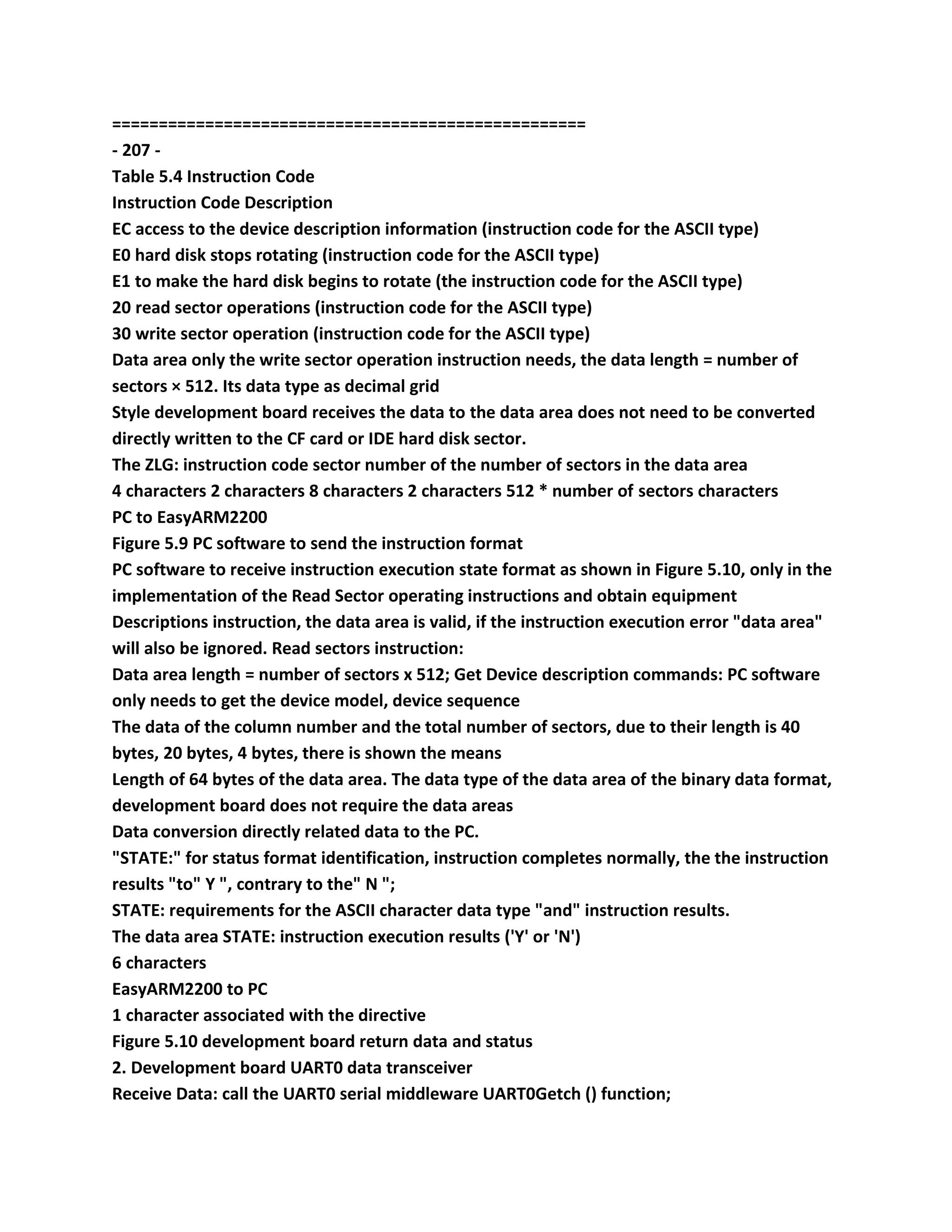
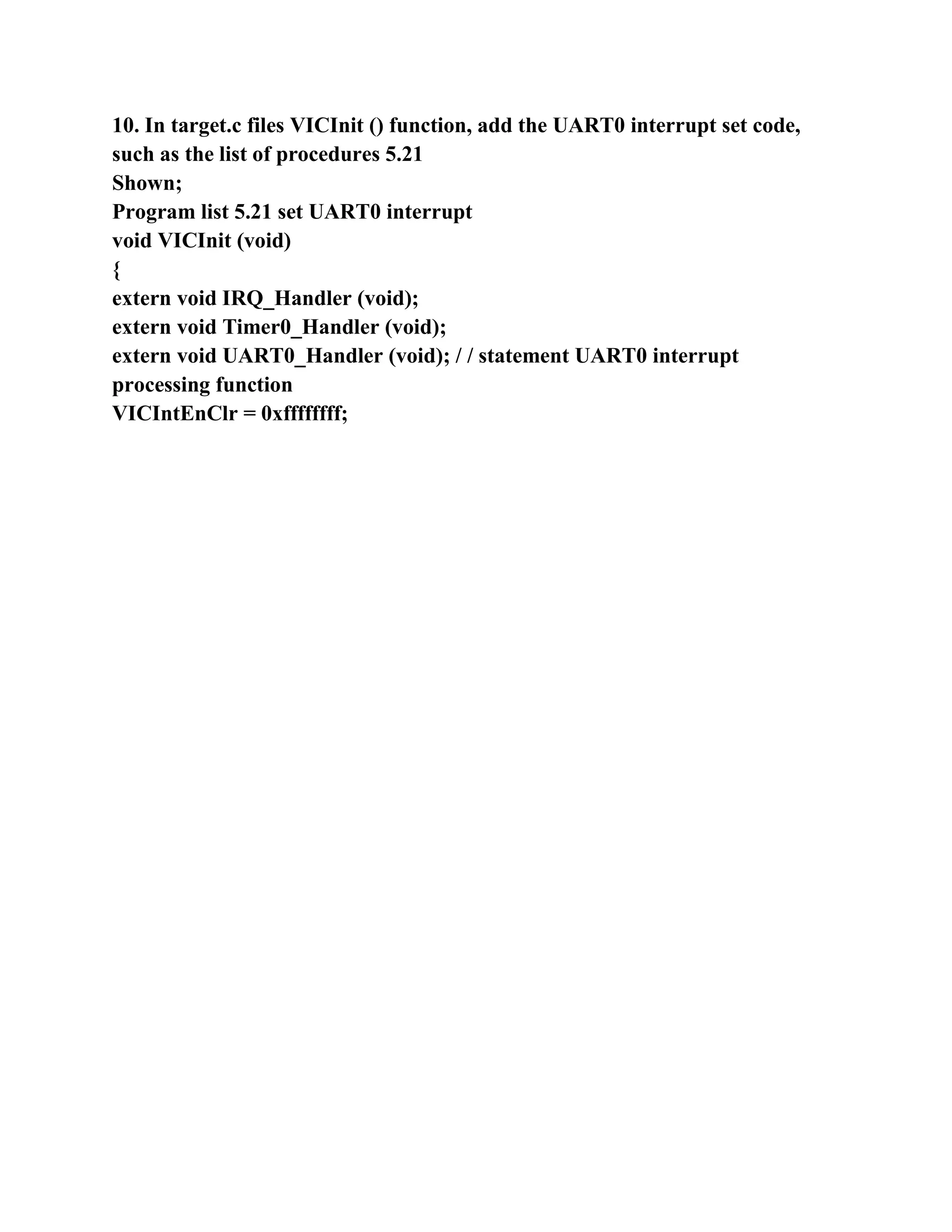
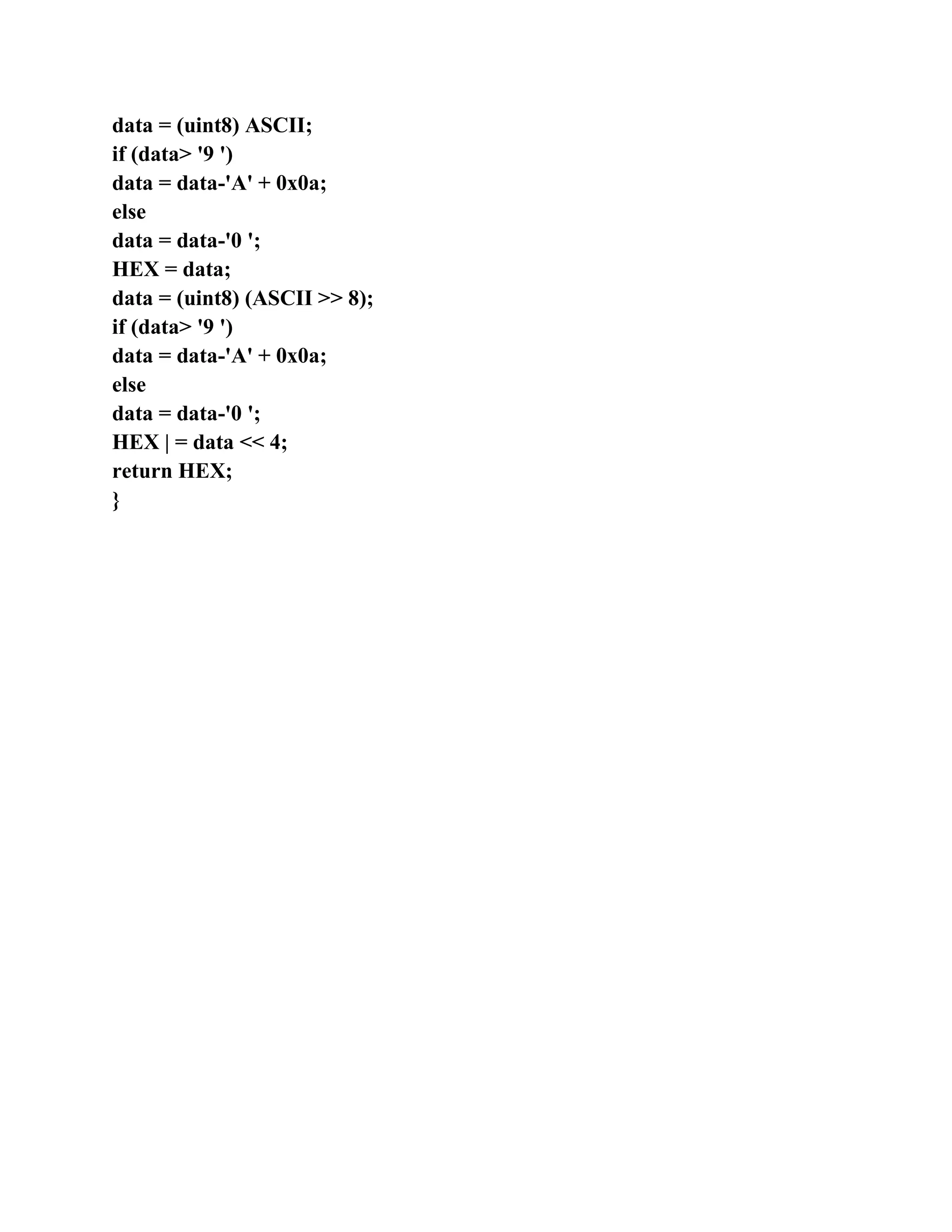
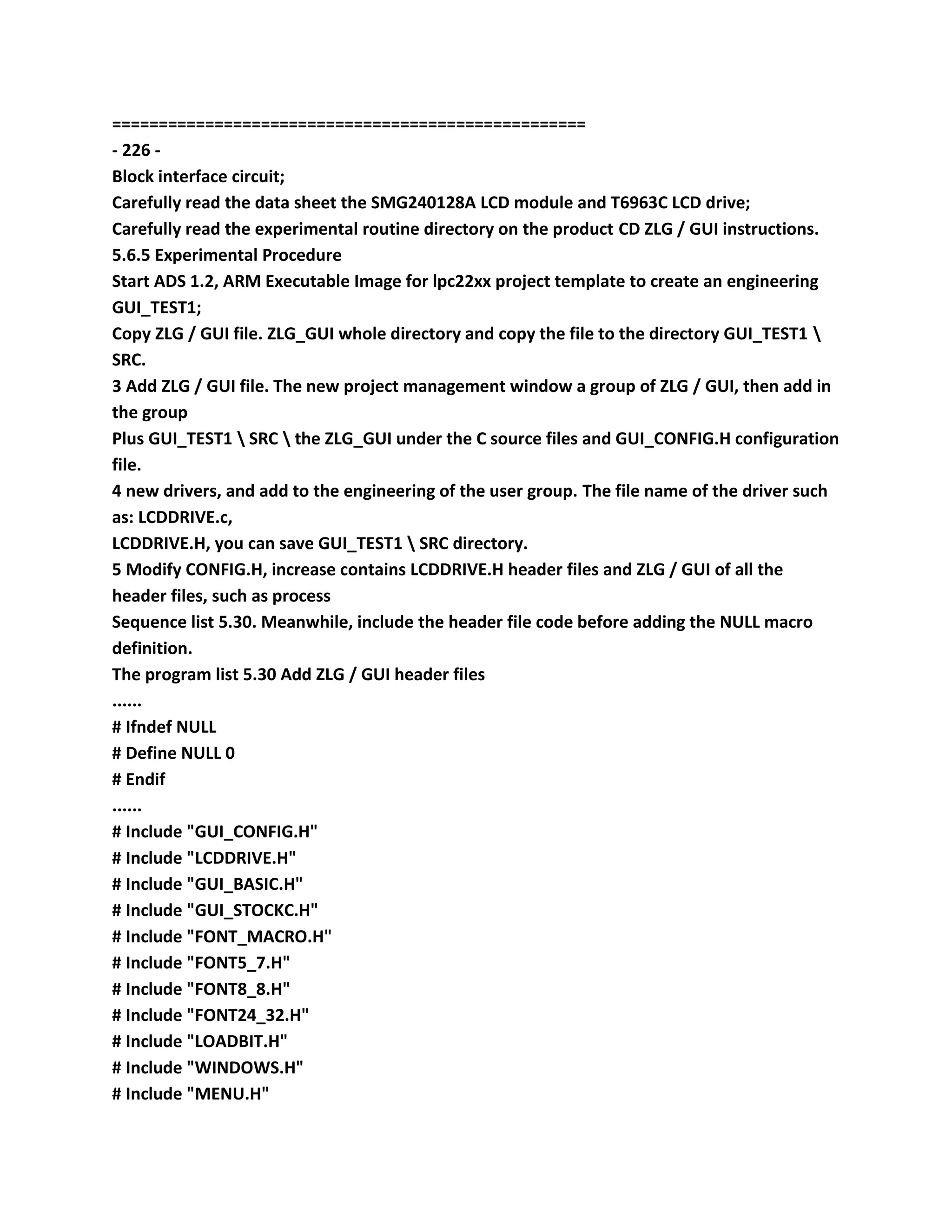
===================================================
- 1 -
The Chapter 1 EasyARM2200 development board hardware structure
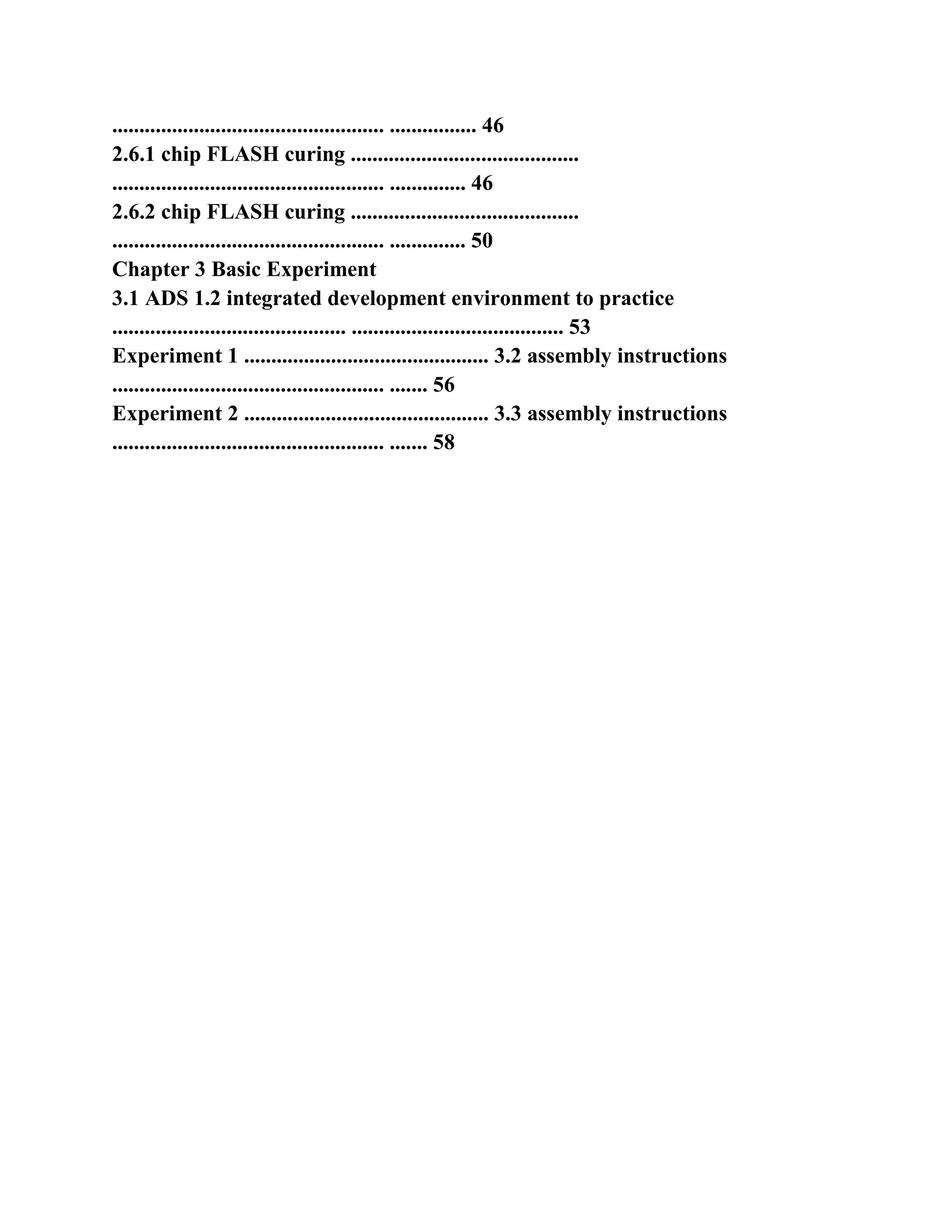
1.1 Features ............................................... ..................................................
.................. 4
1.2 hardware principle ...............................................
.................................................. .................. 5
1.2.1 circuit schematic ............................................
.................................................. ............................ 5
1.2.2 Rationale ............................................. ..................................................
............................... 5
1.3 Hardware structure ...............................................
.................................................. ................ 18
1.3.1 component layout diagram ............................................
.................................................. .......................... 18
1.3.2 jumpers Description ...........................................
.................................................. ........................... 19
1.3.3 Connector Description ............................................
.................................................. .......................... 23
1.4 hardware using resources .............................................
.................................................. ...... 26
1.5 Other ................................................ ..................................................
....................... 27
The 1.5.1 EasyARM2200 development board power supply
........................................... .................................................. .. 27
1.5.2 jumpers ............................................ ..................................................
................................. 27
1.5.3 CPU PACK installation ...........................................
.................................................. ................ 27
Chapter 2 ADS integrated development the environment and EasyJTAG
emulator application
2.1 ADS 1.2 integrated development environment composed
.......................................... .................................... 29
2.1.1 CodeWarrior IDE Introduction ............................................
.................................................. ......... 29
2.1.2 AXD debugger Introduction ...........................................
.................................................. .................. 30
2.2 Project Editing .............................................. ..................................................
............. 31
2.2.1 establish engineering .............................................
.................................................. ............................. 31
2.2.2 to establish file ............................................. ..................................................
............................. 32
2.2.3 Add file to the project ...........................................
.................................................. .................... 32
The 2.2.4 compiler connect engineering ............................................
.................................................. ....................... 33
2.2.5 Open the old project ............................................
.................................................. .......................... 35
2.3 Project Debugging ..............................................
.................................................. ............. 36
2.3.1 Select the debug target ............................................
.................................................. ....................... 36
2.3.2 debug toolbar ............................................ ..................................................
.......................... 36
2.4 LPC2200-series ARM7 microcontroller template .........................................
................. 37
2.4.1 increase the LPC2200 dedicated engineering template for ADS1.2
...................................... ................................... 38
2.4.2 use the LPC2200 dedicated engineering template to establish engineering
........................................ .................................... 39
2.4.3 template Scope ............................................ ..................................................
....................... 40
Installation and application of 2.5 EasyJTAG emulator
.......................................... ............................... 43
To 2.5.1 installed EasyJTAG emulator ...........................................
.................................................. ........ 44
And 2.5.2 use EasyJTAG emulator ...........................................
.................................................. ........ 44
2.6 curing procedures ...............................................
.................................................. ................ 46
2.6.1 chip FLASH curing ..........................................
.................................................. .............. 46
2.6.2 chip FLASH curing ..........................................
.................................................. .............. 50
Chapter 3 Basic Experiment
3.1 ADS 1.2 integrated development environment to practice
........................................... ....................................... 53
Experiment 1 ............................................. 3.2 assembly instructions
.................................................. ....... 56
Experiment 2 ............................................. 3.3 assembly instructions
.................................................. ....... 58
===================================================
- 2 -
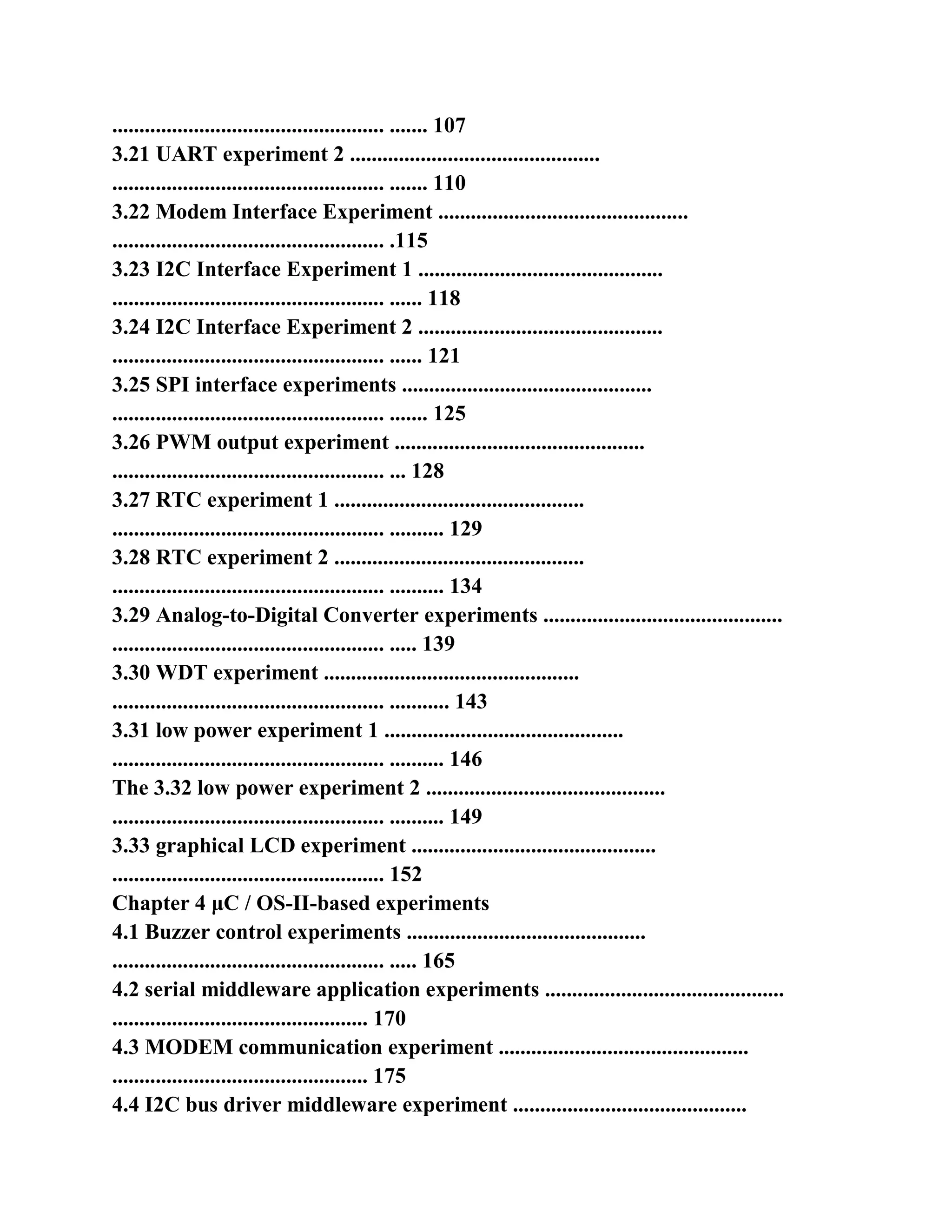
Experiment 3 ............................................. 3.4 assembly instructions
.................................................. ....... 61
The 3.5 assembly instruction Experimental 4 .............................................
.................................................. ....... 64
Experiment 5 ............................................. 3.6 assembly instructions
.................................................. ....... 66
3.7 ARM microcontroller mode experiments ..........................................
.................................... 69
3.8 C language programming experiment .............................................
.................................................. ...... 73
3.9 C language calling assembler experiment ...........................................
.......................................... 75
3.10 GPIO output control experiments ............................................
.............................................. 77
3.11 GPIO output control experiments ............................................
.............................................. 81
3.12 GPIO input experiment ..............................................
.................................................. ..... 84
3.13 memory remapping experiments .............................................
.................................................. .. 87
A 3.14 external interrupt Experiment 1 .............................................
.................................................. ....... 89
A 3.15 external interrupt Experiment 2 .............................................
.................................................. ....... 91
3.16 External Memory Interface Experiment 1 ............................................
.............................................. 93
3.17 External Memory Interface Experiment 2 ............................................
.............................................. 98
Experiment 1 ............................................. 3.18 Timer
.................................................. ......... 103
Experiment 2 ............................................. 3.19 Timer
.................................................. ......... 105
3.20 UART experiment 1 ..............................................
.................................................. ....... 107
3.21 UART experiment 2 ..............................................
.................................................. ....... 110
3.22 Modem Interface Experiment ..............................................
.................................................. .115
3.23 I2C Interface Experiment 1 .............................................
.................................................. ...... 118
3.24 I2C Interface Experiment 2 .............................................
.................................................. ...... 121
3.25 SPI interface experiments ..............................................
.................................................. ....... 125
3.26 PWM output experiment ..............................................
.................................................. ... 128
3.27 RTC experiment 1 ..............................................
.................................................. .......... 129
3.28 RTC experiment 2 ..............................................
.................................................. .......... 134
3.29 Analog-to-Digital Converter experiments ............................................
.................................................. ..... 139
3.30 WDT experiment ...............................................
.................................................. ........... 143
3.31 low power experiment 1 ............................................
.................................................. .......... 146
The 3.32 low power experiment 2 ............................................
.................................................. .......... 149
3.33 graphical LCD experiment .............................................
.................................................. 152
Chapter 4 μC / OS-II-based experiments
4.1 Buzzer control experiments ............................................
.................................................. ..... 165
4.2 serial middleware application experiments ............................................
............................................... 170
4.3 MODEM communication experiment ..............................................
............................................... 175
4.4 I2C bus driver middleware experiment ...........................................
......................................... 178
4.5 SPI bus driver middleware experiment ...........................................
........................................ 180
4.6 clock display experiments ..............................................
.................................................. ....... 183
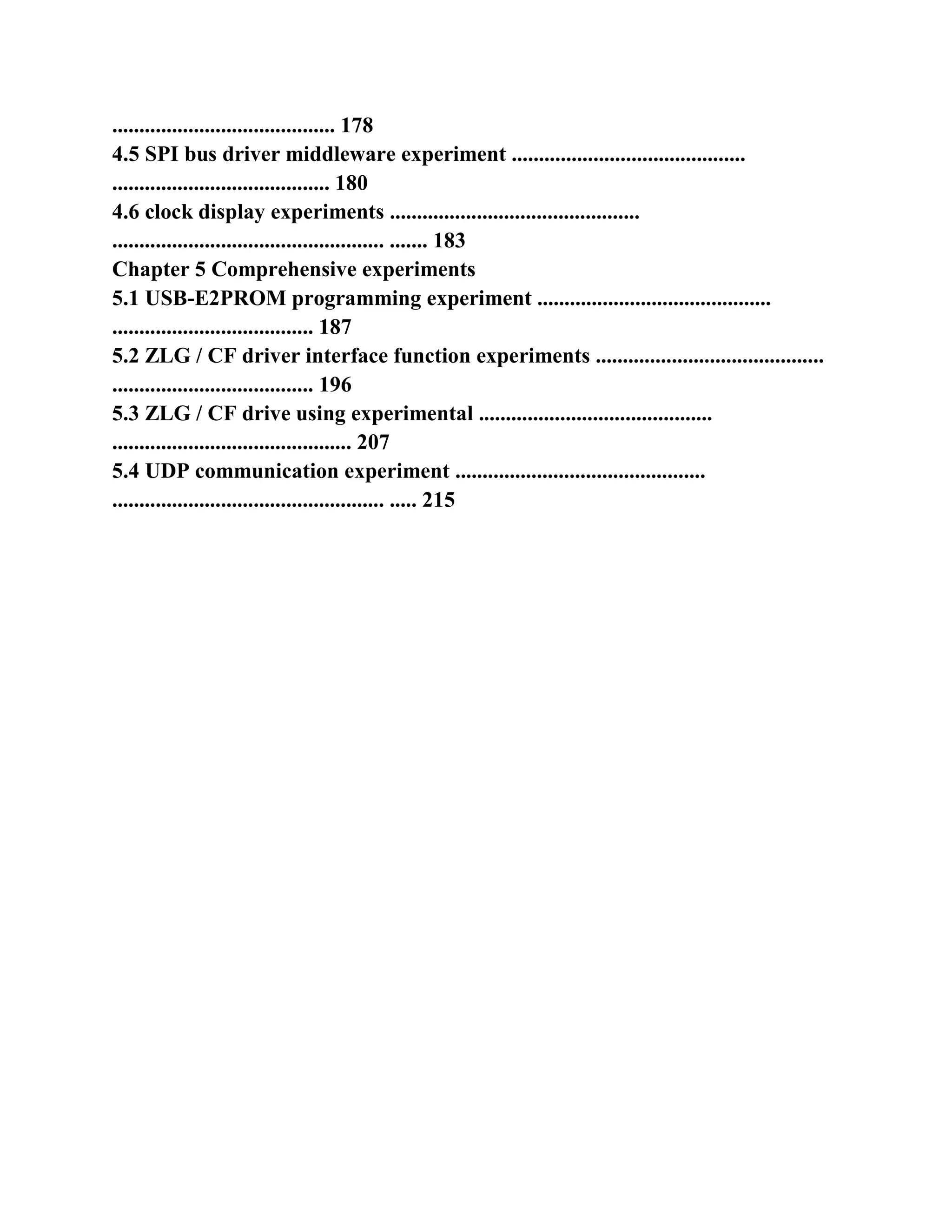
Chapter 5 Comprehensive experiments
5.1 USB-E2PROM programming experiment ...........................................
..................................... 187
5.2 ZLG / CF driver interface function experiments ..........................................
..................................... 196
5.3 ZLG / CF drive using experimental ...........................................
............................................ 207
5.4 UDP communication experiment ..............................................
.................................................. ..... 215
===================================================
- 3 -
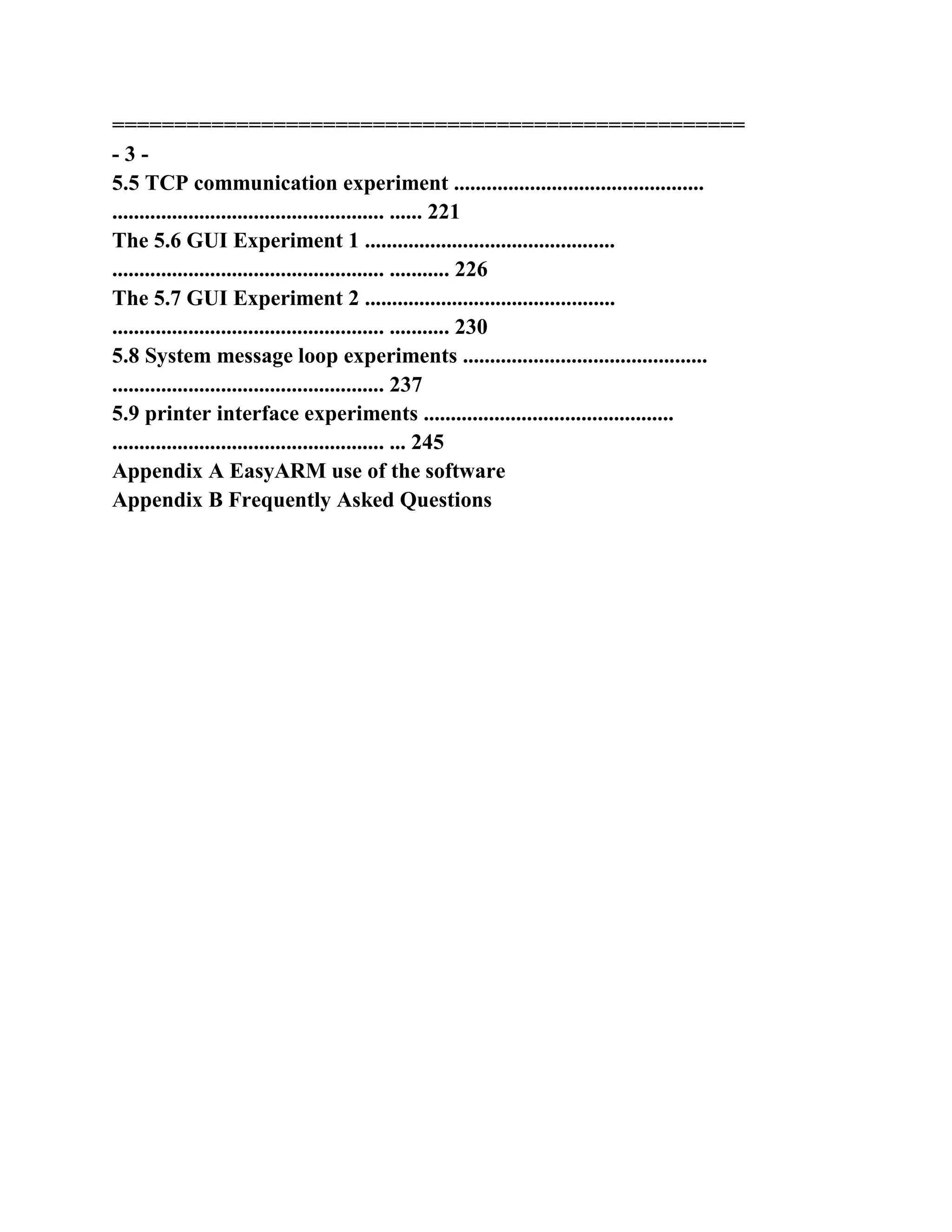
5.5 TCP communication experiment ..............................................
.................................................. ...... 221
The 5.6 GUI Experiment 1 ..............................................
.................................................. ........... 226
The 5.7 GUI Experiment 2 ..............................................
.................................................. ........... 230
5.8 System message loop experiments .............................................
.................................................. 237
5.9 printer interface experiments ..............................................
.................................................. ... 245
Appendix A EasyARM use of the software
Appendix B Frequently Asked Questions
===================================================
- 4 -
The Chapter 1 EasyARM2200 development board hardware structure
EasyARM2200 development board is a powerful 32-bit ARM microcontroller
development board PHILIPS public
Division ARM7TDMI-S core, the microcontroller LPC2210, of the bus open
with JTAG debug functions. Board provides
Keyboard, LED, RS232 and other commonly used features, and has an IDE
hard disk interface, CF memory card interface, Ethernet
Interface and MODEM interface and design peripherals PACK greatly
facilitate the users in the 32-bit ARM embedded
The system field development trials.
LPC2210/2212/2214/2290/2292/2294 is the world's first encrypted with
external memory interface ARM
Chip has zero wait 0K/128K/256K bytes on-chip FLASH (FLASH chip chip is
not encrypted)
16K bytes SRAM, simplify system design, to improve performance and
reliability. Chip internal UART, hardware I2C
SPI, PWM, ADC, timers, CAN (LPC2290/2292/2294) and many other
peripheral components, the more powerful;
144-pin LQFP package, 3.3V and 1.8V system power supply, internal PLL
clock adjustment, and lower power consumption.
1.1 Features
� CPU PACK, you can use a variety of compatible chip
(LPC2210/2212/2214/2290/2292/2294, /
LPC2114/2124/2119/2129/2194 etc.), standard the LPC2210 CPU PACK
board one comes empty CPU
PCAK a plate;
� completely independent hardware and software design, own copyright the
JTAG emulation technology to support the integrated development of the
ADS1.2
Environment;
� has 4Mbit SRAM, 16Mbit FLASH, user-friendly prototype development;
� rich peripheral support peripherals PACK, external, and matching a
variety of peripherals PACK board;
� RTL8019AS card chip, provides TCP / IP package;
� with standard the MODEM directly interface to facilitate remote
communications, PPP protocol package;
� IDE hard disk interface, CF memory card interface, the FAT file system
package;
� D12 USBPACK, offer mobile hard Packages;
� optional CAN interface board for easy assembly fieldbus;
� with a graphical LCD interface provides a GUI package;
� with up to 16 keys, the Chinese character input method package;
� printer interface circuit provides printer package;
� RS232 converter circuit, and can communicate with the host computer;
� providing PC-based human-machine interface, convenient debugging real-
time clock, serial communication functions;
� provide detailed teaching materials, experimental routines;
� GPIO control experiments buzzer control, analog SPI;
� the external interrupt Experimental learning vector interrupt controller
(VIC);
� board I2C devices, I2C bus to complete the experiment;
� use 74HC595 chip SPI interface, data transmission and receiving
experimental;
� test point and the filter circuit with a PWM output, PWM output, PWM
DAC experiments;
� real-time clock control experiments;
� WDT and low-power control experiments;
� ADC data acquisition experiments.
EasyARM2200 development board functional block diagram is shown in
Figure 1.1.
===================================================
- 5 -
The Figure 1.1 EasyARM2200 development board functional block diagram
1.2 hardware schematic
1.2.1 circuit schematics
EasyARM2200 development board circuit schematic diagram is shown in
Figure 1.2.
1.2.2 Rationale
1 power circuit
LPC2000 family of ARM7 microcontroller to use two sets of power supply, I /
O port power supply of 3.3V, kernel and tablets
Within peripheral power supply 1.8V, so the system is designed for 3.3V
applications. First, CZ1 power input interface 9V
DC power diode D1 prevents power reverse, C1, C4 filtering, and then by the
LM7805 power regulator to
5V, LDO regulator output 3.3V and 1.8V voltage chip (low dropout power
chip).
5V regulator circuit schematic design is the use of the LM2575 switching
power chip, shown in Figure 1.3, if the user
On the the development board peripherals Pack and other user interface uses
the power of a larger load, the LM2575 can provide sufficient
Current. The development boards 5V regulator EasyARM2200 can use
LM7805 linear regulator chips, circuit schematic circuit
Shown in Figure 1.4.
Figure 1.3 5V power supply circuit-LM2575
5V regulator
Power supply
LDO low pressure
Dropout Regulator
9-pin D-type
Serial Interface
Modem
Interface
RJ45 to
Ethernet interface
LPC2210_PACK
(ARM7TDMI-S)
JTAG interface
Port (20-pin)
CAN interface
(LPC229
2/2294, etc.
Effective)
IDE hard disk
And CF card
Interface
I2C memory
Memory
RTL8019 to
Ethernet controller
RS232 to
Converter (8-way)
RS232 to
Converter (2-way)
LCM interface
(SMG240128A)
Peripheral PACK
16/8 bit bus
FLASH
16M bit
SRAM
4M bit
Keyboard with LED
(I2C interface drives)
ADC interface
===================================================
- 6 -
Figure 1.4 5V power supply circuit-LM7805
LDO chip SPX1117M3-1.8,, and SPX1117M3-3.3, which is characterized by
large output current, output voltage
High precision, high stability. The system power supply circuit as shown in
Figure 1.5.
Figure 1.5 system power circuit
SPX1117 series the LDO chip output current of up to 800mA, output voltage
accuracy within ± 1%, also has electric
Current limit and thermal protection function, a wide range of users in the
handheld meter, digital home appliances, industrial control and other fields.
When used, its output
Need at least 10uF tantalum capacitor terminal to improve the transient
response and stability.
Description: the development board analog power / analog ground noise
requirements are not very high, so there is no analog power / analog
With digital power / digital ground isolation, but the PCB board with a large
area of deposited earth, in order to reduce the noise.
Note: The power EasyARM2200 development board is a 9V DC power
supply, CZ1 power connector input connector
Power polarity is negative outside positive. POWER LED should be lit when
the power to the development board is powered on.
2. Reset circuit
Because the ARM chip's high-speed, low-power, low operating voltage lead to
its low noise margin, power supply ripple, transient
Many aspects of the response to the performance, the stability of the clock
source, power monitoring reliability also put forward higher requirements.
The development board
The reset circuit using a a dedicated microprocessor power monitoring chip
SP708S, improve system reliability. During JTAG
Debugging, nRST, TRST by JTAG emulator control reset, so use a tri-state
buffer gate 74HC125
Drive circuit as shown in Figure 1.6.
===================================================
- 7 -
Figure 1.6 System Reset Circuit
In Figure 1.6, signal nRST connected to the LPC2210 chip reset pin RESET,
signal nTRST, of connection to
LPC2210 chip the internal JTAG interface circuit reset pin TRST. When
pressed the reset button RST, SP708S immediately lose
A reset signal pin RST output low level lead 74HC125A, 74HC125B
conduction signal the nRST and nTRST
Output low to reset the system. Usually SP708S the RST output high level
The, 74HC125A, 74HC125B deadline
By the pull-up resistor R3, R4 will signal the nRST and nTRST pull high,
normal operation of the system or the JTAG emulation tune
Again.
3. System clock circuit
LPC2000 series ARM7 microcontrollers can use an external crystal or
external clock source, the internal PLL circuit to adjust the system
System clock, allowing the system to run faster (CPU operating clock is
60MHz). If they do not use the on-chip PLL function and
ISP download function of the external crystal frequency range 1MHz ~
30MHz, 1MHz ~~ 50MHz external clock frequency range;
If you use a the chip PLL function or ISP download function, external crystal
frequency range is 10MHz ~ 25MHz, external
The bell frequency range is 10MHz ~ 25MHz.
EasyARM2200 development board uses external 11.0592MHz crystal, the
circuit shown in Figure 1.7 with 1MΩ resistor
R45 and attached to both ends of the crystal, and to make the system easier to
start-up. 11.0592MHz crystal reasons is the serial port baud rate
Accurate, at the same time be able to support the LPC2000 series ARM7
microcontroller chip internal PLL function and ISP function.
Figure 1.7 system clock circuit
===================================================
- 8 -
4 JTAG interface circuit
ARM's standard 20-pin JTAG emulator debug interface, JTAG signal
definition and LPC2210
Connection is shown in Figure 1.8. Figure JTAG interface signals nRST,
nTRST development board reset circuit connection (see
To Figure 1.6) to form a line with the relationship, to achieve the purpose of
jointly controlled system reset.
According to the the LPC2210 application manual explains, the RTCK pin
pick a 4.7KΩ pull-down resistors, so that the system reset
After LPC2210 the internal JTAG interface is enabled, so you can directly
JTAG emulator debug. If the user needs
P1.26 ~ P1.31 for I / O, and JTAG emulator debug, you can in the user
program by setting PINSEL2
Register LPC2210 the internal JTAG interface is disabled. In addition, in
TRACESYNC pin by jumper JP10
Pick a 4.7KΩ the pull-down resistor, can reset enable / disable tracking debug
port, disable (JP10 disconnect)
Only P1.16 ~ P1.25 I / O
Figure 1.8 JTAG interface circuit
5 serial MODEM interface circuit
Because the system is 3.3V system, so use the SP3232E RS232 level
conversion, SP3232E 3V workers
RS232 conversion chip for power. In addition, the LPC2000 series ARM7
microcontrollers UART1 with a complete tune
Modem (MODEM) interface, so you want to use the 8-way RS232 conversion
chip SP3243ECA. Shown in Figure 1.9,
JP3 connect UART1 port line jumper when they disconnect mouth line
reserved for the user as other functions.
When you want to use your ISP function, CZ2 connected to the PC's serial
port (COM1) and the development of experimental board, UART0
Communication. Also JP1 shorted ISP hardware conditions are met.
Users through the CZ3 direct connection MODEM, controlled by UART1 of
LPC2000 ARM7 microcontroller series
MODEM dial-up communications. Note LPC2000 series of ARM7
microcontroller ISP enable pin
(P0.14 mouth) with DCD1 functional pin multiplexing system reset P0.14 port
is low, then enter the ISP status; same
Kind of program simulation debugging process, when the JP1 shorted, DCD1
maintain low impact MODEM interface
Proper use.
===================================================
- 9 -
Figure 1.9 serial MODEM interface circuit
6. Keypad and LED display circuit
EasyARM2200 developed experimental board has 16 buttons and 8-bit LED
digital tube, use the I2C interface key
The disk LED driver chip ZLG7290, circuit in Figure 1.10, as shown in Figure
1.11. ZLG7290 a style powerful
Keyboard and LED driver chips, up to 64 keys and eight common cathode
LED digital tube. JP5 can disconnect
EasyARM2200 development board I2C devices with LPC2210 connection.
, EasyARM2200 development board using a 74HC595 drive eight LED lights,
as shown in Figure 1.12.
Clock (SCK), data (SI) received LPC2210 SPI interface of the SCLK0 MOSI0,
so that you can send
Data to the 74HC595; chip select (RCK, 74HC595 output trigger side) is
connected to the P0.8 port, controlled by P0.8 74HC595
Data latch output; the SPI interface MISO0, highest bit output (SQH)
connected to LPC2210 can be used to read back the number of
It is. This connection can SPI interface control experiments, and can a
74HC595 shift output read back (by MISO0
Read back). This part of the circuit can be JP8 tripped.
Using the hardware SPI interface main should SPI0 / 1 4 I / O ports are set to
SPI functions, such as P0.4 as a cause
P0.5, P0.6, P0.7, and SSEL0 / 1 pin can not be low, generally connected to a
10KΩ on the pull-up resistor. In
EasyARM2200 development board P0.7 complex used as a of Ethernet chips
RT8019AS the interrupt input, use hardware
SPI control 8 LED lights, to disconnect of P0.7 with RT8019AS the connection
(JP4 jumper).
===================================================
- 10 -
Bit0
Bit1
Bit2
Bit3
Bit4
Bit5
Bit6
Bit7
Bit0
Bit1
Bit2
Bit3
Bit4
Bit5
Bit6
Bit7
Seg0
Seg1
Seg2
Seg3
Seg4
Seg5
Seg6
Seg7
P0.2_SCL
P0.3_SDA
1 e
2 d
3 h
4 c
5 g C0 6
7 b
C1 8
C2 9
10 f
11 a C3 12
LED10
1 e
2 d
3 h
4 c
5 g C0 6
7 b
C1 8
C2 9
10 f
11 a C3 12
LED9
X2
6MHz
OscIn
OscOut
C18 20p
C19 20p
R21
R20
R19
R18
R17
R16
R15
R14 220 x 8
Seg0
Seg1
Seg2
Seg3
Seg4
Seg5
Seg6
Seg7
OscIn
OscOut
13 Dig7
12 Dig6
21 Dig5
22 Dig4
3 Dig3
4 Dig2
5 Dig1
6 Dig0
20 SDA
19 SCL
14 / INT
11 GND / RES 15 OSC1 17 OSC2 18 VCC 16
SegH 10 SegG 9 SegF 8 SegE 7 SegD 2 SegC 1 SegB 24 SegA 23
U10
ZLG7290
VDD3.3
R48
10K
R46
10K
VDD3.3
P0.30_EINT3
R47 470
21
43
65
JP5
HEADER 3X2
SDA
SCL
nRST
Figure 1.10 8 LED digital tube drive circuit
Figure 1.11 16-button connection circuit
===================================================
- 11 -
Figure 1.12 SPI driver LED lamp circuit
If the need for the large amounts of data, that can use EasyARM.exe software
for analog display. EasyARM.exe
Is a host computer software for EasyARM2200 experimental board
development, has eight analog digital display, full simulation
The DOS screen display, analog calendar clock display, and 20 analog key
input all this through the serial port through
Information control operation.
Buzzer and PWM circuit 7.
As shown in Figure 1.13, the buzzer using a PNP transistor Q2, the drive
control, when the P0.7 control level 0 is output,
Q2 is turned on, the buzzer beeps; P0.7 control level output, Q2 is off, buzzer
stop beep; if the JP9
Disconnect, Q2 cut-off, the buzzer stop beep.
Figure 1.13 buzzer control circuit
Q2 switching transistor 8550, its main feature is the high magnification hFE =
300, maximum collector current
ICM = 1500mA, characteristic frequency fT = 100MHz.
R89 for limiting the base current of Q2, when the P0.7 output 0, the current
flowing through R89, as shown in Equation 1.1, Ir
2.6mA, assuming Q2 work in the enlarged area = ⋅ = 400 × 2.6 = 1040 cb I β I
mA; while the general DC buzzer
3.3V voltage current is about 28mA, turn = 28 c I mA, the voltage on the
buzzer
Reach 3.3V, at this time Uec ≈ 0V, ie Ueb> Uec, Q2 to deep saturated
conduction, buzzer enough current.
0.0026
1000
3.3 3.3 0.7 =
-
=
-
=
R
IR Veb of (A), (Equation 1.1)
This pin on due the P0.7 port and SPI components SSEL0 reuse, so a pull-up
resistor R88, to prevent the use of
Hardware SPI bus SSEL0 pin floating SPI operation error.
PWM output experiment shown in Figure 1.14, use PWM6 (P0.9 pin) output
after R90, C34
RC filter to achieve control of the PWM DAC, JP2 can disconnect the part of
the circuit. The PWM test points can be directly measured
Trial PWM the waveform, PWMDAC test points can measure the the PWM
DAC voltage value.
===================================================
- 12 -
Figure 1.14 PWM DAC circuit
8. ADC circuit
LPC2114/2124/2119/2129/2194 with 4-channel 10-bit ADC converter,
LPC2210/2212/2214/2290/22
92/2294 8-channel 10-bit ADC converter reference voltage of 3.3V (V3a pin
provides), the reference voltage is fine
Degree will affect the ADC conversion results. EasyARM2200 development
experiment board provides two DC voltage measuring circuit, as shown in
1.15 below, the adjustable resistor W1 and W2 for the adjustment of the ADC
input voltage can VIN1, VIN2 test point
Using the multimeter to check the current voltage value. R34, R35 for the I /
O port protection resistor adjusted when the ADC input voltage to 3.3V or
0V, while P0.27 or P0.28 as GPIO output 0/1 the two resistors ensure that the
circuit does not produce short-circuit fault.
The development board will also EasyARM2200 other 4-channel ADC
interface leads through J4, shown in Figure 1.15.
The experiment circuit of Figure 1.15 ADC
9 CAN interface circuit
LPC2119/2129/2290/2292 has a 2 way CAN interface, LPC2194/2294 the 4-
channel CAN interface,
J5 leads EasyARM2200 development board microcontroller CAN interface,
shown in Figure 1.16. The CAN interface
Port connected to CAN transceiver (TJA1050), you CAN bus communication
operation.
Figure 1.16 CAN interface circuit
10. Peripheral the PACK Interface circuit
LPC2200 series ARM7 microcontroller bus open type of microcontroller, it is
through the external memory controller
===================================================
- 13 -
(EMC) provides an interface for AMBA AHB system bus and off-chip
memory, SRAM, ROM, FLASH
Burst ROM and external I / O devices. The EasyARM2200 development
board designed a peripheral PACK, the circuit shown in Figure 1.17
Shown with 24 address bus A0 ~ A23, 16 root data bus D0 ~ D15, a read /
write signal OE, WE, BLS0
And BLS1, chip-select signal CS2, available on the peripherals PACK address
to 0x82000000 to 0x82FFFFFF.
The user can use the the CS2 signal and the high order address for decoding
to reach the address re-allocation purposes. Peripheral PACK on
6 I / O port, and two I / O for external interrupt pin, thus greatly facilitate the
connection with the external I / O devices.
Figure 1.17 Peripheral the PACK Interface circuit
11 Ethernet interface circuit
EasyARM2200 development board is designed the RTL8019AS chip as the
core of the Ethernet interface circuit, the circuit of the original
Processing shown in Figure 1.18. LPC2210 is the bus open, the circuit design
for 16-bit bus on RTL8019AS
Access the data bus D0 ~ D15 SD0 ~ SD16 chips, due to the the RTL8019AS
work power
5V rather LPC2210 I / O voltage of 3.3V, and so 470Ω protection resistor in
series on the bus.
Figure 1.18 Ethernet interface circuit
The the RTL8019AS chips work in jumper mode, the base address of 0x300,
circuit SA6, SA7, SA10 to
===================================================
- 14 -
SA19 are grounded, SA9 power supply. SA8 A22 of the address bus is
connected to SA5 and the LPC2210 external memory
BANK3 chip select CS3 connected SA8 1, SA5 is 0, RTL8019AS chip is
selected, i.e. its operating address
As 0x83400000 ~ 0x8340001F. Details, please refer RTL8019AS RTL8019AS
applications and connect
Chip data manual.
12 graphics LCD module interface circuit
EasyARM2200 development board has a dot matrix graphics LCD module
interface circuit can be directly SMG240128A lattice
Graphic LCD module or other compatible module is connected to the
interface circuit is shown in Figure 1.19. 8-bit bus connection
The SMG240128A graphics LCD module, the module does not address bus,
address and display data through DB0 ~ DB7
Interface. Module power is 5V rather LPC2210 I / O voltage of 3.3V, so the
series with 470 bus
Ω protection resistors. Graphic LCD module C / D and A1 connection, use the
the A1 control module processing data / command. The C / D
With A1 connection One of the advantages is that you can use a 16-bit bus
LPC2210 operate the graphic LCD module (8
Data is ignored). Module chip-select signal by the a LPC2210 A22 and
external memory BANK3 chip select CS3 phase "or"
Obtained after, when A22 and nCS3, while 0, the module is selected, so the
address of its data operation 0x83000000
The command operand address 0x83000002.
If the user needs to use other graphics LCD module can connect peripherals
PACK.
Figure 1.19 Graphical LCD module interface circuit
13. System memory circuit
The EasyARM2200 development board extends 4Mbit SRAM
(IS61LV25616AL) and 16Mbit FLASH (SST39V
F160), the circuit shown in Figure 1.20. In order to facilitate the process of
debugging and final code curing applications, use the BANK0
And BANK1 the address space, by JP6 jumper CS0 and CS1 were assigned to
the SRAM or FLASH. In
===================================================
- 15 -
Debugging allocated SRAM Address for BANK0, because BANK0 interrupt
vector remap operation.
When the curing of the final code to FLASH for allocation FLASH for
BANK0 address, SRAM BANK1 address,
BANK0 can be used to guide the program is running. Use BANK0 guide
program run JP7 is shorted to OUTSIDE
End, so that the the system reset BOOT1, BOOT0 for 0b01.
The memory connection using a 16-bit bus, data bus D0 ~~ D15 address bus
A1 ~~
A20, for 16-bit SRAM BLS0, BLS1 signal, used to control the low byte, high
byte write operation. A more detailed
Interface use Application Notes Reference LPC2210 chip external memory
controller (EMC) part of the description.
LPC2210 chip FLASH, we can only use the external FLASH save the user the
ultimate program.
Figure 1.20 memory interface circuit
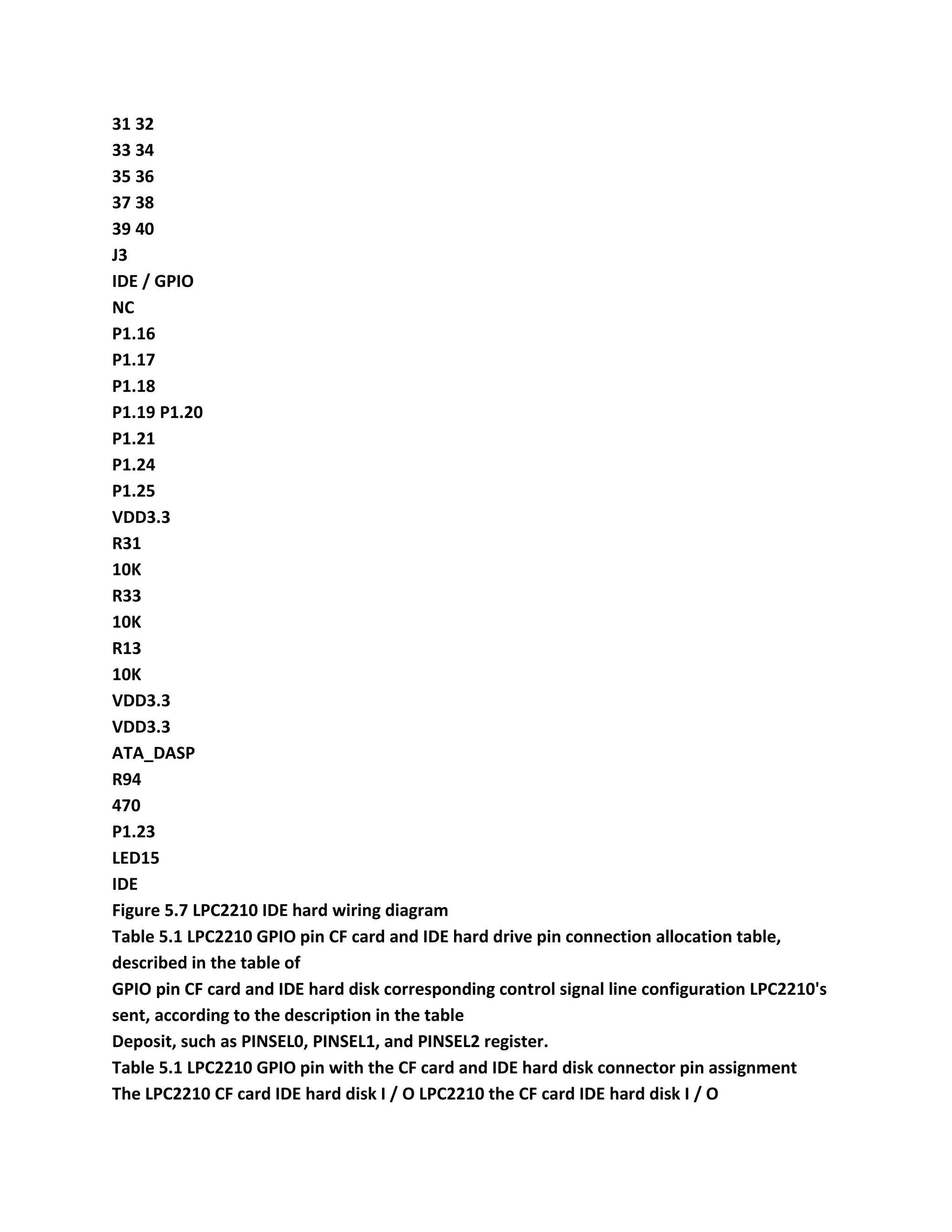
14. CF card and IDE hard disk interface circuit
LPC2210 GPIO pin with the CF card and IDE hard disk interface circuit
shown in Figure 1.21 and Figure 1.22.
CF card can work at 5V or 3.3V under CF work CF card pin requirements
when the power supply is 5V input logic
The level of the minimum value of 4.0V, the GPIO output level before 3.3V,
we can only use 3.3V power supply to the CF card.
The address of the register is by the A00, A01, A02,-CS0 and-CS1 choose, they
are assigned in the P1 port
To simplify programming; data bus D00-D15 P2.16 ~ P2.31 use continuous
GPIO, but also to the programming side
It; other IO pins are no special requirements. Table 1.1 LPC2210's GPIO pin
CF card and IDE hard
The disc pin connections Allocation Table, as described in the table of GPIO
pins CF card and IDE hard disk corresponding control signal pin.
Table 1.1 LPC2210 GPIO pin CF card and IDE hard disk connector pin
assignment
The LPC2210 CF card IDE hard disk I / O LPC2210 the CF card IDE hard
disk I / O
* P0.17-RESET-RESET O * P1.17 A01 A01 O
* P2.16 ~ P2.31 D00 ~ D15 D00 ~ D15 I / O * P1.16 A00 A00 O
P0.18 DMARQ I * P1.19-CS0-CS0 O
===================================================
- 16 -
Connected to the table
The LPC2210 CF card IDE hard disk I / O LPC2210 the CF card IDE hard
disk I / O
* P0.19-IOWR-DIOW O P1.23 CSEL O
* P0.21-IORD-DIOR O P1.24-IOCS16-IOCS16 I
P0.22 IORDY IORDY I P1.25-PDIAG-PDIAG I
P1.21-DMACK I * P1.18 A02 A02 O
P0.20 INTRQ INTRQ I * P1.20-CS1-CS1 O
Note: The table "*" pin, for use to the pin, the other pin is not used, but need
to be configured to the appropriate state.
ATA_DASP
1 1
22
33
44
55
66
77
88
99
10 10
11 11
12 12
13 13
14 14
15 15
16 16
17 17
18 18
19 19
20 20
21 21
22 22
23 23
24 24
25 25
26 26
27 27
28 28
29 29
30 30
31 31
32 32
33 33
34 34
35 35
36 36
37 37
38 38
39 39
40 40
41 41
42 42
43 43
44 44
45 45
46 46
47 47
48 48
49 49
50 50
J17
CompactFlash Card
VDD3.3
P2.24_D24
P2.25_D25
P2.26_D26
P2.27_D27
P2.28_D28
P2.29_D29
P2.30_D30
P2.31_D31
P1.20
P0.21_PWM5
P0.19_MAT1.2
P0.20_MAT1.3
VDD3.3
VDD3.3
P0.17_CAP1.2
P0.22_MAT0.0
VDD3.3
P1.25
P1.24
P2.18_D18
P2.17_D17
P2.16_D16
P1.16
P1.17
P1.18
VDD3.3
P1.19
P2.23_D23
P2.22_D22
P2.21_D21
P2.20_D20
P2.19_D19
R94
470
LED15
IDE
ATA_DASP
Figure 1.21 LPC2210 CF card interface circuit
GND
P2.23_D23 P2.24_D24
P2.22_D22 P2.25_D25
P2.21_D21 P2.26_D26
P2.20_D20 P2.27_D27
P2.19_D19 P2.28_D28
P2.18_D18 P2.29_D29
P2.17_D17 P2.30_D30
P2.16_D16 P2.31_D31
GND
GND
GND
P0.17_CAP1.2
P0.21_PWM5
P0.22_MAT0.0
P0.18_CAP1.3
P0.19_MAT1.2
P0.20_MAT1.3
GND
GND
GND
1 2
3 4
56
78
9 10
11 12
13 14
15 16
17 18
19 20
21 22
23 24
25 26
27 28
29 30
31 32
33 34
35 36
37 38
39 40
J3
IDE / GPIO
NC
P1.16
P1.17
P1.18
P1.19 P1.20
P1.21
P1.24
P1.25
VDD3.3
R31
10K
R33
10K
R13
10K
VDD3.3
VDD3.3
ATA_DASP
R94
470
P1.23
LED15
IDE
Figure 1.22 LPC2210 IDE hard disk interface circuit
15. D12 USBPACK circuit
In EasyARM2200 development board, PDIUSBD12 PACK form of the
development board connected. 1.23 to
===================================================
- 17 -
D12 PACK element distribution. D12 PACK J1, J2 with EasyARM2200
development board J6 J7
Connected. PDIUSBD12 connected to LPC2210 hardware schematic shown in
Figure 1.24, can be seen by the figure PDIUSBD12
Relationship with LPC2210 connection, as shown in Table 1.2.
Table 1.2 PDIUSBD12 LPC2210 connected relationship
The PDIUSBD12 power can LPC2210
D0 ~ D7 PDIUSBD12 data bus D0 ~ D7
The AD0 PDIUSBD12 address bus A0
CS_USB PDIUSBD12 chip select lines nCS2 of
RD PDIUSBD12 read enable (active low) nOE
WR PDIUSBD12 write enable (active low) nEW
INT_USB PDIUSBD12 interrupt output signal P0.16_EINT0
RST_USB PDIUSBD12 reset input signal P0.10_RTS1
SUSP PDIUSBD12 suspend input signal P0.13_DTR1
By the above relation, it was found PDIUSBD12 use the LPC2210 external
storage control Bank2 portion, its address, such as
Follows:
Data address - 0x82000000 (even address)
Command address - 0x82000001 (odd address)
RST_USB, SUSP by the LPC2210 the output pin control, PDIUSBD12
interrupt signal is connected to LPC2210
External Interrupt 0.
Figure 1.23 D12 PACK element maps
===================================================
- 18 -
D12XTAL2
D12XTAL1
CS_USB
USBDP
/ GOODLNK
USBDM
RST_USB
D12DM
D12DP
AD0
INT_USB
X1
6MHz
1 VBUS
2 D3
D +
4 GND
5 SHIELD
CZ1
USB
R7
1K
R3
18R + / -1%
R2
18R + / -1%
C1 C5
68pF
C2
22pF
R5
1M
R4
1M
C3
470pF
C6
0.1uF
+ C4
105
+
C7
4.7u16V
R1
10K
FB1
FB2
VCC33
VCC33
VCC33
RD
WR
1 DATA0
2 DATA1
3 DATA2
4 DATA3
5 GND
6 DATA4
7 DATA5
8 DATA6
9 DATA7
10 ALE
11 CS_N
12 SUSPEND
13 CLKOUT
14 INT_N RD_N 15 WR_N 16 DMREQ 17 DMACK_N 18 EOT_N 19 RESET_N 20 GL_N 21 XTAL1
22 XTAL2 23 VCC 24 D-25 D + 26 VOUT3.3V 27 A0 28
U1
PDIUSBD12 (TSSOP-28)
L1
GOODLINK
VBUS
USBUSB +
SUSP
R6 1M
VCC33
AD0
CS_USB
INT_USB
RST_USB
SUSP VBUS
C8
104
R8
1M
1 2
3 4
56
78
9 10
11 12
13 14
15 16
17 18
19 20
J1
HEADER 10X2
1 2
3 4
56
78
9 10
11 12
13 14
15 16
17 18
19 20
J2
HEADER 10X2
GND
VCC33
RD WR
D0 D1
D2 D3
D4 D5
D6 D7
GND GND
D0
D1
D2
D3
D4
D5
D6
D7
GND
R9 10K
R10 10K
VCC33
INT_USB
SUSP
R11 10K
CBG201209U151B
CBG201209U151B
104
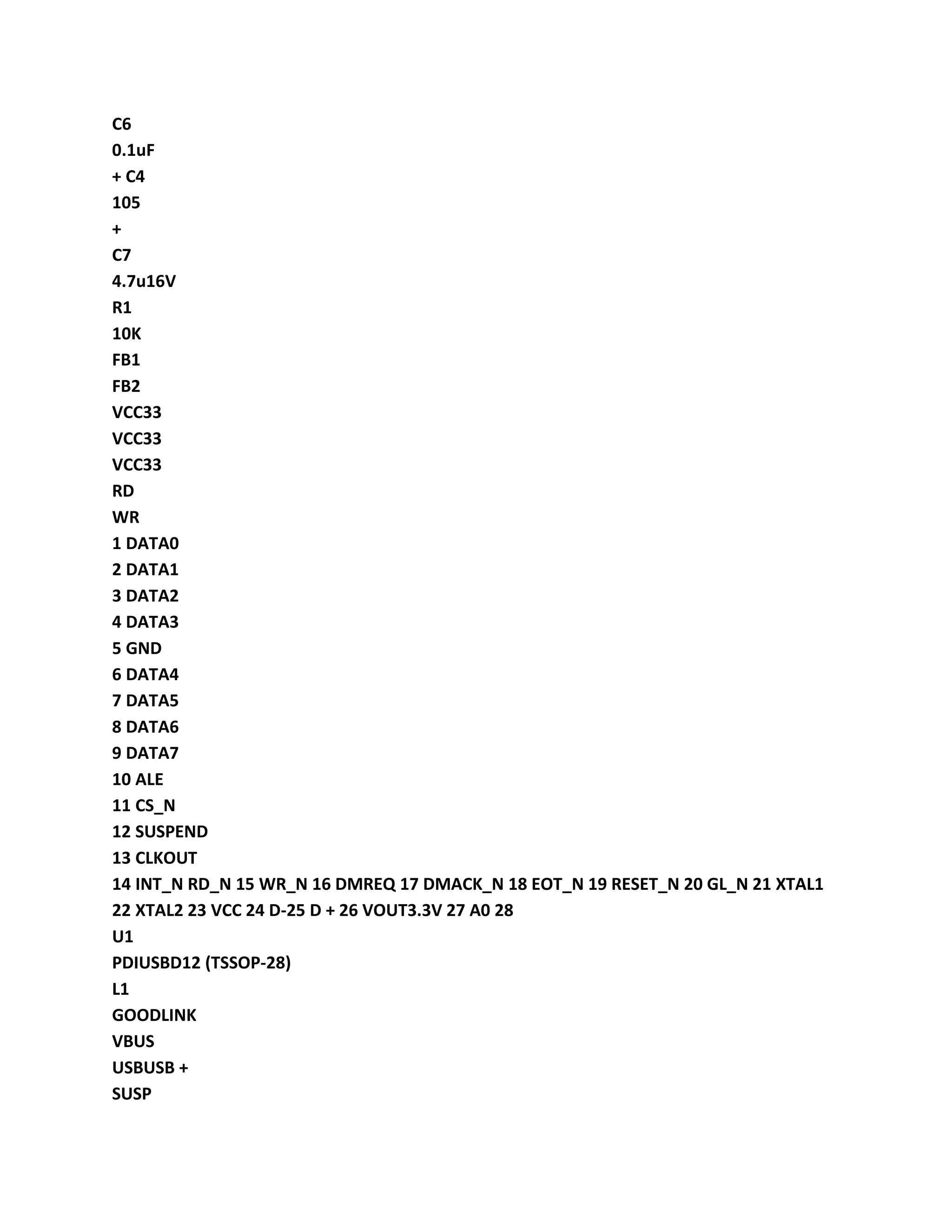
The Figure 1.24 PDIUSBD 12 LPC22xx hardware connection schematic
1.3 hardware structure
1.3.1 component layout
EasyARM2200 development board layout is shown in Figure 1.25.
Figure 1.25 EasyARM2200 components layout
===================================================
- 19 -
1.3.2 jumpers Description
The experiment board jumpers of EasyARM2200 development, as shown in Table 1.3, the
distribution of jumpers as shown in Figure 1.26.
To Table 1.3 EasyARM2200 list of jumper
The jumper labeled I / O functions reuse Remarks
The JP1 ISP P0.14 ISP function enabled shorted effective JP3_DCD1 re reset into ISP
The jumper JP2 PWMDAC P0.9 PWM DAC conversion, short
Bonding
JP3_RXD1 voltage test points PWMDAC
DCD1 P0.14 JP1
DSR1 P0.12 J6, J5
RXD1 P0.9 JP2
CTS1 P0.11 J6, J5
RI1 P0.15 J7
DTR1 P0.13 J6, J5
TXD1 P0.8 JP8_nCS
JP3
RTS1 P0.10
UART1 RS232 interface jumpers
Shorted
J6, J5
MODEM interface functions
NET_RST P0.6 RTL8019AS reset control, shorted
Valid when
JP8_MOSI
JP4
INT_N P0.7 RTL8019AS interrupt output, short circuit
Valid when
JP9 need to use the hardware I2C disconnect
This jumper
SCL P0.2 -
SDA P0.3 -
JP5
KEYINT P0.30
ZLG7290 I2C bus interrupt
Jumper pin connections, shorted
Efficiency J4
JP6 BANK P1.0
P3.26
FLASH and RAM address block set - are set to BANK0 or
BANK1
The JP7 BOOT_SEL P2.27 system start to choose J3, J17 INSIDE: internal FLASH
OUTSIDE: External BANK0
MOSI P0.6 JP4_NET_RST
nCS P0.8 JP3_TXD1
SCLK P0.4 -
JP8
MISO P0.5
74HC595 connected with SPI interface
Jumper shorted
-
Short-circuited by the SPI interface output
Control LED1 ~ LED8
JP9 BUZZER P0.7 the buzzer jumper driven, shorting
Effective
JP4_INT_N
The JP10 ETM_EN P1.20 ETM trace debug interface to enable short
Bonding
J3, J17, J18 the trace debug interface:
P1.16 ~ P1.25
===================================================
- 20 -
The Figure 1.26 EasyARM2200 jumpers
The 1. JP1 ISP enable control
LPC2000 family of ARM7 microcontrollers with ISP, if reset P0.14 cited as a low, and then
enter the ISP
Status. JP1 jumper is connected to P0.14 mouth, shorting jumper will P0.14 mouth forced low
reset
System after entering ISP. The JP1 jumper described in Table 1.4.
Table 1.4 JP1 jumper
JP1 I / O function default value
Shorted P0.14 for low enable ISP
Disconnect P0.14 by the pull-up resistor set is high prohibit ISP
Disconnect
2. JP2 PWM DAC circuit interface
The P0.9/PWM6 pin in EasyARM2200 development board connected to the the PWM test
point, at the same time, the development board
On a simple RC filter circuit PWM output DA converter can be achieved through the RC filter.
When JP2 shorted
PWM6 output connected to the RC filter circuit DA voltage by PWMDAC test points on the
measurement. JP2 jumper description, see
Table 1.5.
JP9
JP3 JP1 JP2 JP4 JP5 JP6 JP7 JP8
JP10
===================================================
- 21 -
Table 1.5 JP2 jumper
JP2 I / O function default value
The shorted PWM6 RC filter circuit connected to the PWM DAC
The disconnect PWM6 RC filter circuit disconnect -
Disconnect
3. JP3 UART1 circuit interface
UART1 MODEM interface functions, P0.8 ~ P0.15 and 8 I / O when not using the MODEM
Function, these pins can also be used as other functions, so EasyARM2200 development
board JP3 jumper
Connectivity options. When JP3 jumper shorted, all the MODEM interface pins of connection
to SP3243E (U7) chip,
The RS232 signals CZ3 connected. JP3 jumpers are described in Table 1.6.
Table 1.6 JP3 jumper
JP3 I / O function default value
DCD1 P0.14/DCD1 SP3243E connection MODEM interface
DSR1 P0.12/DSR1 SP3243E connection MODEM interface
RXD1 P0.9/RXD1 SP3243E connection of UART1 RXD
CTS1 P0.11/CTS1 SP3243E connection MODEM interface
RI1 P0.15/RI1 SP3243E connection MODEM interface
DTR1 P0.13/DTR1 SP3243E connection MODEM interface
TXD1 P0.8/TXD1 SP3243E connected to the UART1 TXD
The RTS1 P0.10/RTS1 SP3243E connection MODEM interface
Disconnect all
A 4. JP4 NET circuit interface
JP4 jumper set the Ethernet controller RTL8019AS interrupt signal and reset signal is
connected to
LPC2210. Interrupt signal is connected to P0.7/EINT2, reset signal when the JP4 jumper
shorted, RTL8019AS
Connected to P0.6 upper. JP4 jumpers are shown in Table 1.7.
Table 1.7 JP4 jumper
JP4 I / O function default value
INT_N interrupt signal, and P0.7/EINT2 connected RTL8019AS interrupt
NET_RST reset signal P0.6 connected to the RTL8019AS the reset control
Disconnect all
5. JP5 I2C circuit interface
The EasyARM2200 development board has two I2C devices the one E2PROM chip
CAT24WC02, another
A keyboard LED driver chip ZLG7290, the I2C interface of the two devices connected via JP5
and LPC2210. When
When the JP5 all shorted, the development board I2C devices connected to P0.2/SCL,
P0.3/SDA. JP5 jumper in Table 1.8.
Table 1.8 JP5 jumper
JP5 I / O function default value
To the SDA I2C devices the SDA and P0.3/SDA connection I2C devices operating
SCL I2C devices connected I2C devices SCL and P0.2/SCL of operation
KEYINT ZLG7290 interrupt signal, and P0.30/EINT3 connected keyboard interrupt
All short-circuit
===================================================
- 22 -
Description: The I2C bus is connected to the outside of the development board I2C devices
through JP5.
The 6. JP6 board memory allocation
The EasyARM2200 development board LPC2210 external memory interface BANK0, BANK1
expansion
SST39VF160 (FLASH) and IS61LV25616 (SRAM), SST39VF160 and IS61LV25616 each using a
BANK, can be used by JP6 settings FLASH which BANK SRAM which a BANK. JP6 jump
The line is shown in Table 1.9.
Table 1.9 JP6 jumper
JP6 I / O function default value
SST39VF160 assigned to BANK0
IS61LV25616 assigned to BANK1
To can use SST39VF160 up
Actuation system
IS61LV25616 assigned to BANK0
SST39VF160 allocated for BANK1
You can use IS61LV25616
JTAG emulator debug
Other settings illegal illegal
Description: Illegal set or remove the jumper will cause a corresponding memory access error.
Development board at the factory in SST39VF160 programming a demo program, so JP6
default settings for
"SST39VF160 distribution BANK0". JTAG emulator debug, the user needs to set JP6 set to
"IS61LV25616 assignment BANK0".
The 7. JP7 system start selector
The LPC2200 series chip with external memory interface, through BOOT1, BOOT0 pin set can
be selected on-chip
FLASH starter or piece outside FLASH (FLASH) in BANK0 on starting. JP7 jumper is the choice
of a three-pin jumper
You can select BOOT1 pin pull-up resistor or pull-down resistor. JP7 jumper described in Table
1.10.
Table 1.10 JP7 jumper
The JP7 I / O functions default value
Select the pull-up resistor the INSIDE BOOT1 pin chip FLASH starter
Pull-down resistors select OUTSIDE BOOT1 pin chip FLASH starter
OUTSIDE
Description: EasyARM2200 development to board BOOT0 pin has pull-up resistor when JP7
choose INSIDE,
BOOT1: 0 = 11, when the JP7 select OUTSIDE the BOOT1: 0 = 01.
8. JP8 SPI circuit interface
JP8 jumper setting 74HC595 chip whether connected P0.4/SCK0, P0.5/MISO0, P0.6/MOSI0,
and P0.8
The 74HC595 shift output directly control eight LED, LED1 ~~ of LED8. When all shorting JP8
development board
The 74HC595 devices connected to P0.4/SCK0, P0.5/MISO0, P0.6/MOSI0, and P0.8. The JP8
jumper description, see
Table 1.11.
===================================================
- 23 -
Table 1.11 JP8 jumper
JP8 I / O function default value
The MOSI 74HC595 SI and P0.6/MOSI0 of connection data output
nCS 74HC595 RCK and P0.8 connected to the chip select (output latch)
The SCLK 74HC595 SCK and P0.4/SCK0 connected shift clock
The MISO 74HC595 SQH connection with P0.5/MISO0 data input
All short-circuit
9. JP9 buzzer circuit interface
JP9 jumper is set is connected buzzer circuit buzzer beeps when JP9 shorted by P0.7 control.
JP9
The jumpers are described in Table 1.12.
Table 1.12 JP9 jumper
JP9 I / O function default value
The buzzer circuit shorted P0.7 connection to control the buzzer
Disconnect the buzzer circuit with P0.7 disconnect -
Shorting
10. JP10 ETM interface to enable control
JP10 jumpers enable the ETM trace debug interface, when JP10 jumper shorted, the system
reset P1.16 ~ P1.25
Use as trace debug interface. JP10 jumpers are described in Table 1.13.
Table 1.13 JP10 jumper
JP10 I / O function default value
Shorted P1.20 pin is connected to the pull-down resistor enabled ETM trace debug interface
Disconnect P1.20 pin internal pull-high resistor P1.16 ~ P1.25 as I / O
Disconnect
1.3.3 Connector Description
EasyARM2200 developed experimental board connector as shown in Table 1.14, jumper
distribution in Figure 1.27 shown.
To Table 1.14 EasyARM2200 list of connector
Connector Remarks
CZ1 power socket power input (DC 9V)
CZ2 UART0 interface RS232 level
CZ3 UART1 interface (MODEM Interface) RS232 level
CZ4 Ethernet interface RJ45
PACK PACK interface for extended (use BANK2 address)
J1 LCM the interface compatible SMG240128A LCD module
J2 JTAG interface is used for simulation debugging
J3 IDE / GPIO interface
J4 ADC I / O interface
J5 CAN I / O interface
J17 CF memory card interface
J18 ETM trace debug interface controlled by JP10 enable / disable
===================================================
- 24 -
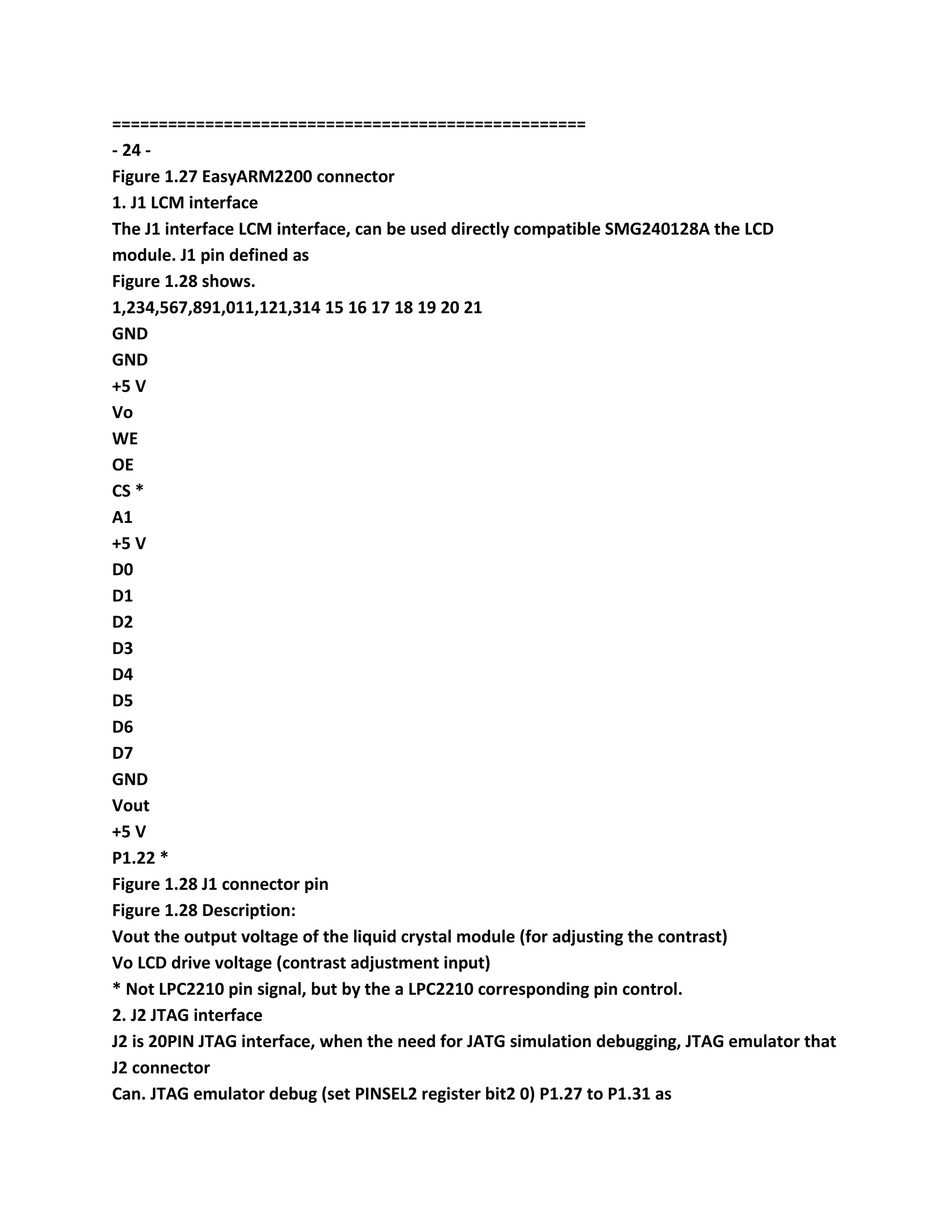
Figure 1.27 EasyARM2200 connector
1. J1 LCM interface
The J1 interface LCM interface, can be used directly compatible SMG240128A the LCD
module. J1 pin defined as
Figure 1.28 shows.
1,234,567,891,011,121,314 15 16 17 18 19 20 21
GND
GND
+5 V
Vo
WE
OE
CS *
A1
+5 V
D0
D1
D2
D3
D4
D5
D6
D7
GND
Vout
+5 V
P1.22 *
Figure 1.28 J1 connector pin
Figure 1.28 Description:
Vout the output voltage of the liquid crystal module (for adjusting the contrast)
Vo LCD drive voltage (contrast adjustment input)
* Not LPC2210 pin signal, but by the a LPC2210 corresponding pin control.
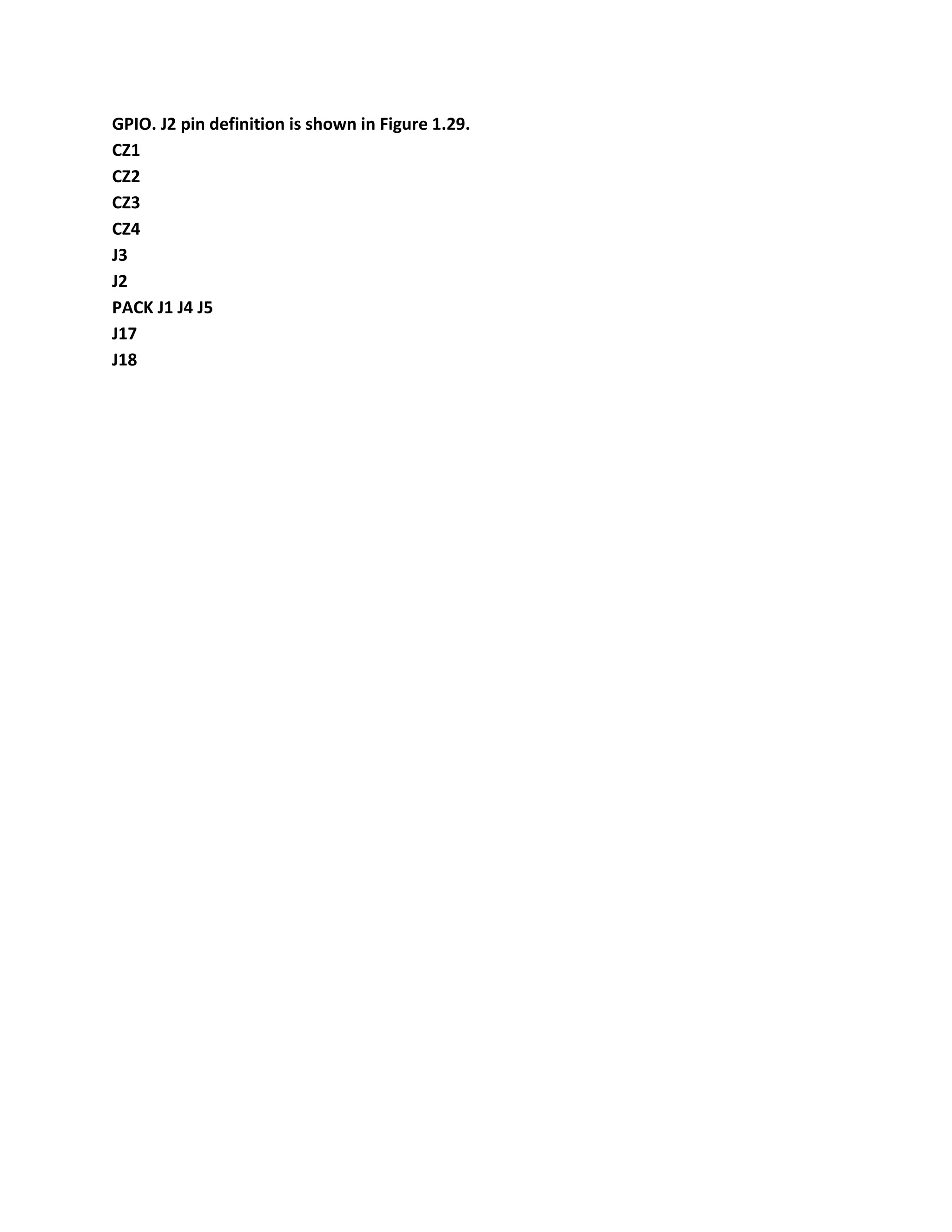
2. J2 JTAG interface
J2 is 20PIN JTAG interface, when the need for JATG simulation debugging, JTAG emulator that
J2 connector
Can. JTAG emulator debug (set PINSEL2 register bit2 0) P1.27 to P1.31 as
GPIO. J2 pin definition is shown in Figure 1.29.
CZ1
CZ2
CZ3
CZ4
J3
J2
PACK J1 J4 J5
J17
J18
===================================================
- 25 -
1 +3 V +3 V 2
3 nTRST GND 4
5 TDI/P1.28 GND 6
7 TMS/P1.30 GND 8
9 TCK/P1.29 GND 10
11 RTCK/P1.26 GND 12
13 TDO/P1.27 GND 14
15 nRST GND 16
17 - GND 18
19 - GND 20
Figure 1.29 J2 connector pin
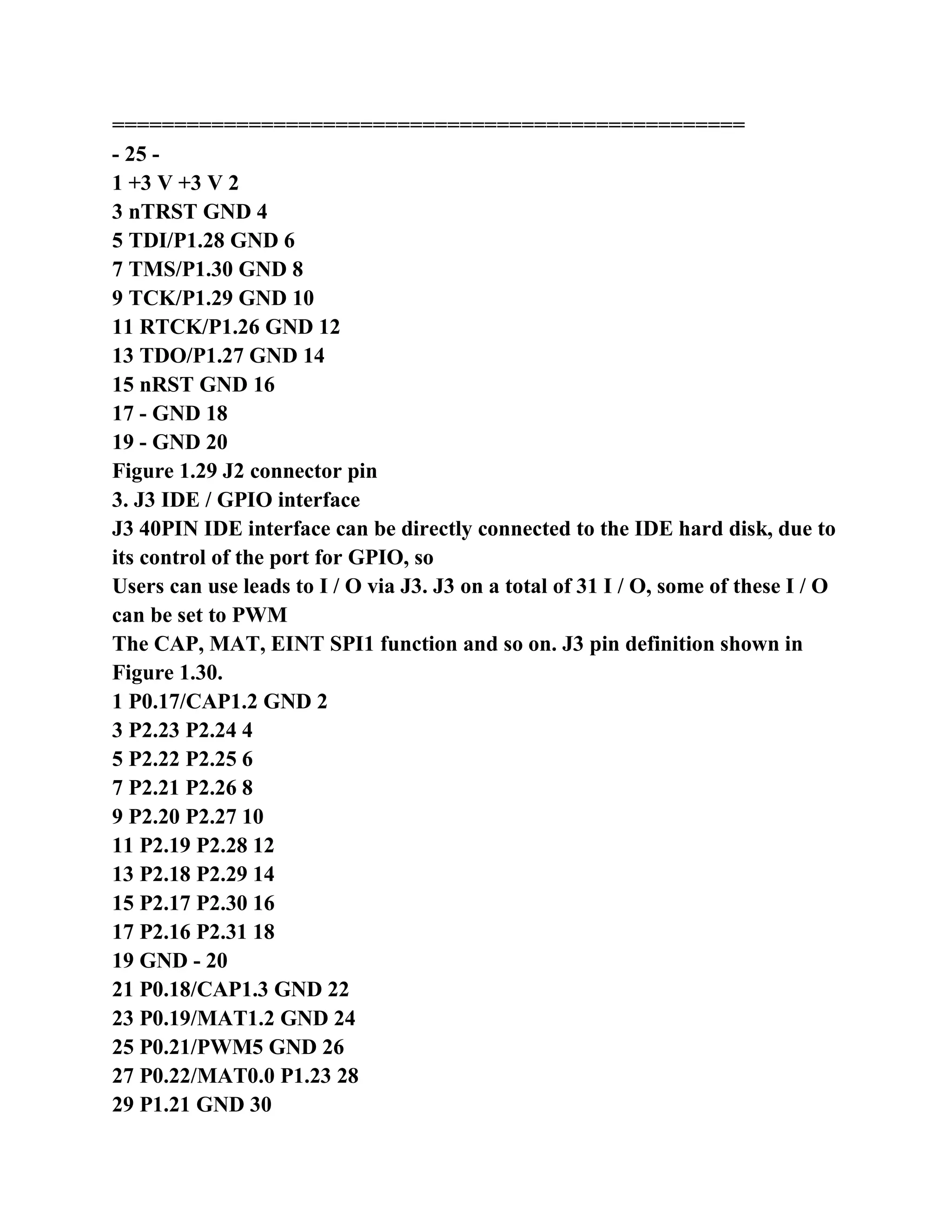
3. J3 IDE / GPIO interface
J3 40PIN IDE interface can be directly connected to the IDE hard disk, due to
its control of the port for GPIO, so
Users can use leads to I / O via J3. J3 on a total of 31 I / O, some of these I / O
can be set to PWM
The CAP, MAT, EINT SPI1 function and so on. J3 pin definition shown in
Figure 1.30.
1 P0.17/CAP1.2 GND 2
3 P2.23 P2.24 4
5 P2.22 P2.25 6
7 P2.21 P2.26 8
9 P2.20 P2.27 10
11 P2.19 P2.28 12
13 P2.18 P2.29 14
15 P2.17 P2.30 16
17 P2.16 P2.31 18
19 GND - 20
21 P0.18/CAP1.3 GND 22
23 P0.19/MAT1.2 GND 24
25 P0.21/PWM5 GND 26
27 P0.22/MAT0.0 P1.23 28
29 P1.21 GND 30
31 P1.20/EINT3 P1.24 32
33 P1.17 P1.25 34
35 P1.16 P1.18 36
37 P1.19 P1.20 38
39 ATA_DASP GND 40
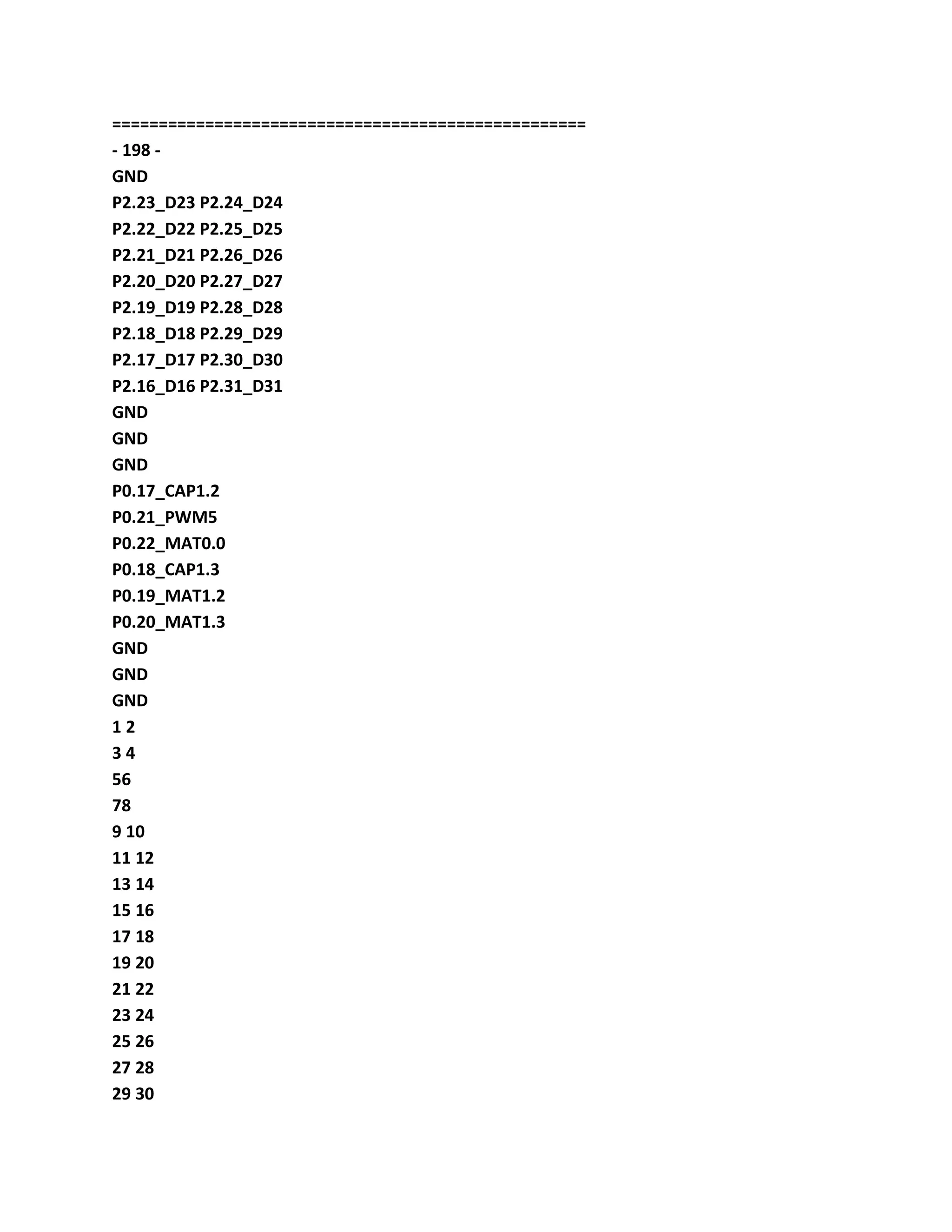
Figure 1.30 J3 connector pin
Figure 1.30, ATA_DASP IDE hard drive signal, this signal control
EasyARM2200 development board
IDE lamp (LED15).
Description: The printer interface circuit is connected to the J3 interface.
===================================================
- 26 -
1.4 hardware resources used
A peripheral device address allocation
Development boards peripheral devices in EasyARM2200 address allocation
is shown in Table 1.15.
Table 1.15 peripheral device address allocation table
The peripheral devices jumpers set the chip select signal address range
Remarks
SST39VF160 JP6: Bank0-Flash CS0 0x80000000 ~ 0x801FFFFF
JP6: Bank1-Flash CS1 0x81000000 ~ 0x811FFFFF
IS61LV25616AL JP6: Bank0-RAM CS0 0x80000000 ~ 0x8007FFFF
JP6: Bank1-RAM CS1 0x81000000 ~ 0x8107FFFF
According to the needs of these two
Are respectively assigned to the device
Bank0 and Bank1 deposit
Storage block
RTL8019AS
-
CS3 + A22
0x83400000 ~ 0x8340001F
JP4 shorted:
Interrupt -P0.7/EINT2
Reset-P0.6
SMG240128A liquid
Grain module interface
- CS3 + A22 0x83000000 ~ 0x83000002 controlled by P1.22 backlight
Peripheral PACK
-
CS2
0x82000000 ~ 0x82FFFFFF
16-bit bus interface,
P0.10 ~ P0.13,
P0.15/EINT2 and
P0.16/EINT0
2 memory address space in the chip
EasyARM2200 development board CPU PACK, you can use a variety of
compatible chip LPC2210/2212/2214/2290 of
/ 2292/2294 / LPC2114/2124/2119/2129/2194. When the use of a different chip,
the chip memory address space
Different, see Table 1.16.
Table 1.16 within the memory address space
The device FLASH address range RAM address range Remarks
LPC2210,
LPC2290
0x40000000 ~ 0x40003FFF
LPC2114,
LPC2119,
LPC2212
0x00000000
~
0x0001FFFF
0x40000000 ~ 0x40003FFF
Boot sector
Can not be saved
User code
LPC2124,
LPC2129,
LPC2194,
LPC2214,
LPC2292,
LPC2294
0x00000000
~
0x0003FFFF
0x40000000 ~ 0x40003FFF
Boot sector
Can not be saved
User code
3. I / O port allocation
EasyARM2200 development board part of the I / O devices, I / O allocation
table shown in Table 1.17.
===================================================
- 27 -
Table 1.17 I / O port allocation table
I / O devices jumper to set the I / O Remarks
Buzzer JP9: shorting P0.7 output buzzer buzzer;
Output 1, the buzzer does not beep
CAT24WC02,
ZLG7290
(ZLG7290 control LED9,
LED10 and keys S1 to S16)
JP5: all shorted P0.2/SCL, of
P0.3/SDA,
P0.30/EINT3
I2C slave address:
CAT24WC02 - 0xA0
ZLG7290 - 0x70
ZLG7290 interrupt: P0.30/EINT3
74HC595
(Control LED1 ~ LED8)
JP8: all shorted P0.4/SCK0, of
P0.5/MISO0,
P0.6/MOSI0,
P0.8
SPI0 control the 74HC595 output, its
P0.8 as a chip select signal.
W1 to adjust the voltage the - P0.27/AIN0 voltage test points VIN1
W2 to adjust the voltage the - P0.28/AIN1 voltage test points VIN2
1.5 Other
The 1.5.1 EasyARM2200 development board power supply
EasyARM2200 development board power input interface CZ1, the input
power to the DC 9V, power polarity on the connector
The outside is negative, the POWER lamp is lit when the power is properly
connected. Connector J4, J5 and peripherals PACK have power
Output to the user board to provide power, but not too heavy, and do not
connect with other power requirements of the load power, otherwise
Can lead to device damage.
1.5.2 jumpers
The experimental panel some features of EasyARM2200 development
connection jumper, when a user uses a function
Parts, corresponding jumper can be shorted when users need these lines of the
other uses can be jumper disconnected.
P0.8 ~ P0.15 UART1 MODEM interface I / O, and other devices reuse part of
the mouth line, such as P0.9 complex
Used PWM DAC circuit P0.14 that complex as the ISP enable jumper, P0.10
~~ P0.13 and P0.15 multiplexed into peripheral PACK
On and so on, so UART1 MODEM function is not in use, it is best to
disconnect JP3 all jumpers.
1.5.3 CPU PACK installation
CPU PACK directional installation should be especially careful to avoid
inserting the opposite result in CPU damage. CPU PACK
Board printed with "Easy ARM2200" character, these characters are
mounted to the development of experimental board is a positive direction, as
shown in
1.31 below.
===================================================
- 28 -
The 1.31 CPU PACK install direction
===================================================
- 29 -
Chapter 2 ADS integrated development the environment and EasyJTAG
emulator application
ADS integrated development environment for ARM core microcontrollers
ARM has introduced an integrated development tool, called the English
ARM Developer Suite, mature version ADS1.2. ADS1.2 support the ARM10
before all ARM series of micro-
Controller, support for software debugging and the JTAG hardware
simulation debugging support Assembler, C, C + + source with compiler
efficiency
High, the system library function, Windows98, Windows XP, Windows 2000
and RedHat Linux
Run.
Here brief ADS1.2 to establish engineering compilation connection settings,
debugging operations. Finally introduced
Based on the use of the LPC2200 series ARM7 microcontroller project
templates, EasyJTAG emulator to install and use.
2.1 ADS 1.2 the composition of the Integrated Development Environment
ADS 1.2 consists of six sections, as shown in Table 2.1.
Table 2.1 ADS 1.2 part
Name Description use
Code generation tools
ARM assembler
The ARM C and C + + compiler,
The Thumb of C, C + + compiler,
ARM connector
Call by the CodeWarrior IDE
Integrated development environment the CodeWarrior IDE engineering
management, compiled connection
Debugger
AXD,
ADW / ADU,
armsd
Simulation debugging
Instruction simulator ARMulator by the AXD call
ARM development package some of the underlying routines
Utility (such as fromELF)
Some utility by CodeWarrior
IDE call
ARM Applications Library C, C + + libraries and other user programs use
Because users typically direct manipulation is the the CodeWarrior IDE
integrated development environment and AXD debugger, so this
Chapter describes the use of the two parts of the software, a detailed
description of the rest of Reference ADS 1.2 online help documentation or
phase
Relevant information.
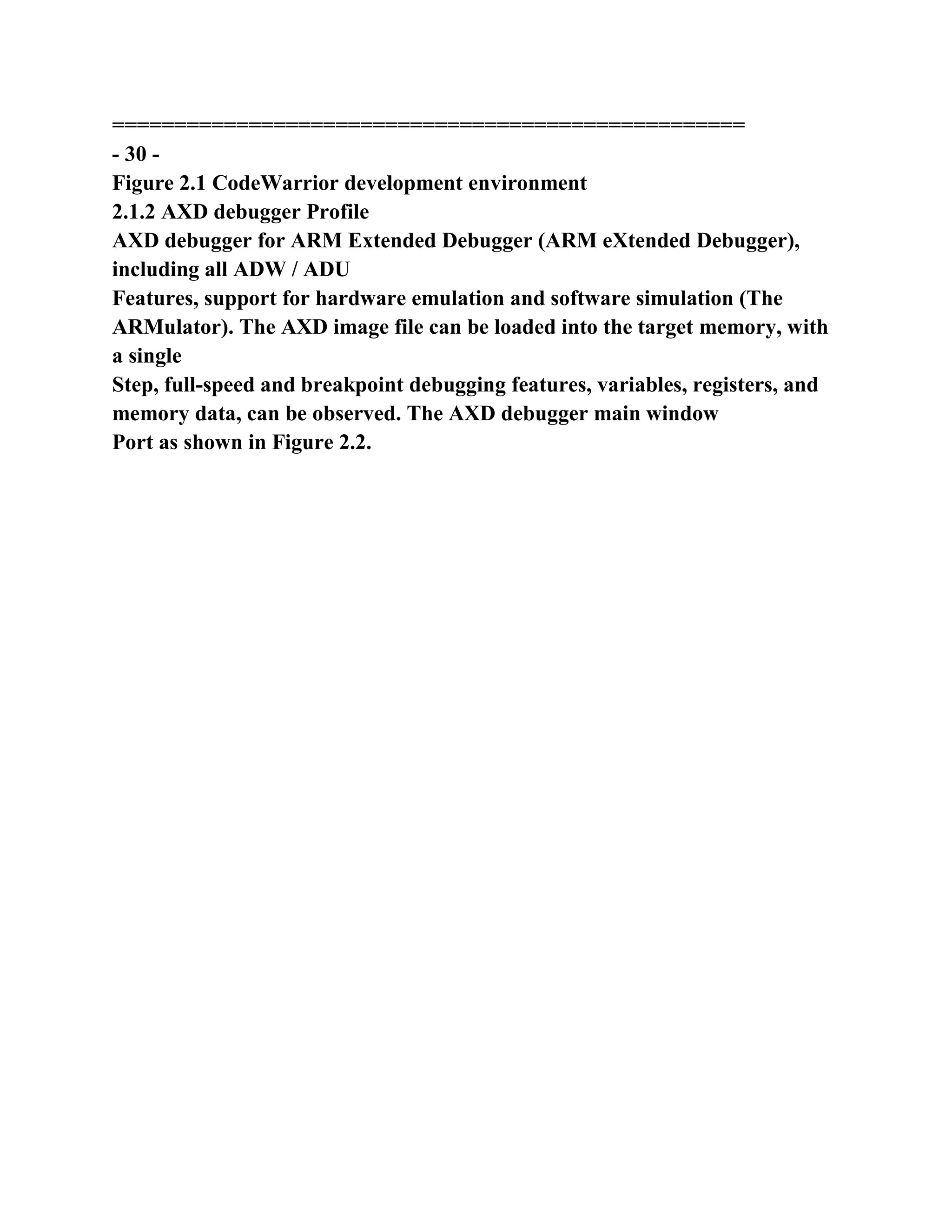
2.1.1 CodeWarrior IDE Introduction
The ADS 1.2 the CodeWarrior IDE integrated development environment, and
integrate the ARM assembler, ARM C / C + +
Compiler Thumb C / C + + compiler, ARM connectors include project
management, code generation interface, syntax-sensitive
Sense (keyword displayed in different colors) editor, source files and class
browser and so on. CodeWarrior IDE main window shown in Figure
2.1 shows.
===================================================
- 30 -
Figure 2.1 CodeWarrior development environment
2.1.2 AXD debugger Profile
AXD debugger for ARM Extended Debugger (ARM eXtended Debugger),
including all ADW / ADU
Features, support for hardware emulation and software simulation (The
ARMulator). The AXD image file can be loaded into the target memory, with
a single
Step, full-speed and breakpoint debugging features, variables, registers, and
memory data, can be observed. The AXD debugger main window
Port as shown in Figure 2.2.
===================================================
- 31 -
Figure 2.2 AXD debugger
The 2.2 engineering of editing
2.2.1 Establishing the works
WINDOWS operating system, click the [Start] -> [Programs] -> [ARM
Developer Suite v1.2] ->
[CodeWarrior for ARM Developer Suite] starting Metrowerks CodeWarrior,
or the double-"CodeWarrior
for ARM Developer Suite "shortcut starter start ADS1.2 IDE shown in Figure
2.3.
Figure 2.3 start ADS1.2 IDE
Click the [File] menu, select [New ...] pop-up New dialog box, shown in Figure
2.4.
===================================================
- 32 -
Figure 2.4 New dialog
Select the project template for ARM executable image (ARM Executable
Image) or Thumb executable mappings
(Thumb Executable Image), or the Thumb, ARM intertwined image (Thumb
ARM Interworking Image),
Storage path and in [Location options works, and in the [Project name] entry
input project name, click [indeed
Given] button to create the corresponding engineering project file name suffix
for mcp (hereinafter sometimes project called Project).
2.2.2 create documents
Create a text file, in order to enter the user program. Click "New Text File"
icon button, shown in Figure 2.5
Shows.
Figure 2.5 "New Text File" icon button
New file program, click on the "Save" icon button to save files (or from the
[File] menu options
Choose [Save]), the full name of the input file, such as TEST1.S. Note that,
save the file to the corresponding directory of the project,
Easy to manage and find.
Of course, you can also New dialog box, select [File] page to create a source
file, shown in Figure 2.4, or use other
A text editor to create or edit the source files.
2.2.3 Add file to project
In the project window, as shown in Figure 2.6 [Files] page blank space right
click pop-up floating menu, select "Add
Files ... "to pop up the" Select files to add ... "dialog box, select the
corresponding source file (subject Ctrl key election
Optional multiple files), click [open] button.
Project templates
Engineering the storage path
Project Name
New Text File
===================================================
- 33 -
In addition, users can select the [Project] menu [Add Files ...] to add the
source files, or use the New
Source file to create the dialog box, select [File] page, select the project (ie
select "Add to Project"). Add text
The parts operation shown in Figure 2.6, as shown in Figure 2.7.
Figure 2.6 add the source files in the project window
Figure 2.7 Select files to add ... dialog box
2.2.4 compiled connected engineering
These icons button icon button in the project window, shown in Figure 2.8,
you can quickly project set
Set, compiled connection start debugging (on a different menu items can find
the corresponding menu command). They left to
To the right, respectively, as follows:
DebugRel Settings ... project settings, such as the address set the output file
settings, such as compiler options,
In which DebugRel for the current generation target (target system).
===================================================
- 33 -
Synchronize Modification Dates sync each file modification date, modified
date, check the project if
Updates (such as the use of other editor to edit the source files), in
Touch column marked "√".
Make compile connection (shortcut key F7).
Debug start AXD debugging (shortcut key F5).
Run start AXD debug, and run the program directly.
The Project Inspector engineering checks, view and configure the project
source file.
Figure 2.8 project window icon button
Figure 2.9 DebugRel Settings window
Icon click "DebugRel Settings ..." button, you can project address set the
output file settings, compiled
Translation options, and so on, as shown in Figure 2.9. "ARM Linker" dialog
box to set the connection address, "Language Settings"
Set compiler compiler option.
View simple software debugging connection address settings can not click
directly on the project window "Make".
Standard button to complete the compilation connection. If compile error,
there will be a corresponding error message, double-click the error prompt
line information
Editing window that will use the source code line the cursor pointed out this
error, compiled connected to the output window in Figure 2.10 below.
Similarly,
You can find the appropriate command in the [Project] menu.
===================================================
- 34 -
Figure 2.10 compiled connected to the output window
As shown in Figure 2.11, Touch the bar to mark the file is compiled, if the "√"
indicates that the corresponding file required
To recompile. Touch bar for tag files are compiled, if the "√" indicates that
the corresponding files need to be renumbered
Translation. / Cancel symbol "√" can be set by clicking on the column
position or project directory *. Tdt file deletion
The entire project source files are marked with a "√".
The Make operation in Figure 2.11 Project window
2.2.5 Open the old engineering
Click [File] menu, select Open ...] that pop up the "Open" dialog box, find the
corresponding project file (*. Mcp)
Touch bar
===================================================
- 36 -
Click [Open]. Double-click the source file name to open the file in the project
window [Files] page
Edited.
The 2.3 engineering of debugging
2.3.1 Select the debug target
Figure 2.12 Choose Target window
When engineering compiled connected by click "Debug" icon button in the
project window, you can start AXD
Debug (You can also start] menu starting AXD). Click on the menu [Options]
select [the Configure Target ...]
Choose Target window pops up that, as shown in Figure 2.12. Add other
emulation driver, Target in
Only two were ADP (JTAG hardware simulation) and ARMUL (software
emulation).
Select emulation driver, click [File] Select [Load Image ...] the loaded ELF
format executable
Pieces, ie *. Axf file. Description: When engineering compiled connected by
the project name  project name _Data  current generated mesh
Standard "directory will generate a *. Axf debug files such as engineering the
TEST, the current generation of target Debug compile even
After connected, in ...  the TEST  TEST_Data  Debug directory generate
TEST.axf file.
2.3.2 debug toolbar
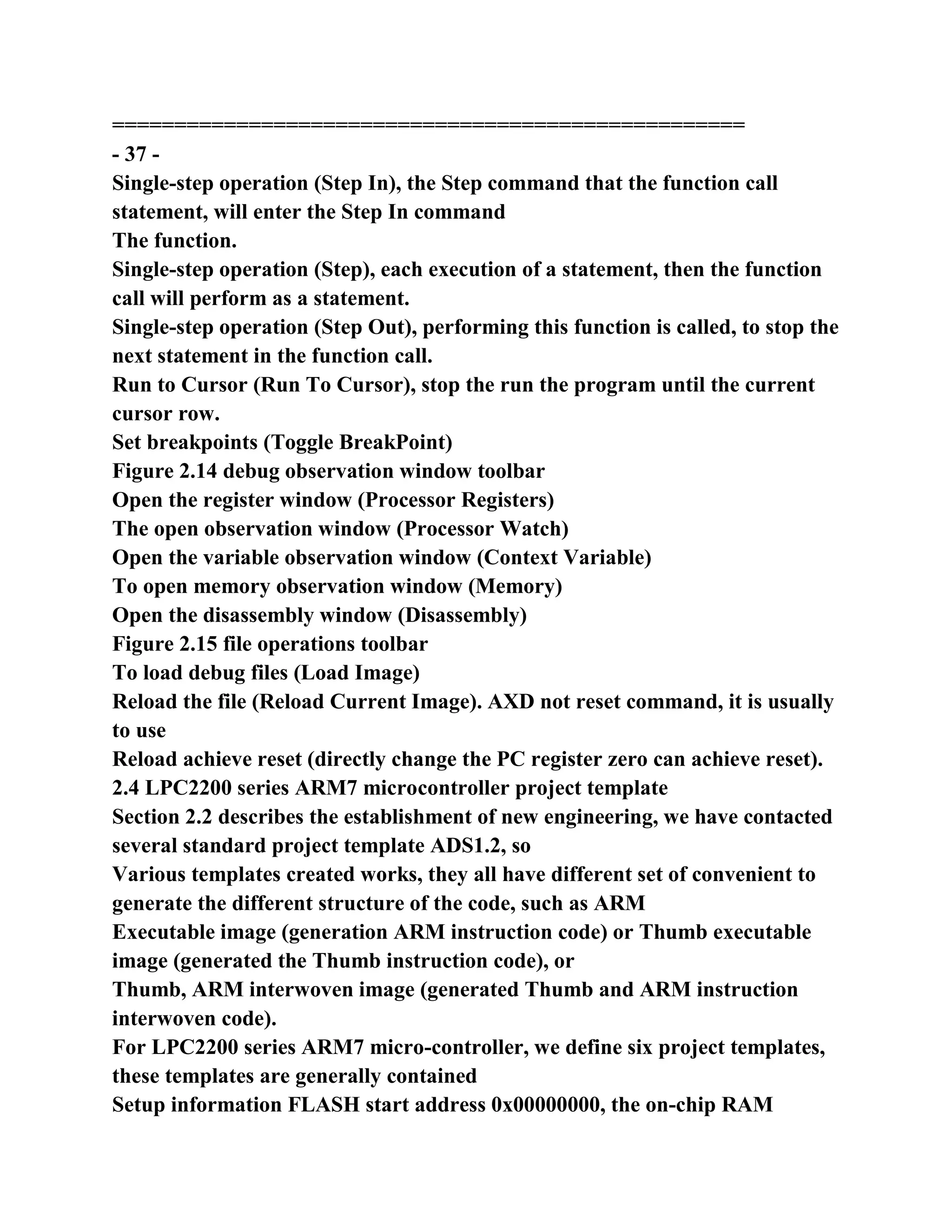
AXD run debug tool bar as shown in Figure 2.13, debug observation window
toolbar shown in Figure 2.14, file operatives
Toolbar shown in Figure 2.15.
Figure 2.13 run debug toolbar
Running at full speed (Go)
Stop running (Stop)
===================================================
- 37 -
Single-step operation (Step In), the Step command that the function call
statement, will enter the Step In command
The function.
Single-step operation (Step), each execution of a statement, then the function
call will perform as a statement.
Single-step operation (Step Out), performing this function is called, to stop the
next statement in the function call.
Run to Cursor (Run To Cursor), stop the run the program until the current
cursor row.
Set breakpoints (Toggle BreakPoint)
Figure 2.14 debug observation window toolbar
Open the register window (Processor Registers)
The open observation window (Processor Watch)
Open the variable observation window (Context Variable)
To open memory observation window (Memory)
Open the disassembly window (Disassembly)
Figure 2.15 file operations toolbar
To load debug files (Load Image)
Reload the file (Reload Current Image). AXD not reset command, it is usually
to use
Reload achieve reset (directly change the PC register zero can achieve reset).
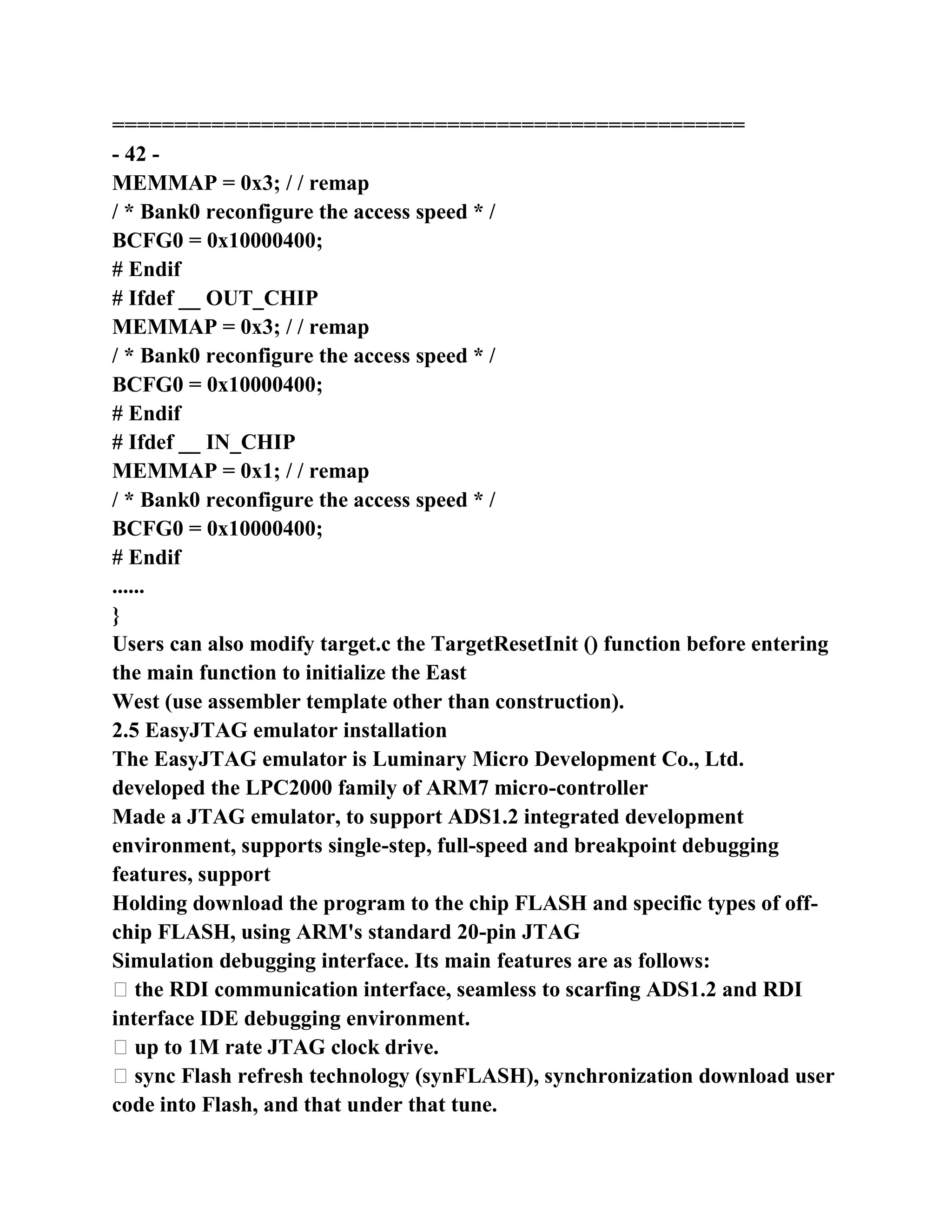
2.4 LPC2200 series ARM7 microcontroller project template
Section 2.2 describes the establishment of new engineering, we have contacted
several standard project template ADS1.2, so
Various templates created works, they all have different set of convenient to
generate the different structure of the code, such as ARM
Executable image (generation ARM instruction code) or Thumb executable
image (generated the Thumb instruction code), or
Thumb, ARM interwoven image (generated Thumb and ARM instruction
interwoven code).
For LPC2200 series ARM7 micro-controller, we define six project templates,
these templates are generally contained
Setup information FLASH start address 0x00000000, the on-chip RAM
starting address 0x40000000, off-chip RAM since
Start address 0x80000000, compile connectivity options and compiler
optimization level, and so on; template contains the LPC2200 series
===================================================
- 38 -
The ARM7 microcontroller starter files, including STACK.S, HEAP.S,
STARTUP.S, TARGET.C; template also
Contains the LPC2200 series ARM7 microcontroller header file (eg:
LPC2294.h and LPC2294.inc, LPC2294
Register downward compatible), scatter-loading description files (such as:
mem_a.scf mem_b.scf mem_c.scf) and so on.
2.4.1 increase ADS1.2 LPC2200 dedicated engineering template
"Lpc2200 project module" directory of all files and directories are copied to,
"<ADS1.2 install directory
>  Stationery  "to the operation shown in Figure 2.16 and Figure 2.17. This
step only once, after you can directly make
Project template.
Figure 2.16 Select copy files and directories
Figure 2.17 Copy files directory
===================================================
- 39 -
2.4.2 use the LPC2200 dedicated engineering template to establish engineering
Start ADS1.2 IDE, click [File] menu, select New ...] that is the pop-up New
dialog box, shown in Figure 2.18
Shown. Prior increase LPC2200 dedicated engineering template, so more
several engineering template selected in the project template column
Entry.
Figure 2.18 increase in the project template
LPC2200 special project templates are described as follows:
ARM Executable Image for lpc22xx: no operating system, all the C code is
compiled into the ARM instruction
Project template.
the asm for lpc22xx: Assembler project template.
Part of the C code the Thumb ARM Interworking Image for lpc22xx:
operating system compiled for ARM
Instruction, part of the C code is compiled for the the Thumb instruction of
project templates.
Thumb Executable Image for lpc22xx: No operating system all C compiled
into the Thumb instruction work
The process template.
ARM Executable Image for UCOSII (for lpc22xx): all the C code compiled for
ARM instruction
μC / OS-II project template
Thumb Executable Image for UCOSII (for lpc22xx): part of the C code is
compiled into the ARM instruction
Part of the C code is compiled for Thumb instruction μC / OS-II project
template (use the μC / OS-II, it is not possible to all code
Compiled into the Thumb instruction).
The user to select the appropriate project template building project, shown in
Figure 2.19 to use the ARM Executable Image for
lpc22xx project template to build a project. Works four generate the target
(target system): DebugInExram
The DebugInChipFlash, RelInChip RelOutChip, their configuration is shown
in Table 2.2. Project templates will phase
Should the compiler parameters set up, you can use directly.
Note: the LPC2200 chip selection RelInChip goals encryption (no chip chip
FLASH
Not encrypted). The encryption chip can only use the ISP chip global erase in
order to restore the JTAG debug and ISP read /
===================================================
- 40 -
Write operations.
Table 2.2 LPC2200 special project templates each generated target
configuration
Generate the target scatter-loading description file to debug entry point
address C optimization level application notes
DebugInExram mem_b.scf 0x80000000 Most RAM chip debug mode, the
program
In the off-chip RAM
DebugInChipFlash mem_c.scf 0x00000000 Most chip FLASH debug mode,
Cheng
Sequence in FLASH chip
FLASH work mode the RelInChip mem_c.scf 0x00000000 Most chip, Cheng
The sequence in the chip FLASH. Program
Write chip after chip will be protected
RelOutChip mem_a.scf 0x80000000 Most chip FLASH mode, Cheng
The FLASH sequence chip
Figure 2.19 with LPC2200 dedicated project templates to establish
engineering
2.4.3 template Scope
1 The template assumes that the user system using off-chip memory. If the
user does not use off-chip memory, you can use
LPC2100 project templates, download address for
http://www.zlgmcu.com/tools/kaifaban/EasyARM2100.asp
Of the EasyARM2100 Development Kit QuickStart and LPC210 ....
(2) The template is assumed that the user system chip memory using the 16-bit
bus, without using ETM function. If the user's
Chip memory instead of using the 16-bit bus, and / or use of ETM function,
need to modify Startup.s this file repair
Change point to see the list of procedures 2.1. Please refer to the user manual
of LPC2200 chip how to modify the download address:
http://www.zlgmcu.com/philips/philips-arm.asp. Note: the each project
templates Startup.s incomplete phase
Respectively, according to need to modify.
Need to change the code of program Listing 2.1 Startup.s the file
......
ResetInit
===================================================
- 41 -
; The initialization external bus controller, configured according to the target
board decided
LDR R0, = PINSEL2
IF: DEF: EN_CRP
LDR R1, = 0x0f814910
; 0x0f814910 changed to a desired value, note that the minimum 4 0
ELSE
LDR R1, = 0x0f814914
; 0x0f814914 changed to a desired value, if you use ETM last 4 need to be
modified to 6
ENDIF
STR R1, [R0]
LDR R0, = BCFG0
LDR R1, = 0x1000ffef
; 0x1000ffef changed values
STR R1, [R0]
LDR R0, = BCFG1
LDR R1, = 0x1000ffef
; 0x1000ffef changed values
STR R1, [R0]
......
3. Generate target DebugInExRam. Suppose the user systems chip debugging
the RAM usage bank0 (ie origin
Address is 0x8000 0000), this one can not be modified. If the user is not the
case, you can not use DebugInExRam
This generated a target debugger.
4. Generate target DebugInExRam. Assuming the user system in debug chip
RAM size is 512K bytes, this
Article affects only generate the target DebugInExRam. If not, you will need
to modify mem_b.scf this file, modify
Point, see the list of procedures 2.2. Note: the windows will hidden this file
extension, only for mem_b.
Program Listing 2.2 mem_b.scf file need to modify the code
......
ERAM 0x80040000
/ * Be modified according to the actual situation from the beginning of the
address stored program can read and write variables * /
{
* (+ RW, + ZI)
}
......
5. Generate target RelOutChip. Assume that the user system start using an
external chip FLASH start address must
0x8000 0000 (LPC2200 chip requirements), the off-chip RAM Bank1 (starting
address 0x8100
0000). Do not use if there is no off-chip FLASH RelOutChip the generated
target. If the off-chip RAM starting
The address is not as 0x8100 0000, you will need to modify mem_a.scf file,
modify the point shown in Listing 2.3. If no chip
ram, 2.4 modify mem_a.scf file list in accordance with the procedures. Note:
windows will hide this file extension,
Only appear as mem_a.
===================================================
- 42 -
Program Listing 2.3 mem_a.scf file need modify the code - chip RAM
......
ERAM 0x81000000
/ * From the beginning of the address stored program can read and write
variables, changed to the actual start of the off-chip RAM address * /
{
* (+ RW, + ZI)
}
......
Program Listing 2.4 mem_a.scf file need modify the code - chip RAM
......
IRAM 0x40000000
{
Startup.o (+ RW, + ZI)
os_cpu_a.o (+ RW, + ZI)
}
ERAM +0
/ * Note the ERAM segment position change to the STACKS front * /
{
* (+ RW, + ZI)
}
STACKS 0x40004000 UNINIT
{
stack.o (+ ZI)
}
......
The 6. To generate goals DebugInChipFlash and RelInChip. A hypothetical
user system chip RAM usage Bank0 (ie
Start address 0x8000 0000). Chip RAM starting address 0x8000 0000, you
need to modify mem_c.scf
File, modify the point shown in Listing 2.3.
Users can also modify several files on the memory usage mem_a.scf,
mem_b.scf, mem_c.scf more
And more control.
In order to adapt to the different speed of the memory, the default project
template configuration 4 Bank memory interface for the slowest access
Speed. Users can reconfigure according to the actual use of the memory access
speed, to obtain the best performance of the system, the reference process
Sequence list 2.5.
The list of procedures 2.5 target.c file to configure the access speed of the
memory interface
void TargetResetInit (void)
{
# Ifdef __ DEBUG
===================================================
- 42 -
MEMMAP = 0x3; / / remap
/ * Bank0 reconfigure the access speed * /
BCFG0 = 0x10000400;
# Endif
# Ifdef __ OUT_CHIP
MEMMAP = 0x3; / / remap
/ * Bank0 reconfigure the access speed * /
BCFG0 = 0x10000400;
# Endif
# Ifdef __ IN_CHIP
MEMMAP = 0x1; / / remap
/ * Bank0 reconfigure the access speed * /
BCFG0 = 0x10000400;
# Endif
......
}
Users can also modify target.c the TargetResetInit () function before entering
the main function to initialize the East
West (use assembler template other than construction).
2.5 EasyJTAG emulator installation
The EasyJTAG emulator is Luminary Micro Development Co., Ltd.
developed the LPC2000 family of ARM7 micro-controller
Made a JTAG emulator, to support ADS1.2 integrated development
environment, supports single-step, full-speed and breakpoint debugging
features, support
Holding download the program to the chip FLASH and specific types of off-
chip FLASH, using ARM's standard 20-pin JTAG
Simulation debugging interface. Its main features are as follows:
� the RDI communication interface, seamless to scarfing ADS1.2 and RDI
interface IDE debugging environment.
� up to 1M rate JTAG clock drive.
� sync Flash refresh technology (synFLASH), synchronization download user
code into Flash, and that under that tune.
� using the synchronous timing control technology (synTIME), simulation is
reliable and stable.
� support 32-bit ARM instruction / 16 THUMB instruction mixed debugging.
� increase mapped register window, user-friendly view / modify the register
values.
� micro-volume design, user-friendly flexibility.
EasyJTAG emulator appearance shown in Figure 2.20, the driver can
http://www.zlgmcu.com/tools/kaifa
ban/EasyARM2200.asp Web download or on the product CD (the directory
named EasyJTAG_drive
A readme.txt file in the directory noted).
===================================================
- 44 -
The emulator Figure 2.20 EasyJTAG the physical appearance
To 2.5.1 installed EasyJTAG emulator
First of all, the driver of the EasyJTAG emulator (like product CD
EasyJTAG_drive directory all files
Pieces) to the ADS BIN directory, such as C:  Program Files  ARM 
ADSv1_2  BIN.
Then, the EasyJTAG emulator's 25-pin interface connected via a parallel port
extension cord with the parallel port of a PC,
EasyJTAG emulator 20-pin interface development boards J2 EasyARM2200
received by 20 PIN connection cable
Matching transformer (9V) power supply to the development board.
Then enter AXD debug environment, open the [Options] -> [Configure Target
...] to pop up the Choose Target
Window, as shown in Figure 2.12. Click "ADD" to add the emulator driver in
the Add File window choose, such as C:  Program
Files  ARM  ADSv1_2  BIN directory EasyJTAG.dll, click "Open".
Description: Windows system, click [start] -> [Programs] -> [ARM Developer
Suite v1.2] ->
【The AXD Debugger】 can run AXD software directly.
Note: Add Files window displays DLL file, set the the WINDOWS file browser
window "file
Folder Options (O) ... "," hidden files "View page items using the" Show All
Files ".
And 2.5.2 use EasyJTAG emulator
Computer parallel port with EasyJTAG of emulator connection and emulator
JTAG port connector into EasyARM2200
Development board J2 AXD software is set to simulation debugging.
1 emulator settings
AXD debugging environment, open the [Options] -> [Configure Target ...]
Choose Target window pops up,
"Target Environments" box, select "EasyJTAG ..." item.
Click the "Configure" button, enter "EasyJTAG Setup" settings window, as
shown in Figure 2.21. "ARMcore"
Select the CPU type, select the "Options" item Halt and reset. Then click
"OK", and then click on the "OK"
The connection (development board) operation will be carried out at this time
EasyJTAG. If the connection is successful, the development board LPC2210
chip
EasyJTAG control, the previously running program is stopped.
Note: Sometimes, AXD will pop up an error dialog box as shown in Figure
2.23, or a similar dialog box can
Click "Connect mode ...", and then select the "ATTACH ..." to determine,
and then click "Restart". If EasyJTAG
Correctly connected to the development board, AXD code window will display
a blank, then you can use [File] -> [Load Image ...]
Debug file is loaded, JTAG debug.
===================================================
- 45 -
Figure 2.21 "EasyJTAG Setup" settings window
EasyJTAG set Option Description:
ARMcore items, select CPU model;
Tap No. Items, when the CPU for LPC2106/2105/2104, master / slave JTAG
debug port, Tap1 main
Tap2 from;
Connection, hardware connection interface options;
Halt Mode, the shutdown mode selection contains Halt program (to stop CPU)
and Halt and reset (reset and then stopped
Stop CPU) two;
Aux. Option, support options, including Step In Interrupt (allows single step
into the interrupt) and Erase Flash
when need (allow EasyJTAG Erase Flash) two;
Flash Type, chip FLASH Model Select two FLASH chip, when ARMcore
choose LPC2200
Series CPU this to be effective. When the program needs to be downloaded to
the chip FLASH, EasyJTAG emulator will be selected core
Model of chip erase / program.
Flash 0 Addrss, the first piece of Flash address set contains the Start Address
(Flash the start address, such as
Bank0 0x80000000) Memory Size (memory capacity when fill in the actual
chip capacity, such as
The capacity of the SST39VF160 0x200000). When the program do not need
to download to the chip FLASH, or the system does not chip
When FLASH, Start Address and Memory Size is set to 0.
The Flash 1 Addrss, with Flash 0 Addrss.
2 emulator application
Press F5 or Debug icon button to ADS1.2 IDE environment directly into AXD,
but sometimes appear as
Prompt shown in Figure 2.22, the processing method is to click "OK", and
then click the "Load Session window pop-up to take
Elimination. "Into AXD After, the main debug window without any code, and
[File] -> [Load Image ...] menu item without
Efficiency, the need to re-open the [Options] -> [Configure Target ...] Click
the "OK", and then click [File]
Select Load Image ...] to load the debug files.
===================================================
- 46 -
Figure 2.22 session file error
AXD debug environment, sometimes the Fatal AXD Error window pops up,
as shown in Figure 2.23, then you can
To click on the "Connect mode ...", and then select the "ATTACH ..." to
determine, and then click "Restart". Next on
Can use [File] -> [Load Image ...] loaded debug files for JTAG debugging.
Note: for some of the PC, EasyJTAG not correctly connected to the
development board, always error dialog box pops up, then can be
To check the parallel port connection is reliable, check whether the parallel
port on the dongle is connected to, or to re-development board under electric.
In addition,
CMOS settings in the PC parallel port mode is set to SPP mode, set the
parallel port of the resources for the 378H to 37FH.
Figure 2.23 Fatal AXD error
Chip peripheral registers observation. To open in the System Views] ->
[Debugger Internals] LPC2000
Series ARM7 microcontroller chip peripheral register window. Some registers
are not allowed to deliver the show or read operation will affect
The value of other registers, so can not be found in the on-chip peripheral
register window, if you need to observe these registers can be
Use of the the memory observation window (Memory).
JTAG download the program to the FLASH. Enter the AXD debugging
environment, open the [Options] -> [Configure
Target ...] Choose Target window pops up, click on the "Configure" button to
enter the set of "EasyJTAG Setup"
Window, select "FLASH" item "Erase Flash when need", then OK to exit. In
this way, each loaded FLASH
Address debug files, erase the FLASH and download code to FLASH.
2.6 firmware
To download the program to the on-chip FLASH FLASH or external JTAG
emulator debug through (ie curing
Program), before they can run offline.
2.6.1 chip FLASH curing
Firmware for LPC2200 series ARM7 microcontroller chips to chip FLASH
two parties
Style to achieve: JTAG interface to download and use ISP function download.
No matter which way the user first set compiled
Translation of the address of the link, the code address start from 0x00000000
address, such as using LPC2200 special project templates
In to generate target selection RelInChip, scatter-loading description the file
mem_c.scf such program shown in Listing 2.6.
, ROM_LOAD loading area behind 0x00000000 the address of the start of the
loading area (DPS
===================================================
- 47 -
Put the starting address of the program code), can also be added later in the
size of its space, such as "ROM_LOAD 0x00000000
0x20000 "loading area starting address 0x00000000, size is 128K bytes;
ROM_EXEC describe the execution
Line of the address, location defined on the first piece, the starting address of
the starting address space size and loading area space
Consistent. Placed from the start address to the scale (ie Startup.o (vectors +
First) where Startup.o for Startup.s
Target file), and then place the other code (* (+ RO)); the variable area IRAM
starting address 0x40000000 placed
Startup.o (+ RW, + ZI); The variable area ERAM the starting address
0x80000000, placed addition to Startup.o file outside
Other variables of the file (ie * (+ RW, + ZI)); close to the the ERAM variable
area system heap space (HEAP) is placed
Description heap.o (+ ZI); stack area the STACKS using the on-chip RAM,
ARM stack generally use the full descending heap
Stack, so the starting address of the stack area is set to 0x40004000, placed be
is described as stack.o (+ ZI).
Program Listing 2.6 scatter-loading description file for curing procedures
mem_c.scf
ROM_LOAD 0x00000000
{
ROM_EXEC 0x00000000
{
Startup.o (vectors, + First)
* (+ RO)
}
IRAM 0x40000000
{
Startup.o (+ RW, + ZI)
}
ERAM 0x80000000
{
* (+ RW, + ZI)
}
HEAP +0 UNINIT
{
heap.o (+ ZI)
}
STACKS 0x40004000 UNINIT
{
stack.o (+ ZI)
}
}
1. Use the JTAG interface to download
JTAG interface to download the program to the FLASH JTAG emulator
support is required. EasyJTAG emulator support
Held LPC2000 series ARM7 micro controller chip FLASH download, so you
can use this feature to program
To FLASH, in order to run offline.
===================================================
- 48 -
First to set EasyJTAG emulator, see Figure 2.24 Note ARMcore must select
the correct CPU type
Number, otherwise may lead to programming errors.
Figure 2.24 the FLASH of EasyJTAG download chip set
Then chosen to generate the target of the project RelInChip, compiled and
linked AXD debugging environment, and then press the F5 key to enter in
To load the the debug image file that will download a program to FLASH.
In fact, as long as you load the debug image file and code address is set to
FLASH address, EasyJTAG
Emulator that the program is downloaded to the specified FLASH.
ISP download
LPC2200 series ARM7 microcontroller chip with ISP (LPC2210 chip FLASH,
can not be
The ISP programming), you can download the program via the serial port.
First, the current project compiled to generate HEX file, open the engineering
DebugRel Settings window, in the Target
Post-linker is set in the Settings item selected the ARM fromELF (as shown in
Figure 2.25).
===================================================
- 49 -
Figure 2.25 Set Post-linker
In the ARM formELF items set the output file type, such as the Intel 32 bit
Hex, and then set the output text
The file name can also be specified directory, If you do not specify a directory,
the generated files are stored in the directory of the current project (Figure
2.26
Shown). Recompile connection, compiled by that will generate the specified
output file.
Figure 2.26 generated file set
===================================================
- 50 -
Generate HEX file, then use the serial extension cord connected to a PC serial
port (COM1) and EasyARM2200 real
Examination board (UART0), and experimental board ISP (JP1) jumper
shorted. Open LPC2000 Flash Utility software, and set
Set the serial port, baud rate, system crystal (note crystal frequency items
kHz), as shown in Figure 2.27.
After setting parameters, click the Read Device ID button, read the chip ID
number, if the read was successful (status bar displays "Read
Part ID Successfully! "), Indicates that the ISP connection is successful.
Otherwise, when the error message is reset LPC2000
First press RST button EasyARM2200 development board to reset, and then
determine the prompt, as shown in Figure 2.28.
After a successful connection, first use the Erase button to erase the selected
sectors FLASH, then enter the Filename entry
Download the HEX file, click Upload to Flash button to start the download
process. Cured of the program, the ISP (JP1)
Jumper disconnected, reset the system to run the program again. Description
LPC2200 series ARM7 microcontrollers to Scale
32-bit data (machine code instruction 0x00000000 ~ 0x0000001c address)
accumulation and zero to Kai
Activity user program. Retained by setting the data in the exception vector
address 0x14 achieve.
Figure 2.27 LPC2000 Flash Utility software settings
Figure 2.28 Reset LPC2000 Tip
3 run offline
� the JP7 jumper selectable INSIDE, JP1 disconnection inhibition ISP;
JP6 jumper � to choose RAM BANK0 address, FLASH BANK1 address;
� reset the system, you can start the program in the chip FLASH.
2.6.2 chip FLASH curing
EasyJTAG emulator supports specific chip FLASH programming. The user
must first address, set the compiler links
===================================================
- 51 -
Code address 0x80000000 address begins LPC2200 special project templates,
such as the use of the election in the target system
With RelOutChip, scatter-loading description file mem_a.scf such as the list
of procedures 2.7 below.
, ROM_LOAD the name of the loading area behind the starting address
0x80000000 said loading zone (due to
Chip FLASH allocation Bank0); ROM_EXEC described perform the address
position defined on the first piece of
Starting address of the start address, size and loading area, the size of the
space to be consistent from the start address placed to scale (ie
Other Startup.o (vectors, + First), which Startup.o target file Startup.s), then
place the code (ie *
(+ RO)); the variable area IRAM start address 0x40000000, placed Startup.o
(+ RW, + ZI); stack area STACKS
The use of on-chip RAM, ARM stack is generally full descending stack, so the
starting address of the stack area is set to
0x40004000, place described as stack.o (+ ZI); starting address of the variable
area ERAM 0x81000000 (chip
RAM allocation for BANK1,) placed outside Startup.o file file variable (ie, *
(+ RW, + ZI)); close to
The ERAM variable after the system heap space (HEAP), placed is described
as heap.o (+ ZI);
List of procedures for curing procedures 2.7 scatter-loading description file
mem_a.scf
ROM_LOAD 0x80000000
{
ROM_EXEC 0x80000000
{
Startup.o (vectors, + First)
* (+ RO)
}
IRAM 0x40000000
{
Startup.o (+ RW, + ZI)
}
STACKS 0x40004000 UNINIT
{
stack.o (+ ZI)
}
ERAM 0x81000000
{
* (+ RW, + ZI)
}
HEAP +0 UNINIT
{
heap.o (+ ZI)
}
}
1. Use the JTAG interface to download
JTAG interface to download the program to the chip FLASH JTAG emulator
support is needed. EasyJTAG simulator
===================================================
- 52 -
Support of specific chip FLASH download program, so that you can use this
feature of the program is downloaded to the chip FLASH
In order to run offline.
JP6 jumper select Bank0-Flash, Bank1-Ram;
Then set EasyJTAG emulator, see Figure 2.29;
Figure 2.29 download chip the FLASH of EasyJTAG set
Final selection will generate the target of the project RelOutChip, compiled
and linked AXD debug environment, and then press the F5 key to enter
Load debug image file that will download the program to the chip FLASH.
In fact, as long as you load the debug image file, and the address of the code is
set to address chip FLASH
The EasyJTAG emulator that the program is downloaded to the specified
FLASH.
2 run offline
� JP7 jumper OUTSIDE, to the JP1 disconnect prohibit the ISP;
JP6 jumper � will be select Bank0-Flash, Bank1-Ram;
� reset the system, you can start the program in the chip FLASH.
===================================================
- 53 -
Chapter 3 Basic Experiment
The 3.1 ADS 1.2 integrated development environment to practice
3.1.1 The purpose of the experiment
Learn to use ADS 1.2 integrated development environment.
3.1.2 The laboratory equipment
� Hardware: PC, a
� software: Windows98/XP/2000 system, ADS 1.2 integrated development
environment
3.1.3 Experimental content
1 to create a new project;
2 Create a C source file, and added to the project;
Set compiler Connection control options;
4. Compile connection works.
3.1.4 prelab requirements
Carefully read the content of Section 2.2 of the book section ADS project
editor.
3.1.5 Experimental Procedure
1 start ADS1.2 IDE integrated development environment, select [File] -> [New
...] ARM Executable Image
The project template to create a project, project name for the ADS, as shown
in Figure 3.1.
Figure 3.1 build ARM instruction code works
2 Select [File] -> [New ...] a new file TEST1.S, the settings directly added to
the project, see
Figure 3.2. Enter the code shown in Listing 3.1 and save it, as shown in Figure
3.3.
===================================================
- 54 -
Figure 3.2 new file TEST1.S of
Program the Listing 3.1 TEST1.S file code
AREA Example1, CODE, READONLY; declarative code segment Example1
ENTRY; identification program entry
CODE32; Statement 32-bit ARM instruction
START MOV R0, # 15; setting parameters
MOV R1, # 8
ADDS R0, R0, R1; R0 = R0 + R1
B START
END
Figure 3.3 added TEST1.S the project management window
===================================================
- 55 -
3 Select [Edit] -> [DebugRel Settings ...], the left side of the DebugRel Settings
dialog box, select the ARM
Linker item, then set in the Output page the connected address (see Figure
3.4), debug entry address set in the Options page (see Figure
3.5).
Figure 3.4 project to connect the address set
Figure 3.5 project commissioning entry address set
4 Select [Project] -> [Make], compiled connect the whole project.
3.1.6 Thinking
What is the role of project templates? (Hint: Compile control settings)
How to force re-compile all files of the project? (Hint: select [Project] ->
[Remove Object Code ...]
The deleted engineering in the *. Obj file)
===================================================
- 56 -
3.2 assembly instructions experimental 1
3.2.1 The purpose of the experiment
1. Learn of ADS 1.2 integrated development environment and the ARMulator
software simulation;
2. Master the usage of the the ARM7TDMI assembly instructions, and be able
to write a simple assembler;
3. Mastered conditional execution of instructions and use LDR / STR
instruction to complete the memory access.
3.2.2 The laboratory equipment
� Hardware: PC, a
� software: Windows98/XP/2000 system, ADS 1.2 integrated development
environment
3.2.3 Experimental content
LDR instruction reads data 0x40003100, data plus 1 if the result is less than 10
STR refers
So that the result is written back to the original address, if the result is greater
than or equal to 10, put the write back to the original address.
Simulation using ADS 1.2 software, single-step, full-speed running the
program, set breakpoints, open the register window (Processor
Registers) to monitor the value of R0, R1, open the the memory observation
window (Memory) monitor on 0x40003100 value.
3.2.4 prelab requirements
Carefully read Chapter 4 ARM "ARM based embedded system tutorial
instruction system;
Carefully read the contents of the book Edit 2.2, 2.3 section of ADS project
and AXD debugger. (The experimental use software emulation)
3.2.5 Experimental Procedure
Start ADS 1.2, to use ARM Executable Image project template to create a
project Instruction1.
2. Establish assembler source file TEST2.S, the preparation of the
experimental procedure, and then added to the project.
Set works connected address RO Base 0x40000000, RW Base for 0x40003000.
Set debug into
Port address Image entry point 0x40000000.
Compile the connection works, select [Project] -> [Debug], start AXD
software simulation debugging.
Open the register window (Processor Registers), the Select Current
monitoring R0, the value of R1. Open storage
Is observation window (Memory) setting observed address as 0x40003100
Pattern Size 32Bit monitoring
0x40003100 address value.
Description: Memory window, click the right mouse button, select the display
format for 8Bit, 16Bit, 32Bit Size item.
Shown in Figure 3.6.
Can single-step run the program, you can set / cancel the breakpoint, or run
the program at full speed, stop the program running, debugging
Observed when the value on the address registers and 0x40003100. The
results are shown in Figure 3.7.
===================================================
- 57 -
Figure 3.6 Memory window display formatting
Figure 3.7 compilation of experimental results of a program run
3.2.6 experimental reference program
1 assembly instruction experiment reference program shown in Listing 3.2.
The program list 3.2 assembly instructions experimental reference program
COUNT EQU 0x40003100; define a variable address 0x40003100
===================================================
- 58 -
AREA Example2, CODE, READONLY; declarative code segment Example2
ENTRY; identification program entry
CODE32; Statement 32-bit ARM instruction
START LDR R1, = COUNT; R1 <= COUNT
MOV R0, # 0; R0 <= 0
STR R0, [R1]; [R1] <= R0, that set COUNT 0
LOOP LDR R1, = COUNT
LDR R0, [R1]; R0 <= [R1]
ADD R0, R0, # 1; R0 <= R0 + 1
CMP R0, # 10; R0 and 10 comparison, affect the condition code flags
MOVHS R0, # 0; If R0 is greater than or equal to 10, this instruction is
executed, R0 <= 0
STR R0, [R1]; [R1] <= R0, ie save COUNT
B LOOP
END
3.2.7 Thinking
If instead of the program in Listing 3.2 LDRB / STRB load / store instructions
(LDR / STR), the program will be
Correct execution?
LDR pseudo-instruction LDR load instruction features and applications
What's the difference between an example? (Hint: LDR directive
The form of a "LDR Rn, = expr")
LDR / STR instructions before index offset instructions how to write?
Instructions how to operate?
The AXD debugger how to reset program? (Hint: Select [File] -> [Reload
Current Image] re-add
Upload image files)
3.3 assembly instructions experimental 2
3.3.1 The purpose of the experiment
1 to master the use of the ARM data processing instruction;
Learn the ARM instruction flexible two operands.
3.3.2 The laboratory equipment
� Hardware: PC, a
� software: Windows98/XP/2000 system, ADS 1.2 integrated development
environment
3.3.3 Experimental content
1. MOV and MVN instructions to access the ARM general-purpose registers;
2 Use the ADD, SUB, AND, ORR, CMP, TST instructions to complete the
data addition and subtraction and logical operations.
===================================================
- 59 -
3.3.4 prelab requirements
Carefully read Chapter 4 ARM "ARM based embedded system tutorial
instruction system;
Carefully read the contents of the book Edit 2.2, 2.3 section of ADS project
and AXD debugger. (The experimental use software emulation)
3.3.5 Experimental Procedure
Start ADS 1.2, to use ARM Executable Image project template to create a
project Instruction2.
2. Establish assembler source file TEST3.S, the preparation of the
experimental procedure, and then added to the project.
Set works connected address RO Base 0x40000000, RW Base for 0x40003000.
Set debug into
Port address Image entry point 0x40000000.
Compile the connection works, select [Project] -> [Debug], start AXD
software simulation debugging.
Open the register window (Processor Registers), select Current Item
monitoring the value of the register.
Description: Use the left mouse button to select a register, and then click the
right mouse button, choose to display the Format item
Format Hex, Decimal, and so on. Shown in Figure 3.8.
Figure 3.8 setting register display format
6 single-step run the program and observe the changes of register values.
Description: change registers will be displayed in red. Figure 3.9.
===================================================
- 60 -
Figure 3.9 register values to update the display
3.3.6 experimental reference program
Experiment 2 assembly instruction reference program shown in Listing 3.3.
The Listing 3.3 assembly instructions Experiment 2 reference program
X EQU 11; definition of X is 11
Y EQU 8; define the Y value of 8
BIT23 EQU (1 << 23); defined BIT23 value 0x00800000
AREA Example3, CODE, READONLY; declarative code segment Example3
ENTRY; identification program entry
CODE32; Statement 32-bit ARM instruction
START; MOV, ADD instruction to achieve: R8 = R3 = X + Y
MOV R0, # X; R0 <= X, the value of X must be 8-bit map data
MOV R1, # Y; R1 <= Y, the value of Y must be an 8-bit map data
ADD R3, R0, R1; i.e. R3 = X + Y
MOV R8, R3; R8 <= R3
; MOV, MVN, SUB instruction to achieve: R5 = 0x5FFFFFF8 - R8 * 8
MVN R0, # 0xA0000007; a 0xA0000007's anti-code for 0x5FFFFFF8
SUB R5, R0, R8, LSL # 3; R8 left by 3 bits, the result is R8 * 8
; Judgment using the CMP instruction (5 * Y / 2)> (2 * X) it? Greater than R5
= R5 & 0xFFFF0000 or R5 = R5 | 0x000000FF
MOV R0, # Y
ADD R0, R0, R0, LSL # 2; calculated R0 = Y + 4 * Y = 5 * Y
MOV R0, R0, LSR # 1; calculate R0 = 5 * Y / 2
===================================================
- 61 -
MOV R1, # X
MOV R1, R1, LSL # 1; calculate R1 = 2 * X
CMP R0, R1; comparison R0 and R1, that is, (5 * Y / 2) and (2 * X) for
comparison
LDRHI R2, = 0xFFFF0000; if (* Y / 2)> (2 * X), R2 <= 0xFFFF0000
ANDHI R5, R5, R2; if (5 * Y / 2)> (2 * X), R5 = R5 & R2
ORRLS R5, R5, # 0x000000FF; if (5 * Y / 2) ≤ (2 * X), R5 = R5 | 0x000000FF
; The TST instruction test R5 bit23 whether 1 will bit6 cleared (BIC
instruction)
TST R5, # BIT23
BICNE R5, R5, # 0x00000040
B START
END
3.3.7 Thinking
Instruction MOV R0, # 0x12345678 correct? Why?
Replace reference program application CMP instruction code, function if (5 *
Y / 2)> (2 * X) R5 = R5 | 0x000000FF
Otherwise R5 = R5 & 0xFFFF0000, how the program should be modified?
To change the reference program X has a value of 200, the Y value is 163, the
single-step run the program, performing each step program results
How much?
How to achieve 64-bit adder (R6, R5) (R6, R5) + (R3, R2)? (Hint: Use the
ADC instruction)
3.4 assembly instructions experimental 3
3.4.1 The purpose of the experiment
1 to master the use of the ARM multiply instructions;
2. Understand the subroutine written and call.
3.4.2 The laboratory equipment
� Hardware: PC, a
� software: Windows98/XP/2000 system, ADS 1.2 integrated development
environment
3.4.3 Experimental content
Use STMFD / LDMFD, MUL instruction writing an integer powers of the
subroutine, and then use the BL instruction calls
Routine calculates the value of Xn.
3.4.4 prelab requirements
Carefully read Chapter 4 ARM "ARM based embedded system tutorial
instruction system;
Carefully read the contents of the book Edit 2.2, 2.3 section of ADS project
and AXD debugger. (The experimental use software emulation)
3.4.5 Experimental Principle
Xn = X * X * X ...... * X, wherein the number of the multiplication of X is n.
R0 and R1, first load the value of X
===================================================
- 62 -
Register (R2) for counting the cycle n-1 times R0 = R0 * R1, the operation
result is stored in R0. (Without regard to the results of overflow
Problems)
Note that, if n is 0, then the calculation result is assigned directly 1; if n is 1,
then the result of the operation assigned directly to X.
3.4.6 Experimental Procedure
Start ADS 1.2, to use ARM Executable Image project template to create a
project Instruction3.
2. Establish assembler source file TEST4.S, the preparation of the
experimental procedure, and then added to the project.
Set works connected address RO Base 0x40000000, RW Base for 0x40003000.
Set debug into
Port address Image entry point 0x40000000.
Compile the connection works, select [Project] -> [Debug], start AXD
software simulation debugging.
Open the register window (Processor Registers), select Current monitoring
registers R0, R1, R13 (SP)
And the value of R14 (LR).
6 open the memory observation window (Memory) settings observed address
0x40003EA0, and Display Size is
32Bit, monitored from 0x40003F00 starting full descending stack area.
7. Single-step run the program, the process of tracking program execution,
observation register values change and the stack area data changes
Judge the execution result is correct.
Debugger, change the parameters X and n test program to observe whether or
not to get the correct result. For example: the first complex
Bit program (select [File] -> [Reload Current Image]), followed by single-step
execution to "BL POW"
Instructions, modify the value in the register window R0, R1, and then
continue to run the program.
Description: register register window, double-click with the mouse, you can
modify the value of the register. The input data can be decimal
Number (136,198), can also be a hexadecimal number (such as 0x123 That will
0xF0) Enter determine the input data.
3.4.7 experimental reference program
Assembly instruction experiment reference program shown in Listing 3.4.
The program list 3.4 assembly instructions experimental reference program
; The file name: TEST4.S
Calculate the value of X n; functions:
; Description: X and n are unsigned integers
X EQU 9; define the X value of 9
n EQU 8; define n has a value of 8
AREA Example4, CODE, READONLY; declarative code segment Example4
ENTRY; identification program entry
CODE32; Statement 32-bit ARM instruction
START LDR SP, = 0x40003F00; the setting stack (full descending stack, use
STMFD / LMDFD instructions)
LDR R0, = X
LDR R1, = n
BL POW; calling subroutine POW, returns a value of R0
HALT B HALT
; Name: POW
===================================================
- 63 -
; Function: integer exponentiation.
; Entrance parameters: R0 base
; R1 index
; Export parameters: R0 operation result
; Occupied resources: R0, R1
; Note: this program does not consider overflow problem
POW
STMFD SP!, {R1-R12, LR}; register stack protection
MOVS R2, R1; index value copied to R2, and affect the condition code flags
MOVEQ R0, # 1; if the index is 0, set R0 = 1
The BEQ POW_END; If the index is 0, then return
CMP R2, # 1
The BEQ POW_END;, if the index is 1, then return. (At this point R0 is not
changed)
MOV R1, R0; entrance set DO_MUL subroutine parameter R0 and R1
SUB R2, R2, # 1; counter R2 = index value minus 1
POW_L1 BL DO_MUL; calling DO_MUL subroutine, R0 = R1 * R0
SUBS R2, R2, # 1; once per cycle, the counter R2 is decremented by 1
BNE POW_L1; counter R2 Jump to POW_L1 to
POW_END LDMFD SP!, {R1-R12, PC}; register the stack, return
; Name: DO_MUL,
; Features: 32-bit multiplication.

Multiplier; entrance parameters: R0
; R1 multiplicand
; Export parameters: R0 calculations
; Occupied resources: R0, R1
; Description: this subroutine does not undermine R1
DO_MUL MUL R0, R1, R0; R0 = R1 * R0
MOV PC, LR; return
END
3.4.8 Thinking
If you need to consider the overflow problem (using a 32-bit result of the
operation, whether the judge computing overflow), and how to modify the
experimental reference process
Sequence? (Hint: use UMULL instructions)
The experimental reference program the subroutine DO_MUL, whether you
can use B, ADD, SUB instruction returns? (Mentioning
Shows: modify procedures for testing)
===================================================
- 64 -
3.5 assembly instructions experimental 4
3.5.1 The purpose of the experiment
16 Thumb learning ARM microcontroller assembly instructions.
3.5.2 The laboratory equipment
� Hardware: PC, a
� software: Windows98/XP/2000 system, ADS 1.2 integrated development
environment
3.5.3 Experimental content
Thumb instruction ADD, MOV, CMP, B to achieve 1 +2 +3 ... + N op (N 0, the
result is 0;
N = 1 1).
3.5.4 prelab requirements
Carefully read Chapter 4 ARM "ARM based embedded system tutorial
instruction system;
Carefully read the contents of the book Edit 2.2, 2.3 section of ADS project
and AXD debugger. (The experimental use software emulation)
3.5.5 Experimental Principle
ARM state ARM microcontroller reset, only executing ARM instructions, so it
is necessary to use BX refers
Make switch to Thumb state, in order to start the implementation of the
Thumb instruction.
Program using R0 save results outset initialized to 0; loop execution R0 = R0 +
R1, R1 cycle
The counter starts counting from 1 every cycle R1 plus 1; When the value of
the loop counter R1 reaches N, the operator end.
3.5.6 Experimental Procedure
Start ADS 1.2, to use ARM Executable Image project template to create a
project Instruction4.
2. Establish assembler source file TEST5.S, the preparation of the
experimental procedure, and then added to the project.
Set works connected address RO Base 0x40000000, RW Base for 0x40003000.
Set debug into
Port address Image entry point 0x40000000.
Compile the connection works, select [Project] -> [Debug], start AXD
software simulation debugging.
Open the register window (Processor Registers), select Current Item
monitoring the value of the register.
6 single-step run the program, pay attention to the implementation of the BX
R0 instruction before and after the CPSR T bit.
Description: in register window CPSR register, the bit representation of the
uppercase letters bit of the bit is 1, lowercase letters
This bit is 0 (such as "T" T bit to 1, "t", said the T bit is 0).
3.5.7 experimental reference program
Assembly instructions, experiment 4 reference code shown in Listing 3.5.
The program list 3.5 assembly instructions experimental reference program
; The file name: TEST5.S
; Function: computing 1 +2 + ... + the value of N
;: N ≥ 0, N = 0, the result is 0; When N = 1, the result is 1.
N EQU 100; define the value of N is 100
AREA Example5, CODE, READONLY; declarative code segment Example5
===================================================
- 65 -
ENTRY; identification program entry
CODE32; Statement 32-bit ARM instruction
ARM_CODE LDR SP, = 0x40003F00; setting the stack pointer
ADR R0, THUMB_CODE +1
BX R0; jump and switch the processor state
LTORG; statement text pool
CODE16; Statement 16-bit Thumb instruction
THUMB_CODE
LDR R0, = N; set subroutine SUM_N entrance parameters
BL SUM_N; subroutine SUM_N is called
B THUMB_CODE
; Name: SUM_N,
; Function: computing 1 +2 + ... + the value of N
; Entrance parameters: R0 N values
; Export parameters: R0 operation result
; Occupied resources: R0
; Description: When N = 0, the result is 1; When N = 1, the result is 1.
; If arithmetic overflow, the result is 0.
SUM_N
PUSH {R1-R7, LR}; register stack protection
MOVS R2, R0; copied to the value of N R2, and affect the condition code flags
The BEQ SUM_END; if the value of N is 0, then return. (At this point R0 is
not changed)
CMP R2, # 1
The BEQ SUM_END; if the value of N is 1, then return. (At this point R0 is
not changed)
MOV R1, # 1; initialization counter R1 = 1
MOV R0, # 0; the initialization result of register R0 = 0
SUM_L1 ADD R0, R1; R0 = R0 + R1
BCS SUM_ERR; resulted in an overflow, jump to SUM_ERR
CMP R1, R2; will compare the value of the counter with N
If the counter value ≥ N, the operation to the end of BHS SUM_END;
ADD R1, # 1
B SUM_L1
SUM_ERR MOV R0, # 0
SUM_END POP {R1-R7, PC}; register the stack, return
END
===================================================
- 66 -
3.5.8 Thinking
Thumb instruction only which instructions have conditional execution
function?
Thumb instruction "ADD Rd, Rm" will update the condition code flags?
The Thumb instruction "MOV R8, # 0xFF000000" correct? If you do not
correct how should I change it?
3.6 assembly instructions experimental 5
3.6.1 The purpose of the experiment
Experiments to understand how to use the ARM assembler instruction
structured programming.
3.6.2 The laboratory equipment
� Hardware: PC, a
� software: Windows98/XP/2000 system, ADS 1.2 integrated development
environment
3.6.3 Experimental content
If conditional execution of ARM assembly instructions;
ARM assembly instructions for loop structure;
ARM assembler instructions while loop structure;
ARM assembler instruction do ... while loop structure;
ARM assembler instruction switch switch structure.
3.6.4 prelab requirements
Carefully read Chapter 4 ARM "ARM based embedded system tutorial
instruction system;
Carefully read the contents of the book Edit 2.2, 2.3 section of ADS project
and AXD debugger. (The experimental use software emulation)
3.6.5 Experimental Procedure
Thinking about how to use the ARM assembler instruction to achieve
structured programming, set their own specific conditions. For example if
conditions
Execution, if (x> y), z = 0 Let x for the R0, y is R1, the z as R2, assembler code
how to write.
Start ADS 1.2, to use ARM Executable Image project template to create a
project Instruction5.
3. Establish assembler source file TEST6.S, the preparation of the
experimental procedure, and then added to the project.
Set works connected address RO Base 0x40000000, RW Base for 0x40003000.
Set debug into
Port address Image entry point 0x40000000.
5. Compile the connection works, select [Project] -> [Debug], start AXD
software simulation debugging.
Open the register window (Processor Registers), select Current Item
monitoring the value of the register.
7. Single-step run the program to determine whether the implementation of
the program logic design.
3.6.6 experimental reference program
5 assembly instruction experiment reference program shown in Listing 3.6.
The program list 3.6 assembly instructions experimental reference program
AREA Example6, CODE, READONLY; declarative code segment Example6
ENTRY; identification program entry
CODE32; Statement 32-bit ARM instruction
START; if (x> y) z = 100;
===================================================
- 67 -
; Else z = 50;
; Let x as R0, Y for R1, Z is R2 (x, y, z are unsigned integer)
MOV R0, # 76; initialize the value of x
MOV R1, # 243; initialize the value of y
CMP R0, R1; judgment x> y?
MOVHI R2, and # 100; x> y condition is true, z = 100
MOVLS R2, # 50; condition fails, z = 50
; For (i = 0; i <10; i + +)
; {X + +;
;}
; Let x for R0, i R2 (i, x are unsigned integer)
MOV R0, # 0; initialize the value of x
MOV R2, # 0; setting i = 0
FOR_L1 CMP R2, # 10; judgment i <10?
If the condition fails, exit the loop BHS FOR_END;
ADD R0, R0, # 1; body of the loop, x + +
ADD R2, R2, # 1; i + +
B FOR_L1
FOR_END NOP
; While (x <= y)
; {X * = 2;
;}
; Let x R0, y for R1 (x, y are unsigned integer)
MOV R0, # 1; initialize the value of x
MOV R1, # 20; initialize the value of y
B WHILE_L2; must first determine the conditions
WHILE_L1 MOV R0, R0, LSL # 1; body of the loop, x * = 2
WHILE_L2 CMP R0, R1; judgment x ≤ y?
The BLS WHILE_L1; if the condition is true, the loop continues
WHILE_END NOP
; Do
; {X -;
;} While (x> 0);
; Let x R0 (x unsigned integer)
MOV R0, # 5; initialize the value of x
DOWHILE_L1 ADD R0, R0, # -1; body of the loop, x -
===================================================
- 68 -
DOWHILE_L2 MOVS R0, R0; R0 <= R0, and affect the condition code flags
The BNE DOWHILE_L1; If R0 is not 0 (x 0), the loop continues
DOWHILE_END NOP
; Switch (key & 0x0F)
; {Case 0:
; Case 2:
; Case 3: x = key + y;
; Break;
; Case 5: x = key - y;
; Break;
; Case 7: x = key * y;
; Break;
; Default: x = 168;
; Break;
;}
; Let x R0, y is R1 the key is R2 (x, y, and key are unsigned integer)
MOV R1, # 3; initialize the value of y
MOV R2, # 2; initialization key value
SWITCH AND R2, R2, # 0x0F; switch (key & 0x0F)
CASE_0 CMP R2, # 0; case 0:
CASE_2 CMPNE R2, # 2; case 2:
CASE_3 CMPNE R2, # 3; case 3:
BNE CASE_5
ADD R0, R2, R1; x = key + y
B SWITCH_END; break
CASE_5 CMP R2, # 5; case 5:
BNE CASE_7
SUB R0, R2, R1; x = key - y
B SWITCH_END; break
CASE_7 CMP R2, # 7; case 7:
BNE DEFAULT
MUL R0, R2, R1; x = key * y
B SWITCH_END; break
DEFAULT MOV R0, # 168; default: x = 168
SWITCH_END NOP
===================================================
- 69 -
HALT B HALT
END
3.6.7 Thinking
ARM assembler instruction structured programming, for, while the structure,
the break, continue?
ARM assembler instruction structured programming, and how to implement
nested conditional statements? Nested conditional statements are described as
follows:
if (expression 1)
{If (expression) statement 1;
else statement 2;
}
else
{If (expression) statement;
else statement 4;
}
3.7 ARM microcontroller work mode experiment
3.7.1 The purpose of the experiment
1 ARM microcontroller mode switch to master how to use the MRS / MSR
instruction;
2. Understanding of the registers in the respective work mode.
3.7.2 The laboratory equipment
� Hardware: PC, a
� software: Windows98/XP/2000 system, ADS 1.2 integrated development
environment
3.7.3 Experimental content
Use MRS / MSR instruction to switch the operating mode, and initialize the
stack pointer in the various modes;
Observation ARM microcontroller registers the difference between the
various modes.
3.7.4 prelab requirements
"ARM based embedded system tutorial carefully read the contents of Chapter
4 of the ARM architecture;
Carefully read the contents of the book Edit 2.2, 2.3 section of ADS project
and AXD debugger. (The experimental use software emulation)
3.7.5 Experimental Procedure
Start ADS 1.2, ARM Executable Image project template to establish an
engineering MODE.
2. Establish assembler source file TEST7.S, the preparation of the
experimental procedure, and then added to the project.
Set works connected address RO Base 0x40000000, RW Base for 0x40003000.
Set debug into
Port address Image entry point 0x40000000.
Compile the connection works, select [Project] -> [Debug], start AXD
software simulation debugging.
Open the register window (Processor Registers), select Current Item
monitoring the value of the register.
6 single-step run the program, observe the CPSR, SPSR, R13 (SP), R14 (LR),
R15 (PC) register.
Description: CPSR register display as shown in Figure 3.10. Display is divided
into two parts, the part of the respective flag bit,
The other part is the working mode.
Flag NZCVQ condition code flags N, Z, C, V, Q, capital letters, this bit is 1;
significant
===================================================
- 70 -
Shown in lowercase letters, the bit is 0. Q flag in the ARM architecture v5 and
above E variable.
Flag IFT IRQ interrupt disable bit I FIQ interrupt disable bits F ARM
microcontroller status bits T appears as
Capital letters, this bit is 1; lowercase letters, indicates that the bit is 0. T flag
in the ARM architecture v4 and
Above the T variable.
Operating mode indicates the current operating mode of the ARM
microcontroller, including the User (user mode), FIQ (FIQ interrupt mode
Style), IRQ (IRQ interrupt mode), SVC (management mode) Abort (abort
mode), Undef (undefined mode), SYS (system
System mode).
Figure 3.10 CPSR register display
3.7.6 experimental reference program
ARM microcontroller mode experiment reference program shown in Listing
3.7.
The list of procedures 3.7 ARM microcontroller mode experiment reference
program
; Definition Stack Size
USR_STACK_LEGTH EQU 64
SVC_STACK_LEGTH EQU 0
FIQ_STACK_LEGTH EQU 16
IRQ_STACK_LEGTH EQU 64
ABT_STACK_LEGTH EQU 0
UND_STACK_LEGTH EQU 0
AREA Example7, CODE, READONLY; declaration code segment Example7
ENTRY; identification program entry
CODE32; Statement 32-bit ARM instruction
START MOV R0, # 0
MOV R1, # 1
===================================================
- 71 -
MOV R2, # 2
MOV R3, # 3
MOV R4, # 4
MOV R5, # 5
MOV R6, # 6
MOV R7, # 7
MOV R8, # 8
MOV R9, # 9
MOV R10, # 10
MOV R11, # 11
MOV R12, # 12
BL InitStack; stack pointer initialization mode
; Open IRQ interrupts (the CPSR I bit is cleared)
MRS R0, CPSR; R0 <= CPSR
BIC R0, R0, # 0x80
MSR CPSR_cxsf, R0; CPSR <= R0
; Switch to user mode
MSR CPSR_c, # 0xd0
MRS R0, CPSR
; Switch to the management model
MSR CPSR_c, # 0xdf
MRS R0, CPSR
HALT B HALT
; Name: InitStack,
; Function: stack initialization, initialization mode stack pointer.
; Entrance Parameters: None
; Export parameters: None
; Description: This subroutine is called privileged mode, such as management
mode after reset
InitStack
MOV R0, LR; R0 <= LR, because the various modes R0 is the same
; Setting management mode stack
MSR CPSR_c, # 0xd3
LDR SP, StackSvc
; Setting interrupt mode stack
MSR CPSR_c, # 0xd2
LDR SP, StackIrq
; Setting fast interrupt mode stack
MSR CPSR_c, # 0xd1
===================================================
- 72 -
LDR SP, StackFiq
; Setting the suspend mode stack
MSR CPSR_c, # 0xd7
LDR SP, StackAbt
; Setting undefined mode stack
MSR CPSR_c, # 0xdb
LDR SP, StackUnd
; Setting the system mode stack
MSR CPSR_c, # 0xdf
LDR SP, StackUsr
MOV PC, R0
StackUsr DCD UsrStackSpace + (USR_STACK_LEGTH - 1) * 4
StackSvc DCD SvcStackSpace + (SVC_STACK_LEGTH - 1) * 4
StackIrq DCD IrqStackSpace + (IRQ_STACK_LEGTH - 1) * 4
StackFiq DCD FiqStackSpace + (FIQ_STACK_LEGTH - 1) * 4
StackAbt DCD AbtStackSpace + (ABT_STACK_LEGTH - 1) * 4
StackUnd DCD UndtStackSpace + (UND_STACK_LEGTH - 1) * 4
; Allocation stack space
AREA MyStacks, DATA, NOINIT, ALIGN = 2
Users (system) mode stack space UsrStackSpace SPACE
USR_STACK_LEGTH * 4;
SvcStackSpace SPACE SVC_STACK_LEGTH * 4; management mode stack
space
IrqStackSpace SPACE IRQ_STACK_LEGTH * 4; interrupt mode stack
space
Fast interrupt mode stack space FiqStackSpace SPACE
FIQ_STACK_LEGTH * 4;
AbtStackSpace SPACE ABT_STACK_LEGTH * 4; the abort-defined mode
stack space
UndtStackSpace SPACE UND_STACK_LEGTH * 4; undefined mode stack
END
3.7.7 Thinking
Read SPSR registers in user mode or system mode what will be the result?
Can non-privileged mode setting CPSR register? Can I read the value of the
CPSR register? (Hint: Reference
Experimental procedure code, running test)
In the non-privileged mode, how to enable / disable IRQ or FIO interrupt?
(Hint: you can switch to the SWI instruction
Management Mode)
Program can not pass the MSR instruction directly modify the T bit in the
CPSR to achieve the status of ARM / Thumb state
Switch?
===================================================
- 73 -
3.8 C language program experiments
3.8.1 The purpose of the experiment
Experiment with how to use ADS 1.2 write C language programming and
debugging.
3.8.2 The laboratory equipment
� Hardware: PC, a
� software: Windows98/XP/2000 system, ADS 1.2 integrated development
environment
3.8.3 Experimental content
Write an assembler program file and a C program files. Assembler function to
initialize the stack pointer and initial
Of the operating environment of the C program, and then adjust the jump to
C program running, this is a simple start-up procedure. C program to make
Adder to calculate the 1 +2 +3 + ... + (N-1) + N value (N> 0).
3.8.4 prelab requirements
Carefully read Chapter 4 ARM "ARM based embedded system tutorial
instruction system;
Carefully read the contents of the book Edit 2.2, 2.3 section of ADS project
and AXD debugger. (The experimental use software emulation)
3.8.5 Experimental Procedure
Start ADS 1.2, to use ARM Executable Image project template to create a
project ProgramC.
2 to establish the source file Startup.S and Test.c preparation of the
experimental procedure, and then added to the project.
Set works connected address RO Base 0x40000000, RW Base for 0x40003000.
Set debug into
Port address Image entry point 0x40000000.
Set the starting code segment in the starting position, as shown in Figure 3.11.
3.11 set at the starting position starting code segment
===================================================
- 74 -
5. Compile the connection works, select [Project] -> [Debug], start AXD
software simulation debugging.
6 to set a breakpoint. In Startup.S the "B Main" at the program and then
moving full-speed line.
7. Program stops at the breakpoint. Single-step run the program, to determine
whether the program jumps to the C program running.
8. Choose [Processor Views] -> [Variables]) Open variable observation
window to observe the value of the global variable
Single step / run programs at full speed, the calculation result of the judgment
program is correct.
3.8.6 Experimental reference program
C language experiment reference program shown in Listing 3.8. Compilation
starter code shown in Listing 3.6.
Program in Listing 3.8 C language experiment reference program
# Define uint8 unsigned char
# Define uint32 unsigned int
# Define N 100
uint32 sum;
/ / Use the adder to calculate the 1 +2 +3 + ... + (N-1) + N of values. (N> 0)
void Main (void)
{Uint32 i;
sum = 0;
for (i = 0; i <= N; i + +)
{Sum + = i;
}
while (1);
}
3.9 simple starter code for program listings
; Starter file. Initialize the runtime environment of the C program, and then
enter the C code.
IMPORT | Image $ $ RO $ $ Limit |
IMPORT | Image $ $ RW $ $ Base |
IMPORT | Image $ $ ZI $ $ Base |
IMPORT | Image $ $ ZI $ $ Limit |
IMPORT Main; Statement C program in the Main () function
AREA Start, CODE, READONLY; declarative code segment Start
ENTRY; identification program entry
CODE32; Statement 32-bit ARM instruction
Reset LDR SP, = 0x40003F00
; Initialize the runtime environment of the C program
===================================================
- 75 -
LDR R0, = | Image $ $ RO $ $ Limit |
LDR R1, = | Image $ $ RW $ $ Base |
LDR R3, = | Image $ $ ZI $ $ Base |
CMP R0, R1
BEQ LOOP1
LOOP0 CMP R1, R3
LDRCC R2, [R0], # 4
STRCC R2, [R1], # 4
BCC LOOP0
LOOP1 LDR R1, = | Image $ $ ZI $ $ Limit |
MOV R2, # 0
LOOP2 CMP R3, R1
STRCC R2, [R3], # 4
BCC LOOP2
B Main; jump to C code Main () function
END
3.8.7 Thinking
The experimental reference program, Startup.S file is it? If no Startup.S file,
C programs will be delivered
Line make a mistake?
Experimental program in the Main () function name can be changed to
another name? (Hint: Main is just a label)
3.9 C language calling assembler experimental
3.9.1 The purpose of the experiment
Lies in the C language program call assembler, to understand ATPCS the
basic rules.
3.9.2 The laboratory equipment
� Hardware: PC, a
� software: Windows98/XP/2000 system, ADS 1.2 integrated development
environment
3.9.3 Experimental content
Assembly subroutine call in a C program, the addition of two integers. The
assembler subroutine prototype for:
uint32 Add (uint32 x, uint32 y)
Which the uint32 have been defined to unsigned int.
3.9.4 prelab requirements
Carefully read the ARM company ATPCS related document such as
ATPCS.PDF;
Carefully read the contents of the book Edit 2.2, 2.3 section of ADS project
and AXD debugger. (The experimental use software emulation)
===================================================
- 76 -
3.9.5 Experimental Procedure
Start ADS 1.2, to use ARM Executable Image project template to create a
project ProgramC1.
2. The source file Startup.S, Add.S and Test.c preparation of the experimental
procedure, and then added to the project.
Set works connected address RO Base 0x40000000, RW Base for 0x40003000.
Set debug into
Port address Image entry point 0x40000000.
4 setting works connectivity options, the initial code segment is set to the start
position Startup.o the Start segment.
5. Compile the connection works, select [Project] -> [Debug], start AXD
software simulation debugging.
6. The Test.c file call the Add () code sets a breakpoint at line program, then
full-speed action.
7. Program stops at the breakpoint. Use the Setp In single-step run the
program, observe the procedures Go assembler Add.S.
8. Choose [Processor Views] -> [Variables]) Open variable observation
window to observe the value of the global variable
Single step / run programs at full speed, the calculation result of the judgment
program is correct.
3.9.6 experimental reference program
C language calling assembler experiment reference program shown in Listing
3.10. Assembler the addition function code, see the list of procedures
3.11.
The program listing 3.10 C language calling assembler experimental reference
program
# Define uint8 unsigned char
# Define uint32 unsigned int
extern uint32 Add (uint32 x, uint32 y);
uint32 sum;
/ / Call to assembler Add realize the addition
void Main (void)
{Sum = Add (555, 168);
while (1);
}
The program list 3.11 compilation addition function code
; Addition function prototype uint32 Add (uint32 x, uint32 y).
EXPORT Add
AREA AddC, CODE, READONLY; declarative code segment AddC
ENTRY; identification program entry
CODE32; Statement 32-bit ARM instruction
Add ADD R0, R0, R1; input parameter x is R0, y is R1
Return value of R0 MOV PC, LR;
END
===================================================
- 77 -
3.9.7 Thinking
Experiment reference program, how to pass a pointer parameter? (Ie design
uint32 Add (uint32 * x, uint32 * y)
Function)
3.10 GPIO output control experiments 1
3.10.1 The purpose of the experiment
Mastered the LPC2200 dedicated engineering template to use;
2 master EasyJTAG emulator to install and use;
Able to run the first program in EasyARM2200 development board (no
operating system);
4. Familiar with the LPC2000 series ARM7 microcontroller GPIO control.
3.10.2 laboratory equipment
� Hardware: PC, a
EasyARM2200 development board set
� software: Windows98/XP/2000 system, ADS 1.2 integrated development
environment
3.10.3 experiment content
Buzzer alarm control EasyARM2200 development board. First use the RAM
(IS61LV25616AL chip chip)
Debug, debug program after curing to the piece outside the FLASH
(SST39VF160 chip), and then run offline.
3.10.4 prelab requirements
LPC2000 pin connection module carefully read Section 5.7 of the "ARM
based embedded system tutorial, 5.9
Festival GPIO.
Carefully read the contents of Chapter 1 of the book, about EasyARM2200
development board hardware structure, attention to the phase of the buzzer
Off control circuit.
Carefully read the contents of Chapter 2 of the book for ADS 1.2 integrated
development environment, LPC2200 dedicated engineering template,
Emulator application in EasyJTAG.
3.10.5 The experimental principle
How to run the first program on the EasyARM2200.
� install ADS 1.2 (PC)
� about ADS 1.2 (PC)
� the connection the EasyJTAG emulator and EasyARM2200 of development
board (hardware)
� the installation EasyJTAG driver (PC)
� add a project template (PC)
� project templates established the first engineering (PC)
� simulation debugging the first engineering (PC + hardware)
Description: (PC) ---------------- belongs on the PC software operation
(Hardware) ------------- belong to the development board hardware operation
(PC + hardware) --------- belongs on the PC software operation, hardware
connection or jumper operation
1 Install ADS 1.2
Running in the ADS directory Setup.exe, start the installation ADS1.2.
In accordance with the installation prompts to install the software, and other
software installed operating method is basically the same.
===================================================
- 78 -
Learn ADS 1.2
Use ADS1.2 build project, compile the connection settings, debugging
operations, Chapter 2 of the reference book. A more detailed
Use reference ADS1.2 online help documentation or information.
3. Connection EasyJTAG the emulator and EasyARM2200 development
board
The EasyJTAG emulator, 25-pin interface via the parallel port extension cord
with the PC's parallel port connection will EasyJTAG imitation
Really the 20-pin interface connecting cable 20 PIN received EasyARM2200
development board J2, and then use the matching
Transformer (9V) power supply to the development board.
4. EasyJTAG emulator installed with application
Reference Section 2.5 of the book content.
Add project templates
2.4 reference book content.
The establishment of the first engineering project templates
To use LPC2200 dedicated project template to establish the project (such as
ARM Executable Image for lpc22xx engineering module
Board), the establishment of the source file and added to the project, and then
write the code;
Compiled connection works, if error, modify the program, and then compile
again.
7. Simulation debugging first project
Set correctly EasyARM2200 development board jumper;
Start AXD simulation debugging.
3.10.6 Experimental Procedure
1. Connection EasyJTAG emulator and EasyARM2200 of development board
the and then install EasyJTAG emulator of drive
Driver (if already installed, this step is omitted).
For ADS1.2 increase the LPC2200 dedicated engineering template (if
increased too, this step is omitted).
Start ADS 1.2, ARM Executable Image for lpc22xx project template to create
an engineering
BeepCon_C.
Establishing C source file BeepCon.c, preparation of the experimental
procedure, and then added to the engineering of the user group.
5. Optional DebugInExram generation target, shown in Figure 3.12, and then
compile the connection works.
Figure 3.12 choose to generate the target
6. EasyARM2200 development board JP9 a short jumper, JP4 jumper off JP6
jumper settings
Bank0-RAM, Bank1-Flash.
7 Select [Project] -> [Debug] start AXD JTAG emulator debugging (emulator
need to be set up correctly.
===================================================
- 79 -
Refer to Section 2.5).
Note: Use DebugInExram generate the target, the use of off-chip RAM
simulation debugging JP6 jumper to be set up
Home for Bank0-RAM, Bank1-Flash, set in AXD emulator Reference shown
in Figure 3.13.
Figure 3.13 RAM chip debugging emulator set
JTAG connection error or AXD main window no display Startup.S source,
press book 2.5 referral
Deal with Shao methods.
Program run at full speed, the program will stop at the main function of
beepcon.c (because the main function at the beginning of the default
Set breakpoints).
Click Context Variable icon button (or select [Processor Views] ->
[Variables]) open change
The amount of observation window, local variables and global variables can
be observed through this window. Select System Views】 ->
The】 【Debugger Internals to open LPC2000 series ARM7 microcontroller
chip peripheral register window
Mouth.
11 can be a single-step run the program, you can set / cancel the breakpoint,
or run the program at full speed to stop the program running, observe
The value of a variable, it is judged whether the buzzer control correctly.
12 closed simulation debugging through AXD, ADS 1.2 integrated
development environment chosen RelOutChip generated mesh
Standard, and then compile the connection works.
13. EasyARM2200 development board JP9 a short jumper, JP1, JP4 jumper
disconnected JP6 jumper settings
Bank0-Flash, Bank1-RAM, JP7 jumper settings OUTSIDE.
14 Select [Project] -> [Debug] start AXD JTAG emulator debugging. At this
point EasyJTAG simulation
Will download the program to the chip FLASH emulator (need to be set up
correctly, refer to section 2.5).
Note: Use RelOutChip generate the target, the use of off-chip FLASH
simulation debugging (or firmware)
JP6 jumper set to Bank0-Flash, Bank1-RAM, set in AXD reference emulator
as shown in Figure 3.14.
===================================================
- 80 -
Figure 3.14 outside FLASH debugging emulator set
15 RST reset by EasyARM2200 development panel key observation program
can run offline.
16 after the end of the experiment, set in AXD emulator RAM chip debug
mode setting so solid at the back
The correct operation of the inspection.
3.10.7 experiment reference program
GPIO output control experiment reference program shown in Listing 3.12.
Program in Listing 3.12 GPIO output control experiment reference program
/ *************************************************
***************************
* File name: BEEPCON.C
* Function: Buzzer control. Of the buzzer B1 controlling software delay
method.
* I / O port directly control the sink current.
* Description: JP9 shorted jumper, JP4 disconnect.
**************************************************
************************** /
# Include "config.h"
# Define BEEPCON 0x00000080 / * P0.7 pin control B1, low level beep * /
/ *************************************************
***************************
* Name: DelayNS ()
* Function: long delay.
* Entry parameters: dly delay parameter, larger the value, the longer the
delay
* Export parameters: None
**************************************************
************************** /
void DelayNS (uint32 dly)
{Uint32 i;
for (; dly> 0; dly -)
for (i = 0; i <5000; i + +);
===================================================
- 81 -
}
/ *************************************************
***************************
* Name: main ()
* Function: to control the buzzer beeps.
**************************************************
************************** /
int main (void)
{PINSEL0 = 0x00000000; / / set pin connected to GPIO
IO0DIR = BEEPCON; / / set I / O output
while (1)
{IO0SET = BEEPCON; / / BEEPCON = 1
DelayNS (10);
IO0CLR = BEEPCON; / / BEEPCON = 0
DelayNS (10);
}
return (0);
}
3.10.8 thinking
Why is this experiment works do not need to set the connection address?
(Hint: LPC2200 project templates integrated
Start-up code, the compiler options and the connection address settings, etc.)
In the experimental reference program, how to control the speed of the buzzer
alarm?
LPC2000 family of ARM7 microcontrollers, which two pin, GPIO output
requires an external pull-up resistor?
3.11 GPIO output control experiment 2
3.11.1 Purpose
Familiar with the LPC2000 series ARM7 microcontroller GPIO control, and
be able to use the the GPIO analog SPI bus output.
3.11.2 laboratory equipment
� Hardware: PC, a
EasyARM2200 development board set
� software: Windows98/XP/2000 system, ADS 1.2 integrated development
environment
3.11.3 experiment content
To use GPIO port simulation SPI bus with 74HC595 connect, control
74HC595 drive 8 LED light water
Display.
3.11.4 prelab requirements
LPC2000 pin connection module carefully read Section 5.7 of the "ARM
based embedded system tutorial, 5.9
Festival GPIO;
===================================================
- 82 -
Carefully read the the 74HC595 data manual to understand how to control
the data shift latch data output;
Carefully read the contents of Chapter 1 of the book, about EasyARM2200
development board hardware structure, pay attention to the keyboard and
LED
Display circuit.
Carefully read the contents of Chapter 2 of the book for ADS 1.2 integrated
development environment, LPC2200 dedicated engineering template,
Emulator application in EasyJTAG.
3.11.5 Experimental Procedure
Start ADS 1.2, ARM Executable Image for lpc22xx project template to create
an engineering
LedDisp_C.
. C source file LedDisp.c preparation of the experimental procedure, and then
added to the engineering of the user group.
Selection DebugInExram generate the target, and then compile the connection
works.
4 the the EasyARM2200 development panel JP8 short jumper, JP6 jumper
settings Bank0-RAM,
Bank1-Flash.
Select [Project] -> [Debug] start AXD JTAG emulator debugging.
6 single-step run the program, through LED1 ~ LED8 data show judge
74HC595 shift output is correct.
Full speed run the program, observe the LED1 to LED8 of, display.
3.11.6 experiment reference program
GPIO output control experiment reference program shown in Listing 3.13.
Program in Listing 3.13 GPIO output control experiment reference program
/ *************************************************
***************************
* File name: LEDDISP.C
* Function: LED display control.
* Analog synchronous serial I / O with 74HC595 connection control 74HC595-
driven LED display.
* Note: The jumper JP8 shorted.
**************************************************
************************** /
# Include "config.h"
# Define SPI_CS 0x00000100 / * P0.8 * /
# Define SPI_DATA 0x00000040 / * P0.6 * /
# Define SPI_CLK 0x00000010 / * P0.4 * /
# Define SPI_IOCON 0x00000150 / * define the SPI interface, I / O setup
word * /
/ *************************************************
***************************
* Name: DelayNS ()
* Function: long software delay
* Entry parameters: dly delay parameter, larger the value, the longer the
delay
* Export parameters: None
**************************************************
************************** /
void DelayNS (uint32 dly)
{Uint32 i;
for (; dly> 0; dly -)
for (i = 0; i <5000; i + +);
===================================================
- 83 -
}
/ *************************************************
***************************
* Name: HC595_SendDat ()
* Function: one byte of data sent to the 74HC595
* The entrance parameters: dat send data
* Export parameters: None
* Note: when sending data, the high first sent.
**************************************************
************************** /
void HC595_SendDat (uint8 dat)
{Uint8 i;
IO0CLR = SPI_CS; / / SPI_CS = 0
for (i = 0; i <8; i + +) / / send 8-bit data
{IO0CLR = SPI_CLK; / / SPI_CLK = 0
/ * Set SPI_DATA output value * /
if ((dat & 0x80)! = 0) IO0SET = SPI_DATA;
else IO0CLR = SPI_DATA;
dat << = 1;
IO0SET = SPI_CLK; / / SPI_CLK = 1
}
IO0SET = SPI_CS; / / SPI_CS = 1, the output display data
}
const uint8 DISP_TAB [16] = {0x01, 0x02, 0x04, 0x08, 0x10, 0x20, 0x40, 0x80,
0x81, 0x42, 0x24, 0x18, 0x24, 0x42, 0x81, 0x00};
/ *************************************************
***************************
* Name: main ()
* Functions: According to table DISP_TAB to control the LED display.
**************************************************
************************** /
int main (void)
{Uint8 i;
PINSEL0 = 0x00000000; / / set pin connected to GPIO
IO0DIR = SPI_IOCON; / / set SPI control port for output
while (1)
{For (i = 0; i <16; i + +)
{HC595_SendDat (~ DISP_TAB [i]); / / output LED display data
DelayNS (5); / / delay
}
}
return (0);
}
===================================================
- 84 -
3.11.7 thinking
To a few I / O port for GPIO functions, which registers need to set?
Experiment reference program, how to control the water lights display?
3.12 GPIO input experiment
3.12.1 The purpose of the experiment
Able to use GPIO input mode switching signal is read.
3.12.2 laboratory equipment
� Hardware: PC, a
EasyARM2200 development board set
� software: Windows98/XP/2000 system, ADS 1.2 integrated development
environment
3.12.3 experiment content
Read the P0.14 mouth on the level of value, and then to read the value of
output control buzzer.
3.12.4 prelab requirements
LPC2000 pin connection module carefully read Section 5.7 of the "ARM
based embedded system tutorial, 5.9
Festival GPIO.
Carefully read the contents of Chapter 1 of the book, about EasyARM2200
development board hardware structure, attention buzzer control
Description of the circuit and JP1 jumper.
Carefully read the contents of Chapter 2 of the book for ADS 1.2 integrated
development environment, LPC2200 dedicated engineering template,
Emulator application in EasyJTAG.
3.12.5 Experimental Principle
P0.14 port set to input mode, the port the internal no pull-up resistor, when
used in connection with buttons or jumper needs
External pull-up resistor to prevent the port vacant. GPIO input the
experimental schematics shown in Figure 3.15.
Figure 3.15 GPIO input experimental schematic
3.12.6 Experimental Procedure
Start ADS 1.2, ARM Executable Image for lpc22xx project template to create
an engineering
ReadPin_C.
2. Establish C source file ReadPin.c, the preparation of the experimental
procedure, and then added to the engineering of the user group.
===================================================
- 85 -
Selection DebugInExram generate the target, and then compile the connection
works.
4. EasyARM2200 development board JP9 a short jumper, JP4 jumper
disconnected, JP6 jumper setting
Bank0-RAM, Bank1-Flash.
Select [Project] -> [Debug] start AXD JTAG emulator debugging.
6 single-step run the program, first shorted JP1 observation IO0PIN register
value, then disconnect JP1 observed IO0PIN
The value of the register. Run at full speed program, shorted / disconnected
JP1 control buzzer beeps.
Description: by the value of the Watch window to observe register. [The
Processor Views] -> [Watch] playing
Open the Watch window, right-click the mouse in the Watch window, select
the Add Watch ... add items variables, as shown in Figure 3.16
Shown.
Figure 3.16 Watch window
Expression in the Add Watch window entry input * ((unsigned long *)
0xE0028000), and then press Enter,
As shown in Figure 3.17, and then select Add To View button in the Watch
window the observation IO0PIN register (IO0PIN,
Register address 0xE0028000).
===================================================
- 85 -
Map
Figure 3.17 Add Watch dialog box
Choose an observation variable in the Watch window, press the Del key to delete the
observed variables.
Note: Some registers can not be read the displays or read operation may affect the value of
the other register.
3.12.7 experiment reference program
GPIO input experiment reference program shown in Listing 3.14.
Program in Listing 3.14 GPIO input experiment reference program
/ ************************************************* ***************************
* File name: READPIN.C
* Function: read I / O pin values, and output control buzzer.
* I / O port input P0.14 port scan.
* Description: jumper JP9 shorted, JP4 disconnect, and then shorted / disconnected JP1
(P0.14 for low / high).
************************************************** ************************** /
# Include "config.h"
# Define BEEPCON 0x00000080 / * P0.7 pin control B1, low level beep * /
# Define PIN_P014 0x00004000 / * Define P0.14 shield word * /
/ ************************************************* ***************************
* Name: main ()
* Function: read the value of P0.14 mouth, and output control buzzer B1.
************************************************** ************************** /
int main (void)
{Uint32 i;
PINSEL0 = 0x00000000; / / set pin connected to GPIO
IO0DIR = BEEPCON; / / set B1 control port for output, and other I / O input
while (1)
===================================================
- 87 -
{If ((IO0PIN & PIN_P014)! = 0) IO0SET = BEEPCON;
else IO0CLR = BEEPCON;
for (i = 0; i <1000; i + +);
}
return (0);
}
3.12.8 thinking
If P0.30 is set to GPIO input mode, and the pin is left floating, then read P0.30 value is 0 or
1? Or is uncertain?
If you need to read the the current P0.7 output value (not the pin level), and how to achieve?
3.13 memory remapping experiment
3.13.1 The purpose of the experiment
Through the experiment, familiar with the LPC2000 series ARM7 microcontroller memory
remapping mechanism.
3.13.2 laboratory equipment
� Hardware: PC, a
EasyARM2200 development board set
� software: Windows98/XP/2000 system, ADS 1.2 integrated development environment
3.13.3 experiment content
Set MEMMAP = 2, then the storage unit address 0x40000000 ~ 0x4000003F all written 0x55,
While observing the data in the address of 0x00000000 ~ 0x0000003F; then write 0xAA, while
observing 0x00000000 to
Data 0x0000003F address.
Setting MEMMAP = 0, observe whether the data in the address 0x00000000 ~ 0x0000003F
0x7FFFE000 to
Data is consistent 0x7FFFE03F address.
3.13.4 prelab requirements
Carefully read the description "ARM based embedded system tutorial 5.3 memory remap,
section 5.4.8
Memory-mapped control;
3.13.5 Experimental Procedure
Start ADS 1.2, ARM Executable Image for lpc22xx project template to create an engineering
ReMap_c;
. C source file ReMap.c preparation of the experimental procedure, and then added to the
engineering of the user group;
Selection DebugInExram generate the target, and then compile the connection works.
4 the EasyARM2200 development board the JP6 jumper settings for Bank0-RAM, Bank1-Flash.
Select [Project] -> [Debug] start AXD JTAG emulator debugging.
Set to open the the memory observation window (Memory) the observed address is
0x00000000 Pattern Size 8Bit
Monitoring data from 0x00000000 ~ 0x0000003F.
7 single-step run the program, observed data 0x00000000 ~ 0x0000003F address.
===================================================
- 87 -
8 when after running MEMMAP = 0, the observed the data 0x00000000 ~ 0x0000003F address
whether and
The address on 0x7FFFE000 ~ 0x7FFFE03F are the same.
3.13.6 experiment reference program
Memory remapping experiment reference program shown in Listing 3.15.
Program list 3.15 the memory remapping experimental reference program
/ ************************************************* ***************************
* File name: REMAP.C
* Function: memory remapping to the on-chip RAM (0x40000000 0x4000003F), and then
change the 0x40000000 ~~
* 0x4000003F contents of.
* Description: observation data of the change in address 0x00000000 ~ 0x0000003F
************************************************** ************************** /
# Include "config.h"
# Define VECTOR_RAM ((unsigned char *) 0x40000000)
/ ************************************************* ***************************
* Name: main ()
* Function: memory remapping.
************************************************** ************************** /
int main (void)
{Uint8 i;
uint8 * addr;
MEMMAP = 0x02; / / interrupt vector from the static RAM the remapping (user RAM mode)
addr = VECTOR_RAM;
for (i = 0; i <64; i + +) / / 0x55 filled 0x40000000 to 0x4000003F
{* Addr = 0x55;
addr + +;
}
addr = VECTOR_RAM;
for (i = 0; i <64; i + +) / / filled with 0xAA 0x40000000 ~ 0x4000003F
{* Addr = 0xAA;
addr + +;
}
MEMMAP = 0x00; / / interrupt vector from the Boot Block remapping (Boot Loader modes)
while (1);
return (0);
}
===================================================
- 89 -
3.13.7 thinking
Experimental engineering the startup code Target.c file TargetResetInit () function MEMMAP
register set
What is the basis for the set?
Please describe the role of the the memory remapping mechanism in the JTAG debug.
3.14 External Interrupt Experiment 1
3.14.1 Purpose
Master Vectored Interrupt Controller (VIC) set;
2. Grasp the external interrupt pin feature set and an external interrupt mode is set;
3. Understanding of the preparation of the interrupt service function.
3.14.2 laboratory equipment
� Hardware: PC, a
EasyARM2200 development board set
� software: Windows98/XP/2000 system, ADS 1.2 integrated development environment
3.14.3 experiment content
Setting P0.14 feet for EINT1 functions initialize a non-vector interrupt, and is set to level
trigger mode, and so on
Subject to the external interrupt. The interrupt service routine negated the Buzzer control
output signal, and then wait for an interrupt signal to undo the last Qing
In addition to the interrupt flag and exit the interrupt.
3.14.4 prelab requirements
"ARM embedded systems based tutorial carefully read Section 5.4.6, a description of the
external interrupt input, 5.8 to
Description of the amount of the interrupt controller.
3.14.5 Experimental Procedure
Start ADS 1.2, ARM Executable Image for lpc22xx project template to create an engineering
VICDef_C.
2. Establish C source file EINT1_Def.c, the preparation of the experimental procedure, and
then added to the engineering of the user group.
. In Startup.s files InitStack subroutine, modify the code of the set system mode stack at "MSR
CPSR_c, # 0x5f ", even if the IRQ interrupt.
Selection DebugInExram generate the target, and then compile the connection works.
5 JP9 of EasyARM2200 development board short jumper, JP4 jumper disconnected, JP6
jumper settings for the
Bank0-RAM, Bank1-Flash.
6 Select [Project] -> [Debug] start AXD JTAG emulator debugging.
Set a breakpoint in the interrupt service routine, run the program at full speed, and then
shorted / disconnected JP1, so EINT1 for low /
High.
Step 8. Single / full-speed running program to observe the program is properly run, whether
the beeper beeps.
3.14.6 experiment reference program
External interrupt experiment reference program shown in Listing 3.16.
===================================================
- 90 -
Program list 3.16 external interrupt experiment reference program
/ ************************************************* ***************************
* File name: EINT1_DEF.C
* Function: use external interrupt 1 B1 control, whenever there is an interruption that
negated B1 control port
* To indicate the interrupt input. The use of non-vector interrupt mode.
* Description: jumper JP9 shorted, JP4 disconnect, and then shorted / disconnected JP1 (so
EINT1 low / high).
************************************************** ************************** /
# Include "config.h"
# Define BEEPCON 0x00000080 / * P0.7 pin control B1, low level beep * /
/ ************************************************* ***************************
* Name: IRQ_Eint1 ()
* Function: external to interrupt EINT1 service function, negated B1 control port.
The * entrance parameters: no
* Export parameters: None
************************************************** ************************** /
void __ irq IRQ_Eint1 (void)
{Uint32 i;
i = IO0SET; / / read the current B1 control value
if ((i & BEEPCON) == 0) / / to control B1 output negated
{IO0SET = BEEPCON;
}
else
{IO0CLR = BEEPCON;
}
/ * Wait for external interrupt signal recovery is high (if the signal is held low, the interrupt
flag will always be set) * /
while ((EXTINT & 0x02)! = 0)
{EXTINT = 0x02; / / Clear EINT1 interrupt flag
}
VICVectAddr = 0; / / Vectored Interrupt conclude
}
/ ************************************************* ***************************
* Name: main ()
* Function: Initialize external interrupt 1 (EINT1) non-vectored interrupt, and set to level
trigger mode, and then wait for the external interrupt.
* Description: make STARTUP.S file the IRQ interrupts (clear I bit in the CPSR).
************************************************** ************************** /
int main (void)
{PINSEL0 = 0x20000000; / / set pin connection, P0.14 settings for EINT1
IO0DIR = BEEPCON; / / set B1 control port for output, and other I / O input
===================================================
- 91 -
EXTMODE = 0x00; / / set EINT1 interrupt is level-triggered mode
/ * Open EINT1 interrupt (non-vectored IRQ) * /
VICIntSelect = 0x00000000; / / set all interrupt as IRQ interrupt
VICDefVectAddr = (int) IRQ_Eint1; / / set interrupt service routine address
EXTINT = 0x02; / / clear EINT1 interrupt flag
VICIntEnable = 0x00008000; / / make capable EINT1 interrupt
while (1); / / wait for interrupt
return (0);
}
3.14.7 thinking
The ability set P0.3, P0.14 pins simultaneously use EINT1 functions? If you can, then the
status of the two pin interrupt is
What logical relations (assumed to interrupt set low trigger mode)?
Why interrupt service function __irq modified? (Hint: IRQ interrupt microcontroller to switch
to the IRQ mode,
So need to restore the CPSR interrupt return, such as the use SUBS PC, R14, # 4)
How to disable a particular interrupt in VIC? Assuming that the system uses several IRQ
interrupts, and how a total ban
All interrupt?
3.15 External Interrupt Experiment 2
3.15.1 Purpose
Master the vector IRQ interrupt the settings and applications;
Master the external interrupt pin feature set and an external interrupt mode is set;
3.15.2 laboratory equipment
� Hardware: PC, a
EasyARM2200 development board set
� software: Windows98/XP/2000 system, ADS 1.2 integrated development environment
3.15.3 experiment content
Setting P0.14 feet for EINT1 functions, initialize the interrupt vector, and is set to falling edge
trigger mode, and so on
Subject to the external interrupt. Interrupt service routine buzzer control output signal is
negated, and then clear the interrupt flag and exit the interrupt.
3.15.4 prelab requirements
"ARM embedded systems based tutorial carefully read Section 5.4.6, a description of the
external interrupt input, 5.8 to
Description of the amount of the interrupt controller.
3.15.5 Experimental Procedure
Start ADS 1.2, ARM Executable Image for lpc22xx project template to create an engineering
VICVect_C;
===================================================
- 91 -
2. Establish C source file EINT1_Vect.c, the preparation of the experimental procedure, and
then added to the engineering of the user group;
. In Startup.s files InitStack subroutine, modify the code of the set system mode stack at "MSR
CPSR_c, # 0x5f ", even if the IRQ interrupt.
Selection DebugInExram generate the target, and then compile the connection works.
5 JP9 of EasyARM2200 development board short jumper, JP4 jumper disconnected, JP6
jumper settings for the
Bank0-RAM, Bank1-Flash.
6 Select [Project] -> [Debug] start AXD JTAG emulator debugging.
Set a breakpoint in the interrupt service routine, run the program at full speed, and then
shorted / disconnected JP1, so EINT1 for low /
High.
Step 8. Single / full-speed running program to observe the program is properly run, whether
the beeper beeps.
9. Been shorted JP1 observe whether will continue to generate an interrupt.
Note: The plug jumpers by hand, the mouth line level jitter may cause multiple interrupts.
3.15.6 experiment reference program
External interrupt experiment reference program shown in Listing 3.17.
Program list 3.17 external interrupt experiment reference program
/ ************************************************* ***************************
* File name: EINT1_VECT.C
* Function: use external interrupt 1 B1 control, whenever there is an interruption that
negated B1 control port
* To indicate the interrupt input. Using vector interrupt mode.
* Description: jumper JP9 shorted, JP4 disconnect, and then shorted / disconnected JP1 (so
EINT1 low / high).
************************************************** ************************** /
# Include "config.h"
# Define BEEPCON 0x00000080 / * P0.7 pin control B1, low level beep * /
/ ************************************************* ***************************
* Name: IRQ_Eint1 ()
* Function: external to interrupt EINT1 service function, negated B1 control port.
The * entrance parameters: no
* Export parameters: None
************************************************** ************************** /
void __ irq IRQ_Eint1 (void)
{Uint32 i;
i = IO0SET; / / read the current B1 control value
if ((i & BEEPCON) == 0) / / to control B1 output negated
{IO0SET = BEEPCON;
}
else
{IO0CLR = BEEPCON;
}
EXTINT = 0x02; / / clear EINT1 interrupt flag
===================================================
- 92 -
VICVectAddr = 0; / / Vectored Interrupt conclude
}
/ ************************************************* ***************************
* Name: main ()
* Function: Initialize external interrupt 1 (EINT1) interrupt vector, and set to a falling edge
trigger mode, and then wait for the external interrupt.
* Description: make STARTUP.S file the IRQ interrupts (clear I bit in the CPSR).
************************************************** ************************** /
int main (void)
{PINSEL0 = 0x20000000; / / set pin connection, P0.14 settings for EINT1
IO0DIR = BEEPCON; / / set B1 control port for output, and other I / O input
EXTMODE = 0x02; / / set EINT1 interrupt is edge-triggered mode
EXTPOLAR = 0x00; / / set EINT1 interrupt is edge triggered
/ * Interrupted open EINT1 (set vector controllers that use vector IRQ) * /
VICIntSelect = 0x00000000; / / set all interrupt as IRQ interrupt
VICVectCntl0 = 0x2F; / / the allocation EINT1 interrupt to vector interrupt 0
VICVectAddr0 = (int) IRQ_Eint1; / / set interrupt service routine address
EXTINT = 0x02; / / clear EINT1 interrupt flag
VICIntEnable = 0x00008000; / / make capable EINT1 interrupt
while (1); / / wait for interrupt
return (0);
}
3.15.7 thinking
Generate IRQ interrupt the CPSR I bit is 0 or 1?
How to correctly understand the VIC interrupt priority?
Will the experimental reference program EINT1 interrupt setting interrupt for Slot10 vector.
3.16 External Memory Interface Experiment 1
3.16.1 The purpose of the experiment
Experimental control set and an external memory interface of the application of the external
memory controller (EMC).
3.16.2 laboratory equipment
� Hardware: PC, a
EasyARM2200 development board set
� software: Windows98/XP/2000 system, ADS 1.2 integrated development environment
3.16.3 experiment content
Using the external memory interface the Bank1 connected to a 16-bit bus interface FLASH
(SST39VF160), then
===================================================
- 93 -
Use the program initialization EMC, followed by the FLASH full chip erase, write two-byte
data read out to check
If the checksum beep, otherwise the buzzer buzzer alarm.
3.16.4 prelab requirements
Carefully read 5.6 "ARM embedded systems based tutorial description of the external
memory controller, 5.7
The Festival pin connection module PINSEL2 explained.
Carefully read the contents of Chapter 1 of the book, about EasyARM2200 development
board hardware structure Note SST39VF160
Connection circuit and JP6 jumper.
Carefully read SST39VF160 datasheets, learn how to erase, program the chip.
3.16.5 Experimental Principle
The JP6 jumper settings for the Bank0-RAM, Bank1-Flash, the chip SST39VF160 and LPC2210
the connection shown in Figure
3.18.
According to hardware circuit the correct settings PINSEL2 register and BCFG1 register, and
then sent to SST39VF160 life
Make erase, program operations.
Figure 3.18 outside FLASH chip connection circuit principle
3.16.6 Experimental Procedure
Start ADS 1.2, ARM Executable Image for lpc22xx project template to create an engineering
Emc_C;
2. Establish C source file SST39VF160.c, the preparation of the experimental procedure, and
then added to the engineering of the user group;
3 subprogram of Startup.s files ResetInit, modify PINSEL2 register and BCFG1 of registers set
Set value. For this experiment, PINSEL2 register values use the template default the set can
BCFG1 Storage
The value of the value can be modified IDCY, WST1, WST2 domain template may also be used
to default settings;
Selection DebugInExram generate the target, and then compile the connection works.
5 JP9 of EasyARM2200 development board short jumper, JP4 jumper disconnected, JP6
jumper settings for the
Bank0-RAM, Bank1-Flash.
6 Select [Project] -> [Debug] start AXD JTAG emulator debugging.
Open the memory watch window (Memory) setting observed address 0x81000000, Display
Size for
===================================================
- 95 -
16Bit, data monitoring chip FLASH.
Can single-step run the program, the data of observation chip FLASH observe err variable
values.
Description: move the mouse to err variable to stay a certain period of time will be displayed
as soon as the current value of the variable, remove the mouse
Display blanking.
Full speed to run the program, if the buzzer sounds, FLASH erase, program operation is
successful. If we kept
The buzzer alarm indicates the FLASH erase or programming operation failed.
3.16.7 experiment reference program
External memory interface experiment reference program shown in Listing 3.18.
The 3.18 program listings external memory interface experiment reference program
/ ************************************************* ***************************
* File name: SST39VF160.C
* Function: SST39VF160 the full chip erase and then write two bytes of data to the chip 0
address, read out parity
* If the check through the buzzer beep, otherwise continue to beep alarm.
* Description: JP9 shorted jumper, JP4 disconnect.
************************************************** ************************** /
# Include "config.h"
# Define BEEPCON 0x00000080 / * P0.7 pin control B1, low level beep * /
/ ************************************************* ***************************
* Name: DelayNS ()
* Function: long delay.
* Entry parameters: dly delay parameter, larger the value, the longer the delay
* Export parameters: None
************************************************** ************************** /
void DelayNS (uint32 dly)
{Uint32 i;
for (; dly> 0; dly -)
for (i = 0; i <5000; i + +);
}
/ / FLASH start address (allocated of Bank1 block)
# Define FLASH_ADDR 0x81000000
/ / Convert address. SST39VF160 address value to be transmitted to be converted in order to
output on LPC2210.
/ / Because of A0 of SST39VF160 is connected with the LPC2210 the A1, addr to be shifted to
the left by one.
# Define GetAddr (addr) (volatile uint16 *) (FLASH_ADDR | (addr << 1))
/ ************************************************* ***************************
* Name: WordProgram ()
* Function: half-word (16-bit) data programming.
The * entrance Parameters: Addr programming address (SST39VF160 internal address)
===================================================
- 95 -
* Data programming data,
* Export parameters: returns TRUE indicates that the operation is successful, returns FALSE
indicates that the operation failed
************************************************** ************************** /
uint8 WordProgram (uint32 Addr, uint16 Data)
{Volatile uint16 * ip;
uint16 temp1, temp2;
ip = GetAddr (0x5555); / / convert address 0x5555
ip [0] = 0xaaaa; / / the first write cycle, address 0x5555, data 0xAA
ip = GetAddr (0x2aaa);
ip [0] = 0x5555; / / second write cycle address 0x2aaa, the data 0x55
ip = GetAddr (0x5555);
ip [0] = 0xa0a0; / / third write cycle, address 0x5555, data 0xA0
ip = (volatile uint16 *) (FLASH_ADDR | (Addr & 0x1FFFFF));
* Ip = Data; / / fourth write cycle, the address Addr Data Data
while (1) / / Wait for the operation to complete (if the programming operation is not
completed, each read operation DQ6 transition)
{Temp1 = * ip;
temp2 = * ip;
if (temp1 == temp2)
{If (temp1! = Data)
{Return (FALSE);
}
else
{Return (TRUE);
}
}
}
return (TRUE);
}
/ ************************************************* ***************************
* Name: ChipErase ()
* Function: chip full chip erase.
The * entrance parameters: no
* Export parameters: returns TRUE indicates that the operation is successful, returns FALSE
indicates that the operation failed
************************************************** ************************** /
uint8 ChipErase (void)
{Volatile uint16 * ip;
uint16 temp1, temp2;
ip = GetAddr (0x5555);
===================================================
- 97 -
ip [0] = 0xaaaa; / / the first write cycle, address 0x5555, data 0xAA
ip = GetAddr (0x2aaa);
ip [0] = 0x5555; / / second write cycle address 0x2aaa, the data 0x55
ip = GetAddr (0x5555);
ip [0] = 0x8080; / / third write cycle, address 0x5555, data 0x80
ip = GetAddr (0x5555);
ip [0] = 0xaaaa; / / fourth write cycle, address 0x5555, data 0xAA
ip = GetAddr (0x2aaa);
ip [0] = 0x5555; / / fifth write cycle address 0x2aaa, the data 0x55
ip = GetAddr (0x5555);
IP [0] = 0x1010; / / sixth write cycle, addresses 0x5555, data 0x10
while (1) / / wait for the operation to complete (if the erase operation is not completed, each
read operation DQ6 transition)
{Temp1 = * ip;
temp2 = * ip;
if (temp1 == temp2)
{If (temp1! = 0xffff)
{Return (FALSE);
}
else
{Return (TRUE);
}
}
}
return (TRUE);
}
/ ************************************************* ***************************
* Name: main ()
* Function: SST39VF160, erase and programming operations.
************************************************** ************************** /
int main (void)
{Uint8 i;
uint8 err = 0;
volatile uint16 * addr;
PINSEL0 = 0x00000000; / / set pin connected to GPIO
IO0DIR = BEEPCON; / / set I / O output
ChipErase (); / / FLASH chip erase
/ / Check whether truly erase. If found to have non-0xFFFF storage unit provided err = 1
addr = (volatile uint16 *) FLASH_ADDR + 0;
for (i = 0; i <100; i + +)
{If (0xFFFF! = (* Addr)) err = 1;
===================================================
- 97 -
addr + +;
}
WordProgram (0x0, 0x55AA); / / write to FLASH 0 address 0x55AA
addr = (volatile uint16 *) FLASH_ADDR + 0;
if (0x55AA = (* addr)) err = 1; / / read out to check if the data error is set err = 1
if (0 == err)
{IO0CLR = BEEPCON; / / BEEPCON = 0
DelayNS (20);
IO0SET = BEEPCON; / / BEEPCON = 1
DelayNS (20);
}
else
{While (1)
{IO0CLR = BEEPCON; / / BEEPCON = 0
DelayNS (10);
IO0SET = BEEPCON; / / BEEPCON = 1
DelayNS (10);
}
}
while (1);
return (0);
}
3.16.8 thinking
In the experimental procedure, the BCFG1 register WP position, still be able to on-chip FLASH
erase
Programming?
If the use of four 8-bit memory chips to form a 32-bit wide memory group, each one chip OE,
WE pin letter
How connection with the LPC2210? BCFG register RBLE bit how to set?
EMC in which a memory block can be used to guide the program runs? Which Mody how to
configure the hardware? (Hint: Note
Of P0.14, BOOT1 and BOOT0 pin)
3.17 External Memory Interface Experiment 2
3.17.1 Purpose
Experimental control the settings of the external memory controller (EMC), so that the
external memory access speed optimization, to improve
External program running speed.
3.17.2 laboratory equipment
� Hardware: PC, a
EasyARM2200 development board set
===================================================
- 98 -
� software: Windows98/XP/2000 system, ADS 1.2 integrated development environment
EasyARM software
3.17.3 experiment content
Display control program (using software delay), and use the timer 0 external RAM running
LED light water measurement per
The time required for one cycle, and the timer value (i.e. the program running time) is sent
upward through the serial bit machine. Through more
Change EMC storage group configuration, control external RAM access speed, and then
observe the running speed of the program.
3.17.4 prelab requirements
Carefully read the description of the "ARM based embedded system tutorial 5.6 external
memory controller.
Carefully read the contents of Chapter 1 of the book, about EasyARM2200 development
board hardware structure, pay attention to system memory
Circuit and JP6 jumper.
3.17.5 Experimental Procedure
Start ADS 1.2, ARM Executable Image for lpc22xx project template to create an engineering
Speed_c;
2. Establish C source file runtime.c, the preparation of the experimental procedure, and then
added to the engineering of the user group. Project
The file config.h join # include <stdio.h>.
3. Subprogram of Startup.s files ResetInit, the of observation BCFG0 and BCFG1 register set
value
The external memory interface known engineering template default configuration for the
slowest speed.
Selection DebugInExram generate the target, and then compile the connection works.
5 the the EasyARM2200 development panel JP8 short jumper, JP6 jumper settings Bank0-
RAM,
Bank1-Flash.
6 serial extension cord EasyARM2200 development board CZ2 (UART0) is connected with the
PC's COM1.
PC the machine running EasyARM software, set the serial port is COM1, baud rate of 115200,
and then select [set
Set] -> [sending data, click on the "Advanced" receive window to open the pop-up window to
send data.
7 Select [Project] -> [Debug] start AXD JTAG emulator debugging.
Full speed to run the program, the value of the show's running time in the observation the
light water change speed and EasyARM of software.
9 to stop the JTAG emulator debug Close AXD software. Weight () function in target.c file
TargetResetInit
The speed of the new configuration Bank0 access, see Listing 3.19 (Note: The program only
DebugInExram Health
Into a target to be reconfigured).
The program list 3.19 reconfigure memory interface speed
void TargetResetInit (void)
{
# Ifdef __ DEBUG
MEMMAP = 0x3; / / remap
/ * Bank0 reconfigure the access speed * /
BCFG0 = 0x10000400;
# Endif
# Ifdef __ OUT_CHIP
MEMMAP = 0x3; / / remap
# Endif
===================================================
- 100 -
# Ifdef __ IN_CHIP
MEMMAP = 0x1; / / remap
# Endif
......
}
Recompile connection works, again Kai AXD JTAG emulator debugging.
11 program running at full speed, the value of the show's running time in the observation the
light water change speed and EasyARM of software.
3.17.6 experiment reference program
External memory interface experiment reference program shown in Listing 3.20.
The program listing 3.20 External Memory Interface experimental 2 reference program
/ ************************************************* ***************************
* File name: RUNTIME.C
* Function: control LED display, and the measurement program running time, and then the
run-time values to the UART0 transmission.
* Analog synchronous serial I / O with 74HC595 connection control 74HC595-driven LED
display.
* Note: The jumper JP8 shorted.
* Communications 115200 baud, 8 data bits, 1 stop bit, no parity.
************************************************** ************************** /
# Include "config.h"
# Define SPI_CS 0x00000100 / * P0.8 * /
# Define SPI_DATA 0x00000040 / * P0.6 * /
# Define SPI_CLK 0x00000010 / * P0.4 * /
# Define SPI_IOCON 0x00000150 / * define the SPI interface, I / O setup word * /
/ ************************************************* ***************************
* Name: DelayNS ()
* Function: long software delay
* Entry parameters: dly delay parameter, larger the value, the longer the delay
* Export parameters: None
************************************************** ************************** /
void DelayNS (uint32 dly)
{Uint32 i;
for (; dly> 0; dly -)
for (i = 0; i <5000; i + +);
}
# Define UART_BPS 115200 / * Define communication baud rate * /
/ ************************************************* ***************************
* Name: UART0_Ini ()
* Function: Initialize serial port 0. Is set to 8 data bits, 1 stop bit, no parity, baud rate is
115200
The * entrance parameters: no
===================================================
- 101 -
* Export parameters: None
************************************************** ************************** /
void UART0_Ini (void)
{Uint16 Fdiv;
U0LCR = 0x83; / / DLAB = 1, set the baud rate
Fdiv = (Fpclk / 16) / UART_BPS; / / set the baud rate
U0DLM = Fdiv / 256;
U0DLL = Fdiv% 256;
U0LCR = 0x03;
}
/ ************************************************* ***************************
* Name: UART0_SendByte ()
* Function: send a byte of data to the serial port and waiting to be sent finished.
* Entry parameters: data data to be sent
* Export parameters: None
************************************************** ************************** /
void UART0_SendByte (uint8 data)
{U0THR = data; / / send data
while ((U0LSR & 0x40) == 0); / / wait until the data has been sent
}
/ ************************************************* ***************************
* Name: UART0_SendStr ()
* Function: to send a string to the serial port
* Entrance parameters: srt To send a string pointer
* Export parameters: None
************************************************** ************************** /
void UART0_SendStr (uint8 const * str)
{While (1)
{If (* str == ' 0') break;
UART0_SendByte (* str + +); / / send data
}
}
/ ************************************************* ***************************
* Name: HC595_SendDat ()
* Function: one byte of data sent to the 74HC595
* The entrance parameters: dat send data
* Export parameters: None
* Note: when sending data, the high first sent.
************************************************** ************************** /
===================================================
- 101 -
void HC595_SendDat (uint8 dat)
{Uint8 i;
IO0CLR = SPI_CS; / / SPI_CS = 0
for (i = 0; i <8; i + +) / / send 8-bit data
{IO0CLR = SPI_CLK; / / SPI_CLK = 0
/ * Set SPI_DATA output value * /
if ((dat & 0x80)! = 0) IO0SET = SPI_DATA;
else IO0CLR = SPI_DATA;
dat << = 1;
IO0SET = SPI_CLK; / / SPI_CLK = 1
}
IO0SET = SPI_CS; / / SPI_CS = 1, the output display data
}
const uint8 DISP_TAB [16] = {0x01, 0x02, 0x04, 0x08, 0x10, 0x20, 0x40, 0x80,
0x81, 0x42, 0x24, 0x18, 0x24, 0x42, 0x81, 0x00};
/ ************************************************* ***************************
* Name: main ()
* Functions: According to table DISP_TAB to control the LED display.
************************************************** ************************** /
int main (void)
{Uint8 i;
char disp_buf [30];
PINSEL0 = 0x00000005; / / set the I / O connected to UART0
IO0DIR = SPI_IOCON; / / set SPI control port for output
UART0_Ini ();
T0PR = 0;
while (1)
{T0TC = 0;
T0TCR = 0x01;
for (i = 0; i <16; i + +)
{HC595_SendDat (~ DISP_TAB [i]); / / output LED display data
DelayNS (5); / / delay
}
T0TCR = 0x00;
sprintf (disp_buf, "Run time is:% d  r  n", (uint32) T0TC);
UART0_SendStr ((uint8 *) disp_buf);
}
return (0);
===================================================
- 102 -
}
3.17.7 thinking
In addition to the EMC configuration, which system settings will affect the external program
access speed?
If the program is run on the chip FLASH, running speed will be raised? Why?
3.18 Timer experiment 1
3.18.1 Purpose
Familiar with the LPC2000 series ARM7 microcontroller timer 0/1 basic settings and
applications.
3.18.2 laboratory equipment
� Hardware: PC, a
EasyARM2200 development board set
� software: Windows98/XP/2000 system, ADS 1.2 integrated development environment
3.18.3 experiment content
Using timer 0 1 second timing, control the buzzer to buzzer. Using software query mode
waiting for the regular time to arrive.
3.18.4 prelab requirements
Carefully read the description of the "ARM based embedded system tutorial 5.14 Timer 0 and
Timer 1.
3.18.5 Experimental Procedure
Start ADS 1.2, ARM Executable Image for lpc22xx project template to create an engineering
TIMEBEEP_C.
. C source file TimeBeep.c preparation of the experimental procedure, and then added to the
engineering of the user group.
Selection DebugInExram generate the target, and then compile the connection works.
4. EasyARM2200 development board JP9 a short jumper, JP4 jumper disconnected, JP6
jumper setting
Bank0-RAM, Bank1-Flash.
Select [Project] -> [Debug] start AXD JTAG emulator debugging.
Full speed to run the program, the buzzer will ring for one second, stop one second, and then
loud one second ... turn cycle.
3.18.6 experiment reference program
Timer Experiment 1 reference program, see the program listing 3.21.
The program list 3.21 timer Experiment 1 reference program
/ ************************************************* ***************************
* File name: TIMEBEEP.C
* Function: Timer 0 1 second timing to control the buzzer beeps. (Query mode)
* Description: JP9 shorted jumper, JP4 disconnect.
************************************************** ************************** /
# Include "config.h"
# Define BEEPCON 0x00000080 / * P0.7 pin control B1, low level beep * /
===================================================
- 103 -
/ ************************************************* ***************************
* Name: Time0Init ()
* Function: Initialize timer 0, timer time 1S.
The * entrance parameters: no
* Export parameters: None
************************************************** ************************** /
void Time0Init (void)
{/ * Fcclk = Fosc * 4 = 11.0592MHz * 4 = 44.2368MHz
Fpclk = Fcclk / 4 = 44.2368MHz / 4 = 11.0592MHz
* /
T0PR = 99; / / set timer 0 frequency of 100 divided too 110592Hz
T0MCR = 0x03; / / match channel 0 match interrupt and reset T0TC
T0MR0 = 110592; / / comparison value (1S-time value)
T0TCR = 0x03; / / start and reset T0TC of
T0TCR = 0x01;
}
/ ************************************************* ***************************
* Name: main ()
* Function: Initialize I / O and timer, then the the continuous query timer interrupt flag.
When the timing when the time arrives,
* Negated BEEPCON control port.
************************************************** ************************** /
int main (void)
{PINSEL0 = 0x00000000; / / set pin connected to GPIO
IO0DIR = BEEPCON; / / set I / O output
Time0Init (); / / initialize the timer 0
while (1)
{While ((T0IR & 0x01) == 0); / / wait for the regular time to
T0IR = 0x01; / / clear the interrupt flag
if ((IO0SET & BEEPCON) == 0) IO0SET = BEEPCON;
else IO0CLR = BEEPCON;
}
return (0);
}
3.18.7 thinking
Buzzer will ring for 0.5 seconds, 0.5 seconds off, experiment reference program, what should
be modified?
Experiment reference program T0PR = 0, please use Fpclk macro to set the T0MR0 register,
one second
0.5 seconds timing. (Hint: Fpclk macros defined in the project file config.h)
===================================================
- 104 -
3.19 Timer experiment 2
3.19.1 Purpose
Familiar with the LPC2000 series ARM7 microcontroller timer 0/1 basic settings and timer
interrupt applications.
3.19.2 laboratory equipment
� Hardware: PC, a
EasyARM2200 development board set
� software: Windows98/XP/2000 system, ADS 1.2 integrated development environment
3.19.3 experiment content
Using timer 0 1 second timing, control the buzzer to buzzer. Using interrupt timing control.
3.19.4 prelab requirements
Carefully read the description of the "ARM based embedded system tutorial 5.14 Timer 0 and
Timer 1, 5.8
Section vectored interrupt controller's instructions.
3.19.5 Experimental Procedure
Start ADS 1.2, ARM Executable Image for lpc22xx project template to create an engineering
TIMEOUT_C;
. C source file TimeOut.c preparation of the experimental procedure, and then added to the
engineering of the user group;
. In Startup.s files InitStack subroutine, modify the code of the set system mode stack at MSR
CPSR_c, # 0x5f, even if IRQ interrupts.
Selection DebugInExram generate the target, and then compile the connection works.
5 JP9 of EasyARM2200 development board short jumper, JP4 jumper disconnected, JP6
jumper settings for the
Bank0-RAM, Bank1-Flash.
6 Select [Project] -> [Debug] start AXD JTAG emulator debugging.
Full speed to run the program, the buzzer will ring for one second, stop one second, and then
loud one second ... turn cycle.
3.19.6 experiment reference program
The timer experimental reference program shown in Listing 3.22.
The program list 3.22 timer Experiment 2 reference program
/ ************************************************* ***************************
* File name: TIMEOUT.C
* Function: Timer 0 1 second timing to control the buzzer beeps. (Interrupt)
* Description: JP9 shorted jumper, JP4 disconnect.
************************************************** ************************** /
# Include "config.h"
# Define BEEPCON 0x00000080 / * P0.7 pin control B1, low level beep * /
/ ************************************************* ***************************
* Name: IRQ_Time0 ()
* Function: Timer 0 interrupt service routine, negated BEEPCON control port.
===================================================
- 105 -
The * entrance parameters: no
* Export parameters: None
************************************************** ************************** /
void __ irq IRQ_Time0 (void)
{If ((IO0SET & BEEPCON) == 0) IO0SET = BEEPCON;
else IO0CLR = BEEPCON;
T0IR = 0x01; / / clear the interrupt flag
VICVectAddr = 0x00; / / notice VIC interrupt processing is completed
}
/ ************************************************* ***************************
* Name: Time0Init ()
* Function: Initialize timer 0, timer time 1S, and enable the interrupt.
The * entrance parameters: no
* Export parameters: None
************************************************** ************************** /
void Time0Init (void)
{/ * Fcclk = Fosc * 4 = 11.0592MHz * 4 = 44.2368MHz
Fpclk = Fcclk / 4 = 44.2368MHz / 4 = 11.0592MHz
* /
T0PR = 99; / / set timer 0 frequency of 100 divided too 110592Hz
T0MCR = 0x03; / / match channel 0 match interrupt and reset T0TC
T0MR0 = 110592; / / comparison value (1S-time value)
T0TCR = 0x03; / / start and reset T0TC of
T0TCR = 0x01;
/ * Set the timer 0 interrupt IRQ * /
VICIntSelect = 0x00; / / all interrupt channel is set to IRQ interrupts
VICVectCntl0 = 0x24; / / Timer 0 interrupt the channel assigned highest priority (vector
controller 0)
VICVectAddr0 = (uint32) IRQ_Time0; / / set interrupt service routine address vector
VICIntEnable = 0x00000010; / / enable timer 0 interrupt
}
/ ************************************************* ***************************
* Name: main ()
* Function: Initialize I / O and timer, and then wait for the interrupt.
* Description: make STARTUP.S file the IRQ interrupts (clear I bit in the CPSR).
************************************************** ************************** /
int main (void)
{PINSEL0 = 0x00000000; / / set pin connected to GPIO
IO0DIR = BEEPCON; / / set I / O output
Time0Init (); / / initialize the timer 0 and enable interrupts
while (1); / / wait for the timer 0 interrupt or timer 1 match output
===================================================
- 106 -
return (0);
}
3.19.7 thinking
Timer 0 and Timer 1 timer interrupt control buzzer (sound 0.5 seconds, 0.5 seconds off), two
timers
Are of 1S timing, timer 0 interrupt control the buzzer beeps when Timer 1 interrupt control
buzzer stop, please write process
Sequence. (Hint: Timer 0 start 0.5S, and then immediately start the timer)
3.20 UART Experiment 1
3.20.1 Purpose
Experiments, grasp the UART control register settings, and be able to use the serial port to
send data to the PC.
3.20.2 laboratory equipment
� Hardware: PC, a
EasyARM2200 development board set
� software: Windows98/XP/2000 system, ADS 1.2 integrated development environment
EasyARM software
3.20.3 experiment content
Using UART0 send the string "Hello World!" To the PC. UART0 communication baud rate is set
to 115200,
8 data bits, 1 stop bit, no parity.
3.20.4 prelab requirements
Carefully read the "ARM based embedded system tutorial 5.10 UART0 description.
Carefully read the contents of Chapter 1 of the book to understand the structure of
EasyARM2200 development board hardware, note the serial part
Circuit.
Carefully read the the SP3232E chip data manual to understand the role and application of
this chip circuit design.
3.20.5 Experimental Procedure
Start ADS 1.2, ARM Executable Image for lpc22xx project template to create an engineering
SendStr_c;
. C source file SendStr.c preparation of the experimental procedure, and then added to the
engineering of the user group;
Selection DebugInExram generate the target, and then compile the connection works.
4 the EasyARM2200 development board the JP6 jumper settings for Bank0-RAM, Bank1-Flash.
5 serial extension cord EasyARM2200 development board CZ2 (UART0) is connected with the
PC's COM1.
PC the machine running EasyARM software, set the serial port is COM1, baud rate of 115200,
and then select [set
Set] -> [sending data, click on the "Advanced" receive window to open the pop-up window to
send data.
6 Select [Project] -> [Debug] start AXD JTAG emulator debugging.
7. Program running at full speed, the PC on EasyARM software will continue to display "Hello
World!". Figure 3.19
Shown.
===================================================
- 107 -
Figure 3.19 UART results in experiment 1 run
3.20.6 experiment reference program
UART Experiment 1 reference program shown in Listing 3.23.
Experiment 1 reference program list 3.23 UART
/ ************************************************* ***************************
* File name: SENDSTR.C
* Function: to send data to the serial port.
* Note: external 11.0592MHz crystal, according CONFIG.H file configuration Fpclk =
11.0592MHz;
* Communications 115200 baud, 8 data bits, 1 stop bit, no parity.
************************************************** ************************** /
# Include "config.h"
/ ************************************************* ***************************
* Name: DelayNS ()
* Function: long software delay
* Entry parameters: dly delay parameter, larger the value, the longer the delay
* Export parameters: None
************************************************** ************************** /
void DelayNS (uint32 dly)
{Uint32 i;
for (; dly> 0; dly -)
for (i = 0; i <5000; i + +);
}
===================================================
- 108 -
# Define UART_BPS 115200 / * Define communication baud rate * /
/ ************************************************* ***************************
* Name: UART0_Ini ()
* Function: Initialize serial port 0. Is set to 8 data bits, 1 stop bit, no parity, baud rate is
115200
The * entrance parameters: no
* Export parameters: None
************************************************** ************************** /
void UART0_Ini (void)
{Uint16 Fdiv;
U0LCR = 0x83; / / DLAB = 1, set the baud rate
Fdiv = (Fpclk / 16) / UART_BPS; / / set the baud rate
U0DLM = Fdiv / 256;
U0DLL = Fdiv% 256;
U0LCR = 0x03;
}
/ ************************************************* ***************************
* Name: UART0_SendByte ()
* Function: send a byte of data to the serial port and waiting to be sent finished.
* Entry parameters: data data to be sent
* Export parameters: None
************************************************** ************************** /
void UART0_SendByte (uint8 data)
{U0THR = data; / / send data
while ((U0LSR & 0x40) == 0); / / wait until the data has been sent
}
/ ************************************************* ***************************
* Name: UART0_SendStr ()
* Function: to send a string to the serial port
* Entrance parameters: srt To send a string pointer
* Export parameters: None
************************************************** ************************** /
void UART0_SendStr (uint8 const * str)
{While (1)
{If (* str == ' 0') break;
UART0_SendByte (* str + +); / / send data
}
}
uint8 const SEND_STRING [] = "Hello World!  n";
/ ************************************************* ***************************
* Name: main ()
===================================================
- 109 -
* Function: to the serial port UART0 send the string "Hello World!"
************************************************** ************************** /
int main (void)
{PINSEL0 = 0x00000005; / / set I / O connections to UART0
UART0_Ini ();
while (1)
{UART0_SendStr (SEND_STRING);
DelayNS (10);
}
return (0);
}
3.20.7 thinking
The U0RBR register and U0THR of register address is exactly the same, it is not a description
receive register and send
The register is the same physical register?
The experimental reference program code instead of waiting for the data has been sent while
(for (An U0LSR 0x20) == 0); "
The program runs can get the right results?
3.21 UART Experiment 2
3.21.1 Purpose
Through experiments, the master the UART interrupt program design, and be able to
understand the function of the transmit FIFO and receive FIFO.
3.21.2 laboratory equipment
� Hardware: PC, a
EasyARM2200 development board set
� software: Windows98/XP/2000 system, ADS 1.2 integrated development environment
EasyARM software
3.21.3 experiment content
Host computer using the serial port UART0 receive data sent and received eight consecutive
data will receive the count is incremented.
1 and outputs LED1 ~ LED8 intact, then the received data is sent back to the host computer.
Enable the UART0
FIFO for data transmission / reception, the receiver uses the interrupt handling. UART0
communication baud rate is set to 115200,
Data bits, 1 stop bit, no parity.
3.21.4 prelab requirements
Carefully read the "ARM based embedded system tutorial 5.10 UART0 description.
Carefully read the contents of Chapter 1 of the book to understand the structure of
EasyARM2200 development board hardware, note the serial part
Circuit.
Carefully read the the SP3232E chip data manual to understand the role and application of
this chip circuit design.
===================================================
- 110 -
3.21.5 Experimental Procedure
Start ADS 1.2, ARM Executable Image for lpc22xx project template to create an engineering
DataRet_c;
. C source file DataRet.c preparation of the experimental procedure, and then added to the
engineering of the user group;
. In Startup.s files InitStack subroutine, modify the code of the set system mode stack at "MSR
CPSR_c, # 0x5f ", even if the IRQ interrupt.
Selection DebugInExram generate the target, and then compile the connection works.
5. The EasyARM2200 development board JP8 jumper all shorting the JP6 jumper settings for
Bank0-RAM
Bank1-Flash.
6 serial extension cord EasyARM2200 development board CZ2 (UART0) is connected with the
PC's COM1.
PC the machine running EasyARM software, set the serial port is COM1, baud rate of 115200,
and then select [set
Set] -> [sending data, click on the "Advanced" receive window to open the pop-up window to
send data.
7 Select [Project] -> [Debug] start AXD JTAG emulator debugging.
Full speed to run the program, the EasyARM software on the PC to send 8-byte data, LPC2210
received several
According LED1 ~ LED8 will control board, and the received data back to the PC. Program runs
The results are shown in Figure 3.20.
3.20 UART Experiment 2 run results
3.21.6 experiment reference program
UART experiment reference program shown in Listing 3.24.
Experiment 2 reference program list 3.24 UART
/ ************************************************* ***************************
* File name: DATARET.C
* Function: use the serial port UART0 PC to receive the data sent, received eight consecutive
data will receive
* Plus one count value output LED1 - LED8 display, and data to be sent back to the host
computer.
* Note: The jumper JP8 shorted.
===================================================
- 111 -
* Communications 115200 baud, 8 data bits, 1 stop bit, no parity.
************************************************** ************************** /
# Include "config.h"
# Define SPI_CS 0x00000100 / * P0.8 * /
# Define SPI_DATA 0x00000040 / * P0.6 * /
# Define SPI_CLK 0x00000010 / * P0.4 * /
# Define SPI_IOCON 0x00000150 / * define the SPI interface, I / O setup word * /
/ * Define serial mode set data structure * /
typedef struct UartMode
{Uint8 datab; / / word length, 5/6/7/8
uint8 stopb; / / stop bit, 1/2
uint8 parity; / / parity bit, no parity, 1 odd parity, 2 for even parity
} UARTMODE;
uint8 rcv_buf [8]; / / UART0 receive buffer
volatile uint8 rcv_new; / / receive new data flag
/ ************************************************* ***************************
* Name: IRQ_UART0 ()
* Function: serial port UART0 receive interrupt.
The * entrance parameters: no
* Export parameters: None
************************************************** ************************** /
void __ irq IRQ_UART0 (void)
{Uint8 i;
if (0x04 == (U0IIR & 0x0F)) rcv_new = 1; / / set to receive new data flag
for (i = 0; i <8; i + +)
{Rcv_buf [i] = U0RBR; / / read FIFO data, and clear the interrupt flag
}
VICVectAddr = 0x00; / / end of interrupt handling
}
/ ************************************************* ***************************
* Name: SendByte ()
* Function: to send a byte of data to the serial port UART0.
* Entry parameters: data data to be sent
* Export parameters: None
************************************************** ************************** /
void SendByte (uint8 data)
{U0THR = data; / / send data
}
===================================================
- 112 –
===================================================
- 111 -
* Communications 115200 baud, 8 data bits, 1 stop bit, no parity.
**************************************************
************************** /
# Include "config.h"
# Define SPI_CS 0x00000100 / * P0.8 * /
# Define SPI_DATA 0x00000040 / * P0.6 * /
# Define SPI_CLK 0x00000010 / * P0.4 * /
# Define SPI_IOCON 0x00000150 / * define the SPI interface, I / O setup
word * /
/ * Define serial mode set data structure * /
typedef struct UartMode
{Uint8 datab; / / word length, 5/6/7/8
uint8 stopb; / / stop bit, 1/2
uint8 parity; / / parity bit, no parity, 1 odd parity, 2 for even parity
} UARTMODE;
uint8 rcv_buf [8]; / / UART0 receive buffer
volatile uint8 rcv_new; / / receive new data flag
/ *************************************************
***************************
* Name: IRQ_UART0 ()
* Function: serial port UART0 receive interrupt.
The * entrance parameters: no
* Export parameters: None
**************************************************
************************** /
void __ irq IRQ_UART0 (void)
{Uint8 i;
if (0x04 == (U0IIR & 0x0F)) rcv_new = 1; / / set to receive new data flag
for (i = 0; i <8; i + +)
{Rcv_buf [i] = U0RBR; / / read FIFO data, and clear the interrupt flag
}
VICVectAddr = 0x00; / / end of interrupt handling
}
/ *************************************************
***************************
* Name: SendByte ()
* Function: to send a byte of data to the serial port UART0.
* Entry parameters: data data to be sent
* Export parameters: None
**************************************************
************************** /
void SendByte (uint8 data)
{U0THR = data; / / send data
}
===================================================
- 112 -
/ *************************************************
***************************
* Name: ISendBuf ()
* Function: buffer data sent back to the host (using FIFO) and the wait has
been sent.
The * entrance parameters: no
* Export parameters: None
**************************************************
************************** /
void ISendBuf (void)
{Uint8 i;
for (i = 0; i <8; i + +) SendByte (rcv_buf [i]);
while ((U0LSR & 0x20) == 0); / / wait for data transmission
}
/ *************************************************
***************************
* Name: UART0_Ini ()
* Function: Initialize serial port 0. Set the work mode and baud rate.
* Entrance parameters: baud baud rate
* Set mode the set (UARTMODE data structure)
* Export parameters: return value of 1 indicates the beginning of the
successful, 0 table parameter error
**************************************************
************************** /
uint8 UART0_Ini (uint32 baud, UARTMODE set)
{Uint32 bak;
/ * The filtering parameters * /
if ((0 == baud) | | (baud> 115200)) return (0);
if ((set.datab <5) | | (set.datab> 8)) return (0);
if ((0 == set.stopb) | | (set.stopb> 2)) return (0);
if (set.parity> 4) return (0);
/ * Set the serial port baud rate * /
U0LCR = 0x80; / / when DLAB position
bak = (Fpclk >> 4) / baud;
U0DLM = bak >> 8;
U0DLL = bak &0xff;
/ * Set serial mode * /
bak = set.datab-5; / / Set the word length
if (2 == set.stopb) bak | = 0x04; / / determine whether two stop bits
if (0! = set.parity) {set.parity = set.parity-1; bak | = 0x08;}
bak | = set.parity << 4; / / set the parity
U0LCR = bak;
===================================================
- 113 -
return (1);
}
/ *************************************************
***************************
* Name: HC595_SendDat ()
* Function: one byte of data sent to the 74HC595
* The entrance parameters: dat send data
* Export parameters: None
* Note: when sending data, the high first sent.
**************************************************
************************** /
void HC595_SendDat (uint8 dat)
{Uint8 i;
IO0CLR = SPI_CS; / / SPI_CS = 0
for (i = 0; i <8; i + +) / / send 8-bit data
{IO0CLR = SPI_CLK; / / SPI_CLK = 0
/ * Set SPI_DATA output value * /
if ((dat & 0x80)! = 0) IO0SET = SPI_DATA;
else IO0CLR = SPI_DATA;
dat << = 1;
IO0SET = SPI_CLK; / / SPI_CLK = 1
}
IO0SET = SPI_CS; / / SPI_CS = 1, the output display data
}
/ *************************************************
***************************
* Name: main ()
* Function: initialize the serial port, and waiting to receive the serial data.
* Description: make STARTUP.S file the IRQ interrupts (clear I bit in the
CPSR).
**************************************************
************************** /
int main (void)
{Uint8 rcv_counter;
UARTMODE uart0_set;
PINSEL0 = 0x00000005; / / set the I / O connected to UART0
PINSEL1 = 0x00000000;
IO0DIR = SPI_IOCON; / / set LED1 control port for output, and other I / O
input
rcv_new = 0;
uart0_set.datab = 8; / / 8 data bits
uart0_set.stopb = 1; / / 1 stop bit
uart0_set.parity = 0; / / no parity
UART0_Ini (115200, uart0_set); / / initialize serial mode
===================================================
- 114 -
U0FCR = 0x81; / / enable FIFO, and set the trigger point for 8 bytes
U0IER = 0x01; / / allow RBR interrupt, that receive interrupt
/ * Set interrupt enable * /
VICIntSelect = 0x00000000; / / set all channels for the IRQ interrupt
VICVectCntl0 = 0x26; / / UART0 interrupt channel assigned to IRQ slot 0, the
highest priority
VICVectAddr0 = (int) IRQ_UART0; / / set UART0 vector address
VICIntEnable = 0x00000040; / / Enable UART0 interrupt
rcv_counter = 0;
HC595_SendDat (~ rcv_counter);
while (1) / / wait for interrupt
{If (1 == rcv_new)
{Rcv_new = 0;
ISendBuf (); / / the received data is sent back to the host
rcv_counter + +; / / receives the count value plus one
HC595_SendDat (~ rcv_counter);
}
}
return (0);
}
3.21.7 thinking
If character timeout interrupt what should read the received data? (Tip:
U0LSR, register
RDR bits to determine whether there are unread data)
If you need each received a byte of data on the receive interrupt is generated,
how to design the program?
3.22 Modem Interface Experiment
3.22.1 Purpose
Master LPC2000 series ARM7 microcontroller UART1 Modem interface
applications.
3.22.2 laboratory equipment
� Hardware: PC, a
EasyARM2200 development board set
MODEM two
� software: Windows98/XP/2000 system, ADS 1.2 integrated development
environment
EasyARM software
3.22.3 experiment content
Use UART1 Modem interface functions, connect Modem remote host
communication.
===================================================
- 115 -
3.22.4 prelab requirements
Carefully read the "ARM based embedded system tutorial 5.11 UART1
description.
Carefully read the contents of Chapter 1 of the book, about EasyARM2200
development board hardware structure, pay attention to the MODEM
connected
The mouth part of the circuit.
Carefully read the user manual of the modem and AT command set.
3.22.5 Experimental Principle
The experimental development board through the EasyARM2200 the CZ3
interface with the MODEM (1) connection, and then through the telephone
line
MODEM (2) to establish a connection is properly connected to the MODEM
(2) send the string "EasyARM2200 --- MODME".
MODEM (2) is connected to a PC, the PC machine run EasyARM software
(or serial debugging assistant), sending AT
Instruction "ATS0 = 2" set up automatic off-hook (do not select the hex way
to send and receive), and wait for data reception.
The MODEM AT command description and method of operation, please refer
to the the MODEM books information. Hardware connection is shown in
Figure 3.21.
The program first initializes MODEM, after successful initialization dialing,
and then enter the normal data communications status.
Figure 3.21 MODEM data transmission hardware connection diagram
3.22.6 Experimental Procedure
Start ADS 1.2, ARM Executable Image for lpc22xx project template to create
an engineering
modem;
. To establish C source file Test.c, modem.c and modem.h writing
experimental procedures, then Test.c and modem.c
Added to the engineering of the user group, adding "# include in the project
file config.h
"MODEM.H" ".
. In Startup.s files InitStack subroutine, modify the code of the set system
mode stack at "MSR
CPSR_c, # 0x5f ", even if the IRQ interrupt.
Selection DebugInExram generate the target, and then compile the connection
works.
5 EasyARM2200 development board JP3 jumper shorted, JP1, JP2 jumper
disconnected, JP6 jumper set
Set to Bank0-RAM, Bank1-Flash.
Modem cable will connect Modem (1) and EasyARM2200 development board
CZ3 (UART1).
Modem (2) and the PC the COM1/COM2 connection, run EasyARM software
and open data transmission
And receive window, and then send the AT command to set Modem (2) Auto-
hook.
Description: General Modem will automatically detect the baud rate, the AT
commands can be sent directly to it.
7 Select [Project] -> [Debug] start AXD JTAG emulator debugging.
8 full speed to run the program, and other Modem dial-up connection is
established, the PC on EasyARM software will be received word
String "EasyARM2200 --- MODEM".
3.22.7 experiment reference program
Modem interface experiment reference program main program shown in
Listing 3.25, which Modem control interface functions save
Modem.c file (file code, see the product CD-ROM).
Debugging using DLT program-controlled telephone switches, dialing the
number "2". When dialup success,
Two MODEM are automatically switched to an online state, then program
control to send the string "EasyARM2200 --- MODE
M ", indicating that the connection has been established.
PC
(COM1 / 2)
MODEM (2) MODEM (1) EasyARM2200
Development board
Telephone line
===================================================
- 116 -
3.25 Modem Interface program listings experiment reference program
/ *************************************************
***************************
* File name: TEST.C
* Function: the MODEM interface application instance. UART1 send AT
commands to control the modem dialing (# 2)
* After a successful connection to send data EasyARM2200 --- MODEM ".
* Description:
**************************************************
************************** /
# Include "config.h"
extern void DelayNS (uint32 dly);
extern void UART1_Exception (void);
/ *************************************************
***************************
* Name: main ()
* Function: main function. MODEM to dial-up, and send data.
* Description: make STARTUP.S file the IRQ interrupts (clear I bit in the
CPSR).
**************************************************
************************** /
int main (void)
{Uint8 i;
VICIntSelect = 0x00000000; / / set all channels for the IRQ interrupt
VICVectCntl0 = 0x27; / / UART1 interrupt channel assigned to IRQ slots 0,
that is, the highest priority
VICVectAddr0 = (uint32) UART1_Exception; / / set UART1 vector address
VICIntEnable = 0x00000080; / / Enable UART1 interrupt
ModemInit (115200);
ModemDialUp ("# 2");
for (i = 0; i <10; i + +)
{
ModemWrite ("EasyARM2200 --- MODEM  r  n", 21);
}
DelayNS (5);
ModemDialDown ();
while (1);
return (0);
}
3.22.8 thinking
If you do not use a modem interface functions, UART1 and UART0 control
operations are the same?
===================================================
- 117 -
3.23 I2C interface experiment
3.23.1 Purpose
Master LPC2000 series ARM7 microcontroller hardware I2C interface use;
2. Understand CAT24WC02 E2PROM operation methods and precautions.
3.23.2 laboratory equipment
� Hardware: PC, a
EasyARM2200 development board set
� software: Windows98/XP/2000 system, ADS 1.2 integrated development
environment
3.23.3 experiment content
The main mode I2C 10-byte data is written to the CAT24WC02, then read out
the check, if the check through the buzzer
Beep, otherwise buzzer alarm.
3.23.4 prelab requirements
Carefully read the "ARM based embedded system tutorial Section 5.12
Section I2C interface.
Carefully read the contents of Chapter 1 of the book, about EasyARM2200
development board hardware structure, pay attention to the keyboard and
LED
The part of the circuit is displayed.
Carefully read datasheets CAT24WC02.
3.23.5 Experimental Procedure
Start ADS 1.2, ARM Executable Image for lpc22xx project template to create
an engineering
WR_e2prom;
2 C source file I2cTest.c, I2cInt.c and I2cInt.h preparation of the experimental
procedure, and then I2cTest.c and I2cInt.c
Add to the engineering of the user group, join in the project config.h file "#
include" I2CINT.H "".
. In Startup.s files InitStack subroutine, modify the code of the set system
mode stack at "MSR
CPSR_c, # 0x5f ", even if the IRQ interrupt.
Selection DebugInExram generate the target, and then compile the connection
works.
5. JP5 jumper all EasyARM2200 development board shorted JP9 a short
jumper, JP6 jumper is set to
Bank0-RAM, Bank1-Flash.
6 Select [Project] -> [Debug] start AXD JTAG emulator debug
Full speed to run the program, if the buzzer sounds, indicating successful
E2PROM read and write operations.
3.23.6 experiment reference program
I2C interface experiment reference program shown in Listing 3.26. I2C
interface function and interrupt handler in I2cInt.c
File (file code, see the product CD-ROM).
Program list 3.26 I2C interface experiment reference program
/ *************************************************
***************************
* File name: I2CTest.C
* Function: Use hardware I2C E2PROM operation, interrupt operation.
* Description: jumper JP5, JP9 shorted.
**************************************************
************************** /
# Include "config.h"
===================================================
- 118 -
# Define CAT24WC02 0xA0 / * define the device address * /
# Define BEEPCON (1 << 7)
/ *************************************************
***************************
* Name: I2C_Init ()
* Function: main mode I2C initialization, including initialization its interrupt
is vectored IRQ interrupts.
* Entry parameters the: fi2c initialize I2C bus speed, a maximum of 400K
* Export parameters: None
**************************************************
************************** /
void I2C_Init (uint32 fi2c)
{If (fi2c> 400000) fi2c = 400000;
PINSEL0 = (PINSEL0 & 0xFFFFFF0F) | 0x50; / / I2C control port
I2SCLH = (Fpclk/fi2c + 1) / 2; / / set I2C clock for fi2c
I2SCLL = (Fpclk/fi2c) / 2;
I2CONCLR = 0x2C;
I2CONSET = 0x40; / / enable master I2C
/ * Set I2C interrupt enable * /
VICIntSelect = 0x00000000; / / set all channels for the IRQ interrupt
VICVectCntl0 = 0x29; / / I2C channel assigned to IRQ slot 0, ie the highest
priority
VICVectAddr0 = (int) IRQ_I2C; / / set I2C interrupt vector address
VICIntEnable = 0x0200; / / Enable I2C interrupt
}
/ *************************************************
***************************
* Name: DelayNS ()
* Function: long software delay
* Entry parameters: dly delay parameter, larger the value, the longer the
delay
* Export parameters: None
**************************************************
************************** /
void DelayNS (uint32 dly)
{Uint32 i;
for (; dly> 0; dly -)
for (i = 0; i <50000; i + +);
}
/ *************************************************
***************************
* Name: WrEepromErr ()
* Function: read and write EEPRM error beep alarm.
The * entrance parameters: no
===================================================
- 120 -
* Export parameters: None
**************************************************
************************** /
void WrEepromErr (void)
{While (1)
{IO0SET = BEEPCON;
DelayNS (2);
IO0CLR = BEEPCON;
DelayNS (2);
}
}
/ *************************************************
***************************
* Name: main ()
* Function: 10 bytes of data is written to the E2PROM then read out to
determine whether the written correctly.
* Description: make STARTUP.S file the IRQ interrupts (clear I bit in the
CPSR);
* In included in the CONFIG.H files I2CINT.H.
**************************************************
************************** /
int main (void)
{Uint8 i;
uint8 data_buf [30];
PINSEL0 = 0x00000000;
PINSEL1 = 0x00000000;
IO0DIR = BEEPCON;
IO0SET = BEEPCON;
I2C_Init (100000); / / the I2C initialization
for (i = 0; i <10; i + +) data_buf [i] = i + '0 ';
ISendStr (CAT24WC02, 0x00, data_buf, 10); / / writes 10 bytes of data at
0x00 address
DelayNS (1); / / wait for the write cycle is completed.
for (i = 0; i <10; i + +) data_buf [i] = 0;
IRcvStr (CAT24WC02, 0x00, data_buf, 10); / / read 10 bytes of data at 0x00
address
/ * The checksum read out the data, if it is correct, buzzer alarm * /
for (i = 0; i <10; i + +)
{If (data_buf [i]! = (I + '0 ')) WrEepromErr ();
}
IO0CLR = BEEPCON;
DelayNS (2);
IO0SET = BEEPCON;
===================================================
- 120 -
while (1);
return (0);
}
3.23.7 thinking
Master mode I2C LPC2000 family of ARM7 microcontroller, and how to
produce the first I2C interrupt? (Hint: If
He starts the bus)
Experimental reference procedures, if the 20-byte data in the write-once,
read-out data is it? (Hint: E2PROM
Page write problem)
3.24 I2C Interface Experiment 2
3.24.1 Purpose
Master LPC2000 series ARM7 microcontroller hardware I2C interface use;
. To understand ZLG7290 keyboard and LED driver chips use.
3.24.2 laboratory equipment
� Hardware: PC, a
EasyARM2200 development board set
� software: Windows98/XP/2000 system, ADS 1.2 integrated development
environment
3.24.3 experiment content
The main mode I2C operate ZLG7290. To control all digital tube full-display
and blinks, then display
"87654321", after the delay time "LPC2210F", and then receive keyboard
input, control phase according to the key value
Should show a bit blinking.
3.24.4 prelab requirements
Carefully read the "ARM based embedded system tutorial Section 5.12
Section I2C interface.
Carefully read the contents of Chapter 1 of the book, about EasyARM2200
development board hardware structure, pay attention to the keyboard and
LED
The part of the circuit is displayed.
Carefully read ZLG7290 datasheets, application circuit design of this chip.
3.24.5 Experimental Procedure
Start ADS 1.2, ARM Executable Image for lpc22xx project template to create
an engineering
I2cInt_c;
2. Establish C source file I2cTest.c, zlg7290.c zlg7290.h I2cInt.c I2cInt.h, the
preparation of the experimental procedure,
And then add I2cTest.c, zlg7290.c and I2cInt.c to the engineering of the user
group, the project in config.h
Added "# include" I2CINT.H "" and "# include" ZLG7290.H "file."
. In Startup.s files InitStack subroutine, modify the code of the set system
mode stack at "MSR
CPSR_c, # 0x5f ", even if the IRQ interrupt.
Selection DebugInExram generate the target, and then compile the connection
works.
The the the EasyARM2200 development panel JP5 jumper shorted, JP6
jumper settings Bank0-RAM,
Bank1-Flash.
===================================================
- 121 -
6 Select [Project] -> [Debug] start AXD JTAG emulator debug
7 program running at full speed, LPC2210 will to control ZLG7290 through
the I2C interface. When the data pipe will be displayed
When "LPC2210F" S1 ~ S16 key corresponding display bit flashing display.
3.24.6 experiment reference program
I2C interface experiment reference program shown in Listing 3.27. Which
ZLG7290 control interface functions stored in
zlg7290.c file, I2C interface functions and the interrupt handler I2cInt.c file
(file code see the product CD-ROM).
Experiment 2 reference program list 3.27 I2C interface
/ *************************************************
***************************
* File name: I2CTEST.C
* Function: Use hardware I2C ZLG7290 operation, interrupt operation.
* Note: The jumper JP5 shorted.
**************************************************
************************** /
# Include "config.h"
# Define ZLG7290 0x70 / * define the device address * /
/ *************************************************
***************************
* Name: I2C_Init ()
* Function: main mode I2C initialization, including initialization its interrupt
is vectored IRQ interrupts.
* Entry parameters the: fi2c initialize I2C bus speed, a maximum of 400K
* Export parameters: None
**************************************************
************************** /
void I2C_Init (uint32 fi2c)
{If (fi2c> 400000) fi2c = 400000;
PINSEL0 = (PINSEL0 & 0xFFFFFF0F) | 0x50; / / I2C control port
I2SCLH = (Fpclk/fi2c + 1) / 2; / / set I2C clock for fi2c
I2SCLL = (Fpclk/fi2c) / 2;
I2CONCLR = 0x2C;
I2CONSET = 0x40; / / enable master I2C
/ * Set I2C interrupt enable * /
VICIntSelect = 0x00000000; / / set all channels for the IRQ interrupt
VICVectCntl0 = 0x29; / / I2C channel assigned to IRQ slot 0, ie the highest
priority
VICVectAddr0 = (int) IRQ_I2C; / / set I2C interrupt vector address
VICIntEnable = 0x0200; / / Enable I2C interrupt
}
/ *************************************************
***************************
* Name: DelayNS ()
* Function: long software delay
* Entry parameters: dly delay parameter, larger the value, the longer the
delay
===================================================
- 122 -
* Export parameters: None
**************************************************
************************** /
void DelayNS (uint32 dly)
{Uint32 i;
for (; dly> 0; dly -)
for (i = 0; i <5000; i + +);
}
/ *************************************************
***************************
* Name: main ()
* Function: ZLG7290 operate
* Description: make STARTUP.S file the IRQ interrupts (clear I bit in the
CPSR);
* Included in the CONFIG.H files I2CINT.H, ZLG7290.H.
**************************************************
************************** /
int main (void)
{Uint8 disp_buf [8];
uint8 key;
uint8 i;
PINSEL0 = 0x00000000; / / set pin connection, using I2C port
PINSEL1 = 0x00000000;
I2C_Init (30000); / / I2C configuration and port initialization
/ * Full-flash test * /
for (i = 0; i <8; i + +) disp_buf [i] = 0xC8;
ZLG7290_SendBuf (disp_buf, 8);
DelayNS (150);
/ * 87654321 * /
for (i = 0; i <8; i + +) disp_buf [i] = i +1;
ZLG7290_SendBuf (disp_buf, 8);
DelayNS (150);
/ * "LPC2210F" * /
disp_buf [7] = 0x14;
disp_buf [6] = 0x16;
disp_buf [5] = 0x0c;
disp_buf [4] = 0x02;
disp_buf [3] = 0x02;
disp_buf [2] = 0x01;
disp_buf [1] = 0x00;
disp_buf [0] = 0x0F;
ZLG7290_SendBuf (disp_buf, 8);
===================================================
- 123 -
/ * Read keys, set the key bit corresponding display flashes * /
while (1)
{DelayNS (1);
key = 0;
IRcvStr (ZLG7290, 0x01, disp_buf, 8);
if (0 == disp_buf [1])
{Key = disp_buf [0];
}
switch (key)
{Case 1:
case 9:
ZLG7290_SendCmd (ZLG7290, 0x01);
break;
case 2:
case 10:
ZLG7290_SendCmd (ZLG7290, 0x02);
break;
case 3:
case 11:
ZLG7290_SendCmd (ZLG7290, 0x04);
break;
case 4:
case 12:
ZLG7290_SendCmd (ZLG7290, 0x08);
break;
case 5:
case 13:
ZLG7290_SendCmd (ZLG7290, 0x10);
break;
case 6:
case 14:
ZLG7290_SendCmd (ZLG7290, 0x20);
break;
case 7:
case 15:
ZLG7290_SendCmd (ZLG7290, 0x40);
===================================================
- 125 -
break;
case 8:
case 16:
ZLG7290_SendCmd (ZLG7290, 0x80);
break;
default:
break;
}
}
return (0);
}
3.24.7 thinking
To improve the speed of the I2C bus, the bus pull-up resistor of resistance is
to increase or to reduce?
Write program control ZLG7290, operating digital tube light water display
(display settings).
3.25 SPI interface experiment
3.25.1 Purpose
Through experiments, the master SPI interface initialization and data input /
output control.
3.25.2 laboratory equipment
� Hardware: PC, a
EasyARM2200 development board set
� software: Windows98/XP/2000 system, ADS 1.2 integrated development
environment
3.25.3 experiment content
Connection control using the hardware SPI interface with 74HC595 74HC595
drive 8 LED light water.
3.25.4 prelab requirements
Carefully read the "ARM based embedded system tutorial Section 5.13
Section SPI interface.
Carefully read the contents of Chapter 1 of the book, about EasyARM2200
development board hardware structure, pay attention to the keyboard and
LED
The part of the circuit is displayed.
Carefully read the the 74HC595 data manual to understand how to control
the data shift, latch data output.
3.25.5 Experimental Procedure
Start ADS 1.2, ARM Executable Image for lpc22xx project template to create
an engineering
SpiDisp_C;
2. Establish C source file spidisp.c, the preparation of the experimental
procedure, and then added to the engineering of the user group.
Selection DebugInExram generate the target, and then compile the connection
works.
===================================================
- 125 -
4. EasyARM2200 development board JP4 jumper disconnected, JP8 jumper
all shorted JP6 jumper settings
Bank0-RAM, Bank1-Flash.
Select [Project] -> [Debug] start AXD JTAG emulator debug
6 run programs at full speed, observation LED1 ~ LED8.
3.25.6 experiment reference program
SPI interface experiment reference program shown in Listing 3.28.
Program list 3.28 SPI interface experiment reference program
/ *************************************************
***************************
* File name: SPIDISP.C
* Function: use hardware SPI interface output control LED display.
(Hardware: 74HC595 output control LED display)
* Note: The jumper JP8 the shorted, JP4 disconnect.
**************************************************
************************** /
# Include "config.h"
# Define HC595_CS 0x00000100 / * P0.8 port the 74HC595 chip select * /
/ *************************************************
***************************
* Name: DelayNS ()
* Function: long software delay
* Entry parameters: dly delay parameter, larger the value, the longer the
delay
* Export parameters: None
**************************************************
************************** /
void DelayNS (uint32 dly)
{Uint32 i;
for (; dly> 0; dly -)
for (i = 0; i <5000; i + +);
}
/ *************************************************
***************************
* Name: MSpiIni ()
* Function: initializing the SPI interface, is set to host.
The * entrance parameters: no
* Export parameters: None
**************************************************
************************** /
void MSpiIni (void)
{S0PCCR = 0x52; / / Set the SPI clock divider
S0PCR = 0x30; / / set the SPI interface mode MSTR = 1, CPOL = 1, CPHA =
0, LSBF = 0
}
/ *************************************************
***************************
* Name: MSendData ()
* Function: send data to the SPI bus, and receives the data sent back from the
machine.
===================================================
- 126 -
* Data the entrance parameters: data to be sent
* Export parameters: returns the value of the received data
**************************************************
************************** /
uint8 MSendData (uint8 data)
{IO0CLR = HC595_CS; / / Chip Select
S0PDR = data;
while (0 == (S0PSR & 0x80)); / / wait for SPIF is set, that is waiting for data
has been sent
IO0SET = HC595_CS;
return (S0PDR);
}
/ * Data * /
uint8 const DISP_TAB [16] = {0x5A, 0xA5, 0x5A, 0xA5, 0x5A, 0xA5, 0x5A,
0xA5,
0x5A, 0xA5, 0x55, 0xAA, 0x55, 0xAA, 0x55, 0xAA
};
uint8 rcv_data;
/ *************************************************
***************************
* Name: main ()
* Function: use the hardware SPI Interface the output DISP_TAB array data,
control the LED display.
**************************************************
************************** /
int main (void)
{Uint8 i;
PINSEL1 = 0x00000000;
IO0DIR = HC595_CS;
MSpiIni (); / / initialize SPI interface
while (1)
{For (i = 0; i <16; i + +)
{Rcv_data = MSendData (~ DISP_TAB [i]); / / send display data
DelayNS (10);
}
}
return (0);
}
3.25.7 thinking
SPI interface to read data from the machine, the host why send data?
Set SPCR register CPOL = 1, CPHA = 1, how the SPI data transfer formats?
===================================================
- 127 -
3.26 PWM output experiment
3.26.1 Purpose
Familiar with the basic principles and application of the PWM module.
3.26.2 laboratory equipment
� Hardware: PC, a
EasyARM2200 development board set
� software: Windows98/XP/2000 system, ADS 1.2 integrated development
environment
3.26.3 experiment content
Single edge the PWM6 outputs a fixed duty cycle control PWM signal through
the filter circuit DAC turn
Replaced.
3.26.4 prelab requirements
Carefully read the description of the "ARM based embedded system tutorial
5.15 pulse width modulator (PWM).
Carefully read the contents of Chapter 1 of the book to understand the
structure of EasyARM2200 development board hardware Note PWM section
Circuit.
3.26.5 Experimental Procedure
Start ADS 1.2, ARM Executable Image for lpc22xx project template to create
an engineering
Pwmdac_c.
. C source file PWMDAC.c preparation of the experimental procedure, and
then added to the engineering of the user group.
Selection DebugInExram generate the target, and then compile the connection
works.
4. JP2 jumper of EasyARM2200 development board the shorted, JP3_RXD1
jumper disconnected JP6 jumper settings
Bank0-RAM, Bank1-Flash.
Select [Project] -> [Debug] start AXD JTAG emulator debugging.
Full speed to run the program, use the oscilloscope measurement the PWM
test points and the PWM DAC testing point signal.
3.26.6 experiment reference program
PWM output experiment reference program shown in Listing 3.29.
Program list 3.29 PWM output experiment reference program
/ *************************************************
***************************
* File name: PWMDAC.C
* Function: use PWM6 output PWM signal through the filter circuit DAC
conversion.
* Note: the jumper JP2 the shorted, JP3_RXD1 disconnected. Using the
oscilloscope observation test points PWM and PWMDAC.
**************************************************
************************** /
# Include "config.h"
/ * PWM cycle and duty cycle set value * /
# Define CYCLE_DATA 2000
# Define DUTY_CYCLE_DATA 1000
/ *************************************************
***************************
===================================================
- 128 -
* Name: main ()
*: Use PWM6, Output adjustable duty cycle of the PWM waveform.
**************************************************
************************** /
int main (void)
{PINSEL0 = 0x00080000; / / the set PWM6 connected to P0.9 pin
PWMPR = 0x00; / / divide-counting frequency Fpclk
PWMMCR = 0x02; / / set PWMMR0 match reset PWMTC
PWMMR0 = CYCLE_DATA; / / Set the PWM period
PWMMR6 = DUTY_CYCLE_DATA; / / set PWM duty cycle
PWMLER = 0x41; / / PWMMR0, PWMMR6 latch
PWMPCR = 0x4000; / / to allow PWM6 output, unilateral PWM
PWMTCR = 0x09; / / start the timer, PWM enabled
while (1);
return (0);
}
3.26.7 thinking
Experiment reference program, if you need to output a double edge controlled
PWM signal, and how to modify the program?
Change the value of the match register juxtaposition a bit PWMLER
corresponding bit new matching values take effect immediately?
3.27 RTC Experiment 1
3.27.1 Purpose
Mastering the RTC points in different system clock frequency set master RTC
date and time value set and read.
3.27.2 laboratory equipment
� Hardware: PC, a
EasyARM2200 development board set
� software: Windows98/XP/2000 system, ADS 1.2 integrated development
environment
EasyARM software
3.27.3 experiment content
Initialize and run the RTC, then the value of the read time is sent through the
serial port up crew, and seconds value output to the development
LED1 ~ LED8 panel display.
3.27.4 prelab requirements
Carefully read the "ARM based embedded system tutorial 5.17 a description
of the real-time clock (RTC).
3.27.5 Experimental Procedure
Start ADS 1.2, ARM Executable Image for lpc22xx project template to create
an engineering
===================================================
- 129 -
SendRtc_C.
2. Establish C source file sendrtc.c, the preparation of the experimental
procedure, and then added to the engineering of the user group.
Selection DebugInExram generate the target, and then compile the connection
works.
4 the the EasyARM2200 development panel JP8 short jumper, JP6 jumper
settings Bank0-RAM,
Bank1-Flash.
5 serial extension cord EasyARM2200 development board CZ2 (UART0) is
connected with the PC's COM1.
PC the machine running EasyARM software, set the serial port is COM1,
baud rate of 115200, and then select [set
Set] -> [Send data], click on the "Advanced" to open the receive window (not
in the pop-up window to send data
To select the hex display ").
6 Select [Project] -> [Debug] start AXD JTAG emulator debugging.
7 program running at full speed, the PC on EasyARM software will continue
to display the time value of RTC.
3.27.6 experiment reference program
RTC experiment 1 reference program, see the program listing 3.30.
Experiment 1 reference program list 3.30 RTC
/ *************************************************
***************************
* File name: SENDRTC.C
* Function: run RTC timing, the time value continue to send through the
serial the upward-bit machine, and the second value output LED1 - LED8
* Display.
* Note: The jumper JP8 shorted.
* Communications 115200 baud, 8 data bits, 1 stop bit, no parity.
**************************************************
************************** /
# Include "config.h"
# Define SPI_CS 0x00000100 / * P0.8 * /
# Define SPI_DATA 0x00000040 / * P0.6 * /
# Define SPI_CLK 0x00000010 / * P0.4 * /
# Define SPI_IOCON 0x00000150 / * define the SPI interface, I / O setup
word * /
/ * Define serial mode set data structure * /
typedef struct UartMode
{Uint8 datab; / / word length, 5/6/7/8
uint8 stopb; / / stop bit, 1/2
uint8 parity; / / parity bit, no parity, 1 odd parity, 2 for even parity
} UARTMODE;
uint8 send_buf [16]; / / UART0 receive buffer
/ *************************************************
***************************
* Name: UART0_Ini ()
* Function: Initialize serial port 0. Set the work mode and baud rate.
* Entrance parameters: baud baud rate
* Set mode the set (UARTMODE data structure)
* Export parameters: return value of 1 indicates the beginning of the
successful, 0 table parameter error
===================================================
- 130 -
************************************************** ************************** /
uint8 UART0_Ini (uint32 baud, UARTMODE set)
{Uint32 bak;
/ * The filtering parameters * /
if ((0 == baud) | | (baud> 115200)) return (0);
if ((set.datab <5) | | (set.datab> 8)) return (0);
if ((0 == set.stopb) | | (set.stopb> 2)) return (0);
if (set.parity> 4) return (0);
/ * Set the serial port baud rate * /
U0LCR = 0x80; / / when DLAB position
bak = (Fpclk >> 4) / baud;
U0DLM = bak >> 8;
U0DLL = bak &0xff;
/ * Set serial mode * /
bak = set.datab-5; / / Set the word length
if (2 == set.stopb) bak | = 0x04; / / determine whether two stop bits
if (0! = set.parity) {set.parity = set.parity-1; bak | = 0x08;}
bak | = set.parity << 4; / / set the parity
U0LCR = bak;
return (1);
}
/ ************************************************* ***************************
* Name: SendByte ()
* Function: send a byte of data to the serial port UART0 and waiting to be sent finished.
* Entry parameters: data data to be sent
* Export parameters: None
************************************************** ************************** /
void SendByte (uint8 data)
{U0THR = data; / / send data
while ((U0LSR & 0x20) == 0); / / wait for data transmission
}
/ ************************************************* ***************************
* Name: ISendBuf ()
* Function: the buffer data is sent back to the host.
The * entrance Parameters: buf the data buffer
* No number of transmit data
===================================================
- 131 -
* Export parameters: None
************************************************** ************************** /
void ISendBuf (uint8 const * buf, uint8 no)
{Uint8 i;
for (i = 0; i <no; i + +) SendByte (buf [i]);
}
/ ************************************************* ***************************
* Name: HC595_SendDat ()
* Function: one byte of data sent to the 74HC595
* The entrance parameters: dat send data
* Export parameters: None
* Note: when sending data, the high first sent.
************************************************** ************************** /
void HC595_SendDat (uint8 dat)
{Uint8 i;
IO0CLR = SPI_CS; / / SPI_CS = 0
for (i = 0; i <8; i + +) / / send 8-bit data
{IO0CLR = SPI_CLK; / / SPI_CLK = 0
/ * Set SPI_DATA output value * /
if ((dat & 0x80)! = 0) IO0SET = SPI_DATA;
else IO0CLR = SPI_DATA;
dat << = 1;
IO0SET = SPI_CLK; / / SPI_CLK = 1
}
IO0SET = SPI_CS; / / SPI_CS = 1, the output display data
}
/ ************************************************* ***************************
* Name: SendTimeRtc ()
* Function: read the RTC time value, and read out the hour, minute, and second values sent
by the serial port to the PC.
The * entrance parameters: no
* Export parameters: None
************************************************** ************************** /
void SendTimeRtc (void)
{Uint8 const MESSAGE [] = "RTC Time is:";
uint32 times;
uint8 bak;
times = CTIME0; / / read the complete clock register 0
===================================================
- 132 -
bak = (times >> 16) &0x1F; / / obtain value
send_buf [0] = bak/10 + '0 ';
send_buf [1] = bak% 10 + '0 ';
send_buf [2] = ':';
bak = (times >> 8) &0x3F; / / obtain the value of sub-
send_buf [3] = bak/10 + '0 ';
send_buf [4] = bak% 10 + '0 ';
send_buf [5] = ':';
bak = times &0x3F; / / get second value
send_buf [6] = bak/10 + '0 ';
send_buf [7] = bak% 10 + '0 ';
send_buf [8] = ' n';
ISendBuf (MESSAGE, 14); / / send data
ISendBuf (send_buf, 9);
}
/ ************************************************* ***************************
* Name: RTCIni ()
* Function: initialize the real-time clock.
The * entrance Parameters: buf the data buffer
* No number of transmit data
* Export parameters: None
************************************************** ************************** /
void RTCIni (void)
{PREINT = Fpclk / 32768 - 1; / / set the reference clock divider
PREFRAC = Fpclk - (Fpclk / 32768) * 32768;
YEAR = 2004; / / initial of years
MONTH = 2; / / initial of the month
DOM = 19; / / early of the day
HOUR = 8;
MIN = 30;
SEC = 0;
CIIR = 0x01; / / set the seconds value increments generated interrupt
CCR = 0x01; / / start RTC
}
/ ************************************************* ***************************
* Name: main ()
* Function: to read the value of the real-time clock, and sent from the serial port, and the
second value of output LED1 - LED8 display.
===================================================
- 133 -
************************************************** ************************** /
int main (void)
{UARTMODE uart0_set;
PINSEL0 = 0x00000005; / / set the I / O connected to UART0
PINSEL1 = 0x00000000;
IO0DIR = SPI_IOCON; / / set LED1 control port for output, and other IO input
uart0_set.datab = 8; / / 8 data bits
uart0_set.stopb = 1; / / 1 stop bit
uart0_set.parity = 0; / / no parity
UART0_Ini (115200, uart0_set); / / initialize serial mode
U0FCR = 0x01; / / enable FIFO
RTCIni (); / / initialize the RTC
while (1)
{While (0 == (ILR & 0x01)); / / wait for RTC incremental interrupt flag
ILR = 0x01; / / Clear interrupt flag
SendTimeRtc (); / / read clock value to UART0 send
HC595_SendDat (~ SEC);
}
return (0);
}
3.27.7 thinking
Program initialization YEAR, MONTH, DOM register DOY register also need to initialize?
If you would like to timing daily 12:00:00 alarm, how to set the RTC register?
3.28 RTC Experiment 2
3.28.1 Purpose
Mastering the RTC points in different system clock frequency set master RTC date and time
value set and read.
3.28.2 laboratory equipment
� Hardware: PC, a
EasyARM2200 development board set
� software: Windows98/XP/2000 system, ADS 1.2 integrated development environment
EasyARM software
3.28.3 experiment content
Initialize and run the RTC, and then every 1 second read time value, and send through the
serial the upward-bit machine,
Bit using EasyARM software simulation calendar window for display.
===================================================
- 134 -
3.28.4 prelab requirements
Carefully read the "ARM based embedded system tutorial 5.17 a description of the real-time
clock (RTC);
Appendix A to read this book carefully EasyARM software instructions for use, pay attention
to the communication part of the agreement.
3.28.5 Experimental Procedure
Start ADS 1.2, ARM Executable Image for lpc22xx project template to create an engineering
disptimer2.
2. Establish C source file sendrtcb.c, the preparation of the experimental procedure, and then
added to the engineering of the user group.
Selection DebugInExram generate the target, and then compile the connection works.
4 the EasyARM2200 development board the JP6 jumper settings for Bank0-RAM, Bank1-Flash.
5 serial extension cord EasyARM2200 development board CZ2 (UART0) is connected with the
PC's COM1.
PC the machine running EasyARM software, set the serial port as COM1, baud rate of 115200,
and then select [Function
Can] -> [calendar, open the emulation calendar window.
6 Select [Project] -> [Debug] start AXD JTAG emulator debugging.
7 program running at full speed, the PC on EasyARM software will continue to display the
time value of RTC.
3.28.6 experiment reference program
RTC experiment reference program shown in Listing 3.31.
Experiment 2 reference program list 3.31 RTC
/ ************************************************* ***************************
* File name: SENDRTC.C
* Function: run RTC timing, and the time value constantly sent through the serial the upward-
bit machine.
* The host computer use EasyARM software, the results observed in the simulation of the
calendar display.
* Communications 115200 baud, 8 data bits, 1 stop bit, no parity.
* Description:
************************************************** ************************** /
# Include "config.h"
/ * Define serial mode set data structure * /
typedef struct UartMode
{Uint8 datab; / / word length, 5/6/7/8
uint8 stopb; / / stop bit, 1/2
uint8 parity; / / parity bit, no parity, 1 odd parity, 2 for even parity
} UARTMODE;
/ ************************************************* ***************************
* Name: UART0_Ini ()
* Function: Initialize serial port 0. Set the work mode and baud rate.
* Entrance parameters: baud baud rate
* Set mode the set (UARTMODE data structure)
* Export parameters: return value of 1 indicates successful initialization parameter error to 0
************************************************** ************************** /
uint8 UART0_Ini (uint32 baud, UARTMODE set)
===================================================
- 135 -
{Uint32 bak;
/ * The filtering parameters * /
if ((0 == baud) | | (baud> 115200)) return (0);
if ((set.datab <5) | | (set.datab> 8)) return (0);
if ((0 == set.stopb) | | (set.stopb> 2)) return (0);
if (set.parity> 4) return (0);
/ * Set the serial port baud rate * /
U0LCR = 0x80; / / when DLAB position
bak = (Fpclk >> 4) / baud;
U0DLM = bak >> 8;
U0DLL = bak &0xff;
/ * Set serial mode * /
bak = set.datab-5; / / Set the word length
if (2 == set.stopb) bak | = 0x04; / / determine whether two stop bits
if (0! = set.parity) {set.parity = set.parity-1; bak | = 0x08;}
bak | = set.parity << 4; / / set the parity
U0LCR = bak;
return (1);
}
/ ************************************************* ***************************
* Name: SendByte ()
* Function: send a byte of data to the serial port and waiting to be sent finished.
* Entry parameters: data data to be sent
* Export parameters: None
************************************************** ************************** /
void SendByte (uint8 data)
{U0THR = data; / / send data
while ((U0LSR & 0x20) == 0); / / wait for data transmission
}
/ ************************************************* ***************************
* Name: PC_DispChar ()
* Function: display characters sent to PC.
* Entrance parameters: no display position
* Chr displayed character, not to 0xff
* Export parameters: None
************************************************** ************************** /
void PC_DispChar (uint8 no, uint8 chr)
===================================================
- 136 -
{SendByte (0xff);
SendByte (0x81);
SendByte (no);
SendByte (chr);
SendByte (0x00);
}
uint8 const SHOWTABLE [10] = {0x3F, 0x06, 0x5B, 0x4F, 0x66, 0x6D, 0x7D, 0x07, 0x7F, 0x6F};
/ ************************************************* ***************************
* Name: SendTimeRtc ()
* Function: read the RTC time value, and read out the hour, minute, and second values sent
by the serial port to the PC.
The * entrance parameters: no
* Export parameters: None
************************************************** ************************** /
void SendTimeRtc (void)
{Uint32 datas;
uint32 times;
uint32 bak;
times = CTIME0; / / read the complete clock register
datas = CTIME1;
bak = (datas >> 16) &0xFFF; / / obtain annual value
PC_DispChar (0, SHOWTABLE [bak/1000]);
bak = bak% 1000;
PC_DispChar (1, SHOWTABLE [bak/100]);
bak = bak% 100;
PC_DispChar (2, SHOWTABLE [bak/10]);
PC_DispChar (3, SHOWTABLE [bak% 10]);
bak = (datas >> 8) &0x0F; / / get month value
PC_DispChar (4, SHOWTABLE [bak/10]);
PC_DispChar (5, SHOWTABLE [bak% 10]);
bak = datas &0x1F; / / obtain date values
PC_DispChar (6, SHOWTABLE [bak/10]);
PC_DispChar (7, SHOWTABLE [bak% 10]);
bak = (times >> 24) &0x07; / / get day of the week
PC_DispChar (8, SHOWTABLE [bak]);
bak = (times >> 16) &0x1F; / / obtain value
PC_DispChar (9, SHOWTABLE [bak/10]);
PC_DispChar (10, SHOWTABLE [bak% 10]);
===================================================
- 137 -
bak = (times >> 8) &0x3F; / / obtain the value of sub-
PC_DispChar (11, SHOWTABLE [bak/10]);
PC_DispChar (12, SHOWTABLE [bak% 10]);
bak = times &0x3F; / / get second value
PC_DispChar (13, SHOWTABLE [bak/10]);
PC_DispChar (14, SHOWTABLE [bak% 10]);
}
/ ************************************************* ***************************
* Name: RTCIni ()
* Function: initialize the real-time clock.
The * entrance parameters: no
* Export parameters: None
************************************************** ************************** /
void RTCIni (void)
{PREINT = Fpclk / 32768 - 1; / / set the reference clock divider
PREFRAC = Fpclk - (Fpclk / 32768) * 32768;
YEAR = 2004; / / initialize years
MONTH = 2; / / initialize the Month
DOM = 19; / / initialize the Day
DOW = 4;
HOUR = 8;
MIN = 30;
SEC = 0;
CIIR = 0x01; / / set the seconds value increments generated interrupt
CCR = 0x01; / / start RTC
}
/ ************************************************* ***************************
* Name: main ()
* Function: read the value of the real-time clock, and sent from the serial port.
************************************************** ************************** /
int main (void)
{UARTMODE uart0_set;
PINSEL0 = 0x00000005; / / set the I / O connected to UART0
PINSEL1 = 0x00000000;
uart0_set.datab = 8; / / 8 data bits
uart0_set.stopb = 1; / / 1 stop bit
===================================================
- 138 -
uart0_set.parity = 0; / / no parity
UART0_Ini (115200, uart0_set); / / initialize serial mode
U0FCR = 0x01; / / enable FIFO
RTCIni (); / / initialize the RTC
while (1)
{While (0 == (ILR & 0x01)); / / wait for RTC incremental interrupt flag
ILR = 0x01; / / Clear interrupt flag
SendTimeRtc (); / / read clock value to UART0 send
while (0 == (ILR & 0x01));
ILR = 0x01;
SendTimeRtc ();
}
return (0);
}
3.28.7 thinking
If the RTC interrupt to read and send clock data, how to write a program?
3.29 analog-to-digital converter experiment
3.29.1 Purpose
Master application settings of the analog-to-digital converter, measurement of the voltage
signal.
3.29.2 laboratory equipment
� Hardware: PC, a
EasyARM2200 development board set
� software: Windows98/XP/2000 system, ADS 1.2 integrated development environment
EasyARM software
3.29.3 experiment content
To use AIN0 and AIN1 measurement of two DC voltage, and measuring the results sent to the
PC via UART0.
3.29.4 prelab requirements
"ARM based embedded system tutorial 5.16 A / D converter instructions carefully read.
Carefully read Chapter 1 of the book, about EasyARM2200 development board hardware
structure, pay attention to the ADC section
Circuit.
3.29.5 Experimental Procedure
Start ADS 1.2, ARM Executable Image for lpc22xx project template to create an engineering
Adc01_c.
===================================================
- 140 -
2. Establish C source file adc01.c, the preparation of the experimental procedure, and then
added to the engineering of the user group.
Selection DebugInExram generate the target, and then compile the connection works.
4 the EasyARM2200 development board the JP6 jumper settings for Bank0-RAM, Bank1-Flash.
5 serial extension cord EasyARM2200 development board CZ2 (UART0) is connected with the
PC's COM1.
PC the machine running EasyARM software, set the serial port to COM1, baud rate of 115200.
6 Select [Project] -> [Debug] start AXD JTAG emulator debugging.
Full speed to run the program, the PC on EasyARM software will continue display AIN0 and
AIN1 voltage value.
8 the adjustment EasyARM2200 development plate W1 or W2, observed AIN0 or AIN1 the
change of the measured value (in
Observed the PC, EasyARM software).
3.29.6 experiment reference program
Analog-to-digital converter experiment reference program shown in Listing 3.32.
The program list 3.32 ADC experimental reference program
/ ************************************************* ***************************
* File name: ADC01.C
* Function: Use channel ADC module 0,1 voltage measurement, and then converts the results
from the serial output
* Host computer using Easy ARM software full emulation of DOS character window
observation.
* Note: W1, W2 adjust the measured voltage value;
* Communication format: 8 data bits, 1 stop bit, no parity, baud rate to 115200.
************************************************** ************************** /
# Include "config.h"
/ ************************************************* ***************************
* Name: DelayNS ()
* Function: long software delay
* Entry parameters: dly delay parameter, larger the value, the longer the delay
* Export parameters: None
************************************************** ************************** /
void DelayNS (uint32 dly)
{Uint32 i;
for (; dly> 0; dly -)
for (i = 0; i <5000; i + +);
}
# Define UART_BPS 115200 / * Define communication baud rate * /
/ ************************************************* ***************************
* Name: UART0_Ini ()
* Function: Initialize serial port 0. Is set to 8 data bits, 1 stop bit, no parity, baud rate is
115200
The * entrance parameters: no
* Export parameters: None
************************************************** ************************** /
void UART0_Ini (void)
{Uint16 Fdiv;
===================================================
- 140 -
U0LCR = 0x83; / / DLAB = 1, set the baud rate
Fdiv = (Fpclk / 16) / UART_BPS; / / set the baud rate
U0DLM = Fdiv / 256;
U0DLL = Fdiv% 256;
U0LCR = 0x03;
}
/ ************************************************* ***************************
* Name: UART0_SendByte ()
* Function: send a byte of data to the serial port and waiting to be sent finished.
* Entry parameters: data data to be sent
* Export parameters: None
************************************************** ************************** /
void UART0_SendByte (uint8 data)
{U0THR = data; / / send data
while ((U0LSR & 0x40) == 0); / / wait until the data has been sent
}
/ ************************************************* ***************************
* Name: PC_DispChar ()
* Function: display characters sent to PC.
* Entrance parameters: x location ordinate ,0-79
* The y display position of the abscissa ,0-24
* Chr displayed character, not to 0xff
* The color display of the state, including the foreground color, background color, shining bit.
It dos characters like state.
* 0 to 3: foreground color, 4 to 6: background color, 7: shining bit.
* Export parameters: None
************************************************** ************************** /
void PC_DispChar (uint8 x, uint8 y, uint8 chr, uint8 color)
{UART0_SendByte (0xff); / / send start byte
UART0_SendByte (x); / / send character display coordinates (x, y)
UART0_SendByte (y);
UART0_SendByte (chr); / / send show character
UART0_SendByte (color);
}
/ ************************************************* ***************************
* Name: ISendStr ()
* Function: send a string to the PC for display.
* Entrance parameters: x location ordinate ,0-79
* The y display position of the abscissa ,0-24
* The color display of the state, including the foreground color, background color, shining bit.
It dos characters like state.
* 0 to 3: foreground color, 4 to 6: background color, 7: shining bit.
===================================================
- 141 -
* Str string to be sent, the end of the string to ' 0'
* Export parameters: None
************************************************** ************************** /
void ISendStr (uint8 x, uint8 y, uint8 color, char * str)
{While (1)
{If (* str == ' 0') break; / / ' 0', then exit
PC_DispChar (x + +, y, * str + +, color); / / send display data
if (x> = 80)
{X = 0;
y + +;
}
}
}
/ ************************************************* ***************************
* Name: main ()
* Function: 0,1-channel voltage ADC conversion, and the result is converted into a voltage
value, and then sent to the serial port.
* Description: stdio.h contains CONFIG.H file.
************************************************** ************************** /
int main (void)
{Uint32 ADC_Data;
char str [20];
PINSEL0 = 0x00000005; / / set P0.0, P0.1 connected to UART0 TXD, RXD
PINSEL1 = 0x01400000; / / set P0.27, P0.28 connected to AIN0, AIN1
UART0_Ini (); / / initialize UART0
/ * ADC module settings, where x << n represents an n-bit is set to x (if x is more than one, to
the high postponed) * /
ADCR = (1 << 0) | / / SEL = 1, select channel 0
((Fpclk / 1000000 - 1) << 8) | / / CLKDIV = Fpclk / 1000000 - 1, the conversion clock is 1MHz
(0 << 16) | / / BURST = 0, software-controlled switching operation
(0 << 17) | / / CLKS = 0, use 11clock conversion
(1 << 21) | / / PDN = 1, the normal operating mode (non-power-down conversion mode)
(0 << 22) | / / TEST1: 0 = 00, the normal operating mode (non-test mode)
(1 << 24) | / / START = 1, start the ADC conversion directly
(0 << 27); / / EDGE = 0 (CAP / MAT pins falling edge trigger ADC conversion)
DelayNS (10);
ADC_Data = ADDR; / / read the ADC results, and clear the DONE flag
while (1)
{ADCR = (ADCR & 0xFFFFFF00) | 0x01 | (1 << 24); / / switch channels and first conversion
while ((ADDR & 0x80000000) == 0); / / wait for the conversion end
ADCR = ADCR | (1 << 24); / / re-shipment of conversion
while ((ADDR & 0x80000000) == 0);
===================================================
- 142 -
ADC_Data = ADDR; / / Read ADC Result
ADC_Data = (ADC_Data >> 6) & 0x3FF;
ADC_Data = ADC_Data * 3300;
ADC_Data = ADC_Data / 1024;
sprintf (str, "% 4dmV at VIN1", ADC_Data);
ISendStr (60, 23, 0x30, str);
ADCR = (ADCR & 0xFFFFFF00) | 0x02 | (1 << 24); / / switch the channel and the first
conversion
while ((ADDR & 0x80000000) == 0); / / wait for the conversion end
ADCR = ADCR | (1 << 24); / / re-shipment of conversion
while ((ADDR & 0x80000000) == 0);
ADC_Data = ADDR; / / Read ADC Result
ADC_Data = (ADC_Data >> 6) & 0x3FF;
ADC_Data = ADC_Data * 3300;
ADC_Data = ADC_Data / 1024;
sprintf (str, "% 4dmV at VIN2", ADC_Data);
ISendStr (60, 21, 0x30, str);
DelayNS (10);
}
return (0);
}
3.29.7 thinking
If need MAT0.1 pin falling edge of the signal to start the ADC, how to modify the experiment
reference program?
3.30 WDT experiments
3.30.1 Purpose
Experimentally master LPC2000 series ARM7 microcontrollers the WDT function of their use.
3.30.2 laboratory equipment
� Hardware: PC, a
EasyARM2200 development board set
� software: Windows98/XP/2000 system, ADS 1.2 integrated development environment
3.30.3 experiment content
Running WDT, then to control LED1 ~ LED8 display output. LED1 ~ LED8 first flicker control,
and
Processing feed the dog, and then only lit LED1 and enter an infinite loop, waiting for a WDT
reset.
3.30.4 prelab requirements
Carefully read the description of the "ARM based embedded system tutorial 5.18 Watchdog
(WDT).
===================================================
- 144 -
3.30.5 Experimental Procedure
Start ADS 1.2, ARM Executable Image for lpc22xx project template to create an engineering
Wdtrun_c.
. C source file Wdtrun.c preparation of the experimental procedure, and then added to the
engineering of the user group.
Selection DebugInExram generate the target, and then compile the connection works.
4 the the EasyARM2200 development panel JP8 short jumper, JP6 jumper settings Bank0-
RAM,
Bank1-Flash.
Select [Project] -> [Debug] start AXD JTAG emulator debugging.
6. Program run at full speed LED1 ~ LED8, EasyARM2200 development board will be full and
flashing, and then
Only light up LED1. When WDT reset, stop the program (press the Stop button), software AXD
will stop at errors
The correct address.
3.30.6 experiment reference program
WDT experiment reference program shown in Listing 3.33.
The program list 3.33 WDT experimental reference program
/ ************************************************* ***************************
* File name: WDTRUN.C
* Function: running WDT, and control LED1 - LED8 to display output. The program begins
LED1 - LED8 flicker control,
* And feed the dog handling; then only lit LED1, and enter an infinite loop, waiting for a WDT
reset.
* Note: The jumper JP8 shorted.
************************************************** ************************** /
# Include "config.h"
# Define SPI_CS 0x00000100 / * P0.8 * /
# Define SPI_DATA 0x00000040 / * P0.6 * /
# Define SPI_CLK 0x00000010 / * P0.4 * /
# Define SPI_IOCON 0x00000150 / * define the SPI interface, I / O setup word * /
/ ************************************************* ***************************
* Name: HC595_SendDat ()
* Function: one byte of data sent to the 74HC595
* The entrance parameters: dat send data
* Export parameters: None
* Note: when sending data, the high first sent.
************************************************** ************************** /
void HC595_SendDat (uint8 dat)
{Uint8 i;
IO0CLR = SPI_CS; / / SPI_CS = 0
for (i = 0; i <8; i + +) / / send 8-bit data
{IO0CLR = SPI_CLK; / / SPI_CLK = 0
/ * Set SPI_DATA output value * /
if ((dat & 0x80)! = 0) IO0SET = SPI_DATA;
===================================================
- 144 -
else IO0CLR = SPI_DATA;
dat << = 1;
IO0SET = SPI_CLK; / / SPI_CLK = 1
}
IO0SET = SPI_CS; / / SPI_CS = 1, the output display data
}
/ ************************************************* ***************************
* Name: WdtFeed ()
*: Watchdog feed operation.
The * entrance parameters: no
* Export parameters: None
************************************************** ************************** /
void WdtFeed (void)
{WDFEED = 0xAA;
WDFEED = 0x55;
}
/ ************************************************* ***************************
* Name: DelayNS ()
* Function: long software delay has to feed the dog function.
* Entry parameters: dly delay parameter, larger the value, the longer the delay
* Export parameters: None
************************************************** ************************** /
void DelayNS (uint32 dly)
{Uint32 i;
for (; dly> 0; dly -)
for (i = 0; i <1000; i + +) WdtFeed ();
}
/ ************************************************* ***************************
* Name: main ()
* Function: the initial I / O port and WDT, and then begin blinking LED1 - LED8 control, and
feed the dog handling;
* And then only lit LED1, and enter an infinite loop, waiting for a WDT reset.
* Note: If a program to be the FLASH run program will re-start the WDT reset after;
* RAM simulation debugging, the WDT reset after JTAG port disconnected.
************************************************** ************************** /
int main (void)
{Uint8 i;
PINSEL0 = 0x00000000; / / set pin connected to GPIO
PINSEL1 = 0x00000000;
===================================================
- 145 -
IO0DIR = SPI_IOCON; / / set SPI control port for output, and other I / O input
WDTC = 0xFF00; / / set WDTC, feed the dog reload value
WDMOD = 0x03; / / set and start the WDT
WdtFeed (); / / feed the dog operation
for (i = 0; i <18; i + +)
{HC595_SendDat (0x00);
DelayNS (5);
HC595_SendDat (0xFF);
DelayNS (5);
}
HC595_SendDat (0xFE);
while (1);
return (0);
}
3.30.7 thinking
WDTINT interrupt flag is cleared by software can use it?
If the system enters a power-down mode, the WDT can continue to run it?
3.31 low power experiment 1
3.31.1 Purpose
Master LPC2000 series ARM7 microcontroller low-power control.
3.31.2 laboratory equipment
� Hardware: PC, a
EasyARM2200 development board set
� software: Windows98/XP/2000 system, ADS 1.2 integrated development environment
3.31.3 experiment content
Control LPC2210 enters an idle state, and use the timer interrupt wake timing time for 0.5S,
interrupt wake
Control the buzzer sounds, and then re-enter the idle state.
3.31.4 prelab requirements
Carefully read the description of the "ARM based embedded system tutorial section 5.4.11
power control.
3.31.5 Experimental Procedure
Start ADS 1.2, ARM Executable Image for lpc22xx project template to create an engineering
Idle_time.
. C source file Idle_time.c preparation of the experimental procedure, and then added to the
engineering of the user group.
===================================================
- 146 -
. In Startup.s files InitStack subroutine, modify the set system mode stack code "MSR
CPSR_c, # 0x5f ", even if the IRQ interrupt.
Selection DebugInExram generate the target, and then compile the connection works.
5 JP9 of EasyARM2200 development board short jumper, JP4 jumper disconnected, JP6
jumper settings for the
Bank0-RAM, Bank1-Flash.
6 Select [Project] -> [Debug] start AXD JTAG emulator debugging.
7 program running at full speed, the buzzer will beep every 0.5 seconds.
3.31.6 experiment reference program
Low-power experiment reference program, see the program listing 3.34.
Experiment 1 reference program list 3.34 low power consumption
/ ************************************************* ***************************
* File name: IDLE_TIME.C
* Function: the system enters an idle state, and use the timer interrupt wake.
* Description: JP9 shorted jumper, JP4 disconnect.
************************************************** ************************** /
# Include "config.h"
# Define BEEPCON 0x00000080 / * P0.7 pin control B1, low level beep * /
/ ************************************************* ***************************
* Name: DelayNS ()
* Function: long software delay
* Entry parameters: dly delay parameter, larger the value, the longer the delay
* Export parameters: None
************************************************** ************************** /
void DelayNS (uint32 dly)
{Uint32 i;
for (; dly> 0; dly -)
for (i = 0; i <5000; i + +);
}
/ ************************************************* ***************************
* Name: IRQ_Time0 ()
* Function: Timer 0 interrupt service routine.
The * entrance parameters: no
* Export parameters: None
************************************************** ************************** /
void __ irq IRQ_Time0 (void)
{T0IR = 0x01; / / clear the interrupt flag
VICVectAddr = 0x00; / / notice VIC interrupt processing is completed
}
===================================================
- 147 -
/ ************************************************* ***************************
* Name: Time0Init ()
* Function: Initialize timer 0, timer time 0.5S, and enable the interrupt.
The * entrance parameters: no
* Export parameters: None
************************************************** ************************** /
void Time0Init (void)
{T0PR = 0; / / Set the timer clock input, divide
T0MCR = 0x03; / / match channel 0 match interrupt and reset T0TC
T0MR0 = Fpclk / 2; / / comparison value (0.5S timing values)
T0TC = 0;
T0TCR = 0x01; / / start timer 0
/ * Set the timer 0 interrupt IRQ * /
VICIntSelect = 0x00; / / all interrupt channel is set to IRQ interrupts
VICVectCntl0 = 0x24; / / Timer 0 interrupt the channel assigned highest priority (vector
controller 0)
VICVectAddr0 = (uint32) IRQ_Time0; / / set interrupt service routine address vector
VICIntEnable = 0x00000010; / / enable timer 0 interrupt
}
/ ************************************************* ***************************
* Name: main ()
* Function: Initialize I / O and timer, and then wait for the interrupt.
* Description: make STARTUP.S file the IRQ interrupts (clear I bit in the CPSR).
************************************************** ************************** /
int main (void)
{PINSEL0 = 0x00000000; / / set pin connected to GPIO
IO0DIR = BEEPCON; / / set I / O output
IO0SET = BEEPCON;
Time0Init (); / / initialize the timer 0 and enable interrupts
PCONP = 0x0802;
while (1) / / wait for timer 0 interrupt or timer 1 match output
{PCON = 1;
IO0CLR = BEEPCON;
DelayNS (5);
IO0SET = BEEPCON;
DelayNS (5);
}
return (0);
}
===================================================
- 149 -
3.31.7 thinking
Experiment reference program "PCONP = 0x0802;" changed to "the PCONP = 0x0002;"
program can correctly
Execution? Why?
3.32 low power experiment 2
3.32.1 Purpose
Master LPC2000 series ARM7 microcontroller low-power control.
3.32.2 laboratory equipment
� Hardware: PC, a
EasyARM2200 development board set
� software: Windows98/XP/2000 system, ADS 1.2 integrated development environment
3.32.3 experiment content
Control LPC2210 to enter the power-down state, and allows external interrupt wake. Every
wake time, LED1 ~ LED8, significantly
Showing the value added, and then re-enter the power-down state.
3.32.4 prelab requirements
Carefully read the description of the "ARM based embedded system tutorial section 5.4.11
power control.
3.32.5 Experimental Procedure
Start ADS 1.2, ARM Executable Image for lpc22xx project template to create an engineering
Pdrun_c.
. C source file Pdrun.c preparation of the experimental procedure, and then added to the
engineering of the user group.
. In Startup.s files InitStack subroutine, modify the set system mode stack code "MSR
CPSR_c, # 0x5f ", even if the IRQ interrupt.
Selection DebugInExram generate the target, and then compile the connection works.
5 the the EasyARM2200 development panel JP8 short jumper, JP6 jumper settings Bank0-
RAM,
Bank1-Flash.
6 Select [Project] -> [Debug] start AXD JTAG emulator debugging.
Run at full speed program, LPC2210 to enter the power-down state, shorted / disconnected
JP1 make EINT1 low / high
To wake up the LPC2210. Wake time, LPC2210 to control LED1 ~ LED8 display value plus 1.
3.32.6 experiment reference program
Low-power experiment reference program, see the program listing 3.35.
Experiment 2 reference program list 3.35 low power
/ ************************************************* ***************************
* File name: PDRUN.C
* Function: the system enters the power-down state, and allows external interrupt wake. Per
wake-up time, LED1 - LED8 displayed value plus 1.
* Note: The jumper JP8 shorted.
************************************************** ************************** /
# Include "config.h"
===================================================
- 150 -
# Define SPI_CS 0x00000100 / * P0.8 * /
# Define SPI_DATA 0x00000040 / * P0.6 * /
# Define SPI_CLK 0x00000010 / * P0.4 * /
# Define SPI_IOCON 0x00000150 / * define the SPI interface, I / O setup word * /
/ ************************************************* ***************************
* Name: HC595_SendDat ()
* Function: one byte of data sent to the 74HC595
* The entrance parameters: dat send data
* Export parameters: None
* Note: when sending data, the high first sent.
************************************************** ************************** /
void HC595_SendDat (uint8 dat)
{Uint8 i;
IO0CLR = SPI_CS; / / SPI_CS = 0
for (i = 0; i <8; i + +) / / send 8-bit data
{IO0CLR = SPI_CLK; / / SPI_CLK = 0
/ * Set SPI_DATA output value * /
if ((dat & 0x80)! = 0) IO0SET = SPI_DATA;
else IO0CLR = SPI_DATA;
dat << = 1;
IO0SET = SPI_CLK; / / SPI_CLK = 1
}
IO0SET = SPI_CS; / / SPI_CS = 1, the output display data
}
/ ************************************************* ***************************
* Name: IRQ_EINT1 ()
* Function: External Interrupt 1 interrupt handler.
The * entrance parameters: no
* Export parameters: None
************************************************** ************************** /
void __ irq IRQ_EINT1 (void)
{While ((EXTINT & 0x02)! = 0) / / wait for external interrupt signal restored high
{EXTINT = 0x02; / / Clear EINT1 interrupt flag
}
VICVectAddr = 0x00; / / end of interrupt handling
}
/ ************************************************* ***************************
===================================================
- 150 -
* Name: InitEint1 ()
* Function: Initialize external interrupt 1 enable IRQ interrupts.
The * entrance parameters: no
* Export parameters: None
************************************************** ************************** /
void InitEint1 (void)
{VICIntSelect = 0x00000000; / / set all VIC channel for the IRQ interrupt
VICVectCntl0 = 0x2F; / / EINT1 channel assigned to IRQ slot 0, ie the highest priority
VICVectAddr0 = (int) IRQ_EINT1; / / set EINT1 vector address
EXTWAKE = 0x02; / / allow external interrupt 1 Power-down the CPU
EXTINT = 0x0F; / / Clear the external interrupt flag
VICIntEnable = 0x00008000; / / make capable EINT1 interrupt
}
/ ************************************************* ***************************
* Name: main ()
* Function: power-down test.
* Description: make STARTUP.S file the IRQ interrupts (clear I bit in the CPSR).
************************************************** ************************** /
int main (void)
{Uint8 count;
PINSEL0 = 0x20000000; / / set the I / O port, P0.14 is set to EINT1
PINSEL1 = 0x00000000;
IO0DIR = SPI_IOCON;
InitEint1 (); / / initialize external interrupt 1 enable IRQ interrupts
PCONP = 0x800; / / off-chip peripherals (external program memory, PCEMC 1)
count = 0;
while (1)
{HC595_SendDat (~ count);
PCON = 0x02; / / system power-down mode
count + +;
}
return (0);
}
3.32.7 thinking
Power-down state and the idle state, which is a lower power consumption? Why?
===================================================
- 152 -
3.33 graphical LCD experiment
3.33.1 Purpose
By experiment understood dot graphic LCD module SMG240128A the basic principles of
design methodology and its application circuit;
Able to use the LPC2200 bus controlled LCD module, and write drivers.
3.33.2 laboratory equipment
� Hardware: PC, a
EasyARM2200 development board set
SMG240128A LCD module one
� software: Windows98/XP/2000 system, ADS 1.2 integrated development environment
3.33.3 experiment content
Prepared based the LPC2200 microcontroller SMG240128A driver, set the LCD module for the
graphics mode,
Uniform grid of black and white and then displayed on the screen.
3.33.4 prelab requirements
Carefully read the contents of Chapter 1 of the book, about EasyARM2200 development
board hardware structure Note graphical LCD mode
The block interface circuits.
T6963C LCD drive carefully read the data sheet.
3.33.5 Experimental Principle
LCD module
SMG240128A dot matrix graphics LCD module pixel point to 240 × 128 dot, black word /
white bottom, STN LCD
Viewing angle of 6:00, the embedded controller for Toshiba T6963C external display memory
to 32K bytes, the module circuit
The block diagram shown in Figure 3.22.
The LCD module uses 8-bit bus interface connected to the microcontroller, the internal
integration of the negative pressure DC-DC circuit (LCD drive power
Pressure), the use of only a single 5V power supply can be.
LED backlight LCD module is equipped with LED backlight, 5V power supply, display
characters or graphics can be lit or extinguished
Off.
The Figure 3.22 SMG240128A dot matrix graphic LCD module block diagram
===================================================
- 152 -
Pin Description of LCD module as shown in Table 3.1.
Pin Description Table 3.1 SMG240128A dot matrix graphic LCD module
Pin Symbol Description Notes
1 FG the display frame housing grounded
2 Vss power ground
3 Vdd power supply (+5 V)
4 Vo LCD drive voltage regulating negative voltage input (contrast)
5 Wr write signal, active
6 Rd read operation signal, active low
7 CE chip-select signal, active low
8 C / DC / D = H, wR = L: write command; Rd = L: Read Status
C / D = L, the WR = L: write data; Rd = L: read data
9 Reset Reset, active low
10 DB0 Data Bus bits 0
11 DB1 Data Bus bit 1
12 DB2 data bus bit 2
Bit 3 of the data bus 13 DB3
14 DB4 Data Bus bit 4
15 DB5 Data Bus bit 5
16 DB6 Data Bus bit 6
17 DB7 Data Bus bit 7
18 FS font selection, font for 6 * 8 high, low, 8 * 8 font
Negative 19 Vout DC-DC power supply output
20 LED + backlight power supply positive terminal
21 LED-backlight power supply negative terminal
2 combined with EasyARM2200 development board design process
The EasyARM2200 development board can directly support the SMG240128A dot matrix
graphics LCD module or compatible LCD module
Block hardware interface connected to J1, its application to connect the circuit as shown in
Figure 3.23. 8-bit bus connection
SMG240128A dot matrix graphic LCD module address bus, the address and display data
through DB0 ~ DB7
Interface. The LCD module data manipulation address 0x83000000, the command operation
address 0x83000002.
===================================================
- 153 -
Figure 3.23 SMG240128A dot matrix graphics LCD module applications connected circuit
LPC2210 bus chip must be set up before the operation control of SMG240128A dot matrix
graphics LCD module
External memory controller (EMC), such as the list of procedures 3.36. SMG240128A dot
matrix graphics LCD module driver
Sequence in Listing 3.37 shows, ADS1.2 integrated development environment, the system
through the clock "target.h" = 44.2368MHz conditions under.
Program list 3.36 memory interface BANK3 bus configuration-SMG240128A
...
LDR R0, = BCFG3; the set BCFG3 register
LDR R1, = 0x10000CA0
STR R1, [R0]
...
Program list 3.37 SMG240128A dot matrix graphics LCD module driver
/ *************************************************
***************************************
* File name: LCDDRIVE.C
* Function: Graphic LCD 240 * 128 driver (model SMG240128A). 32K display memory, 0000H-
7FFFH address.
* Display horizontal bytes, high byte first.
* Note: graphic LCD with the T6963C LCD control chip, single 5-volt power supply, parallel
interface (using LPC2210 driver).
* Hardware connection: D0 - D7 <===> D0 - D7
* / WR <===> nWE
* / RD <===> nOE
* / CE <===> nCS3_1
* C / D <===> A1
*
* / RST <===> VCC
**************************************************
************************************** /
# Include "config.h"
===================================================
- 155 -
display buffer uint8 gui_disp_buf [] [GUI_LCM_XMAX / 8]; / / Statement
/ * Define the LCM address * /
# Define TG240128_COM (* ((volatile unsigned short *) 0x83000002))
# Define TG240128_DAT (* ((volatile unsigned short *) 0x83000000))
/ ************************************************* **********************
* Name: LCD_WriteCommand ()
* Function: write command subroutine. (Before sending the command does not check the
status of the LCD module)
* Entrance parameters: command to be written to the command word of LCM
* Export parameters: None
* Description: LCM data bus function will set the output mode
************************************************** ********************* /
# Define LCD_WriteCommand (command) TG240128_COM = (uint16) command
/ ************************************************* **********************
* Name: LCD_WriteData ()
* Function: Write data subroutine. (Before sending data, does not check the status of the LCD
module)
* Entrance parameters: dat LCM data to be written
* Export parameters: None
* Description: LCM data bus function will set the output mode
************************************************** ********************* /
# Define LCD_WriteData (dat) TG240128_DAT = (uint16) dat
/ ************************************************* **********************
* Name: LCD_ReadState ()
* Function: read status word subroutine.
The * entrance parameters: no
* Export parameters: return value is a readout of the status word
* Note: the function will set the LCM data bus input mode
************************************************** ********************* /
# Define LCD_ReadState () TG240128_COM
/ ************************************************* **********************
* Name: LCD_ReadData ()
* Function: read data subroutine.
The * entrance parameters: no
* Export parameters: the return value is a read-out of data
* Note: the function will set the LCM data bus input mode
************************************************** ********************* /
# Define LCD_ReadData () TG240128_DAT
/ * The following is the LCM driver layer is mainly responsible for sending T6963 various
commands, set the display address functions before sending command
===================================================
- 156 -
Detect the status word. Command mode with parameters: the first parameter after the
command; modes of operation: the first command, after data * /
/ * T6963C command definition * /
The # define LCD_CUR_POS 0x21 / * cursor position is set (only set to the address of the
effective display and the open display only see) * /
# Define LCD_CGR_POS 0x22 / * CGRAM the offset address settings (can increase their own
symbols) * /
# Define LCD_ADR_POS 0x24 / * address pointer position (set read and write operations
pointer) * /
# Define LCD_TXT_STP 0x40 / * text area first address (this address to the upper-left corner of
the screen displays the character) * /
# Define LCD_TXT_WID 0x41 / * the width of the text area (set display width, N / 6 or N / 8,
where N is the number of points of the x-axis) * /
# Define LCD_GRH_STP 0x42 / * graphic home address (this address to the upper-left corner
of the screen display point) * /
# Define LCD_GRH_WID 0x43 / * the width of the graphics area (set display width, N / 6 or N /
8, where N is the number of points of the x-axis) * /
# Define LCD_MOD_OR 0x80 / * show the way: logic or * /
# Define LCD_MOD_XOR 0x81 / * Display: logical XOR * /
# Define LCD_MOD_AND 0x82 / * Display: logic * /
# Define LCD_MOD_TCH 0x83 / * Display: text feature * /
# Define LCD_DIS_SW 0x90 / * switch: D0 = 1/0, cursor blinking enable / disable * /
/ * D1 = 1/0, the cursor display enable / disable * /
/ * D2 = 1/0, text display enable / disable (Open before use) * /
/ * D3 = 1/0, graphical display enable / disable (Open before use) * /
# Define LCD_CUR_SHP 0xA0 / * cursor shape selection: 0xA0-0xA7 said the number of rows
in the cursor accounting * /
# Define LCD_AUT_WR 0xB0 / * write settings * /
# Define LCD_AUT_RD 0xB1 / * read settings * /
# Define LCD_AUT_OVR 0xB2 / * automatically read / write end * /
# Define LCD_INC_WR 0xC0 / * time to write data, address plus 1 * /
# Define LCD_INC_RD 0xC1 / * data once read, address plus 1 * /
# Define LCD_DEC_WR 0xC2 / * data once written address by 1 * /
# Define LCD_DEC_RD 0xC3 / * data once read, address minus 1 * /
# Define LCD_NOC_WR 0xC4 / * data once written address unchanged * /
# Define LCD_NOC_RD 0xC5 / * data once read address unchanged * /
# Define LCD_SCN_RD 0xE0 / * the screen read * /
# Define LCD_SCN_CP 0xE8 / * the screen copy * /
# Define LCD_BIT_OP 0xF0 / * bit operation: D0-D2 - Definition D0-D7 bit, D3 - 1 set, 0 for
clear * /
/ ************************************************* **********************
* Name: LCD_TestStaBit01 ()
* Function: the judgment read and write commands and read and write data is allowed.
===================================================
- 156 -
The * entrance parameters: no
* Export parameters: return 0 disables, otherwise said to allow
************************************************** ********************* /
uint8 LCD_TestStaBit01 (void)
{Uint8 i;
for (i = 100; i> 0; i -)
{If ((LCD_ReadState () & 0x03) == 0x03) break;
}
return (i);
}
/ ************************************************* **********************
* Name: LCD_TestStaBit3 ()
* Functions: automatic data write status allows.
The * entrance parameters: no
* Export parameters: return 0 disables, otherwise said to allow
************************************************** ********************* /
uint8 LCD_TestStaBit3 (void)
{Uint8 i;
for (i = 100; i> 0; i -)
{If ((LCD_ReadState () & 0x08) == 0x08) break;
}
return (i);
}
/ ************************************************* **********************
* Name: LCD_WriteTCommand1 ()
* Function: Write parameter command subroutine. LCM will first determine the status word.
* Entrance parameters: command to be written to the command word of LCM
* Export parameters: operating error returns 0, otherwise it returns 1
************************************************** ********************* /
uint8 LCD_WriteTCommand1 (uint8 command)
{If (LCD_TestStaBit01 () == 0) return (0);
LCD_WriteCommand (command); / / send command word
return (1);
}
/ ************************************************* **********************
* Name: LCD_WriteTCommand3 ()
===================================================
- 157 -
* Function: write a two-parameter command subroutine. LCM will first determine the status
word.
* Entrance parameters: command to be written to the command word of LCM
* Dat1 parameter 1
The * dat2 parameter 2
* Export parameters: operating error returns 0, otherwise it returns 1
* Description: send two bytes of parameter data data first, and then send the command word
************************************************** ********************* /
uint8 LCD_WriteTCommand3 (uint8 command, uint8 dat1, uint8 dat2)
{If (LCD_TestStaBit01 () == 0) return (0);
LCD_WriteData (dat1); / / send data
if (LCD_TestStaBit01 () == 0) return (0);
LCD_WriteData (dat2); / / send data
if (LCD_TestStaBit01 () == 0) return (0);
LCD_WriteCommand (command); / / send command word
return (1);
}
/ ************************************************* **********************
* Name: LCD_WriteTCommand2 ()
* Function: Write a single parameter command subroutine. LCM will first determine the
status word.
* Entrance parameters: command to be written to the command word of LCM
* Dat1 parameter 1
* Export parameters: operating error returns 0, otherwise it returns 1
* Description: send parameter data, and then send a command word
************************************************** ********************* /
uint8 LCD_WriteTCommand2 (uint8 command, uint8 dat1)
{If (LCD_TestStaBit01 () == 0) return (0);
LCD_WriteData (dat1); / / send data
if (LCD_TestStaBit01 () == 0) return (0);
LCD_WriteCommand (command); / / send command word
return (1);
}
/ ************************************************* **********************
* Name: LCD_WriteTData1 ()
* Function: write 1-byte data subroutine. Will determine the status word.
* Entrance parameters: dat LCM data to be written
* Export parameters: operating error returns 0, otherwise it returns 1
************************************************** ********************* /
===================================================
- 158 -
uint8 LCD_WriteTData1 (uint8 dat)
{If (LCD_TestStaBit3 () == 0) return (0);
LCD_WriteData (dat); / / send command word
return (1);
}
/ * The following is the LCM of the user interface layer, is primarily responsible for
interpreting user commands, and sent to the LCM provides an interface for user programming
* /
/ ************************************************* **********************
* Name: LCD_Initialize ()
* Function: LCM initialization, LCM initialization for pure graphics mode, display starting
address is 0x0000.
The * entrance parameters: no
* Export parameters: None
* Description: LCM data bus function will set the output mode
************************************************** ********************* /
void LCD_Initialize (void)
{LCD_WriteTCommand3 (LCD_TXT_STP, 0x00, 0x00); / / set text mode RAM starting address
LCD_WriteTCommand3 (LCD_TXT_WID, 30, 0x00); / / set width, the width of the text mode to
N / 6 or N / 8
/ / N is the width of the points, such as 240
LCD_WriteTCommand3 (LCD_GRH_STP, 0x00, 0x00); / / set graphically RAM starting address
LCD_WriteTCommand3 (LCD_GRH_WID, 30, 0x00); / / set width, the width of the graphics
mode of N / 6 or N / 8
/ / N is the width of the points, such as 240
LCD_WriteTCommand1 (LCD_MOD_OR); / / set display mode "or"
LCD_WriteTCommand1 (LCD_DIS_SW | 0x08); / / Set the pure graphics display mode
}
/ ************************************************* **********************
* Name: LCD_FillAll ()
* Function: LCD populated. Fill graphically, the starting address is 0x0000.
The * entrance parameters: dat want to fill data
* Export parameters: None
************************************************** ********************* /
void LCD_FillAll (uint8 dat)
{Uint32 i;
LCD_WriteTCommand3 (LCD_ADR_POS, 0x00, 0x00); / / set address pointer
LCD_WriteTCommand1 (LCD_AUT_WR); / / automatically written
for (i = 0; i <128 * 30; i + +)
{LCD_WriteTData1 (dat); / / write data
}
LCD_WriteTCommand1 (LCD_AUT_OVR); / / automatically written to the end
LCD_WriteTCommand3 (LCD_ADR_POS, 0x00, 0x00); / / reset the address pointer
}
===================================================
- 160 -
/ ************************************************* ***************************
* Name: LCD_UpdatePoint ()
* Function: in the specified location on the painting point to refresh a little.
The * entrance Parameters: x to specify the location of the point where the columns
* Y specify the location of the point where the line
* Export parameters: return value of 1 indicates that the operation is successful, the
operation failed for 0:00.
* Note: The operation failed because the specified address outside the buffer range.
************************************************** ************************** /
void LCD_UpdatePoint (uint32 x, uint32 y)
{Uint32 addr;
/ * Identify the destination address * /
addr = y * (GUI_LCM_XMAX >> 3) + (x >> 3);
LCD_WriteTCommand3 (LCD_ADR_POS, addr & 0xFF, addr >> 8); / / set address pointer
/ * Output data * /
LCD_WriteTCommand2 (LCD_INC_WR, gui_disp_buf [y] [x >> 3]);
}
/ ************************************************* ***************************
* Name: LCD_UpdateSCR ()
* Function: LCM full screen refresh that data output to the display buffer LCM display RAM.
The * entrance parameters: no
* Export parameters: None
************************************************** ************************** /
void LCD_UpdateSCR (void)
{Uint32 i, j;
/ * Copy data * /
LCD_WriteTCommand3 (LCD_ADR_POS, 0x00, 0x00); / / set address pointer
LCD_WriteTCommand1 (LCD_AUT_WR); / / automatically written
for (i = 0; i <GUI_LCM_YMAX; i + +) / / through all rows
{For (j = 0; j <GUI_LCM_XMAX / 8; j + +) / / traversing all rows
{LCD_WriteTData1 (gui_disp_buf [i] [j]);
}
}
LCD_WriteTCommand1 (LCD_AUT_OVR); / / automatically written to the end
}
3.33.6 Experimental Procedure
Start ADS 1.2, ARM Executable Image for lpc22xx project template to create an engineering
LCM_Disp;
2 Create source file lcddrive.c, lcddrive.h writing LCD module driver, then Tim will lcddrive.c
===================================================
- 160 -
Applied to the engineering of the user group;
Established the C source file test.c preparation of the experimental procedure, and then
added to the project's user group;
Modify CONFIG.H, to increase file contains LCDDRIVE.H head.
# Include "LCDDRIVE.H"
5. In Startup.s files ResetInit subroutine, modify the memory interface Bank3 bus
configuration (because
The SMG240128A LCD module interface is to use the address space Bank3), as shown in the
program list 3.38. As
Make the program faster execution, to change Bank0 bus the configuration for BCFG0 =
0x10000400.
Note: The default project template memory interface Bank2, code for the Bank3 bus
configuration is commented out, so
First uncomment (code in front of ";" deleted), you can actually configure memory interface
Bank2 Bank3.
Program list 3.38 the memory interface Bank3 bus configuration
LDR R0, = BCFG0
LDR R1, = 0x10000400
STR R1, [R0]
......
LDR R0, = BCFG3; the set BCFG3 register
LDR R1, = 0x10000CA0
STR R1, [R0]
Selection DebugInExram generate the target, and then compile the connection works.
7. The EasyARM2200 development board the JP6 jumper settings for Bank0-RAM, Bank1-
Flash.
8. Of the SMG240128A LCD module insert EasyARM2200 development board J1 connector, be
careful not to put
Wrong direction (1 foot of the LCD module with the corresponding pin 1 of J1). But also to
ensure a reliable connection to prevent contact with not
Benign cause display errors.
9 Select [Project] -> [Debug] start AXD JTAG emulator debugging.
10 program running at full speed, observe the display of the LCD module. (If no, please adjust
EasyARM2200 development board
W3, control the display contrast)
3.33.7 experiment reference program
Graphical LCD experiment reference program shown in Listing 3.39. The which SMG240128A
LCD driver
Save in lcddrive.c file (file code, see the product CD-ROM).
Program list 3.39 graphical LCD experiment reference program
/ *************************************************
***************************************
* File name: TEST.C
* Function: uniform the graphic LCD the module SMG240128A on display the checkered.
**************************************************
************************************** /
# Include "config.h"
# Define TCOLOR uint8
extern uint8 gui_disp_buf [GUI_LCM_YMAX] [GUI_LCM_XMAX / 8];
/ ************************************************* ***************************
* Name: GUI_FillSCR ()
===================================================
- 161 -
* Function: full screen filled. Directly use the data to populate the display buffer.
* The entrance parameters: dat-filled (black and white LCM, 0 points off for 1 point)
* Export parameters: None
************************************************** ************************** /
void GUI_FillSCR (uint8 dat)
{Uint32 i, j;
for (i = 0; i <GUI_LCM_YMAX; i + +) / / through all rows
{For (j = 0; j <GUI_LCM_XMAX / 8; j + +) / / traversing all rows
{Gui_disp_buf [i] [j] = dat; / / fill data
}
}
/ * Fill LCM * /
LCD_FillAll (dat);
}
uint8 const DCB_HEX_TAB [8] = {0x80, 0x40, 0x20, 0x10, 0x08, 0x04, 0x02, 0x01};
/ ************************************************* ***************************
* Name: GUI_Point ()
* Function: painting point at the specified location.
The * entrance Parameters: x to specify the location of the point where the columns
* Y specify the location of the point where the line
* Color display colors (black and white LCM display off, 0:00 to 1:00)
* Export parameters: return value of 1 indicates that the operation is successful, the
operation failed for 0:00. (Operating the reason for the failure is
* Beyond the effective range of the specified address)
************************************************** ************************** /
uint8 GUI_Point (uint32 x, uint32 y, TCOLOR color)
{/ * Parameter filter * /
if (x> = GUI_LCM_XMAX) return (0);
if (y> = GUI_LCM_YMAX) return (0);
/ * Set the corresponding point of the buffer * /
if ((color & 0x01)! = 0) gui_disp_buf [y] [x >> 3] | = DCB_HEX_TAB [x & 0x07];
else gui_disp_buf [y] [x >> 3] & = (~ DCB_HEX_TAB [x & 0x07]);
/ * Refresh * /
LCD_UpdatePoint (x, y);
return (1);
}
/ ************************************************* ***************************
* Name: GUI_HLine ()
* Function: draw a horizontal line.
===================================================
- 162 -
* Entrance parameters: x0 horizontal starting point of the column position
* Y0 horizontal position of the starting point where the line of
* X1 horizontal line the end of the column where the position
* Color display colors (black and white LCM display off, 0:00 to 1:00)
* Export parameters: None
* Note: The operation failed because the specified address outside the buffer range.
************************************************** ************************** /
void GUI_HLine (uint32 x0, uint32 y0, uint32 x1, uint8 color)
{Uint32 bak;
if (x0> x1) / / x0, x1 size arranged so Paint
{Bak = x1;
x1 = x0;
x0 = bak;
}
if (x0 == x1)
{GUI_Point (x0, y0, color);
return;
}
do
{/ * Set the corresponding point * /
if (0! = color) gui_disp_buf [y0] [x0 >> 3] | = DCB_HEX_TAB [x0 & 0x07];
else gui_disp_buf [y0] [x0 >> 3] & = (~ DCB_HEX_TAB [x0 & 0x07]);
/ * Refresh refresh one byte (one) * /
if ((x0 & 0x07) == 0x07) LCD_UpdatePoint (x0, y0);
x0 + +;
} While (x1> x0);
/ * So last operation * /
if (0! = color) gui_disp_buf [y0] [x0 >> 3] | = DCB_HEX_TAB [x0 & 0x07];
else gui_disp_buf [y0] [x0 >> 3] & = (~ DCB_HEX_TAB [x0 & 0x07]);
LCD_UpdatePoint (x0, y0);
}
/ ************************************************* ***************************
* Name: main ()
* Function: main function, SMG240128A display test.
************************************************** ************************** /
int main (void)
{Uint8 x, y;
uint8 color;
uint8 i, j;
===================================================
- 163 -
LCD_Initialize (); / / initialize the LCM modules work mode, pure graphics mode
GUI_FillSCR (0x00); / / initialize buffer 0x00, and output screen (clear the screen)
x = 0;
y = 0;
color = 1;
/ / Uniform of black and white squares displayed on the LCD screen
for (j = 0; j <7; j + +)
{/ / Display to 20 lines x_x_, from top to bottom, and that the formation of the black-and-
white block
for (i = 0; i <20; i + +)
{/ / Display line x_x_ (x indicates draw lines, _ blank)
for (x = 0; x <240; x + = 24)
{GUI_HLine (x, y, x +23, color);
if (0 == color) color = 1;
else color = 0;
}
y + +; / / point to the next line
}
/ / The next 20 lines x_x_ To switch to the starting color
if (0 == color) color = 1;
else color = 0;
}
while (1);
return (0);
}
3.33.8 thinking
How to write a program to draw a vertical line?
How to write painting slope of a straight line? (Tip: slope of 1, if the straight line of the
current point coordinates (x, y), the straight
Line the next point of coordinates (x +1, y +1))
===================================================
- 164 -
Chapter 4 μC / OS-II-based experiments
4.1 buzzer control experiment
4.1.1 The purpose of the experiment
Mastered the LPC2200 dedicated engineering template to use;
2 to in EasyARM2200 development board running the first based on μC / OS-II operating
system program;
3 master based on μC / OS-II operating system, user program writing format.
4.1.2 The laboratory equipment
� Hardware: PC, a
EasyARM2200 development board set
� software: Windows98/XP/2000 system, ADS 1.2 integrated development environment
μC / OS-II operating system (V2.52)
4.1.3 Experimental content
Establish two μC / OS-II task, a task for detecting key input (P0.14 port input), here termed
For key detection task, another task is used to control the buzzer, here referred to as the
buzzer control tasks. Buzzer control
The task usually a wait state, immediate wake buzzer when key detection task detects a valid
key input control tasks.
4.1.4 prelab requirements
LPC2000 pin connection module carefully read Section 5.7 of the "ARM based embedded
system tutorial, 5.9
Festival GPIO.
Carefully read Chapter 1 of the book, about EasyARM2200 development board hardware
structure, pay attention to the control of the buzzer
The system circuit and JP1 jumper's instructions.
Carefully read the contents of Chapter 2 of the book for ADS 1.2 integrated development
environment, LPC2200 dedicated engineering template,
Emulator application in EasyJTAG.
Reading "Embedded experimental operating system μC / OS-II (2) of section 16 and chapter
17 content, understand the system
Configuration, initialization of the system, the task of establishing, system startup and so on.
4.1.5 Experimental Principle
P0.14 port set to input mode, the port the internal no pull-up resistor, when used in
connection with buttons or jumper needs
External pull-up resistor to prevent the port vacant. Key input of the experimental schematic
shown in Figure 4.1.
Experimental schematic of Figure 4.1 GPIO input
===================================================
- 165 -
Run the first operating system based on μC / OS-II program how in EasyARM2200 on.
� install ADS 1.2 (PC)
� about ADS 1.2 (PC)
� the connection the EasyJTAG emulator and EasyARM2200 of development board
(hardware)
� the installation EasyJTAG driver (PC)
� add a project template (PC)
� create a project directory and add μC / OS 2.52 source code and porting code (PC)
� project templates established the first engineering (PC)
� simulation debugging the first engineering (PC + hardware)
Description: (PC) ---------------- belongs on the PC software operation
(Hardware) ------------- belong to the development board hardware operation
(PC + hardware) --------- belongs on the PC software operation, hardware connection or
jumper operation
1 Install ADS 1.2
Running in the ADS directory Setup.exe, start the installation ADS1.2. (If you have installed,
this step is omitted)
In accordance with the installation prompts to install the software, and other software
installed operating method is basically the same.
Learn ADS 1.2
Use ADS1.2 build project, compile the connection settings, debugging operations, Chapter 2
of the reference book. A more detailed
Use reference ADS1.2 online help documentation or information. (If you are familiar with
ADS 1.2, this step is omitted)
3. Connection EasyJTAG the emulator and EasyARM2200 development board
The EasyJTAG emulator, 25-pin interface via the parallel port extension cord with the PC's
parallel port connection will EasyJTAG imitation
Really the 20-pin interface connecting cable 20 PIN received EasyARM2200 development
board J2, and then use the matching
Transformer (9V) power supply to the development board. (If connected, this step is omitted)
4. EasyJTAG emulator installed with application
Reference Section 2.5 of the book content. (If you have installed, this step is omitted)
Add project templates
2.4 reference book content. (If you have installed, this step is omitted)
6. Establish the project directory and add the μC / OS 2.52 source code and porting code
Create a project directory, such as uCOS-II. ΜC / OS 2.52 source code the Source (directory) is
copied to the project directory,
Transplant code the ARM (directory) is copied to the project directory.
PC transplant the PC service code Arm_Pc of copy to the project directory transplant service
code, you can pass
Sent over the serial port to the PC display data (character window display software by the
EasyARM, DOS).
μC / OS 2.52 source code can be obtained from the embedded experimental operating system
μC / OS-II (2).
The the transplanted code ARM and the the the PC service code Arm_Pc transplant from
EasyARM2200 development board supporting CD-ROM
Obtained on.
Established the first engineering project templates
(Such as ARM Executable Image for UCOSII (for use the LPC2200 dedicated engineering
template to establish engineering
lpc22xx) project template), engineering storage path for the project directory, create a source
file and join the project, and then write a program on behalf of
Code. Change Os_cfg.h files, configuration μC / OS-II operating system.
Compiled connection works, if error, modify the program, and then compile again.
8. Simulation debugging first project
Set correctly EasyARM2200 development board jumper;
Start AXD simulation debugging.
4.1.6 Experimental Procedure
1. Connection EasyJTAG emulator and EasyARM2200 of development board the and then
install EasyJTAG emulator of drive
===================================================
- 166 -
Driver (if already installed, this step is omitted).
For ADS1.2 increase the LPC2200 dedicated engineering template (if increased too, this step is
omitted).
Create a project directory uCOS-II, add μC / OS 2.52 source code and porting code. Also will
be portable PC
The service code Arm_Pc copied into the project directory under uCOS-II.
4 start the ADS 1.2, ARM Executable Image for UCOSII (for lpc22xx) project template to build
a
A project gpio, engineering stored in the directory uCOS-II.
5. C source file Test.c of, the preparation of the experimental procedure saved gpio  src
directory, and then add to the project
user group.
According to the program design change Os_cfg.h file configuration μC / OS-II operating
system. (For this experiment, μC / OS-II
Configuration using templates default settings)
7. Optional DebugInExram generation target, shown in Figure 4.2, and then compile the
connection works.
Figure 4.2 choose to generate the target
8. EasyARM2200 development board JP9 a short jumper, JP4 jumper off JP6 jumper settings
Bank0-RAM, Bank1-Flash.
Choose [Project] -> [Debug] start AXD JTAG emulator debugging (emulator need to be set up
correctly.
Refer to Section 2.5).
Note: Use DebugInExram generate the target, the use of off-chip RAM simulation debugging
JP6 jumper to be set up
Home for Bank0-RAM, Bank1-Flash, set in AXD emulator Reference shown in Figure 4.3.
JTAG connection error, or AXD main window is not display startup.s source book 2.5
Introduction
The method for processing.
11 at full speed to run the program, the program will stop at the main function of Test.c
(because the main function at the beginning of the default settings
Breakpoints).
12 full-speed running program, and then shorted / disconnected JP1, P0.14 low / high level,
whether the listener buzzer to buzzer.
===================================================
- 168 -
Figure 4.3 RAM chip debugging emulator set
13 closed simulation debugging through AXD, ADS 1.2 integrated development environment
chosen RelOutChip generated mesh
Standard, and then compile the connection works.
14. EasyARM2200 development board JP9 a short jumper, JP1, JP4 jumper disconnected JP6
jumper settings
Bank0-Flash, Bank1-RAM, JP7 jumper settings OUTSIDE.
15 Select [Project] -> [Debug] start AXD JTAG emulator debugging. At this point EasyJTAG
simulation
Will download the program to the chip FLASH emulator (need to be set up correctly, refer to
section 2.5).
Note: Use RelOutChip generate the target, the use of off-chip FLASH simulation debugging (or
firmware)
JP6 jumper set to Bank0-Flash, Bank1-RAM, set in AXD reference emulator as shown in Figure
4.4.
Figure 4.4 outside FLASH debugging emulator settings
16 RST reset by EasyARM2200 development panel key observation program can run offline.
17 after the end of the experiment, set in AXD emulator RAM chip debug mode setting so
solid at the back
The correct operation of the inspection.
===================================================
- 168 -
4.1.7 experimental reference program
Buzzer control experiment reference program shown in Listing 4.1, the program in Listing 4.2
and the program list 4.3.
Program list 4.1 buzzer control experiment reference program-main () function
# Include "config.h"
# Define TASK_STK_SIZE 64
OS_STK TaskStartStk [TASK_STK_SIZE];
OS_STK TaskStk [TASK_STK_SIZE];
# Define KEY1 (1 << 14) / * P0.14 key1 * /
# Define BEE (1 << 7) / * P0.07 buzzer * /
void TaskStart (void * data);
void Task (void * data);
int main (void)
{
OSInit ();
OSTaskCreate (TaskStart, (void *) 0, & TaskStartStk [TASK_STK_SIZE - 1], 0);
OSStart ();
return 0;
}
4.2 Buzzer control program listings experimental the reference procedures - Buzzer control
tasks
void TaskStart (void * pdata)
{
pdata = pdata; / * avoid compiler warnings * /
TargetInit (); / * target board initialization * /
IO0DIR & = ~ KEY1; / * set KEY1 input * /
IO0SET = BEE;
IO0DIR | = BEE; / * Set the buzzer output * /
PINSEL0 = (PINSEL0 & 0xcffff3ff); / * Parents select the module initialization * /
OSTaskCreate (Task, (void *) 0, & TaskStk TASK_STK_SIZE - 1], 10); / * Create a task * /
for (;;)
{
OSTaskSuspend (OS_PRIO_SELF);
IO0CLR = BEE;
OSTimeDly (OS_TICKS_PER_SEC / 8);
IO0SET = BEE;
OSTimeDly (OS_TICKS_PER_SEC / 4
===================================================
- 169 -
IO0CLR = BEE;
OSTimeDly (OS_TICKS_PER_SEC / 8);
IO0SET = BEE;
OSTimeDly (OS_TICKS_PER_SEC / 4);
}
}
4.3 Buzzer control program listings experimental the reference procedures - key detection
tasks
void Task (void * pdata)
{
pdata = pdata; / * avoid compiler warnings * /
for (;;)
{
OSTimeDly (OS_TICKS_PER_SEC / 50); / * delay 20 ms * /
if ((IO0PIN & KEY1)! = 0)
{
continue;
}
OSTimeDly (OS_TICKS_PER_SEC / 50); / * delay 20 ms * /
if ((IO0PIN & KEY1)! = 0)
{
continue;
}
OSTaskResume (0);
while ((IO0PIN & KEY1) == 0)
{
OSTimeDly (OS_TICKS_PER_SEC / 50); / * delay 20 ms * /
}
}
}
4.1.8 Thinking
Can I experiment reference program two tasks are combined into a task? What are the pros
and cons of doing?
Experiment reference program, how to set the priority of the task? Set button detection task
a higher priority than the beep
The control task priority, the program how to run?
The 4.2 serial middleware application experiments
4.2.1 The purpose of the experiment
Experiments, the master μC / OS-II operating system to use the serial port serial
communication middleware.
===================================================
- 170 -
4.2.2 The laboratory equipment
� Hardware: PC, a
EasyARM2200 development board set
� software: Windows98/XP/2000 system, ADS 1.2 integrated development environment
EasyARM software
μC / OS-II operating system (V2.52), serial middleware
4.2.3 Experimental content
Using UART0 serial middleware, one of (5 bytes) EasyARM, software command data is read
from the UART0
Then converts the contents of the command to display data, and through UART0 return the
command control EasyARM software to display.
4.2.4 prelab requirements
Carefully read the UART0 the "ARM embedded systems based tutorial 5.10 content, 8.3 string
Mouth middleware.
The contents of the reading "Embedded experimental operating system μC / OS-II" (second
edition), the understanding of the application of the μC / OS-II operating system.
Appendix A to read this book carefully EasyARM software instructions for use, pay attention
to the communication part of the agreement.
4.2.5 Experimental Principle
The experiment can be used to achieve two tasks, a task used to receive serial data, referred
to here as receive data any
Service, another task is used to send serial data, referred to here as the data transmission
tasks. The two tasks flowchart Referring to FIG.
4.5.
Figure 4.5 serial middleware experimental program flowchart
Receiving data task data transmission tasks
Wait for serial data 0xff,
UART0Getch ()
Read 4 bytes of data,
UART0Getch ()
Transmits the received data message,
OSMboxPost ()
The received data is
Correct?
Waiting to receive a data message,
OSMboxPend ()
To obtain the received data, and
According to the contents of the command to convert display
Display data
Send to UART0 Display
It is, UART0Putch ()
Y
N
===================================================
- 171 -
4.2.6 Experimental Procedure
1 start the ADS 1.2, ARM Executable Image for UCOSII (for lpc22xx) project templates to build
a
The one the engineering uart0, engineering stored under uCOS-II directory.
2. Establish C source file Test.c, the preparation of the experimental procedure, saved to the
uart0  src directory and then add to the project
user group.
3 serial middleware two files uart0.c, uart0.h copied to uart0  src directory, then uart0.c
Add to the engineering of the user group. Added as the program shown in Listing 4.4-
generation project config.h file
Code.
Which the serial port Middleware uart0.c, uart0.h, files, see the product CD-ROM.
4.4-UART0 serial middleware experimental configuration of the program list
# Include "uart0.h"
# Define UART0_SEND_QUEUE_LENGTH 60 / * size * / send data queue assigned to UART0
space
Serial middleware uses data queue, the queue of you want the data to copy the entire
directory to the project objectives
Recorded under uCOS-II. UCOS-II  queue  queue.c is then added to the user group of the
project, and then in the project
The program shown in Listing 4.5 code in config.h file.
Data queue queue directory, see the product CD.
The program list 4.5 serial middleware experimental - data queue configuration
# Define QUEUE_DATA_TYPE uint8
# Include "..  ..  queue  queue.h"
# Define EN_QUEUE_WRITE 1 / * to prohibit (0) or allow (1) FIFO send data * /
# Define EN_QUEUE_WRITE_FRONT 0 / * to prohibit (0) or allow (1) the LIFO sending data * /
# Define EN_QUEUE_NDATA 1 / * to prohibit (0) or allow (1) to obtain the number of queue
data * /
# Define EN_QUEUE_SIZE 1 / * to prohibit (0) or allow (1) to obtain the total capacity of the
queue data * /
# Define EN_QUEUE_FLUSH 0 / * to prohibit (0) or allow (1) empty the queue * /
5. Delete the original in config.h "# include" ..  ..  Arm_Pc  pc.h "" statement.
6. The target group irq.s engineering file Finally, the increase in part on behalf of UART0
interrupt service routine in assembly language
Code "UART0_Handler HANDLER UART0_Exception", such as the program in Listing 4.6
shows.
The program list 4.6 increase UART0 interrupt service routine code
......
;/ * Timer 0 interrupts * /
Timer0_Handler HANDLER Timer0_Exception
; Universal serial port 0 interrupt
UART0_Handler HANDLER UART0_Exception
END
7 files in the the engineering target group target.c VICInit function, add the initial the UART0
vector interrupt
Of the code, such as the program shown in Listing 4.7.
===================================================
- 172 -
Program list 4.7-UART0 serial middleware experimental vector interrupt initialization
......
VICIntEnClr = 0xffffffff;
VICDefVectAddr = (uint32) IRQ_Handler;
extern void UART0_Handler (void);
VICVectAddr14 = (uint32) UART0_Handler;
VICVectCntl14 = (0x20 | 0x06);
VICIntEnable = 1 << 6;
......
8 files in the the engineering target group target.c TargetInit function, to add to initialize the
UART0 the code
"UART0Init (115200);", as shown in program listing 4.8.
The program list 4.8 Add UART0 initialization code
......
UART0Init (115200);
OS_EXIT_CRITICAL ();
9. The use DebugInExram generate the target, and then compile the connection works.
10 the JP6 jumper EasyARM2200 development board is set to Bank0-RAM, Bank1-Flash.
11. Serial extension cord the EasyARM2200 development boards to CZ2 (UART0) is connected
with the PC's COM1.
PC the machine running EasyARM software, set the serial port is COM1, baud rate of 115200,
and then select [set
Set] -> [send data, the open send data window.
12 Select [Project] -> [Debug] start AXD JTAG emulator debugging.
13 run at full speed program. To send hexadecimal number EasyARM software: ff 80 00 03 00,
this time software
Simulation LED digital display will show a number 3.
14 to change the data sent to: ff 80 05 08 00, the observation EasyARM software display.
4.2.7 experimental reference program
Serial middleware experimental reference program shown in Listing 4.5, the list of
procedures 4.7 and the list of procedures 4.9.
Program listing 4.9 serial the middleware experiment reference program-the main () function
int main (void)
{
OSInit ();
OSTaskCreate (TaskStart, (void *) 0, & TaskStartStk [TASK_STK_SIZE - 1], 0);
OSStart ();
return 0;
}
The program listing the 4.10 serial middleware experimental reference procedures - data
transmission tasks
void PC_DispChar (uint8 * cp)
===================================================
- 174 -
{
OS_ENTER_CRITICAL ();
UART0Putch (0xff);
UART0Putch (* cp + +);
OS_EXIT_CRITICAL ();
}
uint8 const ShowTable [11] = {0x3f, 0x06, 0x5b, 0x4f, 0x66, 0x6d, 0x7d, 0x07, 0x7f, 0x6f,
0x00};
/ / 0 1 2 3 4 5 6 7 8 9
void TaskStart (void * pdata)
{
uint8 * cp;
uint8 err;
pdata = pdata; / * avoid compiler warnings * /
Uart0ReviceMbox = OSMboxCreate (NULL); / * create mailbox * /
if (Uart0ReviceMbox == NULL)
{
while (1);
}
OSTaskCreate (TaskUart0Revice, (void *) 0,
& TaskStk [TASK_STK_SIZE - 1], 10); / * Create a task * /
TargetInit (); / * target board initialization * /
for (;;)
{
cp = (uint8 *) OSMboxPend (Uart0ReviceMbox, 0, & err); / * Receive data * /
if (cp [0] == 0x80)
{
cp [2] = ShowTable [cp [2]]; / * led display * /
}
else
{
cp [2] = cp [2] + '0 '; / * screen display * /
}
PC_DispChar (cp); / * display the received data * /
}
}
The program list 4.11 serial the middleware experimental Reference program - receiving data
task
===================================================
- 175 -
void TaskUart0Revice (void * pdata)
{
uint8 * cp;
uint8 Buf [4], temp, i;
pdata = pdata; / * avoid compiler warnings * /
for (;;)
{
err:
cp = Buf;
while (UART0Getch ()! = 0xff); / * receive data header * /
for (i = 0; i <4; i + +)
{
temp = UART0Getch ();
if (temp == 0xff)
{
goto err;
}
* Cp + + = temp;
}
OSMboxPost (Uart0ReviceMbox, (void *) Buf);
}
}
4.2.8 Thinking
Running experiment reference program, use EasyARM software sends data ff 80 05 08 00,
EasyARM software
What show? (Analysis of data sent the execution of tasks)
Serial middleware programming, the LPC2210 chip peripheral register values are sent to the
PC, send grid
The formula "register name: xxxxxxxxH  r  n".
4.3 MODEM communication experiment
4.3.1 The purpose of the experiment
Through experiments, it is possible to use the the MODEM driver MODEM remote
communication middleware.
4.3.2 The laboratory equipment
� Hardware: PC, a
EasyARM2200 development board set
MODEM two
� software: Windows98/XP/2000 system, ADS 1.2 integrated development environment
EasyARM software
μC / OS-II operating system (V2.52), MODEM driven middleware
===================================================
- 175 -
4.3.3 Experimental content
Use the MODEM driver Middleware, first initialize MODEM, then dialing and waiting to
establish a connection. Properly connected
After waiting for the reception of the remote terminal data if the received data, the data is
immediately postback.
4.3.4 prelab requirements
Carefully read the content of the "ARM based embedded system tutorial 5.11 UART1 Section
8.4
MODEM driven middleware.
Carefully read the contents of Chapter 1 of the book, and hardware structure about
EasyARM2200 development board, note Modme then
The mouth part of the circuit.
Carefully read the user manual of the modem and AT command set.
4.3.5 Experimental Principle
The experimental development board through the EasyARM2200 the CZ3 interface with the
MODEM (1) connection, and then through the telephone line
MODEM (2) to establish a connection, wait for the PC through MODEM (2) send data properly
connected. If the received data,
Immediate data back hair. MODEM (2) is connected to a PC, PC machine running EasyARM
software (or serial
Debugging assistant), send AT commands ATS0 = 2 "set up automatic off-hook (do not to
select hex ways to send and receive),
MODEM (1) dial-up and establish a connection, the PC can send communications data.
MODEM AT commands description and operation
For method please refer to the the MODEM books information. Hardware connection is
shown in Figure 4.6.
The program first initializes MODEM, after successful initialization dialing, and then enter the
normal data communications status.
Figure 4.6 MODEM communication experiment hardware connection diagram
4.3.6 Experimental Procedure
1 start the ADS 1.2, ARM Executable Image for UCOSII (for lpc22xx) project templates to build
a
The two engineering modem works stored in the directory uCOS-II.
2. Establish C source file Test.c, the preparation of the experimental procedure, save it to the
the modem  src directory, and then added to the project
The user group.
3 to change the the modem  the src  Os_cfg.h files, configuration OS_MAX_EVENTS 20.
4. MODEM driver middleware the file modem.c, modem.h copy the modem  src directory
Modem.c then will be added to the engineering of the user group. "# Include in the project
config.h file
"Modem.h" ".
Which Modem driver middleware modem.c, modem.h file, see the product CD.
5. The target group irq.s engineering file Finally, the increase in part on behalf of UART1
interrupt service routine in assembly language
Code "UART1_Handler HANDLER UART1_Exception".
6 files in the the engineering target group target.c VICInit function, add the initial the UART1
vector interrupt
Of code, as shown in the program list 4.12.
The program listing 4.12 MODEM communication experiment-UART1 vector interrupt
initialization
extern void UART1_Handler (void);
VICVectAddr14 = (uint32) UART1_Handler;
VICVectCntl14 = (0x20 | 0x07);
VICIntEnable = 1 << 7;
PC
(COM1 / 2)
MODEM (2) MODEM (1) EasyARM2200
Development board
Telephone line
===================================================
- 176 -
7. Use DebugInExram generate the target, and then compile the connection works.
8 EasyARM2200 development board JP3 jumper shorted, JP1, JP2 jumper disconnected, JP6
jumper set
Set to Bank0-RAM, Bank1-Flash.
9 Modem Cable Modem (1) and EasyARM2200 development board connected CZ3 (UART1).
Modem (2) and the PC the COM1/COM2 connection, run EasyARM software and open data
transmission
And receive window, and then send the AT command to set Modem (2) Auto-hook.
Description: General Modem will automatically detect the baud rate, the AT commands can
be sent directly to it.
10 Select [Project] -> [Debug] start AXD JTAG emulator debugging.
11 at full speed to run the program, etc. Modem dial-up connection is established, use the
EasyARM software on the PC, sent word
The string "Hello World!", Correct communication, EasyARM software will be received by
EasyARM2200 development
Board returns the string "Hello World!".
4.3.7 experimental reference program
MODEM communication experiment reference program, see the program in Listing 4.13 and
procedures list 4.14.
Debugging using DLT program-controlled telephone switches, dialing the number "2".
Program list 4.13 MODEM communication experiment-main () function
int main (void)
{
OSInit ();
OSTaskCreate (TaskStart, (void *) 0, & TaskStartStk [TASK_STK_SIZE - 1], 0);
OSStart ();
return 0;
}
Program list 4.14 MODEM communication experiment - data transmission and reception
tasks
void TaskStart (void * pdata)
{
char Ch;
pdata = pdata; / * avoid compiler warnings * /
TargetInit (); / * target board initialization * /
ModemInit (115200);
ModemDialUp ("# 2");
ModemWrite ("12345  n", 6);
for (;;)
{
Ch = ModemGetch ();
ModemWrite (& Ch, 1);
}
}
===================================================
- 177 -
4.3.8 Thinking
Analysis the MODEM driven middleware ModemInit () function is how to initialize the
MODEM?
4.4 I2C bus driver middleware experiment
4.4.1 The purpose of the experiment
Use master I2C bus driver middleware.
4.4.2 The laboratory equipment
� Hardware: PC, a
EasyARM2200 development board set
� software: Windows98/XP/2000 system, ADS 1.2 integrated development environment
μC / OS-II operating system (V2.52), I2C bus driver middleware
4.4.3 Experimental content
I2C bus driver middleware CAT24WC02 read and write operation. First CAT24WC02 of 0x00
Address write 10 bytes of data, and then read out the check, the check through the control
buzzer sounds if the checksum error is not
Off the alarm buzzer.
4.4.4 prelab requirements
I2C interface, carefully read the "ARM based embedded system tutorial 5.12 8.5 I2C
The bus driver middleware.
Carefully read the contents of Chapter 1 of the book, about EasyARM2200 development
board hardware structure, pay attention to the keyboard and LED
The part of the circuit is displayed.
Carefully read datasheets CAT24WC02.
4.4.5 Experimental Procedure
1 start the ADS 1.2, ARM Executable Image for UCOSII (for lpc22xx) project templates to build
a
A engineering the I2C, engineering stored under uCOS-II directory.
2. Establish C source file Test.c, the preparation of the experimental procedure, saved to I2C 
src directory, and then add to the project
user group.
3. I2C bus driver Middleware two files I2C.c, I2C.h copied to the I2C  src directory, then I2C.c
Add to the engineering of the user group. Join in the project config.h file as shown in list
4.15's
Code.
I2C bus driver middleware I2C.c, I2C.h file to see the product CD.
Program list 4.15 I2C bus driver middleware experiment - device address definitions
# Include "i2c.h"
# Define CAT24WC02 0xA0 / * define the device address * /
4. The target group irq.s engineering documents Finally, increasing the I2C interrupt service
routine part of the assembly language code
"I2c_Handler HANDLER I2c_Exception".
5 files in the the engineering target group target.c VICInit function, add I2C Vectored Interrupt
initialization-generation
Program code, such as shown in Listing 4.16. Set the VIC () function in I2C.c file I2cInit enabled
===================================================
- 178 -
I2C interrupt, so the program list 4.16 in the interrupt enable set code can be deleted.
The program list 4.16 I2C bus driver middleware experiment-UART1 vector interrupt
initialization
extern void I2c_Handler (void);
VICVectAddr12 = (uint32) I2c_Handler;
VICVectCntl12 = (0x20 | 9);
/ / VICIntEnable = 1 << 9;
6 files in the the engineering target group target.c TargetInit function, add initialization I2C
(master mode) on behalf of
Code "I2cInit (30000);".
7. Use DebugInExram generate the target, and then compile the connection works.
8. The JP5 jumper all shorted EasyARM2200 development board JP9 short jumper, JP6 jumper
is set to
Bank0-RAM, Bank1-Flash.
9 Select [Project] -> [Debug] start AXD JTAG emulator debugging.
10 program running at full speed, the buzzer sounds, indicating E2PROM read and write
operation is successful.
4.4.6 experimental reference program
I2C bus driver middleware experiment reference program shown in Listing 4.17, program
listing 4.18.
Program list 4.17 I2C bus driver middleware experimental-main () function
int main (void)
{
OSInit ();
OSTaskCreate (TaskStart, (void *) 0, & TaskStartStk [TASK_STK_SIZE - 1], 0);
OSStart ();
return 0;
}
Program listing 4.18 I2C bus driver middleware experimental-CAT24WC02 reading and writing
tasks
void TaskStart (void * pdata)
{
uint8 i;
uint8 DataBuf [11];
pdata = pdata; / * avoid compiler warnings * /
TargetInit (); / * target board initialization * /
IO0DIR | = BEE; / * Set the buzzer output * /
PINSEL0 = (PINSEL0 & 0xcffff3ff); / * Parents select the module initialization * /
IO0SET = BEE;
for (i = 0; i <10; i + +)
{
DataBuf [i + 1] = i + '0 ';
===================================================
- 180 -
}
DataBuf [0] = 0; / * the extension address * /
I2cWrite (CAT24WC02, DataBuf, 11);
OSTimeDly (OS_TICKS_PER_SEC / 100 + 1);
I2cRead (CAT24WC02, DataBuf, DataBuf, 1, 10);
for (i = 0; i <10; i + +)
{
if (DataBuf [i]! = (i + '0 '))
{
break;
}
}
if (i <10)
{/ * Read and write errors * /
while (1)
{
IO0CLR = BEE;
OSTimeDly (OS_TICKS_PER_SEC / 5);
IO0SET = BEE;
OSTimeDly (OS_TICKS_PER_SEC / 5);
}
}
else
{/ * Read and write successful * /
IO0CLR = BEE;
OSTimeDly (OS_TICKS_PER_SEC);
IO0SET = BEE;
while (1);
}
}
4.4.7 Thinking
The I2C bus middleware write CAT24WC02 how to specify the storage address?
If you want to use the I2C bus middleware control ZLG7290 display "LPC2210F" how to write
a program?
4.5 SPI bus driver middleware experiment
4.5.1 The purpose of the experiment
Master SPI bus driver middleware application through experiments.
===================================================
- 180 -
4.5.2 The laboratory equipment
� Hardware: PC, a
EasyARM2200 development board set
� software: Windows98/XP/2000 system, ADS 1.2 integrated development environment
μC / OS-II operating system (V2.52), SPI bus driver middleware
4.5.3 Experimental content
Middleware operation 74HC595 chip via the SPI bus driver, to control LED1 ~ LED8. The
program first set
Meaning an 8-bit variable as a count each delay some time will count variable is incremented,
and the value of the variable output control
LED1 ~ LED8 display.
4.5.4 prelab requirements
Carefully read the "ARM based embedded system tutorial 5.13 SPI interface, 8.6 in
Between pieces of SPI bus driver.
Carefully read the contents of Chapter 1 of the book, about EasyARM2200 development
board hardware structure, pay attention to the keyboard and LED
The part of the circuit is displayed.
Carefully read the the 74HC595 data manual to understand how to control the data shift,
latch data output.
4.5.5 Experimental Procedure
1 start the ADS 1.2, ARM Executable Image for UCOSII (for lpc22xx) project templates to build
a
Spi, an engineering project is stored in the directory uCOS-II.
2. Establish C source file Test.c, the preparation of the experimental procedure, saved to spi 
src directory, and then added to the user of the project
Group.
Copied to the SPI bus driver Middleware two files spi.c, spi.h spi  src directory, then spi.c
Add to the engineering of the user group. As shown in program list 4.19-generation in the
project config.h file
Code.
SPI bus driver middleware spi.c, spi.h file, see the product CD.
Program listing 4.19 SPI bus driver middleware experimental-SPI bus configuration
# Include "spi.h"
# Define HC595_CS 0x00000100 / * P0.8 port the 74HC595 chip select * /
# Define SPI_MOD SPI_CPHA_ONE | SPI_CPOL_HIGH | SPI_LSBF_BIT7 / * SPI mode * /
4. The target group irq.s engineering file Finally, the increase in the SPI interrupt service
routine part of the assembly language code
"SPI_Handler HANDLER SPI_Exception".
5 files in the the engineering target group target.c VICInit function, add the SPI Vectored
Interrupt initialization-generation
Code, such as shown in the program list 4.20.
The program list 4.20 SPI bus driver middleware the experiment-SPI vector interrupt
initialization
extern void SPI_Handler (void);
VICVectAddr13 = (uint32) SPI_Handler;
VICVectCntl13 = (0x20 | 10);
VICIntEnable = 1 << 10;
6 files in the the engineering target group target.c TargetInit function, add the code of
initializing the SPI
===================================================
- 181 -
"SPIInit (0x80);".
7. Use DebugInExram generate the target, and then compile the connection works.
8. EasyARM2200 development board JP4 jumper disconnected, JP8 jumper all shorted JP6
jumper settings
Bank0-RAM, Bank1-Flash.
9 Select [Project] -> [Debug] start AXD JTAG emulator debugging.
10 program running at full speed, observe whether LED1 ~ LED8 correct.
4.5.6 experimental reference program
SPI bus driver middleware experiment reference program the program listings 4.21 and the
program list 4.22.
Program listing 4.21 SPI bus driver middleware experimental-main () function
int main (void)
{
OSInit ();
OSTaskCreate (TaskStart, (void *) 0, & TaskStartStk [TASK_STK_SIZE - 1], 0);
OSStart ();
return 0;
}
Program list 4.22 SPI bus driver middleware experiment-LED control tasks
uint32 GetOSPrioCur (void)
{
return OSPrioCur;
}
void TaskStart (void * pdata)
{
uint8 temp, i;
pdata = pdata; / * avoid compiler warnings * /
TargetInit (); / * target board initialization * /
PINSEL0 = (PINSEL0 & 0xfffcffff);
IODIR = HC595_CS;
i = 0;
for (;;)
{
SPIStart ();
IOCLR = HC595_CS;
SPIRW (& temp, ~ i);
IOSET = HC595_CS;
SPIEnd ();
OSTimeDly (OS_TICKS_PER_SEC / 5);
i + +;
===================================================
- 183 -
}
}
4.5.7 Thinking
In the experiment reference program, the SPI bus driver the middleware configuration as
SPI_LSBF_BIT0 run how the results would be
Change? Why?
4.6 clock display experiments
4.6.1 The purpose of the experiment
By experimental master RTC real time clock settings and read-time operation.
4.6.2 The laboratory equipment
� Hardware: PC, a
EasyARM2200 development board set
� software: Windows98/XP/2000 system, ADS 1.2 integrated development environment
EasyARM software
μC / OS-II operating system (V2.52)
4.6.3 Experimental content
First to initialize RTC, then read time value and output through UART0 to PC software. It also
To detect key input port input (P0.14), if the key to re-set the RTC time (the year-on-year
increase of 1, when increased by 1).
4.6.4 prelab requirements
Carefully read the "ARM based embedded system tutorial 5.17 a description of the real-time
clock (RTC).
Read transplantation the the PC service code Pc.c (file see CD-ROM) to understand the
function of display data transmission interface to use
Method.
4.6.5 Experimental Procedure
1 start the ADS 1.2, ARM Executable Image for UCOSII (for lpc22xx) project templates to build
a
A project rtc, engineering stored in the directory uCOS-II.
Establishing C source file Test.c, preparation of the experimental procedure, save rtc  src
directory, then added to the project's user
Group.
3 the two files rtc.c RTC package, rtc.h copied to rtc  src directory, and then added to the
rtc.c workers
Process of the user group. Config.h file in the project, adding "# include" rtc.h "".
Which rtc.c, the rtc.h file, see the product CD.
4 due to the need to send data to the host computer, so uCOS-II  Arm_Pc  Pc.c add the user
to the project
Group.
5 files in the the engineering target group target.c TargetResetInit function, add the
initialization code for the RTC,
Program list 4.23.
4.23 clock display program listings experimental-RTC initialization
/ * Set the real-time clock * /
===================================================
- 183 -
CCR = 1;
PREINT = Fpclk / 32768 - 1;
PREFRAC = Fpclk - (Fpclk / 32768) * 32768;
YEAR = 2003;
MONTH = 6;
DOM = 2;
Selection DebugInExram generate the target, and then compile the connection works.
7. The EasyARM2200 development board the JP6 jumper settings for Bank0-RAM, Bank1-
Flash.
8 serial extension cord EasyARM2200 development board CZ2 (UART0) is connected with the
PC's COM1.
PC the machine running EasyARM software, set the serial port to COM1, baud rate of 115200.
9 Select [Project] -> [Debug] start AXD JTAG emulator debugging.
10 at full speed to run the program, EasyARM software emulation DOS character window will
display the date and time of the RTC.
11. Shorting / disconnect JP1 is P0.14 is low / high, to observe the changes in the date and
time of the RTC.
4.6.6 experimental reference program
Clock display experiment reference program shown in Listing 4.24, the program listings 4.25
and procedures list 4.26. The RTC
The package interface functions and data structures defined in the rtc.c, and rtc.h file (file
code see CD-ROM).
4.24 clock display program listings experiment-main () function
int main (void)
{
OSInit ();
OSTaskCreate (TaskStart, (void *) 0, & TaskStartStk [TASK_STK_SIZE - 1], 0);
OSStart ();
return 0;
}
4.25 clock display program listings experiment - clock display task
void TaskStart (void * pdata)
{
struct time now;
struct date today;
char s [40];
pdata = pdata; / * avoid compiler warnings * /
TargetInit (); / * target board initialization * /
IO0DIR & = ~ KEY1; / * set KEY1 input * /
PINSEL0 = (PINSEL0 & 0xffff3fff); / * Parents select the module initialization * /
OSTaskCreate (Task, (void *) 0, & TaskStk TASK_STK_SIZE - 1], 10); / * Create a task * /
===================================================
- 184 -
for (;;)
{
gettime (& now);
getdate (& today);
sprintf (s, "% 04d-% 02d-% 02d% 02d:% 02d:% 02d",
today.da_year,
today.da_mon,
today.da_day,
now.ti_hour,
now.ti_min,
now.ti_sec);
PC_DispStr (60, 23, s, DISP_FGND_YELLOW + DISP_BGND_BLUE);
OSTimeDly (OS_TICKS_PER_SEC / 2);
}
}
The 4.26 clock display program listings experiment - clock set tasks
void Task (void * pdata)
{
struct time now;
struct date today;
pdata = pdata; / * avoid compiler warnings * /
today.da_year = 2003;
today.da_mon = 7;
today.da_day = 8;
today.da_dow = 2;
now.ti_hour = 12;
now.ti_min = 11;
now.ti_sec = 10;
for (;;)
{
OSTimeDly (OS_TICKS_PER_SEC / 50); / * delay 20 ms * /
if ((IOPIN & KEY1)! = 0)
{
continue;
}
OSTimeDly (OS_TICKS_PER_SEC / 50); / * delay 20 ms * /
if ((IOPIN & KEY1)! = 0)
{
===================================================
- 185 -
continue;
}
setdate (& today);
settime (& now);
getdate (& today);
gettime (& now);
today.da_year + +;
now.ti_hour = (now.ti_hour + 1)% 24;
while ((IOPIN & KEY1) == 0)
{
OSTimeDly (OS_TICKS_PER_SEC / 50); / * delay 20 ms * /
}
}
}
4.6.7 Thinking
Experiment reference program, how to implement an external reset (RST button reset) will
not re-initialize the RTC again? (Mentioning
Shows: RTC alarm registers as a symbol of the RTC alarm registers value does not change
because the external reset)
===================================================
- 186 -
Chapter 5 Comprehensive experiments
5.1 USB-E2PROM programming experiment
5.1.1 The purpose of the experiment
Learn to use to write applications based on μC / OS-II USB driver.
2. Society of comprehensive utilization of existing middleware construct application systems.
5.1.2 The laboratory equipment
� hardware: a PC, with a USB interface
EasyARM2200 development board set
D12 PACK A
� software: Windows98/XP/2000 operating system, ADS 1.2 integrated development
environment
USB_I2C.exe (the experiments supporting PC software)
μC / OS-II operating system (V2.52), I2C bus driver middleware
5.1.3 Experimental Content
Based μC / OS-II USB driver package I2C bus driver middleware to construct a
The USB-E2PROM programmer PC software to read and write through this experiment
supporting EasyARM2200 development board I2C
Pieces CAT24WC02.
5.1.4 prelab requirements
Carefully read the contents of Chapter 1 of the book, the hardware structure about
EasyARM2200 development board.
Carefully read the contents of Chapter 2 of the book for ADS 1.2 integrated development
environment, LPC2200 dedicated engineering template,
Emulator application in EasyJTAG.
Carefully read Chapter 2 of the embedded systems software development instance USB
driver development, in particular, to carefully read
USB driver package to use.
5.1.5 Experimental Principle
In EasyARM2200 development board, PDIUSBD12 PACK form of the development board
connected Figure 5.1
The PDIUSBD12 connect ARM microcontroller LPC2210 hardware schematics.
===================================================
- 188 -
D12XTAL2
D12XTAL1
CS_USB
USBDP
/ GOODLNK
USBDM
RST_USB
D12DM
D12DP
AD0
INT_USB
X1
6MHz
1 VBUS
2 D3
D +
4 GND
5 SHIELD
CZ1
USB
R7
1K
R3
18R + / -1%
R2
18R + / -1%
C1 C5
68pF
C2
22pF
R5
1M
R4
1M
C3
470pF
C6
0.1uF
+ C4
105
+
C7
4.7u16V
R1
10K
FB1
FB2
VCC33
VCC33
VCC33
RD
WR
1 DATA0
2 DATA1
3 DATA2
4 DATA3
5 GND
6 DATA4
7 DATA5
8 DATA6
9 DATA7
10 ALE
11 CS_N
12 SUSPEND
13 CLKOUT
14 INT_N RD_N 15 WR_N 16 DMREQ 17 DMACK_N 18 EOT_N 19 RESET_N 20 GL_N 21 XTAL1
22 XTAL2 23 VCC 24 D-25 D + 26 VOUT3.3V 27 A0 28
U1
PDIUSBD12 (TSSOP-28)
L1
GOODLINK
VBUS
USBUSB +
SUSP
R6 1M
VCC33
AD0
CS_USB
INT_USB
RST_USB
SUSP VBUS
C8
104
R8
1M
1 2
3 4
56
78
9 10
11 12
13 14
15 16
17 18
19 20
J1
HEADER 10X2
1 2
3 4
56
78
9 10
11 12
13 14
15 16
17 18
19 20
J2
HEADER 10X2
GND
VCC33
RD WR
D0 D1
D2 D3
D4 D5
D6 D7
GND GND
D0
D1
D2
D3
D4
D5
D6
D7
GND
R9 10K
R10 10K
VCC33
INT_USB
SUSP
R11 10K
CBG201209U151B
CBG201209U151B
104
Figure 5.1 PDIUSBD12 LPC2210 hardware schematics
ΜC / OS-II operating system environment, the use of off-the-shelf USB driver package I2C bus
driver middleware
To construct a USB-E2PROM programming. The off-the-shelf software packages:
(1) USB drive package
� API function: a task for USB transmission control handle 4 endpoint 1 and endpoint read
and write functions;
� resource consumption: a semaphore is used to control the the USB transmission control
processing.
(2) I2C bus driver middleware
� API function: I2C bus to read and write function;
� resource consumption: a semaphore and a mailbox.
Thus, the off-the-shelf software packages already provide many functional modules, these
modules will only after a reasonable combination, they
It can be easy to achieve the design goals of the system. The following analysis of the
software design thinking:
(1) due to the operation of CAT24WC02 only read and write, read, another task assigned a
task for
For writing.
(2) However, when read CAT24WC02 or write CAT24WC02 it? This requires a task to receive
Commands from the USB bus. Therefore, allocation of a task is used to receive commands
from the USB bus, to determine the read any
Service and write tasks running.
Software design thought, the USB-the E2PROM reader's software framework is shown in
Figure 5.2.
Main tasks: receiving a command from a PC (via USB bus)
(1) receipt of a read command (2) receipt of the write command
Responsible for reading tasks:
CAT24WC02 read
To write tasks: responsible for
CAT24WC02 write
USB control
Transfer tasks
The I2C interrupt the service
USB drivers for the PC
USB bus
Figure 5.2 USB-E2PROM programming software framework
===================================================
- 188 -
As shown in Figure 5.2, one-way line control, the main task of the main tasks of reading and
writing tasks semaphores to control the read and write any
Service running state of CAT24WC02 enabling read and write. The bidirectional line indicates
the existence of the data exchange between the various modules.
The reading task from CAT24WC02 read data transferred via the USB driver to the PC; while
the PC needs to be written to
The CAT24WC02 data through the USB driver written to the write task control CAT24WC02.
With more than design, you can write the experimental program.
5.1.6 Experimental Procedure
With ADS1.2 create a project, Project Name: Usb_I2C, project templates created: ARM
Executable Image for UCOSII (for lpc22xx). Establishment completion, generates a Usb_I2C
file
Folder.
2. Below in Usb_I2C file folder to create a new file folder D12, then the USB driver on the
product CD
Copy all the files in the package directory to the folder.
3. Carefully read Section 2.9 Section USB driver package use embedded systems software
development examples or
Description of the product CD, USB package.
New sibling directory in Usb_I2C ARM, Arm_Pc Source folder Source folder placed
μC / OS-II 2.52 source code. In the ARM, Arm_Pc directory, see Section 4.1 of this book.
Created in the directory under Usb_I2C folder the I2C I2C bus driver middleware for placing
the product CD-ROM
I2C bus driver on middleware directory under the I2C.c, and I2C.h file copied to the folder.
6. Open Usb_I2C.mcp engineering, the D12 catalog and I2C directory files added to the
project in the user
Group.
7 new main.c file, the file is saved in the Usb_I2C  src directory, and the file is added to the
project
The user group.
8. To open engineering IRQ.s file and add the following statement before the END statement
in the file:
Usb_Handler HANDLER Usb_Exception
I2c_Handler HANDLER I2c_Exception
9 μC / OS-II running environment and configuration settings:
� the PDIUSBD12 interrupt more frequently, it is necessary to modify the μC / OS-II allows
interrupt nesting depth of
The second line of the Startup.s file read:
IRQ_STACK_LEGTH EQU 9 * 25; each layer nested nine word stack, allowing 25 nesting levels
� USB driver control transmission processing using a semaphore I2C bus driver middleware
uses a
Semaphore and a mailbox, the application of this experiment will use two semaphores, a
total of five events. Because
The definition of the maximum number of events, operating system this os_cfg.h file should
be at least 5:
# Define OS_MAX_EVENTS 5
Statistical tasks � the example and statistical tasks close the (os_cfg.h file):
# Define OS_TASK_STAT_EN 0
Principle analysis in main.c using middleware program, implemented by the I2C bus to read
and write
E2PROM device CAT24WC02.
Disconnect 11. EasyARM2200 development board JP4 jumper JP5 jumper shorted (LPC2210
I2C bus
Pin is connected to CAT24WC02) the the JP6 jumper settings the Bank0-RAM, Bank1-Flash.
12. D12 PACK of to plug into EasyARM2200 development board and the PC with a USB cable
with the D12 PACK even
Pick up.
13. ADS1.2 development environment chosen DebugInExram generate the target, and then
compile the connection works. Select
[Project] -> [Debug], start AXD JTAG emulator debugging.
14 debugger running, PC machines will be prompted to install the new device's USB driver,
USB driver in product
CD, according to a different operating system installed. After installing the USB driver, D12
===================================================
- 190 -
PACK on the indicator changes from dark to light, said the USB enumeration success, the
program runs properly.
15 run the PC end of the executable file, the file on the experimental routine directory on the
product CD, the file name
As USB_I2C.exe. The running interface shown in Figure 5.3.
16. Shown in Figure 5.3, I2C bus EsayARM2200 on CAT24WC02 the address fixed 0x0A,
So the software address of CAT24WC02 can not be modified. The software can read
CAT24WC02
And write.
� write CAT24WC02: fill the starting address of the data to be written in the text box of the
"start address", for example, from 0 Single
$ Start, then fill in the data to be written in the input sends data text box, please pay
attention to the input data
Format, the format shown in Figure 5.3, "Description text box enter send data".
After entering your data, press write CAT24WC02 "button, the software via the USB bus to fill
in the number of
The According written to CAT24WC02. Write operation results in "The results suggest that"
the text box is displayed.
� read CAT24WC02: in the "start address" text box fill the starting address of the data are to
be read out, for example, from 0 Single
$ Start, fill in the number of bytes you want to read out the number of bytes read.
Button then read CAT24WC02 ". The software will read command is sent to the USB bus
EsayARM2200, and read the data transmitted through the USB bus to a PC, "receiver display
Box "is displayed as shown in Figure 5.3.
The Figure 5.3 Usb_E2PROM programmer interface
5.1.7 experimental reference program
Experimental reference all the procedures in the main.c file, here will be the main part of the
code of the file.
1. Stack added the header files and the definition of reading and writing tasks, the definition
of reading and writing tasks semaphore, such as the list of procedures 5.1
Shown, which also defines the procedures used in macro definitions.
Program Listing 5.1 header files and tasks related variables
# Include "config.h" / / that contains the the LPC22xx template configuration header file
# Include "D12Driver.h" / / contains the the PDIUSBD12 driver header file
===================================================
- 190 -
# Include "I2C.h"
# Define PAGE_SIZE_24C02 16 / / CAT24WC02 page size: 16 bytes
# Define CMD_READ_24C02 0x01 / / Read CAT24WC02 command
# Define CMD_WRITE_24C02 0x02 / / write CAT24WC02 command
OS_STK TaskStartStk [128]; / / operating system starting task stack
OS_STK ReadTaskStk [256]; / / read task stack
OS_STK WriteTaskStk [256]; / / write task stack
OS_EVENT * Write_Sem; / / read tasks ready semaphore
OS_EVENT * Read_Sem; / / write task ready semaphore
2. Configuration PDIUSBD12 interrupt priority and interrupt service routine address. Such as
the program shown in Listing 5.2.
Program Listing 5.2 configuration PDIUSBD12 interrupt
void Init_D12Int (void)
{
VICVectCntl1 = (0x20 | 0x0E); / / EINT0 is channel assigned to IRQ slot 1
VICVectAddr1 = (INT32U) Usb_Handler; / / set EINT0 vector address
VICIntEnable = 1 << 14; / / allow EINT0
}
3. Command from the PC to read and write CAT24WC02 multiple bytes, pointed out that the
command CAT24WC02 the I2C
Bus address, the read or write command, a read or write address, and read and write length.
To do this, define a structure to represent the command.
Such as the program shown in Listing 5.3. And define the structure of a variable I2C.
The command structure of the procedure defined in Listing 5.3 to read and write CAT24WC02
the typedef struct tagCmd / / read and write command structure CAT24WC02
{
INT8U cmd; / / command: 1 - Reading; 2 - write
INT8U addr; / / I2C devices CAT24WC02 address
INT8U offset; / / offset address of the read and write CAT24WC02 storage space
INT16U len; / / read and write length
} I2C_COMMAND;
I2C_COMMAND I2C; / / read and write command structure variables
4. According to the analysis of the experimental principle, following the establishment of the
task construct the system framework shown in Figure 5.2
Section. First, the establishment of the main function main (), the operating system μC / OS-II
multi-task scheduling. Such as the program shown in Listing 5.4.
5.4 The main function of the program listings
int main (void)
{
===================================================
- 191 -
OSInit (); / / initialize uC / OS-II
OSTaskCreate (TaskStart, (void *) 0, & TaskStartStk [127], 3); / / create a starter task
OSStart (); / / start multi-tasking
}
5. Main function main () create a starting tasks, starting tasks responsible for initializing
hardware (program the manifest 5.5 (1)
~ (4)), to create semaphore control the reading and writing tasks and reading and writing
tasks, before creating the USB control processing tasks. Complete
Into this series, the task as the primary task, constantly waiting for the command from the PC
(program list 5.5 (5)),
To determine for read CAT24WC02 or write CAT24WC02.
5.5 starter task of program listings
void TaskStart (void * pdata)
{
# If OS_CRITICAL_METHOD == 3 / * Allocate storage for CPU status register * /
OS_CPU_SR cpu_sr;
# Endif
INT8U err;
pdata = pdata; / * Prevent compiler warning * /
TargetInit (); / / μC / OS-II timer and related interrupt initialization (1)
I2cInit (30000); / / I2C controller initial (2)
Init_I2CInt (); / / initialize I2C interrupt (3)
Init_D12Int (); / / configure D12 interrupt
err = Init_D12 (); / / PDIUSBD12 initialization (4)
Write_Sem = OSSemCreate (0); / / create two semaphore control the reading and writing
tasks, the initial value of the semaphore is 0
Read_Sem = OSSemCreate (0);
OSTaskCreate (TaskRead, (void *) 0, & ReadTaskStk [255], 1); / / Create a reading task
OSTaskCreate (TaskWrite, (void *) 0, & WriteTaskStk [255], 2); / / create a writing task
if (err == 0) / / initialize the PDIUSBD12 successfully before to create a transmission control
processing tasks
OSTaskCreate (TaskSetup, (void *) 0, & TaskSetupStk [127], 0);
for (; ;) {
err = ReadPort1 (sizeof (I2C_COMMAND) (INT8U *) & I2C, 200); / / wait for commands from
the PC (5)
if (err == OS_NO_ERR) {/ / receive the correct
if (I2C.cmd == CMD_READ_24C02)
OSSemPost (Read_Sem); / / read tasks ready
if (I2C.cmd == CMD_WRITE_24C02)
OSSemPost (Write_Sem); / / writing task ready
}
}
}
===================================================
- 192 -
6. Read the framework of the task function as shown in Figure 5.4, the block diagram are
summarized below:
The machine use endpoint � PC initiative to send a read command, the read task ready.
� reading tasks respond to a read command, and then began read CAT24WC02 work. This is
done because
Must comply with the rules governing the use of the USB driver package, the rules, see
"Embedded System Software Development
Instance 2.9 USB driver package to use.
Data and data length value � read through the endpoint is sent to the PC.
Endpoint 1 sends a read command to the Director to ensure that reading tasks TaskRead ()
Ready
Endpoint 1 receives the response read task: Endpoint 1 in response to the PC
Reading task: Endpoint 2 sends read CAT24WC02
The data and the data length
Endpoint 2 receives the required data
Figure 5.4 reading task framework
Reading tasks, such as program shown in Listing 5.6.
{
# Endif
}
}
}
7.
===================================================
- 193 -
� writing task in response to the write command, and then began write CAT24WC02 work.
This is done because
Must comply with the rules governing the use of the USB driver package, the rules, see
"Embedded System Software Development
Instance 2.9 USB driver package to use.
� PC machine to receive a response via USB to send the data to be written, LPC2210 I2C bus
driver middleware
These data written to CAT24WC02.
This the � the write CAT24WC02 after, the next crew actually written the number of bytes
sent to the PC, PC machine
Judge whether the writing was successful.
Endpoint 1 sends a write command Director Wushi writing task TaskWrite () Ready
Endpoint 1 receives in response to the writing task: endpoint response to the PC
Data to be written with endpoint 2
Writing tasks: Endpoint 2 receives the data and write
CAT24WC02
Endpoint 1 receives the actual number of bytes written to write tasks: Endpoint 1 sends the
actual number of bytes written
The PC machine EasyARM2200 Development Board
Figure 5.5 writing task framework
Writing tasks such as program shown in Listing 5.7. Program list 5.7 (1) API function to write
CAT24WC02
This function will be described later analysis. The program list 5.7 (2) the length of the data of
the actual write CAT24WC02 via USB mention
For the API function is sent to the PC.
Writing task 5.7 in the program list
void TaskWrite (void * pdata)
{
# If OS_CRITICAL_METHOD == 3 / * Allocate storage for CPU status register * /
OS_CPU_SR cpu_sr;
# Endif
INT8U err, buff [260]; / / send buffer
INT8U ack = 0x02; / / response word
INT16U actlen;
for (; ;) {
OSSemPend (Write_Sem, 0, & err); / / waiting for TaskStart command
err = WritePort1 (1, & ack, 200); / / response to the PC
if (err == USB_NO_ERR) {/ / answer correctly
err = ReadPort2 (I2C.len, buff, 200); / / receive data to be written
if (err == USB_NO_ERR) {/ / receive the correct
actlen = Write_24WC02 (I2C.addr, I2C.offset, I2C.len, buff); / / execute write (1)
buff [0] = actlen / 256;
buff [1] = actlen% 256;
WritePort1 (2, buff, 200); / / send the actual number of bytes written (2)
===================================================
- 194 -
}
}
}
}
In this way, the entire system software to build complete, compiled and downloaded to
EasyARM2200 development board can
Run, run, see the section "Experimental Procedure. The following analysis mentioned above
about reading and writing CAT24WC02 API functions
Number.
8 the initialization function I2cInit Since I2C bus driver middleware () is not configured I2C
controller interruption, so it is necessary
Write I2C interrupt initialization function, operating system μC / OS-II timer interrupt priority
level is 0, the USB driver in
Interrupt priority, then set the I2C bus interrupt priority level 2. The I2C interrupt
initialization function, such as a list of procedures 5.8
Shows.
Program in Listing 5.8 I2C interrupt initialization function
void Init_I2CInt (void)
{
extern void I2c_Handler (void);
VICVectAddr12 = (uint32) I2c_Handler; / / set I2C interrupt vector address
VICVectCntl12 = (0x20 | 9); / / I2C interrupt assigned to IRQ slot 2
/ / VICIntEnable = 1 << 9; / / temporarily not allowed I2C interrupt
}
In 9. I2C bus driver Middleware LPC2210 I2C controller operating software module, you can
use it to
The access the the LPC2210 external I2C devices, such as CAT24WC02 or ZLG7290. However,
due to CAT24WC02 each time most
Multi only write one (16 bytes), and taking into account the ease of use of the read and write
CAT24WC02 function. Therefore, the I2C bus
Driven middleware API function package, read and write CAT24WC02 the API functions.
(1) read CAT24WC02 function, as shown in the list of procedures 5.9, simply called I2C bus
driver middleware read
The function can be realized.
Program Listing 5.9 Read CAT24WC02 function
INT16U Read_24WC02 (INT8U addr, INT8U offset, INT16U len, INT8U * recbuff)
{
INT16U actlen = 0;
actlen = I2cRead (addr, recbuff, & offset, 1, len); / / read data record read the number of
bytes
return actlen; / / return the number of bytes actually read
}
(2) Write CAT24WC02 function, which is determined according to the number of bytes
written requirements to write how many pages and write is not enough
The data of one page. Program Listing 5.10 has detailed notes, will not be analyzed.
Program list 5.10 write CAT24WC02 function
INT16U Write_24WC02 (INT8U addr, INT8U offset, INT16U len, INT8U * sendbuff)
===================================================
- 196 -
{
INT8U pages, nums, i;
INT8U buff [PAGE_SIZE_24C02 + 1]; / / write buffer
INT16U actlen = 0;
pages = len / PAGE_SIZE_24C02; / / CAT24WC02 can only write one, a 16-byte?
nums = len% PAGE_SIZE_24C02; / / not enough integer number of bytes of the page
buff [0] = offset; / / buff [0] offset address for writing
for (i = 0; i <pages; i + +)
{
memcpy (& buff [1], sendbuff, PAGE_SIZE_24C02); / / data to be written will be copied to the
write buffer
actlen the + = I2cWrite (addr, buff, PAGE_SIZE_24C02 + 1) - 1; / / write data and record the
number of bytes written
OSTimeDly (OS_TICKS_PER_SEC / 100 + 1); / / delay time of 10ms so CAT24WC02
/ / Internal write operations
sendbuff + = PAGE_SIZE_24C02;
buff [0] + = PAGE_SIZE_24C02;
}
if (nums> 0)
{/ / Write enough integer page below the number of bytes
memcpy (& buff [1], sendbuff, nums);
actlen + = I2cWrite (addr, buff, nums + 1) - 1;
OSTimeDly (OS_TICKS_PER_SEC / 100 + 1);
}
return actlen; / / return the number of bytes actually written
}
5.1.8 Thinking
Please think about how to use the USB driver package and I2C bus driver middleware
operation
Development board I2C devices EasyARM2200 ZLG7290, use a PC to control the display of the
seven segment display.
5.2 ZLG / CF drive interface function experiments
5.2.1 The purpose of the experiment
� mastered using GPIO pins to read and write and control the timing of the analog ATA
interface;
� the master write ZLG / CF drive interface functions.
5.2.2 The laboratory equipment
� Hardware: PC, a
EasyARM2200 development board set
CF card or IDE hard one
===================================================
- 196 -
Software �: Windows98/XP/2000 system, ADS 1.2 integrated development environment.
5.2.3 Experimental Content
LPC2210 GPIO pin definitions Table 5.1 and Table 5.3 and Figure 5.8, read and write the
register operation timing,
Prepared at the request of the CF card write read and write CF card or IDE hard register read
and write functions; ZLG / CF driver interface function
Register or IDE hard disk read and write functions, hardware reset function, detecting CF card
function; test whether the function correctly.
5.2.4 prelab requirements
Carefully read Chapter 3 of the embedded systems software development instance CF card
and IDE interface implementation and programming;
Carefully read the product CD-ROM directory of the experimental routine ZLG / CF-driven
middleware instructions for use;
Carefully read the contents of the book Edit 2.2, 2.3 section of ADS project and AXD
debugger.
5.2.5 Experimental Principle
1. Hardware connection
LPC2210's GPIO pin CF card and IDE hard disk hardware wiring diagram is shown in Figure 5.6,
as shown in Figure 5.7.
ATA_DASP
1 1
22
33
44
55
66
77
88
99
10 10
11 11
12 12
13 13
14 14
15 15
16 16
17 17
18 18
19 19
20 20
21 21
22 22
23 23
24 24
25 25
26 26
27 27
28 28
29 29
30 30
31 31
32 32
33 33
34 34
35 35
36 36
37 37
38 38
39 39
40 40
41 41
42 42
43 43
44 44
45 45
46 46
47 47
48 48
49 49
50 50
J17
CompactFlash Card
VDD3.3
P2.24_D24
P2.25_D25
P2.26_D26
P2.27_D27
P2.28_D28
P2.29_D29
P2.30_D30
P2.31_D31
P1.20
P0.21_PWM5
P0.19_MAT1.2
P0.20_MAT1.3
VDD3.3
VDD3.3
P0.17_CAP1.2
P0.22_MAT0.0
VDD3.3
P1.25
P1.24
P2.18_D18
P2.17_D17
P2.16_D16
P1.16
P1.17
P1.18
VDD3.3
P1.19
P2.23_D23
P2.22_D22
P2.21_D21
P2.20_D20
P2.19_D19
R94
470
LED15
IDE
ATA_DASP
Figure 5.6 LPC2210 CF card wiring diagram
Note: Figure 5.6 the CSEL pin CF card directly to ground, the development of on-board CF card
has been configured as a master device. IDE hard disk master-slave
Configuration, selected by jumpers on the hard disk.
===================================================
- 198 -
GND
P2.23_D23 P2.24_D24
P2.22_D22 P2.25_D25
P2.21_D21 P2.26_D26
P2.20_D20 P2.27_D27
P2.19_D19 P2.28_D28
P2.18_D18 P2.29_D29
P2.17_D17 P2.30_D30
P2.16_D16 P2.31_D31
GND
GND
GND
P0.17_CAP1.2
P0.21_PWM5
P0.22_MAT0.0
P0.18_CAP1.3
P0.19_MAT1.2
P0.20_MAT1.3
GND
GND
GND
1 2
3 4
56
78
9 10
11 12
13 14
15 16
17 18
19 20
21 22
23 24
25 26
27 28
29 30
31 32
33 34
35 36
37 38
39 40
J3
IDE / GPIO
NC
P1.16
P1.17
P1.18
P1.19 P1.20
P1.21
P1.24
P1.25
VDD3.3
R31
10K
R33
10K
R13
10K
VDD3.3
VDD3.3
ATA_DASP
R94
470
P1.23
LED15
IDE
Figure 5.7 LPC2210 IDE hard wiring diagram
Table 5.1 LPC2210 GPIO pin CF card and IDE hard drive pin connection allocation table,
described in the table of
GPIO pin CF card and IDE hard disk corresponding control signal line configuration LPC2210's
sent, according to the description in the table
Deposit, such as PINSEL0, PINSEL1, and PINSEL2 register.
Table 5.1 LPC2210 GPIO pin with the CF card and IDE hard disk connector pin assignment
The LPC2210 CF card IDE hard disk I / O LPC2210 the CF card IDE hard disk I / O
* P0.17-RESET-RESET O * P1.17 A01 DA1 O
* P2.16 ~ P2.31 D00 ~ D15 DD0 ~ DD15 I, O * P1.16 A00 DA0 O
P0.18 DMARQ I * P1.19-CS0-CS0 O
* P0.19-IOWR-DIOW O P1.23 CSEL O
* P0.21-IORD-DIOR O P1.24-IOCS16-IOCS16 I
P0.22 IORDY IORDY I P1.25-PDIAG-PDIAG I
P1.21-DMACK I * P1.18 A02 DA2 O
P0.20 INTRQ INTRQ I * P1.20-CS1-CS1 O
Note: The table "*" number of pins, for the use of the pin, the other pins without the use, but
needs to be configured to the appropriate state.
2. Each register address
CF card and IDE hard disk device register address as shown in Table 5.2.
Table 5.2 device register address
-CS1-CS0 A02 A01 A00-IORD = 0-IOWR = 0 Note
1 0 0 0 0 RD data WR 8-bit or 16-bit data
8 10001 error register characteristics
===================================================
- 198 -
Connected to the table
-CS1-CS0 A02 A01 A00-IORD = 0-IOWR = 0 Note
10010 Sector Count Sector Count 8
10011 sector number of the sector number of 8
10,100 low cylinder low cylinder 8
10101 the high cylinder high cylinder 8
10110 Select Card / head select card / head 8
10111 state command 8
0 1 1 1 0 Alt state device control 8
3. Register read and write timing
In Figure 5.8, and some waveform signal is not necessarily corresponding to the actual level,
but rather that defined by the level of the signal is valid from
While ignoring the actual pin signal high / low state. So, the-IORD,-IOWR in Figure 5.8,,-
IOCS16 letter
When its waveform is high, said valid foot level signal, the actual level should be low.
Table 5.3 register read / write timing
Symbol
Number
Entry mode 0
(Ns)
Mode 1
(Ns)
Mode 2
(Ns)
Mode 3
(Ns)
Mode 4
(Ns)
Note
t0 cycle time (min) 600 383 240 180 120 1
the t1 valid address, -IORD/-IOWR adjustment time
(Min)
7050303025
t2 -IORD/-IOWR (min) 165 125 100 80 70 1
t2 -IORD/-IOWR (min) registers
(8)
29029029080701
the t2i -IORD/-IOWR wake-up time (min) --- 70 25 1
the t3-IOWR data adjustment time (min) 60 45 30 30 20
t3-IOWR data holding time (min) 30 20 15 10 10
t5-IORD data to adjust the time (min) 50 35 20 20 20
the t6-IORD data retention time (min) 5 5 5 5 5
t6z-IORD data trigger state 30303030302
t7 address valid when,-the IOCS16 the set time (max) 90 50 40 N / a N / a 4
t8 address valid-IOCS16 release time (max) 60 45 30 N / a N / a 4
For t9 address effective, -IORD/-IOWR to keep time 2015101010
TRD read data is valid, the of IORDY is the start time (min)
If tA, IORDY initialization is low.
00000
adjust the time tA IORDY 35353535353
tB IORDY pulse width (max) 1250 1,250,125,012,501,250
tC IORDY set to release time (maximum) 55555
The maximum load of the Note:-IOIS16, a 50pF LSTTL- Time level ns level. -IORDY high level to
the high level of the minimum time-IORD
0ns, but must comply with the minimum-IORD widths.
(1) t0 is the minimum total cycle time, t2 start-up time for minimum instruction, t2i minimum
instruction time to failure recovery time and instruction. Actual
The cycle time is equal to the actual command active time plus actual instruction to stop
time. t0, t2, t2i should follow the time requirements. Minimum total week
The period of time requirements greater than t2 t2i. The master can be lengthened t2 or t2i
length of time to ensure that t0 is equal to or greater than the device driver awareness
===================================================
- 200 -
Do not instruction return value. CF memory card applications, can be old-fashioned master
operation.
(2) parameter set low-IORD to the CF memory card (trigger state) can not be given time to
drive the data bus.
(3) from the start-IORD or-IOWR to the the IORDY sample should be a period for the first time
delay. If the the IORDY still in PIO cycle prior to the completion
Master will be waiting for IORDY start. TA after the time period in the-IORD-IOWR activities,
CF memory card is not driving IORDY
The lower, t5 should be followed, tRD useless. If the the tA time period after the start of the-
IORD or-IOWR, CF memory card drive IORDY
The lower, tRD should be followed, t5 useless.
(4) T7 and t8 may only act on the mode 0, 1 and 2. In the other mode, the signal is invalid.
Address chip select effective,
Its level signal with the actual
Address and chip select consistent
-IORD/-IOWR Then level signal
Effective, its actual pin low level
-IORD /
The-IOWR The level signals without
Efficiency, Pin actual level is high
t0
t1 t2
t3 t4
t7 t5 t6
tA
tB tC
tC tRD
t6z
t9 t8
t2i
Effective address (see note 1)
(A02, A01, A00,
-CS0,-CS1)
IORD /-IOWR
Readings (see Note 2)
Data (D15: D00)
Write the number (see Note 2)
Data (D15: D00)
-IOCS16
(See Note 3)
IORDY
(See Notes 4,4-1)
IORDY
(See Notes 4,4-2)
IORDY
(See Notes 4,4-3)
Figure 5.8 I / O Timing Diagram
Comment:
Device address-CS0,-CS1 and A [02:00] decision.
2 data from D [15:00] (16) or D [07:00] (8-bit).
3.-IOCS16 PIO modes 0, 1, 2, the other mode, the signal is ignored.
Equipment IORDY low to extend the PIO cycle. -IORD or-IOWR is provided tA time, the master
can be determined cycle is
Whether it is extended. IORDY described in the following three ways:
(1) The device never produce IODRY low level: no wait
(2) The equipment tA before driving IORDY is low, will enable IORDY in tA before set: no wait
(3) equipment in tA before start driving IORDY low: waiting for. IORDY is set again to
complete the cycle. In order to cycle
Generated within the waiting for the signal and set-the IORD, before IORDY is set, tRD signal
device will read data on D15-D00.
5.2.6 Experimental Procedure
Selection of ARM Executable Image for lpc22xx project templates create AtaBus Engineering;
===================================================
- 200 -
Create SysAta.c, SysAta.H and test.c file and add to the project, and added to the project in
config.h
"# Include" sysata.h ""
Prepared to achieve. SysAta.c file of ZLG / the CF driver interface function code;
4. Preparation of related SysAta.H file, macro definitions and SysAta.c file function
declaration code;
Written in test.c file mina () function code, debugging ZLG / the CF driver interface functions;
6 JP6 jumper EasyARM2200 development board is set to Bank0-RAM, Bank1-Flash;
7 Insert the CF card CF card adapter seat to EasyARM2200 development board connected to
the IDE hard disk (IDE hard drive power
Provided by the PC's power supply);
Selection DebugInExram generate the target, and then compile the connection works.
9 Select [Project] -> [Debug] start AXD JTAG emulator debugging.
10 in the main () function to set a breakpoint, click on the icon of running at full speed, click a
step-by-step debugging single-step operation icon
Procedures to verify that the experimental results:
CF card or IDE hard drive hardware reset;
Read sector count register, observed the the temp1 variable (the mouse to stay in the
variable name), its value should be 0x01;
Read Sector register observe the temp2 variables, its value should be 0x01;
Low reading cylinders, cylinder, device head register values were observed temp3, temp4,
temp5 variables should be as
0x00;
Read the status register and secondary status register, respectively observed temp6, temp7
variables, the value should be 0x50;
Writing a character to the sector register, and then read the sector register observed temp16
variables compare readout and write
Into values.
5.2.7 experimental reference program
1. Related macro definitions and function declarations
Code such as procedures shown in the list of 5.11.
Program list 5.11 macro definitions and function declarations
/ * Where the file: SYSATA.H * /
# Ifndef _SYSATA_H
# Define _SYSATA_H
# Define ATA_DATA 0xffff0000 / * EeayARM2200 and IDE interface directly connected to
p2.16 ~ p2.31 * /
# Define IDE_A0 (1 << 16) / * EeayARM2200 and IDE interface directly connected to p1.16 * /
# Define IDE_A1 (1 << 17) / * EeayARM2200 and IDE interface directly connected to p1.17 * /
# Define IDE_A2 (1 << 18) / * EeayARM2200 and IDE interface directly connected to p1.18 * /
# Define IDE_CS0 (1 << 19) / * EeayARM2200 and IDE interface directly connected to p1.19 * /
# Define IDE_CS1 (1 << 20) / * EeayARM2200 and IDE interface directly connected to p1.20 * /
# Define IDE_DMACK (1 << 21) / * EeayARM2200 and IDE interface is directly connected,
p1.21 * /
# Define IDE_CSEL (1 << 23) / * EeayARM2200 and IDE interface directly connected to p1.23 *
/
# Define IDE_IOCS16 (1 << 24) / * EeayARM2200 and IDE interface directly connected to p1.24
* /
# Define IDE_PDIAG (1 << 25) / * EeayARM2200 and IDE interface directly connected to p1.25
* /
# Define IDE_RST (1 << 17) / * EeayARM2200 and IDE interface directly connected to p0.17 * /
===================================================
- 201 -
# Define IDE_DMAREQ (1 << 18) / * EeayARM2200 and IDE interface directly connected to
p0.18 * /
# Define IDE_WR (1 << 19) / * EeayARM2200 and IDE interface directly connected to p0.19 * /
# Define IDE_INTRQ (1 << 20) / * EeayARM2200 and IDE interface directly connected to p0.20
* /
# Define IDE_RD (1 << 21) / * EeayARM2200 and IDE interface is directly connected, p0.21 * /
# Define Addr_CS_at_P1 (IDE_A0 + IDE_A1 + IDE_A2 + IDE_CS0 + IDE_CS1)
# Define MASK_DATA (~ ATA_DATA)
/ * GPIO pin alluding to register address * /
The # define ATA_REG_DATA IDE_CS1 / * data register * /
# Define ATA_REG_ERR (IDE_CS1 + IDE_A0) / * read error register * /
The # define ATA_REG_FEATURE of (IDE_CS1 + IDE_A0) / * write function registers * /
The # define ATA_REG_SECCNT on (IDE_CS1 + IDE_A1) / * sector counter * /
# Define ATA_REG_SECTOR (IDE_CS1 + IDE_A1 + IDE_A0) / * sector number * /
# Define ATA_REG_CYLINDER_LOW (IDE_CS1 + IDE_A2) / * cylinder low 8 * /
# Define ATA_REG_CYLINDER_HIGH (IDE_CS1 + IDE_A2 + IDE_A0) / * 8 * cylinder /
# Define ATA_REG_DEVICE_HEAD (IDE_CS1 + IDE_A2 + IDE_A1) / * Select the master-slave
mode, head * /
# Define ATA_REG_COMMAND (IDE_CS1 + IDE_A2 + IDE_A1 + IDE_A0) / * write command
register * /
# Define ATA_REG_STATUS (IDE_CS1 + IDE_A2 + IDE_A1 + IDE_A0) / * read the status register
* /
The # define ATA_REG_CONTROL of (IDE_CS0 + IDE_A2 + IDE_A1) / * write control register * /
# Define ATA_REG_ASTATUS (IDE_CS0 + IDE_A2 + IDE_A1) / * read the auxiliary status
registers * /
/ * ZLG / CF driver and hardware on the CF card register operation interface functions * /
# Define GetData () SYS_PortIn (ATA_REG_DATA) / * read data register * /
# Define SetData (x) SYS_PortOut (ATA_REG_DATA, x) / * write data register * /
# Define GetERR () SYS_PortIn (ATA_REG_ERR) / * read error registers * /
# Define SetFeature (x) SYS_PortOut (ATA_REG_FEATURE, x) / * write feature register * /
# Define GetSECCNT () SYS_PortIn (ATA_REG_SECCNT) / * Read Sector Count Register * /
# Define SetSECCNT (x) SYS_PortOut (ATA_REG_SECCNT, x) / * write the sector count register
* /
# Define GetSector () SYS_PortIn (ATA_REG_SECTOR) / * Read Sector registers * /
# Define SetSector (x) SYS_PortOut (ATA_REG_SECTOR, x) / * write the sector registers * /
# Define GetCylinderLow () SYS_PortIn (ATA_REG_CYLINDER_LOW) / * read cylinder 8-bit
registers * /
# Define SetCylinderLow (x) SYS_PortOut (ATA_REG_CYLINDER_LOW, x) / * write cylinders
low 8 registers * /
# Define GetCylinderHigh () SYS_PortIn (ATA_REG_CYLINDER_HIGH) / * read cylinder 8-bit
registers * /
# Define SetCylinderHigh (x) SYS_PortOut (ATA_REG_CYLINDER_HIGH, x) / * write eight
cylinder high register * /
# Define GetDeviceHead () SYS_PortIn (ATA_REG_DEVICE_HEAD) / * read the device head
register * /
# Define SetDeviceHead (x) SYS_PortOut (ATA_REG_DEVICE_HEAD, x) / * write device head
register * /
# Define GetStatus () SYS_PortIn (ATA_REG_STATUS) / * read the status register * /
# Define SetCommand (x) SYS_PortOut (ATA_REG_COMMAND, x) / * write command register
* /
# Define GetAStatus () SYS_PortIn (ATA_REG_ASTATUS) / * read auxiliary status register * /
# Define SetControl (x) SYS_PortOut (ATA_REG_CONTROL, x) / * write control register * /
/ * Hardware-related function declarations * /
void SYS_BusIni (void); / * ATA bus initialization function * /
uint16 SYS_PortIn (uint32 reg); / * read register from the ATA device specified word (2 bytes)
* /
void SYS_PortOut (uint32 reg, uint16 data); / * write register from the ATA device specified a
word * /
void SYS_WaitInUS the (uint32 times); / * delay procedure * /
===================================================
- 202 -
void SYS_IdeHardReset (void); / * hardware reset * /
uint8 SYS_HaveCard (void); / * detect CF card exists * /
# Endif
2 on, off interrupt function
Code such as procedures shown in the list of 5.12.
Program list 5.12 ON, OFF interrupt function
# Define NoInt 0x80
/ * Disable interrupts * /
/ *************************************************
**************************************
The ** function names: OS_ENTER_CRITICAL where the file: SYSATA.C
* Description: disable interrupts, interrupt function name with uC / OS-II off consistent.
* Input: None
** Output: None
**************************************************
************************************* /
__inline OS_ENTER_CRITICAL (void) / * function name uC / OS-II off interrupts consistent * /
{
__asm
{
MRS R0, CPSR
ORR R0, R0, # NoInt
MSR CPSR_c, R0
}
}
/ *************************************************
**************************************
* Function name: OS_ EXIT _CRITICAL where files: SYSATA.C
* Description: On interrupt function name and uC / OS-II related interrupt consistent.
* Input: None
** Output: None
**************************************************
************************************* /
__inline OS_EXIT_CRITICAL (void)
{
__asm
{
MRS R0, CPSR
BIC R0, R0, # NoInt
MSR CPSR_c, R0
}
}
Read register function
Code in Listing 5.13.
===================================================
- 203 -
Program listing 5.13 read register function
/ *************************************************
**************************************
The ** function names: SYS_PortIn where the file: SYSATA.C
* Description: a word of data read from the ATA device specified register, some registers only
a number of bytes.
* Input: reg register name
** Output: the read-out data
**************************************************
************************************* /
uint16 SYS_PortIn (uint32 reg)
{
uint16 res;
OS_ENTER_CRITICAL (); / * disable interrupts * /
IO2DIR = IO2DIR & MASK_DATA; / * define the output port others are input (ATA_DATA as
the input) * /
IO1CLR = Addr_CS_at_P1; / * control the hard drive the pin signal output (output high) * /
IO1SET = reg; / * control the hard drive the pin signal output (output low) * /
IO0CLR = IDE_RD; / * read signal pin is set to low * /
res = (uint16) (IO2PIN >> 16); / * read data * /
IO0SET = IDE_RD;
IO1SET = Addr_CS_at_P1; / * output control signal is set high * /
OS_EXIT_CRITICAL (); / * open interrupt * /
return res;
}
Write register function
Code such as procedures shown in the list of 5.14.
Program list 5.14 write register function
/ *************************************************
**************************************
The ** function names: SYS_PortOut where the file: SYSATA.C
* Description: write a word of data to the ATA device specified register, some registers only a
number of bytes.
* Input: reg register name
** Output: None
**************************************************
************************************* /
void SYS_PortOut (uint32 reg, uint16 data)
{
OS_ENTER_CRITICAL (); / * disable interrupts * /
Paper IO2DIR = IO2DIR | ATA_DATA; / * set data bus to output * /
IO1CLR = Addr_CS_at_P1; / * address and chip-select signal is low * /
IO1SET = reg; / * Address high bit output, complete address set * /
IO2CLR = ATA_DATA; / * output on the data bus full low * /
IO2SET = data << 16; / * output data high * /
IO0CLR = IDE_WR; / * write signal is low, remains greater than 165nS * /
IO0SET = IDE_WR; / * Write signal pin is set to high [low> 162ns] * /
===================================================
- 204 -
IO1SET = Addr_CS_at_P1; / * output control signal is set high * /
The IO2DIR & = MASK_DATA; / * data line as an input, reduces power consumption * /
OS_EXIT_CRITICAL (); / * open interrupt * /
}
5. Hardware reset function
Code such as procedures shown in the list of 4.17.
Program list 5.15 hardware reset function
/ *************************************************
*************************************
The ** function names: SYS_IdeHardReset where the file: SYSATA.C
* Description: ATA device hardware reset
* Input: None
** Output: None
The ** calling module: SYS_WaitInUS (), wait for a microsecond function.
**************************************************
************************************ /
void SYS_IdeHardReset (void)
{
IOCLR = IDE_RST; / * set low reset pin * /
SYS_WaitInUS (30); / * delay greater than 25 microseconds * /
IOSET = IDE_RST; / * reset pin high * /
SYS_WaitInUS (5000); / * delay greater than 2 ms, the hardware initialization and self-
diagnostic equipment is usually completed in 480ms * /
}
/ *************************************************
**************************************
The ** function names: SYS_WaitInUS where the file: SYSATA.C
* Description: delay level of about 1 microsecond function, the function depending on the
system time, but that it should not be as little as 1 microsecond.
* Input: times, delay time rating
** Output: None
**************************************************
************************************* /
void SYS_WaitInUS (uint32 times)
{Uint32 c;
for (; 0 <times; times -)
for (c = 0; c <4; c + +);
}
6. Probe CF card and IDE hard disk function
Code such as procedures shown in the list of 5.16.
Program list 5.16 detect CF card function
/ *************************************************
**************************************
The ** function names: ATA_HaveCard where the file: SYSATA.C
* Description: determining whether the CF card is connected to the CF card CD1, CD2 pin and
GND directly connecting through the pin
** Judge whether there is a CF card (for IDE hard disk also common ground pin can also be
detected as CF card as
===================================================
- 205 -
** But the ATA specification does not specify).
The ** hardware detection, you should always return TRUE.
* Input: None
* Output: TRUE, if equipment and return TRUE (1);
** FALSE, if the device does not exist, return FALSE (0)
**************************************************
************************************* /
uint8 SYS_HaveCard (void)
{
/ * EasyARM2200 development board related the pin detection equipment * /
return TRUE;
}
Note: All * C files need to add "config.h" header files, the other header files add "config.h"
file.
"Config.h" header files for the project template comes with the file, the file in the "
CFIDE_EXPER1  AtaBus  src" folder within.
7. Main () function
Code such as procedures shown in the list of 5.17.
The program Listing 5.17 test.C the test file
/ * Where the file test.c * /
# Include "config.h"
uint8 temp1, temp2, temp3, temp4, temp5, temp6, temp7;
uint16 temp16;
int main (void)
{
SYS_BusIni ();
/ * Detect the presence of a device function test * /
if (SYS_HaveCard ()) / / detect whether the CF card exists
{/ * Reset and read register function test * /
SYS_IdeHardReset (); / / ATA device hardware reset
SYS_WaitInUS (48000); / / reset after ATA devices need 480mS within complete hardware
initialization and self-test
temp1 = GetSECCNT (); / / reset the register value 0x01
if (0x01! = temp1)
{
while (1); / / read function mistakenly or equipment invalid
}
temp2 = GetSector (); / / reset the register value of 0x01
temp3 = GetCylinderLow (); / / reset the register value 0x00
temp4 = GetCylinderHigh (); / / reset the register value of 0x00
temp5 = GetDeviceHead (); / / reset the register value 0x00
temp6 = GetStatus (); / / reset the register value 0x50
temp7 = GetAStatus (); / / reset the register value 0x50
/ * Write function test * /
SetSector (0xaa); / / write data register
===================================================
- 206 -
temp16 = GetSector ();
if (0xaa! = temp16) / / write the comparison with the value of the read-out
{
while (1); / / write function correctly
}
}
while (1);
}
5.2.8 Thinking
Please think about register function if the 8-bit data bus mode using the CF card, CF card
reader how to write?
5.3 ZLG / CF drive the use of experimental
5.3.1 The purpose of the experiment
ZLG / CF drive to read and write to the CF card or IDE hard disk specified sector operating
experimental master ZLG / CF drive
Use.
5.3.2 The laboratory equipment
� Hardware: PC, a
EasyARM2200 development board set
CF card or IDE hard one
� software: Windows98/XP/2000 system, ADS 1.2 integrated development environment
ZLG_CFTest.exe (the experiments supporting PC software)
μC / OS-II operating system (V2.52), serial middleware
5.3.3 Experimental Content
Readout CF card or IDE hard disk device description information;
2 to the CF card or IDE hard drive to any effective sector sector read and write operations;
3 If the the ATA devices used in the experiment for the IDE hard drive, you can also control
the IDE hard disk motor rotation (idle)
And stop (standby).
5.3.4 prelab requirements
Carefully read Chapter 3 of the embedded systems software development instance CF card
and IDE interface implementation and programming;
Carefully read the product CD-ROM directory of the experimental routine ZLG / CF-driven
middleware instructions for use;
Carefully read the "ARM based embedded system tutorial 8.3 serial middleware.
5.3.5 Experimental Principle
1. PC software communication protocol
Baud Rate: 19200; data bits: 8; Stop bits: 1; Parity: None.
PC software to send commands format as shown in Figure 5.9, ZLG: "4-character identifier of
each instruction, experimental procedures
Recognize the command should be based on the identifier; instruction code of two
characters, as shown in Table 5.4.
===================================================
- 207 -
Table 5.4 Instruction Code
Instruction Code Description
EC access to the device description information (instruction code for the ASCII type)
E0 hard disk stops rotating (instruction code for the ASCII type)
E1 to make the hard disk begins to rotate (the instruction code for the ASCII type)
20 read sector operations (instruction code for the ASCII type)
30 write sector operation (instruction code for the ASCII type)
Data area only the write sector operation instruction needs, the data length = number of
sectors × 512. Its data type as decimal grid
Style development board receives the data to the data area does not need to be converted
directly written to the CF card or IDE hard disk sector.
The ZLG: instruction code sector number of the number of sectors in the data area
4 characters 2 characters 8 characters 2 characters 512 * number of sectors characters
PC to EasyARM2200
Figure 5.9 PC software to send the instruction format
PC software to receive instruction execution state format as shown in Figure 5.10, only in the
implementation of the Read Sector operating instructions and obtain equipment
Descriptions instruction, the data area is valid, if the instruction execution error "data area"
will also be ignored. Read sectors instruction:
Data area length = number of sectors x 512; Get Device description commands: PC software
only needs to get the device model, device sequence
The data of the column number and the total number of sectors, due to their length is 40
bytes, 20 bytes, 4 bytes, there is shown the means
Length of 64 bytes of the data area. The data type of the data area of the binary data format,
development board does not require the data areas
Data conversion directly related data to the PC.
"STATE:" for status format identification, instruction completes normally, the the instruction
results "to" Y ", contrary to the" N ";
STATE: requirements for the ASCII character data type "and" instruction results.
The data area STATE: instruction execution results ('Y' or 'N')
6 characters
EasyARM2200 to PC
1 character associated with the directive
Figure 5.10 development board return data and status
2. Development board UART0 data transceiver
Receive Data: call the UART0 serial middleware UART0Getch () function;
Send data: call the UART0 serial middleware UART0Write () the function or UART0Putch ()
function.
3. Readout device description information
Call ZLG / CF drive ATA_IdentifyDrive () function to get the device description information.
4. Read and write sector operation
Read Sector Operation: Call ZLG / CF drive ATA_ReadSector () function to achieve;
Sector write operation: call ZLG / CF drive ATA_WriteSector () function.
5. Control the hard drive motor
Hard drive motor rotation: call ZLG / CF drive ATA_IdleImmediate () function to achieve;
The hard drive motor is stopped: call ZLG / CF drive ATA_StandbyImmediate () function to
achieve.
5.3.6 Experimental Procedure
1 to choose ARM Executable Image for UCOSII (for lpc22xx) project templates to create
CF_IDE_OPERATE_OS Engineering;
Copy ZLG / CF drive SysAta.c, SysAta.h, IDE.C and IDE.H source file to the project directory
===================================================
- 208 -
CF_IDE_Operate_OS, and add to the project, shown in Figure 5.11;
3 UART0 serial middleware uart0.h, the queue queue.h of uart0.c source files and data
queue.c source
Copy the file to the project directory CF_IDE_Operate_OS, and added to the project, shown in
Figure 5.11;
4 Create a the test.c file, and add to the project, shown in Figure 5.11;
Figure 5.11 project file Figure
Write the main () function. Test.c file to establish "TaskStart" in the main () function tasks,
such as program
5.22 shown in the list;
6. Test.c file to write "TaskStart" task function; need to complete the function: the initial of
UART0
, Analog ATA interface bus initialization ZLG / CF driver initialization, receiving the PC side
sent instructions
Code that calls ZLG / CF drive the implementation of the PC to the instruction and returns the
relevant data and state, such as the list of procedures 5.23
Shown;
7. UART0 initialization function, analog ATA interface bus initialization function and ZLG / the
CF driving initialization function
Increase file in Target.c TargetInit () function, as shown in the program list 5.18;
5.18 target board initialization program listings
void TargetInit (void)
{
Add the relevant header files
The UART0 drive configuration files
uC / OS-II operating system
System related configuration files
ZLG / CF driver source files
Add UART0 interrupt
Code file
UART0 driver source files
main () function and any
Service code where file
===================================================
- 209 -
......
UART0Init (19200); / / UART0 serial port initialization
SYS_BusIni (); / / analog ATA bus initialization
ATA_INI (); / / ZLG / CF drive initialization
OS_EXIT_CRITICAL ();
}
Config.h configuration file to add the of UART0 drive and ZLG / CF driver
related header files and configuration
Program list 5.19;
The program list 5.19 add driver header files and configuration
# Include "queue.h"
# Include "uart0.h"
/ * Configuration data queue and UART0 * /
# Define QUEUE_DATA_TYPE uint8
# Define EN_QUEUE_WRITE 1 / * to prohibit (0) or allow (1) FIFO send
data * /
# Define EN_QUEUE_WRITE_FRONT 0 / * to prohibit (0) or allow (1) the
LIFO sending data * /
# Define EN_QUEUE_NDATA 1 / * to prohibit (0) or allow (1) to obtain the
number of queue data * /
# Define EN_QUEUE_SIZE 1 / * to prohibit (0) or allow (1) to obtain the total
capacity of the queue data * /
# Define EN_QUEUE_FLUSH 0 / * to prohibit (0) or allow (1) empty the
queue * /
# Define UART0_SEND_QUEUE_LENGTH 60
# Include "sysata.h" / / ZLS / CF drive
# Include "ide.h" / / ZLS / CF-related driving
/ / ZLG / CF drive configuration
# Define UCOSII
9. IRQ.S file, add the UART0 interrupt entry code in Listing 5.20 shown;
The program list 5.20 Add UART0 interrupt entry code
;/ * UART0 interrupt * /
UART0_Handler HANDLER UART0_Exception
10. In target.c files VICInit () function, add the UART0 interrupt set code,
such as the list of procedures 5.21
Shown;
Program list 5.21 set UART0 interrupt
void VICInit (void)
{
extern void IRQ_Handler (void);
extern void Timer0_Handler (void);
extern void UART0_Handler (void); / / statement UART0 interrupt
processing function
VICIntEnClr = 0xffffffff;
===================================================
- 210 -
VICDefVectAddr = (uint32) IRQ_Handler;
VICVectAddr0 = (uint32) Timer0_Handler;
VICVectCntl0 = (0x20 | 0x04);
VICVectAddr1 = (uint32) UART0_Handler; / / allocate UART0 interrupt
vector
VICVectCntl1 = (0x20 | 0x06);
VICIntEnable = (1 << 4) | (1 << 6); / / Enable UART0 interrupt
}
11. Due to the UART0 drive and ZLG / CF drive using a semaphore, so need
os_cfg.h text
Pieces to modify the maximum number of events "OS_MAX_EVENTS", and
at least two additional events:
# Define OS_MAX_EVENTS 2 +2 / * default to two events, at least two
additional events * /
12. Optional DebugInExram generation target, the compiler connection works
(If an error occurs, check the above steps);
13 The the JP6 jumper EasyARM2200 development board is set to Bank0-
RAM, Bank1-Flash;
14. Supporting the serial cable to connect the UART0 port of the PC and the
development board, insert the CF card in the CF adapter seat or
Connection on the IDE interface hard disk (hard drive power provided by the
PC);
15. In ADS 1.2 integrated development environment, select [Project] ->
[Debug] start AXD JTAG imitation
I'm debugging.
16 Click AXD software running at full speed buttons, run the program at full
speed;
17. The run ZLG_CFTest.exe software, selection and development board
connected to the COM port (default COM1) At this time the soft
The pieces will be displayed at the top right of the CF card or IDE hard drive
(as shown in Figure 5.12) If there is no significant
Illustrates the device information, then check the previous step;
Figure 5.12 PC machine software interface
18 First in operation sector number "input required operation of any sector
number, then input required to send data area
===================================================
- 212 -
Characters to be written to the CF card or IDE hard disk, and finally click on
"write sector operation" button, then send the number of
Character data region will be written to the specified sector, the status prompt
window will prompt associated;
19 does not change the operation of the previous step, select the "ASCII" in
the "Display Format", and then click on the "read-sector operation"
Button, then receive data area will be displayed before write characters to the
sector, "state prompted window
There will be tips;
20 Click "hard disk motor stop" button, then the hard disk will stop turning
(CF card will enter sleep mode
Type);
21 Click the hard drive motor rotation "button, then the hard disk will begin
to rotate (for CF card will return to the idle mode
Type).
5.3.7 experimental reference program
1. main () function
Code such as procedures shown in the list of 5.22.
List 5.22 main () function
/ *************************************************
******************************************
* Function name: main
* Description: the main function of the c language, it starts multitasking
environment
* Input: None
** Output: None
** Global variables: None
**************************************************
***************************************** /
# Define TASK_STK_SIZE 64
OS_STK TaskStartStk [TASK_STK_SIZE];
int main (void)
{
OSInit ();
OSTaskCreate (TaskStart, (void *) 0, & TaskStartStk [TASK_STK_SIZE -
1], 0); / / establish TaskStart task
OSStart ();
return 0;
}
2. TaskStart task function
Code such as procedures shown in the list of 5.23.
Procedures Listing 5.23 TaskStart the task
/ *************************************************
******************************************
The ** function names: TaskStart
** Functional Description: μCOS-II first task, usually it initialize the target
board and the establishment of other tasks
* Input: None
** Output: None
** Global variables: None
**************************************************
***************************************** /
uint8 DataBuff [0x10000]; / / save the sector data buffer
===================================================
- 212 -
# Define DEVICE0 0
void TaskStart (void * pdata)
{
uint16 SectorCount; / / number of sectors
uint32 SectorNumber; / / sector number
uint32 ReceiveData; / / number of bytes of data received
uint16 i;
uint8 RetData, buff [15];
uint8 CommandCode;
pdata = pdata; / * avoid compiler warnings * /
TargetInit (); / * target board initialization * /
for (; ;)
{
err: while ((UART0Getch ()! = 'Z')); / / wait for the PC instruction
for (i = 0; i <15; i + +) buff [i] = UART0Getch ();
if ((buff [0]! = 'L') | | (buff [1]! = 'G') | | (buff [2]! = ':')) goto err; / / not
effective instruction continue to wait
CommandCode = (ASCII_TO_HEX (buff [3]) << 4) | ASCII_TO_HEX (buff
[4]); / / instruction code
SectorNumber = (ASCII_TO_HEX (buff [5]) << 28) | (ASCII_TO_HEX (buff
[6]) << 24) | / / sector number
(ASCII_TO_HEX (buff [7]) << 20) | (ASCII_TO_HEX (buff [8]) << 16) |
(ASCII_TO_HEX (buff [9]) << 12) | (ASCII_TO_HEX (buff [10]) << 8) |
(ASCII_TO_HEX (buff [11]) << 4) | ASCII_TO_HEX (buff [12]);
SectorCount = (ASCII_TO_HEX (buff [13]) << 4) | ASCII_TO_HEX (buff
[14]); / / number of sectors
switch (CommandCode)
{
case 0xE0: / / immediate standby
RetData = ATA_StandbyImmediate (DEVICE0);
break;
case 0xE1: / / immediately idle
RetData = ATA_IdleImmediate (DEVICE0);
break;
case 0x20: / / Read Sector
RetData = ATA_ReadSector (DEVICE0, (uint16 *) DataBuff, SectorNumber,
SectorCount);
if (SectorCount == 0)
SectorCount = 256; / / if the number of sectors that operate 256 sectors
ReceiveData = 512 * SectorCount; / / transfer the total number of bytes
UART0Write (DataBuff ReceiveData); / / transfer data to a PC
break;
case 0x30: / / write sector
if (SectorCount == 0) / / if the sector number 0 to write 256 sectors
ReceiveData = 512 * 256; / / need to receive the total number of data bytes
else
ReceiveData = 512 * SectorCount; / / need to receive the total number of data
bytes
===================================================
- 213 -
OS_ENTER_CRITICAL (); / / disable interrupts
for (i = 0; i <ReceiveData; i + +)
DataBuff [i] = UART0Getch (); / / receiving sector data
OS_EXIT_CRITICAL (); / / open interrupt
RetData = ATA_WriteSector (DEVICE0, (uint16 *) DataBuff, SectorNumber,
SectorCount);
break;
case 0xEC: / / Get device identification information
RetData = ATA_IdentifyDrive (DEVICE0, DataBuff); / / Get Device
identification information
if (RetData)
SendDriveInfo ((PCF_IDENTIFY_DATA) DataBuff); / / transmission device
description information to the PC
break;
default:
RetData = FALSE;
break;
}
RetStateToPC (RetData); / / instruction execution state to return to the PC
}
}
3. ASCII to hexadecimal function
Code such as procedures shown in the list of 5.24.
Program list 5.24 ASCII codes to hexadecimal function
/ *************************************************
***************************
* Name: ASCII_TO_HEX ()
* Function: ASCII code 16 decimal.
**************************************************
************************** /
uint8 ASCII_TO_HEX (uint16 ASCII)
{Uint8 data;
uint8 HEX;
data = (uint8) ASCII;
if (data> '9 ')
data = data-'A' + 0x0a;
else
data = data-'0 ';
HEX = data;
data = (uint8) (ASCII >> 8);
if (data> '9 ')
data = data-'A' + 0x0a;
else
data = data-'0 ';
HEX | = data << 4;
return HEX;
}
===================================================
- 214 -
4. Send the device description information function
Code such as procedures shown in the list of 5.25.
Program listing 5.25 send device description information function
/ *************************************************
******************************************
The ** function names: SendDriveInfo
** Description: instruction execution state to a PC
* Input: DeviceInfo, description data structure pointer
** Output: None
**************************************************
***************************************** /
void SendDriveInfo (PCF_IDENTIFY_DATA DeviceInfo)
{
UART0Write ((uint8 *) DeviceInfo-> ModelNumber, 40); / / send device
model
UART0Write ((uint8 *) DeviceInfo-> SerialNumber, 20); / / sending device
serial number
UART0Write ((uint8 *) & DeviceInfo-> CurrentSectorCapacity, 4); / / send
equipment total number of sectors
}
5. Transmission instruction execution state to the PC
Code such as procedures shown in the list of 5.26.
5.26 send instruction execution of the program list of the state to the PC
/ *************************************************
******************************************
The ** function names: RetStateToPC
** Description: instruction execution state to a PC
** Input: RetData instruction execution state
** Output: None
**************************************************
***************************************** /
void RetStateToPC (uint8 RetData)
{
uint8 RetData2PC [7] = {'S', 'T', 'A', 'T', 'E', ':', 'N'}; / / initialize the return to
the state of the PC
if (RetData)
RetData2PC [6] = 'Y'; / / instruction completes normally
UART0Write (RetData2PC, 7); / / write data to a PC
}
5.3.8 Thinking
ZLG / CF drive ZLG / FS file management system?
5.4 UDP communication experiment
5.4.1 The purpose of the experiment
Experimental control ZLG / IP package the SOCKET API programming
method.
===================================================
- 216 -
5.4.2 The laboratory equipment
� Hardware: PC, (with NIC), one Taiwan
EasyARM2200 development board set
� software: Windows98/XP/2000 system, ADS 1.2 integrated development
environment
UDPtest.exe (the experiments supporting PC software)
μC / OS-II operating system (V2.52), ZLG / IP package
5.4.3 Experimental Content
Use EasyARM2200 development board and ZLG / IP package, based on UDP
server applications.
5.4.4 prelab requirements
Carefully read Chapter 4 of the embedded systems software development
instance ZLG / IP Principle and Application;
Carefully read the contents of Chapter 1 of the book, about EasyARM2200
development board hardware structure, pay attention to the Ethernet control
Description of the circuit and JP4 jumper.
5.4.5 Experimental Principle
Two protocols to transfer data: Transmission Control Protocol TCP and User
Data Datagram Protocol UDP transport layer. TCP protocol
A connection-oriented protocol, high reliability, and the cost is also high; UDP
protocol is a transport layer protocol provides minimum service and costs
Meeting.
UDP is a simple transport layer protocol, it has the following specific:
No connection: UDP-based connections to transfer data.
Unreliable sequencer: no transmission of the UDP datagram, so UDP
transport data is not reliable, and only in should
Layer protocol to increase the the timeout retransmission and provide reliable
service.
To provide application-layer protocol identification: UDP header definition
source application layer protocol identification and target application layer
protocol identification
Months described in further detail in the analysis of the frame structure.
UDP packet checksum: UDP header contains the entire UDP packet
(including the header and payload), and false reporting
The head of the checksum, the checksum calculation methods of computation
of the IP datagram.
Buffer: UDP protocol does not provide any data to receive or send buffer. The
buffer should be provided by the application layer protocol.
Subparagraph: UDP protocol does not provide segmented transmission mode,
the application layer protocol to try to send a small package.
SOCKET interface functions TCP / IP API. When using the the SOCKET
API function write UDP communication tasks,
Divided into server mode and client are two ways. Server approach is first
received to the data re-processed, while the client is
First occurrence of the data and then wait for the response to treatment, they
used the SOCKET API functions are the same. Figure 5.13
UDP communication server-side and client-side communication function
application process. Refer to Figure 5.13 analysis program list
5.28 program, to enhance understanding.
===================================================
- 216 -
End
socket () to create a socket
Client-side server side
bind () local IP and port
Connected with the socket
recvfrom (), sendto () straight
Then complete the data transceiver
closesocket ()
Delete socket
socket () to create a socket
bind () local IP and port
Connected with the socket
recvfrom (), sendto () straight
Then complete the data transceiver
End
closesocket ()
Delete socket
The SOCKET API function Figure 5.13 UDP communication
5.4.6 Experimental Procedure
1 start the ADS 1.2, to use ARM Executable Image for UCOS-II (lpc22xx)
template to establish a
A project shiyan;
2. UCOS-II kernel source and portable document, ZLG / IP package directory
is copied to the directory of the project has been built, such as the
Shown in Figure 5.14, ARM directory for portable document directory Source
directory for UCOS-II kernel source, tcpip
Directory ZLG / IP package directory;
Figure 5.14 The project directory structure
Modify tcpip  the include  cfg_net.h file, modify the MAC address
(My_Mac_1ID), subnet mask
The code (IP_MARK_1ID) IP address (MY_IP_ID1), the local gateway
address (MY_GATEWAY_1ID);
Note: To set the subnet mask and the PC, IP addresses to be set into the PC at
the same network segment, gateway ground
The address can be set to the PC, the IP address;
4 modify shiyan  src  os_cfg.h, files, OS_MAX_EVENTS changed to 42,
OS_LOWEST_PRIO change
62, OS_MAX_QS the 10;
===================================================
- 217 -
Add in the ADS project window TCPIP file group; then tcpip  directory ARP
 ARP.C
ETHERNET  Ethernet.C, HARDWARE  Hardware.c, IP  Ip.c, Ping 
Icmp.c,
SOCKET  zlg_socket.C, TCP  TCP.C, UDP  UDP.C file is added to the file
group, and finally
The EX1 example TEST.C file disc ZLGIP copy to shiyan , then add to the
ADS
User file group mesh window, shown in Figure 5.15;
The Figure 5.15 shiyan project window
6. In Startup.s files ResetInit subroutine, to modify memory interface Bank3
bus configuration, such as the program cleared
Single 5.27 shown.
Note: The default project template memory interface Bank2, code for the
Bank3 bus configuration is commented out, so
First uncomment (code in front of ";" deleted), you can actually configure
memory interface Bank2 Bank3.
Program list the the 5.27 memory interface Bank3 bus configuration
......
LDR R0, = BCFG3; the set BCFG3 register
LDR R1, = 0x10001460
STR R1, [R0]
7. The EasyARM2200 development panel JP4 short jumper, JP6 jumper set to
Bank0-RAM,
Bank1-Flash, supporting cable Connection EasyARM2200 development board
and PC;
Selection DebugInExram generate target works, compiled connected;
9 Select [Project] -> [Debug] start AXD JTAG emulator debugging, running
at full speed.
Open the Windows operating system in the PC end [Start] -> [run], and then
type "PING IP land
PING was successful, you can see information (IP address for the address-t ",
as shown in Figure 5.16, and then click OK
Step 3 Set the address);
===================================================
- 218 -
Figure 5.16 PING command
11. The supporting open the disc in the PC end UDPtest software in the
remote host address bar, type in step 3 set
IP address, remote port number filled in 1025, the local port number filled in
1026 can send data to
EasyARM2200 development board, the results shown in Figure 5.17, the
transmitted data is complete returns, if
Sent to the beginning of a string of "A", it will return five times
"ZLGMCUyhbabcdefghijklmnopqrstuv
wxyz ".
Figure of 5.17 UDPtest software main window
5.4.7 experimental reference program
UDP communication experiment reference program shown in Listing 5.28.
5.28 UDP server program listings
void TaskD (void * pdata)
{
uint8 add [36] = {"ZLGMCUyhbabcdefghijklmnopqrstuvwxyz"}; / / send
data when received "A"
uint8 add1 [10] = {"123456789"}; / / send data error
uint8 rec_buffer [100]; / / send buffer
===================================================
- 219 -
SOCKET s;
number of uint8 couter_byte = 5; / / repeat send
int rec_coute, send_coute;
uint16 iii;
struct sockaddr servaddr, clientaddr;
OSTimeDly (60);
servaddr.sin_family = 0; / / set the IP address of the client
servaddr.sin_addr [0] = 192;
servaddr.sin_addr [1] = 168;
servaddr.sin_addr [2] = 0;
servaddr.sin_addr [3] = 55;
servaddr.sin_port = 1026; / / set the server port number
s = * socket (0, SOCK_DGRAM, UDP_PROTOCOL); / / establish SOCKET
clientaddr.sin_family = 0;
clientaddr.sin_addr [0] = NetPort [0]. My_Ip [0]; / / set the local IP address
clientaddr.sin_addr [1] = NetPort [0]. My_Ip [1];
clientaddr.sin_addr [2] = NetPort [0]. My_Ip [2];
clientaddr.sin_addr [3] = NetPort [0]. My_Ip [3];
clientaddr.sin_port = 1025; / / set the local listening port number
iii = bind ((SOCKET *) & s, (struct sockaddr *) & clientaddr, sizeof
(clientaddr)) ;/ / bind server address
while (1)
{
rec_coute = recvfrom (s, rec_buffer, 100, 0, (struct sockaddr *) & servaddr, &
iii); / / accept data
if (rec_coute> 0)
{
if (rec_buffer [0] == 'A') / / if the first data is "A"
couter_byte = 5;
else
send_coute = sendto (s, rec_buffer, rec_coute, 0,
(Struct sockaddr *) & servaddr, sizeof (servaddr)) ;/ / accept data return
}
while (couter_byte! = 0) / / loop to send data
{
send_coute = sendto (s, add, 34, 0, (struct sockaddr *) & servaddr, sizeof
(servaddr));
if (send_coute == 34)
OSTimeDly (40);
else / / error message sent
send_coute = sendto (s, add1, 9, 0, (struct sockaddr *) & servaddr, sizeof
(servaddr));
OSTimeDly (40);
couter_byte -;
}
}
}
===================================================
- 220 -
5.4.8 Thinking
Write a UDP-based protocol Ethernet turn the COM port of the task, how to
write it?
5.5 TCP communication experiment
5.5.1 The purpose of the experiment
Experimental control ZLG / IP package.
5.5.2 The laboratory equipment
� Hardware: PC, (with NIC), one Taiwan
EasyARM2200 development board set
� software: Windows98/XP/2000 system, ADS 1.2 integrated development
environment
Microsoft Internet Explorer browser
μC / OS-II operating system (V2.52), ZLG / IP package
5.5.3 Experimental Content
Use EasyARM2200 development board and ZLG / IP package should be
based on the Ethernet interface WEB server
With.
5.5.4 prelab requirements
Carefully read Chapter 4 of the embedded systems software development
instance ZLG / IP Principle and Application;
Carefully read the contents of Chapter 1 of the book, about EasyARM2200
development board hardware structure, pay attention to the Ethernet control
Description of the circuit and JP4 jumper.
5.5.5 Experimental Principle
TCP stands for Transmission Control Protocol agreement, we can know the
name of the TCP / IP component of TCP. TCP
Is to provide a reliable data transmission services based on the IP data frame
transmission. TCP has the following characteristics:
Connection-oriented: TCP agreement before during data transmission, both
nodes must use the TCP connection establishment
The process connection, the establishment of the connection is successful, then
the data transmission. Terminate the connection also use TCP connection is
interrupted process
Close the connection, how to connect and interrupt we later described in
detail.
Bi-directional transmission: TCP protocol, each connection has two logical
pipes, a collection of the situation. Data can be simultaneously
Received and sent to the TCP header contains the outgoing data and confirm
the serial number of the input data.
Reliable transmission: TCP agreement, transfer data, according to the order
of sending data and to get the recipient does
Recognized, no confirmed data retransmission recipient received duplicate
packets will be discarded, and out of order packets will be restored to the
correct sequence
Column. The TCP checksum Word provides bit-level integrity check.
Data byte stream: the transmission of data in the input and output of the TCP
on the logical pipe is considered to be a continuous stream of bytes, TCP
The sequence number and acknowledgment number of header bytes are
determined. TCP does not know the content of the byte stream transmission is
even
Mody, where the start and at the end there, the byte stream data analysis only
through the application layer protocol analysis.
Flow Control: TCP protocol also provides for flow control of the data
transmission, to prevent clogging. In both data transmission
Receive buffer, if the party receiving buffer is full, the other party will no
longer be sent until the buffer has a spare space.
Both receive buffers are independent, will never overflow.
Application layer data segment: the TCP connection is established, both sides
exchanged largest segment received, if received ICMP
Path Maximum Transmission Unit "MTU message, jump automatically
adjust to the size of the TCP Maximum Segment.
One-to-one transmission: TCP protocol to achieve a one-to-one
communications services.
===================================================
- 221 -
SOCKET interface functions TCP / IP API. SOCKET API function from use
of three kinds,
Species is a generic function, TCP or UDP communication function; a TCP-
specific function, is only in TCP
Used in the communication function; one is a UDP-specific function, the
function is used only in the UDP communication. Followed by introduction
Use TCP communication SOCKET API function.
Are two ways of writing TCP communication task is divided into server mode
and client. Server approach is the need to listen even
Then, and only that client to establish a connection to the data processing.
Active client to connect to the server, it is also
Successful connection to the data processing. Figure 5.18 TCP communication
server-side and client-side communication function
Application process diagram. Refer to Figure 5.18 analysis program list 5.29
program, to enhance understanding.
End
socket () to create a socket
Client-side server side
bind () local IP and port
Connected with the socket
listen () set the listening
Number of connections
accept () waits for customer connection
Connect serial connection successful return
recv (), send () According to the above
Get the serial read and write operations
close () closes the
Meet
closesocket ()
Delete socket
socket () to create a socket
bind () local IP and port
Connected with the socket
connect () even with the remote server
Then, the connection is successful return to the connected serial number
recv (), send () According to the above
Get the serial read and write operations
End
close () closes the
Meet
closesocket ()
Delete socket
Figure 5.18 TCP communication SOCKET API function
5.5.6 Experimental Procedure
1 start the ADS 1.2, to use ARM Executable Image for UCOS-II (lpc22xx)
template to establish a
A project shiyan;
UCOS-II kernel source and portable document, ZLG / IP package directory is
copied to the directory of the project has been built,
As shown in Figure 5.19, the ARM directory portable document directory
Source directory for UCOS-II kernel source, tcpip
Directory ZLG / IP package directory;
===================================================
- 222 -
Figure 5.19 The project directory structure
Modify tcpip  the include  cfg_net.h file, modify the MAC address
(My_Mac_1ID), subnet mask
The code (IP_MARK_1ID) IP address (MY_IP_ID1), the local gateway
address (MY_GATEWAY_1ID),
Note: To set the subnet mask, and the same PC,, IP address to be set into the
PC at the same network segment, net
Off the PC IP address can be set to address;
4 modify shiyan  src  os_cfg.h, files, OS_MAX_EVENTS changed to 42,
OS_LOWEST_PRIO change
62, OS_MAX_QS the 10;
Add in the ADS project window TCPIP file group; then tcpip  directory ARP
 ARP.C
ETHERNET  Ethernet.C, HARDWARE  Hardware.c, IP  Ip.c, Ping 
Icmp.c,
SOCKET  zlg_socket.C, TCP  TCP.C, UDP  UDP.C file is added to the file
group, and finally
The EX1 example TEST.C file disc ZLGIP copy to shiyan , then add to the
ADS
Mesh window user file group, as shown in Figure 5.20;
===================================================
- 223 -
The engineering window Figure 5.20 shiyan the window
6. The EasyARM2200 development panel JP4 short jumper, JP6 jumper set to Bank0-RAM,
Bank1-Flash, with a the supporting cable connection EasyARM2200 development board and a
PC.
7. Generate the target selection DebugInExram, compiled connected engineering;
8 Select [Project] -> [Debug] start AXD JTAG emulator debugging, running at full speed.
Open the Windows operating system in the PC end [Start] -> [Run], and then type "PING IP
address
-T ", shown in Figure 5.21, and then click OK, you can see the PING was successful information
(IP address 3
Step setting the address);
Figure 5.21 PING command
10 Open Microsoft Internet Explorer software in the PC end, set in the address bar, type in
step 3 IP
Address, you can access the page EasyARM2200 development board to run the program, the
results shown in Figure 5.22.
===================================================
- 224 -
Figure 5.22 WEB server example
5.5.7 experimental reference program
TCP communication experiment reference program shown in Listing 5.29.
Program list 5.29 WEB server task
void TaskE (void * pdata)
{
uint8 Temp = 0;
uint16 TempLength;
int addrlen;
int ei;
uint8 tempdata [400]; / / receive data buffer
SOCKET s;
struct sockaddr servaddr, cliaddr;
OSTimeDly (60);
servaddr.sin_family = 0;
servaddr.sin_addr [0] = NetPort [0]. My_Ip [0]; / / set the IP address of the local SOCKET
servaddr.sin_addr [1] = NetPort [0]. My_Ip [1];
servaddr.sin_addr [2] = NetPort [0]. My_Ip [2];
servaddr.sin_addr [3] = NetPort [0]. My_Ip [3];
servaddr.sin_port = 80; / / set the listener local port
s = * socket (0, 0, 0); / / establish a TCP-based communications SOCKET
ei = bind ((SOCKET *) & s, (struct sockaddr *) & servaddr, sizeof (servaddr)) ;/ / bind local IP
address and listening port
ei = The listen ((SOCKET *) & s, 4); / / listening on the number of connections is four
connections
if (ei! = 4) / / 4 check successfully established connection listener
while (1); / / error handling
while (1)
{
Temp = accept ((SOCKET *) & s, (struct sockaddr *) & cliaddr, & addrlen); / / accept the
client's connection request
===================================================
- 225 -
if (Temp! = 0xff) / / check if successfully accept connections
{
TempLength = recv (Temp, tempdata, 400, 0); / / read data
if (tempdata [5] == '') / / request a web page?
{
send (Temp, httpweb, 169, 0); / / send a reply
send (Temp, web, 395, 0); / / Send Page
}
else if (tempdata [5] == '1 ') / / request background image?
{
send (Temp, httpgif, 169, 0); / / send a reply
send (Temp, bmp, 442, 0); / / send pictures
}
memset (tempdata, 0,400); / / empty the receive buffer
OSTimeDly (20);
close (Temp); / / Disconnect
}
}
}
5.5.8 Thinking
Writing task based Ethernet to the COM port of the TCP protocol, how to write it?
5.6 GUI Experiment 1
5.6.1 The purpose of the experiment
Experimental understanding of dot matrix graphics LCD module SMG240128A the LPC2210
hardware connections and drive the controlling party
Law and master ZLG / GUI painting function.
5.6.2 The laboratory equipment
� Hardware: PC, a
EasyARM2200 development board set
SMG240128A LCD module one
� software: Windows98/XP/2000 system, ADS 1.2 integrated development environment
ZLG / GUI package
5.6.3 Experimental Content
To use GUI_LoadPic () displays a 40 × 40 icon, and then GUI_Spline () to draw a spline curve,
and then
Use GUI_LineS () to draw a closed polygon and the use GUI_FloodFill () to fill. GUI_PutString ()
The display string PRELIMINARY.
5.6.4 prelab requirements
Carefully read the contents of Chapter 1 of the book, about EasyARM2200 development
board hardware structure Note graphical LCD mode
===================================================
- 226 -
Block interface circuit;
Carefully read the data sheet the SMG240128A LCD module and T6963C LCD drive;
Carefully read the experimental routine directory on the product CD ZLG / GUI instructions.
5.6.5 Experimental Procedure
Start ADS 1.2, ARM Executable Image for lpc22xx project template to create an engineering
GUI_TEST1;
Copy ZLG / GUI file. ZLG_GUI whole directory and copy the file to the directory GUI_TEST1 
SRC.
3 Add ZLG / GUI file. The new project management window a group of ZLG / GUI, then add in
the group
Plus GUI_TEST1  SRC  the ZLG_GUI under the C source files and GUI_CONFIG.H configuration
file.
4 new drivers, and add to the engineering of the user group. The file name of the driver such
as: LCDDRIVE.c,
LCDDRIVE.H, you can save GUI_TEST1  SRC directory.
5 Modify CONFIG.H, increase contains LCDDRIVE.H header files and ZLG / GUI of all the
header files, such as process
Sequence list 5.30. Meanwhile, include the header file code before adding the NULL macro
definition.
The program list 5.30 Add ZLG / GUI header files
......
# Ifndef NULL
# Define NULL 0
# Endif
......
# Include "GUI_CONFIG.H"
# Include "LCDDRIVE.H"
# Include "GUI_BASIC.H"
# Include "GUI_STOCKC.H"
# Include "FONT_MACRO.H"
# Include "FONT5_7.H"
# Include "FONT8_8.H"
# Include "FONT24_32.H"
# Include "LOADBIT.H"
# Include "WINDOWS.H"
# Include "MENU.H"
# Include "SPLINE.H"
Modify GUI_CONFIG.H, configuration ZLG / GUI configuration of the experimental the
reference program list 5.31.
The 5.31 GUI program listings Experiment 1 ZLG / GUI configuration
/ * Width of a straight line function * /
# Define GUI_LineWith_EN 1
/ * The circle function * /
# Define GUI_CircleX_EN 1
/ * The elliptical function * /
# Define GUI_EllipseX_EN 1
/ * Fill function * /
# Define GUI_FloodFill_EN 1
===================================================
- 227 -
/ * Up and down the number of nodes (filled function) * /
# Define DOWNP_N 20
# Define UPP_N 20
/ * The arc function * /
# Define GUI_ArcX_EN 1
/ * Fan function * /
# Define GUI_Pieslice_EN 1
/ * Window manager * /
# Define GUI_WINDOW_EN 0
/ * Icon menu * /
# Define GUI_MenuIco_EN 0
/ * The drop-down menu * /
# Define GUI_MenuDown_EN 0
/ * 5 * 7 font * /
# Define FONT5x7_EN 1
/ * 8 * 8 font * /
# Define FONT8x8_EN 0
/ * 24 * 32 font * /
# Define FONT24x32_EN 0
/ * Chinese character display function * /
# Define GUI_PutHZ_EN 0
/ * Monochrome graphic display function * /
# Define GUI_LoadPic_EN 1
/ * Color conversion * /
# Define CONVERTCOLOR_EN 0
7. Establish C source file lcmdisp.c, the preparation of the experimental procedure, and then
added to the engineering of the user group;
8. In Startup.s files ResetInit subroutine, the to modify memory interface Bank3 bus
configuration (because
The SMG240128A LCD module interface is to use the address space Bank3), shown in Listing
5.32. In order to
The program faster execution, change Bank0 bus configuration for BCFG0, = 0x10000400.
Program list 5.32 the memory interface Bank3 bus configuration
LDR R0, = BCFG0
LDR R1, = 0x10000400
STR R1, [R0]
===================================================
- 228 -
......
LDR R0, = BCFG3; the set BCFG3 register
LDR R1, = 0x10000CA0
STR R1, [R0]
9. The use DebugInExram generate the target, and then compile the connection works.
10 the JP6 jumper EasyARM2200 development board is set to Bank0-RAM, Bank1-Flash.
11. Of the SMG240128A LCD module insert EasyARM2200 development board J1 connector,
be careful not to put
Wrong direction (1 foot of the LCD module with the corresponding pin 1 of J1). But also to
ensure a reliable connection to prevent contact with not
Benign cause display errors.
12 Select [Project] -> [Debug] start AXD JTAG emulator debugging.
13 program running at full speed, observe the display of the LCD module. (If no, please adjust
EasyARM2200 development board
W3, control the display contrast)
5.6.6 experimental reference program
GUI Experiment 1 reference program shown in Listing 5.33. SMG240128A LCD module driver
files
LCDDRIVE.C, LCDDRIVE.H code, see the product CD-ROM.
Experiment 1 reference program list 5.33 GUI
/ *************************************************
***************************************
* File name: LCMDISP.C
* Function: GUI test and demonstration program.
**************************************************
************************************** /
# Include "config.h"
# Define LCM_LEDCON 0x00400000
/ / Monochrome icon data width x height = 40x40
uint8 const ICO1 [] =
{
0x00, 0x00, 0x00, 0x00, 0x00, 0x00, 0x00, 0x00, 0x00, 0x00, 0x00, 0x00, 0x00, 0x00, 0x00,
0x00,
0x00, 0x00, 0x00, 0x00, 0x00, 0x00, 0xFF, 0x00, 0x00, 0x00, 0x07, 0x00, 0xE0, 0x00, 0x00,
0x18,
0x00, 0x18, 0x00, 0x00, 0x30, 0x00, 0x0C, 0x00, 0x00, 0x40, 0x00, 0x02, 0x00, 0x00, 0x80,
0x00,
0x01, 0x00, 0x01, 0x00, 0x00, 0x00, 0x80, 0x03, 0x00, 0x00, 0x00, 0xC0, 0x02, 0x01, 0x81,
0x80,
0x40, 0x04, 0x03, 0xC3, 0xC0, 0x20, 0x04, 0x03, 0xC3, 0xC0, 0x20, 0x04, 0x03, 0xC3, 0xC0,
0x20,
0x08, 0x03, 0xC3, 0xC0, 0x10, 0x08, 0x03, 0xC3, 0xC0, 0x10, 0x08, 0x01, 0x81, 0x80, 0x10,
0x08,
0x08, 0x00, 0x10, 0x10, 0x08, 0x08, 0x00, 0x10, 0x10, 0x08, 0x10, 0x00, 0x08, 0x10, 0x08,
0xF0,
0x00, 0x0F, 0x10, 0x08, 0x08, 0x00, 0x10, 0x10, 0x04, 0x04, 0x00, 0x20, 0x20, 0x04, 0x06,
0x00,
0x60, 0x20, 0x04, 0x03, 0x81, 0xC0, 0x20, 0x02, 0x01, 0x7E, 0x80, 0x40, 0x03, 0x00, 0x81,
0x00,
0xC0, 0x01, 0x00, 0x42, 0x00, 0x80, 0x00, 0x80, 0x3C, 0x01, 0x00, 0x00, 0x40, 0x00, 0x02,
0x00,
0x00, 0x30, 0x00, 0x0C, 0x00, 0x00, 0x18, 0x00, 0x18, 0x00, 0x00, 0x07, 0x00, 0xE0, 0x00,
0x00,
0x00, 0xFF, 0x00, 0x00, 0x00, 0x00, 0x00, 0x00, 0x00, 0x00, 0x00, 0x00, 0x00, 0x00, 0x00,
0x00,
0x00, 0x00, 0x00, 0x00, 0x00, 0x00, 0x00, 0x00
};
===================================================
- 229 -
/ / Spline curve 4 endpoint
PointXY log_pin [] = {{80, 30},
{120, 60},
{160, 30},
{200, 60}
};
/ / Closure of the individual vertices of the polygon.
uint32 const poly6 [] = {150,110, 170,80, 180,95, 200,85, 230,110, 150,110};
/ ************************************************* **********************
* Name: main ()
* Function: main program for GUI testing and demonstration.
************************************************** ********************* /
int main (void)
{PINSEL1 = 0x00000000;
IO1DIR = LCM_LEDCON;
IO1SET = LCM_LEDCON;
GUI_Initialize (); / / initialize LCM
GUI_SetColor (1, 0); / / set the foreground and background colors
GUI_LoadPic (30,50, (uint8 *) ICO1, 40, 40); / / display 40 × 40 icon
GUI_Spline (log_pin, 4, 1); / / draw spline curve
GUI_LineS (poly6, 6, 1); / / draw a closed polygon
GUI_FloodFill (160,100, 1); / / filled polygons
GUI_PutString (30,100, "WWW.ZLGMCU.COM"); / / display string
while (1);
return (0);
}
5.6.7 Thinking
ZLG / GUI how to use the API function to display the Chinese characters of the 16 × 16
format?
5.7 GUI Experiment 2
5.7.1 The purpose of the experiment
Experimental understanding of dot matrix graphics LCD module SMG240128A the LPC2210
hardware connections and drive the controlling party
Law, and be able to use ZLG / GUI animation shows.
5.7.2 The laboratory equipment
� Hardware: PC, a
EasyARM2200 development board set
===================================================
- 230 -
SMG240128A LCD module one
� software: Windows98/XP/2000 system, ADS 1.2 integrated development environment
ZLG / GUI package
5.7.3 Experimental Content
Use GUI_Circle () function to achieve the three ball movement, their movement in different
directions, but the speed is
Same. When the small ball collision to the border of the display window, to the small ball
rebound and continue movement.
5.7.4 prelab requirements
Carefully read the contents of Chapter 1 of the book, about EasyARM2200 development
board hardware structure Note graphical LCD mode
Block interface circuit;
Carefully read the data sheet the SMG240128A LCD module and T6963C LCD drive;
Carefully read the experimental routine directory on the product CD ZLG / GUI instructions.
5.7.5 Experimental Principle
Animation realization:
Continuous cycle of operation - the display image, the short delay, to erase the image, a new
image is displayed, short delay ...... Erase an image can be
Videos original image by using a background color to achieve, can also be displayed by using
the background color of the original image region.
Motion control of the ball:
Plane motion of the ball, its direction of motion can be used definition of x0_ver and y0_ver.
x0_ver as the x-axis direction,
1:00 The ball movement in the positive direction, -1 ball movement in the negative direction.
y0_ver as the y-axis direction, 1 small
The ball movement in the positive direction and the -1 ball movement in the negative
direction. Set current coordinates of the ball for the (x, y), then the next image
The ball coordinates (x + x0_ver × step, y + y0_ver × step), wherein the step for movement of
the step number, i.e. the ball each time
Movement changes the size.
Small ball collision to the border of the display window, to the rebound of the ball, so when
the step of every sport need to calculate x
And y is reached the position of the window border. If x is reached will x0_ver the value
negated the opposite direction of the ball. If y
The reach will y0_ver the value negated, so the opposite direction of the ball.
5.7.6 Experimental Procedure
Start ADS 1.2, ARM Executable Image for lpc22xx project template to create an engineering
GUI_TEST2;
Copy ZLG / GUI file. ZLG_GUI whole directory and copy the file to the directory GUI_TEST2 
SRC.
3 Add ZLG / GUI file. The new project management window a group of ZLG / GUI, then add in
the group
Plus GUI_TEST1  SRC  the ZLG_GUI under the C source files and GUI_CONFIG.H configuration
file.
4 new drivers, and add to the engineering of the user group. The file name of the driver such
as: LCDDRIVE.c,
LCDDRIVE.H, you can save GUI_TEST1  SRC directory.
Modify CONFIG.H, increase all the header files contain LCDDRIVE.H header files and ZLG /
GUI. At the same time,
NULL macro defined before you include the header file code "# define NULL 0".
Modify GUI_CONFIG.H, configuration ZLG / GUI configuration of the experimental the
reference program list 5.34.
The 5.34 GUI program listings experiment 2 ZLG / GUI configuration
/ * Width of a straight line function * /
# Define GUI_LineWith_EN 0
===================================================
- 232 -
/ * The circle function * /
# Define GUI_CircleX_EN 1
/ * The elliptical function * /
# Define GUI_EllipseX_EN 0
/ * Fill function * /
# Define GUI_FloodFill_EN 0
/ * Up and down the number of nodes (filled function) * /
# Define DOWNP_N 20
# Define UPP_N 20
/ * The arc function * /
# Define GUI_ArcX_EN 0
/ * Fan function * /
# Define GUI_Pieslice_EN 0
/ * Window manager * /
# Define GUI_WINDOW_EN 1
/ * Icon menu * /
# Define GUI_MenuIco_EN 0
/ * The drop-down menu * /
# Define GUI_MenuDown_EN 0
/ * 5 * 7 font * /
# Define FONT5x7_EN 1
/ * 8 * 8 font * /
# Define FONT8x8_EN 0
/ * 24 * 32 font * /
# Define FONT24x32_EN 0
/ * Chinese character display function * /
# Define GUI_PutHZ_EN 0
/ * Monochrome graphic display function * /
# Define GUI_LoadPic_EN 0
/ * Color conversion * /
# Define CONVERTCOLOR_EN 0
7. C source file ball.c, preparation of the experimental procedure, and then added to the
engineering of the user group;
8. In Startup.s files ResetInit subroutine, the to modify memory interface Bank3 bus
configuration (because
The SMG240128A LCD module interface is to use the address space Bank3), see list of
procedures 5.35. In order to
===================================================
- 232 -
The program faster execution, change Bank0 bus configuration for BCFG0, = 0x10000400.
Program list 5.35 the memory interface Bank3 bus configuration
LDR R0, = BCFG0
LDR R1, = 0x10000400
STR R1, [R0]
......
LDR R0, = BCFG3; the set BCFG3 register
LDR R1, = 0x10000CA0
STR R1, [R0]
9. The use DebugInExram generate the target, and then compile the connection works.
10 the JP6 jumper EasyARM2200 development board is set to Bank0-RAM, Bank1-Flash.
11. Of the SMG240128A LCD module insert EasyARM2200 development board J1 connector,
be careful not to put
Wrong direction (1 foot of the LCD module with the corresponding pin 1 of J1). But also to
ensure a reliable connection to prevent contact with not
Benign cause display errors.
12 Select [Project] -> [Debug] start AXD JTAG emulator debugging.
13 program running at full speed, observe the display of the LCD module. (If no, please adjust
EasyARM2200 development board
W3, control the display contrast)
5.7.7 experimental reference program
GUI experiment reference program shown in Listing 5.36. SMG240128A LCD module driver
files
LCDDRIVE.C, LCDDRIVE.H code, see the product CD-ROM.
Experiment 2 reference program list 5.36 GUI
/ *************************************************
***************************************
* File name: BALL.C
* Function: GUI test and demonstration program.
**************************************************
************************************** /
# Include "config.h"
# Define LCM_LEDCON 0x00400000
/ ************************************************* ***************************
* Name: DelayNS ()
* Function: long software delay
* Entry parameters: dly delay parameter, larger the value, the longer the delay
* Export parameters: None
************************************************** ************************** /
void DelayNS (uint32 dly)
{Uint32 i;
for (; dly> 0; dly -)
for (i = 0; i <5000; i + +);
}
===================================================
- 233 -
/ ************************************************* **********************
* Name: MoveBall ()
* Function: three small balls on the screen constantly scrolling animation operation.
The * entrance parameters: no
* Export parameters: None
************************************************** ********************* /
void MoveBall (void)
{WINDOWS mywindows;
uint8 x0, y0;
uint8 x0_bak, y0_bak;
int8 x0_ver, y0_ver;
uint8 x1, y1;
uint8 x1_bak, y1_bak;
int8 x1_ver, y1_ver;
uint8 x2, y2;
uint8 x2_bak, y2_bak;
int8 x2_ver, y2_ver;
/ / Display window
mywindows.x = 0; / / window position x
mywindows.y = 0; / / window position y
mywindows.with = 240; / / window width
mywindows.hight = 128; / / window height
mywindows.title = (uint8 *) "Hello World! - HSB"; / / window title
mywindows.state = (uint8 *) "Use the GUI for windows."; / / window status bar displays
characters
GUI_WindowsDraw (& mywindows); / / display window mywindows
/ / Initialize the 3-ball
x0 = x0_bak = 125;
y0 = y0_bak = 45;
x0_ver = 1;
y0_ver = 1;
x1 = x1_bak = 35;
y1 = y1_bak = 60;
x1_ver = -1;
y1_ver = 1;
x2 = x2_bak = 200;
y2 = y2_bak = 80;
===================================================
- 234 -
x2_ver = 1;
y2_ver = -1;
while (1)
{GUI_Circle (x0, y0, 20, 1); / / painting new round
GUI_Circle (x0_bak, y0_bak, 20, 0); / / erase the circle on the original position
x0_bak = x0; / / save the current center of the circle coordinate, in order to erase
y0_bak = y0;
GUI_Circle (x1, y1, 20, 1); / / painting new circle
GUI_Circle (x1_bak, y1_bak, 20, 0); / / erase the circle on the original position
x1_bak = x1; / / save the coordinates of the current center of the circle, in order to erase
y1_bak = y1;
GUI_Circle (x2, y2, 20, 1); / / painting new circle
GUI_Circle (x2_bak, y2_bak, 20, 0); / / erase the circle on the original position
x2_bak = x2; / / save the coordinates of the current center of the circle, in order to erase
y2_bak = y2;
DelayNS (1); / / delay
x0 + = x0_ver * 2; / / circular motion calculation
y0 + = y0_ver * 2;
if (x0 <= 22) / / move the leftmost? If so, then move to the right (x_ver = 1)
{X0_ver = 1;
}
if (x0> = 217) / / moved to the rightmost business? If so, then the leftward movement (x_ver
= -1)
{X0_ver = -1;
}
IF (Y0 <= 34) / / move lowermost? If so, then the upward movement (y_ver = 1)
{Y0_ver = 1;
}
if (y0> = 95) / / move the uppermost business? If so, then move down (y_ver = -1)
{Y0_ver = -1;
}
x1 + = x1_ver * 2; / / circular motion calculation
y1 + = y1_ver * 2;
if (x1 <= 22) / / move the leftmost? If so, then move to the right (x_ver = 1)
{X1_ver = 1;
}
if (x1> = 217) / / moved to the rightmost business? If so, then the leftward movement (x_ver
= -1)
{X1_ver = -1;
}
===================================================
- 235 -
IF (y1 <= 34) / / move lowermost? If so, then the upward movement (y_ver = 1)
{Y1_ver = 1;
}
if (y1> = 95) / / move the uppermost business? If so, then move down (y_ver = -1)
{Y1_ver = -1;
}
x2 + = x2_ver * 2; / / circular motion calculation
y2 + = y2_ver * 2;
if (x2 <= 22) / / move the leftmost? If so, then move to the right (x_ver = 1)
{X2_ver = 1;
}
if (x2> = 217) / / move to the far right of it? If so, then the leftward movement (x_ver = -1)
{X2_ver = -1;
}
the if (y2 <= 34) / / moved most bottom? If so, then the upward movement (y_ver = 1)
{Y2_ver = 1;
}
if (y2> = 95) / / move the uppermost business? If so, then move down (y_ver = -1)
{Y2_ver = -1;
}
}
}
/ ************************************************* **********************
* Name: main ()
* Function: main program for GUI testing and demonstration.
************************************************** ********************* /
int main (void)
{PINSEL1 = 0x00000000;
IO1DIR = LCM_LEDCON;
IO1SET = LCM_LEDCON;
GUI_Initialize (); / / initialize LCM
GUI_SetColor (1, 0); / / set the foreground and background colors
MoveBall ();
return (0);
}
5.7.8 Thinking
Change three starting position and direction of movement of the ball in the reference
program to observe the operation results.
How to design the program to use ZLG / GUI memory game? N cards cards (memory game:
===================================================
- 236 -
N is even, every one of the front of the card has a pattern, and only two cards and the same
pattern. Game open
When all the cards are beginning Flip to the back of the card, and then use the keyboard to
control to open the card can only open the first two
Zhang. Event continuously from Flip cards to identify a pattern consistent with two cards, the
cards disappear, if the pattern is inconsistent
Flip is two cards again. Find N / 2 pairs of cards, the game is over)
5.8 system message loop experiments
5.8.1 The purpose of the experiment
Through the the experimental master the knowledge of the system message loop uCOS-II
operating system, and be able to use the message loop
Mechanism to write applications based on event-driven.
5.8.2 The laboratory equipment
� Hardware: PC, a
EasyARM2200 development board set
� software: Windows98/XP/2000 system, ADS 1.2 integrated development environment
EasyARM software
μC / OS-II operating system (V2.52)
5.8.3 Experimental Content
Three tasks, communication between tasks by task message queue.
The Task1 the task message loop mechanism, read a message from the message queue of the
task and message accordingly
Such as receiver to UART0 receive messages, then the data received from the UART0 return; if
the received PUSH message,
Control the buzzer sounds.
TaskUart0 tasks for receiving UART0 data, if the received data is sent to the UART0 receive
messages, and then
The message sent by the message manager assigned to different tasks in the message queue.
The TaskKey task for receiving key input port input (P0.14) send key message, and then when
the button is active by
Message transmission management messages assigned to different tasks in the message
queue.
5.8.4 prelab requirements
Read "Embedded experimental operating system μC / OS-II" (second edition), Chapter 11, to
understand the message queue management.
5.8.5 Experimental Principle
Use the message loop can be achieved based on event-driven applications, that every event
will have a specific message,
This message is then sent to a / some task message queue task reads the message made after
appropriate treatment. Eliminate
The interest rate cycle mechanism principle is shown in Figure 5.23. The task message queues
generally use the FIFO structure, that is the first to send a message of any
Service will be the first read.
===================================================
- 237 -
Task begins
Initialization
Whether Off
The heart of the message?
Wait for further news
According to the message type calls
Corresponding functions
Task 1
Task message
Queue
Y
N
Task 3
Task 4
Task n
Task n-1
Send Message
Task begins
Initialization
Whether Off
The heart of the message?
Wait for further news
According to the message type calls
Corresponding functions
Task 2 of
Task message
Queue
Y
N
User tasks
User tasks
Schematic diagram of Figure 5.23 news cycle mechanism
1. Task message queue
Task message queue is used to save the message of the task and the task by reading the
corresponding task message queue to obtain the elimination
Interest rates. Generally only need to use the message loop processing task was to build their
own task message queue.
Task message queue requires a name (i.e., pointers), can the message correctly send this
queue so that other tasks in the
Used in the experiment reference program TMQ (ie Task Message Queue) to define the name
of the task message queue, such as
"TMQ * task1_tmq;".
Of course, the task message queue requires actual storage space to save the message, here
called the task message queue and deposits
===================================================
- 238 -
Storage area. Users need to define an array to get enough storage space for the task message
queue, array data type is void
Pointers, such as "void * task1_tmq_buf [30];."
How, then, will be the name of the task queue (pointer) task message queue storage area
linking it? This need to use the built
Li task message queue function TMQ_Create () to achieve, such as "task1_tmq = TMQ_Create
(task1_tmq_buf
30); establish task message queue to be operating before the start uCOS-II.
2 messages
The message structure is defined as shown in the program list 5.37. Among them, wParam
and lParam for additional information, depending on
Type of message, you can have a different role (determined by the user program).
5.37 the definition of the message structure of the program listings
typedef struct tagMSG
{Uint32 message; / / message value
uint32 wParam; / / the message Additional Information 1
uint32 lParam; / / the message Additional Information 2
} MSG;
The type of message (message value) can be defined by the user, defined in the the
experimental the reference program MSG.H file in
As shown in the program list 5.38 several message type, wherein TM is the acronym for the
Task Messag.
The definition of the message type of the program list 5.38
/ / Define the task message, TM abbreviation for Task Message. (Add users in this task
message)
# Define TM_KEY 5762
# Define TM_KEYDOWN 5763
# Define TM_KEYUP 5764
# Define TM_UART0RCV 8974
3 message transmitter
A mission to send a message, pre-defined in a message variable, and then set the parameters
of the message, and then directly use
SendMessage () function can be sent, the reference list of procedures 5.39.
Program list 5.39 messages sent
void TaskUart0 (void * pdata)
{MSG msg_uart0; / / define the message variables msg_uart0
uint8 dat;
msg_uart0.message = TM_UART0RCV; / / set the message value
while (1)
{If (UART0_RcvByte (& dat) == TRUE) / / Query whether the received serial data
{Msg_uart0.wParam = dat; / / set parameters
SendMessage (& msg_uart0); / / send a message
}
OSTimeDly (OS_TICKS_PER_SEC / 50);
}
===================================================
- 239 -
}
SendMessage () function does not specify the target task message queue, because the same
message in a different article
Pieces can be sent to a different task message queue, send a message manager functions
(SendMessage ()
Transmission function judgment program implementation). SendMessage () functions such as
program listing 5.40 shown, the program first declared task
Message queue name (pointer), then the message to be sent a message to set the target, the
last message will be sent to the
target pointing task message queue.
5.40 messages sent management program listings
/ / Declare task message queue in order to send a message manager. (Add user task message
queue)
extern TMQ * task1_tmq; / / statement task message queue
/ ************************************************* ***************************
* Name: SendMessage ()
* Function: send a message, send a message to the manager.
* According to the actual situation, the message is assigned to a different task message
queue.
* The entrance parameters: msg the message to be sent (pointer)
* Exports Parameters: operation successful return TRUE, otherwise it returns FALSE.
************************************************** ************************** /
uint8 SendMessage (MSG * msg)
{Uint32 message;
TMQ * target;
uint8 err;
message = msg-> message;
switch (message)
{Case TM_KEY:
case TM_KEYDOWN:
case TM_KEYUP:
target = task1_tmq; / / keyboard messages, sent to task1_tmq task message queues
break;
case TM_UART0RCV:
target = task1_tmq; / / if the serial port to receive messages sent to task1_tmq task message
queue
break;
/ / (Add users in this task message handling distribution)
default: target = NULL;
break;
}
......
}
===================================================
- 240 -
5.8.6 Experimental Procedure
Create a project directory uCOS-II, add μC / OS 2.52 source code and porting code. Also will
be portable PC
The service code Arm_Pc copied into the project directory under uCOS-II.
2 start the ADS 1.2, ARM Executable Image for UCOSII (for lpc22xx) project template to
establish a
Message, a project engineering is stored in the directory uCOS-II.
3. Establish C source file Test.c, the preparation of the experimental procedure, saved to
Message  src directory, and then added to the project
The user group.
The task message queue file Msg.c, Msg.h copied to the the Message  src directory, then
Msg.c
Add to the engineering of the user group. Config.h file in the project, adding "# include"
MSG.H "".
5 according to the program using the task number of message queues change Os_cfg.h files,
configuration μC / OS-II operating system. Ratio
To use the five task message queue, you can set OS_MAX_EVENTS = 8 OS_MAX_QS = 5
Or greater (but OS_MAX_QS not greater than OS_MAX_EVENTS).
Files in the target group of the project target.c TargetResetInit () function initializes UART0
code
The default initialization for 115200 baud rate can be changed to other baud rate.
7. Use DebugInExram generate the target, and then compile the connection works.
8. EasyARM2200 development board JP9 a short jumper, JP4 jumper off JP6 jumper settings
Bank0-RAM, Bank1-Flash.
9. Use the serial extension cords the EasyARM2200 development boards CZ2 (UART0) and
connected to the PC's COM1.
PC the machine running EasyARM software, set the serial port is COM1, baud rate of 115200,
and then select [set
Set] -> [send data, the open send data window.
10 Select [Project] -> [Debug] start AXD JTAG emulator debugging.
11 run at full speed program. Send on in EasyARM Software hexadecimal number: 5AH, the
receive window of the software
Should receive a to LPC2210 response data 5AH.
12. Shorted / disconnected JP1 P0.14 for low / high, listening buzzer to buzzer.
5.8.7 experimental reference program
System message loop experiment reference program shown in Listing 5.41. The message
manipulation functions and macros defined in Msg.c text
Pieces and Msg. H (documents, code, see the product CD-ROM).
Program list 5.41 system message loop experiment reference program
/ ************************************************* ***************************
* File name: TEST.C
* Function: Use system message loop mechanism, when key events that send key messages;
When UART0 pick
* Closing event, send an the UART0 receive messages.
* Task 1 message loop control buzzer sounds, receive key messages; receives UART0
* Receive messages, the data received by UART0 return.
************************************************** ************************** /
# Include "config.h"
TMQ * task1_tmq; / / task 1 task message queue (pointer)
/ / GetMessage () waits for a message
void * task1_tmq_buf [30]; / / task 1 task message queue storage area,
/ / TMQ_Create () to establish a task message queue
===================================================
- 241 -
# Define BEEP (1 << 7)
# Define KEY1 (1 << 14)
# Define TASK_STK_SIZE 64
OS_STK Task1Stk [TASK_STK_SIZE];
OS_STK TaskKeyStk [TASK_STK_SIZE];
OS_STK TaskUart0Stk [TASK_STK_SIZE];
void Task1 (void * pdata);
void TaskUart0 (void * pdata);
void TaskKey (void * pdata);
/ ************************************************* ***************************
* Name: main ()
* Function: main function, start multi-tasking environment.
The * entrance parameters: no
* Export parameters: None
************************************************** ************************** /
int main (void)
{OSInit ();
/ / Task message queue before the system starts to establish
task1_tmq = TMQ_Create (task1_tmq_buf, 30);
OSTaskCreate (Task1, (void *) 0, & Task1Stk [TASK_STK_SIZE - 1], 0);
OSStart ();
return (0);
}
/ ************************************************* ***************************
* Name: UART0_SendByte ()
* Function: send a byte of data to the serial port and waiting to be sent finished.
* Entry parameters: data data to be sent
* Export parameters: None
************************************************** ************************** /
void UART0_SendByte (uint8 data)
{U0THR = data; / / send data
while ((U0LSR & 0x40) == 0); / / wait until the data has been sent
}
/ ************************************************* ***************************
* Name: Task1 ()
* Function: Task 1, receive system messages and processing.
===================================================
- 242 -
The * entrance Parameters: pdata task initialization parameters
* Export parameters: None
************************************************** ************************** /
void Task1 (void * pdata)
{MSG * pMsg;
pdata = pdata; / / to avoid compiler warnings
TargetInit (); / / target board initialization
PINSEL0 = (PINSEL0 & 0xcffff3ff); / / Pin Select module initialization
IO0DIR | = BEEP; / / Set the buzzer output
IO0SET = BEEP;
IO0DIR & = ~ KEY1; / / set KEY1 input
OSTaskCreate (TaskUart0, (void *) 0, & TaskUart0Stk [TASK_STK_SIZE - 1], 3);
OSTaskCreate (TaskKey, (void *) 0, & TaskKeyStk [TASK_STK_SIZE - 1], 5);
while (1)
{PMsg = GetMessage (task1_tmq);
switch (pMsg-> message)
{Case TM_KEY: / / key message processing
IO0CLR = BEEP;
OSTimeDly (OS_TICKS_PER_SEC / 5);
IO0SET = BEEP;
OSTimeDly (OS_TICKS_PER_SEC / 5);
break;
case TM_UART0RCV: / / UART0 receive the message processing
UART0_SendByte (pMsg-> wParam);
break;
default:
break;
} / / End of switch (pMsg-> message)
}
}
/ ************************************************* ***************************
* Name: UART0_RcvByte ()
* Function: one byte of data read from the UART0 port. If there is no data, direct return.
* Entrance parameters: dat save the read data variable pointer
* Export parameters: returns TRUE indicates that the received data, return FALSE no data
************************************************** ************************** /
uint8 UART0_RcvByte (uint8 * dat)
===================================================
- 243 -
{If ((U0LSR & 0x00000001)! = 0)
{* Dat = U0RBR;
return (TRUE);
}
else
{* Dat = 0x00;
return (FALSE);
}
}
/ ************************************************* ***************************
* Name: TaskUart0 ()
* Function: UART0 task. Reception UART0 data, if the received data is sent a message.
The * entrance Parameters: pdata task initialization parameters
* Export parameters: None
************************************************** ************************** /
void TaskUart0 (void * pdata)
{MSG msg_uart0; / / define the message variables msg_uart0
uint8 dat;
msg_uart0.message = TM_UART0RCV; / / set the message value
while (1)
{If (UART0_RcvByte (& dat) == TRUE) / / Query whether the received serial data
{Msg_uart0.wParam = dat; / / set parameters
SendMessage (& msg_uart0); / / send a message
}
OSTimeDly (OS_TICKS_PER_SEC / 50);
}
}
/ ************************************************* ***************************
* Name: TaskKey ()
* Function: Keypad scanning tasks. When there is a button, you send a message.
The * entrance Parameters: pdata task initialization parameters
* Export parameters: None
************************************************** ************************** /
void TaskKey (void * pdata)
{MSG msg_key;
msg_key.message = TM_KEY; / / set the message value
while (1)
{OSTimeDly (OS_TICKS_PER_SEC / 50); / / 20 ms delay
if ((IO0PIN & KEY1)! = 0)
{Continue;
===================================================
- 244 -
}
OSTimeDly (OS_TICKS_PER_SEC / 50); / / 20 ms delay
if ((IO0PIN & KEY1)! = 0)
{Continue;
}
SendMessage (& msg_key); / / send a message
while ((IO0PIN & KEY1) == 0)
{OSTimeDly (OS_TICKS_PER_SEC / 50); / / 20 ms delay
}
}
}
5.8.8 Thinking
How the experiment reference program, add a message and the message handler?
5.9 printer interface experiment
5.9.1 The purpose of the experiment
Through experiments, to master parallel printer interface programming, be able to control
the miniature thermal printer to print ASCII characters.
5.9.2 The laboratory equipment
� Hardware: PC, a
EasyARM2200 development board set
WH153PA12 miniature thermal printer
Printer interface board an
For 5V/3A a of the regulated power supply
� software: Windows98/XP/2000 system, ADS 1.2 integrated development environment
5.9.3 Experimental Content
Utilization EasyARM2200 development board IDE / GPIO interface (J3), through the printer
interface board WH153PA12 micro
Type thermal printer connection, and then write a program to control the printer to print
ASCII characters.
5.9.4 prelab requirements
Carefully read the contents of Chapter 1 of the book, about EasyARM2200 development
board hardware structure, attention to IDE / GPIO
Interface circuitry.
Miniature thermal printer development in WH153PA12 carefully read the user manual.
5.9.5 Experimental Principle
The printer interface connection schematic diagram is shown in Figure 5.24, this is the printer
interface board schematics. In order to ensure that the level
Compatibility circuit using the 74HC245 and 74HC04 3.3V to 5V level conversion. Because
LPC2210
I / O ports can withstand voltage of 5V, so only need to connect a small input signal (ie, the
status of the printer output)
Resistance, and then connected directly to the I / O port.
===================================================
- 245 -
Due to the large instantaneous current thermal printer, an output current of at least 3A 5V
regulated power supply
To ensure that the printer is working properly.
Figure 5.24 printer interface connector schematic
5.9.6 Experimental Procedure
Start ADS 1.2, ARM Executable Image for lpc22xx project template to create an engineering
printer.
. To establish C source file Test.c, printer.c and printer.h writing experimental procedures,
and then added to the user of the project
Group.
3 config.h file in the project in the corresponding printer interface the ports definition and
include the header file, such as the program
5.42 shown in the list.
5.42 printer port definition of the program list
......
/ / The following necessary changes
# Define P_DATA_BASE P2 / * data line where the port must be P0, P1, P2 one * /
# Define P_CTR_BASE P2 / * control line where the port must be P0, P1, P2 one * /
# Define P_STATE_BASE P1 / * state line where the port must be P0, P1, P2 one * /
The # define P_DATA_OFFSET 16 / * D0 port where the location, 0 to 24 * /
/ * If P_DATA_BASE for P0 P_DATA_OFFSET 0 * /
/ * D0 in P0.0 D1 located P0.1, and so, following the same * /
# Define P_CTR_OFFSET 24 / * / STROBE port where the location, from 0 to 26 * /
# Define P_STATE_OFFSET 16 / * / ERROR port where the location, from 0 to 27 * /
# Include "printer.h"
Selection DebugInExram generate the target, and then compile the connection works.
5. The EasyARM2200 development board the JP6 jumper settings for Bank0-RAM, Bank1-
Flash.
Connection cable will the printer interface board and EasyARM2200 of development board J3
connection from
EasyARM2200 development board with a 5V power supply, the power supply to the printer
interface board.
7. Connecting cable is used to connect the printer interface board with WH153PA12 miniature
thermal printer, and then use
5V/3A regulated power supply to the printer.
8 Select [Project] -> [Debug] start AXD JTAG emulator debugging.
===================================================
- 246 -
9 program running at full speed, the printer will print the programmed characters.
5.9.7 experimental reference program
Printer interface experiment reference program shown in Listing 5.43. Printer interface driver
the function in printer.c text
The pieces (file code to see the product CD-ROM).
5.43 printer interface program listings experiment reference program
# Include "config.h"
void print (uint8 Data)
{
uint8 i;
SetStrobe ();
while ((PStateRead () & (1 << 7))! = 0);
POutData (Data);
ClrStrobe ();
for (i = 10; i> 0; i -);
SetStrobe ();
}
void PrintStr (char * Str)
{
while (* Str! = 0)
{
print (* Str + +);
}
}
int main (void)
{
PProtInit ();
print (0x0d);
print (0x0a);
PrintStr ("********************************");
print (0x0d);
print (0x0a);
PrintStr ("**");
print (0x0d);
print (0x0a);
PrintStr ("* www.zlgmcu.com *");
print (0x0d);
print (0x0a);
PrintStr ("* Write by chenmingji. *");
===================================================
- 247 -
print (0x0d);
print (0x0a);
PrintStr ("* Hi! How are you? *");
print (0x0d);
print (0x0a);
PrintStr ("**");
print (0x0d);
print (0x0a);
PrintStr ("********************************");
print (0x0d);
print (0x0a);
print (0x0c);
while (1);
return 0;
}
5.9.8 Thinking
How to control WH153PA12 miniature thermal printer to print Chinese characters?
===================================================
- 248 -
Appendix A EasyARM use of the software
In order to provide a more friendly interface to the system, we can achieve a variety of PC
software to display output or operation
Input the EasyARM software is developed for EasyARM2200 development board man-
machine interface of the host computer software
RS232 serial communication complete control of various functions.
To A.1 EasyARM software window
Full emulation of DOS character window with 25 lines of 80 characters in the display window
(display character foreground / background color can
Set), with eight simulation LED digital tube and eight the simulation light-emitting diodes, 20
analog buttons (button name re-
New definition). Serial port mode can be set, having a separate data transmission / receive
debug window to easily monitor the serial port to receive the number of
According to the debug serial port. In addition, with a perpetual calendar interface LPC2000
series microcontrollers can be used for real-time when
Bell experiment. EasyARM software main window shown in Figure A.1.
The Figure A.1 EasyARM main window
Open the "Menu" function "calendar" pop-up simulation calendar window for RTC
experiments showed in Fig.
A.2.
The Figure A.2 simulation calendar window
Serial port settings "to open the" Settings "menu, pop-up serial port settings dialog box, used
to set the serial operating mode
Type, as shown in Figure A.3.
20 keys
The digital pipes and light-emitting diodes
Full emulation of DOS character window
===================================================
- 250 -
The Figure A.3 EasyARM serial port settings
Open the "send data" in the "Settings" menu, you can open the serial port to send / receive
window for serial debugging Figure
The A.4 shown.
The Figure A.4 EasyARM serial port to send / receive window
The A.2 EasyARM software communication protocols
1 full emulation of DOS character window display
Send data formats: 0xff the xy chr color (first send 0xff, and finally sent color)
0xff: starting byte
x: the vertical coordinates of the display position, from 0 to 79
y: the display position of the abscissa, 0 ~ 24
chr: characters displayed, not to 0xff
color: show the state include foreground color, background color, shining bit. DOS-character
display the same state.
0 to 3: foreground color, 4 to 6: background color, 7: shining bit.
color the color values of the reference list of procedures A.1.
2. Simulation LED digital display
===================================================
- 251 –
===================================================
- 251 -
Send data format: 0xff 0x80 x data 0
0xff: starting byte
0x80: indicates that the LED display
x: the display position 0 to 8, where 8 is a LED lamp.
data: strokes, which are lit, 0 to extinguish.
0: Only avoid 0xff
3. Simulation calendar display
Send data formats: 0xff 0x81 x data 0
0xff: starting byte
0x81: indicates that the LED display
x: position 0 to 14, respectively, corresponding to the year, month, date, day,
hour, minute, needle
data: strokes, which are lit, 0 to extinguish.
0: Only avoid 0xff
4 analog keyboard input
PC sent directly to the serial port the keyboard coding 0 to 19 (byte).
The button the name directory EasyARM.exe file EasyARM.ini file definition,
that is [KeyName]
Changed under the corresponding key names, such as Key10 = A Key11 = B.
5. Simulation DOS character window character color
The program listings A.1 defines the values of constants of the various colors.
The program list A.1 simulation DOS window character color
/ *************************************************
***************************
* File name: COLOR.H
* Features: DOS window character display color definition.
* Description:
**************************************************
************************** /
/ * Foreground color * /
# Define DISP_FGND_BLACK 0x00
# Define DISP_FGND_BLUE 0x01
# Define DISP_FGND_GREEN 0x02
# Define DISP_FGND_CYAN 0x03
# Define DISP_FGND_RED 0x04
# Define DISP_FGND_PURPLE 0x05
# Define DISP_FGND_BROWN 0x06
# Define DISP_FGND_LIGHT_GRAY 0x07
# Define DISP_FGND_DARK_GRAY 0x08
# Define DISP_FGND_LIGHT_BLUE 0x09
# Define DISP_FGND_LIGHT_GREEN 0x0A
# Define DISP_FGND_LIGHT_CYAN 0x0B
# Define DISP_FGND_LIGHT_RED 0x0C
# Define DISP_FGND_LIGHT_PURPLE 0x0D
# Define DISP_FGND_YELLOW 0x0E
===================================================
- 251 -
# Define DISP_FGND_WHITE 0x0F
/ * Background color * /
# Define DISP_BGND_BLACK 0x00
# Define DISP_BGND_BLUE 0x10
# Define DISP_BGND_GREEN 0x20
# Define DISP_BGND_CYAN 0x30
# Define DISP_BGND_RED 0x40
# Define DISP_BGND_PURPLE 0x50
# Define DISP_BGND_BROWN 0x60
# Define DISP_BGND_LIGHT_GRAY 0x70
/ * Blink control * /
# Define DISP_BLINK 0x80
Appendix B Frequently Asked Questions
B.1 program written to FLASH can not run
Program debugging through the HEX file generated 32 or other types of
recordable file written to FLASH
The user program can be run offline. After The program writes FLASH
compile address settings are correct premise, re-power or
Reset the system to run a user program, if it can not run, please check the
following:
� check the power and reset circuit to ensure that the system running on the
basis of
The panel of the power supply is correct. For EasyARM2200 development
board, can be measured from the test point +5 V, 3.3V, 1.8V
Amount.
Check the reset signal is normal. For the development board EasyARM2200
can from the J2 nRST test the signal;
Check crystal oscillator start-up. Using an oscilloscope measurement crystal
pin.
� to scale all 32 data accumulation and whether zero
Reserved at the address of the exception vector 0x14 populated data so that all
of the data to the scale 32-bit accumulator to 0.
This vector logo ARM file is retained, the location is Boot loader used as an
effective user program keyword
When the accumulation of all the data in the scale and is 0 (external hardware
banned from entering the ISP program), Boot loader will
Execute the user program.
� whether they have the ISP hardware conditions
P0.14 port is low, the reset chip into ISP services, the user program is not
running. Since the reset
P0.14 for the input state (no internal pull-up), so you need an external pull-up
resistor size as 10K Europe. EasyARM2200
The development board JP1 jumper involving this one line, To run the user
program, JP1 jumper should jump.
� jumper settings are correct
LPC2200 chip FLASH boot program can use the chip, so set up correctly
BOOT1,
BOOT0 pin settings. In EasyARM2200 development board, chip FLASH
boot, JP7 To set
INSIDE; chip FLASH boot, JP7 set to OUTSIDE. The use of off-chip FLASH
boot
When, JP6 set to Bank0-Flash, Bank1-RAM.
And B.2 not into ISP
� whether they have the ISP hardware conditions
P0.14 port is low. Development board for EasyARM2200 JP1 jumper shorted,
P0.14 mouth for
===================================================
- 252 -
Low, and then reset the system, to enter the ISP the state.
� serial connection is correct
For ISP UART0.
� a serial port resource conflict
Are there other software are using the serial port, or the current serial port is
damaged.
� software settings and operation
ISP software is set up correctly, the correct steps.
B.3 JTAG debug error
JTAG port hardware connection is correct, RTCK pin is connected to a
4.7KΩ pull-down resistor.
When using the JTAG debug process, if there is a system reset (press the RST
key, WDT overflow), the CPU into the
Power down / idle mode, will JTAG debug error. The processing method:
Open the "Options-> Configure AXD in
Target ... ", choose to support the JTAG emulator DLL, and then OK; then
use the" File-> Load Image ... "menu
Load the the debug image file you want to debug (* axf).
LPC2000 chip encrypted the (engineering selection RelInFLASH or
RelInChip goals will LPC2000
Chip encryption LPC2106/2105/2104 and LPC2210/2290 excluded), the JTAG
port can not connect to debug needs
To JTAG connection to use ISP software full chip erase chip debugging.
The B.4 items copied to other directories can not be used
When you copy an existing project to a new directory, open the copied
project, there may be recompiled to link not
Through, this is because the project saved settings or the original directory,
no re-change the file, the linker will be the
Obj files corresponding directory link If you can not find this file error.
Approach: the directory * tdt file deletion, or select the menu [Project] -> In
ADS1.2 [Remove
Object Code ..., to delete obj files in the project "All Targets" button in the
dialog box that pops up.
===================================================

ARM 嵌入式系统实验教程(1).docx

  • 2.
    =================================================== - 1 - TheChapter 1 EasyARM2200 development board hardware structure 1.1 Features ............................................... .................................................. .................. 4 1.2 hardware principle ............................................... .................................................. .................. 5 1.2.1 circuit schematic ............................................ .................................................. ............................ 5 1.2.2 Rationale ............................................. .................................................. ............................... 5 1.3 Hardware structure ............................................... .................................................. ................ 18 1.3.1 component layout diagram ............................................ .................................................. .......................... 18 1.3.2 jumpers Description ........................................... .................................................. ........................... 19 1.3.3 Connector Description ............................................ .................................................. .......................... 23 1.4 hardware using resources ............................................. .................................................. ...... 26 1.5 Other ................................................ .................................................. ....................... 27 The 1.5.1 EasyARM2200 development board power supply ........................................... .................................................. .. 27 1.5.2 jumpers ............................................ .................................................. ................................. 27 1.5.3 CPU PACK installation ........................................... .................................................. ................ 27 Chapter 2 ADS integrated development the environment and EasyJTAG emulator application 2.1 ADS 1.2 integrated development environment composed .......................................... .................................... 29 2.1.1 CodeWarrior IDE Introduction ............................................ .................................................. ......... 29
  • 3.
    2.1.2 AXD debuggerIntroduction ........................................... .................................................. .................. 30 2.2 Project Editing .............................................. .................................................. ............. 31 2.2.1 establish engineering ............................................. .................................................. ............................. 31 2.2.2 to establish file ............................................. .................................................. ............................. 32 2.2.3 Add file to the project ........................................... .................................................. .................... 32 The 2.2.4 compiler connect engineering ............................................ .................................................. ....................... 33 2.2.5 Open the old project ............................................ .................................................. .......................... 35 2.3 Project Debugging .............................................. .................................................. ............. 36 2.3.1 Select the debug target ............................................ .................................................. ....................... 36 2.3.2 debug toolbar ............................................ .................................................. .......................... 36 2.4 LPC2200-series ARM7 microcontroller template ......................................... ................. 37 2.4.1 increase the LPC2200 dedicated engineering template for ADS1.2 ...................................... ................................... 38 2.4.2 use the LPC2200 dedicated engineering template to establish engineering ........................................ .................................... 39 2.4.3 template Scope ............................................ .................................................. ....................... 40 Installation and application of 2.5 EasyJTAG emulator .......................................... ............................... 43 To 2.5.1 installed EasyJTAG emulator ........................................... .................................................. ........ 44 And 2.5.2 use EasyJTAG emulator ........................................... .................................................. ........ 44 2.6 curing procedures ...............................................
  • 4.
    .................................................. ................ 46 2.6.1chip FLASH curing .......................................... .................................................. .............. 46 2.6.2 chip FLASH curing .......................................... .................................................. .............. 50 Chapter 3 Basic Experiment 3.1 ADS 1.2 integrated development environment to practice ........................................... ....................................... 53 Experiment 1 ............................................. 3.2 assembly instructions .................................................. ....... 56 Experiment 2 ............................................. 3.3 assembly instructions .................................................. ....... 58
  • 5.
    =================================================== - 2 - Experiment3 ............................................. 3.4 assembly instructions .................................................. ....... 61 The 3.5 assembly instruction Experimental 4 ............................................. .................................................. ....... 64 Experiment 5 ............................................. 3.6 assembly instructions .................................................. ....... 66 3.7 ARM microcontroller mode experiments .......................................... .................................... 69 3.8 C language programming experiment ............................................. .................................................. ...... 73 3.9 C language calling assembler experiment ........................................... .......................................... 75 3.10 GPIO output control experiments ............................................ .............................................. 77 3.11 GPIO output control experiments ............................................ .............................................. 81 3.12 GPIO input experiment .............................................. .................................................. ..... 84 3.13 memory remapping experiments ............................................. .................................................. .. 87 A 3.14 external interrupt Experiment 1 ............................................. .................................................. ....... 89 A 3.15 external interrupt Experiment 2 ............................................. .................................................. ....... 91 3.16 External Memory Interface Experiment 1 ............................................ .............................................. 93 3.17 External Memory Interface Experiment 2 ............................................ .............................................. 98 Experiment 1 ............................................. 3.18 Timer .................................................. ......... 103 Experiment 2 ............................................. 3.19 Timer .................................................. ......... 105 3.20 UART experiment 1 ..............................................
  • 6.
    .................................................. ....... 107 3.21UART experiment 2 .............................................. .................................................. ....... 110 3.22 Modem Interface Experiment .............................................. .................................................. .115 3.23 I2C Interface Experiment 1 ............................................. .................................................. ...... 118 3.24 I2C Interface Experiment 2 ............................................. .................................................. ...... 121 3.25 SPI interface experiments .............................................. .................................................. ....... 125 3.26 PWM output experiment .............................................. .................................................. ... 128 3.27 RTC experiment 1 .............................................. .................................................. .......... 129 3.28 RTC experiment 2 .............................................. .................................................. .......... 134 3.29 Analog-to-Digital Converter experiments ............................................ .................................................. ..... 139 3.30 WDT experiment ............................................... .................................................. ........... 143 3.31 low power experiment 1 ............................................ .................................................. .......... 146 The 3.32 low power experiment 2 ............................................ .................................................. .......... 149 3.33 graphical LCD experiment ............................................. .................................................. 152 Chapter 4 μC / OS-II-based experiments 4.1 Buzzer control experiments ............................................ .................................................. ..... 165 4.2 serial middleware application experiments ............................................ ............................................... 170 4.3 MODEM communication experiment .............................................. ............................................... 175 4.4 I2C bus driver middleware experiment ...........................................
  • 7.
    ......................................... 178 4.5 SPIbus driver middleware experiment ........................................... ........................................ 180 4.6 clock display experiments .............................................. .................................................. ....... 183 Chapter 5 Comprehensive experiments 5.1 USB-E2PROM programming experiment ........................................... ..................................... 187 5.2 ZLG / CF driver interface function experiments .......................................... ..................................... 196 5.3 ZLG / CF drive using experimental ........................................... ............................................ 207 5.4 UDP communication experiment .............................................. .................................................. ..... 215
  • 8.
    =================================================== - 3 - 5.5TCP communication experiment .............................................. .................................................. ...... 221 The 5.6 GUI Experiment 1 .............................................. .................................................. ........... 226 The 5.7 GUI Experiment 2 .............................................. .................................................. ........... 230 5.8 System message loop experiments ............................................. .................................................. 237 5.9 printer interface experiments .............................................. .................................................. ... 245 Appendix A EasyARM use of the software Appendix B Frequently Asked Questions
  • 9.
    =================================================== - 4 - TheChapter 1 EasyARM2200 development board hardware structure EasyARM2200 development board is a powerful 32-bit ARM microcontroller development board PHILIPS public Division ARM7TDMI-S core, the microcontroller LPC2210, of the bus open with JTAG debug functions. Board provides Keyboard, LED, RS232 and other commonly used features, and has an IDE hard disk interface, CF memory card interface, Ethernet Interface and MODEM interface and design peripherals PACK greatly facilitate the users in the 32-bit ARM embedded The system field development trials. LPC2210/2212/2214/2290/2292/2294 is the world's first encrypted with external memory interface ARM Chip has zero wait 0K/128K/256K bytes on-chip FLASH (FLASH chip chip is not encrypted) 16K bytes SRAM, simplify system design, to improve performance and reliability. Chip internal UART, hardware I2C SPI, PWM, ADC, timers, CAN (LPC2290/2292/2294) and many other peripheral components, the more powerful; 144-pin LQFP package, 3.3V and 1.8V system power supply, internal PLL clock adjustment, and lower power consumption. 1.1 Features � CPU PACK, you can use a variety of compatible chip (LPC2210/2212/2214/2290/2292/2294, / LPC2114/2124/2119/2129/2194 etc.), standard the LPC2210 CPU PACK board one comes empty CPU PCAK a plate; � completely independent hardware and software design, own copyright the JTAG emulation technology to support the integrated development of the ADS1.2 Environment; � has 4Mbit SRAM, 16Mbit FLASH, user-friendly prototype development; � rich peripheral support peripherals PACK, external, and matching a variety of peripherals PACK board;
  • 10.
    � RTL8019AS cardchip, provides TCP / IP package; � with standard the MODEM directly interface to facilitate remote communications, PPP protocol package; � IDE hard disk interface, CF memory card interface, the FAT file system package; � D12 USBPACK, offer mobile hard Packages; � optional CAN interface board for easy assembly fieldbus; � with a graphical LCD interface provides a GUI package; � with up to 16 keys, the Chinese character input method package; � printer interface circuit provides printer package; � RS232 converter circuit, and can communicate with the host computer; � providing PC-based human-machine interface, convenient debugging real- time clock, serial communication functions; � provide detailed teaching materials, experimental routines; � GPIO control experiments buzzer control, analog SPI; � the external interrupt Experimental learning vector interrupt controller (VIC); � board I2C devices, I2C bus to complete the experiment; � use 74HC595 chip SPI interface, data transmission and receiving experimental; � test point and the filter circuit with a PWM output, PWM output, PWM DAC experiments; � real-time clock control experiments; � WDT and low-power control experiments; � ADC data acquisition experiments. EasyARM2200 development board functional block diagram is shown in Figure 1.1.
  • 11.
    =================================================== - 5 - TheFigure 1.1 EasyARM2200 development board functional block diagram 1.2 hardware schematic 1.2.1 circuit schematics EasyARM2200 development board circuit schematic diagram is shown in Figure 1.2. 1.2.2 Rationale 1 power circuit LPC2000 family of ARM7 microcontroller to use two sets of power supply, I / O port power supply of 3.3V, kernel and tablets Within peripheral power supply 1.8V, so the system is designed for 3.3V applications. First, CZ1 power input interface 9V DC power diode D1 prevents power reverse, C1, C4 filtering, and then by the LM7805 power regulator to 5V, LDO regulator output 3.3V and 1.8V voltage chip (low dropout power chip). 5V regulator circuit schematic design is the use of the LM2575 switching power chip, shown in Figure 1.3, if the user On the the development board peripherals Pack and other user interface uses the power of a larger load, the LM2575 can provide sufficient Current. The development boards 5V regulator EasyARM2200 can use LM7805 linear regulator chips, circuit schematic circuit Shown in Figure 1.4. Figure 1.3 5V power supply circuit-LM2575 5V regulator Power supply LDO low pressure Dropout Regulator 9-pin D-type Serial Interface Modem Interface RJ45 to Ethernet interface
  • 12.
    LPC2210_PACK (ARM7TDMI-S) JTAG interface Port (20-pin) CANinterface (LPC229 2/2294, etc. Effective) IDE hard disk And CF card Interface I2C memory Memory RTL8019 to Ethernet controller RS232 to Converter (8-way) RS232 to Converter (2-way) LCM interface (SMG240128A) Peripheral PACK 16/8 bit bus FLASH 16M bit SRAM 4M bit Keyboard with LED (I2C interface drives) ADC interface
  • 13.
    =================================================== - 6 - Figure1.4 5V power supply circuit-LM7805 LDO chip SPX1117M3-1.8,, and SPX1117M3-3.3, which is characterized by large output current, output voltage High precision, high stability. The system power supply circuit as shown in Figure 1.5. Figure 1.5 system power circuit SPX1117 series the LDO chip output current of up to 800mA, output voltage accuracy within ± 1%, also has electric Current limit and thermal protection function, a wide range of users in the handheld meter, digital home appliances, industrial control and other fields. When used, its output Need at least 10uF tantalum capacitor terminal to improve the transient response and stability. Description: the development board analog power / analog ground noise requirements are not very high, so there is no analog power / analog With digital power / digital ground isolation, but the PCB board with a large area of deposited earth, in order to reduce the noise. Note: The power EasyARM2200 development board is a 9V DC power supply, CZ1 power connector input connector Power polarity is negative outside positive. POWER LED should be lit when the power to the development board is powered on. 2. Reset circuit Because the ARM chip's high-speed, low-power, low operating voltage lead to its low noise margin, power supply ripple, transient Many aspects of the response to the performance, the stability of the clock source, power monitoring reliability also put forward higher requirements. The development board The reset circuit using a a dedicated microprocessor power monitoring chip SP708S, improve system reliability. During JTAG Debugging, nRST, TRST by JTAG emulator control reset, so use a tri-state buffer gate 74HC125 Drive circuit as shown in Figure 1.6.
  • 14.
    =================================================== - 7 - Figure1.6 System Reset Circuit In Figure 1.6, signal nRST connected to the LPC2210 chip reset pin RESET, signal nTRST, of connection to LPC2210 chip the internal JTAG interface circuit reset pin TRST. When pressed the reset button RST, SP708S immediately lose A reset signal pin RST output low level lead 74HC125A, 74HC125B conduction signal the nRST and nTRST Output low to reset the system. Usually SP708S the RST output high level The, 74HC125A, 74HC125B deadline By the pull-up resistor R3, R4 will signal the nRST and nTRST pull high, normal operation of the system or the JTAG emulation tune Again. 3. System clock circuit LPC2000 series ARM7 microcontrollers can use an external crystal or external clock source, the internal PLL circuit to adjust the system System clock, allowing the system to run faster (CPU operating clock is 60MHz). If they do not use the on-chip PLL function and ISP download function of the external crystal frequency range 1MHz ~ 30MHz, 1MHz ~~ 50MHz external clock frequency range; If you use a the chip PLL function or ISP download function, external crystal frequency range is 10MHz ~ 25MHz, external The bell frequency range is 10MHz ~ 25MHz. EasyARM2200 development board uses external 11.0592MHz crystal, the circuit shown in Figure 1.7 with 1MΩ resistor R45 and attached to both ends of the crystal, and to make the system easier to start-up. 11.0592MHz crystal reasons is the serial port baud rate Accurate, at the same time be able to support the LPC2000 series ARM7 microcontroller chip internal PLL function and ISP function. Figure 1.7 system clock circuit
  • 15.
    =================================================== - 8 - 4JTAG interface circuit ARM's standard 20-pin JTAG emulator debug interface, JTAG signal definition and LPC2210 Connection is shown in Figure 1.8. Figure JTAG interface signals nRST, nTRST development board reset circuit connection (see To Figure 1.6) to form a line with the relationship, to achieve the purpose of jointly controlled system reset. According to the the LPC2210 application manual explains, the RTCK pin pick a 4.7KΩ pull-down resistors, so that the system reset After LPC2210 the internal JTAG interface is enabled, so you can directly JTAG emulator debug. If the user needs P1.26 ~ P1.31 for I / O, and JTAG emulator debug, you can in the user program by setting PINSEL2 Register LPC2210 the internal JTAG interface is disabled. In addition, in TRACESYNC pin by jumper JP10 Pick a 4.7KΩ the pull-down resistor, can reset enable / disable tracking debug port, disable (JP10 disconnect) Only P1.16 ~ P1.25 I / O Figure 1.8 JTAG interface circuit 5 serial MODEM interface circuit Because the system is 3.3V system, so use the SP3232E RS232 level conversion, SP3232E 3V workers RS232 conversion chip for power. In addition, the LPC2000 series ARM7 microcontrollers UART1 with a complete tune Modem (MODEM) interface, so you want to use the 8-way RS232 conversion chip SP3243ECA. Shown in Figure 1.9, JP3 connect UART1 port line jumper when they disconnect mouth line reserved for the user as other functions. When you want to use your ISP function, CZ2 connected to the PC's serial port (COM1) and the development of experimental board, UART0 Communication. Also JP1 shorted ISP hardware conditions are met. Users through the CZ3 direct connection MODEM, controlled by UART1 of LPC2000 ARM7 microcontroller series
  • 16.
    MODEM dial-up communications.Note LPC2000 series of ARM7 microcontroller ISP enable pin (P0.14 mouth) with DCD1 functional pin multiplexing system reset P0.14 port is low, then enter the ISP status; same Kind of program simulation debugging process, when the JP1 shorted, DCD1 maintain low impact MODEM interface Proper use.
  • 17.
    =================================================== - 9 - Figure1.9 serial MODEM interface circuit 6. Keypad and LED display circuit EasyARM2200 developed experimental board has 16 buttons and 8-bit LED digital tube, use the I2C interface key The disk LED driver chip ZLG7290, circuit in Figure 1.10, as shown in Figure 1.11. ZLG7290 a style powerful Keyboard and LED driver chips, up to 64 keys and eight common cathode LED digital tube. JP5 can disconnect EasyARM2200 development board I2C devices with LPC2210 connection. , EasyARM2200 development board using a 74HC595 drive eight LED lights, as shown in Figure 1.12. Clock (SCK), data (SI) received LPC2210 SPI interface of the SCLK0 MOSI0, so that you can send Data to the 74HC595; chip select (RCK, 74HC595 output trigger side) is connected to the P0.8 port, controlled by P0.8 74HC595 Data latch output; the SPI interface MISO0, highest bit output (SQH) connected to LPC2210 can be used to read back the number of It is. This connection can SPI interface control experiments, and can a 74HC595 shift output read back (by MISO0 Read back). This part of the circuit can be JP8 tripped. Using the hardware SPI interface main should SPI0 / 1 4 I / O ports are set to SPI functions, such as P0.4 as a cause P0.5, P0.6, P0.7, and SSEL0 / 1 pin can not be low, generally connected to a 10KΩ on the pull-up resistor. In EasyARM2200 development board P0.7 complex used as a of Ethernet chips RT8019AS the interrupt input, use hardware SPI control 8 LED lights, to disconnect of P0.7 with RT8019AS the connection (JP4 jumper).
  • 18.
  • 19.
    C2 9 10 f 11a C3 12 LED10 1 e 2 d 3 h 4 c 5 g C0 6 7 b C1 8 C2 9 10 f 11 a C3 12 LED9 X2 6MHz OscIn OscOut C18 20p C19 20p R21 R20 R19 R18 R17 R16 R15 R14 220 x 8 Seg0 Seg1 Seg2 Seg3 Seg4 Seg5
  • 20.
    Seg6 Seg7 OscIn OscOut 13 Dig7 12 Dig6 21Dig5 22 Dig4 3 Dig3 4 Dig2 5 Dig1 6 Dig0 20 SDA 19 SCL 14 / INT 11 GND / RES 15 OSC1 17 OSC2 18 VCC 16 SegH 10 SegG 9 SegF 8 SegE 7 SegD 2 SegC 1 SegB 24 SegA 23 U10 ZLG7290 VDD3.3 R48 10K R46 10K VDD3.3 P0.30_EINT3 R47 470 21 43 65 JP5 HEADER 3X2 SDA SCL nRST
  • 21.
    Figure 1.10 8LED digital tube drive circuit Figure 1.11 16-button connection circuit
  • 22.
    =================================================== - 11 - Figure1.12 SPI driver LED lamp circuit If the need for the large amounts of data, that can use EasyARM.exe software for analog display. EasyARM.exe Is a host computer software for EasyARM2200 experimental board development, has eight analog digital display, full simulation The DOS screen display, analog calendar clock display, and 20 analog key input all this through the serial port through Information control operation. Buzzer and PWM circuit 7. As shown in Figure 1.13, the buzzer using a PNP transistor Q2, the drive control, when the P0.7 control level 0 is output, Q2 is turned on, the buzzer beeps; P0.7 control level output, Q2 is off, buzzer stop beep; if the JP9 Disconnect, Q2 cut-off, the buzzer stop beep. Figure 1.13 buzzer control circuit Q2 switching transistor 8550, its main feature is the high magnification hFE = 300, maximum collector current ICM = 1500mA, characteristic frequency fT = 100MHz. R89 for limiting the base current of Q2, when the P0.7 output 0, the current flowing through R89, as shown in Equation 1.1, Ir 2.6mA, assuming Q2 work in the enlarged area = ⋅ = 400 × 2.6 = 1040 cb I β I mA; while the general DC buzzer 3.3V voltage current is about 28mA, turn = 28 c I mA, the voltage on the buzzer Reach 3.3V, at this time Uec ≈ 0V, ie Ueb> Uec, Q2 to deep saturated conduction, buzzer enough current. 0.0026 1000 3.3 3.3 0.7 = - = - =
  • 23.
    R IR Veb of(A), (Equation 1.1) This pin on due the P0.7 port and SPI components SSEL0 reuse, so a pull-up resistor R88, to prevent the use of Hardware SPI bus SSEL0 pin floating SPI operation error. PWM output experiment shown in Figure 1.14, use PWM6 (P0.9 pin) output after R90, C34 RC filter to achieve control of the PWM DAC, JP2 can disconnect the part of the circuit. The PWM test points can be directly measured Trial PWM the waveform, PWMDAC test points can measure the the PWM DAC voltage value.
  • 24.
    =================================================== - 12 - Figure1.14 PWM DAC circuit 8. ADC circuit LPC2114/2124/2119/2129/2194 with 4-channel 10-bit ADC converter, LPC2210/2212/2214/2290/22 92/2294 8-channel 10-bit ADC converter reference voltage of 3.3V (V3a pin provides), the reference voltage is fine Degree will affect the ADC conversion results. EasyARM2200 development experiment board provides two DC voltage measuring circuit, as shown in 1.15 below, the adjustable resistor W1 and W2 for the adjustment of the ADC input voltage can VIN1, VIN2 test point Using the multimeter to check the current voltage value. R34, R35 for the I / O port protection resistor adjusted when the ADC input voltage to 3.3V or 0V, while P0.27 or P0.28 as GPIO output 0/1 the two resistors ensure that the circuit does not produce short-circuit fault. The development board will also EasyARM2200 other 4-channel ADC interface leads through J4, shown in Figure 1.15. The experiment circuit of Figure 1.15 ADC 9 CAN interface circuit LPC2119/2129/2290/2292 has a 2 way CAN interface, LPC2194/2294 the 4- channel CAN interface, J5 leads EasyARM2200 development board microcontroller CAN interface, shown in Figure 1.16. The CAN interface Port connected to CAN transceiver (TJA1050), you CAN bus communication operation. Figure 1.16 CAN interface circuit 10. Peripheral the PACK Interface circuit LPC2200 series ARM7 microcontroller bus open type of microcontroller, it is through the external memory controller
  • 25.
    =================================================== - 13 - (EMC)provides an interface for AMBA AHB system bus and off-chip memory, SRAM, ROM, FLASH Burst ROM and external I / O devices. The EasyARM2200 development board designed a peripheral PACK, the circuit shown in Figure 1.17 Shown with 24 address bus A0 ~ A23, 16 root data bus D0 ~ D15, a read / write signal OE, WE, BLS0 And BLS1, chip-select signal CS2, available on the peripherals PACK address to 0x82000000 to 0x82FFFFFF. The user can use the the CS2 signal and the high order address for decoding to reach the address re-allocation purposes. Peripheral PACK on 6 I / O port, and two I / O for external interrupt pin, thus greatly facilitate the connection with the external I / O devices. Figure 1.17 Peripheral the PACK Interface circuit 11 Ethernet interface circuit EasyARM2200 development board is designed the RTL8019AS chip as the core of the Ethernet interface circuit, the circuit of the original Processing shown in Figure 1.18. LPC2210 is the bus open, the circuit design for 16-bit bus on RTL8019AS Access the data bus D0 ~ D15 SD0 ~ SD16 chips, due to the the RTL8019AS work power 5V rather LPC2210 I / O voltage of 3.3V, and so 470Ω protection resistor in series on the bus. Figure 1.18 Ethernet interface circuit The the RTL8019AS chips work in jumper mode, the base address of 0x300, circuit SA6, SA7, SA10 to
  • 26.
    =================================================== - 14 - SA19are grounded, SA9 power supply. SA8 A22 of the address bus is connected to SA5 and the LPC2210 external memory BANK3 chip select CS3 connected SA8 1, SA5 is 0, RTL8019AS chip is selected, i.e. its operating address As 0x83400000 ~ 0x8340001F. Details, please refer RTL8019AS RTL8019AS applications and connect Chip data manual. 12 graphics LCD module interface circuit EasyARM2200 development board has a dot matrix graphics LCD module interface circuit can be directly SMG240128A lattice Graphic LCD module or other compatible module is connected to the interface circuit is shown in Figure 1.19. 8-bit bus connection The SMG240128A graphics LCD module, the module does not address bus, address and display data through DB0 ~ DB7 Interface. Module power is 5V rather LPC2210 I / O voltage of 3.3V, so the series with 470 bus Ω protection resistors. Graphic LCD module C / D and A1 connection, use the the A1 control module processing data / command. The C / D With A1 connection One of the advantages is that you can use a 16-bit bus LPC2210 operate the graphic LCD module (8 Data is ignored). Module chip-select signal by the a LPC2210 A22 and external memory BANK3 chip select CS3 phase "or" Obtained after, when A22 and nCS3, while 0, the module is selected, so the address of its data operation 0x83000000 The command operand address 0x83000002. If the user needs to use other graphics LCD module can connect peripherals PACK. Figure 1.19 Graphical LCD module interface circuit 13. System memory circuit The EasyARM2200 development board extends 4Mbit SRAM (IS61LV25616AL) and 16Mbit FLASH (SST39V F160), the circuit shown in Figure 1.20. In order to facilitate the process of debugging and final code curing applications, use the BANK0
  • 27.
    And BANK1 theaddress space, by JP6 jumper CS0 and CS1 were assigned to the SRAM or FLASH. In
  • 28.
    =================================================== - 15 - Debuggingallocated SRAM Address for BANK0, because BANK0 interrupt vector remap operation. When the curing of the final code to FLASH for allocation FLASH for BANK0 address, SRAM BANK1 address, BANK0 can be used to guide the program is running. Use BANK0 guide program run JP7 is shorted to OUTSIDE End, so that the the system reset BOOT1, BOOT0 for 0b01. The memory connection using a 16-bit bus, data bus D0 ~~ D15 address bus A1 ~~ A20, for 16-bit SRAM BLS0, BLS1 signal, used to control the low byte, high byte write operation. A more detailed Interface use Application Notes Reference LPC2210 chip external memory controller (EMC) part of the description. LPC2210 chip FLASH, we can only use the external FLASH save the user the ultimate program. Figure 1.20 memory interface circuit 14. CF card and IDE hard disk interface circuit LPC2210 GPIO pin with the CF card and IDE hard disk interface circuit shown in Figure 1.21 and Figure 1.22. CF card can work at 5V or 3.3V under CF work CF card pin requirements when the power supply is 5V input logic The level of the minimum value of 4.0V, the GPIO output level before 3.3V, we can only use 3.3V power supply to the CF card. The address of the register is by the A00, A01, A02,-CS0 and-CS1 choose, they are assigned in the P1 port To simplify programming; data bus D00-D15 P2.16 ~ P2.31 use continuous GPIO, but also to the programming side It; other IO pins are no special requirements. Table 1.1 LPC2210's GPIO pin CF card and IDE hard The disc pin connections Allocation Table, as described in the table of GPIO pins CF card and IDE hard disk corresponding control signal pin. Table 1.1 LPC2210 GPIO pin CF card and IDE hard disk connector pin assignment
  • 29.
    The LPC2210 CFcard IDE hard disk I / O LPC2210 the CF card IDE hard disk I / O * P0.17-RESET-RESET O * P1.17 A01 A01 O * P2.16 ~ P2.31 D00 ~ D15 D00 ~ D15 I / O * P1.16 A00 A00 O P0.18 DMARQ I * P1.19-CS0-CS0 O
  • 30.
    =================================================== - 16 - Connectedto the table The LPC2210 CF card IDE hard disk I / O LPC2210 the CF card IDE hard disk I / O * P0.19-IOWR-DIOW O P1.23 CSEL O * P0.21-IORD-DIOR O P1.24-IOCS16-IOCS16 I P0.22 IORDY IORDY I P1.25-PDIAG-PDIAG I P1.21-DMACK I * P1.18 A02 A02 O P0.20 INTRQ INTRQ I * P1.20-CS1-CS1 O Note: The table "*" pin, for use to the pin, the other pin is not used, but need to be configured to the appropriate state. ATA_DASP 1 1 22 33 44 55 66 77 88 99 10 10 11 11 12 12 13 13 14 14 15 15 16 16 17 17 18 18 19 19 20 20 21 21 22 22
  • 31.
    23 23 24 24 2525 26 26 27 27 28 28 29 29 30 30 31 31 32 32 33 33 34 34 35 35 36 36 37 37 38 38 39 39 40 40 41 41 42 42 43 43 44 44 45 45 46 46 47 47 48 48 49 49 50 50 J17 CompactFlash Card VDD3.3 P2.24_D24 P2.25_D25 P2.26_D26 P2.27_D27
  • 32.
  • 33.
    P2.23_D23 P2.24_D24 P2.22_D22 P2.25_D25 P2.21_D21P2.26_D26 P2.20_D20 P2.27_D27 P2.19_D19 P2.28_D28 P2.18_D18 P2.29_D29 P2.17_D17 P2.30_D30 P2.16_D16 P2.31_D31 GND GND GND P0.17_CAP1.2 P0.21_PWM5 P0.22_MAT0.0 P0.18_CAP1.3 P0.19_MAT1.2 P0.20_MAT1.3 GND GND GND 1 2 3 4 56 78 9 10 11 12 13 14 15 16 17 18 19 20 21 22 23 24 25 26 27 28 29 30
  • 34.
    31 32 33 34 3536 37 38 39 40 J3 IDE / GPIO NC P1.16 P1.17 P1.18 P1.19 P1.20 P1.21 P1.24 P1.25 VDD3.3 R31 10K R33 10K R13 10K VDD3.3 VDD3.3 ATA_DASP R94 470 P1.23 LED15 IDE Figure 1.22 LPC2210 IDE hard disk interface circuit 15. D12 USBPACK circuit In EasyARM2200 development board, PDIUSBD12 PACK form of the development board connected. 1.23 to
  • 35.
    =================================================== - 17 - D12PACK element distribution. D12 PACK J1, J2 with EasyARM2200 development board J6 J7 Connected. PDIUSBD12 connected to LPC2210 hardware schematic shown in Figure 1.24, can be seen by the figure PDIUSBD12 Relationship with LPC2210 connection, as shown in Table 1.2. Table 1.2 PDIUSBD12 LPC2210 connected relationship The PDIUSBD12 power can LPC2210 D0 ~ D7 PDIUSBD12 data bus D0 ~ D7 The AD0 PDIUSBD12 address bus A0 CS_USB PDIUSBD12 chip select lines nCS2 of RD PDIUSBD12 read enable (active low) nOE WR PDIUSBD12 write enable (active low) nEW INT_USB PDIUSBD12 interrupt output signal P0.16_EINT0 RST_USB PDIUSBD12 reset input signal P0.10_RTS1 SUSP PDIUSBD12 suspend input signal P0.13_DTR1 By the above relation, it was found PDIUSBD12 use the LPC2210 external storage control Bank2 portion, its address, such as Follows: Data address - 0x82000000 (even address) Command address - 0x82000001 (odd address) RST_USB, SUSP by the LPC2210 the output pin control, PDIUSBD12 interrupt signal is connected to LPC2210 External Interrupt 0. Figure 1.23 D12 PACK element maps
  • 36.
    =================================================== - 18 - D12XTAL2 D12XTAL1 CS_USB USBDP /GOODLNK USBDM RST_USB D12DM D12DP AD0 INT_USB X1 6MHz 1 VBUS 2 D3 D + 4 GND 5 SHIELD CZ1 USB R7 1K R3 18R + / -1% R2 18R + / -1% C1 C5 68pF C2 22pF R5 1M R4 1M C3 470pF
  • 37.
    C6 0.1uF + C4 105 + C7 4.7u16V R1 10K FB1 FB2 VCC33 VCC33 VCC33 RD WR 1 DATA0 2DATA1 3 DATA2 4 DATA3 5 GND 6 DATA4 7 DATA5 8 DATA6 9 DATA7 10 ALE 11 CS_N 12 SUSPEND 13 CLKOUT 14 INT_N RD_N 15 WR_N 16 DMREQ 17 DMACK_N 18 EOT_N 19 RESET_N 20 GL_N 21 XTAL1 22 XTAL2 23 VCC 24 D-25 D + 26 VOUT3.3V 27 A0 28 U1 PDIUSBD12 (TSSOP-28) L1 GOODLINK VBUS USBUSB + SUSP
  • 38.
    R6 1M VCC33 AD0 CS_USB INT_USB RST_USB SUSP VBUS C8 104 R8 1M 12 3 4 56 78 9 10 11 12 13 14 15 16 17 18 19 20 J1 HEADER 10X2 1 2 3 4 56 78 9 10 11 12 13 14 15 16 17 18 19 20 J2 HEADER 10X2 GND VCC33 RD WR
  • 39.
    D0 D1 D2 D3 D4D5 D6 D7 GND GND D0 D1 D2 D3 D4 D5 D6 D7 GND R9 10K R10 10K VCC33 INT_USB SUSP R11 10K CBG201209U151B CBG201209U151B 104 The Figure 1.24 PDIUSBD 12 LPC22xx hardware connection schematic 1.3 hardware structure 1.3.1 component layout EasyARM2200 development board layout is shown in Figure 1.25. Figure 1.25 EasyARM2200 components layout
  • 40.
    =================================================== - 19 - 1.3.2jumpers Description The experiment board jumpers of EasyARM2200 development, as shown in Table 1.3, the distribution of jumpers as shown in Figure 1.26. To Table 1.3 EasyARM2200 list of jumper The jumper labeled I / O functions reuse Remarks The JP1 ISP P0.14 ISP function enabled shorted effective JP3_DCD1 re reset into ISP The jumper JP2 PWMDAC P0.9 PWM DAC conversion, short Bonding JP3_RXD1 voltage test points PWMDAC DCD1 P0.14 JP1 DSR1 P0.12 J6, J5 RXD1 P0.9 JP2 CTS1 P0.11 J6, J5 RI1 P0.15 J7 DTR1 P0.13 J6, J5 TXD1 P0.8 JP8_nCS JP3 RTS1 P0.10 UART1 RS232 interface jumpers Shorted J6, J5 MODEM interface functions NET_RST P0.6 RTL8019AS reset control, shorted Valid when JP8_MOSI JP4 INT_N P0.7 RTL8019AS interrupt output, short circuit Valid when JP9 need to use the hardware I2C disconnect This jumper SCL P0.2 - SDA P0.3 - JP5 KEYINT P0.30 ZLG7290 I2C bus interrupt Jumper pin connections, shorted
  • 41.
    Efficiency J4 JP6 BANKP1.0 P3.26 FLASH and RAM address block set - are set to BANK0 or BANK1 The JP7 BOOT_SEL P2.27 system start to choose J3, J17 INSIDE: internal FLASH OUTSIDE: External BANK0 MOSI P0.6 JP4_NET_RST nCS P0.8 JP3_TXD1 SCLK P0.4 - JP8 MISO P0.5 74HC595 connected with SPI interface Jumper shorted - Short-circuited by the SPI interface output Control LED1 ~ LED8 JP9 BUZZER P0.7 the buzzer jumper driven, shorting Effective JP4_INT_N The JP10 ETM_EN P1.20 ETM trace debug interface to enable short Bonding J3, J17, J18 the trace debug interface: P1.16 ~ P1.25
  • 42.
    =================================================== - 20 - TheFigure 1.26 EasyARM2200 jumpers The 1. JP1 ISP enable control LPC2000 family of ARM7 microcontrollers with ISP, if reset P0.14 cited as a low, and then enter the ISP Status. JP1 jumper is connected to P0.14 mouth, shorting jumper will P0.14 mouth forced low reset System after entering ISP. The JP1 jumper described in Table 1.4. Table 1.4 JP1 jumper JP1 I / O function default value Shorted P0.14 for low enable ISP Disconnect P0.14 by the pull-up resistor set is high prohibit ISP Disconnect 2. JP2 PWM DAC circuit interface The P0.9/PWM6 pin in EasyARM2200 development board connected to the the PWM test point, at the same time, the development board On a simple RC filter circuit PWM output DA converter can be achieved through the RC filter. When JP2 shorted PWM6 output connected to the RC filter circuit DA voltage by PWMDAC test points on the measurement. JP2 jumper description, see Table 1.5. JP9 JP3 JP1 JP2 JP4 JP5 JP6 JP7 JP8 JP10
  • 43.
    =================================================== - 21 - Table1.5 JP2 jumper JP2 I / O function default value The shorted PWM6 RC filter circuit connected to the PWM DAC The disconnect PWM6 RC filter circuit disconnect - Disconnect 3. JP3 UART1 circuit interface UART1 MODEM interface functions, P0.8 ~ P0.15 and 8 I / O when not using the MODEM Function, these pins can also be used as other functions, so EasyARM2200 development board JP3 jumper Connectivity options. When JP3 jumper shorted, all the MODEM interface pins of connection to SP3243E (U7) chip, The RS232 signals CZ3 connected. JP3 jumpers are described in Table 1.6. Table 1.6 JP3 jumper JP3 I / O function default value DCD1 P0.14/DCD1 SP3243E connection MODEM interface DSR1 P0.12/DSR1 SP3243E connection MODEM interface RXD1 P0.9/RXD1 SP3243E connection of UART1 RXD CTS1 P0.11/CTS1 SP3243E connection MODEM interface RI1 P0.15/RI1 SP3243E connection MODEM interface DTR1 P0.13/DTR1 SP3243E connection MODEM interface TXD1 P0.8/TXD1 SP3243E connected to the UART1 TXD The RTS1 P0.10/RTS1 SP3243E connection MODEM interface Disconnect all A 4. JP4 NET circuit interface JP4 jumper set the Ethernet controller RTL8019AS interrupt signal and reset signal is connected to LPC2210. Interrupt signal is connected to P0.7/EINT2, reset signal when the JP4 jumper shorted, RTL8019AS Connected to P0.6 upper. JP4 jumpers are shown in Table 1.7. Table 1.7 JP4 jumper JP4 I / O function default value INT_N interrupt signal, and P0.7/EINT2 connected RTL8019AS interrupt NET_RST reset signal P0.6 connected to the RTL8019AS the reset control Disconnect all 5. JP5 I2C circuit interface The EasyARM2200 development board has two I2C devices the one E2PROM chip
  • 44.
    CAT24WC02, another A keyboardLED driver chip ZLG7290, the I2C interface of the two devices connected via JP5 and LPC2210. When When the JP5 all shorted, the development board I2C devices connected to P0.2/SCL, P0.3/SDA. JP5 jumper in Table 1.8. Table 1.8 JP5 jumper JP5 I / O function default value To the SDA I2C devices the SDA and P0.3/SDA connection I2C devices operating SCL I2C devices connected I2C devices SCL and P0.2/SCL of operation KEYINT ZLG7290 interrupt signal, and P0.30/EINT3 connected keyboard interrupt All short-circuit
  • 45.
    =================================================== - 22 - Description:The I2C bus is connected to the outside of the development board I2C devices through JP5. The 6. JP6 board memory allocation The EasyARM2200 development board LPC2210 external memory interface BANK0, BANK1 expansion SST39VF160 (FLASH) and IS61LV25616 (SRAM), SST39VF160 and IS61LV25616 each using a BANK, can be used by JP6 settings FLASH which BANK SRAM which a BANK. JP6 jump The line is shown in Table 1.9. Table 1.9 JP6 jumper JP6 I / O function default value SST39VF160 assigned to BANK0 IS61LV25616 assigned to BANK1 To can use SST39VF160 up Actuation system IS61LV25616 assigned to BANK0 SST39VF160 allocated for BANK1 You can use IS61LV25616 JTAG emulator debug Other settings illegal illegal Description: Illegal set or remove the jumper will cause a corresponding memory access error. Development board at the factory in SST39VF160 programming a demo program, so JP6 default settings for "SST39VF160 distribution BANK0". JTAG emulator debug, the user needs to set JP6 set to "IS61LV25616 assignment BANK0". The 7. JP7 system start selector The LPC2200 series chip with external memory interface, through BOOT1, BOOT0 pin set can be selected on-chip FLASH starter or piece outside FLASH (FLASH) in BANK0 on starting. JP7 jumper is the choice of a three-pin jumper You can select BOOT1 pin pull-up resistor or pull-down resistor. JP7 jumper described in Table 1.10. Table 1.10 JP7 jumper The JP7 I / O functions default value Select the pull-up resistor the INSIDE BOOT1 pin chip FLASH starter Pull-down resistors select OUTSIDE BOOT1 pin chip FLASH starter OUTSIDE
  • 46.
    Description: EasyARM2200 developmentto board BOOT0 pin has pull-up resistor when JP7 choose INSIDE, BOOT1: 0 = 11, when the JP7 select OUTSIDE the BOOT1: 0 = 01. 8. JP8 SPI circuit interface JP8 jumper setting 74HC595 chip whether connected P0.4/SCK0, P0.5/MISO0, P0.6/MOSI0, and P0.8 The 74HC595 shift output directly control eight LED, LED1 ~~ of LED8. When all shorting JP8 development board The 74HC595 devices connected to P0.4/SCK0, P0.5/MISO0, P0.6/MOSI0, and P0.8. The JP8 jumper description, see Table 1.11.
  • 47.
    =================================================== - 23 - Table1.11 JP8 jumper JP8 I / O function default value The MOSI 74HC595 SI and P0.6/MOSI0 of connection data output nCS 74HC595 RCK and P0.8 connected to the chip select (output latch) The SCLK 74HC595 SCK and P0.4/SCK0 connected shift clock The MISO 74HC595 SQH connection with P0.5/MISO0 data input All short-circuit 9. JP9 buzzer circuit interface JP9 jumper is set is connected buzzer circuit buzzer beeps when JP9 shorted by P0.7 control. JP9 The jumpers are described in Table 1.12. Table 1.12 JP9 jumper JP9 I / O function default value The buzzer circuit shorted P0.7 connection to control the buzzer Disconnect the buzzer circuit with P0.7 disconnect - Shorting 10. JP10 ETM interface to enable control JP10 jumpers enable the ETM trace debug interface, when JP10 jumper shorted, the system reset P1.16 ~ P1.25 Use as trace debug interface. JP10 jumpers are described in Table 1.13. Table 1.13 JP10 jumper JP10 I / O function default value Shorted P1.20 pin is connected to the pull-down resistor enabled ETM trace debug interface Disconnect P1.20 pin internal pull-high resistor P1.16 ~ P1.25 as I / O Disconnect 1.3.3 Connector Description EasyARM2200 developed experimental board connector as shown in Table 1.14, jumper distribution in Figure 1.27 shown. To Table 1.14 EasyARM2200 list of connector Connector Remarks CZ1 power socket power input (DC 9V) CZ2 UART0 interface RS232 level CZ3 UART1 interface (MODEM Interface) RS232 level CZ4 Ethernet interface RJ45 PACK PACK interface for extended (use BANK2 address) J1 LCM the interface compatible SMG240128A LCD module
  • 48.
    J2 JTAG interfaceis used for simulation debugging J3 IDE / GPIO interface J4 ADC I / O interface J5 CAN I / O interface J17 CF memory card interface J18 ETM trace debug interface controlled by JP10 enable / disable
  • 49.
    =================================================== - 24 - Figure1.27 EasyARM2200 connector 1. J1 LCM interface The J1 interface LCM interface, can be used directly compatible SMG240128A the LCD module. J1 pin defined as Figure 1.28 shows. 1,234,567,891,011,121,314 15 16 17 18 19 20 21 GND GND +5 V Vo WE OE CS * A1 +5 V D0 D1 D2 D3 D4 D5 D6 D7 GND Vout +5 V P1.22 * Figure 1.28 J1 connector pin Figure 1.28 Description: Vout the output voltage of the liquid crystal module (for adjusting the contrast) Vo LCD drive voltage (contrast adjustment input) * Not LPC2210 pin signal, but by the a LPC2210 corresponding pin control. 2. J2 JTAG interface J2 is 20PIN JTAG interface, when the need for JATG simulation debugging, JTAG emulator that J2 connector Can. JTAG emulator debug (set PINSEL2 register bit2 0) P1.27 to P1.31 as
  • 50.
    GPIO. J2 pindefinition is shown in Figure 1.29. CZ1 CZ2 CZ3 CZ4 J3 J2 PACK J1 J4 J5 J17 J18
  • 51.
    =================================================== - 25 - 1+3 V +3 V 2 3 nTRST GND 4 5 TDI/P1.28 GND 6 7 TMS/P1.30 GND 8 9 TCK/P1.29 GND 10 11 RTCK/P1.26 GND 12 13 TDO/P1.27 GND 14 15 nRST GND 16 17 - GND 18 19 - GND 20 Figure 1.29 J2 connector pin 3. J3 IDE / GPIO interface J3 40PIN IDE interface can be directly connected to the IDE hard disk, due to its control of the port for GPIO, so Users can use leads to I / O via J3. J3 on a total of 31 I / O, some of these I / O can be set to PWM The CAP, MAT, EINT SPI1 function and so on. J3 pin definition shown in Figure 1.30. 1 P0.17/CAP1.2 GND 2 3 P2.23 P2.24 4 5 P2.22 P2.25 6 7 P2.21 P2.26 8 9 P2.20 P2.27 10 11 P2.19 P2.28 12 13 P2.18 P2.29 14 15 P2.17 P2.30 16 17 P2.16 P2.31 18 19 GND - 20 21 P0.18/CAP1.3 GND 22 23 P0.19/MAT1.2 GND 24 25 P0.21/PWM5 GND 26 27 P0.22/MAT0.0 P1.23 28 29 P1.21 GND 30
  • 52.
    31 P1.20/EINT3 P1.2432 33 P1.17 P1.25 34 35 P1.16 P1.18 36 37 P1.19 P1.20 38 39 ATA_DASP GND 40 Figure 1.30 J3 connector pin Figure 1.30, ATA_DASP IDE hard drive signal, this signal control EasyARM2200 development board IDE lamp (LED15). Description: The printer interface circuit is connected to the J3 interface.
  • 53.
    =================================================== - 26 - 1.4hardware resources used A peripheral device address allocation Development boards peripheral devices in EasyARM2200 address allocation is shown in Table 1.15. Table 1.15 peripheral device address allocation table The peripheral devices jumpers set the chip select signal address range Remarks SST39VF160 JP6: Bank0-Flash CS0 0x80000000 ~ 0x801FFFFF JP6: Bank1-Flash CS1 0x81000000 ~ 0x811FFFFF IS61LV25616AL JP6: Bank0-RAM CS0 0x80000000 ~ 0x8007FFFF JP6: Bank1-RAM CS1 0x81000000 ~ 0x8107FFFF According to the needs of these two Are respectively assigned to the device Bank0 and Bank1 deposit Storage block RTL8019AS - CS3 + A22 0x83400000 ~ 0x8340001F JP4 shorted: Interrupt -P0.7/EINT2 Reset-P0.6 SMG240128A liquid Grain module interface - CS3 + A22 0x83000000 ~ 0x83000002 controlled by P1.22 backlight Peripheral PACK - CS2 0x82000000 ~ 0x82FFFFFF 16-bit bus interface, P0.10 ~ P0.13, P0.15/EINT2 and P0.16/EINT0
  • 54.
    2 memory addressspace in the chip EasyARM2200 development board CPU PACK, you can use a variety of compatible chip LPC2210/2212/2214/2290 of / 2292/2294 / LPC2114/2124/2119/2129/2194. When the use of a different chip, the chip memory address space Different, see Table 1.16. Table 1.16 within the memory address space The device FLASH address range RAM address range Remarks LPC2210, LPC2290 0x40000000 ~ 0x40003FFF LPC2114, LPC2119, LPC2212 0x00000000 ~ 0x0001FFFF 0x40000000 ~ 0x40003FFF Boot sector Can not be saved User code LPC2124, LPC2129, LPC2194, LPC2214, LPC2292, LPC2294 0x00000000 ~ 0x0003FFFF 0x40000000 ~ 0x40003FFF Boot sector Can not be saved User code 3. I / O port allocation
  • 55.
    EasyARM2200 development boardpart of the I / O devices, I / O allocation table shown in Table 1.17.
  • 56.
    =================================================== - 27 - Table1.17 I / O port allocation table I / O devices jumper to set the I / O Remarks Buzzer JP9: shorting P0.7 output buzzer buzzer; Output 1, the buzzer does not beep CAT24WC02, ZLG7290 (ZLG7290 control LED9, LED10 and keys S1 to S16) JP5: all shorted P0.2/SCL, of P0.3/SDA, P0.30/EINT3 I2C slave address: CAT24WC02 - 0xA0 ZLG7290 - 0x70 ZLG7290 interrupt: P0.30/EINT3 74HC595 (Control LED1 ~ LED8) JP8: all shorted P0.4/SCK0, of P0.5/MISO0, P0.6/MOSI0, P0.8 SPI0 control the 74HC595 output, its P0.8 as a chip select signal. W1 to adjust the voltage the - P0.27/AIN0 voltage test points VIN1 W2 to adjust the voltage the - P0.28/AIN1 voltage test points VIN2 1.5 Other The 1.5.1 EasyARM2200 development board power supply EasyARM2200 development board power input interface CZ1, the input power to the DC 9V, power polarity on the connector The outside is negative, the POWER lamp is lit when the power is properly connected. Connector J4, J5 and peripherals PACK have power Output to the user board to provide power, but not too heavy, and do not connect with other power requirements of the load power, otherwise
  • 57.
    Can lead todevice damage. 1.5.2 jumpers The experimental panel some features of EasyARM2200 development connection jumper, when a user uses a function Parts, corresponding jumper can be shorted when users need these lines of the other uses can be jumper disconnected. P0.8 ~ P0.15 UART1 MODEM interface I / O, and other devices reuse part of the mouth line, such as P0.9 complex Used PWM DAC circuit P0.14 that complex as the ISP enable jumper, P0.10 ~~ P0.13 and P0.15 multiplexed into peripheral PACK On and so on, so UART1 MODEM function is not in use, it is best to disconnect JP3 all jumpers. 1.5.3 CPU PACK installation CPU PACK directional installation should be especially careful to avoid inserting the opposite result in CPU damage. CPU PACK Board printed with "Easy ARM2200" character, these characters are mounted to the development of experimental board is a positive direction, as shown in 1.31 below.
  • 58.
  • 59.
    =================================================== - 29 - Chapter2 ADS integrated development the environment and EasyJTAG emulator application ADS integrated development environment for ARM core microcontrollers ARM has introduced an integrated development tool, called the English ARM Developer Suite, mature version ADS1.2. ADS1.2 support the ARM10 before all ARM series of micro- Controller, support for software debugging and the JTAG hardware simulation debugging support Assembler, C, C + + source with compiler efficiency High, the system library function, Windows98, Windows XP, Windows 2000 and RedHat Linux Run. Here brief ADS1.2 to establish engineering compilation connection settings, debugging operations. Finally introduced Based on the use of the LPC2200 series ARM7 microcontroller project templates, EasyJTAG emulator to install and use. 2.1 ADS 1.2 the composition of the Integrated Development Environment ADS 1.2 consists of six sections, as shown in Table 2.1. Table 2.1 ADS 1.2 part Name Description use Code generation tools ARM assembler The ARM C and C + + compiler, The Thumb of C, C + + compiler, ARM connector Call by the CodeWarrior IDE Integrated development environment the CodeWarrior IDE engineering management, compiled connection Debugger AXD, ADW / ADU, armsd Simulation debugging
  • 60.
    Instruction simulator ARMulatorby the AXD call ARM development package some of the underlying routines Utility (such as fromELF) Some utility by CodeWarrior IDE call ARM Applications Library C, C + + libraries and other user programs use Because users typically direct manipulation is the the CodeWarrior IDE integrated development environment and AXD debugger, so this Chapter describes the use of the two parts of the software, a detailed description of the rest of Reference ADS 1.2 online help documentation or phase Relevant information. 2.1.1 CodeWarrior IDE Introduction The ADS 1.2 the CodeWarrior IDE integrated development environment, and integrate the ARM assembler, ARM C / C + + Compiler Thumb C / C + + compiler, ARM connectors include project management, code generation interface, syntax-sensitive Sense (keyword displayed in different colors) editor, source files and class browser and so on. CodeWarrior IDE main window shown in Figure 2.1 shows.
  • 61.
    =================================================== - 30 - Figure2.1 CodeWarrior development environment 2.1.2 AXD debugger Profile AXD debugger for ARM Extended Debugger (ARM eXtended Debugger), including all ADW / ADU Features, support for hardware emulation and software simulation (The ARMulator). The AXD image file can be loaded into the target memory, with a single Step, full-speed and breakpoint debugging features, variables, registers, and memory data, can be observed. The AXD debugger main window Port as shown in Figure 2.2.
  • 62.
    =================================================== - 31 - Figure2.2 AXD debugger The 2.2 engineering of editing 2.2.1 Establishing the works WINDOWS operating system, click the [Start] -> [Programs] -> [ARM Developer Suite v1.2] -> [CodeWarrior for ARM Developer Suite] starting Metrowerks CodeWarrior, or the double-"CodeWarrior for ARM Developer Suite "shortcut starter start ADS1.2 IDE shown in Figure 2.3. Figure 2.3 start ADS1.2 IDE Click the [File] menu, select [New ...] pop-up New dialog box, shown in Figure 2.4.
  • 63.
    =================================================== - 32 - Figure2.4 New dialog Select the project template for ARM executable image (ARM Executable Image) or Thumb executable mappings (Thumb Executable Image), or the Thumb, ARM intertwined image (Thumb ARM Interworking Image), Storage path and in [Location options works, and in the [Project name] entry input project name, click [indeed Given] button to create the corresponding engineering project file name suffix for mcp (hereinafter sometimes project called Project). 2.2.2 create documents Create a text file, in order to enter the user program. Click "New Text File" icon button, shown in Figure 2.5 Shows. Figure 2.5 "New Text File" icon button New file program, click on the "Save" icon button to save files (or from the [File] menu options Choose [Save]), the full name of the input file, such as TEST1.S. Note that, save the file to the corresponding directory of the project, Easy to manage and find. Of course, you can also New dialog box, select [File] page to create a source file, shown in Figure 2.4, or use other A text editor to create or edit the source files. 2.2.3 Add file to project In the project window, as shown in Figure 2.6 [Files] page blank space right click pop-up floating menu, select "Add Files ... "to pop up the" Select files to add ... "dialog box, select the corresponding source file (subject Ctrl key election Optional multiple files), click [open] button. Project templates Engineering the storage path Project Name New Text File
  • 64.
    =================================================== - 33 - Inaddition, users can select the [Project] menu [Add Files ...] to add the source files, or use the New Source file to create the dialog box, select [File] page, select the project (ie select "Add to Project"). Add text The parts operation shown in Figure 2.6, as shown in Figure 2.7. Figure 2.6 add the source files in the project window Figure 2.7 Select files to add ... dialog box 2.2.4 compiled connected engineering These icons button icon button in the project window, shown in Figure 2.8, you can quickly project set Set, compiled connection start debugging (on a different menu items can find the corresponding menu command). They left to To the right, respectively, as follows: DebugRel Settings ... project settings, such as the address set the output file settings, such as compiler options, In which DebugRel for the current generation target (target system).
  • 65.
    =================================================== - 33 - SynchronizeModification Dates sync each file modification date, modified date, check the project if Updates (such as the use of other editor to edit the source files), in Touch column marked "√". Make compile connection (shortcut key F7). Debug start AXD debugging (shortcut key F5). Run start AXD debug, and run the program directly. The Project Inspector engineering checks, view and configure the project source file. Figure 2.8 project window icon button Figure 2.9 DebugRel Settings window Icon click "DebugRel Settings ..." button, you can project address set the output file settings, compiled Translation options, and so on, as shown in Figure 2.9. "ARM Linker" dialog box to set the connection address, "Language Settings" Set compiler compiler option. View simple software debugging connection address settings can not click directly on the project window "Make". Standard button to complete the compilation connection. If compile error, there will be a corresponding error message, double-click the error prompt line information Editing window that will use the source code line the cursor pointed out this error, compiled connected to the output window in Figure 2.10 below. Similarly, You can find the appropriate command in the [Project] menu.
  • 66.
    =================================================== - 34 - Figure2.10 compiled connected to the output window As shown in Figure 2.11, Touch the bar to mark the file is compiled, if the "√" indicates that the corresponding file required To recompile. Touch bar for tag files are compiled, if the "√" indicates that the corresponding files need to be renumbered Translation. / Cancel symbol "√" can be set by clicking on the column position or project directory *. Tdt file deletion The entire project source files are marked with a "√". The Make operation in Figure 2.11 Project window 2.2.5 Open the old engineering Click [File] menu, select Open ...] that pop up the "Open" dialog box, find the corresponding project file (*. Mcp) Touch bar
  • 67.
    =================================================== - 36 - Click[Open]. Double-click the source file name to open the file in the project window [Files] page Edited. The 2.3 engineering of debugging 2.3.1 Select the debug target Figure 2.12 Choose Target window When engineering compiled connected by click "Debug" icon button in the project window, you can start AXD Debug (You can also start] menu starting AXD). Click on the menu [Options] select [the Configure Target ...] Choose Target window pops up that, as shown in Figure 2.12. Add other emulation driver, Target in Only two were ADP (JTAG hardware simulation) and ARMUL (software emulation). Select emulation driver, click [File] Select [Load Image ...] the loaded ELF format executable Pieces, ie *. Axf file. Description: When engineering compiled connected by the project name project name _Data current generated mesh Standard "directory will generate a *. Axf debug files such as engineering the TEST, the current generation of target Debug compile even After connected, in ... the TEST TEST_Data Debug directory generate TEST.axf file. 2.3.2 debug toolbar AXD run debug tool bar as shown in Figure 2.13, debug observation window toolbar shown in Figure 2.14, file operatives Toolbar shown in Figure 2.15. Figure 2.13 run debug toolbar Running at full speed (Go) Stop running (Stop)
  • 68.
    =================================================== - 37 - Single-stepoperation (Step In), the Step command that the function call statement, will enter the Step In command The function. Single-step operation (Step), each execution of a statement, then the function call will perform as a statement. Single-step operation (Step Out), performing this function is called, to stop the next statement in the function call. Run to Cursor (Run To Cursor), stop the run the program until the current cursor row. Set breakpoints (Toggle BreakPoint) Figure 2.14 debug observation window toolbar Open the register window (Processor Registers) The open observation window (Processor Watch) Open the variable observation window (Context Variable) To open memory observation window (Memory) Open the disassembly window (Disassembly) Figure 2.15 file operations toolbar To load debug files (Load Image) Reload the file (Reload Current Image). AXD not reset command, it is usually to use Reload achieve reset (directly change the PC register zero can achieve reset). 2.4 LPC2200 series ARM7 microcontroller project template Section 2.2 describes the establishment of new engineering, we have contacted several standard project template ADS1.2, so Various templates created works, they all have different set of convenient to generate the different structure of the code, such as ARM Executable image (generation ARM instruction code) or Thumb executable image (generated the Thumb instruction code), or Thumb, ARM interwoven image (generated Thumb and ARM instruction interwoven code). For LPC2200 series ARM7 micro-controller, we define six project templates, these templates are generally contained Setup information FLASH start address 0x00000000, the on-chip RAM
  • 69.
    starting address 0x40000000,off-chip RAM since Start address 0x80000000, compile connectivity options and compiler optimization level, and so on; template contains the LPC2200 series
  • 70.
    =================================================== - 38 - TheARM7 microcontroller starter files, including STACK.S, HEAP.S, STARTUP.S, TARGET.C; template also Contains the LPC2200 series ARM7 microcontroller header file (eg: LPC2294.h and LPC2294.inc, LPC2294 Register downward compatible), scatter-loading description files (such as: mem_a.scf mem_b.scf mem_c.scf) and so on. 2.4.1 increase ADS1.2 LPC2200 dedicated engineering template "Lpc2200 project module" directory of all files and directories are copied to, "<ADS1.2 install directory > Stationery "to the operation shown in Figure 2.16 and Figure 2.17. This step only once, after you can directly make Project template. Figure 2.16 Select copy files and directories Figure 2.17 Copy files directory
  • 71.
    =================================================== - 39 - 2.4.2use the LPC2200 dedicated engineering template to establish engineering Start ADS1.2 IDE, click [File] menu, select New ...] that is the pop-up New dialog box, shown in Figure 2.18 Shown. Prior increase LPC2200 dedicated engineering template, so more several engineering template selected in the project template column Entry. Figure 2.18 increase in the project template LPC2200 special project templates are described as follows: ARM Executable Image for lpc22xx: no operating system, all the C code is compiled into the ARM instruction Project template. the asm for lpc22xx: Assembler project template. Part of the C code the Thumb ARM Interworking Image for lpc22xx: operating system compiled for ARM Instruction, part of the C code is compiled for the the Thumb instruction of project templates. Thumb Executable Image for lpc22xx: No operating system all C compiled into the Thumb instruction work The process template. ARM Executable Image for UCOSII (for lpc22xx): all the C code compiled for ARM instruction μC / OS-II project template Thumb Executable Image for UCOSII (for lpc22xx): part of the C code is compiled into the ARM instruction Part of the C code is compiled for Thumb instruction μC / OS-II project template (use the μC / OS-II, it is not possible to all code Compiled into the Thumb instruction). The user to select the appropriate project template building project, shown in Figure 2.19 to use the ARM Executable Image for lpc22xx project template to build a project. Works four generate the target (target system): DebugInExram The DebugInChipFlash, RelInChip RelOutChip, their configuration is shown in Table 2.2. Project templates will phase
  • 72.
    Should the compilerparameters set up, you can use directly. Note: the LPC2200 chip selection RelInChip goals encryption (no chip chip FLASH Not encrypted). The encryption chip can only use the ISP chip global erase in order to restore the JTAG debug and ISP read /
  • 73.
    =================================================== - 40 - Writeoperations. Table 2.2 LPC2200 special project templates each generated target configuration Generate the target scatter-loading description file to debug entry point address C optimization level application notes DebugInExram mem_b.scf 0x80000000 Most RAM chip debug mode, the program In the off-chip RAM DebugInChipFlash mem_c.scf 0x00000000 Most chip FLASH debug mode, Cheng Sequence in FLASH chip FLASH work mode the RelInChip mem_c.scf 0x00000000 Most chip, Cheng The sequence in the chip FLASH. Program Write chip after chip will be protected RelOutChip mem_a.scf 0x80000000 Most chip FLASH mode, Cheng The FLASH sequence chip Figure 2.19 with LPC2200 dedicated project templates to establish engineering 2.4.3 template Scope 1 The template assumes that the user system using off-chip memory. If the user does not use off-chip memory, you can use LPC2100 project templates, download address for http://www.zlgmcu.com/tools/kaifaban/EasyARM2100.asp Of the EasyARM2100 Development Kit QuickStart and LPC210 .... (2) The template is assumed that the user system chip memory using the 16-bit bus, without using ETM function. If the user's Chip memory instead of using the 16-bit bus, and / or use of ETM function, need to modify Startup.s this file repair Change point to see the list of procedures 2.1. Please refer to the user manual of LPC2200 chip how to modify the download address: http://www.zlgmcu.com/philips/philips-arm.asp. Note: the each project templates Startup.s incomplete phase Respectively, according to need to modify.
  • 74.
    Need to changethe code of program Listing 2.1 Startup.s the file ...... ResetInit
  • 75.
    =================================================== - 41 - ;The initialization external bus controller, configured according to the target board decided LDR R0, = PINSEL2 IF: DEF: EN_CRP LDR R1, = 0x0f814910 ; 0x0f814910 changed to a desired value, note that the minimum 4 0 ELSE LDR R1, = 0x0f814914 ; 0x0f814914 changed to a desired value, if you use ETM last 4 need to be modified to 6 ENDIF STR R1, [R0] LDR R0, = BCFG0 LDR R1, = 0x1000ffef ; 0x1000ffef changed values STR R1, [R0] LDR R0, = BCFG1 LDR R1, = 0x1000ffef ; 0x1000ffef changed values STR R1, [R0] ...... 3. Generate target DebugInExRam. Suppose the user systems chip debugging the RAM usage bank0 (ie origin Address is 0x8000 0000), this one can not be modified. If the user is not the case, you can not use DebugInExRam This generated a target debugger. 4. Generate target DebugInExRam. Assuming the user system in debug chip RAM size is 512K bytes, this Article affects only generate the target DebugInExRam. If not, you will need to modify mem_b.scf this file, modify Point, see the list of procedures 2.2. Note: the windows will hidden this file extension, only for mem_b. Program Listing 2.2 mem_b.scf file need to modify the code
  • 76.
    ...... ERAM 0x80040000 / *Be modified according to the actual situation from the beginning of the address stored program can read and write variables * / { * (+ RW, + ZI) } ...... 5. Generate target RelOutChip. Assume that the user system start using an external chip FLASH start address must 0x8000 0000 (LPC2200 chip requirements), the off-chip RAM Bank1 (starting address 0x8100 0000). Do not use if there is no off-chip FLASH RelOutChip the generated target. If the off-chip RAM starting The address is not as 0x8100 0000, you will need to modify mem_a.scf file, modify the point shown in Listing 2.3. If no chip ram, 2.4 modify mem_a.scf file list in accordance with the procedures. Note: windows will hide this file extension, Only appear as mem_a.
  • 77.
    =================================================== - 42 - ProgramListing 2.3 mem_a.scf file need modify the code - chip RAM ...... ERAM 0x81000000 / * From the beginning of the address stored program can read and write variables, changed to the actual start of the off-chip RAM address * / { * (+ RW, + ZI) } ...... Program Listing 2.4 mem_a.scf file need modify the code - chip RAM ...... IRAM 0x40000000 { Startup.o (+ RW, + ZI) os_cpu_a.o (+ RW, + ZI) } ERAM +0 / * Note the ERAM segment position change to the STACKS front * / { * (+ RW, + ZI) } STACKS 0x40004000 UNINIT { stack.o (+ ZI) } ...... The 6. To generate goals DebugInChipFlash and RelInChip. A hypothetical user system chip RAM usage Bank0 (ie Start address 0x8000 0000). Chip RAM starting address 0x8000 0000, you need to modify mem_c.scf File, modify the point shown in Listing 2.3. Users can also modify several files on the memory usage mem_a.scf, mem_b.scf, mem_c.scf more
  • 78.
    And more control. Inorder to adapt to the different speed of the memory, the default project template configuration 4 Bank memory interface for the slowest access Speed. Users can reconfigure according to the actual use of the memory access speed, to obtain the best performance of the system, the reference process Sequence list 2.5. The list of procedures 2.5 target.c file to configure the access speed of the memory interface void TargetResetInit (void) { # Ifdef __ DEBUG
  • 79.
    =================================================== - 42 - MEMMAP= 0x3; / / remap / * Bank0 reconfigure the access speed * / BCFG0 = 0x10000400; # Endif # Ifdef __ OUT_CHIP MEMMAP = 0x3; / / remap / * Bank0 reconfigure the access speed * / BCFG0 = 0x10000400; # Endif # Ifdef __ IN_CHIP MEMMAP = 0x1; / / remap / * Bank0 reconfigure the access speed * / BCFG0 = 0x10000400; # Endif ...... } Users can also modify target.c the TargetResetInit () function before entering the main function to initialize the East West (use assembler template other than construction). 2.5 EasyJTAG emulator installation The EasyJTAG emulator is Luminary Micro Development Co., Ltd. developed the LPC2000 family of ARM7 micro-controller Made a JTAG emulator, to support ADS1.2 integrated development environment, supports single-step, full-speed and breakpoint debugging features, support Holding download the program to the chip FLASH and specific types of off- chip FLASH, using ARM's standard 20-pin JTAG Simulation debugging interface. Its main features are as follows: � the RDI communication interface, seamless to scarfing ADS1.2 and RDI interface IDE debugging environment. � up to 1M rate JTAG clock drive. � sync Flash refresh technology (synFLASH), synchronization download user code into Flash, and that under that tune.
  • 80.
    � using thesynchronous timing control technology (synTIME), simulation is reliable and stable. � support 32-bit ARM instruction / 16 THUMB instruction mixed debugging. � increase mapped register window, user-friendly view / modify the register values. � micro-volume design, user-friendly flexibility. EasyJTAG emulator appearance shown in Figure 2.20, the driver can http://www.zlgmcu.com/tools/kaifa ban/EasyARM2200.asp Web download or on the product CD (the directory named EasyJTAG_drive A readme.txt file in the directory noted).
  • 81.
    =================================================== - 44 - Theemulator Figure 2.20 EasyJTAG the physical appearance To 2.5.1 installed EasyJTAG emulator First of all, the driver of the EasyJTAG emulator (like product CD EasyJTAG_drive directory all files Pieces) to the ADS BIN directory, such as C: Program Files ARM ADSv1_2 BIN. Then, the EasyJTAG emulator's 25-pin interface connected via a parallel port extension cord with the parallel port of a PC, EasyJTAG emulator 20-pin interface development boards J2 EasyARM2200 received by 20 PIN connection cable Matching transformer (9V) power supply to the development board. Then enter AXD debug environment, open the [Options] -> [Configure Target ...] to pop up the Choose Target Window, as shown in Figure 2.12. Click "ADD" to add the emulator driver in the Add File window choose, such as C: Program Files ARM ADSv1_2 BIN directory EasyJTAG.dll, click "Open". Description: Windows system, click [start] -> [Programs] -> [ARM Developer Suite v1.2] -> 【The AXD Debugger】 can run AXD software directly. Note: Add Files window displays DLL file, set the the WINDOWS file browser window "file Folder Options (O) ... "," hidden files "View page items using the" Show All Files ". And 2.5.2 use EasyJTAG emulator Computer parallel port with EasyJTAG of emulator connection and emulator JTAG port connector into EasyARM2200 Development board J2 AXD software is set to simulation debugging. 1 emulator settings AXD debugging environment, open the [Options] -> [Configure Target ...] Choose Target window pops up, "Target Environments" box, select "EasyJTAG ..." item. Click the "Configure" button, enter "EasyJTAG Setup" settings window, as shown in Figure 2.21. "ARMcore"
  • 82.
    Select the CPUtype, select the "Options" item Halt and reset. Then click "OK", and then click on the "OK" The connection (development board) operation will be carried out at this time EasyJTAG. If the connection is successful, the development board LPC2210 chip EasyJTAG control, the previously running program is stopped. Note: Sometimes, AXD will pop up an error dialog box as shown in Figure 2.23, or a similar dialog box can Click "Connect mode ...", and then select the "ATTACH ..." to determine, and then click "Restart". If EasyJTAG Correctly connected to the development board, AXD code window will display a blank, then you can use [File] -> [Load Image ...] Debug file is loaded, JTAG debug.
  • 83.
    =================================================== - 45 - Figure2.21 "EasyJTAG Setup" settings window EasyJTAG set Option Description: ARMcore items, select CPU model; Tap No. Items, when the CPU for LPC2106/2105/2104, master / slave JTAG debug port, Tap1 main Tap2 from; Connection, hardware connection interface options; Halt Mode, the shutdown mode selection contains Halt program (to stop CPU) and Halt and reset (reset and then stopped Stop CPU) two; Aux. Option, support options, including Step In Interrupt (allows single step into the interrupt) and Erase Flash when need (allow EasyJTAG Erase Flash) two; Flash Type, chip FLASH Model Select two FLASH chip, when ARMcore choose LPC2200 Series CPU this to be effective. When the program needs to be downloaded to the chip FLASH, EasyJTAG emulator will be selected core Model of chip erase / program. Flash 0 Addrss, the first piece of Flash address set contains the Start Address (Flash the start address, such as Bank0 0x80000000) Memory Size (memory capacity when fill in the actual chip capacity, such as The capacity of the SST39VF160 0x200000). When the program do not need to download to the chip FLASH, or the system does not chip When FLASH, Start Address and Memory Size is set to 0. The Flash 1 Addrss, with Flash 0 Addrss. 2 emulator application Press F5 or Debug icon button to ADS1.2 IDE environment directly into AXD, but sometimes appear as Prompt shown in Figure 2.22, the processing method is to click "OK", and then click the "Load Session window pop-up to take Elimination. "Into AXD After, the main debug window without any code, and [File] -> [Load Image ...] menu item without
  • 84.
    Efficiency, the needto re-open the [Options] -> [Configure Target ...] Click the "OK", and then click [File] Select Load Image ...] to load the debug files.
  • 85.
    =================================================== - 46 - Figure2.22 session file error AXD debug environment, sometimes the Fatal AXD Error window pops up, as shown in Figure 2.23, then you can To click on the "Connect mode ...", and then select the "ATTACH ..." to determine, and then click "Restart". Next on Can use [File] -> [Load Image ...] loaded debug files for JTAG debugging. Note: for some of the PC, EasyJTAG not correctly connected to the development board, always error dialog box pops up, then can be To check the parallel port connection is reliable, check whether the parallel port on the dongle is connected to, or to re-development board under electric. In addition, CMOS settings in the PC parallel port mode is set to SPP mode, set the parallel port of the resources for the 378H to 37FH. Figure 2.23 Fatal AXD error Chip peripheral registers observation. To open in the System Views] -> [Debugger Internals] LPC2000 Series ARM7 microcontroller chip peripheral register window. Some registers are not allowed to deliver the show or read operation will affect The value of other registers, so can not be found in the on-chip peripheral register window, if you need to observe these registers can be Use of the the memory observation window (Memory). JTAG download the program to the FLASH. Enter the AXD debugging environment, open the [Options] -> [Configure Target ...] Choose Target window pops up, click on the "Configure" button to enter the set of "EasyJTAG Setup" Window, select "FLASH" item "Erase Flash when need", then OK to exit. In this way, each loaded FLASH Address debug files, erase the FLASH and download code to FLASH. 2.6 firmware To download the program to the on-chip FLASH FLASH or external JTAG emulator debug through (ie curing Program), before they can run offline. 2.6.1 chip FLASH curing
  • 86.
    Firmware for LPC2200series ARM7 microcontroller chips to chip FLASH two parties Style to achieve: JTAG interface to download and use ISP function download. No matter which way the user first set compiled Translation of the address of the link, the code address start from 0x00000000 address, such as using LPC2200 special project templates In to generate target selection RelInChip, scatter-loading description the file mem_c.scf such program shown in Listing 2.6. , ROM_LOAD loading area behind 0x00000000 the address of the start of the loading area (DPS
  • 87.
    =================================================== - 47 - Putthe starting address of the program code), can also be added later in the size of its space, such as "ROM_LOAD 0x00000000 0x20000 "loading area starting address 0x00000000, size is 128K bytes; ROM_EXEC describe the execution Line of the address, location defined on the first piece, the starting address of the starting address space size and loading area space Consistent. Placed from the start address to the scale (ie Startup.o (vectors + First) where Startup.o for Startup.s Target file), and then place the other code (* (+ RO)); the variable area IRAM starting address 0x40000000 placed Startup.o (+ RW, + ZI); The variable area ERAM the starting address 0x80000000, placed addition to Startup.o file outside Other variables of the file (ie * (+ RW, + ZI)); close to the the ERAM variable area system heap space (HEAP) is placed Description heap.o (+ ZI); stack area the STACKS using the on-chip RAM, ARM stack generally use the full descending heap Stack, so the starting address of the stack area is set to 0x40004000, placed be is described as stack.o (+ ZI). Program Listing 2.6 scatter-loading description file for curing procedures mem_c.scf ROM_LOAD 0x00000000 { ROM_EXEC 0x00000000 { Startup.o (vectors, + First) * (+ RO) } IRAM 0x40000000 { Startup.o (+ RW, + ZI) } ERAM 0x80000000 {
  • 88.
    * (+ RW,+ ZI) } HEAP +0 UNINIT { heap.o (+ ZI) } STACKS 0x40004000 UNINIT { stack.o (+ ZI) } } 1. Use the JTAG interface to download JTAG interface to download the program to the FLASH JTAG emulator support is required. EasyJTAG emulator support Held LPC2000 series ARM7 micro controller chip FLASH download, so you can use this feature to program To FLASH, in order to run offline.
  • 89.
    =================================================== - 48 - Firstto set EasyJTAG emulator, see Figure 2.24 Note ARMcore must select the correct CPU type Number, otherwise may lead to programming errors. Figure 2.24 the FLASH of EasyJTAG download chip set Then chosen to generate the target of the project RelInChip, compiled and linked AXD debugging environment, and then press the F5 key to enter in To load the the debug image file that will download a program to FLASH. In fact, as long as you load the debug image file and code address is set to FLASH address, EasyJTAG Emulator that the program is downloaded to the specified FLASH. ISP download LPC2200 series ARM7 microcontroller chip with ISP (LPC2210 chip FLASH, can not be The ISP programming), you can download the program via the serial port. First, the current project compiled to generate HEX file, open the engineering DebugRel Settings window, in the Target Post-linker is set in the Settings item selected the ARM fromELF (as shown in Figure 2.25).
  • 90.
    =================================================== - 49 - Figure2.25 Set Post-linker In the ARM formELF items set the output file type, such as the Intel 32 bit Hex, and then set the output text The file name can also be specified directory, If you do not specify a directory, the generated files are stored in the directory of the current project (Figure 2.26 Shown). Recompile connection, compiled by that will generate the specified output file. Figure 2.26 generated file set
  • 91.
    =================================================== - 50 - GenerateHEX file, then use the serial extension cord connected to a PC serial port (COM1) and EasyARM2200 real Examination board (UART0), and experimental board ISP (JP1) jumper shorted. Open LPC2000 Flash Utility software, and set Set the serial port, baud rate, system crystal (note crystal frequency items kHz), as shown in Figure 2.27. After setting parameters, click the Read Device ID button, read the chip ID number, if the read was successful (status bar displays "Read Part ID Successfully! "), Indicates that the ISP connection is successful. Otherwise, when the error message is reset LPC2000 First press RST button EasyARM2200 development board to reset, and then determine the prompt, as shown in Figure 2.28. After a successful connection, first use the Erase button to erase the selected sectors FLASH, then enter the Filename entry Download the HEX file, click Upload to Flash button to start the download process. Cured of the program, the ISP (JP1) Jumper disconnected, reset the system to run the program again. Description LPC2200 series ARM7 microcontrollers to Scale 32-bit data (machine code instruction 0x00000000 ~ 0x0000001c address) accumulation and zero to Kai Activity user program. Retained by setting the data in the exception vector address 0x14 achieve. Figure 2.27 LPC2000 Flash Utility software settings Figure 2.28 Reset LPC2000 Tip 3 run offline � the JP7 jumper selectable INSIDE, JP1 disconnection inhibition ISP; JP6 jumper � to choose RAM BANK0 address, FLASH BANK1 address; � reset the system, you can start the program in the chip FLASH. 2.6.2 chip FLASH curing EasyJTAG emulator supports specific chip FLASH programming. The user must first address, set the compiler links
  • 92.
    =================================================== - 51 - Codeaddress 0x80000000 address begins LPC2200 special project templates, such as the use of the election in the target system With RelOutChip, scatter-loading description file mem_a.scf such as the list of procedures 2.7 below. , ROM_LOAD the name of the loading area behind the starting address 0x80000000 said loading zone (due to Chip FLASH allocation Bank0); ROM_EXEC described perform the address position defined on the first piece of Starting address of the start address, size and loading area, the size of the space to be consistent from the start address placed to scale (ie Other Startup.o (vectors, + First), which Startup.o target file Startup.s), then place the code (ie * (+ RO)); the variable area IRAM start address 0x40000000, placed Startup.o (+ RW, + ZI); stack area STACKS The use of on-chip RAM, ARM stack is generally full descending stack, so the starting address of the stack area is set to 0x40004000, place described as stack.o (+ ZI); starting address of the variable area ERAM 0x81000000 (chip RAM allocation for BANK1,) placed outside Startup.o file file variable (ie, * (+ RW, + ZI)); close to The ERAM variable after the system heap space (HEAP), placed is described as heap.o (+ ZI); List of procedures for curing procedures 2.7 scatter-loading description file mem_a.scf ROM_LOAD 0x80000000 { ROM_EXEC 0x80000000 { Startup.o (vectors, + First) * (+ RO) } IRAM 0x40000000 {
  • 93.
    Startup.o (+ RW,+ ZI) } STACKS 0x40004000 UNINIT { stack.o (+ ZI) } ERAM 0x81000000 { * (+ RW, + ZI) } HEAP +0 UNINIT { heap.o (+ ZI) } } 1. Use the JTAG interface to download JTAG interface to download the program to the chip FLASH JTAG emulator support is needed. EasyJTAG simulator
  • 94.
    =================================================== - 52 - Supportof specific chip FLASH download program, so that you can use this feature of the program is downloaded to the chip FLASH In order to run offline. JP6 jumper select Bank0-Flash, Bank1-Ram; Then set EasyJTAG emulator, see Figure 2.29; Figure 2.29 download chip the FLASH of EasyJTAG set Final selection will generate the target of the project RelOutChip, compiled and linked AXD debug environment, and then press the F5 key to enter Load debug image file that will download the program to the chip FLASH. In fact, as long as you load the debug image file, and the address of the code is set to address chip FLASH The EasyJTAG emulator that the program is downloaded to the specified FLASH. 2 run offline � JP7 jumper OUTSIDE, to the JP1 disconnect prohibit the ISP; JP6 jumper � will be select Bank0-Flash, Bank1-Ram; � reset the system, you can start the program in the chip FLASH.
  • 95.
    =================================================== - 53 - Chapter3 Basic Experiment The 3.1 ADS 1.2 integrated development environment to practice 3.1.1 The purpose of the experiment Learn to use ADS 1.2 integrated development environment. 3.1.2 The laboratory equipment � Hardware: PC, a � software: Windows98/XP/2000 system, ADS 1.2 integrated development environment 3.1.3 Experimental content 1 to create a new project; 2 Create a C source file, and added to the project; Set compiler Connection control options; 4. Compile connection works. 3.1.4 prelab requirements Carefully read the content of Section 2.2 of the book section ADS project editor. 3.1.5 Experimental Procedure 1 start ADS1.2 IDE integrated development environment, select [File] -> [New ...] ARM Executable Image The project template to create a project, project name for the ADS, as shown in Figure 3.1. Figure 3.1 build ARM instruction code works 2 Select [File] -> [New ...] a new file TEST1.S, the settings directly added to the project, see Figure 3.2. Enter the code shown in Listing 3.1 and save it, as shown in Figure 3.3.
  • 96.
    =================================================== - 54 - Figure3.2 new file TEST1.S of Program the Listing 3.1 TEST1.S file code AREA Example1, CODE, READONLY; declarative code segment Example1 ENTRY; identification program entry CODE32; Statement 32-bit ARM instruction START MOV R0, # 15; setting parameters MOV R1, # 8 ADDS R0, R0, R1; R0 = R0 + R1 B START END Figure 3.3 added TEST1.S the project management window
  • 97.
    =================================================== - 55 - 3Select [Edit] -> [DebugRel Settings ...], the left side of the DebugRel Settings dialog box, select the ARM Linker item, then set in the Output page the connected address (see Figure 3.4), debug entry address set in the Options page (see Figure 3.5). Figure 3.4 project to connect the address set Figure 3.5 project commissioning entry address set 4 Select [Project] -> [Make], compiled connect the whole project. 3.1.6 Thinking What is the role of project templates? (Hint: Compile control settings) How to force re-compile all files of the project? (Hint: select [Project] -> [Remove Object Code ...] The deleted engineering in the *. Obj file)
  • 98.
    =================================================== - 56 - 3.2assembly instructions experimental 1 3.2.1 The purpose of the experiment 1. Learn of ADS 1.2 integrated development environment and the ARMulator software simulation; 2. Master the usage of the the ARM7TDMI assembly instructions, and be able to write a simple assembler; 3. Mastered conditional execution of instructions and use LDR / STR instruction to complete the memory access. 3.2.2 The laboratory equipment � Hardware: PC, a � software: Windows98/XP/2000 system, ADS 1.2 integrated development environment 3.2.3 Experimental content LDR instruction reads data 0x40003100, data plus 1 if the result is less than 10 STR refers So that the result is written back to the original address, if the result is greater than or equal to 10, put the write back to the original address. Simulation using ADS 1.2 software, single-step, full-speed running the program, set breakpoints, open the register window (Processor Registers) to monitor the value of R0, R1, open the the memory observation window (Memory) monitor on 0x40003100 value. 3.2.4 prelab requirements Carefully read Chapter 4 ARM "ARM based embedded system tutorial instruction system; Carefully read the contents of the book Edit 2.2, 2.3 section of ADS project and AXD debugger. (The experimental use software emulation) 3.2.5 Experimental Procedure Start ADS 1.2, to use ARM Executable Image project template to create a project Instruction1. 2. Establish assembler source file TEST2.S, the preparation of the experimental procedure, and then added to the project. Set works connected address RO Base 0x40000000, RW Base for 0x40003000. Set debug into
  • 99.
    Port address Imageentry point 0x40000000. Compile the connection works, select [Project] -> [Debug], start AXD software simulation debugging. Open the register window (Processor Registers), the Select Current monitoring R0, the value of R1. Open storage Is observation window (Memory) setting observed address as 0x40003100 Pattern Size 32Bit monitoring 0x40003100 address value. Description: Memory window, click the right mouse button, select the display format for 8Bit, 16Bit, 32Bit Size item. Shown in Figure 3.6. Can single-step run the program, you can set / cancel the breakpoint, or run the program at full speed, stop the program running, debugging Observed when the value on the address registers and 0x40003100. The results are shown in Figure 3.7.
  • 100.
    =================================================== - 57 - Figure3.6 Memory window display formatting Figure 3.7 compilation of experimental results of a program run 3.2.6 experimental reference program 1 assembly instruction experiment reference program shown in Listing 3.2. The program list 3.2 assembly instructions experimental reference program COUNT EQU 0x40003100; define a variable address 0x40003100
  • 101.
    =================================================== - 58 - AREAExample2, CODE, READONLY; declarative code segment Example2 ENTRY; identification program entry CODE32; Statement 32-bit ARM instruction START LDR R1, = COUNT; R1 <= COUNT MOV R0, # 0; R0 <= 0 STR R0, [R1]; [R1] <= R0, that set COUNT 0 LOOP LDR R1, = COUNT LDR R0, [R1]; R0 <= [R1] ADD R0, R0, # 1; R0 <= R0 + 1 CMP R0, # 10; R0 and 10 comparison, affect the condition code flags MOVHS R0, # 0; If R0 is greater than or equal to 10, this instruction is executed, R0 <= 0 STR R0, [R1]; [R1] <= R0, ie save COUNT B LOOP END 3.2.7 Thinking If instead of the program in Listing 3.2 LDRB / STRB load / store instructions (LDR / STR), the program will be Correct execution? LDR pseudo-instruction LDR load instruction features and applications What's the difference between an example? (Hint: LDR directive The form of a "LDR Rn, = expr") LDR / STR instructions before index offset instructions how to write? Instructions how to operate? The AXD debugger how to reset program? (Hint: Select [File] -> [Reload Current Image] re-add Upload image files) 3.3 assembly instructions experimental 2 3.3.1 The purpose of the experiment 1 to master the use of the ARM data processing instruction; Learn the ARM instruction flexible two operands. 3.3.2 The laboratory equipment � Hardware: PC, a
  • 102.
    � software: Windows98/XP/2000system, ADS 1.2 integrated development environment 3.3.3 Experimental content 1. MOV and MVN instructions to access the ARM general-purpose registers; 2 Use the ADD, SUB, AND, ORR, CMP, TST instructions to complete the data addition and subtraction and logical operations.
  • 103.
    =================================================== - 59 - 3.3.4prelab requirements Carefully read Chapter 4 ARM "ARM based embedded system tutorial instruction system; Carefully read the contents of the book Edit 2.2, 2.3 section of ADS project and AXD debugger. (The experimental use software emulation) 3.3.5 Experimental Procedure Start ADS 1.2, to use ARM Executable Image project template to create a project Instruction2. 2. Establish assembler source file TEST3.S, the preparation of the experimental procedure, and then added to the project. Set works connected address RO Base 0x40000000, RW Base for 0x40003000. Set debug into Port address Image entry point 0x40000000. Compile the connection works, select [Project] -> [Debug], start AXD software simulation debugging. Open the register window (Processor Registers), select Current Item monitoring the value of the register. Description: Use the left mouse button to select a register, and then click the right mouse button, choose to display the Format item Format Hex, Decimal, and so on. Shown in Figure 3.8. Figure 3.8 setting register display format 6 single-step run the program and observe the changes of register values. Description: change registers will be displayed in red. Figure 3.9.
  • 104.
    =================================================== - 60 - Figure3.9 register values to update the display 3.3.6 experimental reference program Experiment 2 assembly instruction reference program shown in Listing 3.3. The Listing 3.3 assembly instructions Experiment 2 reference program X EQU 11; definition of X is 11 Y EQU 8; define the Y value of 8 BIT23 EQU (1 << 23); defined BIT23 value 0x00800000 AREA Example3, CODE, READONLY; declarative code segment Example3 ENTRY; identification program entry CODE32; Statement 32-bit ARM instruction START; MOV, ADD instruction to achieve: R8 = R3 = X + Y MOV R0, # X; R0 <= X, the value of X must be 8-bit map data MOV R1, # Y; R1 <= Y, the value of Y must be an 8-bit map data ADD R3, R0, R1; i.e. R3 = X + Y MOV R8, R3; R8 <= R3 ; MOV, MVN, SUB instruction to achieve: R5 = 0x5FFFFFF8 - R8 * 8 MVN R0, # 0xA0000007; a 0xA0000007's anti-code for 0x5FFFFFF8 SUB R5, R0, R8, LSL # 3; R8 left by 3 bits, the result is R8 * 8 ; Judgment using the CMP instruction (5 * Y / 2)> (2 * X) it? Greater than R5 = R5 & 0xFFFF0000 or R5 = R5 | 0x000000FF MOV R0, # Y ADD R0, R0, R0, LSL # 2; calculated R0 = Y + 4 * Y = 5 * Y MOV R0, R0, LSR # 1; calculate R0 = 5 * Y / 2
  • 105.
    =================================================== - 61 - MOVR1, # X MOV R1, R1, LSL # 1; calculate R1 = 2 * X CMP R0, R1; comparison R0 and R1, that is, (5 * Y / 2) and (2 * X) for comparison LDRHI R2, = 0xFFFF0000; if (* Y / 2)> (2 * X), R2 <= 0xFFFF0000 ANDHI R5, R5, R2; if (5 * Y / 2)> (2 * X), R5 = R5 & R2 ORRLS R5, R5, # 0x000000FF; if (5 * Y / 2) ≤ (2 * X), R5 = R5 | 0x000000FF ; The TST instruction test R5 bit23 whether 1 will bit6 cleared (BIC instruction) TST R5, # BIT23 BICNE R5, R5, # 0x00000040 B START END 3.3.7 Thinking Instruction MOV R0, # 0x12345678 correct? Why? Replace reference program application CMP instruction code, function if (5 * Y / 2)> (2 * X) R5 = R5 | 0x000000FF Otherwise R5 = R5 & 0xFFFF0000, how the program should be modified? To change the reference program X has a value of 200, the Y value is 163, the single-step run the program, performing each step program results How much? How to achieve 64-bit adder (R6, R5) (R6, R5) + (R3, R2)? (Hint: Use the ADC instruction) 3.4 assembly instructions experimental 3 3.4.1 The purpose of the experiment 1 to master the use of the ARM multiply instructions; 2. Understand the subroutine written and call. 3.4.2 The laboratory equipment � Hardware: PC, a � software: Windows98/XP/2000 system, ADS 1.2 integrated development environment 3.4.3 Experimental content Use STMFD / LDMFD, MUL instruction writing an integer powers of the
  • 106.
    subroutine, and thenuse the BL instruction calls Routine calculates the value of Xn. 3.4.4 prelab requirements Carefully read Chapter 4 ARM "ARM based embedded system tutorial instruction system; Carefully read the contents of the book Edit 2.2, 2.3 section of ADS project and AXD debugger. (The experimental use software emulation) 3.4.5 Experimental Principle Xn = X * X * X ...... * X, wherein the number of the multiplication of X is n. R0 and R1, first load the value of X
  • 107.
    =================================================== - 62 - Register(R2) for counting the cycle n-1 times R0 = R0 * R1, the operation result is stored in R0. (Without regard to the results of overflow Problems) Note that, if n is 0, then the calculation result is assigned directly 1; if n is 1, then the result of the operation assigned directly to X. 3.4.6 Experimental Procedure Start ADS 1.2, to use ARM Executable Image project template to create a project Instruction3. 2. Establish assembler source file TEST4.S, the preparation of the experimental procedure, and then added to the project. Set works connected address RO Base 0x40000000, RW Base for 0x40003000. Set debug into Port address Image entry point 0x40000000. Compile the connection works, select [Project] -> [Debug], start AXD software simulation debugging. Open the register window (Processor Registers), select Current monitoring registers R0, R1, R13 (SP) And the value of R14 (LR). 6 open the memory observation window (Memory) settings observed address 0x40003EA0, and Display Size is 32Bit, monitored from 0x40003F00 starting full descending stack area. 7. Single-step run the program, the process of tracking program execution, observation register values change and the stack area data changes Judge the execution result is correct. Debugger, change the parameters X and n test program to observe whether or not to get the correct result. For example: the first complex Bit program (select [File] -> [Reload Current Image]), followed by single-step execution to "BL POW" Instructions, modify the value in the register window R0, R1, and then continue to run the program. Description: register register window, double-click with the mouse, you can modify the value of the register. The input data can be decimal Number (136,198), can also be a hexadecimal number (such as 0x123 That will
  • 108.
    0xF0) Enter determinethe input data. 3.4.7 experimental reference program Assembly instruction experiment reference program shown in Listing 3.4. The program list 3.4 assembly instructions experimental reference program ; The file name: TEST4.S Calculate the value of X n; functions: ; Description: X and n are unsigned integers X EQU 9; define the X value of 9 n EQU 8; define n has a value of 8 AREA Example4, CODE, READONLY; declarative code segment Example4 ENTRY; identification program entry CODE32; Statement 32-bit ARM instruction START LDR SP, = 0x40003F00; the setting stack (full descending stack, use STMFD / LMDFD instructions) LDR R0, = X LDR R1, = n BL POW; calling subroutine POW, returns a value of R0 HALT B HALT ; Name: POW
  • 109.
    =================================================== - 63 - ;Function: integer exponentiation. ; Entrance parameters: R0 base ; R1 index ; Export parameters: R0 operation result ; Occupied resources: R0, R1 ; Note: this program does not consider overflow problem POW STMFD SP!, {R1-R12, LR}; register stack protection MOVS R2, R1; index value copied to R2, and affect the condition code flags MOVEQ R0, # 1; if the index is 0, set R0 = 1 The BEQ POW_END; If the index is 0, then return CMP R2, # 1 The BEQ POW_END;, if the index is 1, then return. (At this point R0 is not changed) MOV R1, R0; entrance set DO_MUL subroutine parameter R0 and R1 SUB R2, R2, # 1; counter R2 = index value minus 1 POW_L1 BL DO_MUL; calling DO_MUL subroutine, R0 = R1 * R0 SUBS R2, R2, # 1; once per cycle, the counter R2 is decremented by 1 BNE POW_L1; counter R2 Jump to POW_L1 to POW_END LDMFD SP!, {R1-R12, PC}; register the stack, return ; Name: DO_MUL, ; Features: 32-bit multiplication. Multiplier; entrance parameters: R0 ; R1 multiplicand ; Export parameters: R0 calculations ; Occupied resources: R0, R1 ; Description: this subroutine does not undermine R1 DO_MUL MUL R0, R1, R0; R0 = R1 * R0 MOV PC, LR; return END 3.4.8 Thinking If you need to consider the overflow problem (using a 32-bit result of the operation, whether the judge computing overflow), and how to modify the
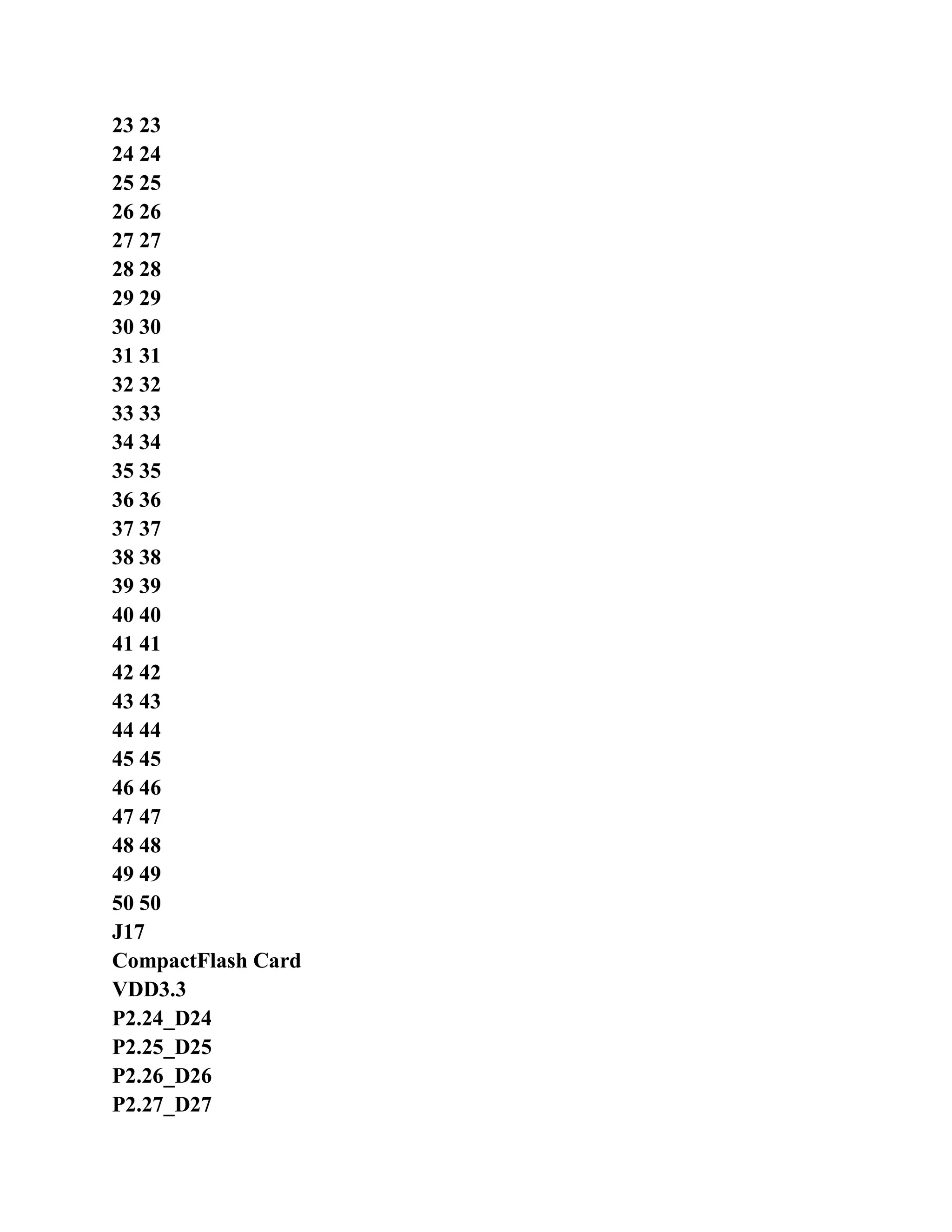
  • 110.
    experimental reference process Sequence?(Hint: use UMULL instructions) The experimental reference program the subroutine DO_MUL, whether you can use B, ADD, SUB instruction returns? (Mentioning Shows: modify procedures for testing)
  • 111.
    =================================================== - 64 - 3.5assembly instructions experimental 4 3.5.1 The purpose of the experiment 16 Thumb learning ARM microcontroller assembly instructions. 3.5.2 The laboratory equipment � Hardware: PC, a � software: Windows98/XP/2000 system, ADS 1.2 integrated development environment 3.5.3 Experimental content Thumb instruction ADD, MOV, CMP, B to achieve 1 +2 +3 ... + N op (N 0, the result is 0; N = 1 1). 3.5.4 prelab requirements Carefully read Chapter 4 ARM "ARM based embedded system tutorial instruction system; Carefully read the contents of the book Edit 2.2, 2.3 section of ADS project and AXD debugger. (The experimental use software emulation) 3.5.5 Experimental Principle ARM state ARM microcontroller reset, only executing ARM instructions, so it is necessary to use BX refers Make switch to Thumb state, in order to start the implementation of the Thumb instruction. Program using R0 save results outset initialized to 0; loop execution R0 = R0 + R1, R1 cycle The counter starts counting from 1 every cycle R1 plus 1; When the value of the loop counter R1 reaches N, the operator end. 3.5.6 Experimental Procedure Start ADS 1.2, to use ARM Executable Image project template to create a project Instruction4. 2. Establish assembler source file TEST5.S, the preparation of the experimental procedure, and then added to the project. Set works connected address RO Base 0x40000000, RW Base for 0x40003000. Set debug into Port address Image entry point 0x40000000.
  • 112.
    Compile the connectionworks, select [Project] -> [Debug], start AXD software simulation debugging. Open the register window (Processor Registers), select Current Item monitoring the value of the register. 6 single-step run the program, pay attention to the implementation of the BX R0 instruction before and after the CPSR T bit. Description: in register window CPSR register, the bit representation of the uppercase letters bit of the bit is 1, lowercase letters This bit is 0 (such as "T" T bit to 1, "t", said the T bit is 0). 3.5.7 experimental reference program Assembly instructions, experiment 4 reference code shown in Listing 3.5. The program list 3.5 assembly instructions experimental reference program ; The file name: TEST5.S ; Function: computing 1 +2 + ... + the value of N ;: N ≥ 0, N = 0, the result is 0; When N = 1, the result is 1. N EQU 100; define the value of N is 100 AREA Example5, CODE, READONLY; declarative code segment Example5
  • 113.
    =================================================== - 65 - ENTRY;identification program entry CODE32; Statement 32-bit ARM instruction ARM_CODE LDR SP, = 0x40003F00; setting the stack pointer ADR R0, THUMB_CODE +1 BX R0; jump and switch the processor state LTORG; statement text pool CODE16; Statement 16-bit Thumb instruction THUMB_CODE LDR R0, = N; set subroutine SUM_N entrance parameters BL SUM_N; subroutine SUM_N is called B THUMB_CODE ; Name: SUM_N, ; Function: computing 1 +2 + ... + the value of N ; Entrance parameters: R0 N values ; Export parameters: R0 operation result ; Occupied resources: R0 ; Description: When N = 0, the result is 1; When N = 1, the result is 1. ; If arithmetic overflow, the result is 0. SUM_N PUSH {R1-R7, LR}; register stack protection MOVS R2, R0; copied to the value of N R2, and affect the condition code flags The BEQ SUM_END; if the value of N is 0, then return. (At this point R0 is not changed) CMP R2, # 1 The BEQ SUM_END; if the value of N is 1, then return. (At this point R0 is not changed) MOV R1, # 1; initialization counter R1 = 1 MOV R0, # 0; the initialization result of register R0 = 0 SUM_L1 ADD R0, R1; R0 = R0 + R1 BCS SUM_ERR; resulted in an overflow, jump to SUM_ERR CMP R1, R2; will compare the value of the counter with N If the counter value ≥ N, the operation to the end of BHS SUM_END; ADD R1, # 1
  • 114.
    B SUM_L1 SUM_ERR MOVR0, # 0 SUM_END POP {R1-R7, PC}; register the stack, return END
  • 115.
    =================================================== - 66 - 3.5.8Thinking Thumb instruction only which instructions have conditional execution function? Thumb instruction "ADD Rd, Rm" will update the condition code flags? The Thumb instruction "MOV R8, # 0xFF000000" correct? If you do not correct how should I change it? 3.6 assembly instructions experimental 5 3.6.1 The purpose of the experiment Experiments to understand how to use the ARM assembler instruction structured programming. 3.6.2 The laboratory equipment � Hardware: PC, a � software: Windows98/XP/2000 system, ADS 1.2 integrated development environment 3.6.3 Experimental content If conditional execution of ARM assembly instructions; ARM assembly instructions for loop structure; ARM assembler instructions while loop structure; ARM assembler instruction do ... while loop structure; ARM assembler instruction switch switch structure. 3.6.4 prelab requirements Carefully read Chapter 4 ARM "ARM based embedded system tutorial instruction system; Carefully read the contents of the book Edit 2.2, 2.3 section of ADS project and AXD debugger. (The experimental use software emulation) 3.6.5 Experimental Procedure Thinking about how to use the ARM assembler instruction to achieve structured programming, set their own specific conditions. For example if conditions Execution, if (x> y), z = 0 Let x for the R0, y is R1, the z as R2, assembler code how to write. Start ADS 1.2, to use ARM Executable Image project template to create a project Instruction5.
  • 116.
    3. Establish assemblersource file TEST6.S, the preparation of the experimental procedure, and then added to the project. Set works connected address RO Base 0x40000000, RW Base for 0x40003000. Set debug into Port address Image entry point 0x40000000. 5. Compile the connection works, select [Project] -> [Debug], start AXD software simulation debugging. Open the register window (Processor Registers), select Current Item monitoring the value of the register. 7. Single-step run the program to determine whether the implementation of the program logic design. 3.6.6 experimental reference program 5 assembly instruction experiment reference program shown in Listing 3.6. The program list 3.6 assembly instructions experimental reference program AREA Example6, CODE, READONLY; declarative code segment Example6 ENTRY; identification program entry CODE32; Statement 32-bit ARM instruction START; if (x> y) z = 100;
  • 117.
    =================================================== - 67 - ;Else z = 50; ; Let x as R0, Y for R1, Z is R2 (x, y, z are unsigned integer) MOV R0, # 76; initialize the value of x MOV R1, # 243; initialize the value of y CMP R0, R1; judgment x> y? MOVHI R2, and # 100; x> y condition is true, z = 100 MOVLS R2, # 50; condition fails, z = 50 ; For (i = 0; i <10; i + +) ; {X + +; ;} ; Let x for R0, i R2 (i, x are unsigned integer) MOV R0, # 0; initialize the value of x MOV R2, # 0; setting i = 0 FOR_L1 CMP R2, # 10; judgment i <10? If the condition fails, exit the loop BHS FOR_END; ADD R0, R0, # 1; body of the loop, x + + ADD R2, R2, # 1; i + + B FOR_L1 FOR_END NOP ; While (x <= y) ; {X * = 2; ;} ; Let x R0, y for R1 (x, y are unsigned integer) MOV R0, # 1; initialize the value of x MOV R1, # 20; initialize the value of y B WHILE_L2; must first determine the conditions WHILE_L1 MOV R0, R0, LSL # 1; body of the loop, x * = 2 WHILE_L2 CMP R0, R1; judgment x ≤ y? The BLS WHILE_L1; if the condition is true, the loop continues WHILE_END NOP ; Do ; {X -; ;} While (x> 0);
  • 118.
    ; Let xR0 (x unsigned integer) MOV R0, # 5; initialize the value of x DOWHILE_L1 ADD R0, R0, # -1; body of the loop, x -
  • 119.
    =================================================== - 68 - DOWHILE_L2MOVS R0, R0; R0 <= R0, and affect the condition code flags The BNE DOWHILE_L1; If R0 is not 0 (x 0), the loop continues DOWHILE_END NOP ; Switch (key & 0x0F) ; {Case 0: ; Case 2: ; Case 3: x = key + y; ; Break; ; Case 5: x = key - y; ; Break; ; Case 7: x = key * y; ; Break; ; Default: x = 168; ; Break; ;} ; Let x R0, y is R1 the key is R2 (x, y, and key are unsigned integer) MOV R1, # 3; initialize the value of y MOV R2, # 2; initialization key value SWITCH AND R2, R2, # 0x0F; switch (key & 0x0F) CASE_0 CMP R2, # 0; case 0: CASE_2 CMPNE R2, # 2; case 2: CASE_3 CMPNE R2, # 3; case 3: BNE CASE_5 ADD R0, R2, R1; x = key + y B SWITCH_END; break CASE_5 CMP R2, # 5; case 5: BNE CASE_7 SUB R0, R2, R1; x = key - y B SWITCH_END; break CASE_7 CMP R2, # 7; case 7: BNE DEFAULT MUL R0, R2, R1; x = key * y B SWITCH_END; break
  • 120.
    DEFAULT MOV R0,# 168; default: x = 168 SWITCH_END NOP
  • 121.
    =================================================== - 69 - HALTB HALT END 3.6.7 Thinking ARM assembler instruction structured programming, for, while the structure, the break, continue? ARM assembler instruction structured programming, and how to implement nested conditional statements? Nested conditional statements are described as follows: if (expression 1) {If (expression) statement 1; else statement 2; } else {If (expression) statement; else statement 4; } 3.7 ARM microcontroller work mode experiment 3.7.1 The purpose of the experiment 1 ARM microcontroller mode switch to master how to use the MRS / MSR instruction; 2. Understanding of the registers in the respective work mode. 3.7.2 The laboratory equipment � Hardware: PC, a � software: Windows98/XP/2000 system, ADS 1.2 integrated development environment 3.7.3 Experimental content Use MRS / MSR instruction to switch the operating mode, and initialize the stack pointer in the various modes; Observation ARM microcontroller registers the difference between the various modes. 3.7.4 prelab requirements "ARM based embedded system tutorial carefully read the contents of Chapter 4 of the ARM architecture;
  • 122.
    Carefully read thecontents of the book Edit 2.2, 2.3 section of ADS project and AXD debugger. (The experimental use software emulation) 3.7.5 Experimental Procedure Start ADS 1.2, ARM Executable Image project template to establish an engineering MODE. 2. Establish assembler source file TEST7.S, the preparation of the experimental procedure, and then added to the project. Set works connected address RO Base 0x40000000, RW Base for 0x40003000. Set debug into Port address Image entry point 0x40000000. Compile the connection works, select [Project] -> [Debug], start AXD software simulation debugging. Open the register window (Processor Registers), select Current Item monitoring the value of the register. 6 single-step run the program, observe the CPSR, SPSR, R13 (SP), R14 (LR), R15 (PC) register. Description: CPSR register display as shown in Figure 3.10. Display is divided into two parts, the part of the respective flag bit, The other part is the working mode. Flag NZCVQ condition code flags N, Z, C, V, Q, capital letters, this bit is 1; significant
  • 123.
    =================================================== - 70 - Shownin lowercase letters, the bit is 0. Q flag in the ARM architecture v5 and above E variable. Flag IFT IRQ interrupt disable bit I FIQ interrupt disable bits F ARM microcontroller status bits T appears as Capital letters, this bit is 1; lowercase letters, indicates that the bit is 0. T flag in the ARM architecture v4 and Above the T variable. Operating mode indicates the current operating mode of the ARM microcontroller, including the User (user mode), FIQ (FIQ interrupt mode Style), IRQ (IRQ interrupt mode), SVC (management mode) Abort (abort mode), Undef (undefined mode), SYS (system System mode). Figure 3.10 CPSR register display 3.7.6 experimental reference program ARM microcontroller mode experiment reference program shown in Listing 3.7. The list of procedures 3.7 ARM microcontroller mode experiment reference program ; Definition Stack Size USR_STACK_LEGTH EQU 64 SVC_STACK_LEGTH EQU 0 FIQ_STACK_LEGTH EQU 16 IRQ_STACK_LEGTH EQU 64 ABT_STACK_LEGTH EQU 0 UND_STACK_LEGTH EQU 0 AREA Example7, CODE, READONLY; declaration code segment Example7 ENTRY; identification program entry CODE32; Statement 32-bit ARM instruction START MOV R0, # 0 MOV R1, # 1
  • 124.
    =================================================== - 71 - MOVR2, # 2 MOV R3, # 3 MOV R4, # 4 MOV R5, # 5 MOV R6, # 6 MOV R7, # 7 MOV R8, # 8 MOV R9, # 9 MOV R10, # 10 MOV R11, # 11 MOV R12, # 12 BL InitStack; stack pointer initialization mode ; Open IRQ interrupts (the CPSR I bit is cleared) MRS R0, CPSR; R0 <= CPSR BIC R0, R0, # 0x80 MSR CPSR_cxsf, R0; CPSR <= R0 ; Switch to user mode MSR CPSR_c, # 0xd0 MRS R0, CPSR ; Switch to the management model MSR CPSR_c, # 0xdf MRS R0, CPSR HALT B HALT ; Name: InitStack, ; Function: stack initialization, initialization mode stack pointer. ; Entrance Parameters: None ; Export parameters: None ; Description: This subroutine is called privileged mode, such as management mode after reset InitStack MOV R0, LR; R0 <= LR, because the various modes R0 is the same ; Setting management mode stack MSR CPSR_c, # 0xd3
  • 125.
    LDR SP, StackSvc ;Setting interrupt mode stack MSR CPSR_c, # 0xd2 LDR SP, StackIrq ; Setting fast interrupt mode stack MSR CPSR_c, # 0xd1
  • 126.
    =================================================== - 72 - LDRSP, StackFiq ; Setting the suspend mode stack MSR CPSR_c, # 0xd7 LDR SP, StackAbt ; Setting undefined mode stack MSR CPSR_c, # 0xdb LDR SP, StackUnd ; Setting the system mode stack MSR CPSR_c, # 0xdf LDR SP, StackUsr MOV PC, R0 StackUsr DCD UsrStackSpace + (USR_STACK_LEGTH - 1) * 4 StackSvc DCD SvcStackSpace + (SVC_STACK_LEGTH - 1) * 4 StackIrq DCD IrqStackSpace + (IRQ_STACK_LEGTH - 1) * 4 StackFiq DCD FiqStackSpace + (FIQ_STACK_LEGTH - 1) * 4 StackAbt DCD AbtStackSpace + (ABT_STACK_LEGTH - 1) * 4 StackUnd DCD UndtStackSpace + (UND_STACK_LEGTH - 1) * 4 ; Allocation stack space AREA MyStacks, DATA, NOINIT, ALIGN = 2 Users (system) mode stack space UsrStackSpace SPACE USR_STACK_LEGTH * 4; SvcStackSpace SPACE SVC_STACK_LEGTH * 4; management mode stack space IrqStackSpace SPACE IRQ_STACK_LEGTH * 4; interrupt mode stack space Fast interrupt mode stack space FiqStackSpace SPACE FIQ_STACK_LEGTH * 4; AbtStackSpace SPACE ABT_STACK_LEGTH * 4; the abort-defined mode stack space UndtStackSpace SPACE UND_STACK_LEGTH * 4; undefined mode stack END 3.7.7 Thinking Read SPSR registers in user mode or system mode what will be the result?
  • 127.
    Can non-privileged modesetting CPSR register? Can I read the value of the CPSR register? (Hint: Reference Experimental procedure code, running test) In the non-privileged mode, how to enable / disable IRQ or FIO interrupt? (Hint: you can switch to the SWI instruction Management Mode) Program can not pass the MSR instruction directly modify the T bit in the CPSR to achieve the status of ARM / Thumb state Switch?
  • 128.
    =================================================== - 73 - 3.8C language program experiments 3.8.1 The purpose of the experiment Experiment with how to use ADS 1.2 write C language programming and debugging. 3.8.2 The laboratory equipment � Hardware: PC, a � software: Windows98/XP/2000 system, ADS 1.2 integrated development environment 3.8.3 Experimental content Write an assembler program file and a C program files. Assembler function to initialize the stack pointer and initial Of the operating environment of the C program, and then adjust the jump to C program running, this is a simple start-up procedure. C program to make Adder to calculate the 1 +2 +3 + ... + (N-1) + N value (N> 0). 3.8.4 prelab requirements Carefully read Chapter 4 ARM "ARM based embedded system tutorial instruction system; Carefully read the contents of the book Edit 2.2, 2.3 section of ADS project and AXD debugger. (The experimental use software emulation) 3.8.5 Experimental Procedure Start ADS 1.2, to use ARM Executable Image project template to create a project ProgramC. 2 to establish the source file Startup.S and Test.c preparation of the experimental procedure, and then added to the project. Set works connected address RO Base 0x40000000, RW Base for 0x40003000. Set debug into Port address Image entry point 0x40000000. Set the starting code segment in the starting position, as shown in Figure 3.11. 3.11 set at the starting position starting code segment
  • 129.
    =================================================== - 74 - 5.Compile the connection works, select [Project] -> [Debug], start AXD software simulation debugging. 6 to set a breakpoint. In Startup.S the "B Main" at the program and then moving full-speed line. 7. Program stops at the breakpoint. Single-step run the program, to determine whether the program jumps to the C program running. 8. Choose [Processor Views] -> [Variables]) Open variable observation window to observe the value of the global variable Single step / run programs at full speed, the calculation result of the judgment program is correct. 3.8.6 Experimental reference program C language experiment reference program shown in Listing 3.8. Compilation starter code shown in Listing 3.6. Program in Listing 3.8 C language experiment reference program # Define uint8 unsigned char # Define uint32 unsigned int # Define N 100 uint32 sum; / / Use the adder to calculate the 1 +2 +3 + ... + (N-1) + N of values. (N> 0) void Main (void) {Uint32 i; sum = 0; for (i = 0; i <= N; i + +) {Sum + = i; } while (1); } 3.9 simple starter code for program listings ; Starter file. Initialize the runtime environment of the C program, and then enter the C code. IMPORT | Image $ $ RO $ $ Limit | IMPORT | Image $ $ RW $ $ Base | IMPORT | Image $ $ ZI $ $ Base |
  • 130.
    IMPORT | Image$ $ ZI $ $ Limit | IMPORT Main; Statement C program in the Main () function AREA Start, CODE, READONLY; declarative code segment Start ENTRY; identification program entry CODE32; Statement 32-bit ARM instruction Reset LDR SP, = 0x40003F00 ; Initialize the runtime environment of the C program
  • 131.
    =================================================== - 75 - LDRR0, = | Image $ $ RO $ $ Limit | LDR R1, = | Image $ $ RW $ $ Base | LDR R3, = | Image $ $ ZI $ $ Base | CMP R0, R1 BEQ LOOP1 LOOP0 CMP R1, R3 LDRCC R2, [R0], # 4 STRCC R2, [R1], # 4 BCC LOOP0 LOOP1 LDR R1, = | Image $ $ ZI $ $ Limit | MOV R2, # 0 LOOP2 CMP R3, R1 STRCC R2, [R3], # 4 BCC LOOP2 B Main; jump to C code Main () function END 3.8.7 Thinking The experimental reference program, Startup.S file is it? If no Startup.S file, C programs will be delivered Line make a mistake? Experimental program in the Main () function name can be changed to another name? (Hint: Main is just a label) 3.9 C language calling assembler experimental 3.9.1 The purpose of the experiment Lies in the C language program call assembler, to understand ATPCS the basic rules. 3.9.2 The laboratory equipment � Hardware: PC, a � software: Windows98/XP/2000 system, ADS 1.2 integrated development environment 3.9.3 Experimental content Assembly subroutine call in a C program, the addition of two integers. The assembler subroutine prototype for:
  • 132.
    uint32 Add (uint32x, uint32 y) Which the uint32 have been defined to unsigned int. 3.9.4 prelab requirements Carefully read the ARM company ATPCS related document such as ATPCS.PDF; Carefully read the contents of the book Edit 2.2, 2.3 section of ADS project and AXD debugger. (The experimental use software emulation)
  • 133.
    =================================================== - 76 - 3.9.5Experimental Procedure Start ADS 1.2, to use ARM Executable Image project template to create a project ProgramC1. 2. The source file Startup.S, Add.S and Test.c preparation of the experimental procedure, and then added to the project. Set works connected address RO Base 0x40000000, RW Base for 0x40003000. Set debug into Port address Image entry point 0x40000000. 4 setting works connectivity options, the initial code segment is set to the start position Startup.o the Start segment. 5. Compile the connection works, select [Project] -> [Debug], start AXD software simulation debugging. 6. The Test.c file call the Add () code sets a breakpoint at line program, then full-speed action. 7. Program stops at the breakpoint. Use the Setp In single-step run the program, observe the procedures Go assembler Add.S. 8. Choose [Processor Views] -> [Variables]) Open variable observation window to observe the value of the global variable Single step / run programs at full speed, the calculation result of the judgment program is correct. 3.9.6 experimental reference program C language calling assembler experiment reference program shown in Listing 3.10. Assembler the addition function code, see the list of procedures 3.11. The program listing 3.10 C language calling assembler experimental reference program # Define uint8 unsigned char # Define uint32 unsigned int extern uint32 Add (uint32 x, uint32 y); uint32 sum; / / Call to assembler Add realize the addition void Main (void) {Sum = Add (555, 168);
  • 134.
    while (1); } The programlist 3.11 compilation addition function code ; Addition function prototype uint32 Add (uint32 x, uint32 y). EXPORT Add AREA AddC, CODE, READONLY; declarative code segment AddC ENTRY; identification program entry CODE32; Statement 32-bit ARM instruction Add ADD R0, R0, R1; input parameter x is R0, y is R1 Return value of R0 MOV PC, LR; END
  • 135.
    =================================================== - 77 - 3.9.7Thinking Experiment reference program, how to pass a pointer parameter? (Ie design uint32 Add (uint32 * x, uint32 * y) Function) 3.10 GPIO output control experiments 1 3.10.1 The purpose of the experiment Mastered the LPC2200 dedicated engineering template to use; 2 master EasyJTAG emulator to install and use; Able to run the first program in EasyARM2200 development board (no operating system); 4. Familiar with the LPC2000 series ARM7 microcontroller GPIO control. 3.10.2 laboratory equipment � Hardware: PC, a EasyARM2200 development board set � software: Windows98/XP/2000 system, ADS 1.2 integrated development environment 3.10.3 experiment content Buzzer alarm control EasyARM2200 development board. First use the RAM (IS61LV25616AL chip chip) Debug, debug program after curing to the piece outside the FLASH (SST39VF160 chip), and then run offline. 3.10.4 prelab requirements LPC2000 pin connection module carefully read Section 5.7 of the "ARM based embedded system tutorial, 5.9 Festival GPIO. Carefully read the contents of Chapter 1 of the book, about EasyARM2200 development board hardware structure, attention to the phase of the buzzer Off control circuit. Carefully read the contents of Chapter 2 of the book for ADS 1.2 integrated development environment, LPC2200 dedicated engineering template, Emulator application in EasyJTAG. 3.10.5 The experimental principle How to run the first program on the EasyARM2200.
  • 136.
    � install ADS1.2 (PC) � about ADS 1.2 (PC) � the connection the EasyJTAG emulator and EasyARM2200 of development board (hardware) � the installation EasyJTAG driver (PC) � add a project template (PC) � project templates established the first engineering (PC) � simulation debugging the first engineering (PC + hardware) Description: (PC) ---------------- belongs on the PC software operation (Hardware) ------------- belong to the development board hardware operation (PC + hardware) --------- belongs on the PC software operation, hardware connection or jumper operation 1 Install ADS 1.2 Running in the ADS directory Setup.exe, start the installation ADS1.2. In accordance with the installation prompts to install the software, and other software installed operating method is basically the same.
  • 137.
    =================================================== - 78 - LearnADS 1.2 Use ADS1.2 build project, compile the connection settings, debugging operations, Chapter 2 of the reference book. A more detailed Use reference ADS1.2 online help documentation or information. 3. Connection EasyJTAG the emulator and EasyARM2200 development board The EasyJTAG emulator, 25-pin interface via the parallel port extension cord with the PC's parallel port connection will EasyJTAG imitation Really the 20-pin interface connecting cable 20 PIN received EasyARM2200 development board J2, and then use the matching Transformer (9V) power supply to the development board. 4. EasyJTAG emulator installed with application Reference Section 2.5 of the book content. Add project templates 2.4 reference book content. The establishment of the first engineering project templates To use LPC2200 dedicated project template to establish the project (such as ARM Executable Image for lpc22xx engineering module Board), the establishment of the source file and added to the project, and then write the code; Compiled connection works, if error, modify the program, and then compile again. 7. Simulation debugging first project Set correctly EasyARM2200 development board jumper; Start AXD simulation debugging. 3.10.6 Experimental Procedure 1. Connection EasyJTAG emulator and EasyARM2200 of development board the and then install EasyJTAG emulator of drive Driver (if already installed, this step is omitted). For ADS1.2 increase the LPC2200 dedicated engineering template (if increased too, this step is omitted). Start ADS 1.2, ARM Executable Image for lpc22xx project template to create an engineering
  • 138.
    BeepCon_C. Establishing C sourcefile BeepCon.c, preparation of the experimental procedure, and then added to the engineering of the user group. 5. Optional DebugInExram generation target, shown in Figure 3.12, and then compile the connection works. Figure 3.12 choose to generate the target 6. EasyARM2200 development board JP9 a short jumper, JP4 jumper off JP6 jumper settings Bank0-RAM, Bank1-Flash. 7 Select [Project] -> [Debug] start AXD JTAG emulator debugging (emulator need to be set up correctly.
  • 139.
    =================================================== - 79 - Referto Section 2.5). Note: Use DebugInExram generate the target, the use of off-chip RAM simulation debugging JP6 jumper to be set up Home for Bank0-RAM, Bank1-Flash, set in AXD emulator Reference shown in Figure 3.13. Figure 3.13 RAM chip debugging emulator set JTAG connection error or AXD main window no display Startup.S source, press book 2.5 referral Deal with Shao methods. Program run at full speed, the program will stop at the main function of beepcon.c (because the main function at the beginning of the default Set breakpoints). Click Context Variable icon button (or select [Processor Views] -> [Variables]) open change The amount of observation window, local variables and global variables can be observed through this window. Select System Views】 -> The】 【Debugger Internals to open LPC2000 series ARM7 microcontroller chip peripheral register window Mouth. 11 can be a single-step run the program, you can set / cancel the breakpoint, or run the program at full speed to stop the program running, observe The value of a variable, it is judged whether the buzzer control correctly. 12 closed simulation debugging through AXD, ADS 1.2 integrated development environment chosen RelOutChip generated mesh Standard, and then compile the connection works. 13. EasyARM2200 development board JP9 a short jumper, JP1, JP4 jumper disconnected JP6 jumper settings Bank0-Flash, Bank1-RAM, JP7 jumper settings OUTSIDE. 14 Select [Project] -> [Debug] start AXD JTAG emulator debugging. At this point EasyJTAG simulation Will download the program to the chip FLASH emulator (need to be set up correctly, refer to section 2.5).
  • 140.
    Note: Use RelOutChipgenerate the target, the use of off-chip FLASH simulation debugging (or firmware) JP6 jumper set to Bank0-Flash, Bank1-RAM, set in AXD reference emulator as shown in Figure 3.14.
  • 141.
    =================================================== - 80 - Figure3.14 outside FLASH debugging emulator set 15 RST reset by EasyARM2200 development panel key observation program can run offline. 16 after the end of the experiment, set in AXD emulator RAM chip debug mode setting so solid at the back The correct operation of the inspection. 3.10.7 experiment reference program GPIO output control experiment reference program shown in Listing 3.12. Program in Listing 3.12 GPIO output control experiment reference program / ************************************************* *************************** * File name: BEEPCON.C * Function: Buzzer control. Of the buzzer B1 controlling software delay method. * I / O port directly control the sink current. * Description: JP9 shorted jumper, JP4 disconnect. ************************************************** ************************** / # Include "config.h" # Define BEEPCON 0x00000080 / * P0.7 pin control B1, low level beep * / / ************************************************* *************************** * Name: DelayNS () * Function: long delay. * Entry parameters: dly delay parameter, larger the value, the longer the delay * Export parameters: None ************************************************** ************************** / void DelayNS (uint32 dly) {Uint32 i; for (; dly> 0; dly -) for (i = 0; i <5000; i + +);
  • 142.
    =================================================== - 81 - } /************************************************* *************************** * Name: main () * Function: to control the buzzer beeps. ************************************************** ************************** / int main (void) {PINSEL0 = 0x00000000; / / set pin connected to GPIO IO0DIR = BEEPCON; / / set I / O output while (1) {IO0SET = BEEPCON; / / BEEPCON = 1 DelayNS (10); IO0CLR = BEEPCON; / / BEEPCON = 0 DelayNS (10); } return (0); } 3.10.8 thinking Why is this experiment works do not need to set the connection address? (Hint: LPC2200 project templates integrated Start-up code, the compiler options and the connection address settings, etc.) In the experimental reference program, how to control the speed of the buzzer alarm? LPC2000 family of ARM7 microcontrollers, which two pin, GPIO output requires an external pull-up resistor? 3.11 GPIO output control experiment 2 3.11.1 Purpose Familiar with the LPC2000 series ARM7 microcontroller GPIO control, and be able to use the the GPIO analog SPI bus output. 3.11.2 laboratory equipment � Hardware: PC, a EasyARM2200 development board set
  • 143.
    � software: Windows98/XP/2000system, ADS 1.2 integrated development environment 3.11.3 experiment content To use GPIO port simulation SPI bus with 74HC595 connect, control 74HC595 drive 8 LED light water Display. 3.11.4 prelab requirements LPC2000 pin connection module carefully read Section 5.7 of the "ARM based embedded system tutorial, 5.9 Festival GPIO;
  • 144.
    =================================================== - 82 - Carefullyread the the 74HC595 data manual to understand how to control the data shift latch data output; Carefully read the contents of Chapter 1 of the book, about EasyARM2200 development board hardware structure, pay attention to the keyboard and LED Display circuit. Carefully read the contents of Chapter 2 of the book for ADS 1.2 integrated development environment, LPC2200 dedicated engineering template, Emulator application in EasyJTAG. 3.11.5 Experimental Procedure Start ADS 1.2, ARM Executable Image for lpc22xx project template to create an engineering LedDisp_C. . C source file LedDisp.c preparation of the experimental procedure, and then added to the engineering of the user group. Selection DebugInExram generate the target, and then compile the connection works. 4 the the EasyARM2200 development panel JP8 short jumper, JP6 jumper settings Bank0-RAM, Bank1-Flash. Select [Project] -> [Debug] start AXD JTAG emulator debugging. 6 single-step run the program, through LED1 ~ LED8 data show judge 74HC595 shift output is correct. Full speed run the program, observe the LED1 to LED8 of, display. 3.11.6 experiment reference program GPIO output control experiment reference program shown in Listing 3.13. Program in Listing 3.13 GPIO output control experiment reference program / ************************************************* *************************** * File name: LEDDISP.C * Function: LED display control. * Analog synchronous serial I / O with 74HC595 connection control 74HC595- driven LED display.
  • 145.
    * Note: Thejumper JP8 shorted. ************************************************** ************************** / # Include "config.h" # Define SPI_CS 0x00000100 / * P0.8 * / # Define SPI_DATA 0x00000040 / * P0.6 * / # Define SPI_CLK 0x00000010 / * P0.4 * / # Define SPI_IOCON 0x00000150 / * define the SPI interface, I / O setup word * / / ************************************************* *************************** * Name: DelayNS () * Function: long software delay * Entry parameters: dly delay parameter, larger the value, the longer the delay * Export parameters: None ************************************************** ************************** / void DelayNS (uint32 dly) {Uint32 i; for (; dly> 0; dly -) for (i = 0; i <5000; i + +);
  • 146.
    =================================================== - 83 - } /************************************************* *************************** * Name: HC595_SendDat () * Function: one byte of data sent to the 74HC595 * The entrance parameters: dat send data * Export parameters: None * Note: when sending data, the high first sent. ************************************************** ************************** / void HC595_SendDat (uint8 dat) {Uint8 i; IO0CLR = SPI_CS; / / SPI_CS = 0 for (i = 0; i <8; i + +) / / send 8-bit data {IO0CLR = SPI_CLK; / / SPI_CLK = 0 / * Set SPI_DATA output value * / if ((dat & 0x80)! = 0) IO0SET = SPI_DATA; else IO0CLR = SPI_DATA; dat << = 1; IO0SET = SPI_CLK; / / SPI_CLK = 1 } IO0SET = SPI_CS; / / SPI_CS = 1, the output display data } const uint8 DISP_TAB [16] = {0x01, 0x02, 0x04, 0x08, 0x10, 0x20, 0x40, 0x80, 0x81, 0x42, 0x24, 0x18, 0x24, 0x42, 0x81, 0x00}; / ************************************************* *************************** * Name: main () * Functions: According to table DISP_TAB to control the LED display. ************************************************** ************************** / int main (void) {Uint8 i;
  • 147.
    PINSEL0 = 0x00000000;/ / set pin connected to GPIO IO0DIR = SPI_IOCON; / / set SPI control port for output while (1) {For (i = 0; i <16; i + +) {HC595_SendDat (~ DISP_TAB [i]); / / output LED display data DelayNS (5); / / delay } } return (0); }
  • 148.
    =================================================== - 84 - 3.11.7thinking To a few I / O port for GPIO functions, which registers need to set? Experiment reference program, how to control the water lights display? 3.12 GPIO input experiment 3.12.1 The purpose of the experiment Able to use GPIO input mode switching signal is read. 3.12.2 laboratory equipment � Hardware: PC, a EasyARM2200 development board set � software: Windows98/XP/2000 system, ADS 1.2 integrated development environment 3.12.3 experiment content Read the P0.14 mouth on the level of value, and then to read the value of output control buzzer. 3.12.4 prelab requirements LPC2000 pin connection module carefully read Section 5.7 of the "ARM based embedded system tutorial, 5.9 Festival GPIO. Carefully read the contents of Chapter 1 of the book, about EasyARM2200 development board hardware structure, attention buzzer control Description of the circuit and JP1 jumper. Carefully read the contents of Chapter 2 of the book for ADS 1.2 integrated development environment, LPC2200 dedicated engineering template, Emulator application in EasyJTAG. 3.12.5 Experimental Principle P0.14 port set to input mode, the port the internal no pull-up resistor, when used in connection with buttons or jumper needs External pull-up resistor to prevent the port vacant. GPIO input the experimental schematics shown in Figure 3.15. Figure 3.15 GPIO input experimental schematic 3.12.6 Experimental Procedure Start ADS 1.2, ARM Executable Image for lpc22xx project template to create an engineering
  • 149.
    ReadPin_C. 2. Establish Csource file ReadPin.c, the preparation of the experimental procedure, and then added to the engineering of the user group.
  • 150.
    =================================================== - 85 - SelectionDebugInExram generate the target, and then compile the connection works. 4. EasyARM2200 development board JP9 a short jumper, JP4 jumper disconnected, JP6 jumper setting Bank0-RAM, Bank1-Flash. Select [Project] -> [Debug] start AXD JTAG emulator debugging. 6 single-step run the program, first shorted JP1 observation IO0PIN register value, then disconnect JP1 observed IO0PIN The value of the register. Run at full speed program, shorted / disconnected JP1 control buzzer beeps. Description: by the value of the Watch window to observe register. [The Processor Views] -> [Watch] playing Open the Watch window, right-click the mouse in the Watch window, select the Add Watch ... add items variables, as shown in Figure 3.16 Shown. Figure 3.16 Watch window Expression in the Add Watch window entry input * ((unsigned long *) 0xE0028000), and then press Enter, As shown in Figure 3.17, and then select Add To View button in the Watch window the observation IO0PIN register (IO0PIN, Register address 0xE0028000).
  • 151.
    =================================================== - 85 - Map Figure3.17 Add Watch dialog box Choose an observation variable in the Watch window, press the Del key to delete the observed variables. Note: Some registers can not be read the displays or read operation may affect the value of the other register. 3.12.7 experiment reference program GPIO input experiment reference program shown in Listing 3.14. Program in Listing 3.14 GPIO input experiment reference program / ************************************************* *************************** * File name: READPIN.C * Function: read I / O pin values, and output control buzzer. * I / O port input P0.14 port scan. * Description: jumper JP9 shorted, JP4 disconnect, and then shorted / disconnected JP1 (P0.14 for low / high). ************************************************** ************************** / # Include "config.h" # Define BEEPCON 0x00000080 / * P0.7 pin control B1, low level beep * / # Define PIN_P014 0x00004000 / * Define P0.14 shield word * / / ************************************************* *************************** * Name: main () * Function: read the value of P0.14 mouth, and output control buzzer B1. ************************************************** ************************** / int main (void) {Uint32 i; PINSEL0 = 0x00000000; / / set pin connected to GPIO IO0DIR = BEEPCON; / / set B1 control port for output, and other I / O input while (1)
  • 152.
    =================================================== - 87 - {If((IO0PIN & PIN_P014)! = 0) IO0SET = BEEPCON; else IO0CLR = BEEPCON; for (i = 0; i <1000; i + +); } return (0); } 3.12.8 thinking If P0.30 is set to GPIO input mode, and the pin is left floating, then read P0.30 value is 0 or 1? Or is uncertain? If you need to read the the current P0.7 output value (not the pin level), and how to achieve? 3.13 memory remapping experiment 3.13.1 The purpose of the experiment Through the experiment, familiar with the LPC2000 series ARM7 microcontroller memory remapping mechanism. 3.13.2 laboratory equipment � Hardware: PC, a EasyARM2200 development board set � software: Windows98/XP/2000 system, ADS 1.2 integrated development environment 3.13.3 experiment content Set MEMMAP = 2, then the storage unit address 0x40000000 ~ 0x4000003F all written 0x55, While observing the data in the address of 0x00000000 ~ 0x0000003F; then write 0xAA, while observing 0x00000000 to Data 0x0000003F address. Setting MEMMAP = 0, observe whether the data in the address 0x00000000 ~ 0x0000003F 0x7FFFE000 to Data is consistent 0x7FFFE03F address. 3.13.4 prelab requirements Carefully read the description "ARM based embedded system tutorial 5.3 memory remap, section 5.4.8 Memory-mapped control; 3.13.5 Experimental Procedure Start ADS 1.2, ARM Executable Image for lpc22xx project template to create an engineering ReMap_c; . C source file ReMap.c preparation of the experimental procedure, and then added to the engineering of the user group; Selection DebugInExram generate the target, and then compile the connection works.
  • 153.
    4 the EasyARM2200development board the JP6 jumper settings for Bank0-RAM, Bank1-Flash. Select [Project] -> [Debug] start AXD JTAG emulator debugging. Set to open the the memory observation window (Memory) the observed address is 0x00000000 Pattern Size 8Bit Monitoring data from 0x00000000 ~ 0x0000003F. 7 single-step run the program, observed data 0x00000000 ~ 0x0000003F address.
  • 154.
    =================================================== - 87 - 8when after running MEMMAP = 0, the observed the data 0x00000000 ~ 0x0000003F address whether and The address on 0x7FFFE000 ~ 0x7FFFE03F are the same. 3.13.6 experiment reference program Memory remapping experiment reference program shown in Listing 3.15. Program list 3.15 the memory remapping experimental reference program / ************************************************* *************************** * File name: REMAP.C * Function: memory remapping to the on-chip RAM (0x40000000 0x4000003F), and then change the 0x40000000 ~~ * 0x4000003F contents of. * Description: observation data of the change in address 0x00000000 ~ 0x0000003F ************************************************** ************************** / # Include "config.h" # Define VECTOR_RAM ((unsigned char *) 0x40000000) / ************************************************* *************************** * Name: main () * Function: memory remapping. ************************************************** ************************** / int main (void) {Uint8 i; uint8 * addr; MEMMAP = 0x02; / / interrupt vector from the static RAM the remapping (user RAM mode) addr = VECTOR_RAM; for (i = 0; i <64; i + +) / / 0x55 filled 0x40000000 to 0x4000003F {* Addr = 0x55; addr + +; } addr = VECTOR_RAM; for (i = 0; i <64; i + +) / / filled with 0xAA 0x40000000 ~ 0x4000003F {* Addr = 0xAA; addr + +; } MEMMAP = 0x00; / / interrupt vector from the Boot Block remapping (Boot Loader modes) while (1); return (0);
  • 155.
  • 156.
    =================================================== - 89 - 3.13.7thinking Experimental engineering the startup code Target.c file TargetResetInit () function MEMMAP register set What is the basis for the set? Please describe the role of the the memory remapping mechanism in the JTAG debug. 3.14 External Interrupt Experiment 1 3.14.1 Purpose Master Vectored Interrupt Controller (VIC) set; 2. Grasp the external interrupt pin feature set and an external interrupt mode is set; 3. Understanding of the preparation of the interrupt service function. 3.14.2 laboratory equipment � Hardware: PC, a EasyARM2200 development board set � software: Windows98/XP/2000 system, ADS 1.2 integrated development environment 3.14.3 experiment content Setting P0.14 feet for EINT1 functions initialize a non-vector interrupt, and is set to level trigger mode, and so on Subject to the external interrupt. The interrupt service routine negated the Buzzer control output signal, and then wait for an interrupt signal to undo the last Qing In addition to the interrupt flag and exit the interrupt. 3.14.4 prelab requirements "ARM embedded systems based tutorial carefully read Section 5.4.6, a description of the external interrupt input, 5.8 to Description of the amount of the interrupt controller. 3.14.5 Experimental Procedure Start ADS 1.2, ARM Executable Image for lpc22xx project template to create an engineering VICDef_C. 2. Establish C source file EINT1_Def.c, the preparation of the experimental procedure, and then added to the engineering of the user group. . In Startup.s files InitStack subroutine, modify the code of the set system mode stack at "MSR CPSR_c, # 0x5f ", even if the IRQ interrupt. Selection DebugInExram generate the target, and then compile the connection works. 5 JP9 of EasyARM2200 development board short jumper, JP4 jumper disconnected, JP6 jumper settings for the Bank0-RAM, Bank1-Flash. 6 Select [Project] -> [Debug] start AXD JTAG emulator debugging.
  • 157.
    Set a breakpointin the interrupt service routine, run the program at full speed, and then shorted / disconnected JP1, so EINT1 for low / High. Step 8. Single / full-speed running program to observe the program is properly run, whether the beeper beeps. 3.14.6 experiment reference program External interrupt experiment reference program shown in Listing 3.16.
  • 158.
    =================================================== - 90 - Programlist 3.16 external interrupt experiment reference program / ************************************************* *************************** * File name: EINT1_DEF.C * Function: use external interrupt 1 B1 control, whenever there is an interruption that negated B1 control port * To indicate the interrupt input. The use of non-vector interrupt mode. * Description: jumper JP9 shorted, JP4 disconnect, and then shorted / disconnected JP1 (so EINT1 low / high). ************************************************** ************************** / # Include "config.h" # Define BEEPCON 0x00000080 / * P0.7 pin control B1, low level beep * / / ************************************************* *************************** * Name: IRQ_Eint1 () * Function: external to interrupt EINT1 service function, negated B1 control port. The * entrance parameters: no * Export parameters: None ************************************************** ************************** / void __ irq IRQ_Eint1 (void) {Uint32 i; i = IO0SET; / / read the current B1 control value if ((i & BEEPCON) == 0) / / to control B1 output negated {IO0SET = BEEPCON; } else {IO0CLR = BEEPCON; } / * Wait for external interrupt signal recovery is high (if the signal is held low, the interrupt flag will always be set) * / while ((EXTINT & 0x02)! = 0) {EXTINT = 0x02; / / Clear EINT1 interrupt flag } VICVectAddr = 0; / / Vectored Interrupt conclude } / ************************************************* *************************** * Name: main () * Function: Initialize external interrupt 1 (EINT1) non-vectored interrupt, and set to level
  • 159.
    trigger mode, andthen wait for the external interrupt. * Description: make STARTUP.S file the IRQ interrupts (clear I bit in the CPSR). ************************************************** ************************** / int main (void) {PINSEL0 = 0x20000000; / / set pin connection, P0.14 settings for EINT1 IO0DIR = BEEPCON; / / set B1 control port for output, and other I / O input
  • 160.
    =================================================== - 91 - EXTMODE= 0x00; / / set EINT1 interrupt is level-triggered mode / * Open EINT1 interrupt (non-vectored IRQ) * / VICIntSelect = 0x00000000; / / set all interrupt as IRQ interrupt VICDefVectAddr = (int) IRQ_Eint1; / / set interrupt service routine address EXTINT = 0x02; / / clear EINT1 interrupt flag VICIntEnable = 0x00008000; / / make capable EINT1 interrupt while (1); / / wait for interrupt return (0); } 3.14.7 thinking The ability set P0.3, P0.14 pins simultaneously use EINT1 functions? If you can, then the status of the two pin interrupt is What logical relations (assumed to interrupt set low trigger mode)? Why interrupt service function __irq modified? (Hint: IRQ interrupt microcontroller to switch to the IRQ mode, So need to restore the CPSR interrupt return, such as the use SUBS PC, R14, # 4) How to disable a particular interrupt in VIC? Assuming that the system uses several IRQ interrupts, and how a total ban All interrupt? 3.15 External Interrupt Experiment 2 3.15.1 Purpose Master the vector IRQ interrupt the settings and applications; Master the external interrupt pin feature set and an external interrupt mode is set; 3.15.2 laboratory equipment � Hardware: PC, a EasyARM2200 development board set � software: Windows98/XP/2000 system, ADS 1.2 integrated development environment 3.15.3 experiment content Setting P0.14 feet for EINT1 functions, initialize the interrupt vector, and is set to falling edge trigger mode, and so on Subject to the external interrupt. Interrupt service routine buzzer control output signal is negated, and then clear the interrupt flag and exit the interrupt. 3.15.4 prelab requirements "ARM embedded systems based tutorial carefully read Section 5.4.6, a description of the external interrupt input, 5.8 to Description of the amount of the interrupt controller.
  • 161.
    3.15.5 Experimental Procedure StartADS 1.2, ARM Executable Image for lpc22xx project template to create an engineering VICVect_C;
  • 162.
    =================================================== - 91 - 2.Establish C source file EINT1_Vect.c, the preparation of the experimental procedure, and then added to the engineering of the user group; . In Startup.s files InitStack subroutine, modify the code of the set system mode stack at "MSR CPSR_c, # 0x5f ", even if the IRQ interrupt. Selection DebugInExram generate the target, and then compile the connection works. 5 JP9 of EasyARM2200 development board short jumper, JP4 jumper disconnected, JP6 jumper settings for the Bank0-RAM, Bank1-Flash. 6 Select [Project] -> [Debug] start AXD JTAG emulator debugging. Set a breakpoint in the interrupt service routine, run the program at full speed, and then shorted / disconnected JP1, so EINT1 for low / High. Step 8. Single / full-speed running program to observe the program is properly run, whether the beeper beeps. 9. Been shorted JP1 observe whether will continue to generate an interrupt. Note: The plug jumpers by hand, the mouth line level jitter may cause multiple interrupts. 3.15.6 experiment reference program External interrupt experiment reference program shown in Listing 3.17. Program list 3.17 external interrupt experiment reference program / ************************************************* *************************** * File name: EINT1_VECT.C * Function: use external interrupt 1 B1 control, whenever there is an interruption that negated B1 control port * To indicate the interrupt input. Using vector interrupt mode. * Description: jumper JP9 shorted, JP4 disconnect, and then shorted / disconnected JP1 (so EINT1 low / high). ************************************************** ************************** / # Include "config.h" # Define BEEPCON 0x00000080 / * P0.7 pin control B1, low level beep * / / ************************************************* *************************** * Name: IRQ_Eint1 () * Function: external to interrupt EINT1 service function, negated B1 control port. The * entrance parameters: no * Export parameters: None ************************************************** ************************** / void __ irq IRQ_Eint1 (void)
  • 163.
    {Uint32 i; i =IO0SET; / / read the current B1 control value if ((i & BEEPCON) == 0) / / to control B1 output negated {IO0SET = BEEPCON; } else {IO0CLR = BEEPCON; } EXTINT = 0x02; / / clear EINT1 interrupt flag
  • 164.
    =================================================== - 92 - VICVectAddr= 0; / / Vectored Interrupt conclude } / ************************************************* *************************** * Name: main () * Function: Initialize external interrupt 1 (EINT1) interrupt vector, and set to a falling edge trigger mode, and then wait for the external interrupt. * Description: make STARTUP.S file the IRQ interrupts (clear I bit in the CPSR). ************************************************** ************************** / int main (void) {PINSEL0 = 0x20000000; / / set pin connection, P0.14 settings for EINT1 IO0DIR = BEEPCON; / / set B1 control port for output, and other I / O input EXTMODE = 0x02; / / set EINT1 interrupt is edge-triggered mode EXTPOLAR = 0x00; / / set EINT1 interrupt is edge triggered / * Interrupted open EINT1 (set vector controllers that use vector IRQ) * / VICIntSelect = 0x00000000; / / set all interrupt as IRQ interrupt VICVectCntl0 = 0x2F; / / the allocation EINT1 interrupt to vector interrupt 0 VICVectAddr0 = (int) IRQ_Eint1; / / set interrupt service routine address EXTINT = 0x02; / / clear EINT1 interrupt flag VICIntEnable = 0x00008000; / / make capable EINT1 interrupt while (1); / / wait for interrupt return (0); } 3.15.7 thinking Generate IRQ interrupt the CPSR I bit is 0 or 1? How to correctly understand the VIC interrupt priority? Will the experimental reference program EINT1 interrupt setting interrupt for Slot10 vector. 3.16 External Memory Interface Experiment 1 3.16.1 The purpose of the experiment Experimental control set and an external memory interface of the application of the external memory controller (EMC). 3.16.2 laboratory equipment � Hardware: PC, a EasyARM2200 development board set � software: Windows98/XP/2000 system, ADS 1.2 integrated development environment 3.16.3 experiment content Using the external memory interface the Bank1 connected to a 16-bit bus interface FLASH
  • 165.
  • 166.
    =================================================== - 93 - Usethe program initialization EMC, followed by the FLASH full chip erase, write two-byte data read out to check If the checksum beep, otherwise the buzzer buzzer alarm. 3.16.4 prelab requirements Carefully read 5.6 "ARM embedded systems based tutorial description of the external memory controller, 5.7 The Festival pin connection module PINSEL2 explained. Carefully read the contents of Chapter 1 of the book, about EasyARM2200 development board hardware structure Note SST39VF160 Connection circuit and JP6 jumper. Carefully read SST39VF160 datasheets, learn how to erase, program the chip. 3.16.5 Experimental Principle The JP6 jumper settings for the Bank0-RAM, Bank1-Flash, the chip SST39VF160 and LPC2210 the connection shown in Figure 3.18. According to hardware circuit the correct settings PINSEL2 register and BCFG1 register, and then sent to SST39VF160 life Make erase, program operations. Figure 3.18 outside FLASH chip connection circuit principle 3.16.6 Experimental Procedure Start ADS 1.2, ARM Executable Image for lpc22xx project template to create an engineering Emc_C; 2. Establish C source file SST39VF160.c, the preparation of the experimental procedure, and then added to the engineering of the user group; 3 subprogram of Startup.s files ResetInit, modify PINSEL2 register and BCFG1 of registers set Set value. For this experiment, PINSEL2 register values use the template default the set can BCFG1 Storage The value of the value can be modified IDCY, WST1, WST2 domain template may also be used to default settings; Selection DebugInExram generate the target, and then compile the connection works. 5 JP9 of EasyARM2200 development board short jumper, JP4 jumper disconnected, JP6 jumper settings for the Bank0-RAM, Bank1-Flash. 6 Select [Project] -> [Debug] start AXD JTAG emulator debugging. Open the memory watch window (Memory) setting observed address 0x81000000, Display Size for
  • 167.
    =================================================== - 95 - 16Bit,data monitoring chip FLASH. Can single-step run the program, the data of observation chip FLASH observe err variable values. Description: move the mouse to err variable to stay a certain period of time will be displayed as soon as the current value of the variable, remove the mouse Display blanking. Full speed to run the program, if the buzzer sounds, FLASH erase, program operation is successful. If we kept The buzzer alarm indicates the FLASH erase or programming operation failed. 3.16.7 experiment reference program External memory interface experiment reference program shown in Listing 3.18. The 3.18 program listings external memory interface experiment reference program / ************************************************* *************************** * File name: SST39VF160.C * Function: SST39VF160 the full chip erase and then write two bytes of data to the chip 0 address, read out parity * If the check through the buzzer beep, otherwise continue to beep alarm. * Description: JP9 shorted jumper, JP4 disconnect. ************************************************** ************************** / # Include "config.h" # Define BEEPCON 0x00000080 / * P0.7 pin control B1, low level beep * / / ************************************************* *************************** * Name: DelayNS () * Function: long delay. * Entry parameters: dly delay parameter, larger the value, the longer the delay * Export parameters: None ************************************************** ************************** / void DelayNS (uint32 dly) {Uint32 i; for (; dly> 0; dly -) for (i = 0; i <5000; i + +); } / / FLASH start address (allocated of Bank1 block) # Define FLASH_ADDR 0x81000000 / / Convert address. SST39VF160 address value to be transmitted to be converted in order to output on LPC2210.
  • 168.
    / / Becauseof A0 of SST39VF160 is connected with the LPC2210 the A1, addr to be shifted to the left by one. # Define GetAddr (addr) (volatile uint16 *) (FLASH_ADDR | (addr << 1)) / ************************************************* *************************** * Name: WordProgram () * Function: half-word (16-bit) data programming. The * entrance Parameters: Addr programming address (SST39VF160 internal address)
  • 169.
    =================================================== - 95 - *Data programming data, * Export parameters: returns TRUE indicates that the operation is successful, returns FALSE indicates that the operation failed ************************************************** ************************** / uint8 WordProgram (uint32 Addr, uint16 Data) {Volatile uint16 * ip; uint16 temp1, temp2; ip = GetAddr (0x5555); / / convert address 0x5555 ip [0] = 0xaaaa; / / the first write cycle, address 0x5555, data 0xAA ip = GetAddr (0x2aaa); ip [0] = 0x5555; / / second write cycle address 0x2aaa, the data 0x55 ip = GetAddr (0x5555); ip [0] = 0xa0a0; / / third write cycle, address 0x5555, data 0xA0 ip = (volatile uint16 *) (FLASH_ADDR | (Addr & 0x1FFFFF)); * Ip = Data; / / fourth write cycle, the address Addr Data Data while (1) / / Wait for the operation to complete (if the programming operation is not completed, each read operation DQ6 transition) {Temp1 = * ip; temp2 = * ip; if (temp1 == temp2) {If (temp1! = Data) {Return (FALSE); } else {Return (TRUE); } } } return (TRUE); } / ************************************************* *************************** * Name: ChipErase () * Function: chip full chip erase. The * entrance parameters: no * Export parameters: returns TRUE indicates that the operation is successful, returns FALSE indicates that the operation failed
  • 170.
    ************************************************** ************************** / uint8ChipErase (void) {Volatile uint16 * ip; uint16 temp1, temp2; ip = GetAddr (0x5555);
  • 171.
    =================================================== - 97 - ip[0] = 0xaaaa; / / the first write cycle, address 0x5555, data 0xAA ip = GetAddr (0x2aaa); ip [0] = 0x5555; / / second write cycle address 0x2aaa, the data 0x55 ip = GetAddr (0x5555); ip [0] = 0x8080; / / third write cycle, address 0x5555, data 0x80 ip = GetAddr (0x5555); ip [0] = 0xaaaa; / / fourth write cycle, address 0x5555, data 0xAA ip = GetAddr (0x2aaa); ip [0] = 0x5555; / / fifth write cycle address 0x2aaa, the data 0x55 ip = GetAddr (0x5555); IP [0] = 0x1010; / / sixth write cycle, addresses 0x5555, data 0x10 while (1) / / wait for the operation to complete (if the erase operation is not completed, each read operation DQ6 transition) {Temp1 = * ip; temp2 = * ip; if (temp1 == temp2) {If (temp1! = 0xffff) {Return (FALSE); } else {Return (TRUE); } } } return (TRUE); } / ************************************************* *************************** * Name: main () * Function: SST39VF160, erase and programming operations. ************************************************** ************************** / int main (void) {Uint8 i; uint8 err = 0; volatile uint16 * addr; PINSEL0 = 0x00000000; / / set pin connected to GPIO IO0DIR = BEEPCON; / / set I / O output
  • 172.
    ChipErase (); // FLASH chip erase / / Check whether truly erase. If found to have non-0xFFFF storage unit provided err = 1 addr = (volatile uint16 *) FLASH_ADDR + 0; for (i = 0; i <100; i + +) {If (0xFFFF! = (* Addr)) err = 1;
  • 173.
    =================================================== - 97 - addr+ +; } WordProgram (0x0, 0x55AA); / / write to FLASH 0 address 0x55AA addr = (volatile uint16 *) FLASH_ADDR + 0; if (0x55AA = (* addr)) err = 1; / / read out to check if the data error is set err = 1 if (0 == err) {IO0CLR = BEEPCON; / / BEEPCON = 0 DelayNS (20); IO0SET = BEEPCON; / / BEEPCON = 1 DelayNS (20); } else {While (1) {IO0CLR = BEEPCON; / / BEEPCON = 0 DelayNS (10); IO0SET = BEEPCON; / / BEEPCON = 1 DelayNS (10); } } while (1); return (0); } 3.16.8 thinking In the experimental procedure, the BCFG1 register WP position, still be able to on-chip FLASH erase Programming? If the use of four 8-bit memory chips to form a 32-bit wide memory group, each one chip OE, WE pin letter How connection with the LPC2210? BCFG register RBLE bit how to set? EMC in which a memory block can be used to guide the program runs? Which Mody how to configure the hardware? (Hint: Note Of P0.14, BOOT1 and BOOT0 pin) 3.17 External Memory Interface Experiment 2 3.17.1 Purpose Experimental control the settings of the external memory controller (EMC), so that the external memory access speed optimization, to improve
  • 174.
    External program runningspeed. 3.17.2 laboratory equipment � Hardware: PC, a EasyARM2200 development board set
  • 175.
    =================================================== - 98 - �software: Windows98/XP/2000 system, ADS 1.2 integrated development environment EasyARM software 3.17.3 experiment content Display control program (using software delay), and use the timer 0 external RAM running LED light water measurement per The time required for one cycle, and the timer value (i.e. the program running time) is sent upward through the serial bit machine. Through more Change EMC storage group configuration, control external RAM access speed, and then observe the running speed of the program. 3.17.4 prelab requirements Carefully read the description of the "ARM based embedded system tutorial 5.6 external memory controller. Carefully read the contents of Chapter 1 of the book, about EasyARM2200 development board hardware structure, pay attention to system memory Circuit and JP6 jumper. 3.17.5 Experimental Procedure Start ADS 1.2, ARM Executable Image for lpc22xx project template to create an engineering Speed_c; 2. Establish C source file runtime.c, the preparation of the experimental procedure, and then added to the engineering of the user group. Project The file config.h join # include <stdio.h>. 3. Subprogram of Startup.s files ResetInit, the of observation BCFG0 and BCFG1 register set value The external memory interface known engineering template default configuration for the slowest speed. Selection DebugInExram generate the target, and then compile the connection works. 5 the the EasyARM2200 development panel JP8 short jumper, JP6 jumper settings Bank0- RAM, Bank1-Flash. 6 serial extension cord EasyARM2200 development board CZ2 (UART0) is connected with the PC's COM1. PC the machine running EasyARM software, set the serial port is COM1, baud rate of 115200, and then select [set Set] -> [sending data, click on the "Advanced" receive window to open the pop-up window to send data. 7 Select [Project] -> [Debug] start AXD JTAG emulator debugging.
  • 176.
    Full speed torun the program, the value of the show's running time in the observation the light water change speed and EasyARM of software. 9 to stop the JTAG emulator debug Close AXD software. Weight () function in target.c file TargetResetInit The speed of the new configuration Bank0 access, see Listing 3.19 (Note: The program only DebugInExram Health Into a target to be reconfigured). The program list 3.19 reconfigure memory interface speed void TargetResetInit (void) { # Ifdef __ DEBUG MEMMAP = 0x3; / / remap / * Bank0 reconfigure the access speed * / BCFG0 = 0x10000400; # Endif # Ifdef __ OUT_CHIP MEMMAP = 0x3; / / remap # Endif
  • 177.
    =================================================== - 100 - #Ifdef __ IN_CHIP MEMMAP = 0x1; / / remap # Endif ...... } Recompile connection works, again Kai AXD JTAG emulator debugging. 11 program running at full speed, the value of the show's running time in the observation the light water change speed and EasyARM of software. 3.17.6 experiment reference program External memory interface experiment reference program shown in Listing 3.20. The program listing 3.20 External Memory Interface experimental 2 reference program / ************************************************* *************************** * File name: RUNTIME.C * Function: control LED display, and the measurement program running time, and then the run-time values to the UART0 transmission. * Analog synchronous serial I / O with 74HC595 connection control 74HC595-driven LED display. * Note: The jumper JP8 shorted. * Communications 115200 baud, 8 data bits, 1 stop bit, no parity. ************************************************** ************************** / # Include "config.h" # Define SPI_CS 0x00000100 / * P0.8 * / # Define SPI_DATA 0x00000040 / * P0.6 * / # Define SPI_CLK 0x00000010 / * P0.4 * / # Define SPI_IOCON 0x00000150 / * define the SPI interface, I / O setup word * / / ************************************************* *************************** * Name: DelayNS () * Function: long software delay * Entry parameters: dly delay parameter, larger the value, the longer the delay * Export parameters: None ************************************************** ************************** / void DelayNS (uint32 dly) {Uint32 i; for (; dly> 0; dly -) for (i = 0; i <5000; i + +); }
  • 178.
    # Define UART_BPS115200 / * Define communication baud rate * / / ************************************************* *************************** * Name: UART0_Ini () * Function: Initialize serial port 0. Is set to 8 data bits, 1 stop bit, no parity, baud rate is 115200 The * entrance parameters: no
  • 179.
    =================================================== - 101 - *Export parameters: None ************************************************** ************************** / void UART0_Ini (void) {Uint16 Fdiv; U0LCR = 0x83; / / DLAB = 1, set the baud rate Fdiv = (Fpclk / 16) / UART_BPS; / / set the baud rate U0DLM = Fdiv / 256; U0DLL = Fdiv% 256; U0LCR = 0x03; } / ************************************************* *************************** * Name: UART0_SendByte () * Function: send a byte of data to the serial port and waiting to be sent finished. * Entry parameters: data data to be sent * Export parameters: None ************************************************** ************************** / void UART0_SendByte (uint8 data) {U0THR = data; / / send data while ((U0LSR & 0x40) == 0); / / wait until the data has been sent } / ************************************************* *************************** * Name: UART0_SendStr () * Function: to send a string to the serial port * Entrance parameters: srt To send a string pointer * Export parameters: None ************************************************** ************************** / void UART0_SendStr (uint8 const * str) {While (1) {If (* str == ' 0') break; UART0_SendByte (* str + +); / / send data } } / ************************************************* *************************** * Name: HC595_SendDat () * Function: one byte of data sent to the 74HC595 * The entrance parameters: dat send data
  • 180.
    * Export parameters:None * Note: when sending data, the high first sent. ************************************************** ************************** /
  • 181.
    =================================================== - 101 - voidHC595_SendDat (uint8 dat) {Uint8 i; IO0CLR = SPI_CS; / / SPI_CS = 0 for (i = 0; i <8; i + +) / / send 8-bit data {IO0CLR = SPI_CLK; / / SPI_CLK = 0 / * Set SPI_DATA output value * / if ((dat & 0x80)! = 0) IO0SET = SPI_DATA; else IO0CLR = SPI_DATA; dat << = 1; IO0SET = SPI_CLK; / / SPI_CLK = 1 } IO0SET = SPI_CS; / / SPI_CS = 1, the output display data } const uint8 DISP_TAB [16] = {0x01, 0x02, 0x04, 0x08, 0x10, 0x20, 0x40, 0x80, 0x81, 0x42, 0x24, 0x18, 0x24, 0x42, 0x81, 0x00}; / ************************************************* *************************** * Name: main () * Functions: According to table DISP_TAB to control the LED display. ************************************************** ************************** / int main (void) {Uint8 i; char disp_buf [30]; PINSEL0 = 0x00000005; / / set the I / O connected to UART0 IO0DIR = SPI_IOCON; / / set SPI control port for output UART0_Ini (); T0PR = 0; while (1) {T0TC = 0; T0TCR = 0x01; for (i = 0; i <16; i + +) {HC595_SendDat (~ DISP_TAB [i]); / / output LED display data DelayNS (5); / / delay } T0TCR = 0x00; sprintf (disp_buf, "Run time is:% d r n", (uint32) T0TC); UART0_SendStr ((uint8 *) disp_buf);
  • 182.
  • 183.
    =================================================== - 102 - } 3.17.7thinking In addition to the EMC configuration, which system settings will affect the external program access speed? If the program is run on the chip FLASH, running speed will be raised? Why? 3.18 Timer experiment 1 3.18.1 Purpose Familiar with the LPC2000 series ARM7 microcontroller timer 0/1 basic settings and applications. 3.18.2 laboratory equipment � Hardware: PC, a EasyARM2200 development board set � software: Windows98/XP/2000 system, ADS 1.2 integrated development environment 3.18.3 experiment content Using timer 0 1 second timing, control the buzzer to buzzer. Using software query mode waiting for the regular time to arrive. 3.18.4 prelab requirements Carefully read the description of the "ARM based embedded system tutorial 5.14 Timer 0 and Timer 1. 3.18.5 Experimental Procedure Start ADS 1.2, ARM Executable Image for lpc22xx project template to create an engineering TIMEBEEP_C. . C source file TimeBeep.c preparation of the experimental procedure, and then added to the engineering of the user group. Selection DebugInExram generate the target, and then compile the connection works. 4. EasyARM2200 development board JP9 a short jumper, JP4 jumper disconnected, JP6 jumper setting Bank0-RAM, Bank1-Flash. Select [Project] -> [Debug] start AXD JTAG emulator debugging. Full speed to run the program, the buzzer will ring for one second, stop one second, and then loud one second ... turn cycle. 3.18.6 experiment reference program Timer Experiment 1 reference program, see the program listing 3.21. The program list 3.21 timer Experiment 1 reference program / ************************************************* *************************** * File name: TIMEBEEP.C
  • 184.
    * Function: Timer0 1 second timing to control the buzzer beeps. (Query mode) * Description: JP9 shorted jumper, JP4 disconnect. ************************************************** ************************** / # Include "config.h" # Define BEEPCON 0x00000080 / * P0.7 pin control B1, low level beep * /
  • 185.
    =================================================== - 103 - /************************************************* *************************** * Name: Time0Init () * Function: Initialize timer 0, timer time 1S. The * entrance parameters: no * Export parameters: None ************************************************** ************************** / void Time0Init (void) {/ * Fcclk = Fosc * 4 = 11.0592MHz * 4 = 44.2368MHz Fpclk = Fcclk / 4 = 44.2368MHz / 4 = 11.0592MHz * / T0PR = 99; / / set timer 0 frequency of 100 divided too 110592Hz T0MCR = 0x03; / / match channel 0 match interrupt and reset T0TC T0MR0 = 110592; / / comparison value (1S-time value) T0TCR = 0x03; / / start and reset T0TC of T0TCR = 0x01; } / ************************************************* *************************** * Name: main () * Function: Initialize I / O and timer, then the the continuous query timer interrupt flag. When the timing when the time arrives, * Negated BEEPCON control port. ************************************************** ************************** / int main (void) {PINSEL0 = 0x00000000; / / set pin connected to GPIO IO0DIR = BEEPCON; / / set I / O output Time0Init (); / / initialize the timer 0 while (1) {While ((T0IR & 0x01) == 0); / / wait for the regular time to T0IR = 0x01; / / clear the interrupt flag if ((IO0SET & BEEPCON) == 0) IO0SET = BEEPCON; else IO0CLR = BEEPCON; } return (0); } 3.18.7 thinking Buzzer will ring for 0.5 seconds, 0.5 seconds off, experiment reference program, what should
  • 186.
    be modified? Experiment referenceprogram T0PR = 0, please use Fpclk macro to set the T0MR0 register, one second 0.5 seconds timing. (Hint: Fpclk macros defined in the project file config.h)
  • 187.
    =================================================== - 104 - 3.19Timer experiment 2 3.19.1 Purpose Familiar with the LPC2000 series ARM7 microcontroller timer 0/1 basic settings and timer interrupt applications. 3.19.2 laboratory equipment � Hardware: PC, a EasyARM2200 development board set � software: Windows98/XP/2000 system, ADS 1.2 integrated development environment 3.19.3 experiment content Using timer 0 1 second timing, control the buzzer to buzzer. Using interrupt timing control. 3.19.4 prelab requirements Carefully read the description of the "ARM based embedded system tutorial 5.14 Timer 0 and Timer 1, 5.8 Section vectored interrupt controller's instructions. 3.19.5 Experimental Procedure Start ADS 1.2, ARM Executable Image for lpc22xx project template to create an engineering TIMEOUT_C; . C source file TimeOut.c preparation of the experimental procedure, and then added to the engineering of the user group; . In Startup.s files InitStack subroutine, modify the code of the set system mode stack at MSR CPSR_c, # 0x5f, even if IRQ interrupts. Selection DebugInExram generate the target, and then compile the connection works. 5 JP9 of EasyARM2200 development board short jumper, JP4 jumper disconnected, JP6 jumper settings for the Bank0-RAM, Bank1-Flash. 6 Select [Project] -> [Debug] start AXD JTAG emulator debugging. Full speed to run the program, the buzzer will ring for one second, stop one second, and then loud one second ... turn cycle. 3.19.6 experiment reference program The timer experimental reference program shown in Listing 3.22. The program list 3.22 timer Experiment 2 reference program / ************************************************* *************************** * File name: TIMEOUT.C * Function: Timer 0 1 second timing to control the buzzer beeps. (Interrupt) * Description: JP9 shorted jumper, JP4 disconnect. ************************************************** ************************** /
  • 188.
    # Include "config.h" #Define BEEPCON 0x00000080 / * P0.7 pin control B1, low level beep * / / ************************************************* *************************** * Name: IRQ_Time0 () * Function: Timer 0 interrupt service routine, negated BEEPCON control port.
  • 189.
    =================================================== - 105 - The* entrance parameters: no * Export parameters: None ************************************************** ************************** / void __ irq IRQ_Time0 (void) {If ((IO0SET & BEEPCON) == 0) IO0SET = BEEPCON; else IO0CLR = BEEPCON; T0IR = 0x01; / / clear the interrupt flag VICVectAddr = 0x00; / / notice VIC interrupt processing is completed } / ************************************************* *************************** * Name: Time0Init () * Function: Initialize timer 0, timer time 1S, and enable the interrupt. The * entrance parameters: no * Export parameters: None ************************************************** ************************** / void Time0Init (void) {/ * Fcclk = Fosc * 4 = 11.0592MHz * 4 = 44.2368MHz Fpclk = Fcclk / 4 = 44.2368MHz / 4 = 11.0592MHz * / T0PR = 99; / / set timer 0 frequency of 100 divided too 110592Hz T0MCR = 0x03; / / match channel 0 match interrupt and reset T0TC T0MR0 = 110592; / / comparison value (1S-time value) T0TCR = 0x03; / / start and reset T0TC of T0TCR = 0x01; / * Set the timer 0 interrupt IRQ * / VICIntSelect = 0x00; / / all interrupt channel is set to IRQ interrupts VICVectCntl0 = 0x24; / / Timer 0 interrupt the channel assigned highest priority (vector controller 0) VICVectAddr0 = (uint32) IRQ_Time0; / / set interrupt service routine address vector VICIntEnable = 0x00000010; / / enable timer 0 interrupt } / ************************************************* *************************** * Name: main () * Function: Initialize I / O and timer, and then wait for the interrupt. * Description: make STARTUP.S file the IRQ interrupts (clear I bit in the CPSR). ************************************************** ************************** /
  • 190.
    int main (void) {PINSEL0= 0x00000000; / / set pin connected to GPIO IO0DIR = BEEPCON; / / set I / O output Time0Init (); / / initialize the timer 0 and enable interrupts while (1); / / wait for the timer 0 interrupt or timer 1 match output
  • 191.
    =================================================== - 106 - return(0); } 3.19.7 thinking Timer 0 and Timer 1 timer interrupt control buzzer (sound 0.5 seconds, 0.5 seconds off), two timers Are of 1S timing, timer 0 interrupt control the buzzer beeps when Timer 1 interrupt control buzzer stop, please write process Sequence. (Hint: Timer 0 start 0.5S, and then immediately start the timer) 3.20 UART Experiment 1 3.20.1 Purpose Experiments, grasp the UART control register settings, and be able to use the serial port to send data to the PC. 3.20.2 laboratory equipment � Hardware: PC, a EasyARM2200 development board set � software: Windows98/XP/2000 system, ADS 1.2 integrated development environment EasyARM software 3.20.3 experiment content Using UART0 send the string "Hello World!" To the PC. UART0 communication baud rate is set to 115200, 8 data bits, 1 stop bit, no parity. 3.20.4 prelab requirements Carefully read the "ARM based embedded system tutorial 5.10 UART0 description. Carefully read the contents of Chapter 1 of the book to understand the structure of EasyARM2200 development board hardware, note the serial part Circuit. Carefully read the the SP3232E chip data manual to understand the role and application of this chip circuit design. 3.20.5 Experimental Procedure Start ADS 1.2, ARM Executable Image for lpc22xx project template to create an engineering SendStr_c; . C source file SendStr.c preparation of the experimental procedure, and then added to the engineering of the user group; Selection DebugInExram generate the target, and then compile the connection works. 4 the EasyARM2200 development board the JP6 jumper settings for Bank0-RAM, Bank1-Flash. 5 serial extension cord EasyARM2200 development board CZ2 (UART0) is connected with the
  • 192.
    PC's COM1. PC themachine running EasyARM software, set the serial port is COM1, baud rate of 115200, and then select [set Set] -> [sending data, click on the "Advanced" receive window to open the pop-up window to send data. 6 Select [Project] -> [Debug] start AXD JTAG emulator debugging. 7. Program running at full speed, the PC on EasyARM software will continue to display "Hello World!". Figure 3.19 Shown.
  • 193.
    =================================================== - 107 - Figure3.19 UART results in experiment 1 run 3.20.6 experiment reference program UART Experiment 1 reference program shown in Listing 3.23. Experiment 1 reference program list 3.23 UART / ************************************************* *************************** * File name: SENDSTR.C * Function: to send data to the serial port. * Note: external 11.0592MHz crystal, according CONFIG.H file configuration Fpclk = 11.0592MHz; * Communications 115200 baud, 8 data bits, 1 stop bit, no parity. ************************************************** ************************** / # Include "config.h" / ************************************************* *************************** * Name: DelayNS () * Function: long software delay * Entry parameters: dly delay parameter, larger the value, the longer the delay * Export parameters: None ************************************************** ************************** / void DelayNS (uint32 dly) {Uint32 i; for (; dly> 0; dly -) for (i = 0; i <5000; i + +); }
  • 194.
    =================================================== - 108 - #Define UART_BPS 115200 / * Define communication baud rate * / / ************************************************* *************************** * Name: UART0_Ini () * Function: Initialize serial port 0. Is set to 8 data bits, 1 stop bit, no parity, baud rate is 115200 The * entrance parameters: no * Export parameters: None ************************************************** ************************** / void UART0_Ini (void) {Uint16 Fdiv; U0LCR = 0x83; / / DLAB = 1, set the baud rate Fdiv = (Fpclk / 16) / UART_BPS; / / set the baud rate U0DLM = Fdiv / 256; U0DLL = Fdiv% 256; U0LCR = 0x03; } / ************************************************* *************************** * Name: UART0_SendByte () * Function: send a byte of data to the serial port and waiting to be sent finished. * Entry parameters: data data to be sent * Export parameters: None ************************************************** ************************** / void UART0_SendByte (uint8 data) {U0THR = data; / / send data while ((U0LSR & 0x40) == 0); / / wait until the data has been sent } / ************************************************* *************************** * Name: UART0_SendStr () * Function: to send a string to the serial port * Entrance parameters: srt To send a string pointer * Export parameters: None ************************************************** ************************** / void UART0_SendStr (uint8 const * str) {While (1) {If (* str == ' 0') break; UART0_SendByte (* str + +); / / send data
  • 195.
    } } uint8 const SEND_STRING[] = "Hello World! n"; / ************************************************* *************************** * Name: main ()
  • 196.
    =================================================== - 109 - *Function: to the serial port UART0 send the string "Hello World!" ************************************************** ************************** / int main (void) {PINSEL0 = 0x00000005; / / set I / O connections to UART0 UART0_Ini (); while (1) {UART0_SendStr (SEND_STRING); DelayNS (10); } return (0); } 3.20.7 thinking The U0RBR register and U0THR of register address is exactly the same, it is not a description receive register and send The register is the same physical register? The experimental reference program code instead of waiting for the data has been sent while (for (An U0LSR 0x20) == 0); " The program runs can get the right results? 3.21 UART Experiment 2 3.21.1 Purpose Through experiments, the master the UART interrupt program design, and be able to understand the function of the transmit FIFO and receive FIFO. 3.21.2 laboratory equipment � Hardware: PC, a EasyARM2200 development board set � software: Windows98/XP/2000 system, ADS 1.2 integrated development environment EasyARM software 3.21.3 experiment content Host computer using the serial port UART0 receive data sent and received eight consecutive data will receive the count is incremented. 1 and outputs LED1 ~ LED8 intact, then the received data is sent back to the host computer. Enable the UART0 FIFO for data transmission / reception, the receiver uses the interrupt handling. UART0 communication baud rate is set to 115200, Data bits, 1 stop bit, no parity. 3.21.4 prelab requirements
  • 197.
    Carefully read the"ARM based embedded system tutorial 5.10 UART0 description. Carefully read the contents of Chapter 1 of the book to understand the structure of EasyARM2200 development board hardware, note the serial part Circuit. Carefully read the the SP3232E chip data manual to understand the role and application of this chip circuit design.
  • 198.
    =================================================== - 110 - 3.21.5Experimental Procedure Start ADS 1.2, ARM Executable Image for lpc22xx project template to create an engineering DataRet_c; . C source file DataRet.c preparation of the experimental procedure, and then added to the engineering of the user group; . In Startup.s files InitStack subroutine, modify the code of the set system mode stack at "MSR CPSR_c, # 0x5f ", even if the IRQ interrupt. Selection DebugInExram generate the target, and then compile the connection works. 5. The EasyARM2200 development board JP8 jumper all shorting the JP6 jumper settings for Bank0-RAM Bank1-Flash. 6 serial extension cord EasyARM2200 development board CZ2 (UART0) is connected with the PC's COM1. PC the machine running EasyARM software, set the serial port is COM1, baud rate of 115200, and then select [set Set] -> [sending data, click on the "Advanced" receive window to open the pop-up window to send data. 7 Select [Project] -> [Debug] start AXD JTAG emulator debugging. Full speed to run the program, the EasyARM software on the PC to send 8-byte data, LPC2210 received several According LED1 ~ LED8 will control board, and the received data back to the PC. Program runs The results are shown in Figure 3.20. 3.20 UART Experiment 2 run results 3.21.6 experiment reference program UART experiment reference program shown in Listing 3.24. Experiment 2 reference program list 3.24 UART / ************************************************* *************************** * File name: DATARET.C * Function: use the serial port UART0 PC to receive the data sent, received eight consecutive data will receive * Plus one count value output LED1 - LED8 display, and data to be sent back to the host computer. * Note: The jumper JP8 shorted.
  • 199.
    =================================================== - 111 - *Communications 115200 baud, 8 data bits, 1 stop bit, no parity. ************************************************** ************************** / # Include "config.h" # Define SPI_CS 0x00000100 / * P0.8 * / # Define SPI_DATA 0x00000040 / * P0.6 * / # Define SPI_CLK 0x00000010 / * P0.4 * / # Define SPI_IOCON 0x00000150 / * define the SPI interface, I / O setup word * / / * Define serial mode set data structure * / typedef struct UartMode {Uint8 datab; / / word length, 5/6/7/8 uint8 stopb; / / stop bit, 1/2 uint8 parity; / / parity bit, no parity, 1 odd parity, 2 for even parity } UARTMODE; uint8 rcv_buf [8]; / / UART0 receive buffer volatile uint8 rcv_new; / / receive new data flag / ************************************************* *************************** * Name: IRQ_UART0 () * Function: serial port UART0 receive interrupt. The * entrance parameters: no * Export parameters: None ************************************************** ************************** / void __ irq IRQ_UART0 (void) {Uint8 i; if (0x04 == (U0IIR & 0x0F)) rcv_new = 1; / / set to receive new data flag for (i = 0; i <8; i + +) {Rcv_buf [i] = U0RBR; / / read FIFO data, and clear the interrupt flag } VICVectAddr = 0x00; / / end of interrupt handling } / ************************************************* *************************** * Name: SendByte () * Function: to send a byte of data to the serial port UART0. * Entry parameters: data data to be sent * Export parameters: None ************************************************** ************************** / void SendByte (uint8 data)
  • 200.
    {U0THR = data;/ / send data }
  • 201.
  • 202.
    =================================================== - 111 - *Communications 115200 baud, 8 data bits, 1 stop bit, no parity. ************************************************** ************************** / # Include "config.h" # Define SPI_CS 0x00000100 / * P0.8 * / # Define SPI_DATA 0x00000040 / * P0.6 * / # Define SPI_CLK 0x00000010 / * P0.4 * / # Define SPI_IOCON 0x00000150 / * define the SPI interface, I / O setup word * / / * Define serial mode set data structure * / typedef struct UartMode {Uint8 datab; / / word length, 5/6/7/8 uint8 stopb; / / stop bit, 1/2 uint8 parity; / / parity bit, no parity, 1 odd parity, 2 for even parity } UARTMODE; uint8 rcv_buf [8]; / / UART0 receive buffer volatile uint8 rcv_new; / / receive new data flag / ************************************************* *************************** * Name: IRQ_UART0 () * Function: serial port UART0 receive interrupt. The * entrance parameters: no * Export parameters: None ************************************************** ************************** / void __ irq IRQ_UART0 (void) {Uint8 i; if (0x04 == (U0IIR & 0x0F)) rcv_new = 1; / / set to receive new data flag for (i = 0; i <8; i + +) {Rcv_buf [i] = U0RBR; / / read FIFO data, and clear the interrupt flag } VICVectAddr = 0x00; / / end of interrupt handling }
  • 203.
    / ************************************************* *************************** * Name:SendByte () * Function: to send a byte of data to the serial port UART0. * Entry parameters: data data to be sent * Export parameters: None ************************************************** ************************** / void SendByte (uint8 data) {U0THR = data; / / send data }
  • 204.
    =================================================== - 112 - /************************************************* *************************** * Name: ISendBuf () * Function: buffer data sent back to the host (using FIFO) and the wait has been sent. The * entrance parameters: no * Export parameters: None ************************************************** ************************** / void ISendBuf (void) {Uint8 i; for (i = 0; i <8; i + +) SendByte (rcv_buf [i]); while ((U0LSR & 0x20) == 0); / / wait for data transmission } / ************************************************* *************************** * Name: UART0_Ini () * Function: Initialize serial port 0. Set the work mode and baud rate. * Entrance parameters: baud baud rate * Set mode the set (UARTMODE data structure) * Export parameters: return value of 1 indicates the beginning of the successful, 0 table parameter error ************************************************** ************************** / uint8 UART0_Ini (uint32 baud, UARTMODE set) {Uint32 bak; / * The filtering parameters * / if ((0 == baud) | | (baud> 115200)) return (0); if ((set.datab <5) | | (set.datab> 8)) return (0); if ((0 == set.stopb) | | (set.stopb> 2)) return (0); if (set.parity> 4) return (0); / * Set the serial port baud rate * / U0LCR = 0x80; / / when DLAB position
  • 205.
    bak = (Fpclk>> 4) / baud; U0DLM = bak >> 8; U0DLL = bak &0xff; / * Set serial mode * / bak = set.datab-5; / / Set the word length if (2 == set.stopb) bak | = 0x04; / / determine whether two stop bits if (0! = set.parity) {set.parity = set.parity-1; bak | = 0x08;} bak | = set.parity << 4; / / set the parity U0LCR = bak;
  • 206.
    =================================================== - 113 - return(1); } / ************************************************* *************************** * Name: HC595_SendDat () * Function: one byte of data sent to the 74HC595 * The entrance parameters: dat send data * Export parameters: None * Note: when sending data, the high first sent. ************************************************** ************************** / void HC595_SendDat (uint8 dat) {Uint8 i; IO0CLR = SPI_CS; / / SPI_CS = 0 for (i = 0; i <8; i + +) / / send 8-bit data {IO0CLR = SPI_CLK; / / SPI_CLK = 0 / * Set SPI_DATA output value * / if ((dat & 0x80)! = 0) IO0SET = SPI_DATA; else IO0CLR = SPI_DATA; dat << = 1; IO0SET = SPI_CLK; / / SPI_CLK = 1 } IO0SET = SPI_CS; / / SPI_CS = 1, the output display data } / ************************************************* *************************** * Name: main () * Function: initialize the serial port, and waiting to receive the serial data. * Description: make STARTUP.S file the IRQ interrupts (clear I bit in the CPSR). ************************************************** ************************** / int main (void)
  • 207.
    {Uint8 rcv_counter; UARTMODE uart0_set; PINSEL0= 0x00000005; / / set the I / O connected to UART0 PINSEL1 = 0x00000000; IO0DIR = SPI_IOCON; / / set LED1 control port for output, and other I / O input rcv_new = 0; uart0_set.datab = 8; / / 8 data bits uart0_set.stopb = 1; / / 1 stop bit uart0_set.parity = 0; / / no parity UART0_Ini (115200, uart0_set); / / initialize serial mode
  • 208.
    =================================================== - 114 - U0FCR= 0x81; / / enable FIFO, and set the trigger point for 8 bytes U0IER = 0x01; / / allow RBR interrupt, that receive interrupt / * Set interrupt enable * / VICIntSelect = 0x00000000; / / set all channels for the IRQ interrupt VICVectCntl0 = 0x26; / / UART0 interrupt channel assigned to IRQ slot 0, the highest priority VICVectAddr0 = (int) IRQ_UART0; / / set UART0 vector address VICIntEnable = 0x00000040; / / Enable UART0 interrupt rcv_counter = 0; HC595_SendDat (~ rcv_counter); while (1) / / wait for interrupt {If (1 == rcv_new) {Rcv_new = 0; ISendBuf (); / / the received data is sent back to the host rcv_counter + +; / / receives the count value plus one HC595_SendDat (~ rcv_counter); } } return (0); } 3.21.7 thinking If character timeout interrupt what should read the received data? (Tip: U0LSR, register RDR bits to determine whether there are unread data) If you need each received a byte of data on the receive interrupt is generated, how to design the program? 3.22 Modem Interface Experiment 3.22.1 Purpose Master LPC2000 series ARM7 microcontroller UART1 Modem interface applications. 3.22.2 laboratory equipment � Hardware: PC, a EasyARM2200 development board set
  • 209.
    MODEM two � software:Windows98/XP/2000 system, ADS 1.2 integrated development environment EasyARM software 3.22.3 experiment content Use UART1 Modem interface functions, connect Modem remote host communication.
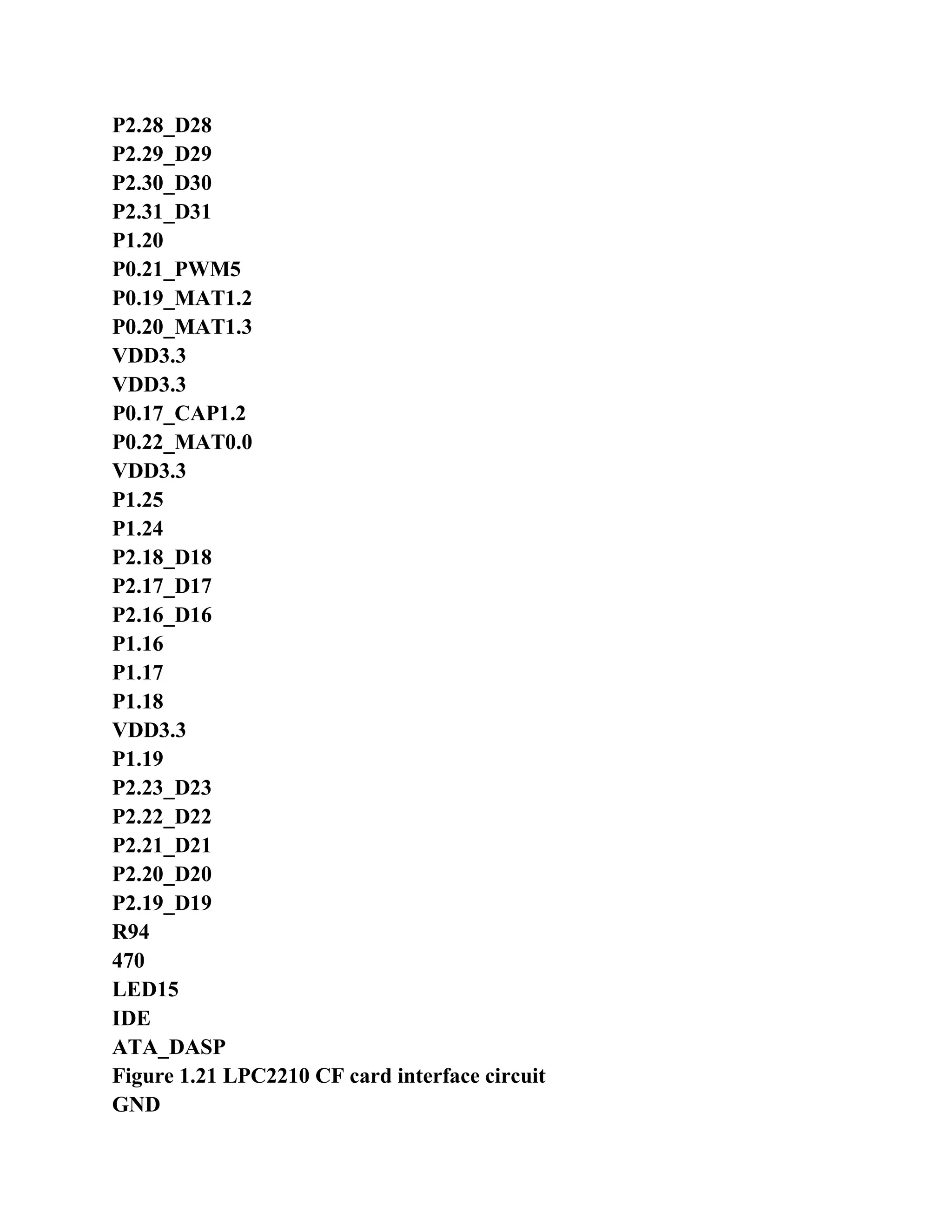
  • 210.
    =================================================== - 115 - 3.22.4prelab requirements Carefully read the "ARM based embedded system tutorial 5.11 UART1 description. Carefully read the contents of Chapter 1 of the book, about EasyARM2200 development board hardware structure, pay attention to the MODEM connected The mouth part of the circuit. Carefully read the user manual of the modem and AT command set. 3.22.5 Experimental Principle The experimental development board through the EasyARM2200 the CZ3 interface with the MODEM (1) connection, and then through the telephone line MODEM (2) to establish a connection is properly connected to the MODEM (2) send the string "EasyARM2200 --- MODME". MODEM (2) is connected to a PC, the PC machine run EasyARM software (or serial debugging assistant), sending AT Instruction "ATS0 = 2" set up automatic off-hook (do not select the hex way to send and receive), and wait for data reception. The MODEM AT command description and method of operation, please refer to the the MODEM books information. Hardware connection is shown in Figure 3.21. The program first initializes MODEM, after successful initialization dialing, and then enter the normal data communications status. Figure 3.21 MODEM data transmission hardware connection diagram 3.22.6 Experimental Procedure Start ADS 1.2, ARM Executable Image for lpc22xx project template to create an engineering modem; . To establish C source file Test.c, modem.c and modem.h writing experimental procedures, then Test.c and modem.c Added to the engineering of the user group, adding "# include in the project file config.h "MODEM.H" ".
  • 211.
    . In Startup.sfiles InitStack subroutine, modify the code of the set system mode stack at "MSR CPSR_c, # 0x5f ", even if the IRQ interrupt. Selection DebugInExram generate the target, and then compile the connection works. 5 EasyARM2200 development board JP3 jumper shorted, JP1, JP2 jumper disconnected, JP6 jumper set Set to Bank0-RAM, Bank1-Flash. Modem cable will connect Modem (1) and EasyARM2200 development board CZ3 (UART1). Modem (2) and the PC the COM1/COM2 connection, run EasyARM software and open data transmission And receive window, and then send the AT command to set Modem (2) Auto- hook. Description: General Modem will automatically detect the baud rate, the AT commands can be sent directly to it. 7 Select [Project] -> [Debug] start AXD JTAG emulator debugging. 8 full speed to run the program, and other Modem dial-up connection is established, the PC on EasyARM software will be received word String "EasyARM2200 --- MODEM". 3.22.7 experiment reference program Modem interface experiment reference program main program shown in Listing 3.25, which Modem control interface functions save Modem.c file (file code, see the product CD-ROM). Debugging using DLT program-controlled telephone switches, dialing the number "2". When dialup success, Two MODEM are automatically switched to an online state, then program control to send the string "EasyARM2200 --- MODE M ", indicating that the connection has been established. PC (COM1 / 2) MODEM (2) MODEM (1) EasyARM2200 Development board Telephone line
  • 212.
    =================================================== - 116 - 3.25Modem Interface program listings experiment reference program / ************************************************* *************************** * File name: TEST.C * Function: the MODEM interface application instance. UART1 send AT commands to control the modem dialing (# 2) * After a successful connection to send data EasyARM2200 --- MODEM ". * Description: ************************************************** ************************** / # Include "config.h" extern void DelayNS (uint32 dly); extern void UART1_Exception (void); / ************************************************* *************************** * Name: main () * Function: main function. MODEM to dial-up, and send data. * Description: make STARTUP.S file the IRQ interrupts (clear I bit in the CPSR). ************************************************** ************************** / int main (void) {Uint8 i; VICIntSelect = 0x00000000; / / set all channels for the IRQ interrupt VICVectCntl0 = 0x27; / / UART1 interrupt channel assigned to IRQ slots 0, that is, the highest priority VICVectAddr0 = (uint32) UART1_Exception; / / set UART1 vector address VICIntEnable = 0x00000080; / / Enable UART1 interrupt ModemInit (115200); ModemDialUp ("# 2"); for (i = 0; i <10; i + +) { ModemWrite ("EasyARM2200 --- MODEM r n", 21);
  • 213.
    } DelayNS (5); ModemDialDown (); while(1); return (0); } 3.22.8 thinking If you do not use a modem interface functions, UART1 and UART0 control operations are the same?
  • 214.
    =================================================== - 117 - 3.23I2C interface experiment 3.23.1 Purpose Master LPC2000 series ARM7 microcontroller hardware I2C interface use; 2. Understand CAT24WC02 E2PROM operation methods and precautions. 3.23.2 laboratory equipment � Hardware: PC, a EasyARM2200 development board set � software: Windows98/XP/2000 system, ADS 1.2 integrated development environment 3.23.3 experiment content The main mode I2C 10-byte data is written to the CAT24WC02, then read out the check, if the check through the buzzer Beep, otherwise buzzer alarm. 3.23.4 prelab requirements Carefully read the "ARM based embedded system tutorial Section 5.12 Section I2C interface. Carefully read the contents of Chapter 1 of the book, about EasyARM2200 development board hardware structure, pay attention to the keyboard and LED The part of the circuit is displayed. Carefully read datasheets CAT24WC02. 3.23.5 Experimental Procedure Start ADS 1.2, ARM Executable Image for lpc22xx project template to create an engineering WR_e2prom; 2 C source file I2cTest.c, I2cInt.c and I2cInt.h preparation of the experimental procedure, and then I2cTest.c and I2cInt.c Add to the engineering of the user group, join in the project config.h file "# include" I2CINT.H "". . In Startup.s files InitStack subroutine, modify the code of the set system mode stack at "MSR CPSR_c, # 0x5f ", even if the IRQ interrupt. Selection DebugInExram generate the target, and then compile the connection
  • 215.
    works. 5. JP5 jumperall EasyARM2200 development board shorted JP9 a short jumper, JP6 jumper is set to Bank0-RAM, Bank1-Flash. 6 Select [Project] -> [Debug] start AXD JTAG emulator debug Full speed to run the program, if the buzzer sounds, indicating successful E2PROM read and write operations. 3.23.6 experiment reference program I2C interface experiment reference program shown in Listing 3.26. I2C interface function and interrupt handler in I2cInt.c File (file code, see the product CD-ROM). Program list 3.26 I2C interface experiment reference program / ************************************************* *************************** * File name: I2CTest.C * Function: Use hardware I2C E2PROM operation, interrupt operation. * Description: jumper JP5, JP9 shorted. ************************************************** ************************** / # Include "config.h"
  • 216.
    =================================================== - 118 - #Define CAT24WC02 0xA0 / * define the device address * / # Define BEEPCON (1 << 7) / ************************************************* *************************** * Name: I2C_Init () * Function: main mode I2C initialization, including initialization its interrupt is vectored IRQ interrupts. * Entry parameters the: fi2c initialize I2C bus speed, a maximum of 400K * Export parameters: None ************************************************** ************************** / void I2C_Init (uint32 fi2c) {If (fi2c> 400000) fi2c = 400000; PINSEL0 = (PINSEL0 & 0xFFFFFF0F) | 0x50; / / I2C control port I2SCLH = (Fpclk/fi2c + 1) / 2; / / set I2C clock for fi2c I2SCLL = (Fpclk/fi2c) / 2; I2CONCLR = 0x2C; I2CONSET = 0x40; / / enable master I2C / * Set I2C interrupt enable * / VICIntSelect = 0x00000000; / / set all channels for the IRQ interrupt VICVectCntl0 = 0x29; / / I2C channel assigned to IRQ slot 0, ie the highest priority VICVectAddr0 = (int) IRQ_I2C; / / set I2C interrupt vector address VICIntEnable = 0x0200; / / Enable I2C interrupt } / ************************************************* *************************** * Name: DelayNS () * Function: long software delay * Entry parameters: dly delay parameter, larger the value, the longer the delay * Export parameters: None **************************************************
  • 217.
    ************************** / void DelayNS(uint32 dly) {Uint32 i; for (; dly> 0; dly -) for (i = 0; i <50000; i + +); } / ************************************************* *************************** * Name: WrEepromErr () * Function: read and write EEPRM error beep alarm. The * entrance parameters: no
  • 218.
    =================================================== - 120 - *Export parameters: None ************************************************** ************************** / void WrEepromErr (void) {While (1) {IO0SET = BEEPCON; DelayNS (2); IO0CLR = BEEPCON; DelayNS (2); } } / ************************************************* *************************** * Name: main () * Function: 10 bytes of data is written to the E2PROM then read out to determine whether the written correctly. * Description: make STARTUP.S file the IRQ interrupts (clear I bit in the CPSR); * In included in the CONFIG.H files I2CINT.H. ************************************************** ************************** / int main (void) {Uint8 i; uint8 data_buf [30]; PINSEL0 = 0x00000000; PINSEL1 = 0x00000000; IO0DIR = BEEPCON; IO0SET = BEEPCON; I2C_Init (100000); / / the I2C initialization for (i = 0; i <10; i + +) data_buf [i] = i + '0 '; ISendStr (CAT24WC02, 0x00, data_buf, 10); / / writes 10 bytes of data at 0x00 address DelayNS (1); / / wait for the write cycle is completed.
  • 219.
    for (i =0; i <10; i + +) data_buf [i] = 0; IRcvStr (CAT24WC02, 0x00, data_buf, 10); / / read 10 bytes of data at 0x00 address / * The checksum read out the data, if it is correct, buzzer alarm * / for (i = 0; i <10; i + +) {If (data_buf [i]! = (I + '0 ')) WrEepromErr (); } IO0CLR = BEEPCON; DelayNS (2); IO0SET = BEEPCON;
  • 220.
    =================================================== - 120 - while(1); return (0); } 3.23.7 thinking Master mode I2C LPC2000 family of ARM7 microcontroller, and how to produce the first I2C interrupt? (Hint: If He starts the bus) Experimental reference procedures, if the 20-byte data in the write-once, read-out data is it? (Hint: E2PROM Page write problem) 3.24 I2C Interface Experiment 2 3.24.1 Purpose Master LPC2000 series ARM7 microcontroller hardware I2C interface use; . To understand ZLG7290 keyboard and LED driver chips use. 3.24.2 laboratory equipment � Hardware: PC, a EasyARM2200 development board set � software: Windows98/XP/2000 system, ADS 1.2 integrated development environment 3.24.3 experiment content The main mode I2C operate ZLG7290. To control all digital tube full-display and blinks, then display "87654321", after the delay time "LPC2210F", and then receive keyboard input, control phase according to the key value Should show a bit blinking. 3.24.4 prelab requirements Carefully read the "ARM based embedded system tutorial Section 5.12 Section I2C interface. Carefully read the contents of Chapter 1 of the book, about EasyARM2200 development board hardware structure, pay attention to the keyboard and LED The part of the circuit is displayed. Carefully read ZLG7290 datasheets, application circuit design of this chip.
  • 221.
    3.24.5 Experimental Procedure StartADS 1.2, ARM Executable Image for lpc22xx project template to create an engineering I2cInt_c; 2. Establish C source file I2cTest.c, zlg7290.c zlg7290.h I2cInt.c I2cInt.h, the preparation of the experimental procedure, And then add I2cTest.c, zlg7290.c and I2cInt.c to the engineering of the user group, the project in config.h Added "# include" I2CINT.H "" and "# include" ZLG7290.H "file." . In Startup.s files InitStack subroutine, modify the code of the set system mode stack at "MSR CPSR_c, # 0x5f ", even if the IRQ interrupt. Selection DebugInExram generate the target, and then compile the connection works. The the the EasyARM2200 development panel JP5 jumper shorted, JP6 jumper settings Bank0-RAM, Bank1-Flash.
  • 222.
    =================================================== - 121 - 6Select [Project] -> [Debug] start AXD JTAG emulator debug 7 program running at full speed, LPC2210 will to control ZLG7290 through the I2C interface. When the data pipe will be displayed When "LPC2210F" S1 ~ S16 key corresponding display bit flashing display. 3.24.6 experiment reference program I2C interface experiment reference program shown in Listing 3.27. Which ZLG7290 control interface functions stored in zlg7290.c file, I2C interface functions and the interrupt handler I2cInt.c file (file code see the product CD-ROM). Experiment 2 reference program list 3.27 I2C interface / ************************************************* *************************** * File name: I2CTEST.C * Function: Use hardware I2C ZLG7290 operation, interrupt operation. * Note: The jumper JP5 shorted. ************************************************** ************************** / # Include "config.h" # Define ZLG7290 0x70 / * define the device address * / / ************************************************* *************************** * Name: I2C_Init () * Function: main mode I2C initialization, including initialization its interrupt is vectored IRQ interrupts. * Entry parameters the: fi2c initialize I2C bus speed, a maximum of 400K * Export parameters: None ************************************************** ************************** / void I2C_Init (uint32 fi2c) {If (fi2c> 400000) fi2c = 400000; PINSEL0 = (PINSEL0 & 0xFFFFFF0F) | 0x50; / / I2C control port I2SCLH = (Fpclk/fi2c + 1) / 2; / / set I2C clock for fi2c I2SCLL = (Fpclk/fi2c) / 2;
  • 223.
    I2CONCLR = 0x2C; I2CONSET= 0x40; / / enable master I2C / * Set I2C interrupt enable * / VICIntSelect = 0x00000000; / / set all channels for the IRQ interrupt VICVectCntl0 = 0x29; / / I2C channel assigned to IRQ slot 0, ie the highest priority VICVectAddr0 = (int) IRQ_I2C; / / set I2C interrupt vector address VICIntEnable = 0x0200; / / Enable I2C interrupt } / ************************************************* *************************** * Name: DelayNS () * Function: long software delay * Entry parameters: dly delay parameter, larger the value, the longer the delay
  • 224.
    =================================================== - 122 - *Export parameters: None ************************************************** ************************** / void DelayNS (uint32 dly) {Uint32 i; for (; dly> 0; dly -) for (i = 0; i <5000; i + +); } / ************************************************* *************************** * Name: main () * Function: ZLG7290 operate * Description: make STARTUP.S file the IRQ interrupts (clear I bit in the CPSR); * Included in the CONFIG.H files I2CINT.H, ZLG7290.H. ************************************************** ************************** / int main (void) {Uint8 disp_buf [8]; uint8 key; uint8 i; PINSEL0 = 0x00000000; / / set pin connection, using I2C port PINSEL1 = 0x00000000; I2C_Init (30000); / / I2C configuration and port initialization / * Full-flash test * / for (i = 0; i <8; i + +) disp_buf [i] = 0xC8; ZLG7290_SendBuf (disp_buf, 8); DelayNS (150); / * 87654321 * / for (i = 0; i <8; i + +) disp_buf [i] = i +1; ZLG7290_SendBuf (disp_buf, 8); DelayNS (150); / * "LPC2210F" * /
  • 225.
    disp_buf [7] =0x14; disp_buf [6] = 0x16; disp_buf [5] = 0x0c; disp_buf [4] = 0x02; disp_buf [3] = 0x02; disp_buf [2] = 0x01; disp_buf [1] = 0x00; disp_buf [0] = 0x0F; ZLG7290_SendBuf (disp_buf, 8);
  • 226.
    =================================================== - 123 - /* Read keys, set the key bit corresponding display flashes * / while (1) {DelayNS (1); key = 0; IRcvStr (ZLG7290, 0x01, disp_buf, 8); if (0 == disp_buf [1]) {Key = disp_buf [0]; } switch (key) {Case 1: case 9: ZLG7290_SendCmd (ZLG7290, 0x01); break; case 2: case 10: ZLG7290_SendCmd (ZLG7290, 0x02); break; case 3: case 11: ZLG7290_SendCmd (ZLG7290, 0x04); break; case 4: case 12: ZLG7290_SendCmd (ZLG7290, 0x08); break; case 5: case 13: ZLG7290_SendCmd (ZLG7290, 0x10); break; case 6: case 14: ZLG7290_SendCmd (ZLG7290, 0x20); break;
  • 227.
  • 228.
    =================================================== - 125 - break; case8: case 16: ZLG7290_SendCmd (ZLG7290, 0x80); break; default: break; } } return (0); } 3.24.7 thinking To improve the speed of the I2C bus, the bus pull-up resistor of resistance is to increase or to reduce? Write program control ZLG7290, operating digital tube light water display (display settings). 3.25 SPI interface experiment 3.25.1 Purpose Through experiments, the master SPI interface initialization and data input / output control. 3.25.2 laboratory equipment � Hardware: PC, a EasyARM2200 development board set � software: Windows98/XP/2000 system, ADS 1.2 integrated development environment 3.25.3 experiment content Connection control using the hardware SPI interface with 74HC595 74HC595 drive 8 LED light water. 3.25.4 prelab requirements Carefully read the "ARM based embedded system tutorial Section 5.13 Section SPI interface. Carefully read the contents of Chapter 1 of the book, about EasyARM2200 development board hardware structure, pay attention to the keyboard and
  • 229.
    LED The part ofthe circuit is displayed. Carefully read the the 74HC595 data manual to understand how to control the data shift, latch data output. 3.25.5 Experimental Procedure Start ADS 1.2, ARM Executable Image for lpc22xx project template to create an engineering SpiDisp_C; 2. Establish C source file spidisp.c, the preparation of the experimental procedure, and then added to the engineering of the user group. Selection DebugInExram generate the target, and then compile the connection works.
  • 230.
    =================================================== - 125 - 4.EasyARM2200 development board JP4 jumper disconnected, JP8 jumper all shorted JP6 jumper settings Bank0-RAM, Bank1-Flash. Select [Project] -> [Debug] start AXD JTAG emulator debug 6 run programs at full speed, observation LED1 ~ LED8. 3.25.6 experiment reference program SPI interface experiment reference program shown in Listing 3.28. Program list 3.28 SPI interface experiment reference program / ************************************************* *************************** * File name: SPIDISP.C * Function: use hardware SPI interface output control LED display. (Hardware: 74HC595 output control LED display) * Note: The jumper JP8 the shorted, JP4 disconnect. ************************************************** ************************** / # Include "config.h" # Define HC595_CS 0x00000100 / * P0.8 port the 74HC595 chip select * / / ************************************************* *************************** * Name: DelayNS () * Function: long software delay * Entry parameters: dly delay parameter, larger the value, the longer the delay * Export parameters: None ************************************************** ************************** / void DelayNS (uint32 dly) {Uint32 i; for (; dly> 0; dly -) for (i = 0; i <5000; i + +); } / *************************************************
  • 231.
    *************************** * Name: MSpiIni() * Function: initializing the SPI interface, is set to host. The * entrance parameters: no * Export parameters: None ************************************************** ************************** / void MSpiIni (void) {S0PCCR = 0x52; / / Set the SPI clock divider S0PCR = 0x30; / / set the SPI interface mode MSTR = 1, CPOL = 1, CPHA = 0, LSBF = 0 } / ************************************************* *************************** * Name: MSendData () * Function: send data to the SPI bus, and receives the data sent back from the machine.
  • 232.
    =================================================== - 126 - *Data the entrance parameters: data to be sent * Export parameters: returns the value of the received data ************************************************** ************************** / uint8 MSendData (uint8 data) {IO0CLR = HC595_CS; / / Chip Select S0PDR = data; while (0 == (S0PSR & 0x80)); / / wait for SPIF is set, that is waiting for data has been sent IO0SET = HC595_CS; return (S0PDR); } / * Data * / uint8 const DISP_TAB [16] = {0x5A, 0xA5, 0x5A, 0xA5, 0x5A, 0xA5, 0x5A, 0xA5, 0x5A, 0xA5, 0x55, 0xAA, 0x55, 0xAA, 0x55, 0xAA }; uint8 rcv_data; / ************************************************* *************************** * Name: main () * Function: use the hardware SPI Interface the output DISP_TAB array data, control the LED display. ************************************************** ************************** / int main (void) {Uint8 i; PINSEL1 = 0x00000000; IO0DIR = HC595_CS; MSpiIni (); / / initialize SPI interface while (1) {For (i = 0; i <16; i + +) {Rcv_data = MSendData (~ DISP_TAB [i]); / / send display data
  • 233.
    DelayNS (10); } } return (0); } 3.25.7thinking SPI interface to read data from the machine, the host why send data? Set SPCR register CPOL = 1, CPHA = 1, how the SPI data transfer formats?
  • 234.
    =================================================== - 127 - 3.26PWM output experiment 3.26.1 Purpose Familiar with the basic principles and application of the PWM module. 3.26.2 laboratory equipment � Hardware: PC, a EasyARM2200 development board set � software: Windows98/XP/2000 system, ADS 1.2 integrated development environment 3.26.3 experiment content Single edge the PWM6 outputs a fixed duty cycle control PWM signal through the filter circuit DAC turn Replaced. 3.26.4 prelab requirements Carefully read the description of the "ARM based embedded system tutorial 5.15 pulse width modulator (PWM). Carefully read the contents of Chapter 1 of the book to understand the structure of EasyARM2200 development board hardware Note PWM section Circuit. 3.26.5 Experimental Procedure Start ADS 1.2, ARM Executable Image for lpc22xx project template to create an engineering Pwmdac_c. . C source file PWMDAC.c preparation of the experimental procedure, and then added to the engineering of the user group. Selection DebugInExram generate the target, and then compile the connection works. 4. JP2 jumper of EasyARM2200 development board the shorted, JP3_RXD1 jumper disconnected JP6 jumper settings Bank0-RAM, Bank1-Flash. Select [Project] -> [Debug] start AXD JTAG emulator debugging. Full speed to run the program, use the oscilloscope measurement the PWM test points and the PWM DAC testing point signal. 3.26.6 experiment reference program
  • 235.
    PWM output experimentreference program shown in Listing 3.29. Program list 3.29 PWM output experiment reference program / ************************************************* *************************** * File name: PWMDAC.C * Function: use PWM6 output PWM signal through the filter circuit DAC conversion. * Note: the jumper JP2 the shorted, JP3_RXD1 disconnected. Using the oscilloscope observation test points PWM and PWMDAC. ************************************************** ************************** / # Include "config.h" / * PWM cycle and duty cycle set value * / # Define CYCLE_DATA 2000 # Define DUTY_CYCLE_DATA 1000 / ************************************************* ***************************
  • 236.
    =================================================== - 128 - *Name: main () *: Use PWM6, Output adjustable duty cycle of the PWM waveform. ************************************************** ************************** / int main (void) {PINSEL0 = 0x00080000; / / the set PWM6 connected to P0.9 pin PWMPR = 0x00; / / divide-counting frequency Fpclk PWMMCR = 0x02; / / set PWMMR0 match reset PWMTC PWMMR0 = CYCLE_DATA; / / Set the PWM period PWMMR6 = DUTY_CYCLE_DATA; / / set PWM duty cycle PWMLER = 0x41; / / PWMMR0, PWMMR6 latch PWMPCR = 0x4000; / / to allow PWM6 output, unilateral PWM PWMTCR = 0x09; / / start the timer, PWM enabled while (1); return (0); } 3.26.7 thinking Experiment reference program, if you need to output a double edge controlled PWM signal, and how to modify the program? Change the value of the match register juxtaposition a bit PWMLER corresponding bit new matching values take effect immediately? 3.27 RTC Experiment 1 3.27.1 Purpose Mastering the RTC points in different system clock frequency set master RTC date and time value set and read. 3.27.2 laboratory equipment � Hardware: PC, a EasyARM2200 development board set � software: Windows98/XP/2000 system, ADS 1.2 integrated development environment EasyARM software 3.27.3 experiment content Initialize and run the RTC, then the value of the read time is sent through the
  • 237.
    serial port upcrew, and seconds value output to the development LED1 ~ LED8 panel display. 3.27.4 prelab requirements Carefully read the "ARM based embedded system tutorial 5.17 a description of the real-time clock (RTC). 3.27.5 Experimental Procedure Start ADS 1.2, ARM Executable Image for lpc22xx project template to create an engineering
  • 238.
    =================================================== - 129 - SendRtc_C. 2.Establish C source file sendrtc.c, the preparation of the experimental procedure, and then added to the engineering of the user group. Selection DebugInExram generate the target, and then compile the connection works. 4 the the EasyARM2200 development panel JP8 short jumper, JP6 jumper settings Bank0-RAM, Bank1-Flash. 5 serial extension cord EasyARM2200 development board CZ2 (UART0) is connected with the PC's COM1. PC the machine running EasyARM software, set the serial port is COM1, baud rate of 115200, and then select [set Set] -> [Send data], click on the "Advanced" to open the receive window (not in the pop-up window to send data To select the hex display "). 6 Select [Project] -> [Debug] start AXD JTAG emulator debugging. 7 program running at full speed, the PC on EasyARM software will continue to display the time value of RTC. 3.27.6 experiment reference program RTC experiment 1 reference program, see the program listing 3.30. Experiment 1 reference program list 3.30 RTC / ************************************************* *************************** * File name: SENDRTC.C * Function: run RTC timing, the time value continue to send through the serial the upward-bit machine, and the second value output LED1 - LED8 * Display. * Note: The jumper JP8 shorted. * Communications 115200 baud, 8 data bits, 1 stop bit, no parity. ************************************************** ************************** / # Include "config.h" # Define SPI_CS 0x00000100 / * P0.8 * /
  • 239.
    # Define SPI_DATA0x00000040 / * P0.6 * / # Define SPI_CLK 0x00000010 / * P0.4 * / # Define SPI_IOCON 0x00000150 / * define the SPI interface, I / O setup word * / / * Define serial mode set data structure * / typedef struct UartMode {Uint8 datab; / / word length, 5/6/7/8 uint8 stopb; / / stop bit, 1/2 uint8 parity; / / parity bit, no parity, 1 odd parity, 2 for even parity } UARTMODE; uint8 send_buf [16]; / / UART0 receive buffer / ************************************************* *************************** * Name: UART0_Ini () * Function: Initialize serial port 0. Set the work mode and baud rate. * Entrance parameters: baud baud rate * Set mode the set (UARTMODE data structure) * Export parameters: return value of 1 indicates the beginning of the successful, 0 table parameter error
  • 240.
    =================================================== - 130 - **************************************************************************** / uint8 UART0_Ini (uint32 baud, UARTMODE set) {Uint32 bak; / * The filtering parameters * / if ((0 == baud) | | (baud> 115200)) return (0); if ((set.datab <5) | | (set.datab> 8)) return (0); if ((0 == set.stopb) | | (set.stopb> 2)) return (0); if (set.parity> 4) return (0); / * Set the serial port baud rate * / U0LCR = 0x80; / / when DLAB position bak = (Fpclk >> 4) / baud; U0DLM = bak >> 8; U0DLL = bak &0xff; / * Set serial mode * / bak = set.datab-5; / / Set the word length if (2 == set.stopb) bak | = 0x04; / / determine whether two stop bits if (0! = set.parity) {set.parity = set.parity-1; bak | = 0x08;} bak | = set.parity << 4; / / set the parity U0LCR = bak; return (1); } / ************************************************* *************************** * Name: SendByte () * Function: send a byte of data to the serial port UART0 and waiting to be sent finished. * Entry parameters: data data to be sent * Export parameters: None ************************************************** ************************** / void SendByte (uint8 data) {U0THR = data; / / send data while ((U0LSR & 0x20) == 0); / / wait for data transmission } / ************************************************* *************************** * Name: ISendBuf () * Function: the buffer data is sent back to the host. The * entrance Parameters: buf the data buffer * No number of transmit data
  • 241.
    =================================================== - 131 - *Export parameters: None ************************************************** ************************** / void ISendBuf (uint8 const * buf, uint8 no) {Uint8 i; for (i = 0; i <no; i + +) SendByte (buf [i]); } / ************************************************* *************************** * Name: HC595_SendDat () * Function: one byte of data sent to the 74HC595 * The entrance parameters: dat send data * Export parameters: None * Note: when sending data, the high first sent. ************************************************** ************************** / void HC595_SendDat (uint8 dat) {Uint8 i; IO0CLR = SPI_CS; / / SPI_CS = 0 for (i = 0; i <8; i + +) / / send 8-bit data {IO0CLR = SPI_CLK; / / SPI_CLK = 0 / * Set SPI_DATA output value * / if ((dat & 0x80)! = 0) IO0SET = SPI_DATA; else IO0CLR = SPI_DATA; dat << = 1; IO0SET = SPI_CLK; / / SPI_CLK = 1 } IO0SET = SPI_CS; / / SPI_CS = 1, the output display data } / ************************************************* *************************** * Name: SendTimeRtc () * Function: read the RTC time value, and read out the hour, minute, and second values sent by the serial port to the PC. The * entrance parameters: no * Export parameters: None ************************************************** ************************** / void SendTimeRtc (void) {Uint8 const MESSAGE [] = "RTC Time is:"; uint32 times;
  • 242.
    uint8 bak; times =CTIME0; / / read the complete clock register 0
  • 243.
    =================================================== - 132 - bak= (times >> 16) &0x1F; / / obtain value send_buf [0] = bak/10 + '0 '; send_buf [1] = bak% 10 + '0 '; send_buf [2] = ':'; bak = (times >> 8) &0x3F; / / obtain the value of sub- send_buf [3] = bak/10 + '0 '; send_buf [4] = bak% 10 + '0 '; send_buf [5] = ':'; bak = times &0x3F; / / get second value send_buf [6] = bak/10 + '0 '; send_buf [7] = bak% 10 + '0 '; send_buf [8] = ' n'; ISendBuf (MESSAGE, 14); / / send data ISendBuf (send_buf, 9); } / ************************************************* *************************** * Name: RTCIni () * Function: initialize the real-time clock. The * entrance Parameters: buf the data buffer * No number of transmit data * Export parameters: None ************************************************** ************************** / void RTCIni (void) {PREINT = Fpclk / 32768 - 1; / / set the reference clock divider PREFRAC = Fpclk - (Fpclk / 32768) * 32768; YEAR = 2004; / / initial of years MONTH = 2; / / initial of the month DOM = 19; / / early of the day HOUR = 8; MIN = 30; SEC = 0; CIIR = 0x01; / / set the seconds value increments generated interrupt CCR = 0x01; / / start RTC } / ************************************************* *************************** * Name: main ()
  • 244.
    * Function: toread the value of the real-time clock, and sent from the serial port, and the second value of output LED1 - LED8 display.
  • 245.
    =================================================== - 133 - **************************************************************************** / int main (void) {UARTMODE uart0_set; PINSEL0 = 0x00000005; / / set the I / O connected to UART0 PINSEL1 = 0x00000000; IO0DIR = SPI_IOCON; / / set LED1 control port for output, and other IO input uart0_set.datab = 8; / / 8 data bits uart0_set.stopb = 1; / / 1 stop bit uart0_set.parity = 0; / / no parity UART0_Ini (115200, uart0_set); / / initialize serial mode U0FCR = 0x01; / / enable FIFO RTCIni (); / / initialize the RTC while (1) {While (0 == (ILR & 0x01)); / / wait for RTC incremental interrupt flag ILR = 0x01; / / Clear interrupt flag SendTimeRtc (); / / read clock value to UART0 send HC595_SendDat (~ SEC); } return (0); } 3.27.7 thinking Program initialization YEAR, MONTH, DOM register DOY register also need to initialize? If you would like to timing daily 12:00:00 alarm, how to set the RTC register? 3.28 RTC Experiment 2 3.28.1 Purpose Mastering the RTC points in different system clock frequency set master RTC date and time value set and read. 3.28.2 laboratory equipment � Hardware: PC, a EasyARM2200 development board set � software: Windows98/XP/2000 system, ADS 1.2 integrated development environment EasyARM software 3.28.3 experiment content Initialize and run the RTC, and then every 1 second read time value, and send through the serial the upward-bit machine, Bit using EasyARM software simulation calendar window for display.
  • 246.
    =================================================== - 134 - 3.28.4prelab requirements Carefully read the "ARM based embedded system tutorial 5.17 a description of the real-time clock (RTC); Appendix A to read this book carefully EasyARM software instructions for use, pay attention to the communication part of the agreement. 3.28.5 Experimental Procedure Start ADS 1.2, ARM Executable Image for lpc22xx project template to create an engineering disptimer2. 2. Establish C source file sendrtcb.c, the preparation of the experimental procedure, and then added to the engineering of the user group. Selection DebugInExram generate the target, and then compile the connection works. 4 the EasyARM2200 development board the JP6 jumper settings for Bank0-RAM, Bank1-Flash. 5 serial extension cord EasyARM2200 development board CZ2 (UART0) is connected with the PC's COM1. PC the machine running EasyARM software, set the serial port as COM1, baud rate of 115200, and then select [Function Can] -> [calendar, open the emulation calendar window. 6 Select [Project] -> [Debug] start AXD JTAG emulator debugging. 7 program running at full speed, the PC on EasyARM software will continue to display the time value of RTC. 3.28.6 experiment reference program RTC experiment reference program shown in Listing 3.31. Experiment 2 reference program list 3.31 RTC / ************************************************* *************************** * File name: SENDRTC.C * Function: run RTC timing, and the time value constantly sent through the serial the upward- bit machine. * The host computer use EasyARM software, the results observed in the simulation of the calendar display. * Communications 115200 baud, 8 data bits, 1 stop bit, no parity. * Description: ************************************************** ************************** / # Include "config.h" / * Define serial mode set data structure * / typedef struct UartMode {Uint8 datab; / / word length, 5/6/7/8
  • 247.
    uint8 stopb; // stop bit, 1/2 uint8 parity; / / parity bit, no parity, 1 odd parity, 2 for even parity } UARTMODE; / ************************************************* *************************** * Name: UART0_Ini () * Function: Initialize serial port 0. Set the work mode and baud rate. * Entrance parameters: baud baud rate * Set mode the set (UARTMODE data structure) * Export parameters: return value of 1 indicates successful initialization parameter error to 0 ************************************************** ************************** / uint8 UART0_Ini (uint32 baud, UARTMODE set)
  • 248.
    =================================================== - 135 - {Uint32bak; / * The filtering parameters * / if ((0 == baud) | | (baud> 115200)) return (0); if ((set.datab <5) | | (set.datab> 8)) return (0); if ((0 == set.stopb) | | (set.stopb> 2)) return (0); if (set.parity> 4) return (0); / * Set the serial port baud rate * / U0LCR = 0x80; / / when DLAB position bak = (Fpclk >> 4) / baud; U0DLM = bak >> 8; U0DLL = bak &0xff; / * Set serial mode * / bak = set.datab-5; / / Set the word length if (2 == set.stopb) bak | = 0x04; / / determine whether two stop bits if (0! = set.parity) {set.parity = set.parity-1; bak | = 0x08;} bak | = set.parity << 4; / / set the parity U0LCR = bak; return (1); } / ************************************************* *************************** * Name: SendByte () * Function: send a byte of data to the serial port and waiting to be sent finished. * Entry parameters: data data to be sent * Export parameters: None ************************************************** ************************** / void SendByte (uint8 data) {U0THR = data; / / send data while ((U0LSR & 0x20) == 0); / / wait for data transmission } / ************************************************* *************************** * Name: PC_DispChar () * Function: display characters sent to PC. * Entrance parameters: no display position * Chr displayed character, not to 0xff * Export parameters: None ************************************************** ************************** /
  • 249.
  • 250.
    =================================================== - 136 - {SendByte(0xff); SendByte (0x81); SendByte (no); SendByte (chr); SendByte (0x00); } uint8 const SHOWTABLE [10] = {0x3F, 0x06, 0x5B, 0x4F, 0x66, 0x6D, 0x7D, 0x07, 0x7F, 0x6F}; / ************************************************* *************************** * Name: SendTimeRtc () * Function: read the RTC time value, and read out the hour, minute, and second values sent by the serial port to the PC. The * entrance parameters: no * Export parameters: None ************************************************** ************************** / void SendTimeRtc (void) {Uint32 datas; uint32 times; uint32 bak; times = CTIME0; / / read the complete clock register datas = CTIME1; bak = (datas >> 16) &0xFFF; / / obtain annual value PC_DispChar (0, SHOWTABLE [bak/1000]); bak = bak% 1000; PC_DispChar (1, SHOWTABLE [bak/100]); bak = bak% 100; PC_DispChar (2, SHOWTABLE [bak/10]); PC_DispChar (3, SHOWTABLE [bak% 10]); bak = (datas >> 8) &0x0F; / / get month value PC_DispChar (4, SHOWTABLE [bak/10]); PC_DispChar (5, SHOWTABLE [bak% 10]); bak = datas &0x1F; / / obtain date values PC_DispChar (6, SHOWTABLE [bak/10]); PC_DispChar (7, SHOWTABLE [bak% 10]); bak = (times >> 24) &0x07; / / get day of the week PC_DispChar (8, SHOWTABLE [bak]); bak = (times >> 16) &0x1F; / / obtain value
  • 251.
    PC_DispChar (9, SHOWTABLE[bak/10]); PC_DispChar (10, SHOWTABLE [bak% 10]);
  • 252.
    =================================================== - 137 - bak= (times >> 8) &0x3F; / / obtain the value of sub- PC_DispChar (11, SHOWTABLE [bak/10]); PC_DispChar (12, SHOWTABLE [bak% 10]); bak = times &0x3F; / / get second value PC_DispChar (13, SHOWTABLE [bak/10]); PC_DispChar (14, SHOWTABLE [bak% 10]); } / ************************************************* *************************** * Name: RTCIni () * Function: initialize the real-time clock. The * entrance parameters: no * Export parameters: None ************************************************** ************************** / void RTCIni (void) {PREINT = Fpclk / 32768 - 1; / / set the reference clock divider PREFRAC = Fpclk - (Fpclk / 32768) * 32768; YEAR = 2004; / / initialize years MONTH = 2; / / initialize the Month DOM = 19; / / initialize the Day DOW = 4; HOUR = 8; MIN = 30; SEC = 0; CIIR = 0x01; / / set the seconds value increments generated interrupt CCR = 0x01; / / start RTC } / ************************************************* *************************** * Name: main () * Function: read the value of the real-time clock, and sent from the serial port. ************************************************** ************************** / int main (void) {UARTMODE uart0_set; PINSEL0 = 0x00000005; / / set the I / O connected to UART0 PINSEL1 = 0x00000000; uart0_set.datab = 8; / / 8 data bits uart0_set.stopb = 1; / / 1 stop bit
  • 253.
    =================================================== - 138 - uart0_set.parity= 0; / / no parity UART0_Ini (115200, uart0_set); / / initialize serial mode U0FCR = 0x01; / / enable FIFO RTCIni (); / / initialize the RTC while (1) {While (0 == (ILR & 0x01)); / / wait for RTC incremental interrupt flag ILR = 0x01; / / Clear interrupt flag SendTimeRtc (); / / read clock value to UART0 send while (0 == (ILR & 0x01)); ILR = 0x01; SendTimeRtc (); } return (0); } 3.28.7 thinking If the RTC interrupt to read and send clock data, how to write a program? 3.29 analog-to-digital converter experiment 3.29.1 Purpose Master application settings of the analog-to-digital converter, measurement of the voltage signal. 3.29.2 laboratory equipment � Hardware: PC, a EasyARM2200 development board set � software: Windows98/XP/2000 system, ADS 1.2 integrated development environment EasyARM software 3.29.3 experiment content To use AIN0 and AIN1 measurement of two DC voltage, and measuring the results sent to the PC via UART0. 3.29.4 prelab requirements "ARM based embedded system tutorial 5.16 A / D converter instructions carefully read. Carefully read Chapter 1 of the book, about EasyARM2200 development board hardware structure, pay attention to the ADC section Circuit. 3.29.5 Experimental Procedure Start ADS 1.2, ARM Executable Image for lpc22xx project template to create an engineering Adc01_c.
  • 254.
    =================================================== - 140 - 2.Establish C source file adc01.c, the preparation of the experimental procedure, and then added to the engineering of the user group. Selection DebugInExram generate the target, and then compile the connection works. 4 the EasyARM2200 development board the JP6 jumper settings for Bank0-RAM, Bank1-Flash. 5 serial extension cord EasyARM2200 development board CZ2 (UART0) is connected with the PC's COM1. PC the machine running EasyARM software, set the serial port to COM1, baud rate of 115200. 6 Select [Project] -> [Debug] start AXD JTAG emulator debugging. Full speed to run the program, the PC on EasyARM software will continue display AIN0 and AIN1 voltage value. 8 the adjustment EasyARM2200 development plate W1 or W2, observed AIN0 or AIN1 the change of the measured value (in Observed the PC, EasyARM software). 3.29.6 experiment reference program Analog-to-digital converter experiment reference program shown in Listing 3.32. The program list 3.32 ADC experimental reference program / ************************************************* *************************** * File name: ADC01.C * Function: Use channel ADC module 0,1 voltage measurement, and then converts the results from the serial output * Host computer using Easy ARM software full emulation of DOS character window observation. * Note: W1, W2 adjust the measured voltage value; * Communication format: 8 data bits, 1 stop bit, no parity, baud rate to 115200. ************************************************** ************************** / # Include "config.h" / ************************************************* *************************** * Name: DelayNS () * Function: long software delay * Entry parameters: dly delay parameter, larger the value, the longer the delay * Export parameters: None ************************************************** ************************** / void DelayNS (uint32 dly) {Uint32 i; for (; dly> 0; dly -) for (i = 0; i <5000; i + +);
  • 255.
    } # Define UART_BPS115200 / * Define communication baud rate * / / ************************************************* *************************** * Name: UART0_Ini () * Function: Initialize serial port 0. Is set to 8 data bits, 1 stop bit, no parity, baud rate is 115200 The * entrance parameters: no * Export parameters: None ************************************************** ************************** / void UART0_Ini (void) {Uint16 Fdiv;
  • 256.
    =================================================== - 140 - U0LCR= 0x83; / / DLAB = 1, set the baud rate Fdiv = (Fpclk / 16) / UART_BPS; / / set the baud rate U0DLM = Fdiv / 256; U0DLL = Fdiv% 256; U0LCR = 0x03; } / ************************************************* *************************** * Name: UART0_SendByte () * Function: send a byte of data to the serial port and waiting to be sent finished. * Entry parameters: data data to be sent * Export parameters: None ************************************************** ************************** / void UART0_SendByte (uint8 data) {U0THR = data; / / send data while ((U0LSR & 0x40) == 0); / / wait until the data has been sent } / ************************************************* *************************** * Name: PC_DispChar () * Function: display characters sent to PC. * Entrance parameters: x location ordinate ,0-79 * The y display position of the abscissa ,0-24 * Chr displayed character, not to 0xff * The color display of the state, including the foreground color, background color, shining bit. It dos characters like state. * 0 to 3: foreground color, 4 to 6: background color, 7: shining bit. * Export parameters: None ************************************************** ************************** / void PC_DispChar (uint8 x, uint8 y, uint8 chr, uint8 color) {UART0_SendByte (0xff); / / send start byte UART0_SendByte (x); / / send character display coordinates (x, y) UART0_SendByte (y); UART0_SendByte (chr); / / send show character UART0_SendByte (color); } / ************************************************* *************************** * Name: ISendStr ()
  • 257.
    * Function: senda string to the PC for display. * Entrance parameters: x location ordinate ,0-79 * The y display position of the abscissa ,0-24 * The color display of the state, including the foreground color, background color, shining bit. It dos characters like state. * 0 to 3: foreground color, 4 to 6: background color, 7: shining bit.
  • 258.
    =================================================== - 141 - *Str string to be sent, the end of the string to ' 0' * Export parameters: None ************************************************** ************************** / void ISendStr (uint8 x, uint8 y, uint8 color, char * str) {While (1) {If (* str == ' 0') break; / / ' 0', then exit PC_DispChar (x + +, y, * str + +, color); / / send display data if (x> = 80) {X = 0; y + +; } } } / ************************************************* *************************** * Name: main () * Function: 0,1-channel voltage ADC conversion, and the result is converted into a voltage value, and then sent to the serial port. * Description: stdio.h contains CONFIG.H file. ************************************************** ************************** / int main (void) {Uint32 ADC_Data; char str [20]; PINSEL0 = 0x00000005; / / set P0.0, P0.1 connected to UART0 TXD, RXD PINSEL1 = 0x01400000; / / set P0.27, P0.28 connected to AIN0, AIN1 UART0_Ini (); / / initialize UART0 / * ADC module settings, where x << n represents an n-bit is set to x (if x is more than one, to the high postponed) * / ADCR = (1 << 0) | / / SEL = 1, select channel 0 ((Fpclk / 1000000 - 1) << 8) | / / CLKDIV = Fpclk / 1000000 - 1, the conversion clock is 1MHz (0 << 16) | / / BURST = 0, software-controlled switching operation (0 << 17) | / / CLKS = 0, use 11clock conversion (1 << 21) | / / PDN = 1, the normal operating mode (non-power-down conversion mode) (0 << 22) | / / TEST1: 0 = 00, the normal operating mode (non-test mode) (1 << 24) | / / START = 1, start the ADC conversion directly (0 << 27); / / EDGE = 0 (CAP / MAT pins falling edge trigger ADC conversion) DelayNS (10);
  • 259.
    ADC_Data = ADDR;/ / read the ADC results, and clear the DONE flag while (1) {ADCR = (ADCR & 0xFFFFFF00) | 0x01 | (1 << 24); / / switch channels and first conversion while ((ADDR & 0x80000000) == 0); / / wait for the conversion end ADCR = ADCR | (1 << 24); / / re-shipment of conversion while ((ADDR & 0x80000000) == 0);
  • 260.
    =================================================== - 142 - ADC_Data= ADDR; / / Read ADC Result ADC_Data = (ADC_Data >> 6) & 0x3FF; ADC_Data = ADC_Data * 3300; ADC_Data = ADC_Data / 1024; sprintf (str, "% 4dmV at VIN1", ADC_Data); ISendStr (60, 23, 0x30, str); ADCR = (ADCR & 0xFFFFFF00) | 0x02 | (1 << 24); / / switch the channel and the first conversion while ((ADDR & 0x80000000) == 0); / / wait for the conversion end ADCR = ADCR | (1 << 24); / / re-shipment of conversion while ((ADDR & 0x80000000) == 0); ADC_Data = ADDR; / / Read ADC Result ADC_Data = (ADC_Data >> 6) & 0x3FF; ADC_Data = ADC_Data * 3300; ADC_Data = ADC_Data / 1024; sprintf (str, "% 4dmV at VIN2", ADC_Data); ISendStr (60, 21, 0x30, str); DelayNS (10); } return (0); } 3.29.7 thinking If need MAT0.1 pin falling edge of the signal to start the ADC, how to modify the experiment reference program? 3.30 WDT experiments 3.30.1 Purpose Experimentally master LPC2000 series ARM7 microcontrollers the WDT function of their use. 3.30.2 laboratory equipment � Hardware: PC, a EasyARM2200 development board set � software: Windows98/XP/2000 system, ADS 1.2 integrated development environment 3.30.3 experiment content Running WDT, then to control LED1 ~ LED8 display output. LED1 ~ LED8 first flicker control, and Processing feed the dog, and then only lit LED1 and enter an infinite loop, waiting for a WDT reset.
  • 261.
    3.30.4 prelab requirements Carefullyread the description of the "ARM based embedded system tutorial 5.18 Watchdog (WDT).
  • 262.
    =================================================== - 144 - 3.30.5Experimental Procedure Start ADS 1.2, ARM Executable Image for lpc22xx project template to create an engineering Wdtrun_c. . C source file Wdtrun.c preparation of the experimental procedure, and then added to the engineering of the user group. Selection DebugInExram generate the target, and then compile the connection works. 4 the the EasyARM2200 development panel JP8 short jumper, JP6 jumper settings Bank0- RAM, Bank1-Flash. Select [Project] -> [Debug] start AXD JTAG emulator debugging. 6. Program run at full speed LED1 ~ LED8, EasyARM2200 development board will be full and flashing, and then Only light up LED1. When WDT reset, stop the program (press the Stop button), software AXD will stop at errors The correct address. 3.30.6 experiment reference program WDT experiment reference program shown in Listing 3.33. The program list 3.33 WDT experimental reference program / ************************************************* *************************** * File name: WDTRUN.C * Function: running WDT, and control LED1 - LED8 to display output. The program begins LED1 - LED8 flicker control, * And feed the dog handling; then only lit LED1, and enter an infinite loop, waiting for a WDT reset. * Note: The jumper JP8 shorted. ************************************************** ************************** / # Include "config.h" # Define SPI_CS 0x00000100 / * P0.8 * / # Define SPI_DATA 0x00000040 / * P0.6 * / # Define SPI_CLK 0x00000010 / * P0.4 * / # Define SPI_IOCON 0x00000150 / * define the SPI interface, I / O setup word * / / ************************************************* *************************** * Name: HC595_SendDat () * Function: one byte of data sent to the 74HC595 * The entrance parameters: dat send data * Export parameters: None
  • 263.
    * Note: whensending data, the high first sent. ************************************************** ************************** / void HC595_SendDat (uint8 dat) {Uint8 i; IO0CLR = SPI_CS; / / SPI_CS = 0 for (i = 0; i <8; i + +) / / send 8-bit data {IO0CLR = SPI_CLK; / / SPI_CLK = 0 / * Set SPI_DATA output value * / if ((dat & 0x80)! = 0) IO0SET = SPI_DATA;
  • 264.
    =================================================== - 144 - elseIO0CLR = SPI_DATA; dat << = 1; IO0SET = SPI_CLK; / / SPI_CLK = 1 } IO0SET = SPI_CS; / / SPI_CS = 1, the output display data } / ************************************************* *************************** * Name: WdtFeed () *: Watchdog feed operation. The * entrance parameters: no * Export parameters: None ************************************************** ************************** / void WdtFeed (void) {WDFEED = 0xAA; WDFEED = 0x55; } / ************************************************* *************************** * Name: DelayNS () * Function: long software delay has to feed the dog function. * Entry parameters: dly delay parameter, larger the value, the longer the delay * Export parameters: None ************************************************** ************************** / void DelayNS (uint32 dly) {Uint32 i; for (; dly> 0; dly -) for (i = 0; i <1000; i + +) WdtFeed (); } / ************************************************* *************************** * Name: main () * Function: the initial I / O port and WDT, and then begin blinking LED1 - LED8 control, and feed the dog handling; * And then only lit LED1, and enter an infinite loop, waiting for a WDT reset. * Note: If a program to be the FLASH run program will re-start the WDT reset after; * RAM simulation debugging, the WDT reset after JTAG port disconnected. ************************************************** ************************** / int main (void)
  • 265.
    {Uint8 i; PINSEL0 =0x00000000; / / set pin connected to GPIO PINSEL1 = 0x00000000;
  • 266.
    =================================================== - 145 - IO0DIR= SPI_IOCON; / / set SPI control port for output, and other I / O input WDTC = 0xFF00; / / set WDTC, feed the dog reload value WDMOD = 0x03; / / set and start the WDT WdtFeed (); / / feed the dog operation for (i = 0; i <18; i + +) {HC595_SendDat (0x00); DelayNS (5); HC595_SendDat (0xFF); DelayNS (5); } HC595_SendDat (0xFE); while (1); return (0); } 3.30.7 thinking WDTINT interrupt flag is cleared by software can use it? If the system enters a power-down mode, the WDT can continue to run it? 3.31 low power experiment 1 3.31.1 Purpose Master LPC2000 series ARM7 microcontroller low-power control. 3.31.2 laboratory equipment � Hardware: PC, a EasyARM2200 development board set � software: Windows98/XP/2000 system, ADS 1.2 integrated development environment 3.31.3 experiment content Control LPC2210 enters an idle state, and use the timer interrupt wake timing time for 0.5S, interrupt wake Control the buzzer sounds, and then re-enter the idle state. 3.31.4 prelab requirements Carefully read the description of the "ARM based embedded system tutorial section 5.4.11 power control. 3.31.5 Experimental Procedure Start ADS 1.2, ARM Executable Image for lpc22xx project template to create an engineering Idle_time. . C source file Idle_time.c preparation of the experimental procedure, and then added to the engineering of the user group.
  • 267.
    =================================================== - 146 - .In Startup.s files InitStack subroutine, modify the set system mode stack code "MSR CPSR_c, # 0x5f ", even if the IRQ interrupt. Selection DebugInExram generate the target, and then compile the connection works. 5 JP9 of EasyARM2200 development board short jumper, JP4 jumper disconnected, JP6 jumper settings for the Bank0-RAM, Bank1-Flash. 6 Select [Project] -> [Debug] start AXD JTAG emulator debugging. 7 program running at full speed, the buzzer will beep every 0.5 seconds. 3.31.6 experiment reference program Low-power experiment reference program, see the program listing 3.34. Experiment 1 reference program list 3.34 low power consumption / ************************************************* *************************** * File name: IDLE_TIME.C * Function: the system enters an idle state, and use the timer interrupt wake. * Description: JP9 shorted jumper, JP4 disconnect. ************************************************** ************************** / # Include "config.h" # Define BEEPCON 0x00000080 / * P0.7 pin control B1, low level beep * / / ************************************************* *************************** * Name: DelayNS () * Function: long software delay * Entry parameters: dly delay parameter, larger the value, the longer the delay * Export parameters: None ************************************************** ************************** / void DelayNS (uint32 dly) {Uint32 i; for (; dly> 0; dly -) for (i = 0; i <5000; i + +); } / ************************************************* *************************** * Name: IRQ_Time0 () * Function: Timer 0 interrupt service routine. The * entrance parameters: no * Export parameters: None ************************************************** ************************** / void __ irq IRQ_Time0 (void)
  • 268.
    {T0IR = 0x01;/ / clear the interrupt flag VICVectAddr = 0x00; / / notice VIC interrupt processing is completed }
  • 269.
    =================================================== - 147 - /************************************************* *************************** * Name: Time0Init () * Function: Initialize timer 0, timer time 0.5S, and enable the interrupt. The * entrance parameters: no * Export parameters: None ************************************************** ************************** / void Time0Init (void) {T0PR = 0; / / Set the timer clock input, divide T0MCR = 0x03; / / match channel 0 match interrupt and reset T0TC T0MR0 = Fpclk / 2; / / comparison value (0.5S timing values) T0TC = 0; T0TCR = 0x01; / / start timer 0 / * Set the timer 0 interrupt IRQ * / VICIntSelect = 0x00; / / all interrupt channel is set to IRQ interrupts VICVectCntl0 = 0x24; / / Timer 0 interrupt the channel assigned highest priority (vector controller 0) VICVectAddr0 = (uint32) IRQ_Time0; / / set interrupt service routine address vector VICIntEnable = 0x00000010; / / enable timer 0 interrupt } / ************************************************* *************************** * Name: main () * Function: Initialize I / O and timer, and then wait for the interrupt. * Description: make STARTUP.S file the IRQ interrupts (clear I bit in the CPSR). ************************************************** ************************** / int main (void) {PINSEL0 = 0x00000000; / / set pin connected to GPIO IO0DIR = BEEPCON; / / set I / O output IO0SET = BEEPCON; Time0Init (); / / initialize the timer 0 and enable interrupts PCONP = 0x0802; while (1) / / wait for timer 0 interrupt or timer 1 match output {PCON = 1; IO0CLR = BEEPCON; DelayNS (5); IO0SET = BEEPCON; DelayNS (5);
  • 270.
  • 271.
    =================================================== - 149 - 3.31.7thinking Experiment reference program "PCONP = 0x0802;" changed to "the PCONP = 0x0002;" program can correctly Execution? Why? 3.32 low power experiment 2 3.32.1 Purpose Master LPC2000 series ARM7 microcontroller low-power control. 3.32.2 laboratory equipment � Hardware: PC, a EasyARM2200 development board set � software: Windows98/XP/2000 system, ADS 1.2 integrated development environment 3.32.3 experiment content Control LPC2210 to enter the power-down state, and allows external interrupt wake. Every wake time, LED1 ~ LED8, significantly Showing the value added, and then re-enter the power-down state. 3.32.4 prelab requirements Carefully read the description of the "ARM based embedded system tutorial section 5.4.11 power control. 3.32.5 Experimental Procedure Start ADS 1.2, ARM Executable Image for lpc22xx project template to create an engineering Pdrun_c. . C source file Pdrun.c preparation of the experimental procedure, and then added to the engineering of the user group. . In Startup.s files InitStack subroutine, modify the set system mode stack code "MSR CPSR_c, # 0x5f ", even if the IRQ interrupt. Selection DebugInExram generate the target, and then compile the connection works. 5 the the EasyARM2200 development panel JP8 short jumper, JP6 jumper settings Bank0- RAM, Bank1-Flash. 6 Select [Project] -> [Debug] start AXD JTAG emulator debugging. Run at full speed program, LPC2210 to enter the power-down state, shorted / disconnected JP1 make EINT1 low / high To wake up the LPC2210. Wake time, LPC2210 to control LED1 ~ LED8 display value plus 1. 3.32.6 experiment reference program Low-power experiment reference program, see the program listing 3.35. Experiment 2 reference program list 3.35 low power
  • 272.
    / ************************************************* *************************** *File name: PDRUN.C * Function: the system enters the power-down state, and allows external interrupt wake. Per wake-up time, LED1 - LED8 displayed value plus 1. * Note: The jumper JP8 shorted. ************************************************** ************************** / # Include "config.h"
  • 273.
    =================================================== - 150 - #Define SPI_CS 0x00000100 / * P0.8 * / # Define SPI_DATA 0x00000040 / * P0.6 * / # Define SPI_CLK 0x00000010 / * P0.4 * / # Define SPI_IOCON 0x00000150 / * define the SPI interface, I / O setup word * / / ************************************************* *************************** * Name: HC595_SendDat () * Function: one byte of data sent to the 74HC595 * The entrance parameters: dat send data * Export parameters: None * Note: when sending data, the high first sent. ************************************************** ************************** / void HC595_SendDat (uint8 dat) {Uint8 i; IO0CLR = SPI_CS; / / SPI_CS = 0 for (i = 0; i <8; i + +) / / send 8-bit data {IO0CLR = SPI_CLK; / / SPI_CLK = 0 / * Set SPI_DATA output value * / if ((dat & 0x80)! = 0) IO0SET = SPI_DATA; else IO0CLR = SPI_DATA; dat << = 1; IO0SET = SPI_CLK; / / SPI_CLK = 1 } IO0SET = SPI_CS; / / SPI_CS = 1, the output display data } / ************************************************* *************************** * Name: IRQ_EINT1 () * Function: External Interrupt 1 interrupt handler. The * entrance parameters: no * Export parameters: None ************************************************** ************************** / void __ irq IRQ_EINT1 (void) {While ((EXTINT & 0x02)! = 0) / / wait for external interrupt signal restored high {EXTINT = 0x02; / / Clear EINT1 interrupt flag } VICVectAddr = 0x00; / / end of interrupt handling }
  • 274.
  • 275.
    =================================================== - 150 - *Name: InitEint1 () * Function: Initialize external interrupt 1 enable IRQ interrupts. The * entrance parameters: no * Export parameters: None ************************************************** ************************** / void InitEint1 (void) {VICIntSelect = 0x00000000; / / set all VIC channel for the IRQ interrupt VICVectCntl0 = 0x2F; / / EINT1 channel assigned to IRQ slot 0, ie the highest priority VICVectAddr0 = (int) IRQ_EINT1; / / set EINT1 vector address EXTWAKE = 0x02; / / allow external interrupt 1 Power-down the CPU EXTINT = 0x0F; / / Clear the external interrupt flag VICIntEnable = 0x00008000; / / make capable EINT1 interrupt } / ************************************************* *************************** * Name: main () * Function: power-down test. * Description: make STARTUP.S file the IRQ interrupts (clear I bit in the CPSR). ************************************************** ************************** / int main (void) {Uint8 count; PINSEL0 = 0x20000000; / / set the I / O port, P0.14 is set to EINT1 PINSEL1 = 0x00000000; IO0DIR = SPI_IOCON; InitEint1 (); / / initialize external interrupt 1 enable IRQ interrupts PCONP = 0x800; / / off-chip peripherals (external program memory, PCEMC 1) count = 0; while (1) {HC595_SendDat (~ count); PCON = 0x02; / / system power-down mode count + +; } return (0); } 3.32.7 thinking Power-down state and the idle state, which is a lower power consumption? Why?
  • 276.
    =================================================== - 152 - 3.33graphical LCD experiment 3.33.1 Purpose By experiment understood dot graphic LCD module SMG240128A the basic principles of design methodology and its application circuit; Able to use the LPC2200 bus controlled LCD module, and write drivers. 3.33.2 laboratory equipment � Hardware: PC, a EasyARM2200 development board set SMG240128A LCD module one � software: Windows98/XP/2000 system, ADS 1.2 integrated development environment 3.33.3 experiment content Prepared based the LPC2200 microcontroller SMG240128A driver, set the LCD module for the graphics mode, Uniform grid of black and white and then displayed on the screen. 3.33.4 prelab requirements Carefully read the contents of Chapter 1 of the book, about EasyARM2200 development board hardware structure Note graphical LCD mode The block interface circuits. T6963C LCD drive carefully read the data sheet. 3.33.5 Experimental Principle LCD module SMG240128A dot matrix graphics LCD module pixel point to 240 × 128 dot, black word / white bottom, STN LCD Viewing angle of 6:00, the embedded controller for Toshiba T6963C external display memory to 32K bytes, the module circuit The block diagram shown in Figure 3.22. The LCD module uses 8-bit bus interface connected to the microcontroller, the internal integration of the negative pressure DC-DC circuit (LCD drive power Pressure), the use of only a single 5V power supply can be. LED backlight LCD module is equipped with LED backlight, 5V power supply, display characters or graphics can be lit or extinguished Off. The Figure 3.22 SMG240128A dot matrix graphic LCD module block diagram
  • 277.
    =================================================== - 152 - PinDescription of LCD module as shown in Table 3.1. Pin Description Table 3.1 SMG240128A dot matrix graphic LCD module Pin Symbol Description Notes 1 FG the display frame housing grounded 2 Vss power ground 3 Vdd power supply (+5 V) 4 Vo LCD drive voltage regulating negative voltage input (contrast) 5 Wr write signal, active 6 Rd read operation signal, active low 7 CE chip-select signal, active low 8 C / DC / D = H, wR = L: write command; Rd = L: Read Status C / D = L, the WR = L: write data; Rd = L: read data 9 Reset Reset, active low 10 DB0 Data Bus bits 0 11 DB1 Data Bus bit 1 12 DB2 data bus bit 2 Bit 3 of the data bus 13 DB3 14 DB4 Data Bus bit 4 15 DB5 Data Bus bit 5 16 DB6 Data Bus bit 6 17 DB7 Data Bus bit 7 18 FS font selection, font for 6 * 8 high, low, 8 * 8 font Negative 19 Vout DC-DC power supply output 20 LED + backlight power supply positive terminal 21 LED-backlight power supply negative terminal 2 combined with EasyARM2200 development board design process The EasyARM2200 development board can directly support the SMG240128A dot matrix graphics LCD module or compatible LCD module Block hardware interface connected to J1, its application to connect the circuit as shown in Figure 3.23. 8-bit bus connection SMG240128A dot matrix graphic LCD module address bus, the address and display data through DB0 ~ DB7 Interface. The LCD module data manipulation address 0x83000000, the command operation address 0x83000002.
  • 278.
    =================================================== - 153 - Figure3.23 SMG240128A dot matrix graphics LCD module applications connected circuit LPC2210 bus chip must be set up before the operation control of SMG240128A dot matrix graphics LCD module External memory controller (EMC), such as the list of procedures 3.36. SMG240128A dot matrix graphics LCD module driver Sequence in Listing 3.37 shows, ADS1.2 integrated development environment, the system through the clock "target.h" = 44.2368MHz conditions under. Program list 3.36 memory interface BANK3 bus configuration-SMG240128A ... LDR R0, = BCFG3; the set BCFG3 register LDR R1, = 0x10000CA0 STR R1, [R0] ... Program list 3.37 SMG240128A dot matrix graphics LCD module driver / ************************************************* *************************************** * File name: LCDDRIVE.C * Function: Graphic LCD 240 * 128 driver (model SMG240128A). 32K display memory, 0000H- 7FFFH address. * Display horizontal bytes, high byte first. * Note: graphic LCD with the T6963C LCD control chip, single 5-volt power supply, parallel interface (using LPC2210 driver). * Hardware connection: D0 - D7 <===> D0 - D7 * / WR <===> nWE * / RD <===> nOE * / CE <===> nCS3_1 * C / D <===> A1 * * / RST <===> VCC ************************************************** ************************************** / # Include "config.h"
  • 279.
    =================================================== - 155 - displaybuffer uint8 gui_disp_buf [] [GUI_LCM_XMAX / 8]; / / Statement / * Define the LCM address * / # Define TG240128_COM (* ((volatile unsigned short *) 0x83000002)) # Define TG240128_DAT (* ((volatile unsigned short *) 0x83000000)) / ************************************************* ********************** * Name: LCD_WriteCommand () * Function: write command subroutine. (Before sending the command does not check the status of the LCD module) * Entrance parameters: command to be written to the command word of LCM * Export parameters: None * Description: LCM data bus function will set the output mode ************************************************** ********************* / # Define LCD_WriteCommand (command) TG240128_COM = (uint16) command / ************************************************* ********************** * Name: LCD_WriteData () * Function: Write data subroutine. (Before sending data, does not check the status of the LCD module) * Entrance parameters: dat LCM data to be written * Export parameters: None * Description: LCM data bus function will set the output mode ************************************************** ********************* / # Define LCD_WriteData (dat) TG240128_DAT = (uint16) dat / ************************************************* ********************** * Name: LCD_ReadState () * Function: read status word subroutine. The * entrance parameters: no * Export parameters: return value is a readout of the status word * Note: the function will set the LCM data bus input mode ************************************************** ********************* / # Define LCD_ReadState () TG240128_COM / ************************************************* ********************** * Name: LCD_ReadData () * Function: read data subroutine. The * entrance parameters: no * Export parameters: the return value is a read-out of data * Note: the function will set the LCM data bus input mode
  • 280.
    ************************************************** ********************* / #Define LCD_ReadData () TG240128_DAT / * The following is the LCM driver layer is mainly responsible for sending T6963 various commands, set the display address functions before sending command
  • 281.
    =================================================== - 156 - Detectthe status word. Command mode with parameters: the first parameter after the command; modes of operation: the first command, after data * / / * T6963C command definition * / The # define LCD_CUR_POS 0x21 / * cursor position is set (only set to the address of the effective display and the open display only see) * / # Define LCD_CGR_POS 0x22 / * CGRAM the offset address settings (can increase their own symbols) * / # Define LCD_ADR_POS 0x24 / * address pointer position (set read and write operations pointer) * / # Define LCD_TXT_STP 0x40 / * text area first address (this address to the upper-left corner of the screen displays the character) * / # Define LCD_TXT_WID 0x41 / * the width of the text area (set display width, N / 6 or N / 8, where N is the number of points of the x-axis) * / # Define LCD_GRH_STP 0x42 / * graphic home address (this address to the upper-left corner of the screen display point) * / # Define LCD_GRH_WID 0x43 / * the width of the graphics area (set display width, N / 6 or N / 8, where N is the number of points of the x-axis) * / # Define LCD_MOD_OR 0x80 / * show the way: logic or * / # Define LCD_MOD_XOR 0x81 / * Display: logical XOR * / # Define LCD_MOD_AND 0x82 / * Display: logic * / # Define LCD_MOD_TCH 0x83 / * Display: text feature * / # Define LCD_DIS_SW 0x90 / * switch: D0 = 1/0, cursor blinking enable / disable * / / * D1 = 1/0, the cursor display enable / disable * / / * D2 = 1/0, text display enable / disable (Open before use) * / / * D3 = 1/0, graphical display enable / disable (Open before use) * / # Define LCD_CUR_SHP 0xA0 / * cursor shape selection: 0xA0-0xA7 said the number of rows in the cursor accounting * / # Define LCD_AUT_WR 0xB0 / * write settings * / # Define LCD_AUT_RD 0xB1 / * read settings * / # Define LCD_AUT_OVR 0xB2 / * automatically read / write end * / # Define LCD_INC_WR 0xC0 / * time to write data, address plus 1 * / # Define LCD_INC_RD 0xC1 / * data once read, address plus 1 * / # Define LCD_DEC_WR 0xC2 / * data once written address by 1 * / # Define LCD_DEC_RD 0xC3 / * data once read, address minus 1 * / # Define LCD_NOC_WR 0xC4 / * data once written address unchanged * / # Define LCD_NOC_RD 0xC5 / * data once read address unchanged * /
  • 282.
    # Define LCD_SCN_RD0xE0 / * the screen read * / # Define LCD_SCN_CP 0xE8 / * the screen copy * / # Define LCD_BIT_OP 0xF0 / * bit operation: D0-D2 - Definition D0-D7 bit, D3 - 1 set, 0 for clear * / / ************************************************* ********************** * Name: LCD_TestStaBit01 () * Function: the judgment read and write commands and read and write data is allowed.
  • 283.
    =================================================== - 156 - The* entrance parameters: no * Export parameters: return 0 disables, otherwise said to allow ************************************************** ********************* / uint8 LCD_TestStaBit01 (void) {Uint8 i; for (i = 100; i> 0; i -) {If ((LCD_ReadState () & 0x03) == 0x03) break; } return (i); } / ************************************************* ********************** * Name: LCD_TestStaBit3 () * Functions: automatic data write status allows. The * entrance parameters: no * Export parameters: return 0 disables, otherwise said to allow ************************************************** ********************* / uint8 LCD_TestStaBit3 (void) {Uint8 i; for (i = 100; i> 0; i -) {If ((LCD_ReadState () & 0x08) == 0x08) break; } return (i); } / ************************************************* ********************** * Name: LCD_WriteTCommand1 () * Function: Write parameter command subroutine. LCM will first determine the status word. * Entrance parameters: command to be written to the command word of LCM * Export parameters: operating error returns 0, otherwise it returns 1 ************************************************** ********************* / uint8 LCD_WriteTCommand1 (uint8 command) {If (LCD_TestStaBit01 () == 0) return (0); LCD_WriteCommand (command); / / send command word return (1); } / ************************************************* ********************** * Name: LCD_WriteTCommand3 ()
  • 284.
    =================================================== - 157 - *Function: write a two-parameter command subroutine. LCM will first determine the status word. * Entrance parameters: command to be written to the command word of LCM * Dat1 parameter 1 The * dat2 parameter 2 * Export parameters: operating error returns 0, otherwise it returns 1 * Description: send two bytes of parameter data data first, and then send the command word ************************************************** ********************* / uint8 LCD_WriteTCommand3 (uint8 command, uint8 dat1, uint8 dat2) {If (LCD_TestStaBit01 () == 0) return (0); LCD_WriteData (dat1); / / send data if (LCD_TestStaBit01 () == 0) return (0); LCD_WriteData (dat2); / / send data if (LCD_TestStaBit01 () == 0) return (0); LCD_WriteCommand (command); / / send command word return (1); } / ************************************************* ********************** * Name: LCD_WriteTCommand2 () * Function: Write a single parameter command subroutine. LCM will first determine the status word. * Entrance parameters: command to be written to the command word of LCM * Dat1 parameter 1 * Export parameters: operating error returns 0, otherwise it returns 1 * Description: send parameter data, and then send a command word ************************************************** ********************* / uint8 LCD_WriteTCommand2 (uint8 command, uint8 dat1) {If (LCD_TestStaBit01 () == 0) return (0); LCD_WriteData (dat1); / / send data if (LCD_TestStaBit01 () == 0) return (0); LCD_WriteCommand (command); / / send command word return (1); } / ************************************************* ********************** * Name: LCD_WriteTData1 () * Function: write 1-byte data subroutine. Will determine the status word.
  • 285.
    * Entrance parameters:dat LCM data to be written * Export parameters: operating error returns 0, otherwise it returns 1 ************************************************** ********************* /
  • 286.
    =================================================== - 158 - uint8LCD_WriteTData1 (uint8 dat) {If (LCD_TestStaBit3 () == 0) return (0); LCD_WriteData (dat); / / send command word return (1); } / * The following is the LCM of the user interface layer, is primarily responsible for interpreting user commands, and sent to the LCM provides an interface for user programming * / / ************************************************* ********************** * Name: LCD_Initialize () * Function: LCM initialization, LCM initialization for pure graphics mode, display starting address is 0x0000. The * entrance parameters: no * Export parameters: None * Description: LCM data bus function will set the output mode ************************************************** ********************* / void LCD_Initialize (void) {LCD_WriteTCommand3 (LCD_TXT_STP, 0x00, 0x00); / / set text mode RAM starting address LCD_WriteTCommand3 (LCD_TXT_WID, 30, 0x00); / / set width, the width of the text mode to N / 6 or N / 8 / / N is the width of the points, such as 240 LCD_WriteTCommand3 (LCD_GRH_STP, 0x00, 0x00); / / set graphically RAM starting address LCD_WriteTCommand3 (LCD_GRH_WID, 30, 0x00); / / set width, the width of the graphics mode of N / 6 or N / 8 / / N is the width of the points, such as 240 LCD_WriteTCommand1 (LCD_MOD_OR); / / set display mode "or" LCD_WriteTCommand1 (LCD_DIS_SW | 0x08); / / Set the pure graphics display mode } / ************************************************* ********************** * Name: LCD_FillAll () * Function: LCD populated. Fill graphically, the starting address is 0x0000. The * entrance parameters: dat want to fill data * Export parameters: None ************************************************** ********************* / void LCD_FillAll (uint8 dat) {Uint32 i;
  • 287.
    LCD_WriteTCommand3 (LCD_ADR_POS, 0x00,0x00); / / set address pointer LCD_WriteTCommand1 (LCD_AUT_WR); / / automatically written for (i = 0; i <128 * 30; i + +) {LCD_WriteTData1 (dat); / / write data } LCD_WriteTCommand1 (LCD_AUT_OVR); / / automatically written to the end LCD_WriteTCommand3 (LCD_ADR_POS, 0x00, 0x00); / / reset the address pointer }
  • 288.
    =================================================== - 160 - /************************************************* *************************** * Name: LCD_UpdatePoint () * Function: in the specified location on the painting point to refresh a little. The * entrance Parameters: x to specify the location of the point where the columns * Y specify the location of the point where the line * Export parameters: return value of 1 indicates that the operation is successful, the operation failed for 0:00. * Note: The operation failed because the specified address outside the buffer range. ************************************************** ************************** / void LCD_UpdatePoint (uint32 x, uint32 y) {Uint32 addr; / * Identify the destination address * / addr = y * (GUI_LCM_XMAX >> 3) + (x >> 3); LCD_WriteTCommand3 (LCD_ADR_POS, addr & 0xFF, addr >> 8); / / set address pointer / * Output data * / LCD_WriteTCommand2 (LCD_INC_WR, gui_disp_buf [y] [x >> 3]); } / ************************************************* *************************** * Name: LCD_UpdateSCR () * Function: LCM full screen refresh that data output to the display buffer LCM display RAM. The * entrance parameters: no * Export parameters: None ************************************************** ************************** / void LCD_UpdateSCR (void) {Uint32 i, j; / * Copy data * / LCD_WriteTCommand3 (LCD_ADR_POS, 0x00, 0x00); / / set address pointer LCD_WriteTCommand1 (LCD_AUT_WR); / / automatically written for (i = 0; i <GUI_LCM_YMAX; i + +) / / through all rows {For (j = 0; j <GUI_LCM_XMAX / 8; j + +) / / traversing all rows {LCD_WriteTData1 (gui_disp_buf [i] [j]); } } LCD_WriteTCommand1 (LCD_AUT_OVR); / / automatically written to the end } 3.33.6 Experimental Procedure
  • 289.
    Start ADS 1.2,ARM Executable Image for lpc22xx project template to create an engineering LCM_Disp; 2 Create source file lcddrive.c, lcddrive.h writing LCD module driver, then Tim will lcddrive.c
  • 290.
    =================================================== - 160 - Appliedto the engineering of the user group; Established the C source file test.c preparation of the experimental procedure, and then added to the project's user group; Modify CONFIG.H, to increase file contains LCDDRIVE.H head. # Include "LCDDRIVE.H" 5. In Startup.s files ResetInit subroutine, modify the memory interface Bank3 bus configuration (because The SMG240128A LCD module interface is to use the address space Bank3), as shown in the program list 3.38. As Make the program faster execution, to change Bank0 bus the configuration for BCFG0 = 0x10000400. Note: The default project template memory interface Bank2, code for the Bank3 bus configuration is commented out, so First uncomment (code in front of ";" deleted), you can actually configure memory interface Bank2 Bank3. Program list 3.38 the memory interface Bank3 bus configuration LDR R0, = BCFG0 LDR R1, = 0x10000400 STR R1, [R0] ...... LDR R0, = BCFG3; the set BCFG3 register LDR R1, = 0x10000CA0 STR R1, [R0] Selection DebugInExram generate the target, and then compile the connection works. 7. The EasyARM2200 development board the JP6 jumper settings for Bank0-RAM, Bank1- Flash. 8. Of the SMG240128A LCD module insert EasyARM2200 development board J1 connector, be careful not to put Wrong direction (1 foot of the LCD module with the corresponding pin 1 of J1). But also to ensure a reliable connection to prevent contact with not Benign cause display errors. 9 Select [Project] -> [Debug] start AXD JTAG emulator debugging. 10 program running at full speed, observe the display of the LCD module. (If no, please adjust EasyARM2200 development board W3, control the display contrast) 3.33.7 experiment reference program
  • 291.
    Graphical LCD experimentreference program shown in Listing 3.39. The which SMG240128A LCD driver Save in lcddrive.c file (file code, see the product CD-ROM). Program list 3.39 graphical LCD experiment reference program / ************************************************* *************************************** * File name: TEST.C * Function: uniform the graphic LCD the module SMG240128A on display the checkered. ************************************************** ************************************** / # Include "config.h" # Define TCOLOR uint8 extern uint8 gui_disp_buf [GUI_LCM_YMAX] [GUI_LCM_XMAX / 8]; / ************************************************* *************************** * Name: GUI_FillSCR ()
  • 292.
    =================================================== - 161 - *Function: full screen filled. Directly use the data to populate the display buffer. * The entrance parameters: dat-filled (black and white LCM, 0 points off for 1 point) * Export parameters: None ************************************************** ************************** / void GUI_FillSCR (uint8 dat) {Uint32 i, j; for (i = 0; i <GUI_LCM_YMAX; i + +) / / through all rows {For (j = 0; j <GUI_LCM_XMAX / 8; j + +) / / traversing all rows {Gui_disp_buf [i] [j] = dat; / / fill data } } / * Fill LCM * / LCD_FillAll (dat); } uint8 const DCB_HEX_TAB [8] = {0x80, 0x40, 0x20, 0x10, 0x08, 0x04, 0x02, 0x01}; / ************************************************* *************************** * Name: GUI_Point () * Function: painting point at the specified location. The * entrance Parameters: x to specify the location of the point where the columns * Y specify the location of the point where the line * Color display colors (black and white LCM display off, 0:00 to 1:00) * Export parameters: return value of 1 indicates that the operation is successful, the operation failed for 0:00. (Operating the reason for the failure is * Beyond the effective range of the specified address) ************************************************** ************************** / uint8 GUI_Point (uint32 x, uint32 y, TCOLOR color) {/ * Parameter filter * / if (x> = GUI_LCM_XMAX) return (0); if (y> = GUI_LCM_YMAX) return (0); / * Set the corresponding point of the buffer * / if ((color & 0x01)! = 0) gui_disp_buf [y] [x >> 3] | = DCB_HEX_TAB [x & 0x07]; else gui_disp_buf [y] [x >> 3] & = (~ DCB_HEX_TAB [x & 0x07]); / * Refresh * / LCD_UpdatePoint (x, y); return (1); }
  • 293.
    / ************************************************* *************************** *Name: GUI_HLine () * Function: draw a horizontal line.
  • 294.
    =================================================== - 162 - *Entrance parameters: x0 horizontal starting point of the column position * Y0 horizontal position of the starting point where the line of * X1 horizontal line the end of the column where the position * Color display colors (black and white LCM display off, 0:00 to 1:00) * Export parameters: None * Note: The operation failed because the specified address outside the buffer range. ************************************************** ************************** / void GUI_HLine (uint32 x0, uint32 y0, uint32 x1, uint8 color) {Uint32 bak; if (x0> x1) / / x0, x1 size arranged so Paint {Bak = x1; x1 = x0; x0 = bak; } if (x0 == x1) {GUI_Point (x0, y0, color); return; } do {/ * Set the corresponding point * / if (0! = color) gui_disp_buf [y0] [x0 >> 3] | = DCB_HEX_TAB [x0 & 0x07]; else gui_disp_buf [y0] [x0 >> 3] & = (~ DCB_HEX_TAB [x0 & 0x07]); / * Refresh refresh one byte (one) * / if ((x0 & 0x07) == 0x07) LCD_UpdatePoint (x0, y0); x0 + +; } While (x1> x0); / * So last operation * / if (0! = color) gui_disp_buf [y0] [x0 >> 3] | = DCB_HEX_TAB [x0 & 0x07]; else gui_disp_buf [y0] [x0 >> 3] & = (~ DCB_HEX_TAB [x0 & 0x07]); LCD_UpdatePoint (x0, y0); } / ************************************************* *************************** * Name: main () * Function: main function, SMG240128A display test. ************************************************** ************************** / int main (void)
  • 295.
    {Uint8 x, y; uint8color; uint8 i, j;
  • 296.
    =================================================== - 163 - LCD_Initialize(); / / initialize the LCM modules work mode, pure graphics mode GUI_FillSCR (0x00); / / initialize buffer 0x00, and output screen (clear the screen) x = 0; y = 0; color = 1; / / Uniform of black and white squares displayed on the LCD screen for (j = 0; j <7; j + +) {/ / Display to 20 lines x_x_, from top to bottom, and that the formation of the black-and- white block for (i = 0; i <20; i + +) {/ / Display line x_x_ (x indicates draw lines, _ blank) for (x = 0; x <240; x + = 24) {GUI_HLine (x, y, x +23, color); if (0 == color) color = 1; else color = 0; } y + +; / / point to the next line } / / The next 20 lines x_x_ To switch to the starting color if (0 == color) color = 1; else color = 0; } while (1); return (0); } 3.33.8 thinking How to write a program to draw a vertical line? How to write painting slope of a straight line? (Tip: slope of 1, if the straight line of the current point coordinates (x, y), the straight Line the next point of coordinates (x +1, y +1))
  • 297.
    =================================================== - 164 - Chapter4 μC / OS-II-based experiments 4.1 buzzer control experiment 4.1.1 The purpose of the experiment Mastered the LPC2200 dedicated engineering template to use; 2 to in EasyARM2200 development board running the first based on μC / OS-II operating system program; 3 master based on μC / OS-II operating system, user program writing format. 4.1.2 The laboratory equipment � Hardware: PC, a EasyARM2200 development board set � software: Windows98/XP/2000 system, ADS 1.2 integrated development environment μC / OS-II operating system (V2.52) 4.1.3 Experimental content Establish two μC / OS-II task, a task for detecting key input (P0.14 port input), here termed For key detection task, another task is used to control the buzzer, here referred to as the buzzer control tasks. Buzzer control The task usually a wait state, immediate wake buzzer when key detection task detects a valid key input control tasks. 4.1.4 prelab requirements LPC2000 pin connection module carefully read Section 5.7 of the "ARM based embedded system tutorial, 5.9 Festival GPIO. Carefully read Chapter 1 of the book, about EasyARM2200 development board hardware structure, pay attention to the control of the buzzer The system circuit and JP1 jumper's instructions. Carefully read the contents of Chapter 2 of the book for ADS 1.2 integrated development environment, LPC2200 dedicated engineering template, Emulator application in EasyJTAG. Reading "Embedded experimental operating system μC / OS-II (2) of section 16 and chapter 17 content, understand the system Configuration, initialization of the system, the task of establishing, system startup and so on. 4.1.5 Experimental Principle P0.14 port set to input mode, the port the internal no pull-up resistor, when used in connection with buttons or jumper needs External pull-up resistor to prevent the port vacant. Key input of the experimental schematic shown in Figure 4.1.
  • 298.
    Experimental schematic ofFigure 4.1 GPIO input
  • 299.
    =================================================== - 165 - Runthe first operating system based on μC / OS-II program how in EasyARM2200 on. � install ADS 1.2 (PC) � about ADS 1.2 (PC) � the connection the EasyJTAG emulator and EasyARM2200 of development board (hardware) � the installation EasyJTAG driver (PC) � add a project template (PC) � create a project directory and add μC / OS 2.52 source code and porting code (PC) � project templates established the first engineering (PC) � simulation debugging the first engineering (PC + hardware) Description: (PC) ---------------- belongs on the PC software operation (Hardware) ------------- belong to the development board hardware operation (PC + hardware) --------- belongs on the PC software operation, hardware connection or jumper operation 1 Install ADS 1.2 Running in the ADS directory Setup.exe, start the installation ADS1.2. (If you have installed, this step is omitted) In accordance with the installation prompts to install the software, and other software installed operating method is basically the same. Learn ADS 1.2 Use ADS1.2 build project, compile the connection settings, debugging operations, Chapter 2 of the reference book. A more detailed Use reference ADS1.2 online help documentation or information. (If you are familiar with ADS 1.2, this step is omitted) 3. Connection EasyJTAG the emulator and EasyARM2200 development board The EasyJTAG emulator, 25-pin interface via the parallel port extension cord with the PC's parallel port connection will EasyJTAG imitation Really the 20-pin interface connecting cable 20 PIN received EasyARM2200 development board J2, and then use the matching Transformer (9V) power supply to the development board. (If connected, this step is omitted) 4. EasyJTAG emulator installed with application Reference Section 2.5 of the book content. (If you have installed, this step is omitted) Add project templates 2.4 reference book content. (If you have installed, this step is omitted) 6. Establish the project directory and add the μC / OS 2.52 source code and porting code Create a project directory, such as uCOS-II. ΜC / OS 2.52 source code the Source (directory) is
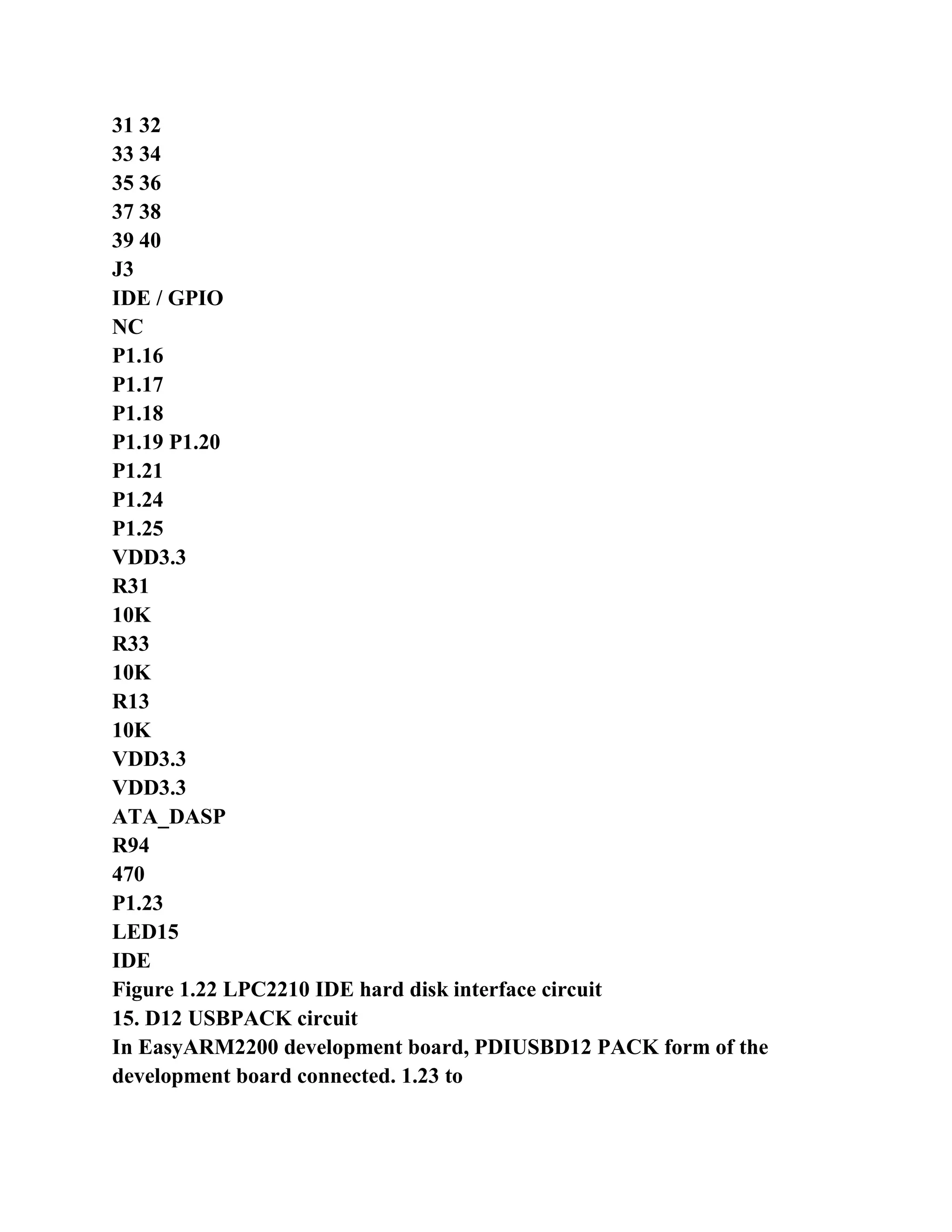
  • 300.
    copied to theproject directory, Transplant code the ARM (directory) is copied to the project directory. PC transplant the PC service code Arm_Pc of copy to the project directory transplant service code, you can pass Sent over the serial port to the PC display data (character window display software by the EasyARM, DOS). μC / OS 2.52 source code can be obtained from the embedded experimental operating system μC / OS-II (2). The the transplanted code ARM and the the the PC service code Arm_Pc transplant from EasyARM2200 development board supporting CD-ROM Obtained on. Established the first engineering project templates (Such as ARM Executable Image for UCOSII (for use the LPC2200 dedicated engineering template to establish engineering lpc22xx) project template), engineering storage path for the project directory, create a source file and join the project, and then write a program on behalf of Code. Change Os_cfg.h files, configuration μC / OS-II operating system. Compiled connection works, if error, modify the program, and then compile again. 8. Simulation debugging first project Set correctly EasyARM2200 development board jumper; Start AXD simulation debugging. 4.1.6 Experimental Procedure 1. Connection EasyJTAG emulator and EasyARM2200 of development board the and then install EasyJTAG emulator of drive
  • 301.
    =================================================== - 166 - Driver(if already installed, this step is omitted). For ADS1.2 increase the LPC2200 dedicated engineering template (if increased too, this step is omitted). Create a project directory uCOS-II, add μC / OS 2.52 source code and porting code. Also will be portable PC The service code Arm_Pc copied into the project directory under uCOS-II. 4 start the ADS 1.2, ARM Executable Image for UCOSII (for lpc22xx) project template to build a A project gpio, engineering stored in the directory uCOS-II. 5. C source file Test.c of, the preparation of the experimental procedure saved gpio src directory, and then add to the project user group. According to the program design change Os_cfg.h file configuration μC / OS-II operating system. (For this experiment, μC / OS-II Configuration using templates default settings) 7. Optional DebugInExram generation target, shown in Figure 4.2, and then compile the connection works. Figure 4.2 choose to generate the target 8. EasyARM2200 development board JP9 a short jumper, JP4 jumper off JP6 jumper settings Bank0-RAM, Bank1-Flash. Choose [Project] -> [Debug] start AXD JTAG emulator debugging (emulator need to be set up correctly. Refer to Section 2.5). Note: Use DebugInExram generate the target, the use of off-chip RAM simulation debugging JP6 jumper to be set up Home for Bank0-RAM, Bank1-Flash, set in AXD emulator Reference shown in Figure 4.3. JTAG connection error, or AXD main window is not display startup.s source book 2.5 Introduction The method for processing. 11 at full speed to run the program, the program will stop at the main function of Test.c (because the main function at the beginning of the default settings Breakpoints). 12 full-speed running program, and then shorted / disconnected JP1, P0.14 low / high level, whether the listener buzzer to buzzer.
  • 302.
    =================================================== - 168 - Figure4.3 RAM chip debugging emulator set 13 closed simulation debugging through AXD, ADS 1.2 integrated development environment chosen RelOutChip generated mesh Standard, and then compile the connection works. 14. EasyARM2200 development board JP9 a short jumper, JP1, JP4 jumper disconnected JP6 jumper settings Bank0-Flash, Bank1-RAM, JP7 jumper settings OUTSIDE. 15 Select [Project] -> [Debug] start AXD JTAG emulator debugging. At this point EasyJTAG simulation Will download the program to the chip FLASH emulator (need to be set up correctly, refer to section 2.5). Note: Use RelOutChip generate the target, the use of off-chip FLASH simulation debugging (or firmware) JP6 jumper set to Bank0-Flash, Bank1-RAM, set in AXD reference emulator as shown in Figure 4.4. Figure 4.4 outside FLASH debugging emulator settings 16 RST reset by EasyARM2200 development panel key observation program can run offline. 17 after the end of the experiment, set in AXD emulator RAM chip debug mode setting so solid at the back The correct operation of the inspection.
  • 303.
    =================================================== - 168 - 4.1.7experimental reference program Buzzer control experiment reference program shown in Listing 4.1, the program in Listing 4.2 and the program list 4.3. Program list 4.1 buzzer control experiment reference program-main () function # Include "config.h" # Define TASK_STK_SIZE 64 OS_STK TaskStartStk [TASK_STK_SIZE]; OS_STK TaskStk [TASK_STK_SIZE]; # Define KEY1 (1 << 14) / * P0.14 key1 * / # Define BEE (1 << 7) / * P0.07 buzzer * / void TaskStart (void * data); void Task (void * data); int main (void) { OSInit (); OSTaskCreate (TaskStart, (void *) 0, & TaskStartStk [TASK_STK_SIZE - 1], 0); OSStart (); return 0; } 4.2 Buzzer control program listings experimental the reference procedures - Buzzer control tasks void TaskStart (void * pdata) { pdata = pdata; / * avoid compiler warnings * / TargetInit (); / * target board initialization * / IO0DIR & = ~ KEY1; / * set KEY1 input * / IO0SET = BEE; IO0DIR | = BEE; / * Set the buzzer output * / PINSEL0 = (PINSEL0 & 0xcffff3ff); / * Parents select the module initialization * / OSTaskCreate (Task, (void *) 0, & TaskStk TASK_STK_SIZE - 1], 10); / * Create a task * / for (;;) { OSTaskSuspend (OS_PRIO_SELF); IO0CLR = BEE; OSTimeDly (OS_TICKS_PER_SEC / 8);
  • 304.
    IO0SET = BEE; OSTimeDly(OS_TICKS_PER_SEC / 4
  • 305.
    =================================================== - 169 - IO0CLR= BEE; OSTimeDly (OS_TICKS_PER_SEC / 8); IO0SET = BEE; OSTimeDly (OS_TICKS_PER_SEC / 4); } } 4.3 Buzzer control program listings experimental the reference procedures - key detection tasks void Task (void * pdata) { pdata = pdata; / * avoid compiler warnings * / for (;;) { OSTimeDly (OS_TICKS_PER_SEC / 50); / * delay 20 ms * / if ((IO0PIN & KEY1)! = 0) { continue; } OSTimeDly (OS_TICKS_PER_SEC / 50); / * delay 20 ms * / if ((IO0PIN & KEY1)! = 0) { continue; } OSTaskResume (0); while ((IO0PIN & KEY1) == 0) { OSTimeDly (OS_TICKS_PER_SEC / 50); / * delay 20 ms * / } } } 4.1.8 Thinking Can I experiment reference program two tasks are combined into a task? What are the pros and cons of doing? Experiment reference program, how to set the priority of the task? Set button detection task a higher priority than the beep The control task priority, the program how to run?
  • 306.
    The 4.2 serialmiddleware application experiments 4.2.1 The purpose of the experiment Experiments, the master μC / OS-II operating system to use the serial port serial communication middleware.
  • 307.
    =================================================== - 170 - 4.2.2The laboratory equipment � Hardware: PC, a EasyARM2200 development board set � software: Windows98/XP/2000 system, ADS 1.2 integrated development environment EasyARM software μC / OS-II operating system (V2.52), serial middleware 4.2.3 Experimental content Using UART0 serial middleware, one of (5 bytes) EasyARM, software command data is read from the UART0 Then converts the contents of the command to display data, and through UART0 return the command control EasyARM software to display. 4.2.4 prelab requirements Carefully read the UART0 the "ARM embedded systems based tutorial 5.10 content, 8.3 string Mouth middleware. The contents of the reading "Embedded experimental operating system μC / OS-II" (second edition), the understanding of the application of the μC / OS-II operating system. Appendix A to read this book carefully EasyARM software instructions for use, pay attention to the communication part of the agreement. 4.2.5 Experimental Principle The experiment can be used to achieve two tasks, a task used to receive serial data, referred to here as receive data any Service, another task is used to send serial data, referred to here as the data transmission tasks. The two tasks flowchart Referring to FIG. 4.5. Figure 4.5 serial middleware experimental program flowchart Receiving data task data transmission tasks Wait for serial data 0xff, UART0Getch () Read 4 bytes of data, UART0Getch () Transmits the received data message, OSMboxPost () The received data is Correct? Waiting to receive a data message, OSMboxPend ()
  • 308.
    To obtain thereceived data, and According to the contents of the command to convert display Display data Send to UART0 Display It is, UART0Putch () Y N
  • 309.
    =================================================== - 171 - 4.2.6Experimental Procedure 1 start the ADS 1.2, ARM Executable Image for UCOSII (for lpc22xx) project templates to build a The one the engineering uart0, engineering stored under uCOS-II directory. 2. Establish C source file Test.c, the preparation of the experimental procedure, saved to the uart0 src directory and then add to the project user group. 3 serial middleware two files uart0.c, uart0.h copied to uart0 src directory, then uart0.c Add to the engineering of the user group. Added as the program shown in Listing 4.4- generation project config.h file Code. Which the serial port Middleware uart0.c, uart0.h, files, see the product CD-ROM. 4.4-UART0 serial middleware experimental configuration of the program list # Include "uart0.h" # Define UART0_SEND_QUEUE_LENGTH 60 / * size * / send data queue assigned to UART0 space Serial middleware uses data queue, the queue of you want the data to copy the entire directory to the project objectives Recorded under uCOS-II. UCOS-II queue queue.c is then added to the user group of the project, and then in the project The program shown in Listing 4.5 code in config.h file. Data queue queue directory, see the product CD. The program list 4.5 serial middleware experimental - data queue configuration # Define QUEUE_DATA_TYPE uint8 # Include ".. .. queue queue.h" # Define EN_QUEUE_WRITE 1 / * to prohibit (0) or allow (1) FIFO send data * / # Define EN_QUEUE_WRITE_FRONT 0 / * to prohibit (0) or allow (1) the LIFO sending data * / # Define EN_QUEUE_NDATA 1 / * to prohibit (0) or allow (1) to obtain the number of queue data * / # Define EN_QUEUE_SIZE 1 / * to prohibit (0) or allow (1) to obtain the total capacity of the queue data * / # Define EN_QUEUE_FLUSH 0 / * to prohibit (0) or allow (1) empty the queue * / 5. Delete the original in config.h "# include" .. .. Arm_Pc pc.h "" statement. 6. The target group irq.s engineering file Finally, the increase in part on behalf of UART0 interrupt service routine in assembly language Code "UART0_Handler HANDLER UART0_Exception", such as the program in Listing 4.6
  • 310.
    shows. The program list4.6 increase UART0 interrupt service routine code ...... ;/ * Timer 0 interrupts * / Timer0_Handler HANDLER Timer0_Exception ; Universal serial port 0 interrupt UART0_Handler HANDLER UART0_Exception END 7 files in the the engineering target group target.c VICInit function, add the initial the UART0 vector interrupt Of the code, such as the program shown in Listing 4.7.
  • 311.
    =================================================== - 172 - Programlist 4.7-UART0 serial middleware experimental vector interrupt initialization ...... VICIntEnClr = 0xffffffff; VICDefVectAddr = (uint32) IRQ_Handler; extern void UART0_Handler (void); VICVectAddr14 = (uint32) UART0_Handler; VICVectCntl14 = (0x20 | 0x06); VICIntEnable = 1 << 6; ...... 8 files in the the engineering target group target.c TargetInit function, to add to initialize the UART0 the code "UART0Init (115200);", as shown in program listing 4.8. The program list 4.8 Add UART0 initialization code ...... UART0Init (115200); OS_EXIT_CRITICAL (); 9. The use DebugInExram generate the target, and then compile the connection works. 10 the JP6 jumper EasyARM2200 development board is set to Bank0-RAM, Bank1-Flash. 11. Serial extension cord the EasyARM2200 development boards to CZ2 (UART0) is connected with the PC's COM1. PC the machine running EasyARM software, set the serial port is COM1, baud rate of 115200, and then select [set Set] -> [send data, the open send data window. 12 Select [Project] -> [Debug] start AXD JTAG emulator debugging. 13 run at full speed program. To send hexadecimal number EasyARM software: ff 80 00 03 00, this time software Simulation LED digital display will show a number 3. 14 to change the data sent to: ff 80 05 08 00, the observation EasyARM software display. 4.2.7 experimental reference program Serial middleware experimental reference program shown in Listing 4.5, the list of procedures 4.7 and the list of procedures 4.9. Program listing 4.9 serial the middleware experiment reference program-the main () function int main (void) { OSInit (); OSTaskCreate (TaskStart, (void *) 0, & TaskStartStk [TASK_STK_SIZE - 1], 0);
  • 312.
    OSStart (); return 0; } Theprogram listing the 4.10 serial middleware experimental reference procedures - data transmission tasks void PC_DispChar (uint8 * cp)
  • 313.
    =================================================== - 174 - { OS_ENTER_CRITICAL(); UART0Putch (0xff); UART0Putch (* cp + +); UART0Putch (* cp + +); UART0Putch (* cp + +); UART0Putch (* cp + +); OS_EXIT_CRITICAL (); } uint8 const ShowTable [11] = {0x3f, 0x06, 0x5b, 0x4f, 0x66, 0x6d, 0x7d, 0x07, 0x7f, 0x6f, 0x00}; / / 0 1 2 3 4 5 6 7 8 9 void TaskStart (void * pdata) { uint8 * cp; uint8 err; pdata = pdata; / * avoid compiler warnings * / Uart0ReviceMbox = OSMboxCreate (NULL); / * create mailbox * / if (Uart0ReviceMbox == NULL) { while (1); } OSTaskCreate (TaskUart0Revice, (void *) 0, & TaskStk [TASK_STK_SIZE - 1], 10); / * Create a task * / TargetInit (); / * target board initialization * / for (;;) { cp = (uint8 *) OSMboxPend (Uart0ReviceMbox, 0, & err); / * Receive data * / if (cp [0] == 0x80) { cp [2] = ShowTable [cp [2]]; / * led display * / } else { cp [2] = cp [2] + '0 '; / * screen display * / }
  • 314.
    PC_DispChar (cp); /* display the received data * / } } The program list 4.11 serial the middleware experimental Reference program - receiving data task
  • 315.
    =================================================== - 175 - voidTaskUart0Revice (void * pdata) { uint8 * cp; uint8 Buf [4], temp, i; pdata = pdata; / * avoid compiler warnings * / for (;;) { err: cp = Buf; while (UART0Getch ()! = 0xff); / * receive data header * / for (i = 0; i <4; i + +) { temp = UART0Getch (); if (temp == 0xff) { goto err; } * Cp + + = temp; } OSMboxPost (Uart0ReviceMbox, (void *) Buf); } } 4.2.8 Thinking Running experiment reference program, use EasyARM software sends data ff 80 05 08 00, EasyARM software What show? (Analysis of data sent the execution of tasks) Serial middleware programming, the LPC2210 chip peripheral register values are sent to the PC, send grid The formula "register name: xxxxxxxxH r n". 4.3 MODEM communication experiment 4.3.1 The purpose of the experiment Through experiments, it is possible to use the the MODEM driver MODEM remote communication middleware. 4.3.2 The laboratory equipment � Hardware: PC, a EasyARM2200 development board set
  • 316.
    MODEM two � software:Windows98/XP/2000 system, ADS 1.2 integrated development environment EasyARM software μC / OS-II operating system (V2.52), MODEM driven middleware
  • 317.
    =================================================== - 175 - 4.3.3Experimental content Use the MODEM driver Middleware, first initialize MODEM, then dialing and waiting to establish a connection. Properly connected After waiting for the reception of the remote terminal data if the received data, the data is immediately postback. 4.3.4 prelab requirements Carefully read the content of the "ARM based embedded system tutorial 5.11 UART1 Section 8.4 MODEM driven middleware. Carefully read the contents of Chapter 1 of the book, and hardware structure about EasyARM2200 development board, note Modme then The mouth part of the circuit. Carefully read the user manual of the modem and AT command set. 4.3.5 Experimental Principle The experimental development board through the EasyARM2200 the CZ3 interface with the MODEM (1) connection, and then through the telephone line MODEM (2) to establish a connection, wait for the PC through MODEM (2) send data properly connected. If the received data, Immediate data back hair. MODEM (2) is connected to a PC, PC machine running EasyARM software (or serial Debugging assistant), send AT commands ATS0 = 2 "set up automatic off-hook (do not to select hex ways to send and receive), MODEM (1) dial-up and establish a connection, the PC can send communications data. MODEM AT commands description and operation For method please refer to the the MODEM books information. Hardware connection is shown in Figure 4.6. The program first initializes MODEM, after successful initialization dialing, and then enter the normal data communications status. Figure 4.6 MODEM communication experiment hardware connection diagram 4.3.6 Experimental Procedure 1 start the ADS 1.2, ARM Executable Image for UCOSII (for lpc22xx) project templates to build a The two engineering modem works stored in the directory uCOS-II. 2. Establish C source file Test.c, the preparation of the experimental procedure, save it to the the modem src directory, and then added to the project The user group.
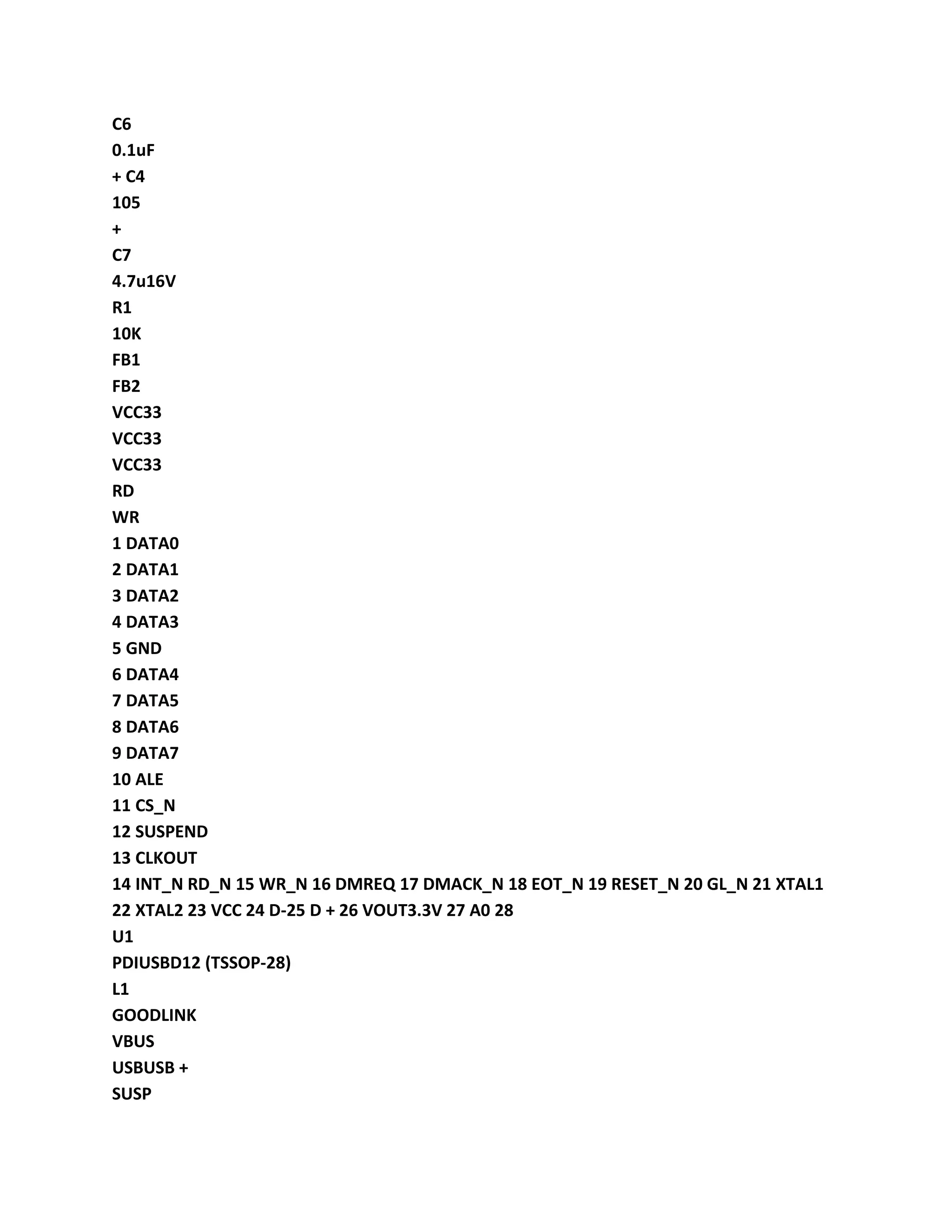
  • 318.
    3 to changethe the modem the src Os_cfg.h files, configuration OS_MAX_EVENTS 20. 4. MODEM driver middleware the file modem.c, modem.h copy the modem src directory Modem.c then will be added to the engineering of the user group. "# Include in the project config.h file "Modem.h" ". Which Modem driver middleware modem.c, modem.h file, see the product CD. 5. The target group irq.s engineering file Finally, the increase in part on behalf of UART1 interrupt service routine in assembly language Code "UART1_Handler HANDLER UART1_Exception". 6 files in the the engineering target group target.c VICInit function, add the initial the UART1 vector interrupt Of code, as shown in the program list 4.12. The program listing 4.12 MODEM communication experiment-UART1 vector interrupt initialization extern void UART1_Handler (void); VICVectAddr14 = (uint32) UART1_Handler; VICVectCntl14 = (0x20 | 0x07); VICIntEnable = 1 << 7; PC (COM1 / 2) MODEM (2) MODEM (1) EasyARM2200 Development board Telephone line
  • 319.
    =================================================== - 176 - 7.Use DebugInExram generate the target, and then compile the connection works. 8 EasyARM2200 development board JP3 jumper shorted, JP1, JP2 jumper disconnected, JP6 jumper set Set to Bank0-RAM, Bank1-Flash. 9 Modem Cable Modem (1) and EasyARM2200 development board connected CZ3 (UART1). Modem (2) and the PC the COM1/COM2 connection, run EasyARM software and open data transmission And receive window, and then send the AT command to set Modem (2) Auto-hook. Description: General Modem will automatically detect the baud rate, the AT commands can be sent directly to it. 10 Select [Project] -> [Debug] start AXD JTAG emulator debugging. 11 at full speed to run the program, etc. Modem dial-up connection is established, use the EasyARM software on the PC, sent word The string "Hello World!", Correct communication, EasyARM software will be received by EasyARM2200 development Board returns the string "Hello World!". 4.3.7 experimental reference program MODEM communication experiment reference program, see the program in Listing 4.13 and procedures list 4.14. Debugging using DLT program-controlled telephone switches, dialing the number "2". Program list 4.13 MODEM communication experiment-main () function int main (void) { OSInit (); OSTaskCreate (TaskStart, (void *) 0, & TaskStartStk [TASK_STK_SIZE - 1], 0); OSStart (); return 0; } Program list 4.14 MODEM communication experiment - data transmission and reception tasks void TaskStart (void * pdata) { char Ch; pdata = pdata; / * avoid compiler warnings * / TargetInit (); / * target board initialization * / ModemInit (115200);
  • 320.
    ModemDialUp ("# 2"); ModemWrite("12345 n", 6); for (;;) { Ch = ModemGetch (); ModemWrite (& Ch, 1); } }
  • 321.
    =================================================== - 177 - 4.3.8Thinking Analysis the MODEM driven middleware ModemInit () function is how to initialize the MODEM? 4.4 I2C bus driver middleware experiment 4.4.1 The purpose of the experiment Use master I2C bus driver middleware. 4.4.2 The laboratory equipment � Hardware: PC, a EasyARM2200 development board set � software: Windows98/XP/2000 system, ADS 1.2 integrated development environment μC / OS-II operating system (V2.52), I2C bus driver middleware 4.4.3 Experimental content I2C bus driver middleware CAT24WC02 read and write operation. First CAT24WC02 of 0x00 Address write 10 bytes of data, and then read out the check, the check through the control buzzer sounds if the checksum error is not Off the alarm buzzer. 4.4.4 prelab requirements I2C interface, carefully read the "ARM based embedded system tutorial 5.12 8.5 I2C The bus driver middleware. Carefully read the contents of Chapter 1 of the book, about EasyARM2200 development board hardware structure, pay attention to the keyboard and LED The part of the circuit is displayed. Carefully read datasheets CAT24WC02. 4.4.5 Experimental Procedure 1 start the ADS 1.2, ARM Executable Image for UCOSII (for lpc22xx) project templates to build a A engineering the I2C, engineering stored under uCOS-II directory. 2. Establish C source file Test.c, the preparation of the experimental procedure, saved to I2C src directory, and then add to the project user group. 3. I2C bus driver Middleware two files I2C.c, I2C.h copied to the I2C src directory, then I2C.c Add to the engineering of the user group. Join in the project config.h file as shown in list 4.15's Code. I2C bus driver middleware I2C.c, I2C.h file to see the product CD. Program list 4.15 I2C bus driver middleware experiment - device address definitions
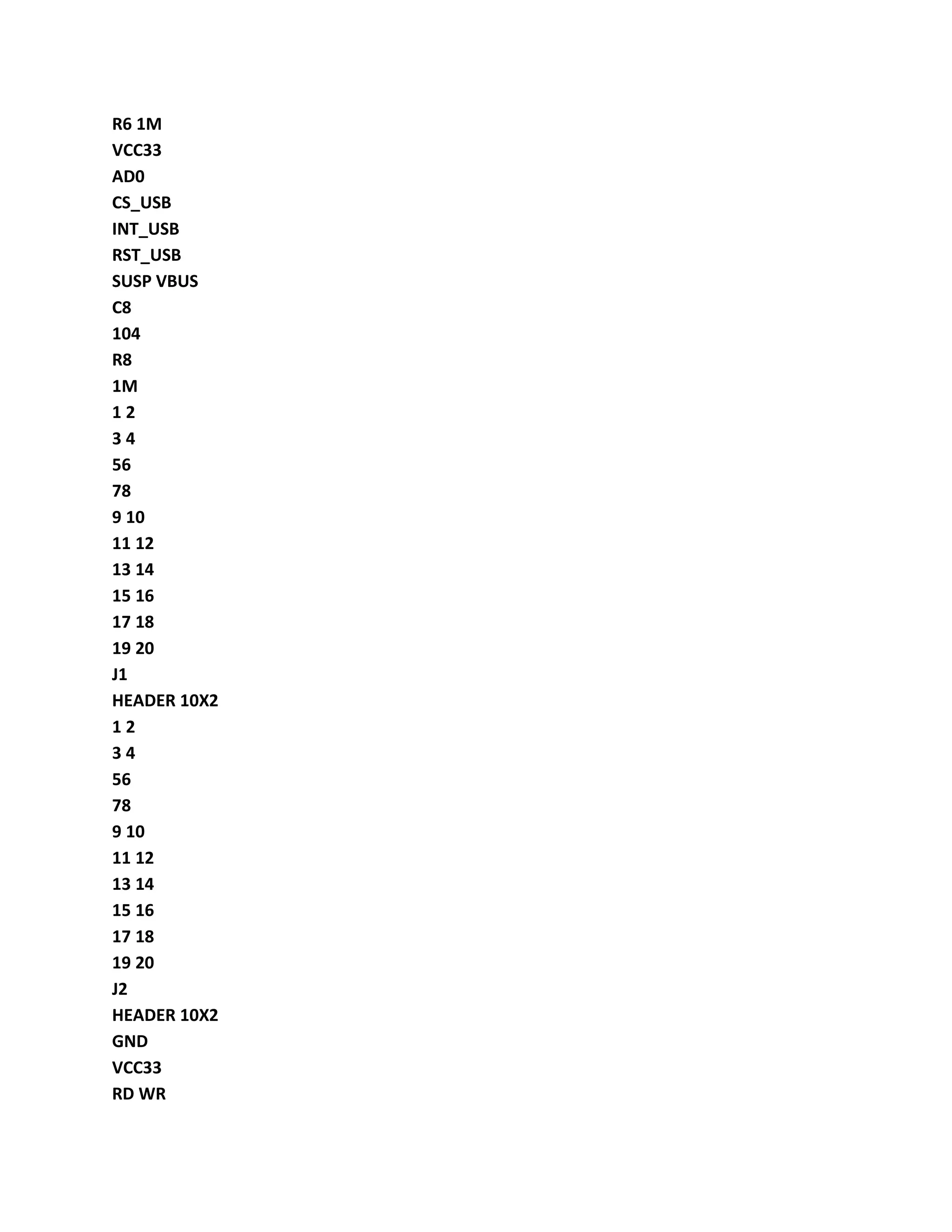
  • 322.
    # Include "i2c.h" #Define CAT24WC02 0xA0 / * define the device address * / 4. The target group irq.s engineering documents Finally, increasing the I2C interrupt service routine part of the assembly language code "I2c_Handler HANDLER I2c_Exception". 5 files in the the engineering target group target.c VICInit function, add I2C Vectored Interrupt initialization-generation Program code, such as shown in Listing 4.16. Set the VIC () function in I2C.c file I2cInit enabled
  • 323.
    =================================================== - 178 - I2Cinterrupt, so the program list 4.16 in the interrupt enable set code can be deleted. The program list 4.16 I2C bus driver middleware experiment-UART1 vector interrupt initialization extern void I2c_Handler (void); VICVectAddr12 = (uint32) I2c_Handler; VICVectCntl12 = (0x20 | 9); / / VICIntEnable = 1 << 9; 6 files in the the engineering target group target.c TargetInit function, add initialization I2C (master mode) on behalf of Code "I2cInit (30000);". 7. Use DebugInExram generate the target, and then compile the connection works. 8. The JP5 jumper all shorted EasyARM2200 development board JP9 short jumper, JP6 jumper is set to Bank0-RAM, Bank1-Flash. 9 Select [Project] -> [Debug] start AXD JTAG emulator debugging. 10 program running at full speed, the buzzer sounds, indicating E2PROM read and write operation is successful. 4.4.6 experimental reference program I2C bus driver middleware experiment reference program shown in Listing 4.17, program listing 4.18. Program list 4.17 I2C bus driver middleware experimental-main () function int main (void) { OSInit (); OSTaskCreate (TaskStart, (void *) 0, & TaskStartStk [TASK_STK_SIZE - 1], 0); OSStart (); return 0; } Program listing 4.18 I2C bus driver middleware experimental-CAT24WC02 reading and writing tasks void TaskStart (void * pdata) { uint8 i; uint8 DataBuf [11]; pdata = pdata; / * avoid compiler warnings * / TargetInit (); / * target board initialization * /
  • 324.
    IO0DIR | =BEE; / * Set the buzzer output * / PINSEL0 = (PINSEL0 & 0xcffff3ff); / * Parents select the module initialization * / IO0SET = BEE; for (i = 0; i <10; i + +) { DataBuf [i + 1] = i + '0 ';
  • 325.
    =================================================== - 180 - } DataBuf[0] = 0; / * the extension address * / I2cWrite (CAT24WC02, DataBuf, 11); OSTimeDly (OS_TICKS_PER_SEC / 100 + 1); I2cRead (CAT24WC02, DataBuf, DataBuf, 1, 10); for (i = 0; i <10; i + +) { if (DataBuf [i]! = (i + '0 ')) { break; } } if (i <10) {/ * Read and write errors * / while (1) { IO0CLR = BEE; OSTimeDly (OS_TICKS_PER_SEC / 5); IO0SET = BEE; OSTimeDly (OS_TICKS_PER_SEC / 5); } } else {/ * Read and write successful * / IO0CLR = BEE; OSTimeDly (OS_TICKS_PER_SEC); IO0SET = BEE; while (1); } } 4.4.7 Thinking The I2C bus middleware write CAT24WC02 how to specify the storage address? If you want to use the I2C bus middleware control ZLG7290 display "LPC2210F" how to write a program? 4.5 SPI bus driver middleware experiment 4.5.1 The purpose of the experiment
  • 326.
    Master SPI busdriver middleware application through experiments.
  • 327.
    =================================================== - 180 - 4.5.2The laboratory equipment � Hardware: PC, a EasyARM2200 development board set � software: Windows98/XP/2000 system, ADS 1.2 integrated development environment μC / OS-II operating system (V2.52), SPI bus driver middleware 4.5.3 Experimental content Middleware operation 74HC595 chip via the SPI bus driver, to control LED1 ~ LED8. The program first set Meaning an 8-bit variable as a count each delay some time will count variable is incremented, and the value of the variable output control LED1 ~ LED8 display. 4.5.4 prelab requirements Carefully read the "ARM based embedded system tutorial 5.13 SPI interface, 8.6 in Between pieces of SPI bus driver. Carefully read the contents of Chapter 1 of the book, about EasyARM2200 development board hardware structure, pay attention to the keyboard and LED The part of the circuit is displayed. Carefully read the the 74HC595 data manual to understand how to control the data shift, latch data output. 4.5.5 Experimental Procedure 1 start the ADS 1.2, ARM Executable Image for UCOSII (for lpc22xx) project templates to build a Spi, an engineering project is stored in the directory uCOS-II. 2. Establish C source file Test.c, the preparation of the experimental procedure, saved to spi src directory, and then added to the user of the project Group. Copied to the SPI bus driver Middleware two files spi.c, spi.h spi src directory, then spi.c Add to the engineering of the user group. As shown in program list 4.19-generation in the project config.h file Code. SPI bus driver middleware spi.c, spi.h file, see the product CD. Program listing 4.19 SPI bus driver middleware experimental-SPI bus configuration # Include "spi.h" # Define HC595_CS 0x00000100 / * P0.8 port the 74HC595 chip select * / # Define SPI_MOD SPI_CPHA_ONE | SPI_CPOL_HIGH | SPI_LSBF_BIT7 / * SPI mode * / 4. The target group irq.s engineering file Finally, the increase in the SPI interrupt service
  • 328.
    routine part ofthe assembly language code "SPI_Handler HANDLER SPI_Exception". 5 files in the the engineering target group target.c VICInit function, add the SPI Vectored Interrupt initialization-generation Code, such as shown in the program list 4.20. The program list 4.20 SPI bus driver middleware the experiment-SPI vector interrupt initialization extern void SPI_Handler (void); VICVectAddr13 = (uint32) SPI_Handler; VICVectCntl13 = (0x20 | 10); VICIntEnable = 1 << 10; 6 files in the the engineering target group target.c TargetInit function, add the code of initializing the SPI
  • 329.
    =================================================== - 181 - "SPIInit(0x80);". 7. Use DebugInExram generate the target, and then compile the connection works. 8. EasyARM2200 development board JP4 jumper disconnected, JP8 jumper all shorted JP6 jumper settings Bank0-RAM, Bank1-Flash. 9 Select [Project] -> [Debug] start AXD JTAG emulator debugging. 10 program running at full speed, observe whether LED1 ~ LED8 correct. 4.5.6 experimental reference program SPI bus driver middleware experiment reference program the program listings 4.21 and the program list 4.22. Program listing 4.21 SPI bus driver middleware experimental-main () function int main (void) { OSInit (); OSTaskCreate (TaskStart, (void *) 0, & TaskStartStk [TASK_STK_SIZE - 1], 0); OSStart (); return 0; } Program list 4.22 SPI bus driver middleware experiment-LED control tasks uint32 GetOSPrioCur (void) { return OSPrioCur; } void TaskStart (void * pdata) { uint8 temp, i; pdata = pdata; / * avoid compiler warnings * / TargetInit (); / * target board initialization * / PINSEL0 = (PINSEL0 & 0xfffcffff); IODIR = HC595_CS; i = 0; for (;;) { SPIStart (); IOCLR = HC595_CS; SPIRW (& temp, ~ i);
  • 330.
    IOSET = HC595_CS; SPIEnd(); OSTimeDly (OS_TICKS_PER_SEC / 5); i + +;
  • 331.
    =================================================== - 183 - } } 4.5.7Thinking In the experiment reference program, the SPI bus driver the middleware configuration as SPI_LSBF_BIT0 run how the results would be Change? Why? 4.6 clock display experiments 4.6.1 The purpose of the experiment By experimental master RTC real time clock settings and read-time operation. 4.6.2 The laboratory equipment � Hardware: PC, a EasyARM2200 development board set � software: Windows98/XP/2000 system, ADS 1.2 integrated development environment EasyARM software μC / OS-II operating system (V2.52) 4.6.3 Experimental content First to initialize RTC, then read time value and output through UART0 to PC software. It also To detect key input port input (P0.14), if the key to re-set the RTC time (the year-on-year increase of 1, when increased by 1). 4.6.4 prelab requirements Carefully read the "ARM based embedded system tutorial 5.17 a description of the real-time clock (RTC). Read transplantation the the PC service code Pc.c (file see CD-ROM) to understand the function of display data transmission interface to use Method. 4.6.5 Experimental Procedure 1 start the ADS 1.2, ARM Executable Image for UCOSII (for lpc22xx) project templates to build a A project rtc, engineering stored in the directory uCOS-II. Establishing C source file Test.c, preparation of the experimental procedure, save rtc src directory, then added to the project's user Group. 3 the two files rtc.c RTC package, rtc.h copied to rtc src directory, and then added to the rtc.c workers Process of the user group. Config.h file in the project, adding "# include" rtc.h "". Which rtc.c, the rtc.h file, see the product CD.
  • 332.
    4 due tothe need to send data to the host computer, so uCOS-II Arm_Pc Pc.c add the user to the project Group. 5 files in the the engineering target group target.c TargetResetInit function, add the initialization code for the RTC, Program list 4.23. 4.23 clock display program listings experimental-RTC initialization / * Set the real-time clock * /
  • 333.
    =================================================== - 183 - CCR= 1; PREINT = Fpclk / 32768 - 1; PREFRAC = Fpclk - (Fpclk / 32768) * 32768; YEAR = 2003; MONTH = 6; DOM = 2; Selection DebugInExram generate the target, and then compile the connection works. 7. The EasyARM2200 development board the JP6 jumper settings for Bank0-RAM, Bank1- Flash. 8 serial extension cord EasyARM2200 development board CZ2 (UART0) is connected with the PC's COM1. PC the machine running EasyARM software, set the serial port to COM1, baud rate of 115200. 9 Select [Project] -> [Debug] start AXD JTAG emulator debugging. 10 at full speed to run the program, EasyARM software emulation DOS character window will display the date and time of the RTC. 11. Shorting / disconnect JP1 is P0.14 is low / high, to observe the changes in the date and time of the RTC. 4.6.6 experimental reference program Clock display experiment reference program shown in Listing 4.24, the program listings 4.25 and procedures list 4.26. The RTC The package interface functions and data structures defined in the rtc.c, and rtc.h file (file code see CD-ROM). 4.24 clock display program listings experiment-main () function int main (void) { OSInit (); OSTaskCreate (TaskStart, (void *) 0, & TaskStartStk [TASK_STK_SIZE - 1], 0); OSStart (); return 0; } 4.25 clock display program listings experiment - clock display task void TaskStart (void * pdata) { struct time now; struct date today; char s [40];
  • 334.
    pdata = pdata;/ * avoid compiler warnings * / TargetInit (); / * target board initialization * / IO0DIR & = ~ KEY1; / * set KEY1 input * / PINSEL0 = (PINSEL0 & 0xffff3fff); / * Parents select the module initialization * / OSTaskCreate (Task, (void *) 0, & TaskStk TASK_STK_SIZE - 1], 10); / * Create a task * /
  • 335.
    =================================================== - 184 - for(;;) { gettime (& now); getdate (& today); sprintf (s, "% 04d-% 02d-% 02d% 02d:% 02d:% 02d", today.da_year, today.da_mon, today.da_day, now.ti_hour, now.ti_min, now.ti_sec); PC_DispStr (60, 23, s, DISP_FGND_YELLOW + DISP_BGND_BLUE); OSTimeDly (OS_TICKS_PER_SEC / 2); } } The 4.26 clock display program listings experiment - clock set tasks void Task (void * pdata) { struct time now; struct date today; pdata = pdata; / * avoid compiler warnings * / today.da_year = 2003; today.da_mon = 7; today.da_day = 8; today.da_dow = 2; now.ti_hour = 12; now.ti_min = 11; now.ti_sec = 10; for (;;) { OSTimeDly (OS_TICKS_PER_SEC / 50); / * delay 20 ms * / if ((IOPIN & KEY1)! = 0) { continue; } OSTimeDly (OS_TICKS_PER_SEC / 50); / * delay 20 ms * /
  • 336.
    if ((IOPIN &KEY1)! = 0) {
  • 337.
    =================================================== - 185 - continue; } setdate(& today); settime (& now); getdate (& today); gettime (& now); today.da_year + +; now.ti_hour = (now.ti_hour + 1)% 24; while ((IOPIN & KEY1) == 0) { OSTimeDly (OS_TICKS_PER_SEC / 50); / * delay 20 ms * / } } } 4.6.7 Thinking Experiment reference program, how to implement an external reset (RST button reset) will not re-initialize the RTC again? (Mentioning Shows: RTC alarm registers as a symbol of the RTC alarm registers value does not change because the external reset)
  • 338.
    =================================================== - 186 - Chapter5 Comprehensive experiments 5.1 USB-E2PROM programming experiment 5.1.1 The purpose of the experiment Learn to use to write applications based on μC / OS-II USB driver. 2. Society of comprehensive utilization of existing middleware construct application systems. 5.1.2 The laboratory equipment � hardware: a PC, with a USB interface EasyARM2200 development board set D12 PACK A � software: Windows98/XP/2000 operating system, ADS 1.2 integrated development environment USB_I2C.exe (the experiments supporting PC software) μC / OS-II operating system (V2.52), I2C bus driver middleware 5.1.3 Experimental Content Based μC / OS-II USB driver package I2C bus driver middleware to construct a The USB-E2PROM programmer PC software to read and write through this experiment supporting EasyARM2200 development board I2C Pieces CAT24WC02. 5.1.4 prelab requirements Carefully read the contents of Chapter 1 of the book, the hardware structure about EasyARM2200 development board. Carefully read the contents of Chapter 2 of the book for ADS 1.2 integrated development environment, LPC2200 dedicated engineering template, Emulator application in EasyJTAG. Carefully read Chapter 2 of the embedded systems software development instance USB driver development, in particular, to carefully read USB driver package to use. 5.1.5 Experimental Principle In EasyARM2200 development board, PDIUSBD12 PACK form of the development board connected Figure 5.1 The PDIUSBD12 connect ARM microcontroller LPC2210 hardware schematics.
  • 339.
    =================================================== - 188 - D12XTAL2 D12XTAL1 CS_USB USBDP /GOODLNK USBDM RST_USB D12DM D12DP AD0 INT_USB X1 6MHz 1 VBUS 2 D3 D + 4 GND 5 SHIELD CZ1 USB R7 1K R3 18R + / -1% R2 18R + / -1% C1 C5 68pF C2 22pF R5 1M R4 1M C3 470pF
  • 340.
    C6 0.1uF + C4 105 + C7 4.7u16V R1 10K FB1 FB2 VCC33 VCC33 VCC33 RD WR 1 DATA0 2DATA1 3 DATA2 4 DATA3 5 GND 6 DATA4 7 DATA5 8 DATA6 9 DATA7 10 ALE 11 CS_N 12 SUSPEND 13 CLKOUT 14 INT_N RD_N 15 WR_N 16 DMREQ 17 DMACK_N 18 EOT_N 19 RESET_N 20 GL_N 21 XTAL1 22 XTAL2 23 VCC 24 D-25 D + 26 VOUT3.3V 27 A0 28 U1 PDIUSBD12 (TSSOP-28) L1 GOODLINK VBUS USBUSB + SUSP
  • 341.
    R6 1M VCC33 AD0 CS_USB INT_USB RST_USB SUSP VBUS C8 104 R8 1M 12 3 4 56 78 9 10 11 12 13 14 15 16 17 18 19 20 J1 HEADER 10X2 1 2 3 4 56 78 9 10 11 12 13 14 15 16 17 18 19 20 J2 HEADER 10X2 GND VCC33 RD WR
  • 342.
    D0 D1 D2 D3 D4D5 D6 D7 GND GND D0 D1 D2 D3 D4 D5 D6 D7 GND R9 10K R10 10K VCC33 INT_USB SUSP R11 10K CBG201209U151B CBG201209U151B 104 Figure 5.1 PDIUSBD12 LPC2210 hardware schematics ΜC / OS-II operating system environment, the use of off-the-shelf USB driver package I2C bus driver middleware To construct a USB-E2PROM programming. The off-the-shelf software packages: (1) USB drive package � API function: a task for USB transmission control handle 4 endpoint 1 and endpoint read and write functions; � resource consumption: a semaphore is used to control the the USB transmission control processing. (2) I2C bus driver middleware � API function: I2C bus to read and write function; � resource consumption: a semaphore and a mailbox. Thus, the off-the-shelf software packages already provide many functional modules, these modules will only after a reasonable combination, they It can be easy to achieve the design goals of the system. The following analysis of the
  • 343.
    software design thinking: (1)due to the operation of CAT24WC02 only read and write, read, another task assigned a task for For writing. (2) However, when read CAT24WC02 or write CAT24WC02 it? This requires a task to receive Commands from the USB bus. Therefore, allocation of a task is used to receive commands from the USB bus, to determine the read any Service and write tasks running. Software design thought, the USB-the E2PROM reader's software framework is shown in Figure 5.2. Main tasks: receiving a command from a PC (via USB bus) (1) receipt of a read command (2) receipt of the write command Responsible for reading tasks: CAT24WC02 read To write tasks: responsible for CAT24WC02 write USB control Transfer tasks The I2C interrupt the service USB drivers for the PC USB bus Figure 5.2 USB-E2PROM programming software framework
  • 344.
    =================================================== - 188 - Asshown in Figure 5.2, one-way line control, the main task of the main tasks of reading and writing tasks semaphores to control the read and write any Service running state of CAT24WC02 enabling read and write. The bidirectional line indicates the existence of the data exchange between the various modules. The reading task from CAT24WC02 read data transferred via the USB driver to the PC; while the PC needs to be written to The CAT24WC02 data through the USB driver written to the write task control CAT24WC02. With more than design, you can write the experimental program. 5.1.6 Experimental Procedure With ADS1.2 create a project, Project Name: Usb_I2C, project templates created: ARM Executable Image for UCOSII (for lpc22xx). Establishment completion, generates a Usb_I2C file Folder. 2. Below in Usb_I2C file folder to create a new file folder D12, then the USB driver on the product CD Copy all the files in the package directory to the folder. 3. Carefully read Section 2.9 Section USB driver package use embedded systems software development examples or Description of the product CD, USB package. New sibling directory in Usb_I2C ARM, Arm_Pc Source folder Source folder placed μC / OS-II 2.52 source code. In the ARM, Arm_Pc directory, see Section 4.1 of this book. Created in the directory under Usb_I2C folder the I2C I2C bus driver middleware for placing the product CD-ROM I2C bus driver on middleware directory under the I2C.c, and I2C.h file copied to the folder. 6. Open Usb_I2C.mcp engineering, the D12 catalog and I2C directory files added to the project in the user Group. 7 new main.c file, the file is saved in the Usb_I2C src directory, and the file is added to the project The user group. 8. To open engineering IRQ.s file and add the following statement before the END statement in the file: Usb_Handler HANDLER Usb_Exception I2c_Handler HANDLER I2c_Exception 9 μC / OS-II running environment and configuration settings: � the PDIUSBD12 interrupt more frequently, it is necessary to modify the μC / OS-II allows
  • 345.
    interrupt nesting depthof The second line of the Startup.s file read: IRQ_STACK_LEGTH EQU 9 * 25; each layer nested nine word stack, allowing 25 nesting levels � USB driver control transmission processing using a semaphore I2C bus driver middleware uses a Semaphore and a mailbox, the application of this experiment will use two semaphores, a total of five events. Because The definition of the maximum number of events, operating system this os_cfg.h file should be at least 5: # Define OS_MAX_EVENTS 5 Statistical tasks � the example and statistical tasks close the (os_cfg.h file): # Define OS_TASK_STAT_EN 0 Principle analysis in main.c using middleware program, implemented by the I2C bus to read and write E2PROM device CAT24WC02. Disconnect 11. EasyARM2200 development board JP4 jumper JP5 jumper shorted (LPC2210 I2C bus Pin is connected to CAT24WC02) the the JP6 jumper settings the Bank0-RAM, Bank1-Flash. 12. D12 PACK of to plug into EasyARM2200 development board and the PC with a USB cable with the D12 PACK even Pick up. 13. ADS1.2 development environment chosen DebugInExram generate the target, and then compile the connection works. Select [Project] -> [Debug], start AXD JTAG emulator debugging. 14 debugger running, PC machines will be prompted to install the new device's USB driver, USB driver in product CD, according to a different operating system installed. After installing the USB driver, D12
  • 346.
    =================================================== - 190 - PACKon the indicator changes from dark to light, said the USB enumeration success, the program runs properly. 15 run the PC end of the executable file, the file on the experimental routine directory on the product CD, the file name As USB_I2C.exe. The running interface shown in Figure 5.3. 16. Shown in Figure 5.3, I2C bus EsayARM2200 on CAT24WC02 the address fixed 0x0A, So the software address of CAT24WC02 can not be modified. The software can read CAT24WC02 And write. � write CAT24WC02: fill the starting address of the data to be written in the text box of the "start address", for example, from 0 Single $ Start, then fill in the data to be written in the input sends data text box, please pay attention to the input data Format, the format shown in Figure 5.3, "Description text box enter send data". After entering your data, press write CAT24WC02 "button, the software via the USB bus to fill in the number of The According written to CAT24WC02. Write operation results in "The results suggest that" the text box is displayed. � read CAT24WC02: in the "start address" text box fill the starting address of the data are to be read out, for example, from 0 Single $ Start, fill in the number of bytes you want to read out the number of bytes read. Button then read CAT24WC02 ". The software will read command is sent to the USB bus EsayARM2200, and read the data transmitted through the USB bus to a PC, "receiver display Box "is displayed as shown in Figure 5.3. The Figure 5.3 Usb_E2PROM programmer interface 5.1.7 experimental reference program Experimental reference all the procedures in the main.c file, here will be the main part of the code of the file. 1. Stack added the header files and the definition of reading and writing tasks, the definition of reading and writing tasks semaphore, such as the list of procedures 5.1 Shown, which also defines the procedures used in macro definitions. Program Listing 5.1 header files and tasks related variables # Include "config.h" / / that contains the the LPC22xx template configuration header file # Include "D12Driver.h" / / contains the the PDIUSBD12 driver header file
  • 347.
    =================================================== - 190 - #Include "I2C.h" # Define PAGE_SIZE_24C02 16 / / CAT24WC02 page size: 16 bytes # Define CMD_READ_24C02 0x01 / / Read CAT24WC02 command # Define CMD_WRITE_24C02 0x02 / / write CAT24WC02 command OS_STK TaskStartStk [128]; / / operating system starting task stack OS_STK ReadTaskStk [256]; / / read task stack OS_STK WriteTaskStk [256]; / / write task stack OS_EVENT * Write_Sem; / / read tasks ready semaphore OS_EVENT * Read_Sem; / / write task ready semaphore 2. Configuration PDIUSBD12 interrupt priority and interrupt service routine address. Such as the program shown in Listing 5.2. Program Listing 5.2 configuration PDIUSBD12 interrupt void Init_D12Int (void) { VICVectCntl1 = (0x20 | 0x0E); / / EINT0 is channel assigned to IRQ slot 1 VICVectAddr1 = (INT32U) Usb_Handler; / / set EINT0 vector address VICIntEnable = 1 << 14; / / allow EINT0 } 3. Command from the PC to read and write CAT24WC02 multiple bytes, pointed out that the command CAT24WC02 the I2C Bus address, the read or write command, a read or write address, and read and write length. To do this, define a structure to represent the command. Such as the program shown in Listing 5.3. And define the structure of a variable I2C. The command structure of the procedure defined in Listing 5.3 to read and write CAT24WC02 the typedef struct tagCmd / / read and write command structure CAT24WC02 { INT8U cmd; / / command: 1 - Reading; 2 - write INT8U addr; / / I2C devices CAT24WC02 address INT8U offset; / / offset address of the read and write CAT24WC02 storage space INT16U len; / / read and write length } I2C_COMMAND; I2C_COMMAND I2C; / / read and write command structure variables 4. According to the analysis of the experimental principle, following the establishment of the task construct the system framework shown in Figure 5.2 Section. First, the establishment of the main function main (), the operating system μC / OS-II multi-task scheduling. Such as the program shown in Listing 5.4.
  • 348.
    5.4 The mainfunction of the program listings int main (void) {
  • 349.
    =================================================== - 191 - OSInit(); / / initialize uC / OS-II OSTaskCreate (TaskStart, (void *) 0, & TaskStartStk [127], 3); / / create a starter task OSStart (); / / start multi-tasking } 5. Main function main () create a starting tasks, starting tasks responsible for initializing hardware (program the manifest 5.5 (1) ~ (4)), to create semaphore control the reading and writing tasks and reading and writing tasks, before creating the USB control processing tasks. Complete Into this series, the task as the primary task, constantly waiting for the command from the PC (program list 5.5 (5)), To determine for read CAT24WC02 or write CAT24WC02. 5.5 starter task of program listings void TaskStart (void * pdata) { # If OS_CRITICAL_METHOD == 3 / * Allocate storage for CPU status register * / OS_CPU_SR cpu_sr; # Endif INT8U err; pdata = pdata; / * Prevent compiler warning * / TargetInit (); / / μC / OS-II timer and related interrupt initialization (1) I2cInit (30000); / / I2C controller initial (2) Init_I2CInt (); / / initialize I2C interrupt (3) Init_D12Int (); / / configure D12 interrupt err = Init_D12 (); / / PDIUSBD12 initialization (4) Write_Sem = OSSemCreate (0); / / create two semaphore control the reading and writing tasks, the initial value of the semaphore is 0 Read_Sem = OSSemCreate (0); OSTaskCreate (TaskRead, (void *) 0, & ReadTaskStk [255], 1); / / Create a reading task OSTaskCreate (TaskWrite, (void *) 0, & WriteTaskStk [255], 2); / / create a writing task if (err == 0) / / initialize the PDIUSBD12 successfully before to create a transmission control processing tasks OSTaskCreate (TaskSetup, (void *) 0, & TaskSetupStk [127], 0); for (; ;) { err = ReadPort1 (sizeof (I2C_COMMAND) (INT8U *) & I2C, 200); / / wait for commands from the PC (5) if (err == OS_NO_ERR) {/ / receive the correct
  • 350.
    if (I2C.cmd ==CMD_READ_24C02) OSSemPost (Read_Sem); / / read tasks ready if (I2C.cmd == CMD_WRITE_24C02) OSSemPost (Write_Sem); / / writing task ready } } }
  • 351.
    =================================================== - 192 - 6.Read the framework of the task function as shown in Figure 5.4, the block diagram are summarized below: The machine use endpoint � PC initiative to send a read command, the read task ready. � reading tasks respond to a read command, and then began read CAT24WC02 work. This is done because Must comply with the rules governing the use of the USB driver package, the rules, see "Embedded System Software Development Instance 2.9 USB driver package to use. Data and data length value � read through the endpoint is sent to the PC. Endpoint 1 sends a read command to the Director to ensure that reading tasks TaskRead () Ready Endpoint 1 receives the response read task: Endpoint 1 in response to the PC Reading task: Endpoint 2 sends read CAT24WC02 The data and the data length Endpoint 2 receives the required data Figure 5.4 reading task framework Reading tasks, such as program shown in Listing 5.6. { # Endif
  • 352.
  • 353.
    =================================================== - 193 - �writing task in response to the write command, and then began write CAT24WC02 work. This is done because Must comply with the rules governing the use of the USB driver package, the rules, see "Embedded System Software Development Instance 2.9 USB driver package to use. � PC machine to receive a response via USB to send the data to be written, LPC2210 I2C bus driver middleware These data written to CAT24WC02. This the � the write CAT24WC02 after, the next crew actually written the number of bytes sent to the PC, PC machine Judge whether the writing was successful. Endpoint 1 sends a write command Director Wushi writing task TaskWrite () Ready Endpoint 1 receives in response to the writing task: endpoint response to the PC Data to be written with endpoint 2 Writing tasks: Endpoint 2 receives the data and write CAT24WC02 Endpoint 1 receives the actual number of bytes written to write tasks: Endpoint 1 sends the actual number of bytes written The PC machine EasyARM2200 Development Board Figure 5.5 writing task framework Writing tasks such as program shown in Listing 5.7. Program list 5.7 (1) API function to write CAT24WC02 This function will be described later analysis. The program list 5.7 (2) the length of the data of the actual write CAT24WC02 via USB mention For the API function is sent to the PC. Writing task 5.7 in the program list void TaskWrite (void * pdata) { # If OS_CRITICAL_METHOD == 3 / * Allocate storage for CPU status register * / OS_CPU_SR cpu_sr; # Endif INT8U err, buff [260]; / / send buffer INT8U ack = 0x02; / / response word INT16U actlen; for (; ;) { OSSemPend (Write_Sem, 0, & err); / / waiting for TaskStart command
  • 354.
    err = WritePort1(1, & ack, 200); / / response to the PC if (err == USB_NO_ERR) {/ / answer correctly err = ReadPort2 (I2C.len, buff, 200); / / receive data to be written if (err == USB_NO_ERR) {/ / receive the correct actlen = Write_24WC02 (I2C.addr, I2C.offset, I2C.len, buff); / / execute write (1) buff [0] = actlen / 256; buff [1] = actlen% 256; WritePort1 (2, buff, 200); / / send the actual number of bytes written (2)
  • 355.
    =================================================== - 194 - } } } } Inthis way, the entire system software to build complete, compiled and downloaded to EasyARM2200 development board can Run, run, see the section "Experimental Procedure. The following analysis mentioned above about reading and writing CAT24WC02 API functions Number. 8 the initialization function I2cInit Since I2C bus driver middleware () is not configured I2C controller interruption, so it is necessary Write I2C interrupt initialization function, operating system μC / OS-II timer interrupt priority level is 0, the USB driver in Interrupt priority, then set the I2C bus interrupt priority level 2. The I2C interrupt initialization function, such as a list of procedures 5.8 Shows. Program in Listing 5.8 I2C interrupt initialization function void Init_I2CInt (void) { extern void I2c_Handler (void); VICVectAddr12 = (uint32) I2c_Handler; / / set I2C interrupt vector address VICVectCntl12 = (0x20 | 9); / / I2C interrupt assigned to IRQ slot 2 / / VICIntEnable = 1 << 9; / / temporarily not allowed I2C interrupt } In 9. I2C bus driver Middleware LPC2210 I2C controller operating software module, you can use it to The access the the LPC2210 external I2C devices, such as CAT24WC02 or ZLG7290. However, due to CAT24WC02 each time most Multi only write one (16 bytes), and taking into account the ease of use of the read and write CAT24WC02 function. Therefore, the I2C bus Driven middleware API function package, read and write CAT24WC02 the API functions. (1) read CAT24WC02 function, as shown in the list of procedures 5.9, simply called I2C bus driver middleware read The function can be realized. Program Listing 5.9 Read CAT24WC02 function INT16U Read_24WC02 (INT8U addr, INT8U offset, INT16U len, INT8U * recbuff)
  • 356.
    { INT16U actlen =0; actlen = I2cRead (addr, recbuff, & offset, 1, len); / / read data record read the number of bytes return actlen; / / return the number of bytes actually read } (2) Write CAT24WC02 function, which is determined according to the number of bytes written requirements to write how many pages and write is not enough The data of one page. Program Listing 5.10 has detailed notes, will not be analyzed. Program list 5.10 write CAT24WC02 function INT16U Write_24WC02 (INT8U addr, INT8U offset, INT16U len, INT8U * sendbuff)
  • 357.
    =================================================== - 196 - { INT8Upages, nums, i; INT8U buff [PAGE_SIZE_24C02 + 1]; / / write buffer INT16U actlen = 0; pages = len / PAGE_SIZE_24C02; / / CAT24WC02 can only write one, a 16-byte? nums = len% PAGE_SIZE_24C02; / / not enough integer number of bytes of the page buff [0] = offset; / / buff [0] offset address for writing for (i = 0; i <pages; i + +) { memcpy (& buff [1], sendbuff, PAGE_SIZE_24C02); / / data to be written will be copied to the write buffer actlen the + = I2cWrite (addr, buff, PAGE_SIZE_24C02 + 1) - 1; / / write data and record the number of bytes written OSTimeDly (OS_TICKS_PER_SEC / 100 + 1); / / delay time of 10ms so CAT24WC02 / / Internal write operations sendbuff + = PAGE_SIZE_24C02; buff [0] + = PAGE_SIZE_24C02; } if (nums> 0) {/ / Write enough integer page below the number of bytes memcpy (& buff [1], sendbuff, nums); actlen + = I2cWrite (addr, buff, nums + 1) - 1; OSTimeDly (OS_TICKS_PER_SEC / 100 + 1); } return actlen; / / return the number of bytes actually written } 5.1.8 Thinking Please think about how to use the USB driver package and I2C bus driver middleware operation Development board I2C devices EasyARM2200 ZLG7290, use a PC to control the display of the seven segment display. 5.2 ZLG / CF drive interface function experiments 5.2.1 The purpose of the experiment � mastered using GPIO pins to read and write and control the timing of the analog ATA interface; � the master write ZLG / CF drive interface functions.
  • 358.
    5.2.2 The laboratoryequipment � Hardware: PC, a EasyARM2200 development board set CF card or IDE hard one
  • 359.
    =================================================== - 196 - Software�: Windows98/XP/2000 system, ADS 1.2 integrated development environment. 5.2.3 Experimental Content LPC2210 GPIO pin definitions Table 5.1 and Table 5.3 and Figure 5.8, read and write the register operation timing, Prepared at the request of the CF card write read and write CF card or IDE hard register read and write functions; ZLG / CF driver interface function Register or IDE hard disk read and write functions, hardware reset function, detecting CF card function; test whether the function correctly. 5.2.4 prelab requirements Carefully read Chapter 3 of the embedded systems software development instance CF card and IDE interface implementation and programming; Carefully read the product CD-ROM directory of the experimental routine ZLG / CF-driven middleware instructions for use; Carefully read the contents of the book Edit 2.2, 2.3 section of ADS project and AXD debugger. 5.2.5 Experimental Principle 1. Hardware connection LPC2210's GPIO pin CF card and IDE hard disk hardware wiring diagram is shown in Figure 5.6, as shown in Figure 5.7. ATA_DASP 1 1 22 33 44 55 66 77 88 99 10 10 11 11 12 12 13 13 14 14 15 15 16 16
  • 360.
    17 17 18 18 1919 20 20 21 21 22 22 23 23 24 24 25 25 26 26 27 27 28 28 29 29 30 30 31 31 32 32 33 33 34 34 35 35 36 36 37 37 38 38 39 39 40 40 41 41 42 42 43 43 44 44 45 45 46 46 47 47 48 48 49 49 50 50 J17 CompactFlash Card VDD3.3 P2.24_D24
  • 361.
  • 362.
    has been configuredas a master device. IDE hard disk master-slave Configuration, selected by jumpers on the hard disk.
  • 363.
    =================================================== - 198 - GND P2.23_D23P2.24_D24 P2.22_D22 P2.25_D25 P2.21_D21 P2.26_D26 P2.20_D20 P2.27_D27 P2.19_D19 P2.28_D28 P2.18_D18 P2.29_D29 P2.17_D17 P2.30_D30 P2.16_D16 P2.31_D31 GND GND GND P0.17_CAP1.2 P0.21_PWM5 P0.22_MAT0.0 P0.18_CAP1.3 P0.19_MAT1.2 P0.20_MAT1.3 GND GND GND 1 2 3 4 56 78 9 10 11 12 13 14 15 16 17 18 19 20 21 22 23 24 25 26 27 28 29 30
  • 364.
    31 32 33 34 3536 37 38 39 40 J3 IDE / GPIO NC P1.16 P1.17 P1.18 P1.19 P1.20 P1.21 P1.24 P1.25 VDD3.3 R31 10K R33 10K R13 10K VDD3.3 VDD3.3 ATA_DASP R94 470 P1.23 LED15 IDE Figure 5.7 LPC2210 IDE hard wiring diagram Table 5.1 LPC2210 GPIO pin CF card and IDE hard drive pin connection allocation table, described in the table of GPIO pin CF card and IDE hard disk corresponding control signal line configuration LPC2210's sent, according to the description in the table Deposit, such as PINSEL0, PINSEL1, and PINSEL2 register. Table 5.1 LPC2210 GPIO pin with the CF card and IDE hard disk connector pin assignment The LPC2210 CF card IDE hard disk I / O LPC2210 the CF card IDE hard disk I / O
  • 365.
    * P0.17-RESET-RESET O* P1.17 A01 DA1 O * P2.16 ~ P2.31 D00 ~ D15 DD0 ~ DD15 I, O * P1.16 A00 DA0 O P0.18 DMARQ I * P1.19-CS0-CS0 O * P0.19-IOWR-DIOW O P1.23 CSEL O * P0.21-IORD-DIOR O P1.24-IOCS16-IOCS16 I P0.22 IORDY IORDY I P1.25-PDIAG-PDIAG I P1.21-DMACK I * P1.18 A02 DA2 O P0.20 INTRQ INTRQ I * P1.20-CS1-CS1 O Note: The table "*" number of pins, for the use of the pin, the other pins without the use, but needs to be configured to the appropriate state. 2. Each register address CF card and IDE hard disk device register address as shown in Table 5.2. Table 5.2 device register address -CS1-CS0 A02 A01 A00-IORD = 0-IOWR = 0 Note 1 0 0 0 0 RD data WR 8-bit or 16-bit data 8 10001 error register characteristics
  • 366.
    =================================================== - 198 - Connectedto the table -CS1-CS0 A02 A01 A00-IORD = 0-IOWR = 0 Note 10010 Sector Count Sector Count 8 10011 sector number of the sector number of 8 10,100 low cylinder low cylinder 8 10101 the high cylinder high cylinder 8 10110 Select Card / head select card / head 8 10111 state command 8 0 1 1 1 0 Alt state device control 8 3. Register read and write timing In Figure 5.8, and some waveform signal is not necessarily corresponding to the actual level, but rather that defined by the level of the signal is valid from While ignoring the actual pin signal high / low state. So, the-IORD,-IOWR in Figure 5.8,,- IOCS16 letter When its waveform is high, said valid foot level signal, the actual level should be low. Table 5.3 register read / write timing Symbol Number Entry mode 0 (Ns) Mode 1 (Ns) Mode 2 (Ns) Mode 3 (Ns) Mode 4 (Ns) Note t0 cycle time (min) 600 383 240 180 120 1 the t1 valid address, -IORD/-IOWR adjustment time (Min) 7050303025 t2 -IORD/-IOWR (min) 165 125 100 80 70 1 t2 -IORD/-IOWR (min) registers (8)
  • 367.
    29029029080701 the t2i -IORD/-IOWRwake-up time (min) --- 70 25 1 the t3-IOWR data adjustment time (min) 60 45 30 30 20 t3-IOWR data holding time (min) 30 20 15 10 10 t5-IORD data to adjust the time (min) 50 35 20 20 20 the t6-IORD data retention time (min) 5 5 5 5 5 t6z-IORD data trigger state 30303030302 t7 address valid when,-the IOCS16 the set time (max) 90 50 40 N / a N / a 4 t8 address valid-IOCS16 release time (max) 60 45 30 N / a N / a 4 For t9 address effective, -IORD/-IOWR to keep time 2015101010 TRD read data is valid, the of IORDY is the start time (min) If tA, IORDY initialization is low. 00000 adjust the time tA IORDY 35353535353 tB IORDY pulse width (max) 1250 1,250,125,012,501,250 tC IORDY set to release time (maximum) 55555 The maximum load of the Note:-IOIS16, a 50pF LSTTL- Time level ns level. -IORDY high level to the high level of the minimum time-IORD 0ns, but must comply with the minimum-IORD widths. (1) t0 is the minimum total cycle time, t2 start-up time for minimum instruction, t2i minimum instruction time to failure recovery time and instruction. Actual The cycle time is equal to the actual command active time plus actual instruction to stop time. t0, t2, t2i should follow the time requirements. Minimum total week The period of time requirements greater than t2 t2i. The master can be lengthened t2 or t2i length of time to ensure that t0 is equal to or greater than the device driver awareness
  • 368.
    =================================================== - 200 - Donot instruction return value. CF memory card applications, can be old-fashioned master operation. (2) parameter set low-IORD to the CF memory card (trigger state) can not be given time to drive the data bus. (3) from the start-IORD or-IOWR to the the IORDY sample should be a period for the first time delay. If the the IORDY still in PIO cycle prior to the completion Master will be waiting for IORDY start. TA after the time period in the-IORD-IOWR activities, CF memory card is not driving IORDY The lower, t5 should be followed, tRD useless. If the the tA time period after the start of the- IORD or-IOWR, CF memory card drive IORDY The lower, tRD should be followed, t5 useless. (4) T7 and t8 may only act on the mode 0, 1 and 2. In the other mode, the signal is invalid. Address chip select effective, Its level signal with the actual Address and chip select consistent -IORD/-IOWR Then level signal Effective, its actual pin low level -IORD / The-IOWR The level signals without Efficiency, Pin actual level is high t0 t1 t2 t3 t4 t7 t5 t6 tA tB tC tC tRD t6z t9 t8 t2i Effective address (see note 1) (A02, A01, A00, -CS0,-CS1) IORD /-IOWR Readings (see Note 2) Data (D15: D00)
  • 369.
    Write the number(see Note 2) Data (D15: D00) -IOCS16 (See Note 3) IORDY (See Notes 4,4-1) IORDY (See Notes 4,4-2) IORDY (See Notes 4,4-3) Figure 5.8 I / O Timing Diagram Comment: Device address-CS0,-CS1 and A [02:00] decision. 2 data from D [15:00] (16) or D [07:00] (8-bit). 3.-IOCS16 PIO modes 0, 1, 2, the other mode, the signal is ignored. Equipment IORDY low to extend the PIO cycle. -IORD or-IOWR is provided tA time, the master can be determined cycle is Whether it is extended. IORDY described in the following three ways: (1) The device never produce IODRY low level: no wait (2) The equipment tA before driving IORDY is low, will enable IORDY in tA before set: no wait (3) equipment in tA before start driving IORDY low: waiting for. IORDY is set again to complete the cycle. In order to cycle Generated within the waiting for the signal and set-the IORD, before IORDY is set, tRD signal device will read data on D15-D00. 5.2.6 Experimental Procedure Selection of ARM Executable Image for lpc22xx project templates create AtaBus Engineering;
  • 370.
    =================================================== - 200 - CreateSysAta.c, SysAta.H and test.c file and add to the project, and added to the project in config.h "# Include" sysata.h "" Prepared to achieve. SysAta.c file of ZLG / the CF driver interface function code; 4. Preparation of related SysAta.H file, macro definitions and SysAta.c file function declaration code; Written in test.c file mina () function code, debugging ZLG / the CF driver interface functions; 6 JP6 jumper EasyARM2200 development board is set to Bank0-RAM, Bank1-Flash; 7 Insert the CF card CF card adapter seat to EasyARM2200 development board connected to the IDE hard disk (IDE hard drive power Provided by the PC's power supply); Selection DebugInExram generate the target, and then compile the connection works. 9 Select [Project] -> [Debug] start AXD JTAG emulator debugging. 10 in the main () function to set a breakpoint, click on the icon of running at full speed, click a step-by-step debugging single-step operation icon Procedures to verify that the experimental results: CF card or IDE hard drive hardware reset; Read sector count register, observed the the temp1 variable (the mouse to stay in the variable name), its value should be 0x01; Read Sector register observe the temp2 variables, its value should be 0x01; Low reading cylinders, cylinder, device head register values were observed temp3, temp4, temp5 variables should be as 0x00; Read the status register and secondary status register, respectively observed temp6, temp7 variables, the value should be 0x50; Writing a character to the sector register, and then read the sector register observed temp16 variables compare readout and write Into values. 5.2.7 experimental reference program 1. Related macro definitions and function declarations Code such as procedures shown in the list of 5.11. Program list 5.11 macro definitions and function declarations / * Where the file: SYSATA.H * / # Ifndef _SYSATA_H # Define _SYSATA_H # Define ATA_DATA 0xffff0000 / * EeayARM2200 and IDE interface directly connected to
  • 371.
    p2.16 ~ p2.31* / # Define IDE_A0 (1 << 16) / * EeayARM2200 and IDE interface directly connected to p1.16 * / # Define IDE_A1 (1 << 17) / * EeayARM2200 and IDE interface directly connected to p1.17 * / # Define IDE_A2 (1 << 18) / * EeayARM2200 and IDE interface directly connected to p1.18 * / # Define IDE_CS0 (1 << 19) / * EeayARM2200 and IDE interface directly connected to p1.19 * / # Define IDE_CS1 (1 << 20) / * EeayARM2200 and IDE interface directly connected to p1.20 * / # Define IDE_DMACK (1 << 21) / * EeayARM2200 and IDE interface is directly connected, p1.21 * / # Define IDE_CSEL (1 << 23) / * EeayARM2200 and IDE interface directly connected to p1.23 * / # Define IDE_IOCS16 (1 << 24) / * EeayARM2200 and IDE interface directly connected to p1.24 * / # Define IDE_PDIAG (1 << 25) / * EeayARM2200 and IDE interface directly connected to p1.25 * / # Define IDE_RST (1 << 17) / * EeayARM2200 and IDE interface directly connected to p0.17 * /
  • 372.
    =================================================== - 201 - #Define IDE_DMAREQ (1 << 18) / * EeayARM2200 and IDE interface directly connected to p0.18 * / # Define IDE_WR (1 << 19) / * EeayARM2200 and IDE interface directly connected to p0.19 * / # Define IDE_INTRQ (1 << 20) / * EeayARM2200 and IDE interface directly connected to p0.20 * / # Define IDE_RD (1 << 21) / * EeayARM2200 and IDE interface is directly connected, p0.21 * / # Define Addr_CS_at_P1 (IDE_A0 + IDE_A1 + IDE_A2 + IDE_CS0 + IDE_CS1) # Define MASK_DATA (~ ATA_DATA) / * GPIO pin alluding to register address * / The # define ATA_REG_DATA IDE_CS1 / * data register * / # Define ATA_REG_ERR (IDE_CS1 + IDE_A0) / * read error register * / The # define ATA_REG_FEATURE of (IDE_CS1 + IDE_A0) / * write function registers * / The # define ATA_REG_SECCNT on (IDE_CS1 + IDE_A1) / * sector counter * / # Define ATA_REG_SECTOR (IDE_CS1 + IDE_A1 + IDE_A0) / * sector number * / # Define ATA_REG_CYLINDER_LOW (IDE_CS1 + IDE_A2) / * cylinder low 8 * / # Define ATA_REG_CYLINDER_HIGH (IDE_CS1 + IDE_A2 + IDE_A0) / * 8 * cylinder / # Define ATA_REG_DEVICE_HEAD (IDE_CS1 + IDE_A2 + IDE_A1) / * Select the master-slave mode, head * / # Define ATA_REG_COMMAND (IDE_CS1 + IDE_A2 + IDE_A1 + IDE_A0) / * write command register * / # Define ATA_REG_STATUS (IDE_CS1 + IDE_A2 + IDE_A1 + IDE_A0) / * read the status register * / The # define ATA_REG_CONTROL of (IDE_CS0 + IDE_A2 + IDE_A1) / * write control register * / # Define ATA_REG_ASTATUS (IDE_CS0 + IDE_A2 + IDE_A1) / * read the auxiliary status registers * / / * ZLG / CF driver and hardware on the CF card register operation interface functions * / # Define GetData () SYS_PortIn (ATA_REG_DATA) / * read data register * / # Define SetData (x) SYS_PortOut (ATA_REG_DATA, x) / * write data register * / # Define GetERR () SYS_PortIn (ATA_REG_ERR) / * read error registers * / # Define SetFeature (x) SYS_PortOut (ATA_REG_FEATURE, x) / * write feature register * / # Define GetSECCNT () SYS_PortIn (ATA_REG_SECCNT) / * Read Sector Count Register * / # Define SetSECCNT (x) SYS_PortOut (ATA_REG_SECCNT, x) / * write the sector count register * / # Define GetSector () SYS_PortIn (ATA_REG_SECTOR) / * Read Sector registers * / # Define SetSector (x) SYS_PortOut (ATA_REG_SECTOR, x) / * write the sector registers * / # Define GetCylinderLow () SYS_PortIn (ATA_REG_CYLINDER_LOW) / * read cylinder 8-bit
  • 373.
    registers * / #Define SetCylinderLow (x) SYS_PortOut (ATA_REG_CYLINDER_LOW, x) / * write cylinders low 8 registers * / # Define GetCylinderHigh () SYS_PortIn (ATA_REG_CYLINDER_HIGH) / * read cylinder 8-bit registers * / # Define SetCylinderHigh (x) SYS_PortOut (ATA_REG_CYLINDER_HIGH, x) / * write eight cylinder high register * / # Define GetDeviceHead () SYS_PortIn (ATA_REG_DEVICE_HEAD) / * read the device head register * / # Define SetDeviceHead (x) SYS_PortOut (ATA_REG_DEVICE_HEAD, x) / * write device head register * / # Define GetStatus () SYS_PortIn (ATA_REG_STATUS) / * read the status register * / # Define SetCommand (x) SYS_PortOut (ATA_REG_COMMAND, x) / * write command register * / # Define GetAStatus () SYS_PortIn (ATA_REG_ASTATUS) / * read auxiliary status register * / # Define SetControl (x) SYS_PortOut (ATA_REG_CONTROL, x) / * write control register * / / * Hardware-related function declarations * / void SYS_BusIni (void); / * ATA bus initialization function * / uint16 SYS_PortIn (uint32 reg); / * read register from the ATA device specified word (2 bytes) * / void SYS_PortOut (uint32 reg, uint16 data); / * write register from the ATA device specified a word * / void SYS_WaitInUS the (uint32 times); / * delay procedure * /
  • 374.
    =================================================== - 202 - voidSYS_IdeHardReset (void); / * hardware reset * / uint8 SYS_HaveCard (void); / * detect CF card exists * / # Endif 2 on, off interrupt function Code such as procedures shown in the list of 5.12. Program list 5.12 ON, OFF interrupt function # Define NoInt 0x80 / * Disable interrupts * / / ************************************************* ************************************** The ** function names: OS_ENTER_CRITICAL where the file: SYSATA.C * Description: disable interrupts, interrupt function name with uC / OS-II off consistent. * Input: None ** Output: None ************************************************** ************************************* / __inline OS_ENTER_CRITICAL (void) / * function name uC / OS-II off interrupts consistent * / { __asm { MRS R0, CPSR ORR R0, R0, # NoInt MSR CPSR_c, R0 } } / ************************************************* ************************************** * Function name: OS_ EXIT _CRITICAL where files: SYSATA.C * Description: On interrupt function name and uC / OS-II related interrupt consistent. * Input: None ** Output: None ************************************************** ************************************* / __inline OS_EXIT_CRITICAL (void) { __asm
  • 375.
    { MRS R0, CPSR BICR0, R0, # NoInt MSR CPSR_c, R0 } } Read register function Code in Listing 5.13.
  • 376.
    =================================================== - 203 - Programlisting 5.13 read register function / ************************************************* ************************************** The ** function names: SYS_PortIn where the file: SYSATA.C * Description: a word of data read from the ATA device specified register, some registers only a number of bytes. * Input: reg register name ** Output: the read-out data ************************************************** ************************************* / uint16 SYS_PortIn (uint32 reg) { uint16 res; OS_ENTER_CRITICAL (); / * disable interrupts * / IO2DIR = IO2DIR & MASK_DATA; / * define the output port others are input (ATA_DATA as the input) * / IO1CLR = Addr_CS_at_P1; / * control the hard drive the pin signal output (output high) * / IO1SET = reg; / * control the hard drive the pin signal output (output low) * / IO0CLR = IDE_RD; / * read signal pin is set to low * / res = (uint16) (IO2PIN >> 16); / * read data * / IO0SET = IDE_RD; IO1SET = Addr_CS_at_P1; / * output control signal is set high * / OS_EXIT_CRITICAL (); / * open interrupt * / return res; } Write register function Code such as procedures shown in the list of 5.14. Program list 5.14 write register function / ************************************************* ************************************** The ** function names: SYS_PortOut where the file: SYSATA.C * Description: write a word of data to the ATA device specified register, some registers only a number of bytes. * Input: reg register name ** Output: None **************************************************
  • 377.
    ************************************* / void SYS_PortOut(uint32 reg, uint16 data) { OS_ENTER_CRITICAL (); / * disable interrupts * / Paper IO2DIR = IO2DIR | ATA_DATA; / * set data bus to output * / IO1CLR = Addr_CS_at_P1; / * address and chip-select signal is low * / IO1SET = reg; / * Address high bit output, complete address set * / IO2CLR = ATA_DATA; / * output on the data bus full low * / IO2SET = data << 16; / * output data high * / IO0CLR = IDE_WR; / * write signal is low, remains greater than 165nS * / IO0SET = IDE_WR; / * Write signal pin is set to high [low> 162ns] * /
  • 378.
    =================================================== - 204 - IO1SET= Addr_CS_at_P1; / * output control signal is set high * / The IO2DIR & = MASK_DATA; / * data line as an input, reduces power consumption * / OS_EXIT_CRITICAL (); / * open interrupt * / } 5. Hardware reset function Code such as procedures shown in the list of 4.17. Program list 5.15 hardware reset function / ************************************************* ************************************* The ** function names: SYS_IdeHardReset where the file: SYSATA.C * Description: ATA device hardware reset * Input: None ** Output: None The ** calling module: SYS_WaitInUS (), wait for a microsecond function. ************************************************** ************************************ / void SYS_IdeHardReset (void) { IOCLR = IDE_RST; / * set low reset pin * / SYS_WaitInUS (30); / * delay greater than 25 microseconds * / IOSET = IDE_RST; / * reset pin high * / SYS_WaitInUS (5000); / * delay greater than 2 ms, the hardware initialization and self- diagnostic equipment is usually completed in 480ms * / } / ************************************************* ************************************** The ** function names: SYS_WaitInUS where the file: SYSATA.C * Description: delay level of about 1 microsecond function, the function depending on the system time, but that it should not be as little as 1 microsecond. * Input: times, delay time rating ** Output: None ************************************************** ************************************* / void SYS_WaitInUS (uint32 times) {Uint32 c; for (; 0 <times; times -)
  • 379.
    for (c =0; c <4; c + +); } 6. Probe CF card and IDE hard disk function Code such as procedures shown in the list of 5.16. Program list 5.16 detect CF card function / ************************************************* ************************************** The ** function names: ATA_HaveCard where the file: SYSATA.C * Description: determining whether the CF card is connected to the CF card CD1, CD2 pin and GND directly connecting through the pin ** Judge whether there is a CF card (for IDE hard disk also common ground pin can also be detected as CF card as
  • 380.
    =================================================== - 205 - **But the ATA specification does not specify). The ** hardware detection, you should always return TRUE. * Input: None * Output: TRUE, if equipment and return TRUE (1); ** FALSE, if the device does not exist, return FALSE (0) ************************************************** ************************************* / uint8 SYS_HaveCard (void) { / * EasyARM2200 development board related the pin detection equipment * / return TRUE; } Note: All * C files need to add "config.h" header files, the other header files add "config.h" file. "Config.h" header files for the project template comes with the file, the file in the " CFIDE_EXPER1 AtaBus src" folder within. 7. Main () function Code such as procedures shown in the list of 5.17. The program Listing 5.17 test.C the test file / * Where the file test.c * / # Include "config.h" uint8 temp1, temp2, temp3, temp4, temp5, temp6, temp7; uint16 temp16; int main (void) { SYS_BusIni (); / * Detect the presence of a device function test * / if (SYS_HaveCard ()) / / detect whether the CF card exists {/ * Reset and read register function test * / SYS_IdeHardReset (); / / ATA device hardware reset SYS_WaitInUS (48000); / / reset after ATA devices need 480mS within complete hardware initialization and self-test temp1 = GetSECCNT (); / / reset the register value 0x01 if (0x01! = temp1) { while (1); / / read function mistakenly or equipment invalid
  • 381.
    } temp2 = GetSector(); / / reset the register value of 0x01 temp3 = GetCylinderLow (); / / reset the register value 0x00 temp4 = GetCylinderHigh (); / / reset the register value of 0x00 temp5 = GetDeviceHead (); / / reset the register value 0x00 temp6 = GetStatus (); / / reset the register value 0x50 temp7 = GetAStatus (); / / reset the register value 0x50 / * Write function test * / SetSector (0xaa); / / write data register
  • 382.
    =================================================== - 206 - temp16= GetSector (); if (0xaa! = temp16) / / write the comparison with the value of the read-out { while (1); / / write function correctly } } while (1); } 5.2.8 Thinking Please think about register function if the 8-bit data bus mode using the CF card, CF card reader how to write? 5.3 ZLG / CF drive the use of experimental 5.3.1 The purpose of the experiment ZLG / CF drive to read and write to the CF card or IDE hard disk specified sector operating experimental master ZLG / CF drive Use. 5.3.2 The laboratory equipment � Hardware: PC, a EasyARM2200 development board set CF card or IDE hard one � software: Windows98/XP/2000 system, ADS 1.2 integrated development environment ZLG_CFTest.exe (the experiments supporting PC software) μC / OS-II operating system (V2.52), serial middleware 5.3.3 Experimental Content Readout CF card or IDE hard disk device description information; 2 to the CF card or IDE hard drive to any effective sector sector read and write operations; 3 If the the ATA devices used in the experiment for the IDE hard drive, you can also control the IDE hard disk motor rotation (idle) And stop (standby). 5.3.4 prelab requirements Carefully read Chapter 3 of the embedded systems software development instance CF card and IDE interface implementation and programming; Carefully read the product CD-ROM directory of the experimental routine ZLG / CF-driven middleware instructions for use; Carefully read the "ARM based embedded system tutorial 8.3 serial middleware. 5.3.5 Experimental Principle
  • 383.
    1. PC softwarecommunication protocol Baud Rate: 19200; data bits: 8; Stop bits: 1; Parity: None. PC software to send commands format as shown in Figure 5.9, ZLG: "4-character identifier of each instruction, experimental procedures Recognize the command should be based on the identifier; instruction code of two characters, as shown in Table 5.4.
  • 384.
    =================================================== - 207 - Table5.4 Instruction Code Instruction Code Description EC access to the device description information (instruction code for the ASCII type) E0 hard disk stops rotating (instruction code for the ASCII type) E1 to make the hard disk begins to rotate (the instruction code for the ASCII type) 20 read sector operations (instruction code for the ASCII type) 30 write sector operation (instruction code for the ASCII type) Data area only the write sector operation instruction needs, the data length = number of sectors × 512. Its data type as decimal grid Style development board receives the data to the data area does not need to be converted directly written to the CF card or IDE hard disk sector. The ZLG: instruction code sector number of the number of sectors in the data area 4 characters 2 characters 8 characters 2 characters 512 * number of sectors characters PC to EasyARM2200 Figure 5.9 PC software to send the instruction format PC software to receive instruction execution state format as shown in Figure 5.10, only in the implementation of the Read Sector operating instructions and obtain equipment Descriptions instruction, the data area is valid, if the instruction execution error "data area" will also be ignored. Read sectors instruction: Data area length = number of sectors x 512; Get Device description commands: PC software only needs to get the device model, device sequence The data of the column number and the total number of sectors, due to their length is 40 bytes, 20 bytes, 4 bytes, there is shown the means Length of 64 bytes of the data area. The data type of the data area of the binary data format, development board does not require the data areas Data conversion directly related data to the PC. "STATE:" for status format identification, instruction completes normally, the the instruction results "to" Y ", contrary to the" N "; STATE: requirements for the ASCII character data type "and" instruction results. The data area STATE: instruction execution results ('Y' or 'N') 6 characters EasyARM2200 to PC 1 character associated with the directive Figure 5.10 development board return data and status 2. Development board UART0 data transceiver Receive Data: call the UART0 serial middleware UART0Getch () function;
  • 385.
    Send data: callthe UART0 serial middleware UART0Write () the function or UART0Putch () function. 3. Readout device description information Call ZLG / CF drive ATA_IdentifyDrive () function to get the device description information. 4. Read and write sector operation Read Sector Operation: Call ZLG / CF drive ATA_ReadSector () function to achieve; Sector write operation: call ZLG / CF drive ATA_WriteSector () function. 5. Control the hard drive motor Hard drive motor rotation: call ZLG / CF drive ATA_IdleImmediate () function to achieve; The hard drive motor is stopped: call ZLG / CF drive ATA_StandbyImmediate () function to achieve. 5.3.6 Experimental Procedure 1 to choose ARM Executable Image for UCOSII (for lpc22xx) project templates to create CF_IDE_OPERATE_OS Engineering; Copy ZLG / CF drive SysAta.c, SysAta.h, IDE.C and IDE.H source file to the project directory
  • 386.
    =================================================== - 208 - CF_IDE_Operate_OS,and add to the project, shown in Figure 5.11; 3 UART0 serial middleware uart0.h, the queue queue.h of uart0.c source files and data queue.c source Copy the file to the project directory CF_IDE_Operate_OS, and added to the project, shown in Figure 5.11; 4 Create a the test.c file, and add to the project, shown in Figure 5.11; Figure 5.11 project file Figure Write the main () function. Test.c file to establish "TaskStart" in the main () function tasks, such as program 5.22 shown in the list; 6. Test.c file to write "TaskStart" task function; need to complete the function: the initial of UART0 , Analog ATA interface bus initialization ZLG / CF driver initialization, receiving the PC side sent instructions Code that calls ZLG / CF drive the implementation of the PC to the instruction and returns the relevant data and state, such as the list of procedures 5.23 Shown; 7. UART0 initialization function, analog ATA interface bus initialization function and ZLG / the CF driving initialization function Increase file in Target.c TargetInit () function, as shown in the program list 5.18; 5.18 target board initialization program listings void TargetInit (void) { Add the relevant header files The UART0 drive configuration files uC / OS-II operating system System related configuration files ZLG / CF driver source files Add UART0 interrupt Code file UART0 driver source files main () function and any Service code where file
  • 387.
    =================================================== - 209 - ...... UART0Init(19200); / / UART0 serial port initialization SYS_BusIni (); / / analog ATA bus initialization ATA_INI (); / / ZLG / CF drive initialization OS_EXIT_CRITICAL (); } Config.h configuration file to add the of UART0 drive and ZLG / CF driver related header files and configuration Program list 5.19; The program list 5.19 add driver header files and configuration # Include "queue.h" # Include "uart0.h" / * Configuration data queue and UART0 * / # Define QUEUE_DATA_TYPE uint8 # Define EN_QUEUE_WRITE 1 / * to prohibit (0) or allow (1) FIFO send data * / # Define EN_QUEUE_WRITE_FRONT 0 / * to prohibit (0) or allow (1) the LIFO sending data * / # Define EN_QUEUE_NDATA 1 / * to prohibit (0) or allow (1) to obtain the number of queue data * / # Define EN_QUEUE_SIZE 1 / * to prohibit (0) or allow (1) to obtain the total capacity of the queue data * / # Define EN_QUEUE_FLUSH 0 / * to prohibit (0) or allow (1) empty the queue * / # Define UART0_SEND_QUEUE_LENGTH 60 # Include "sysata.h" / / ZLS / CF drive # Include "ide.h" / / ZLS / CF-related driving / / ZLG / CF drive configuration # Define UCOSII 9. IRQ.S file, add the UART0 interrupt entry code in Listing 5.20 shown; The program list 5.20 Add UART0 interrupt entry code ;/ * UART0 interrupt * / UART0_Handler HANDLER UART0_Exception
  • 388.
    10. In target.cfiles VICInit () function, add the UART0 interrupt set code, such as the list of procedures 5.21 Shown; Program list 5.21 set UART0 interrupt void VICInit (void) { extern void IRQ_Handler (void); extern void Timer0_Handler (void); extern void UART0_Handler (void); / / statement UART0 interrupt processing function VICIntEnClr = 0xffffffff;
  • 389.
    =================================================== - 210 - VICDefVectAddr= (uint32) IRQ_Handler; VICVectAddr0 = (uint32) Timer0_Handler; VICVectCntl0 = (0x20 | 0x04); VICVectAddr1 = (uint32) UART0_Handler; / / allocate UART0 interrupt vector VICVectCntl1 = (0x20 | 0x06); VICIntEnable = (1 << 4) | (1 << 6); / / Enable UART0 interrupt } 11. Due to the UART0 drive and ZLG / CF drive using a semaphore, so need os_cfg.h text Pieces to modify the maximum number of events "OS_MAX_EVENTS", and at least two additional events: # Define OS_MAX_EVENTS 2 +2 / * default to two events, at least two additional events * / 12. Optional DebugInExram generation target, the compiler connection works (If an error occurs, check the above steps); 13 The the JP6 jumper EasyARM2200 development board is set to Bank0- RAM, Bank1-Flash; 14. Supporting the serial cable to connect the UART0 port of the PC and the development board, insert the CF card in the CF adapter seat or Connection on the IDE interface hard disk (hard drive power provided by the PC); 15. In ADS 1.2 integrated development environment, select [Project] -> [Debug] start AXD JTAG imitation I'm debugging. 16 Click AXD software running at full speed buttons, run the program at full speed; 17. The run ZLG_CFTest.exe software, selection and development board connected to the COM port (default COM1) At this time the soft The pieces will be displayed at the top right of the CF card or IDE hard drive (as shown in Figure 5.12) If there is no significant Illustrates the device information, then check the previous step; Figure 5.12 PC machine software interface
  • 390.
    18 First inoperation sector number "input required operation of any sector number, then input required to send data area
  • 391.
    =================================================== - 212 - Charactersto be written to the CF card or IDE hard disk, and finally click on "write sector operation" button, then send the number of Character data region will be written to the specified sector, the status prompt window will prompt associated; 19 does not change the operation of the previous step, select the "ASCII" in the "Display Format", and then click on the "read-sector operation" Button, then receive data area will be displayed before write characters to the sector, "state prompted window There will be tips; 20 Click "hard disk motor stop" button, then the hard disk will stop turning (CF card will enter sleep mode Type); 21 Click the hard drive motor rotation "button, then the hard disk will begin to rotate (for CF card will return to the idle mode Type). 5.3.7 experimental reference program 1. main () function Code such as procedures shown in the list of 5.22. List 5.22 main () function / ************************************************* ****************************************** * Function name: main * Description: the main function of the c language, it starts multitasking environment * Input: None ** Output: None ** Global variables: None ************************************************** ***************************************** / # Define TASK_STK_SIZE 64 OS_STK TaskStartStk [TASK_STK_SIZE]; int main (void) {
  • 392.
    OSInit (); OSTaskCreate (TaskStart,(void *) 0, & TaskStartStk [TASK_STK_SIZE - 1], 0); / / establish TaskStart task OSStart (); return 0; } 2. TaskStart task function Code such as procedures shown in the list of 5.23. Procedures Listing 5.23 TaskStart the task / ************************************************* ****************************************** The ** function names: TaskStart ** Functional Description: μCOS-II first task, usually it initialize the target board and the establishment of other tasks * Input: None ** Output: None ** Global variables: None ************************************************** ***************************************** / uint8 DataBuff [0x10000]; / / save the sector data buffer
  • 393.
    =================================================== - 212 - #Define DEVICE0 0 void TaskStart (void * pdata) { uint16 SectorCount; / / number of sectors uint32 SectorNumber; / / sector number uint32 ReceiveData; / / number of bytes of data received uint16 i; uint8 RetData, buff [15]; uint8 CommandCode; pdata = pdata; / * avoid compiler warnings * / TargetInit (); / * target board initialization * / for (; ;) { err: while ((UART0Getch ()! = 'Z')); / / wait for the PC instruction for (i = 0; i <15; i + +) buff [i] = UART0Getch (); if ((buff [0]! = 'L') | | (buff [1]! = 'G') | | (buff [2]! = ':')) goto err; / / not effective instruction continue to wait CommandCode = (ASCII_TO_HEX (buff [3]) << 4) | ASCII_TO_HEX (buff [4]); / / instruction code SectorNumber = (ASCII_TO_HEX (buff [5]) << 28) | (ASCII_TO_HEX (buff [6]) << 24) | / / sector number (ASCII_TO_HEX (buff [7]) << 20) | (ASCII_TO_HEX (buff [8]) << 16) | (ASCII_TO_HEX (buff [9]) << 12) | (ASCII_TO_HEX (buff [10]) << 8) | (ASCII_TO_HEX (buff [11]) << 4) | ASCII_TO_HEX (buff [12]); SectorCount = (ASCII_TO_HEX (buff [13]) << 4) | ASCII_TO_HEX (buff [14]); / / number of sectors switch (CommandCode) { case 0xE0: / / immediate standby RetData = ATA_StandbyImmediate (DEVICE0); break; case 0xE1: / / immediately idle RetData = ATA_IdleImmediate (DEVICE0);
  • 394.
    break; case 0x20: // Read Sector RetData = ATA_ReadSector (DEVICE0, (uint16 *) DataBuff, SectorNumber, SectorCount); if (SectorCount == 0) SectorCount = 256; / / if the number of sectors that operate 256 sectors ReceiveData = 512 * SectorCount; / / transfer the total number of bytes UART0Write (DataBuff ReceiveData); / / transfer data to a PC break; case 0x30: / / write sector if (SectorCount == 0) / / if the sector number 0 to write 256 sectors ReceiveData = 512 * 256; / / need to receive the total number of data bytes else ReceiveData = 512 * SectorCount; / / need to receive the total number of data bytes
  • 395.
    =================================================== - 213 - OS_ENTER_CRITICAL(); / / disable interrupts for (i = 0; i <ReceiveData; i + +) DataBuff [i] = UART0Getch (); / / receiving sector data OS_EXIT_CRITICAL (); / / open interrupt RetData = ATA_WriteSector (DEVICE0, (uint16 *) DataBuff, SectorNumber, SectorCount); break; case 0xEC: / / Get device identification information RetData = ATA_IdentifyDrive (DEVICE0, DataBuff); / / Get Device identification information if (RetData) SendDriveInfo ((PCF_IDENTIFY_DATA) DataBuff); / / transmission device description information to the PC break; default: RetData = FALSE; break; } RetStateToPC (RetData); / / instruction execution state to return to the PC } } 3. ASCII to hexadecimal function Code such as procedures shown in the list of 5.24. Program list 5.24 ASCII codes to hexadecimal function / ************************************************* *************************** * Name: ASCII_TO_HEX () * Function: ASCII code 16 decimal. ************************************************** ************************** / uint8 ASCII_TO_HEX (uint16 ASCII) {Uint8 data; uint8 HEX;
  • 396.
    data = (uint8)ASCII; if (data> '9 ') data = data-'A' + 0x0a; else data = data-'0 '; HEX = data; data = (uint8) (ASCII >> 8); if (data> '9 ') data = data-'A' + 0x0a; else data = data-'0 '; HEX | = data << 4; return HEX; }
  • 397.
    =================================================== - 214 - 4.Send the device description information function Code such as procedures shown in the list of 5.25. Program listing 5.25 send device description information function / ************************************************* ****************************************** The ** function names: SendDriveInfo ** Description: instruction execution state to a PC * Input: DeviceInfo, description data structure pointer ** Output: None ************************************************** ***************************************** / void SendDriveInfo (PCF_IDENTIFY_DATA DeviceInfo) { UART0Write ((uint8 *) DeviceInfo-> ModelNumber, 40); / / send device model UART0Write ((uint8 *) DeviceInfo-> SerialNumber, 20); / / sending device serial number UART0Write ((uint8 *) & DeviceInfo-> CurrentSectorCapacity, 4); / / send equipment total number of sectors } 5. Transmission instruction execution state to the PC Code such as procedures shown in the list of 5.26. 5.26 send instruction execution of the program list of the state to the PC / ************************************************* ****************************************** The ** function names: RetStateToPC ** Description: instruction execution state to a PC ** Input: RetData instruction execution state ** Output: None ************************************************** ***************************************** / void RetStateToPC (uint8 RetData) {
  • 398.
    uint8 RetData2PC [7]= {'S', 'T', 'A', 'T', 'E', ':', 'N'}; / / initialize the return to the state of the PC if (RetData) RetData2PC [6] = 'Y'; / / instruction completes normally UART0Write (RetData2PC, 7); / / write data to a PC } 5.3.8 Thinking ZLG / CF drive ZLG / FS file management system? 5.4 UDP communication experiment 5.4.1 The purpose of the experiment Experimental control ZLG / IP package the SOCKET API programming method.
  • 399.
    =================================================== - 216 - 5.4.2The laboratory equipment � Hardware: PC, (with NIC), one Taiwan EasyARM2200 development board set � software: Windows98/XP/2000 system, ADS 1.2 integrated development environment UDPtest.exe (the experiments supporting PC software) μC / OS-II operating system (V2.52), ZLG / IP package 5.4.3 Experimental Content Use EasyARM2200 development board and ZLG / IP package, based on UDP server applications. 5.4.4 prelab requirements Carefully read Chapter 4 of the embedded systems software development instance ZLG / IP Principle and Application; Carefully read the contents of Chapter 1 of the book, about EasyARM2200 development board hardware structure, pay attention to the Ethernet control Description of the circuit and JP4 jumper. 5.4.5 Experimental Principle Two protocols to transfer data: Transmission Control Protocol TCP and User Data Datagram Protocol UDP transport layer. TCP protocol A connection-oriented protocol, high reliability, and the cost is also high; UDP protocol is a transport layer protocol provides minimum service and costs Meeting. UDP is a simple transport layer protocol, it has the following specific: No connection: UDP-based connections to transfer data. Unreliable sequencer: no transmission of the UDP datagram, so UDP transport data is not reliable, and only in should Layer protocol to increase the the timeout retransmission and provide reliable service. To provide application-layer protocol identification: UDP header definition source application layer protocol identification and target application layer protocol identification Months described in further detail in the analysis of the frame structure. UDP packet checksum: UDP header contains the entire UDP packet
  • 400.
    (including the headerand payload), and false reporting The head of the checksum, the checksum calculation methods of computation of the IP datagram. Buffer: UDP protocol does not provide any data to receive or send buffer. The buffer should be provided by the application layer protocol. Subparagraph: UDP protocol does not provide segmented transmission mode, the application layer protocol to try to send a small package. SOCKET interface functions TCP / IP API. When using the the SOCKET API function write UDP communication tasks, Divided into server mode and client are two ways. Server approach is first received to the data re-processed, while the client is First occurrence of the data and then wait for the response to treatment, they used the SOCKET API functions are the same. Figure 5.13 UDP communication server-side and client-side communication function application process. Refer to Figure 5.13 analysis program list 5.28 program, to enhance understanding.
  • 401.
    =================================================== - 216 - End socket() to create a socket Client-side server side bind () local IP and port Connected with the socket recvfrom (), sendto () straight Then complete the data transceiver closesocket () Delete socket socket () to create a socket bind () local IP and port Connected with the socket recvfrom (), sendto () straight Then complete the data transceiver End closesocket () Delete socket The SOCKET API function Figure 5.13 UDP communication 5.4.6 Experimental Procedure 1 start the ADS 1.2, to use ARM Executable Image for UCOS-II (lpc22xx) template to establish a A project shiyan; 2. UCOS-II kernel source and portable document, ZLG / IP package directory is copied to the directory of the project has been built, such as the Shown in Figure 5.14, ARM directory for portable document directory Source directory for UCOS-II kernel source, tcpip Directory ZLG / IP package directory; Figure 5.14 The project directory structure Modify tcpip the include cfg_net.h file, modify the MAC address (My_Mac_1ID), subnet mask The code (IP_MARK_1ID) IP address (MY_IP_ID1), the local gateway address (MY_GATEWAY_1ID); Note: To set the subnet mask and the PC, IP addresses to be set into the PC at
  • 402.
    the same networksegment, gateway ground The address can be set to the PC, the IP address; 4 modify shiyan src os_cfg.h, files, OS_MAX_EVENTS changed to 42, OS_LOWEST_PRIO change 62, OS_MAX_QS the 10;
  • 403.
    =================================================== - 217 - Addin the ADS project window TCPIP file group; then tcpip directory ARP ARP.C ETHERNET Ethernet.C, HARDWARE Hardware.c, IP Ip.c, Ping Icmp.c, SOCKET zlg_socket.C, TCP TCP.C, UDP UDP.C file is added to the file group, and finally The EX1 example TEST.C file disc ZLGIP copy to shiyan , then add to the ADS User file group mesh window, shown in Figure 5.15; The Figure 5.15 shiyan project window 6. In Startup.s files ResetInit subroutine, to modify memory interface Bank3 bus configuration, such as the program cleared Single 5.27 shown. Note: The default project template memory interface Bank2, code for the Bank3 bus configuration is commented out, so First uncomment (code in front of ";" deleted), you can actually configure memory interface Bank2 Bank3. Program list the the 5.27 memory interface Bank3 bus configuration ...... LDR R0, = BCFG3; the set BCFG3 register LDR R1, = 0x10001460 STR R1, [R0] 7. The EasyARM2200 development panel JP4 short jumper, JP6 jumper set to Bank0-RAM, Bank1-Flash, supporting cable Connection EasyARM2200 development board and PC; Selection DebugInExram generate target works, compiled connected; 9 Select [Project] -> [Debug] start AXD JTAG emulator debugging, running at full speed. Open the Windows operating system in the PC end [Start] -> [run], and then type "PING IP land PING was successful, you can see information (IP address for the address-t ", as shown in Figure 5.16, and then click OK
  • 404.
    Step 3 Setthe address);
  • 405.
    =================================================== - 218 - Figure5.16 PING command 11. The supporting open the disc in the PC end UDPtest software in the remote host address bar, type in step 3 set IP address, remote port number filled in 1025, the local port number filled in 1026 can send data to EasyARM2200 development board, the results shown in Figure 5.17, the transmitted data is complete returns, if Sent to the beginning of a string of "A", it will return five times "ZLGMCUyhbabcdefghijklmnopqrstuv wxyz ". Figure of 5.17 UDPtest software main window 5.4.7 experimental reference program UDP communication experiment reference program shown in Listing 5.28. 5.28 UDP server program listings void TaskD (void * pdata) { uint8 add [36] = {"ZLGMCUyhbabcdefghijklmnopqrstuvwxyz"}; / / send data when received "A" uint8 add1 [10] = {"123456789"}; / / send data error uint8 rec_buffer [100]; / / send buffer
  • 406.
    =================================================== - 219 - SOCKETs; number of uint8 couter_byte = 5; / / repeat send int rec_coute, send_coute; uint16 iii; struct sockaddr servaddr, clientaddr; OSTimeDly (60); servaddr.sin_family = 0; / / set the IP address of the client servaddr.sin_addr [0] = 192; servaddr.sin_addr [1] = 168; servaddr.sin_addr [2] = 0; servaddr.sin_addr [3] = 55; servaddr.sin_port = 1026; / / set the server port number s = * socket (0, SOCK_DGRAM, UDP_PROTOCOL); / / establish SOCKET clientaddr.sin_family = 0; clientaddr.sin_addr [0] = NetPort [0]. My_Ip [0]; / / set the local IP address clientaddr.sin_addr [1] = NetPort [0]. My_Ip [1]; clientaddr.sin_addr [2] = NetPort [0]. My_Ip [2]; clientaddr.sin_addr [3] = NetPort [0]. My_Ip [3]; clientaddr.sin_port = 1025; / / set the local listening port number iii = bind ((SOCKET *) & s, (struct sockaddr *) & clientaddr, sizeof (clientaddr)) ;/ / bind server address while (1) { rec_coute = recvfrom (s, rec_buffer, 100, 0, (struct sockaddr *) & servaddr, & iii); / / accept data if (rec_coute> 0) { if (rec_buffer [0] == 'A') / / if the first data is "A" couter_byte = 5; else send_coute = sendto (s, rec_buffer, rec_coute, 0, (Struct sockaddr *) & servaddr, sizeof (servaddr)) ;/ / accept data return }
  • 407.
    while (couter_byte! =0) / / loop to send data { send_coute = sendto (s, add, 34, 0, (struct sockaddr *) & servaddr, sizeof (servaddr)); if (send_coute == 34) OSTimeDly (40); else / / error message sent send_coute = sendto (s, add1, 9, 0, (struct sockaddr *) & servaddr, sizeof (servaddr)); OSTimeDly (40); couter_byte -; } } }
  • 408.
    =================================================== - 220 - 5.4.8Thinking Write a UDP-based protocol Ethernet turn the COM port of the task, how to write it? 5.5 TCP communication experiment 5.5.1 The purpose of the experiment Experimental control ZLG / IP package. 5.5.2 The laboratory equipment � Hardware: PC, (with NIC), one Taiwan EasyARM2200 development board set � software: Windows98/XP/2000 system, ADS 1.2 integrated development environment Microsoft Internet Explorer browser μC / OS-II operating system (V2.52), ZLG / IP package 5.5.3 Experimental Content Use EasyARM2200 development board and ZLG / IP package should be based on the Ethernet interface WEB server With. 5.5.4 prelab requirements Carefully read Chapter 4 of the embedded systems software development instance ZLG / IP Principle and Application; Carefully read the contents of Chapter 1 of the book, about EasyARM2200 development board hardware structure, pay attention to the Ethernet control Description of the circuit and JP4 jumper. 5.5.5 Experimental Principle TCP stands for Transmission Control Protocol agreement, we can know the name of the TCP / IP component of TCP. TCP Is to provide a reliable data transmission services based on the IP data frame transmission. TCP has the following characteristics: Connection-oriented: TCP agreement before during data transmission, both nodes must use the TCP connection establishment The process connection, the establishment of the connection is successful, then the data transmission. Terminate the connection also use TCP connection is interrupted process
  • 409.
    Close the connection,how to connect and interrupt we later described in detail. Bi-directional transmission: TCP protocol, each connection has two logical pipes, a collection of the situation. Data can be simultaneously Received and sent to the TCP header contains the outgoing data and confirm the serial number of the input data. Reliable transmission: TCP agreement, transfer data, according to the order of sending data and to get the recipient does Recognized, no confirmed data retransmission recipient received duplicate packets will be discarded, and out of order packets will be restored to the correct sequence Column. The TCP checksum Word provides bit-level integrity check. Data byte stream: the transmission of data in the input and output of the TCP on the logical pipe is considered to be a continuous stream of bytes, TCP The sequence number and acknowledgment number of header bytes are determined. TCP does not know the content of the byte stream transmission is even Mody, where the start and at the end there, the byte stream data analysis only through the application layer protocol analysis. Flow Control: TCP protocol also provides for flow control of the data transmission, to prevent clogging. In both data transmission Receive buffer, if the party receiving buffer is full, the other party will no longer be sent until the buffer has a spare space. Both receive buffers are independent, will never overflow. Application layer data segment: the TCP connection is established, both sides exchanged largest segment received, if received ICMP Path Maximum Transmission Unit "MTU message, jump automatically adjust to the size of the TCP Maximum Segment. One-to-one transmission: TCP protocol to achieve a one-to-one communications services.
  • 410.
    =================================================== - 221 - SOCKETinterface functions TCP / IP API. SOCKET API function from use of three kinds, Species is a generic function, TCP or UDP communication function; a TCP- specific function, is only in TCP Used in the communication function; one is a UDP-specific function, the function is used only in the UDP communication. Followed by introduction Use TCP communication SOCKET API function. Are two ways of writing TCP communication task is divided into server mode and client. Server approach is the need to listen even Then, and only that client to establish a connection to the data processing. Active client to connect to the server, it is also Successful connection to the data processing. Figure 5.18 TCP communication server-side and client-side communication function Application process diagram. Refer to Figure 5.18 analysis program list 5.29 program, to enhance understanding. End socket () to create a socket Client-side server side bind () local IP and port Connected with the socket listen () set the listening Number of connections accept () waits for customer connection Connect serial connection successful return recv (), send () According to the above Get the serial read and write operations close () closes the Meet closesocket () Delete socket socket () to create a socket bind () local IP and port Connected with the socket
  • 411.
    connect () evenwith the remote server Then, the connection is successful return to the connected serial number recv (), send () According to the above Get the serial read and write operations End close () closes the Meet closesocket () Delete socket Figure 5.18 TCP communication SOCKET API function 5.5.6 Experimental Procedure 1 start the ADS 1.2, to use ARM Executable Image for UCOS-II (lpc22xx) template to establish a A project shiyan; UCOS-II kernel source and portable document, ZLG / IP package directory is copied to the directory of the project has been built, As shown in Figure 5.19, the ARM directory portable document directory Source directory for UCOS-II kernel source, tcpip Directory ZLG / IP package directory;
  • 412.
    =================================================== - 222 - Figure5.19 The project directory structure Modify tcpip the include cfg_net.h file, modify the MAC address (My_Mac_1ID), subnet mask The code (IP_MARK_1ID) IP address (MY_IP_ID1), the local gateway address (MY_GATEWAY_1ID), Note: To set the subnet mask, and the same PC,, IP address to be set into the PC at the same network segment, net Off the PC IP address can be set to address; 4 modify shiyan src os_cfg.h, files, OS_MAX_EVENTS changed to 42, OS_LOWEST_PRIO change 62, OS_MAX_QS the 10; Add in the ADS project window TCPIP file group; then tcpip directory ARP ARP.C ETHERNET Ethernet.C, HARDWARE Hardware.c, IP Ip.c, Ping Icmp.c, SOCKET zlg_socket.C, TCP TCP.C, UDP UDP.C file is added to the file group, and finally The EX1 example TEST.C file disc ZLGIP copy to shiyan , then add to the ADS Mesh window user file group, as shown in Figure 5.20;
  • 413.
    =================================================== - 223 - Theengineering window Figure 5.20 shiyan the window 6. The EasyARM2200 development panel JP4 short jumper, JP6 jumper set to Bank0-RAM, Bank1-Flash, with a the supporting cable connection EasyARM2200 development board and a PC. 7. Generate the target selection DebugInExram, compiled connected engineering; 8 Select [Project] -> [Debug] start AXD JTAG emulator debugging, running at full speed. Open the Windows operating system in the PC end [Start] -> [Run], and then type "PING IP address -T ", shown in Figure 5.21, and then click OK, you can see the PING was successful information (IP address 3 Step setting the address); Figure 5.21 PING command 10 Open Microsoft Internet Explorer software in the PC end, set in the address bar, type in step 3 IP Address, you can access the page EasyARM2200 development board to run the program, the results shown in Figure 5.22.
  • 414.
    =================================================== - 224 - Figure5.22 WEB server example 5.5.7 experimental reference program TCP communication experiment reference program shown in Listing 5.29. Program list 5.29 WEB server task void TaskE (void * pdata) { uint8 Temp = 0; uint16 TempLength; int addrlen; int ei; uint8 tempdata [400]; / / receive data buffer SOCKET s; struct sockaddr servaddr, cliaddr; OSTimeDly (60); servaddr.sin_family = 0; servaddr.sin_addr [0] = NetPort [0]. My_Ip [0]; / / set the IP address of the local SOCKET servaddr.sin_addr [1] = NetPort [0]. My_Ip [1]; servaddr.sin_addr [2] = NetPort [0]. My_Ip [2]; servaddr.sin_addr [3] = NetPort [0]. My_Ip [3]; servaddr.sin_port = 80; / / set the listener local port s = * socket (0, 0, 0); / / establish a TCP-based communications SOCKET ei = bind ((SOCKET *) & s, (struct sockaddr *) & servaddr, sizeof (servaddr)) ;/ / bind local IP address and listening port ei = The listen ((SOCKET *) & s, 4); / / listening on the number of connections is four connections if (ei! = 4) / / 4 check successfully established connection listener while (1); / / error handling while (1) { Temp = accept ((SOCKET *) & s, (struct sockaddr *) & cliaddr, & addrlen); / / accept the client's connection request
  • 415.
    =================================================== - 225 - if(Temp! = 0xff) / / check if successfully accept connections { TempLength = recv (Temp, tempdata, 400, 0); / / read data if (tempdata [5] == '') / / request a web page? { send (Temp, httpweb, 169, 0); / / send a reply send (Temp, web, 395, 0); / / Send Page } else if (tempdata [5] == '1 ') / / request background image? { send (Temp, httpgif, 169, 0); / / send a reply send (Temp, bmp, 442, 0); / / send pictures } memset (tempdata, 0,400); / / empty the receive buffer OSTimeDly (20); close (Temp); / / Disconnect } } } 5.5.8 Thinking Writing task based Ethernet to the COM port of the TCP protocol, how to write it? 5.6 GUI Experiment 1 5.6.1 The purpose of the experiment Experimental understanding of dot matrix graphics LCD module SMG240128A the LPC2210 hardware connections and drive the controlling party Law and master ZLG / GUI painting function. 5.6.2 The laboratory equipment � Hardware: PC, a EasyARM2200 development board set SMG240128A LCD module one � software: Windows98/XP/2000 system, ADS 1.2 integrated development environment ZLG / GUI package 5.6.3 Experimental Content To use GUI_LoadPic () displays a 40 × 40 icon, and then GUI_Spline () to draw a spline curve, and then Use GUI_LineS () to draw a closed polygon and the use GUI_FloodFill () to fill. GUI_PutString ()
  • 416.
    The display stringPRELIMINARY. 5.6.4 prelab requirements Carefully read the contents of Chapter 1 of the book, about EasyARM2200 development board hardware structure Note graphical LCD mode
  • 417.
    =================================================== - 226 - Blockinterface circuit; Carefully read the data sheet the SMG240128A LCD module and T6963C LCD drive; Carefully read the experimental routine directory on the product CD ZLG / GUI instructions. 5.6.5 Experimental Procedure Start ADS 1.2, ARM Executable Image for lpc22xx project template to create an engineering GUI_TEST1; Copy ZLG / GUI file. ZLG_GUI whole directory and copy the file to the directory GUI_TEST1 SRC. 3 Add ZLG / GUI file. The new project management window a group of ZLG / GUI, then add in the group Plus GUI_TEST1 SRC the ZLG_GUI under the C source files and GUI_CONFIG.H configuration file. 4 new drivers, and add to the engineering of the user group. The file name of the driver such as: LCDDRIVE.c, LCDDRIVE.H, you can save GUI_TEST1 SRC directory. 5 Modify CONFIG.H, increase contains LCDDRIVE.H header files and ZLG / GUI of all the header files, such as process Sequence list 5.30. Meanwhile, include the header file code before adding the NULL macro definition. The program list 5.30 Add ZLG / GUI header files ...... # Ifndef NULL # Define NULL 0 # Endif ...... # Include "GUI_CONFIG.H" # Include "LCDDRIVE.H" # Include "GUI_BASIC.H" # Include "GUI_STOCKC.H" # Include "FONT_MACRO.H" # Include "FONT5_7.H" # Include "FONT8_8.H" # Include "FONT24_32.H" # Include "LOADBIT.H" # Include "WINDOWS.H" # Include "MENU.H"
  • 418.
    # Include "SPLINE.H" ModifyGUI_CONFIG.H, configuration ZLG / GUI configuration of the experimental the reference program list 5.31. The 5.31 GUI program listings Experiment 1 ZLG / GUI configuration / * Width of a straight line function * / # Define GUI_LineWith_EN 1 / * The circle function * / # Define GUI_CircleX_EN 1 / * The elliptical function * / # Define GUI_EllipseX_EN 1 / * Fill function * / # Define GUI_FloodFill_EN 1
  • 419.
    =================================================== - 227 - /* Up and down the number of nodes (filled function) * / # Define DOWNP_N 20 # Define UPP_N 20 / * The arc function * / # Define GUI_ArcX_EN 1 / * Fan function * / # Define GUI_Pieslice_EN 1 / * Window manager * / # Define GUI_WINDOW_EN 0 / * Icon menu * / # Define GUI_MenuIco_EN 0 / * The drop-down menu * / # Define GUI_MenuDown_EN 0 / * 5 * 7 font * / # Define FONT5x7_EN 1 / * 8 * 8 font * / # Define FONT8x8_EN 0 / * 24 * 32 font * / # Define FONT24x32_EN 0 / * Chinese character display function * / # Define GUI_PutHZ_EN 0 / * Monochrome graphic display function * / # Define GUI_LoadPic_EN 1 / * Color conversion * / # Define CONVERTCOLOR_EN 0 7. Establish C source file lcmdisp.c, the preparation of the experimental procedure, and then added to the engineering of the user group; 8. In Startup.s files ResetInit subroutine, the to modify memory interface Bank3 bus configuration (because The SMG240128A LCD module interface is to use the address space Bank3), shown in Listing 5.32. In order to The program faster execution, change Bank0 bus configuration for BCFG0, = 0x10000400. Program list 5.32 the memory interface Bank3 bus configuration LDR R0, = BCFG0 LDR R1, = 0x10000400 STR R1, [R0]
  • 420.
    =================================================== - 228 - ...... LDRR0, = BCFG3; the set BCFG3 register LDR R1, = 0x10000CA0 STR R1, [R0] 9. The use DebugInExram generate the target, and then compile the connection works. 10 the JP6 jumper EasyARM2200 development board is set to Bank0-RAM, Bank1-Flash. 11. Of the SMG240128A LCD module insert EasyARM2200 development board J1 connector, be careful not to put Wrong direction (1 foot of the LCD module with the corresponding pin 1 of J1). But also to ensure a reliable connection to prevent contact with not Benign cause display errors. 12 Select [Project] -> [Debug] start AXD JTAG emulator debugging. 13 program running at full speed, observe the display of the LCD module. (If no, please adjust EasyARM2200 development board W3, control the display contrast) 5.6.6 experimental reference program GUI Experiment 1 reference program shown in Listing 5.33. SMG240128A LCD module driver files LCDDRIVE.C, LCDDRIVE.H code, see the product CD-ROM. Experiment 1 reference program list 5.33 GUI / ************************************************* *************************************** * File name: LCMDISP.C * Function: GUI test and demonstration program. ************************************************** ************************************** / # Include "config.h" # Define LCM_LEDCON 0x00400000 / / Monochrome icon data width x height = 40x40 uint8 const ICO1 [] = { 0x00, 0x00, 0x00, 0x00, 0x00, 0x00, 0x00, 0x00, 0x00, 0x00, 0x00, 0x00, 0x00, 0x00, 0x00, 0x00, 0x00, 0x00, 0x00, 0x00, 0x00, 0x00, 0xFF, 0x00, 0x00, 0x00, 0x07, 0x00, 0xE0, 0x00, 0x00, 0x18, 0x00, 0x18, 0x00, 0x00, 0x30, 0x00, 0x0C, 0x00, 0x00, 0x40, 0x00, 0x02, 0x00, 0x00, 0x80,
  • 421.
    0x00, 0x01, 0x00, 0x01,0x00, 0x00, 0x00, 0x80, 0x03, 0x00, 0x00, 0x00, 0xC0, 0x02, 0x01, 0x81, 0x80, 0x40, 0x04, 0x03, 0xC3, 0xC0, 0x20, 0x04, 0x03, 0xC3, 0xC0, 0x20, 0x04, 0x03, 0xC3, 0xC0, 0x20, 0x08, 0x03, 0xC3, 0xC0, 0x10, 0x08, 0x03, 0xC3, 0xC0, 0x10, 0x08, 0x01, 0x81, 0x80, 0x10, 0x08, 0x08, 0x00, 0x10, 0x10, 0x08, 0x08, 0x00, 0x10, 0x10, 0x08, 0x10, 0x00, 0x08, 0x10, 0x08, 0xF0, 0x00, 0x0F, 0x10, 0x08, 0x08, 0x00, 0x10, 0x10, 0x04, 0x04, 0x00, 0x20, 0x20, 0x04, 0x06, 0x00, 0x60, 0x20, 0x04, 0x03, 0x81, 0xC0, 0x20, 0x02, 0x01, 0x7E, 0x80, 0x40, 0x03, 0x00, 0x81, 0x00, 0xC0, 0x01, 0x00, 0x42, 0x00, 0x80, 0x00, 0x80, 0x3C, 0x01, 0x00, 0x00, 0x40, 0x00, 0x02, 0x00, 0x00, 0x30, 0x00, 0x0C, 0x00, 0x00, 0x18, 0x00, 0x18, 0x00, 0x00, 0x07, 0x00, 0xE0, 0x00, 0x00, 0x00, 0xFF, 0x00, 0x00, 0x00, 0x00, 0x00, 0x00, 0x00, 0x00, 0x00, 0x00, 0x00, 0x00, 0x00, 0x00, 0x00, 0x00, 0x00, 0x00, 0x00, 0x00, 0x00, 0x00 };
  • 422.
    =================================================== - 229 - // Spline curve 4 endpoint PointXY log_pin [] = {{80, 30}, {120, 60}, {160, 30}, {200, 60} }; / / Closure of the individual vertices of the polygon. uint32 const poly6 [] = {150,110, 170,80, 180,95, 200,85, 230,110, 150,110}; / ************************************************* ********************** * Name: main () * Function: main program for GUI testing and demonstration. ************************************************** ********************* / int main (void) {PINSEL1 = 0x00000000; IO1DIR = LCM_LEDCON; IO1SET = LCM_LEDCON; GUI_Initialize (); / / initialize LCM GUI_SetColor (1, 0); / / set the foreground and background colors GUI_LoadPic (30,50, (uint8 *) ICO1, 40, 40); / / display 40 × 40 icon GUI_Spline (log_pin, 4, 1); / / draw spline curve GUI_LineS (poly6, 6, 1); / / draw a closed polygon GUI_FloodFill (160,100, 1); / / filled polygons GUI_PutString (30,100, "WWW.ZLGMCU.COM"); / / display string while (1); return (0); } 5.6.7 Thinking ZLG / GUI how to use the API function to display the Chinese characters of the 16 × 16 format? 5.7 GUI Experiment 2 5.7.1 The purpose of the experiment Experimental understanding of dot matrix graphics LCD module SMG240128A the LPC2210 hardware connections and drive the controlling party Law, and be able to use ZLG / GUI animation shows. 5.7.2 The laboratory equipment � Hardware: PC, a
  • 423.
  • 424.
    =================================================== - 230 - SMG240128ALCD module one � software: Windows98/XP/2000 system, ADS 1.2 integrated development environment ZLG / GUI package 5.7.3 Experimental Content Use GUI_Circle () function to achieve the three ball movement, their movement in different directions, but the speed is Same. When the small ball collision to the border of the display window, to the small ball rebound and continue movement. 5.7.4 prelab requirements Carefully read the contents of Chapter 1 of the book, about EasyARM2200 development board hardware structure Note graphical LCD mode Block interface circuit; Carefully read the data sheet the SMG240128A LCD module and T6963C LCD drive; Carefully read the experimental routine directory on the product CD ZLG / GUI instructions. 5.7.5 Experimental Principle Animation realization: Continuous cycle of operation - the display image, the short delay, to erase the image, a new image is displayed, short delay ...... Erase an image can be Videos original image by using a background color to achieve, can also be displayed by using the background color of the original image region. Motion control of the ball: Plane motion of the ball, its direction of motion can be used definition of x0_ver and y0_ver. x0_ver as the x-axis direction, 1:00 The ball movement in the positive direction, -1 ball movement in the negative direction. y0_ver as the y-axis direction, 1 small The ball movement in the positive direction and the -1 ball movement in the negative direction. Set current coordinates of the ball for the (x, y), then the next image The ball coordinates (x + x0_ver × step, y + y0_ver × step), wherein the step for movement of the step number, i.e. the ball each time Movement changes the size. Small ball collision to the border of the display window, to the rebound of the ball, so when the step of every sport need to calculate x And y is reached the position of the window border. If x is reached will x0_ver the value negated the opposite direction of the ball. If y The reach will y0_ver the value negated, so the opposite direction of the ball. 5.7.6 Experimental Procedure
  • 425.
    Start ADS 1.2,ARM Executable Image for lpc22xx project template to create an engineering GUI_TEST2; Copy ZLG / GUI file. ZLG_GUI whole directory and copy the file to the directory GUI_TEST2 SRC. 3 Add ZLG / GUI file. The new project management window a group of ZLG / GUI, then add in the group Plus GUI_TEST1 SRC the ZLG_GUI under the C source files and GUI_CONFIG.H configuration file. 4 new drivers, and add to the engineering of the user group. The file name of the driver such as: LCDDRIVE.c, LCDDRIVE.H, you can save GUI_TEST1 SRC directory. Modify CONFIG.H, increase all the header files contain LCDDRIVE.H header files and ZLG / GUI. At the same time, NULL macro defined before you include the header file code "# define NULL 0". Modify GUI_CONFIG.H, configuration ZLG / GUI configuration of the experimental the reference program list 5.34. The 5.34 GUI program listings experiment 2 ZLG / GUI configuration / * Width of a straight line function * / # Define GUI_LineWith_EN 0
  • 426.
    =================================================== - 232 - /* The circle function * / # Define GUI_CircleX_EN 1 / * The elliptical function * / # Define GUI_EllipseX_EN 0 / * Fill function * / # Define GUI_FloodFill_EN 0 / * Up and down the number of nodes (filled function) * / # Define DOWNP_N 20 # Define UPP_N 20 / * The arc function * / # Define GUI_ArcX_EN 0 / * Fan function * / # Define GUI_Pieslice_EN 0 / * Window manager * / # Define GUI_WINDOW_EN 1 / * Icon menu * / # Define GUI_MenuIco_EN 0 / * The drop-down menu * / # Define GUI_MenuDown_EN 0 / * 5 * 7 font * / # Define FONT5x7_EN 1 / * 8 * 8 font * / # Define FONT8x8_EN 0 / * 24 * 32 font * / # Define FONT24x32_EN 0 / * Chinese character display function * / # Define GUI_PutHZ_EN 0 / * Monochrome graphic display function * / # Define GUI_LoadPic_EN 0 / * Color conversion * / # Define CONVERTCOLOR_EN 0 7. C source file ball.c, preparation of the experimental procedure, and then added to the engineering of the user group; 8. In Startup.s files ResetInit subroutine, the to modify memory interface Bank3 bus configuration (because The SMG240128A LCD module interface is to use the address space Bank3), see list of
  • 427.
  • 428.
    =================================================== - 232 - Theprogram faster execution, change Bank0 bus configuration for BCFG0, = 0x10000400. Program list 5.35 the memory interface Bank3 bus configuration LDR R0, = BCFG0 LDR R1, = 0x10000400 STR R1, [R0] ...... LDR R0, = BCFG3; the set BCFG3 register LDR R1, = 0x10000CA0 STR R1, [R0] 9. The use DebugInExram generate the target, and then compile the connection works. 10 the JP6 jumper EasyARM2200 development board is set to Bank0-RAM, Bank1-Flash. 11. Of the SMG240128A LCD module insert EasyARM2200 development board J1 connector, be careful not to put Wrong direction (1 foot of the LCD module with the corresponding pin 1 of J1). But also to ensure a reliable connection to prevent contact with not Benign cause display errors. 12 Select [Project] -> [Debug] start AXD JTAG emulator debugging. 13 program running at full speed, observe the display of the LCD module. (If no, please adjust EasyARM2200 development board W3, control the display contrast) 5.7.7 experimental reference program GUI experiment reference program shown in Listing 5.36. SMG240128A LCD module driver files LCDDRIVE.C, LCDDRIVE.H code, see the product CD-ROM. Experiment 2 reference program list 5.36 GUI / ************************************************* *************************************** * File name: BALL.C * Function: GUI test and demonstration program. ************************************************** ************************************** / # Include "config.h" # Define LCM_LEDCON 0x00400000 / ************************************************* *************************** * Name: DelayNS () * Function: long software delay
  • 429.
    * Entry parameters:dly delay parameter, larger the value, the longer the delay * Export parameters: None ************************************************** ************************** / void DelayNS (uint32 dly) {Uint32 i; for (; dly> 0; dly -) for (i = 0; i <5000; i + +); }
  • 430.
    =================================================== - 233 - /************************************************* ********************** * Name: MoveBall () * Function: three small balls on the screen constantly scrolling animation operation. The * entrance parameters: no * Export parameters: None ************************************************** ********************* / void MoveBall (void) {WINDOWS mywindows; uint8 x0, y0; uint8 x0_bak, y0_bak; int8 x0_ver, y0_ver; uint8 x1, y1; uint8 x1_bak, y1_bak; int8 x1_ver, y1_ver; uint8 x2, y2; uint8 x2_bak, y2_bak; int8 x2_ver, y2_ver; / / Display window mywindows.x = 0; / / window position x mywindows.y = 0; / / window position y mywindows.with = 240; / / window width mywindows.hight = 128; / / window height mywindows.title = (uint8 *) "Hello World! - HSB"; / / window title mywindows.state = (uint8 *) "Use the GUI for windows."; / / window status bar displays characters GUI_WindowsDraw (& mywindows); / / display window mywindows / / Initialize the 3-ball x0 = x0_bak = 125; y0 = y0_bak = 45; x0_ver = 1; y0_ver = 1; x1 = x1_bak = 35; y1 = y1_bak = 60; x1_ver = -1; y1_ver = 1; x2 = x2_bak = 200;
  • 431.
  • 432.
    =================================================== - 234 - x2_ver= 1; y2_ver = -1; while (1) {GUI_Circle (x0, y0, 20, 1); / / painting new round GUI_Circle (x0_bak, y0_bak, 20, 0); / / erase the circle on the original position x0_bak = x0; / / save the current center of the circle coordinate, in order to erase y0_bak = y0; GUI_Circle (x1, y1, 20, 1); / / painting new circle GUI_Circle (x1_bak, y1_bak, 20, 0); / / erase the circle on the original position x1_bak = x1; / / save the coordinates of the current center of the circle, in order to erase y1_bak = y1; GUI_Circle (x2, y2, 20, 1); / / painting new circle GUI_Circle (x2_bak, y2_bak, 20, 0); / / erase the circle on the original position x2_bak = x2; / / save the coordinates of the current center of the circle, in order to erase y2_bak = y2; DelayNS (1); / / delay x0 + = x0_ver * 2; / / circular motion calculation y0 + = y0_ver * 2; if (x0 <= 22) / / move the leftmost? If so, then move to the right (x_ver = 1) {X0_ver = 1; } if (x0> = 217) / / moved to the rightmost business? If so, then the leftward movement (x_ver = -1) {X0_ver = -1; } IF (Y0 <= 34) / / move lowermost? If so, then the upward movement (y_ver = 1) {Y0_ver = 1; } if (y0> = 95) / / move the uppermost business? If so, then move down (y_ver = -1) {Y0_ver = -1; } x1 + = x1_ver * 2; / / circular motion calculation y1 + = y1_ver * 2; if (x1 <= 22) / / move the leftmost? If so, then move to the right (x_ver = 1) {X1_ver = 1; }
  • 433.
    if (x1> =217) / / moved to the rightmost business? If so, then the leftward movement (x_ver = -1) {X1_ver = -1; }
  • 434.
    =================================================== - 235 - IF(y1 <= 34) / / move lowermost? If so, then the upward movement (y_ver = 1) {Y1_ver = 1; } if (y1> = 95) / / move the uppermost business? If so, then move down (y_ver = -1) {Y1_ver = -1; } x2 + = x2_ver * 2; / / circular motion calculation y2 + = y2_ver * 2; if (x2 <= 22) / / move the leftmost? If so, then move to the right (x_ver = 1) {X2_ver = 1; } if (x2> = 217) / / move to the far right of it? If so, then the leftward movement (x_ver = -1) {X2_ver = -1; } the if (y2 <= 34) / / moved most bottom? If so, then the upward movement (y_ver = 1) {Y2_ver = 1; } if (y2> = 95) / / move the uppermost business? If so, then move down (y_ver = -1) {Y2_ver = -1; } } } / ************************************************* ********************** * Name: main () * Function: main program for GUI testing and demonstration. ************************************************** ********************* / int main (void) {PINSEL1 = 0x00000000; IO1DIR = LCM_LEDCON; IO1SET = LCM_LEDCON; GUI_Initialize (); / / initialize LCM GUI_SetColor (1, 0); / / set the foreground and background colors MoveBall (); return (0); } 5.7.8 Thinking
  • 435.
    Change three startingposition and direction of movement of the ball in the reference program to observe the operation results. How to design the program to use ZLG / GUI memory game? N cards cards (memory game:
  • 436.
    =================================================== - 236 - Nis even, every one of the front of the card has a pattern, and only two cards and the same pattern. Game open When all the cards are beginning Flip to the back of the card, and then use the keyboard to control to open the card can only open the first two Zhang. Event continuously from Flip cards to identify a pattern consistent with two cards, the cards disappear, if the pattern is inconsistent Flip is two cards again. Find N / 2 pairs of cards, the game is over) 5.8 system message loop experiments 5.8.1 The purpose of the experiment Through the the experimental master the knowledge of the system message loop uCOS-II operating system, and be able to use the message loop Mechanism to write applications based on event-driven. 5.8.2 The laboratory equipment � Hardware: PC, a EasyARM2200 development board set � software: Windows98/XP/2000 system, ADS 1.2 integrated development environment EasyARM software μC / OS-II operating system (V2.52) 5.8.3 Experimental Content Three tasks, communication between tasks by task message queue. The Task1 the task message loop mechanism, read a message from the message queue of the task and message accordingly Such as receiver to UART0 receive messages, then the data received from the UART0 return; if the received PUSH message, Control the buzzer sounds. TaskUart0 tasks for receiving UART0 data, if the received data is sent to the UART0 receive messages, and then The message sent by the message manager assigned to different tasks in the message queue. The TaskKey task for receiving key input port input (P0.14) send key message, and then when the button is active by Message transmission management messages assigned to different tasks in the message queue. 5.8.4 prelab requirements Read "Embedded experimental operating system μC / OS-II" (second edition), Chapter 11, to understand the message queue management. 5.8.5 Experimental Principle
  • 437.
    Use the messageloop can be achieved based on event-driven applications, that every event will have a specific message, This message is then sent to a / some task message queue task reads the message made after appropriate treatment. Eliminate The interest rate cycle mechanism principle is shown in Figure 5.23. The task message queues generally use the FIFO structure, that is the first to send a message of any Service will be the first read.
  • 438.
    =================================================== - 237 - Taskbegins Initialization Whether Off The heart of the message? Wait for further news According to the message type calls Corresponding functions Task 1 Task message Queue Y N Task 3 Task 4 Task n Task n-1 Send Message Task begins Initialization Whether Off The heart of the message? Wait for further news According to the message type calls Corresponding functions Task 2 of Task message Queue Y N User tasks User tasks Schematic diagram of Figure 5.23 news cycle mechanism 1. Task message queue Task message queue is used to save the message of the task and the task by reading the corresponding task message queue to obtain the elimination Interest rates. Generally only need to use the message loop processing task was to build their
  • 439.
    own task messagequeue. Task message queue requires a name (i.e., pointers), can the message correctly send this queue so that other tasks in the Used in the experiment reference program TMQ (ie Task Message Queue) to define the name of the task message queue, such as "TMQ * task1_tmq;". Of course, the task message queue requires actual storage space to save the message, here called the task message queue and deposits
  • 440.
    =================================================== - 238 - Storagearea. Users need to define an array to get enough storage space for the task message queue, array data type is void Pointers, such as "void * task1_tmq_buf [30];." How, then, will be the name of the task queue (pointer) task message queue storage area linking it? This need to use the built Li task message queue function TMQ_Create () to achieve, such as "task1_tmq = TMQ_Create (task1_tmq_buf 30); establish task message queue to be operating before the start uCOS-II. 2 messages The message structure is defined as shown in the program list 5.37. Among them, wParam and lParam for additional information, depending on Type of message, you can have a different role (determined by the user program). 5.37 the definition of the message structure of the program listings typedef struct tagMSG {Uint32 message; / / message value uint32 wParam; / / the message Additional Information 1 uint32 lParam; / / the message Additional Information 2 } MSG; The type of message (message value) can be defined by the user, defined in the the experimental the reference program MSG.H file in As shown in the program list 5.38 several message type, wherein TM is the acronym for the Task Messag. The definition of the message type of the program list 5.38 / / Define the task message, TM abbreviation for Task Message. (Add users in this task message) # Define TM_KEY 5762 # Define TM_KEYDOWN 5763 # Define TM_KEYUP 5764 # Define TM_UART0RCV 8974 3 message transmitter A mission to send a message, pre-defined in a message variable, and then set the parameters of the message, and then directly use SendMessage () function can be sent, the reference list of procedures 5.39. Program list 5.39 messages sent void TaskUart0 (void * pdata) {MSG msg_uart0; / / define the message variables msg_uart0
  • 441.
    uint8 dat; msg_uart0.message =TM_UART0RCV; / / set the message value while (1) {If (UART0_RcvByte (& dat) == TRUE) / / Query whether the received serial data {Msg_uart0.wParam = dat; / / set parameters SendMessage (& msg_uart0); / / send a message } OSTimeDly (OS_TICKS_PER_SEC / 50); }
  • 442.
    =================================================== - 239 - } SendMessage() function does not specify the target task message queue, because the same message in a different article Pieces can be sent to a different task message queue, send a message manager functions (SendMessage () Transmission function judgment program implementation). SendMessage () functions such as program listing 5.40 shown, the program first declared task Message queue name (pointer), then the message to be sent a message to set the target, the last message will be sent to the target pointing task message queue. 5.40 messages sent management program listings / / Declare task message queue in order to send a message manager. (Add user task message queue) extern TMQ * task1_tmq; / / statement task message queue / ************************************************* *************************** * Name: SendMessage () * Function: send a message, send a message to the manager. * According to the actual situation, the message is assigned to a different task message queue. * The entrance parameters: msg the message to be sent (pointer) * Exports Parameters: operation successful return TRUE, otherwise it returns FALSE. ************************************************** ************************** / uint8 SendMessage (MSG * msg) {Uint32 message; TMQ * target; uint8 err; message = msg-> message; switch (message) {Case TM_KEY: case TM_KEYDOWN: case TM_KEYUP: target = task1_tmq; / / keyboard messages, sent to task1_tmq task message queues break; case TM_UART0RCV: target = task1_tmq; / / if the serial port to receive messages sent to task1_tmq task message queue
  • 443.
    break; / / (Addusers in this task message handling distribution) default: target = NULL; break; } ...... }
  • 444.
    =================================================== - 240 - 5.8.6Experimental Procedure Create a project directory uCOS-II, add μC / OS 2.52 source code and porting code. Also will be portable PC The service code Arm_Pc copied into the project directory under uCOS-II. 2 start the ADS 1.2, ARM Executable Image for UCOSII (for lpc22xx) project template to establish a Message, a project engineering is stored in the directory uCOS-II. 3. Establish C source file Test.c, the preparation of the experimental procedure, saved to Message src directory, and then added to the project The user group. The task message queue file Msg.c, Msg.h copied to the the Message src directory, then Msg.c Add to the engineering of the user group. Config.h file in the project, adding "# include" MSG.H "". 5 according to the program using the task number of message queues change Os_cfg.h files, configuration μC / OS-II operating system. Ratio To use the five task message queue, you can set OS_MAX_EVENTS = 8 OS_MAX_QS = 5 Or greater (but OS_MAX_QS not greater than OS_MAX_EVENTS). Files in the target group of the project target.c TargetResetInit () function initializes UART0 code The default initialization for 115200 baud rate can be changed to other baud rate. 7. Use DebugInExram generate the target, and then compile the connection works. 8. EasyARM2200 development board JP9 a short jumper, JP4 jumper off JP6 jumper settings Bank0-RAM, Bank1-Flash. 9. Use the serial extension cords the EasyARM2200 development boards CZ2 (UART0) and connected to the PC's COM1. PC the machine running EasyARM software, set the serial port is COM1, baud rate of 115200, and then select [set Set] -> [send data, the open send data window. 10 Select [Project] -> [Debug] start AXD JTAG emulator debugging. 11 run at full speed program. Send on in EasyARM Software hexadecimal number: 5AH, the receive window of the software Should receive a to LPC2210 response data 5AH. 12. Shorted / disconnected JP1 P0.14 for low / high, listening buzzer to buzzer. 5.8.7 experimental reference program System message loop experiment reference program shown in Listing 5.41. The message
  • 445.
    manipulation functions andmacros defined in Msg.c text Pieces and Msg. H (documents, code, see the product CD-ROM). Program list 5.41 system message loop experiment reference program / ************************************************* *************************** * File name: TEST.C * Function: Use system message loop mechanism, when key events that send key messages; When UART0 pick * Closing event, send an the UART0 receive messages. * Task 1 message loop control buzzer sounds, receive key messages; receives UART0 * Receive messages, the data received by UART0 return. ************************************************** ************************** / # Include "config.h" TMQ * task1_tmq; / / task 1 task message queue (pointer) / / GetMessage () waits for a message void * task1_tmq_buf [30]; / / task 1 task message queue storage area, / / TMQ_Create () to establish a task message queue
  • 446.
    =================================================== - 241 - #Define BEEP (1 << 7) # Define KEY1 (1 << 14) # Define TASK_STK_SIZE 64 OS_STK Task1Stk [TASK_STK_SIZE]; OS_STK TaskKeyStk [TASK_STK_SIZE]; OS_STK TaskUart0Stk [TASK_STK_SIZE]; void Task1 (void * pdata); void TaskUart0 (void * pdata); void TaskKey (void * pdata); / ************************************************* *************************** * Name: main () * Function: main function, start multi-tasking environment. The * entrance parameters: no * Export parameters: None ************************************************** ************************** / int main (void) {OSInit (); / / Task message queue before the system starts to establish task1_tmq = TMQ_Create (task1_tmq_buf, 30); OSTaskCreate (Task1, (void *) 0, & Task1Stk [TASK_STK_SIZE - 1], 0); OSStart (); return (0); } / ************************************************* *************************** * Name: UART0_SendByte () * Function: send a byte of data to the serial port and waiting to be sent finished. * Entry parameters: data data to be sent * Export parameters: None ************************************************** ************************** / void UART0_SendByte (uint8 data) {U0THR = data; / / send data while ((U0LSR & 0x40) == 0); / / wait until the data has been sent } / ************************************************* *************************** * Name: Task1 () * Function: Task 1, receive system messages and processing.
  • 447.
    =================================================== - 242 - The* entrance Parameters: pdata task initialization parameters * Export parameters: None ************************************************** ************************** / void Task1 (void * pdata) {MSG * pMsg; pdata = pdata; / / to avoid compiler warnings TargetInit (); / / target board initialization PINSEL0 = (PINSEL0 & 0xcffff3ff); / / Pin Select module initialization IO0DIR | = BEEP; / / Set the buzzer output IO0SET = BEEP; IO0DIR & = ~ KEY1; / / set KEY1 input OSTaskCreate (TaskUart0, (void *) 0, & TaskUart0Stk [TASK_STK_SIZE - 1], 3); OSTaskCreate (TaskKey, (void *) 0, & TaskKeyStk [TASK_STK_SIZE - 1], 5); while (1) {PMsg = GetMessage (task1_tmq); switch (pMsg-> message) {Case TM_KEY: / / key message processing IO0CLR = BEEP; OSTimeDly (OS_TICKS_PER_SEC / 5); IO0SET = BEEP; OSTimeDly (OS_TICKS_PER_SEC / 5); break; case TM_UART0RCV: / / UART0 receive the message processing UART0_SendByte (pMsg-> wParam); break; default: break; } / / End of switch (pMsg-> message) } } / ************************************************* *************************** * Name: UART0_RcvByte () * Function: one byte of data read from the UART0 port. If there is no data, direct return. * Entrance parameters: dat save the read data variable pointer * Export parameters: returns TRUE indicates that the received data, return FALSE no data ************************************************** ************************** /
  • 448.
  • 449.
    =================================================== - 243 - {If((U0LSR & 0x00000001)! = 0) {* Dat = U0RBR; return (TRUE); } else {* Dat = 0x00; return (FALSE); } } / ************************************************* *************************** * Name: TaskUart0 () * Function: UART0 task. Reception UART0 data, if the received data is sent a message. The * entrance Parameters: pdata task initialization parameters * Export parameters: None ************************************************** ************************** / void TaskUart0 (void * pdata) {MSG msg_uart0; / / define the message variables msg_uart0 uint8 dat; msg_uart0.message = TM_UART0RCV; / / set the message value while (1) {If (UART0_RcvByte (& dat) == TRUE) / / Query whether the received serial data {Msg_uart0.wParam = dat; / / set parameters SendMessage (& msg_uart0); / / send a message } OSTimeDly (OS_TICKS_PER_SEC / 50); } } / ************************************************* *************************** * Name: TaskKey () * Function: Keypad scanning tasks. When there is a button, you send a message. The * entrance Parameters: pdata task initialization parameters * Export parameters: None ************************************************** ************************** / void TaskKey (void * pdata) {MSG msg_key; msg_key.message = TM_KEY; / / set the message value
  • 450.
    while (1) {OSTimeDly (OS_TICKS_PER_SEC/ 50); / / 20 ms delay if ((IO0PIN & KEY1)! = 0) {Continue;
  • 451.
    =================================================== - 244 - } OSTimeDly(OS_TICKS_PER_SEC / 50); / / 20 ms delay if ((IO0PIN & KEY1)! = 0) {Continue; } SendMessage (& msg_key); / / send a message while ((IO0PIN & KEY1) == 0) {OSTimeDly (OS_TICKS_PER_SEC / 50); / / 20 ms delay } } } 5.8.8 Thinking How the experiment reference program, add a message and the message handler? 5.9 printer interface experiment 5.9.1 The purpose of the experiment Through experiments, to master parallel printer interface programming, be able to control the miniature thermal printer to print ASCII characters. 5.9.2 The laboratory equipment � Hardware: PC, a EasyARM2200 development board set WH153PA12 miniature thermal printer Printer interface board an For 5V/3A a of the regulated power supply � software: Windows98/XP/2000 system, ADS 1.2 integrated development environment 5.9.3 Experimental Content Utilization EasyARM2200 development board IDE / GPIO interface (J3), through the printer interface board WH153PA12 micro Type thermal printer connection, and then write a program to control the printer to print ASCII characters. 5.9.4 prelab requirements Carefully read the contents of Chapter 1 of the book, about EasyARM2200 development board hardware structure, attention to IDE / GPIO Interface circuitry. Miniature thermal printer development in WH153PA12 carefully read the user manual. 5.9.5 Experimental Principle The printer interface connection schematic diagram is shown in Figure 5.24, this is the printer
  • 452.
    interface board schematics.In order to ensure that the level Compatibility circuit using the 74HC245 and 74HC04 3.3V to 5V level conversion. Because LPC2210 I / O ports can withstand voltage of 5V, so only need to connect a small input signal (ie, the status of the printer output) Resistance, and then connected directly to the I / O port.
  • 453.
    =================================================== - 245 - Dueto the large instantaneous current thermal printer, an output current of at least 3A 5V regulated power supply To ensure that the printer is working properly. Figure 5.24 printer interface connector schematic 5.9.6 Experimental Procedure Start ADS 1.2, ARM Executable Image for lpc22xx project template to create an engineering printer. . To establish C source file Test.c, printer.c and printer.h writing experimental procedures, and then added to the user of the project Group. 3 config.h file in the project in the corresponding printer interface the ports definition and include the header file, such as the program 5.42 shown in the list. 5.42 printer port definition of the program list ...... / / The following necessary changes # Define P_DATA_BASE P2 / * data line where the port must be P0, P1, P2 one * / # Define P_CTR_BASE P2 / * control line where the port must be P0, P1, P2 one * / # Define P_STATE_BASE P1 / * state line where the port must be P0, P1, P2 one * / The # define P_DATA_OFFSET 16 / * D0 port where the location, 0 to 24 * / / * If P_DATA_BASE for P0 P_DATA_OFFSET 0 * / / * D0 in P0.0 D1 located P0.1, and so, following the same * / # Define P_CTR_OFFSET 24 / * / STROBE port where the location, from 0 to 26 * / # Define P_STATE_OFFSET 16 / * / ERROR port where the location, from 0 to 27 * / # Include "printer.h" Selection DebugInExram generate the target, and then compile the connection works. 5. The EasyARM2200 development board the JP6 jumper settings for Bank0-RAM, Bank1- Flash. Connection cable will the printer interface board and EasyARM2200 of development board J3 connection from EasyARM2200 development board with a 5V power supply, the power supply to the printer interface board. 7. Connecting cable is used to connect the printer interface board with WH153PA12 miniature thermal printer, and then use 5V/3A regulated power supply to the printer. 8 Select [Project] -> [Debug] start AXD JTAG emulator debugging.
  • 454.
    =================================================== - 246 - 9program running at full speed, the printer will print the programmed characters. 5.9.7 experimental reference program Printer interface experiment reference program shown in Listing 5.43. Printer interface driver the function in printer.c text The pieces (file code to see the product CD-ROM). 5.43 printer interface program listings experiment reference program # Include "config.h" void print (uint8 Data) { uint8 i; SetStrobe (); while ((PStateRead () & (1 << 7))! = 0); POutData (Data); ClrStrobe (); for (i = 10; i> 0; i -); SetStrobe (); } void PrintStr (char * Str) { while (* Str! = 0) { print (* Str + +); } } int main (void) { PProtInit (); print (0x0d); print (0x0a); PrintStr ("********************************"); print (0x0d); print (0x0a); PrintStr ("**"); print (0x0d); print (0x0a); PrintStr ("* www.zlgmcu.com *");
  • 455.
    print (0x0d); print (0x0a); PrintStr("* Write by chenmingji. *");
  • 456.
    =================================================== - 247 - print(0x0d); print (0x0a); PrintStr ("* Hi! How are you? *"); print (0x0d); print (0x0a); PrintStr ("**"); print (0x0d); print (0x0a); PrintStr ("********************************"); print (0x0d); print (0x0a); print (0x0c); while (1); return 0; } 5.9.8 Thinking How to control WH153PA12 miniature thermal printer to print Chinese characters?
  • 457.
    =================================================== - 248 - AppendixA EasyARM use of the software In order to provide a more friendly interface to the system, we can achieve a variety of PC software to display output or operation Input the EasyARM software is developed for EasyARM2200 development board man- machine interface of the host computer software RS232 serial communication complete control of various functions. To A.1 EasyARM software window Full emulation of DOS character window with 25 lines of 80 characters in the display window (display character foreground / background color can Set), with eight simulation LED digital tube and eight the simulation light-emitting diodes, 20 analog buttons (button name re- New definition). Serial port mode can be set, having a separate data transmission / receive debug window to easily monitor the serial port to receive the number of According to the debug serial port. In addition, with a perpetual calendar interface LPC2000 series microcontrollers can be used for real-time when Bell experiment. EasyARM software main window shown in Figure A.1. The Figure A.1 EasyARM main window Open the "Menu" function "calendar" pop-up simulation calendar window for RTC experiments showed in Fig. A.2. The Figure A.2 simulation calendar window Serial port settings "to open the" Settings "menu, pop-up serial port settings dialog box, used to set the serial operating mode Type, as shown in Figure A.3. 20 keys The digital pipes and light-emitting diodes Full emulation of DOS character window
  • 458.
    =================================================== - 250 - TheFigure A.3 EasyARM serial port settings Open the "send data" in the "Settings" menu, you can open the serial port to send / receive window for serial debugging Figure The A.4 shown. The Figure A.4 EasyARM serial port to send / receive window The A.2 EasyARM software communication protocols 1 full emulation of DOS character window display Send data formats: 0xff the xy chr color (first send 0xff, and finally sent color) 0xff: starting byte x: the vertical coordinates of the display position, from 0 to 79 y: the display position of the abscissa, 0 ~ 24 chr: characters displayed, not to 0xff color: show the state include foreground color, background color, shining bit. DOS-character display the same state. 0 to 3: foreground color, 4 to 6: background color, 7: shining bit. color the color values of the reference list of procedures A.1. 2. Simulation LED digital display
  • 459.
  • 460.
    =================================================== - 251 - Senddata format: 0xff 0x80 x data 0 0xff: starting byte 0x80: indicates that the LED display x: the display position 0 to 8, where 8 is a LED lamp. data: strokes, which are lit, 0 to extinguish. 0: Only avoid 0xff 3. Simulation calendar display Send data formats: 0xff 0x81 x data 0 0xff: starting byte 0x81: indicates that the LED display x: position 0 to 14, respectively, corresponding to the year, month, date, day, hour, minute, needle data: strokes, which are lit, 0 to extinguish. 0: Only avoid 0xff 4 analog keyboard input PC sent directly to the serial port the keyboard coding 0 to 19 (byte). The button the name directory EasyARM.exe file EasyARM.ini file definition, that is [KeyName] Changed under the corresponding key names, such as Key10 = A Key11 = B. 5. Simulation DOS character window character color The program listings A.1 defines the values of constants of the various colors. The program list A.1 simulation DOS window character color / ************************************************* *************************** * File name: COLOR.H * Features: DOS window character display color definition. * Description: ************************************************** ************************** / / * Foreground color * / # Define DISP_FGND_BLACK 0x00 # Define DISP_FGND_BLUE 0x01 # Define DISP_FGND_GREEN 0x02
  • 461.
    # Define DISP_FGND_CYAN0x03 # Define DISP_FGND_RED 0x04 # Define DISP_FGND_PURPLE 0x05 # Define DISP_FGND_BROWN 0x06 # Define DISP_FGND_LIGHT_GRAY 0x07 # Define DISP_FGND_DARK_GRAY 0x08 # Define DISP_FGND_LIGHT_BLUE 0x09 # Define DISP_FGND_LIGHT_GREEN 0x0A # Define DISP_FGND_LIGHT_CYAN 0x0B # Define DISP_FGND_LIGHT_RED 0x0C # Define DISP_FGND_LIGHT_PURPLE 0x0D # Define DISP_FGND_YELLOW 0x0E
  • 462.
    =================================================== - 251 - #Define DISP_FGND_WHITE 0x0F / * Background color * / # Define DISP_BGND_BLACK 0x00 # Define DISP_BGND_BLUE 0x10 # Define DISP_BGND_GREEN 0x20 # Define DISP_BGND_CYAN 0x30 # Define DISP_BGND_RED 0x40 # Define DISP_BGND_PURPLE 0x50 # Define DISP_BGND_BROWN 0x60 # Define DISP_BGND_LIGHT_GRAY 0x70 / * Blink control * / # Define DISP_BLINK 0x80 Appendix B Frequently Asked Questions B.1 program written to FLASH can not run Program debugging through the HEX file generated 32 or other types of recordable file written to FLASH The user program can be run offline. After The program writes FLASH compile address settings are correct premise, re-power or Reset the system to run a user program, if it can not run, please check the following: � check the power and reset circuit to ensure that the system running on the basis of The panel of the power supply is correct. For EasyARM2200 development board, can be measured from the test point +5 V, 3.3V, 1.8V Amount. Check the reset signal is normal. For the development board EasyARM2200 can from the J2 nRST test the signal; Check crystal oscillator start-up. Using an oscilloscope measurement crystal pin. � to scale all 32 data accumulation and whether zero Reserved at the address of the exception vector 0x14 populated data so that all of the data to the scale 32-bit accumulator to 0. This vector logo ARM file is retained, the location is Boot loader used as an
  • 463.
    effective user programkeyword When the accumulation of all the data in the scale and is 0 (external hardware banned from entering the ISP program), Boot loader will Execute the user program. � whether they have the ISP hardware conditions P0.14 port is low, the reset chip into ISP services, the user program is not running. Since the reset P0.14 for the input state (no internal pull-up), so you need an external pull-up resistor size as 10K Europe. EasyARM2200 The development board JP1 jumper involving this one line, To run the user program, JP1 jumper should jump. � jumper settings are correct LPC2200 chip FLASH boot program can use the chip, so set up correctly BOOT1, BOOT0 pin settings. In EasyARM2200 development board, chip FLASH boot, JP7 To set INSIDE; chip FLASH boot, JP7 set to OUTSIDE. The use of off-chip FLASH boot When, JP6 set to Bank0-Flash, Bank1-RAM. And B.2 not into ISP � whether they have the ISP hardware conditions P0.14 port is low. Development board for EasyARM2200 JP1 jumper shorted, P0.14 mouth for
  • 464.
    =================================================== - 252 - Low,and then reset the system, to enter the ISP the state. � serial connection is correct For ISP UART0. � a serial port resource conflict Are there other software are using the serial port, or the current serial port is damaged. � software settings and operation ISP software is set up correctly, the correct steps. B.3 JTAG debug error JTAG port hardware connection is correct, RTCK pin is connected to a 4.7KΩ pull-down resistor. When using the JTAG debug process, if there is a system reset (press the RST key, WDT overflow), the CPU into the Power down / idle mode, will JTAG debug error. The processing method: Open the "Options-> Configure AXD in Target ... ", choose to support the JTAG emulator DLL, and then OK; then use the" File-> Load Image ... "menu Load the the debug image file you want to debug (* axf). LPC2000 chip encrypted the (engineering selection RelInFLASH or RelInChip goals will LPC2000 Chip encryption LPC2106/2105/2104 and LPC2210/2290 excluded), the JTAG port can not connect to debug needs To JTAG connection to use ISP software full chip erase chip debugging. The B.4 items copied to other directories can not be used When you copy an existing project to a new directory, open the copied project, there may be recompiled to link not Through, this is because the project saved settings or the original directory, no re-change the file, the linker will be the Obj files corresponding directory link If you can not find this file error. Approach: the directory * tdt file deletion, or select the menu [Project] -> In ADS1.2 [Remove Object Code ..., to delete obj files in the project "All Targets" button in the dialog box that pops up.
  • 465.