Arduino LCD 16x2
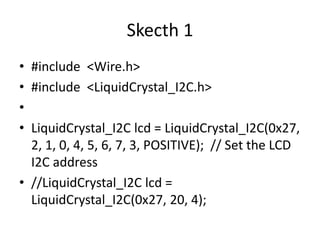
Skecth 1
• #include <Wire.h>
• #include <LiquidCrystal_I2C.h>
•
• LiquidCrystal_I2C lcd = LiquidCrystal_I2C(0x27,
2, 1, 0, 4, 5, 6, 7, 3, POSITIVE); // Set the LCD
I2C address
• //LiquidCrystal_I2C lcd =
LiquidCrystal_I2C(0x27, 20, 4);
Skecth 2
• void setup()
• {
• Serial.begin(9600);
•
• lcd.begin(20,4); // initialize the lcd for 16 chars
2 lines, turn on backlight
• // delay(2000);
• // lcd.init();
• // lcd.backlight();
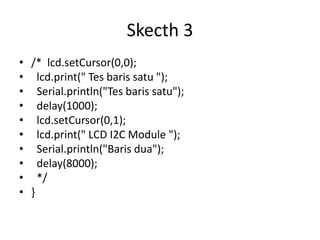
Skecth 3
• /* lcd.setCursor(0,0);
• lcd.print(" Tes baris satu ");
• Serial.println("Tes baris satu");
• delay(1000);
• lcd.setCursor(0,1);
• lcd.print(" LCD I2C Module ");
• Serial.println("Baris dua");
• delay(8000);
• */
• }
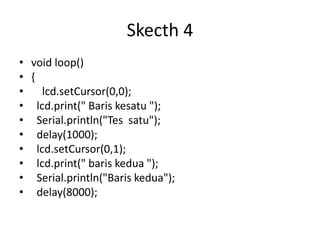
Skecth 4
• void loop()
• {
• lcd.setCursor(0,0);
• lcd.print(" Baris kesatu ");
• Serial.println("Tes satu");
• delay(1000);
• lcd.setCursor(0,1);
• lcd.print(" baris kedua ");
• Serial.println("Baris kedua");
• delay(8000);
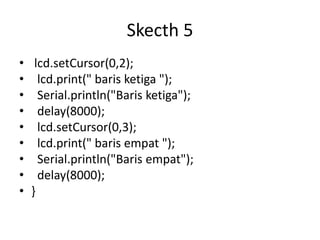
Skecth 5
• lcd.setCursor(0,2);
• lcd.print(" baris ketiga ");
• Serial.println("Baris ketiga");
• delay(8000);
• lcd.setCursor(0,3);
• lcd.print(" baris empat ");
• Serial.println("Baris empat");
• delay(8000);
• }

Arduino LCD 16x2.pptx

  • 1.
  • 2.
    Skecth 1 • #include<Wire.h> • #include <LiquidCrystal_I2C.h> • • LiquidCrystal_I2C lcd = LiquidCrystal_I2C(0x27, 2, 1, 0, 4, 5, 6, 7, 3, POSITIVE); // Set the LCD I2C address • //LiquidCrystal_I2C lcd = LiquidCrystal_I2C(0x27, 20, 4);
  • 3.
    Skecth 2 • voidsetup() • { • Serial.begin(9600); • • lcd.begin(20,4); // initialize the lcd for 16 chars 2 lines, turn on backlight • // delay(2000); • // lcd.init(); • // lcd.backlight();
  • 4.
    Skecth 3 • /*lcd.setCursor(0,0); • lcd.print(" Tes baris satu "); • Serial.println("Tes baris satu"); • delay(1000); • lcd.setCursor(0,1); • lcd.print(" LCD I2C Module "); • Serial.println("Baris dua"); • delay(8000); • */ • }
  • 5.
    Skecth 4 • voidloop() • { • lcd.setCursor(0,0); • lcd.print(" Baris kesatu "); • Serial.println("Tes satu"); • delay(1000); • lcd.setCursor(0,1); • lcd.print(" baris kedua "); • Serial.println("Baris kedua"); • delay(8000);
  • 6.
    Skecth 5 • lcd.setCursor(0,2); •lcd.print(" baris ketiga "); • Serial.println("Baris ketiga"); • delay(8000); • lcd.setCursor(0,3); • lcd.print(" baris empat "); • Serial.println("Baris empat"); • delay(8000); • }