Angular Basics
Angular Pipes
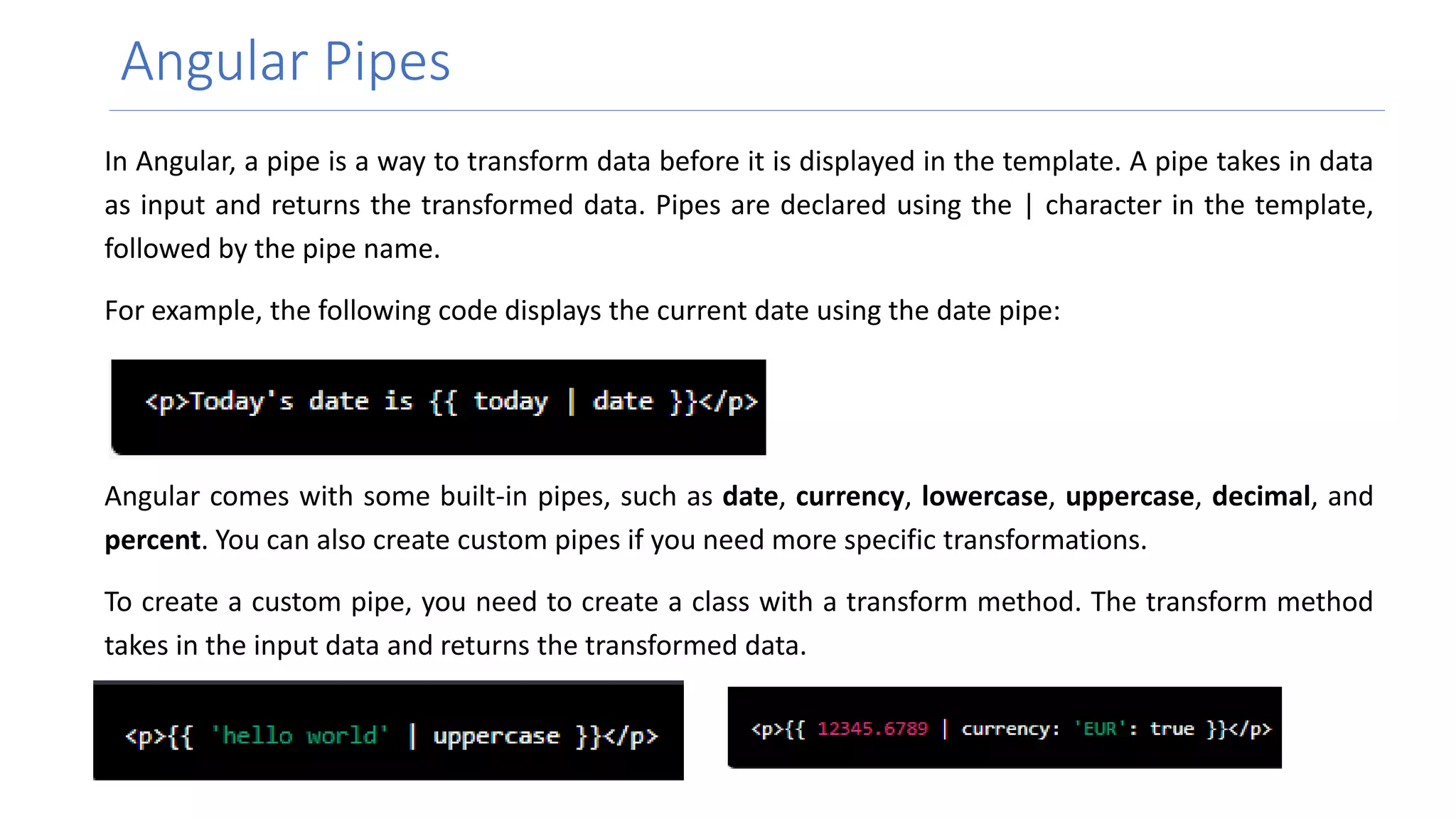
In Angular, a pipe is a way to transform data before it is displayed in the template. A pipe takes in data
as input and returns the transformed data. Pipes are declared using the | character in the template,
followed by the pipe name.
For example, the following code displays the current date using the date pipe:
Angular comes with some built-in pipes, such as date, currency, lowercase, uppercase, decimal, and
percent. You can also create custom pipes if you need more specific transformations.
To create a custom pipe, you need to create a class with a transform method. The transform method
takes in the input data and returns the transformed data.
Angular Pipes
Custom Pipes
To create a custom pipe, you need to create a class
with a transform method. The transform method
takes in the input data and returns the transformed
data. Here is an example of a custom pipe that
reverse the order of the characters in a string:
Angular Pipes
Parameterized Pipes
A parameterized custom pipe is a custom pipe that takes one or more arguments that can
be used to customize the transformation. The arguments are passed to the pipe after the
pipe name in the template, separated by colons.
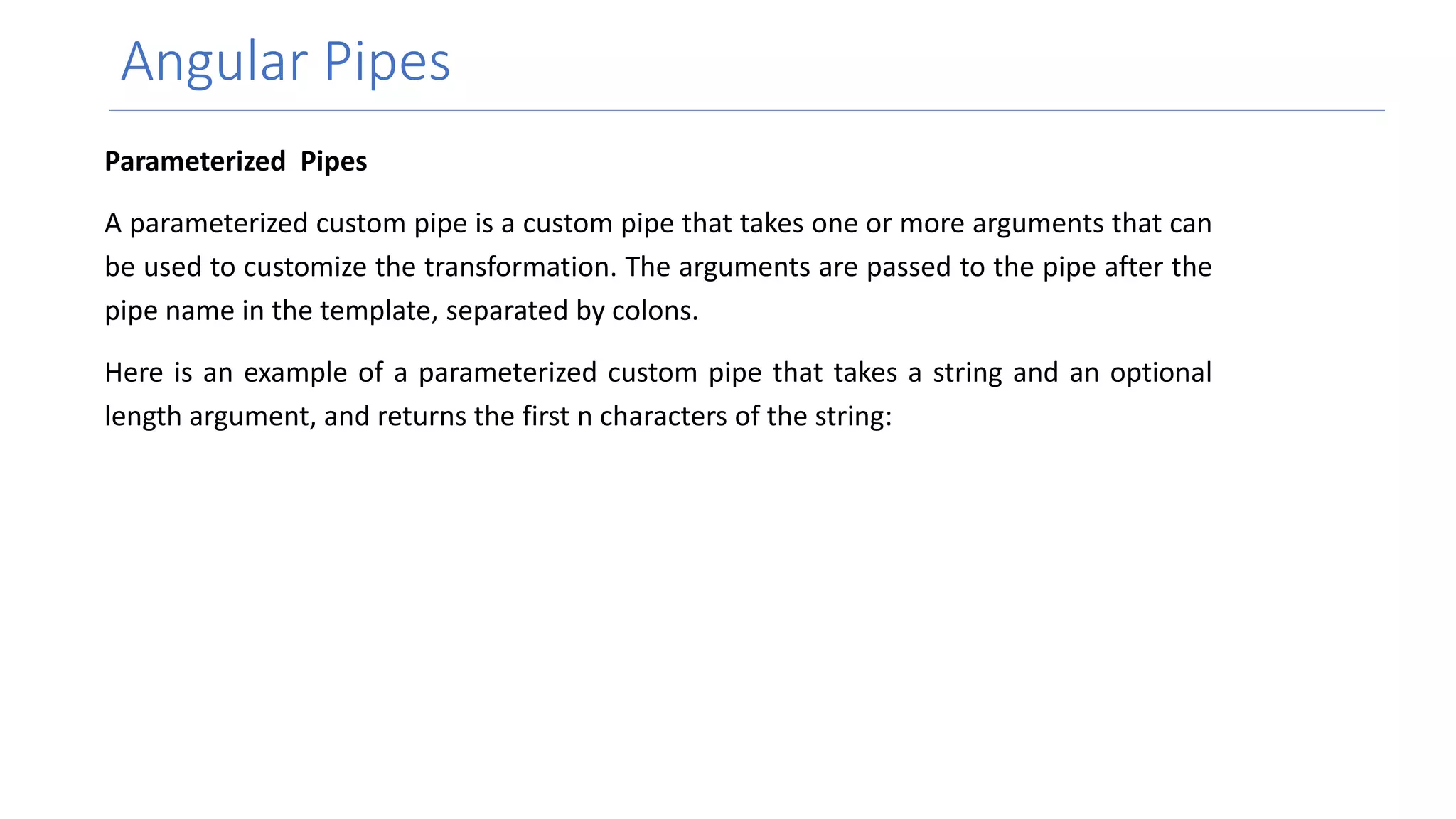
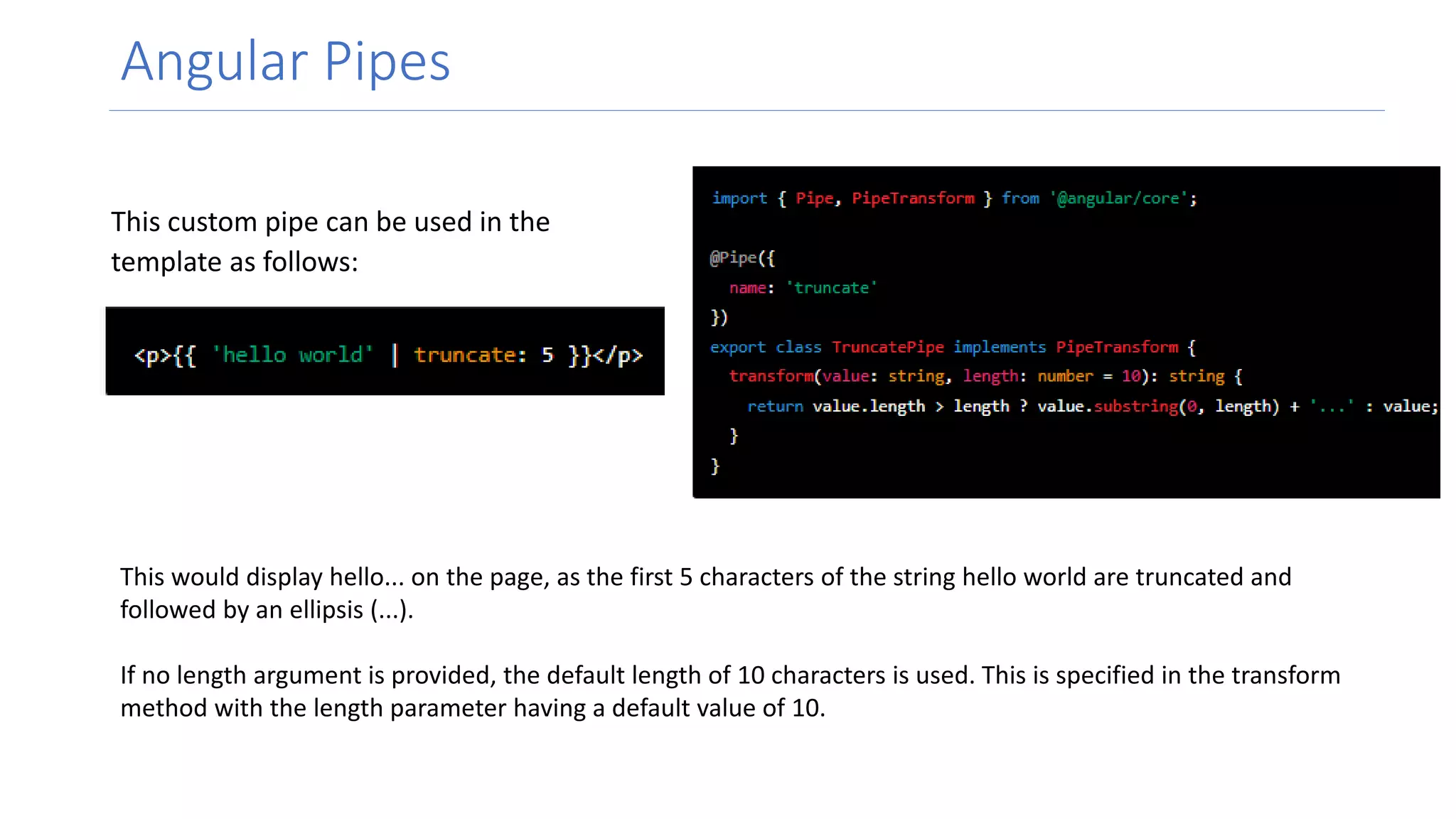
Here is an example of a parameterized custom pipe that takes a string and an optional
length argument, and returns the first n characters of the string:
Angular Pipes
This custom pipe can be used in the
template as follows:
This would display hello... on the page, as the first 5 characters of the string hello world are truncated and
followed by an ellipsis (...).
If no length argument is provided, the default length of 10 characters is used. This is specified in the transform
method with the length parameter having a default value of 10.
Questions ?
Thank You

Angular Pipes.pptx

  • 1.
  • 2.
    Angular Pipes In Angular,a pipe is a way to transform data before it is displayed in the template. A pipe takes in data as input and returns the transformed data. Pipes are declared using the | character in the template, followed by the pipe name. For example, the following code displays the current date using the date pipe: Angular comes with some built-in pipes, such as date, currency, lowercase, uppercase, decimal, and percent. You can also create custom pipes if you need more specific transformations. To create a custom pipe, you need to create a class with a transform method. The transform method takes in the input data and returns the transformed data.
  • 3.
    Angular Pipes Custom Pipes Tocreate a custom pipe, you need to create a class with a transform method. The transform method takes in the input data and returns the transformed data. Here is an example of a custom pipe that reverse the order of the characters in a string:
  • 4.
    Angular Pipes Parameterized Pipes Aparameterized custom pipe is a custom pipe that takes one or more arguments that can be used to customize the transformation. The arguments are passed to the pipe after the pipe name in the template, separated by colons. Here is an example of a parameterized custom pipe that takes a string and an optional length argument, and returns the first n characters of the string:
  • 5.
    Angular Pipes This custompipe can be used in the template as follows: This would display hello... on the page, as the first 5 characters of the string hello world are truncated and followed by an ellipsis (...). If no length argument is provided, the default length of 10 characters is used. This is specified in the transform method with the length parameter having a default value of 10.
  • 6.
  • 7.