Twitter : @mhidaka
rabbitlog@gmail.com
   携帯情報機器などで数m程度の機器間接続
    に使われる短距離無線通信技術の一つ

   Socketを使って抽象化
       ほかのJavaのネットワークプログラミングと同等
   Android SDK 2.0 (Api Level .5)
       Import andorid.bluetooth.*
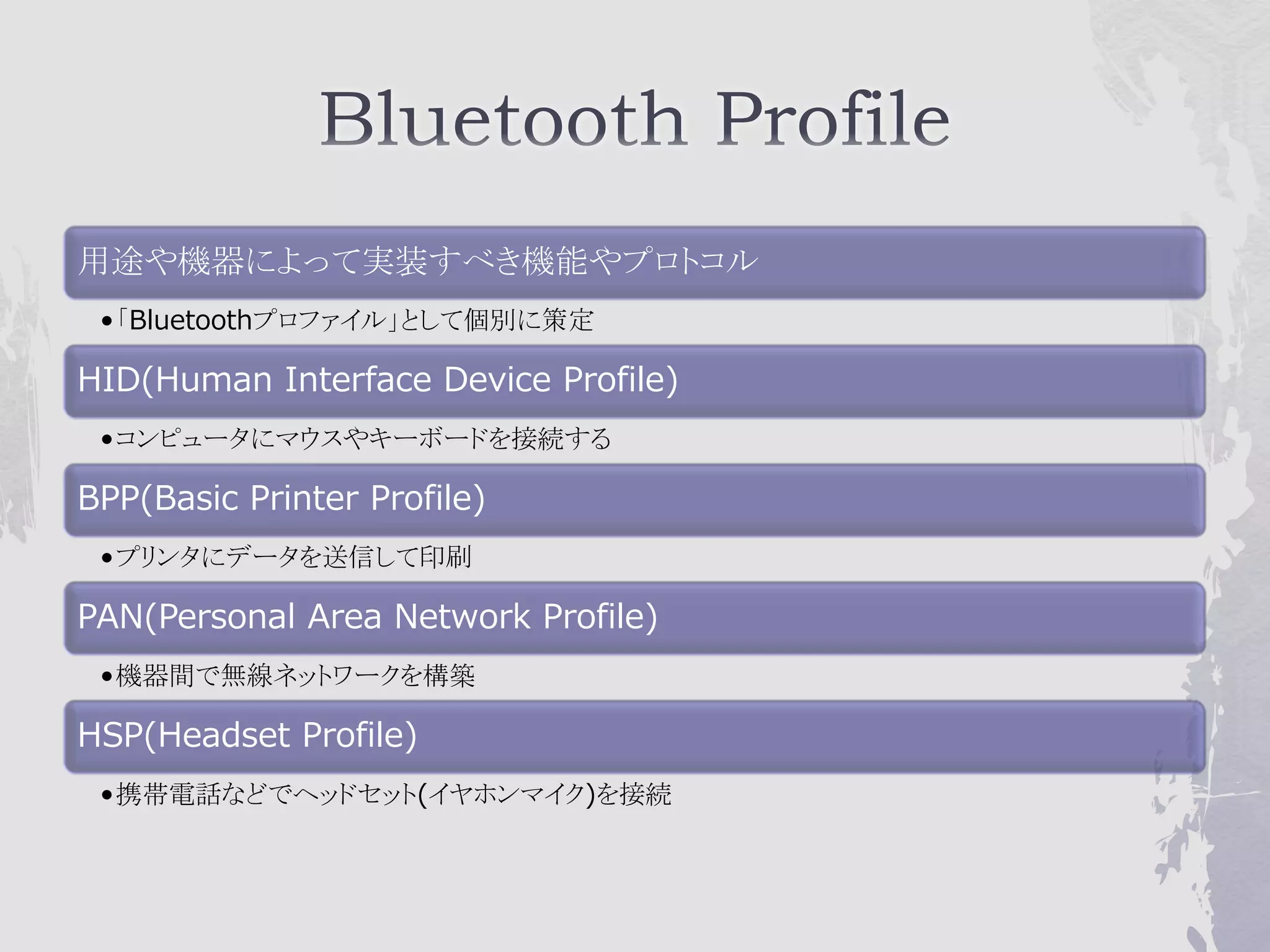
用途や機器によって実装すべき機能やプロトコル
 •「Bluetoothプロファイル」として個別に策定

HID(Human Interface Device Profile)
 •コンピュータにマウスやキーボードを接続する

BPP(Basic Printer Profile)
 •プリンタにデータを送信して印刷

PAN(Personal Area Network Profile)
 •機器間で無線ネットワークを構築

HSP(Headset Profile)
 •携帯電話などでヘッドセット(イヤホンマイク)を接続
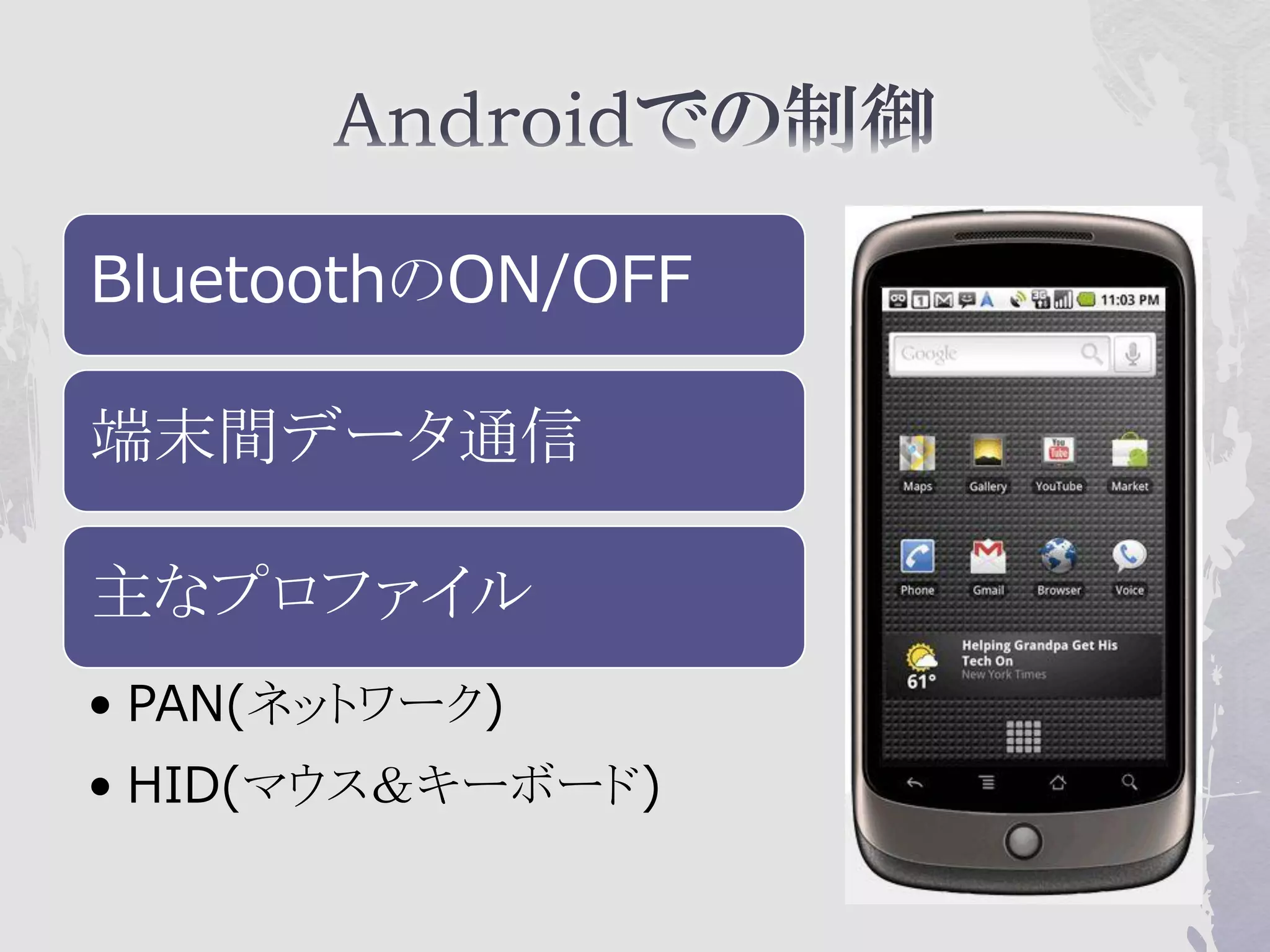
BluetoothのON/OFF

端末間データ通信

主なプロファイル
• PAN(ネットワーク)
• HID(マウス&キーボード)
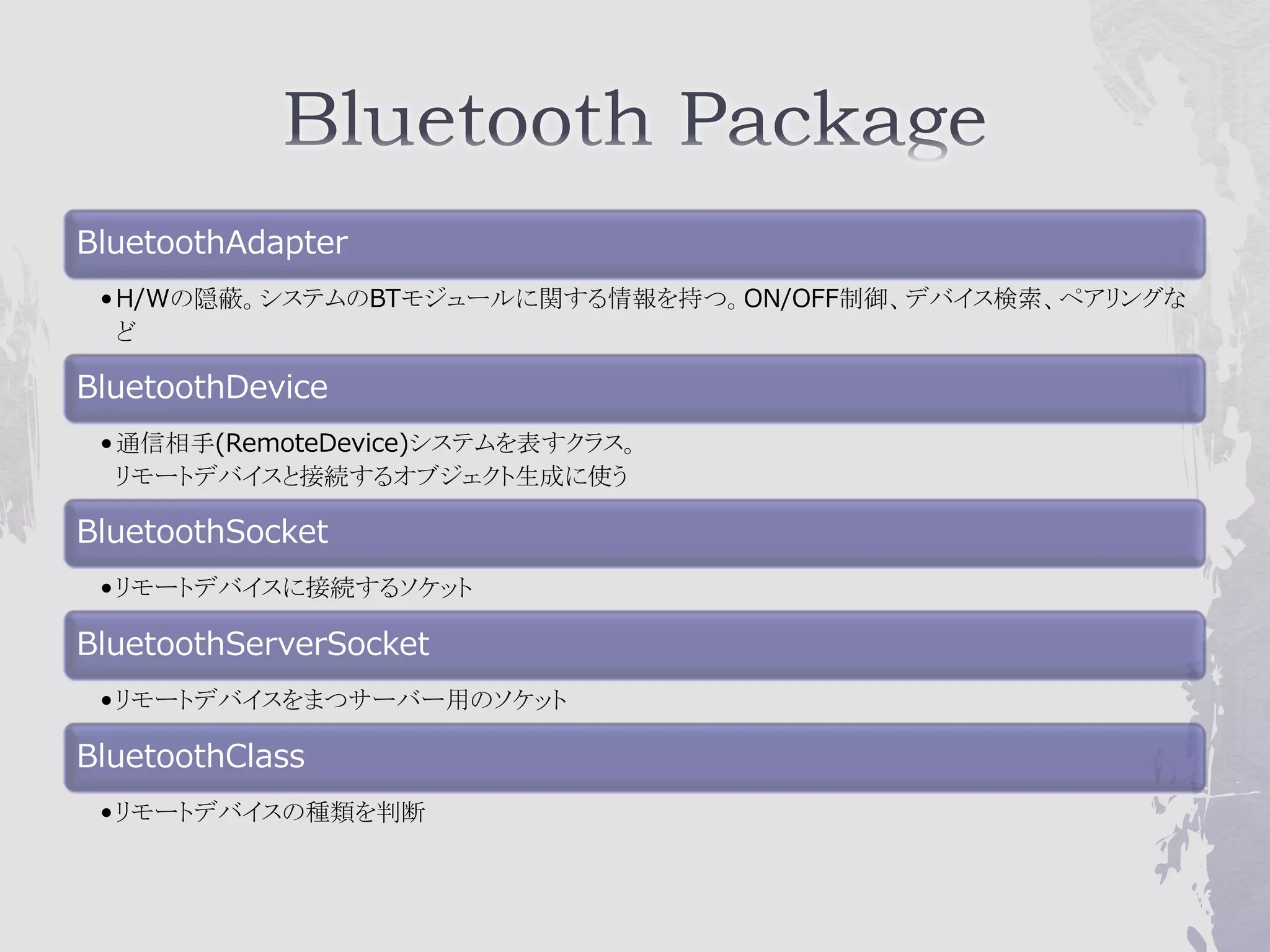
BluetoothAdapter
 • H/Wの隠蔽。システムのBTモジュールに関する情報を持つ。ON/OFF制御、デバイス検索、ペアリングな
   ど

BluetoothDevice
 • 通信相手(RemoteDevice)システムを表すクラス。
   リモートデバイスと接続するオブジェクト生成に使う

BluetoothSocket
 • リモートデバイスに接続するソケット

BluetoothServerSocket
 • リモートデバイスをまつサーバー用のソケット

BluetoothClass
 • リモートデバイスの種類を判断
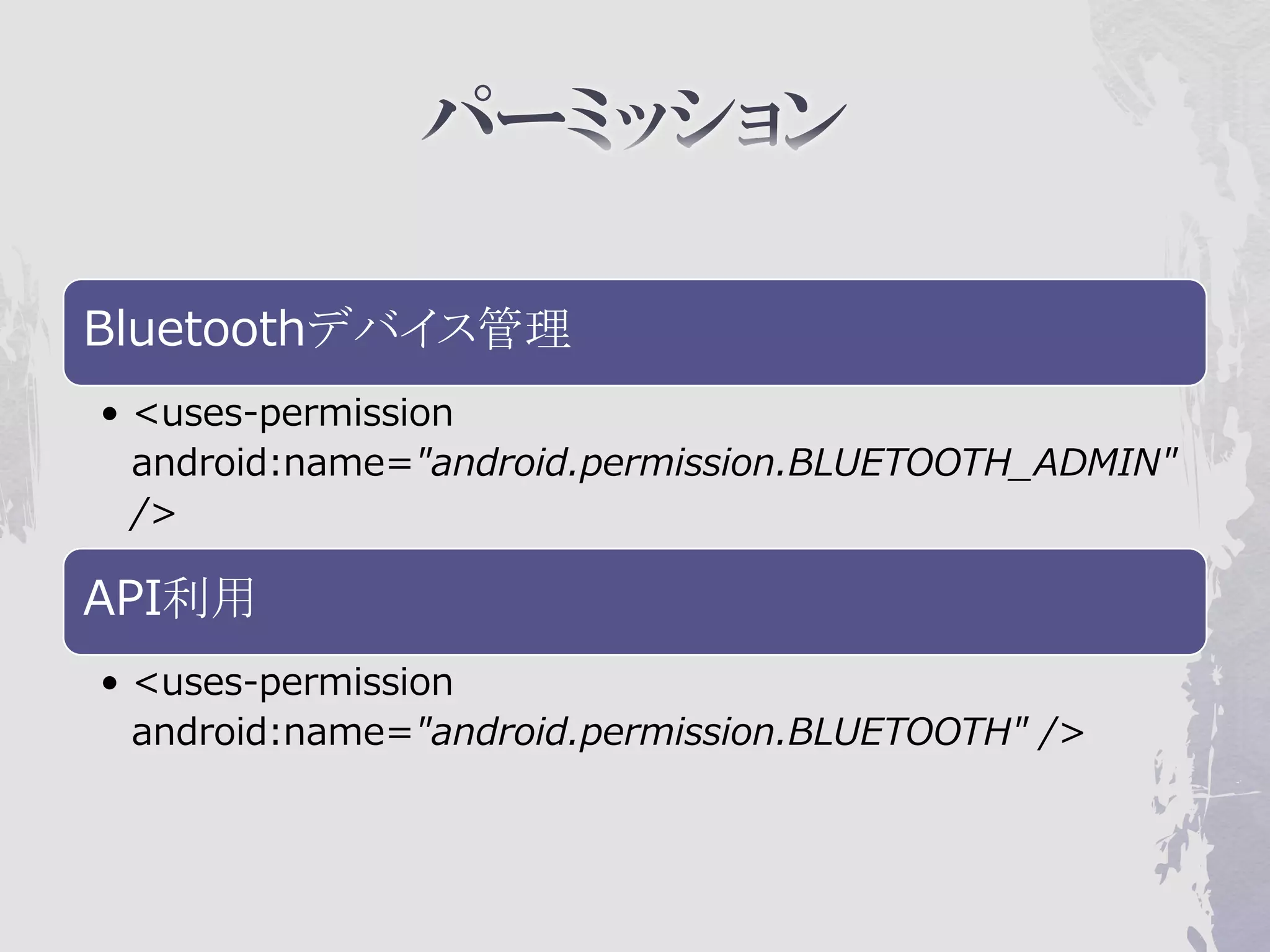
Bluetoothデバイス管理
• <uses-permission
  android:name="android.permission.BLUETOOTH_ADMIN"
  />

API利用
• <uses-permission
  android:name="android.permission.BLUETOOTH" />
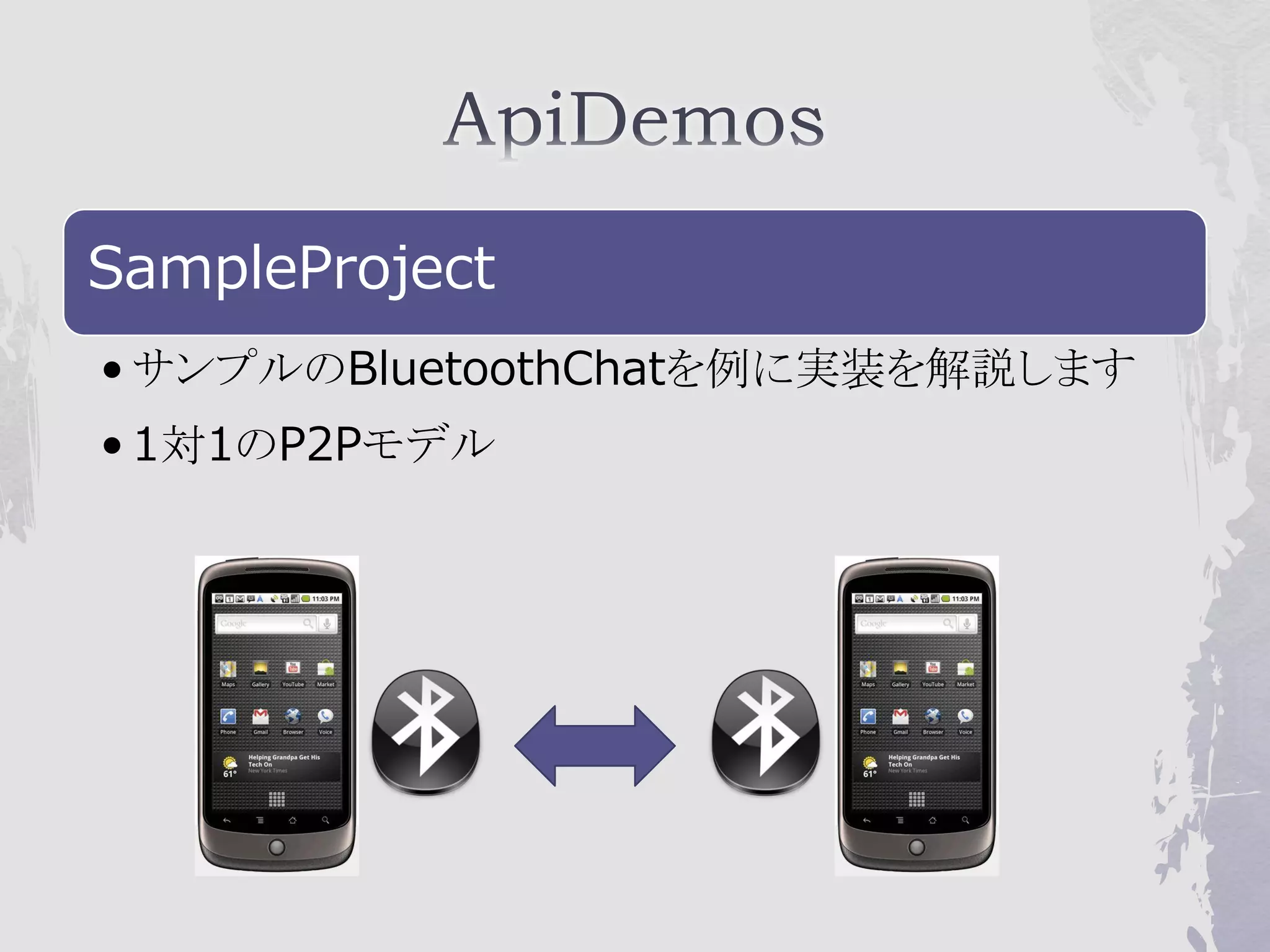
SampleProject
• サンプルのBluetoothChatを例に実装を解説します
• 1対1のP2Pモデル
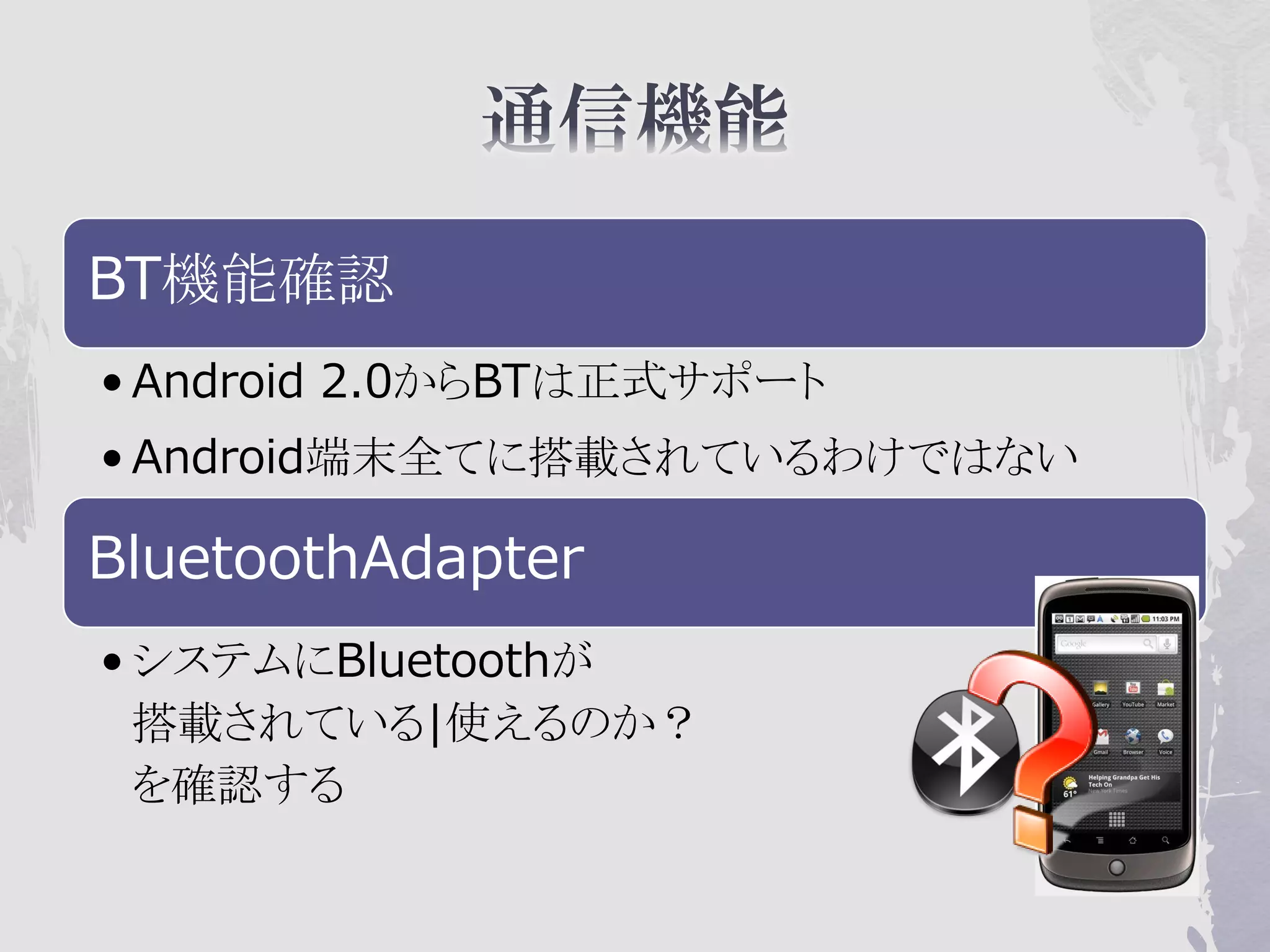
BT機能確認
• Android 2.0からBTは正式サポート
• Android端末全てに搭載されているわけではない

BluetoothAdapter
• システムにBluetoothが
  搭載されている|使えるのか?
  を確認する
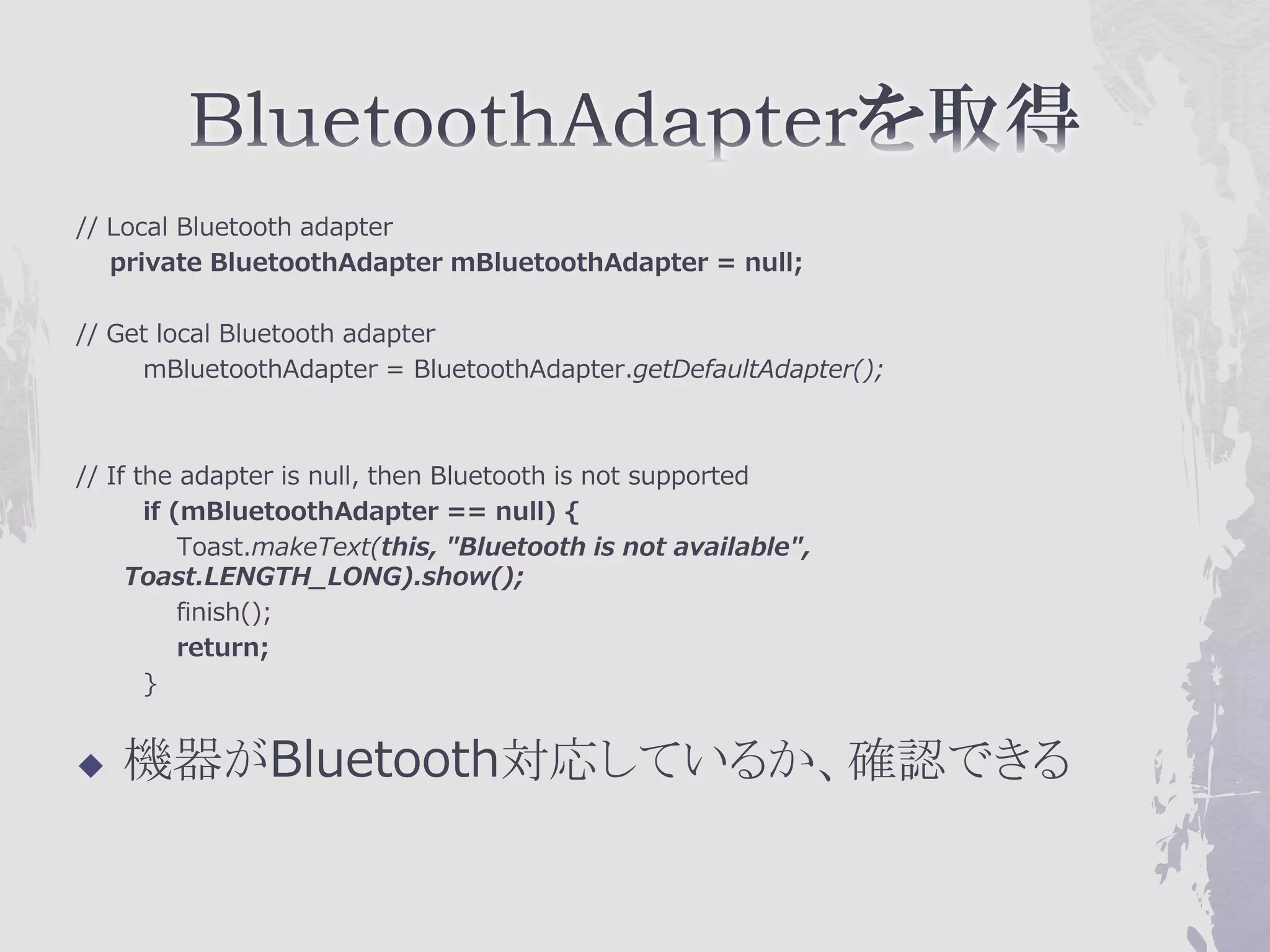
// Local Bluetooth adapter
   private BluetoothAdapter mBluetoothAdapter = null;

// Get local Bluetooth adapter
     mBluetoothAdapter = BluetoothAdapter.getDefaultAdapter();


// If the adapter is null, then Bluetooth is not supported
       if (mBluetoothAdapter == null) {
           Toast.makeText(this, "Bluetooth is not available",
     Toast.LENGTH_LONG).show();
           finish();
           return;
       }


   機器がBluetooth対応しているか、確認できる
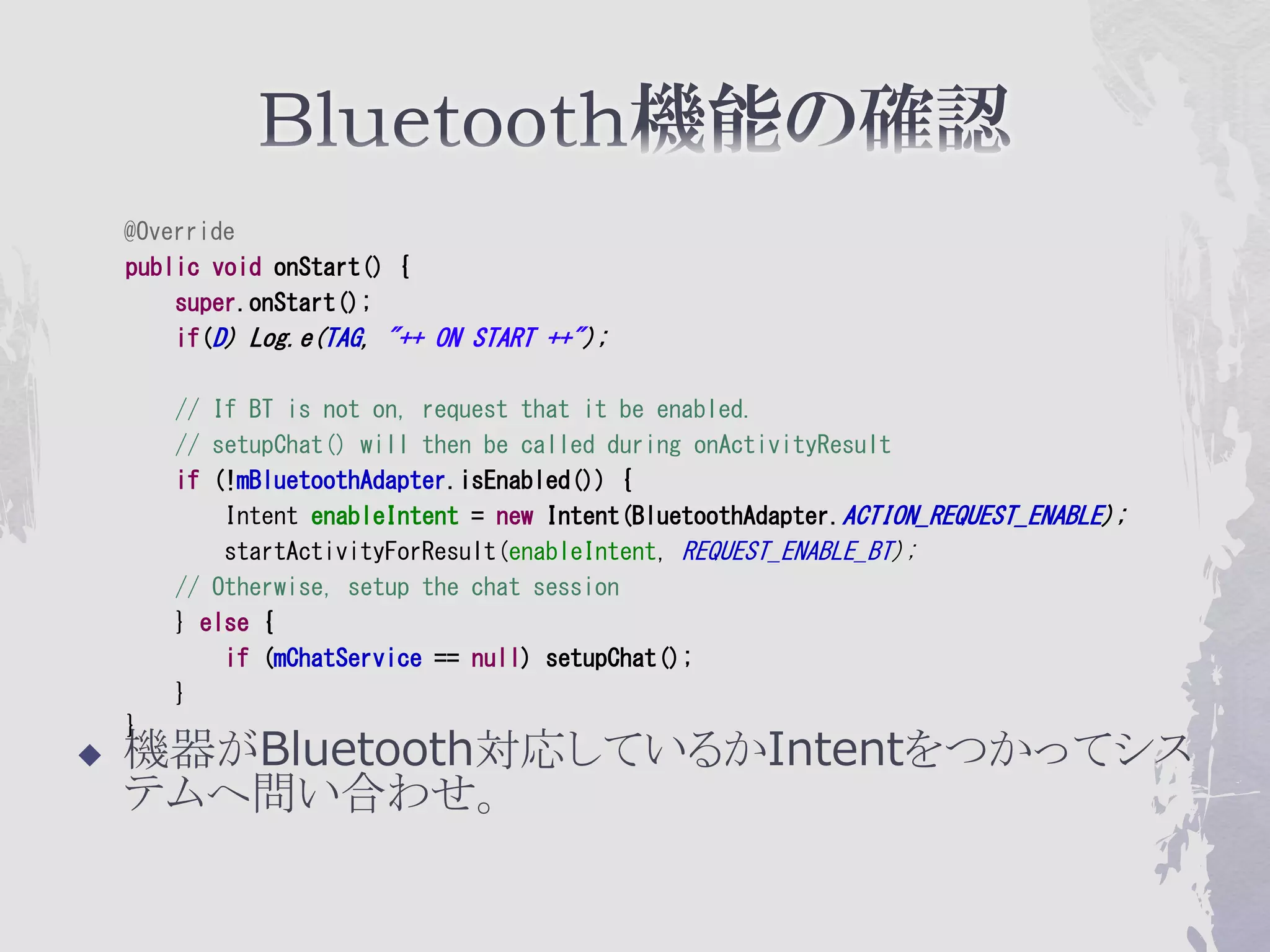
@Override
    public void onStart() {
        super.onStart();
        if(D) Log.e(TAG, "++ ON START ++");

        // If BT is not on, request that it be enabled.
        // setupChat() will then be called during onActivityResult
        if (!mBluetoothAdapter.isEnabled()) {
            Intent enableIntent = new Intent(BluetoothAdapter.ACTION_REQUEST_ENABLE);
            startActivityForResult(enableIntent, REQUEST_ENABLE_BT);
        // Otherwise, setup the chat session
        } else {
            if (mChatService == null) setupChat();
        }
    }
   機器がBluetooth対応しているかIntentをつかってシス
    テムへ問い合わせ。
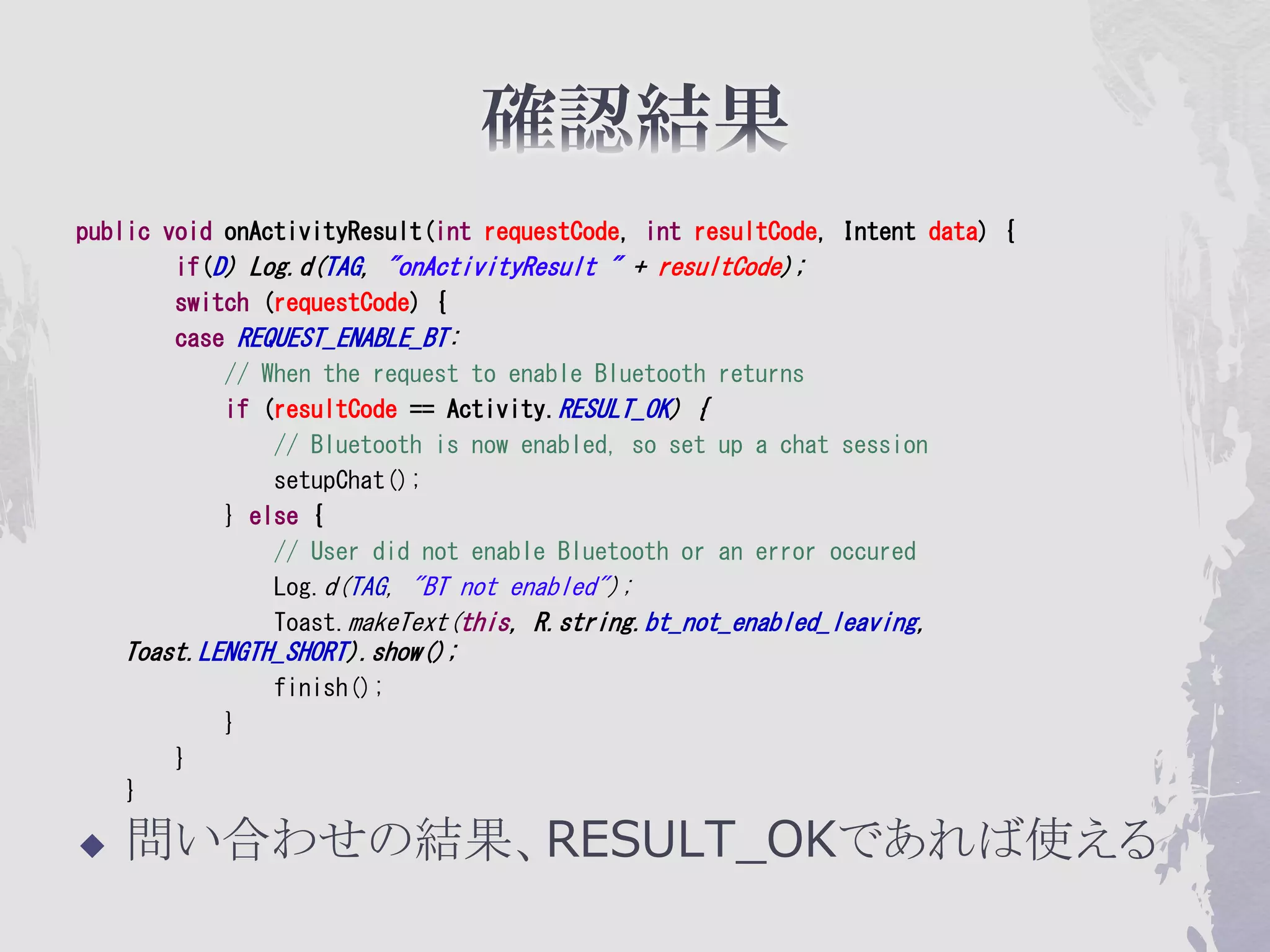
public void onActivityResult(int requestCode, int resultCode, Intent data) {
        if(D) Log.d(TAG, "onActivityResult " + resultCode);
        switch (requestCode) {
        case REQUEST_ENABLE_BT:
            // When the request to enable Bluetooth returns
            if (resultCode == Activity.RESULT_OK) {
                // Bluetooth is now enabled, so set up a chat session
                setupChat();
            } else {
                // User did not enable Bluetooth or an error occured
                Log.d(TAG, "BT not enabled");
                Toast.makeText(this, R.string.bt_not_enabled_leaving,
    Toast.LENGTH_SHORT).show();
                finish();
            }
        }
    }

   問い合わせの結果、RESULT_OKであれば使える
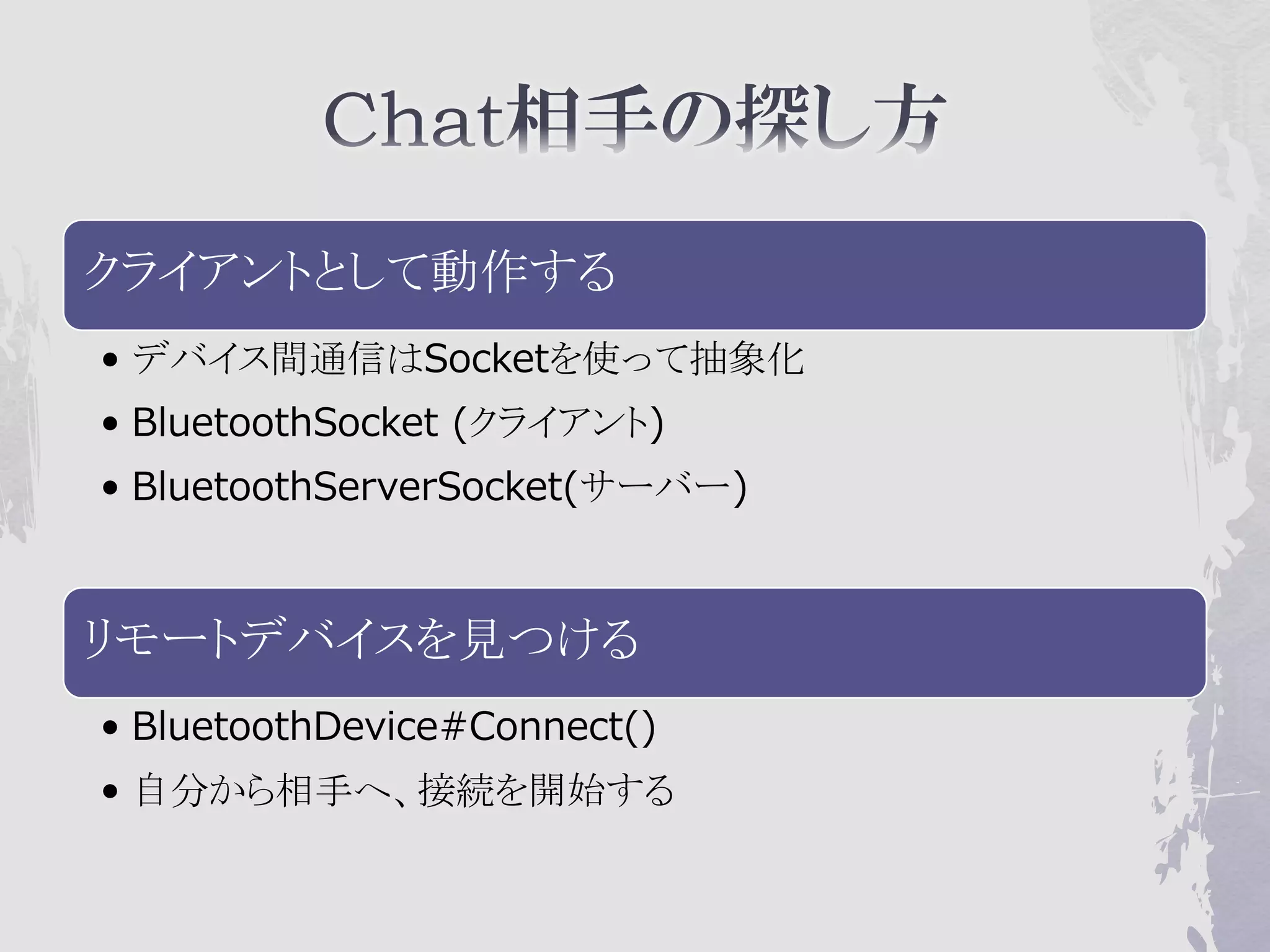
クライアントとして動作する
• デバイス間通信はSocketを使って抽象化
• BluetoothSocket (クライアント)
• BluetoothServerSocket(サーバー)


リモートデバイスを見つける
• BluetoothDevice#Connect()
• 自分から相手へ、接続を開始する
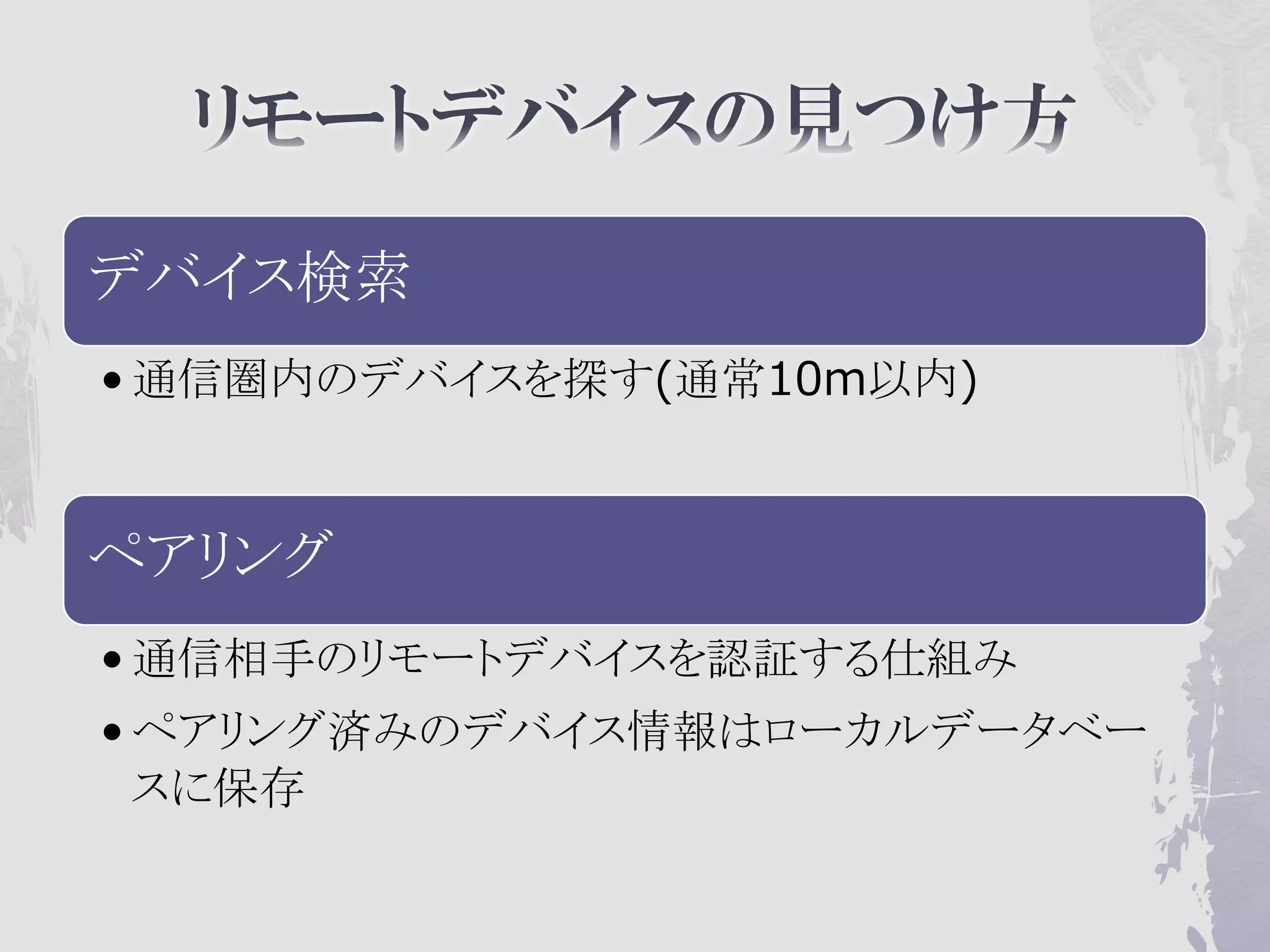
デバイス検索
• 通信圏内のデバイスを探す(通常10m以内)


ペアリング
• 通信相手のリモートデバイスを認証する仕組み
• ペアリング済みのデバイス情報はローカルデータベー
  スに保存
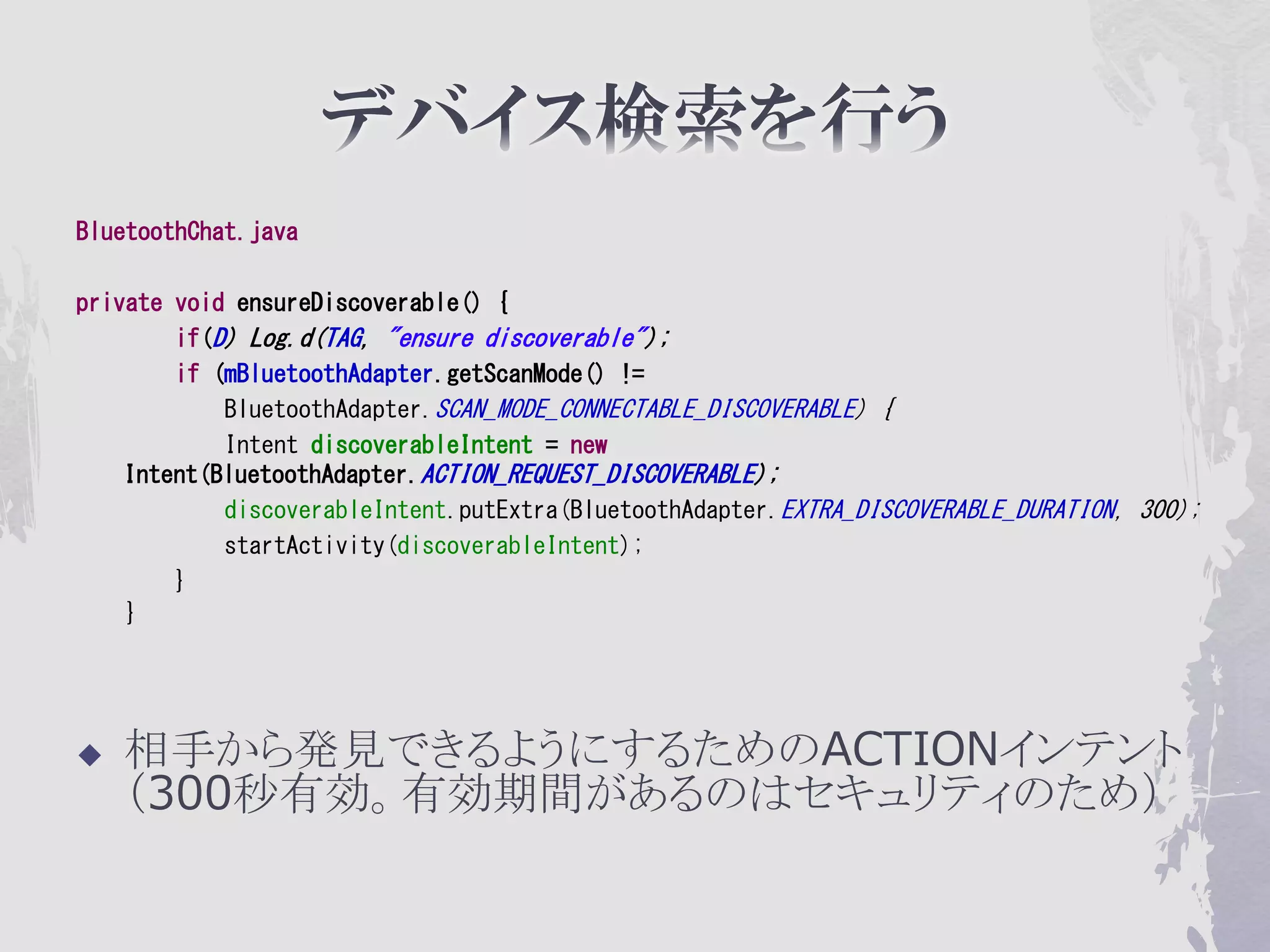
BluetoothChat.java

private void ensureDiscoverable() {
        if(D) Log.d(TAG, "ensure discoverable");
        if (mBluetoothAdapter.getScanMode() !=
            BluetoothAdapter.SCAN_MODE_CONNECTABLE_DISCOVERABLE) {
            Intent discoverableIntent = new
    Intent(BluetoothAdapter.ACTION_REQUEST_DISCOVERABLE);
            discoverableIntent.putExtra(BluetoothAdapter.EXTRA_DISCOVERABLE_DURATION, 300);
            startActivity(discoverableIntent);
        }
    }


   相手から発見できるようにするためのACTIONインテント
    (300秒有効。有効期間があるのはセキュリティのため)
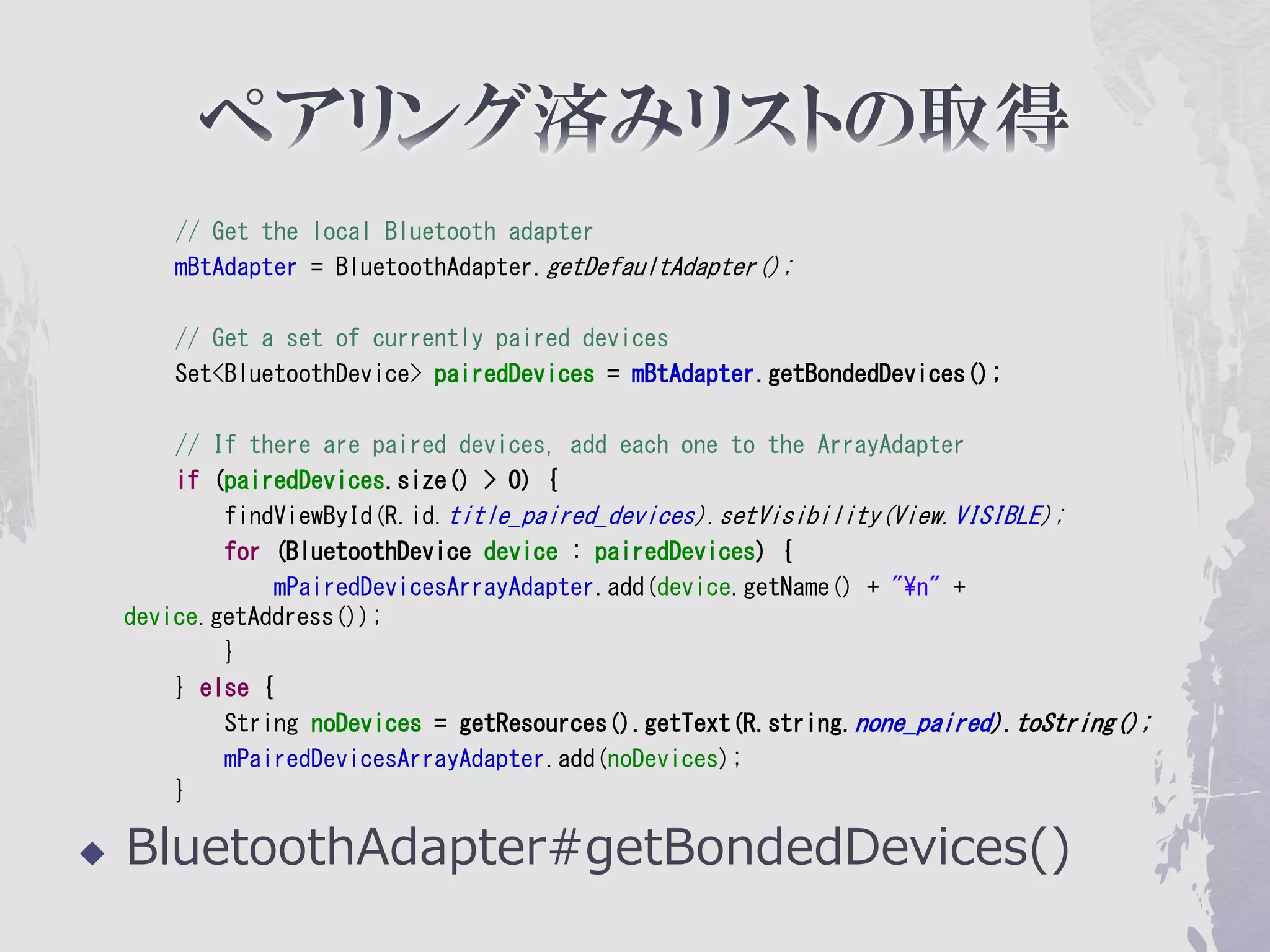
// Get the local Bluetooth adapter
        mBtAdapter = BluetoothAdapter.getDefaultAdapter();

        // Get a set of currently paired devices
        Set<BluetoothDevice> pairedDevices = mBtAdapter.getBondedDevices();

        // If there are paired devices, add each one to the ArrayAdapter
        if (pairedDevices.size() > 0) {
            findViewById(R.id.title_paired_devices).setVisibility(View.VISIBLE);
            for (BluetoothDevice device : pairedDevices) {
                 mPairedDevicesArrayAdapter.add(device.getName() + "¥n" +
    device.getAddress());
            }
        } else {
            String noDevices = getResources().getText(R.string.none_paired).toString();
            mPairedDevicesArrayAdapter.add(noDevices);
        }

   BluetoothAdapter#getBondedDevices()
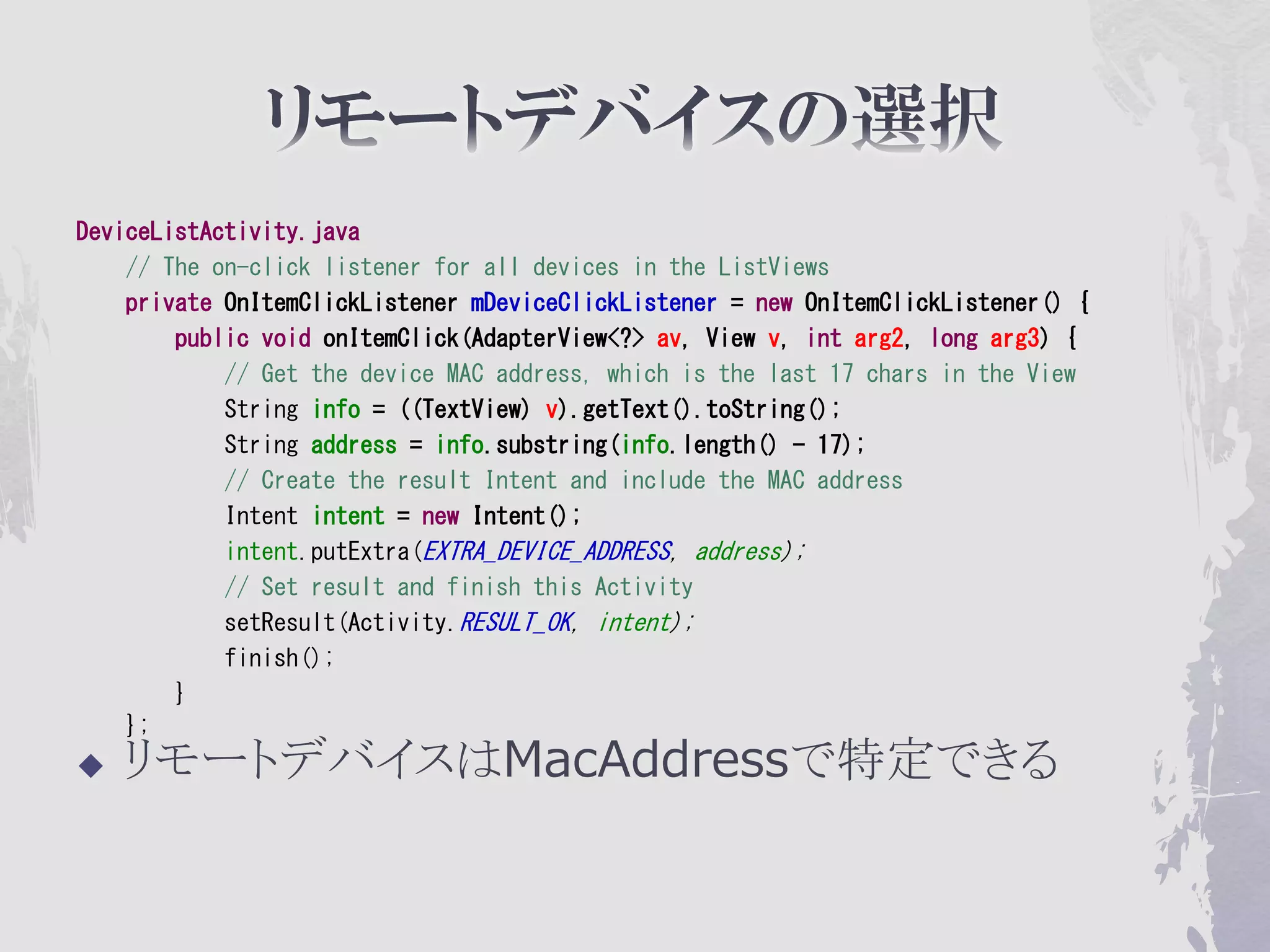
DeviceListActivity.java
    // The on-click listener for all devices in the ListViews
    private OnItemClickListener mDeviceClickListener = new OnItemClickListener() {
        public void onItemClick(AdapterView<?> av, View v, int arg2, long arg3) {
            // Get the device MAC address, which is the last 17 chars in the View
            String info = ((TextView) v).getText().toString();
            String address = info.substring(info.length() - 17);
            // Create the result Intent and include the MAC address
            Intent intent = new Intent();
            intent.putExtra(EXTRA_DEVICE_ADDRESS, address);
            // Set result and finish this Activity
            setResult(Activity.RESULT_OK, intent);
            finish();
        }
    };
   リモートデバイスはMacAddressで特定できる
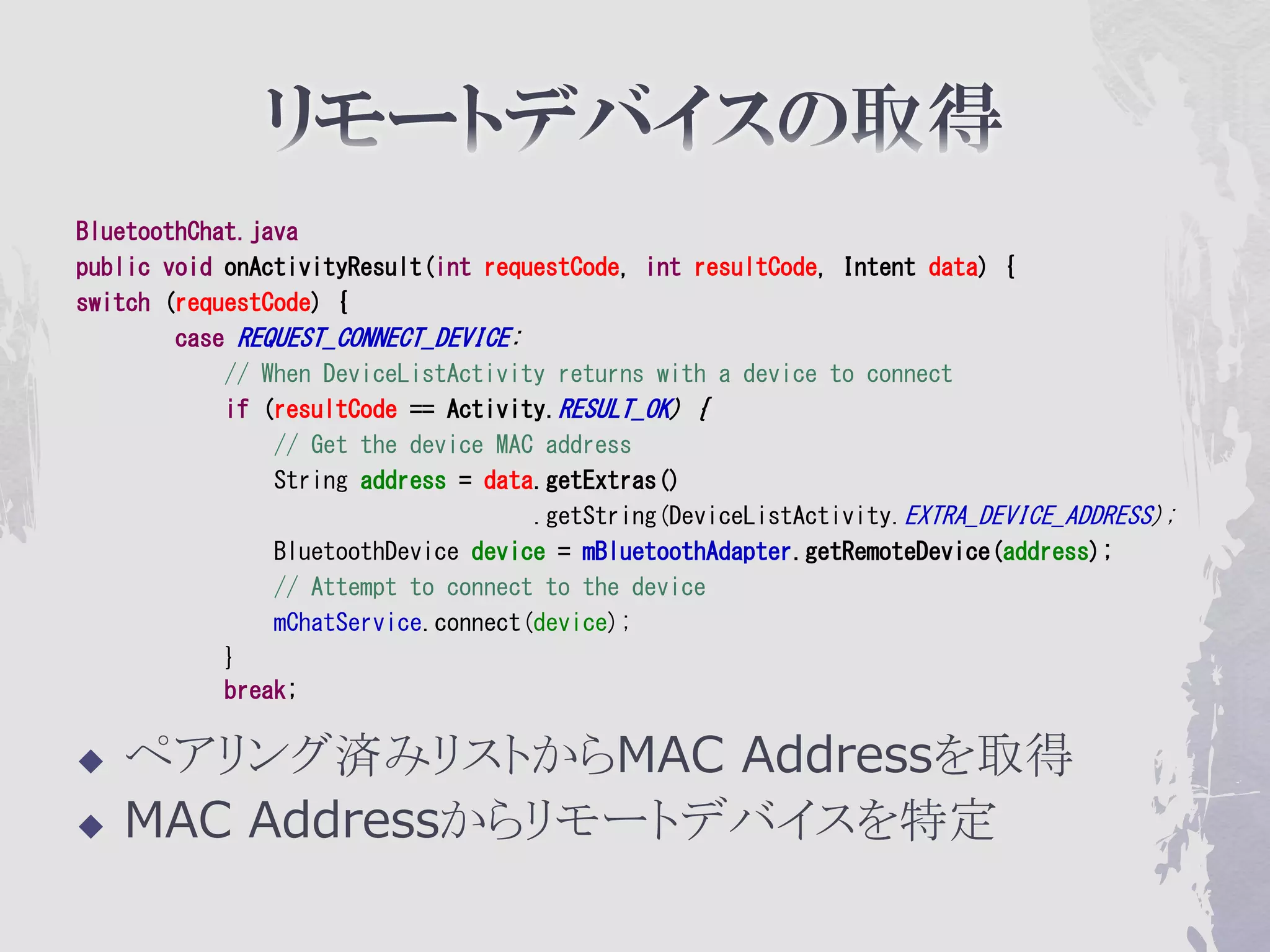
BluetoothChat.java
public void onActivityResult(int requestCode, int resultCode, Intent data) {
switch (requestCode) {
        case REQUEST_CONNECT_DEVICE:
            // When DeviceListActivity returns with a device to connect
            if (resultCode == Activity.RESULT_OK) {
                // Get the device MAC address
                String address = data.getExtras()
                                     .getString(DeviceListActivity.EXTRA_DEVICE_ADDRESS);
                BluetoothDevice device = mBluetoothAdapter.getRemoteDevice(address);
                // Attempt to connect to the device
                mChatService.connect(device);
            }
            break;

   ペアリング済みリストからMAC Addressを取得
   MAC Addressからリモートデバイスを特定
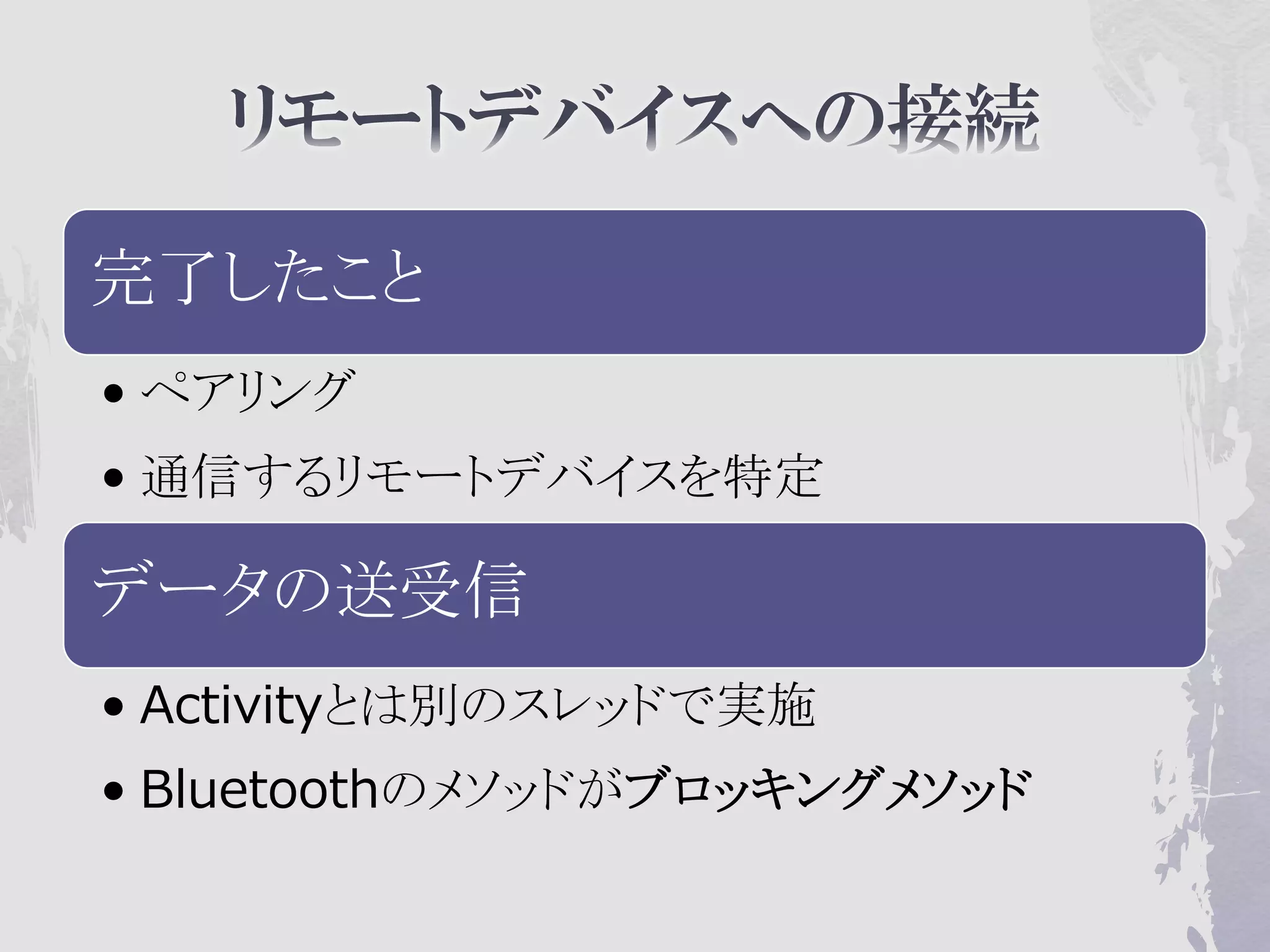
完了したこと
• ペアリング
• 通信するリモートデバイスを特定

データの送受信
• Activityとは別のスレッドで実施
• Bluetoothのメソッドがブロッキングメソッド
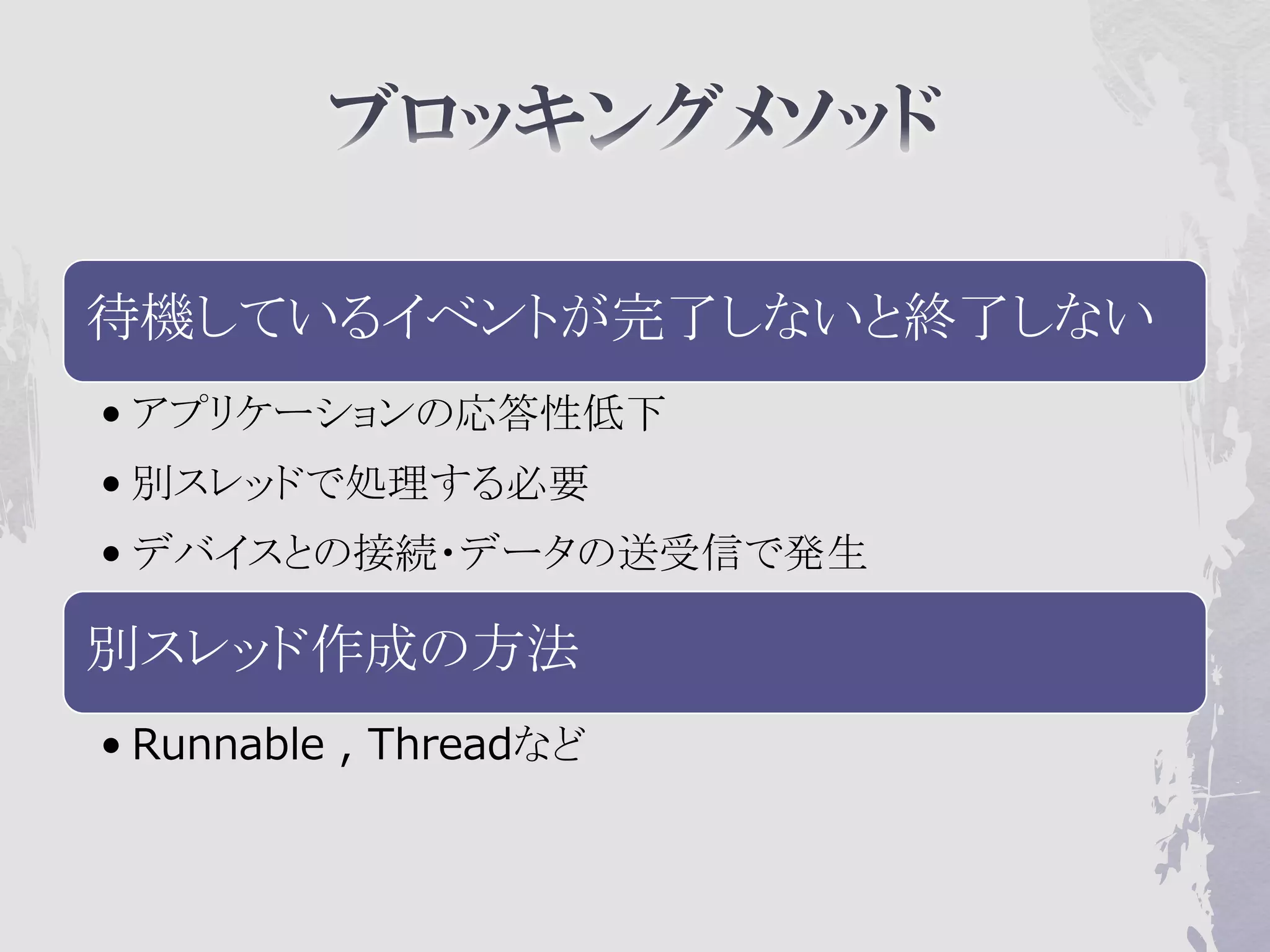
待機しているイベントが完了しないと終了しない
• アプリケーションの応答性低下
• 別スレッドで処理する必要
• デバイスとの接続・データの送受信で発生

別スレッド作成の方法
• Runnable , Threadなど
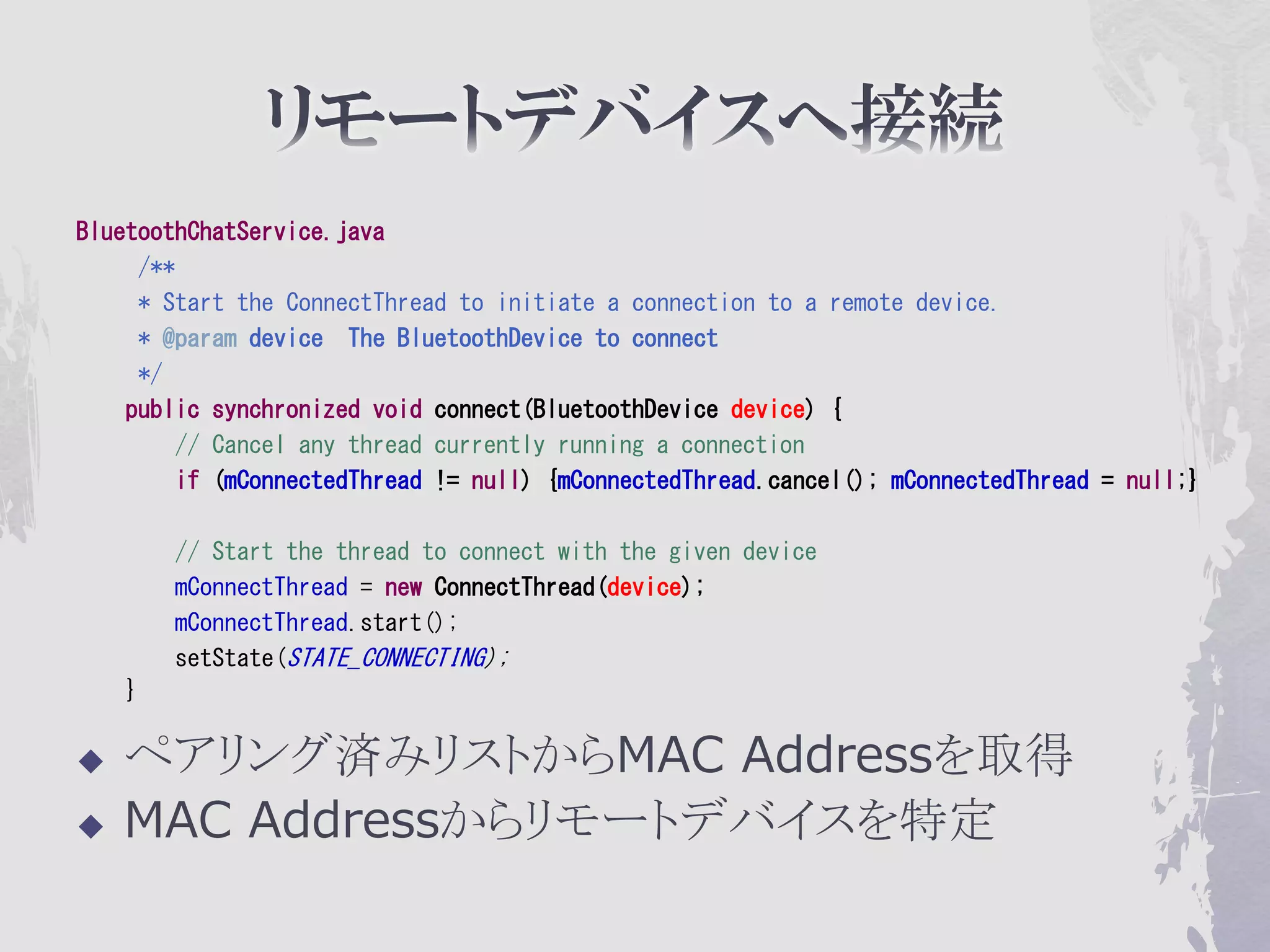
BluetoothChatService.java
     /**
     * Start the ConnectThread to initiate a connection to a remote device.
     * @param device The BluetoothDevice to connect
     */
    public synchronized void connect(BluetoothDevice device) {
        // Cancel any thread currently running a connection
        if (mConnectedThread != null) {mConnectedThread.cancel(); mConnectedThread = null;}

        // Start the thread to connect with the given device
        mConnectThread = new ConnectThread(device);
        mConnectThread.start();
        setState(STATE_CONNECTING);
    }

   ペアリング済みリストからMAC Addressを取得
   MAC Addressからリモートデバイスを特定
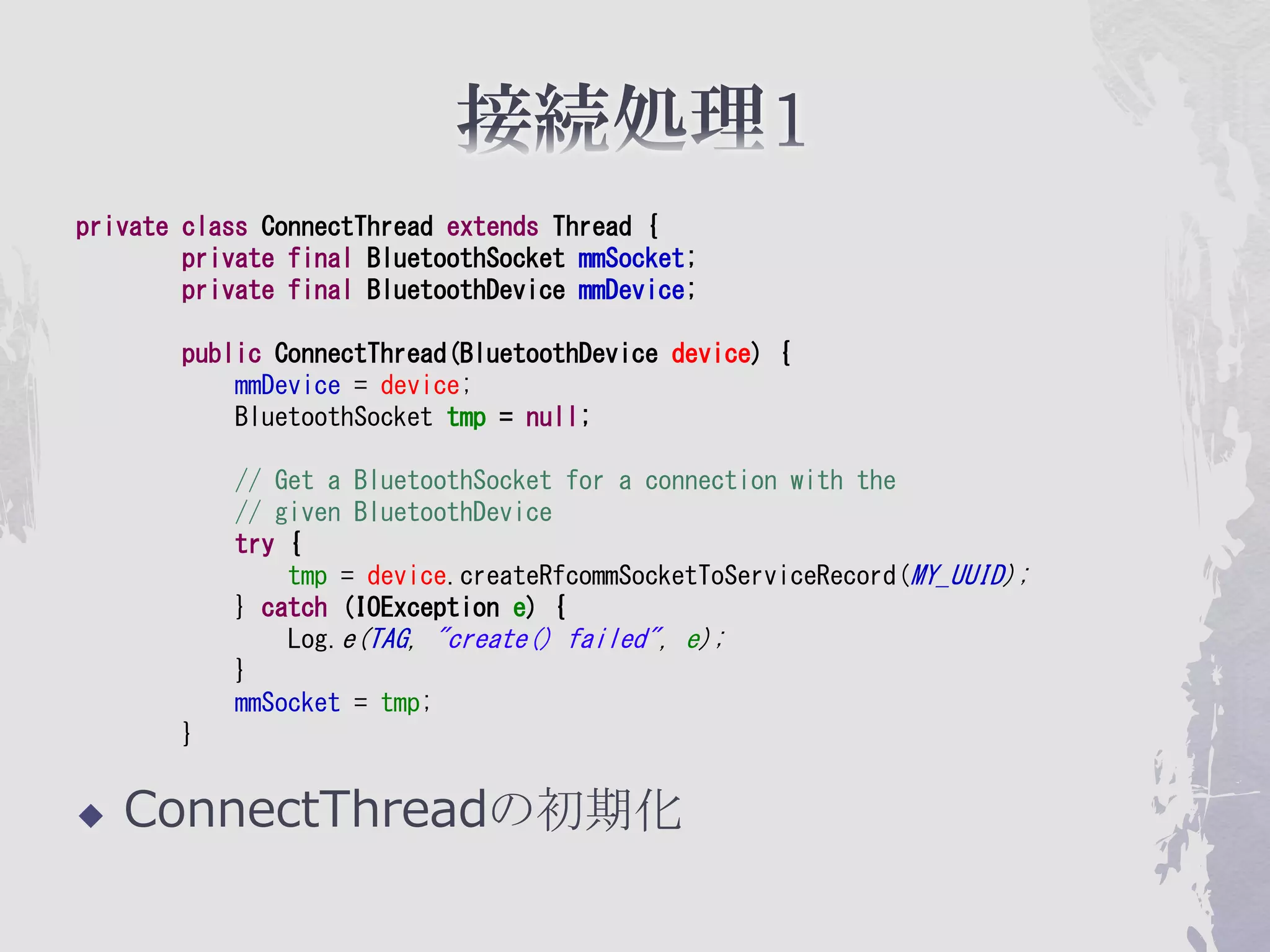
private class ConnectThread extends Thread {
        private final BluetoothSocket mmSocket;
        private final BluetoothDevice mmDevice;

        public ConnectThread(BluetoothDevice device) {
            mmDevice = device;
            BluetoothSocket tmp = null;

            // Get a BluetoothSocket for a connection with the
            // given BluetoothDevice
            try {
                tmp = device.createRfcommSocketToServiceRecord(MY_UUID);
            } catch (IOException e) {
                Log.e(TAG, "create() failed", e);
            }
            mmSocket = tmp;
        }


   ConnectThreadの初期化
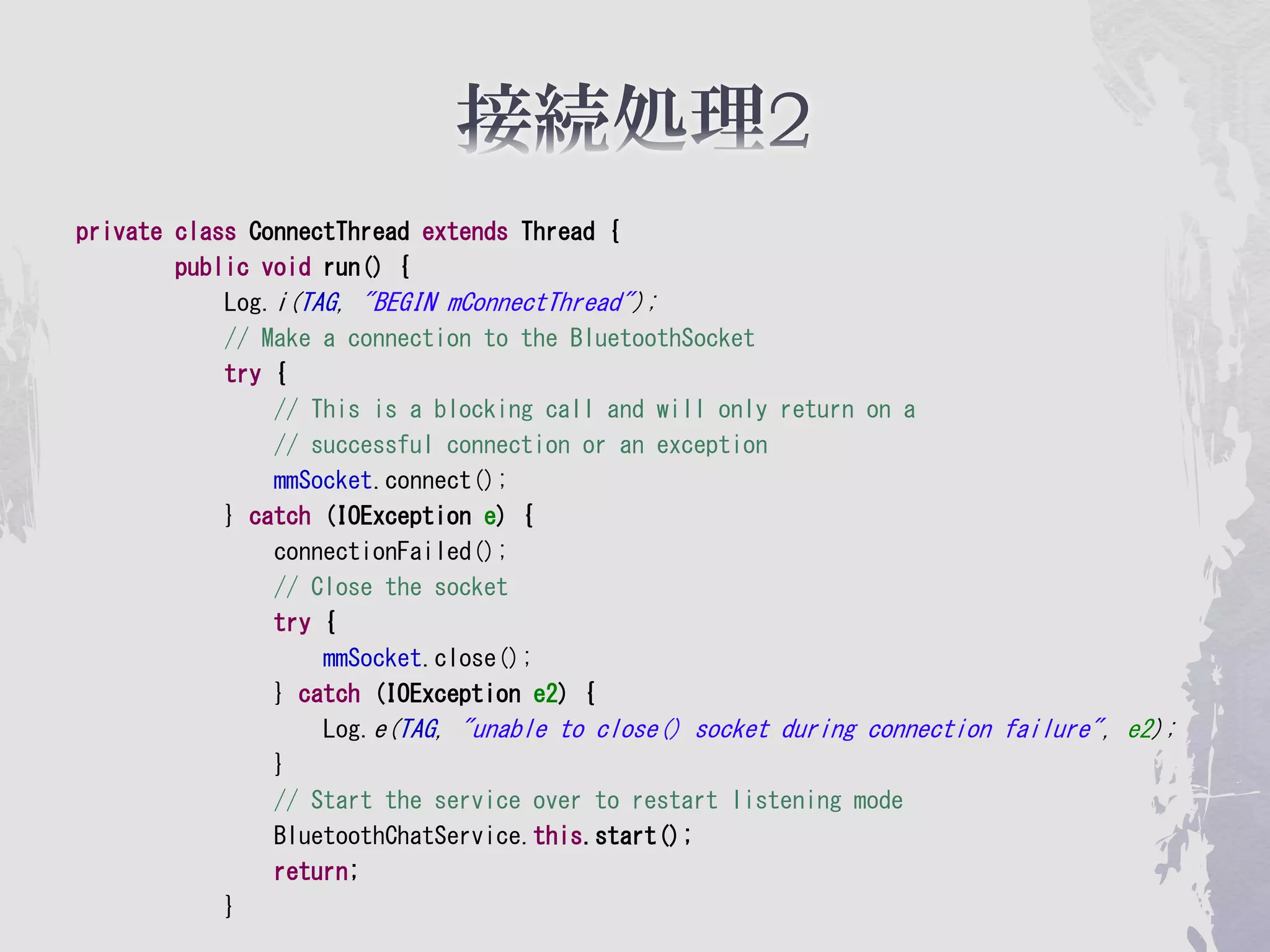
private class ConnectThread extends Thread {
        public void run() {
            Log.i(TAG, "BEGIN mConnectThread");
            // Make a connection to the BluetoothSocket
            try {
                // This is a blocking call and will only return on a
                // successful connection or an exception
                mmSocket.connect();
            } catch (IOException e) {
                connectionFailed();
                // Close the socket
                try {
                    mmSocket.close();
                } catch (IOException e2) {
                    Log.e(TAG, "unable to close() socket during connection failure", e2);
                }
                // Start the service over to restart listening mode
                BluetoothChatService.this.start();
                return;
            }
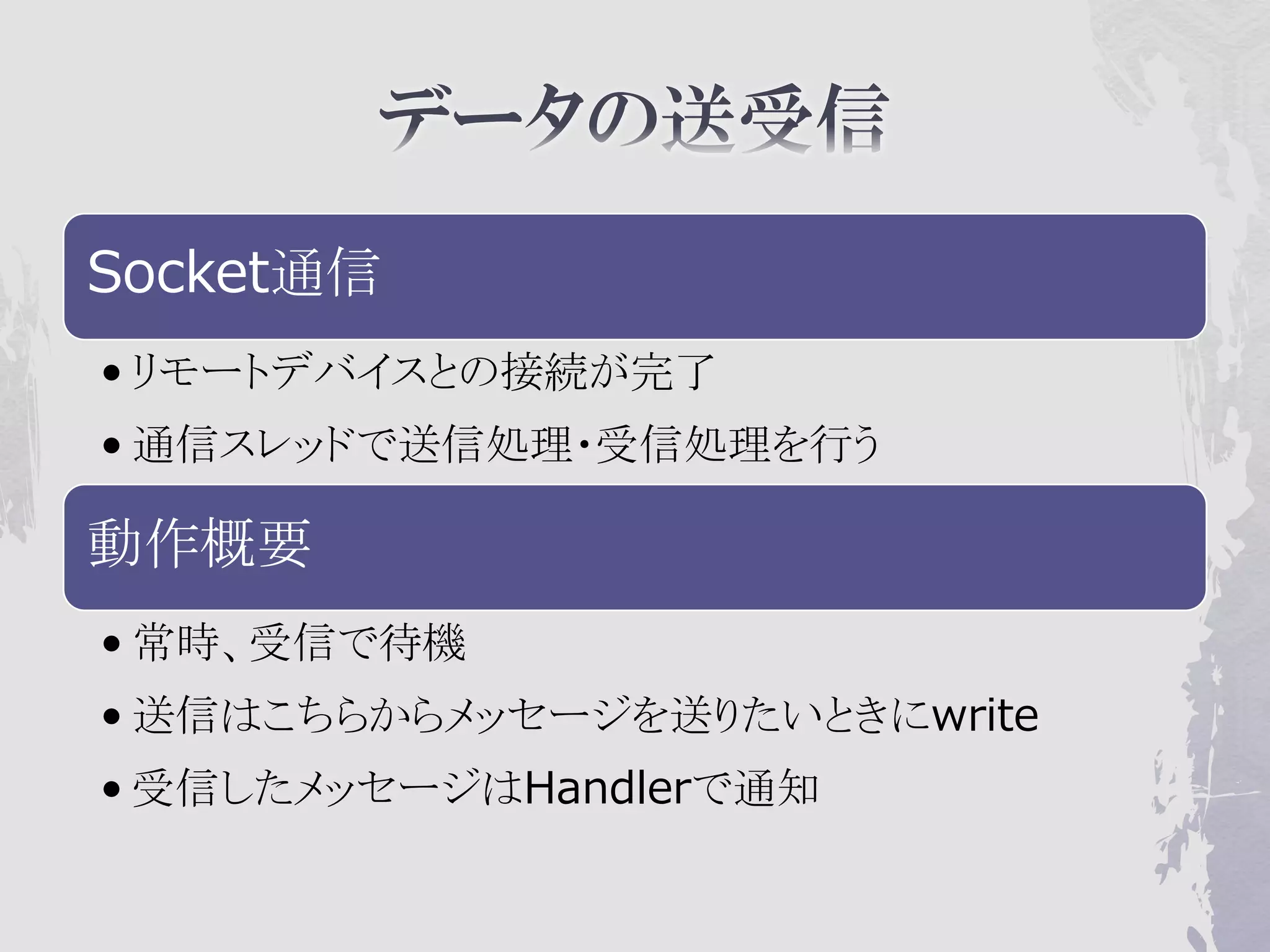
Socket通信
• リモートデバイスとの接続が完了
• 通信スレッドで送信処理・受信処理を行う

動作概要
• 常時、受信で待機
• 送信はこちらからメッセージを送りたいときにwrite
• 受信したメッセージはHandlerで通知
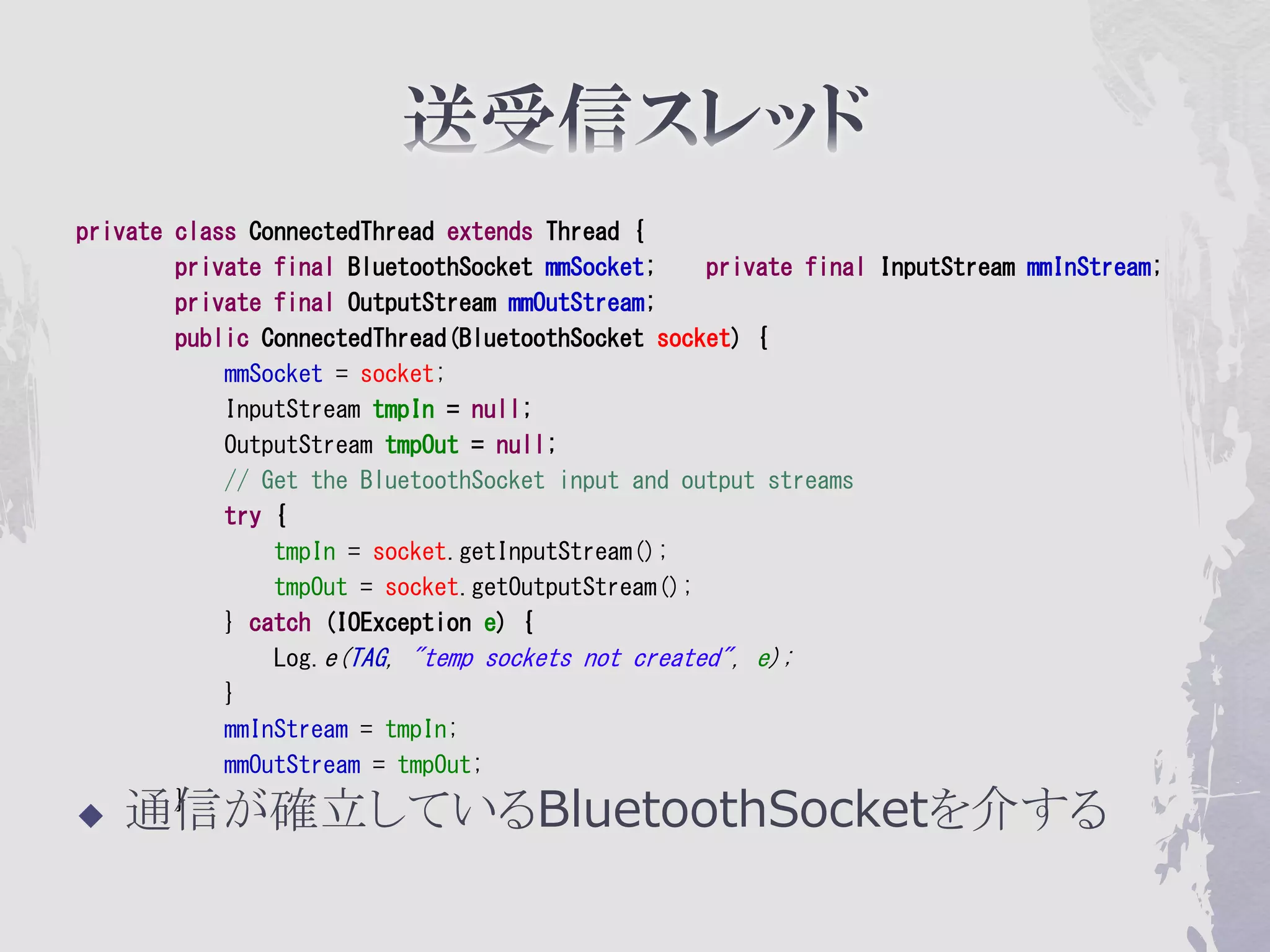
private class ConnectedThread extends Thread {
        private final BluetoothSocket mmSocket;    private final InputStream mmInStream;
        private final OutputStream mmOutStream;
        public ConnectedThread(BluetoothSocket socket) {
            mmSocket = socket;
            InputStream tmpIn = null;
            OutputStream tmpOut = null;
            // Get the BluetoothSocket input and output streams
            try {
                tmpIn = socket.getInputStream();
                tmpOut = socket.getOutputStream();
            } catch (IOException e) {
                Log.e(TAG, "temp sockets not created", e);
            }
            mmInStream = tmpIn;
            mmOutStream = tmpOut;

   通信が確立しているBluetoothSocketを介する
        }
public void run() {
           Log.i(TAG, "BEGIN mConnectedThread");
           byte[] buffer = new byte[1024];
           int bytes;
           // Keep listening to the InputStream while connected
           while (true) {
               try {
                    // Read from the InputStream
                    bytes = mmInStream.read(buffer);
                    // Send the obtained bytes to the UI Activity
                    mHandler.obtainMessage(BluetoothChat.MESSAGE_READ, bytes, -1, buffer)
                            .sendToTarget();
               } catch (IOException e) {
                    Log.e(TAG, "disconnected", e);
                    connectionLost();
                    break;
               }
           }
       }
   通信が確立しているBluetoothSocketを介する
   mHandlerで、READ/WRITEなど動作完了をUIスレッドに通知
/**
        * Write to the connected OutStream.
        * @param buffer The bytes to write
        */
       public void write(byte[] buffer) {
           try {
               mmOutStream.write(buffer);

               // Share the sent message back to the UI Activity
               mHandler.obtainMessage(BluetoothChat.MESSAGE_WRITE, -1, -1, buffer)
                       .sendToTarget();
           } catch (IOException e) {
               Log.e(TAG, "Exception during write", e);
           }
       }


     mmOutStreamの接続先SocketはBluetoothSocket
private void sendMessage(String message) {
        // Check that we're actually connected before trying anything
        if (mChatService.getState() != BluetoothChatService.STATE_CONNECTED) {
            Toast.makeText(this, R.string.not_connected, Toast.LENGTH_SHORT).show();
            return;
        }
        // Check that there's actually something to send
        if (message.length() > 0) {
            // Get the message bytes and tell the BluetoothChatService to write
            byte[] send = message.getBytes();
            mChatService.write(send);
            // Reset out string buffer to zero and clear the edit text field
            mOutStringBuffer.setLength(0);
            mOutEditText.setText(mOutStringBuffer);
        }
    }

   mChatService.wirteがConnectedThreadに繋がる
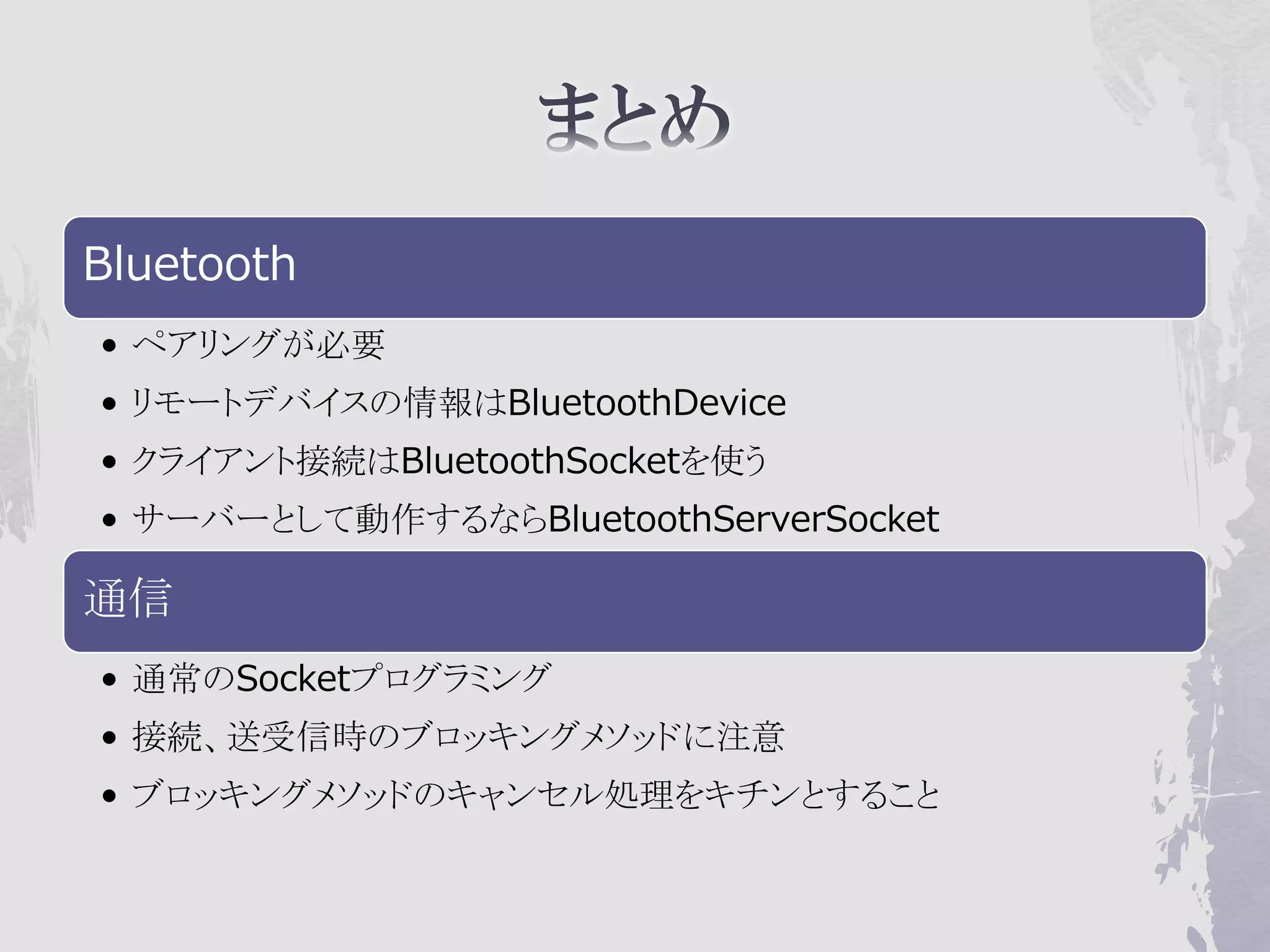
Bluetooth
• ペアリングが必要
• リモートデバイスの情報はBluetoothDevice
• クライアント接続はBluetoothSocketを使う
• サーバーとして動作するならBluetoothServerSocket

通信
• 通常のSocketプログラミング
• 接続、送受信時のブロッキングメソッドに注意
• ブロッキングメソッドのキャンセル処理をキチンとすること

Android bluetooth

  • 1.
  • 2.
    携帯情報機器などで数m程度の機器間接続 に使われる短距離無線通信技術の一つ  Socketを使って抽象化  ほかのJavaのネットワークプログラミングと同等  Android SDK 2.0 (Api Level .5)  Import andorid.bluetooth.*
  • 3.
    用途や機器によって実装すべき機能やプロトコル •「Bluetoothプロファイル」として個別に策定 HID(Human InterfaceDevice Profile) •コンピュータにマウスやキーボードを接続する BPP(Basic Printer Profile) •プリンタにデータを送信して印刷 PAN(Personal Area Network Profile) •機器間で無線ネットワークを構築 HSP(Headset Profile) •携帯電話などでヘッドセット(イヤホンマイク)を接続
  • 4.
  • 5.
    BluetoothAdapter • H/Wの隠蔽。システムのBTモジュールに関する情報を持つ。ON/OFF制御、デバイス検索、ペアリングな ど BluetoothDevice • 通信相手(RemoteDevice)システムを表すクラス。 リモートデバイスと接続するオブジェクト生成に使う BluetoothSocket • リモートデバイスに接続するソケット BluetoothServerSocket • リモートデバイスをまつサーバー用のソケット BluetoothClass • リモートデバイスの種類を判断
  • 6.
    Bluetoothデバイス管理 • <uses-permission android:name="android.permission.BLUETOOTH_ADMIN" /> API利用 • <uses-permission android:name="android.permission.BLUETOOTH" />
  • 8.
  • 10.
    BT機能確認 • Android 2.0からBTは正式サポート •Android端末全てに搭載されているわけではない BluetoothAdapter • システムにBluetoothが 搭載されている|使えるのか? を確認する
  • 11.
    // Local Bluetoothadapter private BluetoothAdapter mBluetoothAdapter = null; // Get local Bluetooth adapter mBluetoothAdapter = BluetoothAdapter.getDefaultAdapter(); // If the adapter is null, then Bluetooth is not supported if (mBluetoothAdapter == null) { Toast.makeText(this, "Bluetooth is not available", Toast.LENGTH_LONG).show(); finish(); return; }  機器がBluetooth対応しているか、確認できる
  • 12.
    @Override public void onStart() { super.onStart(); if(D) Log.e(TAG, "++ ON START ++"); // If BT is not on, request that it be enabled. // setupChat() will then be called during onActivityResult if (!mBluetoothAdapter.isEnabled()) { Intent enableIntent = new Intent(BluetoothAdapter.ACTION_REQUEST_ENABLE); startActivityForResult(enableIntent, REQUEST_ENABLE_BT); // Otherwise, setup the chat session } else { if (mChatService == null) setupChat(); } }  機器がBluetooth対応しているかIntentをつかってシス テムへ問い合わせ。
  • 13.
    public void onActivityResult(intrequestCode, int resultCode, Intent data) { if(D) Log.d(TAG, "onActivityResult " + resultCode); switch (requestCode) { case REQUEST_ENABLE_BT: // When the request to enable Bluetooth returns if (resultCode == Activity.RESULT_OK) { // Bluetooth is now enabled, so set up a chat session setupChat(); } else { // User did not enable Bluetooth or an error occured Log.d(TAG, "BT not enabled"); Toast.makeText(this, R.string.bt_not_enabled_leaving, Toast.LENGTH_SHORT).show(); finish(); } } }  問い合わせの結果、RESULT_OKであれば使える
  • 15.
    クライアントとして動作する • デバイス間通信はSocketを使って抽象化 • BluetoothSocket(クライアント) • BluetoothServerSocket(サーバー) リモートデバイスを見つける • BluetoothDevice#Connect() • 自分から相手へ、接続を開始する
  • 16.
  • 17.
    BluetoothChat.java private void ensureDiscoverable(){ if(D) Log.d(TAG, "ensure discoverable"); if (mBluetoothAdapter.getScanMode() != BluetoothAdapter.SCAN_MODE_CONNECTABLE_DISCOVERABLE) { Intent discoverableIntent = new Intent(BluetoothAdapter.ACTION_REQUEST_DISCOVERABLE); discoverableIntent.putExtra(BluetoothAdapter.EXTRA_DISCOVERABLE_DURATION, 300); startActivity(discoverableIntent); } }  相手から発見できるようにするためのACTIONインテント (300秒有効。有効期間があるのはセキュリティのため)
  • 18.
    // Get thelocal Bluetooth adapter mBtAdapter = BluetoothAdapter.getDefaultAdapter(); // Get a set of currently paired devices Set<BluetoothDevice> pairedDevices = mBtAdapter.getBondedDevices(); // If there are paired devices, add each one to the ArrayAdapter if (pairedDevices.size() > 0) { findViewById(R.id.title_paired_devices).setVisibility(View.VISIBLE); for (BluetoothDevice device : pairedDevices) { mPairedDevicesArrayAdapter.add(device.getName() + "¥n" + device.getAddress()); } } else { String noDevices = getResources().getText(R.string.none_paired).toString(); mPairedDevicesArrayAdapter.add(noDevices); }  BluetoothAdapter#getBondedDevices()
  • 19.
    DeviceListActivity.java // The on-click listener for all devices in the ListViews private OnItemClickListener mDeviceClickListener = new OnItemClickListener() { public void onItemClick(AdapterView<?> av, View v, int arg2, long arg3) { // Get the device MAC address, which is the last 17 chars in the View String info = ((TextView) v).getText().toString(); String address = info.substring(info.length() - 17); // Create the result Intent and include the MAC address Intent intent = new Intent(); intent.putExtra(EXTRA_DEVICE_ADDRESS, address); // Set result and finish this Activity setResult(Activity.RESULT_OK, intent); finish(); } };  リモートデバイスはMacAddressで特定できる
  • 20.
    BluetoothChat.java public void onActivityResult(intrequestCode, int resultCode, Intent data) { switch (requestCode) { case REQUEST_CONNECT_DEVICE: // When DeviceListActivity returns with a device to connect if (resultCode == Activity.RESULT_OK) { // Get the device MAC address String address = data.getExtras() .getString(DeviceListActivity.EXTRA_DEVICE_ADDRESS); BluetoothDevice device = mBluetoothAdapter.getRemoteDevice(address); // Attempt to connect to the device mChatService.connect(device); } break;  ペアリング済みリストからMAC Addressを取得  MAC Addressからリモートデバイスを特定
  • 21.
    完了したこと • ペアリング • 通信するリモートデバイスを特定 データの送受信 •Activityとは別のスレッドで実施 • Bluetoothのメソッドがブロッキングメソッド
  • 22.
    待機しているイベントが完了しないと終了しない • アプリケーションの応答性低下 • 別スレッドで処理する必要 •デバイスとの接続・データの送受信で発生 別スレッド作成の方法 • Runnable , Threadなど
  • 23.
    BluetoothChatService.java /** * Start the ConnectThread to initiate a connection to a remote device. * @param device The BluetoothDevice to connect */ public synchronized void connect(BluetoothDevice device) { // Cancel any thread currently running a connection if (mConnectedThread != null) {mConnectedThread.cancel(); mConnectedThread = null;} // Start the thread to connect with the given device mConnectThread = new ConnectThread(device); mConnectThread.start(); setState(STATE_CONNECTING); }  ペアリング済みリストからMAC Addressを取得  MAC Addressからリモートデバイスを特定
  • 24.
    private class ConnectThreadextends Thread { private final BluetoothSocket mmSocket; private final BluetoothDevice mmDevice; public ConnectThread(BluetoothDevice device) { mmDevice = device; BluetoothSocket tmp = null; // Get a BluetoothSocket for a connection with the // given BluetoothDevice try { tmp = device.createRfcommSocketToServiceRecord(MY_UUID); } catch (IOException e) { Log.e(TAG, "create() failed", e); } mmSocket = tmp; }  ConnectThreadの初期化
  • 25.
    private class ConnectThreadextends Thread { public void run() { Log.i(TAG, "BEGIN mConnectThread"); // Make a connection to the BluetoothSocket try { // This is a blocking call and will only return on a // successful connection or an exception mmSocket.connect(); } catch (IOException e) { connectionFailed(); // Close the socket try { mmSocket.close(); } catch (IOException e2) { Log.e(TAG, "unable to close() socket during connection failure", e2); } // Start the service over to restart listening mode BluetoothChatService.this.start(); return; }
  • 26.
    Socket通信 • リモートデバイスとの接続が完了 • 通信スレッドで送信処理・受信処理を行う 動作概要 •常時、受信で待機 • 送信はこちらからメッセージを送りたいときにwrite • 受信したメッセージはHandlerで通知
  • 27.
    private class ConnectedThreadextends Thread { private final BluetoothSocket mmSocket; private final InputStream mmInStream; private final OutputStream mmOutStream; public ConnectedThread(BluetoothSocket socket) { mmSocket = socket; InputStream tmpIn = null; OutputStream tmpOut = null; // Get the BluetoothSocket input and output streams try { tmpIn = socket.getInputStream(); tmpOut = socket.getOutputStream(); } catch (IOException e) { Log.e(TAG, "temp sockets not created", e); } mmInStream = tmpIn; mmOutStream = tmpOut;  通信が確立しているBluetoothSocketを介する }
  • 28.
    public void run(){ Log.i(TAG, "BEGIN mConnectedThread"); byte[] buffer = new byte[1024]; int bytes; // Keep listening to the InputStream while connected while (true) { try { // Read from the InputStream bytes = mmInStream.read(buffer); // Send the obtained bytes to the UI Activity mHandler.obtainMessage(BluetoothChat.MESSAGE_READ, bytes, -1, buffer) .sendToTarget(); } catch (IOException e) { Log.e(TAG, "disconnected", e); connectionLost(); break; } } }  通信が確立しているBluetoothSocketを介する  mHandlerで、READ/WRITEなど動作完了をUIスレッドに通知
  • 29.
    /** * Write to the connected OutStream. * @param buffer The bytes to write */ public void write(byte[] buffer) { try { mmOutStream.write(buffer); // Share the sent message back to the UI Activity mHandler.obtainMessage(BluetoothChat.MESSAGE_WRITE, -1, -1, buffer) .sendToTarget(); } catch (IOException e) { Log.e(TAG, "Exception during write", e); } }  mmOutStreamの接続先SocketはBluetoothSocket
  • 30.
    private void sendMessage(Stringmessage) { // Check that we're actually connected before trying anything if (mChatService.getState() != BluetoothChatService.STATE_CONNECTED) { Toast.makeText(this, R.string.not_connected, Toast.LENGTH_SHORT).show(); return; } // Check that there's actually something to send if (message.length() > 0) { // Get the message bytes and tell the BluetoothChatService to write byte[] send = message.getBytes(); mChatService.write(send); // Reset out string buffer to zero and clear the edit text field mOutStringBuffer.setLength(0); mOutEditText.setText(mOutStringBuffer); } }  mChatService.wirteがConnectedThreadに繋がる
  • 31.
    Bluetooth • ペアリングが必要 • リモートデバイスの情報はBluetoothDevice •クライアント接続はBluetoothSocketを使う • サーバーとして動作するならBluetoothServerSocket 通信 • 通常のSocketプログラミング • 接続、送受信時のブロッキングメソッドに注意 • ブロッキングメソッドのキャンセル処理をキチンとすること