Architectures:
● Classic Android (View Model)
● MVC
● MVP
● MVVM
● Clean
and many more….
Goal!
● Scalable (Large scale vision / new features)
● Maintenance (Anyone can be able to understand and edit it)
● Testing (easily testable)
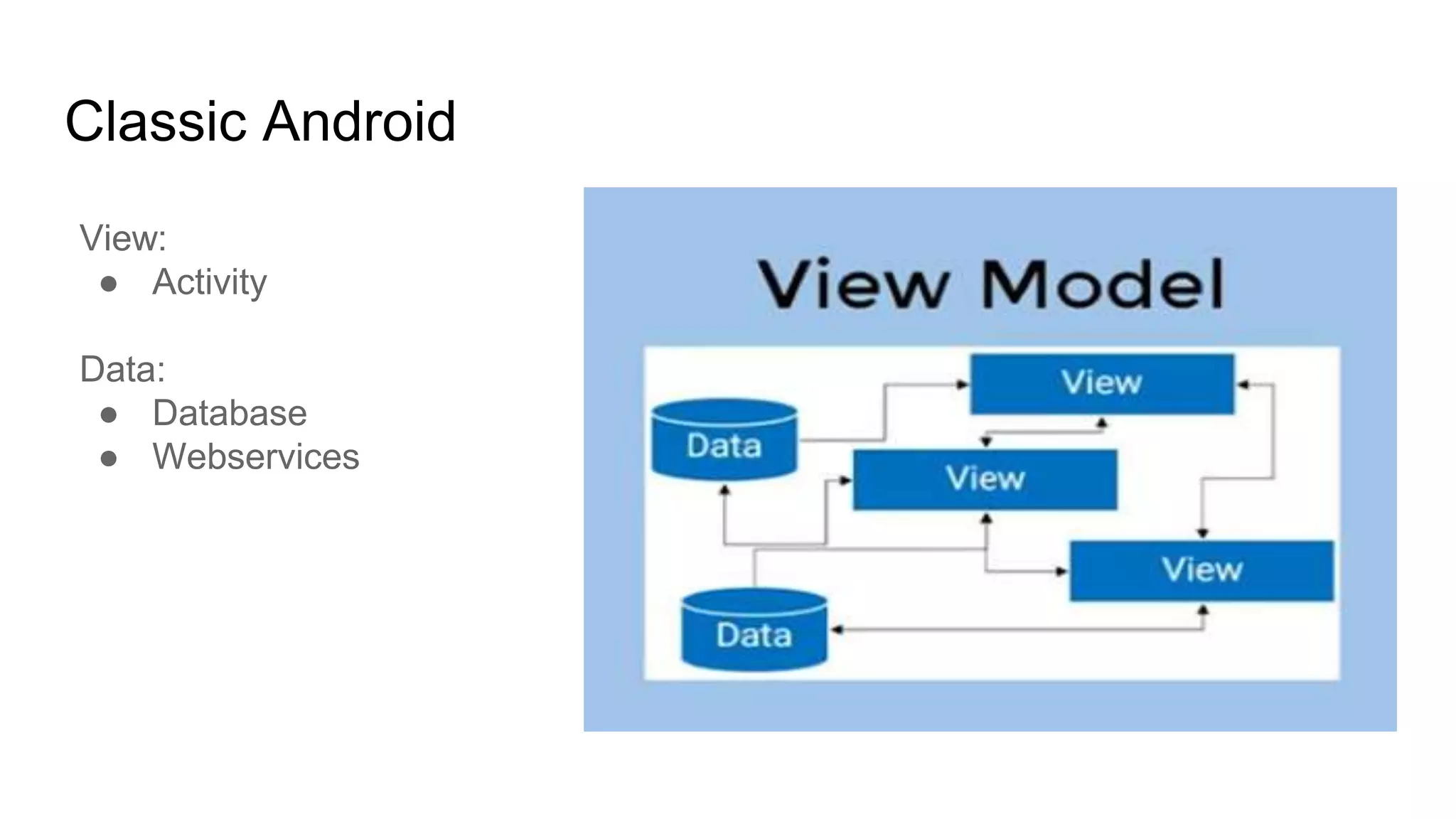
Classic Android
View:
● Activity
Data:
● Database
● Webservices
Pros:
● Preferable for small apps
Cons:
● Activities and Fragments get bigger and bigger
● Hard to understand for other developers
● Unit testing is impossible
● Implementing new feature takes lot of time
Classic Android
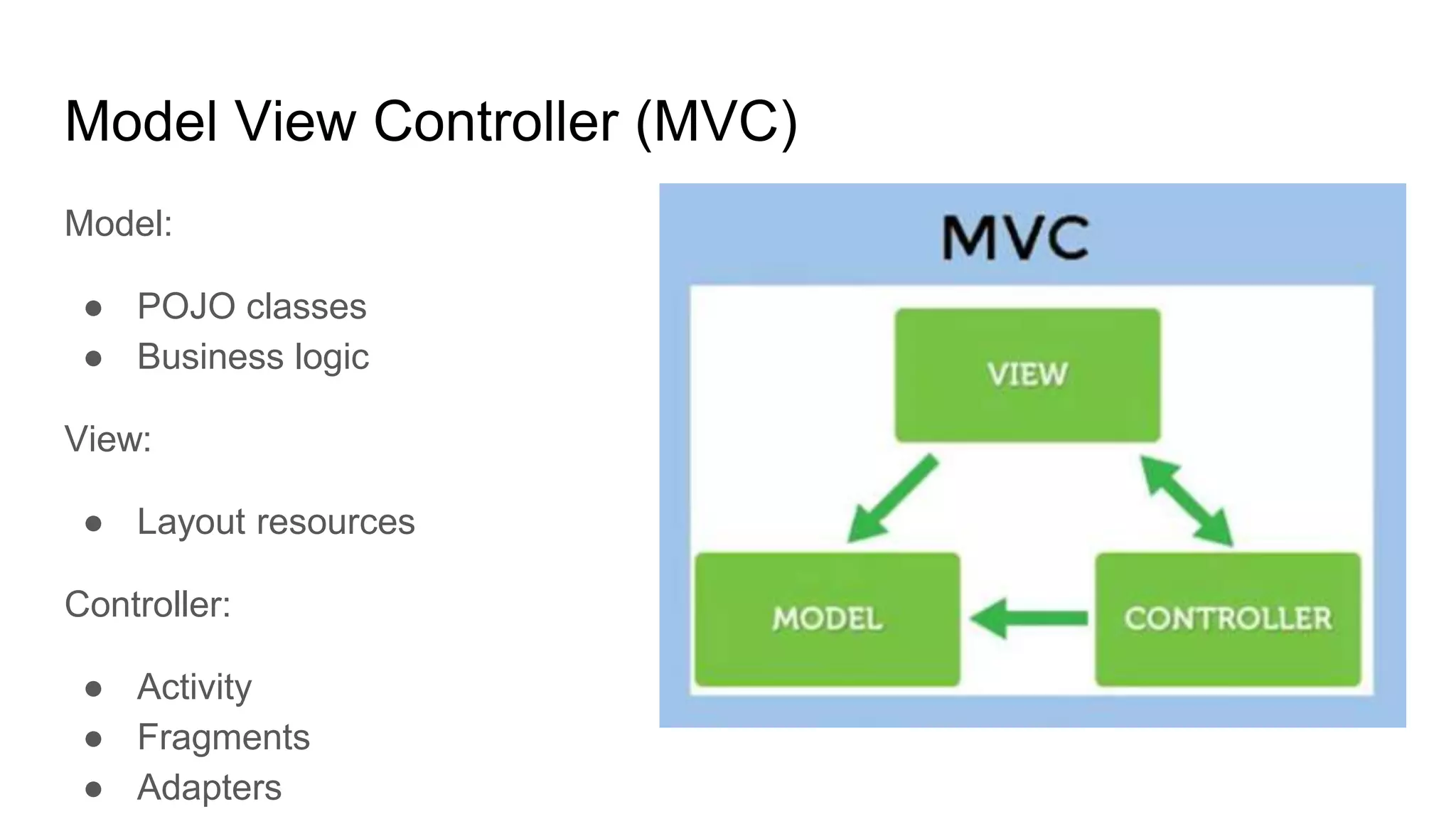
Model View Controller (MVC)
Model:
● POJO classes
● Business logic
View:
● Layout resources
Controller:
● Activity
● Fragments
● Adapters
Pros:
● UI and business logic is not connected
● Easier to unit test
Cons:
● Huge controllers
● Violates Single Responsibility principles
● Man in the middle (Controller)
Model View Controller (MVC)
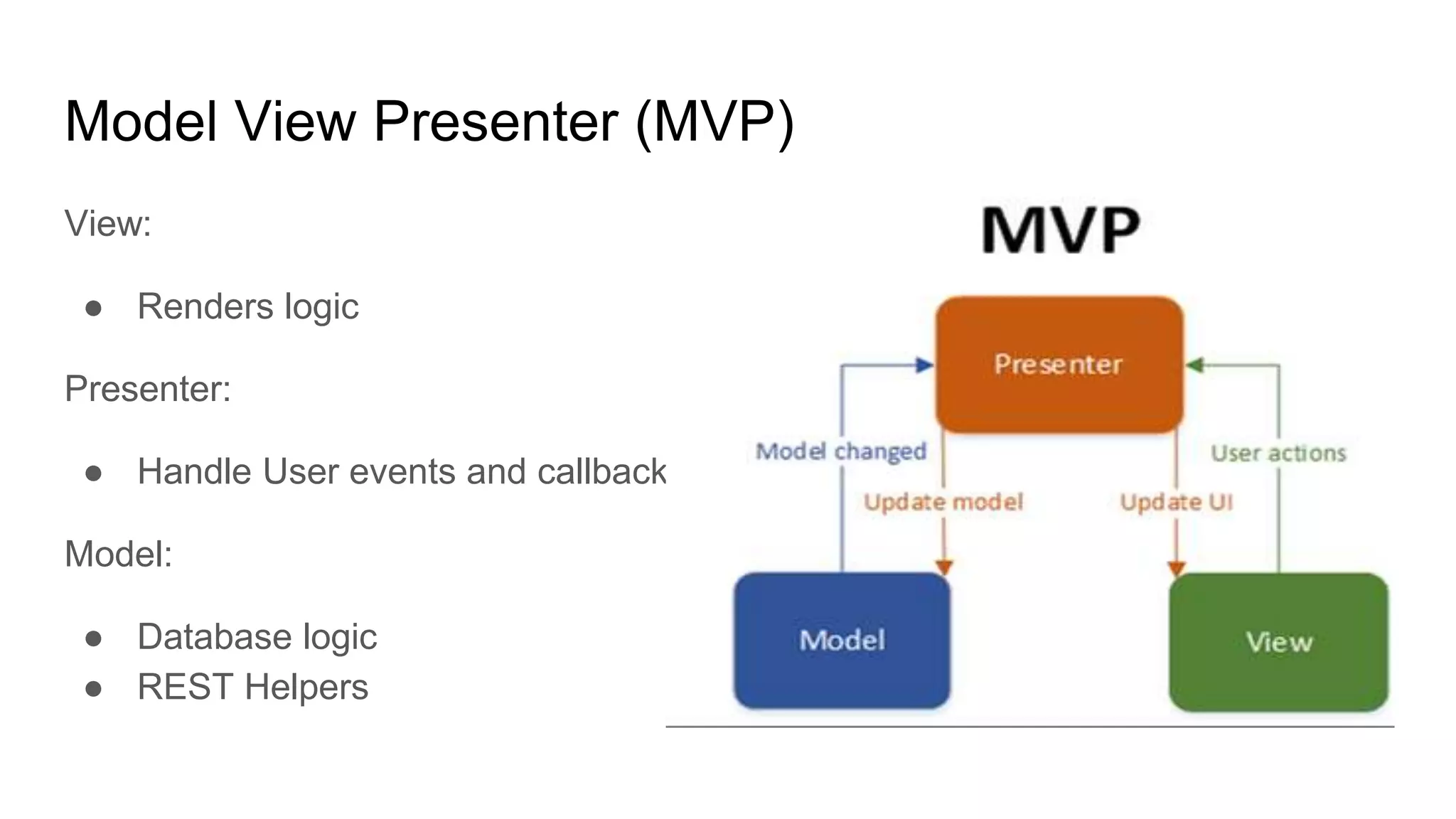
Model View Presenter (MVP)
View:
● Renders logic
Presenter:
● Handle User events and callbacks
Model:
● Database logic
● REST Helpers
Pros:
● Huge tasks split into simpler tasks
● Smaller objects, less bugs
● Easy to unit test
Cons:
● Model can’t be reused, tied to specific user case
● Presenter mainly does the invoking and callback stuff
Model View Presenter (MVP)
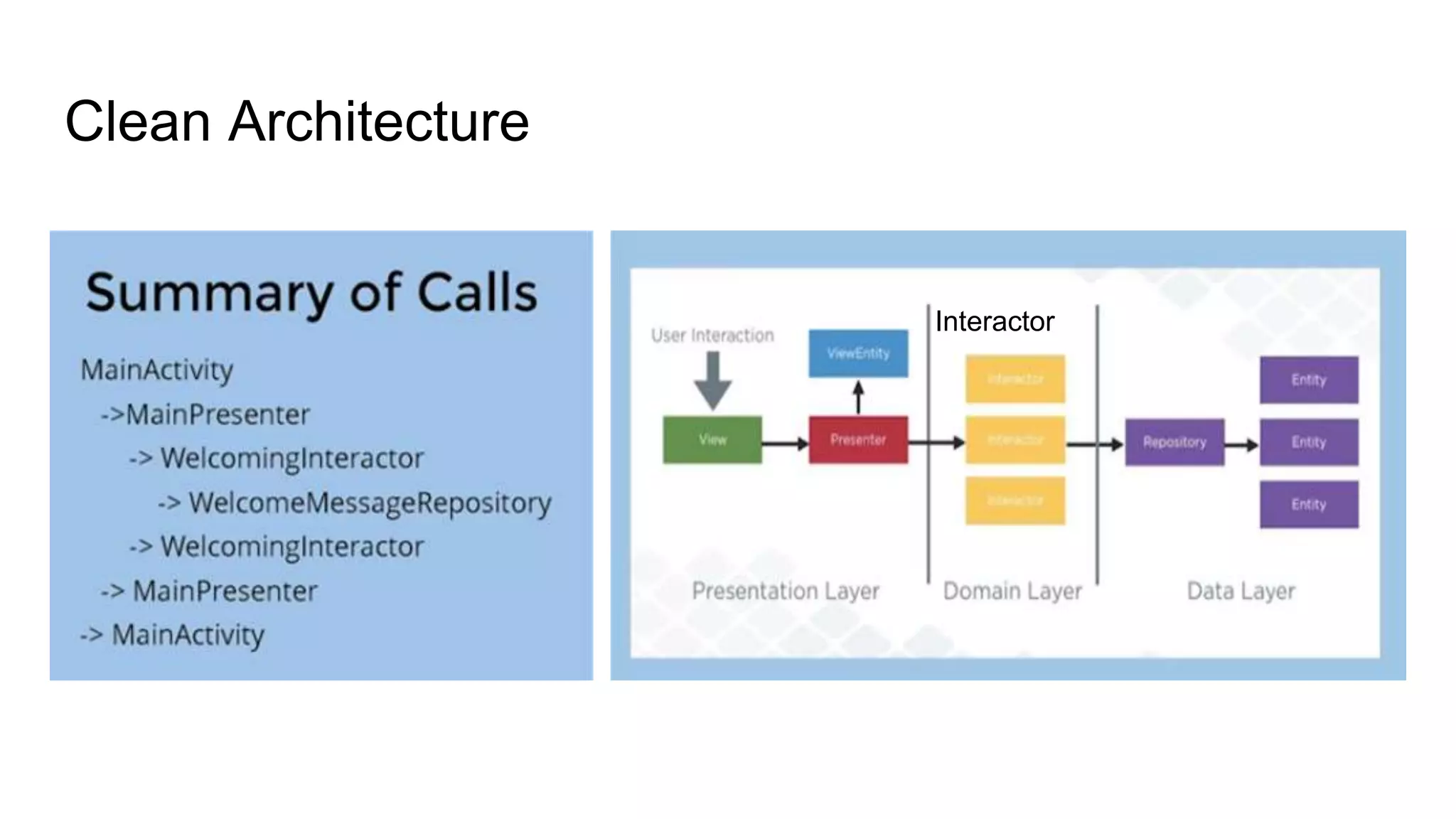
Clean Architecture
Interactor
Pros:
● Independent of Frameworks
● Independent of UI
● Independent of Java
● Independent of Database
Cons:
● Lots of layers
Clean Architecture
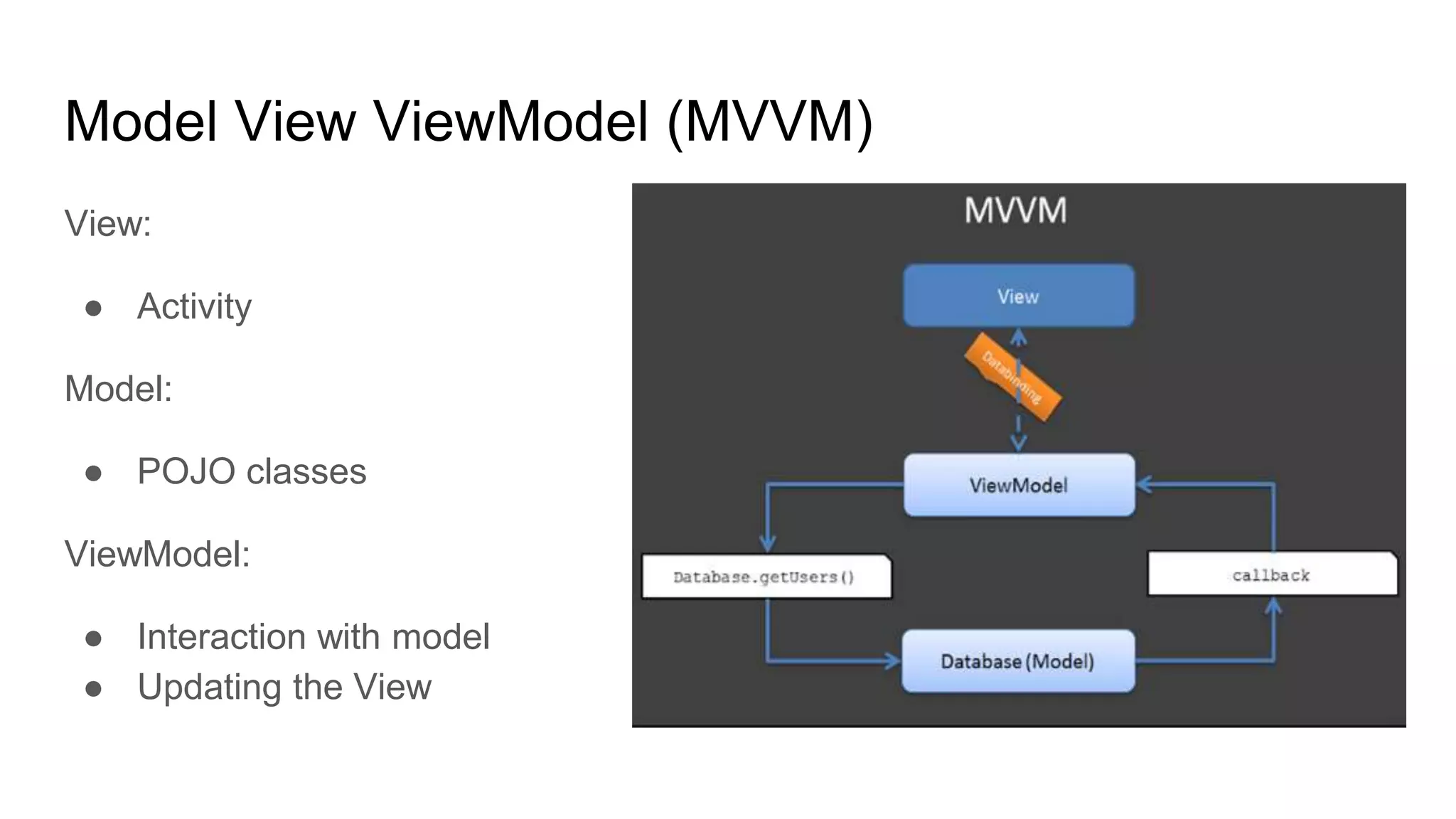
Model View ViewModel (MVVM)
View:
● Activity
Model:
● POJO classes
ViewModel:
● Interaction with model
● Updating the View
Model View ViewModel (MVVM)
● Microsoft pattern
● Removes UI code from Activities / Fragments
● Binding ViewModels to UI (Using databinding)
● Easy unit tests
● No ‘findViewById()’...............
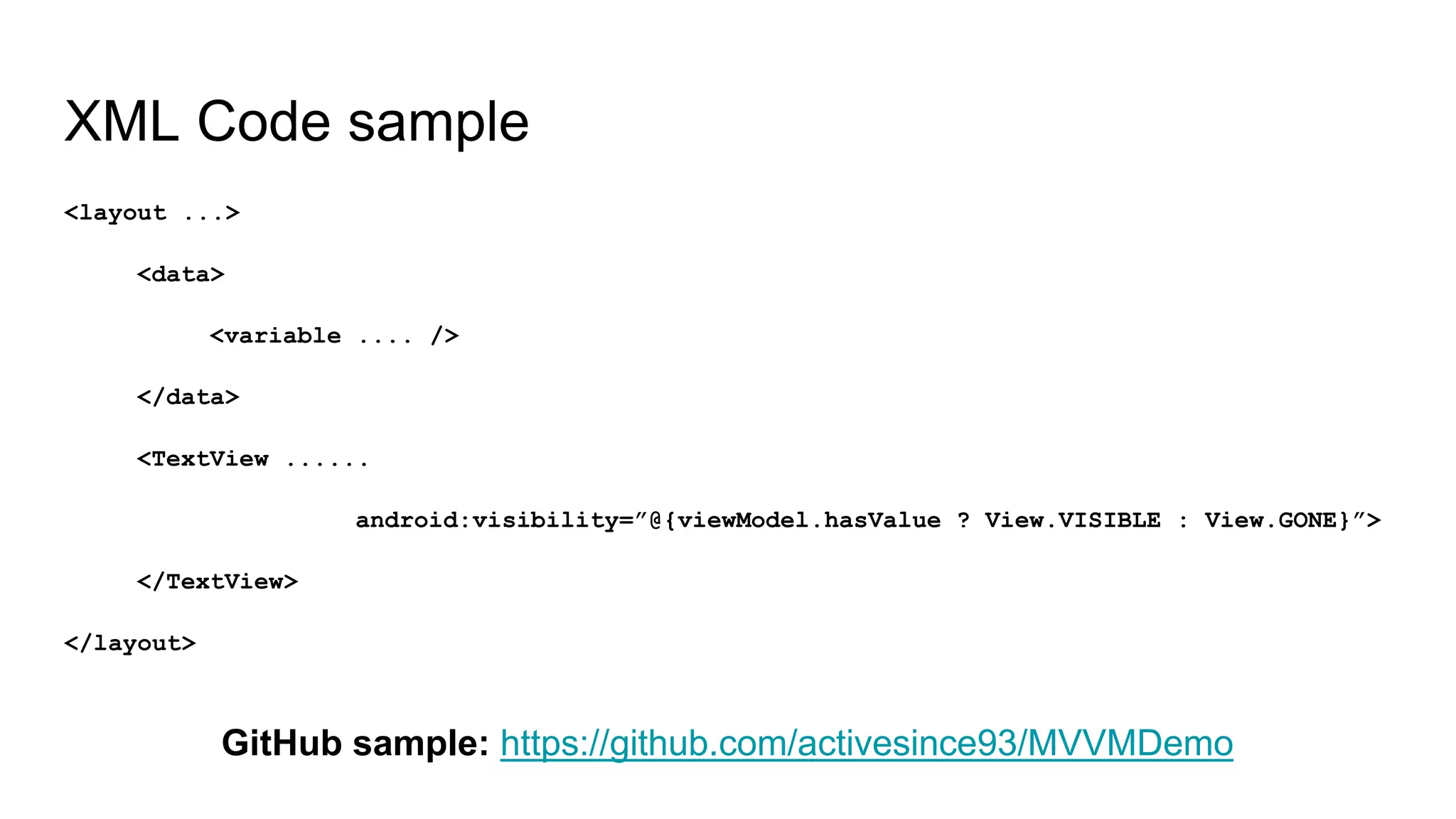
XML Code sample
<layout ...>
<data>
<variable .... />
</data>
<TextView ......
android:visibility=”@{viewModel.hasValue ? View.VISIBLE : View.GONE}”>
</TextView>
</layout>
GitHub sample: https://github.com/activesince93/MVVMDemo

Android Architectures

  • 1.
    Architectures: ● Classic Android(View Model) ● MVC ● MVP ● MVVM ● Clean and many more….
  • 2.
    Goal! ● Scalable (Largescale vision / new features) ● Maintenance (Anyone can be able to understand and edit it) ● Testing (easily testable)
  • 3.
  • 4.
    Pros: ● Preferable forsmall apps Cons: ● Activities and Fragments get bigger and bigger ● Hard to understand for other developers ● Unit testing is impossible ● Implementing new feature takes lot of time Classic Android
  • 5.
    Model View Controller(MVC) Model: ● POJO classes ● Business logic View: ● Layout resources Controller: ● Activity ● Fragments ● Adapters
  • 6.
    Pros: ● UI andbusiness logic is not connected ● Easier to unit test Cons: ● Huge controllers ● Violates Single Responsibility principles ● Man in the middle (Controller) Model View Controller (MVC)
  • 7.
    Model View Presenter(MVP) View: ● Renders logic Presenter: ● Handle User events and callbacks Model: ● Database logic ● REST Helpers
  • 8.
    Pros: ● Huge taskssplit into simpler tasks ● Smaller objects, less bugs ● Easy to unit test Cons: ● Model can’t be reused, tied to specific user case ● Presenter mainly does the invoking and callback stuff Model View Presenter (MVP)
  • 9.
  • 10.
    Pros: ● Independent ofFrameworks ● Independent of UI ● Independent of Java ● Independent of Database Cons: ● Lots of layers Clean Architecture
  • 11.
    Model View ViewModel(MVVM) View: ● Activity Model: ● POJO classes ViewModel: ● Interaction with model ● Updating the View
  • 12.
    Model View ViewModel(MVVM) ● Microsoft pattern ● Removes UI code from Activities / Fragments ● Binding ViewModels to UI (Using databinding) ● Easy unit tests ● No ‘findViewById()’...............
  • 13.
    XML Code sample <layout...> <data> <variable .... /> </data> <TextView ...... android:visibility=”@{viewModel.hasValue ? View.VISIBLE : View.GONE}”> </TextView> </layout> GitHub sample: https://github.com/activesince93/MVVMDemo