Algorithms & Pseudocode
BY M. QURESHI
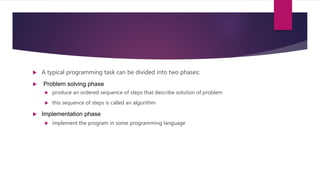
 A typical programming task can be divided into two phases:
 Problem solving phase
 produce an ordered sequence of steps that describe solution of problem
 this sequence of steps is called an algorithm
 Implementation phase
 implement the program in some programming language
Steps in problem Solving
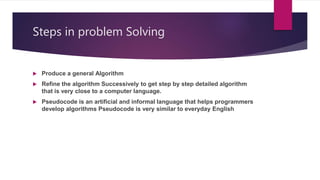
 Produce a general Algorithm
 Refine the algorithm Successively to get step by step detailed algorithm
that is very close to a computer language.
 Pseudocode is an artificial and informal language that helps programmers
develop algorithms Pseudocode is very similar to everyday English
Pseudocode
 The first thing we do when designing a program is to decide
on a name for the program
 Let’s say we want to write a program to calculate interest, a
good name for the program would be CalculateInterest.
 Note the use of CamelCase.
 Pseudocode is used to represent the logic of the solution to a problem.
 Once the pseudocode is verified, it can be converted into a program using the
vocabulary and syntax of a programming language
 Keywords in Pseudocode.
 Begin … End: these keywords are used to start and finish pseudocode. Begin is
the first line and end is the last line of pseudocode.
 Accept: This keyword is used to obtain an input from a user.
 Display: this keyword is used to present a result or an output.
 If .. Else .. End if : These keywords are used in decision-making.
 //: Comment
 Do .. While, for … repeat … until : Represent loop
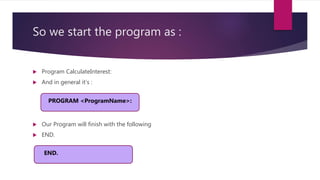
So we start the program as :
 Program CalculateInterest:
 And in general it’s :
 Our Program will finish with the following
 END.
PROGRAM <ProgramName>:
END.
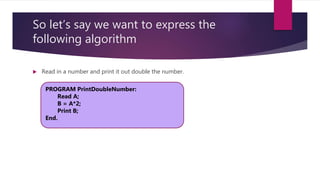
So let’s say we want to express the
following algorithm
 Read in a number and print it out double the number.
PROGRAM PrintDoubleNumber:
Read A;
B = A*2;
Print B;
End.
So let’s say we want to express the
following algorithm
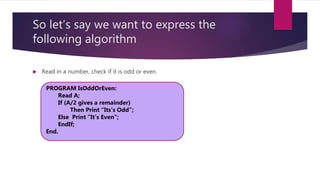
 Read in a number, check if it is odd or even.
PROGRAM IsOddOrEven:
Read A;
If (A/2 gives a remainder)
Then Print “Its’s Odd”;
Else Print ”It’s Even”;
EndIf;
End.
So let’s say we want to express the following
algorithm to print out the bigger of two
numbers:
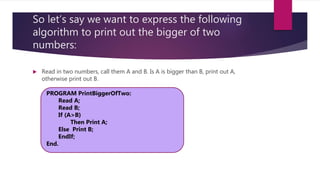
 Read in two numbers, call them A and B. Is A is bigger than B, print out A,
otherwise print out B.
PROGRAM PrintBiggerOfTwo:
Read A;
Read B;
If (A>B)
Then Print A;
Else Print B;
EndIf;
End.
So let’s say we want to express the following
algorithm to print out the bigger of three
numbers:
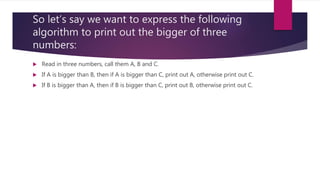
 Read in three numbers, call them A, B and C.
 If A is bigger than B, then if A is bigger than C, print out A, otherwise print out C.
 If B is bigger than A, then if B is bigger than C, print out B, otherwise print out C.
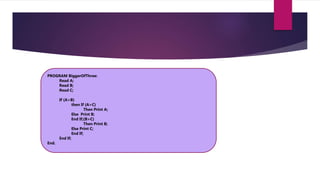
PROGRAM BiggerOfThree:
Read A;
Read B;
Read C;
If (A>B)
then If (A>C)
Then Print A;
Else Print B;
End If;(B>C)
Then Print B;
Else Print C;
End If;
End If;
End.
So let’s say we want to express the
following algorithm:
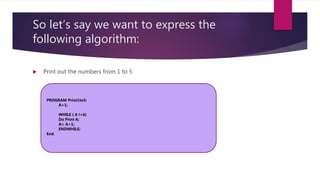
 Print out the numbers from 1 to 5
PROGRAM Print1to5:
A=1;
WHILE ( A !=6)
Do Print A;
A= A+1;
ENDWHILE;
End.
So let’s say we want to express the
following algorithm:
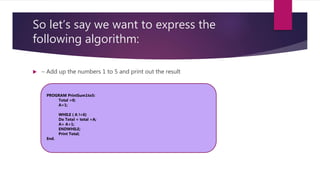
 – Add up the numbers 1 to 5 and print out the result
PROGRAM PrintSum1to5:
Total =0;
A=1;
WHILE ( A !=6)
Do Total = total +A;
A= A+1;
ENDWHILE;
Print Total;
End.
So let’s say we want to express the
following algorithm:
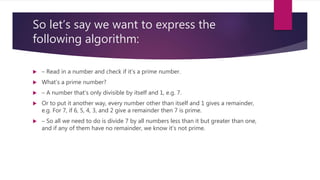
 – Read in a number and check if it’s a prime number.
 What’s a prime number?
 – A number that’s only divisible by itself and 1, e.g. 7.
 Or to put it another way, every number other than itself and 1 gives a remainder,
e.g. For 7, if 6, 5, 4, 3, and 2 give a remainder then 7 is prime.
 – So all we need to do is divide 7 by all numbers less than it but greater than one,
and if any of them have no remainder, we know it’s not prime.
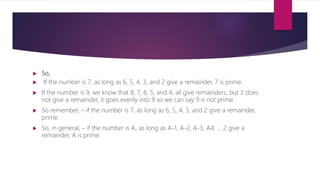
 So,
 If the number is 7, as long as 6, 5, 4, 3, and 2 give a remainder, 7 is prime.
 If the number is 9, we know that 8, 7, 6, 5, and 4, all give remainders, but 3 does
not give a remainder, it goes evenly into 9 so we can say 9 is not prime.
 So remember, – if the number is 7, as long as 6, 5, 4, 3, and 2 give a remainder,
prime.
 So, in general, – if the number is A, as long as A-1, A-2, A-3, A4, ... 2 give a
remainder, A is prime.
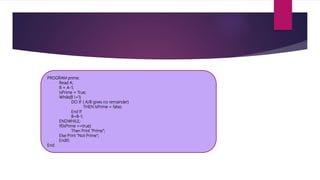
PROGRAM prime:
Read A;
B = A-1;
IsPrime = True;
While(B !=1)
DO IF ( A/B gives no remainder)
THEN IsPrime = false;
End If
B=B-1;
ENDWHILE;
If(IsPrime ==true)
Then Print “Prime”;
Else Print “Not Prime”;
EndIf;
End.
Write Algorithm & Pseudocode & then
Actual Code
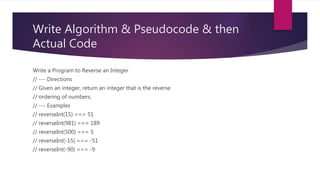
Write a Program to Reverse an Integer
// --- Directions
// Given an integer, return an integer that is the reverse
// ordering of numbers.
// --- Examples
// reverseInt(15) === 51
// reverseInt(981) === 189
// reverseInt(500) === 5
// reverseInt(-15) === -51
// reverseInt(-90) === -9
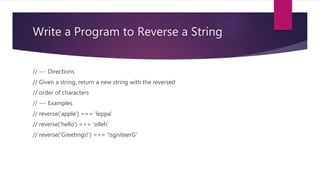
Write a Program to Reverse a String
// --- Directions
// Given a string, return a new string with the reversed
// order of characters
// --- Examples
// reverse('apple') === 'leppa'
// reverse('hello') === 'olleh'
// reverse('Greetings!') === '!sgniteerG'
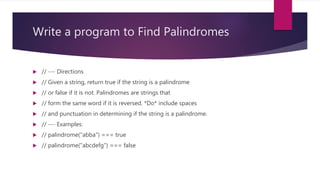
Write a program to Find Palindromes
 // --- Directions
 // Given a string, return true if the string is a palindrome
 // or false if it is not. Palindromes are strings that
 // form the same word if it is reversed. *Do* include spaces
 // and punctuation in determining if the string is a palindrome.
 // --- Examples:
 // palindrome("abba") === true
 // palindrome("abcdefg") === false
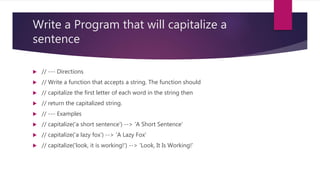
Write a Program that will capitalize a
sentence
 // --- Directions
 // Write a function that accepts a string. The function should
 // capitalize the first letter of each word in the string then
 // return the capitalized string.
 // --- Examples
 // capitalize('a short sentence') --> 'A Short Sentence'
 // capitalize('a lazy fox') --> 'A Lazy Fox'
 // capitalize('look, it is working!') --> 'Look, It Is Working!'
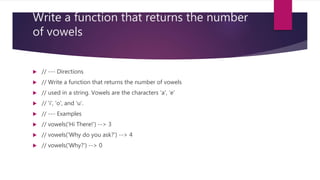
Write a function that returns the number
of vowels
 // --- Directions
 // Write a function that returns the number of vowels
 // used in a string. Vowels are the characters 'a', 'e'
 // 'i', 'o', and 'u'.
 // --- Examples
 // vowels('Hi There!') --> 3
 // vowels('Why do you ask?') --> 4
 // vowels('Why?') --> 0

Algorithm and psuedocode

  • 1.
  • 2.
     A typicalprogramming task can be divided into two phases:  Problem solving phase  produce an ordered sequence of steps that describe solution of problem  this sequence of steps is called an algorithm  Implementation phase  implement the program in some programming language
  • 3.
    Steps in problemSolving  Produce a general Algorithm  Refine the algorithm Successively to get step by step detailed algorithm that is very close to a computer language.  Pseudocode is an artificial and informal language that helps programmers develop algorithms Pseudocode is very similar to everyday English
  • 4.
    Pseudocode  The firstthing we do when designing a program is to decide on a name for the program  Let’s say we want to write a program to calculate interest, a good name for the program would be CalculateInterest.  Note the use of CamelCase.
  • 5.
     Pseudocode isused to represent the logic of the solution to a problem.  Once the pseudocode is verified, it can be converted into a program using the vocabulary and syntax of a programming language  Keywords in Pseudocode.  Begin … End: these keywords are used to start and finish pseudocode. Begin is the first line and end is the last line of pseudocode.  Accept: This keyword is used to obtain an input from a user.  Display: this keyword is used to present a result or an output.  If .. Else .. End if : These keywords are used in decision-making.  //: Comment  Do .. While, for … repeat … until : Represent loop
  • 6.
    So we startthe program as :  Program CalculateInterest:  And in general it’s :  Our Program will finish with the following  END. PROGRAM <ProgramName>: END.
  • 7.
    So let’s saywe want to express the following algorithm  Read in a number and print it out double the number. PROGRAM PrintDoubleNumber: Read A; B = A*2; Print B; End.
  • 8.
    So let’s saywe want to express the following algorithm  Read in a number, check if it is odd or even. PROGRAM IsOddOrEven: Read A; If (A/2 gives a remainder) Then Print “Its’s Odd”; Else Print ”It’s Even”; EndIf; End.
  • 9.
    So let’s saywe want to express the following algorithm to print out the bigger of two numbers:  Read in two numbers, call them A and B. Is A is bigger than B, print out A, otherwise print out B. PROGRAM PrintBiggerOfTwo: Read A; Read B; If (A>B) Then Print A; Else Print B; EndIf; End.
  • 10.
    So let’s saywe want to express the following algorithm to print out the bigger of three numbers:  Read in three numbers, call them A, B and C.  If A is bigger than B, then if A is bigger than C, print out A, otherwise print out C.  If B is bigger than A, then if B is bigger than C, print out B, otherwise print out C.
  • 11.
    PROGRAM BiggerOfThree: Read A; ReadB; Read C; If (A>B) then If (A>C) Then Print A; Else Print B; End If;(B>C) Then Print B; Else Print C; End If; End If; End.
  • 12.
    So let’s saywe want to express the following algorithm:  Print out the numbers from 1 to 5 PROGRAM Print1to5: A=1; WHILE ( A !=6) Do Print A; A= A+1; ENDWHILE; End.
  • 13.
    So let’s saywe want to express the following algorithm:  – Add up the numbers 1 to 5 and print out the result PROGRAM PrintSum1to5: Total =0; A=1; WHILE ( A !=6) Do Total = total +A; A= A+1; ENDWHILE; Print Total; End.
  • 14.
    So let’s saywe want to express the following algorithm:  – Read in a number and check if it’s a prime number.  What’s a prime number?  – A number that’s only divisible by itself and 1, e.g. 7.  Or to put it another way, every number other than itself and 1 gives a remainder, e.g. For 7, if 6, 5, 4, 3, and 2 give a remainder then 7 is prime.  – So all we need to do is divide 7 by all numbers less than it but greater than one, and if any of them have no remainder, we know it’s not prime.
  • 15.
     So,  Ifthe number is 7, as long as 6, 5, 4, 3, and 2 give a remainder, 7 is prime.  If the number is 9, we know that 8, 7, 6, 5, and 4, all give remainders, but 3 does not give a remainder, it goes evenly into 9 so we can say 9 is not prime.  So remember, – if the number is 7, as long as 6, 5, 4, 3, and 2 give a remainder, prime.  So, in general, – if the number is A, as long as A-1, A-2, A-3, A4, ... 2 give a remainder, A is prime.
  • 16.
    PROGRAM prime: Read A; B= A-1; IsPrime = True; While(B !=1) DO IF ( A/B gives no remainder) THEN IsPrime = false; End If B=B-1; ENDWHILE; If(IsPrime ==true) Then Print “Prime”; Else Print “Not Prime”; EndIf; End.
  • 17.
    Write Algorithm &Pseudocode & then Actual Code Write a Program to Reverse an Integer // --- Directions // Given an integer, return an integer that is the reverse // ordering of numbers. // --- Examples // reverseInt(15) === 51 // reverseInt(981) === 189 // reverseInt(500) === 5 // reverseInt(-15) === -51 // reverseInt(-90) === -9
  • 18.
    Write a Programto Reverse a String // --- Directions // Given a string, return a new string with the reversed // order of characters // --- Examples // reverse('apple') === 'leppa' // reverse('hello') === 'olleh' // reverse('Greetings!') === '!sgniteerG'
  • 19.
    Write a programto Find Palindromes  // --- Directions  // Given a string, return true if the string is a palindrome  // or false if it is not. Palindromes are strings that  // form the same word if it is reversed. *Do* include spaces  // and punctuation in determining if the string is a palindrome.  // --- Examples:  // palindrome("abba") === true  // palindrome("abcdefg") === false
  • 20.
    Write a Programthat will capitalize a sentence  // --- Directions  // Write a function that accepts a string. The function should  // capitalize the first letter of each word in the string then  // return the capitalized string.  // --- Examples  // capitalize('a short sentence') --> 'A Short Sentence'  // capitalize('a lazy fox') --> 'A Lazy Fox'  // capitalize('look, it is working!') --> 'Look, It Is Working!'
  • 21.
    Write a functionthat returns the number of vowels  // --- Directions  // Write a function that returns the number of vowels  // used in a string. Vowels are the characters 'a', 'e'  // 'i', 'o', and 'u'.  // --- Examples  // vowels('Hi There!') --> 3  // vowels('Why do you ask?') --> 4  // vowels('Why?') --> 0