Ruby Performance Secrets and 
How to Uncover Them 
http://www.slideshare.net/adymo/adymo-rubyconf-performance
Who am I? 
Alexander Dymo 
C/C++ since 2000 
Ruby/Rails since 2006 
Started to optimize back in 2007 
Never stopped since then
Rails Performance: What You Need to Know 
https://www.airpair.com/ruby-on-rails/performance 
Make Your Ruby/Rails App Fast: Performance And Memory 
Profiling Using ruby-prof and Kcachegrind 
http://www.acunote.com/blog/2008/02/make-your-ruby-rails-applications-fast-performance-and-memory-profiling.html 
Ruby Performance Tuning 
http://theprosegarden.com/contents-of-recent-issues/#10-14
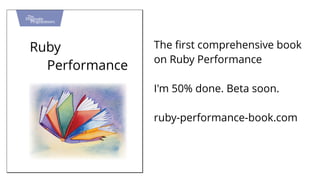
Ruby 
Performance 
The first comprehensive book 
on Ruby Performance 
I'm 50% done. Beta soon. 
ruby-performance-book.com
Big thanks to:
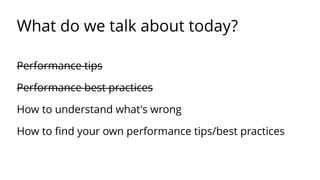
What do we talk about today? 
Performance tips 
Performance best practices
What do we talk about today? 
Performance tips 
Performance best practices 
How to understand what's wrong 
How to find your own performance tips/best practices
In examples
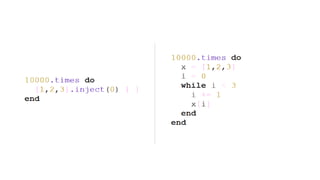
Example 1
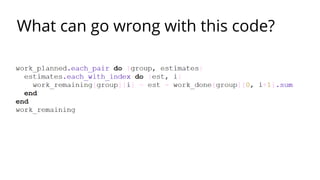
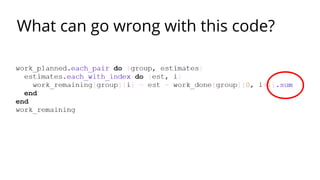
What can go wrong with this code?
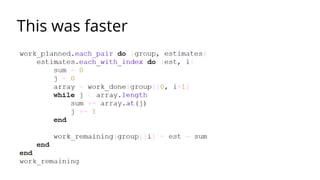
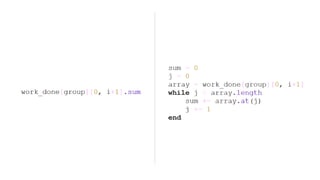
This was faster
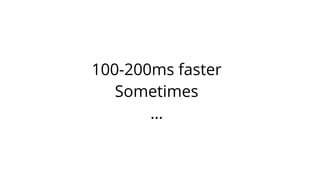
100-200ms faster 
Sometimes 
…
Smells like...
https:// www.flickr.com/photos/timquijano/5720765523/
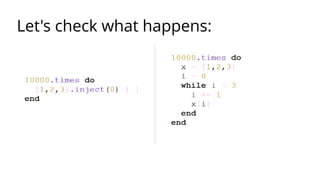
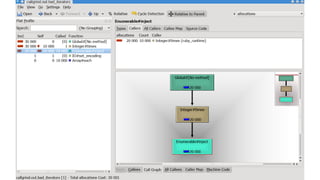
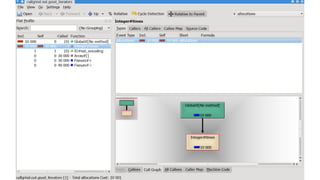
Let's check what happens:
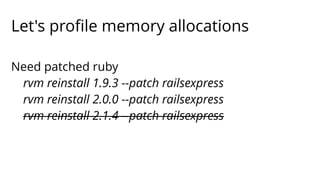
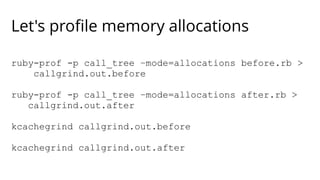
Let's profile memory allocations 
Need patched ruby 
rvm reinstall 1.9.3 --patch railsexpress 
rvm reinstall 2.0.0 --patch railsexpress 
rvm reinstall 2.1.4 --patch railsexpress
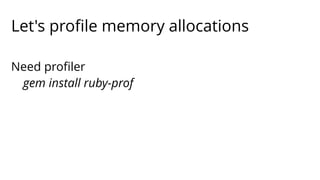
Let's profile memory allocations 
Need profiler 
gem install ruby-prof
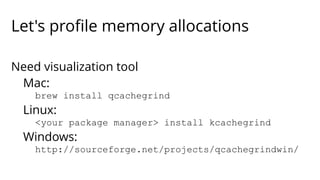
Let's profile memory allocations 
Need visualization tool 
Mac: 
brew install qcachegrind 
Linux: 
<your package manager> install kcachegrind 
Windows: 
http://sourceforge.net/projects/qcachegrindwin/
Let's profile memory allocations 
ruby-prof -p call_tree –mode=allocations before.rb > 
callgrind.out.before 
ruby-prof -p call_tree –mode=allocations after.rb > 
callgrind.out.after 
kcachegrind callgrind.out.before 
kcachegrind callgrind.out.after
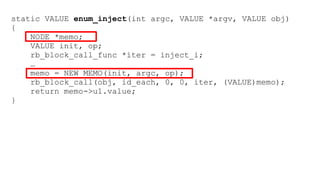
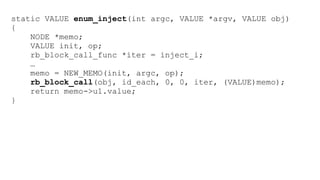
static VALUE enum_inject(int argc, VALUE *argv, VALUE obj) 
{ 
NODE *memo; 
VALUE init, op; 
rb_block_call_func *iter = inject_i; 
… 
memo = NEW_MEMO(init, argc, op); 
rb_block_call(obj, id_each, 0, 0, iter, (VALUE)memo); 
return memo->u1.value; 
}
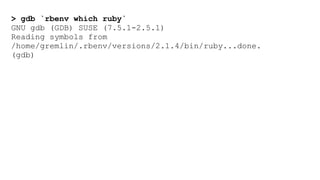
> gdb `rbenv which ruby` 
GNU gdb (GDB) SUSE (7.5.1-2.5.1) 
Reading symbols from 
/home/gremlin/.rbenv/versions/2.1.4/bin/ruby...done. 
(gdb)
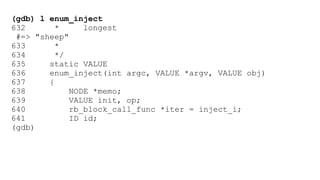
(gdb) l enum_inject 
632 * longest 
#=> "sheep" 
633 * 
634 */ 
635 static VALUE 
636 enum_inject(int argc, VALUE *argv, VALUE obj) 
637 { 
638 NODE *memo; 
639 VALUE init, op; 
640 rb_block_call_func *iter = inject_i; 
641 ID id; 
(gdb)
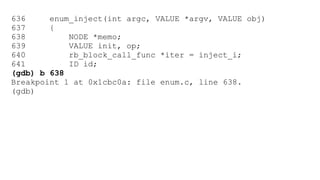
636 enum_inject(int argc, VALUE *argv, VALUE obj) 
637 { 
638 NODE *memo; 
639 VALUE init, op; 
640 rb_block_call_func *iter = inject_i; 
641 ID id; 
(gdb) b 638 
Breakpoint 1 at 0x1cbc0a: file enum.c, line 638. 
(gdb)
(gdb) r -e '[1,2,3].inject {}' 
Starting program: 
/home/gremlin/.rbenv/versions/2.1.4/bin/ruby -e 
'[1,2,3].inject {}' 
[Thread debugging using libthread_db enabled] 
Using host libthread_db library "/lib64/libthread_db.so.1". 
[New Thread 0x7ffff7ff2700 (LWP 3893)] 
Breakpoint 1, enum_inject (argc=0, argv=<optimized out>, 
obj=93825001586240) at enum.c:640 
640 rb_block_call_func *iter = inject_i; 
(gdb)
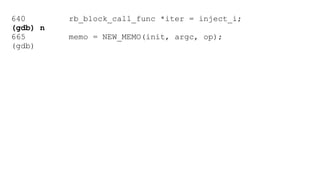
640 rb_block_call_func *iter = inject_i; 
(gdb) n 
665 memo = NEW_MEMO(init, argc, op); 
(gdb)
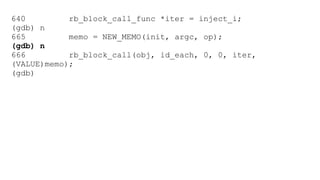
640 rb_block_call_func *iter = inject_i; 
(gdb) n 
665 memo = NEW_MEMO(init, argc, op); 
(gdb) n 
666 rb_block_call(obj, id_each, 0, 0, iter, 
(VALUE)memo); 
(gdb)
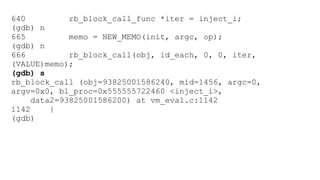
640 rb_block_call_func *iter = inject_i; 
(gdb) n 
665 memo = NEW_MEMO(init, argc, op); 
(gdb) n 
666 rb_block_call(obj, id_each, 0, 0, iter, 
(VALUE)memo); 
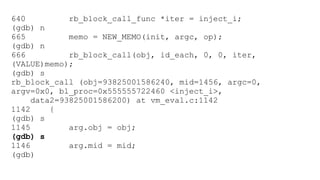
(gdb) s 
rb_block_call (obj=93825001586240, mid=1456, argc=0, 
argv=0x0, bl_proc=0x555555722460 <inject_i>, 
data2=93825001586200) at vm_eval.c:1142 
1142 { 
(gdb)
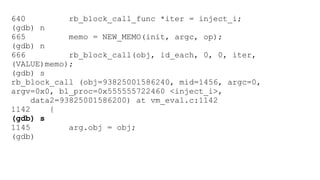
640 rb_block_call_func *iter = inject_i; 
(gdb) n 
665 memo = NEW_MEMO(init, argc, op); 
(gdb) n 
666 rb_block_call(obj, id_each, 0, 0, iter, 
(VALUE)memo); 
(gdb) s 
rb_block_call (obj=93825001586240, mid=1456, argc=0, 
argv=0x0, bl_proc=0x555555722460 <inject_i>, 
data2=93825001586200) at vm_eval.c:1142 
1142 { 
(gdb) s 
1145 arg.obj = obj; 
(gdb)
640 rb_block_call_func *iter = inject_i; 
(gdb) n 
665 memo = NEW_MEMO(init, argc, op); 
(gdb) n 
666 rb_block_call(obj, id_each, 0, 0, iter, 
(VALUE)memo); 
(gdb) s 
rb_block_call (obj=93825001586240, mid=1456, argc=0, 
argv=0x0, bl_proc=0x555555722460 <inject_i>, 
data2=93825001586200) at vm_eval.c:1142 
1142 { 
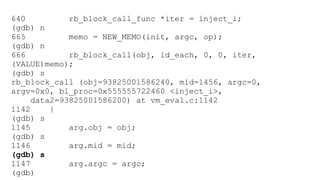
(gdb) s 
1145 arg.obj = obj; 
(gdb) s 
1146 arg.mid = mid; 
(gdb)
640 rb_block_call_func *iter = inject_i; 
(gdb) n 
665 memo = NEW_MEMO(init, argc, op); 
(gdb) n 
666 rb_block_call(obj, id_each, 0, 0, iter, 
(VALUE)memo); 
(gdb) s 
rb_block_call (obj=93825001586240, mid=1456, argc=0, 
argv=0x0, bl_proc=0x555555722460 <inject_i>, 
data2=93825001586200) at vm_eval.c:1142 
1142 { 
(gdb) s 
1145 arg.obj = obj; 
(gdb) s 
1146 arg.mid = mid; 
(gdb) s 
1147 arg.argc = argc; 
(gdb)
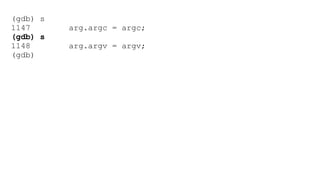
(gdb) s 
1147 arg.argc = argc; 
(gdb) s 
1148 arg.argv = argv; 
(gdb)
(gdb) s 
1147 arg.argc = argc; 
(gdb) s 
1148 arg.argv = argv; 
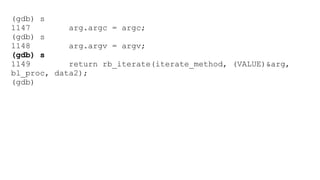
(gdb) s 
1149 return rb_iterate(iterate_method, (VALUE)&arg, 
bl_proc, data2); 
(gdb)
(gdb) s 
1147 arg.argc = argc; 
(gdb) s 
1148 arg.argv = argv; 
(gdb) s 
1149 return rb_iterate(iterate_method, (VALUE)&arg, 
bl_proc, data2); 
(gdb) s 
rb_iterate (it_proc=it_proc@entry=0x5555556c0790 
<iterate_method>, data1=data1@entry=140737488340304, 
bl_proc=0x555555722460 <inject_i>, data2=93825001586200) 
at vm_eval.c:1054 
1054 { 
(gdb)
(gdb) s 
1147 arg.argc = argc; 
(gdb) s 
1148 arg.argv = argv; 
(gdb) s 
1149 return rb_iterate(iterate_method, (VALUE)&arg, 
bl_proc, data2); 
(gdb) s 
rb_iterate (it_proc=it_proc@entry=0x5555556c0790 
<iterate_method>, data1=data1@entry=140737488340304, 
bl_proc=0x555555722460 <inject_i>, data2=93825001586200) 
at vm_eval.c:1054 
1054 { 
(gdb) s 
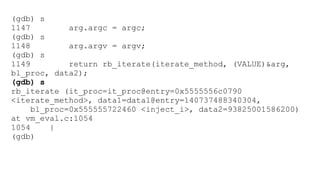
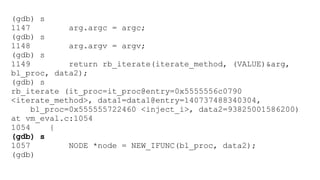
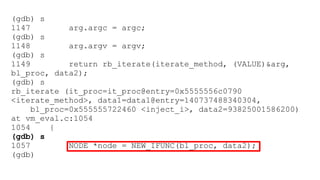
1057 NODE *node = NEW_IFUNC(bl_proc, data2); 
(gdb)
(gdb) s 
1147 arg.argc = argc; 
(gdb) s 
1148 arg.argv = argv; 
(gdb) s 
1149 return rb_iterate(iterate_method, (VALUE)&arg, 
bl_proc, data2); 
(gdb) s 
rb_iterate (it_proc=it_proc@entry=0x5555556c0790 
<iterate_method>, data1=data1@entry=140737488340304, 
bl_proc=0x555555722460 <inject_i>, data2=93825001586200) 
at vm_eval.c:1054 
1054 { 
(gdb) s 
1057 NODE *node = NEW_IFUNC(bl_proc, data2); 
(gdb)
static VALUE enum_inject(int argc, VALUE *argv, VALUE obj) 
{ 
NODE *memo; 
VALUE init, op; 
rb_block_call_func *iter = inject_i; 
… 
memo = NEW_MEMO(init, argc, op); 
rb_block_call(obj, id_each, 0, 0, iter, (VALUE)memo); 
return memo->u1.value; 
}
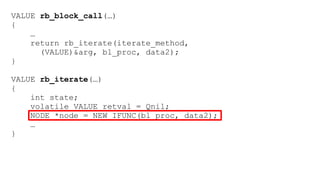
VALUE rb_block_call(…) 
{ 
… 
return rb_iterate(iterate_method, 
(VALUE)&arg, bl_proc, data2); 
} 
VALUE rb_iterate(…) 
{ 
int state; 
volatile VALUE retval = Qnil; 
NODE *node = NEW_IFUNC(bl_proc, data2); 
… 
}
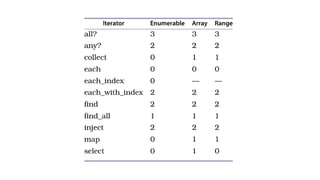
2 T_NODE's per inject() call
10000.times { [].inject } 
20000 extra T_NODE objects 
some work for GC
Ruby 
Performance 
More in my book 
ruby-performance-book.com
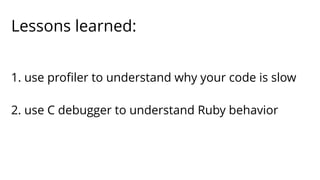
Lessons learned: 
1. use profiler to understand why your code is slow 
2. use C debugger to understand Ruby behavior
Example 2
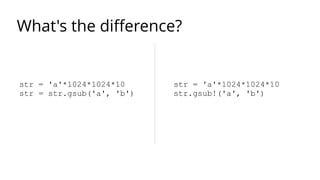
What's the difference? 
str = 'a'*1024*1024*10 
str = str.gsub('a', 'b') 
str = 'a'*1024*1024*10 
str.gsub!('a', 'b')
str = 'a'*1024*1024*10 
str = str.gsub('a', 'b') 
str = 'a'*1024*1024*10 
str.gsub!('a', 'b') 
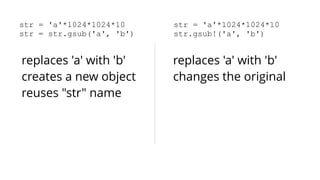
replaces 'a' with 'b' 
creates a new object 
reuses "str" name 
replaces 'a' with 'b' 
changes the original
Supposedly
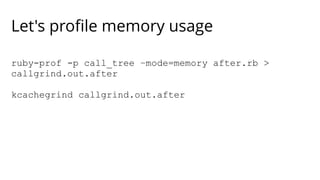
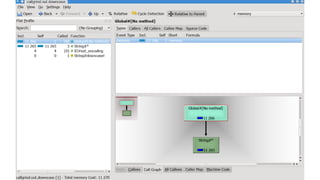
Let's profile memory usage 
ruby-prof -p call_tree –mode=memory after.rb > 
callgrind.out.after 
kcachegrind callgrind.out.after
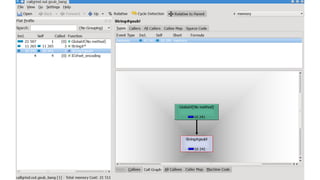
So, gsub! doesn't save any memory
So, gsub! doesn't save any memory 
… except one slot on Ruby heap
So, gsub! doesn't save any memory 
except one slot on Ruby heap 
… which is 40 bytes
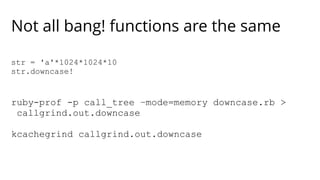
Not all bang! functions are the same 
str = 'a'*1024*1024*10 
str.downcase! 
ruby-prof -p call_tree –mode=memory downcase.rb > 
callgrind.out.downcase 
kcachegrind callgrind.out.downcase
Lessons learned: 
1. profile memory 
2. challenge all tips/tricks/best practices
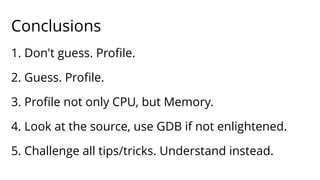
Conclusions 
1. Don't guess. Profile. 
2. Guess. Profile. 
3. Profile not only CPU, but Memory. 
4. Look at the source, use GDB if not enlightened. 
5. Challenge all tips/tricks. Understand instead.
Big thanks to:
Ruby 
Performance 
ruby-performance-book.com 
airpair.me/adymo 
@alexander_dymo

Alexander Dymo - RubyConf 2014 - Ruby Performance Secrets and How to Uncover Them

  • 1.
    Ruby Performance Secretsand How to Uncover Them http://www.slideshare.net/adymo/adymo-rubyconf-performance
  • 2.
    Who am I? Alexander Dymo C/C++ since 2000 Ruby/Rails since 2006 Started to optimize back in 2007 Never stopped since then
  • 3.
    Rails Performance: WhatYou Need to Know https://www.airpair.com/ruby-on-rails/performance Make Your Ruby/Rails App Fast: Performance And Memory Profiling Using ruby-prof and Kcachegrind http://www.acunote.com/blog/2008/02/make-your-ruby-rails-applications-fast-performance-and-memory-profiling.html Ruby Performance Tuning http://theprosegarden.com/contents-of-recent-issues/#10-14
  • 4.
    Ruby Performance Thefirst comprehensive book on Ruby Performance I'm 50% done. Beta soon. ruby-performance-book.com
  • 5.
  • 6.
    What do wetalk about today? Performance tips Performance best practices
  • 7.
    What do wetalk about today? Performance tips Performance best practices How to understand what's wrong How to find your own performance tips/best practices
  • 8.
  • 9.
  • 10.
    What can gowrong with this code?
  • 11.
    What can gowrong with this code?
  • 12.
  • 14.
  • 15.
  • 16.
  • 17.
  • 18.
    Let's profile memoryallocations Need patched ruby rvm reinstall 1.9.3 --patch railsexpress rvm reinstall 2.0.0 --patch railsexpress rvm reinstall 2.1.4 --patch railsexpress
  • 19.
    Let's profile memoryallocations Need profiler gem install ruby-prof
  • 20.
    Let's profile memoryallocations Need visualization tool Mac: brew install qcachegrind Linux: <your package manager> install kcachegrind Windows: http://sourceforge.net/projects/qcachegrindwin/
  • 21.
    Let's profile memoryallocations ruby-prof -p call_tree –mode=allocations before.rb > callgrind.out.before ruby-prof -p call_tree –mode=allocations after.rb > callgrind.out.after kcachegrind callgrind.out.before kcachegrind callgrind.out.after
  • 25.
    static VALUE enum_inject(intargc, VALUE *argv, VALUE obj) { NODE *memo; VALUE init, op; rb_block_call_func *iter = inject_i; … memo = NEW_MEMO(init, argc, op); rb_block_call(obj, id_each, 0, 0, iter, (VALUE)memo); return memo->u1.value; }
  • 26.
    > gdb `rbenvwhich ruby` GNU gdb (GDB) SUSE (7.5.1-2.5.1) Reading symbols from /home/gremlin/.rbenv/versions/2.1.4/bin/ruby...done. (gdb)
  • 27.
    (gdb) l enum_inject 632 * longest #=> "sheep" 633 * 634 */ 635 static VALUE 636 enum_inject(int argc, VALUE *argv, VALUE obj) 637 { 638 NODE *memo; 639 VALUE init, op; 640 rb_block_call_func *iter = inject_i; 641 ID id; (gdb)
  • 28.
    636 enum_inject(int argc,VALUE *argv, VALUE obj) 637 { 638 NODE *memo; 639 VALUE init, op; 640 rb_block_call_func *iter = inject_i; 641 ID id; (gdb) b 638 Breakpoint 1 at 0x1cbc0a: file enum.c, line 638. (gdb)
  • 29.
    (gdb) r -e'[1,2,3].inject {}' Starting program: /home/gremlin/.rbenv/versions/2.1.4/bin/ruby -e '[1,2,3].inject {}' [Thread debugging using libthread_db enabled] Using host libthread_db library "/lib64/libthread_db.so.1". [New Thread 0x7ffff7ff2700 (LWP 3893)] Breakpoint 1, enum_inject (argc=0, argv=<optimized out>, obj=93825001586240) at enum.c:640 640 rb_block_call_func *iter = inject_i; (gdb)
  • 30.
    640 rb_block_call_func *iter= inject_i; (gdb) n 665 memo = NEW_MEMO(init, argc, op); (gdb)
  • 31.
    640 rb_block_call_func *iter= inject_i; (gdb) n 665 memo = NEW_MEMO(init, argc, op); (gdb) n 666 rb_block_call(obj, id_each, 0, 0, iter, (VALUE)memo); (gdb)
  • 32.
    640 rb_block_call_func *iter= inject_i; (gdb) n 665 memo = NEW_MEMO(init, argc, op); (gdb) n 666 rb_block_call(obj, id_each, 0, 0, iter, (VALUE)memo); (gdb) s rb_block_call (obj=93825001586240, mid=1456, argc=0, argv=0x0, bl_proc=0x555555722460 <inject_i>, data2=93825001586200) at vm_eval.c:1142 1142 { (gdb)
  • 33.
    640 rb_block_call_func *iter= inject_i; (gdb) n 665 memo = NEW_MEMO(init, argc, op); (gdb) n 666 rb_block_call(obj, id_each, 0, 0, iter, (VALUE)memo); (gdb) s rb_block_call (obj=93825001586240, mid=1456, argc=0, argv=0x0, bl_proc=0x555555722460 <inject_i>, data2=93825001586200) at vm_eval.c:1142 1142 { (gdb) s 1145 arg.obj = obj; (gdb)
  • 34.
    640 rb_block_call_func *iter= inject_i; (gdb) n 665 memo = NEW_MEMO(init, argc, op); (gdb) n 666 rb_block_call(obj, id_each, 0, 0, iter, (VALUE)memo); (gdb) s rb_block_call (obj=93825001586240, mid=1456, argc=0, argv=0x0, bl_proc=0x555555722460 <inject_i>, data2=93825001586200) at vm_eval.c:1142 1142 { (gdb) s 1145 arg.obj = obj; (gdb) s 1146 arg.mid = mid; (gdb)
  • 35.
    640 rb_block_call_func *iter= inject_i; (gdb) n 665 memo = NEW_MEMO(init, argc, op); (gdb) n 666 rb_block_call(obj, id_each, 0, 0, iter, (VALUE)memo); (gdb) s rb_block_call (obj=93825001586240, mid=1456, argc=0, argv=0x0, bl_proc=0x555555722460 <inject_i>, data2=93825001586200) at vm_eval.c:1142 1142 { (gdb) s 1145 arg.obj = obj; (gdb) s 1146 arg.mid = mid; (gdb) s 1147 arg.argc = argc; (gdb)
  • 36.
    (gdb) s 1147arg.argc = argc; (gdb) s 1148 arg.argv = argv; (gdb)
  • 37.
    (gdb) s 1147arg.argc = argc; (gdb) s 1148 arg.argv = argv; (gdb) s 1149 return rb_iterate(iterate_method, (VALUE)&arg, bl_proc, data2); (gdb)
  • 38.
    (gdb) s 1147arg.argc = argc; (gdb) s 1148 arg.argv = argv; (gdb) s 1149 return rb_iterate(iterate_method, (VALUE)&arg, bl_proc, data2); (gdb) s rb_iterate (it_proc=it_proc@entry=0x5555556c0790 <iterate_method>, data1=data1@entry=140737488340304, bl_proc=0x555555722460 <inject_i>, data2=93825001586200) at vm_eval.c:1054 1054 { (gdb)
  • 39.
    (gdb) s 1147arg.argc = argc; (gdb) s 1148 arg.argv = argv; (gdb) s 1149 return rb_iterate(iterate_method, (VALUE)&arg, bl_proc, data2); (gdb) s rb_iterate (it_proc=it_proc@entry=0x5555556c0790 <iterate_method>, data1=data1@entry=140737488340304, bl_proc=0x555555722460 <inject_i>, data2=93825001586200) at vm_eval.c:1054 1054 { (gdb) s 1057 NODE *node = NEW_IFUNC(bl_proc, data2); (gdb)
  • 40.
    (gdb) s 1147arg.argc = argc; (gdb) s 1148 arg.argv = argv; (gdb) s 1149 return rb_iterate(iterate_method, (VALUE)&arg, bl_proc, data2); (gdb) s rb_iterate (it_proc=it_proc@entry=0x5555556c0790 <iterate_method>, data1=data1@entry=140737488340304, bl_proc=0x555555722460 <inject_i>, data2=93825001586200) at vm_eval.c:1054 1054 { (gdb) s 1057 NODE *node = NEW_IFUNC(bl_proc, data2); (gdb)
  • 41.
    static VALUE enum_inject(intargc, VALUE *argv, VALUE obj) { NODE *memo; VALUE init, op; rb_block_call_func *iter = inject_i; … memo = NEW_MEMO(init, argc, op); rb_block_call(obj, id_each, 0, 0, iter, (VALUE)memo); return memo->u1.value; }
  • 42.
    VALUE rb_block_call(…) { … return rb_iterate(iterate_method, (VALUE)&arg, bl_proc, data2); } VALUE rb_iterate(…) { int state; volatile VALUE retval = Qnil; NODE *node = NEW_IFUNC(bl_proc, data2); … }
  • 43.
    2 T_NODE's perinject() call
  • 44.
    10000.times { [].inject} 20000 extra T_NODE objects some work for GC
  • 46.
    Ruby Performance Morein my book ruby-performance-book.com
  • 47.
    Lessons learned: 1.use profiler to understand why your code is slow 2. use C debugger to understand Ruby behavior
  • 48.
  • 49.
    What's the difference? str = 'a'*1024*1024*10 str = str.gsub('a', 'b') str = 'a'*1024*1024*10 str.gsub!('a', 'b')
  • 50.
    str = 'a'*1024*1024*10 str = str.gsub('a', 'b') str = 'a'*1024*1024*10 str.gsub!('a', 'b') replaces 'a' with 'b' creates a new object reuses "str" name replaces 'a' with 'b' changes the original
  • 51.
  • 52.
    Let's profile memoryusage ruby-prof -p call_tree –mode=memory after.rb > callgrind.out.after kcachegrind callgrind.out.after
  • 54.
    So, gsub! doesn'tsave any memory
  • 55.
    So, gsub! doesn'tsave any memory … except one slot on Ruby heap
  • 56.
    So, gsub! doesn'tsave any memory except one slot on Ruby heap … which is 40 bytes
  • 57.
    Not all bang!functions are the same str = 'a'*1024*1024*10 str.downcase! ruby-prof -p call_tree –mode=memory downcase.rb > callgrind.out.downcase kcachegrind callgrind.out.downcase
  • 59.
    Lessons learned: 1.profile memory 2. challenge all tips/tricks/best practices
  • 60.
    Conclusions 1. Don'tguess. Profile. 2. Guess. Profile. 3. Profile not only CPU, but Memory. 4. Look at the source, use GDB if not enlightened. 5. Challenge all tips/tricks. Understand instead.
  • 61.
  • 62.
    Ruby Performance ruby-performance-book.com airpair.me/adymo @alexander_dymo