Download to read offline
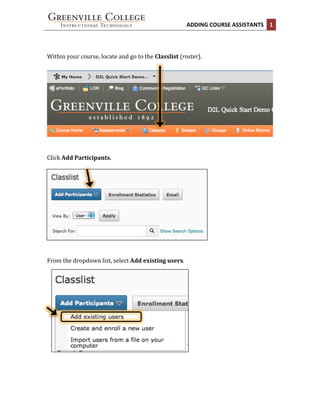


This document provides instructions for adding course assistants in 3 steps: 1. Access the classlist (roster) and click "Add Participants" 2. Search for the assistant's name, check the box next to their name, and select their role as either a teaching assistant (full instructor rights) or student assistant (limited grading and email rights) 3. Click "Enroll Selected Users" to complete the process and receive a confirmation, or add more assistants to the same course.


