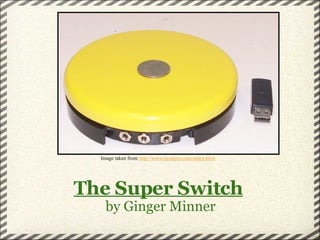
The Super Switch   by Ginger Minner Image taken from  http://www.rjcooper.com/index.html
"One Switch that does it all!"     -RJ Cooper & Associates 3 inputs for a variety of arrangements   Can be used as a mouse or keystroke   Costs $149   Can be used with TBI, children, and geriatric clients with poor motor control
How does the Super Switch work?      "An activated switch... signal[s] the student's choice or selection when used with special software...Students can activate the switch when the option they want is highlighted" (51).   Jeff Messerer in  Learning and Leading with Technology Image taken from  http://www.amazon.com/Learning-and-Leading-With-Technology/dp/B00006KLSQ
How does the  Super Switch                      improve communication? At 5" in diameter, this switch provides a large surface area for clients to utilize. It allows clients to maneuver through computer programs or write text to a keyboard.    The Super Switch can help increase:   graphic expression   receptive comprehension   pragmatic comprehension
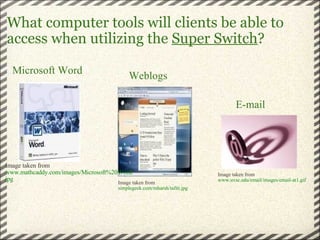
What computer tools will clients be able to access when utilizing the  Super Switch ? Image taken from  simplegeek.com/mharsh/tafiti.jpg Weblogs Microsoft Word Image taken from  www.mathcaddy.com/images/Microsoft%20Word.jpg E-mail Image taken from  www.uvsc.edu/email/images/email-at1.gif
    Text-to-Speech Software -The super switch can be used as a mouse to utilize the program; clients with Apraxia may improve communication skills.   Switch Interface Capabilities -Super Switch connects other switches to computers. The Super Switch becomes the secondary switch and another switch takes the primary role.   Other Uses for  Super Switch
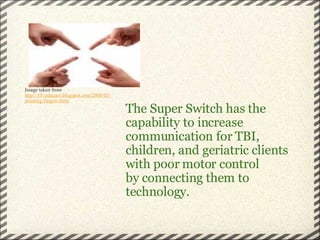
The Super Switch has the capability to increase communication for TBI, children, and geriatric clients with poor motor control by connecting them to technology.   Image taken from  http://101educare.blogspot.com/2008/05/ pointing-fingers.html
Sources   Messerer, J. (1997, February). Adaptive  technology:Unleashing the                   power of technology for all students.  Learning and Leading           with Technology , 50-53.     R.J. Copper & Associates.  http://www.rjcooper.com/index.html        

Adaptive Technology Super Switch 2

  • 1.
    The Super Switch by Ginger Minner Image taken from http://www.rjcooper.com/index.html
  • 2.
    "One Switch thatdoes it all!"   -RJ Cooper & Associates 3 inputs for a variety of arrangements   Can be used as a mouse or keystroke   Costs $149   Can be used with TBI, children, and geriatric clients with poor motor control
  • 3.
    How does theSuper Switch work?      "An activated switch... signal[s] the student's choice or selection when used with special software...Students can activate the switch when the option they want is highlighted" (51).   Jeff Messerer in Learning and Leading with Technology Image taken from http://www.amazon.com/Learning-and-Leading-With-Technology/dp/B00006KLSQ
  • 4.
    How does the Super Switch                      improve communication? At 5" in diameter, this switch provides a large surface area for clients to utilize. It allows clients to maneuver through computer programs or write text to a keyboard.   The Super Switch can help increase:   graphic expression   receptive comprehension   pragmatic comprehension
  • 5.
    What computer toolswill clients be able to access when utilizing the Super Switch ? Image taken from simplegeek.com/mharsh/tafiti.jpg Weblogs Microsoft Word Image taken from www.mathcaddy.com/images/Microsoft%20Word.jpg E-mail Image taken from www.uvsc.edu/email/images/email-at1.gif
  • 6.
        Text-to-SpeechSoftware -The super switch can be used as a mouse to utilize the program; clients with Apraxia may improve communication skills.   Switch Interface Capabilities -Super Switch connects other switches to computers. The Super Switch becomes the secondary switch and another switch takes the primary role. Other Uses for Super Switch
  • 7.
    The Super Switchhas the capability to increase communication for TBI, children, and geriatric clients with poor motor control by connecting them to technology. Image taken from http://101educare.blogspot.com/2008/05/ pointing-fingers.html
  • 8.
    Sources   Messerer,J. (1997, February). Adaptive  technology:Unleashing the                  power of technology for all students. Learning and Leading           with Technology , 50-53.     R.J. Copper & Associates. http://www.rjcooper.com/index.html