AD206: Build Apps Rapidly
by Leveraging Services
from IBM® Collaboration
Solutions
Niklas Heidloff, IBM
Henning Schmidt, hedersoft

© 2014 IBM Corporation
Who we are




2

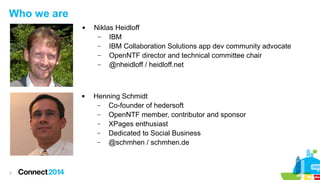
Niklas Heidloff
–
IBM
–
IBM Collaboration Solutions app dev community advocate
–
OpenNTF director and technical committee chair
–
@nheidloff / heidloff.net

Henning Schmidt
–
Co-founder of hedersoft
–
OpenNTF member, contributor and sponsor
–
XPages enthusiast
–
Dedicated to Social Business
–
@schmhen / schmhen.de
Please Note
IBM’s statements regarding its plans, directions, and intent are subject to change or withdrawal without notice at IBM’s sole
discretion.
Information regarding potential future products is intended to outline our general product direction and it should not be
relied on in making a purchasing decision.
The information mentioned regarding potential future products is not a commitment, promise, or legal obligation to deliver
any material, code or functionality. Information about potential future products may not be incorporated into any contract.
The development, release, and timing of any future features or functionality described for our products remains at our sole
discretion

Performance is based on measurements and projections using standard IBM benchmarks in a controlled environment.
The actual throughput or performance that any user will experience will vary depending upon many factors, including
considerations such as the amount of multiprogramming in the user’s job stream, the I/O configuration, the storage
configuration, and the workload processed. Therefore, no assurance can be given that an individual user will achieve
results similar to those stated here.

3
Don't reinvent the Wheel


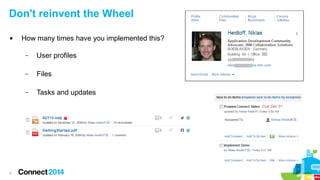
How many times have you implemented this?
–
–

Files

–

4

User profiles

Tasks and updates
Agenda








5

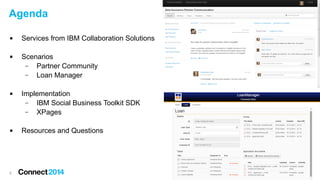
Services from IBM Collaboration Solutions
Scenarios
–
Partner Community
–
Loan Manager
Implementation
–
IBM Social Business Toolkit SDK
–
XPages
Resources and Questions
Scenarios: Extensibility and Social Apps




6

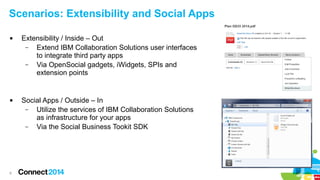
Extensibility / Inside – Out
–
Extend IBM Collaboration Solutions user interfaces
to integrate third party apps
–
Via OpenSocial gadgets, iWidgets, SPIs and
extension points

Social Apps / Outside – In
–
Utilize the services of IBM Collaboration Solutions
as infrastructure for your apps
–
Via the Social Business Tookit SDK
Sample Scenario: Partner Community




7

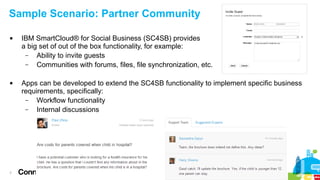
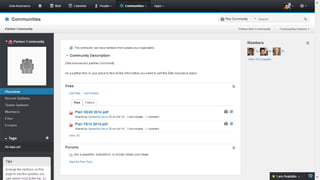
IBM SmartCloud® for Social Business (SC4SB) provides
a big set of out of the box functionality, for example:
–
Ability to invite guests
–
Communities with forums, files, file synchronization, etc.
Apps can be developed to extend the SC4SB functionality to implement specific business
requirements, specifically:
–
Workflow functionality
–
Internal discussions
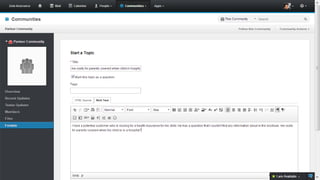
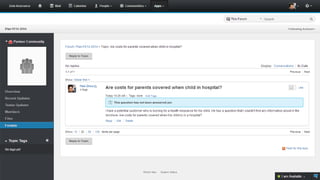
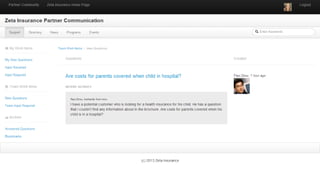
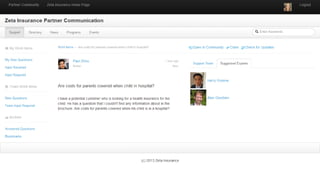
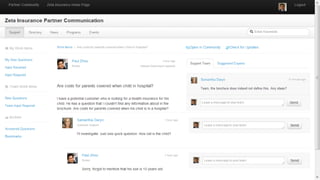
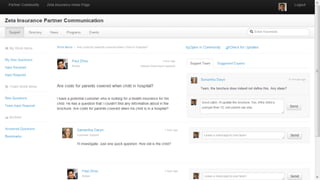
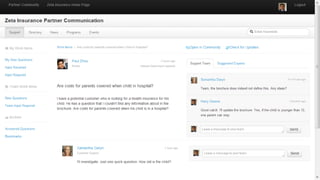
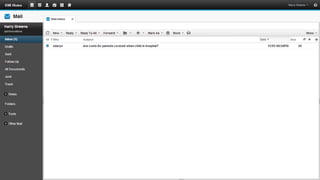
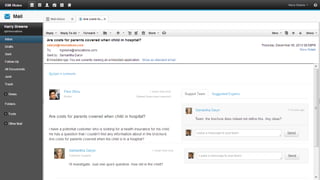
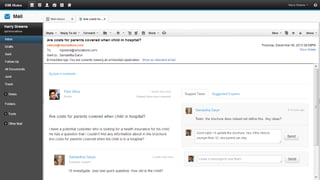
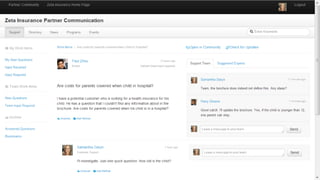
Sample Scenario: Partner Community


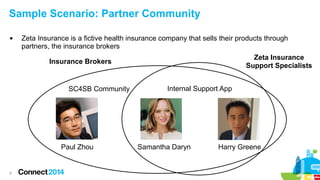
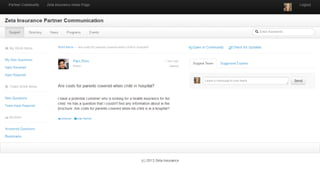
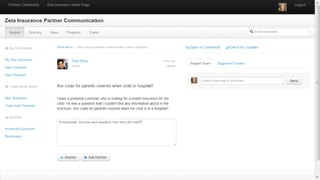
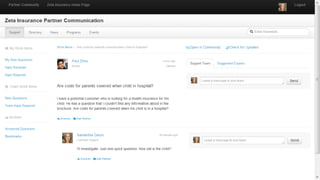
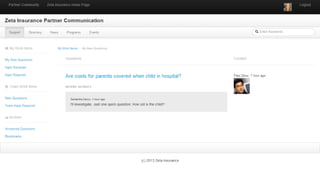
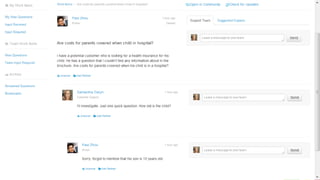
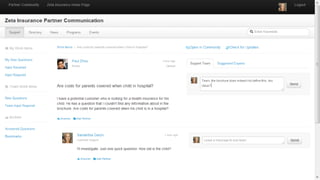
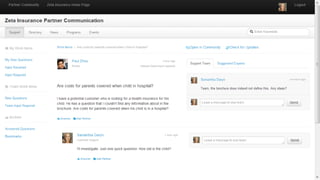
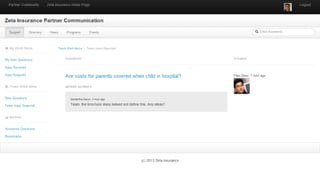
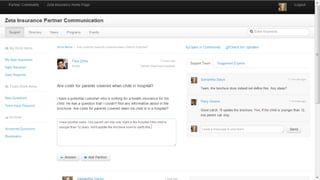
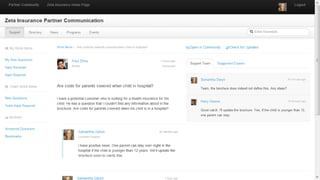
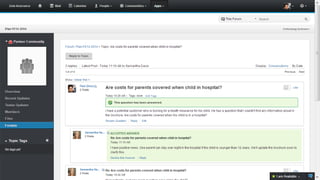
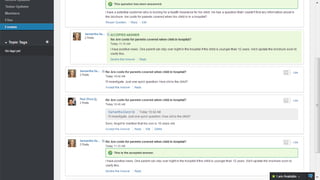
Zeta Insurance is a fictive health insurance company that sells their products through
partners, the insurance brokers
Zeta Insurance
Support Specialists

Insurance Brokers

SC4SB Community

Paul Zhou

8

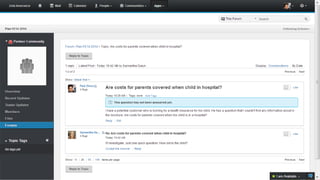
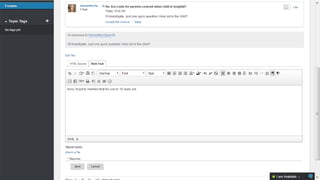
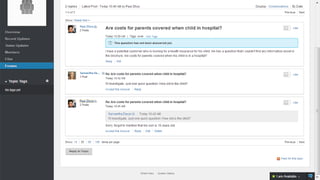
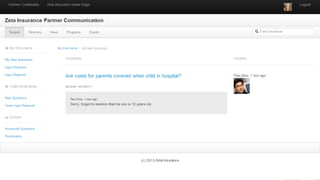
Internal Support App

Samantha Daryn

Harry Greene
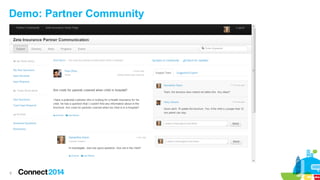
Demo: Partner Community

9
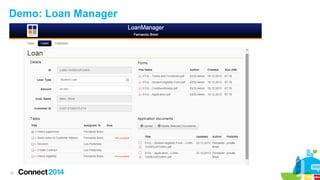
Sample Scenario: Loan Manager




10

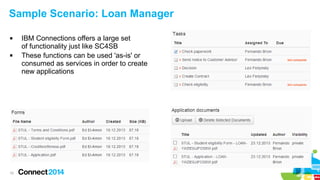
IBM Connections offers a large set
of functionality just like SC4SB
These functions can be used 'as-is' or
consumed as services in order to create
new applications
Sample Scenario: Loan Manager




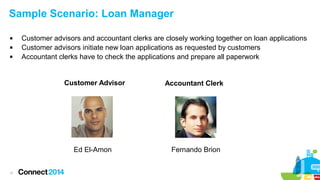
Customer advisors and accountant clerks are closely working together on loan applications
Customer advisors initiate new loan applications as requested by customers
Accountant clerks have to check the applications and prepare all paperwork

Customer Advisor

Ed El-Amon
11

Accountant Clerk

Fernando Brion
Demo: Loan Manager

12
IBM Social Business Toolkit SDK






13

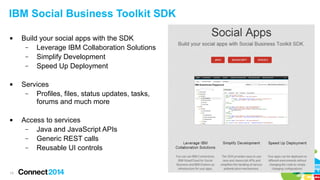
Build your social apps with the SDK
–
Leverage IBM Collaboration Solutions
–
Simplify Development
–
Speed Up Deployment
Services
–
Profiles, files, status updates, tasks,
forums and much more
Access to services
–
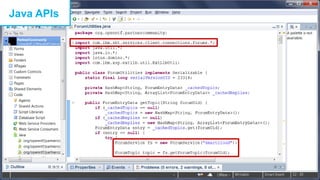
Java and JavaScript APIs
–
Generic REST calls
–
Reusable UI controls
IBM Social Business Toolkit SDK Components


SDK (open source)



Development community



IBM Collaboration QuickStart image



Playground

14
Functionality used in Sample Scenarios



15

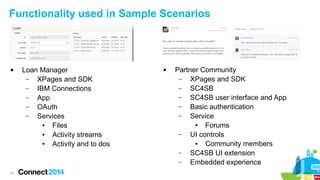
Loan Manager
–
XPages and SDK
–
IBM Connections
–
App
–
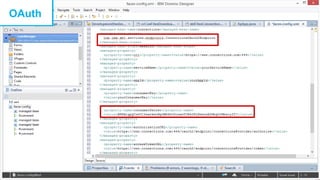
OAuth
–
Services
●
Files
●
Activity streams
●
Activity and to dos



Partner Community
–
XPages and SDK
–
SC4SB
–
SC4SB user interface and App
–
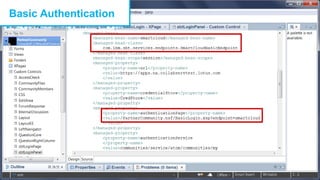
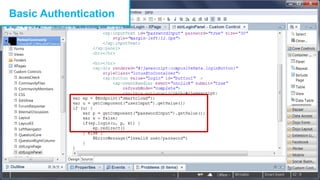
Basic authentication
–
Service
●
Forums
–
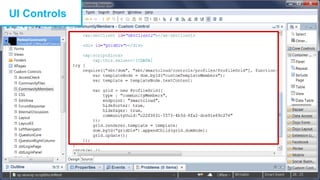
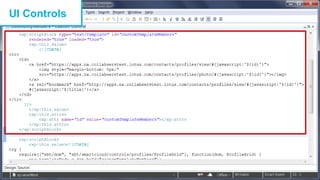
UI controls
●
Community members
–
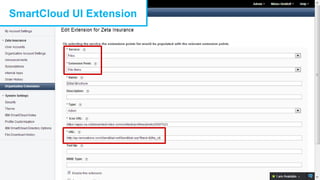
SC4SB UI extension
–
Embedded experience
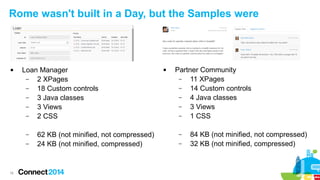
Rome wasn't built in a Day, but the Samples were



Loan Manager
–
2 XPages
–
18 Custom controls
–
3 Java classes
–
3 Views
–
2 CSS
–
–

16

62 KB (not minified, not compressed)
24 KB (not minified, compressed)



Partner Community
–
11 XPages
–
14 Custom controls
–
4 Java classes
–
3 Views
–
1 CSS
–
–

84 KB (not minified, not compressed)
32 KB (not minified, compressed)
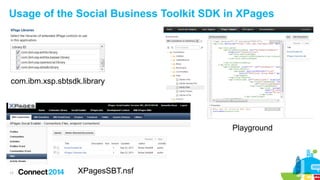
Usage of the Social Business Toolkit SDK in XPages

com.ibm.xsp.sbtsdk.library

Playground

17

XPagesSBT.nsf
Basic Authentication

18
Basic Authentication

19
OAuth

20
Java APIs

21
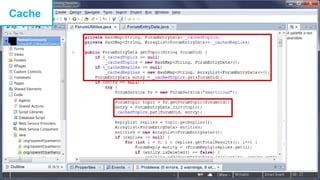
Cache

22
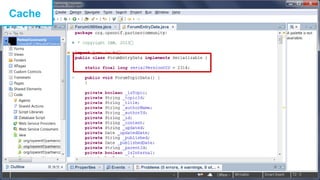
Cache

23
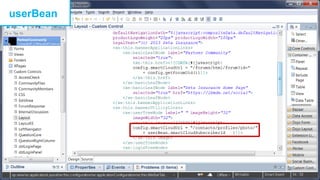
userBean

24
UI Controls

25
UI Controls

26
SmartCloud UI Extension

27
Summary


Don't reinvent the wheel. Use services provided by IBM Collaboration Solutions



Use the IBM Social Business Toolkit SDK to access IBM Collaboration Solutions



XPages = Rapid Application Development



To get started with the SDK in XPages check out the various open source samples



28

Use the 60 days trial of IBM SmartCloud for Social Business and the IBM Collaboration
Quick Start image
Resources and Questions









Home page: http://ibmdw.net/social
SDK: http://ibmsbt.openntf.org
GitHub: https://github.com/OpenNTF/SocialSDK
Webinars: https://www.ibmdw.net/social/events/
StackOverflow: #ibmsbt
Twitter: @ibmsbt
YouTube: http://youtube.com/ibmsbt
Playground: http://bit.ly/sbtplayground

Image via Placeit.net

29
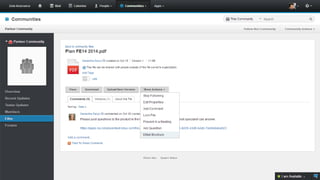
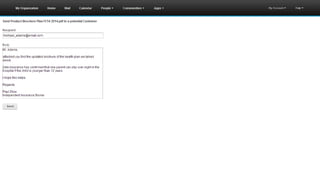
Partner Community
Screenshots

30
31
32
33
34
35
36
37
38
39
40
41
42
43
44
45
46
47
48
49
50
51
52
53
54
55
56
57
58
59
60
61
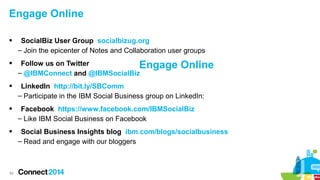
Engage Online




SocialBiz User Group socialbizug.org
– Join the epicenter of Notes and Collaboration user groups
Follow us on Twitter
Engage
– @IBMConnect and @IBMSocialBiz

Online



LinkedIn http://bit.ly/SBComm
– Participate in the IBM Social Business group on LinkedIn:



Facebook https://www.facebook.com/IBMSocialBiz
– Like IBM Social Business on Facebook



Social Business Insights blog ibm.com/blogs/socialbusiness
– Read and engage with our bloggers

62
 Access Connect Online to complete your session surveys using any:
– Web or mobile browser
– Connect Online kiosk onsite

63
Acknowledgements and Disclaimers
Availability. References in this presentation to IBM products, programs, or services do not imply that they will be available in all countries in which IBM operates.
The workshops, sessions and materials have been prepared by IBM or the session speakers and reflect their own views. They are provided for informational purposes only, and are neither
intended to, nor shall have the effect of being, legal or other guidance or advice to any participant. While efforts were made to verify the completeness and accuracy of the information
contained in this presentation, it is provided AS-IS without warranty of any kind, express or implied. IBM shall not be responsible for any damages arising out of the use of, or otherwise
related to, this presentation or any other materials. Nothing contained in this presentation is intended to, nor shall have the effect of, creating any warranties or representations from IBM or
its suppliers or licensors, or altering the terms and conditions of the applicable license agreement governing the use of IBM software.
All customer examples described are presented as illustrations of how those customers have used IBM products and the results they may have achieved. Actual environmental costs and
performance characteristics may vary by customer. Nothing contained in these materials is intended to, nor shall have the effect of, stating or implying that any activities undertaken by you
will result in any specific sales, revenue growth or other results.

© Copyright IBM Corporation 2014. All rights reserved.
 U.S. Government Users Restricted Rights - Use, duplication or disclosure restricted by GSA ADP Schedule Contract with IBM Corp.
 IBM, the IBM logo, ibm.com and IBM SmartCloud® are trademarks or registered trademarks of International Business Machines Corporation in the United States, other countries, or
both. If these and other IBM trademarked terms are marked on their first occurrence in this information with a trademark symbol (® or ™), these symbols indicate U.S. registered or
common law trademarks owned by IBM at the time this information was published. Such trademarks may also be registered or common law trademarks in other countries. A current list
of IBM trademarks is available on the Web at “Copyright and trademark information” at www.ibm.com/legal/copytrade.shtml
GitHub is a trademark: https://help.github.com/articles/github-trademark-policy
StackOverflow is a trademake: http://stackexchange.com/legal/trademark-guidance
Other company, product, or service names may be trademarks or service marks of others.

64

IBM Connect 2014 - AD206: Build Apps Rapidly by Leveraging Services from IBM Collaboration Solutions

  • 1.
    AD206: Build AppsRapidly by Leveraging Services from IBM® Collaboration Solutions Niklas Heidloff, IBM Henning Schmidt, hedersoft © 2014 IBM Corporation
  • 2.
    Who we are   2 NiklasHeidloff – IBM – IBM Collaboration Solutions app dev community advocate – OpenNTF director and technical committee chair – @nheidloff / heidloff.net Henning Schmidt – Co-founder of hedersoft – OpenNTF member, contributor and sponsor – XPages enthusiast – Dedicated to Social Business – @schmhen / schmhen.de
  • 3.
    Please Note IBM’s statementsregarding its plans, directions, and intent are subject to change or withdrawal without notice at IBM’s sole discretion. Information regarding potential future products is intended to outline our general product direction and it should not be relied on in making a purchasing decision. The information mentioned regarding potential future products is not a commitment, promise, or legal obligation to deliver any material, code or functionality. Information about potential future products may not be incorporated into any contract. The development, release, and timing of any future features or functionality described for our products remains at our sole discretion Performance is based on measurements and projections using standard IBM benchmarks in a controlled environment. The actual throughput or performance that any user will experience will vary depending upon many factors, including considerations such as the amount of multiprogramming in the user’s job stream, the I/O configuration, the storage configuration, and the workload processed. Therefore, no assurance can be given that an individual user will achieve results similar to those stated here. 3
  • 4.
    Don't reinvent theWheel  How many times have you implemented this? – – Files – 4 User profiles Tasks and updates
  • 5.
    Agenda     5 Services from IBMCollaboration Solutions Scenarios – Partner Community – Loan Manager Implementation – IBM Social Business Toolkit SDK – XPages Resources and Questions
  • 6.
    Scenarios: Extensibility andSocial Apps   6 Extensibility / Inside – Out – Extend IBM Collaboration Solutions user interfaces to integrate third party apps – Via OpenSocial gadgets, iWidgets, SPIs and extension points Social Apps / Outside – In – Utilize the services of IBM Collaboration Solutions as infrastructure for your apps – Via the Social Business Tookit SDK
  • 7.
    Sample Scenario: PartnerCommunity   7 IBM SmartCloud® for Social Business (SC4SB) provides a big set of out of the box functionality, for example: – Ability to invite guests – Communities with forums, files, file synchronization, etc. Apps can be developed to extend the SC4SB functionality to implement specific business requirements, specifically: – Workflow functionality – Internal discussions
  • 8.
    Sample Scenario: PartnerCommunity  Zeta Insurance is a fictive health insurance company that sells their products through partners, the insurance brokers Zeta Insurance Support Specialists Insurance Brokers SC4SB Community Paul Zhou 8 Internal Support App Samantha Daryn Harry Greene
  • 9.
  • 10.
    Sample Scenario: LoanManager   10 IBM Connections offers a large set of functionality just like SC4SB These functions can be used 'as-is' or consumed as services in order to create new applications
  • 11.
    Sample Scenario: LoanManager    Customer advisors and accountant clerks are closely working together on loan applications Customer advisors initiate new loan applications as requested by customers Accountant clerks have to check the applications and prepare all paperwork Customer Advisor Ed El-Amon 11 Accountant Clerk Fernando Brion
  • 12.
  • 13.
    IBM Social BusinessToolkit SDK    13 Build your social apps with the SDK – Leverage IBM Collaboration Solutions – Simplify Development – Speed Up Deployment Services – Profiles, files, status updates, tasks, forums and much more Access to services – Java and JavaScript APIs – Generic REST calls – Reusable UI controls
  • 14.
    IBM Social BusinessToolkit SDK Components  SDK (open source)  Development community  IBM Collaboration QuickStart image  Playground 14
  • 15.
    Functionality used inSample Scenarios  15 Loan Manager – XPages and SDK – IBM Connections – App – OAuth – Services ● Files ● Activity streams ● Activity and to dos  Partner Community – XPages and SDK – SC4SB – SC4SB user interface and App – Basic authentication – Service ● Forums – UI controls ● Community members – SC4SB UI extension – Embedded experience
  • 16.
    Rome wasn't builtin a Day, but the Samples were  Loan Manager – 2 XPages – 18 Custom controls – 3 Java classes – 3 Views – 2 CSS – – 16 62 KB (not minified, not compressed) 24 KB (not minified, compressed)  Partner Community – 11 XPages – 14 Custom controls – 4 Java classes – 3 Views – 1 CSS – – 84 KB (not minified, not compressed) 32 KB (not minified, compressed)
  • 17.
    Usage of theSocial Business Toolkit SDK in XPages com.ibm.xsp.sbtsdk.library Playground 17 XPagesSBT.nsf
  • 18.
  • 19.
  • 20.
  • 21.
  • 22.
  • 23.
  • 24.
  • 25.
  • 26.
  • 27.
  • 28.
    Summary  Don't reinvent thewheel. Use services provided by IBM Collaboration Solutions  Use the IBM Social Business Toolkit SDK to access IBM Collaboration Solutions  XPages = Rapid Application Development  To get started with the SDK in XPages check out the various open source samples  28 Use the 60 days trial of IBM SmartCloud for Social Business and the IBM Collaboration Quick Start image
  • 29.
    Resources and Questions         Homepage: http://ibmdw.net/social SDK: http://ibmsbt.openntf.org GitHub: https://github.com/OpenNTF/SocialSDK Webinars: https://www.ibmdw.net/social/events/ StackOverflow: #ibmsbt Twitter: @ibmsbt YouTube: http://youtube.com/ibmsbt Playground: http://bit.ly/sbtplayground Image via Placeit.net 29
  • 30.
  • 31.
  • 32.
  • 33.
  • 34.
  • 35.
  • 36.
  • 37.
  • 38.
  • 39.
  • 40.
  • 41.
  • 42.
  • 43.
  • 44.
  • 45.
  • 46.
  • 47.
  • 48.
  • 49.
  • 50.
  • 51.
  • 52.
  • 53.
  • 54.
  • 55.
  • 56.
  • 57.
  • 58.
  • 59.
  • 60.
  • 61.
  • 62.
    Engage Online   SocialBiz UserGroup socialbizug.org – Join the epicenter of Notes and Collaboration user groups Follow us on Twitter Engage – @IBMConnect and @IBMSocialBiz Online  LinkedIn http://bit.ly/SBComm – Participate in the IBM Social Business group on LinkedIn:  Facebook https://www.facebook.com/IBMSocialBiz – Like IBM Social Business on Facebook  Social Business Insights blog ibm.com/blogs/socialbusiness – Read and engage with our bloggers 62
  • 63.
     Access ConnectOnline to complete your session surveys using any: – Web or mobile browser – Connect Online kiosk onsite 63
  • 64.
    Acknowledgements and Disclaimers Availability.References in this presentation to IBM products, programs, or services do not imply that they will be available in all countries in which IBM operates. The workshops, sessions and materials have been prepared by IBM or the session speakers and reflect their own views. They are provided for informational purposes only, and are neither intended to, nor shall have the effect of being, legal or other guidance or advice to any participant. While efforts were made to verify the completeness and accuracy of the information contained in this presentation, it is provided AS-IS without warranty of any kind, express or implied. IBM shall not be responsible for any damages arising out of the use of, or otherwise related to, this presentation or any other materials. Nothing contained in this presentation is intended to, nor shall have the effect of, creating any warranties or representations from IBM or its suppliers or licensors, or altering the terms and conditions of the applicable license agreement governing the use of IBM software. All customer examples described are presented as illustrations of how those customers have used IBM products and the results they may have achieved. Actual environmental costs and performance characteristics may vary by customer. Nothing contained in these materials is intended to, nor shall have the effect of, stating or implying that any activities undertaken by you will result in any specific sales, revenue growth or other results. © Copyright IBM Corporation 2014. All rights reserved.  U.S. Government Users Restricted Rights - Use, duplication or disclosure restricted by GSA ADP Schedule Contract with IBM Corp.  IBM, the IBM logo, ibm.com and IBM SmartCloud® are trademarks or registered trademarks of International Business Machines Corporation in the United States, other countries, or both. If these and other IBM trademarked terms are marked on their first occurrence in this information with a trademark symbol (® or ™), these symbols indicate U.S. registered or common law trademarks owned by IBM at the time this information was published. Such trademarks may also be registered or common law trademarks in other countries. A current list of IBM trademarks is available on the Web at “Copyright and trademark information” at www.ibm.com/legal/copytrade.shtml GitHub is a trademark: https://help.github.com/articles/github-trademark-policy StackOverflow is a trademake: http://stackexchange.com/legal/trademark-guidance Other company, product, or service names may be trademarks or service marks of others. 64