






A/B Testing with Website Optimizer

Brennan Heyde
Technical Director – Professional Services
3/10/2012
Today’s Overview

  • What is A/B Testing?
  • Why You Should be A/B Testing
  • Real World Examples
  • Introduction to Google Website Optimizer
  • Walk though A Real Test Using Miva
    Merchant
  • Other Tools / Resources / Q.A.
What is A/B Testing?

   • Also called split testing
   • Complicated: Testing a baseline control sample
     with a variety of single-variable tests to improve
     conversion rates.
   • Easy: Testing two different versions of a page to
     see which one converts better.
What is A/B Testing?
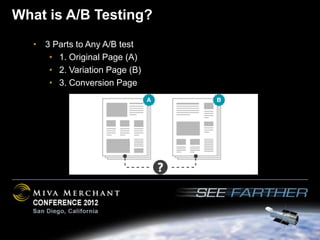
   • 3 Parts to Any A/B test
      • 1. Original Page (A)
      • 2. Variation Page (B)
      • 3. Conversion Page
What is A/B Testing

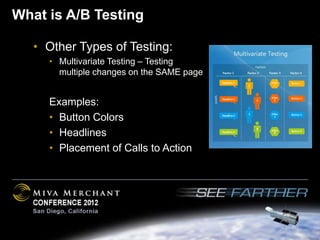
   • Other Types of Testing:
     • Multivariate Testing – Testing
       multiple changes on the SAME page


     Examples:
     • Button Colors
     • Headlines
     • Placement of Calls to Action
Why you should be A/B testing

  • Data Driven Decisions
  • Allows you to take personal preference
    (yours, your developers, your designers) out of
    the equation and help you make a data driven
    decision.
  • It will Increase your conversion rate!
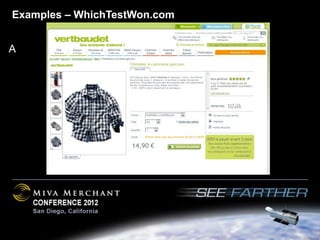
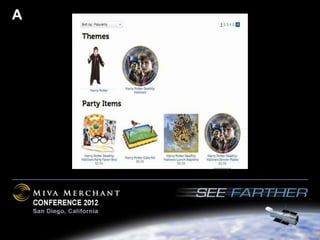
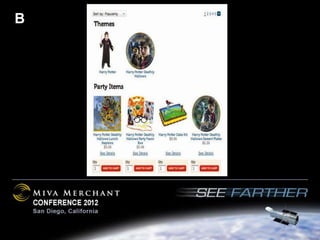
Examples – WhichTestWon.com


A
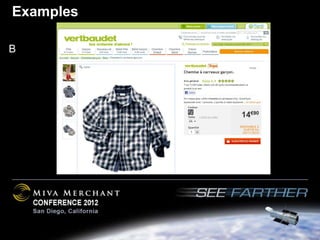
Examples

B
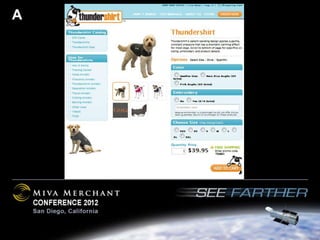
A
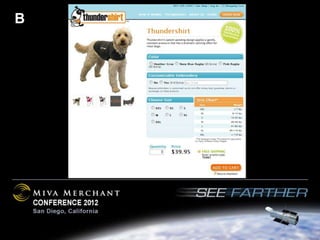
B
A
B
What Should You Test?

  •   Different Product Page Layouts
  •   Checkout Variations
  •   Alternate Payment Methods
  •   New Features
  •   Promotions

  Create a plan before you begin.
Scottevest.com • Inside Zoom Vs Outside Zoom
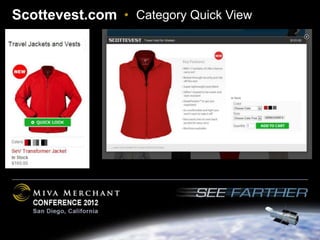
Scottevest.com • Category Quick View
Scottevest.com   • Runway Videos – 32% Improvement
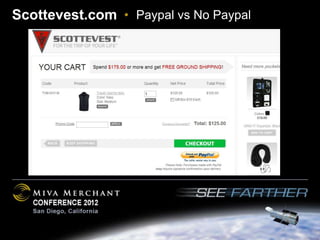
Scottevest.com • Paypal vs No Paypal
What is Google Website Optimizer?

• Free Tool from Google
• Allows you to easily
  perform A/B tests on
  your website.
• Track Results and make
  data driven decisions
• Increase your conversion
  rate
• Use your same Google
  Account Login
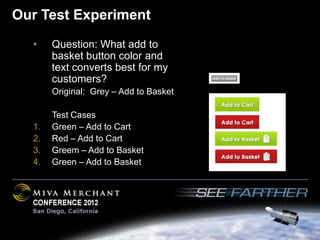
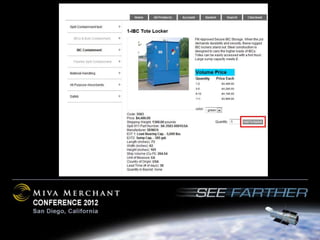
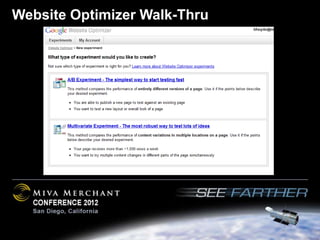
Our Test Experiment
  •    Question: What add to
       basket button color and
       text converts best for my
       customers?
       Original: Grey – Add to Basket

       Test Cases
  1.   Green – Add to Cart
  2.   Red – Add to Cart
  3.   Greem – Add to Basket
  4.   Green – Add to Basket
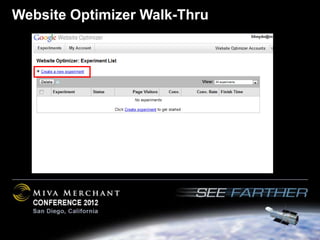
Website Optimizer Walk-Thru
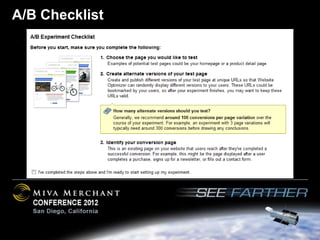
A/B Checklist
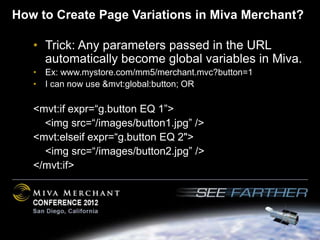
How to Create Page Variations in Miva Merchant?

   • Trick: Any parameters passed in the URL
     automatically become global variables in Miva.
   • Ex: www.mystore.com/mm5/merchant.mvc?button=1
   • I can now use &mvt:global:button; OR

   <mvt:if expr=“g.button EQ 1”>
     <img src=“/images/button1.jpg” />
   <mvt:elseif expr=“g.button EQ 2">
     <img src=“/images/button2.jpg” />
   </mvt:if>
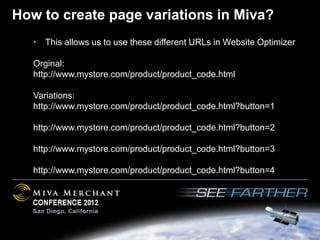
How to create page variations in Miva?
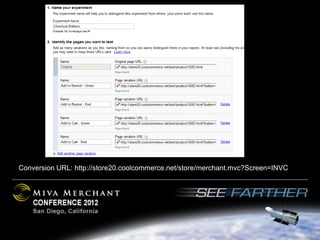
   • This allows us to use these different URLs in Website Optimizer

   Orginal:
   http://www.mystore.com/product/product_code.html

   Variations:
   http://www.mystore.com/product/product_code.html?button=1

   http://www.mystore.com/product/product_code.html?button=2

   http://www.mystore.com/product/product_code.html?button=3

   http://www.mystore.com/product/product_code.html?button=4
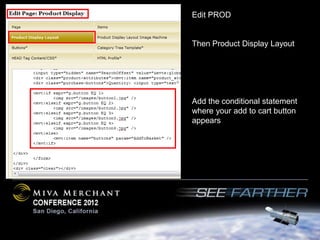
Edit PROD


Then Product Display Layout


Add the conditional statement
where your add to cart button
appears
Conversion URL: http://store20.coolcommerce.net/store/merchant.mvc?Screen=INVC
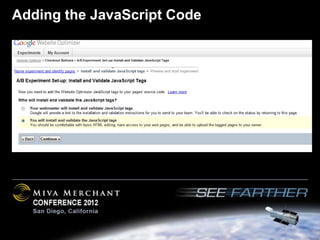
Adding the JavaScript Code
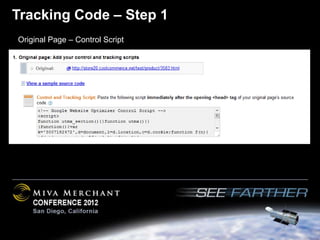
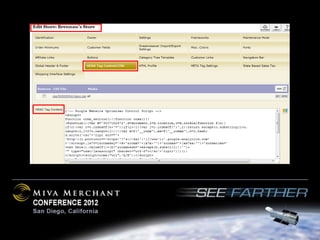
Tracking Code – Step 1
Original Page – Control Script
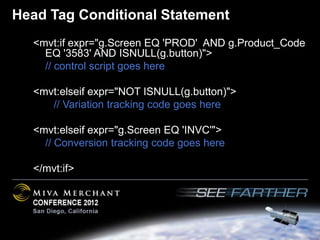
Head Tag Conditional Statement
  <mvt:if expr="g.Screen EQ 'PROD' AND g.Product_Code
    EQ '3583' AND ISNULL(g.button)">
    // control script goes here

  <mvt:elseif expr="NOT ISNULL(g.button)">
     // Variation tracking code goes here

  <mvt:elseif expr="g.Screen EQ 'INVC'">
    // Conversion tracking code goes here

  </mvt:if>
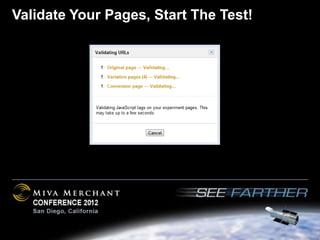
Validate Your Pages, Start The Test!
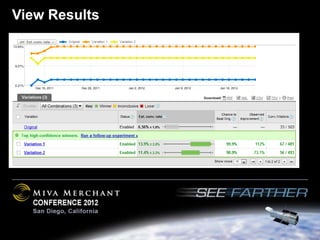
View Results
Additional Notes

   • You can run multiple tests at the same time
   • GWO will give you improvement on conversion
     rate. However, you can use Google Analytics
     custom variables to also track:
     • Average Order Value
     • Number of Transactions
     • Per Visit Revenue
Additional Resources / Questions

  • http://blog.kissmetrics.com/guide-google-
    website-optimizer/

  • http://www.google.com/intl/en/websiteoptimizer/
    tutorials.html

  • http://www.google.com/intl/en/websiteoptimizer/
    articles.html

A/B Testing with Website Optimizer

  • 1.
    A/B Testing withWebsite Optimizer Brennan Heyde Technical Director – Professional Services 3/10/2012
  • 2.
    Today’s Overview • What is A/B Testing? • Why You Should be A/B Testing • Real World Examples • Introduction to Google Website Optimizer • Walk though A Real Test Using Miva Merchant • Other Tools / Resources / Q.A.
  • 3.
    What is A/BTesting? • Also called split testing • Complicated: Testing a baseline control sample with a variety of single-variable tests to improve conversion rates. • Easy: Testing two different versions of a page to see which one converts better.
  • 4.
    What is A/BTesting? • 3 Parts to Any A/B test • 1. Original Page (A) • 2. Variation Page (B) • 3. Conversion Page
  • 5.
    What is A/BTesting • Other Types of Testing: • Multivariate Testing – Testing multiple changes on the SAME page Examples: • Button Colors • Headlines • Placement of Calls to Action
  • 6.
    Why you shouldbe A/B testing • Data Driven Decisions • Allows you to take personal preference (yours, your developers, your designers) out of the equation and help you make a data driven decision. • It will Increase your conversion rate!
  • 7.
  • 8.
  • 9.
  • 10.
  • 11.
  • 12.
  • 13.
    What Should YouTest? • Different Product Page Layouts • Checkout Variations • Alternate Payment Methods • New Features • Promotions Create a plan before you begin.
  • 14.
    Scottevest.com • InsideZoom Vs Outside Zoom
  • 15.
    Scottevest.com • InsideZoom Vs Outside Zoom
  • 16.
  • 17.
    Scottevest.com • Runway Videos – 32% Improvement
  • 18.
  • 19.
    What is GoogleWebsite Optimizer? • Free Tool from Google • Allows you to easily perform A/B tests on your website. • Track Results and make data driven decisions • Increase your conversion rate • Use your same Google Account Login
  • 20.
    Our Test Experiment • Question: What add to basket button color and text converts best for my customers? Original: Grey – Add to Basket Test Cases 1. Green – Add to Cart 2. Red – Add to Cart 3. Greem – Add to Basket 4. Green – Add to Basket
  • 22.
  • 23.
  • 24.
  • 25.
    How to CreatePage Variations in Miva Merchant? • Trick: Any parameters passed in the URL automatically become global variables in Miva. • Ex: www.mystore.com/mm5/merchant.mvc?button=1 • I can now use &mvt:global:button; OR <mvt:if expr=“g.button EQ 1”> <img src=“/images/button1.jpg” /> <mvt:elseif expr=“g.button EQ 2"> <img src=“/images/button2.jpg” /> </mvt:if>
  • 26.
    How to createpage variations in Miva? • This allows us to use these different URLs in Website Optimizer Orginal: http://www.mystore.com/product/product_code.html Variations: http://www.mystore.com/product/product_code.html?button=1 http://www.mystore.com/product/product_code.html?button=2 http://www.mystore.com/product/product_code.html?button=3 http://www.mystore.com/product/product_code.html?button=4
  • 27.
    Edit PROD Then ProductDisplay Layout Add the conditional statement where your add to cart button appears
  • 28.
  • 29.
  • 30.
    Tracking Code –Step 1 Original Page – Control Script
  • 32.
    Head Tag ConditionalStatement <mvt:if expr="g.Screen EQ 'PROD' AND g.Product_Code EQ '3583' AND ISNULL(g.button)"> // control script goes here <mvt:elseif expr="NOT ISNULL(g.button)"> // Variation tracking code goes here <mvt:elseif expr="g.Screen EQ 'INVC'"> // Conversion tracking code goes here </mvt:if>
  • 33.
    Validate Your Pages,Start The Test!
  • 34.
  • 35.
    Additional Notes • You can run multiple tests at the same time • GWO will give you improvement on conversion rate. However, you can use Google Analytics custom variables to also track: • Average Order Value • Number of Transactions • Per Visit Revenue
  • 36.
    Additional Resources /Questions • http://blog.kissmetrics.com/guide-google- website-optimizer/ • http://www.google.com/intl/en/websiteoptimizer/ tutorials.html • http://www.google.com/intl/en/websiteoptimizer/ articles.html