How to Customize Odoo ERP Without Affecting
Core Updates
Odoo offers flexibility, making it a popular choice for businesses of all sizes. But with this
flexibility comes responsibility. Many teams jump into customization without thinking about long-
term effects. Changing the core code may work short term, but it leads to problems during
upgrades.
A better approach is to keep core files untouched and build custom features safely. This
method protects your system from future errors and supports smoother updates. In this blog,
we’ll explain how to handle Odoo ERP customization the right way. You’ll learn how to add
features without breaking default behavior or losing changes after a version upgrade.
Start with Safe Customization in Odoo
Odoo updates overwrite core files. If you change the original code, your updates may break or
disappear. Even minor changes can create bugs later. Support teams often decline help for
modified systems.
You may also miss out on important security patches. Avoiding core edits helps you maintain a
clean, updatable system. Keeping the base code intact protects your investment and saves
time in the future.
Understand the Odoo Architecture
Odoo works through modules. These modules handle tasks like sales, inventory, CRM, and
accounting. Each module includes models, views, and controllers. Models manage data.
Views show data to users. Controllers link user actions to the backend. Odoo’s design allows
developers to extend functions without touching the original code. Understanding this structure
is key to making safe customizations.
Always Build Custom Modules
Instead of editing Odoo’s source code, build custom modules. These modules act as separate
packages that add or extend features. They are easy to install or remove. A custom module can
override specific parts of the original system while preserving the core files.
Example:
To add a discount rule to a sales order, create a module that extends the sales model. You can
write your logic without rewriting the default function. When Odoo updates, your custom module
still works.
Use Model Inheritance in Python
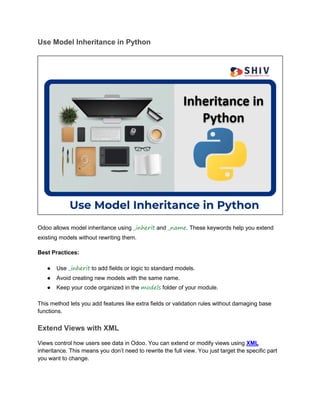
Odoo allows model inheritance using _inherit and _name. These keywords help you extend
existing models without rewriting them.
Best Practices:
● Use _inherit to add fields or logic to standard models.
● Avoid creating new models with the same name.
● Keep your code organized in the models folder of your module.
This method lets you add features like extra fields or validation rules without damaging base
functions.
Extend Views with XML
Views control how users see data in Odoo. You can extend or modify views using XML
inheritance. This means you don’t need to rewrite the full view. You just target the specific part
you want to change.
Safe Modifications:
● Add fields to existing forms
● Reorder elements
● Change labels or widget types
Always use xpath for precise targeting. This keeps the view readable and easier to maintain.
Add Fields the Safe Way
Sometimes, you need extra fields in forms or reports. Add these fields through model
inheritance. Store them in your custom module.
Tips:
● Prefix field names to avoid conflict
● Use proper field types (char, float, boolean)
● Set default values and validations in the model
Add the new fields in XML views using xpath. This keeps the default views safe and makes
updates easier.
Use Studio for Light Customizations
Odoo Studio is a built-in tool that helps non-developers create simple changes. You can add
fields, move elements, or adjust layouts without writing code.
Pros:
● No core code is changed
● Easy drag-and-drop interface
● Great for light user interface changes
However, for advanced tasks, coding is still better. Use Studio when your change is visual or
minor.
Also read: 10 Key Reasons to Invest in Odoo ERP Software
Create Server Actions for Automation
Server actions allow custom logic without editing backend models. You can create actions that
trigger on certain events.
Common Uses:
● Auto-assigning sales reps
● Sending alerts based on field values
● Updating related records
They’re useful when you want automation without touching the original codebase.
Use Scheduled Actions and Python Code Safely
For recurring tasks, use scheduled actions. These are cron jobs that run at fixed times. Write
Python logic in your custom module, and link it to the scheduled action.
Example:
Send follow-up emails every Friday. Create a script in your module and link it with a cron job.
Odoo will run it as planned without editing the core system.
Keep Your Views Separate
Avoid copying full views. Always extend views using inheritance. If you must replace a full view,
document why and keep a backup.
When to Replace:
● If changes affect 80% of the view
● When adding completely new logic that cannot be inherited
In most cases, use xpath. This method keeps upgrades safe and avoids errors.
Use Version Control (Git)
Store your custom modules in a Git repository. This lets you track every change. If something
breaks, you can roll back easily.
Why Git Helps:
● Tracks history
● Simplifies teamwork
● Keeps backups
● Supports rollback
Use branches for testing before merging to production. Always test customizations in a staging
environment first.
Never Hard-Code External APIs or URLs
If your custom module connects with external tools, don’t hard-code values. Store API keys,
URLs, or tokens in system parameters. This makes updates easier and keeps data secure.
Test Before Updating Odoo
Before updating to a new Odoo version, test your system. Clone your database and try the
update in a test environment.
Checklist:
● Run your custom modules
● Check for field errors
● Test views and workflows
Fix any issues before applying the update to your live system.
Use Proper Naming and Comments
When building custom modules, use clear names. Add comments for every function. This helps
other developers understand your logic. Use consistent file and folder names.
Partner With Experts for Complex Changes
Not every business has in-house developers. In such cases, work with a company that
understands Odoo inside out. They can help build safe customizations and support you during
upgrades.
Also read: Odoo PLM Explained: Simple, Fast, and Built for Manufacturing Teams
Shiv Technolabs - Smart Customizations Without Risks
At Shiv Technolabs, we help businesses build safe and scalable custom modules for Odoo.
Our team works on sales, inventory, HR, and other key apps. We never touch core code and
follow the best coding practices.
Whether it’s a simple field addition or full process automation, our work stays upgrade-safe. Get
in touch with our team to talk about your project or ongoing needs.
Conclusion
Customizing Odoo doesn’t mean risking system updates. The best approach to Odoo ERP
customization is to use modules, model inheritance, and view extensions. Avoid editing core
code and test everything before upgrading.
By following these tips, your system stays flexible and future-ready. Stick to safe methods and
work with experienced partners to keep your Odoo system running smoothly.

A Comprehensive Guide to Safe Odoo ERP Customization Practices

  • 1.
    How to CustomizeOdoo ERP Without Affecting Core Updates Odoo offers flexibility, making it a popular choice for businesses of all sizes. But with this flexibility comes responsibility. Many teams jump into customization without thinking about long- term effects. Changing the core code may work short term, but it leads to problems during upgrades. A better approach is to keep core files untouched and build custom features safely. This method protects your system from future errors and supports smoother updates. In this blog, we’ll explain how to handle Odoo ERP customization the right way. You’ll learn how to add features without breaking default behavior or losing changes after a version upgrade.
  • 2.
    Start with SafeCustomization in Odoo Odoo updates overwrite core files. If you change the original code, your updates may break or disappear. Even minor changes can create bugs later. Support teams often decline help for modified systems. You may also miss out on important security patches. Avoiding core edits helps you maintain a clean, updatable system. Keeping the base code intact protects your investment and saves time in the future. Understand the Odoo Architecture Odoo works through modules. These modules handle tasks like sales, inventory, CRM, and accounting. Each module includes models, views, and controllers. Models manage data. Views show data to users. Controllers link user actions to the backend. Odoo’s design allows developers to extend functions without touching the original code. Understanding this structure is key to making safe customizations. Always Build Custom Modules Instead of editing Odoo’s source code, build custom modules. These modules act as separate packages that add or extend features. They are easy to install or remove. A custom module can override specific parts of the original system while preserving the core files. Example: To add a discount rule to a sales order, create a module that extends the sales model. You can write your logic without rewriting the default function. When Odoo updates, your custom module still works.
  • 3.
    Use Model Inheritancein Python Odoo allows model inheritance using _inherit and _name. These keywords help you extend existing models without rewriting them. Best Practices: ● Use _inherit to add fields or logic to standard models. ● Avoid creating new models with the same name. ● Keep your code organized in the models folder of your module. This method lets you add features like extra fields or validation rules without damaging base functions. Extend Views with XML Views control how users see data in Odoo. You can extend or modify views using XML inheritance. This means you don’t need to rewrite the full view. You just target the specific part you want to change.
  • 4.
    Safe Modifications: ● Addfields to existing forms ● Reorder elements ● Change labels or widget types Always use xpath for precise targeting. This keeps the view readable and easier to maintain. Add Fields the Safe Way Sometimes, you need extra fields in forms or reports. Add these fields through model inheritance. Store them in your custom module. Tips: ● Prefix field names to avoid conflict ● Use proper field types (char, float, boolean) ● Set default values and validations in the model Add the new fields in XML views using xpath. This keeps the default views safe and makes updates easier. Use Studio for Light Customizations Odoo Studio is a built-in tool that helps non-developers create simple changes. You can add fields, move elements, or adjust layouts without writing code. Pros: ● No core code is changed ● Easy drag-and-drop interface ● Great for light user interface changes However, for advanced tasks, coding is still better. Use Studio when your change is visual or minor. Also read: 10 Key Reasons to Invest in Odoo ERP Software Create Server Actions for Automation Server actions allow custom logic without editing backend models. You can create actions that trigger on certain events.
  • 5.
    Common Uses: ● Auto-assigningsales reps ● Sending alerts based on field values ● Updating related records They’re useful when you want automation without touching the original codebase. Use Scheduled Actions and Python Code Safely For recurring tasks, use scheduled actions. These are cron jobs that run at fixed times. Write Python logic in your custom module, and link it to the scheduled action. Example: Send follow-up emails every Friday. Create a script in your module and link it with a cron job. Odoo will run it as planned without editing the core system. Keep Your Views Separate Avoid copying full views. Always extend views using inheritance. If you must replace a full view, document why and keep a backup. When to Replace: ● If changes affect 80% of the view ● When adding completely new logic that cannot be inherited In most cases, use xpath. This method keeps upgrades safe and avoids errors. Use Version Control (Git) Store your custom modules in a Git repository. This lets you track every change. If something breaks, you can roll back easily. Why Git Helps: ● Tracks history ● Simplifies teamwork ● Keeps backups ● Supports rollback Use branches for testing before merging to production. Always test customizations in a staging environment first.
  • 6.
    Never Hard-Code ExternalAPIs or URLs If your custom module connects with external tools, don’t hard-code values. Store API keys, URLs, or tokens in system parameters. This makes updates easier and keeps data secure. Test Before Updating Odoo Before updating to a new Odoo version, test your system. Clone your database and try the update in a test environment. Checklist: ● Run your custom modules ● Check for field errors ● Test views and workflows Fix any issues before applying the update to your live system. Use Proper Naming and Comments When building custom modules, use clear names. Add comments for every function. This helps other developers understand your logic. Use consistent file and folder names.
  • 7.
    Partner With Expertsfor Complex Changes Not every business has in-house developers. In such cases, work with a company that understands Odoo inside out. They can help build safe customizations and support you during upgrades. Also read: Odoo PLM Explained: Simple, Fast, and Built for Manufacturing Teams Shiv Technolabs - Smart Customizations Without Risks At Shiv Technolabs, we help businesses build safe and scalable custom modules for Odoo. Our team works on sales, inventory, HR, and other key apps. We never touch core code and follow the best coding practices. Whether it’s a simple field addition or full process automation, our work stays upgrade-safe. Get in touch with our team to talk about your project or ongoing needs. Conclusion Customizing Odoo doesn’t mean risking system updates. The best approach to Odoo ERP customization is to use modules, model inheritance, and view extensions. Avoid editing core code and test everything before upgrading. By following these tips, your system stays flexible and future-ready. Stick to safe methods and work with experienced partners to keep your Odoo system running smoothly.