Dr. Alekha Kumar Mishra
Exception Handling
2
Dr. Alekha Kumar Mishra
Introduction
●
An exception is an abnormal condition that arises
in a code sequence at run time.
●
Java’s exception handling brings run-time error
management into the object-oriented world.
3
Dr. Alekha Kumar Mishra
Java exception
●
A Java exception is an object that describes an exceptional
condition that has occurred in a segment of code.
●
When an exceptional condition arises, an object representing
that exception is created and thrown in the method that caused
the error.
●
Exceptions can either be generated by the Java run-time
system, or they can be manually generated by your code.
●
Exceptions thrown by Java relate to fundamental errors that
violate the rules of the Java language or the constraints of
the Java execution environment.
●
Manually generated exceptions are typically used to report
some error condition to the caller of a method.
4
Dr. Alekha Kumar Mishra
Exception Handling in Java
●
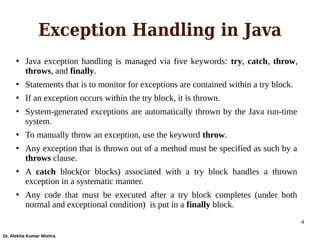
Java exception handling is managed via five keywords: try, catch, throw,
throws, and finally.
●
Statements that is to monitor for exceptions are contained within a try block.
●
If an exception occurs within the try block, it is thrown.
●
System-generated exceptions are automatically thrown by the Java run-time
system.
●
To manually throw an exception, use the keyword throw.
●
Any exception that is thrown out of a method must be specified as such by a
throws clause.
●
A catch block(or blocks) associated with a try block handles a thrown
exception in a systematic manner.
●
Any code that must be executed after a try block completes (under both
normal and exceptional condition) is put in a finally block.
5
Dr. Alekha Kumar Mishra
Syntax
try {
// block of code to monitor for errors
} catch (ExceptionType1 exOb) {
// exception handler for ExceptionType1
} catch (ExceptionType2 exOb) {
// exception handler for ExceptionType2
}
// ...
finally {
// block of code to be executed after try block ends
}
6
Dr. Alekha Kumar Mishra
Exception class hierarchy
7
Dr. Alekha Kumar Mishra
Checked vs. Unchecked
Exceptions
●
Exception which are checked at compile-time
during compilation is known as Checked Exception
– FileNotFoundException
●
Exception which are NOT checked at compile-time
is known as Unchecked Exception
– ArithmeticException
8
Dr. Alekha Kumar Mishra
try and catch block
class Exc2 {
public static void main(String args[]) {
int d, a;
try {
d = 0;
a = 42 / d;
System.out.println("This will be printed if no exception occurs.");
} catch (ArithmeticException e) {
System.out.println("Division by zero.");
/* alternatively to show the description of exception use
System.out.println("Exception: " + e); */
}
System.out.println("After catch statement.");
}
}
9
Dr. Alekha Kumar Mishra
Multiple catch
●
More than one exception could be raised by a single
segment of code.
●
Accordingly, we can specify two or more catch blocks,
each catching a different type of exception.
●
When an exception is thrown, each catch statement is
inspected in order, and the first one whose type matches
that of the exception is executed.
●
After one catch statement executes, the others catches are
bypassed, and execution continues after the try/catch block.
10
Dr. Alekha Kumar Mishra
Examples
class MultiCatch {
public static void main(String args[]) {
try {
int a = args.length;
System.out.println("a = " + a);
int b = 42 / a;
int c[] = { 1 };
c[42] = 99;
} catch(ArithmeticException e) {
System.out.println("Divide by 0: " + e);
} catch(ArrayIndexOutOfBoundsException e) {
System.out.println("Array index oob: " + e);
}
System.out.println("After try/catch blocks.");
}
}
11
Dr. Alekha Kumar Mishra
There is a problem here!!
class SuperSubCatch {
public static void main(String args[]) {
try {
int a = 0;
int b = 42 / a;
} catch(Exception e) {
System.out.println(“Exception occurred: " + e);
}
catch(ArithmeticException e) {
System.out.println("Array index oob: " + e);
}
}
}
12
Dr. Alekha Kumar Mishra
Needs to remember!!
●
While using multiple catch statements, exception
subclasses must come before any of their
superclasses.
●
A catch statement that uses a superclass will catch
exceptions of that type plus any of its subclasses.
●
Thus, a subclass catch would never be reached if it
came after its superclass.
13
Dr. Alekha Kumar Mishra
Nested try statements
●
A try statement can be inside the block of another try.
●
Each time a try statement is entered, the context of that
exception is pushed on the stack.
●
If an inner try statement does not have a catch handler for a
particular exception, the stack is unwinded and the next try
statement’s catch handlers are inspected for a match.
●
This continues until one of the catch statements succeeds, or
until all of the nested try statements are exhausted.
●
If no catch statement matches, then the Java run-time system
will handle the exception
14
Dr. Alekha Kumar Mishra
class NestTry {
public static void main(String args[]) {
try {
int a = args.length;
int b = 42 / a;
System.out.println("a = " + a);
try { // nested try block
if(a==1) a = a/(a-a);
if(a==2) {
int c[] = { 1 };
c[42] = 99;
}
} catch(ArrayIndexOutOfBoundsException e) {
System.out.println("Array index out-of-bounds: " + e);
}
System.out.println("outside inner try block”);
} catch(ArithmeticException e) {
System.out.println("Divide by 0: " + e);
}
}
}
Example
15
Dr. Alekha Kumar Mishra
throw
●
We can throw an exception explicitly, using the
throw statement.
– Syntax : throw ThrowableInstance;
●
Here, ThrowableInstance must be an object of type
Throwable or a subclass of Throwable
●
The flow of execution stops immediately after the
throw statement; any subsequent statements are not
executed.
16
Dr. Alekha Kumar Mishra
Example of throw
class ThrowDemo {
static void demoproc() {
try {
throw new NullPointerException("demo");
} catch(NullPointerException e) {
System.out.println("Caught inside demoproc.");
throw e; // re-throw the exception
}
}
public static void main(String args[]) {
try {
demoproc();
} catch(NullPointerException e) {
System.out.println("Recaught: " + e);
}
}
}
17
Dr. Alekha Kumar Mishra
throws
●
If a method is capable of causing an exception that it does not handle, it
must specify this behavior so that callers of the method can guard
themselves against that exception.
●
This is done by including a throws clause in the method’s declaration.
●
A throws clause lists the types of exceptions that a method might throw.
●
This is necessary for all exceptions, except those of type Error or
RuntimeException, or any of their subclasses.
type method-name(parameter-list) throws exception-list
{
// body of method
}
●
Here, exception-list is a comma-separated list of the exceptions that a
method can throw.
18
Dr. Alekha Kumar Mishra
Example
class ThrowsDemo {
static void throwOne() throws IllegalAccessException {
System.out.println("Inside throwOne.");
throw new IllegalAccessException("demo");
}
public static void main(String args[]) {
try {
throwOne();
} catch (IllegalAccessException e) {
System.out.println("Caught " + e);
}
}
}
19
Dr. Alekha Kumar Mishra
finally
●
“finally” creates a block of code that will be executed
after a try/catch block has completed and before
executing the statements following the try/catch block.
●
The finally block will execute irrespective of
occurrence an exception.
●
If an exception is thrown, the finally block will
execute even if no catch statement matches the
exception
●
Useful for closing and freeing up tasks.
●
The finally clause is optional
20
Dr. Alekha Kumar Mishra
Example
class FinallyDemo {
// Through an exception out of the method.
static void procA() {
try {
System.out.println("inside procA");
throw new RuntimeException("demo");
} finally {
System.out.println("procA's finally");
}
}
// Return from within a try block.
static void procB() {
try {
System.out.println("inside procB");
return;
} finally {
System.out.println("procB's finally");
}
}
// Execute a try block normally.
static void procC() {
try {
System.out.println("inside procC");
} finally {
System.out.println("procC's finally");
}
}
public static void main(String args[]) {
try {
procA();
} catch (Exception e) {
System.out.println("Exception caught");
}
procB();
procC();
}
}
21
Dr. Alekha Kumar Mishra
Some common built-in
Exception classes
●
ArithmeticException
●
ArrayIndexOutOfBoundsException
●
NullPointerException
●
ClassNotFoundException
●
StringIndexOutOfBounds
●
IndexOutOfBoundsException
●
You can create your own exception subclass by just defining a
subclass of Exception class
22
Dr. Alekha Kumar Mishra
User defined
exception
class MyException extends Exception {
private int detail;
MyException(int a) {
detail = a;
}
public String toString() {
return "MyException[" + detail + "]";
}
}
class ExceptionDemo {
static void compute(int a) throws MyException {
System.out.println("Called compute(" + a + ")");
if(a > 10)
throw new MyException(a);
System.out.println("Normal exit");
}
public static void main(String args[]) {
try {
compute(1);
compute(20);
} catch (MyException e) {
System.out.println("Caught " + e);
}
}
}
23
Dr. Alekha Kumar Mishra
Chained Exception
●
Associates another exception with an exception
●
Second exception describes the cause of the first exception.
●
To allow chained exceptions, two constructors and two
methods were added to Throwable.
– The constructors:
●
Throwable(Throwable causeExc)
●
Throwable(String msg, Throwable causeExc)
– The methods
●
Throwable getCause( )
●
Throwable initCause(Throwable causeExc)
24
Dr. Alekha Kumar Mishra
Example of chained exceptions
// Demonstrate exception chaining.
class ChainExcDemo {
static void demoproc() {
// create an exception
NullPointerException e = new NullPointerException("top layer");
// add a cause
e.initCause(new ArithmeticException("cause"));
throw e;
}
public static void main(String args[]) {
try {
demoproc();
} catch(NullPointerException e) {
System.out.println("Caught: " + e);
System.out.println("Original cause: " +e.getCause());
}
}
}

7_exception.pdf

  • 1.
    Dr. Alekha KumarMishra Exception Handling
  • 2.
    2 Dr. Alekha KumarMishra Introduction ● An exception is an abnormal condition that arises in a code sequence at run time. ● Java’s exception handling brings run-time error management into the object-oriented world.
  • 3.
    3 Dr. Alekha KumarMishra Java exception ● A Java exception is an object that describes an exceptional condition that has occurred in a segment of code. ● When an exceptional condition arises, an object representing that exception is created and thrown in the method that caused the error. ● Exceptions can either be generated by the Java run-time system, or they can be manually generated by your code. ● Exceptions thrown by Java relate to fundamental errors that violate the rules of the Java language or the constraints of the Java execution environment. ● Manually generated exceptions are typically used to report some error condition to the caller of a method.
  • 4.
    4 Dr. Alekha KumarMishra Exception Handling in Java ● Java exception handling is managed via five keywords: try, catch, throw, throws, and finally. ● Statements that is to monitor for exceptions are contained within a try block. ● If an exception occurs within the try block, it is thrown. ● System-generated exceptions are automatically thrown by the Java run-time system. ● To manually throw an exception, use the keyword throw. ● Any exception that is thrown out of a method must be specified as such by a throws clause. ● A catch block(or blocks) associated with a try block handles a thrown exception in a systematic manner. ● Any code that must be executed after a try block completes (under both normal and exceptional condition) is put in a finally block.
  • 5.
    5 Dr. Alekha KumarMishra Syntax try { // block of code to monitor for errors } catch (ExceptionType1 exOb) { // exception handler for ExceptionType1 } catch (ExceptionType2 exOb) { // exception handler for ExceptionType2 } // ... finally { // block of code to be executed after try block ends }
  • 6.
    6 Dr. Alekha KumarMishra Exception class hierarchy
  • 7.
    7 Dr. Alekha KumarMishra Checked vs. Unchecked Exceptions ● Exception which are checked at compile-time during compilation is known as Checked Exception – FileNotFoundException ● Exception which are NOT checked at compile-time is known as Unchecked Exception – ArithmeticException
  • 8.
    8 Dr. Alekha KumarMishra try and catch block class Exc2 { public static void main(String args[]) { int d, a; try { d = 0; a = 42 / d; System.out.println("This will be printed if no exception occurs."); } catch (ArithmeticException e) { System.out.println("Division by zero."); /* alternatively to show the description of exception use System.out.println("Exception: " + e); */ } System.out.println("After catch statement."); } }
  • 9.
    9 Dr. Alekha KumarMishra Multiple catch ● More than one exception could be raised by a single segment of code. ● Accordingly, we can specify two or more catch blocks, each catching a different type of exception. ● When an exception is thrown, each catch statement is inspected in order, and the first one whose type matches that of the exception is executed. ● After one catch statement executes, the others catches are bypassed, and execution continues after the try/catch block.
  • 10.
    10 Dr. Alekha KumarMishra Examples class MultiCatch { public static void main(String args[]) { try { int a = args.length; System.out.println("a = " + a); int b = 42 / a; int c[] = { 1 }; c[42] = 99; } catch(ArithmeticException e) { System.out.println("Divide by 0: " + e); } catch(ArrayIndexOutOfBoundsException e) { System.out.println("Array index oob: " + e); } System.out.println("After try/catch blocks."); } }
  • 11.
    11 Dr. Alekha KumarMishra There is a problem here!! class SuperSubCatch { public static void main(String args[]) { try { int a = 0; int b = 42 / a; } catch(Exception e) { System.out.println(“Exception occurred: " + e); } catch(ArithmeticException e) { System.out.println("Array index oob: " + e); } } }
  • 12.
    12 Dr. Alekha KumarMishra Needs to remember!! ● While using multiple catch statements, exception subclasses must come before any of their superclasses. ● A catch statement that uses a superclass will catch exceptions of that type plus any of its subclasses. ● Thus, a subclass catch would never be reached if it came after its superclass.
  • 13.
    13 Dr. Alekha KumarMishra Nested try statements ● A try statement can be inside the block of another try. ● Each time a try statement is entered, the context of that exception is pushed on the stack. ● If an inner try statement does not have a catch handler for a particular exception, the stack is unwinded and the next try statement’s catch handlers are inspected for a match. ● This continues until one of the catch statements succeeds, or until all of the nested try statements are exhausted. ● If no catch statement matches, then the Java run-time system will handle the exception
  • 14.
    14 Dr. Alekha KumarMishra class NestTry { public static void main(String args[]) { try { int a = args.length; int b = 42 / a; System.out.println("a = " + a); try { // nested try block if(a==1) a = a/(a-a); if(a==2) { int c[] = { 1 }; c[42] = 99; } } catch(ArrayIndexOutOfBoundsException e) { System.out.println("Array index out-of-bounds: " + e); } System.out.println("outside inner try block”); } catch(ArithmeticException e) { System.out.println("Divide by 0: " + e); } } } Example
  • 15.
    15 Dr. Alekha KumarMishra throw ● We can throw an exception explicitly, using the throw statement. – Syntax : throw ThrowableInstance; ● Here, ThrowableInstance must be an object of type Throwable or a subclass of Throwable ● The flow of execution stops immediately after the throw statement; any subsequent statements are not executed.
  • 16.
    16 Dr. Alekha KumarMishra Example of throw class ThrowDemo { static void demoproc() { try { throw new NullPointerException("demo"); } catch(NullPointerException e) { System.out.println("Caught inside demoproc."); throw e; // re-throw the exception } } public static void main(String args[]) { try { demoproc(); } catch(NullPointerException e) { System.out.println("Recaught: " + e); } } }
  • 17.
    17 Dr. Alekha KumarMishra throws ● If a method is capable of causing an exception that it does not handle, it must specify this behavior so that callers of the method can guard themselves against that exception. ● This is done by including a throws clause in the method’s declaration. ● A throws clause lists the types of exceptions that a method might throw. ● This is necessary for all exceptions, except those of type Error or RuntimeException, or any of their subclasses. type method-name(parameter-list) throws exception-list { // body of method } ● Here, exception-list is a comma-separated list of the exceptions that a method can throw.
  • 18.
    18 Dr. Alekha KumarMishra Example class ThrowsDemo { static void throwOne() throws IllegalAccessException { System.out.println("Inside throwOne."); throw new IllegalAccessException("demo"); } public static void main(String args[]) { try { throwOne(); } catch (IllegalAccessException e) { System.out.println("Caught " + e); } } }
  • 19.
    19 Dr. Alekha KumarMishra finally ● “finally” creates a block of code that will be executed after a try/catch block has completed and before executing the statements following the try/catch block. ● The finally block will execute irrespective of occurrence an exception. ● If an exception is thrown, the finally block will execute even if no catch statement matches the exception ● Useful for closing and freeing up tasks. ● The finally clause is optional
  • 20.
    20 Dr. Alekha KumarMishra Example class FinallyDemo { // Through an exception out of the method. static void procA() { try { System.out.println("inside procA"); throw new RuntimeException("demo"); } finally { System.out.println("procA's finally"); } } // Return from within a try block. static void procB() { try { System.out.println("inside procB"); return; } finally { System.out.println("procB's finally"); } } // Execute a try block normally. static void procC() { try { System.out.println("inside procC"); } finally { System.out.println("procC's finally"); } } public static void main(String args[]) { try { procA(); } catch (Exception e) { System.out.println("Exception caught"); } procB(); procC(); } }
  • 21.
    21 Dr. Alekha KumarMishra Some common built-in Exception classes ● ArithmeticException ● ArrayIndexOutOfBoundsException ● NullPointerException ● ClassNotFoundException ● StringIndexOutOfBounds ● IndexOutOfBoundsException ● You can create your own exception subclass by just defining a subclass of Exception class
  • 22.
    22 Dr. Alekha KumarMishra User defined exception class MyException extends Exception { private int detail; MyException(int a) { detail = a; } public String toString() { return "MyException[" + detail + "]"; } } class ExceptionDemo { static void compute(int a) throws MyException { System.out.println("Called compute(" + a + ")"); if(a > 10) throw new MyException(a); System.out.println("Normal exit"); } public static void main(String args[]) { try { compute(1); compute(20); } catch (MyException e) { System.out.println("Caught " + e); } } }
  • 23.
    23 Dr. Alekha KumarMishra Chained Exception ● Associates another exception with an exception ● Second exception describes the cause of the first exception. ● To allow chained exceptions, two constructors and two methods were added to Throwable. – The constructors: ● Throwable(Throwable causeExc) ● Throwable(String msg, Throwable causeExc) – The methods ● Throwable getCause( ) ● Throwable initCause(Throwable causeExc)
  • 24.
    24 Dr. Alekha KumarMishra Example of chained exceptions // Demonstrate exception chaining. class ChainExcDemo { static void demoproc() { // create an exception NullPointerException e = new NullPointerException("top layer"); // add a cause e.initCause(new ArithmeticException("cause")); throw e; } public static void main(String args[]) { try { demoproc(); } catch(NullPointerException e) { System.out.println("Caught: " + e); System.out.println("Original cause: " +e.getCause()); } } }