Welcome
Everyone!
Introduction to
Neo4j
2022.5.17
Your Instructors:
DanMcNamara & Syd Beckett
To Do if Not Done Already:
Install Neo4j Desktop from
neo4j.com/download
Install Neo4j Aura from
https://neo4j.com/cloud/aura/
- If local desktop install is problematic -
Create Sandbox on neo4j.com/sandbox
3
Our Plan forToday
Agenda
• Neo4j Platform Overview
• Installation/Setup
• Intro to Cypher
✔ w/ Exercises
Objectives & Outcomes
• Install and run Neo4j locally
• Learn Cypher
✔ Creating/Updating Graphs
✔ Pattern Matching
✔ Aggregations
✔ Creating nodes/relationships
✔ Loading data from files
• Know where to go next
Breaks/Lunch
• 2 Breaks (15 minutes)
✔ 10:30ish
✔ 2:30ish
• Lunch
✔ 1 hour 12:00-1:00ish
4.
4
Prep Items
To Doif Not Done Already:
Install Neo4j Desktop from neo4j.com/download
Install Neo4j Aura from https://neo4j.com/cloud/aura/
- If local desktop or Aura install is problematic -
• Create Sandbox on neo4j.com/sandbox
Helpful Links:
Neo4j Developer Materials: https://neo4j.com/developer/
Cypher RefCard: https://neo4j.com/docs/cypher-refcard/current/
6
What’s the pointof graphs?
A graph lets us model the real world to answer tough questions about how
things are connected, especially in ways that may not be obvious!
Seven Bridges of Konigsberg problem. Leonhard Euler, 1735
7.
7
What is GraphTheory?
In mathematics, Graph Theory is the study of graphs, which are
mathematical structures used to model relationships between concepts.
More intuitively: Graph Theory is the study of relationships.
8.
8
What is aGraph?
G = (V, E)
V: a set of vertices
E: a set of edges,
where an edge is a pair of vertices
V = {1,2,3,4,5,6}
E = { {1,2},{2,3},{2,6},{2,6},{3,5},{3,4},{5,4},{6,5} }
1 2
3
4
5
6
9.
Traversal is theprocess of following a sequence of
edges that link adjacent vertices
9
What is Traversal?
1 2
3
4
5
6
w = ( {1,2},{2,3} )
10.
Graphs Are Everywhere!
10
TheInternet
H
O
H
Chemistry
ActiveDirectory
& LDAP
Public
Transit
& Supply
Chains
Social Networks
12
Harnessing Connections DrivesBusiness Value
Enhanced Decision
Making
Hyper
Personalization
Massive Data
Integration
Data Driven
Discovery & Innovation
Product Recommendations
Personalized Health Care
Media and Advertising
Fraud Prevention
Network Analysis
Law Enforcement
Drug Discovery
Intelligence and Crime Detection
Product & Process Innovation
360 view of customer
Compliance
Optimize Operations
Data Science
AI & ML
Fraud Prediction
Patient Journey
Customer Disambiguation
Transforming Industries
13.
Modern Graph TheoryApplications
13
Real-Time
Recommendations
Fraud
Detection
Network &
IT Operations
Master Data
Management
Knowledge
Graph
Identity & Access
Management
https://neo4j.com/use-cases/
https://neo4j.com/sandbox/
https://neo4j.com/graphgists/
14.
Data connections hasbecome the foundation of
business technology & created industry leaders
15.
15
Relationships in RDBMS
●Require foreign keys, and possibly a lookup table
● Traversing a foreign key requires an index lookup
The purpose of graphs is to do rapid traversal. The RDBMS model is too
expensive for that.
Person
ID Name
1 Anne
2 James
3 Alex
Address
ID Country
1 Germany
2 USA
Lookup
Person Address
1 2
2 2
3 1
16.
Joins are executedevery time
you query the relationship
Executing a Join means to
search for a key
B-Tree Index: O(log(n))
Your data grows by 10x, your time
goes up by one step on each Join
More Data = More Searches
Slower Performance
The Problem
1
2
3
4
17.
Relational Databases can’thandle Relationships
Degraded Performance
Speed plummets as data grows
and as the number of joins grows
Wrong Language
SQL was built with Set Theory in
mind, not Graph Theory
Not Flexible
New types of data and relationships
require schema redesign
Wrong Model
They cannot model or store
relationships without complexity
1
2
3
4
18.
Relationships in RDBMSvs Graph
MATCH
(sub)-[:REPORTS_TO*0..3]->(boss),
(report)-[:REPORTS_TO*1..3]->(sub)
WHERE
boss.name = 'John Doe'
RETURN
sub.name AS Subordinate,
count(report) AS Total
Find all direct reports and how many people they manage, up to 3 levels down
Graph DB Query
(using Cypher Query Language)
SQL Query
18
Project Impact
Less time writing queries
• More time understanding the answers
• Leaving time to ask the next question
Less time debugging queries:
• More time writing the next piece of code
• Improved quality of overall code base
Code that’s easier to read:
• Faster ramp-up for new project members
• Improved maintainability & troubleshooting
19.
NoSQL Databases can’thandle Relationships
Degraded Performance
Speed plummets as you try to join
data together in the application
Wrong Languages
Lots of odd “almost sql” languages
terrible at “joins”
Not ACID
No support for transactions
Wrong Model
They cannot model or store
relationships without complexity
1
2
3
4
21
Graph Databases: Designedfor Connected Data
RELATIONAL DATABASES
Store and retrieve data
NoSQL DATABASES
Aggregate and filter data
Connections in data
Real time storage & retrieval
Real-Time Connected Insights
Long running queries
aggregation & filtering
“Our Neo4j solution is literally thousands of times faster than the
prior MySQL solution, with queries that require 10-100 times less code”
Volker Pacher, Senior Developer
From Disparate Silos
To Cross-Silo Connections
23
In This ModuleYou’ll Learn ...
At the end of this module, you should be able to:
● Describe the components and benefits of the Neo4j.
24.
Connections in Dataare as
Valuable as the Data Itself
Networks of People Transaction Networks
Bought
B
ou
gh
t
V
i
e
w
e
d
R
e
t
u
r
n
e
d
Bought
Knowledge Networks
Pl
ay
s
Lives_in
In_sport
Likes
F
a
n
_
o
f
Plays_for
E.g., Risk management, Supply
chain, Payments
E.g., Employees, Customers,
Suppliers, Partners,
Influencers
E.g., Enterprise content,
Domain specific content,
eCommerce content
K
n
o
w
s
Knows
Knows
K
n
o
w
s
25.
Neo4j - TheGraph Company
750+
7 of 10
20 of 25
7 of 10
53K+
100+
300+
450+
Adoption
Top Retail Firms
Top Financial Firms
Top Software Vendors
Customers Partners
•Founders wrote the book on Graph
•Now wrote the book on Graph Algorithms
•Creator of the Neo4j Graph Platform
•~350 employees
•HQ in Silicon Valley, other offices include
Boston, London, Munich, Paris and Malmö
•Market: Neo4j is the clear leader. More
customers and usage than all other Graph
products combined (DB-Engines)
Ecosystem
SMB building products
based on Neo4j
Enterprise customers
Partners
Meetup members
Events per year
Industry’s Largest Dedicated Investment in Graphs
8 of 10 Top Insurance Providers
26.
26
Harnessing Connections DrivesBusiness Value
Enhanced Decision
Making
Hyper
Personalization
Massive Data
Integration
Data Driven Discovery
& Innovation
Product Recommendations
Personalized Health Care
Media and Advertising
Fraud Prevention
Network Analysis
Law Enforcement
Drug Discovery
Intelligence and Crime Detection
Product & Process Innovation
360 view of customer,
vendor, product, etc.
Compliance
Optimize Operations
Connected Data at the Center
AI & Machine
Learning
Price optimization
Product Recommendations
Resource allocation
Digital Transformation Megatrends
27.
Neo4j – Re-ImagineYour Data as a Graph
Neo4j is an enterprise-grade graph database
that enables you to:
•Model and store your data as a graph
•Query data relationships with ease and in
real-time
•Seamlessly evolve applications to support
new requirements by
adding new kinds of data and relationships
● Agile development
● High performance
● Vertical and horizontal scale
● Seamless evolution
28.
28
Store and applygranular access
control to the most sensitive
data
Designed for Enterprise-Grade Workloads
Find insights and connections
across Billions of nodes
Scalability Security Flexibility
Expand your graph database
to multiple use cases
29.
Native Storage andProcessing
Index Free Adjacency
Neo4j disk and
memory structures
link data directly,
allowing
millions graph
traversals per
second per core.
Graph data and
paths between data
do not have to be
pre-defined before
they can be used.
29
Property Graph -Simply Powerful
Employee City
Company
Nodes represent
objects (nouns)
Relationships are directional
Relationships connect nodes
are represent actions (verbs)
Relationships can have
properties (name/value pairs)
Nodes can have
properties
(name/value pairs)
name: Amy Peters
date_of_birth: 1984-03-01
employee_ID: 1
:HAS_CEO
start_date: 2008-01-20
:LOCATED_IN
32.
Modeling relational tograph
32
In some ways they’re similar:
Relational Graph
Rows Nodes
Joins Relationships
Table names Labels
Columns Properties
In some ways they’re not:
Relational Graph
Each column must have a field
value.
Nodes with the same label
aren't required to have the
same set of properties.
Joins are calculated at query
time.
Relationships are stored on disk
when they are created.
A row can belong to one table. A node can have many labels.
33.
How we model:RDBMS vs graph
33
Relational Graph
Try and get the schema defined and then make
minimal changes to it after that.
It's common for the schema to evolve with the
application.
More abstract focus when modeling.
i.e. Focus on classes rather than objects.
Common to use actual data items when
modeling.
34.
RDBMS vs graphmodels
34
players
id
name
position
clubs
id
name
country
transfers
id
fee
player_age
player_id
from_club_id
to_club_id
season
35.
RDBMS Vocabulary Mappedto Graph Modeling
Relational DB Construct Graph DB Construct
Entity table Node labels
Row Node
Columns Node properties
Technical primary keys Replace with business primary
keys
Constraints Unique constraints for business
keys
Indexes Indexes on any property
Foreign keys Relationships
Default values Not required
De-normalized or duplicated
data
Create separate nodes
Join tables Relationships
Join table columns Relationship properties
Neo4j’s Property Graph
Nodes
•Represent objects or
entities
• Can be labeled
• May have properties
name: “Dan”
born: May 29, 1970
twitter: “@dan”
name: “Ann”
born: Dec 5, 1975
brand: “Volvo”
model: “V70”
year: 2010
Car
Person Person
40
41.
DRIVES
LOVES
O
W
N
S
Neo4j’s Property Graph
Relationships
•Must have a type
• Must have a direction
name: “Dan”
born: May 29, 1970
twitter: “@dan”
name: “Ann”
born: Dec 5, 1975
brand: “Volvo”
model: “V70”
year: 2010
Car
Person Person
41
42.
DRIVES
LOVES
O
W
N
S
Neo4j’s Property Graph
Relationships
•Must have a type
• Must have a direction
• May have properties
name: “Dan”
born: May 29, 1970
twitter: “@dan”
name: “Ann”
born: Dec 5, 1975
brand: “Volvo”
model: “V70”
year: 2010
Car
Person Person
since:
2018-10-1
42
43.
LOVES
LIVES WITH
DRIVES
LOVES
O
W
N
S
Neo4j’s PropertyGraph
Relationships
• Must have a type
• Must have a direction
• May have properties
• Nodes can share
multiple relationships
name: “Dan”
born: May 29, 1970
twitter: “@dan”
name: “Ann”
born: Dec 5, 1975
brand: “Volvo”
model: “V70”
year: 2010
Car
Person Person
since:
2018-10-1
43
44.
LOVES
LIVES WITH
DRIVES
LOVES
Neo4j’s PropertyGraph
Relationships
• Must have a type
• Must have a direction
• May have properties
• Nodes can share
multiple relationships since:
2018-10-1
44
O
W
N
S
Car
Person
Person
Person
name: “Dan”
born: May 29, 1970
twitter: “@dan”
name: “Ann”
born: Dec 5, 1975
brand: “Volvo”
model: “V70”
year: 2010
46
Neo4j Graph Platform
TheNeo4j Graph Platform includes components that enable you to develop your
graph-enabled application. To better understand the Neo4j Graph Platform, you
will learn about these components and the benefits they provide.
The heart of the Neo4j Graph Platform is the Neo4j Database.
47.
47
Neo4j DBMS: Clusters
Neo4jcluster support
• ACID across all locations
• Available in
Neo4j Enterprise Edition
Clusters provide:
• High availability
• Scalability
• For read access to data
• Failover
• A vital requirement for
many enterprises
48.
Develop Applications Fasterand Easier
Official Language Drivers
•Foundational drivers for popular
programming languages
•Bolt: streaming binary wire protocol
•Authoritative mapping to native type
system, uniform across drivers
•Pluggable into richer frameworks
48
JavaScript Java .NET Python Community
Drivers
Drivers
Bolt
Neo4j Advantage – Developer productivity
Go
Neo4j Desktop: UIfor developers & DB management
Supports “plugins”
• Neo4j official plugins
• Neo4j labs plugins
• 3rd
party plugins
• Bloom plugin for use with local databases
managed by desktop only
Allows you to manage local databases
• Create, stop, start, manage
• Add apoc procs, etc.
• See log files, configuration, etc.
Allows you to connect to remote
databases
• You can’t manage – but you can open browser
Supports organization via “projects”
52.
Neo4j Browser
In reality
•Light weight web/javascript application
Purpose
• Cypher coding
• Quick/small visualizations
• Exporting result sets
Limitations – only one at a time
Available via your favorite web browser
• Same bolt protocol & UI
• Easy way to bypass the above limitation
https://www.youtube.com/watch?v=oHo-lQ79zf0&feature=youtu.be
53.
Neo4j Bloom UserInterface
53
Search with type-ahead
suggestions
Category icons and color
scheme
Visualize, Explore and Discover
Pan, Zoom and Select
Property Browser and editor
Graph Algorithms inNeo4j
+4
5
neo4j.com/
graph-algorithms-
book/
Pathfinding
& Search
Centrality /
Importance
Community
Detection
Link
Prediction
Finds optimal paths
or evaluates route
availability and quality
Determines the
importance of distinct
nodes in the network
Detects group
clustering or partition
options
Evaluates how
alike nodes are
Estimates the likelihood
of nodes forming a
future relationship
Similarity
56.
Visually Recognizing PatternsBelieve it or not…
…the starting node was
not the one in the center
…the “bridging” entity
resolution nodes between
clusters were unexpected
57.
Sometimes it issimple to see…. (1..3 hops)
MATCH p=(ah1:BusinessCustomer:AccountHolder)-[:MAKES_PAYMENTS_TO*1..3]->(ah2:BusinessCustomer:AccountHolder)
WHERE ah1.accountName="Lang and Sons"
AND ah2.accountName="Klein, Johnston and Glover"
RETURN p LIMIT 500
58.
…other times itis chaos….(1..4 hops)
MATCH p=(ah1:BusinessCustomer:AccountHolder)-[:MAKES_PAYMENTS_TO*1..4]->(ah2:BusinessCustomer:AccountHolder)
WHERE ah1.accountName="Lang and Sons"
AND ah2.accountName="Klein, Johnston and Glover"
RETURN p LIMIT 500
The point?
Visualization toolscan help….
• …but with any volume, attempting to recognize patterns visually is quickly overwhelming
This is where graph algorithms come in
• Entity resolution 🡪 disambiguation 🡪 similarities, link prediction
• Fraud networks 🡪 community detection, centrality
• Payment chaining 🡪 community detection, centrality, pathfinding/search
Use the results to re-visualize
• Set node size/colors based on graph algo weights/scores
Community
Detection
Detects group clustering or
partition options.
Centrality /
Importance
Determines the importance of
distinct nodes
Measures node similarity
based on neighbors and
relationships.
Similarity
Pathfinding
& Search
Finds optimal paths
or route availability and
quality.
Link Prediction
Estimates the likelihood of
nodes forming a future
relationship.
61.
● Download at:https://kettle.be
○ Make sure to install Java 8
● Cross-platform drag-and-drop ETL
Workbench GUI
○ No coding required!
● Includes server components for
scheduling and running complex
jobs
○ Scales from local desktop use
to production server cluster
61
Kettle - An ETL Platform that Speaks Neo4j
62.
• Best live,seamless integration of graph
data with your favorite BI tools
• Familiar UI for end users
• No development effort for IT
• Democratizing access to Neo4j data
• Free to adopt by BI teams of enterprise
edition customers
62
Neo4j BI Connector
The most popular BI tools can now talk live to
the world’s most popular graph db
Tableau
JDBC
Neo4j
BI Connector
SQL
Cypher
Business/Data Analyst
Investigator
Data Scientist
Question 1
66
What aresome of the benefits provided by the Neo4j Graph Platform?
Select the correct answers.
❏ Database clustering
❏ ACID
❏ Index free adjacency
❏ Optimized graph engine
67.
Answer 1
67
What aresome of the benefits provided by the Neo4j Graph Platform?
Select the correct answers.
✅ Database clustering
✅ ACID
✅ Index free adjacency
✅ Optimized graph engine
68.
Question 2
68
What librariesare included with Neo4j Graph Platform?
Select the correct answers.
❏ APOC
❏ JGraph
❏ Graph Data Science
❏ GraphQL
69.
Answer 2
69
What librariesare included with Neo4j Graph Platform?
Select the correct answers.
✅ APOC
❏ JGraph
✅ Graph Data Science
✅ GraphQL
70.
Question 3
70
What aresome of the language drivers that come with Neo4j out of the box?
Select the correct answers.
❏ Java
❏ Ruby
❏ Python
❏ JavaScript
71.
Answer 3
71
What aresome of the language drivers that come with Neo4j out of the box?
Select the correct answers.
✅ Java
❏ Ruby
✅ Python
✅ JavaScript
72.
72
Summary
You should beable to:
● Describe the components and benefits of the Neo4j Graph Platform.
73.
Getting around inNeo4j
Desktop & Browser
Note: Much of this was covered in videos in the instructions sent before
class, consequently, we are going to cover this quite quickly
74.
74
Overview
At the endof this module, you should be able to:
● Start using Neo4j Desktop / Neo4j Sandbox
● Start using Neo4j Browser
75.
Neo4j Desktop
75
• Fullfeatured Neo4j Enterprise
Edition
• Single user license
• Runs on your laptop or
desktop computer
• 4-core max
• Includes Browser
• Includes Free Bloom
Visualization License
76.
76
Neo4j Sandbox
• Webbrowser access to Neo4j
Database Server and Neo4j
Database in the cloud
• Comes with a blank or
pre-populated database
• Temporary access - Instance lives
for up to ten days
• No need to install Neo4j on your
machine
77.
https://neo4j.com/cloud/aura/
Neo4j Aura
• Databaseas a Service
• Various configurations to
choose from.
• Scale up or down
• Pay only for the amount of
time you use it.
• Runs in the cloud. No need to
install Neo4j on your machine.
• Includes Bloom Visualization
tool
78.
Neo4j Desktop: UIfor developers & DB management
Supports “plugins”
• Neo4j official plugins
• Neo4j labs plugins
• 3rd
party plugins
• Bloom plugin for use with local databases
managed by desktop only
Allows you to manage local databases
• Create, stop, start, manage
• Add apoc procs, etc.
• See log files, configuration, etc.
Allows you to connect to remote
databases
• You can’t manage – but you can open browser
Supports organization via “projects”
License keys
License keys
•Select “Add software key”
• Copy/paste link
• Only manages license keys for local database instances
managed by Neo4j desktop
81.
• Accessed throughthe Desktop or Web Browser (localhost:7474)
Neo4j Browser 101
81
$ Enter Queries / Commands Here
Desktop
Web Browser
Start the browser
Enter Queries
82.
Display Options
• Changenode colors
• Change which node property is displayed
• Double-click a node and see what happens!
Query Editing
• Use :clear to clear past results
• with (CMD) ⌘ + Arrow / (CTRL) ^ + Arrow to scroll through past queries
• Other useful commands :history :clear :help
• Run queries with (CMD) ⌘ + Enter / (CTRL) ^ + Enter
• Insert new line with SHIFT + Enter
• Expand the query bar with ESC
Neo4j Browser 101
82
https://neo4j.com/developer/guide-neo4j-browser/
Set browser formulti-statement
Click settings (gear) in lower left pane
Select “Enable multi-statement query editor”
• Many customers keep constraints, etc. in scripts with ;’s –
this option allows you to execute the scripts without error
• One note of caution is that if you actually issue
multiple-statements, you can only see the completion state
– not the results as normal.
Note: “Connect Result Nodes”
• This is extremely useful – BUT – it comes at a cost in that
after a query executes, desktop issues a plethora of queries
to find all the connections between the nodes even when
not mentioned in the query.
✔ Between this and rendering the graph with auto-layout, this
is the reason it seems that Neo4j Browser can take 3 minutes
to return a query that supposedly runs in 50ms
• For long running complex statements in which the result
returns the desired connections and you don’t care to see
others, de-select this option.
• Keep selected for this class
85.
85
Neo4j Desktop
• Createlocal databases
• Manage multiple projects
• Manage Database Server
• Start Neo4j Browser
instances
• Install plugins (libraries) for
use with a project
• OS X, Linux, Windows
In This ModuleYou’ll Learn ...
How to write Cypher statements to ...
● Retrieve nodes from the graph
● Filter nodes retrieved using labels and node property values
● Retrieve node property values
● Filter retrieved nodes using relationships
Additional information is available from these sources:
● Neo4j Cypher Manual (https://neo4j.com/docs/)
● Cypher Reference card (https://neo4j.com/docs/cypher-refcard/current/)
87
88.
A pattern matchingquery
language made for graphs
• Declarative & Expressive
(what to find, not how to find it)
• Pattern Matching
88

The Cypher Query Language
(:Person {name:'Dan'})-[:LOVES]->(:Person {name:'Ann'})
-[:OWNS]->(:Car {brand:'Volvo'})
(anything)-[:DRIVES]->(something)
Express Graph Patterns with ASCII ART ¯_(ツ)_/¯
89.
Cypher Query Language– the MATCH clause
LOVES
Dan Ann
NODE
PROPERTY
LABEL
RELATIONSHIP
( )
MATCH – Return Data
RETURN
-[ :LOVES ]->
MATCH( )
:Person)
{ name:"Dan"} )
n r x
Variables
n,r,x
Dan
Ann LOVES Car
LOVES
Comments in Cypher
//anonymous node not be referenced later in the query
()
(p) // variable p, a reference to a node used later
(:Person) // anonymous node of type Person
(p:Person) // p, a reference to a node of type Person
// p, a reference to a node of types Actor and Director
(p:Actor:Director)
92
MATCH and RETURN
Syntaxexamples for a query:
MATCH (variable)
RETURN variable
MATCH (variable:Label)
RETURN variable
Retrieve all nodes:
MATCH (n) // returns all nodes in the graph
RETURN n
95
96.
Retrieve all PersonNodes
MATCH (p:Person) // returns all Person nodes in the graph
RETURN p
Exercise 1: RetrievingNodes
In the query edit pane of Neo4j Browser, execute the
browser command:
and follow the instructions for Exercise 1
:play 4.0-intro-neo4j-exercises
Note This exercise has 4 steps. Estimated time to complete: 10 minutes
98
103
Specifying Aliases forColumn Headings
MATCH (p:Person {born: 1965})
RETURN p.name AS name, p.born AS `birth year`
Column headings
104.
Exercise 2: FilteringQueries
Using Property Values
In the query edit pane of Neo4j Browser, execute the
browser command:
and follow the instructions for Exercise 2
:play 4.0-intro-neo4j-exercises
Note This exercise has 6 steps. Estimated time to complete: 15 minutes
104
Relationships
● Directed connectionbetween two nodes
● Relationships have a type (name)
● Relationships can have properties, just like
nodes
● Relationships are key to traversing a graph
106
107.
107
Anonymous nodes/relationships
Named node/relationship
•Node label or relationship type is specified
Anonymous node/relationship
• Node/relationships are not specified – “empty” placeholders in cypher
() // a node...any node
()--() // 2 nodes have some type of relationship (any direction)
()-->() // the first node has a relationship to the second node
()-[]->() // same as above
()<--() // the second node has a relationship to the first node
()<-[]-() // ditto
108.
108
Querying using relationships
PersonPerson
Location
Residence
MARRIED
LIVES_AT
LIVES_AT
OWNS
MATCH (p:Person)-[:LIVES_AT]->(h:Residence)
RETURN p.name, h.address
MATCH (p:Person)--(h:Residence) // any relationship
RETURN p.name, h.address
When using a “named”
relationship, Neo4j can
quickly traverse only
those relationships and
test if opposite node is
the correct label
When using an “anonymous”
relationship, Neo4j has to
traverse every relationship
and then inspect every
node to see if the desired
label – obviously may be
slower – but increases
flexibility
109.
Using a Relationshipin a Query
Find all people who acted in the
movie ‘The Matrix’, and return the
nodes and relationships
MATCH (p:Person)-[rel:ACTED_IN]->(m:Movie {title: 'The Matrix'})
RETURN p, rel, m
Relationship
109
110.
Querying Using Multiple
Relationships
Findall movies that Tom Hanks acted in
or directed and return the titles of the
movies
MATCH (p:Person {name: 'Tom Hanks'})-[:ACTED_IN|DIRECTED]->(m:Movie)
RETURN p.name, m.title
Multiple Relationships
110
111.
No node variablespecified here
Using Anonymous Nodes in a Query
MATCH (p:Person)-[:ACTED_IN]->(:Movie {title: 'The Matrix'})
RETURN p.name
Find all people who acted in the movie
‘The Matrix’ and return their names
111
112.
Using an
Anonymous
Relationship fora
Query
MATCH (p:Person)-->(m:Movie {title: 'The Matrix'})
RETURN p, m
Find all people who have any type of
relationship to the movie ‘The
Matrix’, and return the nodes and
relationships
Anonymous Relationship
112
113.
More Anonymous Relationships
Itis recommended that empty brackets [ ] not be used
MATCH (p:Person)--(m:Movie {title: 'The Matrix'})
RETURN p, m
MATCH (m:Movie)<--(p:Person {name: 'Keanu Reeves'})
RETURN p, m
MATCH (p:Person)-[]-(m:Movie {title: 'The Matrix'})
RETURN p, m
113
114.
Retrieving the RelationshipTypes
There is a built-in function,
type() that returns the
type of a relationship
MATCH (p:Person)-[rel]->(:Movie {title:'The Matrix'})
RETURN p.name, type(rel)
type() function
114
Filtering Using RelationshipProperties
Find all people that gave the movie ‘The Da Vinci Code’ a rating of 65
and return their names.
MATCH (p:Person)-[:REVIEWED {rating: 65}]->(:Movie {title: 'The Da Vinci Code'})
RETURN p.name
Property filter
116
Using Patterns forQueries
MATCH (p:Person)-[:FOLLOWS]->(:Person {name:'Angela Scope'})
RETURN p
Looking for people that follow Angela
119
120.
120
Reversing the Traversal
MATCH(p:Person)<-[:FOLLOWS]-(:Person {name:'Angela Scope'})
RETURN p
Looking for people that Angela follows
121.
121
Querying a Relationshipin Both Directions
MATCH (p1:Person)-[:FOLLOWS]-(p2:Person {name:'Angela Scope'})
RETURN p1, p2
122.
Traversing Multiple Relationships
Queryto return all
followers of the
followers of Jessica
Thompson
MATCH (p:Person)-[:FOLLOWS]->(:Person)-[:FOLLOWS]->
(:Person {name:'Jessica Thompson'})
RETURN p
122
123.
123
Using Patterns toFocus the Query
MATCH (a:Person)-[:ACTED_IN]->(m:Movie)<-[:DIRECTED]-(d:Person)
RETURN a.name, m.title, d.name
124.
Returning Paths
MATCH path= (:Person)-[:FOLLOWS]->(:Person)-[:FOLLOWS]->(:Person {name:'Jessica Thompson'})
RETURN path
Path assigned to variable path
124
125.
Returning Multiple Paths
MATCHpath = (:Person)-[:ACTED_IN]->(:Movie)<-[:DIRECTED]-(:Person {name:'Ron Howard'})
RETURN path
Best practice
● Specify direction in MATCH
statements
● It optimizes queries,
especially for larger graphs
125
126.
Here are theNeo4j-recommended Cypher coding standards:
● Node labels are PascalCase and case-sensitive (examples: Person,
NetworkAddress).
● Property keys, variables, parameters, aliases, and functions are
camelCase and case-sensitive (examples: businessAddress, title).
● Relationship types are in upper-case and can use the underscore.
(examples: ACTED_IN, FOLLOWS).
● Cypher keywords are upper-case (examples: MATCH, RETURN).
126
Cypher Style Recommendations (1 of 2)
127.
Here are moreNeo4j-recommended Cypher coding standards:
● String constants are in single quotes.
● Specify variables only when needed for use later in the Cypher statement.
● Place named nodes and relationships (that use variables) before
anonymous nodes and relationships in your MATCH clauses when
possible.
● Specify anonymous relationships with -->, --, or <--
127
Cypher Style Recommendations (2 of 2)
128.
Exercise 3: FilteringQueries
Using Relationships
In the query edit pane of Neo4j Browser, execute the
browser command:
and follow the instructions for Exercise 3
:play 4.0-intro-neo4j-exercises
Note This exercise has 6 steps. Estimated time to complete: 15 minutes
128
Question 1
Suppose youhave a graph that contains nodes representing customers and other business
entities for your application. The node label in the database for a customer is Customer. Each
Customer node has a property named email that contains the customer’s email address.
What Cypher query do you execute to return the email addresses for all customers in the
graph?
Select the correct answer:
❏ MATCH (n) RETURN n.Customer.email
❏ MATCH (c:Customer) RETURN c.email
❏ MATCH (Customer) RETURN email
❏ MATCH (c) RETURN Customer.email
130
131.
Question 1
Suppose youhave a graph that contains nodes representing customers and other business
entities for your application. The node label in the database for a customer is Customer. Each
Customer node has a property named email that contains the customer’s email address.
What Cypher query do you execute to return the email addresses for all customers in the
graph?
Select the correct answer:
❏ MATCH (n) RETURN n.Customer.email
❏ MATCH (c:Customer) RETURN c.email
❏ MATCH (Customer) RETURN email
❏ MATCH (c) RETURN Customer.email
131
132.
Question 2
Suppose youhave a graph that contains Customer and Product nodes. A Customer node can have a
BOUGHT relationship with a Product node. Customer nodes can have other relationships with
Product nodes. A Customer node has a property named customerName. A Product node has a
property named productName. What Cypher query do you execute to return all of the products (by
name) bought by customer 'ABCCO'.
Select the correct answer:
❏ MATCH (c:Customer {customerName: 'ABCCO'}) RETURN c.BOUGHT.productName
❏ MATCH (:Customer 'ABCCO')-[:BOUGHT]→(p:Product) RETURN p.productName
❏ MATCH (p:Product)←[:BOUGHT_BY]-(:Customer 'ABCCO') RETURN p.productName
❏ MATCH (:Customer {customerName: 'ABCCO'})-[:BOUGHT]→(p:Product)
RETURN p.productName
132
133.
Question 2
Suppose youhave a graph that contains Customer and Product nodes. A Customer node can have a
BOUGHT relationship with a Product node. Customer nodes can have other relationships with
Product nodes. A Customer node has a property named customerName. A Product node has a
property named productName. What Cypher query do you execute to return all of the products (by
name) bought by customer 'ABCCO'.
Select the correct answer:
❏ MATCH (c:Customer {customerName: 'ABCCO'}) RETURN c.BOUGHT.productName
❏ MATCH (:Customer 'ABCCO')-[:BOUGHT]→(p:Product) RETURN p.productName
❏ MATCH (p:Product)←[:BOUGHT_BY]-(:Customer 'ABCCO') RETURN p.productName
❏ MATCH (:Customer {customerName: 'ABCCO'})-[:BOUGHT]→(p:Product)
RETURN p.productName
133
134.
Question 3
When mustyou use a variable in a MATCH clause?
Select the correct answer:
❏ When you want to query the graph using a node label
❏ When you specify a property value to match the query
❏ When you want to use the node or relationship to return a value
❏ When the query involves 2 types of nodes
134
135.
Question 3
When mustyou use a variable in a MATCH clause?
Select the correct answer:
❏ When you want to query the graph using a node label
❏ When you specify a property value to match the query
❏ When you want to use the node or relationship to return a value
❏ When the query involves 2 types of nodes
135
136.
Summary
You should nowbe able to write Cypher statements to:
● Retrieve nodes from the graph
● Filter nodes retrieved using labels and node property values
● Retrieve node property values
● Filter retrieved nodes using relationships
In This ModuleYou’ll Learn ...
How to write Cypher WHERE clauses for testing:
● Equality
● Multiple values
● Ranges
● Labels
● Existence of a property
● String values
● Regular expressions
● Patterns in the graph
● Inclusion in a list
138
Cypher WHERE
Not usingWHERE:
Using the WHERE clause:
MATCH (p:Person)-[:ACTED_IN]->(m:Movie {released: 2008})
RETURN p, m
MATCH (p:Person)-[:ACTED_IN]->(m:Movie)
WHERE m.released = 2008
RETURN p, m
140
141.
Querying Multiple Values
MATCH(p:Person)-[:ACTED_IN]->(m:Movie)
WHERE m.released = 2008 OR m.released = 2009
RETURN p, m
When working with WHERE a variable is required for each value
141
Querying Ranges
Find allpeople who acted in movies released between 2003 and 2004
MATCH (p:Person)-[:ACTED_IN]->(m:Movie)
WHERE m.released >= 2003 AND m.released <= 2004
RETURN p.name, m.title, m.released
MATCH (p:Person)-[:ACTED_IN]->(m:Movie)
WHERE 2003 <= m.released <= 2004 // floor and ceiling notation
RETURN p.name, m.title, m.released
Supported comparison operators: =, <>, > , <=, >=, IS NULL, IS NOT NULL
143
Querying Using Labels
MATCH(p:Person)-[:ACTED_IN]->(:Movie {title: 'The Matrix'})
RETURN p.name
MATCH (p)-[:ACTED_IN]->(m)
WHERE p:Person AND m:Movie AND m.title='The Matrix'
RETURN p.name
MATCH (p:Person)
RETURN p.name
MATCH (p)
WHERE p:Person
RETURN p.name
Simplification of the two
queries above showing only
label Person and variable p
146
Filter on Existenceof a Property
MATCH (p:Person)-[:ACTED_IN]->(m:Movie)
WHERE p.name ='Jack Nicholson' AND exists(m.tagline)
RETURN m.title, m.tagline
148
150
Querying using Strings
Findall actors whose
first name is Michael
MATCH (p:Person)-[:ACTED_IN]->()
WHERE p.name STARTS WITH 'Michael'
RETURN p.name
151.
String Comparisons
● Stringcomparisons are case-sensitive
● Use toLower( ) and toUpper( )
● Indexes are not used if a property value has
been converted with a function
MATCH (p:Person)-[:ACTED_IN]->()
WHERE toLower(p.name) STARTS WITH 'michael'
RETURN p.name
151
153
Querying with Regular
Expressions
●Indexes are never used for regular expression
● The property value must fully match the regular
expression
MATCH (p:Person)
WHERE p.name =~'Tom.*'
RETURN p.name
Patterns (1 of3)
Return all Person nodes of
people who wrote movies
MATCH (p:Person)-[:WROTE]->(m:Movie)
RETURN p.name, m.title
155
156.
Patterns (2 of3)
The query is modified
to exclude people
who directed that
particular movie
MATCH (p:Person)-[:WROTE]->(m:Movie)
WHERE NOT exists( (p)-[:DIRECTED]->(m) )
RETURN p.name, m.title
156
157.
Patterns (3 of3)
Find Gene Hackman and ...
● The movies that he
ACTED-IN with another
person who also
DIRECTED the movie
MATCH (gene:Person)-[:ACTED_IN]->(m:Movie)<-[:ACTED_IN]-(other:Person)
WHERE gene.name= 'Gene Hackman'
AND exists( (other)-[:DIRECTED]->(m) )
RETURN gene, other, m
157
List Values
Retrieve
Person nodes
ofpeople born in
1965 or 1970
MATCH (p:Person)
WHERE p.born IN [1965, 1970]
RETURN p.name as name, p.born as yearBorn
159
160.
List Values inthe Graph
Later in this course, you will learn how to create lists from your queries by aggregating
data in the graph.
There are a number of syntax elements of Cypher that we have not covered in this
training. For example, you can specify CASE logic in your conditional testing for your
WHERE clauses. You can learn more about these syntax elements in the Neo4j Cypher
Manual and the Cypher Refcard.
MATCH (p:Person)-[r:ACTED_IN]->(m:Movie)
WHERE 'Neo' IN r.roles AND m.title='The Matrix'
RETURN p.name
160
161.
Exercise 4: FilteringQueries Using
the WHERE Clause
In the query edit pane of Neo4j Browser, execute the
browser command:
and follow the instructions for Exercise 4
:play 4.0-intro-neo4j-exercises
Note This exercise has 6 steps. Estimated time to complete: 30 minutes
161
Question 1
Suppose youwant to add a WHERE clause at the end of this statement to filter the results retrieved.
MATCH (p:Person)-[rel]->(m:Movie)<-[:PRODUCED]-(:Person)
What variables, can you test in the WHERE clause?
Select the correct answers.
❏ p
❏ rel
❏ m
❏ PRODUCED
164.
Question 1
Suppose youwant to add a WHERE clause at the end of this statement to filter the results retrieved.
MATCH (p:Person)-[rel]->(m:Movie)<-[:PRODUCED]-(:Person)
What variables, can you test in the WHERE clause?
Select the correct answers.
❏ p
❏ rel
❏ m
❏ PRODUCED
165.
Question 2
Suppose youwant to retrieve all movies that have a released property value that is 2000, 2002, 2004,
2006, or 2008. Here is an incomplete Cypher example to return the title property values of all movies
released in these years. What keyword do you specify for XX?
MATCH (m:Movie)
WHERE m.released XX [2000, 2002, 2004, 2006, 2008]
RETURN m.title
Select the correct answer:
❏ CONTAINS
❏ IN
❏ IS
❏ EQUALS
166.
Question 2
Suppose youwant to retrieve all movies that have a released property value that is 2000, 2002, 2004,
2006, or 2008. Here is an incomplete Cypher example to return the title property values of all movies
released in these years. What keyword do you specify for XX?
MATCH (m:Movie)
WHERE m.released XX [2000, 2002, 2004, 2006, 2008]
RETURN m.title
Select the correct answer:
❏ CONTAINS
❏ IN
❏ IS
❏ EQUALS
167.
Question 3
We wanta query that returns the names of any people who both acted in and wrote the same
movie. What query will retrieve this data?
Select the correct answer.
❏ MATCH (p:Person) WHERE (p)-[:WROTE]-(m) AND (p)-[WROTE]-(m) RETURN p.name, m.title
❏ MATCH (p:Person)-[:ACTED_IN]→(m:Movie) WHERE (p)-[:WROTE]-(m) RETURN p.name, m.title
❏ MATCH (p:Person)-[:ACTED_IN | WROTE]→(m:Movie) RETURN p.name, m.title
❏ MATCH (p:Person)-[:ACTED_IN]→(m:Movie)←[WROTE]-(p) RETURN p.name, m.title
168.
Question 3
We wanta query that returns the names of any people who both acted in and wrote the same
movie. What query will retrieve this data?
Select the correct answer.
❏ MATCH (p:Person) WHERE (p)-[:WROTE]-(m) AND (p)-[WROTE]-(m) RETURN p.name, m.title
❏ MATCH (p:Person)-[:ACTED_IN]→(m:Movie) WHERE (p)-[:WROTE]-(m) RETURN p.name, m.title
❏ MATCH (p:Person)-[:ACTED_IN | WROTE]→(m:Movie) RETURN p.name, m.title
❏ MATCH (p:Person)-[:ACTED_IN]→(m:Movie)←[WROTE]-(p) RETURN p.name, m.title
169.
Summary
You should nowbe able to write Cypher WHERE clauses to test:
● Equality
● Multiple values
● Ranges
● Labels
● Existence of a property
169
● String values
● Regular expressions
● Patterns in the graph
● Inclusion in a list
In This ModuleYou’ll Learn ...
How to write Cypher statements to ...
● Specify multiple MATCH clauses
● Specify multiple MATCH patterns
● Specify varying length paths
● Return a subgraph
● Specify OPTIONAL in a query
171
173
Traversal in aMATCH Clause
Find all of the followers of people who
reviewed the movie titled The Replacements
MATCH (follower:Person)-[:FOLLOWS]->(reviewer:Person)-[:REVIEWED]->(m:Movie)
WHERE m.title = 'The Replacements'
RETURN follower.name, reviewer.name
175
Multiple Patterns ina MATCH
MATCH (a:Person)-[:ACTED_IN]->(m:Movie),
(m)<-[:DIRECTED]-(d:Person)
WHERE m.released = 2000
RETURN a.name, m.title, d.name
176.
A Single Patternin a MATCH
Another way to write this same query ...
MATCH
(a:Person)-[:ACTED_IN]->(m:Movie)<-[:DIRECTED]-(d:Person)
WHERE m.released = 2000
RETURN a.name, m.title, d.name
176
177.
Required Two Patternsin a MATCH
MATCH (meg:Person)-[:ACTED_IN]->(m:Movie)<-[:DIRECTED]-(d:Person),
(other:Person)-[:ACTED_IN]->(m)
WHERE meg.name = 'Meg Ryan'
RETURN m.title AS movie, d.name AS director , other.name AS `co-actors`
177
178.
Two Patterns ina MATCH
MATCH (keanu:Person)-[:ACTED_IN]->(movie:Movie)<-[:ACTED_IN]-(n:Person),
(hugo:Person)
WHERE keanu.name='Keanu Reeves' AND
hugo.name='Hugo Weaving'
AND NOT (hugo)-[:ACTED_IN]->(movie)
RETURN n.name
178
179.
Traversal With Patterns
MATCH(valKilmer:Person)-[:ACTED_IN]->(m:Movie)
MATCH (actor:Person)-[:ACTED_IN]->(m)
WHERE valKilmer.name = 'Val Kilmer'
RETURN m.title AS movie, actor.name
179
180.
Traversal Multiple Patterns
MATCH(valKilmer:Person)-[:ACTED_IN]->(m:Movie),
(actor:Person)-[:ACTED_IN]->(m)
WHERE valKilmer.name = 'Val Kilmer'
RETURN m.title as movie , actor.name
180
Varying Length Patterns(1 of 2)
Retrieve all paths of any length with relationship …
:RELTYPE from nodeA to nodeB and beyond
(nodeA)-[:RELTYPE*]->(nodeB)
(nodeA)-[:RELTYPE*]-(nodeB)
Retrieve all paths of any length with the relationship
:RELTYPE from nodeA to nodeB
or from nodeB to nodeA and beyond
Usually this is a very expensive query so limit the retrieved nodes
Direction removed
183
184.
Varying Length Patterns(2 of 2)
Retrieve the paths of length 3 with the relationship …
:RELTYPE from nodeA to nodeB
Retrieve the paths of lengths 1, 2, or 3 with the relationship …
:RELTYPE from nodeA to nodeB, nodeB to nodeC
and from nodeC to _nodeD (up to 3 hops)
(node1)-[:RELTYPE*3]->(node2)
(node1)-[:RELTYPE*1..3]->(node2)
184
185.
Finding the ShortestPath
MATCH p = shortestPath((m1:Movie)-[*]-(m2:Movie))
WHERE m1.title = 'A Few Good Men' AND
m2.title = 'The Matrix'
RETURN p
185
189
Specifying Optional PatternMatching
Subgraph of the movies
graph with all people
named James and their
relationships
MATCH (p:Person)
WHERE p.name STARTS WITH 'James'
OPTIONAL MATCH (p)-[r:REVIEWED]->(m:Movie)
RETURN p.name, type(r), m.title
190.
Exercise 5: Workingwith Patterns
in Queries
In the query edit pane of Neo4j Browser, execute the
browser command:
and follow the instructions for Exercise 5
:play 4.0-intro-neo4j-exercises
Note This exercise has 6 steps. Estimated time to complete: 30 minutes
190
Question 1
Given thisCypher query:
MATCH (follower:Person)-[:FOLLOWS]->(reviewer:Person)-[:REVIEWED]->(m:Movie)
WHERE m.title = 'The Replacements' RETURN follower.name, reviewer.name
What is the first node that is retrieved by the query engine?
Select the correct answer:
❏ The first Person node with a FOLLOWS relationship
❏ The first Person node with a REVIEWED relationship
❏ The Movie node for the movie, The Replacements
❏ The first Movie node in the alphabetical list of movies in the graph
193.
Question 1
Given thisCypher query:
MATCH (follower:Person)-[:FOLLOWS]->(reviewer:Person)-[:REVIEWED]->(m:Movie)
WHERE m.title = 'The Replacements' RETURN follower.name, reviewer.name
What is the first node that is retrieved by the query engine?
Select the correct answer:
❏ The first Person node with a FOLLOWS relationship
❏ The first Person node with a REVIEWED relationship
❏ The Movie node for the movie, The Replacements
❏ The first Movie node in the alphabetical list of movies in the graph
194.
Question 2
We wanta query that returns a list of people who acted in movies released later than 2005 and for
those movies, also return title and released year of the movie, as well as the name of the writer. How
can you correct this query?
MATCH (a:Person)-[:ACTED_IN]->(m:Movie)
(m)<-[:WROTE]-(w:Person)
WHERE m.released > 2005
RETURN a.name, m.title, m.released, w.name
Select the correct answer:
❏ The second line should be: (m2:Movie)←[:WROTE]-(w:Person).
❏ Add a comma after the first pattern in the MATCH clause.
❏ The second line should be: (m2:Movie)←[:WROTE]-(a).
❏ Add a MATCH clause at the beginning of the second line.
195.
Question 2
We wanta query that returns a list of people who acted in movies released later than 2005 and for
those movies, also return title and released year of the movie, as well as the name of the writer. How
can you correct this query?
MATCH (a:Person)-[:ACTED_IN]->(m:Movie)
(m)<-[:WROTE]-(w:Person)
WHERE m.released > 2005
RETURN a.name, m.title, m.released, w.name
Select the correct answer:
❏ The second line should be: (m2:Movie)←[:WROTE]-(w:Person).
❏ Add a comma after the first pattern in the MATCH clause.
❏ The second line should be: (m2:Movie)←[:WROTE]-(a).
❏ Add a MATCH clause at the beginning of the second line.
196.
Question 3
Suppose youhave a graph of Person nodes representing a social network graph. A Person node can
have a IS_FRIENDS_WITH relationship with any other Person node. Like in Facebook, there can be a
long path of connections between people. What Cypher MATCH clause would you use to find all
people in this graph that are two to four hops away from each other?
Select the correct answer:
❏ MATCH (p:Person)-[:IS_FRIENDS_WITH*2..4]→(p2.Person)
❏ MATCH (p:Person)-[:IS_FRIENDS_WITH*2-4]→(p2.Person)
❏ MATCH (p:Person)-[:IS_FRIENDS_WITH,2-4]→(p2.Person)
❏ MATCH (p:Person)-[:IS_FRIENDS_WITH,2,4]→(p2.Person)
197.
Question 3
Suppose youhave a graph of Person nodes representing a social network graph. A Person node can
have a IS_FRIENDS_WITH relationship with any other Person node. Like in Facebook, there can be a
long path of connections between people. What Cypher MATCH clause would you use to find all
people in this graph that are two to four hops away from each other?
Select the correct answer:
❏ MATCH (p:Person)-[:IS_FRIENDS_WITH*2..4]→(p2.Person)
❏ MATCH (p:Person)-[:IS_FRIENDS_WITH*2-4]→(p2.Person)
❏ MATCH (p:Person)-[:IS_FRIENDS_WITH,2-4]→(p2.Person)
❏ MATCH (p:Person)-[:IS_FRIENDS_WITH,2,4]→(p2.Person)
198.
Summary
You should nowbe able to write Cypher statements to ...
● Specify multiple MATCH clauses
● Specify multiple MATCH patterns
● Specify varying length paths
● Return a subgraph
● Specify OPTIONAL MATCH in a query
198
In This ModuleYou’ll Learn ...
How to write Cypher statements to:
● Aggregate data into lists
● Work with lists
● Count results returned
● Work with maps
● Work with dates
200
Automatic Grouping inCypher
MATCH (p:Person)-[:REVIEWED]->(m:Movie)
RETURN p.name, m.title
202
Movie titles default grouping
By default Cypher automatically returns
values grouped by a common value
203.
Aggregation Using collect()
MATCH(p:Person)-[:ACTED_IN]->(m:Movie)
WHERE p.name ='Tom Cruise'
RETURN collect(m.title) AS `movies for Tom Cruise`
203
204.
204
Collecting Nodes
● Returnedas a graph
● The same as simply
returning m
MATCH (p:Person)-[:ACTED_IN]->(m:Movie)
WHERE p.name ='Tom Cruise'
RETURN collect(m) AS `movies for Tom Cruise`
● Result viewed as a table
● Each node is an object
in the list
205.
Aggregation Using count()
MATCH(a:Person)-[:ACTED_IN]->(m:Movie)<-[:DIRECTED]-(d:Person)
RETURN a.name, d.name, count(m)
205
Using collect() andsize()
Using size() is an alternative to using count()
● size() returns the number of elements in a list
● count() returns the count for a set.
This query shows returns the same result:
MATCH (actor:Person)-[:ACTED_IN]->(m:Movie)<-[:DIRECTED]-(director:Person)
RETURN actor.name, director.name, size(collect(m)) AS collaborations,
collect(m.title) AS movies
207
208.
208
Working With CypherData
Movie nodes have 3 properties
● 2 of type String
● 1 of type Integer
Lists
Return the castlist for every movie and the size of the cast
MATCH (a:Person)-[:ACTED_IN]->(m:Movie)
RETURN m.title, collect(a) AS cast, size(collect(a)) AS castSize
210
211.
Using Strings inLists
Modifying the query slightly ...
● The list contains the names, instead of the entire set of Person node properties
MATCH (a:Person)-[:ACTED_IN]->(m:Movie)
RETURN m.title, collect(a.name) AS cast, size(collect(a.name)) AS castSize
211
212.
212
Accessing Elements ofthe List
MATCH (a:Person)-[:ACTED_IN]->(m:Movie)
RETURN m.title, collect(a.name)[0] AS `A cast member`,
size(collect(a.name)) AS castSize
Accessing Map Elements
Amap is returned ...
● when a returned node is displayed using
Table in Neo4j Browser
The returned Movie nodes are displayed here
as a map
215
Type and DataConversions
Here are some of the built-in conversion functions:
● toInteger()
● toLower()
● toUpper( )
● toString()
Consult the Neo4j Cypher Manual for more information
● It includes much more on the built-in functions that are available
221
222.
Exercise 6: Workingwith Cypher
Data
In the query edit pane of Neo4j Browser, execute the
browser command:
and follow the instructions for Exercise 6
:play 4.0-intro-neo4j-exercises
Note This exercise has 6 steps. Estimated time to complete: 15 minutes
222
In This ModuleYou’ll Learn ...
How to write Cypher statements to:
● Perform intermediate processing with WITH
● Using WITH and UNWIND for query processing
● Perform subqueries with WITH
● Perform subqueries with CALL
232
Intermediate Processing UsingWITH
Return each actor ...
● the number of movies they acted in
● and the titles of the movies
MATCH (a:Person)-[:ACTED_IN]->(m:Movie)
RETURN a.name, count(a) AS numMovies,
collect(m.title) AS movies
234
235.
Using WITH
Existing variablesmust be specified in the WITH
to be available for reference later in the query
MATCH (a:Person)-[:ACTED_IN]->(m:Movie)
WITH a, count(a) AS numMovies, collect(m.title) AS movies
WHERE 1 < numMovies < 4
RETURN a.name, numMovies, movies
235
Using WITH andUNWIND
When importing data into a graph -
WITH and UNWIND are frequently utilized
MATCH (m:Movie)<-[:ACTED_IN]-(p:Person)
WITH collect(p) AS actors, count(p) AS actorCount, m
UNWIND actors AS actor
RETURN m.title, actorCount, actor.name
237
238.
Subqueries with WITH
MATCH(m:Movie)<-[rv:REVIEWED]-(r:Person)
WITH m, rv, r
MATCH (m)<-[:DIRECTED]-(d:Person)
RETURN m.title, rv.rating, r.name, collect(d.name)
238
240
Subquery
MATCH (p:Person)
WITH p,size((p)-[:ACTED_IN]->()) AS movies
WHERE movies >= 5
OPTIONAL MATCH (p)-[:DIRECTED]->(m:Movie)
RETURN p.name, m.title
241.
Performing Subqueries withCALL
Variable m in the
subquery is used again in
the next query
CALL
{MATCH (p:Person)-[:REVIEWED]->(m:Movie)
RETURN m}
MATCH (m) WHERE m.released=2000
RETURN m.title, m.released
241
242.
Exercise 7: ControllingQuery Processing
In the query edit pane of Neo4j Browser, execute the
browser command:
and follow the instructions for Exercise 7
:play 4.0-intro-neo4j-exercises
Note This exercise has 5 steps. Estimated time to complete: 15 minutes
242
Question 1
Given thiscode snippet, what variables can you use in the RETURN clause?
MATCH (a:Person)-[r:ACTED_IN]->(m:Movie)
WITH a, count(a) AS numMovies
WHERE 1 < numMovies < 4
RETURN ??
Select the correct answers:
❏ a
❏ r
❏ m
❏ numMovies
245.
Question 1
Given thiscode snippet, what variables can you use in the RETURN clause?
MATCH (a:Person)-[r:ACTED_IN]->(m:Movie)
WITH a, count(a) AS numMovies
WHERE 1 < numMovies < 4
RETURN ??
Select the correct answers:
❏ a
❏ r
❏ m
❏ numMovies
246.
Question 2
What clausesenable you to perform subqueries?
Select the correct answers:
❏ SUBMATCH
❏ WITH
❏ QUERY
❏ CALL
247.
Question 2
What clausesenable you to perform subqueries?
Select the correct answers:
❏ SUBMATCH
❏ WITH
❏ QUERY
❏ CALL
248.
Question 3
Given thisCypher query, what Cypher clause do you use here to turn the list of movies into rows?
MATCH (m:Movie)<-[:ACTED_IN]-(p:Person)
WITH collect(m) AS movies,count(m) AS movieCount, p
?? movies AS movie
RETURN p.name, movieCount, movie.title
Select the correct answer:
❏ ELEMENTS
❏ UNWIND
❏ ROWS
❏ SELECT
249.
Question 3
Given thisCypher query, what Cypher clause do you use here to turn the list of movies into rows?
MATCH (m:Movie)<-[:ACTED_IN]-(p:Person)
WITH collect(m) AS movies,count(m) AS movieCount, p
?? movies AS movie
RETURN p.name, movieCount, movie.title
Select the correct answer:
❏ ELEMENTS
❏ UNWIND
❏ ROWS
❏ SELECT
250.
Summary
You should nowbe able to write Cypher statements to:
● Perform intermediate processing with WITH
● Using WITH and UNWIND for query processing
● Perform subqueries with WITH
● Perform subqueries with CALL
250
Example with Duplicate
Results
MATCH(p:Person)-[:DIRECTED | ACTED_IN]->(m:Movie)
WHERE p.name = 'Tom Hanks'
RETURN m.title, m.released
Returned 13
records
254
Duplication in Lists
MATCH(p:Person)-[:ACTED_IN | DIRECTED | WROTE]->(m:Movie)
WHERE m.released = 2003
RETURN m.title, collect(p.name) AS credits
Duplicates
256
257.
Eliminating Duplication inLists
MATCH (p:Person)-[:ACTED_IN | DIRECTED | WROTE]->(m:Movie)
WHERE m.released = 2003
RETURN m.title, collect(DISTINCT p.name) AS credits
257
258.
258
WITH and DISTINCTto Eliminate Duplication
MATCH (p:Person)-[:DIRECTED | ACTED_IN]->(m:Movie)
WHERE p.name = 'Tom Hanks'
WITH DISTINCT m
RETURN m.released, m.title
Ordering Results
MATCH (p:Person)-[:DIRECTED| ACTED_IN]->(m:Movie)
WHERE p.name = 'Tom Hanks' OR p.name = 'Keanu Reeves'
RETURN DISTINCT m.title, m.released ORDER BY m.released DESC
260
261.
Ordering Multiple Results
Thereis no limit how many times
ORDER BY can be used in a query
MATCH (p:Person)-[:DIRECTED | ACTED_IN]->(m:Movie)
WHERE p.name = 'Tom Hanks' OR p.name = 'Keanu Reeves'
RETURN DISTINCT m.title, m.released
ORDER BY m.released DESC, m.title
Rows sorted by release date
descending, and by title
261
Limiting the Numberof Results
MATCH (m:Movie)
RETURN m.title as title, m.released as year
ORDER BY m.released DESC LIMIT 10
Returned 10
records
263
264.
Limiting Number ofIntermediate Results
MATCH (p:Person)-[:ACTED_IN]->(m:Movie)
WITH m, p LIMIT 6
RETURN collect(p.name), m.title
264
265.
Another Example UsingLIMIT
Note: This display in Neo4j Browser is
with Connect result nodes unchecked
MATCH (m:Movie)
WITH m LIMIT 5
MATCH path = (m)<-[:ACTED_IN]-(:Person)
WITH m, collect(path) AS paths
RETURN m, paths[0..2]
265
266.
Alternative to LIMIT
Analternative to the code above:
MATCH (a:Person)-[:ACTED_IN]->(m:Movie)
WITH a, collect(m.title) AS movies
WHERE size(movies) = 5
RETURN a.name, movies
MATCH (a:Person)-[:ACTED_IN]->(m:Movie)
WITH a, count(*) AS numMovies, collect(m.title) AS movies
WHERE numMovies = 5
RETURN a.name, numMovies, movies
266
267.
Exercise 8: ControllingResults
Returned
In the query edit pane of Neo4j Browser, execute the
browser command:
and follow the instructions for Exercise 8
:play 4.0-intro-neo4j-exercises
Note This exercise has 5 steps. Estimated time to complete: 15 minutes
267
Question 1
This codereturns the titles of all movies that have been reviewed. Multiple people can review a
movie. How can you change this code so that a movie title will only be returned once?
MATCH (m:Movie)<-[:REVIEWED]-()
RETURN m.title
Select the correct answers:
❏ MATCH (m:Movie)←[:REVIEWED]-() RETURN DISTINCT m.title
❏ MATCH (m:Movie)←[:REVIEWED]-() RETURN UNIQUE m.title
❏ MATCH (m:Movie)←[:REVIEWED]-() WITH DISTINCT m RETURN m.title
❏ MATCH (m:Movie)←[:REVIEWED]-() WITH UNIQUE m RETURN m.title
270.
Question 1
This codereturns the titles of all movies that have been reviewed. Multiple people can review a
movie. How can you change this code so that a movie title will only be returned once?
MATCH (m:Movie)<-[:REVIEWED]-()
RETURN m.title
Select the correct answers:
❏ MATCH (m:Movie)←[:REVIEWED]-() RETURN DISTINCT m.title
❏ MATCH (m:Movie)←[:REVIEWED]-() RETURN UNIQUE m.title
❏ MATCH (m:Movie)←[:REVIEWED]-() WITH DISTINCT m RETURN m.title
❏ MATCH (m:Movie)←[:REVIEWED]-() WITH UNIQUE m RETURN m.title
271.
Question 2
How manyproperty values can you order in the returned result?
Select the correct answer:
❏ One
❏ As many as needed
❏ Two
❏ Three
272.
Question 2
How manyproperty values can you order in the returned result?
Select the correct answer:
❏ One
❏ As many as needed
❏ Two
❏ Three
273.
Question 3
We wantto retrieve the names of the five oldest persons in our dataset. What code will do this?
Select the correct answers:
❏ MATCH (p:Person)-[:ACTED_IN]→() WITH p LIMIT 5 RETURN DISTINCT p.name,
p.born ORDER BY p.born
❏ MATCH (p:Person) WITH p LIMIT 5 RETURN DISTINCT p.name, p.born ORDER BY
p.born
❏ MATCH (p:Person)-[:ACTED_IN]→() RETURN DISTINCT p.name, p.born ORDER BY
p.born LIMIT 5
❏ MATCH (p:Person) RETURN DISTINCT p.name, p.born ORDER BY p.born LIMIT 5
274.
Question 3
We wantto retrieve the names of the five oldest persons in our dataset. What code will do this?
Select the correct answers:
❏ MATCH (p:Person)-[:ACTED_IN]→() WITH p LIMIT 5 RETURN DISTINCT p.name,
p.born ORDER BY p.born
❏ MATCH (p:Person) WITH p LIMIT 5 RETURN DISTINCT p.name, p.born ORDER BY
p.born
❏ MATCH (p:Person)-[:ACTED_IN]→() RETURN DISTINCT p.name, p.born ORDER BY
p.born LIMIT 5
❏ MATCH (p:Person) RETURN DISTINCT p.name, p.born ORDER BY p.born LIMIT 5
275.
Summary
You should nowbe able to write Cypher statements to :
● Eliminate duplication in results
● Order results
● Limit the number of results
275
277
Overview
At the endof this module, you should be able to write Cypher statements to:
● Create a node:
■ Add and remove node labels.
■ Add and remove node properties.
■ Update properties.
● Create a relationship:
■ Add and remove properties for a relationship.
● Delete a node.
● Delete a relationship.
● Merge data in a graph:
■ Create nodes.
■ Create relationships.
278.
Creating a node
278
CREATE(:Movie {title: 'Batman Begins'})
Create a node of type Movie with the title property set to Batman Begins:
CREATE (:Movie:Action {title: 'Batman Begins'})
Create a node of type Movie with the title property set to Batman Begins and return the
node: CREATE (m:Movie {title: 'Batman Begins'})
RETURN m
Create a node of type Movie and Action with the title property set to Batman Begins:
<id> is set
by the graph
engine
279.
Creating multiple nodes
279
CREATE(:Person {name: 'Michael Caine', born: 1933}),
(:Person {name: 'Liam Neeson', born: 1952}),
(:Person {name: 'Katie Holmes', born: 1978}),
(:Person {name: 'Benjamin Melniker', born: 1913})
Create some Person nodes for actors and the director for the movie, Batman Begins:
Important: The graph engine will create a node with the same properties of a node that
already exists. You can prevent this from happening in one of two ways:
1. You can use `MERGE` rather than `CREATE` when creating the node.
2. You can add constraints to your graph. Then an attempt to create “duplicate” node will
result in an error.
280.
Adding a labelto a node
280
MATCH (m:Movie)
WHERE m.title = 'Batman Begins'
SET m:Action
RETURN labels(m)
Add the Action label to the movie, Batman Begins, return all labels for this node:
281.
Removing a labelfrom a node
281
MATCH (m:Movie:Action)
WHERE m.title = 'Batman Begins'
REMOVE m:Action
RETURN labels(m)
Remove the Action label from the movie, Batman Begins, return all labels for this node:
282.
Adding or updatingproperties for a node
282
MATCH (m:Movie)
WHERE m.title = 'Batman Begins'
SET m.released = 2005, m.lengthInMinutes = 140,
m.videoFormat = ’DVD’, m.grossMillions = 206.5
RETURN m
Add the properties released and lengthInMinutes to the movie Batman Begins:
● If property does not exist for the node, it is added with the specified value.
● If property exists for the node, it is updated with the specified value
283.
Removing properties froma node
283
MATCH (m:Movie)
WHERE m.title = 'Batman Begins'
SET m.grossMillions = null
REMOVE m.videoFormat
RETURN m
Properties can be removed in one of two ways:
• Set the property value to null
• Use the REMOVE keyword
Remove the grossMillions and
videoFormat properties:
284.
Exercise 9: CreatingNodes
In the query edit pane of Neo4j Browser, execute the
browser command:
and follow the instructions for Exercise 9
:play 4.0-intro-neo4j-exercises
Note: This exercise has 18 steps. Estimated time to complete: 40 minutes
284
285.
Creating a relationship
285
MATCH(a:Person), (m:Movie)
WHERE a.name = 'Michael Caine' AND
m.title = 'Batman Begins'
CREATE (a)-[:ACTED_IN]->(m)
RETURN a, m
You create a relationship by:
1. Finding the “from node”.
2. Finding the “to node”.
3. Using CREATE to add the directed relationship between the nodes.
Create the :ACTED_IN relationship between
the Person, Michael Caine and the Movie,
Batman Begins:
286.
Creating multiple relationships
286
MATCH(a:Person), (m:Movie), (p:Person)
WHERE a.name = 'Liam Neeson' AND
m.title = 'Batman Begins' AND
p.name = 'Benjamin Melniker'
CREATE (a)-[:ACTED_IN]->(m)<-[:PRODUCED]-(p)
RETURN a, m, p
Create the :ACTED_IN relationship
between the Person, Liam Neeson and
the Movie, Batman Begins and the
:PRODUCED relationship between the
Person, Benjamin Melniker and same
movie.
287.
Adding properties torelationships
287
MATCH (a:Person), (m:Movie)
WHERE a.name = 'Christian Bale' AND
m.title = 'Batman Begins' AND
NOT exists((a)-[:ACTED_IN]->(m))
CREATE (a)-[rel:ACTED_IN]->(m)
SET rel.roles = ['Bruce Wayne','Batman']
RETURN a, m
Same technique you use for creating and updating node properties.
Add the roles property to the :ACTED_IN
relationship from Christian Bale to
Batman Begins:
288.
Removing properties fromrelationships
288
MATCH (a:Person)-[rel:ACTED_IN]->(m:Movie)
WHERE a.name = 'Christian Bale' AND
m.title = 'Batman Begins'
REMOVE rel.roles
RETURN a, rel, m
Same technique you use for removing node properties.
Remove the roles property from the
:ACTED_IN relationship from Christian
Bale to Batman Begins:
289.
Exercise 10: Creating
Relationships
Inthe query edit pane of Neo4j Browser, execute the
browser command:
and follow the instructions for Exercise 10
:play 4.0-intro-neo4j-exercises
Note: This exercise has 13 steps. Estimated time to complete: 35 minutes
289
290.
Deleting a relationship
290
MATCH(a:Person)-[rel:ACTED_IN]->(m:Movie)
WHERE a.name = 'Christian Bale' AND
m.title = 'Batman Begins'
DELETE rel
RETURN a, m
Batman Begins relationships: Delete the :ACTED_IN relationship between Christian Bale
and Batman Begins:
291.
After deleting therelationship from
Christian Bale to Batman Begins
291
Batman Begins relationships: Christian Bale relationships:
292.
Deleting a relationshipand a node - 1
292
MATCH (p:Person)-[rel:PRODUCED]->(:Movie)
WHERE p.name = 'Benjamin Melniker'
DELETE rel, p
Batman Begins relationships:
Delete the :PRODUCED relationship between Benjamin
Melniker and Batman Begins, as well as the Benjamin
Melniker node:
293.
Deleting a relationshipand a node - 2
293
MATCH (p:Person)
WHERE p.name = 'Liam Neeson'
DELETE p
Batman Begins relationships:
Attempt to delete Liam Neeson and not his relationships to any
other nodes:
294.
Deleting a relationshipand a node - 3
294
MATCH (p:Person)
WHERE p.name = 'Liam Neeson'
DETACH DELETE p
Batman Begins relationships: Delete Liam Neeson and his relationships to any other nodes:
295.
Exercise 11: DeletingNodes and
Relationships
In the query edit pane of Neo4j Browser, execute the
browser command:
and follow the instructions for Exercise 11
:play 4.0-intro-neo4j-exercises
Note: This exercise has 6 steps. Estimated time to complete: 20 minutes
295
296.
Using MERGE tocreate nodes
296
MERGE (a:Actor {name: 'Michael Caine'})
SET a.born=1933
RETURN a
Current Michael Caine Person node: Add a Michael Caine Actor node with a value of 1933 for born using
MERGE. The Actor node is not found so a new node is created:
Resulting Michael Caine nodes:
Important: Only
specify properties
that will have
unique keys when
you merge.
297.
Specifying creation behaviorfor the merge
297
MERGE (a:Person {name: 'Sir Michael Caine'})
ON CREATE SET a.born = 1934,
a.birthPlace = 'London'
RETURN a
Current Michael Caine nodes:
Add a Sir Michael Caine Person node with a born value of 1934 for born
using MERGE and also set the birthPlace property:
Resulting Michael Caine nodes:
298.
Specifying match behaviorfor the merge
298
MERGE (a:Person {name: 'Sir Michael Caine'})
ON CREATE SET a.born = 1934,
a.birthPlace = 'UK'
ON MATCH SET a.birthPlace = 'UK'
RETURN a
Current Michael Caine nodes: Add or update the Michael Caine Person node:
299.
Using MERGE tocreate relationships
299
MATCH (p:Person), (m:Movie)
WHERE m.title = 'Batman Begins' AND p.name ENDS WITH 'Caine'
MERGE (p)-[:ACTED_IN]->(m)
RETURN p, m
Make sure that all Person nodes with a person whose name ends with Caine
are connected to the Movie node, Batman Begins.
300.
Exercise 12: MergingData in
Graph
In the query edit pane of Neo4j Browser, execute the
browser command:
and follow the instructions for Exercise 12
:play 4.0-intro-neo4j-exercises
Note: This exercise has 16 steps. Estimated time to complete: 45 minutes
300
Question 1
302
What Cypherclauses can you use to create a node?
Select the correct answers.
❏ CREATE
❏ CREATE NODE
❏ MERGE
❏ ADD
303.
Answer 1
303
What Cypherclauses can you use to create a node?
Select the correct answers.
✅ CREATE
❏ CREATE NODE
✅ MERGE
❏ ADD
304.
Question 2
304
Suppose thatyou have retrieved a node, s with a property, color:
What Cypher clause do you use to delete the color property from this node?
Select the correct answers.
❏ DELETE s.color
❏ SET s.color=null
❏ REMOVE s.color
❏ SET s.color=?
305.
Answer 2
305
Suppose thatyou have retrieved a node, s with a property, color:
What Cypher clause do you use to delete the color property from this node?
Select the correct answers.
❏ DELETE s.color
✅ SET s.color=null
✅ REMOVE s.color
❏ SET s.color=?
306.
Question 3
306
Suppose youretrieve a node, n in the graph that is related to other nodes. What
Cypher clause do you write to delete this node and its relationships in the graph?
Select the correct answers.
❏ DELETE n
❏ DELETE n WITH RELATIONSHIPS
❏ REMOVE n
❏ DETACH DELETE n
307.
Answer 3
307
Suppose youretrieve a node, n in the graph that is related to other nodes. What
Cypher clause do you write to delete this node and its relationships in the graph?
Select the correct answers.
❏ DELETE n
❏ DELETE n WITH RELATIONSHIPS
❏ REMOVE n
✅ DETACH DELETE n
308.
308
Summary
You should beable to write Cypher statements to:
● Create a node:
■ Add and remove node labels.
■ Add and remove node properties.
■ Update properties.
● Create a relationship:
■ Add and remove properties for a relationship.
● Delete a node.
● Delete a relationship.
● Merge data in a graph:
■ Creating nodes.
■ Creating relationships.
Managing constraints andnode keys
310
Automatically control the data that is added to the
graph:
• Uniqueness: Unique values for node properties
• Existence: Required properties for nodes or relationships
311.
Ensuring that aproperty value for a node
is unique
311
CREATE CONSTRAINT ON (m:Movie) ASSERT m.title IS UNIQUE
Ensure that the title for a node of type Movie is unique:
● This statement will fail if there are any Movie nodes in the graph that have the
same value for the title property.
● This statement will succeed if there are any Movie nodes in the graph that do
not have the title property.
312.
Ensuring uniqueness usingthe constraint
312
CREATE (:Movie {title: 'The Matrix'})
After creating the constraint, we attempt to create a Movie with the title, The Matrix:
313.
Ensuring that propertiesexist
313
CREATE CONSTRAINT ON (m:Movie) ASSERT exists(m.tagline)
You can create an constraint that will ensure that when a node or relationship is created or
updated, a particular property must have a value:
This statement failed because the Movie node for
the movie, Something’s Gotta Give does not have
a value for the tagline property.
314.
Creating an existsconstraint on a
relationship
314
CREATE CONSTRAINT ON ()-[rel:REVIEWED]-() ASSERT exists(rel.rating)
We know that in the Movie graph, all :REVIEWED relationships currently have a property,
rating. We can create an existence constraint on that property as follows:
315.
Using the existsconstraint on a
relationship
315
MATCH (p:Person), (m:Movie)
WHERE p.name = 'Jessica Thompson' AND
m.title = 'The Matrix'
MERGE (p)-[:REVIEWED {summary: 'Great movie!'}]->(m)
After creating this constraint, if we attempt to create a :REVIEWED relationship without
setting the rating property:
316.
Retrieving constraints definedfor the graph
316
Note: Adding the method notation for this CALL statement enables you to use the call for
returning results that may be used later in the Cypher statement.
CALL db.constraints()
Creating node keys- 1
318
CREATE CONSTRAINT ON (p:Person) ASSERT (p.name, p.born) IS NODE KEY
• Unique constraint for a set of properties for a node
• Is implemented as an index in the graph
Suppose that in our Movie graph, we will not allow a Person node to be created where both the name and
born properties are the same. We can create a constraint that will be a node key to ensure that this
uniqueness for the set of properties is asserted:
We attempt to create the constraint, but it fails because there is a Person node in the graph that does not
have the born property set:
319.
Creating node keys- 2
319
MATCH (p:Person)
WHERE NOT exists(p.born)
SET p.born = 0
We then ensure that all Person nodes have a value for the born property:
The creation of the node key will now be successful:
Any subsequent attempt to create or modify an existing Person node with name or born values
that violate the uniqueness constraint as a node key will fail:
In This ModuleYou’ll Learn ...
How to:
● Prepare the graph and data for import
○ Inspect data
○ Determine if data needs to be transformed
○ Determine the size of the data that will be imported
○ Create the Constraints in the graph
● Import the data with LOAD CSV
● Create indexes for newly-loaded data
https://neo4j.com/labs/apoc/4.1/import/
The APOC library adds support for importing data from various data formats,
including JSON, XML, and XLS:
CSV File Structure
Linesin CSV file contain rows of data from a data source
● Commonly this is from a table in an RDBMS
For the CSV file(s) determine:
● Whether the first row contains header information
○ This contains column names for all rows in the file
● What the delimiter between each fields in a row
Is the DataClean?
1. Check for headers that do not match
2. Are quotes used correctly?
3. If an element has no value will an empty string be used?
4. Are UTF-8 prefixes used (for example uc)?
5. Do some fields have trailing spaces?
6. Do the fields contain binary zeros?
7. Understand how lists are formed
● The default is to use colon(:) as the separator
1. Is comma(,) the delimiter?
2. Check for typos
326.
Inspect the DataFrom a URL
LOAD CSV WITH HEADERS
FROM 'https://data.neo4j.com/v4.0-intro-neo4j/people.csv'
AS line
RETURN line LIMIT 10
327.
Example: Inspect theData Stored Locally
LOAD CSV WITH HEADERS
FROM 'file:///people.csv'
AS line
RETURN line LIMIT 10
328.
Determine if DataNeeds Transformation
● toInteger()
● toFloat()
For example,
transform these field
values to numbers as
shown here:
329.
Preview the DataTransformation
LOAD CSV WITH HEADERS
FROM 'file:///movies1.csv'
AS line
RETURN toFloat(line.avgVote), line.genres, toInteger(line.movieId),
line.title, toInteger(line.releaseYear) LIMIT 10
330.
Transforming Lists
LOAD CSVWITH HEADERS
FROM 'file:///movies1.csv'
AS line
RETURN toFloat(line.avgVote), split(coalesce(line.genres,""), ":"),
toInteger(line.movieId), line.title, toInteger(line.releaseYear)
LIMIT 10
331.
Create Constraints BeforeLoading the Data
CREATE CONSTRAINT UniqueMovieIdConstraint ON (m:Movie) ASSERT m.id IS UNIQUE;
CREATE CONSTRAINT UniquePersonIdConstraint ON (p:Person) ASSERT p.id IS UNIQUE
332.
Determine Size ofthe Data to be Loaded
LOAD CSV WITH HEADERS
FROM 'file:///people.csv'
AS line
RETURN count(line)
333.
Loading a LargeCSV File
Two options for loading data when number of rows exceeds 100K:
1. USING PERIODIC COMMIT LOAD CSV
2. Use the APOC library
https://neo4j.com/labs/apoc/4.2/graph-updates/periodic-execution/
Helpful Links:
APOC:
Apoc.periodic.iterate:
https://neo4j.com/labs/apoc/4.2/
Importing Nodes
:auto USINGPERIODIC COMMIT 500
LOAD CSV WITH HEADERS FROM
'https://data.neo4j.com/v4.0-intro-neo4j/movies1.csv' AS row
MERGE (m:Movie {id:toInteger(row.movieId)})
ON CREATE SET
m.title = row.title,
m.avgVote = toFloat(row.avgVote),
m.releaseYear = toInteger(row.releaseYear),
m.genres = split(row.genres,":")
More on USING PERIODIC COMMIT -
https://neo4j.com/developer/guide-import-csv/#_important_tips_for_load_csv
336.
Importing Relationships
LOAD CSVWITH HEADERS FROM
'https://data.neo4j.com/v4.0-intro-neo4j/directors.csv' AS row
MATCH (movie:Movie {id:toInteger(row.movieId)})
MATCH (person:Person {id: toInteger(row.personId)})
MERGE (person)-[:DIRECTED]->(movie)
ON CREATE SET person:Director
Add Indexes
// Dothis only after ALL data has been imported
CREATE INDEX MovieTitleIndex ON (m:Movie) FOR (m.title);
CREATE INDEX PersonNameIndex ON (p:Person) FOR (p.name)
339.
Exercise 16: LOADCSV for Import
In the query edit pane of Neo4j Browser, execute the
browser command:
and follow the instructions for Exercise 16
:play 4.0-intro-neo4j-exercises
Note This exercise has 9 steps. Estimated time to complete: 30 minutes
Question 1
When youexecute LOAD CSV what unit of data is read from the data source?
Select the correct answer:
❏ A field
❏ All field values for a single field
❏ A row
❏ A table
342.
Question 1
When youexecute LOAD CSV what unit of data is read from the data source?
Select the correct answer:
❏ A field
❏ All field values for a single field
❏ A row
❏ A table
343.
Question 2
What shouldyou add to the graph before you import using LOAD CSV?
Select the correct answer:
❏ Indexes for all important queries
❏ Schema containing the names node labels that will be created
❏ Schema containing the types that will be assigned to properties during the load
❏ Uniqueness constraints
344.
Question 2
What shouldyou add to the graph before you import using LOAD CSV?
Select the correct answer:
❏ Indexes for all important queries
❏ Schema containing the names node labels that will be created
❏ Schema containing the types that will be assigned to properties during the load
❏ Uniqueness constraints
345.
Question 3
In general,what is the maximum rows you can process using LOAD CSV?
Select the correct answer:
❏ 1K
❏ 10K
❏ 100K
❏ 1M
346.
Question 3
In general,what is the maximum rows you can process using LOAD CSV?
Select the correct answer:
❏ 1K
❏ 10K
❏ 100K
❏ 1M
347.
Summary
You should nowbe able to:
● Describe the steps for importing data with Cypher
● Prepare the graph and data for import
● Import the data with LOAD CSV
● Create indexes for newly-loaded data
347
Cypher Parameters
● Mostdeployed applications that use Neo4j have client code
written in other languages
○ For example: using Java, Javascript, Python, and others
● In a deployed applications in almost all cases values are not hard
code in Cypher statements
● Cypher parameters are used to pass values to Cyper statements
351
352.
Using Cypher Parameters
InCypher, parameter names begin with $
352
MATCH (p:Person)-[:ACTED_IN]->(m:Movie)
WHERE p.name = $actorName
RETURN m.released, m.title ORDER BY m.released DESC
At runtime, the value of $actorName is used in the Cypher statement
Analyzing Queries
There twoways to analyze Cypher queries
● This is done by prefixing either EXPLAIN or PROFILE to the query
EXPLAIN
● Provides estimates of the graph engine processing
● It does not execute the Cypher statement
PROFILE
● The graph engine executes the the query
● Provides profiling information based on what occurred during execution
360
361.
Analysis Using EXPLAIN
ExplainReturns a Cypher query plan
A Cypher query plan shows what is expected
● Operations
● Where rows are processed
● What rows are passed on to the the next operation (step)
Evaluating and comparing Cypher statements
● Use to understand the stages of processing that will occur when the
Cypher executes
361
Using EXPLAIN
363
EXPLAIN MATCH(p:Person)-[:ACTED_IN]->(m:Movie)
WHERE p.name = $actorName
AND m.released < $year
RETURN p.name, m.title, m.released
364.
Expanding the Steps
364
EXPLAINMATCH (p:Person)-[:ACTED_IN]->(m:Movie)
WHERE p.name = $actorName
AND m.released < $year
RETURN p.name, m.title, m.released
Showing all steps:
365.
Using PROFILE
365
PROFILE MATCH(p:Person)-[:ACTED_IN]->(m:Movie)
WHERE p.name = $actorName
AND m.released < $year
RETURN p.name, m.title, m.released
Showing all steps
expanded
366.
Expanding PROFILE Steps
366
PROFILEMATCH (p:Person)-[:ACTED_IN]->(m:Movie)
WHERE p.name = $actorName
AND m.released < $year
RETURN p.name, m.title, m.released
367.
PROFILE Without
Node Labels
367
PROFILEMATCH (p)-[:ACTED_IN]->(m)
WHERE p.name = $actorName
AND m.released < $year
RETURN p.name, m.title, m.released
Query changed
● With Labels:
(p:Person)-[:ACTED_IN]->(m:Movie)
● No Labels:
(p)-[:ACTED_IN]->(m)
No Labels
With Labels
Monitoring Queries
Causes forlong running Cypher queries:
● The query returns a large amount of data
○ Although the query completed execution in the graph engine,
it is still creating the result stream
● Query execution takes a long time to complete processing
369
MATCH (a), (b), (c), (d), (e)
RETURN count(id(a))
Example B:
MATCH (a)--(b)--(c)--(d)--(e)--(f)--(g)
RETURN a
Example A:
Cypher Query BestPractices
● Indexes: Create an use indexes effectively
● Parameters: Use parameters rather than literals in queries
● Labels: Specify node labels in MATCH clauses
● Rows:
○ Reduce the number of rows passed and processed
○ Reduce the rows processed by using DISTINCT and LIMIT early in query
● Aggregate: Early in the query, rather than in the RETURN clause
● Properties: Defer property access until it is needed
375
376.
Exercise 15: UsingQuery Best
Practices
In the query edit pane of Neo4j Browser, execute the
browser command:
and follow the instructions for Exercise 15
:play 4.0-intro-neo4j-exercises
Note This exercise has 14 steps. Estimated time to complete: 30 minutes
376
Question 1
What Cypherkeyword can you use to prefix any Cypher statement to examine how
many db hits occurred when the statement executed?
Select the correct answer:
❏ ANALYZE
❏ EXPLAIN
❏ PROFILE
❏ MONITOR
379.
Question 1
What Cypherkeyword can you use to prefix any Cypher statement to examine how
many db hits occurred when the statement executed?
Select the correct answer:
❏ ANALYZE
❏ EXPLAIN
❏ PROFILE
❏ MONITOR
380.
Question 2
What commandsdo you use to set values for parameters in your Neo4j Browser
session?
Select the correct answers:
❏ :set param
❏ :param
❏ :set params
❏ :params
381.
Question 2
What commandsdo you use to set values for parameters in your Neo4j Browser
session?
Select the correct answers:
❏ :set param
❏ :param
❏ :set params
❏ :params
382.
Question 3
Suppose youare executing queries in Neo4j Browser Session A and monitoring them
in Neo4j Browser Session B with the :queries command. What are some ways that
you can kill a query?
Select the correct answers:
❏ You can close the result pane in Session A, if the query can be seen in Session B
❏ You can close the result pane in Session A, if the query can no longer be seen in Session B
❏ You can kill any running query seen in Session B
❏ You can close the Neo4j Browser that is running Session A
383.
Question 3
Suppose youare executing queries in Neo4j Browser Session A and monitoring them
in Neo4j Browser Session B with the :queries command. What are some ways that
you can kill a query?
Select the correct answers:
❏ You can close the result pane in Session A, if the query can be seen in Session B
❏ You can close the result pane in Session A, if the query can no longer be seen in Session B
❏ You can kill any running query seen in Session B
❏ You can close the Neo4j Browser that is running Session A
384.
Summary
You should nowbe able to:
● Use parameters in your Cypher statements
● Analyze Cypher execution
● Monitor queries
384
387
Accessing Neo4j resources
Thereare many ways that you can learn more about Neo4j. A
good starting point for learning about the resources available to
you is the Neo4j Learning Resources page at
https://neo4j.com/developer/resources/.
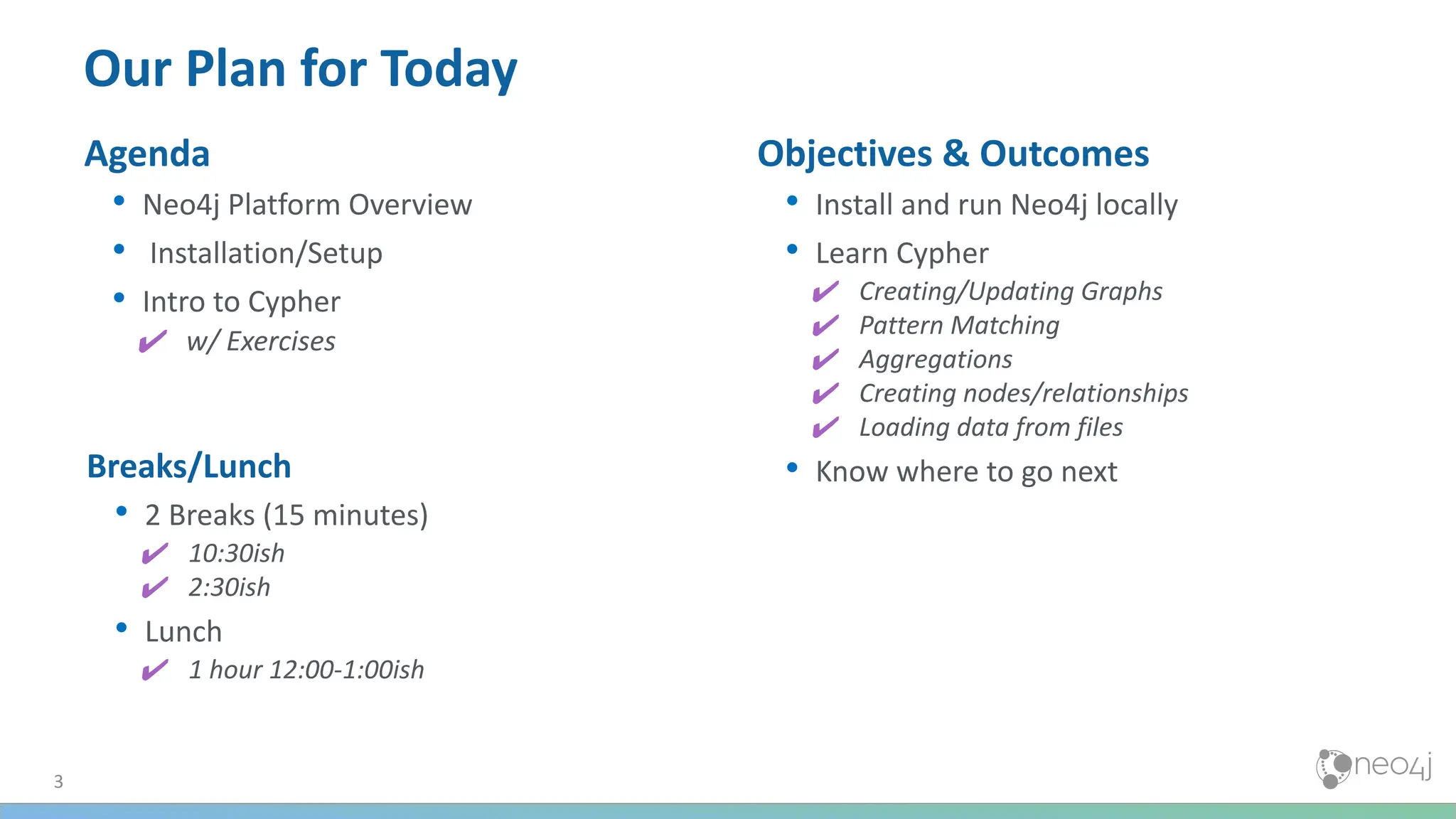

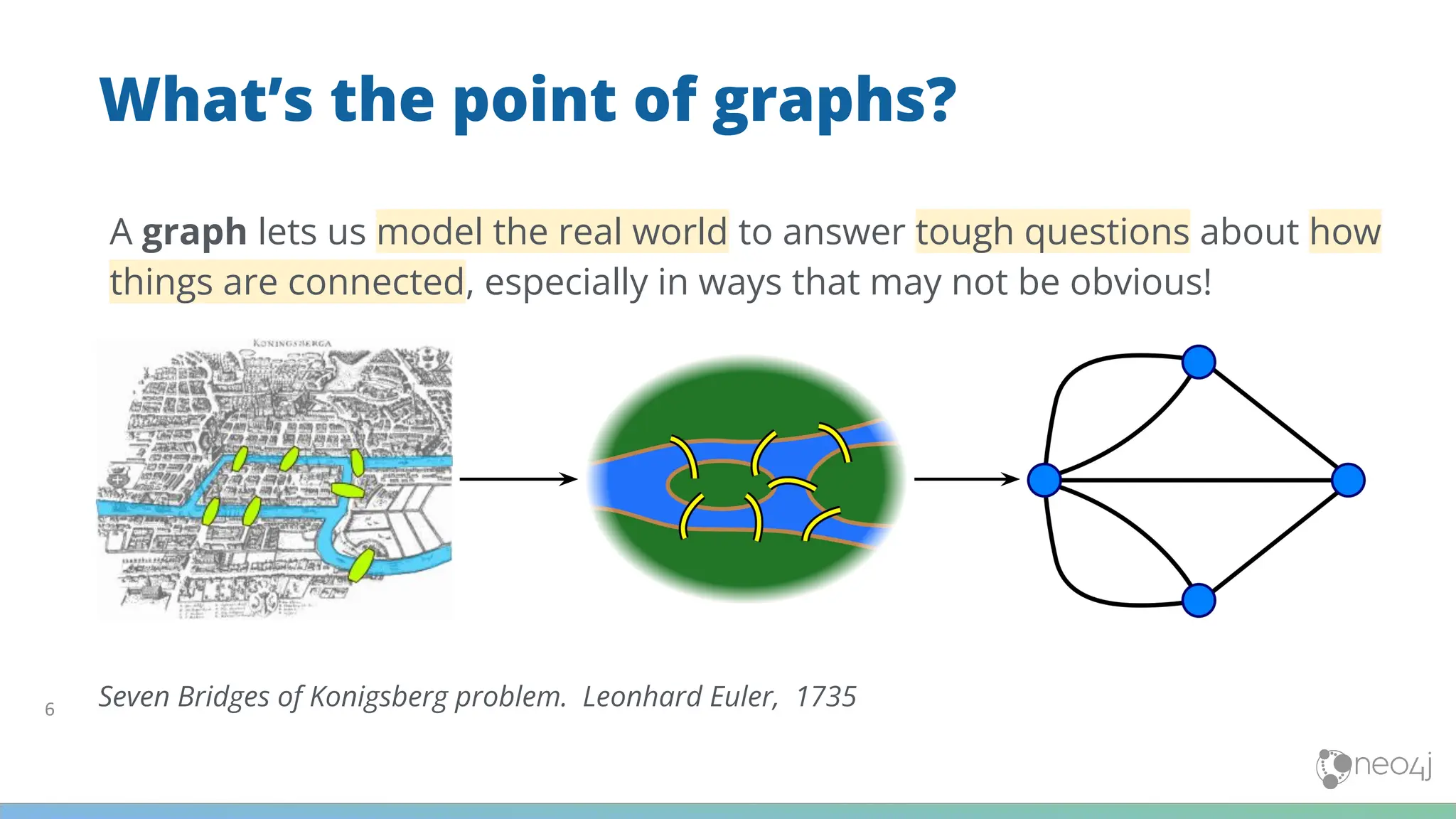
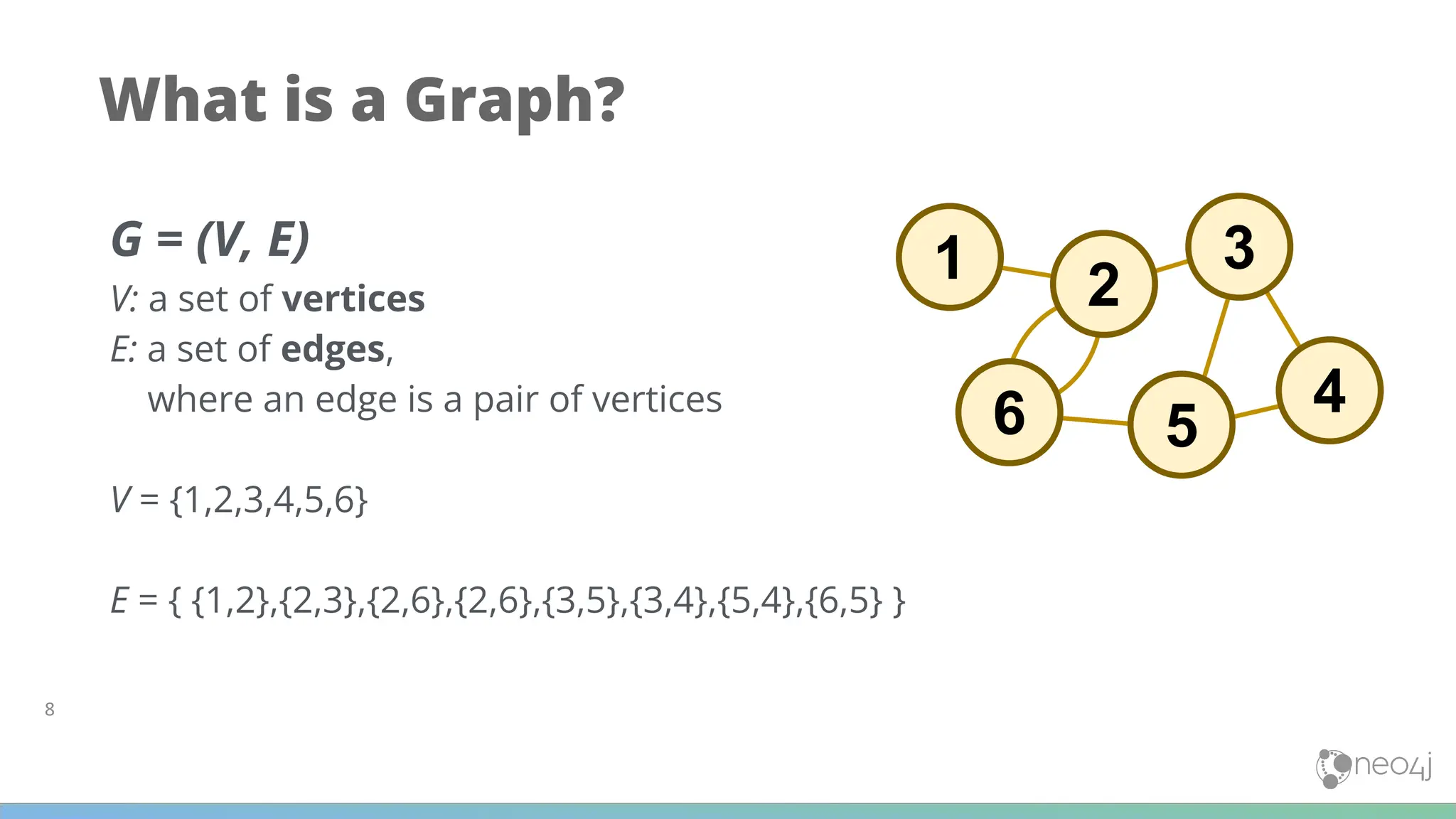
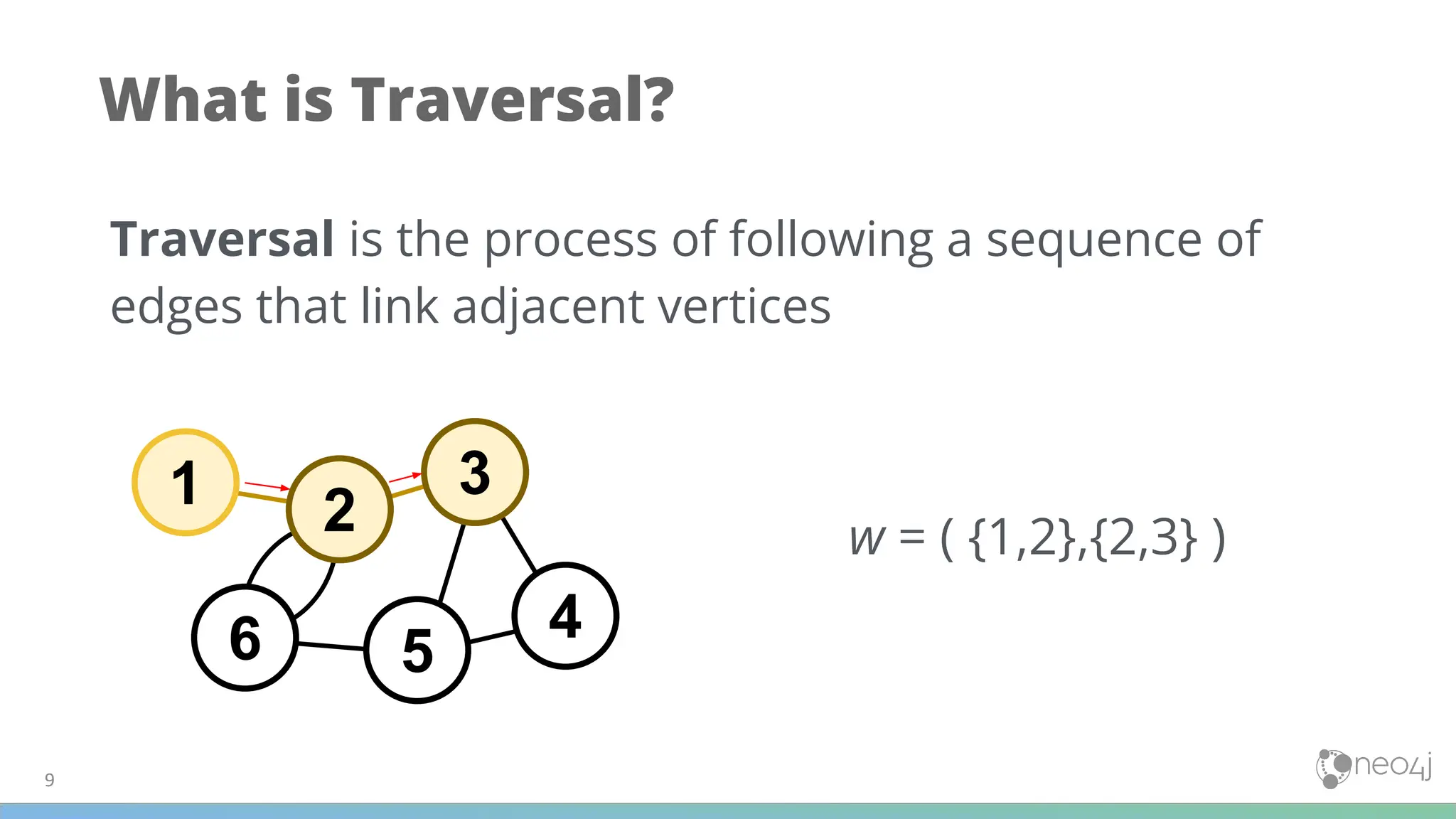
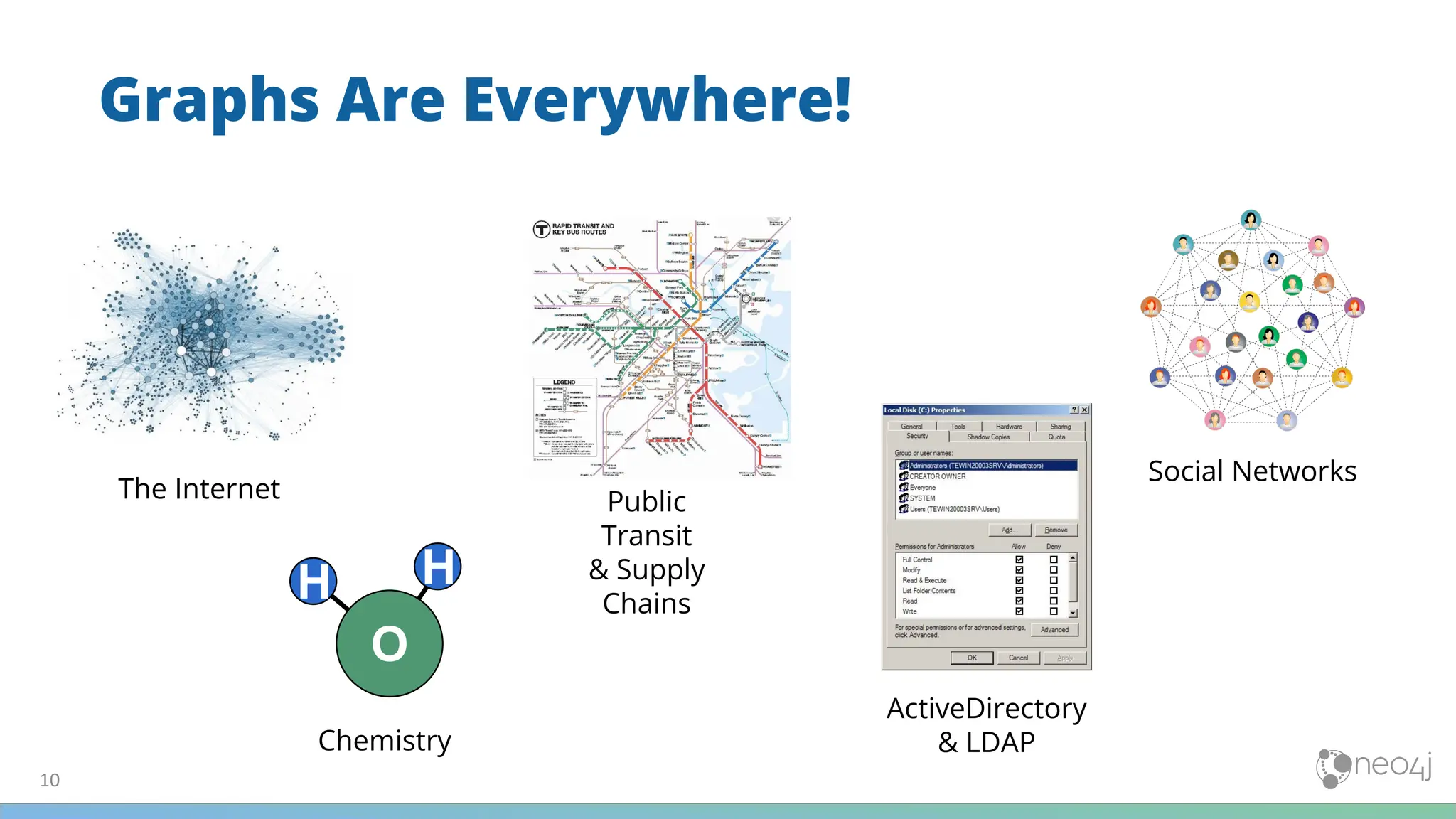
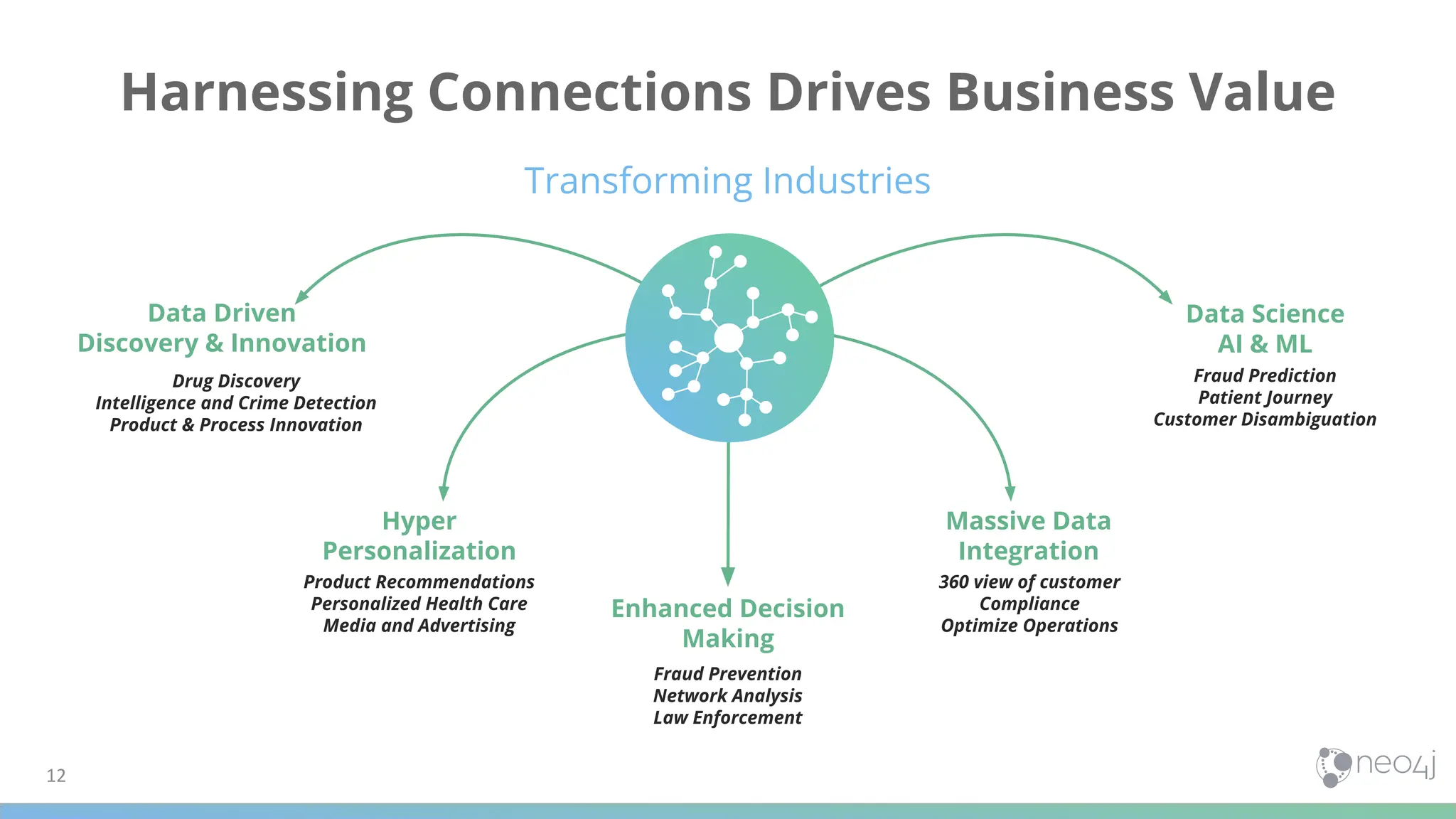
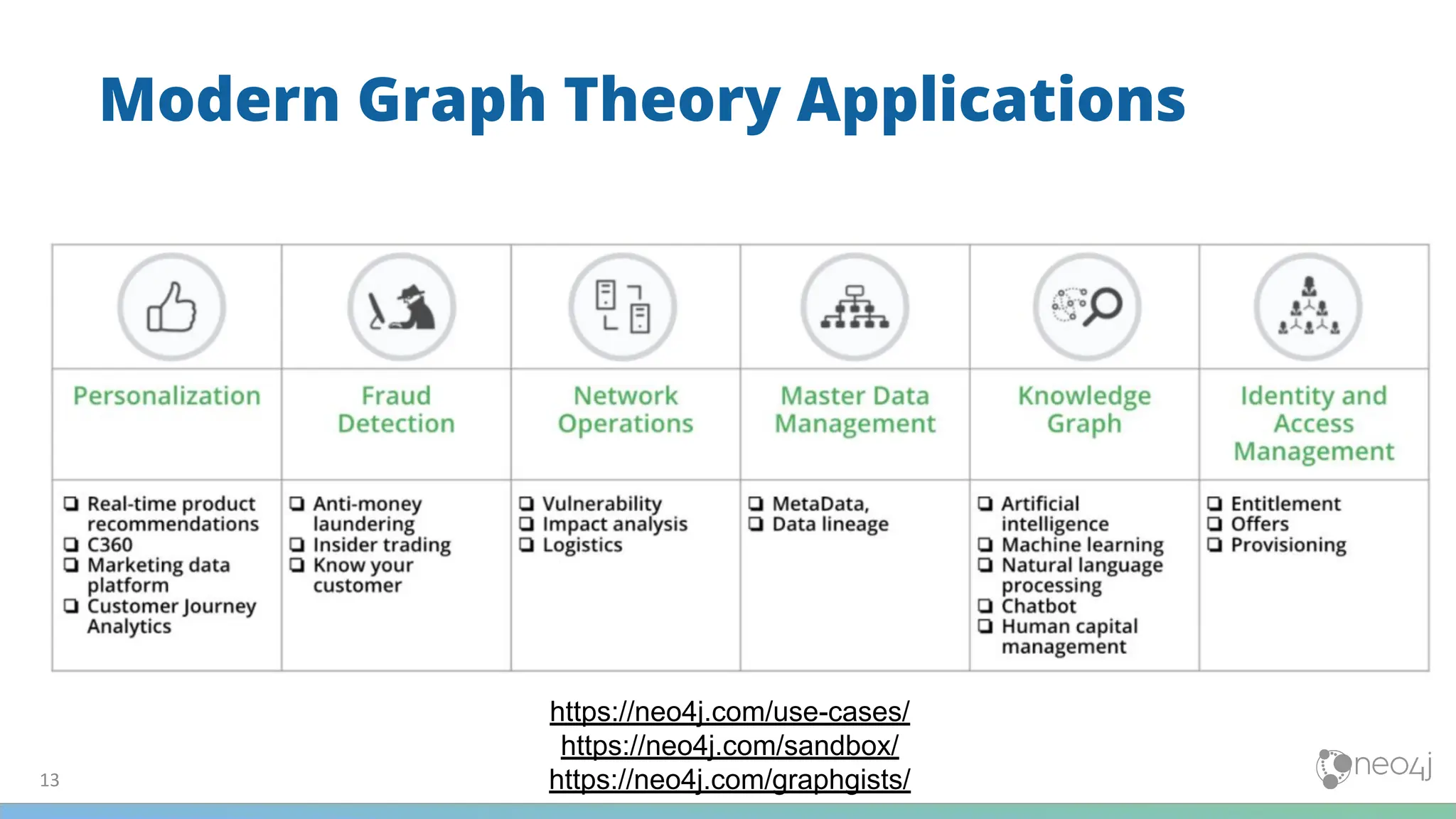
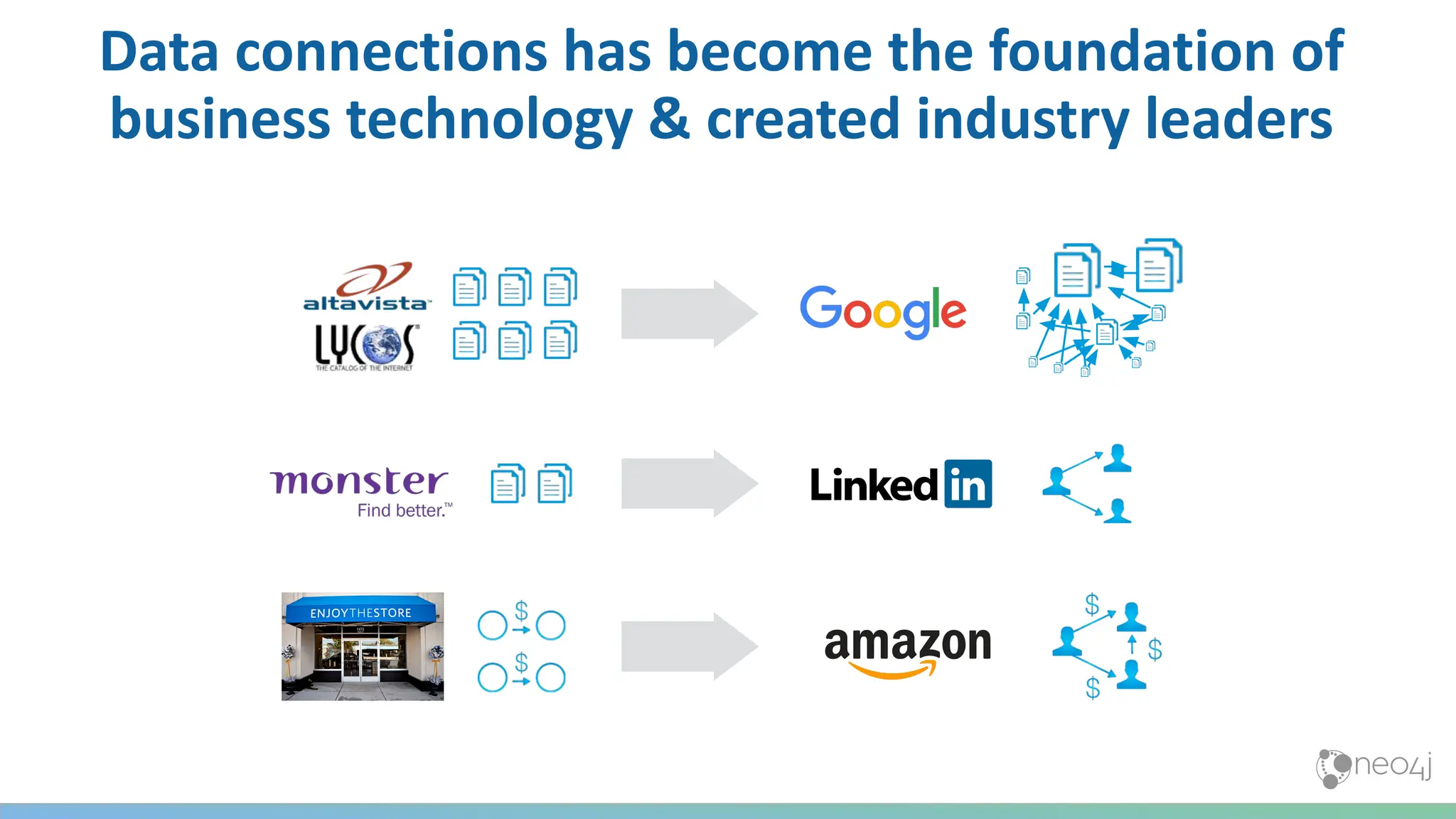
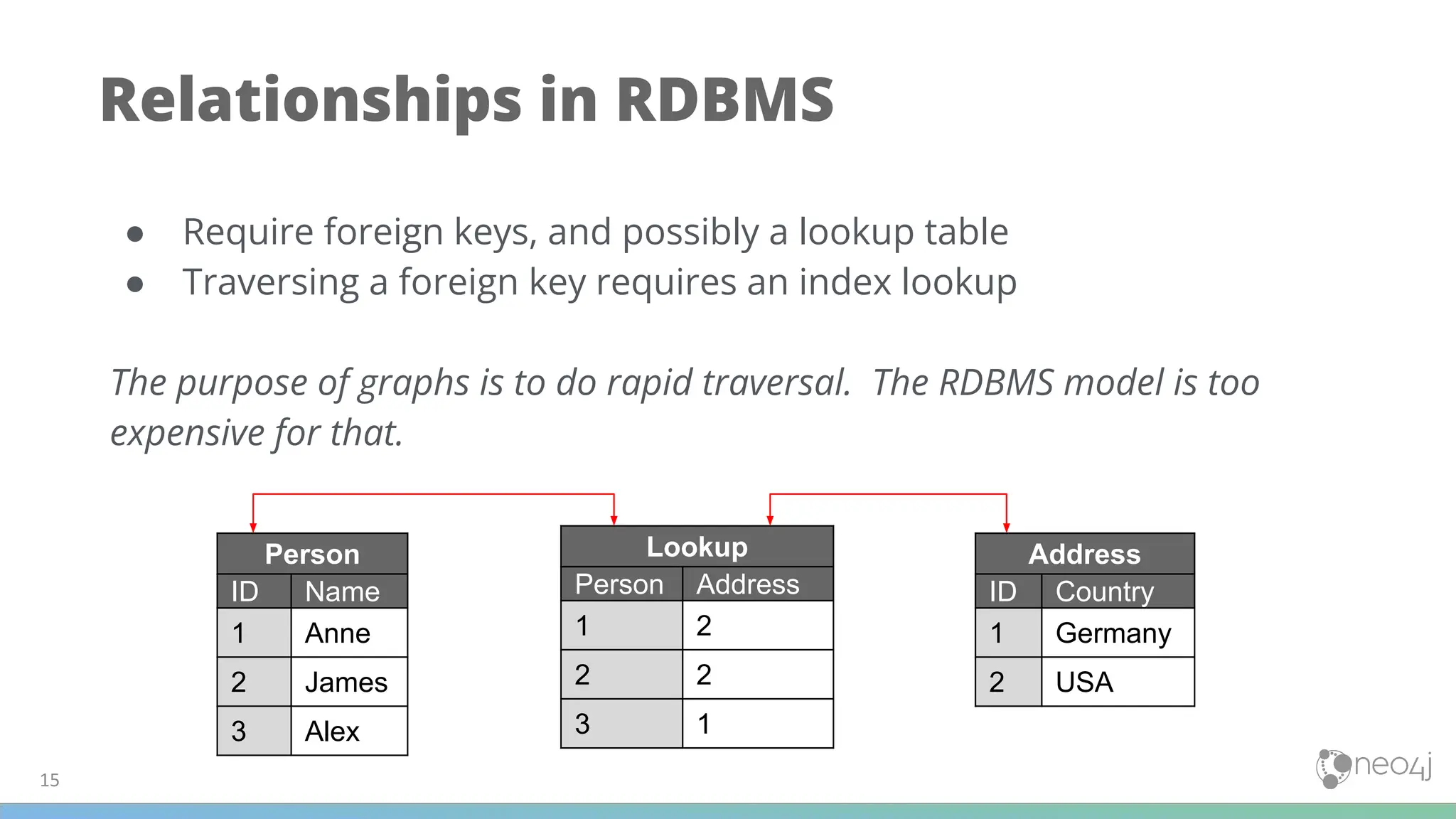
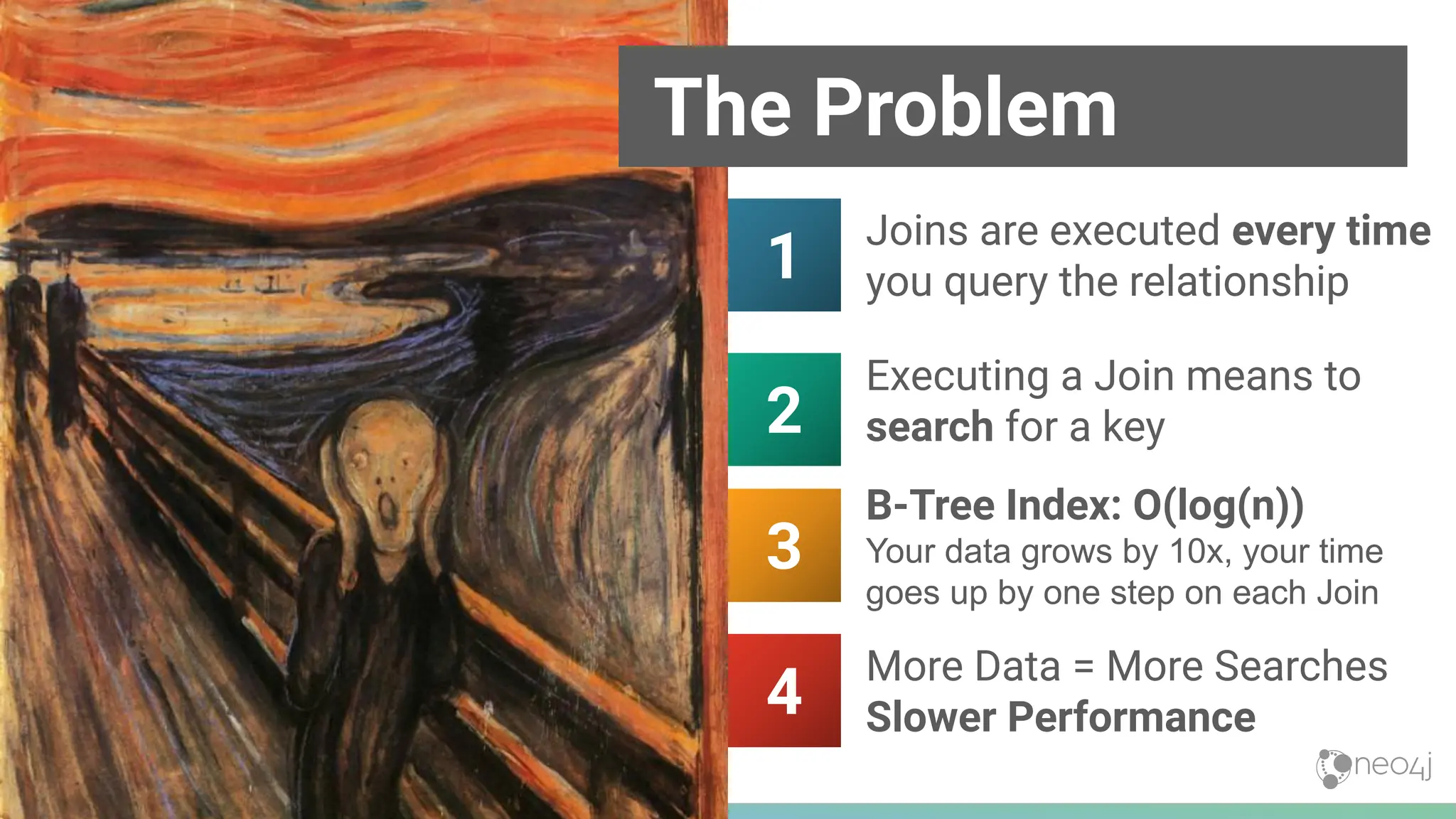
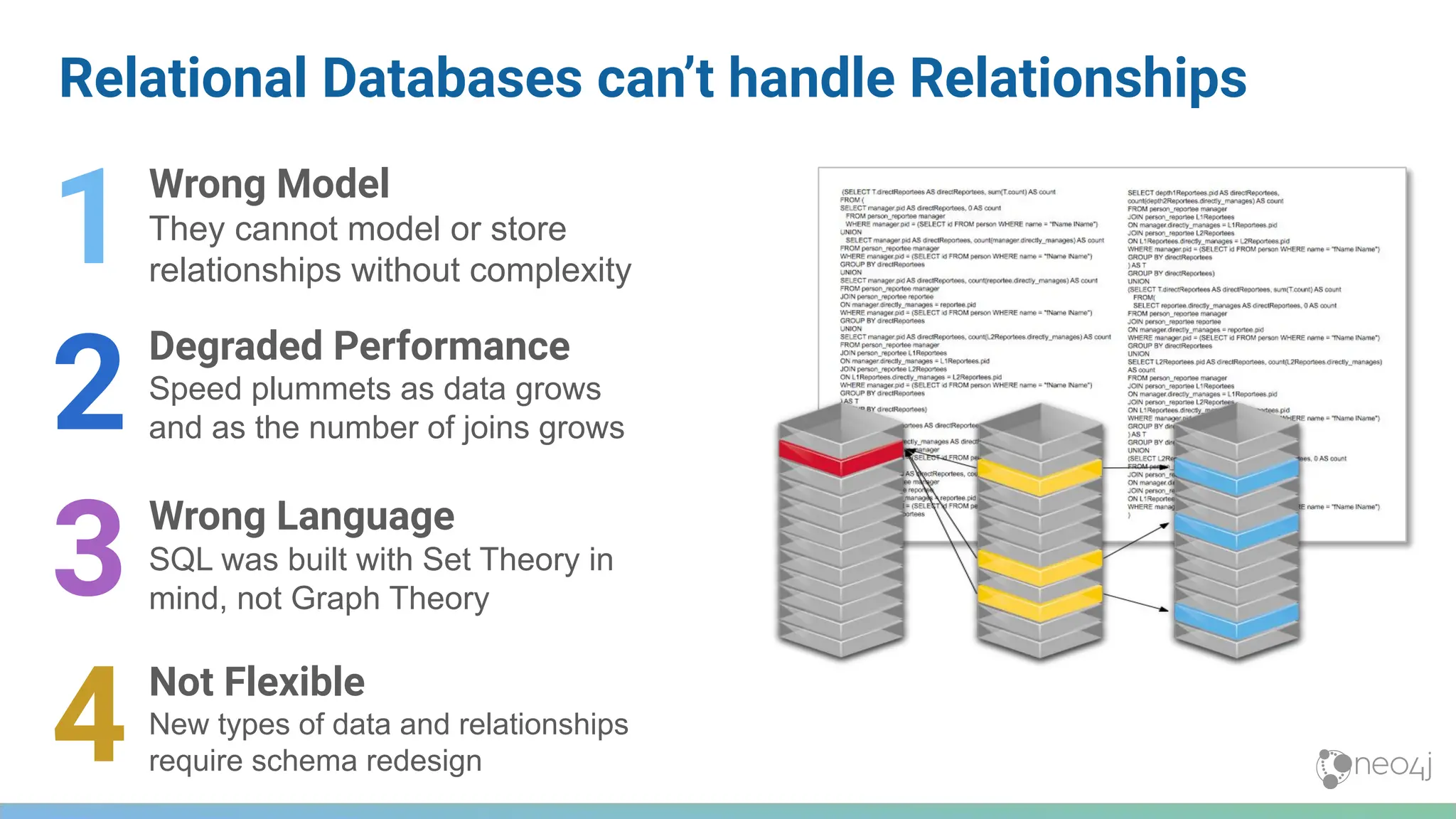
![Relationships in RDBMS vs Graph
MATCH
(sub)-[:REPORTS_TO*0..3]->(boss),
(report)-[:REPORTS_TO*1..3]->(sub)
WHERE
boss.name = 'John Doe'
RETURN
sub.name AS Subordinate,
count(report) AS Total
Find all direct reports and how many people they manage, up to 3 levels down
Graph DB Query
(using Cypher Query Language)
SQL Query
18
Project Impact
Less time writing queries
• More time understanding the answers
• Leaving time to ask the next question
Less time debugging queries:
• More time writing the next piece of code
• Improved quality of overall code base
Code that’s easier to read:
• Faster ramp-up for new project members
• Improved maintainability & troubleshooting](https://image.slidesharecdn.com/5-250304225616-8d25b5b6/75/5-17-IntroductionToNeo4j-allSlides_1_2022_DanMc-pdf-18-2048.jpg)
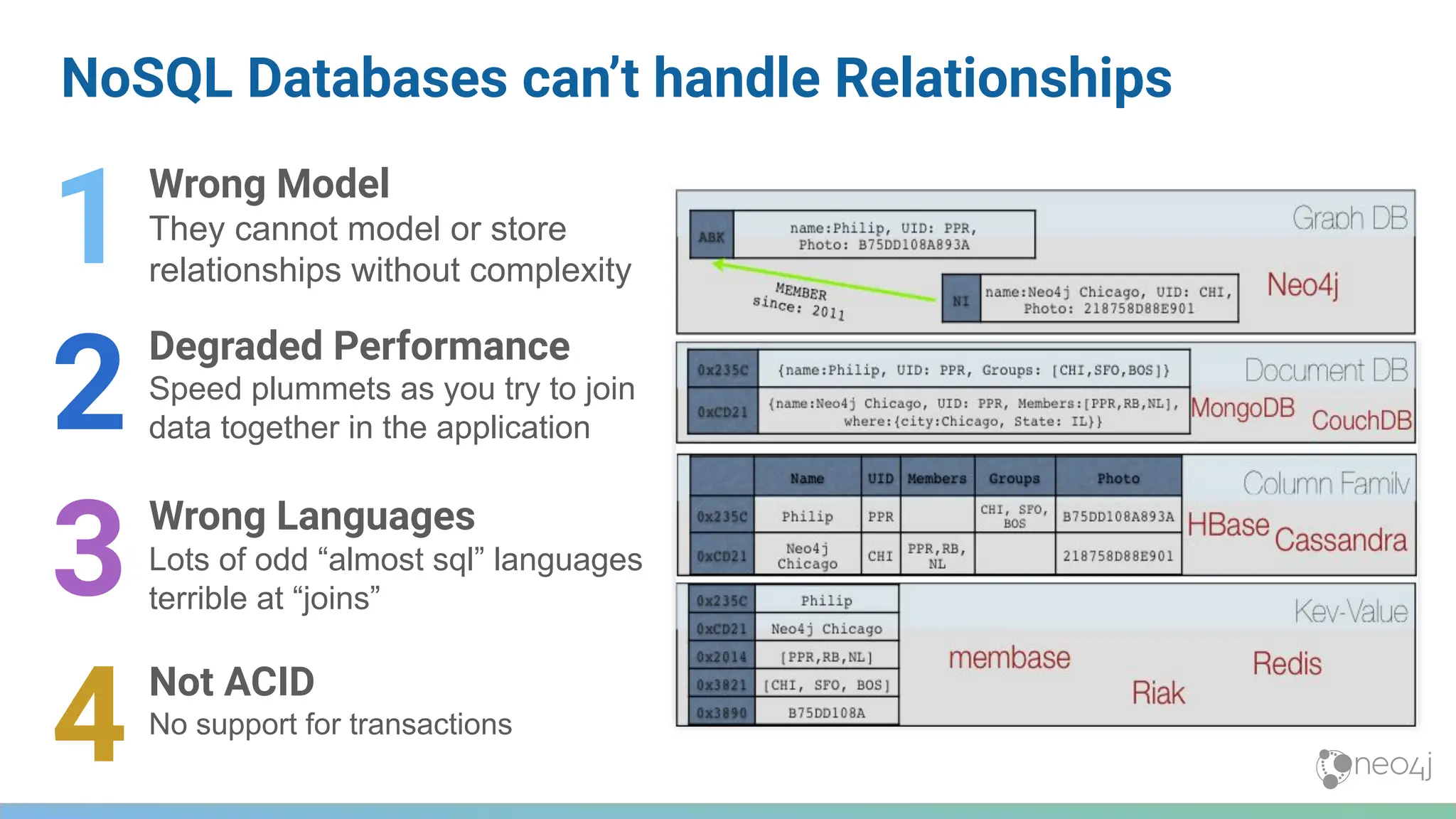
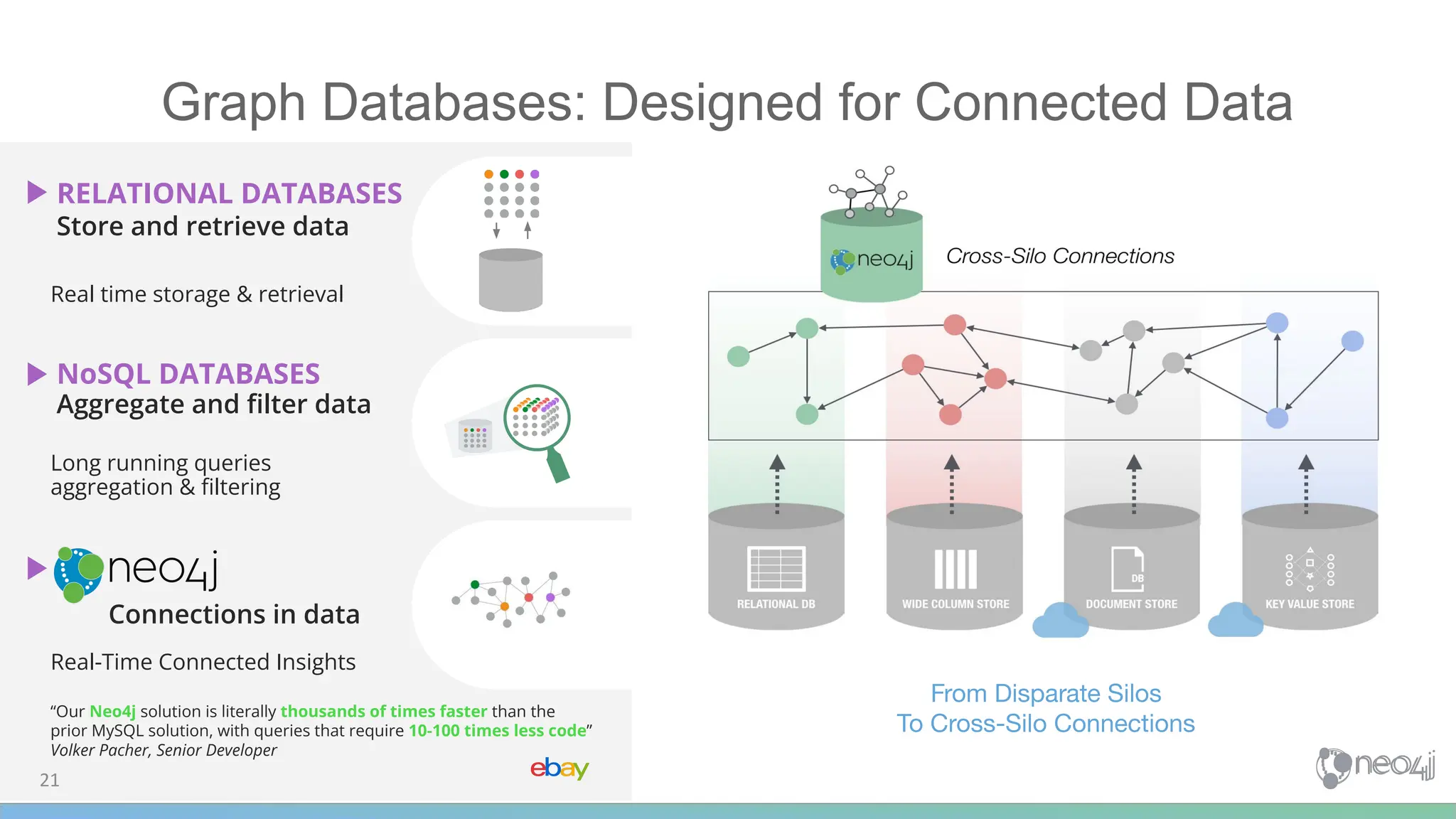


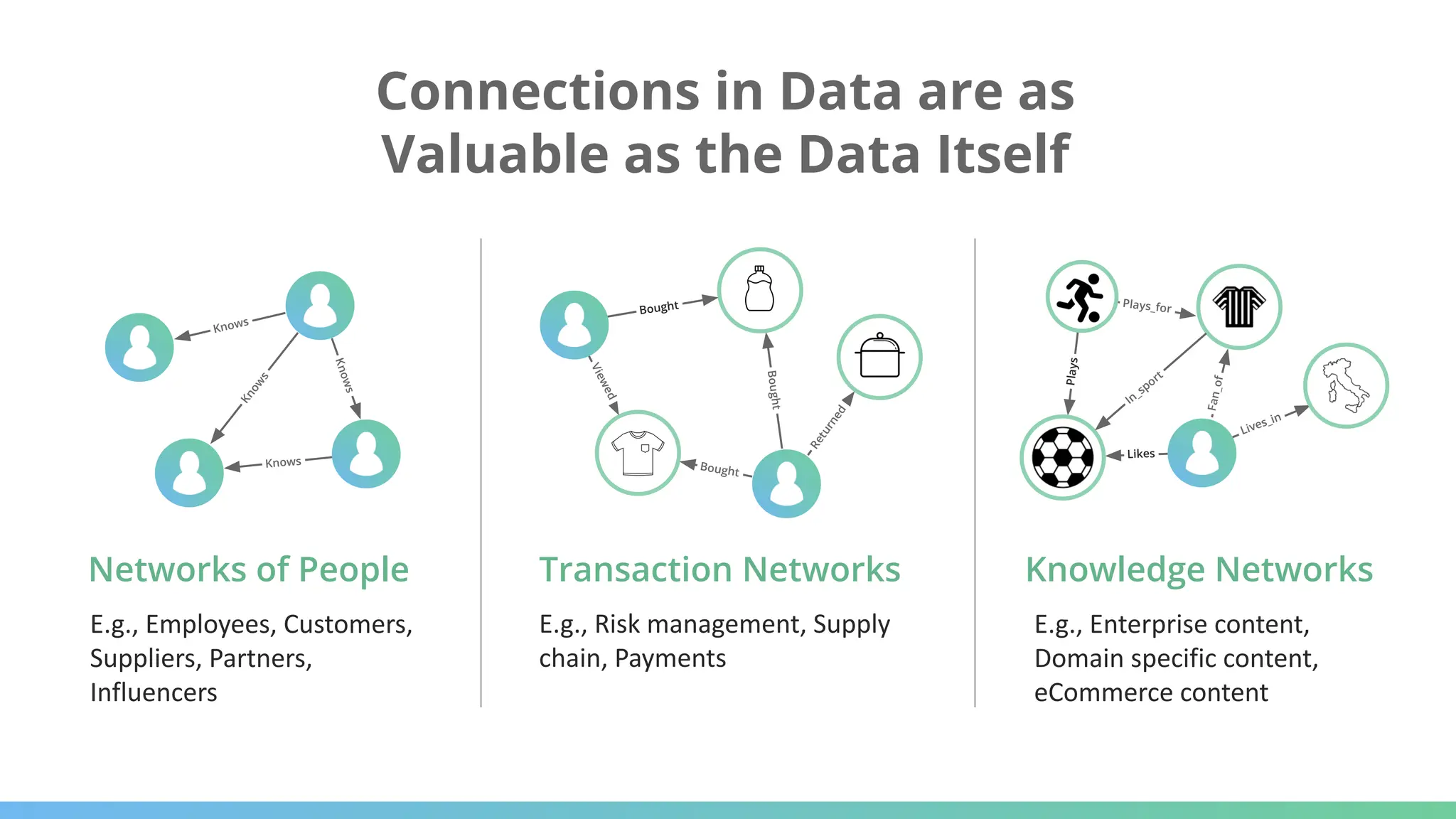
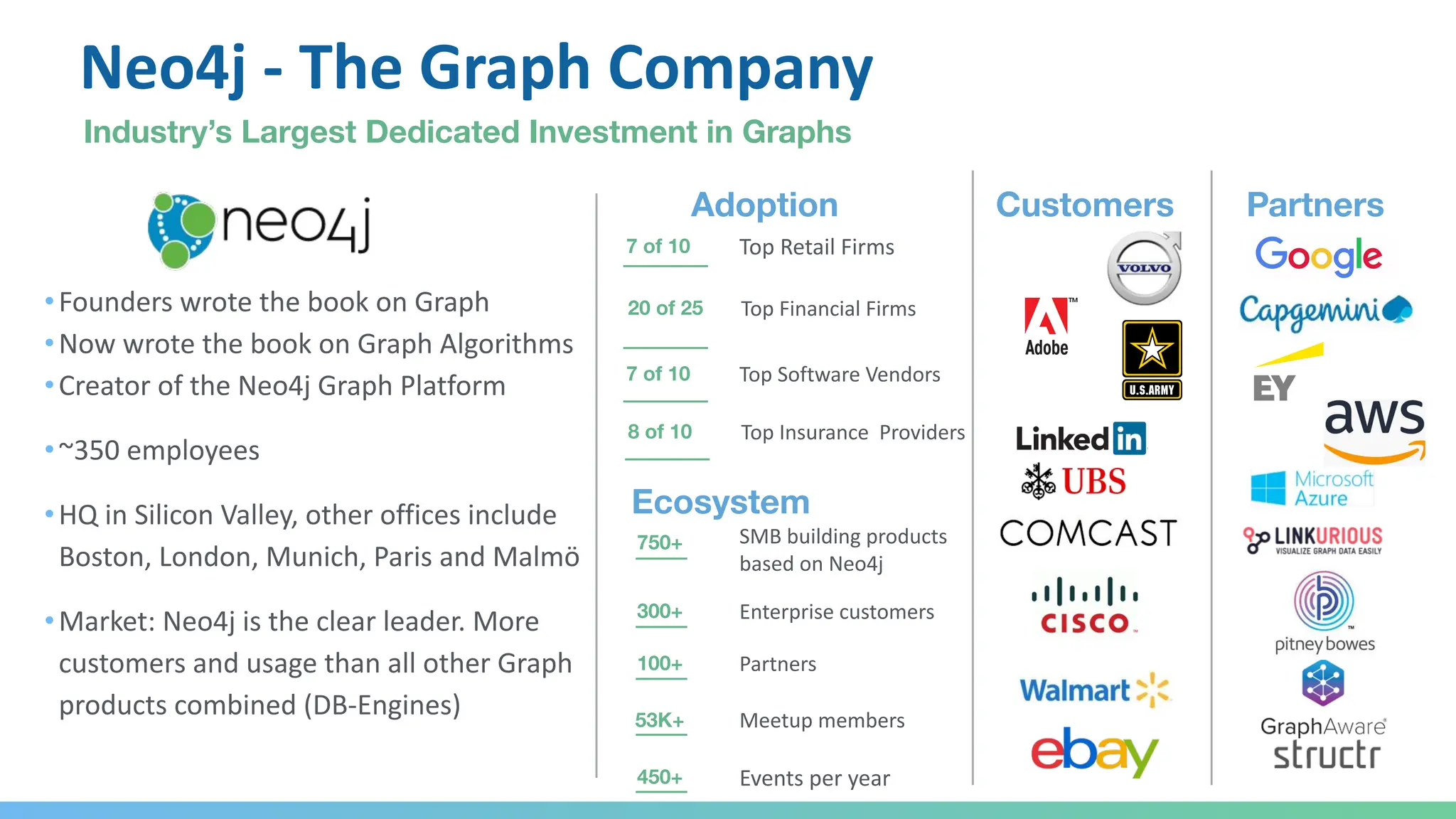
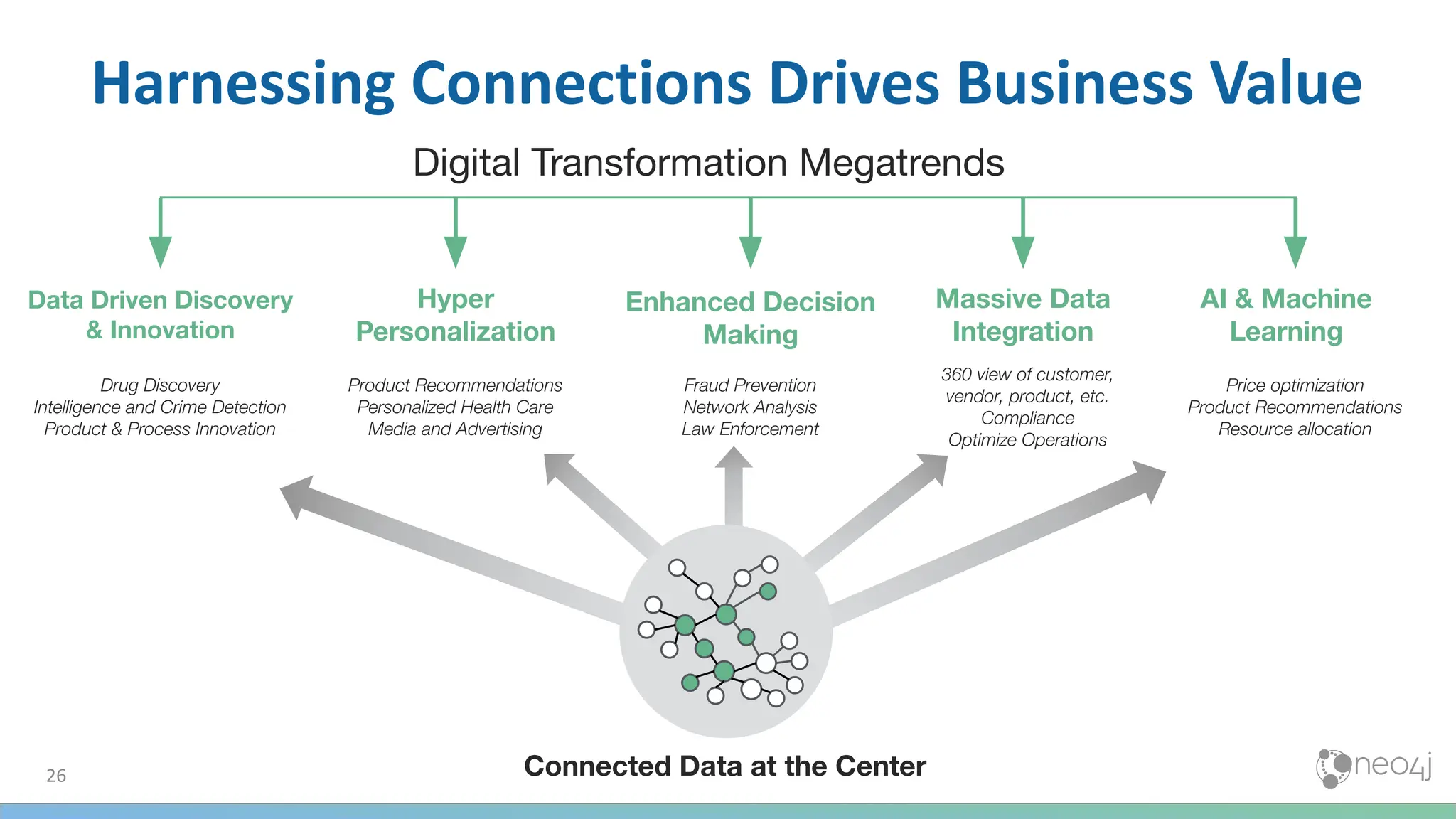
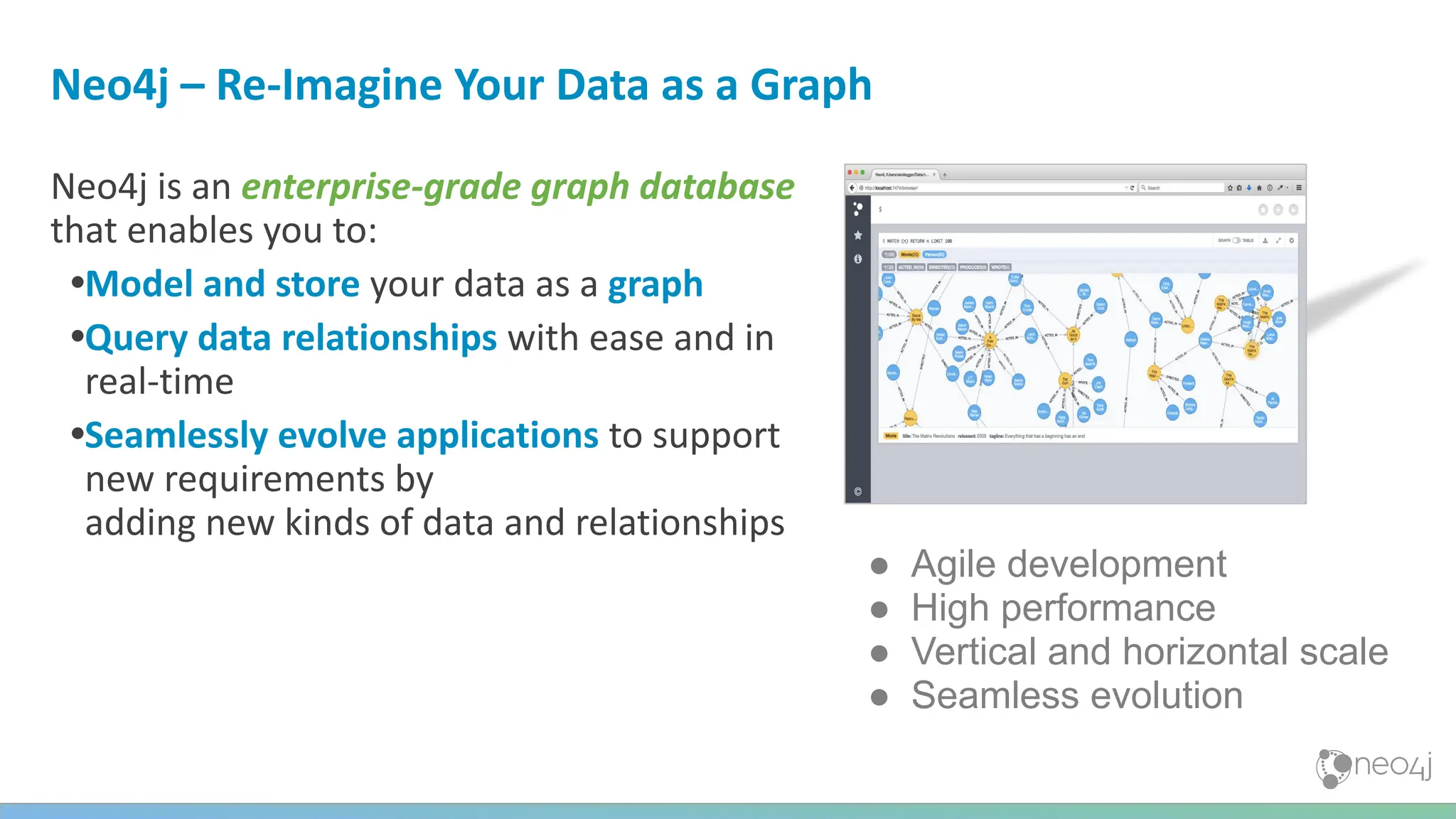
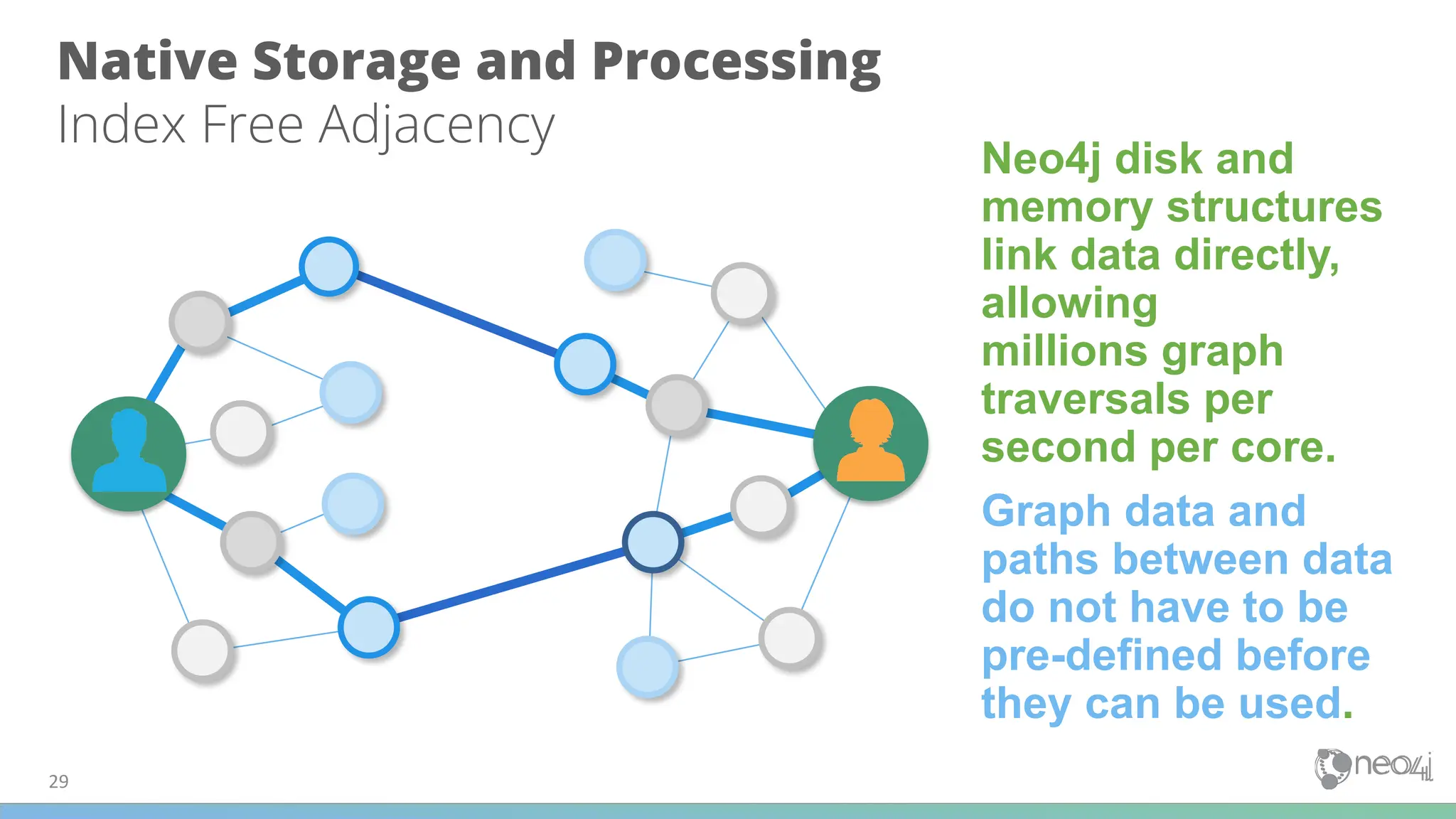
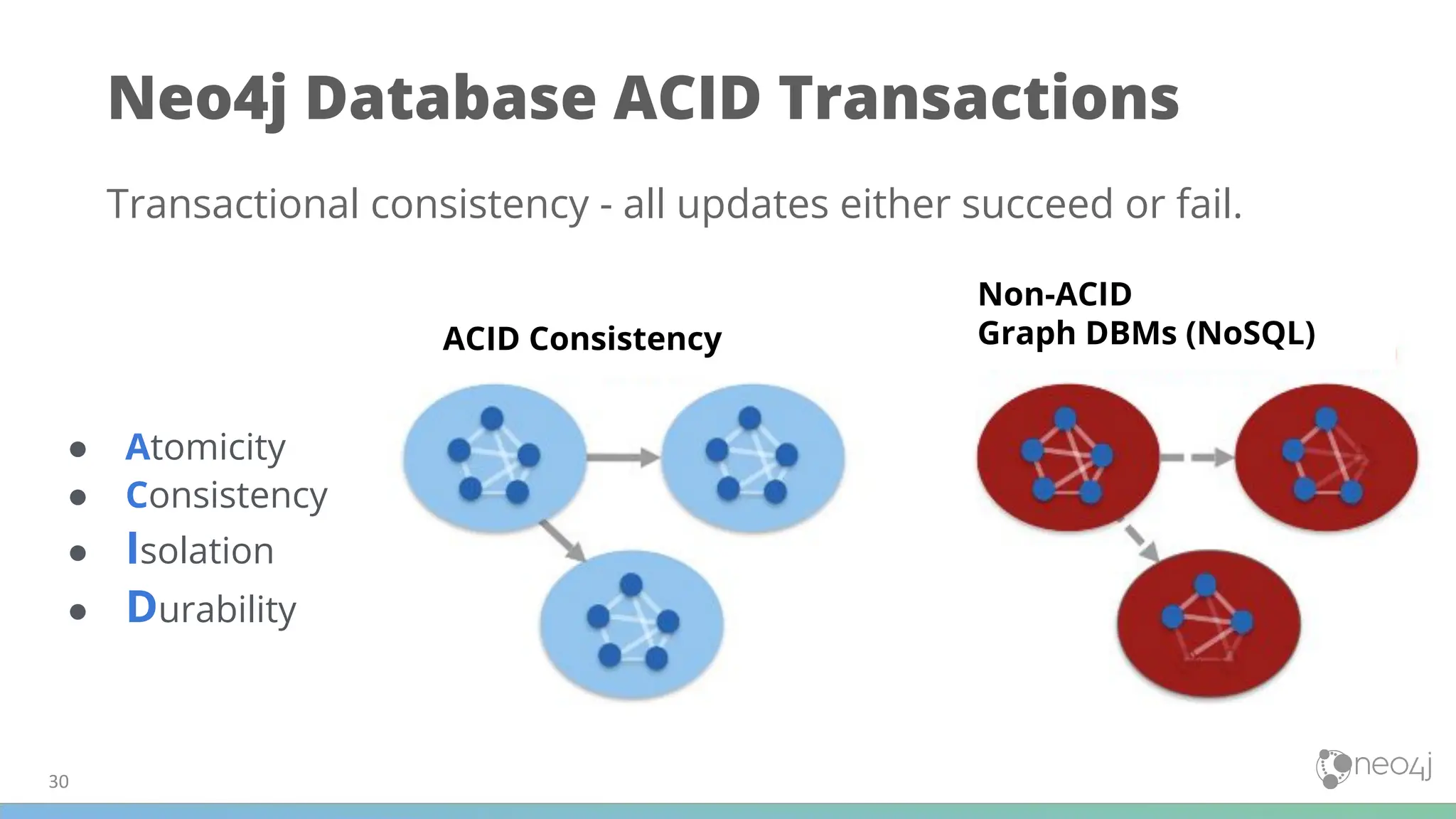
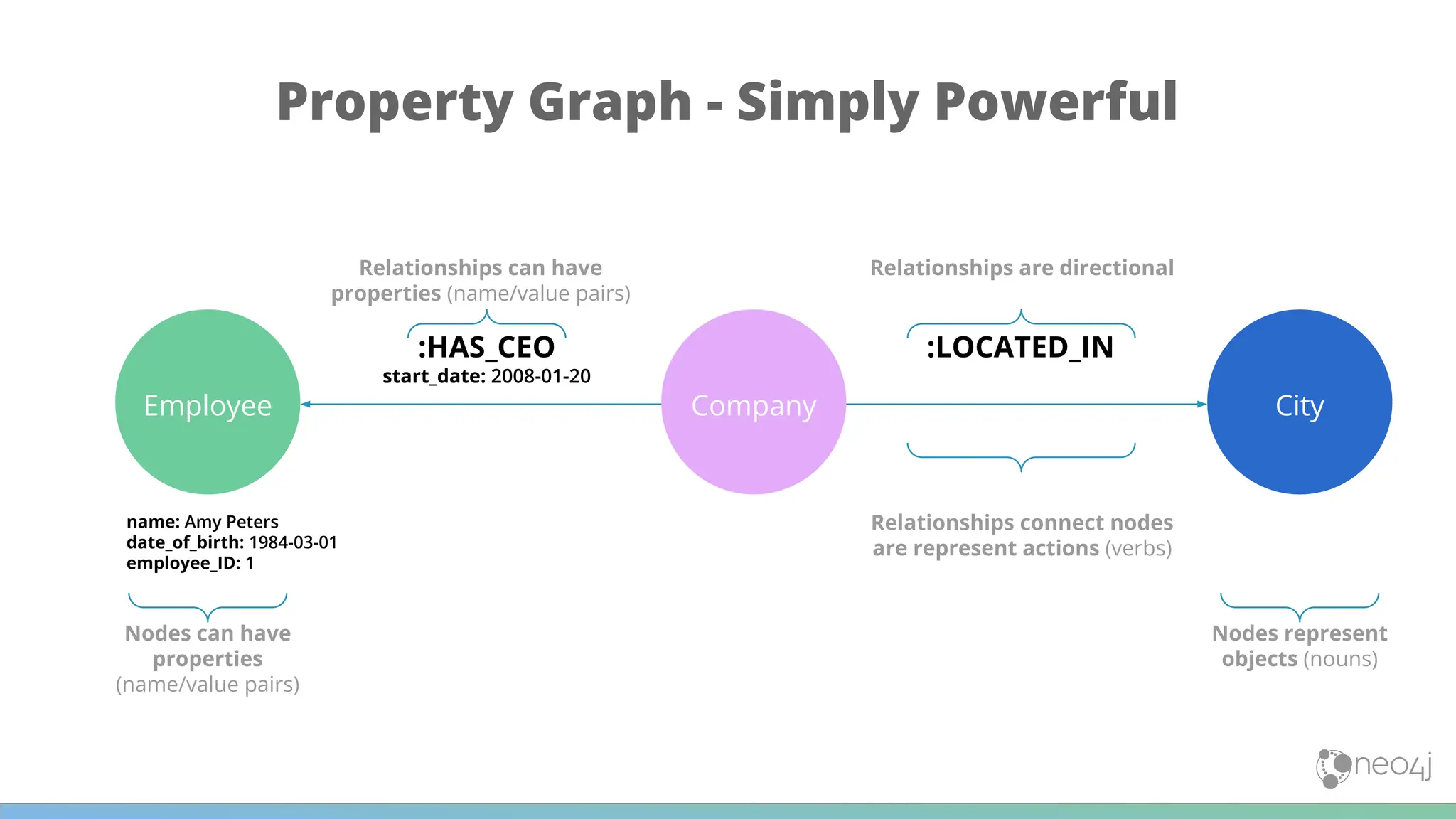
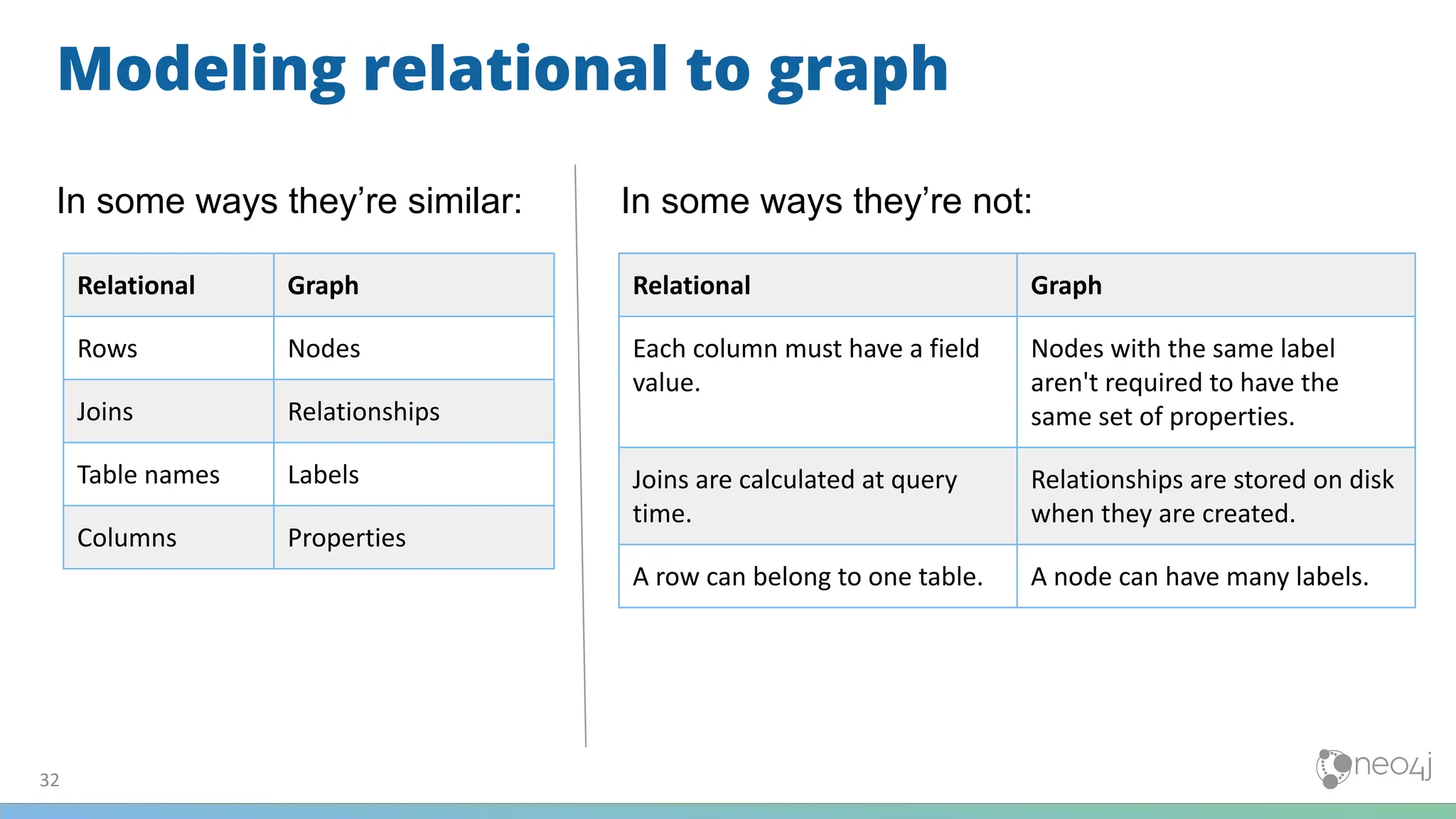
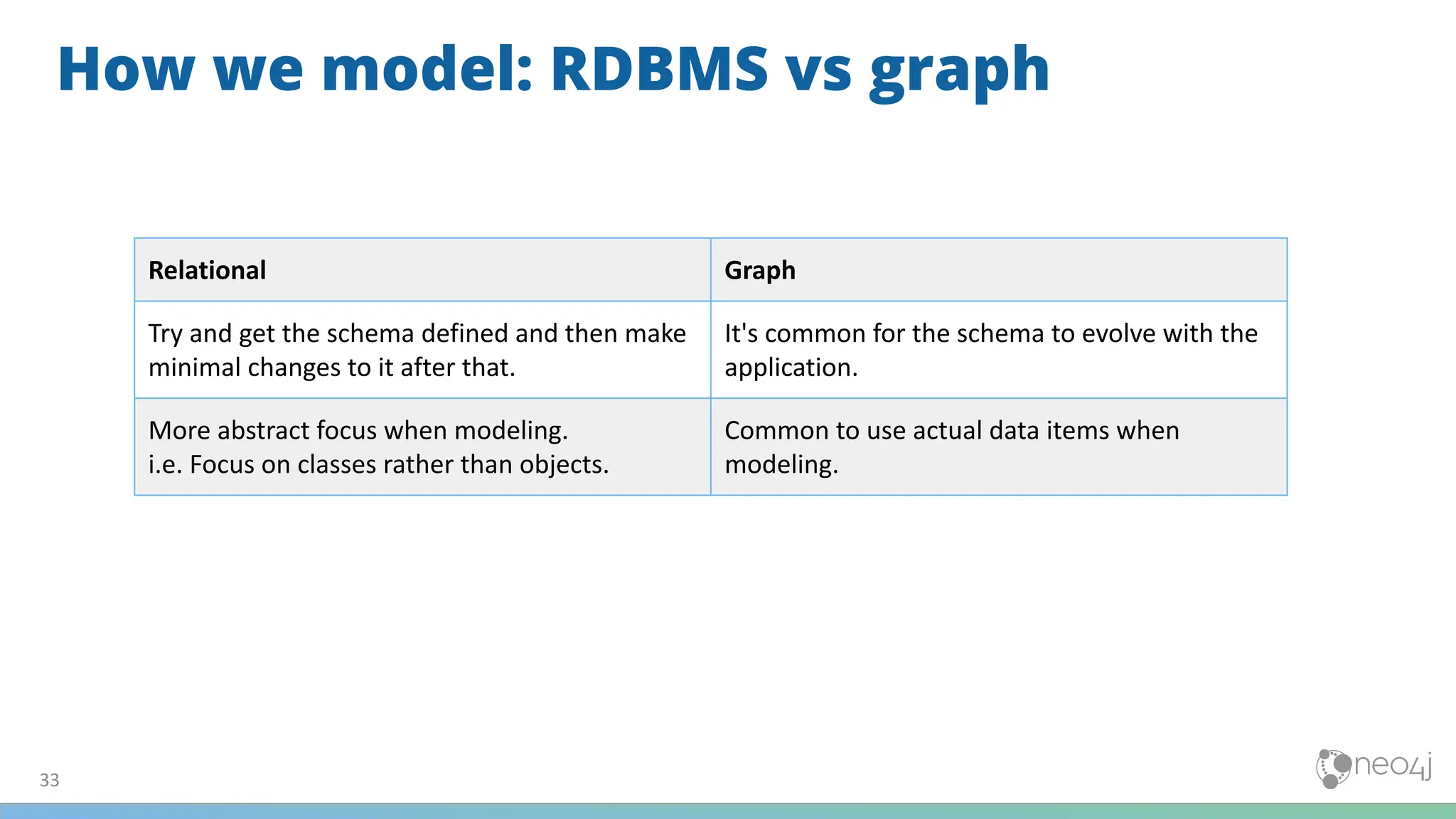
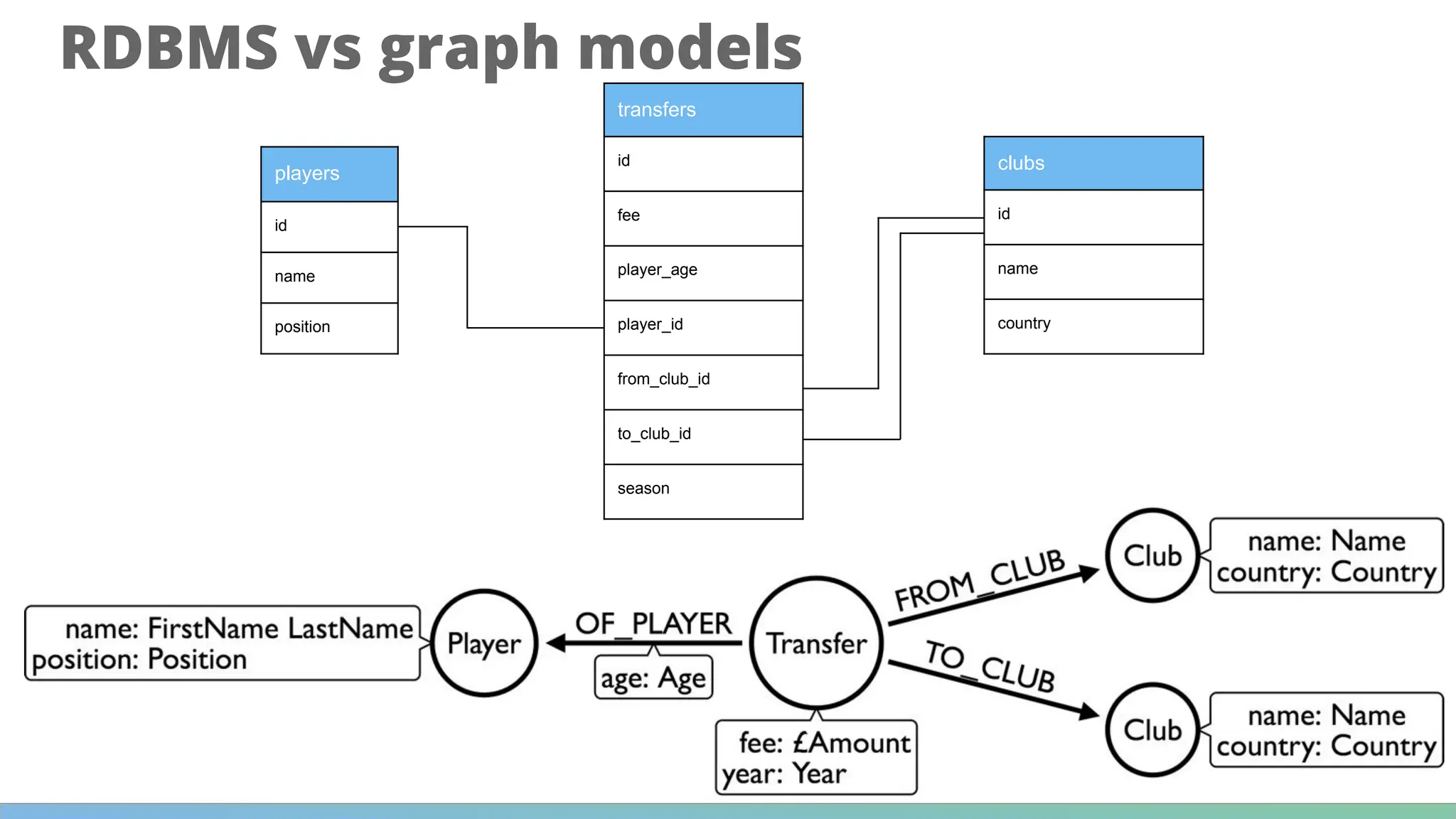
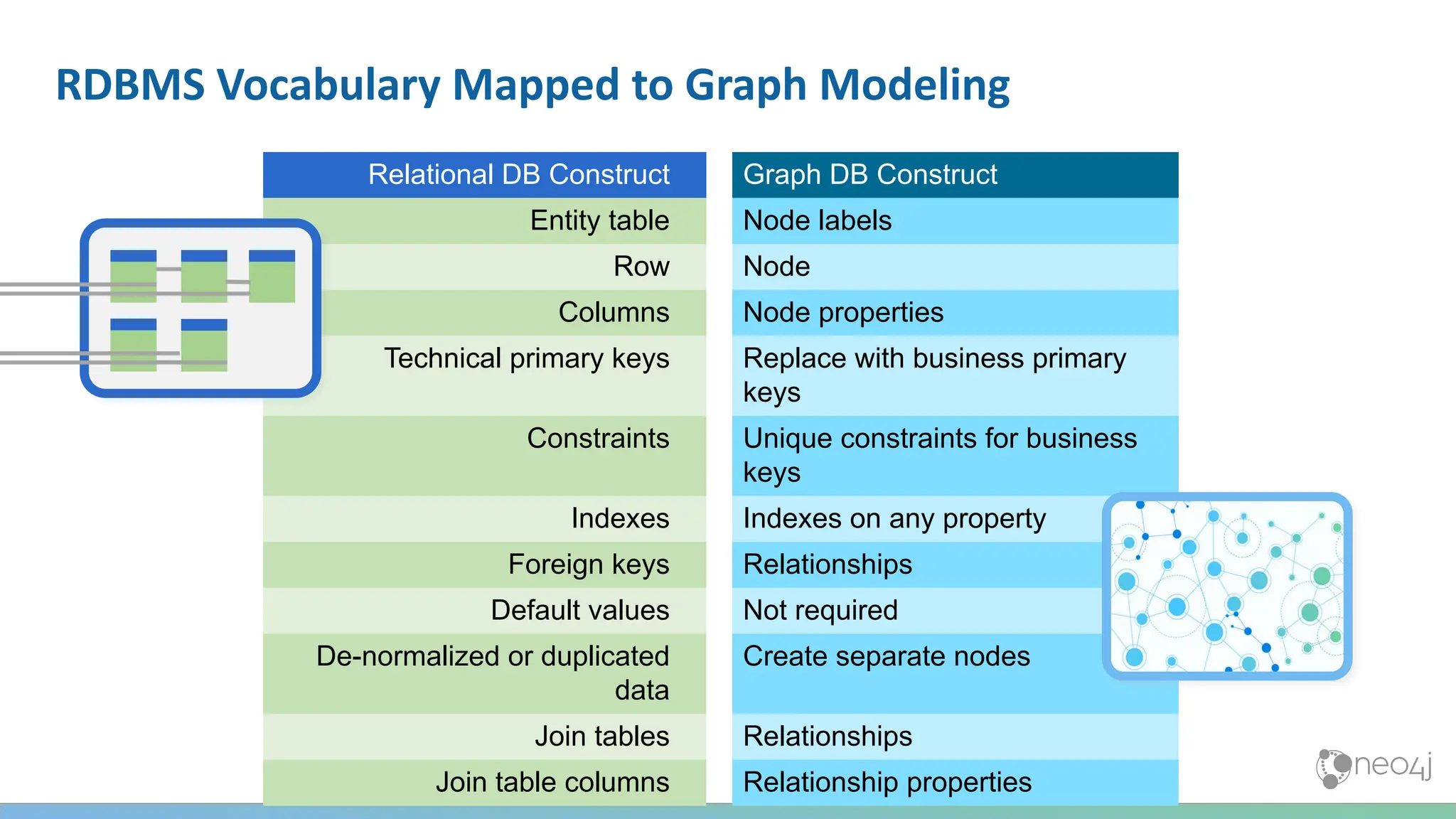

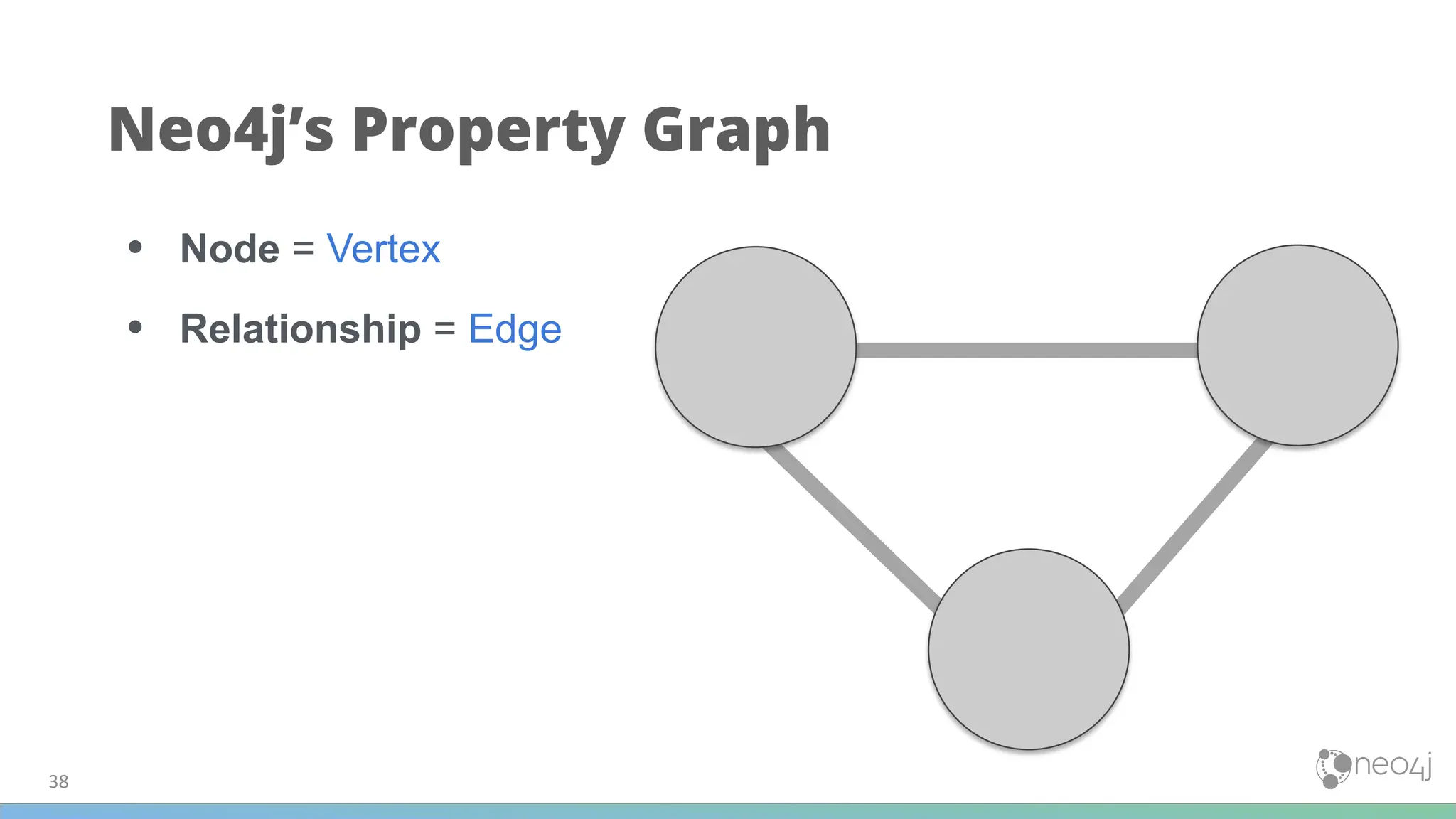
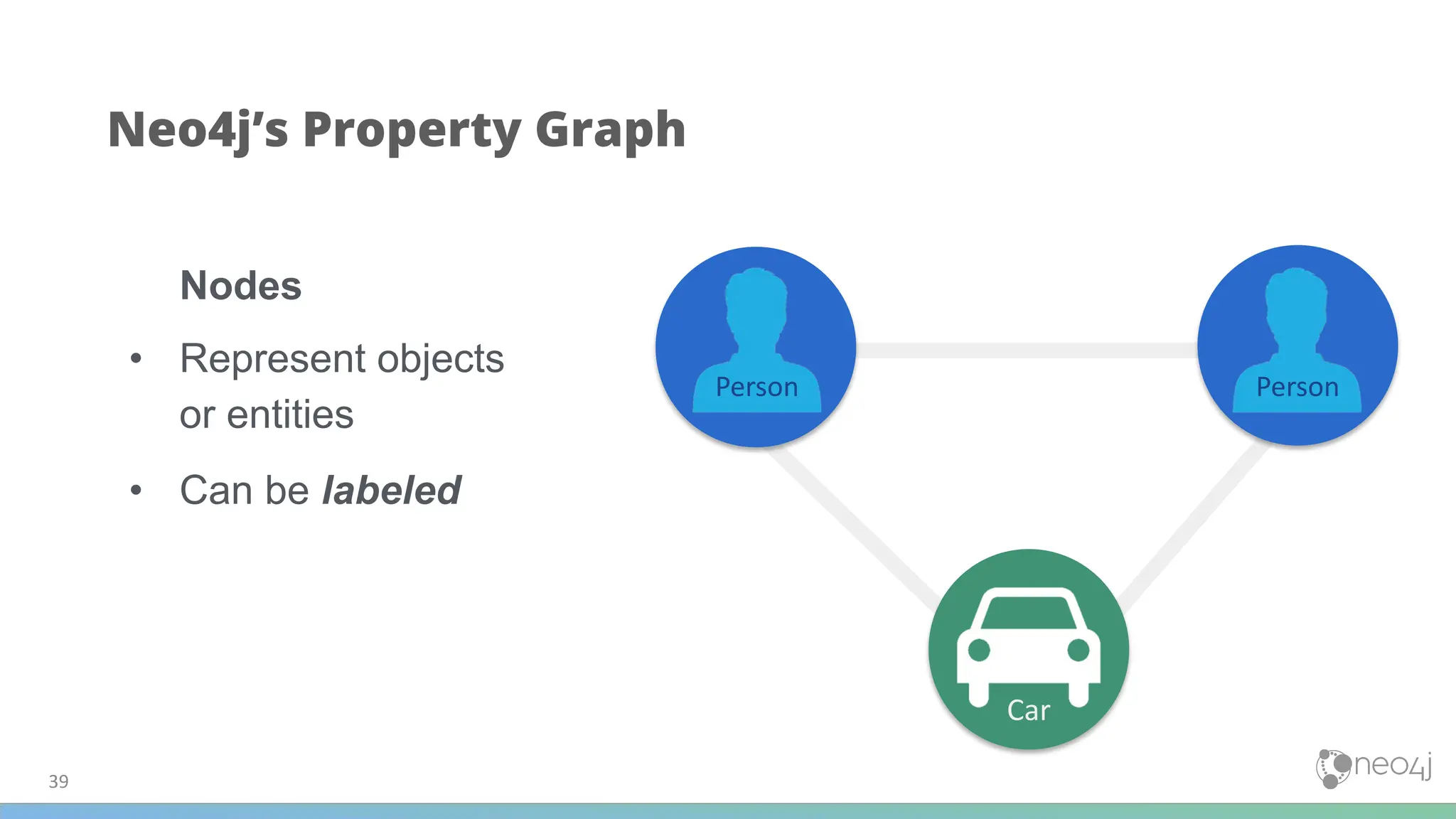
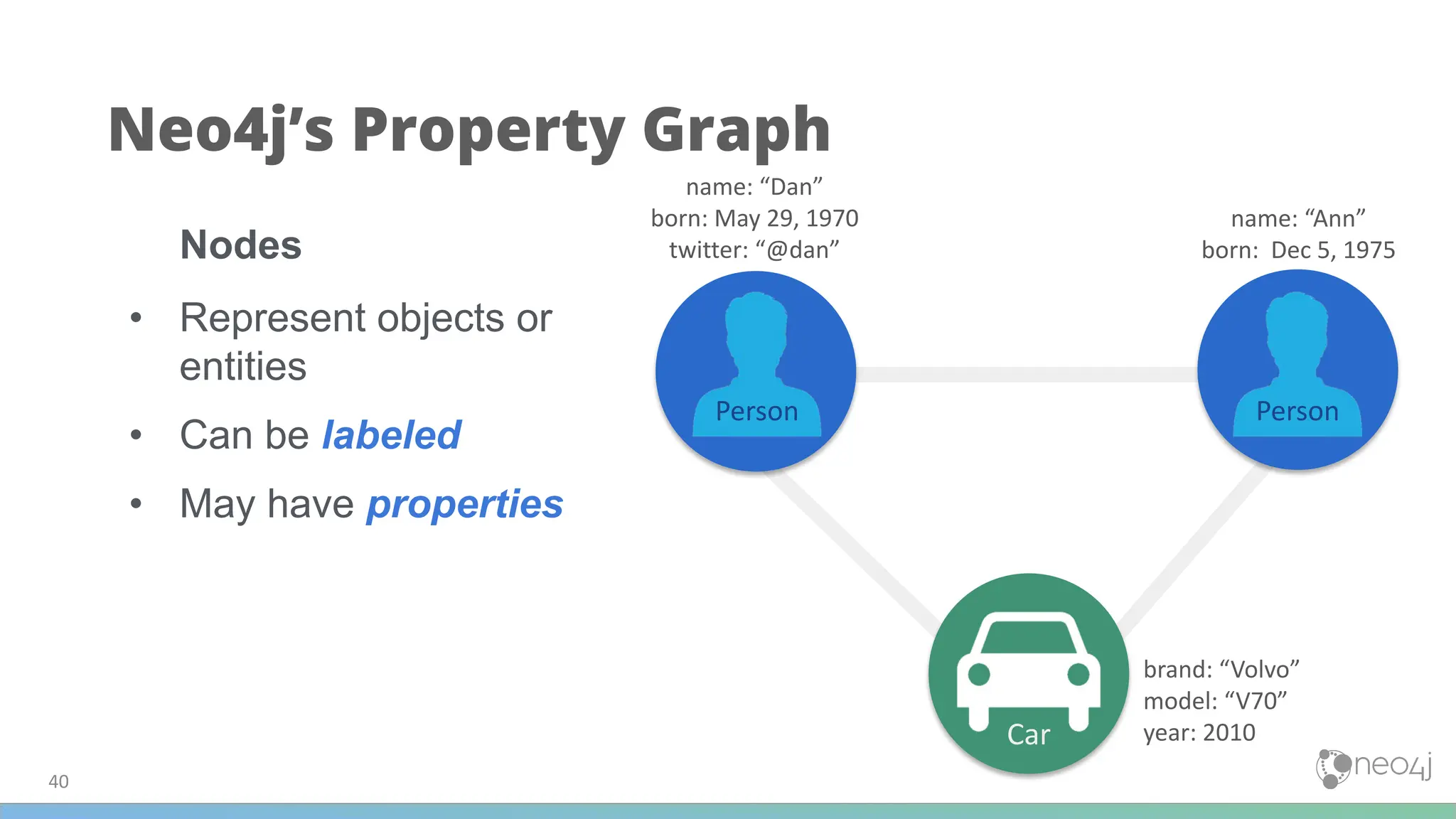
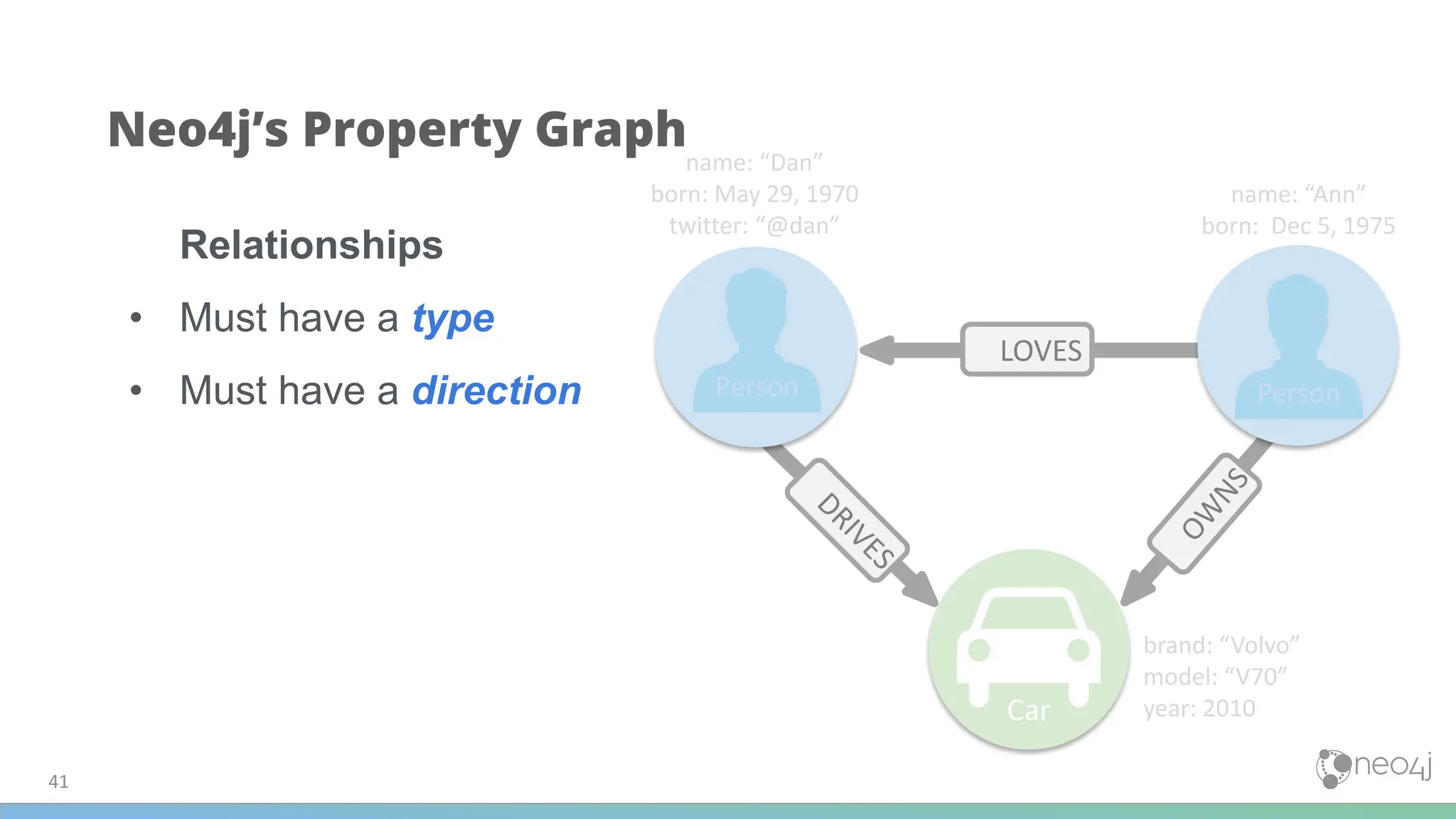
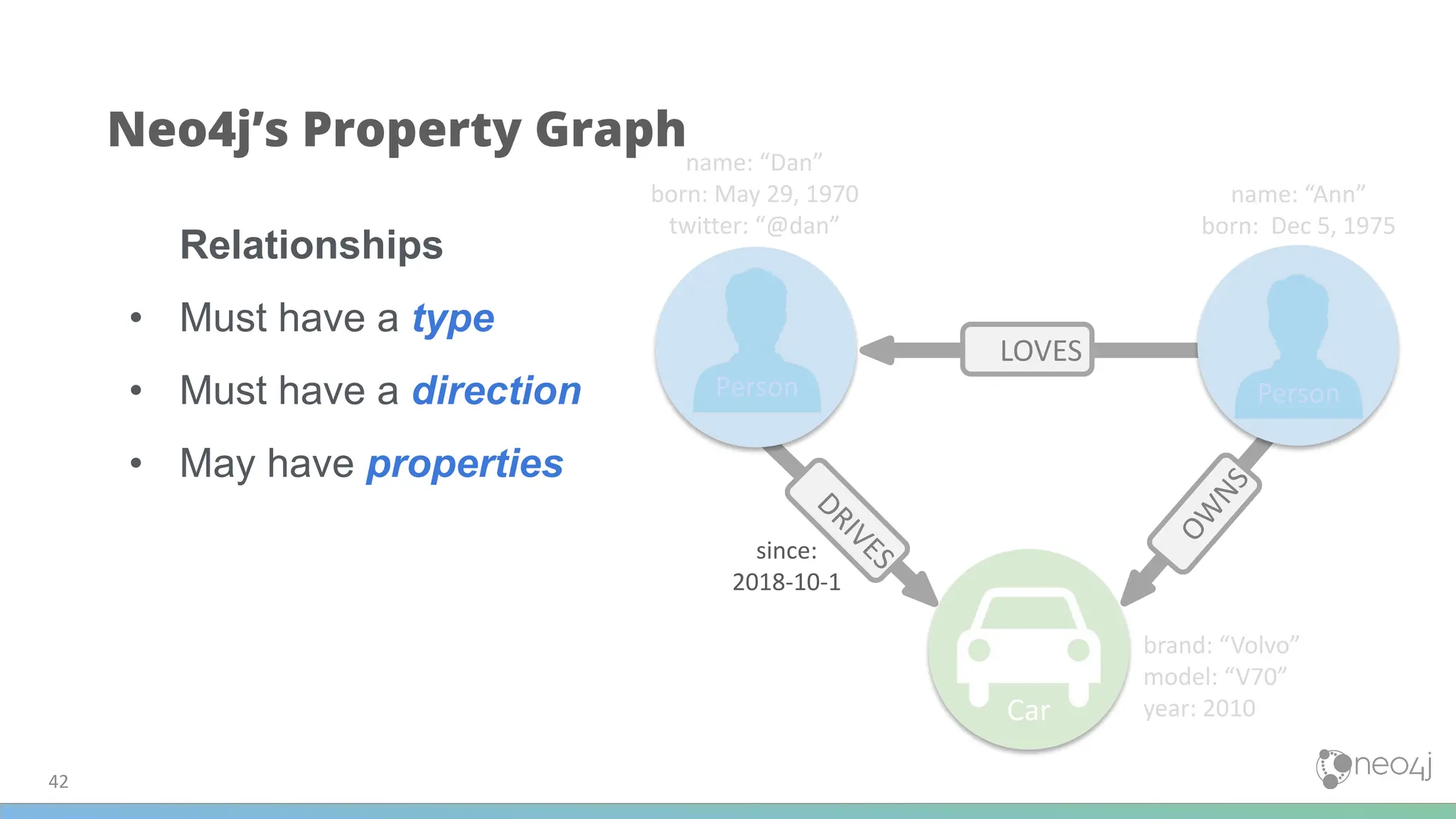
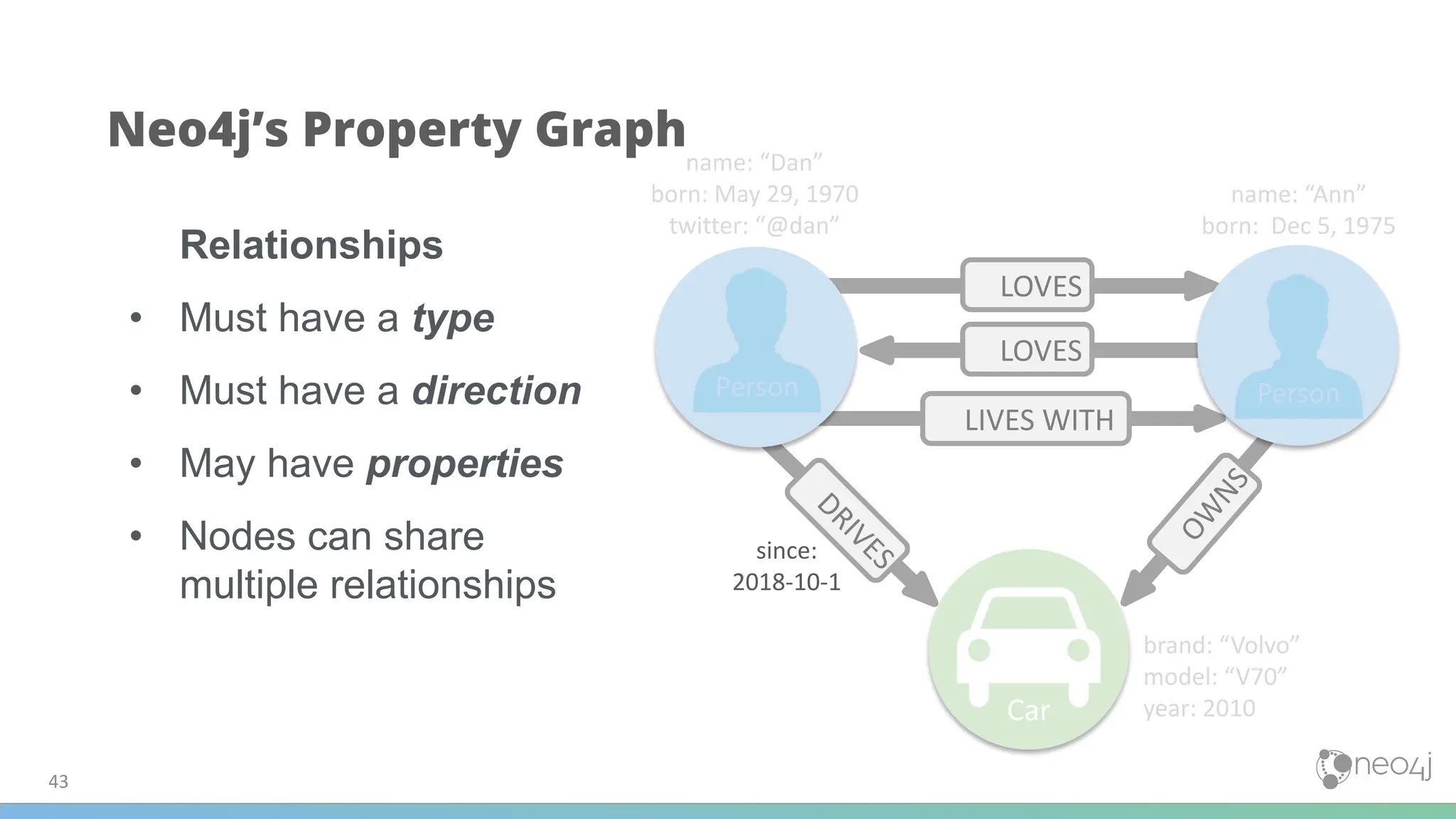
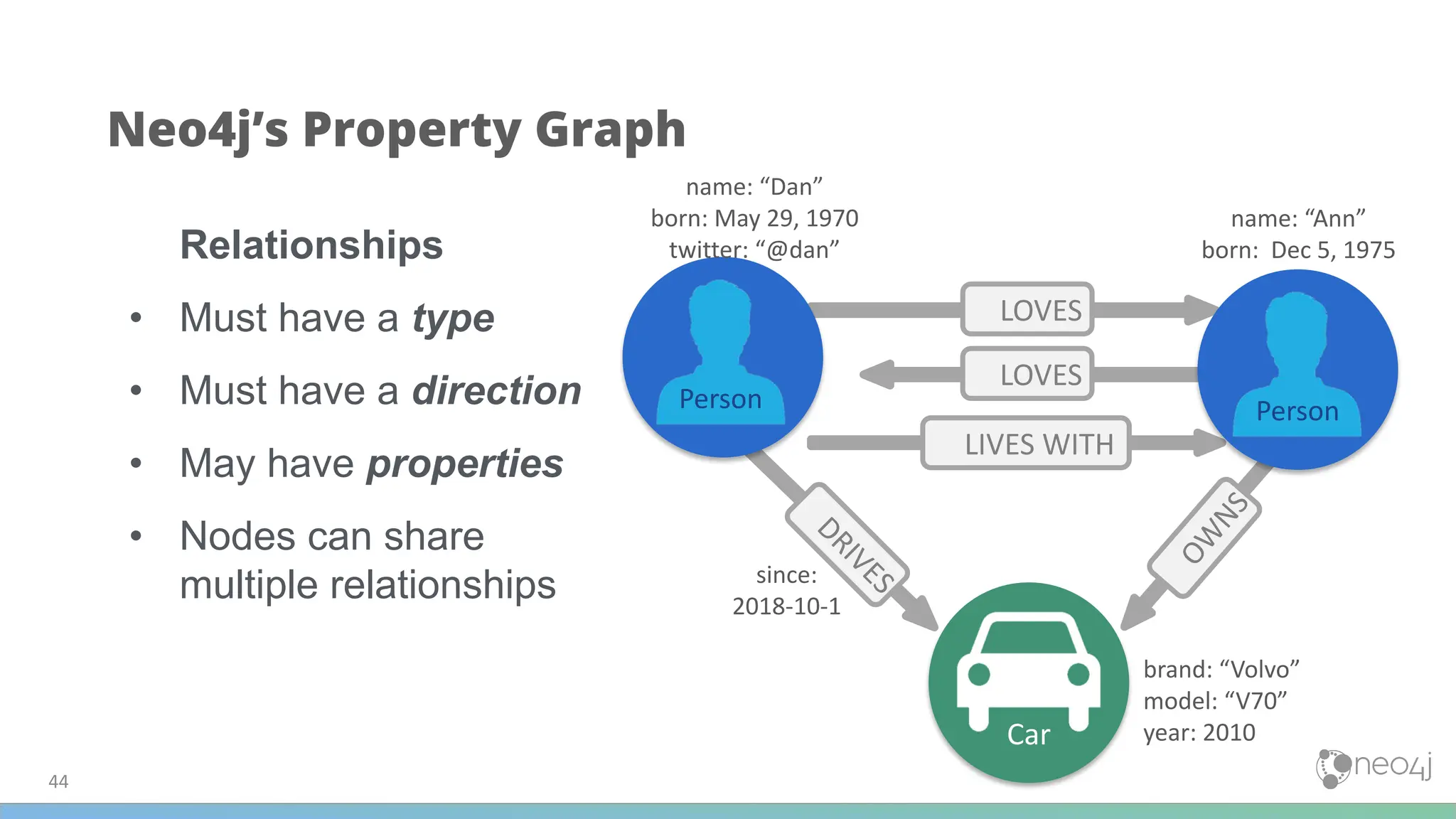

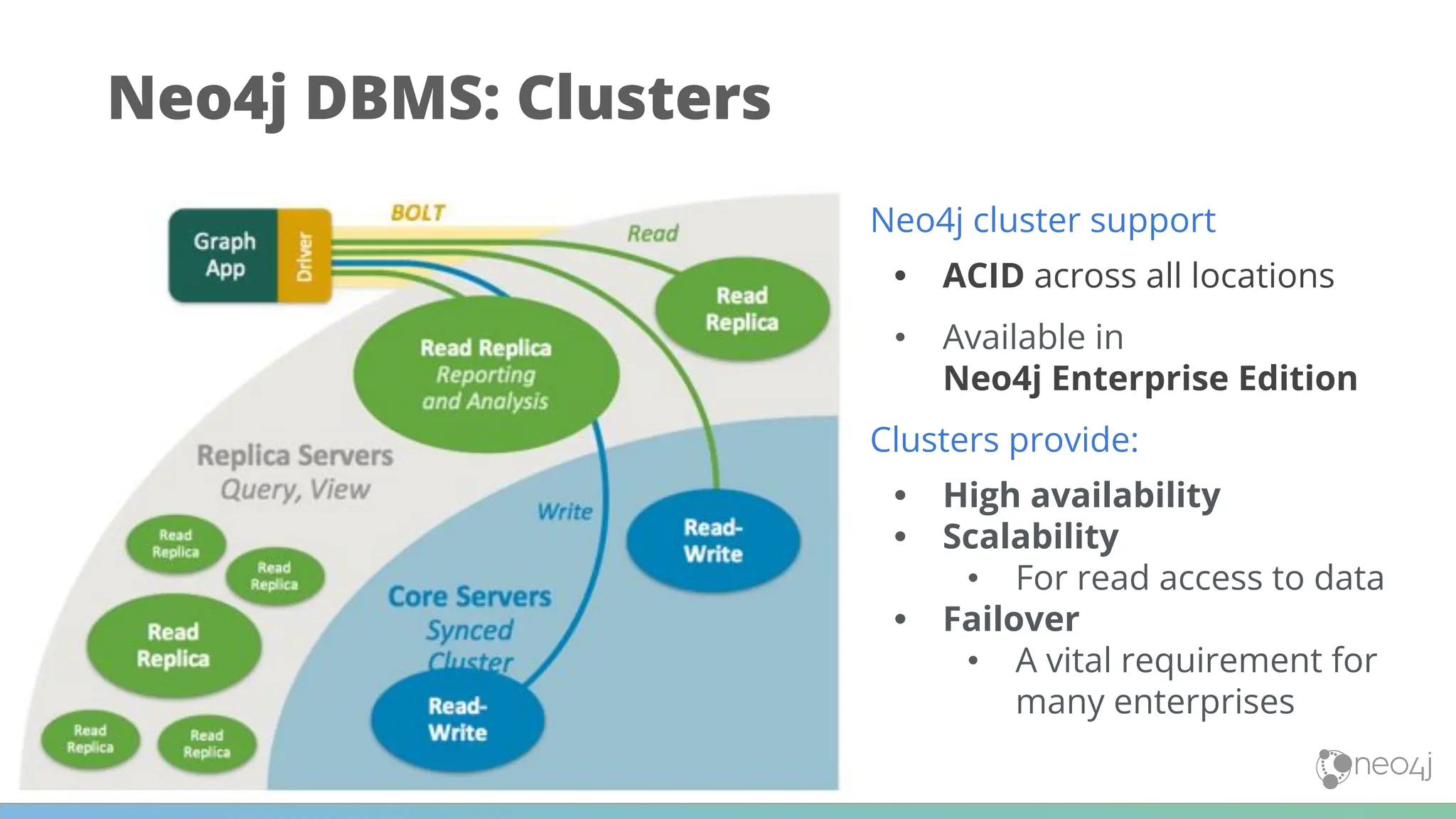
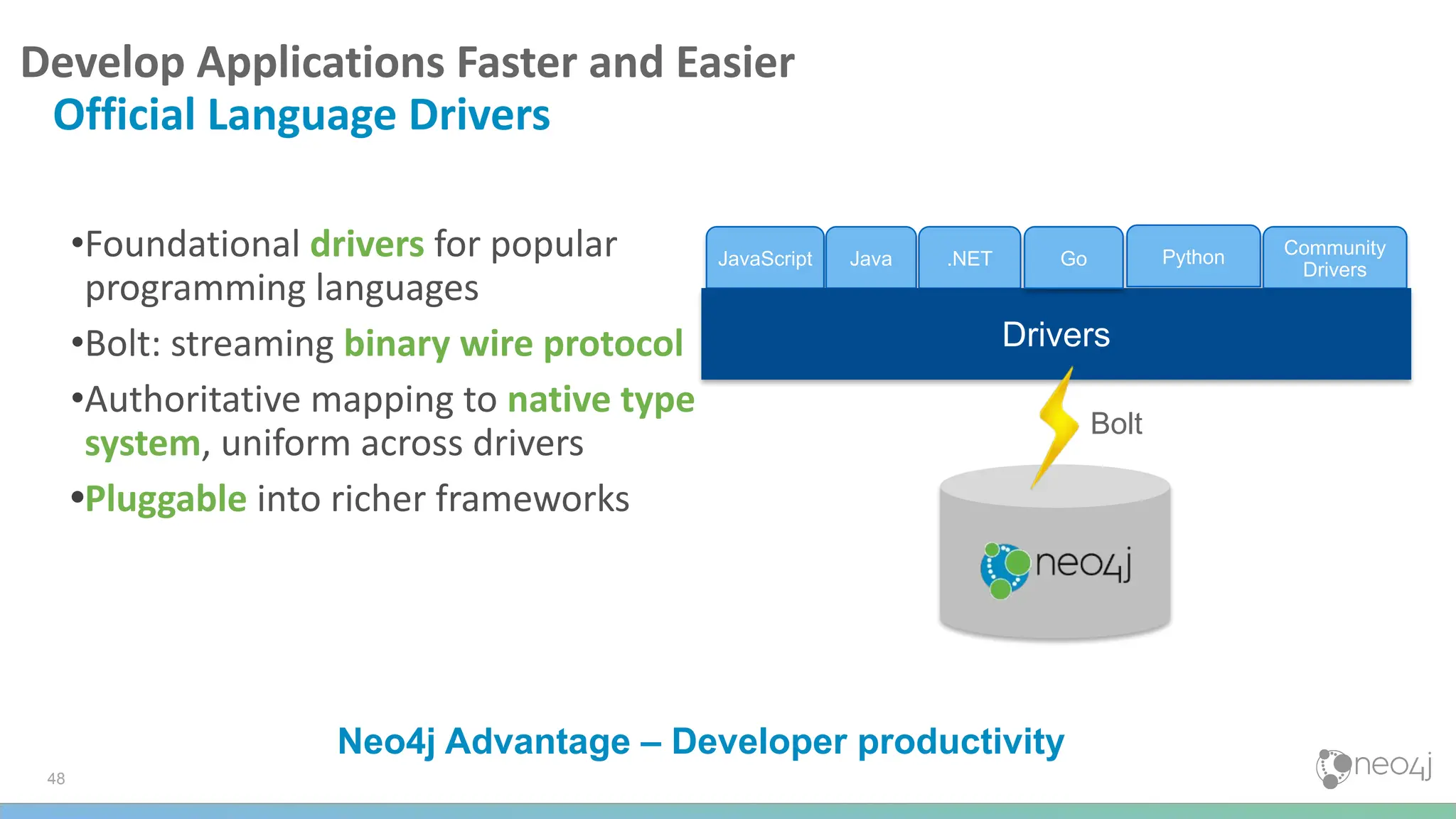
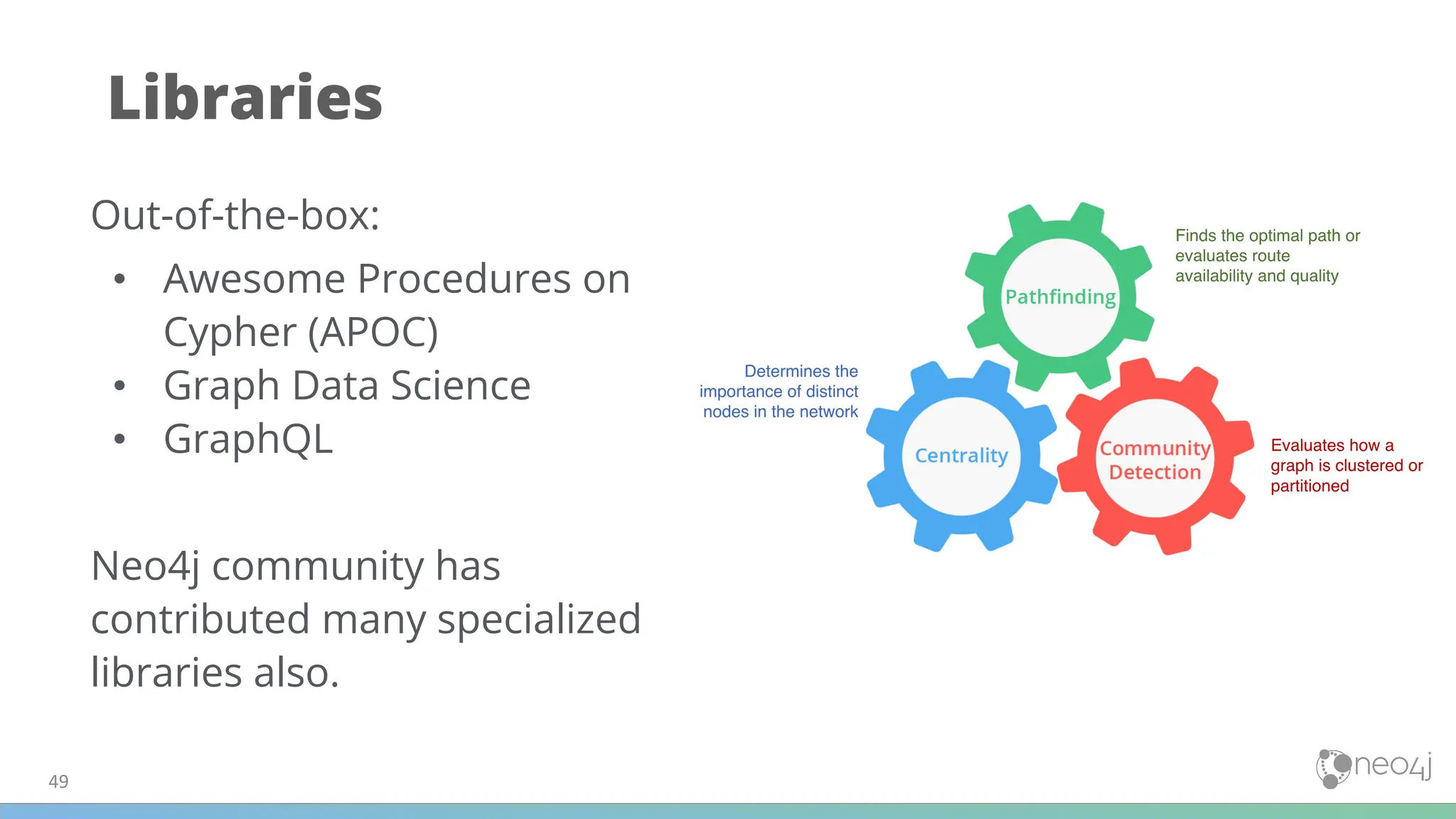
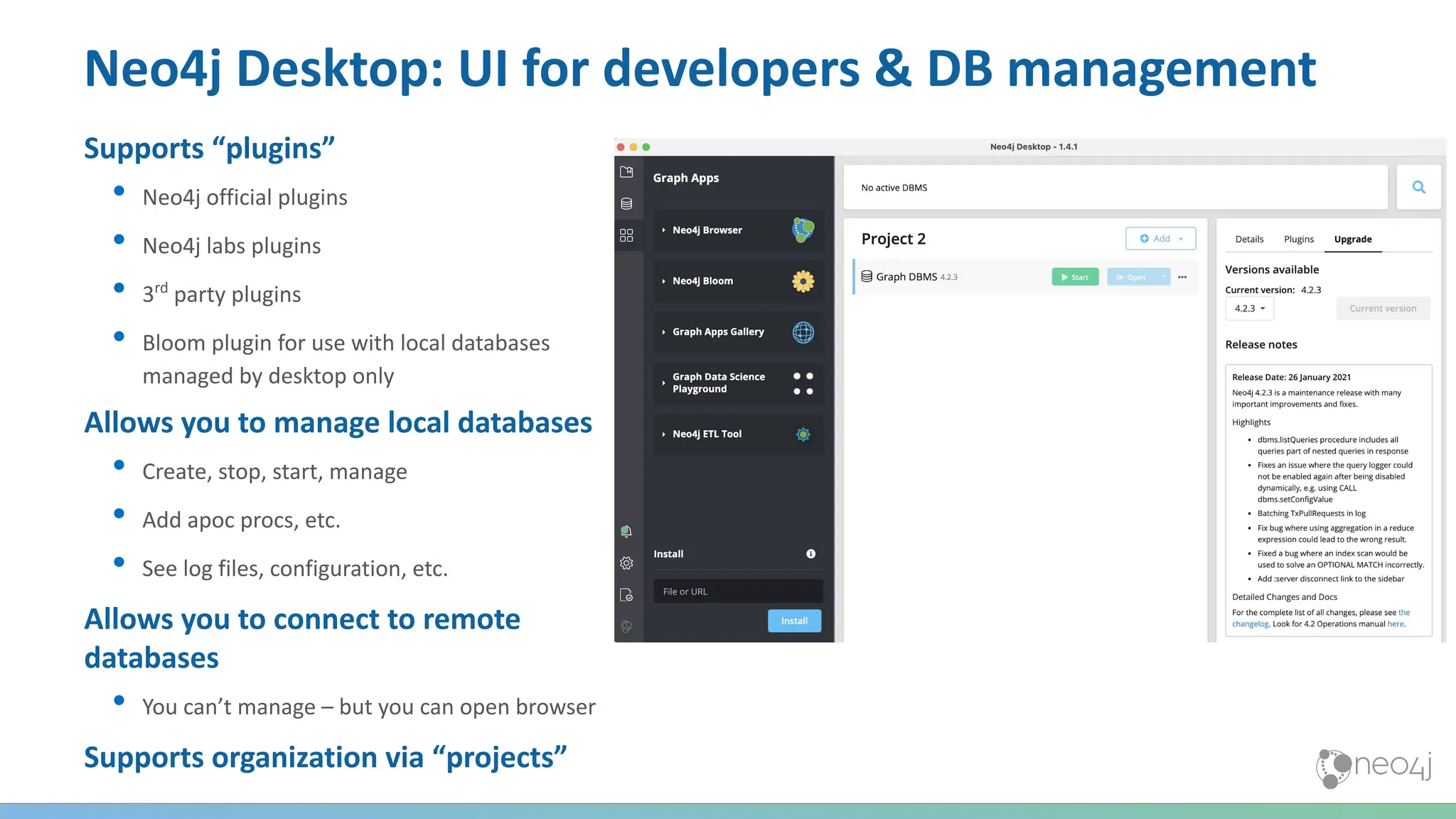
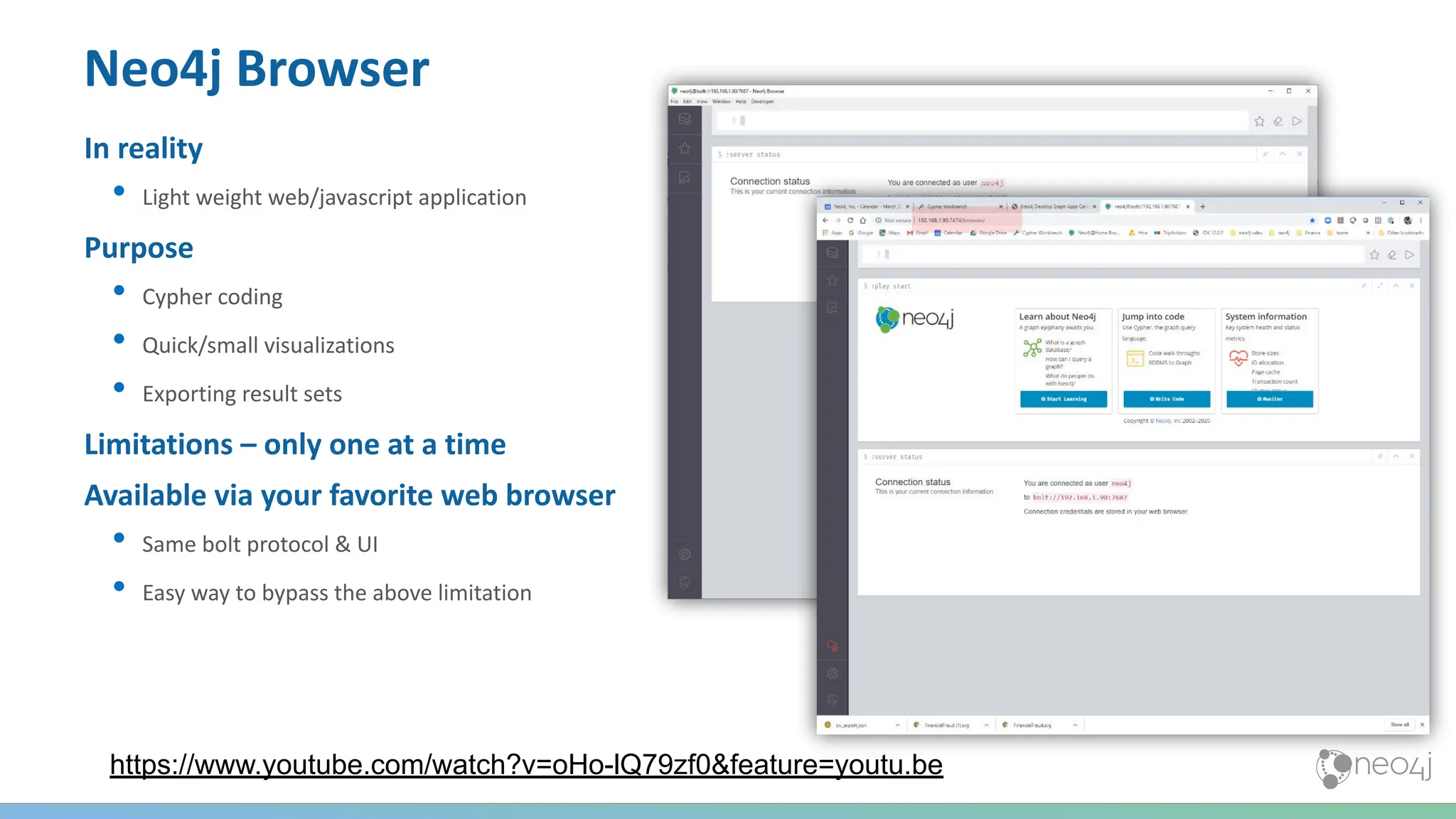
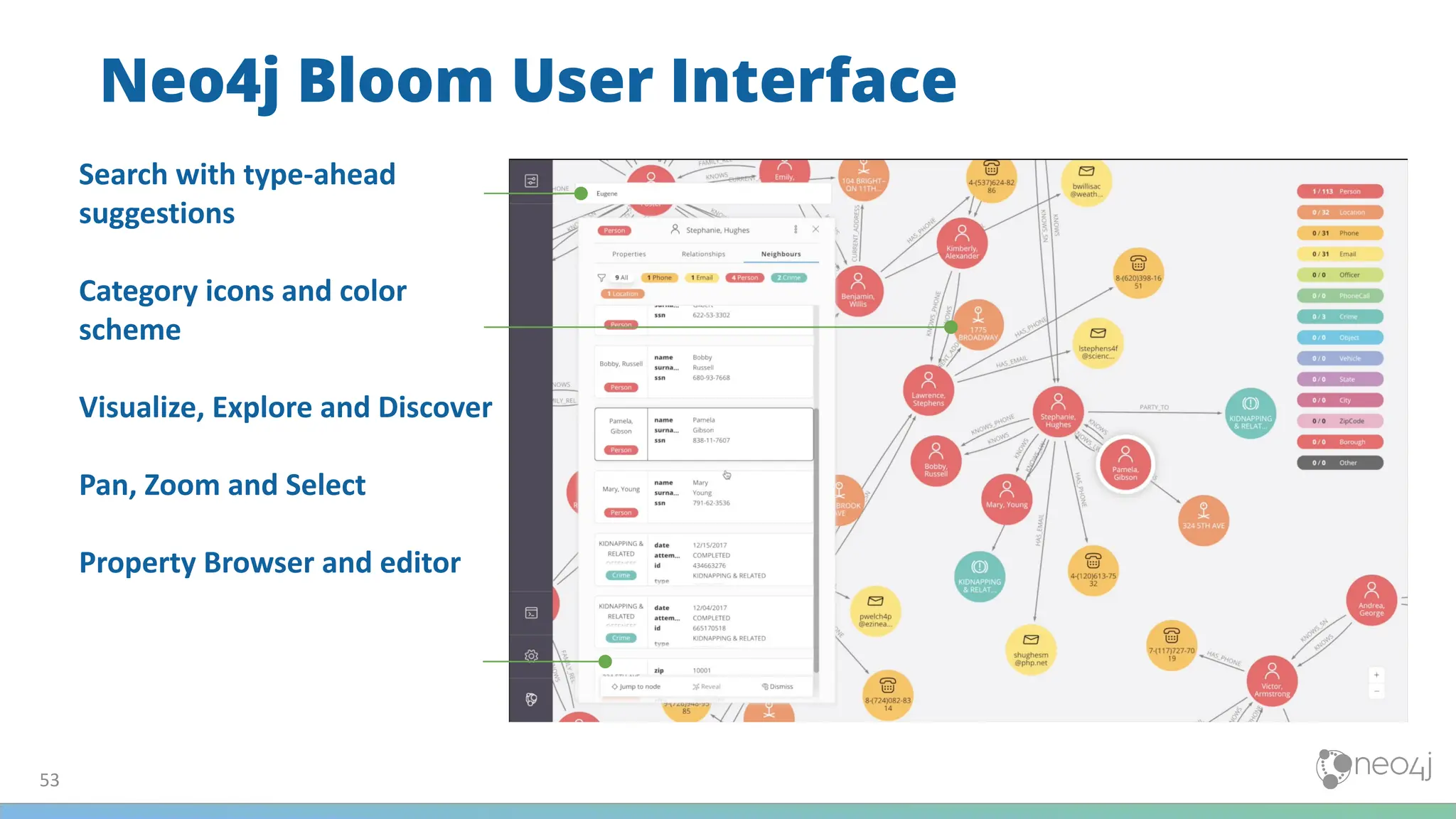
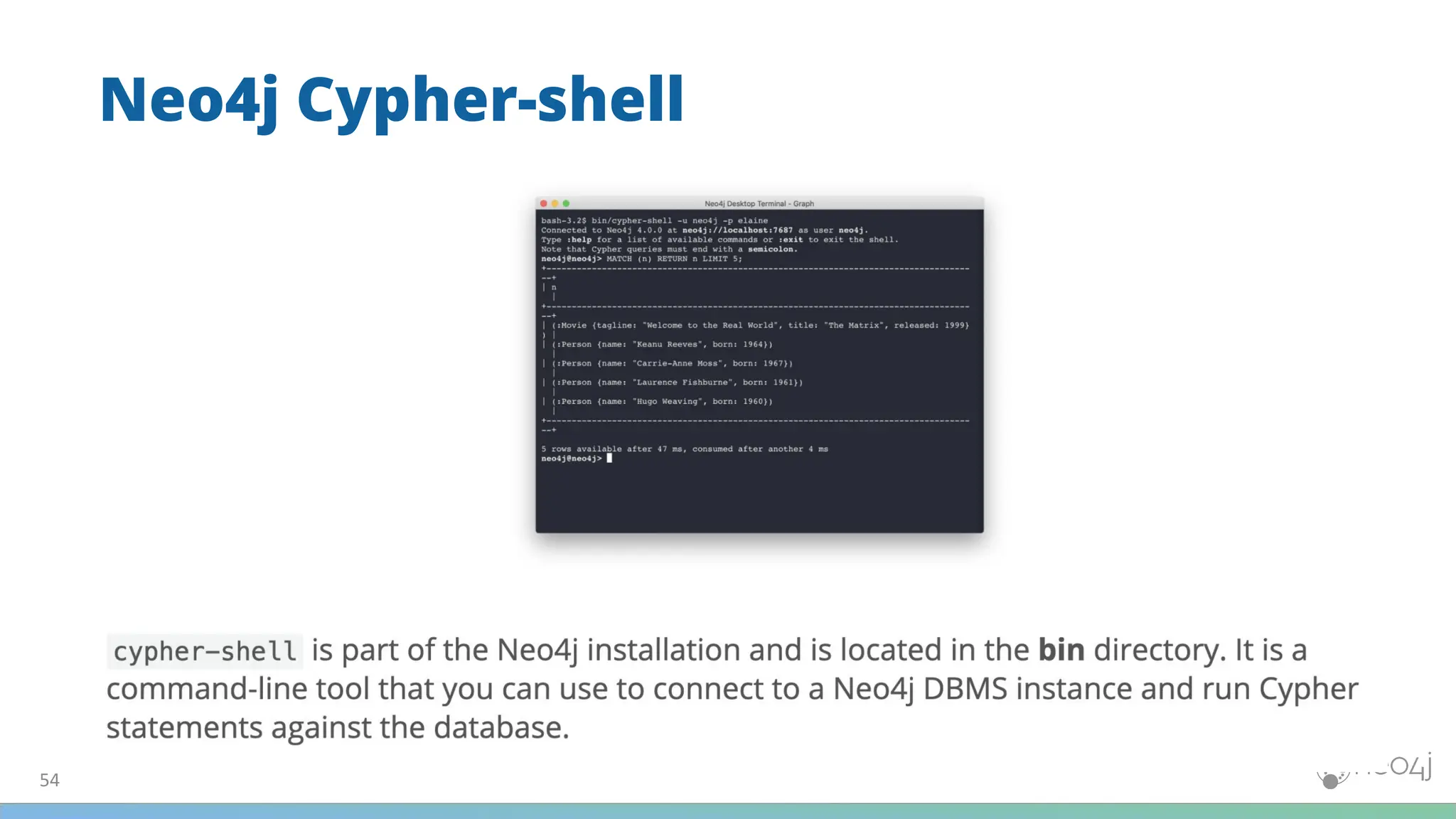
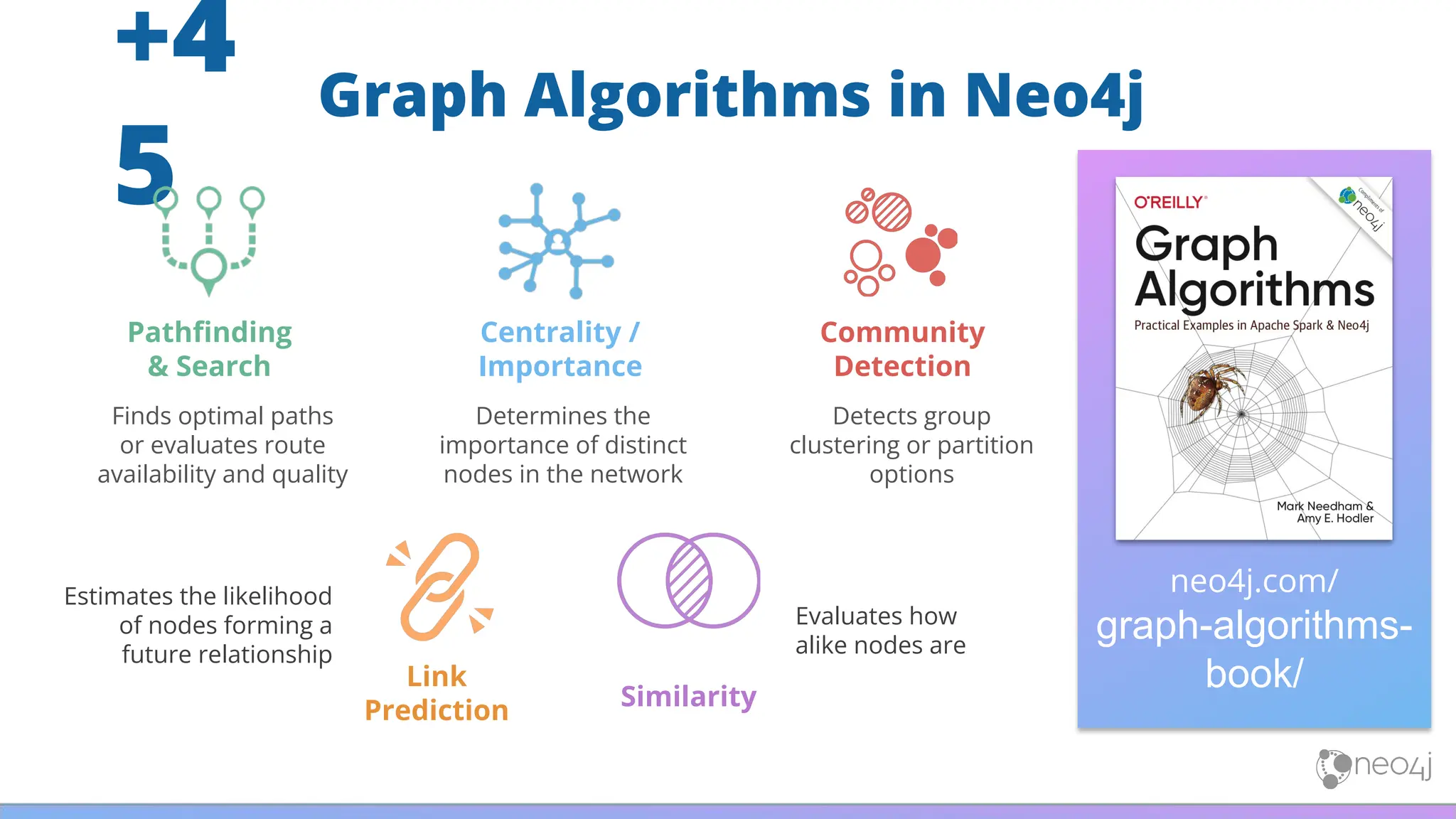
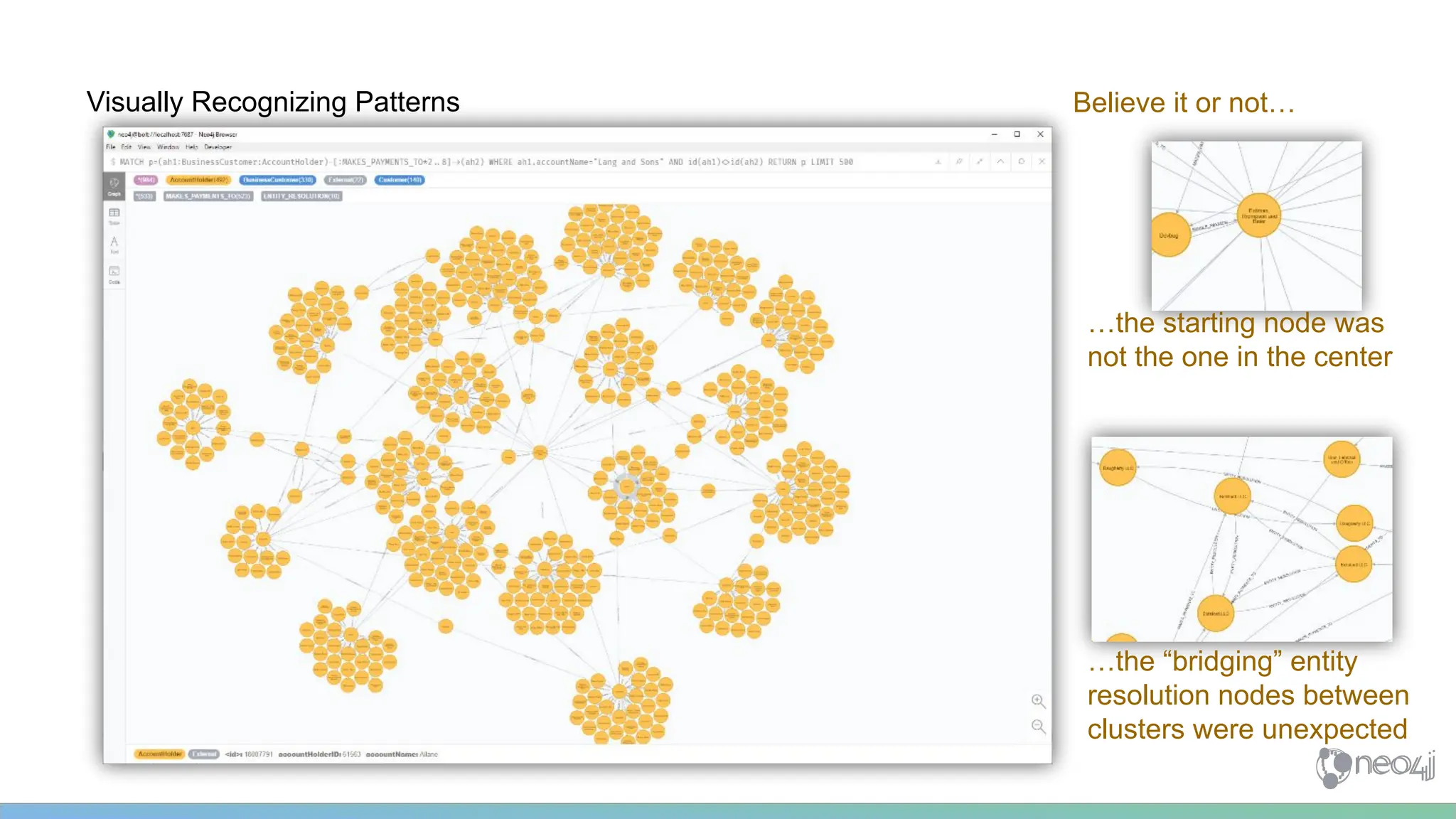
![Sometimes it is simple to see…. (1..3 hops)
MATCH p=(ah1:BusinessCustomer:AccountHolder)-[:MAKES_PAYMENTS_TO*1..3]->(ah2:BusinessCustomer:AccountHolder)
WHERE ah1.accountName="Lang and Sons"
AND ah2.accountName="Klein, Johnston and Glover"
RETURN p LIMIT 500](https://image.slidesharecdn.com/5-250304225616-8d25b5b6/75/5-17-IntroductionToNeo4j-allSlides_1_2022_DanMc-pdf-57-2048.jpg)
![…other times it is chaos….(1..4 hops)
MATCH p=(ah1:BusinessCustomer:AccountHolder)-[:MAKES_PAYMENTS_TO*1..4]->(ah2:BusinessCustomer:AccountHolder)
WHERE ah1.accountName="Lang and Sons"
AND ah2.accountName="Klein, Johnston and Glover"
RETURN p LIMIT 500](https://image.slidesharecdn.com/5-250304225616-8d25b5b6/75/5-17-IntroductionToNeo4j-allSlides_1_2022_DanMc-pdf-58-2048.jpg)
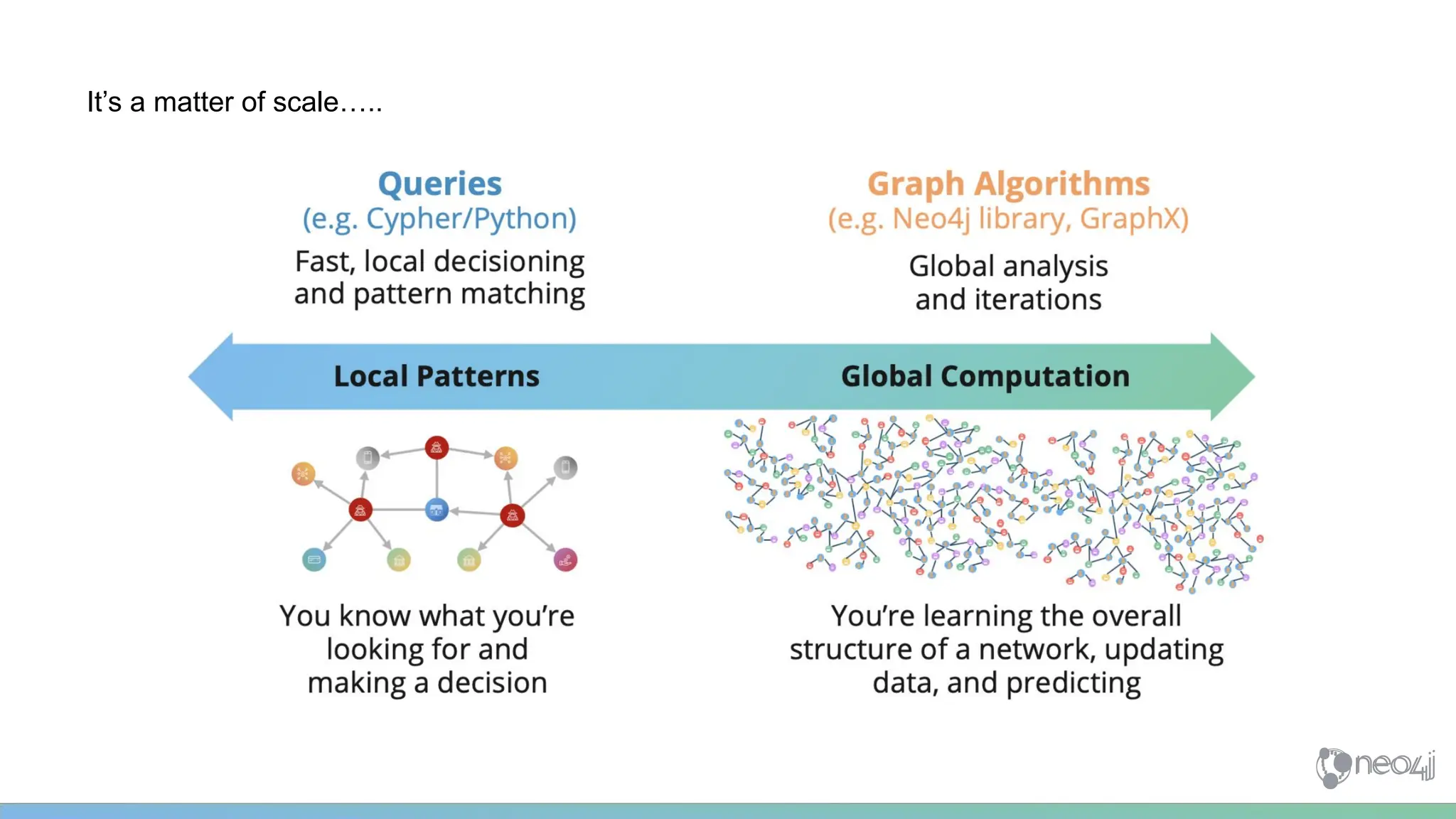
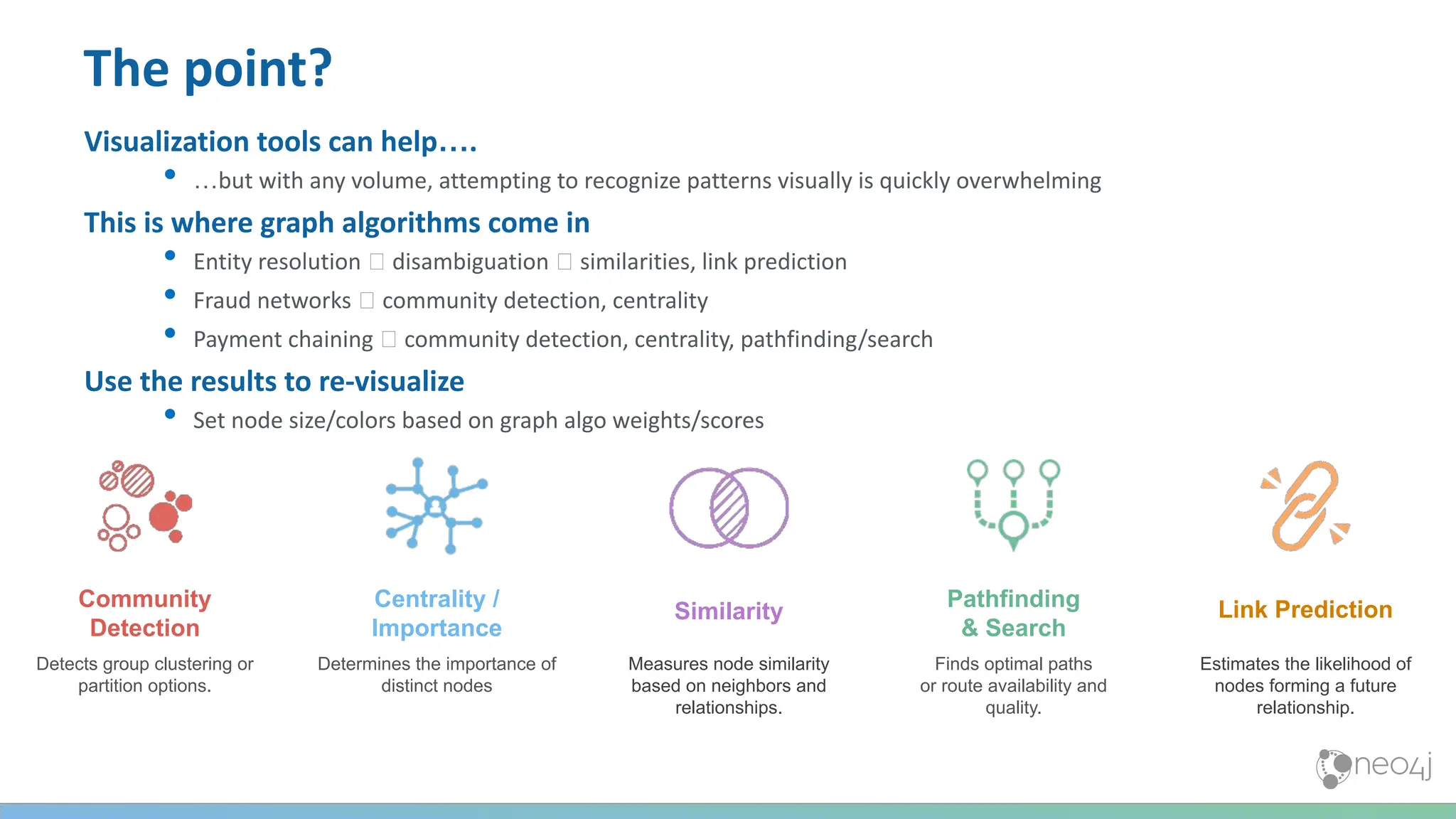
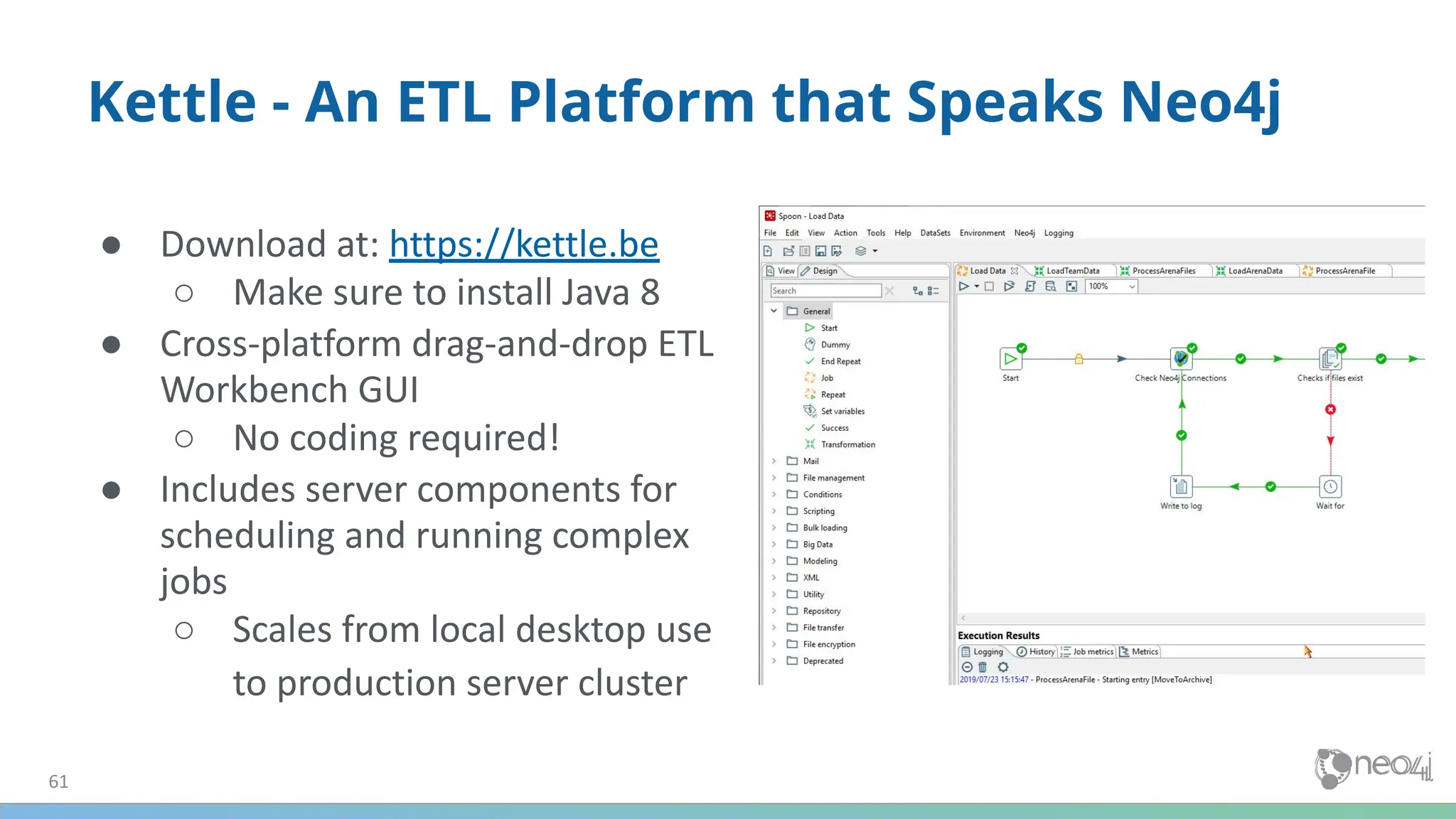
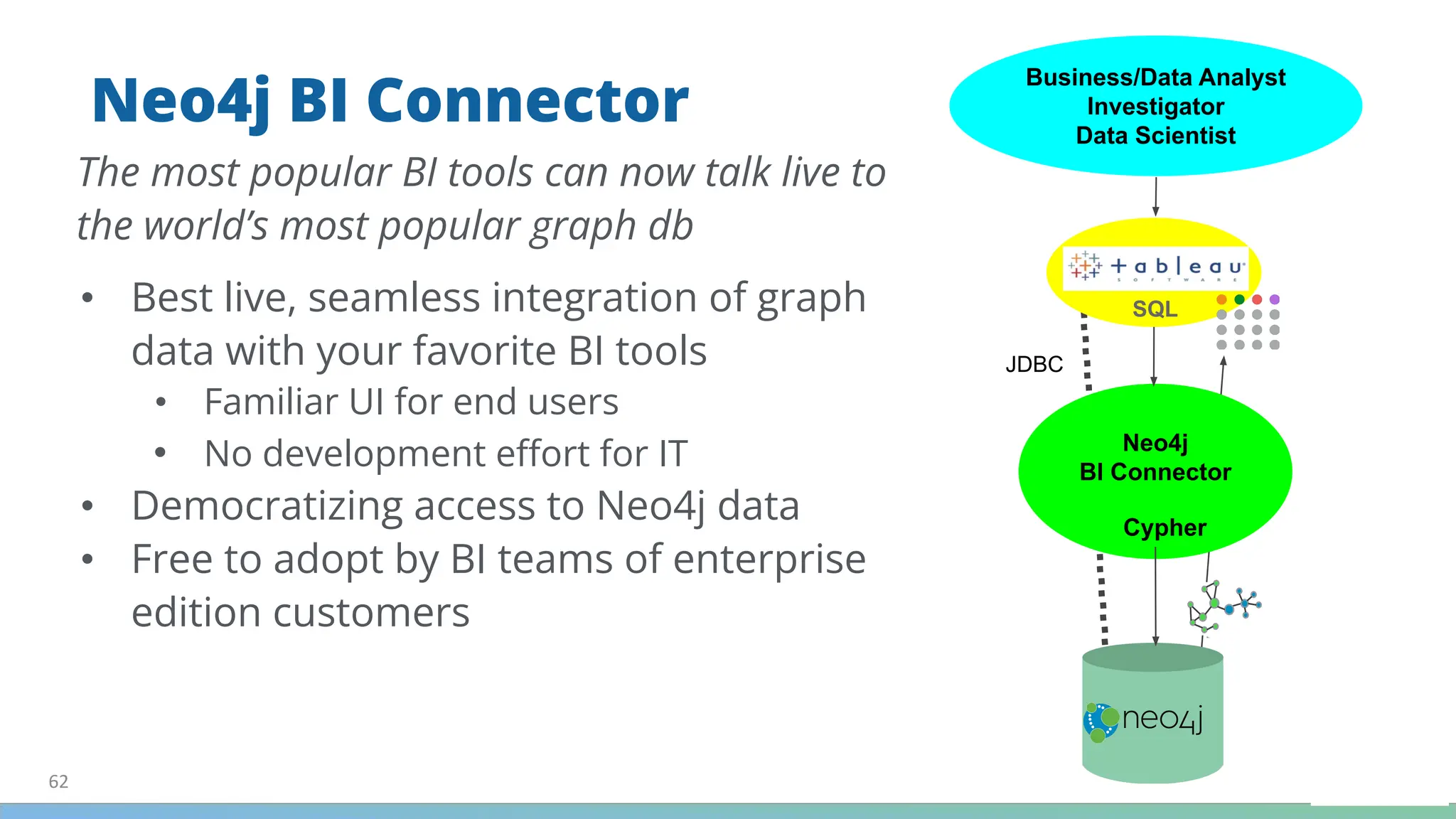
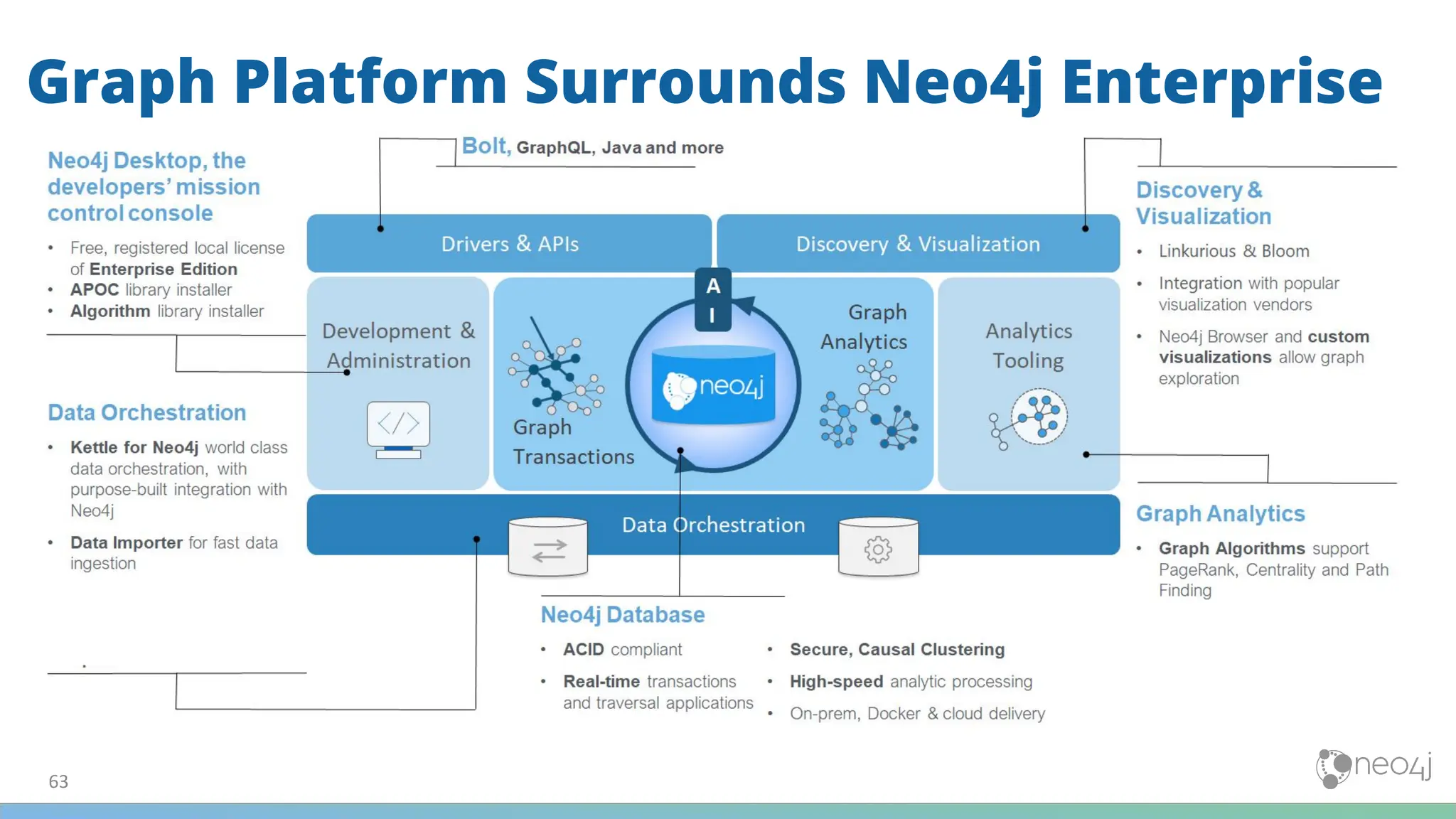


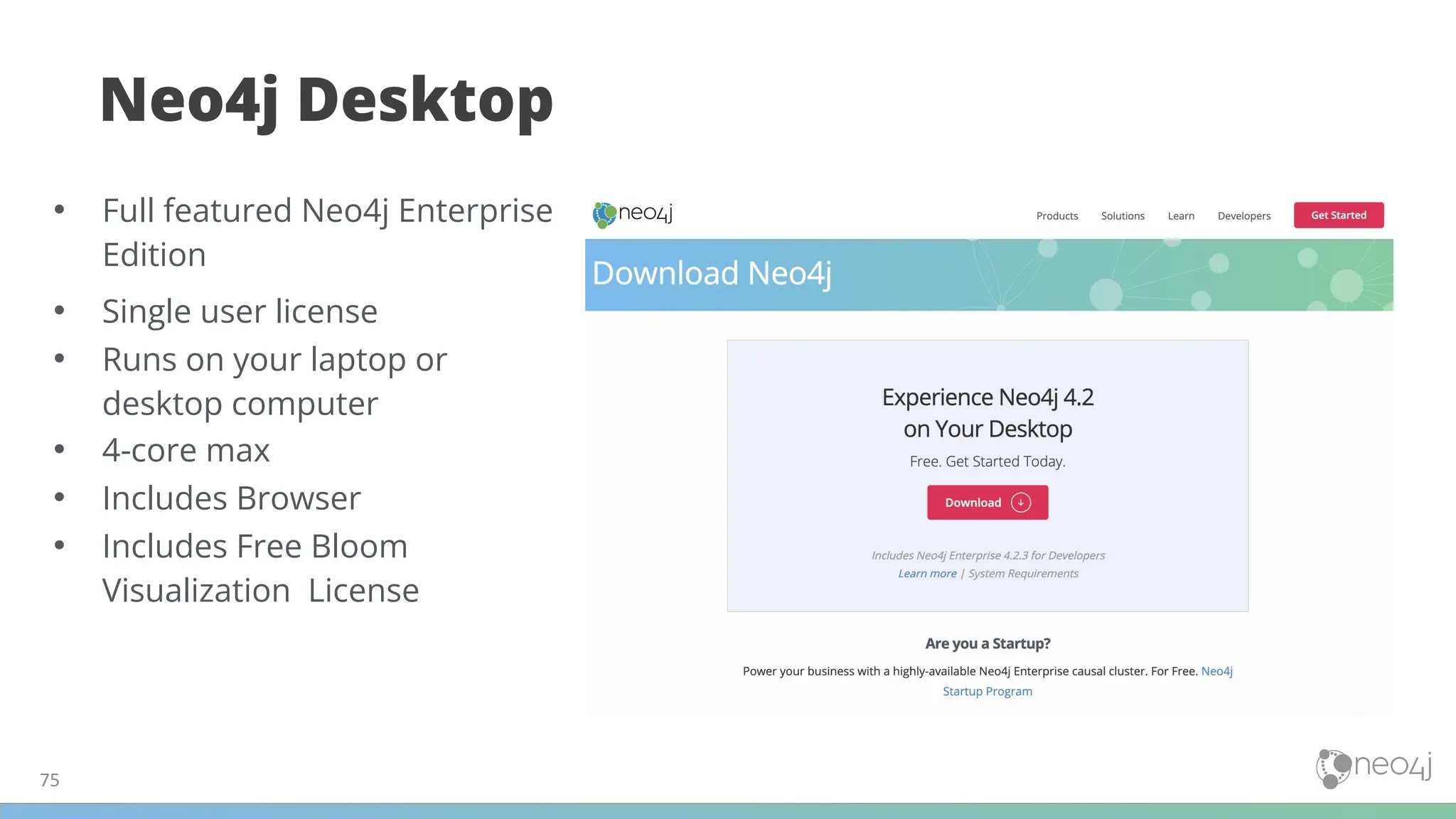
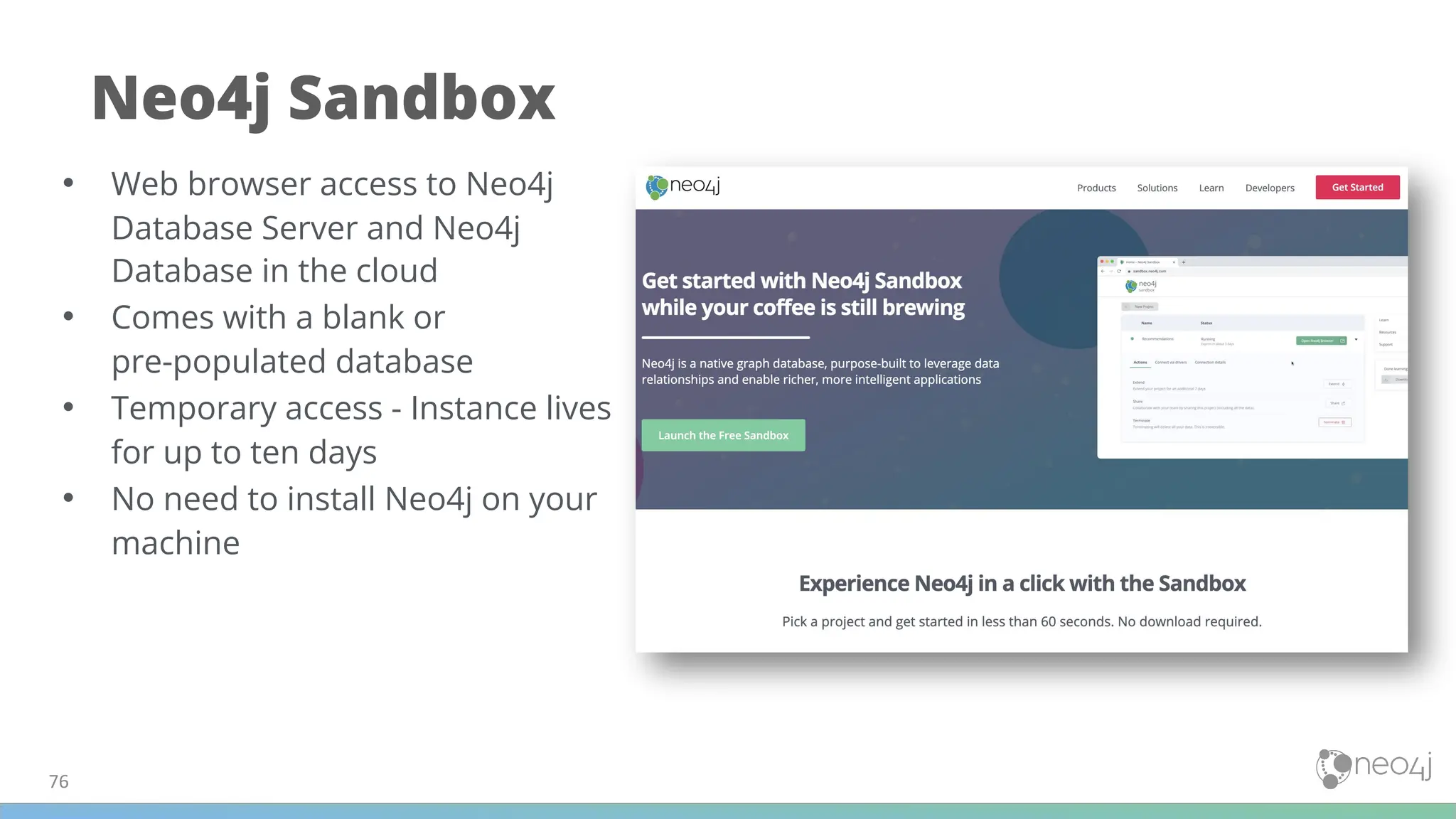

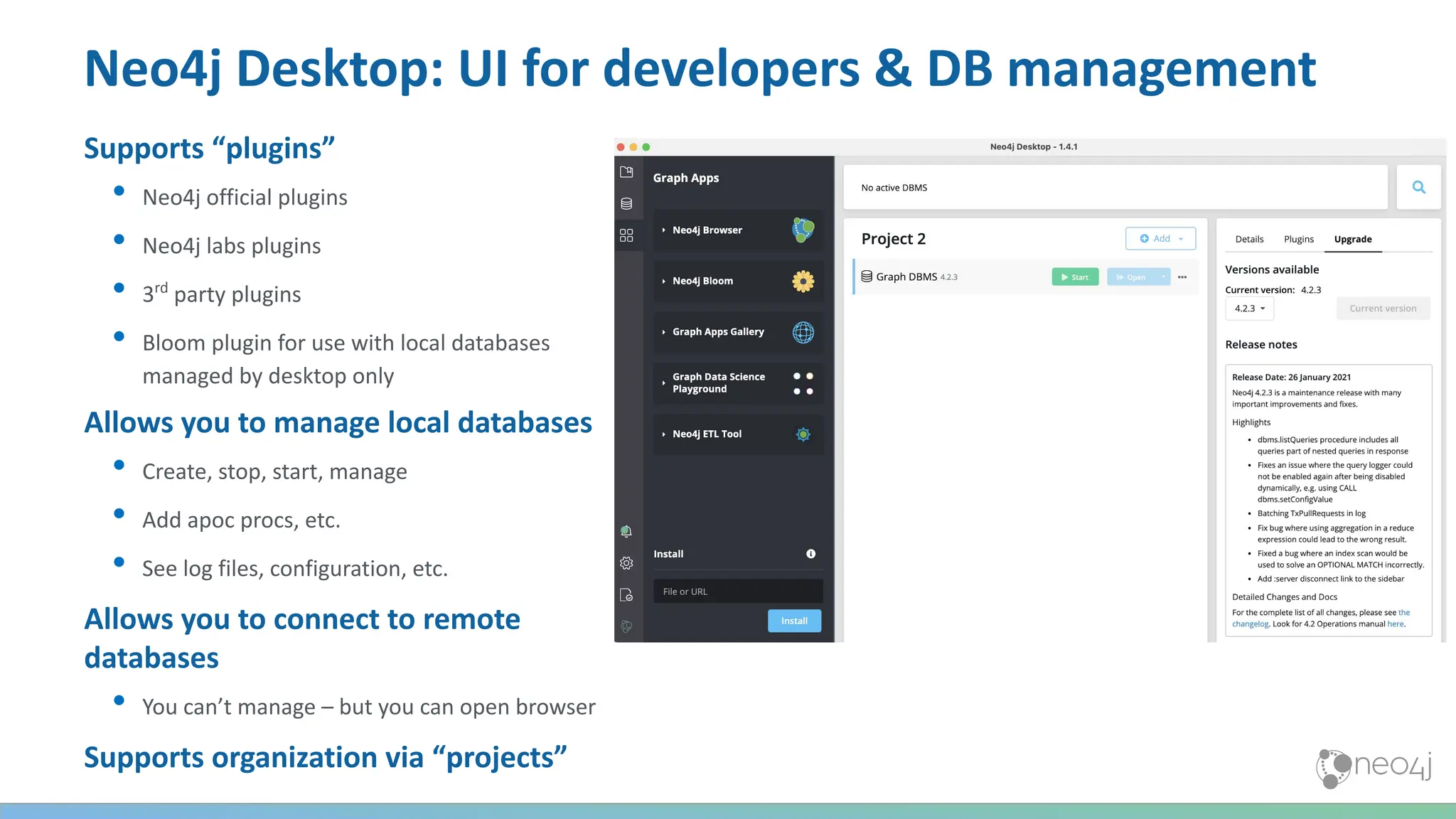
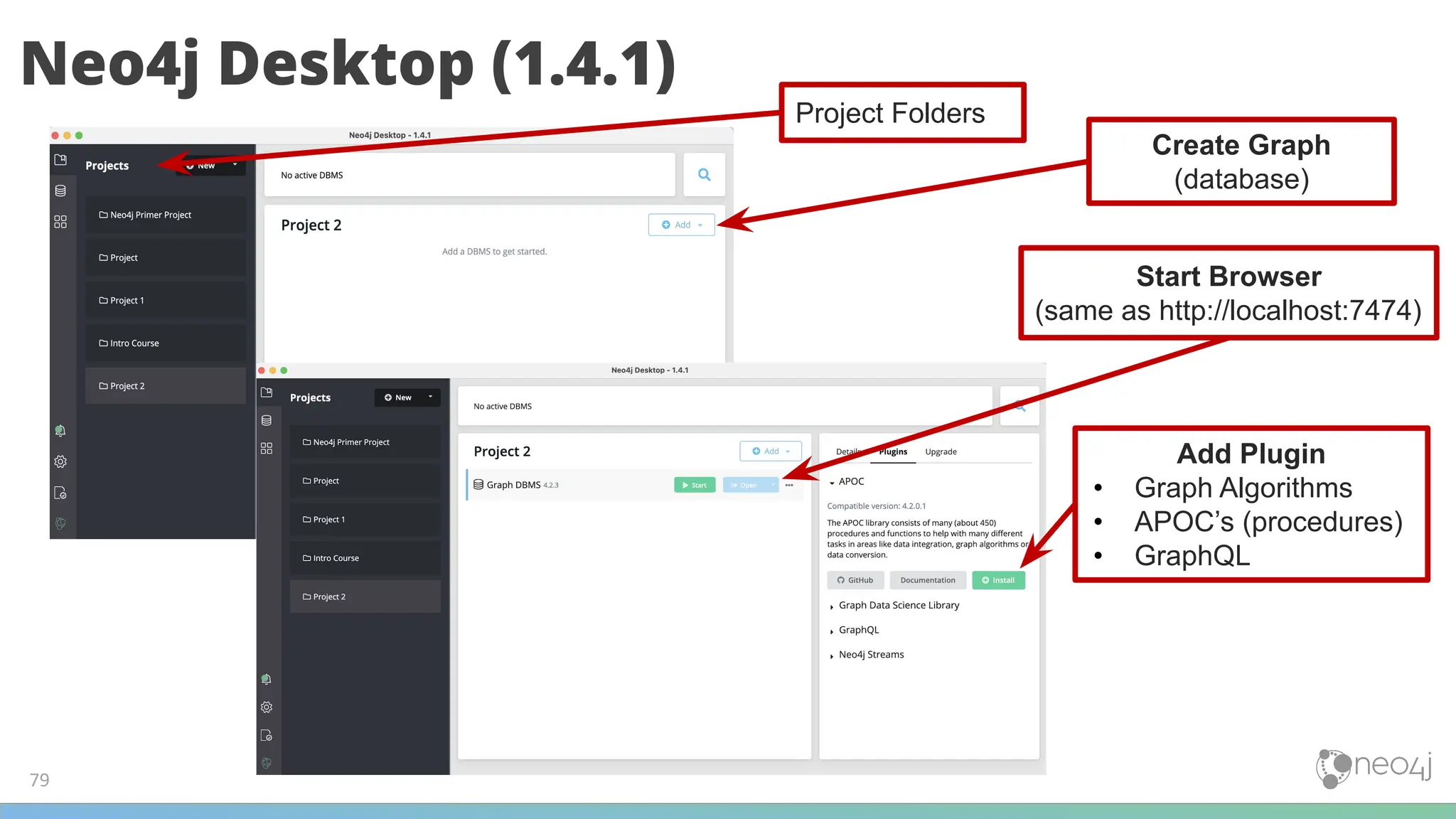
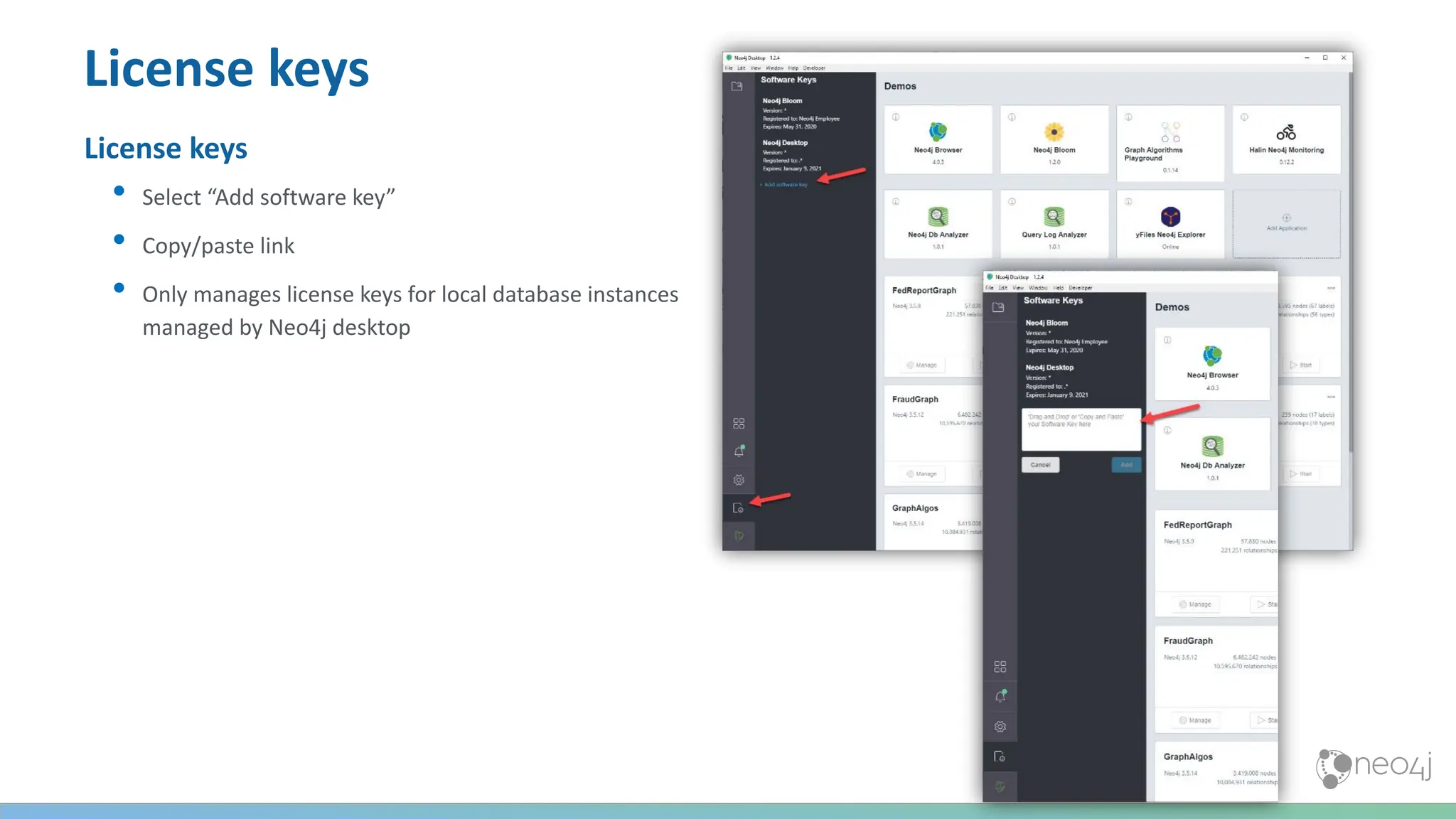
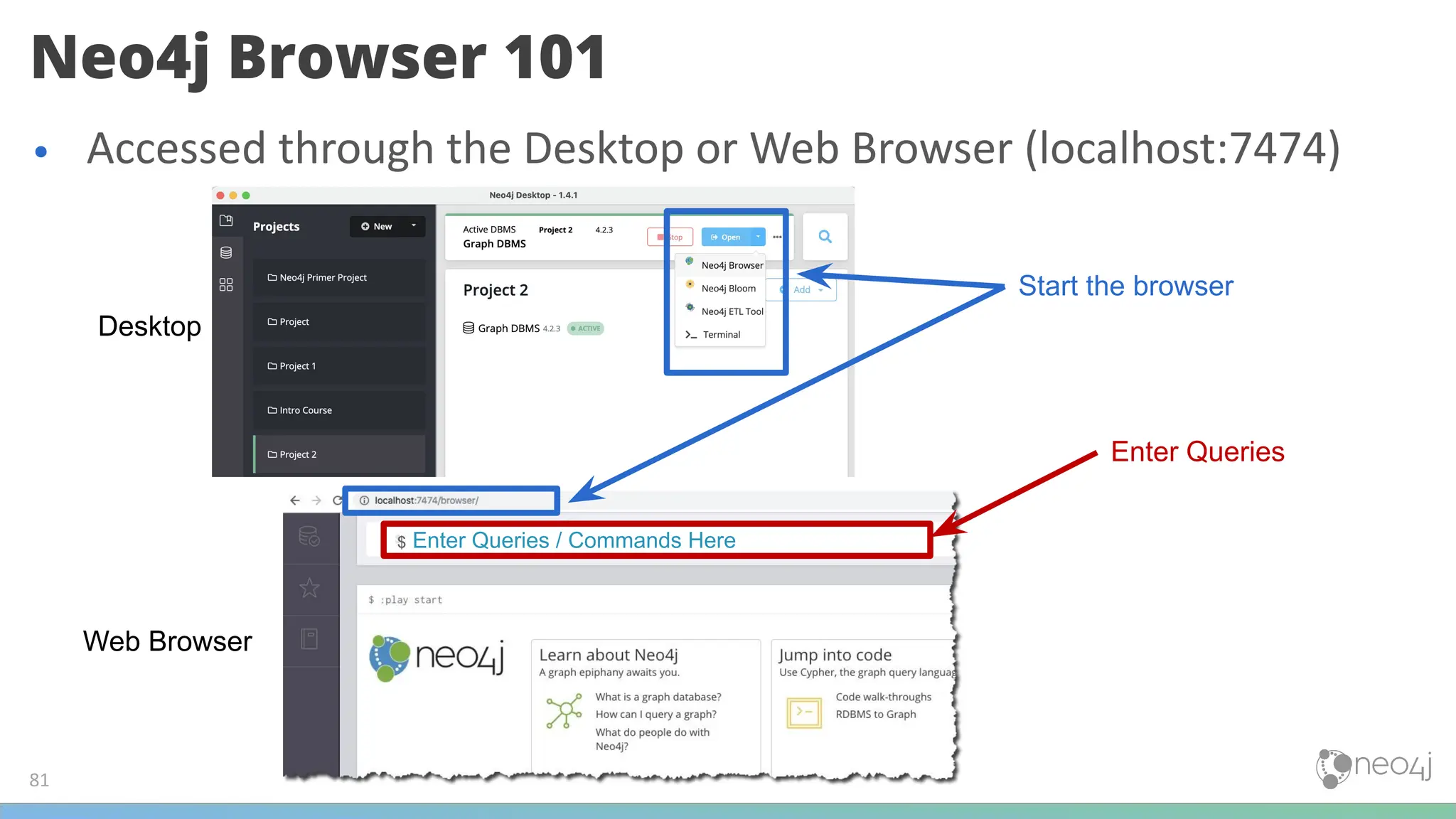
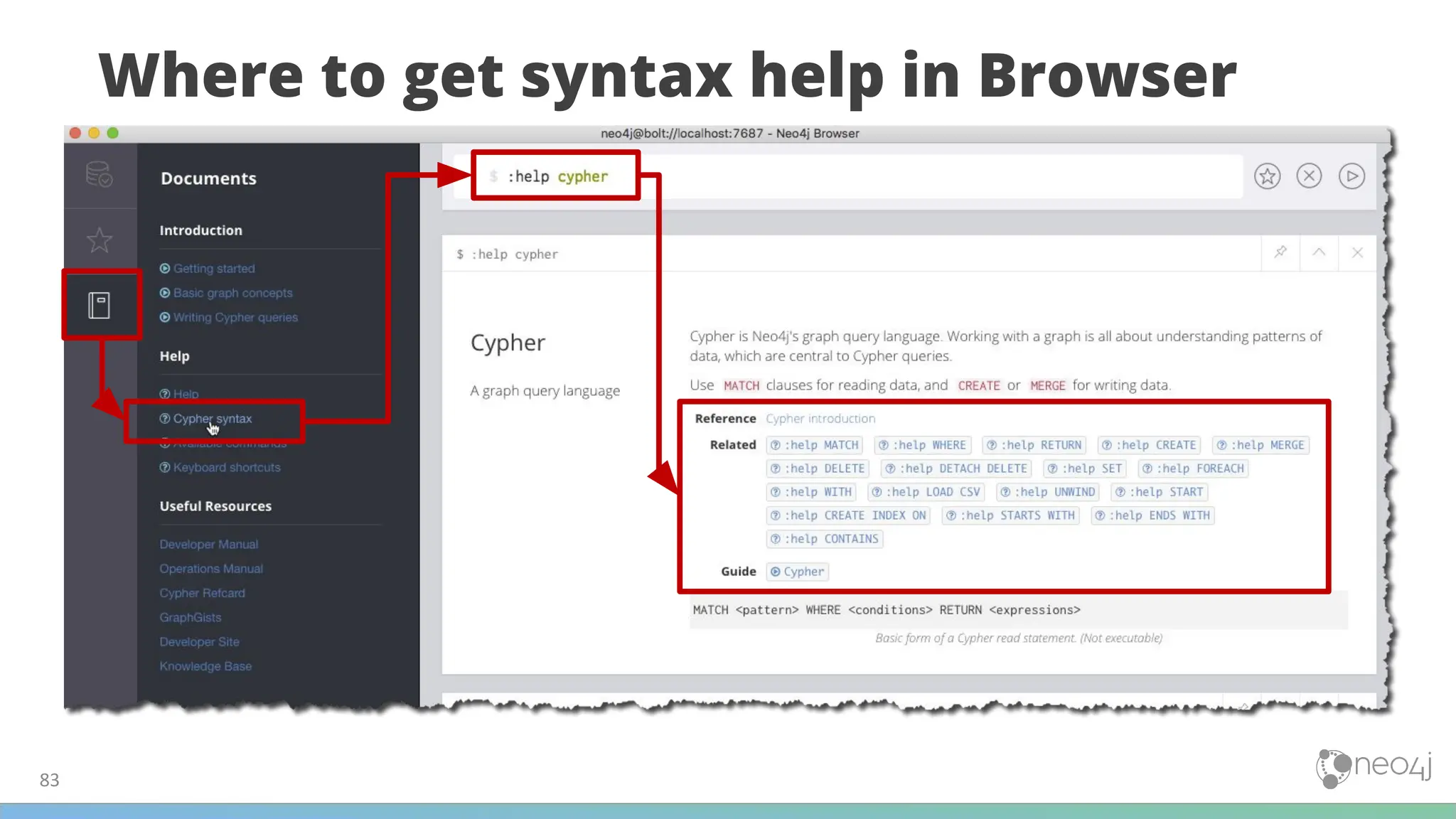
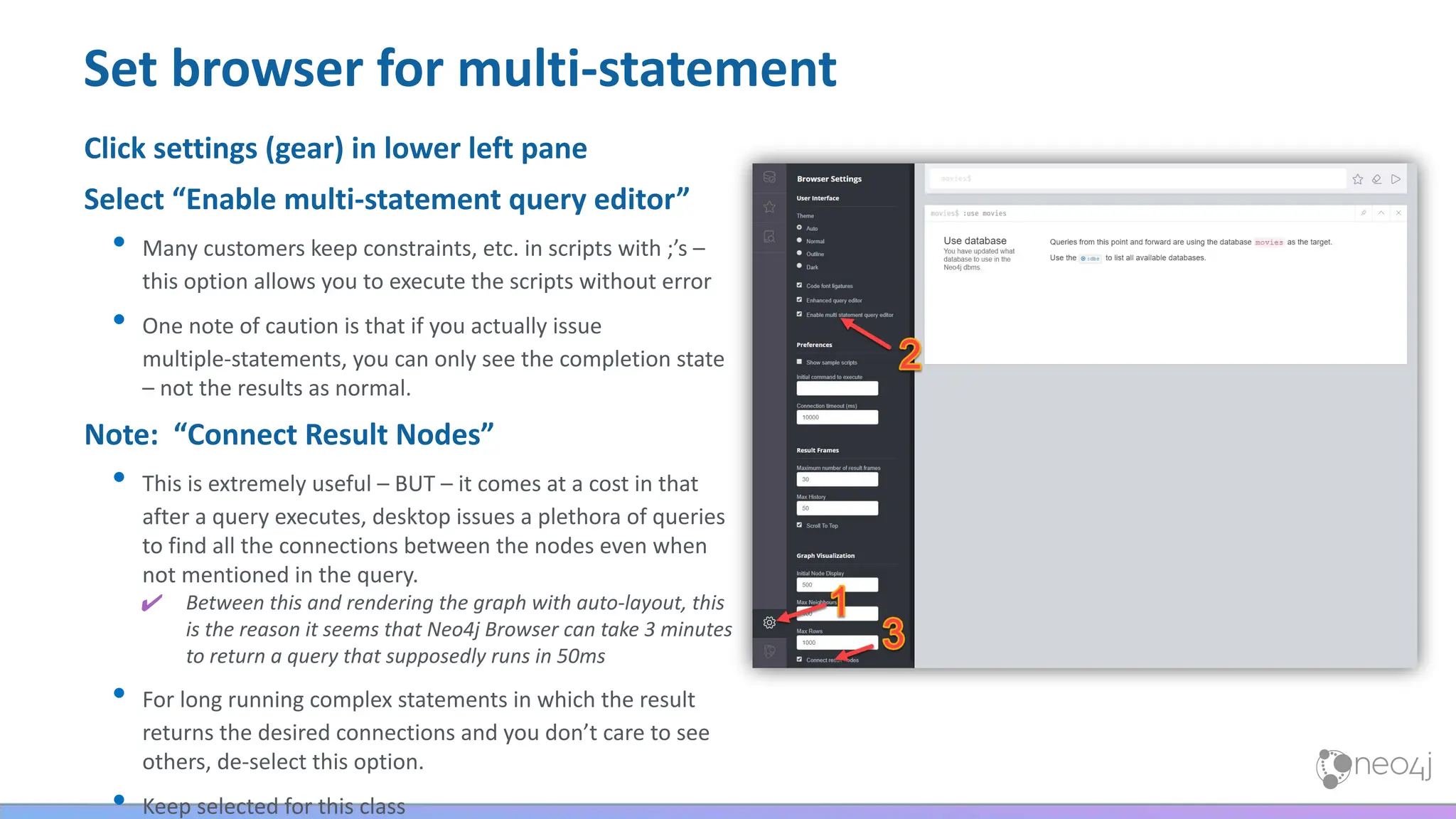
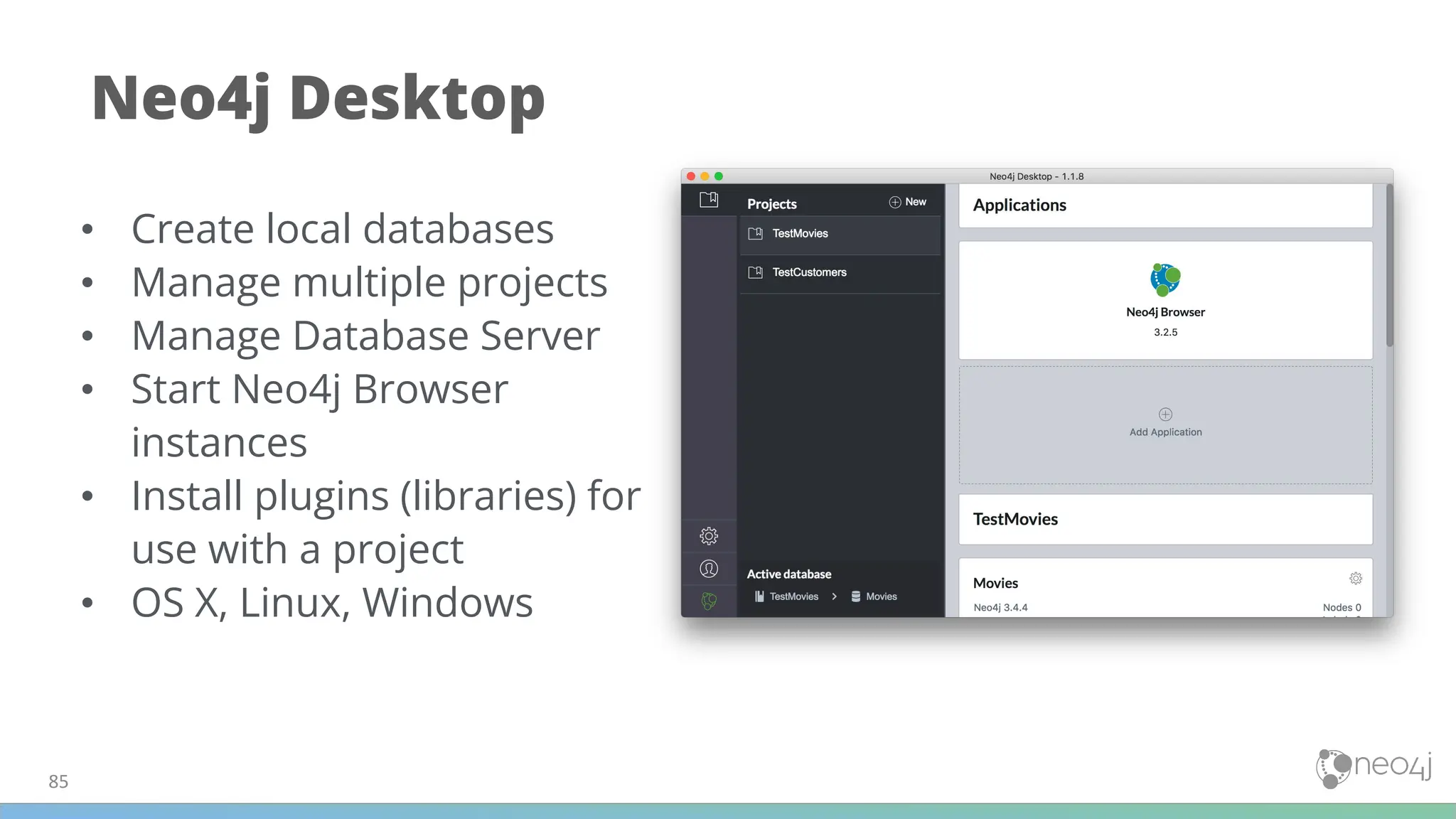

![A pattern matching query
language made for graphs
• Declarative & Expressive
(what to find, not how to find it)
• Pattern Matching
88

The Cypher Query Language
(:Person {name:'Dan'})-[:LOVES]->(:Person {name:'Ann'})
-[:OWNS]->(:Car {brand:'Volvo'})
(anything)-[:DRIVES]->(something)
Express Graph Patterns with ASCII ART ¯_(ツ)_/¯](https://image.slidesharecdn.com/5-250304225616-8d25b5b6/75/5-17-IntroductionToNeo4j-allSlides_1_2022_DanMc-pdf-88-2048.jpg)
![Cypher Query Language – the MATCH clause
LOVES
Dan Ann
NODE
PROPERTY
LABEL
RELATIONSHIP
( )
MATCH – Return Data
RETURN
-[ :LOVES ]->
MATCH( )
:Person)
{ name:"Dan"} )
n r x
Variables
n,r,x
Dan
Ann LOVES Car
LOVES](https://image.slidesharecdn.com/5-250304225616-8d25b5b6/75/5-17-IntroductionToNeo4j-allSlides_1_2022_DanMc-pdf-89-2048.jpg)
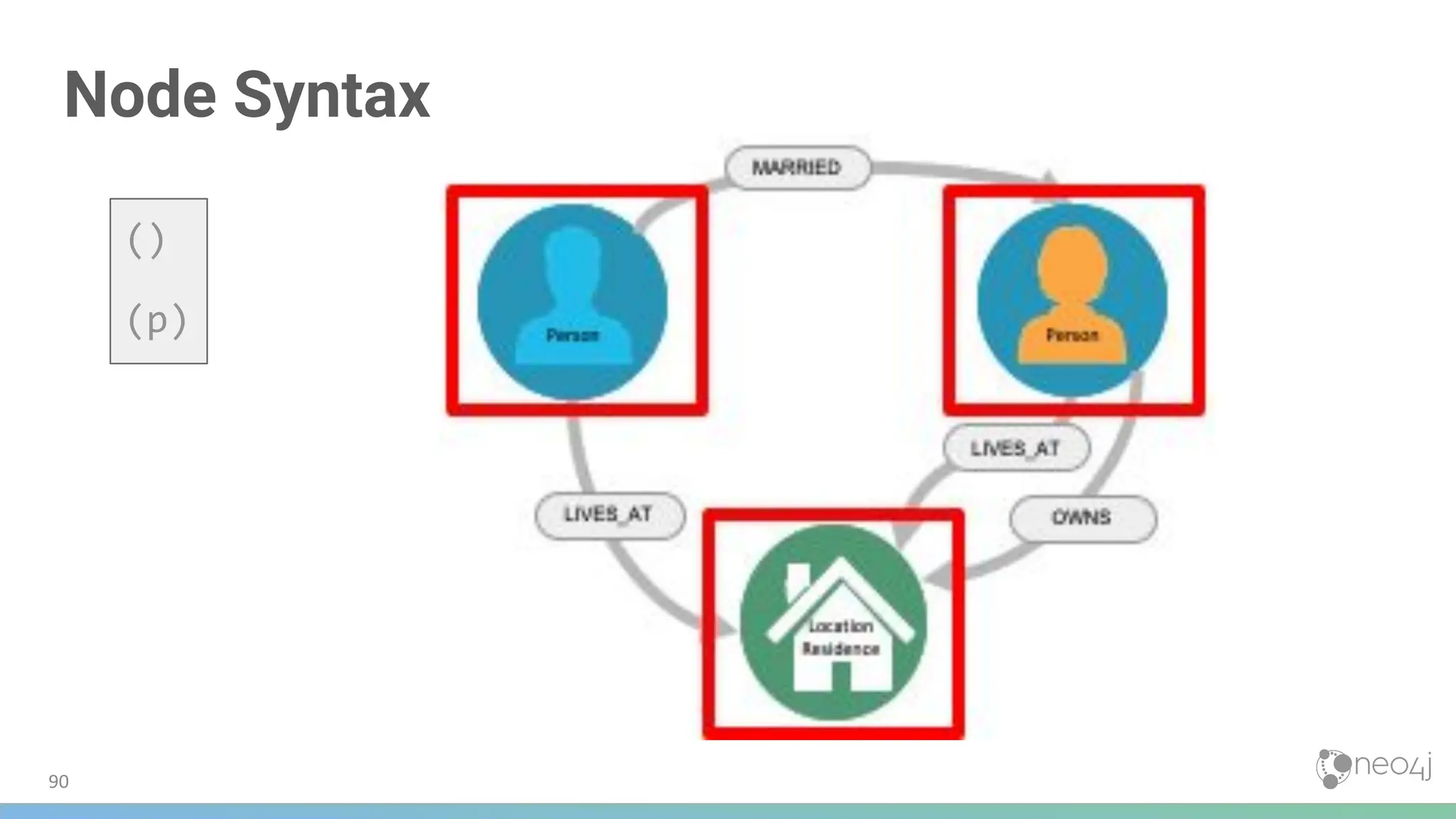
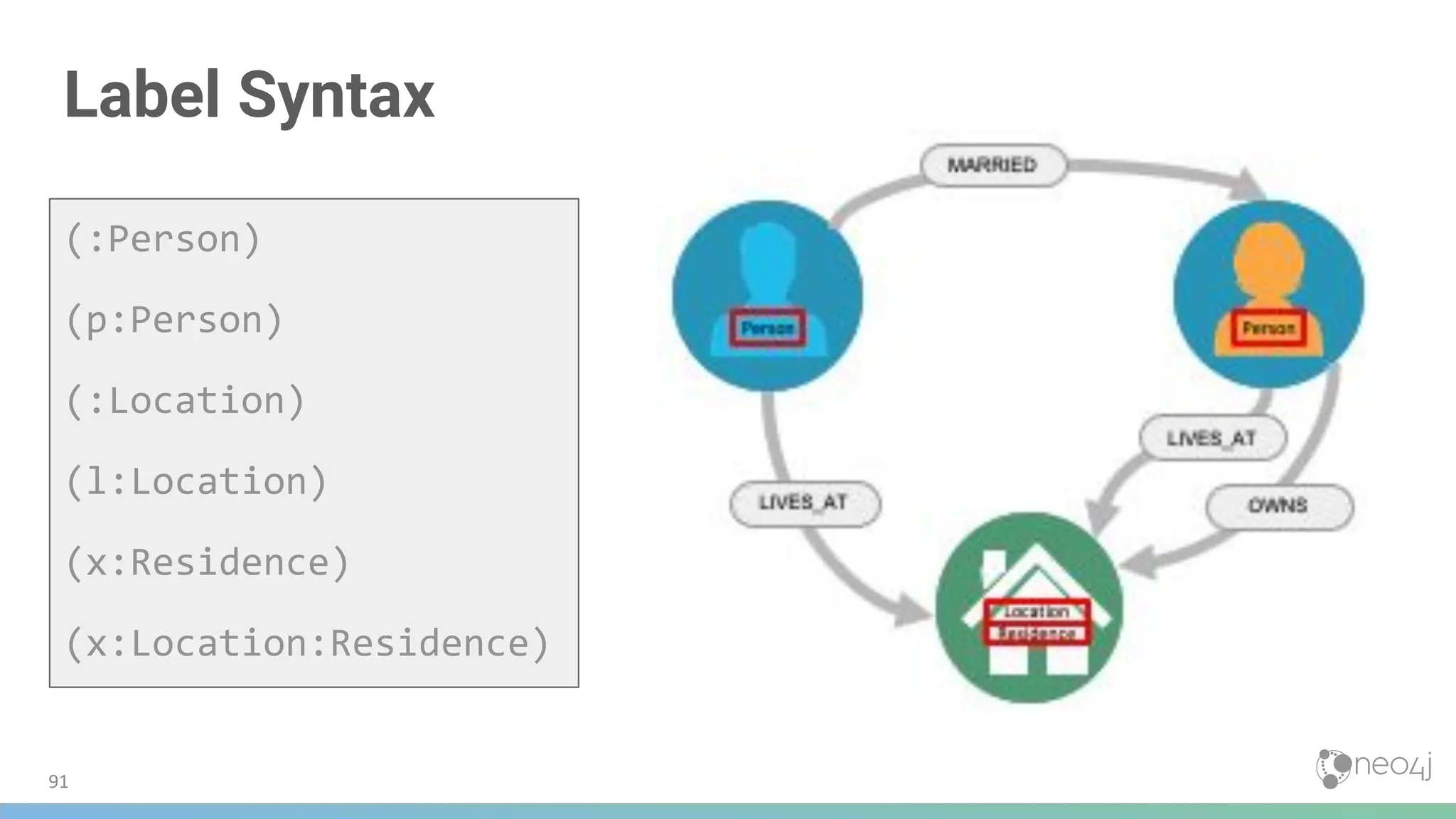
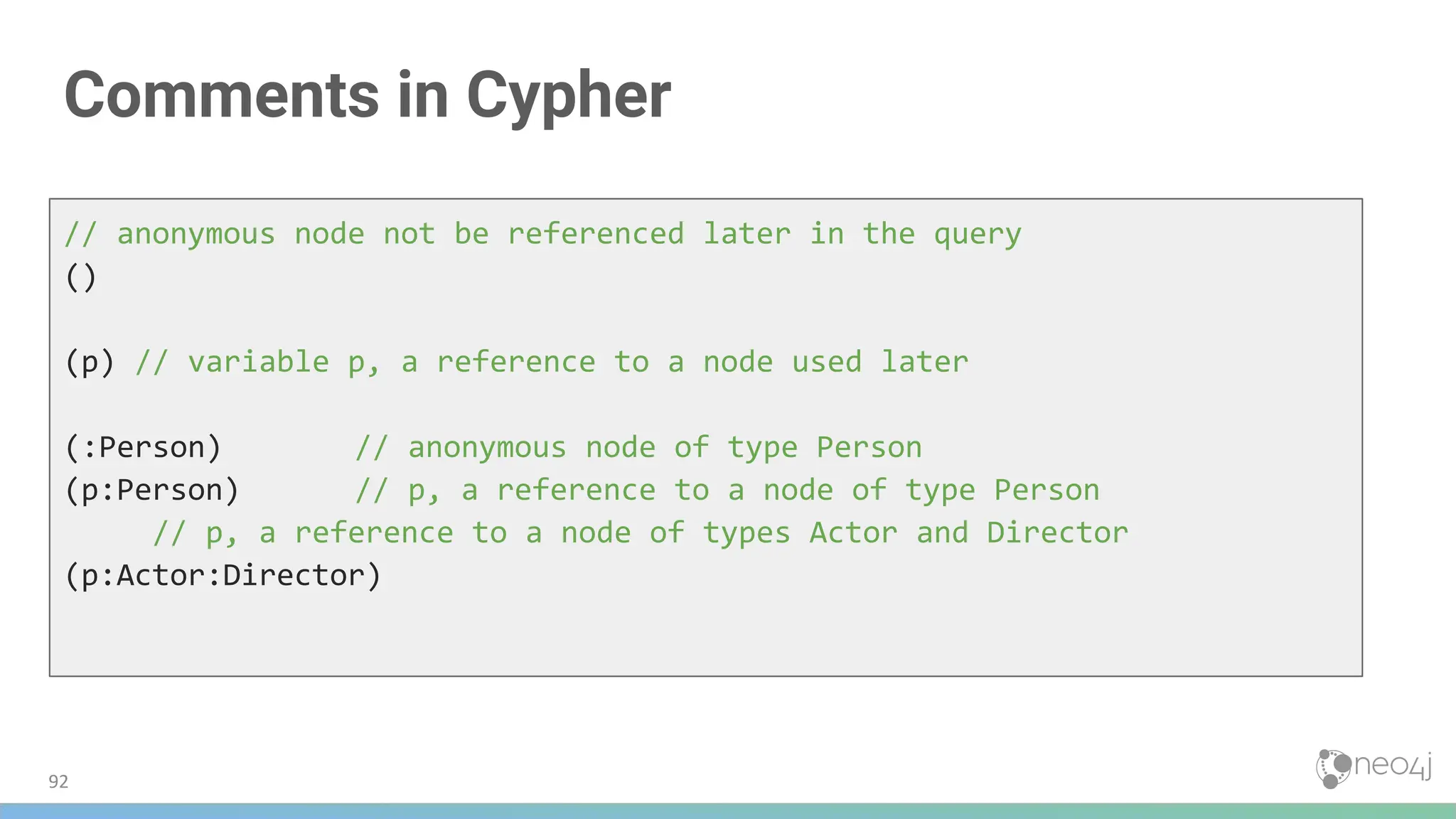
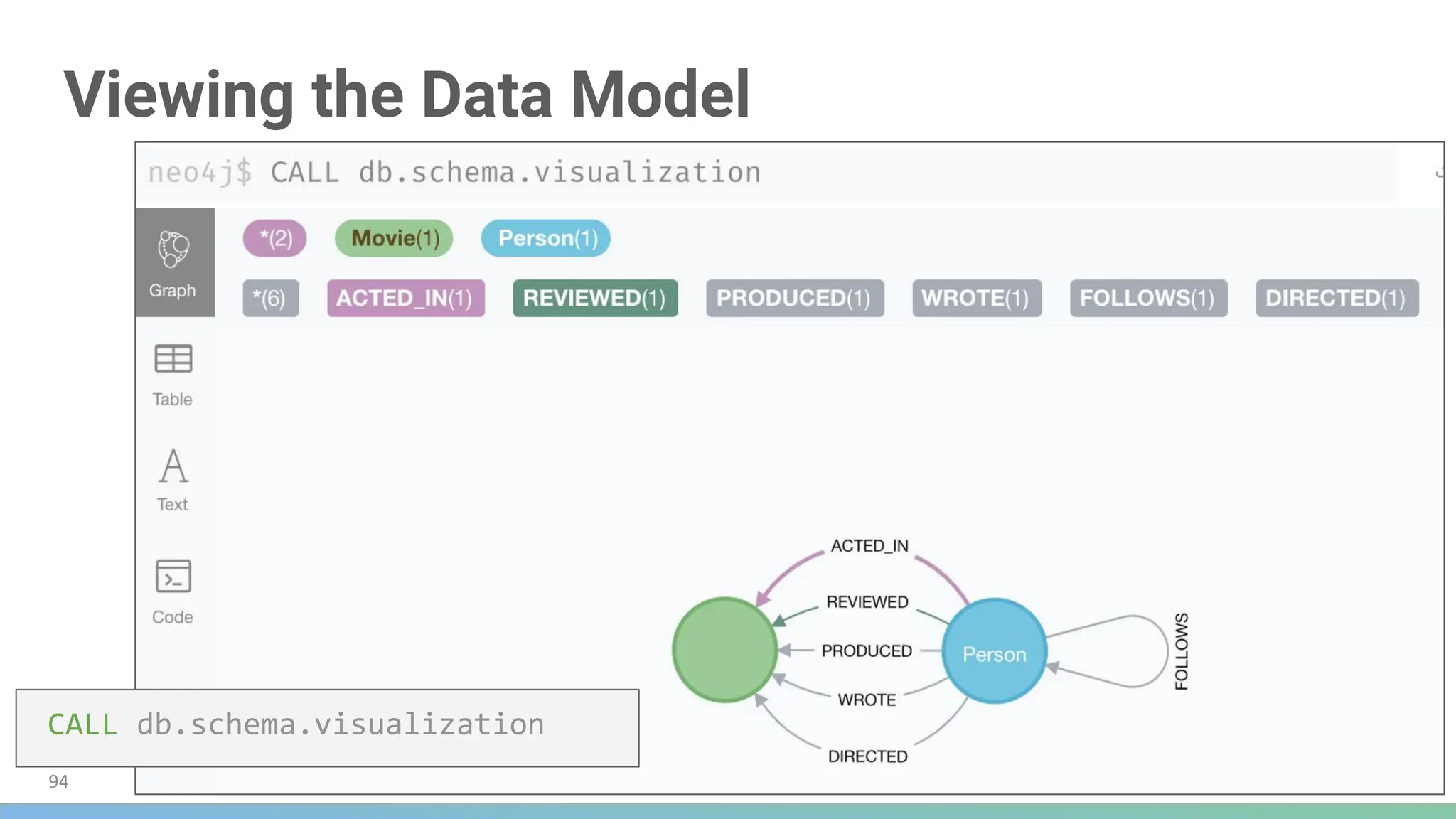
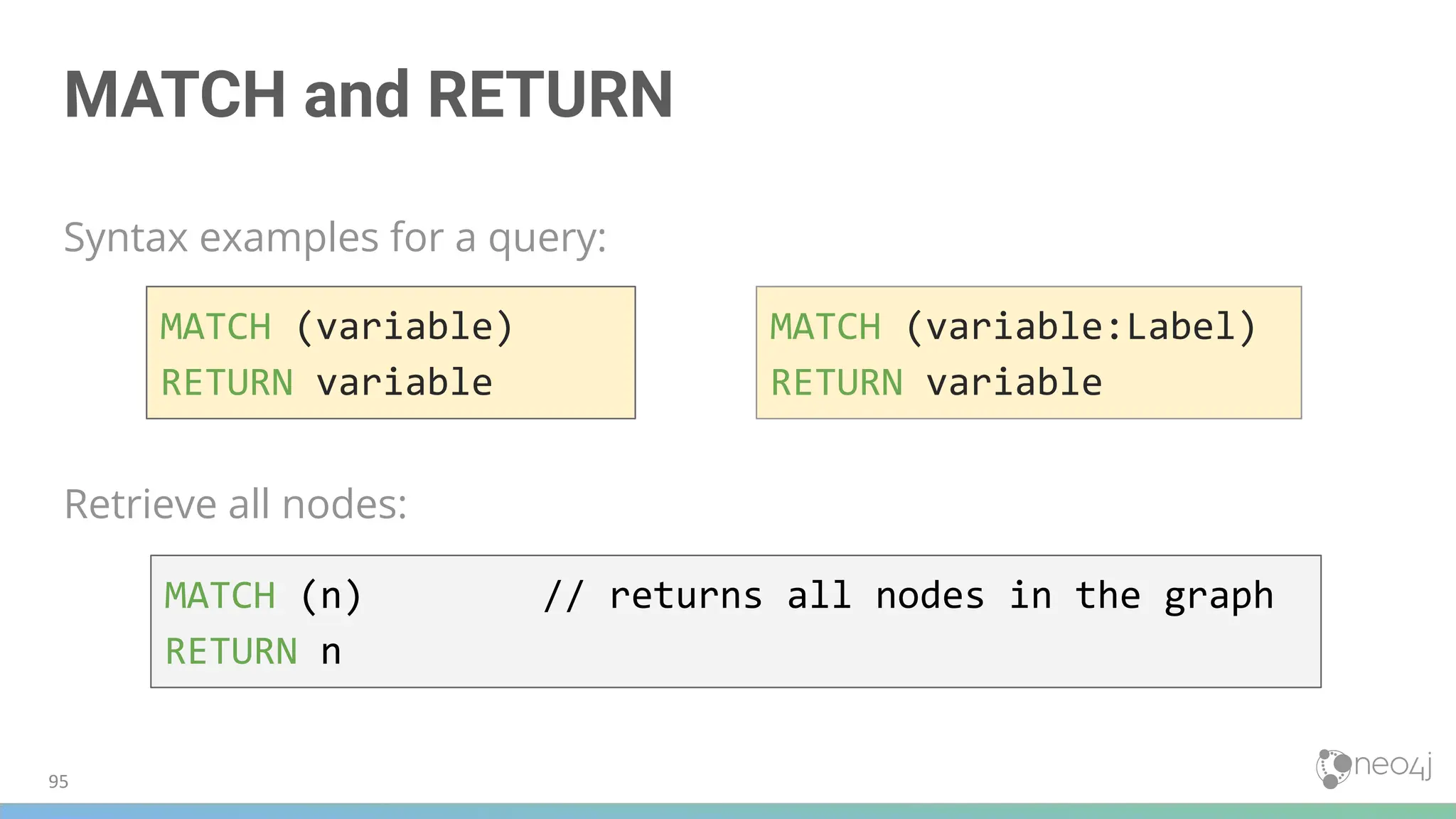
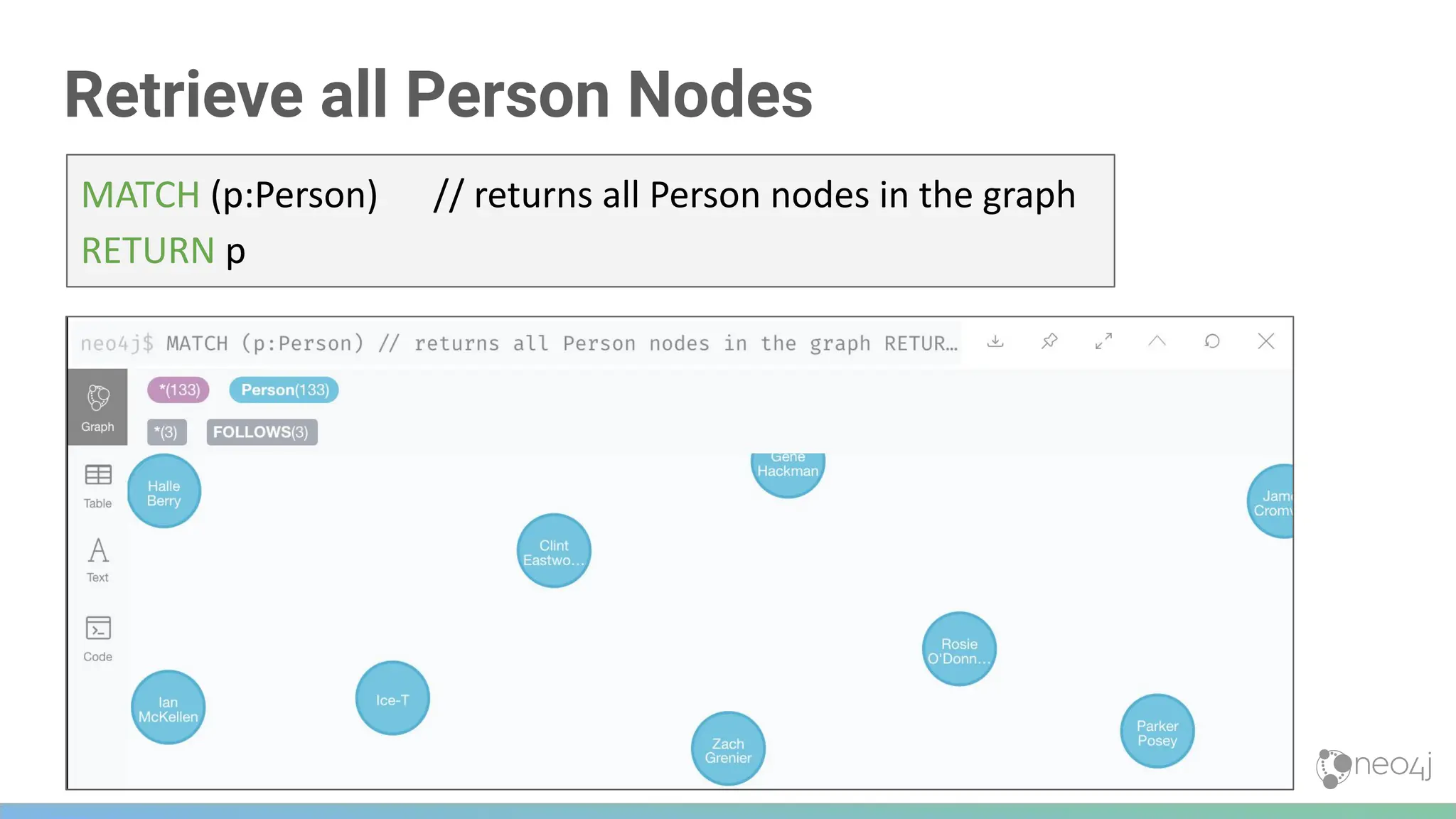
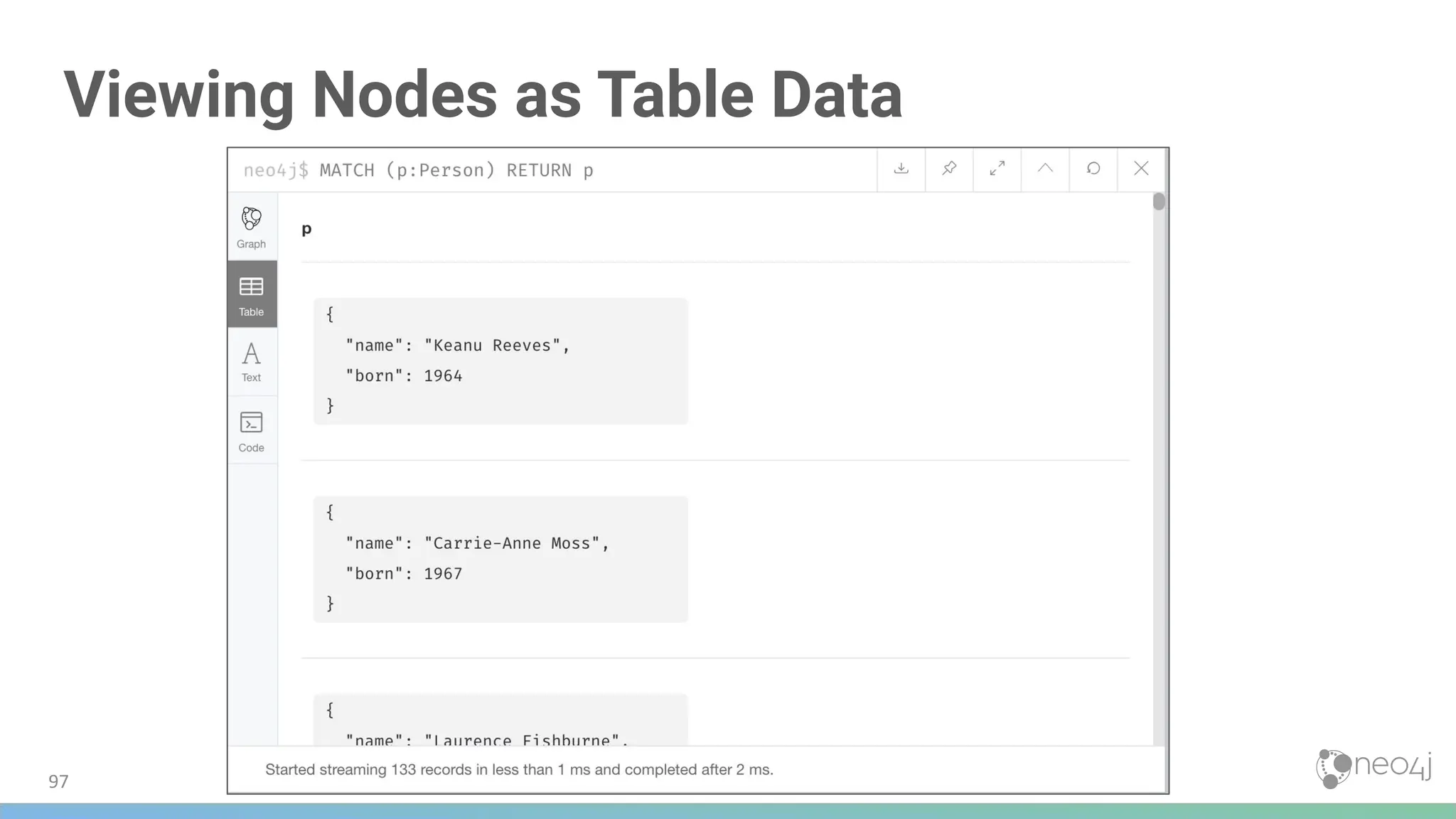

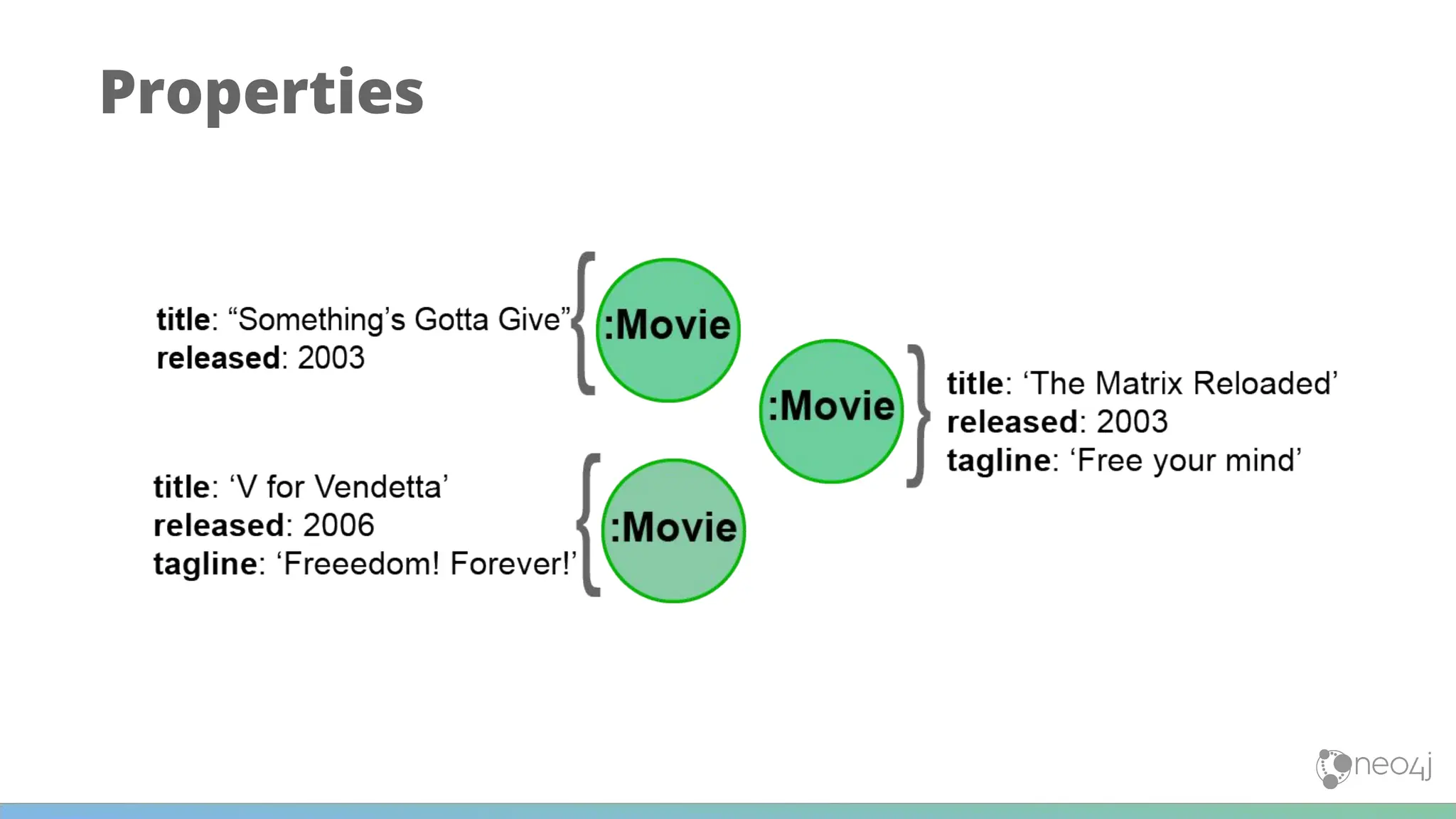
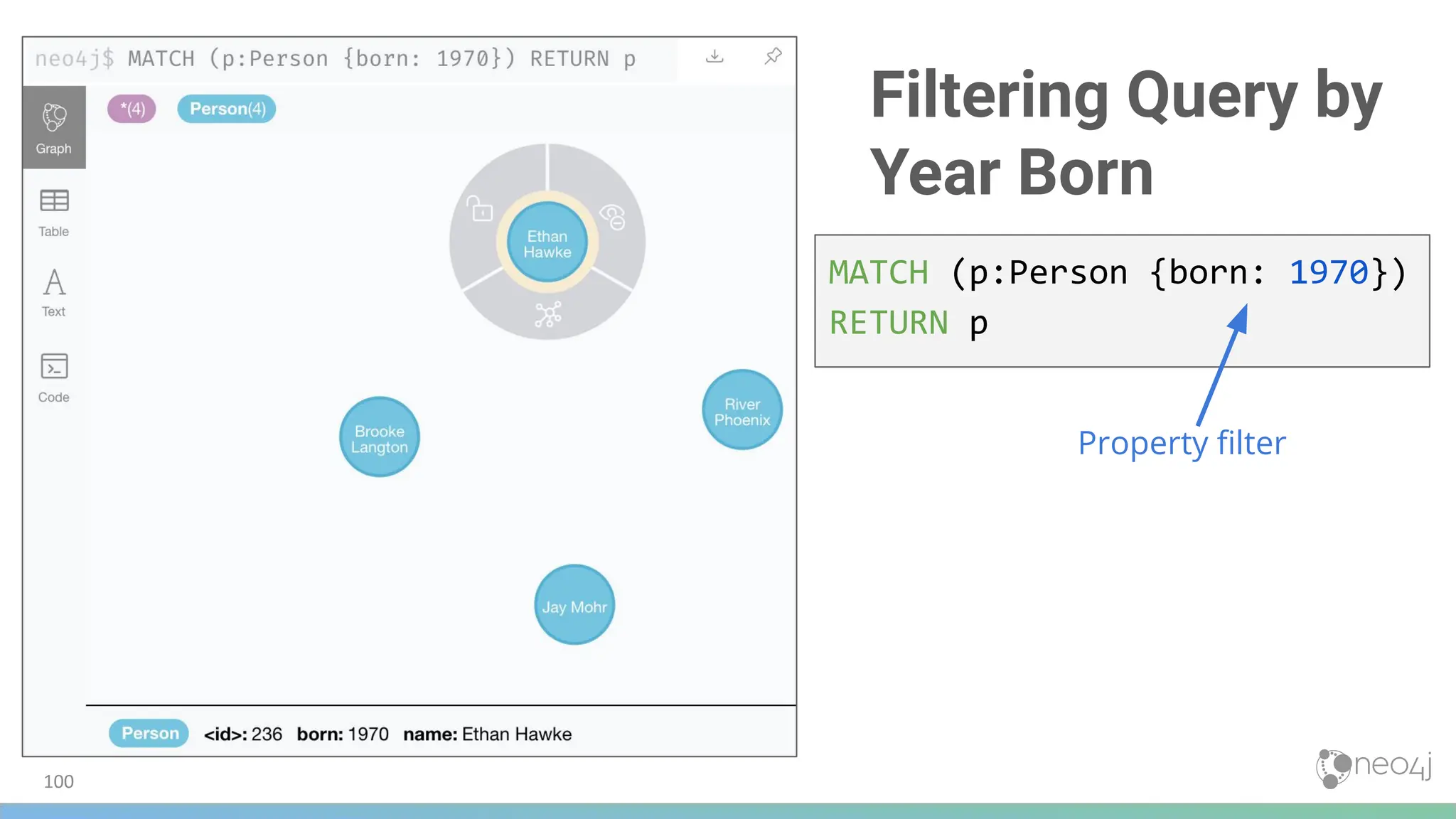
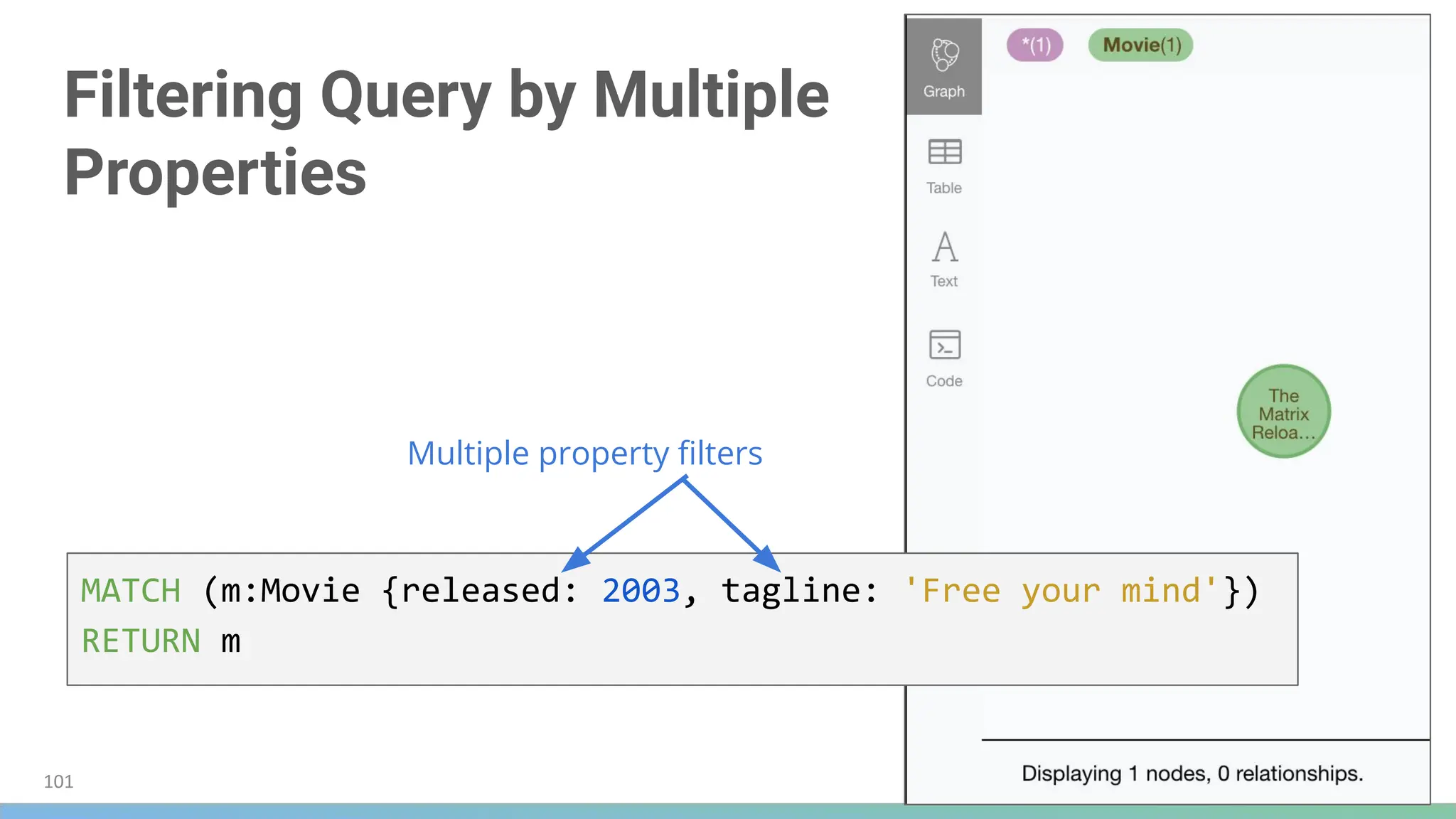
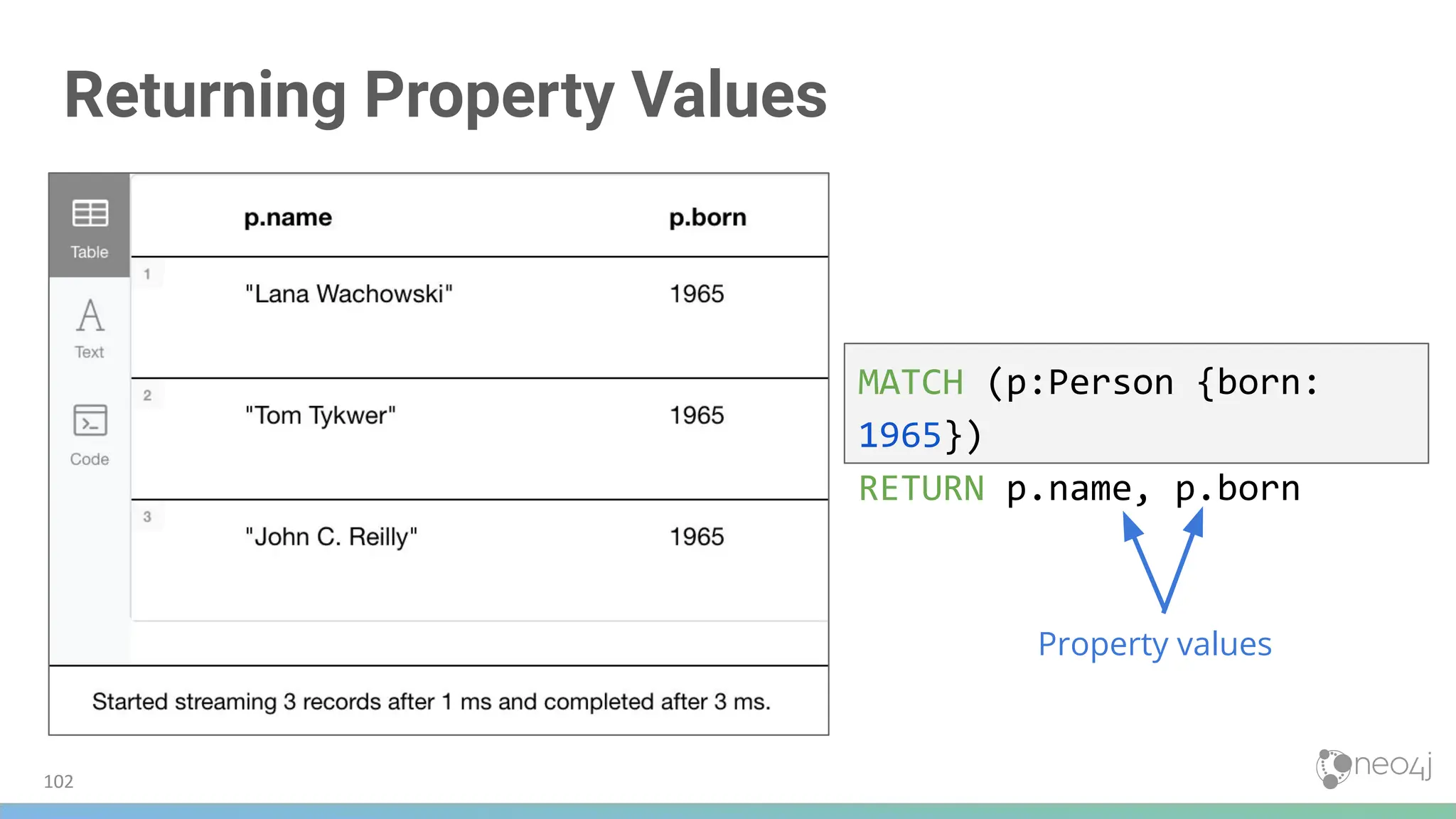
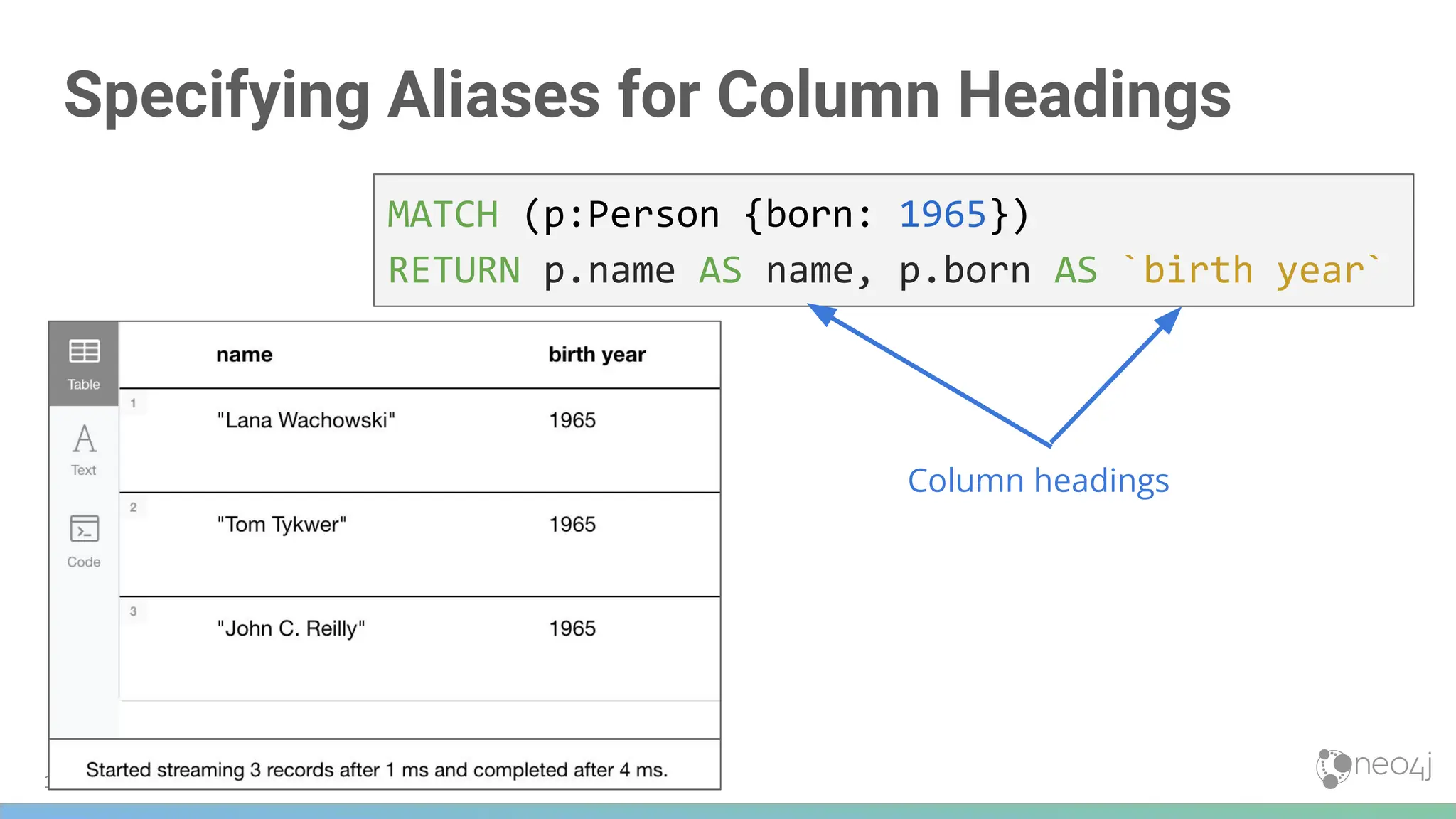

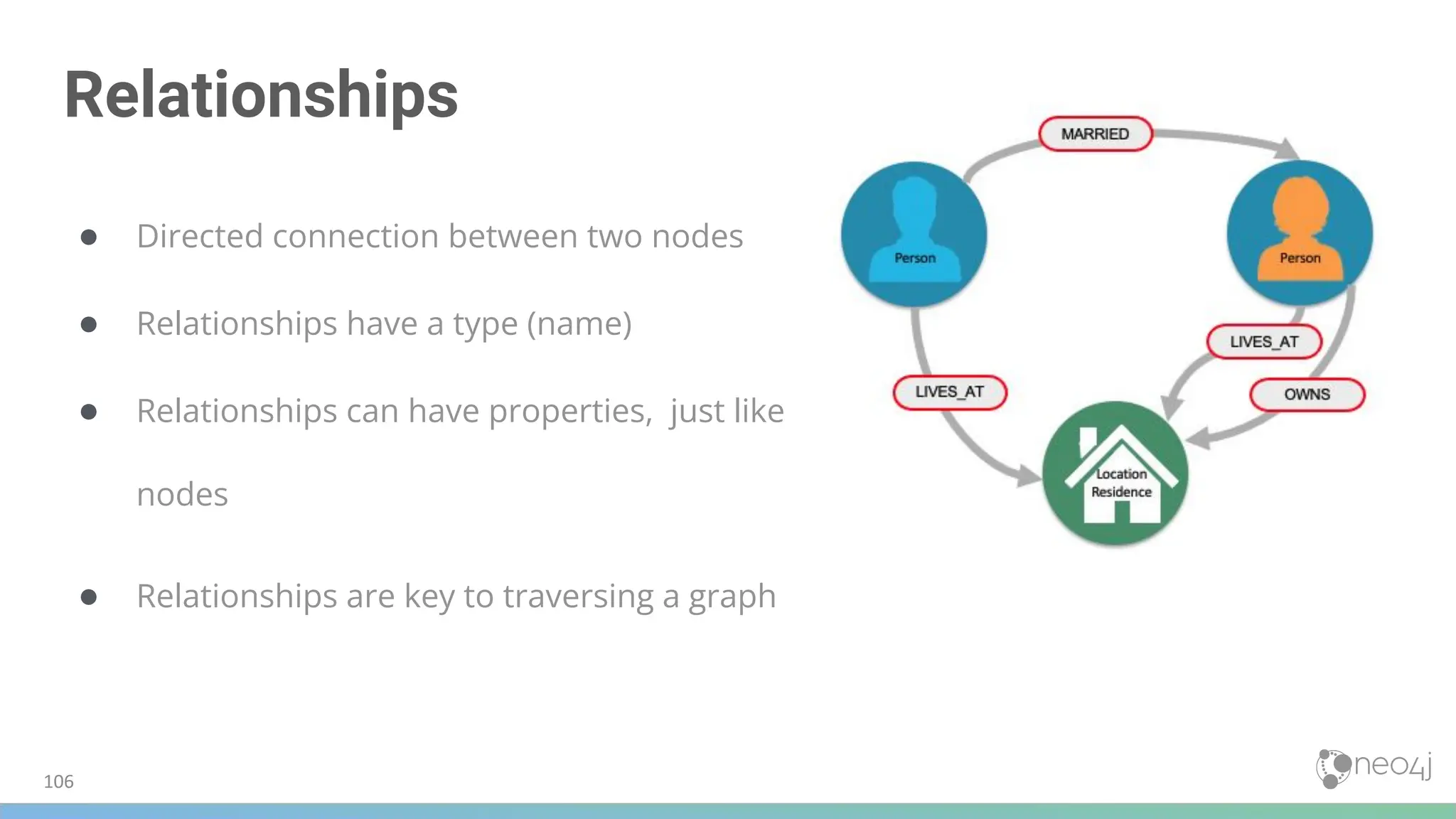
![107
Anonymous nodes/relationships
Named node/relationship
• Node label or relationship type is specified
Anonymous node/relationship
• Node/relationships are not specified – “empty” placeholders in cypher
() // a node...any node
()--() // 2 nodes have some type of relationship (any direction)
()-->() // the first node has a relationship to the second node
()-[]->() // same as above
()<--() // the second node has a relationship to the first node
()<-[]-() // ditto](https://image.slidesharecdn.com/5-250304225616-8d25b5b6/75/5-17-IntroductionToNeo4j-allSlides_1_2022_DanMc-pdf-107-2048.jpg)
![108
Querying using relationships
Person Person
Location
Residence
MARRIED
LIVES_AT
LIVES_AT
OWNS
MATCH (p:Person)-[:LIVES_AT]->(h:Residence)
RETURN p.name, h.address
MATCH (p:Person)--(h:Residence) // any relationship
RETURN p.name, h.address
When using a “named”
relationship, Neo4j can
quickly traverse only
those relationships and
test if opposite node is
the correct label
When using an “anonymous”
relationship, Neo4j has to
traverse every relationship
and then inspect every
node to see if the desired
label – obviously may be
slower – but increases
flexibility](https://image.slidesharecdn.com/5-250304225616-8d25b5b6/75/5-17-IntroductionToNeo4j-allSlides_1_2022_DanMc-pdf-108-2048.jpg)
![Using a Relationship in a Query
Find all people who acted in the
movie ‘The Matrix’, and return the
nodes and relationships
MATCH (p:Person)-[rel:ACTED_IN]->(m:Movie {title: 'The Matrix'})
RETURN p, rel, m
Relationship
109](https://image.slidesharecdn.com/5-250304225616-8d25b5b6/75/5-17-IntroductionToNeo4j-allSlides_1_2022_DanMc-pdf-109-2048.jpg)
![Querying Using Multiple
Relationships
Find all movies that Tom Hanks acted in
or directed and return the titles of the
movies
MATCH (p:Person {name: 'Tom Hanks'})-[:ACTED_IN|DIRECTED]->(m:Movie)
RETURN p.name, m.title
Multiple Relationships
110](https://image.slidesharecdn.com/5-250304225616-8d25b5b6/75/5-17-IntroductionToNeo4j-allSlides_1_2022_DanMc-pdf-110-2048.jpg)
![No node variable specified here
Using Anonymous Nodes in a Query
MATCH (p:Person)-[:ACTED_IN]->(:Movie {title: 'The Matrix'})
RETURN p.name
Find all people who acted in the movie
‘The Matrix’ and return their names
111](https://image.slidesharecdn.com/5-250304225616-8d25b5b6/75/5-17-IntroductionToNeo4j-allSlides_1_2022_DanMc-pdf-111-2048.jpg)
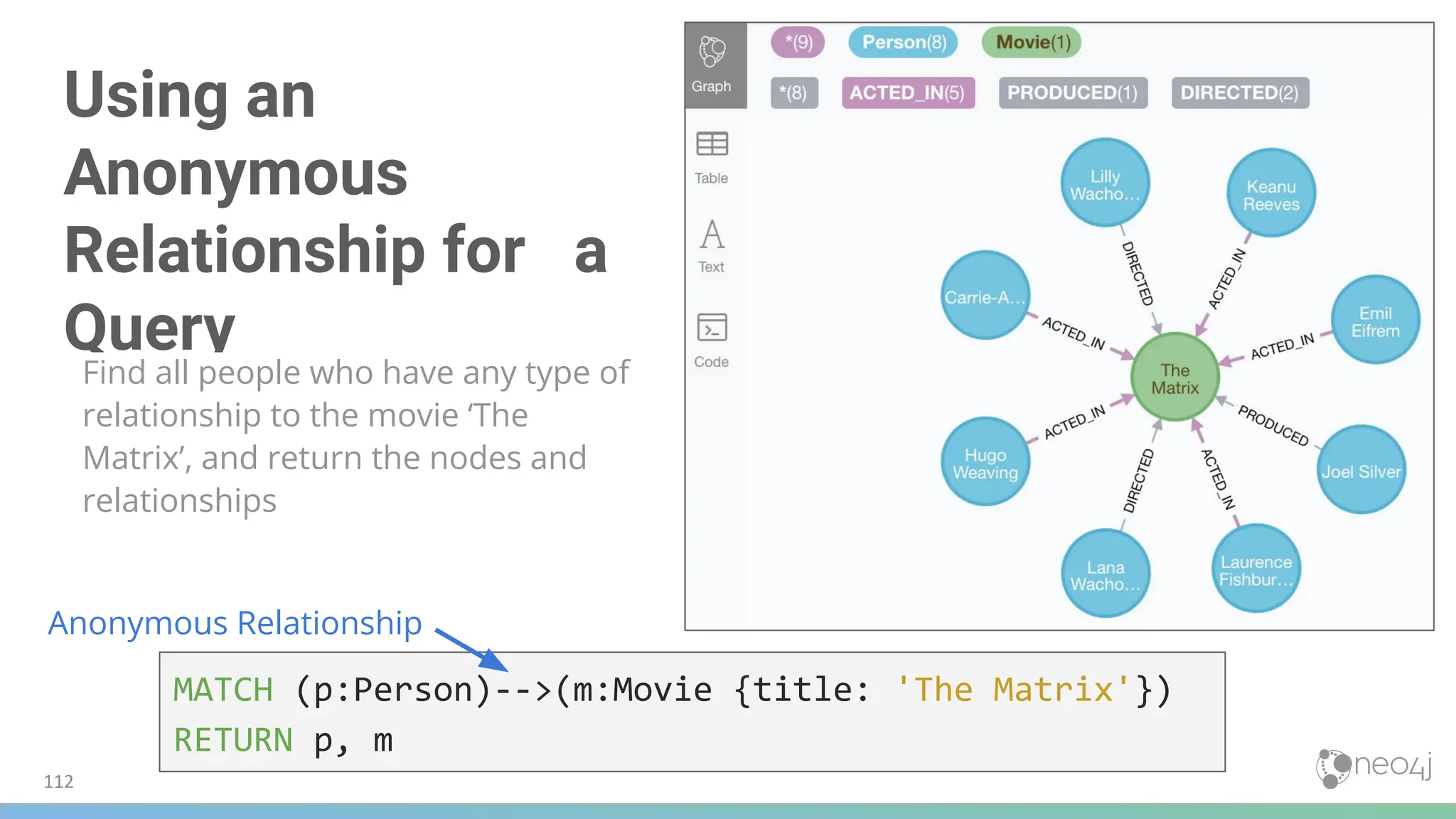
![More Anonymous Relationships
It is recommended that empty brackets [ ] not be used
MATCH (p:Person)--(m:Movie {title: 'The Matrix'})
RETURN p, m
MATCH (m:Movie)<--(p:Person {name: 'Keanu Reeves'})
RETURN p, m
MATCH (p:Person)-[]-(m:Movie {title: 'The Matrix'})
RETURN p, m
113](https://image.slidesharecdn.com/5-250304225616-8d25b5b6/75/5-17-IntroductionToNeo4j-allSlides_1_2022_DanMc-pdf-113-2048.jpg)
![Retrieving the Relationship Types
There is a built-in function,
type() that returns the
type of a relationship
MATCH (p:Person)-[rel]->(:Movie {title:'The Matrix'})
RETURN p.name, type(rel)
type() function
114](https://image.slidesharecdn.com/5-250304225616-8d25b5b6/75/5-17-IntroductionToNeo4j-allSlides_1_2022_DanMc-pdf-114-2048.jpg)
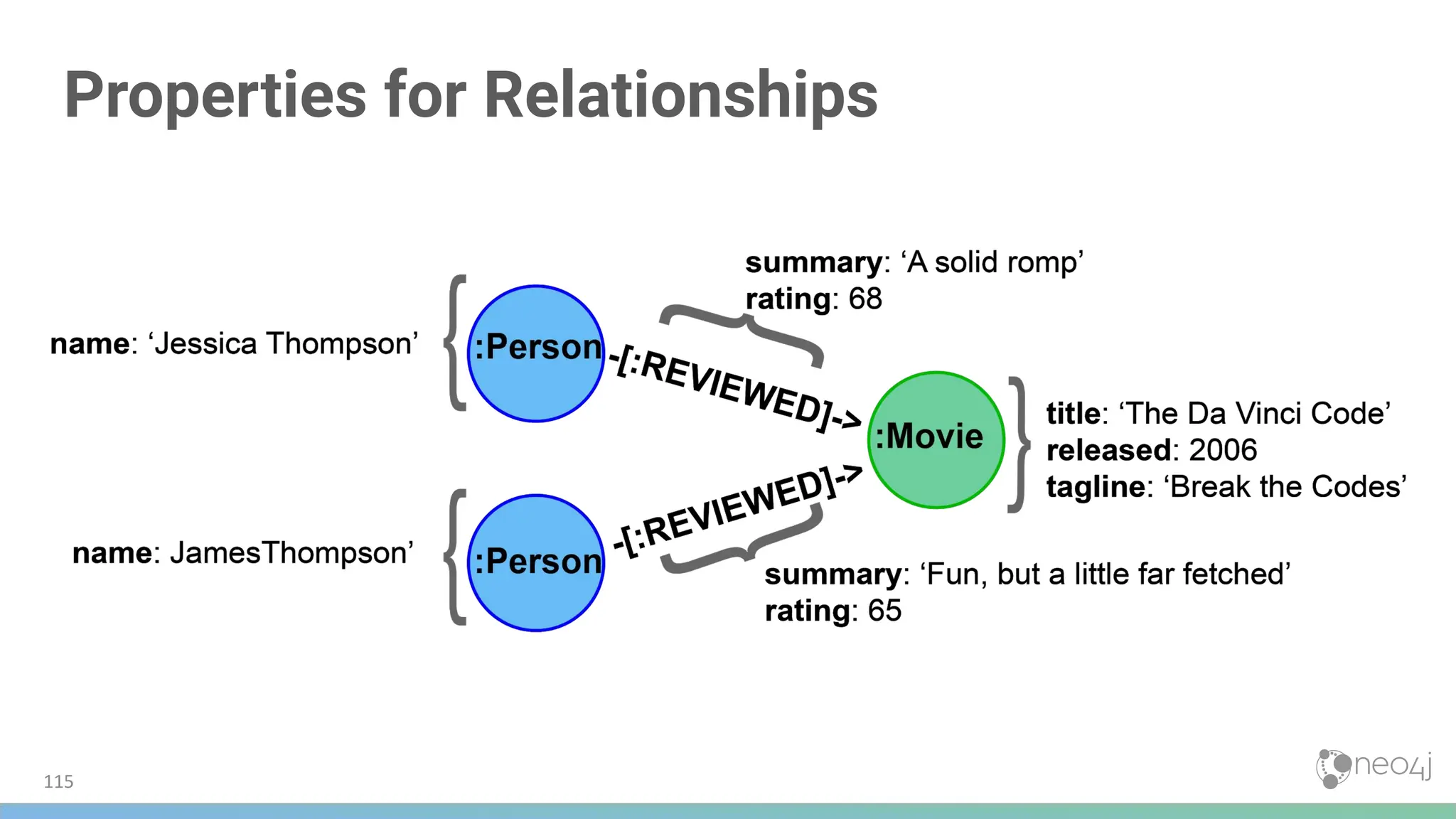
![Filtering Using Relationship Properties
Find all people that gave the movie ‘The Da Vinci Code’ a rating of 65
and return their names.
MATCH (p:Person)-[:REVIEWED {rating: 65}]->(:Movie {title: 'The Da Vinci Code'})
RETURN p.name
Property filter
116](https://image.slidesharecdn.com/5-250304225616-8d25b5b6/75/5-17-IntroductionToNeo4j-allSlides_1_2022_DanMc-pdf-116-2048.jpg)
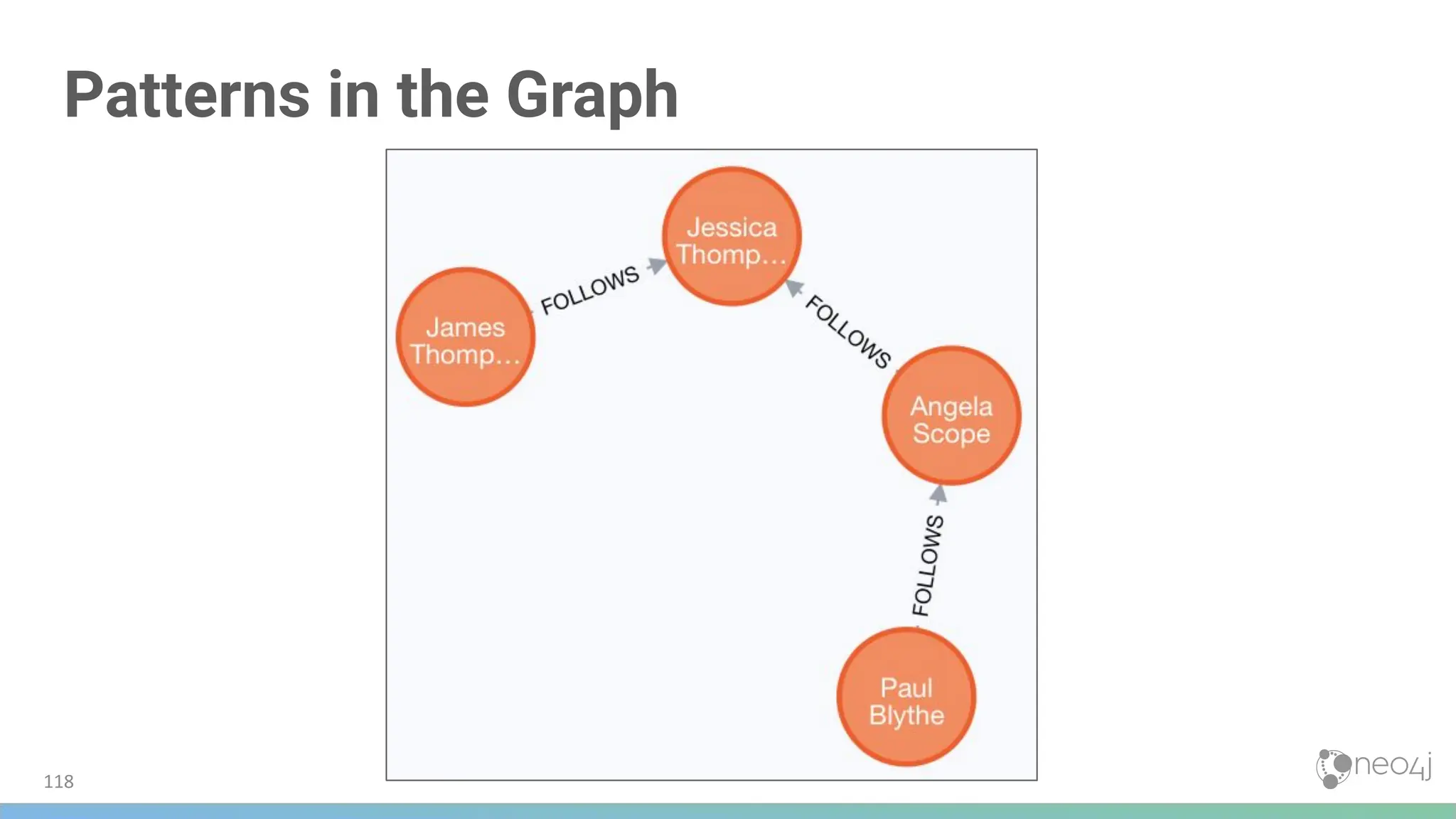
![Using Patterns for Queries
MATCH (p:Person)-[:FOLLOWS]->(:Person {name:'Angela Scope'})
RETURN p
Looking for people that follow Angela
119](https://image.slidesharecdn.com/5-250304225616-8d25b5b6/75/5-17-IntroductionToNeo4j-allSlides_1_2022_DanMc-pdf-119-2048.jpg)
![120
Reversing the Traversal
MATCH (p:Person)<-[:FOLLOWS]-(:Person {name:'Angela Scope'})
RETURN p
Looking for people that Angela follows](https://image.slidesharecdn.com/5-250304225616-8d25b5b6/75/5-17-IntroductionToNeo4j-allSlides_1_2022_DanMc-pdf-120-2048.jpg)
![121
Querying a Relationship in Both Directions
MATCH (p1:Person)-[:FOLLOWS]-(p2:Person {name:'Angela Scope'})
RETURN p1, p2](https://image.slidesharecdn.com/5-250304225616-8d25b5b6/75/5-17-IntroductionToNeo4j-allSlides_1_2022_DanMc-pdf-121-2048.jpg)
![Traversing Multiple Relationships
Query to return all
followers of the
followers of Jessica
Thompson
MATCH (p:Person)-[:FOLLOWS]->(:Person)-[:FOLLOWS]->
(:Person {name:'Jessica Thompson'})
RETURN p
122](https://image.slidesharecdn.com/5-250304225616-8d25b5b6/75/5-17-IntroductionToNeo4j-allSlides_1_2022_DanMc-pdf-122-2048.jpg)
![123
Using Patterns to Focus the Query
MATCH (a:Person)-[:ACTED_IN]->(m:Movie)<-[:DIRECTED]-(d:Person)
RETURN a.name, m.title, d.name](https://image.slidesharecdn.com/5-250304225616-8d25b5b6/75/5-17-IntroductionToNeo4j-allSlides_1_2022_DanMc-pdf-123-2048.jpg)
![Returning Paths
MATCH path = (:Person)-[:FOLLOWS]->(:Person)-[:FOLLOWS]->(:Person {name:'Jessica Thompson'})
RETURN path
Path assigned to variable path
124](https://image.slidesharecdn.com/5-250304225616-8d25b5b6/75/5-17-IntroductionToNeo4j-allSlides_1_2022_DanMc-pdf-124-2048.jpg)
![Returning Multiple Paths
MATCH path = (:Person)-[:ACTED_IN]->(:Movie)<-[:DIRECTED]-(:Person {name:'Ron Howard'})
RETURN path
Best practice
● Specify direction in MATCH
statements
● It optimizes queries,
especially for larger graphs
125](https://image.slidesharecdn.com/5-250304225616-8d25b5b6/75/5-17-IntroductionToNeo4j-allSlides_1_2022_DanMc-pdf-125-2048.jpg)

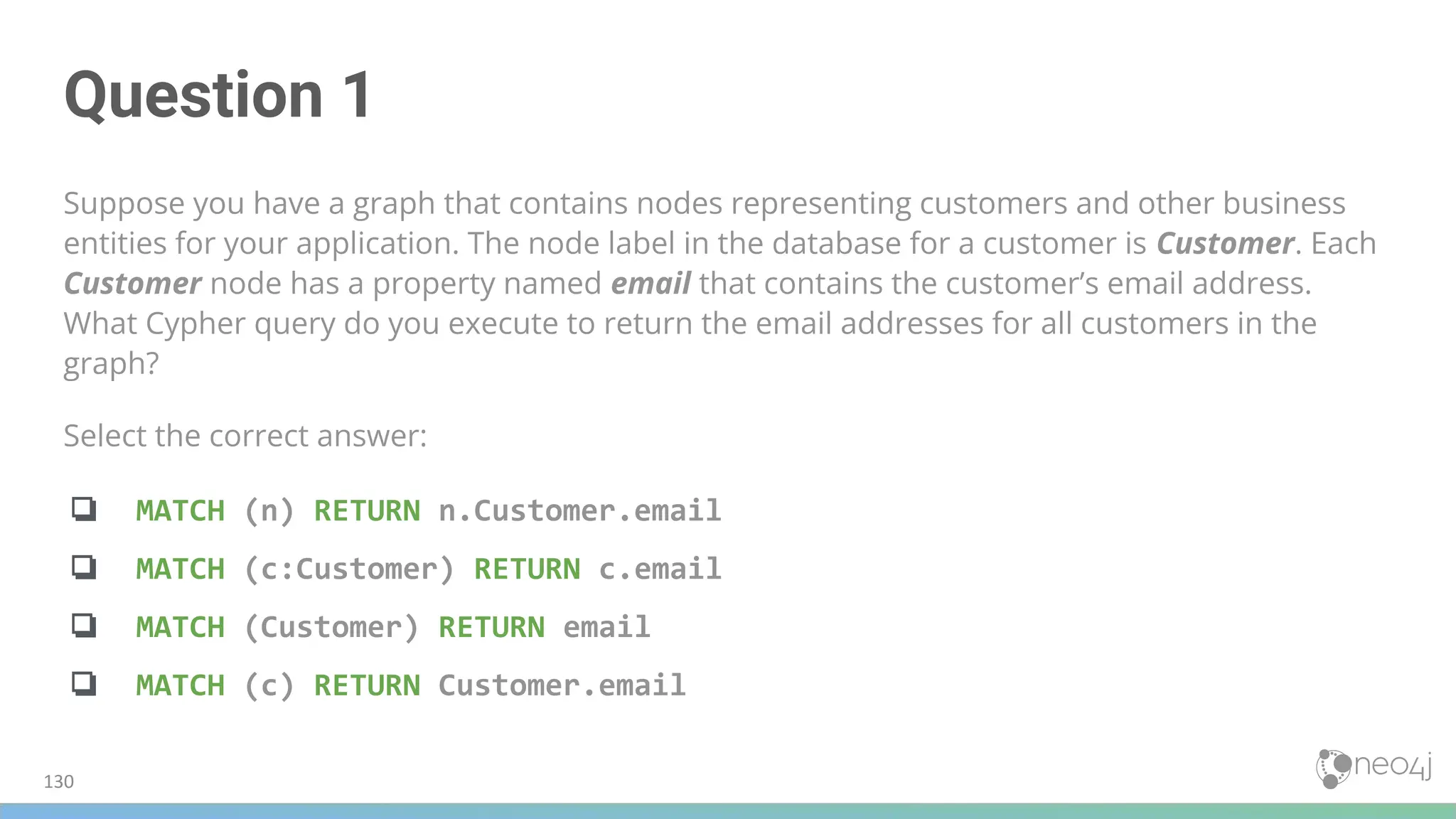
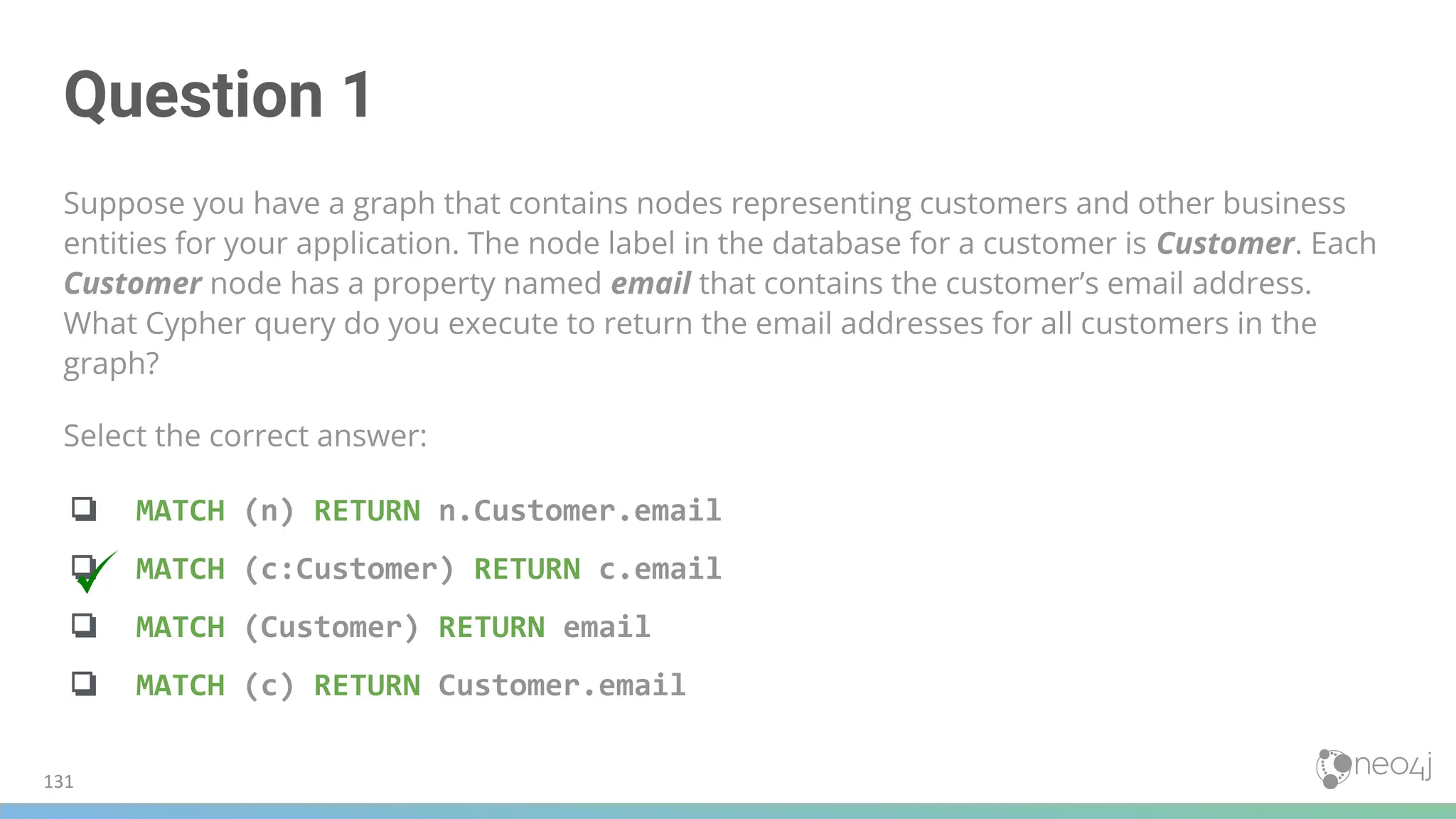
![Question 2
Suppose you have a graph that contains Customer and Product nodes. A Customer node can have a
BOUGHT relationship with a Product node. Customer nodes can have other relationships with
Product nodes. A Customer node has a property named customerName. A Product node has a
property named productName. What Cypher query do you execute to return all of the products (by
name) bought by customer 'ABCCO'.
Select the correct answer:
❏ MATCH (c:Customer {customerName: 'ABCCO'}) RETURN c.BOUGHT.productName
❏ MATCH (:Customer 'ABCCO')-[:BOUGHT]→(p:Product) RETURN p.productName
❏ MATCH (p:Product)←[:BOUGHT_BY]-(:Customer 'ABCCO') RETURN p.productName
❏ MATCH (:Customer {customerName: 'ABCCO'})-[:BOUGHT]→(p:Product)
RETURN p.productName
132](https://image.slidesharecdn.com/5-250304225616-8d25b5b6/75/5-17-IntroductionToNeo4j-allSlides_1_2022_DanMc-pdf-132-2048.jpg)
![Question 2
Suppose you have a graph that contains Customer and Product nodes. A Customer node can have a
BOUGHT relationship with a Product node. Customer nodes can have other relationships with
Product nodes. A Customer node has a property named customerName. A Product node has a
property named productName. What Cypher query do you execute to return all of the products (by
name) bought by customer 'ABCCO'.
Select the correct answer:
❏ MATCH (c:Customer {customerName: 'ABCCO'}) RETURN c.BOUGHT.productName
❏ MATCH (:Customer 'ABCCO')-[:BOUGHT]→(p:Product) RETURN p.productName
❏ MATCH (p:Product)←[:BOUGHT_BY]-(:Customer 'ABCCO') RETURN p.productName
❏ MATCH (:Customer {customerName: 'ABCCO'})-[:BOUGHT]→(p:Product)
RETURN p.productName
133](https://image.slidesharecdn.com/5-250304225616-8d25b5b6/75/5-17-IntroductionToNeo4j-allSlides_1_2022_DanMc-pdf-133-2048.jpg)
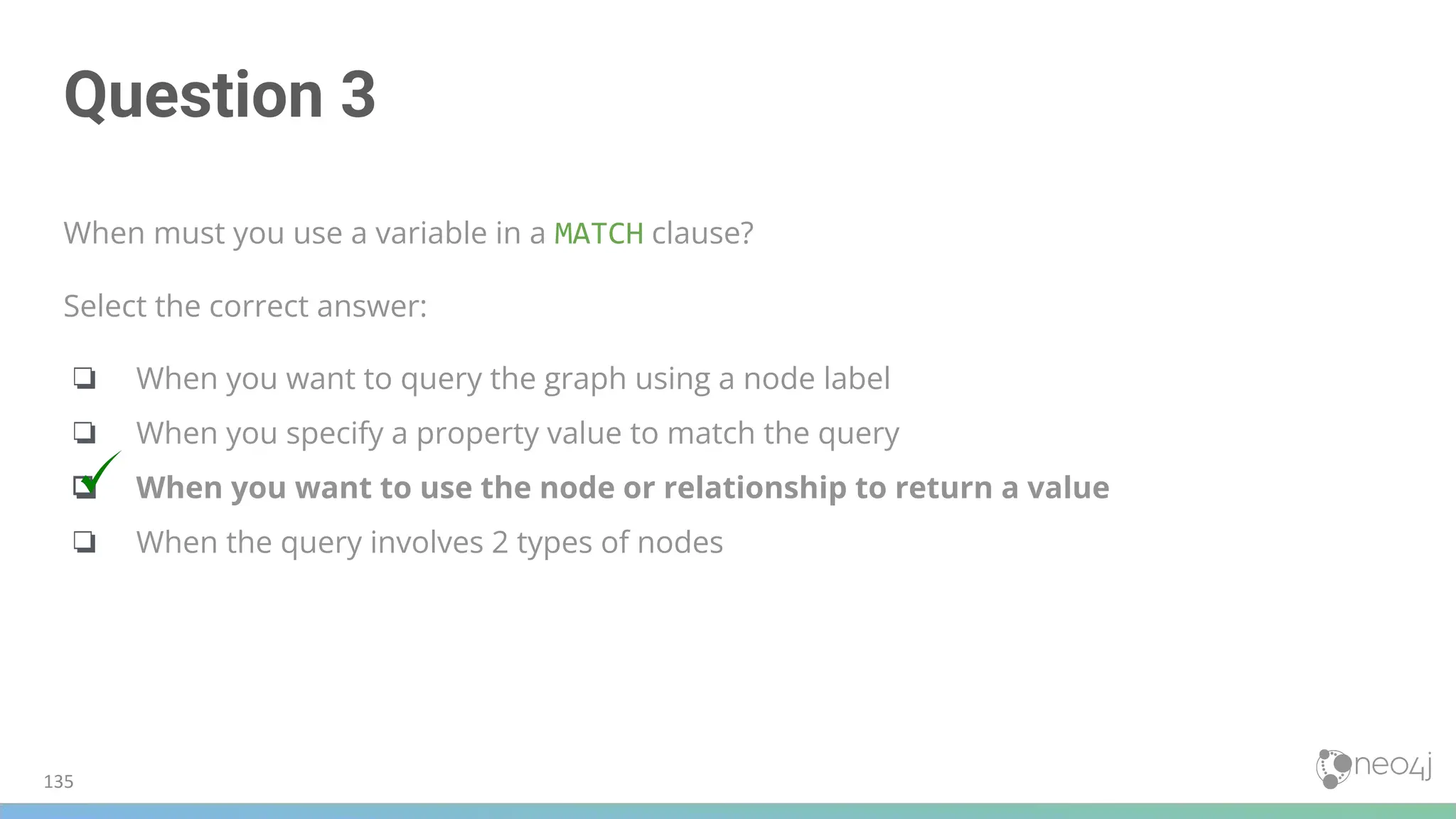

![Cypher WHERE
Not using WHERE:
Using the WHERE clause:
MATCH (p:Person)-[:ACTED_IN]->(m:Movie {released: 2008})
RETURN p, m
MATCH (p:Person)-[:ACTED_IN]->(m:Movie)
WHERE m.released = 2008
RETURN p, m
140](https://image.slidesharecdn.com/5-250304225616-8d25b5b6/75/5-17-IntroductionToNeo4j-allSlides_1_2022_DanMc-pdf-140-2048.jpg)
![Querying Multiple Values
MATCH (p:Person)-[:ACTED_IN]->(m:Movie)
WHERE m.released = 2008 OR m.released = 2009
RETURN p, m
When working with WHERE a variable is required for each value
141](https://image.slidesharecdn.com/5-250304225616-8d25b5b6/75/5-17-IntroductionToNeo4j-allSlides_1_2022_DanMc-pdf-141-2048.jpg)
![Querying Ranges
Find all people who acted in movies released between 2003 and 2004
MATCH (p:Person)-[:ACTED_IN]->(m:Movie)
WHERE m.released >= 2003 AND m.released <= 2004
RETURN p.name, m.title, m.released
MATCH (p:Person)-[:ACTED_IN]->(m:Movie)
WHERE 2003 <= m.released <= 2004 // floor and ceiling notation
RETURN p.name, m.title, m.released
Supported comparison operators: =, <>, > , <=, >=, IS NULL, IS NOT NULL
143](https://image.slidesharecdn.com/5-250304225616-8d25b5b6/75/5-17-IntroductionToNeo4j-allSlides_1_2022_DanMc-pdf-143-2048.jpg)
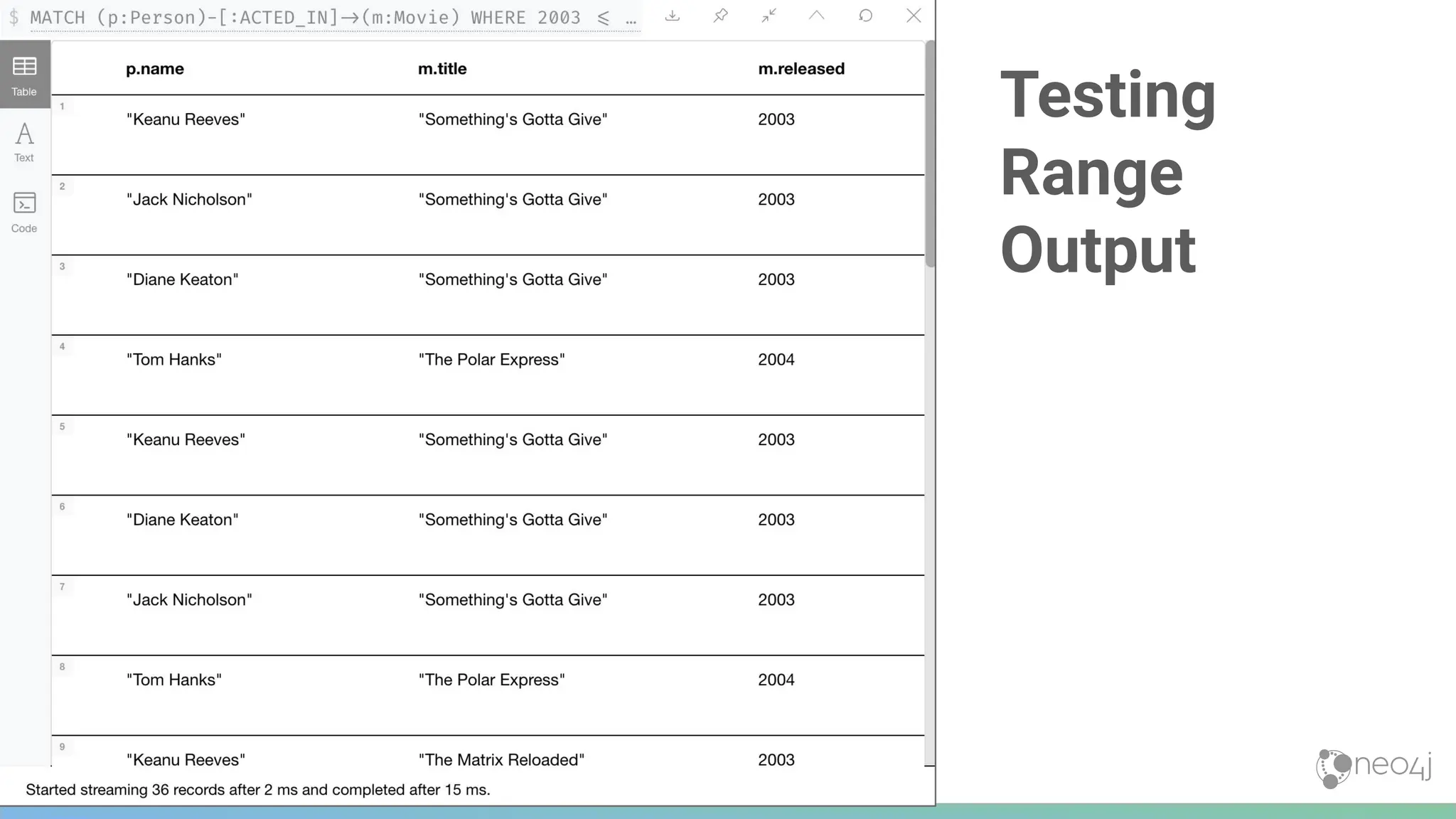
![Querying Using Labels
MATCH (p:Person)-[:ACTED_IN]->(:Movie {title: 'The Matrix'})
RETURN p.name
MATCH (p)-[:ACTED_IN]->(m)
WHERE p:Person AND m:Movie AND m.title='The Matrix'
RETURN p.name
MATCH (p:Person)
RETURN p.name
MATCH (p)
WHERE p:Person
RETURN p.name
Simplification of the two
queries above showing only
label Person and variable p
146](https://image.slidesharecdn.com/5-250304225616-8d25b5b6/75/5-17-IntroductionToNeo4j-allSlides_1_2022_DanMc-pdf-146-2048.jpg)
![Filter on Existence of a Property
MATCH (p:Person)-[:ACTED_IN]->(m:Movie)
WHERE p.name ='Jack Nicholson' AND exists(m.tagline)
RETURN m.title, m.tagline
148](https://image.slidesharecdn.com/5-250304225616-8d25b5b6/75/5-17-IntroductionToNeo4j-allSlides_1_2022_DanMc-pdf-148-2048.jpg)
![150
Querying using Strings
Find all actors whose
first name is Michael
MATCH (p:Person)-[:ACTED_IN]->()
WHERE p.name STARTS WITH 'Michael'
RETURN p.name](https://image.slidesharecdn.com/5-250304225616-8d25b5b6/75/5-17-IntroductionToNeo4j-allSlides_1_2022_DanMc-pdf-150-2048.jpg)
![String Comparisons
● String comparisons are case-sensitive
● Use toLower( ) and toUpper( )
● Indexes are not used if a property value has
been converted with a function
MATCH (p:Person)-[:ACTED_IN]->()
WHERE toLower(p.name) STARTS WITH 'michael'
RETURN p.name
151](https://image.slidesharecdn.com/5-250304225616-8d25b5b6/75/5-17-IntroductionToNeo4j-allSlides_1_2022_DanMc-pdf-151-2048.jpg)

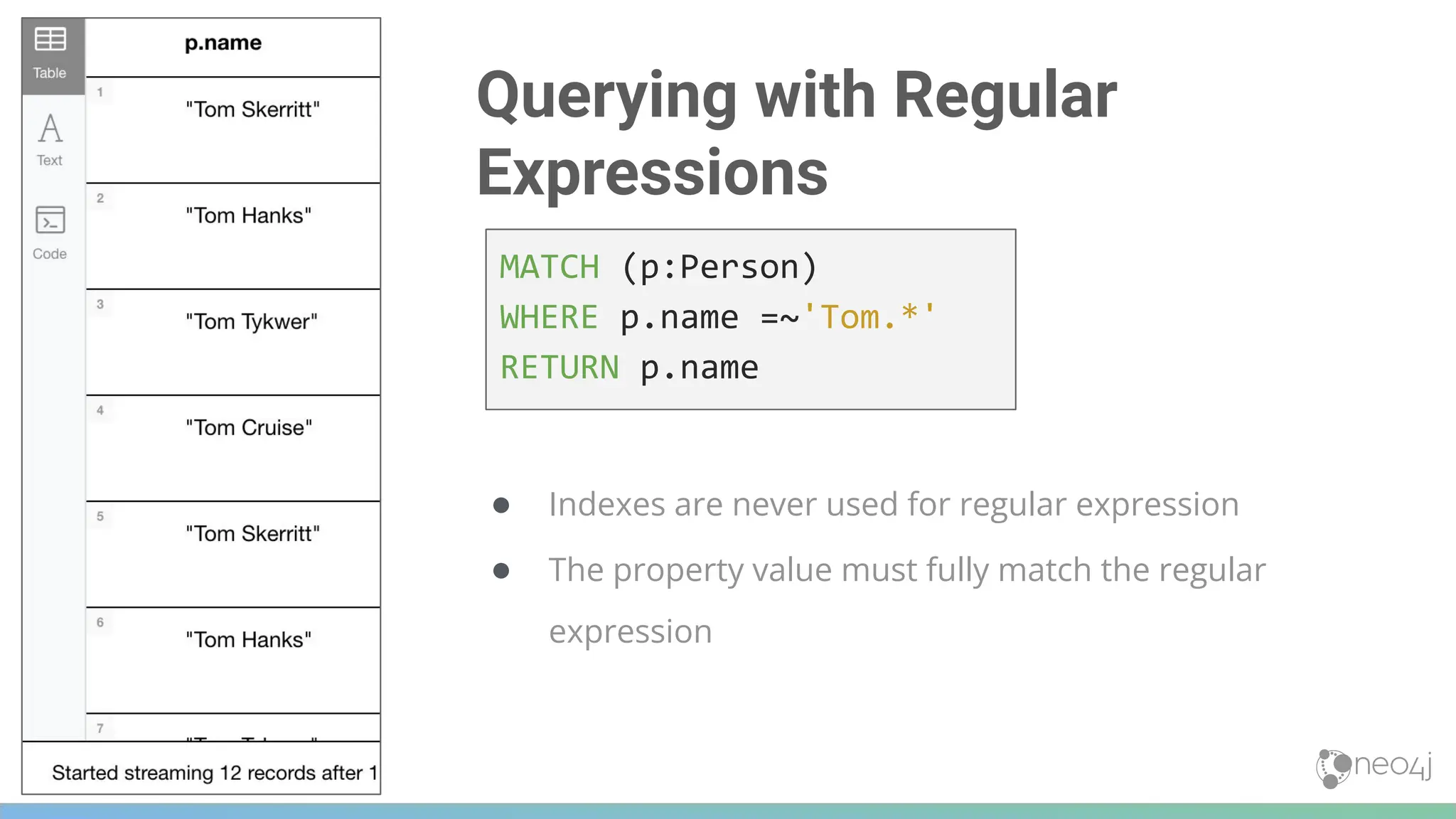
![Patterns (1 of 3)
Return all Person nodes of
people who wrote movies
MATCH (p:Person)-[:WROTE]->(m:Movie)
RETURN p.name, m.title
155](https://image.slidesharecdn.com/5-250304225616-8d25b5b6/75/5-17-IntroductionToNeo4j-allSlides_1_2022_DanMc-pdf-155-2048.jpg)
![Patterns (2 of 3)
The query is modified
to exclude people
who directed that
particular movie
MATCH (p:Person)-[:WROTE]->(m:Movie)
WHERE NOT exists( (p)-[:DIRECTED]->(m) )
RETURN p.name, m.title
156](https://image.slidesharecdn.com/5-250304225616-8d25b5b6/75/5-17-IntroductionToNeo4j-allSlides_1_2022_DanMc-pdf-156-2048.jpg)
![Patterns (3 of 3)
Find Gene Hackman and ...
● The movies that he
ACTED-IN with another
person who also
DIRECTED the movie
MATCH (gene:Person)-[:ACTED_IN]->(m:Movie)<-[:ACTED_IN]-(other:Person)
WHERE gene.name= 'Gene Hackman'
AND exists( (other)-[:DIRECTED]->(m) )
RETURN gene, other, m
157](https://image.slidesharecdn.com/5-250304225616-8d25b5b6/75/5-17-IntroductionToNeo4j-allSlides_1_2022_DanMc-pdf-157-2048.jpg)
![List Values
Retrieve
Person nodes
of people born in
1965 or 1970
MATCH (p:Person)
WHERE p.born IN [1965, 1970]
RETURN p.name as name, p.born as yearBorn
159](https://image.slidesharecdn.com/5-250304225616-8d25b5b6/75/5-17-IntroductionToNeo4j-allSlides_1_2022_DanMc-pdf-159-2048.jpg)
![List Values in the Graph
Later in this course, you will learn how to create lists from your queries by aggregating
data in the graph.
There are a number of syntax elements of Cypher that we have not covered in this
training. For example, you can specify CASE logic in your conditional testing for your
WHERE clauses. You can learn more about these syntax elements in the Neo4j Cypher
Manual and the Cypher Refcard.
MATCH (p:Person)-[r:ACTED_IN]->(m:Movie)
WHERE 'Neo' IN r.roles AND m.title='The Matrix'
RETURN p.name
160](https://image.slidesharecdn.com/5-250304225616-8d25b5b6/75/5-17-IntroductionToNeo4j-allSlides_1_2022_DanMc-pdf-160-2048.jpg)

![Question 1
Suppose you want to add a WHERE clause at the end of this statement to filter the results retrieved.
MATCH (p:Person)-[rel]->(m:Movie)<-[:PRODUCED]-(:Person)
What variables, can you test in the WHERE clause?
Select the correct answers.
❏ p
❏ rel
❏ m
❏ PRODUCED](https://image.slidesharecdn.com/5-250304225616-8d25b5b6/75/5-17-IntroductionToNeo4j-allSlides_1_2022_DanMc-pdf-163-2048.jpg)
![Question 1
Suppose you want to add a WHERE clause at the end of this statement to filter the results retrieved.
MATCH (p:Person)-[rel]->(m:Movie)<-[:PRODUCED]-(:Person)
What variables, can you test in the WHERE clause?
Select the correct answers.
❏ p
❏ rel
❏ m
❏ PRODUCED](https://image.slidesharecdn.com/5-250304225616-8d25b5b6/75/5-17-IntroductionToNeo4j-allSlides_1_2022_DanMc-pdf-164-2048.jpg)
![Question 2
Suppose you want to retrieve all movies that have a released property value that is 2000, 2002, 2004,
2006, or 2008. Here is an incomplete Cypher example to return the title property values of all movies
released in these years. What keyword do you specify for XX?
MATCH (m:Movie)
WHERE m.released XX [2000, 2002, 2004, 2006, 2008]
RETURN m.title
Select the correct answer:
❏ CONTAINS
❏ IN
❏ IS
❏ EQUALS](https://image.slidesharecdn.com/5-250304225616-8d25b5b6/75/5-17-IntroductionToNeo4j-allSlides_1_2022_DanMc-pdf-165-2048.jpg)
![Question 2
Suppose you want to retrieve all movies that have a released property value that is 2000, 2002, 2004,
2006, or 2008. Here is an incomplete Cypher example to return the title property values of all movies
released in these years. What keyword do you specify for XX?
MATCH (m:Movie)
WHERE m.released XX [2000, 2002, 2004, 2006, 2008]
RETURN m.title
Select the correct answer:
❏ CONTAINS
❏ IN
❏ IS
❏ EQUALS](https://image.slidesharecdn.com/5-250304225616-8d25b5b6/75/5-17-IntroductionToNeo4j-allSlides_1_2022_DanMc-pdf-166-2048.jpg)
![Question 3
We want a query that returns the names of any people who both acted in and wrote the same
movie. What query will retrieve this data?
Select the correct answer.
❏ MATCH (p:Person) WHERE (p)-[:WROTE]-(m) AND (p)-[WROTE]-(m) RETURN p.name, m.title
❏ MATCH (p:Person)-[:ACTED_IN]→(m:Movie) WHERE (p)-[:WROTE]-(m) RETURN p.name, m.title
❏ MATCH (p:Person)-[:ACTED_IN | WROTE]→(m:Movie) RETURN p.name, m.title
❏ MATCH (p:Person)-[:ACTED_IN]→(m:Movie)←[WROTE]-(p) RETURN p.name, m.title](https://image.slidesharecdn.com/5-250304225616-8d25b5b6/75/5-17-IntroductionToNeo4j-allSlides_1_2022_DanMc-pdf-167-2048.jpg)
![Question 3
We want a query that returns the names of any people who both acted in and wrote the same
movie. What query will retrieve this data?
Select the correct answer.
❏ MATCH (p:Person) WHERE (p)-[:WROTE]-(m) AND (p)-[WROTE]-(m) RETURN p.name, m.title
❏ MATCH (p:Person)-[:ACTED_IN]→(m:Movie) WHERE (p)-[:WROTE]-(m) RETURN p.name, m.title
❏ MATCH (p:Person)-[:ACTED_IN | WROTE]→(m:Movie) RETURN p.name, m.title
❏ MATCH (p:Person)-[:ACTED_IN]→(m:Movie)←[WROTE]-(p) RETURN p.name, m.title](https://image.slidesharecdn.com/5-250304225616-8d25b5b6/75/5-17-IntroductionToNeo4j-allSlides_1_2022_DanMc-pdf-168-2048.jpg)

![173
Traversal in a MATCH Clause
Find all of the followers of people who
reviewed the movie titled The Replacements
MATCH (follower:Person)-[:FOLLOWS]->(reviewer:Person)-[:REVIEWED]->(m:Movie)
WHERE m.title = 'The Replacements'
RETURN follower.name, reviewer.name](https://image.slidesharecdn.com/5-250304225616-8d25b5b6/75/5-17-IntroductionToNeo4j-allSlides_1_2022_DanMc-pdf-173-2048.jpg)
![175
Multiple Patterns in a MATCH
MATCH (a:Person)-[:ACTED_IN]->(m:Movie),
(m)<-[:DIRECTED]-(d:Person)
WHERE m.released = 2000
RETURN a.name, m.title, d.name](https://image.slidesharecdn.com/5-250304225616-8d25b5b6/75/5-17-IntroductionToNeo4j-allSlides_1_2022_DanMc-pdf-175-2048.jpg)
![A Single Pattern in a MATCH
Another way to write this same query ...
MATCH
(a:Person)-[:ACTED_IN]->(m:Movie)<-[:DIRECTED]-(d:Person)
WHERE m.released = 2000
RETURN a.name, m.title, d.name
176](https://image.slidesharecdn.com/5-250304225616-8d25b5b6/75/5-17-IntroductionToNeo4j-allSlides_1_2022_DanMc-pdf-176-2048.jpg)
![Required Two Patterns in a MATCH
MATCH (meg:Person)-[:ACTED_IN]->(m:Movie)<-[:DIRECTED]-(d:Person),
(other:Person)-[:ACTED_IN]->(m)
WHERE meg.name = 'Meg Ryan'
RETURN m.title AS movie, d.name AS director , other.name AS `co-actors`
177](https://image.slidesharecdn.com/5-250304225616-8d25b5b6/75/5-17-IntroductionToNeo4j-allSlides_1_2022_DanMc-pdf-177-2048.jpg)
![Two Patterns in a MATCH
MATCH (keanu:Person)-[:ACTED_IN]->(movie:Movie)<-[:ACTED_IN]-(n:Person),
(hugo:Person)
WHERE keanu.name='Keanu Reeves' AND
hugo.name='Hugo Weaving'
AND NOT (hugo)-[:ACTED_IN]->(movie)
RETURN n.name
178](https://image.slidesharecdn.com/5-250304225616-8d25b5b6/75/5-17-IntroductionToNeo4j-allSlides_1_2022_DanMc-pdf-178-2048.jpg)
![Traversal With Patterns
MATCH (valKilmer:Person)-[:ACTED_IN]->(m:Movie)
MATCH (actor:Person)-[:ACTED_IN]->(m)
WHERE valKilmer.name = 'Val Kilmer'
RETURN m.title AS movie, actor.name
179](https://image.slidesharecdn.com/5-250304225616-8d25b5b6/75/5-17-IntroductionToNeo4j-allSlides_1_2022_DanMc-pdf-179-2048.jpg)
![Traversal Multiple Patterns
MATCH (valKilmer:Person)-[:ACTED_IN]->(m:Movie),
(actor:Person)-[:ACTED_IN]->(m)
WHERE valKilmer.name = 'Val Kilmer'
RETURN m.title as movie , actor.name
180](https://image.slidesharecdn.com/5-250304225616-8d25b5b6/75/5-17-IntroductionToNeo4j-allSlides_1_2022_DanMc-pdf-180-2048.jpg)

![Varying Length Paths
MATCH (follower:Person)-[:FOLLOWS*2]->(p:Person)
WHERE follower.name = 'Paul Blythe'
RETURN p.name
182](https://image.slidesharecdn.com/5-250304225616-8d25b5b6/75/5-17-IntroductionToNeo4j-allSlides_1_2022_DanMc-pdf-182-2048.jpg)
![Varying Length Patterns (1 of 2)
Retrieve all paths of any length with relationship …
:RELTYPE from nodeA to nodeB and beyond
(nodeA)-[:RELTYPE*]->(nodeB)
(nodeA)-[:RELTYPE*]-(nodeB)
Retrieve all paths of any length with the relationship
:RELTYPE from nodeA to nodeB
or from nodeB to nodeA and beyond
Usually this is a very expensive query so limit the retrieved nodes
Direction removed
183](https://image.slidesharecdn.com/5-250304225616-8d25b5b6/75/5-17-IntroductionToNeo4j-allSlides_1_2022_DanMc-pdf-183-2048.jpg)
![Varying Length Patterns (2 of 2)
Retrieve the paths of length 3 with the relationship …
:RELTYPE from nodeA to nodeB
Retrieve the paths of lengths 1, 2, or 3 with the relationship …
:RELTYPE from nodeA to nodeB, nodeB to nodeC
and from nodeC to _nodeD (up to 3 hops)
(node1)-[:RELTYPE*3]->(node2)
(node1)-[:RELTYPE*1..3]->(node2)
184](https://image.slidesharecdn.com/5-250304225616-8d25b5b6/75/5-17-IntroductionToNeo4j-allSlides_1_2022_DanMc-pdf-184-2048.jpg)
![Finding the Shortest Path
MATCH p = shortestPath((m1:Movie)-[*]-(m2:Movie))
WHERE m1.title = 'A Few Good Men' AND
m2.title = 'The Matrix'
RETURN p
185](https://image.slidesharecdn.com/5-250304225616-8d25b5b6/75/5-17-IntroductionToNeo4j-allSlides_1_2022_DanMc-pdf-185-2048.jpg)
![Returning a Subgraph
MATCH paths = (m:Movie)-[rel]-(p:Person)
WHERE m.title = 'The Replacements'
RETURN paths
187](https://image.slidesharecdn.com/5-250304225616-8d25b5b6/75/5-17-IntroductionToNeo4j-allSlides_1_2022_DanMc-pdf-187-2048.jpg)
![189
Specifying Optional Pattern Matching
Subgraph of the movies
graph with all people
named James and their
relationships
MATCH (p:Person)
WHERE p.name STARTS WITH 'James'
OPTIONAL MATCH (p)-[r:REVIEWED]->(m:Movie)
RETURN p.name, type(r), m.title](https://image.slidesharecdn.com/5-250304225616-8d25b5b6/75/5-17-IntroductionToNeo4j-allSlides_1_2022_DanMc-pdf-189-2048.jpg)

![Question 1
Given this Cypher query:
MATCH (follower:Person)-[:FOLLOWS]->(reviewer:Person)-[:REVIEWED]->(m:Movie)
WHERE m.title = 'The Replacements' RETURN follower.name, reviewer.name
What is the first node that is retrieved by the query engine?
Select the correct answer:
❏ The first Person node with a FOLLOWS relationship
❏ The first Person node with a REVIEWED relationship
❏ The Movie node for the movie, The Replacements
❏ The first Movie node in the alphabetical list of movies in the graph](https://image.slidesharecdn.com/5-250304225616-8d25b5b6/75/5-17-IntroductionToNeo4j-allSlides_1_2022_DanMc-pdf-192-2048.jpg)
![Question 1
Given this Cypher query:
MATCH (follower:Person)-[:FOLLOWS]->(reviewer:Person)-[:REVIEWED]->(m:Movie)
WHERE m.title = 'The Replacements' RETURN follower.name, reviewer.name
What is the first node that is retrieved by the query engine?
Select the correct answer:
❏ The first Person node with a FOLLOWS relationship
❏ The first Person node with a REVIEWED relationship
❏ The Movie node for the movie, The Replacements
❏ The first Movie node in the alphabetical list of movies in the graph](https://image.slidesharecdn.com/5-250304225616-8d25b5b6/75/5-17-IntroductionToNeo4j-allSlides_1_2022_DanMc-pdf-193-2048.jpg)
![Question 2
We want a query that returns a list of people who acted in movies released later than 2005 and for
those movies, also return title and released year of the movie, as well as the name of the writer. How
can you correct this query?
MATCH (a:Person)-[:ACTED_IN]->(m:Movie)
(m)<-[:WROTE]-(w:Person)
WHERE m.released > 2005
RETURN a.name, m.title, m.released, w.name
Select the correct answer:
❏ The second line should be: (m2:Movie)←[:WROTE]-(w:Person).
❏ Add a comma after the first pattern in the MATCH clause.
❏ The second line should be: (m2:Movie)←[:WROTE]-(a).
❏ Add a MATCH clause at the beginning of the second line.](https://image.slidesharecdn.com/5-250304225616-8d25b5b6/75/5-17-IntroductionToNeo4j-allSlides_1_2022_DanMc-pdf-194-2048.jpg)
![Question 2
We want a query that returns a list of people who acted in movies released later than 2005 and for
those movies, also return title and released year of the movie, as well as the name of the writer. How
can you correct this query?
MATCH (a:Person)-[:ACTED_IN]->(m:Movie)
(m)<-[:WROTE]-(w:Person)
WHERE m.released > 2005
RETURN a.name, m.title, m.released, w.name
Select the correct answer:
❏ The second line should be: (m2:Movie)←[:WROTE]-(w:Person).
❏ Add a comma after the first pattern in the MATCH clause.
❏ The second line should be: (m2:Movie)←[:WROTE]-(a).
❏ Add a MATCH clause at the beginning of the second line.](https://image.slidesharecdn.com/5-250304225616-8d25b5b6/75/5-17-IntroductionToNeo4j-allSlides_1_2022_DanMc-pdf-195-2048.jpg)
![Question 3
Suppose you have a graph of Person nodes representing a social network graph. A Person node can
have a IS_FRIENDS_WITH relationship with any other Person node. Like in Facebook, there can be a
long path of connections between people. What Cypher MATCH clause would you use to find all
people in this graph that are two to four hops away from each other?
Select the correct answer:
❏ MATCH (p:Person)-[:IS_FRIENDS_WITH*2..4]→(p2.Person)
❏ MATCH (p:Person)-[:IS_FRIENDS_WITH*2-4]→(p2.Person)
❏ MATCH (p:Person)-[:IS_FRIENDS_WITH,2-4]→(p2.Person)
❏ MATCH (p:Person)-[:IS_FRIENDS_WITH,2,4]→(p2.Person)](https://image.slidesharecdn.com/5-250304225616-8d25b5b6/75/5-17-IntroductionToNeo4j-allSlides_1_2022_DanMc-pdf-196-2048.jpg)
![Question 3
Suppose you have a graph of Person nodes representing a social network graph. A Person node can
have a IS_FRIENDS_WITH relationship with any other Person node. Like in Facebook, there can be a
long path of connections between people. What Cypher MATCH clause would you use to find all
people in this graph that are two to four hops away from each other?
Select the correct answer:
❏ MATCH (p:Person)-[:IS_FRIENDS_WITH*2..4]→(p2.Person)
❏ MATCH (p:Person)-[:IS_FRIENDS_WITH*2-4]→(p2.Person)
❏ MATCH (p:Person)-[:IS_FRIENDS_WITH,2-4]→(p2.Person)
❏ MATCH (p:Person)-[:IS_FRIENDS_WITH,2,4]→(p2.Person)](https://image.slidesharecdn.com/5-250304225616-8d25b5b6/75/5-17-IntroductionToNeo4j-allSlides_1_2022_DanMc-pdf-197-2048.jpg)

![Automatic Grouping in Cypher
MATCH (p:Person)-[:REVIEWED]->(m:Movie)
RETURN p.name, m.title
202
Movie titles default grouping
By default Cypher automatically returns
values grouped by a common value](https://image.slidesharecdn.com/5-250304225616-8d25b5b6/75/5-17-IntroductionToNeo4j-allSlides_1_2022_DanMc-pdf-202-2048.jpg)
![Aggregation Using collect()
MATCH (p:Person)-[:ACTED_IN]->(m:Movie)
WHERE p.name ='Tom Cruise'
RETURN collect(m.title) AS `movies for Tom Cruise`
203](https://image.slidesharecdn.com/5-250304225616-8d25b5b6/75/5-17-IntroductionToNeo4j-allSlides_1_2022_DanMc-pdf-203-2048.jpg)
![204
Collecting Nodes
● Returned as a graph
● The same as simply
returning m
MATCH (p:Person)-[:ACTED_IN]->(m:Movie)
WHERE p.name ='Tom Cruise'
RETURN collect(m) AS `movies for Tom Cruise`
● Result viewed as a table
● Each node is an object
in the list](https://image.slidesharecdn.com/5-250304225616-8d25b5b6/75/5-17-IntroductionToNeo4j-allSlides_1_2022_DanMc-pdf-204-2048.jpg)
![Aggregation Using count()
MATCH (a:Person)-[:ACTED_IN]->(m:Movie)<-[:DIRECTED]-(d:Person)
RETURN a.name, d.name, count(m)
205](https://image.slidesharecdn.com/5-250304225616-8d25b5b6/75/5-17-IntroductionToNeo4j-allSlides_1_2022_DanMc-pdf-205-2048.jpg)
![Counting and
Collecting
MATCH (actor:Person)-[:ACTED_IN]->(m:Movie)<-[:DIRECTED]-(director:Person)
RETURN actor.name, director.name,
count(m) AS collaborations, collect(m.title) AS movies
206](https://image.slidesharecdn.com/5-250304225616-8d25b5b6/75/5-17-IntroductionToNeo4j-allSlides_1_2022_DanMc-pdf-206-2048.jpg)
![Using collect() and size()
Using size() is an alternative to using count()
● size() returns the number of elements in a list
● count() returns the count for a set.
This query shows returns the same result:
MATCH (actor:Person)-[:ACTED_IN]->(m:Movie)<-[:DIRECTED]-(director:Person)
RETURN actor.name, director.name, size(collect(m)) AS collaborations,
collect(m.title) AS movies
207](https://image.slidesharecdn.com/5-250304225616-8d25b5b6/75/5-17-IntroductionToNeo4j-allSlides_1_2022_DanMc-pdf-207-2048.jpg)
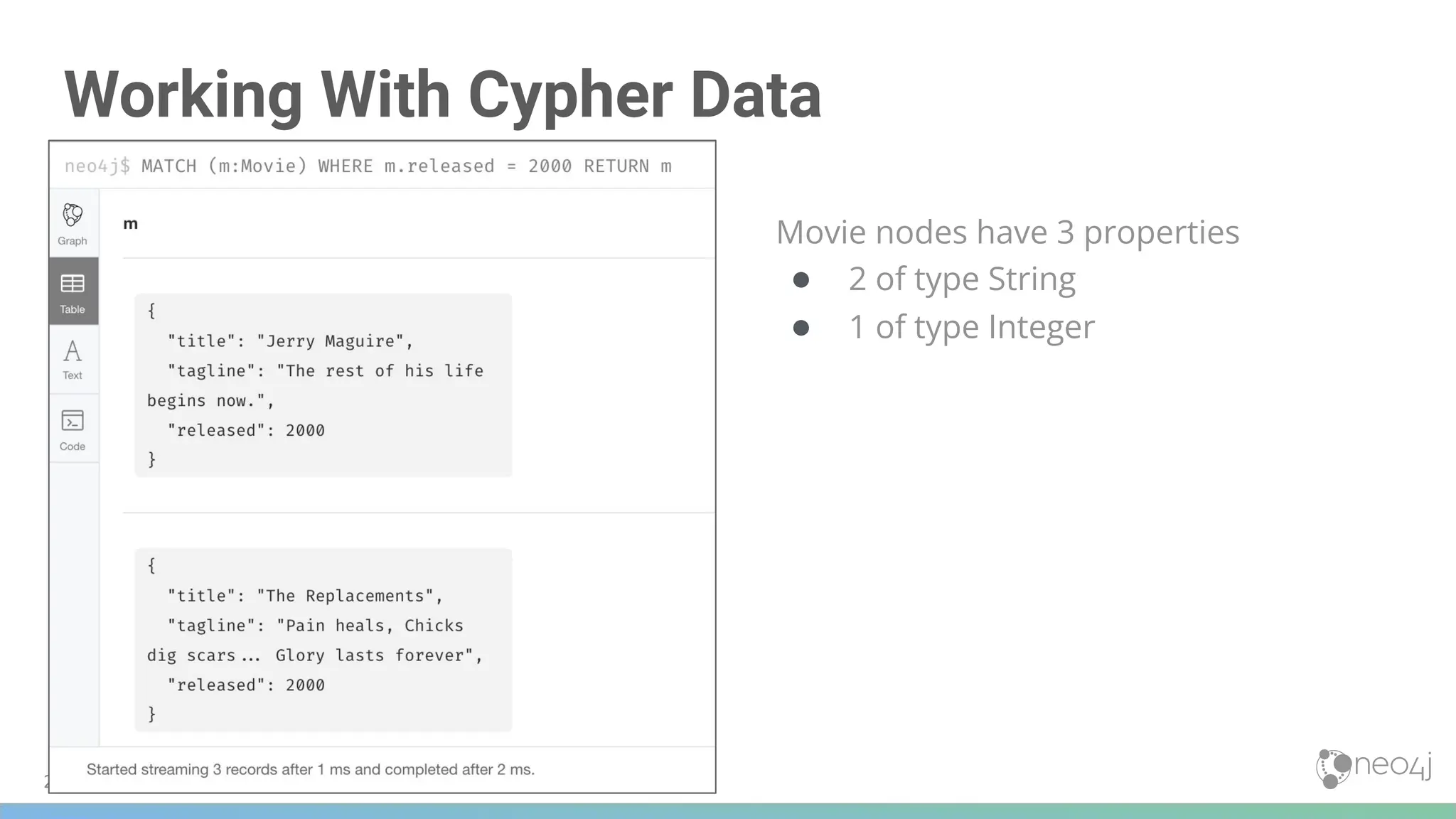
![Lists
Return the cast list for every movie and the size of the cast
MATCH (a:Person)-[:ACTED_IN]->(m:Movie)
RETURN m.title, collect(a) AS cast, size(collect(a)) AS castSize
210](https://image.slidesharecdn.com/5-250304225616-8d25b5b6/75/5-17-IntroductionToNeo4j-allSlides_1_2022_DanMc-pdf-210-2048.jpg)
![Using Strings in Lists
Modifying the query slightly ...
● The list contains the names, instead of the entire set of Person node properties
MATCH (a:Person)-[:ACTED_IN]->(m:Movie)
RETURN m.title, collect(a.name) AS cast, size(collect(a.name)) AS castSize
211](https://image.slidesharecdn.com/5-250304225616-8d25b5b6/75/5-17-IntroductionToNeo4j-allSlides_1_2022_DanMc-pdf-211-2048.jpg)
![212
Accessing Elements of the List
MATCH (a:Person)-[:ACTED_IN]->(m:Movie)
RETURN m.title, collect(a.name)[0] AS `A cast member`,
size(collect(a.name)) AS castSize](https://image.slidesharecdn.com/5-250304225616-8d25b5b6/75/5-17-IntroductionToNeo4j-allSlides_1_2022_DanMc-pdf-212-2048.jpg)

![Working With Maps
RETURN {Jan: 31, Feb: 28, Mar: 31, Apr: 30 , May: 31, Jun: 30 ,
Jul: 31, Aug: 31, Sep: 30, Oct: 31, Nov: 30, Dec: 31}['Feb']
AS DaysInFeb
214](https://image.slidesharecdn.com/5-250304225616-8d25b5b6/75/5-17-IntroductionToNeo4j-allSlides_1_2022_DanMc-pdf-214-2048.jpg)
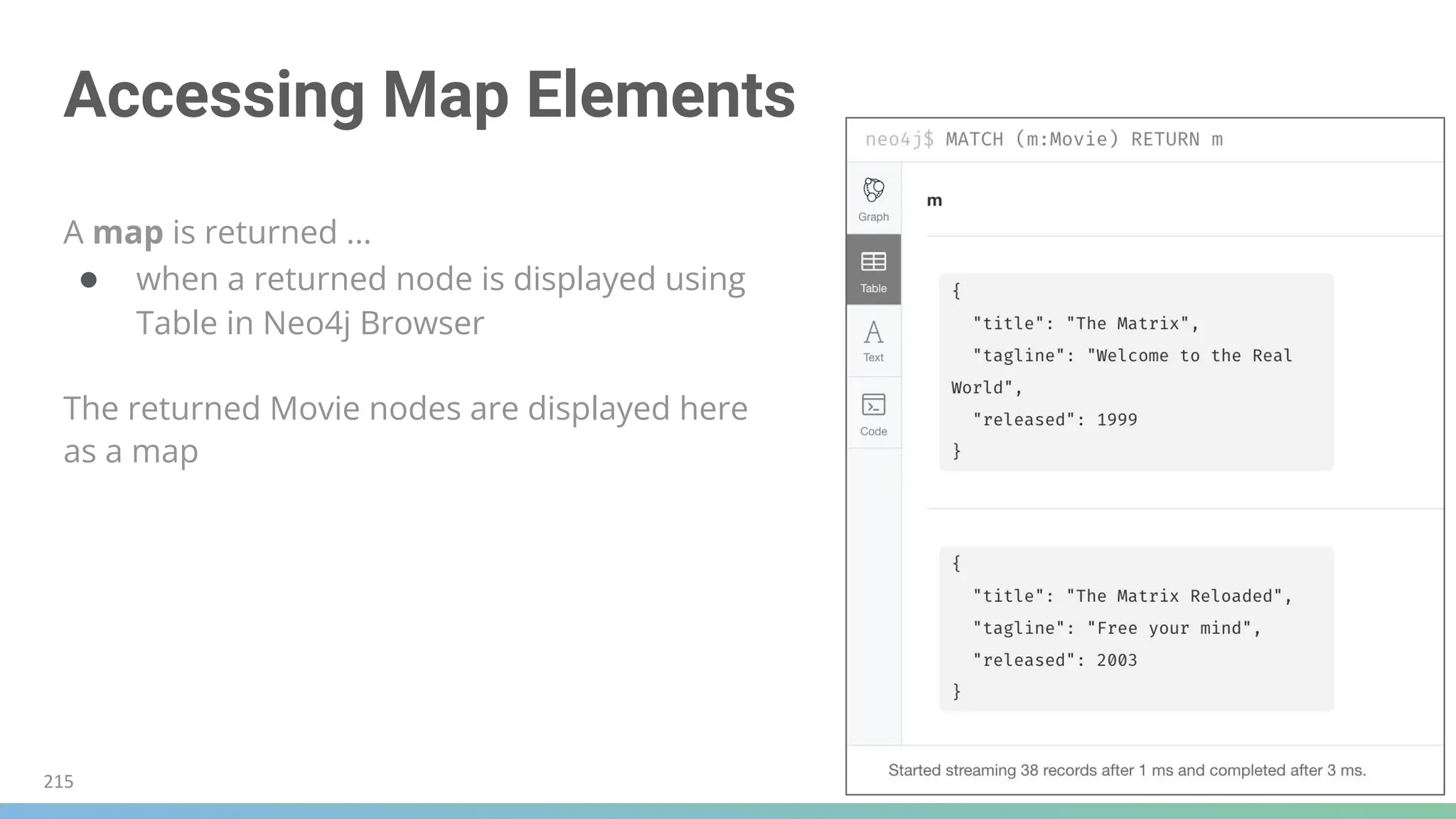
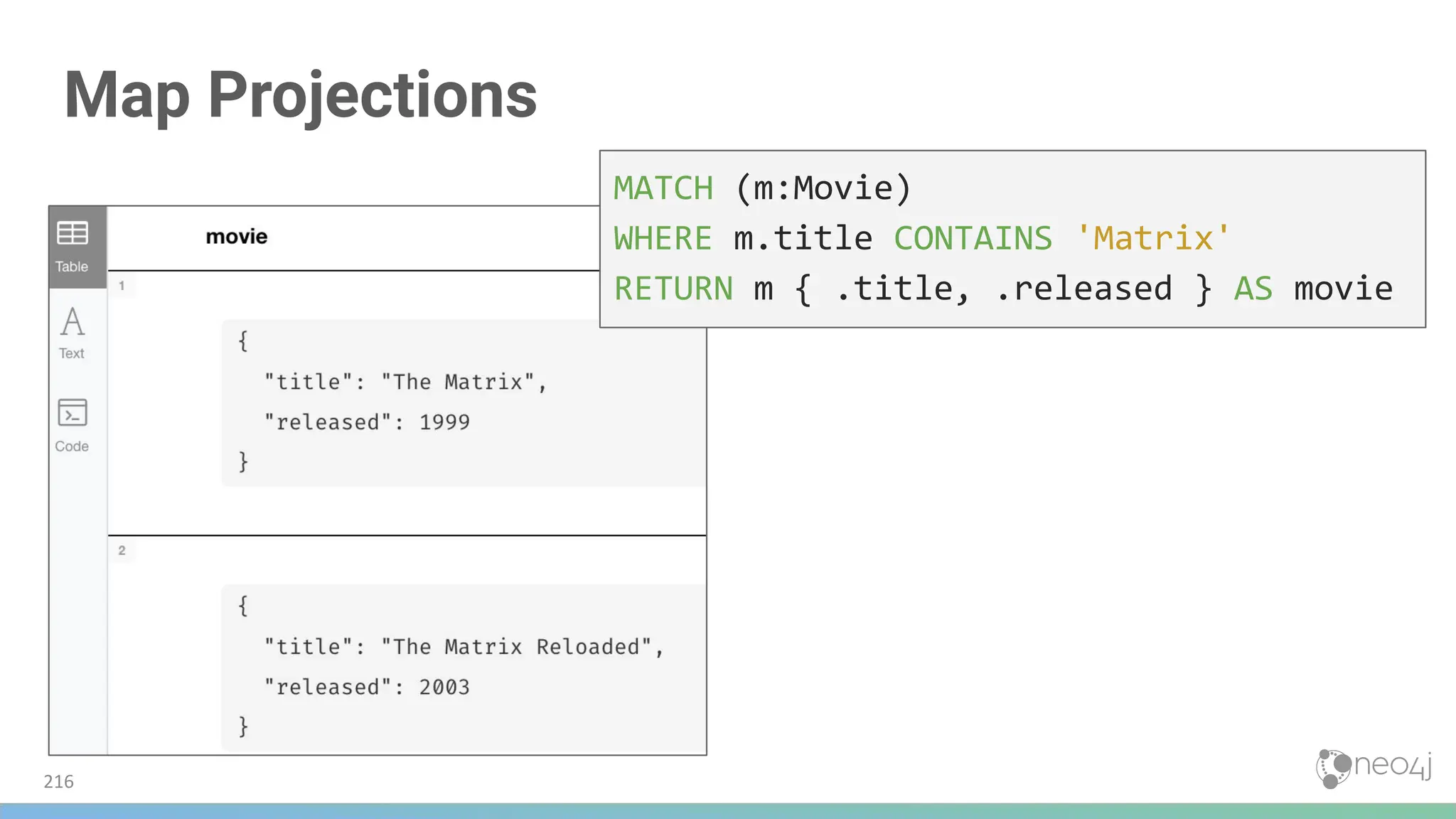
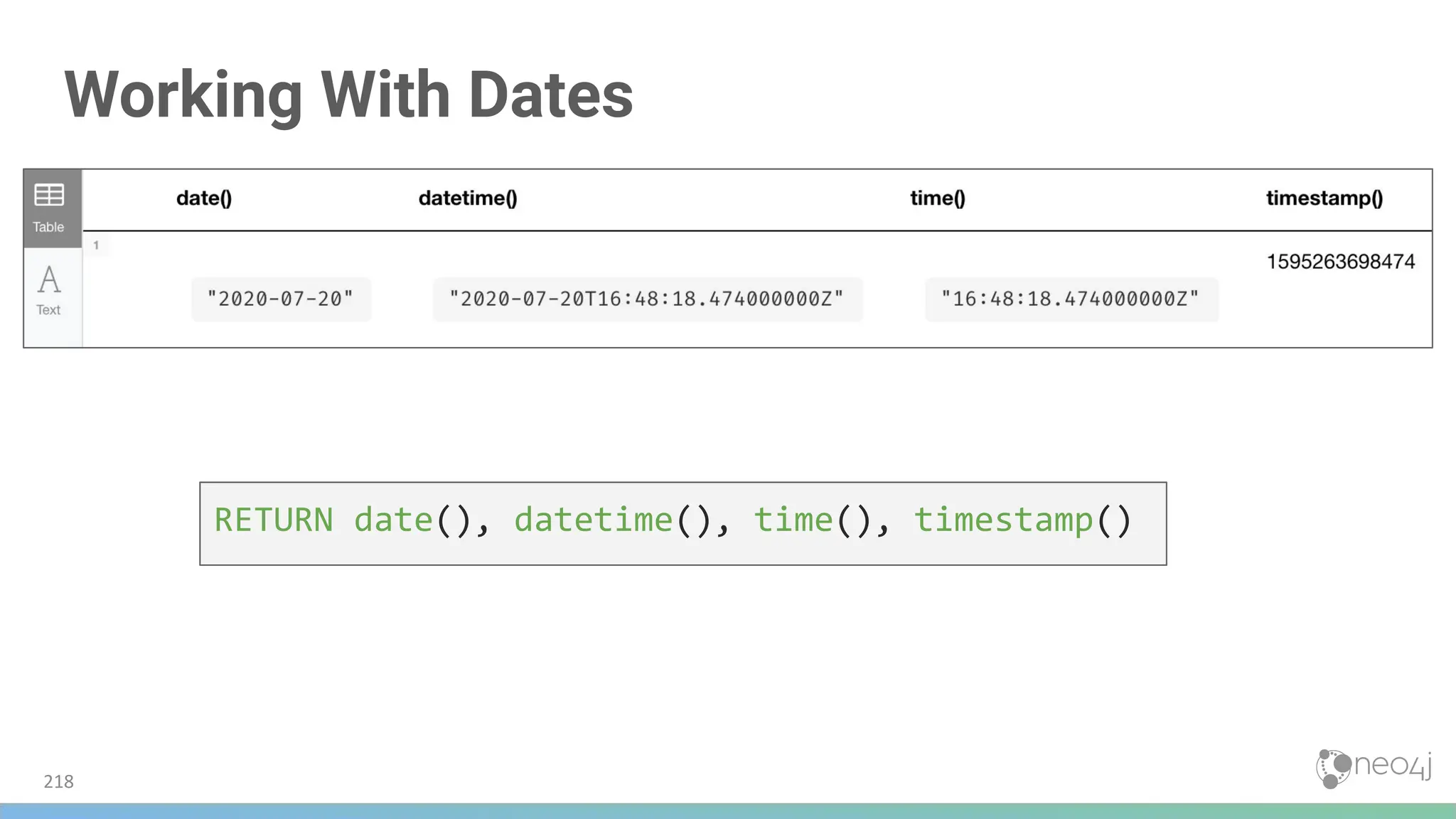
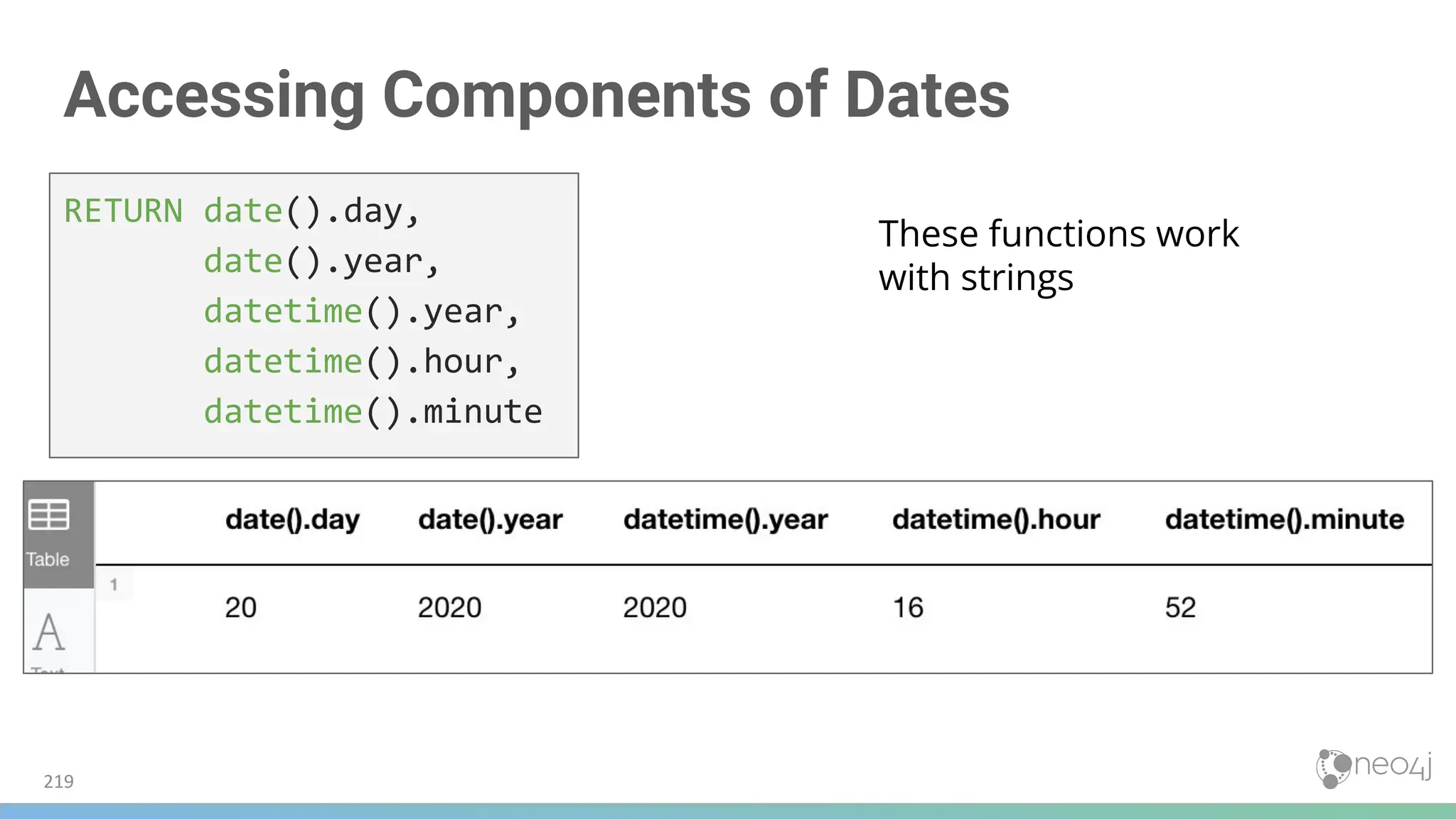
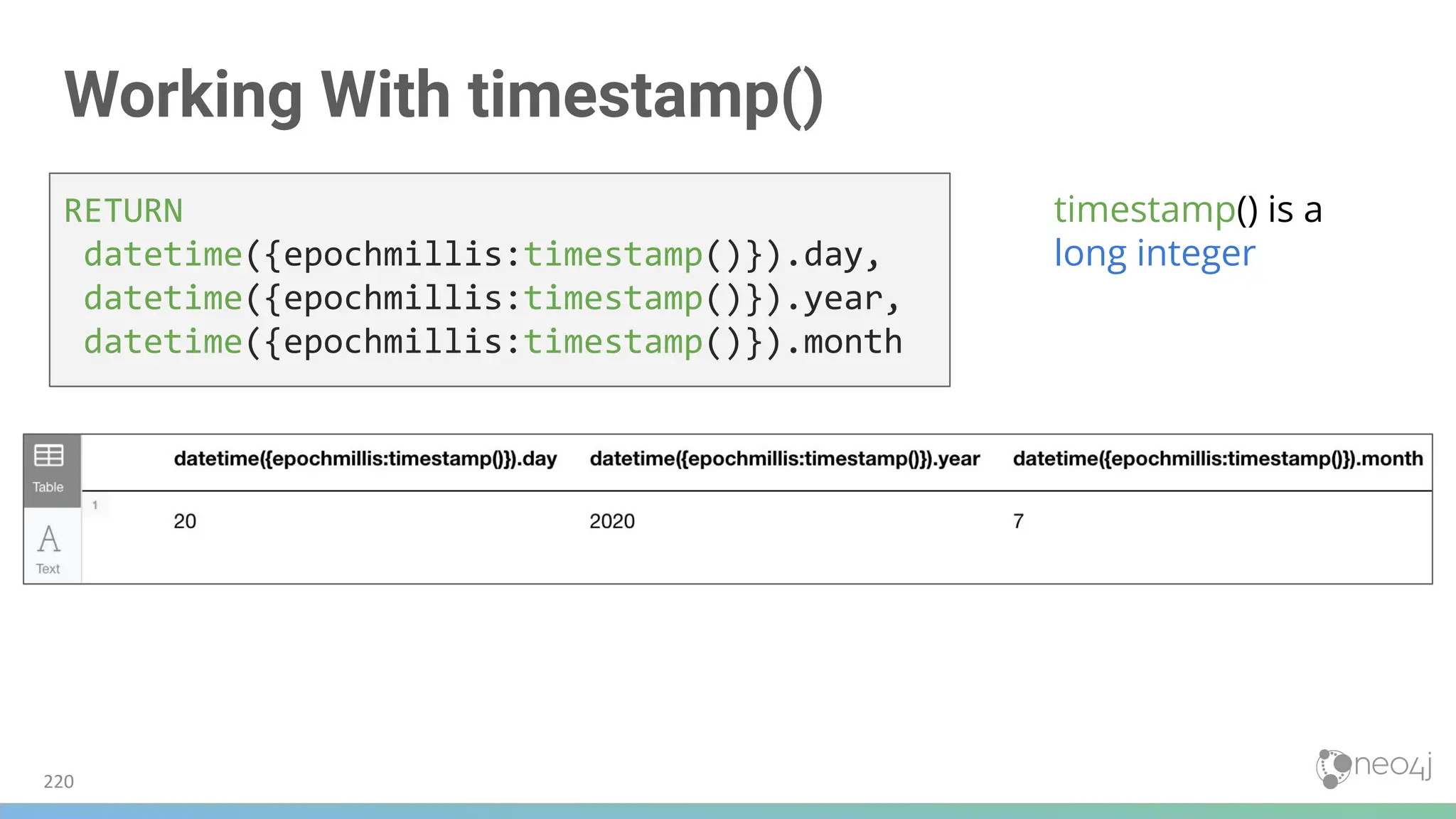
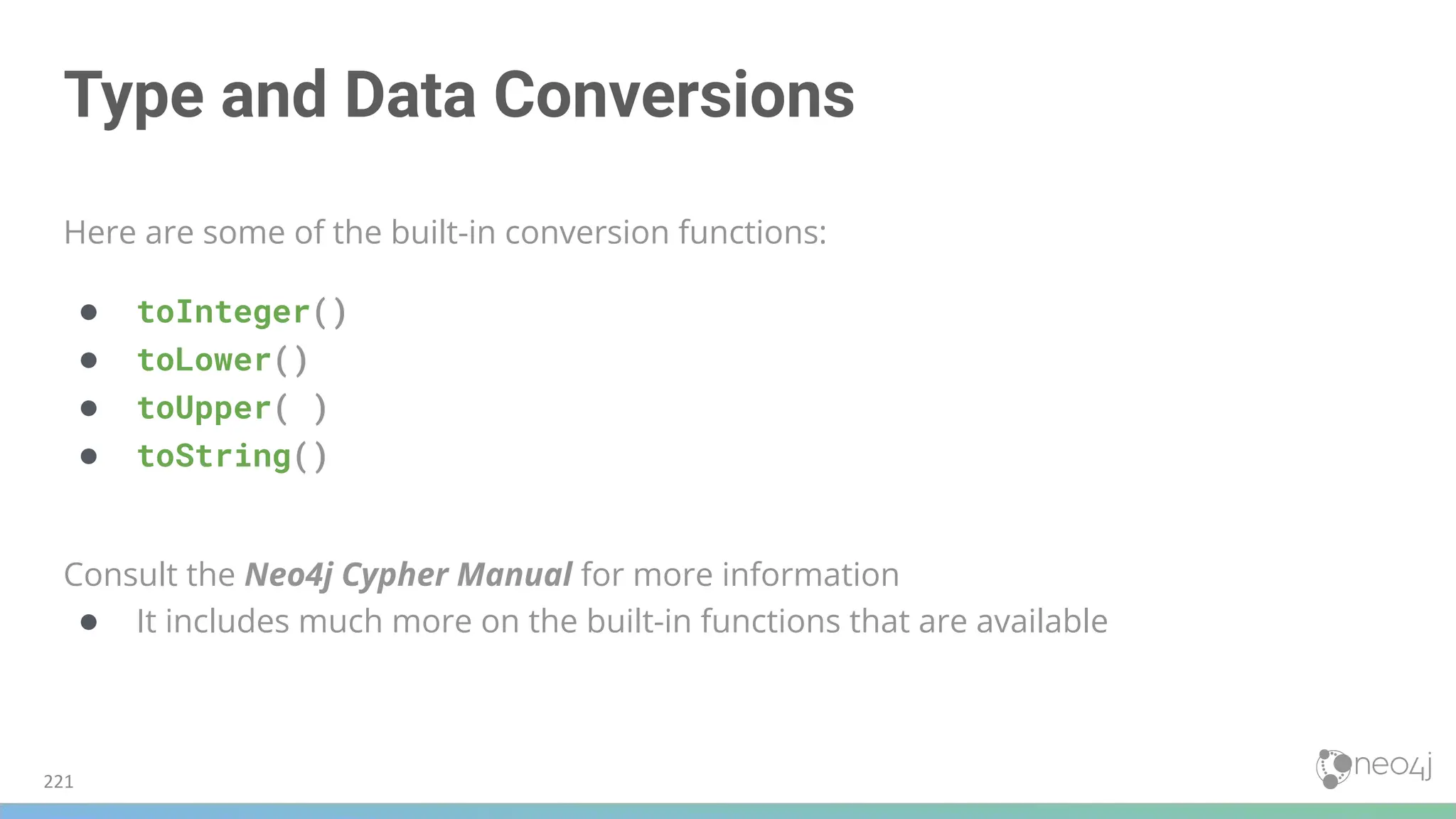




![Intermediate Processing Using WITH
Return each actor ...
● the number of movies they acted in
● and the titles of the movies
MATCH (a:Person)-[:ACTED_IN]->(m:Movie)
RETURN a.name, count(a) AS numMovies,
collect(m.title) AS movies
234](https://image.slidesharecdn.com/5-250304225616-8d25b5b6/75/5-17-IntroductionToNeo4j-allSlides_1_2022_DanMc-pdf-234-2048.jpg)
![Using WITH
Existing variables must be specified in the WITH
to be available for reference later in the query
MATCH (a:Person)-[:ACTED_IN]->(m:Movie)
WITH a, count(a) AS numMovies, collect(m.title) AS movies
WHERE 1 < numMovies < 4
RETURN a.name, numMovies, movies
235](https://image.slidesharecdn.com/5-250304225616-8d25b5b6/75/5-17-IntroductionToNeo4j-allSlides_1_2022_DanMc-pdf-235-2048.jpg)
![Using WITH and UNWIND
When importing data into a graph -
WITH and UNWIND are frequently utilized
MATCH (m:Movie)<-[:ACTED_IN]-(p:Person)
WITH collect(p) AS actors, count(p) AS actorCount, m
UNWIND actors AS actor
RETURN m.title, actorCount, actor.name
237](https://image.slidesharecdn.com/5-250304225616-8d25b5b6/75/5-17-IntroductionToNeo4j-allSlides_1_2022_DanMc-pdf-237-2048.jpg)
![Subqueries with WITH
MATCH (m:Movie)<-[rv:REVIEWED]-(r:Person)
WITH m, rv, r
MATCH (m)<-[:DIRECTED]-(d:Person)
RETURN m.title, rv.rating, r.name, collect(d.name)
238](https://image.slidesharecdn.com/5-250304225616-8d25b5b6/75/5-17-IntroductionToNeo4j-allSlides_1_2022_DanMc-pdf-238-2048.jpg)
![240
Subquery
MATCH (p:Person)
WITH p, size((p)-[:ACTED_IN]->()) AS movies
WHERE movies >= 5
OPTIONAL MATCH (p)-[:DIRECTED]->(m:Movie)
RETURN p.name, m.title](https://image.slidesharecdn.com/5-250304225616-8d25b5b6/75/5-17-IntroductionToNeo4j-allSlides_1_2022_DanMc-pdf-240-2048.jpg)
![Performing Subqueries with CALL
Variable m in the
subquery is used again in
the next query
CALL
{MATCH (p:Person)-[:REVIEWED]->(m:Movie)
RETURN m}
MATCH (m) WHERE m.released=2000
RETURN m.title, m.released
241](https://image.slidesharecdn.com/5-250304225616-8d25b5b6/75/5-17-IntroductionToNeo4j-allSlides_1_2022_DanMc-pdf-241-2048.jpg)

![Question 1
Given this code snippet, what variables can you use in the RETURN clause?
MATCH (a:Person)-[r:ACTED_IN]->(m:Movie)
WITH a, count(a) AS numMovies
WHERE 1 < numMovies < 4
RETURN ??
Select the correct answers:
❏ a
❏ r
❏ m
❏ numMovies](https://image.slidesharecdn.com/5-250304225616-8d25b5b6/75/5-17-IntroductionToNeo4j-allSlides_1_2022_DanMc-pdf-244-2048.jpg)
![Question 1
Given this code snippet, what variables can you use in the RETURN clause?
MATCH (a:Person)-[r:ACTED_IN]->(m:Movie)
WITH a, count(a) AS numMovies
WHERE 1 < numMovies < 4
RETURN ??
Select the correct answers:
❏ a
❏ r
❏ m
❏ numMovies](https://image.slidesharecdn.com/5-250304225616-8d25b5b6/75/5-17-IntroductionToNeo4j-allSlides_1_2022_DanMc-pdf-245-2048.jpg)
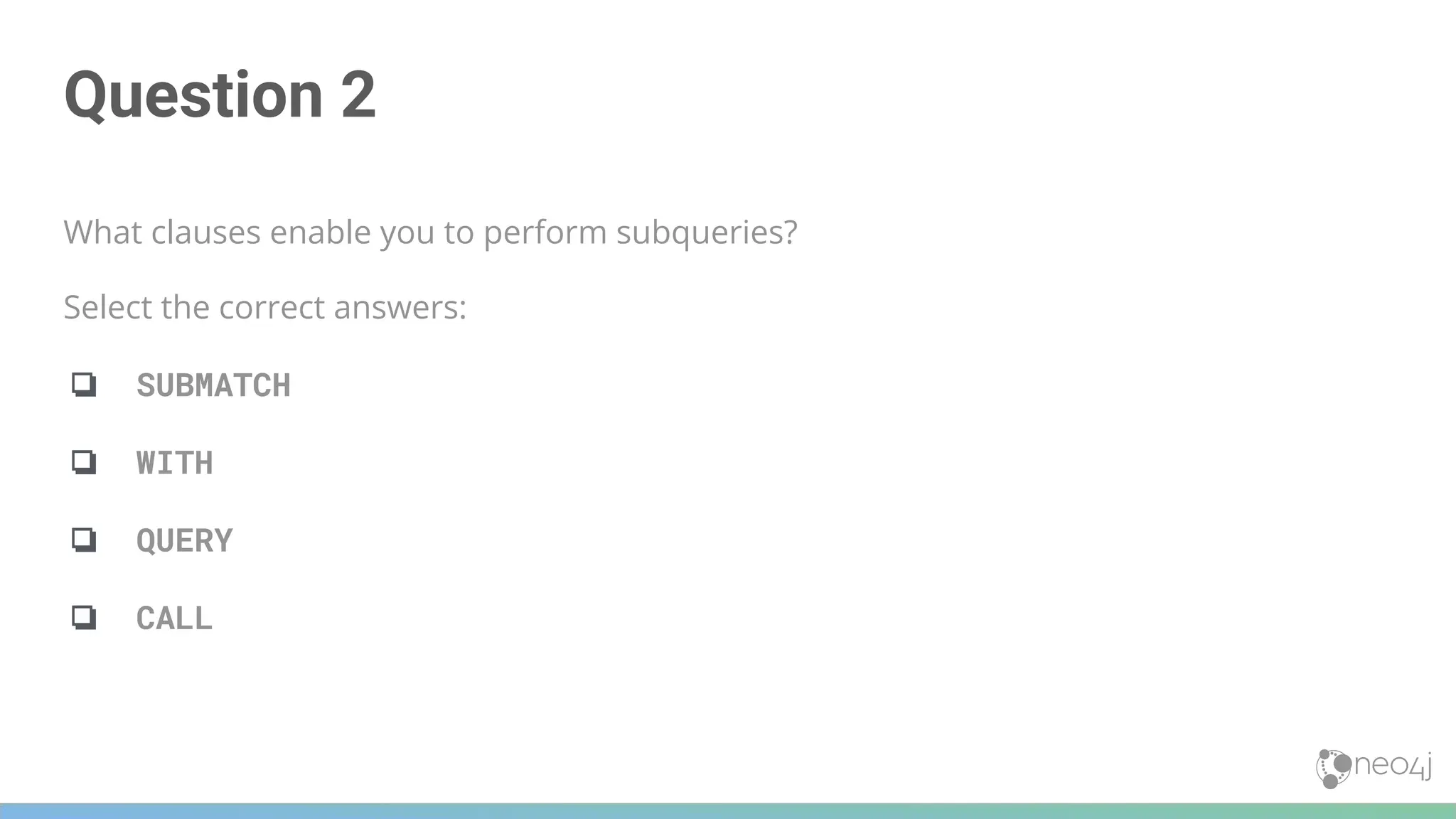
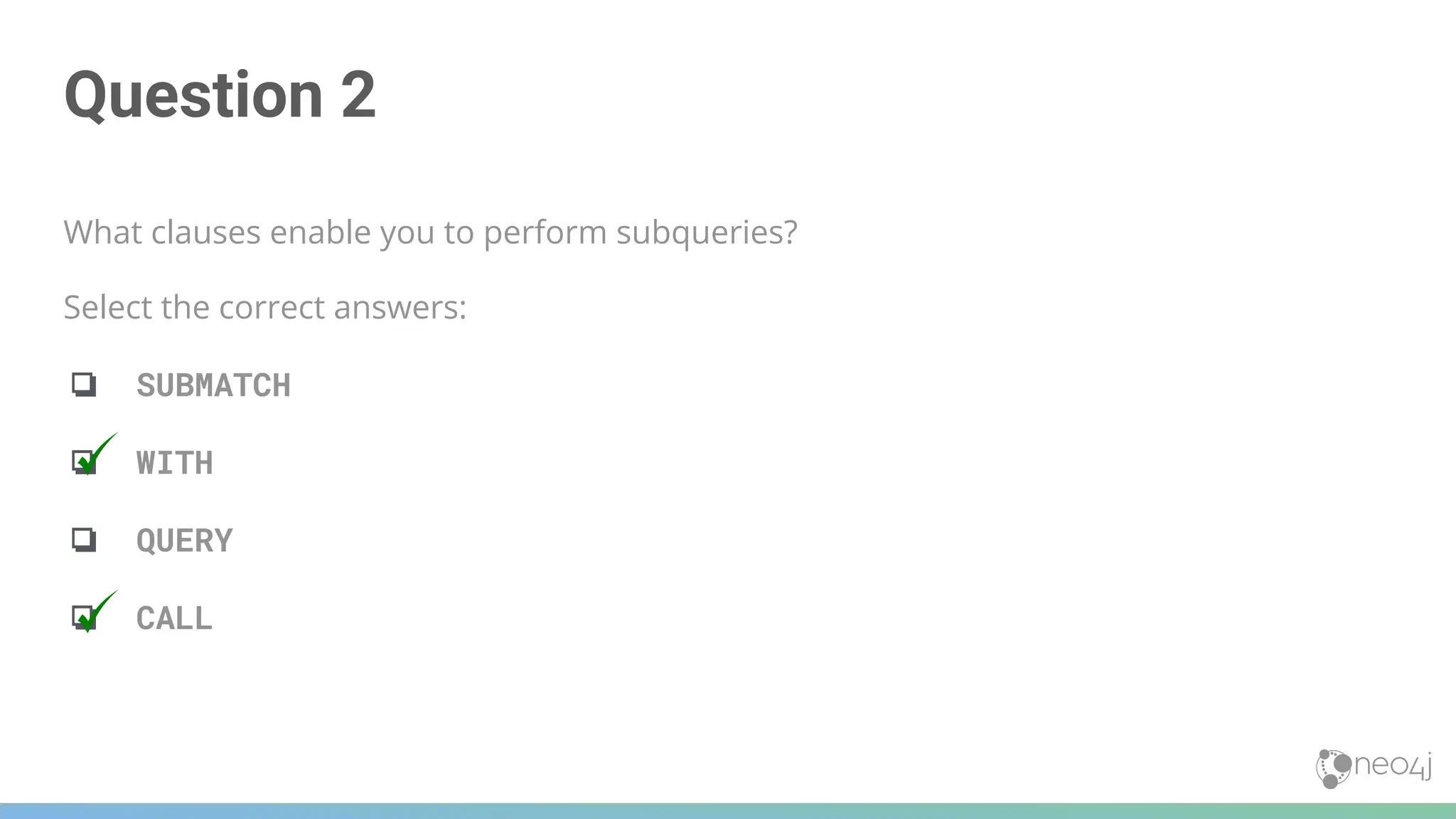
![Question 3
Given this Cypher query, what Cypher clause do you use here to turn the list of movies into rows?
MATCH (m:Movie)<-[:ACTED_IN]-(p:Person)
WITH collect(m) AS movies,count(m) AS movieCount, p
?? movies AS movie
RETURN p.name, movieCount, movie.title
Select the correct answer:
❏ ELEMENTS
❏ UNWIND
❏ ROWS
❏ SELECT](https://image.slidesharecdn.com/5-250304225616-8d25b5b6/75/5-17-IntroductionToNeo4j-allSlides_1_2022_DanMc-pdf-248-2048.jpg)
![Question 3
Given this Cypher query, what Cypher clause do you use here to turn the list of movies into rows?
MATCH (m:Movie)<-[:ACTED_IN]-(p:Person)
WITH collect(m) AS movies,count(m) AS movieCount, p
?? movies AS movie
RETURN p.name, movieCount, movie.title
Select the correct answer:
❏ ELEMENTS
❏ UNWIND
❏ ROWS
❏ SELECT](https://image.slidesharecdn.com/5-250304225616-8d25b5b6/75/5-17-IntroductionToNeo4j-allSlides_1_2022_DanMc-pdf-249-2048.jpg)


![Example with Duplicate
Results
MATCH (p:Person)-[:DIRECTED | ACTED_IN]->(m:Movie)
WHERE p.name = 'Tom Hanks'
RETURN m.title, m.released
Returned 13
records
254](https://image.slidesharecdn.com/5-250304225616-8d25b5b6/75/5-17-IntroductionToNeo4j-allSlides_1_2022_DanMc-pdf-254-2048.jpg)
![Eliminating
Duplication
Eliminate duplicates
using DISTINCT
MATCH (p:Person)-[:DIRECTED | ACTED_IN]->(m:Movie)
WHERE p.name = 'Tom Hanks'
RETURN DISTINCT m.title, m.released
Returned 12
records
255](https://image.slidesharecdn.com/5-250304225616-8d25b5b6/75/5-17-IntroductionToNeo4j-allSlides_1_2022_DanMc-pdf-255-2048.jpg)
![Duplication in Lists
MATCH (p:Person)-[:ACTED_IN | DIRECTED | WROTE]->(m:Movie)
WHERE m.released = 2003
RETURN m.title, collect(p.name) AS credits
Duplicates
256](https://image.slidesharecdn.com/5-250304225616-8d25b5b6/75/5-17-IntroductionToNeo4j-allSlides_1_2022_DanMc-pdf-256-2048.jpg)
![Eliminating Duplication in Lists
MATCH (p:Person)-[:ACTED_IN | DIRECTED | WROTE]->(m:Movie)
WHERE m.released = 2003
RETURN m.title, collect(DISTINCT p.name) AS credits
257](https://image.slidesharecdn.com/5-250304225616-8d25b5b6/75/5-17-IntroductionToNeo4j-allSlides_1_2022_DanMc-pdf-257-2048.jpg)
![258
WITH and DISTINCT to Eliminate Duplication
MATCH (p:Person)-[:DIRECTED | ACTED_IN]->(m:Movie)
WHERE p.name = 'Tom Hanks'
WITH DISTINCT m
RETURN m.released, m.title](https://image.slidesharecdn.com/5-250304225616-8d25b5b6/75/5-17-IntroductionToNeo4j-allSlides_1_2022_DanMc-pdf-258-2048.jpg)
![Ordering Results
MATCH (p:Person)-[:DIRECTED | ACTED_IN]->(m:Movie)
WHERE p.name = 'Tom Hanks' OR p.name = 'Keanu Reeves'
RETURN DISTINCT m.title, m.released ORDER BY m.released DESC
260](https://image.slidesharecdn.com/5-250304225616-8d25b5b6/75/5-17-IntroductionToNeo4j-allSlides_1_2022_DanMc-pdf-260-2048.jpg)
![Ordering Multiple Results
There is no limit how many times
ORDER BY can be used in a query
MATCH (p:Person)-[:DIRECTED | ACTED_IN]->(m:Movie)
WHERE p.name = 'Tom Hanks' OR p.name = 'Keanu Reeves'
RETURN DISTINCT m.title, m.released
ORDER BY m.released DESC, m.title
Rows sorted by release date
descending, and by title
261](https://image.slidesharecdn.com/5-250304225616-8d25b5b6/75/5-17-IntroductionToNeo4j-allSlides_1_2022_DanMc-pdf-261-2048.jpg)
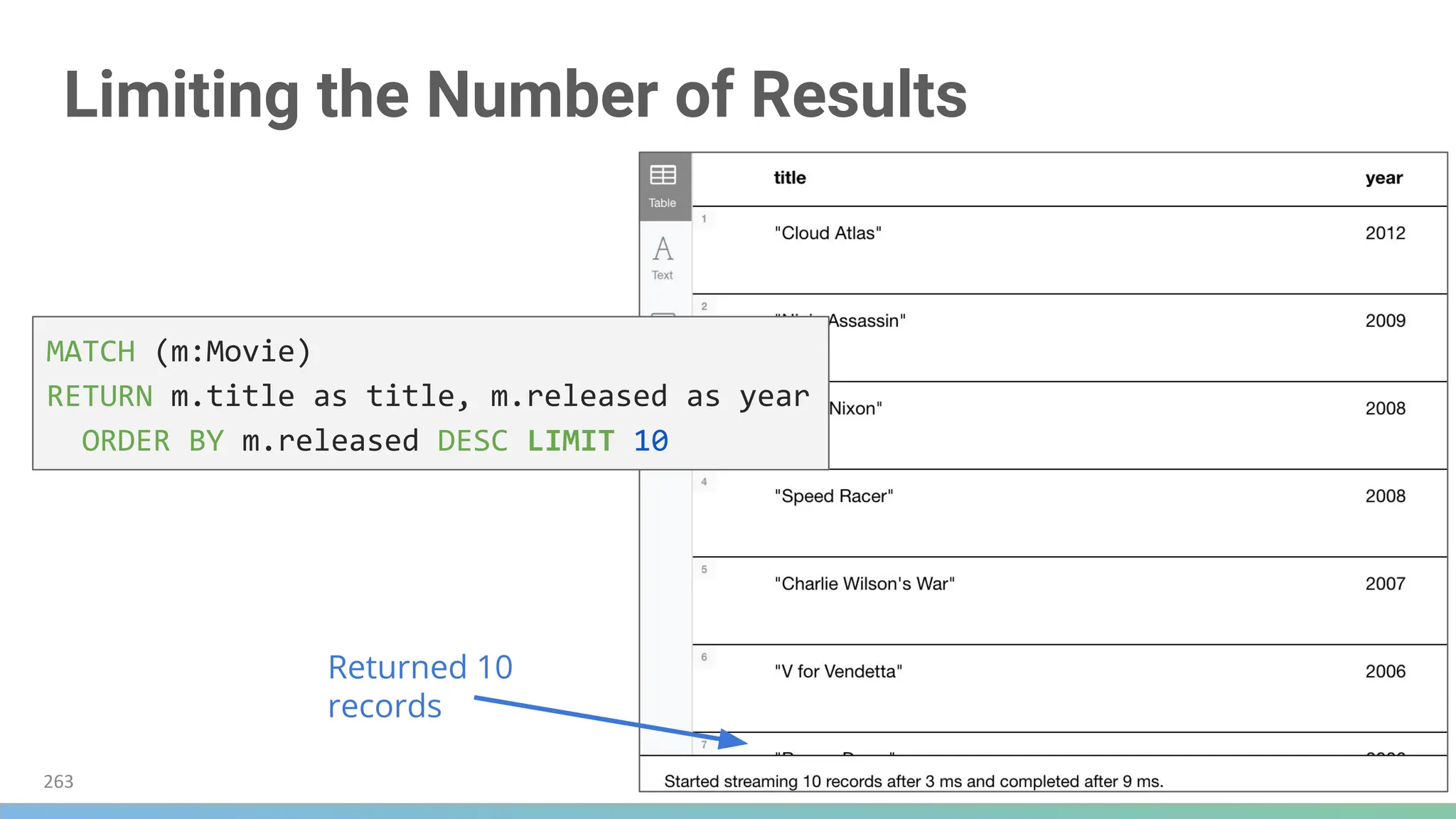
![Limiting Number of Intermediate Results
MATCH (p:Person)-[:ACTED_IN]->(m:Movie)
WITH m, p LIMIT 6
RETURN collect(p.name), m.title
264](https://image.slidesharecdn.com/5-250304225616-8d25b5b6/75/5-17-IntroductionToNeo4j-allSlides_1_2022_DanMc-pdf-264-2048.jpg)
![Another Example Using LIMIT
Note: This display in Neo4j Browser is
with Connect result nodes unchecked
MATCH (m:Movie)
WITH m LIMIT 5
MATCH path = (m)<-[:ACTED_IN]-(:Person)
WITH m, collect(path) AS paths
RETURN m, paths[0..2]
265](https://image.slidesharecdn.com/5-250304225616-8d25b5b6/75/5-17-IntroductionToNeo4j-allSlides_1_2022_DanMc-pdf-265-2048.jpg)
![Alternative to LIMIT
An alternative to the code above:
MATCH (a:Person)-[:ACTED_IN]->(m:Movie)
WITH a, collect(m.title) AS movies
WHERE size(movies) = 5
RETURN a.name, movies
MATCH (a:Person)-[:ACTED_IN]->(m:Movie)
WITH a, count(*) AS numMovies, collect(m.title) AS movies
WHERE numMovies = 5
RETURN a.name, numMovies, movies
266](https://image.slidesharecdn.com/5-250304225616-8d25b5b6/75/5-17-IntroductionToNeo4j-allSlides_1_2022_DanMc-pdf-266-2048.jpg)

![Question 1
This code returns the titles of all movies that have been reviewed. Multiple people can review a
movie. How can you change this code so that a movie title will only be returned once?
MATCH (m:Movie)<-[:REVIEWED]-()
RETURN m.title
Select the correct answers:
❏ MATCH (m:Movie)←[:REVIEWED]-() RETURN DISTINCT m.title
❏ MATCH (m:Movie)←[:REVIEWED]-() RETURN UNIQUE m.title
❏ MATCH (m:Movie)←[:REVIEWED]-() WITH DISTINCT m RETURN m.title
❏ MATCH (m:Movie)←[:REVIEWED]-() WITH UNIQUE m RETURN m.title](https://image.slidesharecdn.com/5-250304225616-8d25b5b6/75/5-17-IntroductionToNeo4j-allSlides_1_2022_DanMc-pdf-269-2048.jpg)
![Question 1
This code returns the titles of all movies that have been reviewed. Multiple people can review a
movie. How can you change this code so that a movie title will only be returned once?
MATCH (m:Movie)<-[:REVIEWED]-()
RETURN m.title
Select the correct answers:
❏ MATCH (m:Movie)←[:REVIEWED]-() RETURN DISTINCT m.title
❏ MATCH (m:Movie)←[:REVIEWED]-() RETURN UNIQUE m.title
❏ MATCH (m:Movie)←[:REVIEWED]-() WITH DISTINCT m RETURN m.title
❏ MATCH (m:Movie)←[:REVIEWED]-() WITH UNIQUE m RETURN m.title](https://image.slidesharecdn.com/5-250304225616-8d25b5b6/75/5-17-IntroductionToNeo4j-allSlides_1_2022_DanMc-pdf-270-2048.jpg)
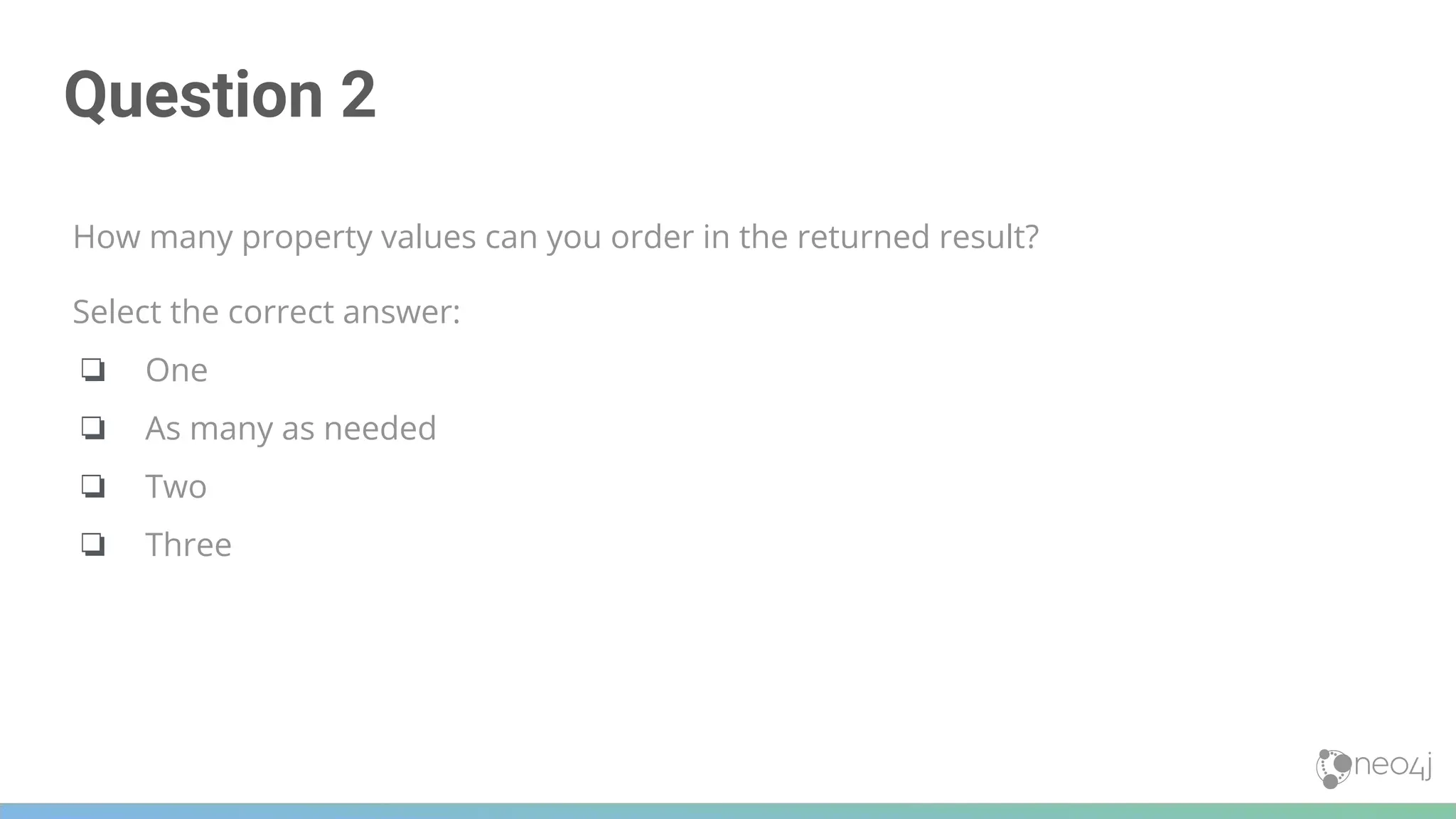
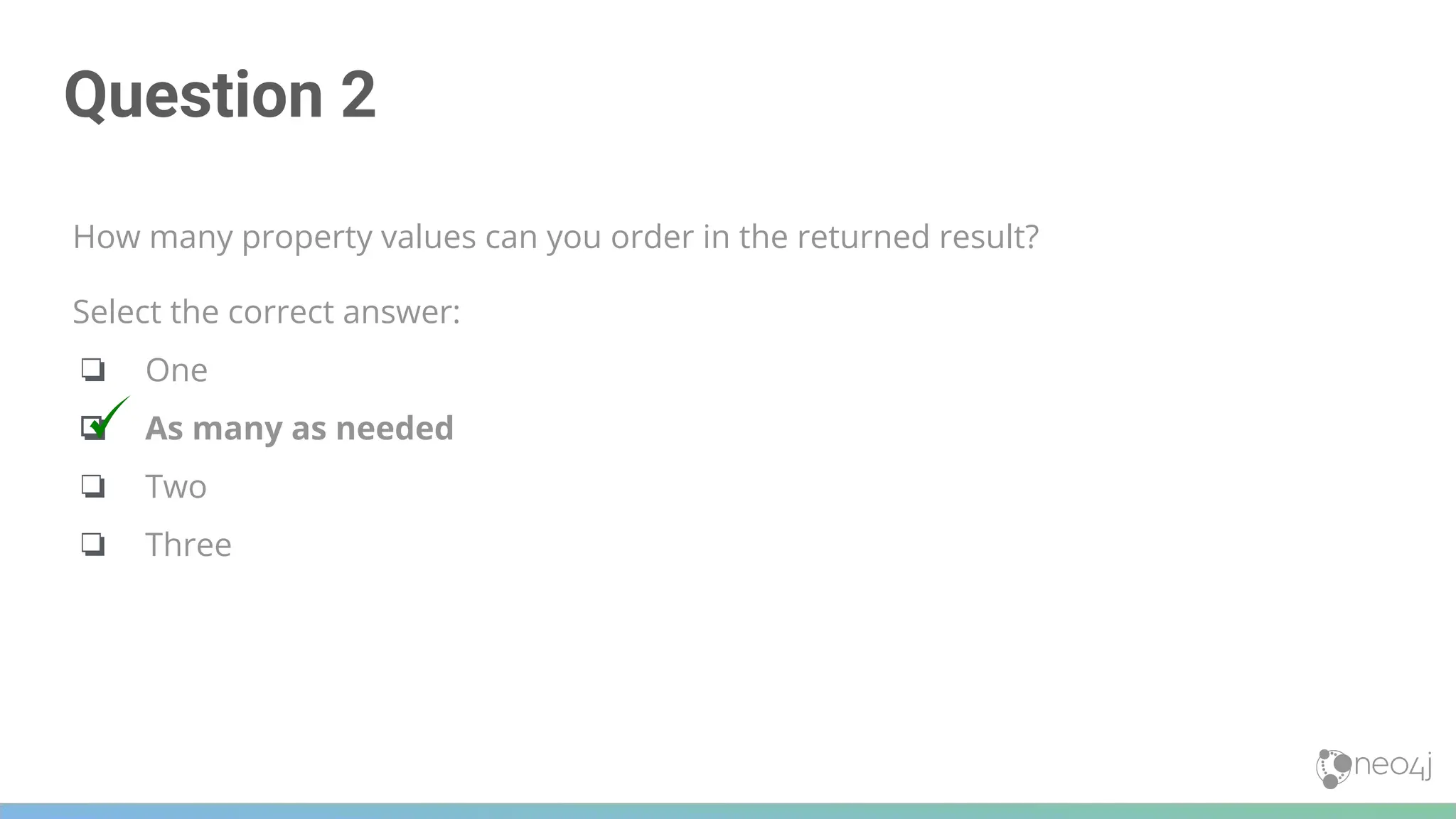
![Question 3
We want to retrieve the names of the five oldest persons in our dataset. What code will do this?
Select the correct answers:
❏ MATCH (p:Person)-[:ACTED_IN]→() WITH p LIMIT 5 RETURN DISTINCT p.name,
p.born ORDER BY p.born
❏ MATCH (p:Person) WITH p LIMIT 5 RETURN DISTINCT p.name, p.born ORDER BY
p.born
❏ MATCH (p:Person)-[:ACTED_IN]→() RETURN DISTINCT p.name, p.born ORDER BY
p.born LIMIT 5
❏ MATCH (p:Person) RETURN DISTINCT p.name, p.born ORDER BY p.born LIMIT 5](https://image.slidesharecdn.com/5-250304225616-8d25b5b6/75/5-17-IntroductionToNeo4j-allSlides_1_2022_DanMc-pdf-273-2048.jpg)
![Question 3
We want to retrieve the names of the five oldest persons in our dataset. What code will do this?
Select the correct answers:
❏ MATCH (p:Person)-[:ACTED_IN]→() WITH p LIMIT 5 RETURN DISTINCT p.name,
p.born ORDER BY p.born
❏ MATCH (p:Person) WITH p LIMIT 5 RETURN DISTINCT p.name, p.born ORDER BY
p.born
❏ MATCH (p:Person)-[:ACTED_IN]→() RETURN DISTINCT p.name, p.born ORDER BY
p.born LIMIT 5
❏ MATCH (p:Person) RETURN DISTINCT p.name, p.born ORDER BY p.born LIMIT 5](https://image.slidesharecdn.com/5-250304225616-8d25b5b6/75/5-17-IntroductionToNeo4j-allSlides_1_2022_DanMc-pdf-274-2048.jpg)

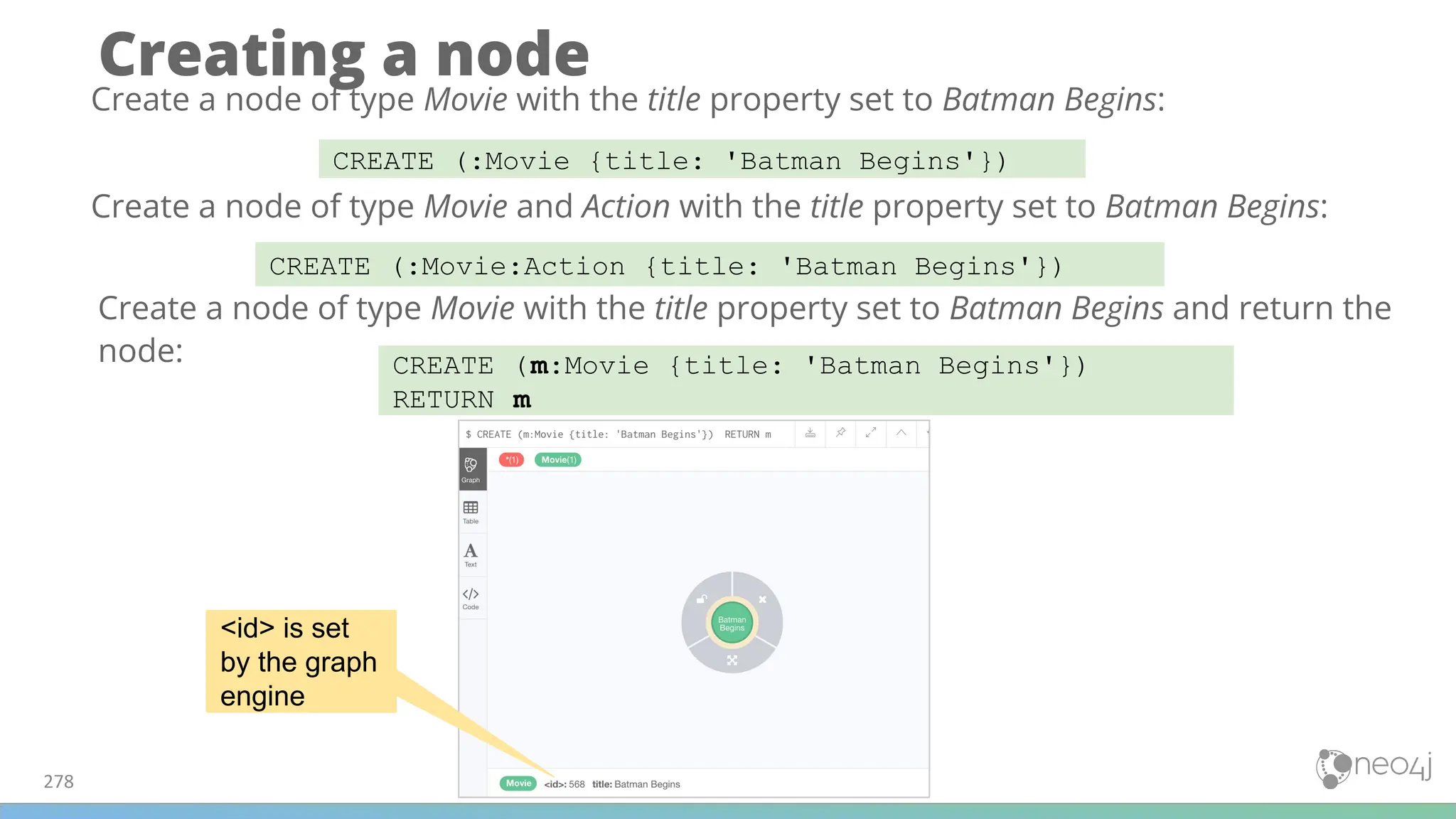
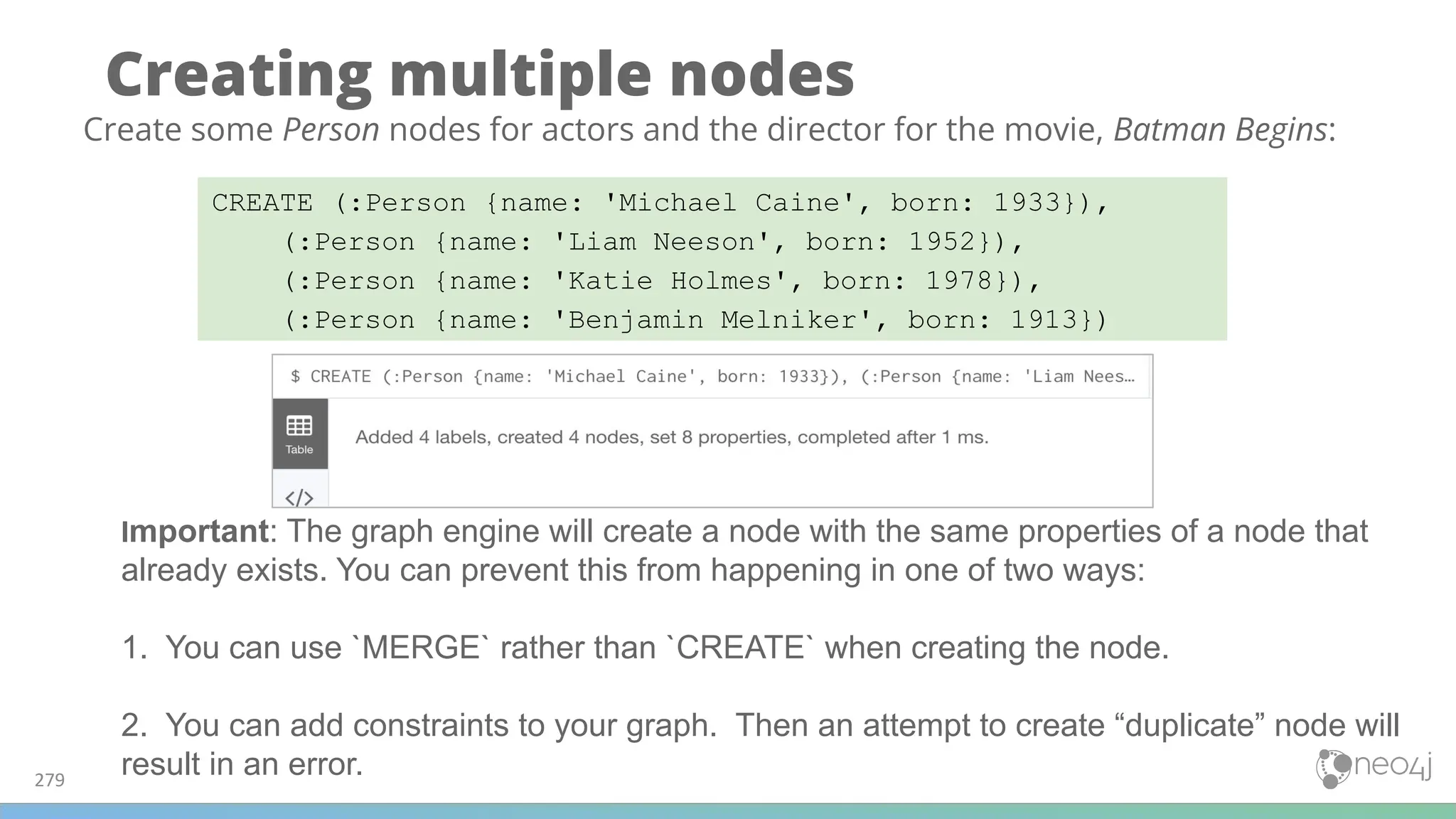
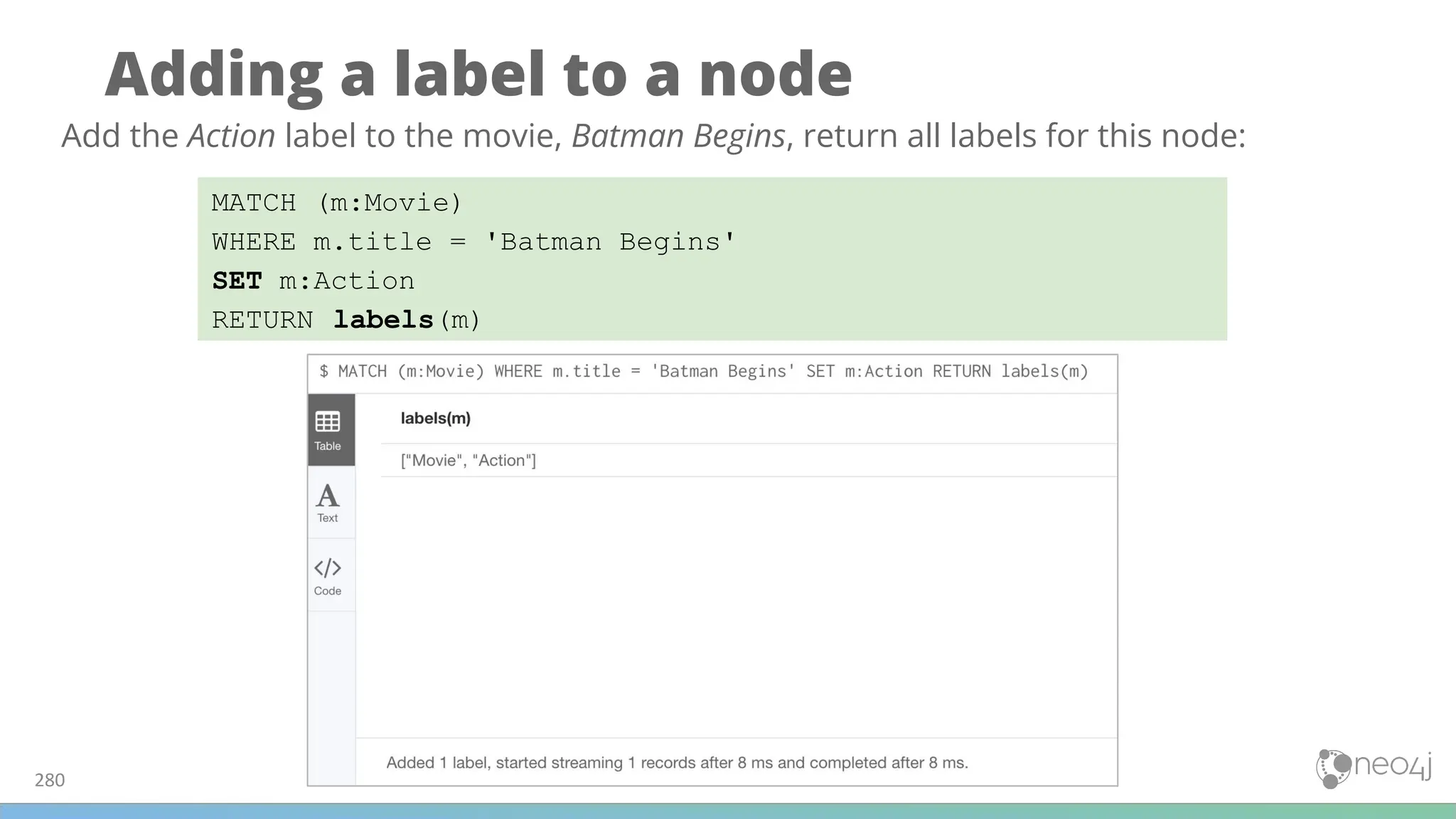
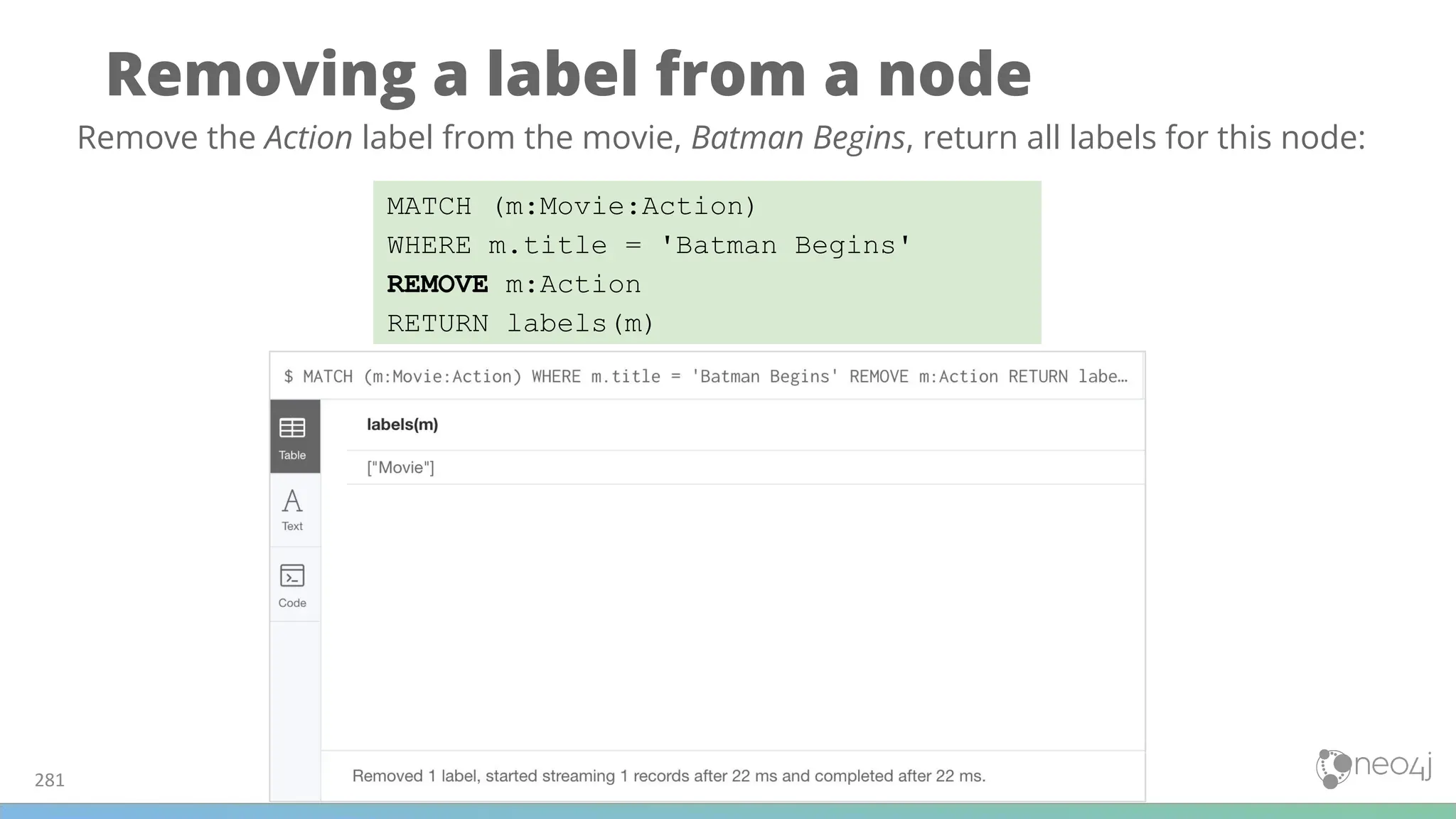
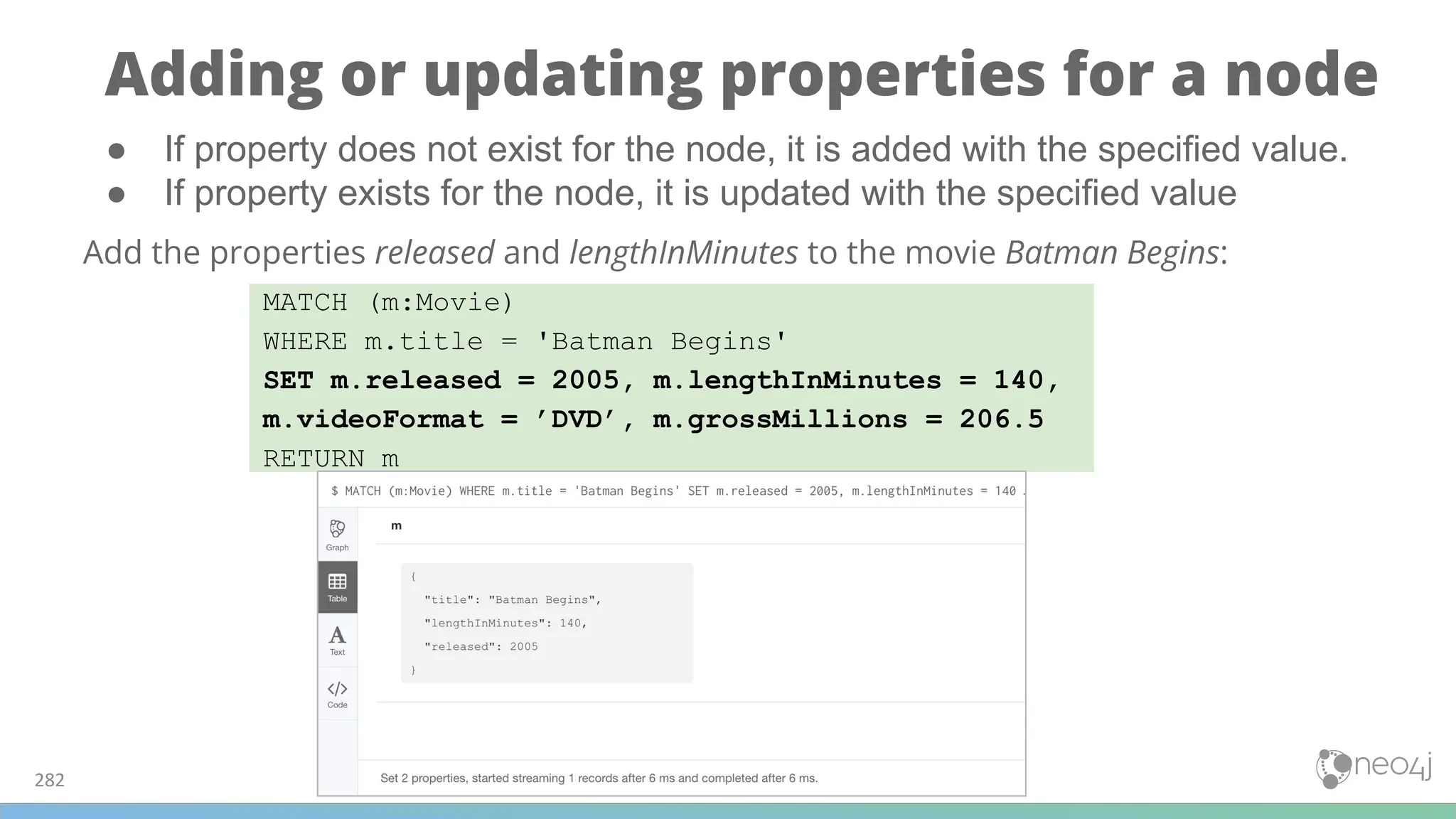
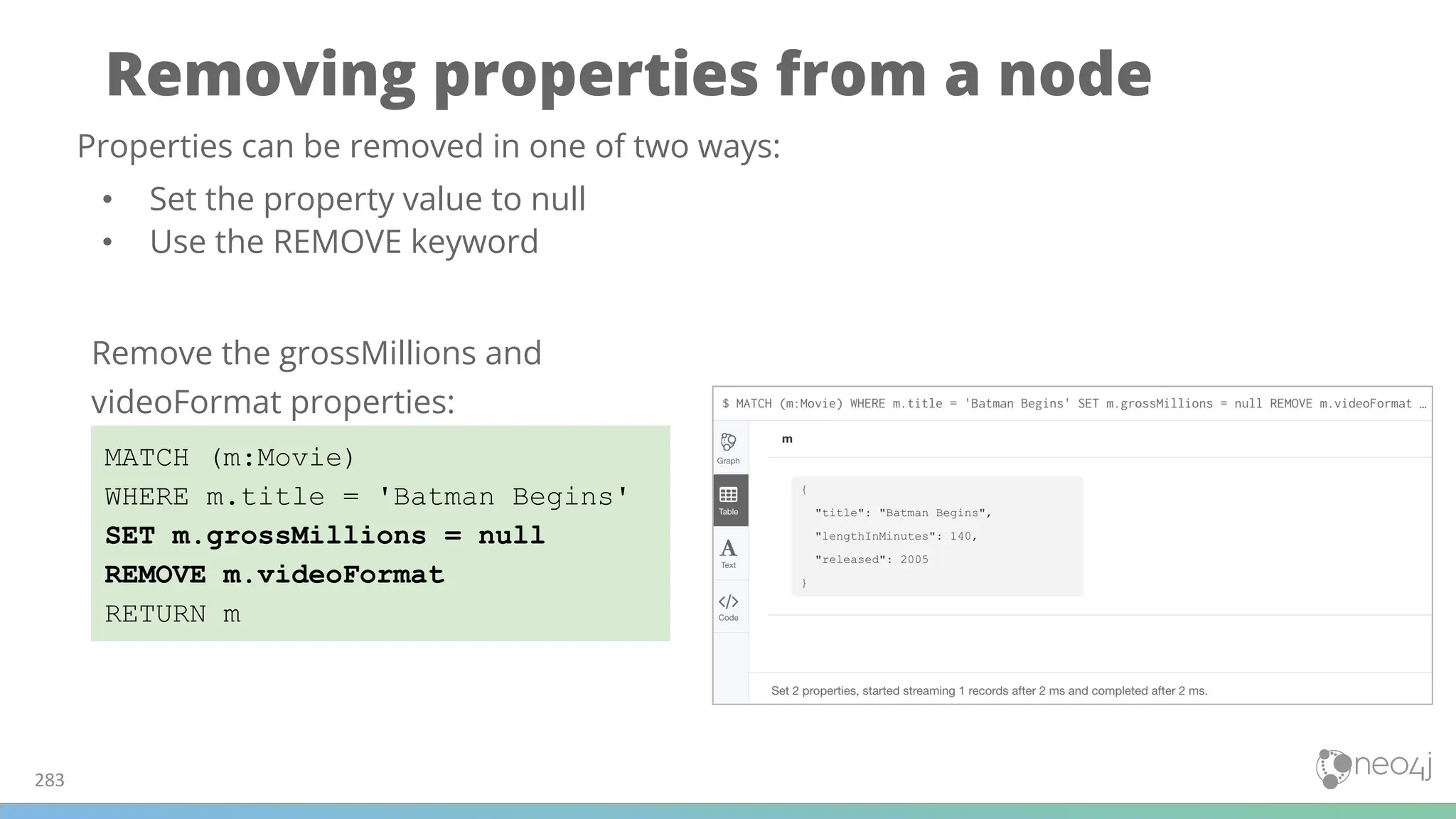

![Creating a relationship
285
MATCH (a:Person), (m:Movie)
WHERE a.name = 'Michael Caine' AND
m.title = 'Batman Begins'
CREATE (a)-[:ACTED_IN]->(m)
RETURN a, m
You create a relationship by:
1. Finding the “from node”.
2. Finding the “to node”.
3. Using CREATE to add the directed relationship between the nodes.
Create the :ACTED_IN relationship between
the Person, Michael Caine and the Movie,
Batman Begins:](https://image.slidesharecdn.com/5-250304225616-8d25b5b6/75/5-17-IntroductionToNeo4j-allSlides_1_2022_DanMc-pdf-285-2048.jpg)
![Creating multiple relationships
286
MATCH (a:Person), (m:Movie), (p:Person)
WHERE a.name = 'Liam Neeson' AND
m.title = 'Batman Begins' AND
p.name = 'Benjamin Melniker'
CREATE (a)-[:ACTED_IN]->(m)<-[:PRODUCED]-(p)
RETURN a, m, p
Create the :ACTED_IN relationship
between the Person, Liam Neeson and
the Movie, Batman Begins and the
:PRODUCED relationship between the
Person, Benjamin Melniker and same
movie.](https://image.slidesharecdn.com/5-250304225616-8d25b5b6/75/5-17-IntroductionToNeo4j-allSlides_1_2022_DanMc-pdf-286-2048.jpg)
![Adding properties to relationships
287
MATCH (a:Person), (m:Movie)
WHERE a.name = 'Christian Bale' AND
m.title = 'Batman Begins' AND
NOT exists((a)-[:ACTED_IN]->(m))
CREATE (a)-[rel:ACTED_IN]->(m)
SET rel.roles = ['Bruce Wayne','Batman']
RETURN a, m
Same technique you use for creating and updating node properties.
Add the roles property to the :ACTED_IN
relationship from Christian Bale to
Batman Begins:](https://image.slidesharecdn.com/5-250304225616-8d25b5b6/75/5-17-IntroductionToNeo4j-allSlides_1_2022_DanMc-pdf-287-2048.jpg)
![Removing properties from relationships
288
MATCH (a:Person)-[rel:ACTED_IN]->(m:Movie)
WHERE a.name = 'Christian Bale' AND
m.title = 'Batman Begins'
REMOVE rel.roles
RETURN a, rel, m
Same technique you use for removing node properties.
Remove the roles property from the
:ACTED_IN relationship from Christian
Bale to Batman Begins:](https://image.slidesharecdn.com/5-250304225616-8d25b5b6/75/5-17-IntroductionToNeo4j-allSlides_1_2022_DanMc-pdf-288-2048.jpg)

![Deleting a relationship
290
MATCH (a:Person)-[rel:ACTED_IN]->(m:Movie)
WHERE a.name = 'Christian Bale' AND
m.title = 'Batman Begins'
DELETE rel
RETURN a, m
Batman Begins relationships: Delete the :ACTED_IN relationship between Christian Bale
and Batman Begins:](https://image.slidesharecdn.com/5-250304225616-8d25b5b6/75/5-17-IntroductionToNeo4j-allSlides_1_2022_DanMc-pdf-290-2048.jpg)
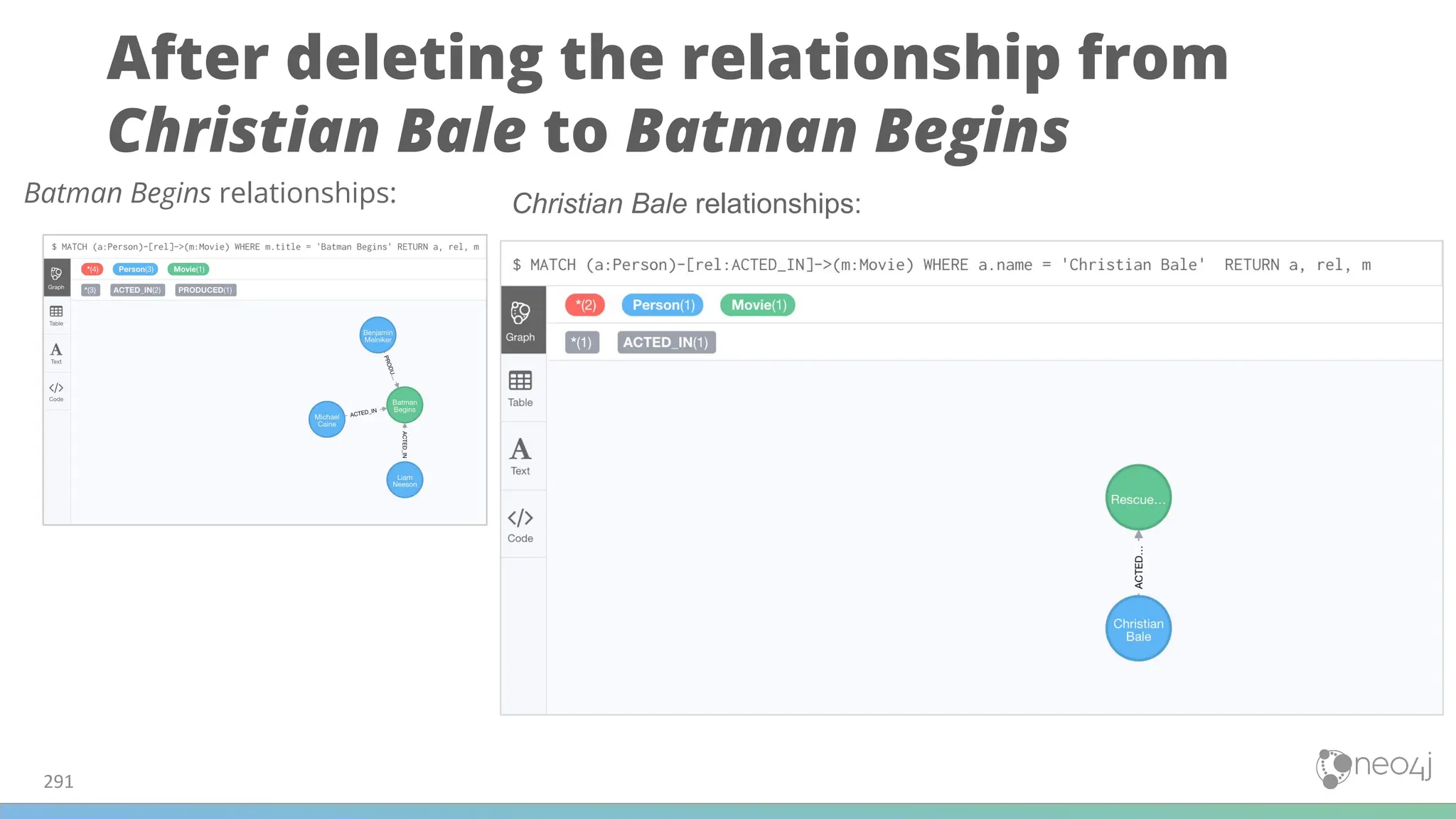
![Deleting a relationship and a node - 1
292
MATCH (p:Person)-[rel:PRODUCED]->(:Movie)
WHERE p.name = 'Benjamin Melniker'
DELETE rel, p
Batman Begins relationships:
Delete the :PRODUCED relationship between Benjamin
Melniker and Batman Begins, as well as the Benjamin
Melniker node:](https://image.slidesharecdn.com/5-250304225616-8d25b5b6/75/5-17-IntroductionToNeo4j-allSlides_1_2022_DanMc-pdf-292-2048.jpg)
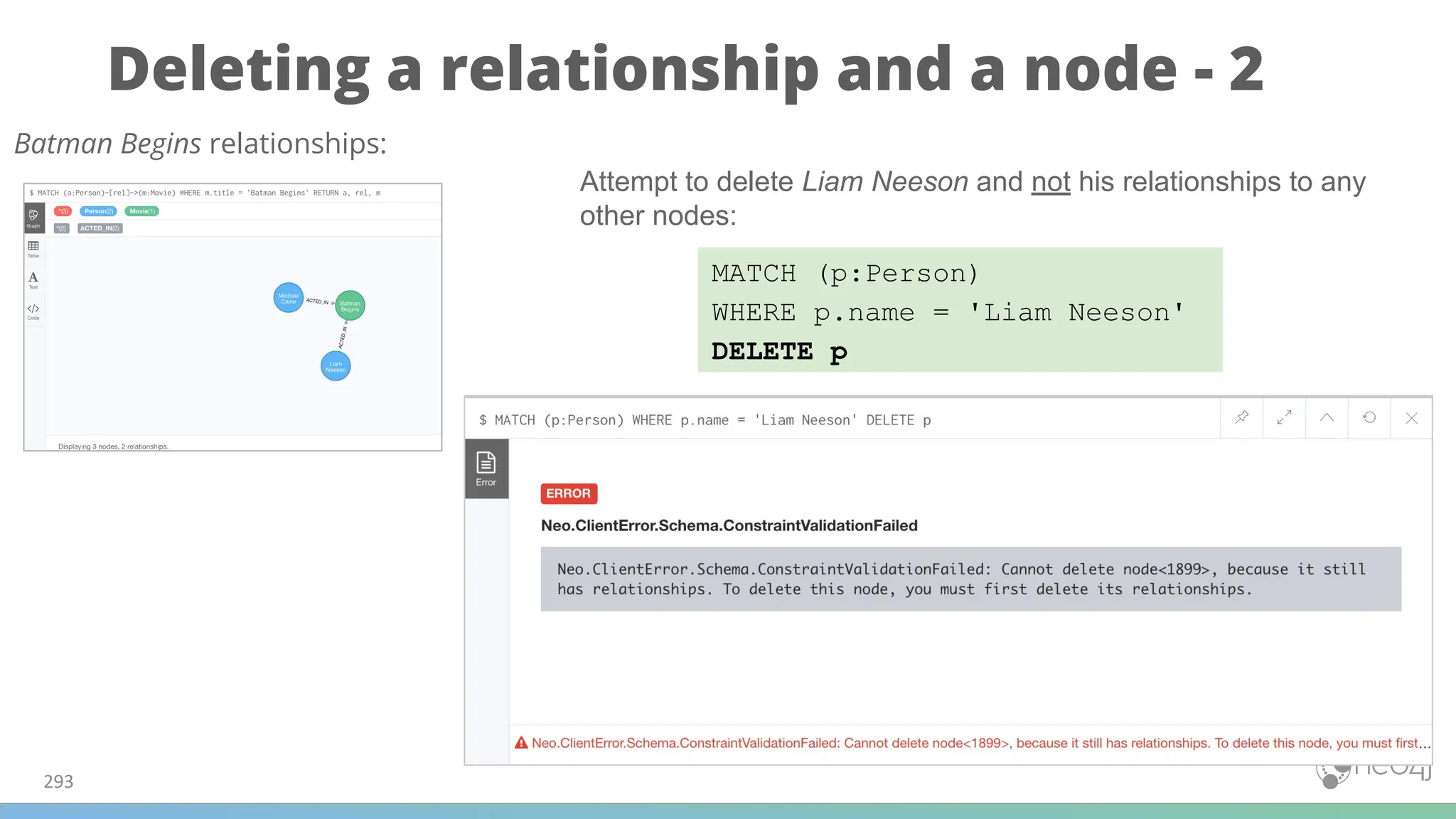
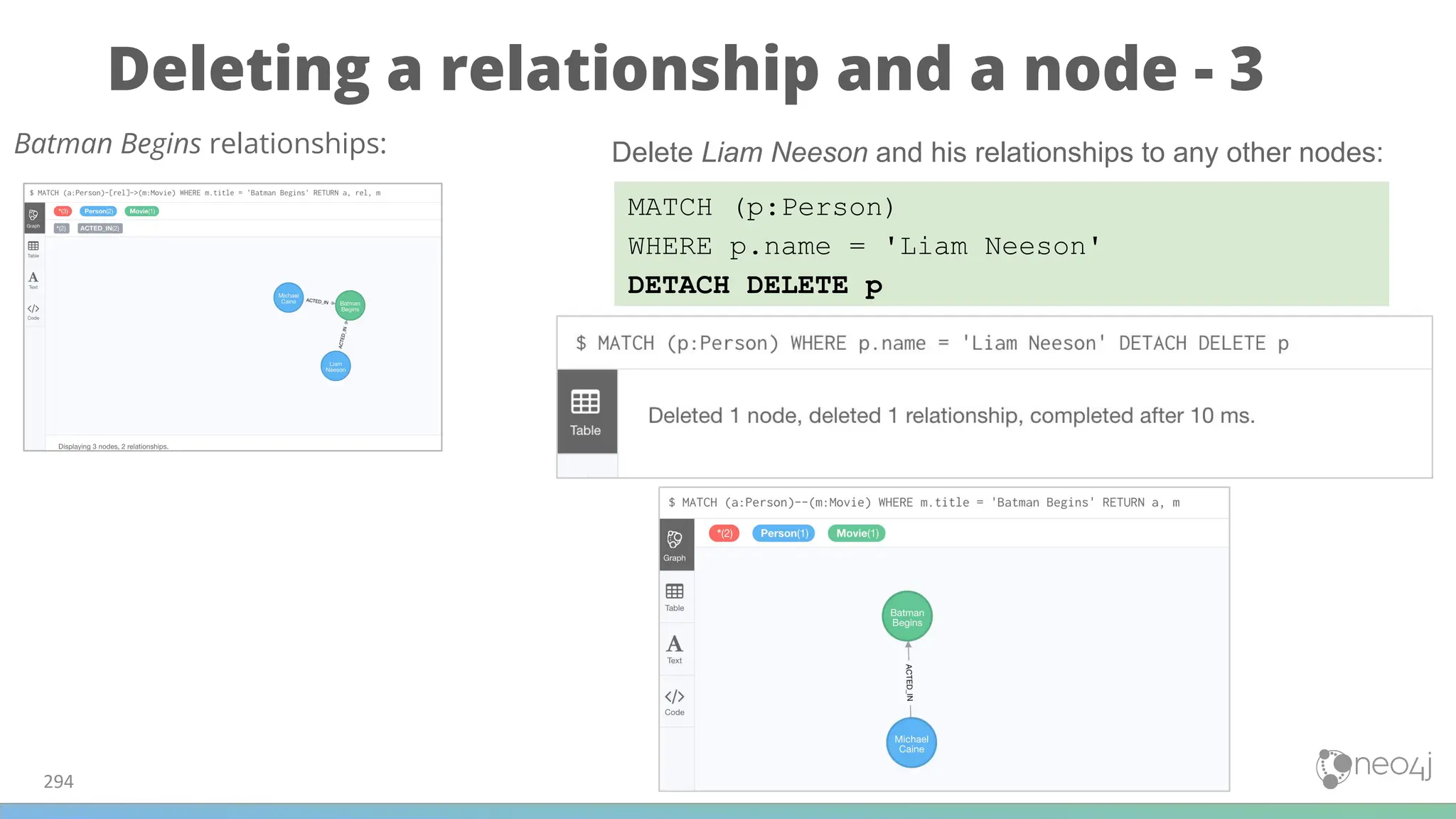

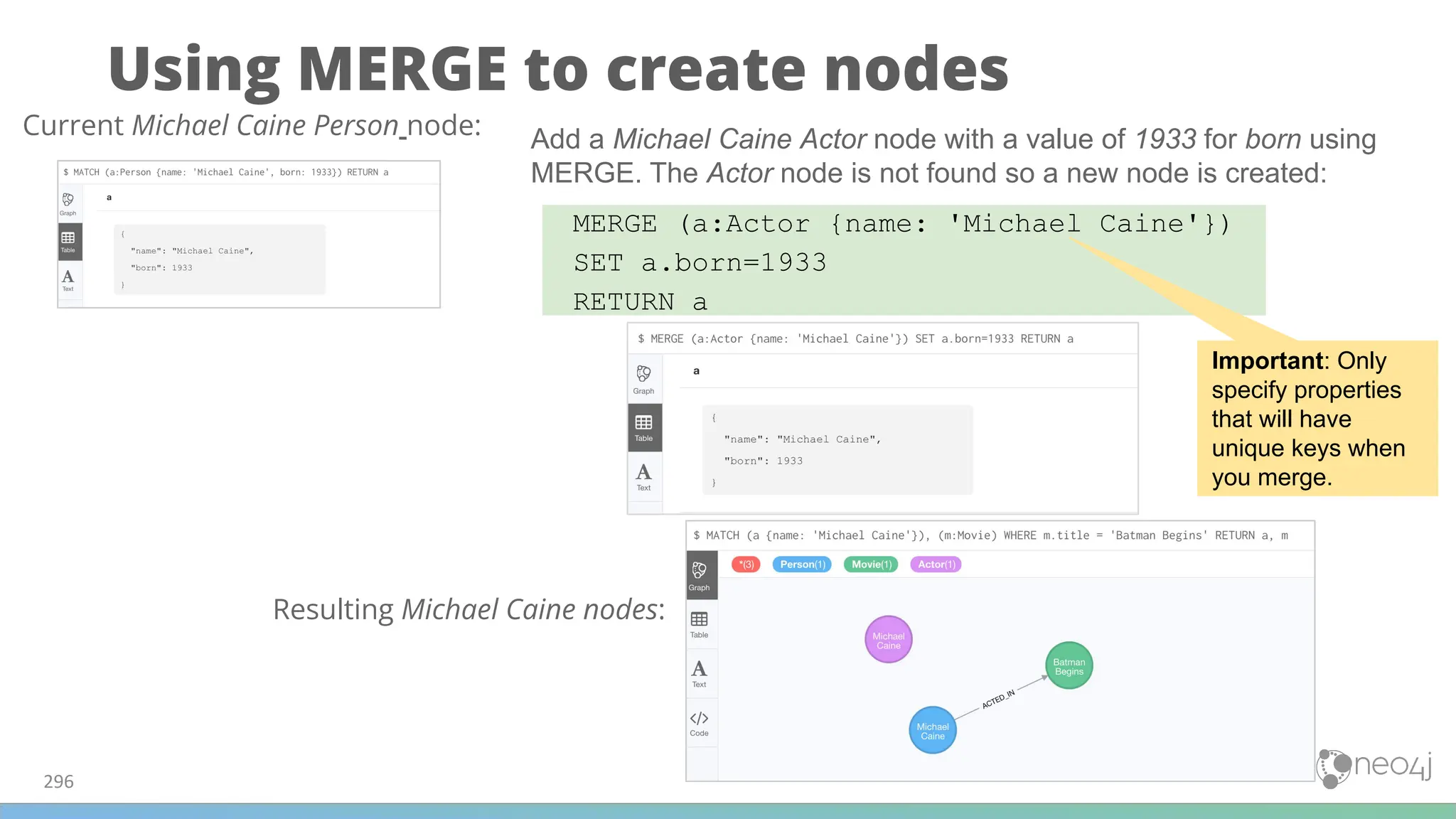
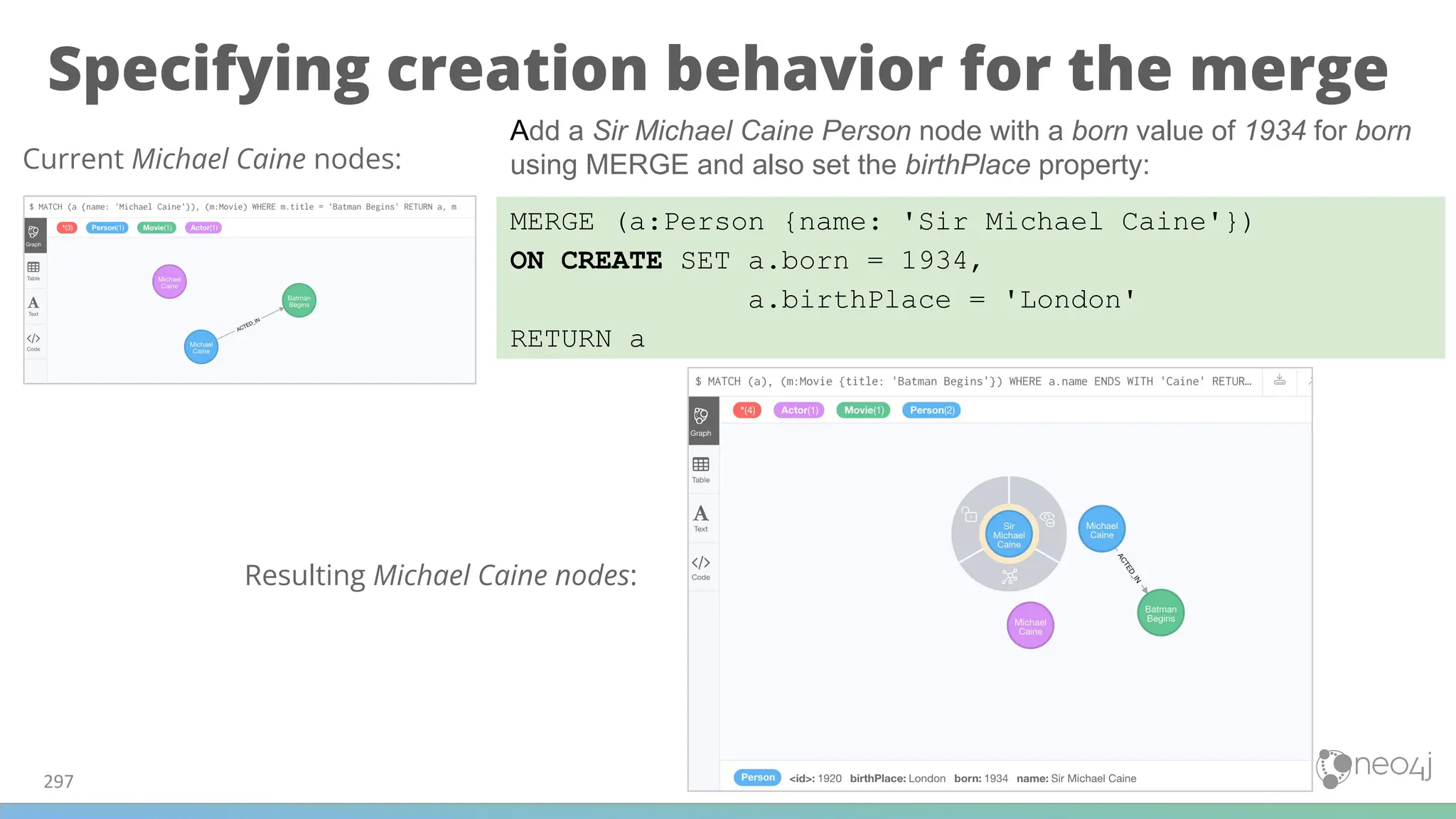
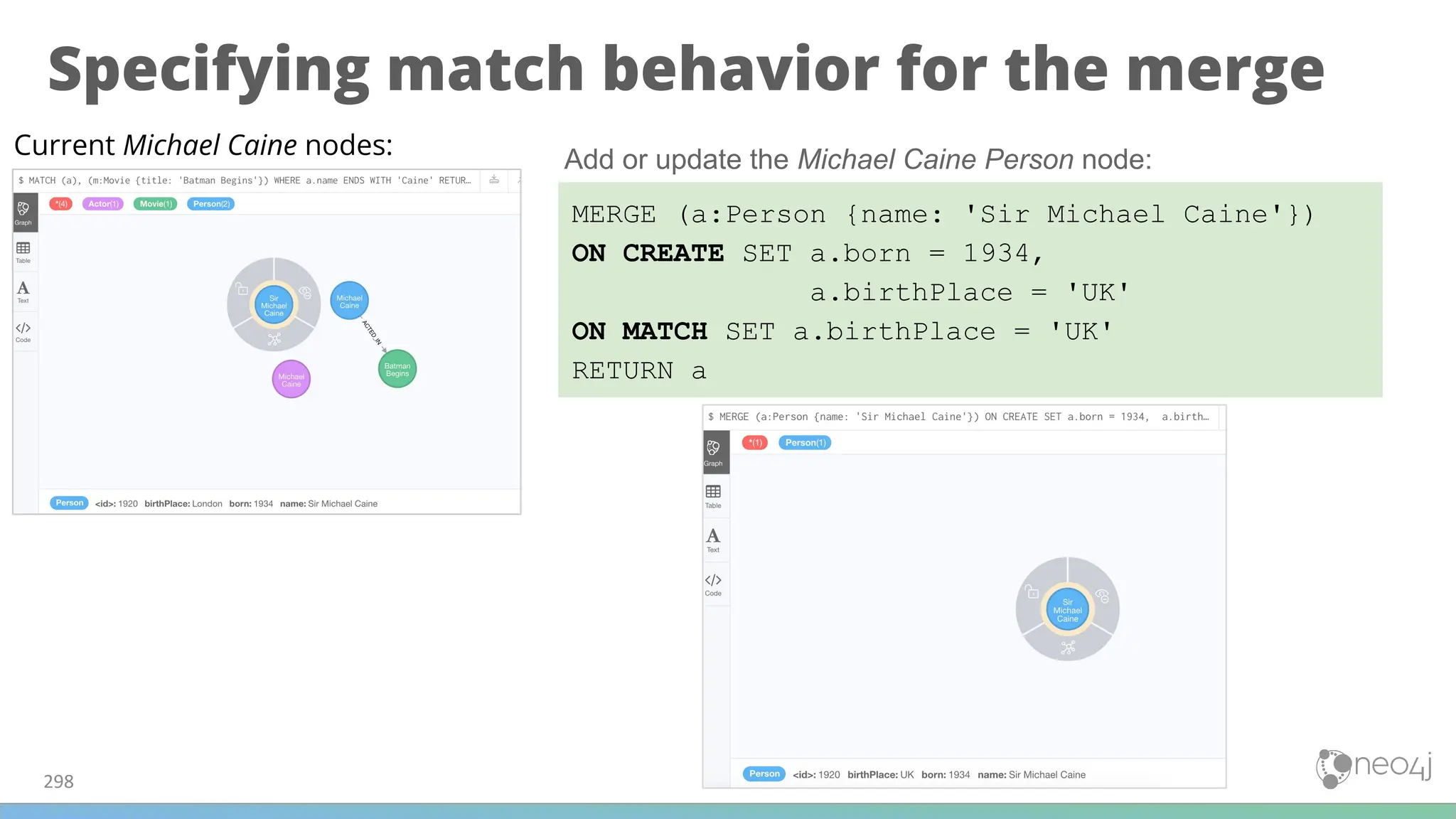
![Using MERGE to create relationships
299
MATCH (p:Person), (m:Movie)
WHERE m.title = 'Batman Begins' AND p.name ENDS WITH 'Caine'
MERGE (p)-[:ACTED_IN]->(m)
RETURN p, m
Make sure that all Person nodes with a person whose name ends with Caine
are connected to the Movie node, Batman Begins.](https://image.slidesharecdn.com/5-250304225616-8d25b5b6/75/5-17-IntroductionToNeo4j-allSlides_1_2022_DanMc-pdf-299-2048.jpg)

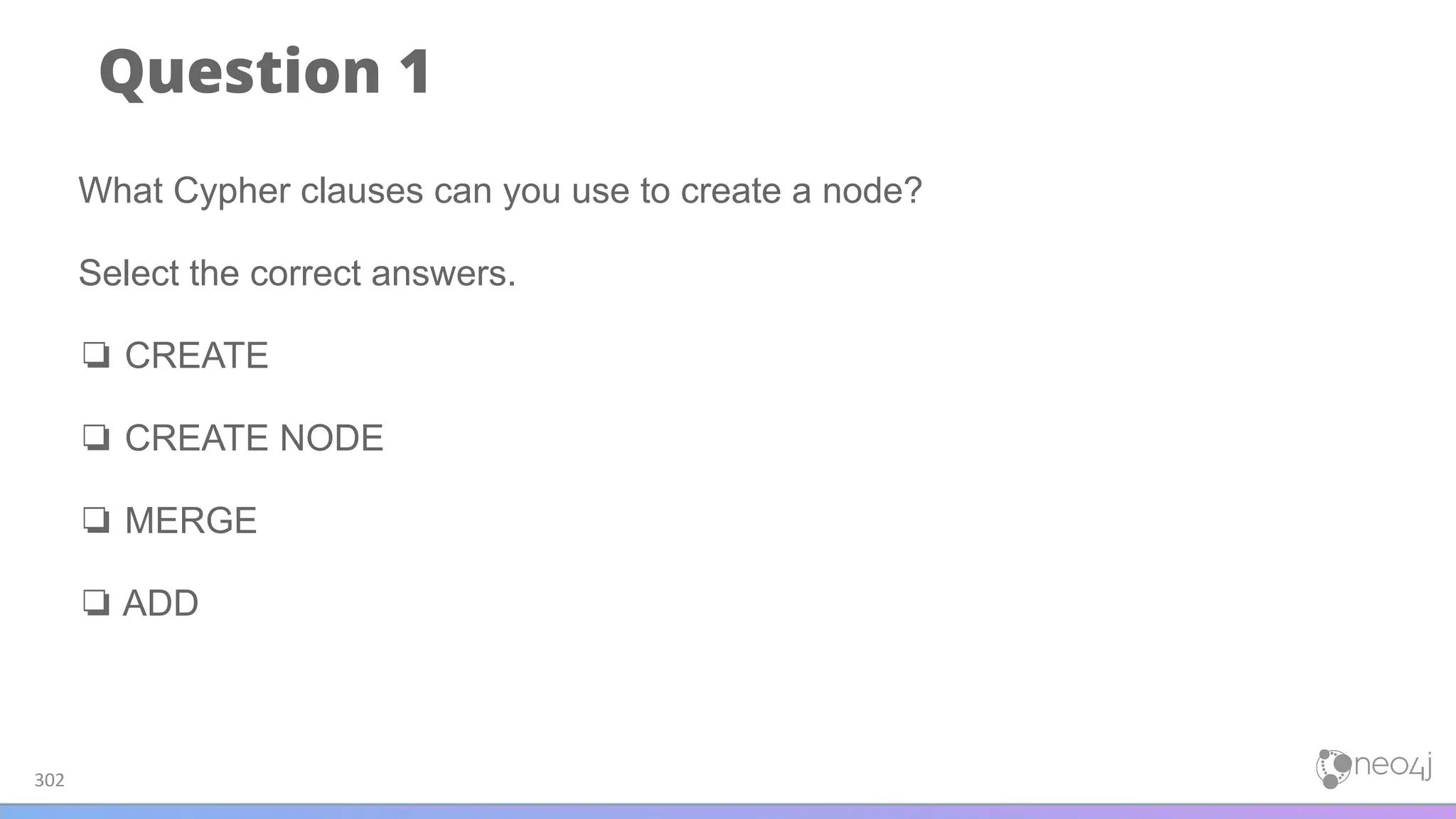
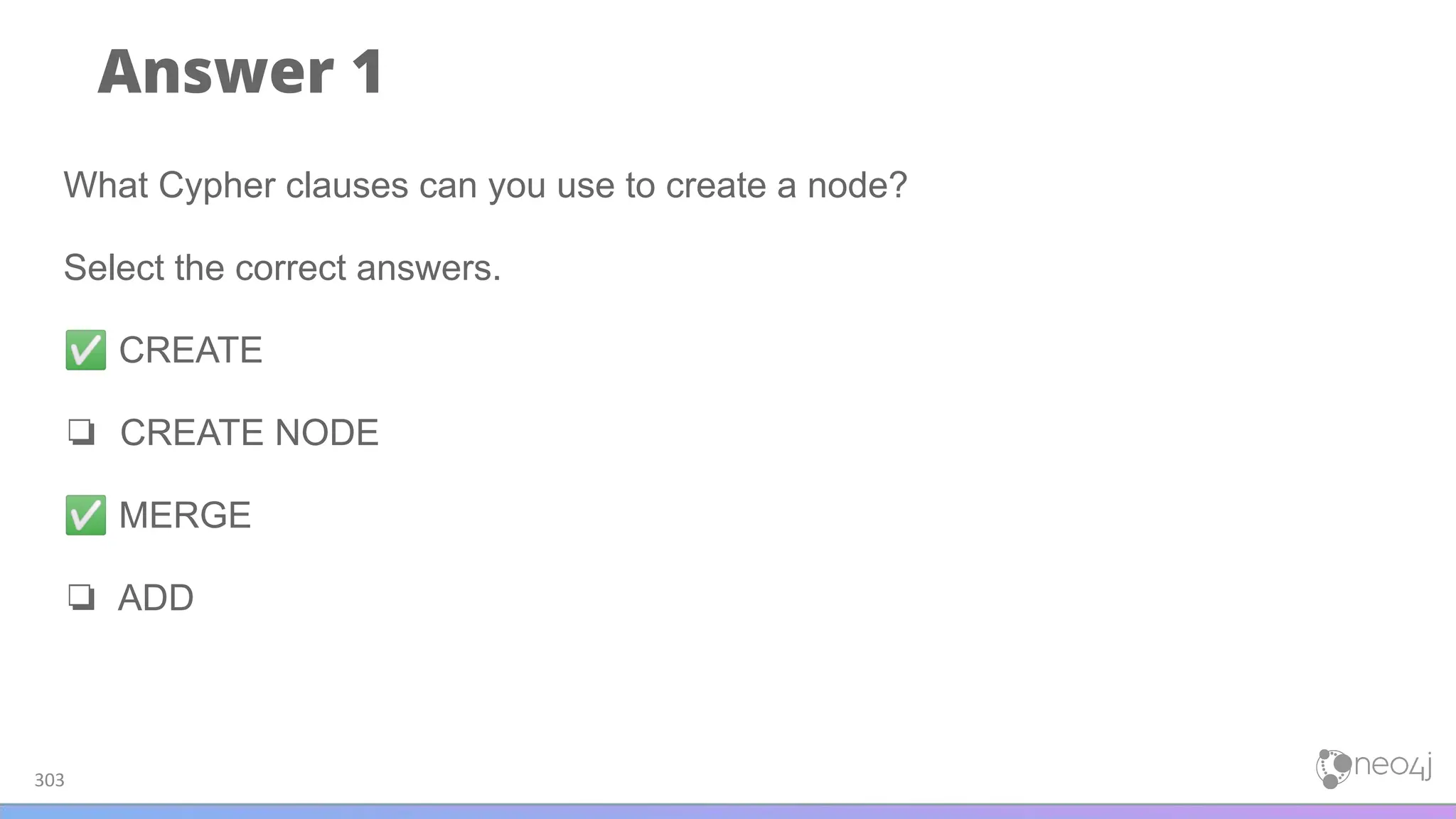
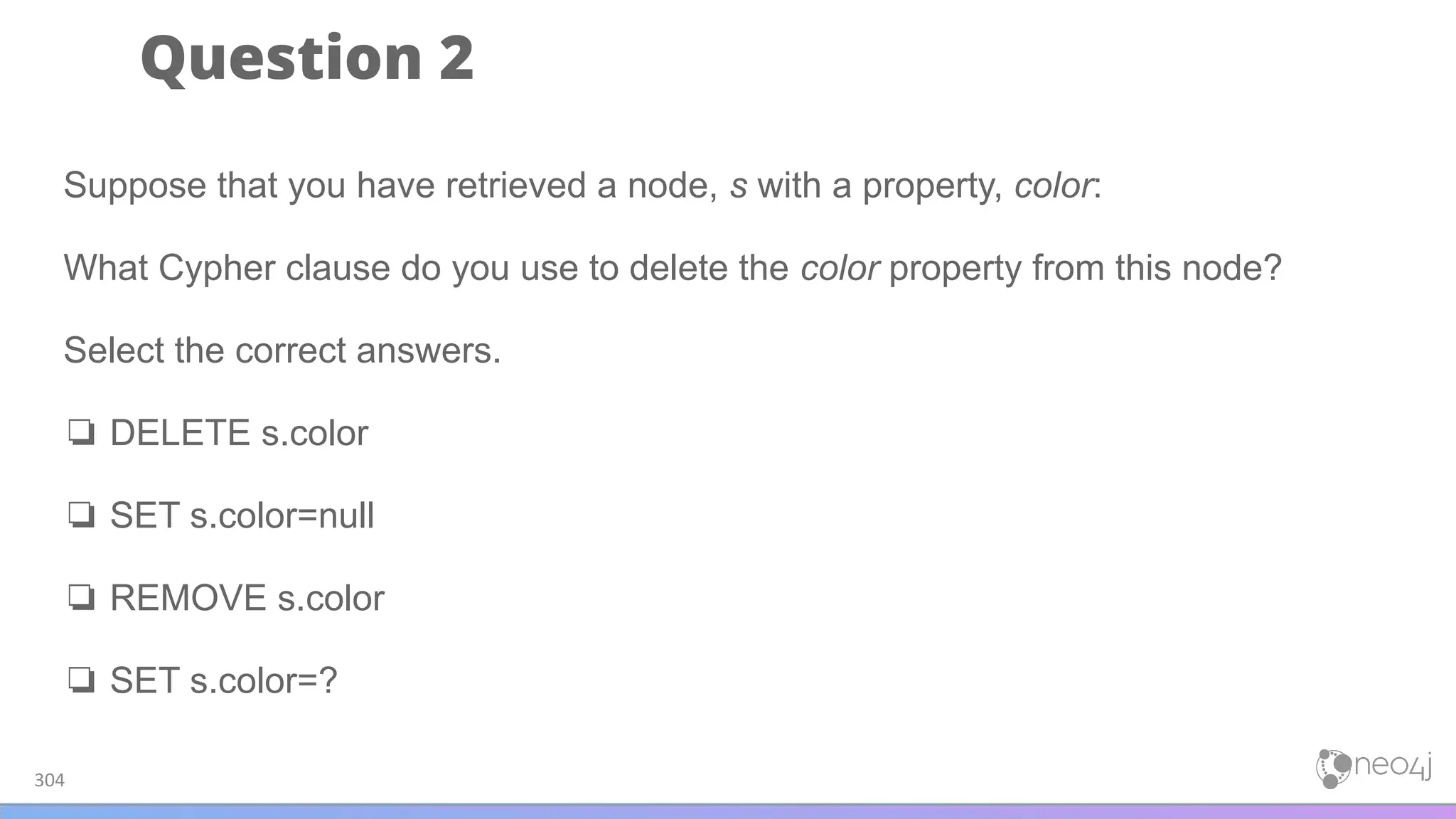
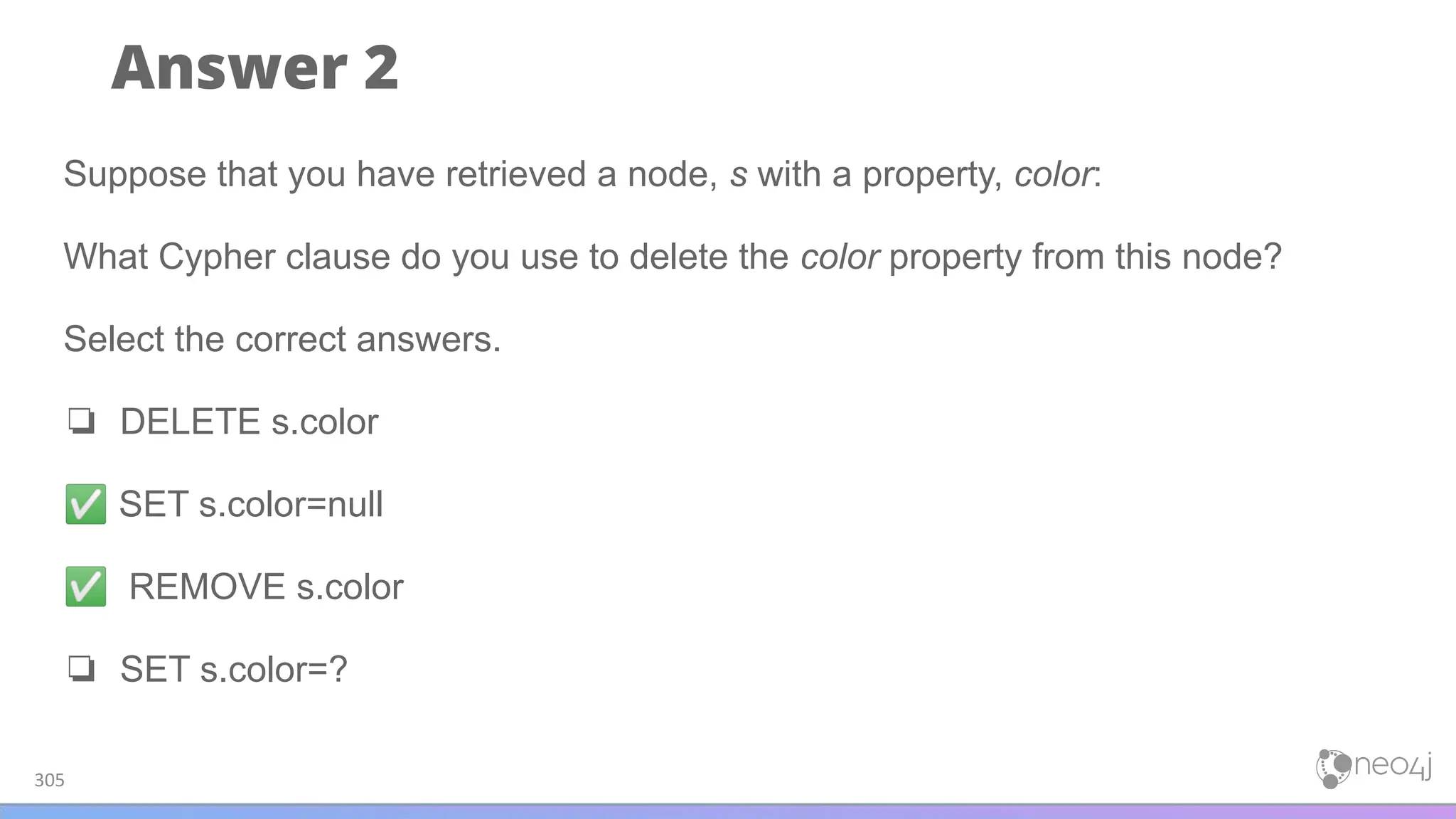
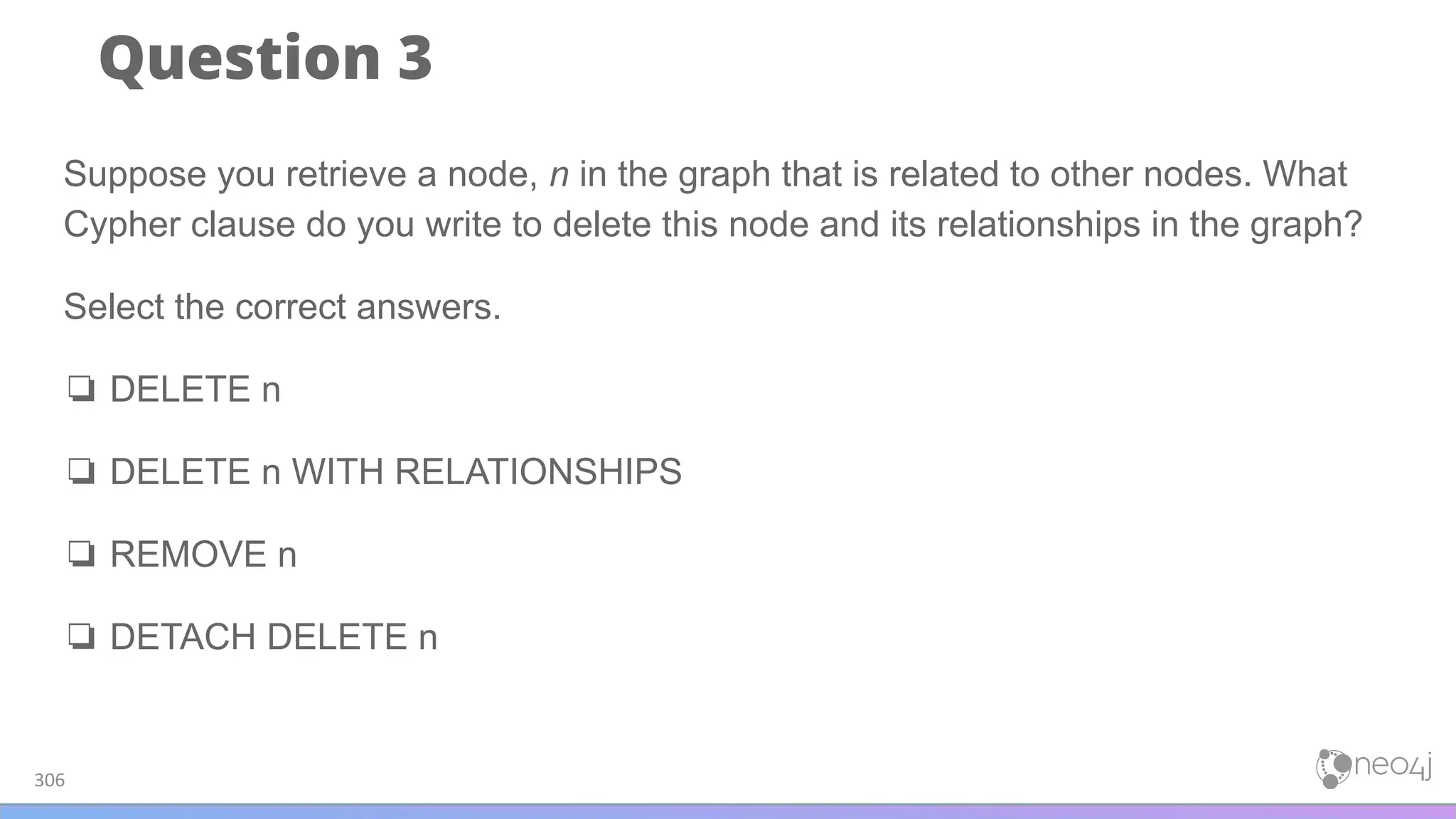
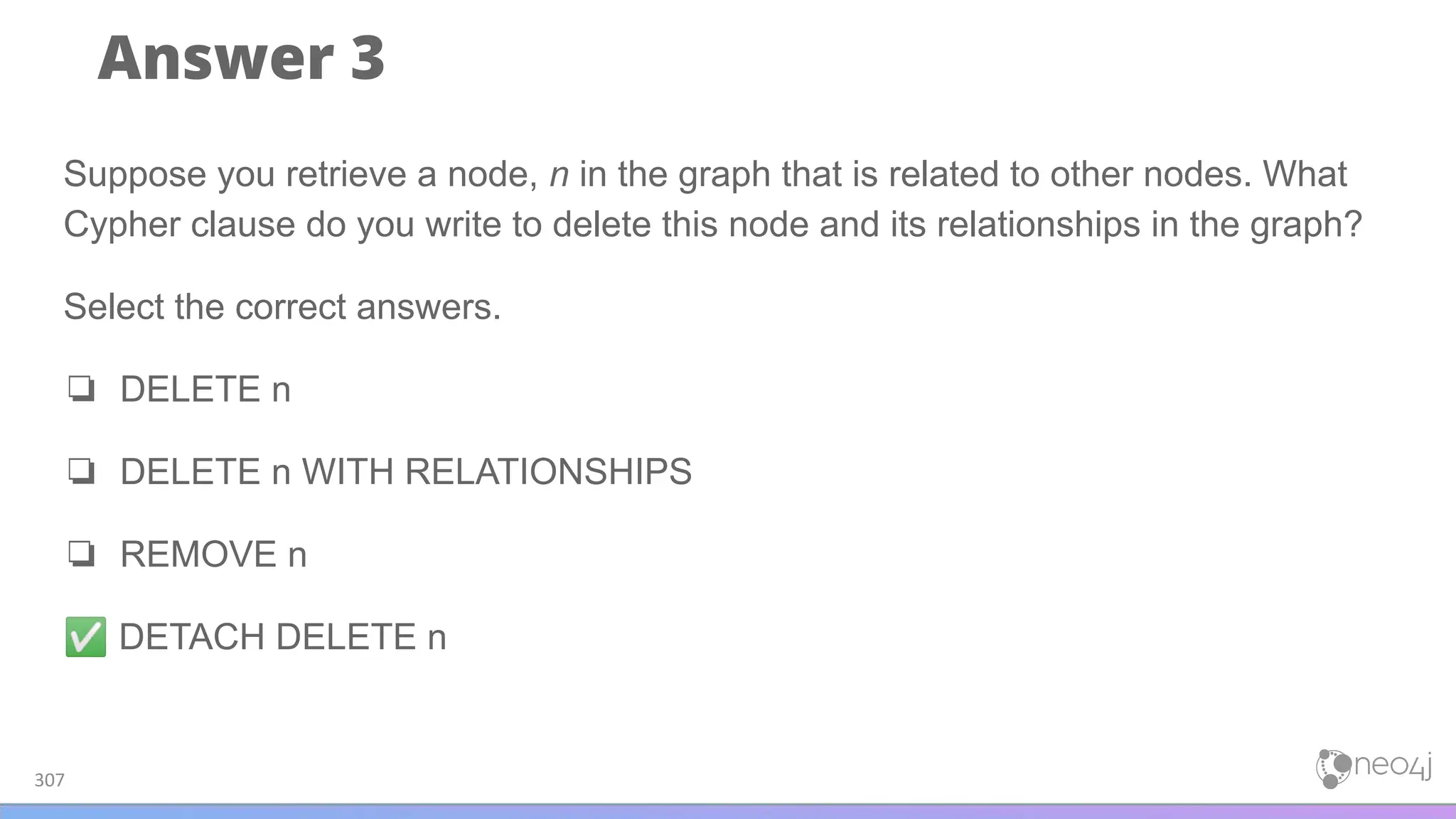
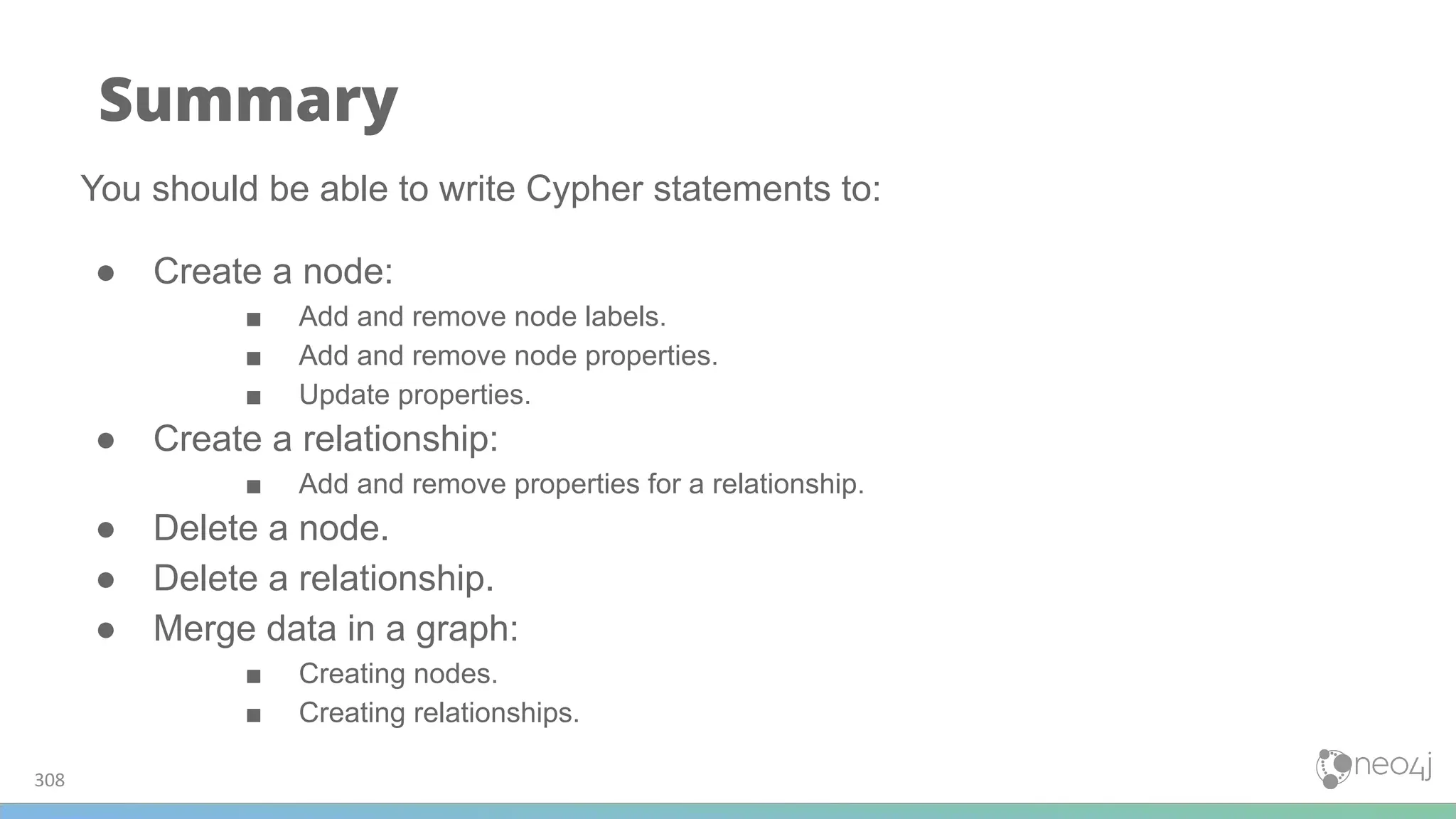
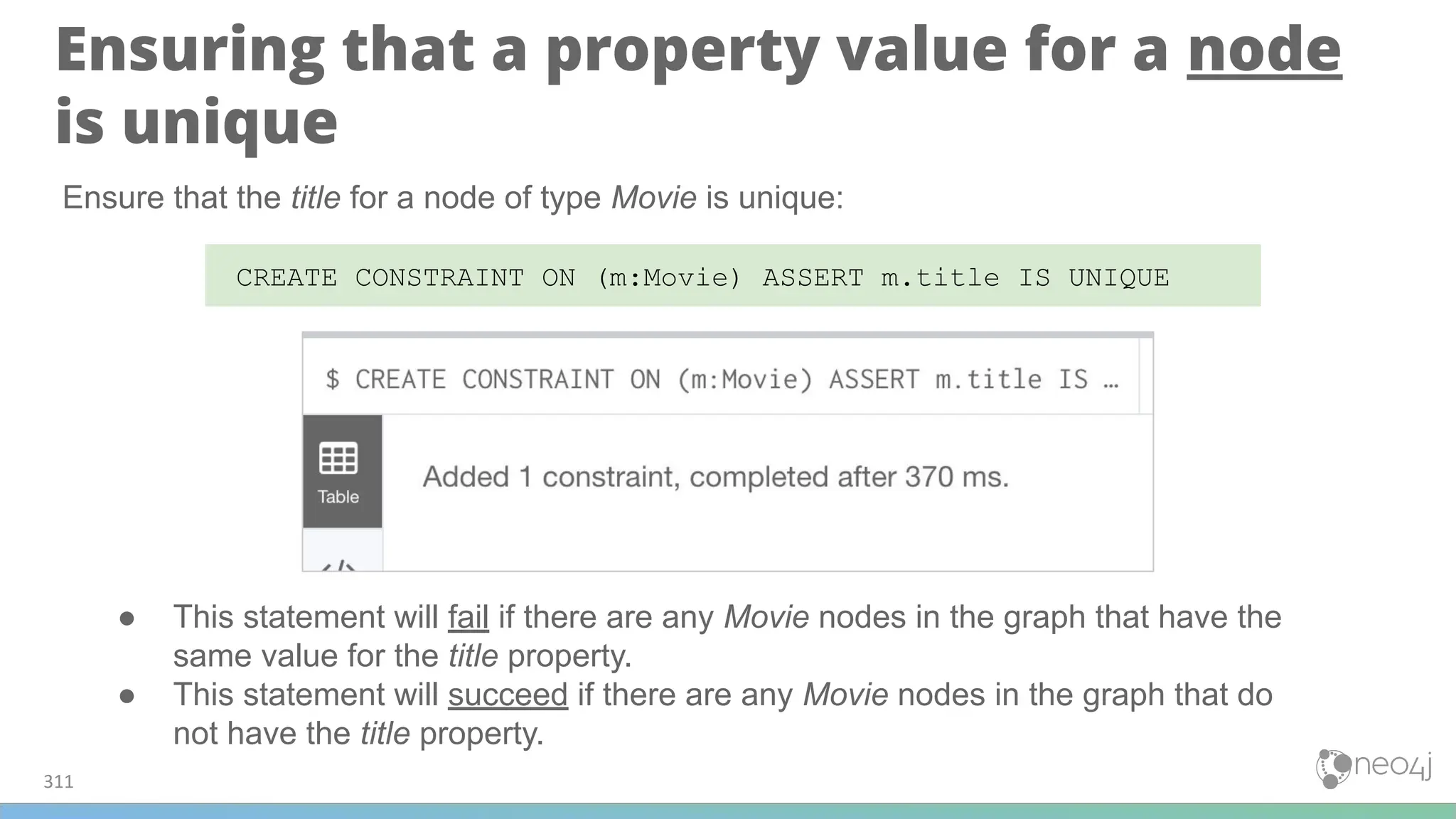
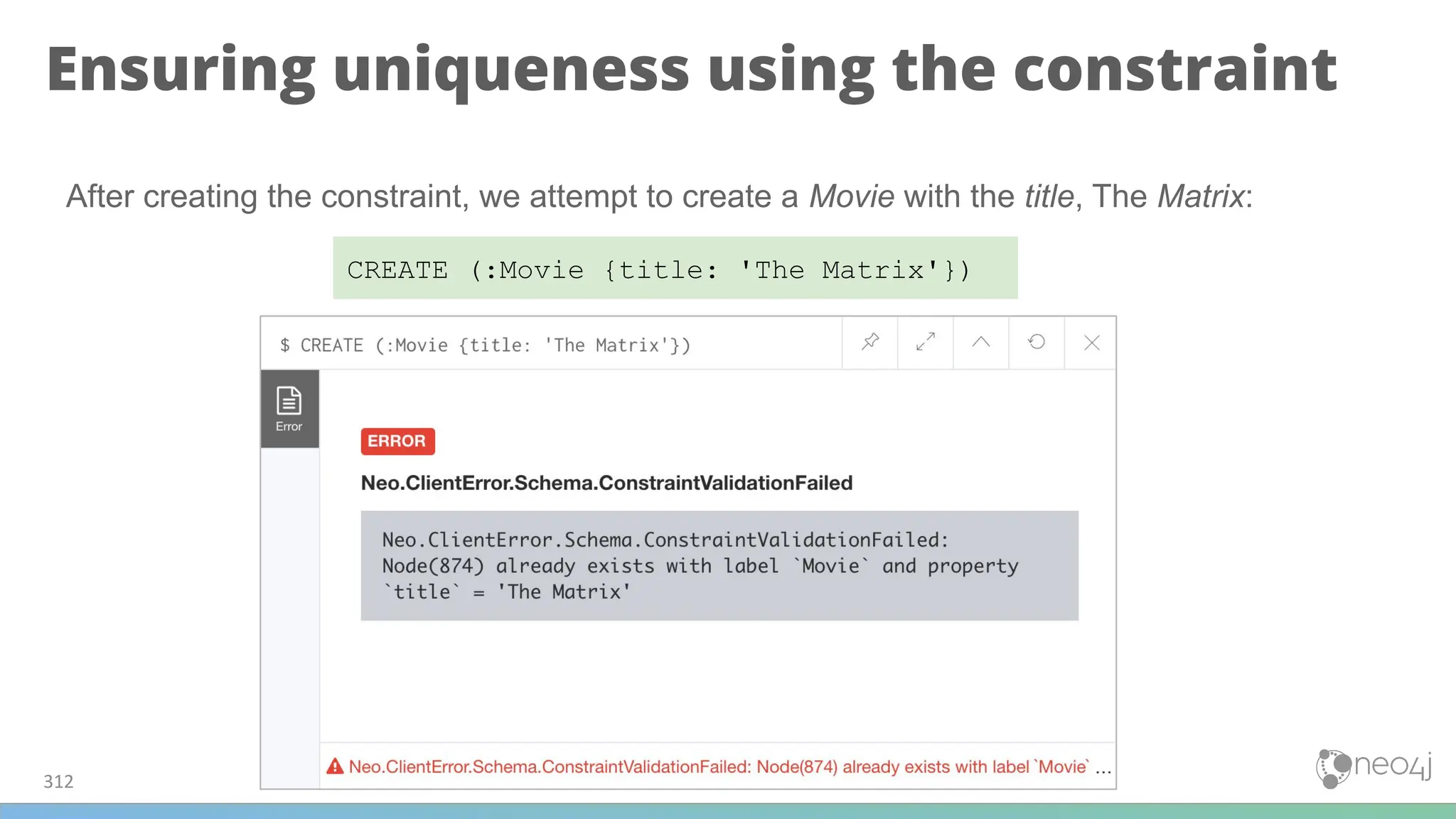
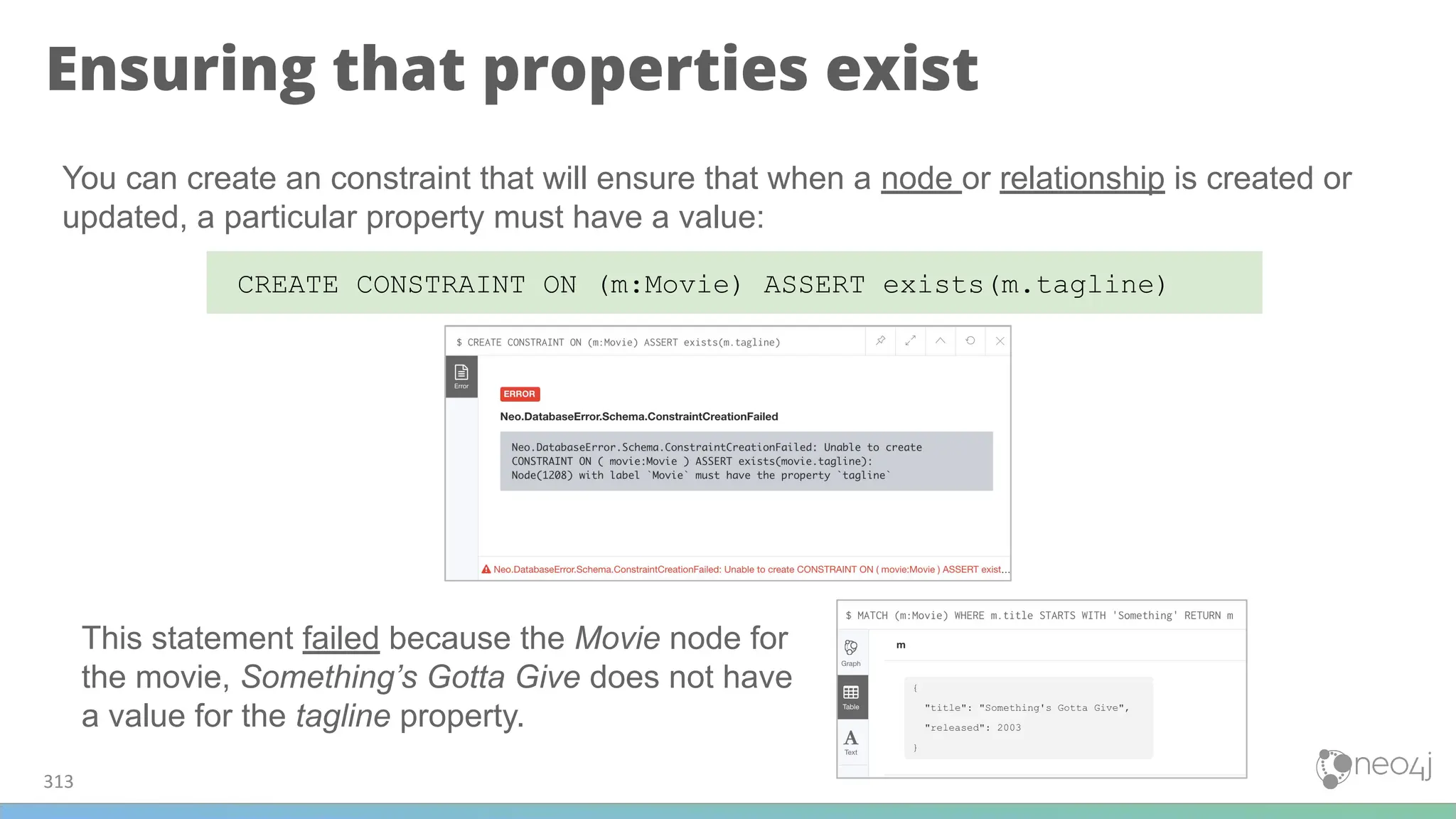
![Creating an exists constraint on a
relationship
314
CREATE CONSTRAINT ON ()-[rel:REVIEWED]-() ASSERT exists(rel.rating)
We know that in the Movie graph, all :REVIEWED relationships currently have a property,
rating. We can create an existence constraint on that property as follows:](https://image.slidesharecdn.com/5-250304225616-8d25b5b6/75/5-17-IntroductionToNeo4j-allSlides_1_2022_DanMc-pdf-314-2048.jpg)
![Using the exists constraint on a
relationship
315
MATCH (p:Person), (m:Movie)
WHERE p.name = 'Jessica Thompson' AND
m.title = 'The Matrix'
MERGE (p)-[:REVIEWED {summary: 'Great movie!'}]->(m)
After creating this constraint, if we attempt to create a :REVIEWED relationship without
setting the rating property:](https://image.slidesharecdn.com/5-250304225616-8d25b5b6/75/5-17-IntroductionToNeo4j-allSlides_1_2022_DanMc-pdf-315-2048.jpg)
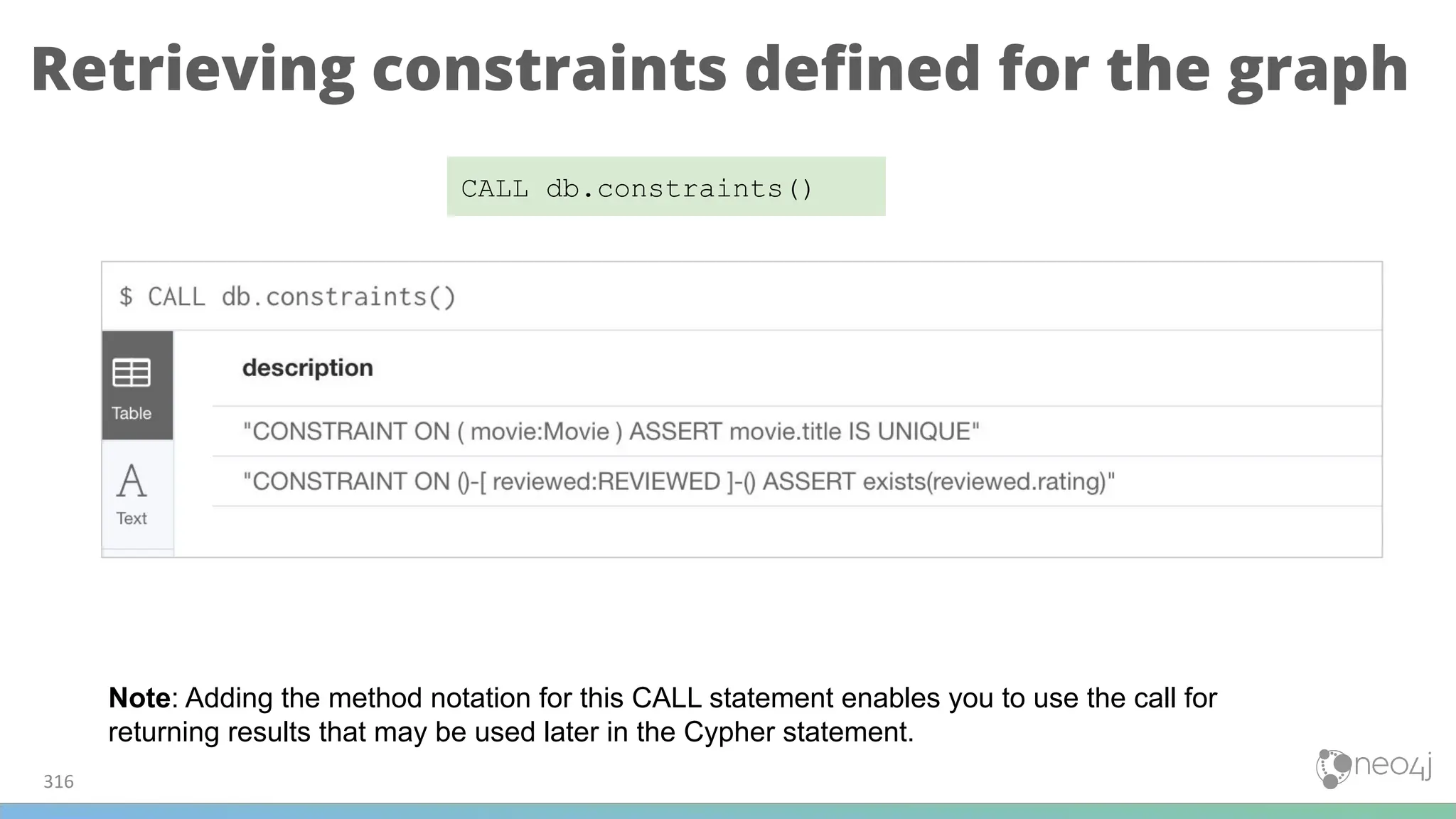
![Dropping constraints
317
DROP CONSTRAINT ON ()-[rel:REVIEWED]-() ASSERT exists(rel.rating)](https://image.slidesharecdn.com/5-250304225616-8d25b5b6/75/5-17-IntroductionToNeo4j-allSlides_1_2022_DanMc-pdf-317-2048.jpg)
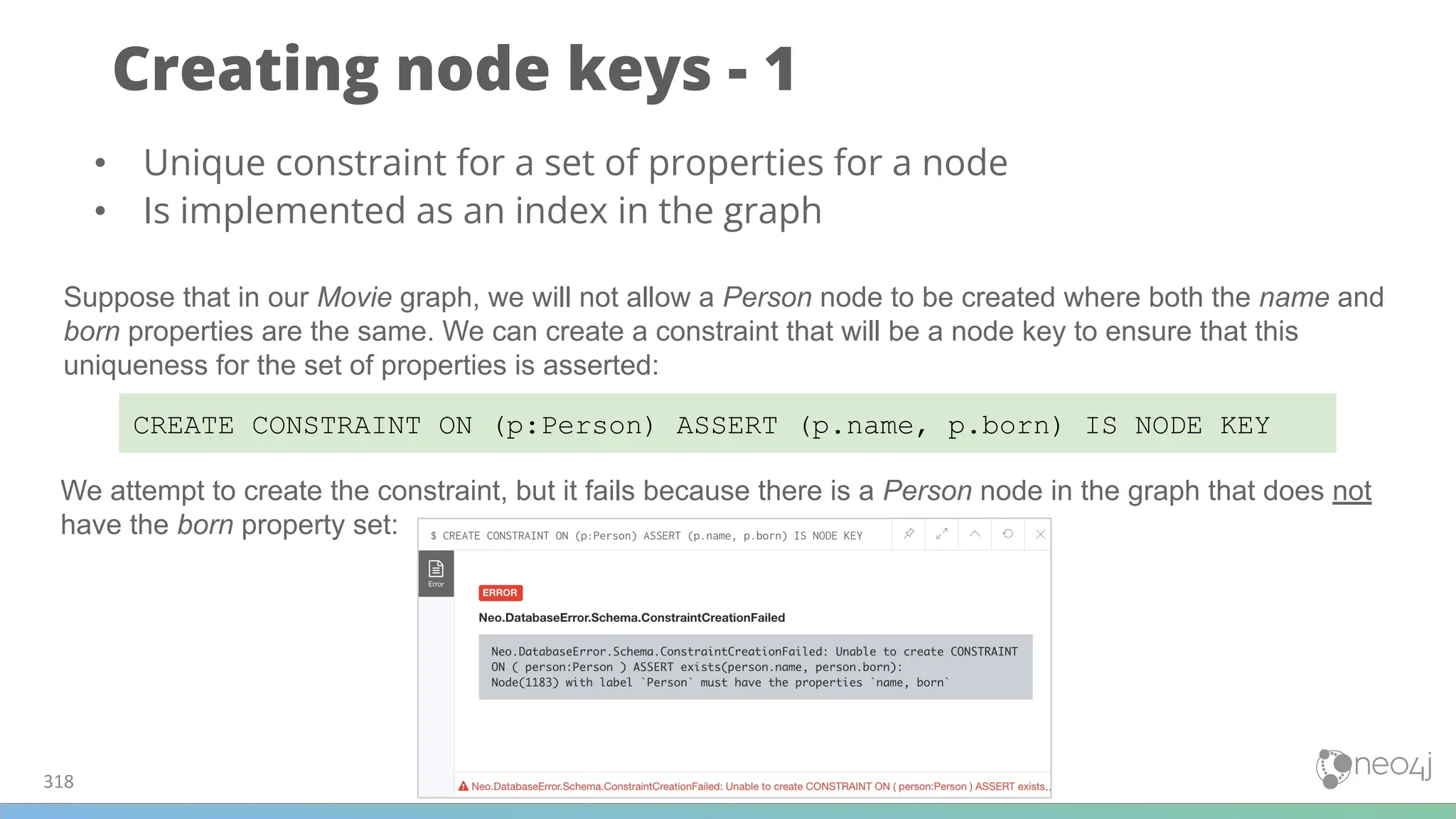
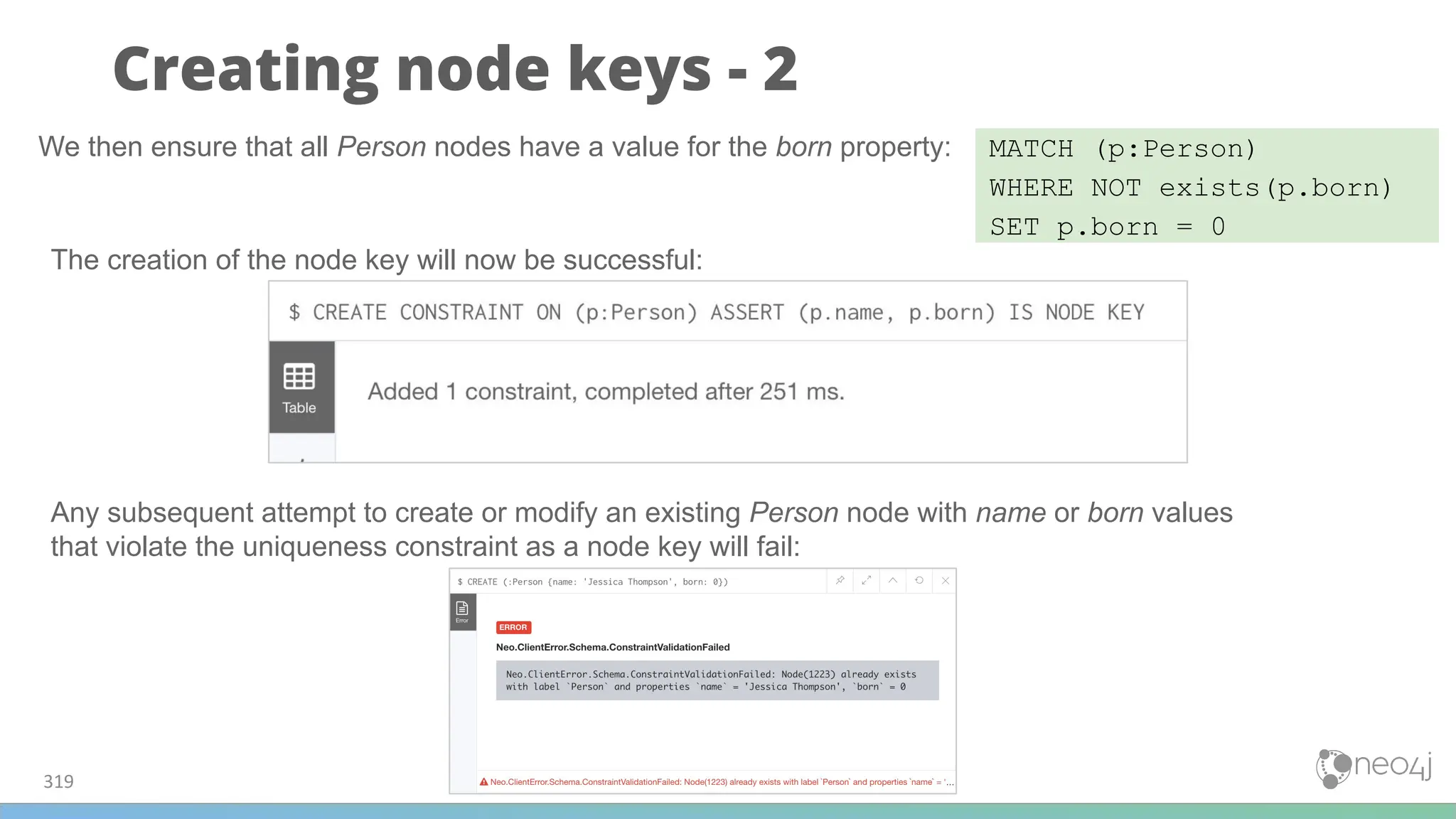

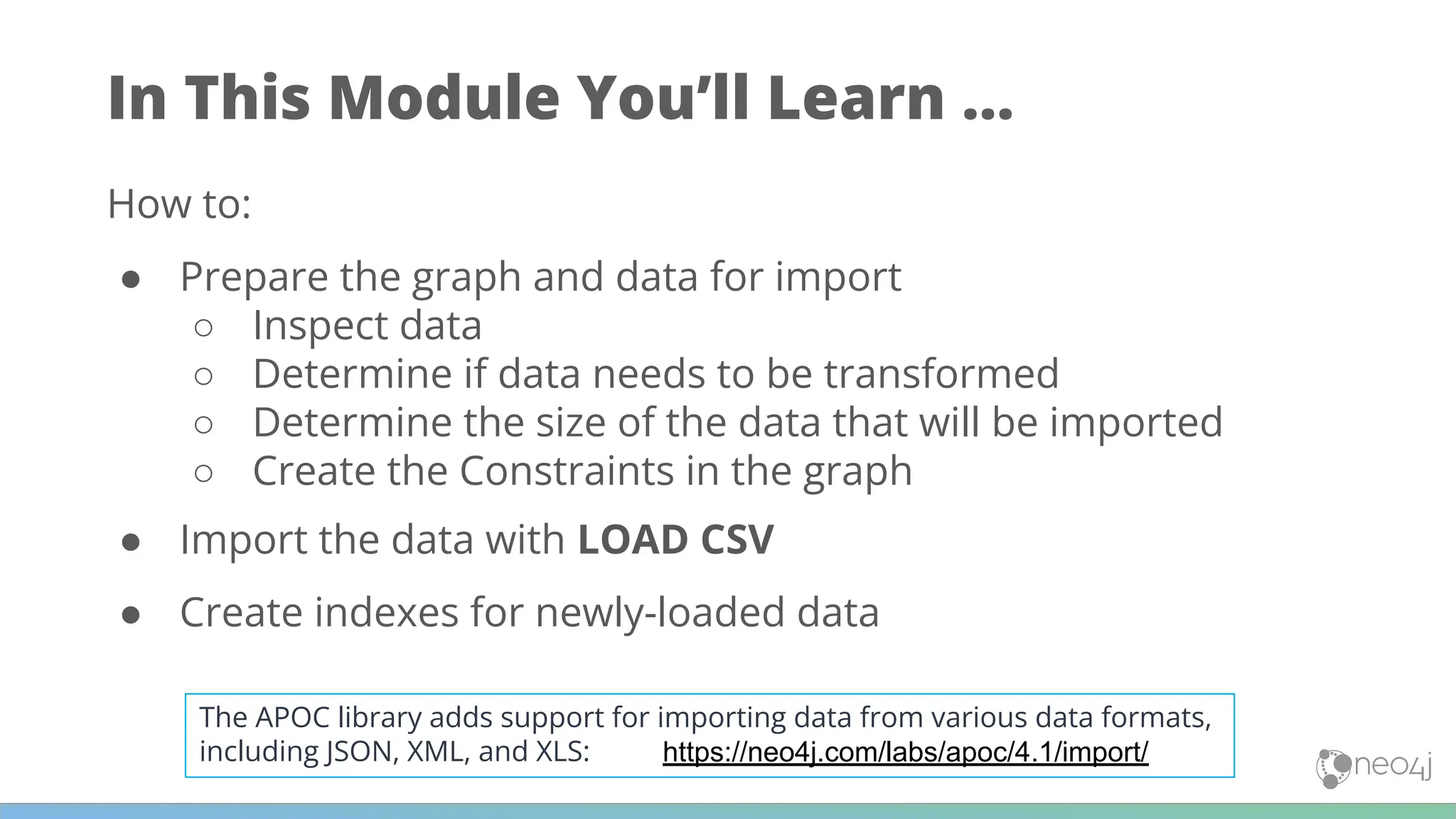
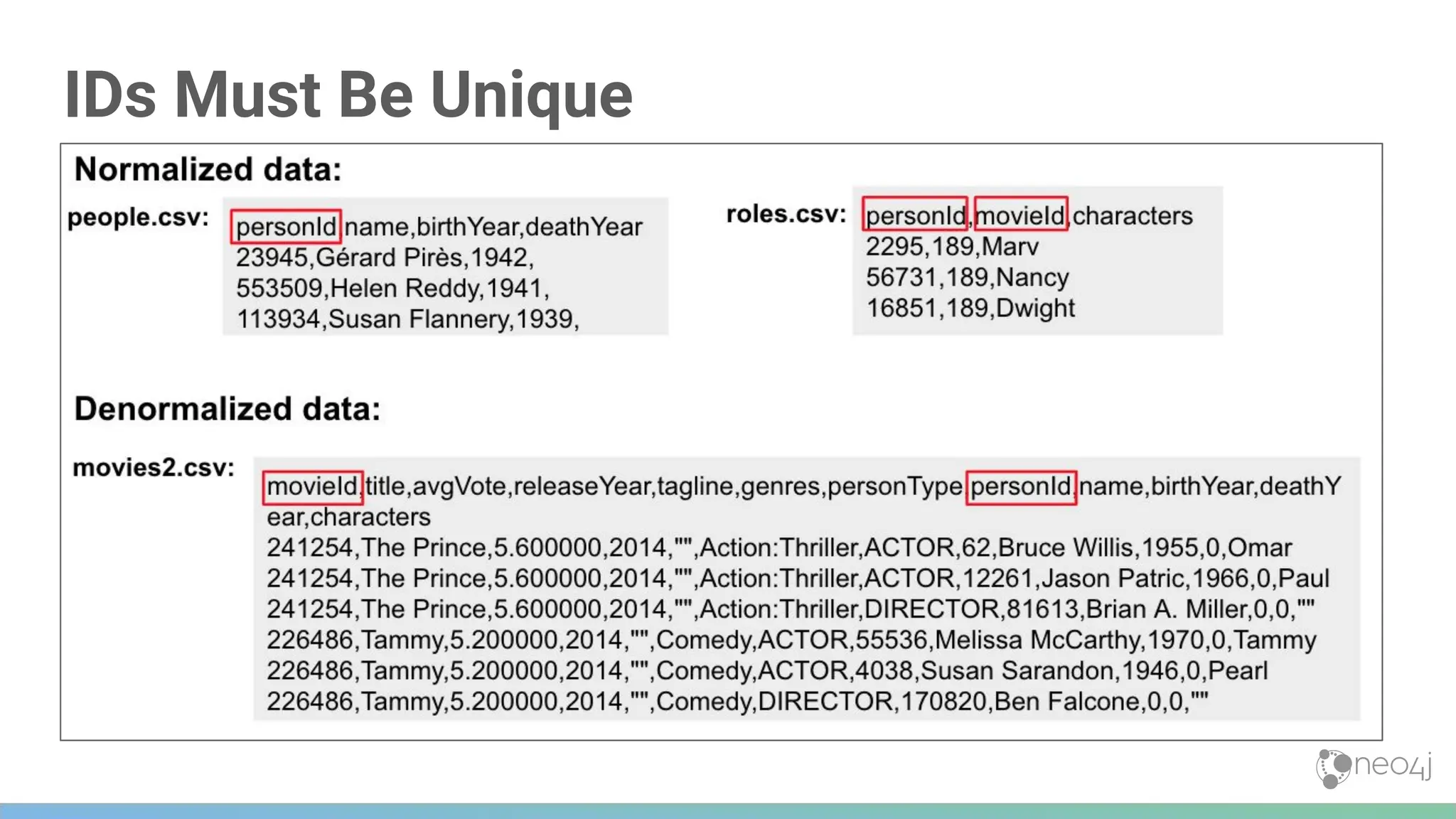
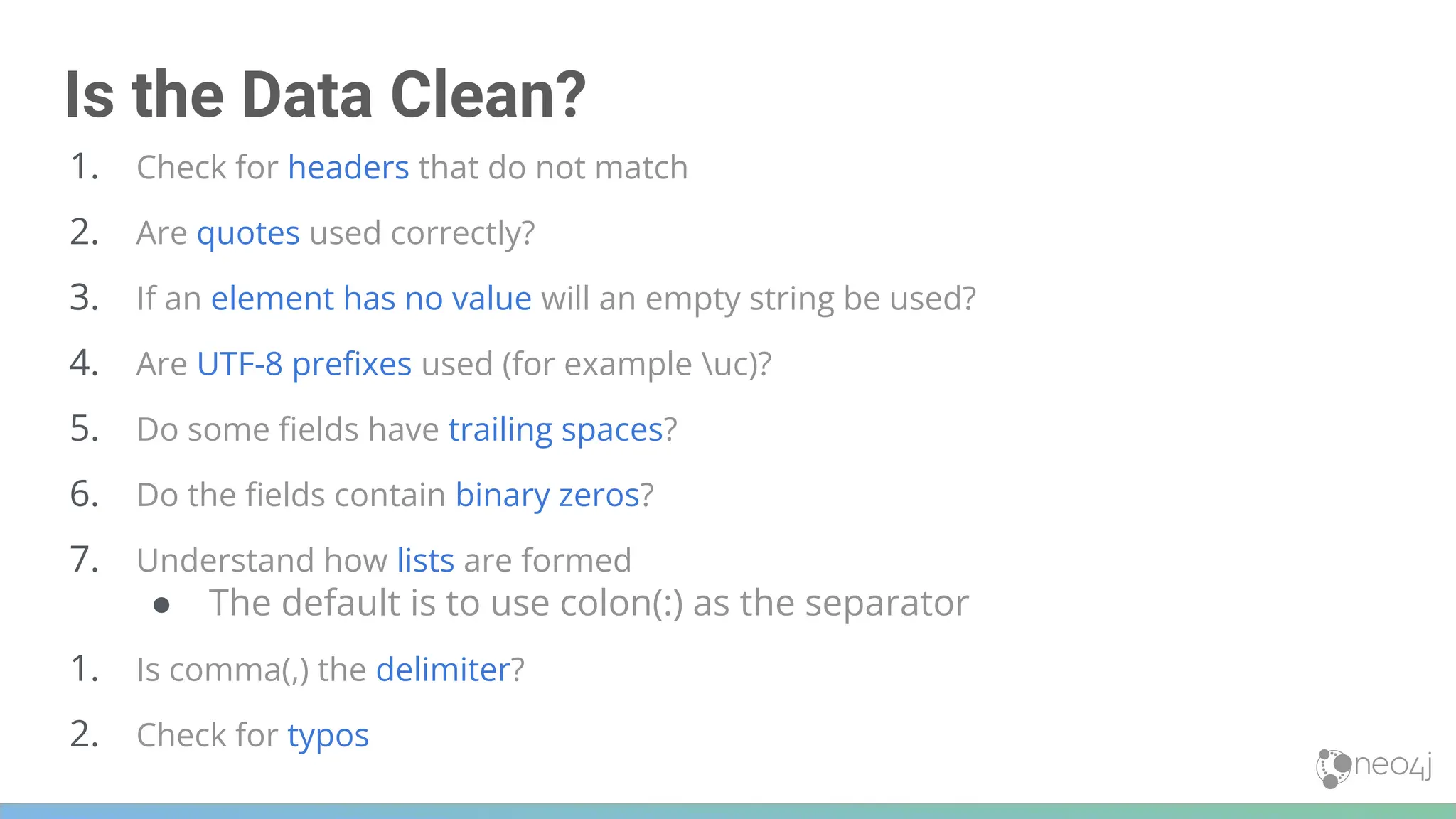
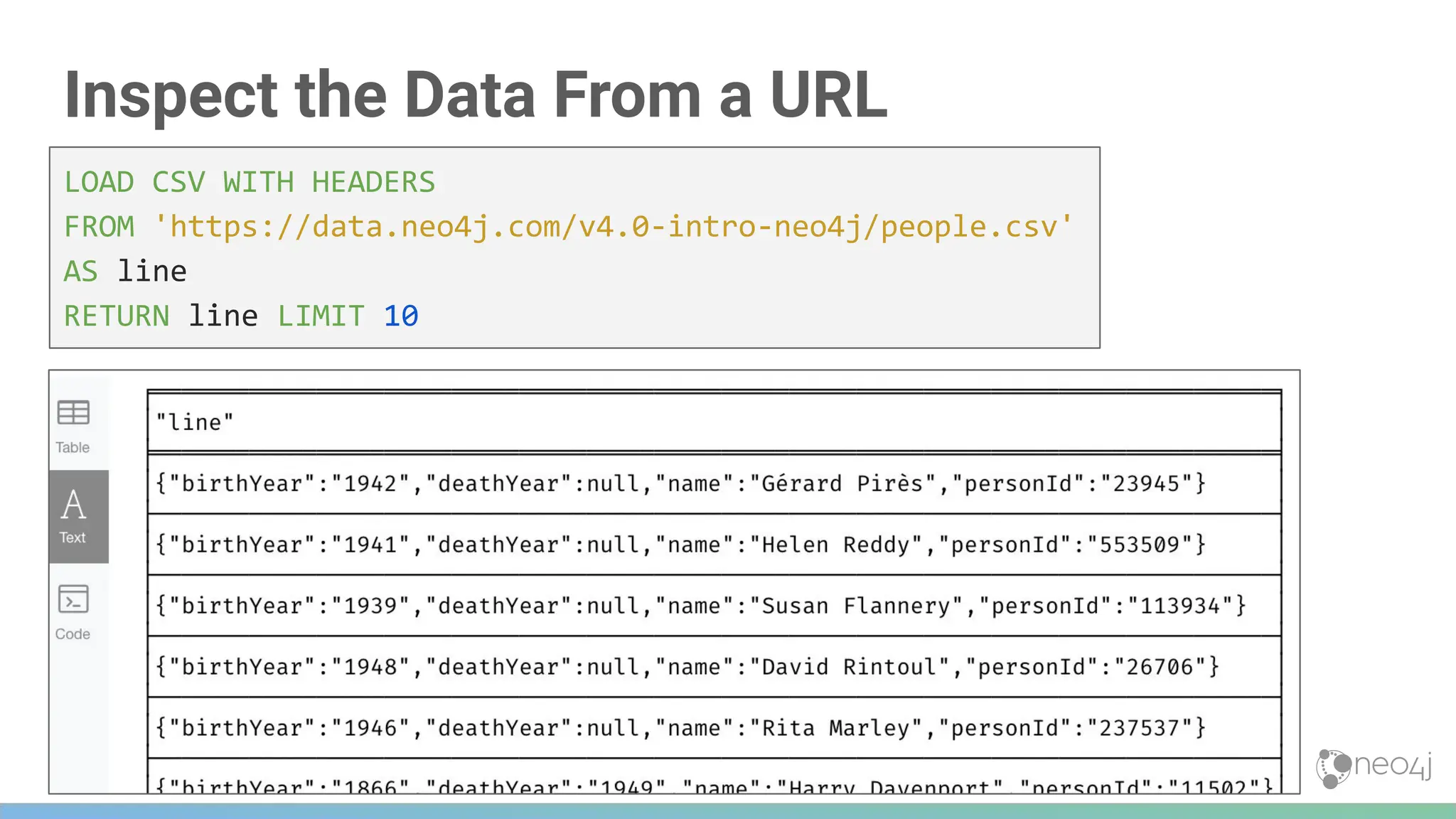
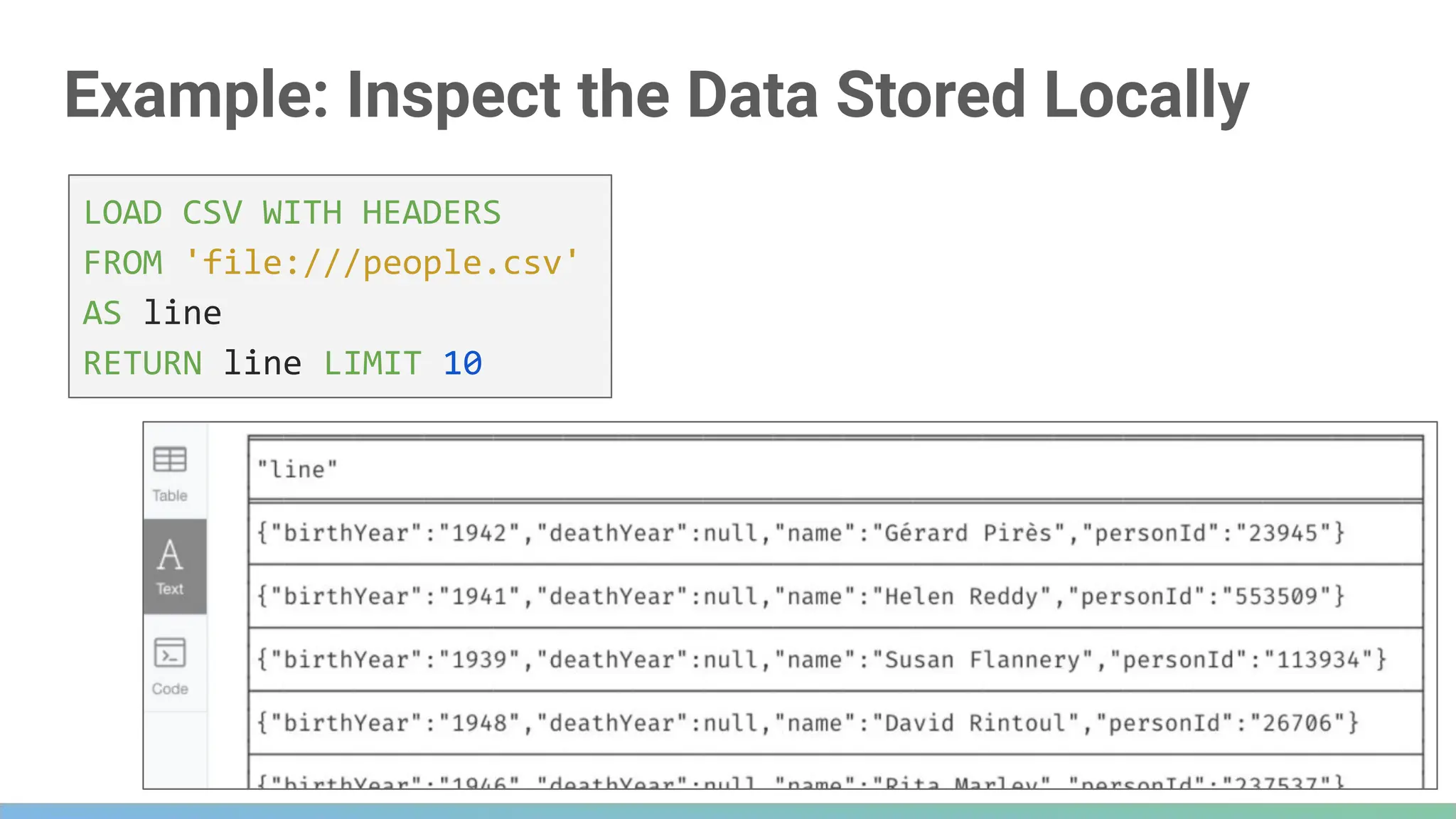
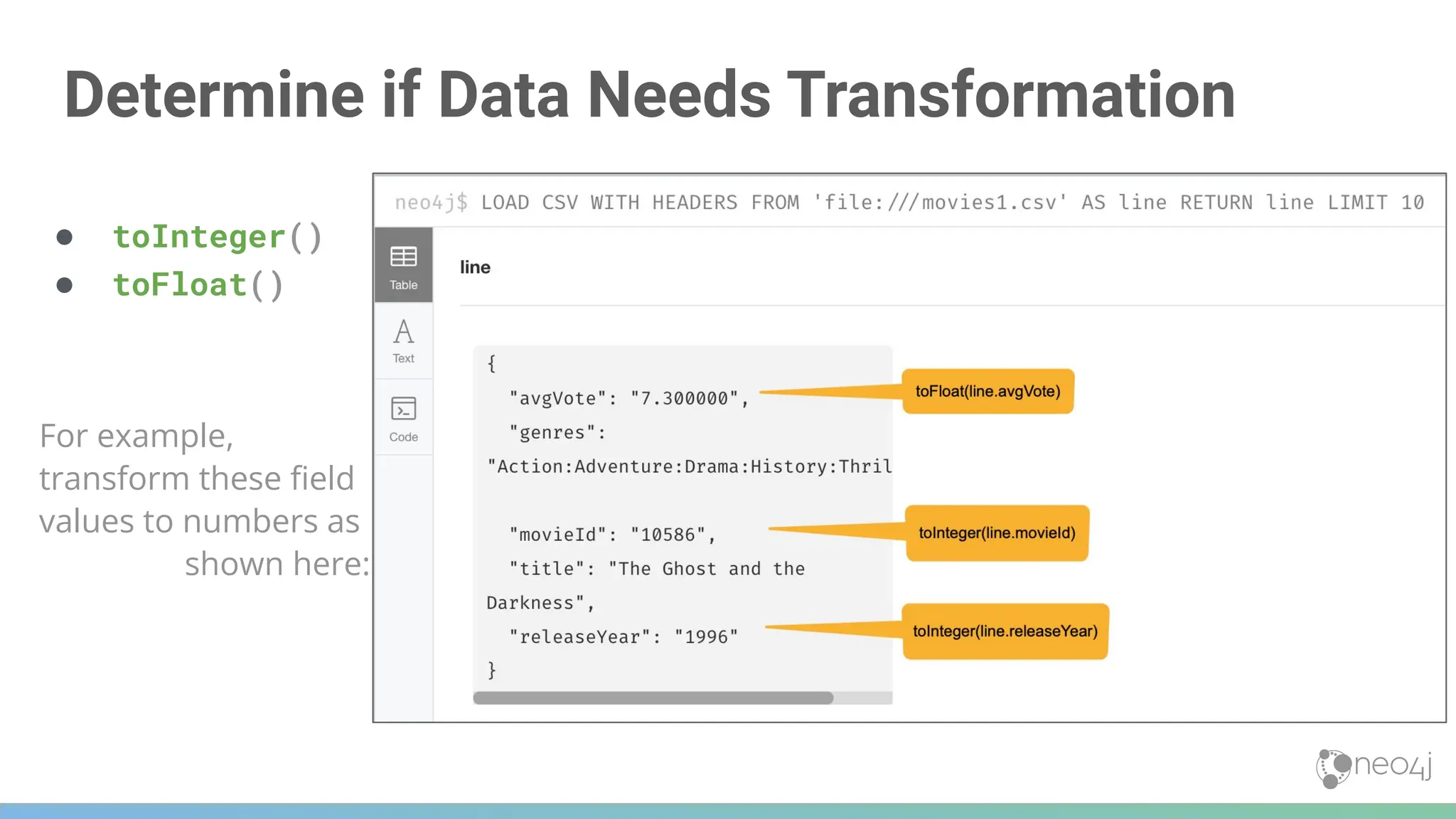
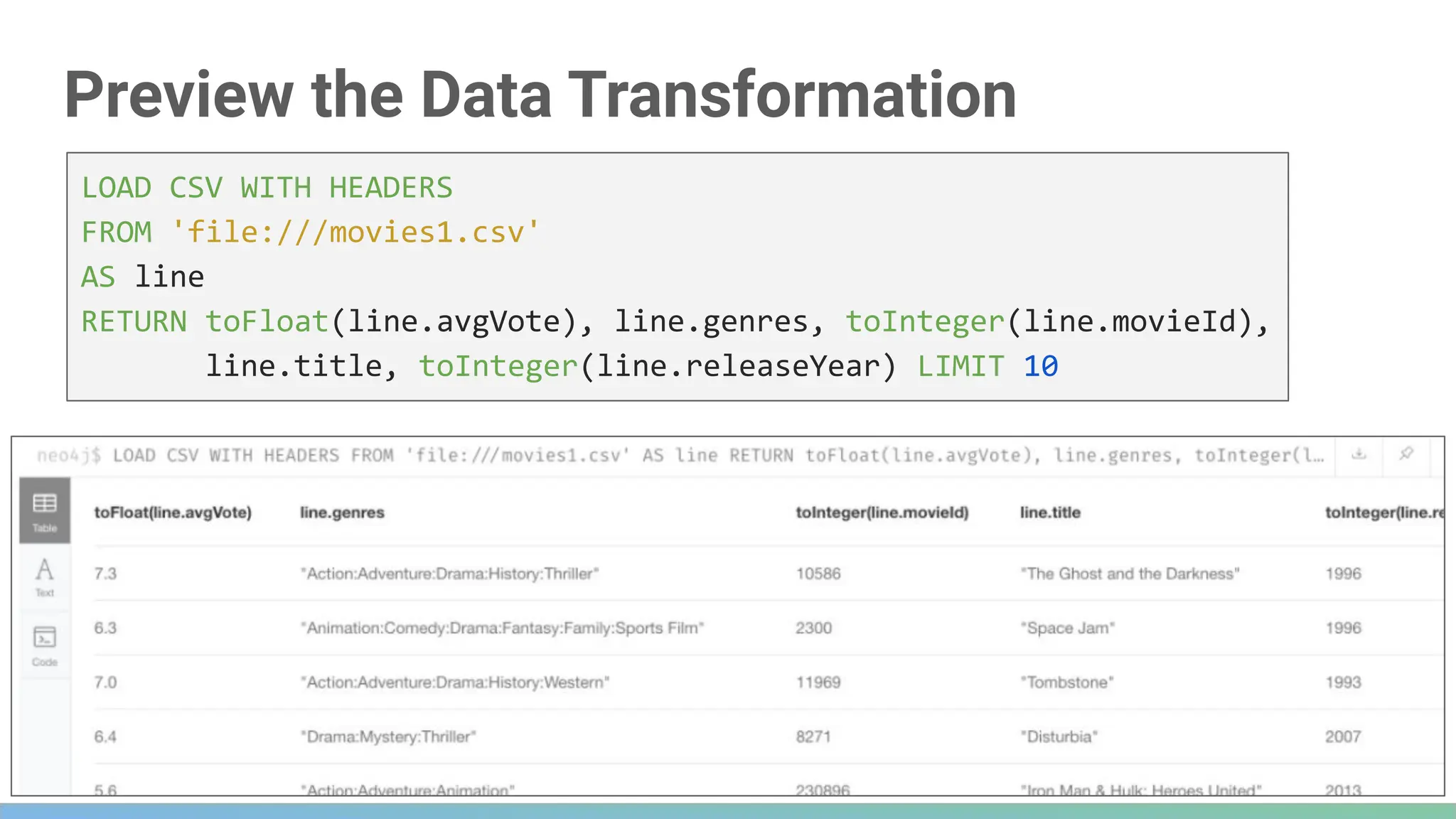
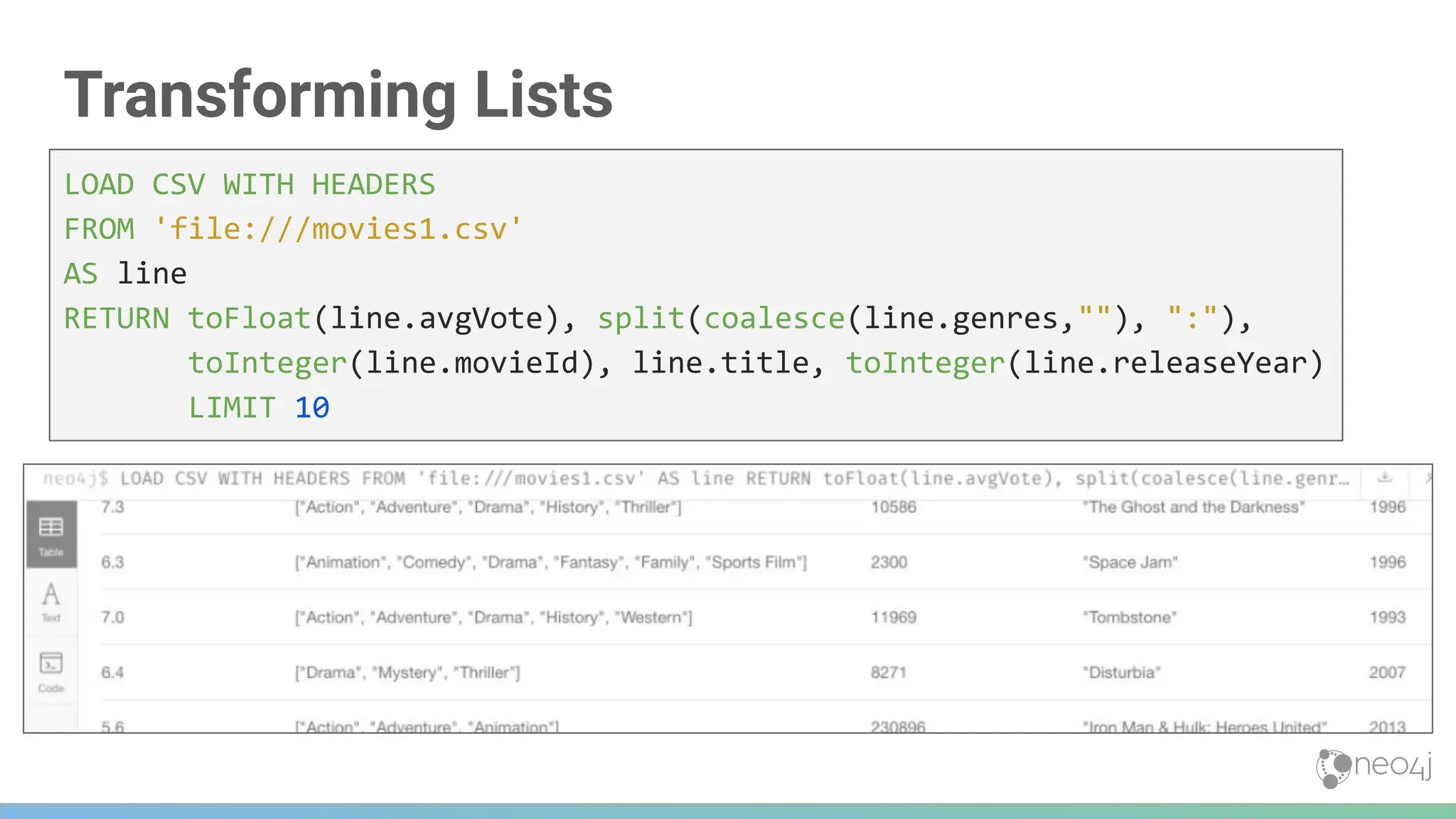
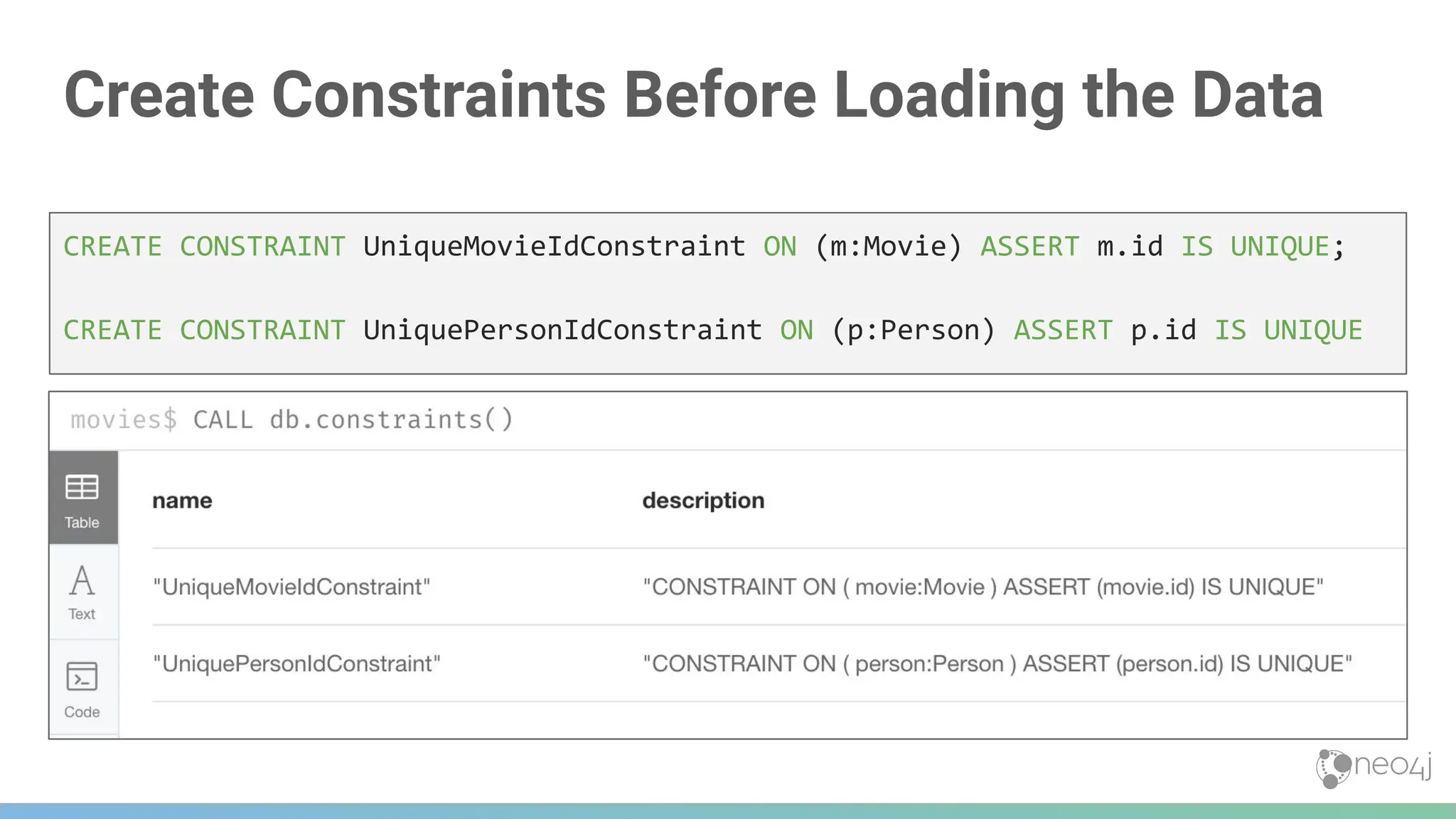
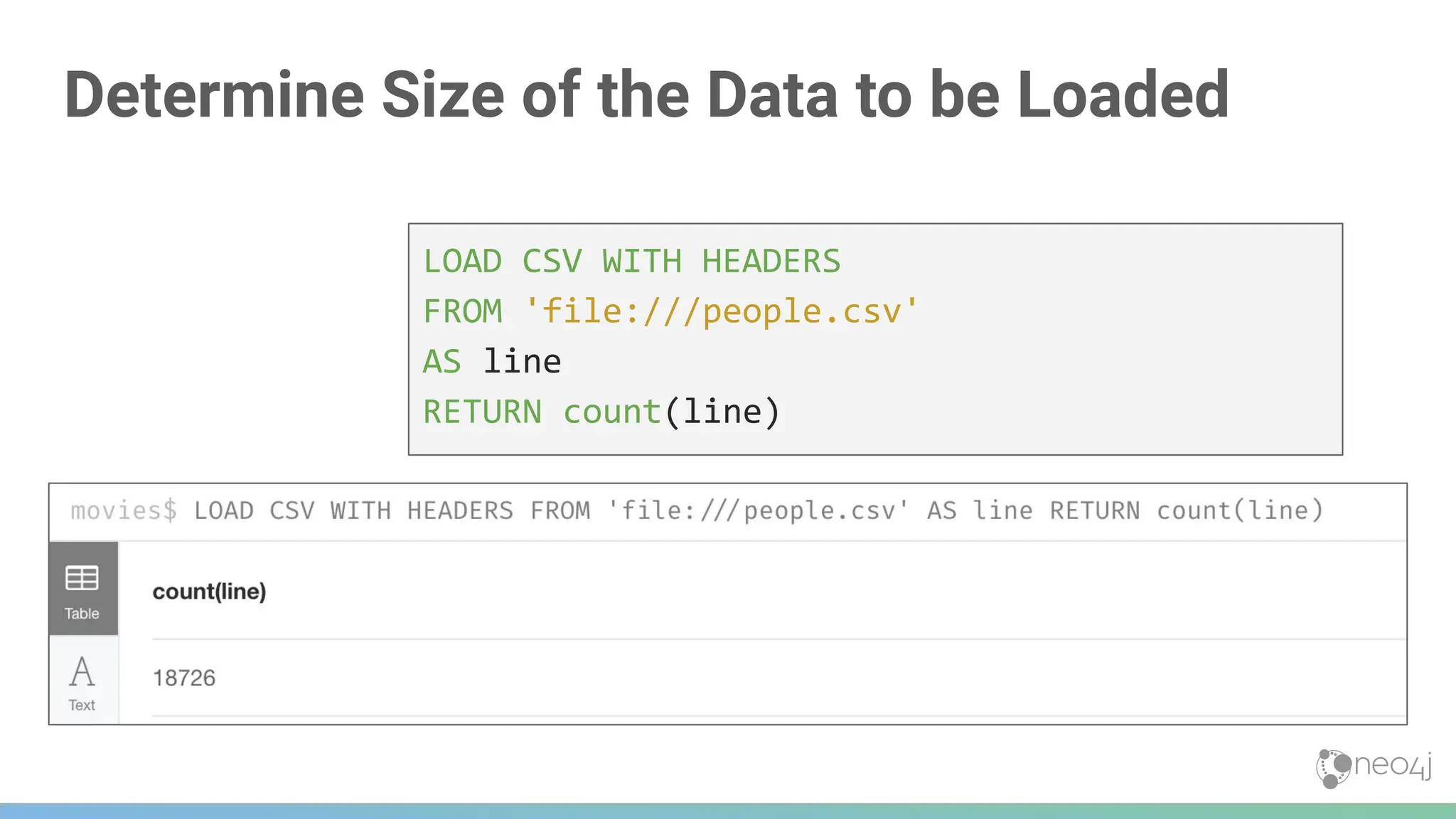
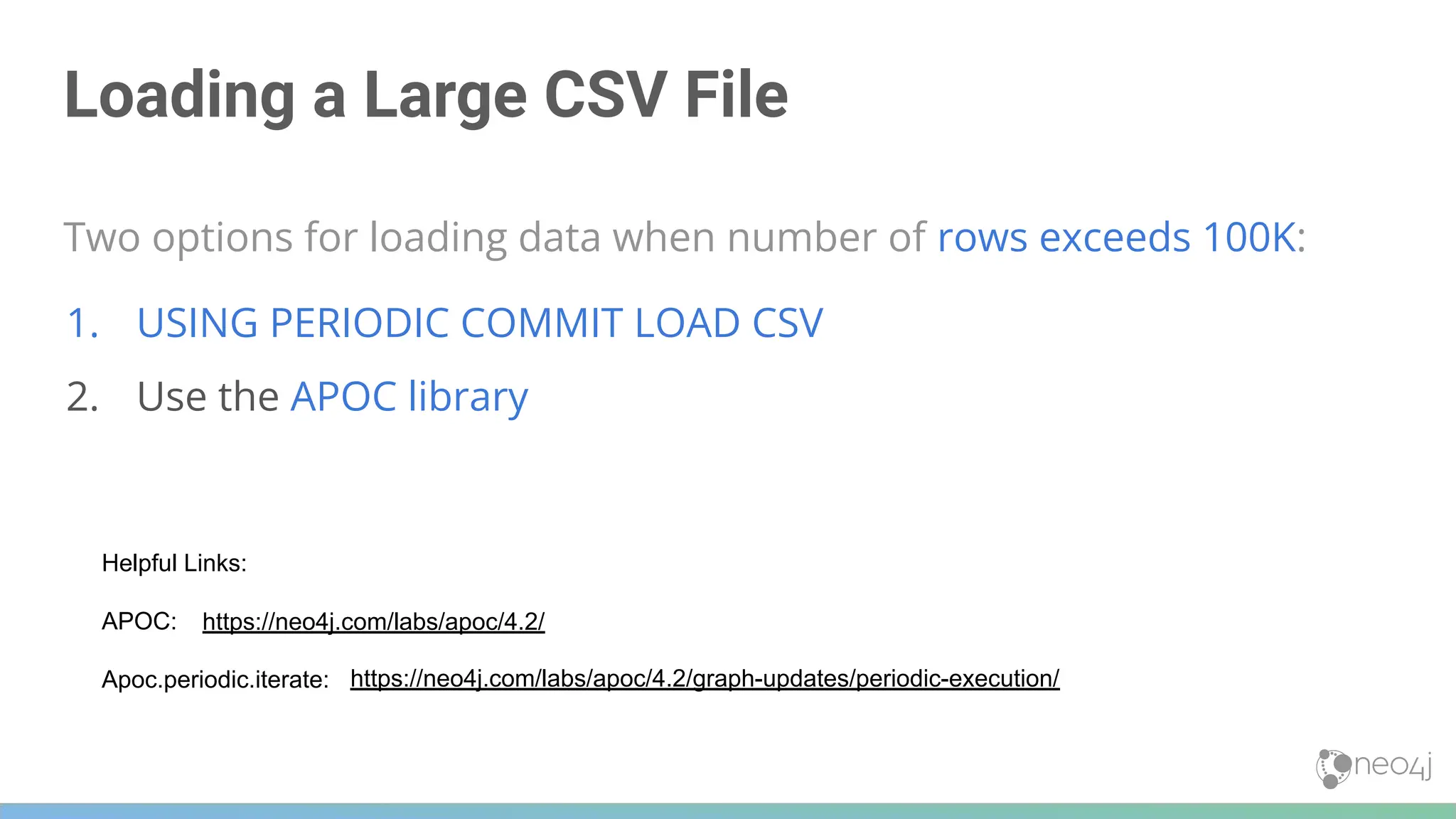
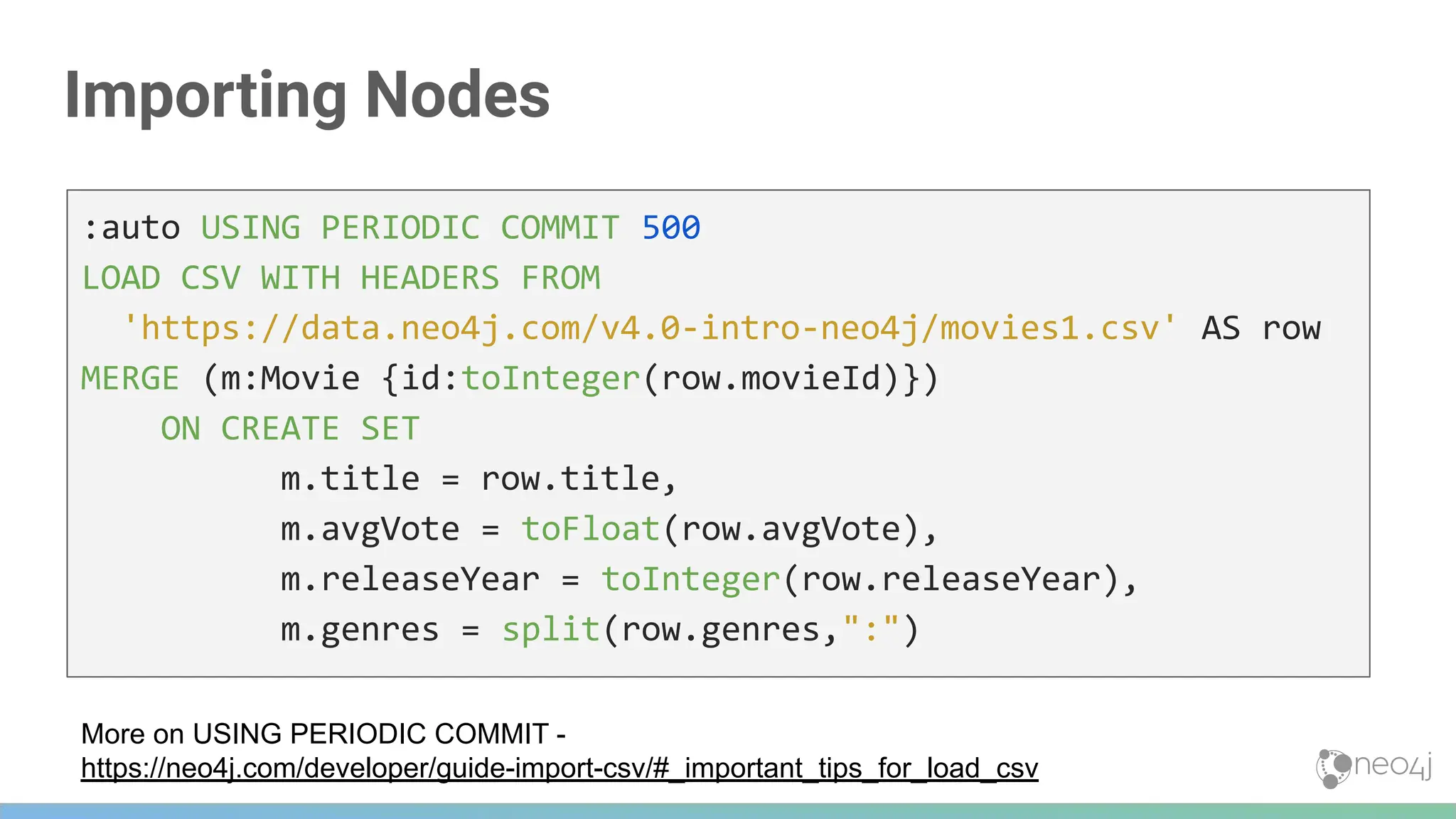
![Importing Relationships
LOAD CSV WITH HEADERS FROM
'https://data.neo4j.com/v4.0-intro-neo4j/directors.csv' AS row
MATCH (movie:Movie {id:toInteger(row.movieId)})
MATCH (person:Person {id: toInteger(row.personId)})
MERGE (person)-[:DIRECTED]->(movie)
ON CREATE SET person:Director](https://image.slidesharecdn.com/5-250304225616-8d25b5b6/75/5-17-IntroductionToNeo4j-allSlides_1_2022_DanMc-pdf-336-2048.jpg)
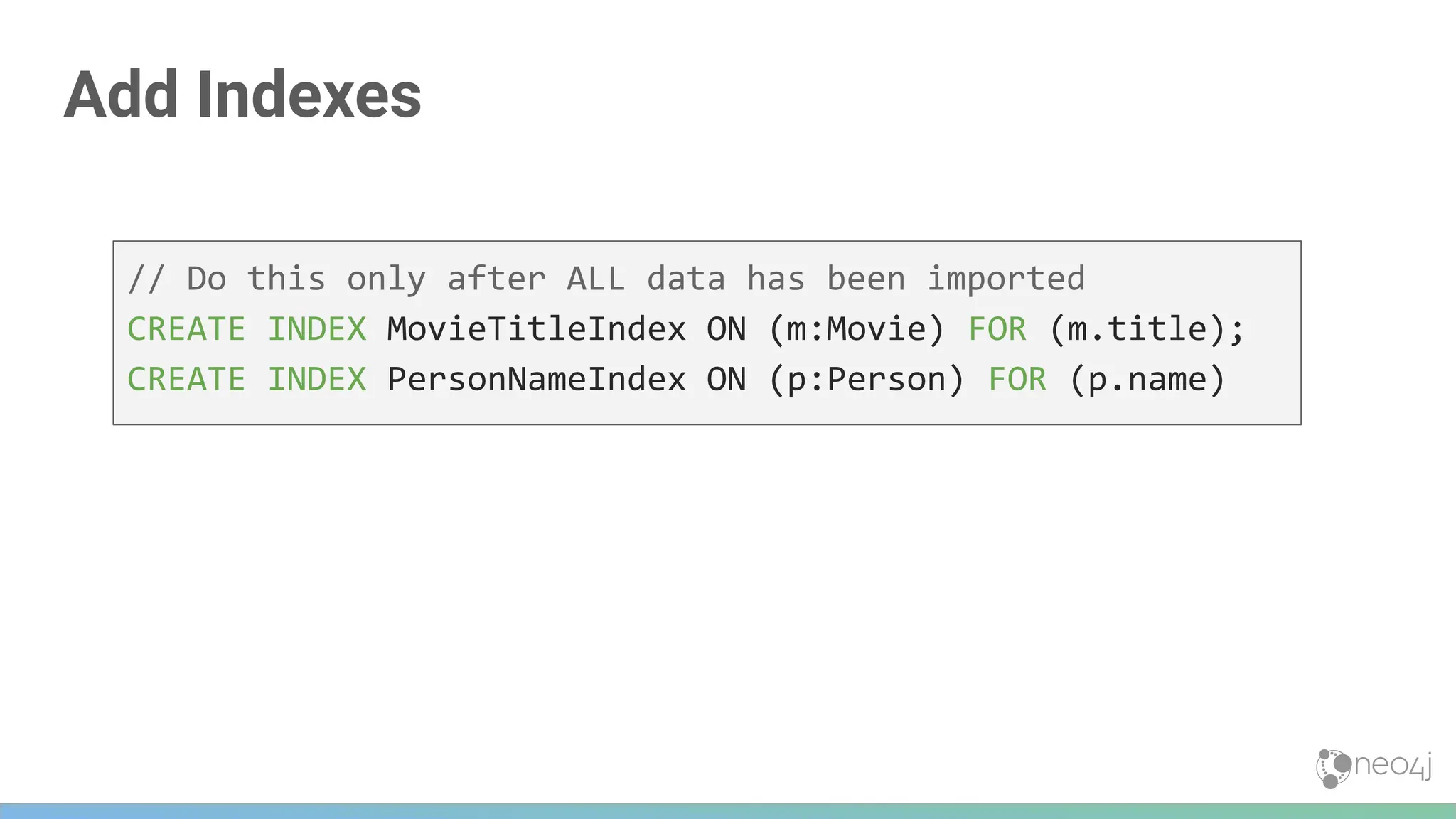


![Using Cypher Parameters
In Cypher, parameter names begin with $
352
MATCH (p:Person)-[:ACTED_IN]->(m:Movie)
WHERE p.name = $actorName
RETURN m.released, m.title ORDER BY m.released DESC
At runtime, the value of $actorName is used in the Cypher statement](https://image.slidesharecdn.com/5-250304225616-8d25b5b6/75/5-17-IntroductionToNeo4j-allSlides_1_2022_DanMc-pdf-352-2048.jpg)
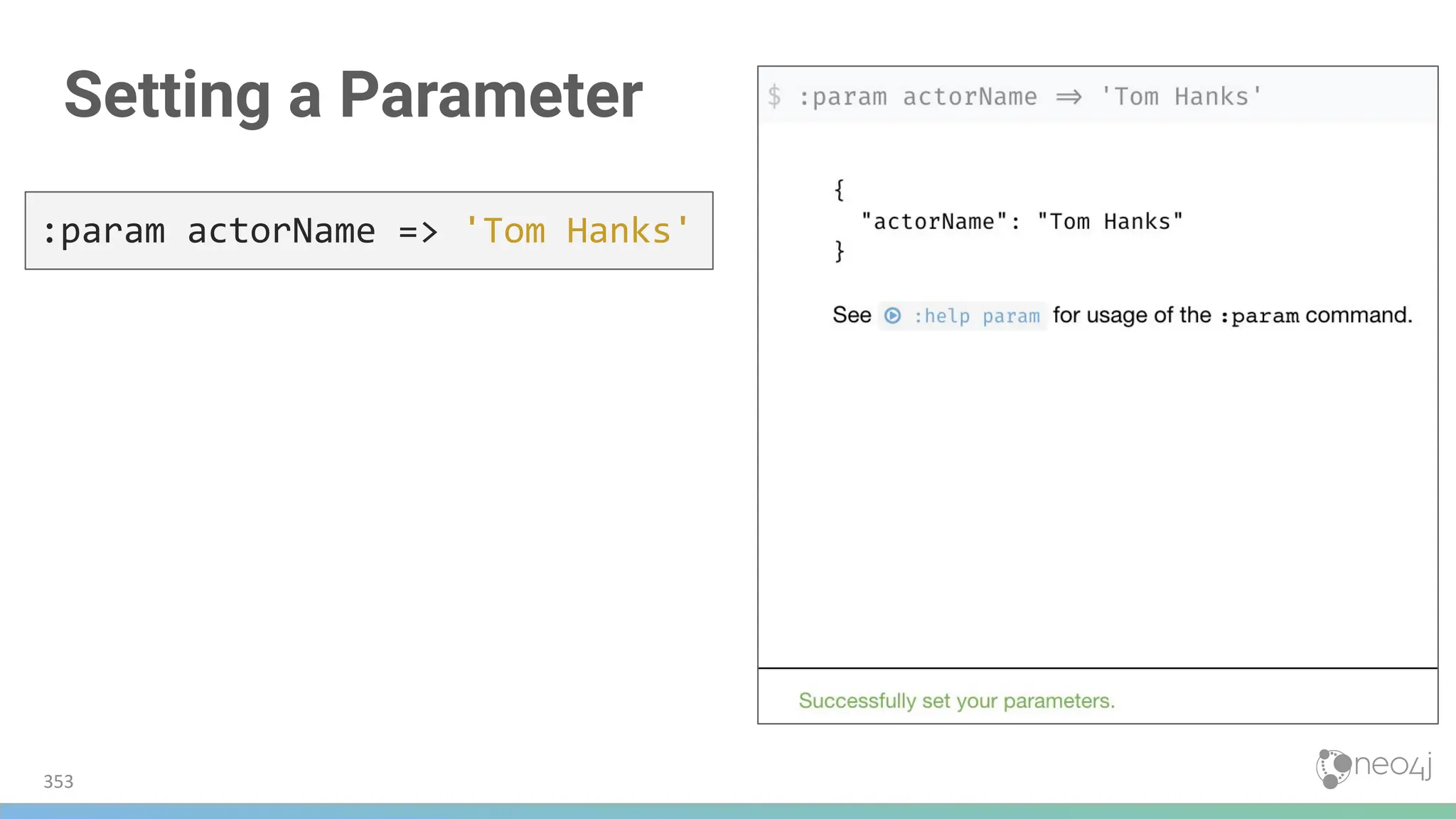
![Using the Parameter
354
MATCH
(p:Person)-[:ACTED_IN]->(m:Movie)
WHERE p.name = $actorName
RETURN m.released, m.title
ORDER BY m.released DESC
:param actorName => 'Tom Cruise'](https://image.slidesharecdn.com/5-250304225616-8d25b5b6/75/5-17-IntroductionToNeo4j-allSlides_1_2022_DanMc-pdf-354-2048.jpg)
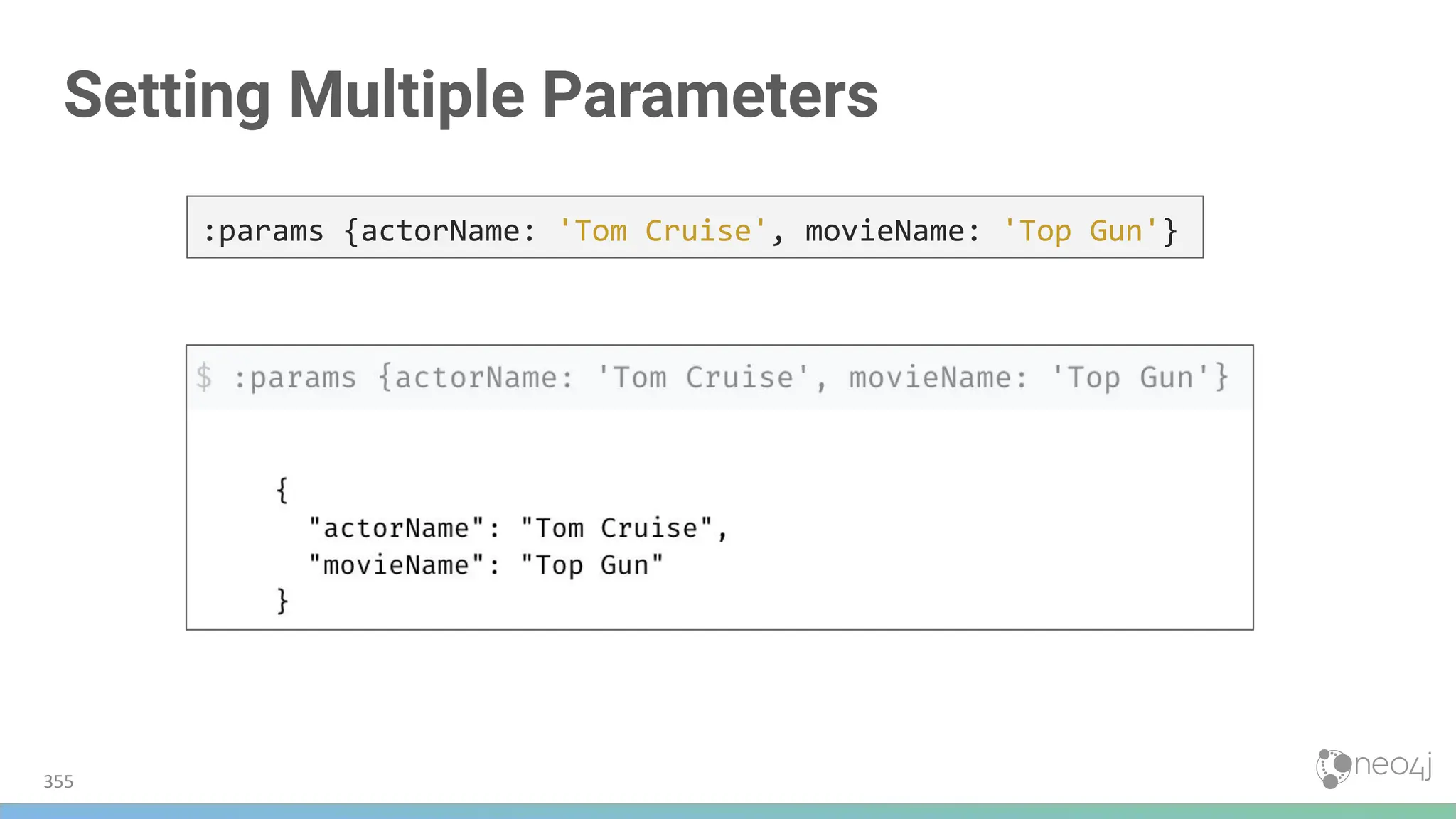
![Using
Multiple
Parameters
356
MATCH (p:Person)-[:ACTED_IN]->(m:Movie)
WHERE p.name = $actorName AND m.title = $movieName
RETURN p, m](https://image.slidesharecdn.com/5-250304225616-8d25b5b6/75/5-17-IntroductionToNeo4j-allSlides_1_2022_DanMc-pdf-356-2048.jpg)
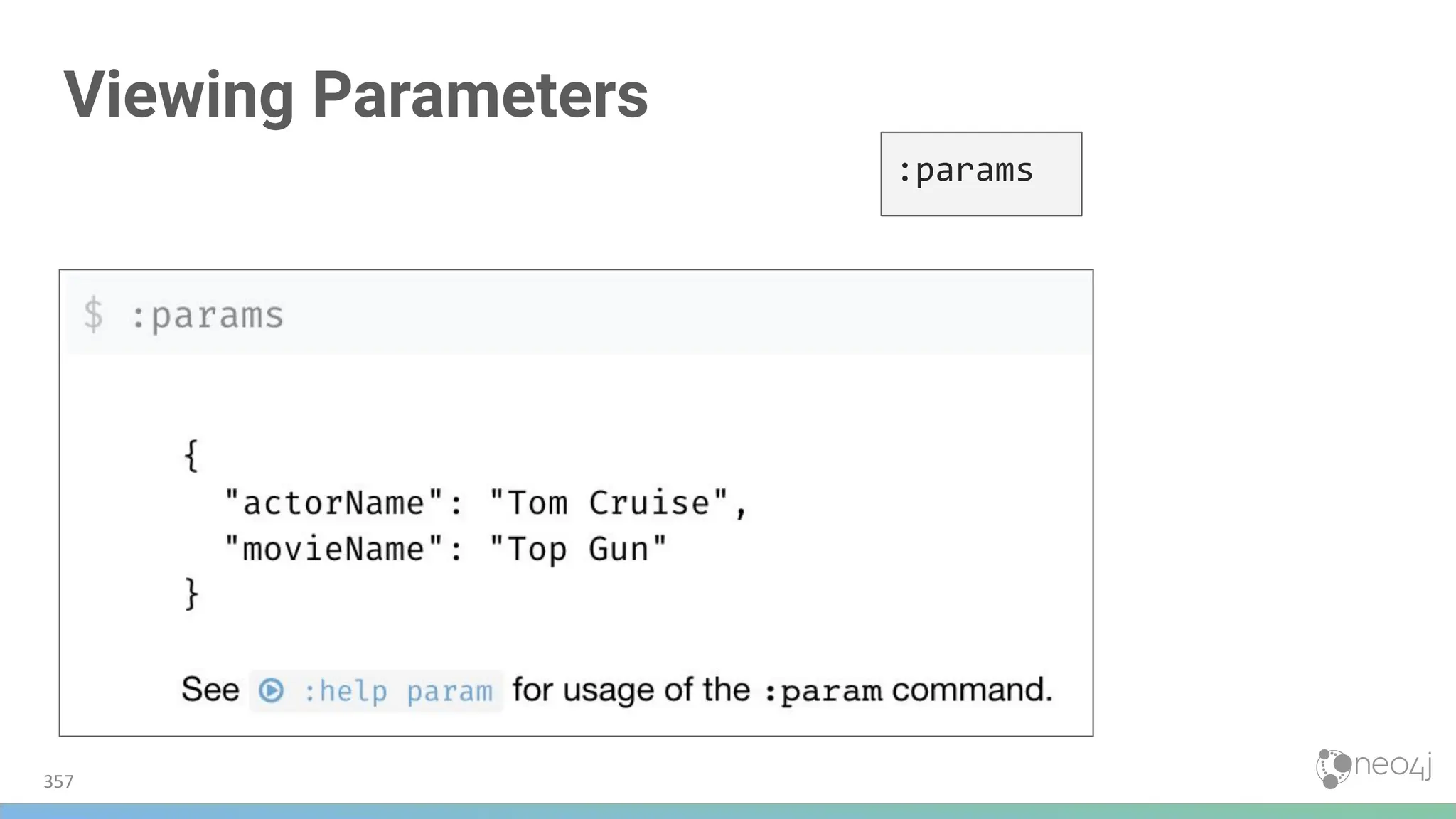
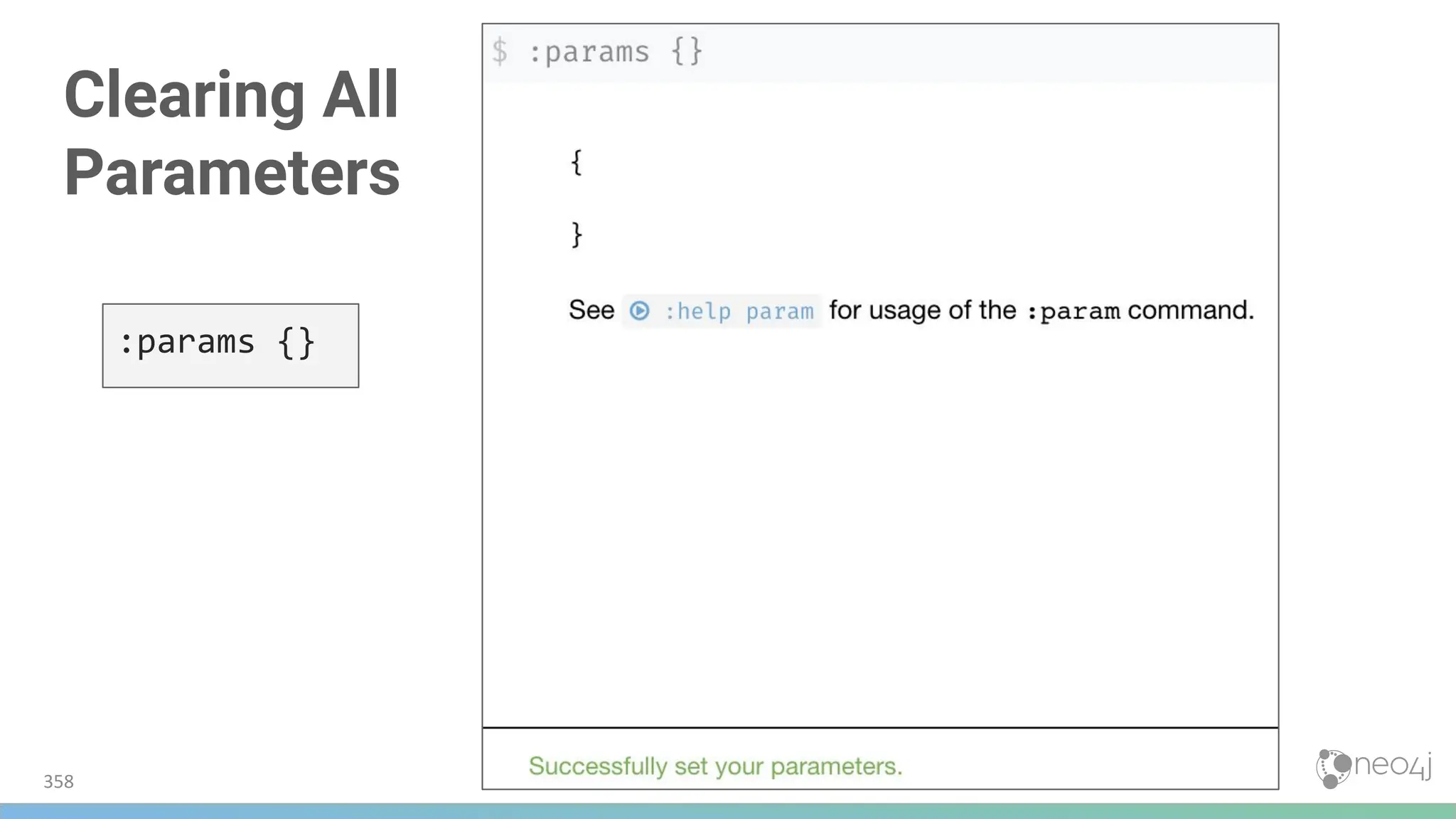
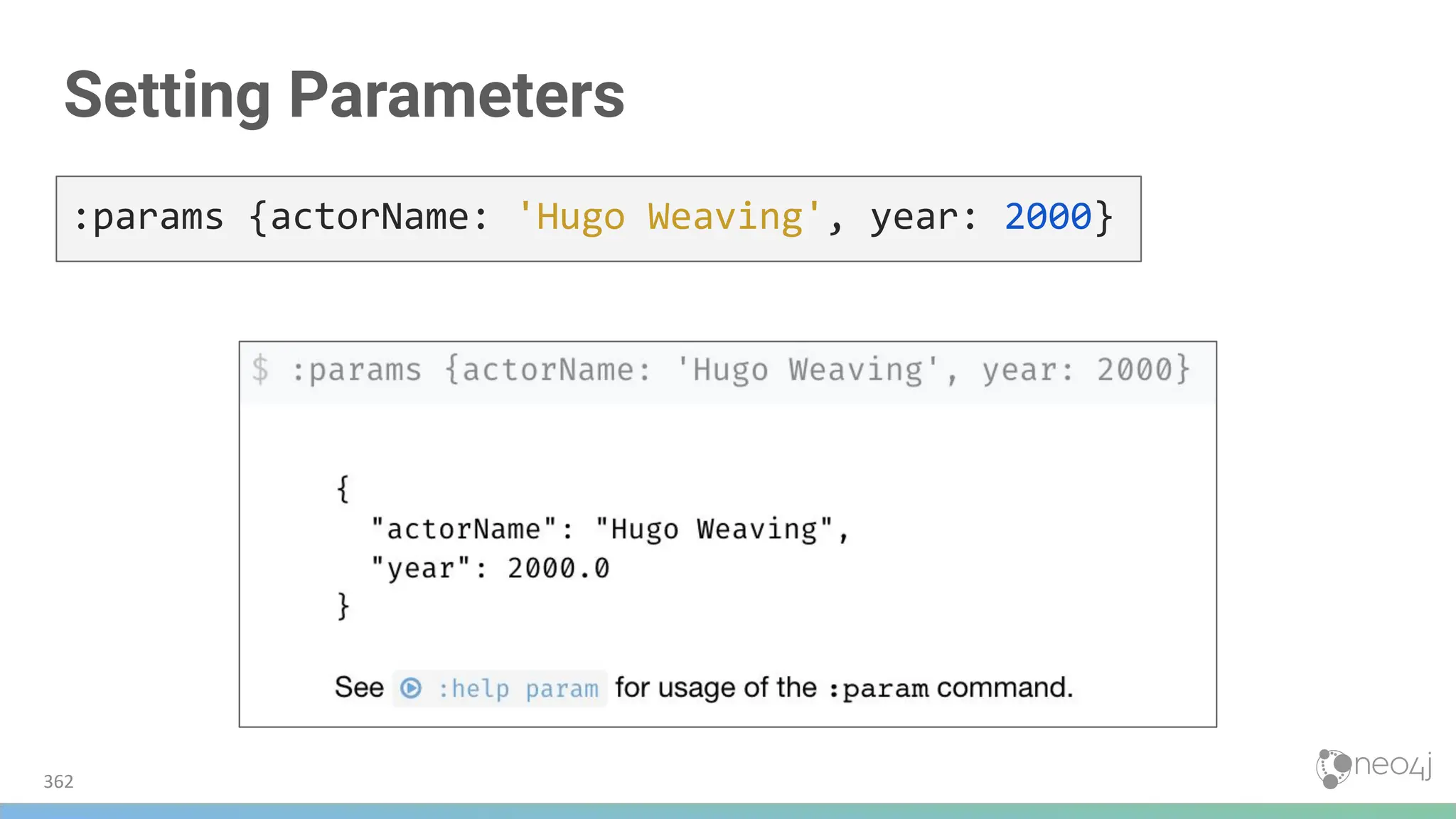
![Using EXPLAIN
363
EXPLAIN MATCH (p:Person)-[:ACTED_IN]->(m:Movie)
WHERE p.name = $actorName
AND m.released < $year
RETURN p.name, m.title, m.released](https://image.slidesharecdn.com/5-250304225616-8d25b5b6/75/5-17-IntroductionToNeo4j-allSlides_1_2022_DanMc-pdf-363-2048.jpg)
![Expanding the Steps
364
EXPLAIN MATCH (p:Person)-[:ACTED_IN]->(m:Movie)
WHERE p.name = $actorName
AND m.released < $year
RETURN p.name, m.title, m.released
Showing all steps:](https://image.slidesharecdn.com/5-250304225616-8d25b5b6/75/5-17-IntroductionToNeo4j-allSlides_1_2022_DanMc-pdf-364-2048.jpg)
![Using PROFILE
365
PROFILE MATCH (p:Person)-[:ACTED_IN]->(m:Movie)
WHERE p.name = $actorName
AND m.released < $year
RETURN p.name, m.title, m.released
Showing all steps
expanded](https://image.slidesharecdn.com/5-250304225616-8d25b5b6/75/5-17-IntroductionToNeo4j-allSlides_1_2022_DanMc-pdf-365-2048.jpg)
![Expanding PROFILE Steps
366
PROFILE MATCH (p:Person)-[:ACTED_IN]->(m:Movie)
WHERE p.name = $actorName
AND m.released < $year
RETURN p.name, m.title, m.released](https://image.slidesharecdn.com/5-250304225616-8d25b5b6/75/5-17-IntroductionToNeo4j-allSlides_1_2022_DanMc-pdf-366-2048.jpg)
![PROFILE Without
Node Labels
367
PROFILE MATCH (p)-[:ACTED_IN]->(m)
WHERE p.name = $actorName
AND m.released < $year
RETURN p.name, m.title, m.released
Query changed
● With Labels:
(p:Person)-[:ACTED_IN]->(m:Movie)
● No Labels:
(p)-[:ACTED_IN]->(m)
No Labels
With Labels](https://image.slidesharecdn.com/5-250304225616-8d25b5b6/75/5-17-IntroductionToNeo4j-allSlides_1_2022_DanMc-pdf-367-2048.jpg)

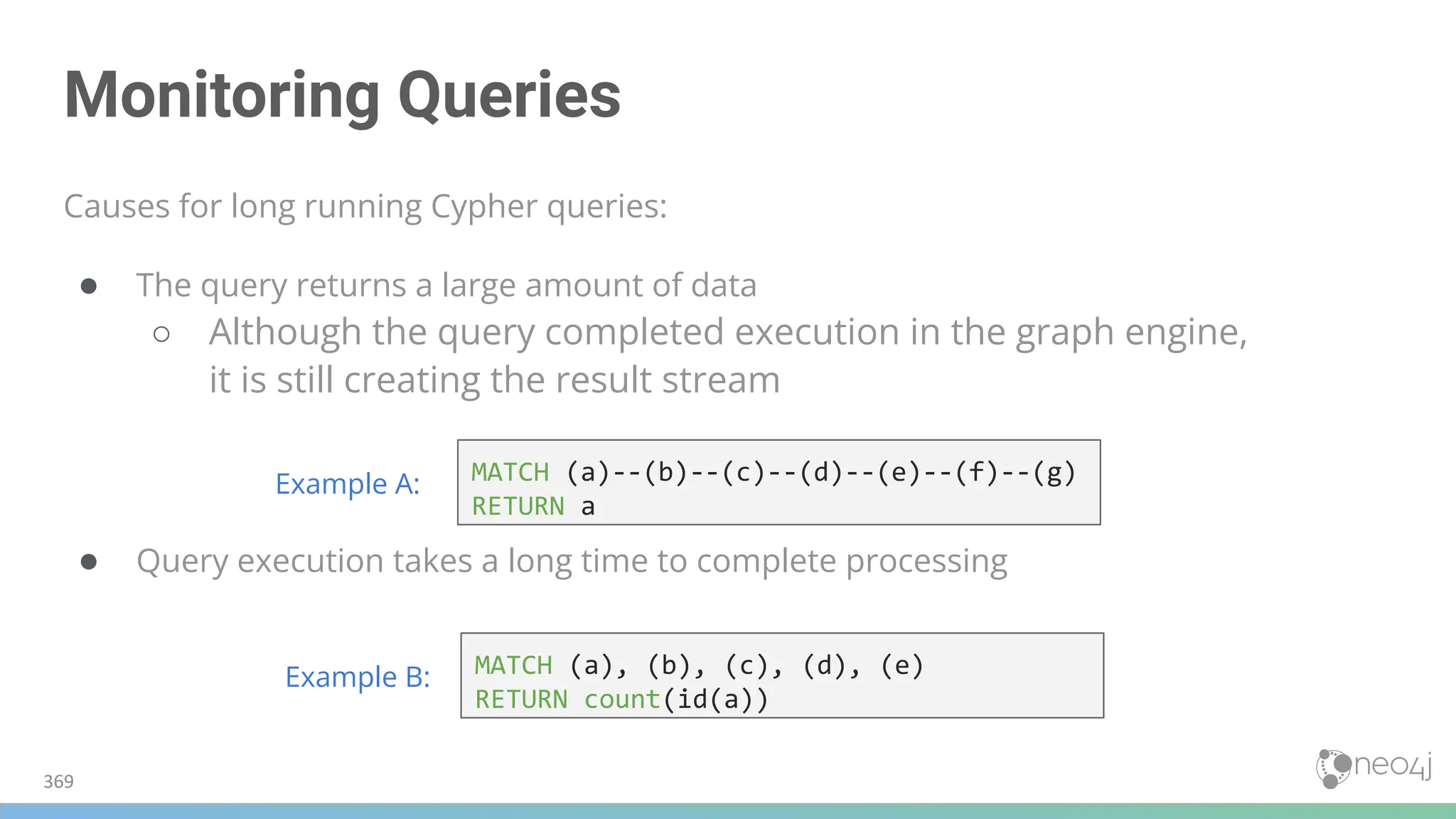
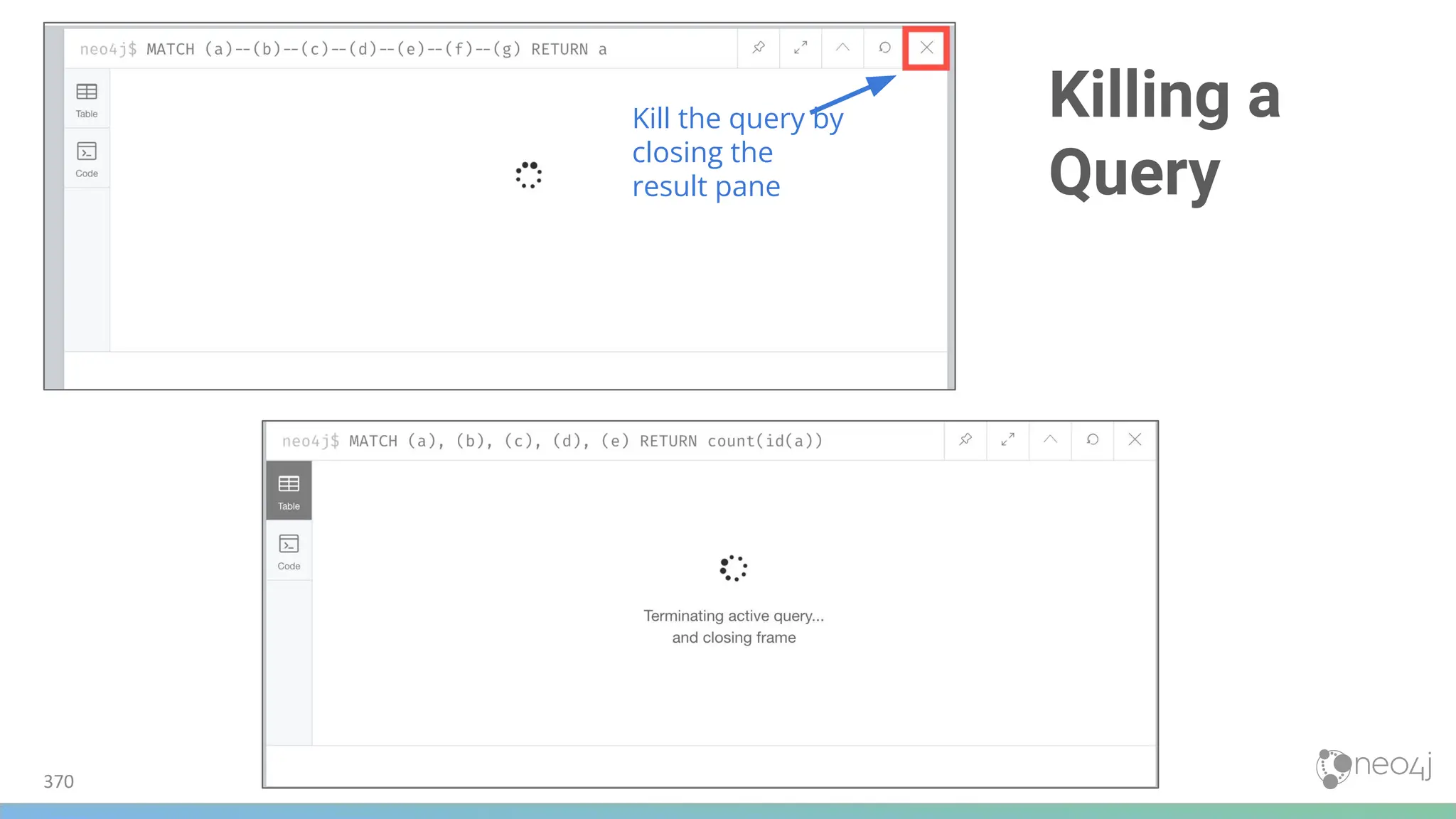
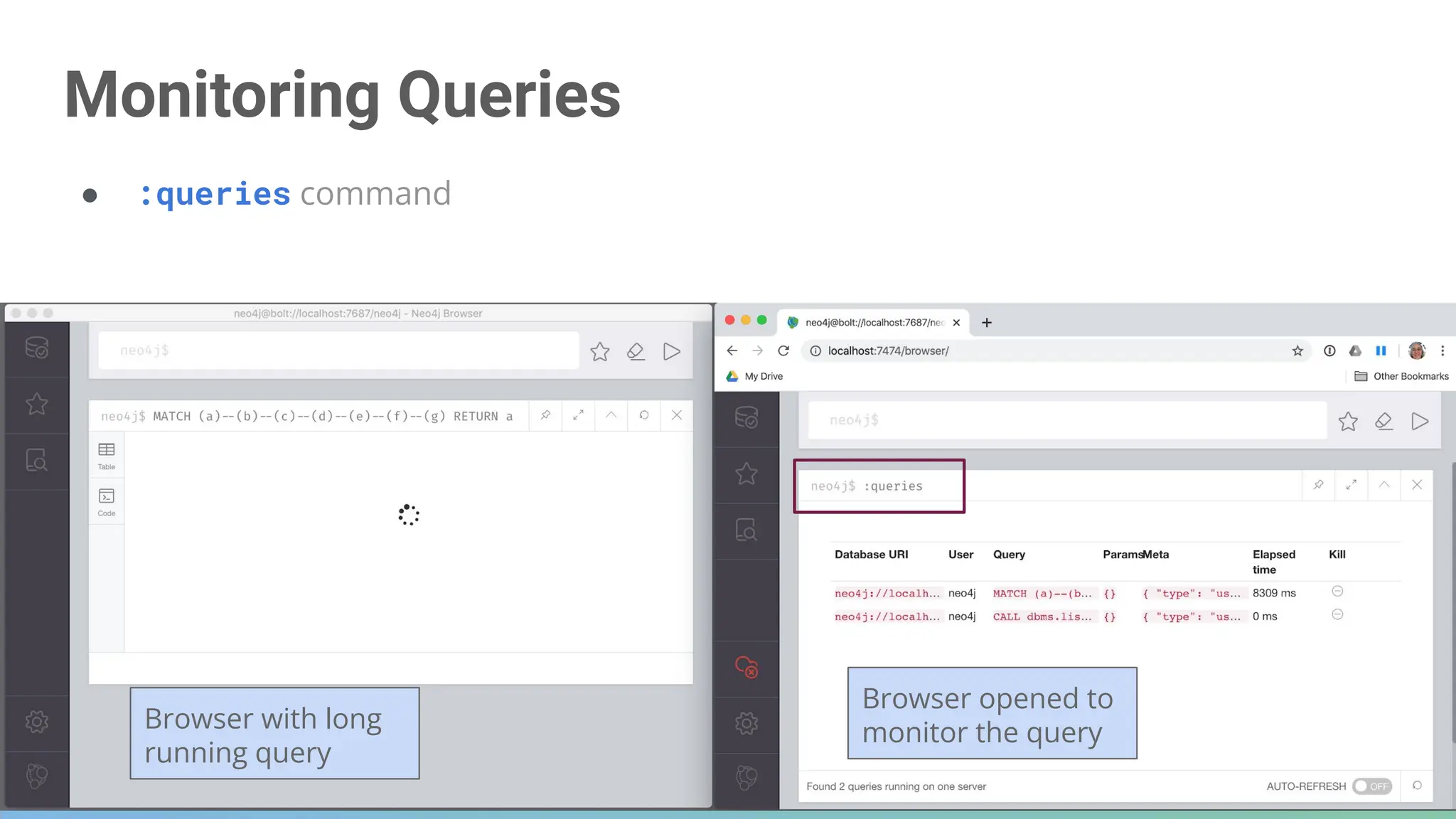
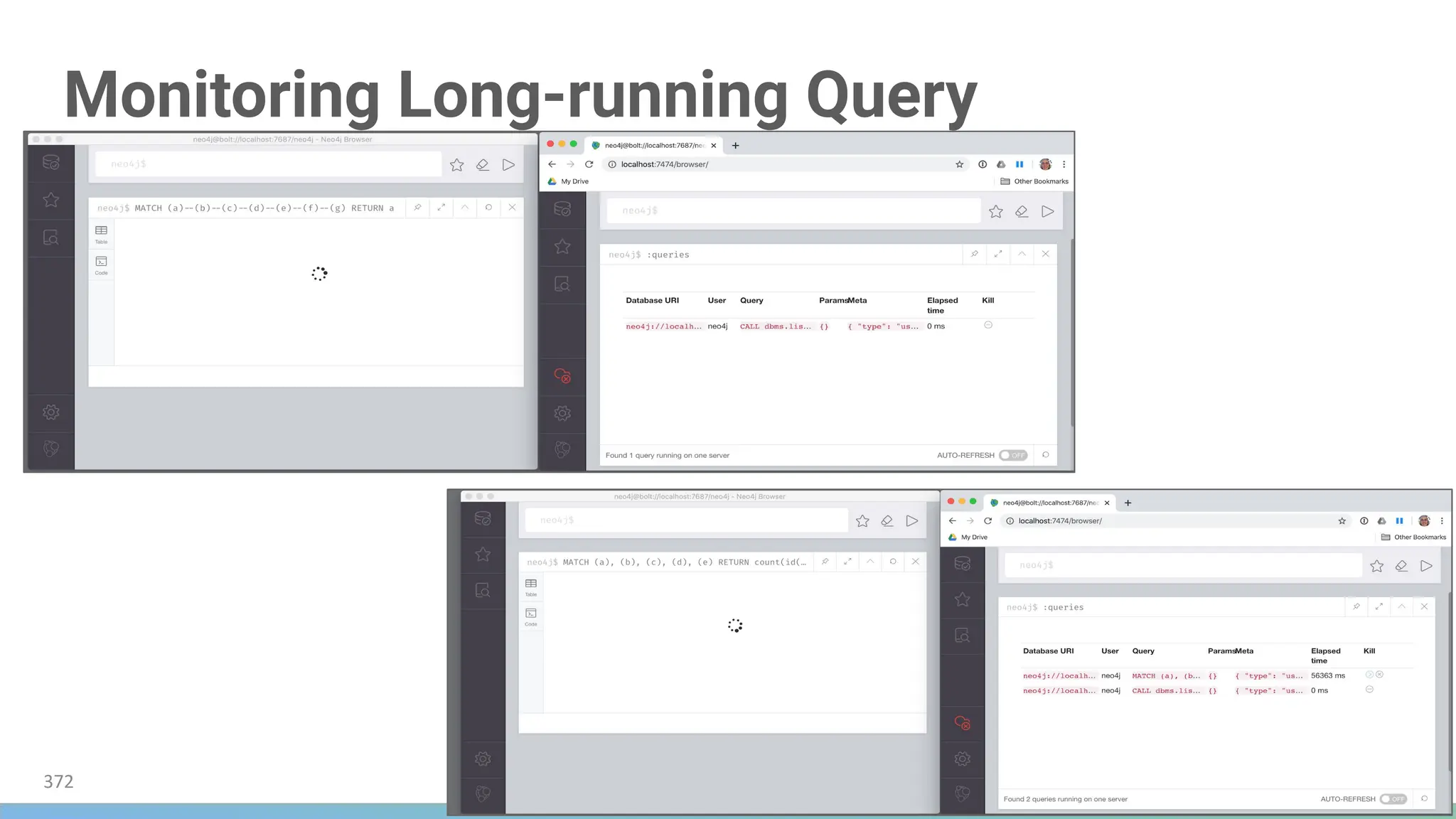
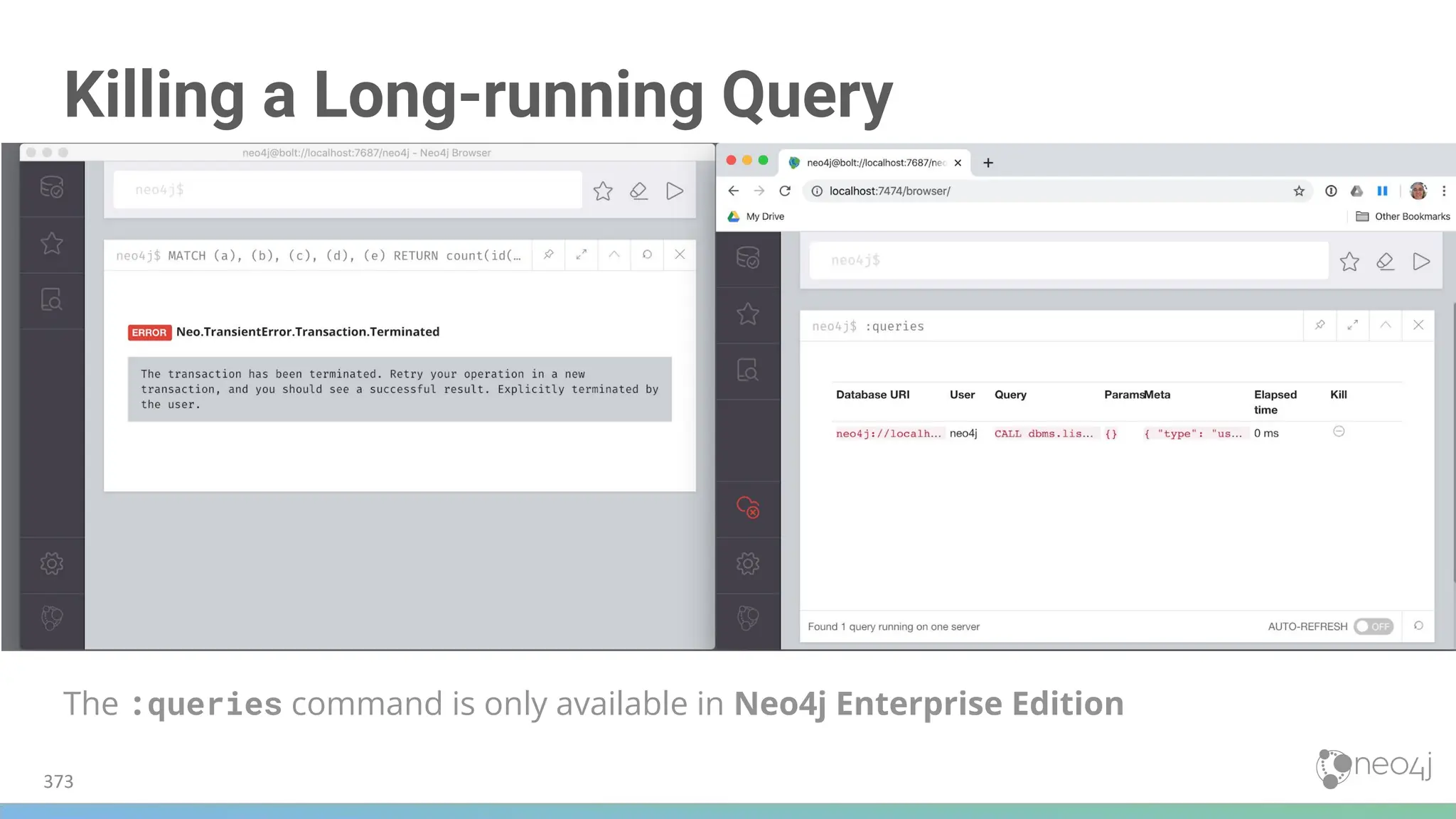

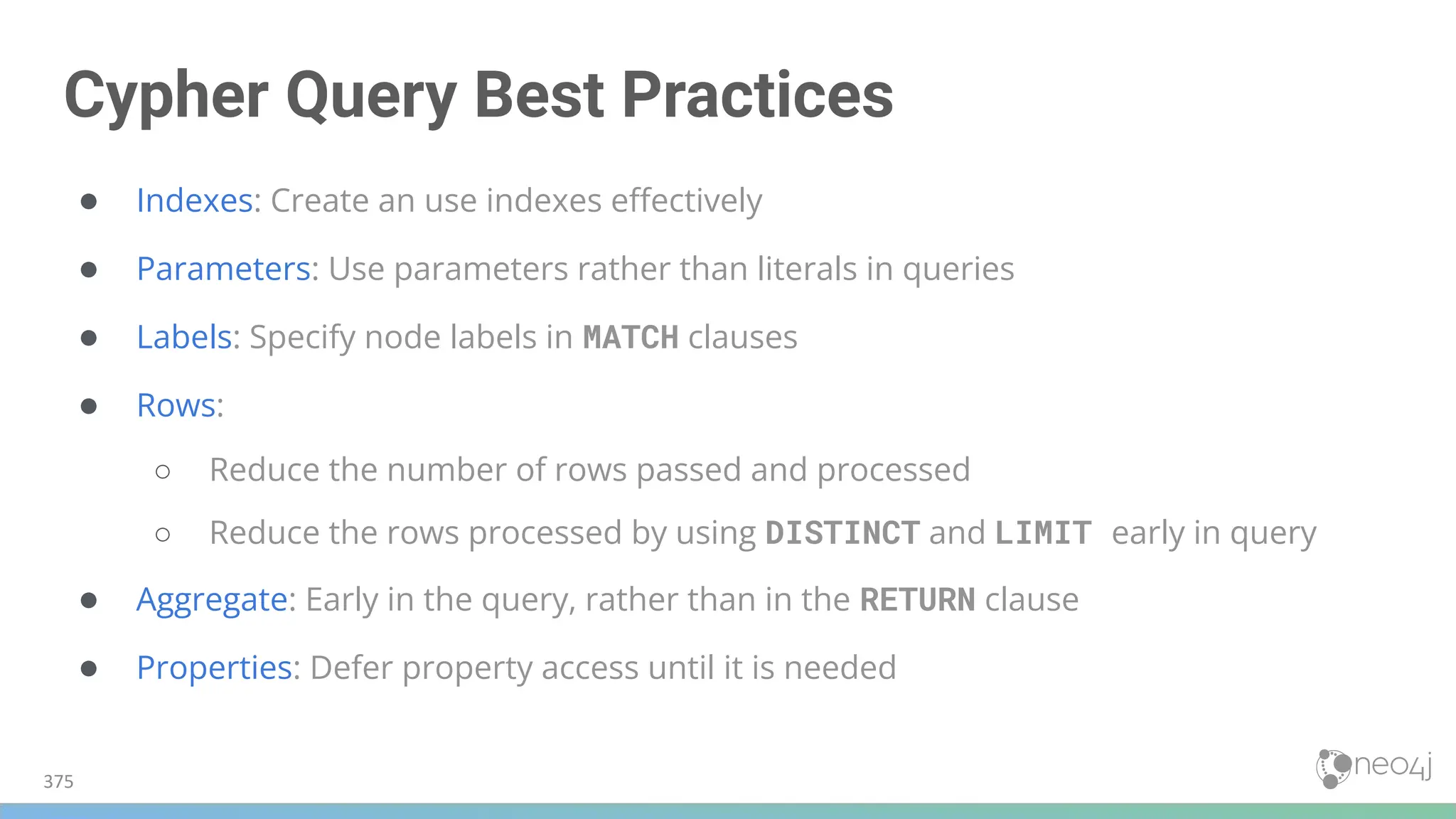

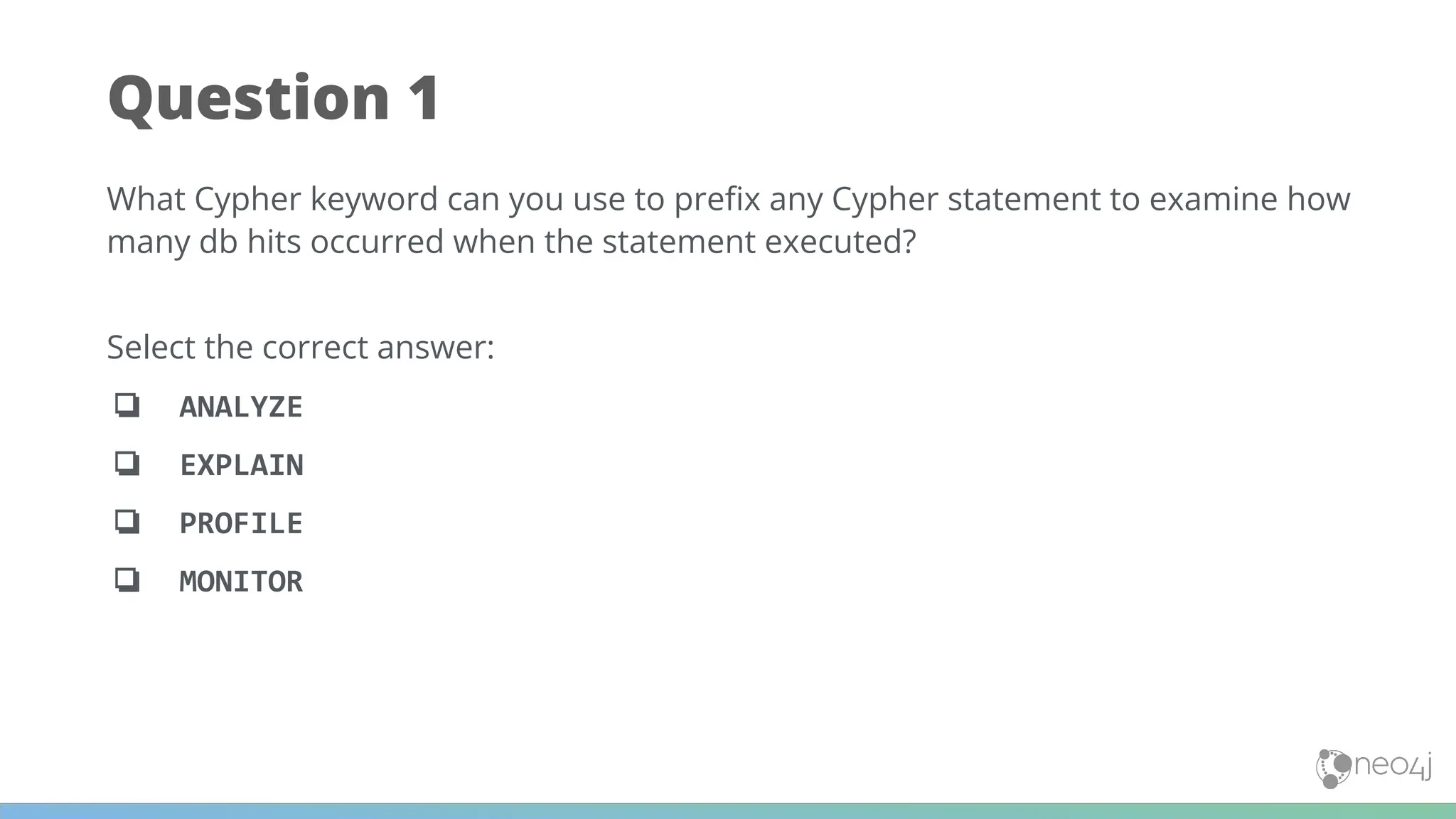
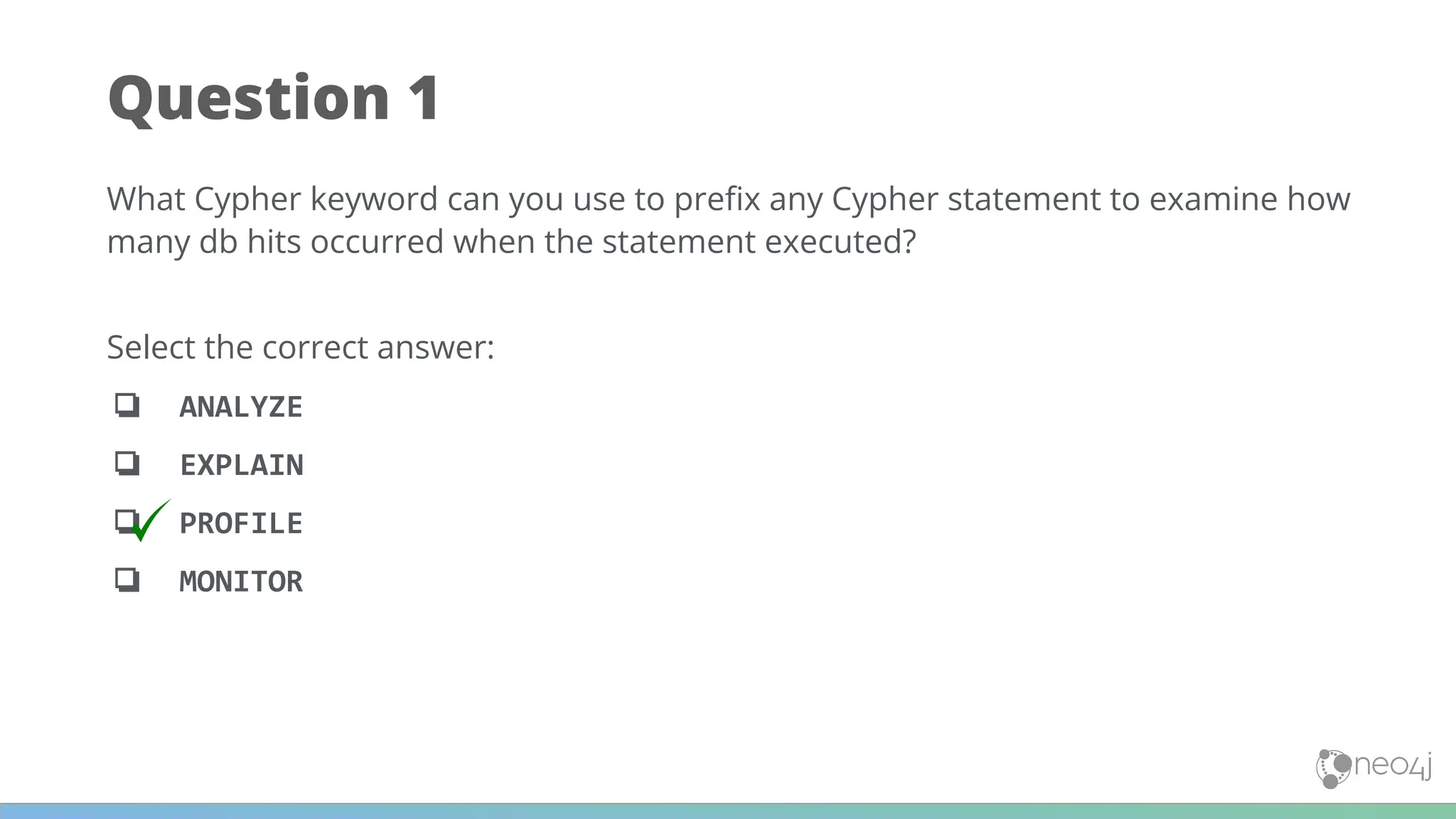
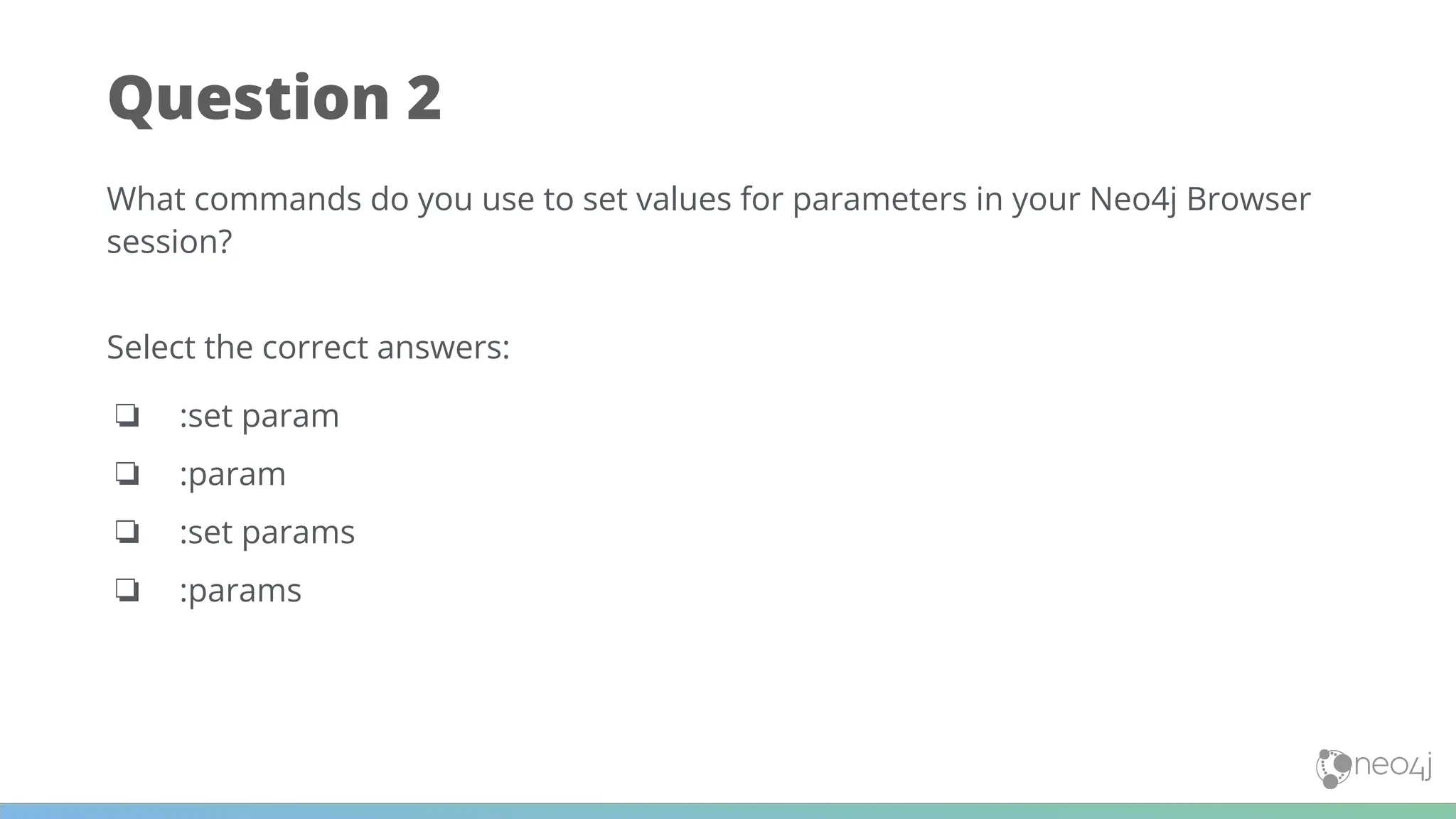
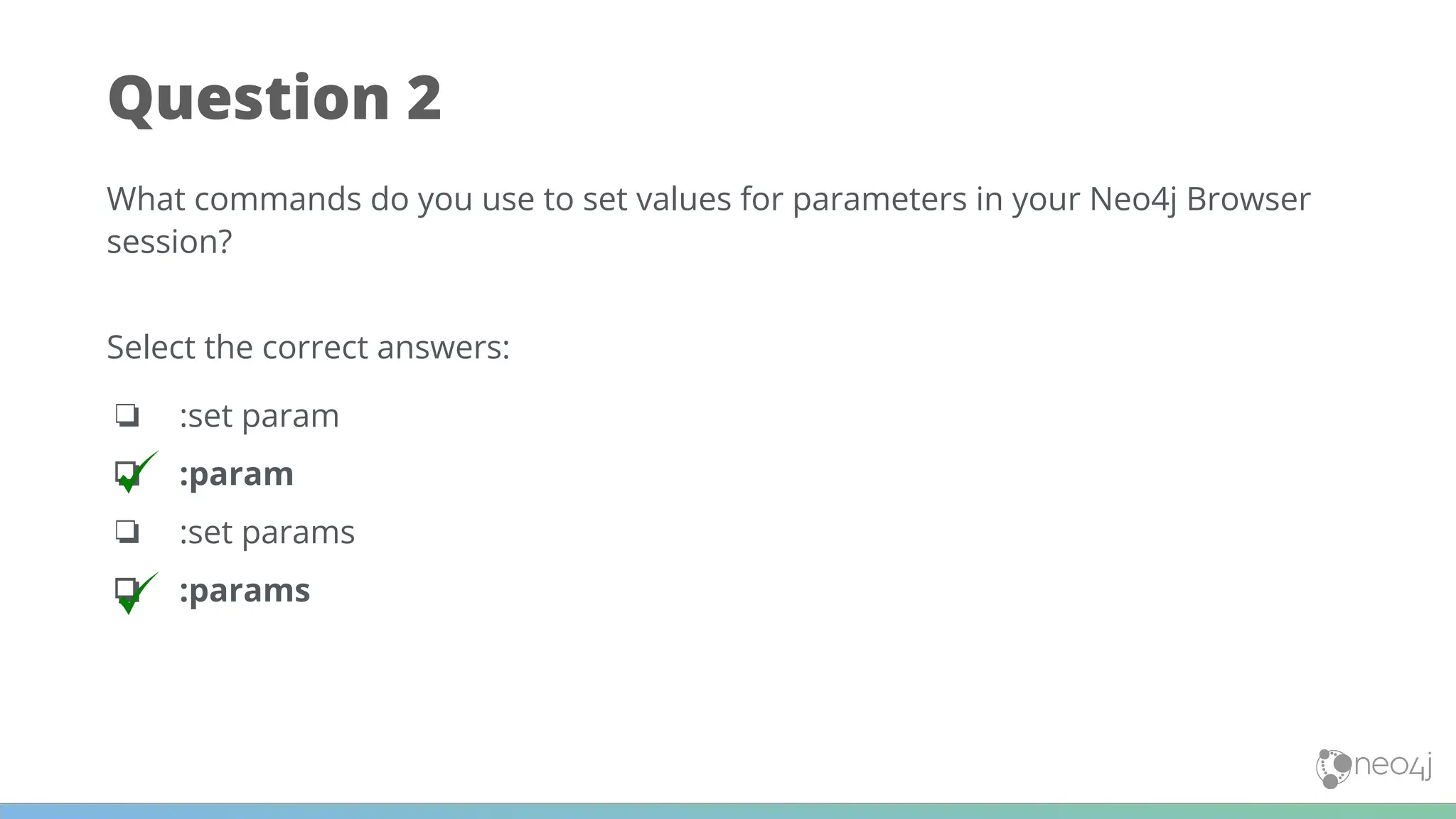
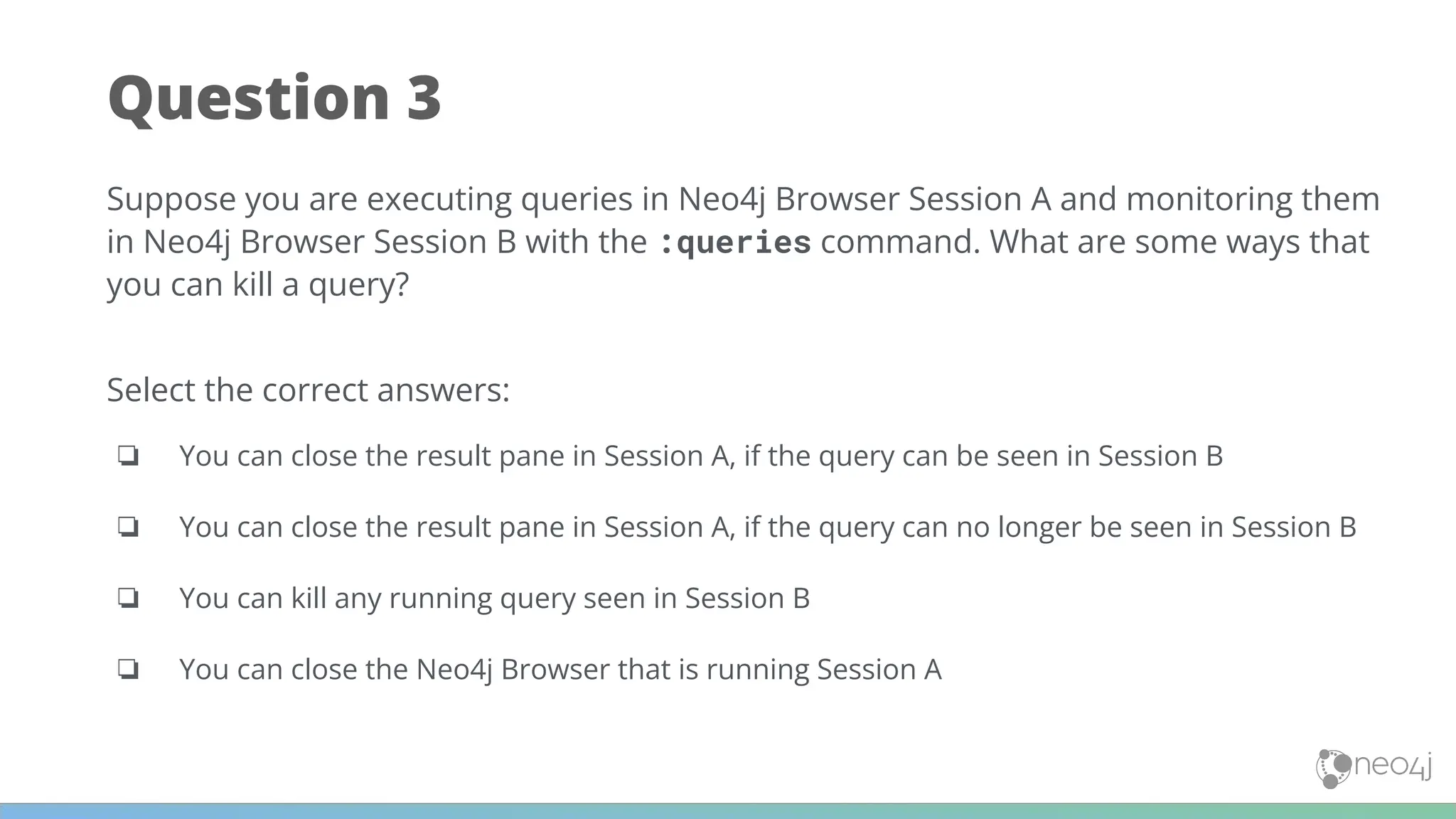
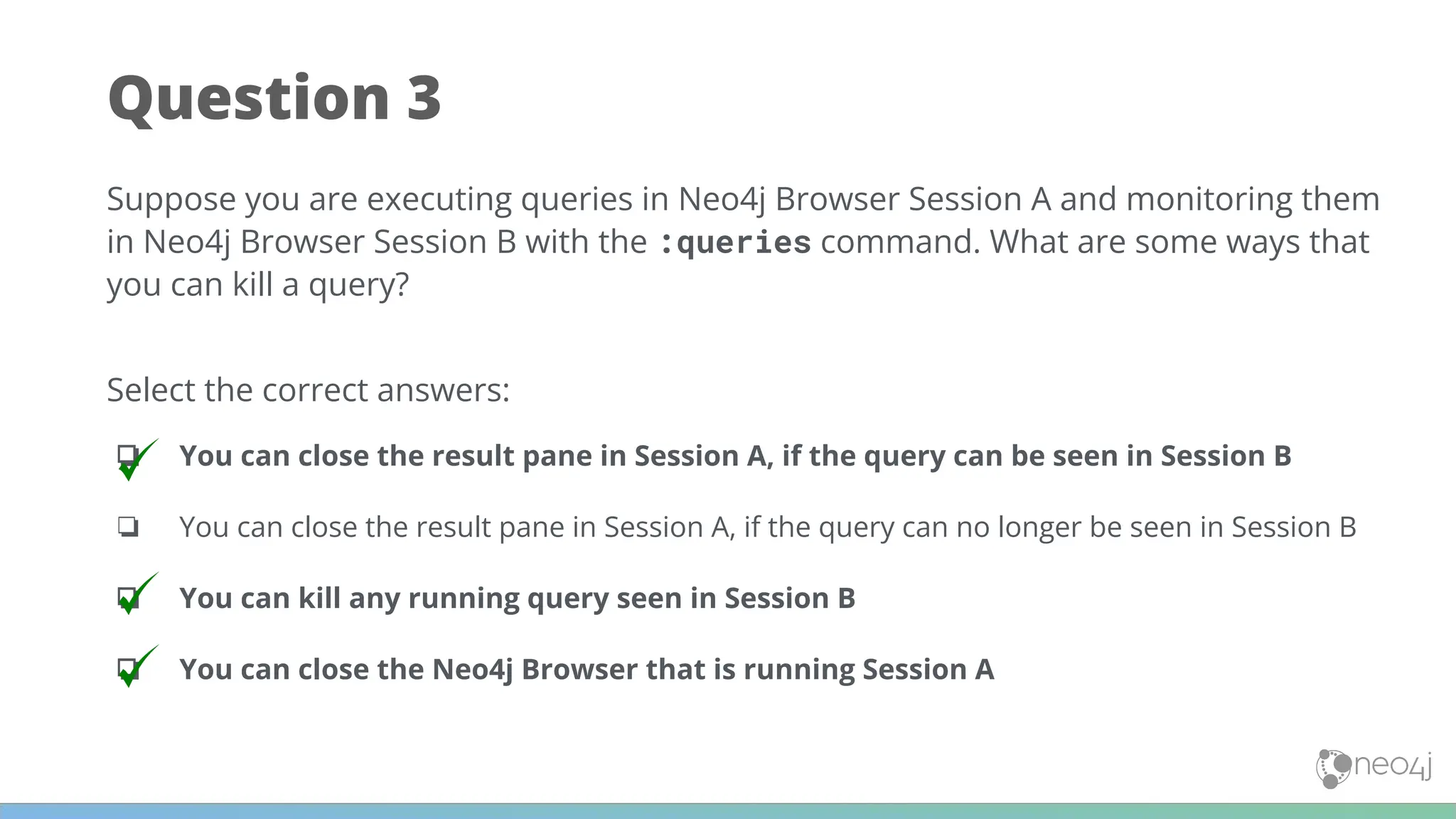




![[DSC Europe 25] Dragana Ilic - AI for Big Data in Astronomy.pptx](https://cdn.slidesharecdn.com/ss_thumbnails/8palya86qaatvjhva1ms-2-dragana-ilic-ai-ilic-251208151906-652b819c-thumbnail.jpg?width=640&height=640&fit=bounds)


![[DSC Europe 25] Goran Obradovic - The Rise of Sovereign AI: Building the Regi...](https://cdn.slidesharecdn.com/ss_thumbnails/7nw2xxixrxqdxvrb5wca-6-251205085714-ab09a2ac-thumbnail.jpg?width=640&height=640&fit=bounds)


![[DSC Europe 25] Dusan Jovicic - AI Story: From on-prem to cloud and back agai...](https://cdn.slidesharecdn.com/ss_thumbnails/8kp49m6uq22ifnbwhfnk-2-251205085715-964d11a6-thumbnail.jpg?width=640&height=640&fit=bounds)


![[DSC Europe 25] Nikola Rajovic - Hardware Technologies Under the Hood: RISC-V...](https://cdn.slidesharecdn.com/ss_thumbnails/o2gptrmtoyqndgoshwgq-dsc2025-tenstorrent-rajovic-251205090438-814685f5-thumbnail.jpg?width=640&height=640&fit=bounds)

