SUBJECT: OBJECT ORIENTED
PROGRAMMING THROUGH JAVA
CLASS :IIB.SC(M.P.CS,M.S.CS,M.C.CS)
A.B.N &P.R.R COLLEGE OF
SCIENCE,KOVVUR
LECTURE 6: DELIVERED BY M.MURTHY
Implementing a Java Program
Implementation of a Java application program involves a series of steps. They
include:
1. Creating the program
2. Compiling the program
3. Running the program
Creating the Program:
We can create a program using any text editor like notepad. The program name
should be saved with the extension “.java”.
Example: assumed that the program name is “Test.java”
class Test
{
public static void main(String as[])
{
System.out.println(“Hello java”);
}
}
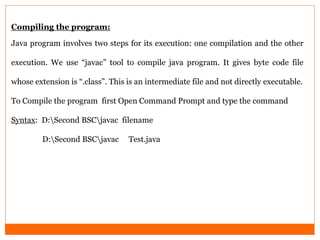
Compiling the program:
Java program involves two steps for its execution: one compilation and the other
execution. We use “javac” tool to compile java program. It gives byte code file
whose extension is “.class”. This is an intermediate file and not directly executable.
To Compile the program first Open Command Prompt and type the command
Syntax: D:Second BSCjavac filename
D:Second BSCjavac Test.java
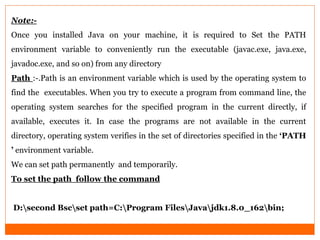
Note:-
Once you installed Java on your machine, it is required to Set the PATH
environment variable to conveniently run the executable (javac.exe, java.exe,
javadoc.exe, and so on) from any directory
Path :-.Path is an environment variable which is used by the operating system to
find the executables. When you try to execute a program from command line, the
operating system searches for the specified program in the current directly, if
available, executes it. In case the programs are not available in the current
directory, operating system verifies in the set of directories specified in the „PATH
‟ environment variable.
We can set path permanently and temporarily.
To set the path follow the command
D:second Bscset path=C:Program FilesJavajdk1.8.0_162bin;
Classpath:-
 Classpath is system environment variable used by the Java compiler and JVM.
Java compiler and JVM is used Class path to determine the location of
required library files(packages and classes) class files..
 JVM verifies the current directory for them, if not available it verifies the set of
directories specified in the „CLASSPATH‟ environment variable.
 To set the classpath follow the command.By using class path javacompiler and
jvm locates classfiles.
 D:Second Bscset classpath=C:Program FilesJavajdk1.8.0_162jrelibrt.jar;
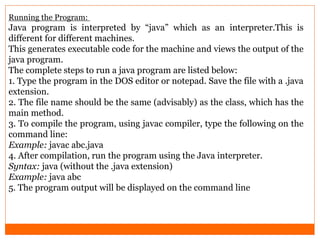
Running the Program:
Java program is interpreted by “java” which as an interpreter.This is
different for different machines.
This generates executable code for the machine and views the output of the
java program.
The complete steps to run a java program are listed below:
1. Type the program in the DOS editor or notepad. Save the file with a .java
extension.
2. The file name should be the same (advisably) as the class, which has the
main method.
3. To compile the program, using javac compiler, type the following on the
command line:
Example: javac abc.java
4. After compilation, run the program using the Java interpreter.
Syntax: java (without the .java extension)
Example: java abc
5. The program output will be displayed on the command line
4 implementing java program cinouke abd execye..pdf

4 implementing java program cinouke abd execye..pdf

  • 1.
    SUBJECT: OBJECT ORIENTED PROGRAMMINGTHROUGH JAVA CLASS :IIB.SC(M.P.CS,M.S.CS,M.C.CS) A.B.N &P.R.R COLLEGE OF SCIENCE,KOVVUR LECTURE 6: DELIVERED BY M.MURTHY
  • 2.
    Implementing a JavaProgram Implementation of a Java application program involves a series of steps. They include: 1. Creating the program 2. Compiling the program 3. Running the program Creating the Program: We can create a program using any text editor like notepad. The program name should be saved with the extension “.java”. Example: assumed that the program name is “Test.java” class Test { public static void main(String as[]) { System.out.println(“Hello java”); } }
  • 3.
    Compiling the program: Javaprogram involves two steps for its execution: one compilation and the other execution. We use “javac” tool to compile java program. It gives byte code file whose extension is “.class”. This is an intermediate file and not directly executable. To Compile the program first Open Command Prompt and type the command Syntax: D:Second BSCjavac filename D:Second BSCjavac Test.java
  • 4.
    Note:- Once you installedJava on your machine, it is required to Set the PATH environment variable to conveniently run the executable (javac.exe, java.exe, javadoc.exe, and so on) from any directory Path :-.Path is an environment variable which is used by the operating system to find the executables. When you try to execute a program from command line, the operating system searches for the specified program in the current directly, if available, executes it. In case the programs are not available in the current directory, operating system verifies in the set of directories specified in the „PATH ‟ environment variable. We can set path permanently and temporarily. To set the path follow the command D:second Bscset path=C:Program FilesJavajdk1.8.0_162bin;
  • 5.
    Classpath:-  Classpath issystem environment variable used by the Java compiler and JVM. Java compiler and JVM is used Class path to determine the location of required library files(packages and classes) class files..  JVM verifies the current directory for them, if not available it verifies the set of directories specified in the „CLASSPATH‟ environment variable.  To set the classpath follow the command.By using class path javacompiler and jvm locates classfiles.  D:Second Bscset classpath=C:Program FilesJavajdk1.8.0_162jrelibrt.jar;
  • 6.
    Running the Program: Javaprogram is interpreted by “java” which as an interpreter.This is different for different machines. This generates executable code for the machine and views the output of the java program. The complete steps to run a java program are listed below: 1. Type the program in the DOS editor or notepad. Save the file with a .java extension. 2. The file name should be the same (advisably) as the class, which has the main method. 3. To compile the program, using javac compiler, type the following on the command line: Example: javac abc.java 4. After compilation, run the program using the Java interpreter. Syntax: java (without the .java extension) Example: java abc 5. The program output will be displayed on the command line