Lesson objectives
▪ Understandthe Von-Neumann architecture
▪ Understand the steps of the fetch-decode-execute cycle
▪ Describe what registers and buses are and how they are
used within a computer system
3.
Key vocabulary
▪ CentralProcessing Unit (CPU)
▪ The piece of hardware that processes and calculates information
inside of a computer
▪ Register
▪ A small piece of memory inside a CPU
▪ Bus
▪ The connections/wires which connect different pieces of hardware
inside a computer
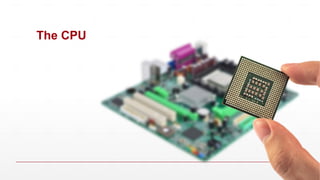
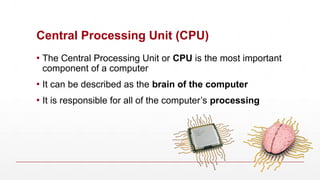
Central Processing Unit(CPU)
▪ The Central Processing Unit or CPU is the most important
component of a computer
▪ It can be described as the brain of the computer
▪ It is responsible for all of the computer’s processing
6.
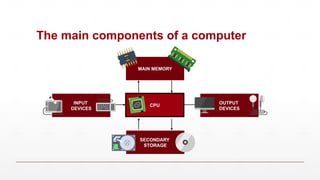
The main componentsof a computer
OUTPUT
DEVICES
INPUT
DEVICES
SECONDARY
STORAGE
CPU
MAIN MEMORY
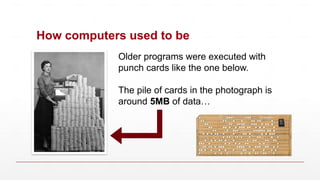
How computers usedto be
Older programs were executed with
punch cards like the one below.
The pile of cards in the photograph is
around 5MB of data…
11.
Stored program concept
▪75 years ago, computers only stored the data being
calculated in memory
▪ The instructions (e.g. your Python code) were stored
separately to the data
▪ Instructions were input one at a time using switches, or read in from
paper cards to process the data
▪ In 1943-44, mathematician von Neumann and his colleagues
had the idea of storing the program instructions as well as the
data in the same storage
13.
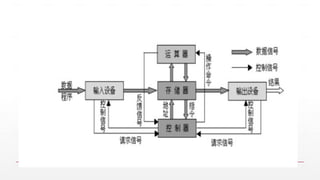
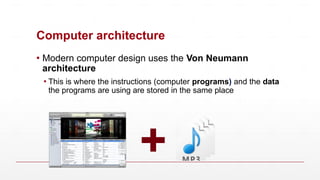
Computer architecture
▪ Moderncomputer design uses the Von Neumann
architecture
▪ This is where the instructions (computer programs) and the data
the programs are using are stored in the same place
+
14.
Main sections ofthe CPU
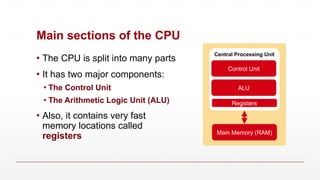
▪ The CPU is split into many parts
▪ It has two major components:
▪ The Control Unit
▪ The Arithmetic Logic Unit (ALU)
▪ Also, it contains very fast
memory locations called
registers
Central Processing Unit
Control Unit
ALU
Main Memory (RAM)
Registers
16.
The Control Unit
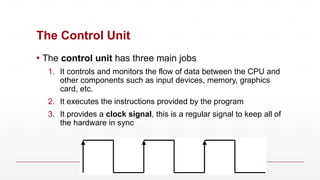
▪The control unit has three main jobs
1. It controls and monitors the flow of data between the CPU and
other components such as input devices, memory, graphics
card, etc.
2. It executes the instructions provided by the program
3. It provides a clock signal, this is a regular signal to keep all of
the hardware in sync
17.
Arithmetic Logic Unit(ALU)
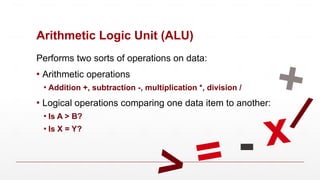
Performs two sorts of operations on data:
▪ Arithmetic operations
▪ Addition +, subtraction -, multiplication *, division /
▪ Logical operations comparing one data item to another:
▪ Is A > B?
▪ Is X = Y?
+
-
/
x
> =
18.
Registers
▪ A registeris a small piece of memory inside the CPU
▪ The registers hold the information that the CPU is
currently using and information the CPU will be using
shortly
▪ Registers are sometimes referred to by their other name:
Immediate Access Store (IAS)
19.
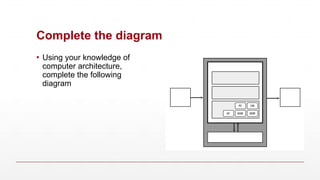
Complete the diagram
▪Using your knowledge of
computer architecture,
complete the following
diagram
20.
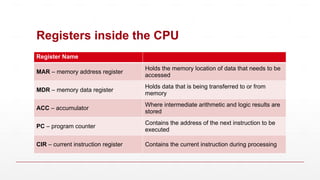
Registers inside theCPU
Register Name
MAR – memory address register
Holds the memory location of data that needs to be
accessed
MDR – memory data register
Holds data that is being transferred to or from
memory
ACC – accumulator
Where intermediate arithmetic and logic results are
stored
PC – program counter
Contains the address of the next instruction to be
executed
CIR – current instruction register Contains the current instruction during processing
21.
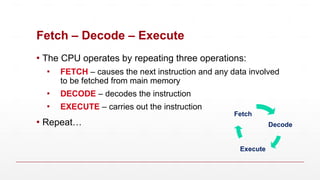
Fetch – Decode– Execute
▪ The CPU operates by repeating three operations:
▪ FETCH – causes the next instruction and any data involved
to be fetched from main memory
▪ DECODE – decodes the instruction
▪ EXECUTE – carries out the instruction
▪ Repeat… Decode
Execute
Fetch
22.
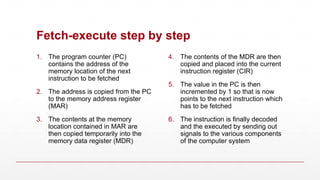
Fetch-execute step bystep
1. The program counter (PC)
contains the address of the
memory location of the next
instruction to be fetched
2. The address is copied from the PC
to the memory address register
(MAR)
3. The contents at the memory
location contained in MAR are
then copied temporarily into the
memory data register (MDR)
4. The contents of the MDR are then
copied and placed into the current
instruction register (CIR)
5. The value in the PC is then
incremented by 1 so that is now
points to the next instruction which
has to be fetched
6. The instruction is finally decoded
and the executed by sending out
signals to the various components
of the computer system
23.
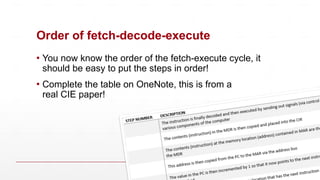
Order of fetch-decode-execute
▪You now know the order of the fetch-execute cycle, it
should be easy to put the steps in order!
▪ Complete the table on OneNote, this is from a
real CIE paper!
24.
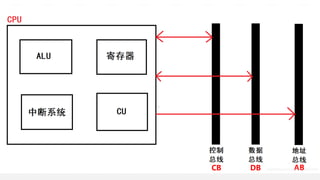
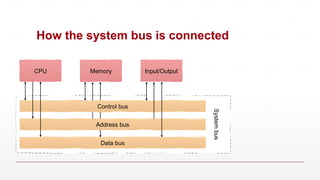
The system bus
▪A bus is a collection of parallel wires that transfers data from one
part of a computer system to another, each wire carries a single bit
▪ The system bus connects the CPU to main memory and to the I/O
system. There are 3 distinct components to the system bus:
▪ The address bus
▪ The data bus
▪ The control bus
25.
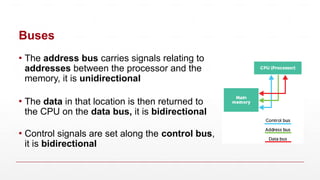
Buses
▪ The addressbus carries signals relating to
addresses between the processor and the
memory, it is unidirectional
▪ The data in that location is then returned to
the CPU on the data bus, it is bidirectional
▪ Control signals are set along the control bus,
it is bidirectional
26.
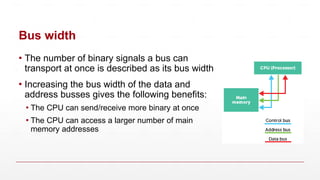
Bus width
▪ Thenumber of binary signals a bus can
transport at once is described as its bus width
▪ Increasing the bus width of the data and
address busses gives the following benefits:
▪ The CPU can send/receive more binary at once
▪ The CPU can access a larger number of main
memory addresses
27.
How the systembus is connected
CPU Memory Input/Output
System
bus
Data bus
Address bus
Control bus
28.
Buses summary
▪ Controlbus:
▪ Carries command and control signals, these are instructions for
the computer to carry out
▪ Data bus:
▪ Transports the data around the computer
▪ Address bus:
▪ The CPU uses this bus to send the address of where to get data
from and where to store it
29.
Performance of aCPU
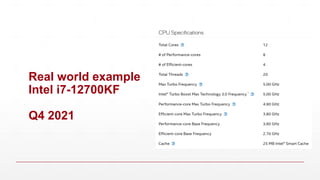
▪ There are a few factors that determine the performance of
a CPU
▪ System clock
▪ Cache memory
▪ Number of cores
30.
CPU performance –System clock
▪ One role of the control unit is to provide a digital clock
signal to keep the components within the CPU in time with
each other
▪ By increasing the frequency of a system clock, we
increase the operating speed of the CPU
▪ Overclocking, is where a CPUs clock speed is increased
to a value higher than it is designed for. This can increase
performance but potentially damage the CPU
31.
CPU performance –Cache memory
▪ Cache memory is an area to store data and instructions
within the CPU itself, it is usually a few MiB in size
▪ Cache is used to store frequently used data or
instructions that needs to be accessed as quickly as
possible
▪ When a CPU wishes to read the main memory, it will first
check if the data already exists in cache and then move to
main memory is the required data isn’t there
32.
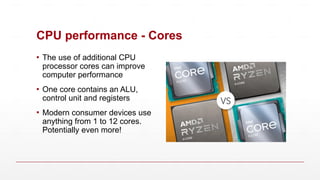
CPU performance -Cores
▪ The use of additional CPU
processor cores can improve
computer performance
▪ One core contains an ALU,
control unit and registers
▪ Modern consumer devices use
anything from 1 to 12 cores.
Potentially even more!
Research your owndevice
▪ As a computer science student, you know what CPU is in
your device right?
▪ Research the computer you are using right now:
▪ What is the system clock speed?
▪ How many cores does it have?
▪ How much cache memory does it have?
35.
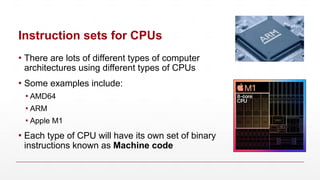
Instruction sets forCPUs
▪ There are lots of different types of computer
architectures using different types of CPUs
▪ Some examples include:
▪ AMD64
▪ ARM
▪ Apple M1
▪ Each type of CPU will have its own set of binary
instructions known as Machine code
36.
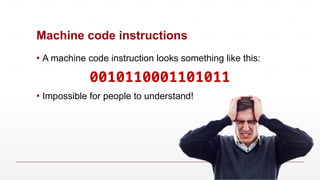
Machine code instructions
▪A machine code instruction looks something like this:
0010110001101011
▪ Impossible for people to understand!
37.
Machine code
▪ Eachdifferent type of CPU has its own set of machine code instructions
▪ A typical machine code instruction in a simple processor might occupy 2 bytes:
▪
The opcode is the basic machine instruction
▪ ADD, SUBTRACT, LOAD, STORE
▪ The register is a small piece of memory in the CPU used to store data
▪ The operand is either a value to be operated on or the address of the value to be
operated on
Opcode Register Operand
0 0 1 0 0 0 1 0 0 0 0 1 0 0 0 0
38.
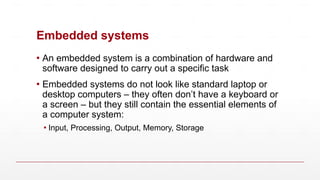
Embedded systems
▪ Anembedded system is a combination of hardware and
software designed to carry out a specific task
▪ Embedded systems do not look like standard laptop or
desktop computers – they often don’t have a keyboard or
a screen – but they still contain the essential elements of
a computer system:
▪ Input, Processing, Output, Memory, Storage
39.
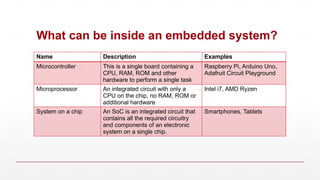
What can beinside an embedded system?
Name Description Examples
Microcontroller This is a single board containing a
CPU, RAM, ROM and other
hardware to perform a single task
Raspberry Pi, Arduino Uno,
Adafruit Circuit Playground
Microprocessor An integrated circuit with only a
CPU on the chip, no RAM, ROM or
additional hardware
Intel i7, AMD Ryzen
System on a chip An SoC is an integrated circuit that
contains all the required circuitry
and components of an electronic
system on a single chip.
Smartphones, Tablets
40.
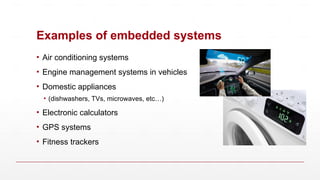
Examples of embeddedsystems
• Air conditioning systems
• Engine management systems in vehicles
• Domestic appliances
• (dishwashers, TVs, microwaves, etc…)
• Electronic calculators
• GPS systems
• Fitness trackers