The document provides an overview of arrays, including one-dimensional and multi-dimensional arrays, their declaration, initialization, and usage in C programming. It covers topics such as accessing elements, manipulating values, and the difference between arrays and other data structures like strings. Additionally, it includes examples and code segments for various operations on arrays.
![Arrays
A one-dimensional array is a sequence of homogenous elements
stored in contiguous memory locations
Suppose we need to store 100 scores in main memory.
//using simple variables
int x0, x1, x2, …, x99; x0 x1 … x99
cin>>x0;
cin>>x1;
cin>>x2;
…
cin>>x99;
x[0] x[1] … x[99]
//using arrays
int x[100];
for (int i=0; i<100; i++) cin>>x[i];
Arrays are structures of related data items](https://image.slidesharecdn.com/2darrays-230929183702-6cf4c1c1/85/2DArrays-ppt-1-320.jpg)
![Declaring One-Dimensional Arrays
Declaring arrays requires specifying:
name
type of array
number of elements (Constant value)
The general form of an array declaration
data_type array_name[expression];
The data_type is the type of array elements.
The array_name is a user defined identifier (similar
to variable name).
The expression must evaluate to an integer number
which is the number of array elements.
Declaring multiple arrays of same type
similar format as other variables, that is:
data_type array1[expression1], array2[expression2];](https://image.slidesharecdn.com/2darrays-230929183702-6cf4c1c1/85/2DArrays-ppt-2-320.jpg)
![Examples
int x[100] ;
//x is an array of 100 integers (200 bytes)
double z,w[50],u[30];
char name[20], ch;
const j = 15;
int n, m=5;
#define k 5
cin>>n;
int d[n]; // compiler error n is a variable
int d[m]; // compiler error m is a variable
int d[k]; // ok
int J[j]; // ok](https://image.slidesharecdn.com/2darrays-230929183702-6cf4c1c1/85/2DArrays-ppt-3-320.jpg)
![Array Initialization
An array can be declared and initialized to some values
int a[5]={2,3,1,1,0}; //valid
int b[5]={2};
if not enough initial values, rightmost elements
become 0
int d[5]={1,2,3,4,5,6};
too many values, causes syntax error or compiler
error
int n[5] = {0}
all elements 0
int c[ ]={1,3};
If size omitted, initial values determine it. In this case c
is of size 2
int e[ ]; // compiler error
char f[3]={‘a’,’b’,’c’}; //valid
double h[2]={1.1,-1.7}](https://image.slidesharecdn.com/2darrays-230929183702-6cf4c1c1/85/2DArrays-ppt-4-320.jpg)
![Using Array Elements
Array elements can be used wherever simple variables can be
used.
To refer to an element, specify
array name
position number
int A[5]={2,5,12,4,0};
A[2]++;
A[0]=A[1]+A[2]*3%a[3];
int I=4;
A[I-1]=A[I];
A[A[4]]++;
A[3]=A[2]=A[1];
I=2;
if (A[I]>A[I-1])
cout<<A[I+1];
else
cout<<A[I-2];
for (A[I]=0; A[I]>A[I+2]; I++) cout<<A[I];](https://image.slidesharecdn.com/2darrays-230929183702-6cf4c1c1/85/2DArrays-ppt-5-320.jpg)
![Array Elements
Suppose
int A[10]; // array of 10
uninitialized ints
To access an individual element we
must apply a subscript to list name A
-- -- --
--
A
A[4] A[5] A[6]
A[3]
A[0] A[2] A[8] A[9]
A[7]
A[1]
-- -- --
-- -- --](https://image.slidesharecdn.com/2darrays-230929183702-6cf4c1c1/85/2DArrays-ppt-6-320.jpg)
![Array Element Manipulation
Consider
int i = 7, j = 2, k = 4;
A[0] = 1;
A[i] = 5;
A[j] = A[i] + 3;
A[j+1] = A[i] + A[0];
A[A[j]] = 12;
cin >> A[k]; // where next input
value is 3
-- -- --
--
A
A[4] A[5] A[6]
A[3]
A[0] A[2] A[8] A[9]
A[7]
A[1]
-- -- --
-- -- --](https://image.slidesharecdn.com/2darrays-230929183702-6cf4c1c1/85/2DArrays-ppt-7-320.jpg)
![Array Element Manipulation II
Consider
int i = 7, j = 2, k = 4;
A[0] = 1;
A[i] = 5;
A[j] = A[i] + 3;
A[j+1] = A[i] + A[0];
A[A[j]] = 12;
cin >> A[k]; // where next input
value is 3
-- -- --
1
A
A[4] A[5] A[6]
A[3]
A[0] A[2] A[8] A[9]
A[7]
A[1]
-- -- --
-- -- --](https://image.slidesharecdn.com/2darrays-230929183702-6cf4c1c1/85/2DArrays-ppt-8-320.jpg)
![Array Element Manipulation III
Consider
int i = 7, j = 2, k = 4;
A[0] = 1;
A[i] = 5;
A[j] = A[i] + 3;
A[j+1] = A[i] + A[0];
A[A[j]] = 12;
cin >> A[k]; // where next input
value is 3
-- -- --
1
A
A[4] A[5] A[6]
A[3]
A[0] A[2] A[8] A[9]
A[7]
A[1]
-- -- 5
-- -- --](https://image.slidesharecdn.com/2darrays-230929183702-6cf4c1c1/85/2DArrays-ppt-9-320.jpg)
![Array Element Manipulation IV
Consider
int i = 7, j = 2, k = 4;
A[0] = 1;
A[i] = 5;
A[j] = A[i] + 3;
A[j+1] = A[i] + A[0];
A[A[j]] = 12;
cin >> A[k]; // where next input
value is 3
-- 8 --
1
A
A[4] A[5] A[6]
A[3]
A[0] A[2] A[8] A[9]
A[7]
A[1]
-- -- 5
-- -- --](https://image.slidesharecdn.com/2darrays-230929183702-6cf4c1c1/85/2DArrays-ppt-10-320.jpg)
![Array Element Manipulation V
Consider
int i = 7, j = 2, k = 4;
A[0] = 1;
A[i] = 5;
A[j] = A[i] + 3;
A[j+1] = A[i] + A[0];
A[A[j]] = 12;
cin >> A[k]; // where next input
value is 3
-- 8 6
1
A
A[4] A[5] A[6]
A[3]
A[0] A[2] A[8] A[9]
A[7]
A[1]
-- -- 5
-- -- --](https://image.slidesharecdn.com/2darrays-230929183702-6cf4c1c1/85/2DArrays-ppt-11-320.jpg)
![Array Element Manipulation VI
Consider
int i = 7, j = 2, k = 4;
A[0] = 1;
A[i] = 5;
A[j] = A[i] + 3;
A[j+1] = A[i] + A[0];
A[A[j]] = 12;
cin >> A[k]; // where next input
value is 3
-- 8 6
1
A
A[4] A[5] A[6]
A[3]
A[0] A[2] A[8] A[9]
A[7]
A[1]
-- -- 5
-- 12 --](https://image.slidesharecdn.com/2darrays-230929183702-6cf4c1c1/85/2DArrays-ppt-12-320.jpg)
![Array Element Manipulation VII
Consider
int i = 7, j = 2, k = 4;
A[0] = 1;
A[i] = 5;
A[j] = A[i] + 3;
A[j+1] = A[i] + A[0];
A[A[j]] = 12;
cin >> A[k]; // where next input
value is 3
-- 8 6
1
A
A[4] A[5] A[6]
A[3]
A[0] A[2] A[8] A[9]
A[7]
A[1]
-- -- 5
3 12 --](https://image.slidesharecdn.com/2darrays-230929183702-6cf4c1c1/85/2DArrays-ppt-13-320.jpg)
![Array Manipulations I
Given
float B[100]={ …};
int I;
Write a code segment to print the values of B each element on a separate
line.
for( I=0; I < 100; I++ )
cout<<B[I]<<endl;
Write a code segment to read input values and save them in B.
for( I=0; I <100; I++ )
cin>>B[I];
Write a code segment to print the values of B in reverse order.
for( I=99; I >=0; I-- )
cout<<B[I]<<endl;
Write a code segment to count the number of negative values in B.
int count=0;
for( I=0; I <100; I++ )
if (B[I]<0) count++;
cout<<count;](https://image.slidesharecdn.com/2darrays-230929183702-6cf4c1c1/85/2DArrays-ppt-14-320.jpg)
![Array Manipulations III
Given
long X[100]={ …};
int I, L, count;
long max;
float average, sum
Write a code segment to print the maximum value in X.
for( max=X[0], I=1; I <100; I++ )
if (X[I]>max) max=X[I];
cout<<max;
Let us try to modify the code to print the location of the maximum
value in X.
Write a code segment to count the number of values below
average in X.
for( I=0, sum=0; I <100; I++ )
sum+=X[I];
avg=sum/100;
for( I=0, count=0; I <100; I++ )
if (X[I]<avg) count++;
cout<<count;](https://image.slidesharecdn.com/2darrays-230929183702-6cf4c1c1/85/2DArrays-ppt-15-320.jpg)
![Using character Arrays
Strings - arrays of characters used to store names
char name[20];
char string1[] = "hello"; //using a string literal
char string1[] = {'h','e','l','l','o','0'};
//using individual characters
All strings end with null ('0'), thus name[20] can be 19
character length
Subscripting the same: that is
string1[0] is 'h'
string1[2] is 'l'
Input from keyboard
char string2[10];
cin >> string2;
Extra array elements are filled automatically with NULL
char N[4]={ ‘A’ , ‘l’ }; //Fills the last two elements with NULL
char N[5]={ ‘A’ , ‘h’,’m’,’a’,’d’ }; // Logical error: the string does
// not end with NULL](https://image.slidesharecdn.com/2darrays-230929183702-6cf4c1c1/85/2DArrays-ppt-17-320.jpg)
![String Assignment and I/O
char N[10];
N=”ali”; //syntax error
But char N[]= ”ali”; is valid and creates array of size 4
N={‘A’ , ‘l’ , ‘i’ , NULL}; //syntax error in initializing N
cin>>N; //ok
N[0]= ‘A’; N[1]= ‘l’; N[2]= ‘i’; N[3]= NULL; //ok
cout<<N; // prints Ali
cin>>N[0]; cin>>N[1]; cin>>N[2]; N[3]= NULL; //ok
char N[20]=”ahmad”;
N[2]=NULL;
cout<<N; // prints ah
// cout keeps printing until NULL is reached.](https://image.slidesharecdn.com/2darrays-230929183702-6cf4c1c1/85/2DArrays-ppt-18-320.jpg)
![Some Differences Between Character
Arrays and Other Arrays
char N[10]={…};
int A[5]={…};
cin >> N; // ok
cin >> A; // compiler error
cout << N; //ok, prints the string in N
cout << A; // Deos not print the values in A](https://image.slidesharecdn.com/2darrays-230929183702-6cf4c1c1/85/2DArrays-ppt-19-320.jpg)
![String length
Write a program to read a string and print
the number of characters in the string.
#include <iostream.h>
void main(){
int i;
char N[20];
cin>>N;
for(i=0; N[i]; i++);
cout<<i;
}](https://image.slidesharecdn.com/2darrays-230929183702-6cf4c1c1/85/2DArrays-ppt-20-320.jpg)
![String manipulations I
Write a program segment to delete the last
(non NULL) character in the string in the
previous example.
for(i=0; N[i]; i++);
N[i-1]=NULL;
Write a program segment to print a string in
reverse order.
for(i=0; N[i]; i++);
for(int j=i-1; j>=0; j--)
cout<<N[j];](https://image.slidesharecdn.com/2darrays-230929183702-6cf4c1c1/85/2DArrays-ppt-21-320.jpg)
![String manipulations III
Write a function to capitalize a name and use it in a program.
void capitalize(char N[ ])
{
int I;
for(I=0; N[I]; I++)
if (N[I]>=‘a’ &&N[I]<=‘z’)
N[I] -=32;
}
void main( )
{
char A[ ]=“abc”;
capitalize(A);
cout<<A;
}](https://image.slidesharecdn.com/2darrays-230929183702-6cf4c1c1/85/2DArrays-ppt-22-320.jpg)
![String application II
Write a program to read 10 names and find the number
of names starting with a.
#include <iostream.h>
void main(){
char name[20];
int i, count=0;
for(i=1; i<=10; i++){
cin>>name;
if (name[0]=='a') count++;
}
cout<<endl<<"Number of names starting
with a ="<<count;
}](https://image.slidesharecdn.com/2darrays-230929183702-6cf4c1c1/85/2DArrays-ppt-23-320.jpg)
![String application III
Write a program to determine the location of a character in a string (if
it occurs)
#include <iostream.h>
void main(){
char name[20], ch;
int i;
cin>>name;
cin>>ch;
for(i=0; name[i]!=ch && name[i]!=NULL ; i++);
if (name[i]==ch)
cout<<“Location=”<<i;
else
cout<<ch<<“does not exist in ”<<name;
}](https://image.slidesharecdn.com/2darrays-230929183702-6cf4c1c1/85/2DArrays-ppt-24-320.jpg)
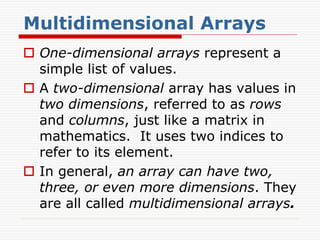
![Two dimensional Arrays
In C, a two dimensional array is
implemented as an array of arrays.
Brackets are used to represents each
dimension of the array.
Normally the first pair is for the row
and the second pair is for the column.
Each dimension has a starting index
of zero.
General Syntax
type arrayName [size 1] [size 2] … [size n]](https://image.slidesharecdn.com/2darrays-230929183702-6cf4c1c1/85/2DArrays-ppt-26-320.jpg)
![Initializing Arrays
We can also use initializer list to
initialize the array elements. For
example
int a [2] [3] = { {1, 2}, {3, 4, 5} }
Since only two initial values are
supplied to the first row in the
initializer list, the third element in the
first row is initialized to zero.](https://image.slidesharecdn.com/2darrays-230929183702-6cf4c1c1/85/2DArrays-ppt-27-320.jpg)
![Identity Matrix Initialization
const int MaxSize = 25;
float A[MaxSize][MaxSize];
int nr = PromptAndRead();
int nc = PromptAndRead();
assert((nr <= MaxSize) && (nc <=
MaxSize));
for (int r = 0; r < nr; ++r) {
for (int c = 0; c < nc; ++c) {
A[r][c] = 0;
}
A[r][r] = 1;
}](https://image.slidesharecdn.com/2darrays-230929183702-6cf4c1c1/85/2DArrays-ppt-28-320.jpg)
![Multi-dimensional array & function
As in the case of one-dimensional arrays, passing a
multi-dimensional array to a function requires only
the array name without the square brackets in the
function call.
In the function header, however, square brackets
must be present.
Moreover, the declared sizes of the second dimension
and onwards must be provided as well.
As in the example above, the function header of
printMatrix is:
void printMatrix (char s[ ], int M[ ][SIZE], int n)
as SIZE is the declared size of the second dimension
of the array that is passed into this function.](https://image.slidesharecdn.com/2darrays-230929183702-6cf4c1c1/85/2DArrays-ppt-29-320.jpg)
![Why is the declared size of the second
dimension required?
The system needs this important
information to locate an element in the
array.
We know that when array A is passed
into a function, the starting address of
the array (which is the address of its
first element) is known to the function.
In accessing an element, say A[1][2],
the system needs to know how many
columns the array has been declared
with, in order to locate A[1][2]
correctly.](https://image.slidesharecdn.com/2darrays-230929183702-6cf4c1c1/85/2DArrays-ppt-30-320.jpg)
![How the matrix is stored in memory?
Suppose the array was declared with 3 columns,
then A[1][2] would be the shaded element
shown below, which is the sixth element of the
array:
Although we draw the array as shown above, in
the memory the array elements occupy
contiguous memory locations in what is known as
row-major order, meaning that elements in the
second row follow elements in the first row, and
so forth.
: : :](https://image.slidesharecdn.com/2darrays-230929183702-6cf4c1c1/85/2DArrays-ppt-31-320.jpg)
![How the matrix is stored in memory?
On the other hand, if the array was
declared with 4 columns, then A[1][2]
would be the seventh element:
For the same reason, for higher dimension
arrays, the declared sizes of the second
dimension onwards must be provided in the
function header.
For example, if a 4-dimensional array A is
declared as int A[5][4][3][8], then a
function f that takes in such array should
include the following parameter:
type f (int M[ ][4][3][8], …)
: : :](https://image.slidesharecdn.com/2darrays-230929183702-6cf4c1c1/85/2DArrays-ppt-32-320.jpg)
![Matrix Addition Solution
void MatrixAdd(const float
A[][MaxCols],
const float B[][MaxCols], float
C[][MaxCols],
int m, int n) {
for (int r = 0; r < m; ++r {
for (int c = 0; c < n; ++c) {
C[r][c] = A[r][c] + B[r][c];
}
}
}
Notice only first
brackets are empty](https://image.slidesharecdn.com/2darrays-230929183702-6cf4c1c1/85/2DArrays-ppt-33-320.jpg)
![Read Matrix
void readMatrix (char c, int M[ ][SIZE], int n) {
int i, j;
cout <<"Enter a square matrix of ";
cout << n << “ rows & “ << n <<“columns”;
for (i = 0; i < n; i++)
for (j = 0; j < n; j++)
{
cout << "Enter “ ;
cout << c <<“[“<<i<<“, “<< j <<“]: ";
cin >> M[ i ][ j ];
}
} /* readMatrix */](https://image.slidesharecdn.com/2darrays-230929183702-6cf4c1c1/85/2DArrays-ppt-34-320.jpg)
![Print Matrix
void printMatrix(char s[ ], int M[ ][SIZE], int n)
{
int i, j;
cout << s << ‘n’;
for (i = 0; i < n; i++)
{
for (j = 0; j < n; j++)
cout << M[ i ][ j ] << ‘t’;
cout <<‘n’;
}
}
/* printMatrix */](https://image.slidesharecdn.com/2darrays-230929183702-6cf4c1c1/85/2DArrays-ppt-35-320.jpg)


![6- Arrays [Week 8-11].pptx for computer science](https://cdn.slidesharecdn.com/ss_thumbnails/6-arraysweek8-11-251215091603-d787a34f-thumbnail.jpg?width=640&height=640&fit=bounds)


