Gran Sasso Science Institute
Ivano Malavolta
Local data storage
Roadmap
Introduction
Web Storage
WebSQL
Final Considerations
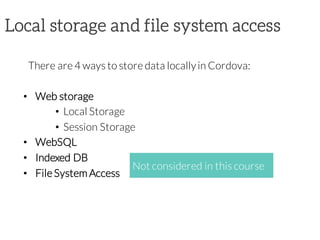
Local storage and file system access
There are 4 ways to store data locallyin Cordova:
• Web storage
• Local Storage
• Session Storage
• WebSQL
• Indexed DB
• File System Access
Not considered in this course
Web Storage
LocalStorage
stores datain key/valuepairs
persists across browser sessions
SessionStorage
stores datain key/valuepairs
data is erased when a browser session ends
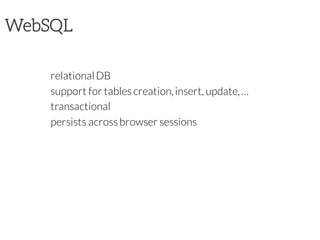
WebSQL
relationalDB
support for tables creation,insert, update,…
transactional
persists across browser sessions
WebSQL
It provides you a structuredSQL relationaldatabase
You have to setup a DB schema
You can then performclassical SQL queries
tx.executeSql(‘SELECT * FROM User’, [],
function(tx, result) {
// callback code
});
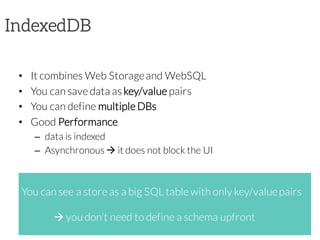
IndexedDB
• It combines Web Storageand WebSQL
• You can save data as key/value pairs
• You can define multiple DBs
• Good Performance
– data is indexed
– Asynchronous à it does not block the UI
You can see a store as a big SQL table with only key/valuepairs
à you don’t need to define a schema upfront
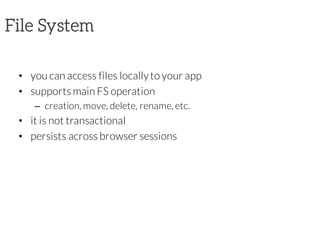
File System
• you can access files locallyto your app
• supports main FS operation
– creation, move, delete, rename, etc.
• it is not transactional
• persists across browser sessions
Roadmap
Introduction
Web Storage
WebSQL
Final Considerations
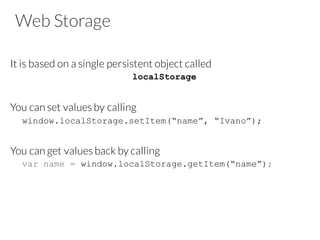
Web Storage
It is based on a single persistent object called
localStorage
You can set values by calling
window.localStorage.setItem(“name”, “Ivano”);
You can get values back by calling
var name = window.localStorage.getItem(“name”);
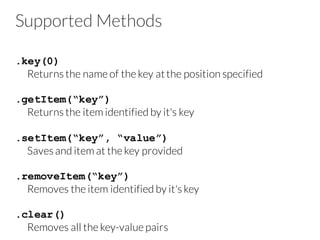
Supported Methods
.key(0)
Returns the name of the key atthe position specified
.getItem(“key”)
Returns the item identified by it's key
.setItem(“key”, “value”)
Saves and item at the key provided
.removeItem(“key”)
Removes the item identified by it's key
.clear()
Removes all the key-value pairs
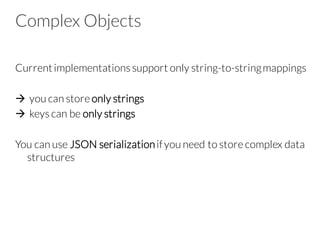
Complex Objects
Currentimplementations support only string-to-stringmappings
à you can store only strings
à keys can be only strings
You can use JSON serializationifyou need to store complex data
structures
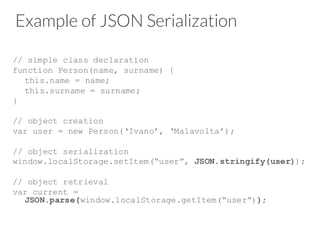
Example of JSON Serialization
// simple class declaration
function Person(name, surname) {
this.name = name;
this.surname = surname;
}
// object creation
var user = new Person(‘Ivano’, ‘Malavolta’);
// object serialization
window.localStorage.setItem(“user”, JSON.stringify(user));
// object retrieval
var current =
JSON.parse(window.localStorage.getItem(“user”));
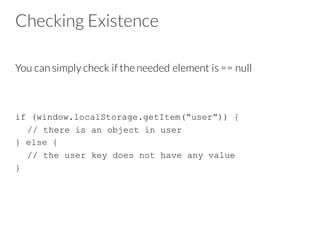
Checking Existence
You can simply check if the needed element is == null
if (window.localStorage.getItem(“user”)) {
// there is an object in user
} else {
// the user key does not have any value
}
Selecting elements
In this case you have to manuallyiterateon elements
var users = [...]; // array of Person objects
window.localStorage.setItem(“users”,
JSON.stringify(users));
var allUsers =
JSON.parse(window.localStorage.getItem(“users”));
var ivanos = [];
for(var i=0; i<allUsers.length; i++) {
if(allUsers[i].name == ‘Ivano’)
ivanos.push(allUsers[i]);
}
Session Storage
Session Storageprovides the same interfaceas LocalStorage
à you can call the same methods
but
Session Storageis cleared between app launches
Roadmap
Introduction
Web Storage
WebSQL
Final Considerations
WebSQL
It provides you a structuredSQL relationaldatabase
You have to setup a DB schema
You can then performclassical SQL queries
tx.executeSql("SELECT * FROM User“, [],
function(tx, result) {
// callback code
});
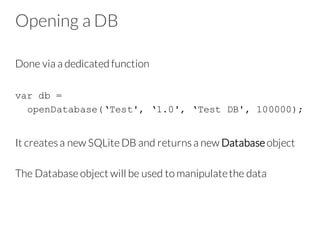
Opening a DB
Done via a dedicated function
var db =
openDatabase(‘Test', ‘1.0', ‘Test DB', 100000);
It creates a new SQLite DB and returns a new Database object
The Database object will be used to manipulatethe data
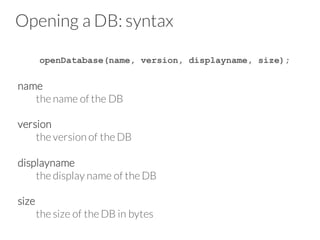
Opening a DB: syntax
openDatabase(name, version, displayname, size);
name
the name of the DB
version
the version of the DB
displayname
the display name of the DB
size
the size of the DB in bytes
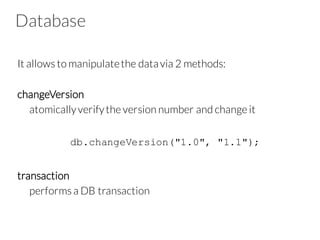
Database
It allows to manipulatethe datavia 2 methods:
changeVersion
atomicallyverifythe version number and change it
db.changeVersion("1.0", "1.1");
transaction
performs a DB transaction
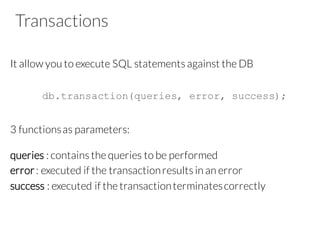
Transactions
It allow you to execute SQL statements against the DB
db.transaction(queries, error, success);
3 functionsas parameters:
queries : contains the queries to be performed
error: executed if the transactionresults in an error
success : executed if the transactionterminatescorrectly
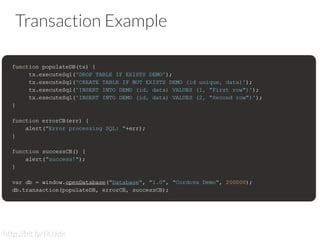
Transaction Example
http://bit.ly/JlUJde
executeSql
It is the method thatperforms a SQL statement
The user can build up a database transactionby callingthe
executeSql method multiple times
function populateDB(tx) {
tx.executeSql('DROP TABLE IF EXISTS USER');
tx.executeSql('CREATE TABLE IF NOT EXISTS USER (id
unique, name, surname)');
tx.executeSql('INSERT INTO USER(id, name, surname)
VALUES (1, ?, ?)‘, [“Ivano“, “Malavolta“],
success, error);
}
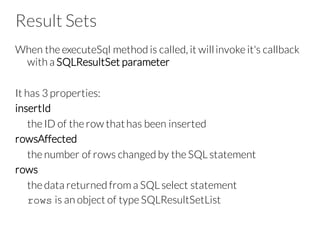
Result Sets
When the executeSql method is called, it willinvoke it's callback
with a SQLResultSet parameter
It has 3 properties:
insertId
the ID of the row thathas been inserted
rowsAffected
the number of rows changed by the SQL statement
rows
the data returned from a SQL select statement
rows is an object of type SQLResultSetList
Results Sets Example
...
tx.executeSql('INSERT INTO USER(id, name,surname) VALUES (5,
?, ?)‘, [“Ivano“, “Malavolta“], success, error);
}
function success(tx, results) {
var affected = results.rowsAffected(); // 1
}
function error(err) {
// code for managing the error
}
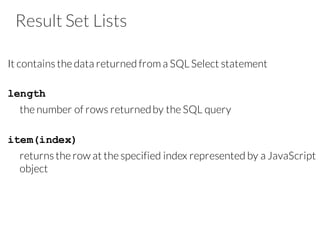
Result Set Lists
It contains the data returned from a SQL Select statement
length
the number of rows returnedby the SQL query
item(index)
returns the row at the specified index represented by a JavaScript
object
Result Set List Example
...
tx.executeSql(‘SELECT * FROM USER‘, [], success, error);
}
function success(tx, results) {
var size = results.rows.length;
for (var i=0; i<size; i++){
console.log(results.rows.item(i).name);
}
}
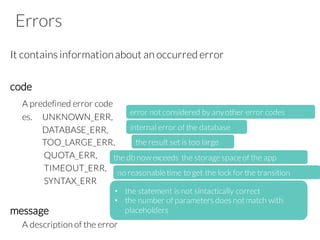
Errors
It contains informationabout an occurred error
code
A predefined error code
es. UNKNOWN_ERR,
DATABASE_ERR,
TOO_LARGE_ERR,
QUOTA_ERR,
TIMEOUT_ERR,
SYNTAX_ERR
message
A description of the error
error notconsidered by anyother error codes
internal error of the database
the result set is too large
the db now exceeds the storage space of the app
• the statement is not sintactically correct
• the number of parameters does notmatch with
placeholders
no reasonable time to get the lock for the transition
Error Code Example
...
tx.executeSql(‘SELECT * FROM USER‘,[], success, error);
}
function error(err) {
console.log(err.code);
}
Roadmap
Introduction
Web Storage
WebSQL
Final Considerations
Considerations
You will likely use more than one API in combination
à Use the right API for the rightjob
Web Storage
• it is not transactionalàrace conditions
• very simple API, no schema
• only Stringdata à performanceissues for complex datadue
to JSON serialization
• session storage will be cleared afterthe app is closed
• limited quota
Considerations
WebSQL
SQL-based à fast and efficient
transactionalàmore robust
asynchronous à does not block the UI
rigid datastructure à dataintegrityvs agility
limited quota
Considerations
IndexedDB
simple datamodel à easy to use
transactionalàmore robust
asynchronous à does not block the UI
good search performance à indexed data
data is unstructured à integrityproblems
limited quota
not fully supported by every platform(e.g., iOS)
Considerations
File System
asynchronous à does not block the UI
not transactional
indexing and search are not built-in à you have to implement
your lookup functions
unlimited quota à useful for images, videos, documents, etc.
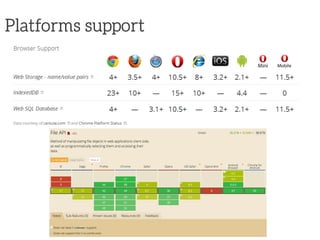
Platforms support
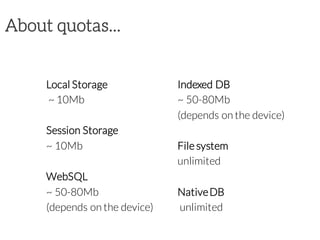
About quotas...
Local Storage
~ 10Mb
Session Storage
~ 10Mb
WebSQL
~ 50-80Mb
(depends on the device)
Indexed DB
~ 50-80Mb
(depends on the device)
File system
unlimited
NativeDB
unlimited
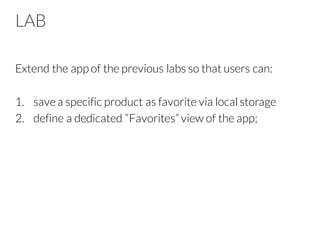
LAB
Extend the app of the previous labs so that users can:
1. savea specific product as favorite via localstorage
2. define a dedicated “Favorites” view of the app;
References
http://cordova.apache.org/docs/en/edge
Contact
Ivano Malavolta |
Gran Sasso Science Institute
iivanoo
ivano.malavolta@gssi.infn.it
www.ivanomalavolta.com

[2015/2016] Local data storage for web-based mobile apps

  • 1.
    Gran Sasso ScienceInstitute Ivano Malavolta Local data storage
  • 2.
  • 3.
    Local storage andfile system access There are 4 ways to store data locallyin Cordova: • Web storage • Local Storage • Session Storage • WebSQL • Indexed DB • File System Access Not considered in this course
  • 4.
    Web Storage LocalStorage stores datainkey/valuepairs persists across browser sessions SessionStorage stores datain key/valuepairs data is erased when a browser session ends
  • 5.
    WebSQL relationalDB support for tablescreation,insert, update,… transactional persists across browser sessions
  • 6.
    WebSQL It provides youa structuredSQL relationaldatabase You have to setup a DB schema You can then performclassical SQL queries tx.executeSql(‘SELECT * FROM User’, [], function(tx, result) { // callback code });
  • 7.
    IndexedDB • It combinesWeb Storageand WebSQL • You can save data as key/value pairs • You can define multiple DBs • Good Performance – data is indexed – Asynchronous à it does not block the UI You can see a store as a big SQL table with only key/valuepairs à you don’t need to define a schema upfront
  • 8.
    File System • youcan access files locallyto your app • supports main FS operation – creation, move, delete, rename, etc. • it is not transactional • persists across browser sessions
  • 9.
  • 10.
    Web Storage It isbased on a single persistent object called localStorage You can set values by calling window.localStorage.setItem(“name”, “Ivano”); You can get values back by calling var name = window.localStorage.getItem(“name”);
  • 11.
    Supported Methods .key(0) Returns thename of the key atthe position specified .getItem(“key”) Returns the item identified by it's key .setItem(“key”, “value”) Saves and item at the key provided .removeItem(“key”) Removes the item identified by it's key .clear() Removes all the key-value pairs
  • 12.
    Complex Objects Currentimplementations supportonly string-to-stringmappings à you can store only strings à keys can be only strings You can use JSON serializationifyou need to store complex data structures
  • 13.
    Example of JSONSerialization // simple class declaration function Person(name, surname) { this.name = name; this.surname = surname; } // object creation var user = new Person(‘Ivano’, ‘Malavolta’); // object serialization window.localStorage.setItem(“user”, JSON.stringify(user)); // object retrieval var current = JSON.parse(window.localStorage.getItem(“user”));
  • 14.
    Checking Existence You cansimply check if the needed element is == null if (window.localStorage.getItem(“user”)) { // there is an object in user } else { // the user key does not have any value }
  • 15.
    Selecting elements In thiscase you have to manuallyiterateon elements var users = [...]; // array of Person objects window.localStorage.setItem(“users”, JSON.stringify(users)); var allUsers = JSON.parse(window.localStorage.getItem(“users”)); var ivanos = []; for(var i=0; i<allUsers.length; i++) { if(allUsers[i].name == ‘Ivano’) ivanos.push(allUsers[i]); }
  • 16.
    Session Storage Session Storageprovidesthe same interfaceas LocalStorage à you can call the same methods but Session Storageis cleared between app launches
  • 17.
  • 18.
    WebSQL It provides youa structuredSQL relationaldatabase You have to setup a DB schema You can then performclassical SQL queries tx.executeSql("SELECT * FROM User“, [], function(tx, result) { // callback code });
  • 19.
    Opening a DB Donevia a dedicated function var db = openDatabase(‘Test', ‘1.0', ‘Test DB', 100000); It creates a new SQLite DB and returns a new Database object The Database object will be used to manipulatethe data
  • 20.
    Opening a DB:syntax openDatabase(name, version, displayname, size); name the name of the DB version the version of the DB displayname the display name of the DB size the size of the DB in bytes
  • 21.
    Database It allows tomanipulatethe datavia 2 methods: changeVersion atomicallyverifythe version number and change it db.changeVersion("1.0", "1.1"); transaction performs a DB transaction
  • 22.
    Transactions It allow youto execute SQL statements against the DB db.transaction(queries, error, success); 3 functionsas parameters: queries : contains the queries to be performed error: executed if the transactionresults in an error success : executed if the transactionterminatescorrectly
  • 23.
  • 24.
    executeSql It is themethod thatperforms a SQL statement The user can build up a database transactionby callingthe executeSql method multiple times function populateDB(tx) { tx.executeSql('DROP TABLE IF EXISTS USER'); tx.executeSql('CREATE TABLE IF NOT EXISTS USER (id unique, name, surname)'); tx.executeSql('INSERT INTO USER(id, name, surname) VALUES (1, ?, ?)‘, [“Ivano“, “Malavolta“], success, error); }
  • 25.
    Result Sets When theexecuteSql method is called, it willinvoke it's callback with a SQLResultSet parameter It has 3 properties: insertId the ID of the row thathas been inserted rowsAffected the number of rows changed by the SQL statement rows the data returned from a SQL select statement rows is an object of type SQLResultSetList
  • 26.
    Results Sets Example ... tx.executeSql('INSERTINTO USER(id, name,surname) VALUES (5, ?, ?)‘, [“Ivano“, “Malavolta“], success, error); } function success(tx, results) { var affected = results.rowsAffected(); // 1 } function error(err) { // code for managing the error }
  • 27.
    Result Set Lists Itcontains the data returned from a SQL Select statement length the number of rows returnedby the SQL query item(index) returns the row at the specified index represented by a JavaScript object
  • 28.
    Result Set ListExample ... tx.executeSql(‘SELECT * FROM USER‘, [], success, error); } function success(tx, results) { var size = results.rows.length; for (var i=0; i<size; i++){ console.log(results.rows.item(i).name); } }
  • 29.
    Errors It contains informationaboutan occurred error code A predefined error code es. UNKNOWN_ERR, DATABASE_ERR, TOO_LARGE_ERR, QUOTA_ERR, TIMEOUT_ERR, SYNTAX_ERR message A description of the error error notconsidered by anyother error codes internal error of the database the result set is too large the db now exceeds the storage space of the app • the statement is not sintactically correct • the number of parameters does notmatch with placeholders no reasonable time to get the lock for the transition
  • 30.
    Error Code Example ... tx.executeSql(‘SELECT* FROM USER‘,[], success, error); } function error(err) { console.log(err.code); }
  • 31.
  • 32.
    Considerations You will likelyuse more than one API in combination à Use the right API for the rightjob Web Storage • it is not transactionalàrace conditions • very simple API, no schema • only Stringdata à performanceissues for complex datadue to JSON serialization • session storage will be cleared afterthe app is closed • limited quota
  • 33.
    Considerations WebSQL SQL-based à fastand efficient transactionalàmore robust asynchronous à does not block the UI rigid datastructure à dataintegrityvs agility limited quota
  • 34.
    Considerations IndexedDB simple datamodel àeasy to use transactionalàmore robust asynchronous à does not block the UI good search performance à indexed data data is unstructured à integrityproblems limited quota not fully supported by every platform(e.g., iOS)
  • 35.
    Considerations File System asynchronous àdoes not block the UI not transactional indexing and search are not built-in à you have to implement your lookup functions unlimited quota à useful for images, videos, documents, etc.
  • 36.
  • 37.
    About quotas... Local Storage ~10Mb Session Storage ~ 10Mb WebSQL ~ 50-80Mb (depends on the device) Indexed DB ~ 50-80Mb (depends on the device) File system unlimited NativeDB unlimited
  • 38.
    LAB Extend the appof the previous labs so that users can: 1. savea specific product as favorite via localstorage 2. define a dedicated “Favorites” view of the app;
  • 39.
  • 40.
    Contact Ivano Malavolta | GranSasso Science Institute iivanoo ivano.malavolta@gssi.infn.it www.ivanomalavolta.com