1
Automate Workflows With
Leading Open Source BPM
Prakash Aradyha
Product Management Director, Red Hat
Dr Kris Verlaenen,
Principal Software Engineer, Lead BPM Architect
March 12, 2014
2
Topics
● JBoss BPM Suite 6.0 Overview
● Core features of BPMS 6
● Under the hood of BPMS 6
● BPM in Action – Detailed demo
3
Overview
4
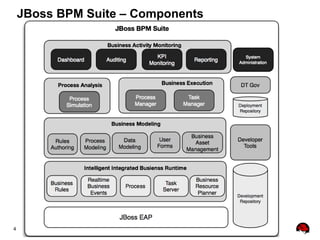
JBoss BPM Suite – Components
5
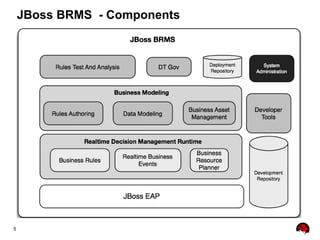
JBoss BRMS - Components
6
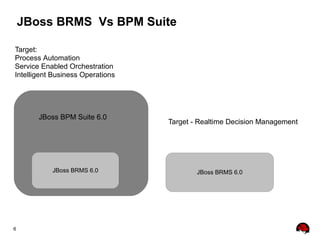
JBoss BRMS Vs BPM Suite
JBoss BRMS 6.0JBoss BRMS 6.0
JBoss BPM Suite 6.0
Target - Realtime Decision Management
Target:
Process Automation
Service Enabled Orchestration
Intelligent Business Operations
7
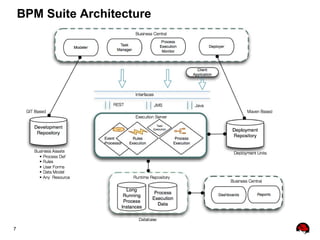
BPM Suite Architecture
8
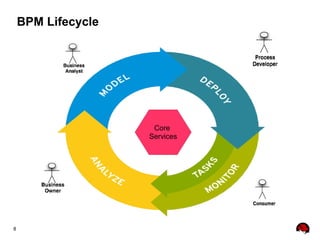
BPM Lifecycle
Core
Services
9
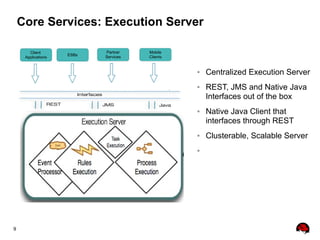
Core Services: Execution Server
Client
Applications
ESBs
Partner
Services
Mobile
Clients
● Centralized Execution Server
● REST, JMS and Native Java
Interfaces out of the box
● Native Java Client that
interfaces through REST
● Clusterable, Scalable Server
●
10
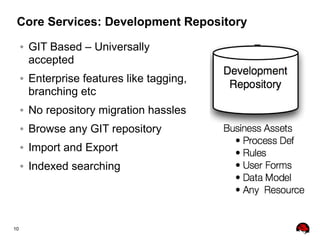
Core Services: Development Repository
● GIT Based – Universally
accepted
● Enterprise features like tagging,
branching etc
● No repository migration hassles
● Browse any GIT repository
● Import and Export
● Indexed searching
11
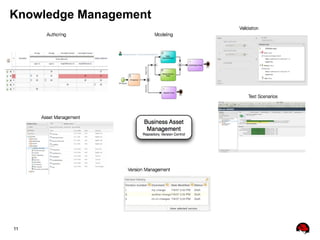
Knowledge Management
12
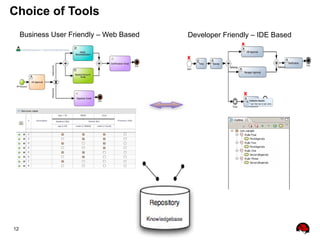
Choice of Tools
Business User Friendly – Web Based Developer Friendly – IDE Based
13
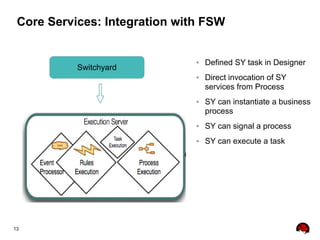
Core Services: Integration with FSW
Switchyard
● Defined SY task in Designer
● Direct invocation of SY
services from Process
● SY can instantiate a business
process
● SY can signal a process
● SY can execute a task
14
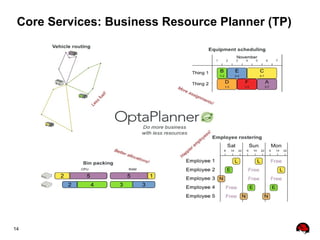
Core Services: Business Resource Planner (TP)
15
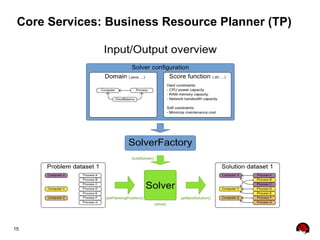
Core Services: Business Resource Planner (TP)
16
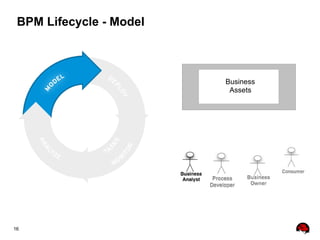
BPM Lifecycle - Model
Business
Assets
17
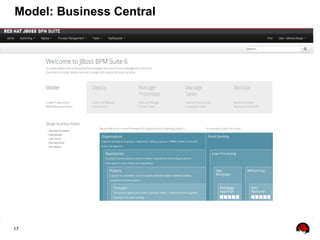
Model: Business Central
18
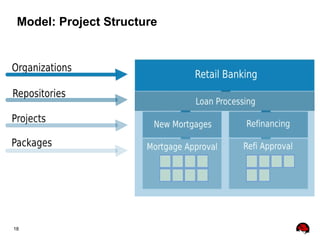
Model: Project Structure
19
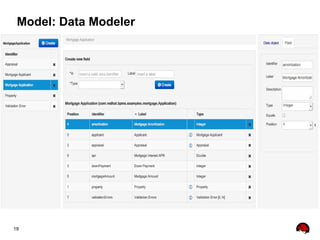
Model: Data Modeler
20
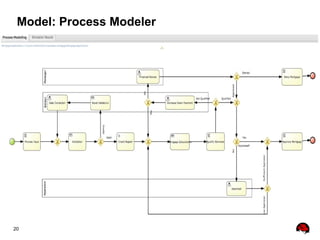
Model: Process Modeler
21
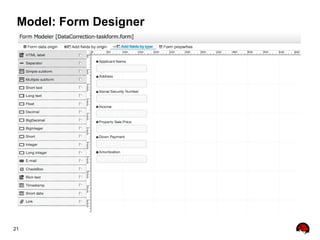
Model: Form Designer
22
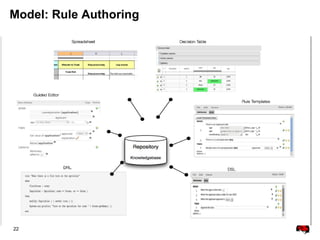
Model: Rule Authoring
23
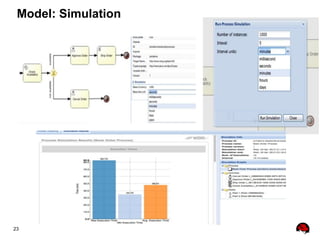
Model: Simulation
24
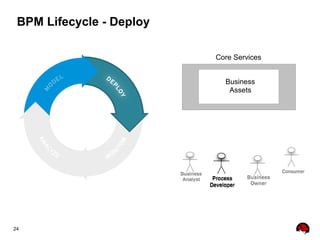
BPM Lifecycle - Deploy
Business
Assets
Core Services
25
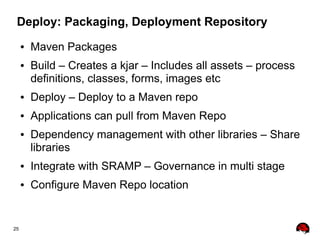
Deploy: Packaging, Deployment Repository
● Maven Packages
● Build – Creates a kjar – Includes all assets – process
definitions, classes, forms, images etc
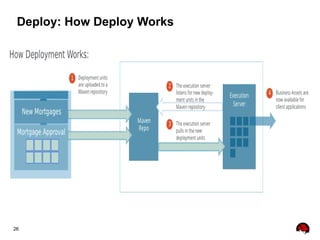
● Deploy – Deploy to a Maven repo
● Applications can pull from Maven Repo
● Dependency management with other libraries – Share
libraries
● Integrate with SRAMP – Governance in multi stage
● Configure Maven Repo location
26
Deploy: How Deploy Works
27
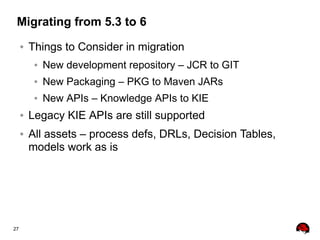
Migrating from 5.3 to 6
● Things to Consider in migration
● New development repository – JCR to GIT
● New Packaging – PKG to Maven JARs
● New APIs – Knowledge APIs to KIE
● Legacy KIE APIs are still supported
● All assets – process defs, DRLs, Decision Tables,
models work as is
28
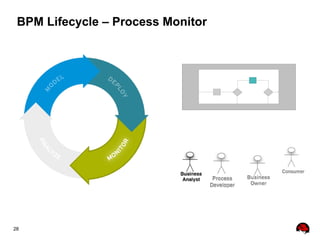
BPM Lifecycle – Process Monitor
29
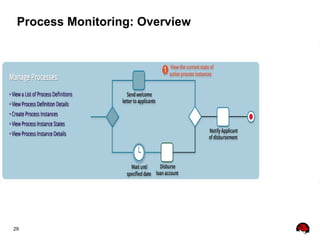
Process Monitoring: Overview
30
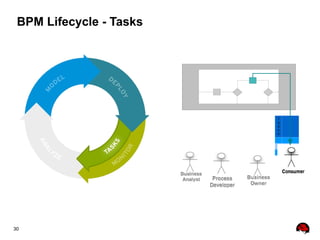
BPM Lifecycle - Tasks
T
a
s
k
s
31
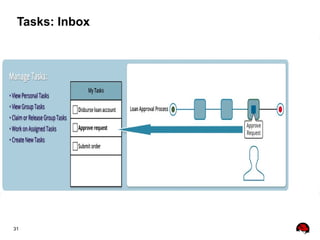
Tasks: Inbox
32
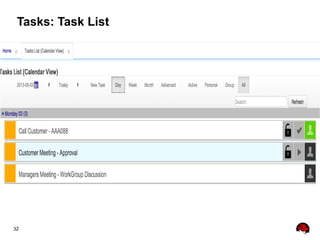
Tasks: Task List
33
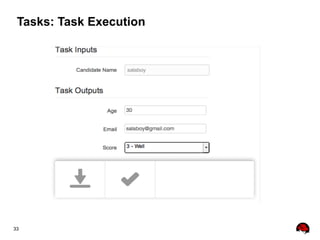
Tasks: Task Execution
34
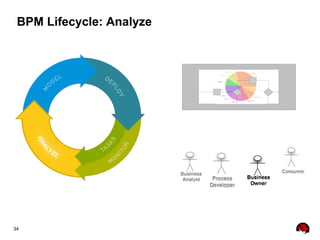
BPM Lifecycle: Analyze
35
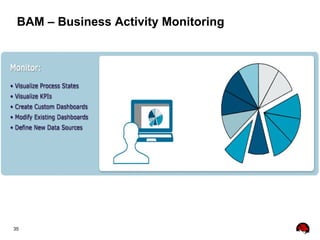
BAM – Business Activity Monitoring
36
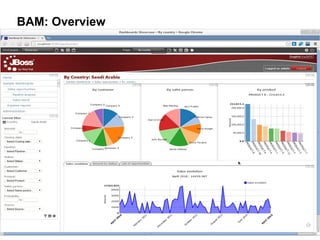
BAM: Overview
37
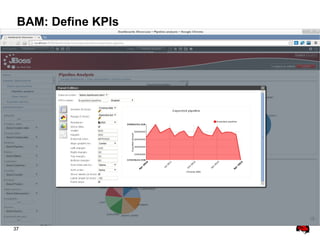
BAM: Define KPIs
38
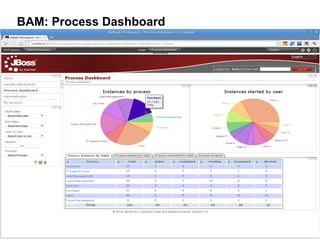
BAM: Process Dashboard
39
Under the hoods
40
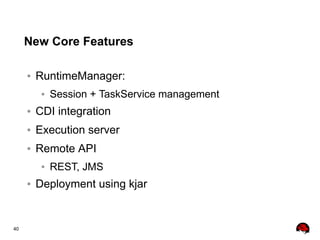
New Core Features
● RuntimeManager:
● Session + TaskService management
● CDI integration
● Execution server
● Remote API
● REST, JMS
● Deployment using kjar
41
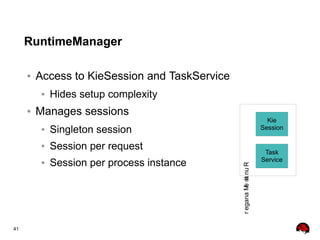
RuntimeManager
● Access to KieSession and TaskService
● Hides setup complexity
● Manages sessions
● Singleton session
● Session per request
● Session per process instance
Kie
Session
Task
Service
RuntimeManager
42
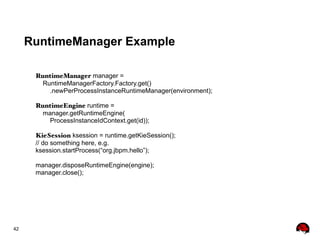
RuntimeManager Example
RuntimeManager manager =
RuntimeManagerFactory.Factory.get()
.newPerProcessInstanceRuntimeManager(environment);
RuntimeEngine runtime =
manager.getRuntimeEngine(
ProcessInstanceIdContext.get(id));
KieSession ksession = runtime.getKieSession();
// do something here, e.g.
ksession.startProcess(“org.jbpm.hello”);
manager.disposeRuntimeEngine(engine);
manager.close();
43
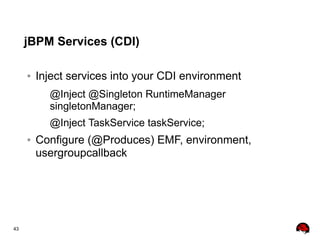
jBPM Services (CDI)
● Inject services into your CDI environment
@Inject @Singleton RuntimeManager
singletonManager;
@Inject TaskService taskService;
● Configure (@Produces) EMF, environment,
usergroupcallback
44
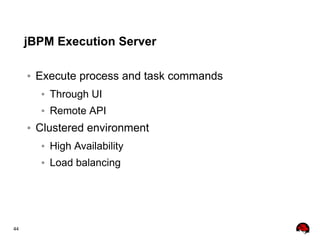
jBPM Execution Server
● Execute process and task commands
● Through UI
● Remote API
● Clustered environment
● High Availability
● Load balancing
45
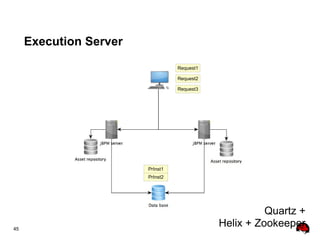
Execution Server
Request3
PrInst1
PrInst2
Request2
Request1
Quartz +
Helix + Zookeeper
46
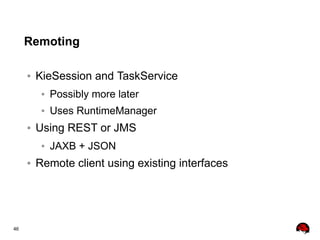
Remoting
● KieSession and TaskService
● Possibly more later
● Uses RuntimeManager
● Using REST or JMS
● JAXB + JSON
● Remote client using existing interfaces
47
REST API
http://server.address:port/{application-id}/rest/
runtime
{id: [a-zA-Z0-9-]+} // deploymentId
process
{id: [a-zA-Z0-9-]+}
start * start process [POST]
instance
{id: d} * process instance details [GET]
signal * signal event [POST]
abort * abort process instance [POST]
signal
{id: [a-zA-Z0-9-]+} * signal event [POST]
workitem
{id: d}
complete * complete work item [POST]
abort * abort work item [POST]
execute * execute the given command [POST]
task
{id: d+} * task details [GET]
activate * activate task
claim * claim task [POST]
// etc..
execute * execute the given command [POST]
query * task query
48
Command Serialization
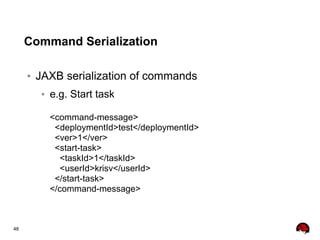
● JAXB serialization of commands
● e.g. Start task
<command-message>
<deploymentId>test</deploymentId>
<ver>1</ver>
<start-task>
<taskId>1</taskId>
<userId>krisv</userId>
</start-task>
</command-message>
49
REST Client Example
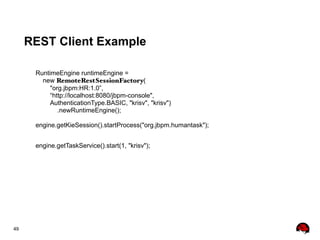
RuntimeEngine runtimeEngine =
new RemoteRestSessionFactory(
"org.jbpm:HR:1.0”,
“http://localhost:8080/jbpm-console",
AuthenticationType.BASIC, "krisv", "krisv")
.newRuntimeEngine();
engine.getKieSession().startProcess("org.jbpm.humantask");
engine.getTaskService().start(1, "krisv");
50
Demo
51
Thank You
52
Questions?

Automate workflows with leading open-source BPM