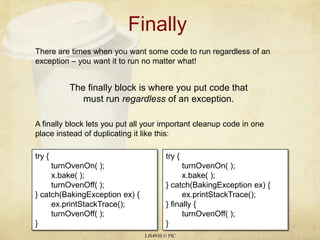
Finally	LIS4930 © PICThere are times when you want some code to run regardless of an exception – you want it to run no matter what!The finally block is where you put code that must run regardless of an exception.A finally block lets you put all your important cleanup code in one place instead of duplicating it like this:try {turnOvenOn( );x.bake( );turnOvenOff( );} catch(BakingException ex) {ex.printStackTrace();turnOvenOff( );}try {turnOvenOn( );x.bake( );} catch(BakingException ex) {ex.printStackTrace();} finally {turnOvenOff( );}
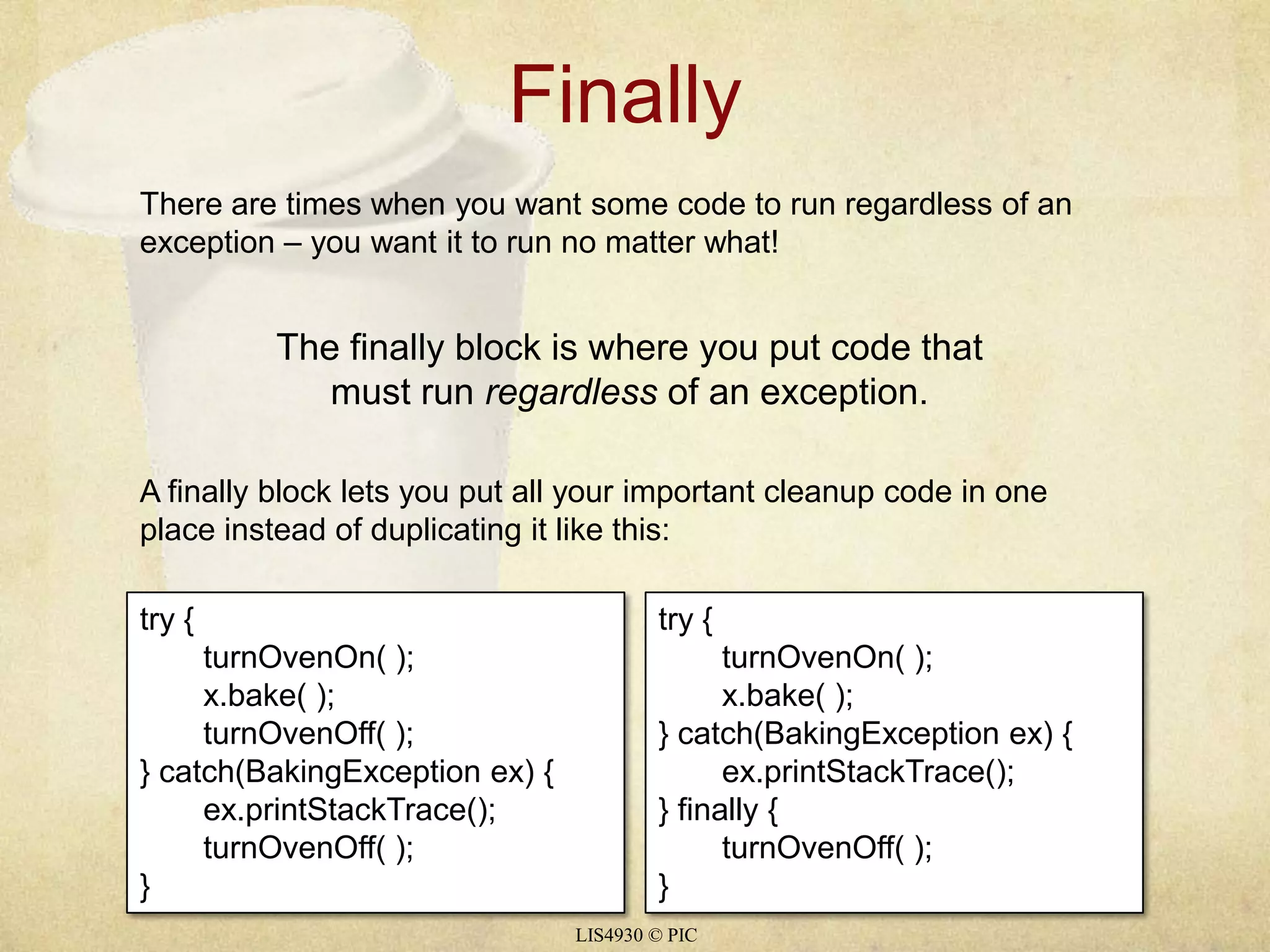
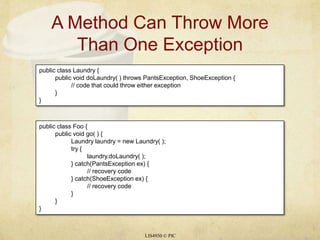
A Method Can Throw More Than One ExceptionLIS4930 © PICpublic class Laundry {	public void doLaundry( ) throws PantsException, ShoeException {		// code that could throw either exception	}}public class Foo {	public void go( ) {		Laundry laundry = new Laundry( );		try {laundry.doLaundry( );		} catch(PantsException ex) {			// recovery code		} catch(ShoeException ex) {			// recovery code		}	}}
Exceptions Are PolymorphicLIS4930 © PICDon’t forget Exceptions are objects so a ClothingException can be extended into ShirtExceptions, PantsExceptions, and DressExceptions. Therefore:12You can DECLARE exceptions using a supertype of the exceptions you throw.You can CATCH exceptions using a supertype of the exception thrown.Just because you CAN catch everything with one big super polymorphic catch, doesn’t mean you SHOULD.Write a different catch block for each exception that you need to handle uniquely.Look at page 330 for an example of polymorphic exceptions
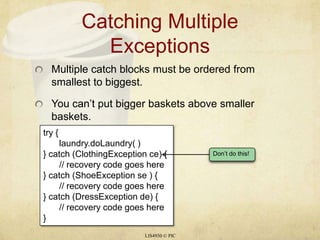
Catching Multiple ExceptionsMultiple catch blocks must be ordered from smallest to biggest.You can’t put bigger baskets above smaller baskets.LIS4930 © PICDon’t do this!try {laundry.doLaundry( )} catch (ClothingExceptionce) {	// recovery code goes here} catch (ShoeException se ) {	// recovery code goes here} catch (DressException de) {	// recovery code goes here}
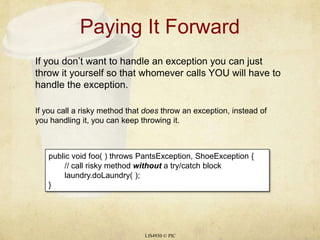
Paying It ForwardLIS4930 © PICIf you don’t want to handle an exception you can just throw it yourself so that whomever calls YOU will have to handle the exception. If you call a risky method that does throw an exception, instead of you handling it, you can keep throwing it.public void foo( ) throws PantsException, ShoeException {	// call risky method without a try/catch blocklaundry.doLaundry( );}
Ducking (by paying it forward) Only Delays the InevitableLIS4930 © PICpublic class Washer {	Laundry laundry = new Laundry( );	public void foo( ) throws ClothingException{laundry.doLaundry( );	}	public static void main(String[] args) throws ClothingException{		Washer a = new Washer( );a.foo( );	}}1234doLaundry( ) throws a ClothingExceptionfoo( ) ducks the exceptionmain( ) ducks the exceptionThe JVM shuts down
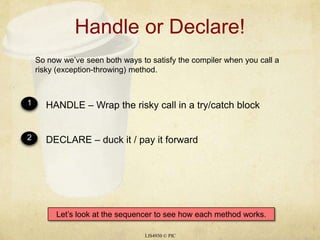
Handle or Declare!LIS4930 © PICSo now we’ve seen both ways to satisfy the compiler when you call a risky (exception-throwing) method.12HANDLE – Wrap the risky call in a try/catch blockDECLARE – duck it / pay it forwardLet’s look at the sequencer to see how each method works.
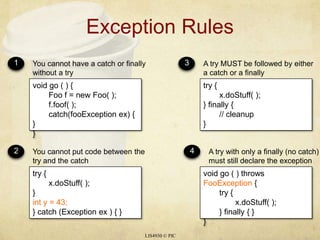
Exception RulesLIS4930 © PIC1234You cannot have a catch or finally without a tryYou cannot put code between the try and the catchA try MUST be followed by either a catch or a finallyA try with only a finally (no catch) must still declare the exceptionvoid go ( ) {Foof = new Foo( );f.foof( );catch(fooException ex) { }}try {x.doStuff( );} finally {	// cleanup}try {x.doStuff( );} inty = 43;} catch (Exception ex ) { }void go ( ) throws FooException {	try {x.doStuff( );	} finally { }}
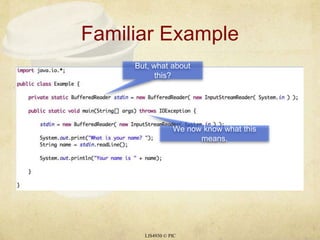
Familiar ExampleLIS4930 © PICBut, what about this?We now know what this means.
Input and OutputThe java.iopackage includes a rich collection of different classes to support I/O.Different classes provide different ways for programs to organize and retrieve data.Java programs do not communicate directly with external devices, instead they create a stream object to connect the program to the device. Each stream functions as a conduit that establishes a path for the data to flow between the program and the I/O device.LIS4930 © PIC
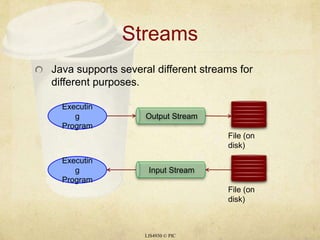
StreamsJava supports several different streams for different purposes.LIS4930 © PICOutput StreamExecuting ProgramFile (on disk)Input StreamExecuting ProgramFile (on disk)
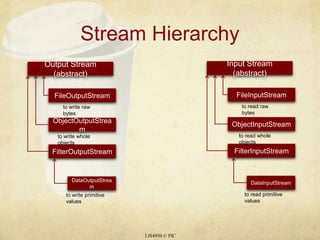
Stream HierarchyLIS4930 © PICOutput Stream (abstract)Input Stream (abstract)FileOutputStreamFileInputStreamto write raw bytesto read raw bytesObjectOutputStreamObjectInputStreamto write whole objectsto read whole objectsFilterOutputStreamFilterInputStreamDataOutputStreamDataInputStreamto write primitive values to read primitive values
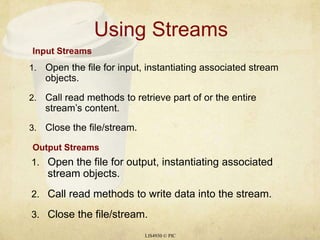
Using StreamsOpen the file for input, instantiating associated stream objects.Call read methods to retrieve part of or the entire stream’s content.Close the file/stream.LIS4930 © PICInput StreamsOutput StreamsOpen the file for output, instantiating associated stream objects.Call read methods to write data into the stream.Close the file/stream.
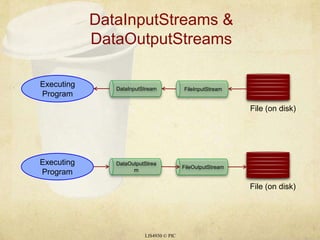
DataInputStreams & DataOutputStreamsLIS4930 © PICFileOutputStreamFileInputStreamDataOutputStreamDataInputStreamExecuting ProgramExecuting ProgramFile (on disk)File (on disk)
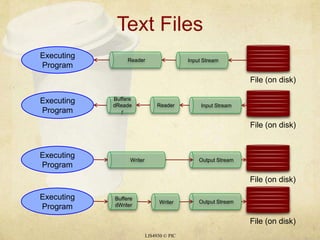
Text FilesLIS4930 © PICInput StreamInput StreamOutput StreamOutput StreamBufferedReaderWriterReaderExecuting ProgramExecuting ProgramExecuting ProgramExecuting ProgramReaderWriterFile (on disk)File (on disk)File (on disk)File (on disk)BufferedWriter
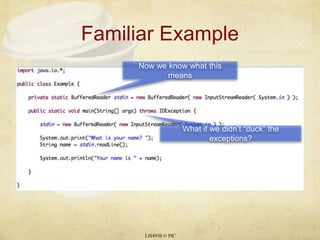
Familiar ExampleLIS4930 © PICNow we know what this meansWhat if we didn’t “duck” the exceptions?
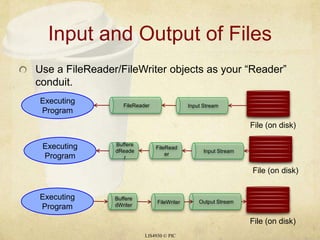
Input and Output of FilesLIS4930 © PICInput StreamInput StreamOutput StreamUse a FileReader/FileWriter objects as your “Reader” conduit.BufferedReaderFileReaderExecuting ProgramExecuting ProgramExecuting ProgramFileReaderFileWriterFile (on disk)File (on disk)File (on disk)BufferedWriter

14b exceptions

  • 1.
    Finally LIS4930 © PICThereare times when you want some code to run regardless of an exception – you want it to run no matter what!The finally block is where you put code that must run regardless of an exception.A finally block lets you put all your important cleanup code in one place instead of duplicating it like this:try {turnOvenOn( );x.bake( );turnOvenOff( );} catch(BakingException ex) {ex.printStackTrace();turnOvenOff( );}try {turnOvenOn( );x.bake( );} catch(BakingException ex) {ex.printStackTrace();} finally {turnOvenOff( );}
  • 2.
    A Method CanThrow More Than One ExceptionLIS4930 © PICpublic class Laundry { public void doLaundry( ) throws PantsException, ShoeException { // code that could throw either exception }}public class Foo { public void go( ) { Laundry laundry = new Laundry( ); try {laundry.doLaundry( ); } catch(PantsException ex) { // recovery code } catch(ShoeException ex) { // recovery code } }}
  • 3.
    Exceptions Are PolymorphicLIS4930© PICDon’t forget Exceptions are objects so a ClothingException can be extended into ShirtExceptions, PantsExceptions, and DressExceptions. Therefore:12You can DECLARE exceptions using a supertype of the exceptions you throw.You can CATCH exceptions using a supertype of the exception thrown.Just because you CAN catch everything with one big super polymorphic catch, doesn’t mean you SHOULD.Write a different catch block for each exception that you need to handle uniquely.Look at page 330 for an example of polymorphic exceptions
  • 4.
    Catching Multiple ExceptionsMultiplecatch blocks must be ordered from smallest to biggest.You can’t put bigger baskets above smaller baskets.LIS4930 © PICDon’t do this!try {laundry.doLaundry( )} catch (ClothingExceptionce) { // recovery code goes here} catch (ShoeException se ) { // recovery code goes here} catch (DressException de) { // recovery code goes here}
  • 5.
    Paying It ForwardLIS4930© PICIf you don’t want to handle an exception you can just throw it yourself so that whomever calls YOU will have to handle the exception. If you call a risky method that does throw an exception, instead of you handling it, you can keep throwing it.public void foo( ) throws PantsException, ShoeException { // call risky method without a try/catch blocklaundry.doLaundry( );}
  • 6.
    Ducking (by payingit forward) Only Delays the InevitableLIS4930 © PICpublic class Washer { Laundry laundry = new Laundry( ); public void foo( ) throws ClothingException{laundry.doLaundry( ); } public static void main(String[] args) throws ClothingException{ Washer a = new Washer( );a.foo( ); }}1234doLaundry( ) throws a ClothingExceptionfoo( ) ducks the exceptionmain( ) ducks the exceptionThe JVM shuts down
  • 7.
    Handle or Declare!LIS4930© PICSo now we’ve seen both ways to satisfy the compiler when you call a risky (exception-throwing) method.12HANDLE – Wrap the risky call in a try/catch blockDECLARE – duck it / pay it forwardLet’s look at the sequencer to see how each method works.
  • 8.
    Exception RulesLIS4930 ©PIC1234You cannot have a catch or finally without a tryYou cannot put code between the try and the catchA try MUST be followed by either a catch or a finallyA try with only a finally (no catch) must still declare the exceptionvoid go ( ) {Foof = new Foo( );f.foof( );catch(fooException ex) { }}try {x.doStuff( );} finally { // cleanup}try {x.doStuff( );} inty = 43;} catch (Exception ex ) { }void go ( ) throws FooException { try {x.doStuff( ); } finally { }}
  • 9.
    Familiar ExampleLIS4930 ©PICBut, what about this?We now know what this means.
  • 10.
    Input and OutputThejava.iopackage includes a rich collection of different classes to support I/O.Different classes provide different ways for programs to organize and retrieve data.Java programs do not communicate directly with external devices, instead they create a stream object to connect the program to the device. Each stream functions as a conduit that establishes a path for the data to flow between the program and the I/O device.LIS4930 © PIC
  • 11.
    StreamsJava supports severaldifferent streams for different purposes.LIS4930 © PICOutput StreamExecuting ProgramFile (on disk)Input StreamExecuting ProgramFile (on disk)
  • 12.
    Stream HierarchyLIS4930 ©PICOutput Stream (abstract)Input Stream (abstract)FileOutputStreamFileInputStreamto write raw bytesto read raw bytesObjectOutputStreamObjectInputStreamto write whole objectsto read whole objectsFilterOutputStreamFilterInputStreamDataOutputStreamDataInputStreamto write primitive values to read primitive values
  • 13.
    Using StreamsOpen thefile for input, instantiating associated stream objects.Call read methods to retrieve part of or the entire stream’s content.Close the file/stream.LIS4930 © PICInput StreamsOutput StreamsOpen the file for output, instantiating associated stream objects.Call read methods to write data into the stream.Close the file/stream.
  • 14.
    DataInputStreams & DataOutputStreamsLIS4930© PICFileOutputStreamFileInputStreamDataOutputStreamDataInputStreamExecuting ProgramExecuting ProgramFile (on disk)File (on disk)
  • 15.
    Text FilesLIS4930 ©PICInput StreamInput StreamOutput StreamOutput StreamBufferedReaderWriterReaderExecuting ProgramExecuting ProgramExecuting ProgramExecuting ProgramReaderWriterFile (on disk)File (on disk)File (on disk)File (on disk)BufferedWriter
  • 16.
    Familiar ExampleLIS4930 ©PICNow we know what this meansWhat if we didn’t “duck” the exceptions?
  • 17.
    Input and Outputof FilesLIS4930 © PICInput StreamInput StreamOutput StreamUse a FileReader/FileWriter objects as your “Reader” conduit.BufferedReaderFileReaderExecuting ProgramExecuting ProgramExecuting ProgramFileReaderFileWriterFile (on disk)File (on disk)File (on disk)BufferedWriter