








Brian Demers and Matt Raible
10 Excellent Ways to Secure Spring Boot Apps
@briandemers | @mraible ��
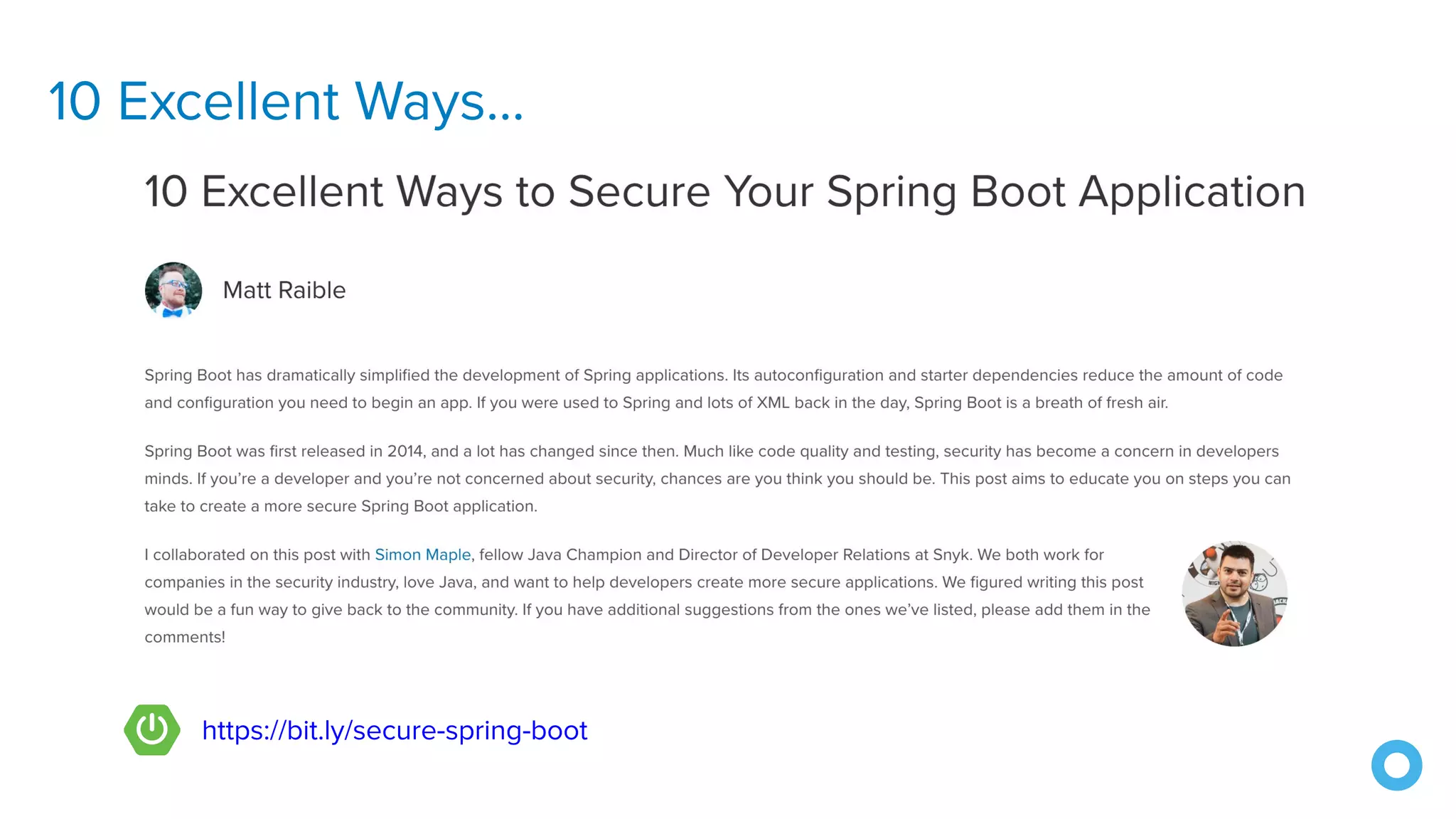
10 Excellent Ways...
https://bit.ly/secure-spring-boot
1. Use HTTPS
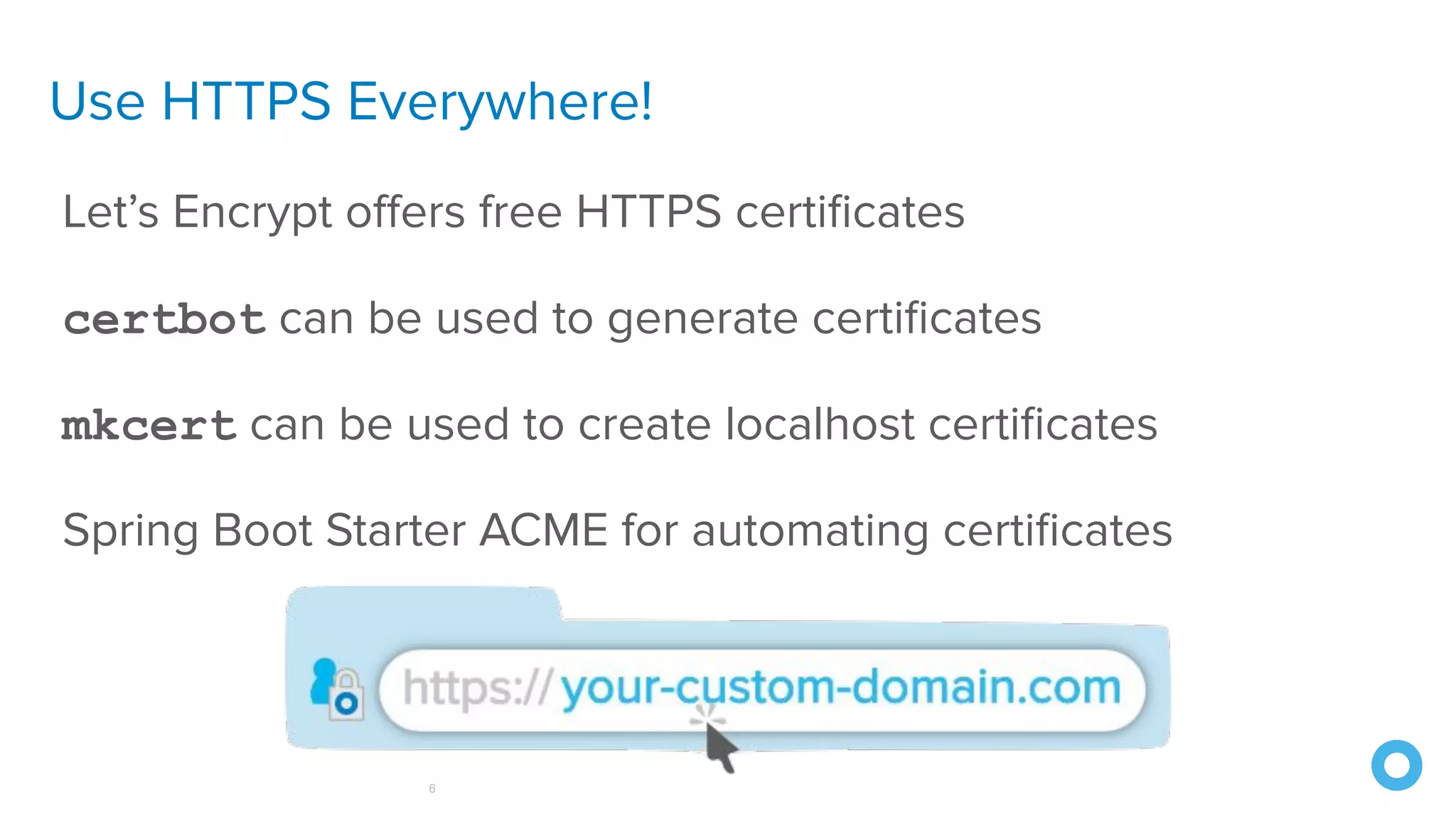
Use HTTPS Everywhere!
6
Let’s Encrypt offers free HTTPS certificates
certbot can be used to generate certificates
mkcert can be used to create localhost certificates
Spring Boot Starter ACME for automating certificates
howhttps.works
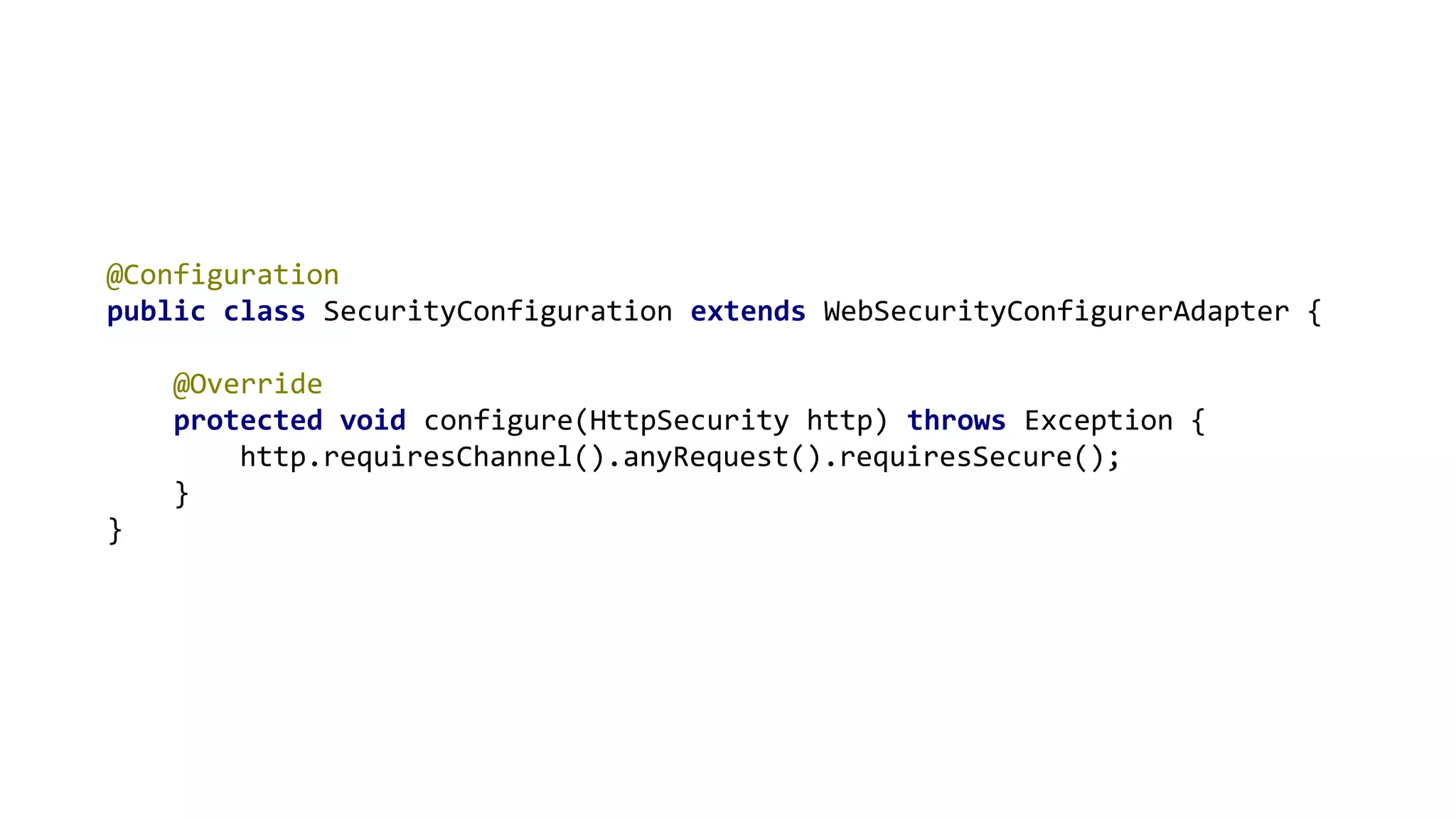
@Configuration
public class SecurityConfiguration extends WebSecurityConfigurerAdapter {
@Override
protected void configure(HttpSecurity http) throws Exception {
http.requiresChannel().anyRequest().requiresSecure();
}
}
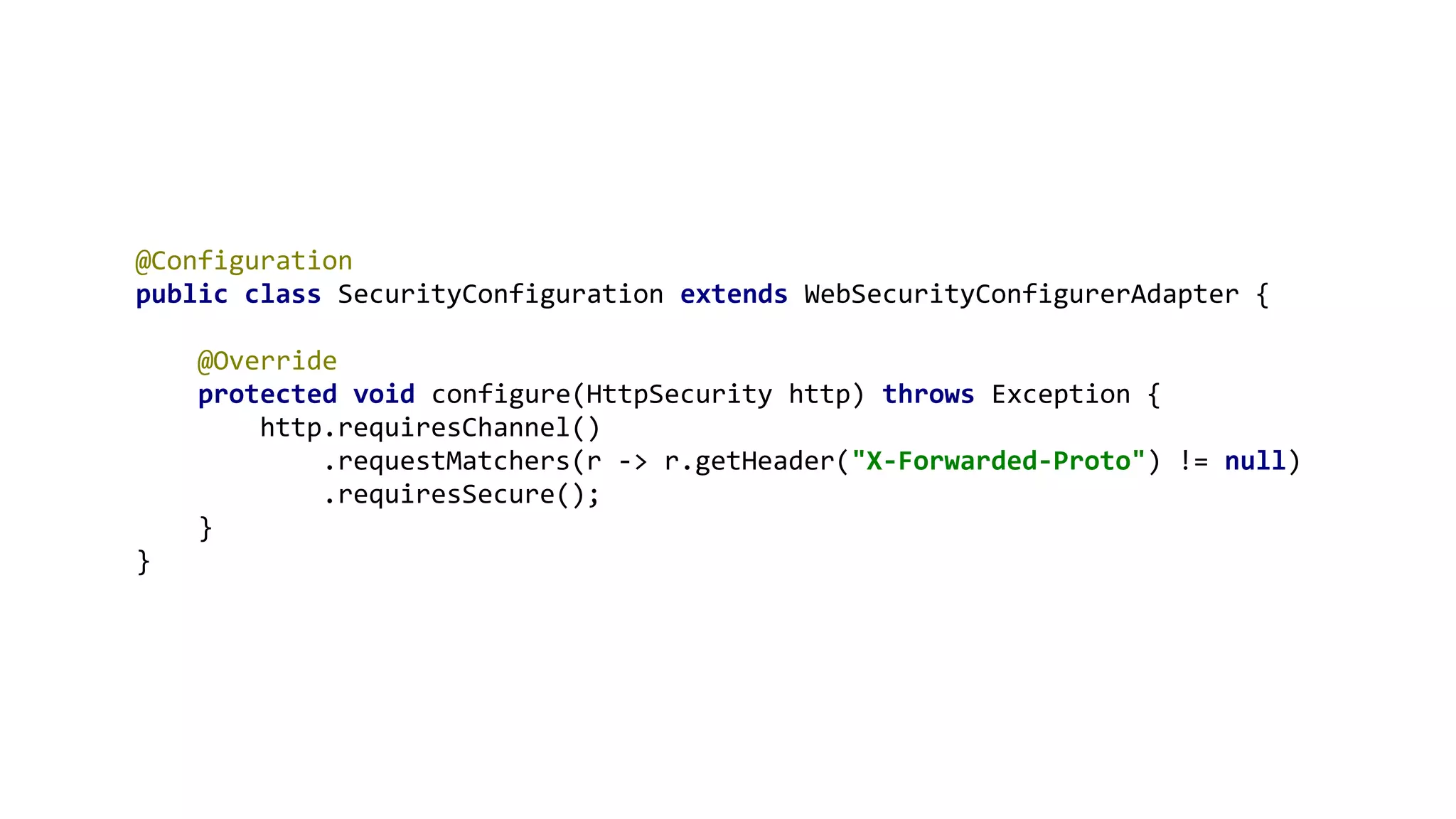
@Configuration
public class SecurityConfiguration extends WebSecurityConfigurerAdapter {
@Override
protected void configure(HttpSecurity http) throws Exception {
http.requiresChannel()
.requestMatchers(r -> r.getHeader("X-Forwarded-Proto") != null)
.requiresSecure();
}
}
2. Scan Dependencies
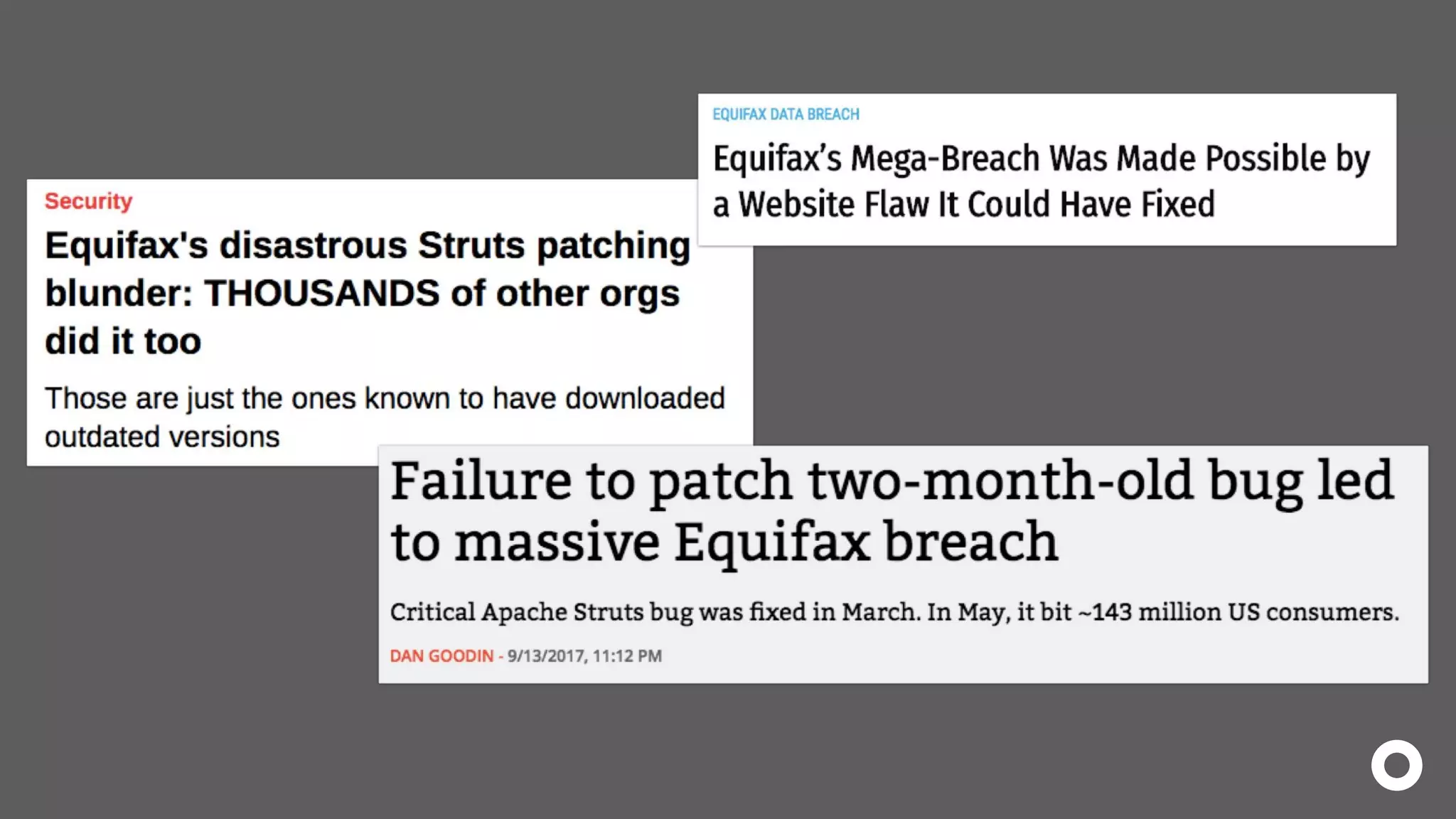
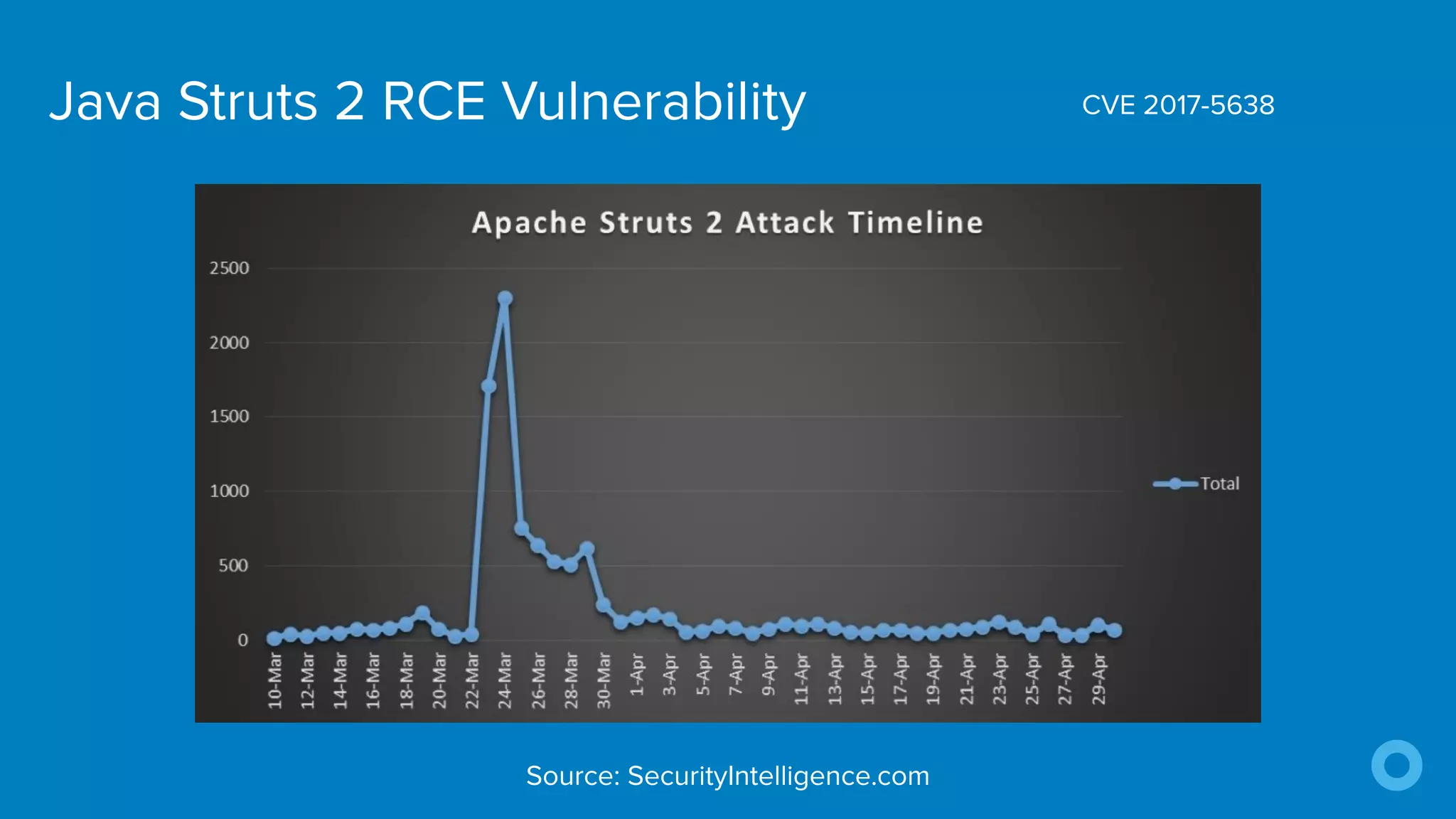
Java Struts 2 RCE Vulnerability CVE 2017-5638
Source: SecurityIntelligence.com
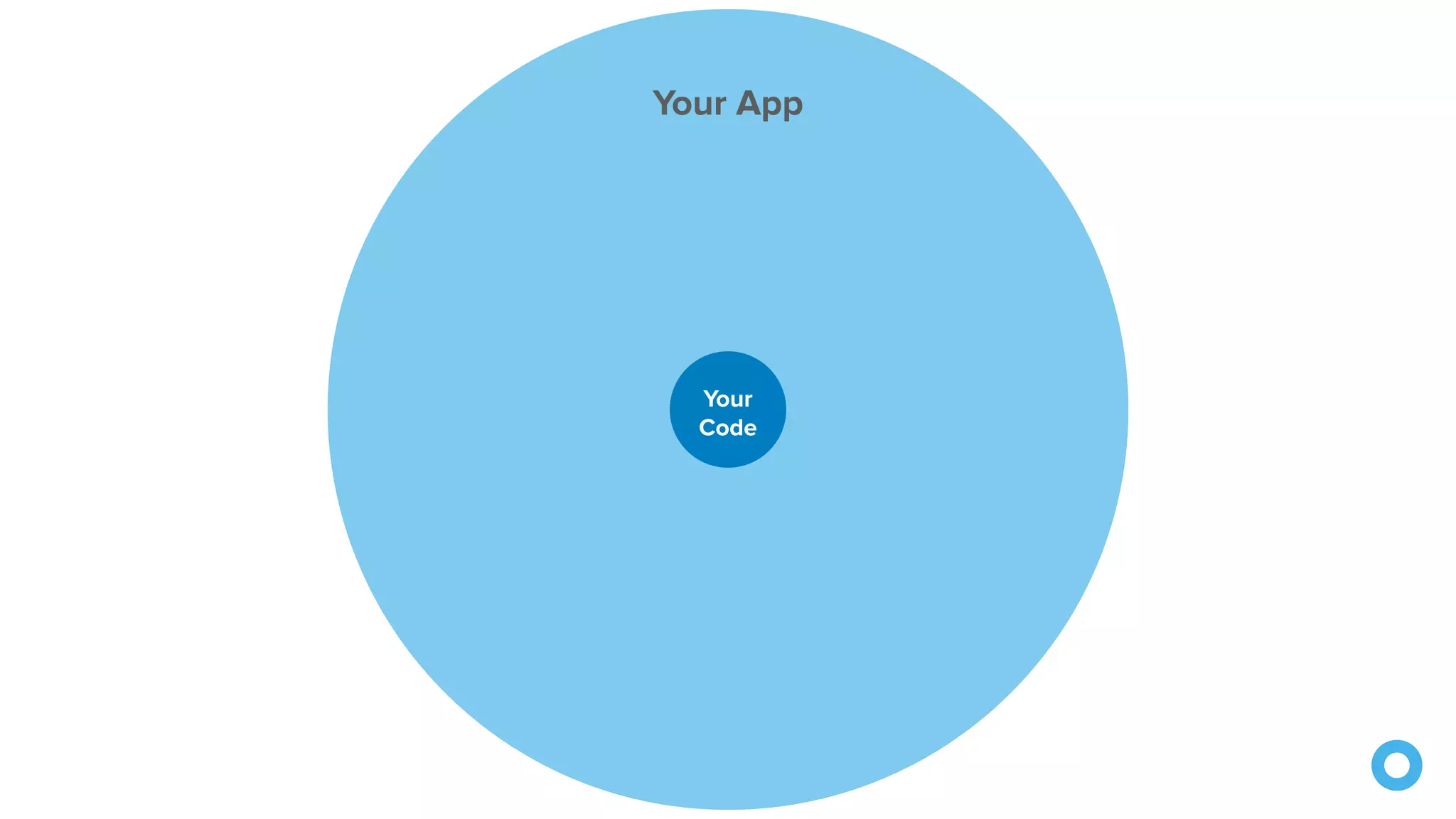
Your App
Your App
Your
Code
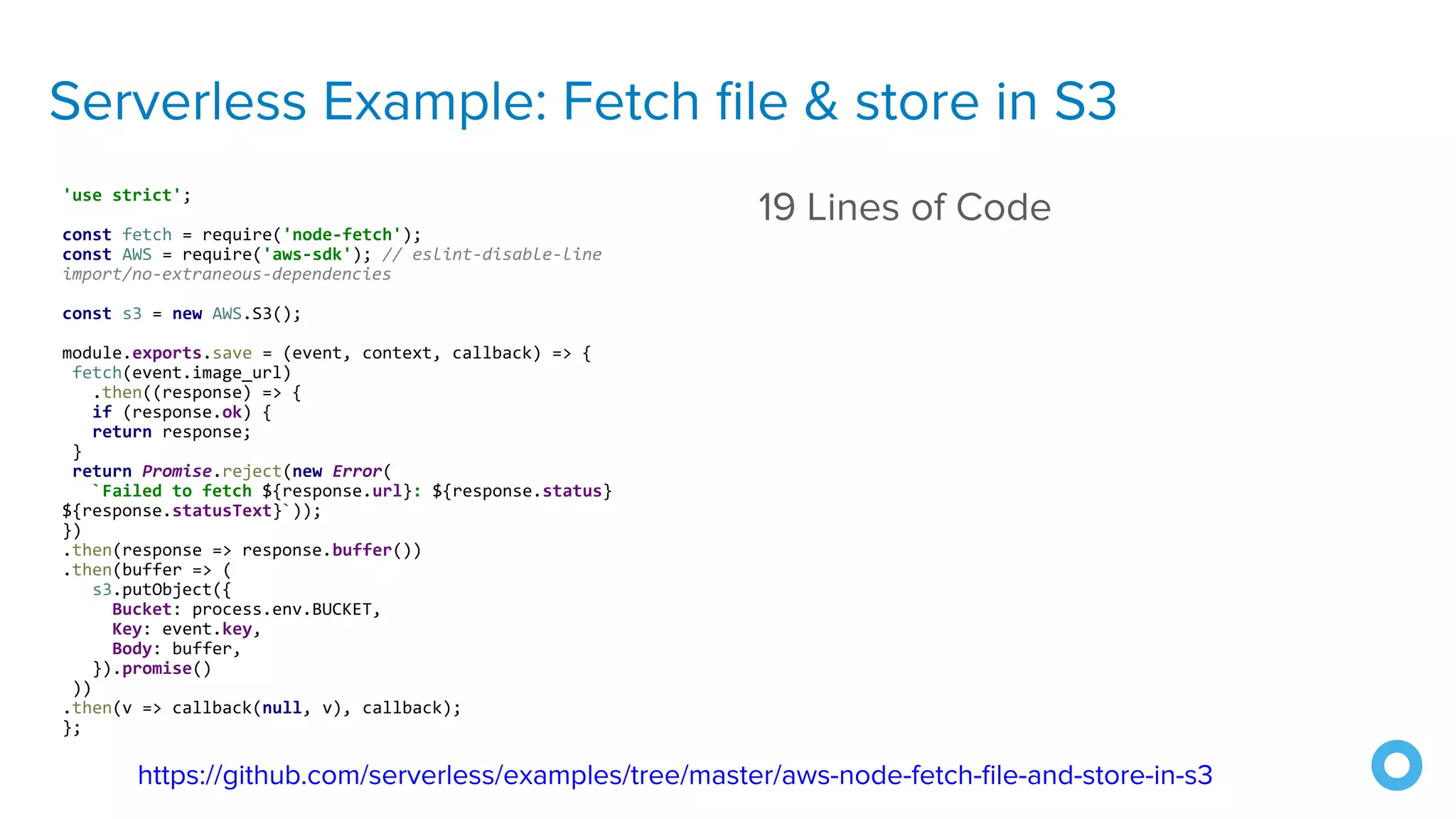
Serverless Example: Fetch file & store in S3
'use strict';
const fetch = require('node-fetch');
const AWS = require('aws-sdk'); // eslint-disable-line
import/no-extraneous-dependencies
const s3 = new AWS.S3();
module.exports.save = (event, context, callback) => {
fetch(event.image_url)
.then((response) => {
if (response.ok) {
return response;
}
return Promise.reject(new Error(
`Failed to fetch ${response.url}: ${response.status}
${response.statusText}`));
})
.then(response => response.buffer())
.then(buffer => (
s3.putObject({
Bucket: process.env.BUCKET,
Key: event.key,
Body: buffer,
}).promise()
))
.then(v => callback(null, v), callback);
};
19 Lines of Code
https://github.com/serverless/examples/tree/master/aws-node-fetch-file-and-store-in-s3
Serverless Example: Fetch file & store in S3
'use strict';
const fetch = require('node-fetch');
const AWS = require('aws-sdk'); // eslint-disable-line
import/no-extraneous-dependencies
const s3 = new AWS.S3();
module.exports.save = (event, context, callback) => {
fetch(event.image_url)
.then((response) => {
if (response.ok) {
return response;
}
return Promise.reject(new Error(
`Failed to fetch ${response.url}: ${response.status}
${response.statusText}`));
})
.then(response => response.buffer())
.then(buffer => (
s3.putObject({
Bucket: process.env.BUCKET,
Key: event.key,
Body: buffer,
}).promise()
))
.then(v => callback(null, v), callback);
};
19 Lines of Code
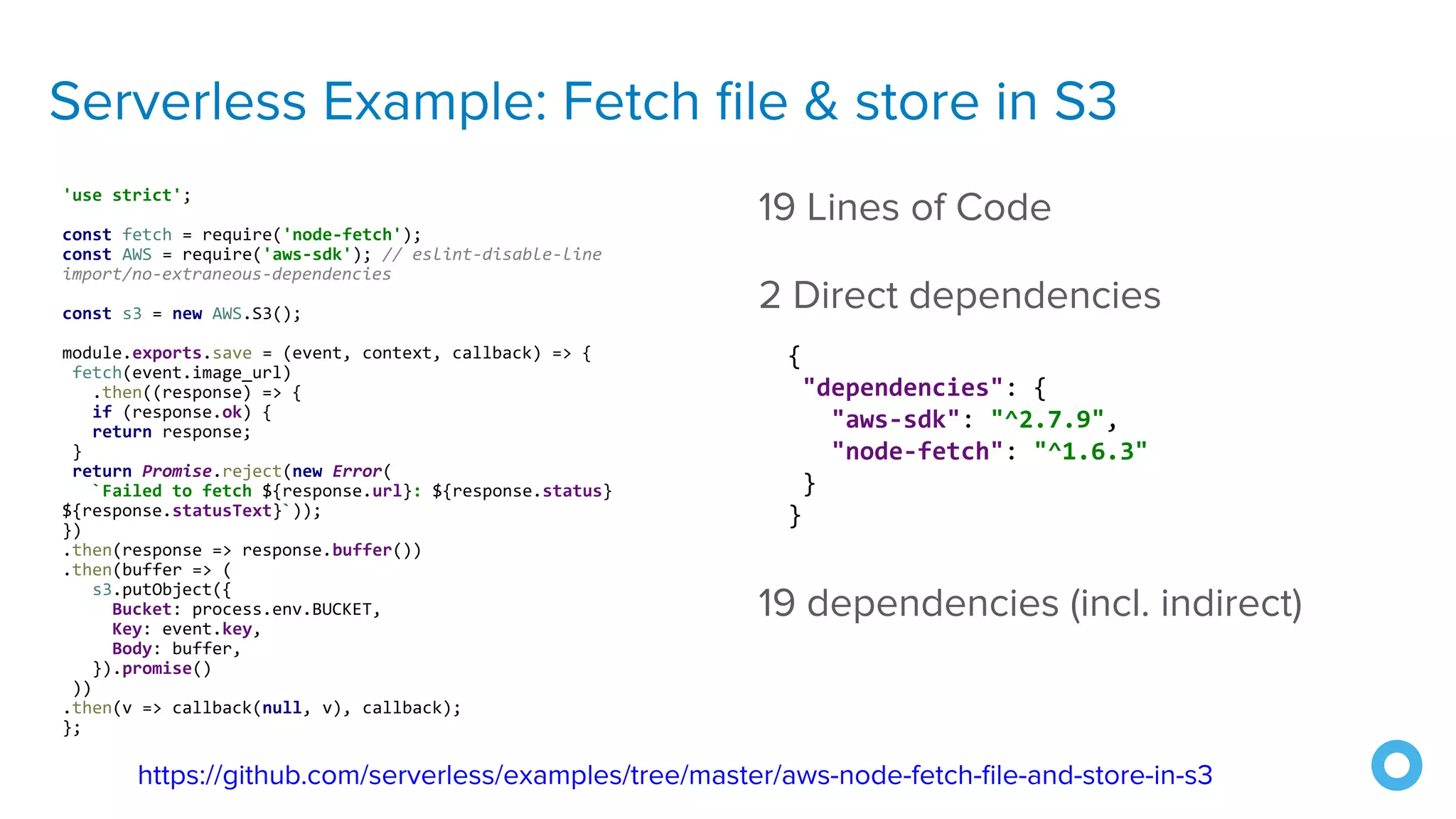
2 Direct dependencies
https://github.com/serverless/examples/tree/master/aws-node-fetch-file-and-store-in-s3
{
"dependencies": {
"aws-sdk": "^2.7.9",
"node-fetch": "^1.6.3"
}
}
Serverless Example: Fetch file & store in S3
'use strict';
const fetch = require('node-fetch');
const AWS = require('aws-sdk'); // eslint-disable-line
import/no-extraneous-dependencies
const s3 = new AWS.S3();
module.exports.save = (event, context, callback) => {
fetch(event.image_url)
.then((response) => {
if (response.ok) {
return response;
}
return Promise.reject(new Error(
`Failed to fetch ${response.url}: ${response.status}
${response.statusText}`));
})
.then(response => response.buffer())
.then(buffer => (
s3.putObject({
Bucket: process.env.BUCKET,
Key: event.key,
Body: buffer,
}).promise()
))
.then(v => callback(null, v), callback);
};
19 Lines of Code
2 Direct dependencies
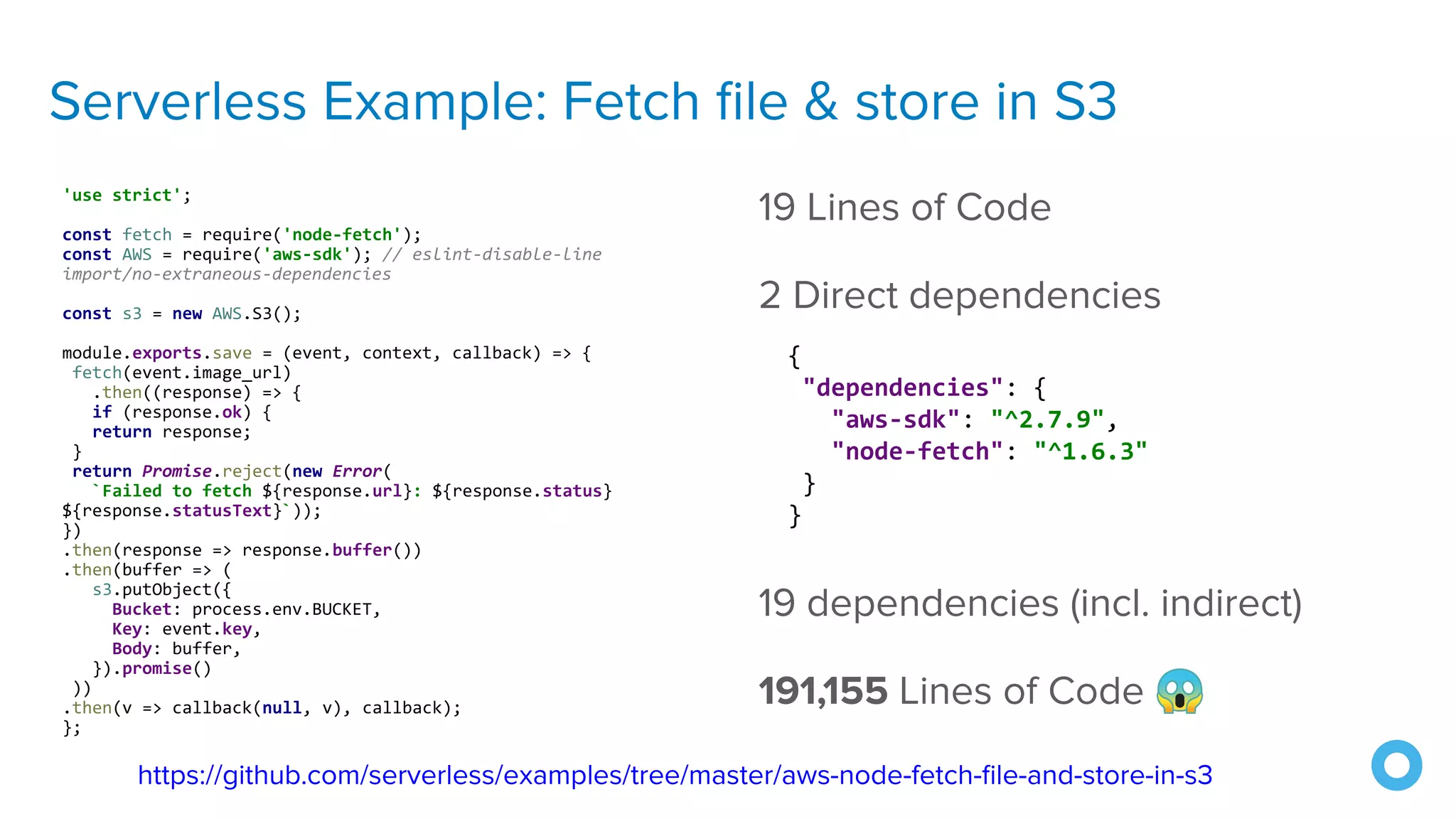
19 dependencies (incl. indirect)
https://github.com/serverless/examples/tree/master/aws-node-fetch-file-and-store-in-s3
{
"dependencies": {
"aws-sdk": "^2.7.9",
"node-fetch": "^1.6.3"
}
}
Serverless Example: Fetch file & store in S3
'use strict';
const fetch = require('node-fetch');
const AWS = require('aws-sdk'); // eslint-disable-line
import/no-extraneous-dependencies
const s3 = new AWS.S3();
module.exports.save = (event, context, callback) => {
fetch(event.image_url)
.then((response) => {
if (response.ok) {
return response;
}
return Promise.reject(new Error(
`Failed to fetch ${response.url}: ${response.status}
${response.statusText}`));
})
.then(response => response.buffer())
.then(buffer => (
s3.putObject({
Bucket: process.env.BUCKET,
Key: event.key,
Body: buffer,
}).promise()
))
.then(v => callback(null, v), callback);
};
19 Lines of Code
2 Direct dependencies
19 dependencies (incl. indirect)
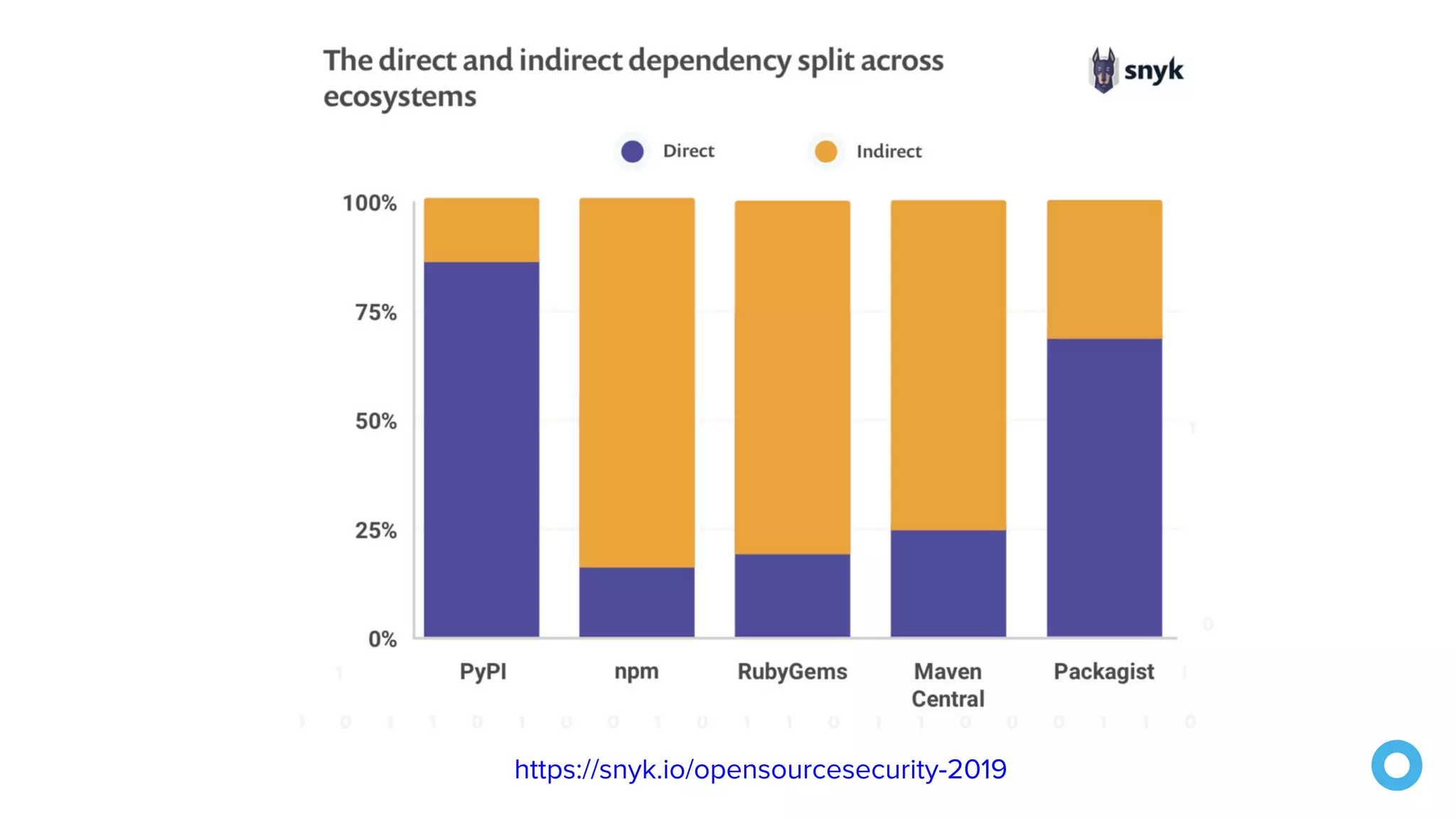
191,155 Lines of Code 😱
https://github.com/serverless/examples/tree/master/aws-node-fetch-file-and-store-in-s3
{
"dependencies": {
"aws-sdk": "^2.7.9",
"node-fetch": "^1.6.3"
}
}
https://snyk.io/opensourcesecurity-2019
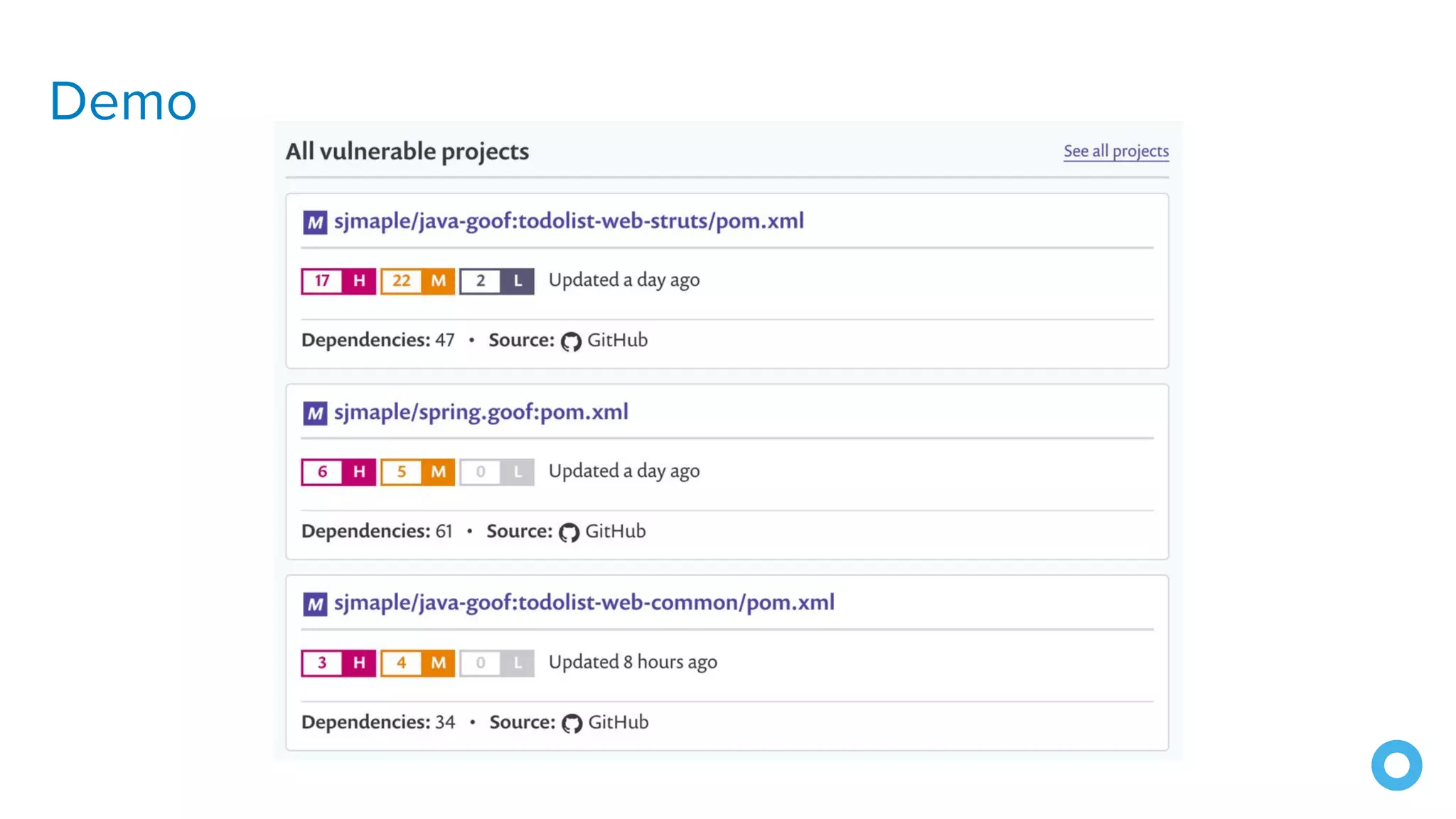
Demo
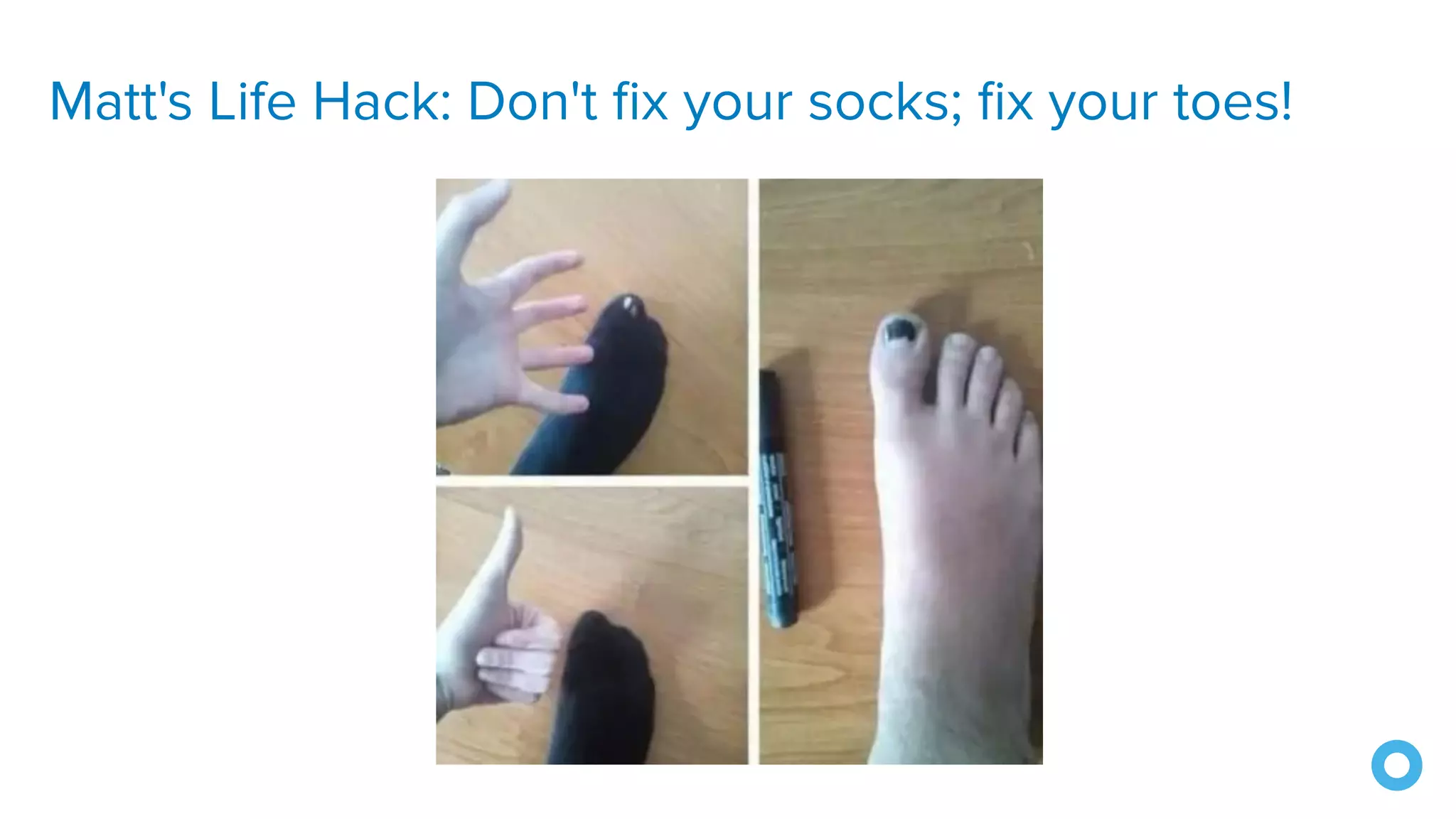
Matt's Life Hack: Don't fix your socks; fix your toes!
3. Upgrade Libraries
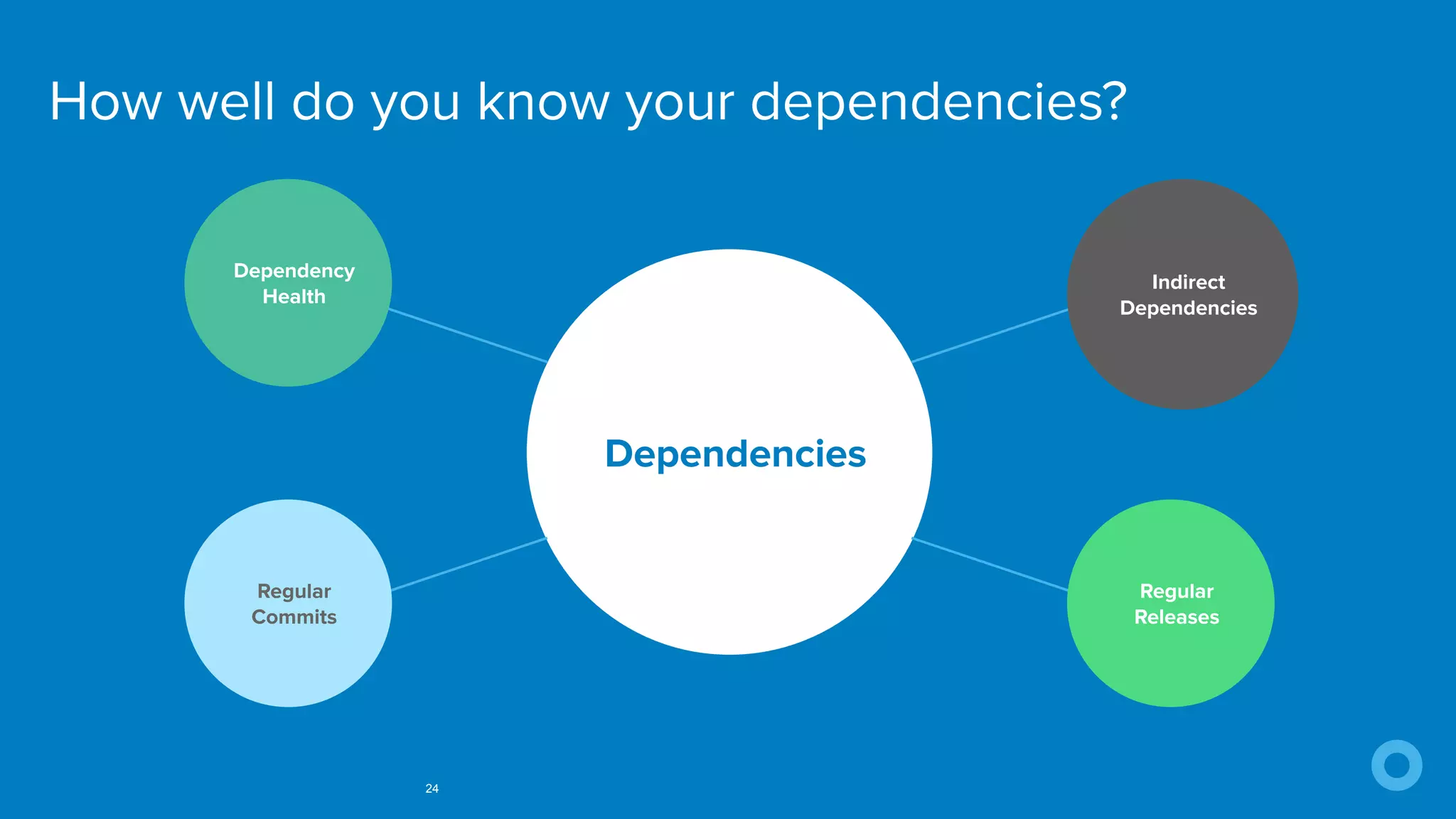
How well do you know your dependencies?
24
Dependencies
Dependency
Health
Indirect
Dependencies
Regular
Commits
Regular
Releases
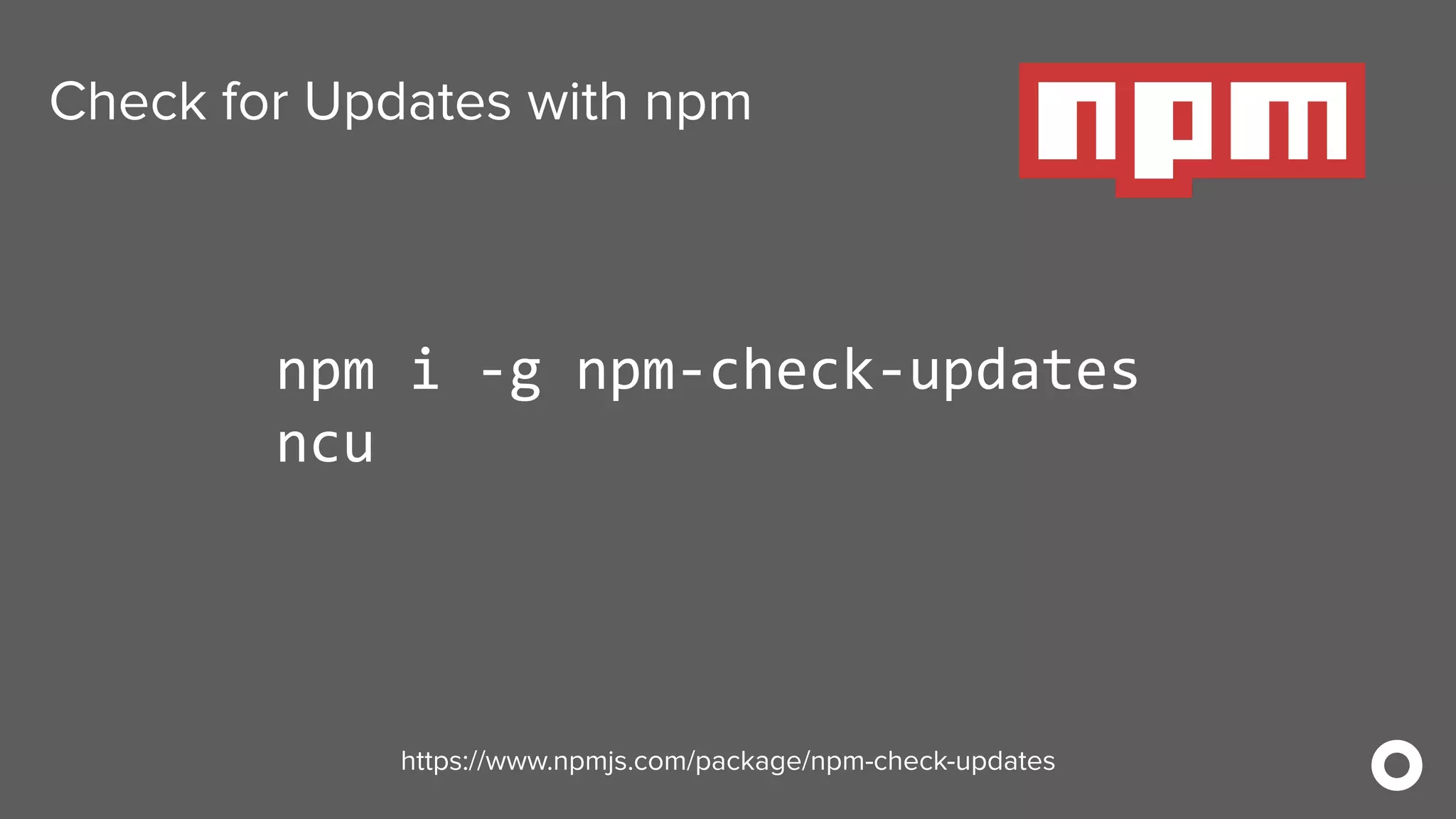
Check for Updates with npm
npm i -g npm-check-updates
ncu
https://www.npmjs.com/package/npm-check-updates
Check for Updates with Maven
mvn versions:display-dependency-updates
https://www.mojohaus.org/versions-maven-plugin
Check for Updates with Gradle
gradle dependencyUpdates 
-Drevision=release
https://github.com/ben-manes/gradle-versions-plugin
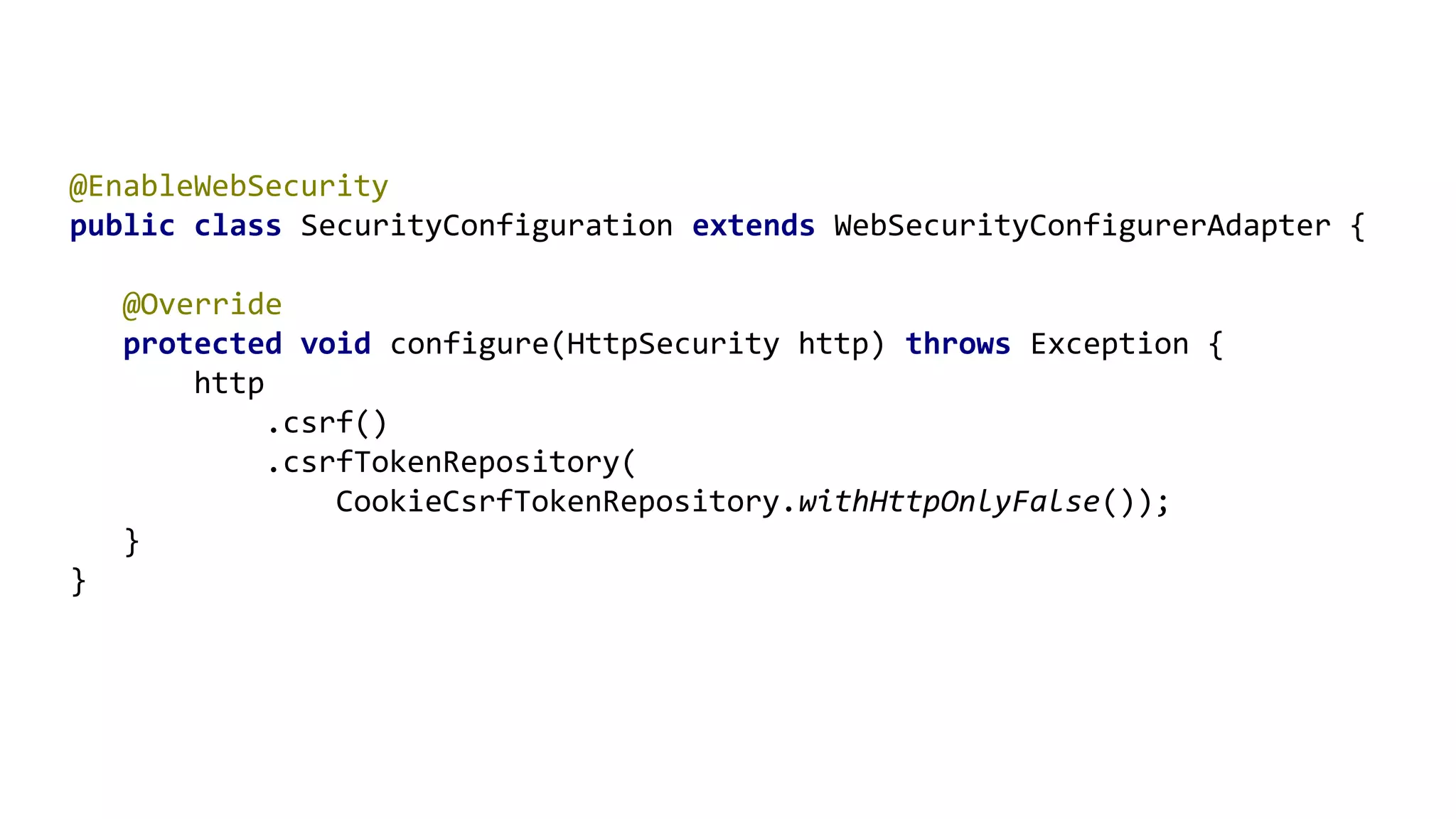
4. Enable CSRF
@EnableWebSecurity
public class SecurityConfiguration extends WebSecurityConfigurerAdapter {
@Override
protected void configure(HttpSecurity http) throws Exception {
http
.csrf()
.csrfTokenRepository(
CookieCsrfTokenRepository.withHttpOnlyFalse());
}
}
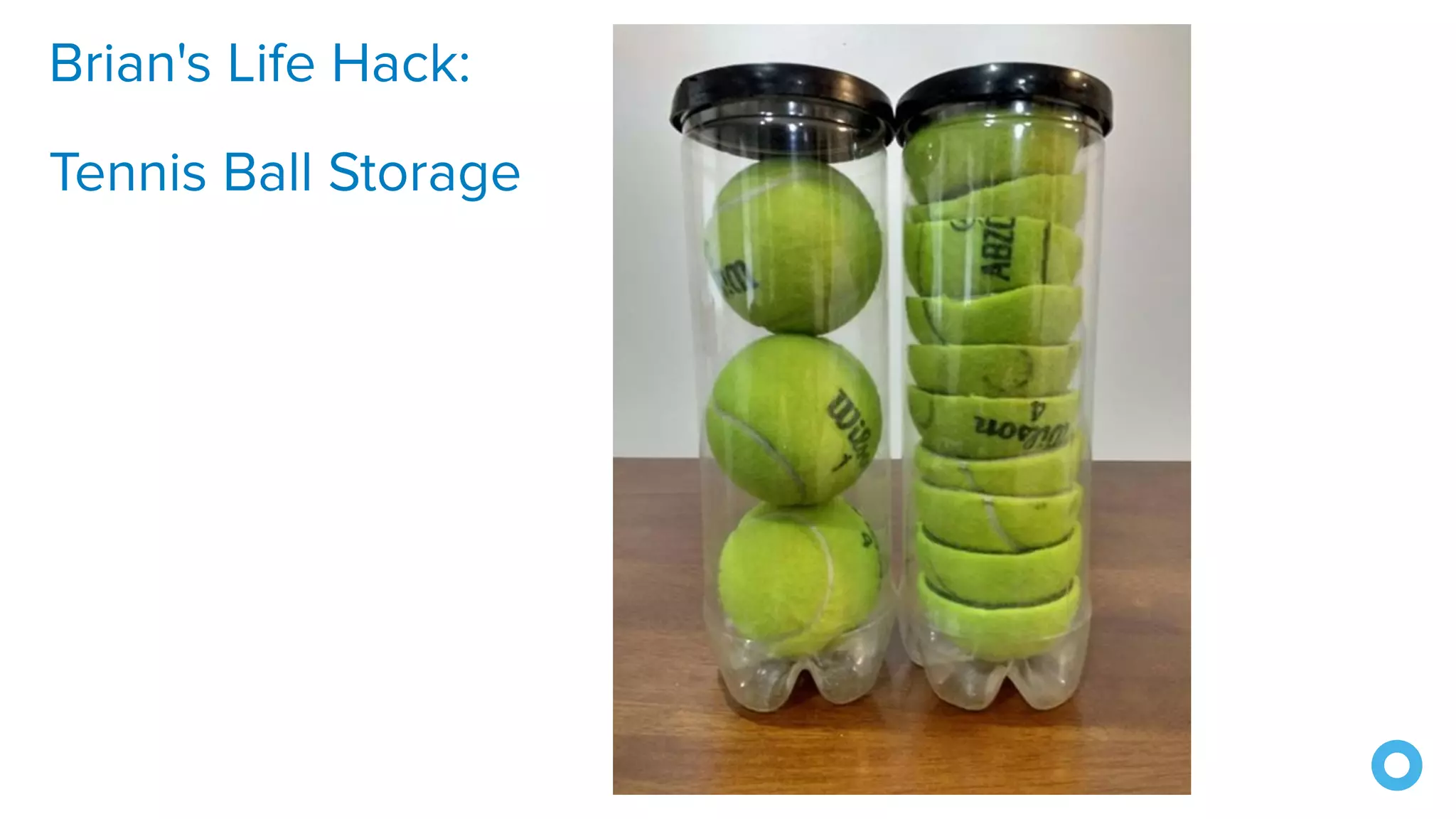
Brian's Life Hack:
Tennis Ball Storage
5. Use a CSP
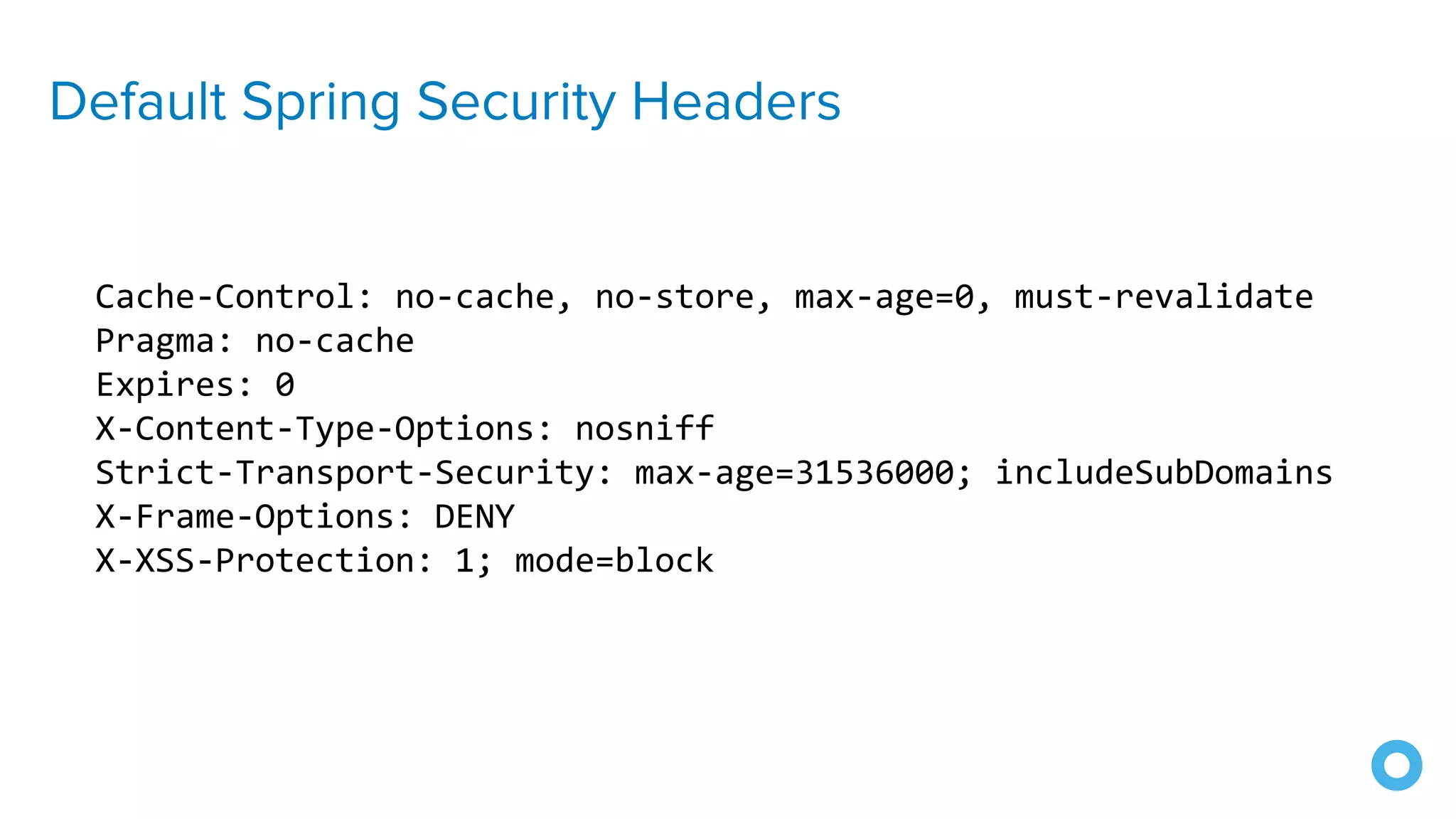
Default Spring Security Headers
Cache-Control: no-cache, no-store, max-age=0, must-revalidate
Pragma: no-cache
Expires: 0
X-Content-Type-Options: nosniff
Strict-Transport-Security: max-age=31536000; includeSubDomains
X-Frame-Options: DENY
X-XSS-Protection: 1; mode=block
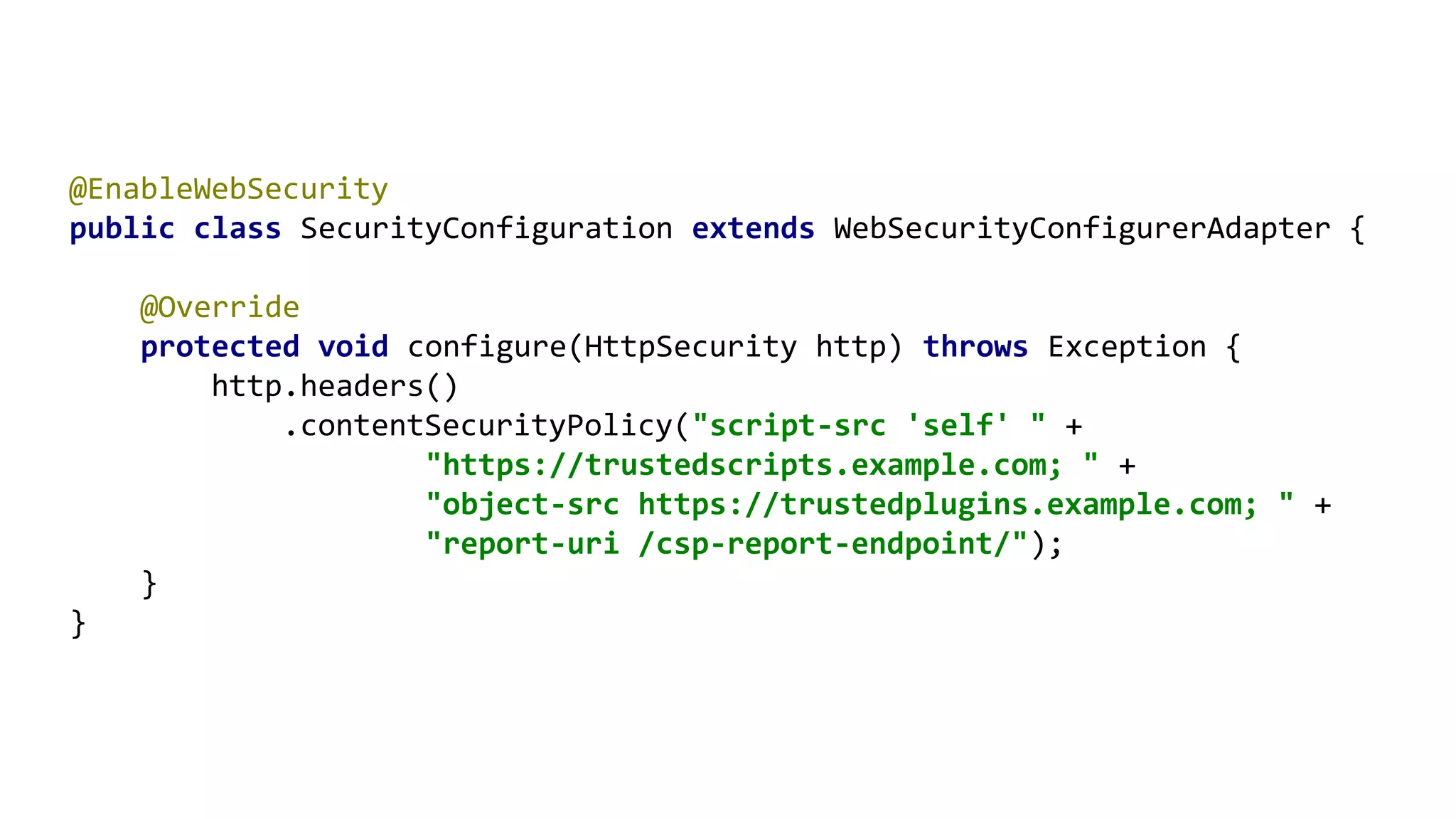
@EnableWebSecurity
public class SecurityConfiguration extends WebSecurityConfigurerAdapter {
@Override
protected void configure(HttpSecurity http) throws Exception {
http.headers()
.contentSecurityPolicy("script-src 'self' " +
"https://trustedscripts.example.com; " +
"object-src https://trustedplugins.example.com; " +
"report-uri /csp-report-endpoint/");
}
}
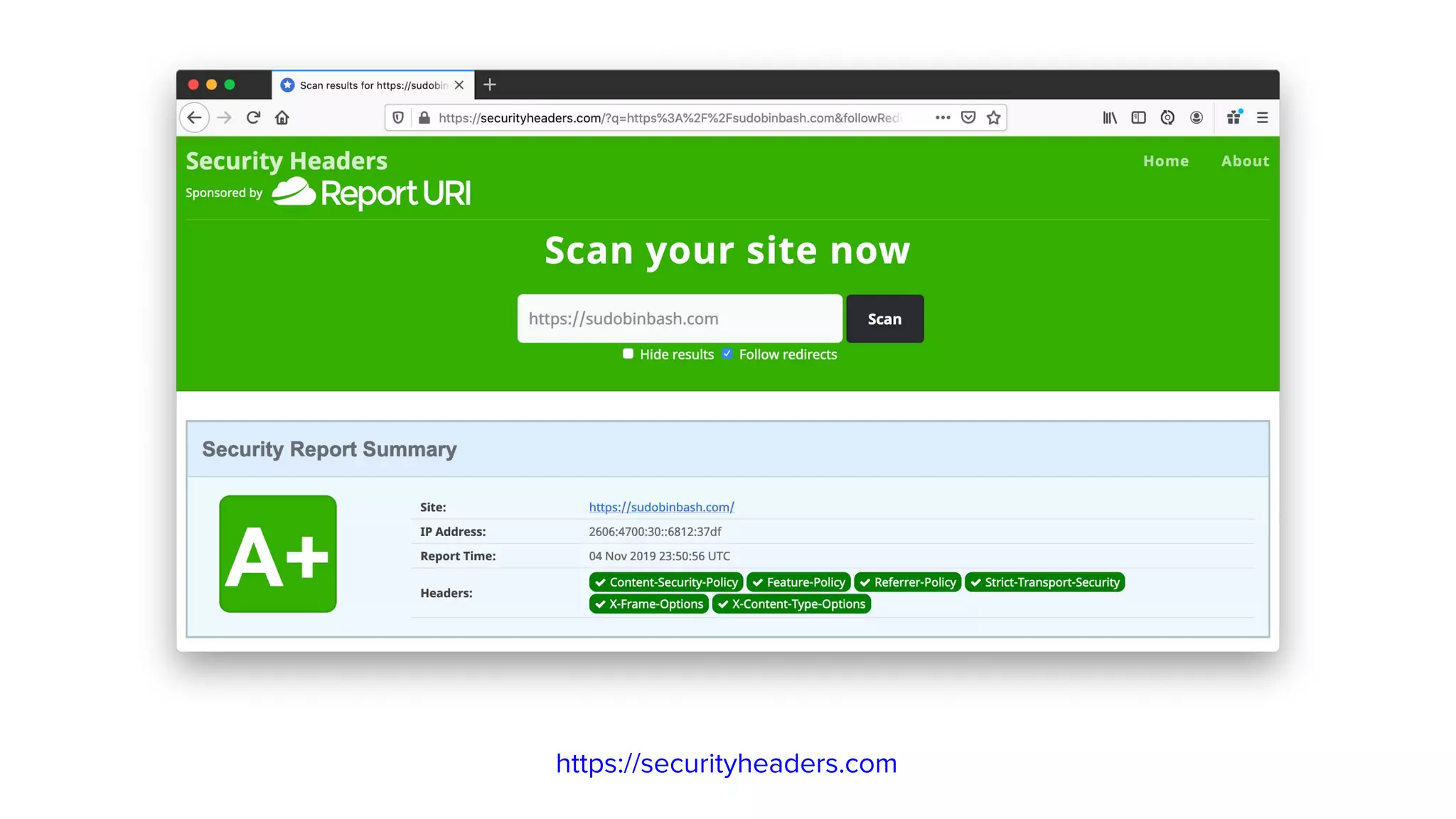
https://securityheaders.com
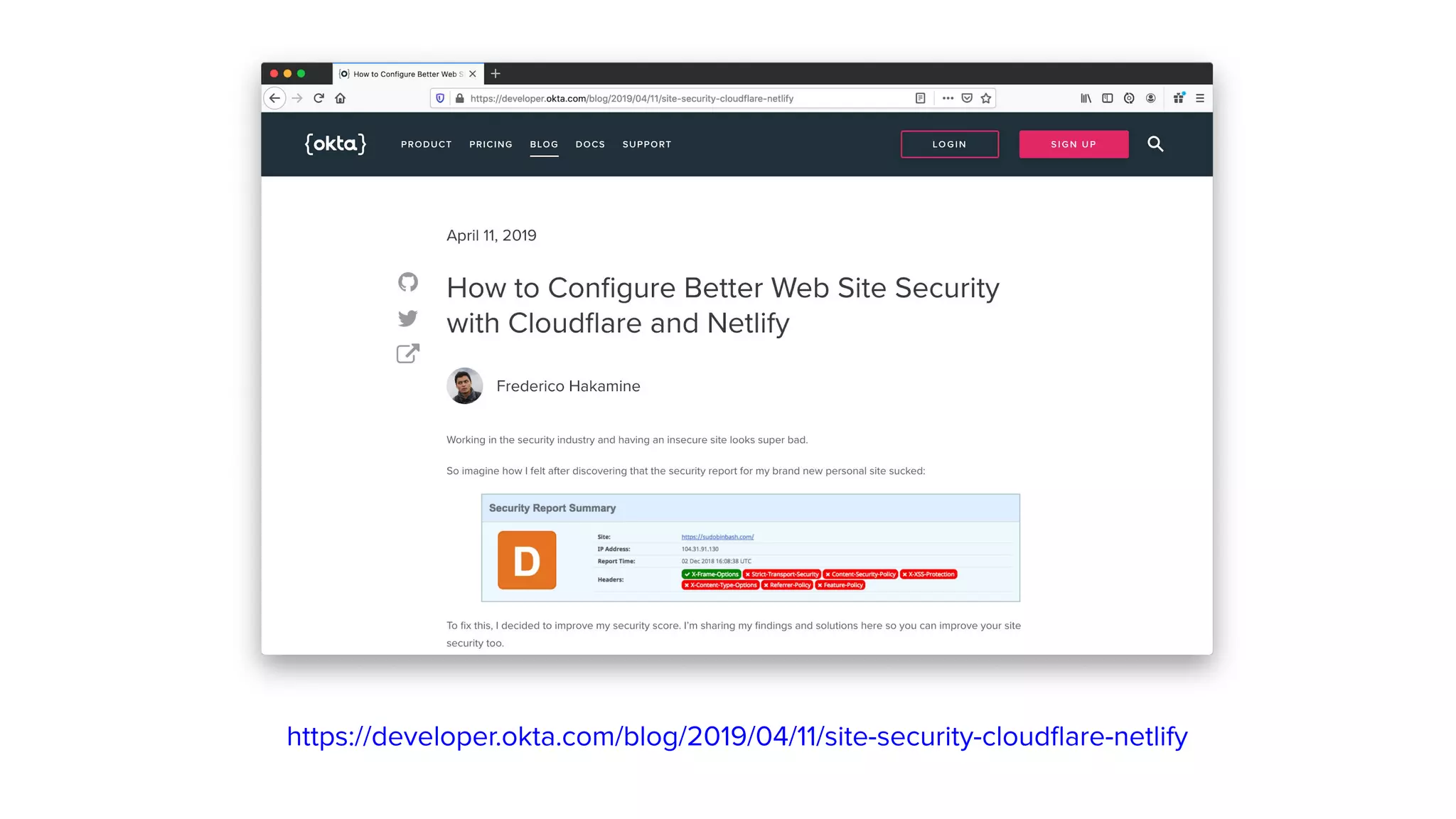
https://developer.okta.com/blog/2019/04/11/site-security-cloudflare-netlify
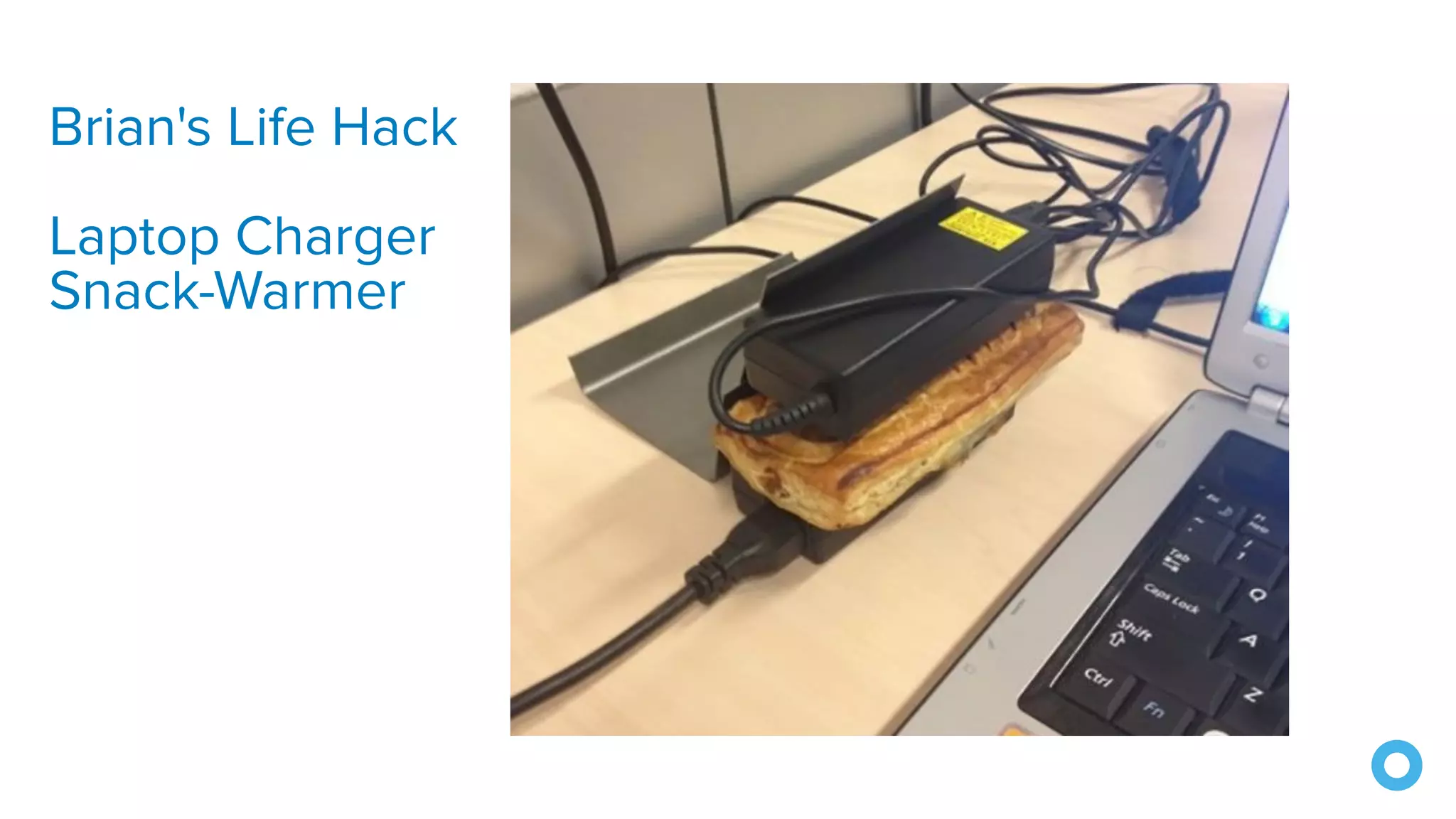
Brian's Life Hack
Laptop Charger
Snack-Warmer
6. Use OIDC for Auth
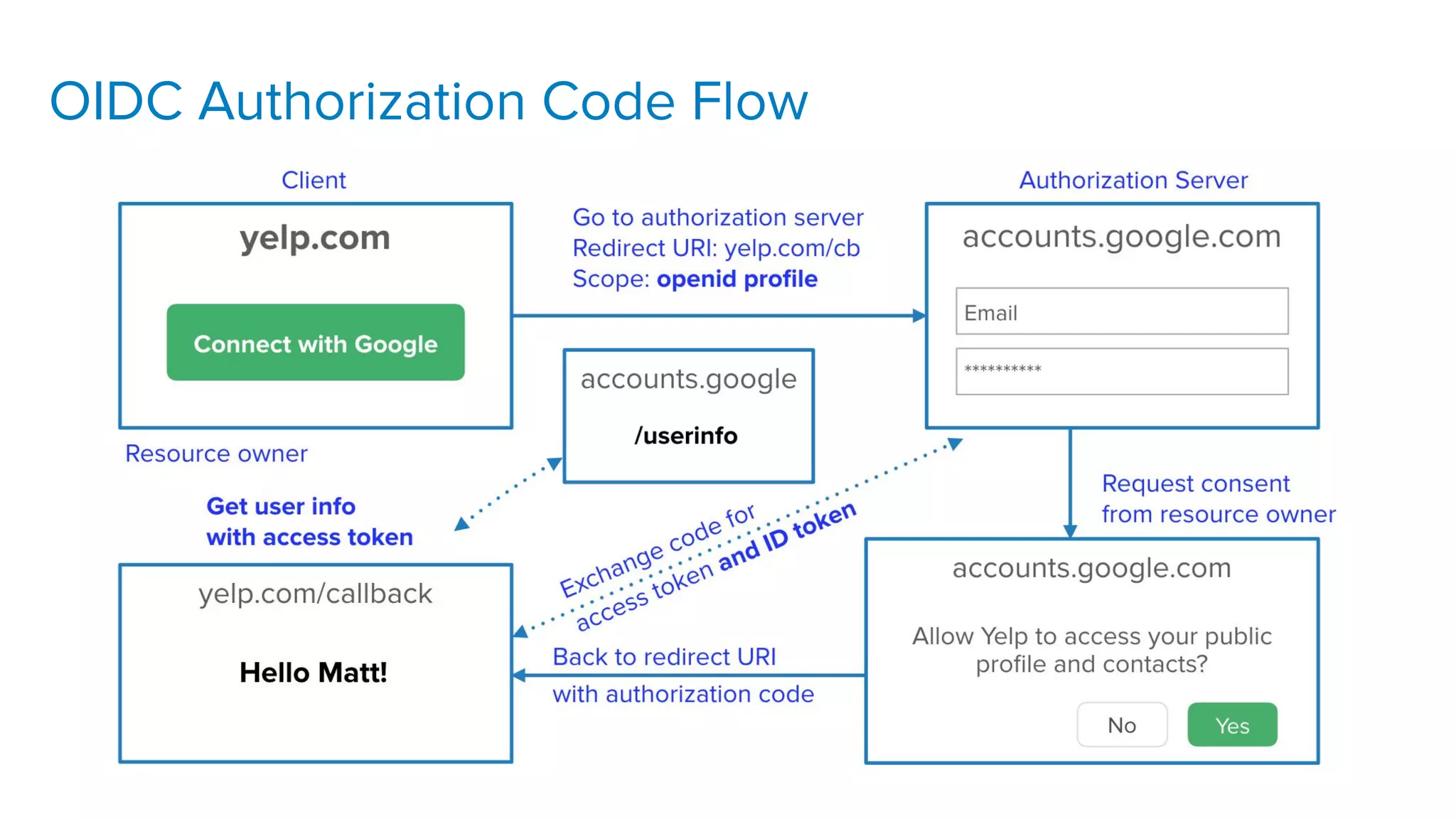
OIDC Authorization Code Flow
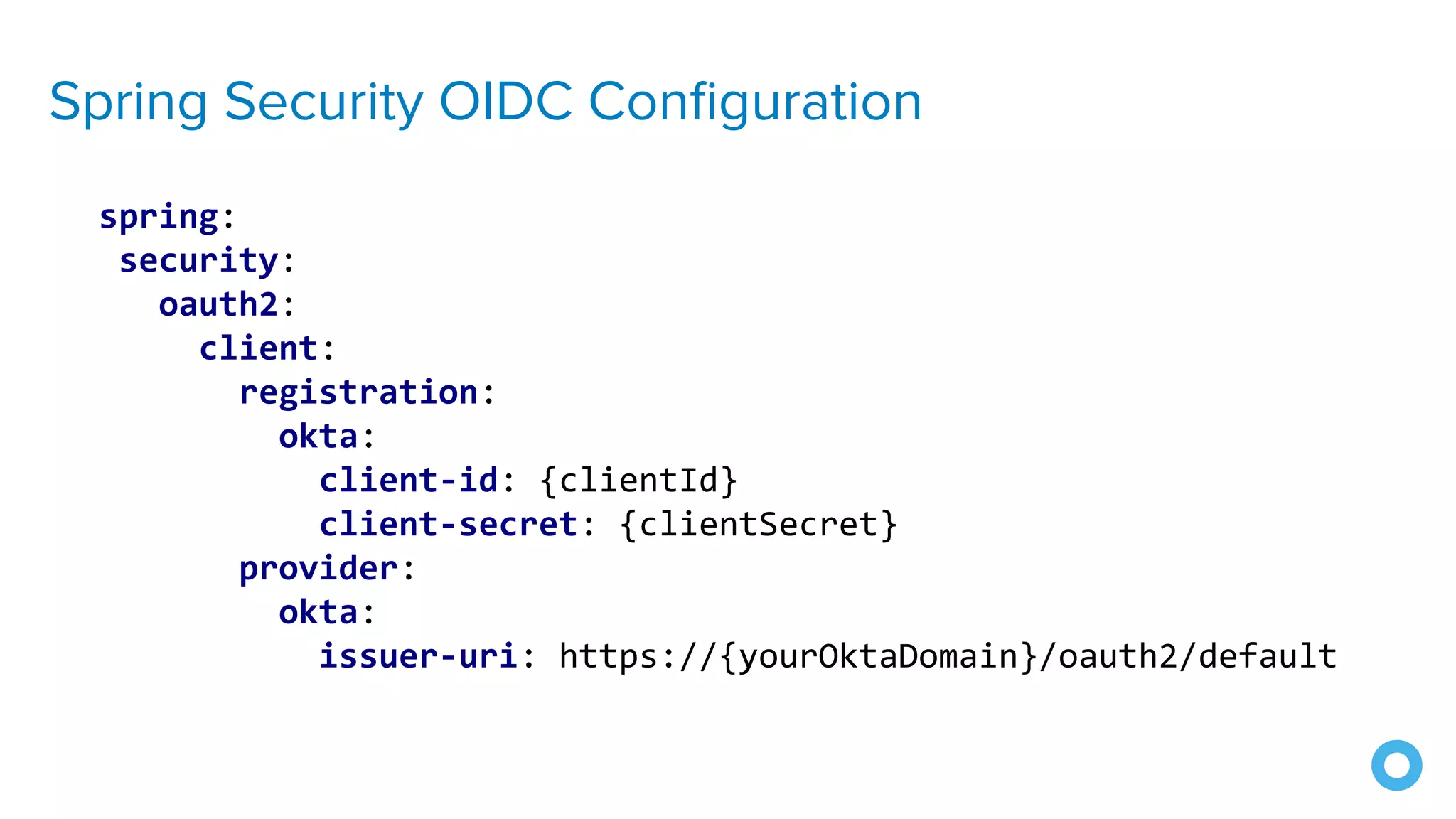
Spring Security OIDC Configuration
spring:
security:
oauth2:
client:
registration:
okta:
client-id: {clientId}
client-secret: {clientSecret}
provider:
okta:
issuer-uri: https://{yourOktaDomain}/oauth2/default
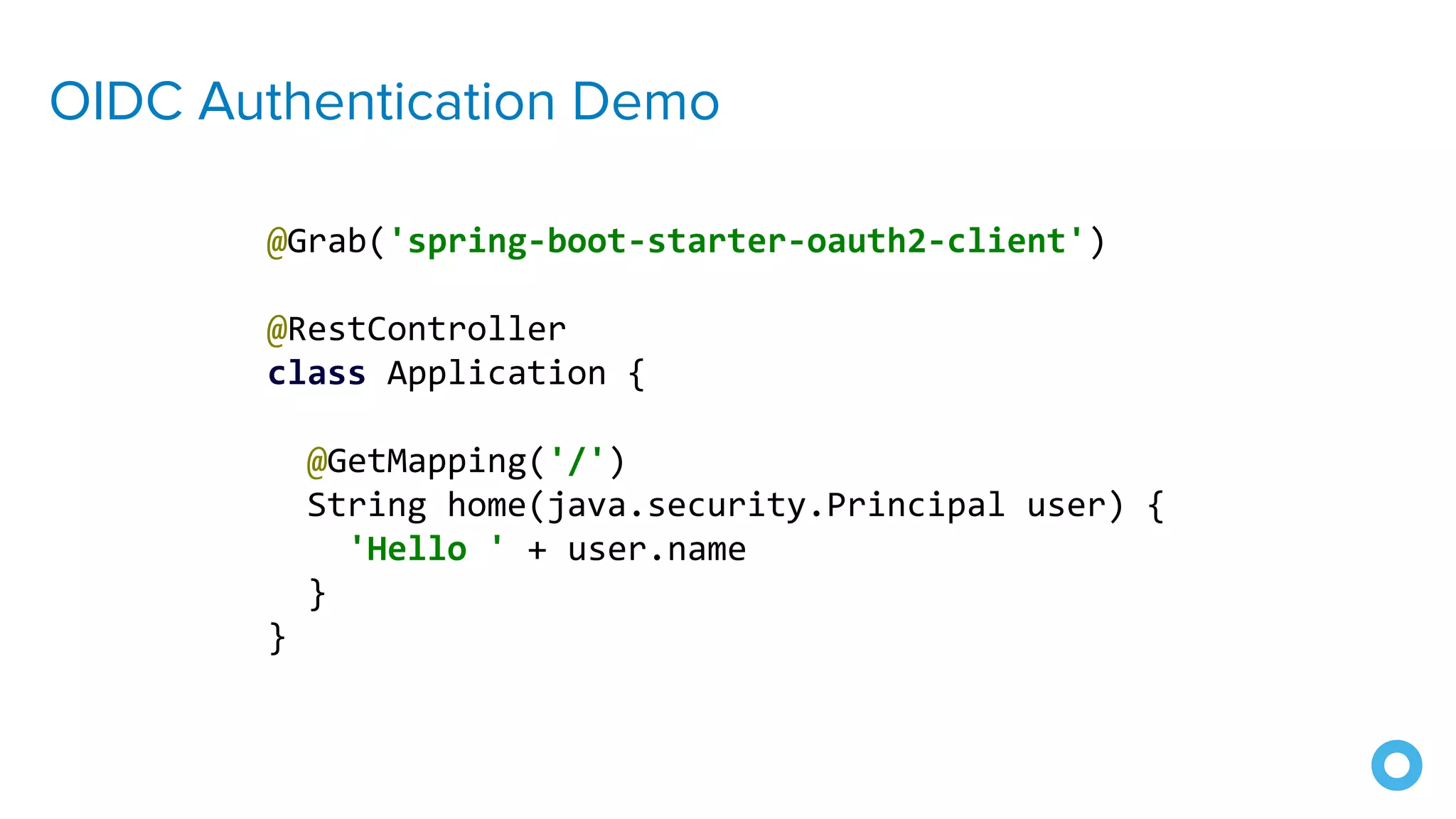
OIDC Authentication Demo
@Grab('spring-boot-starter-oauth2-client')
@RestController
class Application {
@GetMapping('/')
String home(java.security.Principal user) {
'Hello ' + user.name
}
}
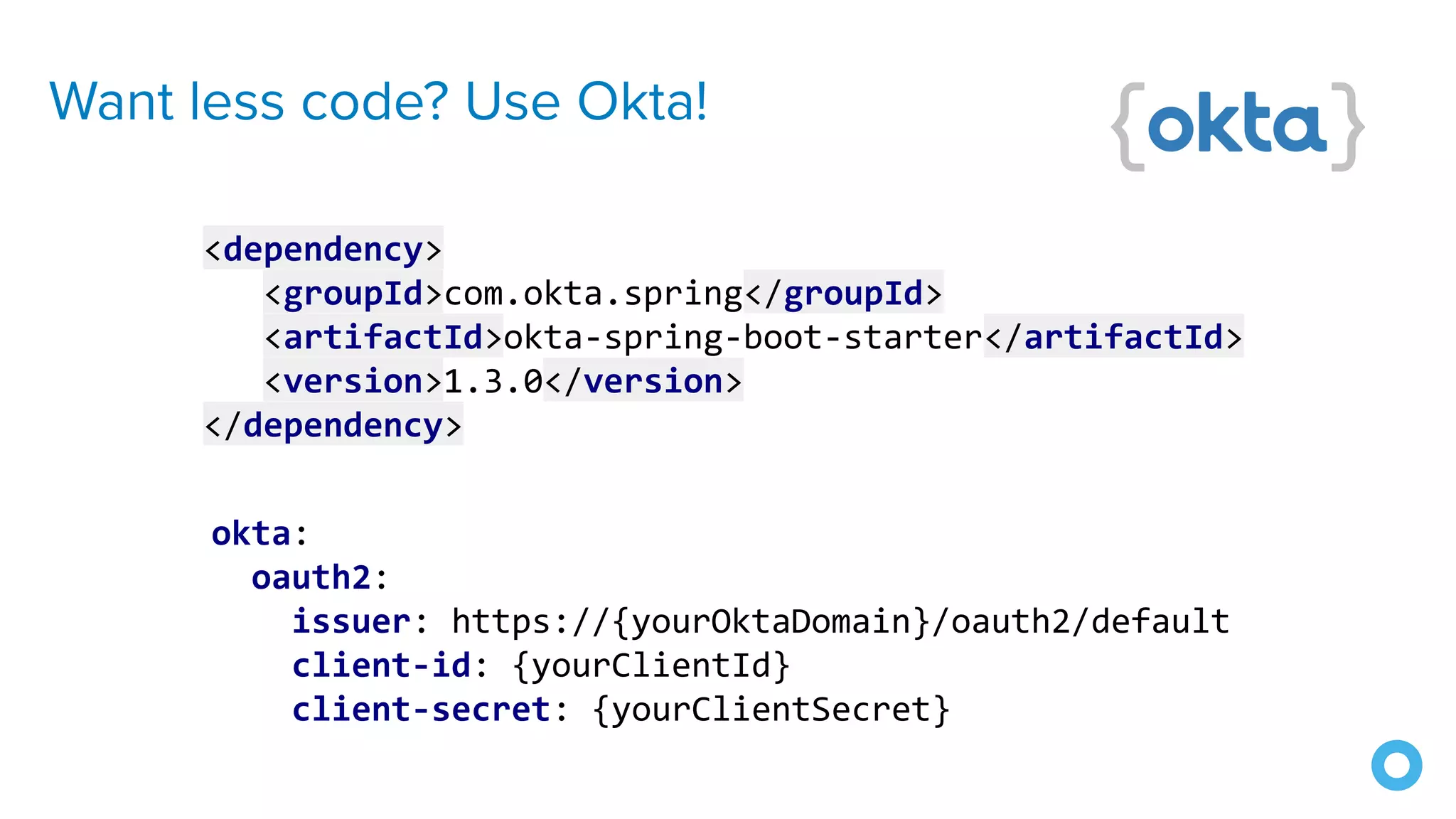
Want less code? Use Okta!
okta:
oauth2:
issuer: https://{yourOktaDomain}/oauth2/default
client-id: {yourClientId}
client-secret: {yourClientSecret}
<dependency>
<groupId>com.okta.spring</groupId>
<artifactId>okta-spring-boot-starter</artifactId>
<version>1.3.0</version>
</dependency>
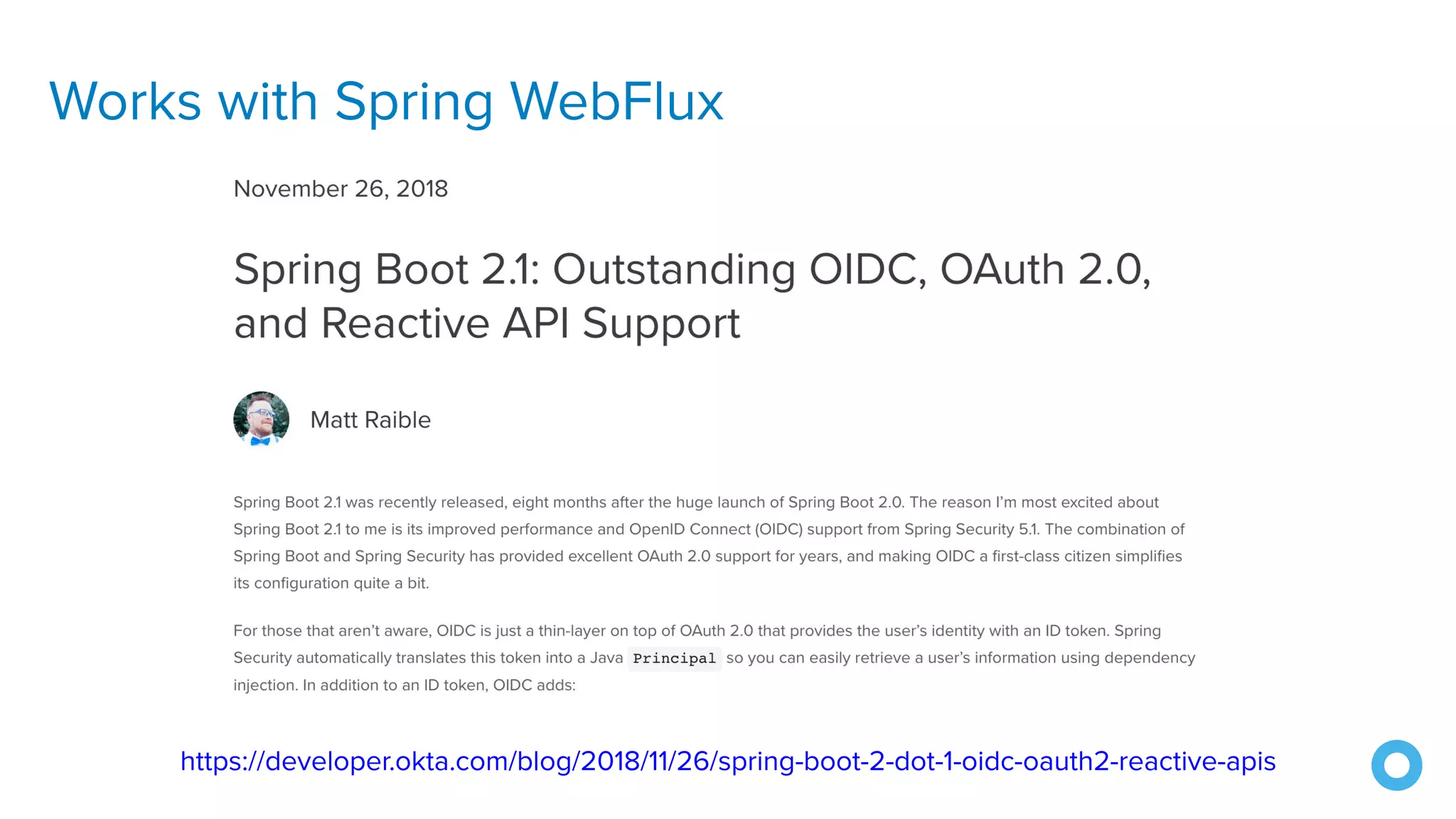
Works with Spring WebFlux
https://developer.okta.com/blog/2018/11/26/spring-boot-2-dot-1-oidc-oauth2-reactive-apis
And JHipster! 🎉
https://developer.okta.com/blog/2019/04/04/java-11-java-12-jhipster-oidc
7. Hash Passwords
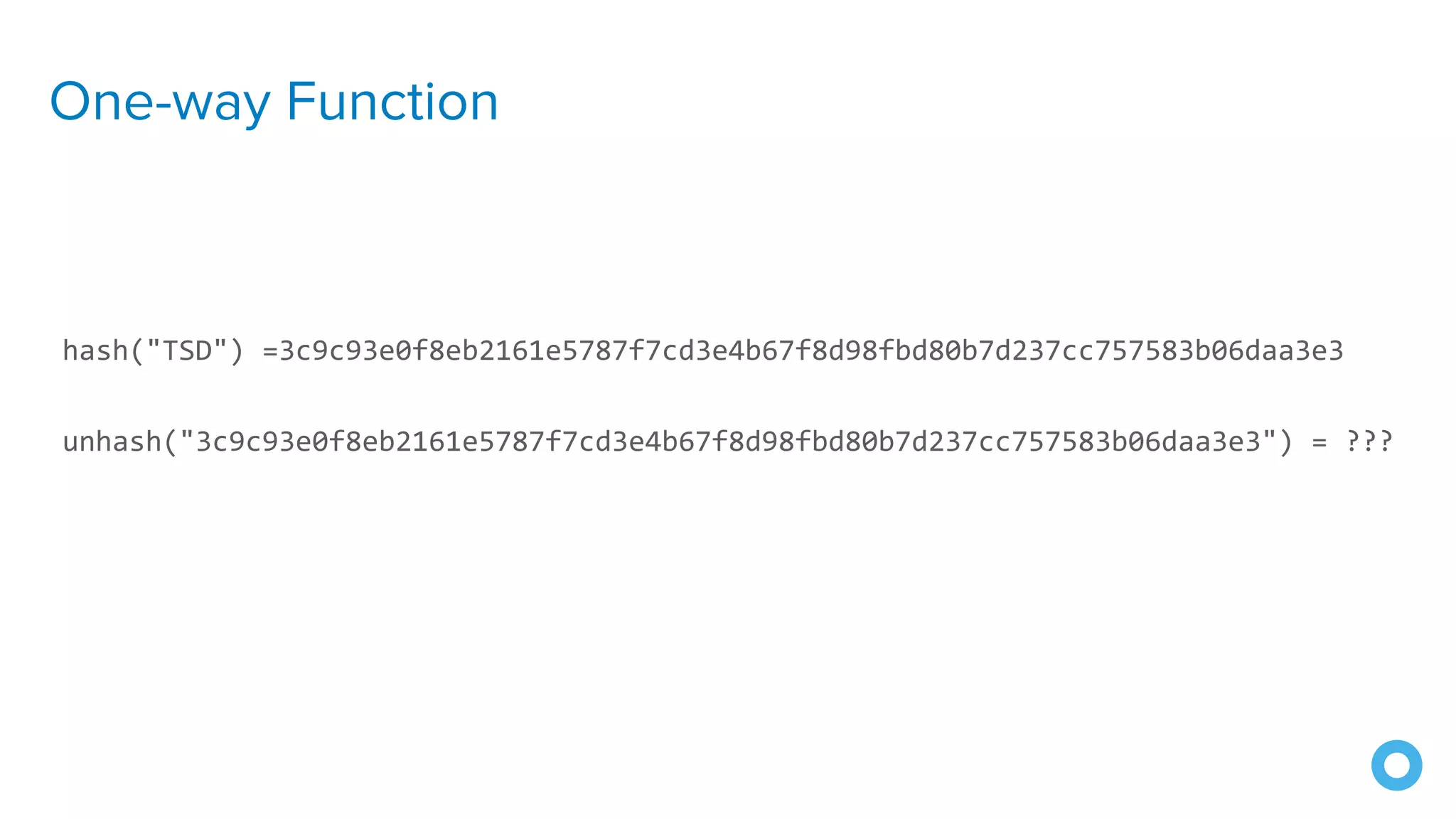
One-way Function
hash("TSD") =3c9c93e0f8eb2161e5787f7cd3e4b67f8d98fbd80b7d237cc757583b06daa3e3
unhash("3c9c93e0f8eb2161e5787f7cd3e4b67f8d98fbd80b7d237cc757583b06daa3e3") = ???
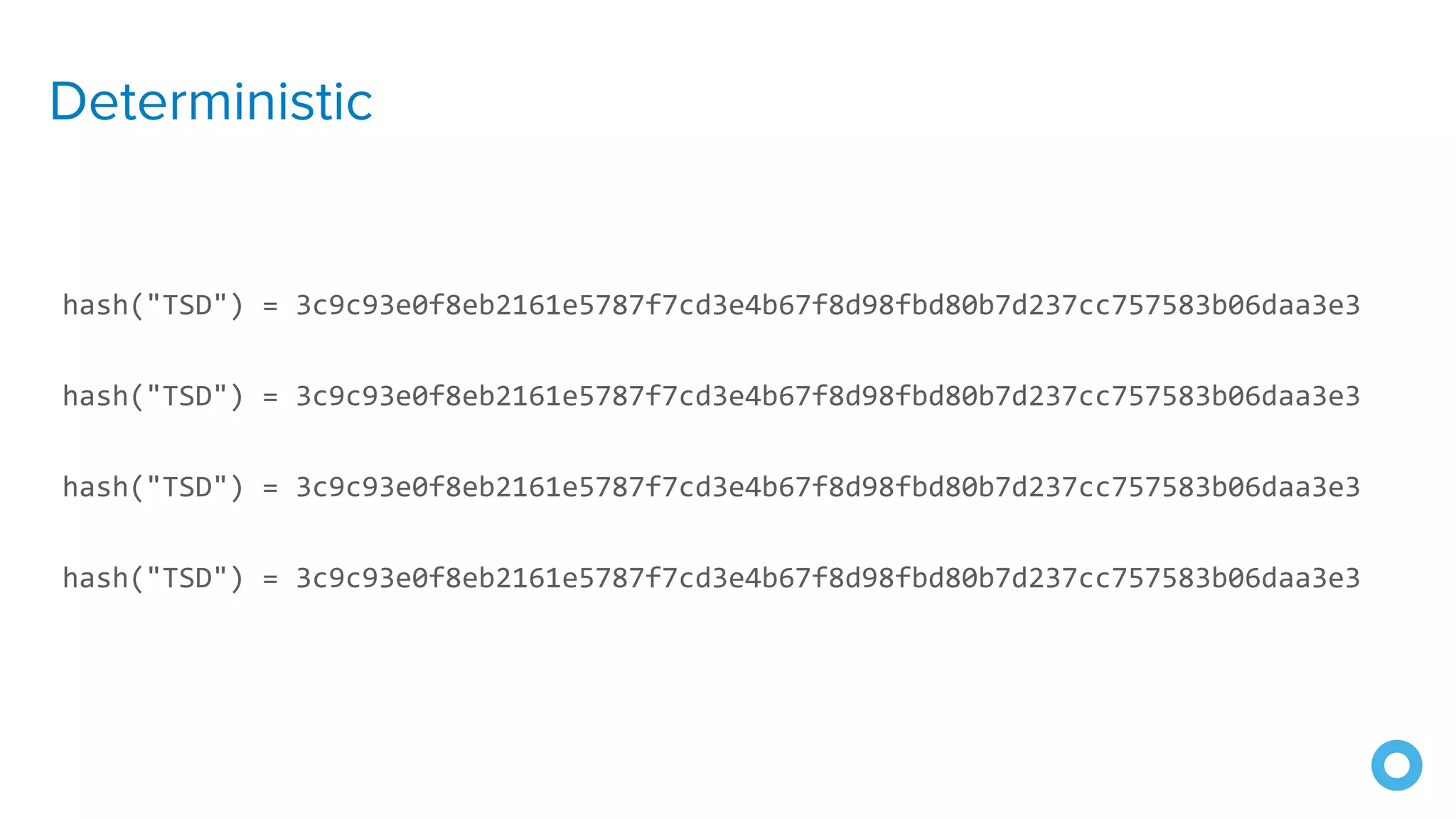
Deterministic
hash("TSD") = 3c9c93e0f8eb2161e5787f7cd3e4b67f8d98fbd80b7d237cc757583b06daa3e3
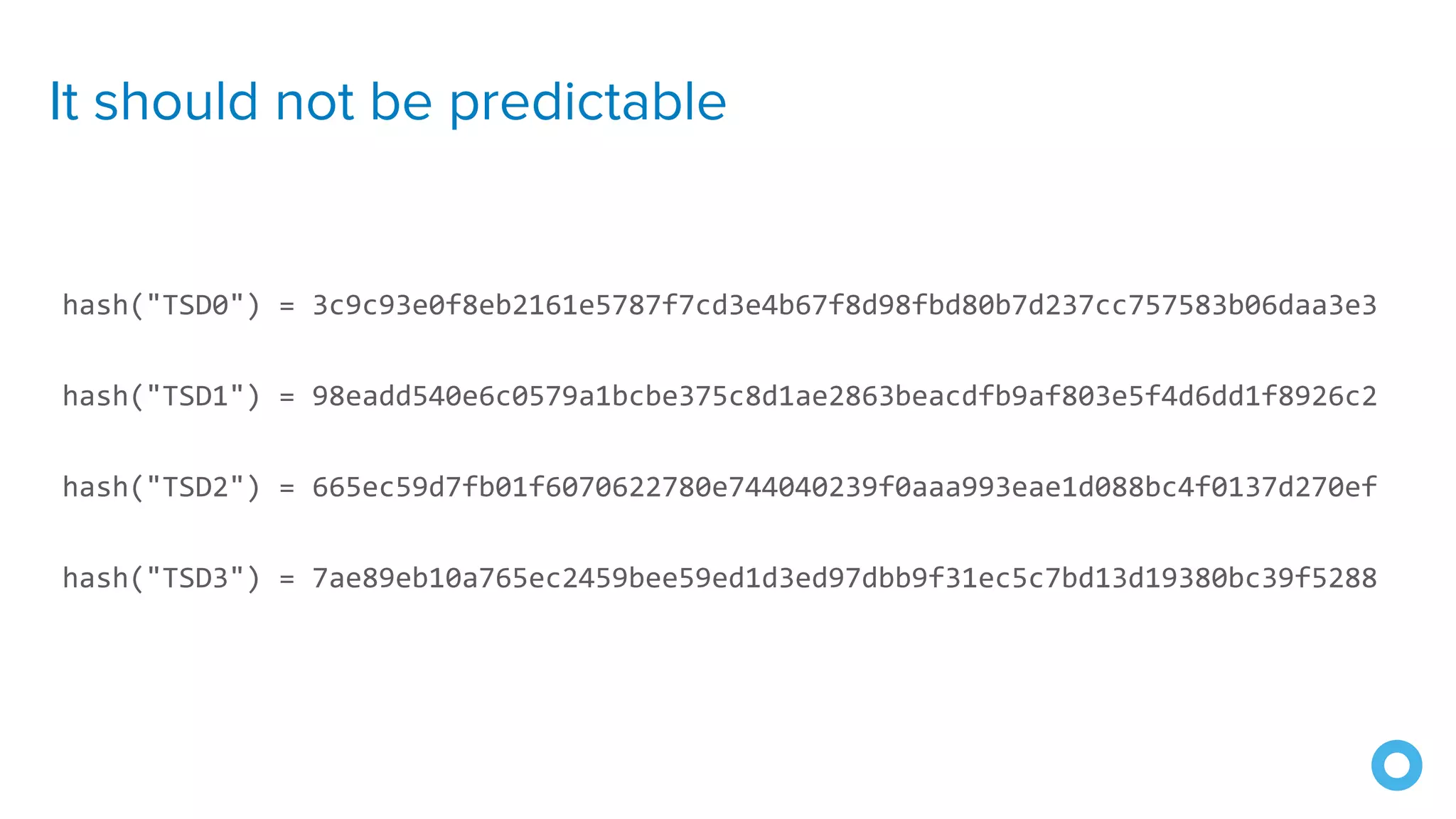
It should not be predictable
hash("TSD0") = 3c9c93e0f8eb2161e5787f7cd3e4b67f8d98fbd80b7d237cc757583b06daa3e3
hash("TSD1") = 98eadd540e6c0579a1bcbe375c8d1ae2863beacdfb9af803e5f4d6dd1f8926c2
hash("TSD2") = 665ec59d7fb01f6070622780e744040239f0aaa993eae1d088bc4f0137d270ef
hash("TSD3") = 7ae89eb10a765ec2459bee59ed1d3ed97dbb9f31ec5c7bd13d19380bc39f5288
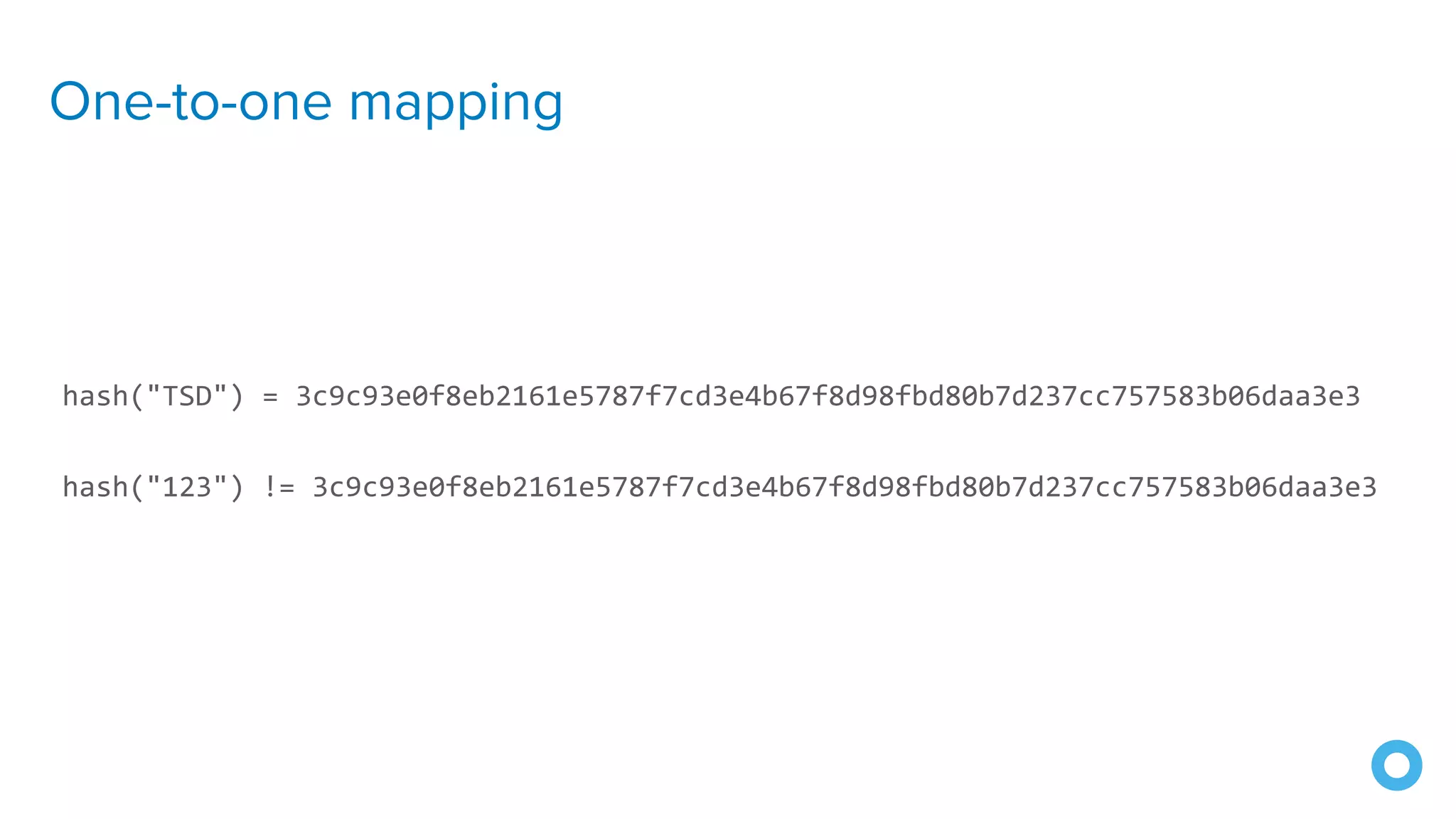
One-to-one mapping
hash("TSD") = 3c9c93e0f8eb2161e5787f7cd3e4b67f8d98fbd80b7d237cc757583b06daa3e3
hash("123") != 3c9c93e0f8eb2161e5787f7cd3e4b67f8d98fbd80b7d237cc757583b06daa3e3
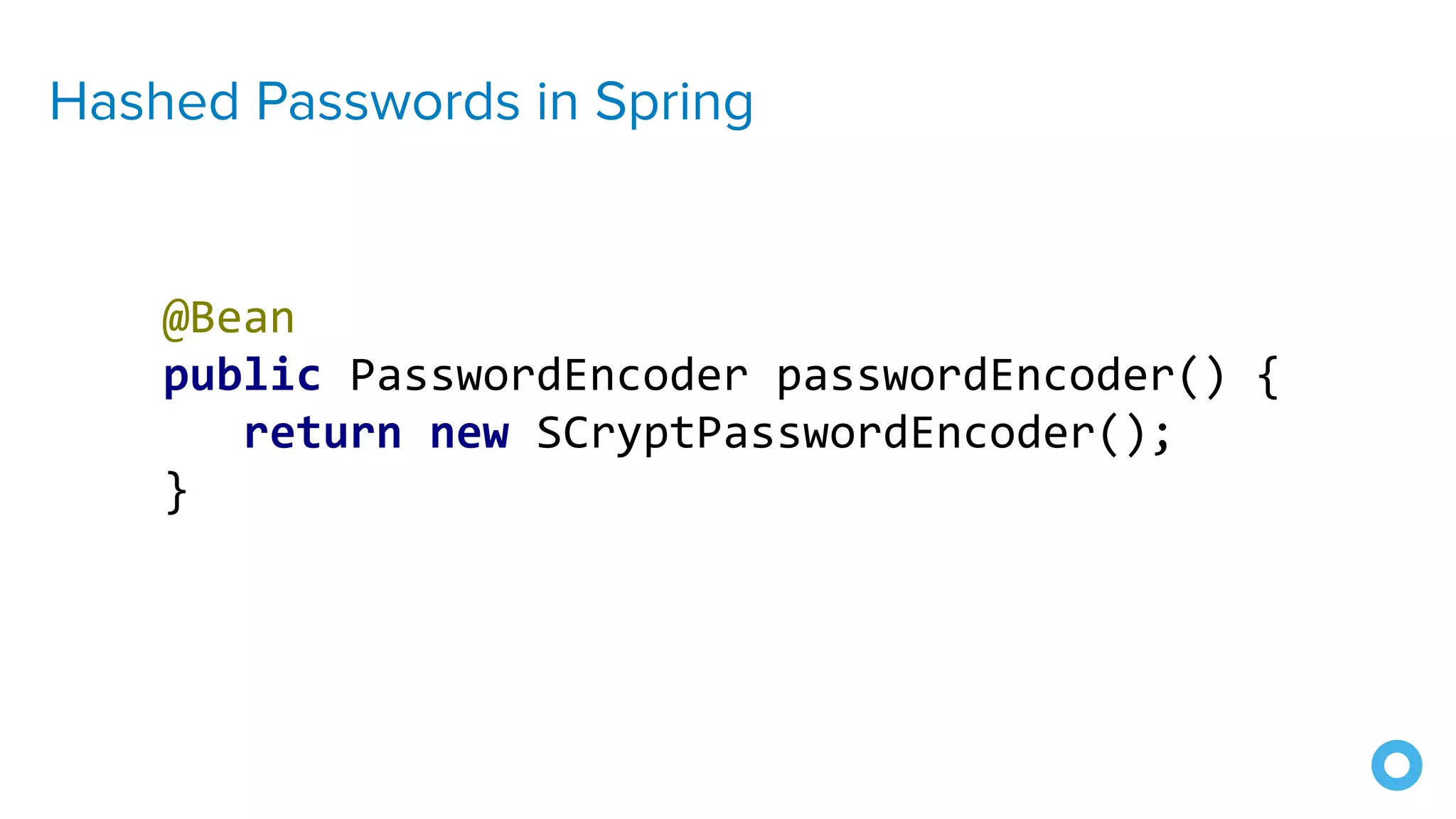
Hashed Passwords in Spring
@Bean
public PasswordEncoder passwordEncoder() {
return new SCryptPasswordEncoder();
}
Hashed Passwords in Spring
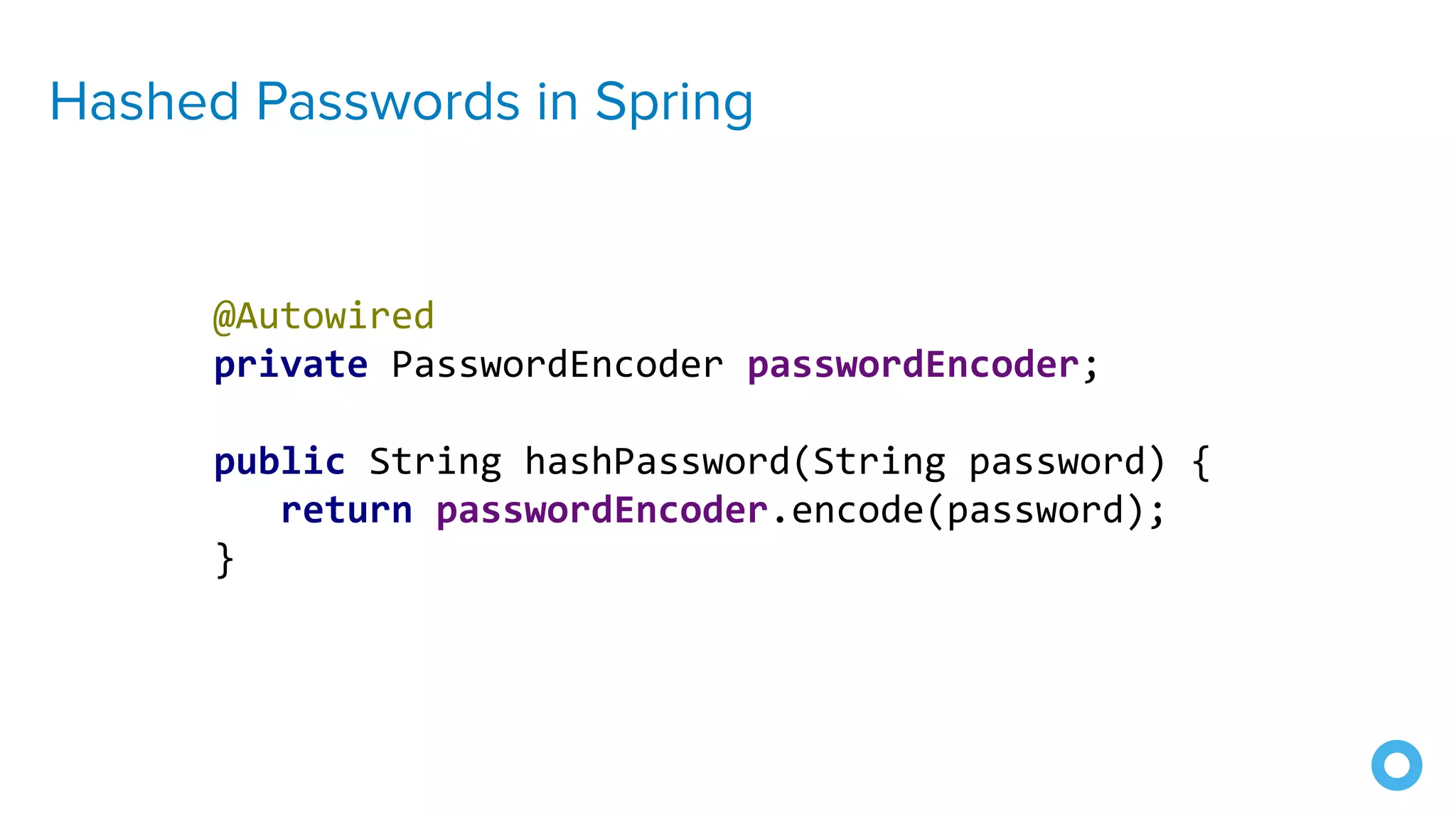
@Autowired
private PasswordEncoder passwordEncoder;
public String hashPassword(String password) {
return passwordEncoder.encode(password);
}
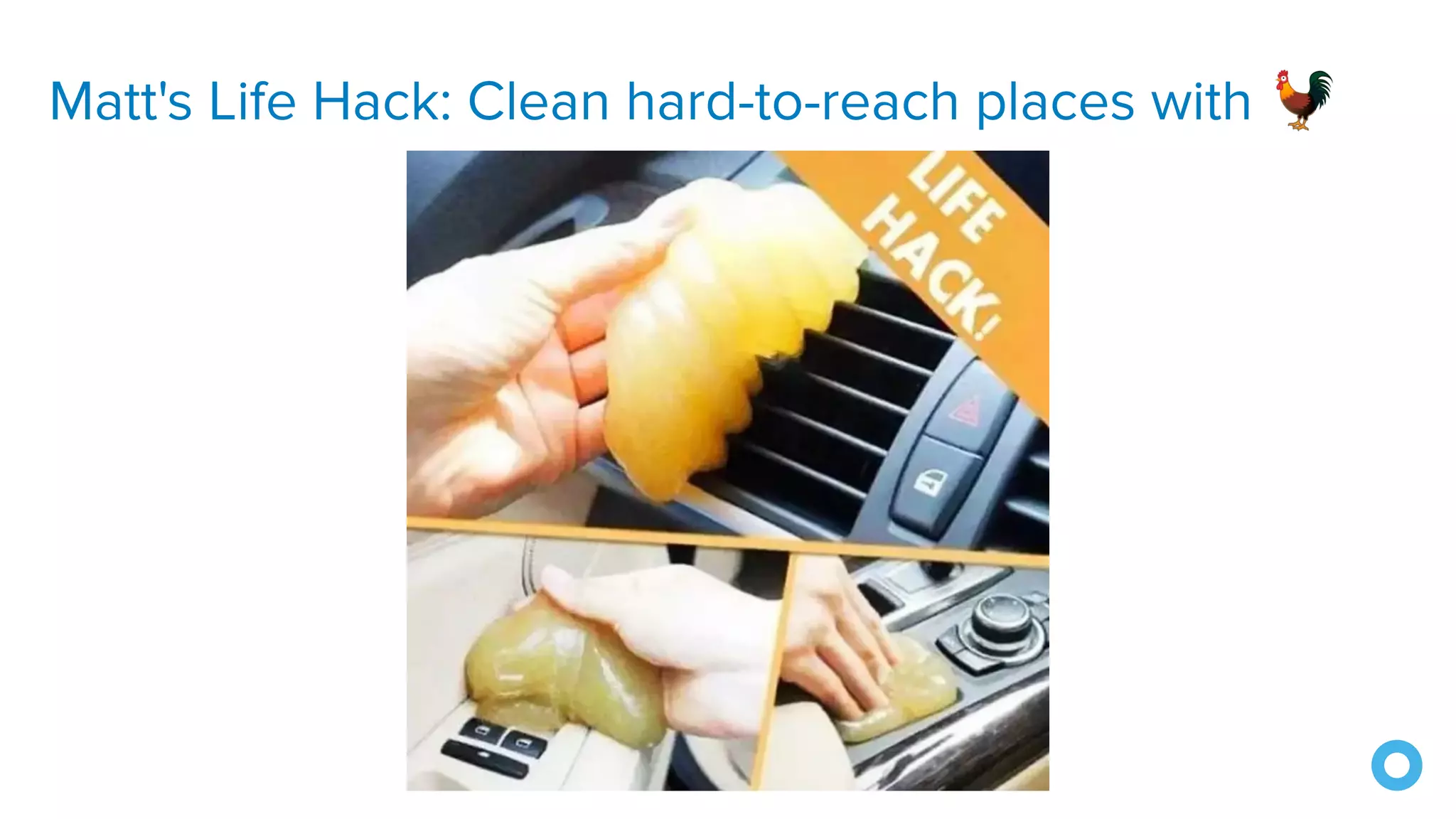
Matt's Life Hack: Clean hard-to-reach places with 🐓
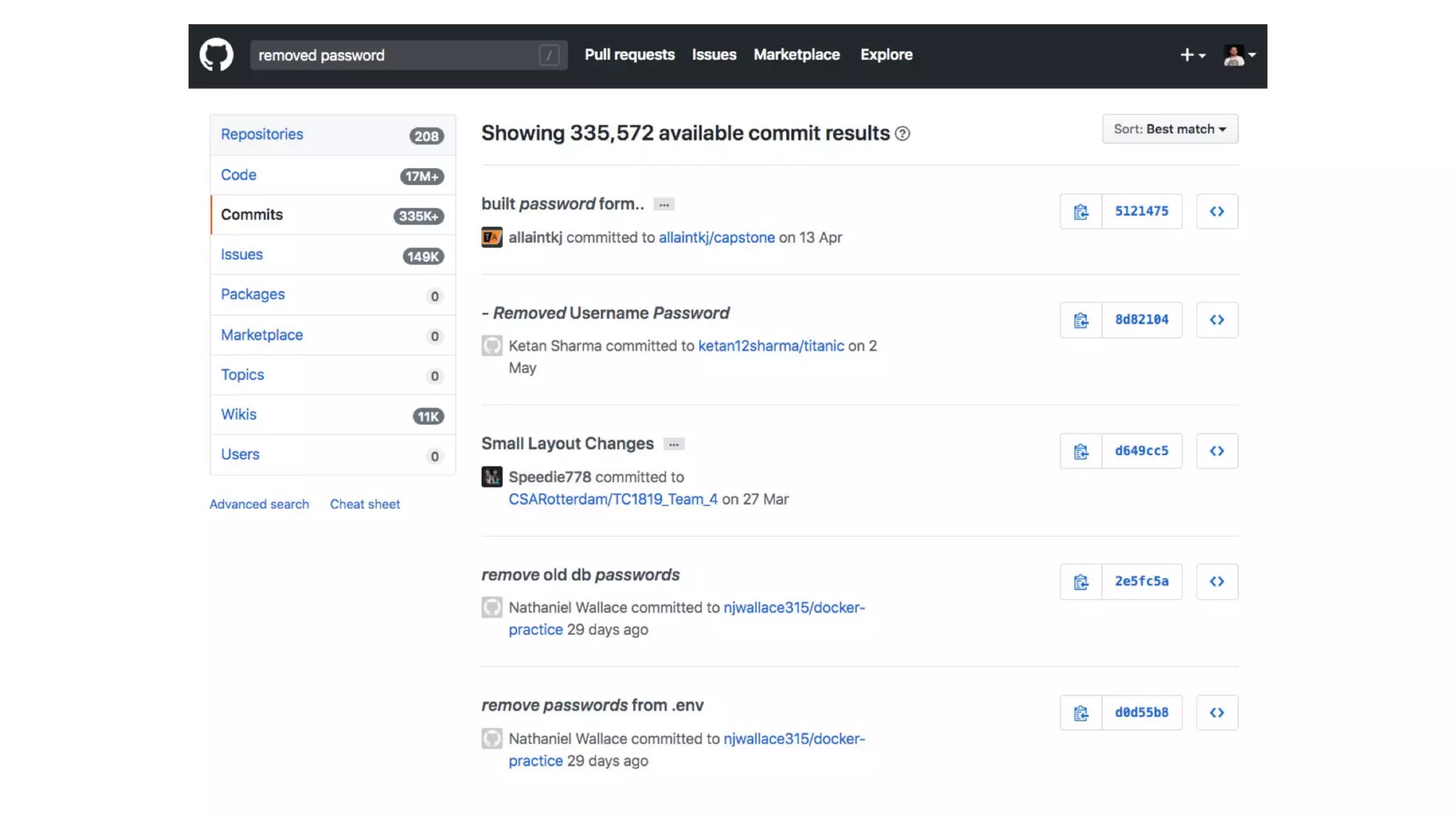
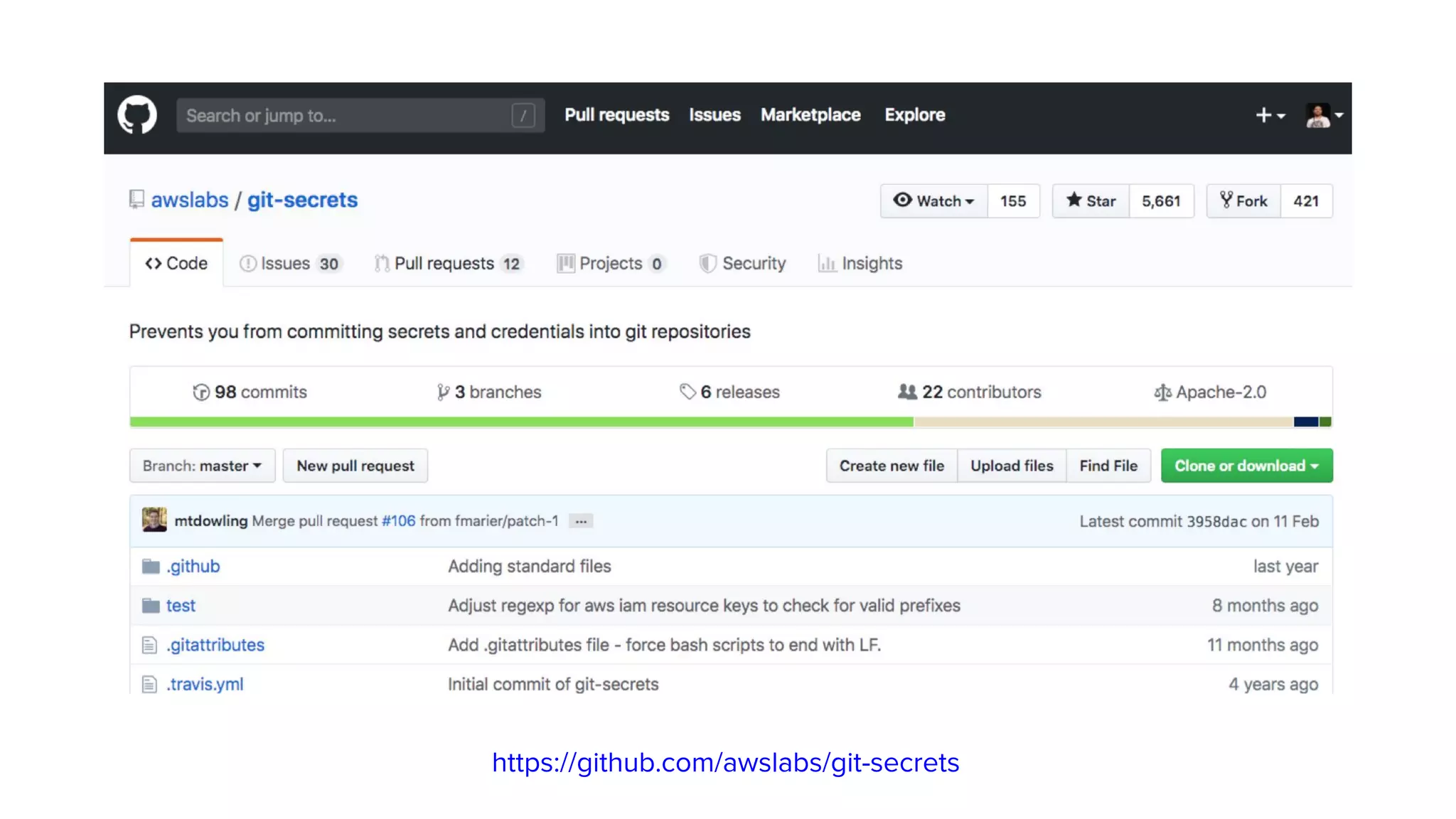
8. Use Secure Secrets
https://github.com/awslabs/git-secrets
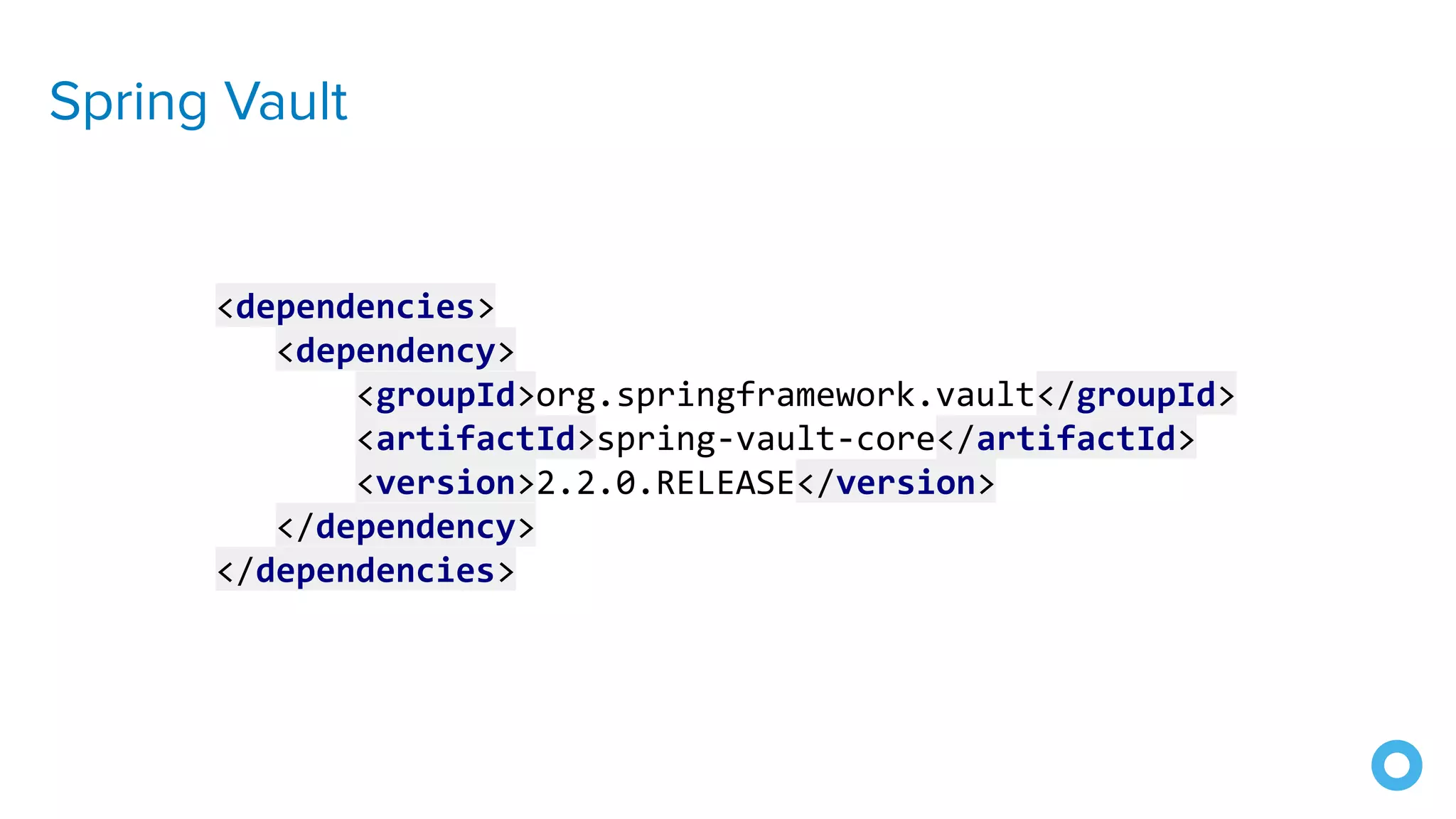
Spring Vault
<dependencies>
<dependency>
<groupId>org.springframework.vault</groupId>
<artifactId>spring-vault-core</artifactId>
<version>2.2.0.RELEASE</version>
</dependency>
</dependencies>
Spring Vault
@Value("${password}")
char[] password;
Why char[] instead of String for password?
Strings are immutable, can't wipe data
String passwords can be accidentally printed
https://www.baeldung.com/java-storing-passwords
Printing String password -> password
Printing char[] password -> [C@6e8cf4c6
9. Test with ZAP
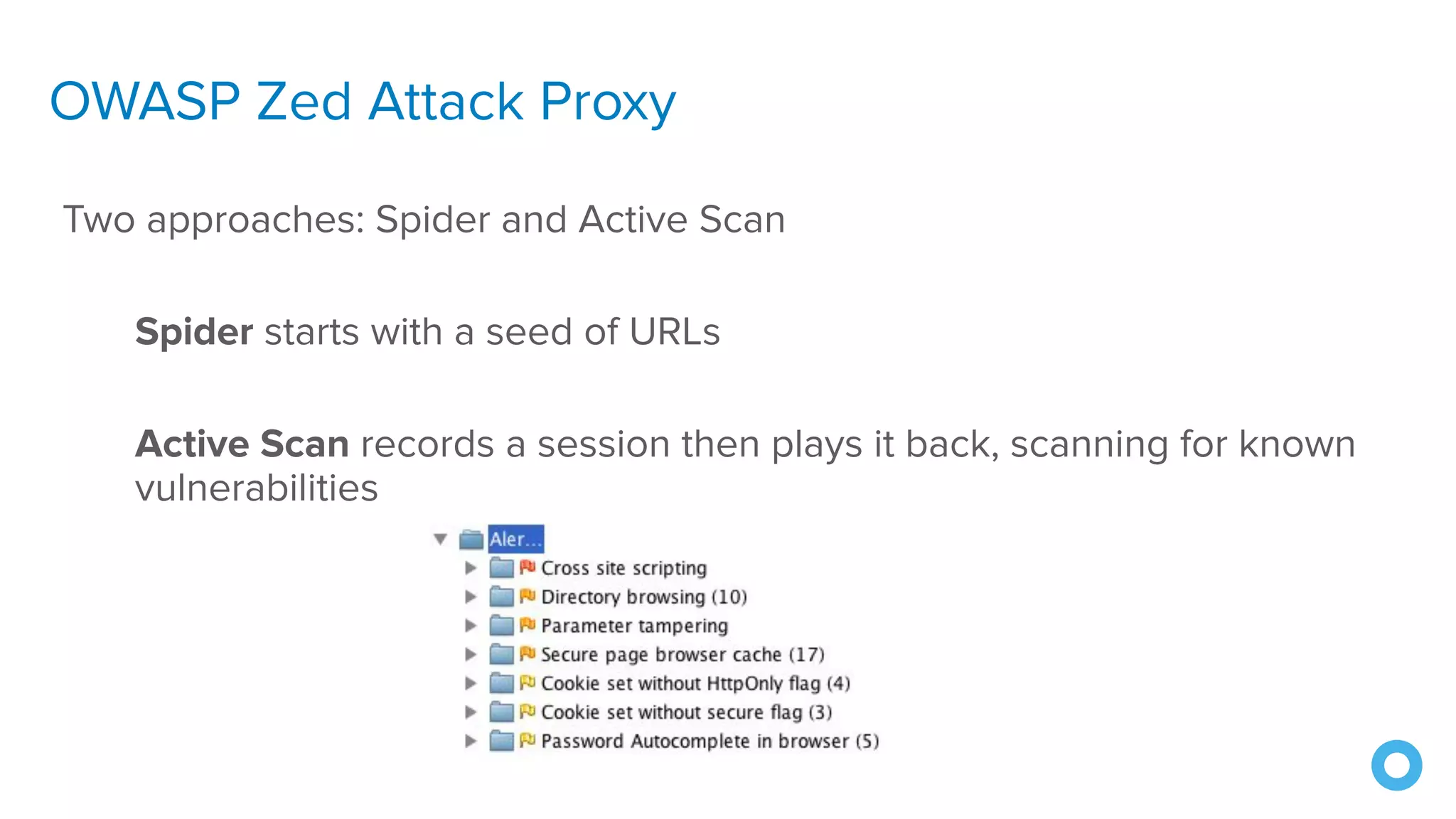
OWASP Zed Attack Proxy
Two approaches: Spider and Active Scan
Spider starts with a seed of URLs
Active Scan records a session then plays it back, scanning for known
vulnerabilities
Learn More About ZAP
Homepage
https://www.owasp.org/index.php/OWASP_Zed_Attack_Proxy_Project
GitHub https://github.com/zaproxy/zaproxy
Twitter @zaproxy
10. Security Reviews
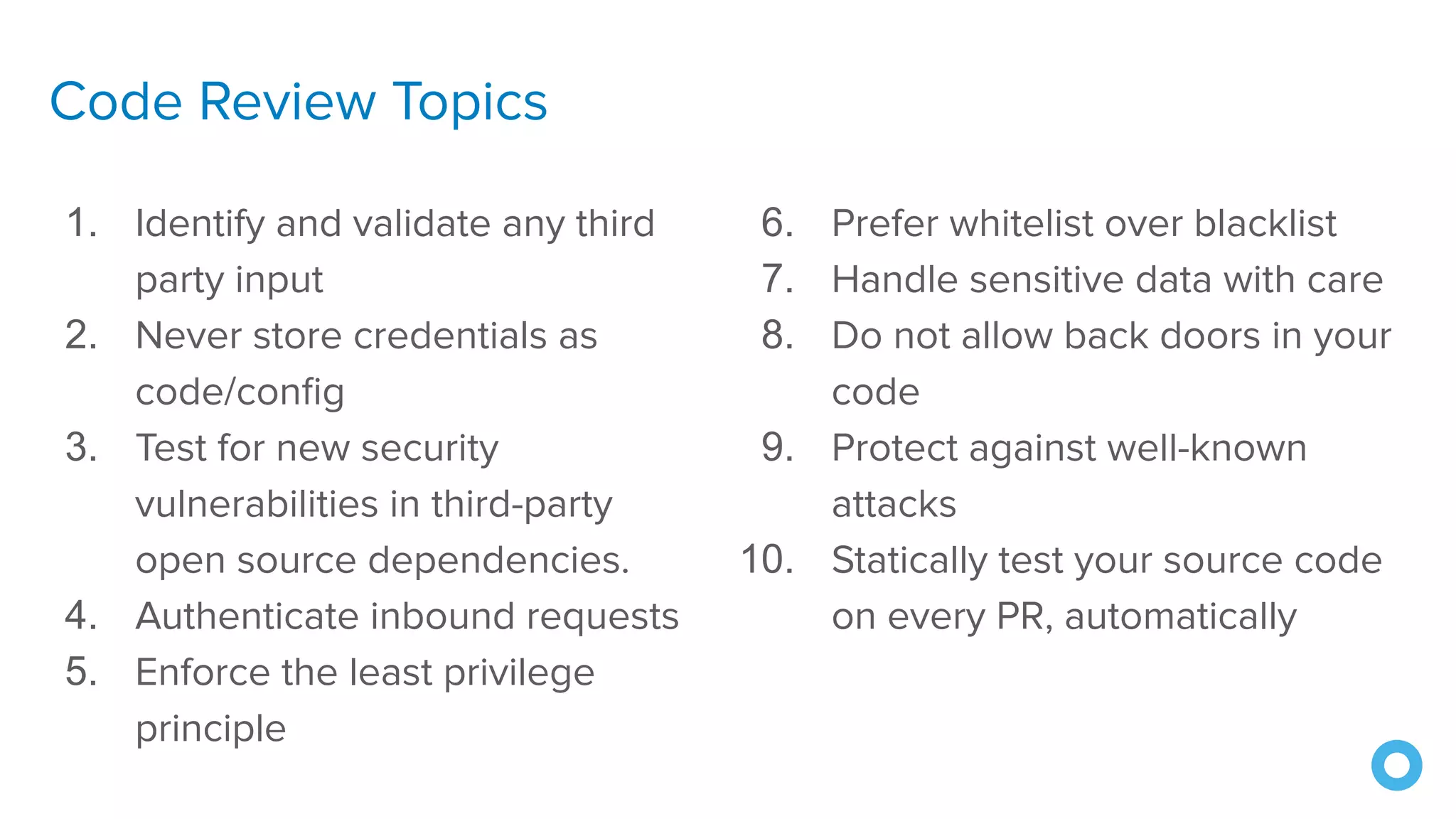
Code Review Topics
1. Identify and validate any third
party input
2. Never store credentials as
code/config
3. Test for new security
vulnerabilities in third-party
open source dependencies.
4. Authenticate inbound requests
5. Enforce the least privilege
principle
6. Prefer whitelist over blacklist
7. Handle sensitive data with care
8. Do not allow back doors in your
code
9. Protect against well-known
attacks
10. Statically test your source code
on every PR, automatically
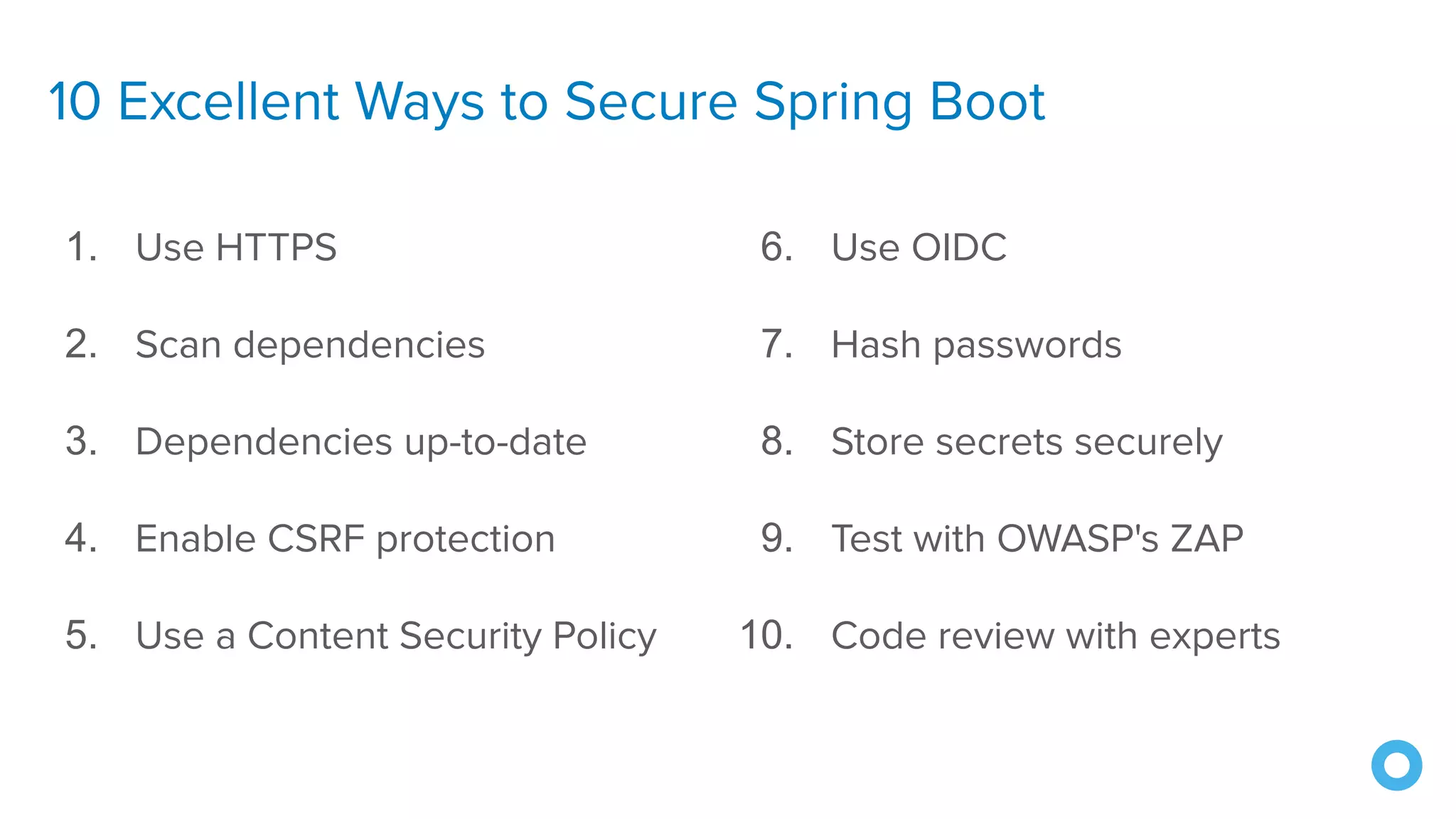
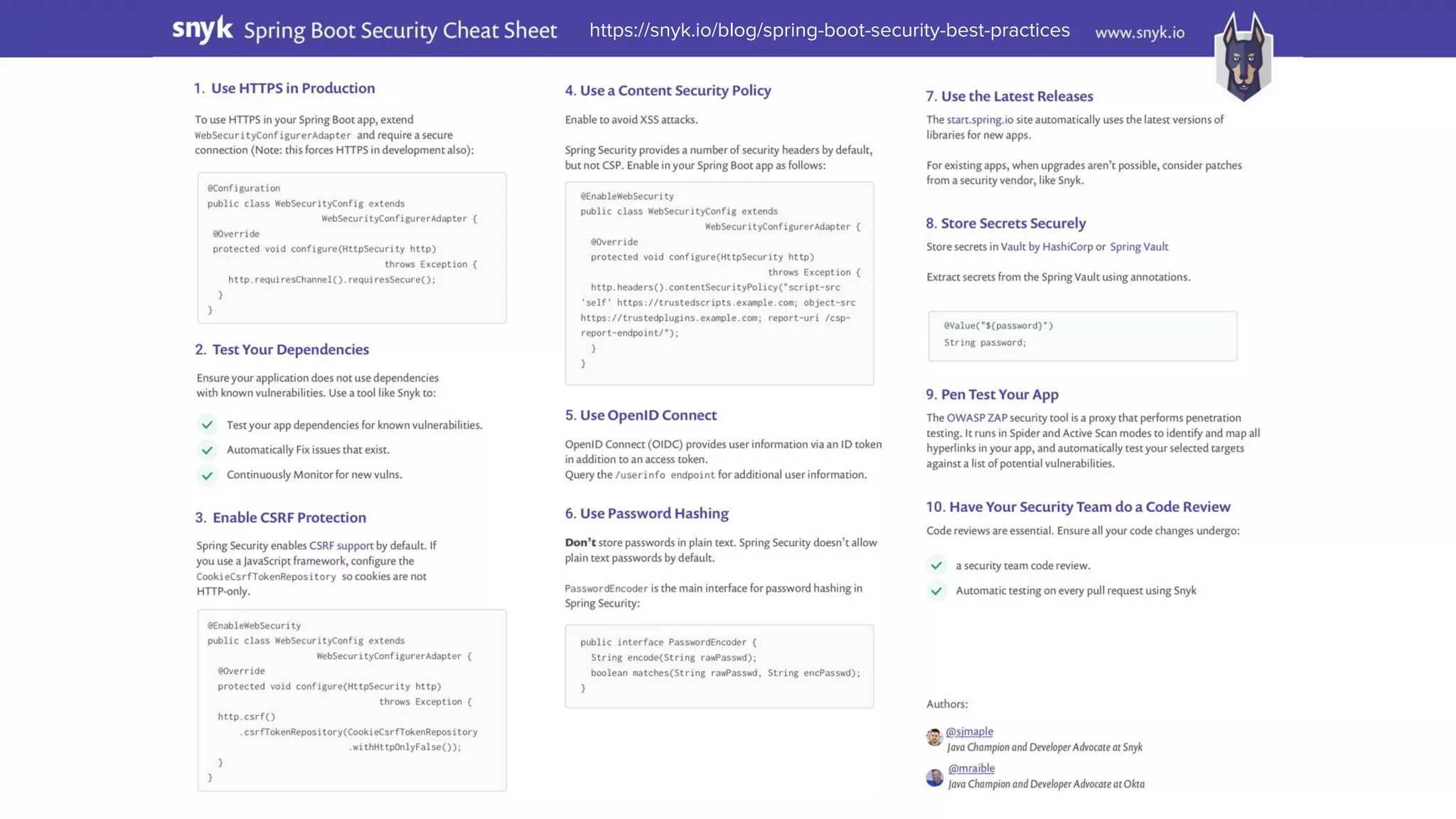
10 Excellent Ways to Secure Spring Boot
1. Use HTTPS
2. Scan dependencies
3. Dependencies up-to-date
4. Enable CSRF protection
5. Use a Content Security Policy
6. Use OIDC
7. Hash passwords
8. Store secrets securely
9. Test with OWASP's ZAP
10. Code review with experts
��
https://snyk.io/blog/spring-boot-security-best-practices
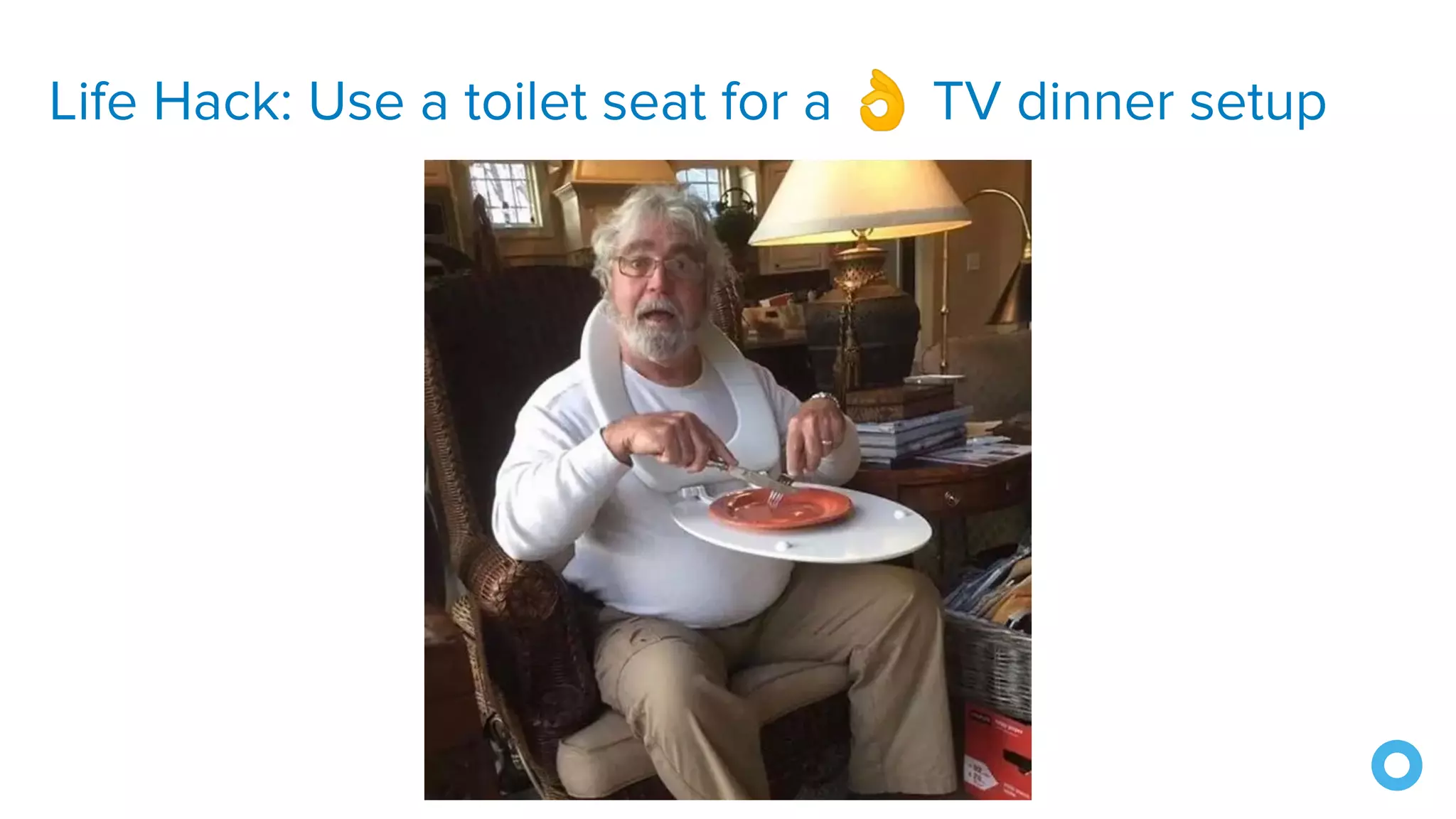
Life Hack: Use a toilet seat for a 👌 TV dinner setup
Questions?
69
Keep in Touch!
@mraible
@briandemers
Presentation
speakerdeck.com/mraible
Code
github.com/oktadeveloper

10 Excellent Ways to Secure Spring Boot Applications - Okta Webinar 2020

  • 1.
    Brian Demers andMatt Raible 10 Excellent Ways to Secure Spring Boot Apps @briandemers | @mraible ��
  • 2.
  • 3.
  • 4.
    Use HTTPS Everywhere! 6 Let’sEncrypt offers free HTTPS certificates certbot can be used to generate certificates mkcert can be used to create localhost certificates Spring Boot Starter ACME for automating certificates
  • 5.
  • 6.
    @Configuration public class SecurityConfigurationextends WebSecurityConfigurerAdapter { @Override protected void configure(HttpSecurity http) throws Exception { http.requiresChannel().anyRequest().requiresSecure(); } }
  • 7.
    @Configuration public class SecurityConfigurationextends WebSecurityConfigurerAdapter { @Override protected void configure(HttpSecurity http) throws Exception { http.requiresChannel() .requestMatchers(r -> r.getHeader("X-Forwarded-Proto") != null) .requiresSecure(); } }
  • 8.
  • 10.
    Java Struts 2RCE Vulnerability CVE 2017-5638 Source: SecurityIntelligence.com
  • 11.
  • 12.
  • 13.
    Serverless Example: Fetchfile & store in S3 'use strict'; const fetch = require('node-fetch'); const AWS = require('aws-sdk'); // eslint-disable-line import/no-extraneous-dependencies const s3 = new AWS.S3(); module.exports.save = (event, context, callback) => { fetch(event.image_url) .then((response) => { if (response.ok) { return response; } return Promise.reject(new Error( `Failed to fetch ${response.url}: ${response.status} ${response.statusText}`)); }) .then(response => response.buffer()) .then(buffer => ( s3.putObject({ Bucket: process.env.BUCKET, Key: event.key, Body: buffer, }).promise() )) .then(v => callback(null, v), callback); }; 19 Lines of Code https://github.com/serverless/examples/tree/master/aws-node-fetch-file-and-store-in-s3
  • 14.
    Serverless Example: Fetchfile & store in S3 'use strict'; const fetch = require('node-fetch'); const AWS = require('aws-sdk'); // eslint-disable-line import/no-extraneous-dependencies const s3 = new AWS.S3(); module.exports.save = (event, context, callback) => { fetch(event.image_url) .then((response) => { if (response.ok) { return response; } return Promise.reject(new Error( `Failed to fetch ${response.url}: ${response.status} ${response.statusText}`)); }) .then(response => response.buffer()) .then(buffer => ( s3.putObject({ Bucket: process.env.BUCKET, Key: event.key, Body: buffer, }).promise() )) .then(v => callback(null, v), callback); }; 19 Lines of Code 2 Direct dependencies https://github.com/serverless/examples/tree/master/aws-node-fetch-file-and-store-in-s3 { "dependencies": { "aws-sdk": "^2.7.9", "node-fetch": "^1.6.3" } }
  • 15.
    Serverless Example: Fetchfile & store in S3 'use strict'; const fetch = require('node-fetch'); const AWS = require('aws-sdk'); // eslint-disable-line import/no-extraneous-dependencies const s3 = new AWS.S3(); module.exports.save = (event, context, callback) => { fetch(event.image_url) .then((response) => { if (response.ok) { return response; } return Promise.reject(new Error( `Failed to fetch ${response.url}: ${response.status} ${response.statusText}`)); }) .then(response => response.buffer()) .then(buffer => ( s3.putObject({ Bucket: process.env.BUCKET, Key: event.key, Body: buffer, }).promise() )) .then(v => callback(null, v), callback); }; 19 Lines of Code 2 Direct dependencies 19 dependencies (incl. indirect) https://github.com/serverless/examples/tree/master/aws-node-fetch-file-and-store-in-s3 { "dependencies": { "aws-sdk": "^2.7.9", "node-fetch": "^1.6.3" } }
  • 16.
    Serverless Example: Fetchfile & store in S3 'use strict'; const fetch = require('node-fetch'); const AWS = require('aws-sdk'); // eslint-disable-line import/no-extraneous-dependencies const s3 = new AWS.S3(); module.exports.save = (event, context, callback) => { fetch(event.image_url) .then((response) => { if (response.ok) { return response; } return Promise.reject(new Error( `Failed to fetch ${response.url}: ${response.status} ${response.statusText}`)); }) .then(response => response.buffer()) .then(buffer => ( s3.putObject({ Bucket: process.env.BUCKET, Key: event.key, Body: buffer, }).promise() )) .then(v => callback(null, v), callback); }; 19 Lines of Code 2 Direct dependencies 19 dependencies (incl. indirect) 191,155 Lines of Code 😱 https://github.com/serverless/examples/tree/master/aws-node-fetch-file-and-store-in-s3 { "dependencies": { "aws-sdk": "^2.7.9", "node-fetch": "^1.6.3" } }
  • 17.
  • 18.
  • 19.
    Matt's Life Hack:Don't fix your socks; fix your toes!
  • 20.
  • 22.
    How well doyou know your dependencies? 24 Dependencies Dependency Health Indirect Dependencies Regular Commits Regular Releases
  • 23.
    Check for Updateswith npm npm i -g npm-check-updates ncu https://www.npmjs.com/package/npm-check-updates
  • 24.
    Check for Updateswith Maven mvn versions:display-dependency-updates https://www.mojohaus.org/versions-maven-plugin
  • 25.
    Check for Updateswith Gradle gradle dependencyUpdates -Drevision=release https://github.com/ben-manes/gradle-versions-plugin
  • 26.
  • 27.
    @EnableWebSecurity public class SecurityConfigurationextends WebSecurityConfigurerAdapter { @Override protected void configure(HttpSecurity http) throws Exception { http .csrf() .csrfTokenRepository( CookieCsrfTokenRepository.withHttpOnlyFalse()); } }
  • 28.
  • 29.
  • 30.
    Default Spring SecurityHeaders Cache-Control: no-cache, no-store, max-age=0, must-revalidate Pragma: no-cache Expires: 0 X-Content-Type-Options: nosniff Strict-Transport-Security: max-age=31536000; includeSubDomains X-Frame-Options: DENY X-XSS-Protection: 1; mode=block
  • 31.
    @EnableWebSecurity public class SecurityConfigurationextends WebSecurityConfigurerAdapter { @Override protected void configure(HttpSecurity http) throws Exception { http.headers() .contentSecurityPolicy("script-src 'self' " + "https://trustedscripts.example.com; " + "object-src https://trustedplugins.example.com; " + "report-uri /csp-report-endpoint/"); } }
  • 32.
  • 33.
  • 34.
    Brian's Life Hack LaptopCharger Snack-Warmer
  • 35.
    6. Use OIDCfor Auth
  • 36.
  • 37.
    Spring Security OIDCConfiguration spring: security: oauth2: client: registration: okta: client-id: {clientId} client-secret: {clientSecret} provider: okta: issuer-uri: https://{yourOktaDomain}/oauth2/default
  • 38.
    OIDC Authentication Demo @Grab('spring-boot-starter-oauth2-client') @RestController classApplication { @GetMapping('/') String home(java.security.Principal user) { 'Hello ' + user.name } }
  • 39.
    Want less code?Use Okta! okta: oauth2: issuer: https://{yourOktaDomain}/oauth2/default client-id: {yourClientId} client-secret: {yourClientSecret} <dependency> <groupId>com.okta.spring</groupId> <artifactId>okta-spring-boot-starter</artifactId> <version>1.3.0</version> </dependency>
  • 40.
    Works with SpringWebFlux https://developer.okta.com/blog/2018/11/26/spring-boot-2-dot-1-oidc-oauth2-reactive-apis
  • 41.
  • 42.
  • 43.
  • 44.
    Deterministic hash("TSD") = 3c9c93e0f8eb2161e5787f7cd3e4b67f8d98fbd80b7d237cc757583b06daa3e3 hash("TSD")= 3c9c93e0f8eb2161e5787f7cd3e4b67f8d98fbd80b7d237cc757583b06daa3e3 hash("TSD") = 3c9c93e0f8eb2161e5787f7cd3e4b67f8d98fbd80b7d237cc757583b06daa3e3 hash("TSD") = 3c9c93e0f8eb2161e5787f7cd3e4b67f8d98fbd80b7d237cc757583b06daa3e3
  • 45.
    It should notbe predictable hash("TSD0") = 3c9c93e0f8eb2161e5787f7cd3e4b67f8d98fbd80b7d237cc757583b06daa3e3 hash("TSD1") = 98eadd540e6c0579a1bcbe375c8d1ae2863beacdfb9af803e5f4d6dd1f8926c2 hash("TSD2") = 665ec59d7fb01f6070622780e744040239f0aaa993eae1d088bc4f0137d270ef hash("TSD3") = 7ae89eb10a765ec2459bee59ed1d3ed97dbb9f31ec5c7bd13d19380bc39f5288
  • 46.
    One-to-one mapping hash("TSD") =3c9c93e0f8eb2161e5787f7cd3e4b67f8d98fbd80b7d237cc757583b06daa3e3 hash("123") != 3c9c93e0f8eb2161e5787f7cd3e4b67f8d98fbd80b7d237cc757583b06daa3e3
  • 47.
    Hashed Passwords inSpring @Bean public PasswordEncoder passwordEncoder() { return new SCryptPasswordEncoder(); }
  • 48.
    Hashed Passwords inSpring @Autowired private PasswordEncoder passwordEncoder; public String hashPassword(String password) { return passwordEncoder.encode(password); }
  • 49.
    Matt's Life Hack:Clean hard-to-reach places with 🐓
  • 50.
  • 52.
  • 53.
  • 54.
  • 55.
    Why char[] insteadof String for password? Strings are immutable, can't wipe data String passwords can be accidentally printed https://www.baeldung.com/java-storing-passwords Printing String password -> password Printing char[] password -> [C@6e8cf4c6
  • 56.
  • 57.
    OWASP Zed AttackProxy Two approaches: Spider and Active Scan Spider starts with a seed of URLs Active Scan records a session then plays it back, scanning for known vulnerabilities
  • 58.
    Learn More AboutZAP Homepage https://www.owasp.org/index.php/OWASP_Zed_Attack_Proxy_Project GitHub https://github.com/zaproxy/zaproxy Twitter @zaproxy
  • 59.
  • 60.
    Code Review Topics 1.Identify and validate any third party input 2. Never store credentials as code/config 3. Test for new security vulnerabilities in third-party open source dependencies. 4. Authenticate inbound requests 5. Enforce the least privilege principle 6. Prefer whitelist over blacklist 7. Handle sensitive data with care 8. Do not allow back doors in your code 9. Protect against well-known attacks 10. Statically test your source code on every PR, automatically
  • 61.
    10 Excellent Waysto Secure Spring Boot 1. Use HTTPS 2. Scan dependencies 3. Dependencies up-to-date 4. Enable CSRF protection 5. Use a Content Security Policy 6. Use OIDC 7. Hash passwords 8. Store secrets securely 9. Test with OWASP's ZAP 10. Code review with experts ��
  • 62.
  • 64.
    Life Hack: Usea toilet seat for a 👌 TV dinner setup
  • 65.