

04/23/2014
The Canadian Perspective: Legal Best
Practices for E-Signatures in Insurance
Daniel Fabiano
Partner
Fasken Martineau LLP
Michael Laurie
VP Product Strategy
Silanis Technology
Welcome
AUDIO BRIDGE
Toll free: 800-894-5910
Int'l Toll: 785-424-1052
Passcode: 989192
Insurance Documentation:
E-Signature, E-Delivery, E-Retention
Daniel Fabiano
Partner, Fasken Martineau DuMoulin LLP
April 2014
Disclaimer
• This presentation is for general information only. It
is neither intended as, nor should it be construed
as, legal advice or opinion
• Insurance and e-commerce laws vary by province.
For legal advice that is specific to your jurisdiction
and situation, please consult a lawyer
2
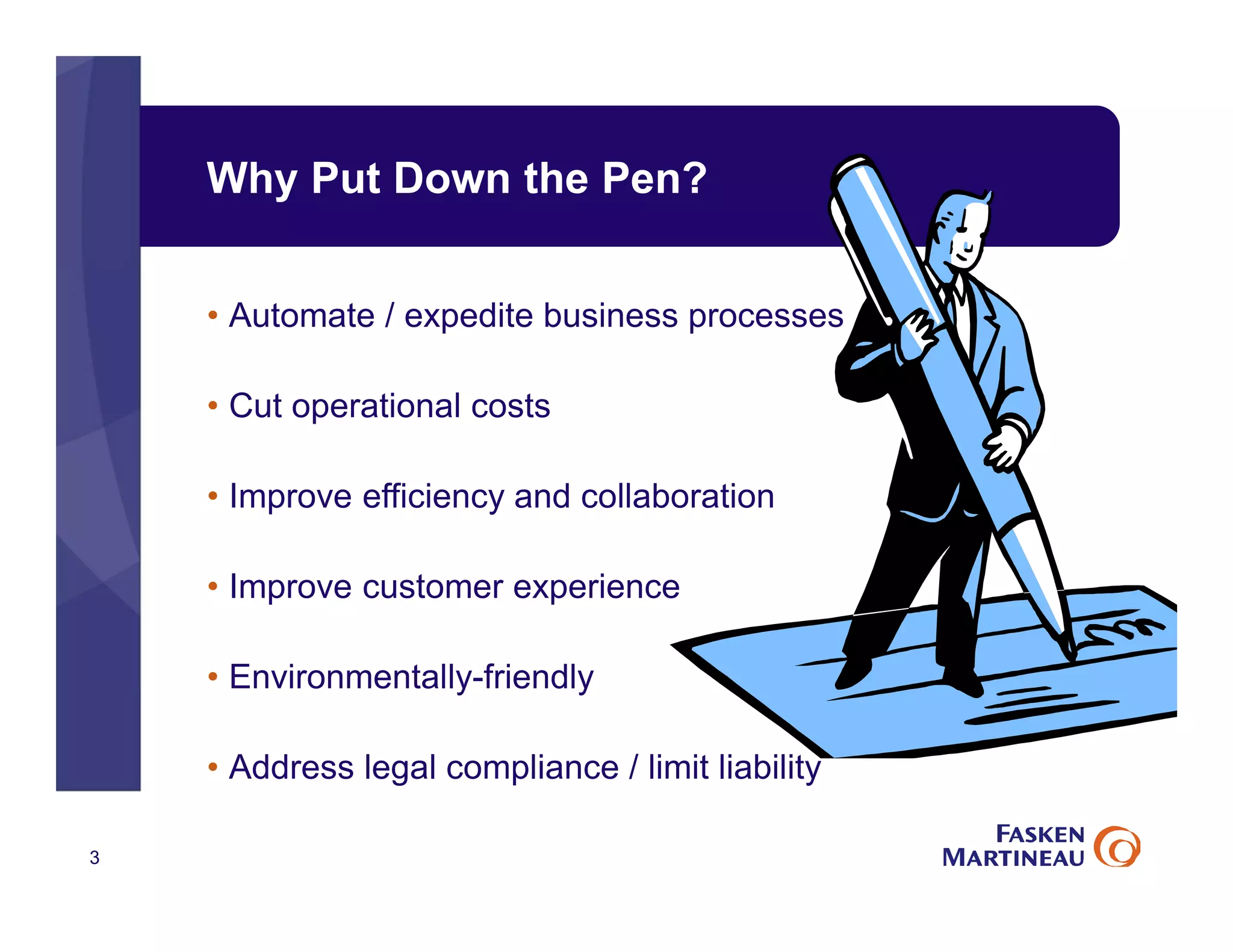
Why Put Down the Pen?
3
• Automate / expedite business processes
• Cut operational costs
• Improve efficiency and collaboration
• Improve customer experience
• Environmentally-friendly
• Address legal compliance / limit liability
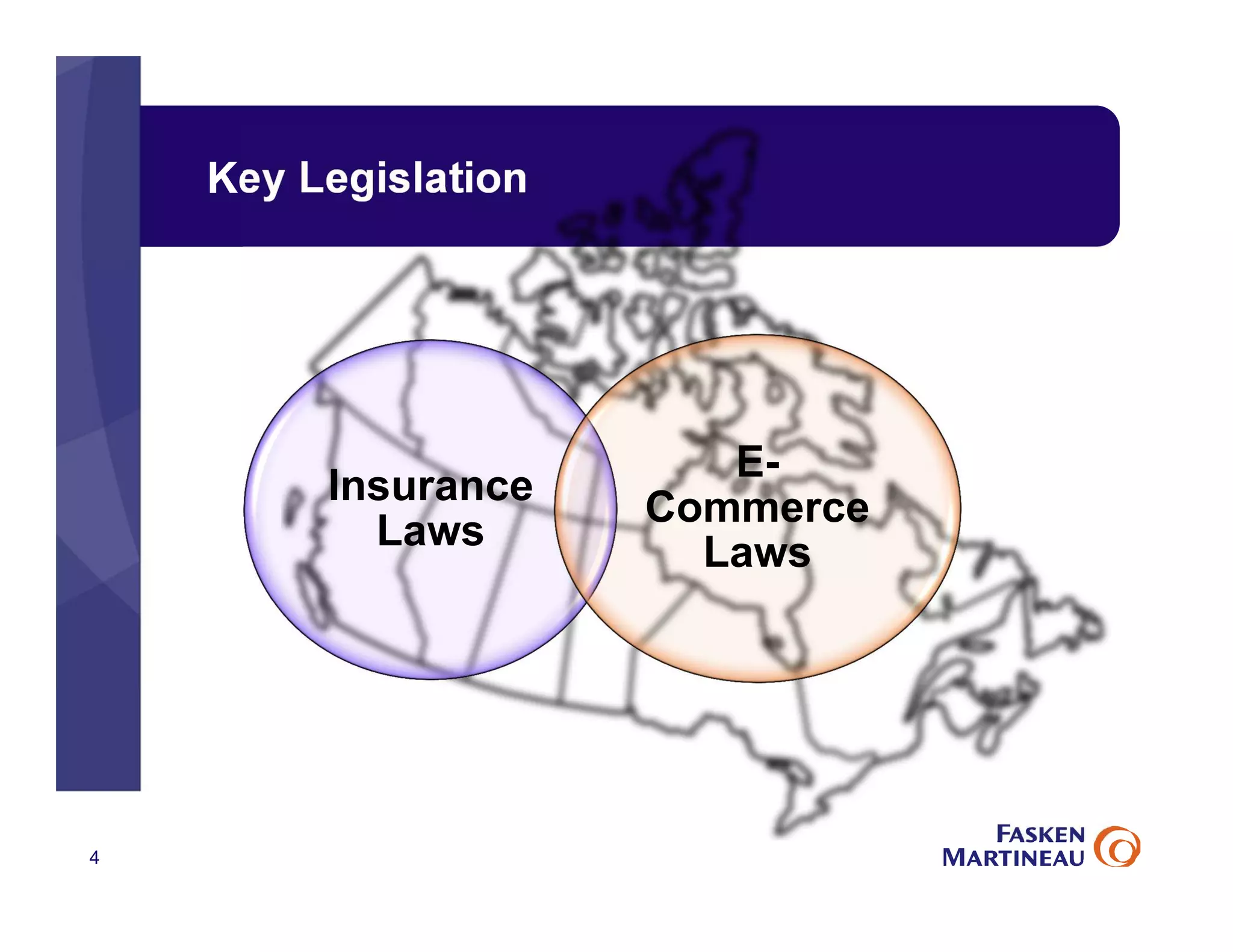
Key Legislation
4
Insurance
Laws
E-
Commerce
Laws
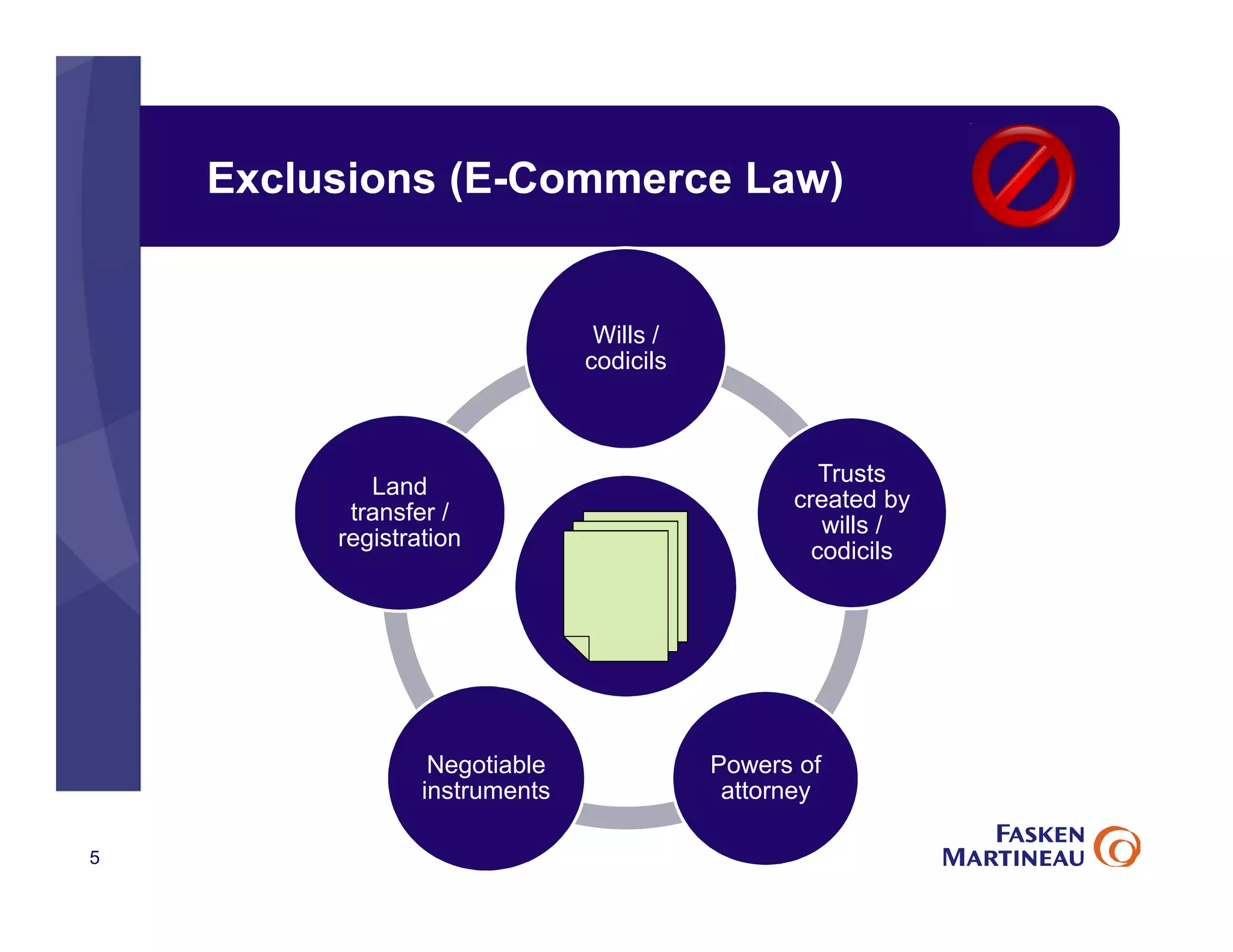
Exclusions (E-Commerce Law)
5
Wills /
codicils
Trusts
created by
wills /
codicils
Powers of
attorney
Negotiable
instruments
Land
transfer /
registration
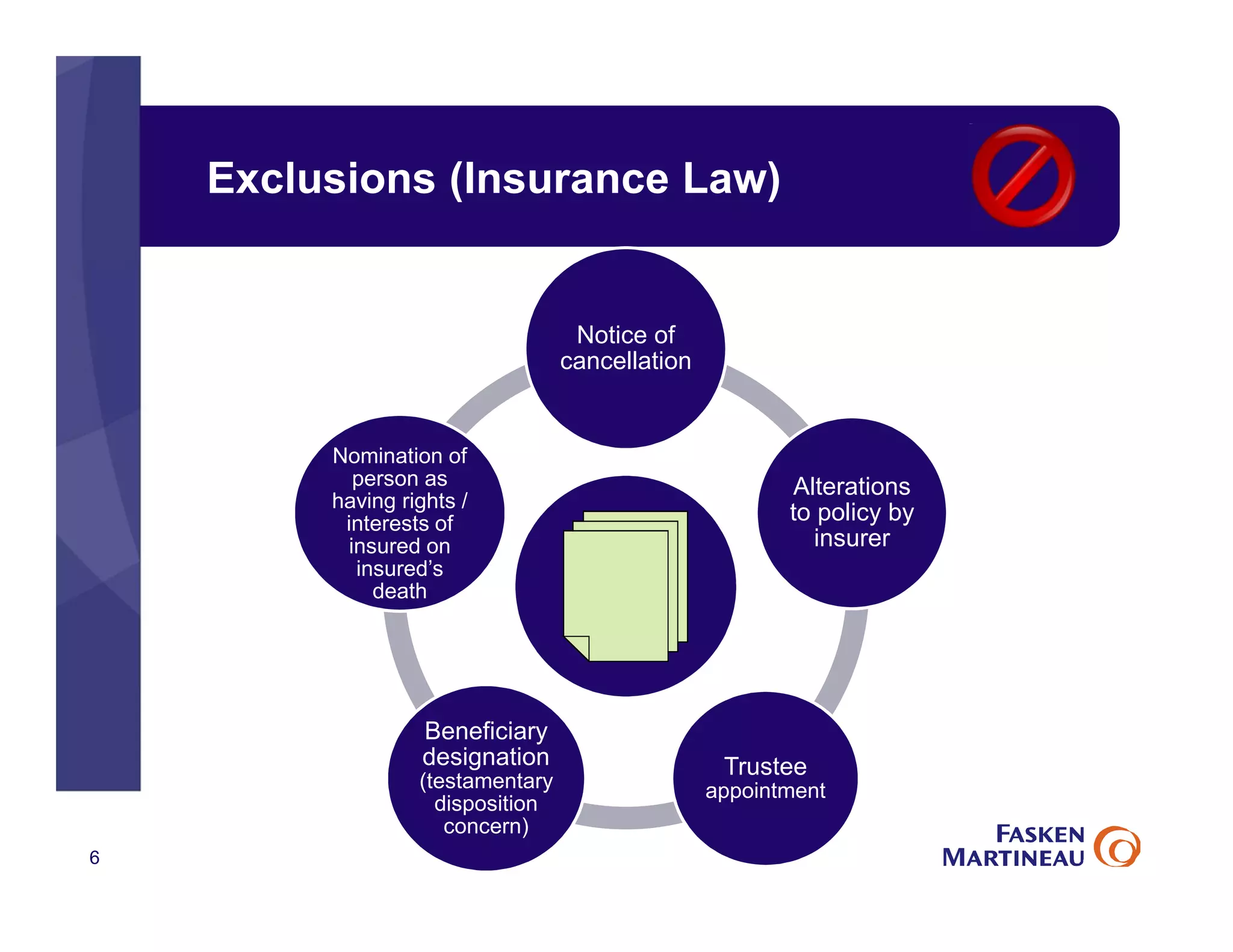
Exclusions (Insurance Law)
6
Notice of
cancellation
Alterations
to policy by
insurer
Trustee
appointment
Beneficiary
designation
(testamentary
disposition
concern)
Nomination of
person as
having rights /
interests of
insured on
insured’s
death
Scope of E-Commerce
• E-contracts and e-signature
• E-delivery of documents
• Retaining E-records in place of paper records
7
Consent
• Consent to conduct business electronically
• May be express (written / verbal) or implied
• Scope of consent should be clear:
1. to enter into a contract electronically and
2. to receive delivery of information electronically
8
Electronic Signatures
• E-signature:
“Electronic information that a person creates or adopts in order to
sign a document and that is in, attached to or associated with the
document”
• Whether an e-signature meets a legal requirement depends on the
circumstances
• Some jurisdictions require that the technology / process be able to
prove that the signature:
• Is unique / specific to the individual
• Is incorporated into the document
• Was incorporated by the signor
9
Risk of Repudiation
• Dispute over the legitimacy of signature!
• E-signature process needs to be designed with 3 “I”s in mind:
the electronic signature is that of the person who is
intended to sign the document;
the person applied his or her signature with the intent
to sign the document; and
the electronic signature is bound to the document so
that any changes to the document can be detected.
• Choose an appropriate form of electronic signature, and
ensure integrity by tamper-proofing e-records
10
• Identity
• Intention
• Integrity
“In Writing” Requirement?
• “Set out” in writing?
• “Provided” or “delivered” in writing?
• Electronic documents can satisfy these
requirements if the record can be retained and is
accessible by recipient for subsequent reference
11
Scope of E-Commerce
• E-contracts and e-signature
• E-delivery of documents
• Retaining E-records in place of paper records
12
E-Record Retention
• Retaining an e-record in place of a paper copy
• Must be organized in the same or substantially the same way
• Must be accessible for subsequent reference by entitled person
• Must be reliable assurance as to the integrity of the information
• Must keep information on
• Origin
• Destination (if required to send it)
• Date and time sent or received (or created)
13
E-Record Retention: Integrity
• “Integrity” of electronic document
• Document remains complete and unaltered / secure
• Must be stable through life-cycle
(creation, access, transmission, copying, retention, until
archiving/destruction)
• Detailed recordkeeping for modifications to the
document
14
Process Design: Best Practices
• Involve legal counsel and technology and process experts at
the outset when designing the system
• Consider how documents will be delivered (keeping in mind
privacy issues and legislation)
• Consider how to handle undelivered emails
• Consider how each electronic document can be tracked
• Time and date stamps, receipts etc.
15
Process Design: Best Practices
• Obtain written consent to:
• Communicate electronically / provide information electronically
• Use electronic signatures
• Consider which signature methods are appropriate
• Digitized versus digital / encrypted
• E-signature process should:
• Require the user to access the entire document before signing
• Require action to effect the electronic signature
• Informs the signer of how to sign
• Records the date, time and signature with the signed doc in a
tamper-proof manner
16
Daniel Fabiano,
Partner, Fasken Martineau DuMoulin LLP
dfabiano@fasken.com
17
18
© Silanis 2014
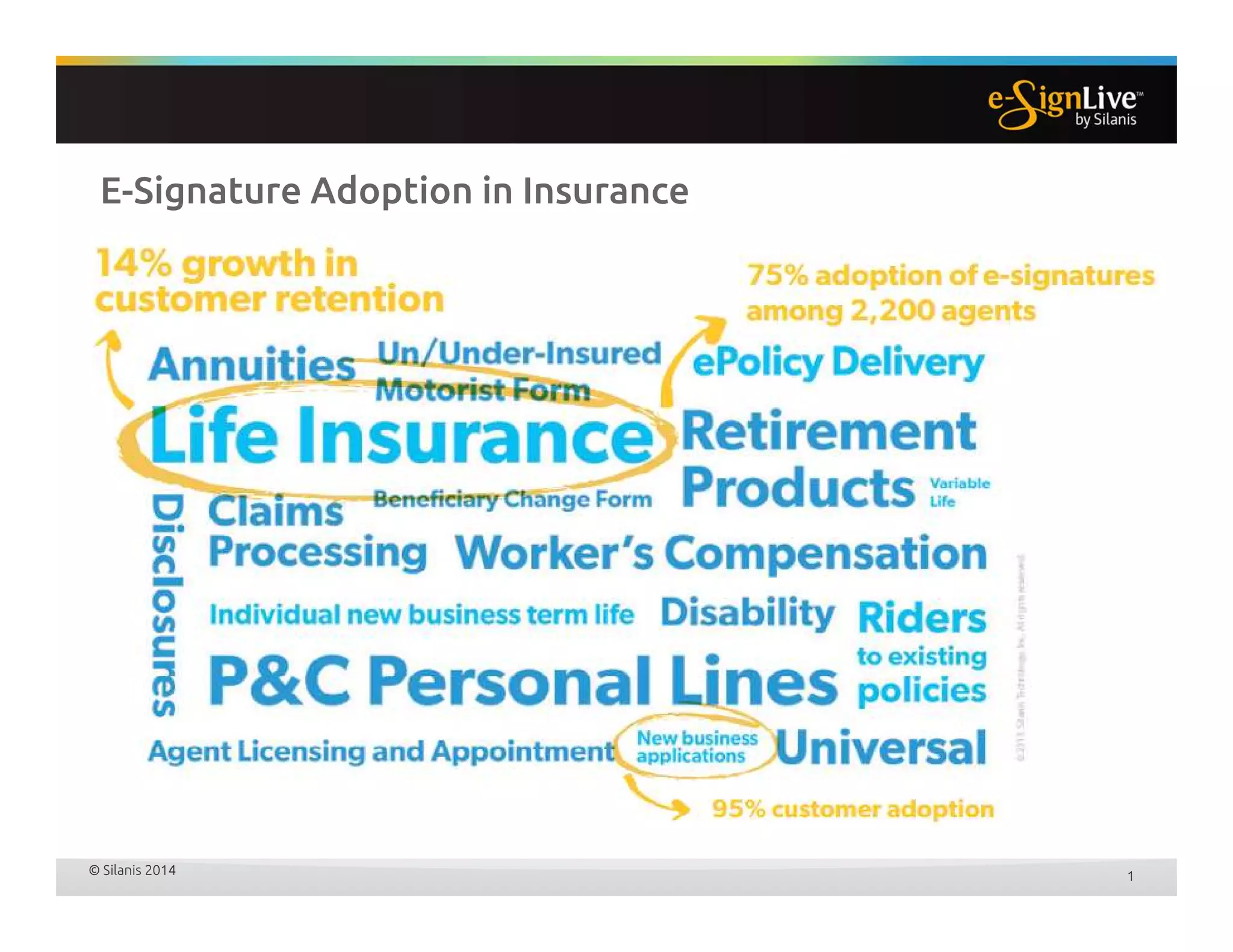
E-Signature Adoption in Insurance
1
E-Signature Drivers for Insurance
• Customer experience
• Increase agent productivity
• Cut paper and delivery costs
• Reduce NIGO / errors
• Strengthen compliance and legal position
• Demonstrate green business practices
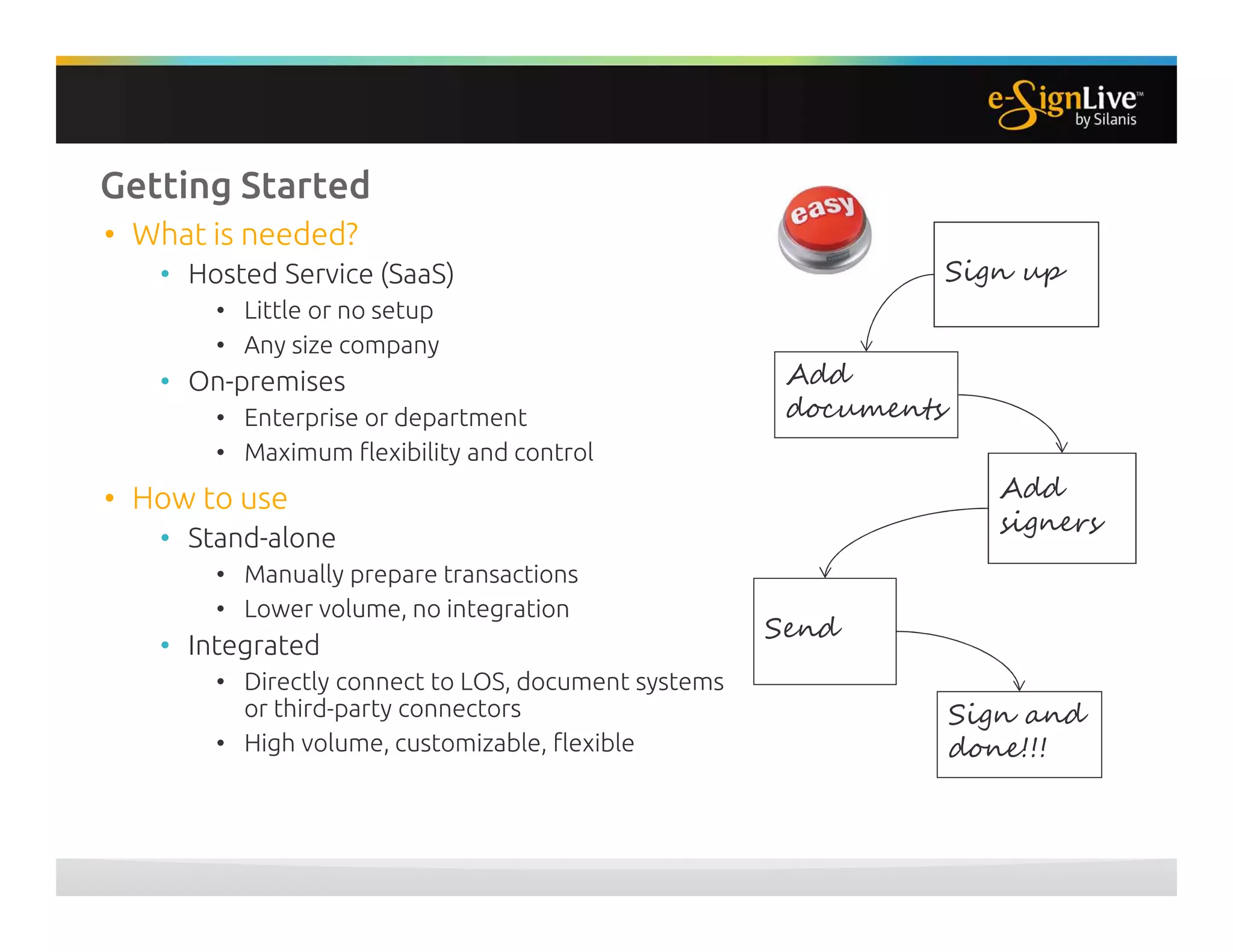
Getting Started
• What is needed?
• Hosted Service (SaaS)
• Little or no setup
• Any size company
• On-premises
• Enterprise or department
• Maximum flexibility and control
• How to use
• Stand-alone
• Manually prepare transactions
• Lower volume, no integration
• Integrated
• Directly connect to LOS, document systems
or third-party connectors
• High volume, customizable, flexible
Sign up
Add
documents
Add
signers
Send
Sign and
done!!!
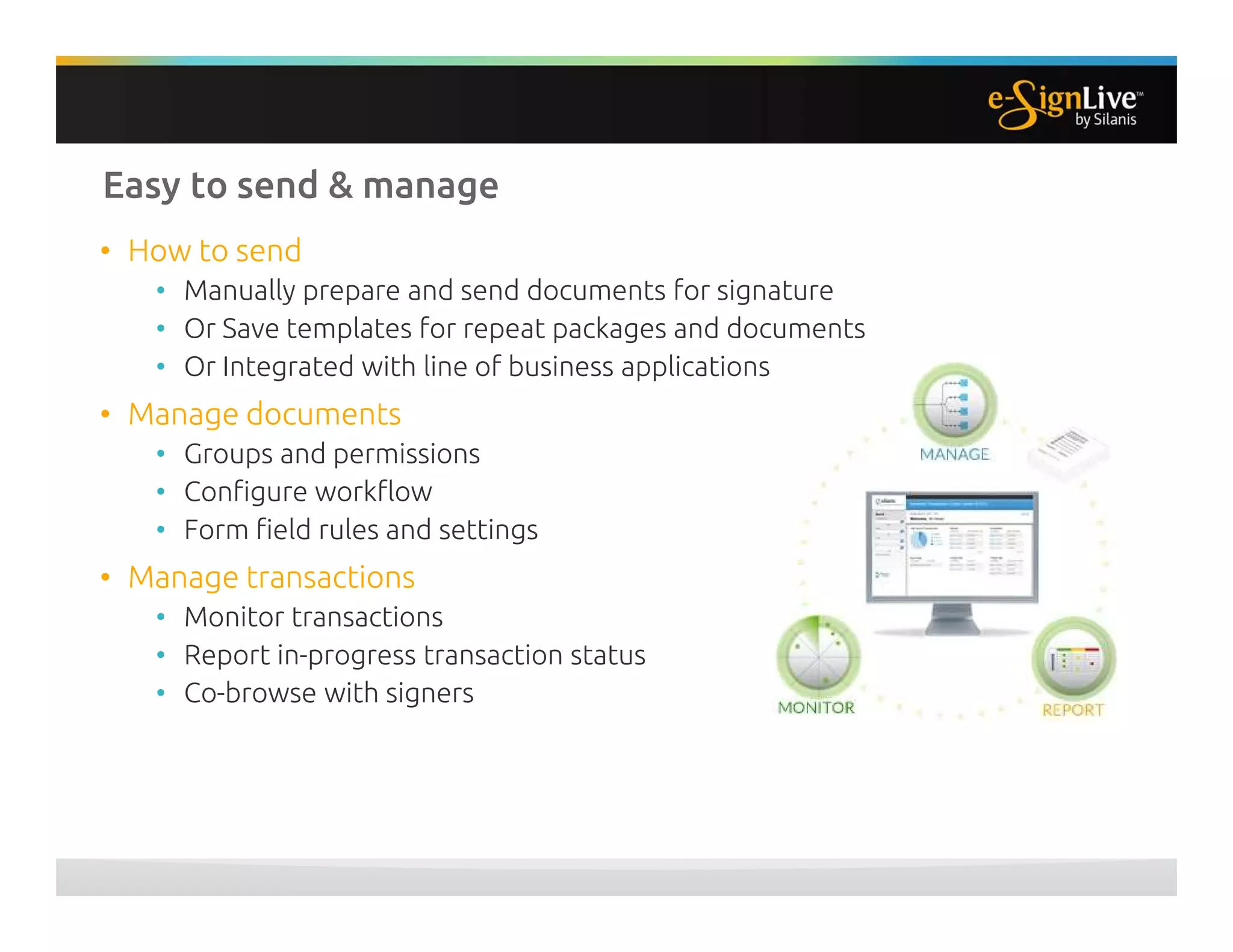
Easy to send & manage
• How to send
• Manually prepare and send documents for signature
• Or Save templates for repeat packages and documents
• Or Integrated with line of business applications
• Manage documents
• Groups and permissions
• Configure workflow
• Form field rules and settings
• Manage transactions
• Monitor transactions
• Report in-progress transaction status
• Co-browse with signers
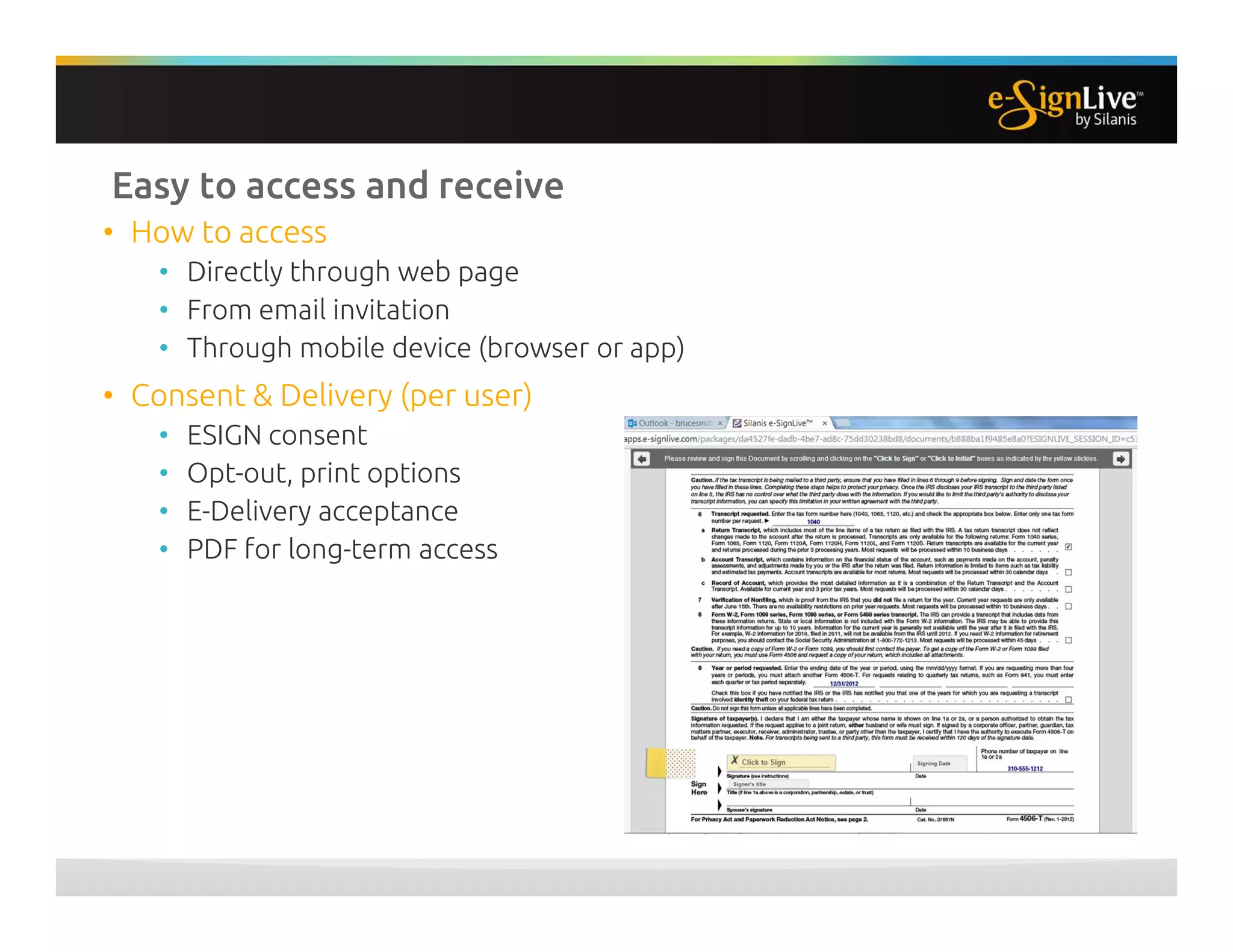
Easy to access and receive
• How to access
• Directly through web page
• From email invitation
• Through mobile device (browser or app)
• Consent & Delivery (per user)
• ESIGN consent
• Opt-out, print options
• E-Delivery acceptance
• PDF for long-term access
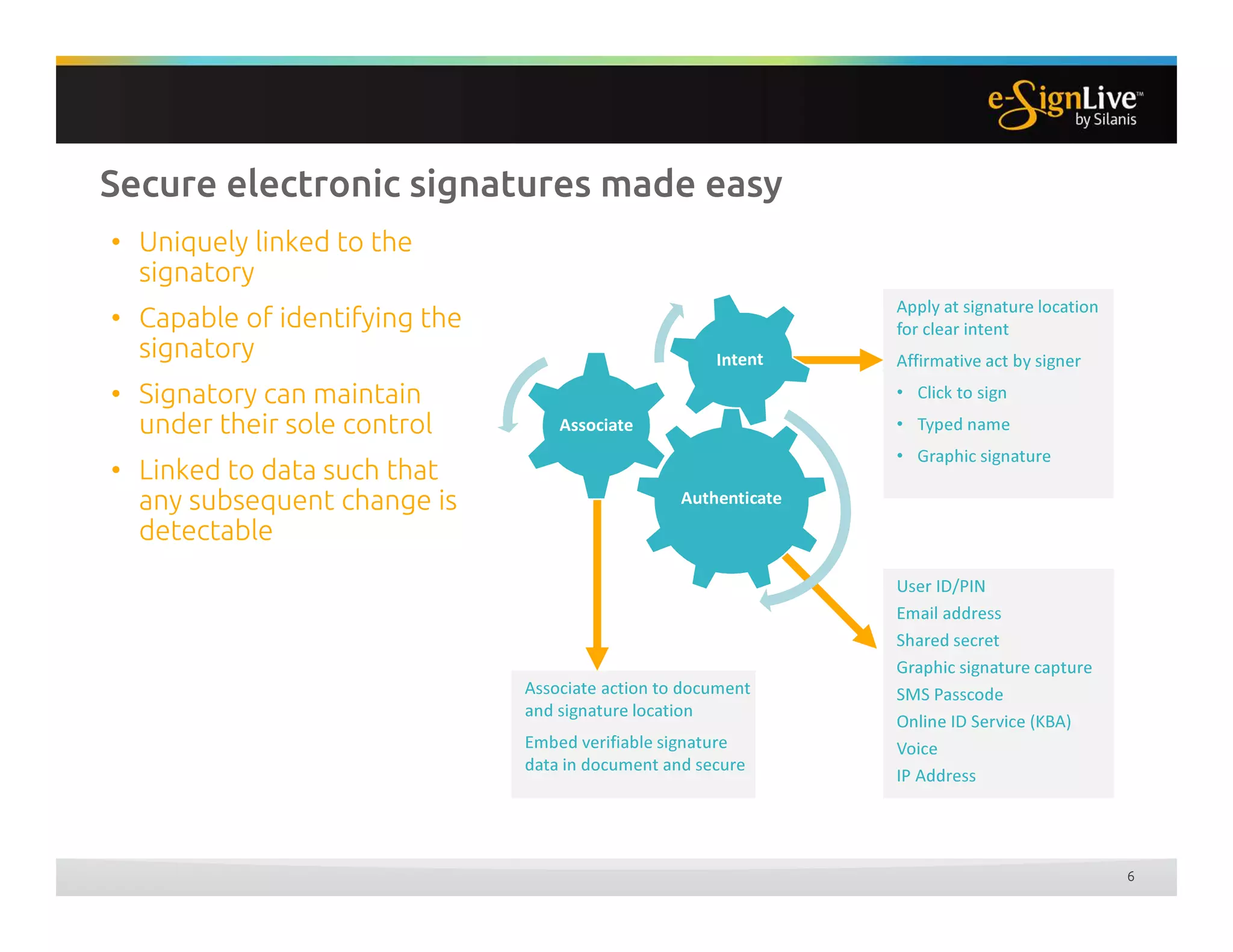
Secure electronic signatures made easy
6
• Uniquely linked to the
signatory
• Capable of identifying the
signatory
• Signatory can maintain
under their sole control
• Linked to data such that
any subsequent change is
detectable
User ID/PIN
Email address
Shared secret
Graphic signature capture
SMS Passcode
Online ID Service (KBA)
Voice
IP Address
Associate action to document
and signature location
Embed verifiable signature
data in document and secure
Apply at signature location
for clear intent
Affirmative act by signer
• Click to sign
• Typed name
• Graphic signature
Authenticate
Associate
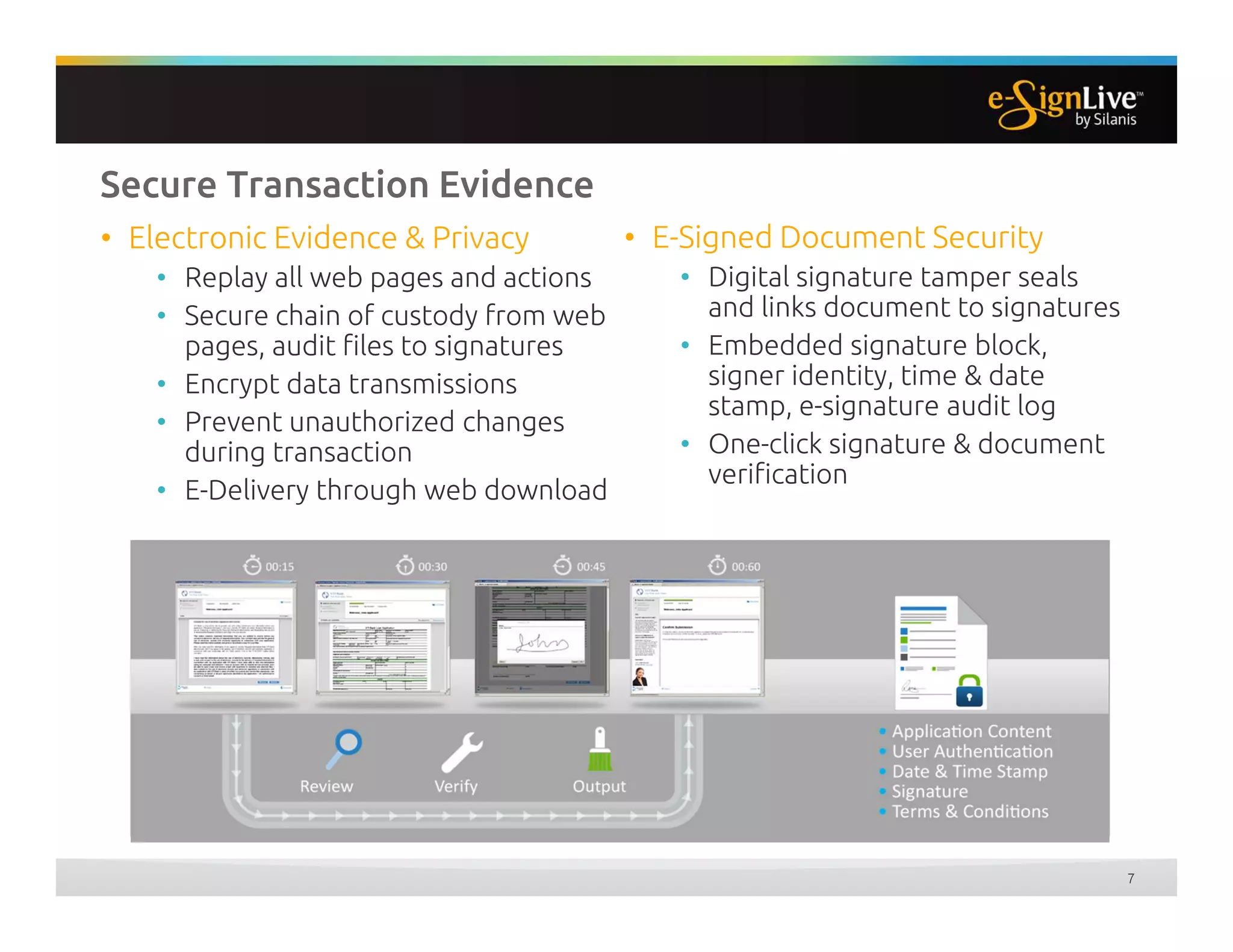
Secure Transaction Evidence
• E-Signed Document Security
• Digital signature tamper seals
and links document to signatures
• Embedded signature block,
signer identity, time & date
stamp, e-signature audit log
• One-click signature & document
verification
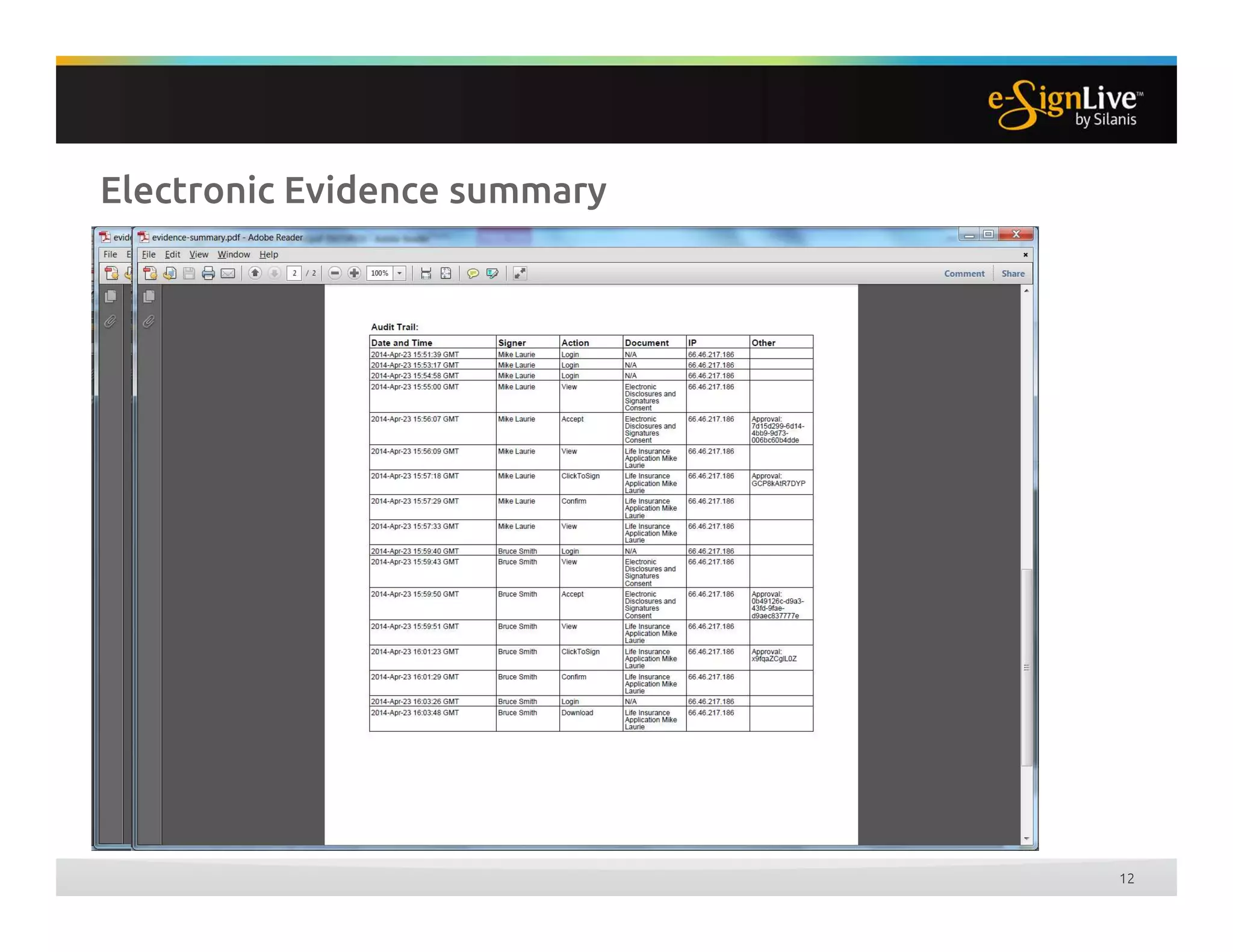
• Electronic Evidence & Privacy
• Replay all web pages and actions
• Secure chain of custody from web
pages, audit files to signatures
• Encrypt data transmissions
• Prevent unauthorized changes
during transaction
• E-Delivery through web download
7
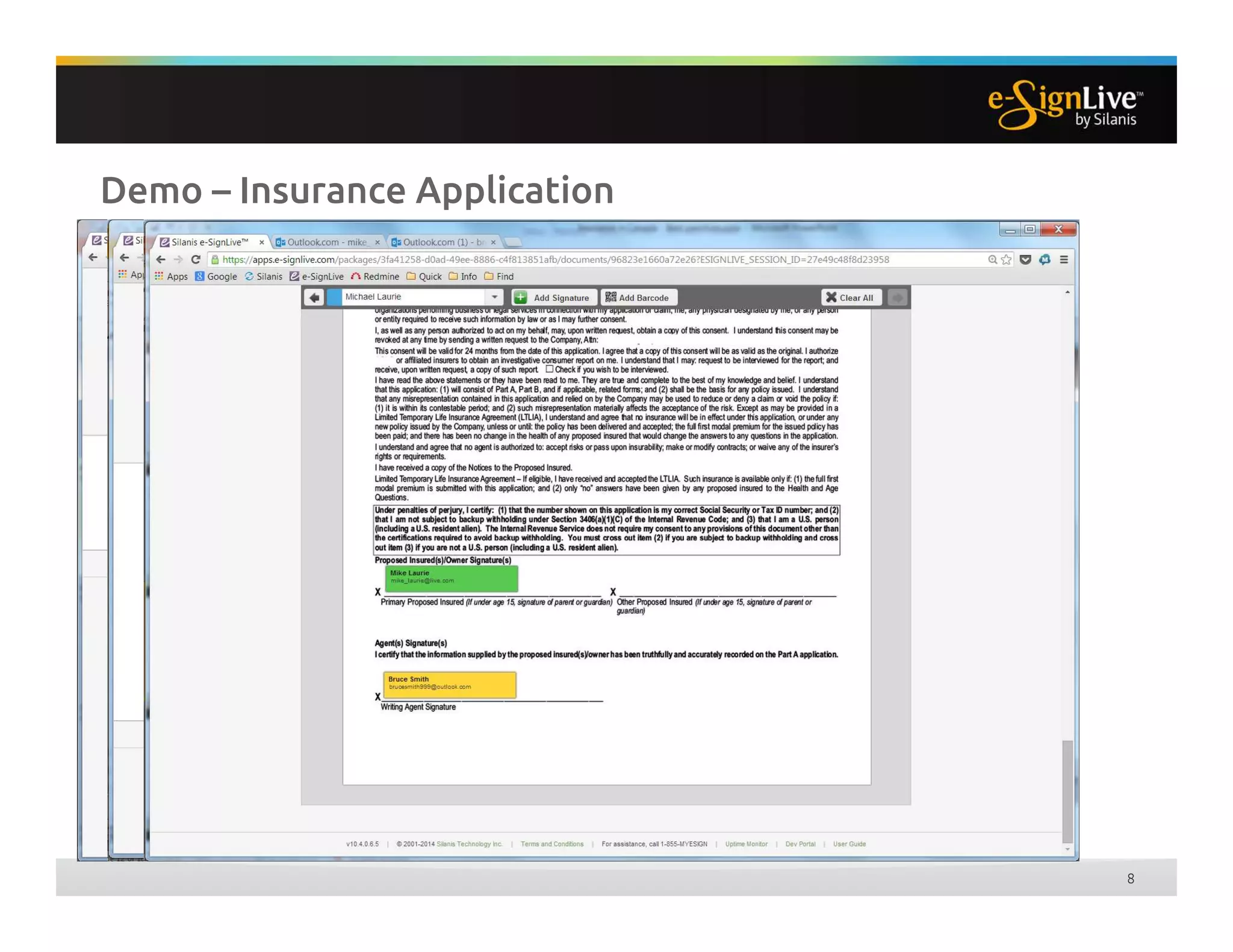
Demo – Insurance Application
8
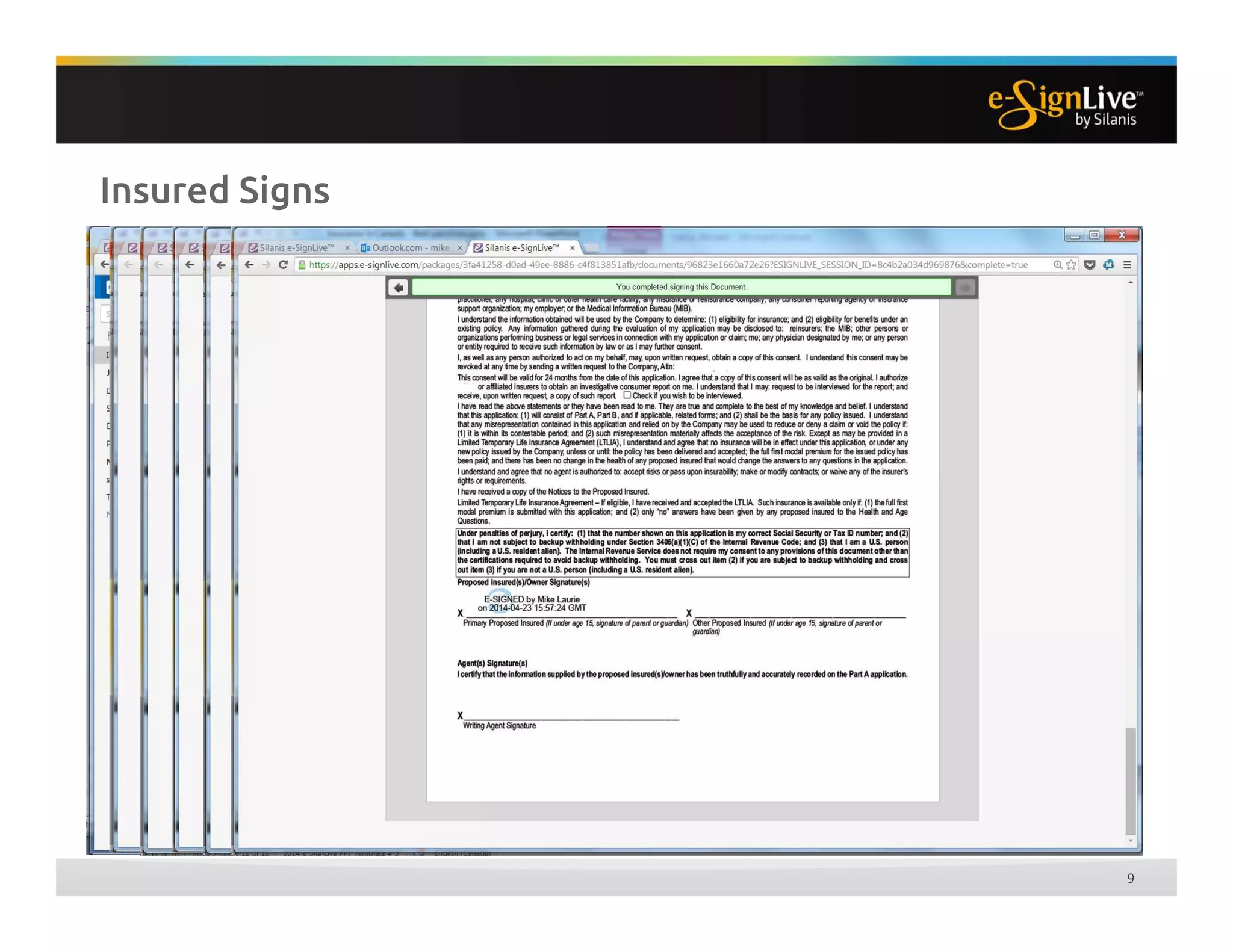
Insured Signs
9
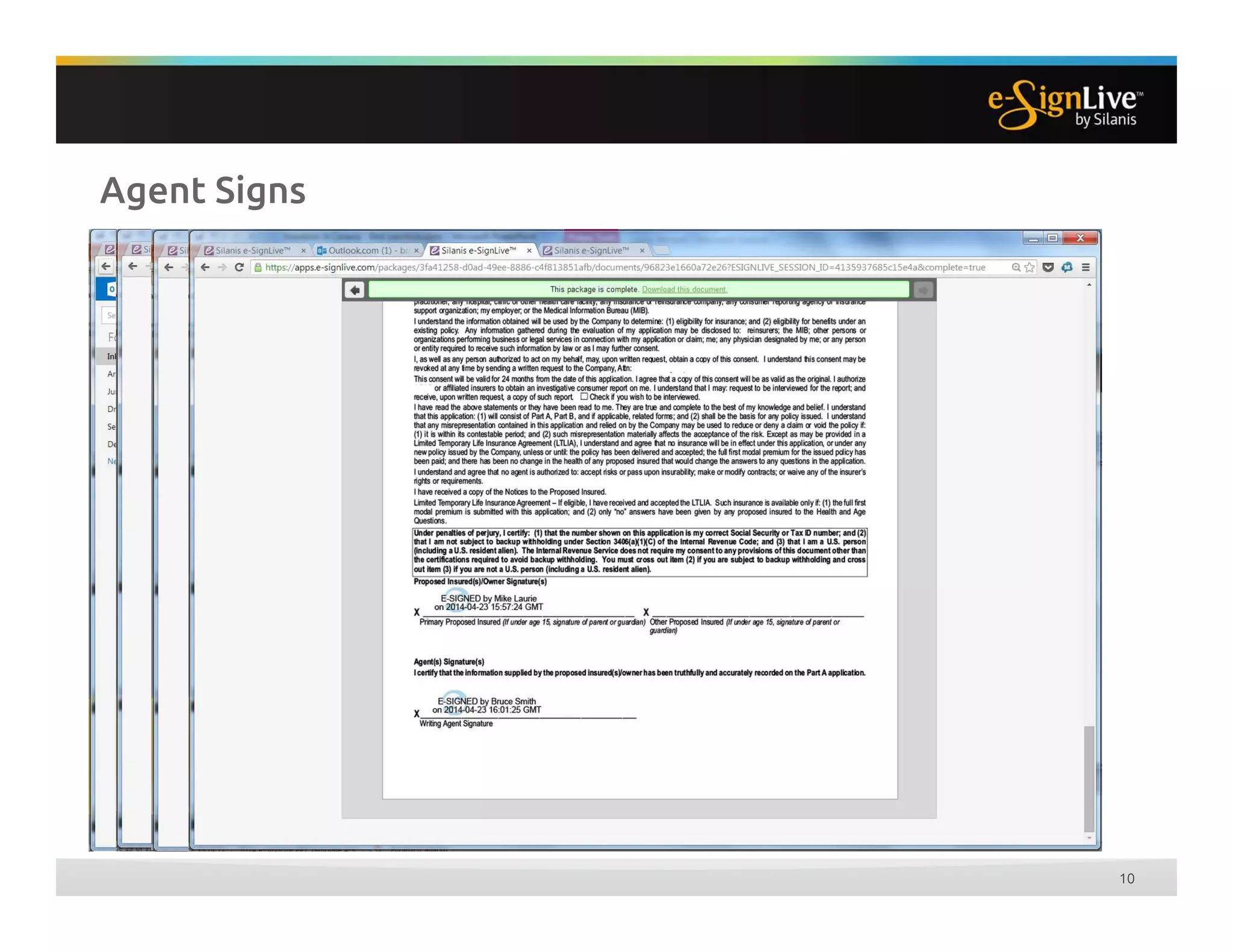
Agent Signs
10
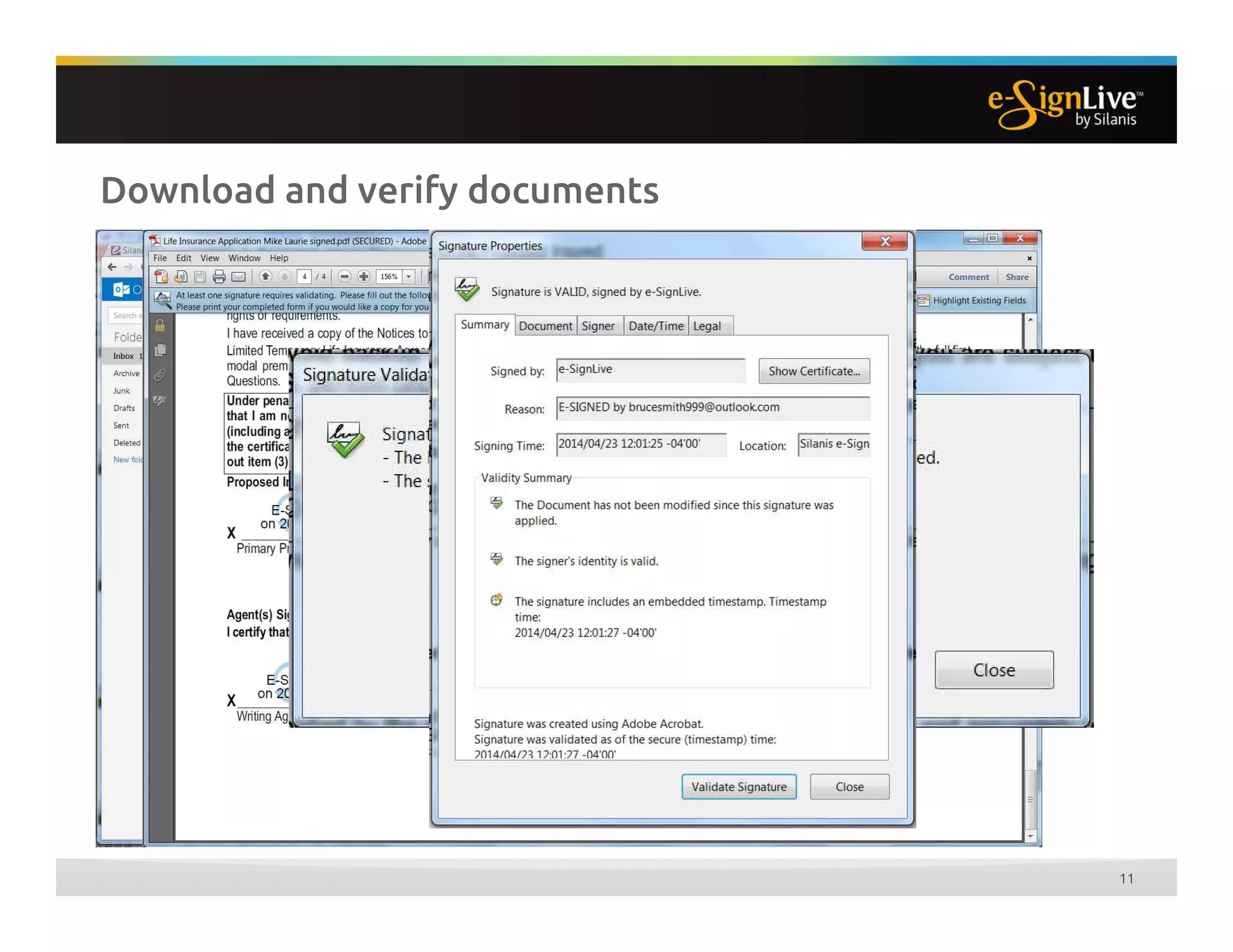
Download and verify documents
11
Electronic Evidence summary
12
Questions?
13
Join the conversation #esigntrends

The Canadian Perspective: Legal Best Practices for E-Signatures in Insurance

  • 1.
    04/23/2014 The Canadian Perspective:Legal Best Practices for E-Signatures in Insurance
  • 2.
    Daniel Fabiano Partner Fasken MartineauLLP Michael Laurie VP Product Strategy Silanis Technology Welcome AUDIO BRIDGE Toll free: 800-894-5910 Int'l Toll: 785-424-1052 Passcode: 989192
  • 3.
    Insurance Documentation: E-Signature, E-Delivery,E-Retention Daniel Fabiano Partner, Fasken Martineau DuMoulin LLP April 2014
  • 4.
    Disclaimer • This presentationis for general information only. It is neither intended as, nor should it be construed as, legal advice or opinion • Insurance and e-commerce laws vary by province. For legal advice that is specific to your jurisdiction and situation, please consult a lawyer 2
  • 5.
    Why Put Downthe Pen? 3 • Automate / expedite business processes • Cut operational costs • Improve efficiency and collaboration • Improve customer experience • Environmentally-friendly • Address legal compliance / limit liability
  • 6.
  • 7.
    Exclusions (E-Commerce Law) 5 Wills/ codicils Trusts created by wills / codicils Powers of attorney Negotiable instruments Land transfer / registration
  • 8.
    Exclusions (Insurance Law) 6 Noticeof cancellation Alterations to policy by insurer Trustee appointment Beneficiary designation (testamentary disposition concern) Nomination of person as having rights / interests of insured on insured’s death
  • 9.
    Scope of E-Commerce •E-contracts and e-signature • E-delivery of documents • Retaining E-records in place of paper records 7
  • 10.
    Consent • Consent toconduct business electronically • May be express (written / verbal) or implied • Scope of consent should be clear: 1. to enter into a contract electronically and 2. to receive delivery of information electronically 8
  • 11.
    Electronic Signatures • E-signature: “Electronicinformation that a person creates or adopts in order to sign a document and that is in, attached to or associated with the document” • Whether an e-signature meets a legal requirement depends on the circumstances • Some jurisdictions require that the technology / process be able to prove that the signature: • Is unique / specific to the individual • Is incorporated into the document • Was incorporated by the signor 9
  • 12.
    Risk of Repudiation •Dispute over the legitimacy of signature! • E-signature process needs to be designed with 3 “I”s in mind: the electronic signature is that of the person who is intended to sign the document; the person applied his or her signature with the intent to sign the document; and the electronic signature is bound to the document so that any changes to the document can be detected. • Choose an appropriate form of electronic signature, and ensure integrity by tamper-proofing e-records 10 • Identity • Intention • Integrity
  • 13.
    “In Writing” Requirement? •“Set out” in writing? • “Provided” or “delivered” in writing? • Electronic documents can satisfy these requirements if the record can be retained and is accessible by recipient for subsequent reference 11
  • 14.
    Scope of E-Commerce •E-contracts and e-signature • E-delivery of documents • Retaining E-records in place of paper records 12
  • 15.
    E-Record Retention • Retainingan e-record in place of a paper copy • Must be organized in the same or substantially the same way • Must be accessible for subsequent reference by entitled person • Must be reliable assurance as to the integrity of the information • Must keep information on • Origin • Destination (if required to send it) • Date and time sent or received (or created) 13
  • 16.
    E-Record Retention: Integrity •“Integrity” of electronic document • Document remains complete and unaltered / secure • Must be stable through life-cycle (creation, access, transmission, copying, retention, until archiving/destruction) • Detailed recordkeeping for modifications to the document 14
  • 17.
    Process Design: BestPractices • Involve legal counsel and technology and process experts at the outset when designing the system • Consider how documents will be delivered (keeping in mind privacy issues and legislation) • Consider how to handle undelivered emails • Consider how each electronic document can be tracked • Time and date stamps, receipts etc. 15
  • 18.
    Process Design: BestPractices • Obtain written consent to: • Communicate electronically / provide information electronically • Use electronic signatures • Consider which signature methods are appropriate • Digitized versus digital / encrypted • E-signature process should: • Require the user to access the entire document before signing • Require action to effect the electronic signature • Informs the signer of how to sign • Records the date, time and signature with the signed doc in a tamper-proof manner 16
  • 19.
    Daniel Fabiano, Partner, FaskenMartineau DuMoulin LLP dfabiano@fasken.com 17
  • 20.
  • 21.
    © Silanis 2014 E-SignatureAdoption in Insurance 1
  • 22.
    E-Signature Drivers forInsurance • Customer experience • Increase agent productivity • Cut paper and delivery costs • Reduce NIGO / errors • Strengthen compliance and legal position • Demonstrate green business practices
  • 23.
    Getting Started • Whatis needed? • Hosted Service (SaaS) • Little or no setup • Any size company • On-premises • Enterprise or department • Maximum flexibility and control • How to use • Stand-alone • Manually prepare transactions • Lower volume, no integration • Integrated • Directly connect to LOS, document systems or third-party connectors • High volume, customizable, flexible Sign up Add documents Add signers Send Sign and done!!!
  • 24.
    Easy to send& manage • How to send • Manually prepare and send documents for signature • Or Save templates for repeat packages and documents • Or Integrated with line of business applications • Manage documents • Groups and permissions • Configure workflow • Form field rules and settings • Manage transactions • Monitor transactions • Report in-progress transaction status • Co-browse with signers
  • 25.
    Easy to accessand receive • How to access • Directly through web page • From email invitation • Through mobile device (browser or app) • Consent & Delivery (per user) • ESIGN consent • Opt-out, print options • E-Delivery acceptance • PDF for long-term access
  • 26.
    Secure electronic signaturesmade easy 6 • Uniquely linked to the signatory • Capable of identifying the signatory • Signatory can maintain under their sole control • Linked to data such that any subsequent change is detectable User ID/PIN Email address Shared secret Graphic signature capture SMS Passcode Online ID Service (KBA) Voice IP Address Associate action to document and signature location Embed verifiable signature data in document and secure Apply at signature location for clear intent Affirmative act by signer • Click to sign • Typed name • Graphic signature Authenticate Associate
  • 27.
    Secure Transaction Evidence •E-Signed Document Security • Digital signature tamper seals and links document to signatures • Embedded signature block, signer identity, time & date stamp, e-signature audit log • One-click signature & document verification • Electronic Evidence & Privacy • Replay all web pages and actions • Secure chain of custody from web pages, audit files to signatures • Encrypt data transmissions • Prevent unauthorized changes during transaction • E-Delivery through web download 7
  • 28.
  • 29.
  • 30.
  • 31.
    Download and verifydocuments 11
  • 32.
  • 33.