Utilizing PKI to Reduce
Business Risks and Costs
                   May 2011
                Lim Chin Wan
WASTE! WASTE! WASTE!
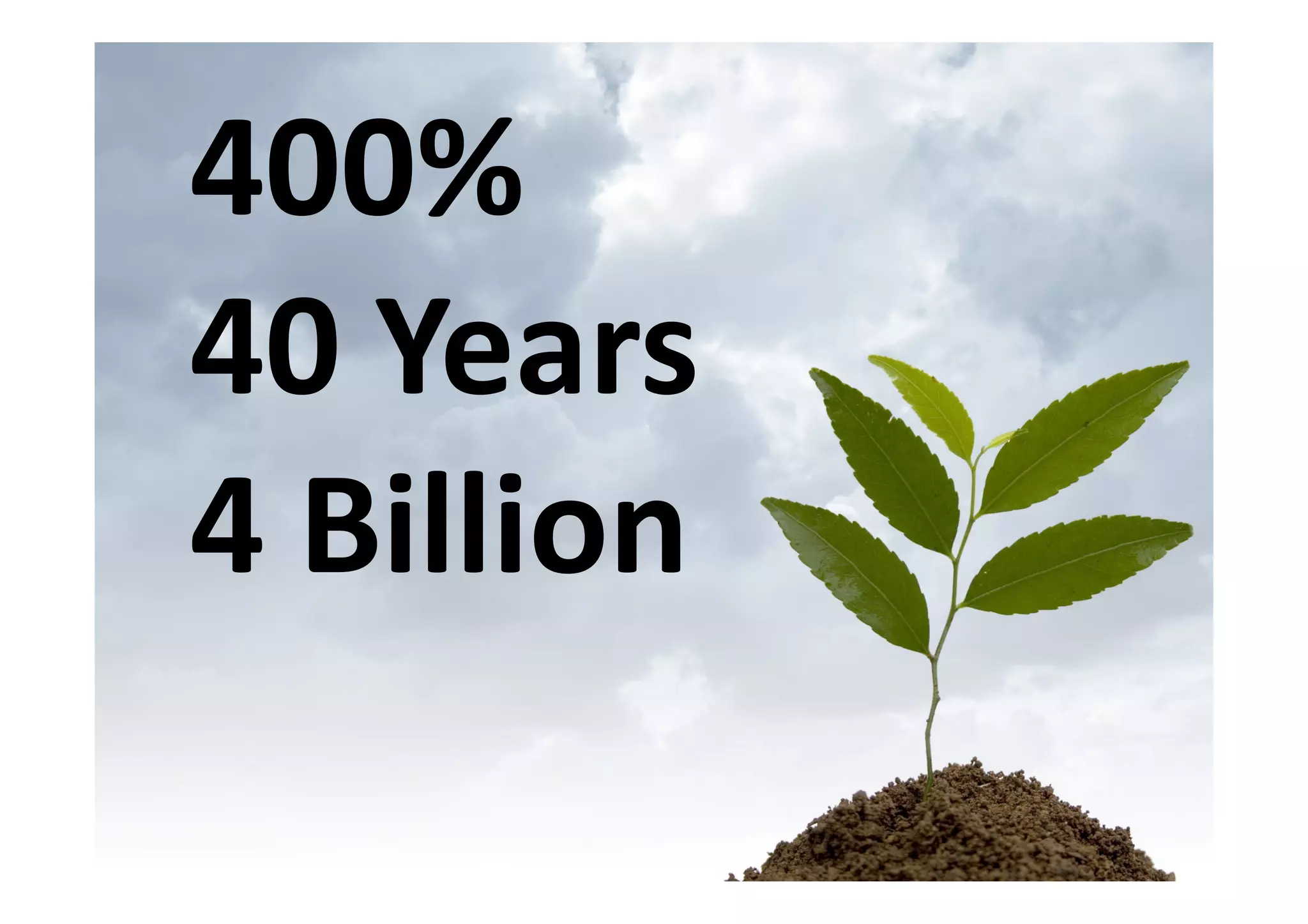
400%
40 Years
4 Billion
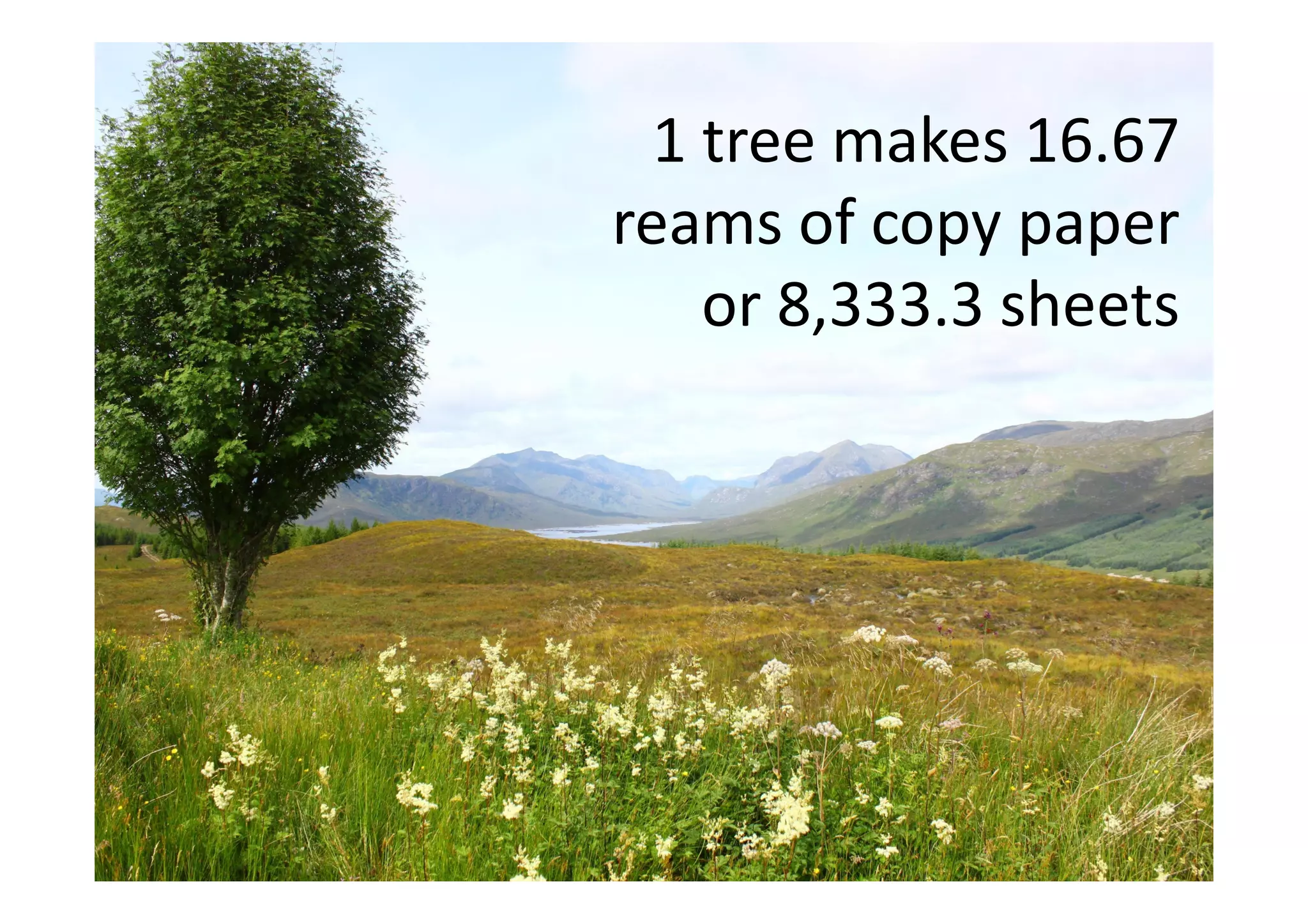
1 tree makes 16.67
reams of copy paper
    or 8,333.3 sheets
Time is
money!
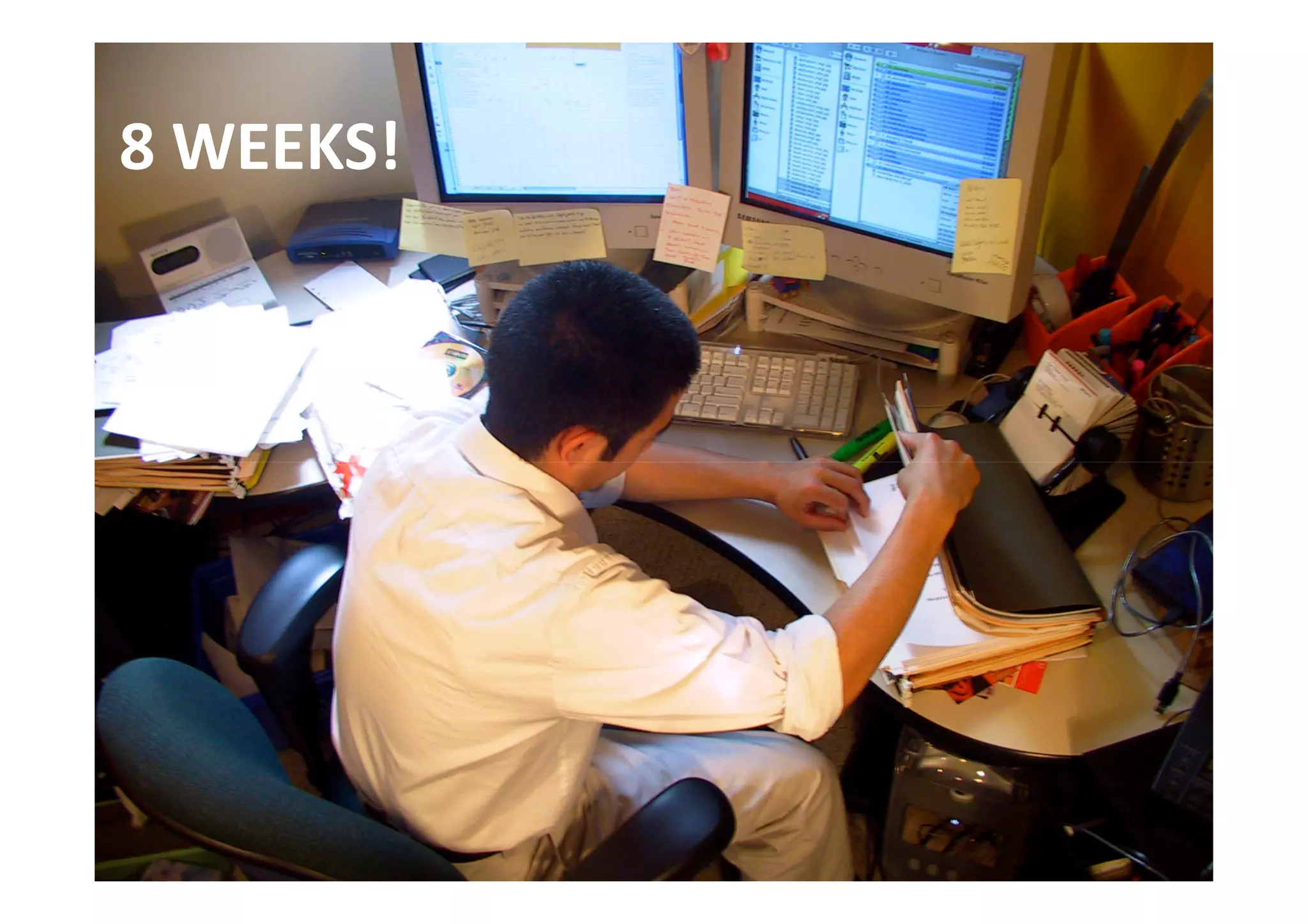
8 WEEKS!
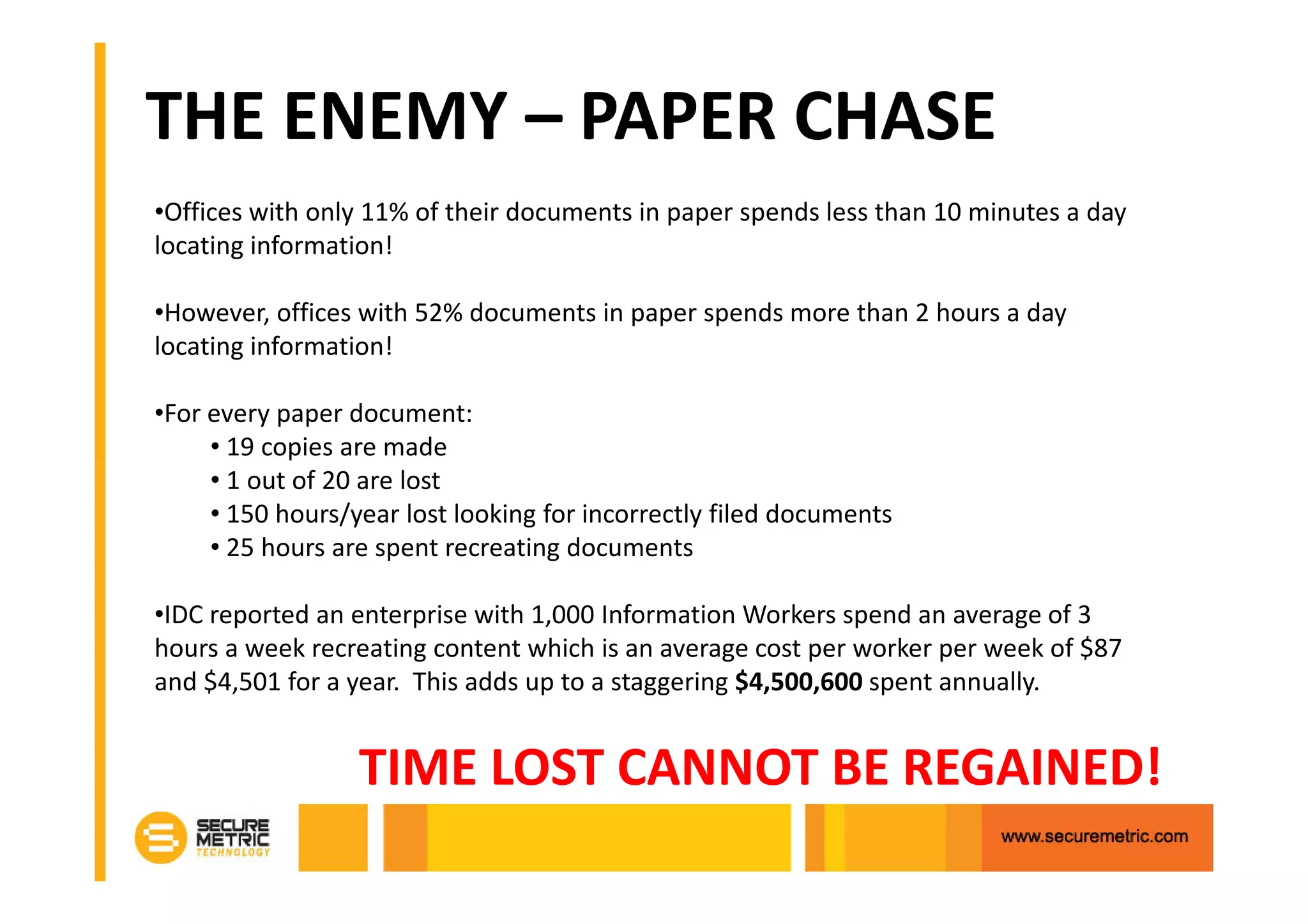
THE ENEMY – PAPER CHASE
•Offices with only 11% of their documents in paper spends less than 10 minutes a day
locating information!

•However, offices with 52% documents in paper spends more than 2 hours a day
locating information!

•For every paper document:
     • 19 copies are made
     • 1 out of 20 are lost
     • 150 hours/year lost looking for incorrectly filed documents
     • 25 hours are spent recreating documents

•IDC reported an enterprise with 1,000 Information Workers spend an average of 3
hours a week recreating content which is an average cost per worker per week of $87
and $4,501 for a year. This adds up to a staggering $4,500,600 spent annually.


                  TIME LOST CANNOT BE REGAINED!
THAT IS A LOT OF WASTAGE!
Let’s convert
every paper
 to digital!
PROBLEM SOLVED?
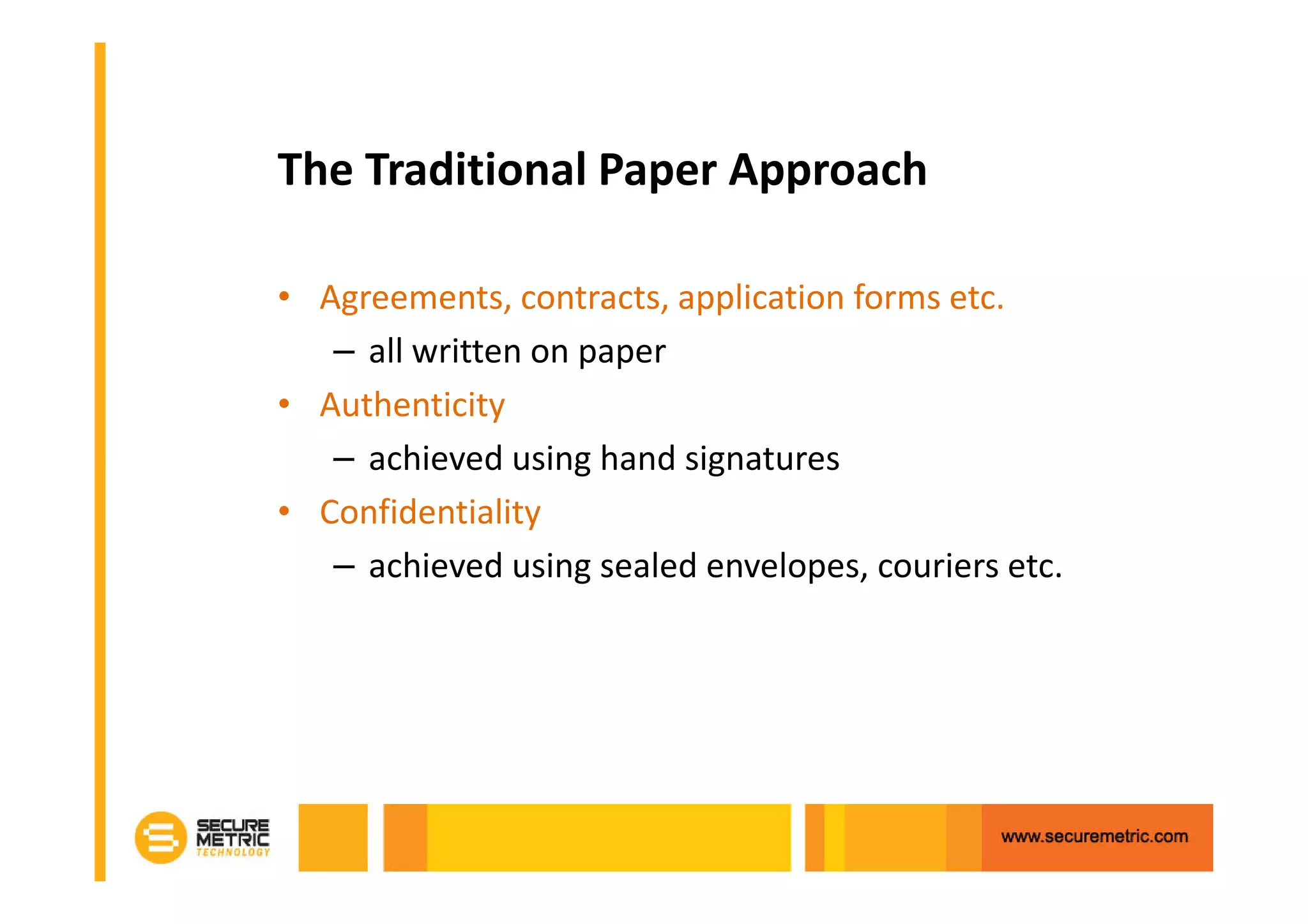
The Traditional Paper Approach

• Agreements, contracts, application forms etc.
   – all written on paper
• Authenticity
   – achieved using hand signatures
• Confidentiality
   – achieved using sealed envelopes, couriers etc.
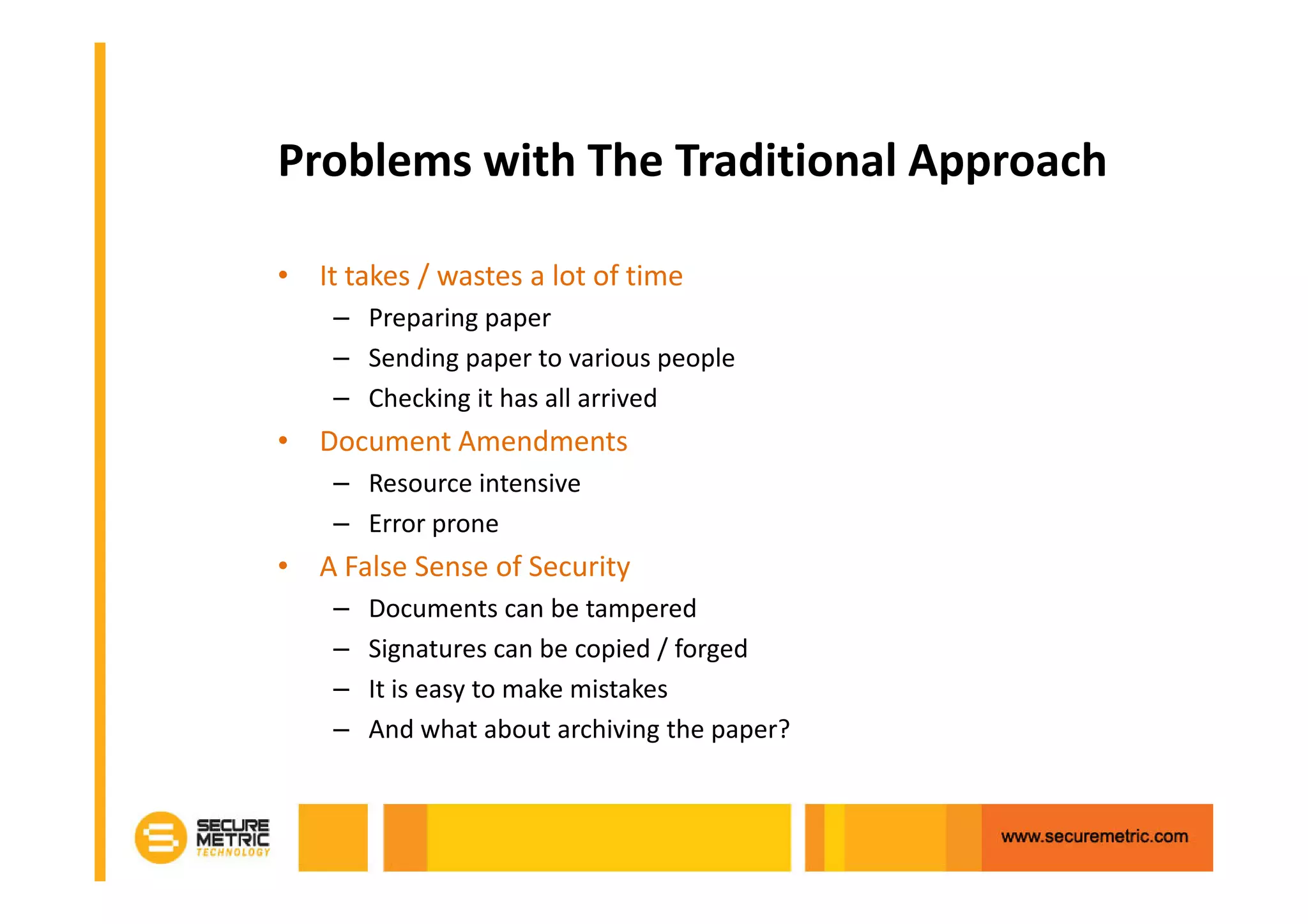
Problems with The Traditional Approach

• It takes / wastes a lot of time
    – Preparing paper
    – Sending paper to various people
    – Checking it has all arrived
• Document Amendments
    – Resource intensive
    – Error prone
• A False Sense of Security
    –   Documents can be tampered
    –   Signatures can be copied / forged
    –   It is easy to make mistakes
    –   And what about archiving the paper?
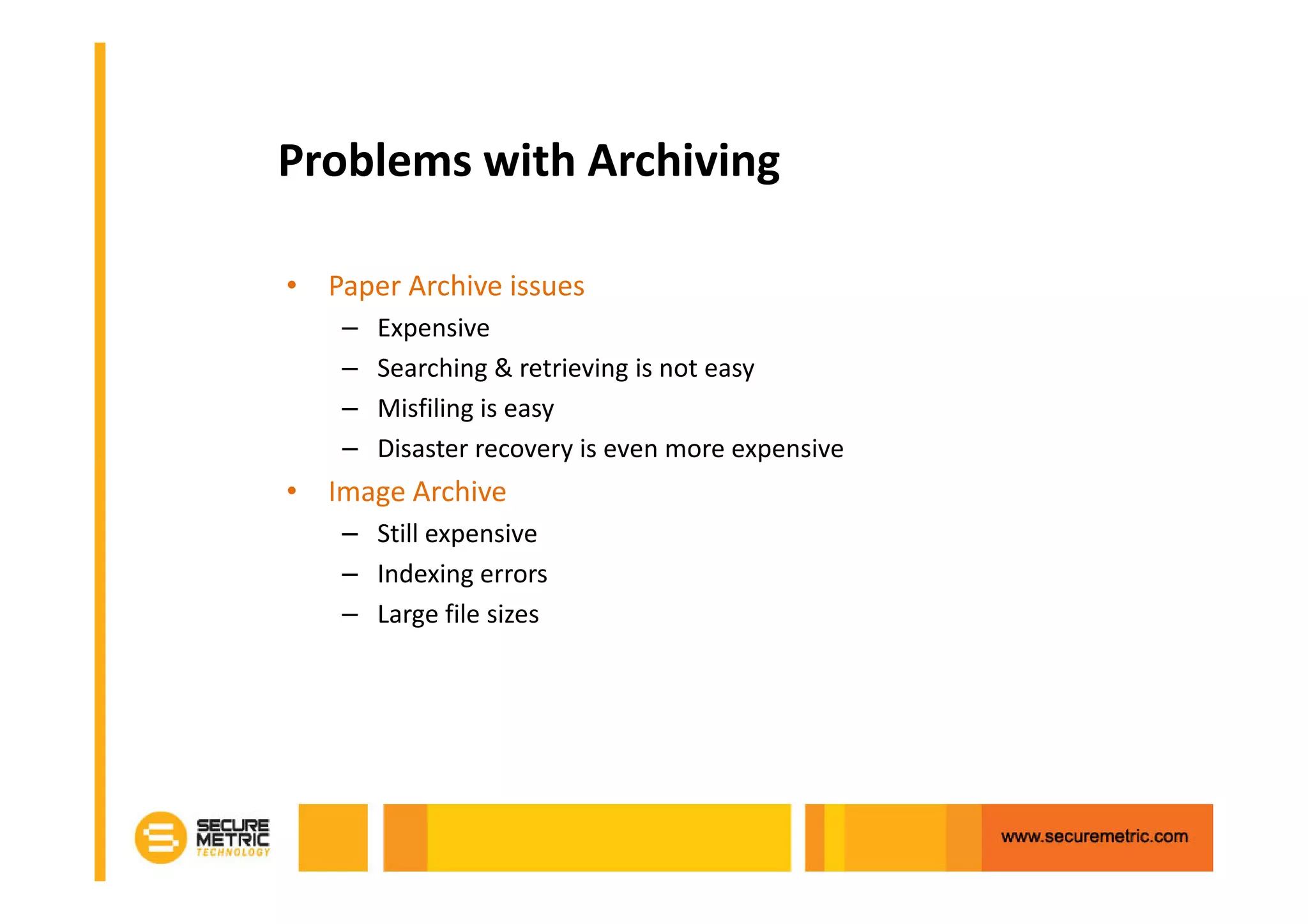
Problems with Archiving

• Paper Archive issues
    –   Expensive
    –   Searching & retrieving is not easy
    –   Misfiling is easy
    –   Disaster recovery is even more expensive
• Image Archive
    – Still expensive
    – Indexing errors
    – Large file sizes
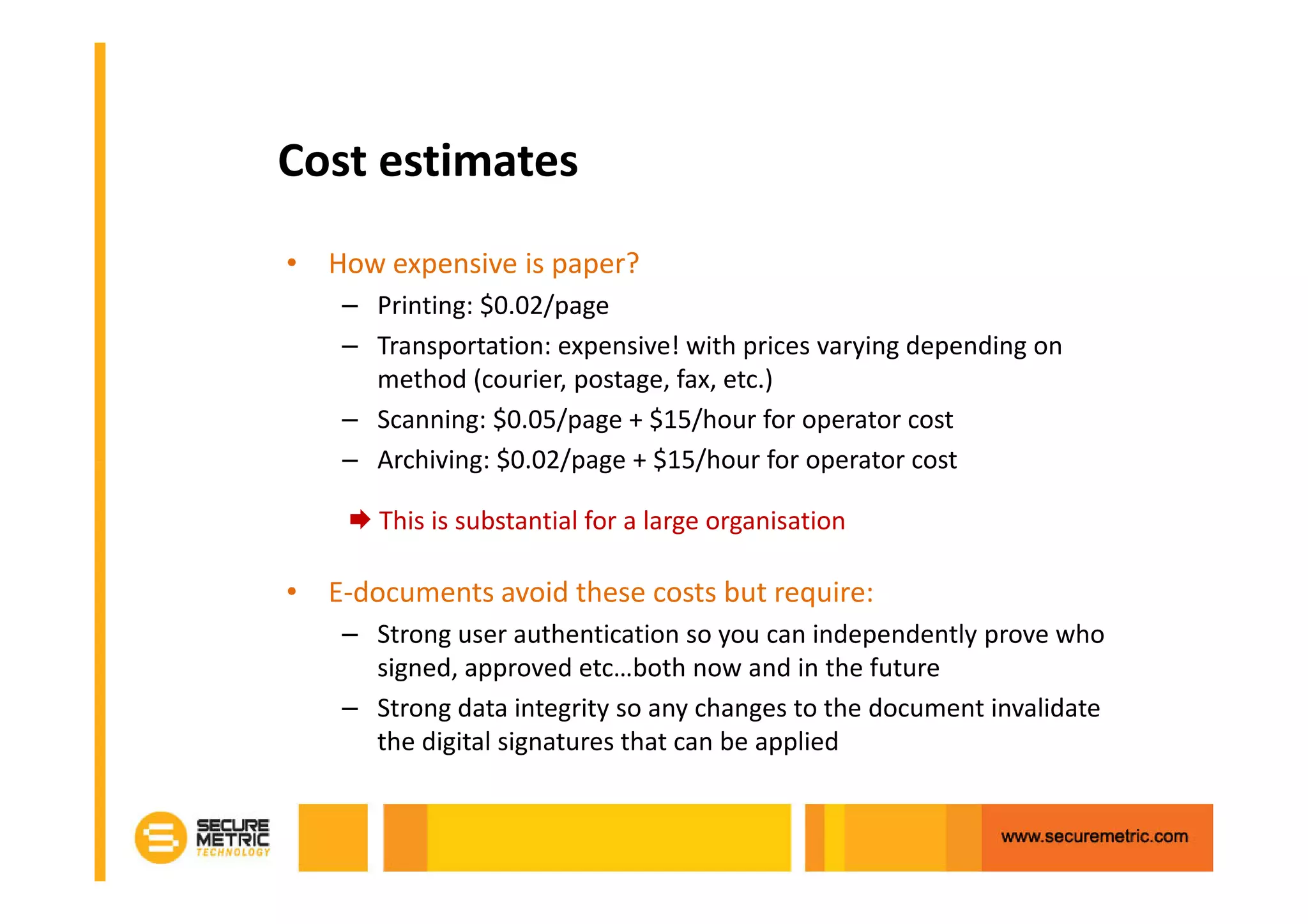
Cost estimates
• How expensive is paper?
    – Printing: $0.02/page
    – Transportation: expensive! with prices varying depending on
      method (courier, postage, fax, etc.)
    – Scanning: $0.05/page + $15/hour for operator cost
    – Archiving: $0.02/page + $15/hour for operator cost

       This is substantial for a large organisation

• E-documents avoid these costs but require:
    – Strong user authentication so you can independently prove who
      signed, approved etc…both now and in the future
    – Strong data integrity so any changes to the document invalidate
      the digital signatures that can be applied
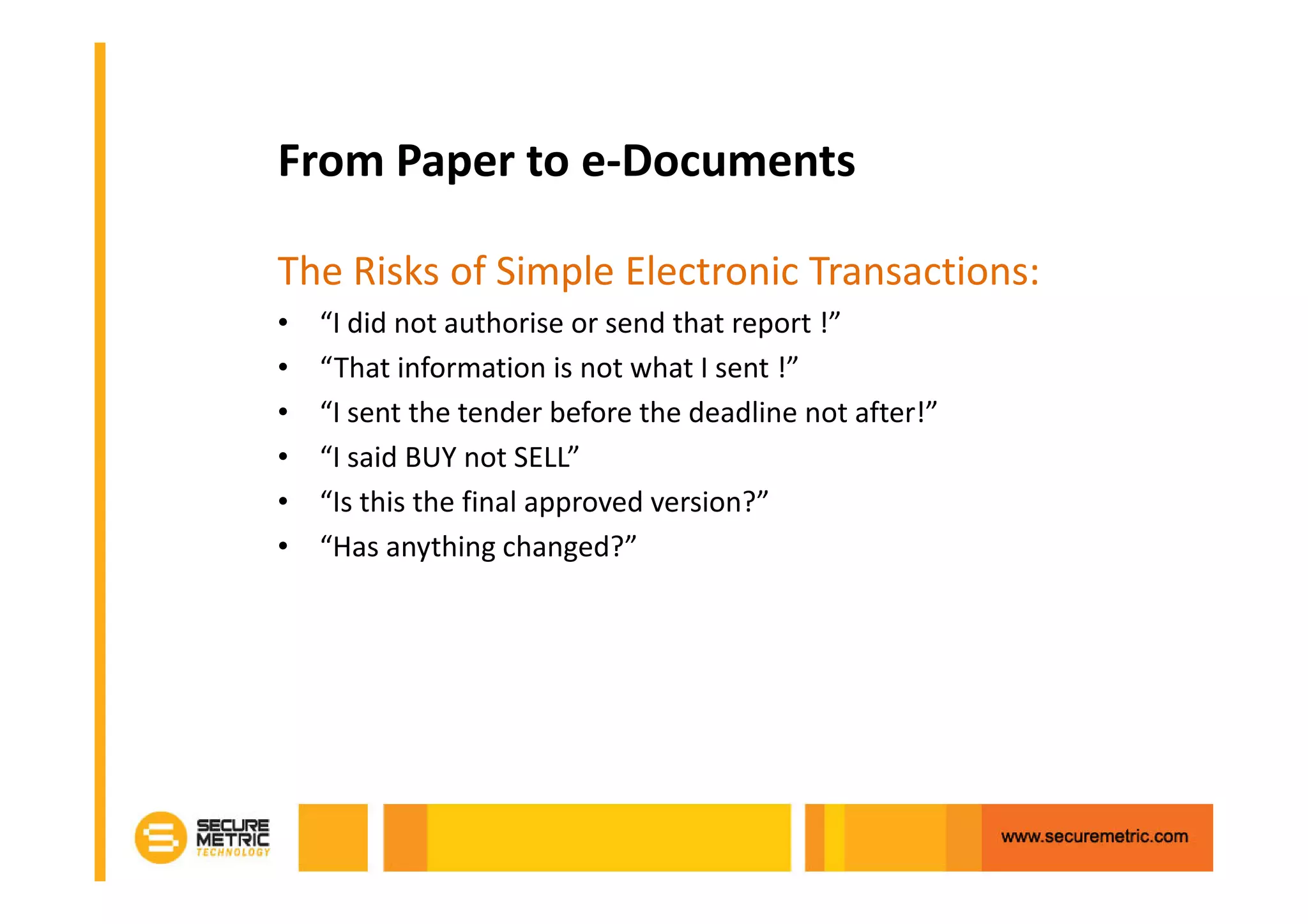
From Paper to e-Documents

The Risks of Simple Electronic Transactions:
•   “I did not authorise or send that report !”
•   “That information is not what I sent !”
•   “I sent the tender before the deadline not after!”
•   “I said BUY not SELL”
•   “Is this the final approved version?”
•   “Has anything changed?”
Approval and Sign Off
Why are Trust Services Needed for
e-Business?
• To prevent fraud
     –   Stop changes to final documents
     –   Mandating sign-off and approval
     –   Clearly identifying the author and approvers
     –   Provide undeniable evidence
• Meet legislative requirements
     – Enable legal acceptance of documents
     – Strengthen internal and external processes
     – Ensure traceability, audit and compliance
• To enable cost savings and reduce risk
     – Reduced costs of paper, postage, handling, storage
It must be easy to apply and manage these services
One Ring to Rule Them All…
Digital Signatures Provide Trust
• The provide strong security:
    – Authenticity: a valid signature implies the signer deliberately
      signed the associated document
    – Non-Repudiation: the signer cannot deny having signed a
      document which has a valid signature
    – Data Integrity: to ensure the contents of the document have
      not been modified
    – Unique: the signature of the document cannot be used with
      another document
    – Unforgeable: only the signer can give a valid signature for the
      associated document
• What’s else is required?
    – How can it be shown to be role or limit authorised?
    – How easy is it to sign and to verify and be understood?
What to Consider in a Solution
• A flexible yet easy to implement solution
    –   Provide multiple signing and verification options
    –   Support multiple platforms and languages (Java, .NET)
    –   Provide flexible integration options (API, folders, email)
    –   Handle multiple document types and signature formats to that
        future needs are covered
• Provide effective management so business applications do not
  need to handle this
    – Manage all the signing keys and certificates
    – Manage HSMs and USB tokens and/or soft keys/certs
    – Manage detailed event and transactional logs to ensure traceability
      and accountability and reporting
    – Manage application authorisation for all actions
    – Provide security with separation from O/S admin staff
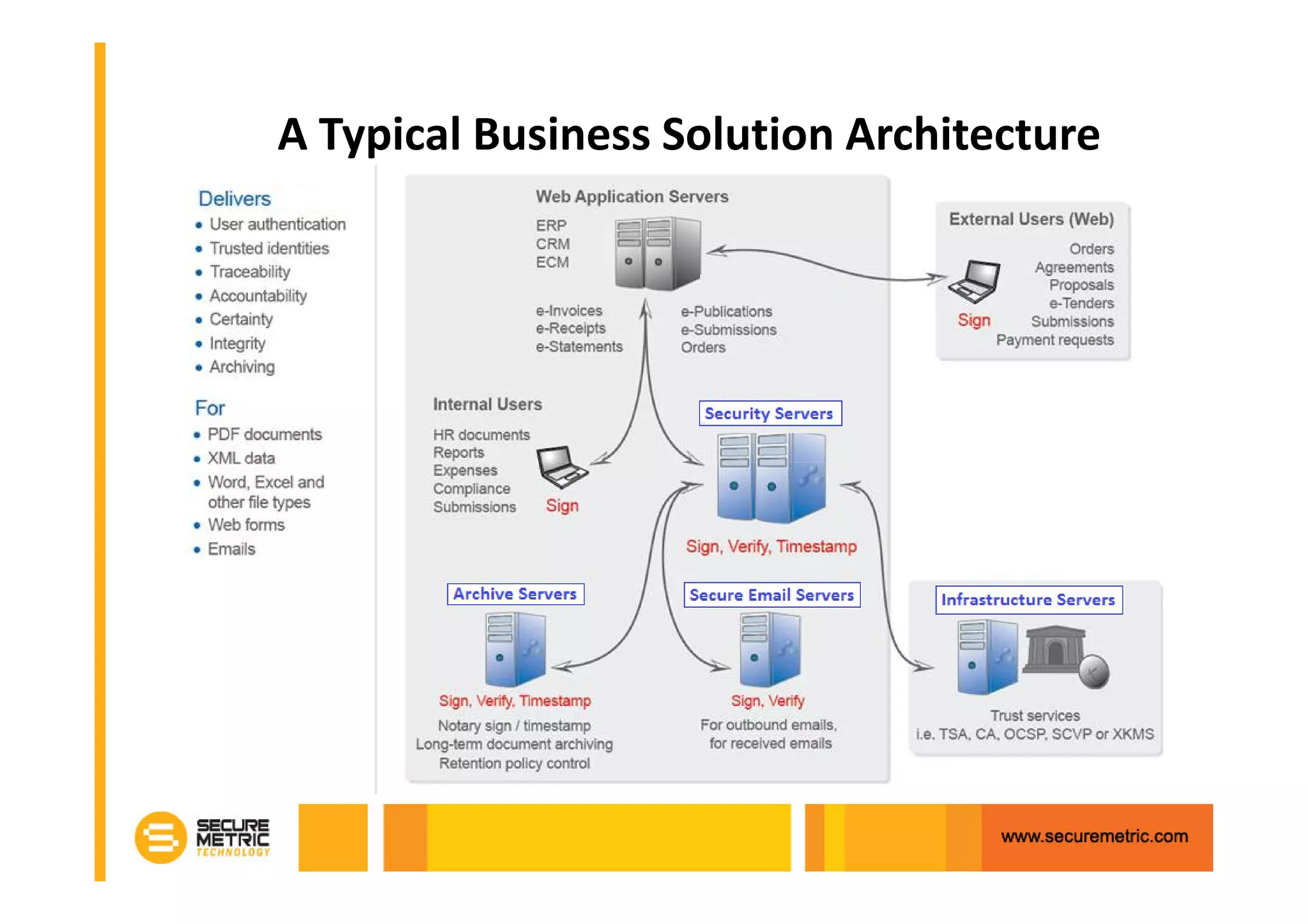
A Typical Business Solution Architecture
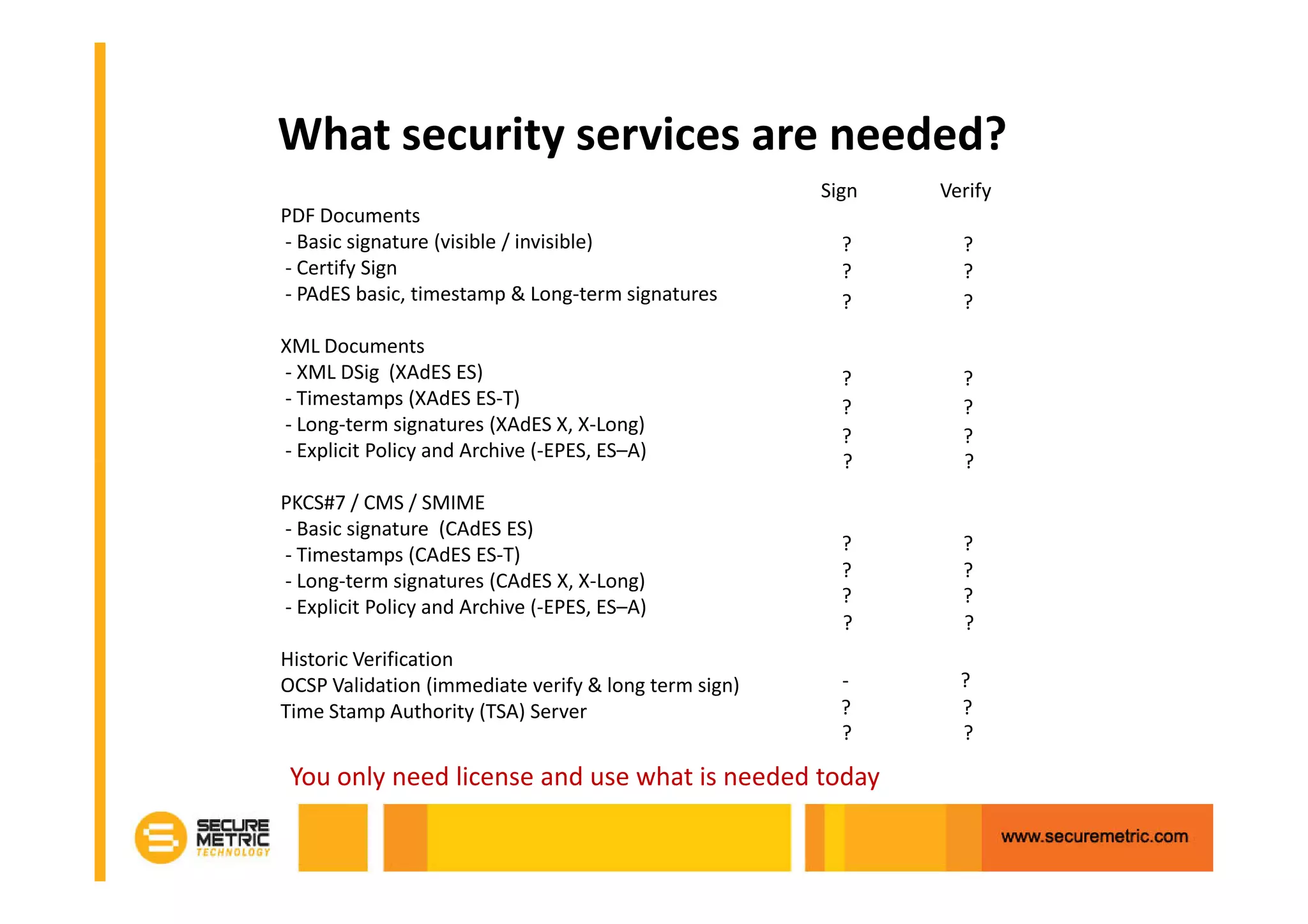
What security services are needed?
                                                      Sign   Verify
PDF Documents
- Basic signature (visible / invisible)                 ?      ?
- Certify Sign                                          ?      ?
- PAdES basic, timestamp & Long-term signatures         ?      ?

XML Documents
- XML DSig (XAdES ES)                                   ?      ?
- Timestamps (XAdES ES-T)                               ?      ?
- Long-term signatures (XAdES X, X-Long)
                                                        ?      ?
- Explicit Policy and Archive (-EPES, ES–A)
                                                        ?      ?
PKCS#7 / CMS / SMIME
- Basic signature (CAdES ES)
                                                        ?      ?
- Timestamps (CAdES ES-T)
- Long-term signatures (CAdES X, X-Long)                ?      ?
                                                        ?      ?
- Explicit Policy and Archive (-EPES, ES–A)
                                                        ?      ?
Historic Verification
OCSP Validation (immediate verify & long term sign)     -      ?
Time Stamp Authority (TSA) Server                       ?      ?
                                                        ?      ?

 You only need license and use what is needed today
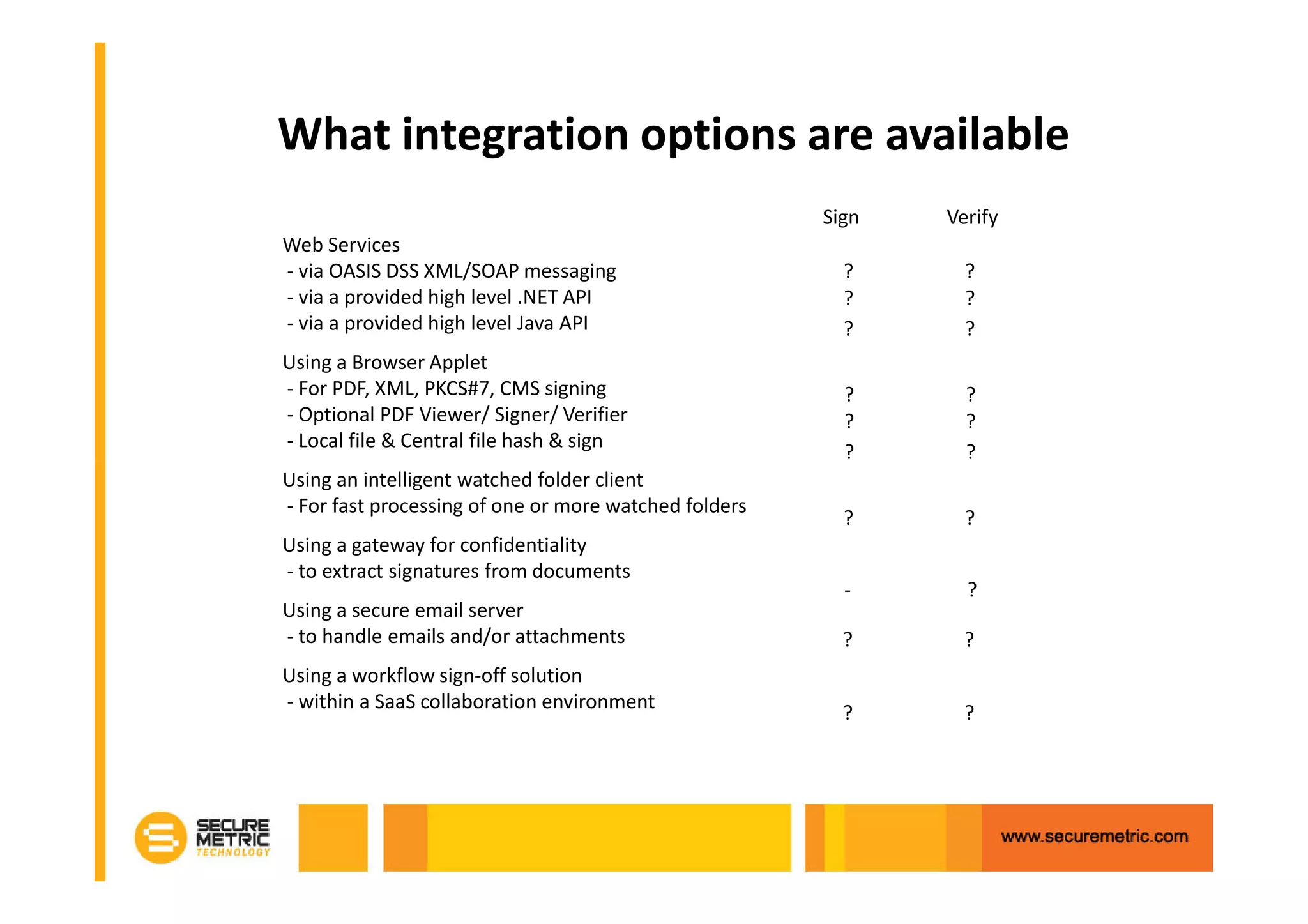
What integration options are available
                                                       Sign   Verify
Web Services
- via OASIS DSS XML/SOAP messaging                       ?      ?
- via a provided high level .NET API                     ?      ?
- via a provided high level Java API                     ?      ?
Using a Browser Applet
- For PDF, XML, PKCS#7, CMS signing                      ?      ?
- Optional PDF Viewer/ Signer/ Verifier                  ?      ?
- Local file & Central file hash & sign
                                                         ?      ?
Using an intelligent watched folder client
- For fast processing of one or more watched folders
                                                         ?      ?
Using a gateway for confidentiality
- to extract signatures from documents
                                                         -      ?
Using a secure email server
- to handle emails and/or attachments                    ?      ?
Using a workflow sign-off solution
- within a SaaS collaboration environment
                                                         ?      ?
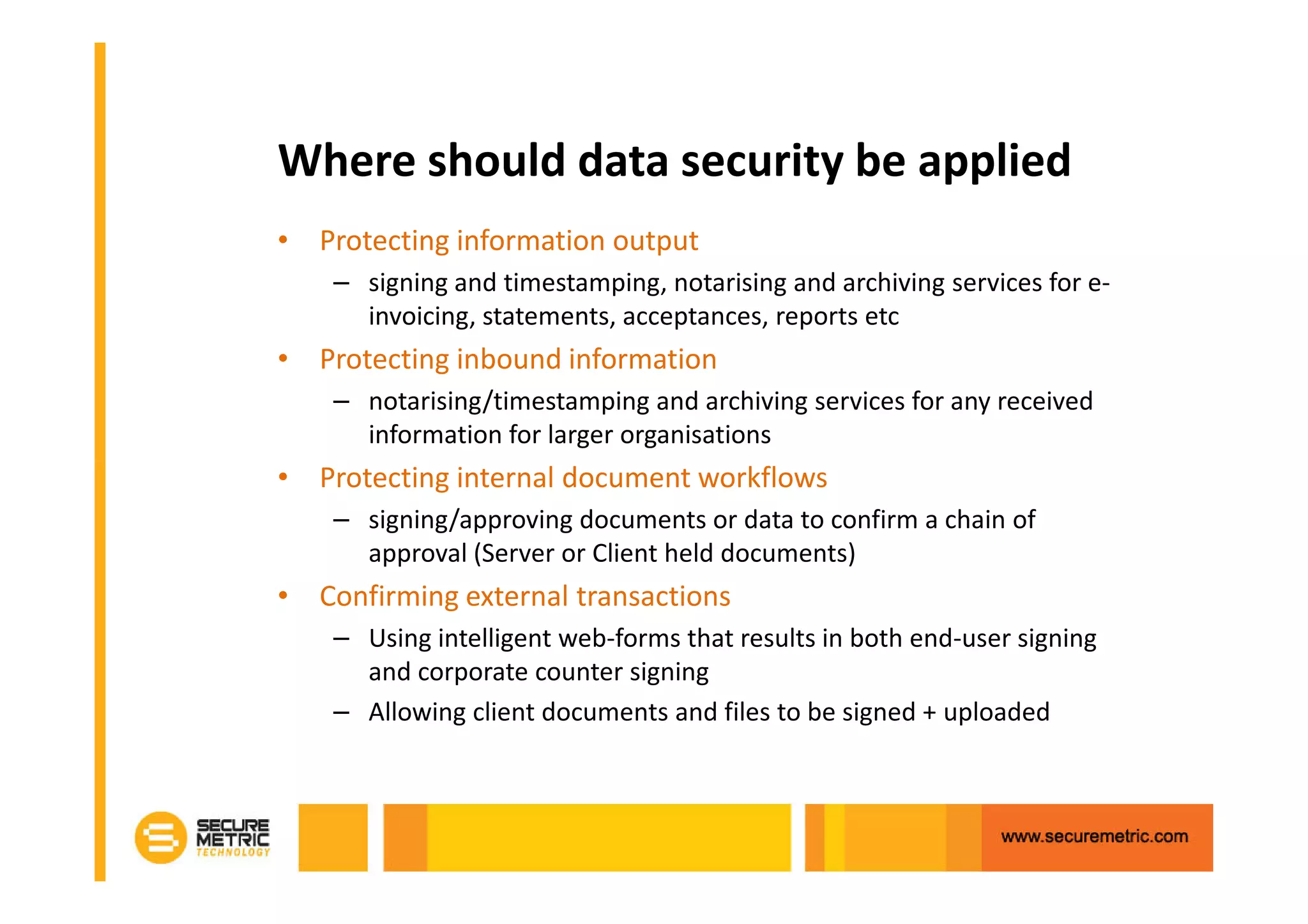
Where should data security be applied
• Protecting information output
    – signing and timestamping, notarising and archiving services for e-
      invoicing, statements, acceptances, reports etc
• Protecting inbound information
    – notarising/timestamping and archiving services for any received
      information for larger organisations
• Protecting internal document workflows
    – signing/approving documents or data to confirm a chain of
      approval (Server or Client held documents)
• Confirming external transactions
    – Using intelligent web-forms that results in both end-user signing
      and corporate counter signing
    – Allowing client documents and files to be signed + uploaded
PDF Options Explored
• PDF provides a strong format for e-business
    –   World-wide use - since 1993
    –   A de facto standard for web documents,
    –   A royalty-free specification - anyone can build PDF solutions
    –   Freely available Reader software for anyone to use
    –   A variety of other desktop, Java applet and server products
• Now standardised
    – As ISO standard 32000-1:2008
    – As PDF/A ISO 19005-1:2005
• Platform independent
    – displays documents in consistent way regardless of software,
      operating system or hardware specifications
• Good security features
    – including digital signatures, rights management and encryption
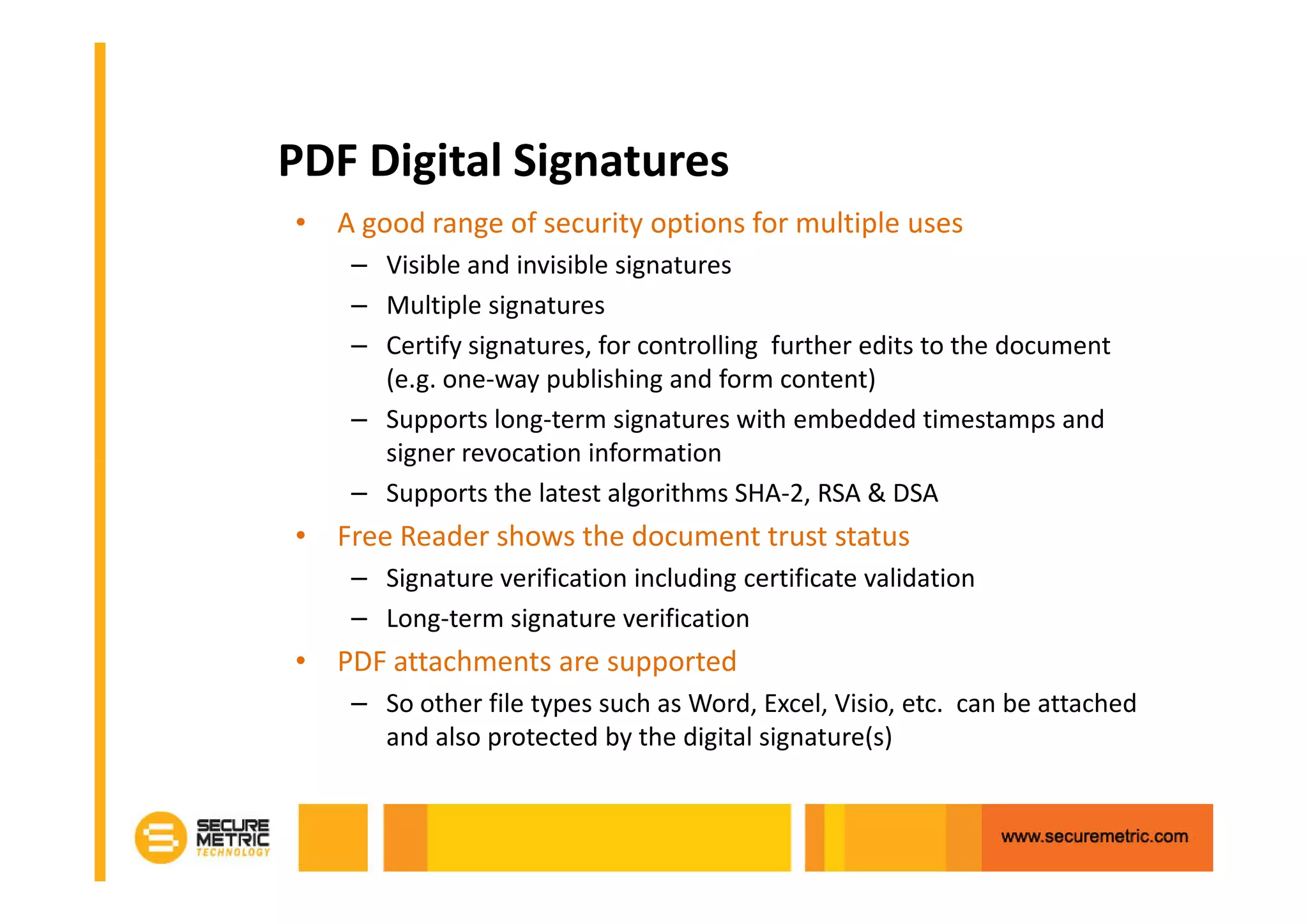
PDF Digital Signatures
• A good range of security options for multiple uses
    – Visible and invisible signatures
    – Multiple signatures
    – Certify signatures, for controlling further edits to the document
      (e.g. one-way publishing and form content)
    – Supports long-term signatures with embedded timestamps and
      signer revocation information
    – Supports the latest algorithms SHA-2, RSA & DSA
• Free Reader shows the document trust status
    – Signature verification including certificate validation
    – Long-term signature verification
• PDF attachments are supported
    – So other file types such as Word, Excel, Visio, etc. can be attached
      and also protected by the digital signature(s)
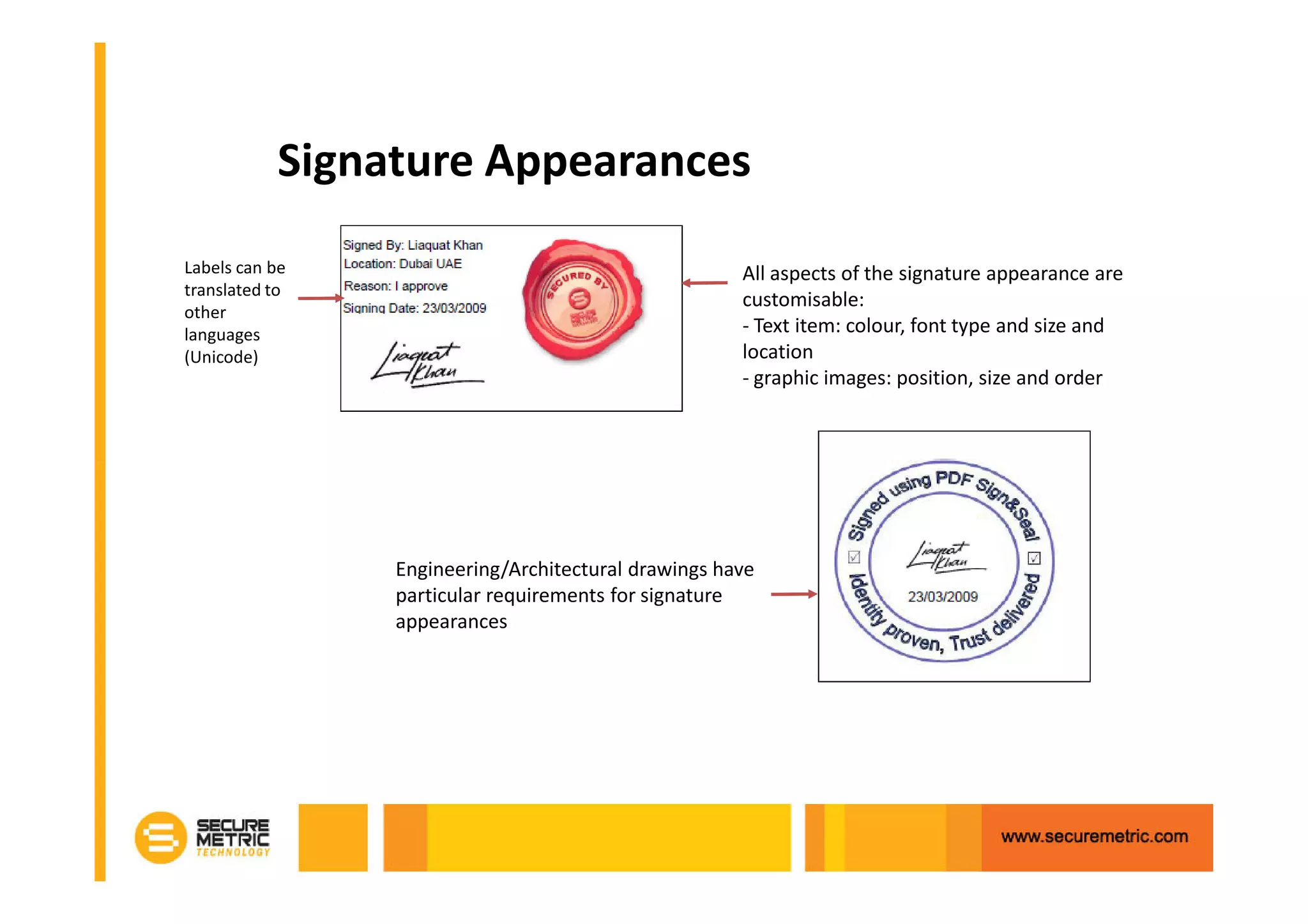
Signature Appearances
Labels can be                                        All aspects of the signature appearance are
translated to
                                                     customisable:
other
languages                                            - Text item: colour, font type and size and
(Unicode)                                            location
                                                     - graphic images: position, size and order


                Engineering/Architectural drawings have
                particular requirements for signature
                appearances
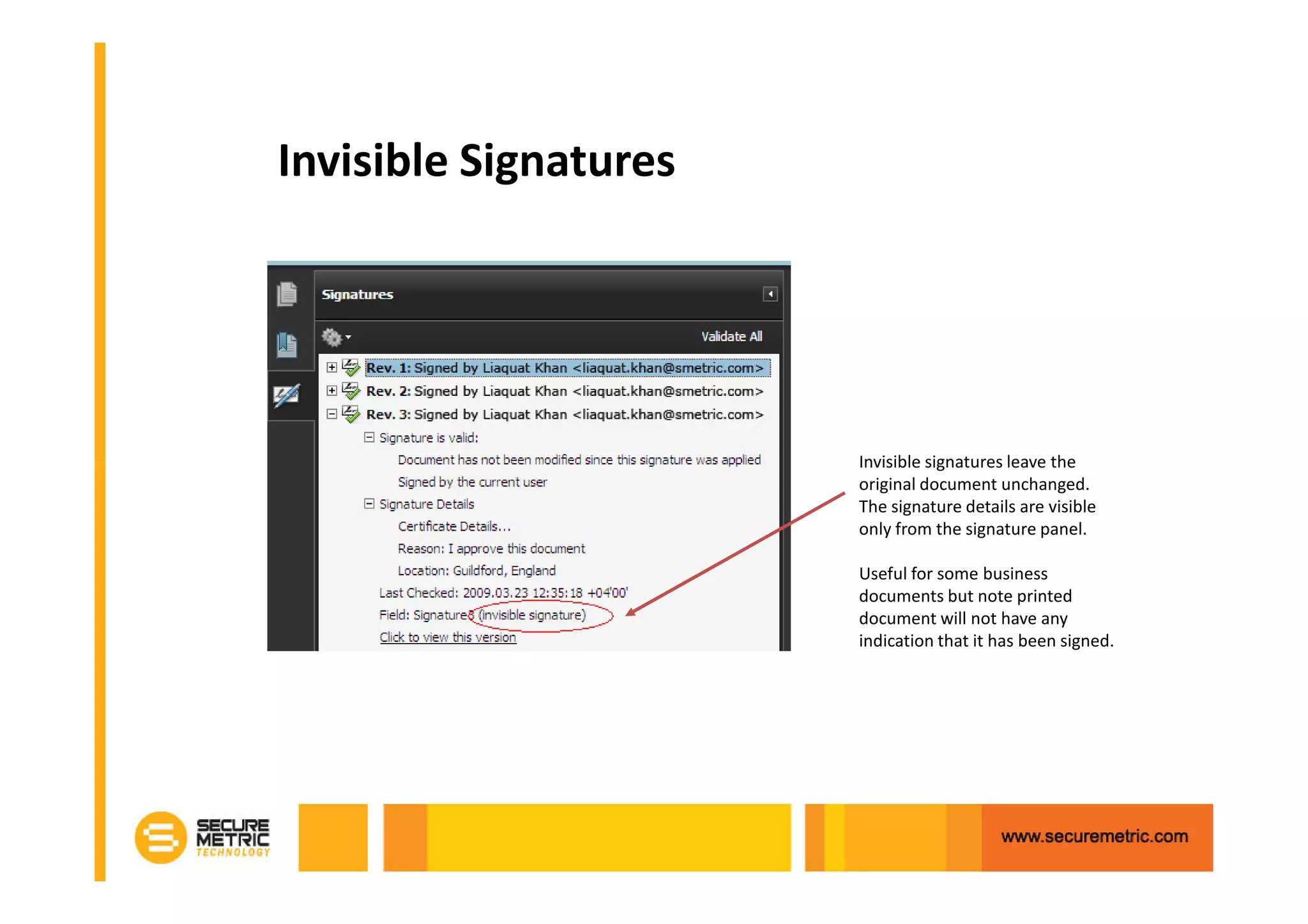
Invisible Signatures


                       Invisible signatures leave the
                       original document unchanged.
                       The signature details are visible
                       only from the signature panel.

                       Useful for some business
                       documents but note printed
                       document will not have any
                       indication that it has been signed.
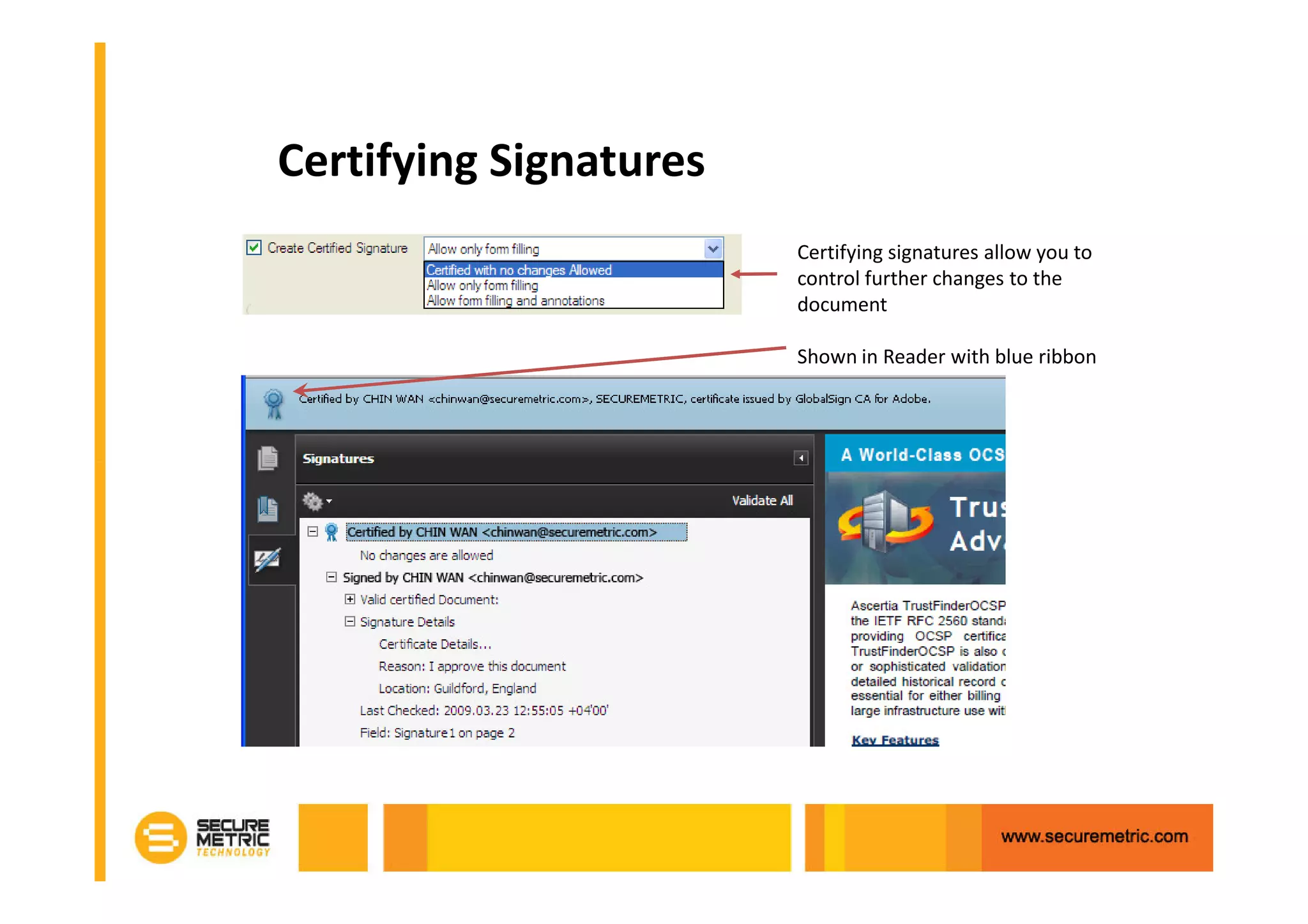
Certifying Signatures
                        Certifying signatures allow you to
                        control further changes to the
                        document

                        Shown in Reader with blue ribbon
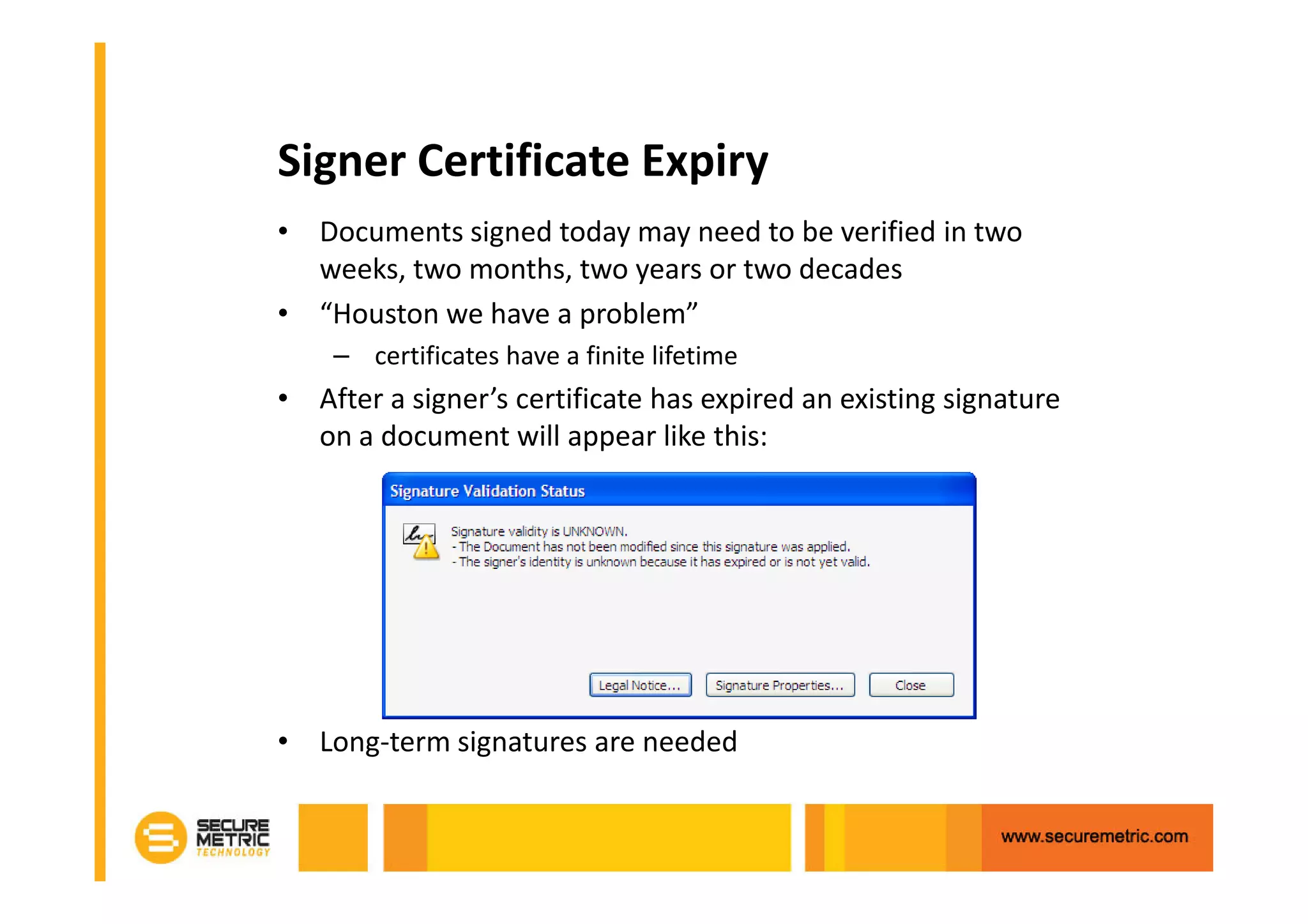
Signer Certificate Expiry
• Documents signed today may need to be verified in two
  weeks, two months, two years or two decades
• “Houston we have a problem”
    – certificates have a finite lifetime
• After a signer’s certificate has expired an existing signature
  on a document will appear like this:


• Long-term signatures are needed
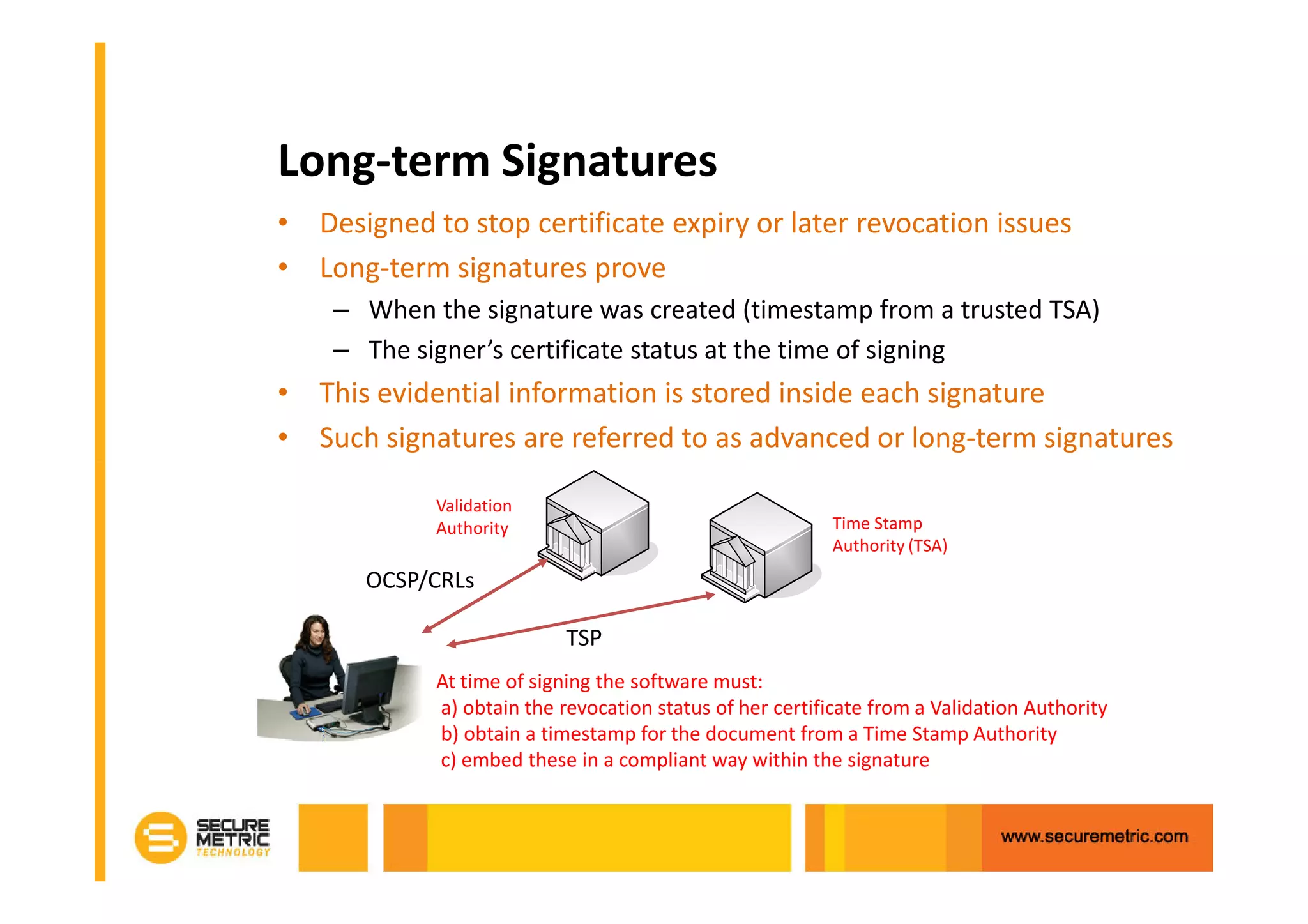
Long-term Signatures
• Designed to stop certificate expiry or later revocation issues
• Long-term signatures prove
    – When the signature was created (timestamp from a trusted TSA)
    – The signer’s certificate status at the time of signing
• This evidential information is stored inside each signature
• Such signatures are referred to as advanced or long-term signatures

            Validation
            Authority                                     Time Stamp
                                                          Authority (TSA)
       OCSP/CRLs

                           TSP
            At time of signing the software must:
            a) obtain the revocation status of her certificate from a Validation Authority
            b) obtain a timestamp for the document from a Time Stamp Authority
            c) embed these in a compliant way within the signature
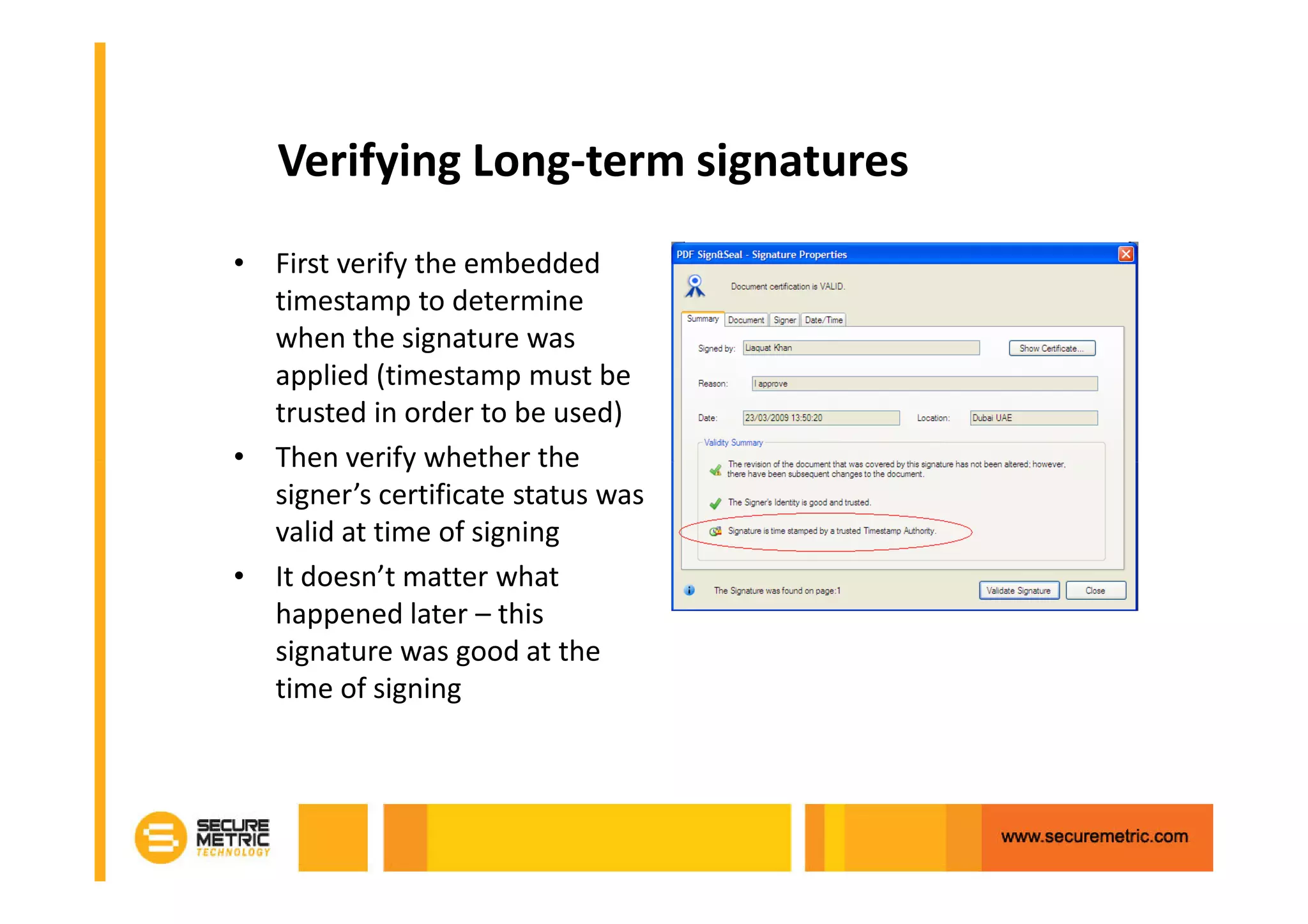
Verifying Long-term signatures
• First verify the embedded
  timestamp to determine
  when the signature was
  applied (timestamp must be
  trusted in order to be used)
• Then verify whether the
  signer’s certificate status was
  valid at time of signing
• It doesn’t matter what
  happened later – this
  signature was good at the
  time of signing
Server-side Signatures
• Server functions
    – Hashing and signing
    – Secure management of the keys (optional HSM)
• Signer should authorise key use before signing
    – passwords, biometrics, OTPs, two factor
• Where is the document to sign?
    – May be on the server or may uploading from desktop
    – Signer should be able to see it before and after signing
    – Signer should be allowed to save the data locally
Conclusions
• Long-term signatures are strongly recommended
    – for any serious business documents or data so that verification can
      be done offline or without reference to online systems
• For historic verification of basic signatures
    – an online verification service with access to old CRL data is
      required
• Long-term evidence archiving may be needed
    – for long-lived documents even with a long-term signature!
• The document format, signature format and algorithms and key
  lengths need to be carefully considered
• A flexible, well managed security solution is needed that
  ensures investment protection
Summary
•Reduced paper storage

•Improved retrieval time

•Saves paper, printer and toner costs

•Improved staff productivity

•Improved disaster recovery

•Reduce Fraud with PKI

•Meet Legislative Requirements
Formula for Strong Digital Security
 sales@securemetric.com   www.securemetric.com


Questions:
Chin Wan Lim
H     : +6 016 261 8925
O     : +6 03 8996 8225
chinwan@securemetric.com

Utilizing PKI to Reduce Risk & Cost

  • 1.
    Utilizing PKI toReduce Business Risks and Costs May 2011 Lim Chin Wan
  • 2.
  • 3.
  • 4.
    1 tree makes16.67 reams of copy paper or 8,333.3 sheets
  • 5.
  • 6.
  • 7.
    THE ENEMY –PAPER CHASE •Offices with only 11% of their documents in paper spends less than 10 minutes a day locating information! •However, offices with 52% documents in paper spends more than 2 hours a day locating information! •For every paper document: • 19 copies are made • 1 out of 20 are lost • 150 hours/year lost looking for incorrectly filed documents • 25 hours are spent recreating documents •IDC reported an enterprise with 1,000 Information Workers spend an average of 3 hours a week recreating content which is an average cost per worker per week of $87 and $4,501 for a year. This adds up to a staggering $4,500,600 spent annually. TIME LOST CANNOT BE REGAINED!
  • 8.
    THAT IS ALOT OF WASTAGE!
  • 9.
  • 10.
  • 11.
    The Traditional PaperApproach • Agreements, contracts, application forms etc. – all written on paper • Authenticity – achieved using hand signatures • Confidentiality – achieved using sealed envelopes, couriers etc.
  • 12.
    Problems with TheTraditional Approach • It takes / wastes a lot of time – Preparing paper – Sending paper to various people – Checking it has all arrived • Document Amendments – Resource intensive – Error prone • A False Sense of Security – Documents can be tampered – Signatures can be copied / forged – It is easy to make mistakes – And what about archiving the paper?
  • 13.
    Problems with Archiving •Paper Archive issues – Expensive – Searching & retrieving is not easy – Misfiling is easy – Disaster recovery is even more expensive • Image Archive – Still expensive – Indexing errors – Large file sizes
  • 14.
    Cost estimates • Howexpensive is paper? – Printing: $0.02/page – Transportation: expensive! with prices varying depending on method (courier, postage, fax, etc.) – Scanning: $0.05/page + $15/hour for operator cost – Archiving: $0.02/page + $15/hour for operator cost This is substantial for a large organisation • E-documents avoid these costs but require: – Strong user authentication so you can independently prove who signed, approved etc…both now and in the future – Strong data integrity so any changes to the document invalidate the digital signatures that can be applied
  • 15.
    From Paper toe-Documents The Risks of Simple Electronic Transactions: • “I did not authorise or send that report !” • “That information is not what I sent !” • “I sent the tender before the deadline not after!” • “I said BUY not SELL” • “Is this the final approved version?” • “Has anything changed?”
  • 16.
  • 17.
    Why are TrustServices Needed for e-Business? • To prevent fraud – Stop changes to final documents – Mandating sign-off and approval – Clearly identifying the author and approvers – Provide undeniable evidence • Meet legislative requirements – Enable legal acceptance of documents – Strengthen internal and external processes – Ensure traceability, audit and compliance • To enable cost savings and reduce risk – Reduced costs of paper, postage, handling, storage It must be easy to apply and manage these services
  • 18.
    One Ring toRule Them All…
  • 19.
    Digital Signatures ProvideTrust • The provide strong security: – Authenticity: a valid signature implies the signer deliberately signed the associated document – Non-Repudiation: the signer cannot deny having signed a document which has a valid signature – Data Integrity: to ensure the contents of the document have not been modified – Unique: the signature of the document cannot be used with another document – Unforgeable: only the signer can give a valid signature for the associated document • What’s else is required? – How can it be shown to be role or limit authorised? – How easy is it to sign and to verify and be understood?
  • 20.
    What to Considerin a Solution • A flexible yet easy to implement solution – Provide multiple signing and verification options – Support multiple platforms and languages (Java, .NET) – Provide flexible integration options (API, folders, email) – Handle multiple document types and signature formats to that future needs are covered • Provide effective management so business applications do not need to handle this – Manage all the signing keys and certificates – Manage HSMs and USB tokens and/or soft keys/certs – Manage detailed event and transactional logs to ensure traceability and accountability and reporting – Manage application authorisation for all actions – Provide security with separation from O/S admin staff
  • 21.
    A Typical BusinessSolution Architecture
  • 22.
    What security servicesare needed? Sign Verify PDF Documents - Basic signature (visible / invisible) ? ? - Certify Sign ? ? - PAdES basic, timestamp & Long-term signatures ? ? XML Documents - XML DSig (XAdES ES) ? ? - Timestamps (XAdES ES-T) ? ? - Long-term signatures (XAdES X, X-Long) ? ? - Explicit Policy and Archive (-EPES, ES–A) ? ? PKCS#7 / CMS / SMIME - Basic signature (CAdES ES) ? ? - Timestamps (CAdES ES-T) - Long-term signatures (CAdES X, X-Long) ? ? ? ? - Explicit Policy and Archive (-EPES, ES–A) ? ? Historic Verification OCSP Validation (immediate verify & long term sign) - ? Time Stamp Authority (TSA) Server ? ? ? ? You only need license and use what is needed today
  • 23.
    What integration optionsare available Sign Verify Web Services - via OASIS DSS XML/SOAP messaging ? ? - via a provided high level .NET API ? ? - via a provided high level Java API ? ? Using a Browser Applet - For PDF, XML, PKCS#7, CMS signing ? ? - Optional PDF Viewer/ Signer/ Verifier ? ? - Local file & Central file hash & sign ? ? Using an intelligent watched folder client - For fast processing of one or more watched folders ? ? Using a gateway for confidentiality - to extract signatures from documents - ? Using a secure email server - to handle emails and/or attachments ? ? Using a workflow sign-off solution - within a SaaS collaboration environment ? ?
  • 24.
    Where should datasecurity be applied • Protecting information output – signing and timestamping, notarising and archiving services for e- invoicing, statements, acceptances, reports etc • Protecting inbound information – notarising/timestamping and archiving services for any received information for larger organisations • Protecting internal document workflows – signing/approving documents or data to confirm a chain of approval (Server or Client held documents) • Confirming external transactions – Using intelligent web-forms that results in both end-user signing and corporate counter signing – Allowing client documents and files to be signed + uploaded
  • 25.
    PDF Options Explored •PDF provides a strong format for e-business – World-wide use - since 1993 – A de facto standard for web documents, – A royalty-free specification - anyone can build PDF solutions – Freely available Reader software for anyone to use – A variety of other desktop, Java applet and server products • Now standardised – As ISO standard 32000-1:2008 – As PDF/A ISO 19005-1:2005 • Platform independent – displays documents in consistent way regardless of software, operating system or hardware specifications • Good security features – including digital signatures, rights management and encryption
  • 26.
    PDF Digital Signatures •A good range of security options for multiple uses – Visible and invisible signatures – Multiple signatures – Certify signatures, for controlling further edits to the document (e.g. one-way publishing and form content) – Supports long-term signatures with embedded timestamps and signer revocation information – Supports the latest algorithms SHA-2, RSA & DSA • Free Reader shows the document trust status – Signature verification including certificate validation – Long-term signature verification • PDF attachments are supported – So other file types such as Word, Excel, Visio, etc. can be attached and also protected by the digital signature(s)
  • 27.
    Signature Appearances Labels canbe All aspects of the signature appearance are translated to customisable: other languages - Text item: colour, font type and size and (Unicode) location - graphic images: position, size and order Engineering/Architectural drawings have particular requirements for signature appearances
  • 28.
    Invisible Signatures Invisible signatures leave the original document unchanged. The signature details are visible only from the signature panel. Useful for some business documents but note printed document will not have any indication that it has been signed.
  • 29.
    Certifying Signatures Certifying signatures allow you to control further changes to the document Shown in Reader with blue ribbon
  • 30.
    Signer Certificate Expiry •Documents signed today may need to be verified in two weeks, two months, two years or two decades • “Houston we have a problem” – certificates have a finite lifetime • After a signer’s certificate has expired an existing signature on a document will appear like this: • Long-term signatures are needed
  • 32.
    Long-term Signatures • Designedto stop certificate expiry or later revocation issues • Long-term signatures prove – When the signature was created (timestamp from a trusted TSA) – The signer’s certificate status at the time of signing • This evidential information is stored inside each signature • Such signatures are referred to as advanced or long-term signatures Validation Authority Time Stamp Authority (TSA) OCSP/CRLs TSP At time of signing the software must: a) obtain the revocation status of her certificate from a Validation Authority b) obtain a timestamp for the document from a Time Stamp Authority c) embed these in a compliant way within the signature
  • 33.
    Verifying Long-term signatures •First verify the embedded timestamp to determine when the signature was applied (timestamp must be trusted in order to be used) • Then verify whether the signer’s certificate status was valid at time of signing • It doesn’t matter what happened later – this signature was good at the time of signing
  • 34.
    Server-side Signatures • Serverfunctions – Hashing and signing – Secure management of the keys (optional HSM) • Signer should authorise key use before signing – passwords, biometrics, OTPs, two factor • Where is the document to sign? – May be on the server or may uploading from desktop – Signer should be able to see it before and after signing – Signer should be allowed to save the data locally
  • 35.
    Conclusions • Long-term signaturesare strongly recommended – for any serious business documents or data so that verification can be done offline or without reference to online systems • For historic verification of basic signatures – an online verification service with access to old CRL data is required • Long-term evidence archiving may be needed – for long-lived documents even with a long-term signature! • The document format, signature format and algorithms and key lengths need to be carefully considered • A flexible, well managed security solution is needed that ensures investment protection
  • 36.
    Summary •Reduced paper storage •Improvedretrieval time •Saves paper, printer and toner costs •Improved staff productivity •Improved disaster recovery •Reduce Fraud with PKI •Meet Legislative Requirements
  • 37.
    Formula for StrongDigital Security sales@securemetric.com www.securemetric.com Questions: Chin Wan Lim H : +6 016 261 8925 O : +6 03 8996 8225 chinwan@securemetric.com