VMware Overview
Gomaa.Ghoneem@act.eg
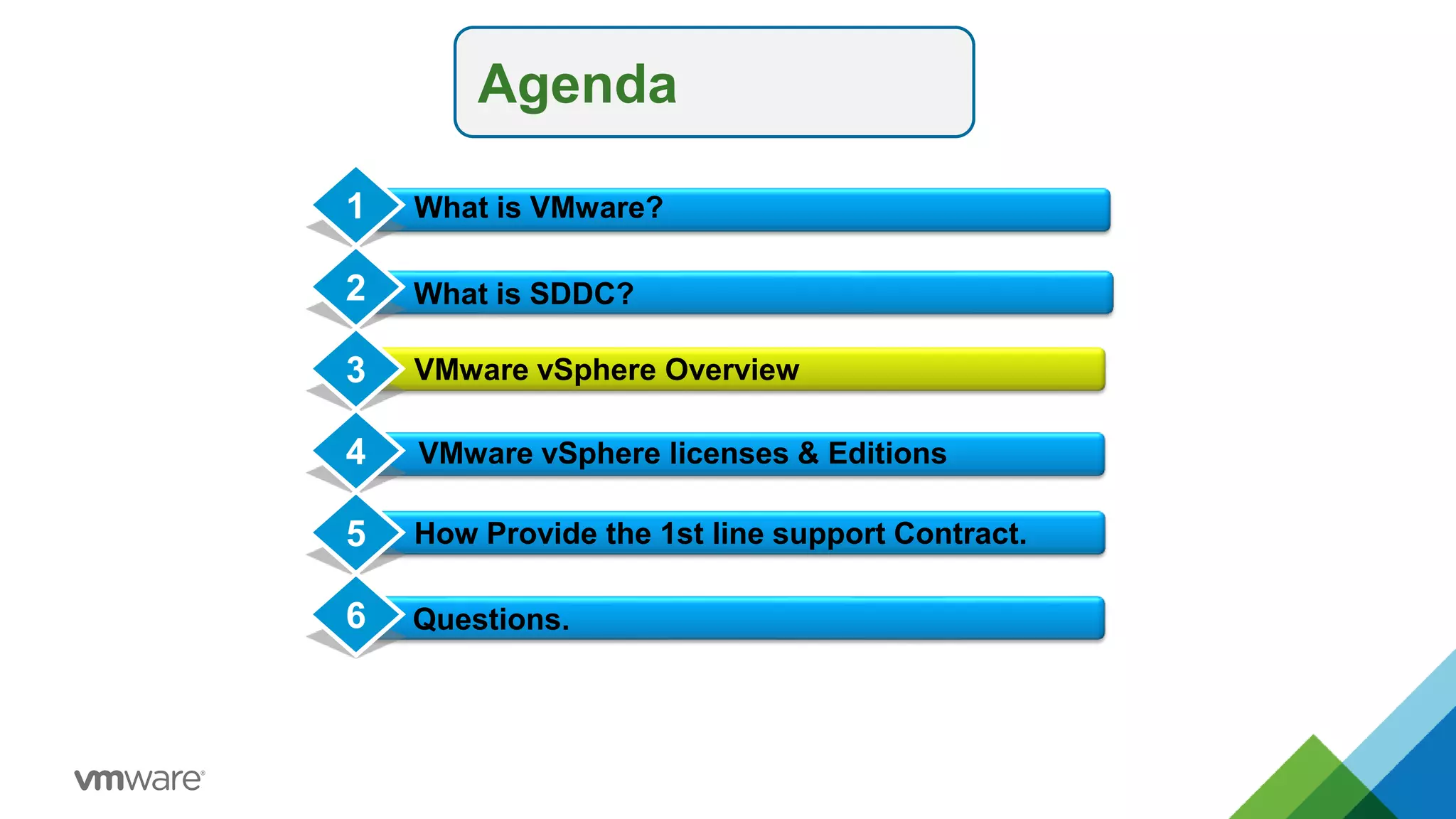
Agenda
What is SDDC?
VMware vSphere Overview
Conclusion
1
2
3
4 VMware vSphere licenses & Editions
What is VMware?
How Provide the 1st line support Contract.
5
Questions.
6
Agenda
What is SDDC?
VMware vSphere Overview
Conclusion
1
2
3
4 VMware vSphere licenses & Editions
What is VMware?
How Provide the 1st line support Contract.
5
Questions.
6
Agenda
What is SDDC?
VMware vSphere Overview
Conclusion
1
2
3
4 VMware vSphere licenses & Editions
What is VMware?
How Provide the 1st line support Contract.
5
Questions.
6
5
Agenda
What is SDDC?
VMware vSphere Overview
Conclusion
1
2
3
4 VMware vSphere licenses & Editions
What is VMware?
How Provide the 1st line support Contract.
5
Questions.
6
VMware vSphere ESXi
© 2015 VMware Inc. All rights reserved.
VMware vSphere: Install, Configure, Manage – Prerelease 2-8
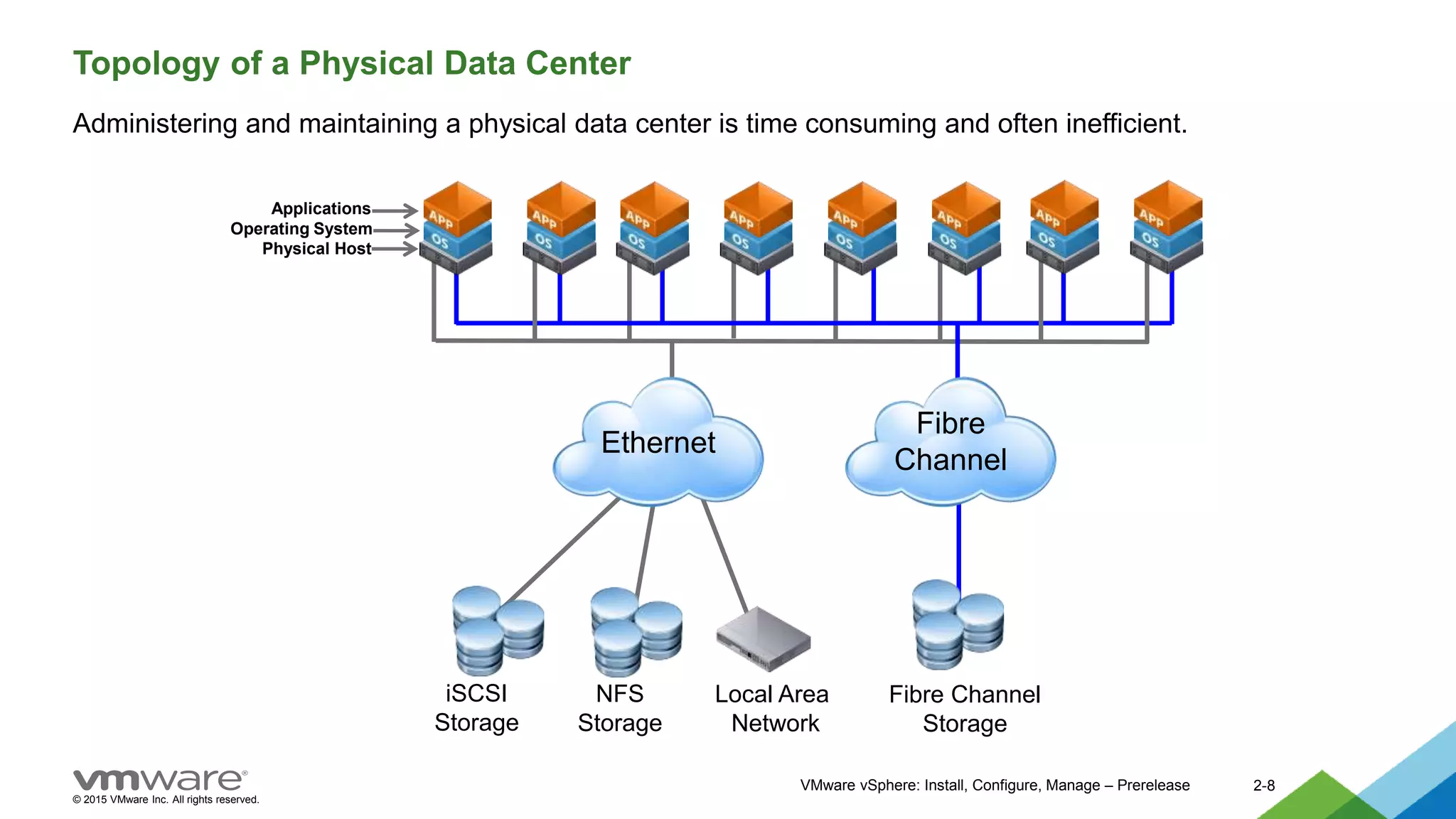
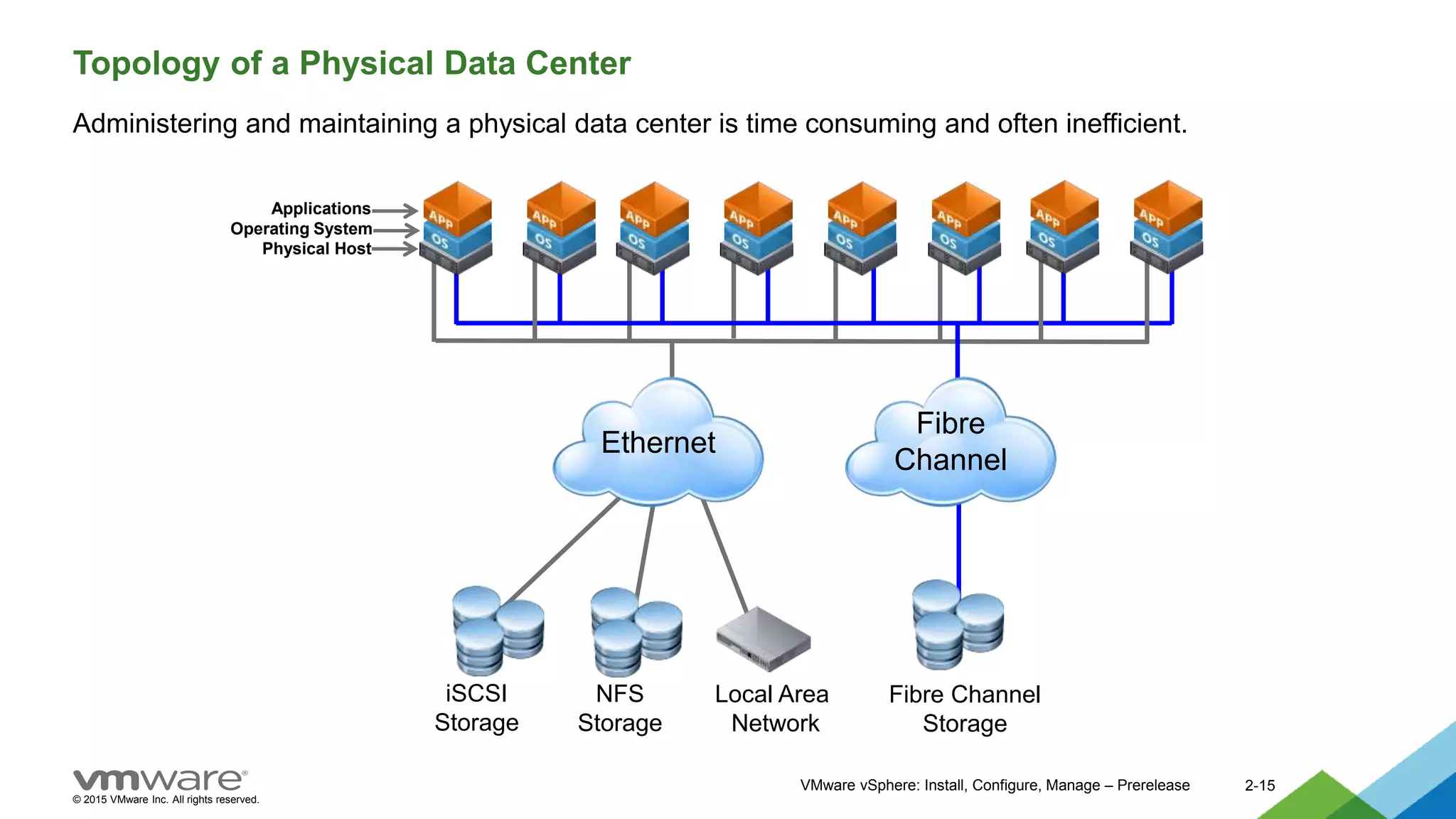
Topology of a Physical Data Center
Administering and maintaining a physical data center is time consuming and often inefficient.
Fibre Channel
Storage
Fibre
Channel
Ethernet
NFS
Storage
iSCSI
Storage
Local Area
Network
Applications
Operating System
Physical Host
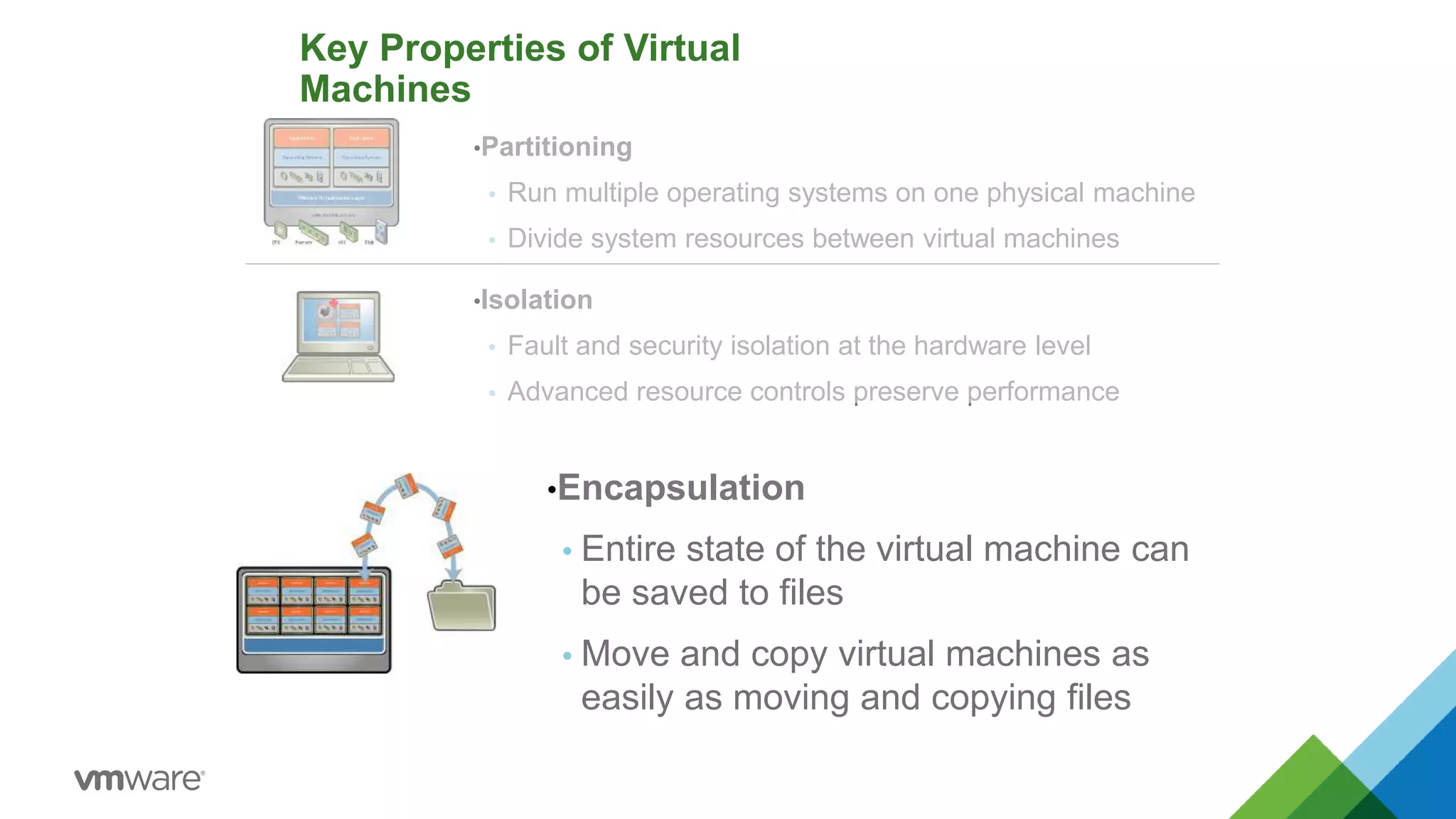
Key Properties of Virtual
Machines
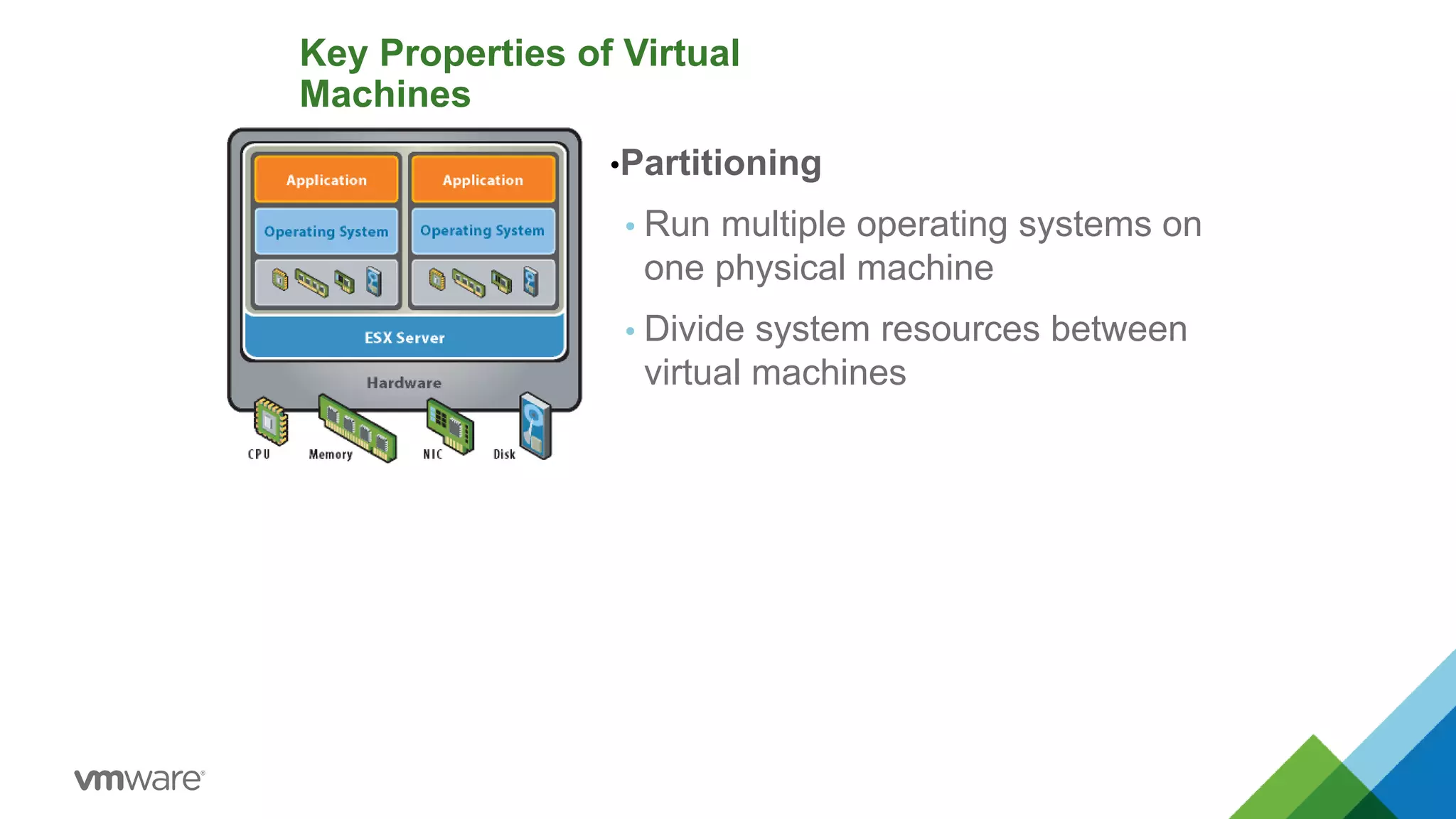
•Partitioning
 Run multiple operating systems on
one physical machine
 Divide system resources between
virtual machines
•Partitioning
 Run multiple operating systems on one physical machine
 Divide system resources between virtual machines
Key Properties of Virtual
Machines
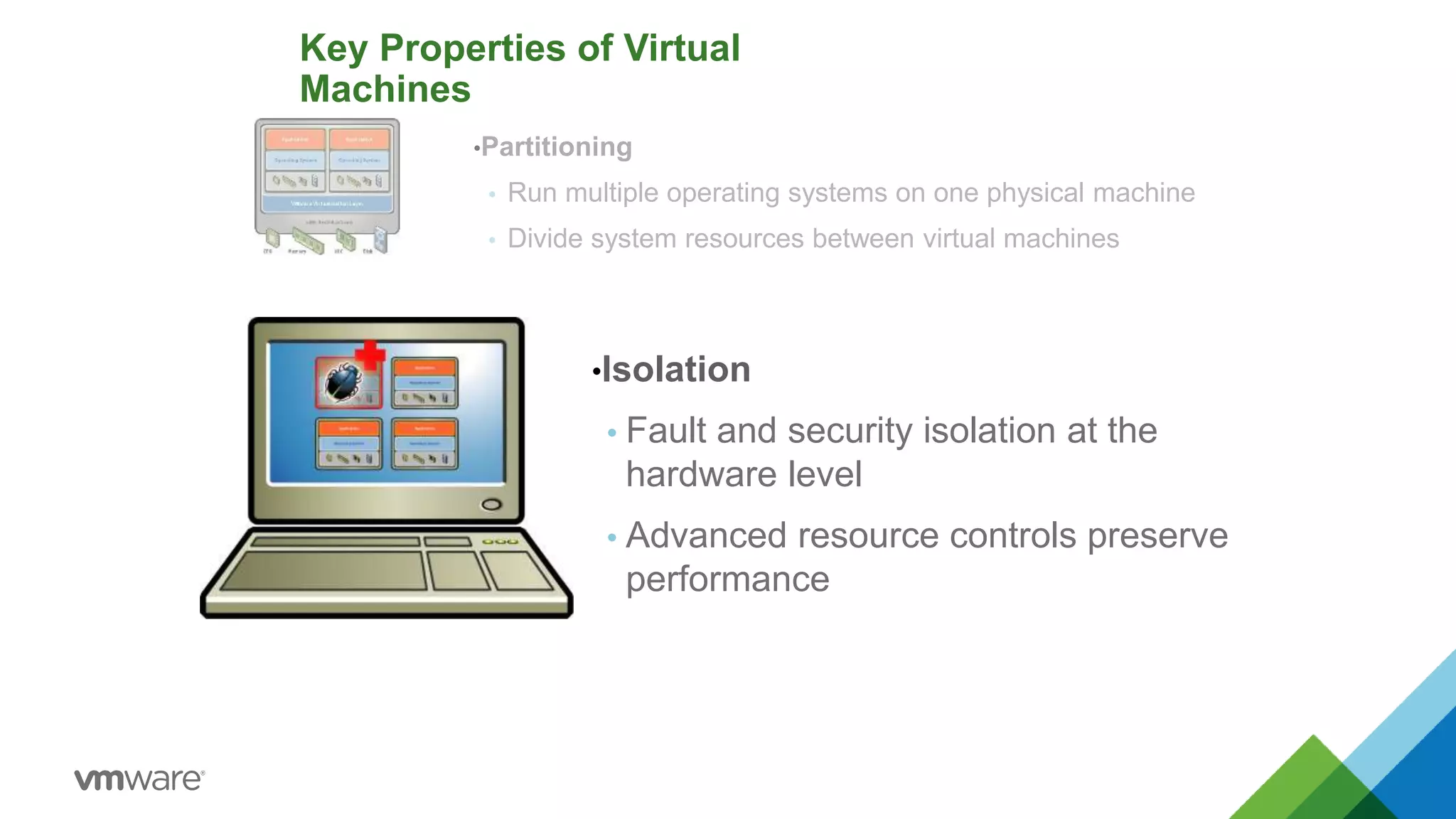
•Isolation
 Fault and security isolation at the
hardware level
 Advanced resource controls preserve
performance
Key Properties of Virtual
Machines
•Partitioning
 Run multiple operating systems on one physical machine
 Divide system resources between virtual machines
•Isolation
 Fault and security isolation at the hardware level
 Advanced resource controls preserve performance
•Encapsulation
 Entire state of the virtual machine can
be saved to files
 Move and copy virtual machines as
easily as moving and copying files
•Encapsulation
 Entire state of the virtual machine can be saved to files
 Move and copy virtual machines as easily as moving and
copying files
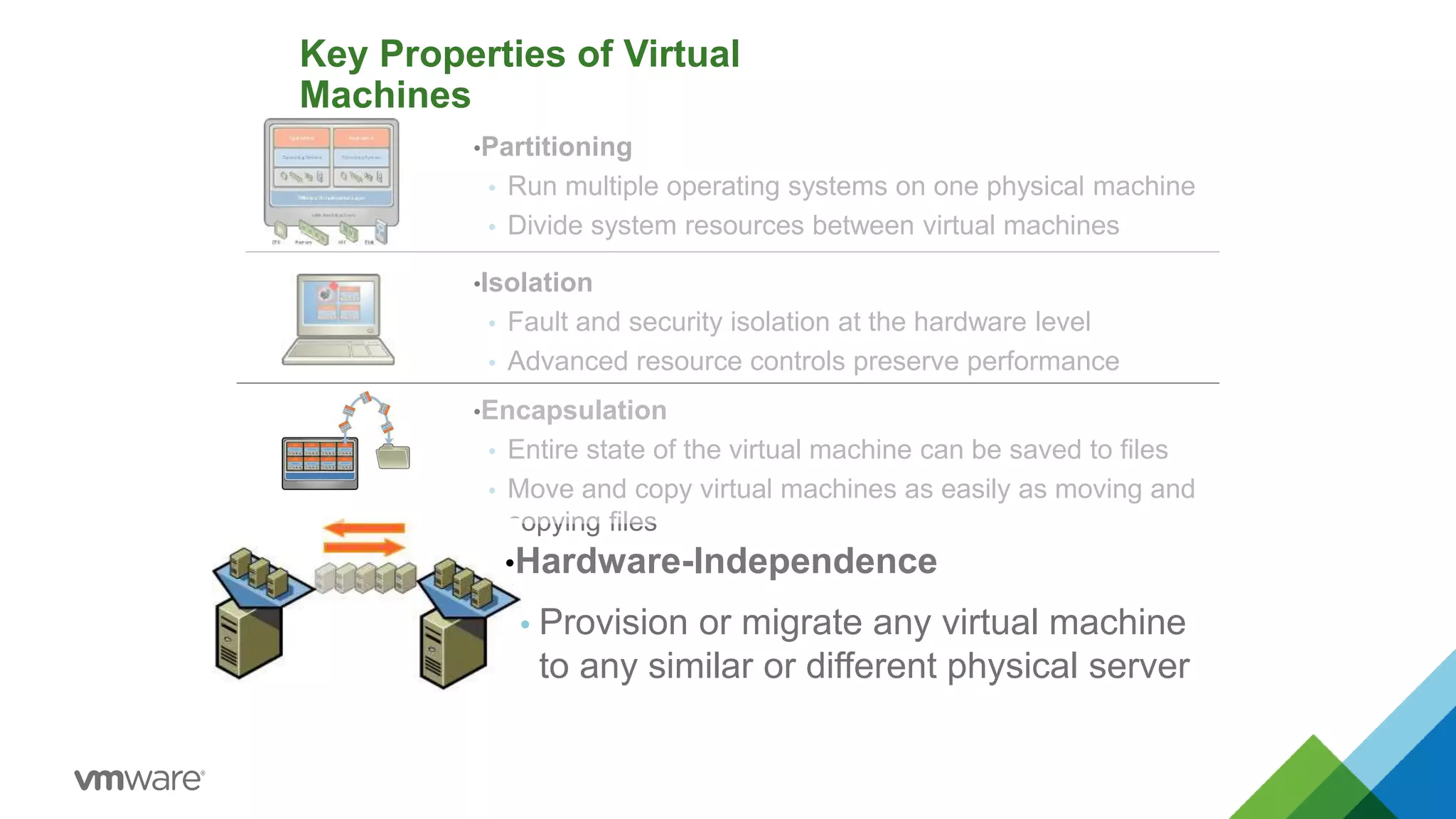
Key Properties of Virtual
Machines
•Partitioning
 Run multiple operating systems on one physical machine
 Divide system resources between virtual machines
•Isolation
 Fault and security isolation at the hardware level
 Advanced resource controls preserve performance
•Hardware-Independence
 Provision or migrate any virtual machine
to any similar or different physical server
© 2015 VMware Inc. All rights reserved.
VMware vSphere: Install, Configure, Manage – Prerelease 2-15
Topology of a Physical Data Center
Administering and maintaining a physical data center is time consuming and often inefficient.
Fibre Channel
Storage
Fibre
Channel
Ethernet
NFS
Storage
iSCSI
Storage
Local Area
Network
Applications
Operating System
Physical Host
© 2015 VMware Inc. All rights reserved.
VMware vSphere: Install, Configure, Manage – Prerelease 2-16
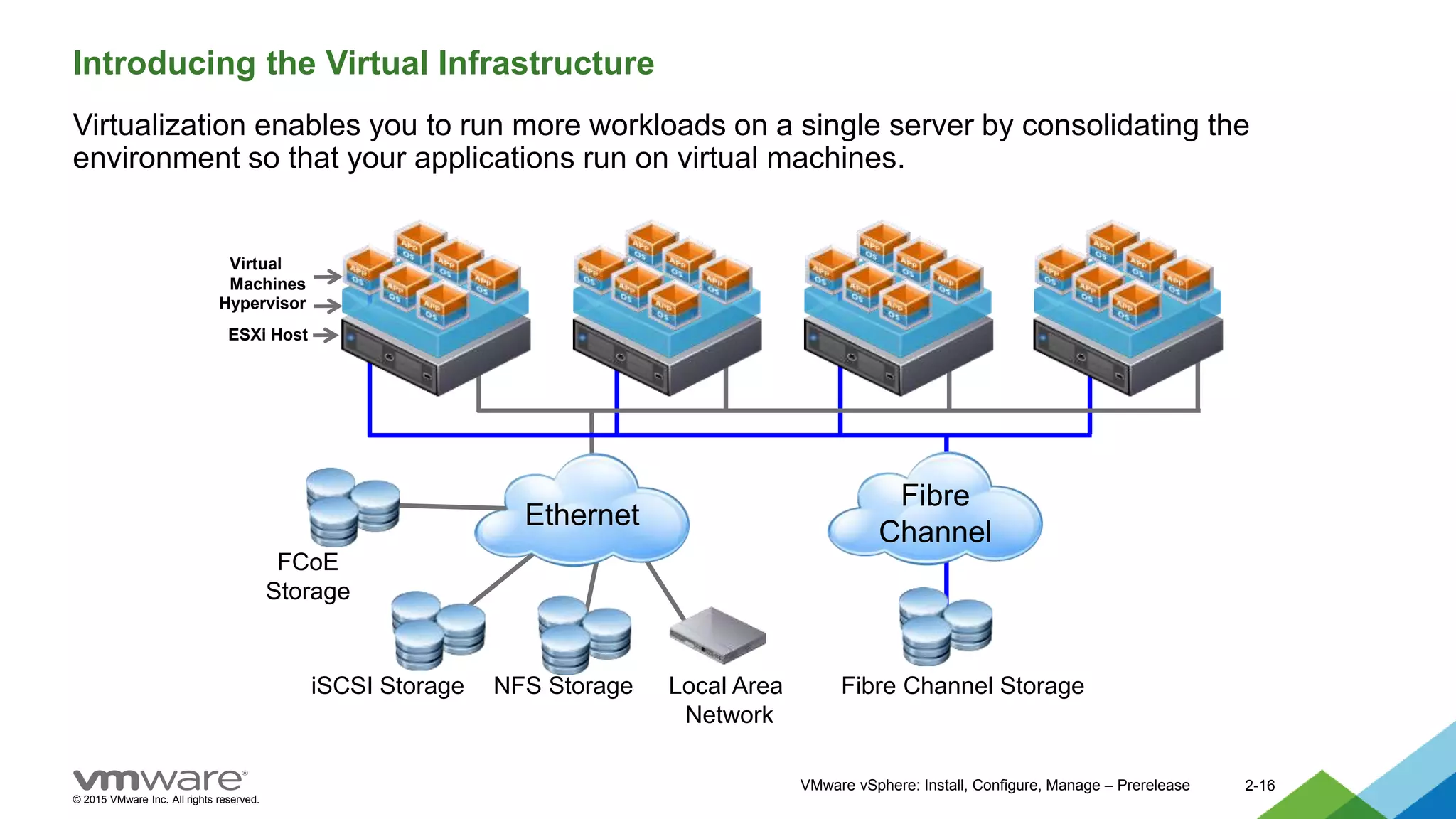
Introducing the Virtual Infrastructure
Virtualization enables you to run more workloads on a single server by consolidating the
environment so that your applications run on virtual machines.
Hypervisor
ESXi Host
Fibre
Channel
Fibre Channel Storage
Ethernet
NFS Storage
iSCSI Storage Local Area
Network
Virtual
Machines
FCoE
Storage
© 2015 VMware Inc. All rights reserved.
VMware vSphere: Install, Configure, Manage – Prerelease 2-17
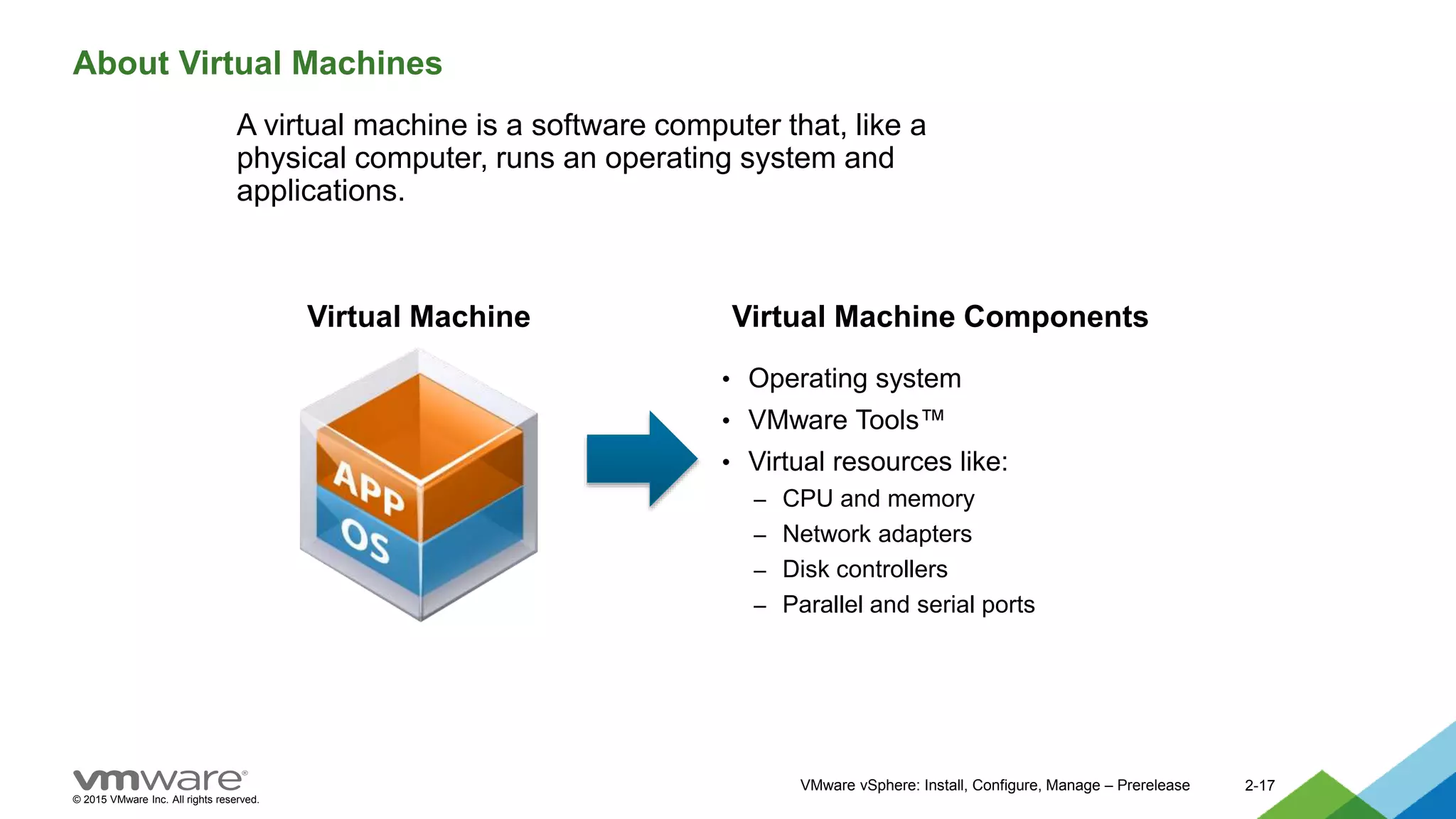
About Virtual Machines
A virtual machine is a software computer that, like a
physical computer, runs an operating system and
applications.
• Operating system
• VMware Tools™
• Virtual resources like:
– CPU and memory
– Network adapters
– Disk controllers
– Parallel and serial ports
Virtual Machine Virtual Machine Components
© 2015 VMware Inc. All rights reserved.
VMware vSphere: Install, Configure, Manage – Prerelease 2-18
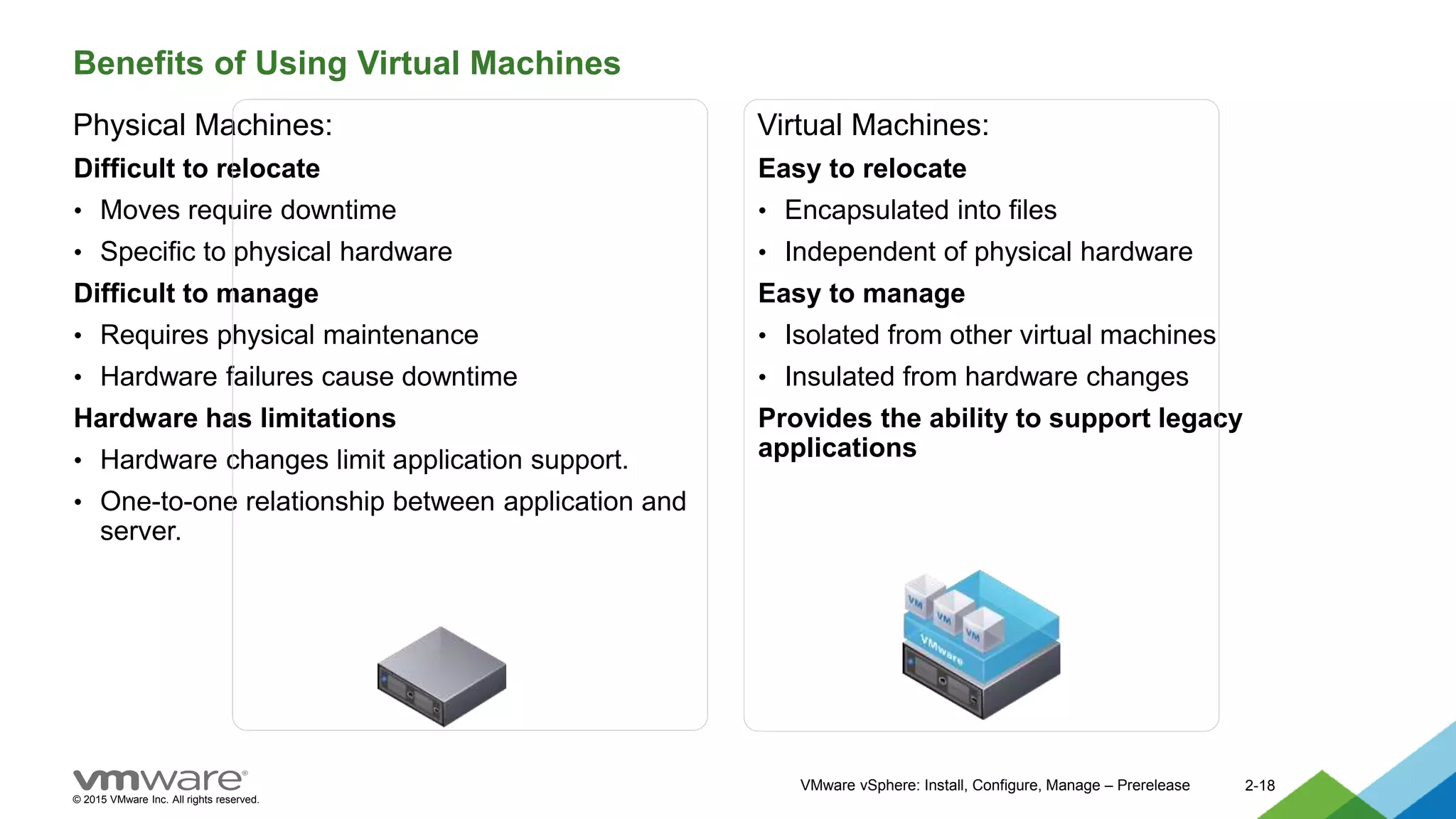
Benefits of Using Virtual Machines
Physical Machines:
Difficult to relocate
• Moves require downtime
• Specific to physical hardware
Difficult to manage
• Requires physical maintenance
• Hardware failures cause downtime
Hardware has limitations
• Hardware changes limit application support.
• One-to-one relationship between application and
server.
Virtual Machines:
Easy to relocate
• Encapsulated into files
• Independent of physical hardware
Easy to manage
• Isolated from other virtual machines
• Insulated from hardware changes
Provides the ability to support legacy
applications
© 2015 VMware Inc. All rights reserved.
VMware vSphere: Install, Configure, Manage – Prerelease 2-19
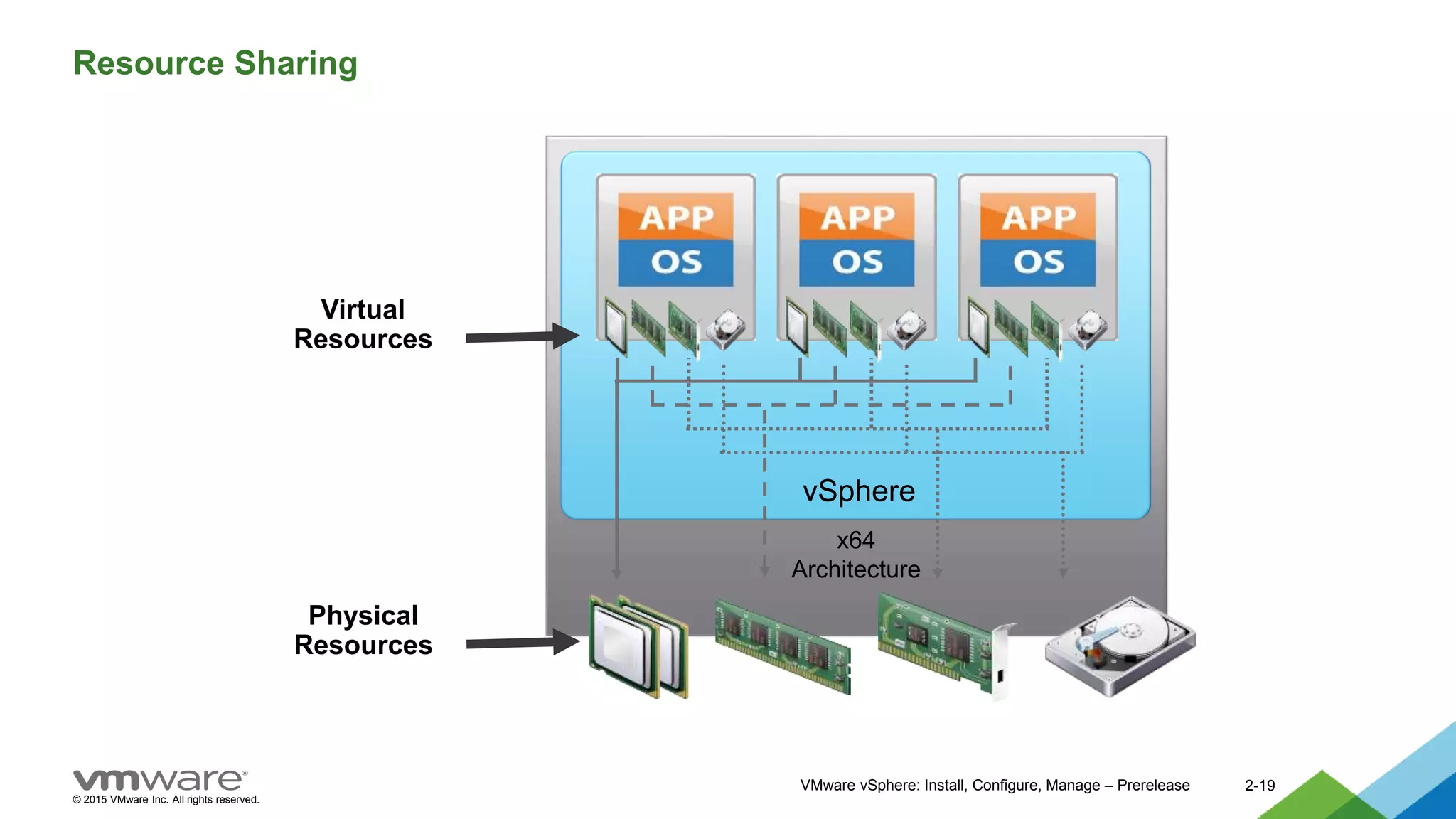
Resource Sharing
vSphere
x64
Architecture
Virtual
Resources
Physical
Resources
© 2015 VMware Inc. All rights reserved.
2-20
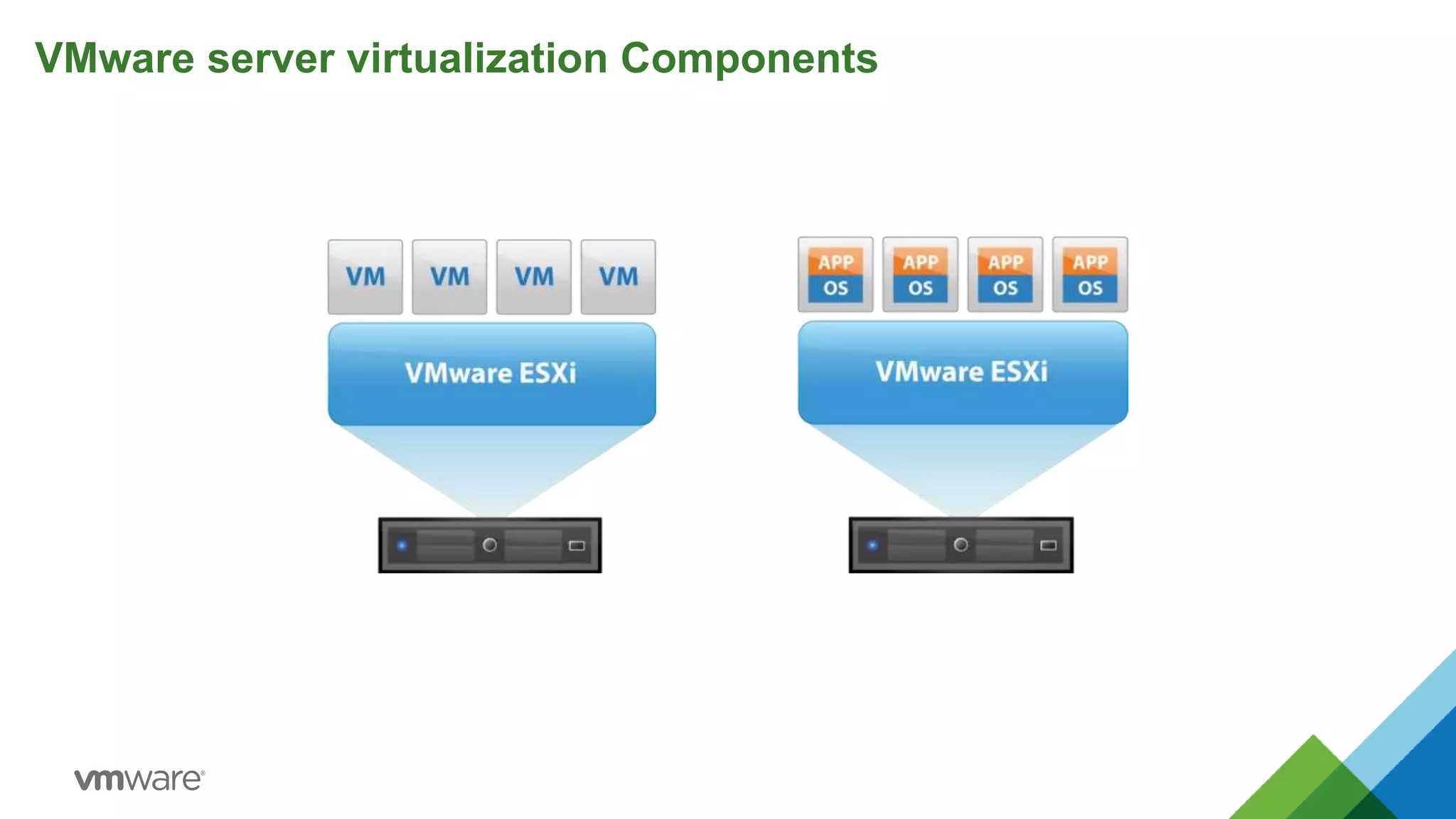
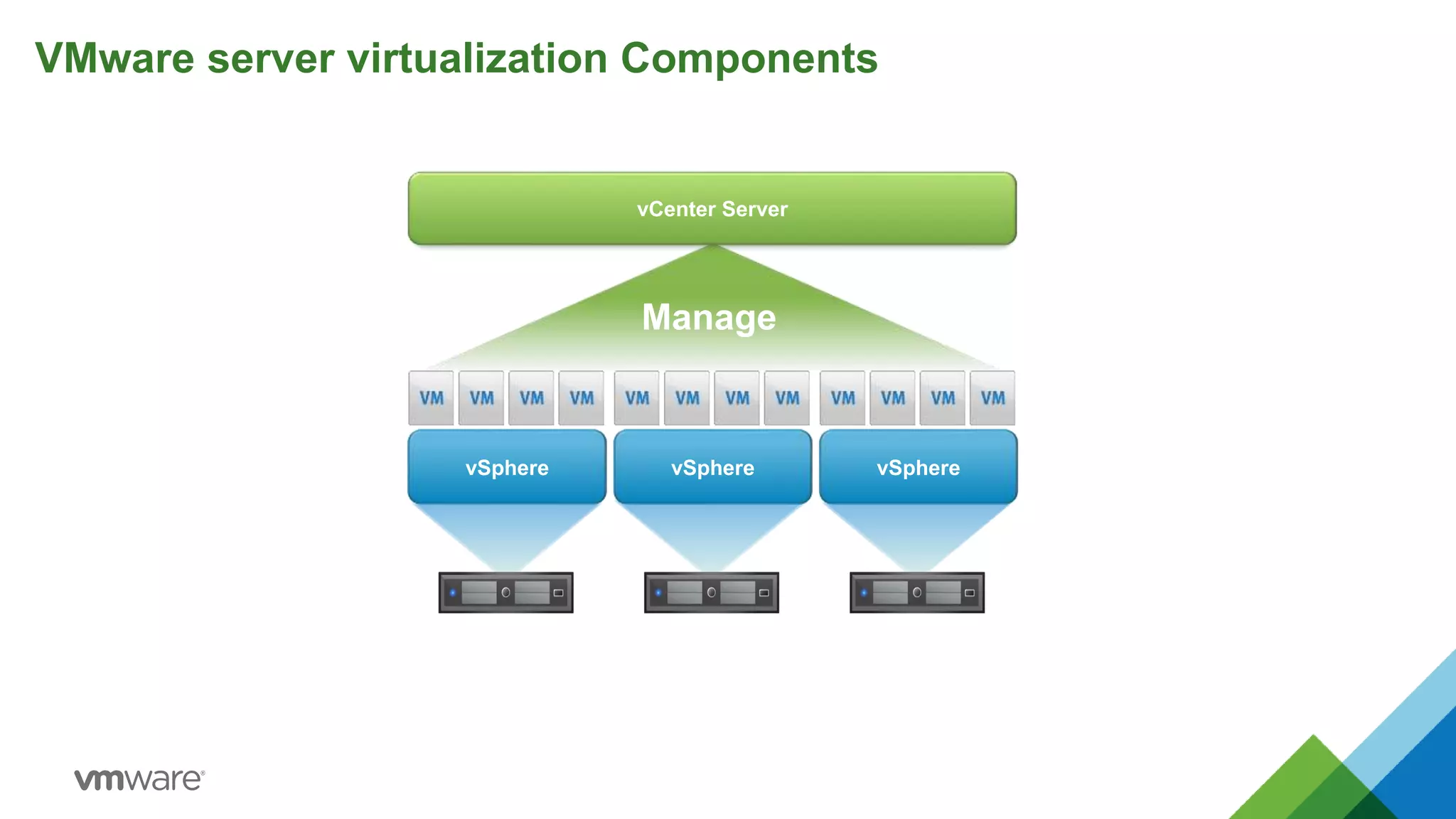
VMware server virtualization Components
vSphere vSphere vSphere
vCenter Server
Manage
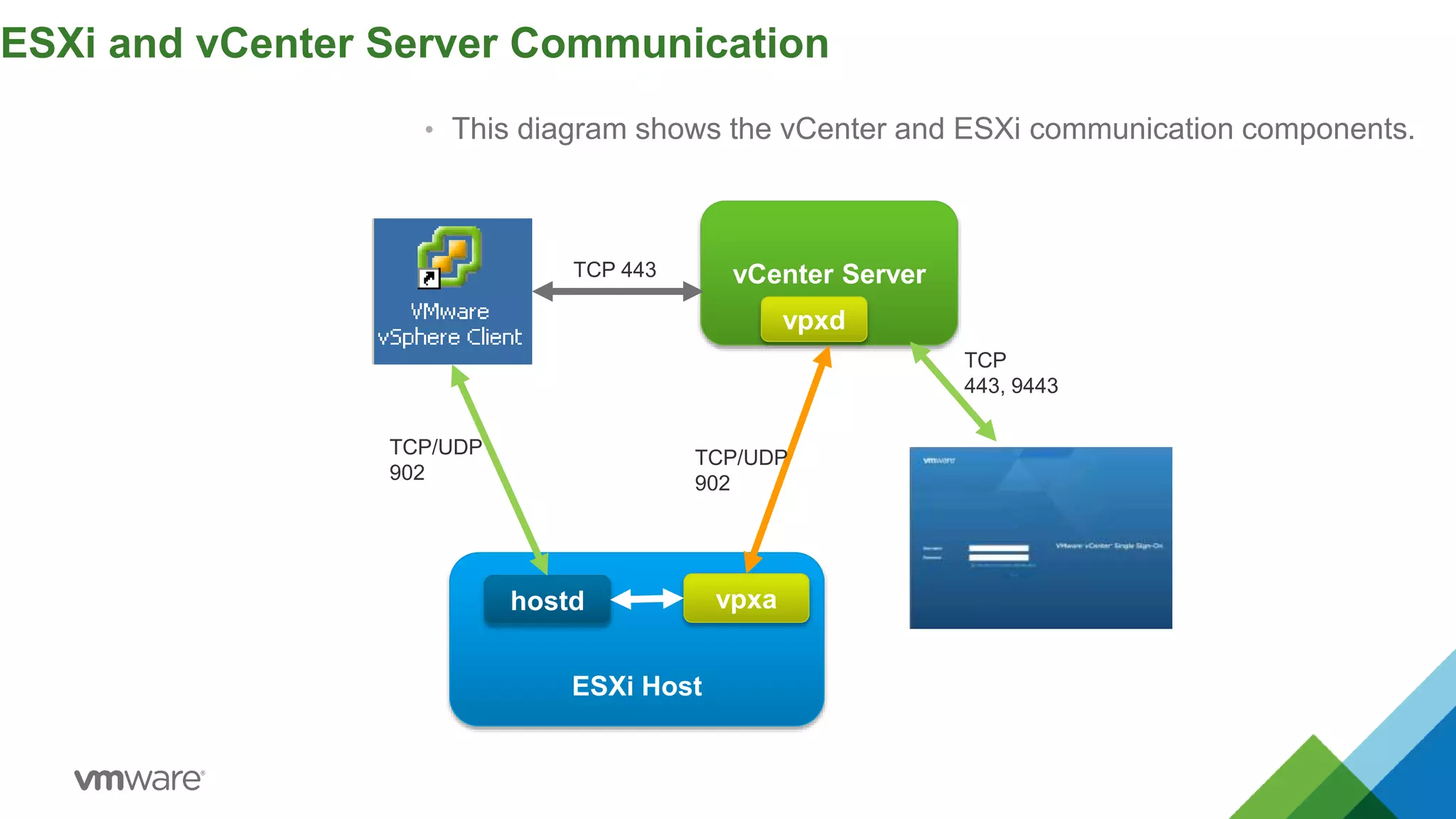
• This diagram shows the vCenter and ESXi communication components.
ESXi and vCenter Server Communication
vCenter Server
ESXi Host
hostd vpxa
vpxd
TCP/UDP
902
TCP/UDP
902
TCP 443
TCP
443, 9443
VMware vSphere Feature
24
vSphere HA and Fault Tolerance
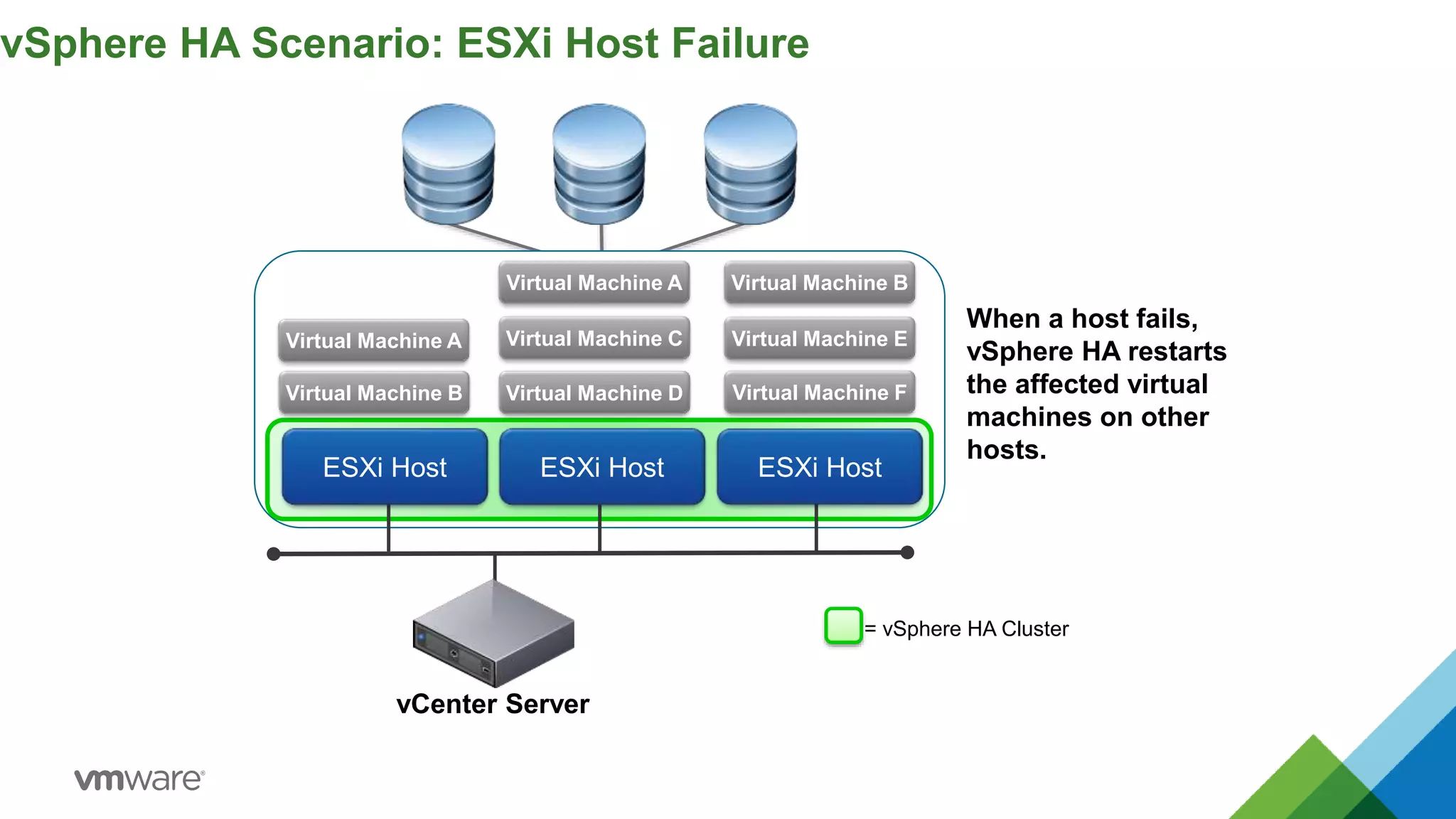
vSphere HA Scenario: ESXi Host Failure
Virtual Machine A
Virtual Machine B
Virtual Machine C
Virtual Machine F
vCenter Server
ESXi Host ESXi Host
ESXi Host
Virtual Machine D
Virtual Machine E
Virtual Machine A Virtual Machine B
When a host fails,
vSphere HA restarts
the affected virtual
machines on other
hosts.
= vSphere HA Cluster
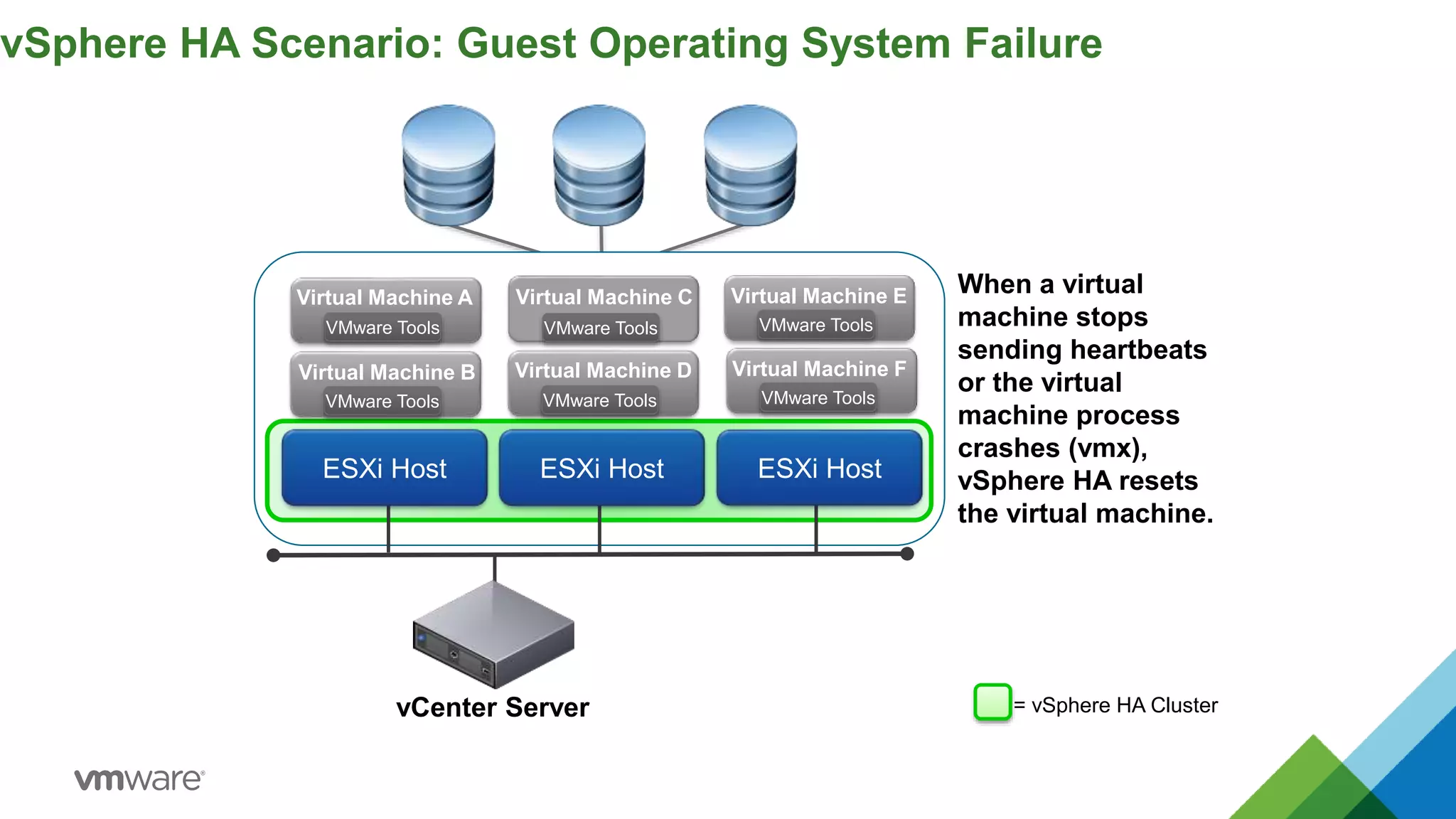
vSphere HA Scenario: Guest Operating System Failure
vCenter Server
ESXi Host ESXi Host
= vSphere HA Cluster
ESXi Host
When a virtual
machine stops
sending heartbeats
or the virtual
machine process
crashes (vmx),
vSphere HA resets
the virtual machine.
Virtual Machine C
VMware Tools VMware Tools
Virtual Machine E
VMware Tools
Virtual Machine F
VMware Tools
Virtual Machine A
VMware Tools
Virtual Machine B
VMware Tools
Virtual Machine D
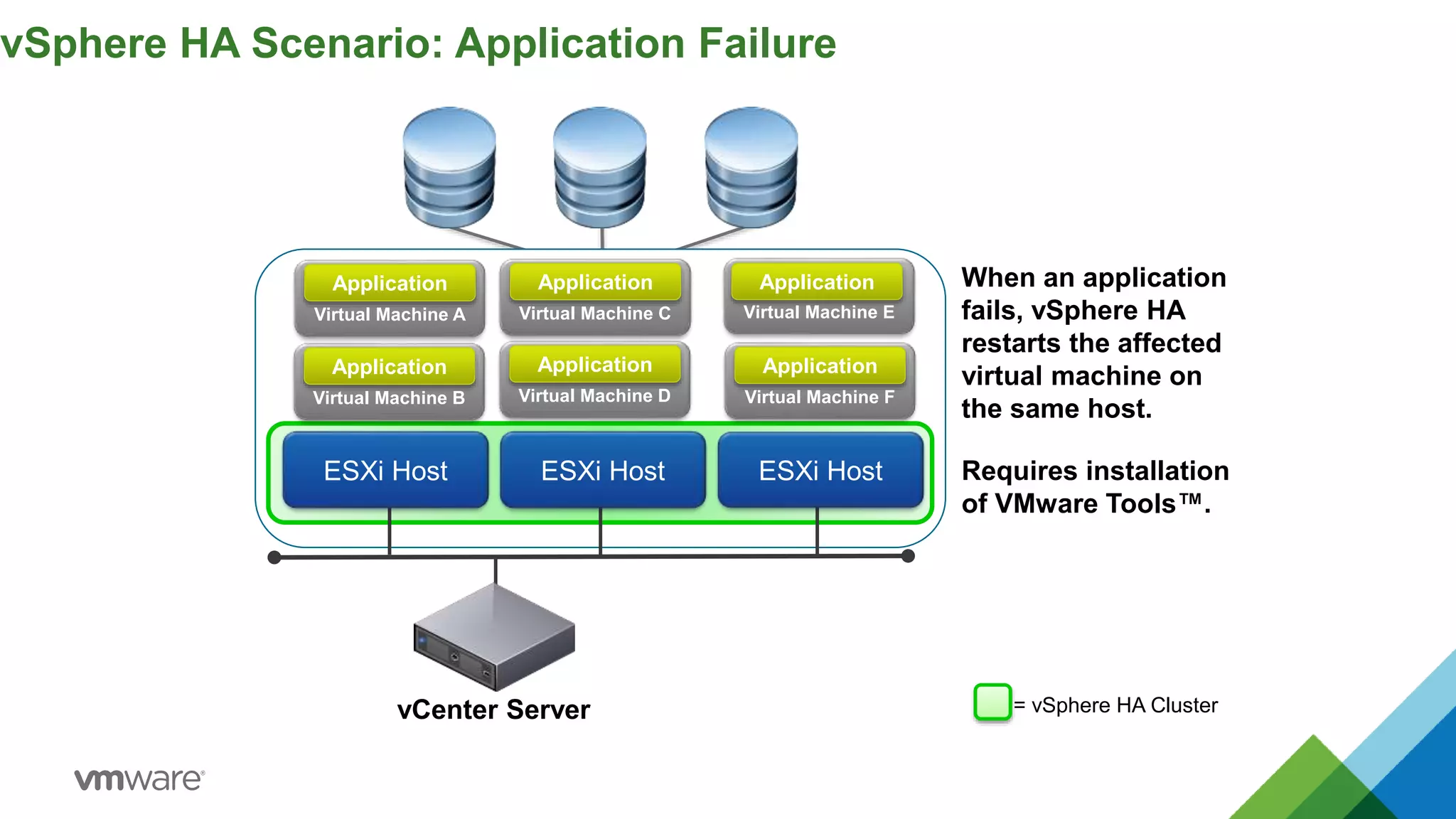
vSphere HA Scenario: Application Failure
vCenter Server
ESXi Host ESXi Host
ESXi Host
Virtual Machine E
Application When an application
fails, vSphere HA
restarts the affected
virtual machine on
the same host.
Requires installation
of VMware Tools™.
Virtual Machine C
Application
Virtual Machine F
Application
Virtual Machine D
Application
Virtual Machine A
Application
Virtual Machine B
Application
= vSphere HA Cluster
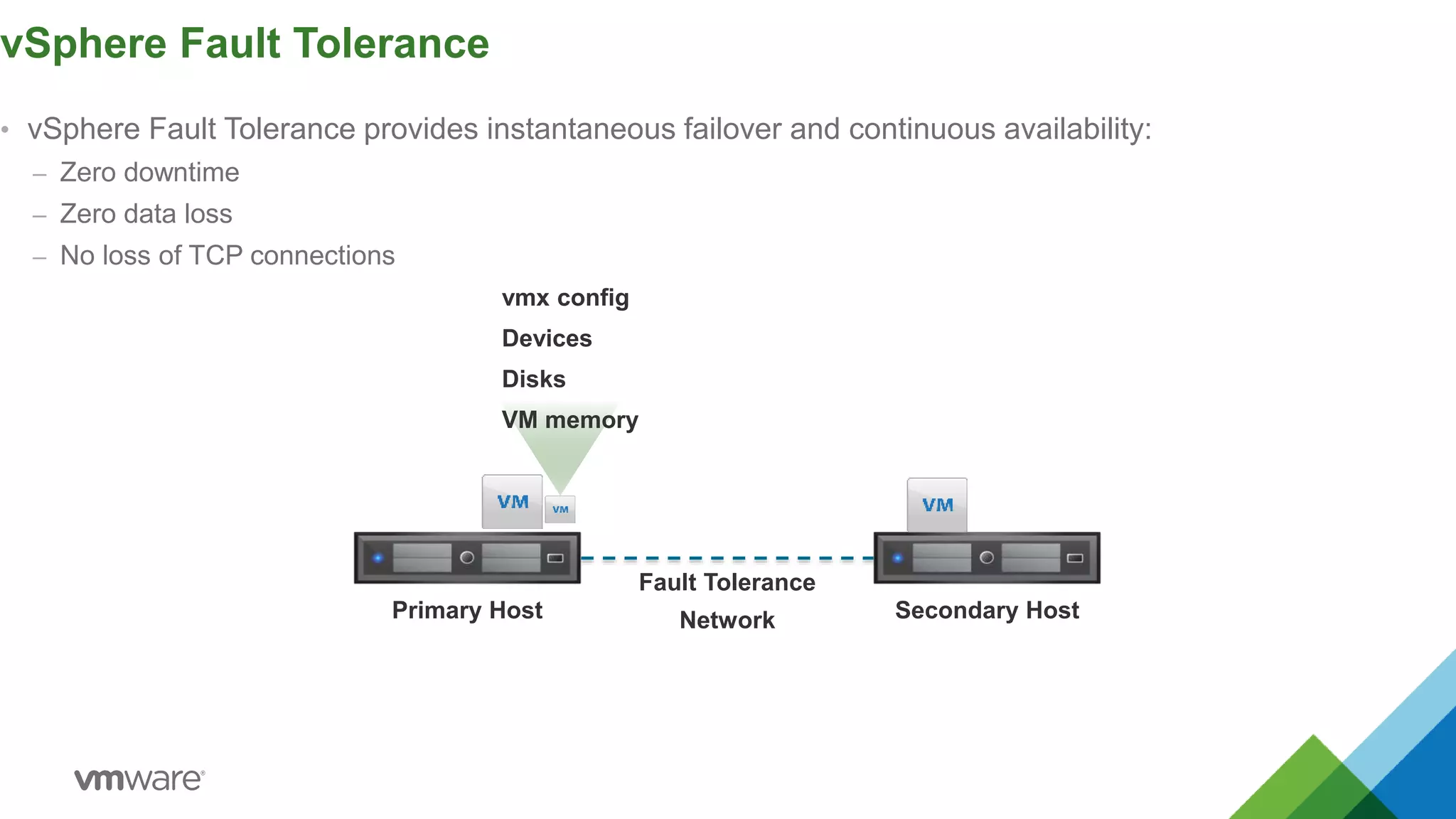
• vSphere Fault Tolerance provides instantaneous failover and continuous availability:
– Zero downtime
– Zero data loss
– No loss of TCP connections
vSphere Fault Tolerance
Primary Host Secondary Host
Fault Tolerance
Network
vmx config
Devices
Disks
VM memory
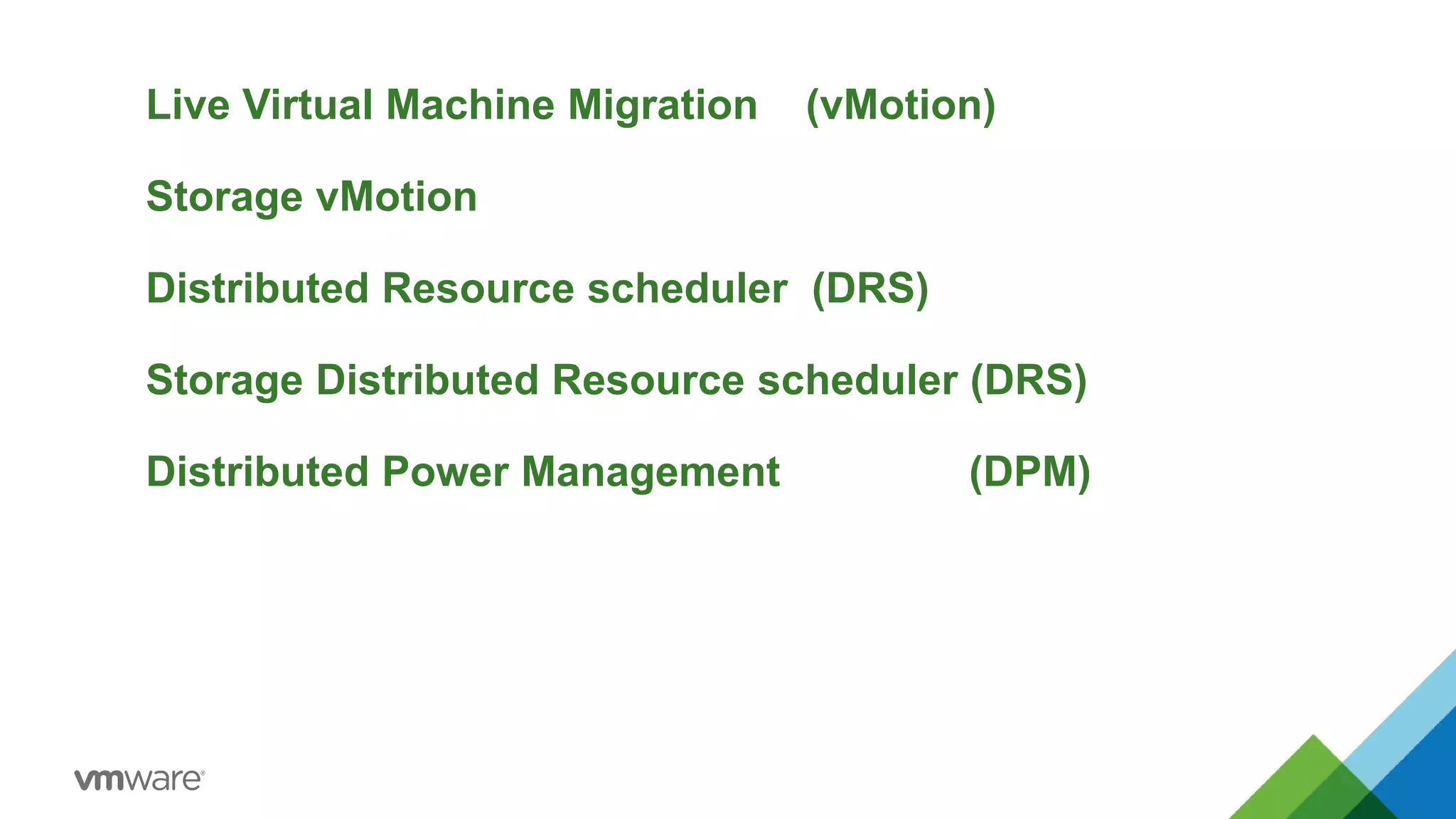
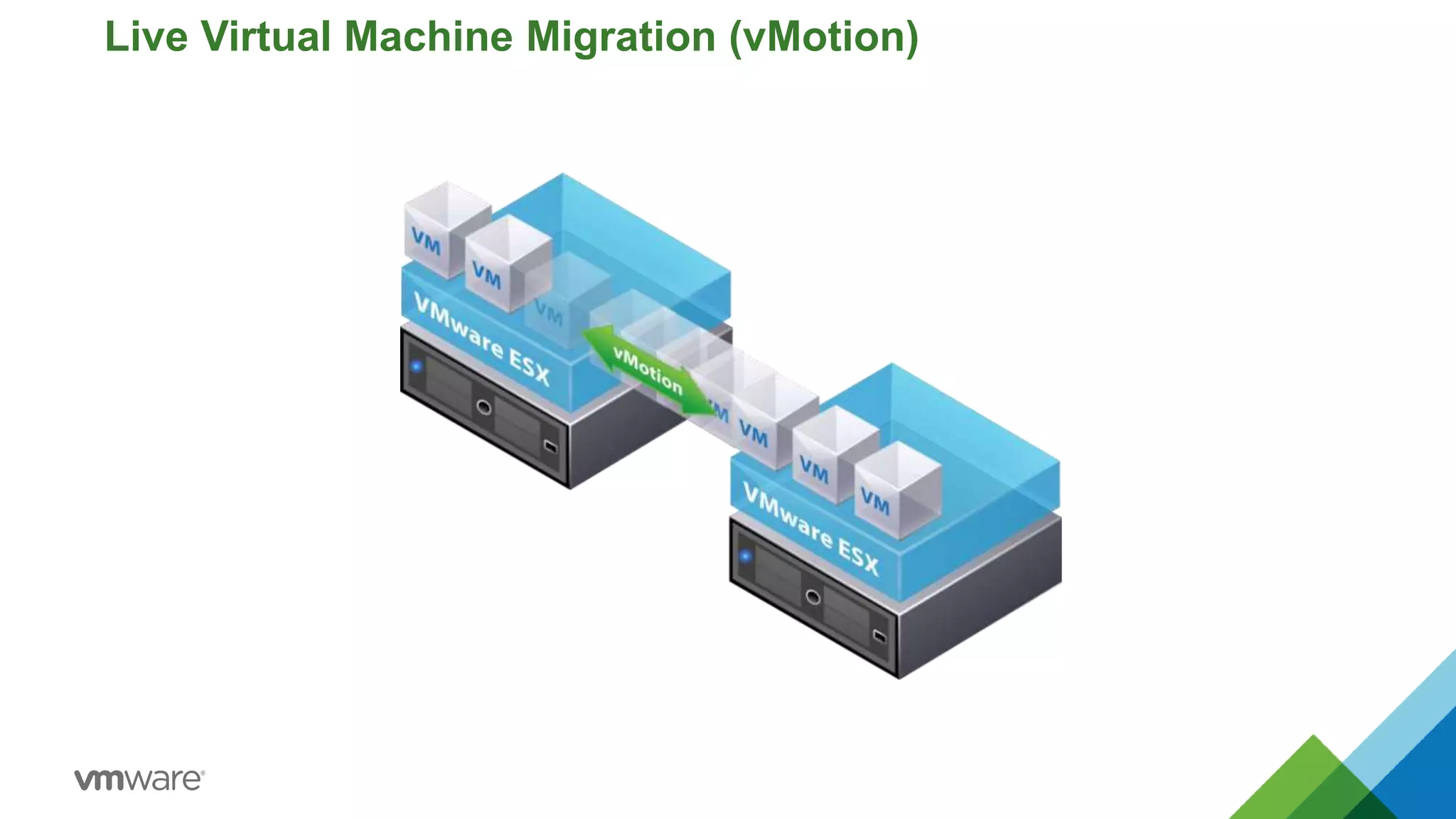
Live Virtual Machine Migration (vMotion)
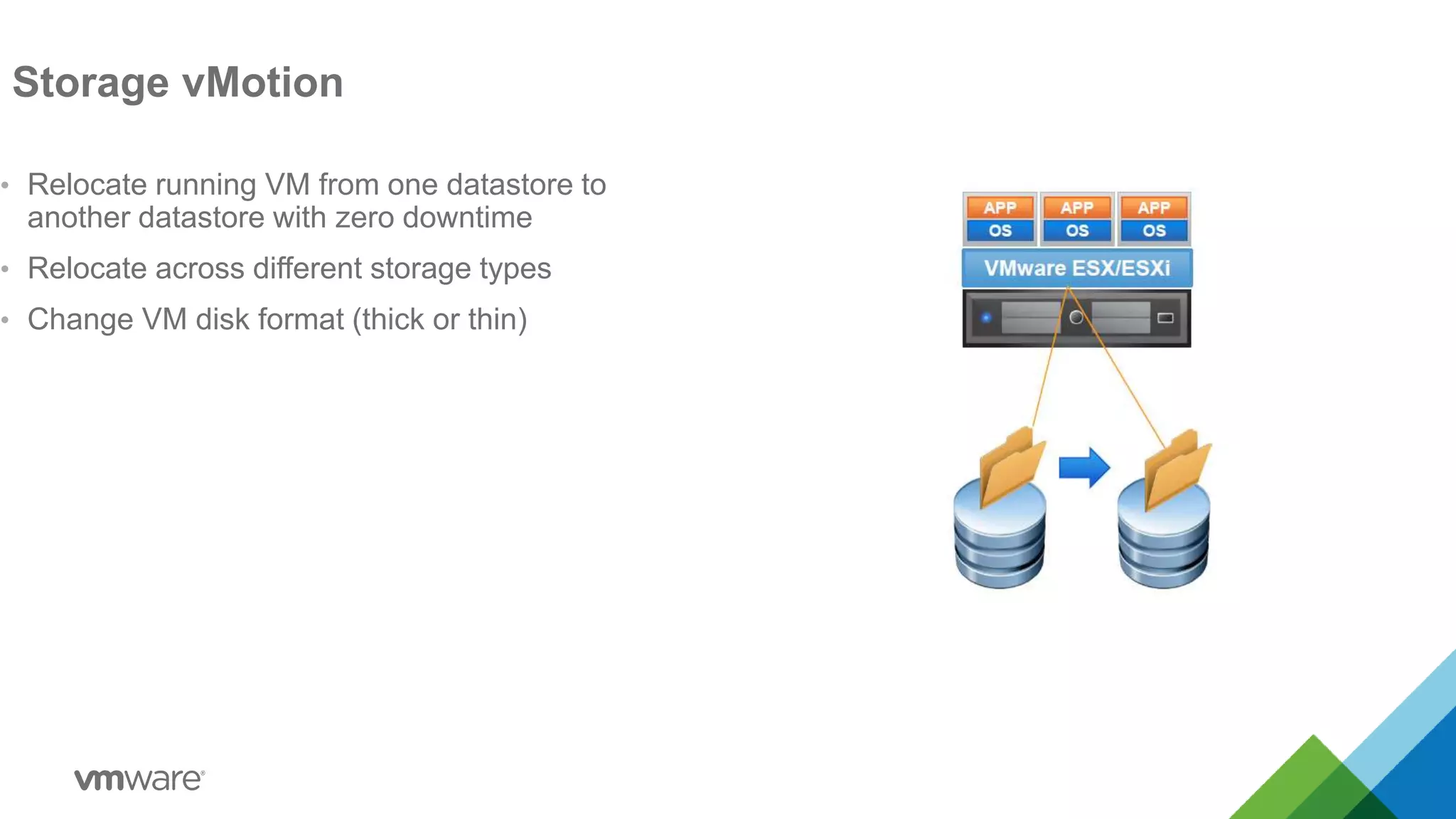
Storage vMotion
Distributed Resource scheduler (DRS)
Storage Distributed Resource scheduler (DRS)
Distributed Power Management (DPM)
Live Virtual Machine Migration (vMotion)
Storage vMotion
• Relocate running VM from one datastore to
another datastore with zero downtime
• Relocate across different storage types
• Change VM disk format (thick or thin)
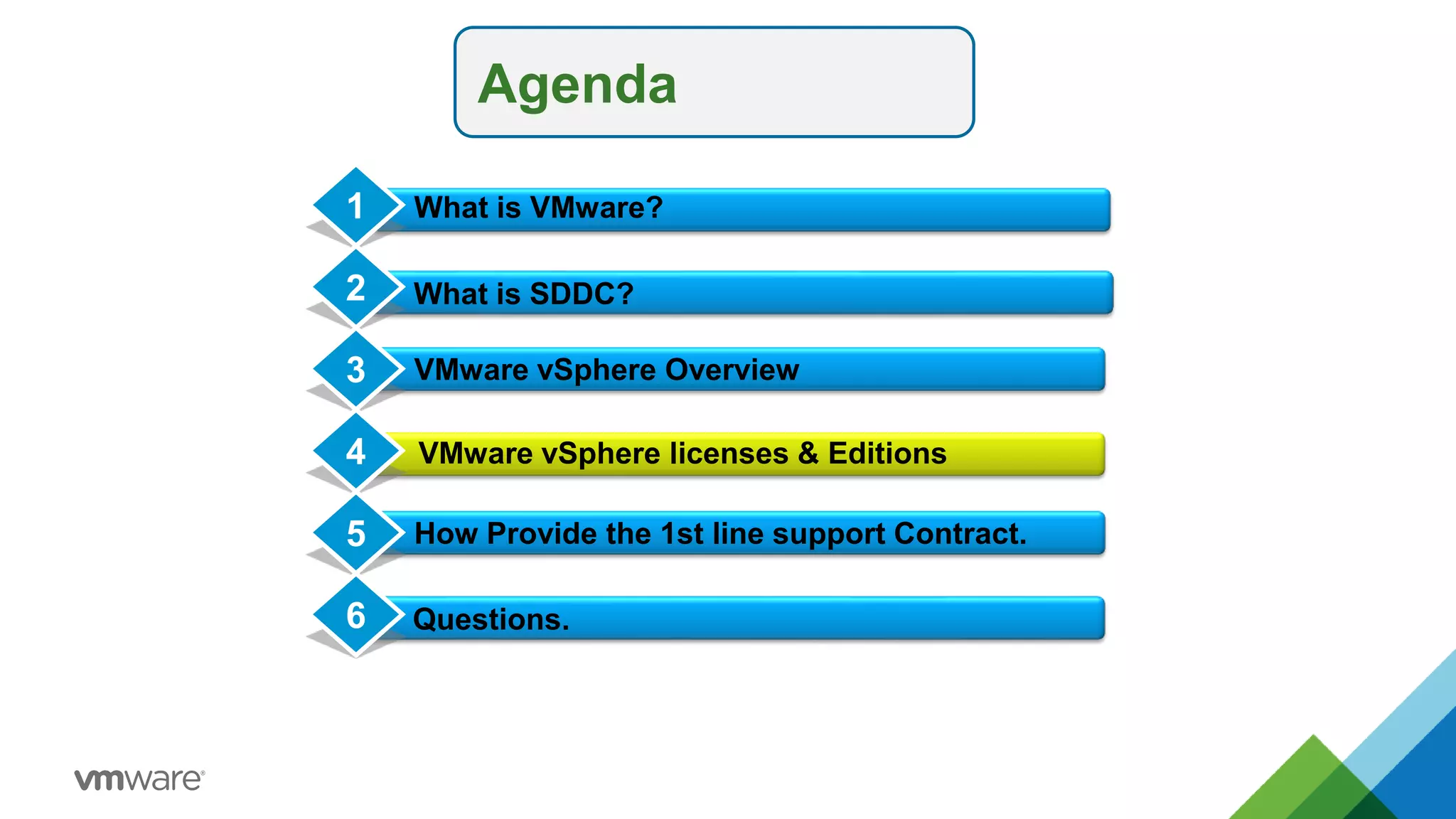
Agenda
What is SDDC?
VMware vSphere Overview
Conclusion
1
2
3
4 VMware vSphere licenses & Editions
What is VMware?
How Provide the 1st line support Contract.
5
Questions.
6
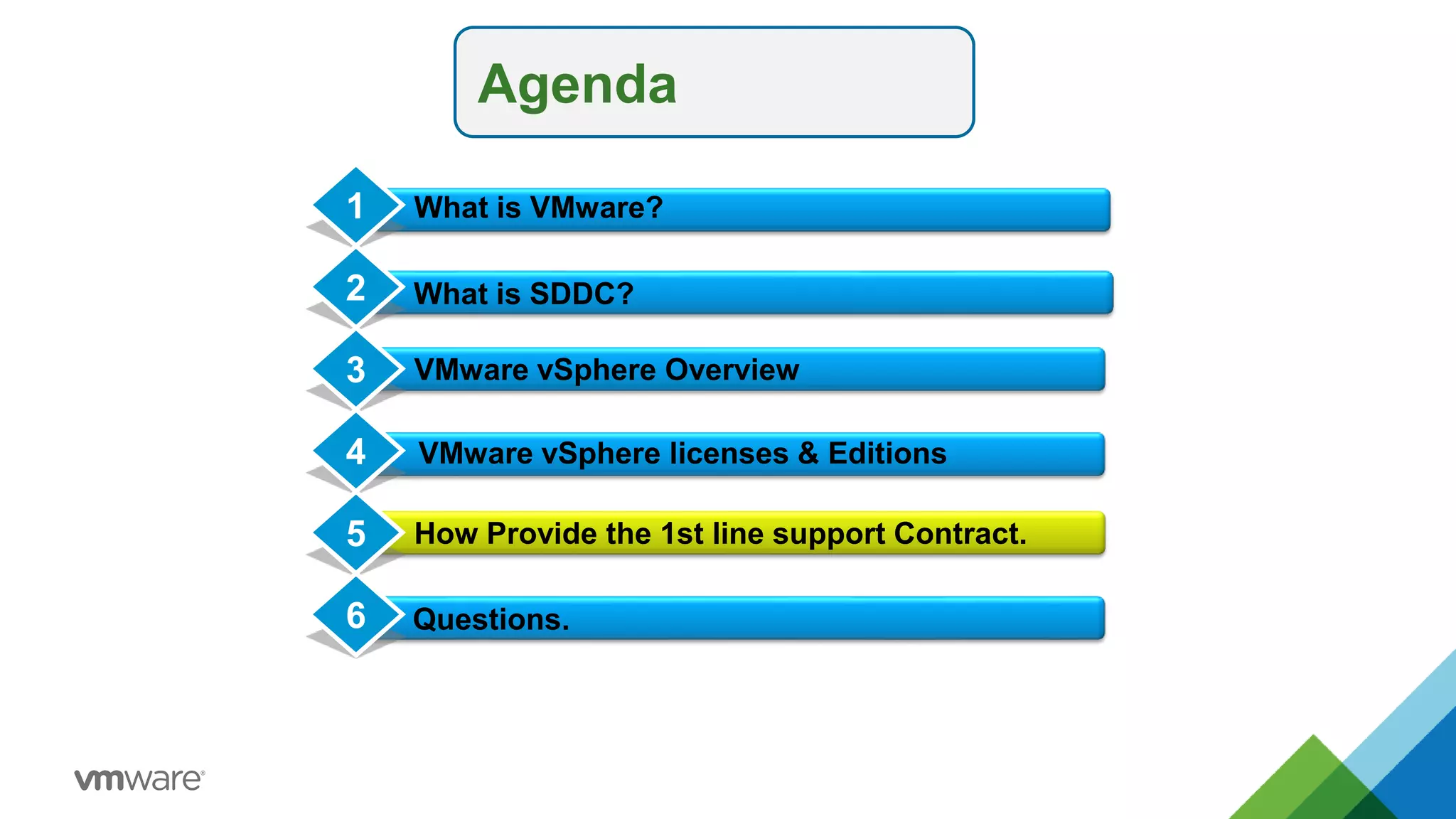
Agenda
What is SDDC?
VMware vSphere Overview
Conclusion
1
2
3
4 VMware vSphere licenses & Editions
What is VMware?
How Provide the 1st line support Contract.
5
Questions.
6

01 v mware overview

  • 1.
  • 2.
    Agenda What is SDDC? VMwarevSphere Overview Conclusion 1 2 3 4 VMware vSphere licenses & Editions What is VMware? How Provide the 1st line support Contract. 5 Questions. 6
  • 3.
    Agenda What is SDDC? VMwarevSphere Overview Conclusion 1 2 3 4 VMware vSphere licenses & Editions What is VMware? How Provide the 1st line support Contract. 5 Questions. 6
  • 4.
    Agenda What is SDDC? VMwarevSphere Overview Conclusion 1 2 3 4 VMware vSphere licenses & Editions What is VMware? How Provide the 1st line support Contract. 5 Questions. 6
  • 5.
  • 6.
    Agenda What is SDDC? VMwarevSphere Overview Conclusion 1 2 3 4 VMware vSphere licenses & Editions What is VMware? How Provide the 1st line support Contract. 5 Questions. 6
  • 7.
  • 8.
    © 2015 VMwareInc. All rights reserved. VMware vSphere: Install, Configure, Manage – Prerelease 2-8 Topology of a Physical Data Center Administering and maintaining a physical data center is time consuming and often inefficient. Fibre Channel Storage Fibre Channel Ethernet NFS Storage iSCSI Storage Local Area Network Applications Operating System Physical Host
  • 11.
    Key Properties ofVirtual Machines •Partitioning  Run multiple operating systems on one physical machine  Divide system resources between virtual machines
  • 12.
    •Partitioning  Run multipleoperating systems on one physical machine  Divide system resources between virtual machines Key Properties of Virtual Machines •Isolation  Fault and security isolation at the hardware level  Advanced resource controls preserve performance
  • 13.
    Key Properties ofVirtual Machines •Partitioning  Run multiple operating systems on one physical machine  Divide system resources between virtual machines •Isolation  Fault and security isolation at the hardware level  Advanced resource controls preserve performance •Encapsulation  Entire state of the virtual machine can be saved to files  Move and copy virtual machines as easily as moving and copying files
  • 14.
    •Encapsulation  Entire stateof the virtual machine can be saved to files  Move and copy virtual machines as easily as moving and copying files Key Properties of Virtual Machines •Partitioning  Run multiple operating systems on one physical machine  Divide system resources between virtual machines •Isolation  Fault and security isolation at the hardware level  Advanced resource controls preserve performance •Hardware-Independence  Provision or migrate any virtual machine to any similar or different physical server
  • 15.
    © 2015 VMwareInc. All rights reserved. VMware vSphere: Install, Configure, Manage – Prerelease 2-15 Topology of a Physical Data Center Administering and maintaining a physical data center is time consuming and often inefficient. Fibre Channel Storage Fibre Channel Ethernet NFS Storage iSCSI Storage Local Area Network Applications Operating System Physical Host
  • 16.
    © 2015 VMwareInc. All rights reserved. VMware vSphere: Install, Configure, Manage – Prerelease 2-16 Introducing the Virtual Infrastructure Virtualization enables you to run more workloads on a single server by consolidating the environment so that your applications run on virtual machines. Hypervisor ESXi Host Fibre Channel Fibre Channel Storage Ethernet NFS Storage iSCSI Storage Local Area Network Virtual Machines FCoE Storage
  • 17.
    © 2015 VMwareInc. All rights reserved. VMware vSphere: Install, Configure, Manage – Prerelease 2-17 About Virtual Machines A virtual machine is a software computer that, like a physical computer, runs an operating system and applications. • Operating system • VMware Tools™ • Virtual resources like: – CPU and memory – Network adapters – Disk controllers – Parallel and serial ports Virtual Machine Virtual Machine Components
  • 18.
    © 2015 VMwareInc. All rights reserved. VMware vSphere: Install, Configure, Manage – Prerelease 2-18 Benefits of Using Virtual Machines Physical Machines: Difficult to relocate • Moves require downtime • Specific to physical hardware Difficult to manage • Requires physical maintenance • Hardware failures cause downtime Hardware has limitations • Hardware changes limit application support. • One-to-one relationship between application and server. Virtual Machines: Easy to relocate • Encapsulated into files • Independent of physical hardware Easy to manage • Isolated from other virtual machines • Insulated from hardware changes Provides the ability to support legacy applications
  • 19.
    © 2015 VMwareInc. All rights reserved. VMware vSphere: Install, Configure, Manage – Prerelease 2-19 Resource Sharing vSphere x64 Architecture Virtual Resources Physical Resources
  • 20.
    © 2015 VMwareInc. All rights reserved. 2-20 VMware server virtualization Components
  • 21.
  • 22.
    VMware server virtualizationComponents vSphere vSphere vSphere vCenter Server Manage
  • 23.
    • This diagramshows the vCenter and ESXi communication components. ESXi and vCenter Server Communication vCenter Server ESXi Host hostd vpxa vpxd TCP/UDP 902 TCP/UDP 902 TCP 443 TCP 443, 9443
  • 24.
  • 25.
    vSphere HA andFault Tolerance
  • 26.
    vSphere HA Scenario:ESXi Host Failure Virtual Machine A Virtual Machine B Virtual Machine C Virtual Machine F vCenter Server ESXi Host ESXi Host ESXi Host Virtual Machine D Virtual Machine E Virtual Machine A Virtual Machine B When a host fails, vSphere HA restarts the affected virtual machines on other hosts. = vSphere HA Cluster
  • 27.
    vSphere HA Scenario:Guest Operating System Failure vCenter Server ESXi Host ESXi Host = vSphere HA Cluster ESXi Host When a virtual machine stops sending heartbeats or the virtual machine process crashes (vmx), vSphere HA resets the virtual machine. Virtual Machine C VMware Tools VMware Tools Virtual Machine E VMware Tools Virtual Machine F VMware Tools Virtual Machine A VMware Tools Virtual Machine B VMware Tools Virtual Machine D
  • 28.
    vSphere HA Scenario:Application Failure vCenter Server ESXi Host ESXi Host ESXi Host Virtual Machine E Application When an application fails, vSphere HA restarts the affected virtual machine on the same host. Requires installation of VMware Tools™. Virtual Machine C Application Virtual Machine F Application Virtual Machine D Application Virtual Machine A Application Virtual Machine B Application = vSphere HA Cluster
  • 29.
    • vSphere FaultTolerance provides instantaneous failover and continuous availability: – Zero downtime – Zero data loss – No loss of TCP connections vSphere Fault Tolerance Primary Host Secondary Host Fault Tolerance Network vmx config Devices Disks VM memory
  • 30.
    Live Virtual MachineMigration (vMotion) Storage vMotion Distributed Resource scheduler (DRS) Storage Distributed Resource scheduler (DRS) Distributed Power Management (DPM)
  • 31.
    Live Virtual MachineMigration (vMotion)
  • 32.
    Storage vMotion • Relocaterunning VM from one datastore to another datastore with zero downtime • Relocate across different storage types • Change VM disk format (thick or thin)
  • 33.
    Agenda What is SDDC? VMwarevSphere Overview Conclusion 1 2 3 4 VMware vSphere licenses & Editions What is VMware? How Provide the 1st line support Contract. 5 Questions. 6
  • 34.
    Agenda What is SDDC? VMwarevSphere Overview Conclusion 1 2 3 4 VMware vSphere licenses & Editions What is VMware? How Provide the 1st line support Contract. 5 Questions. 6