More Related Content
![[CB16] (P)FACE :アップルのコアへ、そしてルート権限へのエクスプロイト by Moony Li & Jack Tang](https://cdn.slidesharecdn.com/ss_thumbnails/cb16lija-161109050429-thumbnail.jpg?width=640&height=640&fit=bounds)
PPTX
[CB16] (P)FACE :アップルのコアへ、そしてルート権限へのエクスプロイト by Moony Li & Jack Tang 
PDF

PDF
The Latest Specs of OpenID Connect at #idcon 9 
PDF

PDF

PDF
YAPC::Tokyo 2013 ritou OpenID Connect 
PDF

PDF
OpenID Connect - Nat Sakimura at OpenID TechNight #7 Similar to OAuth 2.0 MAC Authentication

PDF
FAPI (Financial-grade API) and CIBA (Client Initiated Backchannel Authenticat... 
PDF
なんとなくOAuth怖いって思ってるやつちょっと来い 
PDF
「金融API向けOAuth」にみるOAuthプロファイリングの実際 #secjaws #finsecjaws01 #oauth #oidc #api 
PDF

PDF
FAPI and Beyond: From an specification author's point of view #fapisum - Japa... 
PDF
OAuth 2.0のResource Serverの作り方 
PPTX
FAPI and beyond - よりよいセキュリティのために 
PPTX

PDF
FAPI Security について聞いてきた話(2017/08/18 社内勉強会) 
PDF
Introduction of OAuth 2.0 vol.1 
PDF
金融 API 時代のセキュリティ: �OpenID Financial API (FAPI) WG 
PDF
IETF94 M2M Authentication関連報告 
PDF

PDF
株式会社カサレアル 山本による講演「認証・認可におけるKeycloakの活用」の資料 
PDF
WordCamp Tokyo2016itkaasan 
PDF
利用者本位のAPI提供に向けたアイデンティティ (ID) 標準仕様の動向 
PDF
Mobage Connect と Identity 関連技術への取り組み - OpenID Summit Tokyo 2015 
PDF
Basics: OAuth and OpenID Connect #fapisum - Japan/UK Open Banking and APIs Su... 
PDF
OAuth / OpenID Connectを中心とするAPIセキュリティについて #yuzawaws 
PDF
Authlete: セキュアな金融 API 基盤の実現と Google Cloud の活用 #gc_inside More from Ryo Ito

PDF
安全な"○○でログイン"の作り方 @ NDS in Niigata #1 
PDF
idcon mini vol3 CovertRedirect 
PDF
OpenID-TechNight-11-LT-mixi 
PDF
Idcon 17th ritou OAuth 2.0 CSRF Protection 
PDF
#idcon 15th ritou 2factor auth 
PDF
Open id connect claims idcon mini vol1 
PDF
OID to OIDC idcon mini vol1 
PDF
Account Chooser idcon mini Vol.1 
PDF

PDF
UserManagedAccess_idcon13 
PDF

PDF

PDF

PDF
OAuth 2.0 Dance School #swj 
PDF

PDF
Summary of OAuth 2.0 draft 8 memo 
PDF

PDF

PDF
091009 Identity Conference #6 ritou OAuth 2.0 MAC Authentication
- 1.
OAuth 2.0 draft12で出てきた
MAC Authenticationとは
@ritou
http://twitter.com/ritou
http://d.hatena.ne.jp/ritou/
- 2.
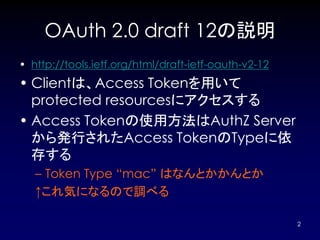
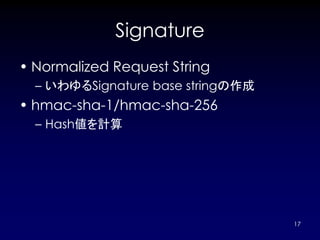
OAuth 2.0 draft12の説明
• http://tools.ietf.org/html/draft-ietf-oauth-v2-12
• Clientは、Access Tokenを用いて
protected resourcesにアクセスする
• Access Tokenの使用方法はAuthZ Server
から発行されたAccess TokenのTypeに依
存する
– Token Type “mac” はなんとかかんとか
↑これ気になるので調べる
2
- 3.
HTTP Authentication:
MAC Authentication
• 2011/1/30時点
– http://tools.ietf.org/html/draft-hammer-oauth-
v2-mac-token-02
3
- 4.
- 5.
- 6.
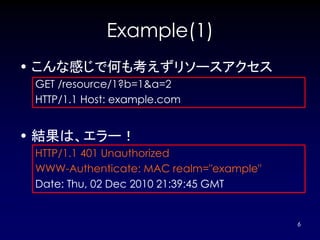
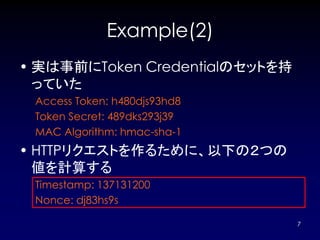
Example(1)
• こんな感じで何も考えずリソースアクセス
GET/resource/1?b=1&a=2
HTTP/1.1 Host: example.com
• 結果は、エラー!
HTTP/1.1 401 Unauthorized
WWW-Authenticate: MAC realm="example"
Date: Thu, 02 Dec 2010 21:39:45 GMT
6
- 7.
- 8.
- 9.
- 10.
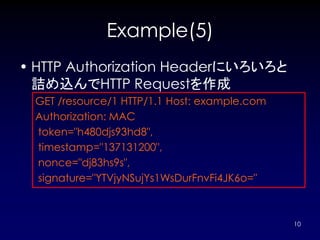
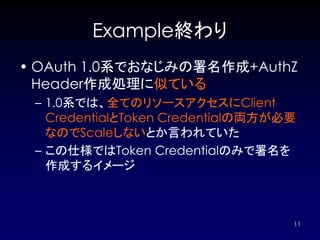
Example(5)
• HTTP AuthorizationHeaderにいろいろと
詰め込んでHTTP Requestを作成
GET /resource/1 HTTP/1.1 Host: example.com
Authorization: MAC
token="h480djs93hd8",
timestamp="137131200",
nonce="dj83hs9s",
signature="YTVjyNSujYs1WsDurFnvFi4JK6o="
10
- 11.
- 12.
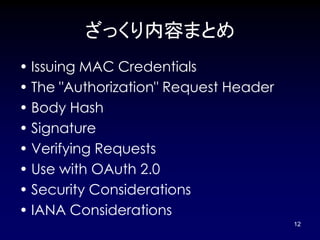
ざっくり内容まとめ
• Issuing MACCredentials
• The "Authorization" Request Header
• Body Hash
• Signature
• Verifying Requests
• Use with OAuth 2.0
• Security Considerations
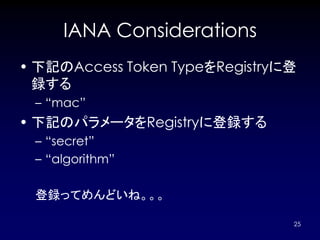
• IANA Considerations
12
- 13.
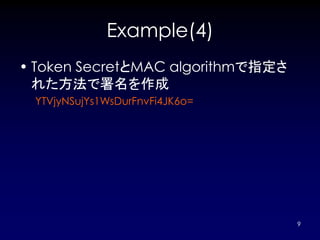
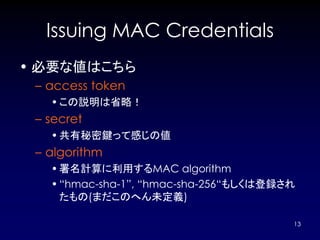
Issuing MAC Credentials
•必要な値はこちら
– access token
• この説明は省略!
– secret
• 共有秘密鍵って感じの値
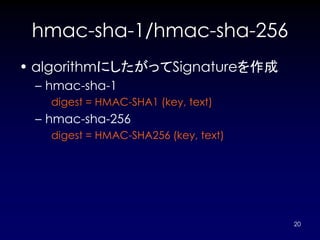
– algorithm
• 署名計算に利用するMAC algorithm
• “hmac-sha-1”, “hmac-sha-256“もしくは登録され
たもの(まだこのへん未定義)
13
- 14.
The "Authorization" Request
Header
• AuthZ Headerのフォーマット
credentials = 'MAC' [ RWS 1#param ]
param = access-token /
timestamp /
nonce /
body-hash /
signature
access-token = 'token' '=' <"> plain-string <">
timestamp = 'timestamp' '=' <"> 1*DIGIT <">
nonce = 'nonce' '=' <"> plain-string <">
body-hash = 'bodyhash' '=' <"> plain-string <">
signature = 'signature' '=' <"> plain-string <">
plain-string = 1*( DIGIT / ALPHA / %x20-21 / %x23-5B / %x5D-7E )
14
- 15.
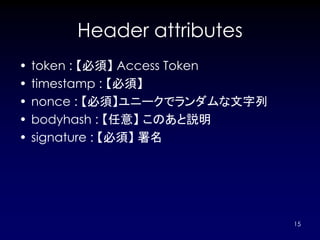
Header attributes
• token : 【必須】 Access Token
• timestamp : 【必須】
• nonce : 【必須】ユニークでランダムな文字列
• bodyhash : 【任意】 このあと説明
• signature : 【必須】 署名
15
- 16.
Body Hash
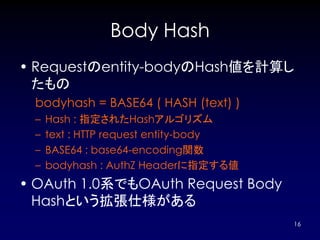
• Requestのentity-bodyのHash値を計算し
たもの
bodyhash = BASE64 ( HASH (text) )
– Hash : 指定されたHashアルゴリズム
– text : HTTP request entity-body
– BASE64 : base64-encoding関数
– bodyhash : AuthZ Headerに指定する値
• OAuth 1.0系でもOAuth Request Body
Hashという拡張仕様がある
16
- 17.
- 18.
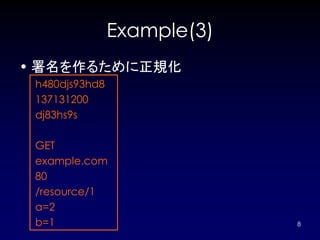
Normalized Request String
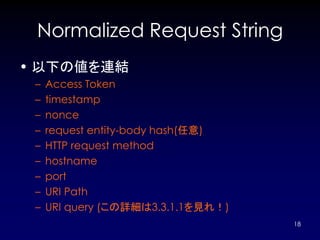
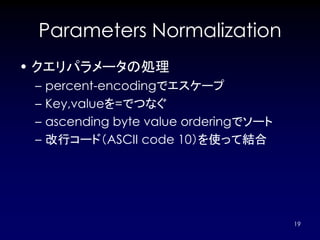
•以下の値を連結
– Access Token
– timestamp
– nonce
– request entity-body hash(任意)
– HTTP request method
– hostname
– port
– URI Path
– URI query (この詳細は3.3.1.1を見れ!)
18
- 19.
- 20.
- 21.
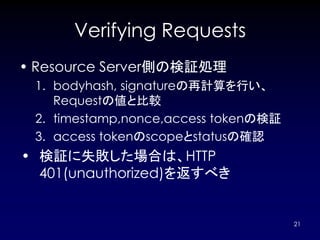
Verifying Requests
• ResourceServer側の検証処理
1. bodyhash, signatureの再計算を行い、
Requestの値と比較
2. timestamp,nonce,access tokenの検証
3. access tokenのscopeとstatusの確認
• 検証に失敗した場合は、HTTP
401(unauthorized)を返すべき
21
- 22.
The "WWW-Authenticate"
Response Header Field
• レスポンスのフォーマット
challenge = "MAC" [ RWS 1#param ]
param = realm / error / auth-param
error = "error" "=" quoted-string
– サンプル
HTTP/1.1 401 Unauthorized
WWW-Authenticate: MAC realm="example“
HTTP/1.1 401 Unauthorized
WWW-Authenticate: MAC realm="example"
error="The access token expired"
22
- 23.
Use with OAuth2.0
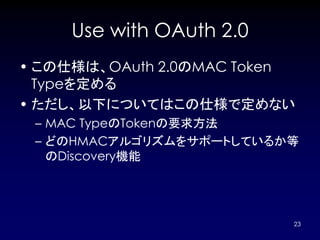
• この仕様は、OAuth 2.0のMAC Token
Typeを定める
• ただし、以下についてはこの仕様で定めない
– MAC TypeのTokenの要求方法
– どのHMACアルゴリズムをサポートしているか等
のDiscovery機能
23
- 24.
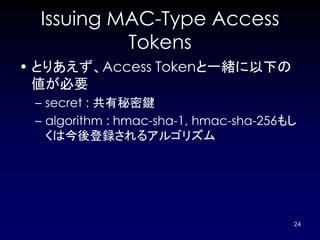
Issuing MAC-Type Access
Tokens
• とりあえず、Access Tokenと一緒に以下の
値が必要
– secret : 共有秘密鍵
– algorithm : hmac-sha-1, hmac-sha-256もし
くは今後登録されるアルゴリズム
24
- 25.
- 26.
- 27.

![The "Authorization" Request
Header
• AuthZ Headerのフォーマット
credentials = 'MAC' [ RWS 1#param ]
param = access-token /
timestamp /
nonce /
body-hash /
signature
access-token = 'token' '=' <"> plain-string <">
timestamp = 'timestamp' '=' <"> 1*DIGIT <">
nonce = 'nonce' '=' <"> plain-string <">
body-hash = 'bodyhash' '=' <"> plain-string <">
signature = 'signature' '=' <"> plain-string <">
plain-string = 1*( DIGIT / ALPHA / %x20-21 / %x23-5B / %x5D-7E )
14](https://image.slidesharecdn.com/oauth2-macauth-110130071155-phpapp02/85/OAuth-2-0-MAC-Authentication-14-320.jpg)
![The "WWW-Authenticate"
Response Header Field
• レスポンスのフォーマット
challenge = "MAC" [ RWS 1#param ]
param = realm / error / auth-param
error = "error" "=" quoted-string
– サンプル
HTTP/1.1 401 Unauthorized
WWW-Authenticate: MAC realm="example“
HTTP/1.1 401 Unauthorized
WWW-Authenticate: MAC realm="example"
error="The access token expired"
22](https://image.slidesharecdn.com/oauth2-macauth-110130071155-phpapp02/85/OAuth-2-0-MAC-Authentication-22-320.jpg)