HSQLDB Tutorial
HyperSQL Database is a modern relational database
manager that conforms closely to the SQL:2011
standard and JDBC 4 specifications. It supports all core
features and RDBMS. HSQLDB is used for the
development, testing, and deployment of database
applications.
Features of HSQLDB
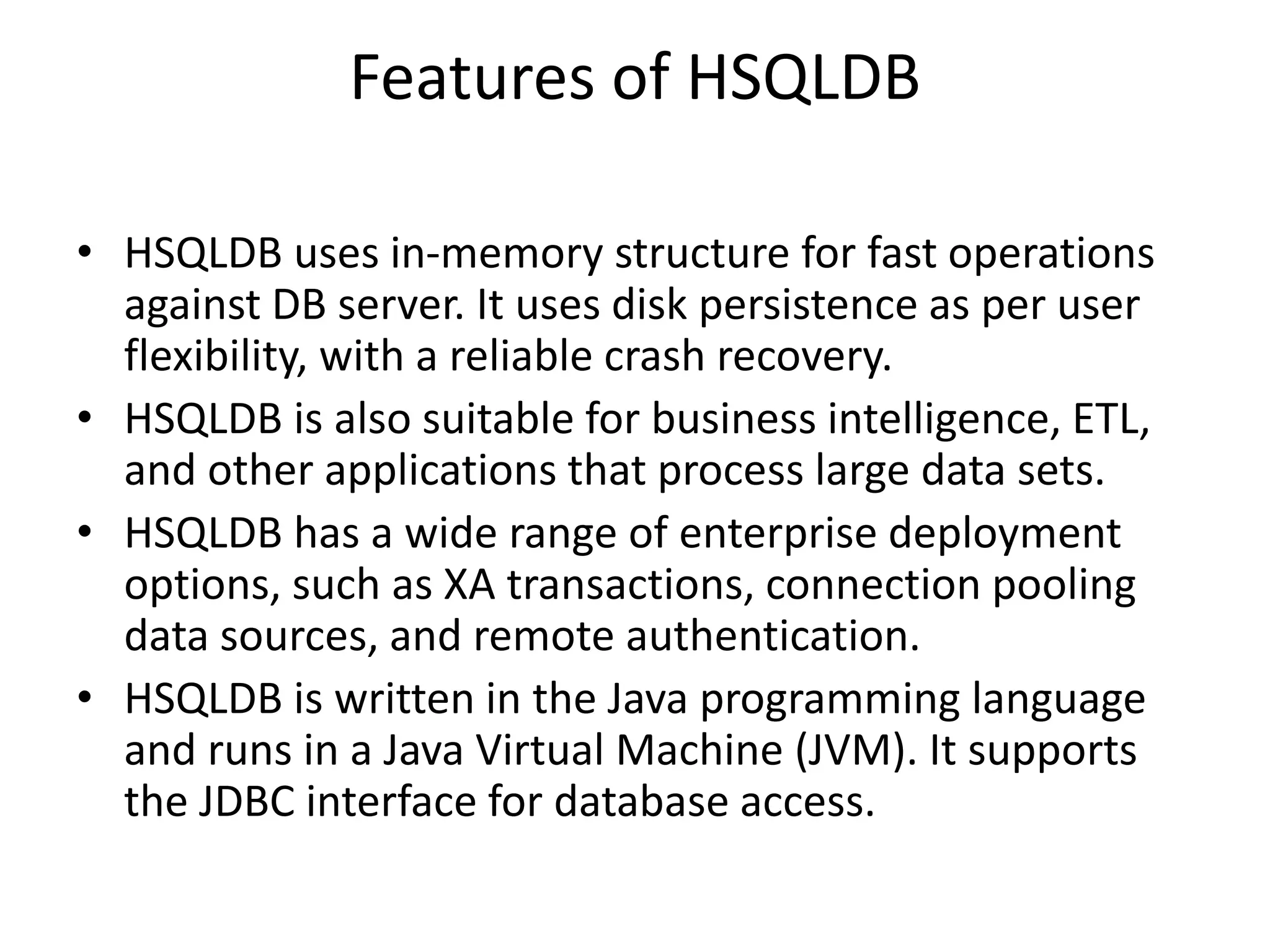
• HSQLDB uses in-memory structure for fast operations
against DB server. It uses disk persistence as per user
flexibility, with a reliable crash recovery.
• HSQLDB is also suitable for business intelligence, ETL,
and other applications that process large data sets.
• HSQLDB has a wide range of enterprise deployment
options, such as XA transactions, connection pooling
data sources, and remote authentication.
• HSQLDB is written in the Java programming language
and runs in a Java Virtual Machine (JVM). It supports
the JDBC interface for database access.
Components of HSQLDB
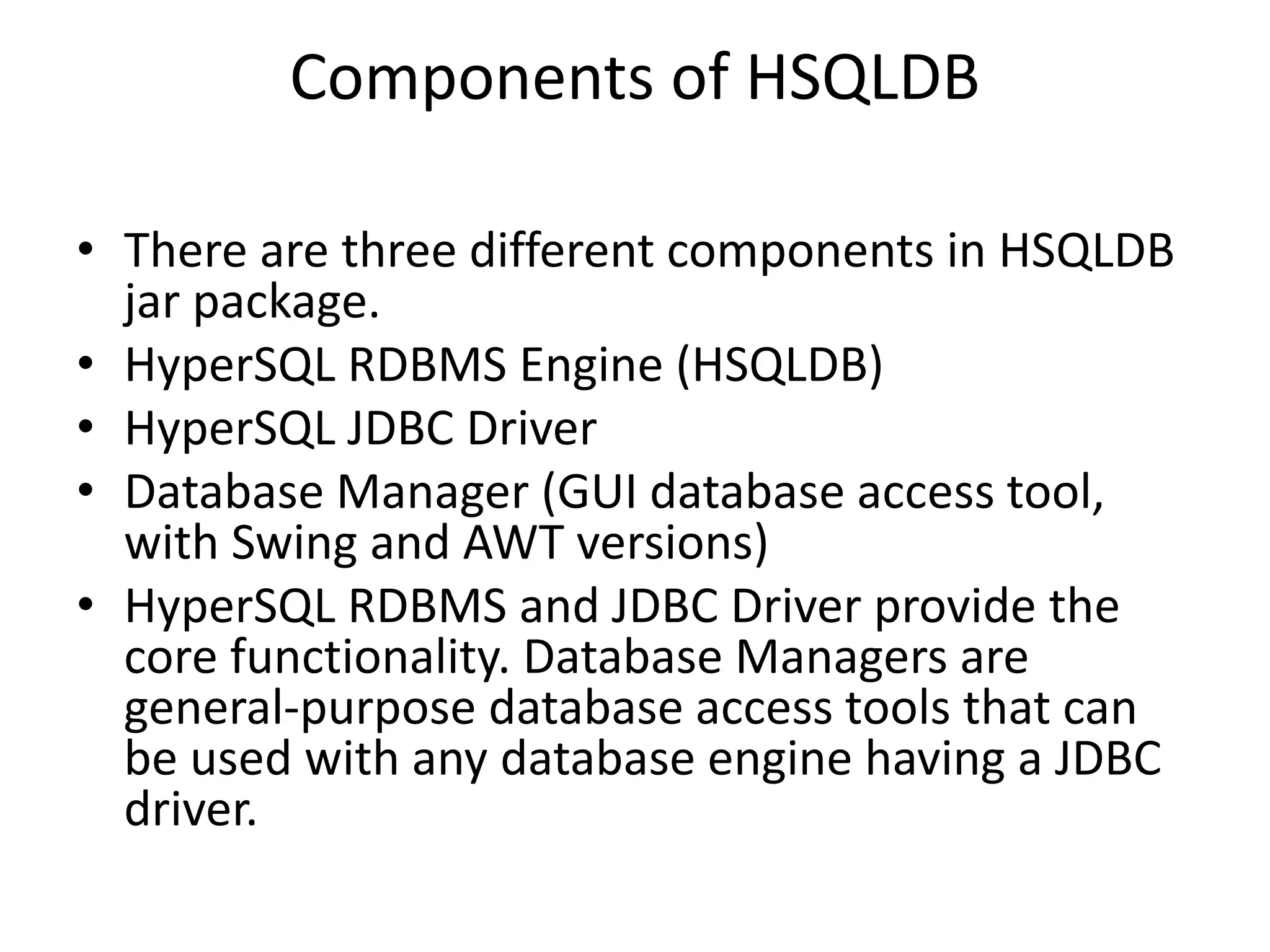
• There are three different components in HSQLDB
jar package.
• HyperSQL RDBMS Engine (HSQLDB)
• HyperSQL JDBC Driver
• Database Manager (GUI database access tool,
with Swing and AWT versions)
• HyperSQL RDBMS and JDBC Driver provide the
core functionality. Database Managers are
general-purpose database access tools that can
be used with any database engine having a JDBC
driver.
Example
• import java.sql.Connection;
• import java.sql.DriverManager;
• public class ConnectDatabase {
• public static void main(String[] args) {
• Connection con = null;
•
• try {
• //Registering the HSQLDB JDBC driver
• Class.forName("org.hsqldb.jdbc.JDBCDriver");
• //Creating the connection with HSQLDB
• con = DriverManager.getConnection("jdbc:hsqldb:hsql://localhost/testdb", "SA", "");
• if (con!= null){
• System.out.println("Connection created successfully");
•
• }else{
• System.out.println("Problem with creating connection");
• }
•
• } catch (Exception e) {
• e.printStackTrace(System.out);
• }
• }
• }
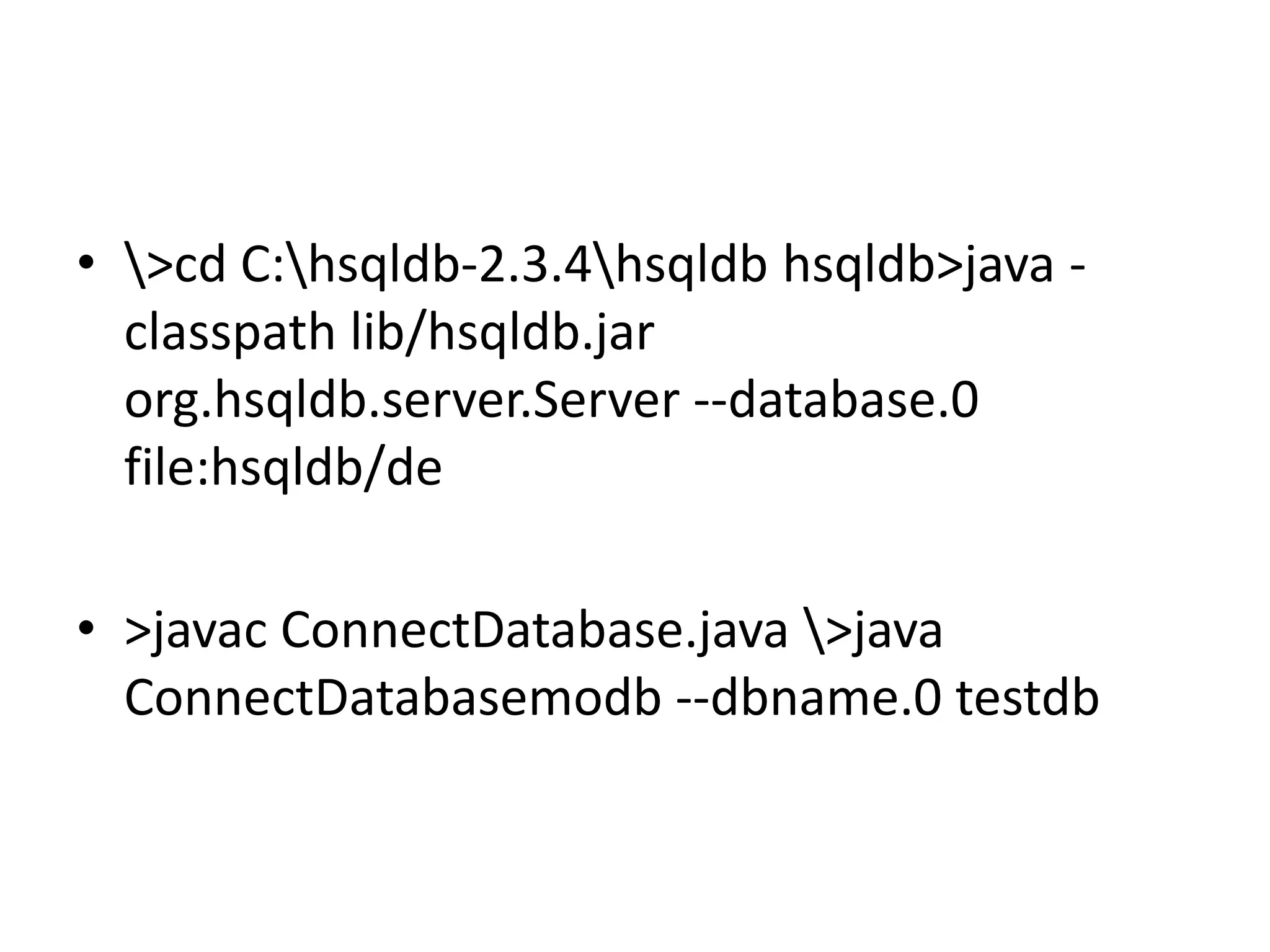
• >cd C:hsqldb-2.3.4hsqldb hsqldb>java -
classpath lib/hsqldb.jar
org.hsqldb.server.Server --database.0
file:hsqldb/de
• >javac ConnectDatabase.java >java
ConnectDatabasemodb --dbname.0 testdb
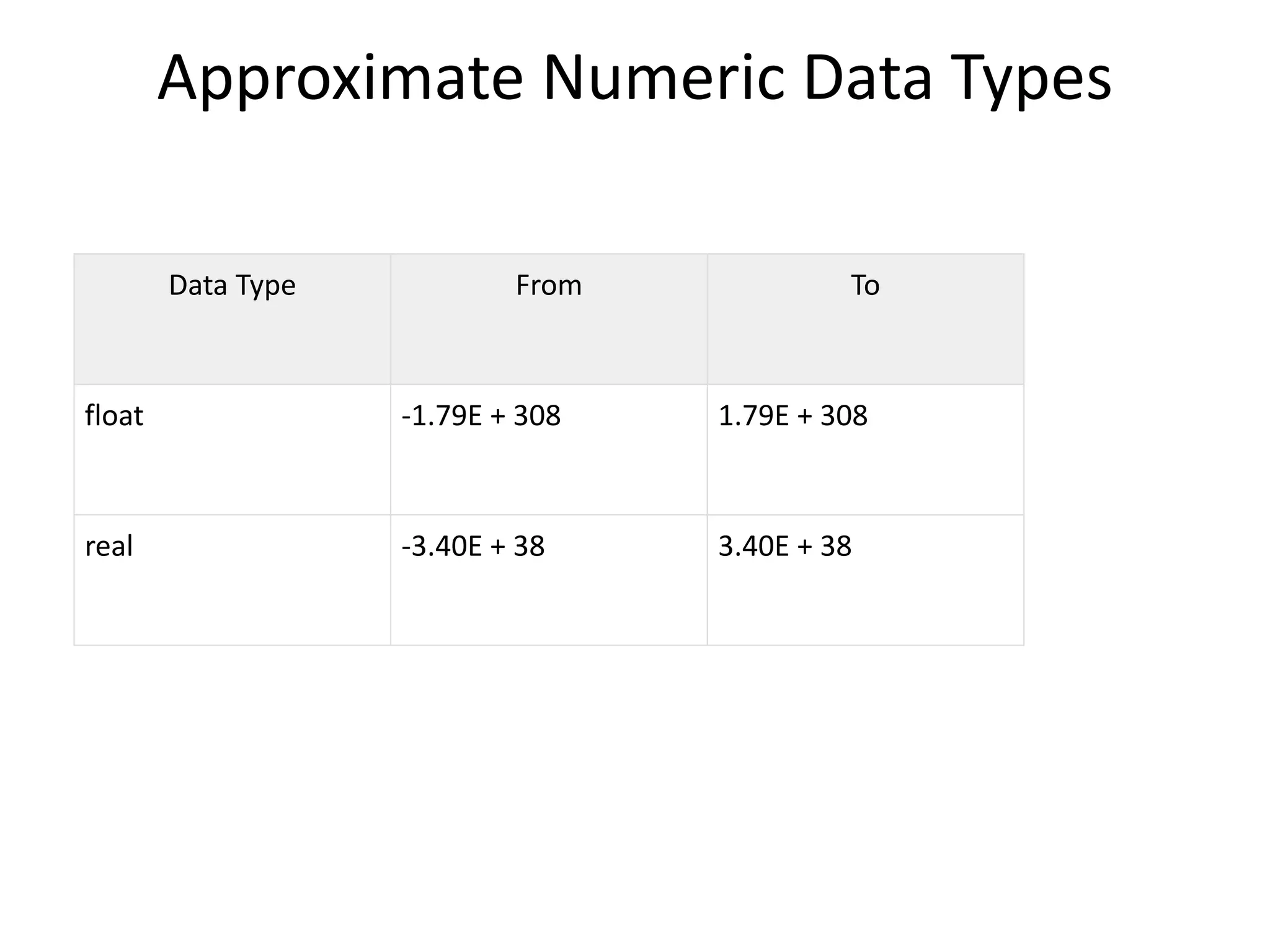
Approximate Numeric Data Types
Data Type From To
float -1.79E + 308 1.79E + 308
real -3.40E + 38 3.40E + 38
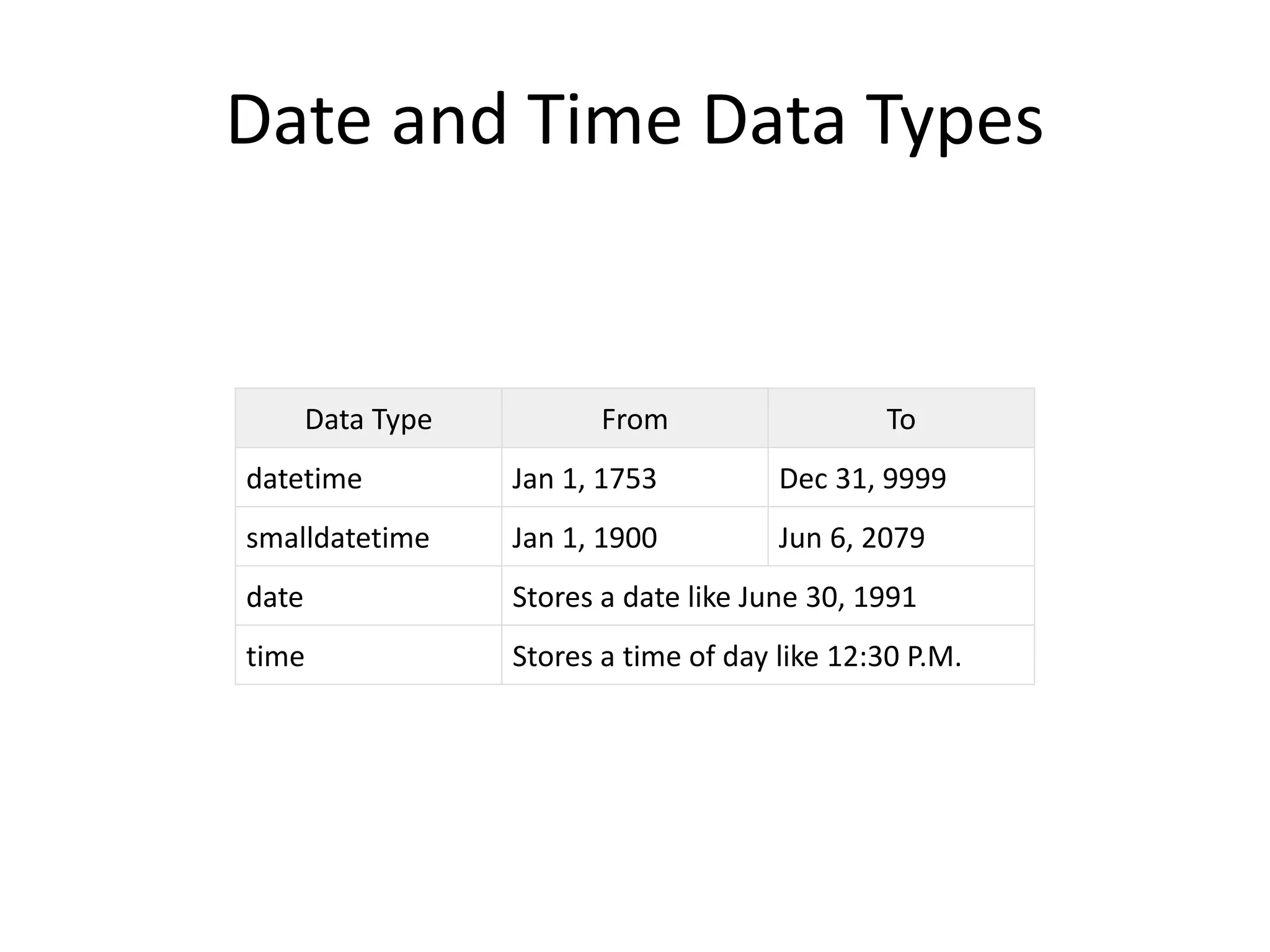
Date and Time Data Types
Data Type From To
datetime Jan 1, 1753 Dec 31, 9999
smalldatetime Jan 1, 1900 Jun 6, 2079
date Stores a date like June 30, 1991
time Stores a time of day like 12:30 P.M.
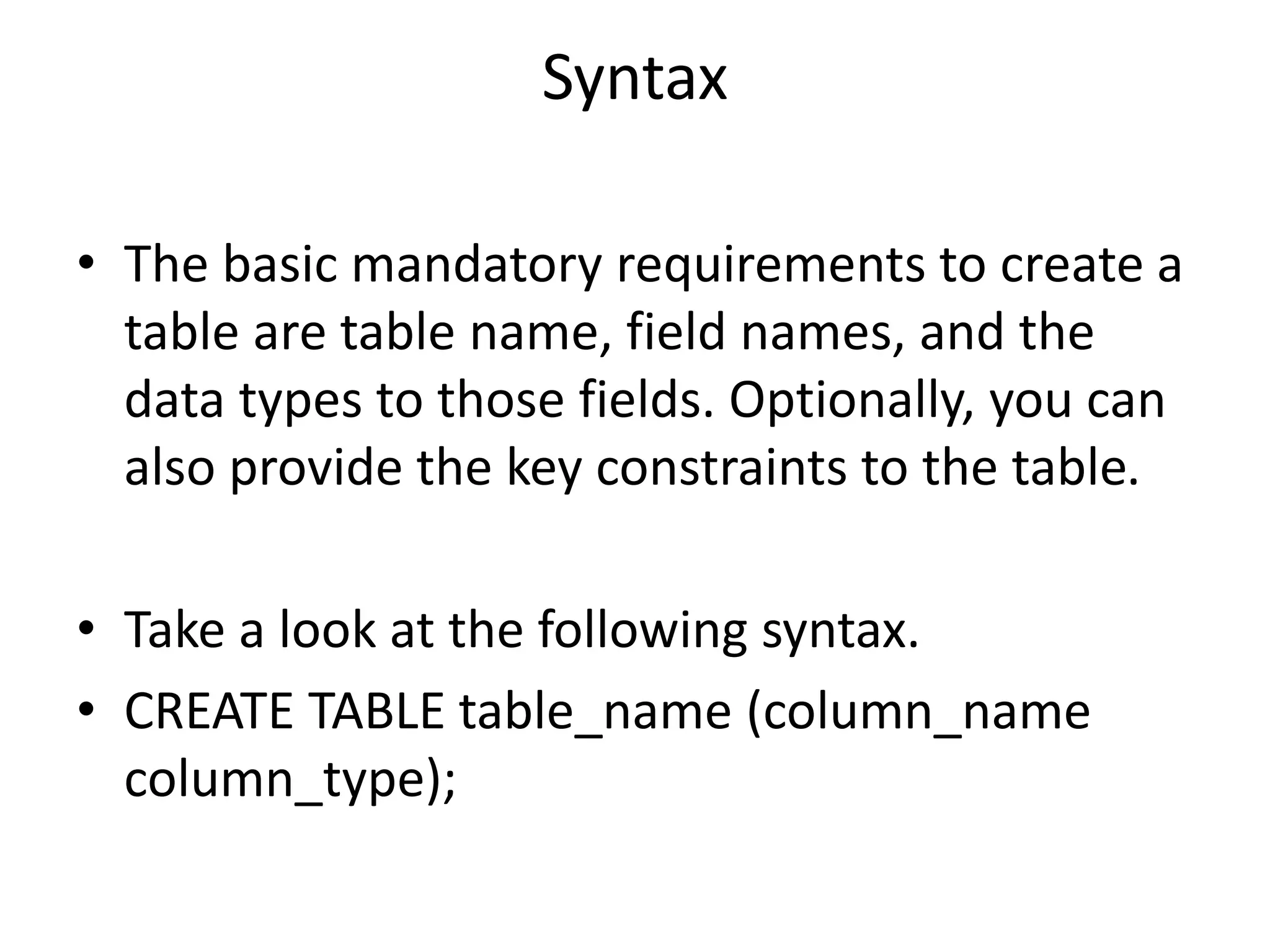
Syntax
• The basic mandatory requirements to create a
table are table name, field names, and the
data types to those fields. Optionally, you can
also provide the key constraints to the table.
• Take a look at the following syntax.
• CREATE TABLE table_name (column_name
column_type);
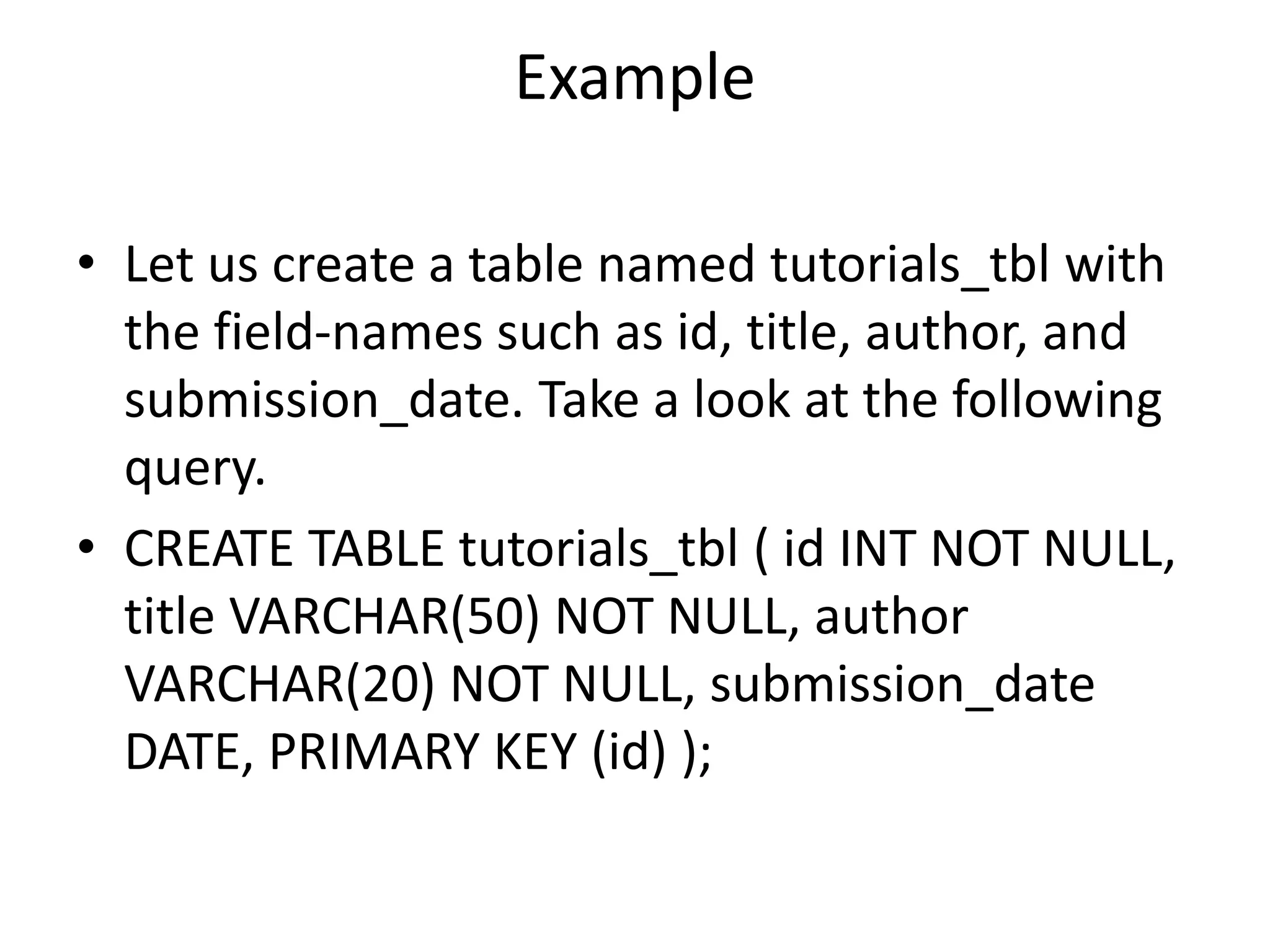
Example
• Let us create a table named tutorials_tbl with
the field-names such as id, title, author, and
submission_date. Take a look at the following
query.
• CREATE TABLE tutorials_tbl ( id INT NOT NULL,
title VARCHAR(50) NOT NULL, author
VARCHAR(20) NOT NULL, submission_date
DATE, PRIMARY KEY (id) );
HSQLDB – JDBC Program
Following is the JDBC program used to create a table named tutorials_tbl into the HSQLDB
database. Save the program into CreateTable.java file.
• import java.sql.Connection;
• import java.sql.DriverManager;
• import java.sql.Statement;
• public class CreateTable {
•
• public static void main(String[] args) {
•
• Connection con = null;
• Statement stmt = null;
• int result = 0;
•
• try {
• Class.forName("org.hsqldb.jdbc.JDBCDriver");
• con = DriverManager.getConnection("jdbc:hsqldb:hsql://localhost/testdb", "SA", "");
• stmt = con.createStatement();
•
• result = stmt.executeUpdate("CREATE TABLE tutorials_tbl (
• id INT NOT NULL, title VARCHAR(50) NOT NULL,
• author VARCHAR(20) NOT NULL, submission_date DATE,
• PRIMARY KEY (id));
• ");
•
• } catch (Exception e) {
• e.printStackTrace(System.out);
• }
• System.out.println("Table created successfully");
• }
• }
Syntax
• It is very easy to drop an existing HSQLDB
table. However, you need to be very careful
while deleting any existing table as any data
lost will not be recovered after deleting a
table.
• Following is a generic SQL syntax to drop a
HSQLDB table.
• DROP TABLE table_name;

Hsqldb tutorial

  • 1.
    HSQLDB Tutorial HyperSQL Databaseis a modern relational database manager that conforms closely to the SQL:2011 standard and JDBC 4 specifications. It supports all core features and RDBMS. HSQLDB is used for the development, testing, and deployment of database applications.
  • 2.
    Features of HSQLDB •HSQLDB uses in-memory structure for fast operations against DB server. It uses disk persistence as per user flexibility, with a reliable crash recovery. • HSQLDB is also suitable for business intelligence, ETL, and other applications that process large data sets. • HSQLDB has a wide range of enterprise deployment options, such as XA transactions, connection pooling data sources, and remote authentication. • HSQLDB is written in the Java programming language and runs in a Java Virtual Machine (JVM). It supports the JDBC interface for database access.
  • 3.
    Components of HSQLDB •There are three different components in HSQLDB jar package. • HyperSQL RDBMS Engine (HSQLDB) • HyperSQL JDBC Driver • Database Manager (GUI database access tool, with Swing and AWT versions) • HyperSQL RDBMS and JDBC Driver provide the core functionality. Database Managers are general-purpose database access tools that can be used with any database engine having a JDBC driver.
  • 4.
    Example • import java.sql.Connection; •import java.sql.DriverManager; • public class ConnectDatabase { • public static void main(String[] args) { • Connection con = null; • • try { • //Registering the HSQLDB JDBC driver • Class.forName("org.hsqldb.jdbc.JDBCDriver"); • //Creating the connection with HSQLDB • con = DriverManager.getConnection("jdbc:hsqldb:hsql://localhost/testdb", "SA", ""); • if (con!= null){ • System.out.println("Connection created successfully"); • • }else{ • System.out.println("Problem with creating connection"); • } • • } catch (Exception e) { • e.printStackTrace(System.out); • } • } • }
  • 5.
    • >cd C:hsqldb-2.3.4hsqldbhsqldb>java - classpath lib/hsqldb.jar org.hsqldb.server.Server --database.0 file:hsqldb/de • >javac ConnectDatabase.java >java ConnectDatabasemodb --dbname.0 testdb
  • 6.
    Approximate Numeric DataTypes Data Type From To float -1.79E + 308 1.79E + 308 real -3.40E + 38 3.40E + 38
  • 7.
    Date and TimeData Types Data Type From To datetime Jan 1, 1753 Dec 31, 9999 smalldatetime Jan 1, 1900 Jun 6, 2079 date Stores a date like June 30, 1991 time Stores a time of day like 12:30 P.M.
  • 8.
    Syntax • The basicmandatory requirements to create a table are table name, field names, and the data types to those fields. Optionally, you can also provide the key constraints to the table. • Take a look at the following syntax. • CREATE TABLE table_name (column_name column_type);
  • 9.
    Example • Let uscreate a table named tutorials_tbl with the field-names such as id, title, author, and submission_date. Take a look at the following query. • CREATE TABLE tutorials_tbl ( id INT NOT NULL, title VARCHAR(50) NOT NULL, author VARCHAR(20) NOT NULL, submission_date DATE, PRIMARY KEY (id) );
  • 10.
    HSQLDB – JDBCProgram Following is the JDBC program used to create a table named tutorials_tbl into the HSQLDB database. Save the program into CreateTable.java file. • import java.sql.Connection; • import java.sql.DriverManager; • import java.sql.Statement; • public class CreateTable { • • public static void main(String[] args) { • • Connection con = null; • Statement stmt = null; • int result = 0; • • try { • Class.forName("org.hsqldb.jdbc.JDBCDriver"); • con = DriverManager.getConnection("jdbc:hsqldb:hsql://localhost/testdb", "SA", ""); • stmt = con.createStatement(); • • result = stmt.executeUpdate("CREATE TABLE tutorials_tbl ( • id INT NOT NULL, title VARCHAR(50) NOT NULL, • author VARCHAR(20) NOT NULL, submission_date DATE, • PRIMARY KEY (id)); • "); • • } catch (Exception e) { • e.printStackTrace(System.out); • } • System.out.println("Table created successfully"); • } • }
  • 11.
    Syntax • It isvery easy to drop an existing HSQLDB table. However, you need to be very careful while deleting any existing table as any data lost will not be recovered after deleting a table. • Following is a generic SQL syntax to drop a HSQLDB table. • DROP TABLE table_name;