Govt. Degree College, Kupwara
NAAC Re-Accredited Grade “A”
Bohipora Kupwara, J&K, India – 193222
Presented by Musavir Hassan
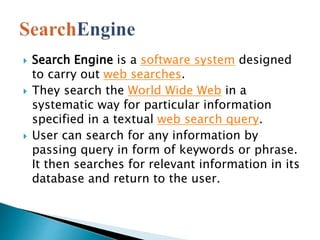
 Search Engine is a software system designed
to carry out web searches.
 They search the World Wide Web in a
systematic way for particular information
specified in a textual web search query.
 User can search for any information by
passing query in form of keywords or phrase.
It then searches for relevant information in its
database and return to the user.
 Generally there are three basic components of a search
engine as listed below:
 Web Crawler
 Database
 Search Interfaces
 Web crawler
 It is also known as spider or bots. It is a software
component that traverses the web to gather information.
 Database
 All the information on the web is stored in database. It
consists of huge web resources.
 Search Interfaces
 This component is an interface between user and the
database. It helps the user to search through the database.
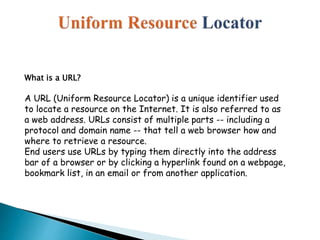
What is a URL?
A URL (Uniform Resource Locator) is a unique identifier used
to locate a resource on the Internet. It is also referred to as
a web address. URLs consist of multiple parts -- including a
protocol and domain name -- that tell a web browser how and
where to retrieve a resource.
End users use URLs by typing them directly into the address
bar of a browser or by clicking a hyperlink found on a webpage,
bookmark list, in an email or from another application.
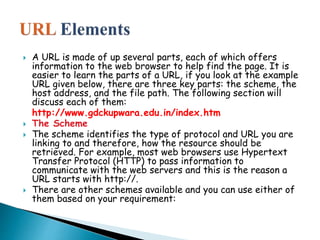
 A URL is made of up several parts, each of which offers
information to the web browser to help find the page. It is
easier to learn the parts of a URL, if you look at the example
URL given below, there are three key parts: the scheme, the
host address, and the file path. The following section will
discuss each of them:
http://www.gdckupwara.edu.in/index.htm
 The Scheme
 The scheme identifies the type of protocol and URL you are
linking to and therefore, how the resource should be
retrieved. For example, most web browsers use Hypertext
Transfer Protocol (HTTP) to pass information to
communicate with the web servers and this is the reason a
URL starts with http://.
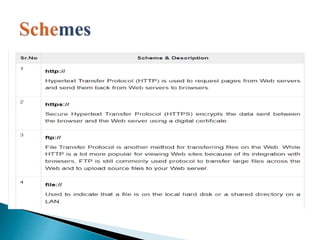
 There are other schemes available and you can use either of
them based on your requirement:
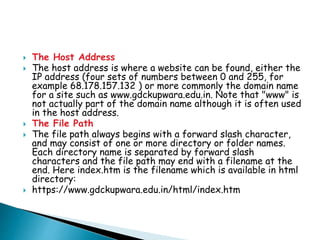
 The Host Address
 The host address is where a website can be found, either the
IP address (four sets of numbers between 0 and 255, for
example 68.178.157.132 ) or more commonly the domain name
for a site such as www.gdckupwara.edu.in. Note that "www" is
not actually part of the domain name although it is often used
in the host address.
 The File Path
 The file path always begins with a forward slash character,
and may consist of one or more directory or folder names.
Each directory name is separated by forward slash
characters and the file path may end with a filename at the
end. Here index.htm is the filename which is available in html
directory:
 https://www.gdckupwara.edu.in/html/index.htm
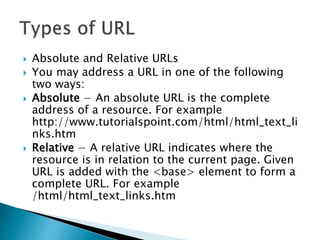
 Absolute and Relative URLs
 You may address a URL in one of the following
two ways:
 Absolute − An absolute URL is the complete
address of a resource. For example
http://www.tutorialspoint.com/html/html_text_li
nks.htm
 Relative − A relative URL indicates where the
resource is in relation to the current page. Given
URL is added with the <base> element to form a
complete URL. For example
/html/html_text_links.htm
 A domain name is the part of your Internet
address that comes after "www". For example,
in google.com the domain name is
google.com.
 A domain name becomes your Business
Address so care should be taken to select a
domain name. Your domain name should be
easy to remember and easy to type.

 When you plan to put a site online, this is one of the
important steps to buy a domain name. This is always
not necessary that whatever domain name you are
looking that is available so in that case you will have
to opt for any other good domain name.
 When you buy a domain name it is registered and
when domain names are registered they are added to
a large domain name register, and information about
your site − including your Internet IP address is
stored on a DNS server and your contact information
etc. is registered with your registrar.
 You can buy domain name from any domain registrar
like GoDaddy
 There are many types of domain extensions you can choose for your domain
name. This depends on your business nature.
 For example, if you are going to register a domain name for education purpose
then you can choose .edu extension.
 Below is a reference of the correct usage of certain extensions. But there is no
hard and fast rule to go for any extension. Most commonly used is .com
 .com − Stands for company/commercial, but it can be used for any website.
 .net − Stands for network and is usually used for a network of sites.
 .org − Stands for organization and is supposed to be for non-profit bodies.
 .us, .in − They are based on your country names so that you can go for country
specific domain extensions
 .biz − A newer extension on the Internet and can be used to indicate that this site
is purely related to business.
 .info − Stands for information. This domain name extension can be very useful,
and as a new comer it's doing well.
 .tv − Stands for Television and are more appropriate for TV channel sites.
search engine best ppt

search engine best ppt

  • 1.
    Govt. Degree College,Kupwara NAAC Re-Accredited Grade “A” Bohipora Kupwara, J&K, India – 193222 Presented by Musavir Hassan
  • 2.
     Search Engineis a software system designed to carry out web searches.  They search the World Wide Web in a systematic way for particular information specified in a textual web search query.  User can search for any information by passing query in form of keywords or phrase. It then searches for relevant information in its database and return to the user.
  • 3.
     Generally thereare three basic components of a search engine as listed below:  Web Crawler  Database  Search Interfaces  Web crawler  It is also known as spider or bots. It is a software component that traverses the web to gather information.  Database  All the information on the web is stored in database. It consists of huge web resources.  Search Interfaces  This component is an interface between user and the database. It helps the user to search through the database.
  • 5.
    What is aURL? A URL (Uniform Resource Locator) is a unique identifier used to locate a resource on the Internet. It is also referred to as a web address. URLs consist of multiple parts -- including a protocol and domain name -- that tell a web browser how and where to retrieve a resource. End users use URLs by typing them directly into the address bar of a browser or by clicking a hyperlink found on a webpage, bookmark list, in an email or from another application.
  • 6.
     A URLis made of up several parts, each of which offers information to the web browser to help find the page. It is easier to learn the parts of a URL, if you look at the example URL given below, there are three key parts: the scheme, the host address, and the file path. The following section will discuss each of them: http://www.gdckupwara.edu.in/index.htm  The Scheme  The scheme identifies the type of protocol and URL you are linking to and therefore, how the resource should be retrieved. For example, most web browsers use Hypertext Transfer Protocol (HTTP) to pass information to communicate with the web servers and this is the reason a URL starts with http://.  There are other schemes available and you can use either of them based on your requirement:
  • 8.
     The HostAddress  The host address is where a website can be found, either the IP address (four sets of numbers between 0 and 255, for example 68.178.157.132 ) or more commonly the domain name for a site such as www.gdckupwara.edu.in. Note that "www" is not actually part of the domain name although it is often used in the host address.  The File Path  The file path always begins with a forward slash character, and may consist of one or more directory or folder names. Each directory name is separated by forward slash characters and the file path may end with a filename at the end. Here index.htm is the filename which is available in html directory:  https://www.gdckupwara.edu.in/html/index.htm
  • 9.
     Absolute andRelative URLs  You may address a URL in one of the following two ways:  Absolute − An absolute URL is the complete address of a resource. For example http://www.tutorialspoint.com/html/html_text_li nks.htm  Relative − A relative URL indicates where the resource is in relation to the current page. Given URL is added with the <base> element to form a complete URL. For example /html/html_text_links.htm
  • 10.
     A domainname is the part of your Internet address that comes after "www". For example, in google.com the domain name is google.com.  A domain name becomes your Business Address so care should be taken to select a domain name. Your domain name should be easy to remember and easy to type.
  • 11.
      When youplan to put a site online, this is one of the important steps to buy a domain name. This is always not necessary that whatever domain name you are looking that is available so in that case you will have to opt for any other good domain name.  When you buy a domain name it is registered and when domain names are registered they are added to a large domain name register, and information about your site − including your Internet IP address is stored on a DNS server and your contact information etc. is registered with your registrar.  You can buy domain name from any domain registrar like GoDaddy
  • 12.
     There aremany types of domain extensions you can choose for your domain name. This depends on your business nature.  For example, if you are going to register a domain name for education purpose then you can choose .edu extension.  Below is a reference of the correct usage of certain extensions. But there is no hard and fast rule to go for any extension. Most commonly used is .com  .com − Stands for company/commercial, but it can be used for any website.  .net − Stands for network and is usually used for a network of sites.  .org − Stands for organization and is supposed to be for non-profit bodies.  .us, .in − They are based on your country names so that you can go for country specific domain extensions  .biz − A newer extension on the Internet and can be used to indicate that this site is purely related to business.  .info − Stands for information. This domain name extension can be very useful, and as a new comer it's doing well.  .tv − Stands for Television and are more appropriate for TV channel sites.