Getting Started with
Meteor
Capital District Java Developers Network
May 23, 2013

Michael P. Redlich
@mpredli
about.me/mpredli/
1
Wednesday, June 12, 13
Who’s Mike?
• BS in CS from Rutgers University
• “Petrochemical Research Organization”
• Ai-Logix, Inc.
• Amateur Computer Group of New Jersey
• Publications
• Presentations
2
Wednesday, June 12, 13
Objectives
• What is Meteor?
• Why Meteor?
• The Seven Principles
• Getting Started with Meteor
• Live Demos (yea!)
• Meteor Resources
3
Wednesday, June 12, 13
What is Meteor? (1)
• “...an open-source platform for building topquality web apps in a fraction of the time,
whether you’re an expert developer or just
getting started.”

Meteor Web Site, http://www.meteor.com/

• A full-stack framework using JavaScript
• Compiles, combines, and distributes your
HTML, CSS, and JavaScript
4
Wednesday, June 12, 13
What is Meteor? (2)
• Built on top of Node.js
• Shares code between the client-side and
server-side of your application

5
Wednesday, June 12, 13
What is Node.js?
• “...a platform built on Chrome’s JavaScript

runtime for easily building fast, scalable
network applications. Node.js uses an eventdriven, non-blocking I/O model that makes it
lightweight and efficient, perfect for dataintensive real-time applications that run across
distributed devices.”

Node.js Web Site, http://www.nodejs.org/

6
Wednesday, June 12, 13
Why Meteor?
• “Meteor is radically faster, radically easier
platform for Internet-scale thick client
applications.”

Avital Oliver, “Meteor Smart Packages”, ETE Conference, 4/2/2013

• Easy to learn
• Pure JavaScript
• Rapid application development
7
Wednesday, June 12, 13
Supported Operating
Systems
• Mac
OS X 10.6

• Linux
x86 and x86_64 systems

• Windows
third party
8
Wednesday, June 12, 13
The Seven Principles
•
•
•
•
•
•

•

Data on the Wire
One Langauge
Database Everywhere
Latency Compensation
Full-Stack Reactivity
Embrace the Ecosystem

9
Wednesday, June 12, 13

Simplicity = Productivity
(#1) Data on the Wire
• Don’t send HTML over the network
• Let client decide how to render data
• Browser renders the templates as data
changes

10
Wednesday, June 12, 13
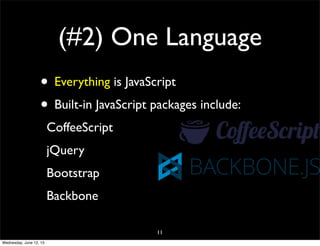
(#2) One Language
• Everything is JavaScript
• Built-in JavaScript packages include:
CoffeeScript
jQuery
Bootstrap
Backbone
11
Wednesday, June 12, 13
(#3) Database
Everywhere
• MongoDB works on both the client and the
server

• The client-side database API looks just like
MongoDB server-side API

• Database operations are cached in memory
on the client-side to yield...

12
Wednesday, June 12, 13
(#4) Latency
Compensation
• Designed to create a zero-latency
connection to the database

• Database on client-side is updated first
• Database on server-side is updated later
13
Wednesday, June 12, 13
(#5) Full-Stack
Reactivity
• Embraces the concept of reactive
programming

• Everything is real-time
• Templates automatically re-render
themselves as data changes

14
Wednesday, June 12, 13
(#6) Embrace the
Ecosystem
• Meteor is open-source
• Integrates existing open-source tools and
frameworks

15
Wednesday, June 12, 13
(#7) Simplicity =
Productivity
• For something to seem simple, it must
actually be simple

• API are plain and simple

16
Wednesday, June 12, 13
Getting Started
• Download Meteor
• Create your first Meteor app
• Explore the built-in examples
17
Wednesday, June 12, 13
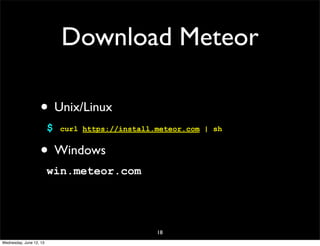
Download Meteor
• Unix/Linux
$

curl https://install.meteor.com | sh

• Windows
win.meteor.com

18
Wednesday, June 12, 13
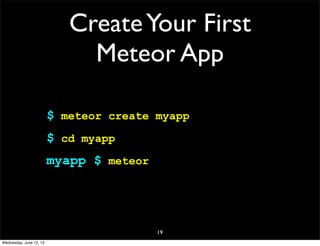
Create Your First
Meteor App
$ meteor create myapp
$ cd myapp
myapp $ meteor

19
Wednesday, June 12, 13
Live Demo!

20
Wednesday, June 12, 13
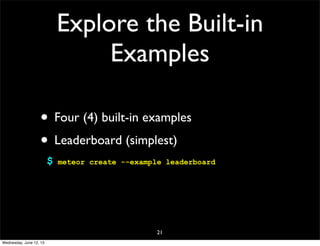
Explore the Built-in
Examples
• Four (4) built-in examples
• Leaderboard (simplest)
$

meteor create --example leaderboard

21
Wednesday, June 12, 13
Live Demo!

22
Wednesday, June 12, 13
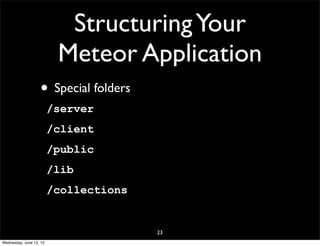
Structuring Your
Meteor Application
• Special folders
/server
/client
/public
/lib
/collections

23
Wednesday, June 12, 13
Smart Packages (1)
• JavaScript programs
• Extend your Meteor environment
• Injects code into client-side or server-side
of your application

24
Wednesday, June 12, 13
Smart Packages (2)
• Core smart packages:
spark
reload
livedata
mongo-livedata
minimongo

25
Wednesday, June 12, 13
Smart Packages (3)
• List all available packages
$

meteor list

• Adding a package
$

meteor add <package-name>

• Removing a package
$

meteor remove <package-name>

26
Wednesday, June 12, 13
Deploying Your Meteor
Application
• Full application server
• Deploy on Meteor’s infrastructure
$

meteor deploy myapp.meteor.com

27
Wednesday, June 12, 13
Meteorite
• A wrapper utility for Meteor
Developed by Tom Coleman

• Supports third-party applications
• Does everything Meteor does plus...
28
Wednesday, June 12, 13
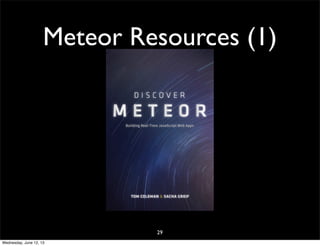
Meteor Resources (1)

29
Wednesday, June 12, 13
Meteor Resources (2)
• meteor.com
• github.com/meteor/meteor
• themeteorbook.com
• eventedmind.com
• atmosphere.meteor.com
30
Wednesday, June 12, 13
Steve
1:40:29

Tom
Frank
1:35:37 1:35:20

31
Wednesday, June 12, 13

Mike
2:01:33
Thanks!
mike@redlich.net
@mpredli
javasig.org

32
Wednesday, June 12, 13

Getting Started with Meteor

  • 1.
    Getting Started with Meteor CapitalDistrict Java Developers Network May 23, 2013 Michael P. Redlich @mpredli about.me/mpredli/ 1 Wednesday, June 12, 13
  • 2.
    Who’s Mike? • BSin CS from Rutgers University • “Petrochemical Research Organization” • Ai-Logix, Inc. • Amateur Computer Group of New Jersey • Publications • Presentations 2 Wednesday, June 12, 13
  • 3.
    Objectives • What isMeteor? • Why Meteor? • The Seven Principles • Getting Started with Meteor • Live Demos (yea!) • Meteor Resources 3 Wednesday, June 12, 13
  • 4.
    What is Meteor?(1) • “...an open-source platform for building topquality web apps in a fraction of the time, whether you’re an expert developer or just getting started.” Meteor Web Site, http://www.meteor.com/ • A full-stack framework using JavaScript • Compiles, combines, and distributes your HTML, CSS, and JavaScript 4 Wednesday, June 12, 13
  • 5.
    What is Meteor?(2) • Built on top of Node.js • Shares code between the client-side and server-side of your application 5 Wednesday, June 12, 13
  • 6.
    What is Node.js? •“...a platform built on Chrome’s JavaScript runtime for easily building fast, scalable network applications. Node.js uses an eventdriven, non-blocking I/O model that makes it lightweight and efficient, perfect for dataintensive real-time applications that run across distributed devices.” Node.js Web Site, http://www.nodejs.org/ 6 Wednesday, June 12, 13
  • 7.
    Why Meteor? • “Meteoris radically faster, radically easier platform for Internet-scale thick client applications.” Avital Oliver, “Meteor Smart Packages”, ETE Conference, 4/2/2013 • Easy to learn • Pure JavaScript • Rapid application development 7 Wednesday, June 12, 13
  • 8.
    Supported Operating Systems • Mac OSX 10.6 • Linux x86 and x86_64 systems • Windows third party 8 Wednesday, June 12, 13
  • 9.
    The Seven Principles • • • • • • • Dataon the Wire One Langauge Database Everywhere Latency Compensation Full-Stack Reactivity Embrace the Ecosystem 9 Wednesday, June 12, 13 Simplicity = Productivity
  • 10.
    (#1) Data onthe Wire • Don’t send HTML over the network • Let client decide how to render data • Browser renders the templates as data changes 10 Wednesday, June 12, 13
  • 11.
    (#2) One Language •Everything is JavaScript • Built-in JavaScript packages include: CoffeeScript jQuery Bootstrap Backbone 11 Wednesday, June 12, 13
  • 12.
    (#3) Database Everywhere • MongoDBworks on both the client and the server • The client-side database API looks just like MongoDB server-side API • Database operations are cached in memory on the client-side to yield... 12 Wednesday, June 12, 13
  • 13.
    (#4) Latency Compensation • Designedto create a zero-latency connection to the database • Database on client-side is updated first • Database on server-side is updated later 13 Wednesday, June 12, 13
  • 14.
    (#5) Full-Stack Reactivity • Embracesthe concept of reactive programming • Everything is real-time • Templates automatically re-render themselves as data changes 14 Wednesday, June 12, 13
  • 15.
    (#6) Embrace the Ecosystem •Meteor is open-source • Integrates existing open-source tools and frameworks 15 Wednesday, June 12, 13
  • 16.
    (#7) Simplicity = Productivity •For something to seem simple, it must actually be simple • API are plain and simple 16 Wednesday, June 12, 13
  • 17.
    Getting Started • DownloadMeteor • Create your first Meteor app • Explore the built-in examples 17 Wednesday, June 12, 13
  • 18.
    Download Meteor • Unix/Linux $ curlhttps://install.meteor.com | sh • Windows win.meteor.com 18 Wednesday, June 12, 13
  • 19.
    Create Your First MeteorApp $ meteor create myapp $ cd myapp myapp $ meteor 19 Wednesday, June 12, 13
  • 20.
  • 21.
    Explore the Built-in Examples •Four (4) built-in examples • Leaderboard (simplest) $ meteor create --example leaderboard 21 Wednesday, June 12, 13
  • 22.
  • 23.
    Structuring Your Meteor Application •Special folders /server /client /public /lib /collections 23 Wednesday, June 12, 13
  • 24.
    Smart Packages (1) •JavaScript programs • Extend your Meteor environment • Injects code into client-side or server-side of your application 24 Wednesday, June 12, 13
  • 25.
    Smart Packages (2) •Core smart packages: spark reload livedata mongo-livedata minimongo 25 Wednesday, June 12, 13
  • 26.
    Smart Packages (3) •List all available packages $ meteor list • Adding a package $ meteor add <package-name> • Removing a package $ meteor remove <package-name> 26 Wednesday, June 12, 13
  • 27.
    Deploying Your Meteor Application •Full application server • Deploy on Meteor’s infrastructure $ meteor deploy myapp.meteor.com 27 Wednesday, June 12, 13
  • 28.
    Meteorite • A wrapperutility for Meteor Developed by Tom Coleman • Supports third-party applications • Does everything Meteor does plus... 28 Wednesday, June 12, 13
  • 29.
  • 30.
    Meteor Resources (2) •meteor.com • github.com/meteor/meteor • themeteorbook.com • eventedmind.com • atmosphere.meteor.com 30 Wednesday, June 12, 13
  • 31.
  • 32.